
If you want one answer before anything else, the Logitech Blue Yeti is the best podcast microphone for beginners in 2026 because it captures a clear, broadcast-style voice, runs straight off a USB port with no audio interface, and still gives you four pickup patterns to grow into. It is the mic we point first-time podcasters at, and it is also the one most first-time podcasters already own.
That last part cuts both ways. The Blue Yeti is the most reviewed USB microphone on the market by a wide margin, and forum threads on r/podcasting are full of owners who bought it without reading how sensitive a condenser is. Used correctly it is excellent. Used carelessly in an untreated bedroom it will record every fridge hum in the building.
We put ten beginner-friendly microphones through the same comparison, weighing sound quality, noise rejection in untreated rooms, how much gear you need alongside them, and whether you can move up later without replacing what you bought. Nine of the ten connect over USB only, one gives you both USB and XLR in a single body, and two of them are kit bundles that arrive with a boom arm and pop filter already in the box.
Table of Contents
- Top 3 Best Podcast Microphones for Beginners in 2026
- All Ten Microphones at a Glance in October
- 1. Logitech Blue Yeti – Best Podcast Microphone for Beginners Overall
- 2. TONOR TC-777 – Best Starter Kit With Shock Mount and Pop Filter Included
- 3. FIFINE K669B – Best Metal-Built Condenser at the Entry Level
- 4. FIFINE T669 – Best All-in-One Starter Kit
- 5. MAONO A04 – Best Kit for Voice and Radio Work
- 6. FIFINE AM8 – Best Dynamic Microphone for Noisy Rooms
- 7. ZealSound K66 – Best for Shared Rooms and Headphone Monitoring
- 8. Rode NT-USB Mini – Best for Small Desks and Video Work
- 9. Samson Meteor Mic – Best Portable Microphone for Travel
- 10. Amazon Basics Condenser – Most Straightforward First Setup
- USB or XLR: Which Should a Beginner Buy?
- Dynamic vs Condenser: Which Is Easier for Beginners?
- Mic Technique: Four Adjustments That Fix Most Recordings
- What Else Do You Need? The Accessory Checklist
- What Not to Buy Yet
- Frequently Asked Questions
- Conclusion: Where to Start Recording in 2026
Top 3 Best Podcast Microphones for Beginners in 2026

Blue Yeti USB Condenser
- Four pickup patterns
- Onboard gain and mute
- No-latency monitoring
- Metal build


FIFINE AM8 USB/XLR
- Dynamic cardioid capsule
- USB and XLR outputs
- Tap-to-mute
- Gain knob and headphone jack
All Ten Microphones at a Glance in October
| Product | Specs | Action |
|---|---|---|
| Logitech Blue Yeti |
|
Check Latest Price |
 TONOR TC-777 TONOR TC-777 |
|
Check Latest Price |
 FIFINE K669B FIFINE K669B |
|
Check Latest Price |
| FIFINE T669 |
|
Check Latest Price |
 MAONO A04 MAONO A04 |
|
Check Latest Price |
| FIFINE AM8 |
|
Check Latest Price |
 ZealSound K66 ZealSound K66 |
|
Check Latest Price |
 Rode NT-USB Mini Rode NT-USB Mini |
|
Check Latest Price |
 Samson Meteor Mic Samson Meteor Mic |
|
Check Latest Price |
 Amazon Basics Condenser Amazon Basics Condenser |
|
Check Latest Price |
Two things stand out immediately. Only the FIFINE AM8 is a dynamic microphone, and it is the one to buy if your room is loud. Everything else is a condenser, which means it captures more detail and more of the room along with it.
1. Logitech Blue Yeti – Best Podcast Microphone for Beginners Overall
Logitech Creators Blue Yeti USB Microphone for PC, Mac, Gaming, Recording, Streaming, Podcasting, Studio and Computer Condenser Mic with Blue VO!CE effects, 4 Pickup Patterns, Plug and Play – Blackout
USB condenser
Metal body
4 pickup patterns
20 Hz - 20 kHz
2 year warranty
Pros
- Plug-and-play with no mixer or interface
- Four pickup patterns for solo
- interview and stereo
- Onboard gain
- mute
- pattern and headphone volume
- Solid metal build that survives travel
- Clear broadcast-style detail
Cons
- Bulky on a small desk and heavy on boom arms
- Condenser sensitivity picks up room noise and plosives without a pop filter
- No XLR output so upgrading later means a new mic
The Blue Yeti has been the default first podcast microphone for years, and the reason is simplicity. You plug one USB cable into a laptop, pick cardioid in the software, and record. There is no gain staging, no phantom power, and no interface sitting between you and a usable file.
We like it most for the four onboard pickup patterns. Cardioid handles a solo monologue, bidirectional takes two people sitting face to face, and stereo is there if you ever record a room. Switching patterns is a button on the body, not a menu you have to hunt for.
The three-capsule array is what gives it that familiar broadcast clarity, with a 20 Hz to 20 kHz response range and a metal enclosure that feels far more serious than the body suggests. It weighs 3.5 pounds, which is a warning as much as a compliment, because it will pull a cheap boom arm downwards.
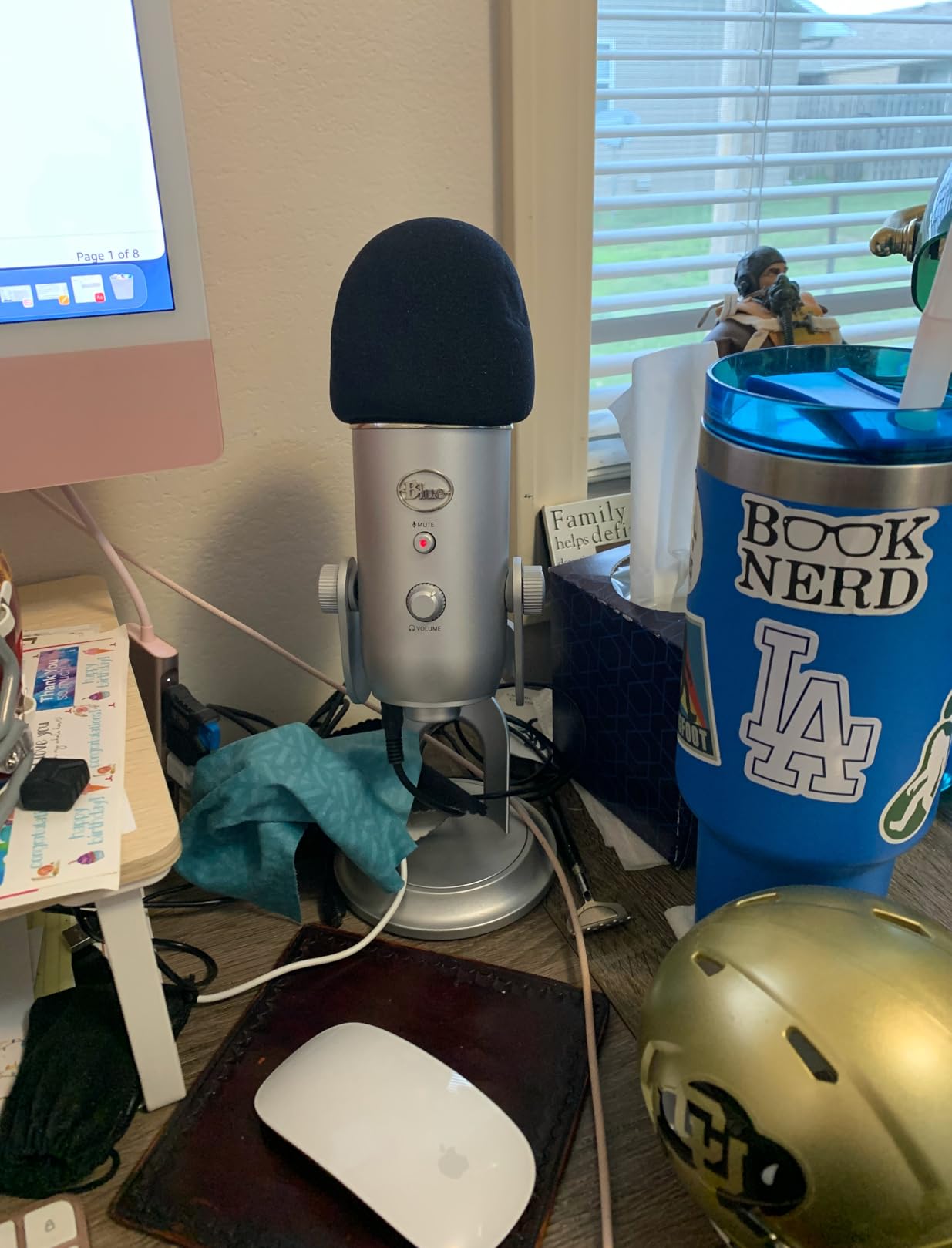
The complaints we see most are placement problems rather than quality problems. Because it is a condenser, it records the whole room, and a cheap condenser capsule in an untreated bedroom gives you air conditioning hum and traffic along with your voice. The standard fix that owners land on is to get the mic within 2-3 inches of your mouth and speak across the top of it rather than straight into the grille.
Forum sentiment on r/podcasting is that the Blue Yeti is easy to use incorrectly, and we would agree. Switch it to cardioid, keep the gain low enough that your loudest phrase does not clip, and it is a genuinely good microphone. Leave it in omni in a hard room and it will not save you.
There is no XLR output, so if you eventually want an audio interface, this is where your upgrade path ends. We have covered the interface options in detail over on our guide to best podcast interfaces for XLR microphones if that is the direction you think you are heading.
Who the Blue Yeti suits
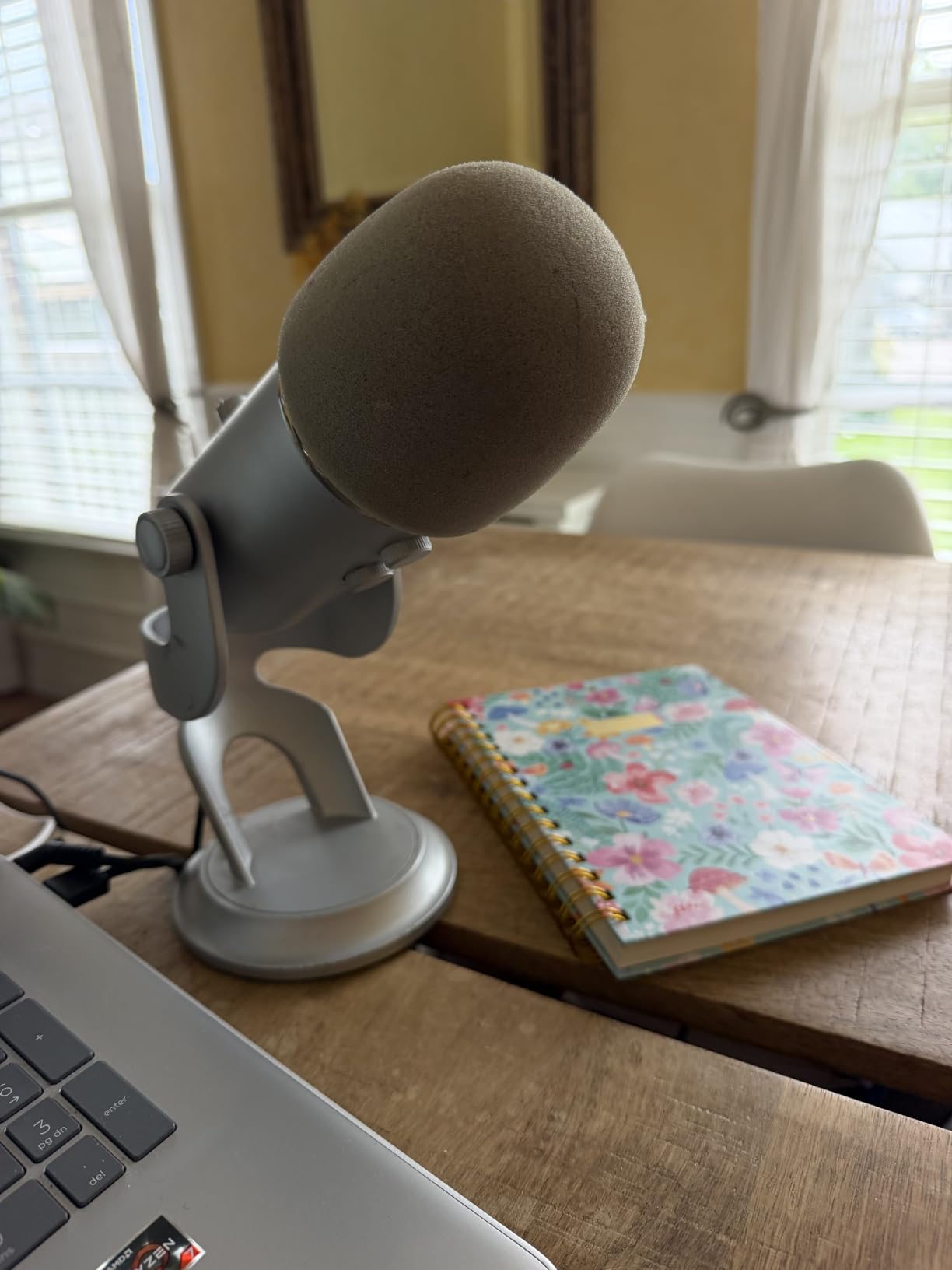
A first-time podcaster recording alone in a small, soft-furnished room will get excellent results from the Blue Yeti. It also handles two co-hosts at one desk through the bidirectional pattern, which is a capability most entry mics simply do not have.
Anyone filming alongside their podcast gets a visible, well-known microphone that reads clearly on camera, and the mute button gives you a visible indicator for video.
Who the Blue Yeti does not suit
Skip it if you are recording in a hard, reflective, or noisy space. A condenser in a room with hard floors and bare walls will record the room as loudly as you, and no amount of gain control fixes that.
It is also the wrong choice if you already know you want an interface and a proper signal chain, because you would be replacing the microphone within a year.
2. TONOR TC-777 – Best Starter Kit With Shock Mount and Pop Filter Included
TONOR Podcast Microphone, USB Computer Mic, Cardioid Condenser PC Microfono
USB condenser
Shock mount and pop filter included
One-click mute
345 g
Two year warranty
Pros
- Shock mount and pop filter included in the box
- One-touch mute and volume control on the body
- Recognised immediately by Zoom
- Skype and Discord
- Small footprint with a stable tripod
- Works with Windows
- Mac
- PS4 and PS5
Cons
- Audible hiss and plastic build
- Less detailed than metal-bodied condensers
- No headphone monitoring jack
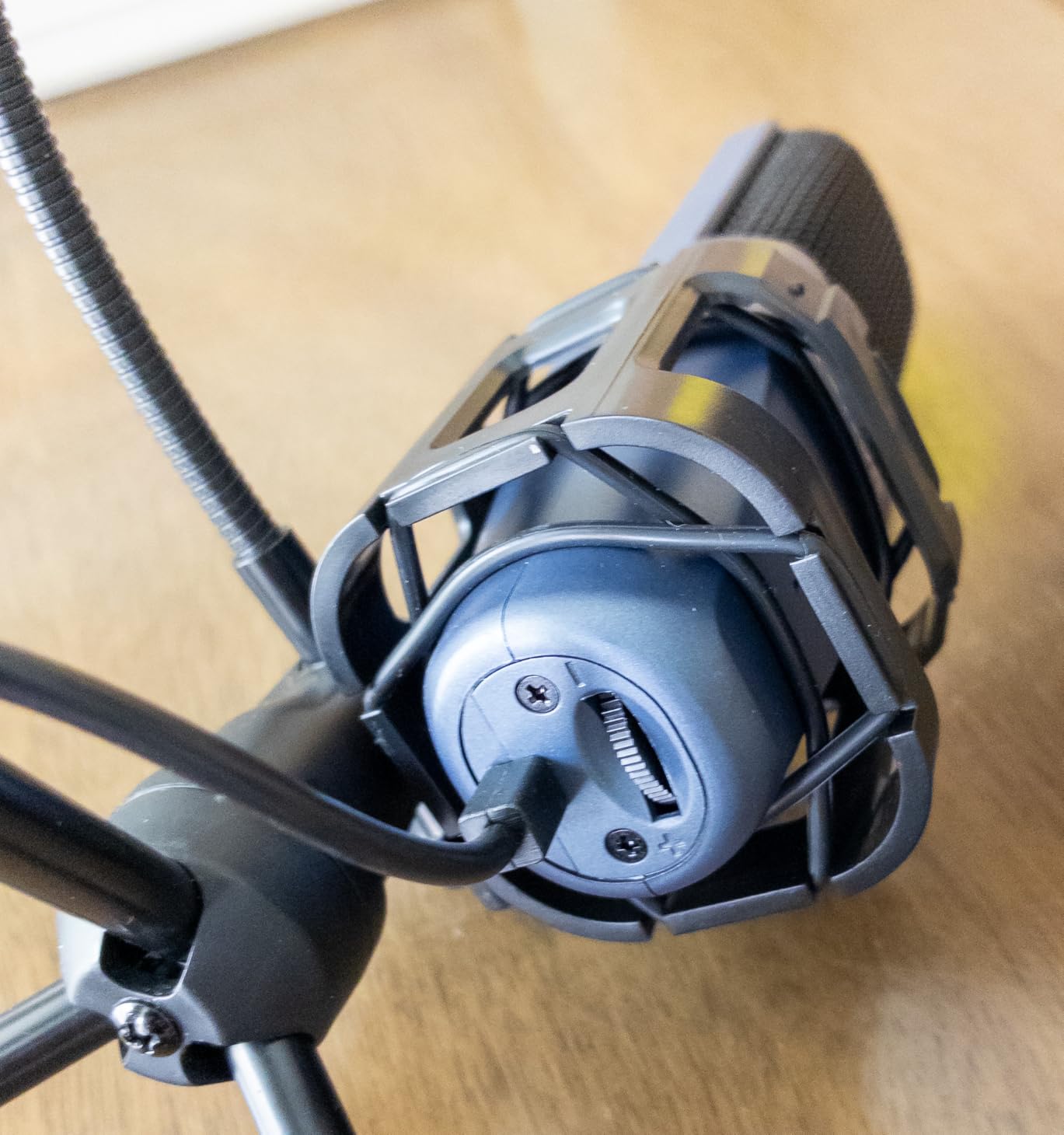
The TC-777 solves a problem most entry mics ignore: it arrives with the accessories you would otherwise have to buy first. A mini shock mount and a pop filter are in the box, so the two things that ruin cheap recordings, desk thumps and plosives, are handled on day one.
It is also the most honest option on this list. This is a plastic microphone with a small footprint, and the sound will not hold up against a metal-bodied condenser in a treated room.
What it does well is disappear. The one-click mute sits under your fingers, the body is small enough to share a desk, and the cardioid pattern points where you are speaking. For calls, Discord and a first episode recorded in an afternoon, that is enough.
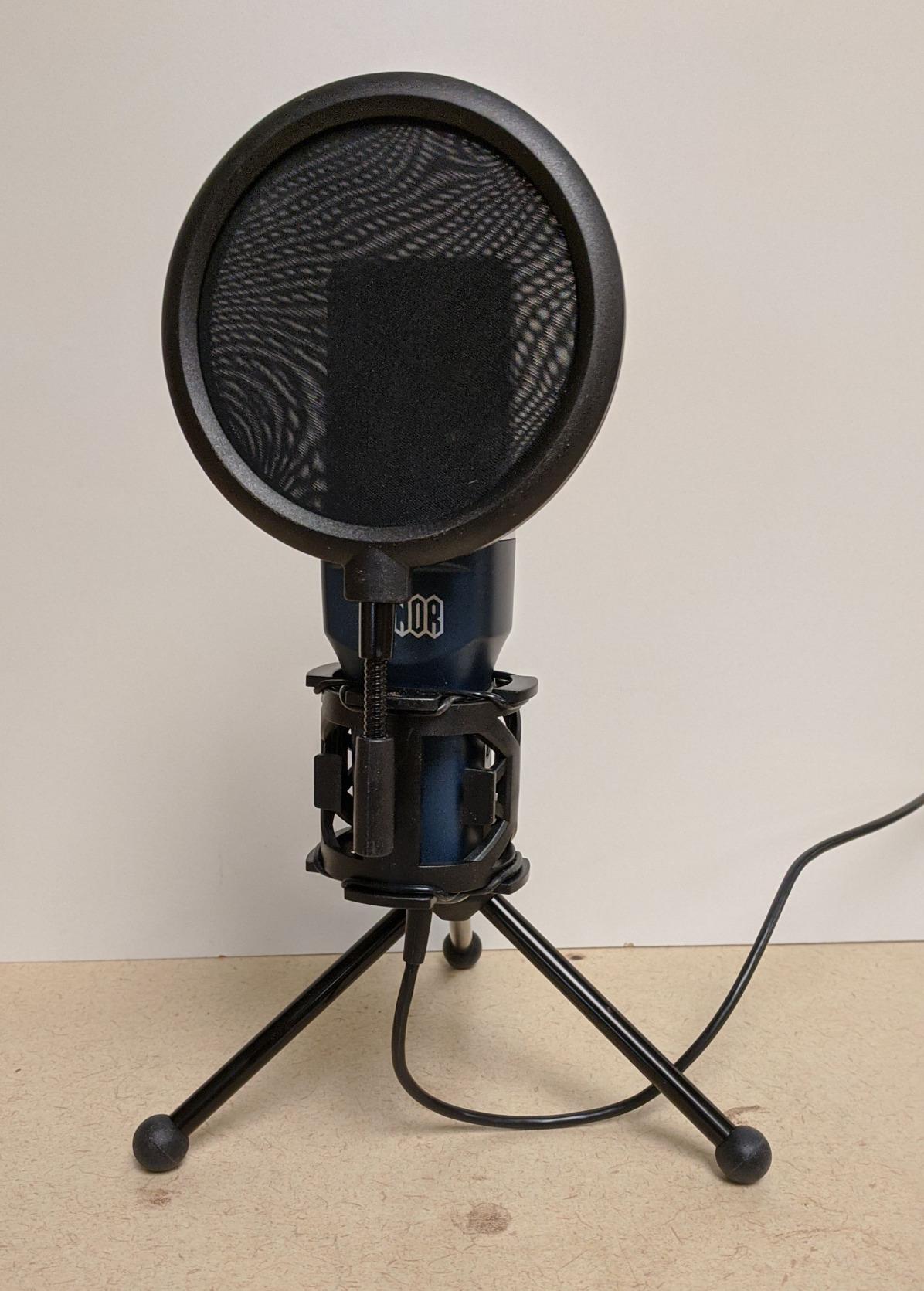
Reviewers consistently point to the hiss floor as the difference between this and the metal condensers. There is a faint noise floor you will hear in a silent room and can mostly mask in software. The detail is thinner too, which flattens the top end of your voice.
The build quality is the other recurring theme. Owners who bought a cheap condenser and a cheap interface in forums are usually warned off that route, and the general advice on r/podcasting is that buying a cheap condenser and plugging it straight into a laptop produces poor audio. This mic at least arrives with the mount and filter that reduce handling noise.
There is no headphone jack, so you cannot monitor levels in real time. That is a real constraint for anyone who wants to hear themselves the way a listener will, and it is the main reason to step up rather than sideways.
Who the TC-777 suits
It is a good fit for a beginner who wants to record a trial episode this weekend, a student learning to edit in Audacity or Garageband, and anyone who needs a microphone for video calls that does not look or sound cheap on the other end.
It also works with PS4 and PS5, which is unusual for a podcast microphone and useful if you are also streaming console games.
Who the TC-777 does not suit
Do not buy it if the show is meant to sound professional from episode one. The hiss and limited detail are permanent properties of the hardware, and no plugin substitutes for detail the capsule never captured.
It is also a poor choice for two people in one room, since there is a single pickup direction and no monitoring jack to check levels with.
3. FIFINE K669B – Best Metal-Built Condenser at the Entry Level
FIFINE K669B USB Microphone, Condenser Recording Mic for Vocals, Meeting
Condenser
USB-B to USB-A and USB-C
Metal body
20Hz-20kHz
5.6 oz
Pros
- All-metal build that punches above the price
- Volume knob doubles as a manual mute
- 5.9-foot cable with USB-A and USB-C
- Light enough to share a desk or travel with
- No drivers needed
Cons
- No noise suppression so it captures sound from other rooms
- No headphone monitoring jack
- Close speaking distance adds breath and plosives
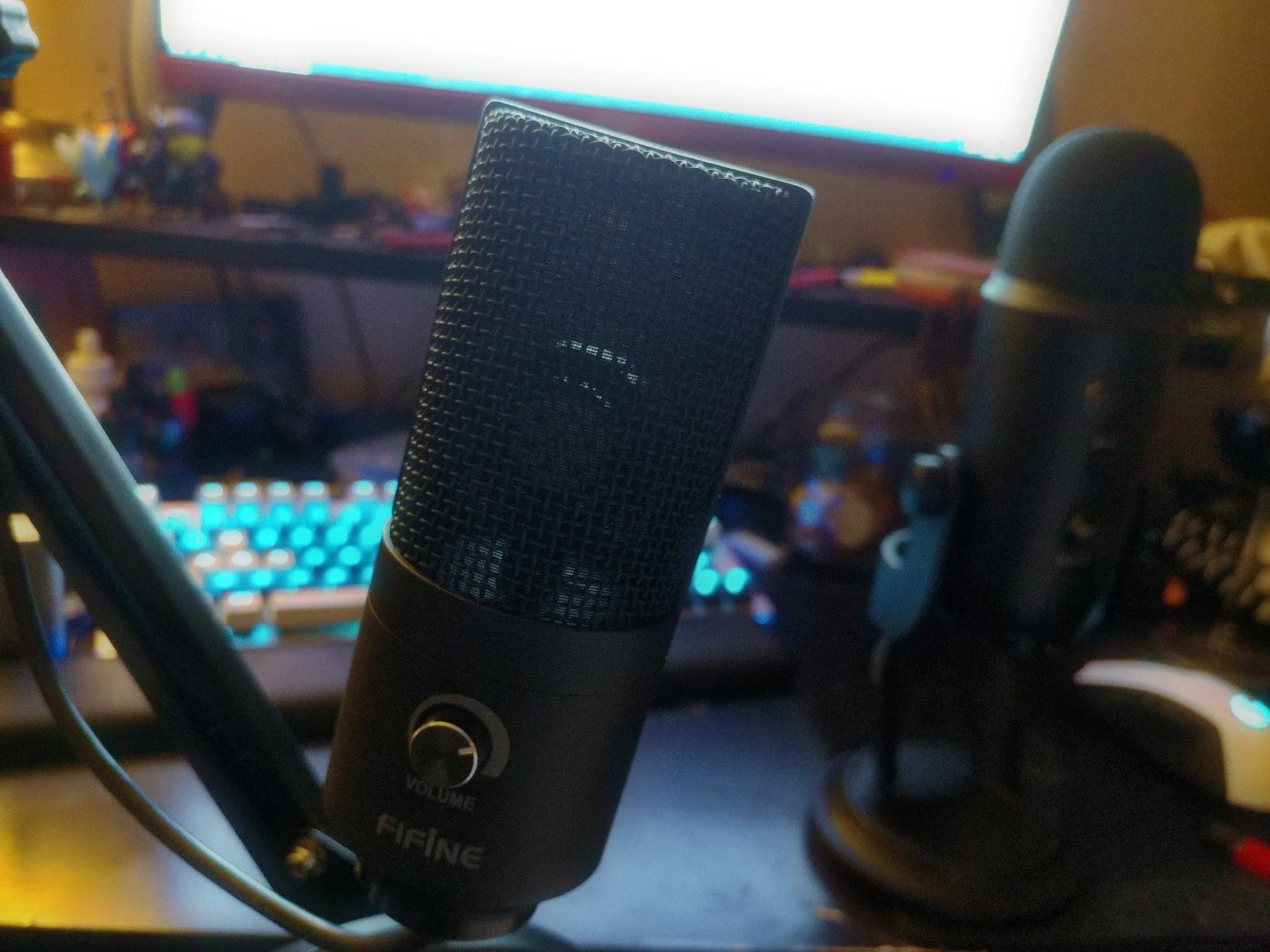
The K669B is the first microphone here where the construction matches the sound. At 5.6 ounces with a metal enclosure and a tripod base, it feels like a step up from plastic-bodied entry mics, and the 20Hz-20kHz response covers the full vocal range.
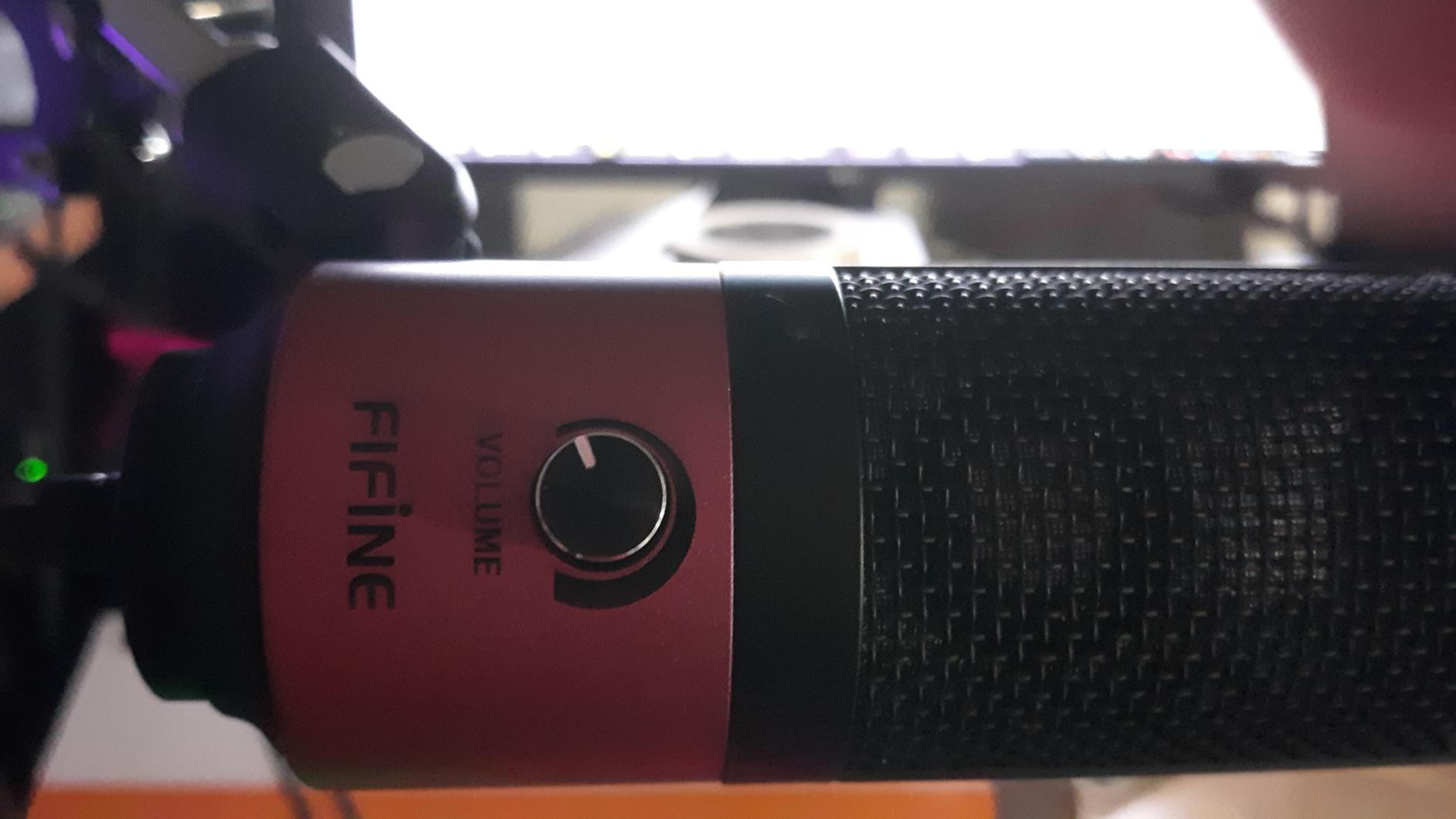
The volume knob on the body is more useful than it looks. It sets your input level, and turning it fully down doubles as a quick mute, which matters more than a dedicated button once you start moving around mid-sentence.
It ships with a 5.9-foot USB-B cable and adapts to both USB-A and USB-C, so it works on a new laptop without a dongle. There is no driver, no 48V phantom power and no sound card to configure.
The honest caveat is that it does nothing to help you with the room. There is no noise suppression, no DSP, no echo control. If a fan is running in the room, the fan is in the recording, and cardioid pickup reduces but does not remove that.
Side-by-side testers with recording backgrounds report near-parity with the Blue Yeti in cardioid mode, which tells you the capsule itself is capable. The gap between the two is not the microphone, it is the gain control, the monitoring jack and the pattern switching on the larger model.
Speaking too close adds audible breath and plosives. Keep it at a fist’s distance, angled slightly off-axis, and the cardioid pattern will do the rest of the work for you.
Who the K669B suits
It suits a beginner working in a genuinely quiet room who wants a metal microphone at the bottom of the budget. It is also compact enough to travel with, which none of the full-size desktop mics on this list are.
Because it runs on USB power alone, it is a simple match for streaming and gaming setups where the microphone shares a desk with a keyboard and mouse.
Who the K669B does not suit
It is the wrong choice for a shared home office, a room with a computer tower, or anywhere with variable background noise. There is no processing to compensate.
Beginners who want to hear themselves while recording should skip it, because the absence of a headphone jack removes the single most useful feedback tool you can have.
4. FIFINE T669 – Best All-in-One Starter Kit
FIFINE T669 Studio Condenser USB Microphone for Recording Podcasting
Condenser
USB
Steel scissor boom arm
Double pop filter
20Hz-20KHz
1 kg
Pros
- Complete kit with boom arm
- shock mount and pop filter
- Warm
- clear voice that beats laptop and webcam mics
- Non-floppy steel arm with 30 inch reach
- Cardioid pattern plus windscreen keeps outside noise down
- Plug-and-play with no drivers
Cons
- Pop filter grip mount uses weak glue and slips
- C-clamp pad slips off rounded desk edges
- Some buyers report the gain knob failing after a few months of use
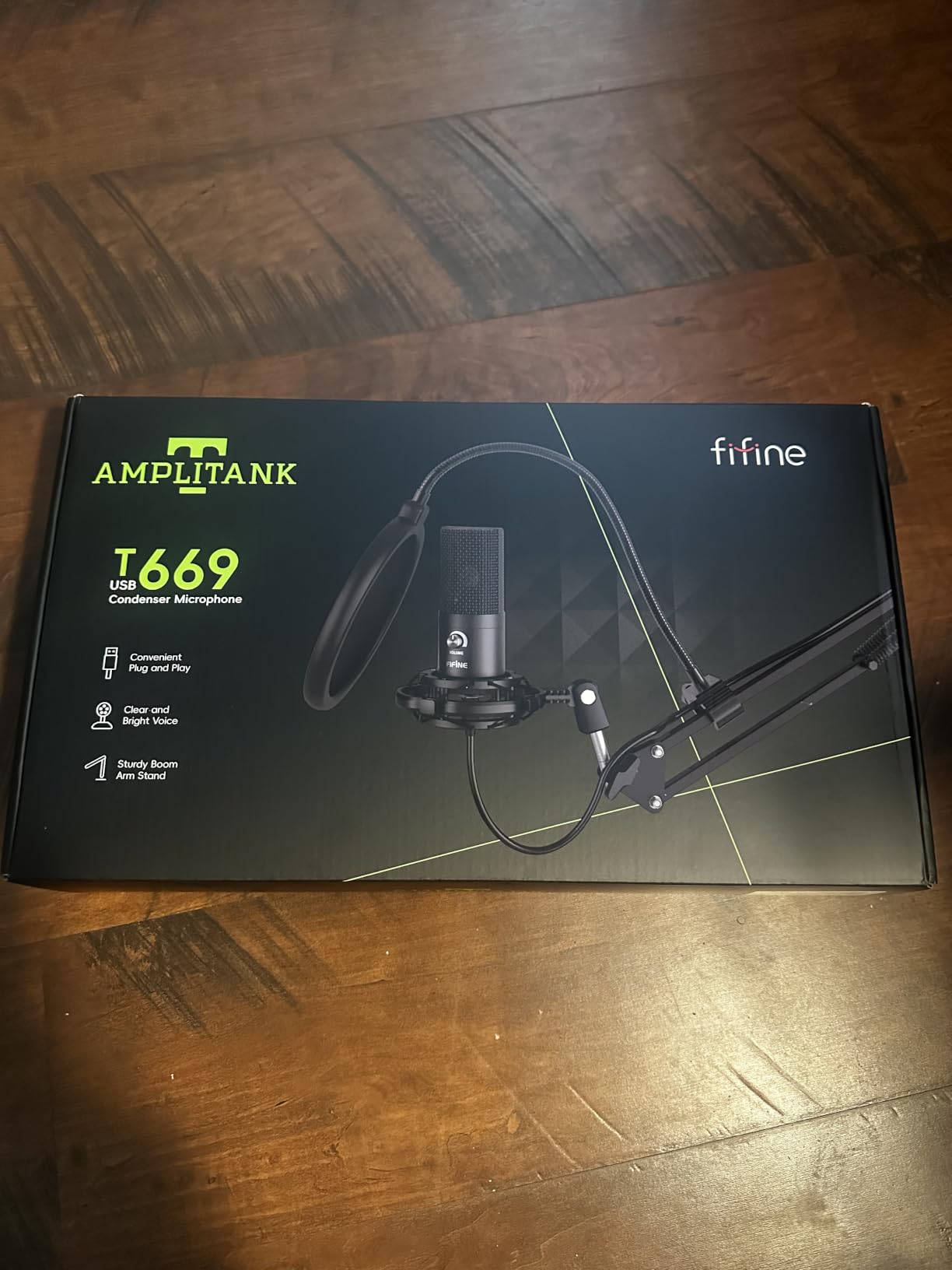
The T669 answers the question that catches most first-time buyers out. If you budget for a microphone and nothing else, you will spend the first month on a desk stand that wobbles and a pop filter that sits in your lap. This kit arrives with all of it.
You get an all-steel scissor boom arm with 180 degrees of vertical and 135 degrees of horizontal adjustment, a C-clamp with a detachable desktop base, a double pop filter, a shock mount and a foam windscreen. The arm reaches 30 inches, which is enough to get the capsule to mouth height without stacking books.
The microphone itself is a cardioid condenser with a 20Hz-20KHz response, and reviewers who compared it against a MacBook microphone report a dramatic jump in clarity. That is the comparison that matters for a first purchase, because most beginners start with laptop audio.
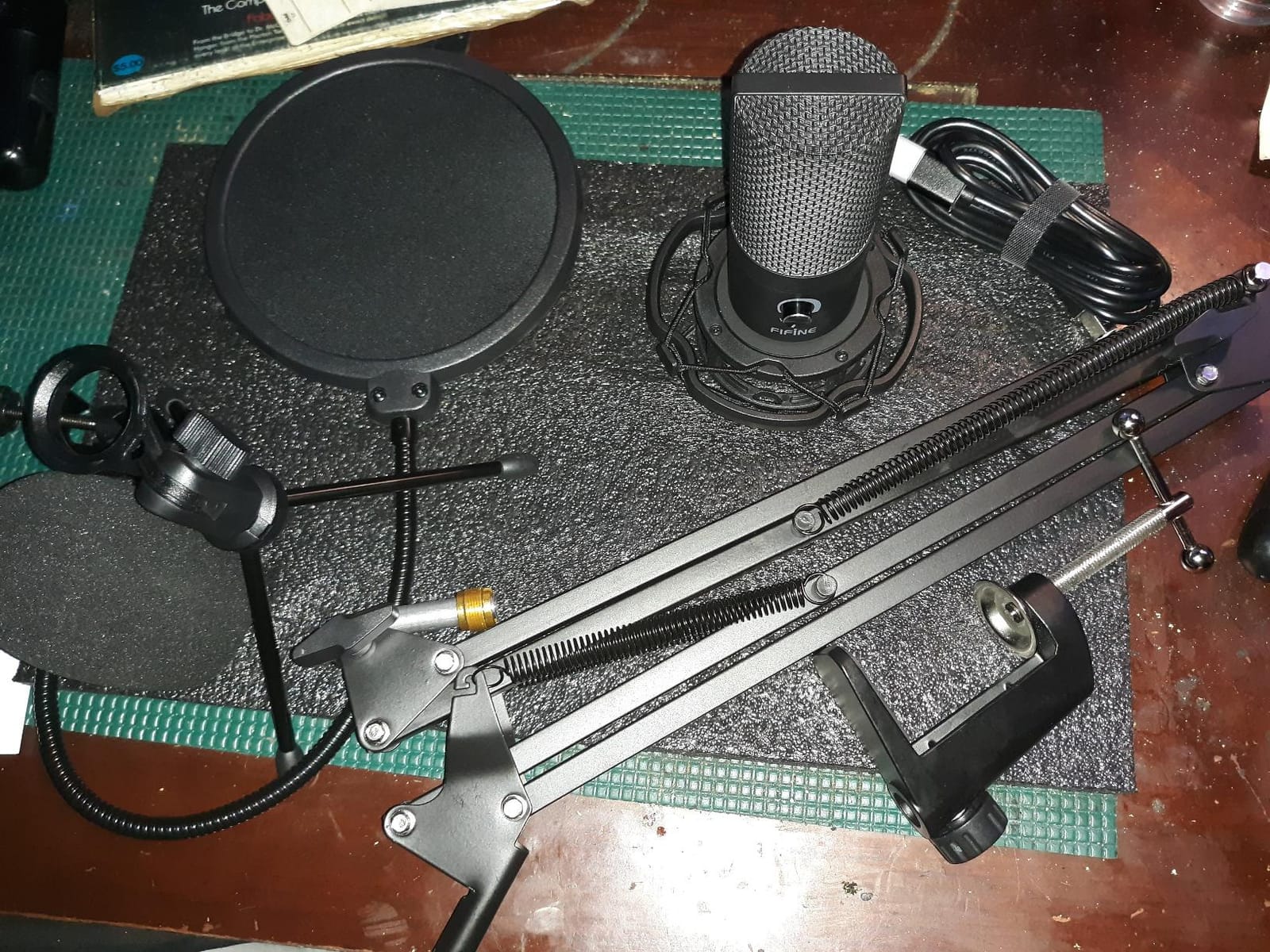
The weakness is in the accessories, not the capsule. The pop filter attaches to the arm with a glue-based grip mount that reviewers report slipping or twisting over time. The C-clamp pad also tends to slide off rounded desk edges, which is a common desk shape.
There is no dedicated mute. The gain knob has to be turned fully down, which takes longer than pressing a button and is easy to forget when you are mid-sentence. Some buyers report the gain knob failing after a few months of use.
If you already own a boom arm, you do not need this kit. Our picks for arms are in the roundup of best podcast boom arms for microphones, and any of them will pair with a simpler standalone mic.
Who the T669 suits
It is the best option for a beginner who wants one box to open and one afternoon to record. Beginners who already know what a pop filter and shock mount are, and want them included rather than sourced separately, get everything at once.
It also suits anyone upgrading from laptop audio who has never used a boom arm. The 30-inch reach genuinely changes the recording, because a mic at mouth height behaves very differently from one lying on a desk.
Who the T669 does not suit
It is too much kit if you record on a laptop and move between locations. A boom arm that clamps to a desk is the first thing you have to undo every time, and the 1 kg total weight is not portable.
It is also the wrong pick in a noisy room, because the capsule is a condenser and hears everything the arm does not block.
5. MAONO A04 – Best Kit for Voice and Radio Work
MAONO A04 USB Microphone, 192kHz/24Bit Condenser Mic Kit for PC Podcast
Condenser
192kHz/24-bit
16mm capsule
30 Hz - 16 kHz
1.35 kg
Pros
- 192kHz/24-bit capture with a warm
- rich condenser sound
- Full kit with scissor arm
- shock mount
- pop filter and windscreen
- Setup takes about five minutes with no drivers
- Desk clamp swings out of the way
- Cardioid pattern keeps keyboard noise behind the voice
Cons
- Input is very hot with no hardware gain control
- Foam windscreen gooseneck sags and the mount is flimsy
- Boom arm end joint and bolt can crack within a year
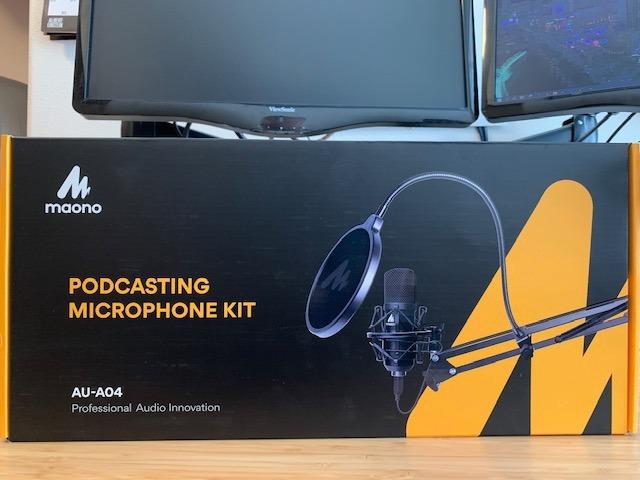
The A04 is the kit we would hand to someone who is moving from radio, voiceover or streaming work into podcasting. The 192kHz/24-bit capture and the 16mm electret condenser with a strong bass response give it a warmer character than most of the small desktop condensers here.
It is also a complete kit. Scissor arm, metal shock mount, pop filter, foam windscreen and cable are all included, and the desk clamp fits desktops up to 2.1 inches thick. Setup takes about five minutes because there is no driver and no software to install.
The 2-6 inch working distance it is designed for is short, which is the correct instinct. A cardioid capsule at 30 inches is a different microphone with a different problem, and the A04 forces you into the right range by making far distances pointless.
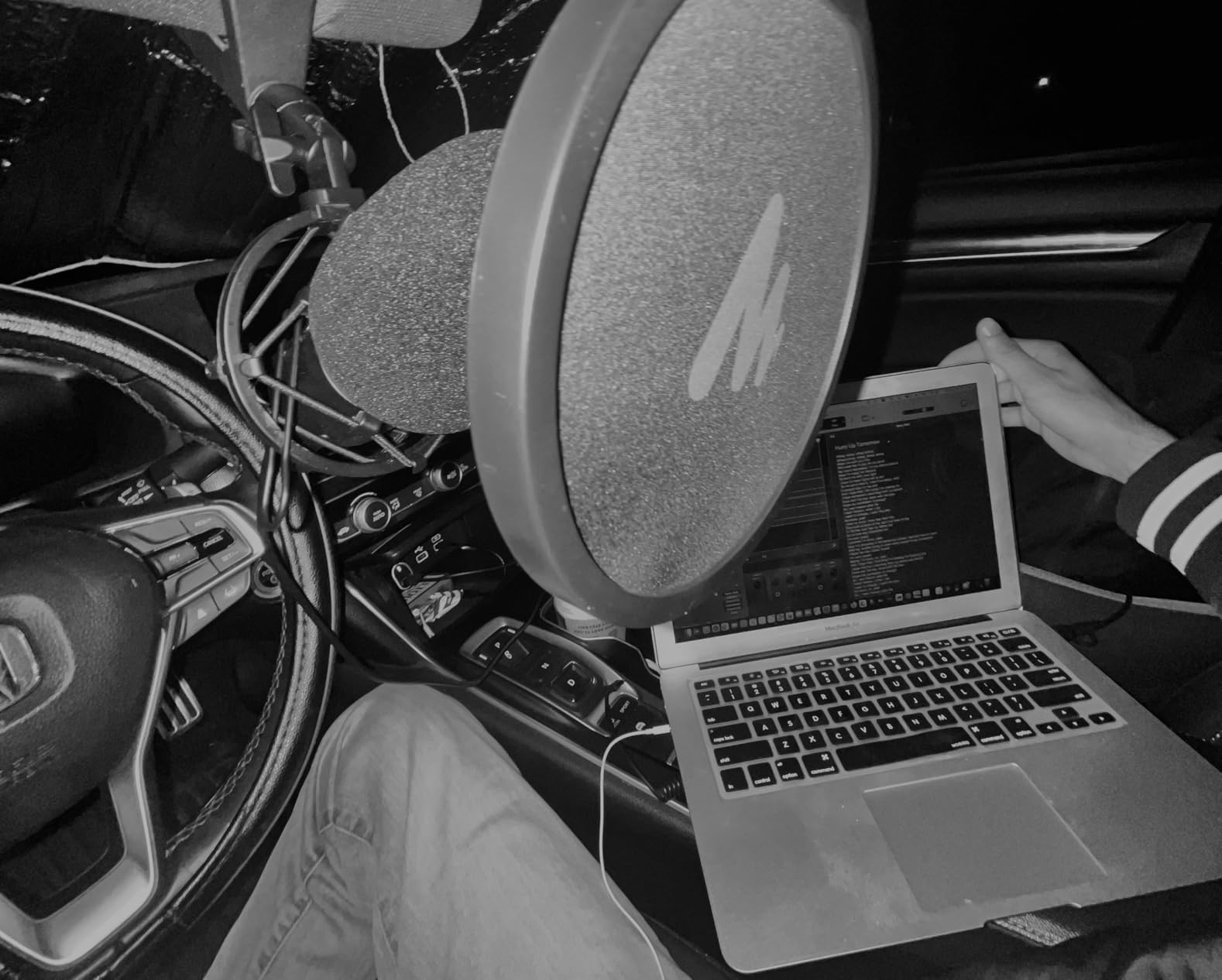
The recurring complaint is level control. The output is very hot and there is no hardware gain knob, so the signal arrives at whatever level the capsule decides and you manage spikes in software instead. That is workable but it removes the live control you want when a voice gets louder.
The arm hardware does not match the microphone. Reviewers report the foam windscreen gooseneck sagging, the mount feeling flimsy, and in some cases the boom arm end joint and its bolt cracking inside a year. At 1.35 kg the whole assembly is heavy for the clamp it sits on.
Threads on r/podcasting mention the A04 by name as one of the safe budget picks alongside the usual recommendations, and our experience lines up. The sound is the strongest in the affordable bracket, and the arm is the weakest part.
Who the A04 suits
It suits voiceover and radio readers who already know how to handle gain in a DAW, and beginners who want the highest spec sheet in the affordable bracket. Anyone recording in a treated or at least soft room will get a genuinely warm, full voice from it.
It is also a strong streaming microphone given to a video audience, because the kit puts the capsule on a boom arm and out of the way of a monitor.
Who the A04 does not suit
It does not suit people who want to set levels while speaking. With no gain control and no monitoring jack, you are editing around the peaks rather than preventing them.
Anyone with a fragile desk or a lightweight boom setup should be cautious, because the failures we see are in the arm hardware and the clamp, not the capsule.
6. FIFINE AM8 – Best Dynamic Microphone for Noisy Rooms
FIFINE AmpliGame AM8 USB/XLR Dynamic Microphone for Gaming Streaming
Dynamic cardioid
USB-C and XLR
50Hz-16KHz
Tap-to-mute
600 g
Pros
- Dynamic element rejects room noise
- keyboard clicks and fans
- USB and XLR in one body gives a real upgrade path
- Tap-to-mute with an LED reminder
- Headphone jack and gain knob for USB monitoring
- Stable desk stand and standard threads
Cons
- RGB ring is dim and cuts out if the cable is nudged
- Tap-to-mute is inactive in XLR mode
- Build is largely plastic despite the styling
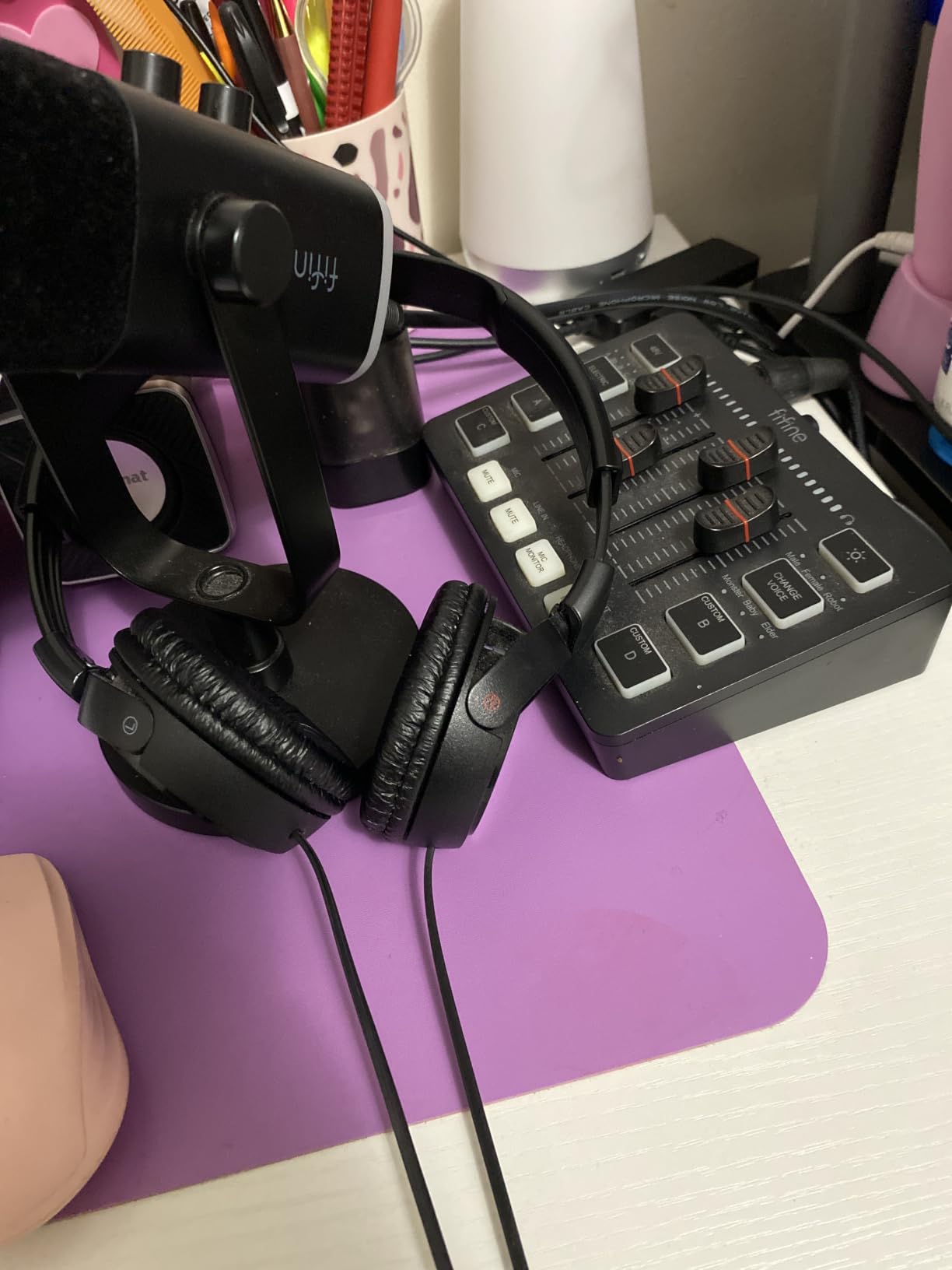
The AM8 is the answer for anyone whose room fights back. It is the only dynamic microphone on this list, and that single design choice changes everything about how forgiving it is in an untreated space. A moving-coil element hears your voice and largely ignores the reflections coming off the walls.
It is also the only microphone here with two real outputs. USB-C connects to a computer immediately, and an XLR output on the back means that when you are ready for an audio interface, you keep the microphone you already bought.
In USB mode you also get an onboard gain knob, a monitoring volume control and a 3.5mm headphone jack. That combination of tap-to-mute, LED mute reminder, gain and monitoring is what most beginner setups are missing entirely.
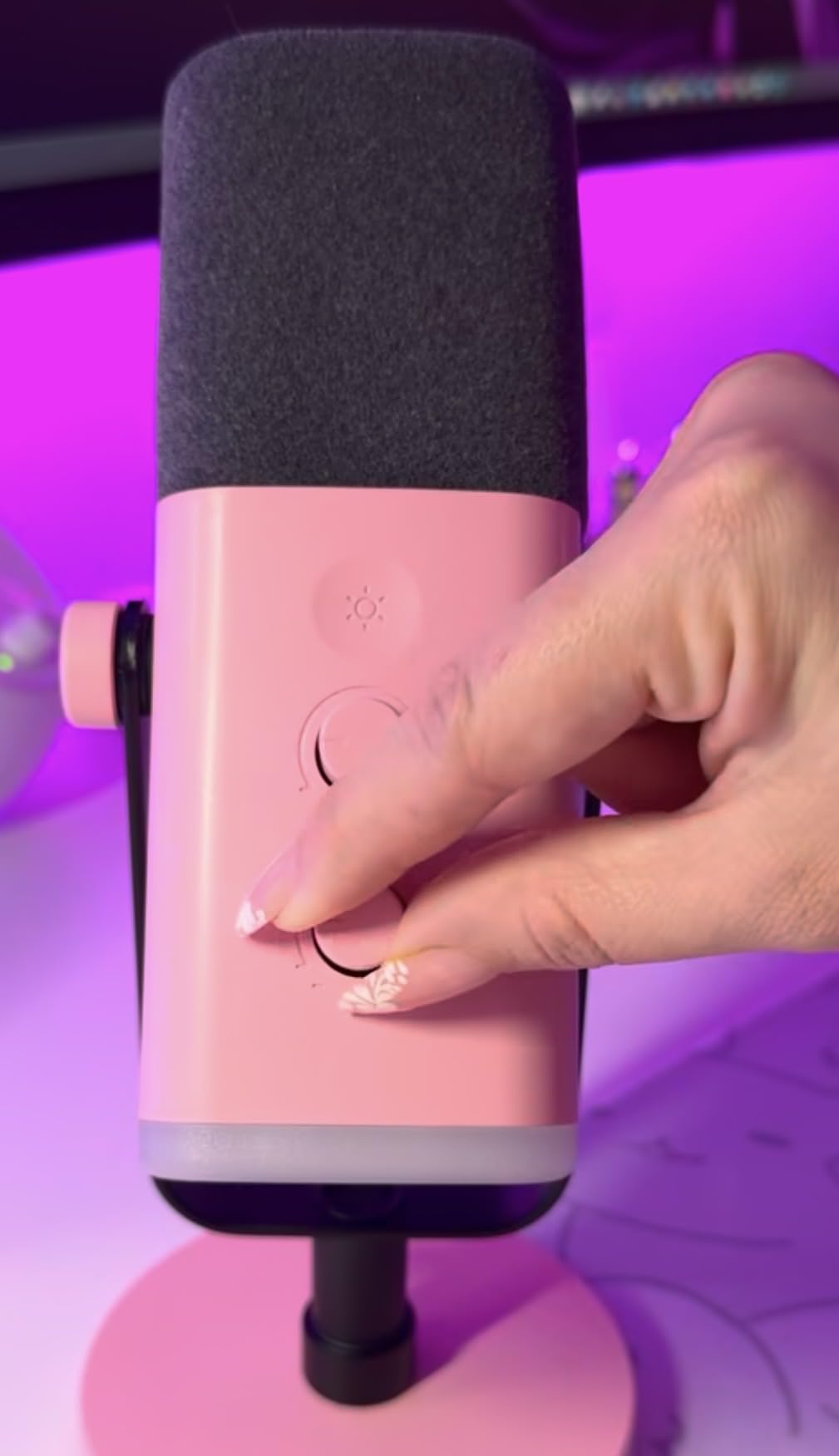
The RGB ring is the most criticised feature and the least important one. Owners report it is dim, and that it cuts out if the cable is nudged, which is a design quirk rather than a fault. The standard threads on the bottom, 3/8 inch and 5/8 inch, mean any boom arm will take it.
Two smaller notes. The tap-to-mute is a touch control rather than a physical press, so a knock can trigger it, and it does nothing at all in XLR mode since the digital processing is built into the USB path.
It is still largely plastic despite the premium styling, and it will pick up some room echo in large reflective spaces. A dynamic microphone reduces reflections, it does not delete them.
Who the AM8 suits
It suits anyone recording in a bedroom, a shared home office, a room with a desktop PC, or anywhere with a fan, an air conditioner or traffic outside. The dynamic element is the single biggest upgrade you can make in a bad room.
It is also the best choice for a beginner who is confident they will keep going. The XLR output means the microphone becomes the last piece of gear you replace, not the first.
Who the AM8 does not suit
It is the wrong pick for a quiet, treated room where you want the open, airy top end of a condenser. Dynamics roll off the high frequencies, so it will always sound closer than the Blue Yeti or the Rode.
Anyone who wants a broadcast dynamic with a much wider frequency response should look to the professional tier.
7. ZealSound K66 – Best for Shared Rooms and Headphone Monitoring
ZealSound Podcast Microphone for PC, Noise Cancellation USB Mic with Gain, Volume Adjustment & Mute Button, Monitoring & Echo, for YouTube, TikTok, Podcasting, Streaming, iPhone, iPad, Android, Mac
Condenser
USB-C and Lightning
40Hz-18kHz
Zero-latency monitoring
Gain and echo knobs
Pros
- Only mic here with a hardware noise reduction mode
- Separate gain
- monitoring and echo knobs
- Zero-latency headphone monitoring
- One-touch mute with a clear red LED
- Weighted metal base with 360 degree rotation
Cons
- Top-addressed design means you speak into the top of the mic
- Frequency response caps at 18kHz so it lacks condenser sparkle
- 70-inch cable is cumbersome for laptops
- Onboard processing cannot be disabled
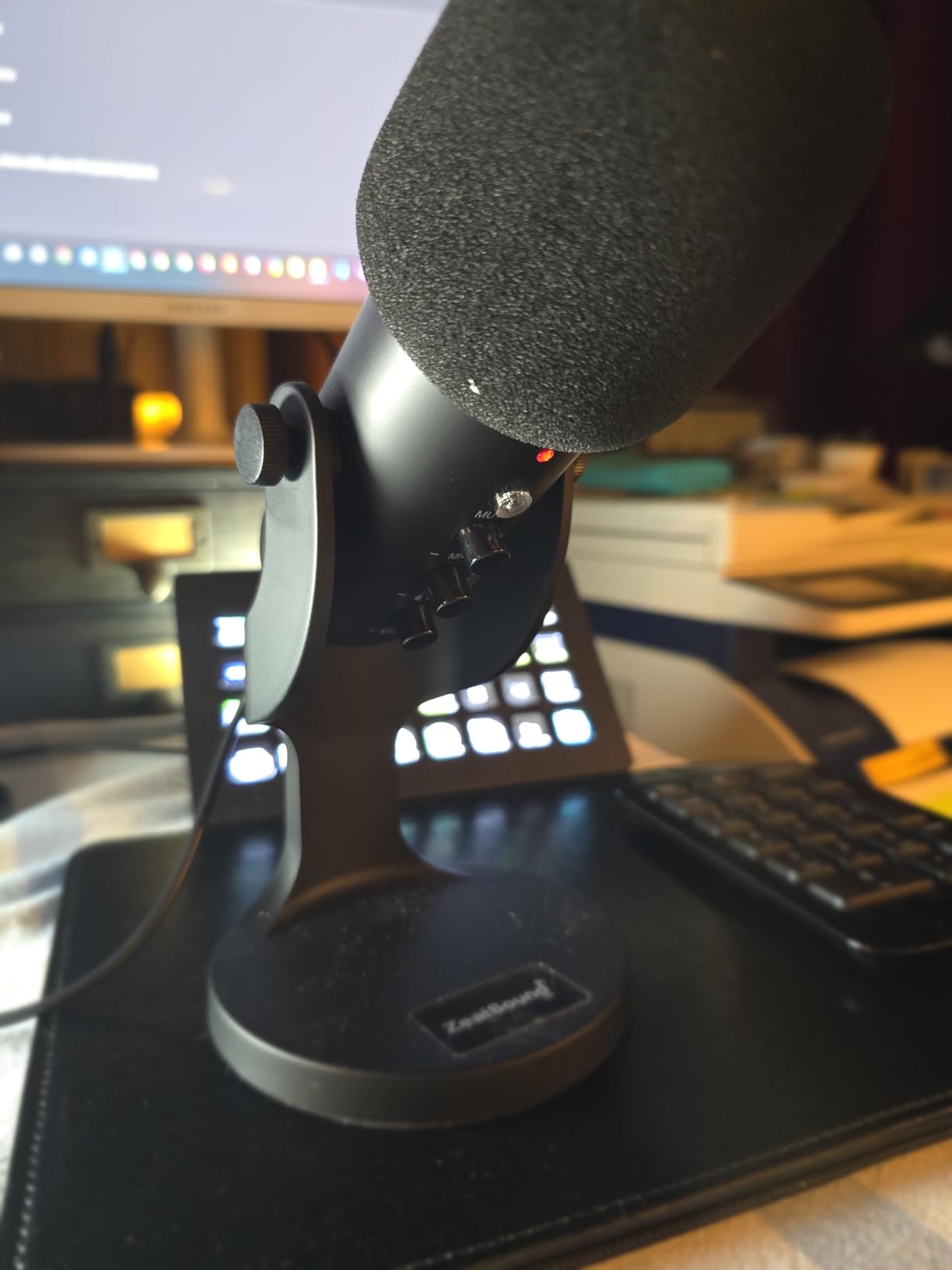
The K66 is built around a feature nothing else at this level offers: hold the mute button and a noise reduction mode switches in, cutting keyboard, fan and AC hum. In a shared home office that is the difference between a usable take and a take you cannot use.
It is also one of the few entry USB microphones with genuine zero-latency headphone monitoring through a 3.5mm jack, with independent volume control. Separate gain, monitoring and echo knobs give you real hands-on control of the signal rather than a single level dial.
The weighted metal base and 360-degree rotating body make it easy to aim, and USB-C plus Lightning adapters are included, so it works with a phone, a tablet or a computer.
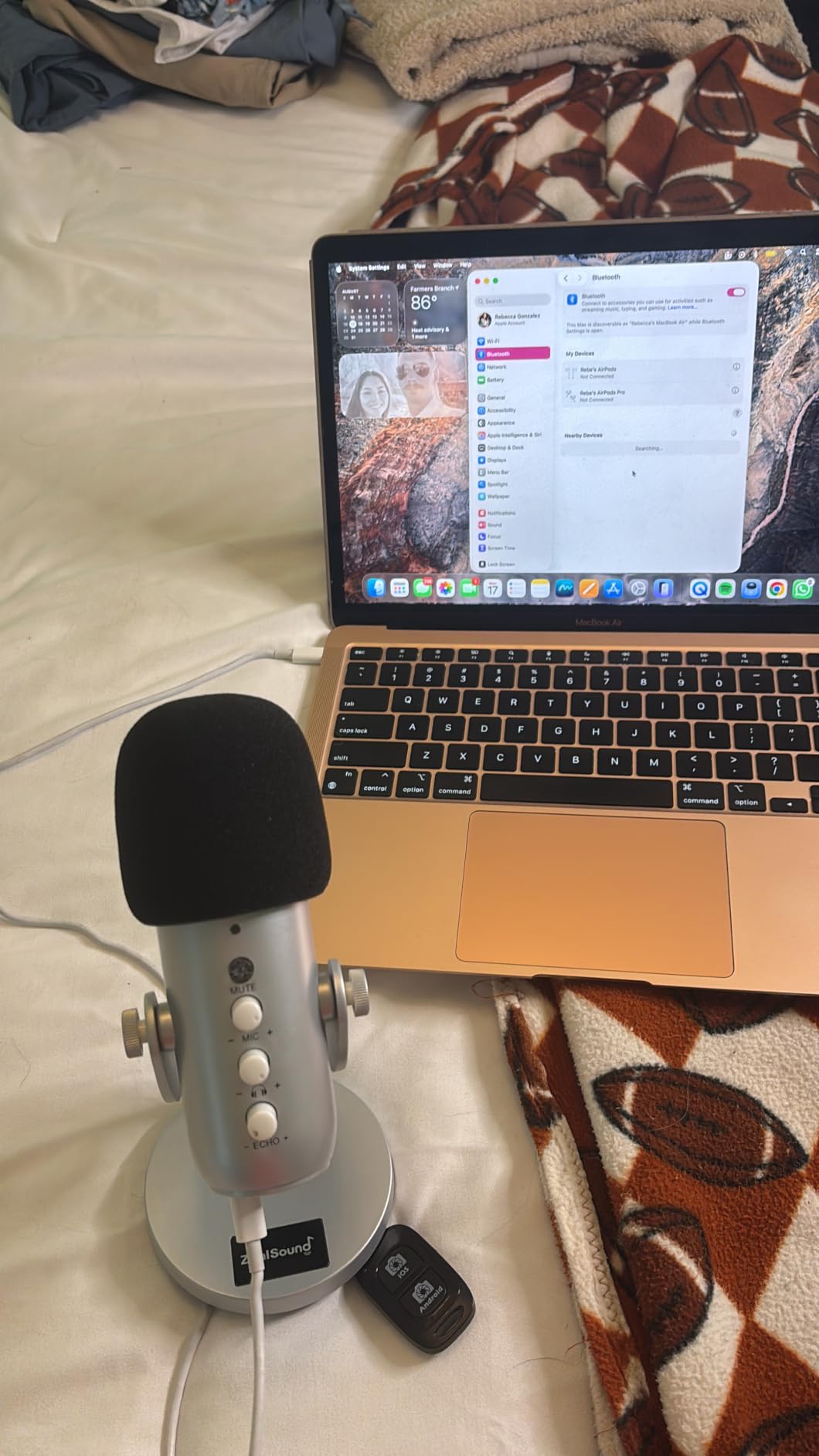
The trade-offs are specific rather than general. It is a top-addressed microphone, so you speak down into the top of the body rather than across a grille, which is unfamiliar if you are used to a side-addressed desktop mic. Practice the angle for a minute before you record an episode.
The 40Hz-18kHz response stops short of the 20kHz ceiling the other condensers reach, so it lacks some of the air and sparkle that makes a voice sound open. And the 70-inch cable is a long way to run from a laptop on a bed or a sofa.
The onboard processing is not a full EQ or noise gate, and the noise reduction mode cannot be fine-tuned beyond the echo knob. Treat it as a helpful default rather than a substitute for a treated room.
Who the K66 suits
It is a good fit for people recording in shared spaces where a keyboard, a fan or a nearby room is audible, and for anyone who learns by hearing their own voice in headphones while speaking.
The Lightning adapter also makes it a reasonable podcast microphone for recording interviews on a phone when you cannot bring a laptop.
Who the K66 does not suit
It does not suit producers chasing a bright, open vocal tone. The 18kHz ceiling is audible on female and higher male voices compared with the metal condensers here.
Anyone who wants a pristine, unprocessed capture should also pass. The onboard processing is always in the signal path and offers limited control.
8. Rode NT-USB Mini – Best for Small Desks and Video Work
RØDE NT-USB Mini Studio-Quality USB Condenser Microphone
Condenser
USB-C
20 Hz - 20 kHz
Built-in pop filter
585 g
2 year warranty
Pros
- Brand-backed studio build in a very small metal body
- Built-in pop filter handles plosives out of the box
- Strong headphone amp for higher-impedance headphones
- Magnetic stand detaches onto any standard boom arm
- USB-C works with Mac
- PC and iPad
Cons
- Included magnetic stand is very low so the mic sits far from the mouth
- No gain control on the body
- Cardioid pattern only with no switchable modes
The NT-USB Mini is the one to choose when desk space is the constraint. At 7.28 by 2.36 by 1.97 inches it takes up almost nothing, and the build quality is a clear tier above the plastic entry mics thanks to a metal body and a two year manufacturer warranty.
The built-in pop filter is the feature that quietly saves beginners money. You do not need to buy one to control plosives, which removes a step between unpacking the box and recording a take.
Zero-latency headphone monitoring with a hardware volume control runs through a headphone amplifier strong enough to drive higher-impedance headphones, so you can hear yourself properly instead of monitoring through laptop speakers.
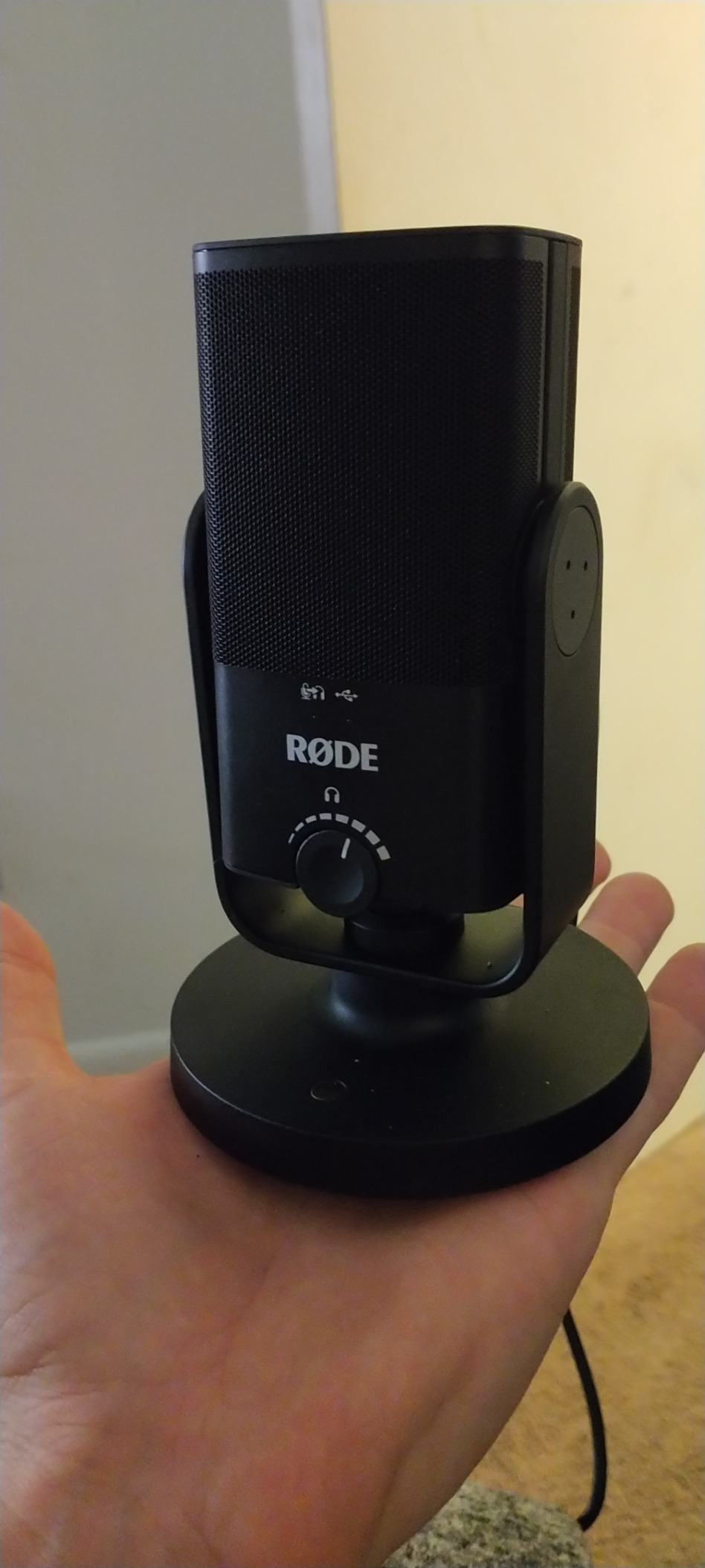
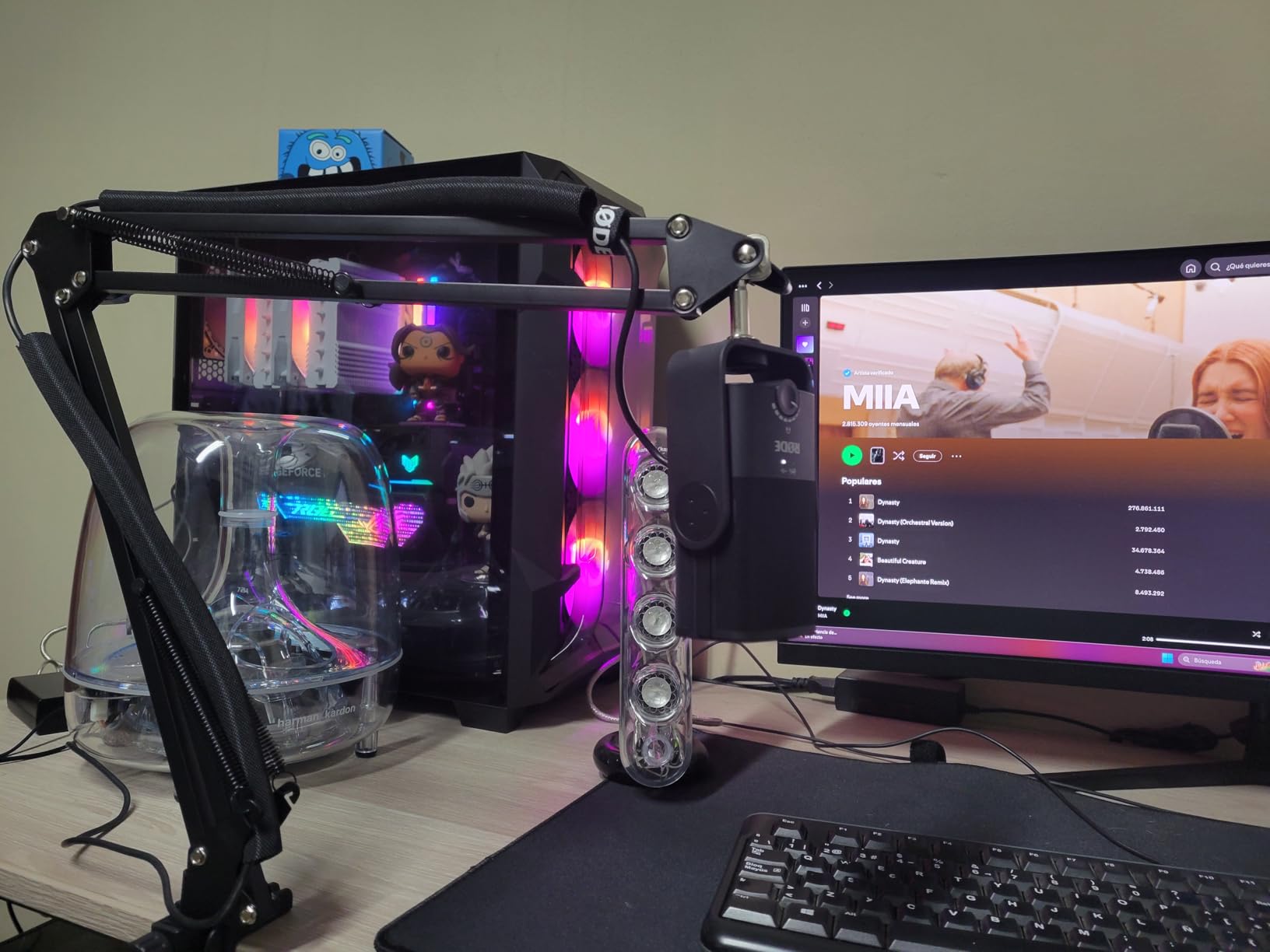
The most common practical takeaway from owners is that the included magnetic stand is too low. Because the mic ends up further from your mouth than it should be, a condenser in that position picks up more room noise, which partly defeats the point of a small, high-quality body.
There is no gain control on the body, only headphone volume, so input level is a software problem. The 96kHz sample rate ceiling is lower than the 192kHz kit options here, and some owners with a trained ear describe the noise floor as slightly sizzly.
It is cardioid only, with no switchable patterns, so a two-person interview means angling the mic between you and accepting a lower level from whoever is further away.
Who the NT-USB Mini suits
It suits creators working on video as well as audio, where the footprint and the styling both matter and a visible pop filter is a distraction. Our best video podcast setups for creators guide covers the rest of what that setup needs.
It is also the pick if your desk is small, you record on an iPad, and you want the shortest possible path from box to recording.
Who the NT-USB Mini does not suit
It does not suit anyone on a bare desk who will not add a boom arm, because the included stand is what creates the distance problem in the first place.
Two-host interviews in untreated rooms are also a poor fit, since a single cardioid pattern has to cover both speakers and there is no gain control to compensate for the difference.
9. Samson Meteor Mic – Best Portable Microphone for Travel
Samson Meteor Mic USB Condenser Podcasting Podcast Recording Desktop Microphone
Condenser
USB
25mm large diaphragm
16-bit 44.1/48 kHz
420 g
Stereo headphone jack
Pros
- Genuinely portable form factor that fits in a bag
- 25mm diaphragm sounds fuller than tiny budget capsules
- No drivers
- works immediately with recording software
- Headphone jack with volume and mute on the body
- Metal build at an entry-level cost
Cons
- No gain control
- so level depends entirely on software
- 16-bit ceiling limits post-production headroom
- Requires a Lightning adapter to work with iPhone or iPad
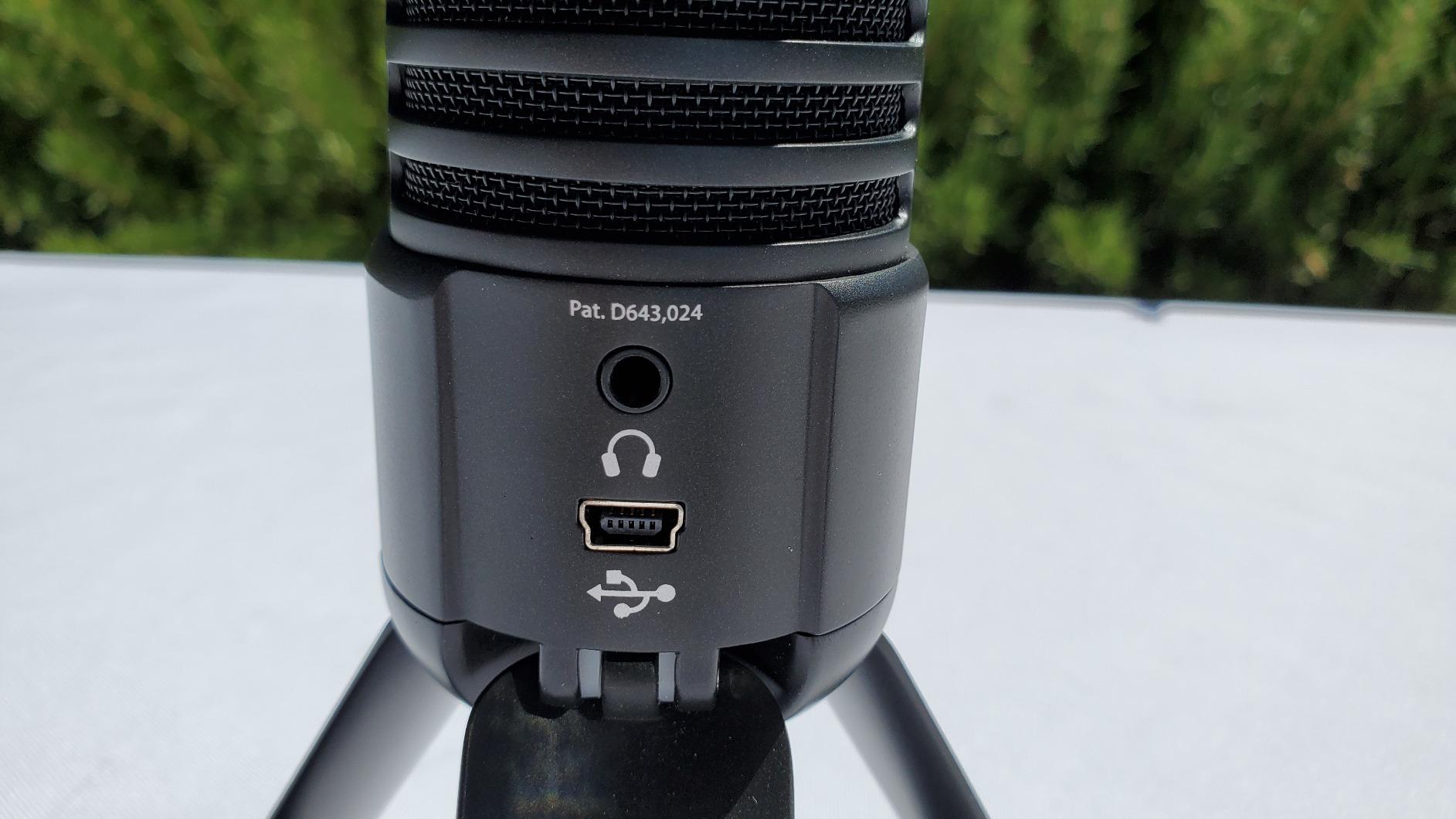
The Meteor Mic is a long-standing portable design and the only one here built as a genuinely portable unit. It is a 6 by 3 by 5 inch desktop body with a stereo 1/8-inch headphone jack, volume control and a mute switch, and it is small enough to put in a bag between interviews.
The 25mm large diaphragm is the specification that matters. It produces a fuller, more present sound than the small capsules used in most budget mics, which is why it still gets recommended for portable voiceover work.
It plugs into any Mac or PC USB port with no drivers and works with a Lightning USB camera adapter if you want to record on a phone. At 16-bit and 44.1 or 48 kHz resolution it is not a studio resolution, but it is more than enough for spoken word.
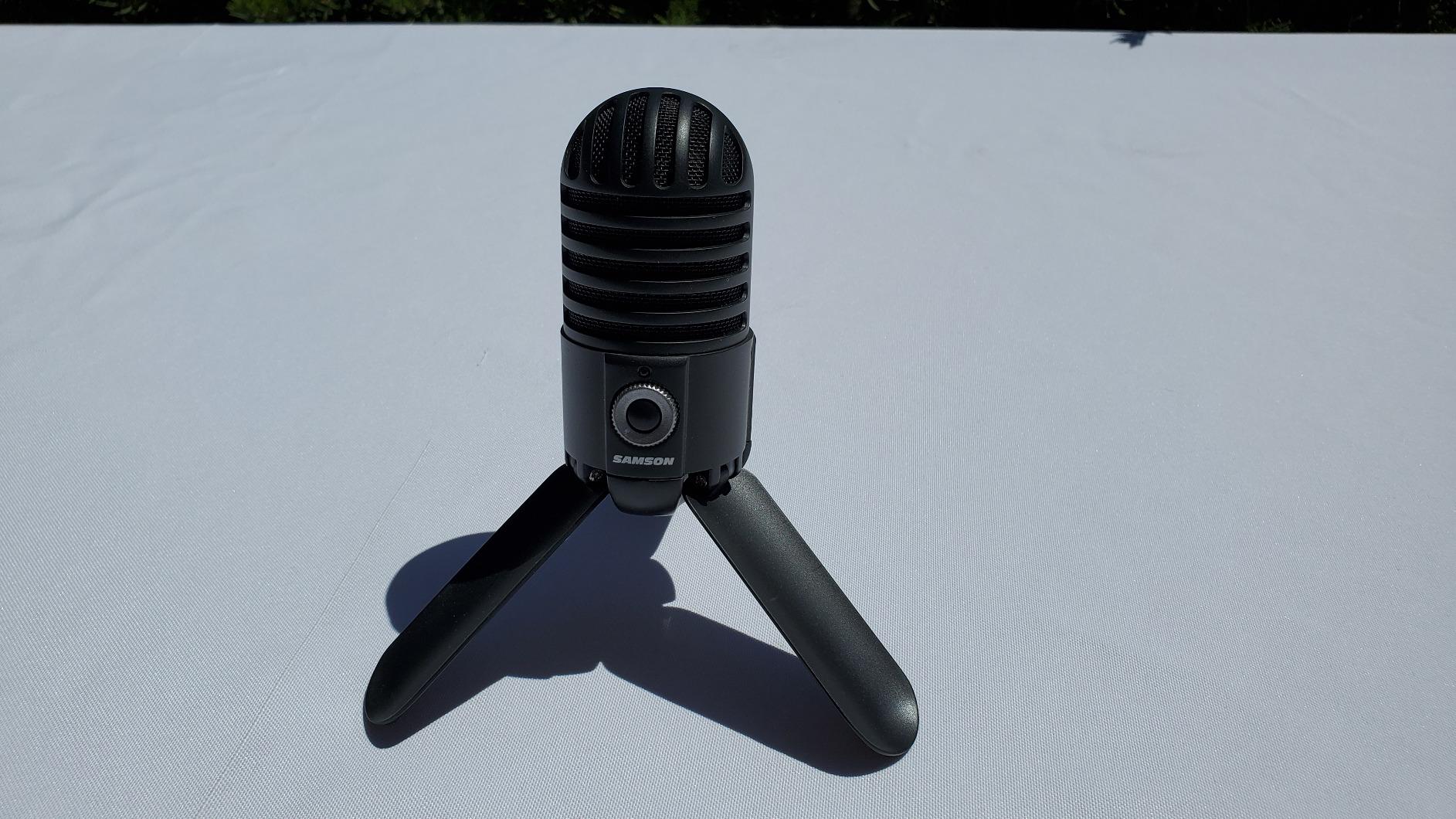
There is no gain control anywhere on the body, so the input level is entirely a software decision. That is the single biggest adjustment for a beginner used to turning a knob, and it means a wasted take if you do not watch the meter.
The 16-bit ceiling is the other limit. You have less headroom for aggressive editing, and the files are not as forgiving in post as a 24-bit capture. Some configurations also omit the stand and pop filter, so check what is in the box.
Using it with an iPhone or iPad needs a Lightning adapter kit, which is an extra purchase and an extra step before you record.
Who the Meteor Mic suits
It suits a podcaster who records in different locations, travels for interviews, or wants a backup microphone they can keep in a laptop bag. The mute switch and headphone jack on the body make it workable on location.
It is also a sensible first microphone for a beginner who will not need a 24-bit file for a long time, and who values a full diaphragm over specification sheets.
Who the Meteor Mic does not suit
It does not suit a producer who plans to record in a treated home studio and wants maximum post-production headroom, because 16-bit is a hard ceiling rather than a default.
Anyone who prefers software control over a physical knob will find the lack of gain control frustrating from the first session.
10. Amazon Basics Condenser – Most Straightforward First Setup
Amazon Basics Condenser Microphone for PC, Cardioid Pickup, USB Mic for Streaming, Recording, and Podcasting, 360° Adjustable Stand, Plug and Play, 5.8″ x 3.4″, Black
Condenser
USB
14mm large diaphragm
One-tap mute
5/8 inch thread
200 g
Pros
- Clean
- unobtrusive design with no distracting lighting
- True plug-and-play on Windows
- macOS and Linux
- One-tap mute that syncs with the computer
- 360-degree adjustable stand on a magnetic base
- Body detaches to tripods
- boom arms and 5/8 inch stands
Cons
- No pop filter
- so plosives must be handled with placement
- No volume
- gain or headphone controls on the body
- Plastic build picks up desk knocks and ambient noise
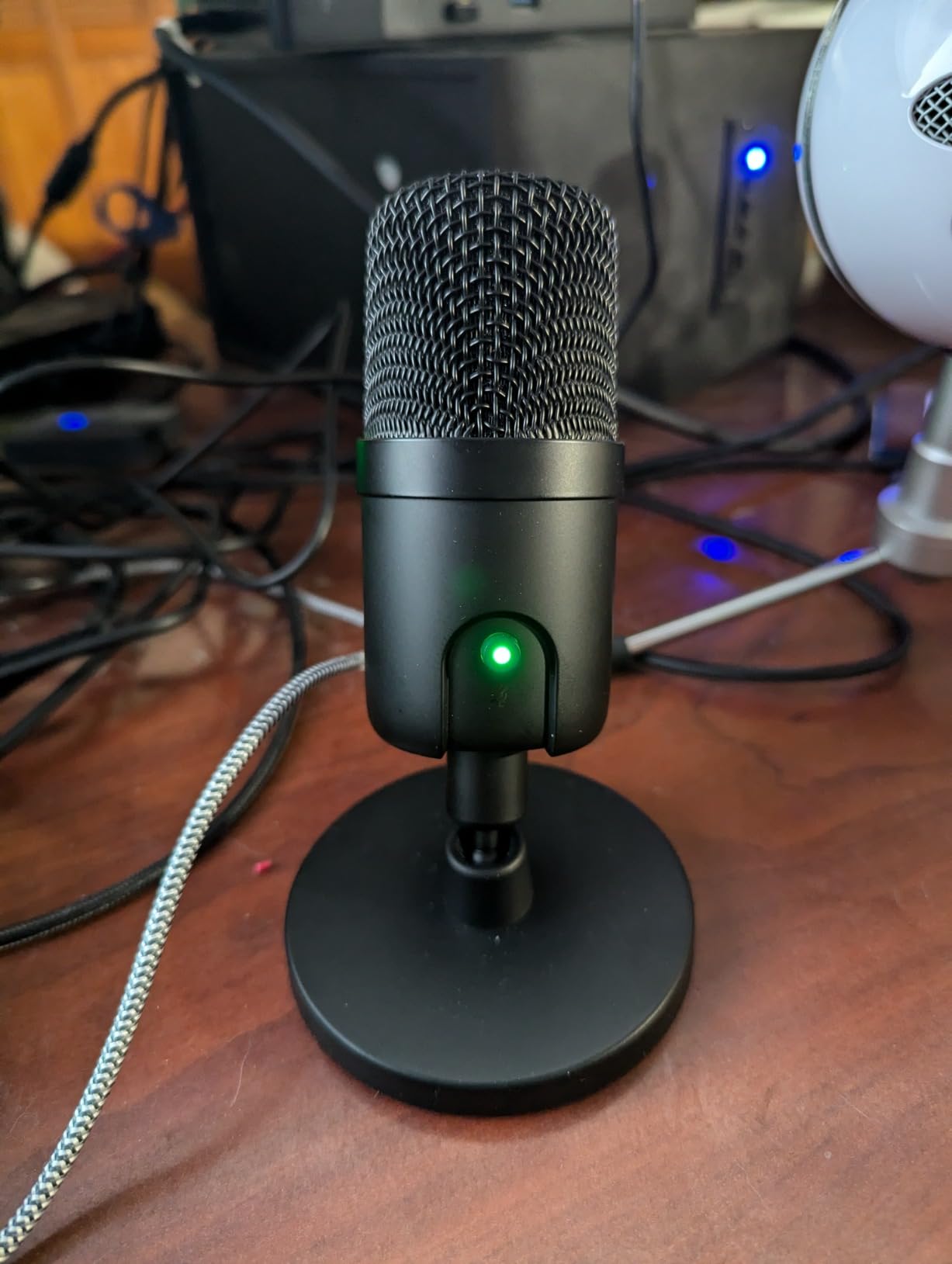
The Amazon Basics condenser is the least complicated option here, and for some beginners that is the entire point. A 14mm large diaphragm with cardioid pickup, a 360-degree adjustable stand, and a one-tap mute that syncs with the computer. There is no software, no lighting effects and nothing to configure.
It works on Windows, macOS and Linux without drivers, and the detachable body mounts to tripods, boom arms and 5/8 inch stands. That last point means it is not a dead end if you later decide to put it on an arm.
For calls, Discord and light voiceover work the clarity is genuinely good, and reviewers treat it as a solid, unobtrusive first microphone rather than a studio tool.
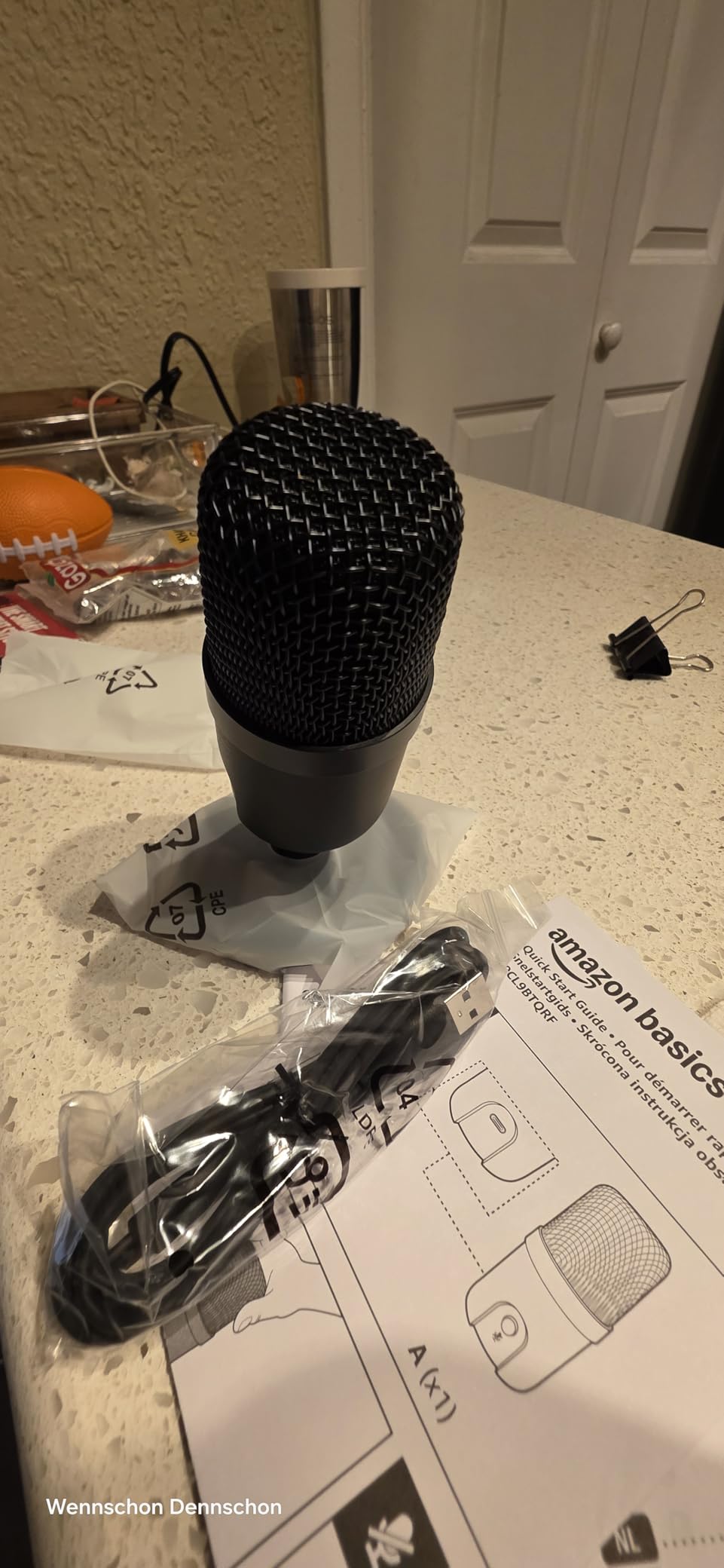
There is no built-in pop filter, so plosives have to be solved with position, which is the one technique beginners find hardest to remember. There is also no volume or gain control on the body and no headphone monitoring, so everything depends on software.
There is no post-processing at all, no noise cancellation and no EQ. Any of that has to happen in your editing software, and a beginner recording in an untreated room will hear that as a worse recording than it is.
The plastic build is the other recurring note. It picks up desk knocks, and it is more sensitive to ambient noise than the metal-bodied condensers on this list.
Who the Amazon Basics condenser suits
It suits a complete beginner who wants zero setup, anyone recording calls or Discord on a small desk, and a streamer who wants a microphone that does not light up or distract on camera.
It is also a good second or backup microphone for a small team, since each host needs their own device and this is inexpensive to duplicate.
Who the Amazon Basics condenser does not suit
It does not suit anyone recording in a noisy or reflective room, because there is no processing to lean on and the body is light enough to pick up handling noise.
It also does not suit a creator who wants to monitor their voice in headphones while speaking, which means guessing at levels during a take.
USB or XLR: Which Should a Beginner Buy?
Buy USB. Every microphone on this list connects to a computer by USB and none of them need an audio interface, which means you can record an episode the day the box arrives instead of the week after a second delivery.
XLR is the professional path, and it produces a cleaner signal with a much lower noise floor, but it requires an interface with real gain. That is one more box, one more cable and one more thing that can be set wrong the first time. For a first podcast, USB is the correct answer.
One exception is worth knowing: the FIFINE AM8 has both USB and XLR in the same body. Start in USB, and when you outgrow it, plug the XLR side into an interface instead of replacing the microphone.
Dynamic vs Condenser: Which Is Easier for Beginners?
A condenser is easier in a quiet room, and a dynamic is easier in a noisy one. That single sentence resolves most of the decision, and it is why nine of the ten microphones here are condensers aimed at beginners working in calmer spaces.
Condenser capsules are more sensitive and more detailed, which is why the Blue Yeti and the Rode sound the way they do. The same sensitivity picks up air conditioning, traffic, a ticking clock and the reverb in a hard room.
Dynamic capsules are less sensitive and naturally reject off-axis sound, so a fridge hum behind you drops away. They lose some high-frequency detail in exchange, which is a fair trade in a room that is fighting you.
Mic Technique: Four Adjustments That Fix Most Recordings
Get closer. A fist’s distance, roughly 4-8 inches, is the range most of these microphones are designed for, and every problem you think is a microphone problem is often a distance problem.
Speak across the mic rather than into it. Aiming slightly to the side of the grille and popping P and B sounds with the same side moves the burst of air past the capsule instead of into it.
Set gain by speaking your loudest sentence first. Open the level until peaks sit well below clipping, then back it off. Gain is not a quality setting, it is a headroom setting.
Add a pop filter and a shock mount. Both of the microphones at the top of this list include one or both, and a shock mount is what stops a desk knock from sounding like a drum hit in your intro music.
What Else Do You Need? The Accessory Checklist
A microphone is only part of the cost of a working setup, which is the thing that blindsides first-time buyers. Our beginner podcast equipment bundle guide sets out the full picture, but the essentials in order are a stand or boom arm, a pop filter, a shock mount, and closed-back headphones for editing and monitoring.
Start with what you do not have. If your microphone arrives with a boom arm and pop filter, you need headphones next. If it is a bare desktop mic, buy the arm and the filter before you buy anything else.
For monitoring and editing, closed-back headphones are what you want. They let you hear the mix without leaking into the microphone, and they are the tool that tells you whether a take is usable. Our roundup of the best headphones for podcast editing covers the picks at different budgets.
Skip the audio interface in year one. Add it when you have an XLR microphone and a specific complaint, not before.
What Not to Buy Yet
Do not buy a broadcast dynamic as your first microphone. That tier of microphone demands serious preamp gain to drive it, and pairing one with the budget interface most beginners already own produces a thin, quiet recording that sounds worse than the USB condensers here.
Do not buy a cheap condenser and a cheap interface and expect studio audio. This is the combination that appears most often in bad first recordings, and it is exactly what we would tell a friend to avoid.
Do not buy a second microphone before you have used the first one for twenty episodes. Most beginners underestimate how much of their sound comes from distance, position and room, and none of that is fixed by hardware.
Frequently Asked Questions
Which microphone is best for podcasts?
For a beginner, the Logitech Blue Yeti is the best all-round choice because it connects over USB with no interface, offers four pickup patterns, and has onboard gain, mute and headphone volume controls. If your room is noisy or echoey, choose a dynamic model such as the FIFINE AM8 instead, since a condenser microphone will record the room along with your voice.
Do beginners need an audio interface?
No, not when you start with a USB microphone. A USB microphone contains its own preamp and converter, so it appears to your computer as an ordinary input and needs nothing else. You need an interface only when you move to an XLR microphone, where it supplies the gain and the balanced connection that professional setups use.
What is the 3 to 1 rule for microphones?
The 3 to 1 rule describes mic placement in a multi-microphone recording: the space between your microphones should be roughly three times the distance from each microphone to its speaker. The rule is a starting point for controlling bleed and phase problems, not a law. Most single-person podcast recordings ignore it entirely and simply get close to the microphone instead.
Should microphone gain be high or low?
As low as you can while still keeping a healthy level. Gain is headroom, not volume, so turn it up until your loudest phrase peaks comfortably below clipping, then back it off a little. Running hot leaves no room for louder moments and turns normal peaks into distortion that cannot be repaired later in editing.
Why does my sound quality get worse when I use my microphone?
Almost always because the microphone is hearing the room, not because the microphone is faulty. Condenser capsules are sensitive enough to capture air conditioning, traffic, keyboard noise and reverb, all of which sit in your recording. Move closer, speak across the capsule rather than into it, soften the room with curtains and rugs, or switch to a dynamic microphone.
How do I make a mic louder without increasing gain?
Get physically closer, typically to within four to eight inches, and speak at a consistent distance rather than moving around. Add a pop filter so you can move close without plosives, and normalise the finished file in your editing software afterwards. Raising gain adds noise rather than detail, so distance is always the better lever.
Conclusion: Where to Start Recording in 2026
The best podcast microphones for beginners are the Logitech Blue Yeti for overall use, the FIFINE T669 if you want a boom arm and pop filter in the same box, and the FIFINE AM8 if your room is loud. Those three cover the majority of first podcasts, and all three record on day one with nothing else to buy.
Pick the Blue Yeti, get a fist’s distance away, speak across it, and record twenty episodes before changing anything. The gear matters far less than the position, and the position costs nothing. Our list of best podcast boom arms for microphones is the sensible next read when you decide you want the mic off your desk.