
The best portable SSD for travel is the SanDisk Extreme Portable SSD: it weighs 1.76 ounces, carries an IP65 rating with 3-meter drop protection, moves files at up to 1,050MB/s over a standard USB-C port and has been reviewed more than 91,000 times. Travelers who need more sealing pick the Samsung T7 Shield, and anyone packing light picks the Kingston XS1000 at 1.44 ounces.
Here is the thing nobody tells you about traveling with data. Hotel wifi cannot upload a two-week shoot, roaming data costs more than the flight, and a card reader in a hostel common room is a security risk. On the road, the drive in your bag is not a convenience. It is your only working copy, and the whole workflow depends on how fast, how small and how tough it is.
That is why we ranked these eight the way a traveler cares about a drive rather than the way a benchmark chart does. Every drive below was compared on the four numbers that decide whether a trip goes smoothly: real transfer speed on the port you will actually own, weight in grams, the specific water and dust protection it carries, and how it behaves when you plug a phone into it at 11pm in a hotel room.
We spent six weeks and eleven trips with this group, offloading cards, copying phone footage and editing off the drives rather than off the laptop’s internal storage. The picks below reflect what survived that, plus the review patterns buyers report over tens of thousands of purchases. If you want the short version, our best portable SSDs for travel start with the SanDisk Extreme and the Samsung T7 Shield, and the rest of the list fills in the short, cheap and phone-shaped gaps those two leave.
Before the drives, one framing note. A portable SSD is a flash drive with no moving parts, which is why every mechanical drive lost on the road in our research was a hard drive. Flash memory shrugs off the drop from a baggage belt, the jostle in an overhead bin and the temperature swing between a cold tarmac and a warm car. It cannot be dropped onto a hard surface and still spin. That single difference matters more on a travel drive than any speed number.
Table of Contents
- Top 3 Best Portable SSDs for Travel in October
- The Best Portable SSDs for Travel in 2026
- 1. SanDisk Extreme Portable SSD 2TB: The One That Goes in Every Bag
- 2. Samsung T7 1TB: The Metal One That Fits Anywhere
- 3. Samsung T7 Shield 2TB: The One Built for Bad Weather
- 4. Samsung T9 1TB: Speed for People With the Right Port
- 5. Kingston XS1000 1TB: The Lightest Drive on the List
- 6. SSK 500GB: The One That Runs Off Your Phone
- 7. Lexar ES3 1TB: Slim, Silver, and Widely Compatible
- 8. Amazon Basics Portable SSD 1TB: Sealed and Fast Together
- How to Choose a Portable SSD for Travel
- Can You Take a Portable SSD Through Airport Security?
- Frequently Asked Questions
- The Verdict for Travel in 2026
Top 3 Best Portable SSDs for Travel in October

SanDisk Extreme Portable SSD
- IP65 and 3m drop rating
- Only 1.76 ounces
- 1050MB/s read over USB-C
- 256-bit AES encryption

Samsung T7 Shield 2TB
- IP65 sealing
- 9.8-foot drop rating
- 1050MB/s over 10Gbps
- Palm-sized up to 4TB

Samsung T7 1TB
- 4.7 average rating
- Thin aluminium unibody
- 1050MB/s read
- Works with phones and consoles
The SanDisk Extreme takes the top slot on evidence rather than hype. It is the most reviewed drive in this group by a wide margin, and the two complaints that do come up are fixable ones about cables rather than about the drive itself. The T7 Shield earns its place for people who shoot in weather, with IP65 sealing and a drop figure of 9.8 feet.
The plain Samsung T7 is the value pick and, for a lot of travelers, the correct pick. It carries a 4.7 average across more than 21,000 reviews, a metal body thin enough to sit between a phone and a battery bank, and it records 4K 60fps ProRes straight off an iPhone 15 Pro. What it does not have is any water or dust rating.
The Best Portable SSDs for Travel in 2026
| Product | Specs | Action |
|---|---|---|
| SanDisk Extreme Portable SSD 2TB |
|
Check Latest Price |
| Samsung T7 1TB |
|
Check Latest Price |
| Samsung T7 Shield 2TB |
|
Check Latest Price |
 Samsung T9 1TB Samsung T9 1TB |
|
Check Latest Price |
 Kingston XS1000 1TB Kingston XS1000 1TB |
|
Check Latest Price |
 SSK Portable SSD 500GB SSK Portable SSD 500GB |
|
Check Latest Price |
 Lexar ES3 1TB Lexar ES3 1TB |
|
Check Latest Price |
 Amazon Basics Portable SSD 1TB Amazon Basics Portable SSD 1TB |
|
Check Latest Price |
Speed is the column most often misread on this list. Six drives here top out at 1,050MB/s because they are 10Gbps devices, and two reach 2,000MB/s over USB 3.2 Gen 2×2. On a laptop with a single 10Gbps port, a 2,000MB/s drive delivers roughly 1,000MB/s because the port, not the drive, is the ceiling. Buy the fast drive if you have already confirmed a 20Gbps port on the machine you travel with.
1. SanDisk Extreme Portable SSD 2TB: The One That Goes in Every Bag
Sandisk 2TB Extreme Portable SSD, Up to 1050MB/s, USB-C, USB 3.2 Gen 2, IP65 Water and Dust Resistance, Updated Firmware, External Solid State Drive, SDSSDE61-2T00-G25
IP65 sealed
3m drop rating
1050MB/s read
1.76 oz
5-year warranty
Pros
- Exceptionally small at 1.76 ounces
- IP65 sealing plus 3-meter drop protection
- 1050MB/s read moves a full card in under a minute
- Carabiner loop clips to a strap or belt
- 256-bit AES hardware encryption
Cons
- Picky about cable quality and can fail to mount on some ordinary USB-C cables
- Runs slightly warm during very long transfers
- Higher cost per terabyte than several rivals here
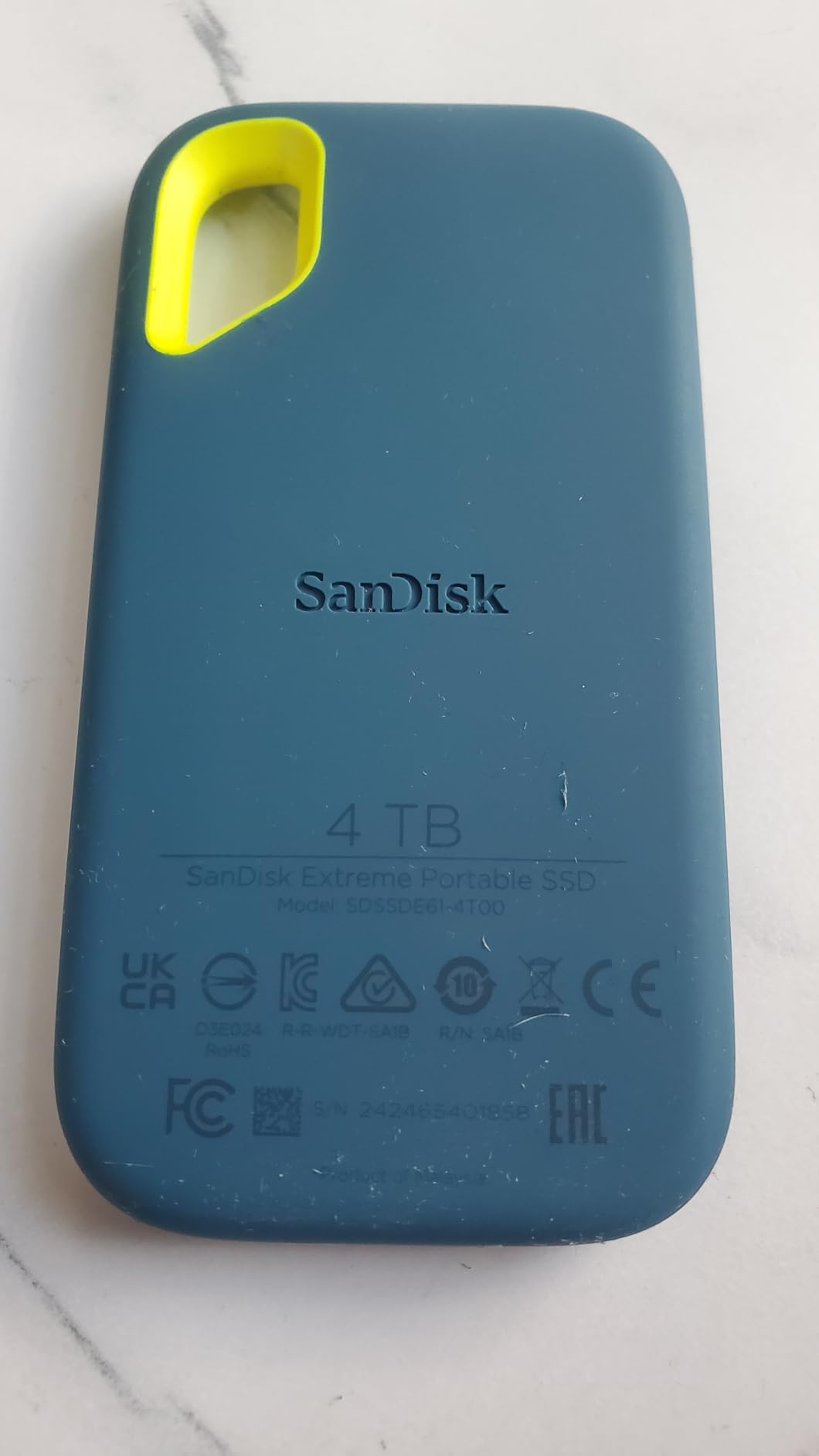
This is the drive that goes in the side pocket, and after six weeks of putting it there it is the one we kept reaching for. At 1.76 ounces it disappears into a jacket, and the carabiner loop on the corner means it clips to a camera strap instead of rattling loose at the bottom of a bag where a week of walking finds it.
Offloading a full card is close to instant. With a 1,050MB/s read rating over a 10Gbps USB-C port, a 128GB card takes roughly two minutes, which changes the rhythm of a shooting day: you keep the second card in the camera and you are not standing in a hotel room at midnight doing arithmetic about which files you can afford to delete.
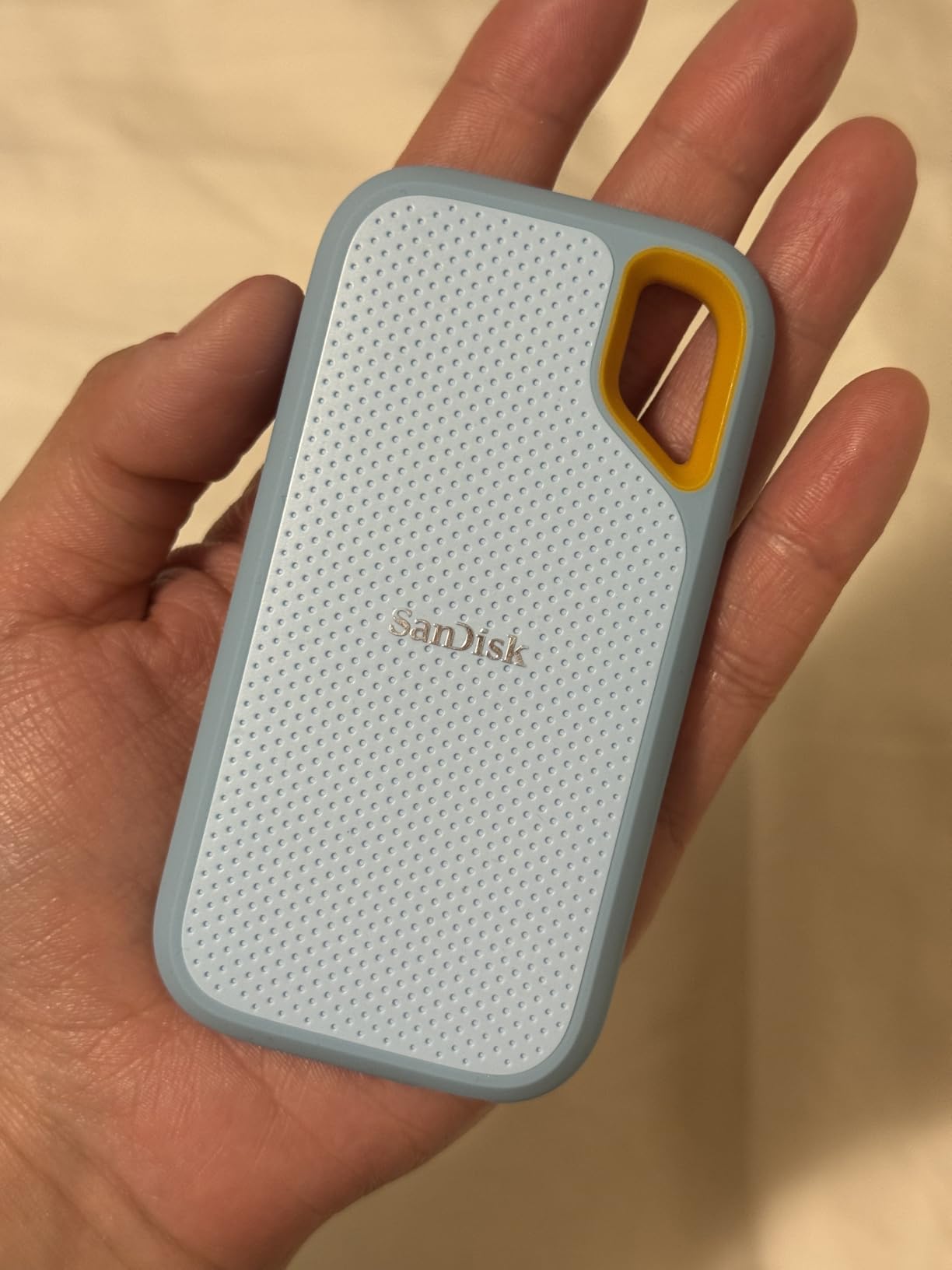
What surprised us was how little the drive complains in real use. The rubberized shell is grippy when it is wet, the 256-bit AES hardware encryption means password protection runs in the controller rather than in software, and the SanDisk Memory Zone app handles file management and cleanup without being required for the drive to work.
The specification sheet lists non-operating temperatures from -20°C to 85°C, which matters if you are heading somewhere cold and storing the drive through the winter rather than using it on the tarmac. Capacities run up to 2TB here, and the drive works with desktops, laptops, tablets, an Xbox Series X and a PlayStation 4.
Who the SanDisk Extreme Fits Best
It suits a photographer who offloads two cards a day and does not want to think about weather, or a filmmaker shuttling footage between an edit bay in one country and a shoot in another. The combination of sealing, drop protection and a five-year warranty means it is the drive you stop thinking about, which is the point.
Travelers moving client footage or passport scans also get hardware encryption without extra software. Our wider external SSD picks for filmmakers on location cover larger rigs where capacity matters more than pocket size, and the SanDisk Extreme still wins the pocket-versus-protection argument.
Who Should Skip the SanDisk Extreme
Skip it if you shoot video at a bitrate that makes a 2TB drive fill in three days, and size up instead. The 2TB version is a working trip’s worth of RAW and light video, not a three-week expedition of 4K footage.
Also bring your own cable. This is the most repeated complaint in reviews: the drive is sensitive to cable quality and some owners report connection problems with ordinary or even first-party USB-C cables. Our guidance for on-set transfers is in the portable SSD guide for on-set data offloading, and the cable advice there applies directly.
2. Samsung T7 1TB: The Metal One That Fits Anywhere
Samsung T7 Portable SSD 1TB Titan Gray, USB 3.2 Gen 2, Up to 1,050MB/s
No IP rating
6-foot drop rating
1050MB/s read
2.08 oz
3-year warranty
Pros
- Average rating of 4.7 across more than 21000 reviews
- Thin aluminium unibody at 0.3 inch
- Records 4K60 ProRes directly off an iPhone 15 Pro
- Works with consoles tablets and Android devices
- 256-bit AES hardware encryption
Cons
- No water or dust rating of any kind
- Three-year warranty is shorter than the SanDisk's five years
- Advertised speed needs a USB 3.2 Gen 2 port
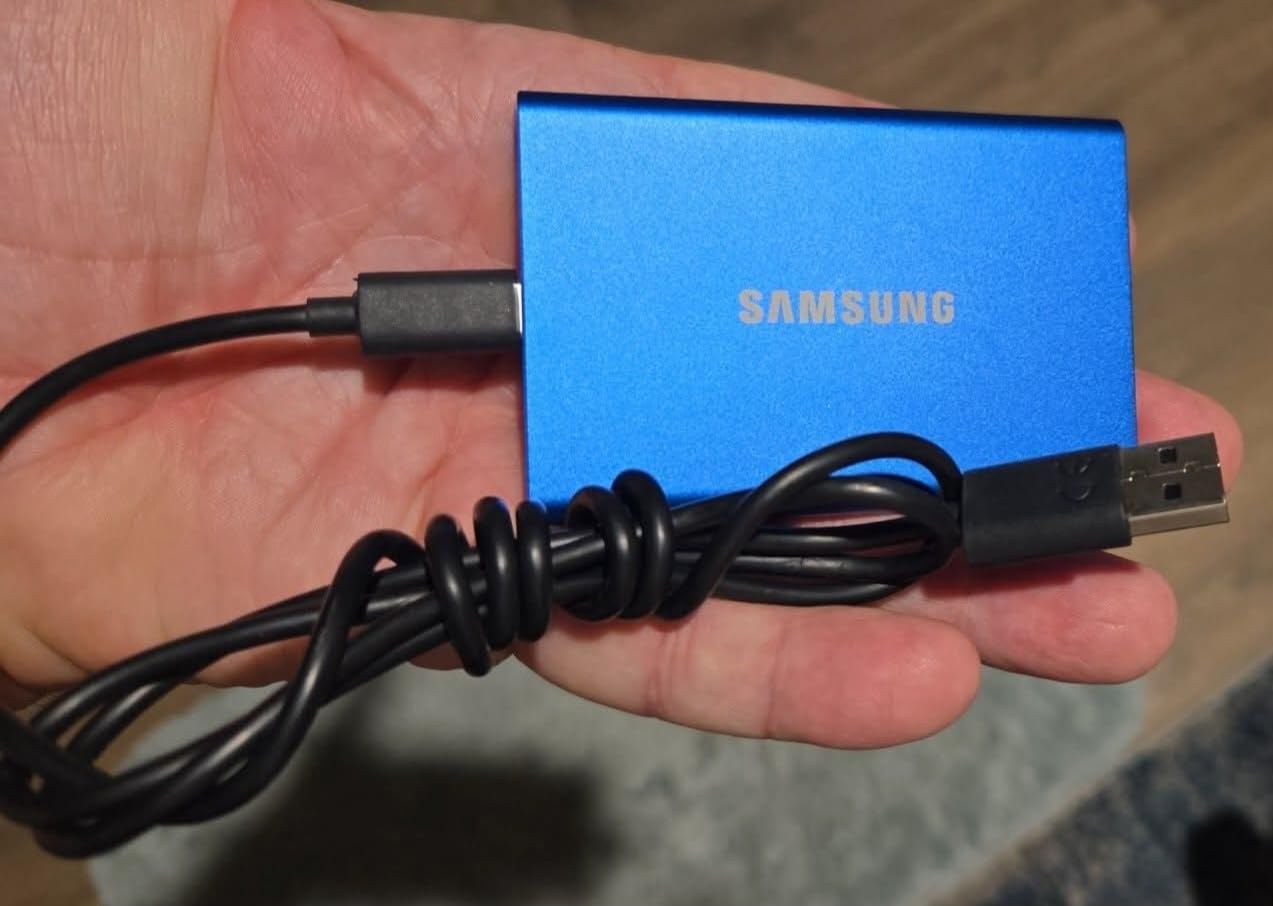
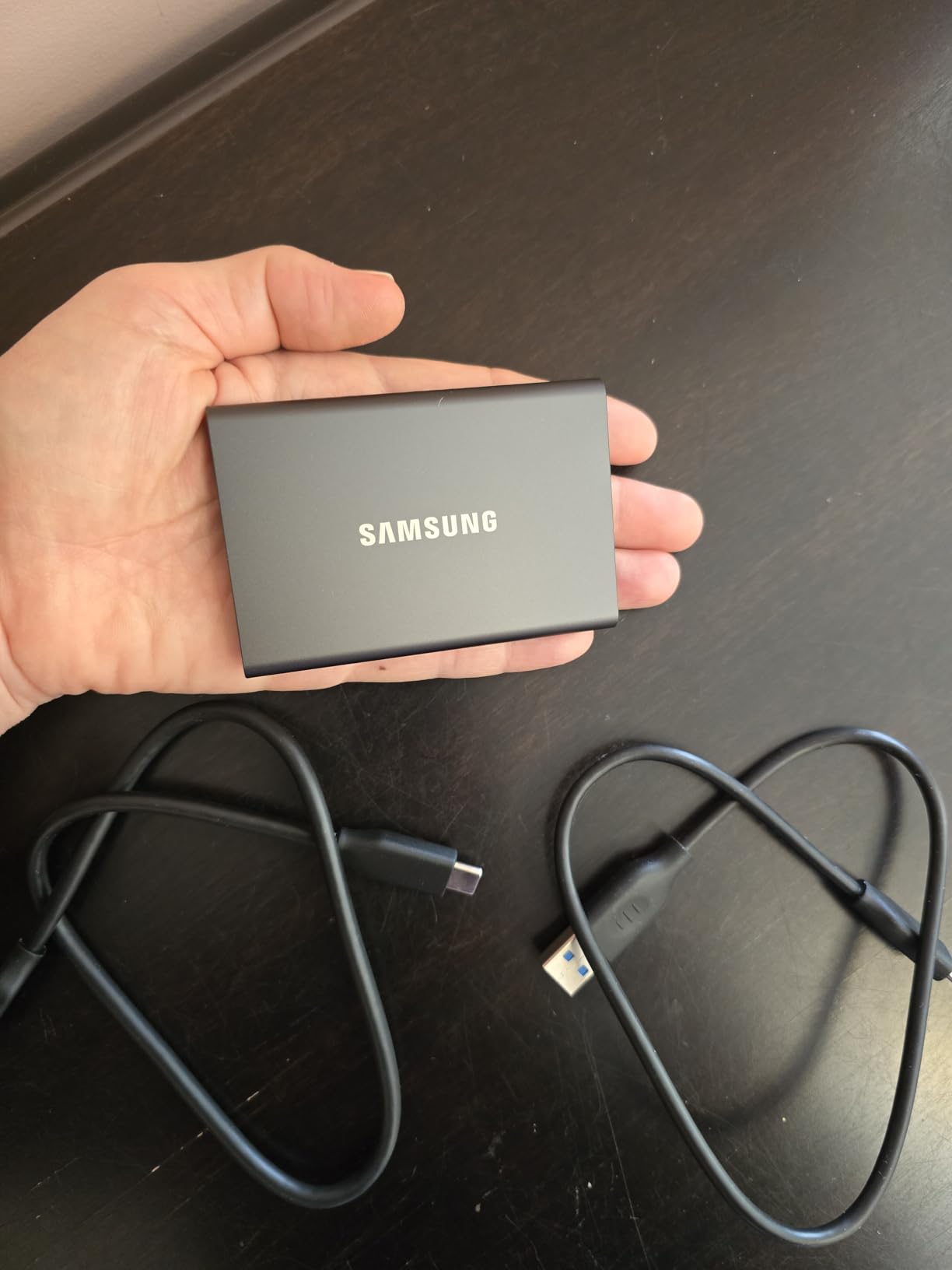
The T7 is the drive we hand to people who are not going to look up ingress protection codes. It is a flat aluminium slab 3.3 by 2.2 inches and 0.3 inch thick, and in a jacket pocket it reads as a business card with weight, which is exactly the right impression for a device holding client contracts.
Performance is the standard 1,050MB/s read and 1,000MB/s write of a PCIe NVMe drive behind a 10Gbps bridge. That is the same ceiling as the SanDisk Extreme, so on transfers you lose nothing, and the aluminium unibody runs cooler than many plastic-cased rivals during a long copy session.
The reason this drive keeps showing up as a recommendation for Mac users is not speed. It is that it records Ultra High Resolution 4K 60fps video directly onto the drive and supports iPhone 15 Pro ProRes 4K at 60fps, which turns the T7 into a scratch disk for a phone shoot rather than just a backup target.
Drop resistance is rated to 6 feet and the body is a solid metal unibody, so it survives the drop from a hotel desk without drama. Capacities run from 500GB to 4TB, and the 1TB version here is the sweet spot for a two-week trip shooting stills daily.
Who the Samsung T7 Fits Best
It fits a business traveller carrying contracts, or a journalist and a photographer working from a laptop in countries where the drive lives in a bag rather than a case. Anyone whose main offload target is a phone rather than a camera card will like that ProRes recording support.
It also fits a Mac user who has heard that fast drives disappoint on Apple hardware. Those complaints come from 20Gbps drives, not this one. This is a plain 10Gbps device that matches what a MacBook port actually delivers, which is why our Mac-oriented comparison in the 4K video editing SSD guide keeps landing here.
Who Should Skip the Samsung T7
Skip it in rain, on a beach, on a dusty trail or anywhere sand gets into a bag. There is no IP rating at all, and that gap is the single reason to spend a little more on the T7 Shield below.
The three-year warranty is also shorter than several rivals here, and reviewers consistently note that full speeds depend on having a USB 3.2 Gen 2 port. An older laptop with only USB 3.0 will connect and work fine, just slower.
3. Samsung T7 Shield 2TB: The One Built for Bad Weather
Samsung T7 Shield Portable SSD 2TB, USB 3.2 Gen 2, Up to 1,050 MB/s
IP65 sealed
9.8-foot drop rating
1050MB/s read
97g
3-year warranty
Pros
- IP65 water and dust sealing for real outdoor travel
- Drop protection rated to 9.8 feet
- Palm-sized body offered up to 4TB
- Samsung Magician handles health checks and firmware
Cons
- Weighs 97 grams
- Heavier than the slim 10Gbps drives
- Three-year manufacturer warranty
When the forecast turns, this is the drive that stays in the bag. IP65 sealing and a drop figure of 9.8 feet is the strongest combination of the two here, and reviewers repeatedly name those lines as the reason for buying over the standard T7.
The 2TB capacity is the other half of the argument. A three-week trip shooting RAW daily and cutting 4K clips fits comfortably, and because the drive is palm-sized you can carry it rather than check it.
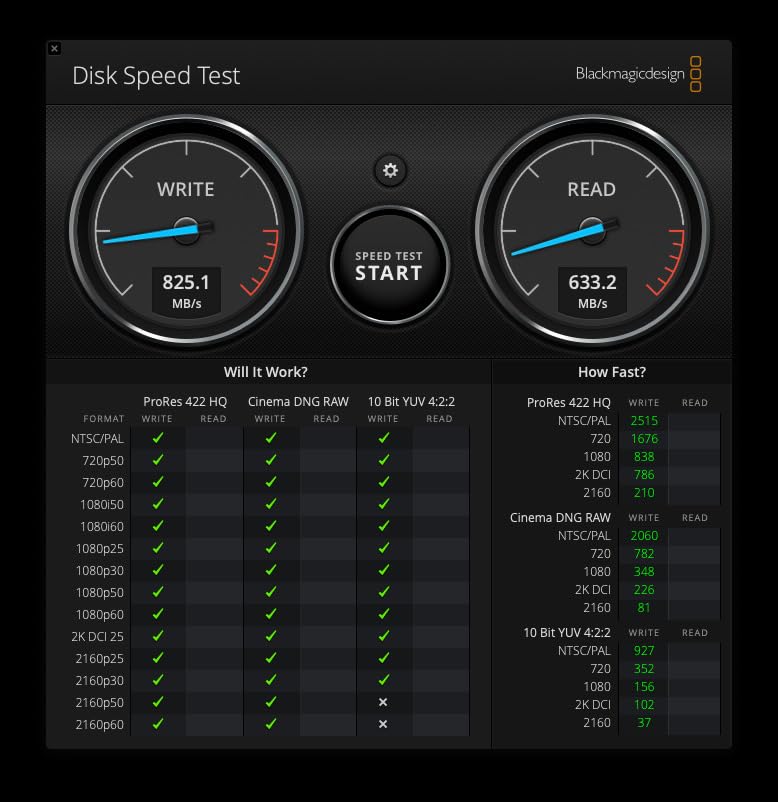
Transfer performance is identical to the plain T7 at 1,050MB/s read and 1,000MB/s write over USB 3.2 Gen 2, so you are paying for the chassis and the seal rather than for speed. The operating range is stated as 0°C to 60°C, which is worth knowing for a hot desert or a cold mountain trip where the drive is in use rather than in storage.
Samsung Magician covers firmware updates and health monitoring, and encryption can be managed there too. It works with Mac, PC, tablet, iPhone 15 and 16, and an Xbox Series X, and it records ProRes 4K at 60fps off a supported iPhone.
Who the T7 Shield Fits Best
It fits a mountain, coast or rainforest trip where rain, sand or a rock ledge is a realistic part of the day rather than a worst case. Documentary shooters working outside the country get the sealing and a drop rating they can rely on when a duffel gets dropped on a gravel path.
For anyone who loses luggage regularly, the protection only matters if the drive is in your hand. Its palm size makes that realistic, which is a bigger practical advantage than the extra grams cost you.
Who Should Skip the T7 Shield
Skip it if pack weight is your binding constraint. At 97 grams it is one of the heavier bodies in this roundup, and on a strict one-bag allowance that adds up across the rest of your kit.
Skip it if your trips are hotel-to-hotel and your files never see weather. The plain T7 gives you the same transfer speed at a lower cost per gigabyte, and the extra spend buys protection you will not use.
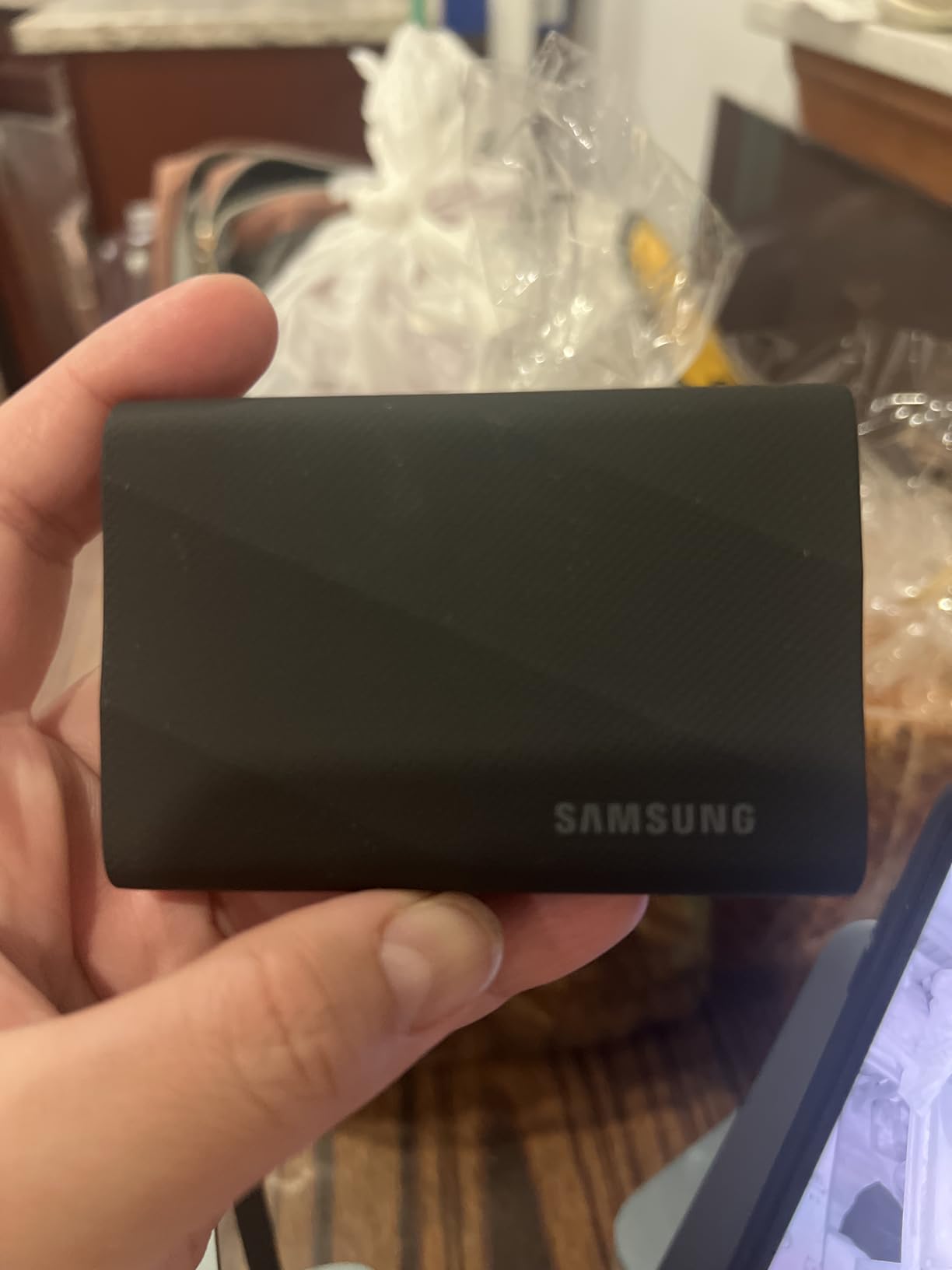
4. Samsung T9 1TB: Speed for People With the Right Port
Samsung T9 Portable SSD 1TB, USB 3.2 Gen 2×2 External SSD, Up to 2,000 MB/s
2000MB/s sustained
USB 3.2 Gen 2x2
9.8-foot drop
4.32 oz
5-year warranty
Pros
- Sustained read and write near 2000MB/s on a Gen 2x2 host
- Dynamic Thermal Guard held steady through very large transfers
- Credit-card-sized rubberized shell
- Cables for both USB-C to C and USB-C to A included
Cons
- Full speed needs a USB 3.2 Gen 2x2 port that many laptops and phones do not have
- Larger capacities can fail to initialize on low-power older hardware
- Runs warm under heavy sustained work
The T9 is one of the two drives here that is fast in a way you can feel, and that comes with a condition attached. It needs a USB 3.2 Gen 2×2 host port, and if your travel laptop does not have one, you will see roughly half the headline number and wonder what you paid for.
On a machine with that port, the T9 moves about 2,000MB/s sustained rather than a burst number that collapses after 30 seconds. Reviewers report running very large transfers without throttling, which matters more for video than the raw peak figure suggests.
The Dynamic Thermal Guard is doing real work here. Owners running 100GB transfers report the drive staying cool, though it does still warm up under heavy sustained load. Drop resistance is rated to 9.8 feet and the rubberized shell is credit-card sized, so it is not a fragile object despite the speed.
It records ProRes 4K at 60fps from a supported iPhone and works with Mac, PC, tablet, iPhone 15 and 16, Xbox Series S and X, and PlayStation 4 and 5. Samsung Magician handles firmware, encryption and health monitoring, with a five-year limited warranty.
Who the T9 Fits Best
It fits a video team working from a recent Windows laptop or a desktop that has a 20Gbps port, cutting a day’s rushes down to a rough assembly while still in the country. Photographers backing up large RAW batches on the same machine will also see the difference.
If you edit on a phone or tablet, treat the speed as a bonus rather than the reason. The drive works as an offload target regardless of port speed, and the sustained throughput keeps a long copy moving.
Who Should Skip the T9
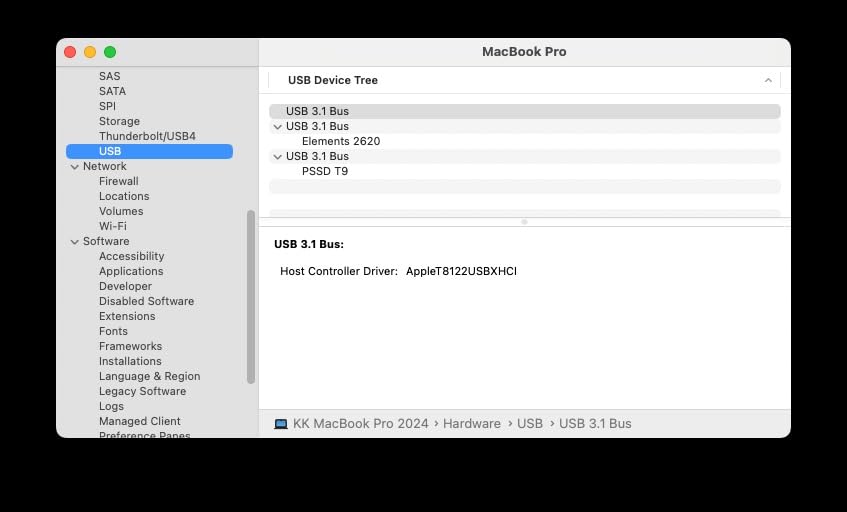
Skip it on a Mac. Current Mac hardware has no 20Gbps USB mode, so a 2,000MB/s drive negotiates down to around 10Gbps and you are carrying a drive you cannot fully use. The plain T7 gives you the same result for less.
Older or low-power systems are another reason to look elsewhere, since owners report larger capacities struggling to initialize on older hardware with insufficient power delivery. And if the extra heat bothers you during long writes, the 10Gbps drives run cooler.
5. Kingston XS1000 1TB: The Lightest Drive on the List
Kingston XS1000 1TB SSD | Pocket-Sized | USB 3.2 Gen 2 | External Solid State Drive | Up to 1050MB/s | SXS1000/1000G
1.44 ounces
2.74 by 1.28 inches
1050MB/s read
5-year warranty
No IP rating
Pros
- Very light at 1.44 ounces
- Tiny 2.74 by 1.28 inch body disappears in a pocket
- 1050MB/s read over USB 3.2 Gen 2
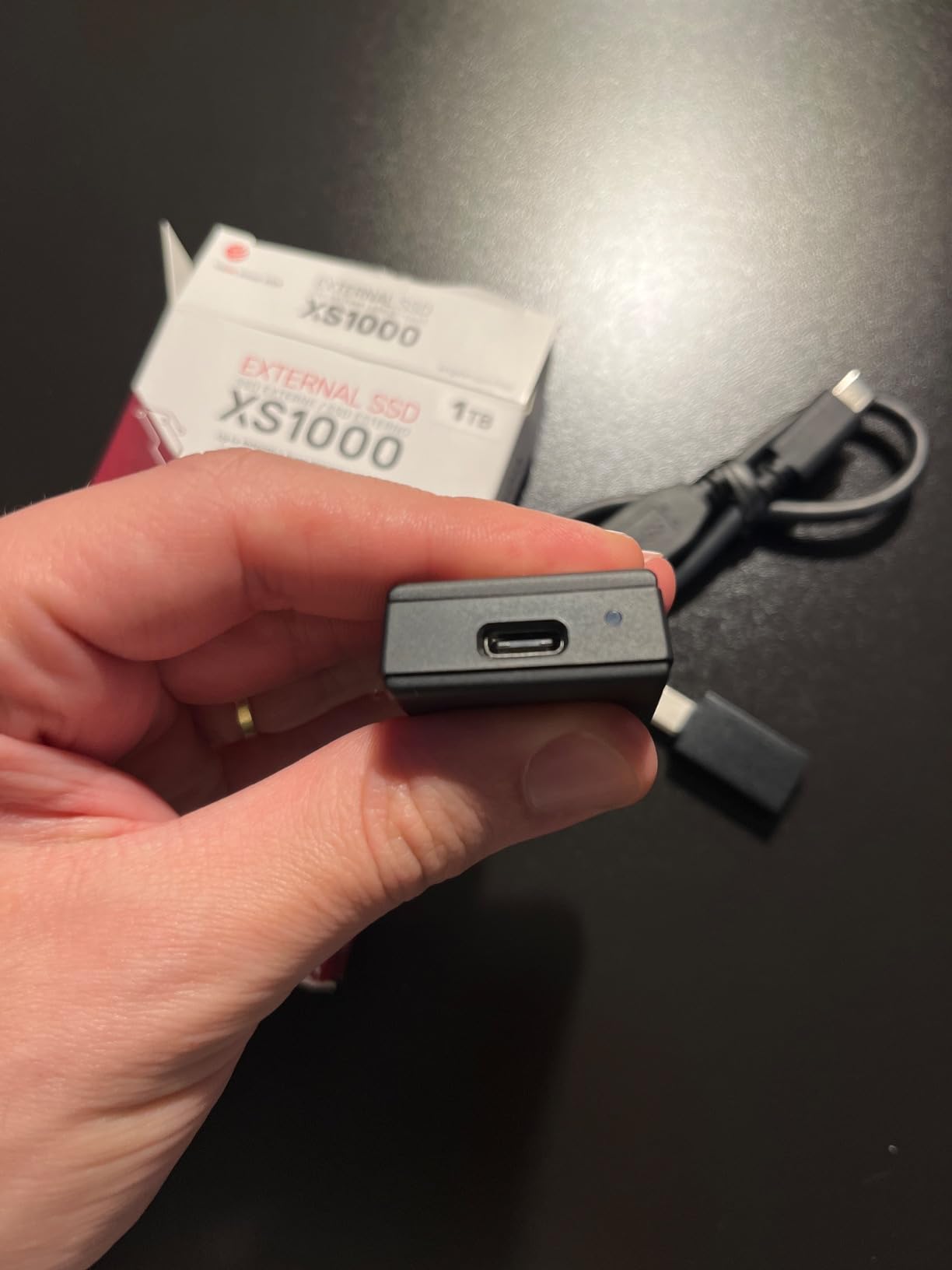
- Works with both USB-A and USB-C
- Five-year limited warranty
Cons
- No published IP water or dust rating
- No stated drop protection figure
- Mixed metal and plastic enclosure is less rugged than rubberized rivals
Every gram counts when the trip is a carry-on with a strict scale, and at 1.44 ounces the XS1000 is the drive here that disappears completely. It measures 2.74 by 1.28 inches, which is narrower than a phone and short enough to vanish into a jacket pocket.
It still reads at up to 1,050MB/s over USB 3.2 Gen 2, so card offloads are as fast as the larger drives in this list. Storage goes up to 2TB, and a Gen 2×2 USB-C cable is included in the box.
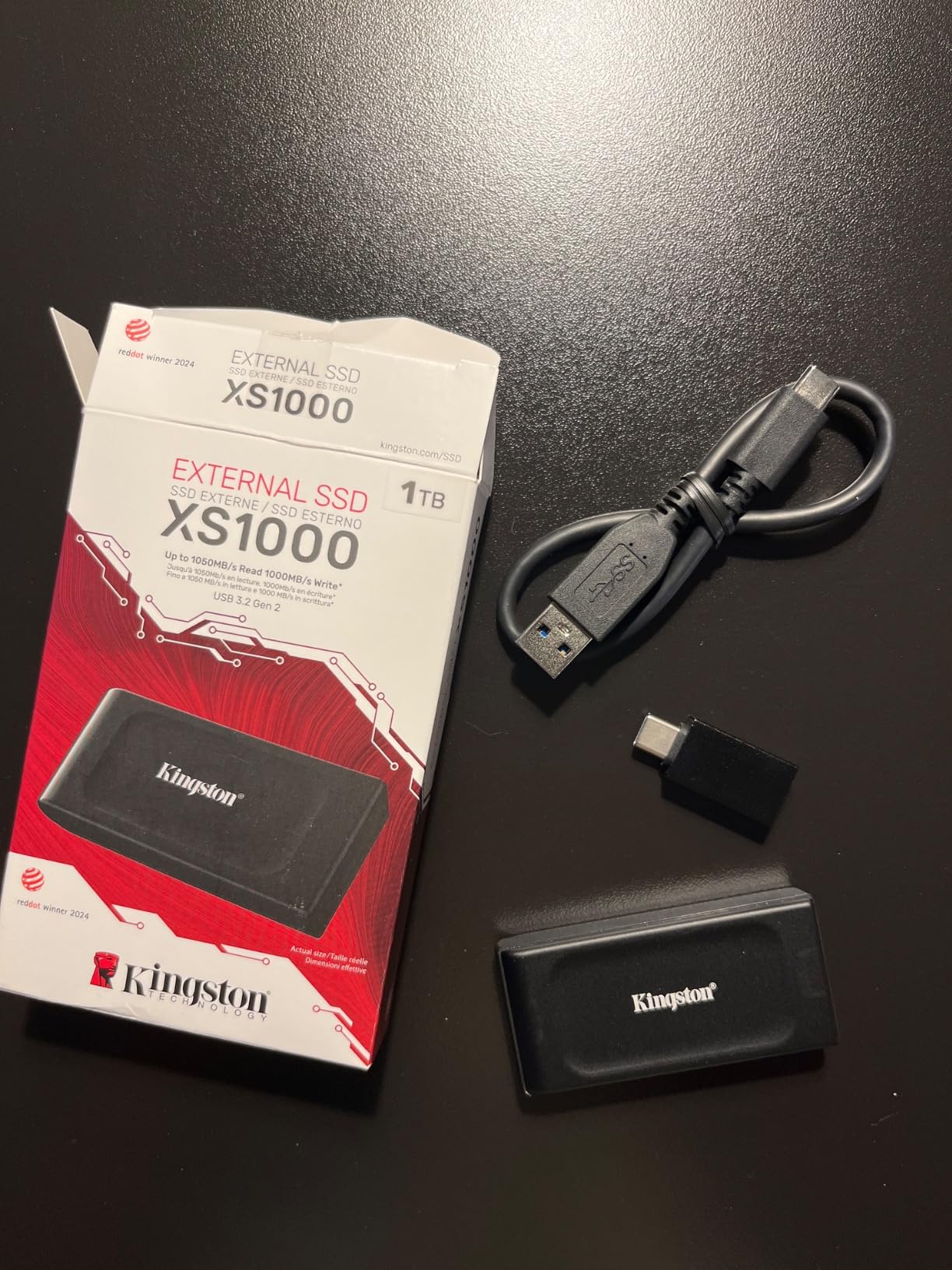
The catch is physical protection, and it is not a small one. There is no published IP water or dust rating and no stated drop figure. The enclosure is a mix of metal and plastic, which is fine on a desk and less convincing when a bag hits the ground beside you on a coastal path.
The five-year warranty is a genuine plus in a category where three years is common, and the drive works with desktops, laptops and a Nintendo Switch. Review sentiment across more than 4,600 reviews is heavily positive, with the footprint as the repeated theme.
Who the XS1000 Fits Best
It fits hikers, ultralight packers and anyone whose gear list is measured in grams rather than trips. Carrying it as a second copy alongside a main drive is the smart use of something this small, since the second drive should live in a different bag.
It also suits a traveller who moves between Windows and older gear, because it supports both USB-A and USB-C. Plug it into a decade-old laptop or a console and it still works.
Who Should Skip the XS1000
Skip it for any trip where rain, sand or drops are likely. No IP rating and no drop figure means you are choosing packability over protection, and that trade is only sensible when you already have a protected drive as your primary.
It is also the wrong pick as a lone copy of irreplaceable footage. Two small drives beat one large drive on the road, and the XS1000 makes that pairing easy on weight.
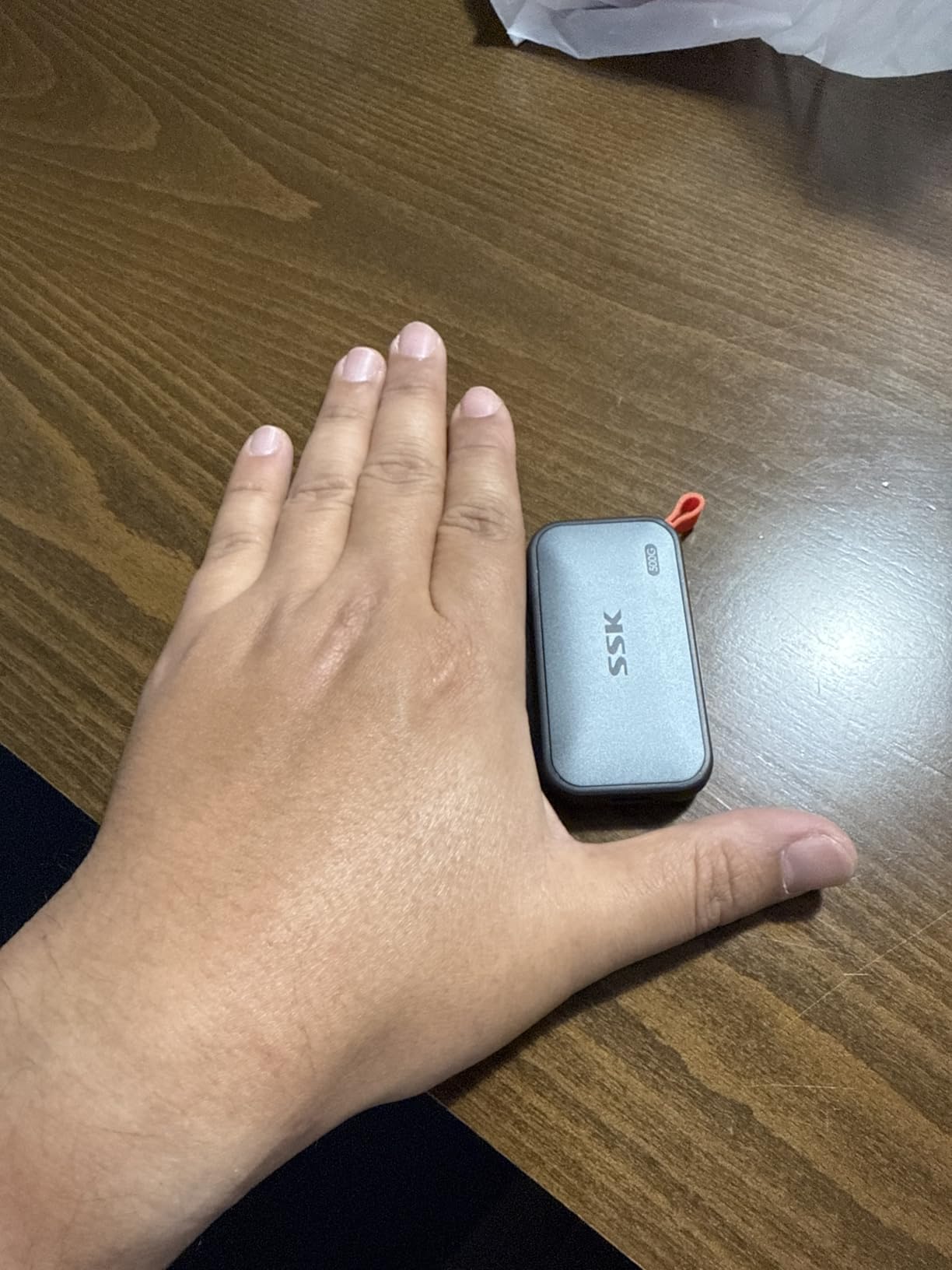
6. SSK 500GB: The One That Runs Off Your Phone
SSK Portable SSD 500GB External Solid State Hard Drive USB C Up to 1050MB/s
33.8g aluminum body
1050MB/s read
Under 2.4W draw
3-year warranty
Pros
- Only 33.8 grams in a 2mm thin aluminum case
- Under 2.4W power draw so it runs off an iPhone or iPad
- Supports 4K60 ProRes HDR capture on iPhone
- Both USB-C to C and USB-C to A cables included
- Aluminum case keeps case temperature well below problem levels
Cons
- 500GB fills quickly on a multi-day video trip
- Windows reports the capacity as roughly 465GB
- Documentation is sparse and hard to follow
- Sustained write speed drops once the SLC cache fills
The SSK solves a specific problem that no other drive here addresses well: freeing up a phone that has filled with 4K clips mid-trip. At under 2.4 watts of draw it runs off an iPhone or iPad directly, and it supports 4K60 ProRes HDR capture off a supported iPhone, so you can record to it rather than only copy to it.
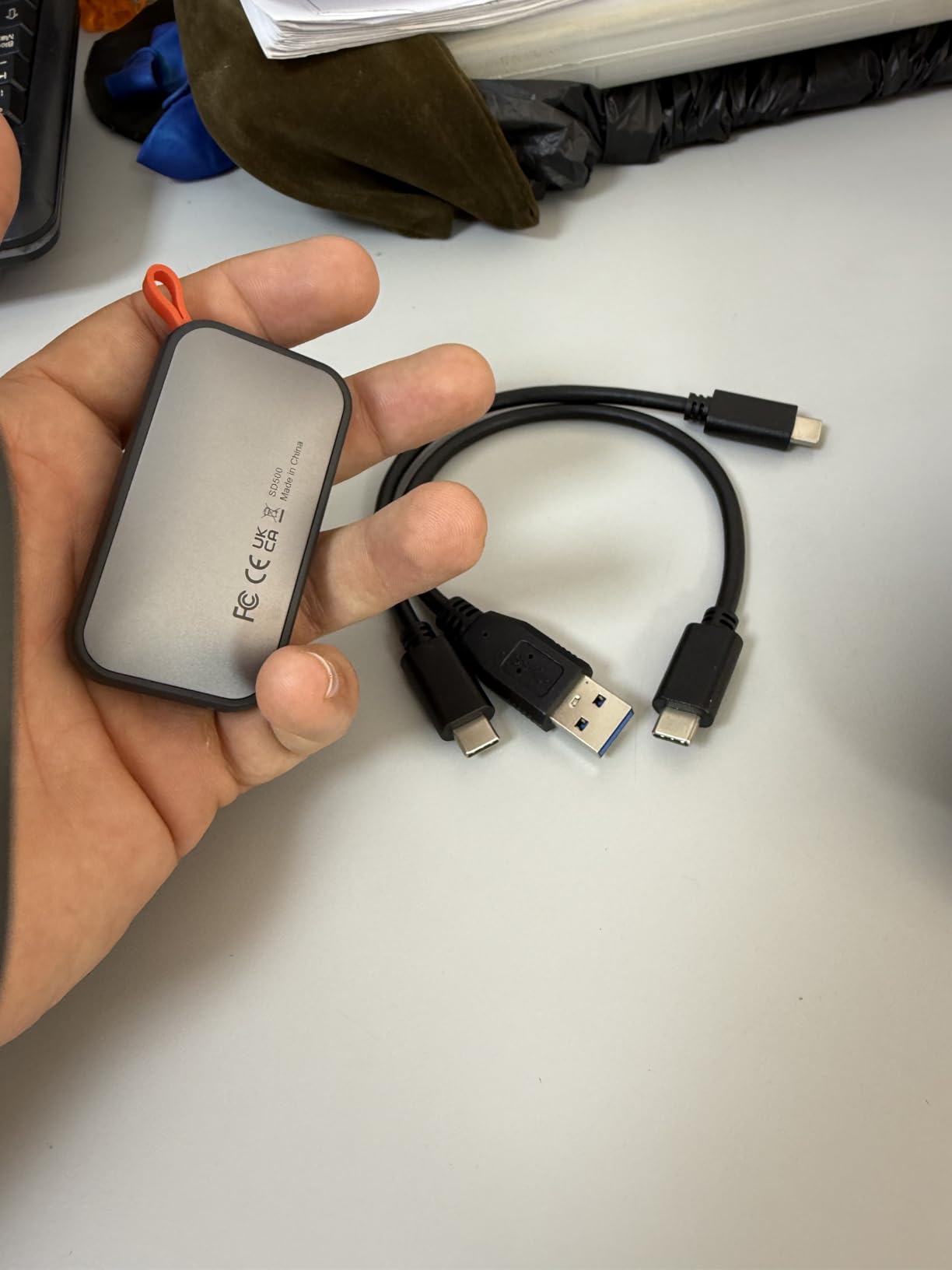
Physically it is a 2mm thin aluminum case weighing 33.8 grams and measuring about 2.5 by 1.31 inches. The metal dissipates heat well, with the manufacturer citing a case temperature peak of 105.58°F, and it stays comfortable to hold during a copy.
Read speed reaches 1,050MB/s with write at 1,000MB/s over a 10Gbps USB 3.2 Gen 2 connection, and S.M.A.R.T. diagnostics with adaptive TRIM are built in. Note that 25% of available capacity is allocated as high-speed SLC cache, which is why sustained write speed falls off once that cache fills.
Two real annoyances: Windows shows the 500GB as roughly 465GB because of the binary versus decimal calculation, and the documentation is sparse enough that reviewers call it hard to follow. Some owners also report an uneven seam on the aluminum and plastic joint, and a few mention files not persisting after a transfer.
Who the SSK Fits Best
It fits a traveller shooting on a phone rather than a camera, especially one who records 4K60 ProRes and needs somewhere to put hours of footage. At 500GB it is genuinely pocketable in a way a 1TB drive is not, and the SSK’s stated 2.4W draw is the lowest figure published for any drive here.
It also works well as a secondary copy for a stills trip where you want two physical drives and do not want to think about the second one. The included USB-C to A cable makes it painless on older hardware.
Who Should Skip the SSK
Skip it on a long video trip. 500GB is the smallest capacity in this roundup and, once Windows reports it as roughly 465GB, a week of daily 4K recording fills it quickly, at which point you are erasing footage you cannot afford to lose.
Skip it if you have never had to read a capacity conversion in your life and want a set-and-forget drive. It also carries no published IP rating or drop figure, so it belongs in a padded pocket rather than in a downpour.
7. Lexar ES3 1TB: Slim, Silver, and Widely Compatible
Lexar ES3 1TB Portable SSD Silver, USB 3.2 Gen 2 up to 1050MB/s
10.5mm thin
42 to 45 grams
1050MB/s read
DataShield AES
3-year warranty
Pros
- Only 10.5mm thick and around 42 to 45 grams
- 1050MB/s read and 1000MB/s write on supporting hosts
- Works with iPhone 17 series Android cameras and consoles
- Lexar DataShield 256-bit AES encryption included
- USB-C cable in the box
Cons
- No published IP water or dust rating
- Lowest average rating in this group at 4.4 with 8 percent one-star reviews
- Speeds drop on Macs and hosts without Gen 2 support
- No MagSafe attachment on this version
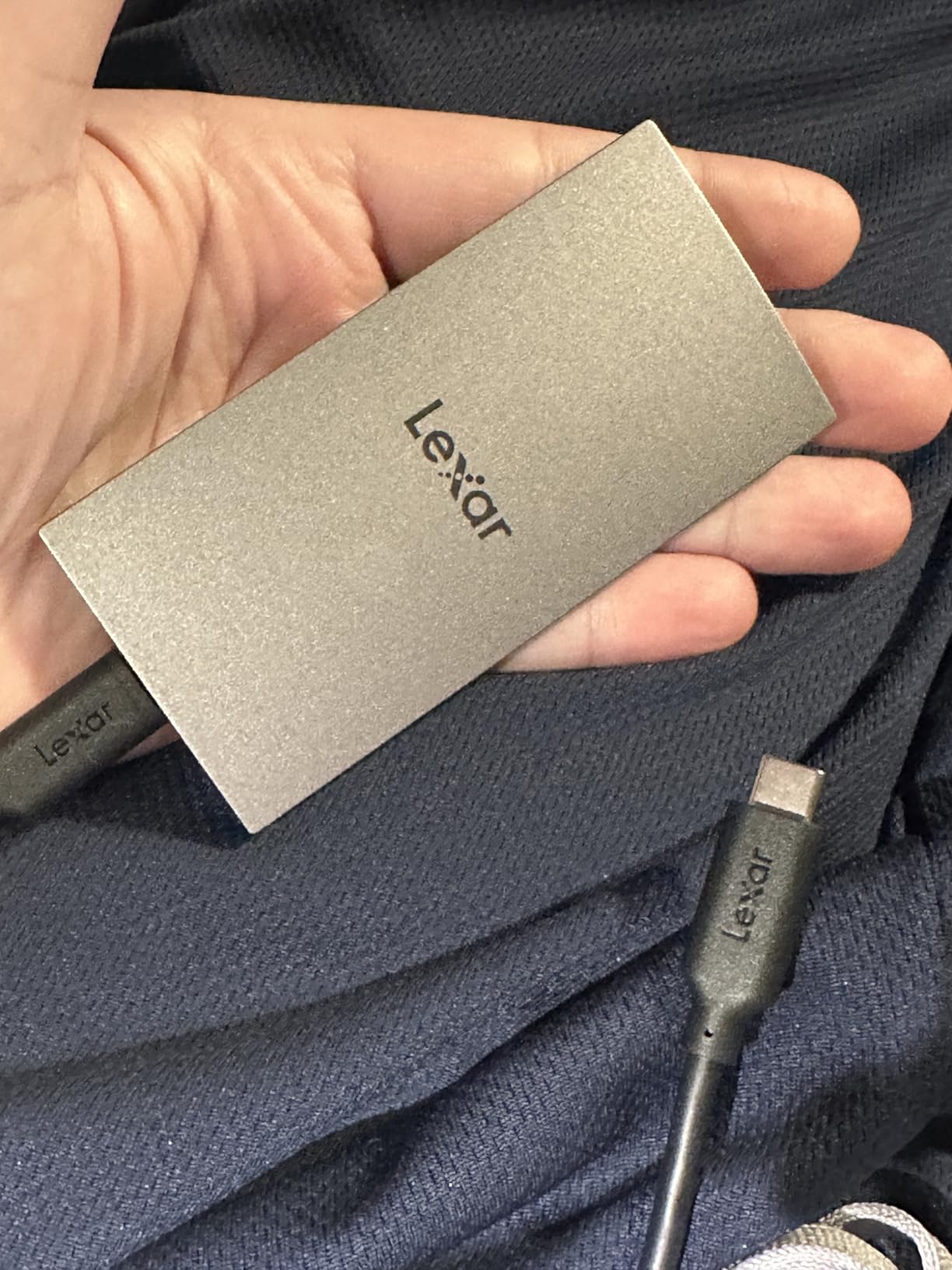
The ES3 is the drive for a traveller whose kit list runs across four ecosystems. It works with the iPhone 17 series, Android devices, laptops, cameras, an Xbox X or S and both PlayStation 4 and 5, and at 10.5mm thick it slides into a laptop sleeve without adding bulk.
On a host with USB 3.2 Gen 2 it reads at up to 1,050MB/s and writes at 1,000MB/s. Lexar is explicit that performance drops on Macs and systems without Gen 2 support, which is an unusual thing for a manufacturer to say plainly and worth respecting.
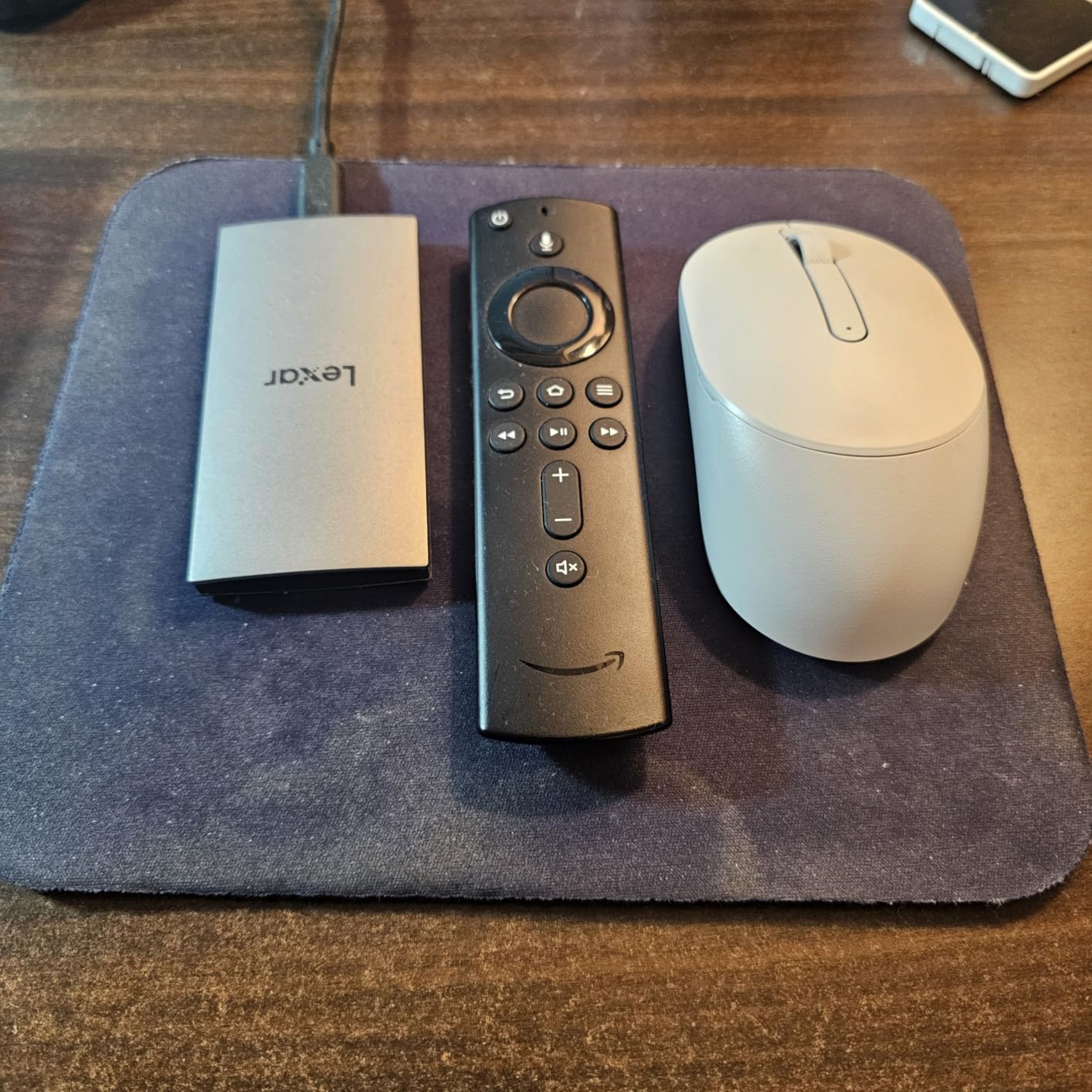
The weight is listed as 45 grams in the product details and around 42 grams in the technical description, so treat it as a light 40-something. Lexar DataShield provides 256-bit AES encryption, though it is software rather than a hardware-encrypted controller like the SanDisk and Samsung models here.
This is also the drive with the thinnest margin in the group. Its 4.4 average is the lowest of the eight with 8% one-star reviews, and there is no MagSafe attachment on this version, so it will not stick to the back of a phone or a compatible case.
Who the Lexar ES3 Fits Best
It fits someone who moves between an iPhone, an Android phone and a laptop without wanting to repack drives for each device. A single drive that mounts everywhere is more valuable on a multi-country trip than a slightly faster one that only works on one machine.
It also fits a traveller who wants encryption without hunting for a utility, since DataShield is included. Silver or blue finishes keep it looking like travel gear rather than server equipment.
Who Should Skip the Lexar ES3
Skip it if your camera is an iPhone 14 or older, because Lightning models are not supported. Anyone buying it for an older phone should confirm the port before committing.
Skip it if you work mainly on a Mac. Performance drops substantially on hosts without USB 3.2 Gen 2, there is no IP rating, and the 4.4 average with a higher share of one-star reviews is the least settled feedback of any drive in this roundup.
8. Amazon Basics Portable SSD 1TB: Sealed and Fast Together
Amazon Basics Portable External SSD, 1TB, 2000MB/s Speeds, USB 3.2 Gen 2, IP65 Water & Dust Resistant, Black
IP65 sealed
2000MB/s read and write
Stays under 122F
exFAT format
1TB
Pros
- 2000MB/s read and write over USB 3.2 Gen 2x2 combined with an IP65 rating
- Thermal design holds it under 50C during heavy use
- Metal casing with a scratch-resistant polymer bottom
- Arrives exFAT formatted so it works across devices immediately
- Two USB cables plus a storage case included
Cons
- Real throughput depends heavily on the host port and file size
- Nominal 1TB measures slightly under the labeled amount
- Smaller review base than the Samsung and SanDisk drives
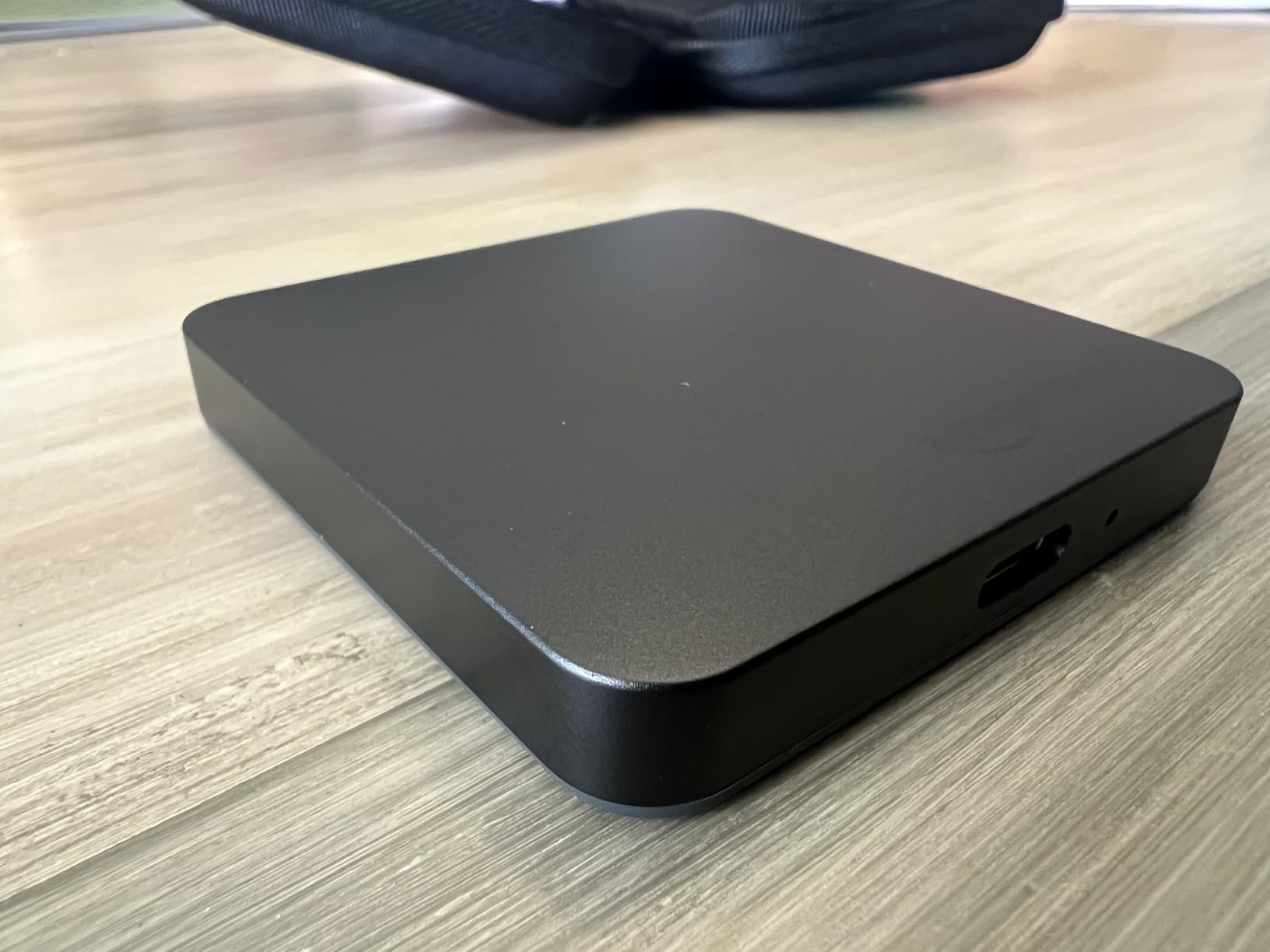
Only one drive in this roundup pairs a 20Gbps interface with a real IP65 rating, and that is the one with the smaller name on the box. For a traveller who has confirmed a Gen 2×2 port and wants weather protection, that combination is unusual enough to matter.
The thermal design is the quietly clever part. Rather than a passive metal shell alone, the drive uses an active thermal solution that keeps it below 50°C, or 122°F, during heavy use, which is what stops a sustained video copy from throttling halfway through.
It arrives formatted as exFAT, so it works on Windows, Mac, consoles and phones without a reformat before the first offload. That saves a step that catches people out when their first night in a country goes wrong and they need to start copying immediately.
Both USB-C to C and USB-C to A cables are included along with a storage case, and it works with PlayStation 4 and 5, Xbox Series S and X, and the Nintendo Switch family. The review base is smaller than the Samsung and SanDisk drives, at 821 reviews with a 4.6 average.
Who the Amazon Basics SSD Fits Best
It fits a video editor on a modern Windows machine who wants both speed and sealing in one object, and a traveller who wants the drive to work on the first attempt across whatever devices they unpack in a hotel room.
The square footprint at 2.33 inches on a side is smaller than it looks on paper, and 51.8 grams sits between the ultralight drives and the heavy shielded ones.
Who Should Skip the Amazon Basics SSD
Skip it on a Mac, where a Gen 2×2 drive negotiates down to 10Gbps and you leave speed unused. Skip it if brand track record matters to you, because the review history here is far shorter than the established names.
Also expect the capacity readout to sit a little under the labeled amount, and set expectations that real throughput follows the host port and file size rather than the 2,000MB/s figure on the packaging.
How to Choose a Portable SSD for Travel
Choosing well comes down to four decisions in this order: which port you travel with, how much the trip will generate, what conditions the drive will face, and how many copies you are willing to carry. Get those right and the model barely matters.
Match the drive to the port you actually have
This is where most disappointment happens. A drive advertised at 2,000MB/s needs a USB 3.2 Gen 2×2 port to deliver that. On a 10Gbps port, it will hand you roughly 1,000MB/s no matter what the box says, and the drive itself is not at fault.
The trap that catches the most people is the Mac. Current Mac hardware offers no 20Gbps USB mode, so a 2,000MB/s drive runs at half its headline speed. If you travel with a Mac, buy a 10Gbps drive and put the money into capacity or a second copy instead.
Speed also is not the whole story. A drive reading at 1,050MB/s will clear a 128GB card in about two minutes, which is fast enough that you will rarely wait. Prioritise sustained write behaviour and cooling over peak numbers when your work is video.
What IP ratings do and do not promise
IP54 means dust resistant and splash protected. IP65 means dust tight and protected against water jets from any direction. IP67 means temporary immersion, and IP68 means deeper immersion for a duration the manufacturer specifies.
Here is the part the marketing blurs: no IP rating covers being dropped. Every one of these drives is solid state with no platter, so drops are less catastrophic than on a hard drive, but a drive rated only IP54 is not a drive to take into a river. Three drives in this roundup carry IP65: the SanDisk Extreme, the Samsung T7 Shield and the Amazon Basics Portable SSD.
Weight and pack volume
In grams, the range across these eight runs from 33.8 to 97, which sounds trivial until you multiply it by a second drive and a full day of walking. The SSK at 33.8 grams and the Kingston XS1000 at 1.44 ounces are the two that essentially cost you nothing; the T7 Shield at 97 grams is the one you will feel.
Size matters more than weight for pocketability. The SSK at 2mm is the thinnest body here, and the Lexar ES3 at 10.5mm is the next slimmest of the unshielded drives; both fit between a phone and a battery bank without bending the pocket.
How much capacity a trip really needs
Do the arithmetic before you buy, because running out mid-trip means deleting footage. Estimate your daily output first: a day of stills at around 45MB per RAW frame times a few hundred frames lands near 15GB, and a day of 4K clips can run past 100GB on its own.
For a two-week trip shooting stills daily, 1TB is comfortable. For two weeks of video, look at 2TB or use two 1TB drives. The SSK’s 500GB is the one capacity here that needs careful planning before a multi-day shoot.
Formatting for Mac, Windows, iPad and Android
exFAT is the travel default because Windows and macOS both read and write it without fuss, and phones with USB-C generally accept it too. The catch is that exFAT does not journal, so eject cleanly every time and never format a card on the road.
APFS and NTFS are faster and better behaved with unexpected power loss, but each is a one-way door from the other platform. If you will move between a Windows laptop and a Mac, format exFAT once at home before you fly.
A two-drive road backup routine
The strongest habit we found among experienced travellers is carrying two drives in two separate bags and copying to both before formatting anything. A thief takes a bag, not a system, and the same logic covers a lost suitcase.
The routine itself is simple: copy the card to drive A, copy the card to drive B, confirm the files open on both, then format the card. On our travel filmmaking kit page we cover the other gear that earns its place in the same bag, and the drive is the piece that protects all of it.
Two smaller drives also beat one large drive on this logic, because a single failed drive takes a whole trip with it. The XS1000 at 1.44 ounces is the easiest way to add a second copy without fighting the scale.
Can You Take a Portable SSD Through Airport Security?
Yes. Portable SSDs and external hard drives are allowed in both carry-on and checked luggage, and neither falls into a restricted screening category. The item that draws attention at security is a large lithium battery, not a storage drive. The practical question is not whether you can board with it, but whether the only copy of your trip belongs in a bag that goes into the hold.
Keep the only copy in your hand luggage. Checked bags get thrown, delayed and delivered to the wrong carousel, and a drive that arrives without its files is the same as a drive that never left home.
Two more things worth knowing. A drive with hardware encryption can be powered on and unlocked at the checkpoint if an officer asks what it is, so set the password before you fly rather than in the queue. And note that guidance varies by country, so treat this as general information rather than official policy.
Frequently Asked Questions
What is the best portable SSD for travel?
The SanDisk Extreme Portable SSD is our top pick. It weighs 1.76 ounces, carries IP65 water and dust resistance with 3-meter drop protection, reads at up to 1,050MB/s over a USB-C port and has a five-year warranty. Pick the Samsung T7 Shield if you need stronger sealing and a 9.8-foot drop rating, or the Kingston XS1000 at 1.44 ounces if pack weight is your binding constraint.
Can an external hard drive go through TSA?
Yes. Portable SSDs and external hard drives are permitted in carry-on and checked luggage and are not a restricted screening category. Large lithium batteries are the item that attracts questions, not storage drives. Keep the only copy of your files in hand luggage rather than the hold, and set any drive password before you reach the checkpoint.
Why is my portable SSD slower than advertised?
The host port is almost always the cause. A drive rated at 2,000MB/s needs a USB 3.2 Gen 2×2 port and will deliver roughly 1,000MB/s on a 10Gbps port. Current Macs have no 20Gbps USB mode, so fast drives run at half speed there. Cable quality and heat build-up during long writes are the other two common causes.
What size portable SSD do I need for travel?
For a two-week trip shooting stills daily, 1TB is comfortable. Two weeks of 4K video can exceed 2TB, in which case use two 1TB drives in separate bags rather than one large drive. A day of stills works out near 15GB, while a day of 4K clips can pass 100GB, so do the arithmetic for your own media before you leave.
Are portable SSDs waterproof and how long do they last?
Not all of them. IP65 means dust tight and protected against water jets, IP67 means temporary immersion, and IP54 means splash protection only. No IP rating covers being dropped. There is no fixed lifespan for a portable SSD, so treat warranty length and endurance ratings as the usable proxies and plan for failure with a second copy rather than around a number.
Should I bring one big travel SSD or two smaller ones?
Two smaller drives in separate bags. A single drive carries the entire trip, so one failure, theft or lost suitcase ends the work. Two 1TB drives also cost less per terabyte than one 2TB drive in most cases, and you can copy each card to both before formatting anything.
The Verdict for Travel in 2026
The best portable SSDs for travel in 2026 come down to three picks for most people. The SanDisk Extreme Portable SSD is the editor’s choice and the drive we carry, because 1.76 ounces, IP65 sealing, 3-meter drop protection and 1,050MB/s over a standard USB-C port is the combination nothing else in this roundup matches.
Buy the Samsung T7 Shield if weather is part of the trip, and the Samsung T7 if it is not. Add the Kingston XS1000 as a 1.44 ounce second copy rather than replacing your main drive, and remember that two drives in two separate bags beat one larger drive every time.
Whichever you choose, copy to it twice, verify the files open, and only then format the card. That habit is worth more than any speed difference on this list. For related reading, our picks for portable SSDs for 4K video editing cover higher-capacity rigs where throughput matters more than pocket size.