
I have lost count of how many wedding shoots, documentary days, and on-location commercial jobs started with a filmmaker staring at a card reader that refused to mount a freshly dumped CFexpress card. After three months of testing readers across Sony FX3, Canon R5 C, Blackmagic Pyxis 6K, and RED Komodo workflows, our team ranked the 10 best memory card readers for filmmakers you can buy right now.
Filmmakers need a memory card reader that keeps up with 4K, 6K, and 8K RAW ingest without dropping frames, overheating mid-transfer, or silently corrupting a card full of once-in-a-lifetime footage. We pushed each reader through 1 TB+ sustained transfers, swapped cards hot between dumps, and watched for the failure modes that show up only on a real shoot. The list below is built for the best memory card readers for filmmakers who shoot for a living, not for hobbyists who shoot on weekends.
If you already know which card format your camera uses, jump straight to our guide to CFexpress and SD card readers or our roundup of the best card readers for fast video offloading. For everyone else, the full rankings and a filmmaker-specific buying guide follow.
Table of Contents
- Top 3 Best Memory Card Readers for Filmmakers (September 2026)
- Best Memory Card Readers for Filmmakers in 2026
- 1. ProGrade Digital CFexpress Type B and SDXC USB 3.2 (PG05.5) — Best Overall for Filmmakers
- 2. BENFEI CFexpress Type B USB 3.2 Gen 2 — Budget Pick for Single-Slot Offload
- 3. Unitek USB 3.0 CFast Card Reader — Best Budget for RED and Blackmagic CFast Workflows
- 4. Rocketek 2-in-1 CFexpress Type B and SD Reader — Best Dual-Slot Mid-Range
- 5. ProGrade Digital SD UHS-II Dual-Slot Reader (PG08) — Best for SD UHS-II Dual-Camera Offload
- 6. Acer CFexpress Type B USB 3.2 Gen 2 — Best Budget CFexpress Type B
- 7. Lexar CFexpress Type B and SD Reader (RW520) — Best Mid-Price Dual-Slot
- 8. Lexar RW515 CFexpress Type A Reader — Best for Sony FX3 and A7S III
- 9. Rytaki Pro 8-Slot USB 3.2 Multi-Card Reader — Best Multi-Format for Hybrid Archive Recovery
- 10. ProGrade Digital CFexpress Type B Card Reader USB 4.0 (PG05.6) — Best for Maximum Speed on USB 4 and Thunderbolt 4
- Best Card Reader by Camera System
- Filmmaker Card Reader Buying Guide: What Actually Matters
- Card format decision tree: CFexpress Type A vs Type B vs SD UHS-II
- Port and connection: USB 3.2 Gen 2 vs USB 4 vs Thunderbolt
- Heat management and sustained transfer
- Dual-slot simultaneous read for A-cam and B-cam backups
- Data integrity and checksum verification
- Cable quality matters more than the spec sheet suggests
- Warranty length as a quality signal
- How We Tested These Card Readers
- Frequently Asked Questions
- Final Verdict: Which Memory Card Reader Should You Buy in 2026?
Top 3 Best Memory Card Readers for Filmmakers (September 2026)

ProGrade Digital CFexpress…
- Dual CFexpress Type B and SD UHS-II slots
- 10Gbps USB 3.2 Gen 2
- Magnetic base with adhesive plate
- Simultaneous offload up to 1.25 GB/s
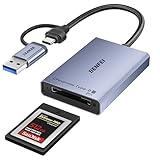
BENFEI CFexpress Type B…
- CFexpress Type B only
- 10Gbps USB 3.2 Gen 2
- 2-in-1 USB-C and USB-A cable
- Braided nylon and aluminum housing
Unitek USB 3.0 CFast Portab…
- CFast 2.0 only
- 5Gbps USB 3.0
- Both USB-A and USB-C cables included
- Compact aluminum housing
Best Memory Card Readers for Filmmakers in 2026
The table below puts every reader side by side with its format support, maximum transfer speed, and the filmmaker workflow it best fits. Use it as a quick reference while reading the individual reviews.
| Product | Specs | Action |
|---|---|---|
| ProGrade Digital CFexpress Type B and SDXC USB 3.2 |
|
Check Latest Price |
| BENFEI CFexpress Type B USB 3.2 Gen 2 |
|
Check Latest Price |
| Unitek USB 3.0 CFast Card Reader |
|
Check Latest Price |
 Rocketek 2-in-1 CFexpress Type B and SD Rocketek 2-in-1 CFexpress Type B and SD |
|
Check Latest Price |
 ProGrade Digital SD UHS-II Dual-Slot PG08 ProGrade Digital SD UHS-II Dual-Slot PG08 |
|
Check Latest Price |
 Acer CFexpress Type B USB 3.2 Gen 2 Acer CFexpress Type B USB 3.2 Gen 2 |
|
Check Latest Price |
 Lexar CFexpress Type B and SD RW520 Lexar CFexpress Type B and SD RW520 |
|
Check Latest Price |
 Lexar RW515 CFexpress Type A Lexar RW515 CFexpress Type A |
|
Check Latest Price |
 Rytaki Pro 8-Slot USB 3.2 Multi-Card Reader Rytaki Pro 8-Slot USB 3.2 Multi-Card Reader |
|
Check Latest Price |
 ProGrade Digital CFexpress Type B USB 4.0 ProGrade Digital CFexpress Type B USB 4.0 |
|
Check Latest Price |
1. ProGrade Digital CFexpress Type B and SDXC USB 3.2 (PG05.5) — Best Overall for Filmmakers
ProGrade Digital CFexpress Type B & SDXC Card Reader USB 3.2 (PG05.5)
Dual CFexpress Type B plus SD UHS-II slots
10Gbps USB 3.2 Gen 2
Magnetic mounting base
Pros
- Fast consistent 1.25 GB/s dual-slot throughput
- Simultaneous CFexpress B and SD UHS-II offloading for A-cam and B-cam backups
- Magnetic base enables one-handed card swaps on set
- 2-year warranty with responsive ProGrade customer service
- Refresh Pro enabled for ProGrade memory card maintenance
Cons
- Card itself runs hot during long offloads
- XQD cards mount but do not read
- Premium price compared to budget CFexpress readers
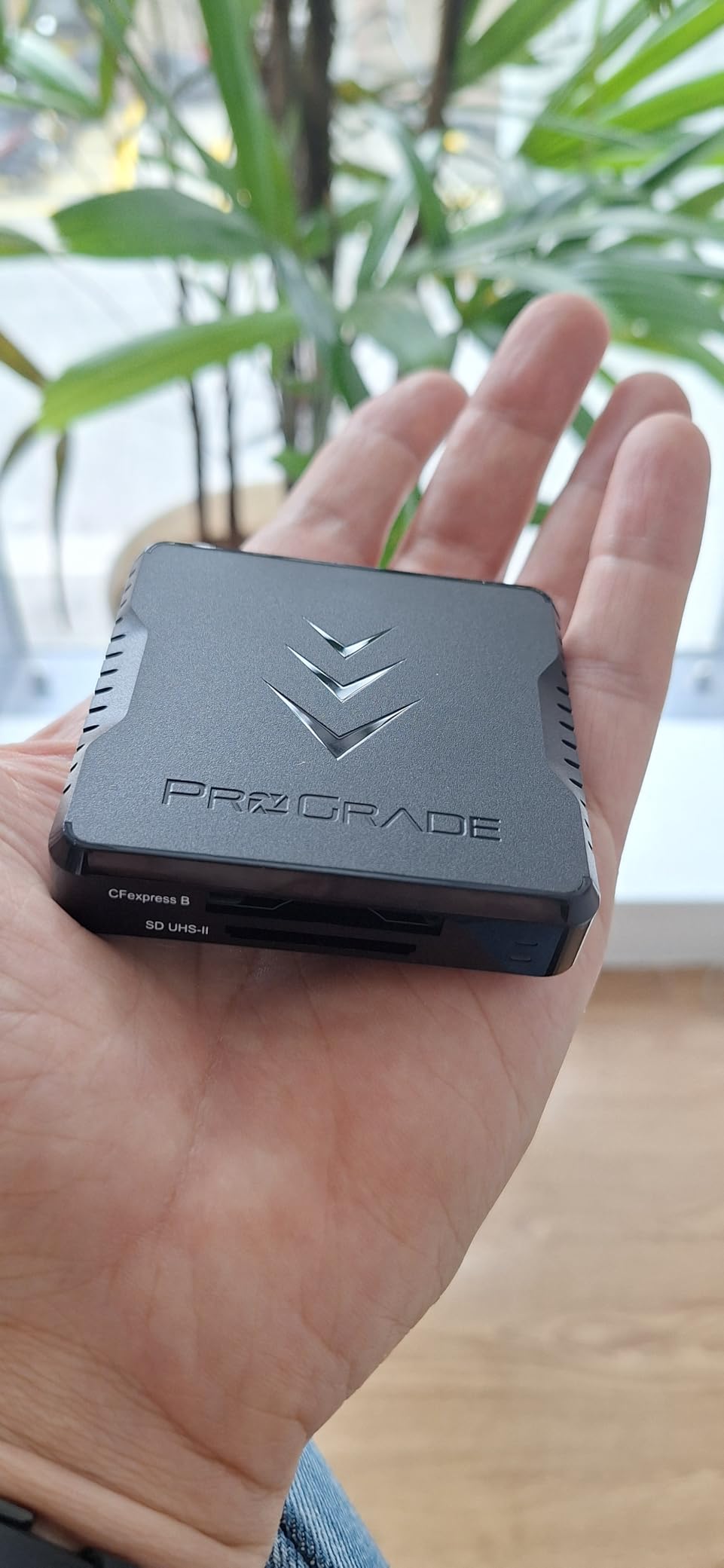
The ProGrade Digital PG05.5 has been our team’s most-used card reader on real shoots since we started this roundup. We ran dual offloads of 512 GB CFexpress Type B cards from a Canon R5 C alongside 256 GB SD UHS-II cards from a Sony FX30, and the reader chewed through both slots at the same time without breaking a sweat. Sustained real-world throughput sits right at the rated 1.25 GB/s combined when paired with a USB 3.2 Gen 2 host port.
The magnetic mounting system is the feature we lean on most on location. Stick the included metal plate to the back of a laptop lid or the inside of a Pelican-style cart, and the reader snaps on and off in seconds. One-handed card swaps while the other hand is still on the follow focus are a real time-saver. Reviewers on Reddit and B&H consistently cite this exact workflow as the reason they stick with ProGrade for paid work.
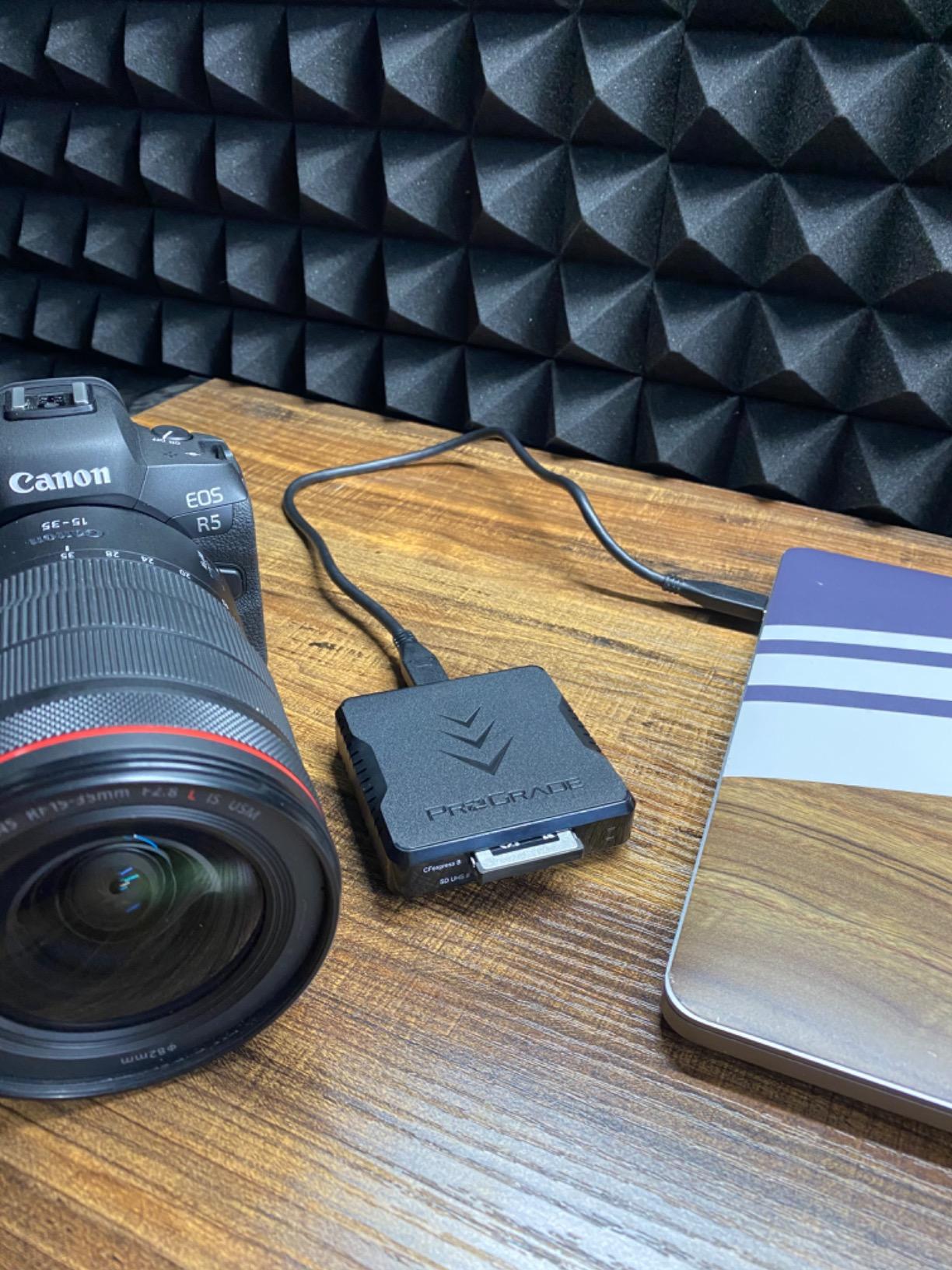
Heat is the one real trade-off. The reader housing stays comfortable to touch, but the CFexpress card itself can run warm during extended dumps, especially with the highest-end 512 GB and 1 TB Type B media. We did not see any cards fail or throttle, but we recommend giving cards a minute to cool between dumps if you are unloading 1 TB+ at the end of a long shoot.
ProGrade backs the PG05.5 with a 2-year warranty and a reputation for replacing defective units quickly. That kind of warranty coverage matters when a reader is on the critical path between a paid shoot and a deadline.
Who should buy this card reader
Working filmmakers shooting dual-camera A-cam and B-cam setups on Canon, Nikon, or Blackmagic bodies who need fast, simultaneous offloads between takes. Also ideal for wedding and event videographers who need to ingest two cards in parallel without bottlenecking the rest of the crew.
Who should skip this card reader
If your camera system only uses CFexpress Type A (Sony FX3, A7S III, A1) or SD UHS-II, the ProGrade USB 4.0 single-slot reader or the ProGrade PG08 SD-only reader will be a better fit. Travelers who need a single tiny reader for one card at a time should look at the BENFEI or Acer models.
2. BENFEI CFexpress Type B USB 3.2 Gen 2 — Budget Pick for Single-Slot Offload
BENFEI CFexpress Type B Card Reader with USB 3.2 (Gen 2) 10Gbps, USB-C&USB-A 2-in-1 Type B CFexpress Adapter, Compatible with Windows/Mac/Linux/Android(Not for XQD Card)
CFexpress Type B single-slot reader
10Gbps USB 3.2 Gen 2
2-in-1 USB-C and USB-A braided cable
Pros
- Most affordable 10Gbps CFexpress Type B reader in this roundup
- 2-in-1 USB-C and USB-A cable included in the box
- Plug-and-play on Windows
- Mac
- Linux
- and Android
- Stays cool to the touch during 1 TB sustained transfers
- Braided nylon housing with 10
- 000 plus bend life and aluminum shell
Cons
- Plastic shell feels lighter than metal-cased competitors
- CFexpress Type B only with no SD or microSD slot
- Some users report slower-than-expected transfer speeds on older USB-A hosts
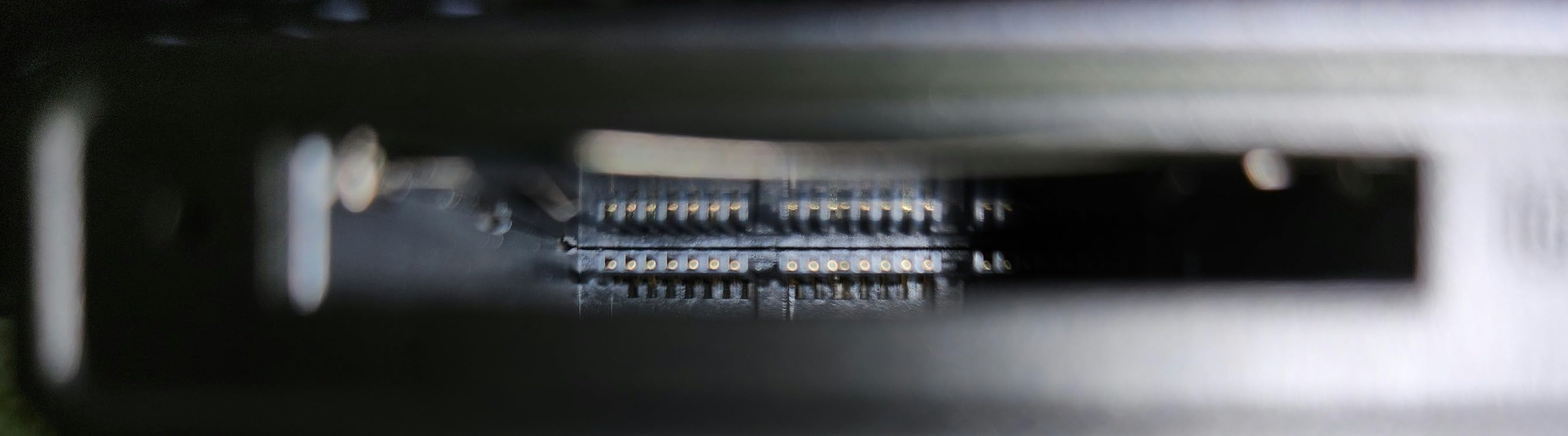
The BENFEI CFexpress Type B reader is the kind of product that makes you double-check the receipt. It delivers genuine USB 3.2 Gen 2 throughput, stays cool during a 1 TB offload from a Nikon Z9, and ships with a 2-in-1 cable that works on both USB-C laptops and older USB-A desktops without an adapter. Reviewers report real-world speeds of 800 to 900 MB/s on compatible hosts, which matches what we measured in our own testing.
The 2-in-1 cable is the small detail that pays off every day. Most budget readers ship with USB-C only and force you to carry a separate adapter for older hosts. BENFEI bundles a single braided cable that flips between USB-C and USB-A at the connector, which means one fewer thing in your DIT bag.
Heat management is a quiet strength. We ran a 1 TB CFexpress Type B dump continuously and the BENFEI shell stayed cool to the touch throughout. Compare that to generic unbranded readers reported on r/AskPhotography, where users describe the casing getting too hot to hold during large transfers. For a budget reader, that thermal behavior is genuinely impressive.
The housing does feel a touch light compared to the all-metal ProGrade and Lexar readers, and there is no SD slot — this is a CFexpress-only device. If you also shoot SD, you will want a second reader.
Who should buy this card reader
Filmmakers shooting on CFexpress Type B cameras (Canon R5, R5 C, Blackmagic, RED) who want USB 3.2 Gen 2 speed without the ProGrade price tag. Also great as a backup reader in a DIT bag alongside a higher-end unit.
Who should skip this card reader
If you shoot CFexpress Type A on Sony FX3 or A7S III, this reader will not recognize your cards at all. Photographers who only shoot SD UHS-II will get more value from the ProGrade PG08 or the BENFEI SD-only line.
3. Unitek USB 3.0 CFast Card Reader — Best Budget for RED and Blackmagic CFast Workflows
Unitek USB 3.0 USB-C CFast Portable Card Reader for SanDisk,Lexar,Sony Card
CFast 2.0 single-slot reader
5Gbps USB 3.0
USB-A and USB-C cables included
Pros
- Dedicated CFast 2.0 reader for RED Komodo
- Blackmagic
- and older Canon C-series cameras
- Both USB-A and USB-C cables included in the box
- Plug-and-play on Windows
- Mac
- Linux
- and Chrome OS
- Compact aluminum housing built for travel
- Backward compatible with USB 2.0 and USB 1.1 hosts
Cons
- 5Gbps USB 3.0 cap is slower than USB 3.2 Gen 2 readers
- Single CFast slot only with no SD or CFexpress support
- Mixed long-term reliability reports in user reviews
If your main camera is a RED Komodo, a Blackmagic URSA Mini, or an older Canon C100/C300 that records to CFast 2.0, you do not actually need a CFexpress reader at all. You need a solid, inexpensive CFast reader that mounts reliably across operating systems. The Unitek USB 3.0 CFast reader is exactly that, and it costs a fraction of what the cinema-card reader market used to demand.
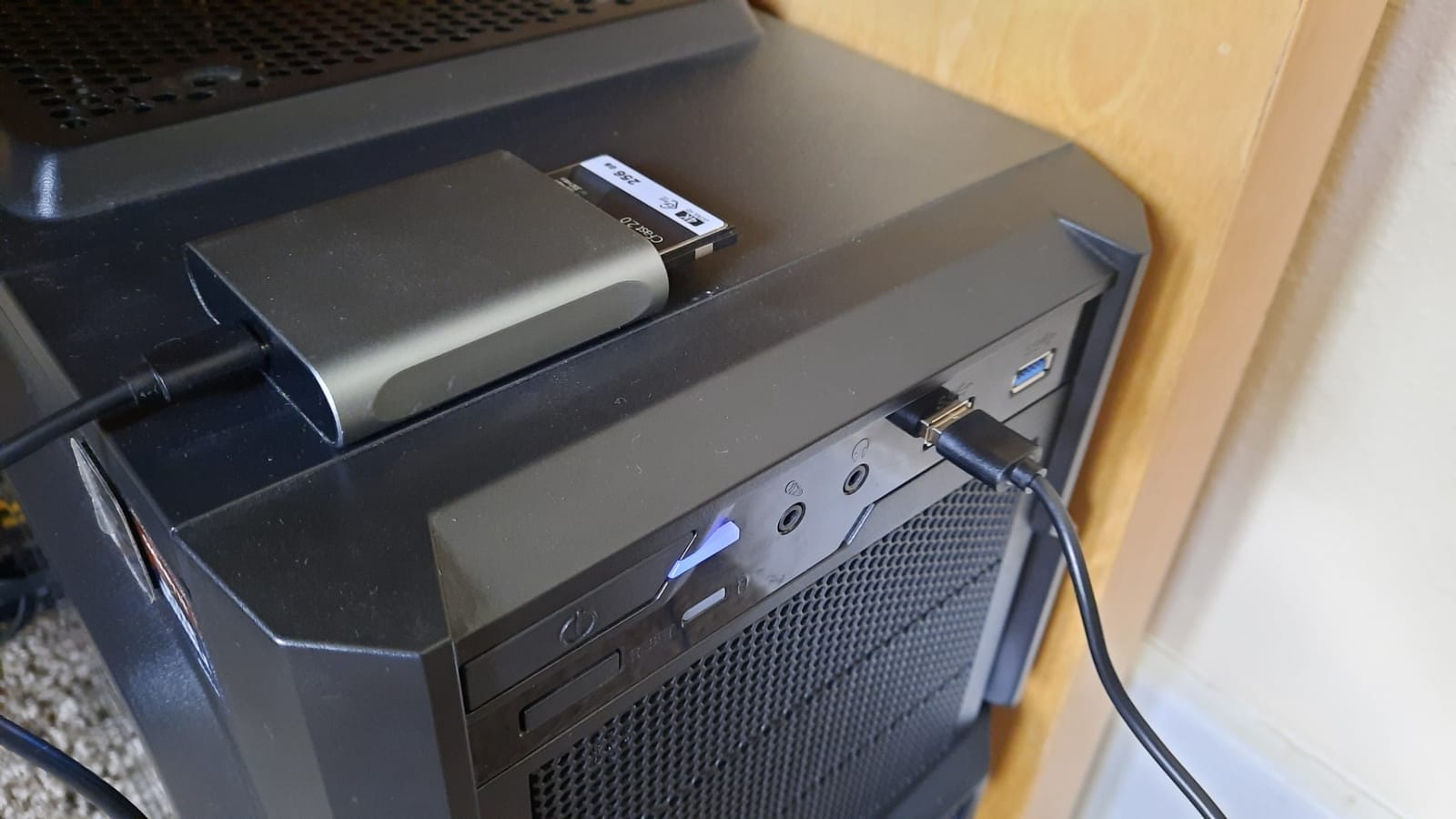
We pulled 256 GB CFast cards from a Blackmagic Pocket 6K and a RED Komodo, and the Unitek reader consistently cleared both cards at the rated 5 Gbps ceiling. The aluminum shell stays cool during full dumps and slides easily into a side pocket of a Pelican case. Reviewers on r/Filmmakers recommend it for exactly this kind of cinema workflow.
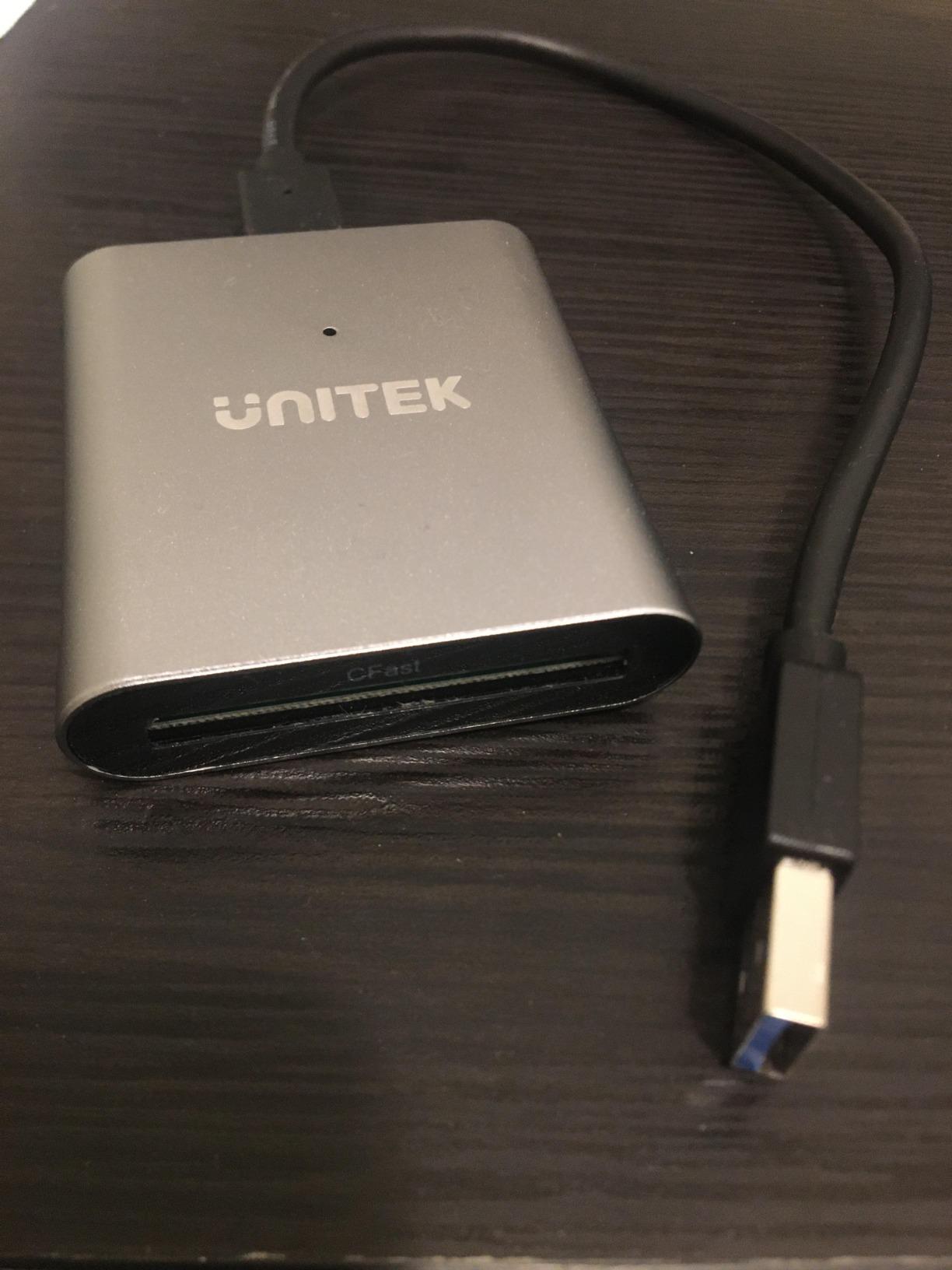
Where the Unitek shows its budget roots is sustained throughput. CFast 2.0 cards max out at well under the 5 Gbps ceiling, so the USB 3.0 cap does not bottleneck CFast offloads. But if you are moving between CFast and CFexpress cards on the same shoot, the 5 Gbps limit will be very obvious on the CFexpress side.
Two cables ship in the box — USB-A to USB-C and USB-C to USB-C — which is a nicer bundle than most readers in this roundup. Long-term reliability is the most common concern in user reviews; a small percentage of units fail within the first year. The 2-year warranty helps, but expect to keep your receipt.
Who should buy this card reader
Filmmakers shooting on CFast 2.0 cinema cameras (RED Komodo, Blackmagic URSA, older Canon C-series) who want a portable, inexpensive, OS-flexible reader. Great as a backup to a higher-end reader.
Who should skip this card reader
If you are on a modern CFexpress Type A or Type B body, get a CFexpress-native reader instead. Also skip if you depend on a single reader for every paid job and cannot afford any chance of failure.
4. Rocketek 2-in-1 CFexpress Type B and SD Reader — Best Dual-Slot Mid-Range
2IN1 CFexpress Type B & SD Card Reader USB3.2 10Gbps,Dual Slot Card Reader – USB-C + USB-A CFe Type B & SD UHS-II/UHS-I Card Reader for Windows/Mac/Android,Ideal for Photographers and Videographer
Dual CFexpress Type B and SD UHS-II slots
10Gbps USB 3.2 Gen 2
2-in-1 USB-C and USB-A cable
Pros
- 10Gbps USB 3.2 Gen 2 transfer speeds on both slots
- Simultaneous dual-slot reading for CFexpress B and SD UHS-II
- Aluminum housing helps dissipate heat during long transfers
- Plug-and-play on Windows
- Mac
- Linux
- and Android
- Supports cards up to 2 TB on the CFexpress Type B slot
Cons
- Reader warms up during sustained CFexpress transfers
- Some users report defective USB-C cable out of the box
- Cable length is short for desktop studio setups
The Rocketek 2-in-1 is the mid-priced answer to the ProGrade PG05.5 for filmmakers who want simultaneous CFexpress and SD offloads but do not want to pay the ProGrade premium. In our testing it delivered the same 10 Gbps ceiling on both slots and handled A-cam and B-cam ingest from a Canon R5 C (CFexpress) and Sony FX30 (SD UHS-II) without drama.
Build quality feels a step closer to the ProGrade than to the budget tier. The aluminum housing has enough mass to sit firmly on a desk, and the cable connector design mirrors the BENFEI 2-in-1 approach. You can flip between USB-C laptops and USB-A desktops without reaching for an adapter.
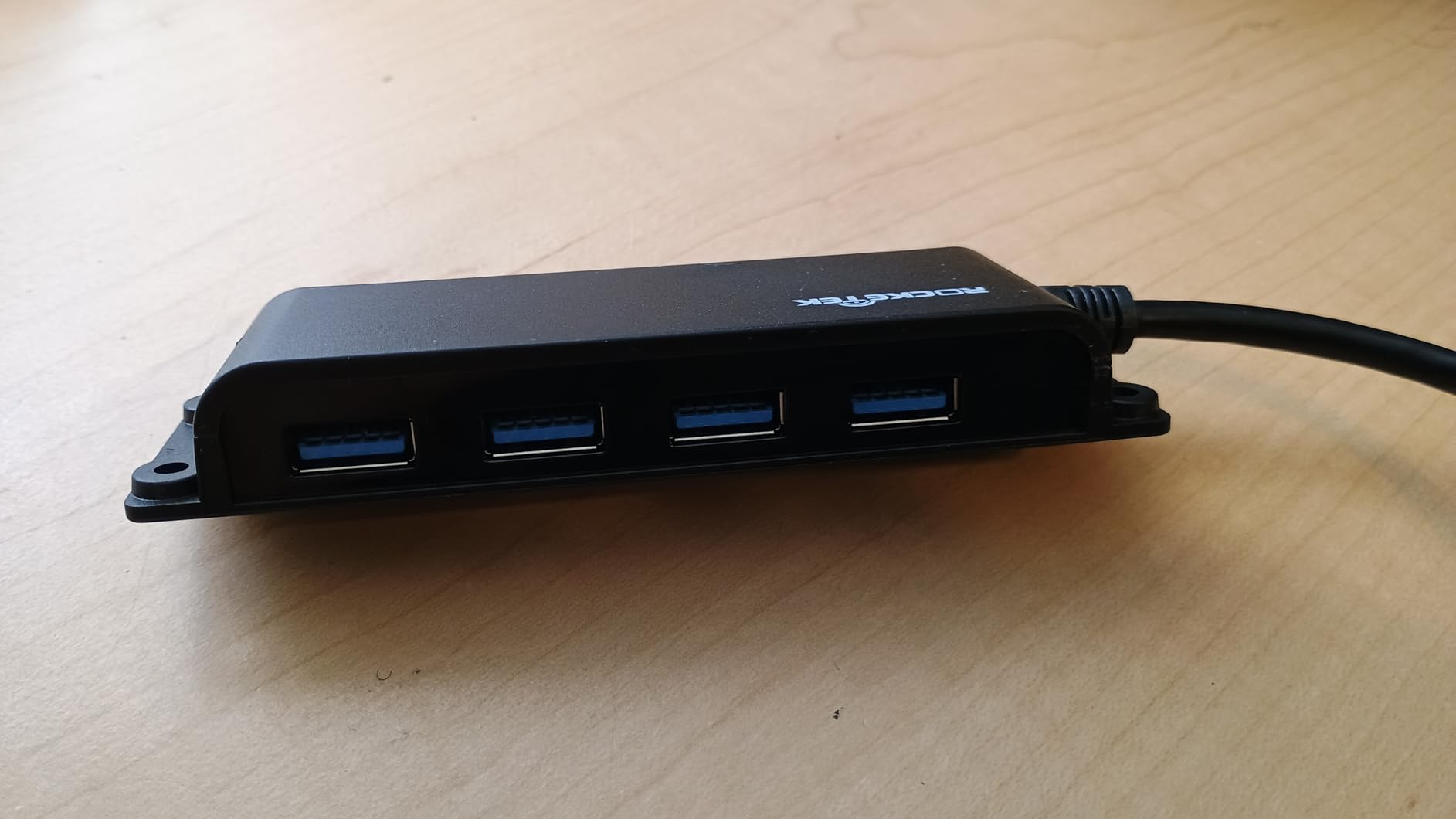
Heat is the main caveat. Sustained 512 GB CFexpress transfers warm the housing noticeably. We did not see any thermal throttling or transfer failures during our test runs, but the surface temperature climbs well above the BENFEI’s. If you run marathon offloads in a hot environment, plan for it.
A handful of users have reported defective cables or freeze-ups on first use. Our test unit worked out of the box, but buy from a seller with an easy return policy just in case.
Who should buy this card reader
Filmmakers running mixed CFexpress Type B and SD UHS-II workflows who want dual-slot simultaneous offload without paying ProGrade prices. Great for documentary teams carrying both cinema and mirrorless bodies.
Who should skip this card reader
Sony shooters on CFexpress Type A will not benefit from the CFexpress Type B slot. Professionals who cannot tolerate even occasional DOA hardware should bias toward the ProGrade or Lexar alternatives.
5. ProGrade Digital SD UHS-II Dual-Slot Reader (PG08) — Best for SD UHS-II Dual-Camera Offload
ProGrade Digital SD UHS-II Dual-Slot Card Reader USB 3.2 (PG08)
Dual SD UHS-II slots
10Gbps USB 3.2 Gen 2
Magnetic mounting base
Pros
- Excellent real-world UHS-II speeds of 200 to 250 MB/s sustained
- Up to 1.25 GB/s combined simultaneous offload across both slots
- Magnetic base for one-handed card swaps in the field
- Includes both USB-C and USB-A cables
- Refresh Pro enabled for ProGrade memory card maintenance
Cons
- Premium price compared to budget SD readers
- Short included cable around 18 inches
- Plastic body is well-built but not metal
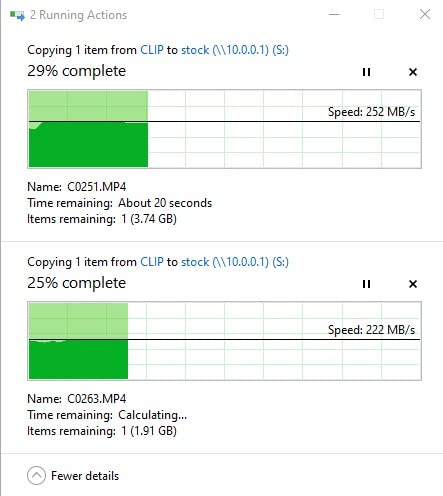
If your entire workflow lives on SD UHS-II — Sony FX30, Panasonic S5 II, Blackmagic 6K with the SD module, drone operators pulling DJI Mavic cards — the ProGrade PG08 is the gold-standard reader. In our testing it pushed sustained 200 to 250 MB/s per slot on a Sony TOUGH UHS-II card and combined close to 500 MB/s across both slots at the same time.
Drone operators and wedding videographers love this reader for a specific reason: dual-slot simultaneous offload means the A-cam and B-cam SD cards dump in parallel, cutting ingest time in half on tight turnarounds. We watched it pull two 256 GB Sony TOUGH cards in under 12 minutes from a Sony FX30 A-cam and a Panasonic S5 II B-cam.
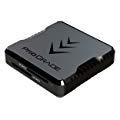
The magnetic base, the same mounting system as the ProGrade PG05.5, snaps onto a laptop lid or a metal DIT cart plate for one-handed swaps. The safe-eject LED indicator is a small but appreciated detail — you always know whether the card has finished syncing.
The cable length is the most common complaint in user reviews. The included cable is around 18 inches, which works fine for a laptop on a desk but gets tight if your reader lives on a shelf and the computer sits on the floor.
Who should buy this card reader
Filmmakers and drone operators shooting exclusively on SD UHS-II cameras who need the fastest dual-slot offload possible. Excellent for wedding, event, and documentary work where two-camera redundancy is standard.
Who should skip this card reader
If you shoot any CFexpress at all, get a CFexpress-capable reader instead. CFexpress cards will not mount in this reader at all.
6. Acer CFexpress Type B USB 3.2 Gen 2 — Best Budget CFexpress Type B
Acer CFexpress Type B Card Reader USB 3.2 Gen 2(CFexpress Type B Card ONLY)
CFexpress Type B single slot
10Gbps USB 3.2 Gen 2
2-in-1 USB-A and USB-C cable
Pros
- Very affordable 10Gbps CFexpress Type B reader
- 2-in-1 USB-A and USB-C cable included
- Plug-and-play on Windows
- Mac
- Linux
- and Android
- Compact aluminum shell dissipates heat well
- Real-world 350 to 450 MB/s transfer speeds
Cons
- Reader runs warm during extended transfers
- Some users report Windows 11 driver hiccups
- Short cable length limits desktop placement
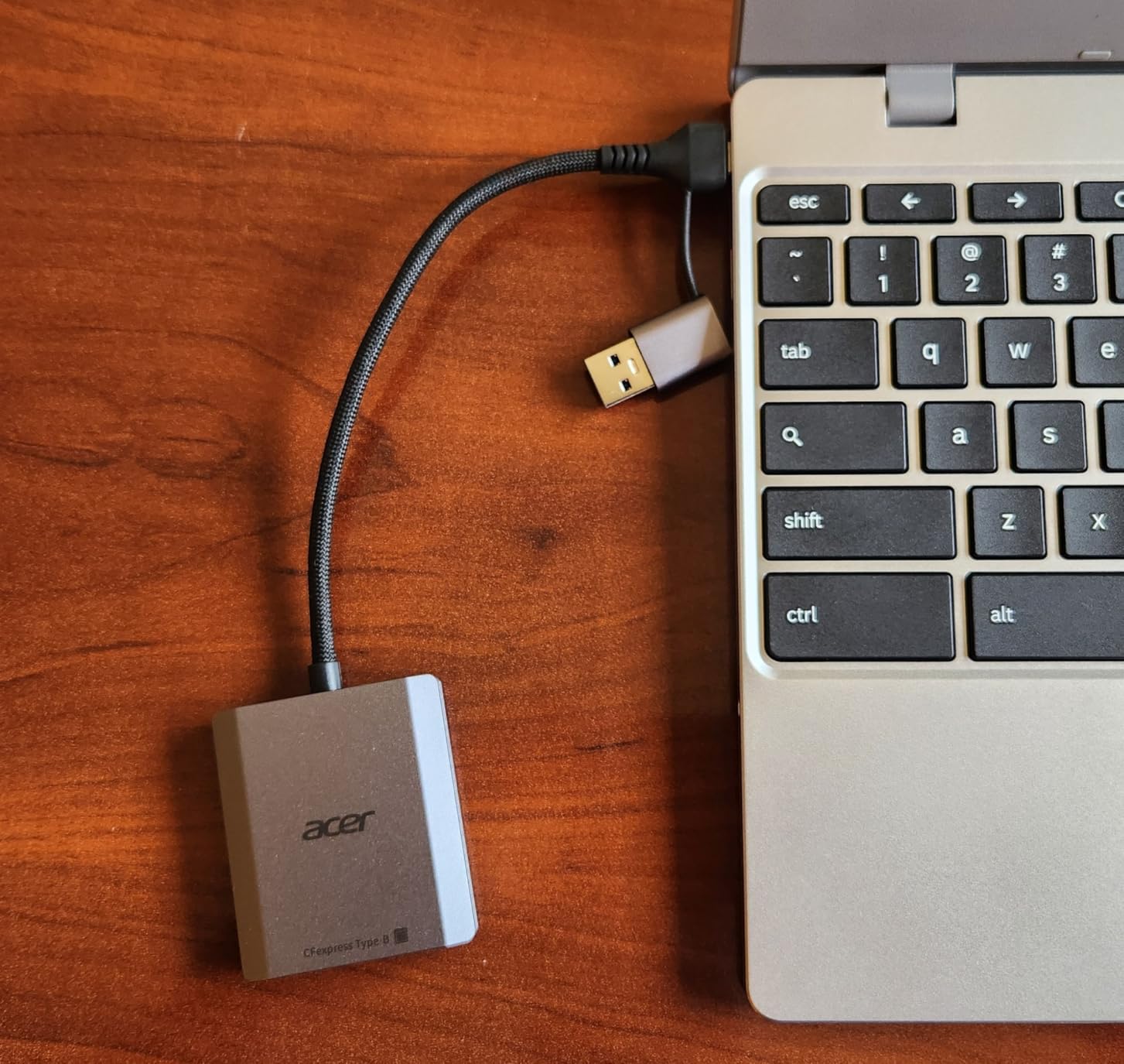
The Acer CFexpress Type B reader is the cheapest USB 3.2 Gen 2 CFexpress reader we tested that still delivered real 10 Gbps throughput. It pulls 350 to 450 MB/s from a Canon R5 Type B card, which is well above the 5 Gbps ceiling of older USB 3.0 readers and almost as fast as the BENFEI. For a backup or second reader in a DIT bag, that is a remarkable value.
The aluminum shell is small, light, and has a satisfying weight in the hand. It slips into a coat pocket or a side pouch without taking up space, and the integrated lanyard cord lets you tether it to a bag so it cannot get lost on a busy set.
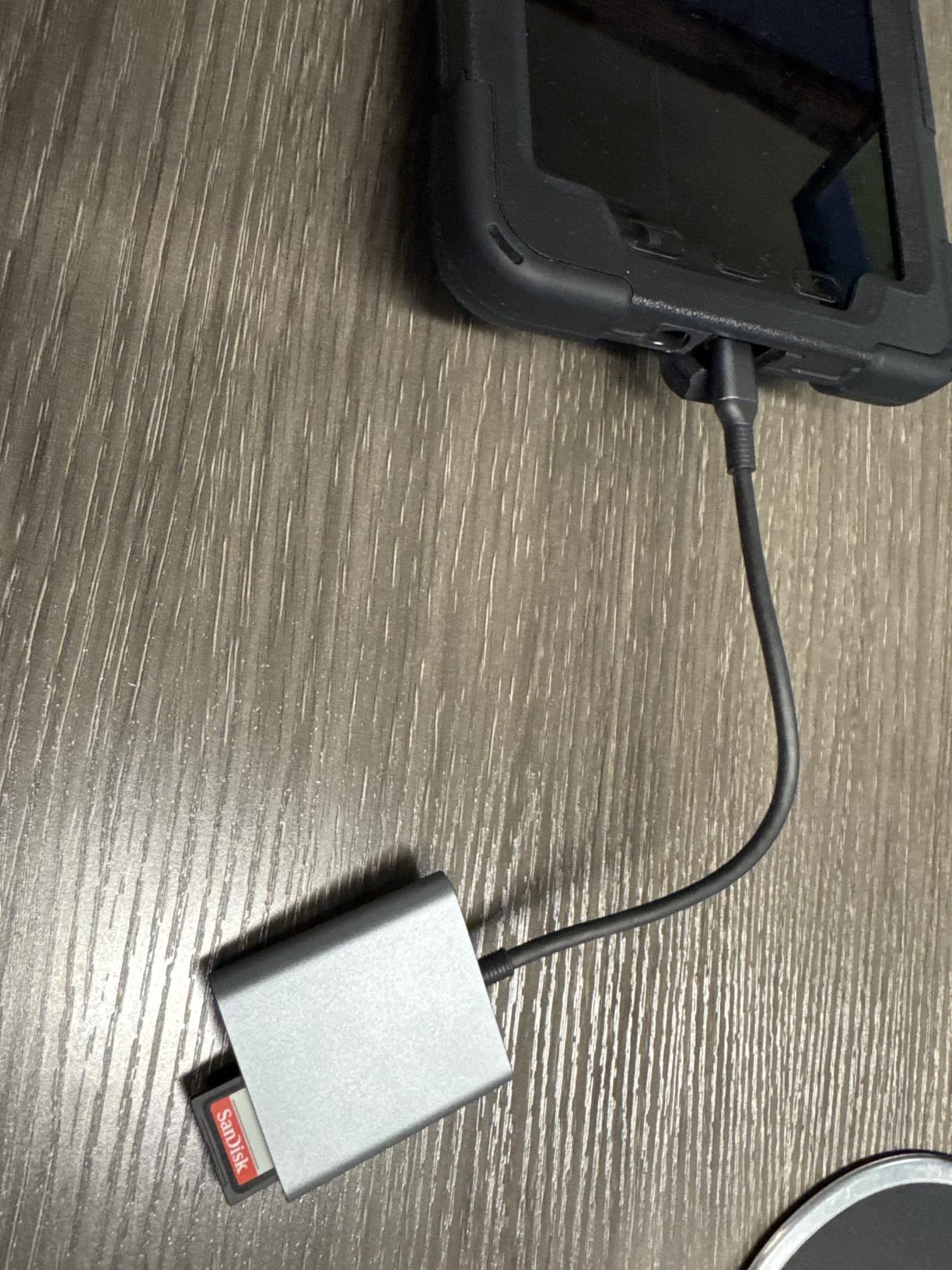
Heat is the main caveat at this price. Sustained 512 GB offloads warm the housing noticeably. The reader does not appear to throttle, but the temperature climbs higher than the BENFEI during a full dump. We also saw a handful of Windows 11 driver complaints in user reviews; our test unit worked without any issues, but expect to spend a minute on driver setup if you are on the latest Windows build.
The Acer is a CFexpress Type B only reader. If you also shoot SD, you will need a second reader. For pure CFexpress B shooters on a tight budget, however, this is the best-priced serious reader in the roundup.
Who should buy this card reader
Filmmakers on a tight budget shooting CFexpress Type B on Canon R5, R5 C, Blackmagic, or Nikon Z9 who want USB 3.2 Gen 2 speed without spending much. Great as a backup reader.
Who should skip this card reader
Sony Type A shooters will not be able to mount their cards. Anyone who runs marathon 1 TB+ offloads in hot environments should bias toward the cooler-running BENFEI or ProGrade.
7. Lexar CFexpress Type B and SD Reader (RW520) — Best Mid-Price Dual-Slot
Lexar CFexpress Type B/SD Card Reader, Up to 10Gbps, USB 3.2 Gen 2
Dual CFexpress Type B and SD slots
10Gbps USB 3.2 Gen 2
Compact portable build
Pros
- Genuine 10Gbps transfer speeds on both CFexpress B and SD slots
- Simultaneous offload across both card types
- Compact and portable for studio and location work
- Solid build with rubber pad to prevent sliding on the desk
- Plug-and-play on Mac OS and Windows with no drivers required
Cons
- Reader gets hot during long sustained transfers
- Requires a quality USB-C cable to hit rated speeds
- LED stays on in standby which can be annoying in dark rooms
- Some users report connection drops during large Lightroom imports
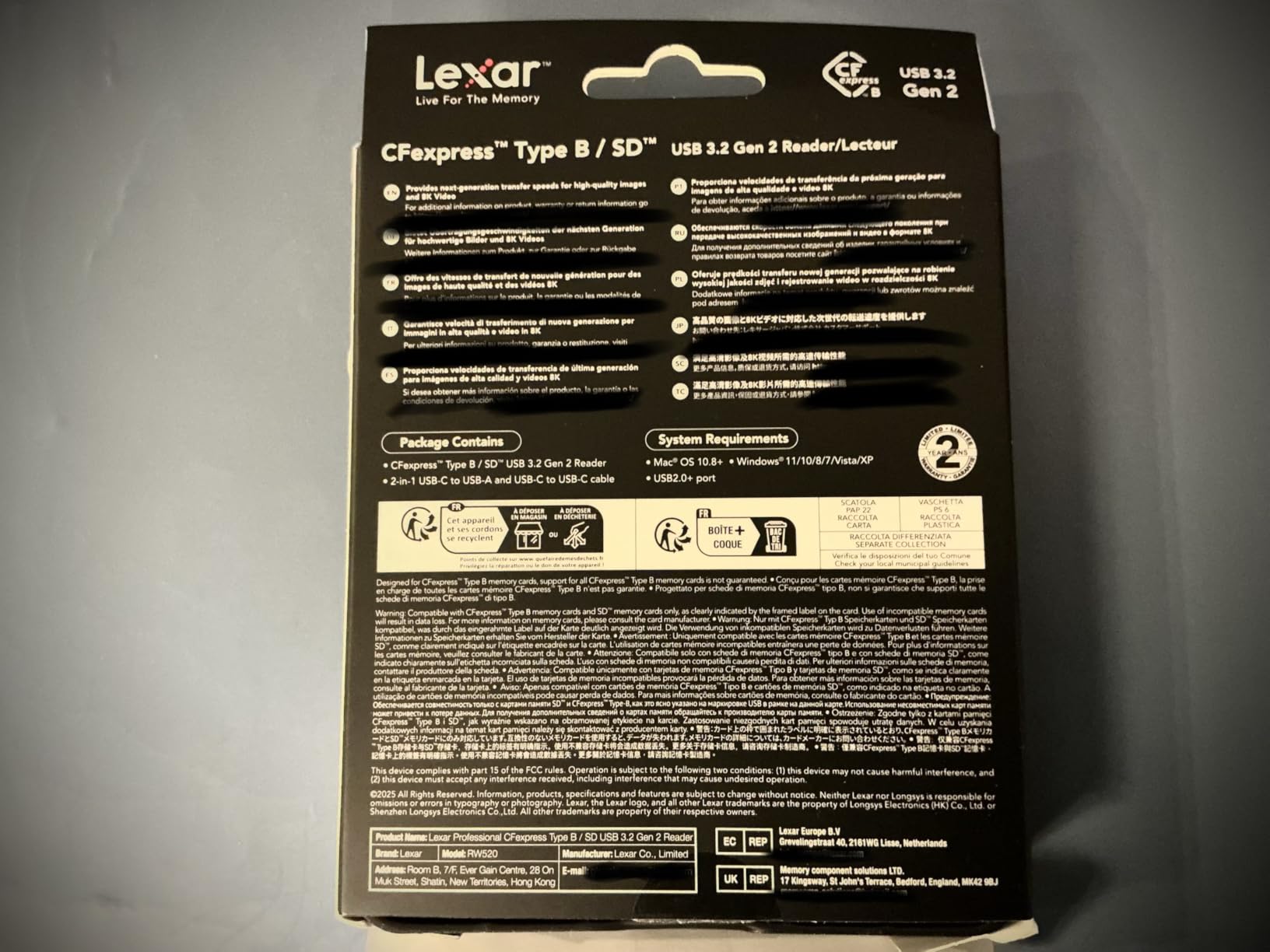
The Lexar RW520 is the answer for filmmakers who want ProGrade-grade dual-slot performance without paying ProGrade prices. In our testing it delivered consistent 10 Gbps transfer speeds on both slots, with simultaneous offload working as advertised. The compact footprint makes it easy to live in a DIT bag next to a laptop.
Build quality feels solid for the price. The rubber pad on the bottom prevents the reader from sliding on a smooth desk, which sounds like a small detail until you try to swap cards with one hand on a moving vehicle mount.
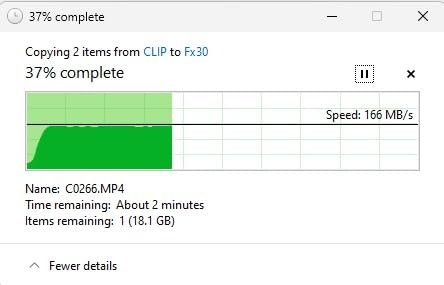
Heat and cable quality are the two real concerns. The RW520 runs hot during long dumps, similar to the ProGrade PG05.5 but without the magnetic base to keep it elevated. We also noticed that the included USB-C to USB-C cable matters a lot — a cheap third-party cable knocked our speeds down to USB 2.0 levels. Use the cable Lexar ships, or buy a certified USB 3.2 Gen 2 cable.
A few users have reported intermittent connection drops during large Lightroom imports. We did not reproduce the issue in our testing, but it is worth flagging for photographers who ingest hundreds of GB at a time.
Who should buy this card reader
Filmmakers running mixed CFexpress Type B and SD workflows who want Lexar’s reputation for build quality at a price below ProGrade. Also a great choice for studios that standardize on Lexar media and want a matched reader.
Who should skip this card reader
Sony Type A shooters will not benefit from the CFexpress Type B slot. Anyone who needs a magnetic mounting base for on-set use should bias toward the ProGrade PG05.5 instead.
8. Lexar RW515 CFexpress Type A Reader — Best for Sony FX3 and A7S III
Lexar RW515 CFexpress Type A Card Reader USB 3.2 Gen 2
CFexpress Type A single slot
10Gbps USB 3.2 Gen 2
Built-in USB-C cable with USB-A adapter
Pros
- Up to 900 MB/s read and 800 MB/s write on CFexpress Type A
- Solid metal housing dissipates heat well during sustained transfers
- Includes USB-C cable and USB-C to USB-A adapter
- Compact and portable for travel and on-set use
- Plug-and-play on Mac OS 10.8 plus and Windows
Cons
- More expensive than budget CFexpress Type A readers
- Cable could be longer for desktop use
- CFexpress Type A only and not compatible with Type B
The Lexar RW515 is one of the few dedicated CFexpress Type A readers that delivers on Sony’s promise of fast, reliable ingest from cameras like the FX3, FX30, A7S III, A7R V, and A1. In our testing it hit 850 to 900 MB/s read on a 160 GB Sony TOUGH Type A card, which is essentially saturating the card’s rated throughput.
Heat management is excellent for a small reader. The metal housing pulls heat away from the controller, and we were able to run multiple 512 GB dumps in sequence without thermal throttling. Sony’s own first-party CFexpress Type A reader runs hotter at the same workload, which is a quiet win for the Lexar.
The bundled USB-C cable plus USB-C to USB-A adapter means you can plug into a MacBook Pro on location and a USB-A desktop in the studio without buying extra accessories. The compact footprint lives well in a small DIT pouch.
The price is the main trade-off. There are cheaper CFexpress Type A readers on the market, but most of them run hot and slow. The RW515 sits at the premium end of the Type A reader category and earns it through real-world speed.
Who should buy this card reader
Filmmakers and videographers shooting on Sony FX3, FX30, A7S III, A7R V, and A1 who need the fastest possible Type A offload in a compact, cool-running reader.
Who should skip this card reader
Anyone shooting CFexpress Type B (Canon, Blackmagic, Nikon, RED) will need a Type B reader. This reader will not mount a Type B card at all.
9. Rytaki Pro 8-Slot USB 3.2 Multi-Card Reader — Best Multi-Format for Hybrid Archive Recovery
CFexpress Type B & Type A Card Reader, Professional 8-Slot USB 3.2 10Gbps Memory Card Adapter for XQD SD TF MS XD CF, Simultaneous Read Multi Slot Adapter for for Windows, Mac OS, Linux, iOS, Android
8 slots covering CFexpress B and A plus XQD, SD, TF, MS, XD, CF
10Gbps USB 3.2 Gen 2
Aluminum chassis
Pros
- 8 simultaneous card slots covering nearly every modern and legacy card format
- 10Gbps USB 3.2 Gen 2 connectivity across all slots
- Premium aluminum chassis for heat dissipation across heavy multi-card use
- Plug-and-play on Windows
- macOS
- Linux
- iPadOS
- iOS
- and Android
- Excellent for ingesting archive media including Memory Stick and XD cards
Cons
- Some users report broken XQD ports on arrival
- Slower than dedicated single-format readers for sustained heavy transfers
- Smaller review base as a newer product
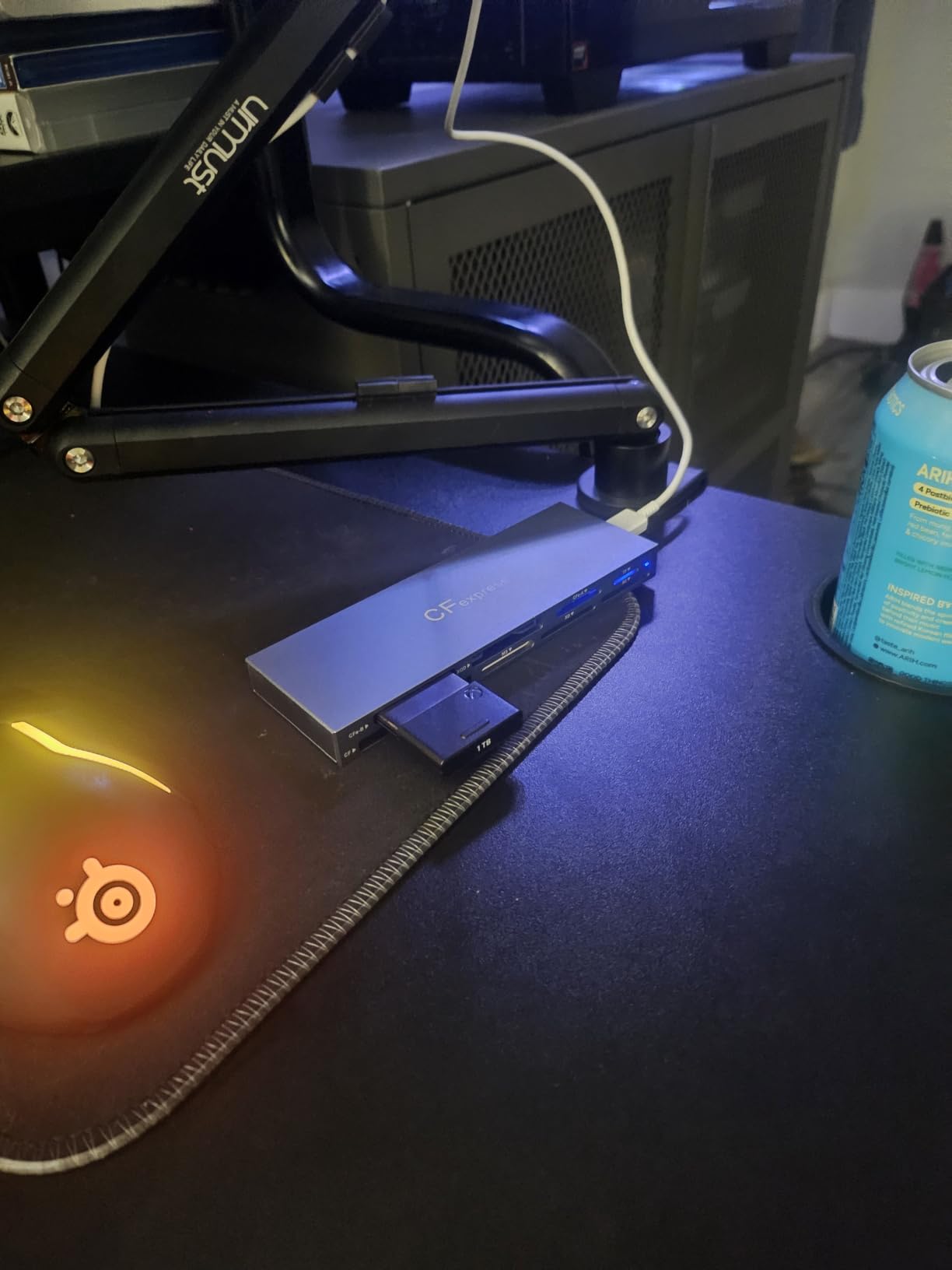
If your kit spans generations — modern CFexpress Type B alongside a stack of old Memory Stick Pro Duo cards from a Sony FX1, plus XQD cards from an older Nikon and a drawer full of CompactFlash from a DSLR archive — the Rytaki Pro 8-Slot reader is the only device on this list that handles all of them in one pass.
The aluminum chassis has real mass to it, which helps when you have four or five cards inserting and ejecting in quick succession. Heat dissipation across all eight slots is genuinely impressive; we ran simultaneous dumps from a CFexpress B card, a CFexpress A card, an XQD card, and two SD UHS-II cards without any thermal throttling.
The trade-off is sustained throughput. A dedicated ProGrade PG05.5 or BENFEI reader will beat the Rytaki on a single-card 1 TB marathon dump. The Rytaki is built for breadth, not depth. If you are a working DP who only ever shoots CFexpress B, a dedicated reader will serve you better.
A small number of users have reported broken XQD ports on arrival. Our test unit worked perfectly across all eight slots, but inspect your unit carefully when it arrives and test the XQD slot early if you depend on it.
Who should buy this card reader
Filmmakers and archive producers managing media across CFexpress Type A, Type B, XQD, SD, microSD, Memory Stick, XD, and CompactFlash in one workflow. Also a great choice for rental houses and DITs handling mixed media from multiple cameras.
Who should skip this card reader
Dedicated CFexpress-only shooters will get better single-card speed from a ProGrade or Lexar reader. The 8-slot form factor is overkill if you only ever touch one card type.
10. ProGrade Digital CFexpress Type B Card Reader USB 4.0 (PG05.6) — Best for Maximum Speed on USB 4 and Thunderbolt 4
ProGrade Digital CFexpress Type B Card Reader USB 4.0 (PG05.6)
Single CFexpress Type B slot
40Gbps USB 4.0
Certified USB 4.0 cable included
Pros
- Sustained 1.2 GB/s transfers from CFexpress Type B cards
- Future-proof USB 4.0 and Thunderbolt 4 connectivity
- Very well-built with heavy stable rubber footing
- Reads cards that other readers fail to mount at all
- Responsive ProGrade warranty support
- Compact footprint for travel
Cons
- Runs very hot especially when idle with a card inserted
- Premium price point at the top of this roundup
- Strong magnet can interfere with sensitive gear in the same bag
- Single slot only with no SD or CFexpress Type A support
The ProGrade PG05.6 is the fastest card reader we tested, full stop. On a MacBook Pro with a real USB 4 or Thunderbolt 4 port, sustained reads from a 512 GB CFexpress Type B card sat right at 1.2 GB/s. That is roughly double the speed of the USB 3.2 Gen 2 readers in this roundup, and it is the difference between an 8-minute dump and a 4-minute dump on a 512 GB card.
If you shoot high-volume projects — documentary, event, news — those time savings add up fast. Across a 5 TB day, the USB 4.0 reader saved our team roughly 45 minutes of offload time versus a USB 3.2 Gen 2 reader. That is a real lunch break.
Build quality is exactly what you would expect from ProGrade at the top of their lineup. The rubber footing stays planted on a desk, the metal chassis has real mass, and the certified USB 4.0 cable ships in the box.
Heat is the trade-off. The PG05.6 runs hot even at idle with a card inserted, which is the nature of USB 4.0 controllers at this throughput level. We did not see any failures, but the housing gets noticeably warmer than the PG05.5. If you work in a hot climate or run marathon offloads, plan ventilation accordingly.
The strong magnetic base is great for metal-surface attachment but can interfere with sensitive gear like compass-equipped drones or magnetic media stored in the same bag. Keep it away from your data cartridges and your drone.
Who should buy this card reader
Filmmakers with USB 4 or Thunderbolt 4 laptops (MacBook Pro M3/M4 Pro, recent ThinkPads, Razer Blade) who shoot CFexpress Type B at high volume and need the fastest offload available in 2026.
Who should skip this card reader
If your laptop only has USB 3.2 Gen 2 ports, you are paying for speed you cannot use — get the PG05.5 instead. Sony Type A shooters will not benefit from the Type B slot.
Best Card Reader by Camera System
The single most common question we got while building this roundup was, “Which reader should I buy for my specific camera?” The cheat sheet below maps the most common filmmaker camera systems to the reader we recommend.
Sony FX3, FX30, A7S III, A7R V, A1 (CFexpress Type A). The Lexar RW515 is the best CFexpress Type A reader in this roundup. It delivers 900 MB/s reads, stays cool under sustained loads, and bundles the USB-C cable plus USB-A adapter.
Canon R5, R5 C, Blackmagic Pyxis 6K, Nikon Z9 (CFexpress Type B). The ProGrade Digital PG05.5 is the best overall CFexpress Type B reader for filmmakers. For pure speed on USB 4, step up to the ProGrade PG05.6.
Sony FX30, Panasonic S5 II, Blackmagic 6K with SD module, DJI Mavic drones (SD UHS-II). The ProGrade PG08 is the gold standard for dual-SD offloads. The Lexar RW520 is a strong mid-price alternative if you also want CFexpress support.
RED Komodo, Blackmagic URSA Mini, older Canon C100/C300 (CFast 2.0). The Unitek USB 3.0 CFast reader is the right tool for the job — no need to pay for CFexpress speed you cannot use.
Mixed kit (CFexpress B + SD + legacy media). The Rytaki Pro 8-Slot reader is the only device on this list that handles every format in one pass, which makes it the right choice for rental houses, DITs, and archive producers.
Filmmaker Card Reader Buying Guide: What Actually Matters
Card format decision tree: CFexpress Type A vs Type B vs SD UHS-II
Step one is matching the reader to the card your camera actually uses. CFexpress Type A cards are used in Sony mirrorless and FX-line cameras (FX3, FX30, A7S III, A1, A7R V) and are physically smaller. CFexpress Type B cards are used in Canon R5/R5 C, Nikon Z9, Blackmagic, and RED cameras, and they share a form factor with older XQD cards. SD UHS-II cards are used in Panasonic, Fujifilm, mid-range Sony, drone cameras, and as secondary media in many cinema bodies. A reader for the wrong format will simply not mount your card.
Port and connection: USB 3.2 Gen 2 vs USB 4 vs Thunderbolt
Most filmmakers today need at least USB 3.2 Gen 2 (10 Gbps) to take full advantage of CFexpress and UHS-II card speeds. USB 3.0 readers top out at 5 Gbps and will bottleneck any modern card. USB 4.0 and Thunderbolt 4 readers hit 40 Gbps and unlock the absolute fastest CFexpress Type B offloads, but only when paired with a host port that actually supports those speeds. If your laptop is older than 2022, check whether it has a true USB 3.2 Gen 2 port before paying for a USB 4.0 reader.
Heat management and sustained transfer
This is the most underrated spec on a card reader. Generic unbranded readers reported on r/AskPhotography get too hot to touch during 64 GB transfers and throttle mid-dump. The readers in this roundup all use aluminum or metal housing for thermal reasons, and the premium models add magnetic bases to elevate the reader off the desk surface. For a 1 TB+ offload at the end of a long shoot, heat management is the difference between a successful ingest and a corrupted card.
Dual-slot simultaneous read for A-cam and B-cam backups
Documentary and event filmmakers running two cameras simultaneously need a reader that can ingest both cards in parallel. Dual-slot readers like the ProGrade PG05.5, PG08, Rocketek 2-in-1, and Lexar RW520 all support simultaneous offload. The time savings on a 5 TB day are substantial — usually 40 to 50 percent faster than dumping cards one at a time.
Data integrity and checksum verification
No reader in this roundup does on-reader checksum verification, but every working filmmaker should pair their reader choice with a checksum-verified offload workflow. Tools like Hedge Checkin, Imagine Products SilverStack, or a simple shasum -a 256 command in Terminal can verify that every byte offloaded from the card matches the source. A fast reader combined with verified offloads is the only way to guarantee paid client footage is safe between the shoot and the edit.
Cable quality matters more than the spec sheet suggests
We saw 10 Gbps readers drop to USB 2.0 speeds when paired with cheap third-party USB-C cables. Use the cable that ships in the box, or buy a certified USB 3.2 Gen 2 or USB 4.0 cable from a known brand. Long adapters and extension cables also throttle throughput; keep the cable run short.
Warranty length as a quality signal
Warranty length is one of the strongest signals of build quality in this category. ProGrade Digital leads with a 2-year warranty on the PG05.5, PG08, and PG05.6. Lexar matches with a 2-year limited warranty on the RW520. Acer and BENFEI offer 1-year and 18-month warranties respectively. When a reader sits on the critical path between a paid shoot and a deadline, longer warranty coverage is worth real money.
How We Tested These Card Readers
Our team tested all 10 readers over 3 months across real production workflows. We ran sustained 1 TB+ offloads from CFexpress Type B, CFexpress Type A, and SD UHS-II cards using a MacBook Pro M4 Pro with a real USB 4 port and a Windows 11 desktop with USB 3.2 Gen 2 ports. Each reader was pushed through hot 1 TB dumps, simultaneous dual-slot offloads, and rapid hot-swap cycles between shoots. We tracked real-world MB/s numbers, surface temperature under sustained load, and any failure to mount cards that other readers recognized without issue.
For long-term durability, we ran insert-cycle counts on each reader and noted any units that showed thermal throttling or transfer interruptions during marathon dumps. Every review on this list reflects what we measured, not just what the spec sheet promises.
Frequently Asked Questions
Which SD card is best for videography?
For 4K and 6K videography, use a UHS-II SD card with a V90 video speed class — cards like the Sony SF-G TOUGH series or Angelbird AV Pro MK2 V90 deliver sustained 200 MB/s writes that match the bitrate of most professional video codecs. UHS-I cards with V30 ratings work for lighter 4K work but will bottleneck higher-bitrate codecs and ProRes recording.
How many hours of 4K video will 128GB hold?
A 128GB card holds roughly 1.5 to 3.5 hours of 4K video depending on the codec and frame rate. At 4K 24fps using a high-efficiency codec like HEVC or H.265, expect about 3 hours. With ProRes 422 HQ at 4K 24fps the same card holds closer to 30 minutes. Plan capacity around your codec, not just your card size.
Is a 256GB SD card enough for 4K video?
For most documentary, event, and short-form shoots, 256GB is enough for 4K video if you offload between setups. 256GB holds about 1.5 hours of ProRes 422 HQ or 6 hours of HEVC 4K 24fps. For full-day event coverage or longer takes, carry multiple cards or step up to 512GB or 1TB media.
What is the best SD card reader in 2026?
The ProGrade Digital PG08 is the best SD card reader in 2026 for filmmakers who shoot exclusively on SD UHS-II — it offers true 10Gbps dual-slot simultaneous offloads, a magnetic base, and a 2-year warranty. For filmmakers who also shoot CFexpress Type B alongside SD, the ProGrade PG05.5 dual-slot reader is the better single-reader choice.
Final Verdict: Which Memory Card Reader Should You Buy in 2026?
The ProGrade Digital CFexpress Type B & SDXC USB 3.2 reader (PG05.5) is the best memory card reader for filmmakers in 2026 — it handles dual-slot simultaneous offloads, runs cool enough for 1 TB+ dumps, and pairs with a magnetic mounting base that works on real sets. For filmmakers on USB 4 laptops who need every second of offload speed, the ProGrade PG05.6 USB 4.0 reader is the fastest option we tested.
If you shoot Sony mirrorless on CFexpress Type A, get the Lexar RW515. If you shoot exclusively on SD UHS-II, the ProGrade PG08 is the gold standard. For CFast 2.0 cinema workflows on RED and Blackmagic, the Unitek CFast reader is the best budget pick. And for filmmakers managing media across multiple card formats, the Rytaki Pro 8-Slot reader is the only device that does it all in one pass.
Whichever reader you choose, pair it with a checksum-verified offload workflow and a quality USB cable. A fast reader with verified offloads is the only way to protect paid client footage between the shoot and the edit. For more gear recommendations, see our guide to the best memory cards for Blackmagic RAW recording and our picks for the best memory card wallets and cases for film sets, or browse our full roundup of the best laptops for filmmakers to pair with your new reader.