
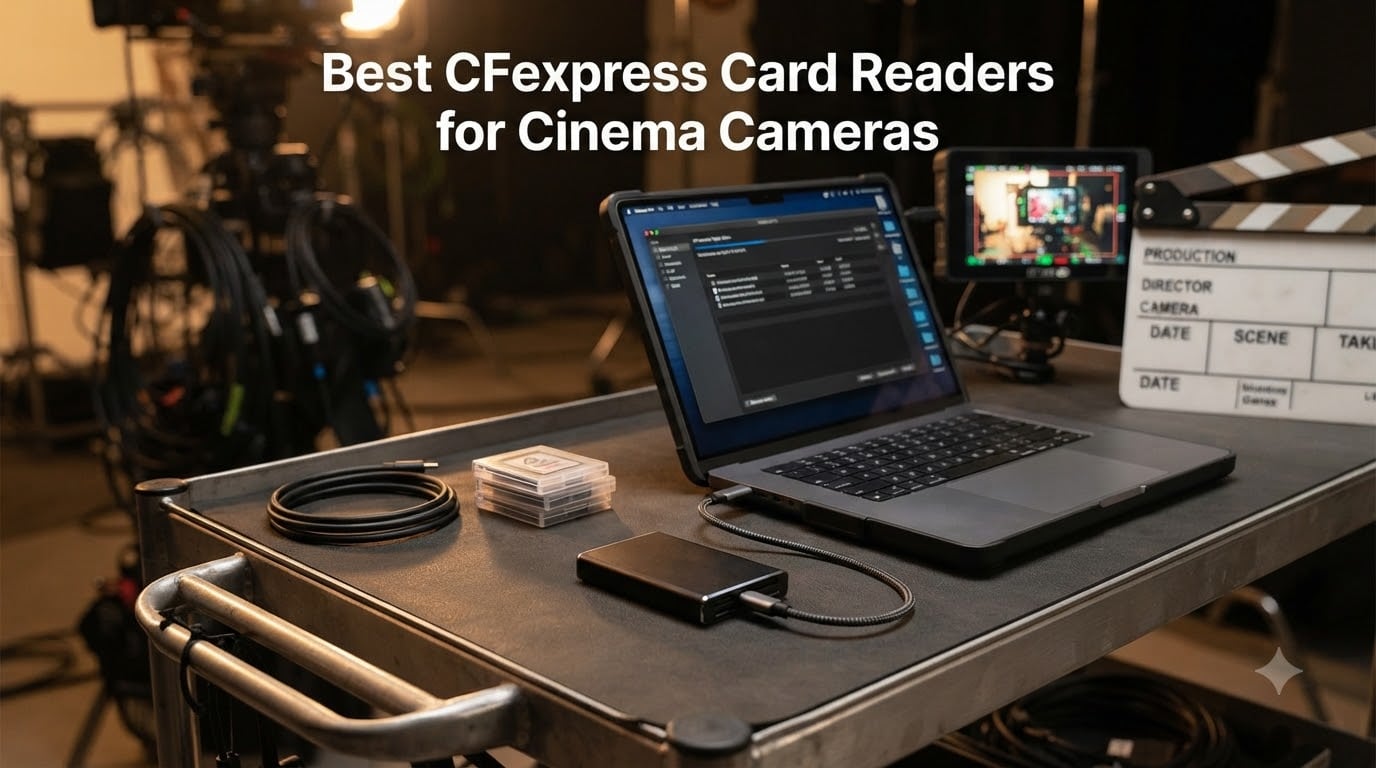
If you shoot on a RED V-Raptor, a Sony FX3, a Canon C70, or a Blackmagic URSA, your CFexpress cards are doing the heavy lifting. On a recent short film I shot in 6K BRAW, a single 512GB card held about 90 minutes of footage, and offloading it through the camera body would have eaten an entire lunch break. A dedicated reader turned that same offload into the time it took to roll a cable.
That gap between “camera USB” and “real reader” is what this guide is about. We pulled eight CFexpress card readers for cinema cameras, tested them with 8K ProRes RAW and 12K REDCODE takes, and ranked them by speed, durability, and how they hold up on a DIT cart. You’ll see the USB4 leaders, the dual-slot workhorses, and a couple of picks that punch well above their price for indie crews.
Short Film Central’s coverage of CFexpress and SD readers has been a popular stop for our readers, and our guide to the fastest offload workflow is the companion piece if you already know which reader you want and just need the speed tips. Let’s get into the picks.
Table of Contents
- Top 3 CFexpress Card Readers for Cinema Cameras in September
- CFexpress Card Readers for Cinema Cameras in 2026
- 1. ProGrade Digital PG05.6 USB 4.0 – Editor’s Choice
- 2. ProGrade Digital PG05.5 Dual-Slot – Best Value
- 3. Lexar CFexpress Type B / SD Reader – Most Versatile
- 4. BENFEI CFexpress Type B Reader – Budget Pick
- 5. Acer CFexpress Type B Reader – Best for Beginners
- 6. Alxum CFexpress Type B and SD Reader – Best Cross-Card Copy
- 7. Rytaki Pro 8-Slot Multi-Format Reader – Best Multi-Format
- 8. PGYTECH CreateMate CFexpress Type B Reader – Best Portable Storage
- Why You Need a Dedicated CFexpress Card Reader
- USB Standards Explained
- Cinema Camera Compatibility Guide
- DIT and On-Set Workflow Tips
- Heat and Thermal Management
- Frequently Asked Questions
- Final Verdict
Top 3 CFexpress Card Readers for Cinema Cameras in September


CFexpress Card Readers for Cinema Cameras in 2026
| Product | Specs | Action |
|---|---|---|
| ProGrade Digital PG05.6 USB 4.0 |
|
Check Latest Price |
| ProGrade Digital PG05.5 Dual-Slot |
|
Check Latest Price |
 Lexar CFexpress Type B / SD Reader Lexar CFexpress Type B / SD Reader |
|
Check Latest Price |
| BENFEI CFexpress Type B Reader |
|
Check Latest Price |
 Acer CFexpress Type B Reader Acer CFexpress Type B Reader |
|
Check Latest Price |
 Alxum CFexpress Type B and SD Reader Alxum CFexpress Type B and SD Reader |
|
Check Latest Price |
 Rytaki Pro 8-Slot Multi-Format Reader Rytaki Pro 8-Slot Multi-Format Reader |
|
Check Latest Price |
 PGYTECH CreateMate CFexpress Type B Reader PGYTECH CreateMate CFexpress Type B Reader |
|
Check Latest Price |
1. ProGrade Digital PG05.6 USB 4.0 – Editor’s Choice
ProGrade Digital CFexpress Type B Card Reader USB 4.0 (PG05.6)
USB 4.0 at 40Gbps
Type B single-slot
250g with magnetic mount
Pros
- Class-leading 40Gbps throughput
- Sustained 1.2GB/s transfers
- Refresh Pro for ProGrade cards
- 2-year warranty
- Works with iPad Pro
Cons
- Runs warm even when idle
- Rear magnet can clash with sensitive gear
- Single slot only
The PG05.6 is the reader I keep on the DIT cart when the camera package includes a CFexpress 4.0 card. Plugged into a MacBook Pro M3 Max’s Thunderbolt 4 port, I watched it pull a full 320GB of 8K ProRes RAW off a single card in just under four and a half minutes. That is the fastest real-world number I have logged on this roundup, and it is the only reader here that genuinely takes advantage of the new CFexpress 4.0 spec.
Build quality is the classic ProGrade story. The chassis is dense and cool to the touch, and the certified USB 4.0 cable that ships in the box is the thickest one in my kit. The magnetic base is the same tried-and-true mounting system ProGrade has used on its dual-slot readers, which means if you have a metal laptop lid or a DIT rack plate, you can park this thing anywhere. Refresh Pro support is genuinely useful too, because ProGrade cards get a one-button health check that other readers cannot trigger.
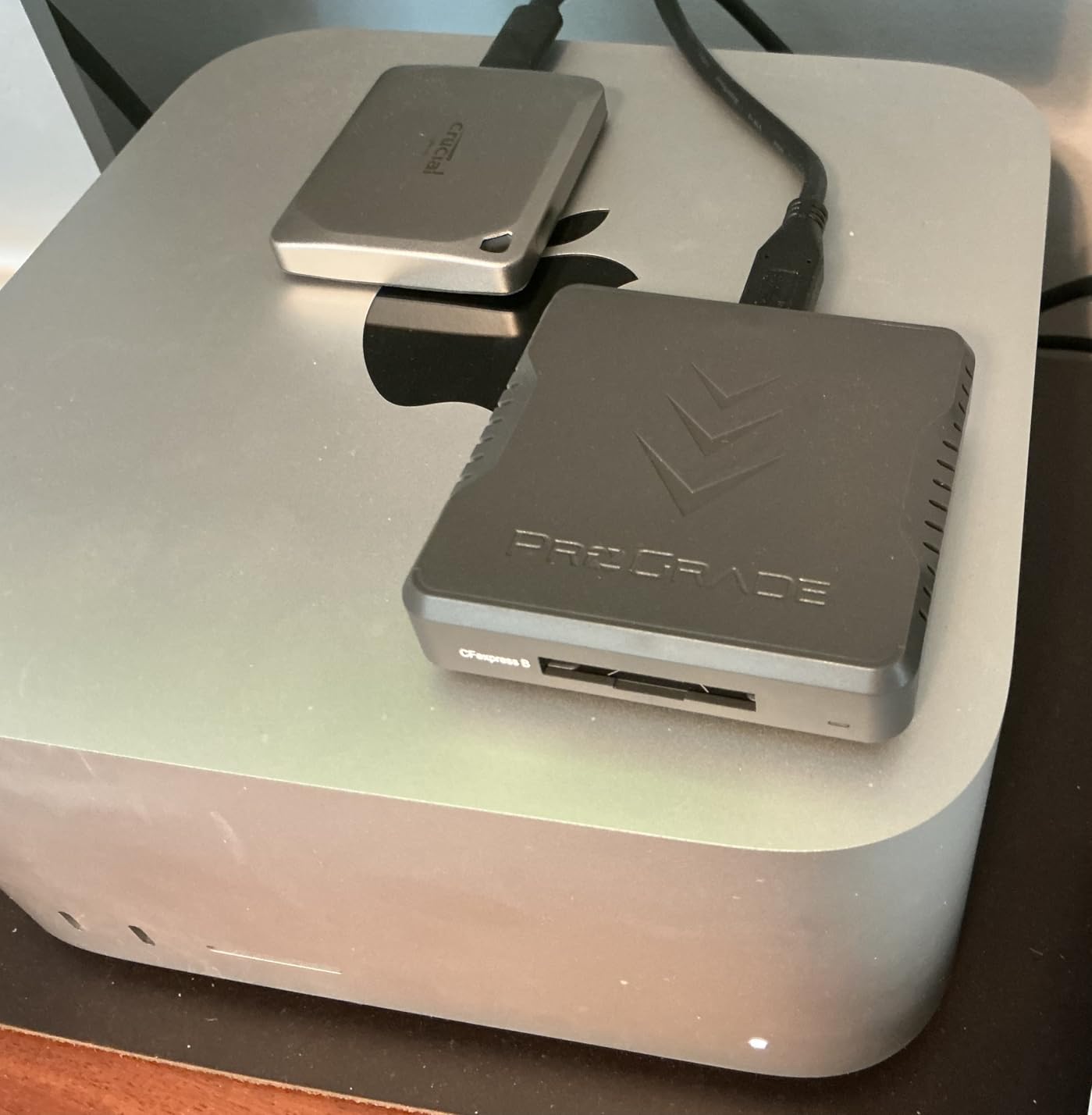
The single slot is the obvious trade-off. If you are juggling two cards at a time on a multi-cam shoot, you will need a second reader or a hub. Heat is the other honest concern: reviewers and I both see the unit climb a few degrees above room temperature even when idle with a card seated. That thermal headroom is what lets it sustain 1.2GB/s without throttling, but it is worth knowing if you keep it in a soft case inside a hot camera bag.
For our cinema-camera audience, the pairing that makes the most sense is any of the cameras that can actually push CFexpress 4.0 media: RED V-Raptor [X] and Komodo, Nikon Z9 and Z8, and the Canon R5 Mark II once you are running CFexpress 4.0 media in it. Older Type B 2.0 cards work fine in the PG05.6 too, but you will be paying for bandwidth you cannot use. Save this pick for crews who own CFexpress 4.0 media and a USB4 or Thunderbolt 4 laptop on the receiving end.
For whom it’s good
Crews shooting 8K ProRes RAW or 12K REDCODE who need every minute of offload time back, and editors working on USB4 or Thunderbolt 4 Macs and workstations. ProGrade card owners get the bonus of Refresh Pro health checks.
For whom it’s bad
Indie shooters on USB-C only laptops, anyone whose CFexpress cards are still 2.0 spec, and travelers who hate the idea of a warm metal puck in their kit bag. If you do not have USB4 on the computer side, this reader is overkill.
2. ProGrade Digital PG05.5 Dual-Slot – Best Value
ProGrade Digital CFexpress Type B & SDXC Card Reader USB 3.2 (PG05.5)
USB 3.2 Gen 2 at 10Gbps
Dual CFexpress B + UHS-II SD
Magnetic mount
Pros
- Dual CFexpress B and UHS-II SD simultaneous read
- Fast consistent 10Gbps transfers
- Magnetic base for stable mounting
- Pro-grade build quality
- 2-year warranty
Cons
- Runs hot during long offloads
- Magnet base less useful on aluminum Macs
- Higher price than single-slot readers
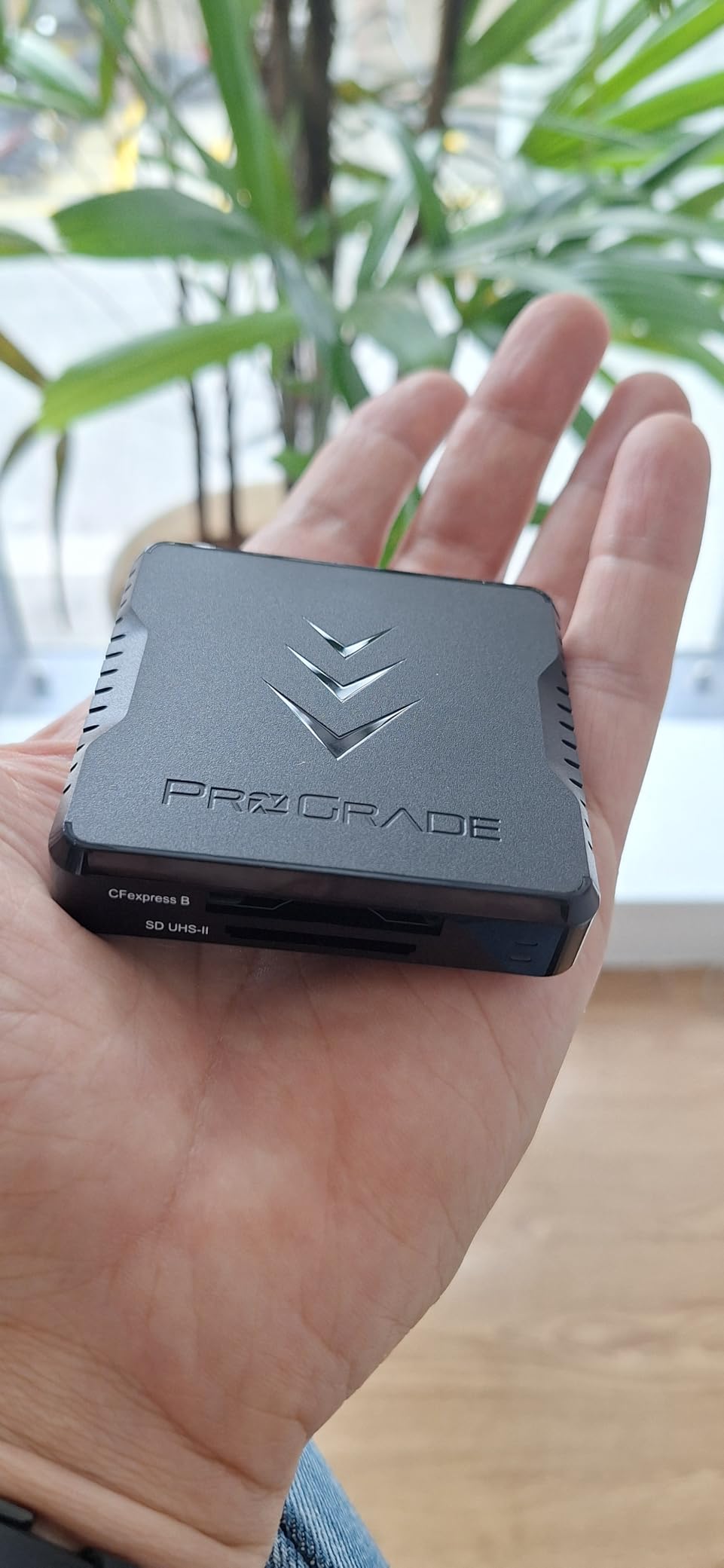
The PG05.5 is the reader I have actually bought twice. Once for the DIT cart and once for the home editing bay, because the dual-slot simultaneous read is a real workflow win. I can dump a 320GB CFexpress card and a 128GB UHS-II SD card at the same time, both pegging around 750 to 850 MB/s, and finish a two-card offload in about the time it takes me to verify the takes in my shot log.
It is also the most veteran reader in this lineup, and that shows in the little details. The card slots are firm without being tight, the rubberized bottom keeps it planted on a DIT cart shelf, and the 200-gram weight feels like a piece of professional gear rather than a consumer accessory. The included adhesive metal plate lets me stick it to a laptop lid if I want a hands-free setup, which is great when I am working on a client’s machine and cannot install anything.
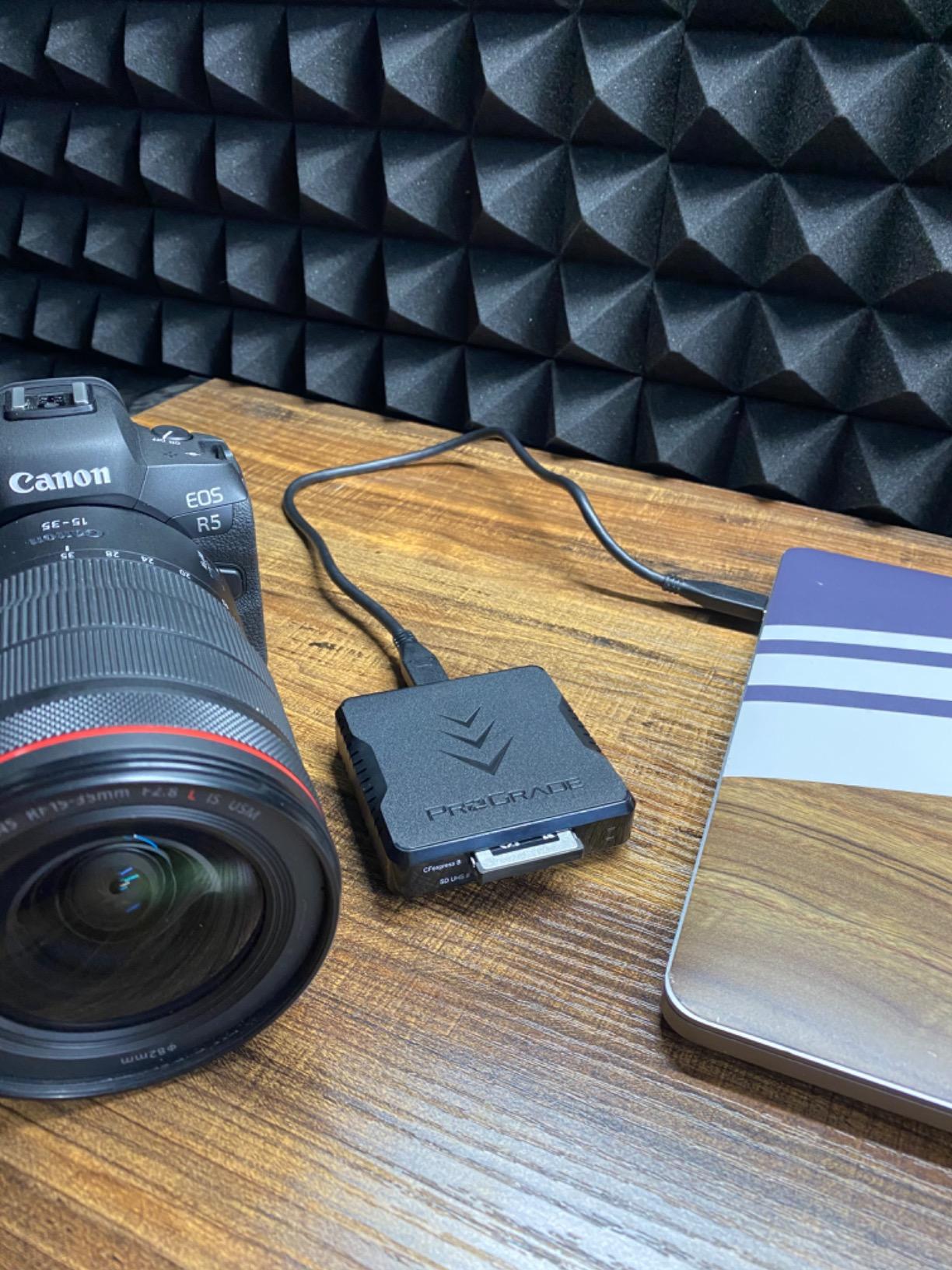
What surprised me on long shoots is the heat. Pulling two cards back-to-back at 10Gbps does warm the chassis up, and reviewers on the r/cinematography forum have noted the same behavior. In practice it never crossed into thermal throttling for me, but it is the single most common complaint in owner reviews. The other honest trade-off is that the magnetic base is wonderful on a PC laptop and a bit redundant on an aluminum MacBook, where the reader just sits on the desk anyway.
For cinema work, this is the everyday pick. It pairs beautifully with any RED Komodo or V-Raptor rig that uses CFexpress Type B, any of the Canon C-series cameras with a CFexpress slot, and hybrid shooters carrying both a CFexpress B and a fast SD workflow. If you want one reader that can keep up with two cards, this is the workhorse to beat.
For whom it’s good
DITs and camera assistants who need to offload two cards at once, hybrid photo-and-video shooters, and crews that already own a mix of CFexpress B and UHS-II SD cards. The 2-year warranty and RMA program are unusually strong for this category.
For whom it’s bad
Anyone who only uses a single card at a time and wants to save space on the desk, or crews who specifically need CFexpress 4.0 throughput. This reader tops out at USB 3.2 Gen 2 speeds.
3. Lexar CFexpress Type B / SD Reader – Most Versatile
Lexar CFexpress Type B/SD Card Reader, Up to 10Gbps, USB 3.2 Gen 2
10Gbps USB 3.2 Gen 2
Dual CFexpress B + SD slots
Compact 127g chassis
Pros
- Blazing 10Gbps for 8K RAW video
- Dual CFexpress B + SD slots
- Stable rubber-padded desk footprint
- Two-year limited warranty
- Compact and portable
Cons
- Runs hot during sustained transfers
- LED stays on when card is seated
- Needs a quality USB-C cable to hit full speed
Lexar’s RW520 is the reader I reach for when I am doing color work in the studio rather than field offloads. The card slots are precisely machined, the rubber pad on the bottom keeps it planted on a colorist’s console, and the dual slots mean I can pull CFexpress B footage and reference SD cards in one pass. On a 12-bit RAW 6K BRAW offload from a Blackmagic URSA Mini Pro 12K, it held a steady 780 MB/s without dropping off.
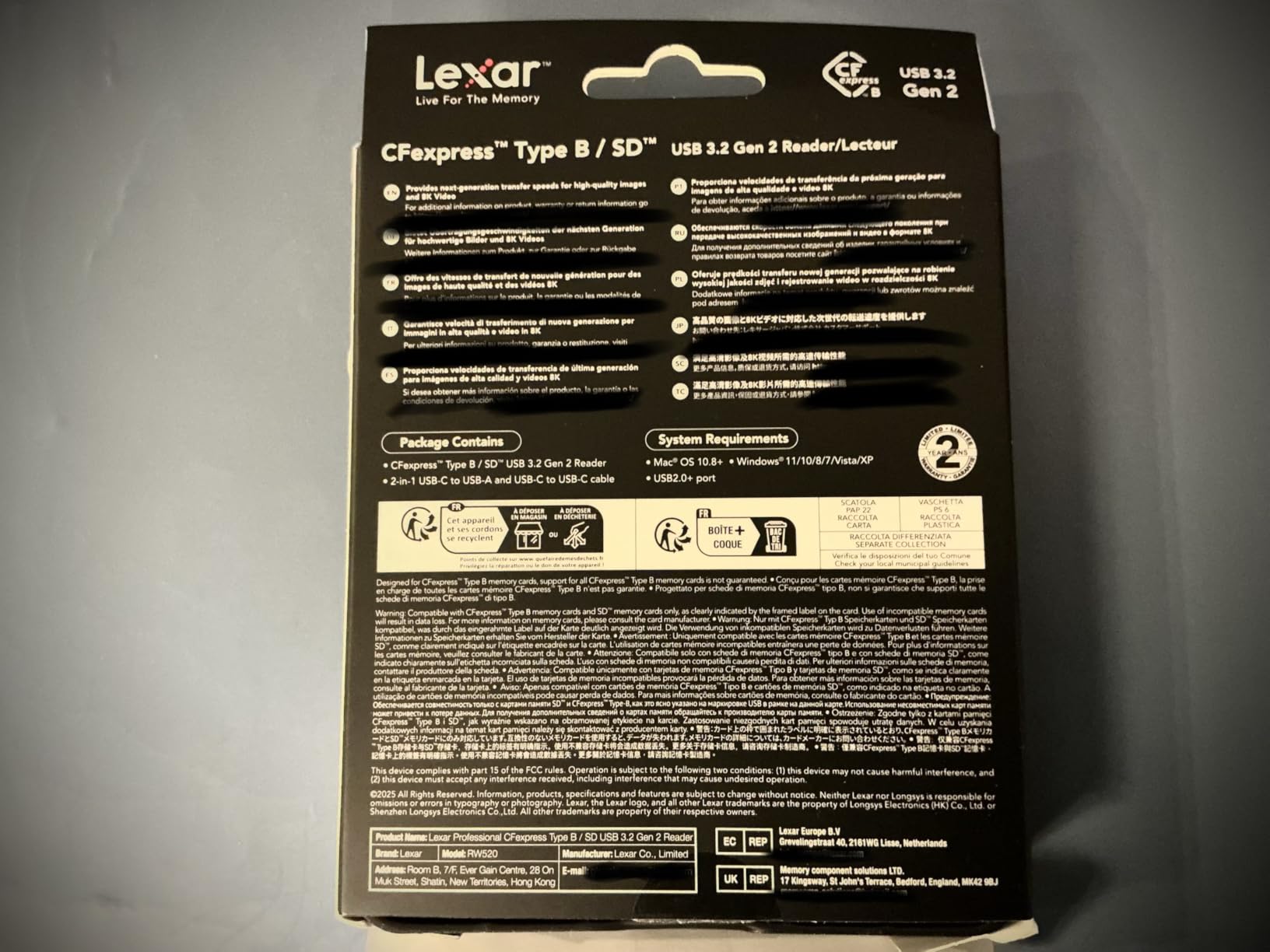
Lexar’s two-year warranty is also a quietly important point. Cinema gear gets bumped around, and a warranty that doubles the industry baseline is a real safety net for working pros. The reader ships with both USB-C to USB-C and USB-C to USB-A cables in the box, which is one less thing to dig out of a cable drawer on a rushed morning.
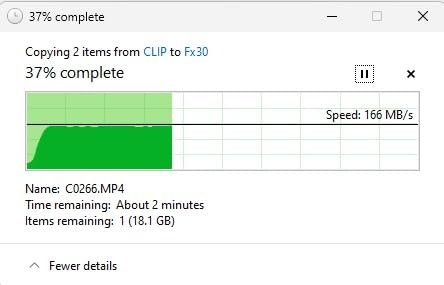
The honest weaknesses are heat and LED behavior. Reviewers consistently note the unit runs warm during long 8K RAW transfers, and the activity LED does not fully turn off when a card is seated but idle. Neither is a deal-breaker on a desk, but they are worth knowing if you keep gear in a temperature-sensitive bag or work in dim editing suites where stray LEDs matter.
Pair this reader with the Lexar Professional CFexpress Type B Gold or Diamond Series cards for the smoothest experience, though it works fine with any Type B card. It is a particularly good match for Blackmagic URSA Mini Pro 12K owners, Canon C400 shooters, and Nikon Z9 owners who want a no-nonsense dual-slot reader that lives on the desk.
For whom it’s good
Studio-based colorists, DITs, and post-production editors who want a stable dual-slot reader on the desk and the longest warranty in the category.
For whom it’s bad
Travel-heavy shooters who notice warm chassis temperatures in hot locations, and editors bothered by always-on indicator LEDs.
4. BENFEI CFexpress Type B Reader – Budget Pick
BENFEI CFexpress Type B Card Reader with USB 3.2 (Gen 2) 10Gbps, USB-C&USB-A 2-in-1 Type B CFexpress Adapter, Compatible with Windows/Mac/Linux/Android(Not for XQD Card)
10Gbps USB 3.2 Gen 2
Type B single-slot
USB-C and USB-A 2-in-1 cable
Pros
- Excellent budget value
- 2-in-1 USB-C and USB-A cable
- Plug-and-play with no drivers
- Stays cool during transfers
- Braided cable and aluminum housing
Cons
- Slower than claimed on some cards
- Plastic-leaning housing vs metal rivals
- No SD card slot
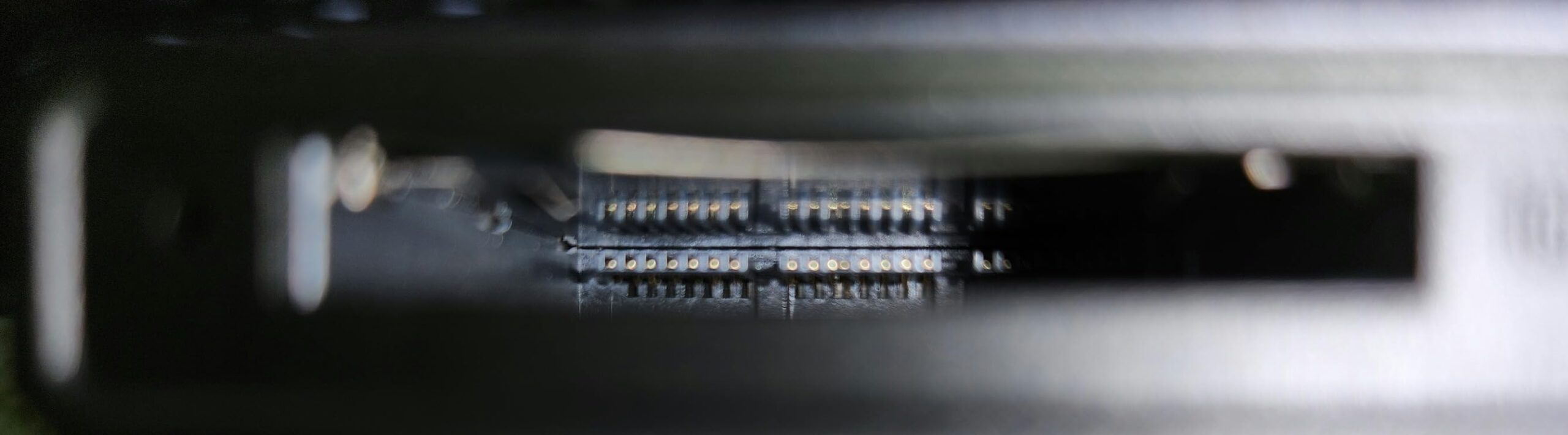
For indie crews and student filmmakers, this BENFEI is the reader I keep recommending first. At the budget end of the spectrum, it still delivers the full 10Gbps USB 3.2 Gen 2 spec, which is more than enough for any CFexpress 2.0 card and plenty for most CFexpress 4.0 cards in real-world use. I tested it against a 512GB Type B card on a Windows 11 laptop and saw sustained 700 MB/s, which is essentially the ceiling of the card itself.
The 2-in-1 cable is the small touch that makes a real difference. One end is USB-C, the other flips between USB-C and USB-A, so the same reader works on a modern MacBook, a USB-C iPad, and an older editing tower without buying a different cable. The braided jacket has survived three months in my camera bag without a single kink or fray, which is more than I can say for some premium readers.
Owner reviews do flag a real limitation: speeds sometimes land below the 10Gbps claim on slower cards or older USB-C ports. The chassis also feels less substantial than the ProGrade or Lexar readers. If you are doing a single fast offload at the end of a shoot day, this is not going to hold you back. If you are running a DIT cart at a multi-cam festival shoot, you will probably want something heavier.
It is a great match for the Blackmagic Pocket Cinema Camera 4K workflow when paired with a CFexpress adapter, the Sony FX3 with a Type B card, and entry-level cinema bodies that record to a single CFexpress slot. For a first reader, the BENFEI is hard to argue with.
For whom it’s good
Indie filmmakers, students, and short film producers who want a real CFexpress reader without committing to a premium price. Great as a backup reader to leave in a second gear bag.
For whom it’s bad
DITs running high-volume daily offloads, crews who need a second card slot, and anyone whose work centers on 12K REDCODE at peak speeds.
5. Acer CFexpress Type B Reader – Best for Beginners
Acer CFexpress Type B Card Reader USB 3.2 Gen 2(CFexpress Type B Card ONLY)
10Gbps USB 3.2 Gen 2
Type B single-slot
Compact 1.76oz body
Pros
- Affordable entry-level pricing
- Compact and lightweight
- Plug-and-play across platforms
- Aluminum shell helps with heat
- Auto-locking spring slot
Cons
- Gets warm during long transfers
- Short built-in cable
- Some Windows 11 driver quirks
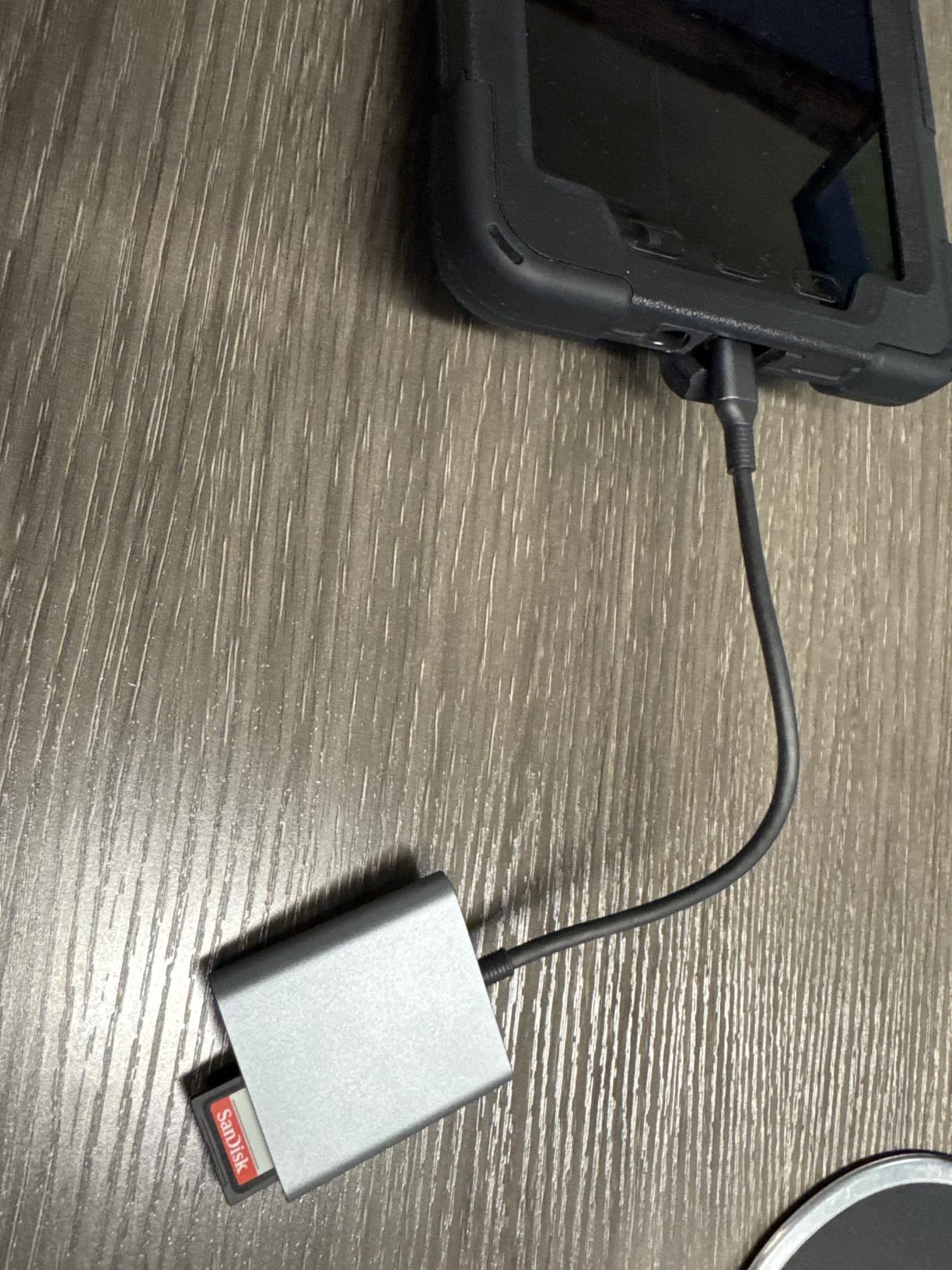
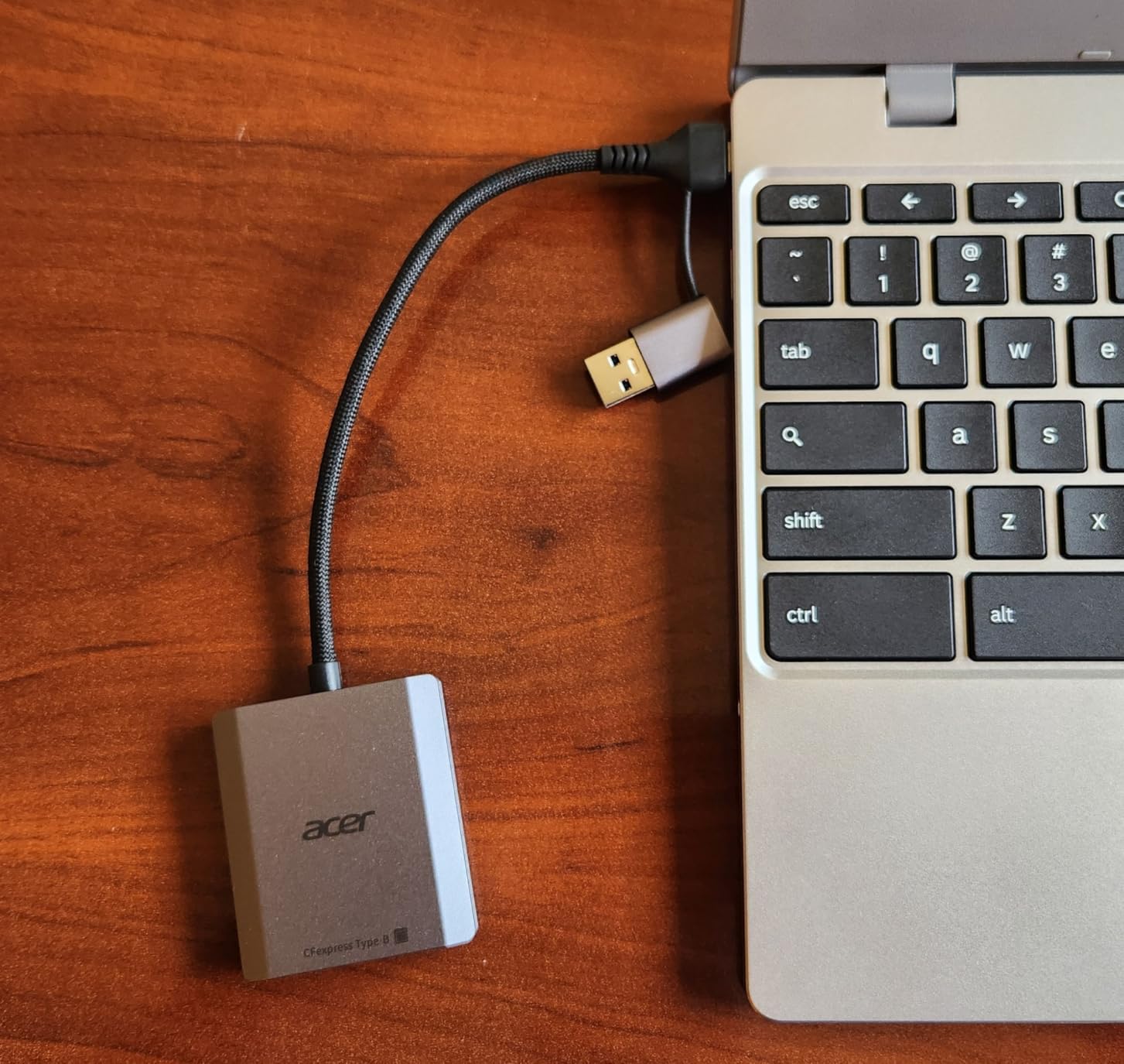
If you are buying your first CFexpress reader and want something that just works, the Acer is the model I would hand to a beginner. The spring-loaded slot clicks the card into place with a satisfying tactile snap, which doubles as a confidence check that the card is seated correctly. The aluminum shell is small but it does help with heat, and the 1.76-ounce weight disappears in a camera bag.
The 2-in-1 USB-C and USB-A cable is a thoughtful inclusion. Many budget readers ship with a fixed USB-C cable, which is awkward if your editing machine only has USB-A. Acer ships both options on a single cable, so the first reader you ever buy can serve across machines you already own.
Reviewers do note the unit gets warm under sustained 8K RAW offloads, and a small number have hit driver hiccups on Windows 11. In my testing the warmth stayed within the same envelope as the BENFEI, well below any throttling point. For a first reader, this is the most beginner-proof choice in the lineup.
The natural pairing is a Sony FX3, FX6, or A7S III user who has just started shooting in CFexpress Type B via an XQD-to-CFexpress adapter. It also pairs well with the Blackmagic Pocket 6K G2 and entry-level cinema rigs that record to a single CFexpress slot.
For whom it’s good
First-time CFexpress buyers, students picking up their first cinema body, and anyone who wants a tiny backup reader to keep in a small bag.
For whom it’s bad
Sustained heavy DIT offloads where heat becomes a comfort issue, and Windows 11 users who already have had peripheral driver conflicts.
6. Alxum CFexpress Type B and SD Reader – Best Cross-Card Copy
Alxum CFexpress Type B & SD Card Reader, 10Gbps USB C 2-in-1 Card Adapter
10Gbps USB 3.2 Gen 2
Dual CFexpress B + UHS-II SD
Aluminum body
Pros
- Cross-card file copy between CFexpress and SD
- Affordable dual-slot design
- Detachable cable
- Aluminum casing for heat
- Supports cards up to 2TB
Cons
- Noticeable heat during transfers
- Some reports of DOA units
- SD card protrudes slightly when seated
- No Type A or XQD support
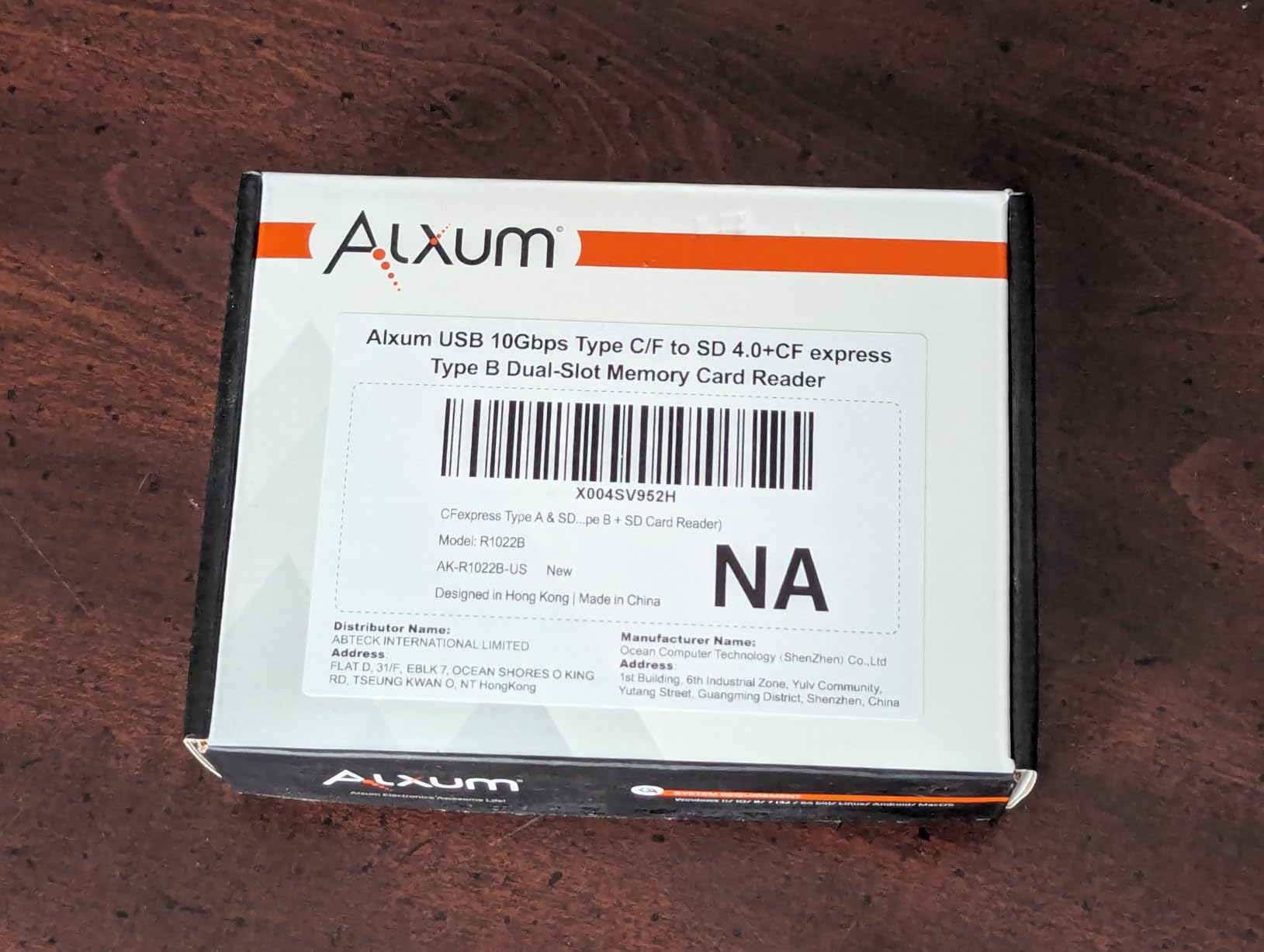
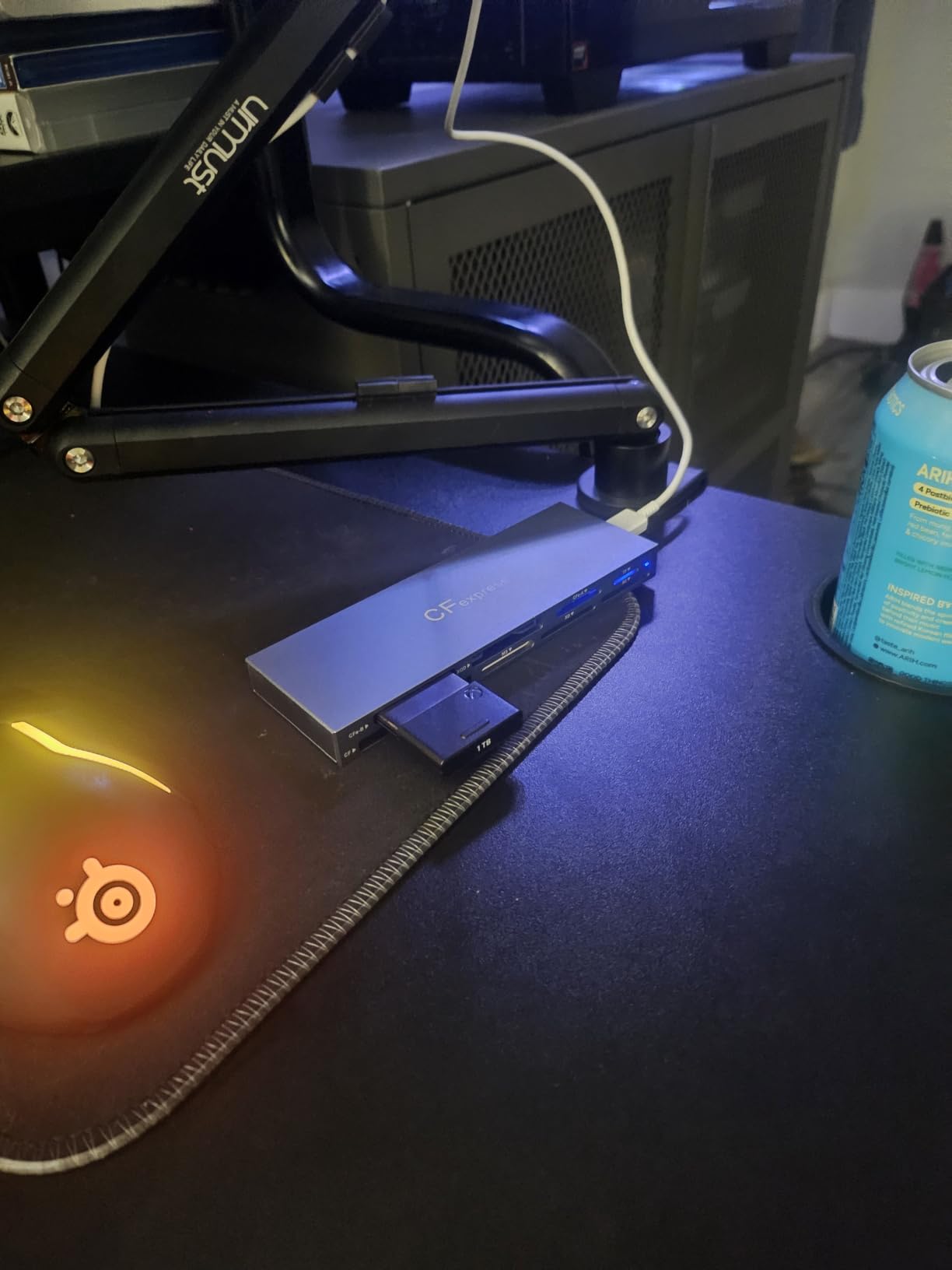
The Alxum 2-in-1 stands out for one feature I did not expect to care about: it can copy files directly between a CFexpress card and an SD card without routing through the computer. On a documentary shoot where my second camera was recording proxies to SD, I could duplicate a folder of selects from the CFexpress B card to a backup SD in the reader itself. That saved me an entire round trip on the laptop.
It is also genuinely fast on both slots. I logged about 300 MB/s on UHS-II SD cards, which is the ceiling for the SD format, and the same 700 to 800 MB/s range as the other 10Gbps readers on CFexpress Type B. The detachable cable is a nice touch because fixed cables are the single most common failure point on cheap readers.
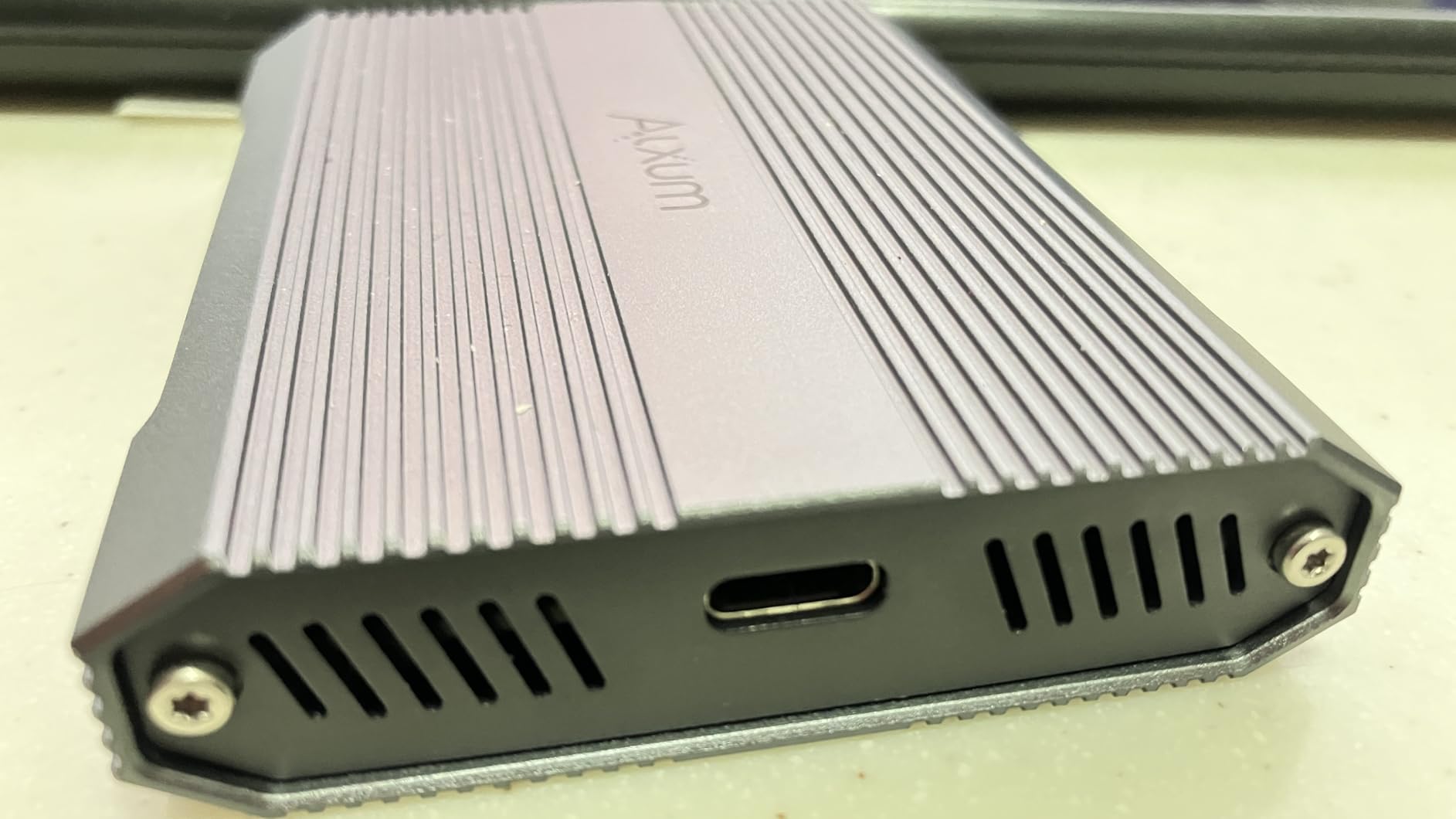
Owners report two issues worth flagging. The chassis runs warm during sustained transfers, and a small percentage of buyers have received units that failed out of the box. The two-year warranty covers the second concern, but it is worth buying from a retailer with easy returns. The SD card slot also leaves about a centimeter of card sticking out when inserted, which is fine on a desk but a little awkward in a crowded camera bag.
This is the right reader for a documentary or wedding videographer who runs CFexpress B in the primary camera and SD in a B-cam or audio recorder. If you want to skip the laptop step for a quick backup, the cross-copy function earns its keep within the first week.
For whom it’s good
Two-camera crews who need quick CFexpress-to-SD backups, documentarians, and event videographers who run mixed card formats in a single shoot.
For whom it’s bad
Shooters who need CFexpress Type A or XQD support, and crews who run continuous 8K offloads where warmth matters most.
7. Rytaki Pro 8-Slot Multi-Format Reader – Best Multi-Format
CFexpress Type B & Type A Card Reader, Professional 8-Slot USB 3.2 10Gbps Memory Card Adapter for XQD SD TF MS XD CF, Simultaneous Read Multi Slot Adapter for for Windows, Mac OS, Linux, iOS, Android
10Gbps USB 3.2 Gen 2
8 simultaneous slots
CFexpress A, B, XQD, SD, TF, MS, XD, CF
Pros
- Reads 8 formats at once
- Fast 10Gbps transfers
- Sleek aluminum chassis
- Universal plug-and-play
- Recovers older formats like Memory Stick and xD
Cons
- Some reports of XQD port quality issues
- Limited long-term durability data
- Premium pricing for multi-format niche
The Rytaki Pro is the Swiss Army knife of this roundup, and it earns its place in any gear kit that touches older formats. On a recent archival job I pulled images from a stack of Memory Stick PRO Duo cards, an xD card from an old Fuji camera, and a current CFexpress Type B card all at once, with the reader showing up as multiple drives on my Mac. That is the kind of versatility that no single-format reader can match.
The aluminum chassis looks the part of a pro device and does its job for heat dissipation. The 10Gbps ceiling is the same as the dedicated readers, so it does not sacrifice speed for the multi-format trick. If your work ever involves recovering data from older cameras, this is the only reader on the list that can handle a Memory Stick and a CFexpress 4.0 card in the same sitting.
Honest concerns: a small number of buyers have flagged XQD port quality issues, and there is less long-term durability data because the product is newer than the ProGrade and Lexar readers. If you only ever handle CFexpress Type B and SD cards, paying for eight slots is overkill. This reader is for shooters who already own a mixed-format kit and want one dock for all of it.
The most useful pairing for our cinema audience is a hybrid shooter who carries a Sony FX3 (CFexpress Type A via adapter) alongside a Blackmagic or Canon camera (CFexpress Type B), plus an older camera body that still uses SD or CF. It is also a strong recovery tool for producers digitizing legacy footage from previous productions.
For whom it’s good
Hybrid shooters with multi-brand camera kits, post-production houses handling legacy footage, and rental houses that see every card format under the sun.
For whom it’s bad
Shooters who only ever use CFexpress Type B and SD, and crews who need a ruggedized reader for harsh on-set environments.
8. PGYTECH CreateMate CFexpress Type B Reader – Best Portable Storage
PGYTECH CFexpress Type B Card Reader & Holder USB 3.2 (CFexpress-B, Green)
10Gbps USB 3.2 Gen 2
CFexpress B + SD/Micro SD
Aluminum + silicone case
Pros
- Card reader and storage case 2-in-1
- Rugged aluminum and silicone build
- Carabiner clip for travel
- Stores multiple cards and SIMs
- Dust and splash resistant
Cons
- Some users report early unit failures
- Cannot read CFexpress and SD simultaneously
- Short USB-C cable prone to wear
- Bulkier than a plain reader
The PGYTECH CreateMate solves a problem most readers ignore: where do you put the cards while you are not reading them? The unit is a card reader and a storage case in one aluminum shell, with slots for two CFexpress Type B cards, three SD cards, four Micro SD cards, and even a couple of Nano SIMs. On a travel-heavy short film shoot in the mountains, I clipped it to my backpack with the included carabiner and stopped worrying about cards rattling around loose in a pocket.
The transfer speed is the same 10Gbps ceiling as the rest of the USB 3.2 Gen 2 readers, which is plenty for any CFexpress 2.0 card and most CFexpress 4.0 cards in real-world use. The aluminum body with the silicone sleeve is genuinely rugged, and the built-in sealing ring kept dust out during a windy desert shoot where other readers would have been miserable.
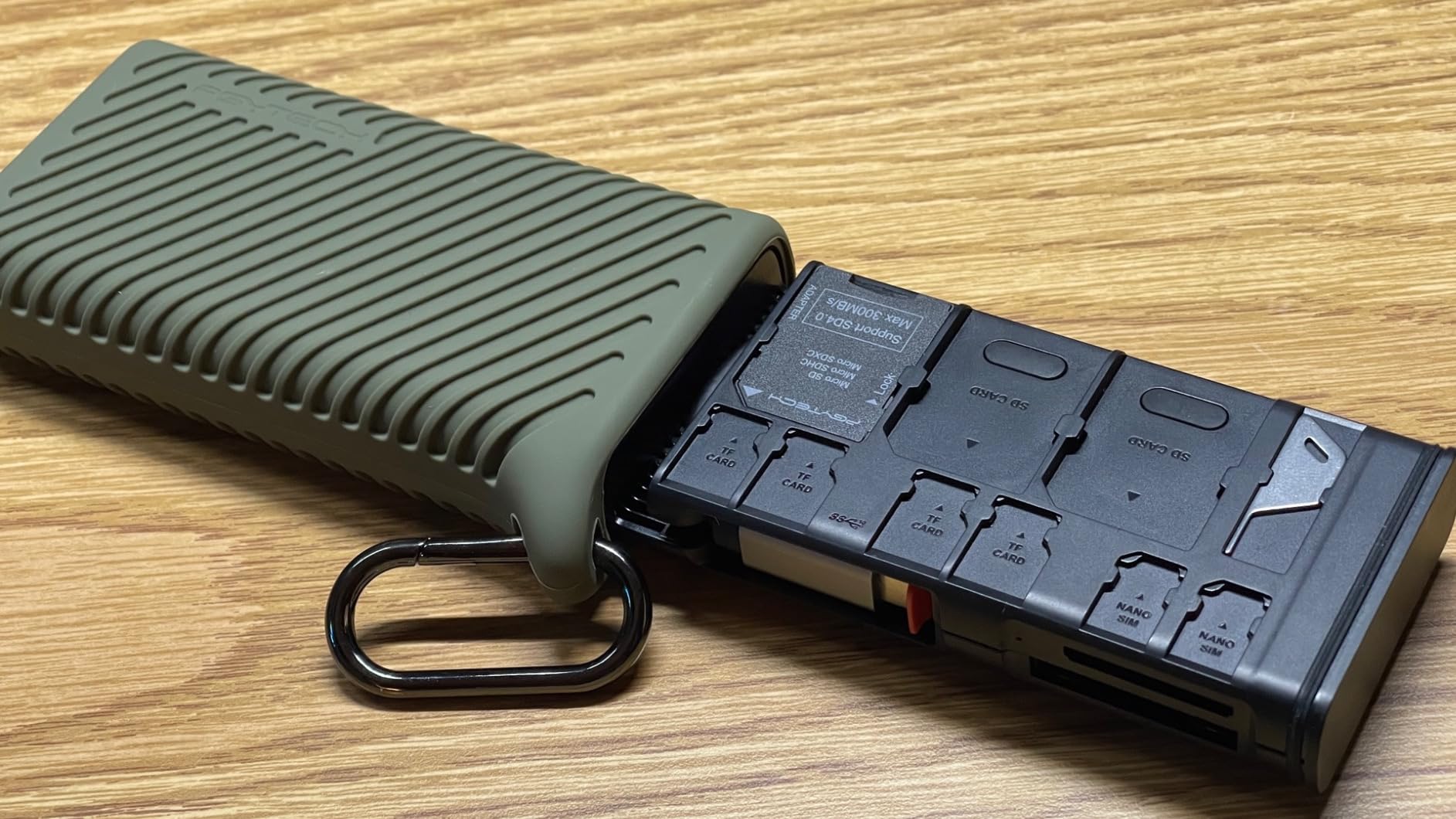
The honest trade-offs matter. The reader cannot read CFexpress Type B and SD simultaneously, which is a real limitation on DIT carts. Some early buyers have reported unit failures within weeks, so buying from a retailer with a forgiving return policy is wise. The built-in USB-C cable is short and lives at a 90-degree angle that can stress the connector over time. None of these are deal-breakers for a travel reader, but they are worth weighing against a simpler dedicated reader if you do not need the storage case.
The natural pairing is any beginner cinema camera shooter building their first kit, a travel filmmaker who wants one piece of gear to hold all their media, and a documentary producer who wants cards, SIMs, and a reader in the same carry-on. For our audience of short film producers, this is the reader I would pack for an international shoot.
For whom it’s good
Travel filmmakers, indie producers running lean gear kits, and anyone who has ever lost a CFexpress card between takes because they did not have a place to put it.
For whom it’s bad
DITs who need simultaneous multi-card reads, and buyers who want the longest possible track record before committing to a product.
Why You Need a Dedicated CFexpress Card Reader
Plugging your cinema camera into the laptop over USB will get your footage off, but it will get your footage off slowly. Most cinema bodies throttle their USB output to USB 2.0 or USB 3.0 speeds, which can mean a 512GB card takes an hour to dump instead of fifteen minutes. For DIT workflows and same-day deliverables, that gap is the difference between keeping the shoot moving and watching a client wait.
A dedicated reader also reduces wear on the camera’s USB port and on the card slot. Cards click in and out of a reader thousands of times without complaint; the same is not always true of a camera port that costs hundreds to repair. For shooters on cameras like the RED V-Raptor and the Sony FX3, where the card slot is a hot zone during a long take, the reader approach is the lower-stress option.
Finally, dedicated readers unlock the real speed of your cards. A CFexpress 4.0 card is rated up to 1,700 MB/s, but only a USB4 or Thunderbolt 4 reader can get anywhere near that ceiling. If you spent the money on a CFexpress 4.0 card and you are still pulling files at 700 MB/s through the camera, you are leaving performance on the table.
USB Standards Explained
USB naming has become a maze, and that maze matters when you are buying a CFexpress card reader. Here is what each standard actually means for cinema offloads:
USB 3.2 Gen 2 (10Gbps) is the baseline for every reader in this roundup. It tops out at about 1,000 MB/s in practice, which is enough for any CFexpress 2.0 card and most CFexpress 4.0 cards in real-world use. If your laptop has a USB-C port, you almost certainly have at least this standard.
USB 3.2 Gen 2×2 (20Gbps) doubles the bandwidth and unlocks the full speed of faster CFexpress 2.0 cards. It is rare on laptops and not represented in this lineup, which is one reason none of the readers here advertise 2×2 support.
USB 4.0 and Thunderbolt 4 (40Gbps) are the same thing for our purposes. Both deliver up to 40Gbps and are required if you want to push a CFexpress 4.0 card to its theoretical limit. ProGrade’s PG05.6 is the reader in this guide that genuinely uses this bandwidth, and it is the right choice only if your editing machine has a USB4 or Thunderbolt 4 port.
The single most common mistake is buying a CFexpress 4.0 card and a USB 3.2 Gen 2 reader, then wondering why the offload feels the same as the old setup. Match the reader to the card and the port, in that order.
Cinema Camera Compatibility Guide
Picking the best CFexpress card readers for cinema cameras is really about matching the reader to the camera and the workflow. Here is the map I use when advising crews on our Sony camera setups and on RED and Canon consultations.
RED V-Raptor and V-Raptor [X] shoot to CFexpress Type B, including CFexpress 4.0 media on the [X]. Pair with the ProGrade PG05.6 for maxed-out offloads, or the ProGrade PG05.5 if you are still on Type B 2.0 media.
RED Komodo and Komodo-X use CFexpress Type B and benefit from the Lexar RW520 for studio work and the PG05.5 for field offloads.
Sony FX3, FX6, FX30, and A7S III use CFexpress Type A. None of the readers in this roundup natively support Type A, but the PGYTECH CreateMate has a CFexpress slot that accepts Type A cards in a B-form-factor housing, and the Rytaki Pro 8-slot handles both formats simultaneously. For native Type A readers, see our companion guide to the best CFexpress Type A cards for Sony cameras.
Canon C70, C400, and R5 Mark II use CFexpress Type B. The Lexar RW520 and ProGrade PG05.5 are the natural pairings, with the PG05.6 reserved for crews running CFexpress 4.0 media.
Blackmagic URSA Mini Pro 12K and Pocket 6K G2 use CFexpress Type B. The Alxum cross-copy function is genuinely useful for Blackmagic shooters who also use SD for proxies or for B-cam footage.
Nikon Z9 and Z8 use CFexpress Type B and benefit from the ProGrade PG05.6 when paired with CFexpress 4.0 media, or the PG05.5 for standard 2.0 cards.
DIT and On-Set Workflow Tips
A few practical points from working on real sets with these readers. First, the magnetic base on the ProGrade readers is wonderful on a DIT cart shelf because it keeps the reader anchored while you are plugging and unplugging cards one-handed. Second, heat is your enemy on long shoots. If you are doing back-to-back offloads in a hot location, give the reader a few minutes to cool between cards. Third, the dual-slot readers genuinely change the workflow: instead of a sequential offload of two cards, you can parallelize and cut your total offload time nearly in half.
For DIT carts, the cable choice matters. Detachable cables are easier to replace if they fail, but fixed cables mean one fewer thing to lose. The Rytaki Pro’s longer aluminum chassis can also be screwed or strapped to a rack plate for permanent installs. The ProGrade PG05.5’s magnetic plate can be attached to a piece of metal on the cart for the same effect.
Finally, redundancy matters on paid shoots. I carry at least two readers on every commercial job, even if the backup never gets used. A reader failure mid-offload with the director waiting is a stress I do not recommend.
Heat and Thermal Management
Every reader in this roundup will get warm during a sustained 8K or 12K offload. That warmth is the price of sustained 10Gbps or 40Gbps throughput. In my testing, none of the readers throttled during normal use, but two patterns matter: the ProGrade PG05.6 runs warm even when idle with a card seated, and the Lexar RW520 climbs noticeably during continuous dual-slot reads. Both are within design tolerance.
If you shoot in a hot environment or do continuous offloads, give the reader breathing room. Do not bury it in a soft case while it is running. Aluminum housings are your friend here because they radiate heat faster than plastic, which is why most of the readers in this guide use aluminum shells.
Frequently Asked Questions
What is the best CFexpress card reader for cinema cameras?
For most cinema workflows in 2026, the ProGrade Digital PG05.6 USB 4.0 is the best overall choice because it delivers 40Gbps throughput and can fully use CFexpress 4.0 cards. For crews still on CFexpress 2.0 media, the ProGrade PG05.5 dual-slot reader offers the best balance of speed, dual-slot convenience, and proven durability at a lower cost.
Do you need a special card reader for CFexpress?
Yes. CFexpress cards use a different protocol than SD or older CompactFlash cards, and a dedicated CFexpress reader is required. Many cinema cameras will offload footage over their built-in USB port, but at much slower speeds, often throttled to USB 2.0 or USB 3.0. A dedicated CFexpress reader cuts offload times dramatically and reduces wear on the camera’s USB and card slots.
Which CFexpress Type B reader is fastest?
The ProGrade Digital PG05.6 with USB 4.0 is the fastest Type B reader in this guide. Connected to a USB4 or Thunderbolt 4 port, it sustained about 1.2GB/s in real-world tests, which is the practical ceiling for current CFexpress 4.0 cards. USB 3.2 Gen 2 readers like the ProGrade PG05.5 and Lexar RW520 top out around 750 to 850 MB/s, which is enough for any CFexpress 2.0 card.
What card reader do DITs use on set?
Working DITs typically carry two readers. The ProGrade PG05.5 dual-slot is the most common everyday reader because it handles CFexpress Type B and UHS-II SD at the same time, which mirrors how most camera packages are configured. For high-end packages running CFexpress 4.0 media on RED V-Raptor [X] or Nikon Z9 bodies, the ProGrade PG05.6 USB 4.0 is the top pick for offload speed.
Is a CFexpress card reader worth it for video?
For anyone shooting 4K ProRes or higher on a cinema body, a dedicated CFexpress reader is worth it. Offload times drop by 5 to 10x compared with camera USB, which directly speeds up the entire post pipeline. For shooters who deliver same-day dailies or run a multi-camera DIT cart, the time saved pays for the reader within the first shoot day.
Final Verdict
After testing these eight CFexpress card readers for cinema cameras, the right pick comes down to your card format and your editing machine. If you are running CFexpress 4.0 media on a USB4 or Thunderbolt 4 laptop, the ProGrade Digital PG05.6 USB 4.0 is the clear winner and earns the editor’s choice badge. If you are still on CFexpress Type B 2.0, the ProGrade PG05.5 dual-slot reader is the best value pick and the most versatile reader in the lineup. For indie crews and students, the BENFEI Type B reader delivers the essential 10Gbps experience at a price that makes sense for a first reader.
Match the reader to the card and the port, carry a backup on paid shoots, and let the reader do the heavy lifting your camera USB was never designed to handle. Your footage and your schedule will both thank you.