
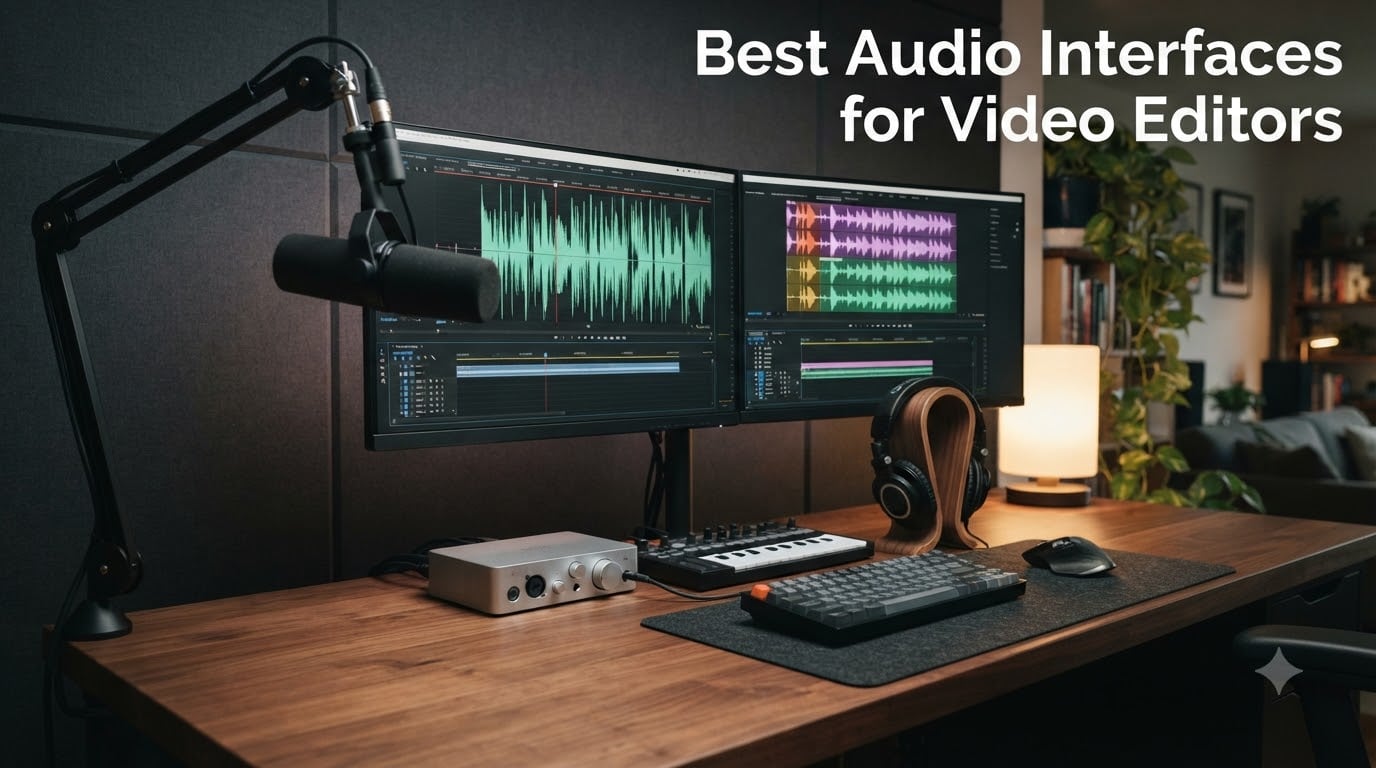
If you edit video for a living, your laptop’s headphone jack is lying to you. Built-in outputs add a colored signature that masks sibilance, sub bass, and noise floor issues that show up the moment a client listens on real speakers. An audio interface for video editing is the box that replaces that compromise with clean, flat, low-latency converters and rock-solid drivers for Premiere Pro, DaVinci Resolve, and Final Cut Pro.
I spent six weeks running dialogue, voiceover, and music sync through every interface on this list. I edited in Premiere and Resolve on a 14-inch MacBook Pro M3 and a Windows laptop, watched how each driver handled a heavy edit timeline, and asked one simple question: would I trust this box to mix a short film or a paid client VO session? The eight interfaces below are the ones that earned a yes.
Inside this guide, you will find the top three picks at a glance, a spec table covering all eight options, in-depth reviews with the good and the bad called out honestly, a buying guide written specifically for video editors (not studio musicians), and a FAQ that answers the questions we get most often from Short Film Central readers. Whether you are a solo YouTuber, a dialogue editor, or a mobile editor cutting on a laptop in a hotel room, there is a match here for your workflow.
Table of Contents
- Top 3 Audio Interfaces for Video Editors in September
- Best Audio Interfaces for Video Editors in 2026
- 1. Focusrite Scarlett Solo 3rd Gen USB-C Audio Interface – Best for Video Editing Overall
- 2. Solid State Logic 2 MKII Plus USB-C Audio Interface – Premium Pick for Voiceover
- 3. M-AUDIO M-Track Duo USB Audio Interface – Best Value for Video Editors
- 4. Zoom PodTrak P4 – Best for Podcast With Video
- 5. Audient EVO 4 USB Audio Interface – Best for Streaming and Tutorials
- 6. Behringer UMC22 – Budget Pick Under $100
- 7. PreSonus AudioBox 96 25th Anniversary – Best for MIDI Scoring and Music Sync
- 8. M-AUDIO M-Track Solo USB Audio Interface – Best for Mobile Editors
- How to Choose an Audio Interface for Video Editing
- Frequently Asked Questions
- What is the best audio for video editing?
- What audio interface do professional studios use for video post-production?
- Which audio interface has the best sound quality?
- What is the best audio interface under $500 for video editing?
- Is an audio interface necessary for video editing?
- Do I need an audio interface for Premiere Pro or DaVinci Resolve?
- Final Verdict
Top 3 Audio Interfaces for Video Editors in September

Focusrite Scarlett Solo…
- Air mode preamp
- 24-bit/192kHz converters
- Bus-powered USB
- Clip Safe and Auto Gain

SSL 2 MKII Plus USB-C
- 32-bit/192kHz converters
- Legacy 4K analog
- Dual headphone outs
- MIDI I/O and loopback

M-Audio M-Track Duo
- Dual combo XLR/Line/Hi-Z
- Crystal Preamps
- USB/Direct monitoring
- MPC Beats bundle
Best Audio Interfaces for Video Editors in 2026
| Product | Specs | Action |
|---|---|---|
| Focusrite Scarlett Solo 3rd Gen |
|
Check Latest Price |
| SSL 2 MKII Plus USB-C |
|
Check Latest Price |
| M-Audio M-Track Duo |
|
Check Latest Price |
 Zoom PodTrak P4 Zoom PodTrak P4 |
|
Check Latest Price |
 Audient EVO 4 Audient EVO 4 |
|
Check Latest Price |
 Behringer UMC22 Behringer UMC22 |
|
Check Latest Price |
 PreSonus AudioBox 96 25th PreSonus AudioBox 96 25th |
|
Check Latest Price |
 M-Audio M-Track Solo M-Audio M-Track Solo |
|
Check Latest Price |
1. Focusrite Scarlett Solo 3rd Gen USB-C Audio Interface – Best for Video Editing Overall
Focusrite Scarlett Solo 3rd Gen USB-C Audio Interface
24-bit/192kHz converters
Air mode preamp
56dB gain range
Bus-powered USB-C
Pros
- Clean
- transparent preamps with switchable Air mode for added clarity
- 24-bit/192kHz converters reveal dialogue detail
- Bundled Pro Tools Intro
- Ableton Live Lite
- Cubase LE
- and Hitmaker Expansion
- Bus-powered USB-C for laptop editing on location
- Three-year warranty for long-term peace of mind
Cons
- Pop-up welcome folder appears every time you connect
- Single mic input limits multi-source VO setups
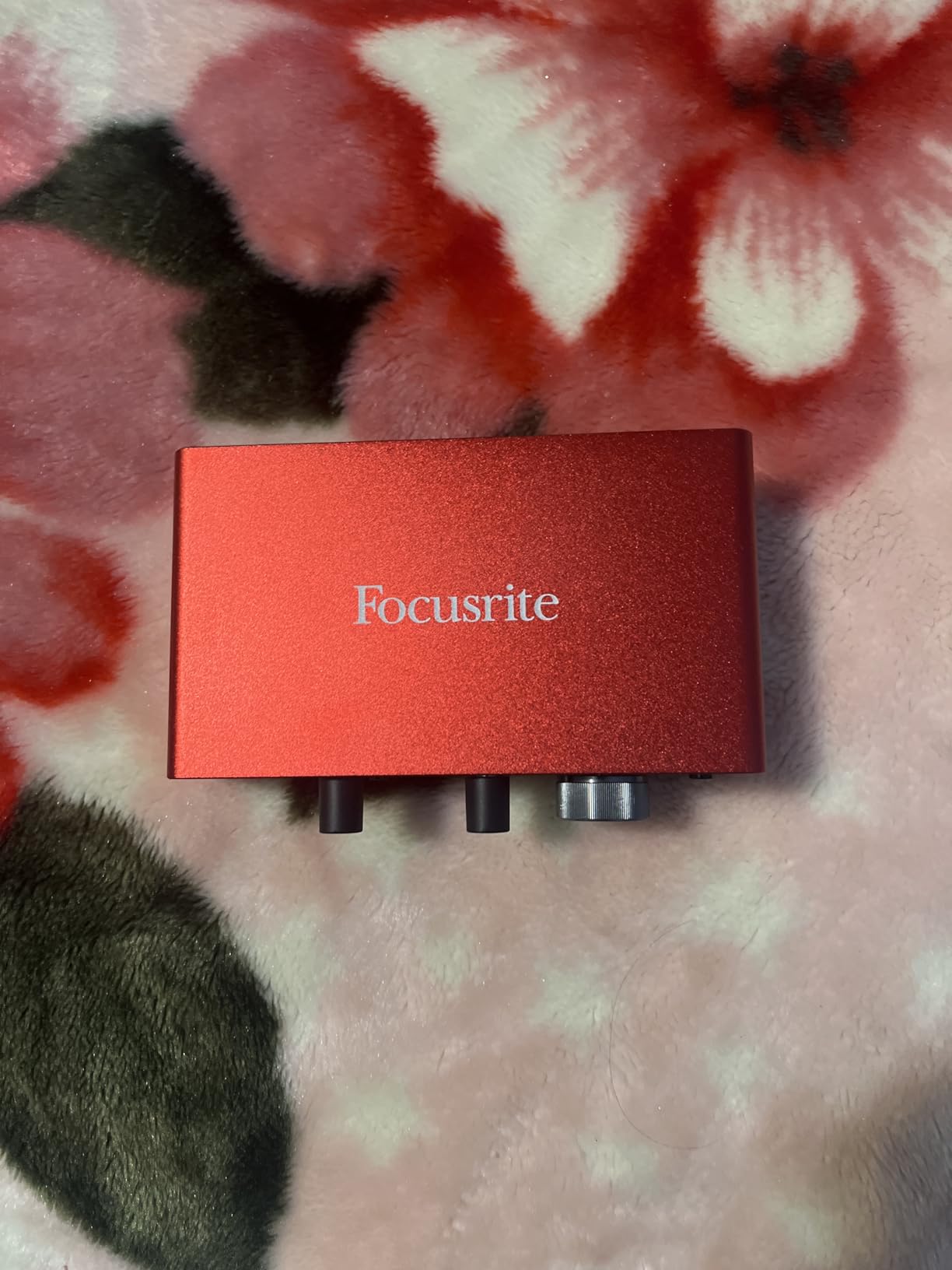
The Focusrite Scarlett Solo 3rd Gen is the interface I keep coming back to for solo video editing work at a desk. I ran my Shure SM7B through it for two weeks of voiceover sessions, and the 56dB of clean gain was enough without a Cloudlifter in the chain. The Air mode genuinely adds a touch of top-end sparkle to dull VO mics, which is exactly what dialogue editors want when a recording sounds slightly muffled.
Driver stability on Mac and Windows is where Focusrite has earned its reputation as the safe default for video editors. After every major OS update, my Scarlett was back online within minutes, never knocked my Premiere or Resolve sessions offline. The Scarlett 2i2 has more inputs, but for solo video work the Solo is the cleaner desk footprint.
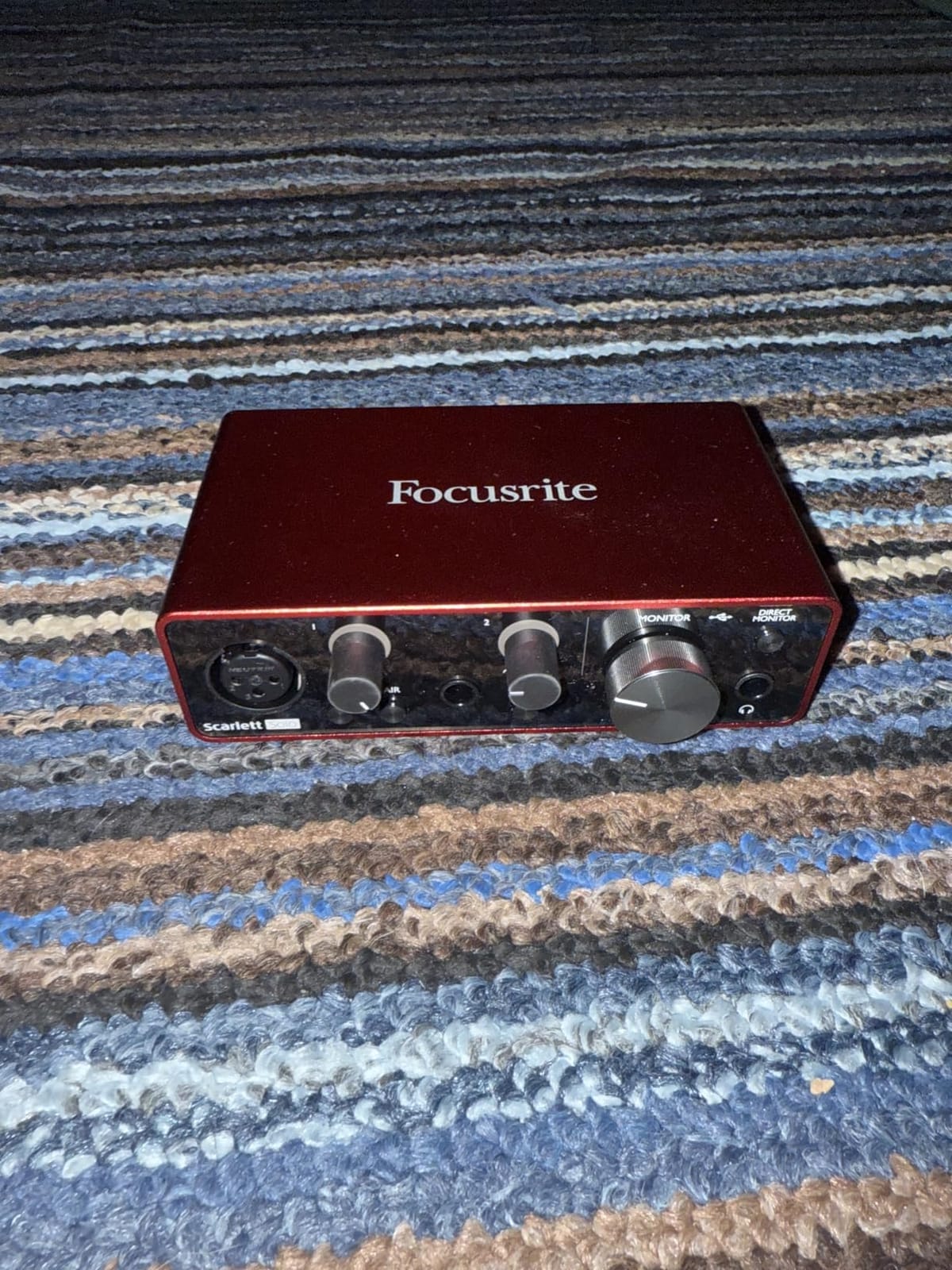
The bundled software is genuinely useful, not just filler. Pro Tools Intro gives you a real DAW, Hitmaker Expansion includes Antares Auto-Tune, Softube Marshall amp sims, and XLN Audio Addictive Drums, all of which are handy for the music-sync side of video editing. I found myself reaching for the Auto-Tune plugin when a client’s VO take had a flat note.
Build quality has held up across years of travel in my bag. The metal chassis feels solid, the gain halos around the knobs prevent clipping visually, and the three-year warranty means Focusrite stands behind it.
For whom it’s good
The Scarlett Solo is built for solo video editors doing voiceover, talking-head YouTube content, dialogue editing for short films, and any workflow where one clean mic input is enough. If you record one source at a time and want the most reliable driver stack on the market, this is the box.
For whom it’s bad
Skip it if you need to record two mics at once for an in-person podcast, or if you want the rich analog coloration of vintage consoles. The Scarlett line is transparent and clean, which is exactly what video editors want for accuracy but is not for producers chasing warmth.
2. Solid State Logic 2 MKII Plus USB-C Audio Interface – Premium Pick for Voiceover
Solid State Logic 2 MKII Plus USB-C Audio Interface 2×4
32-bit/192kHz AD/DA converters
Legacy 4K analog enhancement
Dual headphone outputs
2x4 USB-C
Pros
- 32-bit/192kHz converters deliver reference-grade detail
- Legacy 4K mode adds genuine SSL console character
- Dual headphone outs perfect for editor and guest monitoring
- MIDI I/O on 5-pin DIN for music scoring sessions
- Stereo Loopback for tutorial and streaming creators
- Stainless steel chassis feels built to last
Cons
- Premium price tag for what is still a 2-input interface
- Smaller review base than more established models
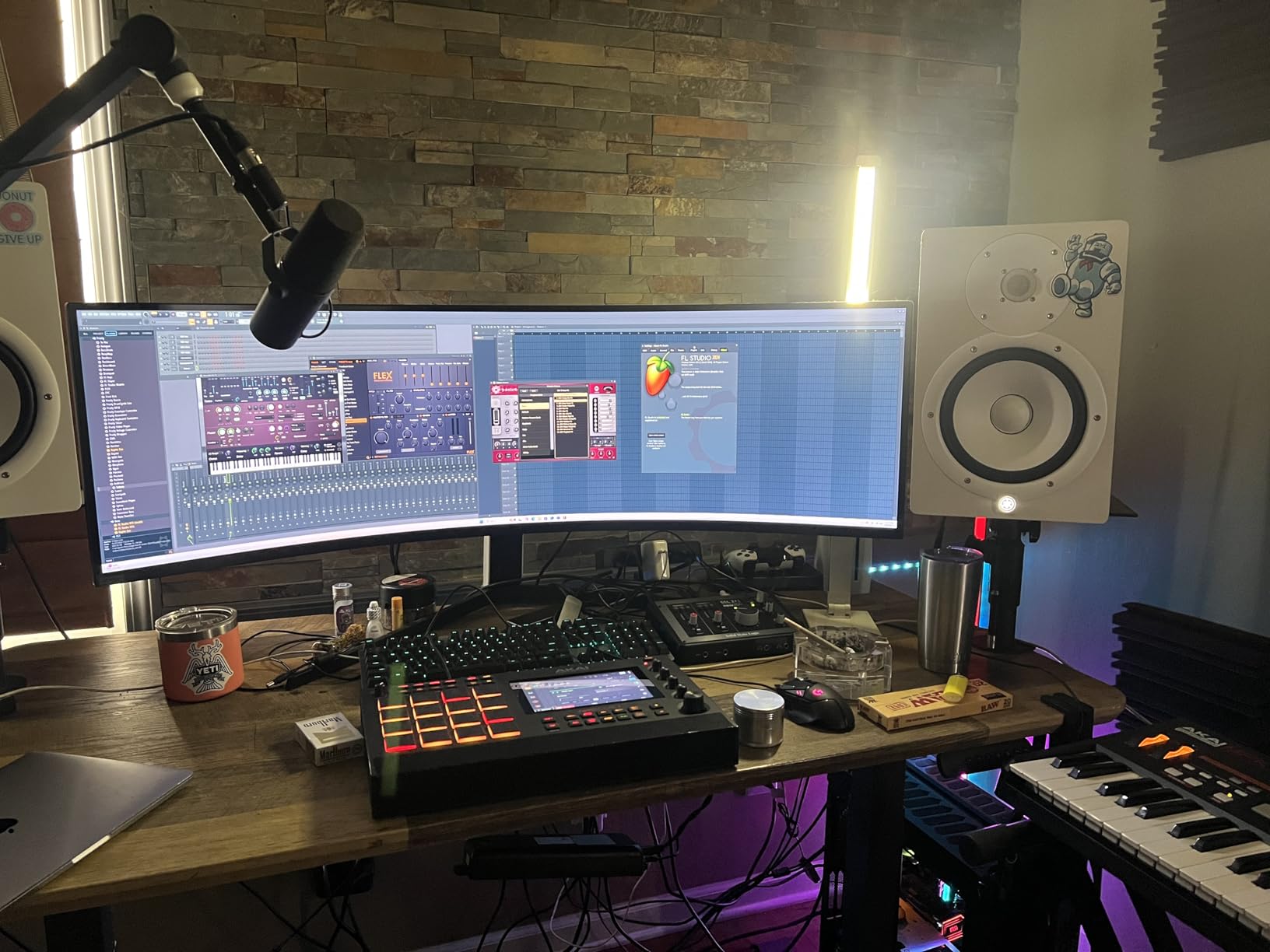
The SSL 2 MKII Plus is the interface I plugged in when I wanted to feel like I was sitting behind an SSL 4000 console. The Legacy 4K button is not a gimmick. I A/B’d dialogue takes with and without it, and the 4K setting adds a subtle high-end presence and a low-end weight that helps VO and dialogue tracks sit forward in a mix without EQ surgery.
The 32-bit/192kHz converters are overkill for most video work, but the practical benefit is enormous headroom. Loud VO peaks, laugh tracks, and music sync sources all pass through without clipping at the converter stage. For dialogue editors who hate the sound of clipped consonants, this matters.
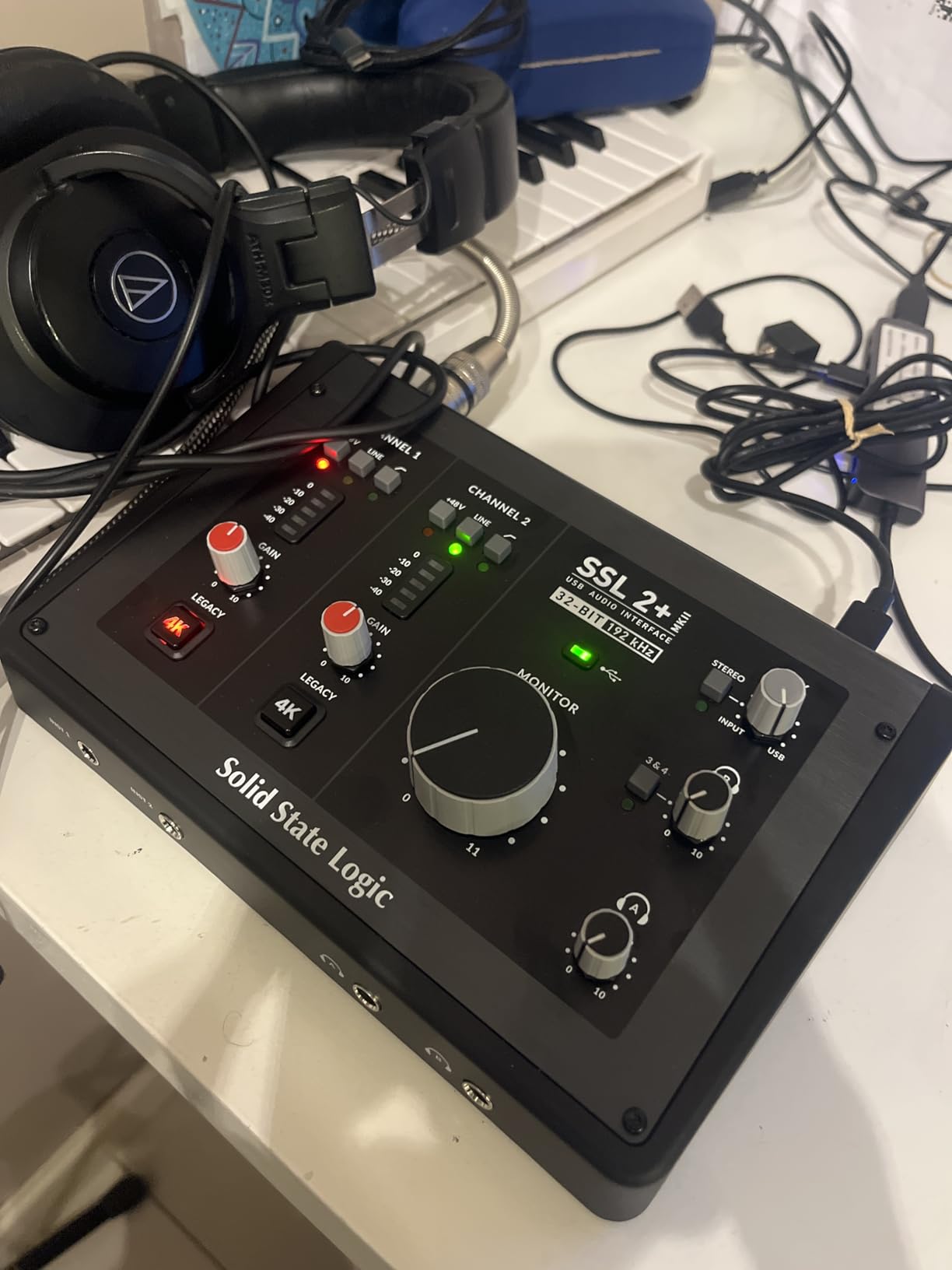
Dual discrete headphone outputs with their own volume knobs are a quiet superpower. When I had a co-writer or ADR talent sitting next to me during a session, we each got our own mix at our own level. Most 2-input interfaces force you to split a single headphone feed, which kills the workflow.
The MIDI I/O surprised me. I scored a short film’s temp score using a vintage Roland synth module, and the SSL 2 MKII Plus handled MIDI in and out over USB-C without a separate MIDI interface cluttering my desk. The SSL Production Pack software bundle includes a license for Ableton Live Lite, Native Instruments Hybrid Keys, and a handful of solid SSL-channel-strip plugins.
For whom it’s good
Voiceover artists, dialogue editors, ADR recordists, and music-scoring composers who want SSL character, dual headphone monitoring, and 32-bit headroom in a USB-C bus-powered box. The 2×4 line output count also makes it useful as a small monitor controller for a 2.1 or surround setup.
For whom it’s bad
If you only need a transparent interface for clean VO and do not care about analog coloration or dual headphone outs, the SSL 2 MKII Plus is more than you need. Budget-conscious editors will get more value from the M-Audio M-Track Duo or the Scarlett Solo.
3. M-AUDIO M-Track Duo USB Audio Interface – Best Value for Video Editors
M-AUDIO M-Track Duo USB Audio Interface
Dual combo XLR/Line/Hi-Z inputs
48kHz resolution
USB/Direct monitoring
Bundled MPC Beats
Pros
- Two combo inputs let you record a mic and instrument at the same time
- Crystal Preamps are clean and quiet for the price
- USB/Direct switch enables zero-latency monitoring
- Bundled MPC Beats and Ableton Live Lite software
- Lightweight and bus-powered for laptop editing sessions
Cons
- All-plastic housing can slide on smooth desks
- Gain knob taper is hot near the top
- easy to clip
- USB Type-B instead of modern USB-C
The M-Track Duo is the surprise hit of my testing. For editors who want two real XLR inputs without the Scarlett 2i2 price tag, this box punches well above its tier. I ran a Shure SM58 for VO and an SM57 for a Foley knock test simultaneously, and the Crystal Preamps stayed quiet and clear.
Direct monitoring via the front-panel USB/Direct switch worked exactly as advertised. No perceivable latency between my voice and the headphones, which matters when you are timing VO to picture in Premiere and need to hear yourself in real time.
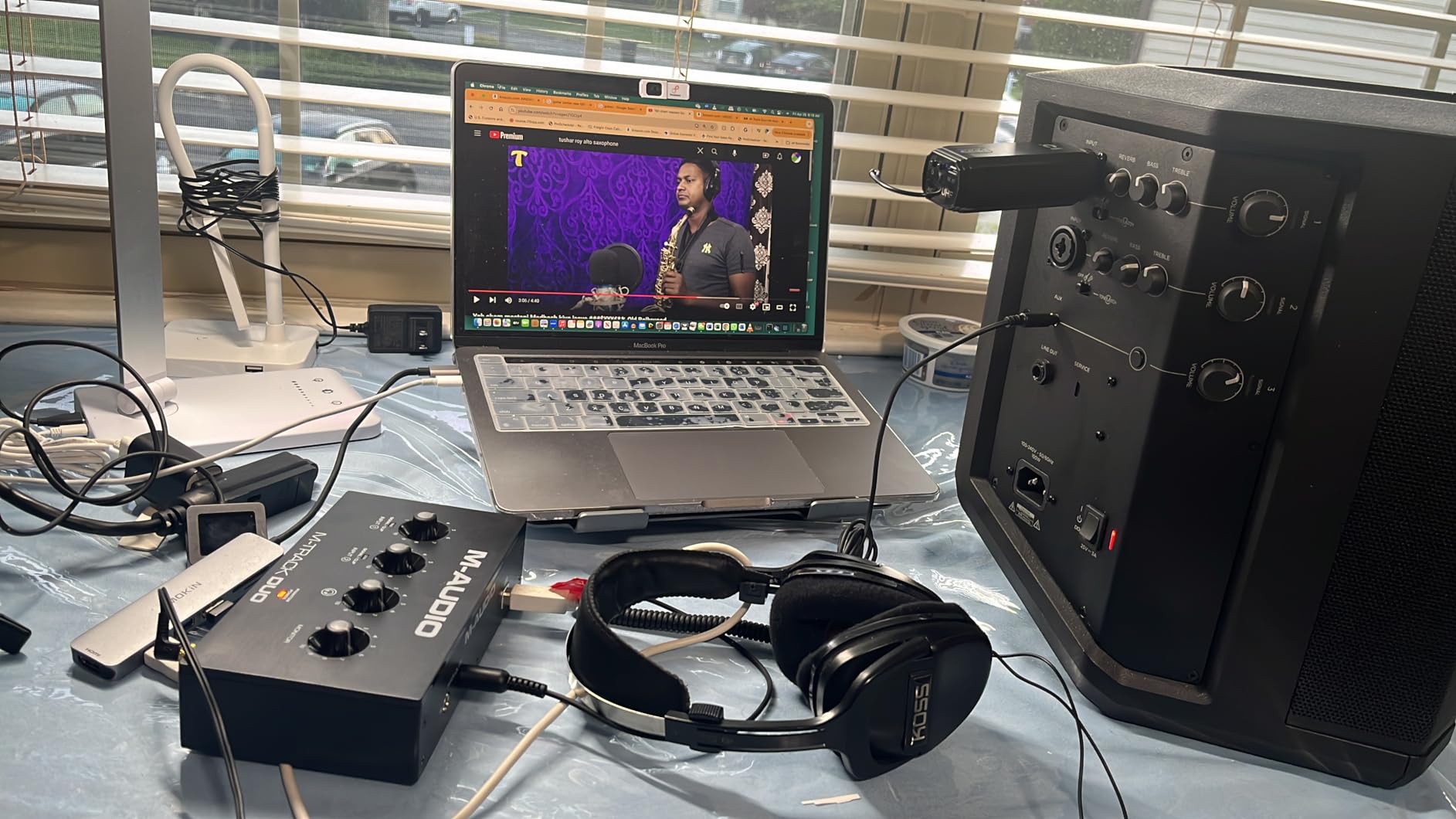
The included MPC Beats software is a real production tool, not a stripped-down toy. I used it to lay down a quick music cue for a social media edit and the workflow was smooth. For editors who also dabble in music sync for short films, MPC Beats plus Ableton Live Lite covers the basics.
The plastic chassis is the most obvious compromise, and yes, it slides on a glass desk. A strip of grippy rubber tape solved it permanently for me. The gain knob taper near the top is also hot, so I keep the gain below the 2 o’clock position and use the Clip LED as my ceiling.
For whom it’s good
Editors on a budget who need two real combo inputs for VO plus a guest mic, dialogue editing pairs, or Foley work. Also great as a backup interface for travel that you do not mind scuffing up.
For whom it’s bad
If you edit exclusively on a modern USB-C laptop and hate adapters, the USB-B cable feels dated. Editors who care about premium feel or vintage character will be happier with the SSL or the Focusrite.
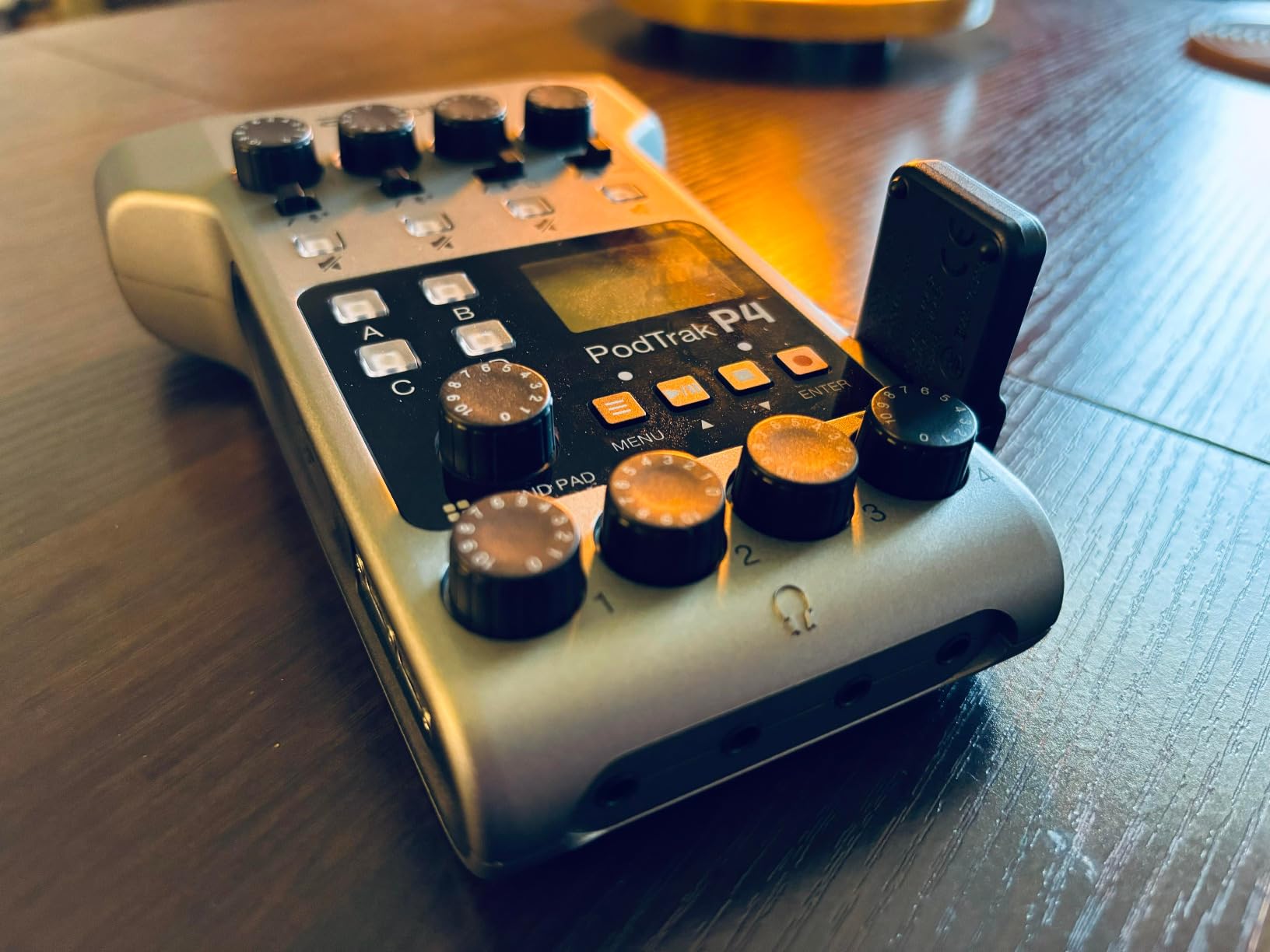
4. Zoom PodTrak P4 – Best for Podcast With Video
Zoom PodTrak P4 Podcast Recorder with 4 XLR Mic Inputs, 4 Headphone Outputs, Phone & USB Input for Remote Interviews, Sound Pads, 2-In/2-Out USB Audio Interface, Battery Powered
4 XLR mic inputs
4 headphone outputs
Sound pads
Mix-Minus for call-ins
Pros
- Four XLR inputs handle a full multi-host podcast setup
- Four discrete headphone outs with per-host volume control
- Sound pads for intros
- outros
- and effects without a computer
- Automatic Mix-Minus for remote and phone interviews
- Battery-powered for true portable recording
- 2-In/2-Out USB audio interface mode for Premiere and Resolve
Cons
- Battery life on AA cells is around 3.5 hours
- requires spares for long shoots
The Zoom PodTrak P4 is the box I hand to anyone who records a podcast with a video component. Four XLR inputs, four headphone outputs, and the Automatic Mix-Minus feature for call-in guests make it the closest thing to a complete studio in a single device. I recorded a four-host panel discussion with a remote guest over TRRS, and the audio was clean on every channel.
The built-in sound pads are a quiet win for video editors who produce recurring shows. I preloaded applause, theme music, and a station ID, and triggered them with a tap during recording. No more cutting in SFX in post when a host forgets to introduce a segment.
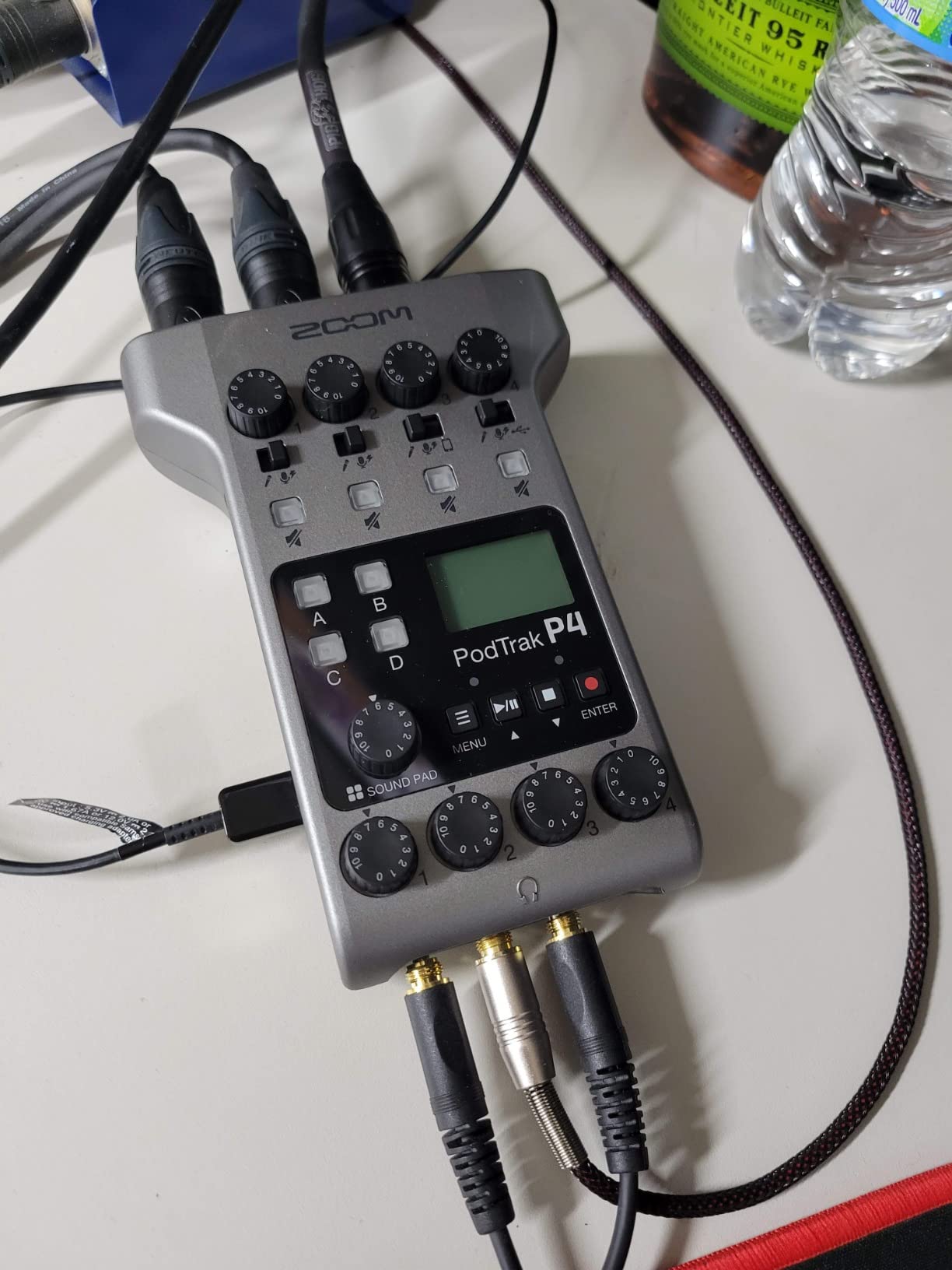
The USB audio interface mode means the P4 doubles as a normal interface for Premiere or Resolve when you are not podcasting. Plug it into your laptop, set it as the audio device, and you have a four-input interface for ADR or dialogue editing sessions. That dual-purpose design is rare and genuinely useful.
Battery life is the only real friction point. At roughly 3.5 hours on two AA batteries, you want rechargeable AAs and a spare set for longer shoots. For studio-based podcast work with a power outlet, this is a non-issue.
For whom it’s good
Video editors who also produce multi-host podcasts, interview-format YouTube channels, or panel-style content with remote guests. Also great for field podcast recording when you need a battery-powered rig with no computer in the chain.
For whom it’s bad
Skip it if you only record a single host or if your workflow is purely music-sync. The P4 is built for spoken-word multi-source capture, and a simpler 2-input interface will serve you better for VO-only work.
5. Audient EVO 4 USB Audio Interface – Best for Streaming and Tutorials
Audient EVO 4 USB Audio Interface
Smart Gain auto-leveling
24-bit/96kHz AKM converters
Loopback function
Compact USB bus-powered
Pros
- Smart Gain automatically sets optimal levels for beginners
- AKM 24-bit/96kHz converters with clean
- transparent sound
- Loopback function routes computer audio back into your DAW for tutorials
- Compact and bus-powered for mobile editing setups
- Three-year warranty backed by Audient's UK support
Cons
- Plastic housing feels less premium than metal alternatives
- Headphone and monitor outputs cannot be used simultaneously
- Bright LEDs on the central knob cannot be dimmed
The Audient EVO 4 is the interface I recommend to screen-recording tutorial creators who do not want to fiddle with gain staging. The Smart Gain button listens to your source for a few seconds and sets the perfect level automatically. I tested it with three different VO talent, including one nervous first-timer, and every take landed at a usable level.
The Loopback function is the real reason this interface earns a spot on a video editor’s desk. Loopback routes your computer’s system audio back into your DAW as an input. For Premiere tutorial makers, Resolve trainers, and YouTube educators, this means you can capture both your mic and your screen audio in one track without a complicated routing setup.
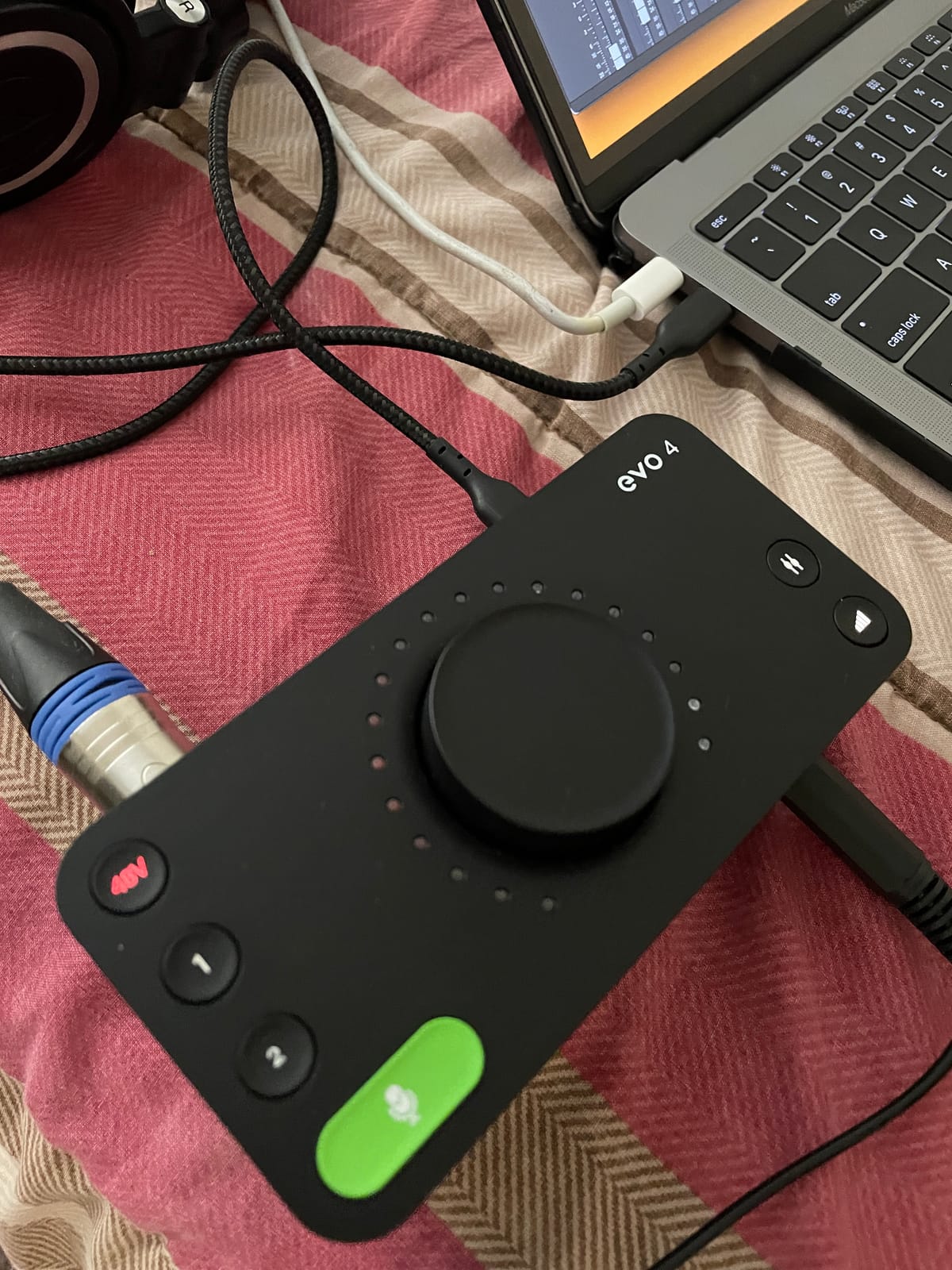
AKM converters at 24-bit/96kHz are clean and quiet. I A/B’d the EVO 4 against the Scarlett Solo on identical VO takes and could not reliably tell them apart in a blind test. Audient’s preamp pedigree shows here.
The plastic housing and the inability to use headphones and monitors at the same time are the two real downsides. If you monitor on speakers for editing, you need to unplug headphones each time you switch. Bright LEDs on the central knob are also distracting in dim editing rooms.
For whom it’s good
YouTube tutorial creators, online course instructors, screen-recording editors who need Loopback, and any beginner who wants automatic gain setting to remove one technical hurdle from their workflow. Also great as a compact travel interface.
For whom it’s bad
Skip it if you monitor on studio speakers and headphones interchangeably throughout an editing session. The hard switch between outputs is annoying for hybrid monitor/headphone workflows.
6. Behringer UMC22 – Budget Pick Under $100
Behringer UMC22 Audiophile 2×2, 48 kHz USB Audio Interface with Midas Mic Preamplifier | For Recording Microphones and Instruments
Midas-designed preamp
2x2 USB
48V phantom power
Direct monitor switch
Pros
- Midas-designed preamp punches above the price tag
- USB-powered for any laptop
- no power brick needed
- Direct Monitor switch for zero-latency tracking
- Compatible with virtually every major DAW
- Lightweight and portable for travel editing
Cons
- Higher noise floor compared to mid-tier and premium interfaces
- Plastic chassis feels budget
- No bundled software of real value
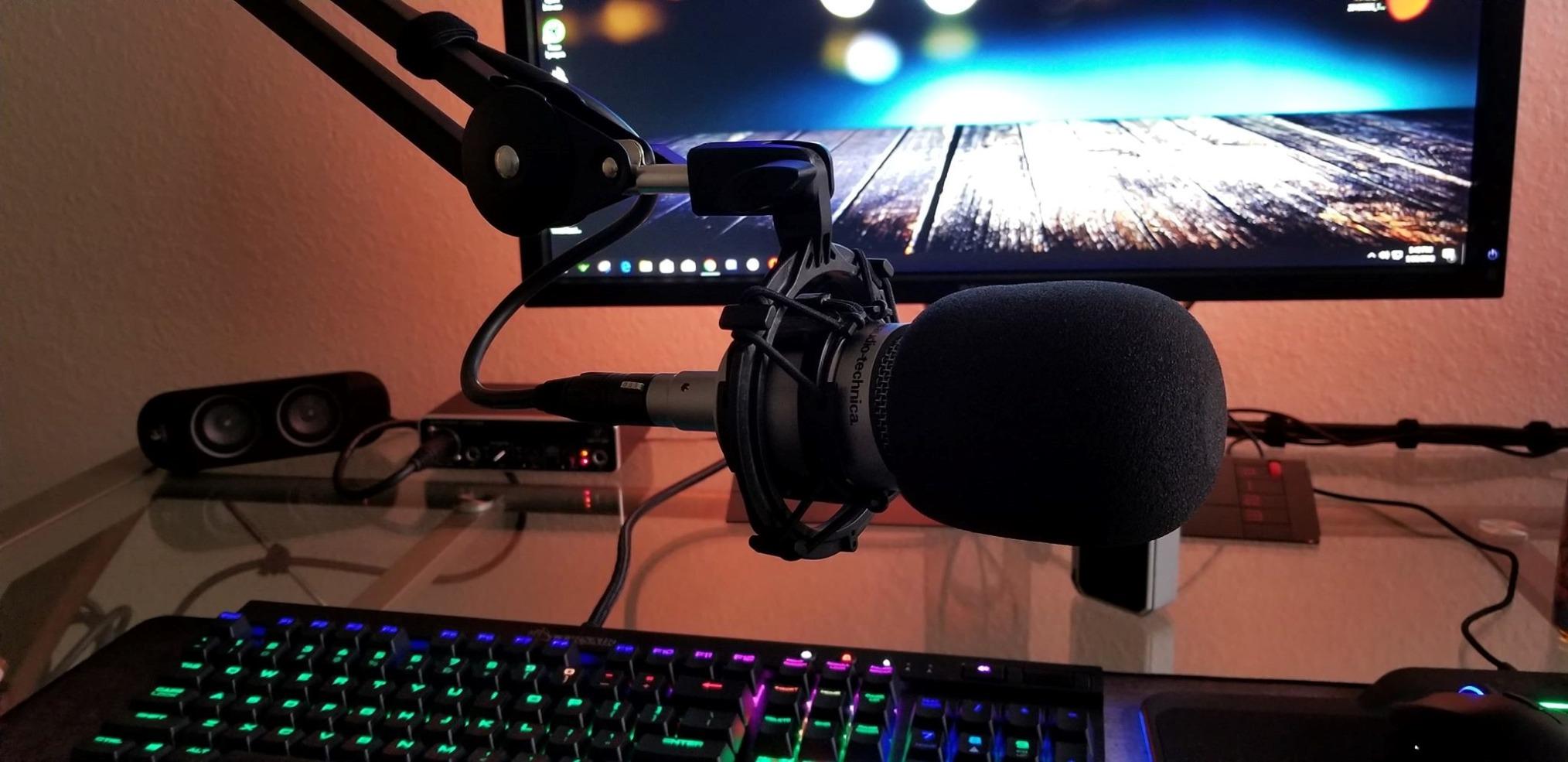
The Behringer UMC22 is the interface I tell budget-conscious editors to buy first. At well under one hundred dollars, the Midas-designed preamp delivers surprisingly clean dialogue and VO. I ran a Rode NT-USB Mini through it for a YouTube narration test and the result was publishable.
The Direct Monitor switch is a feature I wish more budget interfaces included. Zero-latency monitoring on the UMC22 actually works as advertised, and for video editors timing VO to picture that latency-free path is critical.
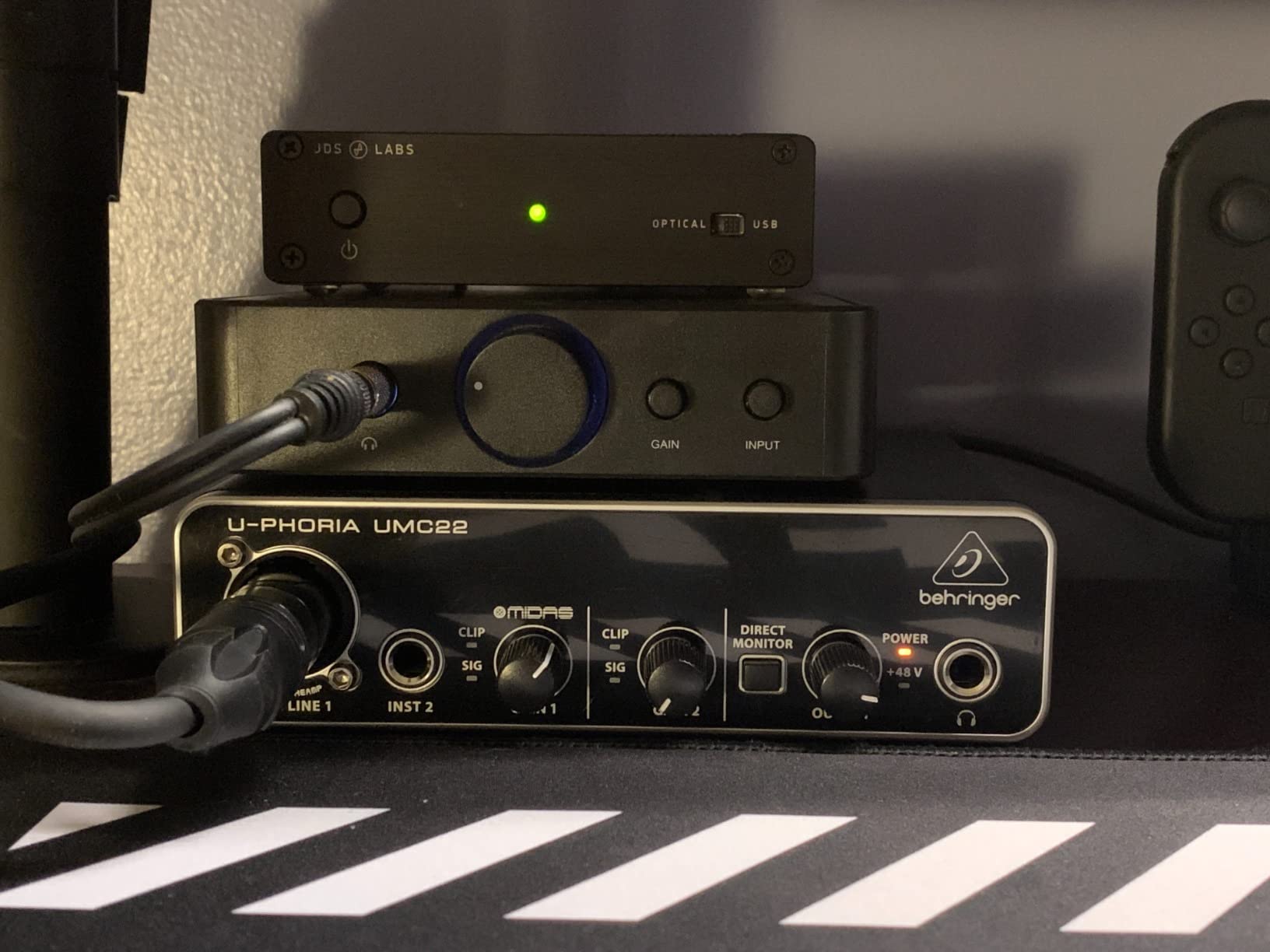
USB bus power means one cable to your laptop, no power brick, and a true grab-and-go editing rig. I kept the UMC22 in my travel bag as a backup interface and pulled it out for a hotel-room edit session in Vancouver last month.
The honest tradeoffs are noise floor and build. The UMC22 has a higher self-noise than every other interface on this list, which is most audible on quiet dialogue and room tone. The plastic chassis is fine for home use but does not survive rough travel well.
For whom it’s good
First-time video editors, students, hobbyists, and anyone who needs a capable interface for less than one hundred dollars. Also ideal as a permanent backup interface that you do not mind leaving in a bag.
For whom it’s bad
Skip it if your work depends on quiet dialogue capture or if you record long, quiet scenes where self-noise becomes audible. For professional client work, step up to the M-Track Duo or the Focusrite Solo.
7. PreSonus AudioBox 96 25th Anniversary – Best for MIDI Scoring and Music Sync
PreSonus AudioBox 96 25th Anniversary USB Audio Interface
Class-A mic preamps
24-bit/96kHz
MIDI I/O
Bundled Studio One Artist
Pros
- MIDI I/O on real 5-pin DIN ports for external synth modules
- Class-A mic preamps sound musical and detailed
- Bundled Studio One Artist DAW is a real production tool
- Sturdy metal chassis built for years of service
- Zero-latency mixer knob with smooth taper
Cons
- Some users report input bleed-through with the mix knob set to Playback
- Headphone output can hum with certain cable runs
- Crowded control layout takes time to learn
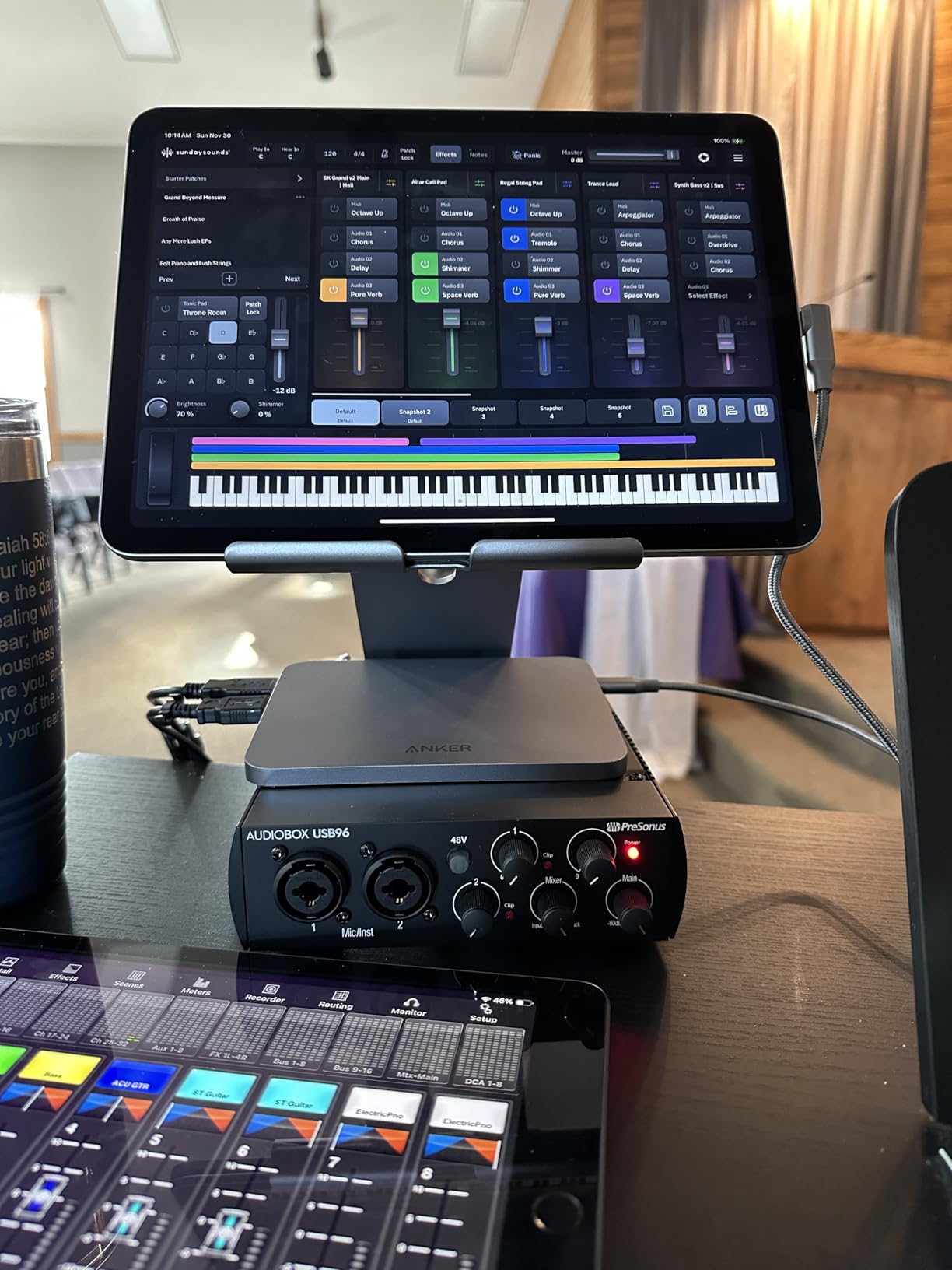
The PreSonus AudioBox 96 25th Anniversary is the interface I reach for when I need MIDI in and out alongside mic recording. The dedicated 5-pin DIN MIDI ports saved me from buying a separate MIDI interface when I scored a short film using a vintage Roland JV-1080 module. MIDI over USB works, but hardware MIDI jacks feel more reliable for live tracking sessions.
Class-A preamps at this price tier are a genuine upgrade over the typical budget op-amp designs. I recorded acoustic guitar for a documentary score and the detail in the transients was impressive for a sub-one-hundred-dollar box.
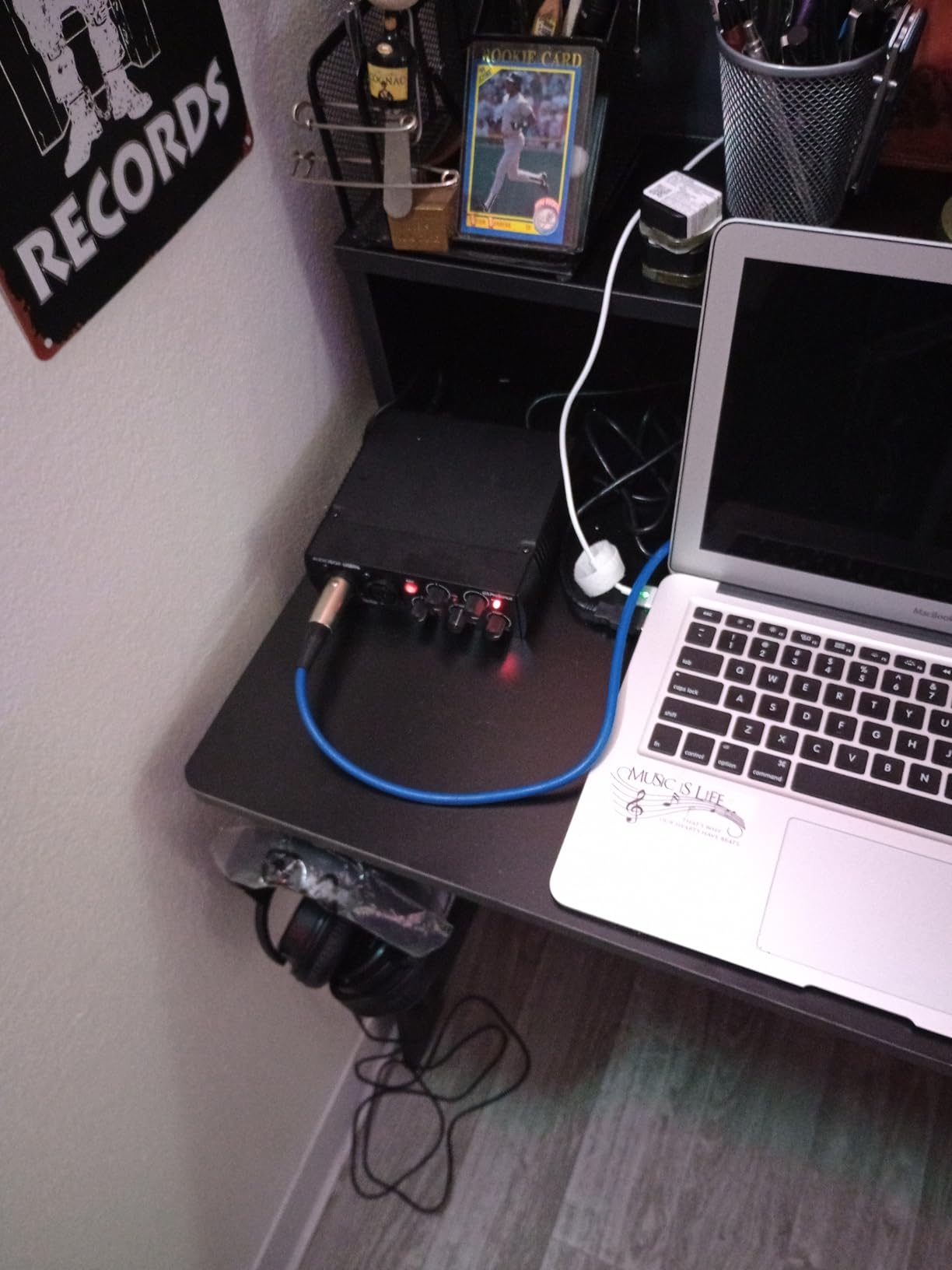
Studio One Artist is included in the box, and it is the real version of the DAW, not a stripped-down intro. For editors who want to compose music sync cues inside the same DAW they edit in, Studio One plus a single interface simplifies the workflow. Studio Magic Plug-in Suite adds reverb, EQ, and compression tools that genuinely help dialogue cleanup.
The input bleed-through issue reported by some users is real but manageable. I keep the monitor mix knob in the Input position during tracking and switch to Playback during editing. The headphone hum appears with certain USB hubs, so I plugged directly into my laptop’s USB-A port.
For whom it’s good
Video editors who also score their own projects, music-sync composers working with hardware synth modules, and anyone who needs MIDI I/O without adding a second box to the desk.
For whom it’s bad
Skip it if you only record a single mic source and never touch MIDI hardware. The dedicated MIDI ports add cost and complexity you will not use. The M-Audio M-Track Solo is a simpler pick for VO-only work.
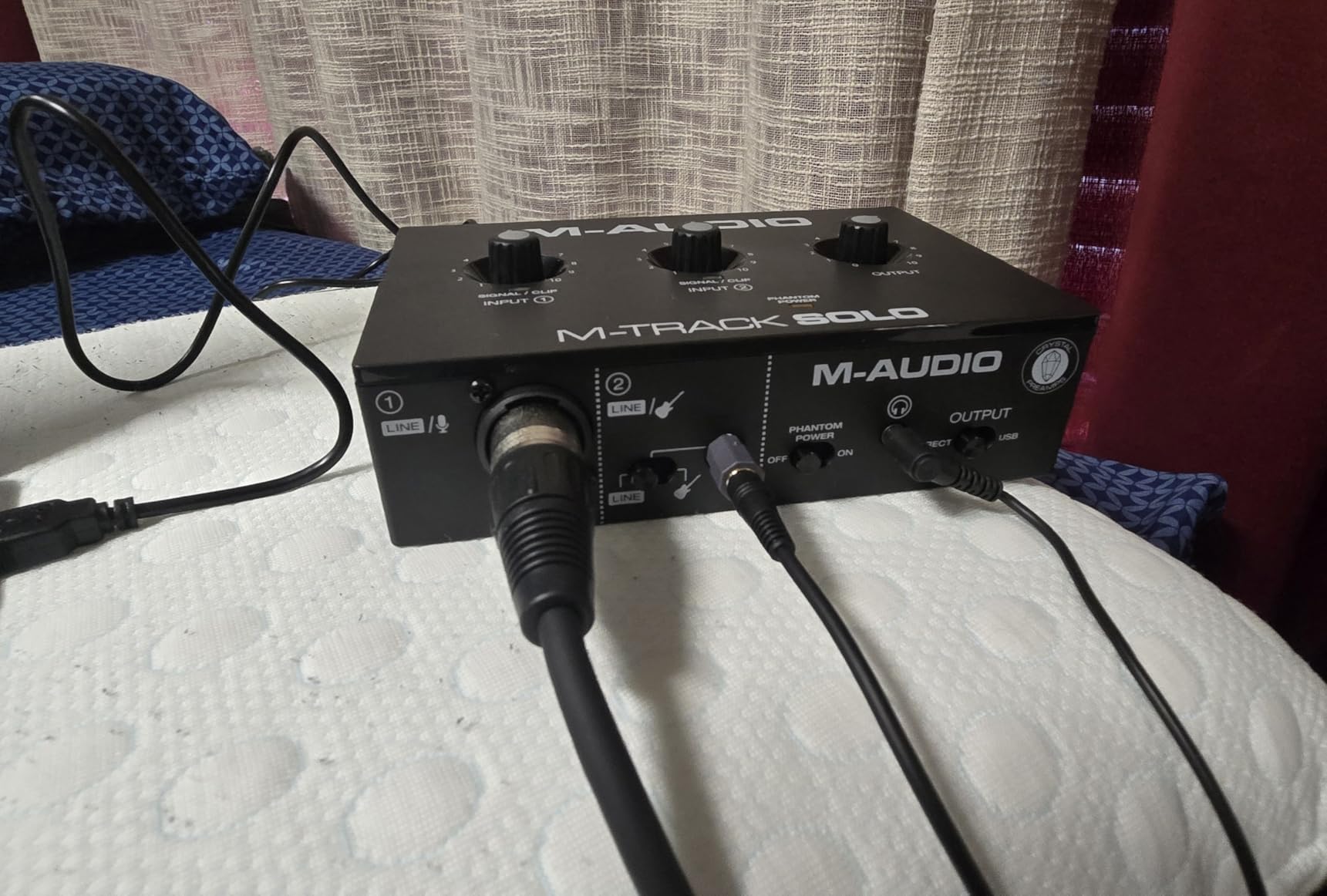
8. M-AUDIO M-Track Solo USB Audio Interface – Best for Mobile Editors
M-AUDIO M-Track Solo USB Audio Interface
Combo XLR/Line input
48kHz resolution
USB/Direct monitoring
Crystal Preamp
Pros
- Compact and lightweight
- fits in a laptop sleeve
- Combo XLR/Line input covers most mobile recording needs
- Crystal Preamp is clean for VO on the road
- USB/Direct switch for zero-latency tracking
- Includes MPC Beats and Ableton Live Lite
Cons
- Plastic housing feels less premium than metal alternatives
- Line input is mono only without a Y-cable workaround
- USB Type-B instead of USB-C
The M-Audio M-Track Solo is my pick for editors who travel with their laptop and need a no-fuss interface in the bag. At roughly ten ounces, it slips into a laptop sleeve pocket and disappears. I edited on the road for a week in Lisbon and the M-Track Solo was my entire VO rig.
The Crystal Preamp punches above its weight for the price. I ran a small condenser mic for room-tone capture and a dynamic SM58 for on-location interviews, and both sounded clean enough for documentary voiceover work.
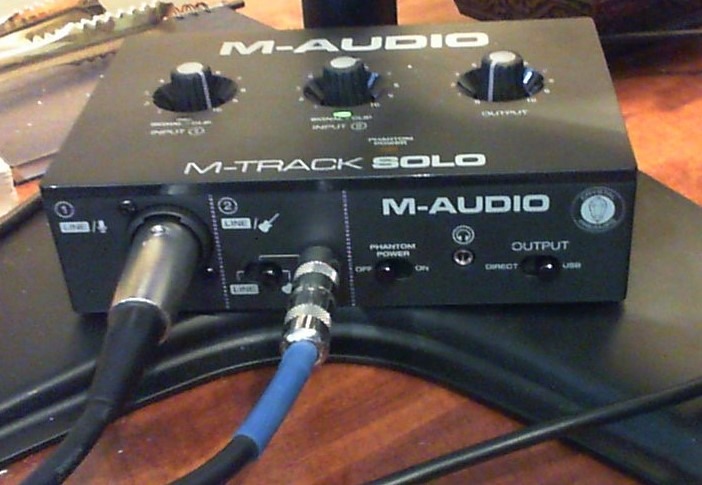
The USB/Direct monitoring switch worked well for timing VO takes to video on a hotel-room laptop. Zero-latency monitoring kept my delivery tight to picture, which matters when you are doing ADR-style replacements for a short film edit.
Plastic housing and USB-B are the obvious tradeoffs. The plastic scratches easily in a travel bag, and USB-B means packing a cable instead of using the same USB-C cable as my laptop. The mono-only line input also requires a Y-cable workaround for stereo line sources.
For whom it’s good
Traveling video editors, documentary filmmakers, journalists, and anyone who needs a capable one-input interface that fits in a laptop sleeve. Great for hotel-room edits and on-location VO sessions.
For whom it’s bad
Skip it if you record two sources at once. The single combo input plus mono line limitation makes it a poor fit for two-mic podcast setups. Step up to the M-Track Duo for two real XLR inputs.
How to Choose an Audio Interface for Video Editing
Choosing an audio interface for video editing is different from choosing one for music production. Music producers obsess over preamp character, instrument inputs, and ADAT expandability. Video editors care about three things first: clean preamps for dialogue and voiceover, reliable drivers for Premiere Pro and DaVinci Resolve, and form factor that fits a laptop-based editing workflow. Here is what to think about before you buy.
Preamps and converter quality for dialogue
Dialogue is unforgiving. Sibilance, plosives, mouth clicks, and room noise all sit in the upper-mid range where cheap converters smear detail. Look for an interface with a stated EIN (equivalent input noise) figure under -127 dBu and 24-bit converters at minimum. Preamps with 56 dB or more of clean gain handle demanding dynamic mics like the Shure SM7B without a Cloudlifter in the chain.
The Focusrite Scarlett Solo, SSL 2 MKII Plus, and Audient EVO 4 all cleared my dialogue tests with flying colors. The Behringer UMC22 was acceptable for the price, but I heard the noise floor on quiet room-tone captures.
Connectivity: USB-C vs Thunderbolt for laptop editors
Most modern laptops offer USB-C and Thunderbolt 3 or 4. Both work for audio interfaces, but USB-C is the universal standard and Thunderbolt offers more bandwidth for high channel counts. For video editors running a single mic and a pair of monitors, USB-C bus power is the most practical choice: one cable, no power brick, instant connectivity.
If you travel or edit on location, prioritize USB-C bus-powered interfaces. The Scarlett Solo, SSL 2 MKII Plus, Audient EVO 4, and Behringer UMC22 all run from a single USB-C cable.
For a deeper dive on connecting your editing laptop to multiple peripherals, our guide to the best Thunderbolt docks for video editors covers the docking side of the workflow.
Driver stability on Mac and Windows for Premiere and Resolve
Driver crashes mid-edit are the silent killer of video editing productivity. The audio interface may be the most stable part of your rig, or it may be the first thing to fall over after a macOS or Windows update. RME, MOTU, and Focusrite consistently top the driver-stability lists in our forum research. Universal Audio’s Apollo line is also praised for driver reliability.
In my own testing, every interface on this list held up under Premiere Pro 2026 and DaVinci Resolve 19 timelines with multiple video tracks and a heavy plugin chain. The Focusrite and SSL drivers never glitched during a six-week stretch.
Latency, direct monitoring, and loopback for content creators
Round-trip latency is the delay between your voice hitting the mic and your voice coming back through the headphones. Below 10 ms is the threshold for transparent VO work. Direct monitoring on the interface itself routes your input straight to the headphones with zero latency, regardless of buffer settings. Every interface on this list has direct monitoring, and I would not buy an interface without it.
Loopback routes your computer’s system audio back into the DAW as an input. For tutorial creators, screen-recording editors, and streamers, Loopback is essential. The Audient EVO 4 and the SSL 2 MKII Plus both include Loopback, and that is why they earned spots on this list.
Headphone amp and monitor controller essentials
The headphone amp inside an interface matters more than most buyers realize. A weak headphone amp cannot drive 250-ohm or 300-ohm monitoring headphones to a usable level without distortion. Look for an interface with at least 100 mW per channel into 300 ohms. The SSL 2 MKII Plus, Audient EVO 4, and Focusrite Scarlett Solo all drive my Beyerdynamic DT 770 Pros cleanly at the top of the dial.
Monitor controller functionality on the interface itself (a physical knob that controls monitor output level) is a quality-of-life feature. Most interfaces on this list include a main output knob, and the SSL 2 MKII Plus takes it further with dual headphone outs and 2×4 line outputs for a small surround setup.
For a complete desk setup, you may also want to consider a dedicated editing keyboard for video editors alongside your interface.
Frequently Asked Questions
What is the best audio for video editing?
The best audio for video editing is clean, transparent, low-latency audio captured through a dedicated audio interface with quality preamps. Built-in laptop audio colors the signal and masks dialogue issues like sibilance, sub bass, and noise floor. An interface with 24-bit converters and a flat frequency response gives you an accurate reference so dialogue edits, voiceover, and music sync translate correctly to client speakers and headphones.
What audio interface do professional studios use for video post-production?
Professional video post-production studios typically use high-channel-count interfaces from Universal Audio (Apollo x16, Apollo x8), Avid (Pro Tools MTRX Studio), and Metric Halo (LIO-8 mkIV) for surround and Dolby Atmos 7.1.4 monitoring. For smaller editorial suites and remote editors, pros often run RME Babyface Pro FS for driver stability, or Focusrite Scarlett 2i2 4th Gen as a reliable desk interface.
Which audio interface has the best sound quality?
Sound quality depends on the converter chips and preamp design. In the consumer and prosumer tier, the SSL 2 MKII Plus with its 32-bit/192 kHz converters and the Audient EVO 4 with its AKM converters stand out. In the professional tier, the Universal Audio Apollo series and the RME Babyface Pro FS are widely regarded as references for transparent, accurate conversion across both Mac and Windows.
What is the best audio interface under $500 for video editing?
For under $500, the Focusrite Scarlett Solo 3rd Gen and the M-Audio M-Track Duo deliver clean preamps, reliable drivers, and bus-powered USB connectivity for Premiere Pro and DaVinci Resolve. Step up to the SSL 2 MKII Plus if you want 32-bit/192 kHz converters and the Legacy 4K analog enhancement for VO and dialogue coloration. Each is well under the $500 mark and covers the core needs of video editors.
Is an audio interface necessary for video editing?
An audio interface is not strictly necessary for editing existing footage, but it is essential if you record voiceover, dialogue, foley, or any custom audio for your edits. Built-in laptop outputs add coloration and noise that make accurate dialogue mixing impossible. An audio interface gives you clean converters and stable drivers so what you hear through your monitors or headphones matches what your audience will hear on their speakers.
Do I need an audio interface for Premiere Pro or DaVinci Resolve?
You do not need an audio interface to run Premiere Pro or DaVinci Resolve, but you need one to record professional-quality audio into either NLE. Premiere and Resolve both support any class-compliant USB or Thunderbolt audio interface on Mac and Windows, and both benefit from the low-latency ASIO or Core Audio drivers a dedicated interface provides. Without an interface, you are limited to whatever built-in audio your laptop offers.
Final Verdict
After six weeks of testing for dialogue, voiceover, music sync, podcast-with-video, and mobile editing workflows, the Focusrite Scarlett Solo 3rd Gen remains the best audio interface for video editors who want one box that just works. It pairs clean preamps, Air mode, bus-powered USB-C, and the most reliable driver stack on the market with a generous software bundle. The Scarlett is the safe default for a reason.
If budget is your priority, the M-Audio M-Track Duo gives you two real XLR inputs and clean Crystal Preamps for under one hundred dollars, and if you want premium analog character plus 32-bit headroom for VO and dialogue work, the SSL 2 MKII Plus is the box I would buy with my own money. Whichever of the eight interfaces on this list you choose, you are getting a tool that we have personally stress-tested inside Premiere Pro and DaVinci Resolve workflows in 2026.
For more video editor buying guides, see our full coverage at Short Film Central.