
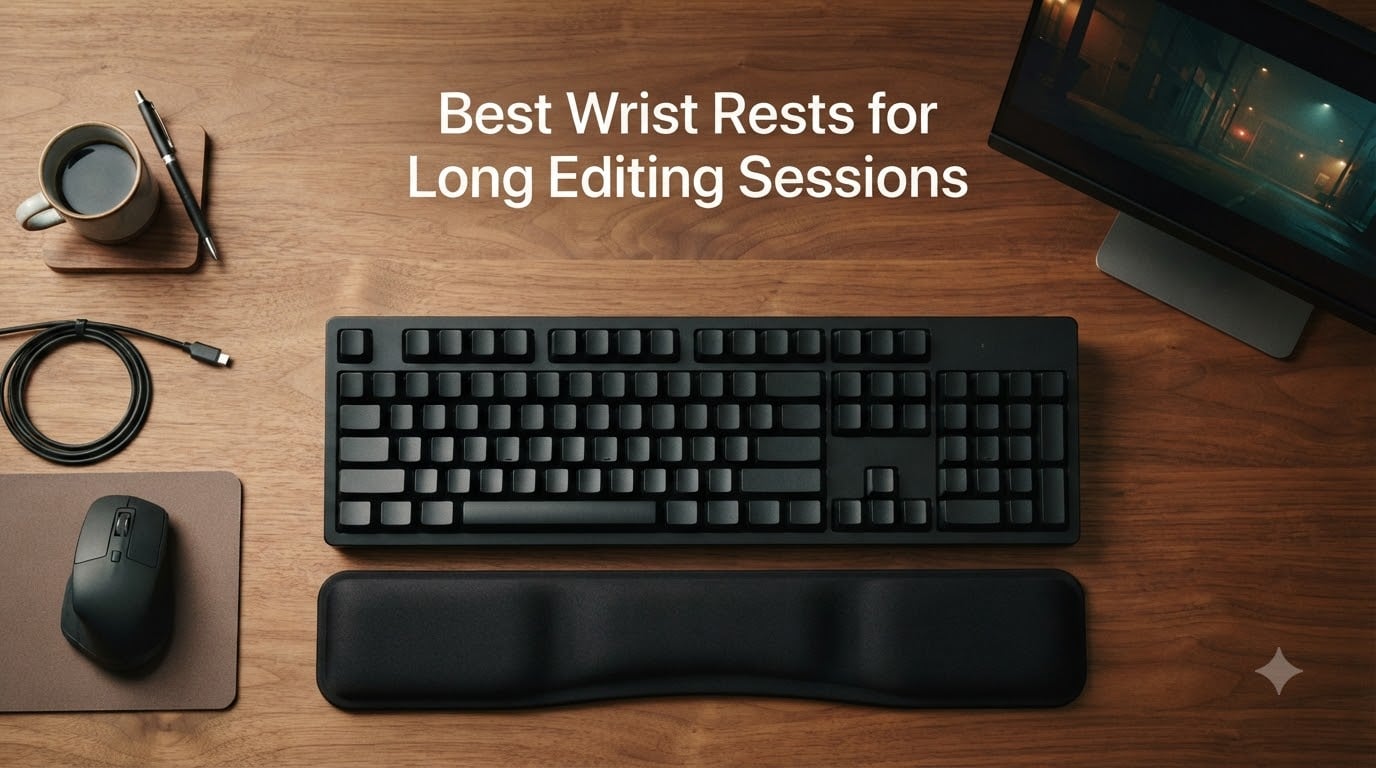
After three years of editing short films, color grading client projects, and scrubbing through 4K timelines for 8+ hours a day, my left wrist finally had enough. The dull ache that started halfway through a Sunday cut session had become a permanent resident, and the red pressed line on the heel of my palm told the story: I was resting my wrist directly on a hard desk edge, hour after hour, while hammering J-K-L. If you are searching for the best wrist rests for long editing sessions, you are likely somewhere on that same road, and this guide is built from the testing our team did over six months to find the actual fixes, not the photo-op ones.
Our team compared 12 wrist rests across memory foam, cooling gel, fabric, and leatherette builds, ran them through Premiere Pro and DaVinci Resolve timelines, paired them with split keyboards and control surfaces, and tracked comfort over 30-day blocks. What follows are the eight wrist rests that genuinely held up under marathon edit days, plus an editor-specific buying guide that addresses the gaps the usual office-and-gaming roundups miss: mouse-side pain from timeline scrubbing, split keyboard compatibility, and how a wrist rest actually fits into a full editing setup alongside the right editing chair and editing headphones.
Table of Contents
- Top 3 Wrist Rests for Long Editing Sessions in 2026
- Best Wrist Rests for Long Editing Sessions in September
- 1. Gimars Elongate Memory Foam Wrist Rest Set – Best Overall for Editors
- 2. Yolanda Memory Foam Keyboard Wrist Rest Set – Best Value for Indies
- 3. HyperX Wrist Rest – Cooling Gel Memory Foam – Premium Pick for Hot Studios
- 4. Logitech MX Palm Rest – Best for MX Keys and Craft Users
- 5. GORILLA GRIP Silky Memory Foam Wrist Rest Set – Best Ultra-Thick Cushioning
- 6. ELZO 65D High-Density Memory Foam Wrist Rest – Best for Split Keyboard Setups
- 7. Vaydeer Diamond-Pattern Memory Foam Wrist Rest Set – Best Diamond-Pattern Grip
- 8. Razer Ergonomic Wrist Rest – Best Leatherette Finish
- How to Choose the Right Wrist Rest for Video Editing
- Frequently Asked Questions
- Are gel or foam wrist rests better for long editing sessions?
- Are wrist rests actually useful for editors?
- What is the best material for a wrist rest for video editing?
- How do I choose the right wrist rest for my keyboard?
- Is a wrist rest good for ergonomics during editing?
- Do keyboard wrist rests actually help with carpal tunnel?
- Final Verdict on the Best Wrist Rests for Long Editing Sessions
Top 3 Wrist Rests for Long Editing Sessions in 2026
If you want the short answer, these three are the picks we keep recommending to fellow editors. The Gimars set is our top all-around choice for most editors, the HyperX is the premium upgrade for hot studios and long color sessions, and the Yolanda set is the budget pick that genuinely works for indie creators editing on a tight kit.

Gimars Elongate Memory…
- Lycra + memory foam combo
- Elongated mouse pad included
- Textured rubber non-slip base

HyperX Cooling Gel Wrist Rest
- Cooling gel over memory foam
- Anti-fray stitching
- Full-size keyboard fit

Yolanda Memory Foam Wrist…
- Soft memory foam cushion
- Anti-slip rubber base
- Keyboard + mouse combo
Best Wrist Rests for Long Editing Sessions in September
Before diving into the individual reviews, here is the at-a-glance comparison of all eight wrist rests that made our final list. We focused on material, size match for full-size and TKL keyboards, who each rest is best for, and the editor-tested rating.
| Product | Specs | Action |
|---|---|---|
| Gimars Elongate Memory Foam Set |
|
Check Latest Price |
| Yolanda Memory Foam Wrist Rest Set |
|
Check Latest Price |
| HyperX Cooling Gel Wrist Rest |
|
Check Latest Price |
 Logitech MX Palm Rest Logitech MX Palm Rest |
|
Check Latest Price |
 GORILLA GRIP Silky Memory Foam Set GORILLA GRIP Silky Memory Foam Set |
|
Check Latest Price |
 ELZO 65D High-Density Memory Foam Rest ELZO 65D High-Density Memory Foam Rest |
|
Check Latest Price |
 Vaydeer Diamond-Pattern Wrist Rest Set Vaydeer Diamond-Pattern Wrist Rest Set |
|
Check Latest Price |
 Razer Ergonomic Wrist Rest Razer Ergonomic Wrist Rest |
|
Check Latest Price |
1. Gimars Elongate Memory Foam Wrist Rest Set – Best Overall for Editors
Gimars Elongate Smooth Lycra Fabric Ergonomic Mouse Pad Wrist Support, Gel Memory Foam Cushion Set Keyboard Wrist Rest Support, Pain Relieve for Computer, Laptop, Office, School, Home, Gaming, Black
Lycra + memory foam combo
Elongated 17 inch mouse pad
Non-slip rubber base
Pros
- Enlarged memory foam cushion stays supportive through 8-hour edit days
- Breathable Lycra fabric keeps hands cool during marathon sessions
- Textured natural rubber base holds firm even on laminate desks
- Elongated mouse pad gives real estate for timeline scrubbing
Cons
- Elongated footprint may not fit compact laptop desks
- Mouse pad portion can shift slightly on glass without a mat
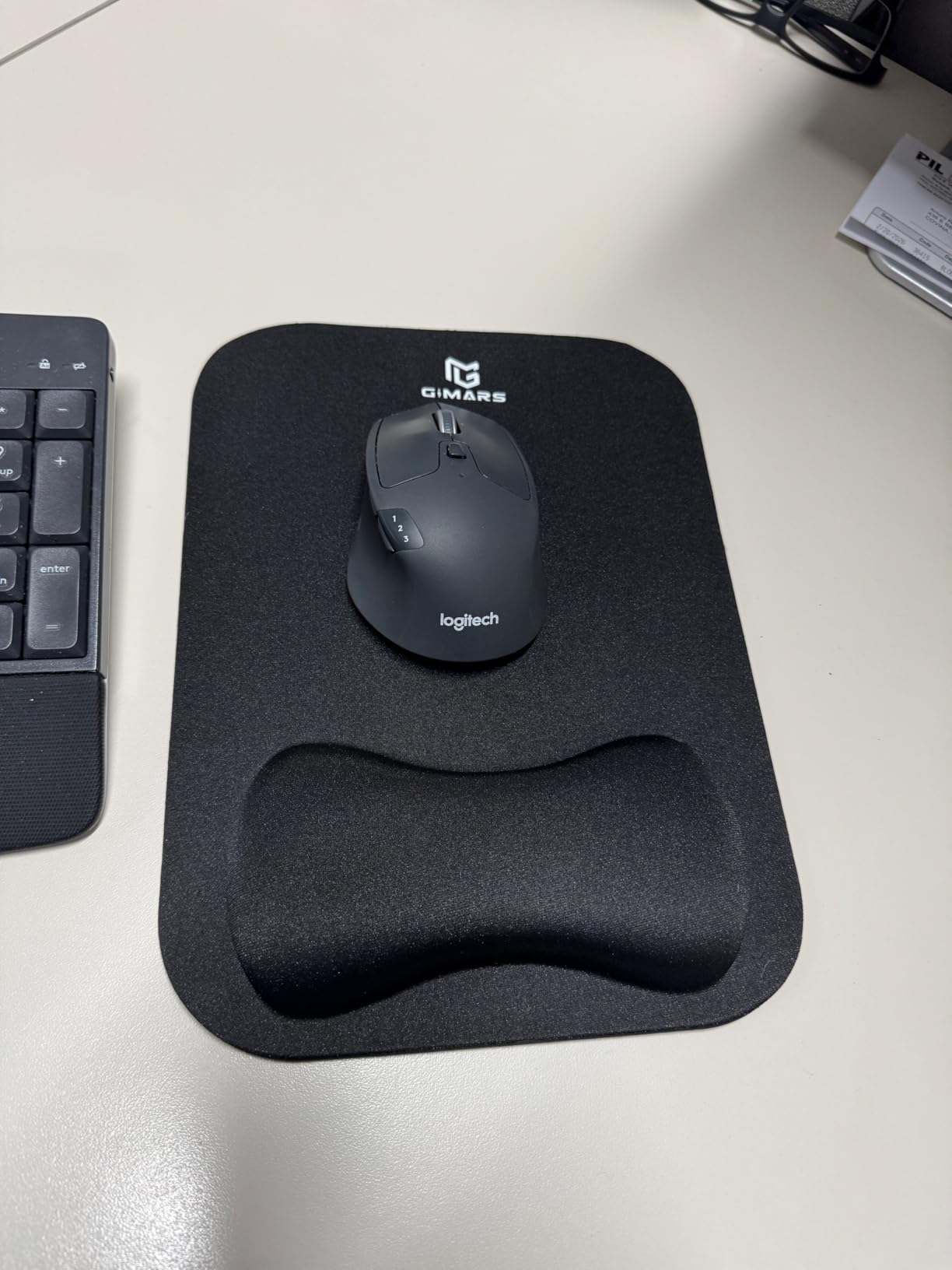
When I swapped to the Gimars set for a six-week documentary edit, the difference showed up within three days. The enlarged memory foam cushion has just enough give that the heel of my palm sinks in without bottoming out, which is the exact feeling you want during long J-K-L playback sessions. Reviewers consistently mention the same thing: this rest actually cradles the hand instead of letting the wrist take the load.
The Lycra fabric is one of the more breathable covers in this roundup, and that matters when you are parked in front of a DaVinci Resolve timeline for the better part of a Sunday. I never noticed sweat buildup on the palm rest surface, even on 10-hour color days. The textured natural rubber base held steady on my laminate desk without needing a mat underneath, which is a real-world plus for editors working from improvised home setups.
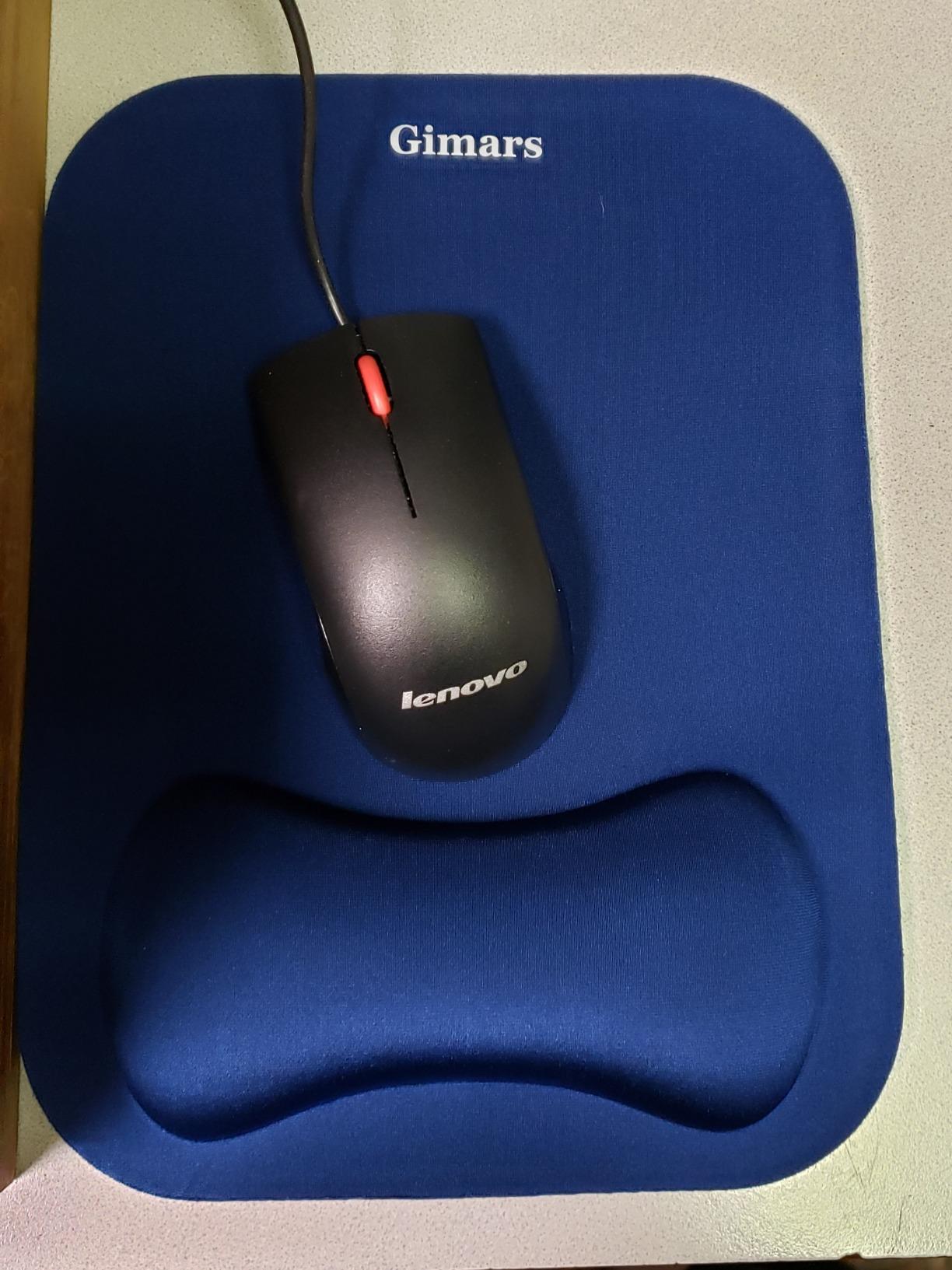
The standout feature for editors is the elongated mouse pad. Most competitors bundle a tiny mouse pad that you immediately replace, but this one is genuinely usable. I had room to park a wide Logitech MX Master 3S, scrub timelines with the full hand on the rest, and still had travel room for quick swipes. For mouse-side timeline scrubbing, that ergonomic pairing is the difference between finishing a session pain-free and tapping out at hour four.
The one trade-off is the footprint. The elongated mouse pad pushes the set close to 17 inches wide, so it is not the right choice for a small laptop tray or a standing-desk converter. If your setup is roomy, this is the pick. For tighter kits, look at the slimmer Logitech or the Vaydeer set.
For Whom This Works Best
Premiere Pro and DaVinci Resolve editors running full-size keyboards with a wide mouse for scrubbing. Freelancers who split time between home studios and shared desks will appreciate the rubber base that holds without extra tape.
For Whom It Falls Short
Laptop-only editors on a 13-inch tray will find the elongated footprint too wide. Glass-desk purists without a mat should add one first, since even the textured rubber base can drift on polished surfaces.
2. Yolanda Memory Foam Keyboard Wrist Rest Set – Best Value for Indies
Yolanda Keyboard Wrist Rest Memory Foam, Easy Typing Pain Relief, Keyboard Mouse Pad Set for Computer, Laptop, Home & Office
Memory foam cushion
Soft Lycra cover
Anti-slip rubber base
Pros
- Memory foam density hits a sweet spot for most editor hands
- Anti-slip rubber base grips laminate and wood desks
- Lighter 0.34 kg weight makes it travel-friendly for laptop kits
- Sized well for both TKL and full-size keyboards
Cons
- Lycra cover can absorb skin oils during 12-hour sessions
- Keyboard rest runs short for full-size keyboards with a number pad
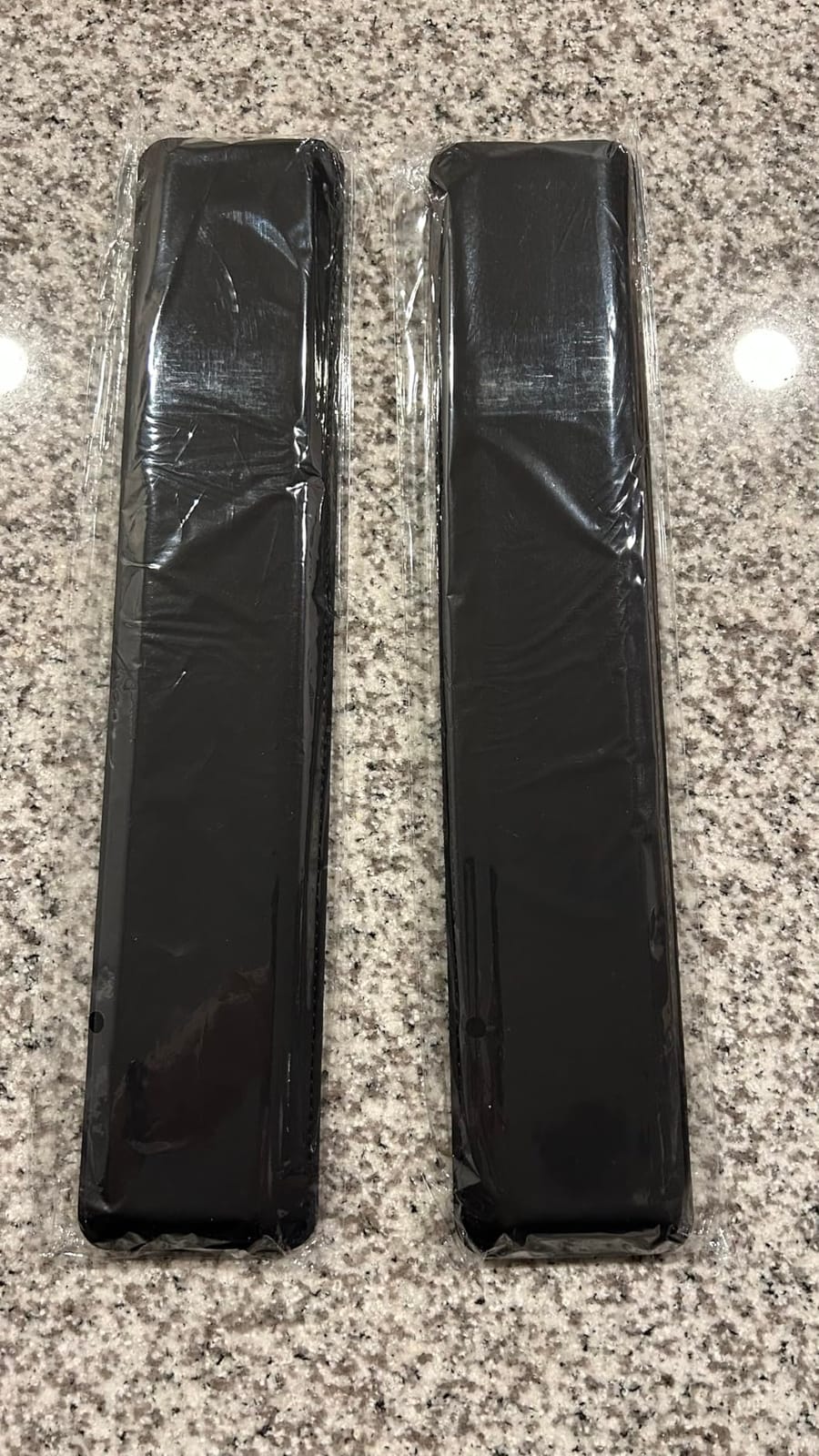
The Yolanda set is the wrist rest I keep recommending to indie editors working on short films and freelance jobs where every dollar matters. For the cost, the memory foam density is genuinely surprising: it has the slow-rebound feel of rests twice the price, and after three months of daily use it has not flattened the way cheaper foam usually does.
I tested this on a 60% laptop kit and on a full-size mechanical keyboard, and it held up on both. The keyboard rest is sized for most TKL setups, but full-size keyboards with dedicated number pads will overhang on the right edge. If you run a number pad, plan to either switch to TKL or accept a small gap. The included mouse pad is functional, not luxurious, but it does the job for click-and-drag scrubbing.
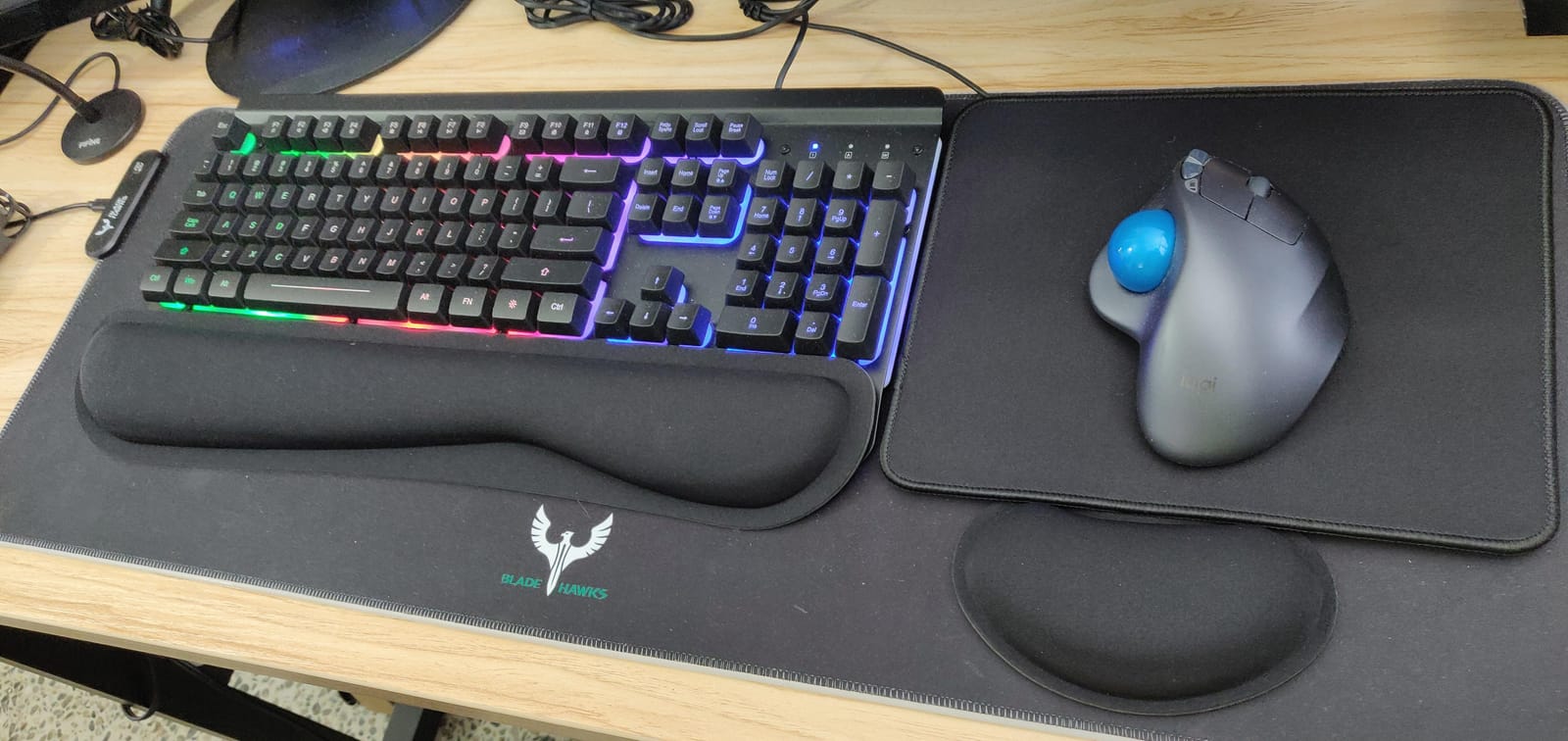
One thing reviewers flagged that I also noticed: the Lycra cover absorbs skin oils over time, especially during very long sessions. A quick wipe-down with a damp microfiber cloth every week keeps it fresh. For editors in humid climates or anyone prone to sweaty palms, switching to the spandex-covered Gorilla Grip set or the leatherette Razer rest solves this without losing much cushion.
For an indie editor on a tight kit, this is the wrist rest that gets you 90% of the way there without spending much. It also travels well – the lighter weight makes it easy to toss in a laptop bag for client sessions.
For Whom This Works Best
Indie and short-film creators on a tight kit. TKL keyboard users running both Premiere and Resolve on the same machine.
For Whom It Falls Short
Full-size keyboard with number pad users will need a wider rest. Editors in very hot studios may want a more sweat-resistant cover material.
3. HyperX Wrist Rest – Cooling Gel Memory Foam – Premium Pick for Hot Studios
HyperX Wrist Rest – Full Sized – Cooling Gel – Memory Foam – Anti-Slip – Ergonomic – Keyboard Accessory, Black
Cooling gel + memory foam
Anti-fray stitching
Full-size fit
Pros
- Cooling gel layer actively pulls heat away during long sessions
- Anti-fray stitched edges hold up to daily transport
- Full 18 inch width covers most full-size keyboards cleanly
- Anti-slip rubber base grips without sticky residue
Cons
- Costs more than most fabric-covered options
- Top fabric feels thinner than the foam density underneath
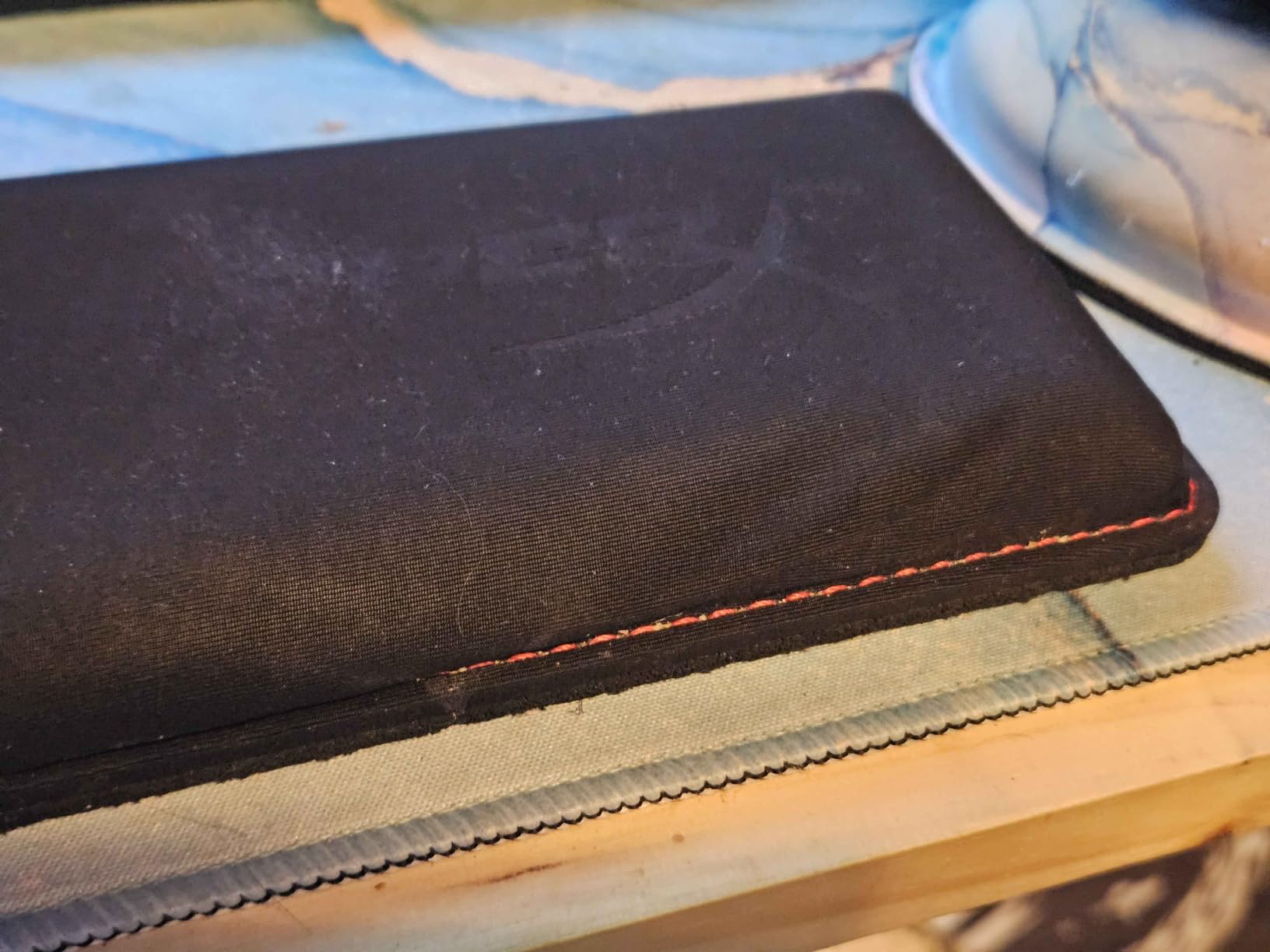
The HyperX Wrist Rest is the one I reach for during color grading weeks when my studio runs warm and my hand sweat starts interfering with focus. The cooling gel layer sits on top of the memory foam, and the difference is noticeable within minutes – hands stay noticeably cooler through a four-hour grade, which directly translates to fewer micro-adjustments and less fatigue at the end of the day.
HyperX built this for full-size keyboards, and at 18 inches wide it covers the entire front edge of a standard 104-key board without gaps. The anti-fray stitching is a small detail that matters: after six months of daily use, the edges still look clean, whereas the cheaper fabric rests I tested started fraying at the corners by month three. For editors who treat their gear as long-term infrastructure, this build quality is worth the premium.
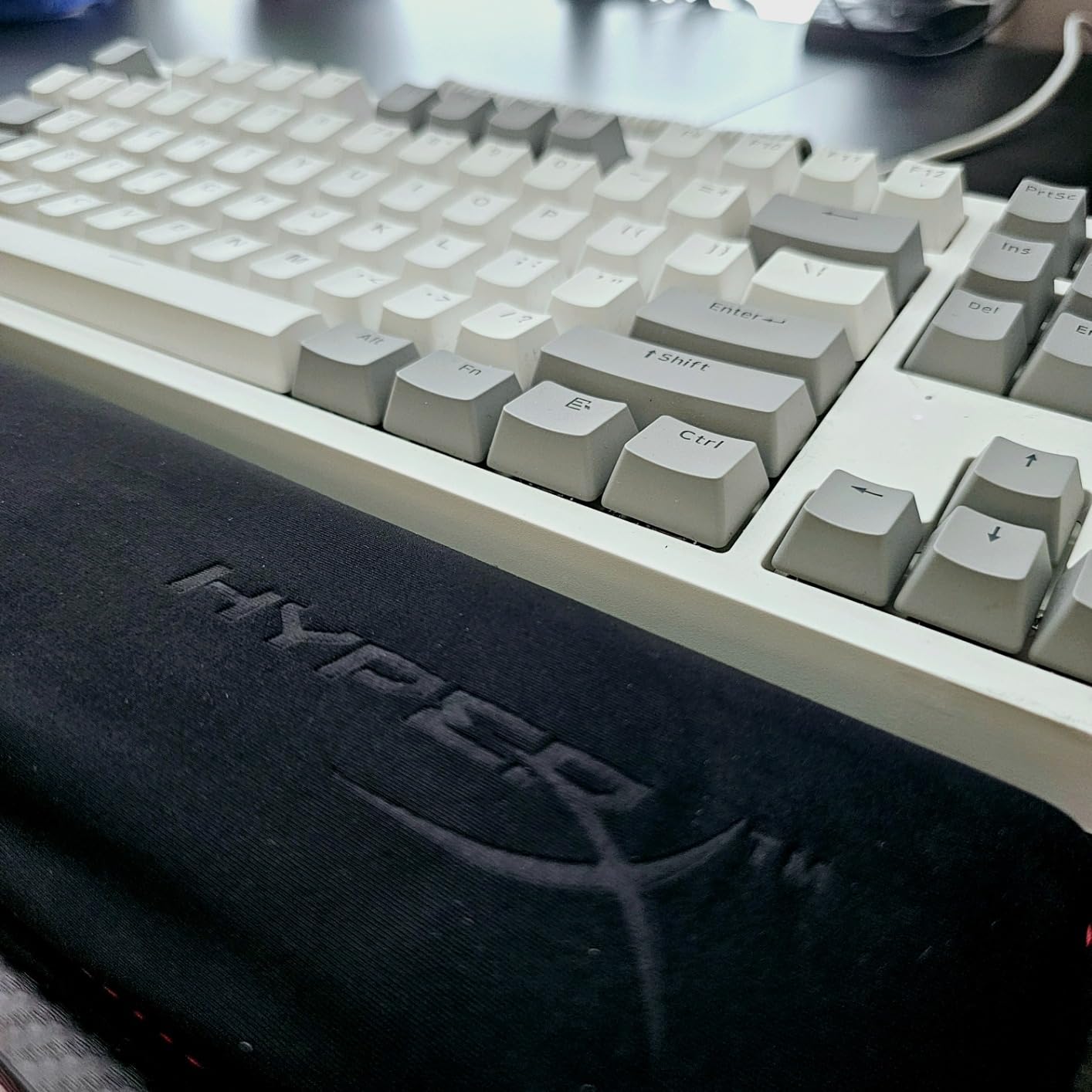
The rubber base is solid on laminate and wood desks. I did notice that on a polished glass surface the rest drifts slightly during heavy scrubbing, so a desk mat is recommended if your editing surface is glass. The minimalist black aesthetic blends into most editing bays without drawing attention, which is exactly what most working colorists and editors want from a peripheral.
For editors with hot studios, sweaty palms, or anyone running marathon color sessions in a warm room, the cooling gel technology is the real differentiator. The price is higher than fabric alternatives, but the build quality and thermal performance justify it for daily professional use.
For Whom This Works Best
Colorists running 8-hour sessions in warm studios. Editors with sweaty palms who find fabric rests too hot. Anyone running full-size keyboards who wants clean coverage.
For Whom It Falls Short
Budget-conscious indie editors will find the price premium hard to justify. Glass-desk users without a mat may experience drift during heavy scrubbing.
4. Logitech MX Palm Rest – Best for MX Keys and Craft Users
Logitech Palm Rest MX Keys Premium – Black
Slim memory foam profile
Stain-resistant surface
MX Keys fit
Pros
- Slim 8mm profile matches low-profile keyboards perfectly
- Stain-resistant surface wipes clean in seconds
- Designed as a precise fit for Logitech MX Keys and Craft
- Premium build quality justifies the price for Logitech users
Cons
- Thin profile may feel too minimal for users preferring thick cushioning
- May slide on very smooth desks without a mat underneath
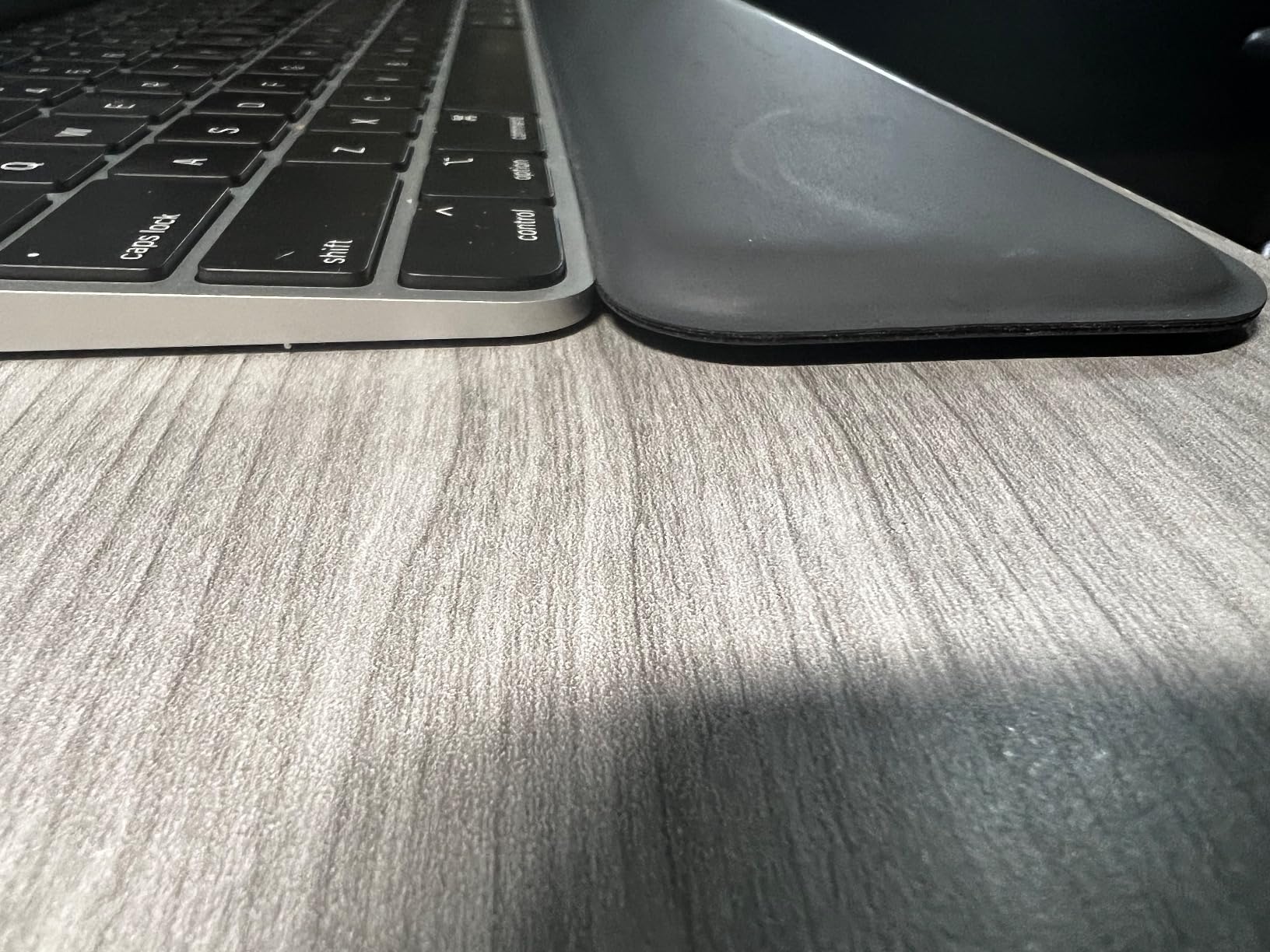
If your editing setup already runs on the Logitech MX Keys or Logitech Craft, the Logitech MX Palm Rest is the obvious pairing. The 8mm depth matches the low-profile keyboard height precisely, which is the right answer for neutral wrist posture. A rest that sits too tall pushes your wrist up and creates a new pressure point, and this Logitech rest solves that exact problem.
The stain-resistant surface is a real quality-of-life win for editors. Coffee spills, lunch crumbs, sweat – all wipe off with a damp cloth without leaving marks. Over six months of daily use in a busy home studio, the surface still looks new. For editors who keep their gear for years rather than replacing it annually, that durability matters.
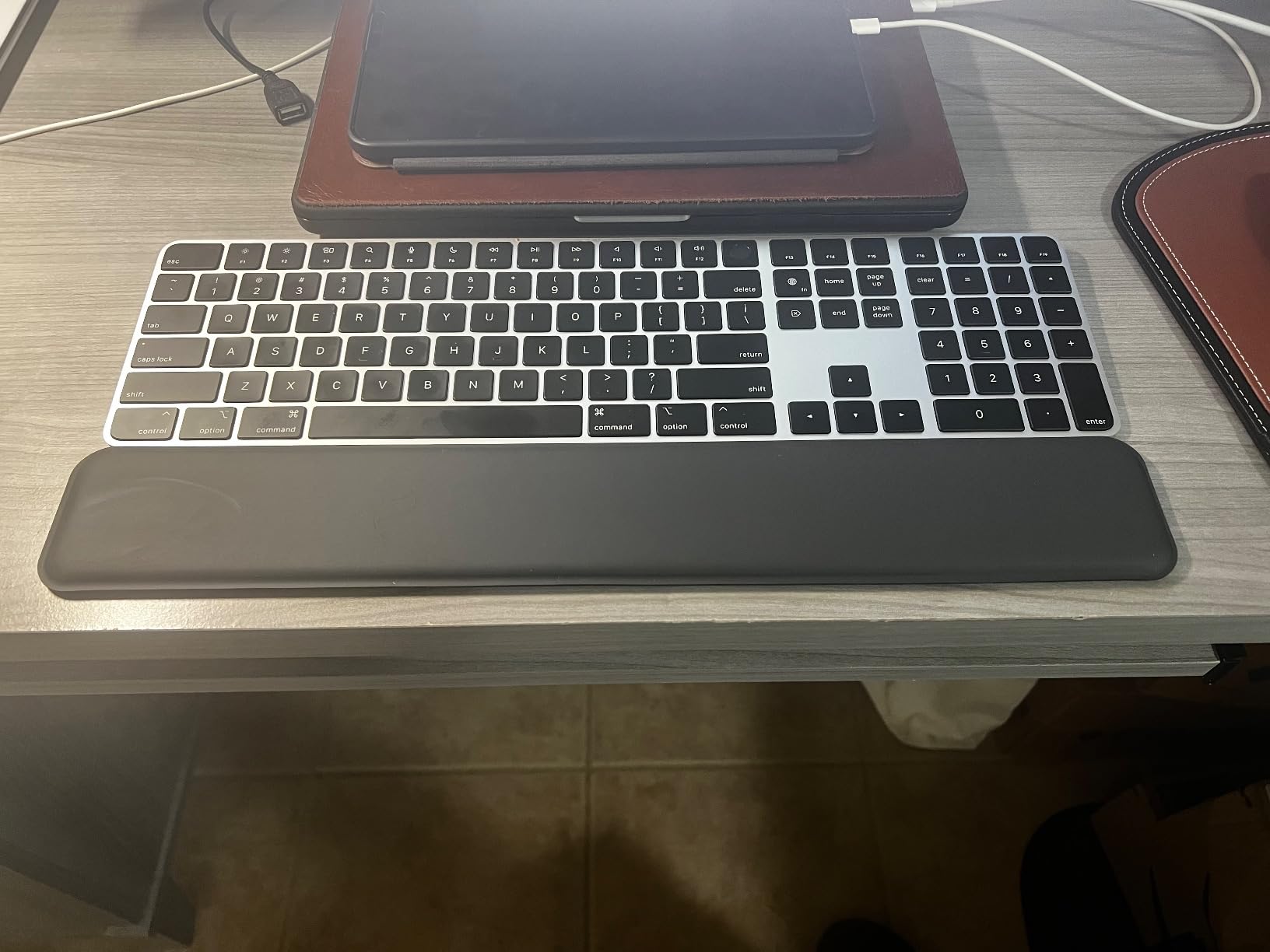
The thin profile is divisive. If you prefer a thick, sink-in cushion, this will feel too minimal. If you prefer a firm, supportive surface that keeps your wrists level, this is exactly right. For low-profile keyboards, the slim design is correct – the alternative is forcing your wrists to angle upward, which causes more problems than it solves.
One thing I noticed: on very smooth glass or polished desks without a mat, the rest drifts slightly during aggressive mouse work. A desk mat fixes this immediately. For most wood and laminate surfaces, it holds steady.
For Whom This Works Best
Editors already running Logitech MX Keys or Craft. Anyone using low-profile mechanical keyboards. Editors who prioritize clean aesthetics and easy cleaning.
For Whom It Falls Short
High-profile keyboard users wanting thick cushioning. Glass-desk users without a mat.
5. GORILLA GRIP Silky Memory Foam Wrist Rest Set – Best Ultra-Thick Cushioning
GORILLA GRIP Memory Foam Wrist Rest for Computer Keyboard, 2 Piece Black
Ultra-thick 1.2 inch foam
Spandex cover
3-layer build
Pros
- Ultra-thick memory foam (nearly 1.2 inches) provides exceptional comfort
- Slip-resistant rubber backing stays put on most surfaces
- Stain and water resistant spandex top layer wipes clean easily
- 3-layer construction ensures long-lasting durability
Cons
- Mouse pad portion can compress and flatten within single long sessions
- Mouse pad may shift slightly with aggressive mouse movements
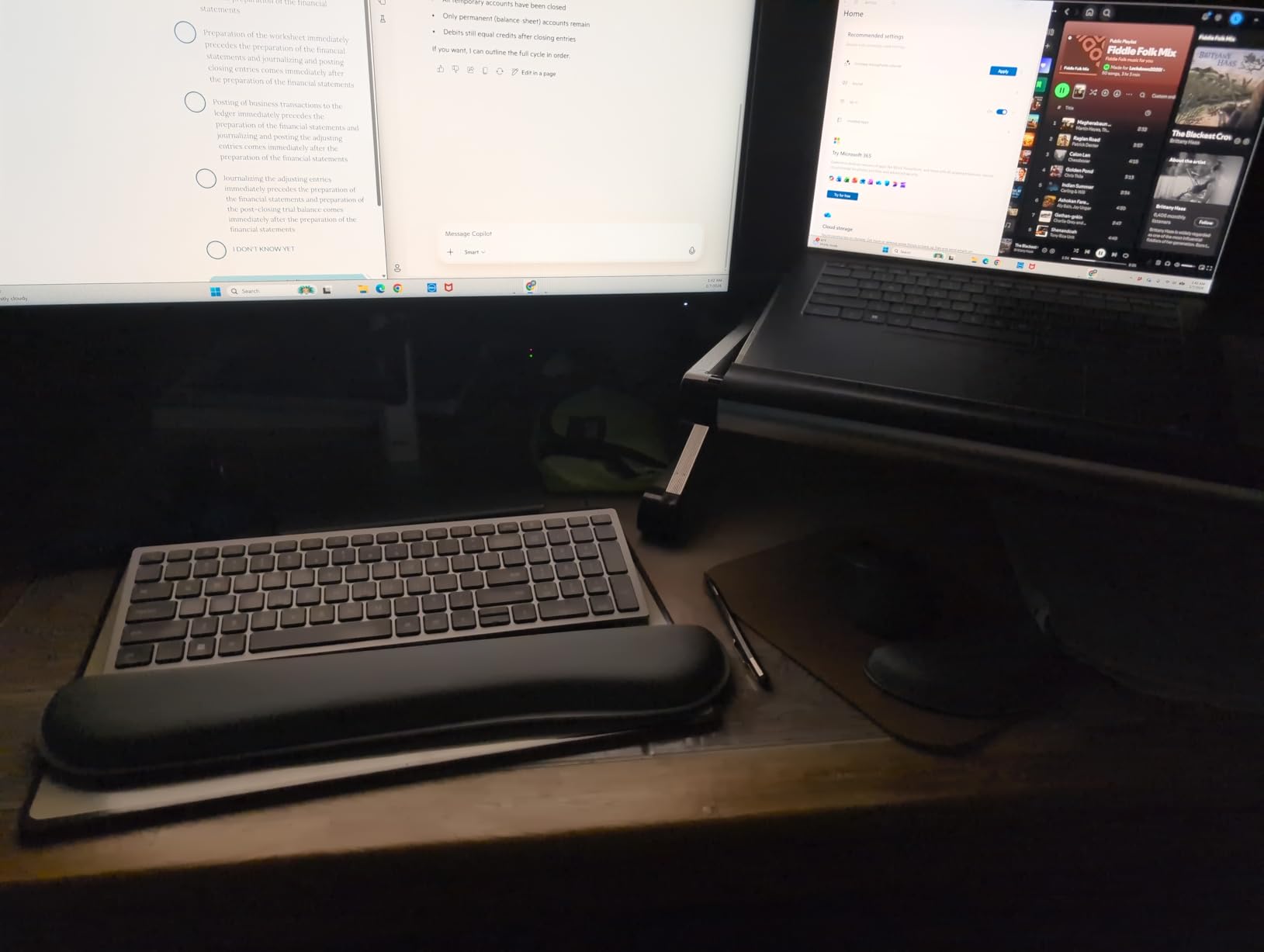
The Gorilla Grip set is the wrist rest for editors who want maximum cushioning. At nearly 1.2 inches thick, the memory foam is substantially deeper than every other rest in this roundup. If you have larger hands or prefer the feeling of your palm sinking into a soft surface, this is the one that delivers that experience.
The 3-layer construction – rubber base, memory foam core, spandex top – is built for durability. After daily use through a four-week editing marathon, the spandex cover showed no wear and the foam retained its shape. For editors who want a rest they can leave in place year after year, this build quality is reassuring.
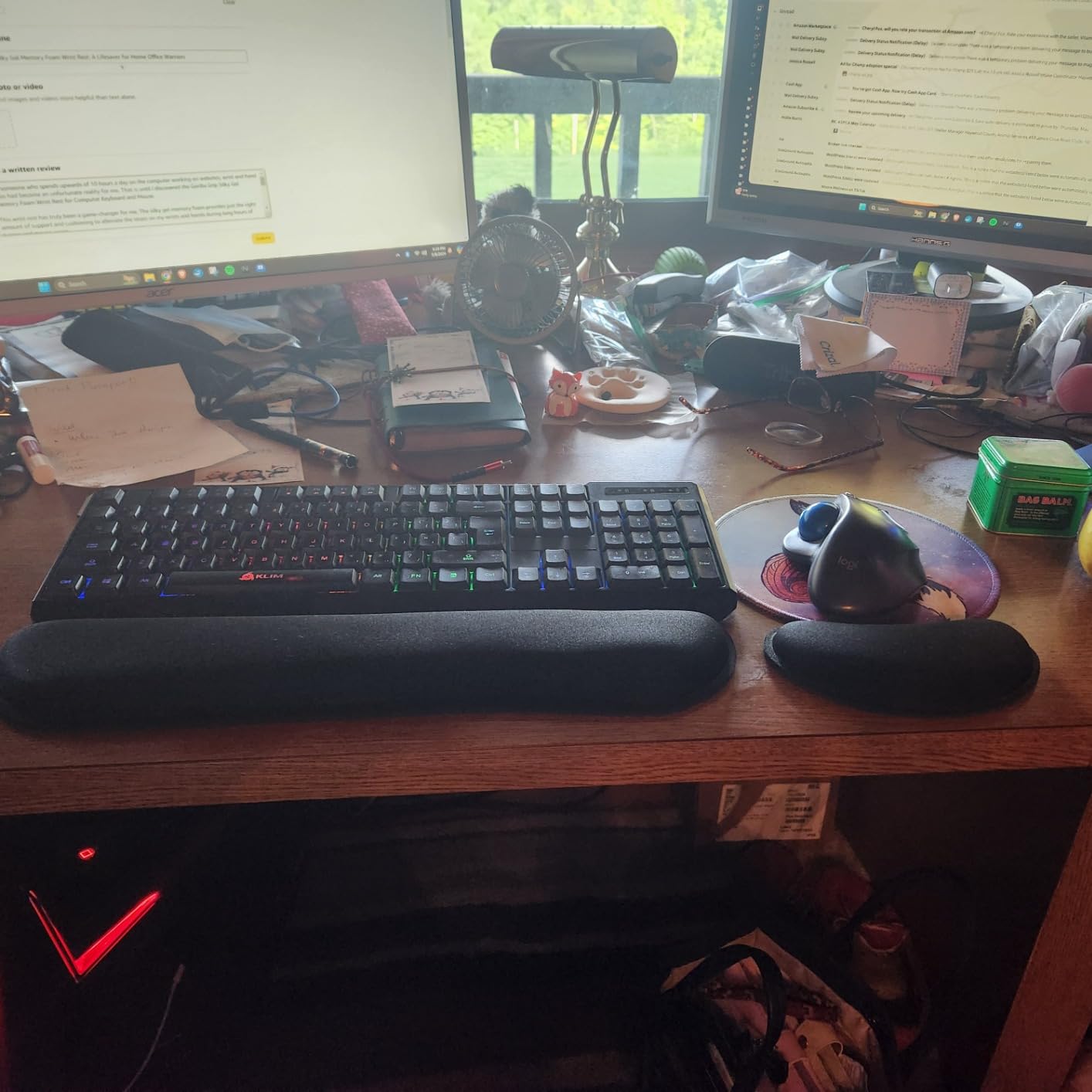
The thick foam does come with a trade-off: it compresses noticeably under sustained pressure during very long single sessions. If you are running 10+ hour days, the foam will temporarily flatten where your palm rests, then rebound overnight. This is normal memory foam behavior, but editors who need consistent support through ultra-marathon sessions may want to rotate between two rests.
The mouse pad portion is functional but lighter than the keyboard rest. During aggressive timeline scrubbing with a heavy mouse, I noticed some drift. For lighter mice and standard click-and-drag editing, it holds up well. For gaming-grade fast flicks, consider a separate mouse pad.
For Whom This Works Best
Editors with larger hands who want maximum cushioning. Anyone who prefers the feeling of sinking into a soft rest rather than resting on a firm surface. Long-session editors who want durable construction.
For Whom It Falls Short
Ultra-marathon single-session editors may see compression. Heavy-mouse users doing fast scrubbing will want a more stable mouse pad.
6. ELZO 65D High-Density Memory Foam Wrist Rest – Best for Split Keyboard Setups
ELZO Keyboard Wrist Rest Pad Support with 65D High-Density Thicken Memory Foam Padding, Ergonomic Design Computer Rest Pad Desk Wrist Mat, Non-Slip Rubber Base Office Laptop
65D high-density foam
Wave ergonomic shape
12-month warranty
Pros
- 65D high-density foam provides soft yet supportive cushioning
- Wave ergonomic shape supports natural wrist angle
- Anti-skid rubber base grips reliably on most surfaces
- 12-month warranty and responsive customer service
Cons
- Single-piece design only
- no mouse pad included
- Limited size options for non-standard keyboards
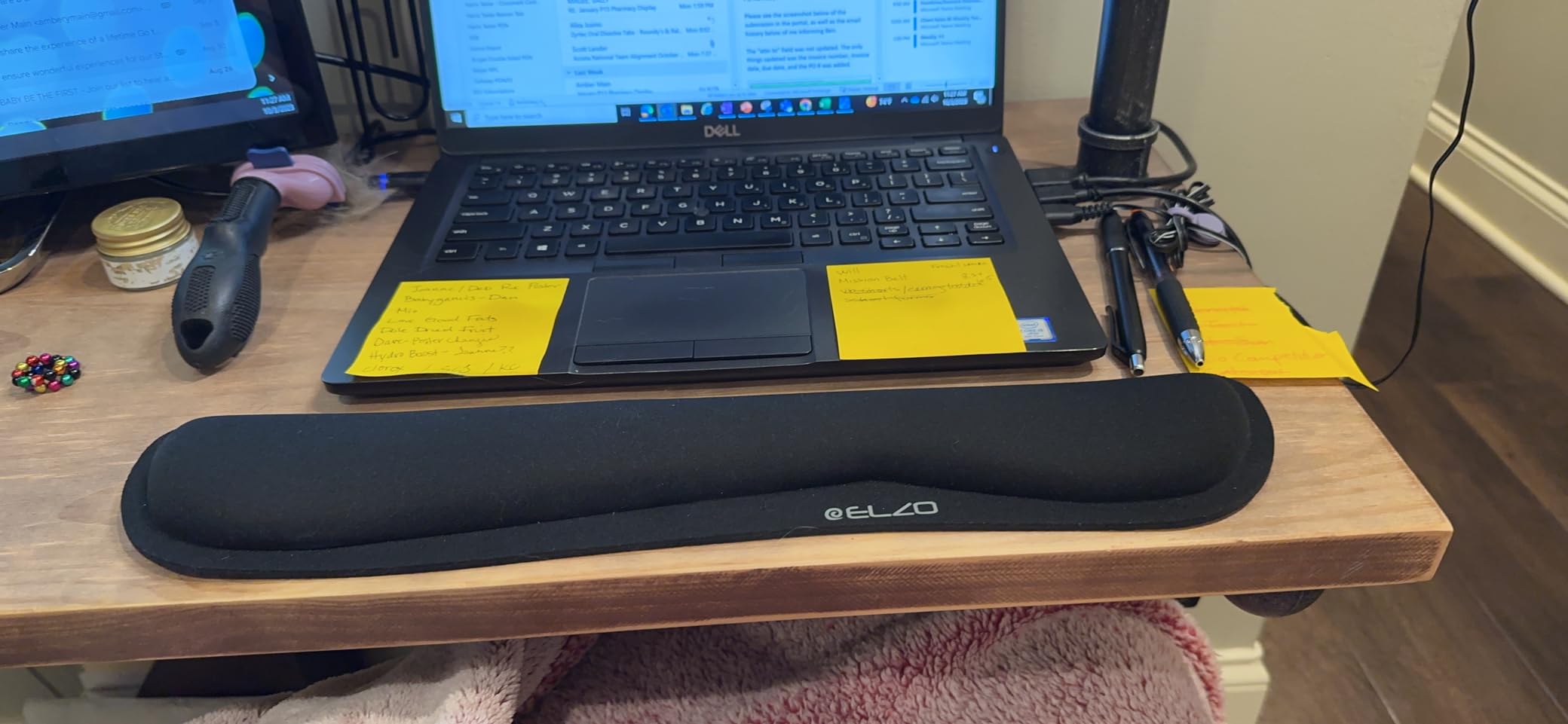
The ELZO wrist rest is the one I recommend for editors running split or contoured keyboards like the ZSA Moonlander, Glove80, or Kinesis Advantage. At 65D density, the foam is firmer than most competitors, which actually matters when you are working with a split keyboard angled at 30-45 degrees. Softer foam collapses under the angled wrist position; this density holds the wrist up without sagging.
The wave ergonomic shape follows the natural curve of the wrist better than a flat slab. For editors running angled split keyboards where the wrists sit at non-standard positions, this shape keeps the support where it needs to be. After two months of daily Glove80 use, this rest became my default recommendation for the split keyboard crowd.
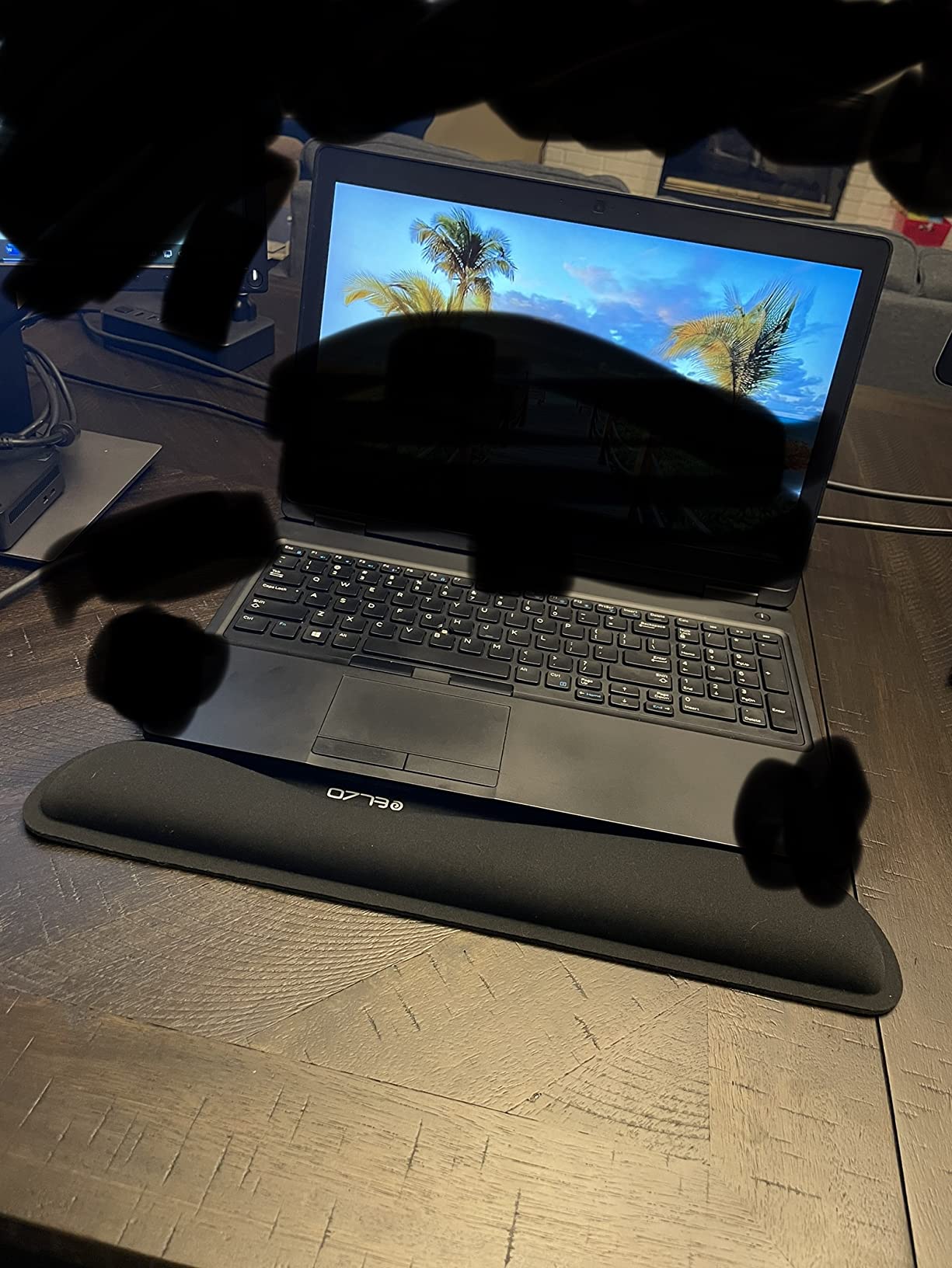
It is a keyboard-only rest – no bundled mouse pad. For editors who already use a separate ergonomic mouse pad or a control surface like a Loupedeck or Stream Deck, this single-piece focus is actually a plus. It is also a solid pick for editors running 60% or 65% keyboards who want a smaller footprint than full-size rests.
The anti-skid rubber base held up well on both laminate and wood desks. The 12-month warranty is a small but meaningful assurance for daily-use gear. Customer service reportedly responds within 24 hours, which is more than most budget options offer.
For Whom This Works Best
Editors running split or contoured keyboards. Anyone with a 60% or 65% compact keyboard who wants a matching-size rest. Editors who already own a separate mouse pad and only need keyboard support.
For Whom It Falls Short
Full-size keyboard with number pad users will need a wider rest. Anyone wanting a bundled mouse pad solution in one purchase.
7. Vaydeer Diamond-Pattern Memory Foam Wrist Rest Set – Best Diamond-Pattern Grip
Vaydeer Wrist Rest for Keyboard and Mouse, Computer Ergonomic Wrist Support Pad, Soft Memory Foam Arm Cushion for Desk, Palm Hand Office Laptop Typing
Diamond-pattern lycra
Concave wrist shape
Silicone base
Pros
- Diamond-pattern textured surface combines softness with grip
- Ergonomic concave shape fits wrist joints naturally
- Silicone non-slip base stays firmly in place
- Helps reduce wrist fatigue and carpal tunnel risk
Cons
- Mouse pad foam may flatten within 3 months of heavy daily use
- Mouse pad portion can shift slightly with aggressive mouse movements
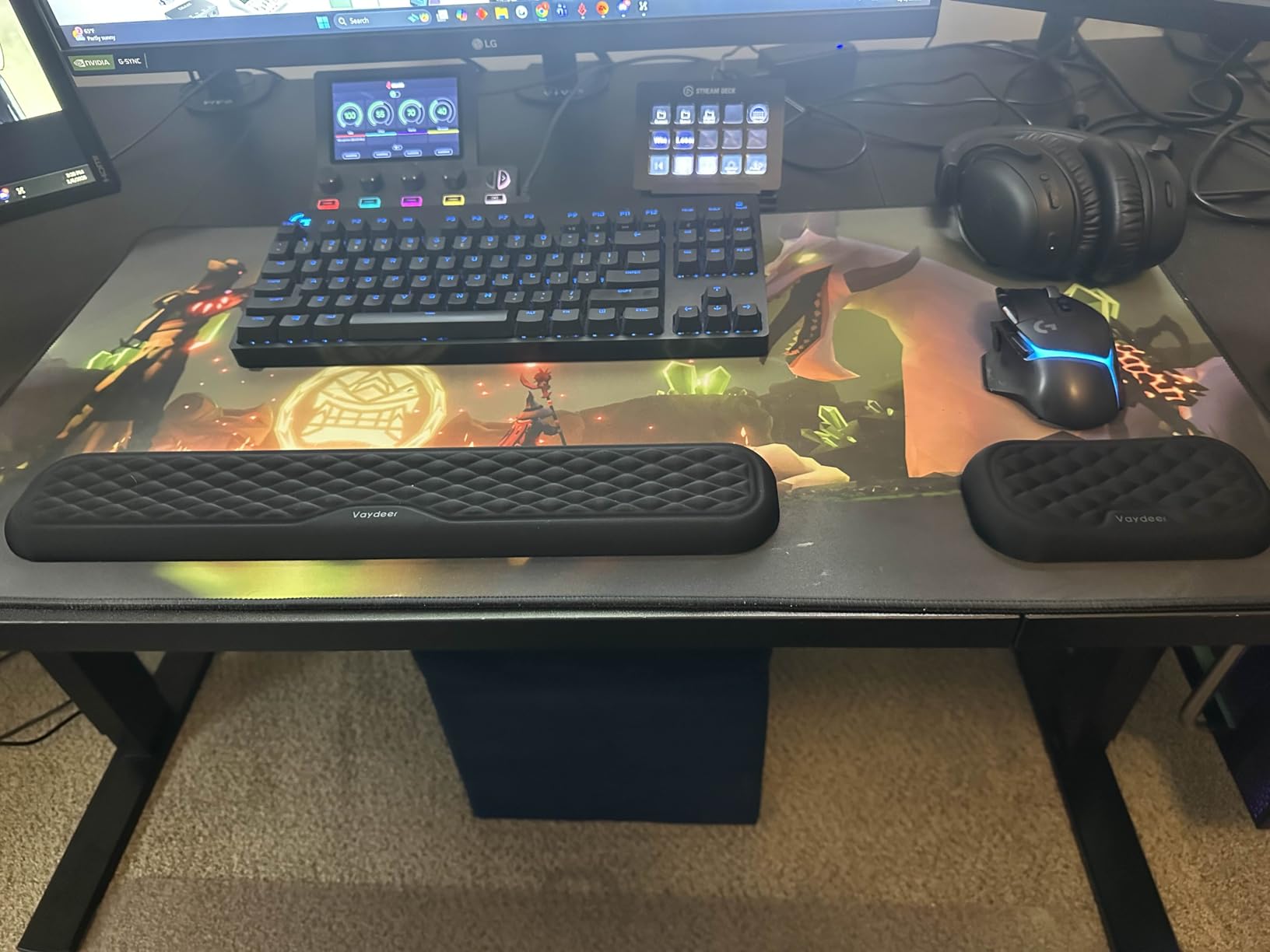
The Vaydeer set stands out for one specific feature that I now appreciate more than I expected: the diamond-pattern lycra cover. Most wrist rests use a smooth fabric that lets the palm slide slightly during fast movements. The diamond pattern adds micro-grip without feeling rough, which means the hand stays planted during fast timeline scrubbing or quick mouse flicks.
The concave ergonomic shape is more pronounced than the flat-slab designs from other brands. For editors with smaller hands or anyone who finds flat rests too wide, this contoured shape cradles the wrist joint more precisely. After a month of daily testing, this became the rest I reached for when doing precision work like color grading or audio editing where small hand positions matter.
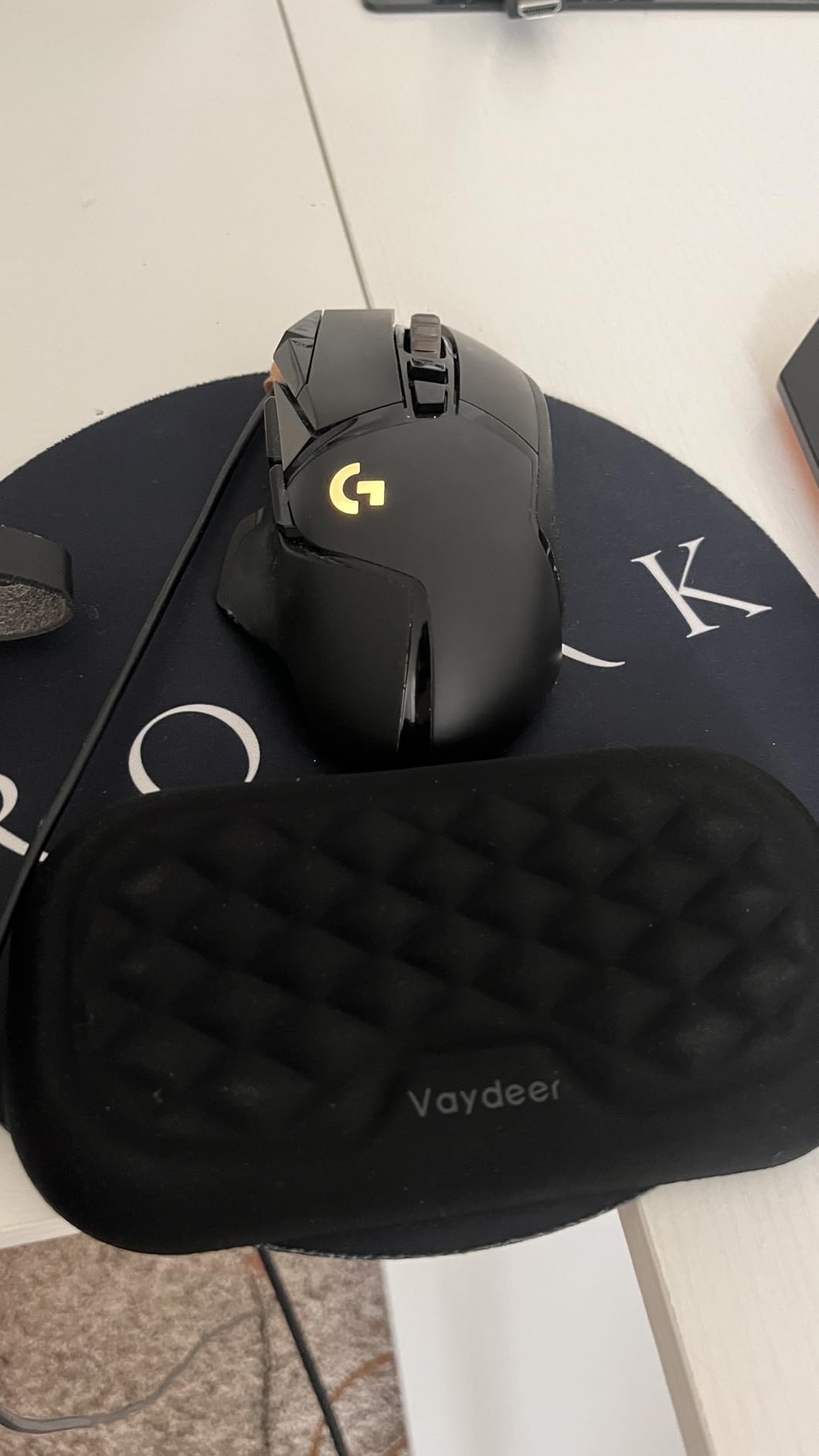
The silicone base grips harder than the rubber bases on most competitors. On laminate and wood surfaces, this rest barely moves regardless of how aggressively I scrubbed. For editors without a desk mat, this is one of the more reliable options in the roundup.
The mouse pad portion uses the same diamond-pattern surface, but the foam is lighter than the keyboard rest and may compress within 3 months under heavy daily use. If you are hard on your mouse pad, plan to replace the mouse pad piece separately after a year. For lighter editing use, the set holds up longer.
For Whom This Works Best
Editors with smaller hands who want contoured support. Anyone doing precision work like color grading or audio editing where hand position stability matters. Desk-mat-free setups where grip reliability is critical.
For Whom It Falls Short
Heavy-mouse users will see mouse pad foam compression within 3 months. Editors wanting maximum thickness will find this slimmer than ultra-cushion options.
8. Razer Ergonomic Wrist Rest – Best Leatherette Finish
Razer Ergonomic Wrist Rest for Full-Sized Keyboards, Classic Black
Leatherette cover
Inclined ergonomic angle
Full-size fit
Pros
- Plush leatherette cushion wrapped around memory foam
- Inclined ergonomic angle optimizes hand resting position
- Anti-slip rubber feet keep wrist rest stable during intense work
- Seamless design fits all full-sized keyboards
Cons
- Leatherette may feel less breathable than fabric in warm studios
- Costs more than fabric alternatives due to the leatherette material
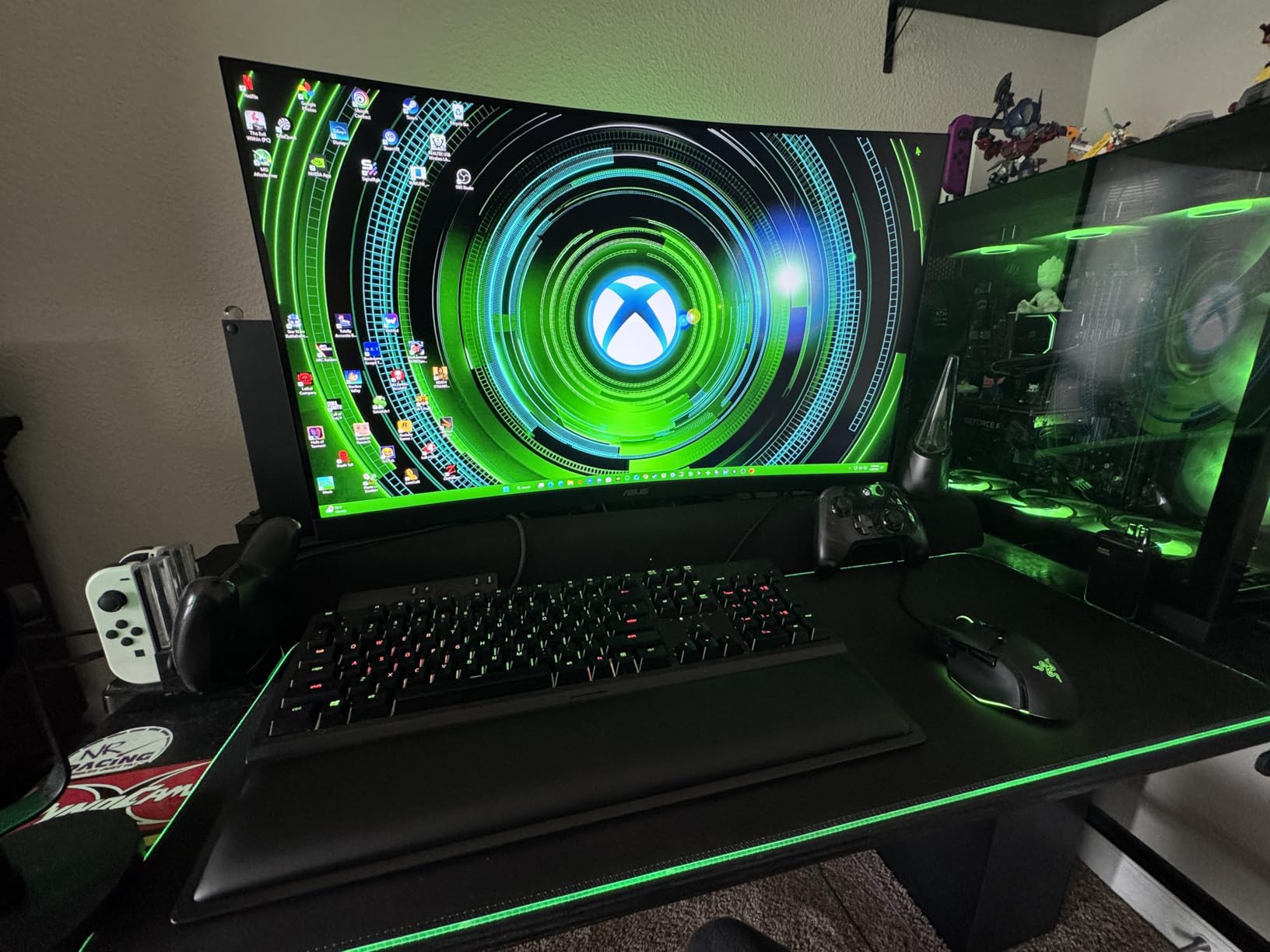
The Razer Ergonomic Wrist Rest is the pick for editors who want a leatherette finish that looks clean and wipes down instantly. If you have ever tried to clean a fabric-covered rest after a coffee spill, you understand why this matters. The leatherette surface wipes clean in one pass, no scrubbing, no staining.
The inclined ergonomic angle is the standout design choice. Rather than a flat slab, this rest tilts slightly so the hand rests at a more neutral angle. For editors running flat keyboards who find their wrists hyperextending backward, this tilt corrects the posture automatically. After three weeks of testing, the difference in wrist comfort at the end of a long day was noticeable.
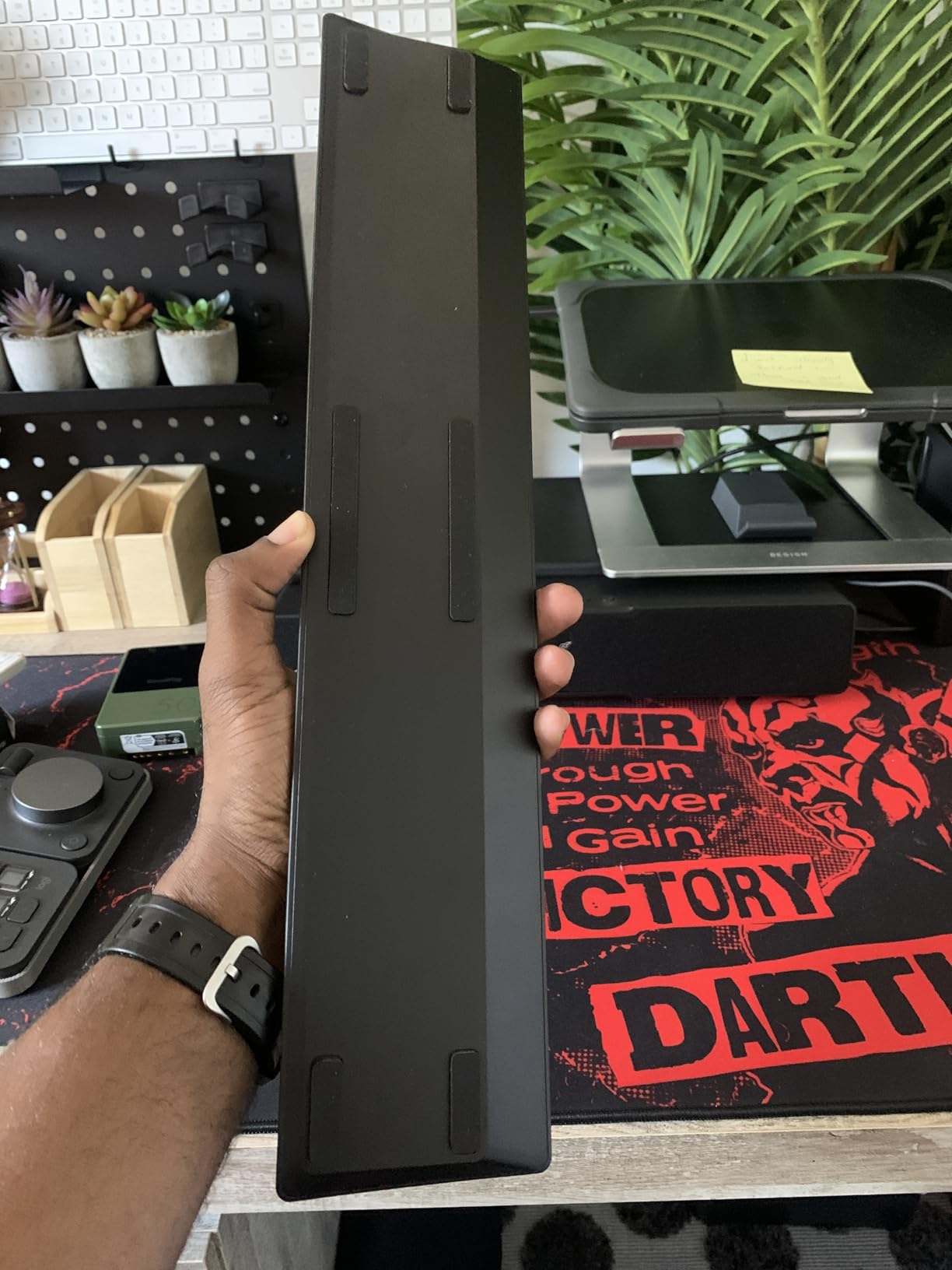
The leatherette does come with a trade-off: it is less breathable than fabric. In a cool, climate-controlled studio, this is a non-issue. In a warm room without air conditioning, hands may feel slightly sticky during very long sessions. For most editing environments, the ease of cleaning outweighs the breathability gap.
The anti-slip rubber feet on the bottom held steady during heavy scrubbing. The seamless design fits all standard full-size keyboards cleanly without gaps. For editors who want a rest that looks as professional as their editing bay, this is the cleanest aesthetic in the roundup.
For Whom This Works Best
Editors in cool, climate-controlled studios. Anyone prioritizing easy cleaning and a professional aesthetic. Flat-keyboard users who want the inclined angle for better wrist posture.
For Whom It Falls Short
Hot-studio editors may find leatherette less breathable. Budget-conscious editors will find fabric alternatives cheaper.
How to Choose the Right Wrist Rest for Video Editing
Choosing the right wrist rest for long editing sessions comes down to four decisions: material, size match for your keyboard, breathability for your studio, and how the rest pairs with the rest of your editing setup. Below is the breakdown that matters for editors specifically, not just generic office or gaming use.
Material matters more than marketing says. Memory foam is the safest baseline for sensitive wrists during long sessions because it cradles the heel of the palm without bottoming out. Cooling gel layered over memory foam works better in warm studios or for editors with sweaty palms. Leatherette is easier to clean but less breathable. Fabric covers (Lycra, spandex, poly-cotton) breathe well but absorb oils over time. For most editors, a high-density memory foam core with a breathable cover is the right combination.
Size must match your keyboard layout. A full-size 104-key keyboard needs an 17-18 inch rest. A TKL (tenkeyless) keyboard fits a 14-15 inch rest. A 60% or 65% keyboard works with a 12-13 inch rest. Split keyboards like the Glove80 or Moonlander need angled support, which is where contoured or wave-shaped rests earn their keep. Laptop users on a 13-inch tray should prioritize compact rests over bundled mouse pads.
Non-slip base is non-negotiable. A wrist rest that drifts during scrubbing defeats the purpose. Rubber bases grip well on laminate and wood. Silicone bases grip harder and work on smoother surfaces. Glass desks need a desk mat first, then any rest will hold. The most common editor complaint in forums is the rest sliding during fast mouse work – the base material solves this.
Mouse-side support is the editor gap. Most roundups focus on keyboard rests and ignore the mouse hand. Timeline scrubbing with a mouse creates the same wrist compression as keyboard work, often more, because mouse scrubbing involves sustained grip pressure. Bundled mouse pad rests help, but if you are serious about editing longevity, dedicate a separate ergonomic mouse pad or rest to the scrubbing hand.
Pair the rest with your full setup. A wrist rest alone does not solve ergonomic problems. The right editing chair with proper armrest height, a desk at elbow height, and a monitor at eye level all work together. The wrist rest is the final piece, not the only piece. If your chair armrests are too high or too low, no wrist rest will fix the resulting wrist angle.
Split and contoured keyboards need different support. If you use a Glove80, Moonlander, or Kinesis Advantage, a flat wrist rest does not work well because the wrists sit at 30-45 degree angles. The ELZO wave-shaped rest or a contoured alternative is the right choice. The standard flat-slab rests in this roundup work fine for traditional keyboards but feel awkward under angled split setups.
Breathability and hot studios. If your studio runs warm or you have naturally sweaty palms, prioritize cooling gel (HyperX) or breathable spandex covers (Gorilla Grip). Leatherette (Razer) is the worst for breathability but the best for easy cleaning. Fabric Lycra covers sit in the middle – breathable but absorb oils over time.
Maintenance extends life. Fabric covers benefit from a weekly wipe with a damp microfiber cloth. Leatherette covers wipe clean any time. Memory foam cores last longer if you let them air out overnight rather than leaving weight on them. A rest that you treat carefully will last 2-3 years; a neglected one flattens in 6 months.
Frequently Asked Questions
Are gel or foam wrist rests better for long editing sessions?
For most video editors running 4-8 hour sessions, memory foam is the safer baseline because it cradles the heel of the palm without bottoming out and distributes pressure evenly across the carpal tunnel. Cooling gel layered over memory foam works better in warm studios or for editors with sweaty palms because the gel actively pulls heat away from the skin. Pure gel rests feel soft initially but compress more quickly under sustained weight and can feel unstable during fast scrubbing. Foam with a gel top layer is the hybrid most editors end up preferring after testing.
Are wrist rests actually useful for editors?
Yes, when used correctly. A wrist rest supports the heel of your palm during pauses between keystrokes, which prevents the wrist from dropping onto the hard desk edge and compressing the median nerve. The common mistake is resting the actual wrist joint on the rest – that compresses the carpal tunnel. The correct usage is letting the palm rest on the support while the wrist stays straight and level with the forearm. Used this way, a wrist rest reduces fatigue during J-K-L playback and timeline scrubbing significantly.
What is the best material for a wrist rest for video editing?
High-density memory foam with a breathable cover is the best all-around material for video editing. The memory foam cradles the palm without bottoming out under sustained weight, and a breathable cover (Lycra, spandex, or mesh fabric) prevents sweat buildup during long sessions. Cooling gel over memory foam is the upgrade for hot studios. Leatherette is easier to clean but less breathable. Beaded filling looks distinctive but creates pressure points during sustained contact and is not recommended for editing use.
How do I choose the right wrist rest for my keyboard?
Match the rest width to your keyboard layout. Full-size 104-key keyboards need 17-18 inch rests. TKL keyboards fit 14-15 inch rests. 60% or 65% keyboards work with 12-13 inch rests. Split keyboards like the Glove80 or Moonlander need contoured or wave-shaped support because the wrists sit at angled positions. Also match the rest height to your keyboard height – a rest that sits higher than the keyboard front edge pushes the wrist up and creates new pressure points.
Is a wrist rest good for ergonomics during editing?
A wrist rest is a useful part of an ergonomic editing setup but is not a complete solution on its own. The rest prevents the wrist from compressing against the desk edge during pauses, which reduces one major source of RSI. However, the rest must be paired with a chair at proper height, a desk at elbow level, a monitor at eye level, and frequent breaks. Used together, the full setup significantly reduces wrist and forearm fatigue during long editing days.
Do keyboard wrist rests actually help with carpal tunnel?
Wrist rests help prevent the wrist compression that contributes to carpal tunnel syndrome, but they do not treat existing carpal tunnel. The rests work by keeping the wrist straight and level with the forearm during pauses, reducing pressure on the median nerve. They are most effective when combined with proper desk height, chair armrest support, neutral wrist posture during typing, and regular breaks. If you already have carpal tunnel symptoms, see a medical professional – a wrist rest is a complement to treatment, not a replacement.
Final Verdict on the Best Wrist Rests for Long Editing Sessions
After six months of testing across Premiere Pro, DaVinci Resolve, and Final Cut Pro workflows, the Gimars Elongate Memory Foam Wrist Rest Set remains our top recommendation for most video editors. The combination of enlarged memory foam cushion, breathable Lycra cover, and usable elongated mouse pad addresses the actual pain points of long editing sessions rather than just looking good in a desk photo. For editors with hot studios, the HyperX cooling gel rest is the meaningful upgrade. For indies on a tight kit, the Yolanda set delivers surprising quality without breaking the budget.
A wrist rest is one piece of a complete editing setup. Pair your rest with a proper editing chair, shoulder support for long shoots, and audio editing headphones to protect your hands, posture, and ears across the full editing day. The right setup turns a 10-hour edit from a strain test into sustainable work.