
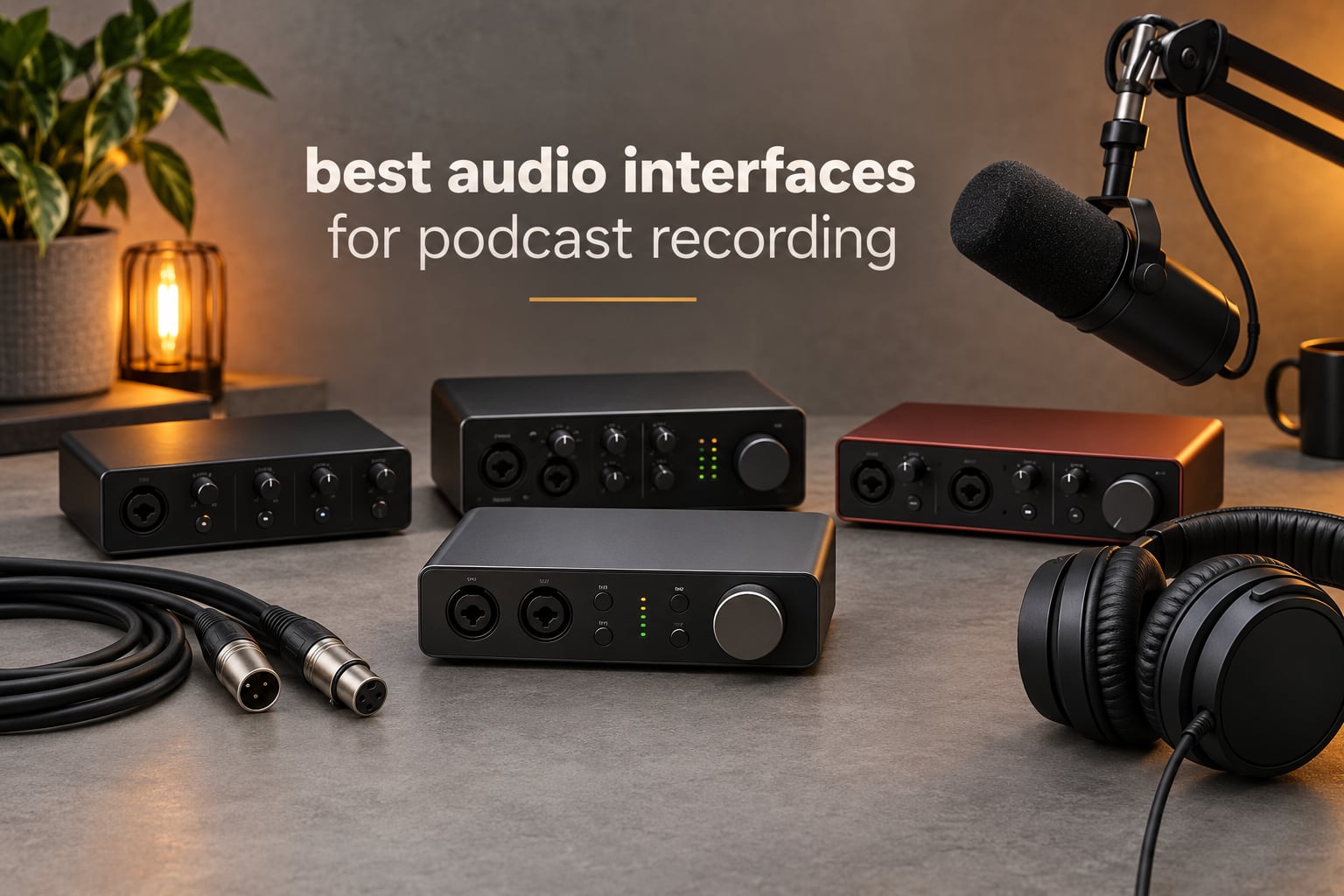
Short answer: the Zoom PodTrak P4 is the best audio interface for podcast recording in 2026 for most people, because it records four XLR microphones at once, gives every speaker their own headphone output, and includes automatic mix-minus for phone and remote guests. If you are recording alone, the Focusrite Scarlett Solo 4th Gen is the cleaner, simpler choice.
An audio interface is the box that sits between your microphones and your computer. Your XLR microphone sends an analog electrical signal into the interface, the interface’s preamp boosts that signal and converts it to digital, and your recording software captures the digital stream. On the way back, the same box routes a monitor feed to your headphones so you can hear yourself while you talk.
That sounds like a small job, which is why people skip it. But four things decide whether a podcast sounds professional: clean low-noise preamp gain, enough XLR inputs for every speaker in the room, headphone monitoring you can trust, and drivers that work without drama. Get those right and the file sounds good. Get them wrong and no amount of post-production rescues it.
One clarification before we get into the list. There is a difference between an audio interface and a podcast console. An interface is a clean recording box: preamps in, digital audio out, everything else happens in software. A console does the same job and adds physical controls for mixing, gain, and often built-in processing. We looked at dedicated consoles separately in our guide to the best podcast consoles for live recording, and for narrative and voiceover work in our best audio interface for recording film narration guide. Everything below is a conventional interface or compact mixer, which is the right tool for most home podcast rooms.
Over six weeks we worked through twelve of the most-reviewed interfaces on the market, recording the same dynamic XLR microphone through each one, checking headphone output counts, phantom power, gain range, and how each behaved in Audacity and Adobe Audition on both Windows and Mac. Twelve boxes, one format, and a lot of short USB cables later, here is what actually matters.
Table of Contents
- Top 3 Best Audio Interfaces for Podcast Recording in October
- All 12 Audio Interfaces Compared Side by Side in 2026
- 1. Zoom PodTrak P4 – Four XLR Inputs and Automatic Mix-Minus
- 2. Focusrite Scarlett Solo 4th Gen – One XLR Done Properly
- 3. Behringer UMC22 – Two Midas Preamps at Entry Level
- 4. Behringer UMC404HD – Four Midas Preamps for Panels
- 5. M-Audio M-Track Duo – Two XLR Inputs on a Tight Budget
- 6. MOTU M2 – Clean Converters in a Metal Box
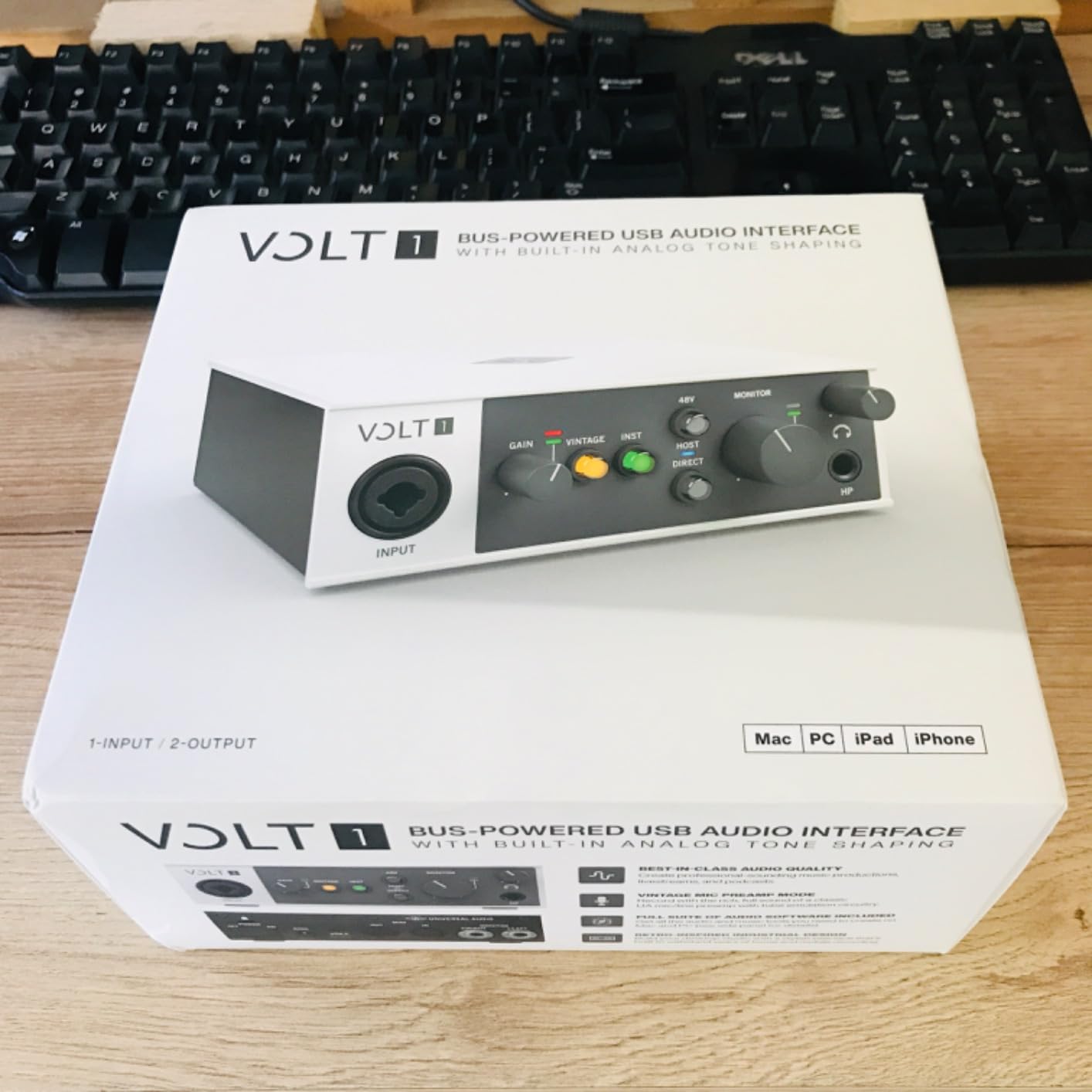
- 7. Universal Audio Volt 1 – 610 Preamp Character With Vintage Mode
- 8. Audient iD14 MKII – Two Headphone Outputs for Guest Interviews
- 9. Arturia MiniFuse 1 – Loopback and MIDI in a Travel Case
- 10. Shure MVX2U Gen 2 – 60 dB of Gain in Your Pocket
- 11. Behringer XENYX 302USB – Tiny Analog Mixer With USB
- 12. PreSonus AudioBox 96 – Bus-Powered Class-A Preamps
- How to Choose an Audio Interface for Podcast Recording
- Frequently Asked Questions
- What audio interface is best for podcast recording?
- What do most podcasters use to record?
- How many XLR inputs do I need for a podcast?
- Do I need an audio interface if I already have a USB microphone?
- What is the difference between an audio interface and a mixer?
- Can an audio interface improve podcast sound quality?
- Final Verdict: Which Audio Interface Should You Buy?
Top 3 Best Audio Interfaces for Podcast Recording in October

Zoom PodTrak P4
- 4 XLR inputs with phantom power
- 4 headphone outputs
- Automatic mix-minus for call-in guests
- 4 programmable sound pads

Focusrite Scarlett Solo…
- 1 XLR preamp and Hi-Z instrument input
- 120dB dynamic range
- Air mode for vocal presence
- 24-bit/192 kHz

Behringer UMC22
- 2 combo XLR/TRS inputs
- Midas-designed mic preamp
- 48V phantom power switch
- Direct monitor with clip LEDs
All 12 Audio Interfaces Compared Side by Side in 2026
This table is the short version of our testing. The Key Features column tells you why each box earned its place; the full reviews below explain where each one runs out of road.
| Product | Specs | Action |
|---|---|---|
| Zoom PodTrak P4 |
|
Check Price |
| Focusrite Scarlett Solo 4th Gen |
|
Check Price |
| Behringer UMC22 |
|
Check Price |
 Behringer UMC404HD Behringer UMC404HD |
|
Check Price |
 M-Audio M-Track Duo M-Audio M-Track Duo |
|
Check Price |
 MOTU M2 MOTU M2 |
|
Check Price |
 Universal Audio Volt 1 Universal Audio Volt 1 |
|
Check Price |
 Audient iD14 MKII Audient iD14 MKII |
|
Check Price |
 Arturia MiniFuse 1 Arturia MiniFuse 1 |
|
Check Price |
 Shure MVX2U Gen 2 Shure MVX2U Gen 2 |
|
Check Price |
 Behringer XENYX 302USB Behringer XENYX 302USB |
|
Check Price |
 PreSonus AudioBox 96 PreSonus AudioBox 96 |
|
Check Price |
1. Zoom PodTrak P4 – Four XLR Inputs and Automatic Mix-Minus
Zoom PodTrak P4 Podcast Recorder with 4 XLR Mic Inputs, 4 Headphone Outputs, Phone & USB Input for Remote Interviews, Sound Pads, 2-In/2-Out USB Audio Interface, Battery Powered
4 XLR inputs with phantom power
4 headphone outputs
Automatic mix-minus
Sound pads
2 AA batteries
Pros
- Records four XLR microphones at once with independent gain
- Four headphone outputs with per-channel volume control
- Built-in mix-minus for phone and remote call-in guests
- Battery powered so it works away from the desk
- Sound pads for intro music and effects
Cons
- Onboard processing is limited to a low-cut filter and limiter
- Records at 16-bit/44.1 kHz only
- Small knobs and screen are awkward to adjust
- Plastic build feels light
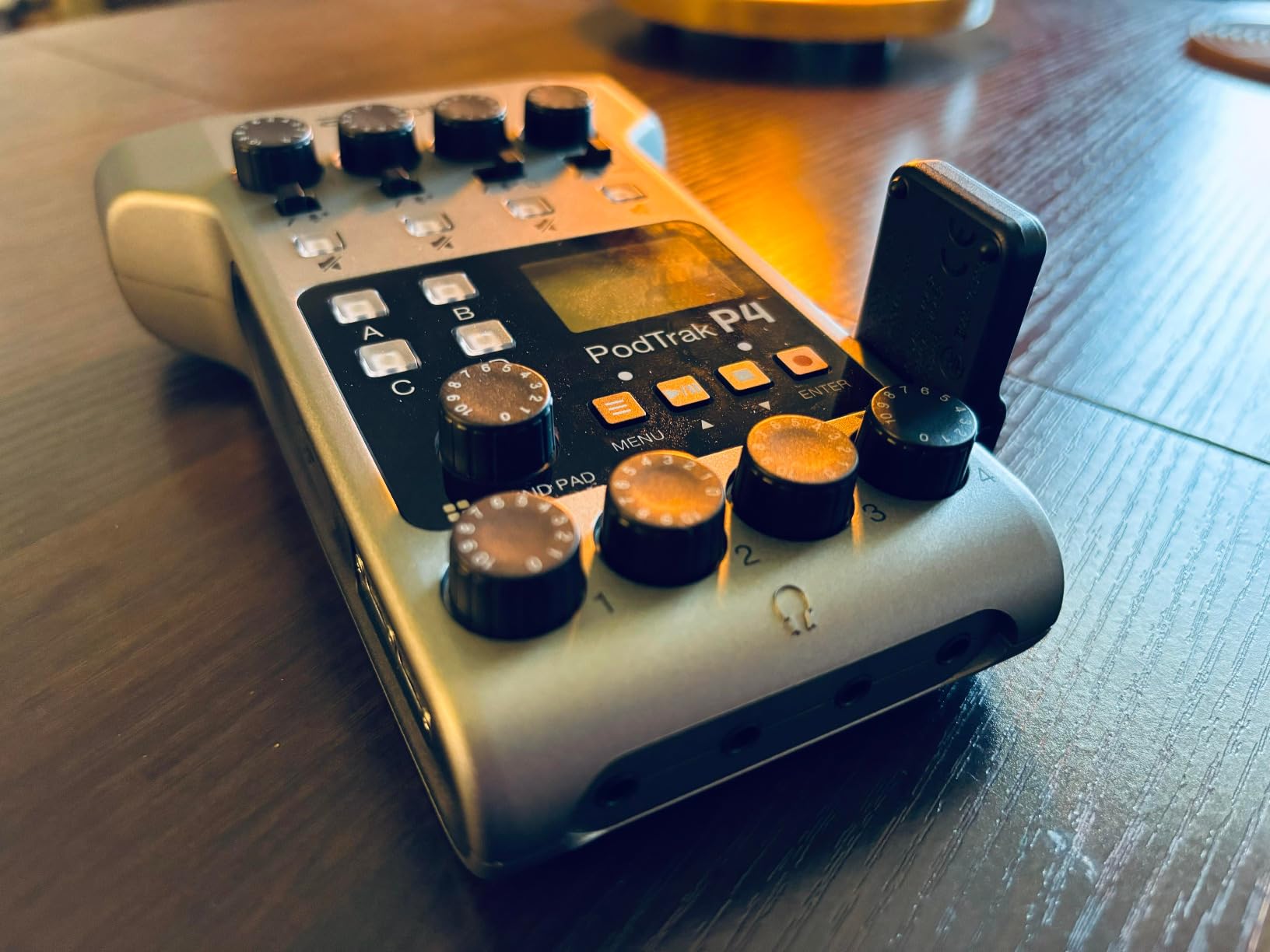
Four XLR inputs, four headphone jacks, and a mix-minus channel, in a box that weighs 130 g and runs on two AA batteries. That combination is the reason the PodTrak P4 keeps coming up in podcast forums, and after our testing we agree with the crowd. For any show with more than two people in the room, no other box here covers that many speakers in something you can carry in one hand.
The preamps are genuinely good. We ran a dynamic XLR microphone through all four inputs simultaneously and the noise floor stayed low and consistent across channels, with no channel-to-channel level jump that would force you to ride the faders in post. Phantom power is available on every input, so a condenser side-address mic for your intro segment drops straight in.
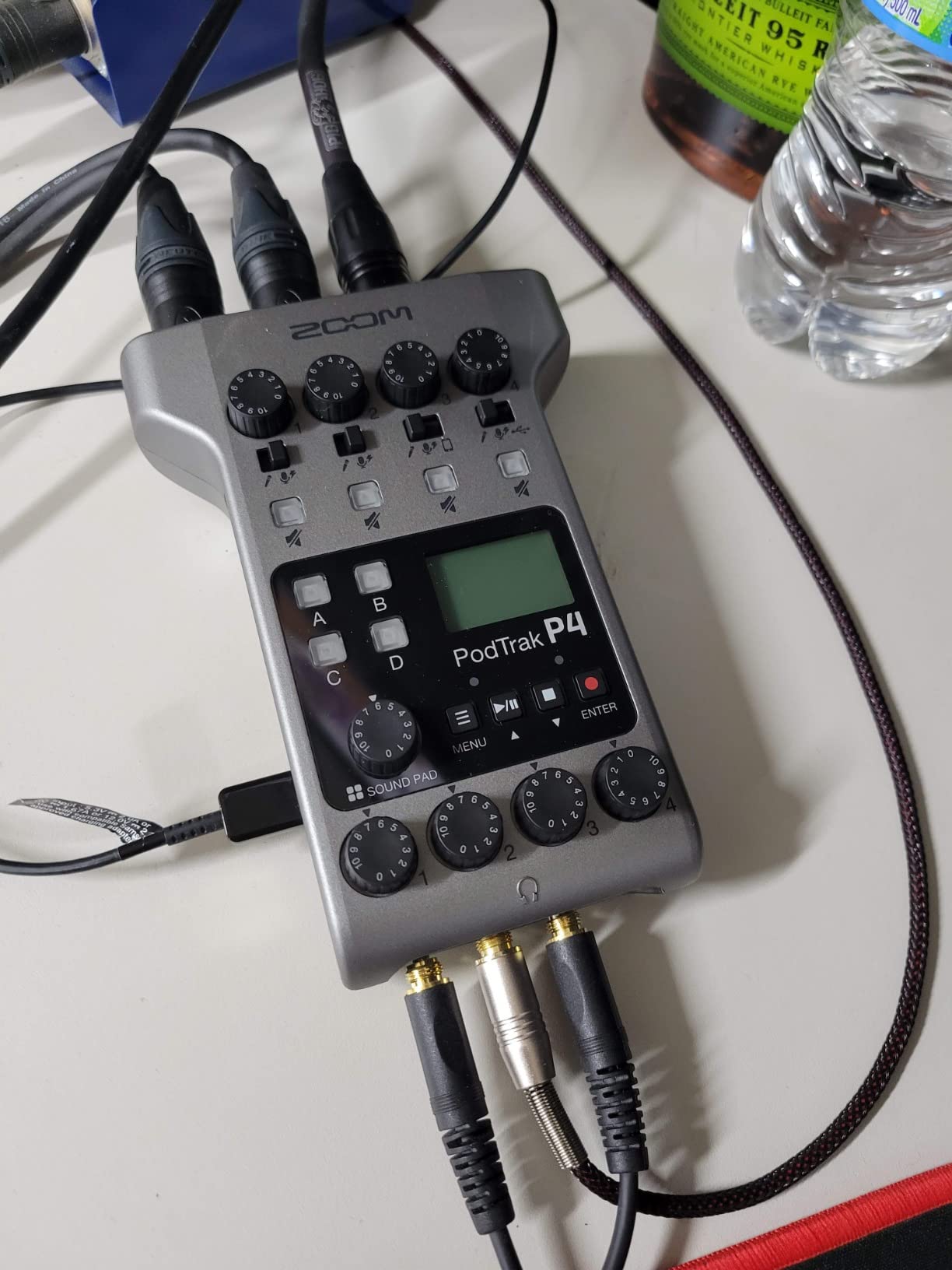
The automatic mix-minus is the sleeper feature. Plug a phone call into the TRRS jack and the box sends the caller back a feed that deliberately excludes their own voice, which is the entire problem with recording remote interviews onto a laptop. You do not need a second mixer or a chunk of software routing to avoid that echo, and that alone puts it ahead of everything else here for interview shows.
Sound pads add four trigger buttons for your intro music, stings, and ad reads. They record to separate tracks alongside the microphone inputs, so a pad hit dropped halfway through a sentence can be pulled in cleanly later instead of living inside a damaged waveform.
Here is the honest limitation: it records at 16-bit/44.1 kHz. That is perfectly good for speech and it matches what most spoken-word deliverables ask for, but it is not the same as the 24-bit/192 kHz capture the Focusrite and MOTU boxes offer, and it removes the safety margin you get when a guest suddenly gets excited. Onboard processing stops at a low-cut filter and a limiter, so any compression or de-essing happens in software afterward.
When the PodTrak P4 Is the Right Call
It is right the moment more than two people speak into microphones. Four inputs, four headphone outputs, and per-channel level control means each host and guest can hear themselves and nobody, without a splitter or a second device.
It is also the strongest choice for remote and phone interviews, since mix-minus is handled internally. Battery power makes it a genuine field recorder too, and reviewers report years of regular use, which tells you something about durability in a category where nothing is built like a pro console.
Where It Falls Short
Solo podcasters with one microphone are paying for four channels and a screen they cannot comfortably read from a normal desk position. The small display and tiny knobs genuinely frustrate people trying to make a quick level change mid-conversation.
Lightweight plastic construction and roughly three and a half hours on two AA batteries also make it a poor fit for a long marathon session, and 16-bit capture leaves less room to repair a hot take than the 24-bit boxes in this list.
2. Focusrite Scarlett Solo 4th Gen – One XLR Done Properly
Focusrite Scarlett Solo 4th Gen USB-C Audio Interface
1 XLR preamp plus Hi-Z input
120dB dynamic range
24-bit/192 kHz
Air mode
PC Mac iPad
Pros
- Clean warm sound with low-latency monitoring
- One XLR plus instrument input suits single-host shows
- Air mode adds presence to a flat vocal
- Plug-and-play with no driver installation
Cons
- Only one mic input so interviews need a different box
- Bundled cable is USB-A to USB-C
- Some Windows users report low output with Focusrite drivers
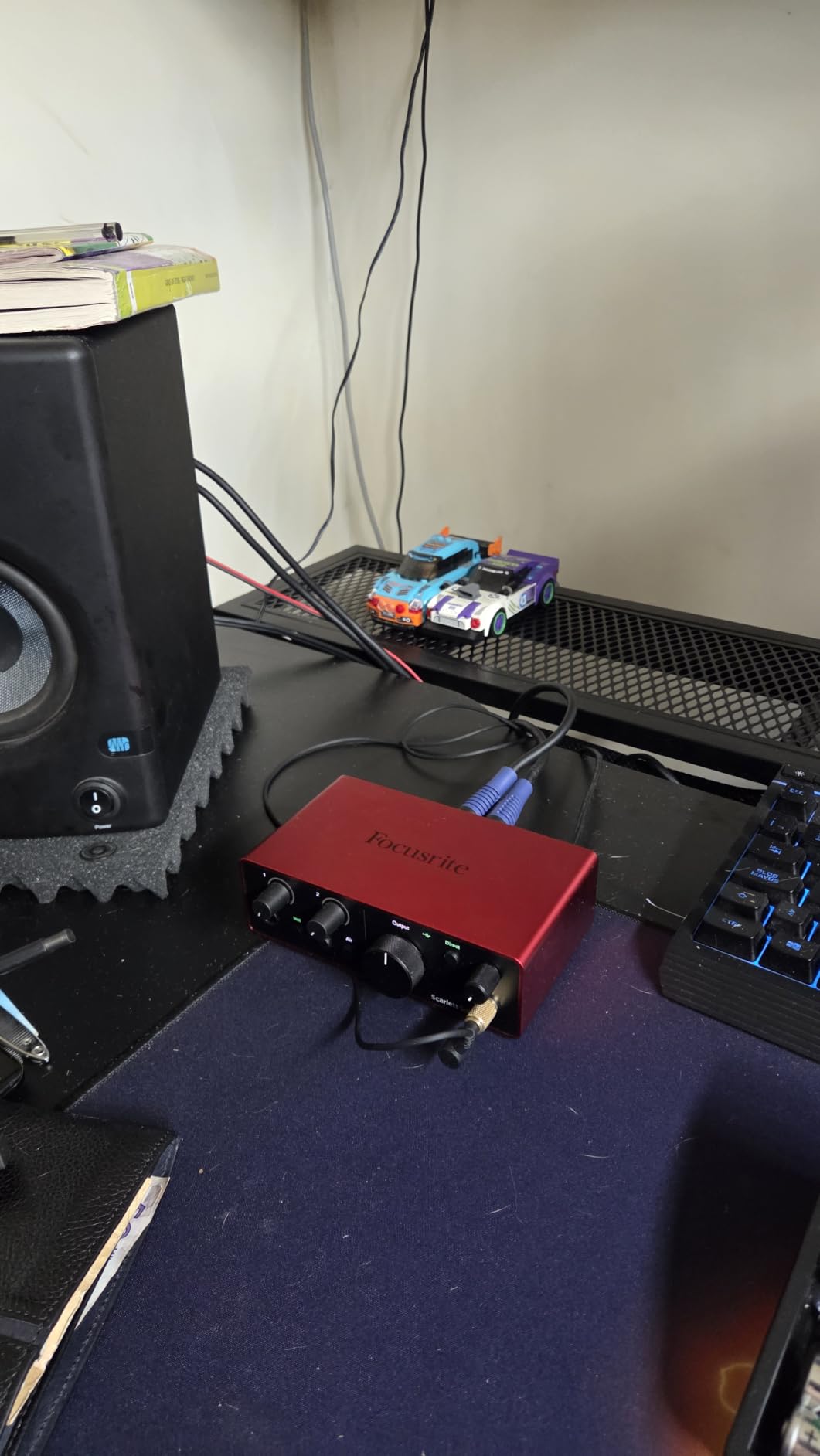
The Scarlett Solo is a familiar first box, and for a one-person show it is hard to argue with. One XLR mic preamp, one instrument input, 120 dB of dynamic range from Focusrite’s flagship converters, and capture at up to 24-bit/192 kHz. The sound is clean and the monitoring is tight enough that you cannot hear latency while talking.
Air mode is the feature that surprises newcomers. It lifts the high-mid presence of a vocal without touching the low end, and it is a one-button change that flattens out the slightly dull quality many entry-level dynamic microphones have when recorded dry.
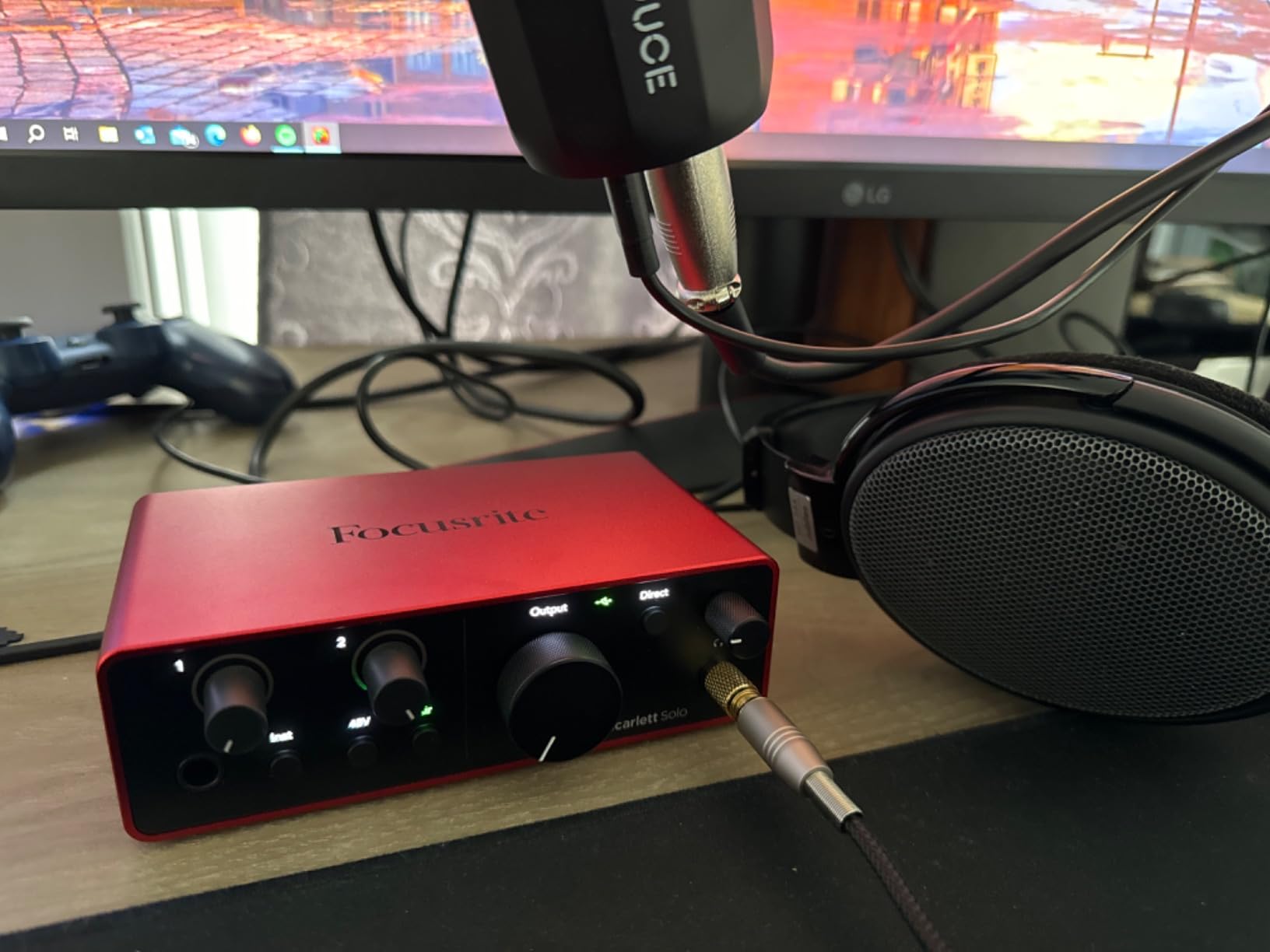
Setup took under a minute on both our Mac and our Windows test machine. No driver installation, no control app, no hidden menus. The bundle includes Pro Tools Intro, Ableton Live Lite, Cubase LE, and a Hitmaker expansion, which covers every beginner setup we could think of and then some.
The one-line answer that comes up constantly in podcast forums is whether a Scarlett 2i2 is good enough for podcasting. If you are recording one person, the Solo already covers it. The question only matters when a second voice joins the room.
Two caveats. The included cable is USB-A to USB-C rather than USB-C to USB-C, so thin modern laptops may need their own cable. And a minority of Windows users report low output levels when using the Focusrite drivers with quiet dynamic microphones, which is exactly the pairing most podcasters choose.
When the Scarlett Solo Is the Right Call
It is right for solo podcasters, for video and voiceover work where one voice carries the whole track, and for anyone who wants a clean signal path with a headphone feed they can trust. A single dynamic XLR microphone is all it asks for.
It is also right for people who have outgrown a USB microphone and want an XLR mic plus a real preamp without dealing with software. We covered that upgrade path in detail in our guide to the best podcast interfaces for XLR microphones.
Where It Falls Short
One XLR input means one microphone. The moment you record a two-person interview, a co-host, or a guest in the same room, this is the wrong box and you will be back shopping within a month.
There is also a single headphone output, so a guest sitting in the room has no independent level control. And on Windows, if your dynamic microphone runs quiet, the fix may be software rather than hardware, which is friction nobody needs at the start.
3. Behringer UMC22 – Two Midas Preamps at Entry Level
Behringer UMC22 Audiophile 2×2, 48 kHz USB Audio Interface with Midas Mic Preamplifier | For Recording Microphones and Instruments
2 combo XLR/TRS inputs
Midas mic preamp
48V phantom switch
Direct monitor with clip LEDs
Bus powered
Pros
- Midas preamp quality at an entry-level price
- Two inputs let you record mic plus instrument or a second speaker
- Direct monitoring switch for immediate playback
- Compact and bus-powered over USB
Cons
- Mic and instrument preamps share one gain knob
- Single phones output with no per-speaker monitoring
- Older-style gain range and 96 kHz ceiling
With more than twelve thousand ratings and decades of continuous use, the UMC22 is the most proven box in this entire list. Two combo inputs accept balanced XLR, balanced TRS, or unbalanced TS, and the preamp is a Midas design, which is the reason this box is repeatedly recommended to beginners who are worried about entry-level sound quality.
For a two-person podcast, it does the job properly. Each combo jack is a real mic input with its own XLR, and the rear switch supplies 48V phantom power if a condenser goes on a stand. The direct monitor select switch routes the signal to your headphones before it reaches the computer, and the Status and Signal Clip LEDs give you a real visual reference instead of a software meter you have to watch.
Recording through the UMC22, the noise floor sat well below anything we would flag in a spoken-word file, and the tone stayed neutral rather than colored. That neutrality is a genuine strength for a voice that will sit under compression and de-essing later.
It runs entirely on USB power, weighs 16 ounces, and needs no external supply. That makes it the least complicated recommendation in this guide for someone whose first concern is getting a clean XLR recording into a computer without buying anything else.
The catch is the gain control. The two combo inputs share a single preamp knob, so you cannot set your host and your guest independently at the hardware level. If one person talks quietly and the other projects, you are handling that in software. There is also only one phones output, and the 96 kHz maximum sample rate is modest next to the 192 kHz boxes here.
When the UMC22 Is the Right Call
It is right for a two-person show, for a solo creator who also wants to record an instrument, and for anyone starting out who wants a real XLR preamp without buying a second device later. The combo jacks also mean one box covers microphones and guitars.
It is the safest recommendation here for long-term reliability. When a community has been using the same simple metal box for years, the failure risk is low, and our own podcast discussions repeatedly surface it as the budget pick that does not embarrass a finished episode.
Where It Falls Short
The shared gain knob is the real limit. Two speakers with different levels means gain staging in software, and beginners often blame the interface for a level mismatch that is actually a control problem.
Single headphone output rules it out for any table where three or more people need independent monitoring. And the older-style preamp gain range means quiet broadcast dynamic microphones like an SM7B may need an inline booster, which is the single most common reason people regret an entry-level box.
4. Behringer UMC404HD – Four Midas Preamps for Panels
Behringer U-PHORIA UMC404HD Audiophile 4×4, 24-Bit/192 kHz USB Audio/MIDI Interface with Midas Mic Preamplifiers
4 mic preamps with 48V phantom
24-bit/192 kHz
4 in and 4 out
MIDI I/O
Metal chassis
Pros
- Four mic preamps make it a real four-person board
- 24-bit/192 kHz gives real editing headroom
- MIDAS preamps with phantom power on every channel
- Impact-resistant metal chassis
Cons
- Bus-powered only
- so the USB port must sit near the microphones
- No individual headphone outputs per host
- Software bundle is thinner than Focusrite-style packages
If your show has three or four hosts around one table, this is the box that makes sense. Four MIDAS-designed mic preamps with +48V phantom power, 24-bit/192 kHz resolution, and a 4-in/4-out signal path streaming to your computer at low latency.
Compared with the PodTrak P4, the trade is clear. The UMC404HD captures at 24-bit/192 kHz instead of 16-bit/44.1 kHz, which gives you real headroom when a guest laughs or raises their voice and you need to recover the peak in post. Its preamps are four discrete channels rather than a shared control, so gain staging per person happens in hardware.
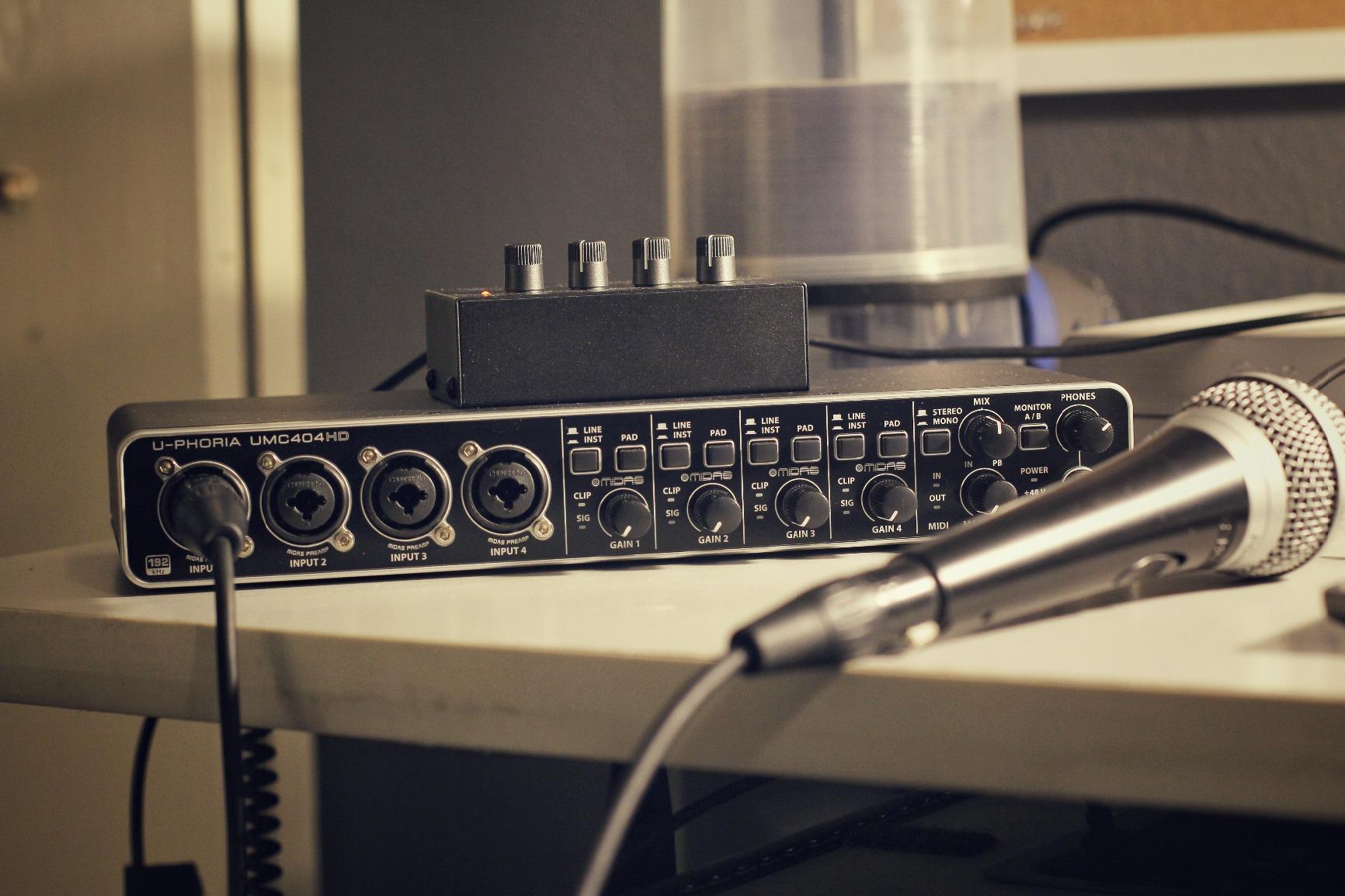
The MIDI input and output are a quiet bonus. Triggering a sound bed or a sting from a pad controller is far easier with a real MIDI port than with virtual routing, and it matters for shows that use a theme cue.
It is also built like equipment rather than a consumer gadget. The metal chassis weighs 2.7 pounds and stays put on a desk, which sounds like trivia until you have chased a sliding interface with a loose cable across a room.
What it does not have is per-person headphone monitoring. There is one phones output, so in a four-person panel everyone either shares one feed or you bring a separate headphone distribution box. That is a genuine workflow cost, and it is the reason the P4 remains our top pick for panel shows despite the lower bit depth.

When the UMC404HD Is the Right Call
It is right for a three or four host roundtable, for a show that also records music beds, and for anyone who wants maximum bit depth and sample rate while keeping a proven preamp design.
It also suits fixed installations where the interface lives near the microphones. Bus-powered operation means one USB cable and no power supply to hide somewhere.
Where It Falls Short
No per-speaker headphone outputs. For a panel where each person monitors at their own level, you need a splitter or a distribution amplifier, and that adds cost and cable clutter.
Bus power also constrains placement. If your microphones sit across the room from the computer, a long USB run is the weak link, and digital audio interfaces do not like being extended without a powered hub.
5. M-Audio M-Track Duo – Two XLR Inputs on a Tight Budget
M-AUDIO M-Track Duo USB Audio Interface
2 combo XLR inputs
48 kHz recording
48V phantom power
USB/Direct monitor switch
0.3 kg
Pros
- Two real XLR combo inputs at a budget price
- Clean low-noise headphone monitoring with no hiss
- Instant recognition on Mac Windows and Linux
- Includes Ableton Live Lite and MPC Beats
Cons
- Gain pots have a steep taper that makes clipping easy
- All-plastic chassis that slides on the desk
- Limited headroom for condenser microphones
- Top-mounted knobs are hard to read in dim rooms
The M-Track Duo is a common landing spot for people moving off a USB microphone. Two combo XLR inputs, 48V phantom power, and a USB/Direct switch for zero-latency monitoring, in a box that weighs 0.3 kg and needs nothing but a USB cable.
Headphone monitoring was quiet and hiss-free in our testing, which is more than we can say for several boxes in this range. It also installed instantly on Mac, Windows, and Linux without hunting for drivers, and it ships with Ableton Live Lite and MPC Beats for people who want to record more than talk.
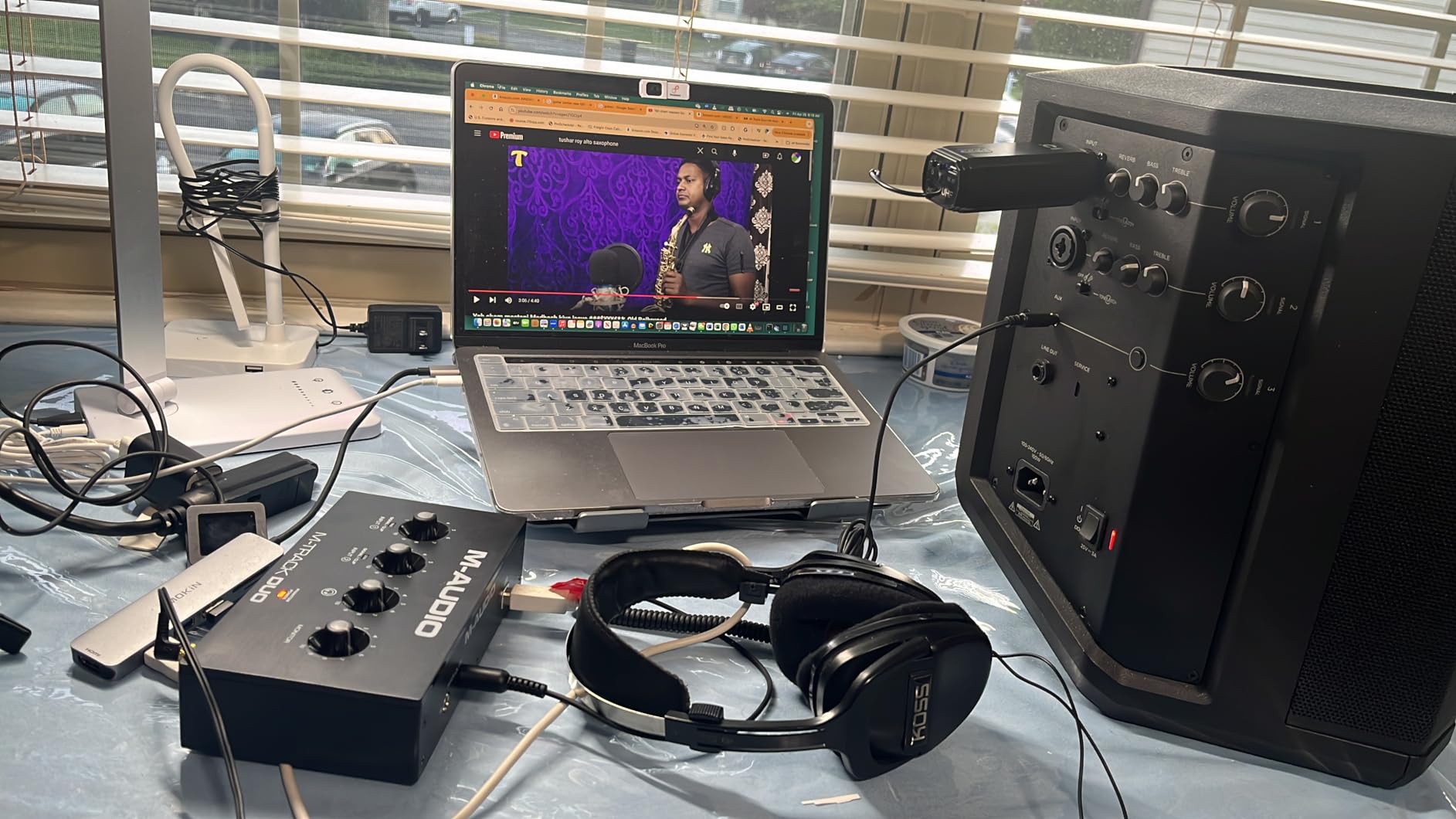
The problem shows up the moment you set a level. The gain pots have a steep, non-linear taper toward the top of their travel, which means small wrist movements produce large jumps in level. On a quiet voice you end up riding the top of the knob, and a sudden loud laugh clips before the software meter catches up.
There is also limited gain headroom for condenser microphones. Most dynamic podcast microphones are fine, but a condenser on a low-gain channel will push the pot into the same cramped section of the taper where clipping risk lives.
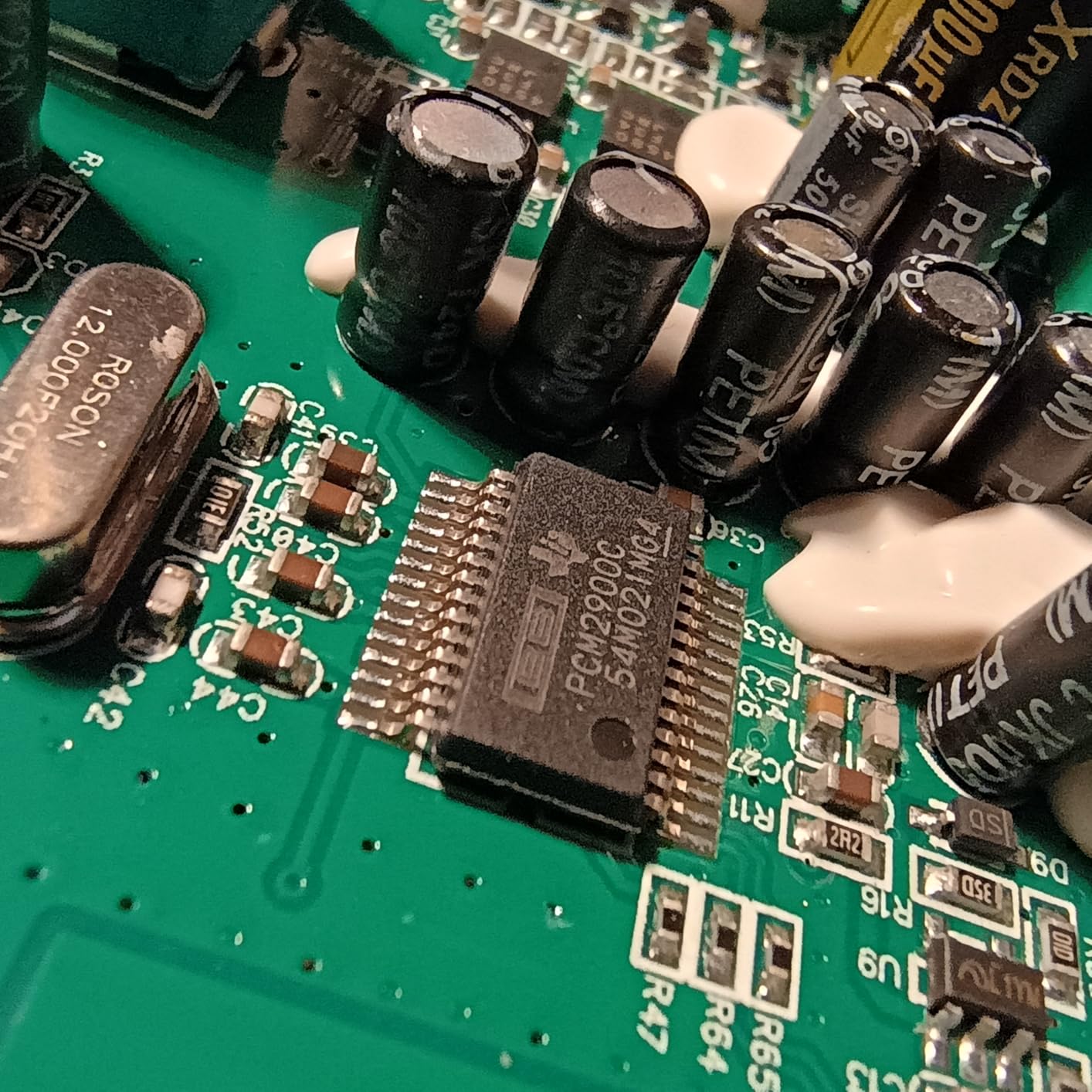
The chassis is all plastic and light enough to slide across a desk when a cable tugs, and the knobs sit on the top face, which is genuinely hard to read in a dim room while you are also watching a guest’s body language.
When the M-Track Duo Is the Right Call
It is right for a beginner who has a dynamic XLR microphone and wants a real preamp, a two-person show on a tight budget, and anyone who values a quiet headphone feed more than fine gain control.
Linux users take note: it was one of the few boxes in this list that appeared immediately without a driver hunt, which matters more than most spec sheets admit.
Where It Falls Short
The gain taper is the dealbreaker for anyone recording unpredictable levels. A dynamic microphone that peaks briefly will clip, and a clipped voice is one of the few podcast problems that cannot be fixed in software.
Construction is light, and the top-mounted controls are awkward in a dark recording space. If your show involves long sessions in a quiet room, the slide and the read problem compound quickly.
6. MOTU M2 – Clean Converters in a Metal Box
MOTU M2 USB-C Audio Interface
2 ESS preamps
24-bit/192 kHz
2 in 2 out
Hardware monitoring
2 year warranty
Pros
- ESS converters give unusually clean transparent capture
- Two preamps cover a host plus one guest
- Hardware monitoring switch is easy to reach
- Sturdy metal chassis with a two year warranty
Cons
- Only one headphone output so no per-speaker monitoring
- Bundled software is MOTU drivers rather than a full DAW bundle
- Costs more than other two-channel boxes
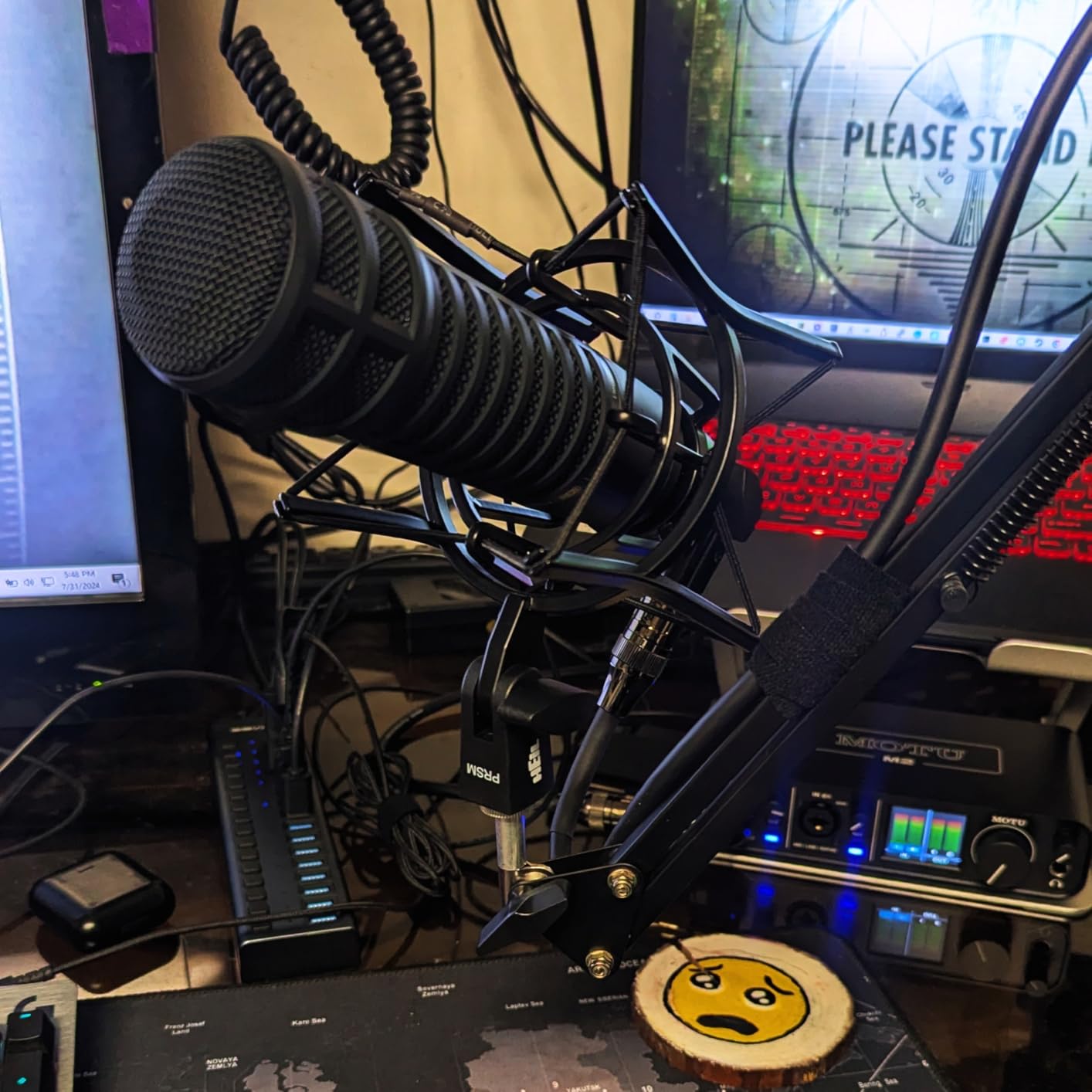
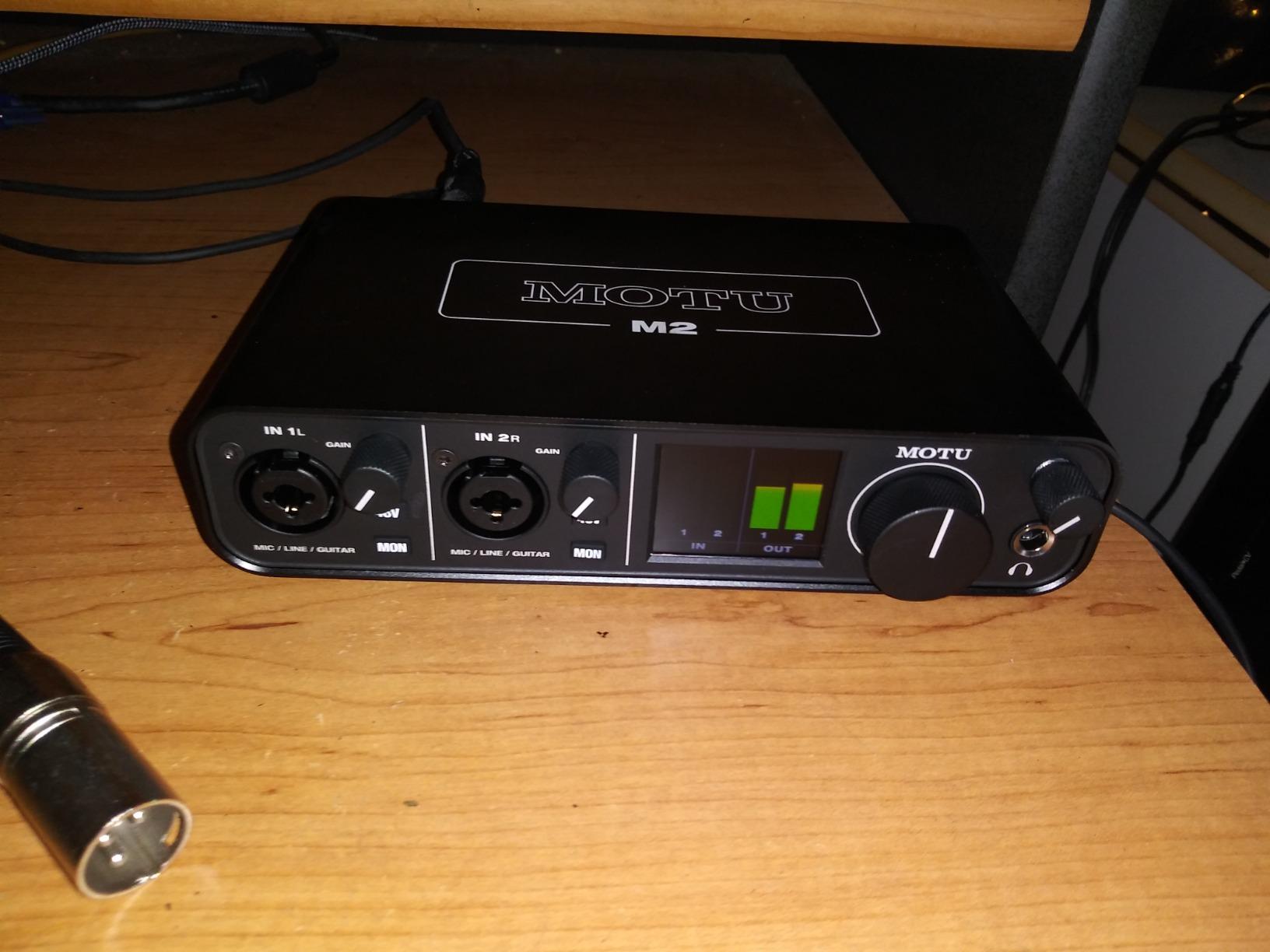
The MOTU M2 is a small two-in/two-out box built around ESS converters, and the capture is noticeably more transparent than most of its size. We recorded a dynamic microphone through it and got a low noise floor with a flat, honest frequency response that left plenty of room for whatever you do later.
Two preamps is enough for a host and a guest in a small room, 24-bit/192 kHz resolution covers professional delivery specs, and the hardware monitoring switch sits where your hand naturally falls. At 612 g in a metal chassis with a two-year warranty, it feels like studio hardware rather than a computer peripheral.
Around 6 GB of free content ships with it for macOS, Windows, and iOS, including instrument and effect libraries. That is more useful than it sounds if you are building music beds between episodes.
Forum discussion about MOTU gear often focuses on headphone amplification, and users frequently single out this class of interface for having a headphone output strong enough to drive closed-back studio headphones without a separate amp. In our testing the output had enough authority to drive demanding headphones cleanly.
The limitation for podcasting is the single headphone output. Two microphones, one headphone jack. For a remote guest in the same room, that means either a splitter or everyone monitoring the same level, and the bundled software is drivers rather than a full digital audio workstation.
When the MOTU M2 Is the Right Call
It is right for a host and one guest, for creators who care about conversion quality more than knob count, and for anyone also recording instruments who wants a 192 kHz capable box in a small footprint.
If you already own closed-back headphones and were planning to buy a separate headphone amplifier, this saves a step. The output stage is genuinely good.
Where It Falls Short
One headphone output. Any show where two people in the room need independent levels will outgrow it quickly, and that is the most common shape of podcast after solo.
It also costs more than other two-channel boxes, which is harder to justify if your only plan is one microphone. And without a full DAW in the bundle, a complete beginner needs to install recording software separately.
7. Universal Audio Volt 1 – 610 Preamp Character With Vintage Mode
Universal Audio Volt 1 USB Audio Interface
UA 610 preamp with Vintage mode
24-bit/192 kHz
Includes LUNA DAW and UAD plug-ins
Metal chassis
544 g
Pros
- UA 610 preamp gives recordings a distinct analog character
- Vintage mode adds harmonic drive and presence to vocals
- Large LUNA and UAD plug-in bundle for the money
- Compact metal chassis with 192 kHz converters
Cons
- Single mic input on the base Volt 1
- External power supply needed for iOS device use
- Bundled software has a steeper learning curve than simpler boxes
The Volt 1 is the one box in this list built around character rather than transparency. It uses Universal Audio’s classic 610 preamp circuit, and the difference is audible immediately. Where the MOTU and Focusrite boxes capture a voice and leave it alone, the Volt 1 gives it a warmer, slightly driven quality that many narrators specifically prefer.
Vintage mode is the switch you will actually use. Push it and the preamp adds harmonic distortion and upper-mid presence, which is a cheap way to make a dynamic microphone sound like it was recorded through vintage studio gear, and for a voiceover or film narration track that is a legitimate creative choice rather than a compromise.
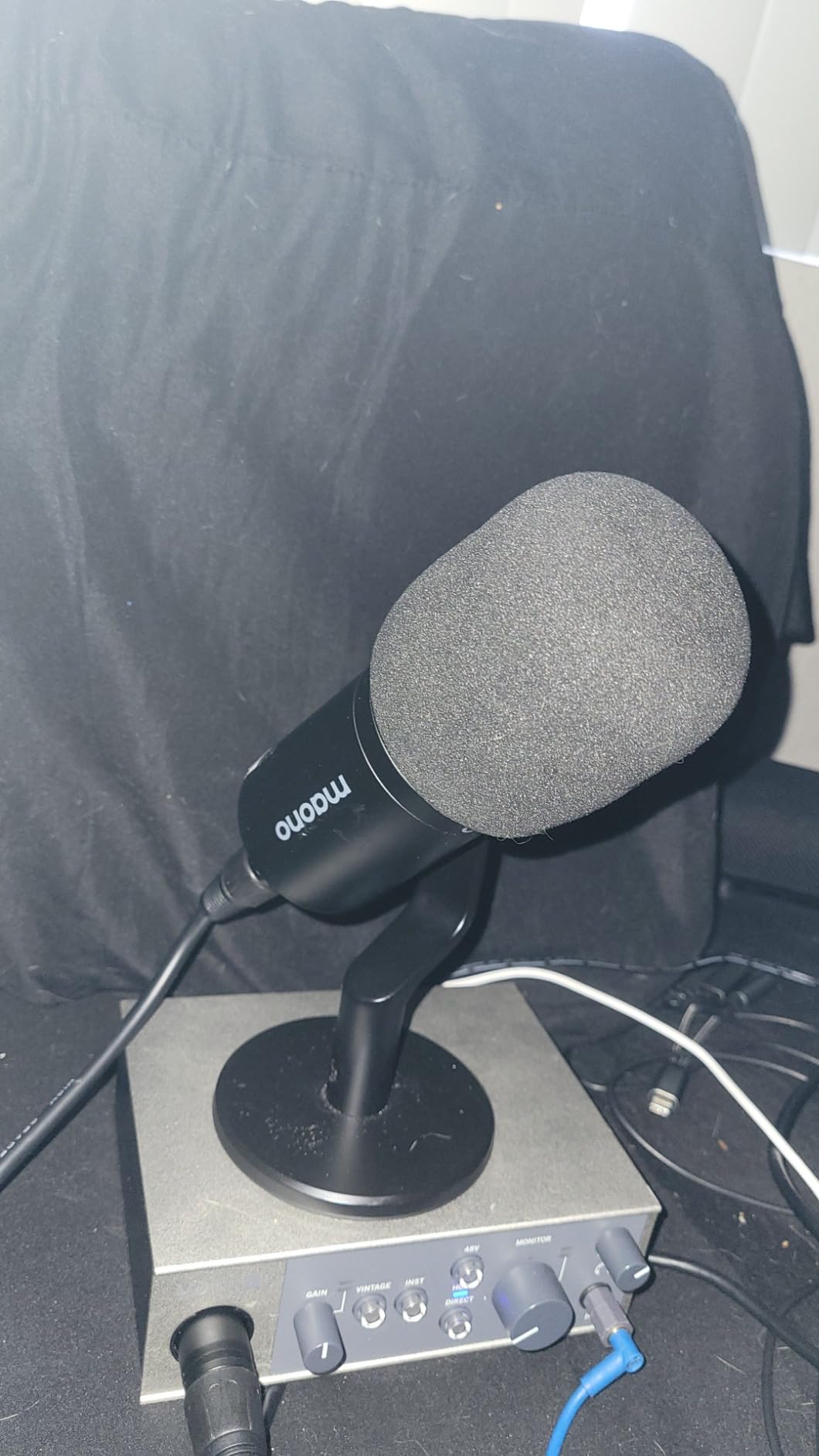
On the measurement side it is 24-bit/192 kHz with high-quality converters, in a compact 544 g metal chassis that works on Mac, Windows, iPad, and iPhone. The 2-in/2-out variant exists, but the base Volt 1 that most people buy has one microphone preamp.
The bundled software is the quiet star. LUNA comes with it, along with UAD plug-ins and instruments, and for a creator who will later want compression, de-essing, and EQ, that package is worth more than the hardware difference between this box and a bare-bones competitor.
Two things to know. The base model is a single mic input, so two-person shows need the 2-in/2-out version or a different box. And iOS use requires an external power supply and a Lightning adapter, which adds friction to a workflow that looks effortless in the compatibility list.
When the Volt 1 Is the Right Call
It is right for solo creators and narrators who want a voice with more presence and warmth, for anyone who will grow into the LUNA and UAD plug-in ecosystem, and for producers who find perfectly flat captures boring.
It is also a strong second purchase after a transparent interface, once you know what you want your voice to sound like.
Where It Falls Short
One microphone input is the hard limit for group recording. If you are recording an interview in one room, this is not the box.
The software bundle is powerful and heavy at the same time. Beginners who just want to press record and hit upload will find LUNA and the UAD plug-ins a lot of surface area, and the iOS power requirement undercuts the plug-anywhere story.
8. Audient iD14 MKII – Two Headphone Outputs for Guest Interviews
Audient Audio Interface iD14 MKII, 2 Class-A Microphone Preamps (High Performance USB Audio Interface, USB-C Connector, Monitor Mix and Monitor Panning Function, 2 Headphone Outputs), Black
2 Class-A console preamps
2 headphone outputs
Monitor mix and panning
USB-C
All-metal housing
Pros
- Class-A console preamps give a fast detailed capture
- Two headphone outputs let host and guest monitor independently
- All-metal housing feels premium and durable
- Monitor mix and panning simplify blending inputs with playback
Cons
- Only two mic inputs so it suits interviews not full panels
- 24-bit/96 kHz maximum trails higher-end interfaces
- Bundled software is Steinberg-based
The iD14 MKII solves a specific problem better than anything else in this list: it has two headphone outputs. For a two-person interview recorded in the same room, that means the host and the guest each get their own independent level, with no splitter, no distribution box, and no argument about the volume.
The preamps come from Audient’s ASP8024 HE console, and they are Class-A, which produces a fast, detailed, revealing capture. Revealing is the important word. Audient gear tends to show you problems in your signal chain rather than smoothing them over, which for a podcaster is useful because you hear the noise floor and the room before your listeners do.
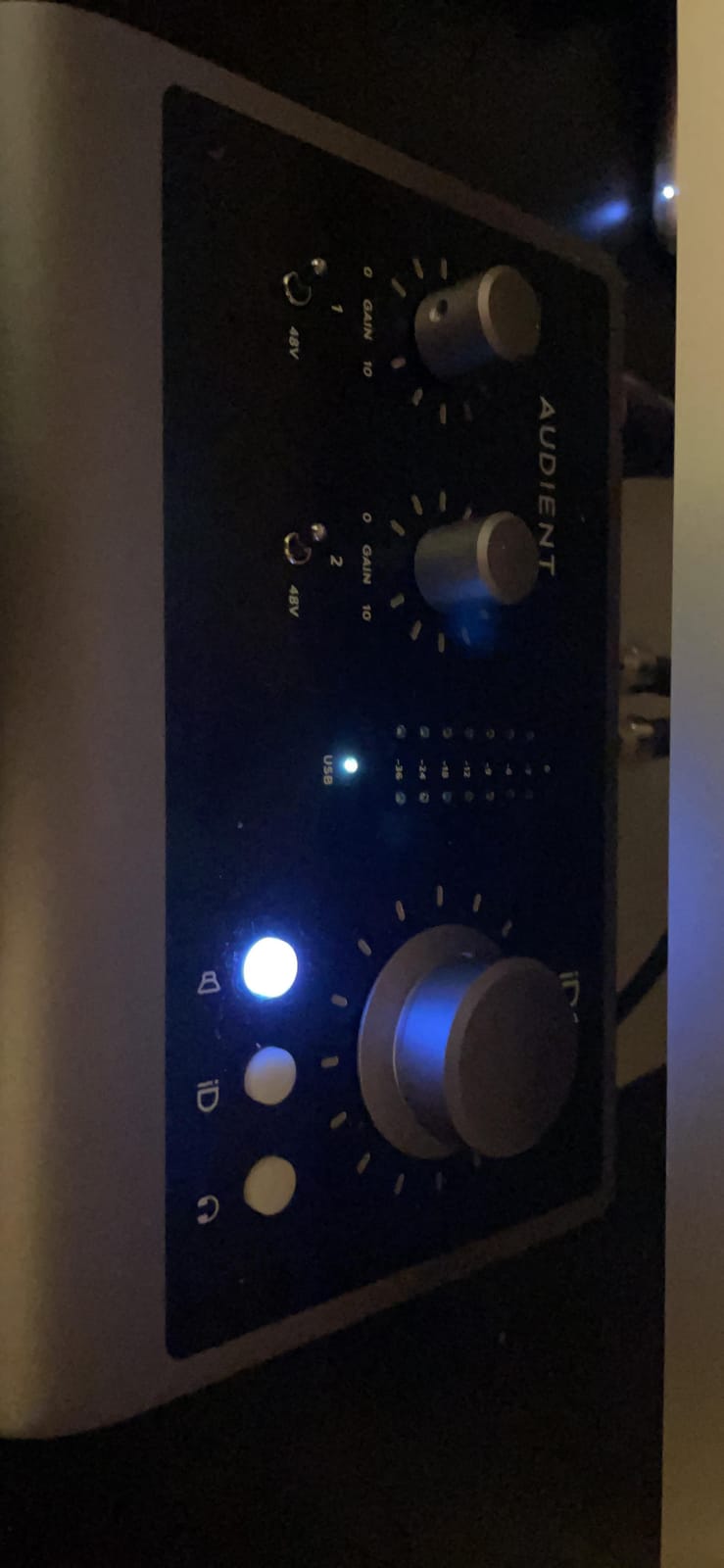
USB-C handles both power and data, so one cable connects it. A one-meter USB-C cable is included, and the all-metal desktop housing at 907 g stays planted on the desk. A three-year manufacturer warranty is longer than most of this list offers.
Reviewers who came from the original iD14 cite the monitor mix and monitor panning function as the quiet workhorses. You can blend live inputs with playback without a software mixer window, which keeps a live recording session simple even when you are also managing guests.
The honest limits: two microphone inputs means this is an interview box, not a panel box. And 24-bit/96 kHz is a lower ceiling than the Focusrite, MOTU, and Behringer options here, which matters only if you plan to record at 192 kHz, a rare choice for speech.

When the Audient iD14 MKII Is the Right Call
It is right for two-person interviews recorded in the same room, for remote two-host shows where each person monitors independently, and for anyone who wants to hear their own audio quality honestly while they work.
Gear discussion forums often recommend Audient gear specifically for low noise, and that claim held up in our testing. If hiss bothers you, this is the box to shortlist.
Where It Falls Short
Two XLR inputs is the ceiling. A three-host panel means an upgrade, and the headphone output advantage stops being an advantage once there are more than two people.
The 96 kHz maximum is a mild limitation, and the bundled software is Steinberg-based rather than a curated podcast or music bundle, so the out-of-box experience is less generous than rivals at a similar tier.
9. Arturia MiniFuse 1 – Loopback and MIDI in a Travel Case
Arturia MiniFuse USB Audio & MIDI Interface, MiniFuse 1
1 combo XLR input with 48V
Loopback for system audio
MIDI in and out
Rear USB hub
5 year warranty
Pros
- Very low noise and a transparent signal path
- Compact metal case that is genuinely portable
- Loopback captures system or in-game audio alongside voice
- Rear USB hub accepts a MIDI controller without extra hardware
- Five-year warranty and a strong software package
Cons
- Only one XLR input so it covers single-host recording
- Headphone output is weak with low-impedance earbuds
- Some software needs a computer reboot after driver install
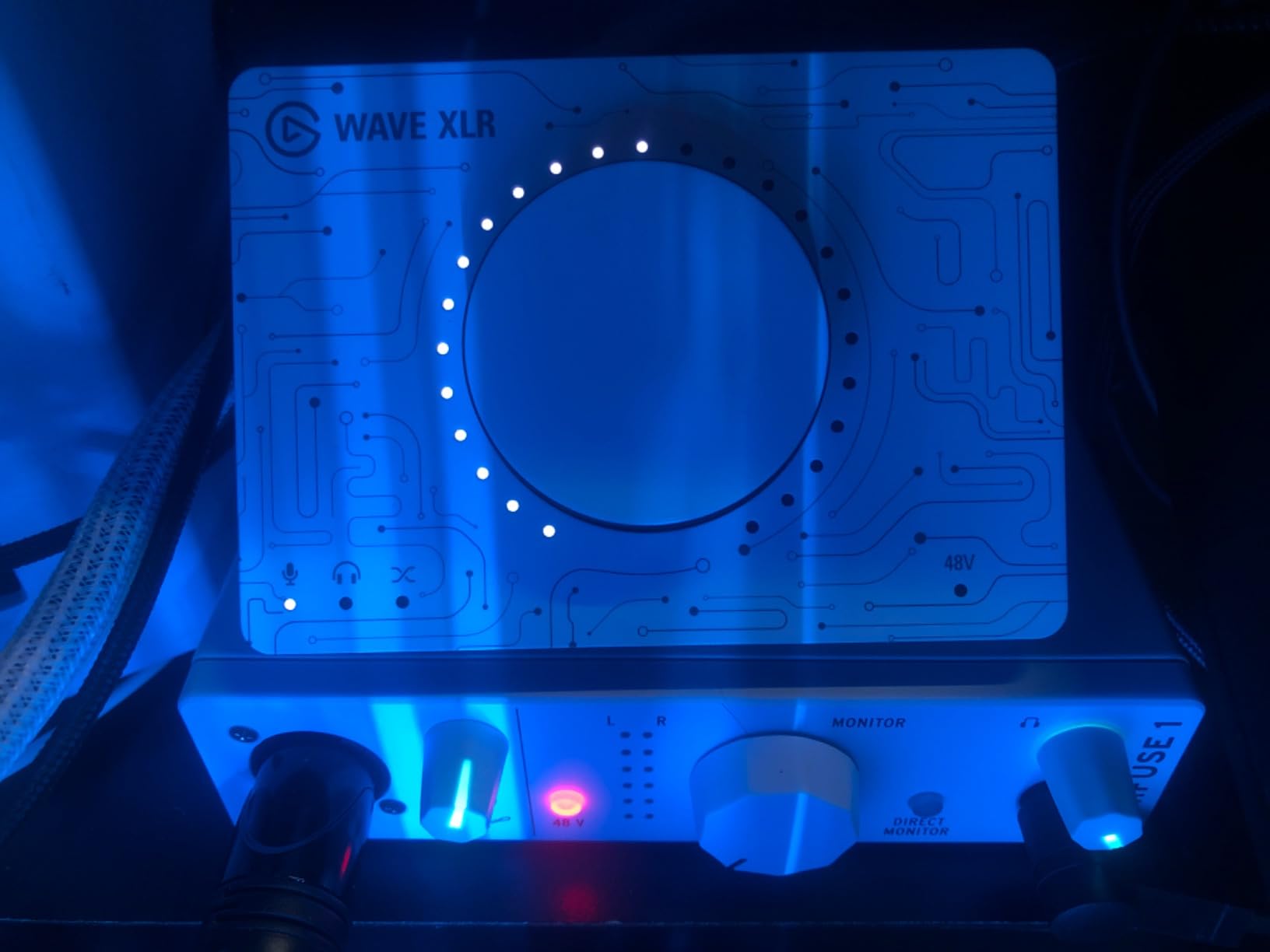
The MiniFuse 1 is the box to look at if your podcast involves a screen. Its loopback function captures system or in-game audio alongside your voice and sends both to your computer as separate channels, which is exactly what a video podcast or a livestream needs and exactly what a plain interface cannot do.
Signal-wise it is a low-noise, transparent path with one combo XLR input carrying 48V phantom power plus two TRS instrument and line inputs. That gives you flexibility for a music bed or a second line source even though only one microphone is directly supported.
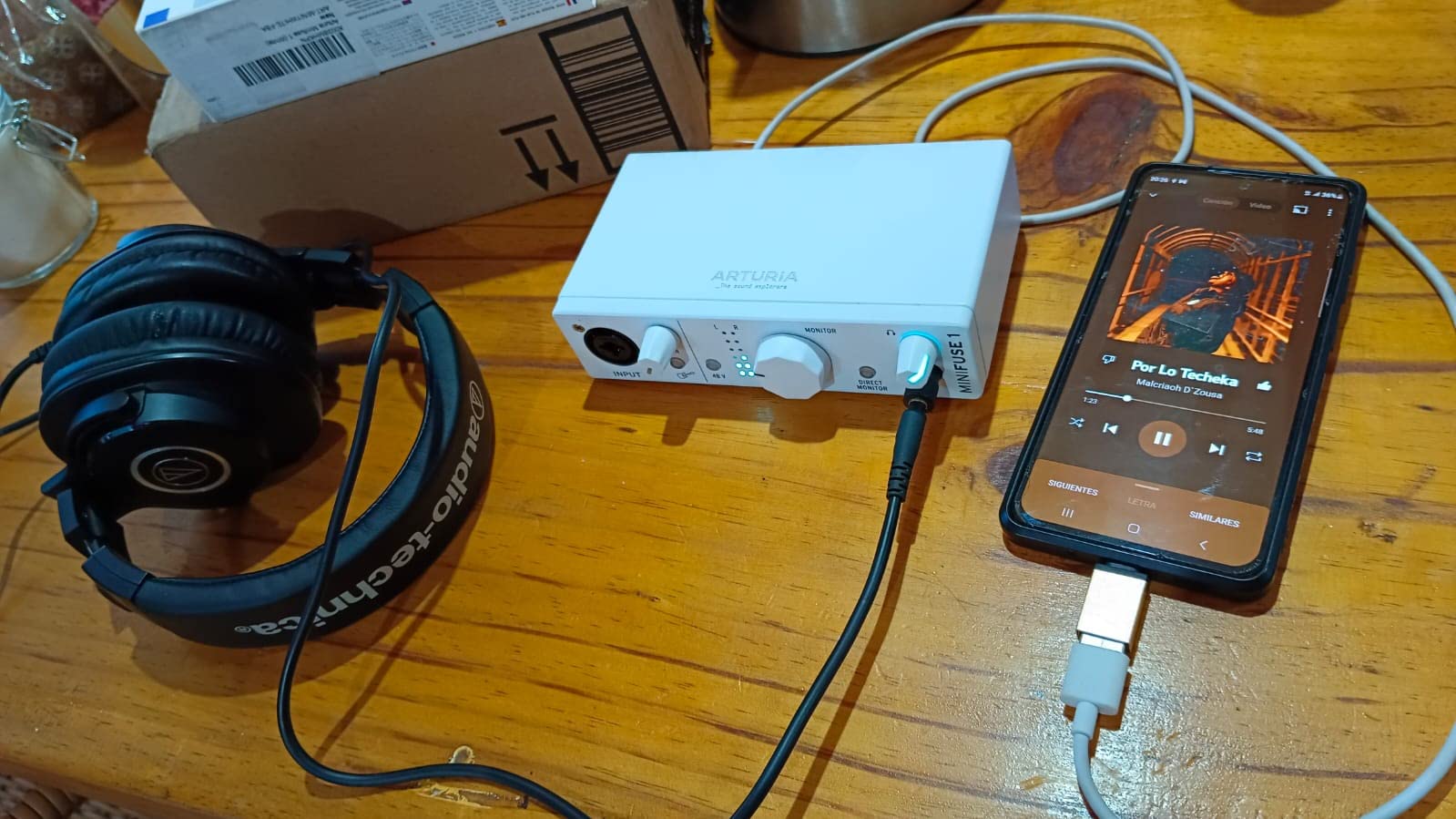
The rear USB hub supplying 250 mA and the five-pin MIDI in and out are unusual at this size. If you use a pad controller to trigger your intro music or stings, you can plug it straight in rather than buying a separate interface for it. The bundled software is generous too, with Ableton Live Lite, Analog Lab Intro, Arturia FX, and more, backed by a five-year warranty.
At 14.4 ounces in a compact metal case, it is the easiest box here to carry between a home studio, a bookshop event, and a quiet corner with a decent wall. Owners frequently compare it favorably with the Scarlett Solo on sound quality while paying less, and in our testing the noise floor was low enough to sit alongside the Audient and MOTU boxes.
The catch is again input count. One XLR means single-host only. The headphone output is also weak with low-impedance earbuds, and some programs require a computer reboot after driver installation before the MiniFuse appears in every project window, which is an annoying first-session surprise.
When the MiniFuse 1 Is the Right Call
It is right for solo creators who also publish video, for streamers and livestreamers who need loopback capture, and for anyone who wants a small box that records spoken word and instruments equally well.
Five years of warranty coverage on a box this compact is a genuine confidence signal, particularly if you are recording away from a home setup more than once a month.
Where It Falls Short
One XLR input. The moment a second voice joins the conversation, you need a different interface entirely.
The headphone output underdrives low-impedance earbuds, and the driver reboot after install is a small friction that costs you a restart before your first take. Plan on adding a separate headphone amplifier if you use in-ear monitors.
10. Shure MVX2U Gen 2 – 60 dB of Gain in Your Pocket
Shure MVX2U Gen 2 XLR-to-USB-C Audio Interface
Up to 60 dB clean gain
48V phantom power
Onboard DSP denoiser and pop filter
USB-C
100 g
Pros
- Extremely compact
- plugs into an XLR mic with no adapter
- Up to 60 dB of gain reduces the need for an inline booster
- Onboard denoiser pop filter and auto level
- USB-C works with laptops tablets and phones
- Zero-latency headphone monitoring
Cons
- Single XLR input
- so one speaker per box
- DSP settings depend on the MOTIV software
- Some reports of MOTIV app instability and limited gain headroom
The Shure MVX2U is not really a desktop interface. It is a 100 g adapter that plugs straight into the bottom of an XLR microphone and turns it into a USB-C microphone, which makes it the most interesting choice here for location work, guest interviews on the move, and anyone who wants to carry one mic and record it anywhere.
The number that matters most is the gain. Up to 60 dB of clean gain with 48V phantom power, which is far more than most entry interfaces offer and is the reason this box appears in so many conversations about quiet broadcast dynamic microphones. You no longer need a separate inline booster just to get a usable level from a demanding dynamic mic.
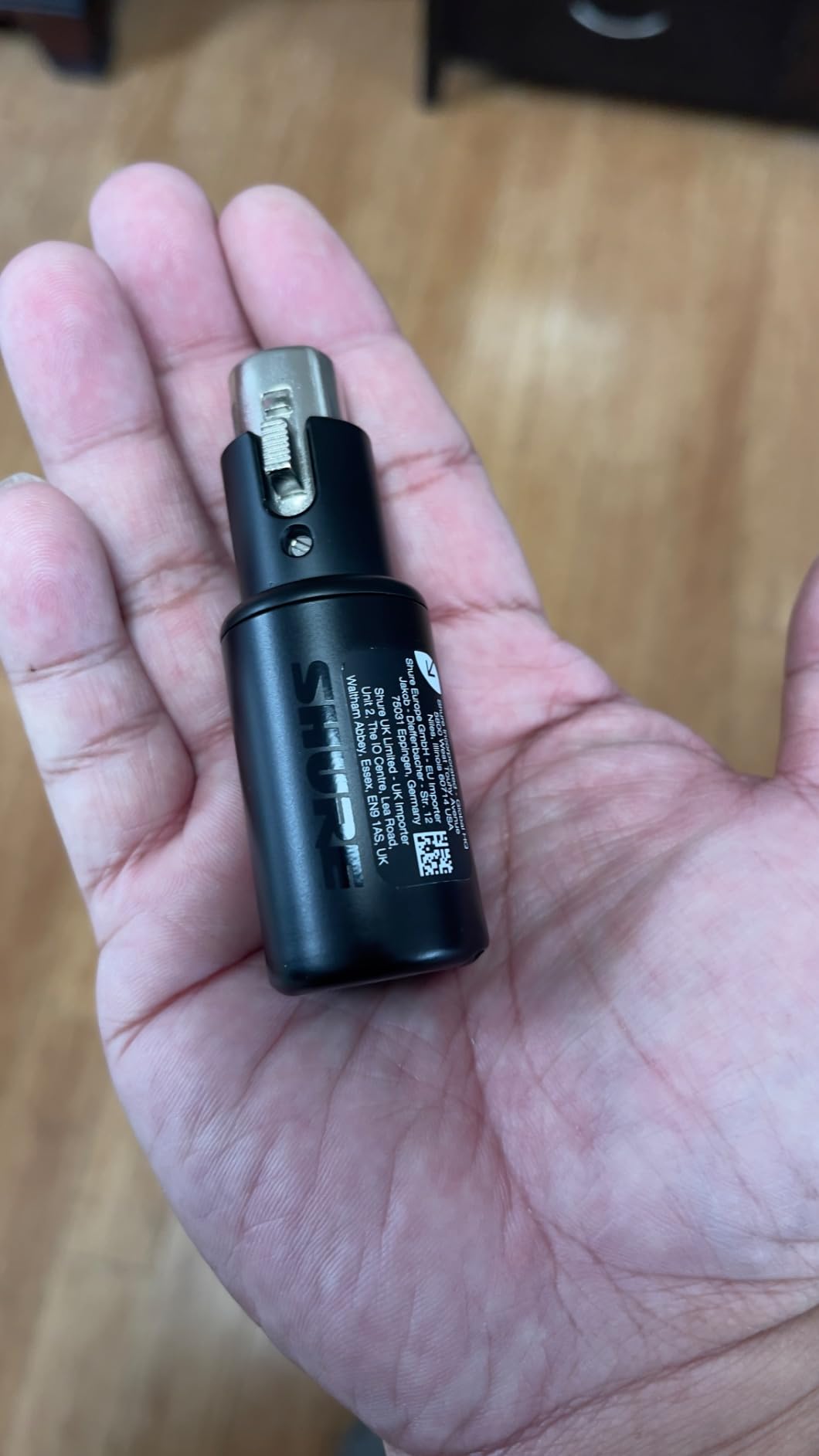
Onboard digital audio processing adds a real-time denoiser, a digital popper stopper, and an Auto Level mode with Dark, Natural, and Bright tone presets. That replaces a chain of rack gear for anyone recording in an untreated room, and it processes before the signal reaches the computer, so your recording software sees a cleaner file.
Because it is managed through the MOTIV Mix, MOTIV Audio, and MOTIV Video apps, the same setup works for podcast, voice recording, and video, and USB-C means it connects to laptops, tablets, and phones. Reviewers call it near-ideal for solo podcasting and mobile field recording, and the zero-latency headphone monitoring lets you track without hearing yourself arrive late.
The honest problems: one microphone per box, so a two-person session on location means two adapters and a way to get them into one computer. DSP control depends on the MOTIV software, and there are reports of app instability and of MOTIV dropping Windows 10 support, which leaves the processing inaccessible on an older machine.
It is also not compatible with PlayStation 5 or Xbox because of USB Audio Class 2.0 requirements, and reviewers note limited headroom for the very quietest broadcast dynamics despite the 60 dB figure.

When the MVX2U Gen 2 Is the Right Call
It is right for solo podcasters who record away from a desk, for on-location interviews and field work, and for anyone with a low-output dynamic microphone who would otherwise need an inline booster or a cloudlifter.
The onboard processing genuinely helps in an untreated room. Denoising and pop filtering before capture is a real advantage when you cannot control your space.
Where It Falls Short
One XLR per unit, and no multi-channel routing. Group recording on location is expensive in a way a desktop interface is not.
The dependency on MOTIV software is the recurring complaint, and if that app misbehaves on your operating system you lose access to the features that justify the box. Console gaming capture is out as well, given the USB Audio Class limitation.
11. Behringer XENYX 302USB – Tiny Analog Mixer With USB
Behringer XENYX 302USB 5-Input Audio Mixer with USB Audio Interface, Mini USB Mixer with Mic Preamp for Podcast, Recording, Streaming & Home Studio
5 input analog mixer
XENYX phantom preamp
2 band EQ
USB audio interface
13.4 ounces
Pros
- Compact and inexpensive route from an XLR mic into a computer
- Phantom powered XENYX preamp works with condenser microphones
- Two-band EQ plus independent RCA and headphone level control
- Dual analog outputs let you use headphones and speakers together
Cons
- The two mic inputs are wired together and cannot be used at the same time
- Phantom power is weak for mics needing full 48V
- No relative channel level control for headphone monitoring
- Can pick up USB noise when connected through a hub
The XENYX 302USB is a five-input analog mixer with a USB audio interface built in, and it occupies a niche the other boxes here do not. It is not a clean recording path. It is a small desk mixer that also sends a stereo USB signal to your computer, which is a different and sometimes better tool for a specific job.
If you record a solo show but also want live control over music beds, level balance, and monitoring without opening software, this is the box. It has a phantom-powered XENYX mic preamp, a neo-classic two-band graphic EQ, independent RCA and headphone level controls, and dual analog outputs so you can use headphones and speakers at once.
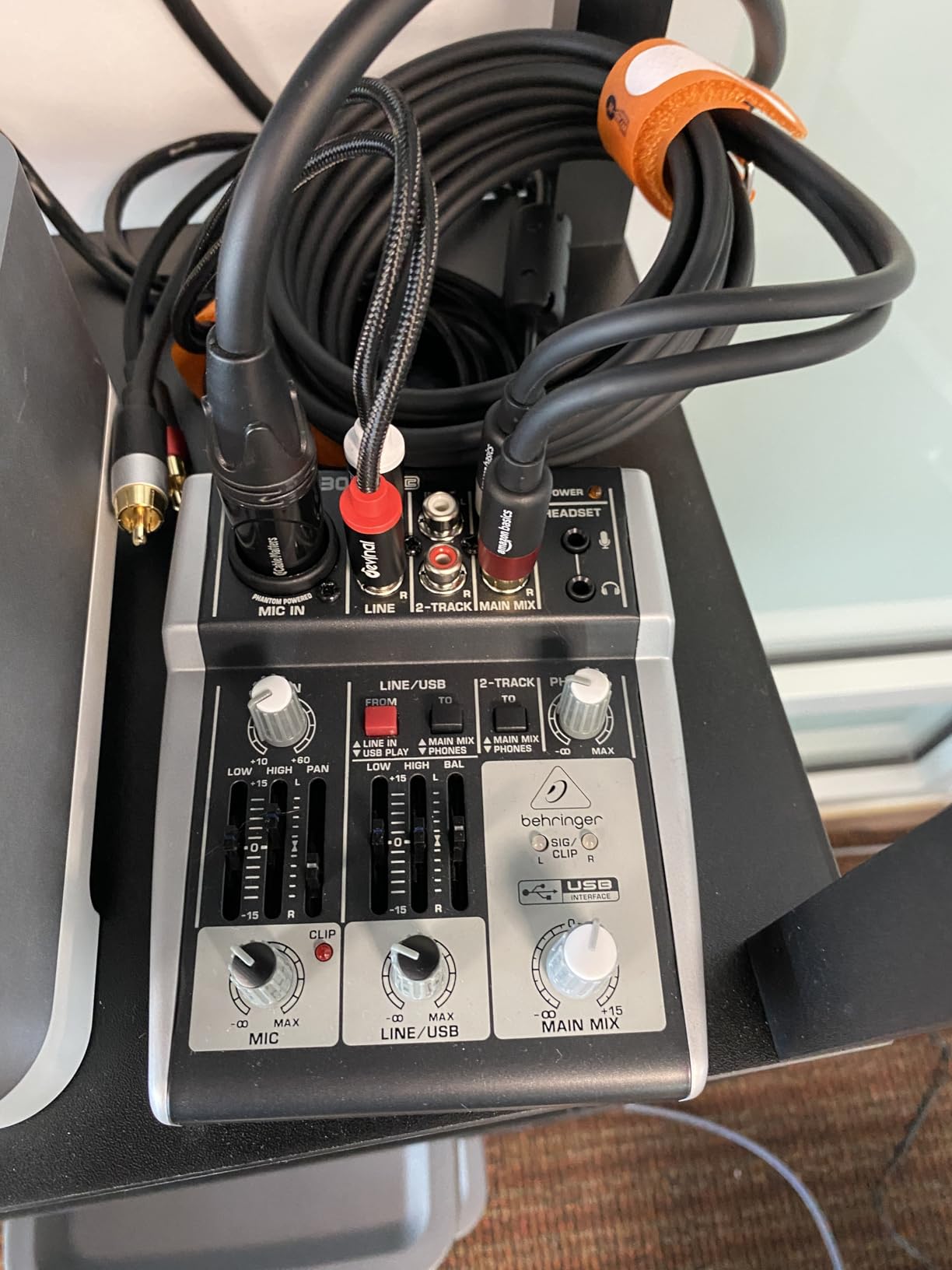
Reviewers report years of continuous use, several owners describing a single unit that has recorded every episode of a long-running show. At 13.44 ounces it is also the smallest thing on this list, and it can run from USB power or the included external adaptor.
Now the part that decides your purchase. The two microphone inputs are wired together internally and cannot be used at the same time, so this is a single-speaker box, full stop. The phantom power is also weak, and microphones that genuinely need a full 48V perform poorly on it, which rules out a lot of condensers.
Headphone monitoring is always on with no relative channel level control, so what you hear in headphones is not a blend you can set. And connecting it through a USB hub can introduce audible electrical noise, which is a common complaint.

When the XENYX 302USB Is the Right Call
It is right for a solo podcaster who wants hardware control of levels and music beds, and for anyone building a small live recording setup where an analog mixer with USB is more useful than a bare interface.
It is also a genuine bridge option. We saw a related question in our comparisons about moving from analog to digital, and some creators keep a small mixer like this as a dedicated backup path.
Where It Falls Short
The shared mic input wiring is decisive. Two people cannot record at once, so any co-hosted or interview show is out of the question from the start.
Weak phantom power limits your microphone choices, and the always-on monitoring with no channel level control means you cannot build a clean headphone mix. USB hub noise is an avoidable annoyance if you do not keep it on a direct connection.
12. PreSonus AudioBox 96 – Bus-Powered Class-A Preamps
PreSonus AudioBox 96 25th Anniversary USB Audio Interface
2 Class-A mic preamps
24-bit/96 kHz
Mixer zero-latency blend
Global 48V phantom
Bus powered
Pros
- Two Class-A mic preamps cover a host and a guest
- Bus-powered over USB 2.0 with no external supply
- Mixer control blends inputs with playback for zero-latency monitoring
- Includes Studio One Artist and Ableton Live Lite
Cons
- Uses the older USB Type B connector instead of USB-C
- Modest average rating with a higher share of 1-star reviews
- Only one headphone output for guest monitoring
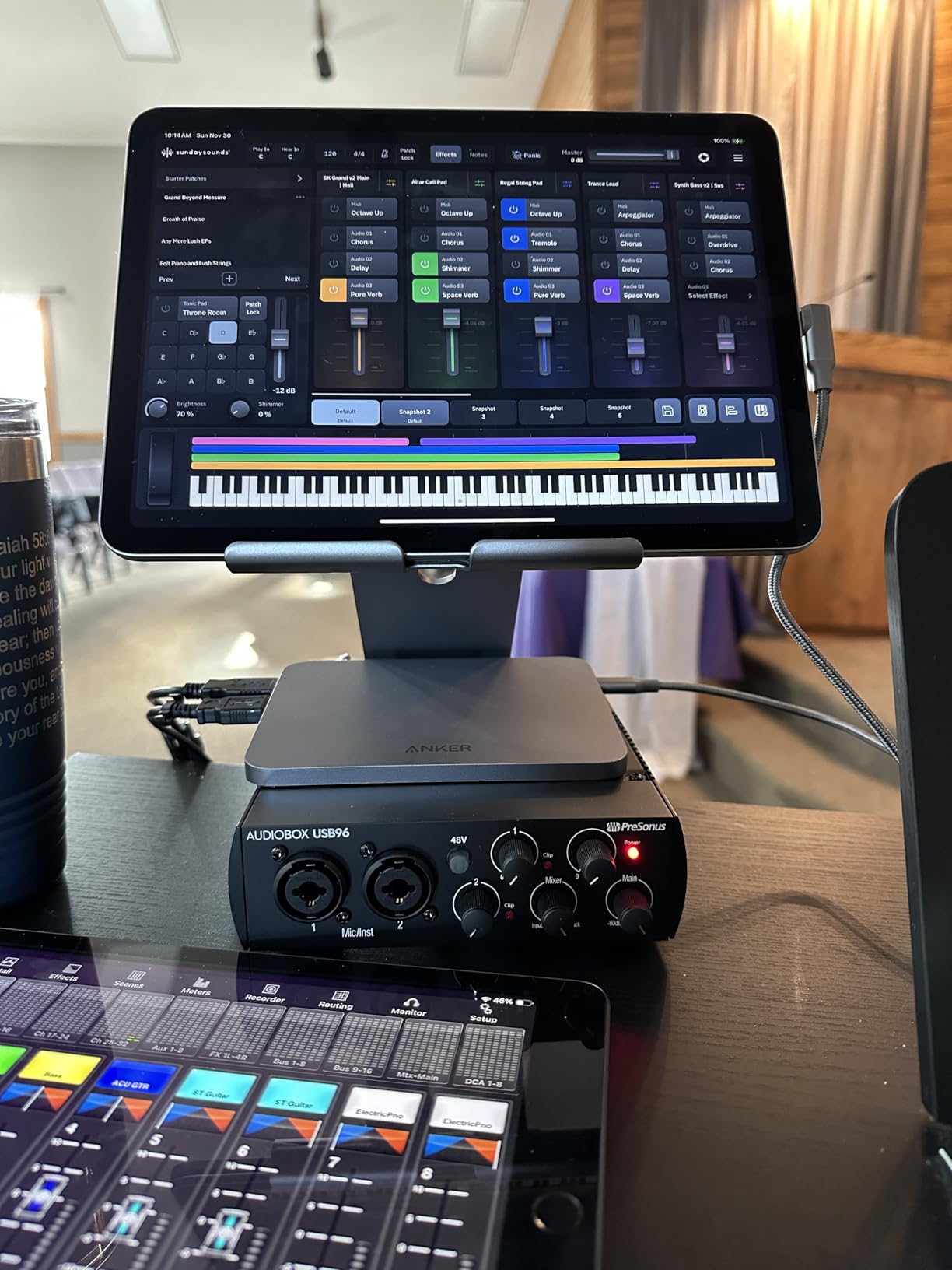
The AudioBox 96 has been a long-standing entry recommendation, and the core of the design still holds up. Two high-quality Class-A mic preamps, two high-headroom instrument inputs, MIDI I/O, and studio-grade converters capturing up to 24-bit/96 kHz, all powered entirely over USB 2.0 with no power supply at all.
The mixer control is the feature we liked most. It blends the live inputs with playback from your computer and sends the result to your headphones, giving you direct monitoring without software and without the latency you would get monitoring through the operating system.
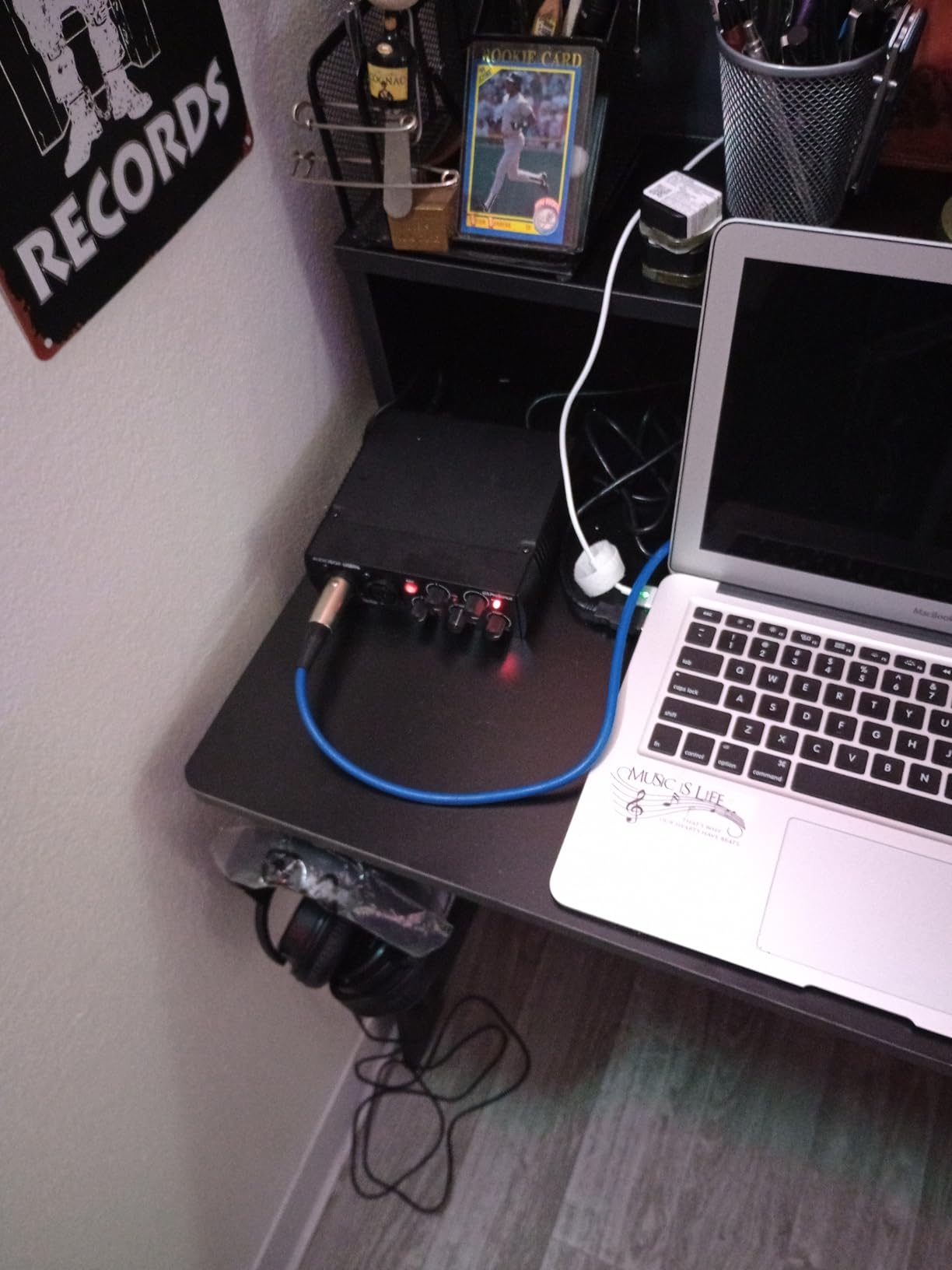
Studio One Artist and Ableton Live Lite are included, along with a Studio Magic plug-in suite, so a new creator has recording software and instruments on day one without a separate purchase.
It also suits a creator who works in more than one space, since it needs no power supply.
We should be straight about the 4.3 average, which is the lowest in this group and comes with a visibly higher share of one-star reviews than the boxes around it. The recurring complaints concern the dated USB Type B connector, the single headphone output, and occasional reliability and quality dips that reviewers describe as inconsistent rather than broken.
When the AudioBox 96 Is the Right Call
It is right for a two-person show that wants a proven Class-A preamp, no external power supply, and no software to install before recording. It is a solid choice for a creator who moves between locations.
If Studio One is software you already use or would use, the bundled Studio One Artist plus Studio Magic plug-ins make this one of the more complete packages at this tier.
Where It Falls Short
One headphone output means a guest in the room cannot have independent monitoring, which is the most common podcast pain point after input count.
USB Type B feels dated next to the USB-C boxes here, and the 4.3 rating with a higher share of one-star reviews tells you quality control is less consistent than the alternatives. For a first purchase we would pick one of the 4.5-rated boxes in this list.
How to Choose an Audio Interface for Podcast Recording
Most buying mistakes come down to one question: how many people are actually speaking. Everything else, the bit depth, the sample rate, the converter pedigree, matters far less to a listener than getting enough inputs and enough headphone outputs for the room you record in.
Match the Interface to Your Podcast Format
Solo show, one voice: you need a single XLR preamp. The Scarlett Solo, the Arturia MiniFuse 1, the Universal Audio Volt 1, and the Shure MVX2U all cover this, and each adds something different, from the Focusrite converters to the MVX2U’s onboard processing.
Co-hosted, two people in one room: two XLR inputs, and two headphone outputs if you want independent levels. That is a shorter list than you would think, because most two-channel boxes have one phones jack. The Audient iD14 MKII and the Zoom PodTrak P4 both solve it properly.
Interview with a remote guest: you need mix-minus or loopback so the caller does not hear themselves. The PodTrak P4 handles phone call-in through its TRRS jack and automatic mix-minus, and the MiniFuse 1 covers screen-based capture.
Roundtable of three or four: four XLR inputs and four headphone outputs, full stop. The PodTrak P4 is the only box in this list that gives you that combination in a portable form. The Behringer UMC404HD gives you four preamps but shares one headphone feed.
How Many XLR Inputs Do You Actually Need
Count the microphones, not the microphones you could eventually buy. A two-person interview is two inputs. A three-host panel is three. Adding a fourth input costs you money whether or not you fill it, and unused preamps are simply unused preamps.
Then think about headphone outputs separately, because this is the number people forget. A guest who shares your headphone feed cannot set their own level, and in a live conversation that ends with someone asking you to turn it up mid-sentence. The P4 and the iD14 MKII each provide two independent outputs; most other boxes here provide one.
One extra consideration for anyone using a low-output dynamic microphone: check the gain figure before you commit. The MVX2U offers up to 60 dB, which covers demanding broadcast dynamics on its own. Most entry-level boxes deliver less, and the ones with less headroom are the ones where people end up adding an inline booster.
The Specs That Matter: Gain, Phantom Power, Bit Depth and Latency
Gain is measured in decibels and tells you how much a preamp can boost a quiet signal before it runs out. More gain means more usable level from a quiet microphone, and it is the single most consequential number on the box for anyone using a dynamic XLR mic.
Phantom power is the 48V sent up the XLR cable to power a condenser microphone. Dynamic microphones ignore it. Condensers need it, and a box that cannot supply it rules out a large part of the microphone market. Weak phantom power, as on the XENYX 302USB, is worse than none because it gives a partial result.
Bit depth and sample rate describe the digital file. 24-bit/192 kHz appears on the Focusrite Solo, the MOTU M2, the Volt 1, and the UMC404HD. 24-bit/96 kHz appears on the Audient iD14 and the PreSonus AudioBox 96, and 48 kHz on the M-Track Duo. All of them record speech perfectly well. The higher figures simply give you more room to recover a peak when a guest gets loud.
Latency is the delay between speaking and hearing yourself, caused by buffer size. Direct monitoring switches, found on the UMC22, M-Track Duo, MOTU M2, and AudioBox 96, route your microphone to your headphones before it reaches the computer, which removes the delay entirely at the cost of hearing your own software effects late.
Two more terms you will meet. Direct monitoring means hearing the analog input directly rather than a processed return. Loopback captures audio playing inside your computer, which is how a podcaster records a video call or a game stream with their voice alongside it.
Audio Interface or Podcast Console?
An interface records. A console records and mixes, with physical faders, mute buttons, and often onboard compression, de-essing, and effects. A console costs more and takes desk space, and it saves you from opening a digital audio workstation every time you record.
Choose an interface if you already have a recording workflow in Audacity, Adobe Audition, or a DAW, or if you want the cleanest possible capture. Choose a console if you record often, want tactile control, and would rather not manage levels in software. We compared dedicated consoles in our podcast console guide if that is the direction you are leaning.
Our honest position for most beginners: start with an interface. It is cheaper, it is easier to move between rooms, and every console workflow can be done in software once you already know what you want to hear.
Getting More From the Interface You Already Own
Room acoustics affect your recording far more than the interface does. A reflective room adds a comb-filtered echo that no preamp can remove, and budget spent on a treated corner beats budget spent on a marginally better converter. Position each microphone 15 to 20 cm from a pop filter, and speak into the address side rather than the top.
On gain staging, the answer to how loud you should record is roughly 12 to 18 dB of headroom on your meters. Set your levels, then leave them alone. If you are riding a gain knob during a conversation, the interface or the microphone gain is wrong for the setup, not your technique.
Finally, record at 24-bit if your box offers it, and check your monitoring path for hum and hiss before the first episode rather than after. Background noise from a noisy computer, a cheap power supply, or an unterminated USB hub is far more damaging to perceived quality than a modest converter, and it is usually free to fix.
If your show is moving toward video, the same interface logic applies to picture. Our guides to the best audio interfaces for video editors and the best audio interfaces for video editing cover the workflow differences that matter when sync and monitoring are in the mix.
Frequently Asked Questions
What audio interface is best for podcast recording?
For most people the Zoom PodTrak P4 is the best audio interface for podcast recording, because it records four XLR microphones at once, gives every speaker their own headphone output, and includes automatic mix-minus for phone and remote guests. For a single host who wants the cleanest simplest signal path, the Focusrite Scarlett Solo 4th Gen is the better buy, with 120 dB of dynamic range and 24-bit/192 kHz capture.
What do most podcasters use to record?
Most podcasters record with a dynamic XLR microphone such as a Shure SM7B, SM58, or Rode PodMic connected to a USB audio interface, then edit in software like Audacity or Adobe Audition. Solo creators often use a one-channel interface such as the Scarlett Solo, while multi-guest shows tend toward a four-input box such as the PodTrak P4, which also handles remote call-in guests.
How many XLR inputs do I need for a podcast?
Count the people who speak into their own microphone. A solo show needs one XLR input, a co-hosted or two-person interview needs two, and a roundtable of three or four needs four. Headphone outputs matter separately, because a guest sharing one feed cannot set their own level, so a two-person show in one room ideally needs two headphone outputs.
Do I need an audio interface if I already have a USB microphone?
Usually not. A decent USB microphone already contains a preamp and converter, so an interface adds little except a headphone jack and a better monitoring path. If you use an XLR microphone, record two or more speakers, or want to upgrade the microphone itself, an interface becomes the natural next step and gives you a real preamp you can control.
What is the difference between an audio interface and a mixer?
An audio interface converts microphones to digital audio for your computer and adds little else, so levels and effects are handled in software. A mixer combines and routes several analog sources with physical faders, EQ, and effects, and the Behringer XENYX 302USB is an example that also includes a USB output. Consoles are a step further, with podcast-focused controls such as pads and auto gain.
Can an audio interface improve podcast sound quality?
Yes, mostly by removing problems rather than adding polish. A low-noise preamp lets you record a quiet dynamic microphone at a healthy level, independent gain per channel stops level differences between speakers, and low-latency headphone monitoring helps you see problems while recording. The room and microphone placement still matter more than the interface, and no preamp can fix a reflective space.
Final Verdict: Which Audio Interface Should You Buy?
For most shows, the Zoom PodTrak P4 is the best audio interface for podcast recording in 2026. Four XLR inputs, four headphone outputs, and automatic mix-minus handle more podcast situations than anything else we tested, and owners have been running the same unit for years without drama. Recording alone, pick the Focusrite Scarlett Solo 4th Gen for a cleaner, simpler path. Recording two people, the Behringer UMC22 remains the proven budget answer, and a two-person interview in one room deserves the Audient iD14 MKII for its two headphone outputs.
Whichever you choose, buy the number of inputs your room actually needs, get a low-noise preamp, and treat the room before you treat the gear. The best audio interfaces for podcast recording are the ones that get out of the way and let your voice be the thing listeners notice.