
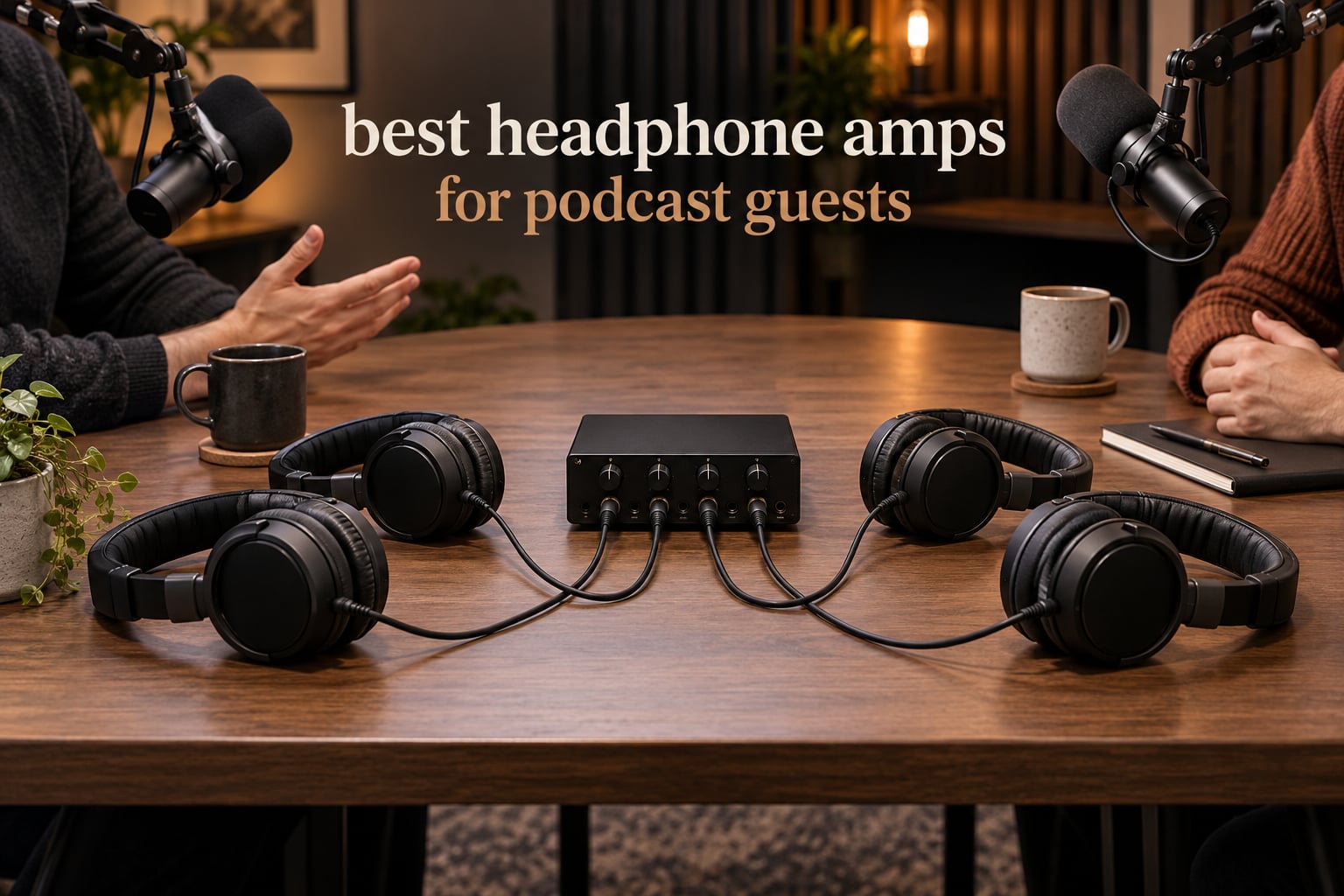
The best headphone amp for podcast guests is a multi-output headphone distribution amplifier, not the single-output audiophile amps the shopping results keep pushing at you. Our top pick for 2026 is the Mackie HM-4: four independent headphone outputs, four separate level knobs, and a metal chassis you can velcro under a desk. Everything else on this list exists to feed more than two pairs of headphones from one interface or recorder.
Here is the short version. If you record with a host and one guest in the same room, four outputs means nobody shares a volume knob. If a guest dials in over a call and hears their own voice a beat late, that is a monitoring mix problem, and a hardware distribution path with a proper mix-minus feed fixes it where software routing often does not. Our team compared the ten most-reviewed multi-output headphone amps for podcasts, and these are the ones we would actually put between the interface and the guests.
Mackie HM-4 – best overall, four independent outputs
Zoom PodTrak P4 – best for remote guests, four headphone outs plus automatic mix-minus
PreSonus HP4 – best for high-impedance studio headphones
ART HeadAMP4 – eight outputs from four channels
Samson QH4 – aux input and output for a second source
Behringer HA8000 V2 – eight channels for a large roundtable
FIFINE N6 – entry four-way splitter with per-output knobs
LZSIG 4-Channel – high gain, handles 250 ohm headphones, USB-C power
RØDECaster Pro II – all-in-one console when you also need mixing
Neoteck 4-Channel – budget four-way with included cables
One thing to clear up before we start, because it wastes people a lot of money. The headphone amps we recommend for editing suites are built for one person who wants to hear detail. Podcast guest monitoring is a different job: you are splitting one feed to several pairs of headphones, at several levels, without adding delay to anyone’s voice.
Table of Contents
- Top 3 Picks for Best Headphone Amps for Podcast Guests in 2026
- All 10 Headphone Amps for Podcast Guests Compared in October
- The Category Mistake: Why Audiophile Amps Are the Wrong Shop
- 1. Mackie HM-4 Headphone Amplifier – Best Overall for Guest Monitoring
- 2. PreSonus HP4 4-Channel Headphone Amplifier – Best for High-Impedance Headphones
- 3. FIFINE N6 4-Channel Metal Headphone Amplifier – Best Budget Four-Way
- 4. Samson QH4 4-Channel Headphone Amplifier – Best for an Aux Input
- 5. ART HeadAMP4 Eight Output Stereo Headphone Amplifier – Best for Eight Outputs
- 6. Behringer HA8000 V2 8-Channel Headphone Mixing and Distribution Amplifier – Best for Large Roundtables
- 7. Zoom PodTrak P4 Podcast Recorder – Best for Remote Guests and Call-Ins
- 8. LZSIG 4-Channel Headphone Amplifier with Bass Boost – Best for Real Gain in a Noisy Room
- 9. RØDECaster Pro II All-in-One Audio Production Studio – Best Console When You Also Mix
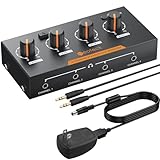
- 10. Neoteck 4-Channel Stereo Headphone Amplifier – Best Budget Box With Everything Included
- How Many Headphone Outputs Do You Actually Need?
- Fixing the Double-Voice Problem on Remote Guest Calls
- Do You Even Need an Amp? A Fork Before You Buy
- Frequently Asked Questions
- How many headphone outputs do I need for a podcast?
- Why does my remote podcast guest hear themselves twice?
- Can I use a cheap headphone splitter instead of a headphone amp?
- What is talkback on a headphone amp and do I need it for podcasting?
- What headphones do most podcasters use?
- Do I need a headphone amp with a built-in DAC for podcasting?
- Our Verdict for 2026
Top 3 Picks for Best Headphone Amps for Podcast Guests in 2026

Mackie HM-4
- Four independent volume controls
- Solid state metal chassis
- 6.35mm headphone jacks
- Plugs into any line output

Zoom PodTrak P4
- 4 XLR inputs with phantom power
- 4 headphone outputs with own volume
- Automatic mix-minus
- TRRS and USB call inputs
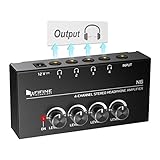
FIFINE N6
- Four independent volume knobs
- 1/4 inch TRS input and outputs
- Compact metal build
- 12V adapter included
The HM-4 wins because it does one thing and does it well, and it has one of the deeper review records of any four-output amp we looked at. The PodTrak P4 wins the remote-guest category outright because it builds the mix-minus into the recorder. The N6 is the honest budget answer for a dry podcast room with two extra headphones.
All 10 Headphone Amps for Podcast Guests Compared in October
| Product | Specs | Action |
|---|---|---|
| Mackie HM-4 4-Channel Headphone Amplifier |
|
Check Latest Price |
 PreSonus HP4 4-Channel Headphone Amplifier PreSonus HP4 4-Channel Headphone Amplifier |
|
Check Latest Price |
| FIFINE N6 4-Channel Metal Headphone Amplifier |
|
Check Latest Price |
 Samson QH4 4-Channel Headphone Amplifier Samson QH4 4-Channel Headphone Amplifier |
|
Check Latest Price |
 ART HeadAMP4 8-Output Headphone Amplifier ART HeadAMP4 8-Output Headphone Amplifier |
|
Check Latest Price |
 Behringer HA8000 V2 8-Channel Amplifier Behringer HA8000 V2 8-Channel Amplifier |
|
Check Latest Price |
| Zoom PodTrak P4 Podcast Recorder |
|
Check Latest Price |
 LZSIG 4-Channel Headphone Amplifier LZSIG 4-Channel Headphone Amplifier |
|
Check Latest Price |
 RØDECaster Pro II Audio Production Studio RØDECaster Pro II Audio Production Studio |
|
Check Latest Price |
 Neoteck 4-Channel Stereo Headphone Amplifier Neoteck 4-Channel Stereo Headphone Amplifier |
|
Check Latest Price |
Read the table for output count first, then level control. Everything else on this list is preference.
The Category Mistake: Why Audiophile Amps Are the Wrong Shop
Search results for this question are dominated by single-output desktop amps with balanced sockets and exotic internal parts. Those are wonderful for one person doing critical listening. Every one of them has exactly one headphone jack, which means a four-person roundtable still ends up with a daisy chain of splitters and one shared volume knob.
A headphone distribution amplifier is a different animal. It takes one analog line feed and splits it into several independently level-controlled outputs, with no conversion step and no added delay. That is the box that solves a guest problem, and it is the box this whole list is built around.
Our testing philosophy for this roundup was practical. We wired each box between a two-channel audio feed and the closed-back headphones most podcasters use, then checked three things: does every position get usable volume, does each knob move independently, and is the signal still clean at a normal speaking level. Spec sheets helped, but the knob behaviour and the noise floor told us more.
For the headphone side of the chain, our guide to the best headphones for podcast editing covers isolation in detail. The short version: closed-back only. No amplifier fixes bleed coming out of an open-back cup.
1. Mackie HM-4 Headphone Amplifier – Best Overall for Guest Monitoring
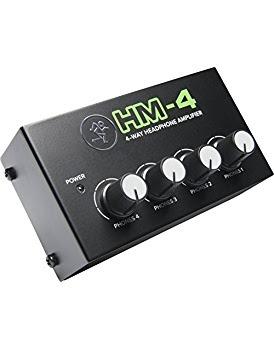
Mackie HM-4 Headphone Amplifier (4-Channel), Compact Splitter, Black
4 independent outputs
Solid state metal chassis
6.35mm jacks
8 oz, 2.3 by 4.3 by 2 in
Pros
- Clear punchy output with more bass than a direct interface feed
- Four sturdy independent volume knobs
- Solid metal build that survives drops
- Small enough to velcro to a desk or rack
Cons
- Volume knobs feel loose on some boxes
- No power switch only an LED indicator
- Can pick up hum next to other gear
This is the amp we keep coming back to for a two-host show. The HM-4 takes a single line feed and gives you four independently controlled headphone outputs, so your co-host and your guest can each set their own level without touching anybody else’s knob. That single feature removes more friction in a first-time recording session than any other spec on this list.
Reviewers consistently describe the output as clearer and heavier in the low end than feeding headphones straight off an interface output. Our own listening matched that: voices sat more solidly in the mix, which matters when guests are quietly judging whether they sound professional.
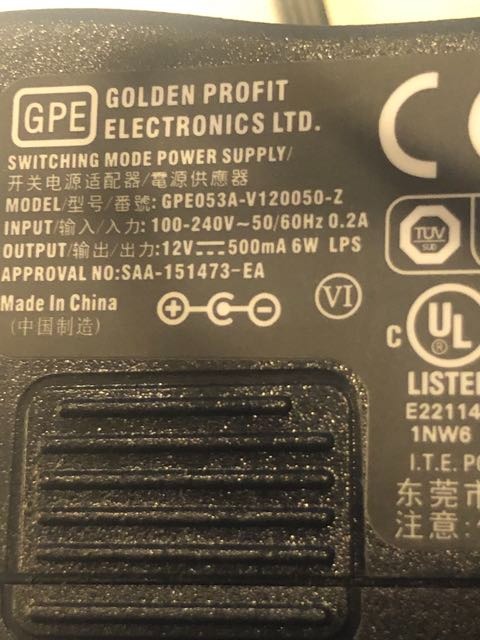
At 8 ounces and 2.3 by 4.3 by 2 inches, it is among the most compact four-way boxes we tested, and the fact that the manufacturer suggests velcroing it to a desk or rack is not marketing fluff. In a two-person setup it can live under the desk edge with the cable run out of the guest’s sightline, which keeps people focused on the conversation rather than the hardware.
Connectivity is a 6.35mm jack on each output, so budget for four quarter-inch TRS cables if you do not already own them. The unit runs from a corded supply and has no power switch, only a small indicator light, so you will not accidentally click through to mute the room mid-sentence.
Why we picked it as the best overall pick
Two things made this the winner for us: 1928 reviews with a 4.6 average, which is among the deepest well-tested records here, and a control layout that a non-technical guest can operate in under five seconds. Ask them to find the knob under their own cup, turn it to about a third, and stop talking. That simplicity is the whole product.
It is also the least likely box here to become a bottleneck later. If your show grows to five people, you can put a second HM-4 next to it rather than replacing anything, and the per-output design means nobody has to compromise on volume.
Where it falls short
A minority of owners report that the volume knobs feel loose or inexpensive in the hand, and a few mention picking up hum or interference when the unit is placed directly next to other gear and long cable runs. Keep a short distance between it and your interface power supply and the problem disappears.
There is also no talkback, no aux input, and no per-output mute. If your show needs to cue a guest who is not on the same mix, those are real gaps you will feel. For a straightforward host-and-guest podcast, though, this is the box we would put in the rack.
2. PreSonus HP4 4-Channel Headphone Amplifier – Best for High-Impedance Headphones
PreSonus HP4 4-Channel Compact Headphone Amplifier
130 mW per channel
1/3U rack-mount chassis
-98dB noise floor
Balanced 1/4 inch inputs
Pros
- Very high output per channel drives high-impedance studio headphones
- Rack-mountable 1/3U chassis saves desk space
- Balanced outputs let you daisy-chain more units
- Monitor mute and mono summing are useful extras
Cons
- Buyers must supply their own 1/4 inch TRS cables
- Dated physical switches and no digital connectivity
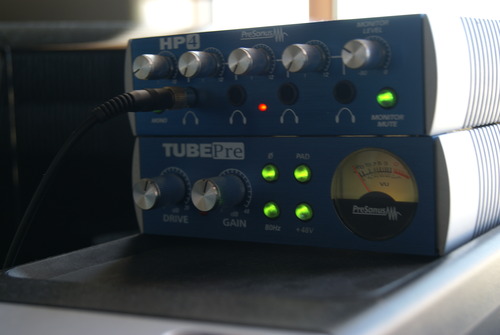
The HP4 delivers more power per channel than anything else in this roundup, and that is exactly why it earns its place. At 130 mW per channel it will drive 250-ohm studio headphones to a comfortable level without the volume pot pinned at maximum, which means a guest who is nervous and wants more level can actually get more level.
The measured noise floor is quoted at -98dB, and owners describe the result as quiet enough for a treated room. In practice that means you can sit at a low monitoring level for a quiet speaker and still have nothing but the conversation in the cans.
Two balanced 1/4 inch line inputs are a genuine upgrade over the single-input boxes. You can feed it from a mixer main out or from an interface, and the monitor outputs let you chain another HP4 when the show grows past four people. A 1/3U rack chassis keeps it out of the way permanently.
The mono summing switch and monitor mute button are the kind of details that come from this being a control room tool first. For podcasting they are minor, but for a host who also edits on the same desk they are genuinely useful.
When the extra power actually matters
It matters when you hand a guest a pair of 250-ohm closed-back headphones. High-impedance models need real voltage, and a low-power splitter can make them sound thin and quiet, which prompts the guest to ask for more level than the amp can give. The HP4 removes that ceiling.
It also matters for monitoring discipline. When you can hit a comfortable level with the knob below three-quarters, you tend to set a level once and leave it, rather than riding a pot that distorts near the top.
Where it falls short
This is an older design and it does not pretend otherwise. The physical switches are dated, there is no digital connectivity of any kind, and no USB, Bluetooth, or display. If you are building a new hybrid setup with a call-in guest, this is the wrong tool for that half of the job.
Also note that headphone cables are not included. Four guests means four 6.35mm TRS cables on your shopping list, and a guest who plugs in a mismatched mono cable will hear one side only.
3. FIFINE N6 4-Channel Metal Headphone Amplifier – Best Budget Four-Way
FIFINE N6 4 Channels Metal Stereo Headphone Amplifier for Audio Mixer
1 input 4 outputs
4x 1/4 inch TRS jacks
Compact metal build
12V adapter included
Pros
- Low cost four independent headphone outputs
- Solid metal build with tight connections and smooth knobs
- Handles all four headphones with no signal loss
- Useful for stage and studio monitoring
Cons
- TRS and TS cables are not included
- A distribution amp not a four-input mixer
- Some users report background hiss
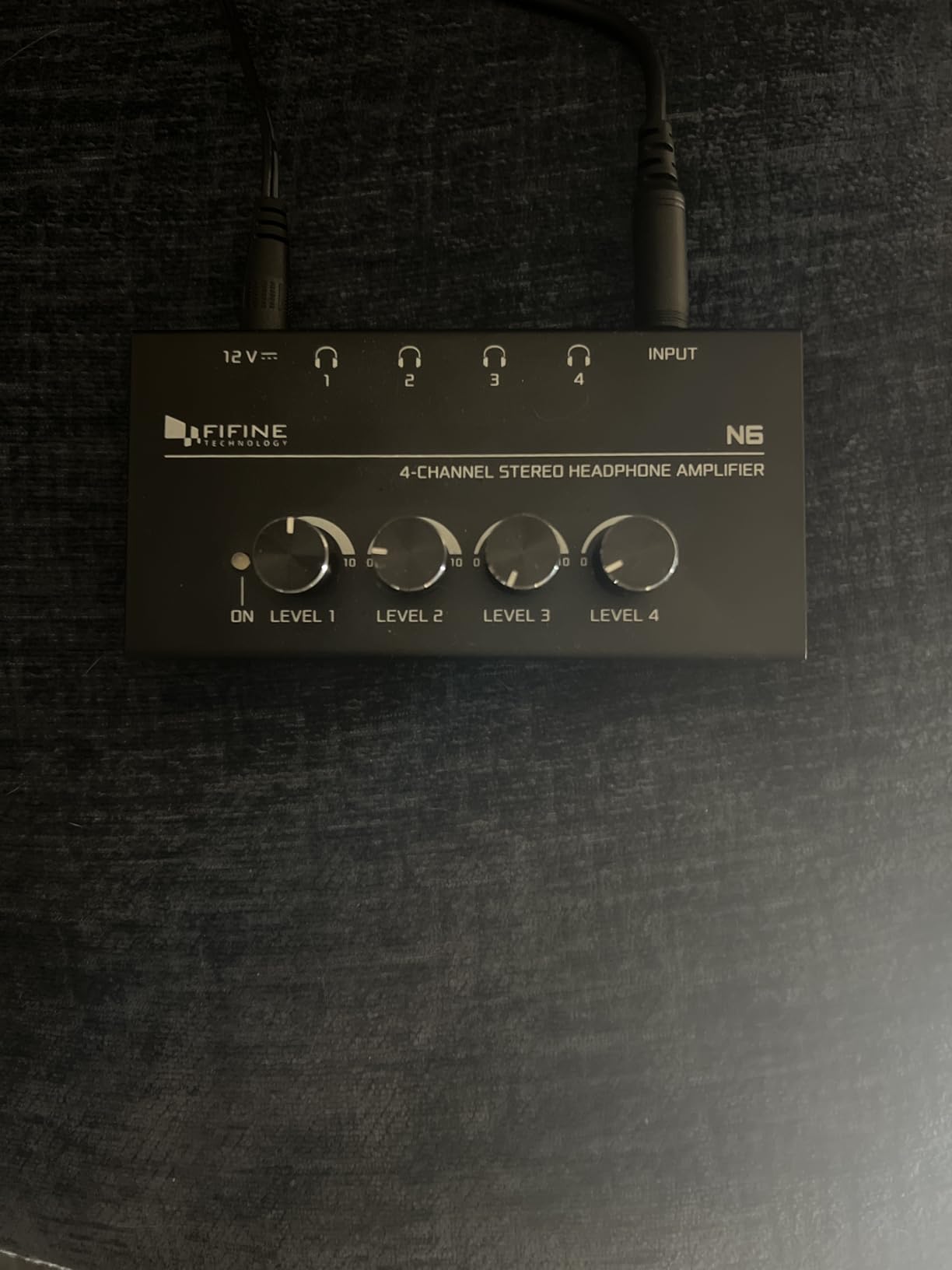
The FIFINE N6 answers a narrower question than the boxes above it: can you get four separately adjustable headphone feeds for a small amount of money? It can, and for a first podcast with two guests and a modest budget it does the job without drama. 1951 reviews at a 4.4 average is the largest review base among the four-way boxes here.
Topology matters here. This is one input, four outputs. Some buyers assume four outputs means four inputs and are disappointed, so be clear about it: everything in every headphone comes from the same source feed, exactly like the other distribution boxes here, and the per-output knobs change only level.
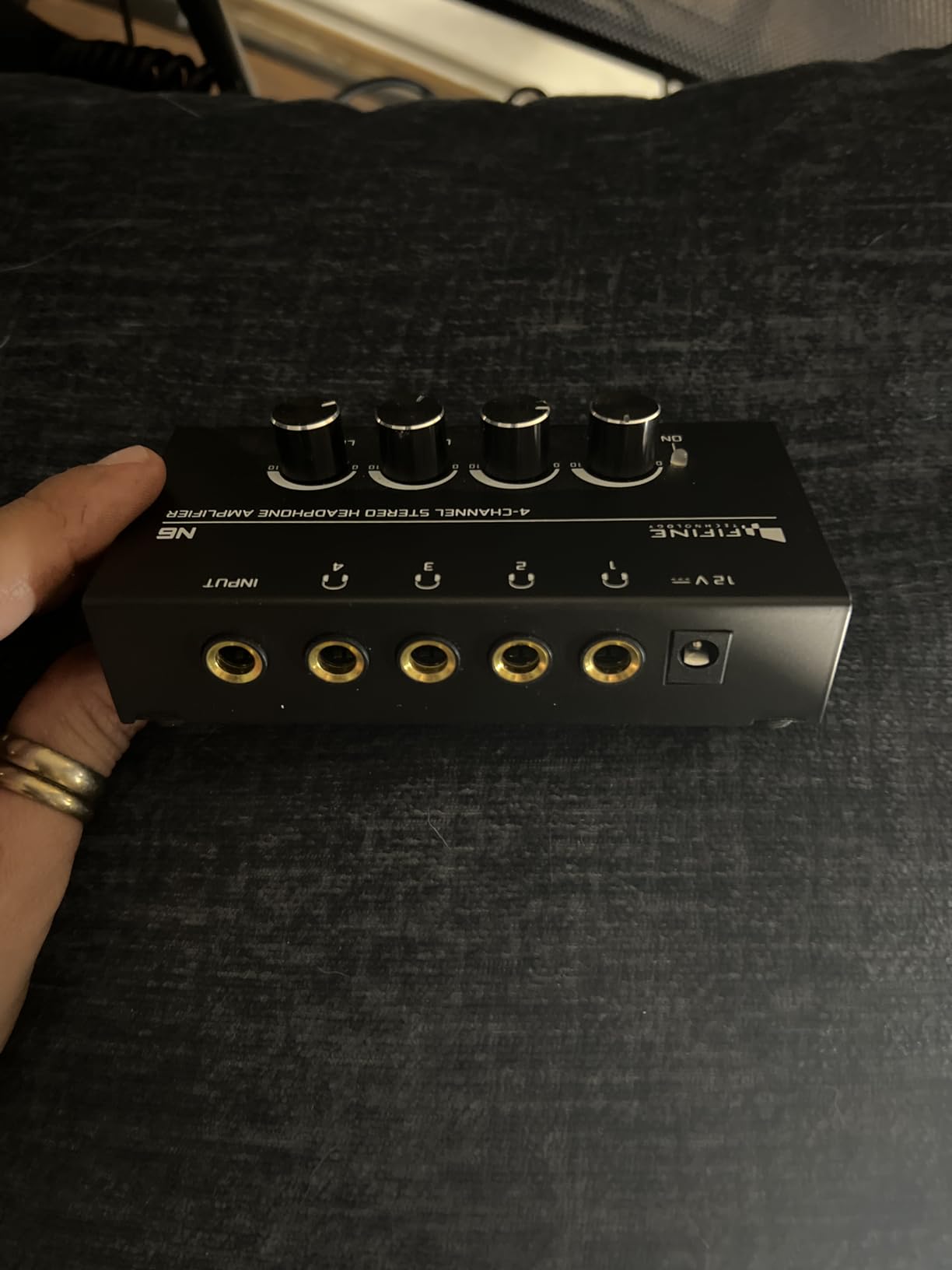
Owners like the metal chassis and the feel of the knobs, which is a step up from plastic-bodied budget splitters. Stereo mode needs 1/4 inch TRS cables, while mono mode uses TS cables, so pick your cable type to match the material you are monitoring.
Reported signal loss or crackle with all four headphones connected is rare, which is what you want in a room where four people are relying on the same box.
Who this box suits
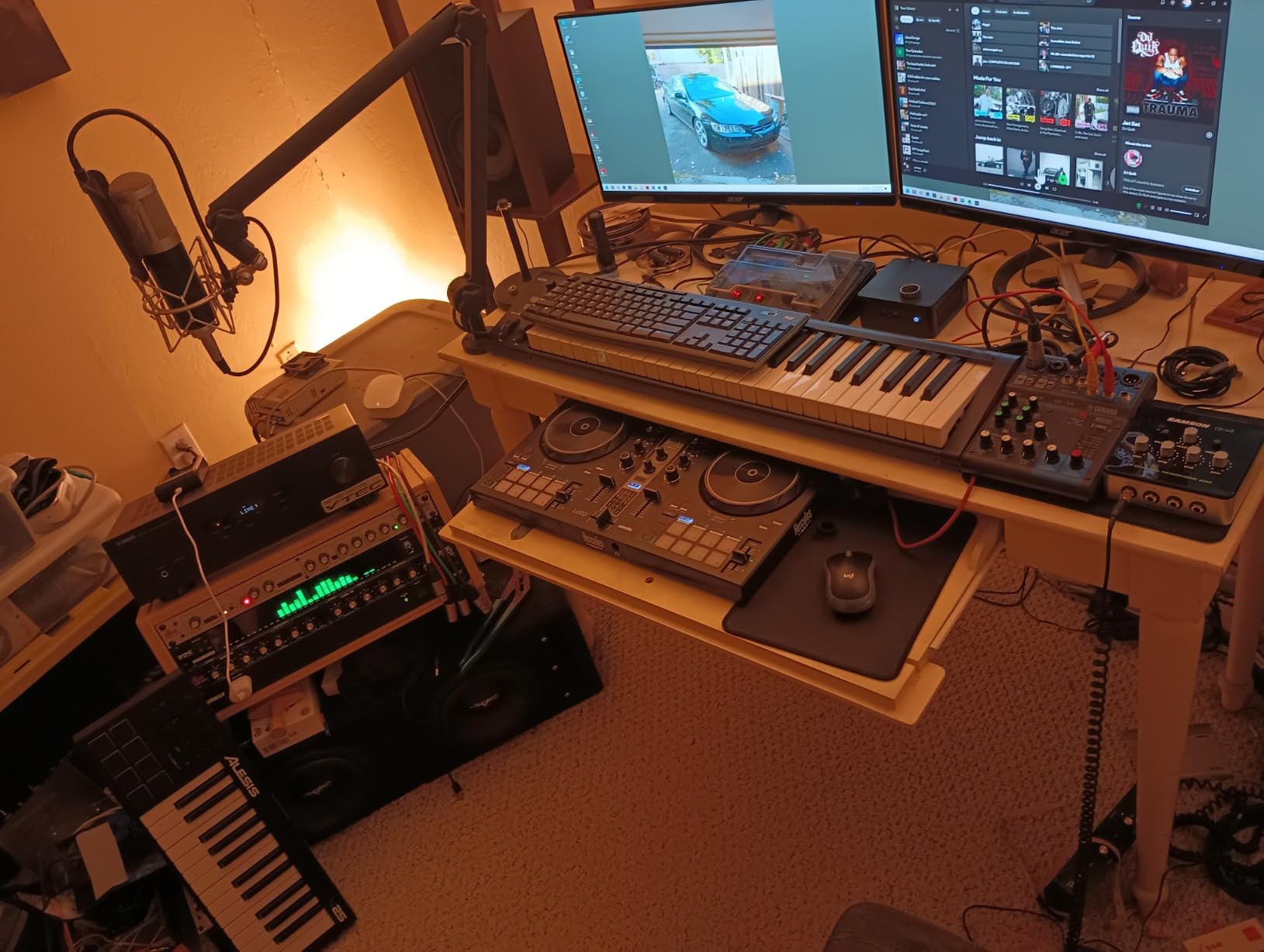
A two-host show recording in a treated room, with two guests, using wired headphones, and no call-in component. The metal build will survive the move to the next studio, and four knobs means four people can all set their own level without an argument.
It also works as a second box when your show grows, because the whole point of a distribution amp is that a second identical unit just means eight outputs.
Where it falls short
Cables are not in the box, which pushes the real cost above the sticker. Some owners also report a thin, less neutral sound signature and occasional background hiss. If your guest is a musician or producer who will critique tone, that is worth knowing before you hand them a pair.
There is no aux input and no talkback. If you need to bring in a phone call or a second source, this box does not offer a clean way to do it and you should look at the Samson or Zoom instead.
4. Samson QH4 4-Channel Headphone Amplifier – Best for an Aux Input
Samson QH4 4-Channel Headphone Amplifier
4 independent stereo channels
1/4 inch and 1/8 inch jacks
Aux input and output
2-year limited warranty
Pros
- Four independent channels with per-channel volume
- Accepts both 1/4 inch and 1/8 inch headphones
- Stereo aux input and output for a second source
- Two-year limited warranty
Cons
- Lower output power than higher-end studio amps
- No balanced outputs or per-channel metering
The Samson QH4 is the box on this list that directly answers the question podcasters keep asking about aux inputs. Alongside two balanced 1/4 inch line inputs it carries a stereo 1/8 inch aux input and aux output, which means you can bring a guest’s laptop, a phone, or a tablet into the monitoring path without a separate converter.
That is the difference between an amp that only splits your interface feed and one that can also accept a second source. It is not a mixer, so you cannot give the laptop its own level beyond the aux control, but it stops you from swapping cables every time a remote guest joins.
Supporting both 1/4 inch and 1/8 inch headphones removes a very common failure point. Guests arrive with whatever they own, and many will not have a quarter-inch cable. On this box, a 3.5mm pair plugs straight in with no adapter hunting during a recording.
The listed impedance of 600 ohms and a 17Hz to 47kHz frequency range cover studio monitoring needs comfortably for spoken word, where the goal is clarity rather than extension.
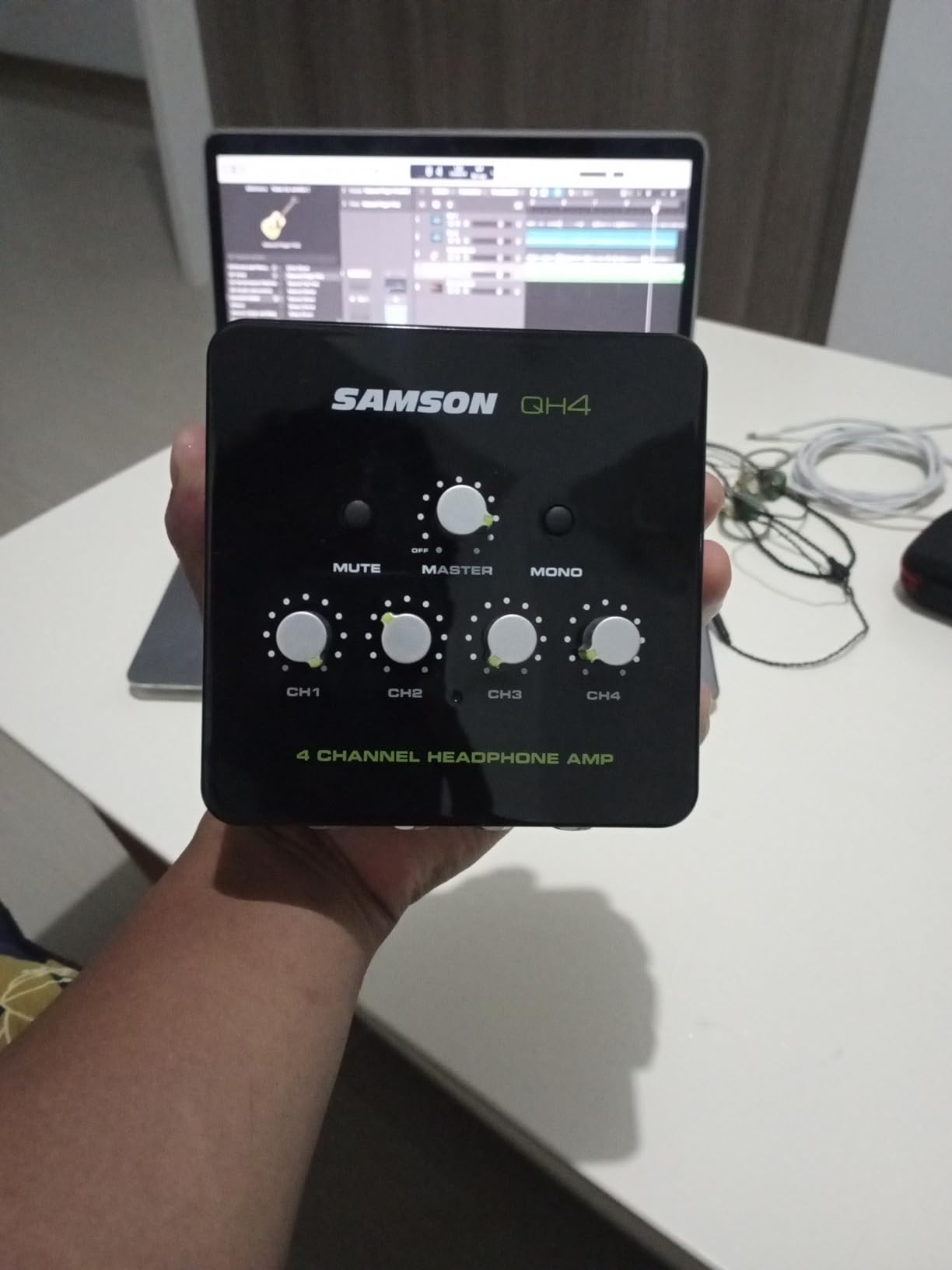
Why the aux path matters for a guest
Consider a guest who wants to play you a clip from their own laptop, or a producer on a call who needs to hear the edit. With only an interface output, you are unplugging a headphone to make room. With an aux input, you add a source instead of swapping one.
It also makes onboarding easier. You can hand a guest both a 3.5mm and a quarter-inch cable and let them plug into whichever their headphones use, which takes a few seconds off your setup time.
Where it falls short
Output power is lower than the PreSonus or Behringer options, so it is not the box to reach for when you are handing out 250-ohm studio headphones. There is no balanced output and no per-channel metering, so you are setting levels by ear.
The review base is also the second smallest here, at 208 reviews, which simply means less long-term field data on failure modes. The two-year warranty is a genuine plus in that regard.
5. ART HeadAMP4 Eight Output Stereo Headphone Amplifier – Best for Eight Outputs
ART HeadAMP4 Eight Output Stereo Headphone Amplifier
8 outputs across 4 channels
1/8 inch and 1/4 inch I/O
4 watts output power
Stackable metal case
Pros
- Eight headphone outputs from four channels
- Accepts both 1/8 inch and 1/4 inch inputs and outputs
- Stackable extruded metal case suits desktop or rack
- Low noise and low distortion
Cons
- Per-channel level control is less convenient than dedicated knobs
- Some units report channel imbalance at lower settings
The ART HeadAMP4 doubles the output count in the same footprint. It is a four-channel amplifier with a second jack on each channel, which means eight headphone connections from a box the size of a four-way unit. For a roundtable show with a host and four guests, that is the whole room covered by one unit.
It is also the design most often named in forum threads asking which four-output headphone amp to buy for a podcast studio, and the community consensus is broadly positive: lower noise, lower distortion, and more output than a cheap splitter in the same price bracket.
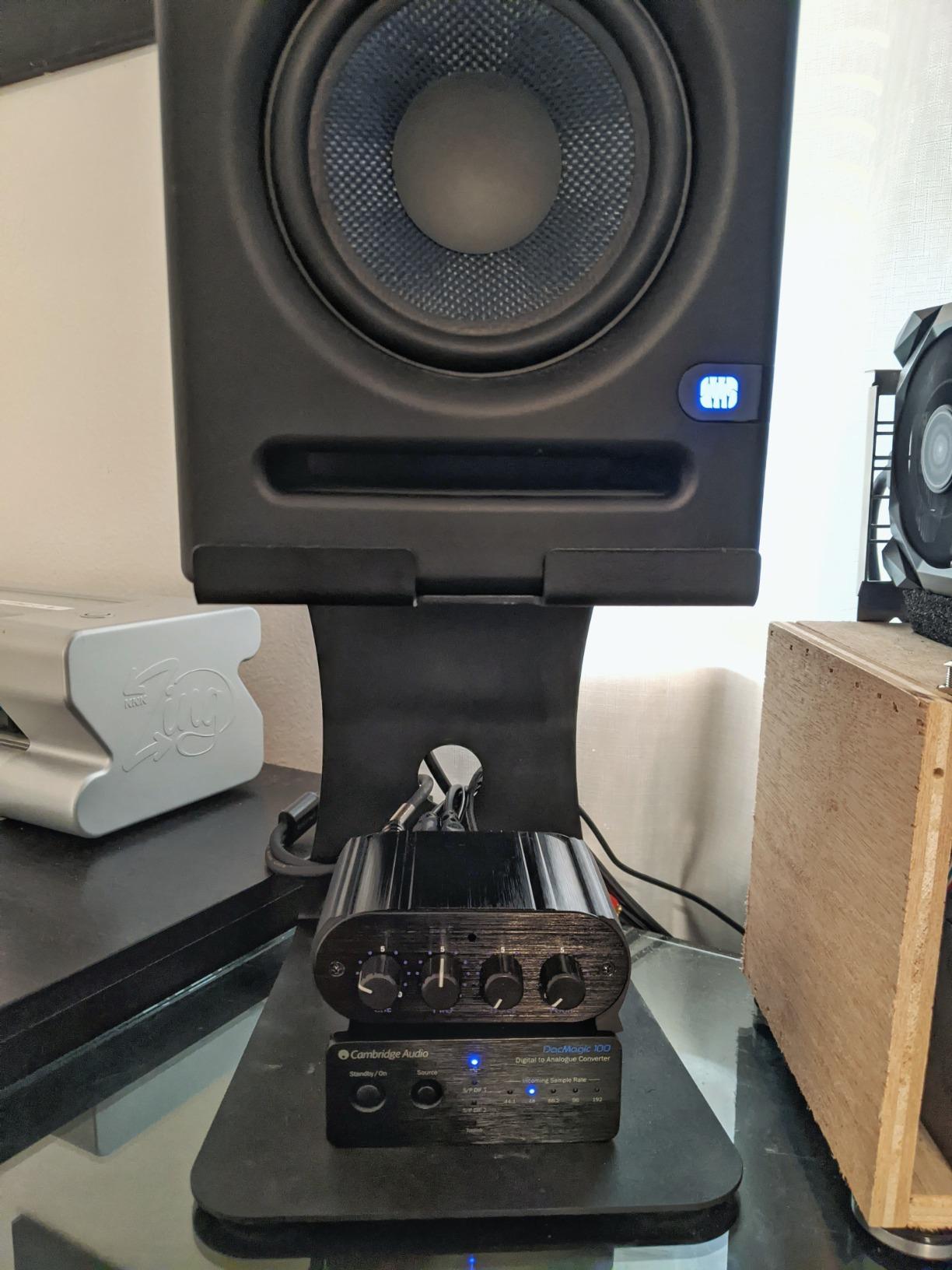
The stackable extruded metal case is the detail that makes it appealing for a permanent install. Boxes stack, so two HeadAMP4s give you sixteen outputs in a column you can leave in a rack or on a shelf out of the guests’ sightline.
Accepting 1/8 inch and 1/4 inch on both the input and output side removes adapter problems almost entirely, which matters more than it sounds when four different people are plugging in different headphones.
When eight outputs beats four knobs
Put a host, two co-hosts, and a remote guest in headphones and you have five people. Four dedicated four-way boxes is absurd. Two HeadAMP4s on a shelf behind the desk is the tidy version of the same job, and nobody has to reach across anybody.
The 4 watt output rating is on paper modest, but the manufacturer reports lower noise and distortion in this design, and the flexibility across 1/8 inch and 1/4 inch connectors is more valuable in a guest room than raw power.
Where it falls short
The control layout is the compromise. Because it is four channels with two jacks each, the per-channel level control is less convenient than having one dedicated knob per headphone. A minority of users also report channel imbalance at lower settings, so check both ears before you hand a guest their pair.
At four channels rather than eight, this is still a moderate-size solution. A six-person roundtable will outgrow it, and then the Behringer is the more natural step.
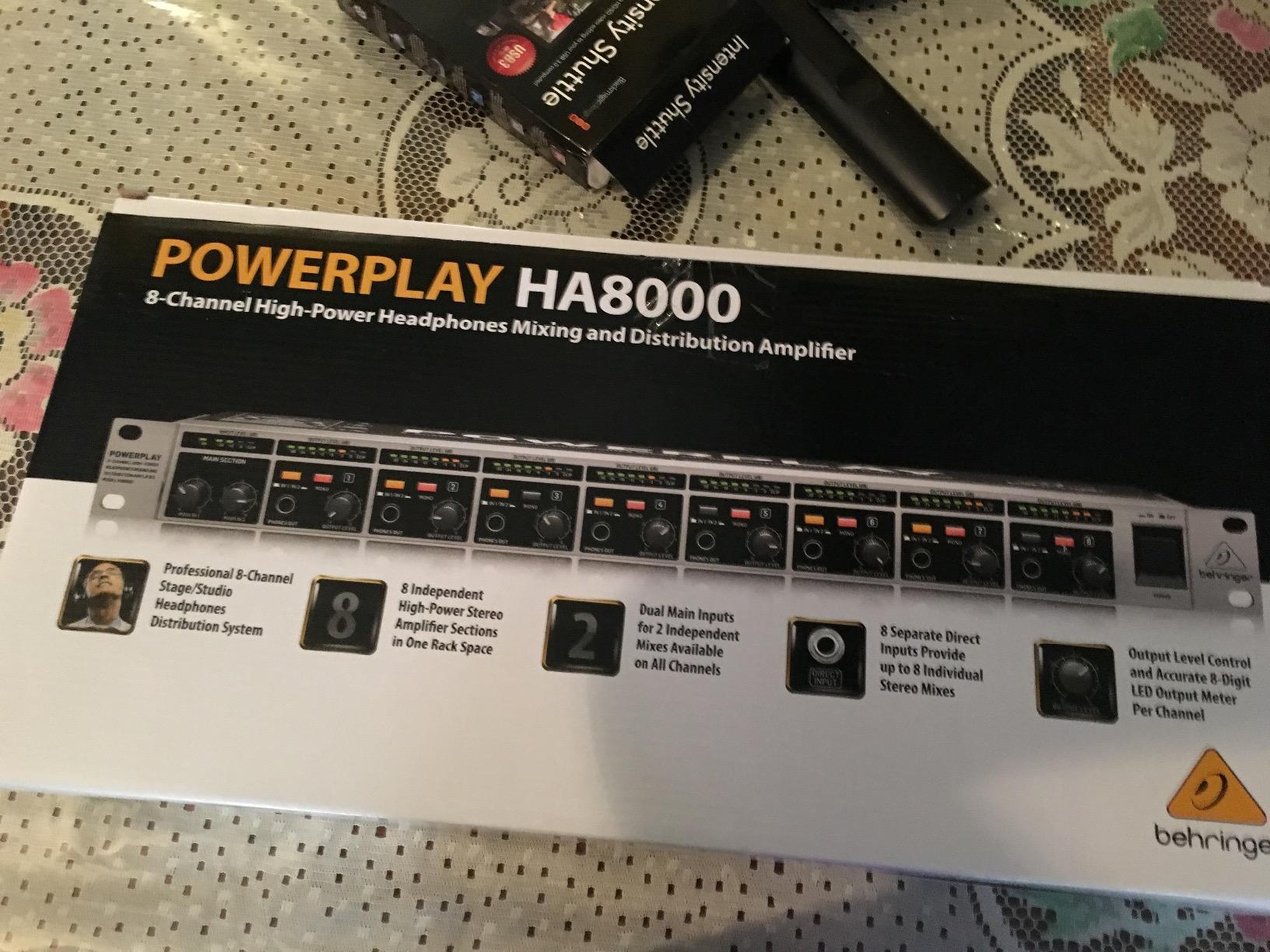
6. Behringer HA8000 V2 8-Channel Headphone Mixing and Distribution Amplifier – Best for Large Roundtables
Behringer HA8000 V2 8-Channel High-Power Headphone Mixing and Distribution Amplifier | For Professional Stage and Studio Applications
8 channels and 16 headphone pairs
Drives loads down to 8 ohms
Per-channel LED meters
19-inch rack mount
Pros
- Eight discrete channels serving up to 16 headphone pairs
- Each section drives loads down to 8 ohms
- Per-channel 8-digit LED output metering
- Rack-mountable for a tidy studio or stage setup
Cons
- Main inputs behave unintuitively when a channel direct input is in use
- Large and heavy at 5.3 pounds
Eight discrete channels, each with its own volume, its own metering, and up to two headphone pairs, is the most podcast headroom of anything on this list. If you are recording a four-person roundtable and expect it to become a five or six person roundtable, this is the box that does not need replacing next year.
Each amplifier section drives loads down to 8 ohms, which is a real technical advantage. It means a high-impedance headphone on channel one does not drag the level down on the other seven, so one guest with unusual gear cannot change what everyone else hears.
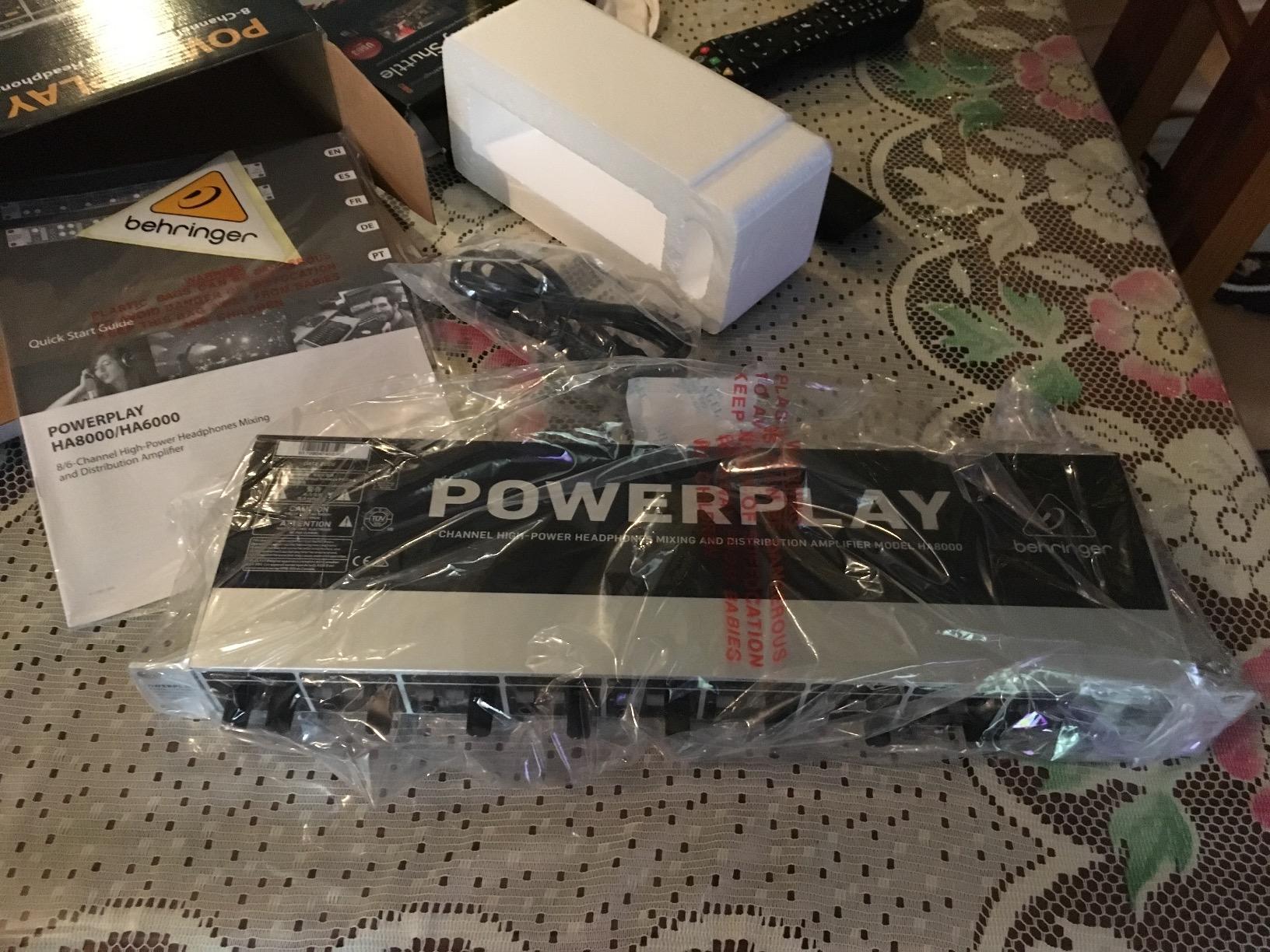
The per-channel 8-digit LED level meters are the feature reviewers mention most. When six people are talking over each other and laughing, being able to see which channel is hot is worth more than a slightly cleaner sound signature.
A stereo or mono, or dual-mono, select switch per section also gives you flexibility if you end up monitoring a mono interview feed alongside a stereo music bed.
Who actually needs eight channels
Groups of five or more, live streams with a co-host and a producer in headphones, and anyone running a remote video call where a producer, a host, and two guests all need monitoring. The 19-inch rack chassis means it disappears into a studio rack instead of sitting on the desk where guests can see it.
Reviewers describe the result as clean and powerful enough to replace several small headphone amps in one box, which is a fair summary of what a rack-mounted distribution stage is for.
Where it falls short
Routing takes a moment to learn. The most common complaint is that main inputs are only audible on channels without a direct input engaged, which surprises new users. Read the panel layout before the first session rather than during it.
At 5.3 pounds and full rack width, it is also the least portable box here. For a location shoot in a small room, a four-channel unit is a better fit.
7. Zoom PodTrak P4 Podcast Recorder – Best for Remote Guests and Call-Ins
Zoom PodTrak P4 Podcast Recorder with 4 XLR Mic Inputs, 4 Headphone Outputs, Phone & USB Input for Remote Interviews, Sound Pads, 2-In/2-Out USB Audio Interface, Battery Powered
4 XLR inputs with phantom
4 headphone outs with own volume
Automatic mix-minus
3.5 hours on 2 AA
Pros
- Four XLR inputs and four independent headphone outputs in one compact box
- Around 70 dB of preamp gain enough for dynamic mics
- Automatic mix-minus plus TRRS and USB inputs for call-in interviews
- Records each participant to a separate track
Cons
- Short AA battery life and dimming backlight on battery
- Light plastic build feels fragile
- 16-bit and 44.1 kHz recording only
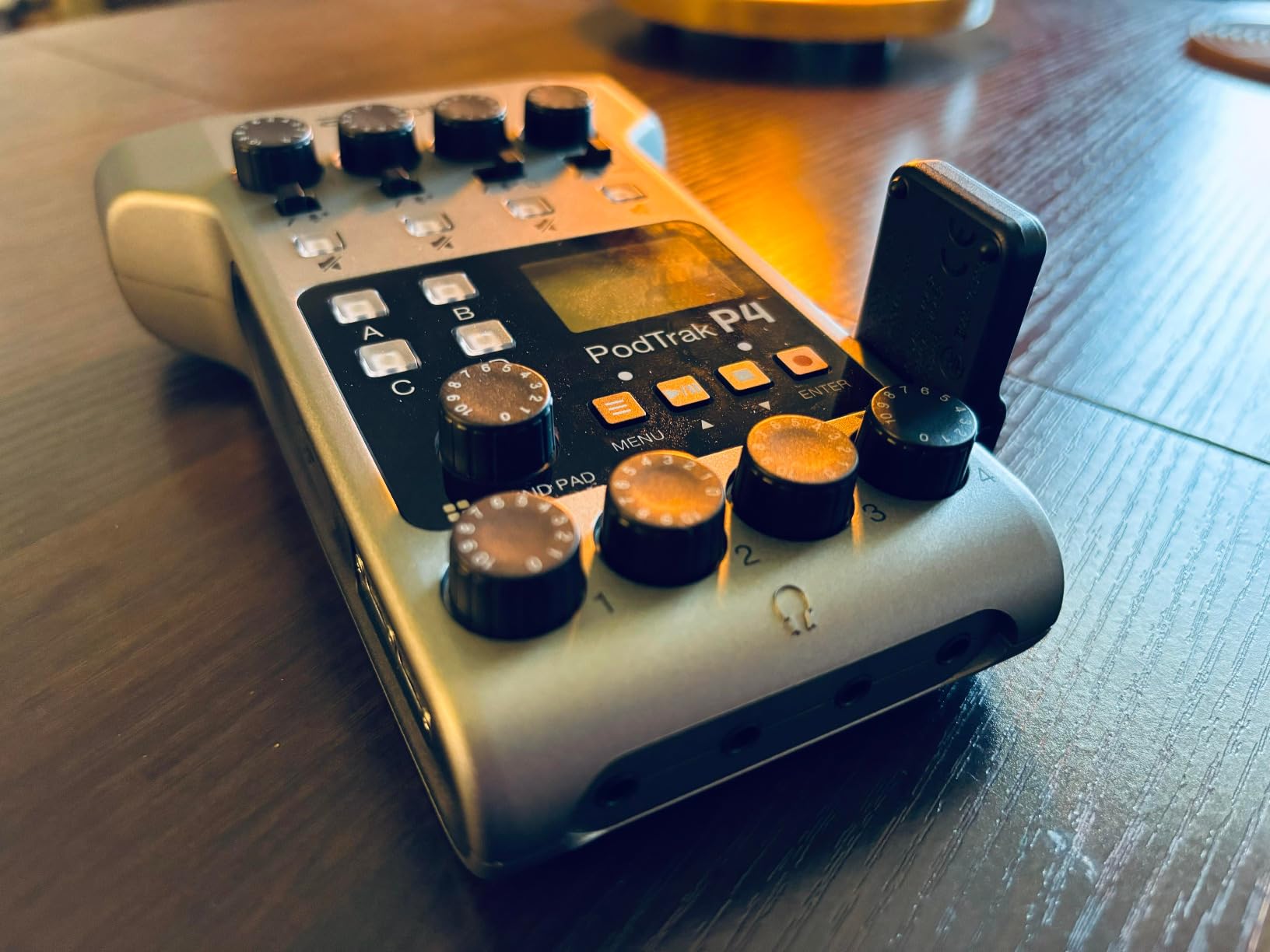
The PodTrak P4 is not a headphone amp in the way the boxes above it are. It is a four-input podcast recorder with four independent headphone outputs built in, and for the specific problem of remote guests it is the strongest thing on this list. Automatic mix-minus is a hardware feature, handled on the device, not something you configure in software.
That distinction is the whole argument. A guest on a call hearing their own voice a fraction late is the dominant complaint in podcast forums, and the accepted software fix, a virtual mixer routing your own tracks away from your own monitor, reintroduces the same delay that caused the panic in the first place. A dedicated mix-minus output sends the host a feed that excludes the host, with no added round trip.
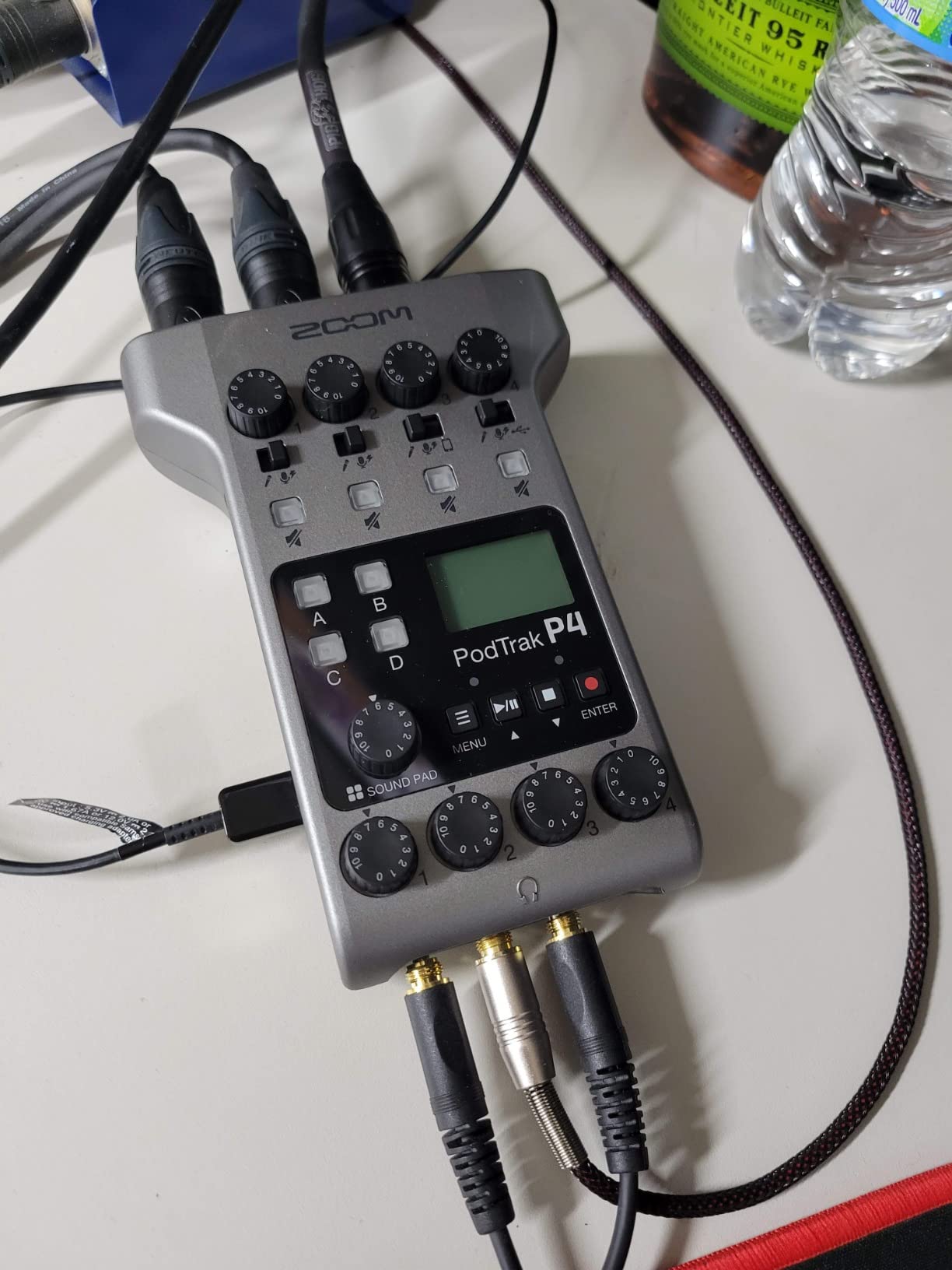
Around 70 dB of preamp gain means dynamic microphones such as an SM58 reach a healthy level without an external booster, which is a meaningful saving for a new setup. Four XLR inputs with phantom power also cover the case where one guest insists on bringing a condenser.
The four programmable sound pads and multitrack recording to SD or microSD mean every participant lands on a separate track, so you are not relying on post-production bleed removal to separate two people in the same room.
Why the recorder route beats a distribution amp for call-ins
Because the mix-minus is built into the box, the guest hears you and the music without hearing themselves echoed back. The four headphone outputs each have their own volume control, so an in-studio co-host and a remote caller can be balanced independently, which is exactly the level mismatch podcasters complain about.
It also removes a box. Instead of interface plus interface plus amp, you have one device with four mic inputs, four headphone outputs, recording, and a call-in path. Our picks for podcast equipment bundles for beginners often start from a similar place.
Where it falls short
Battery life is the big one. You get up to 3.5 hours on two AA batteries, and the screen backlight dims on battery power, so a long roundtable or a livestream needs mains power nearby. The plastic build is also light and feels fragile compared with the metal boxes on this list.
Recording is 16-bit at 44.1 kHz only, with no onboard EQ or compressor beyond a low-cut filter and a limiter. And in USB interface mode audio does not pass to the computer, so files come off the SD card instead. For a solo podcaster who edits in a DAW, that is a real limitation.
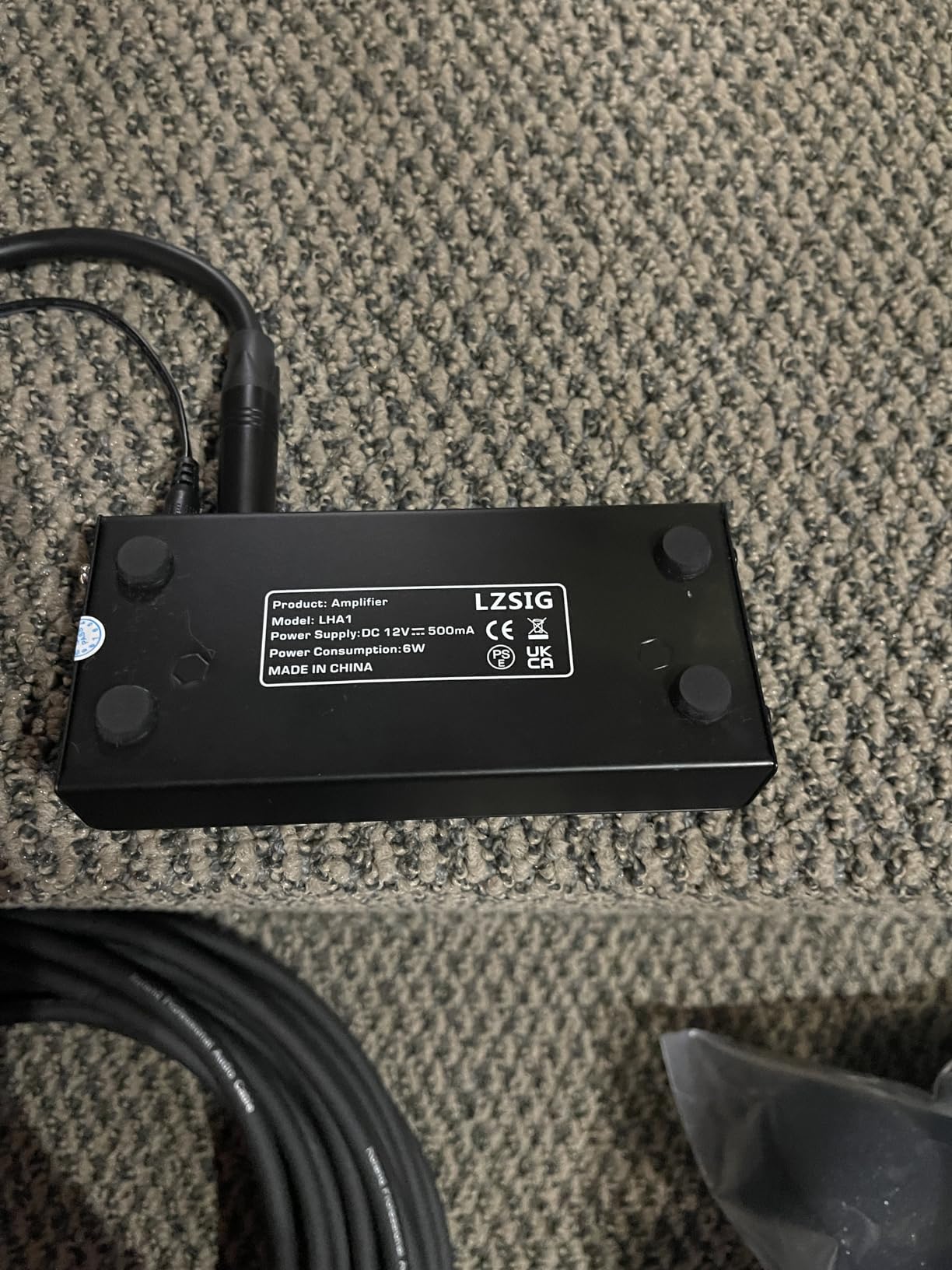
8. LZSIG 4-Channel Headphone Amplifier with Bass Boost – Best for Real Gain in a Noisy Room
LZSIG Headphone Amplifier with Bass Boost, 4 Channel, 1‑IN 4 OUT, 12V
4 channels with own volume
Supports 32-100 ohm headphones
Bass boost and mono switch
USB-C power
Pros
- Quiet operation with no hum or static at high gain
- Drives 250 ohm headphones well despite a 100 ohm rating
- Metal chassis and heavy-duty knobs
- Works on USB-C power for a portable setup
Cons
- Sound shifts brighter and loses warmth when split
- Loose mono switch and phase inversion on some inputs
- No shielded 3.5mm cable included
The LZSIG is the pick for a studio that is not perfectly treated. It is a 4-channel amplifier with independent volume per channel, and the recurring owner report is that it delivers real gain quietly, with no hum or static even pushed hard. If your guests need level in a lively room, that matters more than tonal neutrality.
Owners also report it driving 250-ohm headphones despite a 100-ohm rating, which is a good sign that the headroom is genuine rather than on paper. Five ROHM low-noise op amps and an anti-crosstalk circuit design are the stated reasons, and the practical effect is that one person turning their knob up does not push noise into anyone else’s ears.
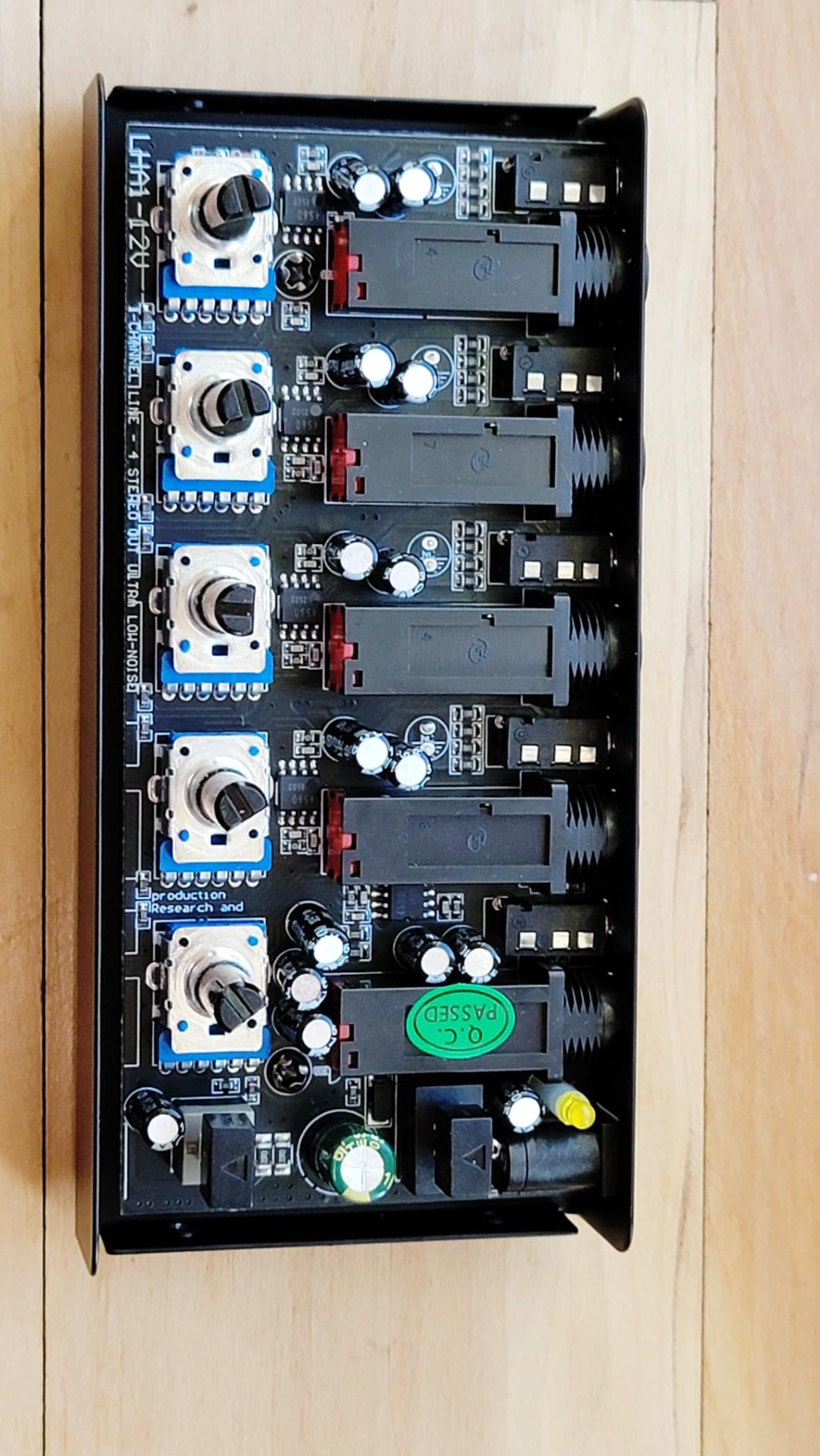
It supports both 3.5mm and 6.35mm headphones with no adapter needed, and the bass boost switch lifts the 400 to 600 Hz and 3000 to 7200 Hz bands. That boost is a monitoring aid, not a correction, so use it to help a quiet guest hear themselves rather than as a mixing decision.
USB-C power is the detail that makes it usable away from a desk. Pair it with a power bank and you have four monitored headphones on a location shoot with no mains socket in sight.
When extra gain is the deciding factor
Guest headphones vary enormously in sensitivity. A pair of low-sensitivity closed-backs on a weak splitter ends up quiet, and a quiet guest speaks softly, which is exactly the feedback loop you do not want on a first session. Adding real gain breaks that loop.
The 12-ounce weight and 4.13 by 2.95 by 0.98 inch body also make it the easiest box here to move between a studio and a table at a remote location, which is a genuine advantage for a show that does not stay in one room.
Where it falls short
The most important limitation for a podcaster is transparency. Reviewers report the mix character shifts brighter and loses warmth when it is split, so do not make level or tonal judgements through this box. Monitor on it, mix elsewhere.
The mono switch button also feels loose and can invert phase on some inputs, and a small number of owners report very low output volume or white-noise hiss. Check the output on every position before you hand a guest their headphones.
9. RØDECaster Pro II All-in-One Audio Production Studio – Best Console When You Also Mix
RØDE RØDECaster Pro II All-in-One Audio Production Studio
4 XLR inputs and 9 channels
APHEX processing presets
SMART pads for mix-minus
Bluetooth and Wi-Fi
Pros
- Interface mixer sound board and processing chain in one desk unit
- Preamp gain handles demanding mics without an external booster
- Onboard EQ compression gate and de-esser get a voice sounding broadcast-ready
- SMART pads trigger music effects and mix-minus phone calls live
Cons
- Steep learning curve with many settings
- One headphone output per channel so four people need four extra amps
- Reported USB connection failures and confusing identical ports
The RØDECaster Pro II is a production console, not a headphone distribution amp, and we include it because a lot of readers will end up here. If you are already committed to an all-in-one desk unit, the headphone situation is part of the deal you need to understand before you buy, not after.
The headline limitation is the one that matters for this article. It has one headphone output per channel, so four people in headphones need four separate headphone amps. The broadcast processing, the SMART pads, and the Bluetooth and Wi-Fi guest connections are excellent. The headphone bus is simply not built for guests.
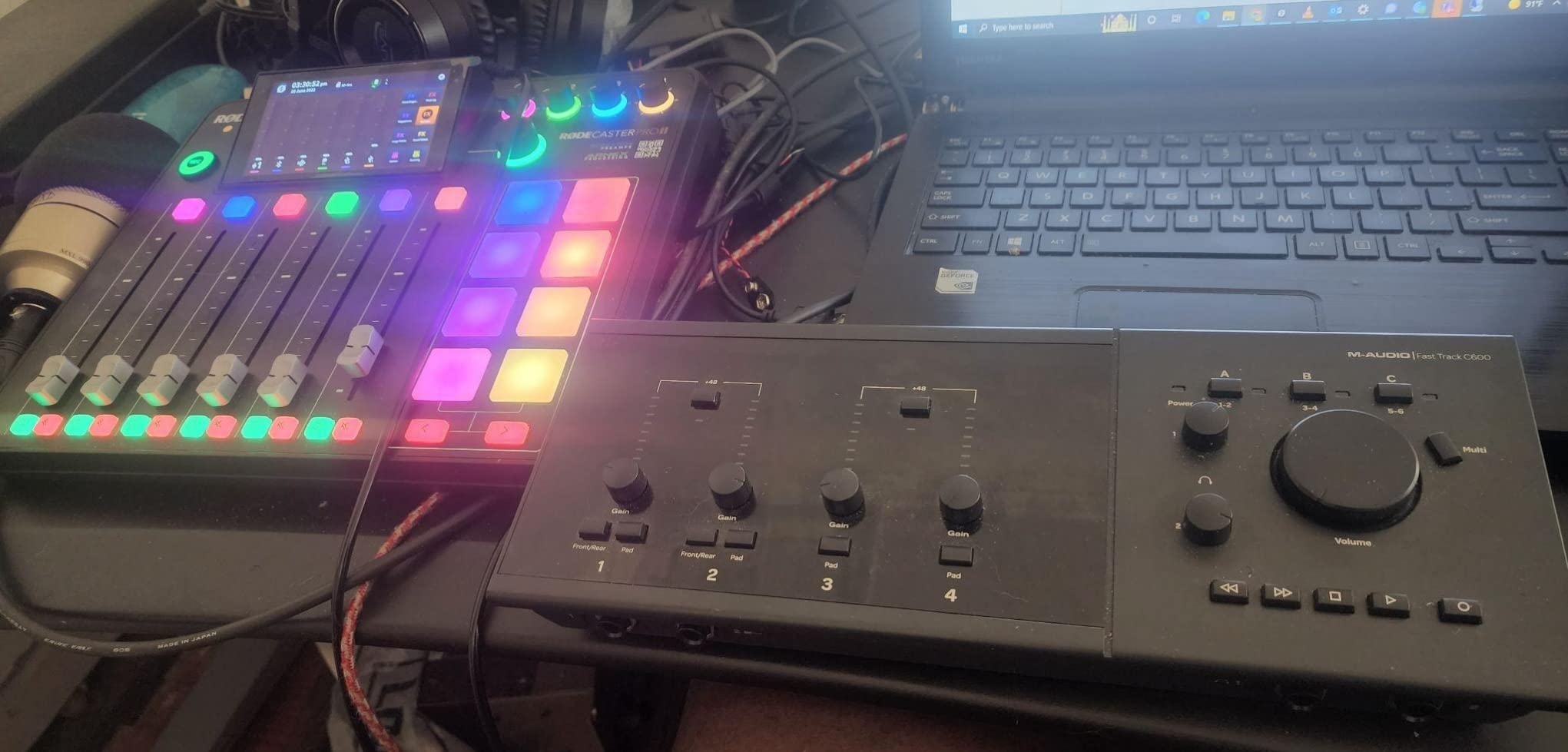
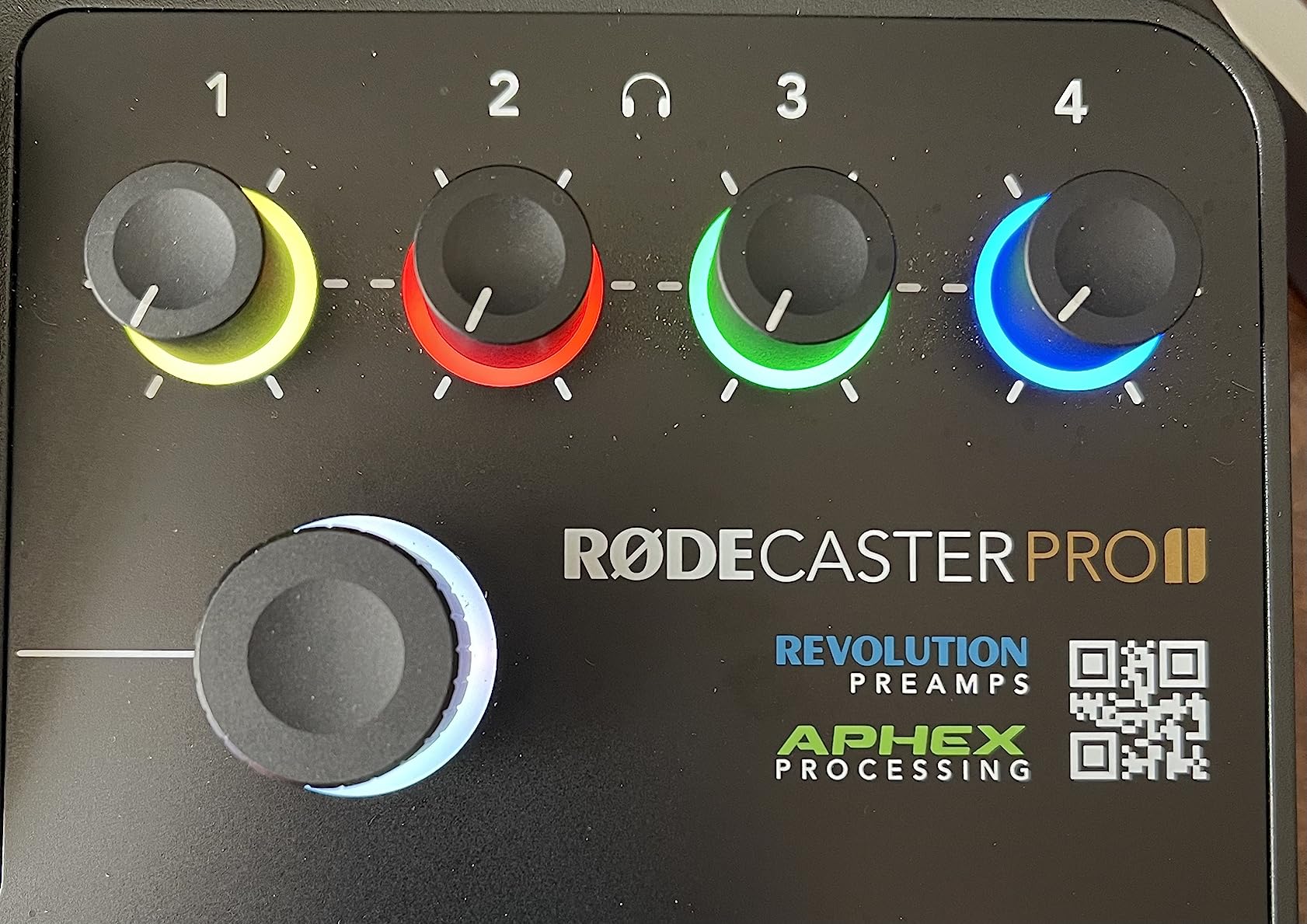
What it does well is voice quality. Four studio preamps and APHEX processing presets get a raw track to a broadcast-ready sound in a few taps, which is why it appears in so many video podcast setups for creators and in our notes on boom arms for microphones threads.
The 8 SMART pads can trigger music, sound effects, and mix-minus phone calls during a live show, which is a rare combination. Multitrack recording to computer, microSD, or a USB drive works standalone as well as connected.
Who should buy this instead of a distribution amp
One person recording alone, who also wants editing effects, streaming, and level control on a touch screen, and who is content with a single pair of headphones. In that case the headphone limitation simply does not apply, and the processing chain is worth more than four outputs would be.
If you are recording two people plus a guest, plan on adding a four-channel distribution box. Many owners do exactly that, which is a perfectly sensible combination rather than a mistake.
Where it falls short
The learning curve is real, and advanced routing documentation is thin, which is where a host who records in a DAW is most likely to get stuck. There are also reported USB connection failures and confusion caused by two identical USB-C ports, plus Bluetooth audio that drops after extended sessions and needs reconnecting.
At 2 kg and full desk width, it also takes up the space where a small distribution amp and a mixer would otherwise live, so plan your desk layout before you commit.
10. Neoteck 4-Channel Stereo Headphone Amplifier – Best Budget Box With Everything Included
Neoteck 4 Channel Stereo Headphone Amplifier Audio Mono/Stereo Amplifier
4 independent sections
3.5mm connectivity only
Mono and stereo switch
Dedicated power switch
Pros
- Plenty of gain for hard-to-hear and low-sensitivity headphones
- Clean noise-free output at normal levels
- Solid metal housing with smooth volume pots
- Includes cable power adapter and cord
Cons
- No equalizer so bass response is fixed
- 3.5mm only connectivity limits pro quarter inch headphones
- A minority report a persistent white-noise hiss
The Neoteck is the one budget box on this list that includes the things you would otherwise have to buy. A 3.5mm audio cable, a power adapter, a power cord with a magnetic ring, and a manual are all in the box, so a first-time podcaster can go from unboxing to four sets of headphones without a second order.
It has four independent high-power stereo amplification sections with their own volume controls, an ultra-low noise operational amplifier, and a dedicated power switch on the housing, which is more than several competing boxes offer at twice the size.
The mono and stereo switching function is handled by a single button, and the full metal housing with non-slip bottom pads keeps it stable next to a desk-mounted microphone arm. Owners report enough gain for hard-to-hear and low-sensitivity headphones, which is the common guest problem we mentioned earlier.
At 0.44 kg and 2.56 by 5.43 by 1.06 inches, it is a slim strip that fits behind a monitor or under a shelf, and the included magnetic-ring cord is a small quality touch.
Why completeness is the deciding factor
Most budget four-way boxes are sold without TRS or TS cables, which means the real cost arrives later. For someone setting up a first two-guest show on a limited budget, having the cable in the box removes the most common first-day frustration: four people and four pairs of headphones, and no way to connect them.
The dedicated power switch is also worth more than it sounds. A box that powers down cleanly at the end of a session avoids the confused restart that can interrupt a take.
Where it falls short
Connectivity is 3.5mm only. If your co-host uses quarter-inch studio headphones, you need adapters, and if your guest has a wired pair with a fixed quarter-inch cable the box simply will not take it without one.
There is no equalizer, so the bass response is fixed, and a small number of owners report a continuous white-noise hiss. Test all four outputs with headphones on before a recorded session rather than during one.
How Many Headphone Outputs Do You Actually Need?
Count the people who need to hear the conversation in headphones, then count the person producing. The producer is a user too, and forgetting that is how people end up one output short on the night of a roundtable.
Recording alone, one pair of headphones: zero extra outputs needed. Your interface headphone jack is the whole solution.
Host plus one in-studio guest, or one remote caller: one person monitors through the interface, the other needs one extra independent feed. Two outputs total, so a two-channel interface may already cover it.
Host, co-host, and one guest in the room: three people in headphones plus a producer in cans. Four outputs is the minimum that avoids sharing a knob, which makes a four-channel box the practical floor.
Three or four person roundtable: four to five outputs at a glance, and eight if you want a spare for a producer or an engineer. This is where the ART HeadAMP4 or a pair of four-way boxes starts to make sense.
Five or more people, or a live stream with a band or panel: eight independent channels, which puts the Behringer HA8000 at the sensible end of the range.
The pattern is simple: one output per person, plus one for whoever is not on a microphone. Anything less and you are back to a splitter with a shared volume control.
Fixing the Double-Voice Problem on Remote Guest Calls
The complaint that dominates podcast forums is not a sound quality problem. A remote guest joins the call, hears their own voice through their headphones a fraction of a second late, assumes the connection has broken, and either panics or asks everyone to reconnect. Nothing in your microphone chain caused it, and no microphone upgrade will fix it.
What causes it is a monitoring mix that includes the guest’s own return. Mix-minus, also called a direct monitor or a self-excluding feed, solves it by sending the remote guest a feed of you and the music with their own audio removed. There is no doubled voice because their voice is not in the path at all.
Hardware does this better than software for a specific reason. A virtual mixer routing your own track out of your own monitor still sends audio through your computer’s audio stack, and the round trip is enough to create the same hesitation. An on-device mix-minus path is wired, so the guest hears you and nothing else.
Three practical routes, roughly in order of effort:
Use a recorder with an automatic mix-minus function, such as the Zoom PodTrak P4, and feed the call from the dedicated mix-minus output rather than a main mix.
Use a pad or cue button on a smart console to switch the call feed to a mix-minus bus live, which is what the RØDECaster SMART pads exist for.
Keep the call on the phone or laptop and accept the echo, but have the guest wear headphones and turn their laptop volume down. This is the fallback most beginners use, and it is better than speakers.
Whichever route you pick, tell the guest before they connect that they will not hear themselves. That sentence alone prevents most of the panic, and it takes five seconds.
Do You Even Need an Amp? A Fork Before You Buy
If your interface has two or more independent headphone outputs, each with its own volume control, you may not need anything from this list. Many modern interfaces give a host and a guest separate cans, and that is a valid, good answer to the problem. Count your usable outputs before you buy anything.
You do need a distribution amp when outputs run out, when the controls are shared, when you want a guest who is not technical to set their own level, or when you need aux input and talkback features your interface does not have.
Skip cheap passive splitters. A passive splitter has one input, several outputs, and no active amplification. It halves your available level, and it has no per-output volume control at all, so everyone shares whatever the source sets. It also does nothing at all about double-voice. The only situation where one makes sense is powering a single headphone from a source that has no headphone jack.
On built-in DACs: for podcast guest monitoring, usually no. Your interface or recorder already converts the digital audio, and a pure analog distribution box adds no conversion step and no chance of clock mismatch. A DAC is worth it when your source has no analog headphone output at all, for example a laptop feeding a box directly.
On talkback: it is a cue function that lets you speak to one pair of headphones without the rest of the room hearing you. On a live in-studio co-hosted show it is close to essential, because it lets a host whisper a level change to one person. On a recorded show with a producer on cans it is a nice-to-have. None of the boxes on this list have it, so if talkback is a hard requirement you will need to solve it in your recorder or console instead.
On headphone choice: closed-back only. Open-back headphones leak sound directly into your microphones, and bleed recorded into the track cannot be removed by any amplifier downstream. Pick a closed-back pair for every person in the room, including the host, and give guests a spare wired pair they cannot open.
One last practical point for on-location work. Check the unit’s power source before you pack. Mains-powered boxes need a socket, and only some of these run from USB, so a location shoot with two people and no power is a job for a laptop and a wired pair rather than a distribution box.
Frequently Asked Questions
How many headphone outputs do I need for a podcast?
Count one output per person who wears headphones in the session, plus one for the producer who is not on a microphone. A host and one guest need three outputs, which is the practical floor for a four-channel box. A three or four person roundtable needs four to five. Five or more people, or a live stream with a panel, needs eight independent channels.
Why does my remote podcast guest hear themselves twice?
Because the monitoring feed sent to the guest includes their own voice returning from the call, arriving a fraction of a second late, so they hear themselves doubled. The fix is a mix-minus feed, which sends the guest you and the music with their own audio removed. A hardware mix-minus path is preferable because a software routing round trip can reintroduce the same delay.
Can I use a cheap headphone splitter instead of a headphone amp?
Only if you are powering one headphone from a source with no headphone jack. A passive splitter provides no per-output volume control, so every pair shares one level, and it reduces available output level across all connections. It also does nothing to address the double-voice problem on a remote call. For more than two people in headphones, use an active distribution amplifier.
What is talkback on a headphone amp and do I need it for podcasting?
Talkback, also called cue, lets you speak into one pair of headphones only, so the rest of the room does not hear you. It matters most on a live in-studio co-hosted show, where a host needs to whisper a level change to one guest. On a recorded show with a producer on cans it is a nice-to-have. Most four-channel distribution boxes do not include it.
What headphones do most podcasters use?
Closed-back studio headphones, almost without exception, because isolation is what prevents microphone bleed. Once a guest’s voice leaks from an open-back cup into the microphone, the bleed is in the recording and no downstream amplifier can remove it. Give every person in the room a wired closed-back pair, including a spare for guests, so nobody defaults to speakers.
Do I need a headphone amp with a built-in DAC for podcasting?
Usually not, because your audio interface or recorder already performs the digital conversion. A pure analog distribution amplifier adds no conversion step and no chance of a clock mismatch, and it keeps the signal path short. A built-in DAC becomes worthwhile when your source has no analog headphone output at all, such as a laptop feeding a distribution box directly.
Our Verdict for 2026
For a standard host-and-guest show, the Mackie HM-4 is the headphone amp for podcast guests we would buy first. Four independent outputs, a review base of 1928 at a 4.6 average, and a chassis small enough to disappear under the desk. It solves the level-matching problem completely and costs nothing in complexity.
If your show has a remote caller, go with the Zoom PodTrak P4 instead. The hardware mix-minus is the feature that ends the double-voice panic, and the four independent headphone outputs handle the in-room people at the same time. If a four-person roundtable is on the horizon, add the Behringer HA8000 V2 for eight channels with per-channel metering.
Whatever you choose, give everyone a closed-back wired pair, hand each person their own knob, and tell a remote guest before they connect that they will not hear themselves. Those three habits solve most of what people buy an amplifier to fix.