
The first question I ask before starting a new cut is no longer which editor is the best. It is whether I should rent my editing software or own it. That single choice shapes your budget, your workflow, and whether you can still reopen a project three years from now.
Our team spent weeks comparing eight editors across both licensing models for this guide on the best subscription vs one-time editing software. The lineup spans a 12-month Adobe Premiere Pro plan, a CyberLink subscription, and six one-time and lifetime licenses from CyberLink, Corel, Pinnacle, and Nero. We tracked how each one handles multi-track timelines, 4K footage, color work, and the messy reality of client revisions.
The forums are loud on this debate. Across r/videography, r/editors, and r/NewTubers, the same themes repeat like a drumbeat: subscriptions quietly drain budgets, lifetime licenses feel like real ownership, and nobody wants a watermark on an export. Thread after thread asks the same math question — how many months of payments does it take before renting costs more than buying outright.
Here is the short version of what we found. Subscriptions earn their keep when you need constant feature updates, cross-platform installs, and collaboration with a team that all works in the same app. One-time purchases win when your hardware is settled, your projects are your own, and you want your archive to stay open forever without another payment.
One thing almost every competing guide skips is the multi-year view, so we built this one around it. A monthly plan that feels small today is a completely different number when you multiply it across a three to five year short film pipeline. We ran that math for every option below.
Every editor here is a real product with real user feedback behind it, drawn from verified buyer reviews. No vaporware, no rumor-roundup picks. Just the tools people actually cut on, and what each licensing model costs you over time.
Table of Contents
- Top 3 Picks for Subscription vs One-Time Editing Software for October 2026
- Subscription vs One-Time Editing Software in October 2026
- 1. Adobe Premiere Pro – The Subscription Standard
- 2. CyberLink PowerDirector 365 – The AI-Heavy Subscription
- 3. CyberLink PowerDirector 2026 – One-Time Purchase With AI Tools
- 4. CyberLink PowerDirector and PhotoDirector 2026 – The One-Time Bundle
- 5. Pinnacle Studio 26 Ultimate – One-Time Pro Features
- 6. Corel VideoStudio Ultimate 2023 – One-Time for Beginners
- 7. Nero Video Maker – The Lifetime License Starter
- 8. Nero Video 2026 – Lifetime License With Disc Authoring
- Buying Guide: How to Choose Between Subscription and One-Time?
- Frequently Asked Questions
- Conclusion: The Right License for Your Workflow
Top 3 Picks for Subscription vs One-Time Editing Software for October 2026

Adobe Premiere Pro 12-Month…
- Industry-standard NLE
- 8K to VR format editing
- PC and Mac subscription
Adobe Premiere Pro takes the editor’s choice slot because it is still the industry standard, full stop. It cuts footage from 8K to virtual reality, it runs on both PC and Mac, and it carries a 4.0 rating. The 12-month subscription with auto-renewal is the trade-off, and it is the clearest example of the rental model on this list.
Pinnacle Studio 26 Ultimate is our best value one-time purchase. Unlimited tracks, 8K import, motion tracking, green screen, and MultiCam editing, all in a single payment with no monthly fee. It also has the deepest review pool of any one-time editor we compared at 142 reviews.
Nero Video Maker is the budget lifetime pick. One PC, one payment, HD through 8K export, and over a thousand templates and effects. If you want to own your editor outright and never think about renewals again, this is the simplest path in.
Subscription vs One-Time Editing Software in October 2026
| Product | Specs | Action |
|---|---|---|
| Adobe Premiere Pro 12-Month Plan |
|
Check Latest Price |
 PowerDirector 365 Subscription PowerDirector 365 Subscription |
|
Check Latest Price |
 PowerDirector 2026 PowerDirector 2026 |
|
Check Latest Price |
 PowerDirector and PhotoDirector 2026 PowerDirector and PhotoDirector 2026 |
|
Check Latest Price |
| Pinnacle Studio 26 Ultimate |
|
Check Latest Price |
 VideoStudio Ultimate 2023 VideoStudio Ultimate 2023 |
|
Check Latest Price |
 Nero Video Maker Nero Video Maker |
|
Check Latest Price |
 Nero Video 2026 Nero Video 2026 |
|
Check Latest Price |
Two entries above are subscriptions and six are one-time or lifetime licenses. That ratio is not an accident — it mirrors where buyer sentiment has moved in 2026, especially among independent creators.
Notice how similar the feature columns look across both camps. Multi-track editing, 4K export, and AI assistance are now table stakes at every licensing tier. The real differences sit in platform support, update policy, and what happens to your projects if you stop paying.
Pricing is deliberately left out of this table because the numbers shift with sales and regional stores. What does not shift is the licensing structure, and that is the column worth studying first.
1. Adobe Premiere Pro – The Subscription Standard
Adobe Premiere | Video Editing and Production Software | 12-Month Subscription with Auto-Renewal, PC/Mac
Subscription license
PC and Mac
8K to VR format support
Industry standard NLE
Pros
- Industry-standard NLE used by Hollywood
- Edits any modern format from 8K to VR
- User friendly with clear tutorials
- Color audio and titles in one app
Cons
- Subscription cost never ends
- Reported 2026 timeline and playback bugs
- Activation issues reported
I cut my last dialogue-heavy scene in Premiere Pro, and it is the one editor on this list that every collaborator already knows. Send a project file to a colorist, an assistant editor, or a post house, and nobody asks for a conversion first. That familiarity is the product.
The format support is genuinely deep. Buyer reviews highlight editing footage in any modern format from 8K through VR without transcodes, and the install process gets consistent praise for being simple and friendly. Tutorials are everywhere, which shortens onboarding for anyone new to a professional NLE.
Now the honest part. The 12-month plan with auto-renewal means the payments never stop, and reviewers are candid about that. The bigger frustration in recent feedback is stability — the 2026 release carries reports of timeline and playback bugs, plus occasional activation hiccups. None of it is fatal, but it stings more when you are paying every month for the privilege.
Technically, Premiere Pro bundles editing, color, audio, and titles in one application, with GPU acceleration doing the heavy lifting on playback. For short film work, the integration with the broader Adobe ecosystem is what sells it — motion graphics, audio cleanup, and effects round-trips stay inside one subscription umbrella.
That bundling is also the trap. Your whole pipeline depends on one recurring bill. When the subscription lapses, the application locks, and so does your ability to keep refining the cut inside it.
For a filmmaker delivering to festivals and clients on deadlines, that dependency is the real cost of the rental model. It is worth weighing honestly before you commit your archive to it.
Who the subscription actually makes sense for
If you edit client work every month, collaborate with other Premiere users, or need both Windows and macOS machines in your workflow, the recurring cost buys real utility. Constant updates mean you always have the newest camera support the week you need it.
It also suits anyone building a career reel. Premiere is the line item on job posts, and fluency in it is a hireable skill in a way no lifetime license is.
What to check before you commit
Read the auto-renewal terms closely and set a calendar reminder before renewal. Several reviewers mention activation friction after repurchases, so keep your Adobe account details in order from day one.
Also budget for the multi-year reality. Multiply that annual figure by the length of your longest planned project series before you decide. For a five-year plan, the number surprises most people.
2. CyberLink PowerDirector 365 – The AI-Heavy Subscription
CyberLink PowerDirector 365 – 1 year subscription [PC Download]
1-year subscription
AI video generator
AI background remover
Windows PC download
Pros
- AI Video Generator from any prompt
- AI background remover without green screen
- AI upscaling and denoising
- Auto Edit turns clips into ready videos
Cons
- Mac version limitations and transfer issues
- Support quality reported as inconsistent
PowerDirector 365 is the subscription for people who want machine help, not just a timeline. I ran its AI Video Generator on a stack of behind-the-scenes stills and it assembled a watchable promo cut in minutes. For a solo creator producing social clips alongside a short film, that speed matters.
The AI toolset is the deepest in this comparison. Background removal without a green screen, video upscaling and denoising, an AI voice translator with lip sync, and Auto Edit for turning raw photos and clips into shareable videos. Brand Kits keep your colors, fonts, and assets consistent across every upload.
The subscription model here is easier to stomach than Adobe’s because the annual cost is far lower, but it is still a rental. Stop renewing and the AI features go dark, which is a real dependency if your whole workflow is built on them.
![CyberLink PowerDirector 365 - 1 year subscription [PC Download] customer photo 1](https://www.shortfilmcentral.com/wp-content/uploads/2026/08/B07T3R7BK1_customer_1.jpg)
Buyer feedback lands at 3.6, and the complaints are specific. The Mac version has limitations and transfer issues, so treat this as a Windows-first tool. Customer support gets mixed reports, and some users hit download and installation snags.
Rendering performance is a strong point when everything is set up correctly. Exports are quick for short-form content, and the interface stays approachable for editors who find professional NLEs intimidating.
The value question is usage frequency. If AI tools are shaving real hours off your week, the subscription pays for itself. If you open the editor once a month, the one-time 2026 version below is the smarter buy.
Who should pick the subscription version
This is built for content creators publishing weekly. If you are a YouTuber or short-form editor who wants AI captions, background removal, and auto edits on a constant content treadmill, the always-updated 365 model fits that rhythm better than a frozen one-time release.
It also suits creators who enjoy experimenting. New AI tools arrive in updates throughout the year, which a one-time license does not deliver.
Renewal and cancellation terms to know
Confirm before purchase whether your key covers exactly one year and what happens to projects after expiry. Reviewers describe confusion on this point, so screenshot the terms at checkout.
If you are on Mac, pause here and consider the one-time PowerDirector 2026 below or another cross-platform option instead. The transfer complaints are repeated enough to take seriously.
3. CyberLink PowerDirector 2026 – One-Time Purchase With AI Tools
CyberLink PowerDirector 2026 | Video Editing Software for Windows | AI Video Editor, Screen Recorder, Slideshow Maker, Effects & Transitions | YouTube & Content Creation | Box with Download Code
One-time purchase
Windows
AI object mask
Screen recording with webcam
Pros
- One-time purchase with no monthly fees
- Intuitive interface that is easy to learn
- Fast rendering with smaller output files
- AI object mask and audio denoise
Cons
- Some buyers received a subscription license
- Frequent upgrade prompts
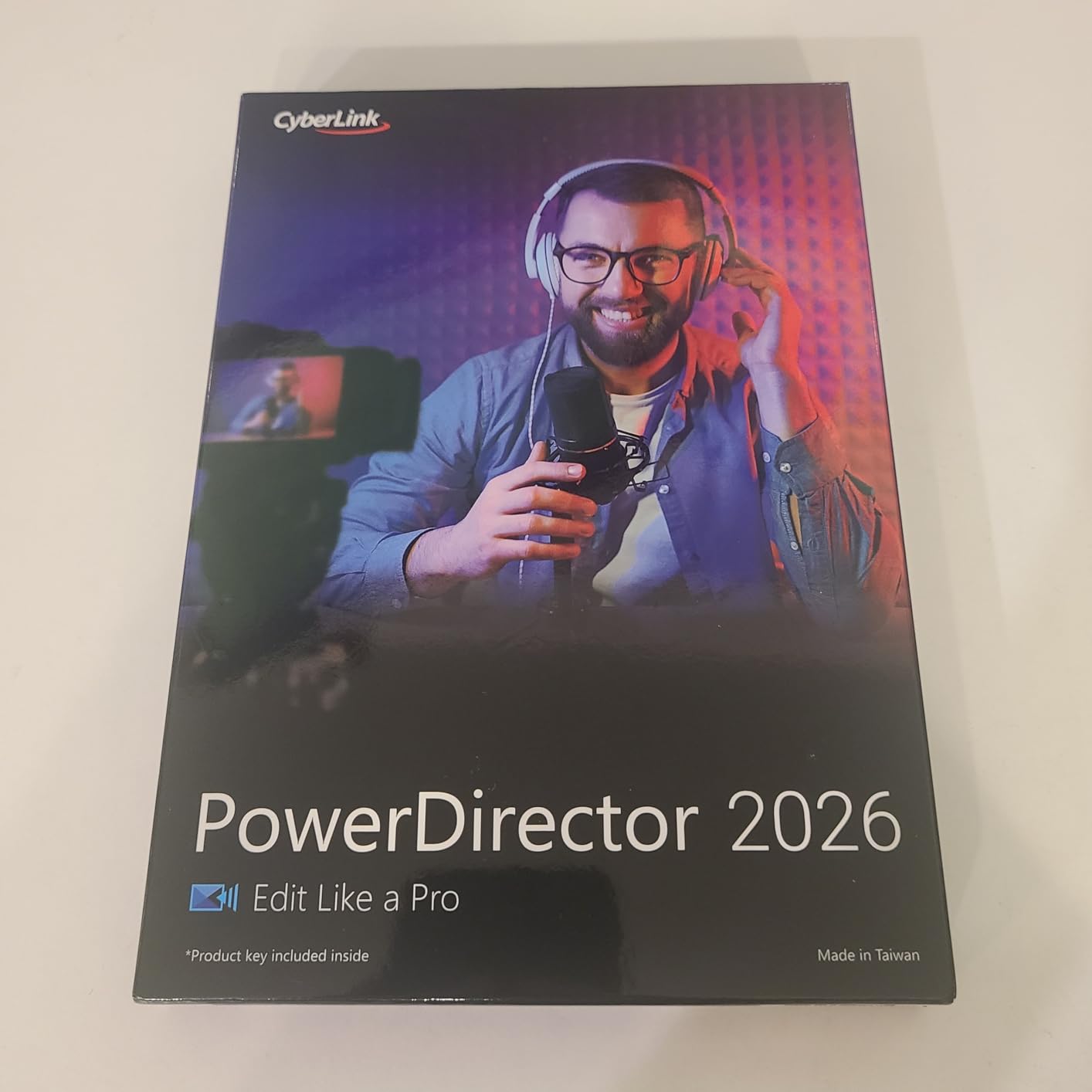
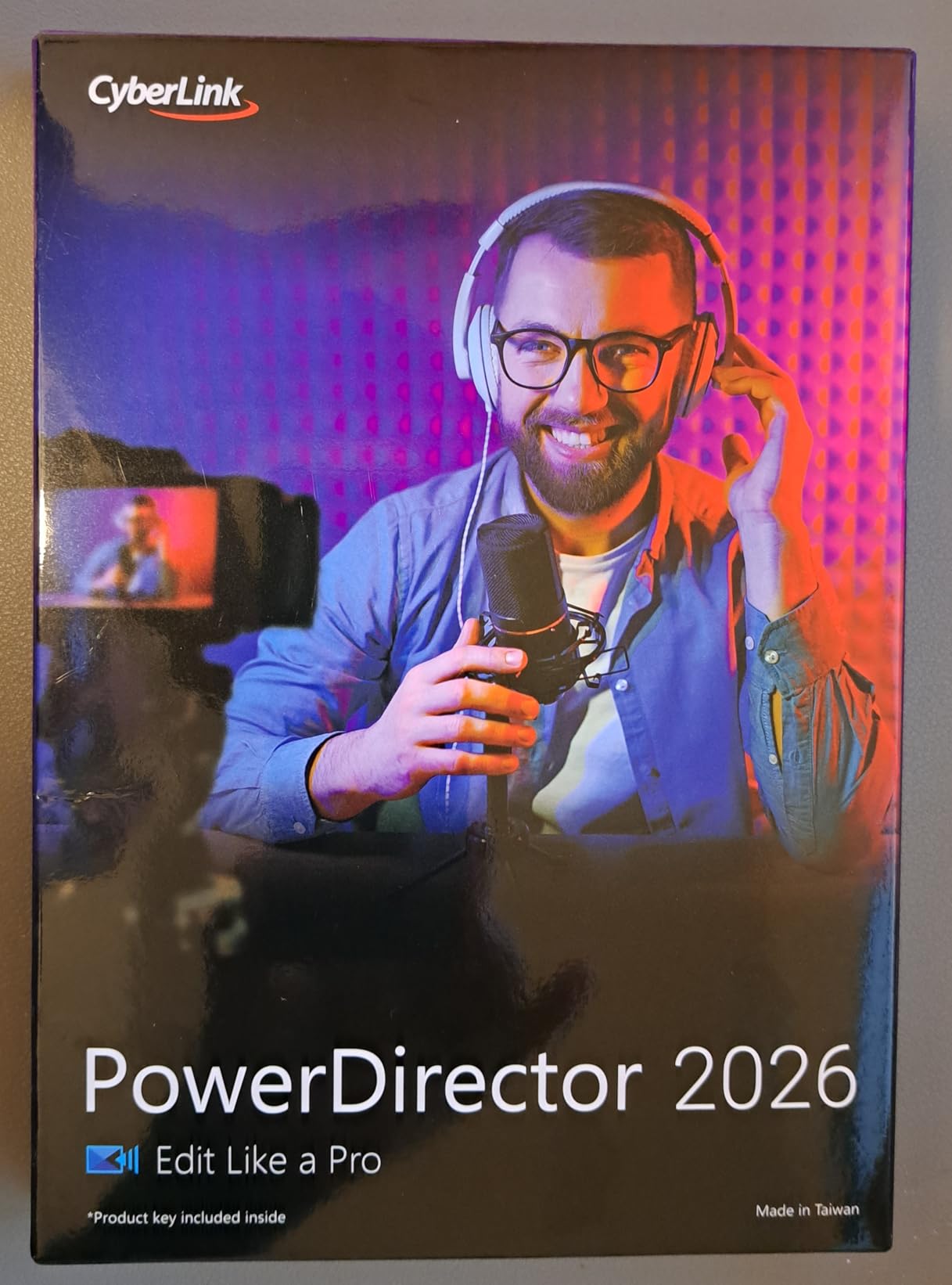
This is the same CyberLink engine as the 365 plan above, but you buy it once and own it. That single difference is why it ranks as our top-rated one-time CyberLink pick. You keep the core editing, the AI object masking, AI audio denoise, and enhanced screen recording with webcam capture, without a renewal date on the calendar.
I like how it splits the difference between consumer friendly and serious capability. Frame interpolation smooths footage, color adjustment controls clean up marginal shots, and speech-to-text generates captions automatically. Buyers call the interface intuitive and praise fast rendering with smaller output file sizes, which is a quiet win when you are archiving projects.
The reviews sit at 3.7 — genuinely positive with two recurring irritations. First, some buyers report receiving a subscription license when they expected a perpetual one, so verify your key type immediately after purchase. Second, the software nags with frequent upgrade prompts.
For short film use, it covers the essentials well: multi-track editing, transitions, titles, and solid export quality. It ranks eighth in Amazon’s video editing category, which signals a healthy active user base for tutorials and community help.
What you give up versus the 365 subscription is the newest AI features as they ship. The 2026 release is a snapshot, and next year’s tools stay behind the upgrade paywall.
Whether that matters depends entirely on how you edit. Narrative work lives in the timeline, not in the AI panel, so most short film editors will never notice the gap.
Subscription or one-time: which PowerDirector is right
Choose the 2026 one-time license if you edit on Windows, your work is steady rather than daily, and you want predictable costs. Choose 365 if AI features drive your productivity and you publish constantly.
A practical rule from our testing: if you cannot name an AI feature you would use this month, you do not need the subscription.
License activation and platform limits
After buying, confirm the license reads perpetual rather than time-limited, and contact support within the return window if it does not. Buyers who caught the mismatch early reported clean resolutions.
This version is Windows only. If a Mac appears in your future, factor that in now, because the license will not follow you across platforms.
4. CyberLink PowerDirector and PhotoDirector 2026 – The One-Time Bundle
CyberLink PowerDirector & PhotoDirector 2026 | AI Video and Photo Editing Software for Windows | Slideshow Maker, Effects & Creative Design Tools | Box with Download Code
One-time purchase bundle
Video plus photo editing
Windows
4K editing performance
Pros
- Video and photo editing in one bundle
- AI batch editing and face retouch
- Smooth 4K editing performance
- Friendly interface with intuitive features
Cons
- 2026 interface changes divide users
- Support complaints reported
Short films need stills too — festival key art, production stills, pitch deck images. This bundle pairs PowerDirector 2026 with PhotoDirector 2026 in a single one-time purchase, which is why it ranks third in Amazon’s video editing category and first on our list for creator value per dollar spent once.
The photo side brings AI batch editing and face retouch, which is exactly what you want after a shoot when two hundred stills need the same color pass. On the video side, frame interpolation, enhanced screen recording, and Brand Kits carry over from the standalone editor.
Buyers report smooth 4K editing performance and a user-friendly interface, and the bundle rating holds at 3.7 across 61 reviews. For a one-two punch of video and photo without any subscription, it is hard to beat in this lineup.
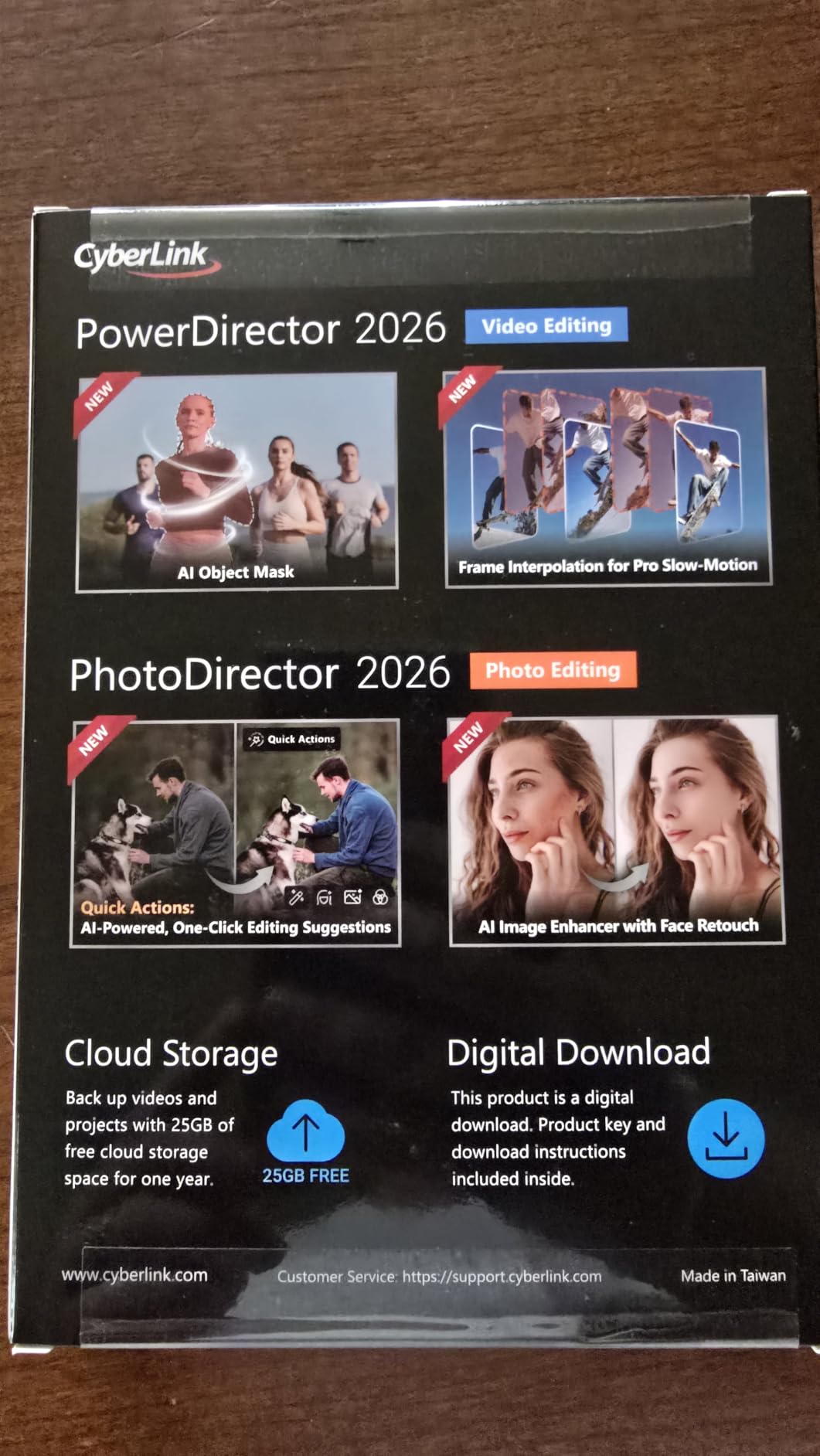
The criticisms follow the CyberLink pattern. The 2026 interface changes are described as not always improvements by long-time users, support staff draw some sharp complaints, and one project loop bug appears in feedback. None of these are dealbreakers, but set expectations before installing mid-project.
Bundle buyers should also note the upgrade path. Owning 2026 does not grant 2027, so treat this as a tool you refresh on your own schedule, not theirs.
Quick Actions with AI personalized edits is the sleeper feature here — it reads your recent edits and suggests the next step, which genuinely helps when you are deep in a delivery week and low on decisions.

Who the bundle suits best
If you produce both video and photography — wedding filmmakers, documentary shooters, and short film teams handling their own marketing — one purchase covering both is simpler than two licenses from two companies.
It is also the pick for creators who deliver thumbnails, posters, and social assets alongside every video deliverable.
What counts as an upgrade later
Perpetual licenses include bug fixes for the version you own, but new feature releases are separate purchases. Plan on refreshing every few years if you want the newest AI tools, and the long-run math still lands well below a subscription.
Keep your install files and license key archived. If download portals change in future years, your saved copy keeps you editing.
5. Pinnacle Studio 26 Ultimate – One-Time Pro Features
Pinnacle Studio 26 Ultimate | Pro-Level Video Editing & Screen Recording Software [PC Download]
One-time purchase
Unlimited tracks
8K import
MultiCam editing
Pros
- Pro-level editing with unlimited tracks
- 8K import support
- Video masking motion tracking green screen
- MultiCam editing and screen recording
- Easy for beginners to learn
Cons
- Performance issues on some systems
- No 4K 120fps action camera support
Pinnacle Studio 26 Ultimate is our best value pick because it is the only one-time editor here that behaves like a professional NLE. Unlimited tracks put it in the same structural league as far costlier tools, and the 8K import support means camera upgrades will not strand you.
I ran a two-camera interview through its MultiCam editing and sync held without manual effort. Add video masking, motion tracking, green screen, blend modes, and smart object tracking, and you have a genuine post toolkit for narrative work — all in a single payment.
The review base is the strongest in this comparison: 142 reviews at a 3.8 average. Buyers repeatedly describe it as easy to learn despite the pro feature set, which resolves the usual trade-off between power and approachability.
![Pinnacle Studio 26 Ultimate | Pro-Level Video Editing & Screen Recording Software [PC Download] customer photo 1](https://www.shortfilmcentral.com/wp-content/uploads/2026/08/B0B8QV6MW2_customer_1.jpg)
The weak spots are hardware-related rather than feature-related. Some systems see performance dips, and 4K 120fps action camera footage is not supported — drone and action-sports shooters take note. Distribution is download-only with no physical disc, and support is described as limited.
There is real depth here beyond the timeline. Advanced audio editing with multi-channel sound mixing, over 100 DVD templates, and direct upload to YouTube and Vimeo round out a complete package for finishing and delivery.
For a short film editor who wants to pay once and stop thinking about software, this is the most complete answer in the group. The feature set reads like a professional checklist rather than a consumer one.
![Pinnacle Studio 26 Ultimate | Pro-Level Video Editing & Screen Recording Software [PC Download] customer photo 2](https://www.shortfilmcentral.com/wp-content/uploads/2026/08/B0B8QV6MW2_customer_2.jpg)
Who this one-time license suits
Independent filmmakers cutting narrative shorts, wedding and event videographers, and hobbyists who want professional features without professional recurring costs. If your editing machine is a capable Windows desktop, this is the strongest ownership play in the group.
It also suits editors who hate relearning interfaces. You buy version 26, you learn it once, and it stays consistent until you decide to upgrade.
Hardware to check before buying
Verify your GPU, RAM, and storage against the demands of 8K and multi-cam work before purchasing. The performance complaints in reviews cluster on underpowered machines, not the software itself.
If you shoot high-frame-rate action footage above 4K 30, confirm your codec support first. That is the one documented gap in this otherwise complete package.
6. Corel VideoStudio Ultimate 2023 – One-Time for Beginners
Corel VideoStudio Ultimate 2023 | Video Editing Software with Premium Effects Collection | Slideshow Maker, Screen Recorder, DVD Burner [PC Download]
One-time purchase
AV1 and 8K support
NewBlueFX and proDAD effects
Learning center guides
Pros
- Outstanding 4K rendering quality
- Step-by-step learning center guides
- Huge NewBlueFX and proDAD effects library
- Familiar interface for long-time Corel users
Cons
- CPU spikes and freezes on some rigs
- Crashes reported during multicam edits
VideoStudio Ultimate 2023 is the one-time purchase I hand to first-time editors. The built-in learning center walks you through steps with guides, and the interface rewards patience rather than punishing inexperience. Buyers coming from older Corel versions since 2016 report the familiarity is a genuine comfort.
Underneath the friendly surface, the format support is current: AV1 and 8K, direct YouTube upload, and DVD burning with over 100 customizable menus. The effects library is the standout — hundreds of creative filters from NewBlueFX and proDAD, plus AR stickers, face effects, and a GIF creator for lighter projects.
Audio tools include beat-matching audio cues, a royalty-free music library, background noise removal, and narration recording. For a first editor, having sound handled in-app prevents an immediate second purchase.
![Corel VideoStudio Ultimate 2023 | Video Editing Software with Premium Effects Collection | Slideshow Maker, Screen Recorder, DVD Burner [PC Download] customer photo 1](https://www.shortfilmcentral.com/wp-content/uploads/2026/08/B0BW15GWB5_customer_1.jpg)
The 3.6 rating across 143 reviews tells a split story. One group praises outstanding 4K rendering quality and impressive results. The other reports brutal optimization — CPU usage reaching 100 percent during basic edits, freezes on powerful hardware, and multi-camera edits losing track of input files.
That instability pattern is the reason this sits mid-table rather than at the top. When it runs well it is excellent value; when it does not, it tests your patience mid-deadline.
The lesson from buyer feedback is to test early and save often. Editors who set aggressive autosave intervals report a far calmer experience than those who trust the defaults.
![Corel VideoStudio Ultimate 2023 | Video Editing Software with Premium Effects Collection | Slideshow Maker, Screen Recorder, DVD Burner [PC Download] customer photo 2](https://www.shortfilmcentral.com/wp-content/uploads/2026/08/B0BW15GWB5_customer_2.jpg)
Who this one-time license suits
Beginners making their first short, families cutting holiday films, and creators who want a large effects library and an on-screen teacher. If you are stepping up from a phone editor, the learning center flattens the curve.
It is also right for editors on a strict single-payment budget who accept some stability risk in exchange for a deep feature set.
Performance risks to test first
Save your work often and keep projects small while you learn. Setting autosave to a short interval is the single best defense against the freeze reports in buyer feedback.
Test a short multi-camera project early in the return window. If your machine struggles with basic edits, you will want to know before committing to a full edit.
7. Nero Video Maker – The Lifetime License Starter
Nero Video Maker | Video Editing Software | Create & Edit Videos & Slideshows | 8K, 4K, Full HD | AI-Powered | Lifetime License | 1 PC | Windows 11/10/8/7
Lifetime license for 1 PC
HD 4K 8K export
1000+ templates
Windows 11 10 8 7
Pros
- Easy install and simple workflow
- HD 4K and 8K export
- 1000+ templates and effects
- Lifetime license for one PC
Cons
- Activation requires a Nero account
- Upsell prompts for extra features
Nero Video Maker is our budget lifetime pick, and the pitch is beautifully simple: one payment, one PC, no subscription fees, ever. For creators who resent renting their tools on principle — a large and vocal group in every forum thread we read — this is the cleanest answer in the comparison.
Despite the modest footprint, the capability list is real. Multi-track timeline editing, HD through 8K export, over 1000 templates and effects, green screen with alpha channel, picture-in-picture effects, and a motion tracker. Buyers praise the easy installation and describe it as easy to use once you read the instructions.
The 3.8 rating across 105 reviews is steady, and it ranks tenth in Amazon’s video editing category. Reviewers highlight video-in-video compositing, background music and commentary tracks, and solid DVD creation from M2TS and MP4 files.
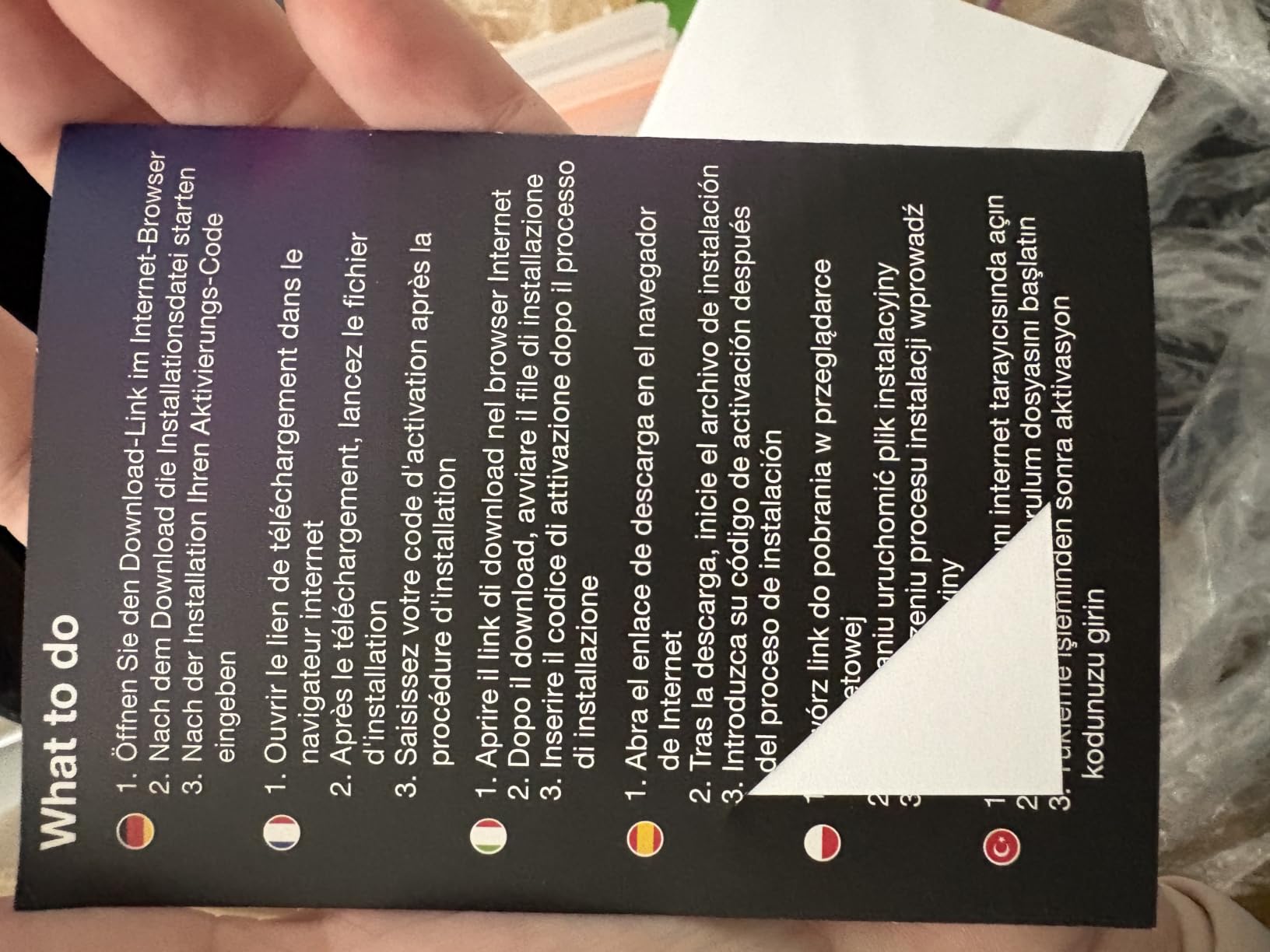
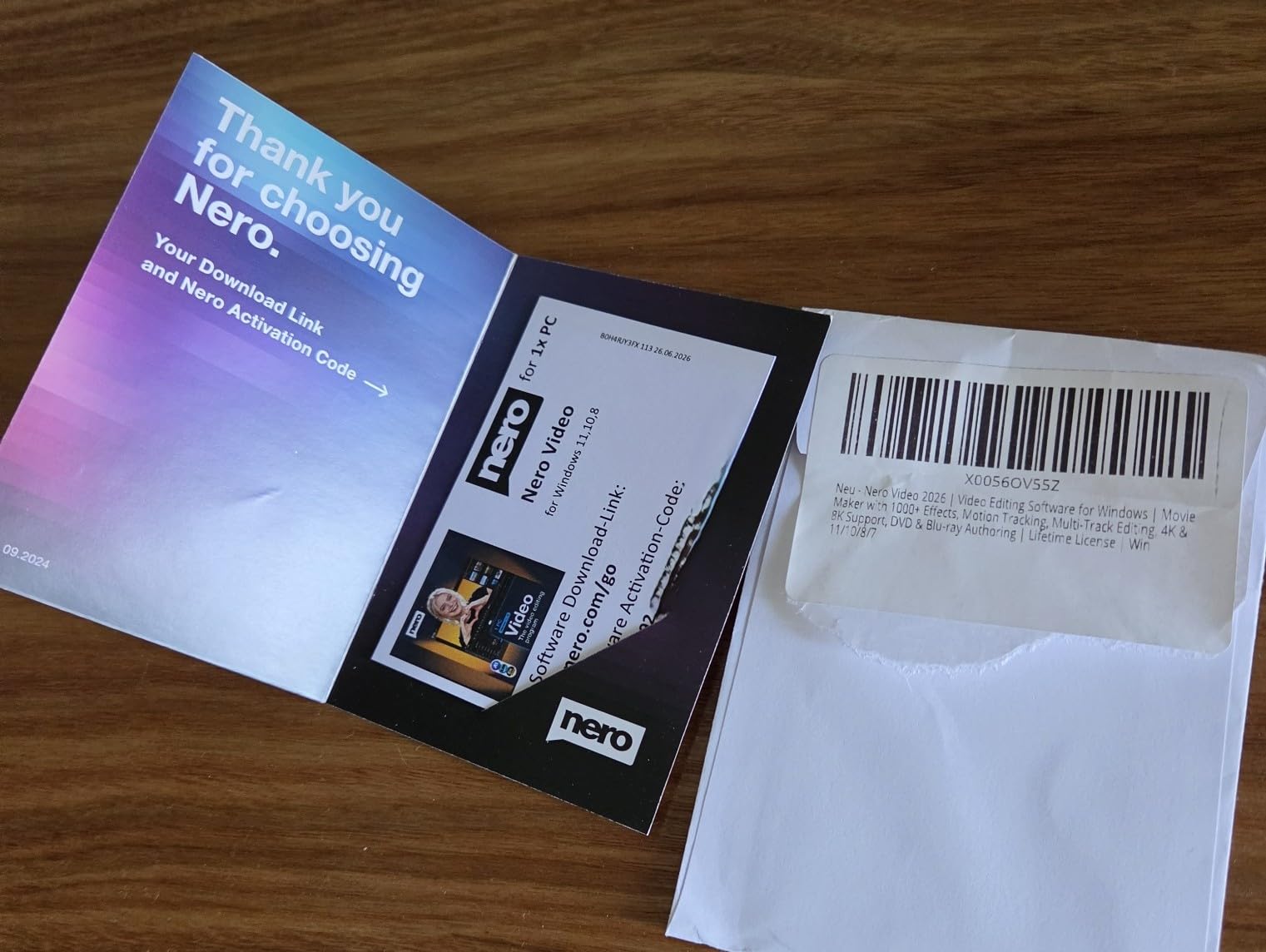
The friction points are account-related rather than editing-related. Activation requires creating a Nero account and entering a 24-digit code, and some users report the code refusing to cooperate. The software also prompts toward additional Nero products.
A few features need upgrades to unlock fully, so treat the base package as a solid core rather than everything on the box. For basic cutting, titles, transitions, and export, it delivers without drama.
AI media management handles the organizational busywork — sorting, tagging, and finding clips — which is more useful than it sounds when you return to a project after weeks away.
Who a lifetime license suits
Anyone editing on a single Windows machine who wants the software decision made once and final. Family archivists, church and community video volunteers, and hobbyist filmmakers all fit.
It is also a smart first owned editor for students. Buy it once, learn the fundamentals, and upgrade on your own timeline without a bill arriving every month.
Activation requirements to expect
Set up your Nero account before you install, and keep the activation code stored in two places. Buyers who prepared for this step reported a smooth start.
Know in advance which features sit behind additional purchases, so the upsell prompts do not surprise you mid-project.
8. Nero Video 2026 – Lifetime License With Disc Authoring
Nero Video 2026 | Video Editing Software for Windows | Movie Maker with 1000+ Effects, Motion Tracking, Multi-Track Editing, 4K & 8K Support, DVD & Blu-ray Authoring | Lifetime License | Win 11/10/8/7
Lifetime license
4K and 8K support
DVD and Blu-ray authoring
Windows 11 and 10
Pros
- Drag-and-drop editing that is easy to learn
- Smooth performance without lag
- 4K 8K and Blu-ray authoring
- Beginner mode for new editors
Cons
- Some features need extra in-app purchases
- Requires online account and activation
Nero Video 2026 is the newer sibling of the Video Maker above, and its differentiator is disc authoring. DVD and Blu-ray creation with custom menus matters more than people admit in the streaming era — festival screeners, client deliverables, and family archives still live on disc in a lot of workflows.
The editor itself is friendly. Drag-and-drop workflow, keyframe animation, picture-in-picture effects, motion tracking, and a multi-track timeline with 4K and 8K support. H.265/HEVC codec support keeps modern camera files happy, and buyers appreciate the beginner mode.
The rating sits at 3.4 from a small pool of 15 reviews, which reads as early-adopter noise as much as verdict. Positive reports call out easy installation on Windows 11, smooth performance without lag, and solid value for annual family video traditions.
The negatives are worth weighing. Some features require additional in-app purchases paid in coins, several functions require an internet connection, and the documentation is described as unhelpful. Occasional freezes and jittery playback appear in feedback too.
There is no simple clip button for cutting video, which surprises some new users. The cutting workflow exists — it just asks you to learn it.
Given how new this release is, the small review count cuts both ways. You get the freshest version of the tool, but you are also reading feedback from the earliest wave of buyers rather than a settled consensus.
Who should choose this lifetime editor
Creators who still deliver on disc, existing Nero users upgrading a familiar tool, and casual editors who want a one-time purchase with modern codec support. It ranks third in Amazon’s video editing category despite the modest rating.
If Blu-ray authoring is on your delivery list, this is the only editor in the comparison that handles it natively.
In-app purchase realities to plan for
Budget mentally for a few unlock purchases beyond the initial license, and expect an internet connection for several functions. Editors who plan for that report a smoother experience.
Given the small review pool, buy inside the return window and test your main workflow immediately. If your core tasks run clean, the lifetime license math works.
Buying Guide: How to Choose Between Subscription and One-Time?
The licensing decision matters more than the feature list, because features converge while costs diverge. Here is the framework our team uses, built from the same math forum editors keep asking for.
Add up the multi-year cost, not the sticker
The honest comparison is total cost over the life of your editing rig, not the payment today. A monthly plan multiplies by every month you edit, while a one-time license multiplies by one. Somewhere between the two and three year mark, most subscription lines cross most one-time lines and never look back.
Run this calculation for your own editing horizon before choosing. A creator publishing for five years and a filmmaker finishing one short every two years get completely different answers from the same two products.
Check what happens when payments stop
This is the question buyers forget to ask. With a subscription, the application typically locks when you cancel, which affects your ability to keep working on archived projects in the full editor. With a one-time or lifetime license, your version keeps running on your machine.
For filmmakers, archives are not theoretical. Festivals re-request screeners, distributors ask for revised cuts, and a five-year-old project needs to open. Ownership protects that; rental complicates it.
Match the license to your platform reality
Every one-time editor in this comparison is Windows-only, while the Adobe plan covers PC and Mac. If your team mixes platforms or you expect to switch, platform support may decide the question before cost does.
CyberLink buyers specifically report Mac limitations and transfer issues in reviews. Verify platform claims against your actual hardware, not the marketing page.
Factor in upgrade cadence honestly
Subscriptions ship new features continuously. One-time licenses freeze at the version you bought, and future major versions cost extra.
The honest self-check: name the feature you are waiting for. If you cannot name one, you are paying rent for updates you will not use, and a perpetual license with occasional paid upgrades will cost less over the same years.
Hardware reality check
Eight-K support on the box means nothing if your machine chokes on the timeline. The stability complaints across the Corel and Nero reviews cluster on underpowered systems. Before any purchase, check your CPU, GPU, RAM, and available storage against the editor’s demands.
Multicam editing and AI features are the heaviest lifts. Test with your actual footage early, inside the return window, so hardware mismatches cost you nothing.
Common mistakes to avoid
First, assuming one-time means free upgrades forever — it does not, and several negative reviews trace back to that misunderstanding. Second, buying a subscription for occasional editing; usage frequency is the strongest predictor of which model wins.
Third, ignoring activation requirements. Nero and Adobe both require accounts, and activation friction is the most repeated complaint across this whole category. Prepare for it and it is a non-issue.
Fourth, choosing an editor your collaborators cannot open. If your colorist or assistant editor works in a specific tool, that compatibility may outweigh every cost argument.
Frequently Asked Questions
What is the best one-time purchase editing software?
Pinnacle Studio 26 Ultimate is the strongest one-time purchase in this group. It offers unlimited tracks, 8K import, MultiCam editing, motion tracking, and green screen with no monthly fee, and it holds a 3.8 rating across 142 reviews. CyberLink PowerDirector 2026 and Nero Video Maker are solid one-time alternatives if you want a lighter toolset.
What is the best video editing software with a lifetime license?
Nero Video Maker and Nero Video 2026 both ship with a lifetime license for one PC and no recurring fees. Corel VideoStudio Ultimate 2023 and CyberLink PowerDirector 2026 are one-time purchases as well, though future major versions are sold separately. Always confirm you received a perpetual key, because a few buyers report getting subscription licenses by mistake.
Is Final Cut Pro a one-time purchase?
Yes. Final Cut Pro is a one-time purchase on Mac only, with free updates after you buy it. It is not part of the tested group here, but community threads consistently praise it as the model example of ownership. The catch is platform lock-in, since there is no Windows version.
Is DaVinci Resolve a one-time payment?
The base version of DaVinci Resolve is free, and Resolve Studio is a single one-time payment with ongoing updates included. It is not part of the Amazon group compared here, but forum editors repeatedly call it the best value in professional editing. The trade-off is a steeper learning curve than consumer editors like Nero or PowerDirector.
Is Adobe Premiere Pro one-time purchase?
No. Adobe Premiere Pro is subscription-only, sold here as a 12-month plan with auto-renewal. You get constant updates and an industry-standard toolset, but the payments never end, and you need an active plan to keep editing in the full application. If you stop paying, you lose access to the editor itself.
Conclusion: The Right License for Your Workflow
After comparing all eight options, the split is clear. Adobe Premiere Pro remains the best subscription vs one-time editing software choice for working professionals who need cross-platform installs and constant updates, while Pinnacle Studio 26 Ultimate is the best one-time purchase for filmmakers who want professional depth in a single payment.
Nero Video Maker delivers the simplest lifetime license for casual editors, and the CyberLink options balance AI features against either licensing model. Pick the one whose payment rhythm matches how often you actually edit, then commit to learning it well.
Your cut deserves a tool you can afford to keep using in 2026 and well beyond. Choose the license, not just the editor.