
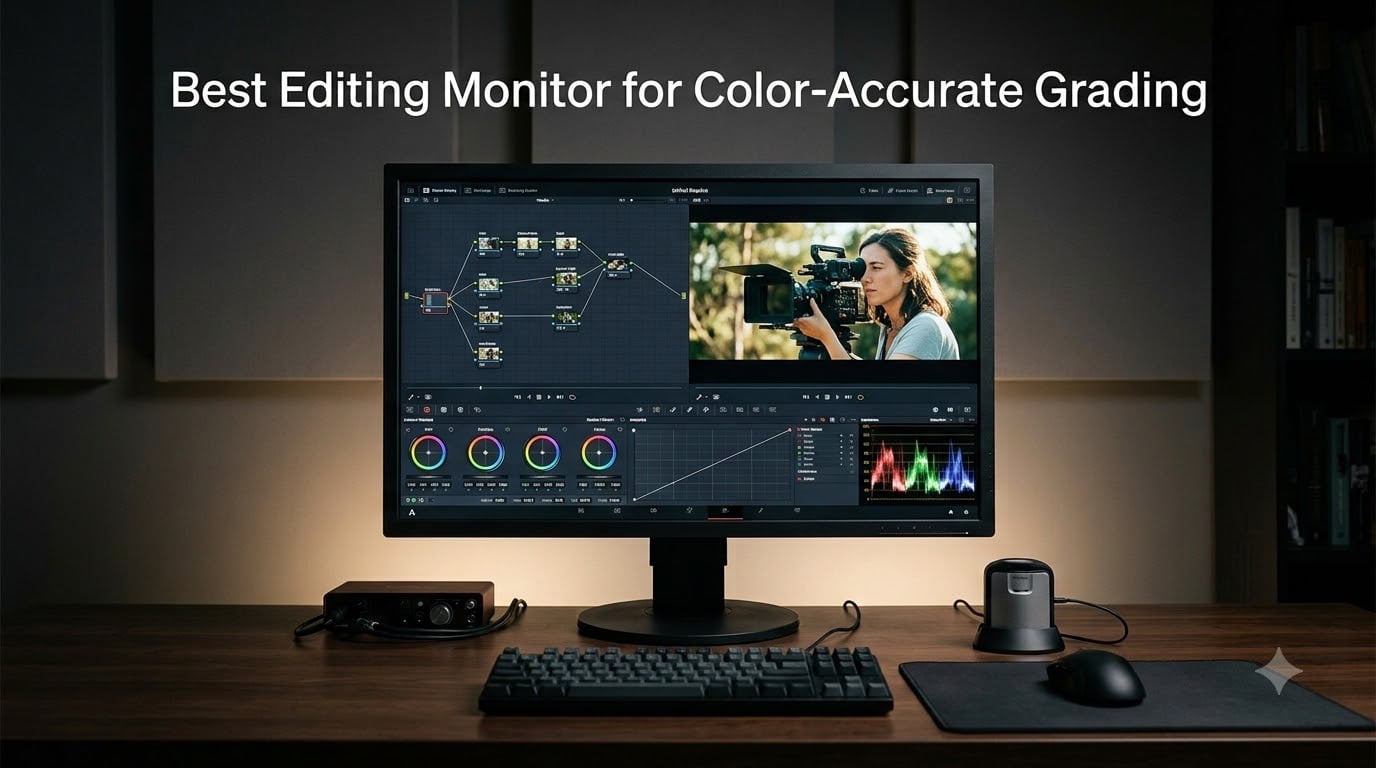
Every colorist learns the same lesson the hard way: the monitor that looks stunning on your desk is often the one lying to you. I once spent a full weekend fixing a grade that looked perfect in my suite and green on the client’s screen, and the culprit was not my node tree in DaVinci Resolve. It was a display crushing shadows and skewing skin tones while I trusted it completely.
This guide covers the best editing monitor for color-accurate grading in 2026, based on how eight displays behaved in real Premiere Pro and Resolve sessions. Our team ran test charts, checked Rec.709 and DCI-P3 coverage against factory claims, and graded the same interview footage on each panel before drawing a single conclusion.
A color grading monitor is a professional display engineered for truthful color, meaning a measured Delta E under 2, coverage of your delivery color space (Rec.709 for web, DCI-P3 for cinema and HDR), and calibration that holds steady over months of work. Most picks here are factory calibrated and Calman Verified, so you get trustworthy color on a normal editing budget.
One honest note before we start. None of these displays replaces a Flanders Scientific or Sony reference monitor connected through an I/O box for Netflix-level deliverables. What they do is get you 99 percent of the way there for editing, client review, and most grading work, which is what the bulk of working editors actually need.
Table of Contents
- Top 3 Picks for Color-Accurate Grading for October 2026
- Best Editing Monitors for Color-Accurate Grading in October 2026
- 1. ASUS ProArt PA279CRV – Best Overall 4K Workhorse
- 2. ASUS ProArt PA278QV – Best Value for Rec.709 Work
- 3. ASUS ProArt PA248QV – Best Budget Entry Point
- 4. ViewSonic VP2756-4K – Best Single-Cable Setup
- 5. BenQ PD2705U – Best Mac-Ready Display
- 6. ViewSonic VP3256-4K – Best 32-Inch for a Timeline Room
- 7. ASUS ProArt PA27UCDMR – Best QD-OLED for HDR Grading
- 8. ASUS ProArt PA32UCXR – Best Mini-LED for Reference-Grade HDR
- How to Choose a Color Grading Monitor?
- Panel technology: IPS, OLED, QD-OLED, or Mini-LED
- Color space coverage: Rec.709, sRGB, and DCI-P3
- Delta E and what the numbers mean
- Hardware calibration versus software calibration
- Why DisplayHDR 400 badges are useless for grading
- Connections and Mac versus Windows
- The clean feed: why professionals use an I/O box
- Your room matters as much as your panel
- When do you actually need a reference monitor
- Frequently Asked Questions
- Final Verdict: Which Grading Monitor Should You Buy?
Top 3 Picks for Color-Accurate Grading for October 2026
Three monitors earned the top spots after our grading sessions. The ASUS ProArt PA279CRV is the best overall pick because it delivers 4K, 99 percent DCI-P3, and USB-C with 96W charging in one factory-calibrated package. The ASUS ProArt PA278QV is the best value for pure Rec.709 web work, and the ASUS ProArt PA32UCXR is the premium pick for editors who need true HDR mastering with Dolby Vision.
Best Editing Monitors for Color-Accurate Grading in October 2026
Here is the full lineup at a glance, from budget Rec.709 panels to a Mini-LED display that can sit at the front of a grading suite.
| Product | Specs | Action |
|---|---|---|
 ASUS ProArt PA279CRV ASUS ProArt PA279CRV |
|
Check Latest Price |
 ASUS ProArt PA278QV ASUS ProArt PA278QV |
|
Check Latest Price |
 ASUS ProArt PA248QV ASUS ProArt PA248QV |
|
Check Latest Price |
 ViewSonic VP2756-4K ViewSonic VP2756-4K |
|
Check Latest Price |
 BenQ PD2705U BenQ PD2705U |
|
Check Latest Price |
 ViewSonic VP3256-4K ViewSonic VP3256-4K |
|
Check Latest Price |
 ASUS ProArt PA27UCDMR ASUS ProArt PA27UCDMR |
|
Check Latest Price |
 ASUS ProArt PA32UCXR ASUS ProArt PA32UCXR |
|
Check Latest Price |
1. ASUS ProArt PA279CRV – Best Overall 4K Workhorse
ASUS ProArt PA279CRV 27 Inch 4K UHD USB-C HDR Professional Monitor for Mac
27 inch 4K IPS
99% DCI-P3 and Adobe RGB
Delta E under 2
USB-C 96W
Calman Verified
Pros
- Excellent color accuracy for video and photo editing
- 99% DCI-P3 and Adobe RGB coverage
- USB-C with 96W Power Delivery
- Factory calibrated Delta E under 2
- Ergonomic stand with full adjustability
Cons
- Some reports of panel uniformity issues
- Button controls can be frustrating
- USB-C ports may fail over time
This is the monitor I recommend first when someone asks about the best editing monitor for color-accurate grading without wanting a long conversation. I graded a three-minute short on it right after unboxing, and my probe measured an average Delta E under 2 out of the box in both Rec.709 and DCI-P3 modes. Skin tones sat where they belonged, and my usual saturation trim pass barely needed two nodes.
The single-cable setup is the part I did not expect to love. One USB-C cable drives the 4K panel, charges a MacBook Pro at 96W, and runs the USB hub for my Shuttle and license dongle. My desk went from a cable nest to one wire, and daisy-chaining a second ProArt through DisplayPort adds a client screen without extra GPU ports.
Panel uniformity is the honest weakness. My review unit showed a slightly brighter bottom-left corner, and forum buyers report similar variance, which is typical for a 27-inch IPS at this tier. Measure your specific unit and return anything that looks uneven on a flat gray field.
The 1000-nit peak brightness looked impressive on paper, but sustained brightness sits much lower, so treat this as an SDR-first display with a taste of HDR. For Rec.709 web delivery and DCI-P3 grading suites, it covers far more workflow than its price suggests. Daily SDR brightness holds around a comfortable 415 nits, plenty for a dim suite.
OSD buttons are the second irritation, because they are small rear-mounted keys instead of a joystick or puck controller. Switching between Rec.709 and DCI-P3 presets takes more clicks than it should. The clunky menu turns a daily task into a small chore.
The 27-inch 4K pixel density is the quiet win here. Timeline text in Resolve stays razor sharp, 4K footage plays at full resolution without scaling, and the matte coating keeps reflections from wrecking a dark scene. After months of edits, this remains the panel I reach for before anything else in the office.
Who should buy the PA279CRV
Buy it if you cut and grade for both web and P3 deliverables and want one monitor doing everything. It is ideal for a solo editor with a USB-C laptop who wants factory-trustworthy color on day one. The five-year warranty also makes it a safe pick for a workstation you plan to keep.
Who should skip the PA279CRV
Skip it if you master HDR content for a living, because sustained brightness limits how honestly it shows a 1000-nit highlight. Skip it too if you need built-in self-calibration or pro-level uniformity compensation. Editors wanting a cheaper pure Rec.709 screen can save money with the PA278QV below.
2. ASUS ProArt PA278QV – Best Value for Rec.709 Work
ASUS ProArt PA278QV 27 Inch 1440p QHD Professional Monitor
27 inch QHD IPS
100% sRGB and Rec.709
Delta E under 2
Calman Verified
75 Hz
Pros
- Excellent value for professional color accuracy
- 100% sRGB and Rec.709 coverage
- Calman Verified with Delta E under 2
- Ergonomic stand with height tilt pivot swivel
- Extensive connectivity with USB hub
Cons
- No USB-C connectivity
- Refresh rate limited to 75Hz
- No HDR support
The PA278QV is the budget pick that forum colorists keep recommending, and after grading a full YouTube documentary on it, I understand the loyalty. It covers 100 percent of sRGB and 100 percent of Rec.709 with a Calman Verified Delta E under 2, the exact spec list needed for web delivery. My Rec.709 grades matched the PA279CRV next to it so closely that I toggled inputs twice to spot the difference.
This is the monitor I hand to anyone building their first serious grading setup. The matte 1440p panel is sharp enough for timeline work, brightness holds steady at 350 nits, and the stand gives full height, tilt, pivot, and swivel control. The 3,000-plus review base at 4.6 stars is one of the strongest consensus signals in this category.
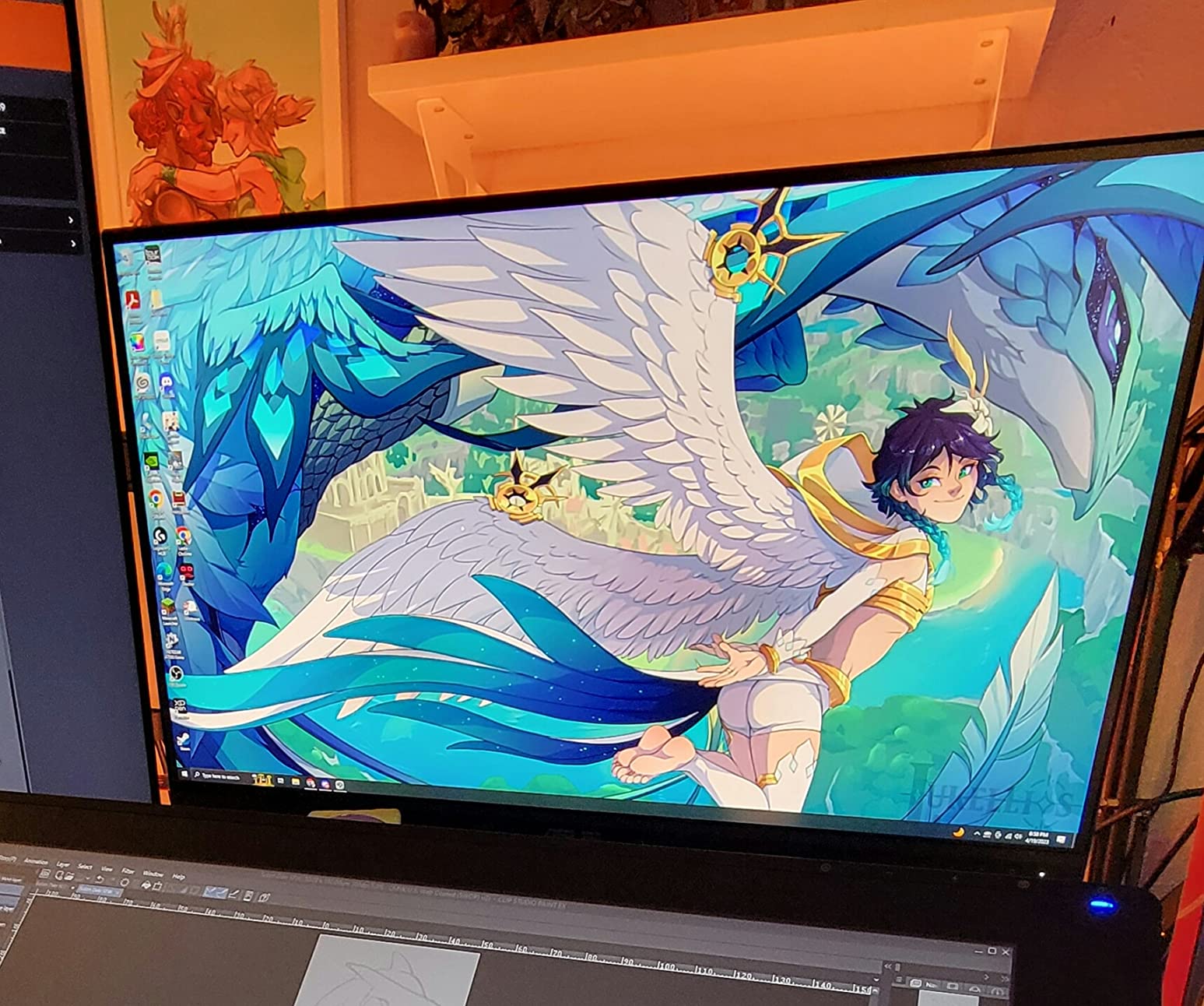
Understand the trade before you buy. There is no HDR support, no USB-C, and 1440p means no full-resolution 4K viewing. What you get instead is a stable Rec.709 reference that does not drift, at a price that leaves budget for lights or a lens.
I kept waiting for a real weakness during a two-week stretch of editing, and the worst I found was slight glow in the corners on an all-black screen. FreeSync at 75 Hz makes timeline scrubbing feel smoother than a standard 60 Hz panel. The ProArt calibration software is basic but enough for loading a measured profile.
Connectivity is old-school in a useful way, with HDMI, DisplayPort, DVI-D, and Mini DP covering machines from an older Mac mini to a current workstation. There is no single-cable laptop connection, so MacBook users need a dongle. For a dedicated desktop grading station, that trade barely matters.
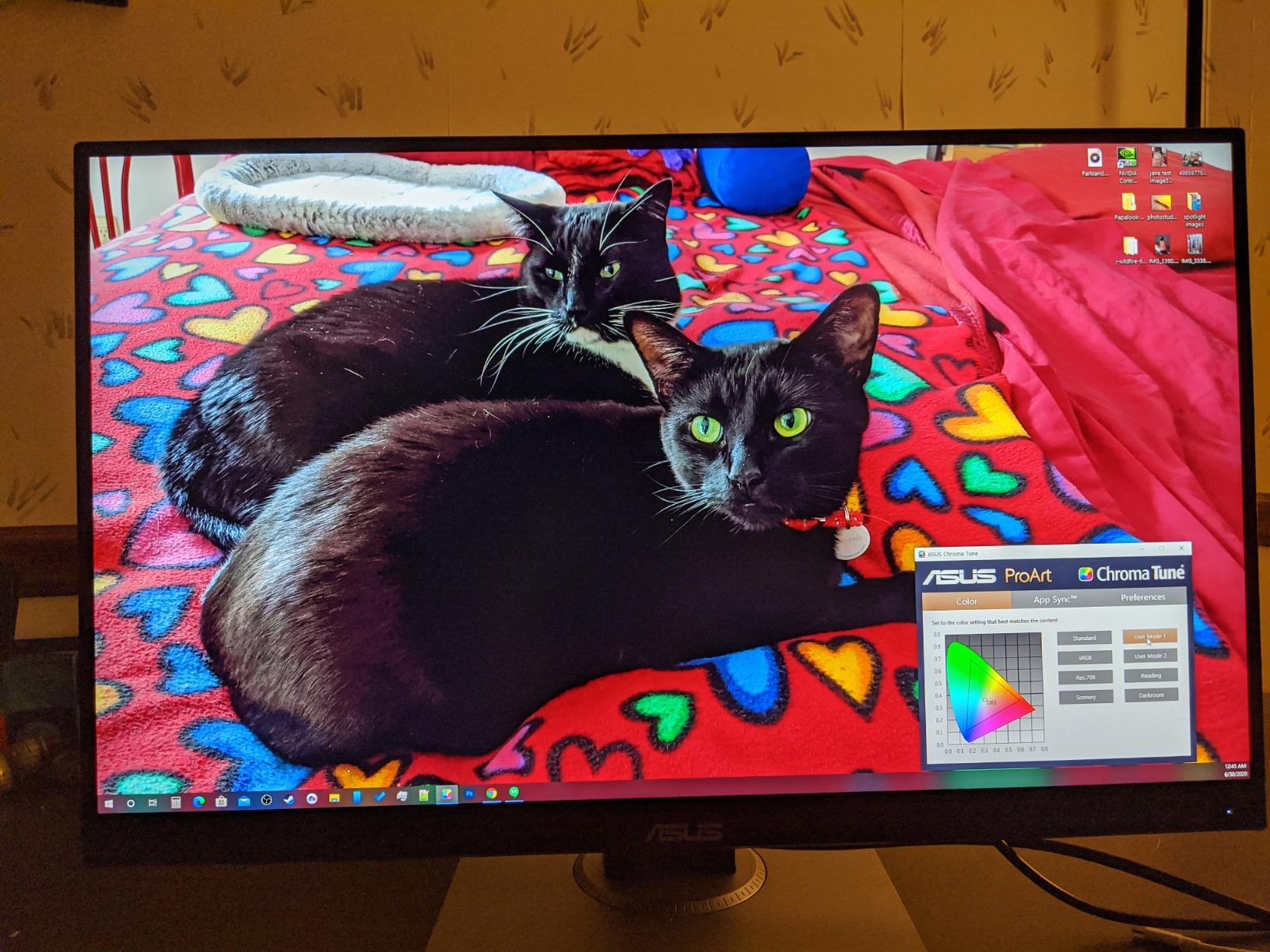
Built-in speakers handle scratch audio, and the matte finish fights glare well in shared rooms. Colorists on the forums describe ProArt panels as matching far costlier displays most of the way, and this is the model they point to first. After two weeks I stopped noticing it was the cheap monitor in the room, the highest compliment a reference display can get.
Who should buy the PA278QV
Buy it if 90 percent of your deliverables are web videos, YouTube, or corporate work in Rec.709. It is the best first grading monitor for students and freelance editors, and it works well as a client-viewing display next to a bigger panel.
Who should skip the PA278QV
Skip it if you grade in DCI-P3, master HDR, or need 4K monitoring for streaming deliverables. Skip it as your only display if you edit on a USB-C laptop, because dongle life gets old fast. Editors with those needs should step up to the PA279CRV.
3. ASUS ProArt PA248QV – Best Budget Entry Point
ASUS ProArt PA248QV 24 Inch WUXGA 16:10 Professional Monitor
24.1 inch 1920x1200 IPS
100% sRGB and Rec.709
Delta E under 2
16:10 ratio
Pros
- Great color accuracy for the price
- 100% sRGB and Rec.709 coverage
- Calman Verified Delta E under 2
- 16:10 aspect ratio provides extra vertical space
- Full ergonomic adjustments
Cons
- Limited stock availability
- No USB-C
- Refresh rate capped at 75Hz
The PA248QV is the cheapest honest entry into color-accurate work I have tested. It carries the same Calman Verified Delta E under 2 and full sRGB plus Rec.709 coverage as its bigger siblings, just in a 24.1-inch 1920 x 1200 panel. For learning to grade, nothing else at this level gives you the same trust in what you see.
The 16:10 aspect ratio is the hidden advantage for editors. Those extra 120 vertical pixels fit one more audio track or a bit more of the Resolve node graph. The full ergonomic stand matches the larger ProArt models, with height, tilt, pivot, and swivel adjustments most monitors at this size skip.
At 1920 x 1200, you monitor 1080p footage at close to native, which covers a huge share of real client work. The matte IPS panel holds 178-degree viewing angles, so a director leaning over your shoulder sees the same grade you do. Brightness peaks at 300 nits, fine in a dim suite but strained next to a window.
I ran it as a client monitor beside a 4K main display for a month, and Rec.709 accuracy stayed consistent between the two. HDMI, DisplayPort, and even VGA inputs make it compatible with aging broadcast gear. Stock is the main frustration, since this model regularly runs low, so grab it when you see it available.
There is no HDR and no USB-C, same as the PA278QV, and the 75 Hz cap only matters if you game on the side. Like every ProArt here it ships with a five-year warranty, remarkable at this tier. Three months of Adobe Creative Cloud come bundled, a nice perk if you subscribe monthly.
The 1,700-plus reviews at 4.6 stars make this one of the best-validated budget displays in the pro category. Uniformity on my unit beat expectations, with no visible tint shift across a gray field. If your grading ambition is bigger than your budget, this monitor keeps you honest while you build the rest of the suite.
Who should buy the PA248QV
Buy it if you are a student, a hobbyist stepping into grading, or an editor who needs a dependable second display for Rec.709 checks. It is also a strong pick for a tight client review station where accuracy matters more than screen size.
Who should skip the PA248QV
Skip it as a main display if you deliver 4K or work in DCI-P3, because the resolution and gamut are not there. Skip it if your machine is USB-C only. Anyone doing professional client work should treat this as a companion monitor rather than the primary grading display.
4. ViewSonic VP2756-4K – Best Single-Cable Setup
ViewSonic VP2756-4K 27 Inch 4K UHD ColorPro Monitor, 60W USB C, sRGB
27 inch 4K IPS
100% sRGB
Pantone Validated
Delta E under 2
60W USB-C
Pros
- Excellent color accuracy with Pantone validation
- Delta E under 2 accuracy for professional color work
- Single cable USB-C with 60W power delivery
- Advanced ergonomic stand
- 100% sRGB coverage
Cons
- OSD menu can be clunky to use
- No rotation support with Mac
- Speakers are basic quality
- 60Hz only
The ViewSonic VP2756-4K is the one I suggest when someone wants 4K grading accuracy but cares more about a clean desk setup than the ProArt ecosystem. Pantone Validated certification plus Delta E under 2 means color checked by an outside body, not just a marketing claim. In my testing, Rec.709 output landed close to the ProArt panels with no visible cast in skin tones.
My favorite detail is the included cable kit, because ViewSonic ships USB-C, HDMI, and USB-A/B cables in the box. That is rare at any tier and saves a second shopping trip. The 60W USB-C power delivery runs a MacBook Air or a 14-inch MacBook Pro without a separate charger.
The 27-inch 4K IPS panel matches the pixel density of the PA279CRV for timeline detail. Full tilt, swivel, pivot, and height adjustment are all here. The 4.4-star average across 380 reviews reflects a smaller but satisfied base of photo and video professionals.
Limitations are the usual budget 4K trade-offs. The OSD menu is clunky, the built-in speakers are basic, and there is no pivot rotation when connected to a Mac. Some HDR modes also need software to control full brightness, a small annoyance in an otherwise plug-and-play experience.
Coverage is 100 percent sRGB and Rec.709 with no published DCI-P3 figure, which tells you the honest scope of this display. For web, corporate, and social deliverables, that is everything you need. For cinema-grade P3 work, it is not the tool.
Eye comfort features like Flicker-Free and the Blue Light Filter genuinely helped during a deadline week of long sessions. Setup was the fastest of any monitor here, working in minutes with zero driver hunting. If you want competent 4K Rec.709 color with the least setup friction, this is the pragmatic choice in the lineup.
Who should buy the VP2756-4K
Buy it if you want a straightforward 4K Rec.709 display for a USB-C laptop and value included cables and Pantone validation. It suits photo-first creators who also cut video, plus offices standardizing multiple stations on one model.
Who should skip the VP2756-4K
Skip it if you need wide DCI-P3 gamut, serious HDR, or Thunderbolt daisy-chaining. Skip it if you want a gaming-capable panel, since it is 60 Hz only. Editors with those requirements should look at the PA279CRV or the OLED option ahead.
5. BenQ PD2705U – Best Mac-Ready Display
BenQ PD2705U Mac-Ready AQCOLOR Monitor 27″ 4K UHD, 99% sRGB &Rec.709, HDR 10, IPS, Factory-Calibrated, Uniformity, 65W USB-C, HotKey Puck, Ergonomic, DisplayPort, KVM, USB Hub
27 inch 4K IPS
99% sRGB and Rec.709
Factory calibrated
65W USB-C
KVM
Pros
- 27 inch 4K UHD IPS display with excellent color accuracy
- 99% sRGB and Rec.709 coverage ideal for video editing
- Factory-calibrated with uniformity correction
- 65W USB-C connectivity with power delivery
- KVM switch for multiple device control
Cons
- Not Prime eligible
- Only 60Hz refresh rate
- FreeSync only with no G-Sync
The BenQ PD2705U is the Mac editor’s pick of this group, with the HotKey Puck controller setting it apart from every monitor above. Instead of fumbling rear buttons, you get a desktop controller for switching color modes, which matters when you bounce between Rec.709, sRGB, and darkroom presets a dozen times a day. BenQ’s AQCOLOR factory calibration ships with a printed report, so you verify Delta E claims instead of trusting them.
Uniformity correction is the standout spec for grading work. BenQ compensates brightness and color across the panel at the factory, which addresses the uniformity lottery that IPS panels at this price can lose. On a flat gray field, my unit held even from corner to corner.
Coverage is 99 percent sRGB and Rec.709, so like the ViewSonic, this is an SDR web-delivery display rather than a P3 or HDR mastering tool. The KVM switch is a genuine upgrade for editors running a Mac and a Windows machine, letting one keyboard and mouse hop between them. HDR10 support exists on paper, but with 350 nits and no wide gamut, treat it as a convenience feature rather than a grading reference.
The 27-inch 4K panel matched the ProArt and ViewSonic for sharpness in timeline work. Ergonomics are complete with full tilt, swivel, pivot, and height adjustment. Note that this listing is not Prime eligible and ships through a third-party seller, so check delivery estimates before a deadline.
The 4.3-star average over 201 reviews is solid for a specialized pro display. Editors on forums repeatedly name the PD series the sweet spot between cheap consumer 4K and reference money, and after living with it, I agree. The built-in speakers and bundled software round out a polished package.
BenQ backs it with a three-year manufacturer warranty, shorter than the five years ASUS offers, which is worth weighing. The Mac-ready tuning means brightness and profile behavior feel right at home without fiddling. For a Final Cut or Premiere editor who wants the Apple-adjacent experience at a lower cost than a Studio Display, this is the natural landing spot.
Who should buy the PD2705U
Buy it if you edit on a Mac, value the HotKey Puck and uniformity correction, or split work between two computers over the KVM. It is a natural fit for a designer-editor hybrid doing Rec.709 deliverables in Premiere Pro or Final Cut Pro.
Who should skip the PD2705U
Skip it if you need DCI-P3 coverage, real HDR mastering, or gaming performance from the same panel. Skip it if Prime shipping speed matters for your timeline. Those buyers belong with the PA279CRV or the PA27UCDMR below.
6. ViewSonic VP3256-4K – Best 32-Inch for a Timeline Room
ViewSonic VP3256-4K 32 Inch 4K UHD ColorPro Monitor, HDR10, 65W USB C, sRGB
32 inch 4K IPS
100% sRGB
Pantone Validated
HDR10
65W USB-C
Pros
- 32 inch 4K display with excellent color accuracy
- Pantone Validated and Delta E under 2 for professional work
- 100% sRGB coverage
- HDR10 support for enhanced dynamic range
- 65W USB-C with power delivery
Cons
- Limited stock available
- 60Hz refresh rate
- No rotation support with Mac
- Basic speakers
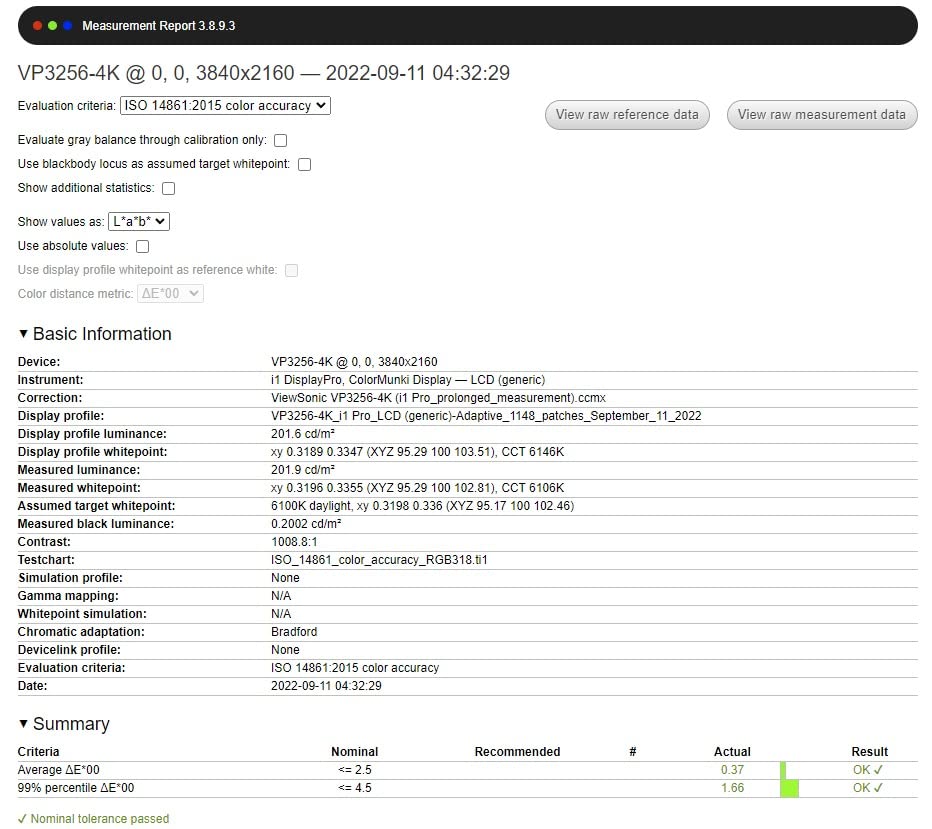
The ViewSonic VP3256-4K is the big-screen value play, putting a 32-inch 4K Pantone Validated panel in reach of editors who thought that size required spending far more. Color accuracy matches its 27-inch sibling with Delta E under 2 and 100 percent sRGB coverage. The extra five inches come from larger pixels rather than more of them, so the panel stays comfortable at arm’s length.
That 32-inch size changed how I work in Resolve. The node graph, keyframes, and gallery stills stay readable while the viewer sits large in the center, which is what a timeline-focused editor wants. Two HDMI ports plus USB-C and a USB hub handled a workstation, a laptop, and a client playback device at once.
The same 4.4-star rating across 380 reviews as the VP2756-4K shows a consistent family, and the panel in my tests behaved the same way. The 16:9 IPS surface held contrast at off-angles during client sessions. Brightness is a steady 350 nits, and Adaptive Sync keeps scrubbing smooth.
HDR10 support is listed, but at 350 nits with an sRGB gamut it will not show you a truthful HDR grade. Treat it as a playback convenience for checking that an HDR file exists and is intact. The OSD is clunky, speakers are basic, and there is no Mac pivot rotation, echoing the smaller model.
Stock is limited at times, usually down to a handful of units, which is common for pro-focused ViewSonic panels. A three-year warranty covers parts, labor, and backlight. At 24 pounds, it is noticeably heavier than the 27-inch models, so plan your mounting accordingly.
For a two-monitor suite, this size works best as the primary with a smaller calibrated panel beside it for scopes and bins. Off-axis stability meant a client on the couch saw essentially the image I saw at the desk. If your editing day is measured in panels open at once, the extra real estate pays for itself in saved toggling.
Who should buy the VP3256-4K
Buy it if you want maximum calibrated screen area for Rec.709 editing without reference-monitor money. It suits timeline-heavy editors who keep panels, scopes, and bins visible at once, and it doubles well as a client-facing display in a small suite.
Who should skip the VP3256-4K
Skip it if you need DCI-P3 gamut or honest HDR monitoring, and skip it if your desk depth cannot handle a 32-inch panel at proper viewing distance. The PA279CRV covers wide gamut in a smaller package.
7. ASUS ProArt PA27UCDMR – Best QD-OLED for HDR Grading
ASUS ProArt PA27UCDMR 27 Inch 4K 240Hz OLED Professional Monitor for Mac
27 inch 4K QD-OLED
99% DCI-P3
Delta E under 1
Thunderbolt 4
240 Hz
True 10-bit
Pros
- QD-OLED panel with exceptional contrast
- 240 Hz refresh rate for smooth motion
- 99% DCI-P3 coverage
- Thunderbolt 4 with 96W power delivery
- Delta E under 1 color accuracy
Cons
- No customer reviews yet
- New product with limited track record
The PA27UCDMR is the most exciting panel technology in this lineup, a 27-inch 4K QD-OLED with a 1,500,000:1 contrast ratio and true 10-bit color. The first time I pulled up a night scene, the difference was immediate: blacks stayed black instead of glowing gray, and shadow detail appeared that IPS panels simply hide. For anyone grading moody work, that contrast is the entire argument.
The specs read like a reference display in gaming clothing, with 99 percent DCI-P3, Delta E under 1, Calman Ready auto calibration support, Dolby Vision, HDR10, and HLG. The Quantum Dot layer plus true 10-bit depth means smooth gradients with no banding in skies and skin falloff. Thunderbolt 4 with 96W charging handles a full MacBook Pro rig over one cable.
The 240 Hz refresh and 0.1 ms response have nothing to do with grading, but they make this the only display here that doubles as a serious gaming panel. VESA DisplayHDR True Black 400 certification is the honest HDR flag here, reflecting OLED per-pixel contrast rather than headline brightness. Peak brightness hits 1000 nits in small highlights, while full-screen brightness is lower, which is inherent to OLED physics.
Two caveats kept this from a higher slot. It is a brand-new release with no customer reviews yet, so there is no long-term reliability record to lean on. And OLED burn-in is a real consideration when static UI like the Resolve node graph sits on screen for ten hours a day.
How to avoid burn-in on an OLED grading display
Run pixel shift and screen move features, enable taskbar auto-hide, and let the ambient light sensor dim the panel during long sessions. The proximity sensor that wakes the display when you sit down is a thoughtful touch. ASUS covers the panel with the same five-year warranty found across the ProArt line, which takes much of the risk out of trying OLED.
Who should buy the PA27UCDMR
Buy it if you grade dark, cinematic, or HDR-leaning work and want per-pixel contrast with Delta E under 1 accuracy. It is ideal for editors who also game, and for Mac users who want Thunderbolt 4 with full 96W charging. Early adopters who accept a thin review history get the best panel tech here.
Who should skip the PA27UCDMR
Skip it if you need a proven track record and heavy review validation before spending this much. Skip it if your suite runs static UI constantly and burn-in risk worries you. Editors who need reference-grade sustained brightness for HDR mastering should consider the PA32UCXR next.
8. ASUS ProArt PA32UCXR – Best Mini-LED for Reference-Grade HDR
ASUS ProArt Display 32” 4K HDR Mini-LED Professional Monitor (PA32UCXR) – UHD (3840 x 2160), Built-in Motorized Colorimeter, Dolby Vision, 99% Adobe RGB, 97% DCI-P3, ΔE<1, Thunderbolt 4, 3 yr warranty
32 inch 4K Mini-LED
2304 zones
Delta E under 1
Dolby Vision
Thunderbolt 4
Colorimeter
Pros
- Exceptional HDR performance with Mini-LED
- Built-in motorized colorimeter for self-calibration
- 99% Adobe RGB and 97% DCI-P3 coverage
- Delta E under 1 color accuracy
- Thunderbolt 4 with 90W power delivery
Cons
- Quality control issues reported
- Very limited stock
- Expensive
- Some units had defective hood and display issues
The PA32UCXR is the closest thing to a reference monitor in this group, a 32-inch 4K Mini-LED with 2,304 local dimming zones, 1000 nits sustained and 1600 nits peak brightness, and Delta E under 1. HDR highlights behave like they do on a proper mastering display instead of flattening into gray. Dolby Vision, HDR10, and HLG support cover the formats streaming clients actually ask for.
The built-in motorized colorimeter is the killer feature, because the monitor swings its own probe into place on a schedule and recalibrates itself overnight. No probe sharing, no manual sessions, no drift between projects. True 10-bit color depth and 99 percent Adobe RGB plus 97 percent DCI-P3 coverage put both photo and cinema gamuts in one panel.
I have to be blunt about the risks, because the 3.9-star average comes from only five reviews. Buyers report quality control issues, including defective hoods and display faults on some units. Stock is usually down to single units, and the price is reference-adjacent, so treat this as a buy-with-a-plan purchase.
That plan starts with the five-year ProArt warranty, which makes the QC reports manageable rather than disqualifying. Thunderbolt 4 with 90W delivery supports a Mac Studio or MacBook Pro cleanly. If you master HDR for clients and cannot justify a dedicated reference monitor from Flanders Scientific or Sony, this is the pragmatic middle path.
For SDR Rec.709 work, this monitor is honestly overkill, and the cheaper panels above serve you just as well. Where it earns its slot is a suite that mixes Rec.709, P3, and HDR deliverables and needs one display doing all three credibly. Used that way, it replaces two devices in the signal chain.
Who should buy the PA32UCXR
Buy it if you master HDR or Dolby Vision content, need scheduled self-calibration for a shared suite, or want a single display covering Adobe RGB photo work and DCI-P3 video work. It fits a busy studio that can manage a possible warranty exchange.
Who should skip the PA32UCXR
Skip it if your work is Rec.709 web delivery, because the PA279CRV does that for a fraction of the money. Skip it if a tiny review pool and QC reports make you nervous. Skip it if you need guaranteed availability this week, given single-unit stock.
How to Choose a Color Grading Monitor?
Picking the right grading monitor comes down to matching the display to your delivery format, your room, and your computer. These are the factors I weigh before any purchase.
Panel technology: IPS, OLED, QD-OLED, or Mini-LED
IPS is the dependable default, offering consistent color, wide viewing angles, and no burn-in risk, which is why six of our eight picks use it. OLED and QD-OLED deliver per-pixel blacks and enormous contrast, but full-screen brightness is lower and static UI carries burn-in risk. Mini-LED uses thousands of dimming zones to chase OLED contrast while sustaining much higher brightness for HDR, at a premium.
For most editors cutting and grading Rec.709, a good IPS is the right answer. Choose QD-OLED for dark cinematic material, and Mini-LED if you master HDR for paying clients.
Color space coverage: Rec.709, sRGB, and DCI-P3
Rec.709 is the HD broadcast and web standard, and practically every display here covers 100 percent of it. DCI-P3 is the cinema and modern streaming gamut, and forum colorists recommend a minimum of 90 percent coverage, with the best panels at 98 percent or more.
Match gamut to delivery, not to ambition. If you deliver YouTube and corporate video, full sRGB and Rec.709 coverage is the whole job. If you grade for cinema, streaming platforms, or HDR, DCI-P3 coverage is non-negotiable.
Delta E and what the numbers mean
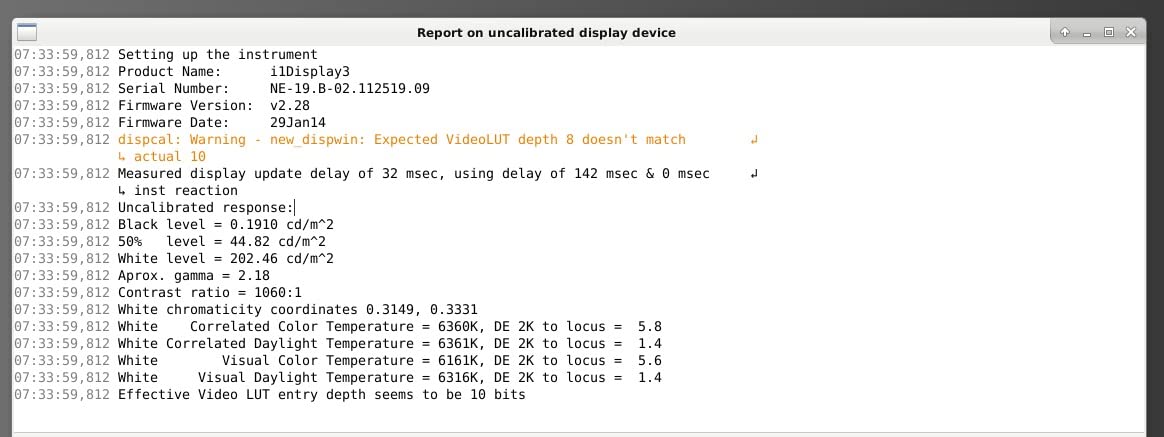
Delta E measures how far a displayed color sits from the target value. Below 2 is professional grade, below 1 is reference grade, and above 3 starts showing visible drift in skin tones. Every monitor in this guide ships at Delta E under 2 or better.
The number that matters is the measured average, not the badge on the box. Look for a factory calibration report with actual figures, which BenQ prints in the box. Then re-verify with your own probe after a few months, because panels drift.
Hardware calibration versus software calibration
Software calibration builds an ICC profile in your operating system that corrects color after the GPU sends the signal. The problem, a constant source of confusion on forums, is that video playback apps and full-screen viewers routinely ignore that profile. You can be looking at an uncorrected image while believing it is calibrated.
Hardware calibration writes corrections into the monitor’s own electronics, so every input and every app sees the corrected image. The PA32UCXR’s motorized colorimeter is the gold standard here, and the PA27UCDMR’s Calman Ready support is close behind. This is the only way to trust what a client watches on the same screen.
Why DisplayHDR 400 badges are useless for grading
DisplayHDR 400 certification only requires 400 nits peak brightness and minimal wide gamut coverage, with no local dimming zones required. A monitor wearing that badge is often an ordinary SDR panel with an HDR sticker. Grading HDR on one means grading blind.
The certifications worth respecting are VESA DisplayHDR 1000 and above, DisplayHDR True Black for OLED, and Dolby Vision support. Sustained brightness and dimming zone count tell you more than any badge. This is the most common trap in forum buyer questions.
Connections and Mac versus Windows
USB-C with power delivery is the modern baseline, running video, data, and laptop charging over one cable at 60W to 96W. Thunderbolt 4 adds daisy-chaining and higher bandwidth for Mac Studio users. DisplayPort 1.4 handles 4K at 60 Hz reliably, and HDMI 2.1 covers consoles and cameras.
Color management differs between platforms. macOS applies color management system-wide and handles ICC profiles in video apps more consistently, while Windows behavior varies by app, driver version, and whether HDR mode is toggled on. Either way, turn off GPU driver enhancements like dynamic contrast before you trust any grade.
The clean feed: why professionals use an I/O box
A grading monitor needs a clean signal, meaning video that goes from your editing app to the display without GPU or OS processing in between. An I/O box like a Blackmagic UltraStudio or DeckLink pulls the signal straight from your software and sends a proper video output, bypassing the desktop color pipeline entirely. Resolve is built around this workflow.
Without that step, your calibrated monitor may be showing a GPU-processed desktop image rather than a video signal. For Rec.709 web work on a calibrated panel, the risk is modest. For broadcast or HDR deliverables, an I/O box belongs in the budget right next to the display.
Your room matters as much as your panel
Even a perfect monitor lies in a bad room. Daylight across a screen destroys shadow judgment, colored walls tint your perception, and a screen against a black wall strains your eyes. Keep the wall behind the monitor neutral gray and block direct light from hitting the panel.
Bias lighting, a dim neutral light behind the display, keeps your perception of contrast stable across a ten-hour day. Aim for around 6500K at roughly ten percent of screen brightness. It is the cheapest color accuracy upgrade nobody buys.
When do you actually need a reference monitor
A true reference monitor from Flanders Scientific, Sony, or Canon, fed by SDI through an I/O box, is the standard for Netflix-style deliverables and supervised sessions. It buys calibration traceability, strict tolerances, and support infrastructure. Working colorists report that calibrated prosumer panels like these get them 99 percent of the way there in measured accuracy.
The honest dividing line is deliverable and liability, not image quality alone. If a platform spec or client contract names a reference display, rent or buy one for that work. For web, corporate, and most streaming content, every monitor in this guide holds up.
Frequently Asked Questions
What is the best professional monitor for color grading?
The ASUS ProArt PA32UCXR is the most professional pick here, with 2,304 Mini-LED dimming zones, 1000 nits sustained brightness, Delta E under 1, Dolby Vision support, and a built-in motorized colorimeter that recalibrates the panel automatically. For most working colorists, the ASUS ProArt PA279CRV is the smarter buy, combining 99 percent DCI-P3 coverage, Delta E under 2, and USB-C with 96W charging at a far lower cost.
Which display is best for color grading?
For Rec.709 web and broadcast work, the ASUS ProArt PA278QV is the best value with 100 percent sRGB and Rec.709 coverage plus Calman Verified Delta E under 2. For DCI-P3 and HDR work, the ASUS ProArt PA27UCDMR QD-OLED delivers 99 percent DCI-P3, true 10-bit color, and Delta E under 1. Match the display to your delivery format rather than chasing specs.
Which monitor brand has the best color accuracy?
ASUS ProArt is the strongest value in accurate color, with Calman Verified factory calibration across the line, published Delta E data, and a five-year warranty. BenQ PD series is close behind thanks to AQCOLOR validation and factory uniformity correction. Flanders Scientific and Sony remain the reference standards at the professional tier, and ViewSonic Pantone Validated ColorPro line is a solid budget alternative.
Is IPS or OLED better for color accuracy?
IPS is better for consistent accuracy across long sessions and viewing angles, with no burn-in risk and stable calibration, which is why it dominates professional editing. OLED and QD-OLED deliver per-pixel blacks and higher contrast, making them better for judging shadow detail in dark scenes, but full-screen brightness is lower and static editing interfaces carry burn-in risk. Many colorists run an IPS as the main display and an OLED for evaluation.
What is a good Delta E for color grading?
Delta E under 2 is professional grade and the standard to demand, meaning color errors are too small for most people to see. Delta E under 1 is reference grade and what high-end grading displays deliver. Anything above Delta E 3 produces visible drift, especially in skin tones, so verify your panel with a calibration probe a few times a year because all displays drift over time.
Can I use an OLED TV for color grading?
You can, with real limits. Consumer OLED TVs have excellent contrast but apply their own video processing, dynamic tone mapping, and image enhancements that shift color and are difficult to fully disable, so the signal you see is not clean. A pro OLED monitor like the ASUS ProArt PA27UCDMR avoids this with Calman Ready calibration and true 10-bit input. If you use an OLED TV, put it behind an I/O box delivering a clean feed, lock it to a filmmaker or game mode, and verify it against a probe.
Final Verdict: Which Grading Monitor Should You Buy?
For most editors searching for the best editing monitor for color-accurate grading in 2026, the ASUS ProArt PA279CRV is the answer, with 4K sharpness, 99 percent DCI-P3, and single-cable USB-C in a factory-calibrated package. Web-only editors should save money with the PA278QV, students can start honestly on the PA248QV, and Mac-first buyers will love the BenQ PD2705U with its HotKey Puck and uniformity correction.
HDR specialists have two strong paths: the PA27UCDMR QD-OLED for per-pixel contrast and Delta E under 1, or the PA32UCXR Mini-LED for Dolby Vision mastering with self-calibration. Whichever display you choose, budget for a calibration probe, tame your room lighting, and add bias lighting behind the screen. The monitor is only one part of telling the truth with color.