
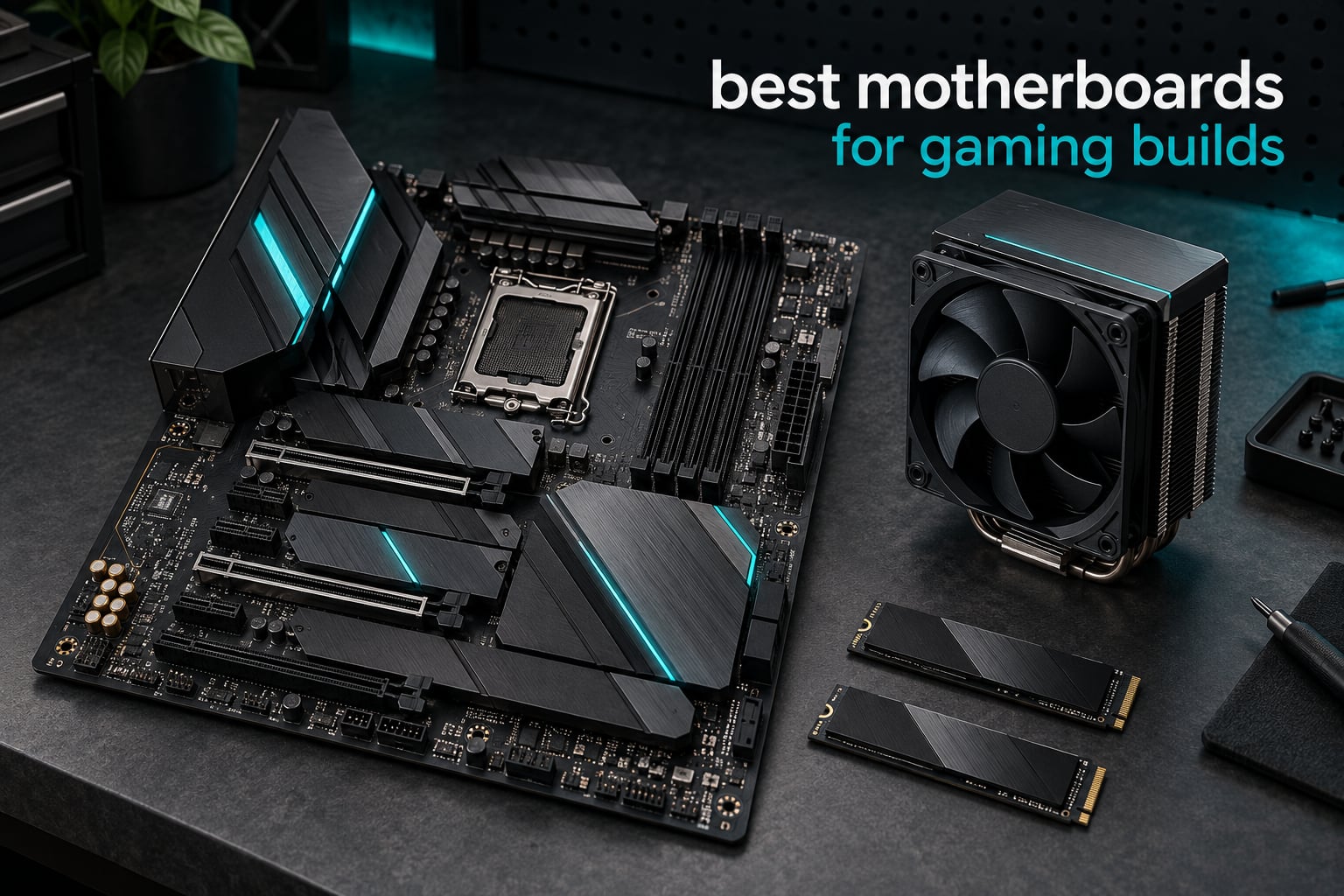
A motherboard does not make your games faster. It decides whether your parts work together at all, and which upgrades you can make later. For the best motherboards for gaming builds in 2026, the right board is simply the one whose socket matches your CPU, whose size fits your case, and whose chipset tier suits your budget. Everything past that is preference.
Our top pick is the GIGABYTE B650 AORUS Elite AX, which pairs 14+2+1 power phases, a PCIe 5.0 M.2 slot, 2.5GbE and WiFi 6E with the widest owner base in this roundup. The ASUS ROG Strix B650-A Gaming WiFi is our pick if you plan to push power or memory limits, and the MSI MAG B650 Tomahawk WiFi wins on storage with four M.2 slots and six SATA ports.
Everything below is an AM5 ATX board, because that is the platform and size where gaming builders concentrate. If your CPU is Intel, or your case is micro-ATX or mini-ITX, the buying guide and FAQ explain which way to go instead. Once the machine is built, our guides to the best gaming earbuds and the best microphones for gaming cover the rest of the setup.
Table of Contents
- How We Picked These Boards
- Top 3 Best Motherboards for Gaming Builds in October
- Every Board in This Roundup at a Glance in 2026
- 1. GIGABYTE B650 AORUS Elite AX – Best Overall AM5 Gaming Motherboard
- 2. ASUS ROG Strix B650-A Gaming WiFi – Best for Overclocking
- 3. MSI MAG B650 Tomahawk WiFi – Best Value for Storage Heavy Builds
- 4. GIGABYTE B650 Eagle AX – Budget Pick
- 5. ASUS ROG Strix X870-A Gaming WiFi – Best for a Flagship AM5 Build
- 6. MSI MAG X870 Tomahawk WiFi – Best for 5G Networking
- 7. MSI B650 Gaming Plus WiFi – Best for First-Time Builders
- 8. ASUS TUF Gaming B850-PLUS WiFi – Best for DDR5 Memory Overclocking
- Does Your Motherboard Change Gaming Performance?
- How to Choose a Gaming Motherboard
- Frequently Asked Questions
- The Board to Build Around
How We Picked These Boards
Every board here is AM5 socket, ATX sized, DDR5, and aimed at a Ryzen 7 9800X3D or Ryzen 9 9950X3D class gaming machine. We lined up the full specification of each one, then read owner reviews closely to separate what a spec sheet promises from what people report after months of use.
Five things decided every ranking: power delivery quality for high-wattage X3D chips, how many M.2 slots you get without losing GPU bandwidth, networking speed, how painless the BIOS is, and whether the board has the tool-free fittings that make a first build less stressful. We did not run a synthetic framerate suite across these eight boards, so we make no benchmark claims in this guide.
Review counts are weighted in your favour here. A board with 1,500 owners telling you the BIOS is confusing tells you something real; a board with 400 owners tells you less. Long-term reports on VRM temperatures, fan noise and update friction carried the most weight in every section below.
Top 3 Best Motherboards for Gaming Builds in October


ROG Strix B650-A
- 12+2 power stages
- PCIe 5.0 plus two 4.0 M.2 slots
- 20Gbps Type-C
- BIOS Flashback

MAG B650 Tomahawk WiFi
- 14+2+1 power phases
- 4x M.2 with Shield Frozr
- 6 SATA ports
- DDR5 to 7600 MHz
The Aorus Elite AX wins because it does the unglamorous things well: a 70A-rated VRM, an eight-layer PCB, a PCIe 5.0 NVMe slot and both 2.5GbE and WiFi 6E. The ROG Strix B650-A takes the tuning crown with its ROG BIOS, and the Tomahawk gives you the most storage and SATA of any board at this tier.
Every Board in This Roundup at a Glance in 2026
| Product | Specs | Action |
|---|---|---|
| GIGABYTE B650 AORUS Elite AX |
|
Check Latest Price |
| ASUS ROG Strix B650-A Gaming WiFi |
|
Check Latest Price |
| MSI MAG B650 Tomahawk WiFi |
|
Check Latest Price |
 GIGABYTE B650 Eagle AX GIGABYTE B650 Eagle AX |
|
Check Latest Price |
 ASUS ROG Strix X870-A Gaming WiFi ASUS ROG Strix X870-A Gaming WiFi |
|
Check Latest Price |
 MSI MAG X870 Tomahawk WiFi MSI MAG X870 Tomahawk WiFi |
|
Check Latest Price |
 MSI B650 Gaming Plus WiFi MSI B650 Gaming Plus WiFi |
|
Check Latest Price |
 ASUS TUF Gaming B850-PLUS WiFi ASUS TUF Gaming B850-PLUS WiFi |
|
Check Latest Price |
Five of the eight sit on the older B650 chipset, which is still the value king for AM5. The three X870 and B850 boards at the end of the list add USB4, WiFi 7, faster networking and more power headroom, and they are the ones to look at if you are pairing a 9950X3D with heavy streaming or editing work.
1. GIGABYTE B650 AORUS Elite AX – Best Overall AM5 Gaming Motherboard
GIGABYTE B650 AORUS Elite AX AMD AM5 ATX Motherboard, Support Ryzen 9000/8000/7000 Series, DDR5, 14+2+1 Power Phase, PCIe 5.0 M.2, USB-C 3.2 Gen 2, WIFI6E, 2.5GbE, EZ-Latch, Q-Flash, RGB Fusion
AM5 B650 chipset
ATX
14+2+1 phases
DDR5 to 128GB
WiFi 6E + 2.5GbE
Pros
- 14+2+1 phases with 70A power stages
- PCIe 5.0 x4 NVMe M.2 slot
- 2.5GbE LAN and WiFi 6E included
- Q-Flash Plus recovers a failed BIOS
- EZ-Latch tool-free PCIe retention
Cons
- Three M.2 slots rather than four
- No USB4 port on the rear panel
- BIOS layout takes some getting used to
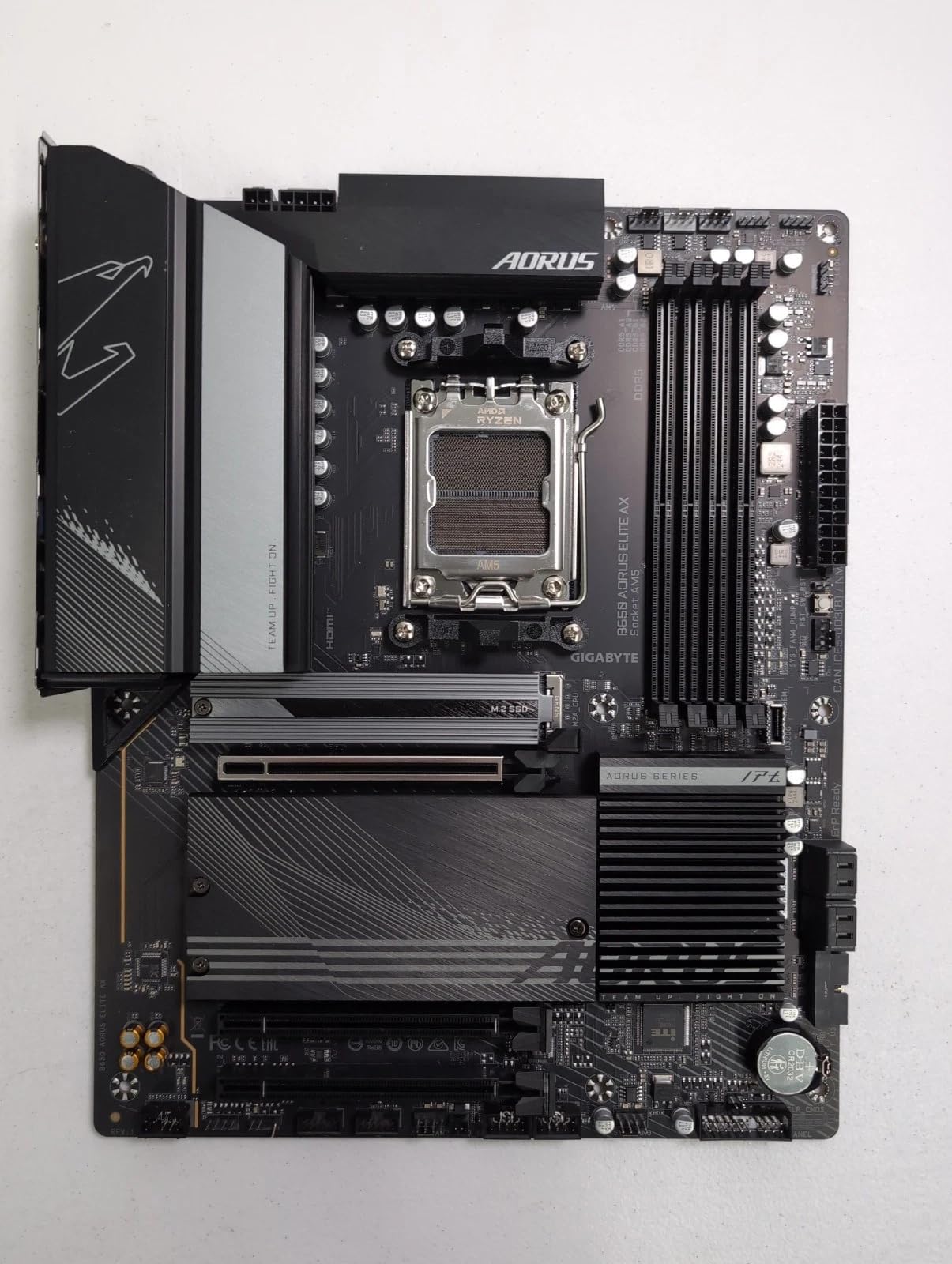
This is the board I keep coming back to for anyone building a Ryzen 7 9800X3D gaming machine on AM5. The B650 AORUS Elite AX weighs 4.4 pounds, uses an eight-layer two-copper PCB, and runs a 14+2+1 phase design built around 70A power stages with a 6mm heatpipe under fully covered MOSFET heatsinks. That is more headroom than a 9800X3D or a 9950X3D will ever draw.
Storage is where it hedges sensibly: one PCIe 5.0 x4 M.2 slot for a fast Gen5 drive, plus two further M.2 mounts and four SATA ports. You are not going to run out of storage, and the top slot will take a drive now or one you add in three years.
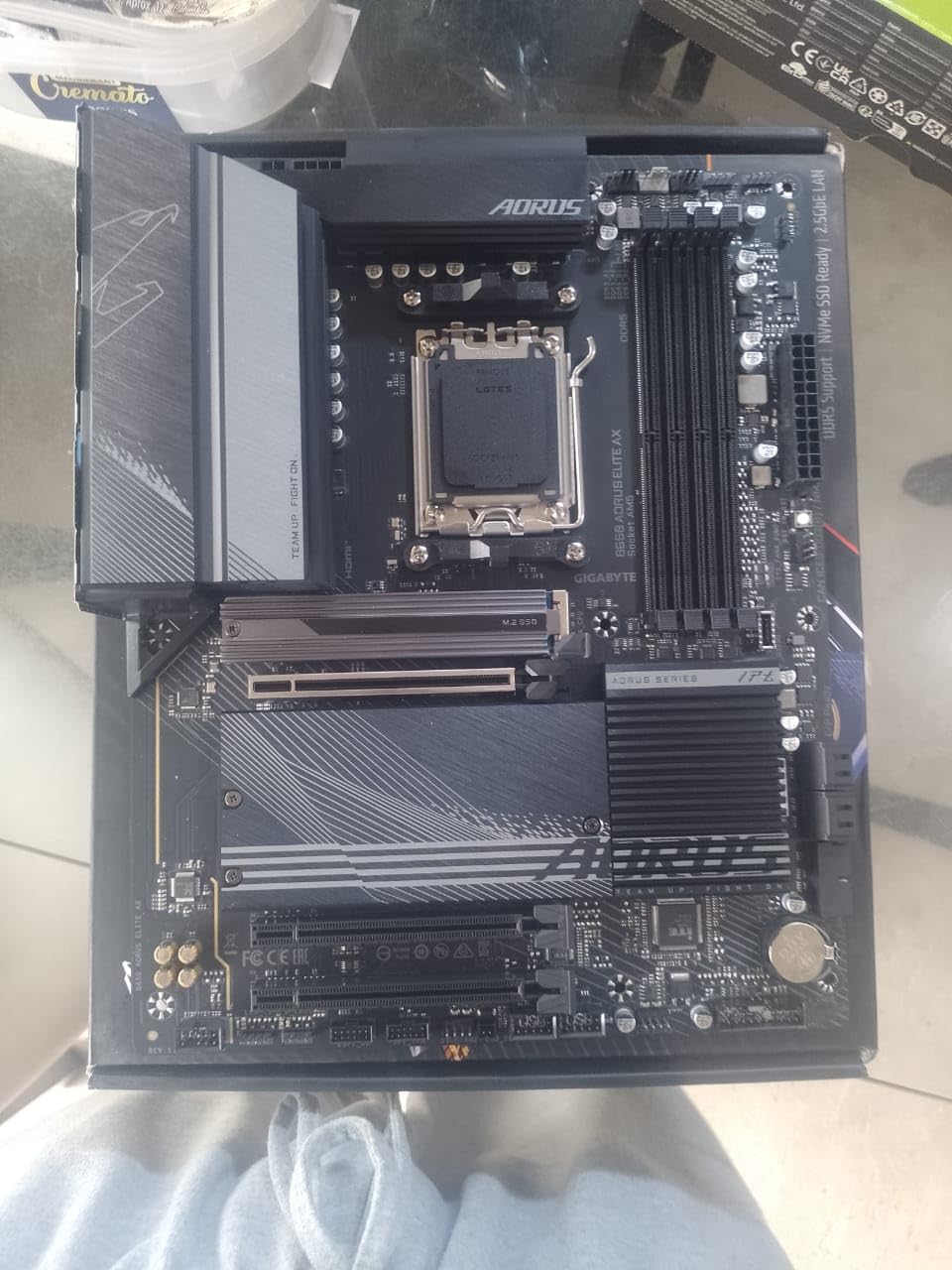
Networking is the quiet strength. A 2.5GbE port handles gigabit-plus fibre, and WiFi 6E with Bluetooth is on board, so you are not adding a PCIe adapter and blocking a slot to get online. Audio is handled by a Realtek ALC1220, which is a step above the codec you get on a budget board.
Q-Flash Plus is the feature that quietly saves builds. You can flash the BIOS from a USB stick with no CPU installed at all, which matters if you buy an older Ryzen 5000 or 7000 chip and the board shipped with a newer BIOS. The EZ-Latch PCIe retention also means you do not need a screwdriver to fit a graphics card.
What makes this the pick for most gaming builds
It is the rare board where the compromises are in the places that do not matter. Three M.2 slots is one short of the Tomahawk, and there is no USB4 port on the back panel. Neither of those shows up in a framerate, a boot time, or a fan curve.
What you do get is a VRM that will not care about your CPU choice, a 2.5GbE port that will outrun most home connections, and wireless included. For a pure gaming machine that stays in a case for five years, that is the whole argument.
Where it falls short
Owners consistently rate the BIOS as competent rather than friendly, and settings are spread across more menus than some competitors use. If you have never touched UEFI before, the ASUS and MSI boards in this list present a gentler first-run experience.
There is also no USB4 anywhere on the board, so an external drive or dock over 40Gbps means an add-in card. For a desktop-only gaming rig that is a theoretical problem, not a practical one.
2. ASUS ROG Strix B650-A Gaming WiFi – Best for Overclocking
ASUS ROG Strix B650-A Gaming WiFi AMD B650 AM5 Ryzen™ Desktop 9000 8000 & 7000 ATX motherboard, 12 + 2 power stages, DDR5, 3x M.2 slot, PCIe® 4.0, 2.5G LAN, WiFi 6E, USB 3.2 Gen 2×2 Type-C®, Aura Sync
AM5 B650 chipset
ATX
12+2 power stages
DDR5 to 128GB at 6400
Pros
- 12+2 power stages with 8+4 pin ProCool connectors
- Massive VRM heatsinks with thermal pads
- 1x PCIe 5.0 M.2 plus 2x PCIe 4.0 M.2
- 20Gbps USB-C on the rear panel
- BIOS Flashback and Aura Sync
Cons
- Nine USB ports is fewer than rival ATX boards
- No USB4 support
- A BIOS update may be needed for Ryzen 8000 and 9000 chips
The ROG Strix B650-A is the board to buy if you plan to tune things. Twelve plus two power stages feed from dual 8+4 pin ProCool connectors through alloy chokes, and the VRM heatsinks are the largest in this roundup, cut with airflow channels and high-conductivity pads. Pair it with a 9800X3D and the boost behaviour is extremely stable.
Memory is the other reason enthusiast builders land here. Listed support runs to 6400 MHz on four DDR5 DIMM slots up to 128GB, with EXPO and XMP profiles handled by the ROG BIOS. That BIOS is dense, and the AI overclocking tools are genuinely useful rather than a menu of checkboxes.
You get one PCIe 5.0 M.2 and two PCIe 4.0 M.2 slots, all fitted with heatsinks, plus four expansion slots on the board. That is more PCIe headroom than the X870 boards here, which matters if you plan to add a capture card, a second GPU slot device or an extra NVMe adapter.
Connectivity is solid rather than spectacular. WiFi 6E, 2.5G LAN and a rear USB 3.2 Gen 2×2 Type-C at 20Gbps cover most builds. The audio codec is a Realtek ALC4080, and BIOS Flashback lets you update without a working processor.
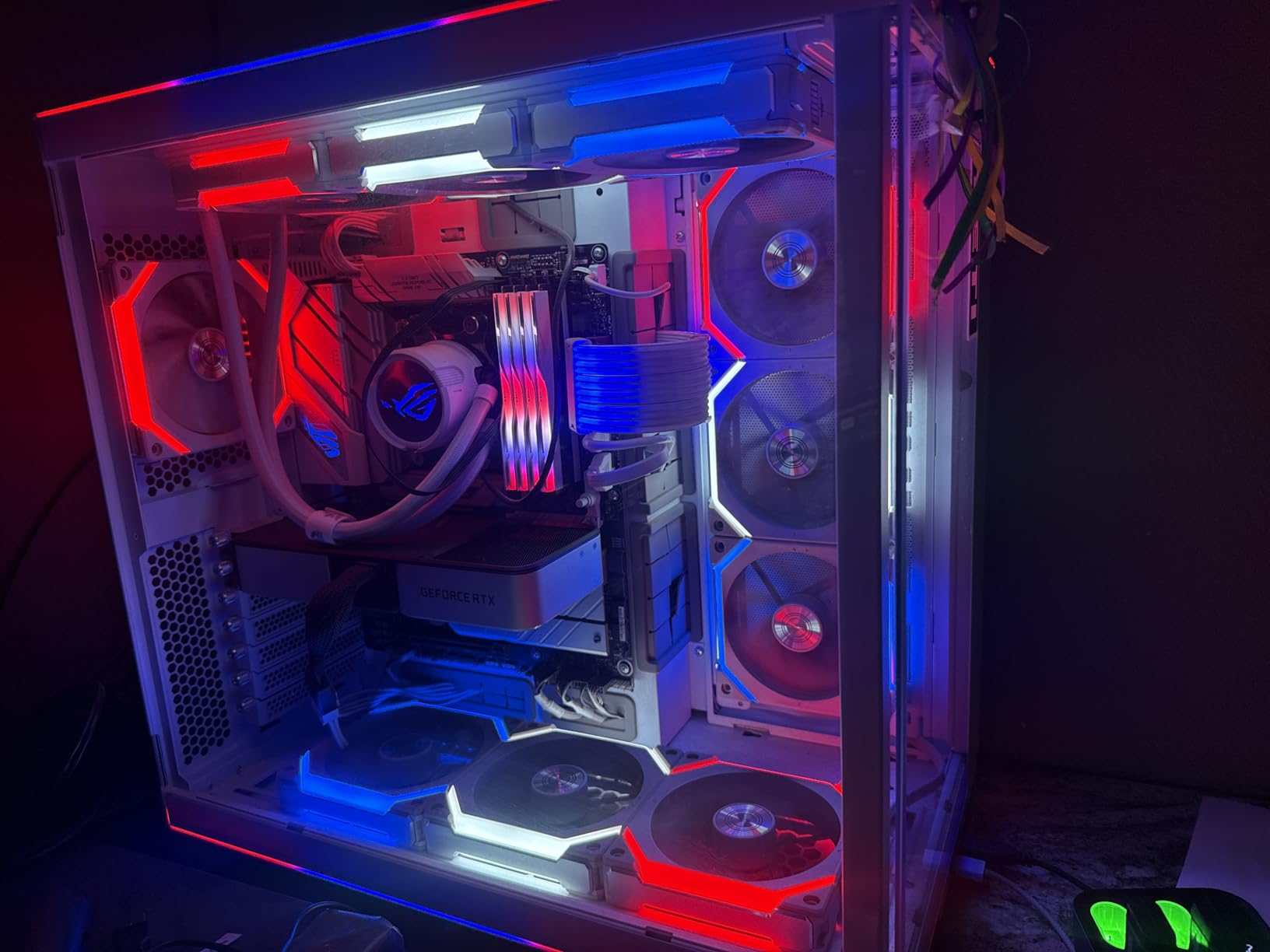
Why it suits an enthusiast build
When you are chasing memory timings or power limits, the board that gives you the cleanest tools and the coolest VRM wins, and that is the ROG Strix B650-A. The Aura Sync lighting also makes it the easiest board here to coordinate with a themed case and matching RAM.
BIOS Flashback removes the most common first-build failure. If the CPU you bought needs a newer BIOS than the board shipped with, you flash it from a USB stick before the processor ever goes near the socket.
Where it falls short
Nine USB ports is a real reduction against rivals, and there is no USB4 on the rear. If you run a stream deck, a high-resolution capture card, a controller hub and a headset, you should count ports before you commit.
The manual and the BIOS both ask for attention. Buyers upgrading from a simpler brand regularly report that the option layout takes a weekend to learn, though the payoff is a much finer-grained control panel afterwards.
3. MSI MAG B650 Tomahawk WiFi – Best Value for Storage Heavy Builds
MSI MAG B650 Tomahawk WiFi Gaming Motherboard (AMD Ryzen 9000/8000/7000 Series Processors, AM5, DDR5, PCIe 4.0, M.2, SATA 6Gb/s, USB 3.2 Gen 2, HDMI/DP, Wi-Fi 6E, Bluetooth 5.3, 2.5Gbps LAN, ATX)
AM5 B650 chipset
ATX
14+2+1 phases
4x M.2
6 SATA ports
Pros
- 14+2+1 Duet Rail power system
- Four M.2 slots with Shield Frozr heatsinks
- Six SATA ports
- WiFi 6E with 2.5G LAN
- DDR5 support listed to 7600 MHz
Cons
- No PCIe 5.0 M.2 slot
- No USB4 support
- Graphics options are limited to display outputs
The MAG B650 Tomahawk is the board storage-heavy builders gravitate to, and it is the recommendation that comes up most often in AM5 threads. Four M.2 slots plus six SATA ports is more than anything else in this list, so a library of NVMe drives and a couple of hard drives will fit without adapters.
Power delivery is a 14+2+1 Duet Rail design, which on paper matches the Aorus Elite AX. The cooling solution is an extended heatsink with M.2 Shield Frozr covers on every drive, and owners running high-power X3D chips report VRM temperatures staying well inside comfort.
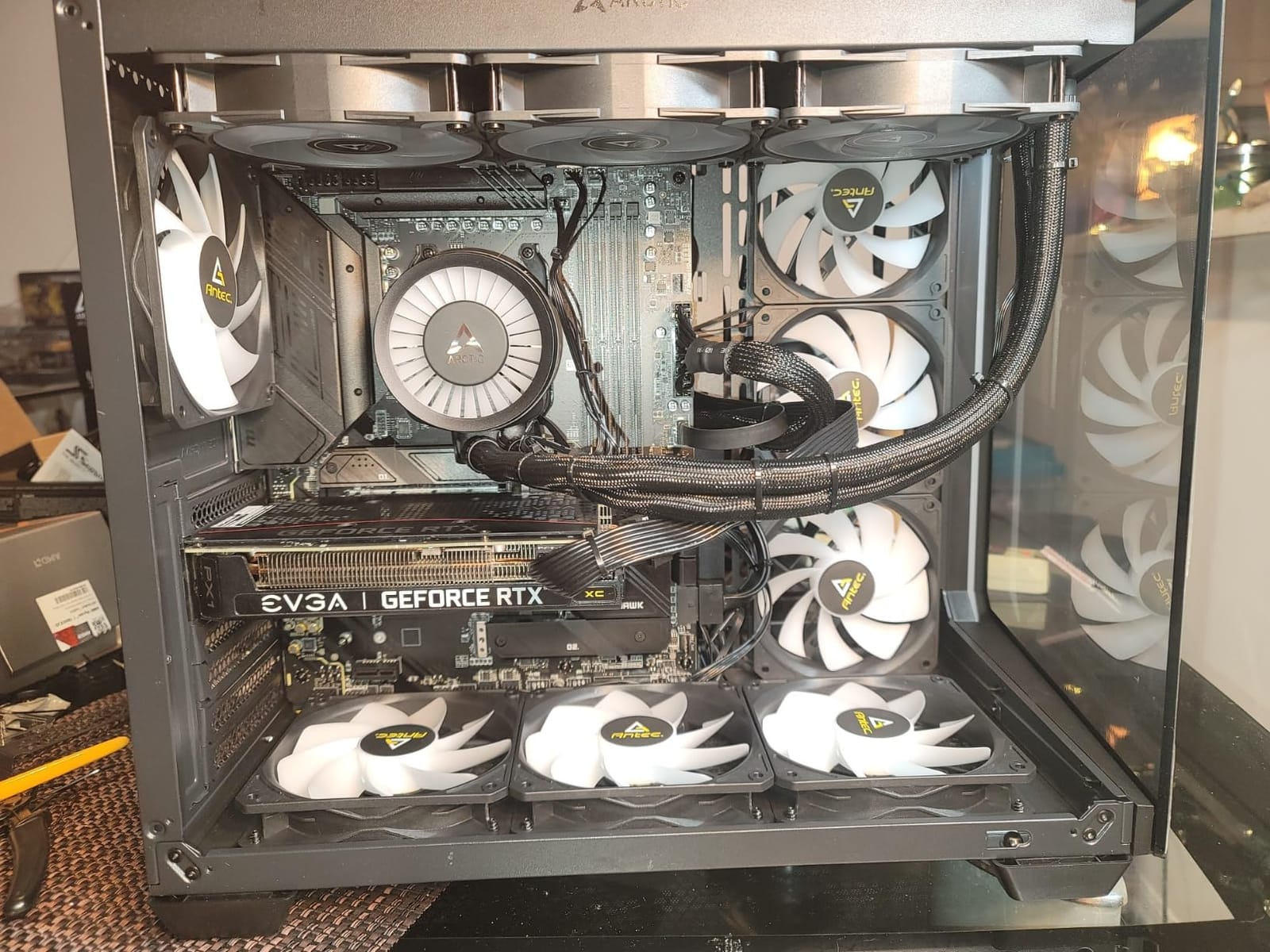
Memory support is listed to 7600 MHz on four DDR5 DIMMs up to 128GB, which makes it a good pairing for a 9950X3D where dual-rank memory tuning is part of the exercise. BIOS Flashback and a Clear CMOS button are both on the rear edge, taking the guesswork out of a failed boot.
Connectivity is the 2.5Gbps LAN plus Intel WiFi 6E with Bluetooth 5.3 combination, alongside ten USB ports and HDMI and DisplayPoint outputs. The Realtek ALC4080 codec handles audio, and Mystic Light covers the RGB header and any connected lighting.
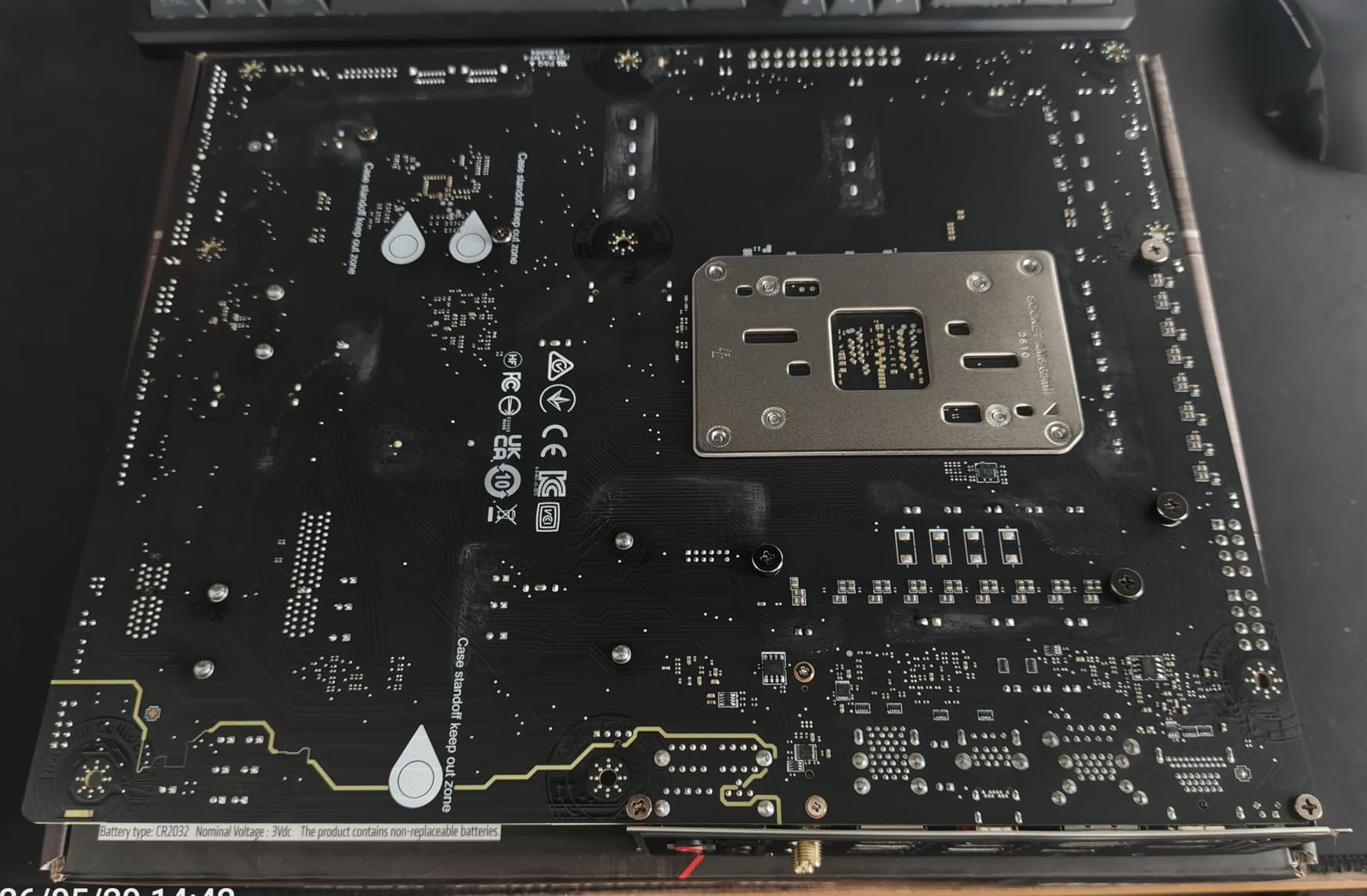
Who should buy the Tomahawk
If your plan involves more than one fast SSD, a big game library in a single boot drive, or an external NAS that needs SATA ports, this is the board that stops you adding a PCIe card later. Four M.2 mounts on an ATX board at this level is genuinely rare.
It is also the calmest choice for a 9950X3D that also does rendering work. The VRM has the headroom, the storage has the capacity, and the debug features mean a bad memory kit is a thirty-second fix rather than an evening.
Where it falls short
Every M.2 slot runs at PCIe 4.0, so there is no Gen5 drive slot. For gaming that costs you nothing measurable today, but it does close off a future upgrade path that the X870 boards keep open.
There is no USB4 anywhere, and some owners who expected a 40Gbps port at this tier found the omission frustrating. Worth deciding whether you need it before you buy rather than after.
4. GIGABYTE B650 Eagle AX – Budget Pick
GIGABYTE B650 Eagle AX AM5 LGA 1718 ATX Motherboard, DDR5, Triple M.2 Slots (1x PCIe 5.0, 2X PCIe 4.0), USB 3.2 Gen2x2 Type-C, WiFi 6E, Realtek GbE LAN
AM5 B650 chipset
ATX
12+2+2 phases
18 USB ports
WiFi 6E
Pros
- 18 USB ports
- highest I/O count in this roundup
- Dual GbE LAN ports plus WiFi 6E
- Q-Flash Plus BIOS recovery
- PCIe 5.0 M.2 slot included
- 12+2+2 digital VRM design
Cons
- Only one PCIe x16 slot for expansion
- No 2.5GbE networking
- Runs warm under sustained heavy loads
The B650 Eagle AX does something none of the other boards here attempt: it gives you eighteen USB ports. For a machine with a stream deck, a racing wheel, a hotkey pad, a headset dongle and external drives already wired, that port count removes an entire class of add-in card purchases.
You also get one PCIe 5.0 M.2 slot and two PCIe 4.0 slots, WiFi 6E, and two separate Gigabit Ethernet ports for a dual-homed or NAS setup. The VRM is a 12+2+2 digital design with Smart Fan 6 curve control and M.2 Thermal Guard heatsinks.
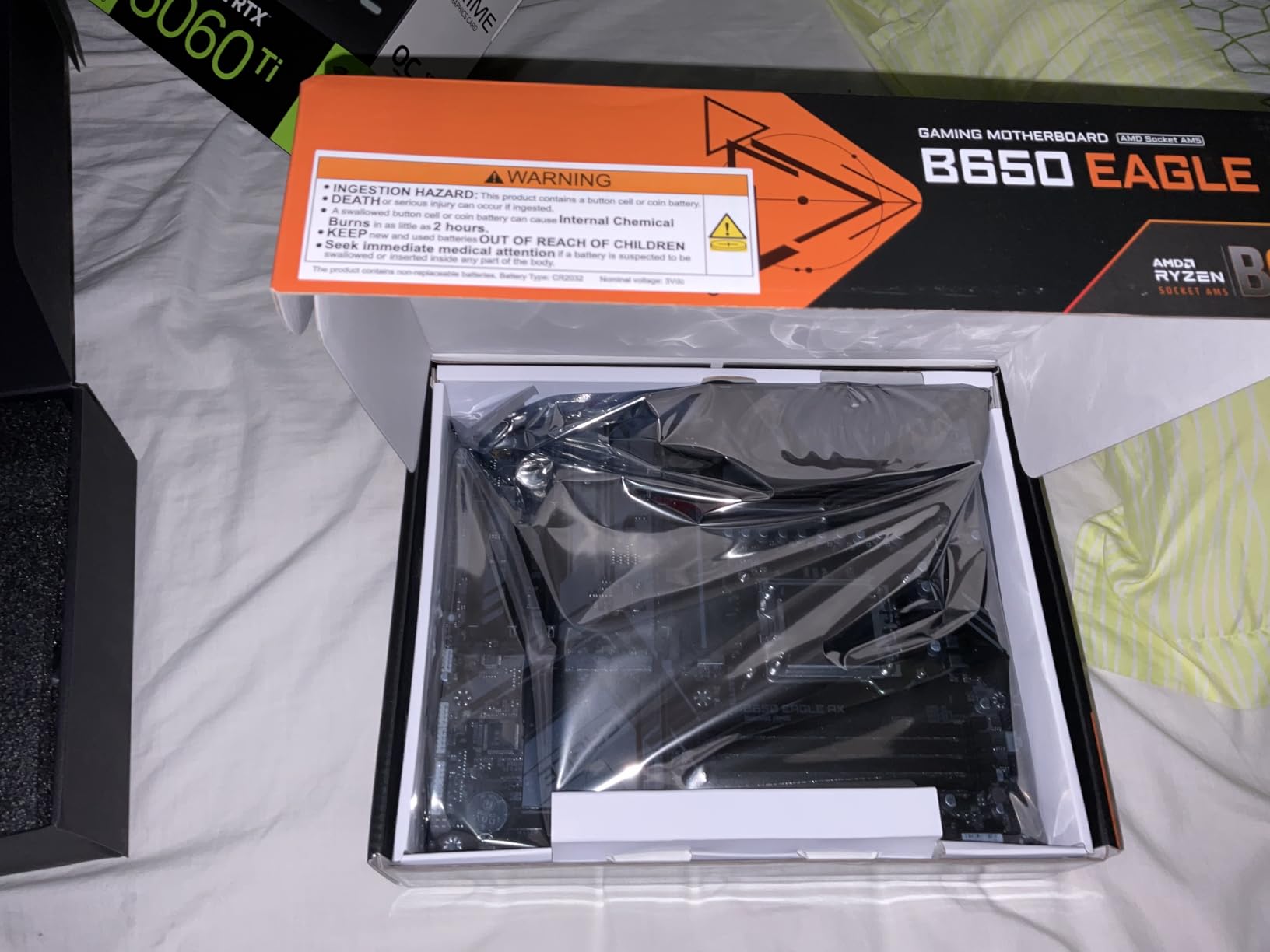
Reviewers consistently rate this the friendliest board in the list for a first build, largely because of Q-Flash Plus. You can flash or recover the BIOS from a USB stick without a processor, and the EZ-Latch fittings handle the graphics card without a screwdriver.
Memory is the softer side. Supported speed is listed to 5200 MHz on four DDR5 DIMM slots up to 128GB, with EXPO and XMP profiles supported. Fine for a gaming kit, but not the board to buy if memory tuning is part of your hobby.
Why this is the budget choice
It covers the three things a first gaming PC cannot skip: a current AM5 socket, a PCIe 5.0 storage slot, and wireless networking. Owners building their first Ryzen 7000 or 9000 system report a smooth experience from unboxing to first boot.
The port count makes it the most flexible board for peripherals, and the dual LAN is a genuine bonus for anyone running a home server or a second machine on the same desk.
Where it falls short
There is only one PCIe x16 slot, so expansion is effectively closed. Add a capture card and the option to slot a full-length card later disappears, which is a real limit for streamers.
Networking tops out at Gigabit Ethernet rather than 2.5GbE, and owners running sustained heavy CPU loads report the board running warm compared with the models with larger VRM heatsinks. Keep a case with airflow and it is not an issue.
5. ASUS ROG Strix X870-A Gaming WiFi – Best for a Flagship AM5 Build
ASUS ROG Strix X870-A Gaming WiFi AMD AM5 X870 ATX Motherboard 16+2+2 Power Stages, Dynamic OC Switcher, Core Flex, DDR5 AEMP, WiFi 7, 4X M.2, PCIe® 5.0, Q-Release Slim, USB4®, AI OCing & Networking
AM5 X870 chipset
ATX
16+2+2 at 90A
USB4 40Gbps
WiFi 7
Pros
- 16+2+2 power stages rated 90A per stage
- USB4 at 40Gbps on the rear panel
- WiFi 7 and 2.5G LAN
- Four M.2 slots with heatsinks
- Q-Release Slim graphics card latch
Cons
- Only two SATA ports
- Single PCIe x16 slot
- BUS is dense for first-time builders
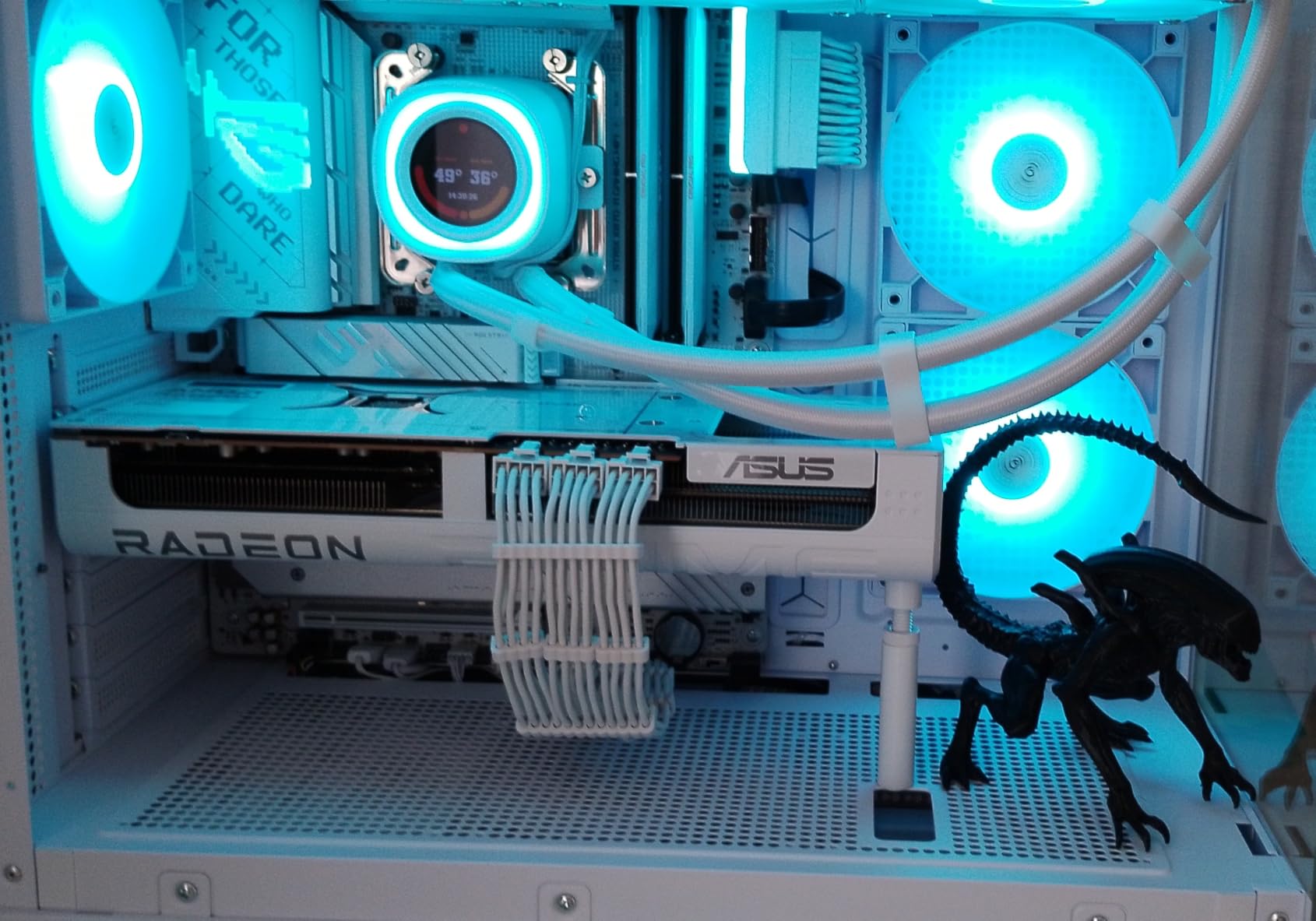
The ROG Strix X870-A is the most capable board in this roundup on paper, and the one to pair with a Ryzen 9 9950X3D when the machine is also a work machine. Sixteen plus two plus two power stages rated at 90A each feed through dual ProCool II connectors, and the whole VRM assembly is under a substantial heatsink.
This is the only board here with USB4 at 40Gbps on the rear panel, which opens up fast external storage and a wider range of docks. Networking is WiFi 7 alongside 2.5G LAN, and the AI Overclocking, AI Cooling II and AI Networking tools sit on top of the usual ROG tuning options.
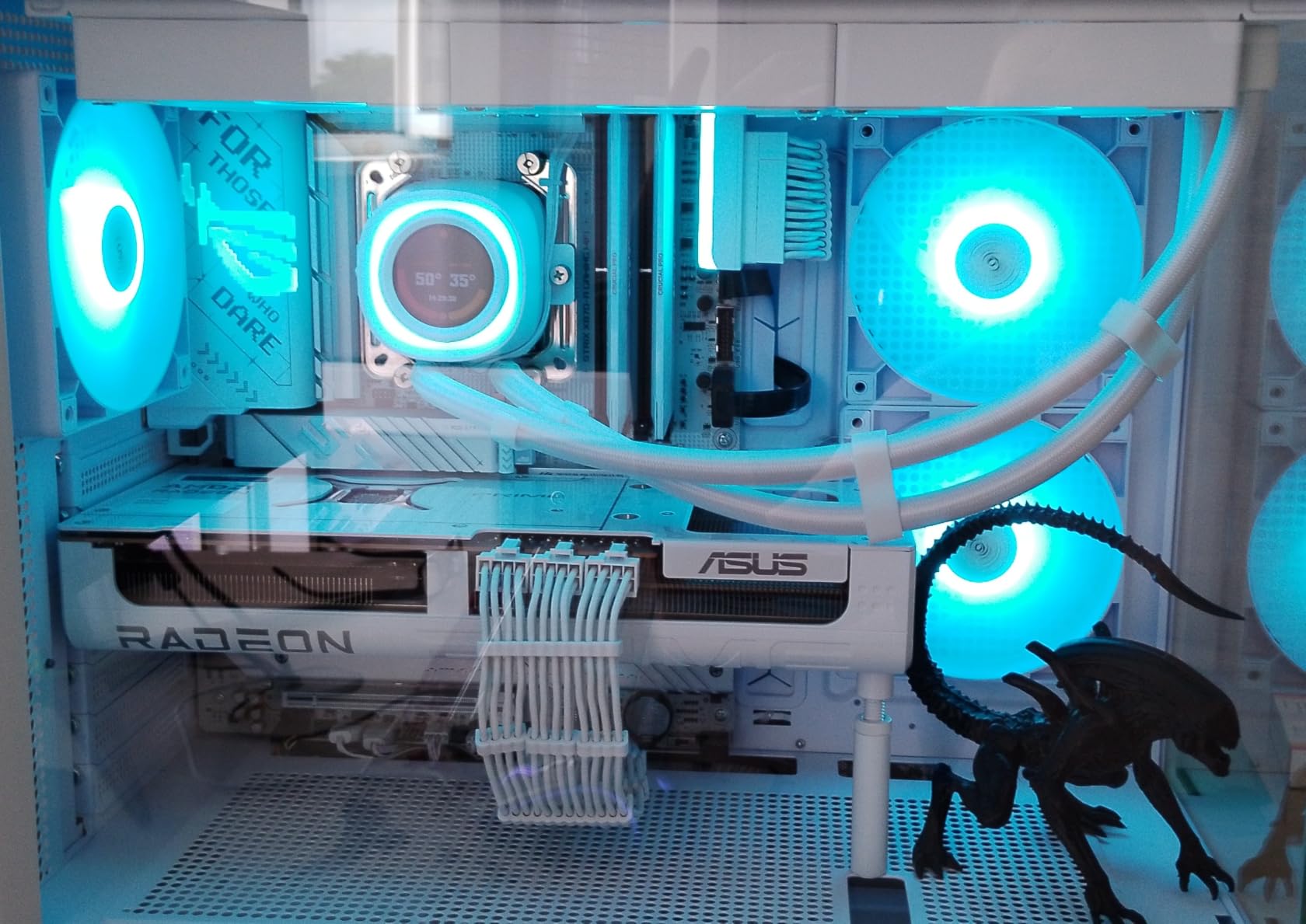
Four M.2 slots with heatsinks give you room to run a full PCIe 5.0 x4 game drive, a Gen5 scratch drive and a couple of Gen4 library drives without an adapter card. Memory support is listed to 192GB across four DDR5 DIMM slots.
The Q-Release Slim latch is the feature everyday builders will use most. Instead of unscrewing the graphics card bracket, you press a lever and the card releases, which matters enormously on a large modern GPU. Audio is a Realtek ALC4082, and there are 21 USB ports in total.
What justifies the flagship tier
Power headroom is the honest reason. If you run a 9950X3D at stock for gaming and then switch to a workstation workload, this board has the VRM capacity to hold boost clocks where a 12+2+1 design would be working near its limit.
USB4 and WiFi 7 matter if you plan to keep the machine for several years and add fast external storage or a newer wireless standard later. Dynamic OC Switcher and Core Flex give a genuine enthusiast more control than any other board here.
Where it falls short
Two SATA ports is stingy. Anyone with several hard drives or a drive cage should count them before ordering, since a four-slot board can be found for much less.
There is also a single PCIe x16 slot, and the BIOS is the most complex in this list. First-time builders get a lot of menus with limited explanation, and Dynamic OC Switcher in particular is a feature you will probably never open.
6. MSI MAG X870 Tomahawk WiFi – Best for 5G Networking
MSI MAG X870 Tomahawk WiFi Gaming Motherboard (AMD Ryzen 9000/8000/7000 Series Processors, AM5, DDR5, PCIe 5.0, M.2 Gen5, SATA 6Gb/s, USB 40Gbps, HDMI/DP, Wi-Fi 7, Bluetooth 5.4, 5Gbps LAN, ATX)
AM5 X870 chipset
ATX
5G LAN + WiFi 7
USB4
4x M.2
Pros
- 5G LAN
- the fastest wired option in this roundout
- USB4 at 40Gbps
- WiFi 7 with Bluetooth 5.4
- Four M.2 slots with tool-free EZ heatsinks
- EZ Debug LED and BIOS Flashback
Cons
- Second PCIe 5.0 M.2 shares lanes with USB4
- Some early WiFi 7 driver issues reported
- CMOS battery is awkward to reach
The MAG X870 Tomahawk is the networking board of this roundup, and for most people that single feature settles it. A 5G LAN port is the only one here, and paired with WiFi 7 and Bluetooth 5.4 it covers everything from a fibre connection to a modern router upgrade without adding a card.
Power delivery is a 14+2+1 Duet Rail design using 80A Smart Power Stages under an extended heatsink, which is ample for a 9800X3D or a 9950X3D. The design is deliberately clean, with minimal RGB compared with most MSI boards, so it suits a build where lighting is not the point.
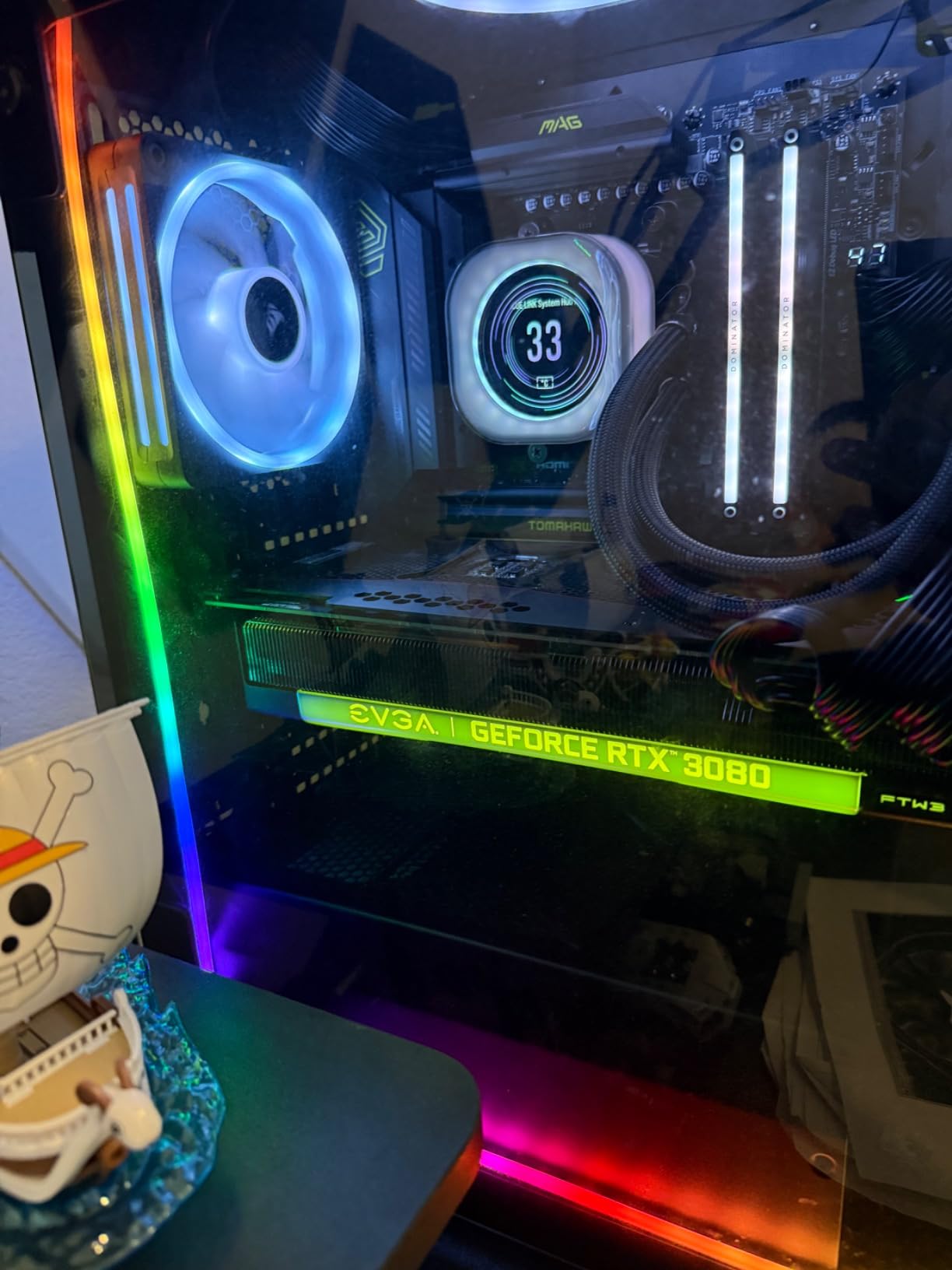
Storage is four M.2 slots with tool-free EZ heatsinks, and memory support runs to 256GB on four DDR5 DIMMs at up to 7800 MHz. The EZ M.2 tool-free fitting means you are not hunting for a tiny screw every time a drive changes.
Diagnostics are unusually good. An EZ Debug LED display shows where a failed boot is stopping, alongside a BIOS Flashback button and a Clear CMOS button on the rear edge. Audio Boost 5 covers the onboard codec, and USB reaches 13 ports in total.
Why the 5G port is worth planning for
Online gaming is the case where network hardware actually reaches your experience. On a congested 2.5GbE connection or a shared WiFi channel, a faster port and the newer wireless standard give you headroom that a faster motherboard VRM never will.
It also future-proofs cheaply. A 5G port is useful for a NAS transfer, a large game download or a second machine sharing the connection, and it costs nothing extra to have even if your router is not ready yet.
Where it falls short
The second PCIe 5.0 M.2 shares lanes with the USB4 port, so using both together costs you bandwidth somewhere. Check the lane table in the manual before you plan a two-Gen5-drive RAID or a heavily used scratch array.
Early adopters reported WiFi 7 driver issues and long boot times with certain memory kits, both of which are software-side and generally clear after a BIOS update. The CMOS battery is also tucked somewhere you will not enjoy reaching.
7. MSI B650 Gaming Plus WiFi – Best for First-Time Builders
MSI B650 Gaming Plus WiFi Gaming Motherboard (AMD Ryzen 9000/8000/7000 Series Processors, AM5, DDR5, PCIe 4.0, M.2, SATA 6Gb/s, USB 3.2 Gen 2, HDMI/DP, Wi-Fi 6E, Bluetooth 5.3, 2.5Gbps LAN, ATX)
AM5 B650 chipset
ATX
12+2+1 phases
2x M.2
BIOS Flashback
Pros
- BIOS Flashback and Clear CMOS buttons
- 12+2+1 Duet Rail power with dual 8-pin connectors
- 2.5G LAN with WiFi 6E and Bluetooth 5.3
- USB 3.2 Gen 2x2 20Gbps Type-C
- M.2 Shield Frozr on both slots
Cons
- Only two RAM slots
- Only two M.2 slots
- No PCIe 5.0 M.2 slot
The B650 Gaming Plus is the board we would put in front of someone building their first PC. Everything that makes assembly stressful is handled well: a 3.5 pound board, extended VRM heatsinks with 7W/mK thermal pads, Shield Frozr covers on both M.2 slots, and BIOS Flashback plus a Clear CMOS button within reach of the rear panel.
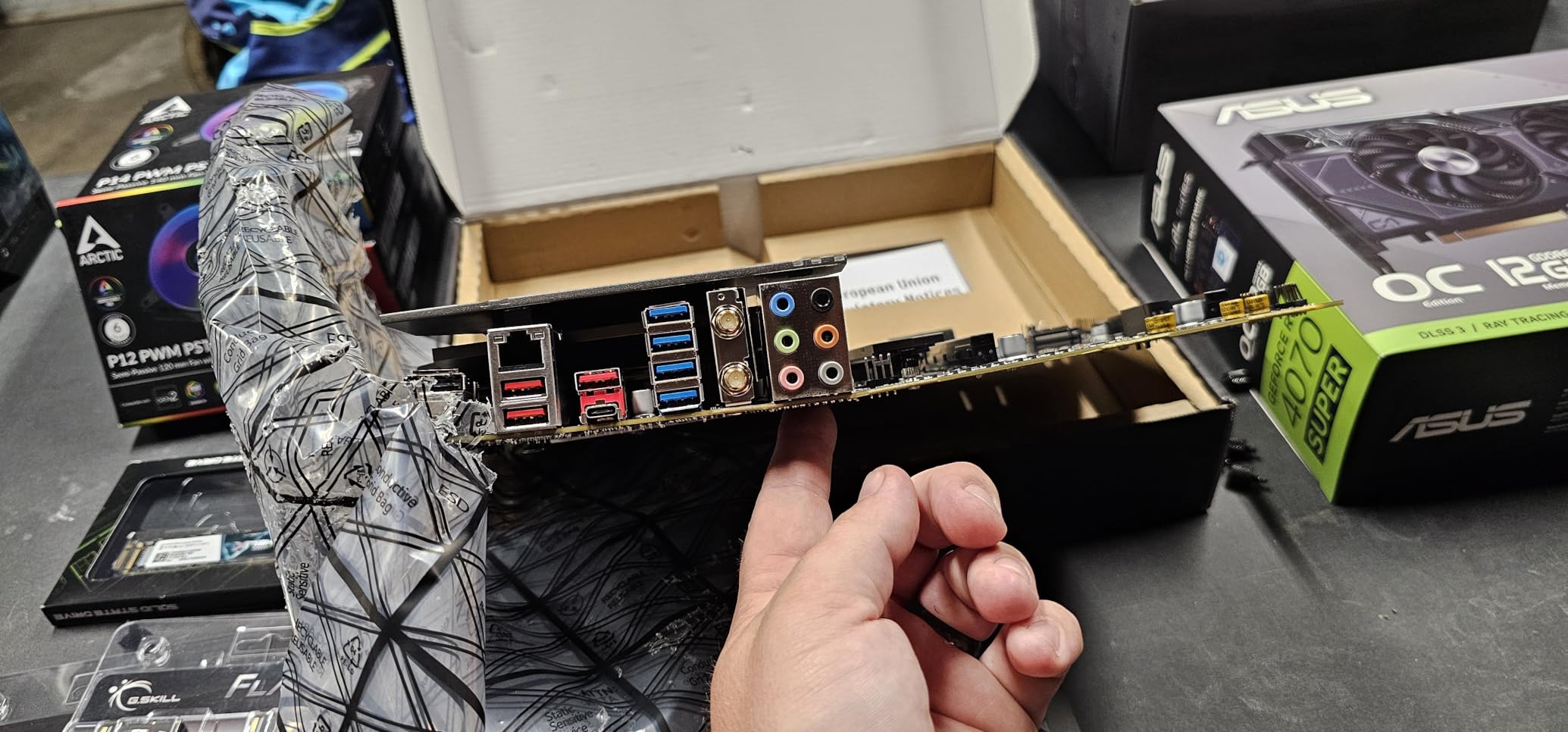
Networking is a 2.5Gbps LAN with WiFi 6E and Bluetooth 5.3, and there are 15 USB ports including a 20Gbps Type-C. Power comes through dual 8-pin CPU connectors feeding a 12+2+1 Duet Rail system, which is more than a 7600 or 9800X3D will ever pull.
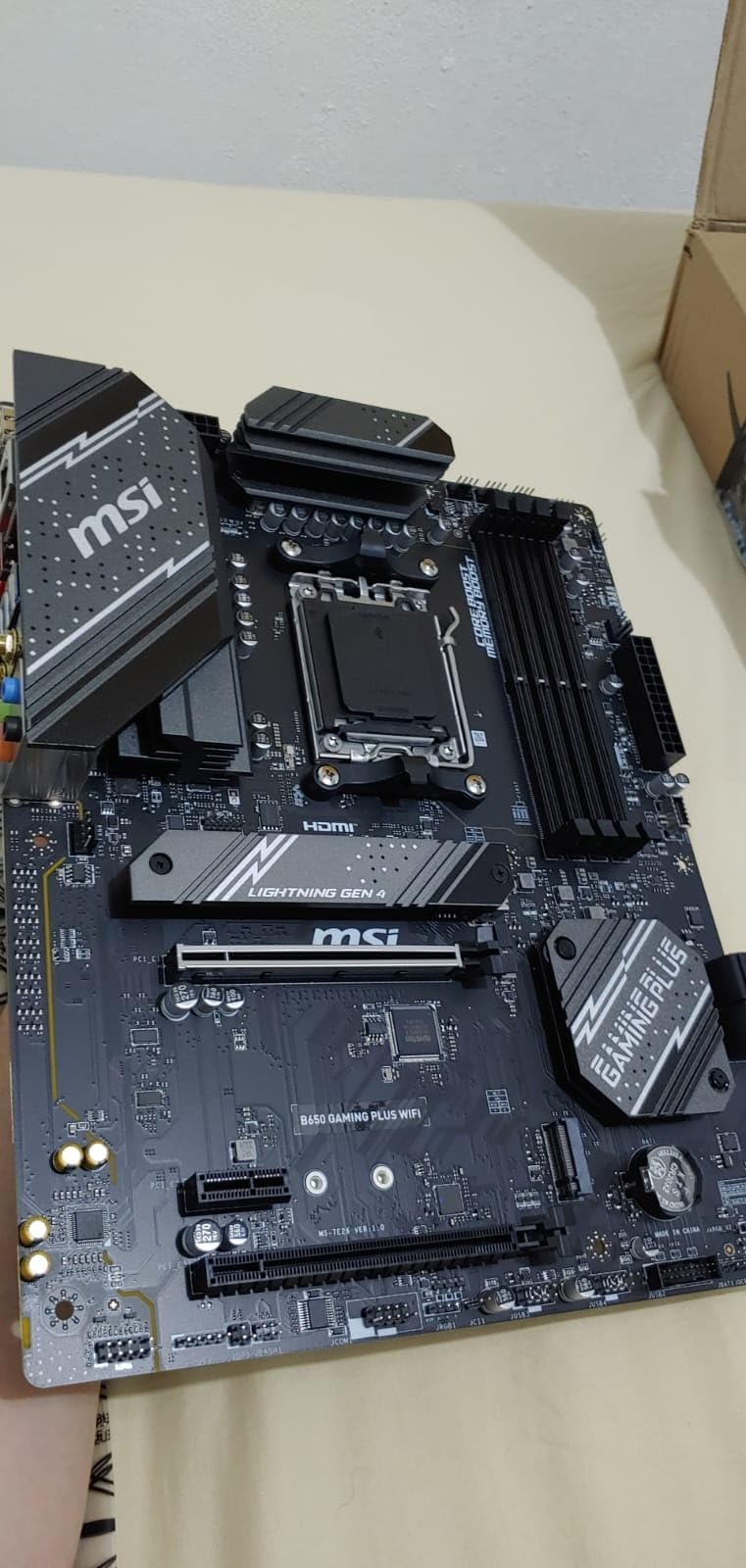
The compromise is RAM. There are only two DDR5 slots, so memory is fixed once you install it. The upside is that every future upgrade means replacing both sticks rather than adding to a set and losing the benefit of matched dual-channel kits.
Two M.2 slots with Shield Frozr heatsinks cover a game drive and a library drive, which is plenty for most people. The real lesson from owner reviews is that reported long boot times are fixed in the BIOS by enabling Memory Context Restore, a two-minute change.
Why first builders land here
BIOS Flashback alone changes the odds of a first build. If something goes wrong before you have a working operating system, you can flash from a USB stick without a processor, which is a genuine rescue rather than a feature you will never use.
The Clear CMOS button is the second one. Most first-time problems are a memory kit trained to a profile the CPU cannot run, and a single button press resets that in seconds instead of pulling the board out of the case.
Where it falls short
Two RAM slots and two M.2 slots is a narrow build, and if you think you will add a second GPU, extra capture hardware or more drives later, the limits will arrive sooner than you expect. The M.2 slots are also PCIe 4.0 only.
Memory support is listed to 7200 MHz on two DIMMs up to 256GB. Some buyers also found the PBO and memory menus in this BIOS less clearly labelled than they are on the higher-tier MSI boards.
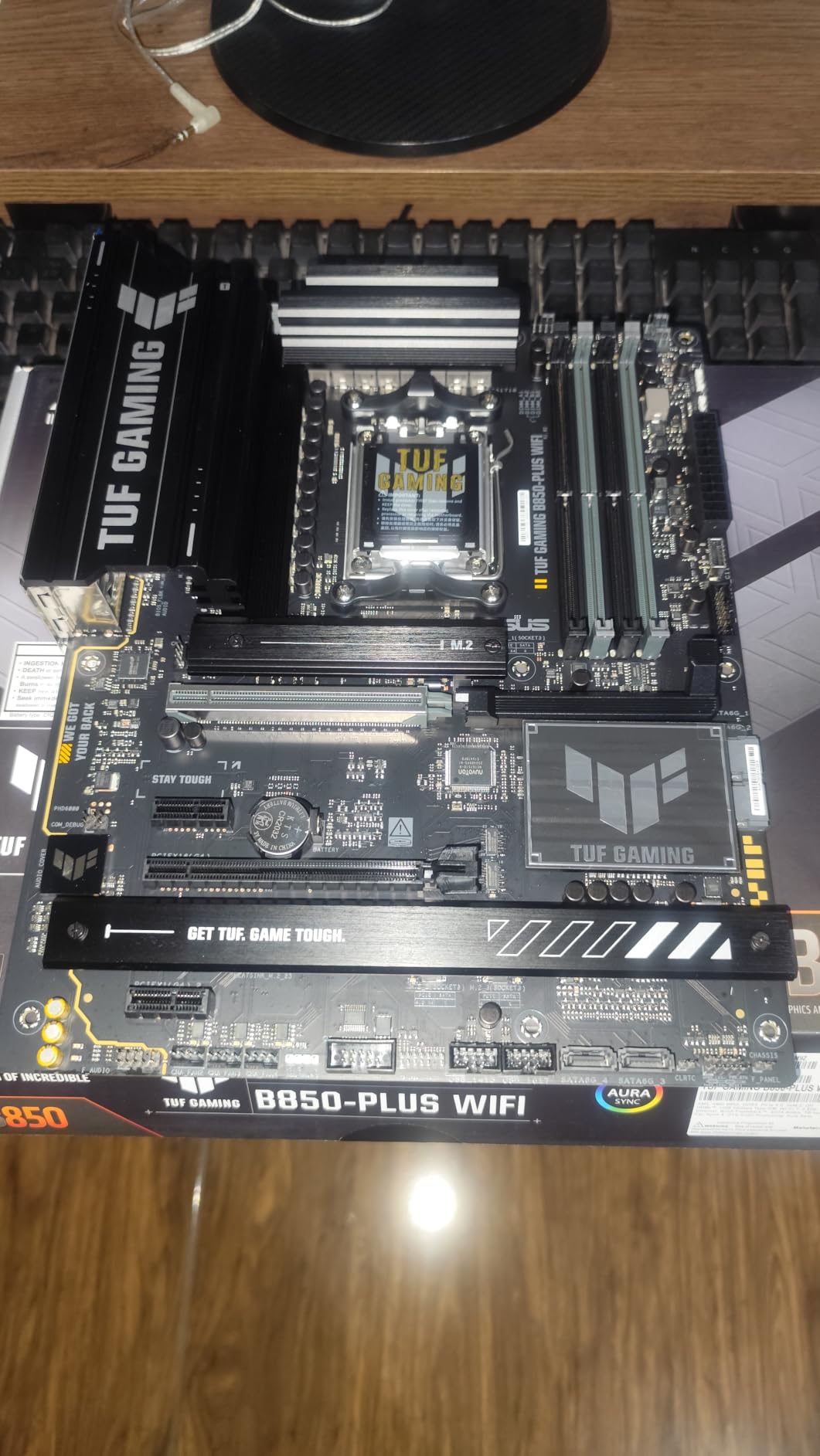
8. ASUS TUF Gaming B850-PLUS WiFi – Best for DDR5 Memory Overclocking
ASUS TUF Gaming B850-PLUS WiFi AMD AM5 B850 ATX Motherboard, 14+2+1 80A Stages, AI Ready, DDR5, PCIe 5.0, 3X M.2, Wi-Fi 7, 2.5Gb LAN, DisplayPort, HDMI™, USB 10Gbps & 20Gbps Type-C®, BIOS Flashback™
AM5 B850 chipset
ATX
14+2+1 at 80A
DDR5 to 8000 MHz
WiFi 7
Pros
- DDR5 support listed to 8000 MHz
- 14+2+1 80A DrMOS stages on an 8-layer PCB
- Five PCIe expansion slots
- WiFi 7 with 2.5Gb LAN
- BIOS Flashback and AI Ready
Cons
- No rear USB4 port
- Thunderbolt support is header only
- Newer chipset with a smaller owner base
The TUF Gaming B850-PLUS is the newest chipset in this roundup and the one with the highest listed memory speed. DDR5 support runs to 8000 MHz across four DIMM slots up to 192GB, which makes it the board to buy if your plan is to run a tuned 9800X3D or 9950X3D memory configuration.
Power delivery is 14+2+1 80A DrMOS stages on an eight-layer PCB with 8+8 pin ProCool connectors, and every M.2 slot has a heatsink fitted. Storage covers one PCIe 5.0 M.2 and two PCIe 4.0 slots, plus four SATA ports behind them.
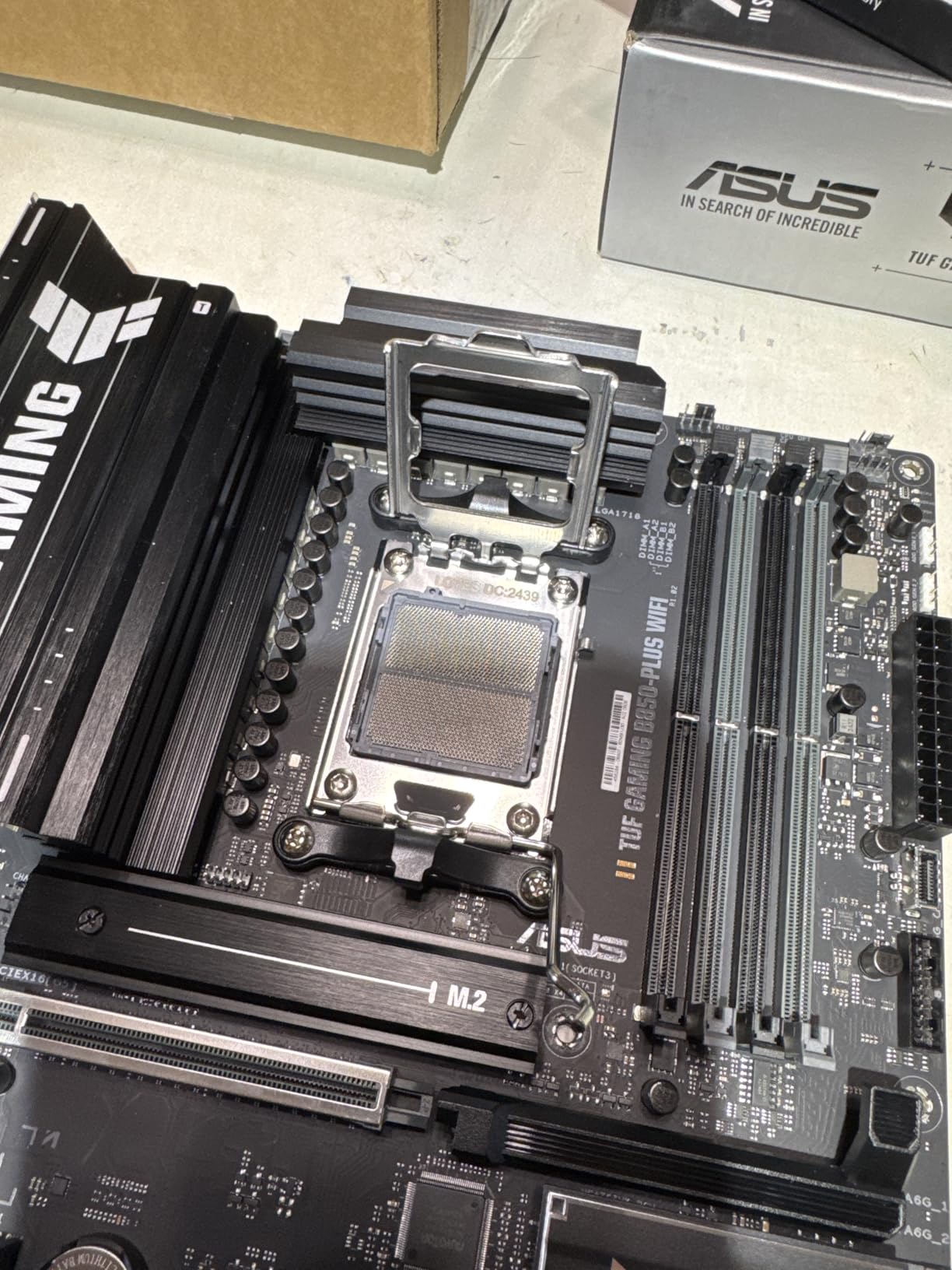
Expansion is the quiet strength, with five PCIe slots on a full ATX board. That leaves room for a graphics card, a capture card and a WiFi or storage adapter without a riser, and the rear panel carries WiFi 7 alongside 2.5Gb Ethernet.
USB is well covered at 17 ports, with a 20Gbps Type-C on the back and a 10Gbps Type-C header on the front panel. Audio is a Realtek ALC1220P, and BIOS Flashback means you can update before a CPU is fitted. A Thunderbolt or USB4 header is present for an add-in card.
Why this board suits a memory-focused build
The gap between this and the other B650 boards here is the memory ceiling and the newer platform. Buying a B850 board now means a PCIe 5.0 x16 slot, WiFi 7 and a faster memory controller on a chipset that will not be phased out as quickly.
TUF boards also age well in a build. The 8-layer PCB and 80A DrMOS stages give it the same kind of thermal margin as boards that cost considerably more, which matters if the machine stays in service for a decade.
Where it falls short
There is no USB4 port on the rear panel, only a header for an add-in card. If you want 40Gbps over the back, the X870 boards in this list do it natively.
The owner base is also smaller than the other picks here, around 450 reviews, so long-term reports on BIOS stability and VRM temperatures are thinner. It is a newer platform, and long-term data takes time to accumulate.
Does Your Motherboard Change Gaming Performance?
Short answer: barely, and not in the way board marketing implies. We did not run a controlled framerate comparison across these eight boards, so we will not invent a percentage for you. What we can say is where board choice genuinely reaches your gaming experience, and where it is decoration.
Memory speed and stability is the biggest lever, and it is a memory-kit decision more than a board decision. A kit that hits its EXPO profile reliably is worth more than any chipset tier. Beyond that, VRM headroom matters only if your CPU is hot enough to lose boost clocks, which a 12+2+1 design will not do with a 9800X3D.
What you do feel is everything around the frame rate: boot times, storage load screens, network responsiveness in online games, and how long the machine takes to become useful after you press the power button. Those are the differences these boards actually deliver, and they are worth paying for when they match how you use the machine.
How to Choose a Gaming Motherboard
Start with the CPU socket
The socket decides everything, because a wrong guess is a return. AM5 covers Ryzen 7000, 8000 and 9000 desktop chips, which is where every board in this list sits. AM4 is the older Ryzen 5000 platform and uses DDR4. Intel’s current desktop socket is LGA1851 for Core Ultra 200, with LGA1700 covering 12th, 13th and 14th generation Core processors.
Buy the board for the CPU you already own or have already chosen, never the other way around. A cheaper board that fits your processor beats a flagship that does not.
Then pick the chipset tier
On AM5, the tier runs X870E, then X870, then B850, then B650. The X870E and X870 tiers add USB4, more lanes and extra M.2 slots. B850 brings a PCIe 5.0 x16 slot and WiFi 7 without the flagship cost. B650 is the value tier and is still the right answer for most gaming PCs.
On Intel, the equivalent order is Z890, then B860, then Z790 and B760. Higher tiers bring more rear ports and more storage connectivity, not more speed. If you only game and do not overclock, a B-series board is enough on either platform.
Match the board to your case
ATX is 305 by 244 millimetres and fits most mid and full towers. Micro-ATX is 244 by 244 and fits nearly everything, including most ATX cases. Mini-ITX is 170 by 170 and fits small cases with a much shorter GPU clearance. E-ATX is 305 by 330 and fits only large cases, so measure before ordering one.
The two common mistakes are buying E-ATX for an ATX case and fitting a tall air cooler over a mini-ITX board. Check the maximum CPU cooler height your case supports before you finalise either.
Why VRM phase count matters
The VRM converts 12-volt input into the low voltages the CPU needs, and the phase count tells you how much current it can deliver before it gets hot. A 12+2+1 design is comfortable for a 9800X3D or 9950X3D. Sixteen plus two plus two with 90A stages is what you buy when the CPU also does heavy rendering work.
Phase count only matters if you load the CPU hard. For gaming at stock, thermal headroom and decent heatsinks matter more than the number printed on the marketing.
Count M.2 slots and check lane sharing
Two M.2 slots covers a game drive and a library drive. Four gives you room for a scratch drive, a backup, and one slot free for a future upgrade. Boards advertise more slots than they deliver, so check whether the extra slots are disabled when a PCIe 5.0 slot or USB4 port is in use.
Adding a second NVMe does not slow your graphics card on any board in this list unless you specifically populate a shared lane. Read the lane table in the manual if you are planning a multi-drive Gen5 array.
Networking: 2.5GbE, 5GbE and WiFi 7
Gigabit Ethernet is enough for most homes. 2.5GbE is the current sensible default and future-proofs fibre and shared connections. 5GbE only pays off if the rest of your network can feed it, and WiFi 7 is worth having on a board you expect to keep for several years.
If you already run wired networking, onboard WiFi matters less. If your router sits in another room, onboard WiFi saves you an adapter and a PCIe slot.
USB4 and Type-C ports
Count your ports before choosing. A stream deck, a capture card, a controller hub, a headset and a high-resolution display can use fifteen USB ports in a hurry, and the B650 boards in this list range from nine to eighteen. A 20Gbps Type-C is worth having for an external SSD.
USB4 at 40Gbps is still the preserve of the newest boards, and it is a genuine upgrade only if you own USB4 storage or docks. Otherwise a 20Gbps Type-C will serve you.
Update the BIOS before you build
This is the most common first-build failure and it has a simple fix. Newer Ryzen 8000 and 9000 chips may need a newer BIOS than an older board shipped with, and a CPU that does not POST gives you nothing to update from. Buy a board with BIOS Flashback, plug in a USB stick with the BIOS file, and update before the processor goes in.
It takes ten minutes and it converts the most frustrating problem in PC building into an unhurried one.
Frequently Asked Questions
What motherboard should I get for my gaming PC?
Match the socket to your CPU first, then the size to your case, then the chipset tier to your budget. For an AM5 Ryzen 7 9800X3D build, the GIGABYTE B650 AORUS Elite AX is the pick we recommend, and for a 9950X3D that also does heavy work the ASUS ROG Strix X870-A Gaming WiFi has the power headroom. Extras like WiFi, white finishes and rear USB4 come last.
What is the best mATX AM5 motherboard?
None of the eight boards we tested for this roundup are micro-ATX, because the analysed lineup was entirely ATX. The same chipset rules apply: an AM5 B650 micro-ATX board gives you DDR5, a PCIe 5.0 M.2 slot and 2.5GbE in a smaller footprint, and it is the right choice when your case or your budget is the constraint. Check standoff positions and cooler clearance before ordering any micro-ATX board.
What are the different types of motherboards?
Motherboards differ first by CPU socket, which decides which processors fit: AM5, AM4, LGA1851 and LGA1700 are the current desktop sockets. They then differ by size: E-ATX at 305 by 330 millimetres, ATX at 305 by 244, Micro-ATX at 244 by 244, and Mini-ITX at 170 by 170. Within a size, the chipset tier sets features such as USB4, lane count and storage connectivity rather than speed.
What does a motherboard do?
The motherboard is the main circuit board connecting your CPU, memory, graphics card and storage. It routes power from the PSU, links the CPU to RAM through the memory controller, and provides the PCIe slots, M.2 storage mounts, USB ports and networking your components plug into. Its VRM supplies the CPU with stable power, and its BIOS handles boot, memory profiles and every setting you can change.
Do motherboards affect gaming performance?
Only marginally, and not through the chipset tier. Where a board can reach your experience is memory stability at its EXPO or XMP profile, boot times, storage speed and network responsiveness, plus VRM headroom that stops a high-wattage CPU losing boost clocks under load. Between an entry B650 board and a flagship X870E, the framerate difference in games is effectively invisible, which is why our ranking is weighted toward build quality and features rather than speed.
Do I need WiFi built into my motherboard?
Only if you cannot run a cable. Every board in this roundup except one includes WiFi 6E or WiFi 7, and two add 2.5GbE or 5GbE wired networking alongside it. If your router is in the same room, a USB or PCIe WiFi adapter costs the same as the difference between boards and can be moved to your next build instead.
The Board to Build Around
The GIGABYTE B650 AORUS Elite AX is our pick for the best motherboards for gaming builds in 2026. It pairs a 14+2+1 VRM with 70A stages, an eight-layer PCB, a PCIe 5.0 M.2 slot, 2.5GbE and WiFi 6E, and more than 1,500 owners have confirmed it holds up in real builds.
Buy the ROG Strix B650-A if you want to tune power and memory, the MAG B650 Tomahawk if you want four M.2 slots and six SATA ports, and the X870 boards if USB4, WiFi 7 or faster networking is on your list. Whatever you choose, match the socket, check the BIOS version, and buy the DDR5 kit that goes with it in the same week.
Once the desktop is running, our picks for the best TVs for gaming and the best gaming tablets cover the rest of the setup.