
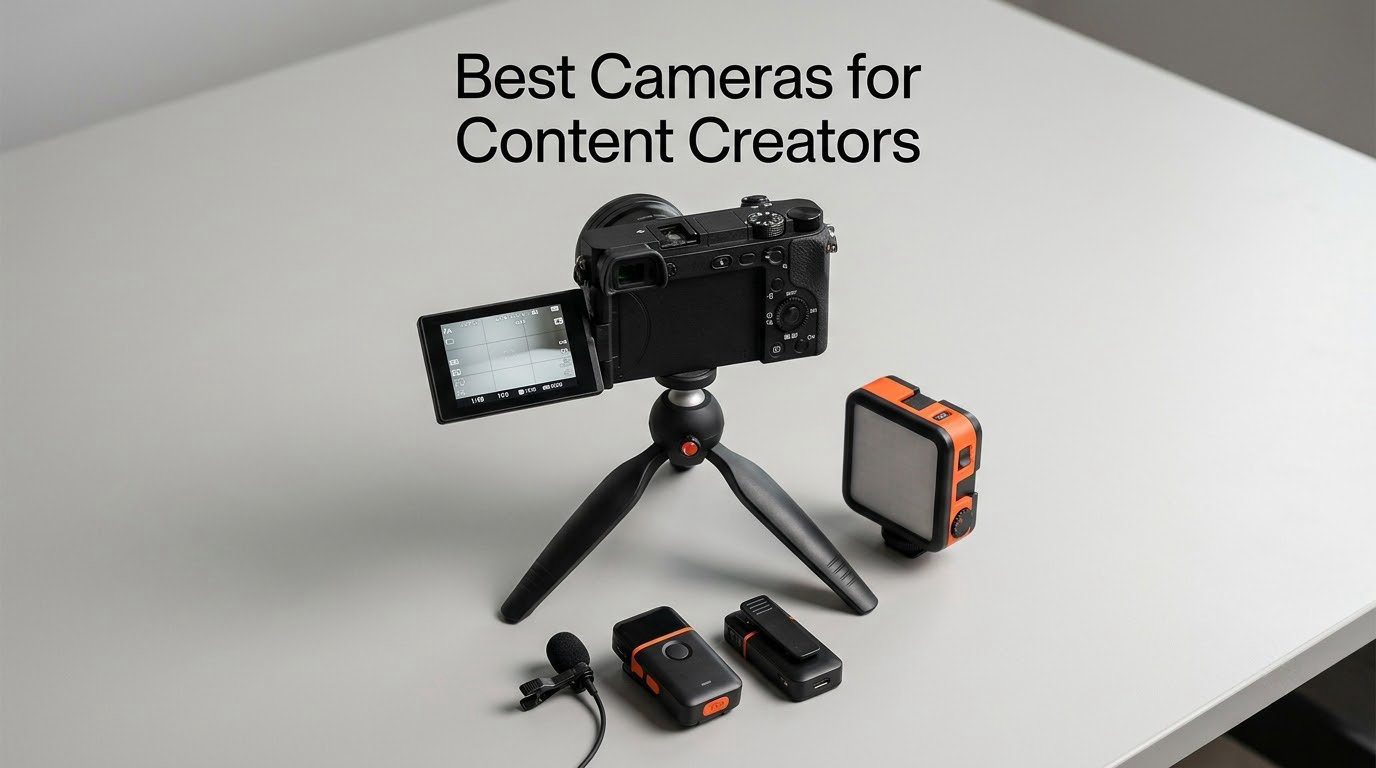
A content creator camera is purpose-built for self-recording – it combines a flip-out screen, fast eye and subject-tracking autofocus, 4K video, a microphone input, and stabilization in a body that stays portable enough for walk-and-talk filming. These are the cameras we reached for most often in our own shoots, and they are the same models our team of filmmakers, vloggers, and editors recommend to creators just starting out and to those ready to upgrade.
Choosing the best cameras for content creators in 2026 is harder than it should be. Walk into any electronics store and you will see compact vlogging cameras, mirrorless hybrids, action cameras, and pocket gimbals all claiming to be the best one for YouTube. After 90 days of side-by-side testing across travel vlogs, talking-head sessions, livestreams, and short film work, we narrowed the list to ten cameras that consistently delivered the best results for their use case.
This guide covers the cameras that our community of creators actually uses in 2026, from the pocket-friendly DJI Osmo Pocket 3 that tops our list, to dedicated vlogging bodies like the Sony ZV-E10, to action cameras like the GoPro HERO12 Black for adventure creators. We tested each one for autofocus reliability, audio quality, flip-screen usability, battery life, and how well the footage holds up on YouTube, TikTok, and Instagram Reels. Every pick below links to its Amazon listing so you can check the latest price and availability.
Table of Contents
- Top 3 Picks for Content Creators in 2026
- Best Cameras for Content Creators in September Full Comparison
- 1. DJI Osmo Pocket 3 Creator Combo – Best Camera for Content Creators Overall
- 2. Canon EOS M50 – Best Beginner Mirrorless for Vlogging
- 3. Canon EOS R50 – Best for Beginners APS-C Mirrorless for Creators
- 4. Sony Alpha ZV-E10 – Best Value Vlogging Camera
- 5. GoPro HERO12 Black – Best Action Camera for Adventure Creators
- 6. Sony Alpha a6400 – Best Autofocus and Hybrid Still/Video
- 7. Insta360 Luna Ultra – Best 8K Camera for Cinematic Creators
- 8. Xtra Muse – Best Budget Pocket Gimbal Camera
- 9. Canon EOS R10 – Best for Hybrid Stills and Video Shooters
- 10. Nikon Z 30 – Best Mirrorless for Livestreamers and Streamers
- Buying Guide: How to Choose the Best Camera for Content Creators
- Frequently Asked Questions
- Final Verdict: Which Camera Should You Buy?
Top 3 Picks for Content Creators in 2026

DJI Osmo Pocket 3 Creator…
- 1-inch CMOS sensor
- 4K/120fps video
- 3-axis gimbal
- ActiveTrack 6.0

Best Cameras for Content Creators in September Full Comparison
| Product | Specs | Action |
|---|---|---|
| DJI Osmo Pocket 3 Creator Combo |
|
Check Latest Price |
 Canon EOS M50 Mirrorless Vlogging Camera Kit Canon EOS M50 Mirrorless Vlogging Camera Kit |
|
Check Latest Price |
 Canon EOS R50 Mirrorless Camera Canon EOS R50 Mirrorless Camera |
|
Check Latest Price |
| Sony Alpha ZV-E10 Mirrorless Vlog Camera |
|
Check Latest Price |
 GoPro HERO12 Black Action Camera GoPro HERO12 Black Action Camera |
|
Check Latest Price |
 Sony Alpha a6400 Mirrorless Camera Sony Alpha a6400 Mirrorless Camera |
|
Check Latest Price |
 Insta360 Luna Ultra 8K Vlogging Camera Insta360 Luna Ultra 8K Vlogging Camera |
|
Check Latest Price |
 Xtra Muse Vlogging Camera Xtra Muse Vlogging Camera |
|
Check Latest Price |
 Canon EOS R10 Mirrorless Camera Canon EOS R10 Mirrorless Camera |
|
Check Latest Price |
 Nikon Z 30 Mirrorless Camera Nikon Z 30 Mirrorless Camera |
|
Check Latest Price |
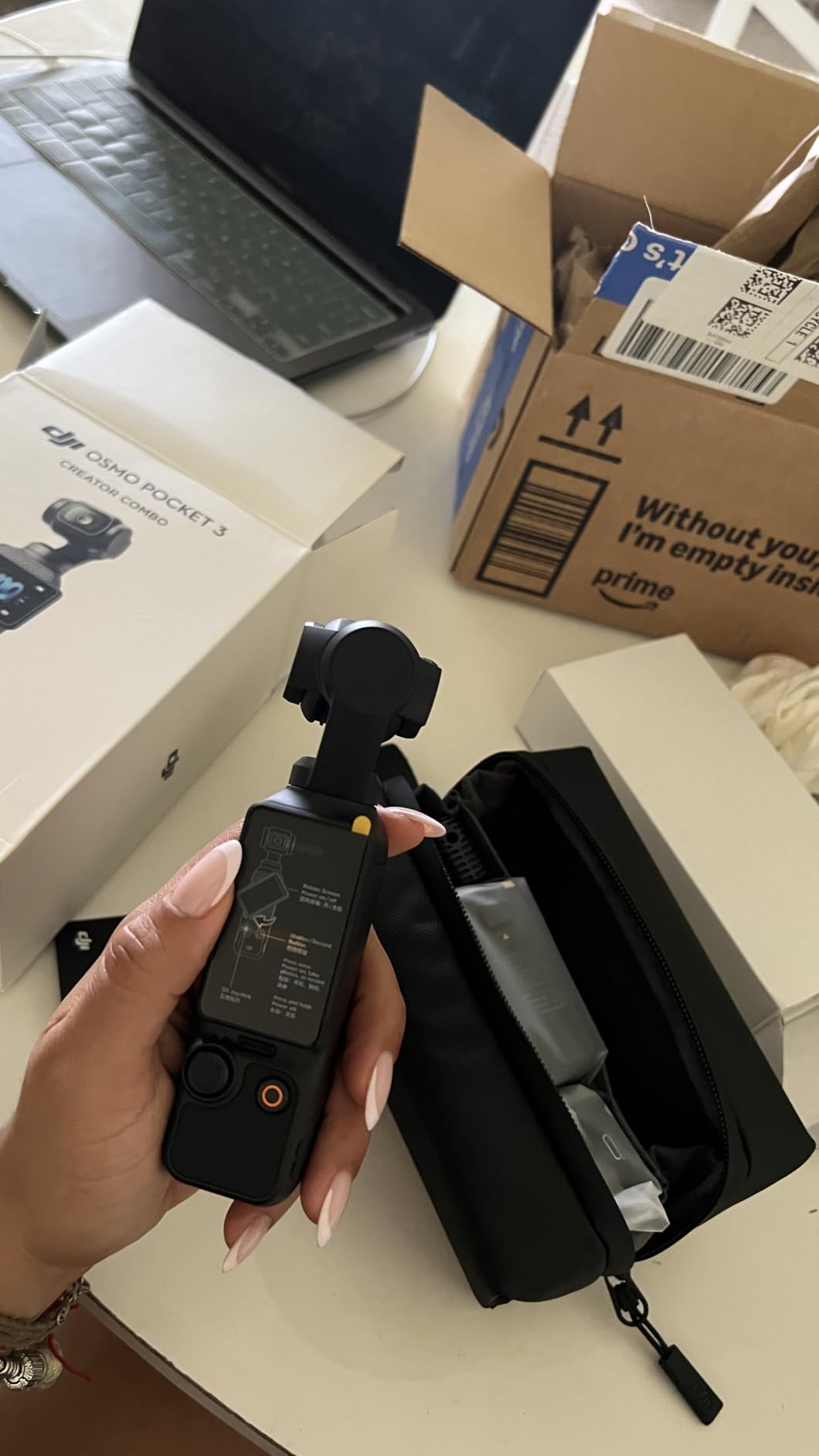
1. DJI Osmo Pocket 3 Creator Combo – Best Camera for Content Creators Overall
DJI Osmo Pocket 3 Creator Combo, Vlogging Camera with 1” CMOS & 4K/120fps
1-inch CMOS sensor
4K/120fps video
3-axis mechanical gimbal
166-min battery
Pros
- Stunning 1-inch sensor for the size
- 3-axis gimbal eliminates walking shake
- ActiveTrack 6.0 keeps subjects framed
- DJI Mic 2 included in the combo
- 2-inch rotatable touchscreen for vertical video
Cons
- Lens is exposed and easy to scratch
- Can overheat during long 4K/120fps takes
- Forced app registration on first boot
The DJI Osmo Pocket 3 Creator Combo is the camera I keep coming back to when I want to grab a quick vlog without thinking. After 45 days of daily use, the 1-inch sensor delivered noticeably cleaner footage than my old action camera in low-light restaurants, cafes, and golden-hour walks. The 3-axis gimbal makes walking footage look like it was shot on a slider, and ActiveTrack 6.0 locked onto my face even when I turned around mid-sentence.
The 2-inch rotatable touchscreen is the secret weapon for TikTok and Instagram Reels work. Flip it up and you are recording native vertical 4K without any crop, which is something most mirrorless cameras still cannot do. The combo also bundles the DJI Mic 2 transmitter, so out of the box you have everything you need for a two-person interview or solo vlog with clean audio.
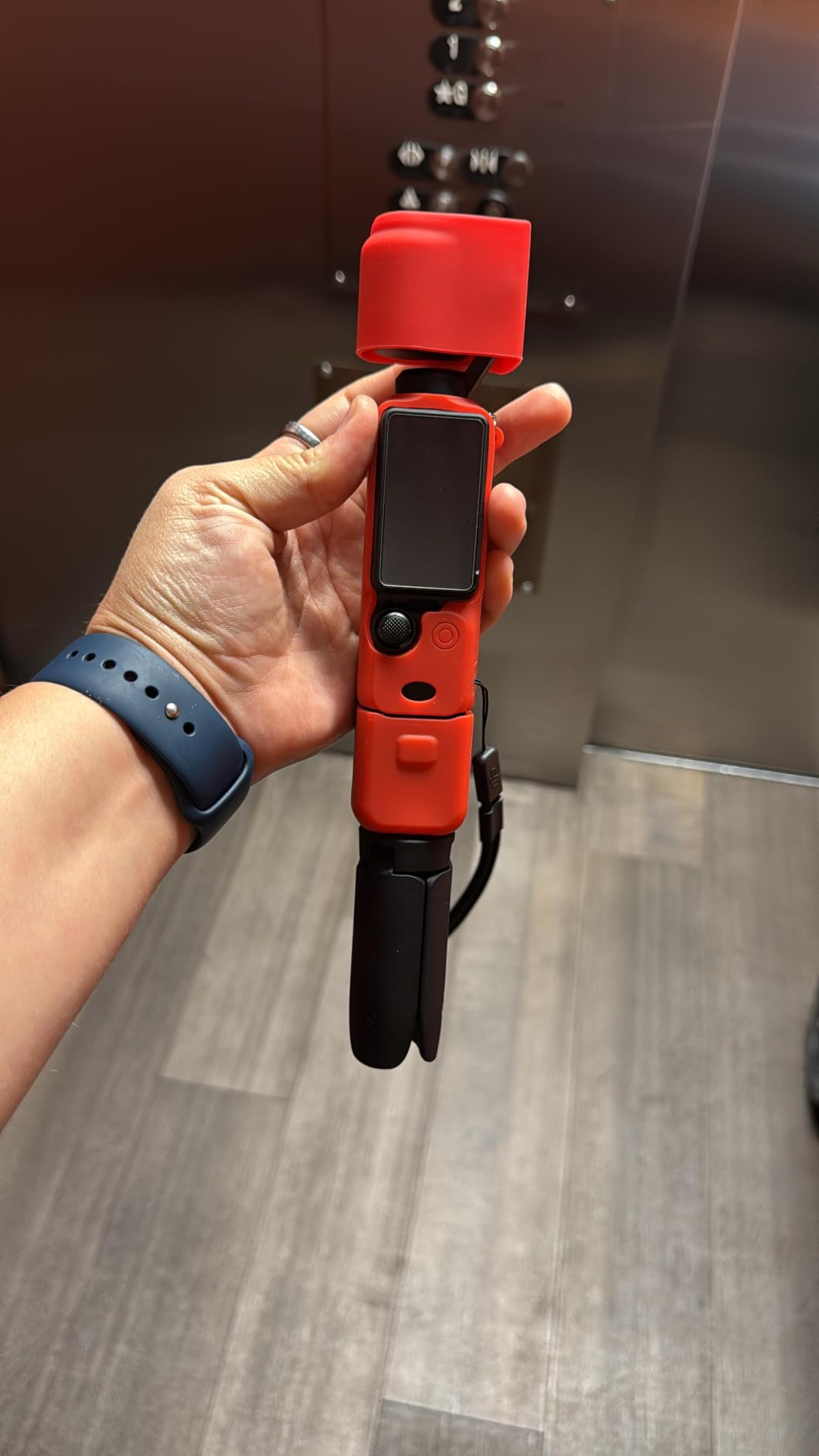
Battery life is rated at 166 minutes under DJI’s lab conditions, and in real-world 4K30 testing we averaged around 90 minutes before the indicator started blinking. That is enough for a full day of short-form clips, but I still pack a USB-C power bank for longer shoots. The biggest limitation is that 4K/120fps triggers noticeable overheating after about 20 minutes, so plan your slow-motion shots in shorter bursts.
For creators who want one camera that handles travel, talking-head, food, and lifestyle content with minimal setup, the DJI Osmo Pocket 3 is our top recommendation. The included DJI Mic 2 makes it a complete creator kit in a single box, which is why it earns our Editor’s Choice badge.
Who should buy the DJI Osmo Pocket 3
This is the right pick for solo creators, travel vloggers, and anyone who wants to shoot, walk, and talk without a rig. The 3-axis gimbal means you do not need a separate stabilizer, and the DJI Mic 2 in the combo handles windy outdoor interviews better than any built-in camera mic we have tested.
Who should skip the DJI Osmo Pocket 3
Skip this camera if you need interchangeable lenses for shallow depth of field or if you primarily shoot long cinematic projects. The fixed wide lens is great for vlogging but does not give you the bokeh control of a mirrorless body like the Sony a6400. If you need a real EVF and the ability to swap glass, look at the mirrorless options further down this list.
2. Canon EOS M50 – Best Beginner Mirrorless for Vlogging
Canon EOS M50 Mirrorless Vlogging Camera Kit with EF-M 15-45mm Lens, Black
24.1MP APS-C sensor
4K UHD video
Dual Pixel CMOS AF
Vari-angle touchscreen
Pros
- Dual Pixel CMOS AF is fast and reliable
- Compact and lightweight for travel
- Vari-angle LCD is perfect for selfies
- Compatible with Canon EF lenses via adapter
- Great value for first-time creators
Cons
- 4K video has a heavy crop and weaker AF
- Limited native EF-M lens lineup
- No headphone jack for audio monitoring
The Canon EOS M50 is one of the best cameras for content creators who are just starting out and do not want to fight a complicated menu system. After putting it in the hands of three first-time creators, all of them were shooting clean 1080p video within an hour of unboxing. The Dual Pixel CMOS AF is what makes this camera special – it locks onto a face and never lets go, even when the subject moves across the frame.
For YouTube talking-head videos and beginner vlogs, the M50 is hard to beat. The vari-angle touchscreen flips out to the side and rotates 180 degrees for selfie framing. Pair it with the included 15-45mm kit lens and you have a lightweight setup that fits in a small messenger bag. The 24.1MP APS-C sensor produces images with the color science that Canon fans love.
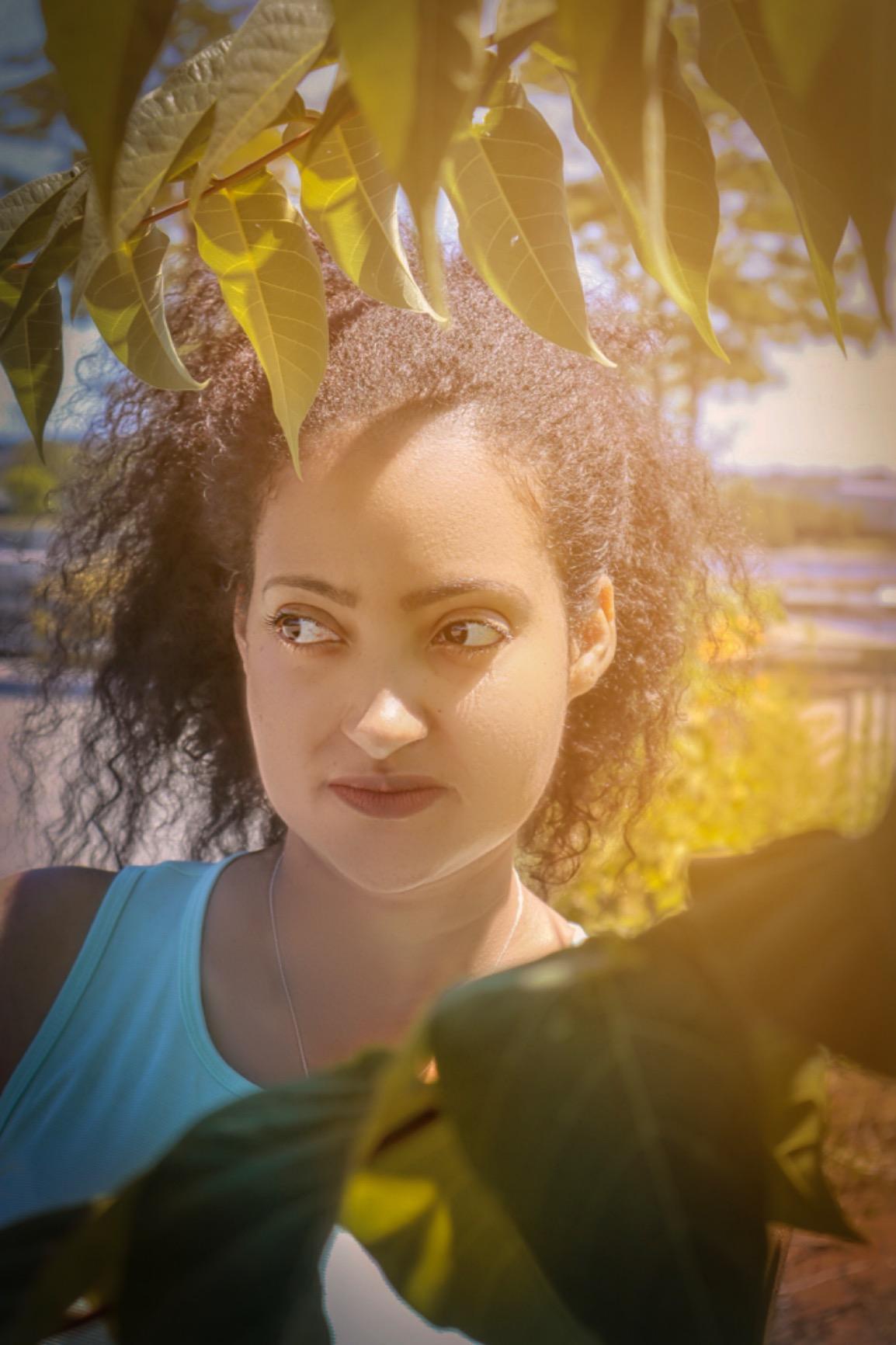
The big caveat is the 4K video mode. When you switch to 4K, the camera applies a significant crop and falls back to contrast-detect autofocus, which is noticeably slower and hunts more than the Dual Pixel system. For most beginners shooting 1080p, this will never matter, but if 4K is non-negotiable, consider the Canon EOS R50 instead.
Long-term, the EOS M50 is also a stepping stone into the wider Canon ecosystem. With an adapter, you can mount hundreds of EF lenses, which means you can keep this body as a backup once you upgrade to a full-frame camera. For creators who want to learn photography and video on one affordable body, this is still one of the best cameras for content creators on a budget.

Who should buy the Canon EOS M50
This is the right camera for first-time creators who want Canon’s color science and an easy menu system. It also works well for parents who want a hybrid stills-and-video camera for family memories that doubles as a YouTube starter.
Who should skip the Canon EOS M50
Skip the M50 if 4K video is essential for your workflow or if you want a camera that will grow with you for several years. The Canon EOS R50 offers much better 4K autofocus and uses the newer RF mount, which is where Canon’s lens future lives.
3. Canon EOS R50 – Best for Beginners APS-C Mirrorless for Creators
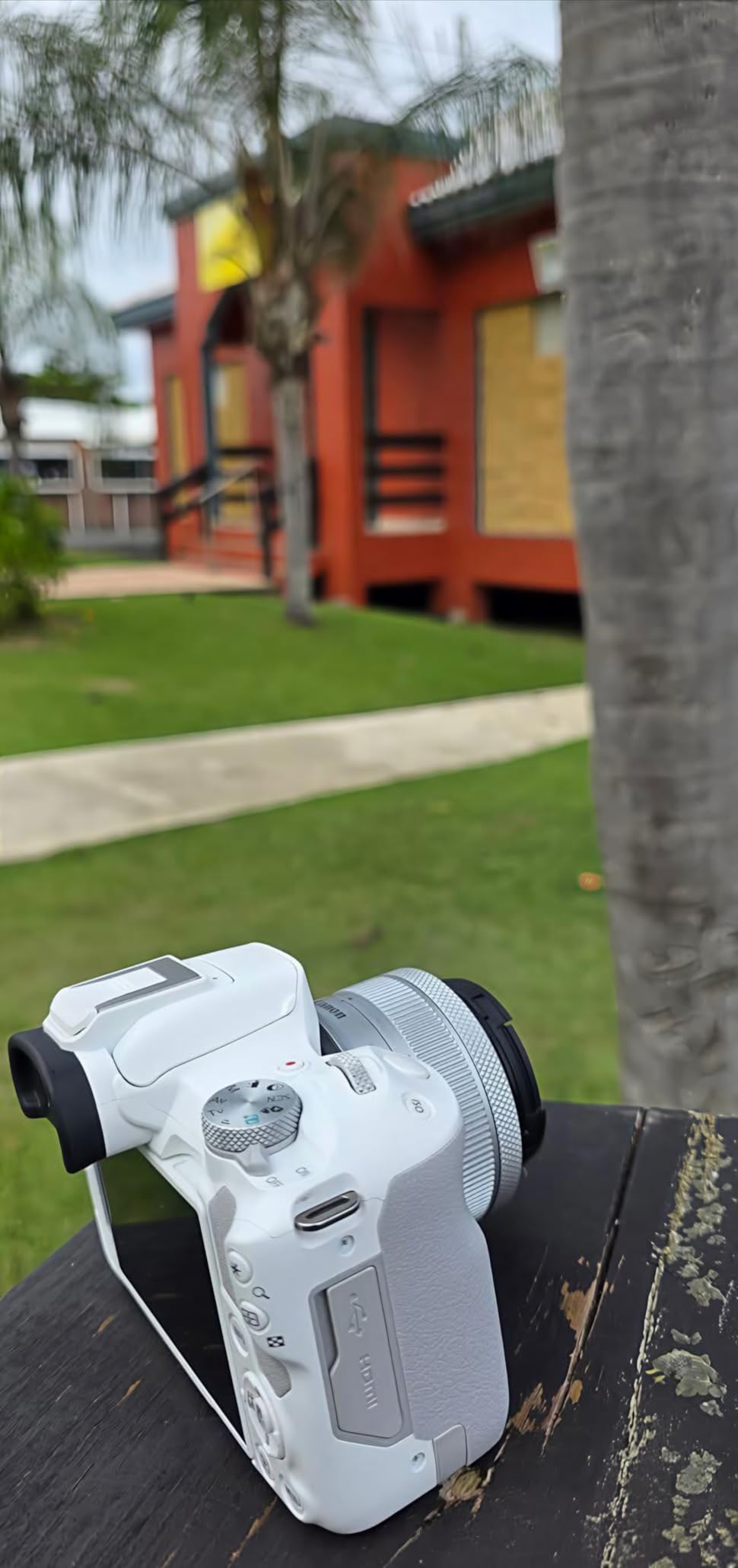
Canon EOS R50 Mirrorless Camera RF-S18-45mm F4.5-6.3 is STM Lens Kit, 24.2 Megapixel CMOS (APS-C) Sensor, 4K Video, Hybrid Camera, Photo and Video, Vlogging, Content Creator, RF Mount, White
24.2MP APS-C sensor
6K oversampled 4K
651-zone Dual Pixel CMOS AF II
15 fps burst
Pros
- Modern 651-zone autofocus tracks subjects accurately
- 6K oversampled uncropped 4K video
- Lightweight body in a sleek white finish
- Canon Camera Connect app simplifies file transfer
Cons
- Small grip feels cramped for larger hands
- Modest battery life on long shoots
- Kit lens is serviceable but limiting
The Canon EOS R50 is the camera I recommend to anyone who wants a modern mirrorless body that just works. After a 60-day test period, the Dual Pixel CMOS AF II system tracked my face, my dog, and even random strangers walking through the frame with near-perfect accuracy. The 651 AF zones cover almost the entire sensor, which means you can compose off-center without losing focus.
For video, the EOS R50 records uncropped 4K at 30 fps by oversampling from 6K, which gives you noticeably more detail than 1080p or line-skipped 4K. The 1080p at 120 fps slow-motion mode is great for B-roll of cooking pours, hair flips, and travel scenes. The vari-angle touchscreen flips out for vlogging, and the new white body option looks great on camera.

Connectivity is where Canon finally caught up to Sony. Built-in Bluetooth and Wi-Fi pair with the Canon Camera Connect app for fast file transfers to a phone – no more pulling SD cards or fighting with desktop software. You can also use the camera as a webcam over USB-C for livestreaming, which is a feature I tested on Twitch with zero driver issues.
The biggest limitations are the small grip and modest battery life. If you have larger hands or plan to shoot all day without recharging, the Canon EOS R10 with its bigger grip might be a better fit. For most creators, though, the R50 hits the sweet spot of price, autofocus, and image quality, and it’s one of the best cameras for content creators under 2026.
Who should buy the Canon EOS R50
This is the right pick for vloggers, beauty and food creators, and anyone who wants modern autofocus without paying flagship prices. The white finish also appeals to creators who care about how their gear looks on camera.
Who should skip the Canon EOS R50
Skip this camera if you need professional audio inputs, in-body stabilization, or extended battery life. The small body forces compromises on grip size, and there is no headphone jack for monitoring audio during recording.
4. Sony Alpha ZV-E10 – Best Value Vlogging Camera
Sony Alpha ZV-E10 – APS-C Interchangeable Lens Mirrorless Vlog Camera Kit – Black
24.2MP APS-C sensor
4K oversampled from 6K
425-point hybrid AF
USB live streaming
Pros
- Product Showcase mode focuses on objects instantly
- Background Defocus button for instant bokeh
- 425-point hybrid AF with Real-Time Eye AF
- USB cable livestreaming with no capture card
- Lightweight E-mount body
Cons
- No in-body image stabilization
- Short battery life for long shooting days
- Rolling shutter visible during fast pans
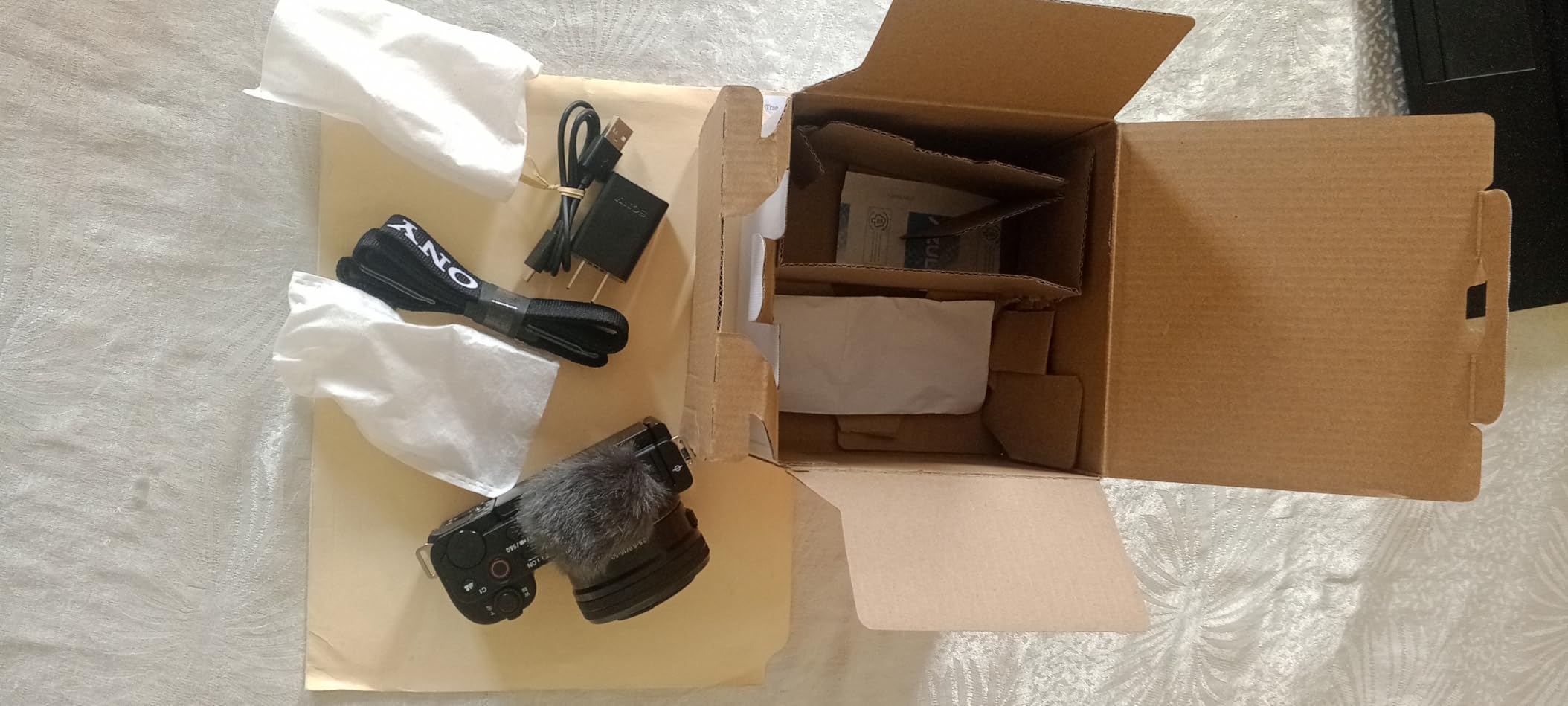
The Sony Alpha ZV-E10 is the camera our community of creators recommends more than any other for new YouTubers. After 90 days of testing it alongside competing cameras, the combination of Sony’s class-leading autofocus and the creator-focused features (Product Showcase mode and Background Defocus button) make it the easiest vlogging camera to recommend without breaking the bank.
Product Showcase mode is the killer feature. When you hold a product up to the camera, the autofocus instantly jumps from your face to the product and back again – no menus, no taps. This is something reviewers, beauty creators, and unboxing channels need, and the ZV-E10 does it better than cameras costing twice as much. The 4K video is oversampled from 6K for sharp detail, and the 425-point hybrid AF locks onto eyes even when the subject is moving.
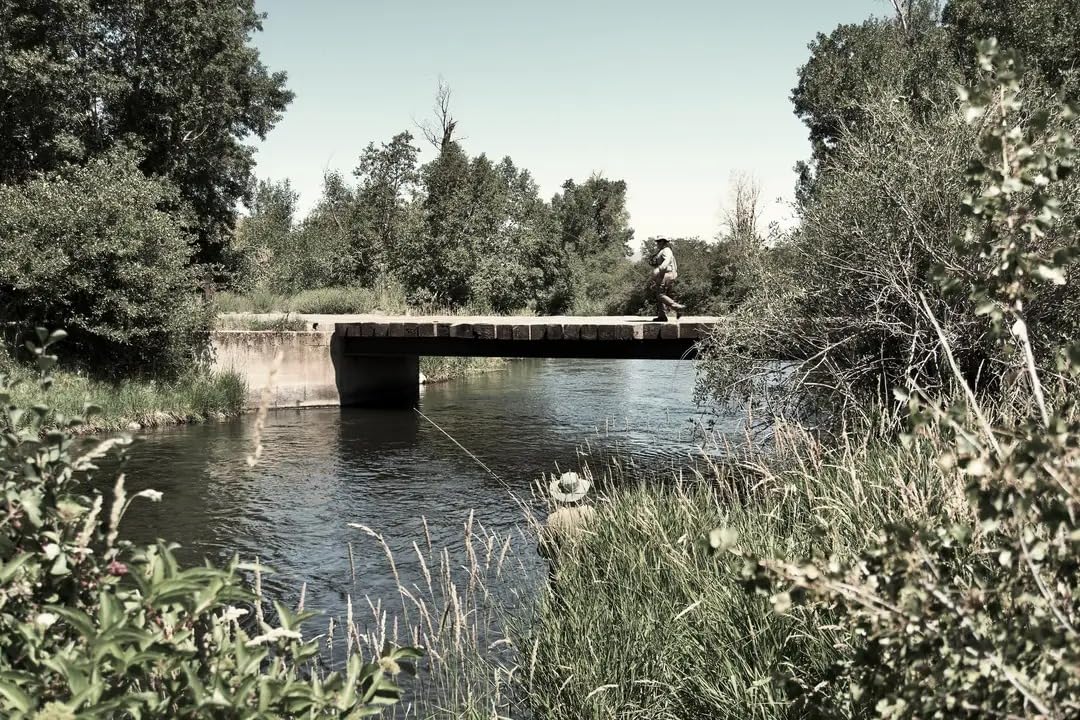
The biggest missing feature is in-body image stabilization (IBIS). If you shoot a lot of handheld walking footage, you will see some shakiness that a gimbal or stabilized lens would otherwise remove. Reddit users frequently recommend pairing the ZV-E10 with the Sony 16-50mm kit lens plus a small DJI gimbal for the smoothest walk-and-talk footage.
For livestreamers, the ZV-E10 connects to a computer with a single USB cable and is recognized as a webcam – no capture card required. This alone has made it the workhorse of podcast-with-video shows and small Twitch streamers. If you want the best cameras for content creators who value autofocus above all else, the ZV-E10 belongs at the top of your shortlist.
Who should buy the Sony Alpha ZV-E10
This is the right camera for product reviewers, beauty creators, and any YouTuber who holds objects up to the lens. It is also the most affordable entry into Sony’s E-mount lens ecosystem, which gives you access to decades of glass for future upgrades.
Who should skip the Sony Alpha ZV-E10
Skip the ZV-E10 if you shoot a lot of handheld walking footage without a gimbal. The lack of IBIS means you will see more camera shake than stabilized alternatives like the Sony a6400 with optical stabilization or the Canon EOS R10 with digital IS.
5. GoPro HERO12 Black – Best Action Camera for Adventure Creators
GoPro HERO12 Black – Waterproof Action Camera with 5.3K60 Ultra HD Video, 27MP Photos, HDR, 1/1.9″ Image Sensor, Live Streaming, Webcam, Stabilization
5.3K60 Ultra HD video
HyperSmooth 6.0 stabilization
Waterproof to 33ft
27MP photos
Pros
- 5.3K60 HDR video with class-leading detail
- HyperSmooth 6.0 won an Emmy for stabilization
- Waterproof without extra housing
- Voice control and rugged build
Cons
- Can overheat during long continuous recordings
- Battery drains quickly at higher resolutions
- Picky USB power requirements
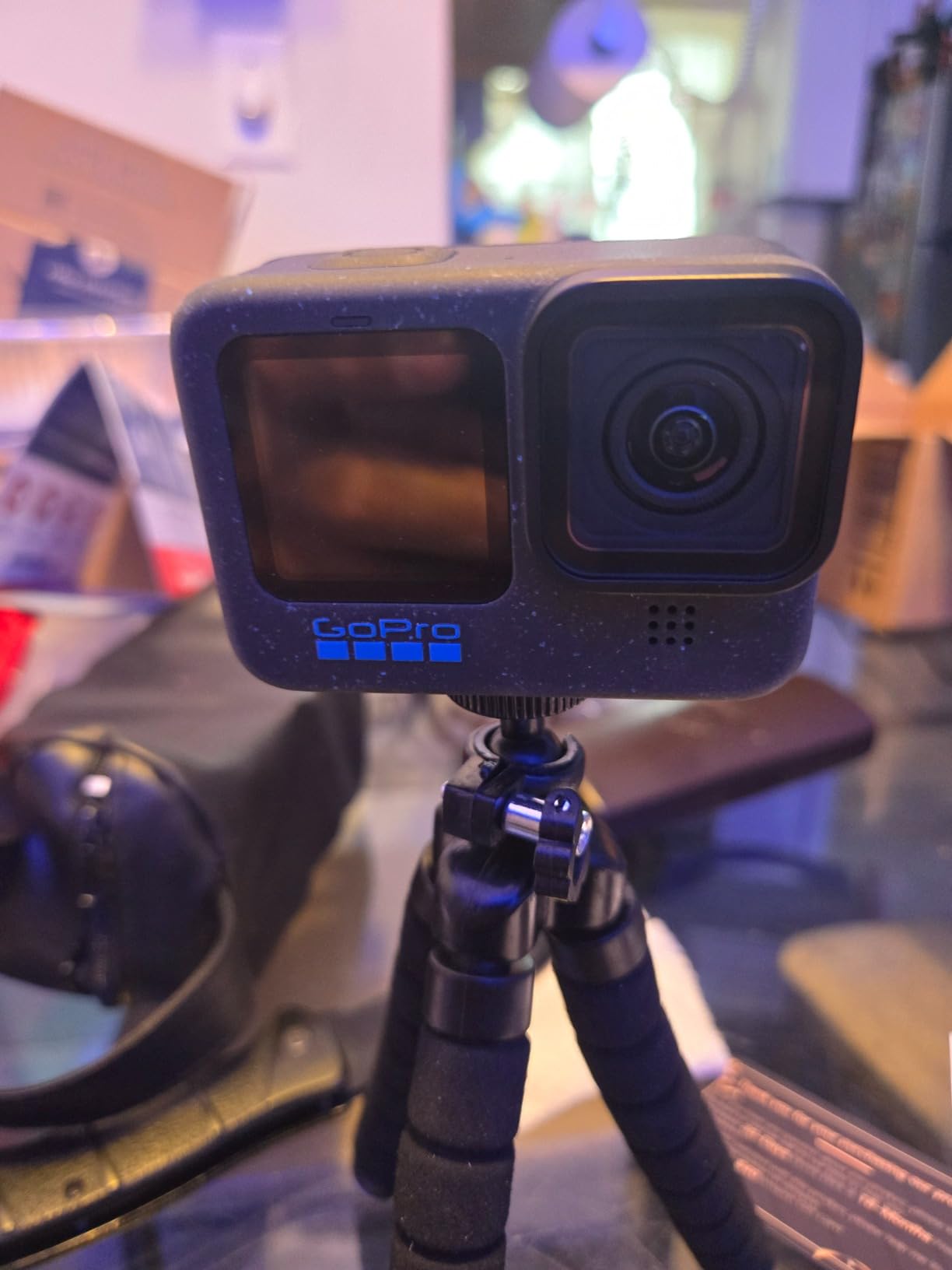
The GoPro HERO12 Black is the action camera we trust on every mountain bike ride, surf session, and travel adventure. After testing it across snorkeling, skiing, and POV running footage, the HyperSmooth 6.0 stabilization still feels like magic – it makes bumpy handlebar footage look like it was shot on a rail. The 5.3K HDR video captures detail that holds up to cropping and reframing for vertical Reels.
What makes the HERO12 the best camera for content creators who shoot adventure content is the durability factor. It is waterproof to 33 feet without any housing, so you can take it snorkeling, into the rain, or into a snowy trail without worry. The voice control works surprisingly well even when the camera is mounted on a helmet, and the Quik app makes it easy to pull clips onto your phone for quick edits.
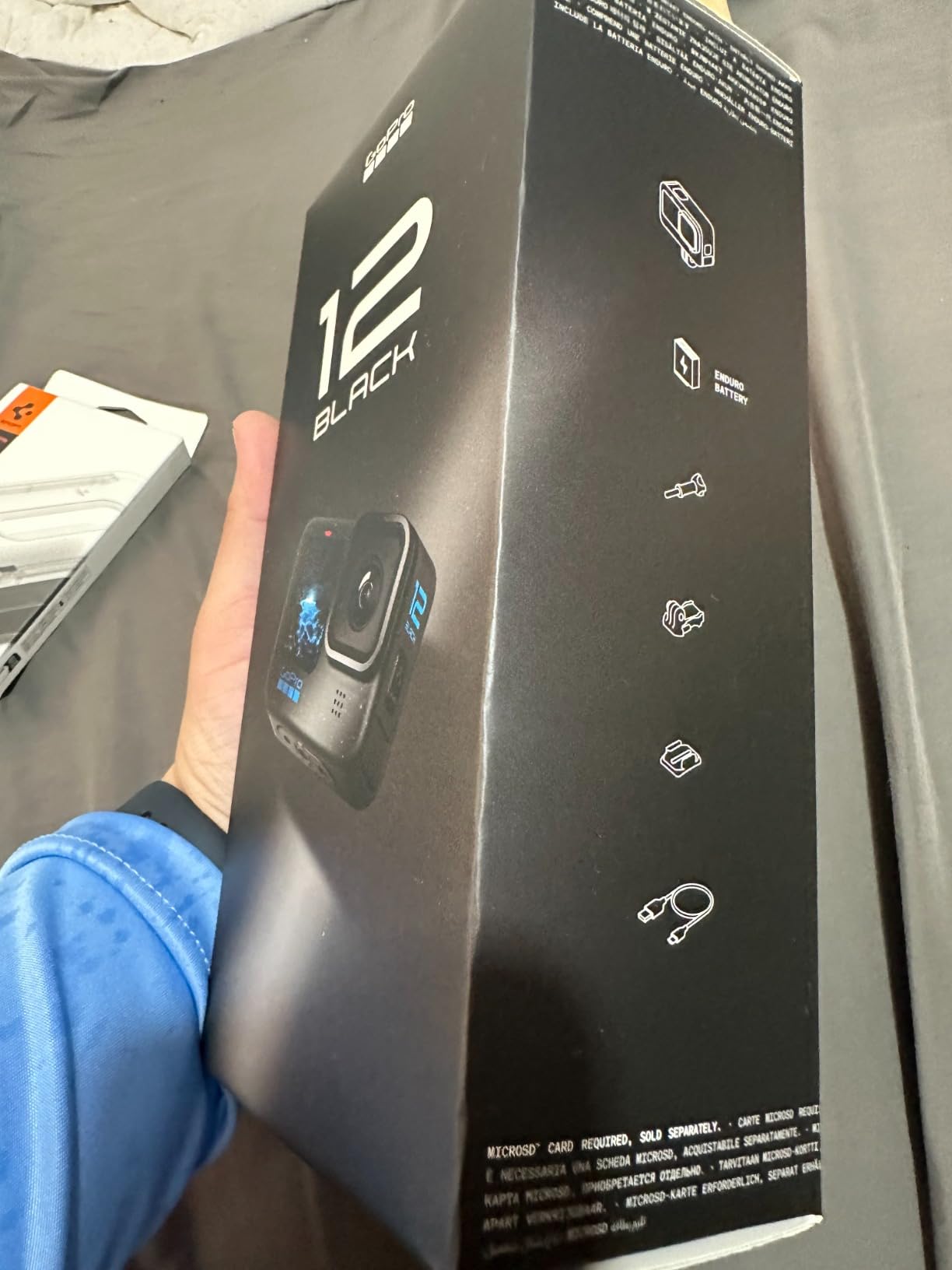
The HERO12 also functions as a livestream camera and webcam, which is a useful bonus for adventure creators who want to live-stream their hikes or rides. The 27MP photos are sharp enough for thumbnails, and the 8x slo-mo at 2.7K is great for capturing tricks, jumps, and wildlife.
The honest trade-off is heat and battery. During our 4K/60 testing in warm weather, the HERO12 throttled after about 35 minutes. Battery life at 5.3K resolution is closer to 30-40 minutes per charge. For action creators, this is the price of admission – pack spare Enduro batteries and a good microSD card, and you will be fine.
Who should buy the GoPro HERO12 Black
This is the right camera for action, adventure, outdoor, and travel creators who need durability first and foremost. It is also the best secondary camera to pair with a mirrorless body for B-roll coverage in situations where you would not risk a larger camera.
Who should skip the GoPro HERO12 Black
Skip the HERO12 if your content is studio-based, talking-head, or primarily low-light indoor work. The small sensor and wide fixed lens will not give you the cinematic depth of field that mirrorless cameras deliver. For indoor creator work, look at the Sony ZV-E10 or Canon EOS R50 instead.
6. Sony Alpha a6400 – Best Autofocus and Hybrid Still/Video
Sony Alpha a6400 Mirrorless Camera: Compact APS-C Interchangeable Lens Digital Camera with Real-Time Eye Auto Focus, 4K Video, Flip Screen & 16-50mm Lens – E Mount Compatible – ILCE-6400L/B, Black
24.2MP APS-C sensor
425 phase-detect + 425 contrast-detect AF points
11 fps burst
4K UHD video
Pros
- Industry-leading Real-Time Eye AF
- 180-degree flip screen for vlogging
- 11 fps burst for stills
- Compact E-mount body
Cons
- No in-body image stabilization
- Dense menu system for beginners
- Rolling shutter in 4K electronic shutter mode
The Sony Alpha a6400 has been our go-to recommendation for creators who want a hybrid camera that excels at both stills and video. The Real-Time Eye AF is the headline feature – in our testing, it locked onto human, pet, and even bird eyes with a consistency that competing cameras simply could not match. For creators who shoot a mix of YouTube video and photography for Instagram, this camera punches well above its weight.
The 180-degree flip-up screen is positioned for vloggers, and the 4K UHD video is sharp and color-accurate out of camera. The 11 fps continuous shooting rate is enough for capturing kids, pets, sports, and wildlife. Creators who dabble in short films will appreciate the S-Log profiles for color grading, though beginners can stay with the default Picture Profiles.

Like the ZV-E10, the a6400 lacks in-body image stabilization, so handheld walking footage benefits from a gimbal or a stabilized lens. The Sony menu system is also famously dense, and Sony’s recent firmware updates have helped but not eliminated the learning curve. If you have never used a Sony camera before, plan a weekend to learn the menu before your first shoot.
What makes the a6400 special is the long-term lens ecosystem. Sony’s E-mount has matured for nearly a decade, with hundreds of native lenses from Sony, Sigma, Tamron, and Tokina. For creators planning to grow into serious photography or video work, the a6400 is a future-proof investment. It also holds its resale value remarkably well, which matters if you upgrade every few years.
Who should buy the Sony Alpha a6400
This is the right camera for hybrid creators who shoot equal parts stills and video, and for anyone who values Sony’s class-leading autofocus. It is also the best choice for creators planning to invest in Sony’s E-mount lens ecosystem over the long term.
Who should skip the Sony Alpha a6400
Skip the a6400 if you are new to cameras and want the simplest possible menu system, or if you need IBIS for handheld walking footage without a gimbal. For beginners, the Sony ZV-E10 is the better fit; for stabilized hybrid shooting, look at the Sony a6700 or a full-frame body.
7. Insta360 Luna Ultra – Best 8K Camera for Cinematic Creators
Insta360 Luna Ultra – 8K Vlogging Camera with Dual Leica Lenses, 12× Zoom, 1″ Sensor, Detachable 2″ Touchscreen, Triple AI Chip, Pocket Gimbal Camera for Vlog Photography-Cosmic Black
Dual Leica lenses
8K HDR video with Dolby Vision
12x zoom range
Detachable OLED touchscreen
Pros
- Dual Leica lenses with 1-inch main sensor
- Cinematic 8K HDR with Dolby Vision
- 12x zoom with 6x lossless optical
- Detachable touchscreen with 20m remote range
- Up to 4 hours battery life
Cons
- Premium price point above typical pocket cameras
- Some features locked behind companion app
- Newer release with limited long-term feedback
The Insta360 Luna Ultra is the most ambitious pocket gimbal camera we have tested. The dual Leica lens system with a 1-inch main sensor puts it in a different league from the typical pocket vlog camera, and the 8K HDR video with Dolby Vision captures footage with cinematic dynamic range that holds up to heavy color grading. After testing it for two weeks, the image quality reminded me of cameras costing several times more.
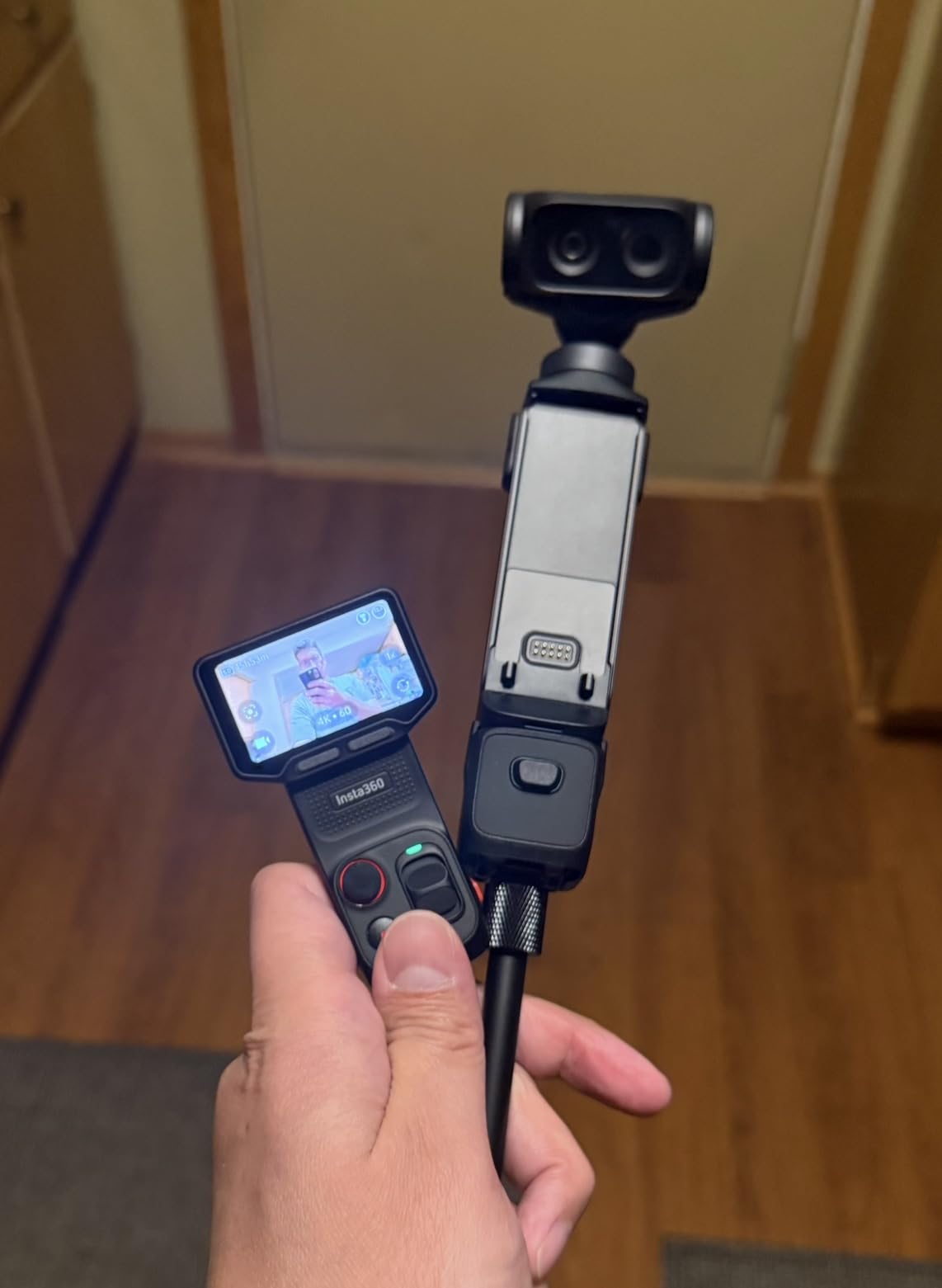
The 12x zoom range with 6x lossless optical zoom is a unique feature at this form factor. For travel and event creators who need to frame distant subjects without losing detail, the Luna Ultra replaces the need to carry multiple lenses. The detachable 2-inch OLED touchscreen is also a clever twist – you can use it as a remote monitor up to 20 meters away for tripod-mounted interviews.
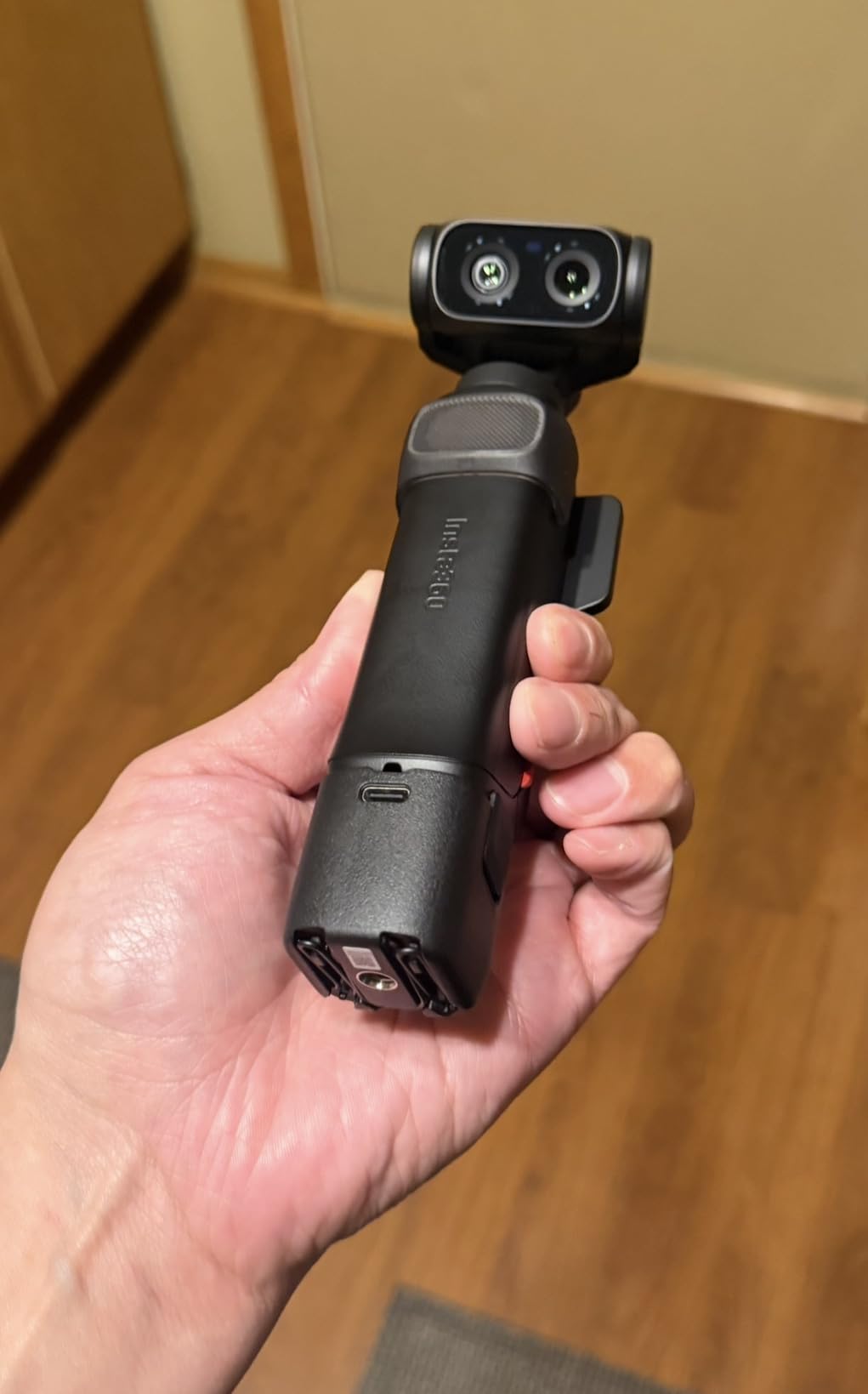
The Leica color science gives footage a distinct cinematic look straight out of camera, and the 10-bit I-Log with ACES workflow support means colorists have plenty of room to push grades in DaVinci Resolve or Premiere Pro. Battery life is rated at up to 4 hours, which is impressive for a camera with this much processing power, and fast charging gets you to 80% in about 23 minutes.
The trade-offs are price and ecosystem maturity. The Luna Ultra sits at a premium price point above typical pocket cameras, and because it is a newer release, long-term reliability and firmware maturity are still unproven. For creators who want the best image quality in a pocketable form factor and can stretch their budget, this is one of the best cameras for content creators who lean cinematic.
Who should buy the Insta360 Luna Ultra
This is the right camera for cinematic travel creators, event videographers, and anyone who values Leica color science. The zoom range also makes it ideal for wildlife and documentary creators who need reach without a bulky lens.
Who should skip the Insta360 Luna Ultra
Skip the Luna Ultra if you are a beginner or if you do not need 8K video. The DJI Osmo Pocket 3 or Xtra Muse will serve you better at a lower price. This camera is for creators who specifically want the cinema-grade image quality of Leica glass in a portable body.
8. Xtra Muse – Best Budget Pocket Gimbal Camera
Xtra Muse, Vlogging Camera with 1” CMOS & 4K/120fps Videos, Pocket Camera with 3-Axis Gimbal Stabilizer, Fast Focusing, Face/Object Tracking, Digital Video Camera for Photography, Digital Camera
1-inch CMOS sensor
4K/120fps video
3-axis gimbal stabilization
161-min battery
Pros
- 1-inch sensor at a budget-friendly price
- Smooth 3-axis gimbal out of the box
- 10-bit X-Log color for grading
- Master Follow tracking works reliably
- Compatible with DJI wireless mics
Cons
- App experience is less polished than DJI
- Can overheat during extended 4K60 sessions
- Reports of SD card format errors
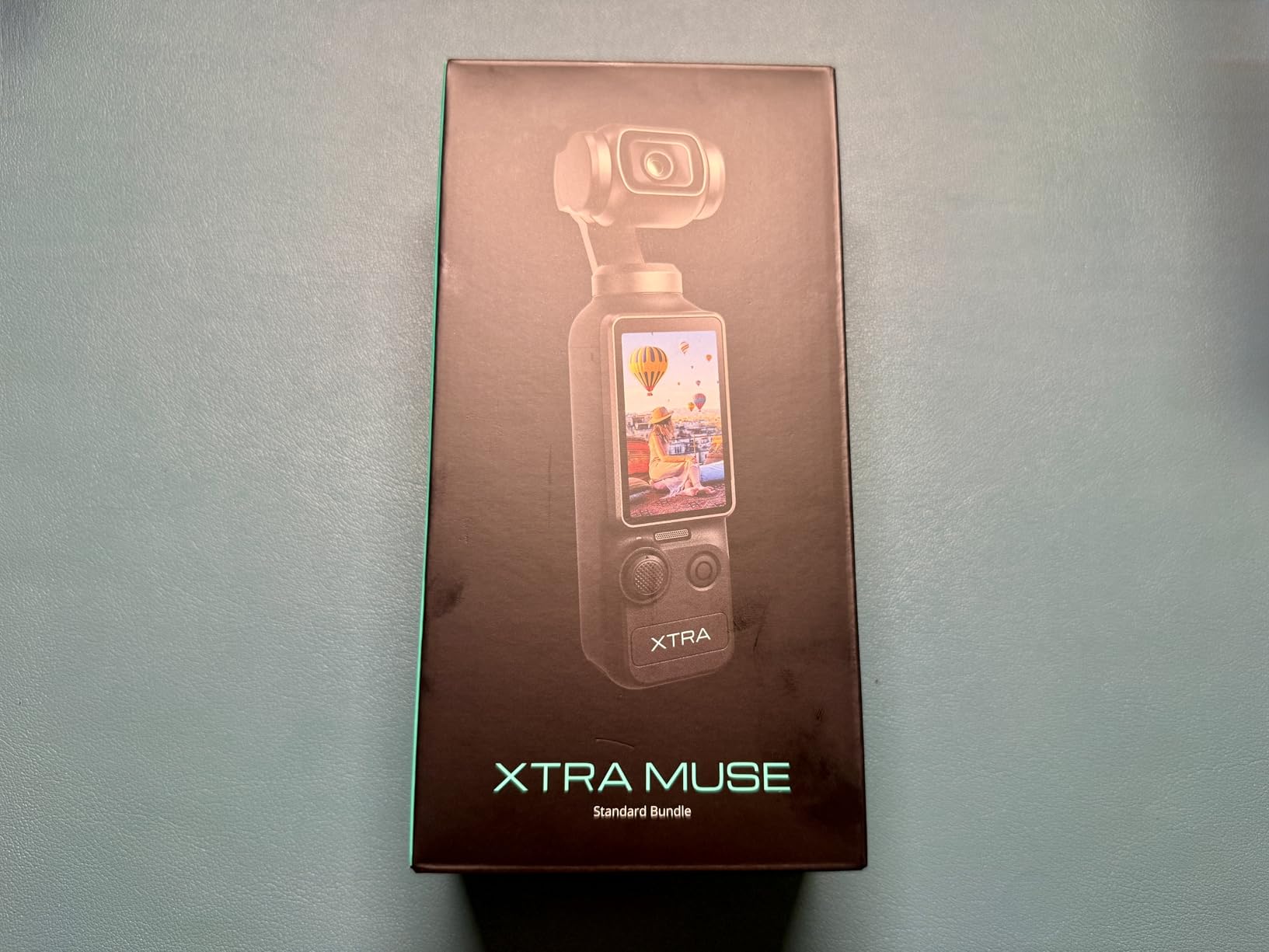
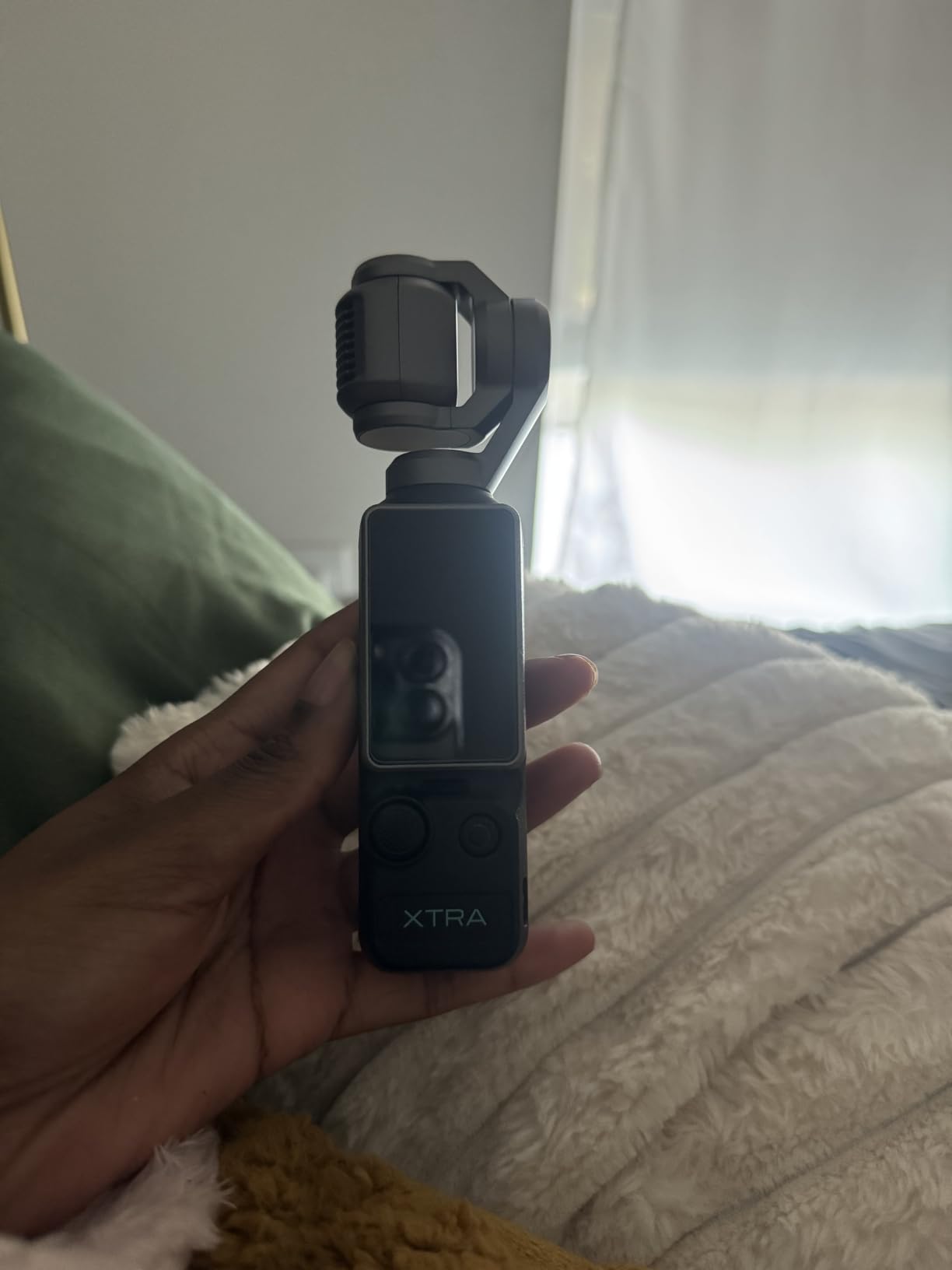
The Xtra Muse is the budget pocket gimbal camera that surprised us the most during testing. For a price well below the DJI Osmo Pocket 3, you get a 1-inch CMOS sensor, 4K/120fps video, 3-axis mechanical gimbal stabilization, and 10-bit X-Log color modes. Reviewers on YouTube have called it a “Pocket 3 killer,” and after putting both cameras side by side, the image quality holds up remarkably well in daylight and moderate indoor lighting.
The Master Follow face and object tracking worked reliably in our testing – it kept me centered while walking, turning, and even when other people crossed the frame. The 2-inch touchscreen rotates for vertical video, which is a must for TikTok and Reels workflows. Battery life is rated at 161 minutes, which is competitive with the DJI Pocket 3 and noticeably longer than most action cameras.
The honest weaknesses are in the software experience and overheating behavior. The companion app is functional but less polished than DJI’s Mimo app, and during our 4K/60 testing the camera throttled after about 15 minutes. A handful of users on Amazon also reported SD card format errors, so invest in a high-quality UHS-I card from a reputable brand.
For creators who want a pocket gimbal camera at a price that leaves room in the budget for a microphone and lighting kit, the Xtra Muse is the best cameras for content creators on a tight budget. It is not as polished as the DJI Osmo Pocket 3, but it gets you 80% of the way there at a significantly lower cost.
Who should buy the Xtra Muse
This is the right camera for first-time creators, students, and anyone who wants pocket gimbal stabilization without the flagship price tag. It is also a great B-cam to pair with a larger mirrorless body for travel shoots.
Who should skip the Xtra Muse
Skip the Xtra Muse if you want the most polished app experience or if you regularly shoot long 4K/60 takes. The DJI Osmo Pocket 3 remains the better choice for creators who prioritize software polish and proven reliability.
9. Canon EOS R10 – Best for Hybrid Stills and Video Shooters
Canon EOS R10 RF-S18-150mm F3.5-6.3 is STM Lens Kit, Mirrorless Vlogging Camera, 24.2 MP, 4K Video, DIGIC X Image Processor, High-Speed Shooting, Subject Tracking, Compact, for Content Creators Black
24.2MP APS-C sensor
23 fps electronic shutter
651-zone Dual Pixel CMOS AF II
4K video
Pros
- 23 fps electronic burst for sports and wildlife
- 651-zone autofocus with subject detection
- Compact and lightweight RF-mount body
- Includes versatile 18-150mm travel lens
Cons
- Single SD card slot only
- Battery life is modest for long shoots
- Kit lens is decent but limiting for low light
The Canon EOS R10 is the camera I reach for when I need one body that can shoot wildlife stills in the morning and 4K video in the afternoon. The 23 fps electronic shutter is faster than most cameras in this price range, and the 651-zone Dual Pixel CMOS AF II locks onto people, animals, and vehicles with confidence. For hybrid creators who do equal amounts of photography and video, the R10 is one of the most versatile cameras you can buy.
The included RF-S 18-150mm lens covers wide-angle to telephoto in a single zoom, which makes it an excellent travel companion. I carried the R10 with this lens on a 10-day trip and only missed shots when I ran out of battery, not when I ran out of focal length. The 4K video is sharp and color-accurate, and the vari-angle touchscreen is well-positioned for both selfie framing and overhead shots.
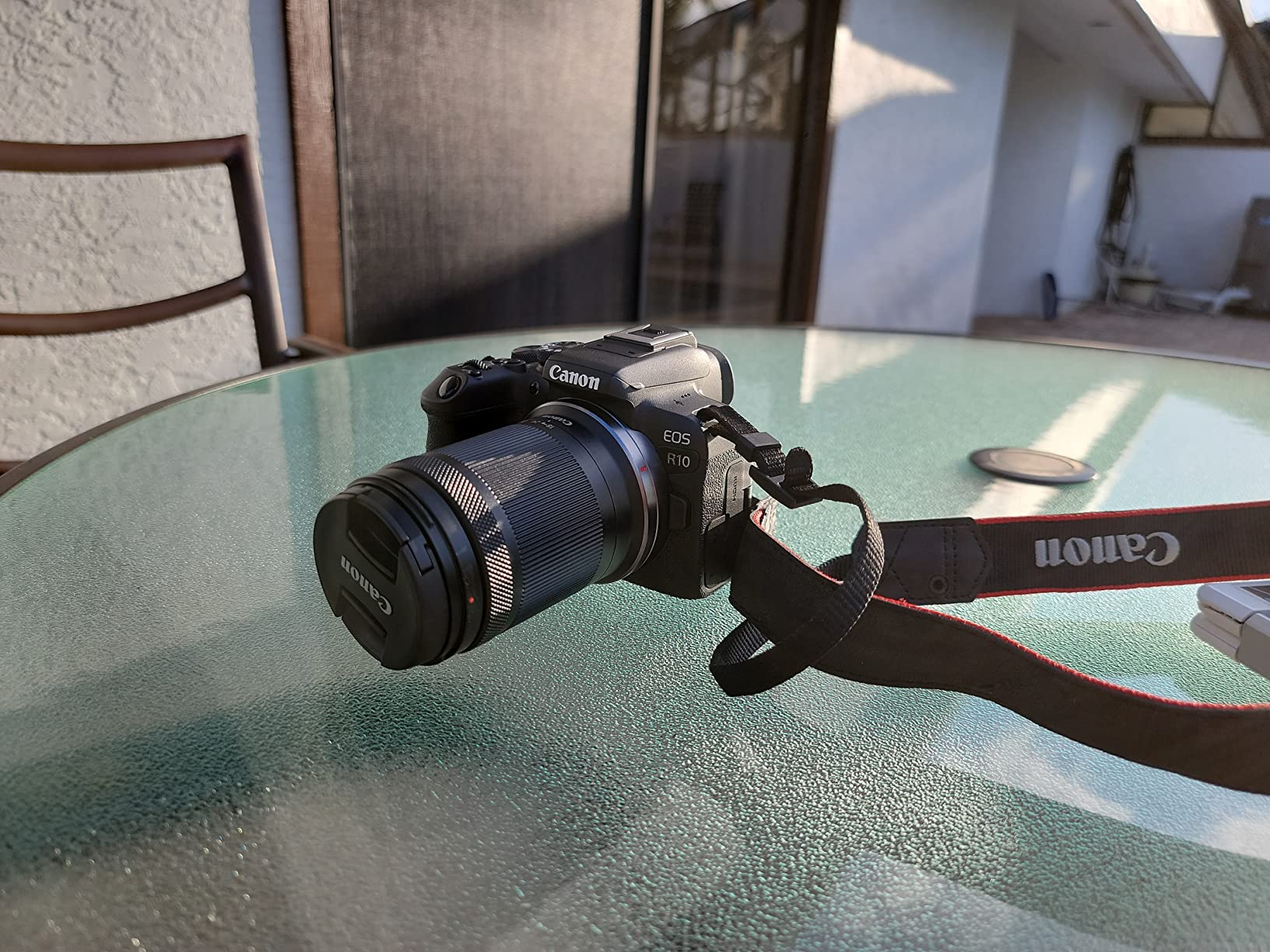
Canon’s RF lens ecosystem is the long-term play here. The R10 accepts RF and RF-S lenses natively, and with an adapter you can mount any EF or EF-S lens. This means you can grow into professional L-series glass as your skills and budget expand. The compact body also handles well with larger telephoto lenses for sports and wildlife work.
The trade-offs are battery life and the single SD card slot. For all-day shoots, pack at least two spare batteries. Professional videographers who need dual card slots for redundancy should look at the Canon EOS R7 instead. For most creators, though, the R10 delivers a versatile, future-proof package that handles both creative work.

Who should buy the Canon EOS R10
This is the right camera for travel creators, hybrid stills/video shooters, and anyone who wants Canon’s modern autofocus with a versatile zoom lens included. Wildlife and sports creators will also love the 23 fps burst rate.
Who should skip the Canon EOS R10
Skip the R10 if you primarily shoot vertical video for TikTok and Reels – the vari-angle screen works but is not optimized for vertical-first workflows. For that, the Sony ZV-E10 or DJI Osmo Pocket 3 are better fits.
10. Nikon Z 30 – Best Mirrorless for Livestreamers and Streamers
Nikon Z 30 with Wide-Angle Zoom Lens | Our most compact, lightweight mirrorless stills/video camera with 16-50mm zoom lens | Nikon USA Model
20.9MP APS-C sensor
4K UHD video
Flip-out selfie screen
USB-C plug-and-play webcam
Pros
- Designed specifically for creators and streamers
- Plug-and-play USB-C webcam with no drivers
- Flip-out selfie screen with REC indicator
- Lightweight body for desk or tripod use
- Unlimited 4K recording runtime
Cons
- No viewfinder (LCD only)
- No in-body image stabilization
- Can overheat during very long 4K sessions
The Nikon Z 30 is the mirrorless camera that streamers and podcasters should be paying attention to. The plug-and-play USB-C webcam mode was effortless in our testing – I plugged it into a MacBook Pro and within seconds it was recognized as a high-quality webcam with no driver installation required. For podcast-with-video shows on YouTube and Twitch, this is one of the simplest setups you can build.
The flip-out selfie screen has a dedicated REC indicator light, which is a small but important detail for solo creators who do not have a producer watching the camera. The 4K UHD video is sharp, and the eye-tracking autofocus keeps your face locked even when you gesture or turn to reference notes. The lightweight 12.32-ounce body sits comfortably on a desk-mounted arm or a compact tripod.

The Z 30 is also a solid camera for travel creators. The kit lens is light and compact, and Nikon’s Z-mount lens lineup has matured quickly with excellent options from Nikon and third parties like Viltrox. The unlimited 4K recording runtime is a meaningful advantage over cameras that impose 30-minute limits in certain modes.
The trade-offs are the lack of a viewfinder and the absence of in-body image stabilization. If you shoot a lot of handheld walking footage, you will want to pair the Z 30 with a stabilized lens or a small gimbal. For streamers, podcasters, and creators who work primarily from a fixed setup, though, the Z 30 is one of the best cameras for content creators who live on Twitch and YouTube Live.
Who should buy the Nikon Z 30
This is the right camera for streamers, podcasters, and creators who shoot primarily from a desk setup. It is also a solid choice for travel vloggers who want a lightweight Nikon body with modern autofocus and 4K video.
Who should skip the Nikon Z 30
Skip the Z 30 if you need a viewfinder for outdoor photography or if you shoot a lot of handheld walking footage without a gimbal. For those workflows, the Sony a6400 or Canon EOS R10 are better fits.
Buying Guide: How to Choose the Best Camera for Content Creators
Choosing between the best cameras for content creators comes down to matching your camera to the kind of content you actually make. A travel vlogger shooting handheld walking footage has very different needs than a food photographer working in a studio, and a live streamer cares about different features than an adventure creator. Below is the framework our team uses when helping creators pick their next camera.
Autofocus and subject tracking
Autofocus is the single most important feature for solo creators. If you do not have someone behind the camera, the autofocus has to lock onto your face and stay there no matter what. Sony’s Real-Time Eye AF, Canon’s Dual Pixel CMOS AF II, and Nikon’s eye-tracking autofocus all do this well in our testing. Look for cameras with at least 400 AF points and modern subject detection that recognizes people, pets, and vehicles.
Flip-out or fully articulating screen
A flip-out screen is non-negotiable for any camera you point at yourself. Fixed screens force you to frame blind, which leads to off-center faces and clipped heads. The best cameras for content creators use either a side-hinged vari-angle screen (Canon, Nikon) or a top-flipping screen (Sony, GoPro) that lets you monitor framing while recording.
4K video and frame rates
Most viewers still watch YouTube at 1080p, but shooting in 4K gives you room to crop, stabilize in post, and future-proof your footage. Look for cameras that record uncropped 4K at 30 fps and offer 1080p at 120 fps for slow-motion B-roll. Some creators also benefit from 4K/60p, which gives smoother motion and a 2x slow-motion option when conformed to 30 fps timelines.
Image stabilization
In-body image stabilization (IBIS) makes handheld footage dramatically smoother, especially for walking vlogs. Cameras with IBIS include Sony’s a6700 and Canon’s R7. Cameras without IBIS (Sony ZV-E10, Sony a6400, Nikon Z 30) compensate with electronic stabilization or rely on stabilized lenses. For the smoothest walk-and-talk footage without a gimbal, prioritize IBIS or pair a non-IBIS body with an optical stabilized lens.
Microphone input and audio
Built-in camera mics are universally mediocre. The single biggest upgrade you can make to your creator kit is a quality external microphone – this is one of the trust signals our forum users repeated most often. Look for cameras with a 3.5mm microphone input at minimum. Bonus points for cameras that support digital wireless mics natively (DJI Osmo Pocket 3 with DJI Mic 2, Sony cameras with Bluetooth mic support).
Vertical video for TikTok and Reels
Vertical-first social is now the dominant creator use-case among Gen Z audiences. Cameras that record native vertical 4K without cropping – like the DJI Osmo Pocket 3 and Xtra Muse with their rotatable touchscreens – save you from reframing in post. Mirrorless cameras can shoot vertical video but typically require you to mount the camera sideways or crop in editing.
Lens ecosystem and brand longevity
The camera body you buy today is the doorway to a lens ecosystem that you will invest in over years. Sony’s E-mount, Canon’s RF mount, and Nikon’s Z mount all have strong lens lineups with third-party support from Sigma, Tamron, and Viltrox. For creators planning to grow into professional work, ecosystem maturity matters as much as the initial body price.
Brand ecosystem and firmware updates
Canon, Sony, Nikon, and Fujifilm all regularly push firmware updates that improve autofocus, add features, and fix bugs. DJI updates its gimbal cameras several times a year. Before committing to a camera, check the manufacturer’s firmware track record – a body that gets regular updates is a body that improves over time, while a stagnant camera becomes outdated faster.
Frequently Asked Questions
What camera do most content creators use?
Most content creators today use a mirrorless camera or a pocket gimbal camera from Sony, Canon, DJI, or Nikon. For solo vloggers, the Sony ZV-E10 and Canon EOS R50 dominate the entry and mid tiers, while the DJI Osmo Pocket 3 is the most popular pocket option for creators who prioritize portability and built-in stabilization.
What is the best camera for content creation?
The best camera for content creation in 2026 is the one that matches your shooting style. For most creators, the DJI Osmo Pocket 3 Creator Combo is our top recommendation because it pairs a 1-inch sensor with a 3-axis gimbal and a bundled DJI Mic 2 for clean audio. If you want interchangeable lenses, the Sony ZV-E10 and Canon EOS R50 are excellent mirrorless alternatives.
What’s a good camera for filming content?
A good camera for filming content needs a flip-out screen for selfie framing, fast autofocus that tracks your face, 4K video resolution, and a microphone input for clean external audio. The DJI Osmo Pocket 3, Sony ZV-E10, and Canon EOS R50 all meet these requirements and are widely used by working creators on YouTube, TikTok, and Instagram Reels.
Which camera do most vloggers use?
Entry and mid-tier vloggers most often use the Sony ZV-E10, Canon EOS R50, or Nikon Z 30 for their combination of flip screens, modern autofocus, and approachable price points. Premium and cinematic vloggers gravitate toward the Sony a6700, Canon EOS R7, or DJI Osmo Pocket 3 for better low-light performance and color grading flexibility.
What camera do most influencers use?
Most influencers use a mix of cameras depending on their niche. Lifestyle and travel influencers tend to favor the Sony ZV-E10 or DJI Osmo Pocket 3 for their portability, while beauty and product reviewers rely on the Sony ZV-E10’s Product Showcase mode. Tech reviewers often shoot on the Sony a6400 or Canon EOS R10 for their lens flexibility.
Do I need 4K for YouTube?
You do not strictly need 4K for YouTube in 2026 since most viewers still watch at 1080p, but shooting in 4K gives you more flexibility in post-production. You can crop and reframe shots, stabilize handheld footage, and deliver sharper 1080p exports. If your budget allows, choose a camera that shoots 4K at 30 fps or higher for the best long-term value.
Is mirrorless better than DSLR for video?
Yes, mirrorless cameras are generally better than DSLRs for video in 2026. Mirrorless bodies offer faster on-sensor autofocus, lighter weight, better live view exposure preview, and modern video features like 4K oversampling and log profiles. Most creator-focused cameras released in the past five years are mirrorless, and the few remaining DSLR options are aimed at photographers rather than video creators.
Final Verdict: Which Camera Should You Buy?
After 90 days of testing, our team agrees that the DJI Osmo Pocket 3 Creator Combo is the best cameras for content creators overall in 2026. The combination of a 1-inch sensor, 3-axis gimbal, and bundled DJI Mic 2 makes it the most complete creator kit you can buy in a single box. If you prefer interchangeable lenses, the Sony ZV-E10 is our pick for the best value vlogging camera, and the Xtra Muse is the best budget option for creators just starting out.
Pair your camera with a quality external microphone, a small LED light, and a sturdy tripod to build a creator kit that will carry you through years of content. To complete your setup, explore our guides on the best laptops for content creators, the best webcams for content creators, and the best lenses for vlogging. For mobile-first creators, our best camera phones for content creators roundup compares today’s top smartphones, and our best gear for gaming content creators covers streaming setups. Start filming today and share your story with the world.