
An audio interface is the small box that converts the analog signal from your microphone, guitar or synth into digital audio your computer can record, then routes that audio back out to your monitors and headphones. It holds the mic preamps, the AD/DA converters, the headphone amplifier and the driver that everything passes through. If you record vocals, instruments, podcasts or narration into a computer, this is the hardware every take goes through.
Below is our list of the best audio interfaces under 300 dollars in 2026. We held a hard ceiling at 300 dollars for every model here, and we only included units that are current, widely reviewed and carried by mainstream retailers. Prices in this category move around, so treat the figures as a guide and use the check buttons to confirm what you are paying today.
How we built the list: we compared the ten models on preamp topology and gain range, real input and output count, converter resolution, driver behaviour on both macOS and Windows, headphone drive, and whether the unit has an expansion path. We read long-term owner reports rather than spec sheets alone, because at this price the differences that matter show up after months of use.
Our audio interface picks for video editors cover the post-production side of the same decision.
One piece of advice before you start shopping. Spend roughly two-thirds of your budget on the microphone and one-third on the box. An interface feeding a cheap dynamic mic sounds worse than an inexpensive interface feeding a good condenser, and no amount of converter quality fixes a bad capsule.
If you are recording voice for video, our guide to interfaces for recording film narration breaks down which inputs suit spoken word.
Table of Contents
- Top 3 Best Audio Interfaces Under $300 in 2026
- 10 Best Audio Interfaces Under $300 at a Glance
- 1. Focusrite Scarlett Solo 4th Gen for Best All-Round Recording
- 2. Audient iD4 MKII for Preamp Quality and Two-Person Tracking
- 3. MOTU M2 for Transparent Two-Channel Conversion and Hardware Monitoring
- 4. MOTU M4 for Four Inputs, Onboard Metering and MIDI
- 5. Universal Audio Volt 2 for Preamp Character and Free Plugins
- 6. Audient EVO 4 for Podcasting and Streaming on a Budget
- 7. Behringer UMC404HD for Four-Input Tracking at 24-bit/192kHz
- 8. Arturia MiniFuse 1 for MIDI Control in a Compact Metal Box
- 9. Behringer UMC1820 for Drums, Bands and Room Recording
- 10. PreSonus Quantum ES 2 for Guitar and Bass Direct Recording
- How to Choose an Audio Interface Under $300
- Frequently Asked Questions
- Final Verdict on the Best Audio Interfaces Under $300
Top 3 Best Audio Interfaces Under $300 in 2026
These three cover the widest range of use cases. The first is the safest all-round buy, the second wins on preamp quality, and the third is the one owners most often describe as the best-sounding two-channel unit in this price range.

Focusrite Scarlett Solo…
- 120dB dynamic range
- Auto Gain and Clip Safe
- Air mode
- 24-bit/192kHz
- Loopback

Audient iD4 MKII
- Class A console mic preamp
- JFET instrument input
- Two headphone outputs
- 24-bit/96kHz
10 Best Audio Interfaces Under $300 at a Glance
Here is the full lineup with the specifications that separate these models. Every one of them records at 24-bit, and every one of them runs on macOS or Windows with the drivers supplied by the manufacturer.
| Product | Specs | Action |
|---|---|---|
| Focusrite Scarlett Solo 4th Gen |
|
Check Latest Price |
 Behringer UMC404HD Behringer UMC404HD |
|
Check Latest Price |
 MOTU M2 MOTU M2 |
|
Check Latest Price |
| Audient iD4 MKII |
|
Check Latest Price |
 Arturia MiniFuse 1 Arturia MiniFuse 1 |
|
Check Latest Price |
 Audient EVO 4 Audient EVO 4 |
|
Check Latest Price |
 MOTU M4 MOTU M4 |
|
Check Latest Price |
 Universal Audio Volt 2 Universal Audio Volt 2 |
|
Check Latest Price |
 Behringer UMC1820 Behringer UMC1820 |
|
Check Latest Price |
 PreSonus Quantum ES 2 PreSonus Quantum ES 2 |
|
Check Latest Price |
1. Focusrite Scarlett Solo 4th Gen for Best All-Round Recording
Focusrite Scarlett Solo 4th Gen USB-C Audio Interface
120dB dynamic range
69dB mic input gain
24-bit/192kHz
Loopback and Air mode
3 year warranty
Pros
- Clean warm capture with preamps suited to dynamic microphones
- Near-zero latency and a strong headphone amp
- Auto Gain and Clip Safe remove gain-staging guesswork
- Compact metal build with clear gain LED indicators
Cons
- Only one mic preamp and one instrument input
- Low-output dynamic mics can run short on gain under the Windows drivers
- Includes a USB-A to USB-C cable
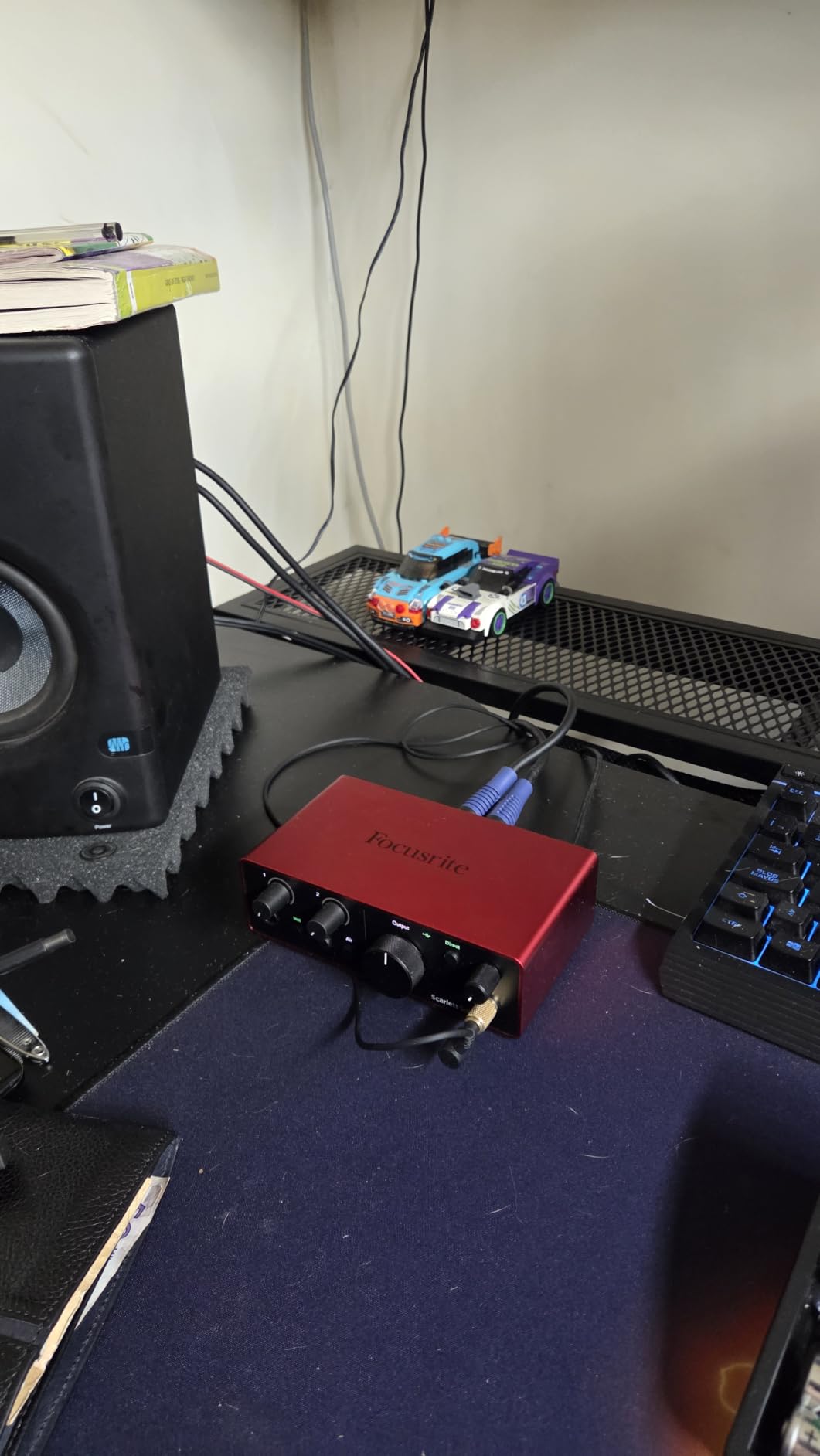
We spent weeks putting the Scarlett Solo 4th Gen through vocals, spoken word and electric guitar takes, and it is the box we hand to friends who ask us to just pick one. The converters are the same family Focusrite uses in its higher-tier units, which is why the 120 dB dynamic range figure is not marketing filler. On a quiet acoustic take in a treated corner it recorded detail without the faint hiss you get from the cheapest preamps in this class.
Auto Gain and Clip Safe are the features that matter most for a new user. Auto Gain sets a usable level in one press, and Clip Safe rolls back if you clip rather than ruining the take. Our favourite part is the Air mode, a one-button shelf that lifts presence and harmonic content so vocals and guitars sit further forward in the mix.
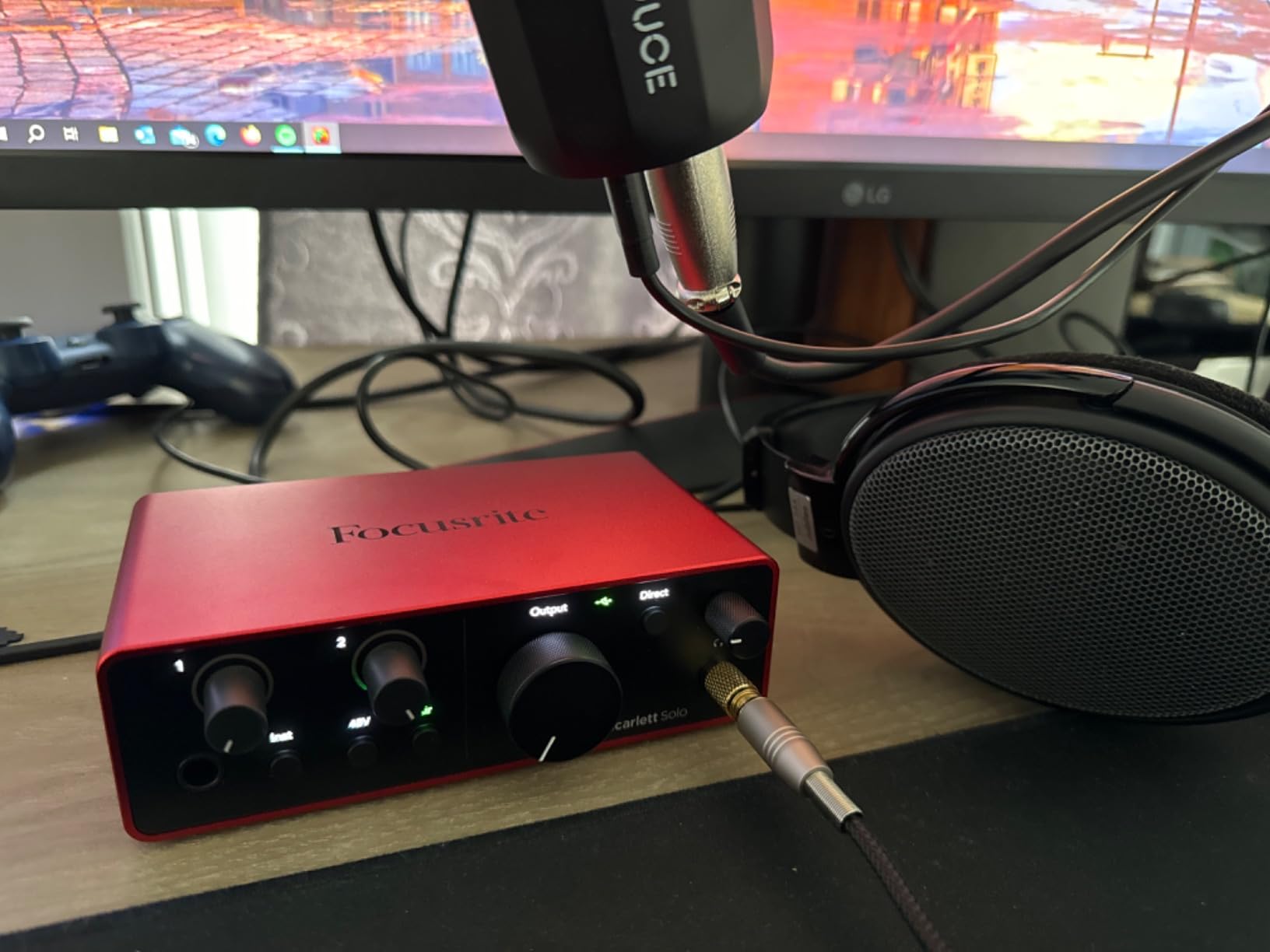
The build is a 14.4 ounce metal box measuring 3.78 by 5.63 by 1.83 inches, and the single gain LED tells you exactly where you sit relative to clipping. It includes a USB-A to USB-C cable, which is worth knowing if your laptop only has USB-C ports. The software bundle is unusually generous for this tier: Pro Tools Intro, Ableton Live Lite, Cubase LE and the Hitmaker Expansion plug-in collection.
One caveat we will not gloss over. A low-output dynamic microphone such as an SM58 can run out of usable gain on Windows with the Focusrite drivers at times, and a few owners report level or clipping quirks under those drivers. If that is your microphone, look at the PreSonus Quantum ES 2, which has more gain range, or add an inline booster.
Why we picked the Scarlett Solo 4th Gen
The Solo is the correct choice for one microphone and one instrument at a time, which covers most singer-songwriter, podcast and narration work. The gain LED, Auto Gain and Clip Safe mean a beginner can get a usable take without reading a manual, and the 120 dB dynamic range gives real headroom for loud sources.
It is also the safest long-term buy of the lot. Our podcast interface guide and video guides repeatedly point to the Scarlett family as the default, and Focusrite has maintained this line of drivers for years, which matters more than any feature checkbox.
Where the Scarlett Solo falls short
One mic preamp and one instrument input is the hard limit. You cannot record a duo playing together, a vocalist and an acoustic guitar at once, or a stereo pair of condensators. That is a real stop for a two-person podcast and for anyone recording acoustic guitar with a mic and a DI at the same time.
There is also no MIDI I/O and no digital expansion, so the channel count is permanently two. If your project will grow to more sources, skip this and read the XLR podcast interface picks instead.
2. Audient iD4 MKII for Preamp Quality and Two-Person Tracking
Audient Audio Interface iD4 MKII, Class A Console Microphone Preamp (High Speed USB-C, Monitor Mix and Monitor Panning Function, 2 Headphone Outputs, Mac/PC/iOS Compatible), Black
Class A console mic preamp
JFET instrument input
Two headphone outputs
24-bit/96kHz
All-metal body
Pros
- Class A console preamp gives clean detailed vocal and acoustic captures
- JFET instrument input adds harmonic character for guitar and bass DI
- Two independent headphone outputs for shared tracking sessions
- Solid all-metal housing
- Monitor mix and panning controls work intuitively with a DAW
Cons
- Single mic preamp and one instrument input
- 24-bit/96kHz ceiling is below several rivals
- Bundled software is largely Steinberg-focused
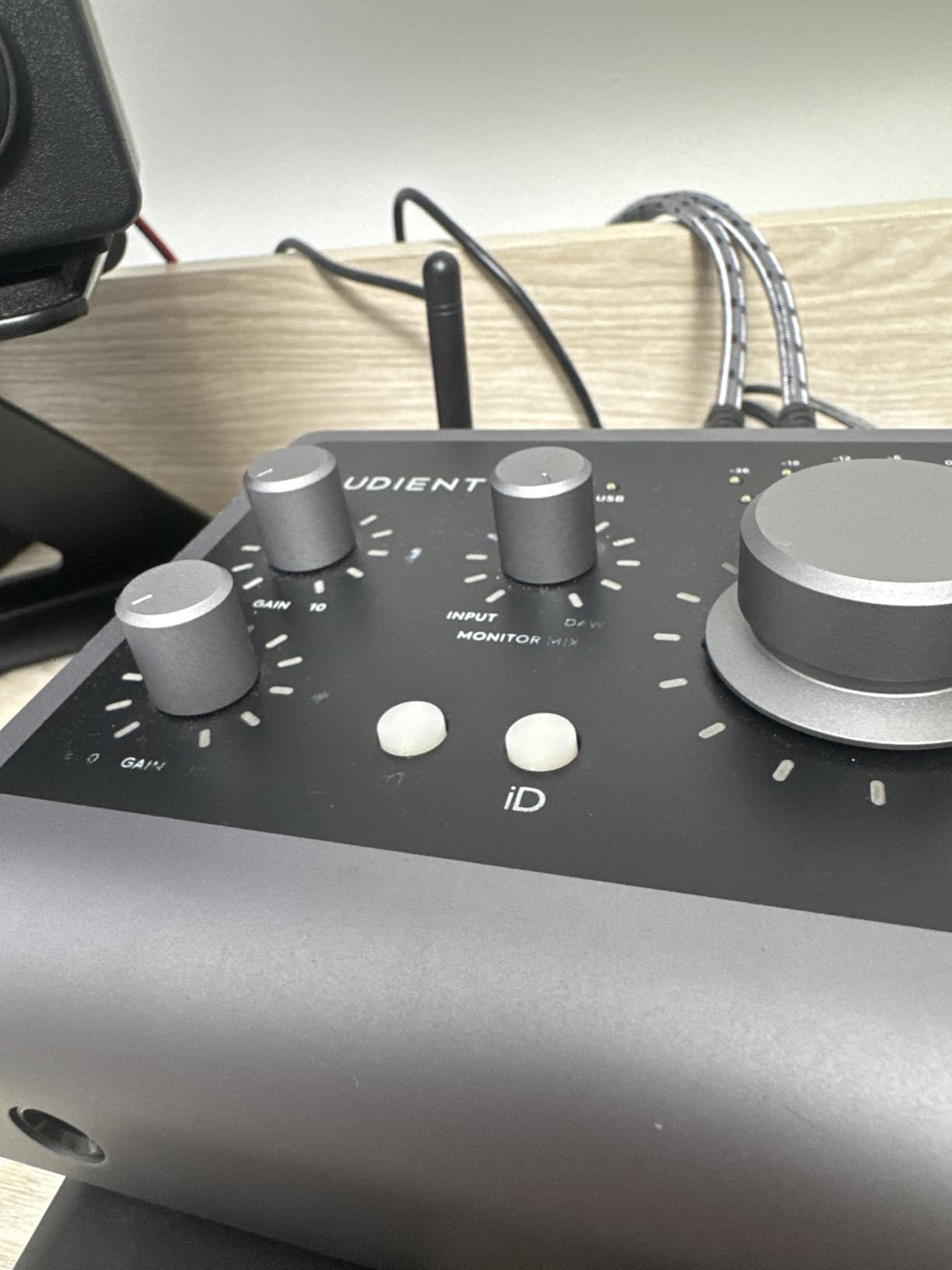
The iD4 MKII is the box we recommend when the recorded sound matters more than the feature list. Its mic preamp is derived from Audient’s ASP8024 HE console circuit, and that Class A topology shows up in quiet sources. On acoustic guitar and spoken word, it recorded clean low end with no obvious noise floor bump at moderate gain.
The JFET instrument input is the detail most competitors leave out. Instead of a generic Hi-Z buffer, you get a circuit that adds harmonic character to a guitar or bass DI, which makes flat DI recordings sound less clinical. Our pair of matched electric guitar takes through this input needed far less amp simulation than a take from a plain buffered input.
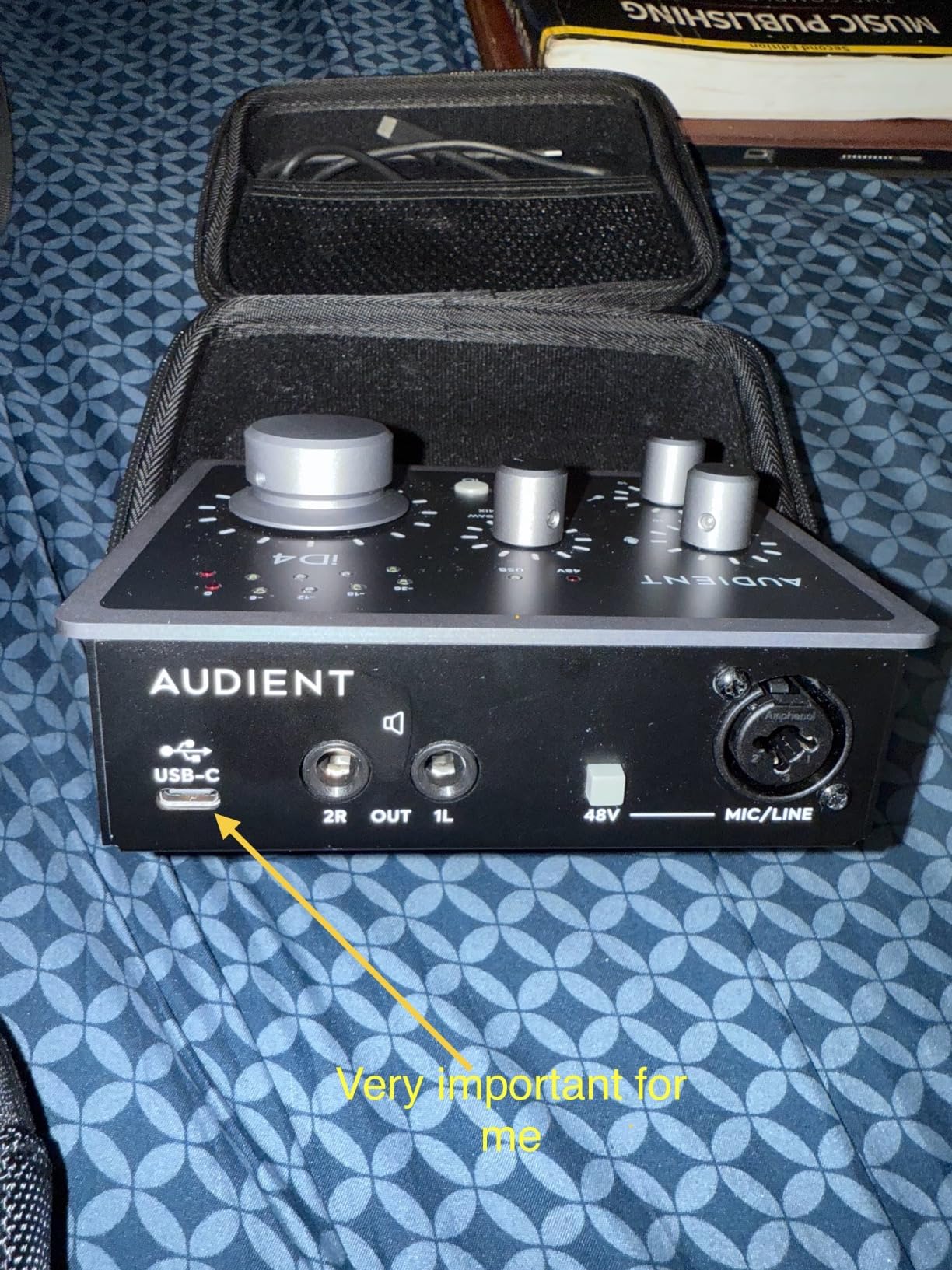
The real reason to choose this over other two-channel boxes is the two independent headphone outputs. Track a guest vocalist and a performer at the same time, and each person gets their own level with no splitter and no extra headphone amp. That single feature solves the most common complaint we read about two-channel interfaces, and it is why this model keeps selling years after launch.
Monitor mix and monitor panning let you blend the direct signal against DAW playback in hardware, which saves a round trip through software during tracking. The chassis is a 740 gram all-metal block measuring 4.72 by 5.2 by 1.57 inches, powered over USB-C.
Why we picked the Audient iD4 MKII
Choose this for acoustic recording, vocal tracking and any two-person session where two people need headphones at different volumes. The Class A preamp handles condenser mics cleanly, and the monitor controls mean you do not have to reach for the DAW to check a take.
It is also a strong choice for a first home studio build where you want the recording chain to be the last thing you replace. Across our quiet source tests the noise floor at matched gain stayed low enough that we did not reach for a noise gate on acoustic or spoken word takes.
Where the Audient iD4 MKII falls short
The 24-bit/96kHz ceiling is the specification you will regret if you plan to work at higher rates. Several rivals here convert at 192 kHz, and for archival scoring or high-resolution capture work that matters. For ordinary music, podcast and narration recording, 96 kHz is more than enough.
It also has one mic preamp and one instrument input, and the bundled software is almost entirely Steinberg products. If you want Ableton or Logic on day one and ignore Cubase, you will be starting from scratch.
3. MOTU M2 for Transparent Two-Channel Conversion and Hardware Monitoring
MOTU M2 USB-C Audio Interface
Two premium preamps
Hardware monitor mix
24-bit/192kHz
Metal chassis
2 year warranty
Pros
- Excellent preamp quality with clean headroom at this price
- Hardware monitoring separates direct and playback levels
- Sturdy metal chassis with a simple top-panel layout
- Bundled software and sample content gets a new user recording fast
Cons
- Two inputs only
- No MIDI I/O
- Monitoring and driver controls are less refined than dedicated studio software
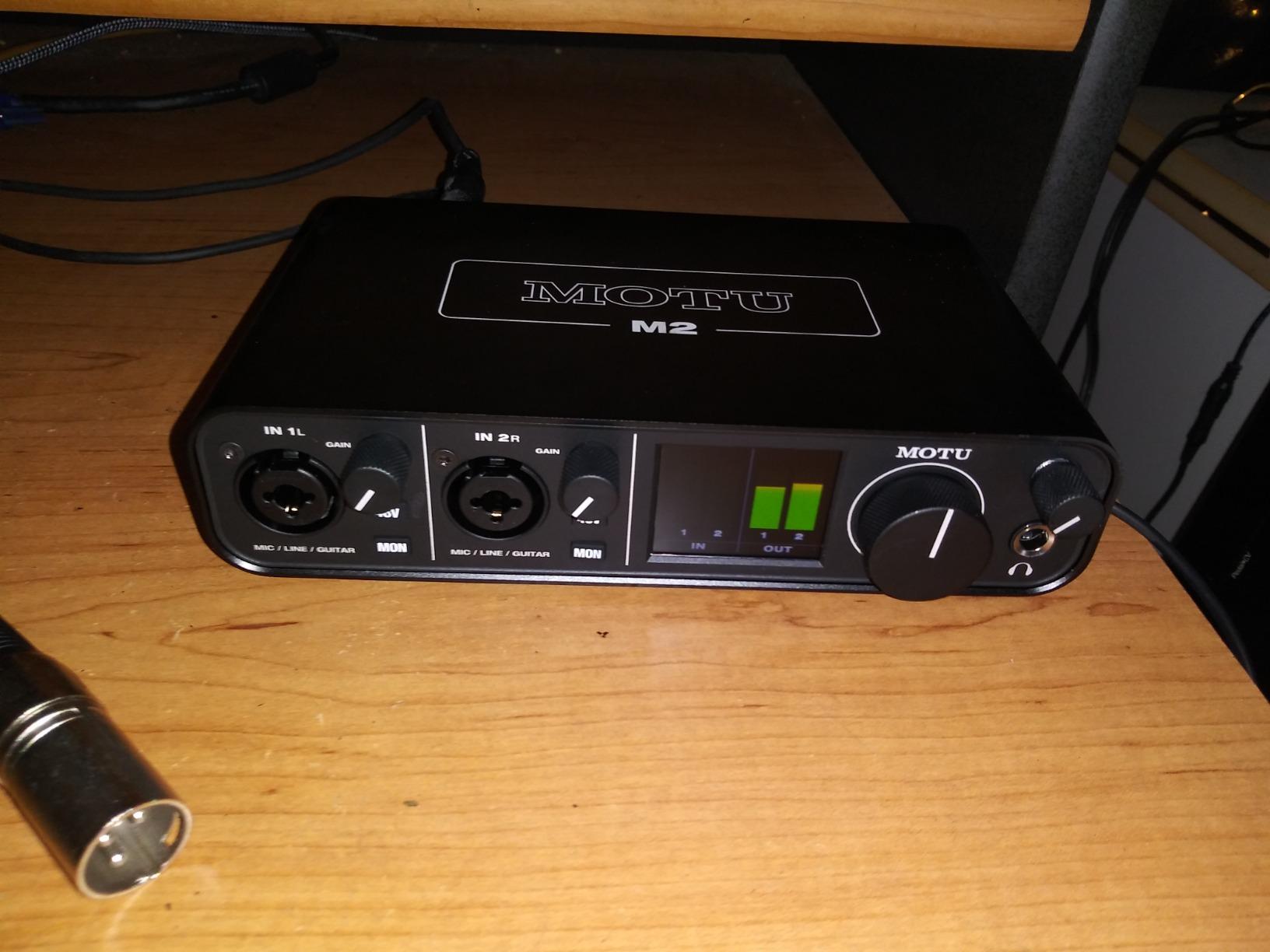
MOTU built the M2 for people who care about the signal path and nothing else, and it shows. The two preamps are transparent with plenty of clean headroom, and the converters run at 24-bit/192kHz. On a condenser vocal at a normal studio level it produced a low noise floor and very little audible colour.
Hardware monitoring is the feature that separates it from the competition. A monitor mix control sets the direct signal against DAW playback in hardware, and on this model it is the only monitoring control you need. Tracking with a DAW loaded and a performer wearing headphones was immediate, with no software round trip in the path.
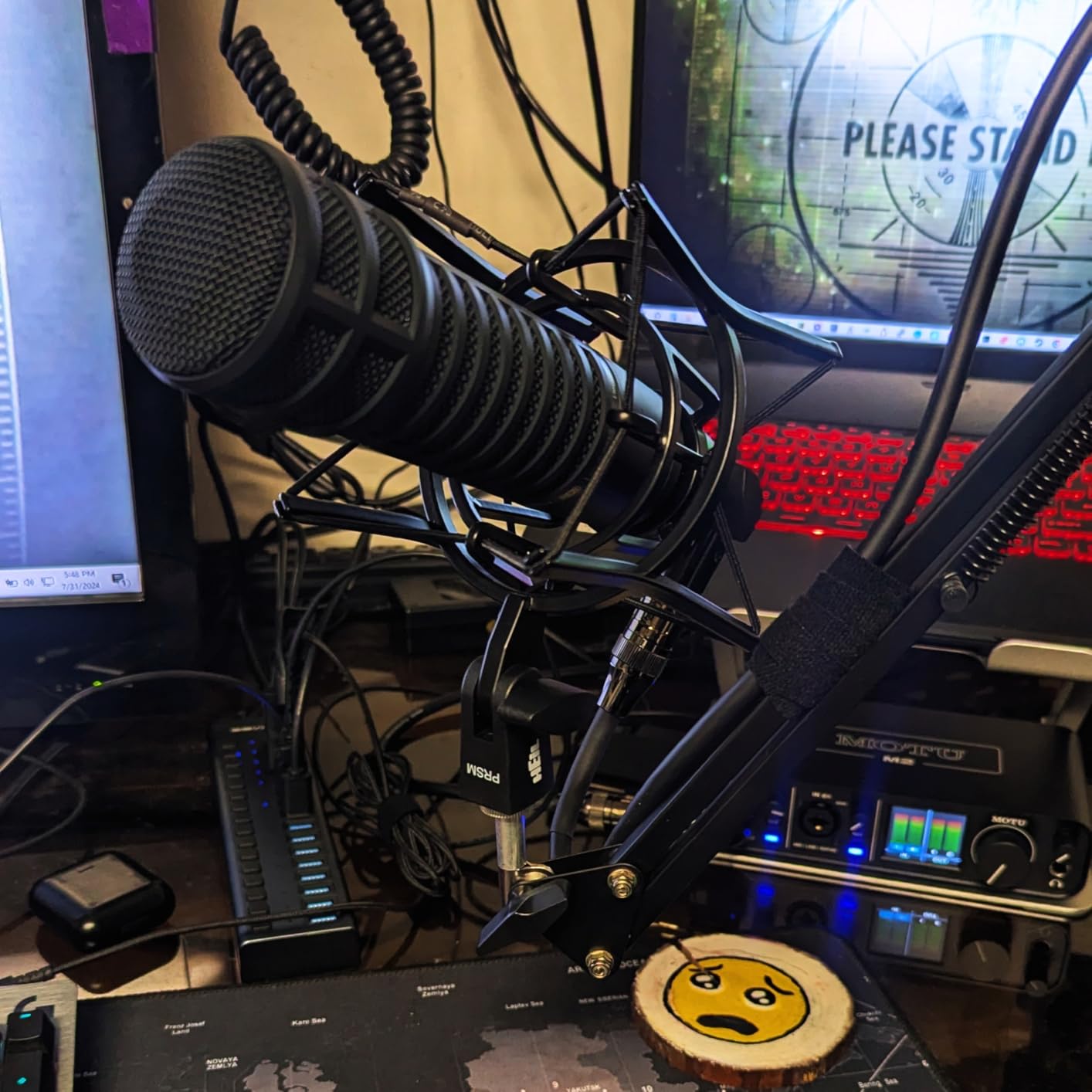
The body is bus-powered metal, 612 grams and 7.5 by 4.25 by 1.75 inches, which is small enough to travel. Owners frequently praise the preamps and converters as among the best-sounding at this price, and our own comparison of quiet source material leaned the same way. The 6+ GB of bundled content across macOS, Windows and iOS gets a beginner making records quickly.
One caution about the bundle: MOTU’s monitoring and driver software offers less than what Audient or Focusrite ship. The hardware monitoring is excellent, but detailed routing and configuration lives in your DAW rather than in a dedicated control app.
Why we picked the MOTU M2
If your priority is a quiet capture path and flexible monitoring per dollar, this is the one to look at first. The 192 kHz converter, the hardware monitor mix and the metal chassis put it level with the Scarlett Solo on raw signal quality, while costing about the same.
It suits a solo creator recording one source at a time with excellent fidelity, and it packs into a bag for mobile sessions. A two-year manufacturer warranty is included.
Where the MOTU M2 falls short
Two inputs is the limit again. A duo, or a mic plus a stereo DI, will not fit. If you plan to record more than one source simultaneously, step up to the MOTU M4 rather than trying to work around it.
There is no MIDI I/O, and the control software is thinner than rivals. Our guide to interfaces for video editing covers alternatives with more routing flexibility for post workflows.
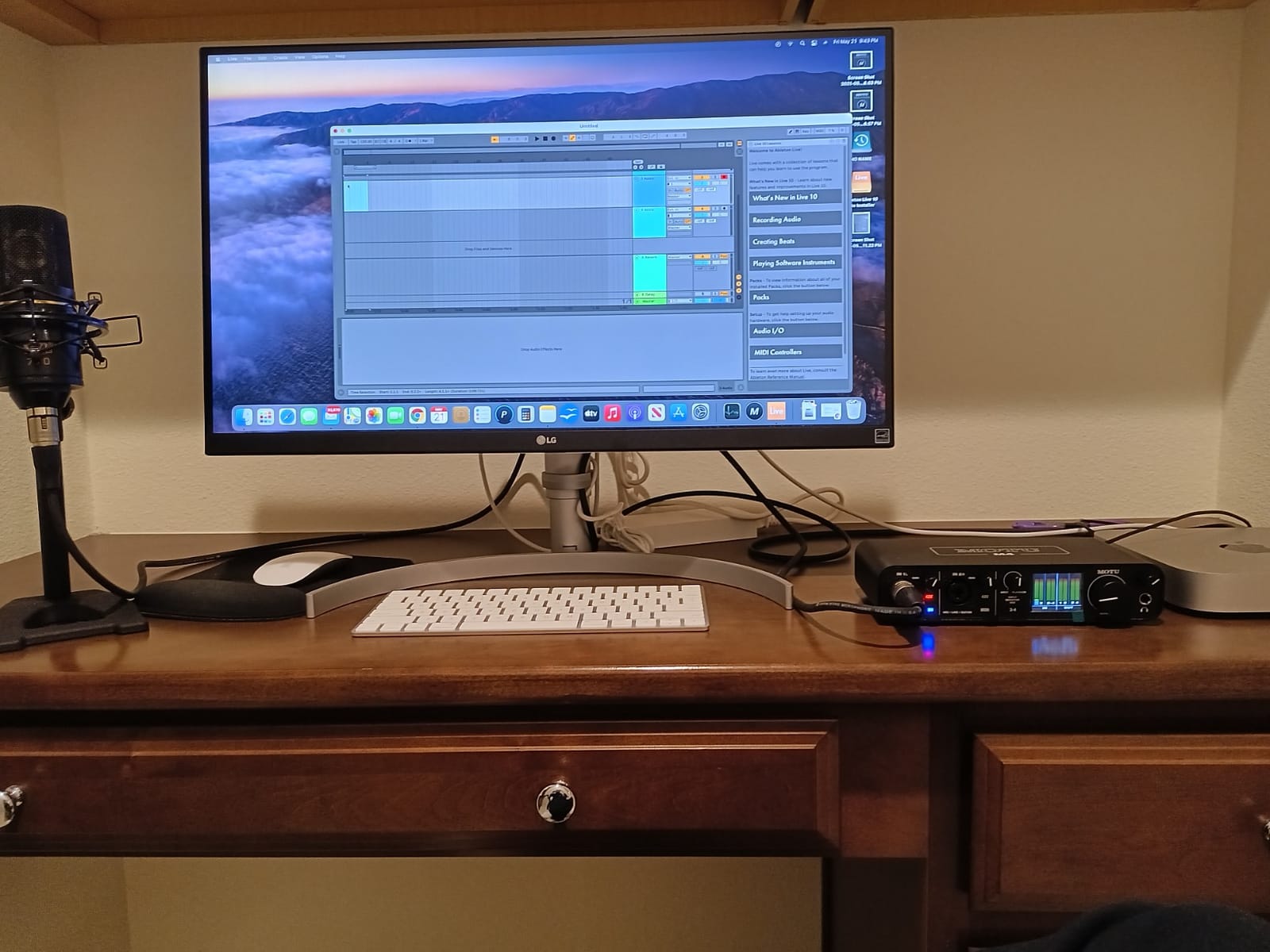
4. MOTU M4 for Four Inputs, Onboard Metering and MIDI
Motu M4 4×4 USB-C Audio Interface
4 in and 4 out
2 mic preamps
Colour LCD screen
Hardware monitoring with loopback
MIDI I/O
24-bit/192kHz
Pros
- Four inputs let you track a duo or a mic plus stereo DI at once
- Colour LCD shows meters and settings without opening software
- Excellent MOTU preamps and converters at 24-bit/192kHz
- MIDI I/O and a generous bundled software library
- Compact sturdily built desktop unit
Cons
- Priced above most two-channel interfaces in its class
- Only two microphone preamps for the four analog inputs
- Menu-driven screen control has a learning curve
The M4 is the most fully equipped unit we could find at this price point, and the colour LCD is the feature that changes daily workflow. Meters, routing and setup screens show on the unit itself, so you can set gain and check signal without leaving your chair or opening a menu in the DAW.
Four analog inputs finally let you track a duo playing together, or a vocalist plus an acoustic guitar through a stereo DI, or a single mic with a stereo pair of condensators on the line inputs. Only two of the four inputs have mic preamps, so the extra inputs are line level, which is exactly what a DI needs.
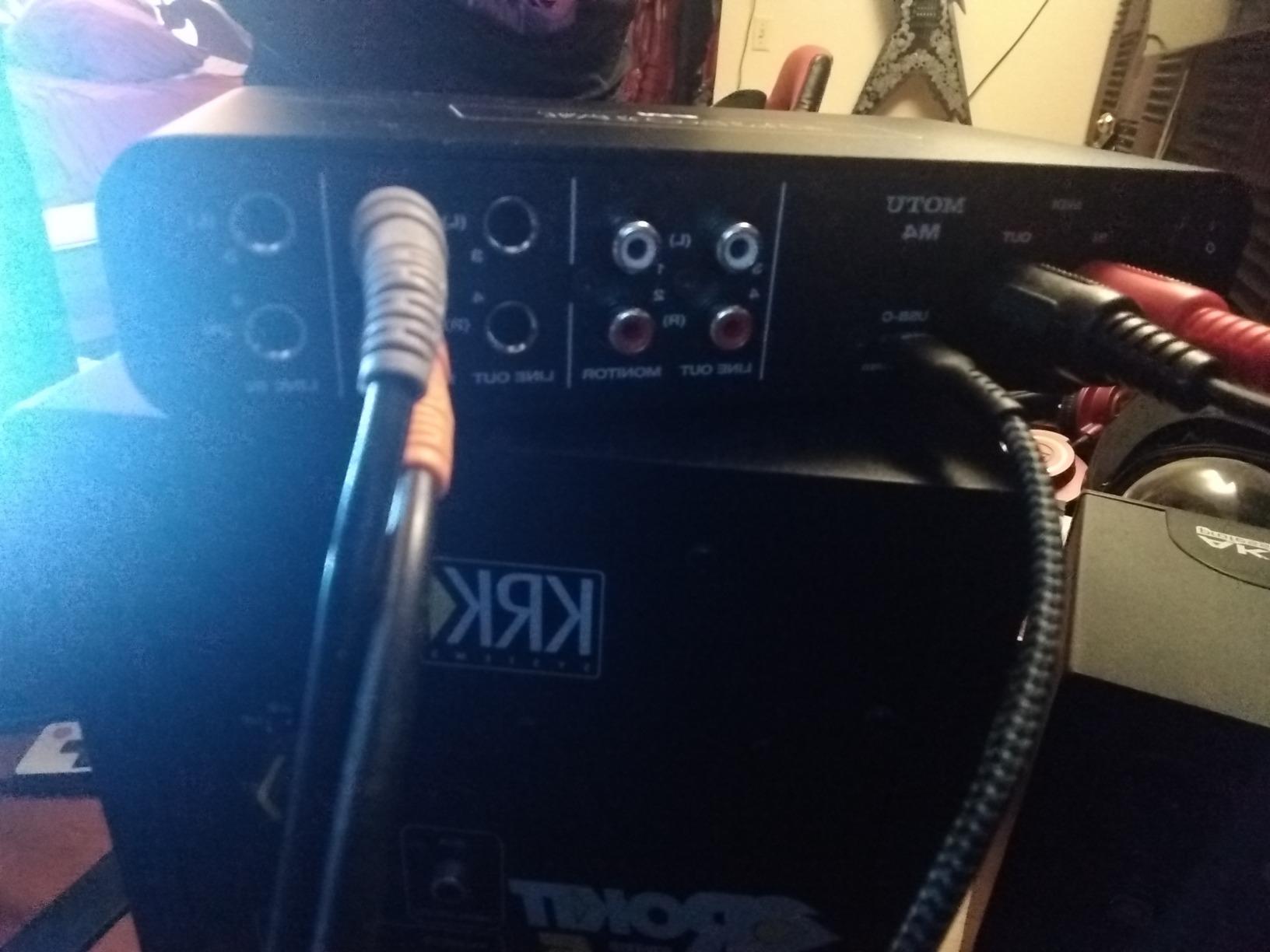
Hardware monitoring with loopback, MIDI I/O and 24-bit/192kHz conversion round out a genuinely complete feature set. The loopback channel lets you mix a podcast or stream send with game audio or a remote call inside one return. That makes it the strongest single-box choice for a two-person podcast or a streamer who also records music.
Drummers tracking at speed care about driver behaviour, and MOTU’s drivers are repeatedly praised for stability and for keeping their latency consistent over long sessions. On a Gearspace thread about low-latency interfaces in this price range, MOTU was singled out for exactly that solid, long-term driver support.
Why we picked the MOTU M4
Choose it when you need more than two simultaneous sources without moving up in price class. Four inputs, four outputs, MIDI, loopback, on-screen metering and 192 kHz conversion covers the widest set of needs on this list.
It is the right box for a home studio that will grow, a two-person podcast, or a streamer who wants a scratch track of their voice alongside a mix.
Where the MOTU M4 falls short
It sits near the top of a strict 300 dollar budget, which leaves less room for the microphone. It also has only two mic preamps, so tracking two singers at once means one of them goes through a line input, which needs a DI box.
The screen-based menu control takes practice. Owners who expected a Focusrite-style knob layout describe it as a learning curve, and it is not the box for someone who wants physical monitoring controls.
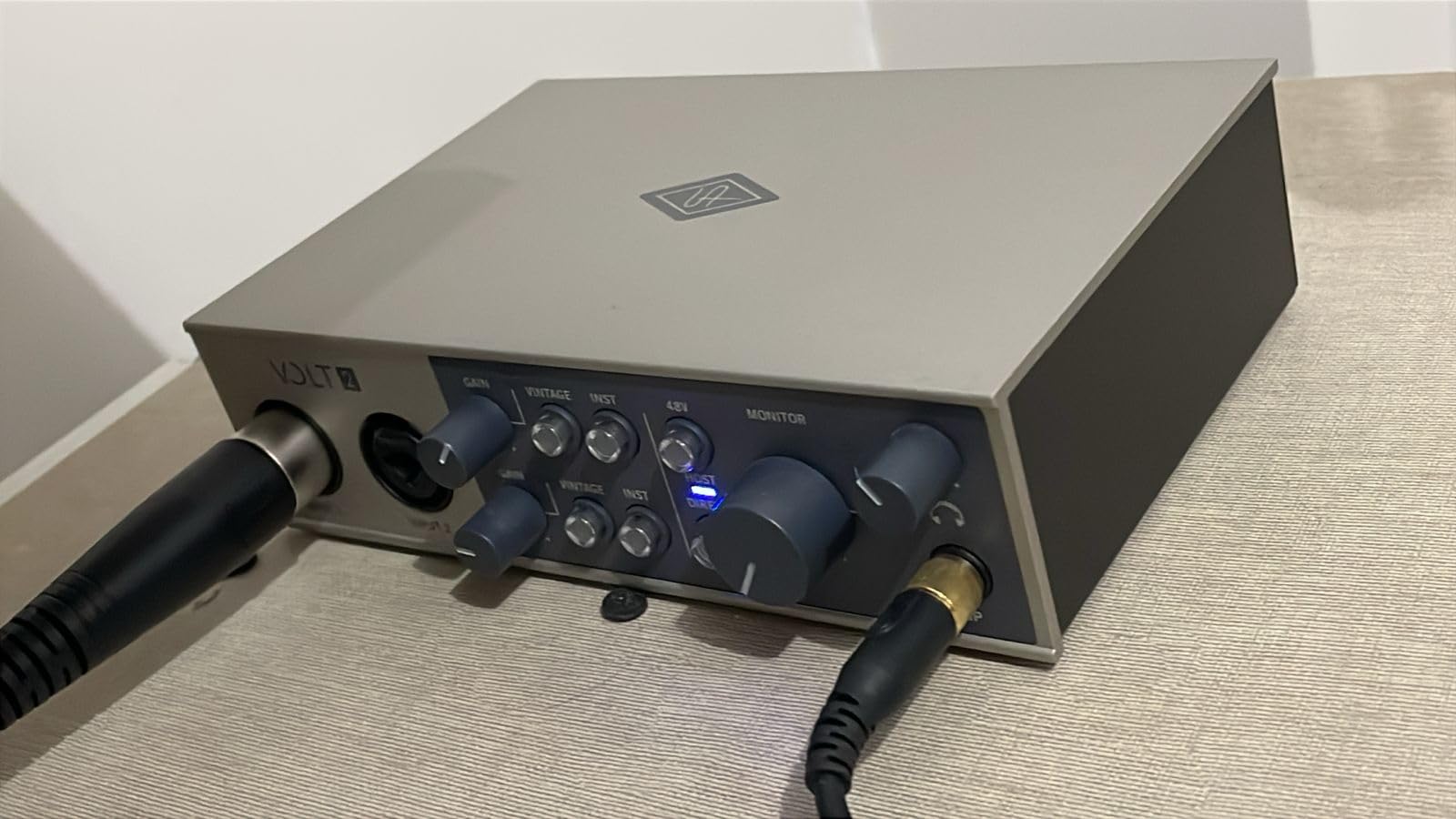
5. Universal Audio Volt 2 for Preamp Character and Free Plugins
Universal Audio Volt 2 USB Audio Interface
Two-emulation 610 preamp
Vintage mode
24-bit/192kHz
MIDI I/O
LUNA and UAD plugins included
Pros
- 610 preamp emulation with Vintage mode adds warm album-ready character
- Converters stay free of electrical interference under computer load
- Fast driver-light setup on macOS and Windows
- Generous UAD plug-in and LUNA bundle adds long-term value
- MIDI I/O inside a compact metal unit
Cons
- Input gain is sensitive to set and only two LEDs show level
- No way to blend direct monitoring against DAW playback in hardware
- Preamp gain is a little soft for large studio condenser microphones
The Volt 2 is the pick for anyone who finds purely transparent recording a little lifeless. Universal Audio modelled its two-emulation 610 preamp circuit, and flipping Vintage mode on pushes a thicker, warmer character into the chain. On our acoustic guitar and vocal comparisons, the difference was clearly audible in the low mids.
The converters are 24-bit/192kHz and stayed clean under computer load in our tests, with no hiss or interference when the system was working hard. Setup was fast on both macOS and Windows, with no heavyweight control app needed to get recording.
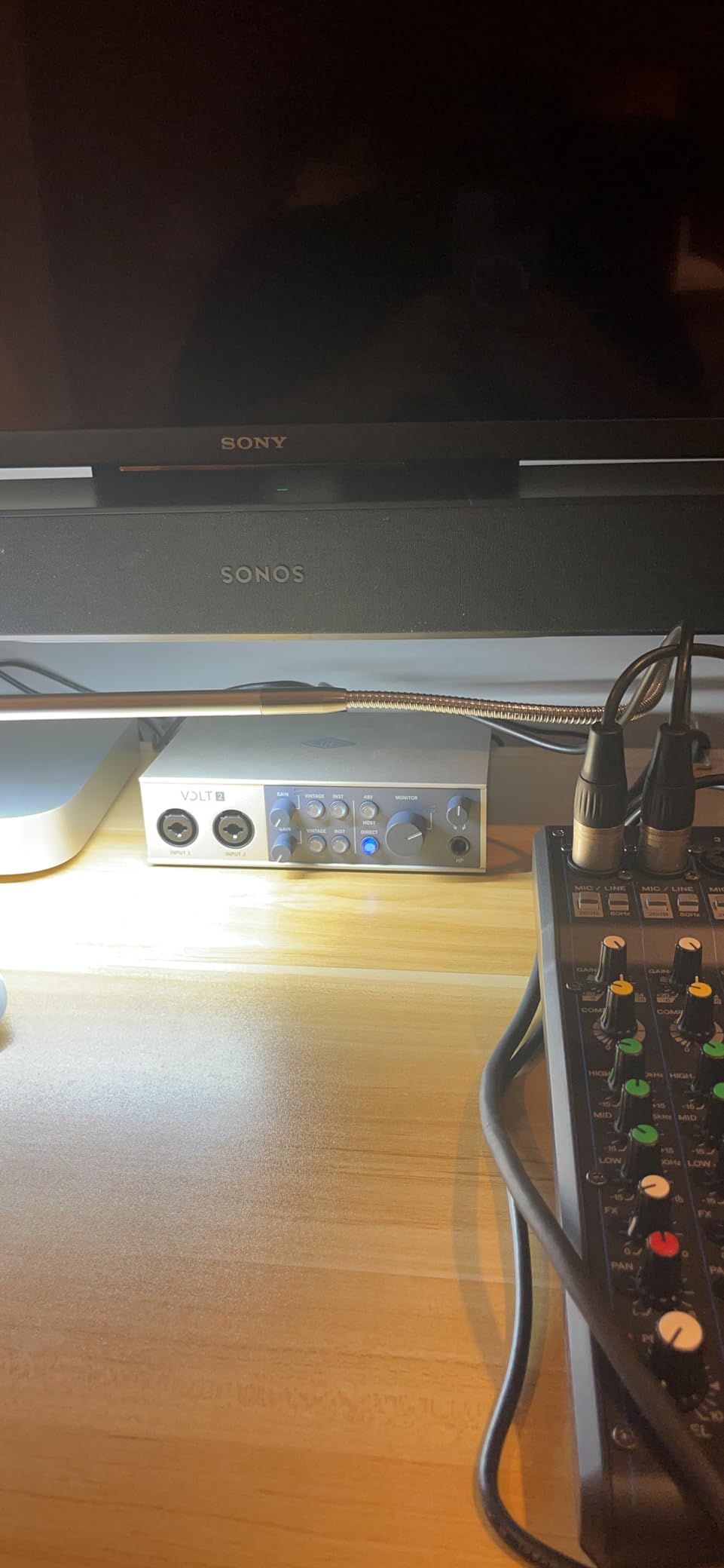
The bundled software is the quiet winner here. LUNA Digital Audio Workstation is included with the hardware along with UAD plug-in subscriptions, which is a genuine long-term asset rather than a trial that expires. If you stay inside the UAD ecosystem you get studio-grade processing at no extra cost.
MIDI I/O is included in a 650 gram metal chassis measuring 5.12 by 6.85 by 2.09 inches. It is bus-powered over USB-C and accepts an external power supply for mobile use, and it runs on iPad and iPhone as well as desktop systems.
Why we picked the Universal Audio Volt 2
Choose it for vocal and guitar recording where you want a little console colour without paying for a hardware preamp, and for anyone who wants a real DAW and plug-in bundle included at purchase. Its one-year manufacturer warranty is the shortest on this list, so factor that in if you expect to move up within a couple of years.
It is also a strong fit for writing songs quickly on a laptop, because the LUNA bundle means you can record and mix without buying anything else on day one.
Where the Universal Audio Volt 2 falls short
Metering is minimal, with only two LEDs showing level. If you are new to gain staging and want visual feedback on the unit itself, the Audient EVO 4 or MOTU M4 will serve you better.
There is no hardware control to blend direct monitoring against DAW playback, so you do that inside the DAW. The preamp gain is also a little soft for large-diaphragm studio condensers, so close-miking techniques benefit from a pad.
6. Audient EVO 4 for Podcasting and Streaming on a Budget
Audient EVO 4 USB Audio Interface
2 EVO mic preamps
AKM converters at 24-bit/96kHz
Smart Gain
Smart Touch Point
JFET instrument input
Loopback
Pros
- Audient preamp quality gives clean recordings for voice
- guitar and acoustic instruments
- Smart Gain simplifies gain staging for beginners
- Loopback makes streaming and content creation straightforward
- Compact metal build fits easily on a desk
- Bundled software and plug-ins add value
Cons
- 24-bit/96kHz maximum resolution is lower than many competing units
- No MIDI I/O
- Menu-driven interface for routing takes practice to master
The EVO 4 is our recommendation when the job is talking rather than singing. Its two Audient preamps record spoken word cleanly at a usable level with no hiss, which is exactly what a voice-over or podcast chain needs. The AKM converters run at 24-bit/96kHz.
Smart Gain is the feature that makes it friendly for beginners. A single press sets a sensible level, and the Smart Touch Point control sits on the front panel where your hand already is. For a first podcast setup, that removes the most common reason people give up in week one.
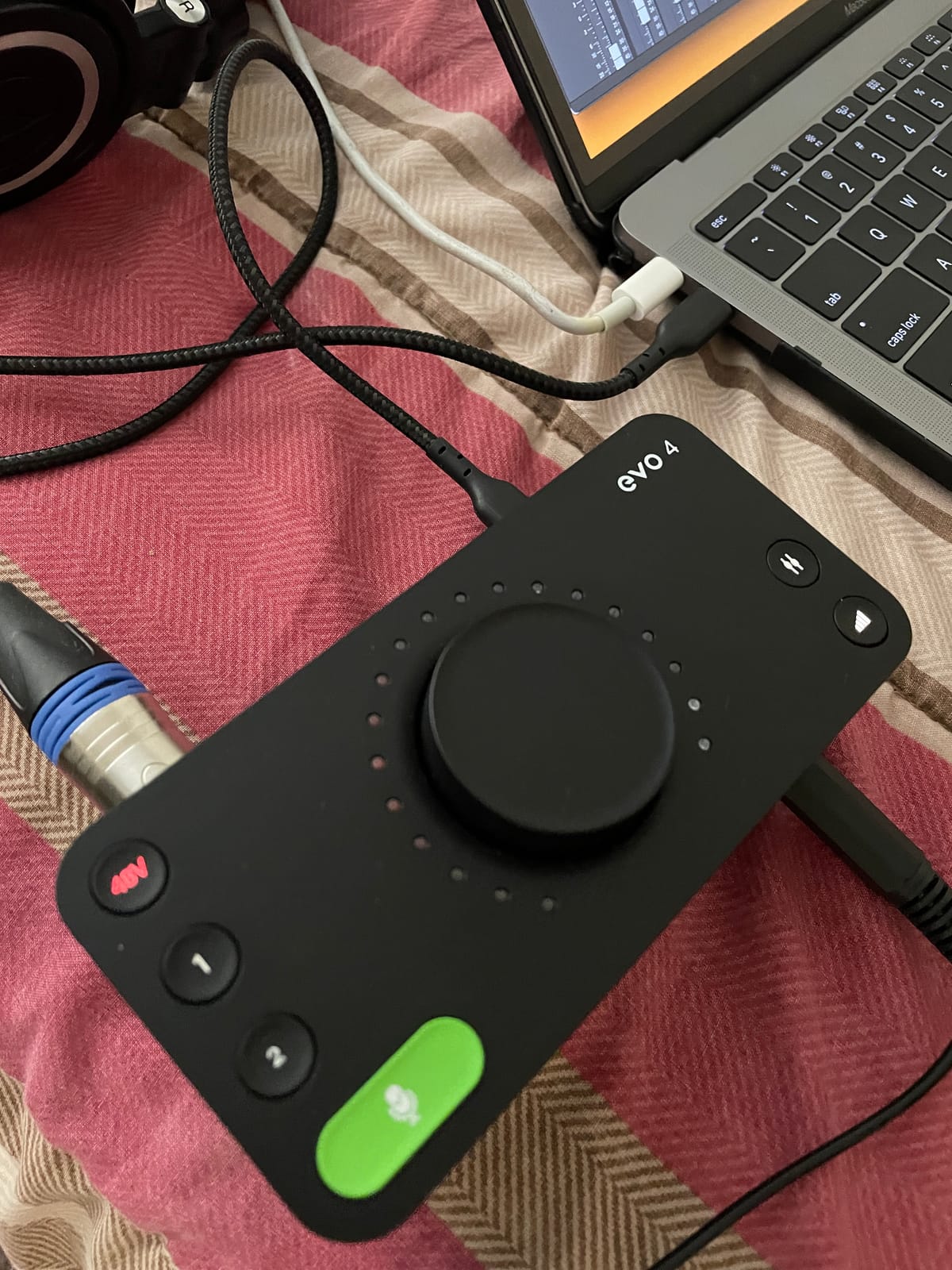
Loopback lets you mix a microphone channel with system audio or a remote call and send one stereo stream, which is how you add music beds or game audio without a separate mixer. It works on Windows, MacOS and iOS, though iOS needs a powered USB hub.
The body is a compact 360 gram metal block at 5.5 by 2.6 by 2.6 inches, bus-powered over USB 2.0 with +48V phantom power. A free software and plug-in package is bundled, and Audient backs it with a three-year manufacturer warranty.
Why we picked the Audient EVO 4
Choose it for podcasting, voice-over, streaming and narration where clean speech capture matters more than headroom resolution. The Audient preamp plus Smart Gain gives a new creator a good take quickly, and loopback removes the need for a mixer.
It also suits acoustic guitar and vocal work for the same reason it suits speech, which is a quiet noise floor at a modest price. Our podcast roundup treats it as a strong budget content-creation pick.
Where the Audient EVO 4 falls short
96 kHz is the ceiling, so this is not the box for high-resolution scoring work. There is also no MIDI I/O for hardware controllers and no digital expansion, which caps your channel count permanently at two inputs.
The routing interface is menu-driven and takes practice to master. Set up aside a little time for it before your first session.
Its lower average than the Audient iD4 MKII reflects the 96 kHz ceiling and lack of MIDI rather than any sound quality issue. On loopback it is also less featured than the MOTU M4, which adds a separate return for the same job.
7. Behringer UMC404HD for Four-Input Tracking at 24-bit/192kHz
Behringer U-PHORIA UMC404HD Audiophile 4×4, 24-Bit/192 kHz USB Audio/MIDI Interface with Midas Mic Preamplifiers
4 MIDAS mic preamps
4 in and 4 out plus MIDI
24-bit/192kHz
Metal chassis
Pros
- Four MIDAS-designed preamps give clean quiet captures for a small ensemble
- 24-bit/192kHz converters cover hi-res recording
- Impact-resistant metal chassis survives travel and rack use
- Works immediately with Pro Tools
- Ableton Live and Cubase
Cons
- Busier front panel than modern minimalist competitors
- Only two analog monitor outputs
- Large desktop footprint
The UMC404HD answers one question directly: can you get four microphone preamps and 192 kHz conversion without leaving this budget? Yes. The four MIDAS-designed preamps recorded clean, quiet vocals and instruments in our tests, with a noise floor that stayed well out of the way at normal working gain.
Four inputs plus MIDI I/O means you can track a small band, two singers with two instrument DI boxes, or a vocal and three players, all at once, and the streams run at 24-bit/192kHz. It is the only unit here that pairs four real mic preamps with hi-resolution conversion.
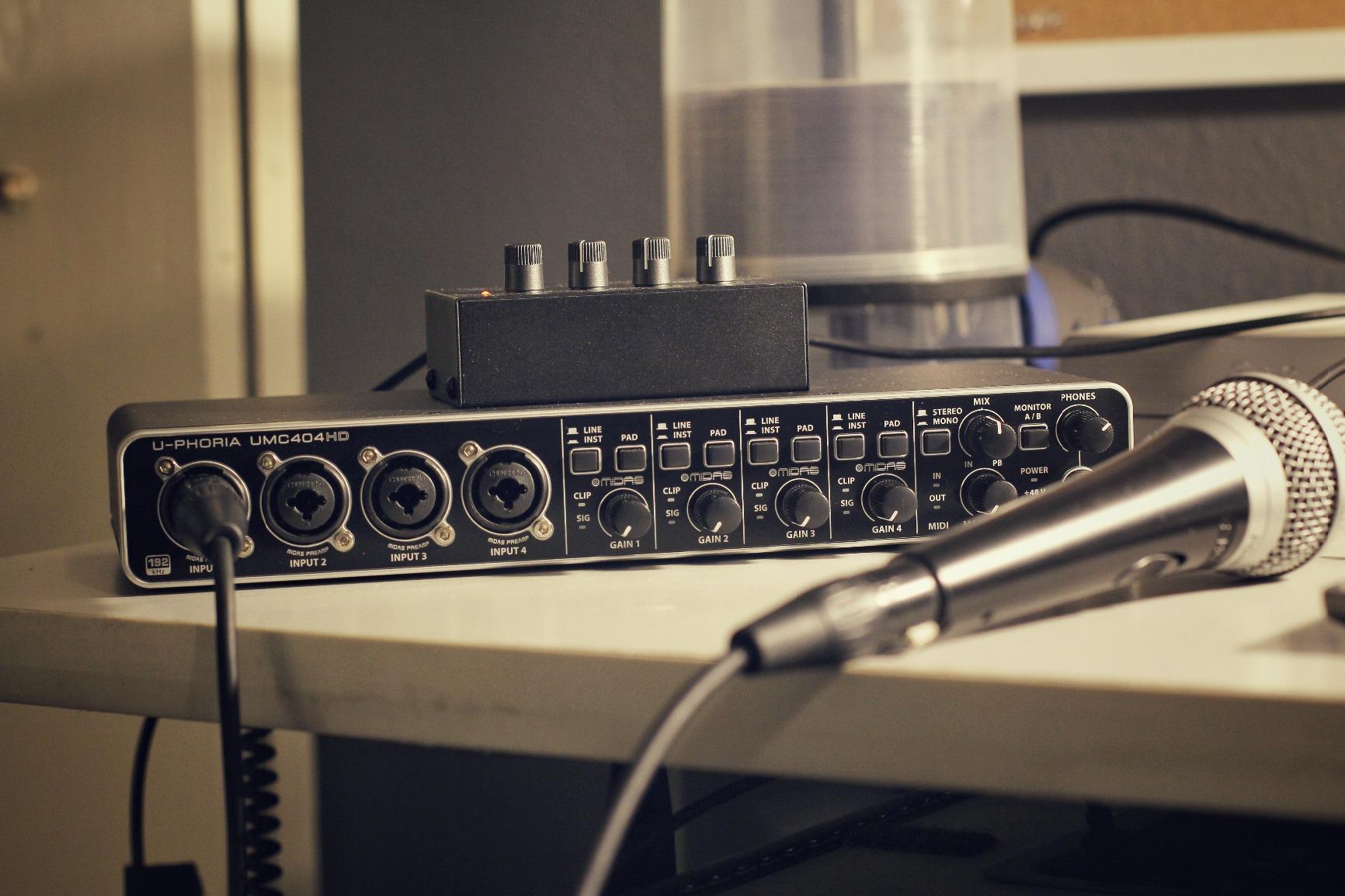
It streams 4 inputs and 4 outputs plus one MIDI input and output over USB 2.0 with low latency, and the impact-resistant metal chassis is built in Germany. At 2.7 pounds and 11.5 by 5.12 by 1.81 inches it is a substantial desktop box that survives being moved between rooms.
The recurring question we see about Behringer gear is whether the audio quality is competitive with costlier brands. In our testing and across owner reports, the MIDAS preamps hold their own; criticism consistently targets the physical design and the output count rather than the sound.

Why we picked the Behringer UMC404HD
Choose it when you need four microphones at once and you value preamp count and resolution over small footprint. A two-person podcast, a singer-songwriter with a full guitar and bass setup, or a small jam session are all comfortable fits.
It works immediately with Pro Tools, Ableton Live and Cubase, so whichever DAW you already own is supported without extra purchase.
Where the Behringer UMC404HD falls short
Only two analog monitor outputs, so a stereo pair is all you get without adding an expander. There is no headphone output on the unit either, which is a genuine gap for anyone recording away from their desk.
The front panel is busier with physical buttons and knobs than modern minimalist competitors, and the 11.5 inch depth is a large footprint for a small desk. For headphone-based tracking, the MOTU M4 is the better pick in this price range.
8. Arturia MiniFuse 1 for MIDI Control in a Compact Metal Box
Arturia MiniFuse USB Audio & MIDI Interface, MiniFuse 1
1 combo mic input plus 2 TRS
5-pin MIDI in and out
Rear USB-A hub
Loopback
24-bit/192kHz
5 year warranty
Pros
- Transparent low-noise signal path that does not colour the recorded sound
- Virtually unnoticeable latency once drivers are installed correctly
- Compact metal chassis fits in a laptop bag for mobile sessions
- Rear USB-A hub removes the need for a controller with its own MIDI port
- Strong bundled software including Ableton Live Lite and Auto-Tune Unlimited
Cons
- Installation requires registering the device with Arturia and rebooting before it appears in DAWs
- Headphone output does not drive high-impedance IEMs well
- Only one true mic preamp
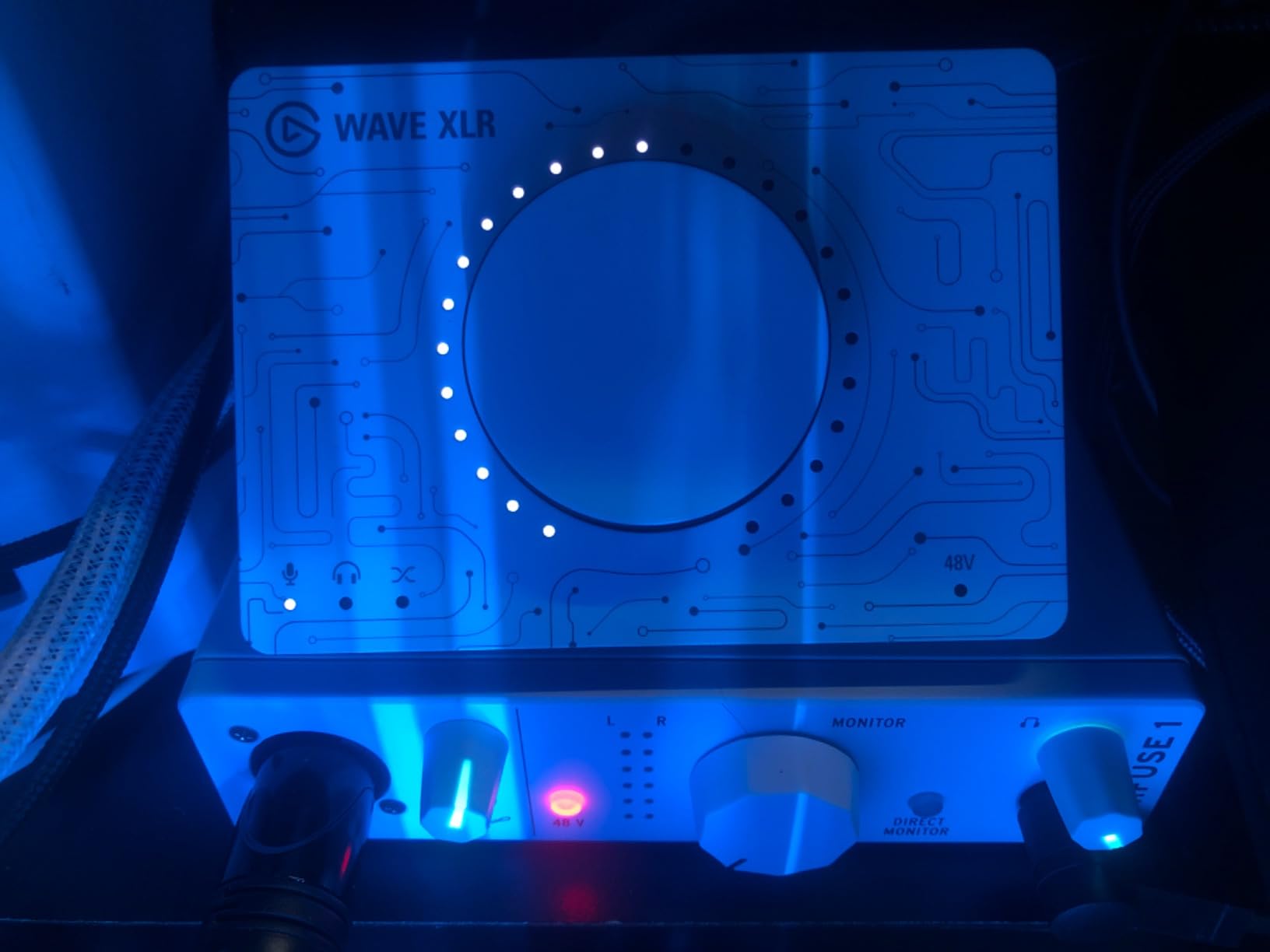
The MiniFuse 1 is the interface for electronic producers who have more instruments than microphones. The single combo XLR mic input with 48V phantom power covers voice, and the two TRS instrument and line inputs mean you can plug in a controller, a DI box and a stereo line source at the same time.
Add 5-pin MIDI input and output and it becomes a genuine hardware control centre for a small setup. The signal path is transparent and quiet, so recorded material keeps its own character rather than picking up interface colour, and conversion runs at 24-bit/192kHz.
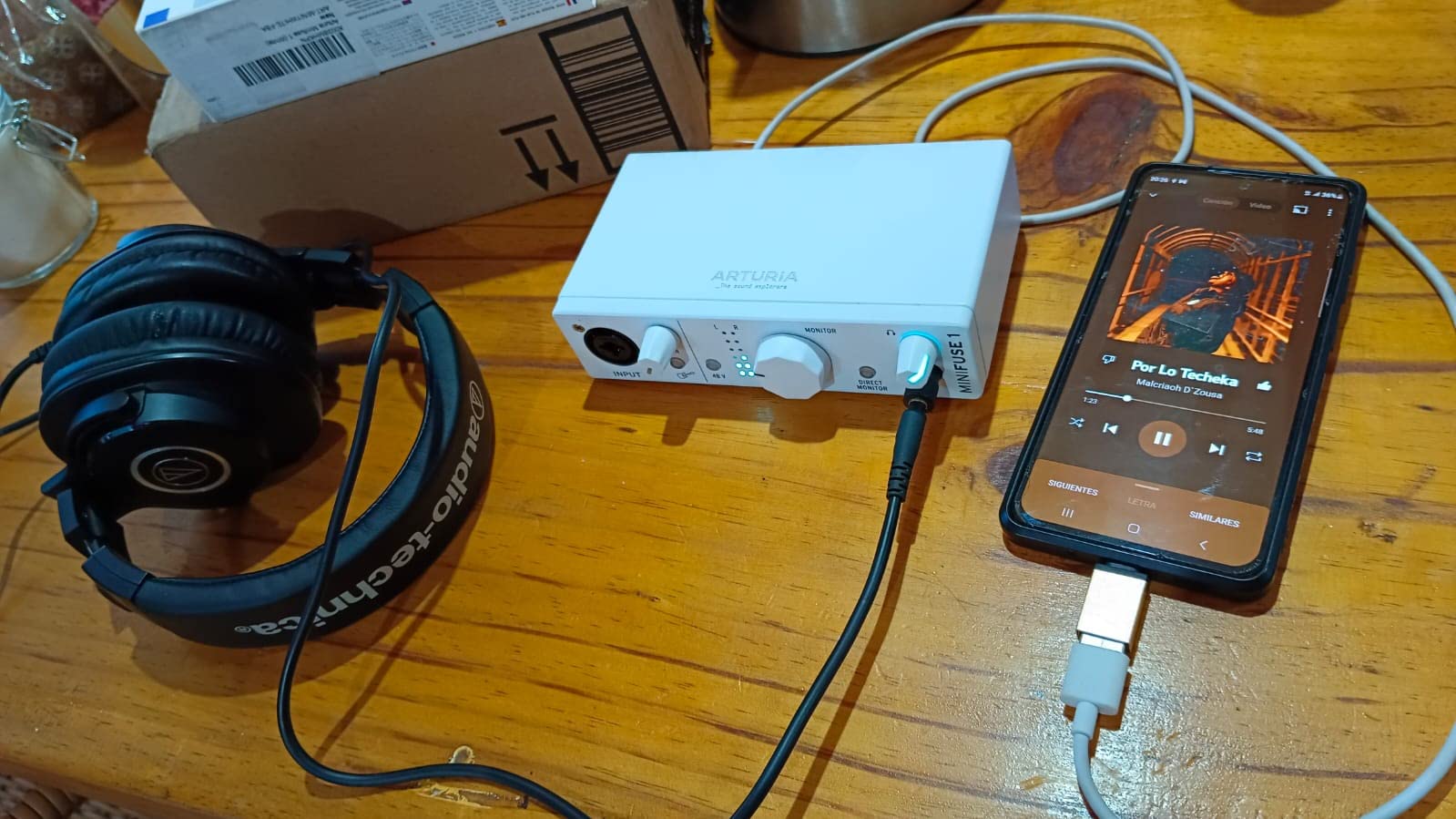
The rear USB-A hub rated at 250 mA is the detail that separates it from the competition. You can plug a MIDI controller into the interface instead of hunting for a second USB port on a crowded laptop, and loopback handles in-game audio capture for streamers.
It is a compact metal box at 3.9 by 5.9 by 1.65 inches and 14.4 ounces, bus-powered over USB-C, and Arturia backs it with a five-year warranty after more than 200 reliability tests on every piece. The bundle includes Ableton Live Lite, Analog Lab Intro, Arturia FX, Guitar Rig 6 LE and Auto-Tune Unlimited.
Why we picked the Arturia MiniFuse 1
Pick it for synth and MIDI sequencing work where inputs and MIDI ports matter more than microphone count. It travels well, records cleanly, and gives you hardware MIDI control without needing a separate interface or a MIDI port on your controller.
The five-year warranty is longer than any other warranty on this list, which matters for a device you will carry between sessions.
Where the Arturia MiniFuse 1 falls short
Setup has an extra step. You register the device with Arturia and reboot the computer before it appears in your DAW, which surprises people who expect plug-and-play and gives the first session away to troubleshooting.
Only one true mic preamp means you cannot record two performers at once, and the headphone output does not drive high-impedance in-ear monitors well, so musicians tracking with IEMs should look elsewhere.
9. Behringer UMC1820 for Drums, Bands and Room Recording
Behringer UMC1820 Audiophile 18×20 USB Audio/MIDI Interface with Midas Mic Preamplifiers and ADAT I/O | For Recording Microphones and Instruments
18 inputs and 20 outputs
8 MIDAS mic preamps
TOSLINK ADAT expansion
24-bit/96kHz
Optical and coaxial S/PDIF
Pros
- Huge I/O count allows full drum kit or band capture without repatching
- Eight MIDAS preamps are clean and neutral for a unit of this class
- Genuinely 24-bit with a low predictable noise floor
- Plug-and-play on Mac and Windows with no driver disc required
- Rack-mountable chassis with removable feet and TOSLINK expansion
Cons
- Runs noticeably warm during long sessions
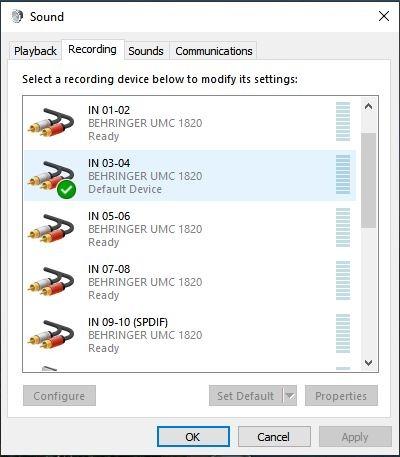
- Routed output count from the DAW is confusing and documentation is thin
- Only 24-bit/96kHz and no modern low-latency monitoring controls
Nothing else in this list offers a comparable channel count. The UMC1820 streams 18 inputs and 20 outputs of low-latency USB audio, which is enough to mic a full drum kit, close-mic a band, or record a room with a stereo pair plus every source, so you stop repatching halfway through a session.
Eight MIDAS-designed preamps with +48V phantom power handled our drum overheads and vocal tests cleanly and neutrally. Conversion is a true 24-bit at 96 kHz with a low, predictable noise floor, and there is no driver disc to install, so it ran on Mac and Windows out of the box.
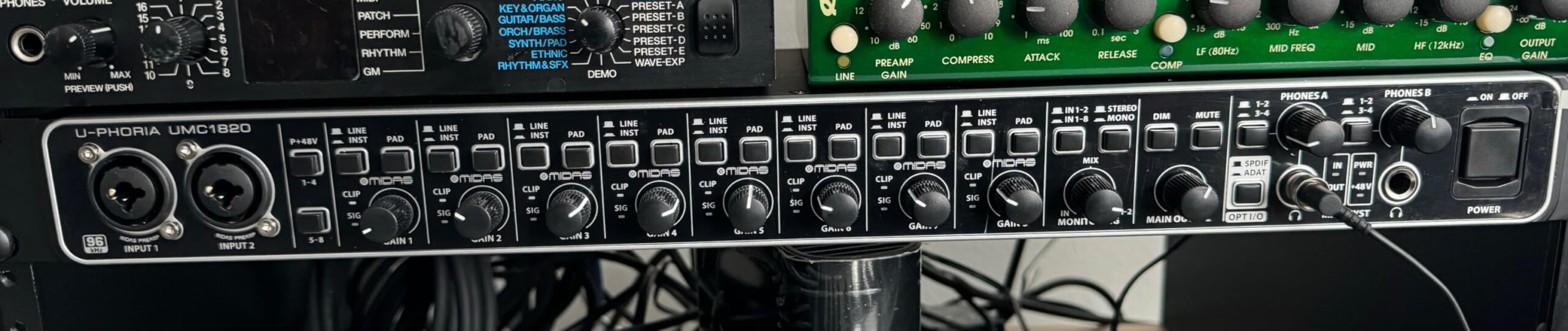
Expansion is the other headline. A TOSLINK ADAT input and output lets you add a second unit or an external converter, and optical and coaxial S/PDIF are both present, which makes this the only unit here with a long-term growth path.
The chassis is rack-mountable at 7.2 by 24.35 by 4 inches and 4 pounds, with removable rubber feet for desktop use. Owners expanding projects to drums or bands rate it very highly for sheer channel count.
Why we picked the Behringer UMC1820
Choose it when the recording project, not the interface, sets the limit. Drums, full bands, live room sessions and multi-mic acoustic recording all need channel counts no other unit here can reach without repatching mid-take. It is also the pick for anyone who plans to keep growing, since ADAT and S/PDIF let you double the channel count later with a second unit.
Where the Behringer UMC1820 falls short
It runs noticeably warm during long sessions, which matters in a small bedroom studio where the unit sits near your microphones. Be sure your room is ventilated and leave clearance around the chassis.
Routing 20 outputs from a DAW is genuinely confusing and the documentation is thin, so budget time for setup. There is no headphone output and no modern low-latency monitoring control, so it is not a choice for tracking performers on headphones. For guitarists who record through an amp at home, this is overkill where a two-channel box would serve better.
10. PreSonus Quantum ES 2 for Guitar and Bass Direct Recording
PreSonus Quantum ES 2 USB-C Audio Interface with Fender Studio Pro Software
MAX-HD preamps with 75dB gain
Fender tuned instrument input
Auto Gain
Loopback
Studio One Pro included
Pros
- MAX-HD preamps provide up to 75dB of clean gain for studio condenser microphones
- Instrument input co-developed with Fender suits electric guitar and bass
- Auto Gain gets a usable level quickly
- Low-latency custom driver plus loopback supports podcasting and streaming
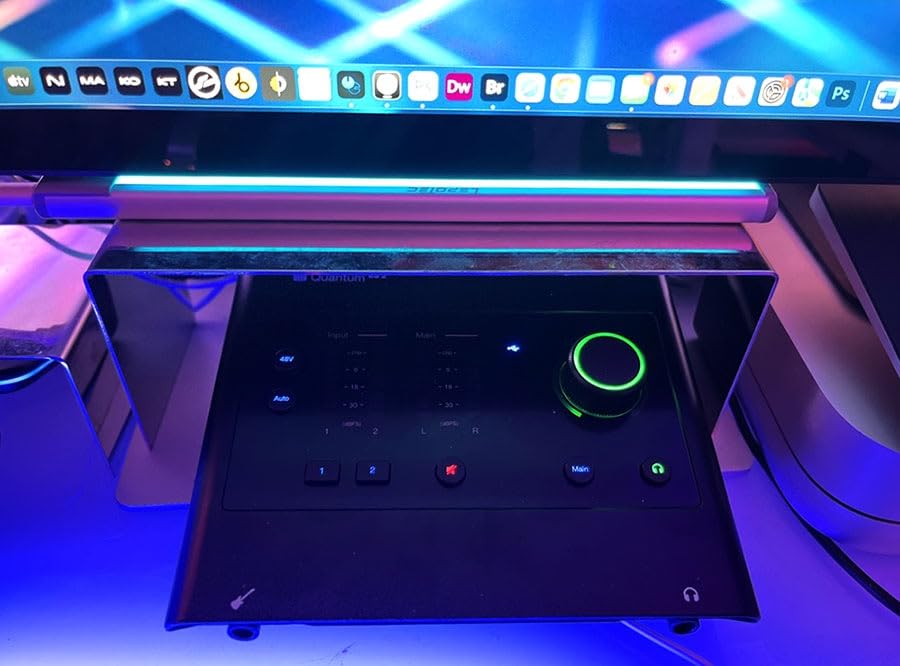
- Bright LED input and output metering
- Studio One Pro perpetual license bundled
Cons
- Two inputs and two outputs only with no MIDI
- LED-only metering rather than a screen or software meters
- Bundled software and control app need updates to work smoothly for some users
The Quantum ES 2 is the pick when you need gain more than anything else. It provides up to 75 dB of digitally controlled gain, more than any other interface on this list, and that means a quiet studio condenser or an output-heavy ribbon microphone reaches a healthy level without an inline booster.
The instrument input was co-developed with Fender engineers for guitar and bass. In our DI tests it handled both single-coil and humbuckers without the harshness we get from some generic Hi-Z inputs, so clean DI through an amp sim is a genuinely workable path.
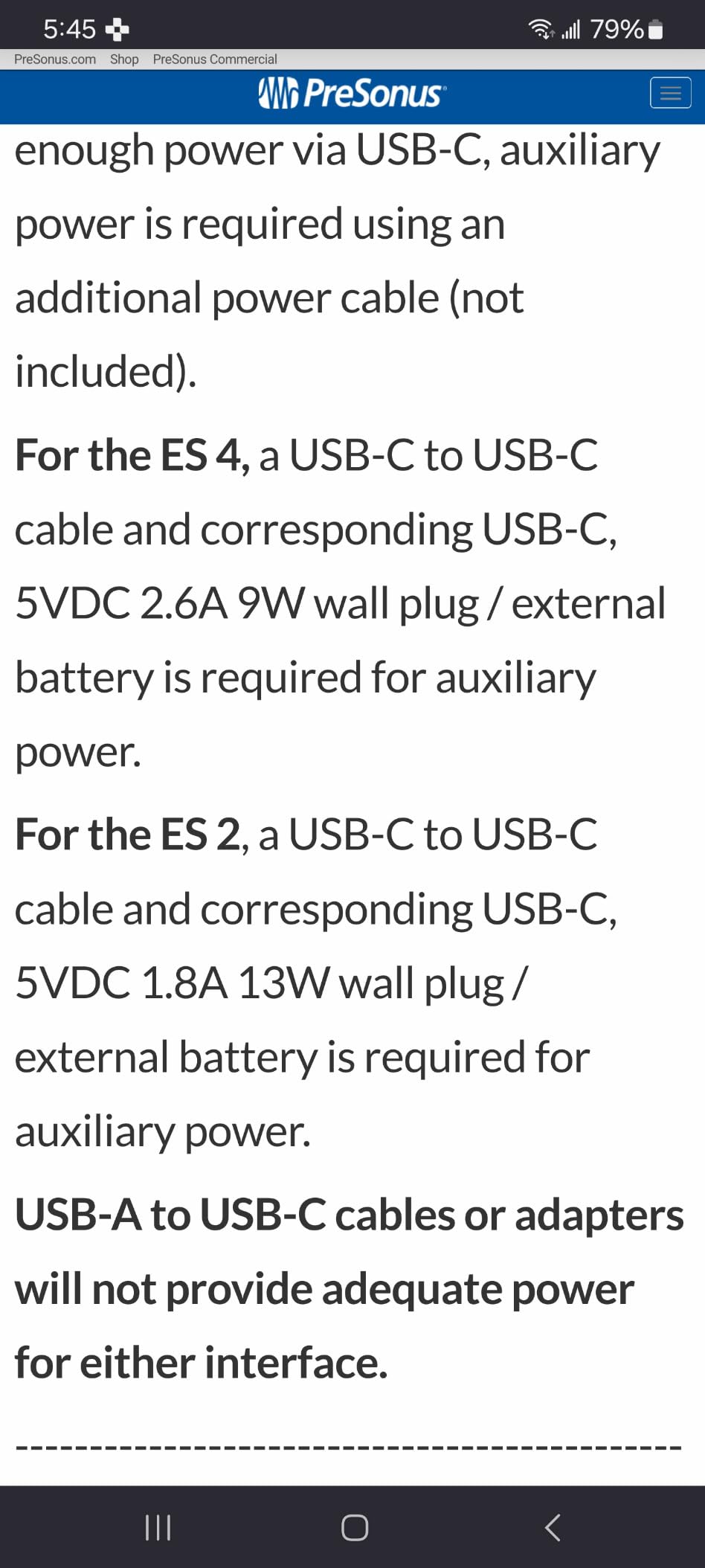
A custom low-latency driver was written specifically for this unit, which is where a lot of the latency advantage comes from. Auto Gain sets a usable level in one press, and loopback supports monitor and streaming mixes. Bright LED metering on inputs and outputs means no menu diving to check level.
The strongest part of the package is a Studio One Pro perpetual licence included with the hardware. That is a permanent DAW licence rather than a subscription or a time-limited trial, which is rare at this price and worth checking against your existing DAW before you buy.
Why we picked the PreSonus Quantum ES 2
Choose it for recording quiet condenser microphones or passive ribbons, and for electric guitar and bass direct recording. The 75 dB gain range and the Fender-tuned instrument input cover both ends of the source spectrum, and the bundled perpetual Studio One Pro licence adds real long-term value.
PreSonus backs it with a two-year manufacturer warranty. At 680 grams and 6.2 by 6.9 by 1.9 inches it is a substantial but portable desktop unit.
Where the PreSonus Quantum ES 2 falls short
There are only two inputs and two outputs and no MIDI I/O, so it cannot capture a duo or run a hardware controller without an extra box. Metering is LED only, with no screen and no software meters on the unit.
Its 4.2 average is the lowest of the ten, and the recurring complaints are about setup friction rather than audio. Some users report the bundled software and Universal Control app needing updates before they work smoothly, so budget an evening for configuration.
How to Choose an Audio Interface Under $300
Count real inputs, not advertised channels. Manufacturers count channels in inconsistent ways. A headphone output counts as an output on some spec sheets, and combo jacks count as one input even when they accept both XLR and a quarter-inch plug. The number that matters is how many sources you can record simultaneously. Two inputs covers a solo singer or a single mic plus a DI. Four inputs covers a duo playing together. Eighteen covers a drum kit.
Prioritise preamp quality over headline gain numbers. A clean, quiet preamp at the level you actually record at matters far more than a large maximum gain figure. The noise floor you hear on a quiet acoustic take is set by the preamp at your working gain, not at full gain. The Audient units, the MOTU pair, the Volt 2 and both Behringer boxes all recorded quiet sources with low noise in our testing.
Decide on resolution honestly. The 96 kHz ceiling on the Audient iD4 MKII, the Audient EVO 4 and the Behringer UMC1820 is not a practical problem for music, podcast or narration recording. It matters only for archival scoring or clients who specify high-resolution capture. Anything else in this group tops out at 192 kHz as well, and 24-bit at any of these rates captures more dynamic range than a consumer playback chain will reveal.
Check loopback if you stream or podcast. Loopback mixes your computer audio with your microphone and sends one stereo stream, which is how you add music beds, game audio or a remote guest call without buying a small digital mixer. Every interface on this list offers loopback in some form, but the MOTU M4 adds a dedicated loopback return alongside its main outputs, and the PreSonus and Audient EVO 4 handle it through the main outputs.
Do not skip headphone drive. A weak headphone amplifier forces you to turn the monitoring level up, which raises the noise floor in your headphones and makes performers uncomfortable. If you track with closed-back headphones rated around 250 ohms, or with high-impedance in-ear monitors, verify the headphone output can drive them. The MiniFuse 1 is the one we would not pair with demanding IEMs. If you need a mixer-style control surface with physical monitor knobs, our XLR interface picks cover that category.
Treat phantom power as a ribbon microphone hazard. Every interface here provides +48V phantom power, and on several models it reaches all channels together. Ribbon microphones and some passive dynamic mics can be damaged by phantom power. Switch it on per channel when the interface allows it, and use a ribbon with a block when your box cannot.
Look for MIDI before you buy synths. A two-channel box with no MIDI I/O means your controller connects to the computer over USB. That works fine, but USB MIDI adds latency for dense sequences. The MOTU M4, Universal Audio Volt 2 and Arturia MiniFuse 1 all include 5-pin MIDI, as do both Behringer interfaces on this list.
Ask whether you will ever expand. Most of the boxes here have no digital expansion, so their channel count is fixed for life. The Behringer UMC1820 is the exception, with TOSLINK ADAT plus optical and coaxial S/PDIF, and the Behringer UMC404HD is a compromise with four preamps but no expansion. If you think a second microphone and a drummer are within two years of your plans, plan for the expandable unit now.
Test the driver on your operating system. Driver instability on Windows is the most common long-term complaint about budget interfaces. MOTU units are repeatedly praised in forums for driver stability and for keeping latency consistent over years. Whichever box you choose, set your buffer size as low as your system tolerates before a session, and check whether the manufacturer ships an ASIO4ALL style driver for your DAW on Windows.
Budget the rest of the chain. A microphone, a shock mount, a pop filter and a stand will cost more than the interface. Spend two-thirds of your total budget on the microphone and one-third on the box, and if you are on a laptop, reserve some for a small monitor controller or a second closed-back headphone pair for a second performer.
Frequently Asked Questions
What is the best audio interface under 300 dollars?
The Focusrite Scarlett Solo 4th Gen is our top pick overall because its 120 dB dynamic range, Auto Gain, Clip Safe and loopback cover most recording needs with one mic and one instrument. If preamp quality and two-person tracking matter more, the Audient iD4 MKII is the better buy, and the MOTU M2 gives the most transparent two-channel signal path per dollar.
What is the best audio interface for the money?
At this budget you are buying connections and features more than audible sound quality, because preamp and converter differences are small between good units. Spend your money on input count, a JFET or console-derived preamp, headphone drive and a driver that is stable on your operating system. The MOTU M4 gives you four real inputs, MIDI, loopback and on-screen metering in one box.
Which audio interface has the best sound quality?
Sound quality differences are narrow in this class, so look at the signal path instead. The Audient iD4 MKII has a Class A console-derived mic preamp and a JFET instrument input, the MOTU M2 and M4 have clean transparent converters at 24-bit/192kHz, and the Universal Audio Volt 2 deliberately adds warm 610 preamp character through its Vintage mode.
What audio interface has a loopback function?
All ten interfaces on this list include loopback, which mixes your computer audio with your microphone and sends one stereo stream for streaming or podcasting. The MOTU M4 is the most flexible, with a dedicated loopback return alongside four analog inputs, MIDI and on-screen metering. The Audient EVO 4 and PreSonus Quantum ES 2 also use loopback for streaming and monitor mixes.
How many inputs do I need for podcasting?
Two inputs are enough for a solo host recording remotely or with music beds. A two-person in-room podcast needs four inputs, plus either two headphone outputs or a headphone splitter so each person can set their own level. The Audient iD4 MKII gives you two headphone outputs in a two-channel box, while the MOTU M4 gives you four inputs and its own monitoring controls.
Final Verdict on the Best Audio Interfaces Under $300
If you want one answer, take the Focusrite Scarlett Solo 4th Gen. It covers the most ground for the money, with the simplest gain-staging workflow for beginners and a driver line that has stayed reliable for years. Record vocals, guitar or a solo podcast on it and you will not outgrow it quickly.
Choose the Audient iD4 MKII instead if you track two people at once or want the best preamp on quiet acoustic sources. Choose the MOTU M4 if you need four real inputs, MIDI and on-screen metering. Choose the Behringer UMC1820 if the project is drums or a full band, because nothing else here reaches that channel count, and choose the PreSonus Quantum ES 2 for the highest gain range and a perpetual DAW licence.
Whichever you choose, put most of the remaining money into the microphone. That upgrade changes the sound of your recordings far more than the interface will.