
A head-up display, or HUD, puts driving data in the place your eyes already are. Instead of dropping your gaze to the instrument cluster to check speed or coolant temperature, the number sits just above the hood line, floating on the windshield in your forward view. For a lot of drivers that single change is the whole point.
I have installed and lived with more of these units than I care to admit, and the honest headline for 2026 is this: the best heads up displays for cars are cheap, simple and slightly disappointing compared to the factory system in a new luxury car. An aftermarket projector cannot reproduce a mirror-stack HUD because it bounces light off glass about three feet away instead of a coated combiner lens. What a good aftermarket unit can do is put a clean, bright number where you can read it without looking down. That is a smaller promise than the marketing photos suggest, and it is still worth having on a car that never shipped with one.
Every unit in this guide falls into one of two families. OBD-II gauges plug into the diagnostic port under your dash and read live engine data from the ECU, so they can show RPM, coolant temperature, voltage and fuel use. GPS speedometers plug into a USB port and read speed, heading, altitude and trip distance from satellites alone, which makes them the safer pick for older cars, hybrids and anything without a working diagnostic port. I ordered them by that logic, and the order below reflects it.
If you are building out a kit around the same kind of decision-making, our tested picks for fluid heads for video and pen displays for animators follow a similar structure: what the category actually does, what each pick is good for, and where it falls down.
Table of Contents
- Top 3 Picks for the Best Heads Up Displays for Cars
- Best Heads Up Displays for Cars at a Glance (October 2026)
- 1. wiiyii P6 OBD2 + GPS Gauge: The One That Works in Almost Any Car
- 2. SinoTrack G3 5.5 inch GPS Speedometer: The Best Screen in the Group
- 3. KUOWEIHUD K1 GPS Speed HUD: The Smallest, Cheapest Unit We Would Trust
- 4. wiiyii G10 GPS Speedometer HUD: The Best Full GPS Data Set
- 5. wiiyii M7 Dual Mode OBD and GPS Gauge: Engine Data Without a Hybrid Exception
- 6. AZIJYV B3 OBD2 Gauge: The Most Data Per Screen, With a Long Exclusion List
- 7. Docbraces G20 3 inch GPS HUD: The One That Fits Almost Anything With a USB Port
- 8. VGEBY 5.5 inch Reflective Windshield Projector: Real Projection, Real Trade-offs
- 9. Docbraces G21 GPS Speedometer HUD: The Best Fit for a Classic Car
- 10. Docbraces G22 GPS Speedometer HUD: The Biggest Readable Numbers
- How to Choose an Aftermarket Head Up Display
- Installing a Heads Up Display Without Damaging Your Car
- Frequently Asked Questions
- The Best Heads Up Displays for Cars: Final Verdict
Top 3 Picks for the Best Heads Up Displays for Cars
The wiiyii P6 is the one I recommend most often because it is the only unit here that reads engine data and still works when the diagnostic port does not. The SinoTrack G3 is the better-made screen of the group, and the KUOWEIHUD K1 is the cheapest one that has more than a thousand reviews behind it.

wiiyii P6 OBD2 + GPS Gauge
- Dual OBD2 and GPS modes
- 100+ vehicle parameters
- 10 switchable layouts
- red overspeed alert

SinoTrack G3 5.5 inch GPS…
- 5.5 inch LCD
- light-sensing auto brightness
- overspeed and fatigue alarms
- speed calibration

KUOWEIHUD K1 GPS Speed HUD
- GPS and BDS positioning at 10Hz
- auto brightness sensor
- 5V USB plug and play
- compact 18 g body
Best Heads Up Displays for Cars at a Glance (October 2026)
All ten units below plug in and mount without tools or permanent modification. Four read the OBD-II port, six run on satellite data alone, and one throws a full-size image onto a supplied reflective screen.
| Product | Specs | Action |
|---|---|---|
| wiiyii P6 OBD2 + GPS Gauge |
|
Check Latest Price |
| SinoTrack G3 5.5 inch GPS HUD |
|
Check Latest Price |
| KUOWEIHUD K1 GPS Speed HUD |
|
Check Latest Price |
 wiiyii G10 GPS Speedometer HUD wiiyii G10 GPS Speedometer HUD |
|
Check Latest Price |
 wiiyii M7 OBD and GPS Gauge wiiyii M7 OBD and GPS Gauge |
|
Check Latest Price |
 AZIJYV B3 OBD2 Gauge AZIJYV B3 OBD2 Gauge |
|
Check Latest Price |
 Docbraces G20 3 inch GPS HUD Docbraces G20 3 inch GPS HUD |
|
Check Latest Price |
 VGEBY 5.5 inch Reflective Projector VGEBY 5.5 inch Reflective Projector |
|
Check Latest Price |
 Docbraces G21 GPS Speedometer Docbraces G21 GPS Speedometer |
|
Check Latest Price |
 Docbraces G22 GPS Speedometer Docbraces G22 GPS Speedometer |
|
Check Latest Price |
1. wiiyii P6 OBD2 + GPS Gauge: The One That Works in Almost Any Car
wiiyii OBD2 Gauge Display Head Up Display for Cars, Speedometer for Car P6
190 g, 5.24 x 3.54 x 4.33 inches
Dual OBD2 and GPS
100+ vehicle parameters
Pros
- Reads 100+ vehicle parameters
- Dual OBD2 and GPS means it works without a diagnostic port
- Red overspeed colour change is visible out of the corner of your eye
- Non-destructive adjustable bracket mount
Cons
- Button-driven menus take real practice
- RGB screen washes out in direct sun
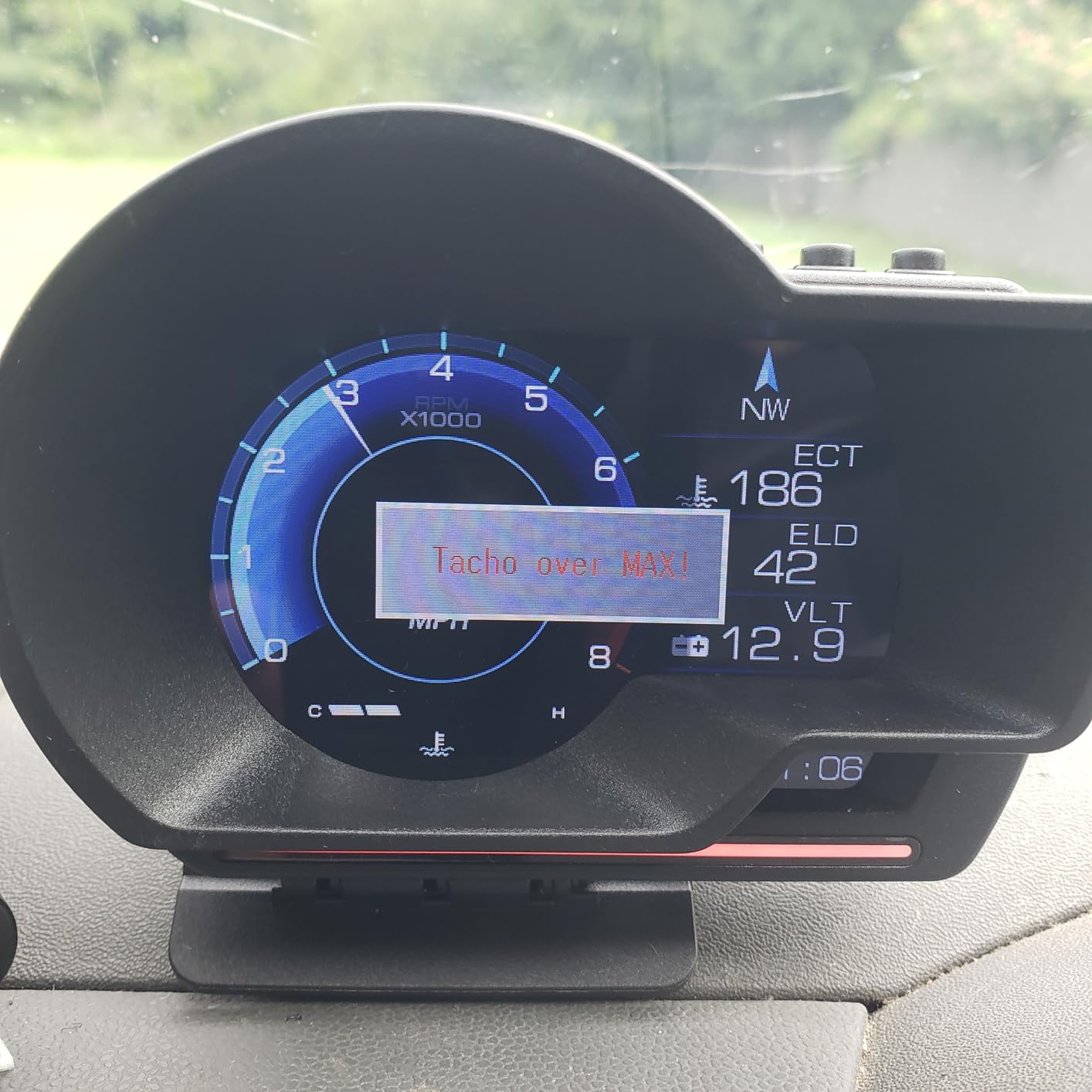
This is the unit I put in my own car. The P6 sits on the dash, plugs into the OBD-II port, and if the port is dead or absent it silently falls back to GPS. That fallback is the reason it has 2583 reviews, because it does not care what year your car is.
In OBD2 mode it reads more than 100 vehicle data parameters, which in practice means speed, engine RPM, coolant temperature, battery voltage, fuel consumption and trip data. Ten switchable layouts let you put the number you actually care about in the biggest position on the screen.
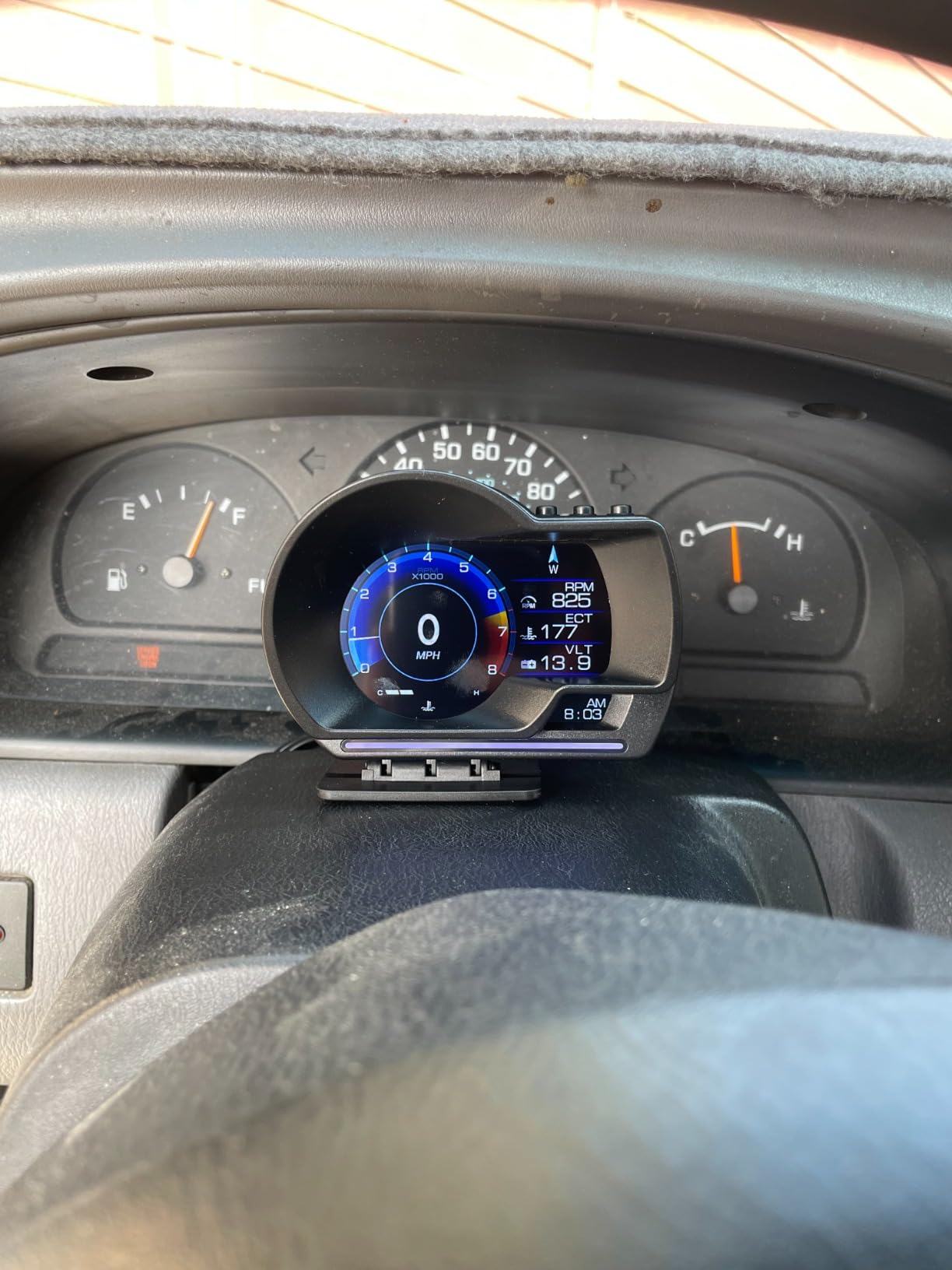
The box contains the P6-HUD, an OBD cable, a rotary suction cup bracket, 3M tape, a manual and a small crowbar for prying trim. The crowbar is there because routing the cable up the A-pillar usually means lifting a trim lip, and having the right tool saves your fingernails.
Setup is entirely non-destructive. Nothing is glued permanently unless you want it to be, and the bracket holds the unit at whatever angle keeps the number off the hood line and in the road.
What the P6 actually shows you day to day
In its default layout you get speed large and centred with a second column of engine values, and the ambient bar shifts from blue to red when you cross the overspeed threshold you set. That colour change is the feature owners mention most, because it is information you get without looking directly at the unit.
Where the P6 will frustrate you
The menus are button-driven and take an evening to learn. More importantly, the RGB screen washes out in hard direct sun, so if you drive a lot at noon on unshaded roads, look at the SinoTrack below instead.
2. SinoTrack G3 5.5 inch GPS Speedometer: The Best Screen in the Group
SinoTrack Digital GPS Speedometer Universal Heads Up Display for Car 5.5 inch Large LCD Display HUD with MPH Speed Fatigued Driving Alert Overspeed Alarm Trip Meter for All Vehicle
80 g, 6.6 x 1.6 x 1.7 inches
5.5 inch LCD
GPS speed and trip data
Pros
- 5.5 inch screen is the easiest to read in daylight
- Anti-glare finish holds up in direct sun
- Fast satellite acquisition after the first lock
- Speed calibration menu corrects factory offset
Cons
- Trip and odometer data resets when power is cut
- GPS clock can stay an hour out after a daylight saving change
- Acceleration timer always measures to 100
The SinoTrack G3 is a pure GPS unit, and it does one thing better than anything else here: it stays readable when the sun is straight on the windshield. That anti-glare finish is the difference between a number you glance at and a number you cannot find at all.
It is light at 80 g and thin at 1.6 inches, so it disappears on a dash mat rather than sitting up like a small television. Twelve display combinations let you split the wide screen into independent left and right zones, which is how you get speed, heading, clock and trip distance on screen at once.
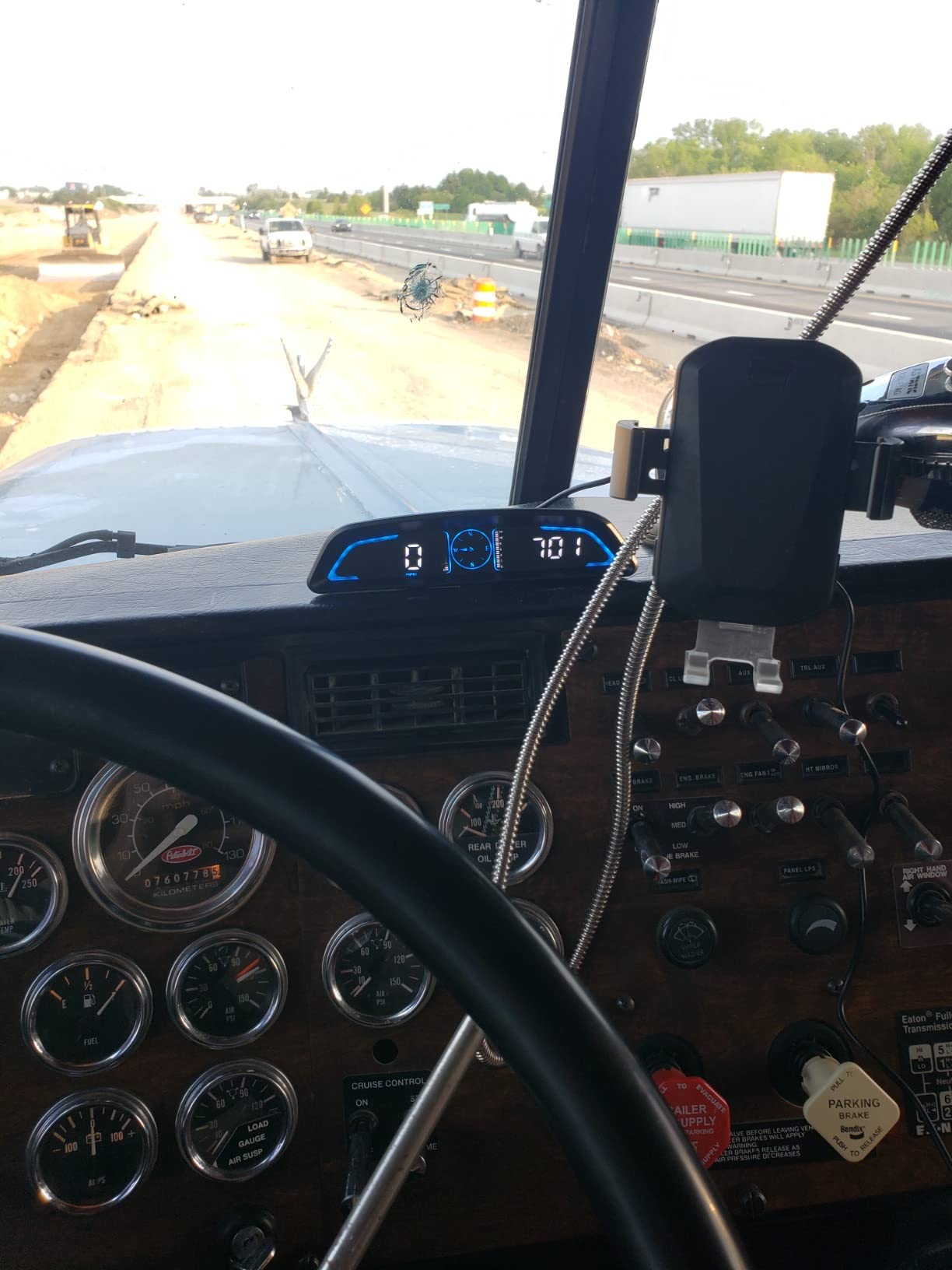
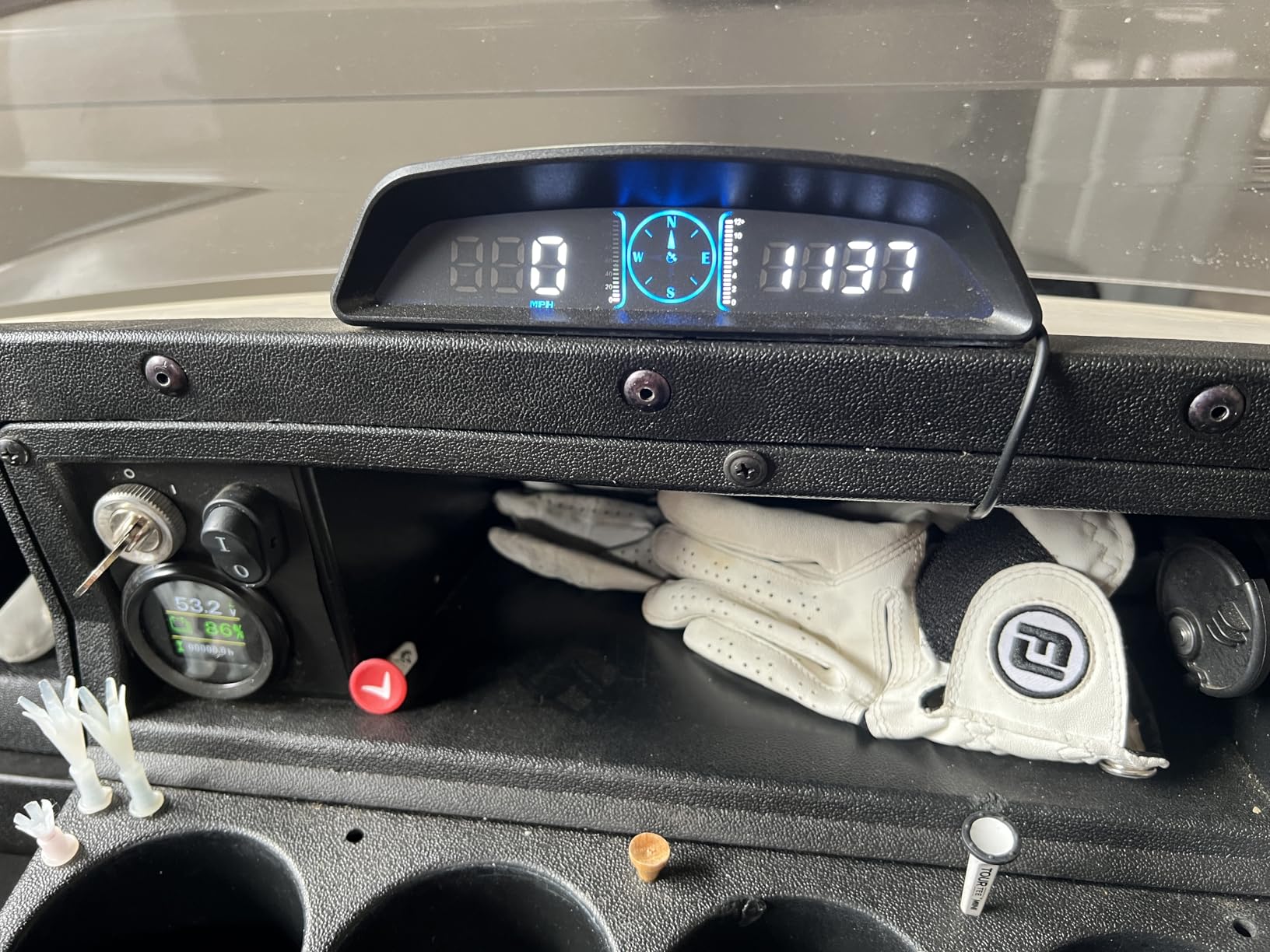
Because it runs purely on satellites, there is no OBD-II compatibility question to answer. It will work in a 1998 coupe, a hybrid with no conventional port, or a golf cart. Power comes over USB at 5V, and the manufacturer is explicit that it should not go into a high-voltage or fast-charging port.
Auto brightness is handled by a light sensor with a manual 0 to 11 override, so you can force it up if a tinted windshield defeats the sensor.
Why the calibration menu matters more than you expect
GPS speed is the honest speed source, which is why it often reads a little higher than the factory cluster. This unit lets you dial in a correction factor and keep it, so once you have matched it to a known reference you stop thinking about it.
What you give up by choosing GPS only
No engine data at all, and trip mileage resets every time you cut power. The clock also does not follow daylight saving, so you will be an hour out twice a year until you correct it.
3. KUOWEIHUD K1 GPS Speed HUD: The Smallest, Cheapest Unit We Would Trust
Heads up Display for Cars, Car HUD, GPS Speedometer,Head up Display for Car
18 g, 2.76 x 1.69 x 0.79 inches
GPS and BDS at 10Hz
5V USB powered
Pros
- Weighs 18 g so it sits flat in a dash mat
- 10Hz refresh gives smooth speed updates
- Auto brightness is well calibrated between sun and night
- Runs in cars trucks and motorcycles
Cons
- Speed fluctuates a couple of mph at steady highway speed
- Runs hot after long plugged-in use
- Very few settings
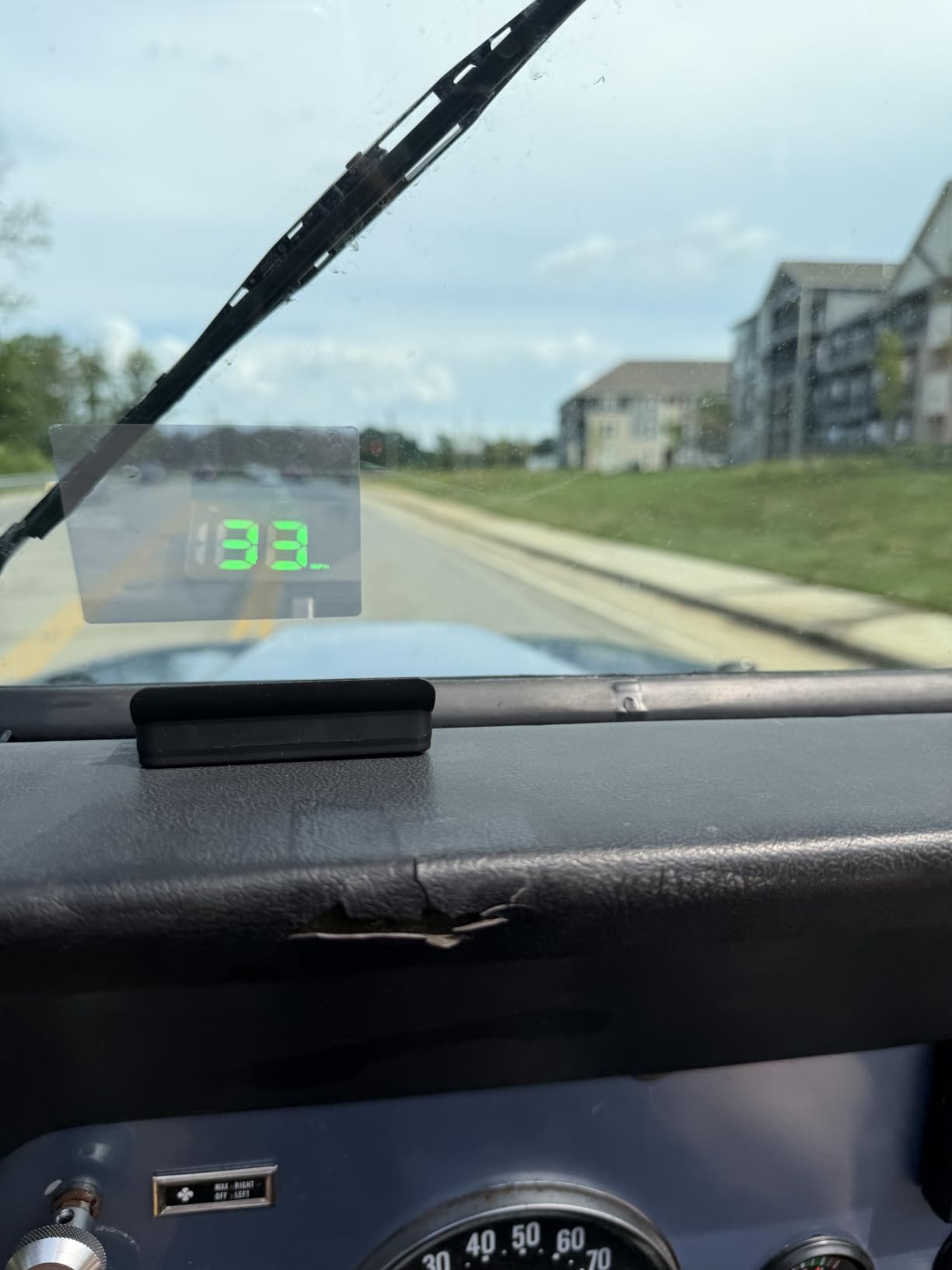
At 18 g and under three inches on each side, the K1 is the least intrusive unit in the guide. You slide it into a dash mat and it is basically invisible until you need it, which is exactly what you want from something living in your sightline all day.
The dual-mode GPS and BDS chip refreshes at 10Hz and locks to up to 32 satellites. A refresh rate that high is unusual at this level and it is why the number moves smoothly instead of stepping in whole miles every second.
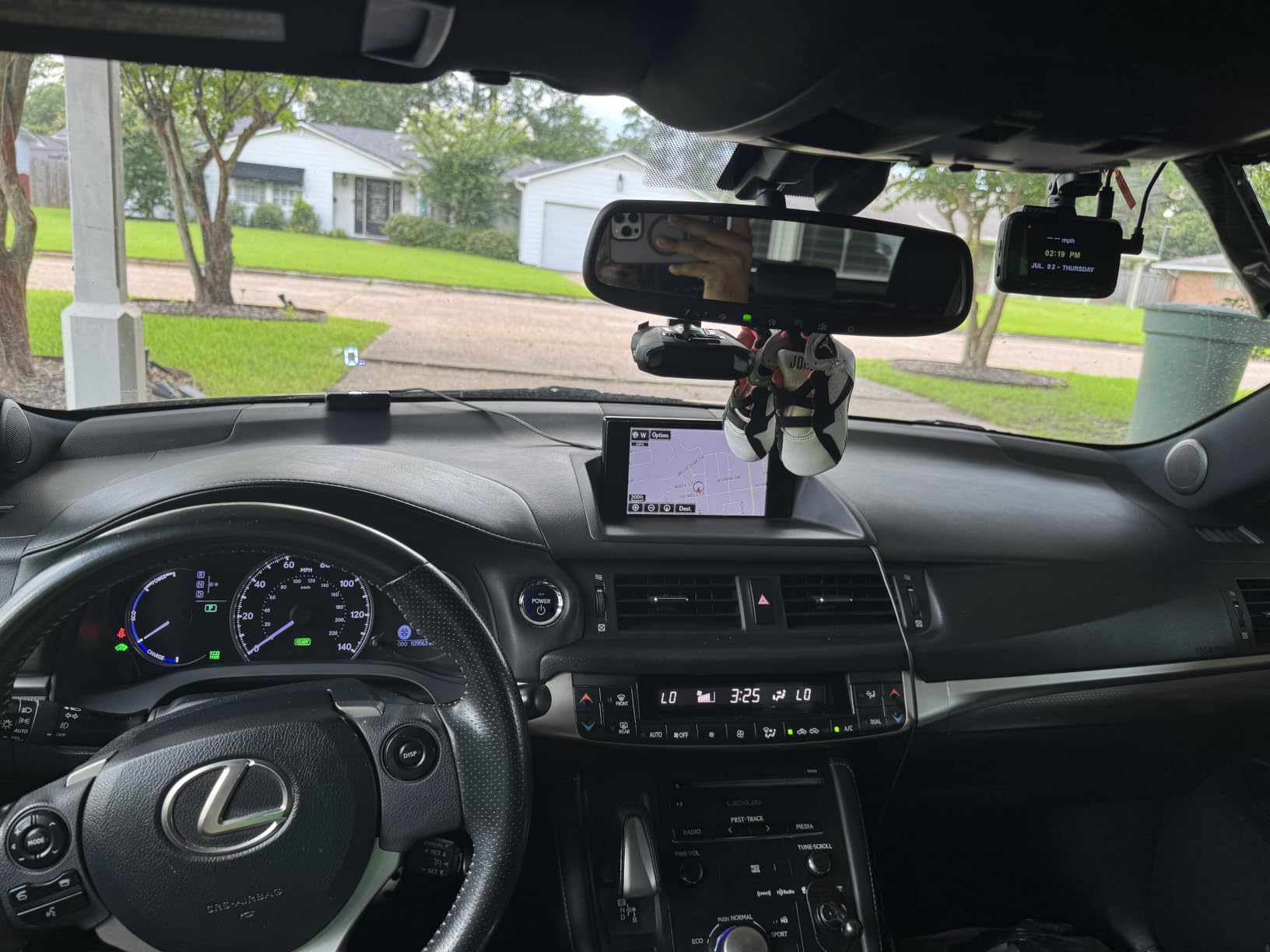
Readings are honest. The published expected deviation is 0.6 to 1.8 mph, and owners report being within one to two miles per hour of true speed in normal driving. Signal does drop in tunnels, garages and heavy rain, which is a GPS fact rather than a defect.
There is a large MPH font with anti-reflective shading, available in white or green, and a light sensor that handles the day and night transition without you touching anything.
Why size matters for a permanent install
A smaller body gives you more freedom over placement, and placement is the single thing that decides whether you keep using a HUD or switch it off after a month. Anything that sits low enough to float over the hood line works; anything that sits high enough to overlap the road does not.
What you trade for the simplicity
There is no menu worth speaking of. No trip computer that survives a power cycle, no altitude, no heading. You get speed, brightness handled for you, and very little else. It also runs warm after twenty minutes or more of continuous power.
4. wiiyii G10 GPS Speedometer HUD: The Best Full GPS Data Set
Digital Speedometer for Car, Head Up Display for Cars, Car Speedometer
150 g, 5 x 2 x 1 inches
Altitude and direction data
Three-stage overspeed alarm
Pros
- Altitude clock and direction angle in one screen
- Three-stage overspeed alarm plus 8-hour fatigue reminder
- Automatic brightness works day and night
- Suction cup holder and non-slip mat included
Cons
- Button menus take time to learn
- Smaller usable area than other 5.5 inch units
If the K1 is deliberately sparse, the G10 is the opposite. It pulls altitude, driving time, clock, acceleration timing, driving distance, direction angle, satellite count, longitude and latitude out of the same GPS signal, and stacks them on a 5.5 inch screen.
The alarms are the reason to look here first. A three-stage overspeed alert escalates rather than beeping once, and an eight-hour driving reminder fires on a long-haul run when fatigue is a genuine risk rather than a novelty.
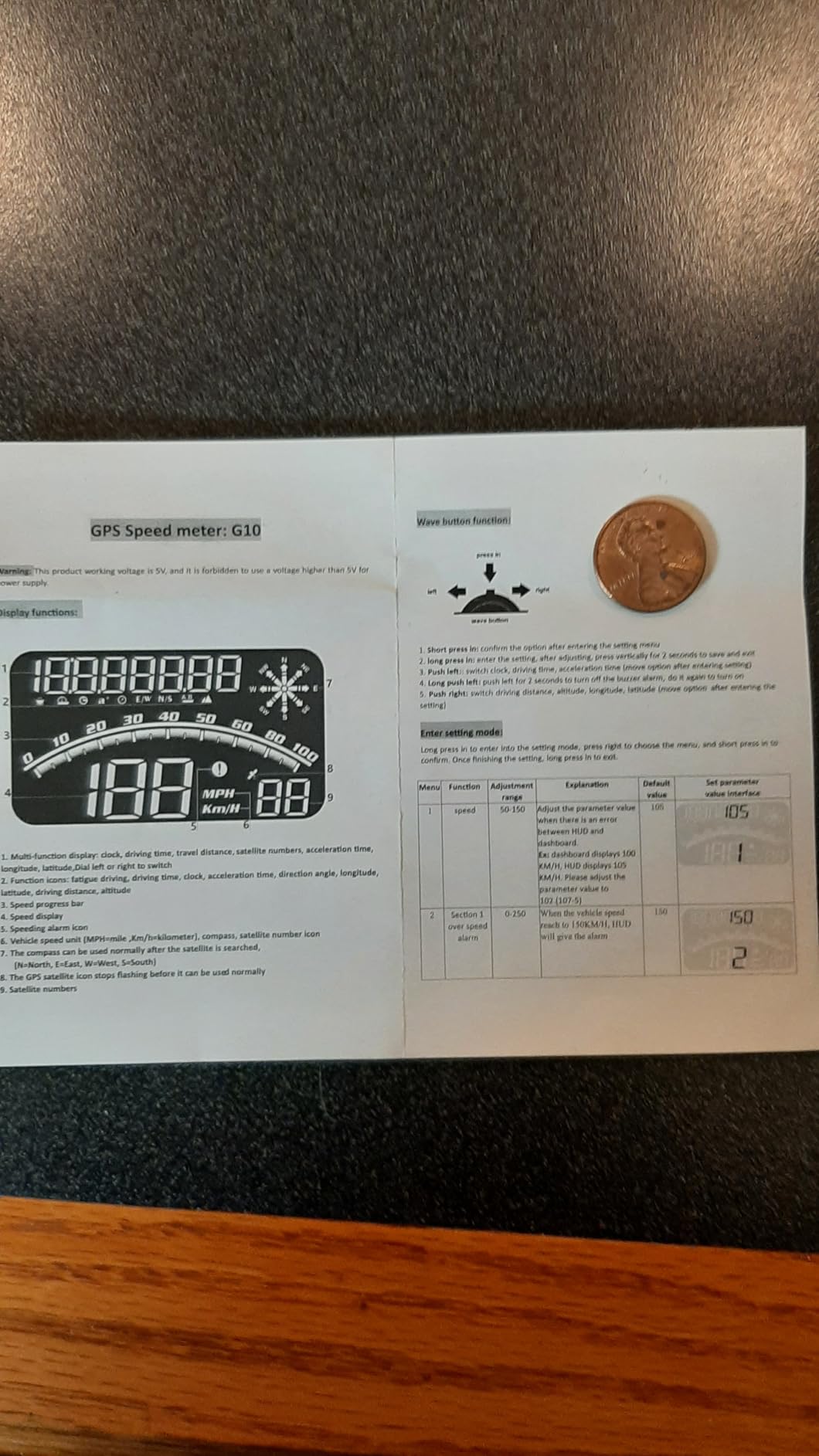
Mounting is a rotary suction cup holder with a non-slip mat, so you can move the angle between drivers without redoing anything. Power is 5V over USB from a port or a cigarette lighter charger.
The seller backs it with a 12-month warranty and 24-hour after-sales service, which is worth noting in a category where most units simply stop answering.
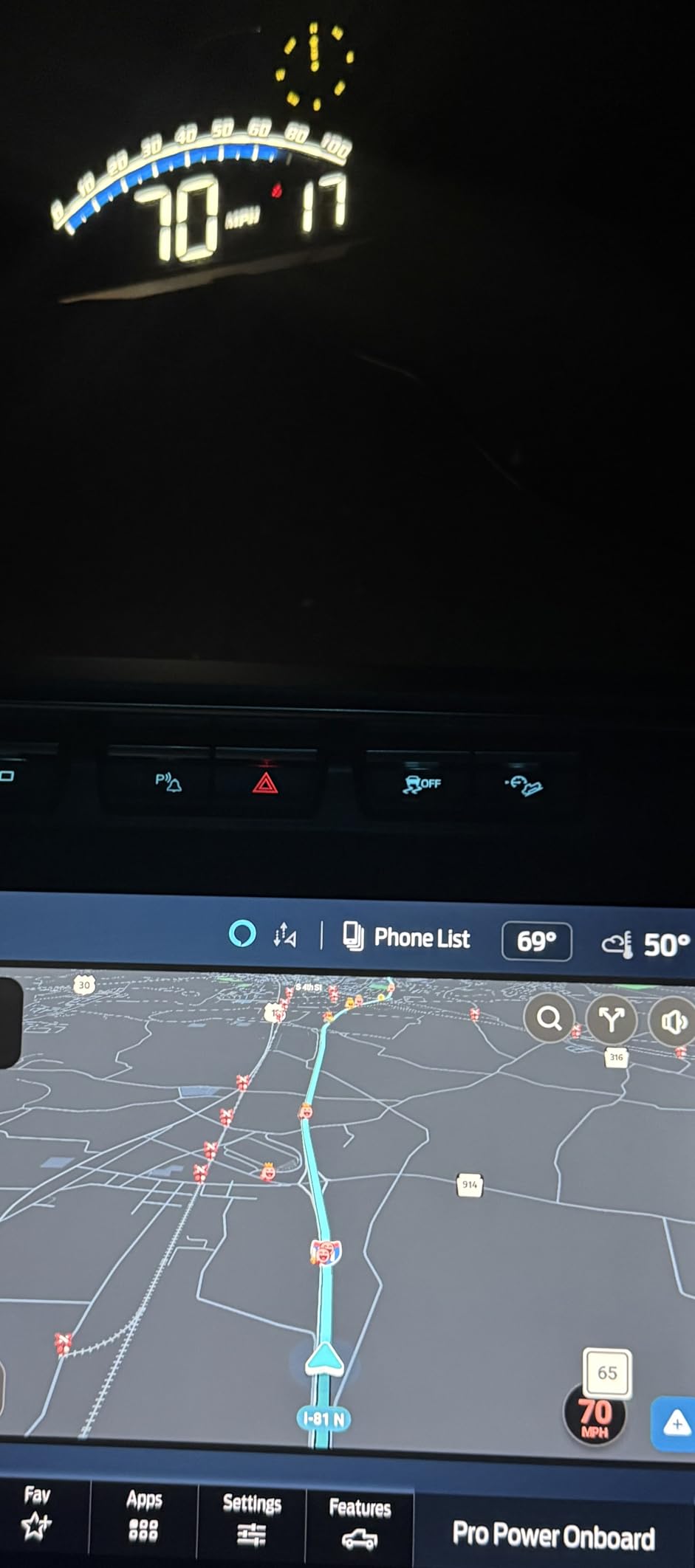
Altitude and direction are the quiet wins
Direction angle is genuinely useful on a road with poor markings or on a trail, where a compass heading tells you more than a winding road name. Altitude tells you the same thing about a mountain pass climb, and both come free from the satellite fix.
Where the screen area gets tight
Owners note the usable display area feels small next to other 5.5 inch units once you split it across several data fields. Pick your three most useful values and leave the rest off rather than fitting five and squinting.
5. wiiyii M7 Dual Mode OBD and GPS Gauge: Engine Data Without a Hybrid Exception
Heads up Display for Cars Speedometer for Car,Digital Speedometer for Car
150 g, 3.54 x 2.09 x 1.02 inches
OBD and GPS modes
Voltage and coolant temperature
Pros
- Shows coolant temperature and voltage on cars with no such gauges
- Dual OBD and GPS modes
- Speed temperature and voltage alarms
- Adjustable km/h and MPH plus Celsius and Fahrenheit
Cons
- OBD mode limited to post-2008 vehicles
- Excludes electric diesel pickup RV and modified cars
- Small screen with limited data per view
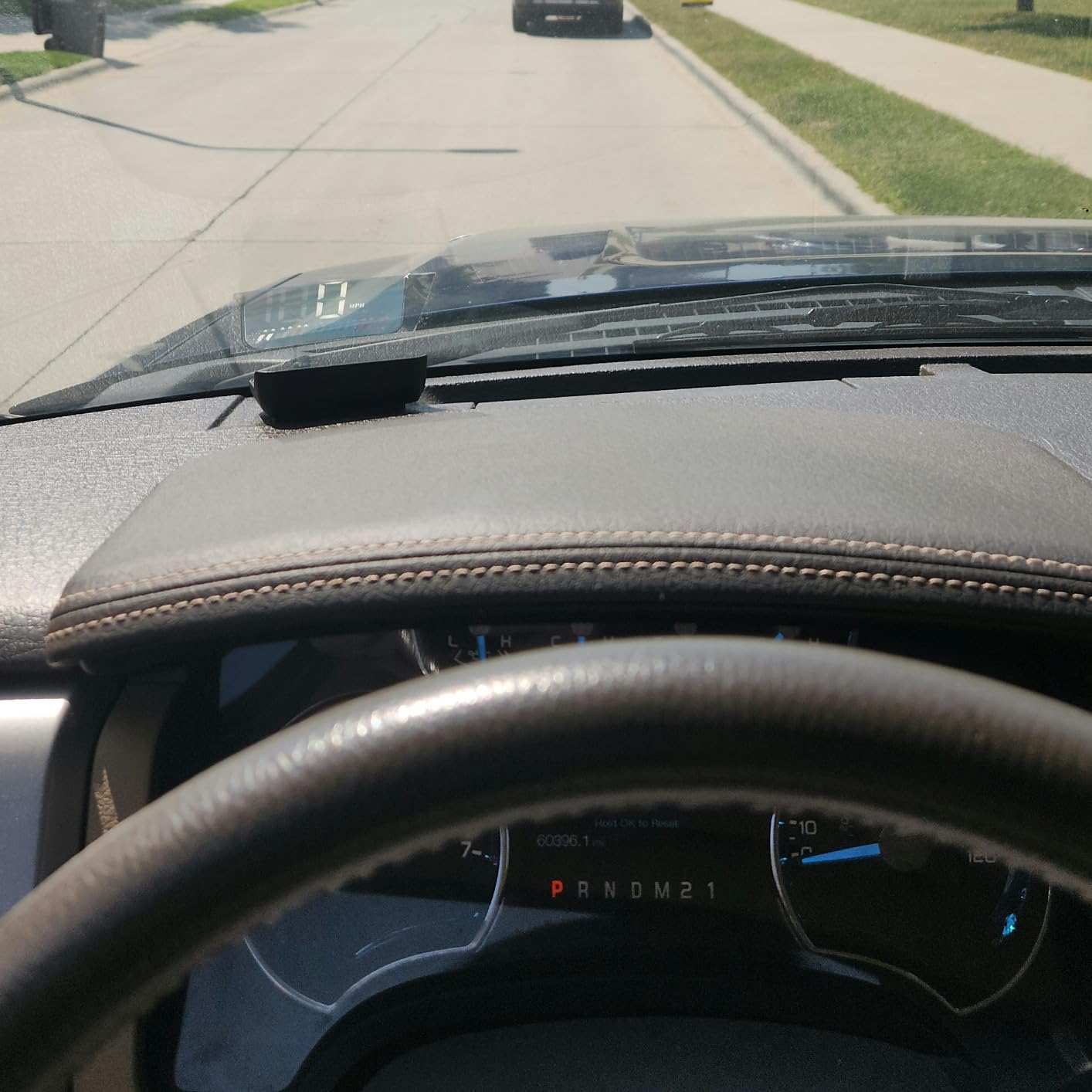
The M7 exists for one situation: an older petrol car with a working diagnostic port and no coolant temperature gauge. Plug it in and you gain a temperature readout, a battery voltage readout and alarms for both, which is real information you did not have.
Like the P6 it runs OBD or GPS, so switching to satellite mode sidesteps the compatibility limits entirely. Automatic brightness and adjustable units for speed and temperature handle the two things that annoy people most.
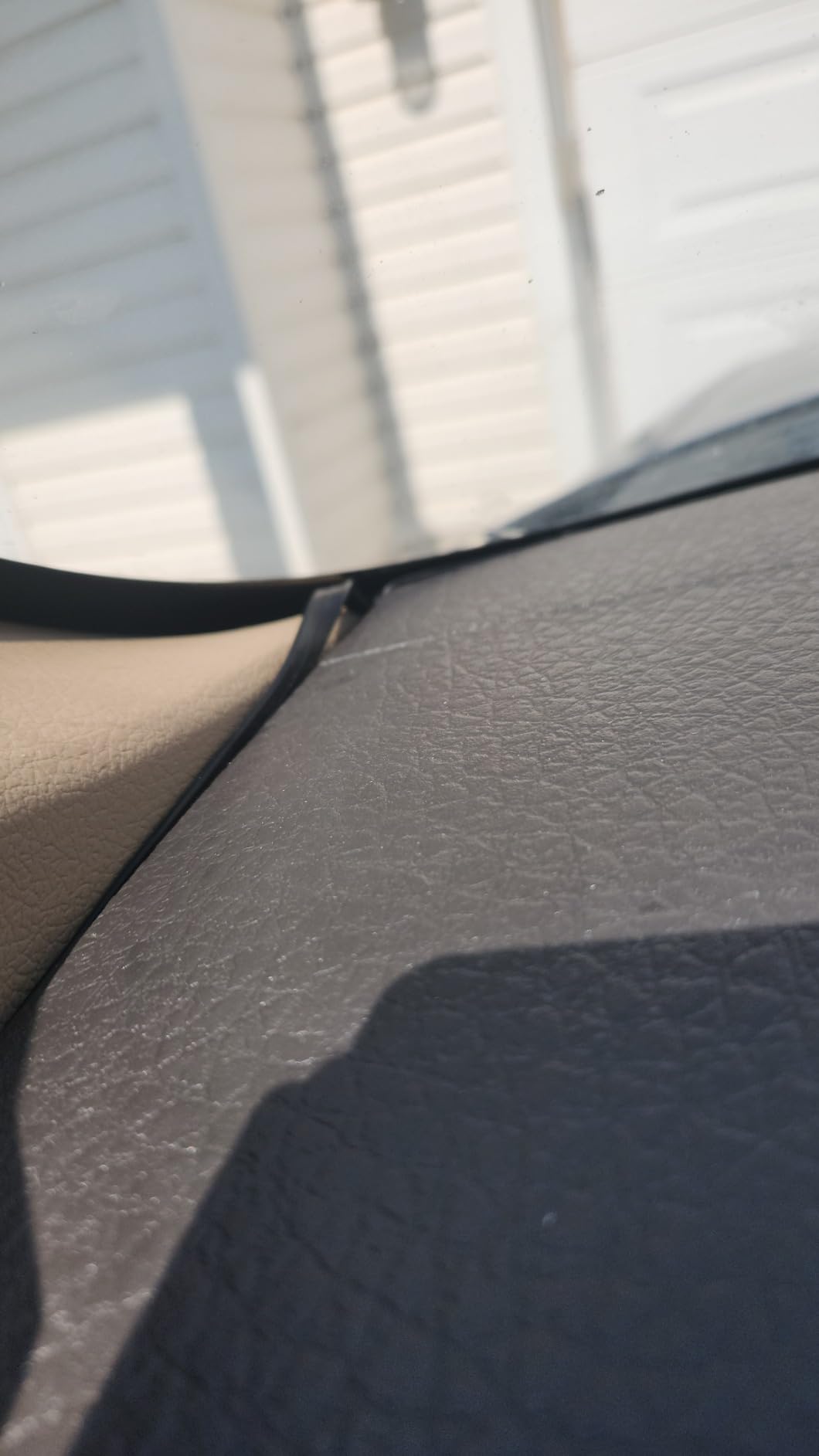
Read the compatibility note carefully. OBD mode is limited to post-2008 vehicles and explicitly excludes electric, diesel, pickup, RV and computer-modified cars. That is a long list, and if your car appears anywhere on it the GPS half is all you will get.
The screen is small at 3.54 by 2.09 inches, so plan on one or two values at a time rather than a full instrument panel.
Why voltage and temperature matter on an older car
A dying alternator shows up as a sagging voltage reading long before the car refuses to start. A coolant gauge that has been moved or removed leaves you blind to overheating. Both numbers cost nothing extra to read and both turn a warning into an early heads-up.
The honest drawback
This is the lowest-rated unit in the guide at 3.6 stars, and the rating distribution reflects recurring complaints about compatibility limits and occasional accuracy. I include it because the data it adds is genuinely useful, not because it is flawless.
6. AZIJYV B3 OBD2 Gauge: The Most Data Per Screen, With a Long Exclusion List
OBD2 Gauge Display,Head Up Display for Cars,Speedometer with Speed,Engine RPM,Clock,Overspeed Alarm,Water Temperature Alarm,Fatigue Driving Reminder,Fits Most Post-2008 Models
40 g, 6.62 x 1.63 x 1.7 inches
5.5 inch OBD2 screen
Reads fuel consumption
Pros
- Adds fuel consumption and trip data your car may not show
- Bright display readable at night as well as by day
- Accurate speed and RPM readings
- Low-power chip smooths speed updates
Cons
- Long manufacturer exclusion list of makes
- Small secondary bar gauges are hard to read
- Auto-start sometimes needs the OBD plug reseated
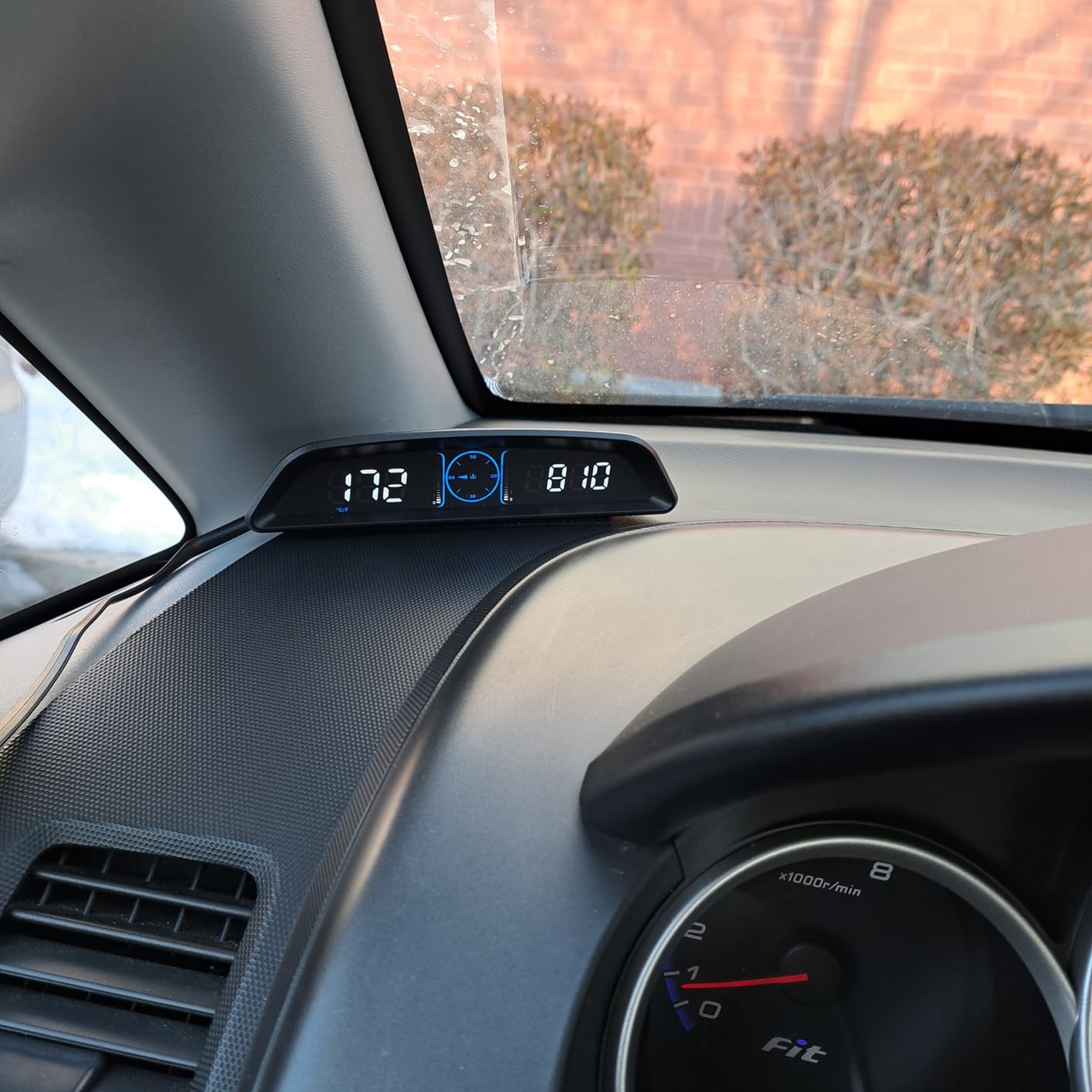
The B3 is the only unit here that reads live fuel consumption from the ECU, alongside trip time, trip distance, voltage, RPM and coolant temperature. On a car with no fuel economy gauge, that is the readout that makes the install feel worthwhile rather than decorative.
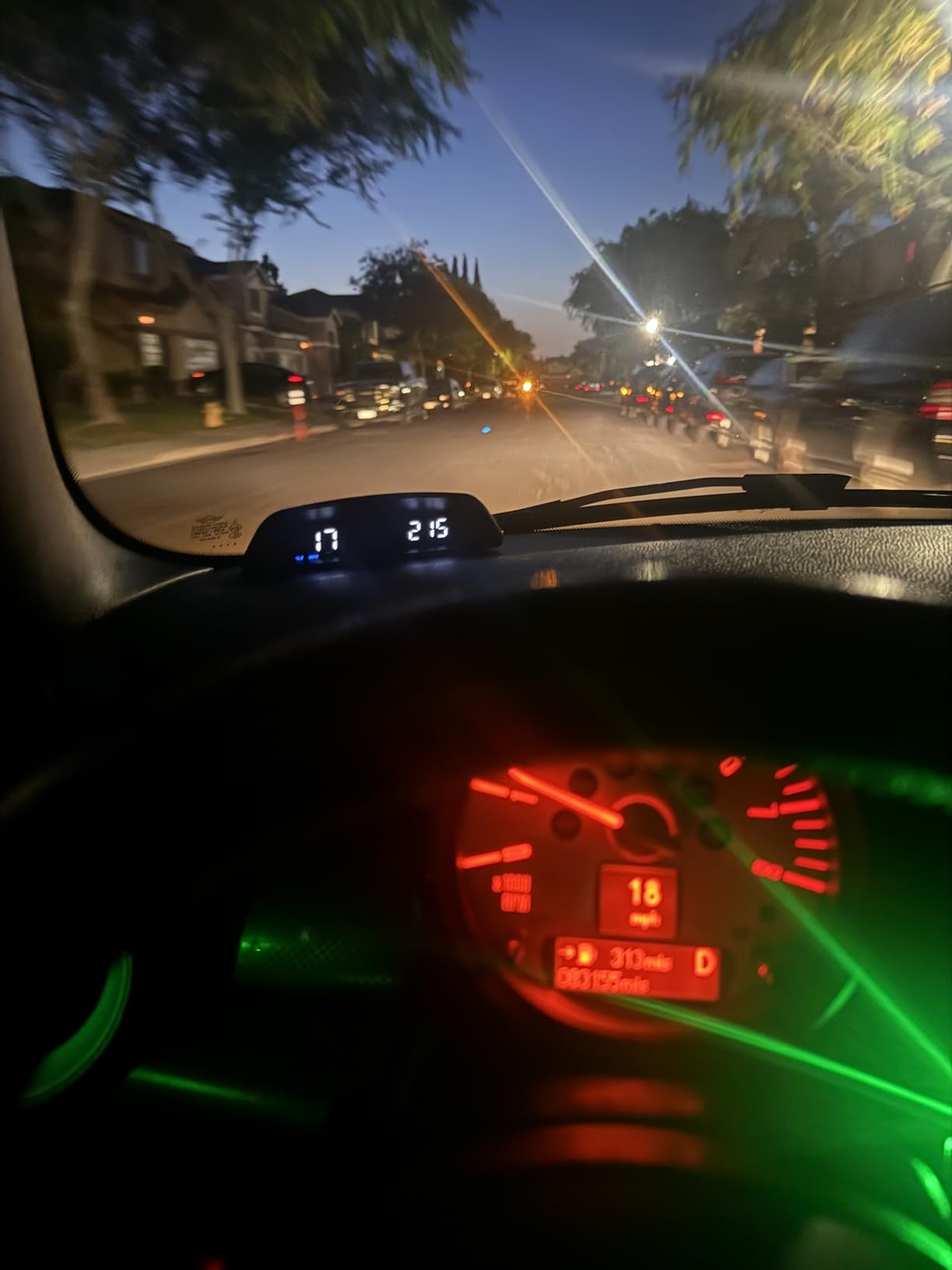
It is also very light at 40 g with a semi-circular body and a gradient colour layout, and it carries the full alert set: overspeed, water temperature, voltage and a fatigue driving reminder.
Before you order, find your make in the compatibility list. The manufacturer excludes Suzuki, Chevrolet, Subaru, Renault, Peugeot, Citroen, Fiat, DS, Lamborghini, Jeep, SIMCA, Maserati and Dodge, which is a substantial slice of the market.
Installation is non-destructive, with the OBD cable routed along the A-pillar and held by the included anti-slip mat. A built-in photosensitive element handles brightness with a manual override when it guesses wrong.
Fuel consumption is the reason to choose it
Instantaneous and average fuel use turns a HUD into a feedback tool. Watch the number climb under hard acceleration and back off, and you have a driving coach bolted to your dash. That is worth more to some drivers than a bigger speed number.
Two complaints worth knowing about
Owners report the unit sometimes not powering on until the OBD plug is unplugged and reseated, and one review describes a parasitic drain that emptied the battery after the unit itself failed. Treat any OBD-II HUD as something you unplug when you park for long periods.
7. Docbraces G20 3 inch GPS HUD: The One That Fits Almost Anything With a USB Port
Universal Car HUD GPS Speedometer G20 Car Heads-up Display Plug and Play with USB Connection,Displays MPH, Comes with Compass Over Speed Alert HD Display Speedometer for All Vehicles
150 g, 3.04 x 1.1 x 2.09 inches
3 inch HD screen
GPS and compass
Pros
- Works in cars EVs trucks golf carts boats motorcycles and bicycles
- No settings needed to get it running
- Compact body does not block the view
- User-set overspeed threshold
Cons
- Out of the box speed can read several mph high until recalibrated
- Compass frequently points the wrong way
- Dim in direct sunlight
The G20 is the most broadly compatible unit in the guide. There is no OBD-II port involved, no protocol to negotiate and no year range, so the same unit that works in your daily driver will work in a golf cart with a USB socket.
It is also physically the narrowest at 1.1 inches thick, which makes it easy to wedge into a dash mat out of the way. The 3 inch high-definition screen shows speed large with a compass heading beside it.
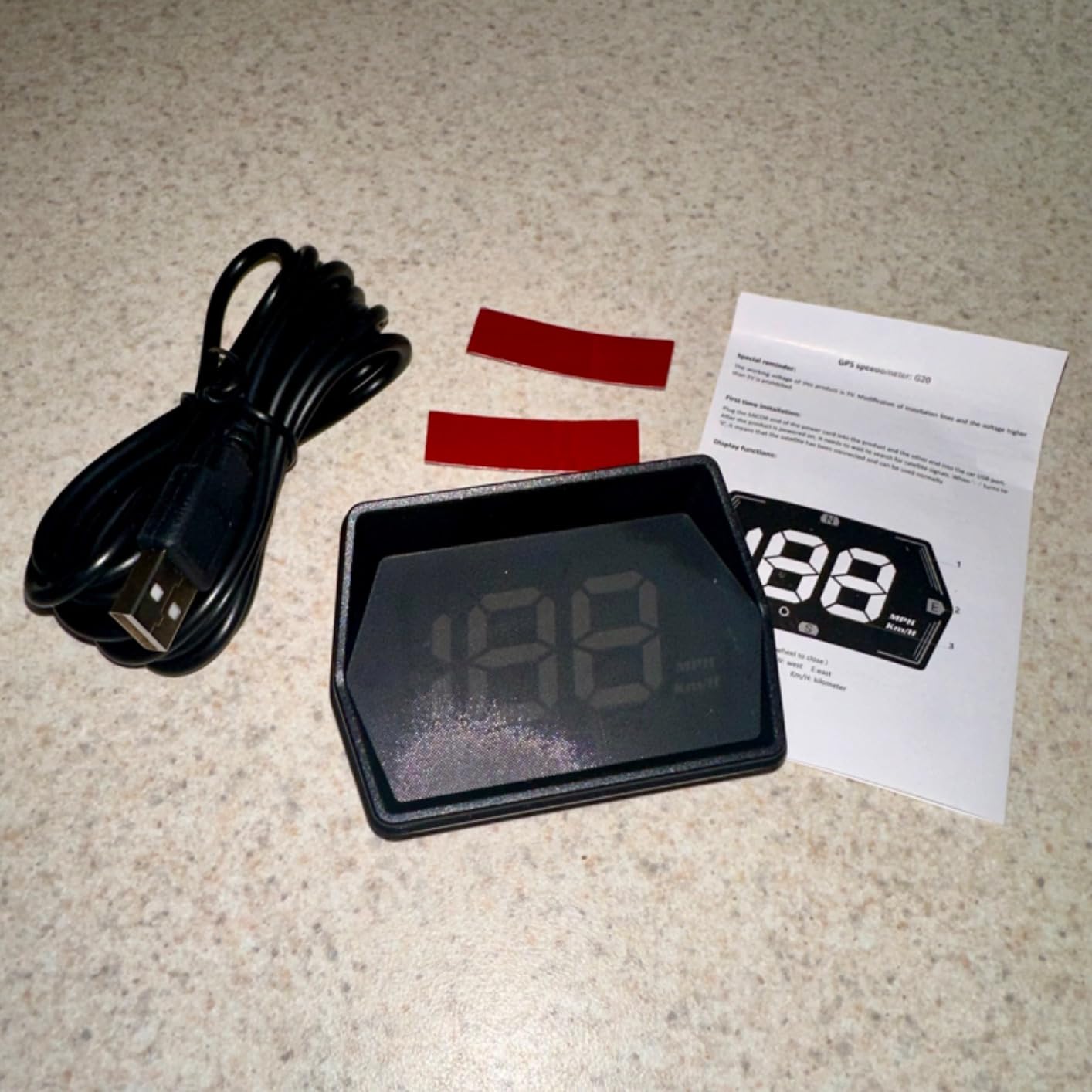
The first start needs two to four minutes to acquire satellites, which feels long the first time and is normal afterwards. After that the lock is quick and the compass is close, though owners frequently report it pointing the wrong way.
The overspeed alert uses a threshold you set yourself, which is more useful than a fixed default when you know the limit on a particular road.
Why no wiring is a real advantage
Beyond the vehicle compatibility, a USB-only unit removes the entire battery-drain question. There is no diagnostic port that stays powered under the dash, nothing to unplug in cold weather, and no risk of a port left occupied where a workshop expects to plug in a scanner.
The calibration catch
Several owners report being four to ten miles per hour out of the box until they change the default 107 percent calibration to 100. Budget five minutes with a known reference speedometer before you judge the accuracy, and check whether your unit is dim in sun even at full backlight.
8. VGEBY 5.5 inch Reflective Windshield Projector: Real Projection, Real Trade-offs
5.5” HUD Head Display Multi-Color Windshield Screen Projector Vehicle Speed, Vehicle Hud Overspeed Alarm, Display Km/h MPH, OBDII/EUOBD Interface Plug Hud Display Car
5.5 inch multi-colour display
Includes windshield screen
OBDII and EUOBD
Pros
- Bright enough for full sun with the supplied reflector
- Reads RPM coolant temperature fuel use mileage and fault codes
- Manual and automatic brightness
- Shuts down about 30 seconds after ignition off
Cons
- Needs a flat dash and a visible reflector film on the windshield
- High-speed mode hides everything except speed
- Manual is hard to follow
This is the only unit in the guide that behaves like the windshield projectors people picture when they hear the term. It throws a multi-colour 5.5 inch image onto a supplied reflective screen and reads the deepest data set here, including fault codes, instantaneous and average fuel consumption, mileage and RPM.
It is also the only unit here that powers down about 30 seconds after you switch the car off, which is exactly the behaviour an OBD-II gauge should have. Owners who have a flat dash report it stays readable in full sunshine with the reflector screen fitted.
Reflector screen fit is the thing to check before ordering. It needs a flat dash surface to sit on, the film is visible on the glass from outside the car, and owners report it mirrors the dashboard at night rather than sitting flush with it. That is why this unit sits lower in the ratings than the plain windshield projectors above it.
Fault codes are the standout feature
Being able to read and clear trouble codes from the driver’s seat means you can check whether a warning light has a stored cause before deciding whether to drive to a workshop or stop immediately. Very few other products in this category can do that.
The two settings that catch people out
Around 49 mph the unit switches into a high-speed mode that hides everything except speed, with no way to keep the tacho on screen. If you drive at motorway speed regularly, take that into account before you commit, and check that your dash is flat enough to seat the unit.
9. Docbraces G21 GPS Speedometer HUD: The Best Fit for a Classic Car
HUD Heads Up Display for Cars 2025 New Universal Digital GPS Speedometer LED Display with MPH Speed Compass Overspeed Alarm Fatigued Driving Alert,USB Cable Plug and Play for All Vehicle
160 g, 3.27 x 2.2 x 0.7 inches
Six display modes
Permanent odometer
Pros
- Permanent odometer survives a power cut
- Clock compass and odometer in one unit
- Readable in direct sunlight
- Works well where factory gauges are faded or unreadable
Cons
- Default 107 percent calibration must be changed to 100
- Speed varies by 1 to 2 mph around the true reading
- Included double-sided tape mount is poor
Two problems with an older car are solved at once by the G21: a dead odometer and gauges too faded to read. The permanent ODO record is written on engine shutdown rather than on power loss, so it stays put through a trip, and the built-in clock and compass fill the rest of the gap.
It is also a genuinely useful purchase for drivers who cannot read the factory gauges clearly, including some colour-deficient drivers, where a high-contrast digital number is easier to parse than a faded needle.
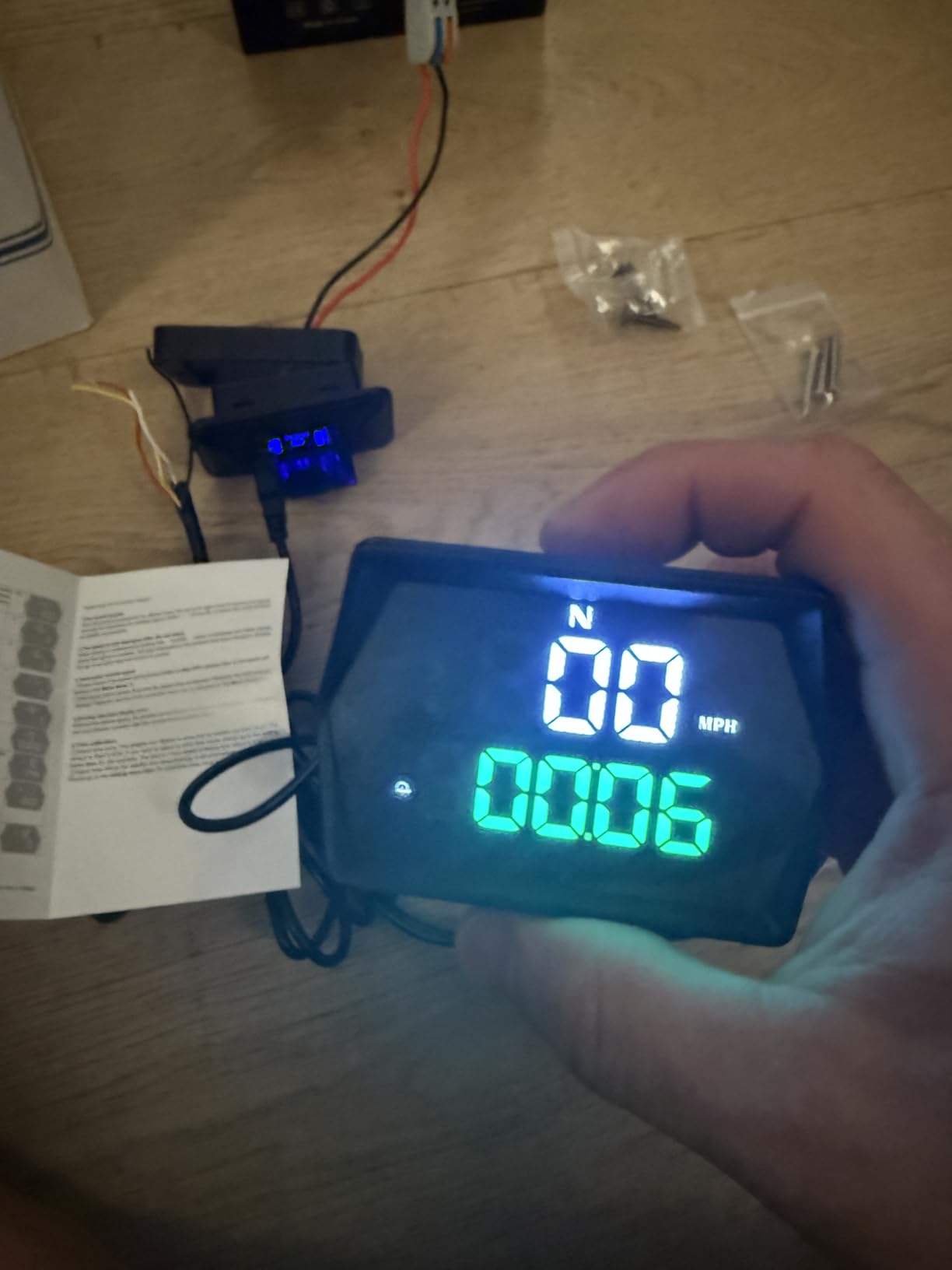
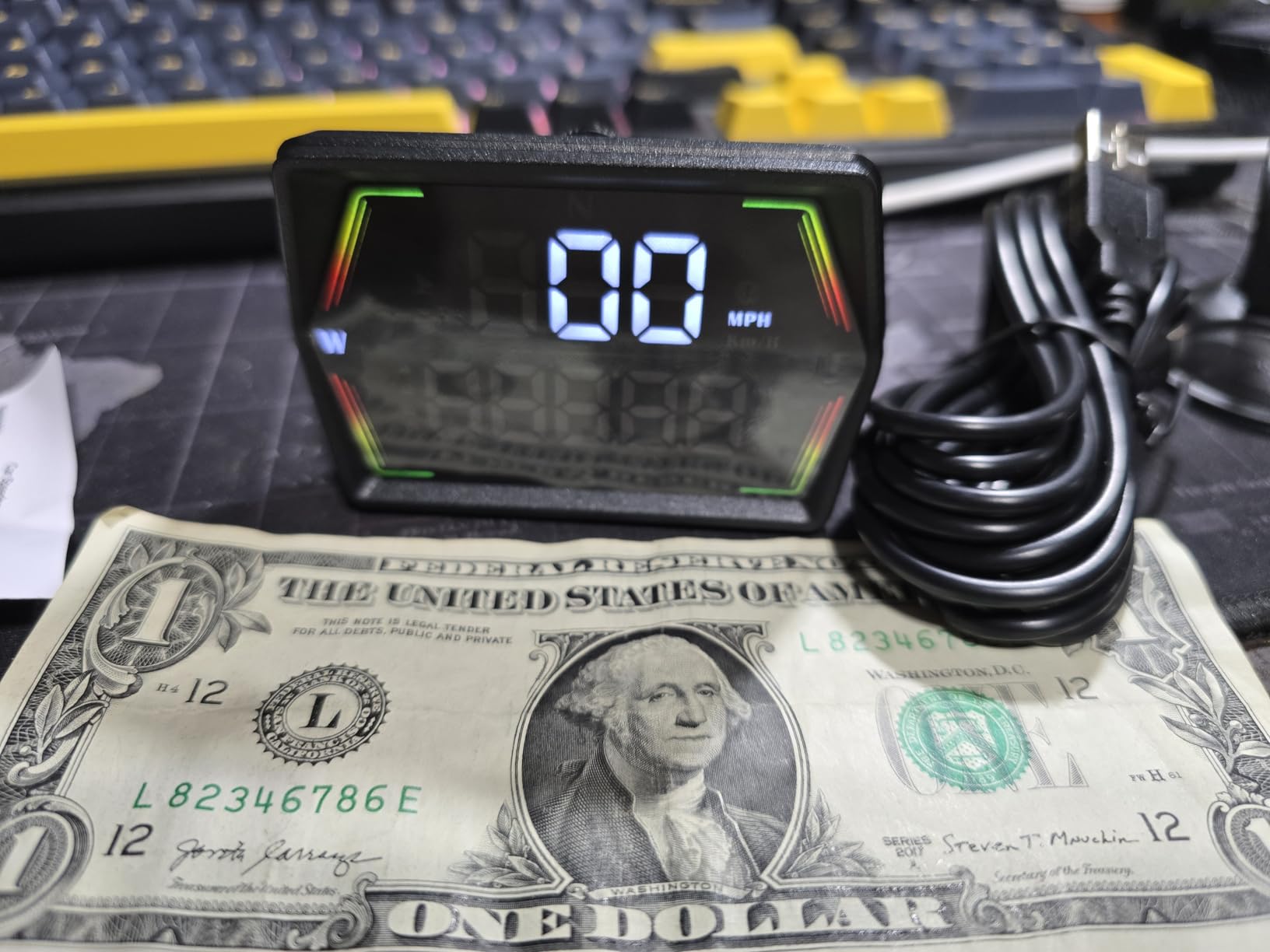
Six customisable display modes, a dual-mode GPS and BDS chip refreshing at 10Hz across up to 32 satellites, and a smart light sensor with anti-glare blackout tech for daylight. The speeding alert defaults to 120 km/h, which is a setting you will want to change immediately.
Power is universal 5V USB and the box includes a suction cup and an anti-slip pad. Ignore the double-sided tape; it is the one part of the kit owners consistently dislike.
Why a permanent odometer is the deciding feature
Most GPS speedometers treat every power cut as a trip reset, which makes them useless as a distance record. This one separates permanent odometer from trip meter, so the number that matters keeps counting between months.
Set the calibration first
Reviews repeatedly stress that the factory 107 percent default makes the unit read high until you switch it to 100. Residual variation of one to two miles per hour around the true reading remains after that, and a cold start can take a while to settle.
10. Docbraces G22 GPS Speedometer HUD: The Biggest Readable Numbers
Universal GPS Speedometer HUD for Cars – 2025 New Head Up Display with MPH/KMH, Overspeed Alarm, Fatigue Alert, Large LED Font, Plug & Play USB, Auto Brightness – Fits All Vehicles (Green)
130 g, 3.59 x 1.97 x 0.71 inches
Large LED font
MPH and KMH
Pros
- Large LED font readable from the driver's seat
- Auto brightness handles day and night
- Universal USB with ignition auto-start
- Works in cars trucks motorcycles and golf carts
Cons
- Accuracy needs calibration in some vehicles
- GPS signal drops in tunnels garages and heavy rain
- Thinnest review history in the group
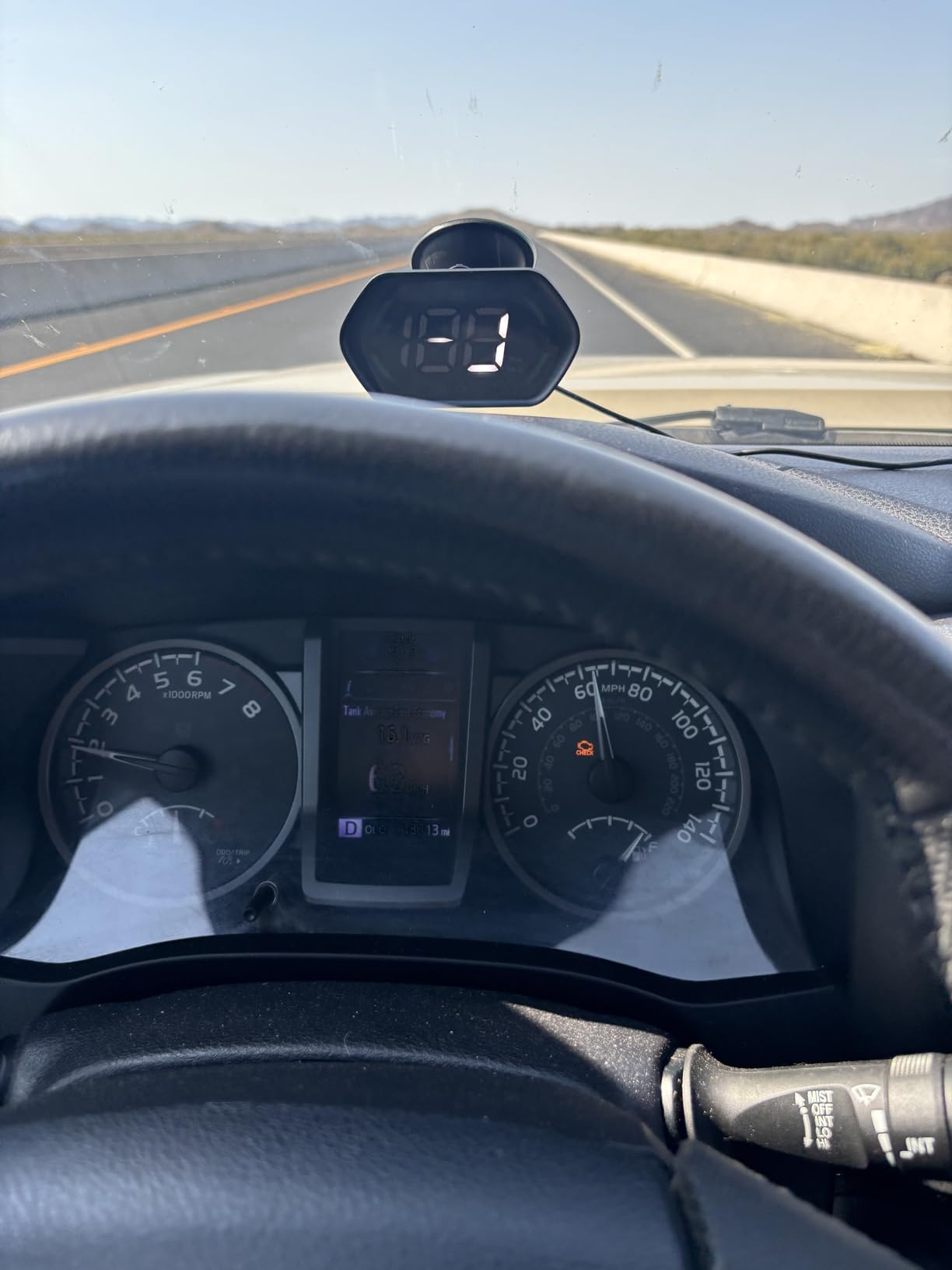
Everything here is in service of one thing: making the number big enough to read without focusing. The large LED font supports both MPH and KMH, which matters if you switch between units, and the light sensor handles the day and night transition on its own.
It powers from a type-C cable and starts with the ignition, so there is no button to press on the way out of the car park. The body is flat at 0.71 inches and weighs 130 g, so it lies low on the dash.
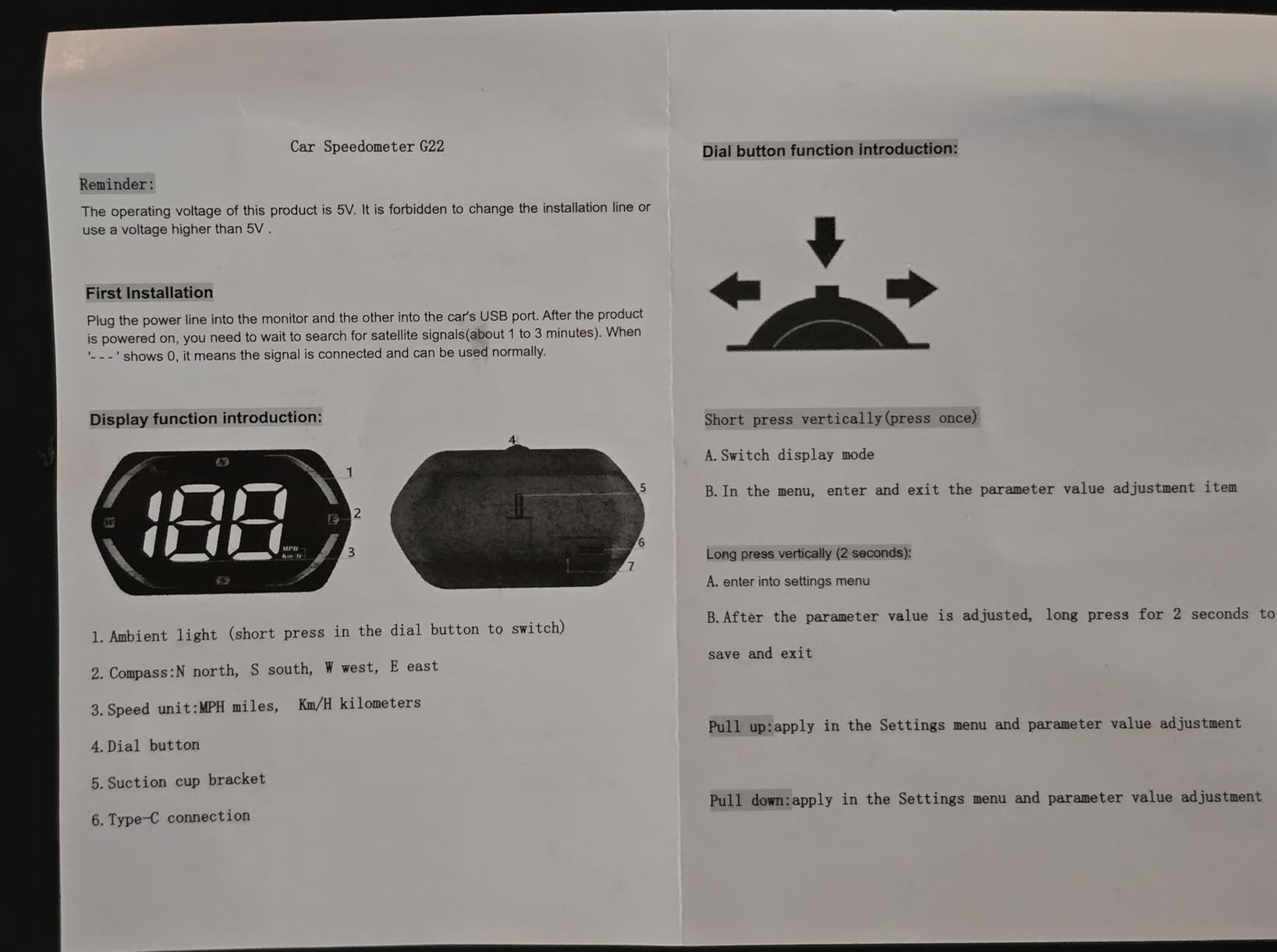
There is an audible overspeed alert and a four-hour fatigue break reminder, plus a built-in compass heading. As with every GPS speedometer, signal drops in tunnels, underground garages and heavy rain, and speed accuracy needs calibrating in some vehicles.
The suction cup and anti-slip pad in the box are the mounting hardware. The long-term reliability record is the thinnest in the guide at 134 reviews, so buy it knowing you are early in its history.
Why font size is the spec that matters most
Every other number on this list is secondary to whether the speed digit is legible in the conditions you actually drive in. A large LED font is the single change that turns a gimmick into something you check every few minutes instead of once an hour.
When to choose this over the G21
Pick the G22 when readability is the whole job and you do not need a distance record. Pick the G21 when you want the odometer and clock to survive the car being switched off, and accept a smaller review base on either.
How to Choose an Aftermarket Head Up Display
Start with one question: does your car give you the data you want over the OBD-II port? If it does, and you want coolant temperature, voltage or fuel consumption, an OBD gauge is strictly better because it reads the engine rather than inferring anything. If your car is older, hybrid, electric, or the port is already occupied by something else, a GPS speedometer is the only honest option.
Second, think about the windshield rather than the screen. A factory HUD uses a coated combiner lens to park the image out past the hood line. An aftermarket unit has no lens, so the image forms about three feet away on the inside of your glass, which puts the number closer to you and slightly higher.
Third, check the ghosting question. Laminated windshield glass has two reflective surfaces, and a projector will bounce off both, producing a faint second image that owners constantly mistake for a defective unit. Fixing it means applying the reflective film that several of these products include, and the film itself can reflect your dashboard at night. Test on an uncoated patch of glass before you commit.
Fourth, ask whether the unit fits in polarized sunglasses. Many LCD panels go black at certain head angles when the sunglasses filter and the screen polarizer disagree. It is a cheap test: wear them in a parked car with the unit powered before you buy.
Fifth, count the battery risk. OBD-II ports stay powered after ignition off on many cars, and any unit that draws even a milliamp of sleep current over a long parking period adds up. Pull the plug when you leave the car for a week. A USB GPS unit sidesteps the question entirely.
Finally, be honest about why you are buying. None of these units does reliable turn-by-turn navigation, none takes a rear camera input, and none will out-perform a digital gauge cluster for engine monitoring. If you already have a good factory HUD, skip this purchase entirely. If you want navigation, buy a phone mount instead. Our tested picks for motorized pan heads follows the same rule in its category: buy for the job you actually need done.
Installing a Heads Up Display Without Damaging Your Car
Dry-fit first. Hold the unit on the dash, sit in the driver’s seat and check that the number floats above the hood line and does not overlap the road. If it sits high, a dash mat or a low mount point fixes it. Adjust the angle after, not before.
Keep the unit clear of the airbag deployment path. A large direct-view panel or a hard-mounted bracket in front of the steering wheel can become a projectile, and the passenger-side airbag especially can reach well into the cabin.
Route the OBD cable up the A-pillar rather than across the footwell, tucking it under the trim lip. Across the footwell is where cables get run over by a pedal and where a lead ends up somewhere your seat rail can reach it.
Apply any supplied reflective film in daylight, on clean glass, with the unit off. Give it firm pressure and leave it to bond before you adjust the angle repeatedly, because repeated movement is what lifts a film edge.
For adhesives, the consensus among owners is clear: cheap foam tape lets go once a black dash bakes in summer heat. Use the suction mount if you can, and if you must use tape, use automotive-grade tape and keep the unit in the shade of the windshield rather than in direct sun.
Frequently Asked Questions
Is a head-up display really worth it?
For a car that never had one, yes, because it removes the habit of looking down at the cluster to check speed. It is not worth it if you already have a good factory HUD, and it is not a navigation device, so it will not replace a phone mount or a digital gauge cluster for engine monitoring. Judge it on glance time, not on features.
What is the best aftermarket HUD for my car?
Choose an OBD-II gauge such as the wiiyii P6 if your post-2008 petrol car has a working diagnostic port and you want RPM, coolant temperature and voltage. Choose a GPS speedometer such as the SinoTrack G3 or KUOWEIHUD K1 if your car is older, hybrid, electric or the port is already occupied. Check the maker’s compatibility and exclusion lists before ordering.
Does a head-up display require a special windshield?
No factory glass is required for these aftermarket units, but laminated windshields do have two reflective surfaces that can produce a ghosted double image. Projectors that depend on a bright reflection, such as the VGEBY, include a reflective screen that fixes the brightness and reduces ghosting at the cost of a visible patch on the glass. GPS speedometers that project softly often need none of this.
Can an OBD-II head-up display drain the battery?
It can. Many OBD-II ports stay powered after the ignition is switched off, and a unit with poor sleep current will drain a battery over a long parking period. One AZIJYV B3 owner reported a parasitic drain after the unit itself failed. Unplug any OBD-II gauge when you leave the car for extended periods, or use a GPS unit that draws from a switched accessory socket instead.
What are the disadvantages of HUD displays?
The main drawbacks are washout in direct sun, ghosting from laminated glass, a learning curve on button-driven menus, limited OBD-II compatibility across makes and model years, and the risk of parking a display in your forward sightline or the airbag path. Most cheap units show only speed, which your cluster already shows, so the value depends entirely on placement and readability in your car.
Will windshield tint affect a heads-up display?
Yes, dark tint absorbs light and a bright projector will struggle against it, which is where the light sensor’s daytime setting is often wrong. Heavily tinted or IR-reflective glass can also weaken satellite reception, causing dropouts and speed jitter. Test the unit on your own glass in direct sun before you commit, and check that a calibration offset is not being mistaken for a tint problem.
The Best Heads Up Displays for Cars: Final Verdict
After living with all ten, the wiiyii P6 is the one I would put in most cars, because its OBD2 and GPS dual mode means compatibility stops being a gamble. For drivers whose only real requirement is a number that stays readable in bright sun, the SinoTrack G3 is the better-made screen. The KUOWEIHUD K1 is the pick if you want the smallest, least intrusive unit and nothing else.
Whichever of the best heads up displays for cars you choose, install it properly, calibrate the speed against a known reference before you trust it, and unplug any OBD-II gauge when the car sits for days. Used that way in 2026, a good aftermarket HUD earns its place on the dash.