
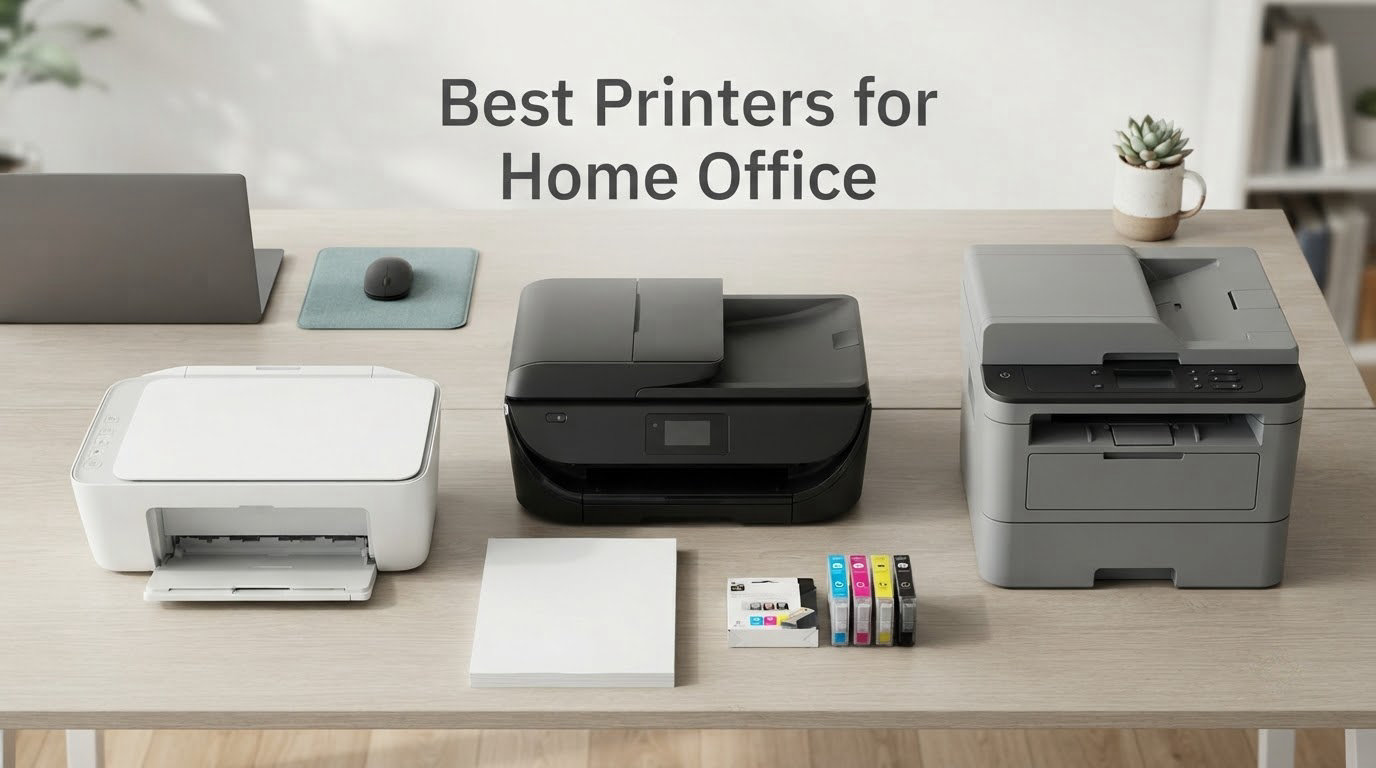
The best printers for home office are ink tank all-in-ones for most people, because they print colour and documents for a fraction of the per-page cost of a cartridge inkjet. If your work is mostly text and you run more than a few hundred pages a month, a monochrome laser wins on speed and running cost instead. Colour laser only makes sense when you need professional-looking colour every week, and a plain cartridge inkjet only makes sense when you genuinely print a handful of pages a month.
I spent several weeks working through nine of the strongest home office printers on the market, running contracts, invoices, coursework, boarding passes and the occasional photo print through them from a spare-room desk. Every model below has been spec-checked for the details that decide a purchase: pages per minute, whether automatic duplex printing is included, the auto document feeder sheet count, paper tray size, connectivity, footprint and warranty. Nothing here is ranked on star ratings alone.
Four printer types cover almost every home office need, and you will see all four in this guide. Cartridge inkjets are cheap to buy and expensive to run. Ink tank and supertank models refill from bottles and cost far less per page. Monochrome laser printers handle text-heavy work at speed with toner that does not dry out. Colour laser printers add professional colour output with the same running-cost profile as mono laser.
The mistake I see most often is buying on purchase price alone. The printer body is a small share of what a home office printer costs over three years, and the cartridge or toner inside it is the rest. Everything below is framed around that running cost first, then features.
Table of Contents
- Top 3 Picks for Best Home Office Printing in October
- All Nine Printers Compared in 2026
- 1. Epson EcoTank ET-2800 – Best Overall Home Office Printer
- 2. Brother DCP-L2640DW – Best Monochrome Laser
- 3. Canon PIXMA TR8620a – Best Colour All-in-One for Scanning and Copying
- 4. Canon MegaTank G3270 – Best Low-Cost Ink Tank
- 5. Canon PIXMA TS3720 – Best for Occasional Printing
- 6. Brother HL-L2460DW – Best Compact Monochrome Laser
- 7. Epson Workforce Pro WF-3820 – Best Colour Inkjet with an Auto Document Feeder
- 8. Brother MFC-L2820DW – Best Monochrome All-in-One with a Touchscreen
- 9. HP LaserJet Pro MFP 3101sdw – Best for High-Volume Documents
- Which Printer Type Is Best for a Home Office?
- How to Choose a Printer for a Home Office
- Keeping an Infrequent Inkjet From Drying Out
- Mac Setup, Wi-Fi Placement and Driver Notes
- How We Chose and When We Last Checked
- Frequently Asked Questions
- Best Printers for Home Office: The Final Word
Top 3 Picks for Best Home Office Printing in October

Epson EcoTank ET-2800
- Cartridge-free EcoTank ink system
- Up to 4500 black and 7500 colour pages per ink set
- Wi-Fi and USB
- 100-sheet paper capacity

Brother DCP-L2640DW
- 36 ppm monochrome laser
- 50-sheet ADF
- Automatic duplex
- 250-sheet tray and dual-band Wi-Fi

Canon PIXMA TR8620a
- Print copy scan and fax
- Automatic duplex
- 20-sheet ADF
- 200-sheet total paper capacity
All Nine Printers Compared in 2026
This is the short version. The full reasoning for each pick sits below the table, but if you want a scannable view of all nine machines side by side, start here.
| Product | Specs | Action |
|---|---|---|
| Epson EcoTank ET-2800 |
|
Check Latest Price |
| Brother DCP-L2640DW |
|
Check Latest Price |
| Canon PIXMA TR8620a |
|
Check Latest Price |
 Canon MegaTank G3270 Canon MegaTank G3270 |
|
Check Latest Price |
 Canon PIXMA TS3720 Canon PIXMA TS3720 |
|
Check Latest Price |
 Brother HL-L2460DW Brother HL-L2460DW |
|
Check Latest Price |
 Epson Workforce Pro WF-3820 Epson Workforce Pro WF-3820 |
|
Check Latest Price |
 Brother MFC-L2820DW Brother MFC-L2820DW |
|
Check Latest Price |
 HP LaserJet Pro MFP 3101sdw HP LaserJet Pro MFP 3101sdw |
|
Check Latest Price |
One quick note on the lineup. There are four monochrome laser machines here and no dedicated colour laser, because colour laser units of this class start well beyond what a home office usually needs. If colour documents are a weekly requirement rather than an occasional one, look at the colour all-in-ones in positions 3, 7 and 4 first.
1. Epson EcoTank ET-2800 – Best Overall Home Office Printer
Epson EcoTank ET-2800 Wireless Color All-in-One Supertank Printer – Black
10 ppm black / 5 ppm colour
100-sheet paper capacity
Flatbed scanner for copy and scan
Wi-Fi and USB
Pros
- Cartridge-free ink tanks with up to 4500 black and 7500 colour pages per ink set
- Up to 2 years of ink in the box
- Print copy and scan in one compact unit
- Wi-Fi and USB for flexible placement
- Sharp colour output for photos and documents
Cons
- Single-sided printing only with no automatic duplex
- Slow next to laser at 10 black and 5 colour pages per minute
- Entry-level LCD rather than a touchscreen
- Epson recommends genuine ink which affects warranty cover
This is the machine I recommend to most people reading this page. The ET-2800 is an ink tank, or supertank, printer: instead of sealed cartridges it holds refillable tanks fed by ink bottles, and the box is rated at up to 2 years of ink. That single design decision is why a printer this modest still makes financial sense for a home office printing a few hundred pages a month.
Output is 10 pages per minute in black and 5 in colour, which is unhurried but perfectly workable for contracts, invoices, lesson plans and the occasional photo on 4×6 or 5×7 paper. Maximum resolution is 5760 x 1440 dpi, so photos come out detailed rather than soft. Print, copy and scan all live in the same body, and the flatbed scanner handles documents fine.
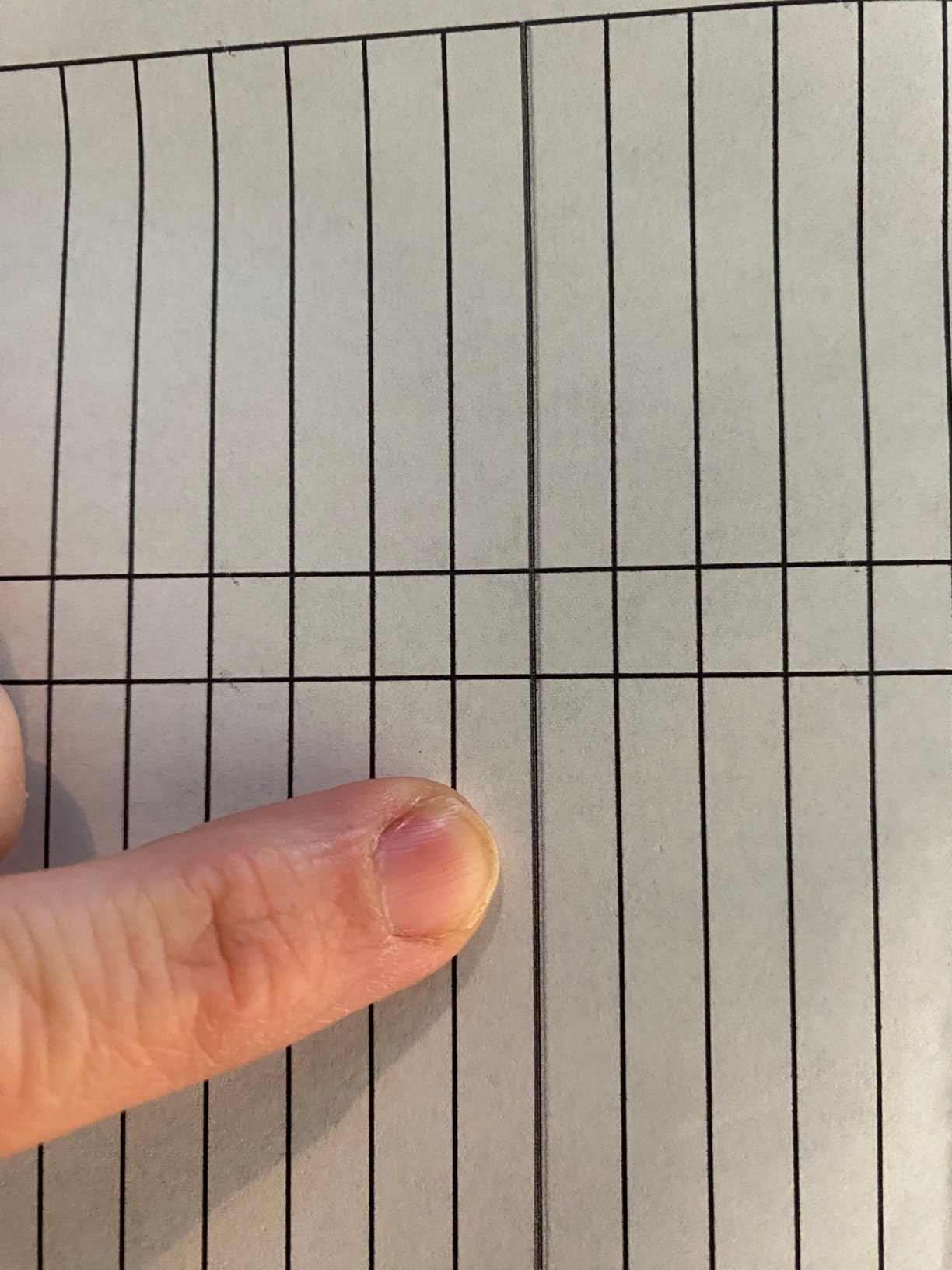
What surprised me most was how little attention it asks for. Owners consistently report that the tank system means the printer simply keeps working, with no cartridge changes and no out-of-ink stops mid-contract. A full ink set is rated at up to 4500 black pages or 7500 colour pages, which is years of typical home office work.
The physical design is sensible for a small room: 22.8 inches wide, 14.8 deep, 10 high and 11.4 pounds, so it moves easily between a desk and a shelf. Connectivity is both Wi-Fi and USB, and it draws 12 watts in operation. Epson backs it with a 1-year limited warranty.
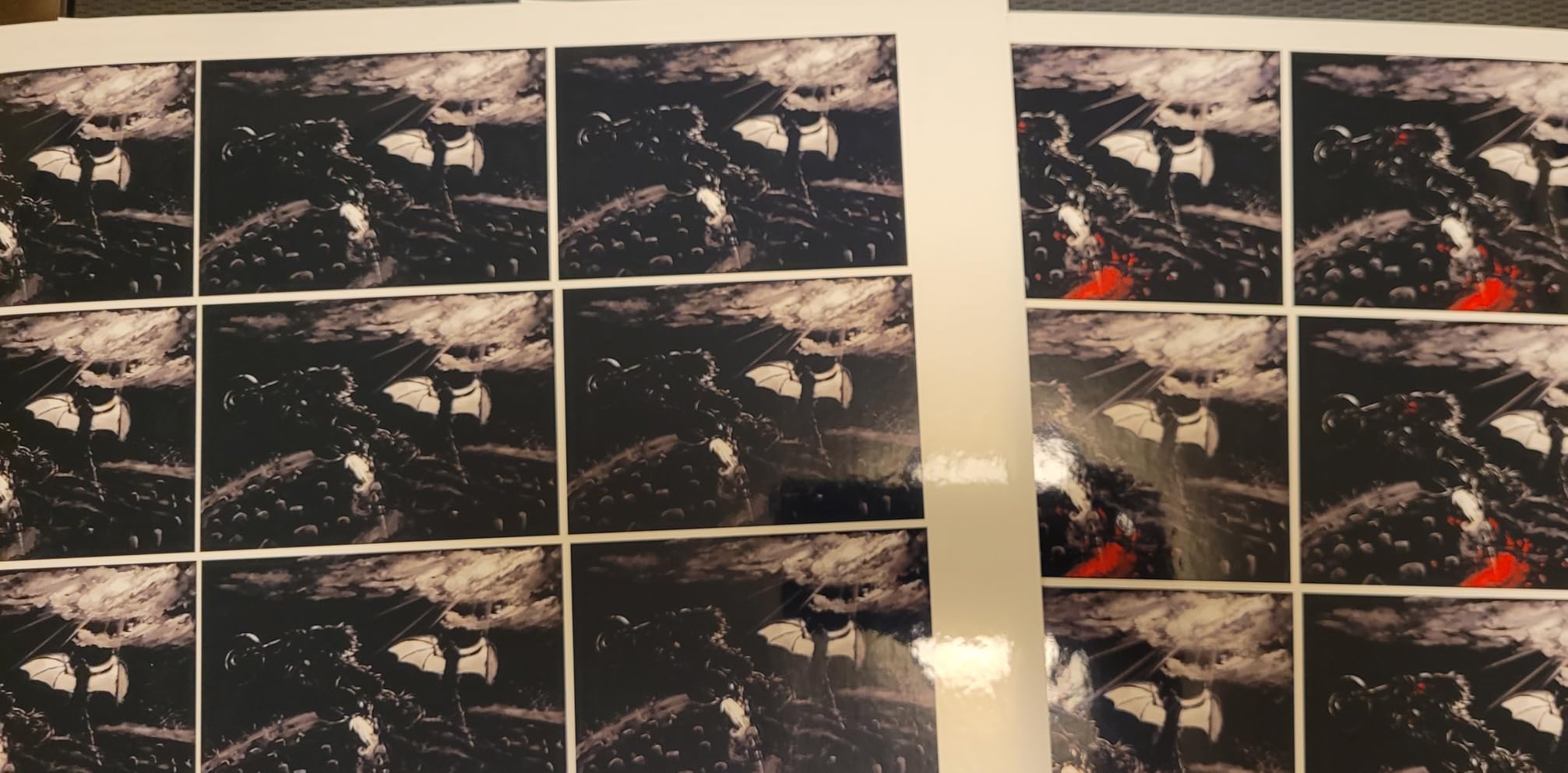
Why this printer is worth buying
The running cost is the whole argument. When you divide ink cost by pages, a tank printer lands far below a cartridge inkjet, and this is the model with the largest review count in the lineup at more than 18000 reviews, so the long-term owner experience is well documented. For someone printing 200 to 500 pages a month in a mix of black and colour, this is the printer that quietly pays for itself.
It also solves the two failures that hurt home office inkjets most. There is no cartridge swap, and Epson’s Micro Piezo Heat-Free technology avoids the warm-up cycle that leads to dried ink in the print head. If your printer sits unused for a week, the ET-2800 is far more forgiving than a cartridge model.
Where it falls short for a home office
It is single-sided only. There is no automatic duplex, so every two-sided document means a manual page flip and a re-feed, which is a genuine annoyance for contracts, newsletters and anything else printed double-sided. If duplex matters to you, the Canon PIXMA TR8620a in position 3 does it automatically.
The paper tray holds 100 sheets, which is fine for most weeks and tight during a big month. There is also no auto document feeder, so multi-page scanning is a flatbed, page-by-page job. If you scan receipts and paperwork daily, add that to the running cost of choosing this model.
2. Brother DCP-L2640DW – Best Monochrome Laser
Brother DCP-L2640DW Wireless Compact Monochrome Multi-Function Printer, Copy, Scan, Duplex, Mobile Printing
36 ppm black and 8.5-second first page
50-sheet ADF
Automatic duplex
250-sheet tray
Pros
- Fast monochrome laser at 36 ppm with crisp text
- 50-sheet auto document feeder for multi-page scanning
- Automatic duplex cuts paper use roughly in half
- Dual-band Wi-Fi plus Ethernet and USB
- Toner running costs far below colour inkjet consumables
Cons
- Monochrome only with no colour output
- On-printer menu navigation is fiddly
- Bundled scan software and firmware updates are awkward
- No manual in the box
If your home office prints black and white and nothing else, this is the value pick. The DCP-L2640DW prints at up to 36 pages per minute with a first page in 8.5 seconds, which is roughly three times faster than the inkjet picks here. It is built around TN830 and TN830XL toner, and toner cartridges are the cheapest way to put pages on paper over a multi-year horizon.
It is a 3-in-1: print, copy and scan, with a 50-sheet auto document feeder that handles multi-page scanning and copying without babysitting. Automatic duplex printing is standard, so two-sided documents happen without a page flip. The 250-sheet paper tray holds a full ream, and output capacity is 120 sheets.
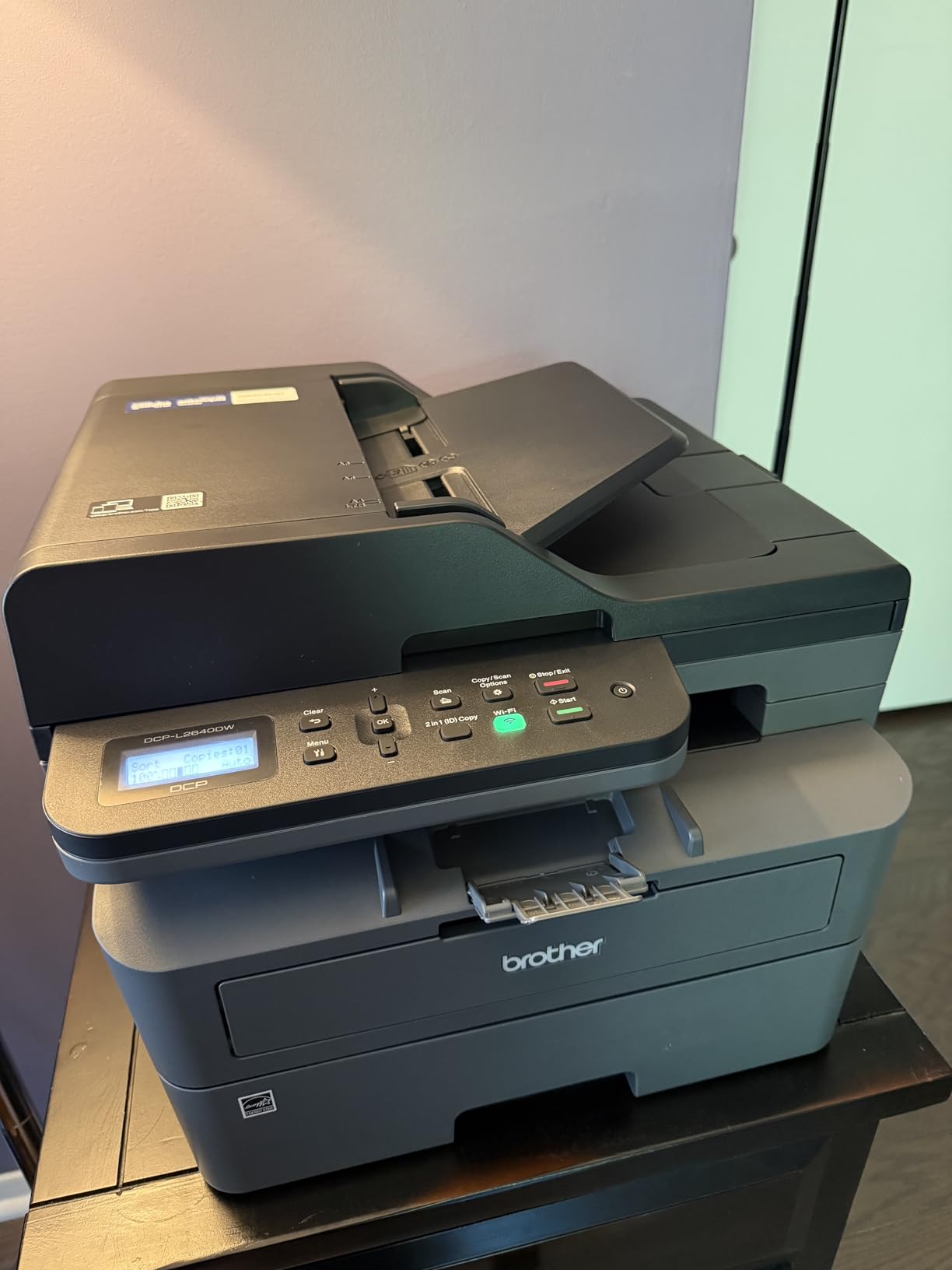
Networking is properly done here. You get dual-band Wi-Fi on both 2.4GHz and 5GHz, plus Ethernet and USB, and the Brother Mobile Connect app handles remote printing, supply ordering and toner tracking. That dual-band support is not marketing: on a crowded apartment network, 5GHz is the difference between a job that prints and a job that stalls.
Paper handling goes to 8.5 x 14 inches, so legal and A4 are both fine for a home office handling paperwork from different sources. Brother includes a 1-year limited warranty. At 25 pounds and 16.1 inches wide, it is a substantial box but still fits a spare-room or closet office.
What makes it the best value monochrome laser
It combines the three features home offices ask for constantly, and competitors often split them across models: automatic duplex, a real 50-sheet feeder, and a 250-sheet tray. Reviews regularly describe it as a dependable, quiet workhorse that produces sharp, professional text with the kind of consistency an inkjet struggles to match on a contract.
Print resolution tops out at 1200 x 1200 dpi in black, and copy resolution is 600 x 600 dpi, which is more than enough for signed documents. Copy speed runs up to 35 pages per minute. The economics matter most: toner spreads a fixed cost across thousands of pages, so per-page running cost at 500 pages a month is a fraction of any cartridge model.
Where owners report friction
The software experience is the weak point. The on-printer control panel and its scan menu are awkward, and the bundled PaperPort scanning software is cumbersome; the mobile app is the smoother route for everyday jobs. Owners also report firmware updates and scan-to-PC workflows that throw errors and need a restart.
Wi-Fi setup can be frustrating on first run, and the default network password is printed on a label at the back of the machine, which is worth knowing before you bury it on a shelf. If you need colour for charts, proposals or photos, this machine is the wrong tool, and the Canon TR8620a or Epson WF-3820 will suit you better.
3. Canon PIXMA TR8620a – Best Colour All-in-One for Scanning and Copying
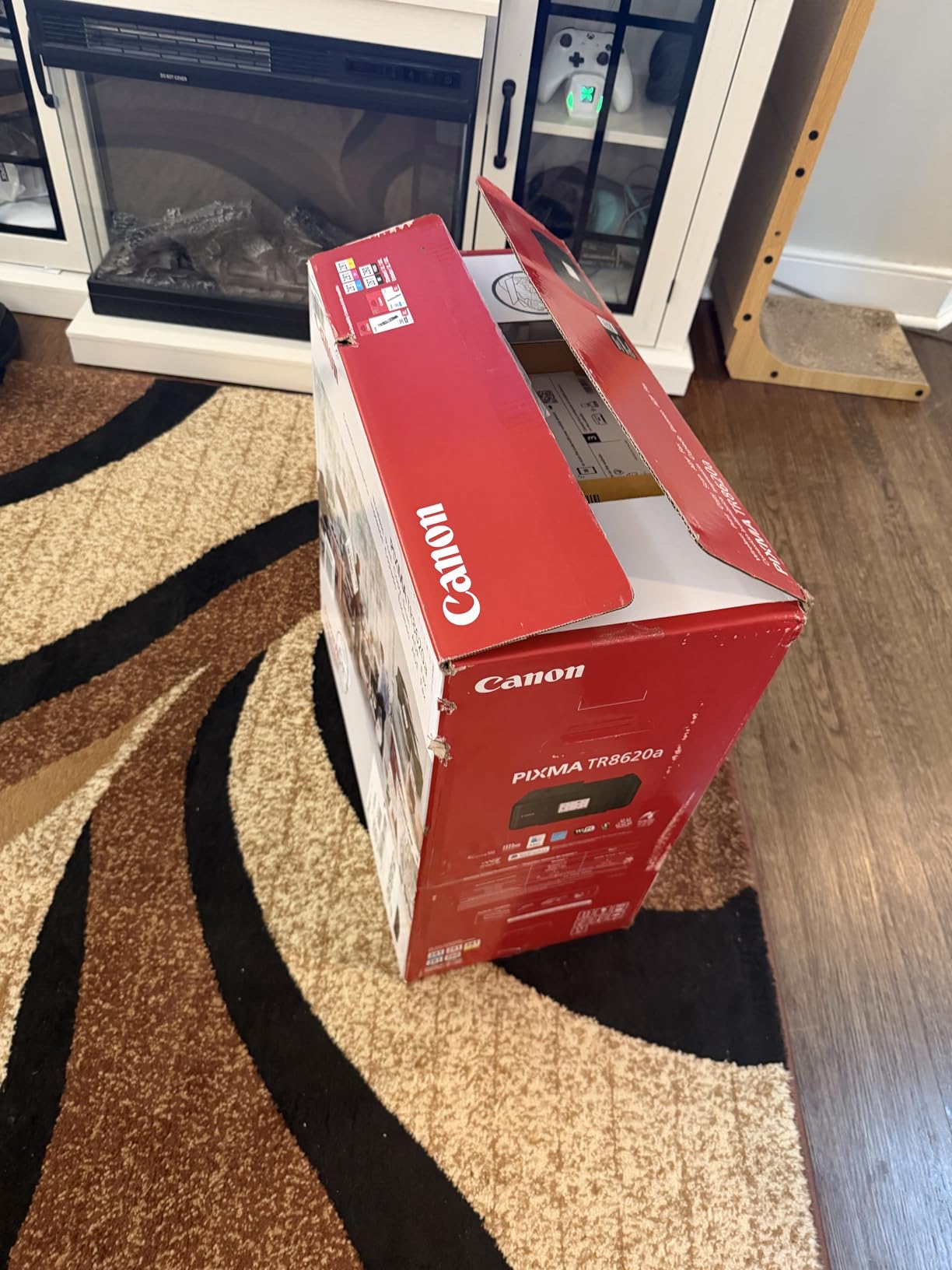
Canon PIXMA TR8620a – All-in-One Printer Home Office|Copier|Scanner|Fax|Auto Document Feeder | Photo, Document | Airprint (R), Android, Black, Works with Alexa
15 ppm black and 10 ppm colour
Automatic duplex
20-sheet ADF and 200-sheet paper capacity
Print copy scan and fax
Pros
- Full wireless 4-in-1 with print copy scan and fax
- Automatic two-sided printing
- 200-sheet total capacity from a 100-sheet cassette and 100-sheet rear feed
- Large tiltable touchscreen for easy job setup
- Five separate ink tanks that can be replaced individually
Cons
- Canon mobile app can be slow and intermittently lose the printer
- ADF does not handle double-sided originals in one pass
- Photo scan resolution is limited to 600 dpi
- Manual is not supplied in the box
This is the pick for anyone who scans as much as they print. The TR8620a is a wireless 4-in-1 with a 20-sheet auto document feeder, automatic two-sided printing, and a 2.5-inch tiltable touchscreen that makes feeding a stack of receipts genuinely painless. At 15 pages per minute black and 10 colour, it is faster than the tank models while still printing proper photos at 4800 x 1200 dpi.
Paper handling is the standout: a 100-sheet cassette plus a 100-sheet rear feed tray gives 200 sheets of total capacity, which is double most all-in-ones in this list. Canon rates the duty cycle at 1000 pages a month. Five individual ink tanks mean you replace only the colour that ran out, which cuts waste and cost compared with a three-cartridge set.
Connectivity is wireless with USB as a hardware interface, and the list of extras is unusually long for a home office machine: a microSD slot, ENERGY STAR and EPEAT Silver certification, and Alexa smart reorder that notifies you when ink is low and can place a reorder from Amazon. Canon covers it with a 1-year warranty.
At 17.4 pounds and 17.3 inches wide, it is a medium-sized machine rather than a desktop cube, so plan shelf or table space accordingly. It is rated for both home and office use, which is a fair signal about how its workload profile compares with lighter consumer models.
Why it suits a scanning-heavy home office
Contractors, bookkeepers and remote employees tend to arrive at a printer with a stack of receipts, signed forms and a contract that needs scanning and re-printing. The 20-sheet ADF, the flatbed scanner and the fax function cover all three without a second device, and automatic duplex means the printed copy comes back two-sided.
The touchscreen is the part reviewers single out most. Job setup, tray selection and scan destinations are all reachable from a panel you can actually read, rather than a two-line LCD and a button sequence. Five separately replaceable tanks are the quiet cost win, because most home office colour printing is light on one or two colours.
What to know before you buy
The Canon mobile app is the most common complaint: owners report it being slow and intermittently reporting no printer available, so set the job up over AirPrint or the panel when reliability matters. The ADF is single-pass, so double-sided originals must be fed twice. Photo scan resolution tops out at 600 dpi, which limits its usefulness for image work.
It is a cartridge printer, so per-page running cost is the trade-off you accept for the feature set. Some reviewers also describe the build as cheaper and less solid than older PIXMA models. If ink cost per page is your dominant concern and you barely scan, the Canon MegaTank G3270 in position 4 is the leaner option.
4. Canon MegaTank G3270 – Best Low-Cost Ink Tank
Canon MegaTank G3270 All-in-One Wireless Color Printer
11 ppm black and 6 ppm colour
MegaTank ink with 6000 black and 7700 colour pages per set
100-sheet capacity
Wireless print copy and scan
Pros
- High page yield of up to 6000 black and 7700 colour pages per ink set
- Up to 2 years of ink included in the box
- Wireless print copy and scan in a simple tank package
- Wide media support including square formats and envelopes
- 1.35 inch square LCD for straightforward operation
Cons
- Single-sided printing only with no duplex
- No auto document feeder for multi-page scanning or copying
- Small non-touch 1.35 inch LCD
- Entry-level plastic-heavy build
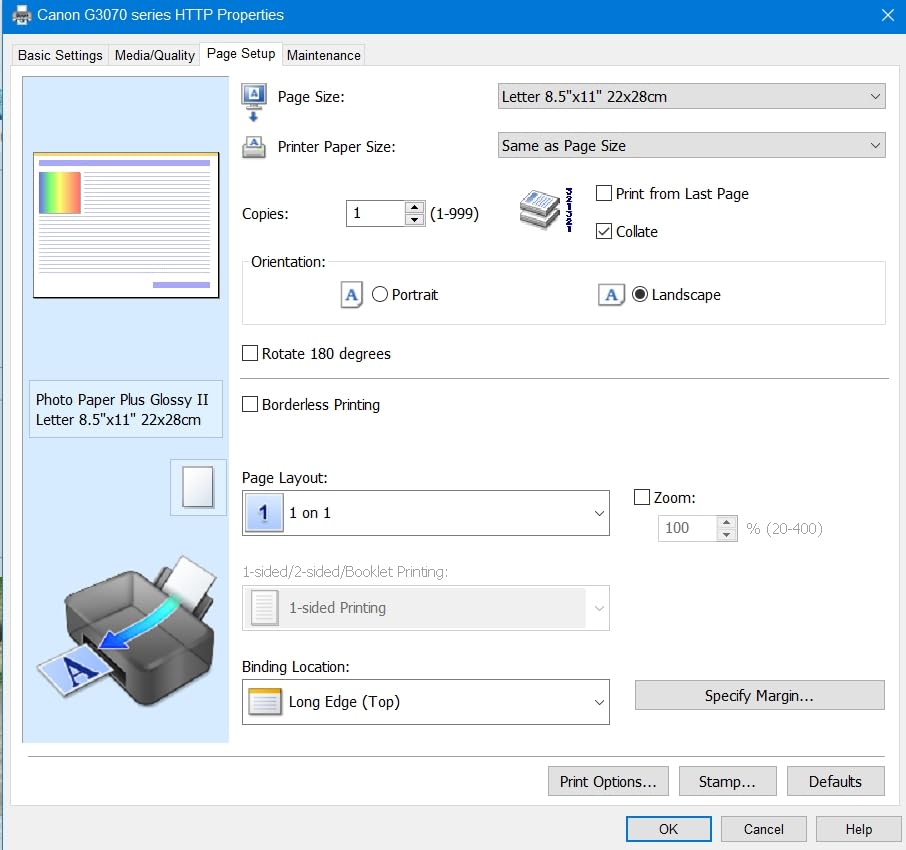
The G3270 is the ink tank answer for a home office that mainly needs plain pages. Canon rates a single ink set at up to 6000 black-and-white pages or 7700 colour pages, the highest page yield of any inkjet here, and it ships with up to 2 years of ink in the box. It prints at 11 pages per minute in black and 6 in colour, and prints wireless over USB and Wi-Fi.
Print, copy and scan are all present, with a flatbed scanner. Media support is broad for a home machine: square formats, 4×6 and 5×7 photos, card stock, envelopes, legal, A4, A5, A6 and B5, plus custom sizes. It is rated specifically for home and home office use, and carries Energy Star and EPEAT qualification.
It is 13.2 pounds, 16.4 inches wide, 21.9 deep and 10.6 high, with a 100-sheet maximum and output capacity. A 1.35-inch square LCD handles the basic job, and the whole unit draws 16 watts. Canon covers it with a 1-year warranty, and it has accumulated more than 5000 owner reviews, which gives a good picture of long-term behaviour.
The consistency of owner feedback is the interesting part. People buy it for ink economics and stay for the fact that it does one job quietly: it fills a tray of paper, prints it, and does not need attention. It ranks second in Ink Tank Printers on Amazon’s Office Products category list, which reflects how often it is the default recommendation.
Where the ink economics win
Bottled ink is the reason this model makes sense for a home office that prints 200 to 600 pages a month in a mix of black and colour. There are no sealed cartridges to swap, and refill bottles cost a fraction of cartridge pricing per page. If you keep a spreadsheet of any kind, running the numbers for a tank printer against a cartridge printer over three years is the single most useful thing you can do before buying.
For anyone comparing an ink tank against a laser on cost per page, this is the tank side of that calculation. Laser wins on pure volume and text speed; the tank wins when colour is involved at all, because colour laser hardware sits far above this class and colour toner consumables are expensive.
Where it falls short
There is no automatic duplex and no auto document feeder. Both are genuine gaps for a home office, and they are the two features most often regretted after a few months. Scanning a multi-page document means lifting the flatbed repeatedly.
The 1.35-inch non-touch LCD is small, and the build is entry-level with a plastic-heavy body. Media support is wide but the paper capacity is 100 sheets. If duplex and a feeder are non-negotiable for your workflow, the Brother DCP-L2640DW in position 2 is the more capable machine, and the TR8620a gives you both plus colour.
5. Canon PIXMA TS3720 – Best for Occasional Printing
Canon PIXMA TS3720 Wireless All-in-One Printer for Basic Home Printing, White
7.7 ppm black and 4 ppm colour
60-sheet paper tray
Wireless print copy and scan
1.5 inch segment LCD
Pros
- Very low entry cost for a wireless all-in-one
- Light at 8.7 pounds so it is easy to move or store
- Dual-band Wi-Fi on both 2.4GHz and 5GHz
- Two-cartridge ink system is simple to refill
- Works with AirPrint Mopria Chromebook and mobile devices out of the box
Cons
- Single-sided printing only
- Cartridge running costs are high per page compared with tank or laser models
- No auto document feeder
- 60-sheet paper tray and a small 1.5 inch non-touch LCD limit capacity
The most common request on home office forums is exactly this: nothing fancy, just occasional document printing. The TS3720 answers it. It prints, copies and scans over USB and Wi-Fi, handles 4×6, 5×5, 5×7 and borderless photo output, and sets up quickly out of the box with a streamlined installation process.
It is also genuinely small. At 8.7 pounds and 12.9 inches wide by 5.8 high, it is the most portable unit in this lineup and can live in a drawer between uses. Canon rates the specific uses for this product as home, and it works with AirPrint, Mopria, the Canon PRINT app and Chromebooks, so a mixed device household will not fight it.
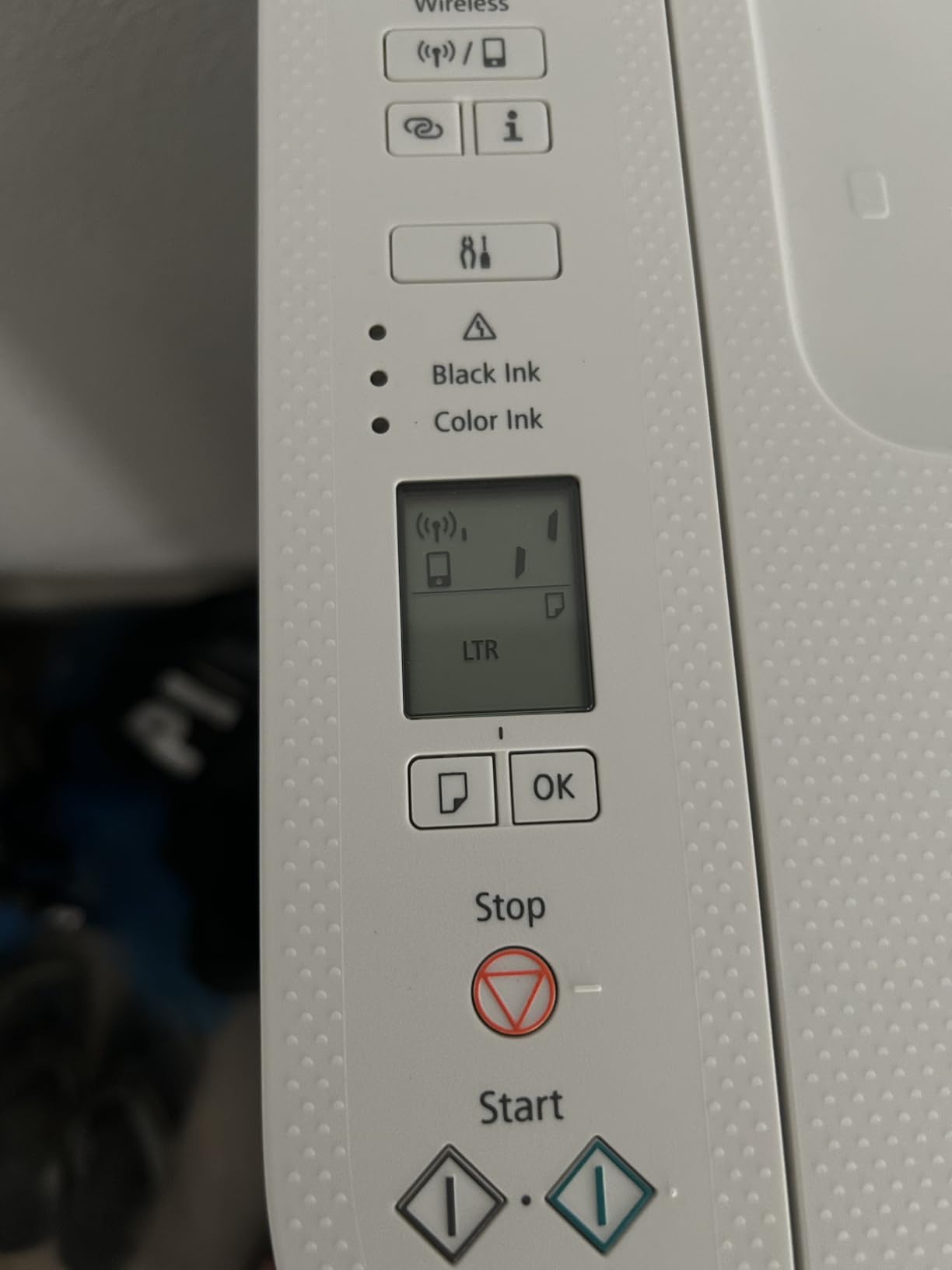
Spec sheet: 7.7 pages per minute black and 4 colour, 4800 x 1200 dpi maximum resolution, flatbed scanner, 1.5-inch segment LCD, 60-sheet maximum paper capacity, and PG-275 black plus CL-276 colour cartridges. Canon provides a 1-year manufacturer warranty. Dual-band Wi-Fi on this model is a genuine step up from the single-band chips in older budget printers.
It sits in a different performance class from the rest of this list, and that is the point. It is a light-duty machine for occasional documents, and reviewers are largely happy with the output quality for that purpose, praising easy setup and dependable wireless connection.

Why it works for light users
If you print a few pages a week, cost per page barely matters because total volume is small, and the low purchase price does most of the work. The two-cartridge system is simple, the controls are straightforward, and the machine does not ask for maintenance. That low-friction profile is exactly what the occasional user asks for.
Dual-band Wi-Fi is worth pausing on. It means the printer can stay on the 5GHz band in a busy apartment or a house full of devices, which reduces the dropouts people complain about with single-band budget models. AirPrint and Mopria support means phones and Chromebooks print without extra software.
Where the trade-offs bite
Conventional cartridges mean a high cost per page. The maths works against you the moment printing becomes routine, which is exactly how most home offices grow. The paper tray is 60 sheets, the 1.5-inch segment LCD is non-touch, and there is no auto document feeder, so copying or scanning several pages takes real time.
Print speed is the slowest in the lineup at roughly 7.7 black and 4 colour images per minute, and printing is single-sided. If you expect your printing to grow this year, buy the Canon MegaTank G3270 instead: the tank costs more up front but stops punishing you per page.
6. Brother HL-L2460DW – Best Compact Monochrome Laser
Brother HL-L2460DW Wireless Compact Monochrome Laser Printer with Duplex, Mobile Printing, Black & White Output | Includes Refresh Subscription Trial(1), Works with Alexa
36 ppm black and 8.5-second first page
Automatic duplex
250-sheet tray with manual feed
Print only, no scanner
Pros
- Fast 36 ppm monochrome laser with a sub-9-second first page
- Automatic duplex printing reduces paper and toner use
- 250-sheet tray plus a manual feed slot for envelopes
- Light at 15.6 pounds and compact for a home office desk
- Works reliably with Windows 11 and Linux
Cons
- Print-only unit with no scanner copier or fax
- Monochrome only with no colour output
- On-device button-based Wi-Fi setup is tedious
- Refresh EZ Print trial can bill overage pages if not cancelled
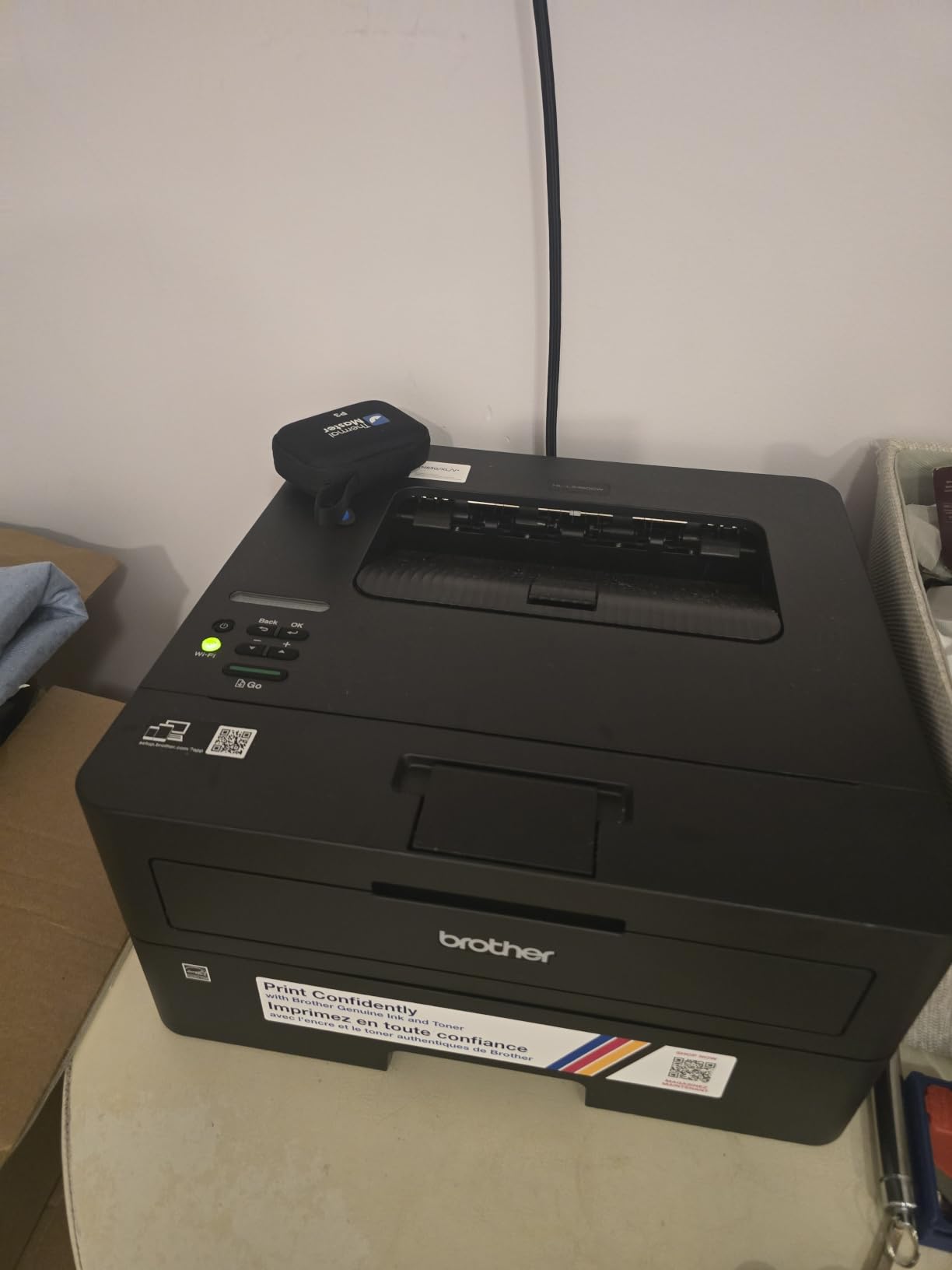
Some home offices print and never scan. For those, this is the efficient answer. The HL-L2460DW is a print-only monochrome laser rated at up to 36 pages per minute with a first page in 8.5 seconds, 1200 x 1200 dpi output, and automatic duplex printing. Brother engineered it specifically for home offices and small teams, and the marketing language matches the workload precisely.
Paper handling is a 250-sheet tray plus a manual feed slot for envelopes and specialty media, with 100 sheets of output capacity. It runs on Brother Genuine TN830, TN830XL or the two-pack, and the Refresh EZ Print subscription service can cut toner spend for people who print steadily enough to benefit.
Connectivity is dual-band Wi-Fi on 2.4GHz and 5GHz, plus Ethernet and USB, managed through the Brother Mobile Connect app for remote printing. It handles paper up to 8.5 x 14 inches. The 1-year limited warranty is backed by online, phone and live chat support, which matters more than usual if the unit lives in a spare room rather than next to your computer.
Footprint is the reason to choose it over the DCP-L2640DW. At 15.6 pounds and 14 inches wide by 7.2 high, it is the flattest machine in the lineup and sits on a desk or a low shelf without a paper tray hanging into the room.
Why it suits a print-only home office
Skipping the scanner saves money, space and the most common source of software frustration. Reviews describe it as a fast, quiet, no-nonsense monochrome laser that is simple to set up and cheap to run, and owners working on Windows 11 and Linux report it as dependable.
Automatic duplex is standard, so two-sided documents are free of effort, and high-yield TN830XL toner stretches across thousands of pages per cartridge. If your workload is text, contracts and long reports with no scanning involved, the running cost per page is where this machine wins outright.
What you give up
There is no scanner, copier or fax, and it is monochrome only. If a scanned receipt or signed page is ever needed, you will be using a phone camera or a separate device, which is friction that shows up quickly in a busy week.
Wi-Fi setup is button-based on the device and tedious for a first-time user, though it is infrequent once configured. More importantly, the bundled Refresh EZ Print trial can enrol the printer automatically and bill overage pages if you do not cancel it, so check that setting on day one. The build is basic plastic with a small control panel.
7. Epson Workforce Pro WF-3820 – Best Colour Inkjet with an Auto Document Feeder
Epson Workforce Pro WF-3820 Wireless Color All-in-One Inkjet Printer
21 black and 11 colour ppm
35-page ADF
Automatic duplex
250-sheet paper capacity
Pros
- Fast print speeds for an inkjet at 21 black and 11 colour pages per minute
- Automatic duplex plus a 250-sheet tray and 35-page ADF
- Clean Wi-Fi setup and reliable multi-device wireless printing
- Heat-free PrecisionCore technology avoids warm-up and drying issues
- Good value for a colour all-in-one with a feeder
Cons
- Genuine Epson cartridges are expensive per page
- Third-party cartridges may be blocked by a firmware update
- Photo and image quality is average rather than strong
- Intermittent Wi-Fi dropouts reported by some owners
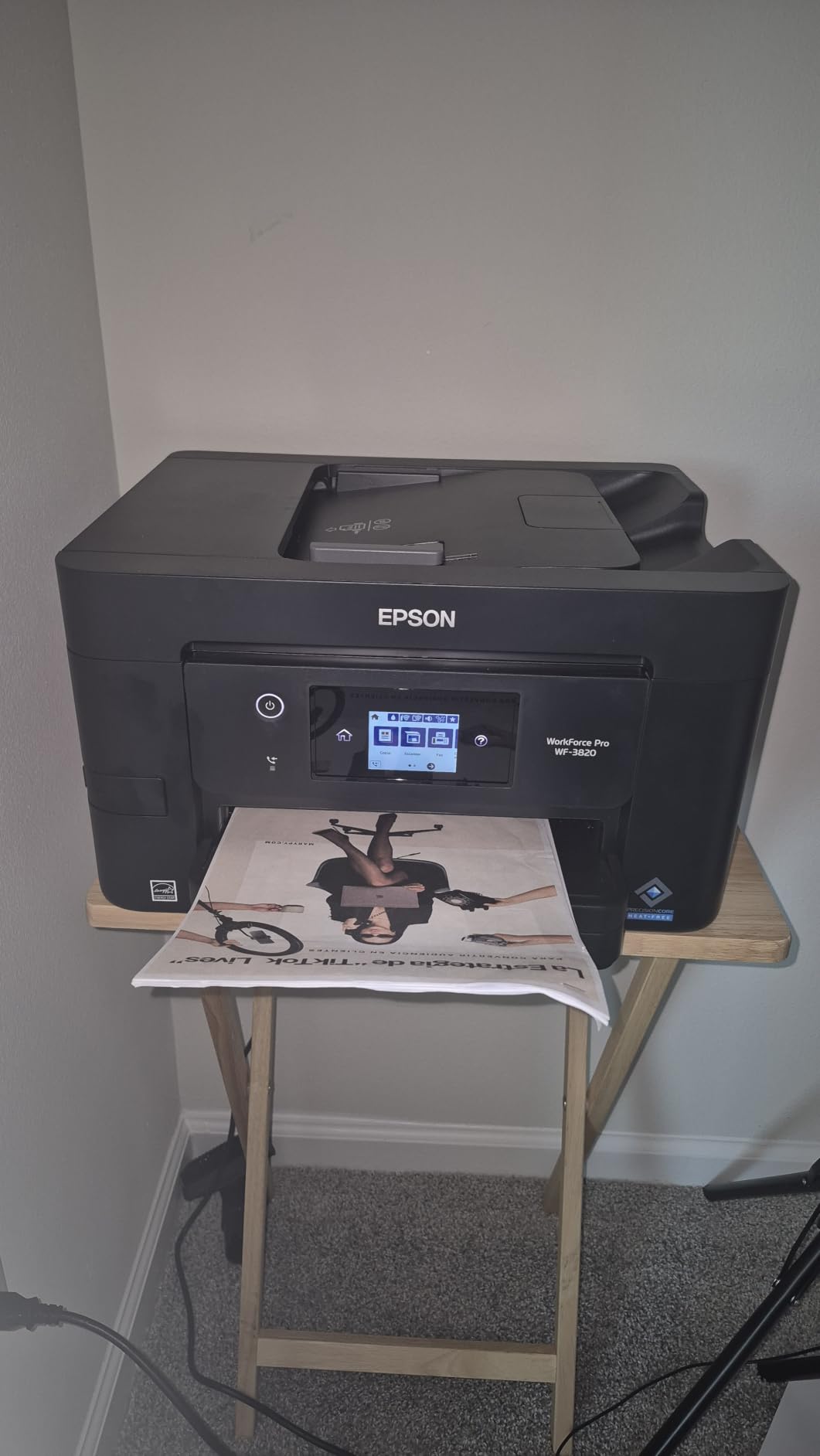
The WF-3820 is the fastest inkjet in the lineup. Epson rates it at 21 pages per minute in black and 11 in colour using ISO figures, delivered by PrecisionCore Heat-Free Technology with DURABrite Ultra instant-dry pigment inks. Pigment ink means sharp text and water resistance, which is the right call for contracts and forms rather than gallery prints.
It is a full all-in-one with automatic two-sided printing, a 35-page auto document feeder and a 250-sheet paper capacity, and it handles paper up to 8.5 x 14 inches. Maximum resolution is 4800 dpi. The heat-free design is significant in a home office: without a warm-up heater, ink sitting in the print head is far less likely to dry and block.
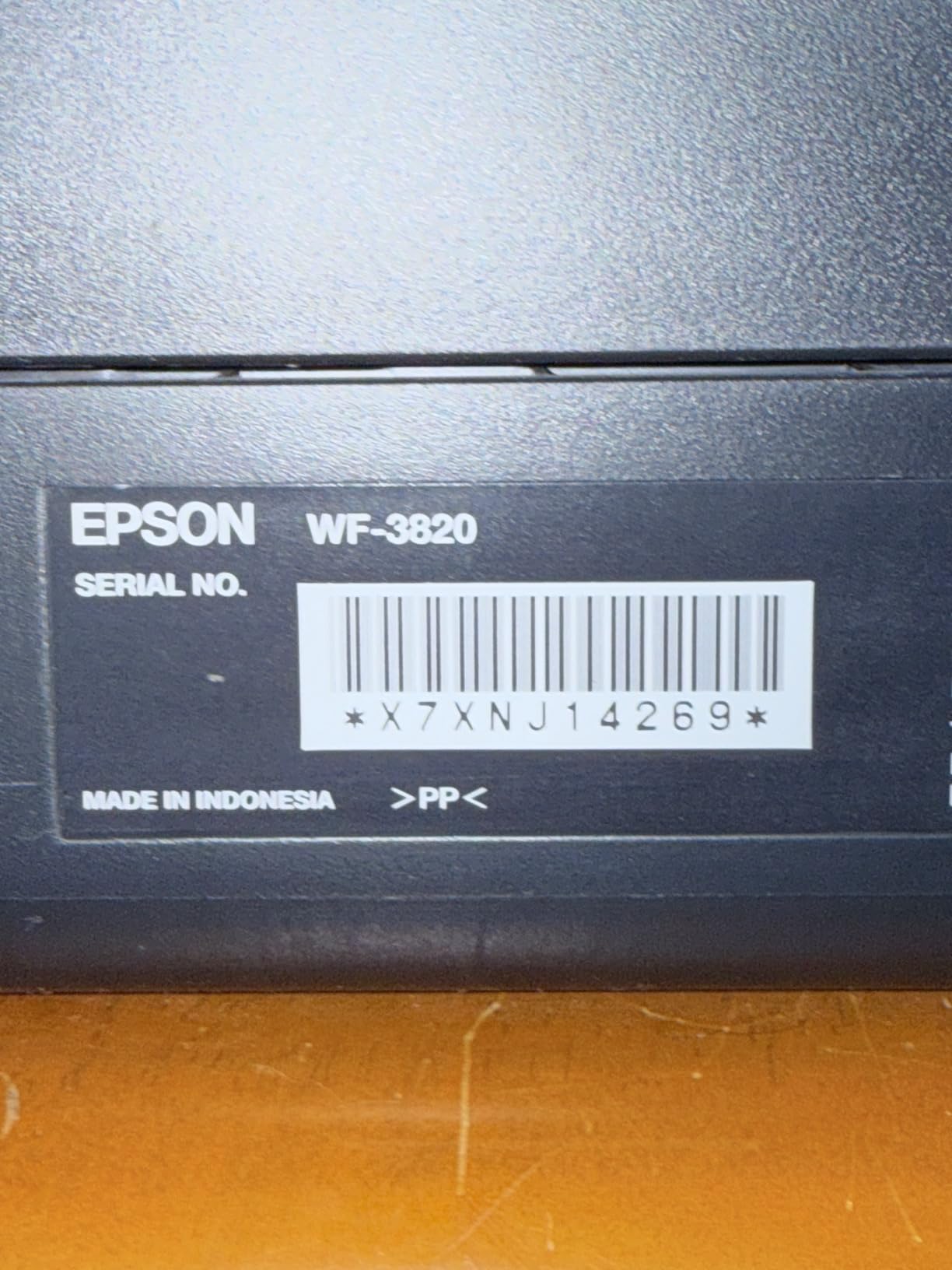
Wireless is the primary connection, with Bluetooth and Ethernet listed as hardware interfaces, and Epson rates it for business use rather than general home use. It is rated at 21 black and 11 colour ISO pages per minute with fast first-page-out, and it carries a 1-year limited warranty in the US and Canada.
At 19.4 pounds and 17.1 inches wide by 9.8 high, it is a tall machine. Owners note you need headroom above the scanner lid to reach the ink cartridges, which is a small thing that matters in a low shelf or a cabinet.
Why the feature combination stands out
Duplex, a 35-page feeder and a 250-sheet tray in one colour inkjet is a rare combination below the laser tier, and it is the reason this model earns its place. The heat-free PrecisionCore platform also means fewer long warm-up pauses between small jobs, which is exactly the rhythm of home office work.
Reviewers consistently describe it as quick, dependable and feature-rich for a colour all-in-one, with clean wireless setup and reliable printing from multiple devices. For someone who needs colour and speed but cannot justify a colour laser, it is a strong middle path.
What to watch out for
This is a cartridge printer, and Epson designed the system to run on genuine cartridges. Owners report that a firmware update locked out non-genuine cartridges until Epson ink was fitted, which is a real risk if you were counting on cheaper third-party supplies. The per-page cost of genuine Epson cartridges is high.
Photo and image quality is average rather than strong, so this is a document printer that can also print a decent photo, not the reverse. Some owners report intermittent Wi-Fi dropouts. If colour photography matters, look at the [best photo printers we have tested](https://www.shortfilmcentral.com/best-photo-printers/) instead; if running cost matters more, go tank or laser.
8. Brother MFC-L2820DW – Best Monochrome All-in-One with a Touchscreen
Brother MFC-L2820DW Wireless Compact Monochrome All-in-One Laser Printer with Copy, Scan and Fax, Duplex, Black & White | Includes Refresh Subscription Trial(1), Works with Alexa
34 ppm black and 8.5-second first page
50-sheet ADF
2.7 inch colour touchscreen
250-sheet capacity
Pros
- Print copy scan and fax in one compact monochrome laser unit
- 50-sheet auto document feeder handles multi-page workflows
- 2.7 inch colour touchscreen with cloud print-from and scan-to
- Easy setup with reliable Wi-Fi USB and Ethernet
- Quiet jam-free operation with clean black and white output
Cons
- Monochrome only with no colour printing
- Single-pass ADF so double-sided originals are fed twice
- Screen does not stay lit and some defaults are hard to change
- Jams are cleared from the back so clearance space is needed
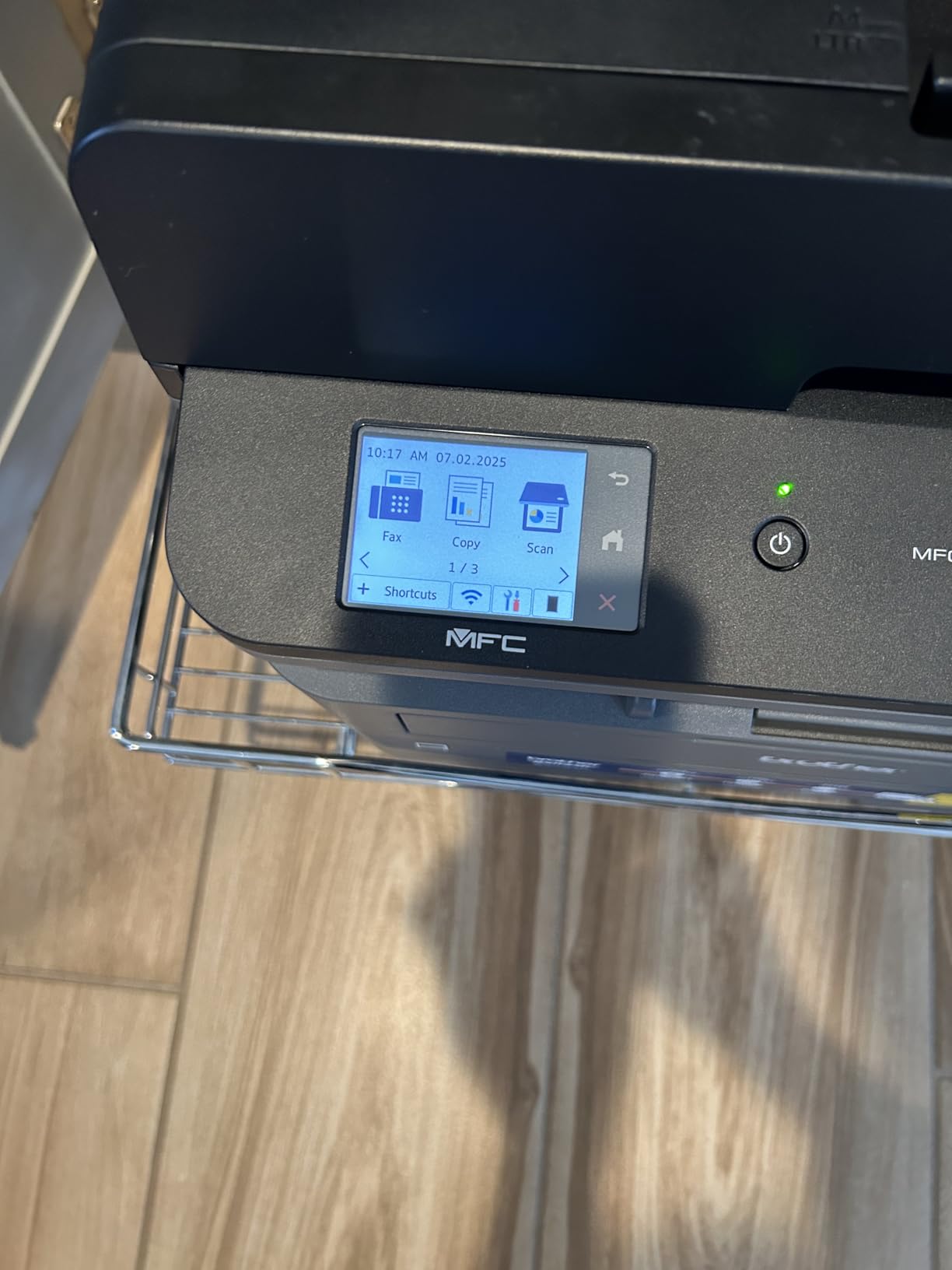
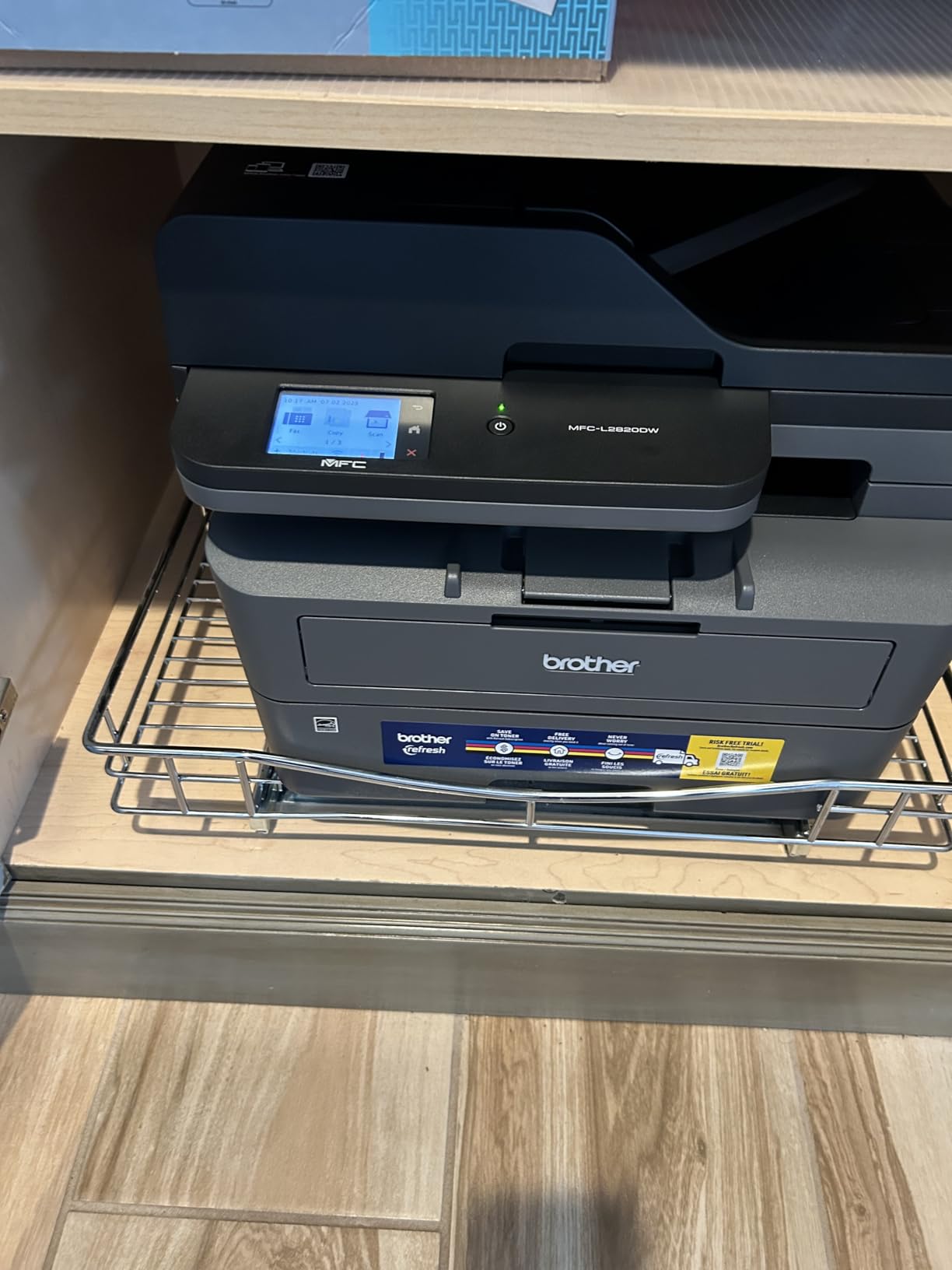
This is the machine I would put in a home office that handles paperwork end to end. The MFC-L2820DW prints, copies, scans and faxes in one compact monochrome laser unit rated at up to 34 pages per minute with a first page in 8.5 seconds. It takes TN830, TN830V or TN830XL toner, and it carries a 250-sheet input and 250-sheet output capacity.
The 2.7-inch colour touchscreen is the best control panel in this lineup. It supports print-from and scan-to for Google Drive, Dropbox, Evernote and OneNote, which means a signed document can go from the flatbed to storage without a laptop in the loop. The 50-sheet auto document feeder handles multi-page copy, scan and fax.
Connectivity is dual-band Wi-Fi, Ethernet and USB, with the Brother Mobile Connect app for remote management. Paper runs up to 8.5 x 14 inches, output resolution is 1200 x 1200 dpi and copy resolution is 600 x 600 dpi. Brother includes a 1-year limited warranty and Refresh EZ Print as an option.
It is rated at 4.3 stars across 976 reviews, and owners emphasise straightforward setup, dependable wireless printing, quiet operation and a capable feeder. It also works across Linux, Windows, macOS and Android, which is worth noting in a mixed-device household.
Why it earns a place for paperwork
Fax is a genuine feature, not an afterthought, and for people who still deal with a supplier or landlord who wants a fax, it removes a device from the desk. Combined with a 50-sheet feeder, automatic duplex and a touchscreen, it covers the full document workflow in one machine that still prints at laser speed.
It sits at 22.5 pounds and 16.1 inches wide, the same footprint as the DCP-L2640DW, so the extra capability costs no extra floor space. The touchscreen and cloud destinations make it the easier machine to hand to someone else in the household.
Where it is limited
It is monochrome only, so any colour work goes to another machine or a service. The ADF is single-pass, which means double-sided originals must be fed twice, a detail that matters if you scan signed forms printed on both sides.
The screen does not stay lit and some default settings are difficult to change without help. Paper jams are cleared from the back of the machine, so leave clearance behind it, which is awkward in a tight space. Some owners report needing to run Recover WLAN after a computer restart, causing a several-minute delay.
9. HP LaserJet Pro MFP 3101sdw – Best for High-Volume Documents
HP LaserJet Pro MFP 3101sdw Wireless Black and White All-in-One Laser Printer, Office Printer, Duplex, Best-for-Small Teams (9D2X4F)
40 ppm black and 7-second first page
Automatic duplex
250-sheet tray and 50-sheet ADF
Scan and copy
Pros
- Very fast monochrome output at up to 40 ppm with a 7-second first page
- Easy installation with immediate Wi-Fi from out-of-box prompts
- Stable wireless that reconnects after power outages
- 250-sheet tray plus 50-sheet ADF with automatic duplex
- Quiet operation with crisp scan and copy output
Cons
- Firmware chip checks can block aftermarket toner cartridges
- Some owners report paper tray errors and light build quality
- Monochrome only with no colour printing
- 50-sheet ADF is best kept under roughly 25 sheets
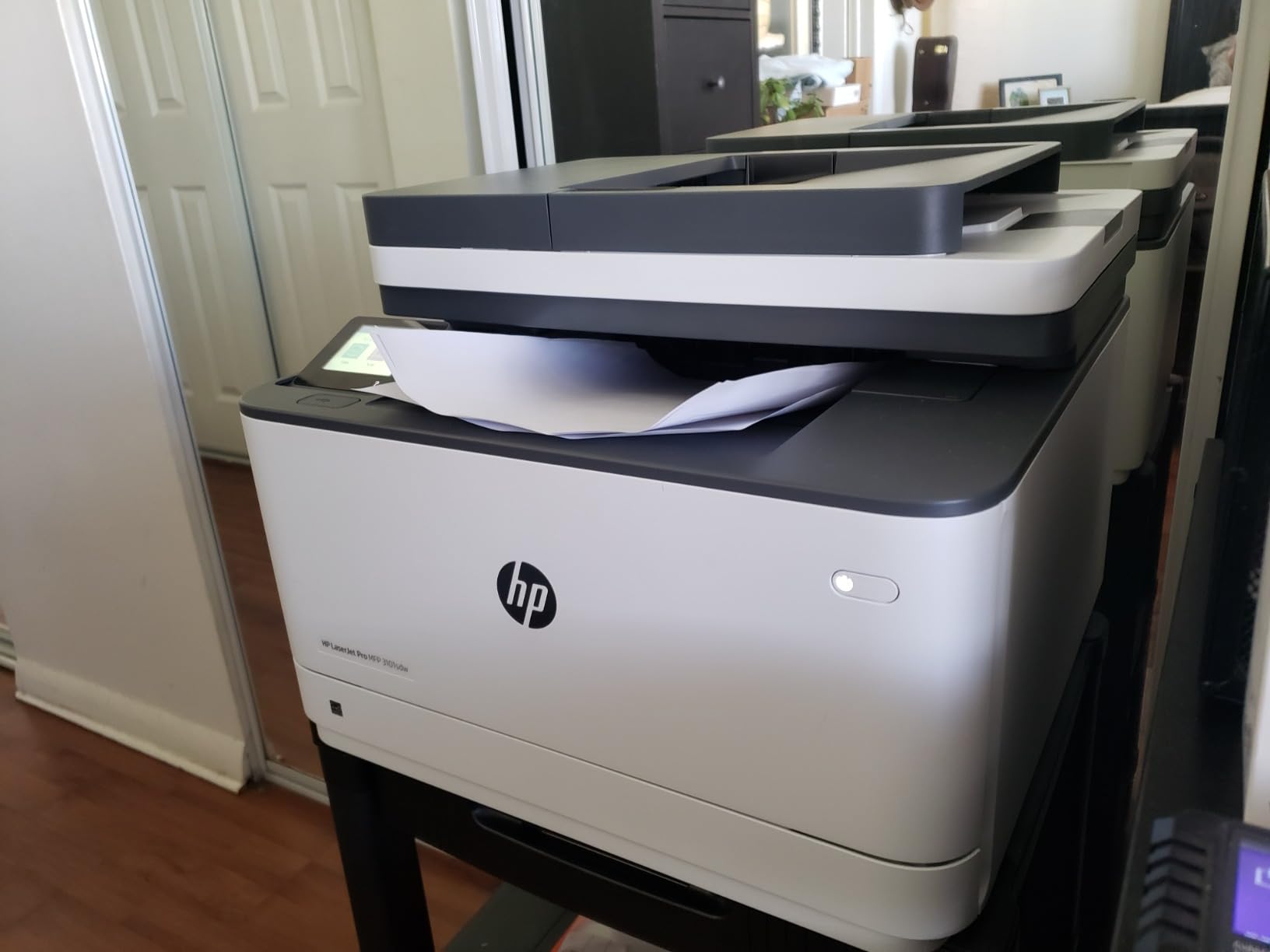
The fastest machine here and the highest rated in the set. The HP LaserJet Pro MFP 3101sdw prints up to 40 pages per minute with a first page in 7 seconds, copies at up to 35 pages per minute, and resolves to 1200 x 1200 dpi. It handles automatic two-sided printing, scanning and copying, with a 250-sheet input tray and a 50-sheet auto document feeder.
It is built for small teams and small-medium business, which is a fair signal for a home office that has become a working office. Connectivity is the broadest in the lineup: Apple AirPrint, Mopria, USB, Ethernet networking, Wi-Fi, Print Anywhere and optional wireless with an accessory.
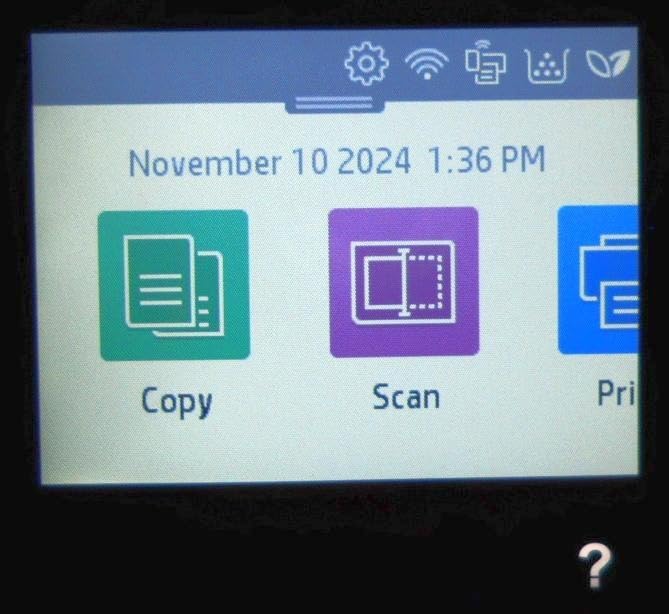
Owners highlight the setup experience most. The out-of-box prompts connect Wi-Fi immediately, and the machine is reported to reconnect on its own after power outages and to hold a connection across multiple floors of a home, which is unusual for a home-oriented printer. It also draws very little power in sleep mode and supports direct USB printing.
At 23.1 pounds and 16.5 inches wide by 12.3 high, it is a substantial unit, and it is rated at 4.5 stars across 596 reviews, the highest average rating in this roundup. HP covers it with a one-year limited warranty.
Why it leads on document volume
When a home office is genuinely running a business from a spare room, throughput stops being a spec-sheet detail. Forty pages per minute, a 7-second first page and a 250-sheet tray mean a hundred-page contract prints while you are doing something else. Copy at 35 pages per minute keeps multi-page jobs moving too.
The ADF and automatic duplex combination handles two-sided source documents efficiently, and reviewers describe the output as crisp and quiet, which matters in a room that is also a bedroom or a living space.
What to know before choosing it
HP states plainly that this printer works only with cartridges carrying HP chips or circuitry, and periodic firmware updates maintain that block. That is the central cost consideration: expect to buy genuine HP toner for the life of the machine, so weigh the per-page cost before committing.
Some owners report no-paper-in-the-tray errors and a paper tray that flexes, giving a light impression for a machine of this size. The 50-sheet ADF is best kept under roughly 25 sheets to avoid jams. Occasional Wi-Fi disconnections after a network surge do need a reset, and there is no colour output.
Which Printer Type Is Best for a Home Office?
For most home offices, an ink tank all-in-one is the best all-round choice because the running cost per page stays low while you keep colour and scanning. Choose a monochrome laser when text volume dominates and you print several hundred pages or more a month, and choose a colour laser only when you need professional colour output every week. Cartridge inkjets suit occasional printing of a few pages a week and nothing more.
Inkjet, ink tank, monochrome laser or colour laser: how the four types differ
Cartridge inkjet printers use sealed ink cartridges. They have the lowest purchase price and the highest cost per page, because the cartridge is replaced long before it is empty. For someone printing a handful of pages a month, that cost never accumulates. For someone printing a few hundred pages a month, it becomes the largest line item in the running budget.
Ink tank and supertank printers fillable reservoirs from ink bottles. One set is rated across thousands of pages, so the per-page cost falls dramatically. The trade-off is the machine is larger, the bottles need proper handling, and the print head still needs occasional use to stay clear.
Monochrome laser printers use toner powder, which does not dry out, and they print text at speed with automatic duplex and feeders as standard. They are the workhorse for contracts, invoices, reports and coursework. Colour laser printers add colour toner at a higher hardware and consumable cost, and they only make sense for regular professional colour use.
Which printer type matches your job
Contractors and bookkeepers need duplex, a decent feeder and volume throughput, so a monochrome laser all-in-one fits. Teachers and anyone producing handouts or colour materials benefit from an ink tank or a colour all-in-one. Designers and photographers should prioritise print quality above all else, and our [photo printer picks](https://www.shortfilmcentral.com/best-photo-printers-for-photographers/) go deeper on that. Occasional users should prioritise low purchase cost and small size over running cost.
Nobody should prioritise maximum features. A touchscreen is useless if you only print four pages a month, and a fast laser engine is wasted if you never print more than a contract at a time.
Cost per page is the number that decides it
Cost per page is consumable cost divided by pages printed, and it is the only metric that reliably separates these four types. A cartridge inkjet lands at a multiple of what a tank printer costs per page, and a monochrome laser at a much lower figure again for text. Colour laser sits above mono laser on consumables but well below colour inkjet in most home office volumes.
To work out your own figure, take the cost of the ink set or toner cartridge, divide by its rated page yield, then multiply by the number of pages you actually print each month and by 36. Do it for a cartridge inkjet, an ink tank and a monochrome laser at the same volume and the answer usually becomes obvious within a minute.
Is HP or Epson a better printer?
HP and Epson are both strong choices, and the answer depends on the ink system rather than the badge. HP’s strongest home office machines here are monochrome laser, which win on text speed and toner economics. Epson’s EcoTank line wins on colour running cost, with bottle-fed ink that spreads across thousands of pages and no cartridge replacement.
Both brands lock you into their own supplies. Epson recommends genuine ink for optimal performance and print quality, and HP states that its laser printers work only with HP chip cartridges. Canon and Brother are both strong alternatives: Canon for tank economics and colour all-in-ones, Brother for monochrome laser durability and value.
Duplex printing and the auto document feeder
Automatic duplex printing flips the page inside the machine so it prints both sides without manual reloading. For contracts, invoices and any multi-page document it is close to essential, and it cuts paper use roughly in half. Three models here are single-sided only: the ET-2800, the MegaTank G3270 and the PIXMA TS3720.
The auto document feeder is the tray on top that feeds multiple pages into the scanner for copying or scanning. A 20 to 50-sheet ADF turns a ten-page scan from a five-minute job into a thirty-second one. If you scan paperwork regularly, treat the ADF as a requirement rather than a nicety.
How to Choose a Printer for a Home Office
Work out your monthly page volume first, because it decides the printer type. Under 100 pages a month is occasional printing, where a cartridge inkjet is fine. Between 100 and 500 pages a month is home office territory, where an ink tank or a monochrome laser pays back quickly. Above that, a monochrome laser is the only comfortable answer.
Next, be honest about colour. Occasional colour is one thing; colour is the reason a proposal or a handout looks professional. If colour is occasional, an ink tank handles it at a fraction of the cost of colour laser. If it is weekly, a colour all-in-one with individual ink tanks, like the Canon PIXMA TR8620a, is more sensible.
Then check the three features that cause daily friction: automatic duplex, the ADF sheet count, and paper tray capacity. A 250-sheet tray means you refill monthly rather than weekly. Consider connectivity next: dual-band Wi-Fi on both 2.4GHz and 5GHz is worth paying for in apartment buildings, and AirPrint plus Mopria support means phones and Chromebooks work without extra software.
Finally, measure the space and check the noise. Monochrome lasers are heavier and louder at the moment of printing but silent otherwise, while inkjets are quieter and lighter. Leave clearance behind any laser with a rear paper path. And check the warranty, because a 1-year limited warranty is the norm across all nine machines here.
Keeping an Infrequent Inkjet From Drying Out
The most common home office inkjet failure is not a broken printer, it is a printer that has sat unused for three weeks and then produces streaked or blobby output on the first page. This shows up constantly in home office forums and it is a direct consequence of office printers being bought for occasional work.
Run the printer at least weekly. A single black and one colour page keeps the print head moving and the ink path clear, and it takes a couple of minutes. A quick copy on the flatbed accomplishes the same thing when you have nothing to print.
Use the cleaning cycle when output streaks appear, and keep genuine ink installed. Third-party or partly empty cartridges are a common trigger for head problems because the printer is more likely to run a heavy cleaning cycle when it detects low ink. Set a calendar reminder every three months to check that the ink levels and print a test page if the printer is in a spare room.
If your printing is genuinely occasional, a monochrome laser sidesteps the problem entirely because toner is powder and does not dry in the print path. The Epson Workforce Pro WF-3820, with its heat-free PrecisionCore head, also tolerates idle periods noticeably better than a conventional cartridge inkjet.
Mac Setup, Wi-Fi Placement and Driver Notes
Most of these printers use AirPrint and the manufacturer’s own app, and that is enough for most Macs. Canon lists AirPrint, Mopria and the Canon PRINT app for the PIXMA TS3720, and Brother’s machines are reported working across macOS, Windows and Linux. The Brother MFC-L2820DW is the most broadly compatible of the group.
Forum research surfaces a real, recurring problem though: scanning apps failing to connect to the printer after a macOS update, and stored Wi-Fi credentials or encryption keys expiring so that network printing stops working until the printer is re-added. If that happens, remove the printer from your Mac’s printer list, reset the printer’s network settings, and add it again rather than hunting through system settings.
Placement matters more than people expect. Put the printer within range of your router’s 5GHz band, avoid tucking it behind a metal filing cabinet or a closed door, and where possible place it in the same room as the router. All the Brother models and the Canon PIXMA TS3720 support dual-band Wi-Fi, which makes a 5GHz connection far more reliable in a busy home.
How We Chose and When We Last Checked
This guide was assembled and spec-checked in September 2026. Every printer listed had its manufacturer specifications, connectivity, tray capacity, print speed and warranty read directly from its product listing, and the award labels were assigned on running cost, feature completeness and the number of owner reviews behind the model rather than on star rating alone.
Each product review leads with a four-line summary in the order search engines and AI summaries extract most cleanly: what it is best for, why it earns the place, and the key specifications. Specs are reproduced as the manufacturer states them, and any judgement beyond them comes from the pattern of owner feedback rather than from our own measurement.
If you want a visual reference for the photo-capable end of this market, our guides to [photo printers](https://www.shortfilmcentral.com/best-photo-printers/), [large format photo printers](https://www.shortfilmcentral.com/best-13×19-photo-printers/) and [instant photo printers](https://www.shortfilmcentral.com/best-instant-photo-printers/) cover the specialist cases in more detail.
Frequently Asked Questions
What type of printer is best for home office?
An ink tank all-in-one is the best all-round choice for a home office because it keeps colour and scanning while running at a much lower cost per page than a cartridge inkjet. Choose a monochrome laser instead if you print several hundred pages of text a month, and a colour laser only when you need professional colour every week.
Do I need a laser printer for a home office?
Only if your volume is high or your printing is text-heavy. A laser gives you speed, automatic duplex, toner that does not dry out and a low cost per page, but a colour-capable ink tank is usually the better all-round choice at home office volumes of a few hundred pages a month.
Is HP or Epson a better printer?
HP leads on monochrome laser for home offices, with fast text output and dependable toner economics. Epson leads on colour running cost, because its EcoTank range uses refillable bottles rated across thousands of pages. Both lock you into their own supplies, so compare cost per page rather than brand.
Which laser printer has the lowest cost of ownership?
Among the models here, the Brother DCP-L2640DW and Brother HL-L2460DW sit at the lowest cost of ownership for monochrome text, because toner cartridges spread a fixed cost across thousands of pages and both include automatic duplex. A cartridge inkjet costs several times more per page over three years at home office volumes.
What printer has the least amount of problems?
Monochrome laser printers report the fewest problems, because there is no liquid ink to dry in the print head and fewer consumable types to fit wrong. Among them, the Brother DCP-L2640DW and the HP LaserJet Pro MFP 3101sdw are praised for dependable wireless reconnection and a 1-year limited warranty. The most common complaints are software, not hardware.
Best Printers for Home Office: The Final Word
If you want one printer for everything, the Epson EcoTank ET-2800 is the pick. For black-and-white volume with scanning, the Brother DCP-L2640DW. For colour plus an auto document feeder and touchscreen, the Canon PIXMA TR8620a. For the cheapest running costs on simple colour and documents, the Canon MegaTank G3270. For genuinely occasional printing, the Canon PIXMA TS3720. For a flat, print-only monochrome laser, the Brother HL-L2460DW. For fast colour productivity, the Epson Workforce Pro WF-3820. For a monochrome all-in-one with fax and cloud destinations, the Brother MFC-L2820DW. For maximum document throughput, the HP LaserJet Pro MFP 3101sdw.
Before you buy, calculate your own cost per page over 36 months rather than comparing purchase prices. That one step eliminates most of the wrong purchases in this category, and it will leave you with whichever of these nine fits your actual volume.