
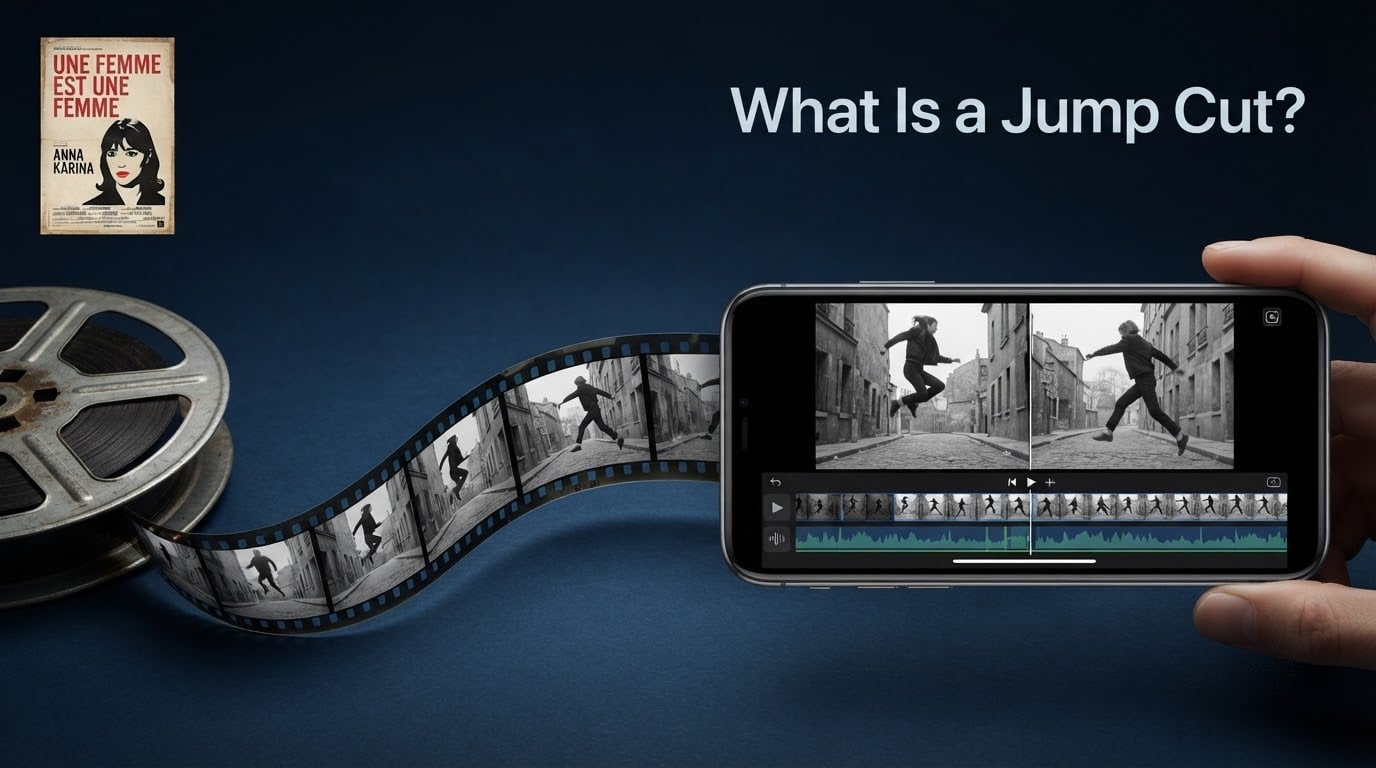
A jump cut is a film editing technique that breaks a single continuous shot into two parts by removing footage from the middle, so the subject appears to leap forward in time or position. Unlike most cuts that hide the edit, a jump cut is intentionally visible, making it both a powerful storytelling tool and one of the most recognizable techniques in modern video.
If you’ve ever watched a YouTuber speed through a 20-minute tutorial in 8 minutes, or felt the disorienting rhythm of a French New Wave classic, you’ve seen a jump cut at work. We wrote this guide to give short filmmakers, editors, and curious viewers a complete picture of what jump cuts are, where they came from, and how to use them well. By the end, you’ll know the technique’s history, its famous examples, how to make one in your own timeline, and how to write it into a screenplay.
Table of Contents
- What Is a Jump Cut? A Direct Definition
- How Does a Jump Cut Work? The 30-Degree Rule
- Jump Cut vs. Other Cuts: Match Cut, Smash Cut, and Axial Cut
- The History of the Jump Cut: From Méliès to Godard to YouTube
- Famous Jump Cut Examples in Film
- Why Filmmakers Use Jump Cuts: 5 Creative Purposes
- Jump Cuts in Short Films: A Short Film Central Perspective
- How to Make a Jump Cut: A Practical Editing Tutorial
- How to Write ‘JUMP CUT TO’ in a Screenplay
- How to Avoid Jump Cuts (When You Don’t Want One)
- Frequently Asked Questions
- Conclusion: Why Jump Cuts Matter for Every Filmmaker
What Is a Jump Cut? A Direct Definition
A jump cut is an edit that joins two pieces of footage from the same continuous shot, with a section removed in between, so the action appears to jump forward in time. The camera position stays nearly identical across the cut, which is what creates the visible “jump” and gives the technique its name.
The key word is visible. Classical Hollywood cinema spent decades perfecting continuity editing, the practice of hiding every cut so the audience forgets they’re watching edited footage. A jump cut does the opposite. It proudly points at the seam.
That single decision, to show the cut instead of hiding it, is why jump cuts feel restless, urgent, or funny depending on context. The technique has two main flavors:
- Temporal jump cut: removes time from the middle of a shot. A character is sitting, then suddenly standing, with no cutaway in between.
- Spatial jump cut: removes space, joining two takes filmed at almost the same camera angle so the subject appears to teleport across the frame.
You will sometimes see the term axial cut used as a near-synonym for a spatial jump cut, since both rely on a small camera move along the optical axis. We treat them as the same family here.
How Does a Jump Cut Work? The 30-Degree Rule
Jump cuts work by violating the 30-degree rule. In continuity editing, the camera is supposed to move at least 30 degrees between consecutive shots of the same subject, or change focal length significantly. Anything less feels jarring because the human eye notices the lack of perspective shift.
Jump cuts take that normally forbidden move and turn it into the point. Because the camera angle barely changes between the two pieces of footage, your brain registers the missing time as a snap, like flipping a page in a flipbook. The subject doesn’t smoothly continue; they pop into a new position or expression.
Three things make a jump cut read clearly to viewers:
- Same framing: the subject stays roughly centered or in the same part of the frame across the cut.
- Visible jump: position, posture, lighting, or background details shift noticeably.
- No cutaway: nothing bridges the gap, so the audience feels the missing time directly.
This is also why jump cuts are easy to do accidentally. Remove too much from a talking-head interview and you’ll create an unintended one. Intentional jump cuts just lean into that effect and use it for meaning.
Jump Cut vs. Other Cuts: Match Cut, Smash Cut, and Axial Cut
The jump cut is one of several transition types in film editing, and it helps to see it next to its siblings. If you’ve ever wondered what is the difference between a cut and a jump cut, this is the cleanest answer.
- Standard cut: an invisible transition between two shots that differ enough in angle, framing, or subject to feel seamless. The default of continuity editing.
- Jump cut: a visible transition within a single shot where the camera barely moves and time jumps forward. The opposite of seamless.
- Match cut: a transition between two different shots that share a visual element (shape, movement, composition) so the cut feels motivated. Famous in 2001: A Space Odyssey and our own guide to match cuts for filmmakers.
- Smash cut: an abrupt cut used for shock or contrast, often between scenes with very different tone, energy, or time period. Common in trailers and comedy.
- Axial cut: a cut between two shots that differ only by a small movement along the camera’s optical axis, often used to tighten or loosen framing without changing perspective.
If you remember nothing else, remember this: a standard cut tries to disappear, a match cut tries to feel inevitable, a smash cut tries to surprise, and a jump cut tries to remind you that you’re watching edited footage on purpose.
The History of the Jump Cut: From Méliès to Godard to YouTube
Jump cuts are older than most people think. Georges Méliès used the effect in 1896 in The Haunted Castle, where a jump cut briefly removes a figure and then restores them, one of the earliest examples of stop-substitution technique on screen. Soviet montage filmmakers in the 1920s, especially Sergei Eisenstein, used jump cuts as a tool of political rhythm in films like Battleship Potemkin.
The technique entered popular film vocabulary in 1960 with Jean-Luc Godard’s Breathless (À bout de souffle). Godard broke nearly every rule of classical Hollywood editing. He broke the 180-degree rule, he ignored eyeline matches, and he peppered the film with jump cuts that collapsed the gaps between Jean-Paul Belmondo’s reactions.
The effect was electric. Breathless helped define the French New Wave and made the jump cut a signature of modern cinema. As Godard himself put it in the film, “It is precisely the bumps that I love.”
From there the jump cut spread through the rest of the 20th century:
- 1960s–1970s: adopted by New Hollywood directors and used sparingly as punctuation, often for shock or compression.
- 1980s–1990s: shows like Rowan & Martin’s Laugh-In and later Homicide: Life on the Street used rapid jump cuts for energy and realism.
- 2000s: music videos and reality TV pushed jump cuts into everyday viewing, especially in confessional interview formats.
- 2010s–present: YouTube and TikTok made the jump cut the dominant rhythm of online talking-head video. Reviewer Anthony Fantano (theneedledrop) is a modern reference point for the style.
The history matters because each era used jump cuts for the same reason: they create a sense of time moving faster than it really is. Whether that time is cinematic, comedic, or just a packed YouTube tutorial, the function is identical.
Famous Jump Cut Examples in Film
Jump cuts show up in almost every major genre. The best examples do more than just compress time; they tell you something about the character or the moment.
Breathless (1960), dir. Jean-Luc Godard. The film that put the jump cut on the map. Belmondo’s Michel Poiccard is constantly interrupted, distracted, and impulsive, and Godard uses jump cuts to mirror that fractured attention.
Run Lola Run (1998), dir. Tom Tykwer. When Lola is on the phone and time is running out, the film accelerates with rapid jump cuts between her hands, her face, and the street. It makes the audience feel her heartbeat.
The Royal Tenenbaums (2001), dir. Wes Anderson. A montage introduces each adult sibling in quick jump-cut snapshots, a clever way to compress backstory into 90 seconds without voiceover.
Snatch (2000), dir. Guy Ritchie. Ritchie’s signature rapid jump cuts introduce his ensemble of characters in a single long sequence, each one “snapping” into the frame as if the film is shuffling a deck of cards.
Schindler’s List (1993), dir. Steven Spielberg. The early montage of Schindler acquiring his factory uses jump cuts to show weeks of setup collapse into moments, building momentum toward the Kraków ghetto liquidation.
A Serious Man (2009), dir. Coen Brothers. The Coens open the film with a jump-cut prologue in a Yiddish shtetl that establishes the movie’s tone of cosmic unease before the main story even begins.
2001: A Space Odyssey (1968), dir. Stanley Kubrick. Kubrick’s famous match cut from bone to satellite is technically a match cut, but he uses subtle jump cuts in the space-fight choreography to compress long docking sequences.
Notice the pattern. The best jump cuts aren’t decoration. They’re load-bearing.
Why Filmmakers Use Jump Cuts: 5 Creative Purposes
Jump cuts aren’t a gimmick. When used with intent, they solve specific storytelling problems that no other cut handles as well.
- Passage of time: compress a long stretch (a road trip, a relationship, a wait) into a few seconds without losing momentum.
- Mounting tension: stack rapid jump cuts to make an audience feel rising panic, the way Tom Tykwer does in Run Lola Run.
- Comedy: punctuate a joke by jumping past the setup into the punchline, or by skipping awkward silences in a take.
- Mental states: a character who is dissociating, anxious, or restless is often shown through jump cuts that mirror their internal rhythm.
- Montage introductions: introduce a cast of characters quickly by giving each one a 2–3 second jump-cut snapshot, the Wes Anderson / Guy Ritchie signature.
The opposite is also worth naming. Jump cuts used purely for speed, with no narrative purpose, are what viewers complain about in modern streaming content. Reddit threads in r/movies regularly surface the same frustration: “I noticed a weird jump cut in a straight-to-streaming movie during a nervous character scene.” The fix is usually the same. Either the cut is doing real work or it’s a pacing shortcut that should be replaced with B-roll, a transition, or simply a tighter shot selection.
In short, jump cuts earn their place when the visible cut reinforces what the scene is about.
Jump Cuts in Short Films: A Short Film Central Perspective
Short filmmakers have always had an unusual relationship with jump cuts. A short film might be 5 minutes long, with a 90-second setup before the story even starts. Anything that compresses time without losing story is gold.
Jump cuts help in three specific ways in short form:
- Setup speed: skip the boring walk-up to the inciting incident and drop the audience straight into conflict.
- Character rhythm: a single jump cut can establish a character’s mental state faster than a line of dialogue.
- Festival pacing: programmers see thousands of shorts a year. A confident jump cut in the first 30 seconds signals that you understand rhythm.
If you’re cutting a short and your first scene feels slow, try removing the second beat of a shot and cutting directly to the third. Often that’s all it takes to turn setup into momentum.
How to Make a Jump Cut: A Practical Editing Tutorial
Making a jump cut in your editor of choice takes about two minutes once you know what you’re looking for. The steps below work in Premiere Pro, DaVinci Resolve, and Final Cut Pro.
- Drop a single clip on your timeline with continuous audio of someone talking or acting.
- Find two natural beats in the performance where the subject is in roughly the same position. A blink or a breath works well.
- Make a cut at the first beat using the Razor tool (Premiere) or the Blade tool (Resolve).
- Make a second cut at the second beat a few seconds later, but only if it creates the jump effect you want. You’re aiming for the same framing with a visible change in posture, expression, or background.
- Delete the middle section between the two cuts. The two outer pieces will snap together on the timeline.
- Adjust the audio by extending one of the audio segments across the cut, or by adding a small crossfade so the audio doesn’t feel as abrupt as the picture.
- Watch it back at full speed. If the jump feels motivated, you’re done. If it feels random, choose a different pair of beats and try again.
If you’d like to go deeper on the tools themselves, our roundup of best editing software for assembling a rough cut compares the main options. And if your machine is the bottleneck, our tested laptops for Final Cut Pro can save you some trial and error.
How to Write ‘JUMP CUT TO’ in a Screenplay
Most script-formatting guides leave jump cuts out, but screenwriters have two common ways to signal one on the page:
- JUMP CUT TO: placed on its own line between two sluglines or action lines, in all caps with a colon, to indicate that the next scene is a small leap forward within the same setup.
- SERIES OF SHOTS: used when the leap involves multiple quick cuts, similar to a montage but without title cards.
Example:
INT. COFFEE SHOP — DAY
Anna stares at her phone. The screen reflects her face.
JUMP CUT TO:
Anna slams the phone on the table. The coffee has gone cold.
Use JUMP CUT TO sparingly. One per script is usually enough. If you need more than that, consider whether the scene is doing too much and should be split.
How to Avoid Jump Cuts (When You Don’t Want One)
Sometimes you cut two pieces of a single shot together by accident and end up with an unintentional jump cut. The fix is usually one of four techniques:
- Insert B-roll: cut away to a related shot (hands, environment, a detail) to bridge the gap.
- Use a transition: a whip, match cut, or even a simple dissolve can cover the seam.
- Reframe: change the camera angle or focal length between the two pieces, so it stops reading as the same shot.
- Use Smooth Cut: DaVinci Resolve has a Smooth Cut feature that can re-time small jumps to look like a continuous camera move.
If you’d rather assemble a clean rough cut from the start, our guide on assembly cut vs rough cut walks through the workflow. Avoiding unwanted jump cuts is mostly about how you build the first pass.
Frequently Asked Questions
What is the difference between a cut and a jump cut?
A standard cut joins two shots that differ enough in angle, framing, or subject to feel seamless and invisible, which is the default of continuity editing. A jump cut joins two pieces of the same shot, with the camera barely moving, so the visible jump in time or position becomes the point of the edit. In other words, a cut tries to disappear, while a jump cut is meant to be seen.
What is an example of a jump cut?
A clear example is Jean-Luc Godard’s Breathless (1960), where jump cuts collapse the gaps between the lead character’s reactions and give the film its restless, modern rhythm. More recent examples include rapid jump cuts in Run Lola Run (1998) to express urgency, and almost every fast-paced YouTube tutorial, where jump cuts compress minutes of explanation into seconds.
Who popularized the jump cut?
Georges Méliès used the effect as early as 1896, but Jean-Luc Godard is most often credited with popularizing the modern jump cut through his 1960 French New Wave film Breathless. The technique was later picked up by New Hollywood directors, then by television editors, and finally became the dominant rhythm of online talking-head video on YouTube and TikTok.
How do you perform a jump cut correctly?
To perform a jump cut correctly, place a single continuous clip on your timeline, find two natural performance beats where the subject is in roughly the same framing, make cuts at both beats, delete the middle section, and watch the result at full speed. The jump should feel motivated by the story, whether you are compressing time, building tension, or signaling a mental state.
Are jump cuts still used today?
Yes. Jump cuts are now more common than ever, especially in YouTube tutorials, vlogs, music videos, and reality television, where they compress time and keep the pace fast. They also remain a deliberate stylistic choice in narrative film, used by directors like Tom Tykwer, Wes Anderson, and Guy Ritchie to express character rhythm.
Why are jump cuts used in films?
Filmmakers use jump cuts to compress time, build tension, create comedy, suggest a character’s mental state, and introduce characters quickly in a montage. Unlike a standard cut, a jump cut is intentionally visible, which makes the audience feel the edit itself rather than the illusion of continuous action.
Conclusion: Why Jump Cuts Matter for Every Filmmaker
A jump cut is one of the simplest edits in film and one of the most expressive. By removing footage from the middle of a single shot, it makes time itself visible, and that visibility is a creative tool, not a mistake. From Méliès in 1896 to Godard in 1960 to every fast-cut YouTube video today, jump cuts have given filmmakers a way to put rhythm on screen.
If you’re a short filmmaker, a vlogger, or a screenwriter, learning to use jump cuts well is one of the highest-leverage skills you can pick up. Start with the cut you have in your timeline, find two beats, remove the middle, and watch the result. If it serves the story, keep it. If it doesn’t, try one of the alternatives in this guide. Either way, you’ll be editing with intention, which is what the jump cut has always been about.