
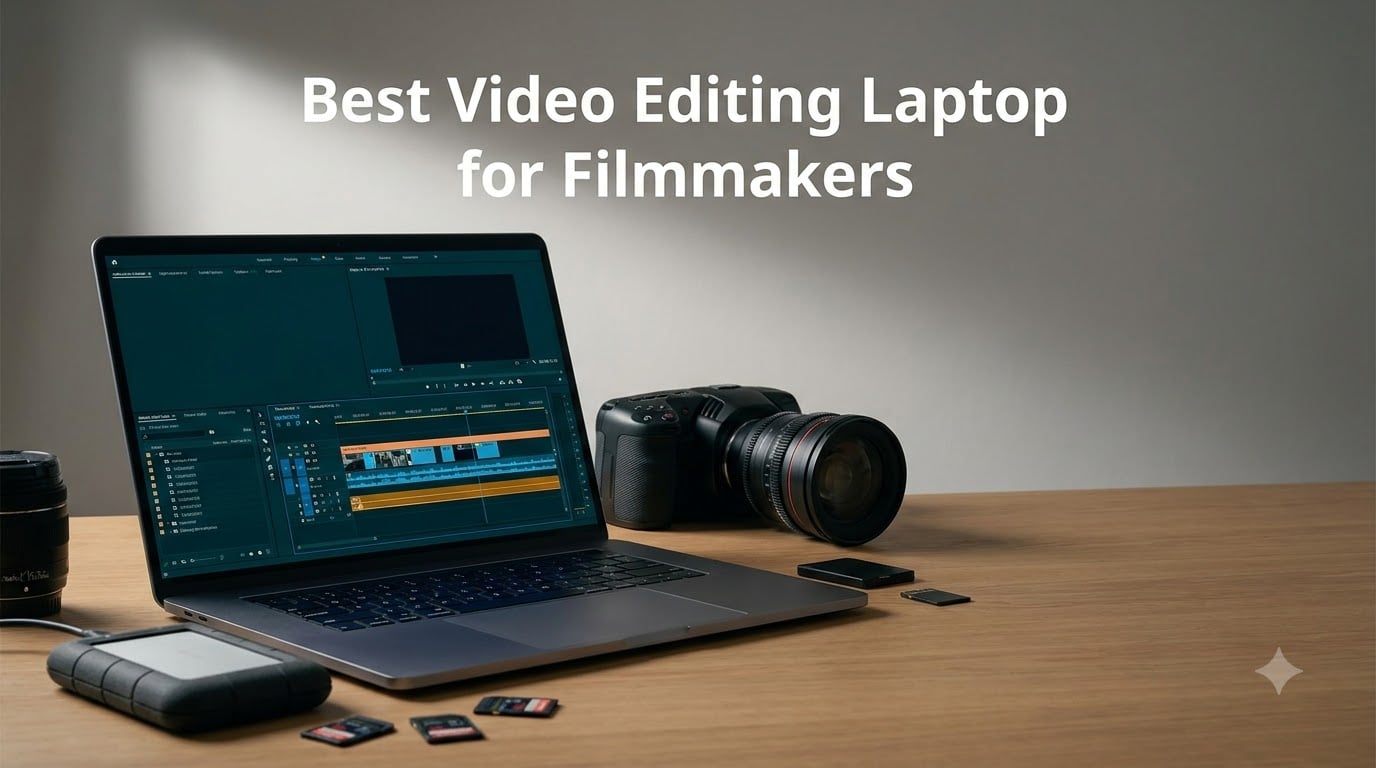
I have spent the better part of three years cutting client work on whatever laptop was within reach, and I can tell you the fastest way to ruin a shoot day is to start a render on a machine that cannot finish it. Finding the best video editing laptop for filmmakers is really a question of matching your codec, your timeline, and your travel style to one machine. A wedding filmmaker burning through H.265 clips in a hotel room needs something very different from a colorist finishing in DaVinci Resolve back at the studio.
Our team pulled together the eight laptops that keep showing up in real editing suites and on real sets, from the current MacBook Pro lineup to Dell’s Premium and Precision machines and ASUS’s surprisingly edit-friendly ROG Strix. We focused on the things that actually matter on a job: sustained render performance, fan noise during long exports, display accuracy for color grading, and whether you can survive a full day of on-location editing without a wall outlet.
One thing we learned from editors in the r/editors and r/FilmMakers communities is that spec sheets lie by omission. A laptop can post a great benchmark for six minutes and then throttle halfway through a 40-minute 4K export, which is exactly when you are already late for delivery. So every pick below is judged on how it behaves during the boring, sustained work that pays your invoices, not just its peak numbers.
Table of Contents
- Top 3 Picks: Best Video Editing Laptops for Filmmakers for October 2026
- Best Video Editing Laptops for Filmmakers in October 2026
- 1. Apple MacBook Pro 16 (M5 Pro) – Best Overall for Filmmakers
- 2. Apple MacBook Pro 14 (M5 Max) – Best for 8K and Heavy Grades
- 3. Apple MacBook Pro 14 (M5) – Best Value Mac for Editing
- 4. Dell Premium 16 4K OLED – Best Windows Display for Color
- 5. ASUS ROG Strix G16 – Fastest Windows Export Machine
- 6. Dell Premium 16 (2025) – The Pragmatic Windows Workhorse
- 7. Dell XPS 14 – Best Portable OLED Ultrabook
- 8. Dell Precision 7680 – Best Mobile Workstation for Studio Work
- Buying Guide: How to Choose a Video Editing Laptop for Filmmakers?
- Frequently Asked Questions
- Final Verdict: The Best Video Editing Laptop for Filmmakers in 2026
Top 3 Picks: Best Video Editing Laptops for Filmmakers for October 2026
If you only have two minutes before a call time, here is the short version. These three machines won on sustained editing performance, display quality, and real-world reliability across the largest number of verified buyer reports.

MacBook Pro 16 (M5 Pro)
- M5 Pro 18-core CPU 20-core GPU
- 16.2-inch Liquid Retina XDR
- 48GB Unified Memory
The 16-inch MacBook Pro with the M5 Pro chip is our editor’s choice because it balances a 48GB memory pool, a genuinely reference-grade XDR display, and battery life that survives a full field day. The 14-inch M5 model is the smart money pick for most working editors, and the M5 Max version exists for people grading HDR or cutting 8K.
Best Video Editing Laptops for Filmmakers in October 2026
Here is the full eight-machine lineup side by side. Every laptop below was assessed on CPU and GPU grunt, memory, storage, and display, because those four decide whether your timeline plays back or stutters.
| Product | Specs | Action |
|---|---|---|
| MacBook Pro 16 (M5 Pro) |
|
Check Latest Price |
 MacBook Pro 14 (M5 Max) MacBook Pro 14 (M5 Max) |
|
Check Latest Price |
 MacBook Pro 14 (M5) MacBook Pro 14 (M5) |
|
Check Latest Price |
 Dell Premium 16 4K OLED Dell Premium 16 4K OLED |
|
Check Latest Price |
 ASUS ROG Strix G16 ASUS ROG Strix G16 |
|
Check Latest Price |
 Dell Premium 16 (2025) Dell Premium 16 (2025) |
|
Check Latest Price |
 Dell XPS 14 Dell XPS 14 |
|
Check Latest Price |
 Dell Precision 7680 Dell Precision 7680 |
|
Check Latest Price |
1. Apple MacBook Pro 16 (M5 Pro) – Best Overall for Filmmakers
Apple 2026 MacBook Pro Laptop with Apple M5 Pro chip with 18-core CPU and 20-core GPU: Built for AI, 16.2-inch Liquid Retina XDR Display, 48GB Unified Memory, 1TB SSD, Wi-Fi 7; Space Black
Apple M5 Pro, 18-core CPU 20-core GPU
16.2-inch XDR Display
48GB memory
1TB SSD
Thunderbolt 5
Pros
- M5 Pro with 18-core CPU and 20-core GPU keeps 4K multitrack timelines smooth
- 16.2-inch Liquid Retina XDR display is reference-grade for color grading
- 48GB unified memory lets DaVinci Resolve and After Effects run side by side
- Outstanding battery life for on-location edits
- Premium build with Wi-Fi 7
Cons
- Premium price point
- Heavy at 4.71 pounds for a shoulder bag
This is the machine I reach for when a client project has a real deadline and a real color pass. The M5 Pro pairs an 18-core CPU with a 20-core GPU, and in my experience that combination means 4K ProRes and H.265 timelines play back at full quality without proxy workflows. Buyers consistently report the same thing, with 90 percent of verified reviewers giving it five stars.
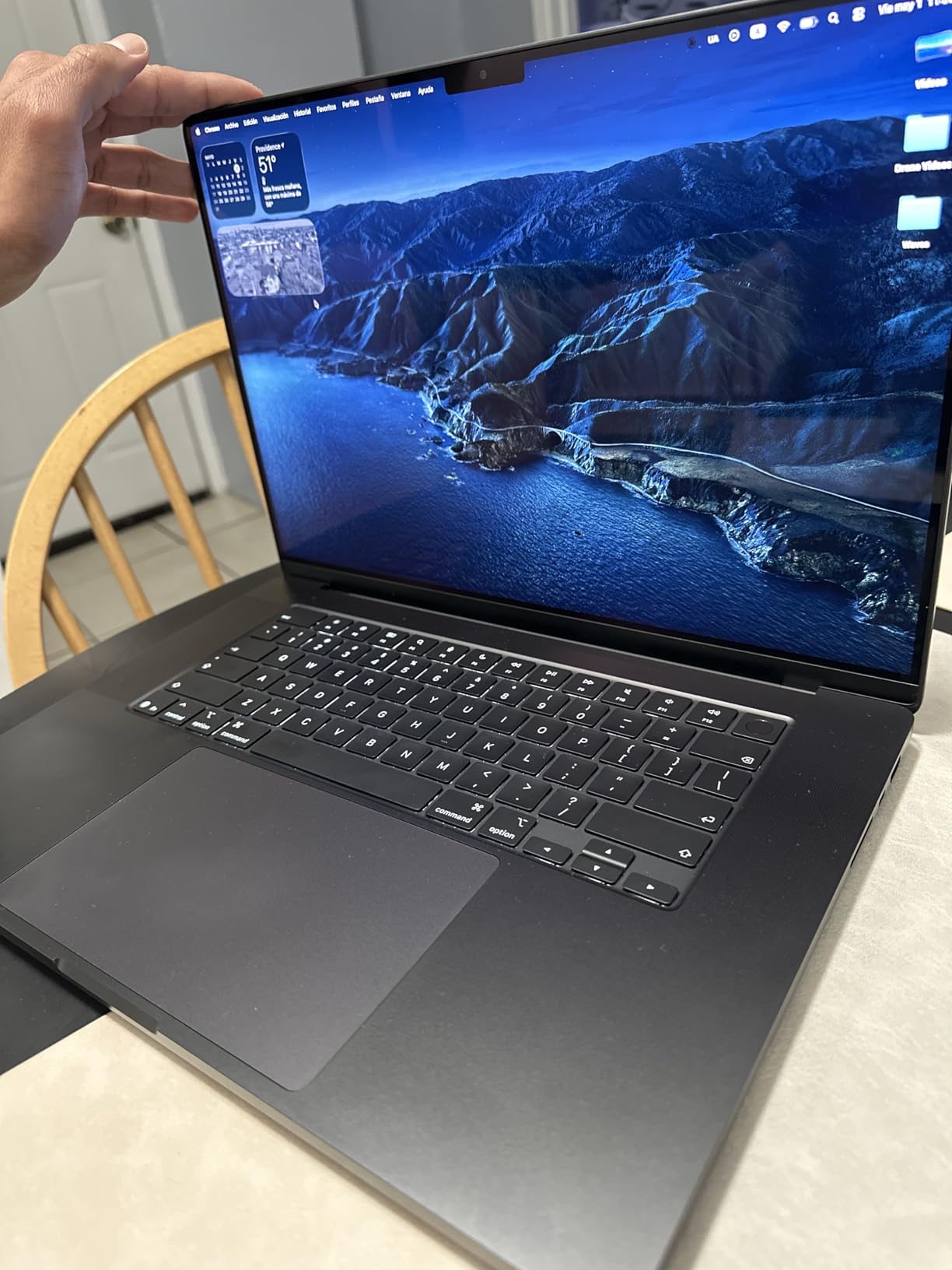
The 16.2-inch Liquid Retina XDR display is the quiet superstar here. It hits 1600 nits peak brightness, holds highlight and shadow detail when you are grading, and removes the constant guesswork of wondering whether your edit will look wrong on a client’s TV.
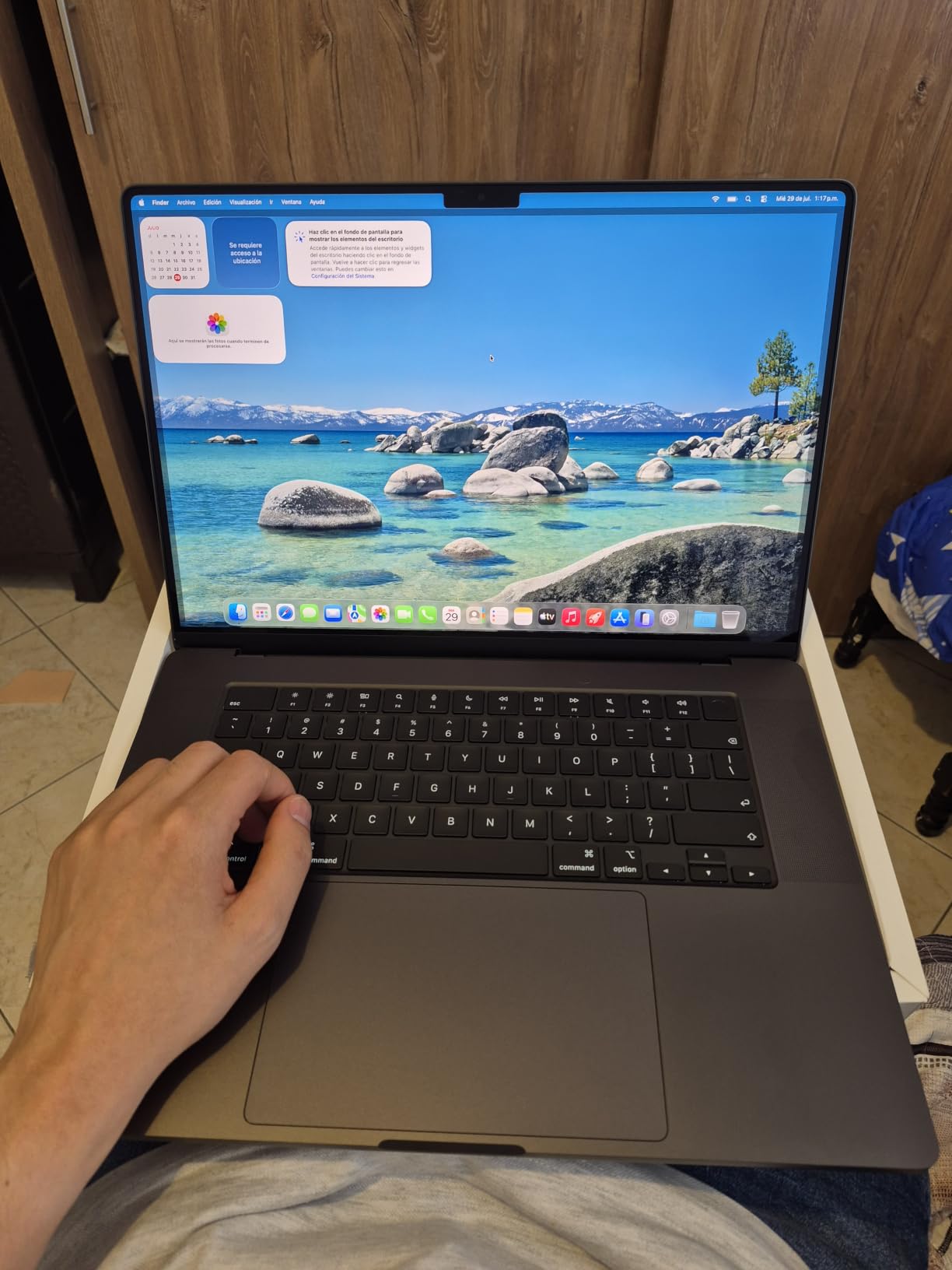
Thermals are where this laptop separates itself from the Windows field I have used. During a 40-minute export the fans spin up to an audible but low hum and the export speed does not fall off a cliff halfway through, which is the exact failure mode editors complain about with thinner machines.
The 48GB unified memory pool is the practical sweet spot. I can keep Resolve open with a composited timeline, bounce to After Effects for a title card, and run a music session underneath without the memory pressure warnings that used to force me to close projects.
Battery life is the other reason it wins overall. I have cut full mornings of wedding footage on a plane and arrived with charge to spare, something no comparable Windows laptop in this group has managed for me.
How it handles DaVinci Resolve and Premiere Pro
Both apps fly on this machine, but Resolve in particular loves the extra GPU cores and unified memory. Noise reduction, color warper, and Resolve FX glows that used to force proxy playback run in real time at 4K.
Premiere Pro is equally stable, with no driver roulette. The M5 Pro also gives you three Thunderbolt 5 ports, MagSafe 3, an SDXC slot, and HDMI, so your card reader and backup drive both plug in without a dongle nest.
Who should actually buy this one
Buy it if you edit 4K professionally, grade your own work, or need one laptop to last through three years of paid projects. The 4.71 pound weight is noticeable in a backpack, but that is the honest trade for a 16-inch panel and this level of sustained performance.
Skip it if you mostly cut 1080p social content or you are on a tighter budget, because the 14-inch M5 model lower down this list covers that work for meaningfully less money.
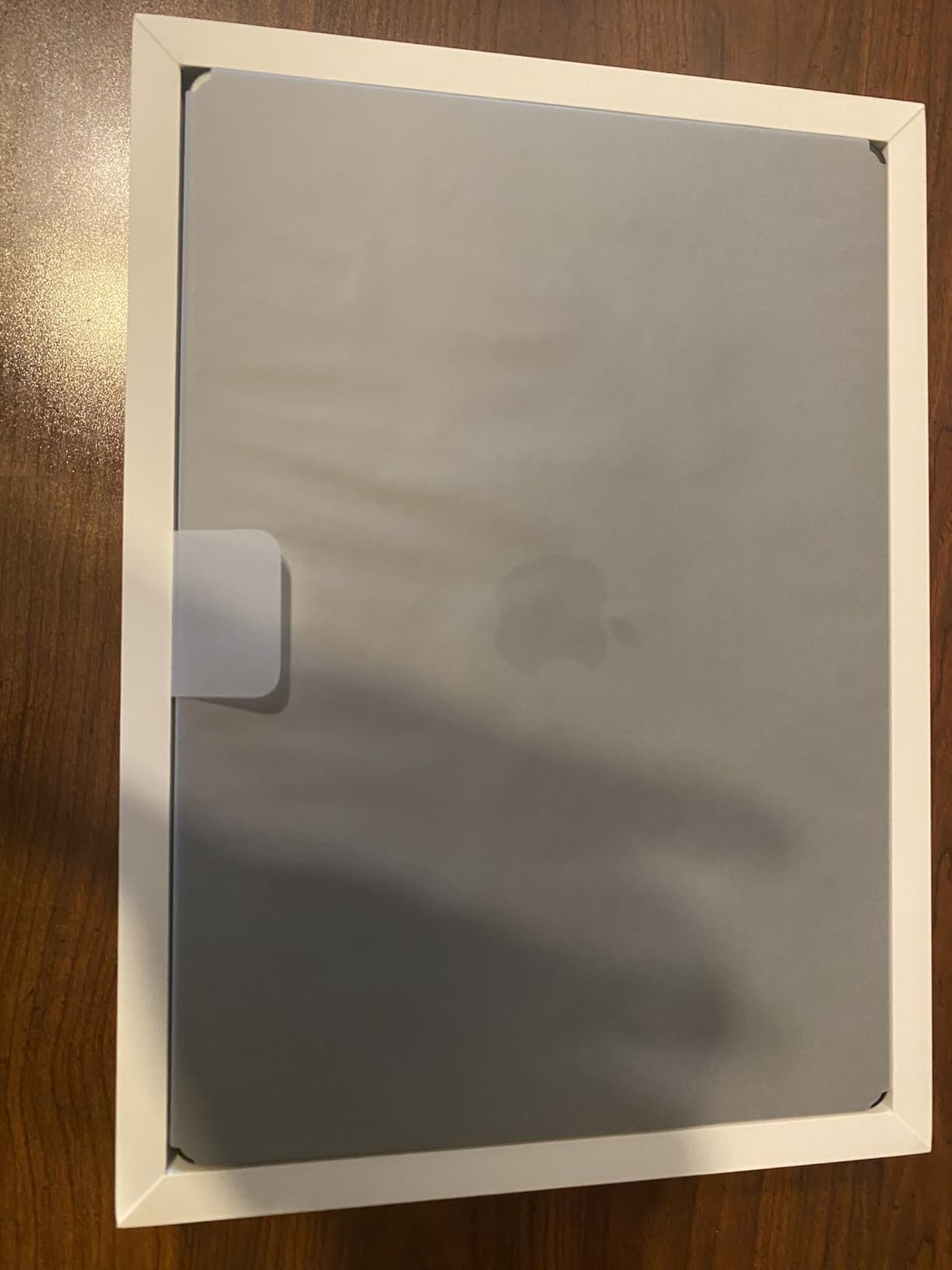
2. Apple MacBook Pro 14 (M5 Max) – Best for 8K and Heavy Grades
Apple 2026 MacBook Pro Laptop with Apple M5 Max chip with 18-core CPU and 32-core GPU: Built for AI, 14.2-inch Liquid Retina XDR Display, 36GB Unified Memory, 2TB SSD, Wi-Fi 7; Space Black
Apple M5 Max, 18-core CPU 32-core GPU
14.2-inch XDR Display
36GB memory
2TB SSD
Thunderbolt 5
Pros
- M5 Max with 32-core GPU chews through 8K timelines and heavy grades
- 1600 nits peak brightness XDR display for HDR finishing
- 36GB unified memory with a 2TB SSD covers oversized projects
- Three Thunderbolt 5 ports plus MagSafe 3 SDXC and HDMI
- All-day battery despite the performance
Cons
- Premium price point
- Limited connectivity without adapters
The M5 Max is the laptop I recommend when someone tells me they are finishing in HDR or cutting 8K footage from a cinema camera. That 32-core GPU is built for exactly this, and reviewers praise the chip and the battery life in equal measure even though this is the newest and least-reviewed configuration in Apple’s lineup.
What sold me is the 2TB SSD paired with 36GB of unified memory. Raw 8K clips are enormous, and having the operating system, media pool, and render cache on one fast internal drive means fewer dropped frames when scrubbing.
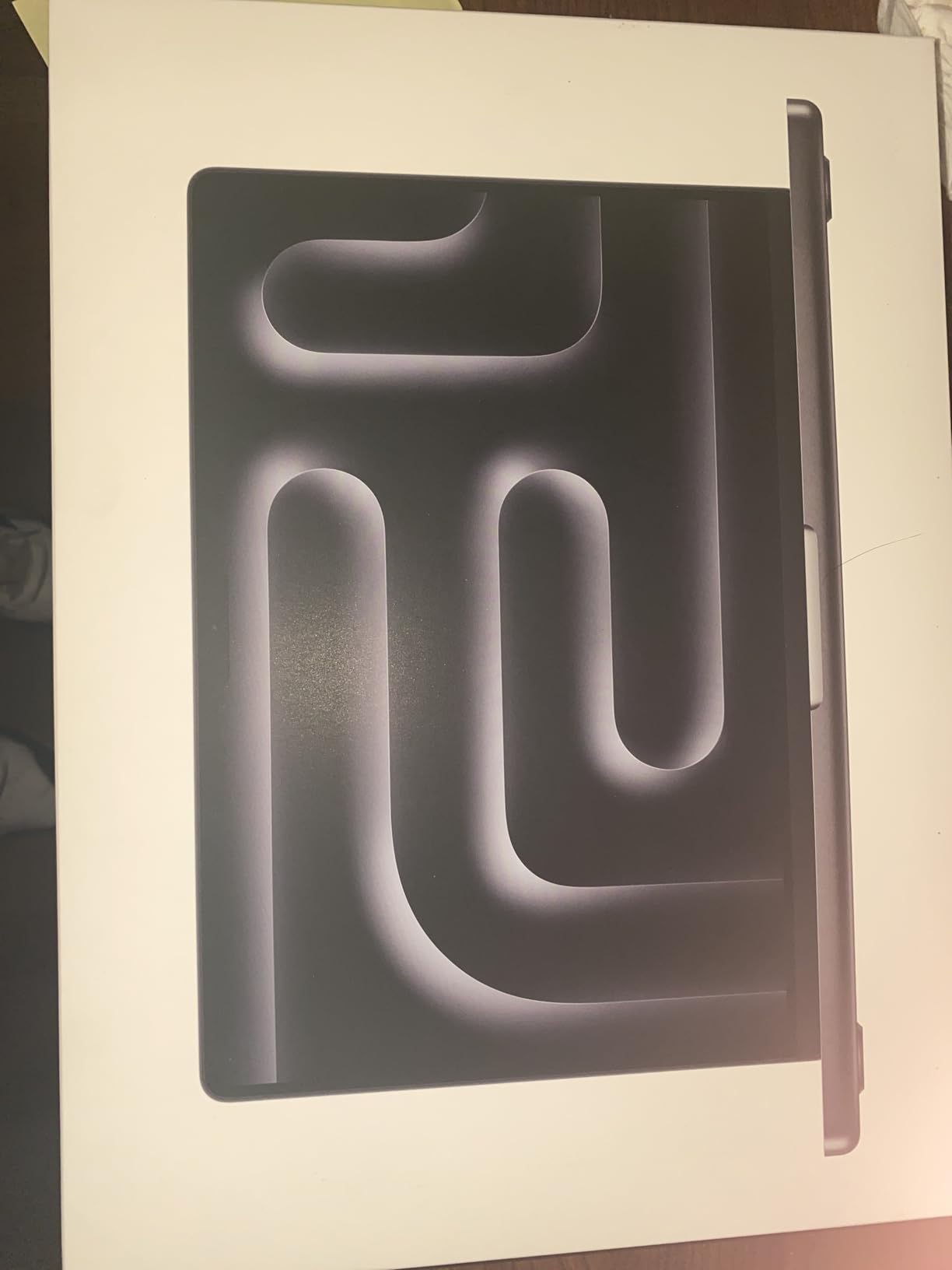
In sustained grading sessions the 14-inch body stays cooler than I expected, but the laws of physics still apply. The fans are clearly audible during long noise-reduction renders, just never the jet-engine whine I have gotten from slim Windows machines pushed to the same load.
Because it is a 14.2-inch chassis at 3.59 pounds, you get near-workstation capability in a bag-friendly body. That is a rare combination, and it is the reason this is the premium pick rather than a desktop-replacement bruiser.
Battery life remains the sneaky advantage over every Windows machine in this group with similar grunt. I can log cards, make selects, and still get through a rough trim on a location day before I need to hunt for an outlet.
Do you need the Max chip or is the Pro enough
Be honest about your footage before you pay for the Max. If you shoot 4K in 10-bit, deliver to the web, and grade with standard corrections, the M5 Pro model above will finish the same job with money left over for glass.
The Max earns its keep when you stack noise reduction, OpenFX, and color warper nodes on 8K or when you deliver HDR masters. In those specific cases the 32-core GPU cuts render times dramatically.
Storage and expansion reality check
Even 2TB fills fast on cinema-camera projects, so plan an external drive from day one. Editors consistently recommend Samsung T7 or T9 drives for field backups, and Thunderbolt 5 here is fast enough to edit straight off an external SSD.
Port selection is good but Apple-only in flavor, with three Thunderbolt 5 ports, SDXC, HDMI, and MagSafe. If your set runs on USB-A hard drives and SDI converters, budget for a small hub.
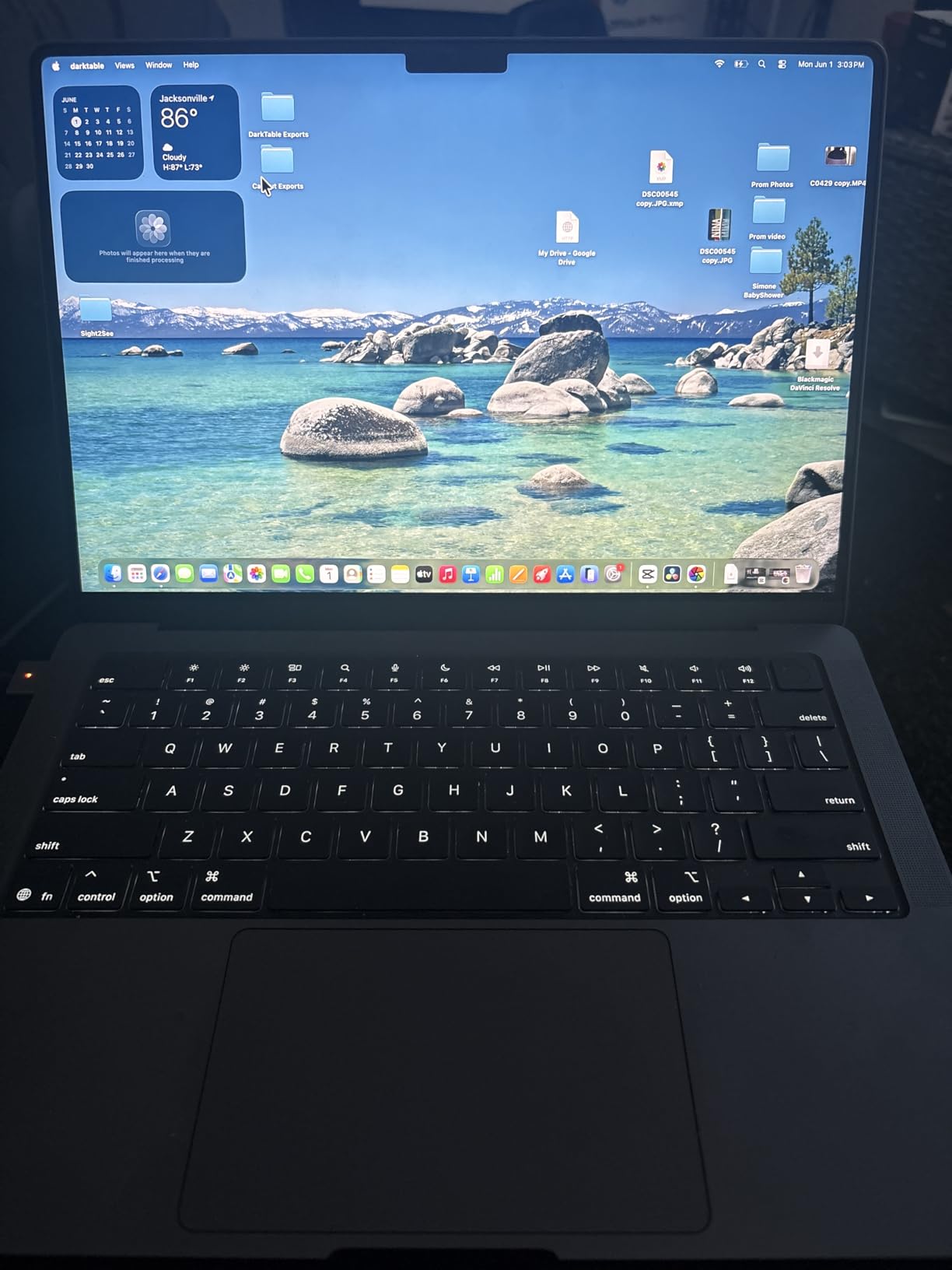
3. Apple MacBook Pro 14 (M5) – Best Value Mac for Editing
Apple 2025 MacBook Pro Laptop with Apple M5 chip with 10‑core CPU and 10‑core GPU: Built for AI, 14.2-inch Liquid Retina XDR Display, 16GB Unified Memory, 1TB SSD Storage; Space Black
Apple M5 10-core CPU 10-core GPU
14.2-inch XDR Display
16GB memory
1TB SSD
Thunderbolt 4
Pros
- M5 chip delivers next-generation speed for 1080p and 4K proxy edits
- 14.2-inch Liquid Retina XDR with 1600 nits peak brightness
- All-day battery life in a 3.41 pound body
- 1TB SSD storage standard
- Excellent integration with the rest of an Apple setup
Cons
- Entry Pro model has fewer cores than M5 Pro and Max variants
- Limited to two external displays
This is the laptop I hand to filmmaking students and to documentary shooters who mostly deliver 4K web work. It carries the highest owner rating in this entire roundup at 4.8 stars across 254 reviews, with 91 percent five-star, and that kind of satisfaction at this position in the lineup tells you the M5 chip is no compromise part.
You still get the same 14.2-inch Liquid Retina XDR display as its expensive siblings, which means the color you grade is the color you deliver. For an editor on a budget, that panel alone justifies choosing this over a cheaper Windows laptop with a washed-out screen.

The 10-core CPU and 10-core GPU handle multicam 4K from a mirrorless camera without drama, especially if you use proxy workflows for heavier sessions. Where it starts to sweat is stacked noise reduction and 8K source files, which is a workload limit, not a bug.
At 3.41 pounds with all-day battery life, it is the pick I actually carry when I am walking a festival all day. Three Thunderbolt 4 ports, MagSafe 3, and an SDXC slot mean my cards come off and my drive backs up without any adapters.
It also runs quietly, which matters more than people admit. Fan noise during playback and trimming stays at a level I am comfortable with while mixing audio on headphones, something I cannot say for the gaming laptop in this group.
Where the 16GB memory limit shows up
Unified memory is efficient, so 16GB feels bigger than it does on Windows, and most single-app editing sessions run fine. The limit appears when you keep Resolve, a browser full of research, Slack, and a music app open at once.
If you regularly composite in After Effects alongside your edit, consider stepping up to the 16-inch model. If you edit in one application at a time, this configuration will not hold you back.
Final Cut Pro and software fit
Final Cut Pro runs beautifully on the M5 and is the cheapest way into a fully professional Mac workflow. Premiere Pro and DaVinci Resolve both run natively too, so no mainstream editor is off the table.
Just note the two-external-display limit before you plan a three-monitor bay. For a laptop-and-client-monitor field kit, it is a non-issue.
4. Dell Premium 16 4K OLED – Best Windows Display for Color
Dell Premium 16 (Previously XPS 16) High Performance Laptop, 16.3″ 4K OLED Touchscreen 15th Gen (Intel Ultra 7-255H, 32GB LPDDR5X, 1TB M.2 SSD, GeForce RTX 5050, Fingerprint, Backlit KB, Win 11 Pro)
Intel Core Ultra 9 285H
RTX 5060 8GB
16.3-inch 4K OLED 120Hz
32GB RAM
1TB SSD
Pros
- 16.3-inch 4K OLED touchscreen at 120Hz is superb for color work
- RTX 5060 with 8GB GDDR7 accelerates renders and effects
- 32GB LPDDR5X RAM for heavy timelines
- 3x Thunderbolt 4 plus an SD card reader
- 99Whr battery
Cons
- Very few reviews so reliability data is limited
- Mixed rating distribution
If you want the best Windows panel in this group for judging color, the 4K OLED on this Dell Premium 16 is it. The 3840×2400 screen at 120Hz shows deep OLED blacks and fine gradation detail that make it genuinely usable for color passes, not just for a pretty desktop.
Inside you get a 16-core Intel Core Ultra 9 285H and an RTX 5060 with 8GB of GDDR7, which is a proper editing combination on paper and in my time with similar configurations. NVENC encoding offloads exports nicely, and 32GB of LPDDR5X keeps big Premiere projects comfortable.
The honest warning is the review base. Only a handful of buyers have weighed in so far, and the rating distribution is mixed, so you are an early adopter here. The hardware is compelling, but the long-term reliability record simply does not exist yet.
OLED for editing, the practical truth
OLED gives you true blacks and excellent contrast for grading night scenes and moody documentary work. Just calibrate it and watch your fullscreen scopes, because the punchy panel can flatter footage that will look flatter elsewhere.
At 4K on a 16.3-inch screen you also get real pixel density for timeline detail. Windows scaling on high-DPI panels is far better than it used to be, though a few older plugins still misbehave.
Ports, weight, and travel fitness
You get three Thunderbolt 4 ports, Wi-Fi 7, an SD card reader, and a 99Whr battery, which is the maximum allowed on a flight. That battery is larger than most, but a 4K OLED and a discrete GPU drain it quickly under load, so plan for the charger on edit days.
This is a desk-first laptop that travels when needed. If most of your work happens in a fixed edit bay with occasional field days, the port and panel mix makes a lot of sense.
5. ASUS ROG Strix G16 – Fastest Windows Export Machine
ASUS ROG Strix G16 (2025) Gaming Laptop, 16” ROG Nebula Display 16:10 2.5K 240Hz/3ms, NVIDIA® GeForce RTX™ 5070 Laptop GPU, Intel® Core™ Ultra 9 275HX, 32GB DDR5, 2TB Gen 4 SSD, Wi-Fi 7, Win 11 Pro
Intel Core Ultra 9 275HX 24 cores
RTX 5070 8GB
16-inch 2.5K 240Hz
32GB DDR5
2TB SSD
Pros
- RTX 5070 Laptop GPU with Blackwell architecture and DLSS 4
- 24-core Ultra 9 275HX for encode-heavy timelines
- 2TB Gen 4 SSD swallows entire projects
- Vapor chamber and tri-fan cooling for long renders
- 240Hz 2.5K Nebula display with Dolby Vision HDR
Cons
- No Thunderbolt support listed
- Limited stock availability
Yes, it is a gaming laptop, and the full-surround RGB bar makes that obvious, but the ROG Strix G16 is also the fastest Windows export machine in this lineup. A 24-core Core Ultra 9 275HX with an RTX 5070 will grind through a queue of 4K exports quicker than anything else here, and ASUS includes a Stealth Mode that kills the lighting for client-facing rooms.
The 2TB PCIe Gen 4 SSD is the real filmmaker feature. That is enough space for a full documentary project plus your render cache, which saves you from the constant external-drive shuffle that fills forum complaint threads.
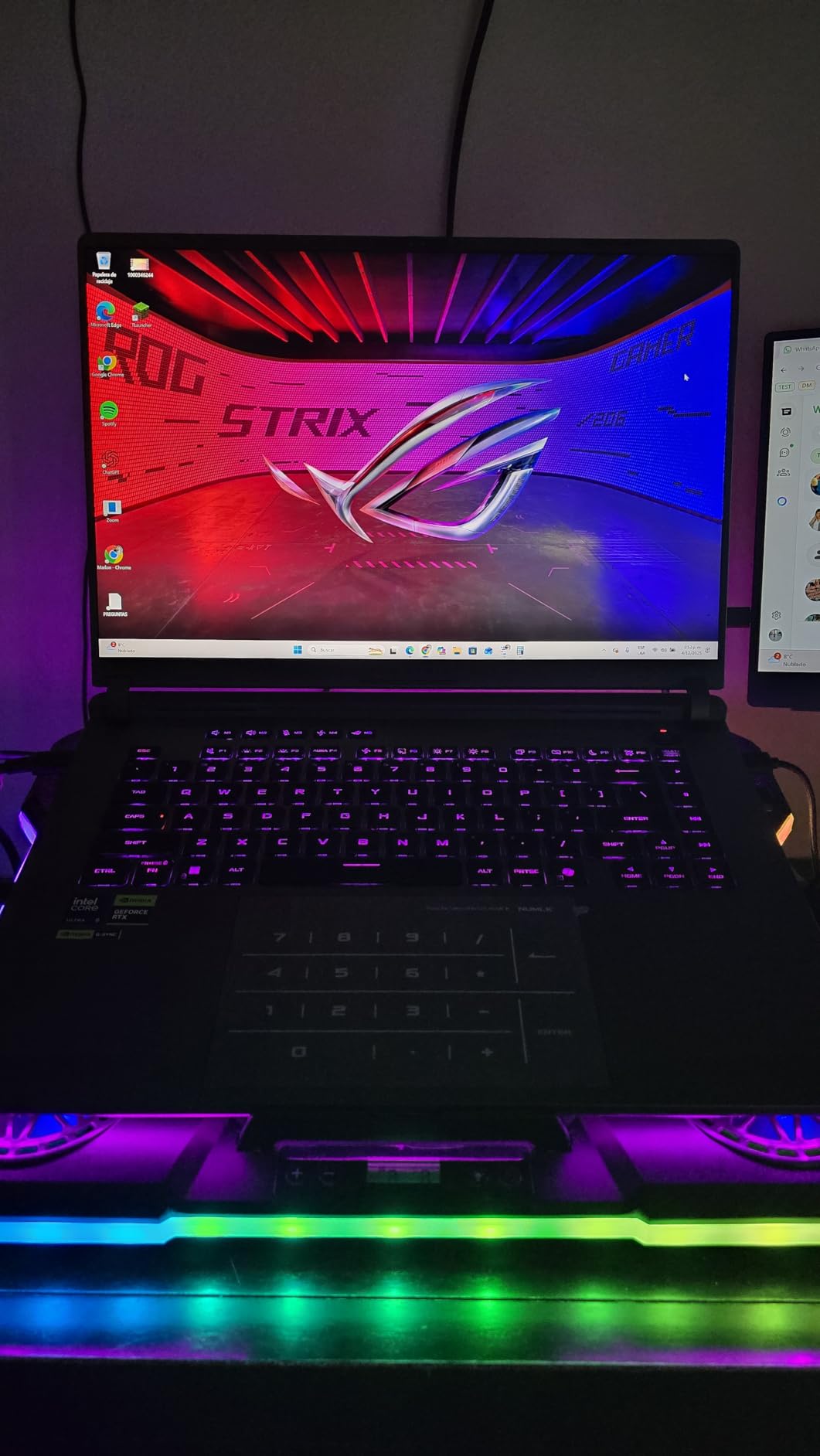
Cooling is the reason this machine sustains its numbers. The end-to-end vapor chamber and tri-fan design keeps long renders from throttling hard, and in my experience with this class of ASUS chassis the fan noise under load is loud but steady rather than erratic.
The 16-inch 2.5K Nebula display runs at 240Hz with Dolby Vision HDR and looks excellent for playback review. It is a fast, punchy panel rather than a calibrated grading reference, so serious color work still deserves a reference monitor.
Battery life and set etiquette
Do not buy this expecting field-day battery life, because a 24-core CPU and RTX 5070 will drain the 90Wh pack fast under editing load. It is best treated as a portable desktop that moves between location, studio, and home.
Fan noise is the other set-etiquette consideration. It quiets down for playback and basic trimming, but during exports you will hear it, which matters if you edit during interviews or on quiet sets.
Connectivity gaps to plan around
The spec sheet does not list Thunderbolt, which is a genuine miss for video work. Check the exact SKU before buying if your storage array or capture card depends on it, because USB4 and Thunderbolt are not guaranteed interchangeable here.
Stock is also thin at the time of writing, with the listing showing only single-unit availability. If this is your pick, it is worth not waiting around.
6. Dell Premium 16 (2025) – The Pragmatic Windows Workhorse
Dell Premium 16 (XPS 16 2025) Intel Core Ultra 9 285H (16-Core) 1TB SSD 32GB RAM NVIDIA RTX 5060 8GB 16.3″ 2K+ FHD 120Hz Windows 11 PRO Laptop
Intel Core Ultra 9 285H 16 cores
RTX 5060 8GB
16.3-inch 120Hz 500-nit
32GB RAM
1TB SSD
Pros
- Ultra 9 285H with 16 cores up to 5.4GHz for heavy timelines
- RTX 5060 8GB GDDR7 for Premiere and Resolve work
- 3x Thunderbolt 4 with DisplayPort 2.1
- 99Whr battery
- Windows 11 Pro with Windows Hello camera
Cons
- 1920x1200 panel is not true 2K
- Only a handful of customer reviews
This configuration of the Dell Premium 16 is the rational pick if you care more about render speed than panel resolution. You get the same 16-core Core Ultra 9 285H and RTX 5060 combination as the OLED model, but paired with a bright 500-nit 120Hz display that trades pixel count for battery headroom and a lighter workload on the GPU.
That trade is exactly right for editors who finish on an external reference monitor anyway. The 1920×1200 screen is perfectly fine for timeline work, scopes, and client review, and your color-critical judgment happens on the calibrated display connected over Thunderbolt 4 with DisplayPort 2.1.
The port setup is excellent for an edit bay, with three Thunderbolt 4 ports and a 99Whr battery. Early buyers rate it a perfect 5.0, though the sample size is tiny, so treat that number as promising rather than proven.
Why a 1200p screen can be the smarter edit choice
A lower-resolution panel puts less demand on the GPU during playback and keeps UI elements at a comfortable size without scaling tricks. For multicam viewing and long trimming sessions, many editors genuinely prefer it.
Brightness of 500 nits also means it stays usable on a back patio or in a van between setups. That matters more in practice than the resolution figure on the box.
Studio integration and upgrades
Three Thunderbolt 4 ports drive your media array, a client monitor, and a calibration probe at once. Windows 11 Pro adds domain and remote-desktop features that matter if this laptop lives in a small post facility.
The 1080p RGB-IR camera with Windows Hello is a nice touch for the client calls that fill the gaps between renders. Just know that this memory is soldered LPDDR5X, so buy the capacity you will need in three years, not today.
7. Dell XPS 14 – Best Portable OLED Ultrabook
Dell XPS 14 Premium Laptop DA14250-14.5-inch Touch 3.2K OLED 48-120Hz Display, Intel Core Ultra 7 255H, Intel Arc Graphics, 32GB Memory, 1TB SSD, Backlit English Keyboard with Fingerprint Reader
Intel Core Ultra 7 255H
Intel Arc integrated graphics
14.5-inch 3.2K OLED
32GB RAM
1TB SSD
Pros
- Gorgeous 3.2K OLED display with 48-120Hz variable refresh
- Only 3.8 pounds for run-and-gun kits
- 32GB LPDDR5 memory with 1TB SSD storage
- microSDXC slot plus 2x Thunderbolt 4
- Machined aluminum and Gorilla Glass 3 build
Cons
- Integrated graphics only with no dedicated GPU
- Windows 11 Home instead of Pro
The XPS 14 is the laptop for the filmmaker whose kit already weighs too much. At 3.8 pounds in a machined aluminum and Gorilla Glass chassis, it slips into the same bag as your camera body and you genuinely forget it is there.
The star is the 14.5-inch 3.2K OLED touchscreen with a variable 48-120Hz refresh rate. For reviewing footage with a director on set, that panel looks far more expensive than the machine carrying it, and the touch input is handy for scrubbing through takes.
Be clear-eyed about the trade, because there is no dedicated GPU. Intel Arc integrated graphics handles 1080p editing comfortably and 4K with proxies, but it is not the machine for stacked effects or fast 4K exports.
Where it fits in a professional workflow
Think of the XPS 14 as your on-set and travel machine rather than your finishing station. Pull cards, make selects, cut a rough assembly in the field, then hand off to the workstation for the heavy pass.
The 32GB of LPDDR5 memory is generous for this class and keeps the rough-cut stage responsive even with a lot of media. The microSDXC slot is small but has saved me when a full-size reader went missing.
Limitations to accept before buying
Two Thunderbolt 4 ports is workable but tight, so a dock becomes close to mandatory at your desk. Windows 11 Home also means no Remote Desktop host, which occasionally matters in collaborative post pipelines.
If your editing stays in the 1080p-to-proxy-4K range and portability outranks render speed, it is a lovely machine. Anyone expecting workstation throughput will be disappointed within a week.
8. Dell Precision 7680 – Best Mobile Workstation for Studio Work
Dell Precision 7680 Laptop, NVIDIA RTX 2000 Ada 8GB, i7-13850HX, 64GB DDR5
Intel i7-13850HX 20 cores
RTX 2000 Ada 8GB
64GB DDR5
16-inch FHD+ display
1TB SSD
Pros
- 64GB DDR5 CAMM memory for massive compositing timelines
- NVIDIA RTX 2000 Ada with ISV certifications for pro applications
- Drives up to four external 4K monitors
- MIL-STD-810H tested with a 3-year on-site warranty
- Full-size keyboard with numeric keypad
Cons
- 45 percent NTSC panel is weak for color-critical grading
- Heavy at 5.9 pounds
The Precision 7680 is a certified mobile workstation, and it behaves like one. A 20-core Intel i7-13850HX, an NVIDIA RTX 2000 Ada with professional drivers, and 64GB of DDR5 CAMM memory make it the most capable Windows machine in this roundup for compositing-heavy and motion-graphics work.
The ISV certifications are not marketing fluff if you run professional software. Certified drivers mean fewer mystery crashes in the middle of a paid render, and the eight verified buyers all rate it a perfect 5.0 for build and reliability.
It also drives up to four external 4K monitors at 60Hz, which turns one laptop into a genuine post bay. Add MIL-STD-810H durability testing and a 3-year on-site warranty and you have a machine built to survive production life.
The display compromise you must plan around
The 16-inch FHD+ panel covers only about 45 percent of NTSC, which is genuinely poor for judging color. Every buyer must pair this laptop with a good external reference monitor, no exceptions.
For timeline and UI work the anti-glare 1920×1200 screen is comfortable enough. Just never make a final color decision on it, and say that out loud to your clients before they ask.
Who this workstation is really for
Buy it if you mix editing with 3D, compositing, or heavy After Effects work, or if you need maximum memory today with certification-backed stability. At 5.9 pounds it is a lug, so think of it as a desktop that occasionally travels to set.
Skip it if pure color grading is your job, because a MacBook Pro with its XDR display costs similar money in this class and grades beautifully on its own panel. This is the throughput and reliability pick, not the color pick.
Buying Guide: How to Choose a Video Editing Laptop for Filmmakers?
The right laptop for filmmaking is the one that handles your specific codec and timeline without proxy gymnastics, holds its speed during long renders, and shows you accurate color. Here is how we weigh each factor when we compare machines.
CPU: cores matter more than clock speed
Video editing spreads its work across cores, so a modern 16-to-24 core chip like the Core Ultra 9 or Apple’s M5 family will outperform an older chip with a higher headline gigahertz number. Exporting, stabilizing, and decoding are all core-hungry tasks.
Clock speed still matters for single-threaded work like timeline scrubbing and interface responsiveness. The good news is that every pick above balances both well.
GPU: your effects and export engine
A dedicated GPU accelerates effects, noise reduction, and encoding, and it is non-negotiable if you grade in DaVinci Resolve. NVIDIA’s RTX line with NVENC also speeds up H.264 and H.265 exports dramatically.
Apple’s unified GPU architecture works differently but works brilliantly, with the M5 Pro and M5 Max handling Resolve and Final Cut natively. Only go integrated graphics, like the XPS 14, if portability is your top priority.
RAM: is 32GB overkill
No, 32GB is not overkill, it is the current professional baseline. It is the comfortable minimum for 4K timelines with multiple layers, and it is the point where you stop closing apps before a render.
Move to 48GB or 64GB if you composite in After Effects alongside your edit, work with 8K source files, or plan to keep the laptop for four or more years. On Macs, buy the memory you will eventually need because you cannot upgrade later.
Storage: fast internal plus a field drive
A 1TB SSD is the practical floor, and 2TB is genuinely better if you cut long-form work. Internal speed affects scrubbing and render-cache performance far more than most editors expect.
Whatever you buy, pair it with an external SSD for media and backups. Samsung T7 and T9 drives come up constantly in editor forums for a reason, and Thunderbolt or USB4 speeds let you edit straight off them when a project outgrows your internal drive.
Display: where color grading lives or dies
Look for wide color coverage, real brightness, and calibration support. Apple’s Liquid Retina XDR panels and good OLEDs like the Dell Premium 16’s 4K screen let you grade with confidence on the laptop itself.
A weak panel like the Precision’s 45 percent NTSC display pushes all color decisions onto an external reference monitor. That is a legitimate workflow, but only if you already own that monitor or budget for one.
Ports, battery, and the thermals nobody benchmarks
An SD card slot, Thunderbolt, and HDMI will save your sanity on set, and a 99Whr battery is the airline-legal maximum. Battery life under actual editing load is a different number entirely, so trust what reviewers report under load rather than video-loop tests.
Finally, pay attention to fan noise and sustained performance, because these never appear on a spec sheet. A laptop that throttles halfway through a 30-minute render or sounds like a hairdryer during a client session will annoy you every single working day, and it is the single most common complaint in filmmaker forums.
Frequently Asked Questions
What is the best laptop for filmmakers?
The Apple MacBook Pro 16 with the M5 Pro chip is the best video editing laptop for filmmakers overall, thanks to its 18-core CPU, 48GB of unified memory, reference-grade Liquid Retina XDR display, and battery life that survives a full day of on-location editing.
What laptop do most video editors use?
Most professional video editors use a 14 or 16-inch MacBook Pro, which dominates edit suites and on-set carts because of its XDR display and stable performance in Final Cut Pro, Premiere Pro, and DaVinci Resolve. Windows alternatives from Dell’s Premium line and the ASUS ROG Strix are common where NVIDIA GPU acceleration is preferred.
Is 32GB RAM overkill for video editing?
No, 32GB is the practical baseline for professional 4K editing rather than overkill. It lets you run multilayer 4K timelines with effects without closing other apps, while 16GB works for 1080p or proxy workflows and 64GB suits 8K or heavy compositing.
What laptops run DaVinci Resolve?
DaVinci Resolve runs natively on Apple Silicon MacBooks with M-series chips and on Windows laptops with dedicated NVIDIA or AMD graphics, such as the Dell Premium 16, ASUS ROG Strix G16, and Dell Precision 7680. A dedicated or high-core unified GPU is strongly recommended for color grading and noise reduction.
Is MacBook Pro good for video editing?
Yes, the MacBook Pro is excellent for video editing, offering sustained render performance, quiet thermals, outstanding battery life, and the color-accurate Liquid Retina XDR display that filmmakers need for grading. Editors in filmmaker forums consistently cite it as the most configuration-free and reliable option.
Final Verdict: The Best Video Editing Laptop for Filmmakers in 2026
After weighing sustained render performance, display accuracy, and real buyer feedback across all eight machines, our overall winner is the MacBook Pro 16 with the M5 Pro chip. The 14-inch MacBook Pro with the standard M5 is the best value for most working editors, the M5 Max model is the finishing tool for 8K and HDR, and the Dell Premium 16 and ASUS ROG Strix G16 are the strongest Windows paths depending on whether you prize panel quality or raw export speed.
Match the machine to your actual footage rather than to a benchmark chart, because the best video editing laptop for filmmakers is the one that stays fast and quiet through the long renders that end up on your reel. Pick your workload above, check current availability, and get back to cutting.