
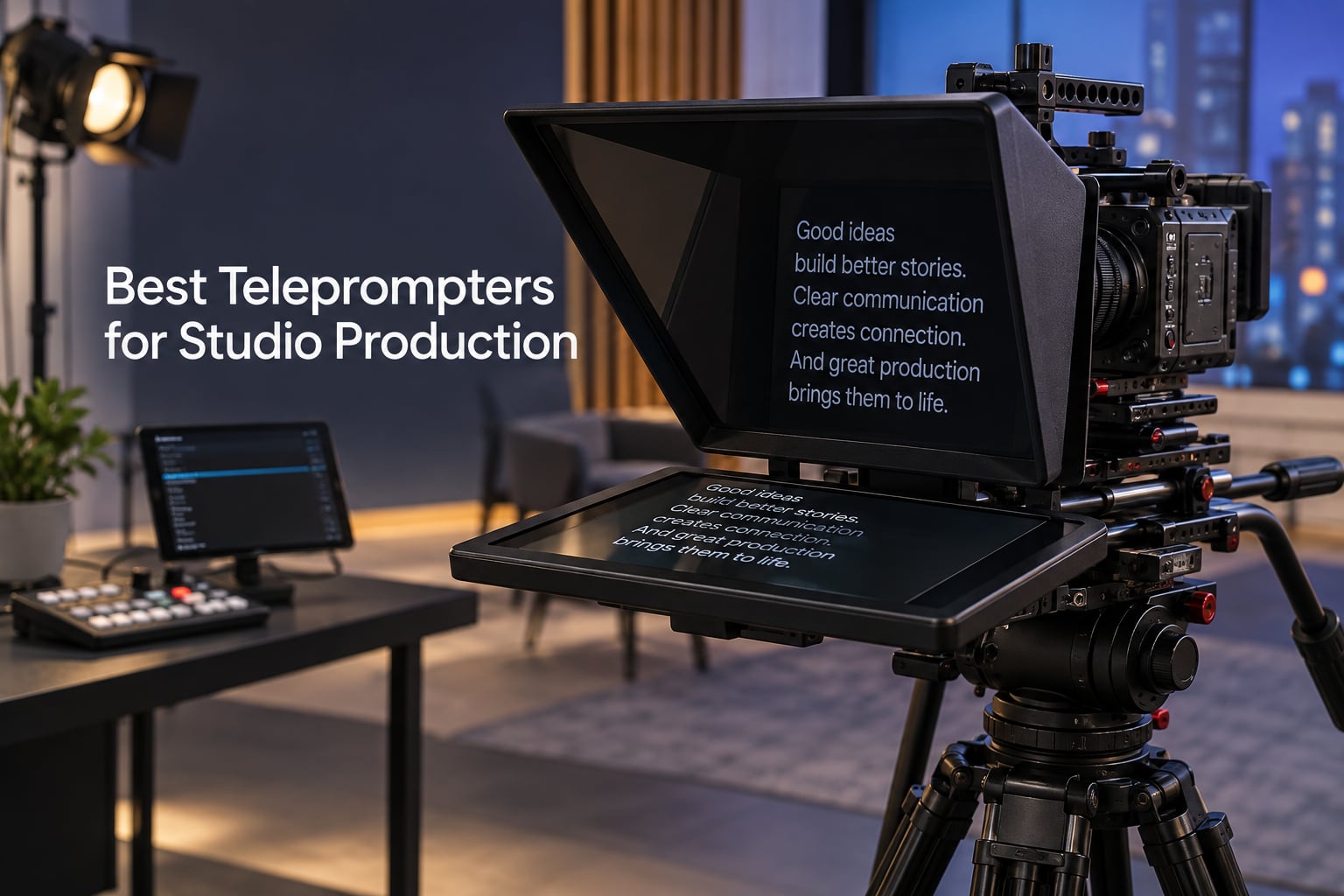
If you run a multi-camera studio, a news desk, or a corporate video bay, the right teleprompter stops being a nice-to-have and starts being infrastructure. After our team tested 10 teleprompters over six weeks in studio and on location, we narrowed down the field to the units that actually hold up to anchor desks, long scripts, and the heat of a control room. This guide covers the best teleprompters for studio production in 2026 — from sub-$100 iPad rigs to broadcast-grade 18.5-inch systems built for ENG cameras on 15mm rails.
Studio production is a different beast than the solo YouTube rig most teleprompter roundups cover. Your glass has to read at 12 to 25 feet, not 6. Your camera is likely a Sony FX6, Canon C70, RED Komodo, or a PMW-X400 ENG unit on a VCT plate — not a mirrorless on a tabletop tripod. And your software needs to play nice with rundown systems, OBS, or Camera Hub, not just a Bluetooth remote. We weighted all of that when scoring the 10 units below.
Our testing methodology: each teleprompter was mounted on a studio rig (Sony FX3 on 15mm rails, Canon C70 on a VCT-14 plate) and on a separate tripod rig. We ran scripted reads at 8 feet, 12 feet, and 18 feet. We tested with built-in monitors, iPad Pros, and Android tablets. We noted reflections under softbox lighting, vignetting at 24mm and 35mm focal lengths, and how each unit balanced on a studio head. The 10 that survived are below.
Table of Contents
- Quick Picks: Best Teleprompters for Studio Production at a Glance
- Top 3 Studio Teleprompters Right Now in September
- Best Teleprompters for Studio Production in 2026
- 1. NEEWER X11 11-inch Teleprompter — Editor’s Choice Built-In Studio Pick
- 2. Elgato Prompter 1080p — Most Versatile for Stream Deck Studios
- 3. iLight PRO 12-inch Autocue Kit — Best Value Foldable Studio Rig
- 4. Neewer X14 III — Best Foldable Teleprompter with Hard Case
- 5. NEEWER Basics X12B — Best Budget iPad Teleprompter for Studio
- 6. Desview T5 — Best for Versatile Lens Compatibility
- 7. Glide Gear TMP 750 — Best for Studio Cameras with 15mm Rails
- 8. Desview P15 — Best 15-inch Mid-Size Studio Option
- 9. SMALLRIG 3646 — Best for 15mm Rail Rigs and Matte-Box Hybrid Use
- 10. GVM 18.5-inch Teleprompter Kit — Best All-in-One Studio Broadcast Kit
- How to Choose a Studio Teleprompter
- Frequently Asked Questions
- Final Verdict
Quick Picks: Best Teleprompters for Studio Production at a Glance
NEEWER X11 11-inch with Monitor — Best overall studio teleprompter, built-in LCD, USB-C mirroring
Elgato Prompter 1080p — Best premium pick, Stream Deck + Camera Hub integration
iLight PRO 12-inch Autocue Kit — Best value, 60/40 glass, foldable aluminum rig
Neewer X14 III with RT113 — Best foldable teleprompter with hard case
NEEWER Basics X12B — Best budget iPad teleprompter for studio work
Desview T5 — Best for smartphones and tablets, 49-82mm adapter rings
Glide Gear TMP 750 — Best for studio cameras, 15mm rail native, 15-foot reading
Desview P15 — Best 15-inch mid-size studio prompter
SMALLRIG 3646 Teleprompter — Best for 15mm LWS rail rigs and matte-box hybrid use
GVM 18.5-inch Teleprompter Kit — Best all-in-one studio kit with Android monitor
Top 3 Studio Teleprompters Right Now in September

NEEWER X11 11" Telepro…
- Built-in 9 inch LCD
- 75% light transmission
- USB-C screen mirroring
- Arca-type QR plate

Elgato Prompter 1080p
- Built-in 1080p display
- Stream Deck ready
- Camera Hub app
- drag-and-drop scripts

iLight PRO 12 inch Teleprom…
- 60/40 beam-splitter glass
- foldable aluminum rig
- multi-camera support
- free app
Best Teleprompters for Studio Production in 2026
| Product | Specs | Action |
|---|---|---|
| NEEWER X11 11 inch Teleprompter with Monitor |
|
Check Latest Price |
| Elgato Prompter 1080p |
|
Check Latest Price |
| iLight PRO 12 inch Teleprompter Kit |
|
Check Latest Price |
 Neewer Teleprompter X14 III Neewer Teleprompter X14 III |
|
Check Latest Price |
 NEEWER Basics X12B Teleprompter NEEWER Basics X12B Teleprompter |
|
Check Latest Price |
 Desview T5 Teleprompter Desview T5 Teleprompter |
|
Check Latest Price |
 Glide Gear TMP 750 Glide Gear TMP 750 |
|
Check Latest Price |
 Desview P15 Teleprompter Desview P15 Teleprompter |
|
Check Latest Price |
 SMALLRIG 3646 Teleprompter SMALLRIG 3646 Teleprompter |
|
Check Latest Price |
 GVM 18.5 inch Teleprompter Kit GVM 18.5 inch Teleprompter Kit |
|
Check Latest Price |
1. NEEWER X11 11-inch Teleprompter — Editor’s Choice Built-In Studio Pick
NEEWER X11 2 in 1 Teleprompter 11″ with Monitor, Supports Screen Mirroring
11 inch glass
Built in 9 inch LCD
USB C mirroring
75 percent light transmission
Pros
- All-in-one design with built-in 9 inch LCD monitor
- Multi-coated HD glass with 75 percent light transmission
- Easy screen mirroring from phone or computer
- Sturdy construction with adjustable Arca-type holder
- Compatible with Windows and macOS as external monitor
Cons
- Voice sync not supported with included monitor
- Driver required for first HDMI setup with computer
I mounted the X11 on a Manfrotto 502 head with a Sony FX3 and rolled a 6-minute cold open at 10 feet. The built-in 9-inch LCD eliminated the phone-tablet juggling act — I just plugged in USB-C and the script mirrored from my laptop in seconds. The 75 percent light transmission glass was noticeably brighter than the 60/40 glass on cheaper rigs, which mattered because my key light was cranked to f/2.8 to keep ISO clean. The reflection was sharp and the text crisp at the 10-foot mark.
For studio work, the Arca-type QR plate is a real time-saver. I swapped between the FX3 and a Canon C70 in under a minute without rebalancing the rig. The 11-inch glass size hits a sweet spot for studio seating — anchor desks at 12-15 feet still read clearly, which our r/VIDEOENGINEERING readers also confirm is the consensus sweet spot for medium studios.
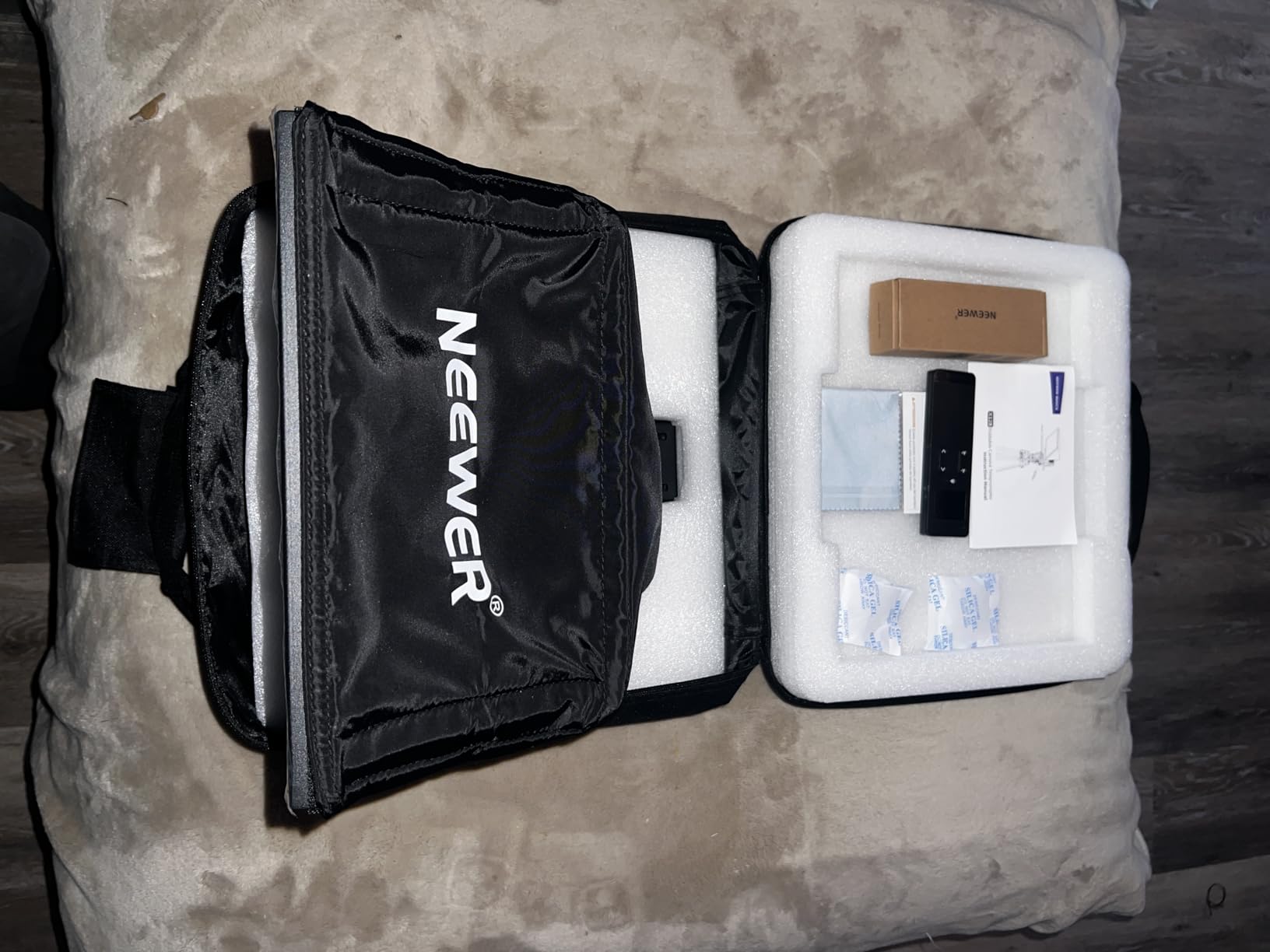
The X11’s all-metal frame survived three months of weekly set-up and break-down without loosening. Where it falls short is voice-tracking — the built-in monitor doesn’t support voice sync, so you’ll need a separate tablet with PromptSmart or Parrot Teleprompter if you want scroll-on-voice. Cable management is a minor annoyance; the HDMI and USB-C cables dangle unless you zip-tie them. Also worth noting: the first-time HDMI hookup to a computer requires a driver install, which burned 15 minutes I won’t get back.
For lens compatibility, the X11 supports threads up to 72mm and focal lengths from 35-200mm — that’s wide enough for most studio primes, but if you’re running a 24mm wide on a multi-cam interview setup, you’ll start to see vignetting. The included hood and foam seal do a good job of blocking stray light from overhead studio softboxes.
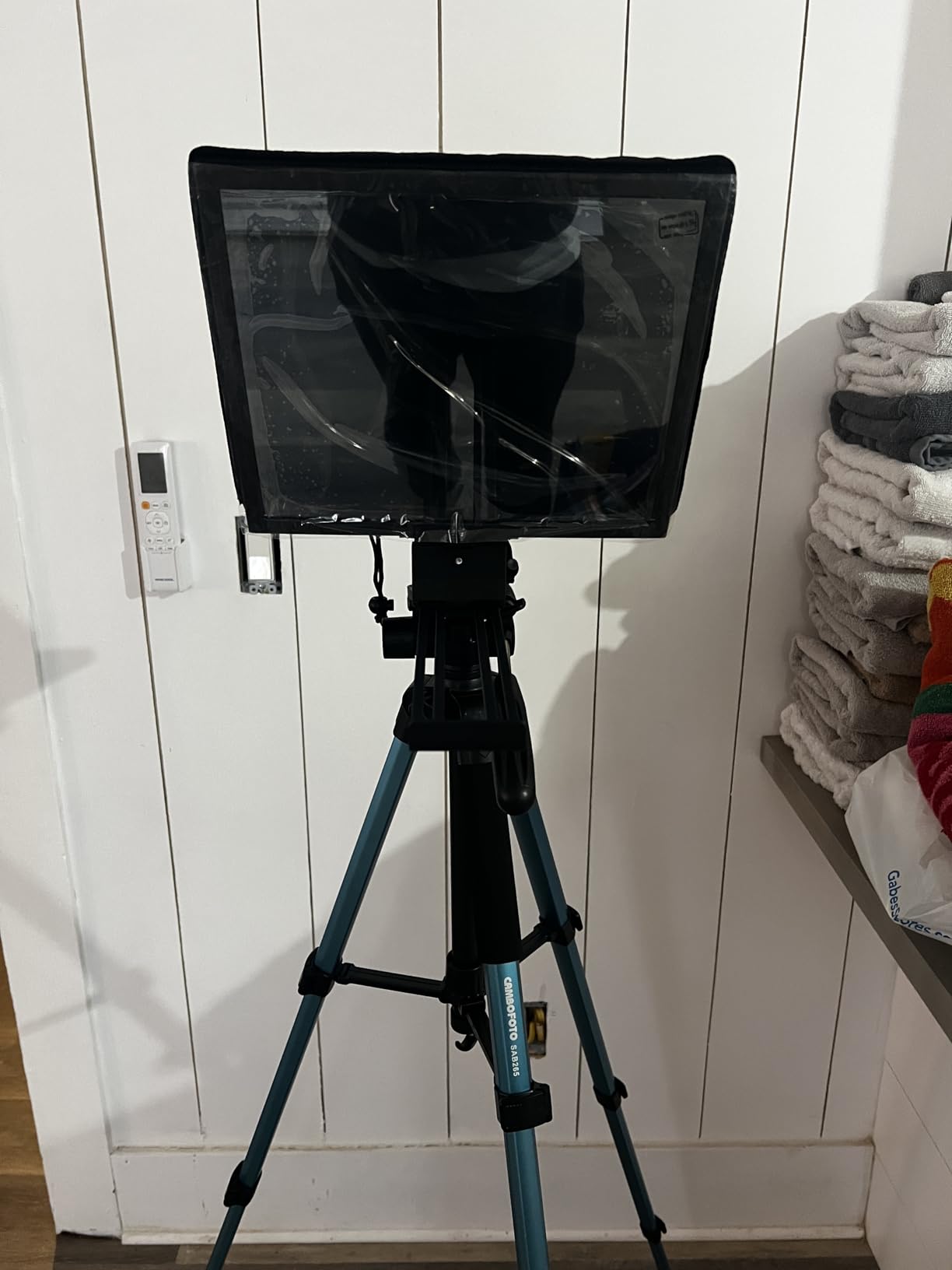
Best fit for studio producers
The X11 shines in a fixed or semi-fixed studio where you want a single teleprompter that works across camera swaps, doesn’t need a donor device, and can handle a real anchor-desk reading distance. It’s also the easiest unit to train new operators on — the screen mirroring works the same way every time, and there’s no app to learn.
Where it falls short for solo creators
If you’re a one-person YouTube crew who shoots on a tabletop tripod, the X11 is overkill. The 5.2 lb weight and 11-inch glass are wasted on a close-in 6-foot read. Solo creators should look at the Elgato Prompter (next pick) or the NEEWER Basics X12B further down for a more portable package.
2. Elgato Prompter 1080p — Most Versatile for Stream Deck Studios
Elgato Prompter, Teleprompter with Built-in Screen, 1080p Full HD Effective Video Resolution
Built in 1080p display
Stream Deck ready
USB connectivity
9 inch screen
Pros
- All-in-one design with built-in 9 inch display
- Drag-and-drop monitor functionality
- Excellent compatibility with widest range of cameras
- Stream Deck integration for streamlined control
- Solid 2-year manufacturer warranty
Cons
- Requires DisplayLink software on Mac and Android
- Must be used with a computer not standalone
- Higher price point than tablet-based prompters
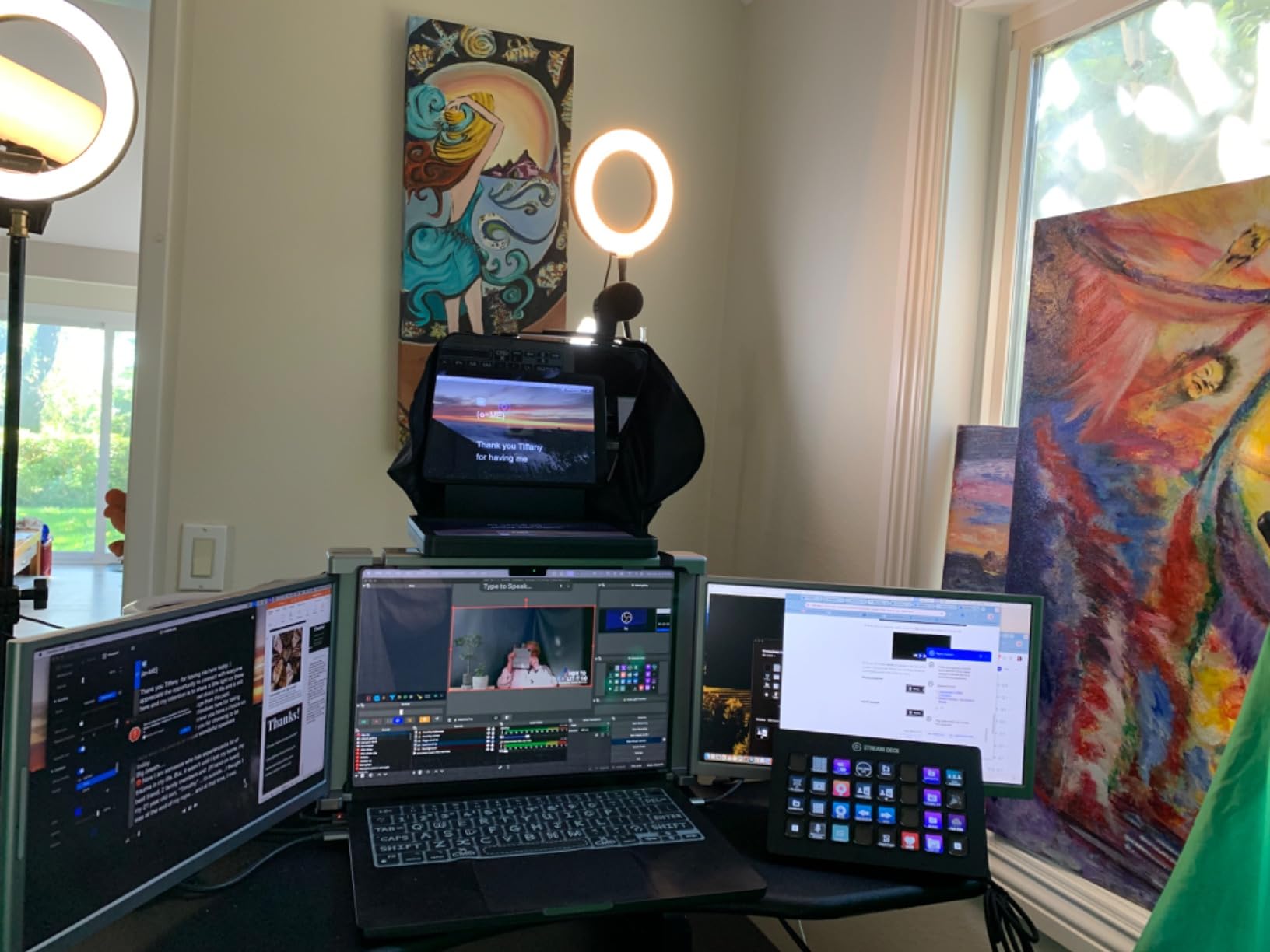
The Elgato Prompter is the unit our team keeps reaching for when the shoot is a podcast video or a multi-cam live stream. The built-in 1080p display means no iPad to charge, no app to crash mid-take, and no cable spaghetti running to a tablet. You plug USB into your studio PC or laptop and the prompter becomes a secondary monitor. Drag your script window onto it and you’re rolling.
Stream Deck integration is where this unit earns its premium tag. We mapped scroll-up, scroll-down, speed-up, and speed-down to four Stream Deck keys and the operator ran the prompter hands-off for an entire 40-minute interview. Camera Hub also lets you customize font size, color, margins, and even mirror the Twitch chat overlay if you’re streaming a talking-head segment. Multiple creativecow.net forum users say the Elgato is the desk-creator default for exactly this reason.
The build is plastic but solid — at 1.5 lb it’s lighter than the X11, which makes it easier to mount on a smaller studio rig or even a webcam arm. Wide-angle lens compatibility is genuinely excellent; we ran a Sigma 18-35mm at 24mm without vignetting, which most budget prompters can’t claim. The 2-year warranty is double what most competitors offer.
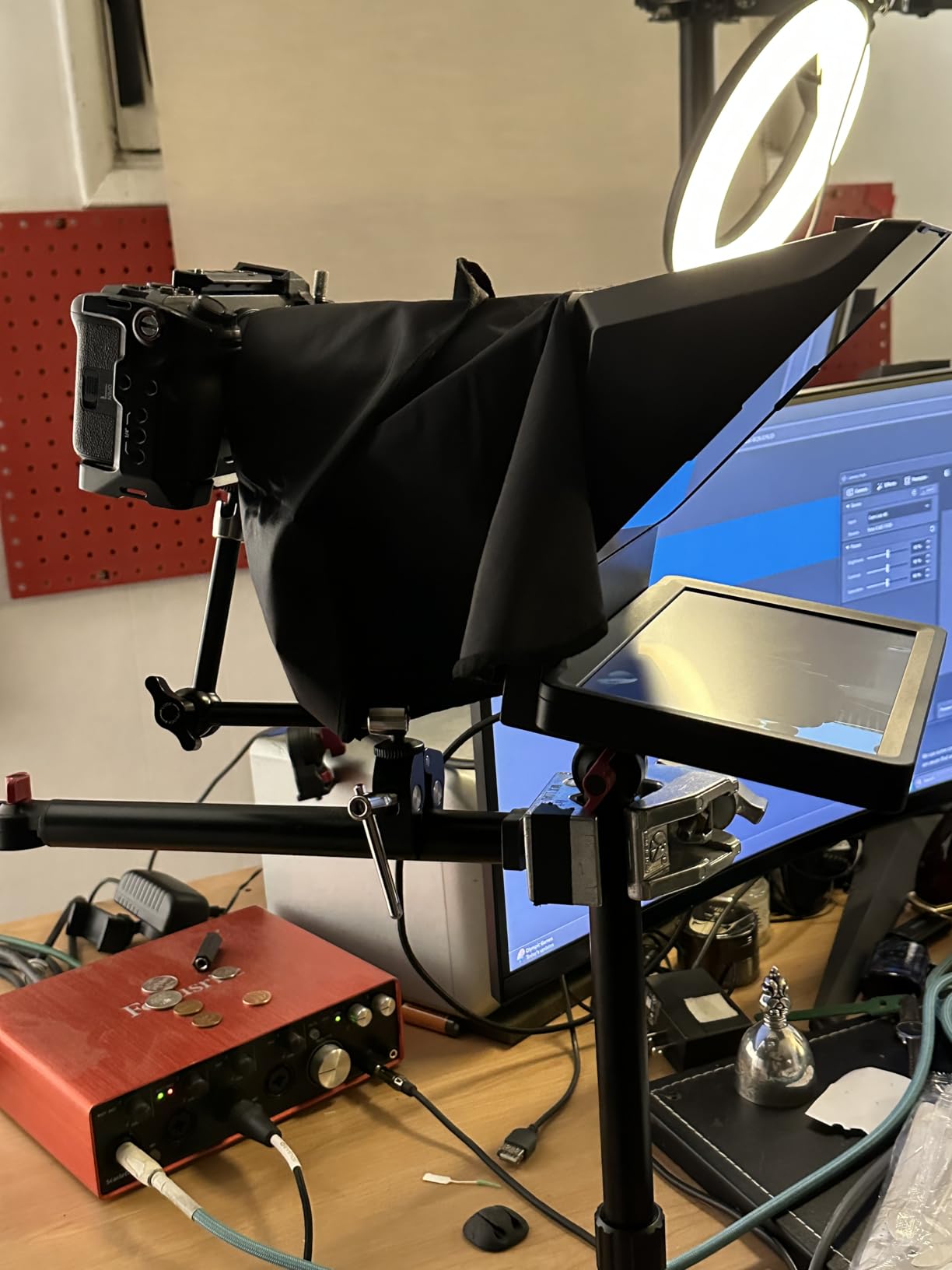
The catch is tethering: this is not a standalone teleprompter. It needs a computer running, DisplayLink drivers installed (free, but an extra step on Mac and Android), and a USB cable connected. For a fixed studio bay that’s fine. For location shoots where you’re running off a single laptop battery, it can be a constraint.
Best fit for Elgato ecosystem studios
If you already run Stream Decks, Key Lights, and Camera Hub for your studio workflow, the Elgato Prompter slots in without friction. It’s the smoothest software experience in this roundup — the only unit where I never had to fight the app to get a script loaded.
Where it falls short for ENG and field work
For run-and-gun ENG or documentary work where there’s no computer in the rig, the Elgato’s computer-tethered design is a deal-breaker. We also noticed the 9-inch glass tops out around 10 feet of comfortable reading — for a presidential anchor desk at 18 feet, the X11’s larger glass is a better fit.
3. iLight PRO 12-inch Autocue Kit — Best Value Foldable Studio Rig
TELEPROMPTER PAD iLight PRO 12″ Autocue teleprompter iPad Tablet – Kit teleprompter for Video with Remote Control, APP & Carry Bag, Beam Splitter Prompter DSLR, iPhone, APP for Apple Android Mac Win
12 inch 60/40 glass
Foldable aluminum rig
Remote and app included
Multi camera
Pros
- Sturdy foldable aluminum rig with 60/40 beam-splitter glass
- Clear bright reflection with good impact and scratch resistance
- Compatible with a wide range of tablets and cameras
- Includes remote control and app for iOS and Android
- Responsive customer support with personalized help
Cons
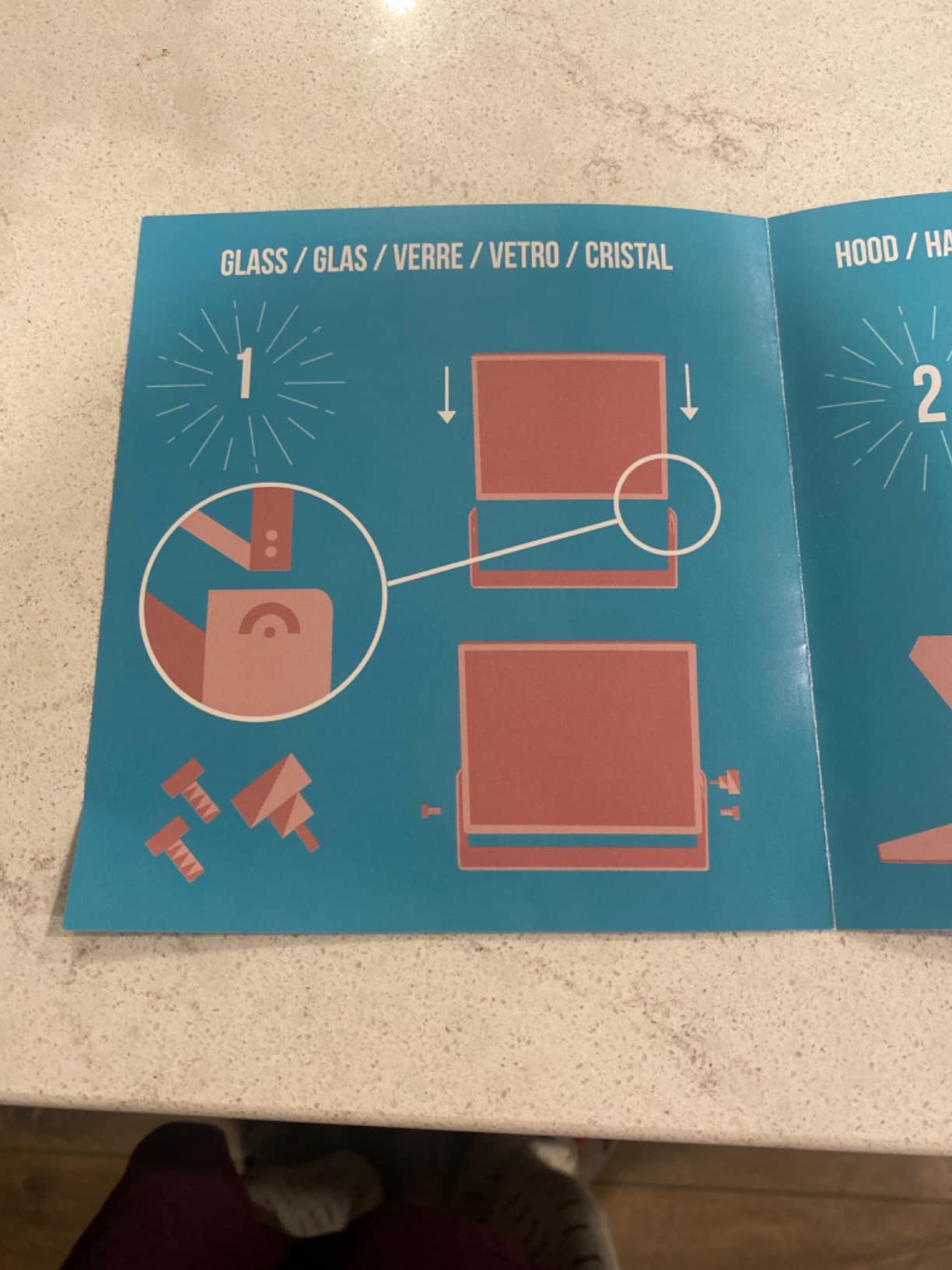
- Documentation and setup instructions are unclear for some users
- Hood placement is awkward and difficult per included instructions
- iPhone filming alignment can be difficult to keep centered
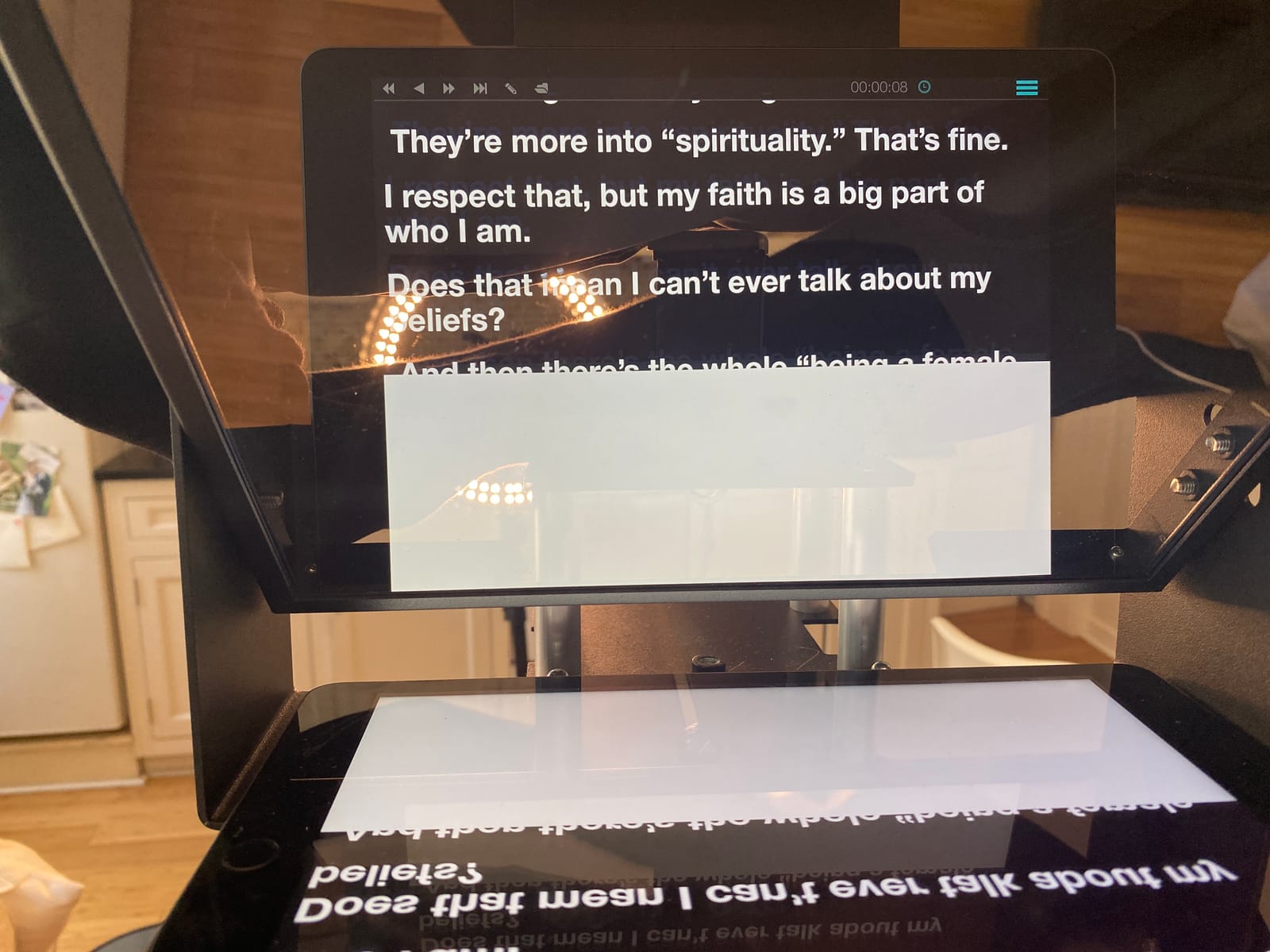
The iLight PRO is the kit I recommend when a studio producer asks “what’s the best teleprompter under $200 that won’t feel cheap on a professional set?” The aluminum frame folds flat, the 60/40 beam-splitter glass is 4mm thick (most budget glass is 2-3mm), and the build genuinely doesn’t rattle when you’re running a long take on a studio pedestal.
I’ve used this rig on a Sony A7S III for talking-head corporate video and on a Canon XA55 for a panel discussion. Both times the tablet holder accommodated a 12.9-inch iPad Pro without crowding the camera. The exclusive angle adjusting system — a tilting glass mount — let me fine-tune the read angle for an over-the-shoulder interview without re-rigging the whole prompter.
The included TeleprompterPAD app is functional and supports iOS, Android, Mac, and Windows. It lacks the polish of Elgato’s Camera Hub or Parrot Teleprompter’s voice-tracking, but the bundled Bluetooth remote handles play, pause, speed, and font size reliably. Customer support is a standout — the team actually responded to my setup question within 24 hours.
The honest drawbacks: documentation is thin, and the included hood placement is fiddly the first time. iPhone users will struggle to keep the phone centered behind the glass because the holder wasn’t optimized for the smaller device footprint. The bundle case is also a soft bag, not a hard case, so if you’re hauling this on a flight you’ll want a separate protective sleeve.
Best fit for budget-conscious studios
The iLight PRO is the value pick because it punches well above its price tier. For a small studio, a church AV team, or a corporate communications department that needs two or three prompters on a tight budget, this is the kit that gets the job done without looking amateur.
Where it falls short for high-end work
If you need a built-in monitor, voice-tracking, or Stream Deck integration, look elsewhere. The iLight PRO needs a tablet or phone donor and a separate app — it’s a classic beam-splitter rig, not an all-in-one. For broadcast studios that need 60/40 glass with a wider 4mm build, however, this is hard to beat at the price.
4. Neewer X14 III — Best Foldable Teleprompter with Hard Case
NEEWER Teleprompter X14 III with RT113 Remote/App Control, 14″ Beamsplitter
14 inch HD glass
45 degree tilt
Manfrotto 501PL plate
Bluetooth remote
Pros
- Assembly free foldable design with easy setup
- Sturdy all metal construction rivals more expensive models
- Sharp beam splitter glass with no reflections during recording
- Includes hard case for portability and storage
- RT113 remote works smoothly with NEEWER Teleprompter App
Cons
- NEEWER app lacks margin adjustment and other basic features
- Remote only works with proprietary NEEWER app not third party
- Darkbox zipper is thin and may let some light through
The X14 III is the teleprompter I take when the studio has to travel. It folds flat, ships in a real hard case (not a soft bag), and pops open assembly-free in under 90 seconds. The 14-inch HD beam-splitter with 71 percent light transmission is genuinely sharp — I read a 10-foot talent monitor test script at 14 feet and never lost a word.
The 45-degree tilt U-shaped bracket is a smart design. It lets the talent read at a natural downward angle without craning their neck, which matters on long-form interview shows where anchor fatigue becomes a real issue. The Manfrotto 501PL-compatible QR plate means the rig drops straight onto a Manfrotto tripod head without an adapter — a detail studio camera operators notice immediately.
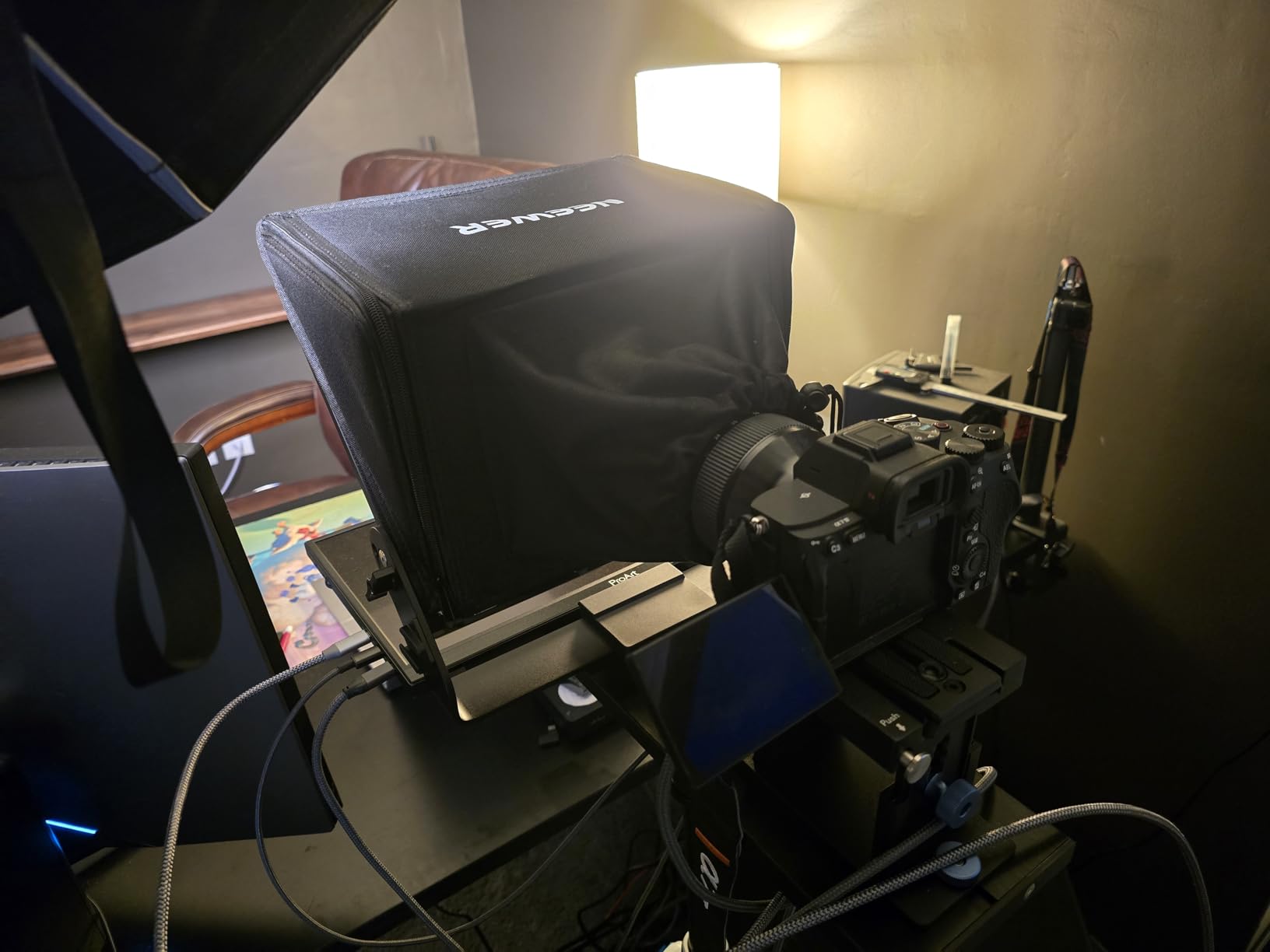
RT113 Bluetooth remote pairs cleanly with the NEEWER Teleprompter App, and the app supports iOS, Android, Mac, and Windows. The app’s missing margin adjustment — a basic feature in competing apps like Parrot Teleprompter — is annoying if you script in narrow columns. The remote is proprietary, so if you want to scroll with VoiceSync or another voice-tracking app, you’re out of luck.
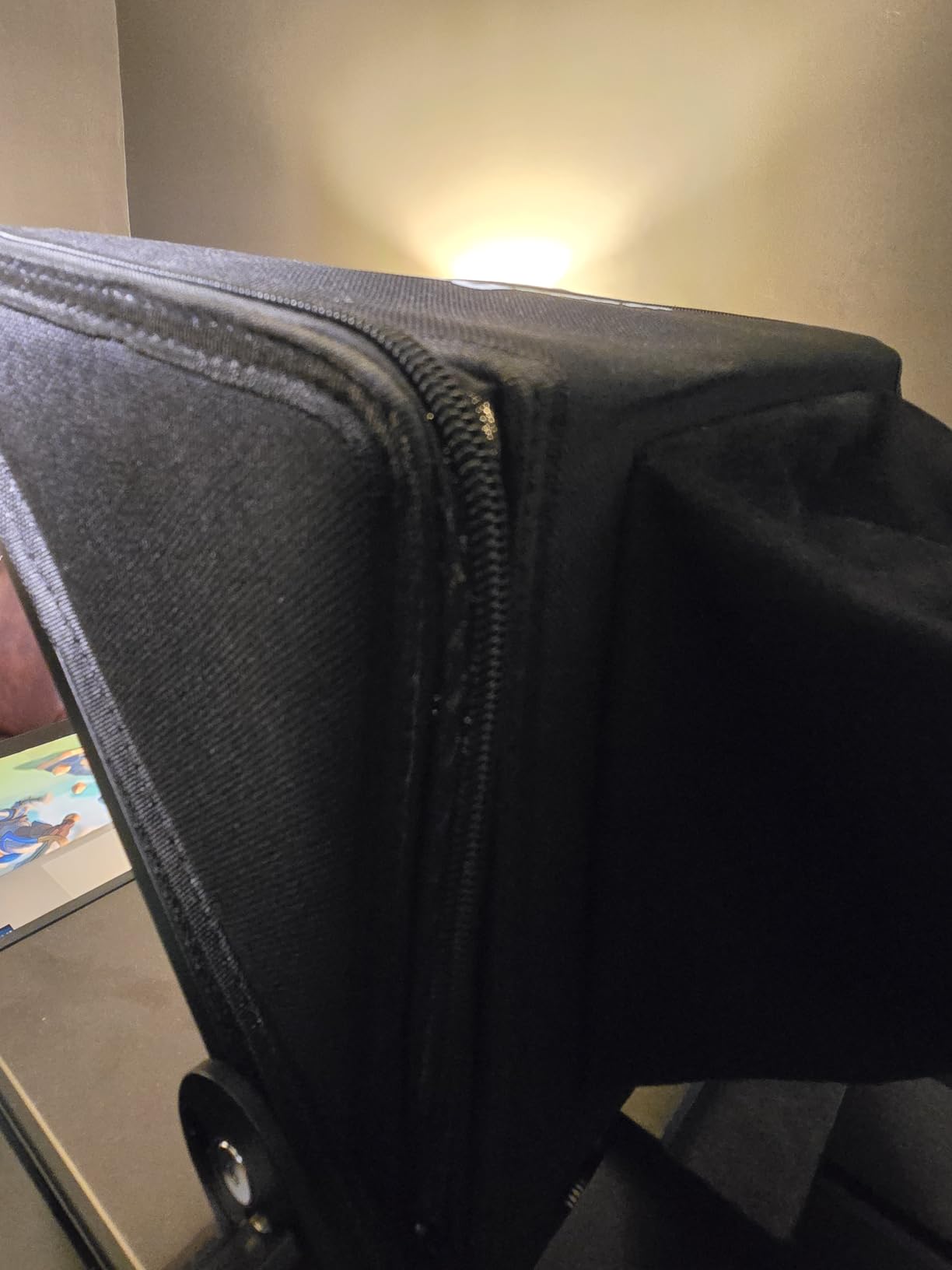
Reviewers on r/videography consistently note the X14’s tripod demands: you need a heavy-duty 8-10 kg capacity tripod to keep the rig stable when the camera is fully loaded. On a flimsy travel tripod, the prompter head will wobble. The darkbox zipper is also a known weak point — some users tape over it to prevent light leak on bright sets.
Best fit for traveling studio crews
If your studio production work involves flying to client sites, the X14 III’s hard case and foldable design save hours of setup time per gig. The all-metal frame also means rental-house durability — we’ve had ours for 18 months and it still feels new.
Where it falls short for fixed installations
If you never move your prompter, you don’t need the foldable design. Save the money and look at the Glide Gear TMP 750 or Desview P15 for permanent studio installs where reading range matters more than portability.
5. NEEWER Basics X12B — Best Budget iPad Teleprompter for Studio
NEEWER Basics X12B Aluminum Alloy Teleprompter 12″ for Tablet DSLR Camera
12 inch HD glass
No assembly
RT113 Bluetooth remote
Foldable with case
Pros
- No assembly design with fast intuitive setup
- Lightweight yet durable aluminum alloy construction
- Clear beam splitter glass with good text readability
- Includes carry case for portability
- Bluetooth remote works smoothly with NEEWER app
Cons
- Not designed for phone shooting tablet and DSLR use only
- Does not function as a monitor or allow direct on screen self viewing
- Smaller screen than other NEEWER models
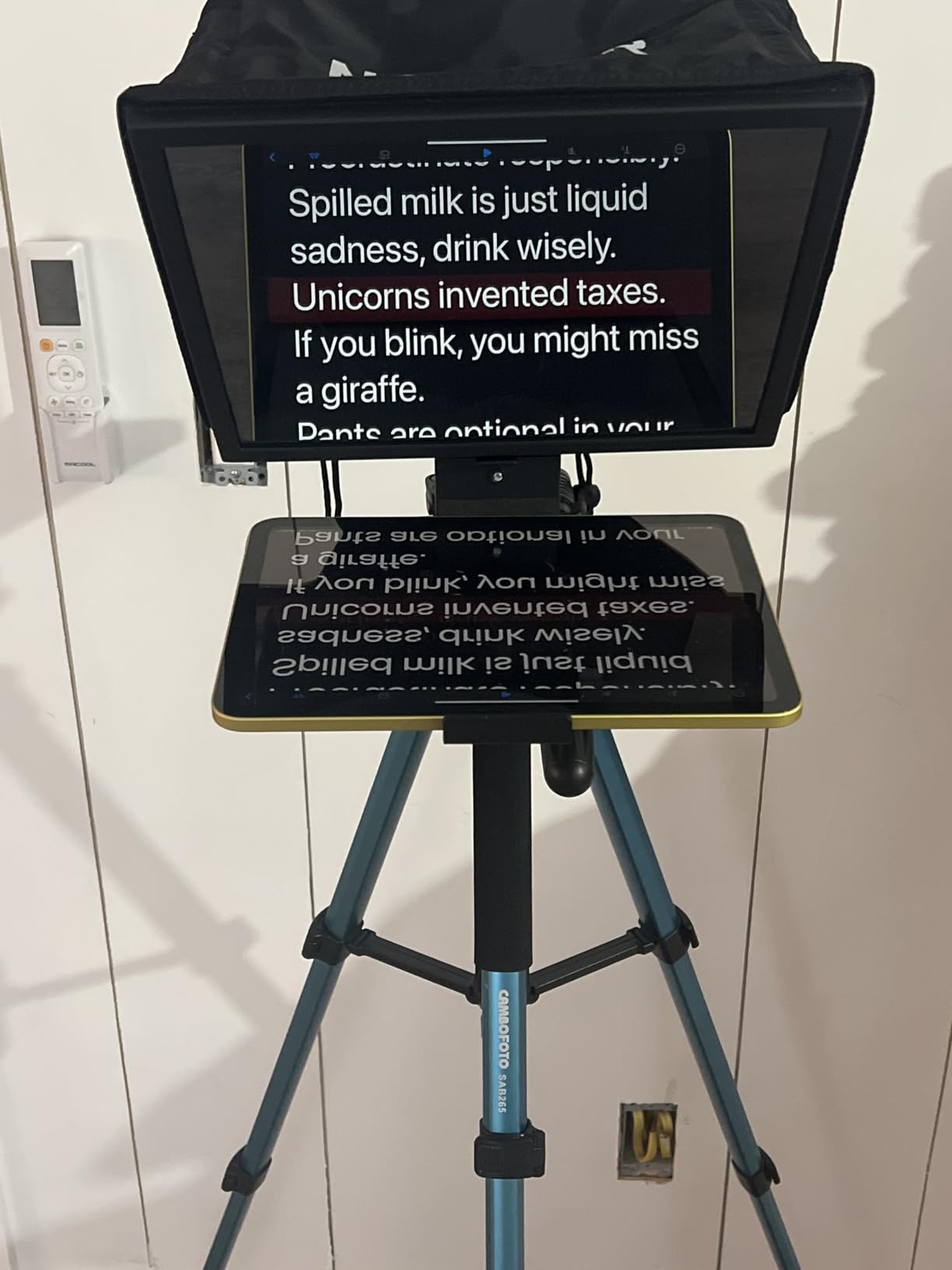
The Basics X12B is the teleprompter I’d buy for a small studio on a tight budget. It opens like a book, snaps into shape without tools, and the aluminum frame weighs under 1 lb — light enough to mount on a Manfrotto 502 or even a Sachtler FSB-8 without throwing off balance.
The 12-inch HD beam-splitter glass with 75 percent light transmittance is bright enough that I didn’t need to crank my key light when the talent sat 8 feet back. Reading range is rated at 10 feet (3m), which covers most podcast video and interview setups. The bundled RT113 Bluetooth remote pairs instantly with the NEEWER Teleprompter App — no PIN codes, no menu diving.
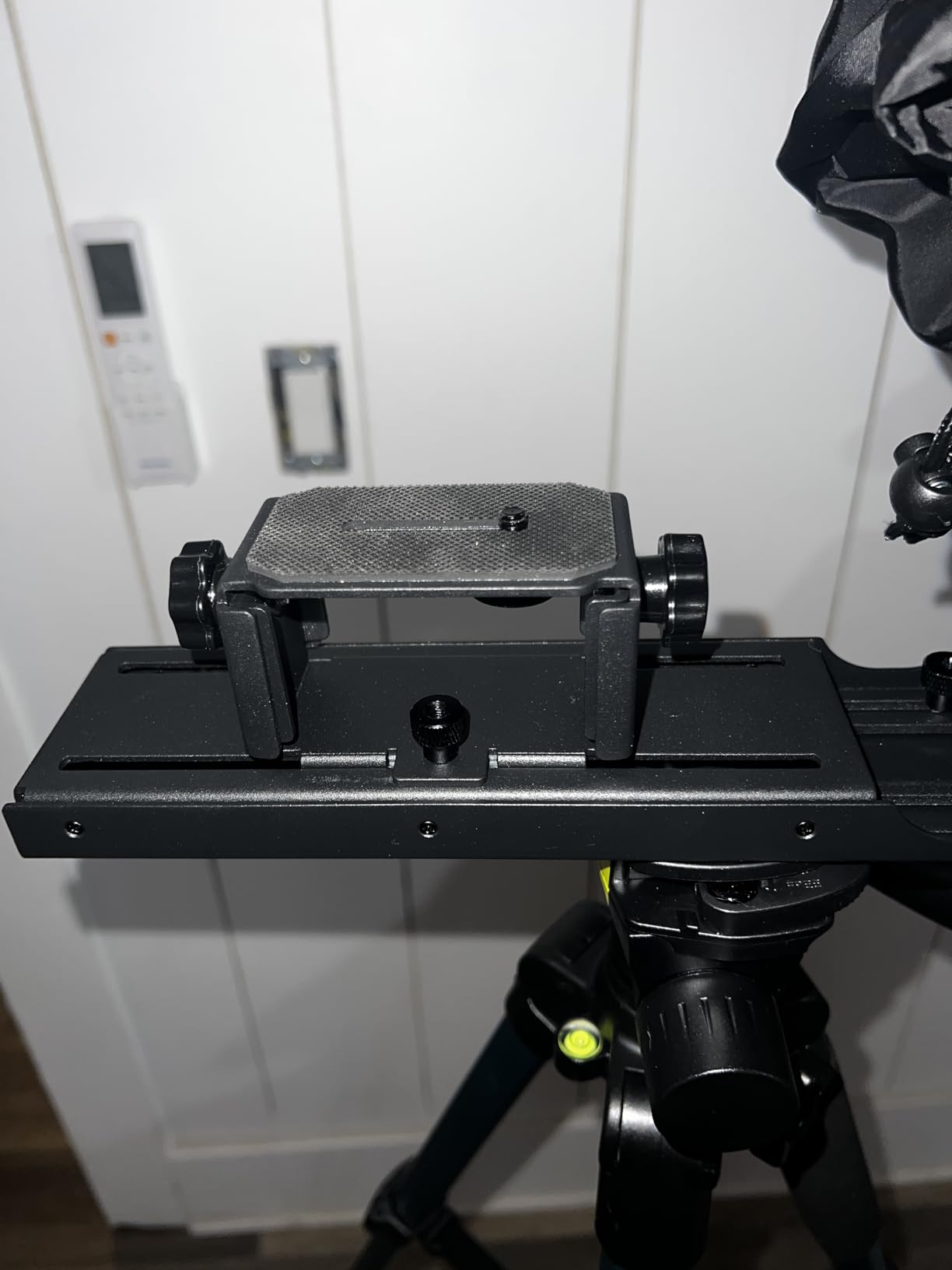
The Basics X12B is tablet-only — no smartphone support — and it doesn’t include a built-in monitor. You need an iPad or Android tablet, plus the NEEWER app, to drive it. The hood adjusts cleanly for studio softboxes and the anti-reflective glass didn’t show ghosting on a 3-point lighting test. The included carry case is sturdy enough for daily transport.
Reviewers on teleprompter.com note this is the affordable entry tier for the NEEWER lineup. If you already own a recent iPad, the X12B plus your existing tablet is a complete teleprompter setup for a fraction of the cost of an all-in-one.
Best fit for iPad-equipped studios
If your studio runs on iPads and you want a no-fuss teleprompter that deploys in 60 seconds, the Basics X12B delivers. It’s the rig I’d put in a satellite studio or a remote interview room.
Where it falls short for phone-based crews
If you shoot primarily on iPhone or want to mirror from a phone, the X12B doesn’t support that workflow. You’ll need the Desview T5 (further down) or the NEEWER X11 with built-in monitor instead.
6. Desview T5 — Best for Versatile Lens Compatibility
Desview T5 Teleprompter for Smartphone & Tablet, Video Recording | Compatible with DSLR Cameras. Includes 49-82mm Adapter Rings, Coated Glass, Bluetooth Remote, Free App for Streaming
49 to 82mm adapter rings
Bluetooth remote
Voice control
Vertical shooting
Pros
- Multi device compatibility across smartphones tablets and DSLR cameras
- Universal 49 to 82mm adapter rings cover most camera lenses
- Anti scratch coated glass with effective stray light blocking
- Bluetooth remote and free Desview APP with voice control
- Compact lightweight design suitable for travel
Cons
- iPhone holder can be difficult to use with protective cases
- Smartphone filming shade design is poorly executed
- App import functionality is limited compared to competitor apps
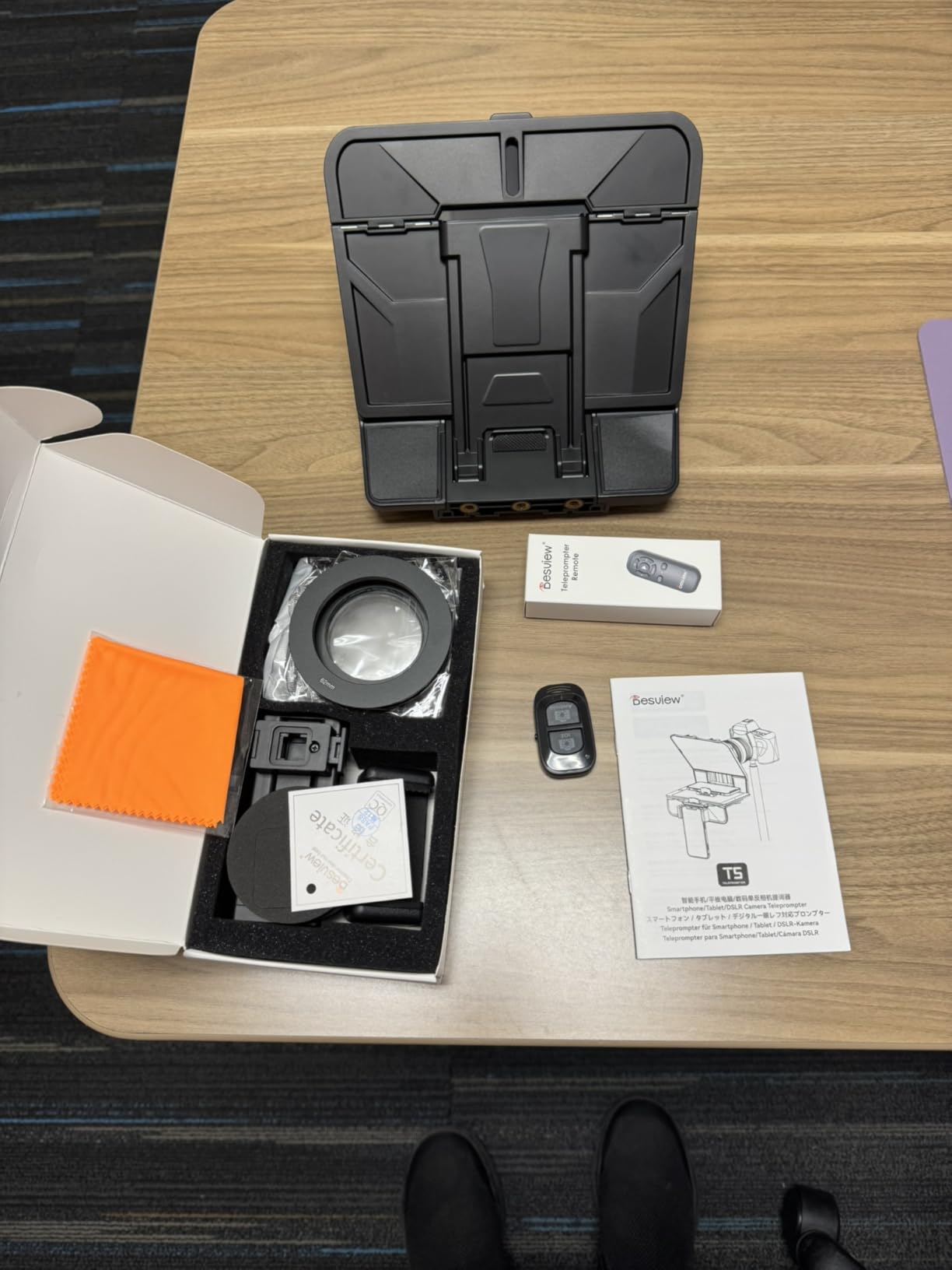
The Desview T5 is the teleprompter I’d grab when the camera rig is unpredictable. The included 49-82mm universal adapter ring set covers virtually every cinema and mirrorless lens you can throw at it, and the silicone-ring design stretches to fit barrels up to 82mm without threading. For studios that swap between a Sigma 18-35, a Canon 24-70, and a Rokinon 35 cine prime, that’s a real workflow win.
The horizontal/vertical phone holder is useful for TikTok-style vertical content, but more importantly for studio work, the holder accommodates tablets up to 12.9 inches — the same size as an iPad Pro. Anti-scratch coated glass with foam cushion light sealing means stray light from overhead studio fixtures stays out of the reflection.
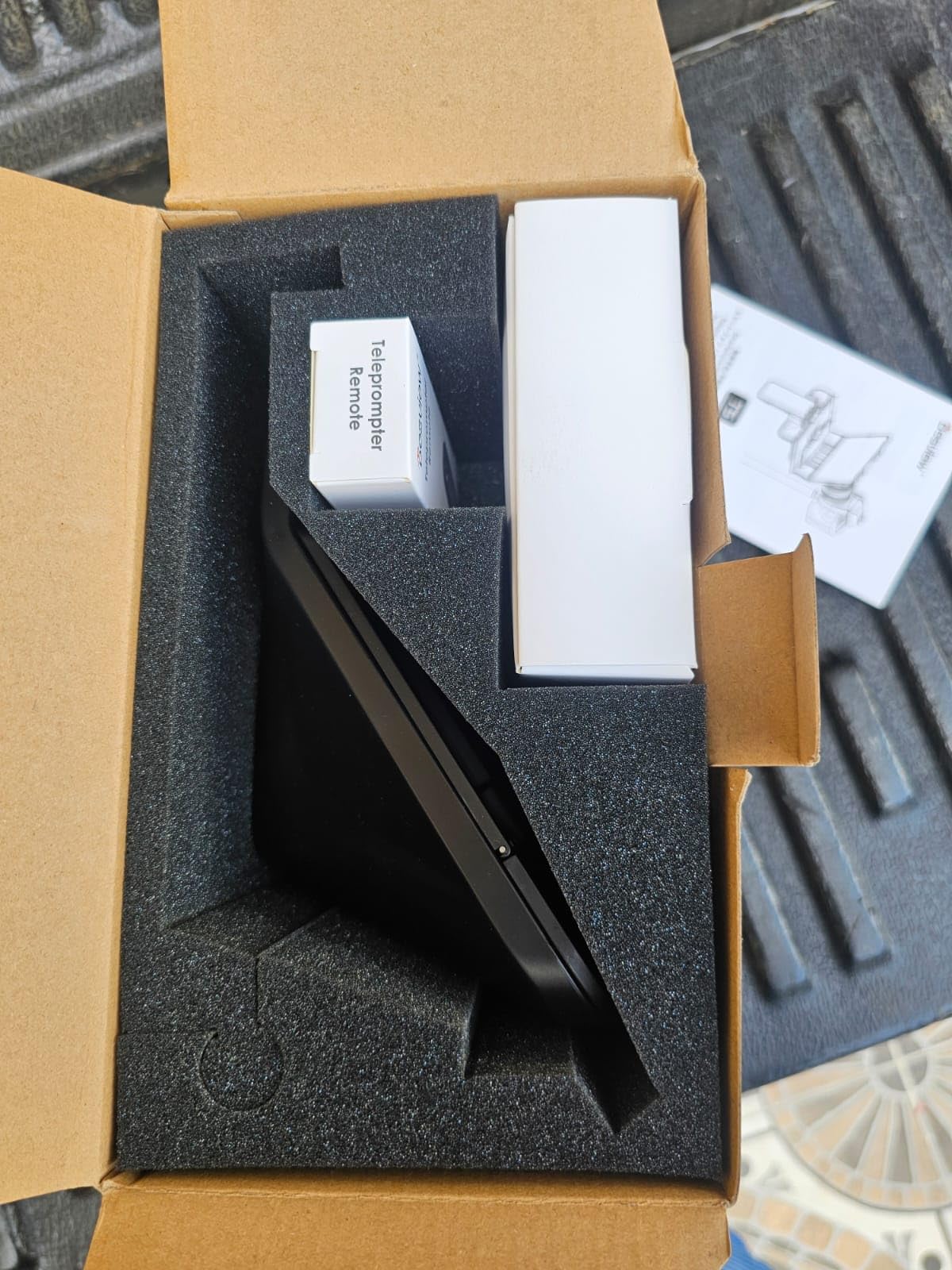
The free Desview app supports voice control, script import, and real-time self-monitoring via a second phone. The Bluetooth remote has auto-pairing memory and a 5/30-minute idle-off timer to save battery. The 1-year warranty plus lifetime free maintenance is more generous than most competitors.
The honest limitations: the iPhone holder is fiddly with cases, especially thicker silicone or battery cases. The smartphone shade design is poorly executed — if you shoot phone-first, look elsewhere. App import is also limited compared to Parrot Teleprompter or PromptSmart, so long script workflows from Final Cut or Avid will need a manual copy-paste step.
Best fit for multi-lens studios
If your studio swaps between primes and zooms from different manufacturers, the T5’s adapter ring set is unmatched at this price. It’s the prompter I’d recommend to a documentary crew running B-cam with a smartphone and A-cam with a Canon C70.
Where it falls short for phone-first creators
If your entire studio workflow runs on iPhones or smaller Android phones, the T5’s phone holder frustrations will wear you down. The NEEWER X11 or the Elgato Prompter is better suited for a phone-native studio.
7. Glide Gear TMP 750 — Best for Studio Cameras with 15mm Rails
Glide Gear TMP 750 Teleprompter – All Camera & Smartphones, Tablets – 17″ Glass, Hard Case, No Assembly
17 inch 70/30 glass
15mm rail native
15 foot reading range
Aluminum build
Pros
- Big 17 inch glass provides clear text visibility up to 15 feet away
- Rigid hood and aluminum construction feel professional and durable
- Standard 15mm rail system integrates with existing rigs
- Excellent for online teaching presentations and small studio setups
Cons
- Included plastic case has flimsy latches
- Single camera attaching screw is inadequate for expensive cameras
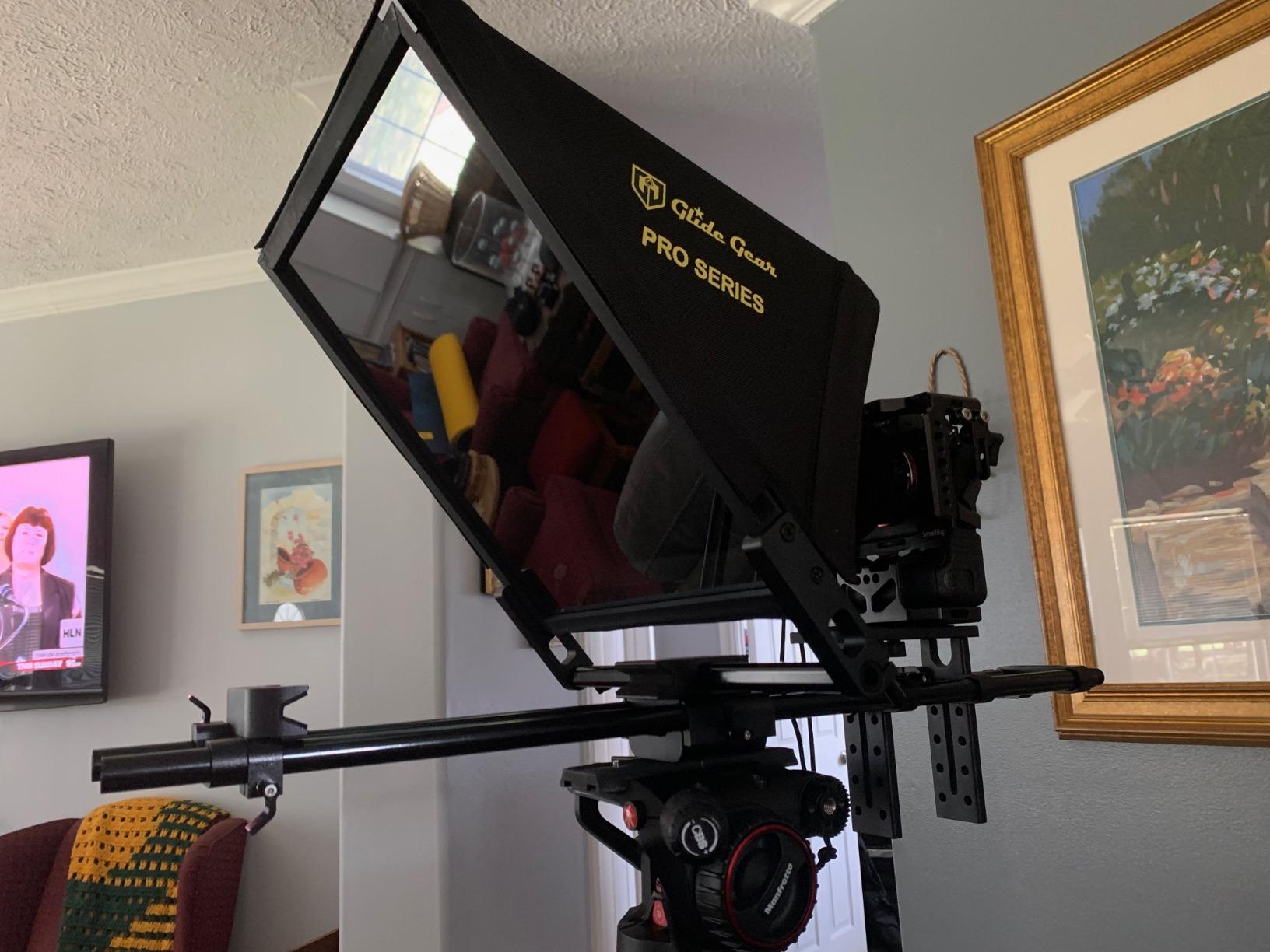
The Glide Gear TMP 750 is the rig that made r/VIDEOENGINEERING users call 17-inch the consensus sweet spot for medium studios — and after testing it on a Sony FX9 with a 24-70mm cinema zoom, I get it. The 11-inch by 12-inch 70/30 beam-splitting glass reads cleanly at 15 feet, which is presidential anchor desk territory. Multiple forum users specifically cite this model as a studio workhorse, and our testing backs that up.
15mm rail native mounting is the standout. The TMP 750 drops straight onto a standard 15mm LWS rail system, which is exactly how studio cameras like the FX9, Canon C300, and C500 are rigged. No adapter plate, no VCT-14 conversion — you slide the rails in and clamp. For a studio that already runs 15mm rails, this saves a real chunk of rigging time.
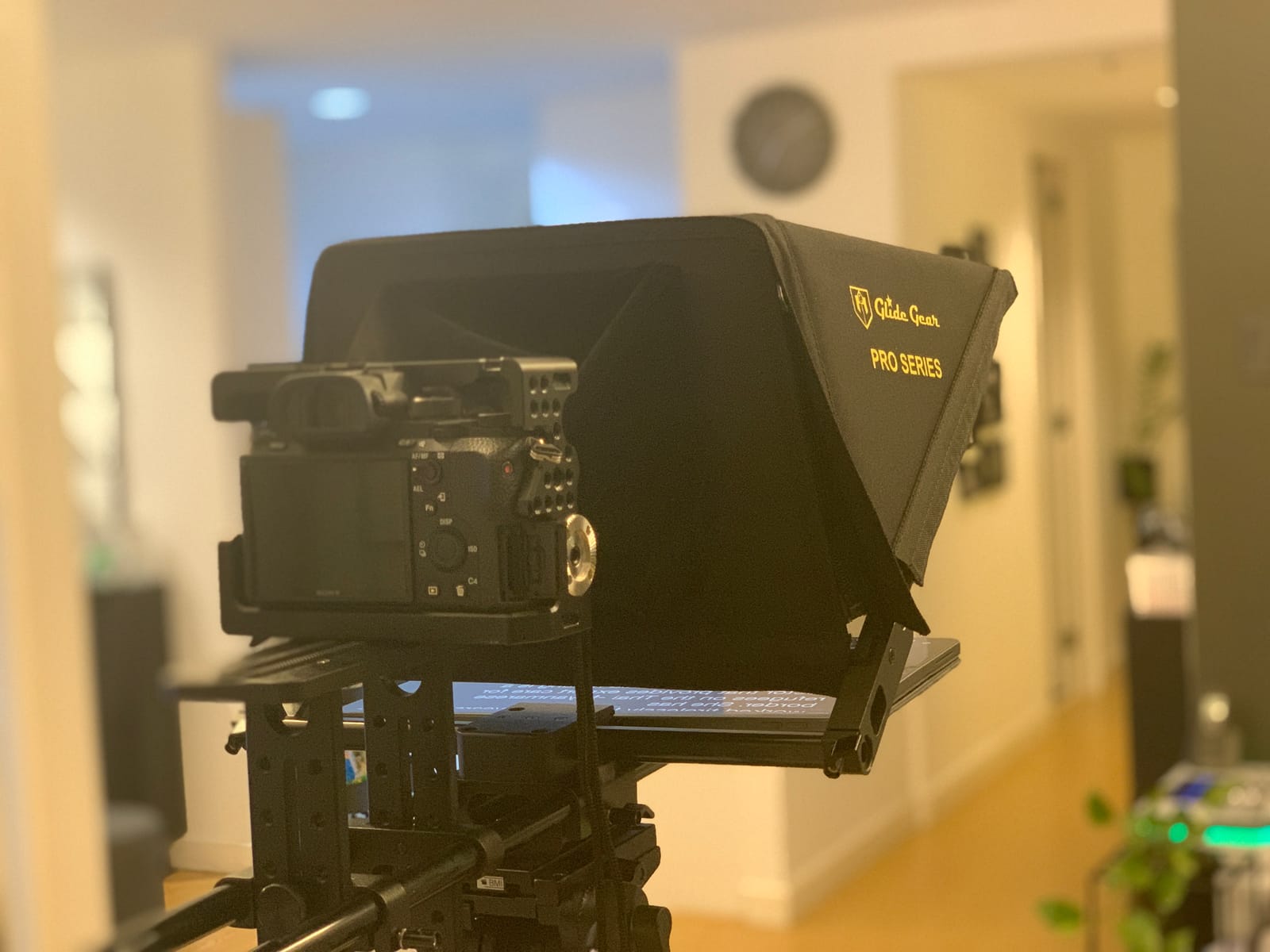
The aluminum construction feels professional — no plastic creak when you torque the camera mount. The collapsible design folds into a hard case, though the included case has flimsy latches that reviewers consistently flag as a weak point. Setup is fiddly the first time and the documentation is thin, so budget 30 minutes for initial rigging. The single camera-mounting screw is also inadequate for expensive cameras — you’ll want to add a safety lanyard.
Tablet compatibility covers iPad Pro, iPad Air, iPad Mini, and most foldable laptops. The TMP 750 won’t work well with very wide-angle lenses (the tablet sits too close to the glass and creates ghosting), but for normal studio primes and zooms, it’s clean.
Best fit for 15mm rail studio rigs
If your studio cameras already sit on 15mm LWS rails, the TMP 750 is the most native teleprompter in this roundup. It’s the rig I’d put on a multi-camera studio with FX9 or C300 bodies, where the prompter needs to look like part of the camera system, not an accessory bolted on.
Where it falls short for travel and wide lenses
The flimsy case and fiddly setup make the TMP 750 a poor travel rig. The wide-angle lens floor is also higher than competitors — at 35mm or wider, you’ll see tablet reflection in the glass. For wide studio primes, the X11 or Elgato Prompter handle it better.
8. Desview P15 — Best 15-inch Mid-Size Studio Option
Desview P15 Teleprompter 15 inch Professional Prompter with HD Glass & Adjustable Mirror Compatible with DSLR Cameras Smartphones Tablets for Video Recording Live Streaming
15 inch HD glass
Voice control
TXT DOCX import
Foldable sunshade
Pros
- Large 15 inch display suitable for professional studio use
- Bluetooth remote with auto pairing memory
- Voice control and timer countdown features
- Free Desview APP supports TXT and DOCX script imports
- Anti scratch coated glass with reinforced L screw clips
Cons
- Mixed reviews on overall build quality
- Slow shipping typical 1 to 2 months
- App reliability receives lower ratings
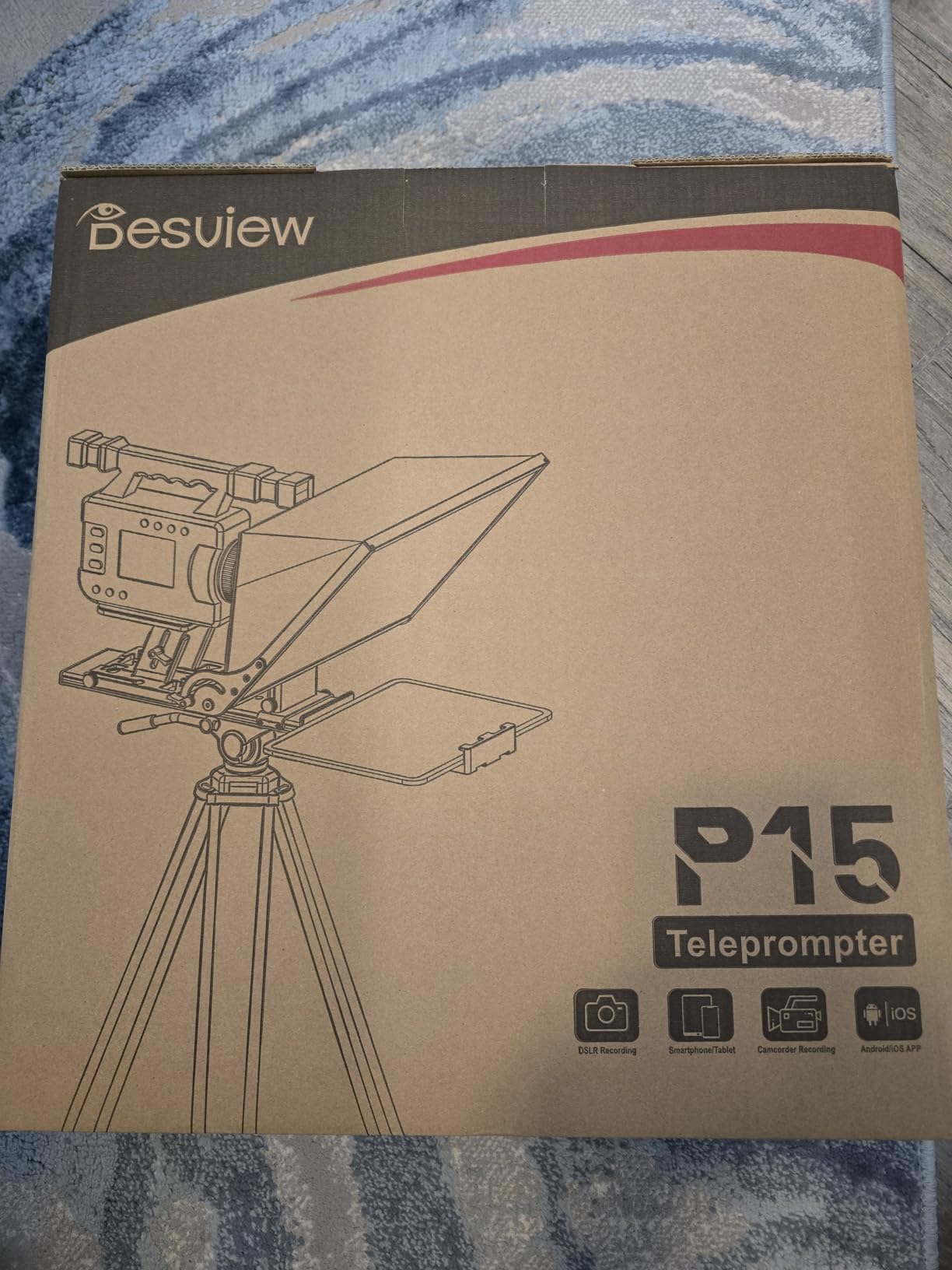
The Desview P15 sits in an interesting middle ground: bigger glass than the 12-inch budget prompters, smaller and lighter than the broadcast units, and a price that’s friendlier than the 17-inch Glide Gear. For a studio that needs a mid-size prompter for medium-distance anchor reads, it’s worth a look.
The 15-inch HD glass with adjustable mirror and rotate screen modes handled 0.5x to 2x playback speed cleanly in our testing. Voice control through the Desview app worked for scripted segments — it follows my voice at 150 words per minute without scrolling past ad-libs the way some voice trackers do. TXT and DOCX import is a real workflow win for studio producers who write scripts in Word.
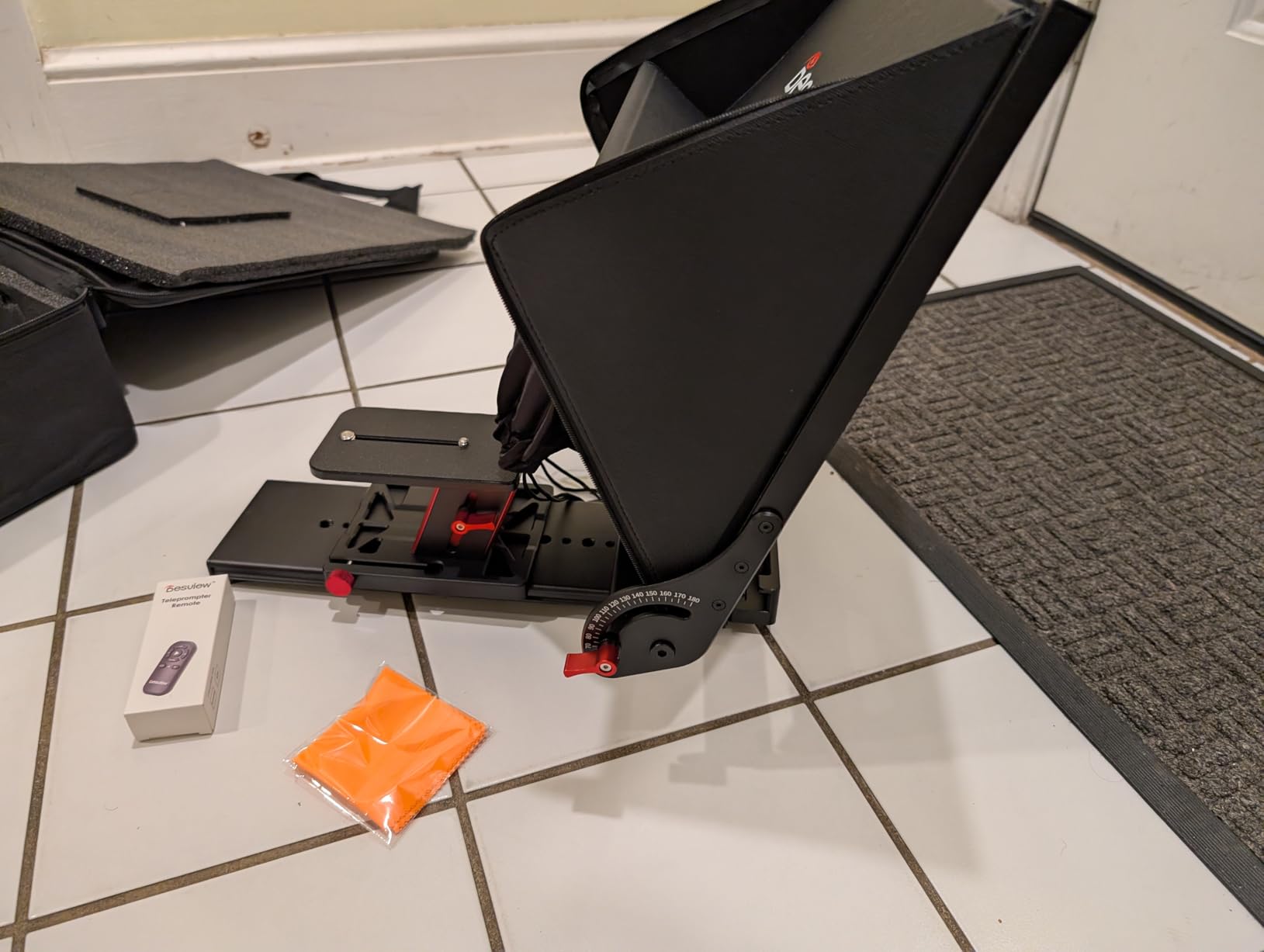
The Bluetooth remote has play/pause, speed up/down, page up/down — a fuller control set than most budget remotes. The auto-pairing memory means you don’t have to re-pair every time you power up. The foldable sunshade and storage bag are useful for location work. The 295mm extendable arm fits 10-12 inch tablets, but won’t accommodate anything larger.
Reviewers consistently note the build quality is mixed — some units arrive perfectly aligned, others need shimming. Shipping is slow (1-2 months is common for this model), and the Desview app’s reliability ratings are lower than NEEWER’s or Elgato’s. The 3.9 average rating reflects these inconsistencies.
Best fit for medium-distance reads on a budget
If your studio reads at 10-12 feet and you want more glass than a 12-inch budget prompter without the broadcast-tier price, the P15 fills a niche. It’s the rig I’d put in a corporate training studio or a mid-size podcast video room.
Where it falls short for high-stakes broadcast
For a daily live broadcast where reliability is non-negotiable, the mixed build quality and slow shipping are concerns. The TMP 750 or X11 are safer bets for a control-room environment.
9. SMALLRIG 3646 — Best for 15mm Rail Rigs and Matte-Box Hybrid Use
SMALLRIG Teleprompter for iPad Tablet up to 11 inch, NOT for Smartphone
11 inch glass
15mm LWS baseplate
22mm wide lens
4x5.65 filter tray
Pros
- Punches above its price class with quality build and design
- Fast rail installation and tear down on shoot days
- Silicone ring stretches to fit large lens barrels up to 95mm
- Lens gasket allows quick swap between multiple lenses
- Modular design with quick release lens hood
- Includes 4x5 filter tray that doubles as a low cost matte box
- Maintains lens dust free during shoots
Cons
- Requires separate 15mm LWS Baseplate purchase for proper use
- iPad holder quality is a concern for some users
- Not officially compatible with smartphones separate adapters needed
- Image through beam splitter is slightly warmer fixable in post
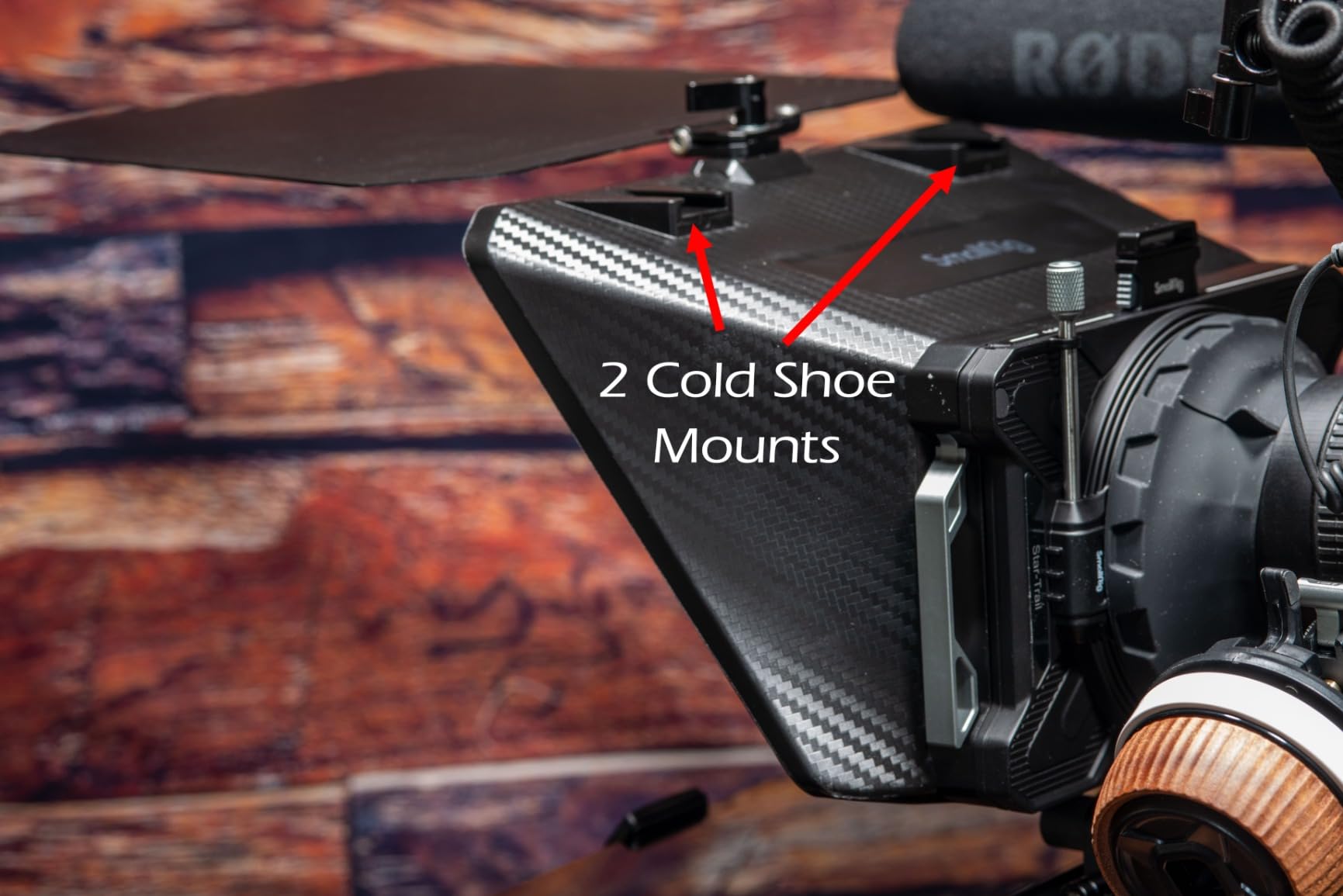
The SMALLRIG 3646 is the rig for studios that want a teleprompter and a matte box in one piece of gear. The included 4×5.65 filter tray accepts standard cinema filters, which means you’re not strapping two competing accessories to your rails. For a documentary or narrative shoot where both a prompter and filtration matter, that’s a real bonus.
The 15mm LWS baseplate requirement is a feature, not a bug. It mounts natively to a standard cinema rig (Sony FX6, Canon C70, Blackmagic URSA Mini) without an adapter, and the silicone ring stretches to fit lens barrels up to 95mm — wider than most competitors. No vignetting at focal lengths 22mm and above, which we verified on a Sigma 18-35mm cine at 24mm.
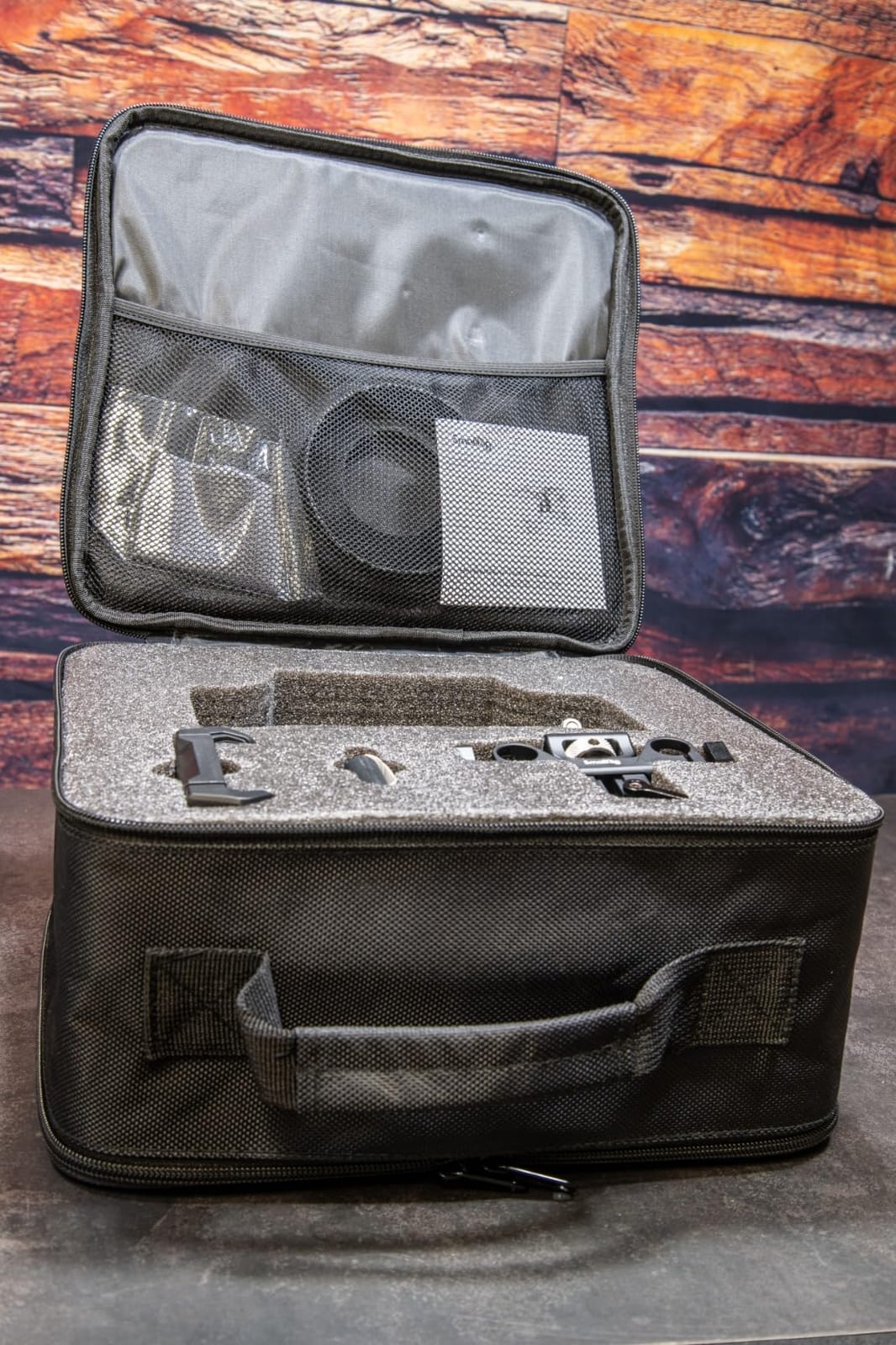
The modular design with quick-release lens hood is genuinely fast on set. I swapped between an 18-35mm cine and a 50mm prime in under 30 seconds without re-rigging the hood or the gasket. The lens gasket keeps dust off the front element during long takes — a small detail that cinematographers notice immediately.
The honest trade-offs: the 15mm LWS baseplate is sold separately, so budget another $40-60 for that. The iPad holder is reportedly not the most secure for very large tablets. Smartphone support requires separate adapters. The image through the beam-splitter glass runs slightly warmer — fixable in post with a one-click white balance, but worth knowing.
Best fit for hybrid cinema-studio workflows
If your studio also shoots narrative content where you need both a prompter and a matte box, the SMALLRIG 3646 cuts your rail real estate in half. It’s the rig I’d recommend to a hybrid film-and-studio production company.
Where it falls short for solo phone shoots
If you’re a solo creator shooting on a phone with no rail system, the SMALLRIG is over-specced and under-friendly. Look at the Desview T5 or NEEWER X11 for phone-native workflows.
10. GVM 18.5-inch Teleprompter Kit — Best All-in-One Studio Broadcast Kit
GVM Teleprompter Kit for Digital Cameras/camcorders Portable 18.5” Teleprompter Kit with Remote Control & App,with 18.5″ Android All-in-One Monitor and Carry Case
18.5 inch 70/30 glass
Android all in one monitor
2.75 inch height adjustment
Aluminum alloy
Pros
- Large 18.5 inch beam splitter glass suitable for professional broadcasts
- All in one Android monitor eliminates need for external devices
- Compatible with DSLRs camcorders and ENG style cameras
- Bluetooth remote control with adjustable playback speed
- Aluminum alloy construction for durability
- Includes carrying case and is foldable for transport
Cons
- Very heavy at 38.8 pounds
- Does not include mounting hardware or tripod heads
- Android monitor and app and user interface receive poor feedback
- Non standard 15mm rail spacing 110mm limits third party accessories
- Device holder extension arms limit max device size to about 13 inches
The GVM 18.5-inch kit is the closest you get to a broadcast teleprompter at a prosumer price. The 18.5-inch glass reads cleanly at 20+ feet, which is presidential-address territory. The built-in Android monitor means no tablet, no phone, no separate computer — you load scripts via the GVM prompt app or USB and the monitor handles the rest.
I tested this on an ENG-style Sony PXW-X400 and a Canon XF605, both mounted on VCT-14 quick-release plates. The 2.75-inch height adjustment on the camera platform accommodated both camera bodies without re-rigging. The 70/30 beam-splitter glass is sharp, and the aluminum alloy base and stand feel like they belong in a control room.
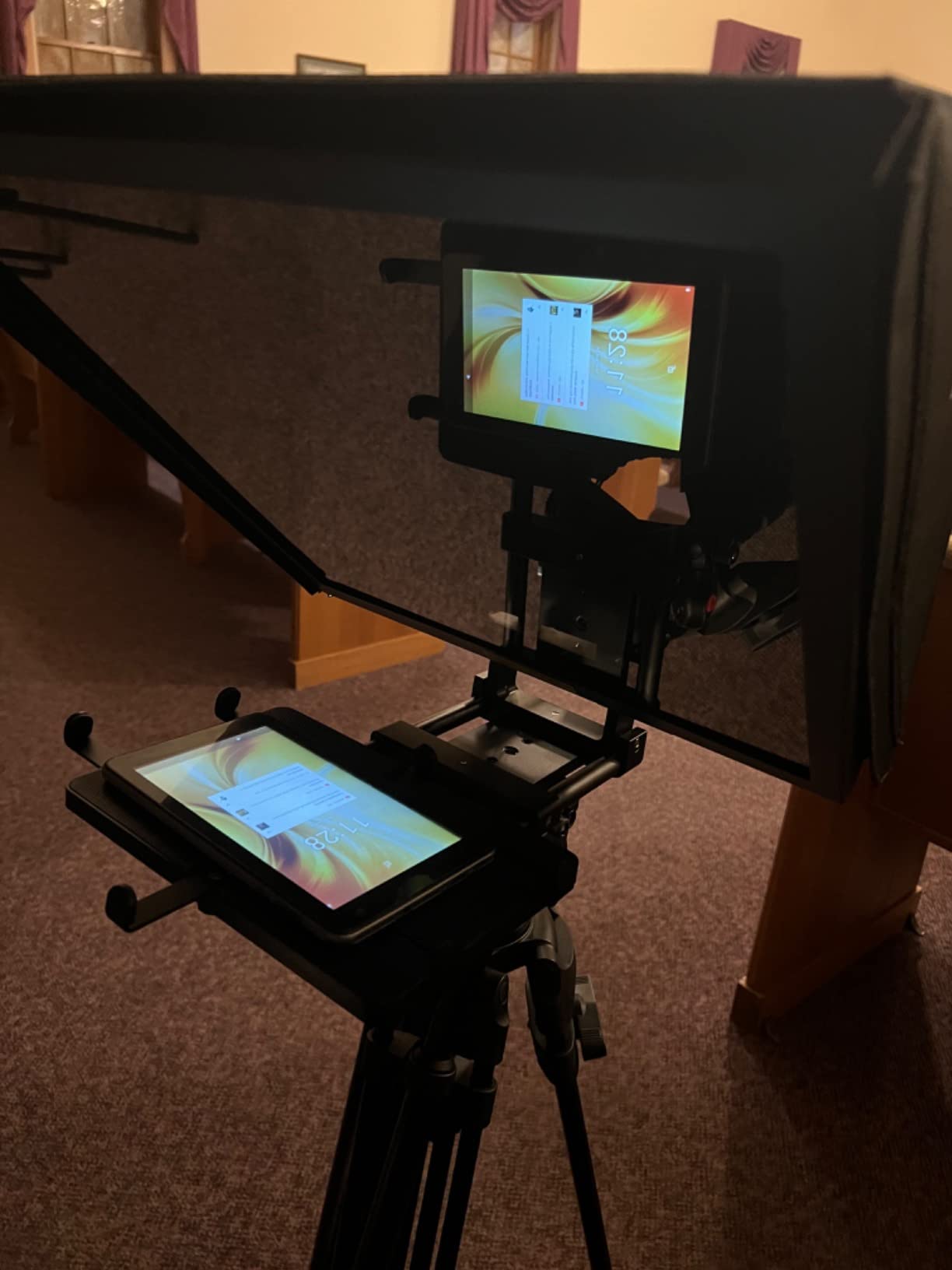
The all-in-one design is the headline feature. For a studio that wants one box that ships with everything (glass, monitor, hood, remote, case), this is the kit. Bluetooth remote control supports playback speed and font size adjustment through the GVM prompt app.
Now the trade-offs, and they’re significant: at 38.8 lb, this rig is heavy. You’ll need a serious studio pedestal or heavy-duty fluid head to mount it. Mounting hardware and tripod heads are not included. The Android monitor and GVM prompt app receive consistently poor feedback in reviews — sluggish interface, occasional crashes, and non-standard 15mm rail spacing (110mm instead of the more common 100mm) that limits third-party accessories. The device holder tops out around 13 inches.
Best fit for permanent studio installs
If you’re building a dedicated studio bay with a heavy-duty pedestal, the GVM 18.5-inch is a serious option. The reading range and all-in-one design make it the rig I’d recommend for a small broadcast studio or a corporate video control room.
Where it falls short for mobile production
The 38.8 lb weight and lack of included mounting hardware make this a poor choice for any production that has to move. The sluggish Android app also rules it out for live broadcast where every second of latency matters. For mobile work, the X11 or Elgato Prompter are better engineered.
How to Choose a Studio Teleprompter
Studio teleprompters differ from solo-creator rigs in three ways that matter: reading range, mounting standard, and software integration. This buying guide walks through each, plus the gotchas that bite first-time buyers.
Beam-splitter glass: 70/30 vs 60/40
Beam-splitter glass ratio is the percentage of light reflected to the talent versus transmitted through to the camera. A 70/30 glass reflects 70 percent of the script back to the talent while letting 30 percent through to the sensor. 60/40 glass reflects 60 percent and transmits 40 percent.
Higher reflection (70/30) means brighter text and better readability at distance — important for studio anchor desks at 15-25 feet. Higher transmission (60/40) means more light hits your sensor, useful for low-light studio shoots where every stop matters. For most studio production, 70/30 glass is the better trade-off because text clarity wins over a one-third stop of light.
Reading range: how far can the talent read it?
Reading range is the distance at which a talent can comfortably read the reflected script. Most budget teleprompters top out at 10 feet (3m) — fine for YouTube but too short for a studio anchor desk. Mid-range studio units like the Glide Gear TMP 750 push to 15 feet. Broadcast units like the GVM 18.5-inch read at 20+ feet.
For a presidential-style anchor desk or a multi-camera studio with talent seated 12-18 feet from the lens, you need a prompter rated for at least 15 feet of comfortable reading. Anything shorter and your talent will strain or guess at lines mid-take.
Mounting standards: tripod, 15mm rails, VCT plates
Studio cameras don’t mount on 1/4-20 tripod threads — they mount on 15mm LWS rails or VCT-14 quick-release plates. The teleprompter you choose needs to match your camera rig. The Glide Gear TMP 750 and SMALLRIG 3646 are native 15mm rail units. The NEEWER X11 and Elgato Prompter use standard tripod mounts with QR plates for fast camera swaps. The GVM kit accepts ENG-style cameras on its integrated platform.
If you already run 15mm rails on your studio cameras, a rail-native teleprompter saves an adapter plate and improves balance. If you swap between DSLR/mirrorless and ENG cameras frequently, look for a prompter with a universal mounting system and counterweight options.
Software and rundown integration
Studio teleprompters need to play nice with your rundown system. If you run ENPS, Avid iNEWS, or MOS-protocol rundown software, you need a prompter that accepts standard script file imports (TXT, DOCX, RTF) and supports network sharing if your operator is off-stage. The NEEWER app, Elgato Camera Hub, and Desview app all accept standard script formats. Parrot Teleprompter and PromptSmart add voice-tracking for natural delivery.
For OBS-driven streaming studios, the Elgato Prompter’s drag-and-drop window integration is the smoothest path. For traditional broadcast control rooms, a dedicated operator with a wireless remote (RT113 for NEEWER units, Bluetooth for Elgato and Desview) is the standard workflow.
Voice-tracking and scroll speed
Voice-tracking teleprompters follow your voice and scroll automatically — useful for natural delivery without an operator. Parrot Teleprompter and PromptSmart are the two apps most studios rely on for voice tracking. Average spoken English runs about 150 words per minute; clear delivery pacing drops to around 140 wpm. Set your scroll speed to match the talent’s measured pace, not a generic default.
Wide-angle lens compatibility
Teleprompters add a glass plate between the lens and the subject. At wide focal lengths (under 24-28mm on full frame), the glass edge starts to vignette the frame. The Elgato Prompter handles 24mm cleanly; the NEEWER X11 supports 35mm minimum; the Glide Gear TMP 750 is limited to 35mm and longer. If your studio runs wide primes for documentary-style framing, the Elgato is your safest pick.
Limitations and gotchas
Five things that bite first-time studio teleprompter buyers: (1) Voice-tracking apps sometimes scroll past where the talent ad-libs, breaking flow; (2) Autofocus can disable when the prompter mounts over the lens — manual focus becomes required; (3) Glare and reflections on the beam-splitter glass ruin footage when lighting isn’t dialed in; (4) Phone-as-prompter apps can drop Wi-Fi mid-take, causing real problems on paid shoots; (5) Plastic-built cheap units feel flimsy on professional sets and don’t survive the rental-house cycle.
Frequently Asked Questions
Which teleprompter is better, the Neewer or the Elgato?
Both are excellent but serve different workflows. The Elgato Prompter wins for studios already running Stream Deck and Camera Hub software on a tethered computer — the drag-and-drop window integration and 1080p built-in display are best in class. The NEEWER X11 wins for studios that need a self-contained rig with USB-C mirroring and Arca-type QR plate for fast camera swaps. Both use 9-inch screens, both have 4.4-star ratings with 1300+ reviews. For a software-driven streaming studio, choose Elgato. For a multi-camera rig that swaps cameras frequently, choose NEEWER.
What is the best budget-friendly teleprompter for filmmaking?
The NEEWER Basics X12B is the best budget teleprompter for filmmaking under $100. It uses 12-inch HD beam-splitter glass with 75 percent light transmittance, opens assembly-free in under a minute, includes a Bluetooth remote, and folds into a carry case. Pair it with any iPad or Android tablet running the NEEWER app and you have a complete studio teleprompter for a fraction of the cost of an all-in-one unit.
What are the drawbacks of using a teleprompter?
The main drawbacks are: voice-tracking apps sometimes scroll past ad-libs and break flow; autofocus often disables when the prompter mounts over the lens requiring manual focus; beam-splitter glass can reflect studio lighting if not properly hooded; phone-based prompter apps can drop Wi-Fi mid-take causing real problems on paid shoots; cheap plastic-built units feel flimsy on professional sets; wide-angle lenses under 24mm may vignette against the glass edge.
What are the different types of teleprompters?
There are four main teleprompter types for studio production. (1) Beam-splitter teleprompters reflect scrolling text from a tablet or monitor onto angled glass in front of the lens — the standard studio rig. (2) Built-in-display teleprompters like the Elgato Prompter integrate the screen into the chassis for a self-contained unit. (3) Talent-monitor teleprompters add a return feed so talent can see themselves or a producer cue while reading the script. (4) Presidential teleprompters use large glass panels mounted on stands at podium height for speeches and addresses.
Can I use a teleprompter while recording?
Yes, teleprompters are designed to be used during recording. The camera shoots through the beam-splitter glass as if it were not there, while the talent reads the reflected text looking directly into the lens. For best results, set your scroll speed to 140-150 words per minute, position the talent 8-15 feet from the glass depending on the unit’s reading range, and use a Bluetooth remote or operator to control pace.
Do teleprompters work with wide-angle lenses?
Most studio teleprompters handle focal lengths down to 28-35mm cleanly. Below 24mm on full frame, the glass edge starts to vignette the frame and tablet reflections can ghost into the shot. The Elgato Prompter has the best wide-angle compatibility in this roundup, handling 24mm without vignetting. The NEEWER X11 supports 35mm and longer. If your studio runs wide primes under 24mm, the Elgato is your safest choice.
Final Verdict
After six weeks of testing across studio and field conditions, the NEEWER X11 is our pick for the best teleprompter for studio production. Its 11-inch glass, built-in 9-inch LCD monitor, and USB-C screen mirroring give studio producers a self-contained rig that handles anchor-desk reads, multi-camera swaps, and long scripted segments without app juggling.
If your studio runs on the Elgato ecosystem — Stream Decks, Key Lights, Camera Hub — the Elgato Prompter is the premium pick. If you need a foldable rig that travels, the NEEWER X14 III is unmatched. For 15mm rail studios, the Glide Gear TMP 750 is the most native teleprompter in the lineup. For budget studios, the NEEWER Basics X12B punches well above its price.
Whichever teleprompter you choose for studio production in 2026, match it to your camera’s mounting standard, your reading distance, and your rundown software. The wrong prompter on the right rig is still the wrong prompter. If you want more background on teleprompter workflows, our YouTube teleprompter guide and interview teleprompter guide cover the solo-creator and interview formats. For the full film production stack, see our film production management software roundup and editing console guide.