
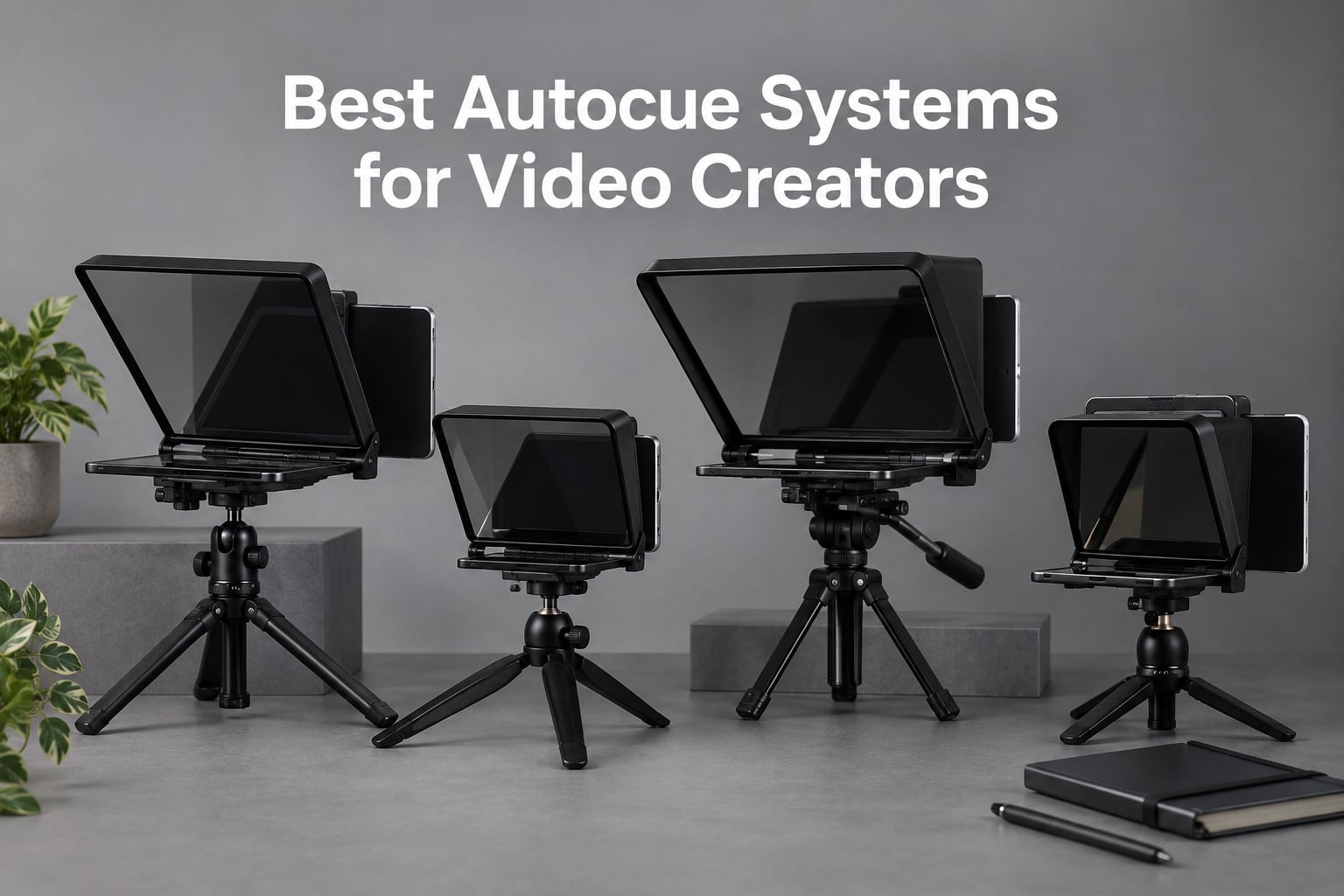
Reading a script while looking straight into the lens used to be a broadcast studio trick reserved for news anchors and politicians. Today, the best autocue systems put that same natural eye contact into the hands of any YouTuber, podcaster, livestreamer, or indie filmmaker willing to spend a few minutes setting up their shot. After spending weeks testing rigs with mirrorless cameras, iPhones, iPads, and laptops, our team is ready to share what actually works in 2026.
An autocue is the same thing as a teleprompter. The word “autocue” comes from the British company Autocue that pioneered the technology in the 1950s, and the two terms are used interchangeably for any device that displays a scrolling script on a piece of beam-splitter glass in front of the camera lens. For video creators, the payoff is simple: you read your script at a natural pace while appearing to look right at the lens, which cuts reshoots, eliminates “um” filled pauses, and gives every take the polish of a scripted production.
This guide covers eight of the best autocue systems we tested across hardware rigs and tablet-based setups, plus a buying guide that separates hardware from software, explains the difference between autocue and teleprompter brands, and dives into the cinematic use case that matters to our Short Film Central audience. Whether you are filming a five-minute YouTube explainer, a narrative short with scripted dialogue, or a daily Instagram Reel, there is a teleprompter here that fits your camera, your budget, and your workflow.
Table of Contents
- Top 3 Picks for the Best Autocue Systems for Video Creators in September
- Best Autocue Systems for Video Creators in 2026
- 1. NEEWER X11 2 in 1 Teleprompter with Built-In Monitor
- 2. NEEWER X12 14 Inch Aluminum Alloy Teleprompter for iPad, Tablet, Phone, and Camera
- 3. Elgato Prompter with Built-In Screen
- 4. iLight PRO 12 Inch Autocue Teleprompter with Remote and App
- 5. NEEWER Basics X12B No-Assembly Aluminum Teleprompter
- 6. Desview T5 Teleprompter for Smartphone, Tablet, and DSLR
- 7. Little Prompter Compact Personal Teleprompter for DSLR, Webcam, and Laptop
- 8. Desview P13 13 Inch Aluminum Alloy Teleprompter
- How to Choose the Best Autocue System for Video Creators
- Frequently Asked Questions
- Final Verdict: The Best Autocue System for Video Creators in 2026
Top 3 Picks for the Best Autocue Systems for Video Creators in September

Elgato Prompter
- Built-in 9 inch screen
- Stream Deck compatible
- Drag-and-drop monitor
- 1080p HD resolution

NEEWER X11 2 in 1 Teleprompter
- Built-in 9 inch LCD
- 75% light transmission glass
- USB-C plug-and-play
- Supports 35-200mm lenses

NEEWER Basics X12B
- No-assembly design
- 75% transmittance glass
- Bluetooth remote
- 12 inch HD display
Best Autocue Systems for Video Creators in 2026
| Product | Specs | Action |
|---|---|---|
| Elgato Prompter |
|
Check Latest Price |
 NEEWER X12 14 Inch Aluminum Alloy NEEWER X12 14 Inch Aluminum Alloy |
|
Check Latest Price |
| NEEWER X11 2 in 1 Teleprompter |
|
Check Latest Price |
 iLight PRO 12 inch Autocue iLight PRO 12 inch Autocue |
|
Check Latest Price |
| NEEWER Basics X12B |
|
Check Latest Price |
 Desview T5 Teleprompter Desview T5 Teleprompter |
|
Check Latest Price |
 Little Prompter Compact Little Prompter Compact |
|
Check Latest Price |
 Desview P13 13 Inch Desview P13 13 Inch |
|
Check Latest Price |
1. NEEWER X11 2 in 1 Teleprompter with Built-In Monitor
NEEWER X11 2 in 1 Teleprompter 11″ with Monitor, Supports Screen Mirroring
Built-in 9 inch LCD
75% light transmission glass
Supports 35-200mm lenses
1.3 lb
Pros
- Easy USB-C connection to computer
- Clear 11 inch beam splitter with 75% transmittance
- Built-in LCD eliminates need for separate tablet
- Plug-and-play with included cables
- Adjustable Arca-Type quick release holder
Cons
- Driver required for first-time HDMI setup
- Voice sync not supported
- Phone mirroring limited to DP protocol phones
I set up the NEEWER X11 on a Manfrotto tripod with my Sony a6400 for a week of client testimonial shoots and a multi-cam podcast. The headline feature is the bundled 9 inch HD LCD monitor, which means you can leave your iPad in the bag. I plugged the monitor into my MacBook Pro over USB-C, dragged my teleprompter script into a text file, and was reading lines within three minutes of unboxing.
The 75% light transmission beam splitter glass is genuinely ghost-free at the recommended reading distance of two to four feet. I could read clearly off-axis, which matters when you are not sitting dead-center to the camera. The Arca-Type quick release plate and the 10 cm horizontal plus 3 cm vertical adjustment let me slide the camera back and forth to center the lens behind the glass, and the rig stayed locked even when I bumped the tripod handle.
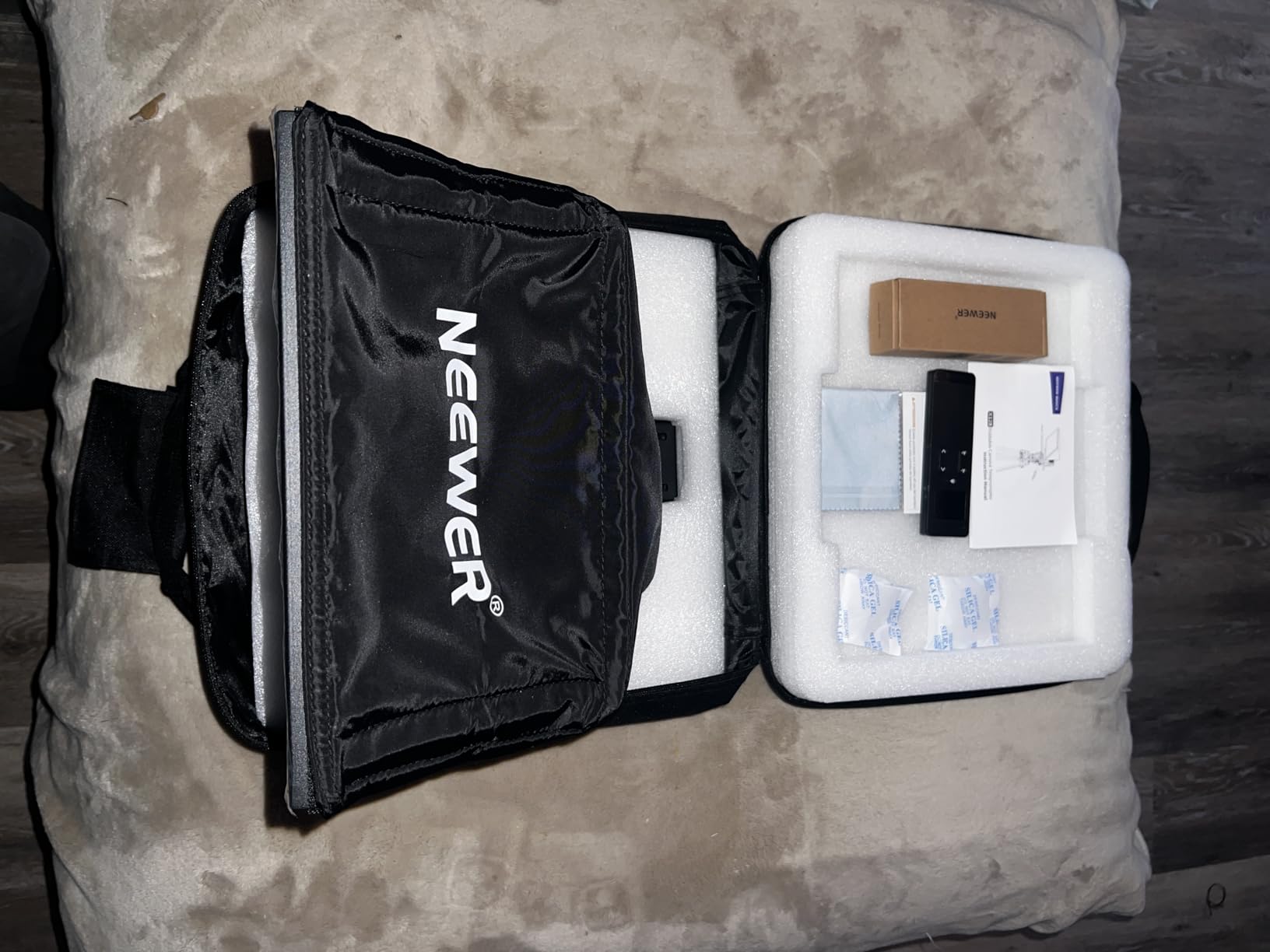
The big ergonomic win is not needing a tablet. For travel shoots, the X11 collapses into a flat package and weighs 1.3 pounds, so it does not crush a camera bag. The included cables cover USB-C to USB-C, HDMI, and a phone clamp for backup phone mirroring if you do not want to bring a laptop.
The two limitations I ran into were minor. First, the first-time HDMI setup on Windows asks you to install a driver before the monitor shows up, which adds about five minutes. Second, voice-activated scrolling is not supported on this model. If you want a teleprompter that scrolls as you speak, you will need to look at a software-only solution like PromptSmart or one of the apps we cover later in the guide.
For Whom It Is Good
Solo YouTubers and podcasters who want a turnkey teleprompter without buying or charging a separate tablet will get the most out of the X11. It is also a strong choice for client work where you walk into a studio with a laptop and need everything in one Pelican case.
Cinematic shooters running narrative dialogue scenes benefit from the 35-200mm focal length support, which means wide establishing shots still keep the prompter readable without vignetting.
For Whom It Is Bad
Filmmakers who rely on ultra-wide lenses below 35mm will see dark corners in the corners of the glass. If you shoot on a 16-35mm cinema zoom for narrative projects, the X12 or Desview P13 are safer choices.
Creators who need voice-activated scrolling to keep their hands free will need to pair this rig with a separate voice-tracking app or pick a teleprompter app that handles voice recognition natively.
2. NEEWER X12 14 Inch Aluminum Alloy Teleprompter for iPad, Tablet, Phone, and Camera
NEEWER X12 14 Inch Aluminum Alloy Teleprompter for iPad Tablet Phone Camera
14 inch aluminum frame
75% HD beam splitter
RT-110 Bluetooth remote
6.5 lb
Pros
- Clear HD beam splitter glass at 75% transmittance
- Smart RT-110 Bluetooth remote
- Collapsible aluminum alloy for travel
- Stable Bluetooth pairing with iOS
- Includes carrying case and phone holder
Cons
- Not compatible with iPad Pro 12 inch
- Does not work with wide-angle lenses below 28mm
- Remote connects through NEEWER app not direct Bluetooth
- Display tray does not grip smaller phones tightly
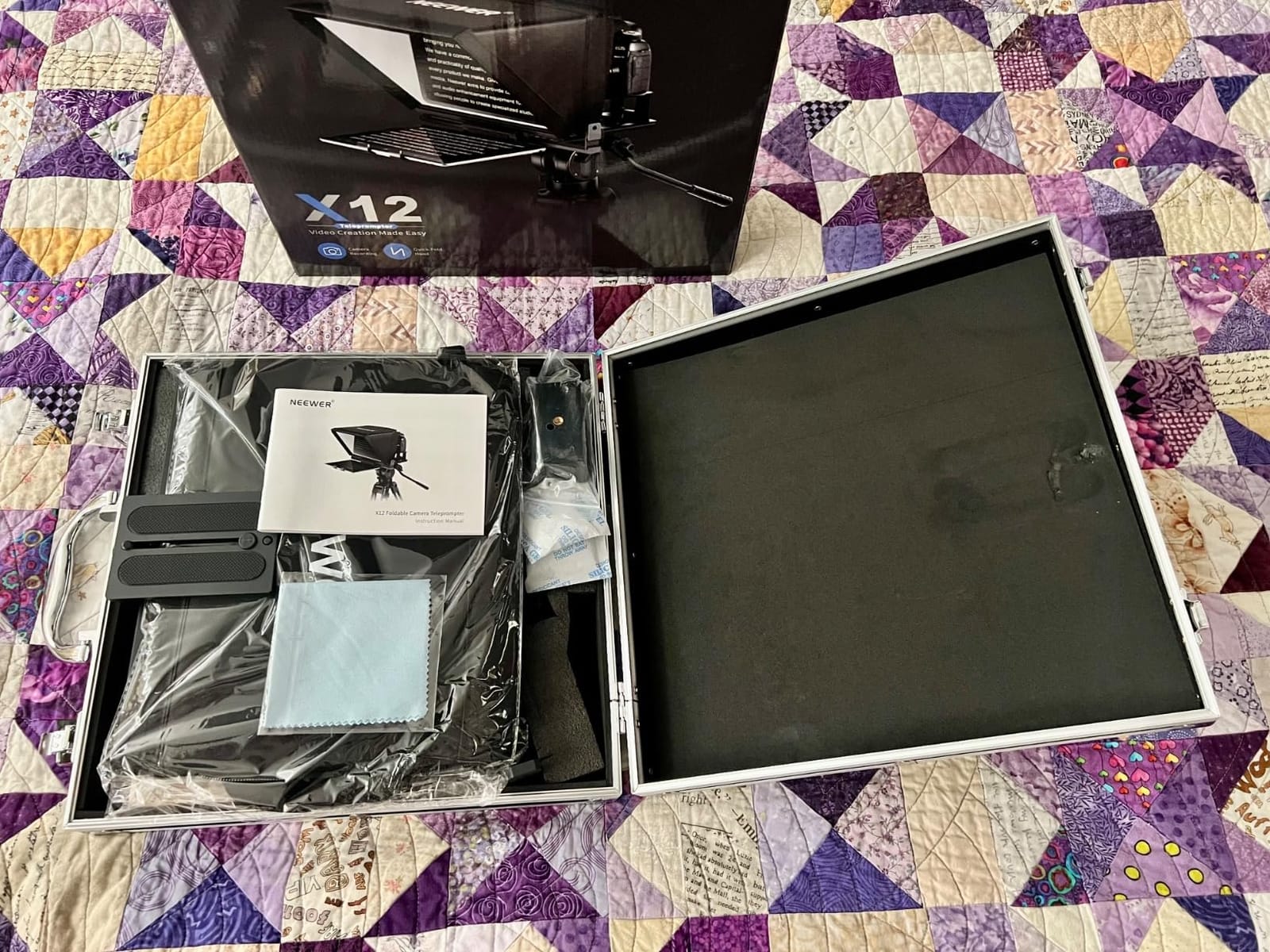
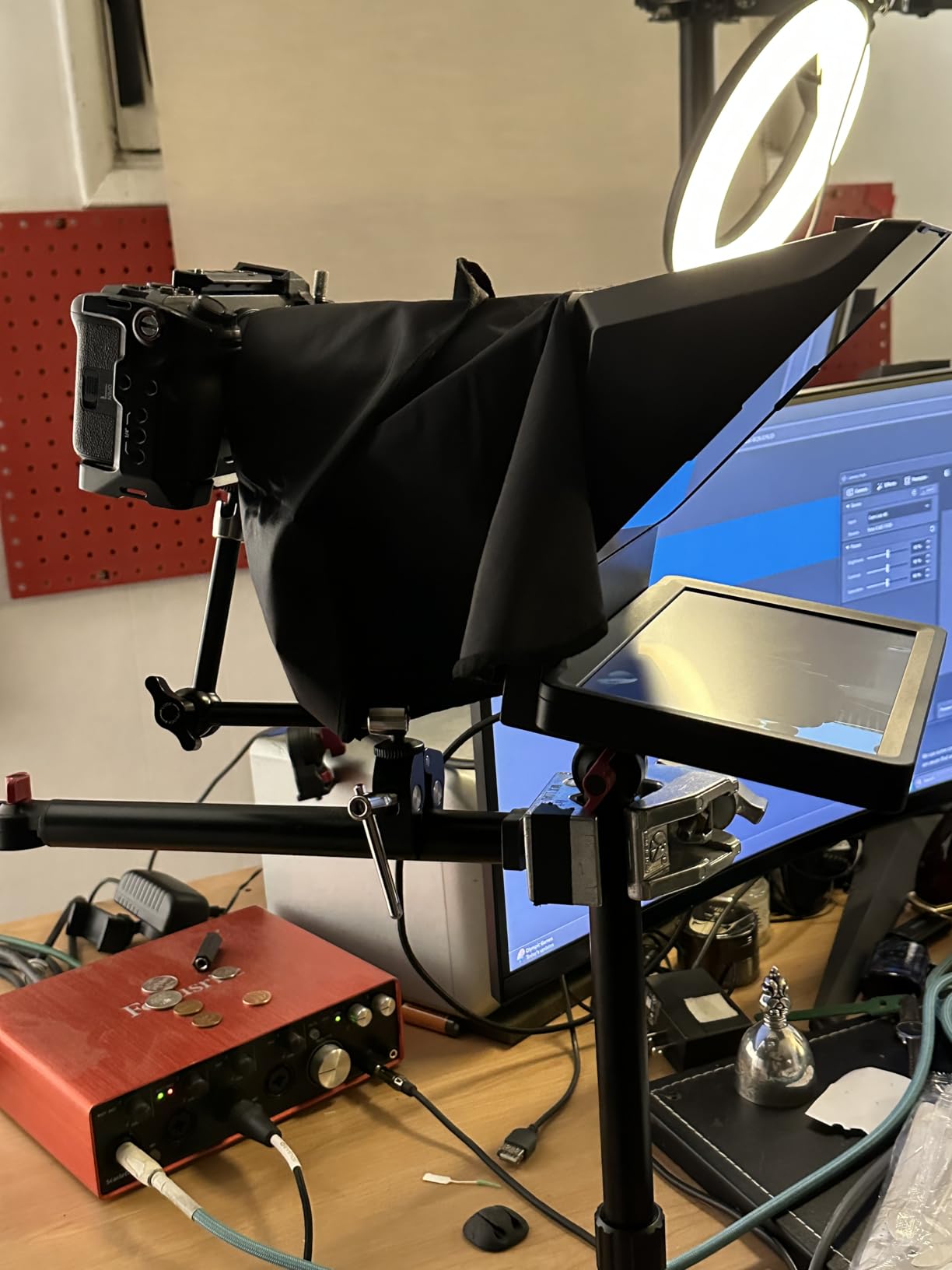
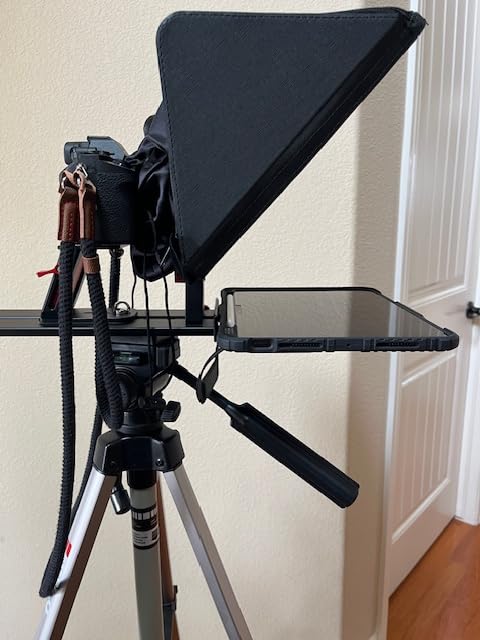
The NEEWER X12 is the rig I recommend to filmmakers who shoot on iPad Pros and mirrorless hybrids. I tested it with an iPad Air, a Sony FX3, and an iPhone 15 Pro Max, and the 14 inch collapsible frame handled all three without a fight. The aluminum alloy build feels noticeably more rigid than the plastic kits in the same range, which matters when you are bumping into a tripod on a busy set.
The HD beam splitter glass at 75% transmittance stays ghost-free up to about ten feet of reading distance, which is the longest in this roundup. I read my lines clearly while seated two meters back from the rig during a four-person interview, and the reflection stayed sharp even with a key light bouncing off the ceiling. The smart RT-110 remote pairs over Bluetooth to the NEEWER app, so you can pause, slow down, or speed up your scroll with quiet buttons that do not pick up on the mic.
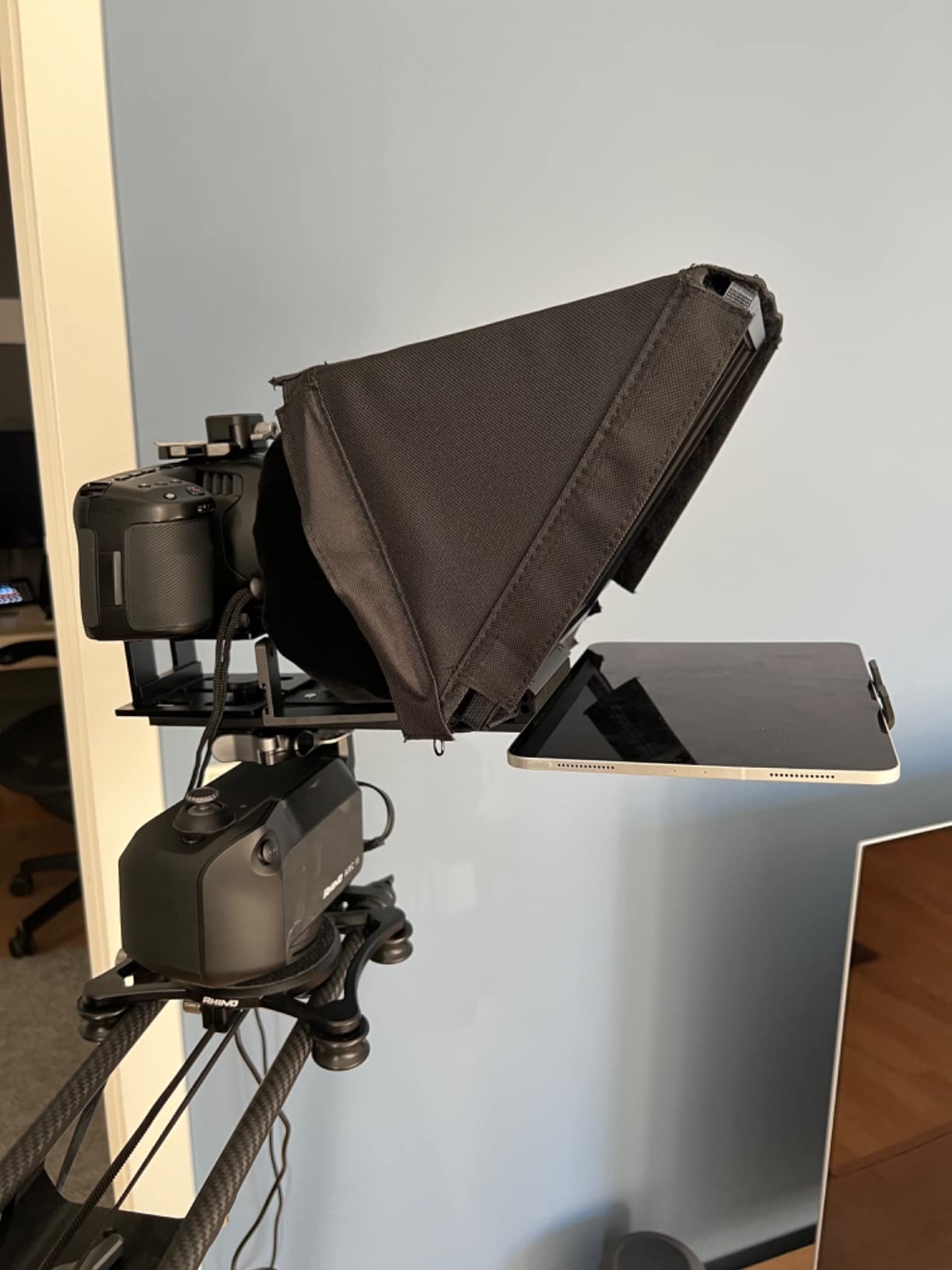
Setup is straightforward: unfold the frame, drop in your tablet, attach the phone holder if you are shooting mobile, and use the included app to load a script. The collapsible design folds flat into the included carrying case, which made it my pick for travel shoots where every cubic inch of luggage counts.
Where the X12 stumbles is at the edges of its compatibility list. It does not fit the iPad Pro 12 inch, and any wide-angle lens with a focal length shorter than 28mm will vignette the corners. If your narrative work relies on a 24mm prime for tight dialogue coverage, you will need the Desview P13 or Elgato Prompter instead.
For Whom It Is Good
Filmmakers shooting scripted scenes on iPad Pros up to 11 inches, mirrorless cameras with standard zoom lenses, or phones up to 9.84 inches will get the most value out of the X12. The aluminum frame and included case also make it ideal for creators who travel for shoots.
Multi-host podcasts and panel interviews benefit from the ten-foot reading distance, which lets each speaker see the script from their seat without needing a separate prompter per person.
For Whom It Is Bad
Anyone using an iPad Pro 12 inch as their script source will find the tablet too wide to fit. You will need to step up to a 15 inch rig or use the Elgato Prompter as an external monitor instead.
Cinematographers shooting on ultra-wide cinema zooms below 28mm will see dark corners in the frame. This rig is built for standard zoom territory, not anamorphic or ultra-wide work.
3. Elgato Prompter with Built-In Screen
Elgato Prompter, Teleprompter with Built-in Screen, 1080p Full HD Effective Video Resolution
Built-in 9 inch HD screen
USB connection
Stream Deck compatible
0.69 kg
Pros
- Built-in display removes the need for a tablet
- Drag-and-drop functions like a regular monitor
- Supports the widest camera lenses on the market
- Stream Deck integration for advanced streaming
- Camera Hub app for text and chat customization
Cons
- DisplayLink software required for Mac and Android
- Needs to stay tethered to a computer
- Limited to 9 inch screen size
- Higher cost than tablet-based prompters
The Elgato Prompter is the teleprompter I keep coming back to for desk-bound shoots. I ran it on a Twitch stream, three rounds of Zoom keynotes, and a two-camera podcast with OBS, and the built-in 9 inch screen changed how I work. You drag a text file into the prompter window and it scrolls on the beam splitter like a second monitor, no app juggling, no tablet charging, no separate remote required.
The Elgato advantage over tablet rigs is the support for the widest camera lenses on the market. I mounted a Sigma 14-24mm wide zoom on my Sony a7S III and the corners stayed clean, which is something only broadcast-grade rigs usually pull off. The Stream Deck integration is the real workflow unlock: I bound play, pause, speed up, and font size to four Stream Deck keys and ran a full hour of live presentation without touching the keyboard.
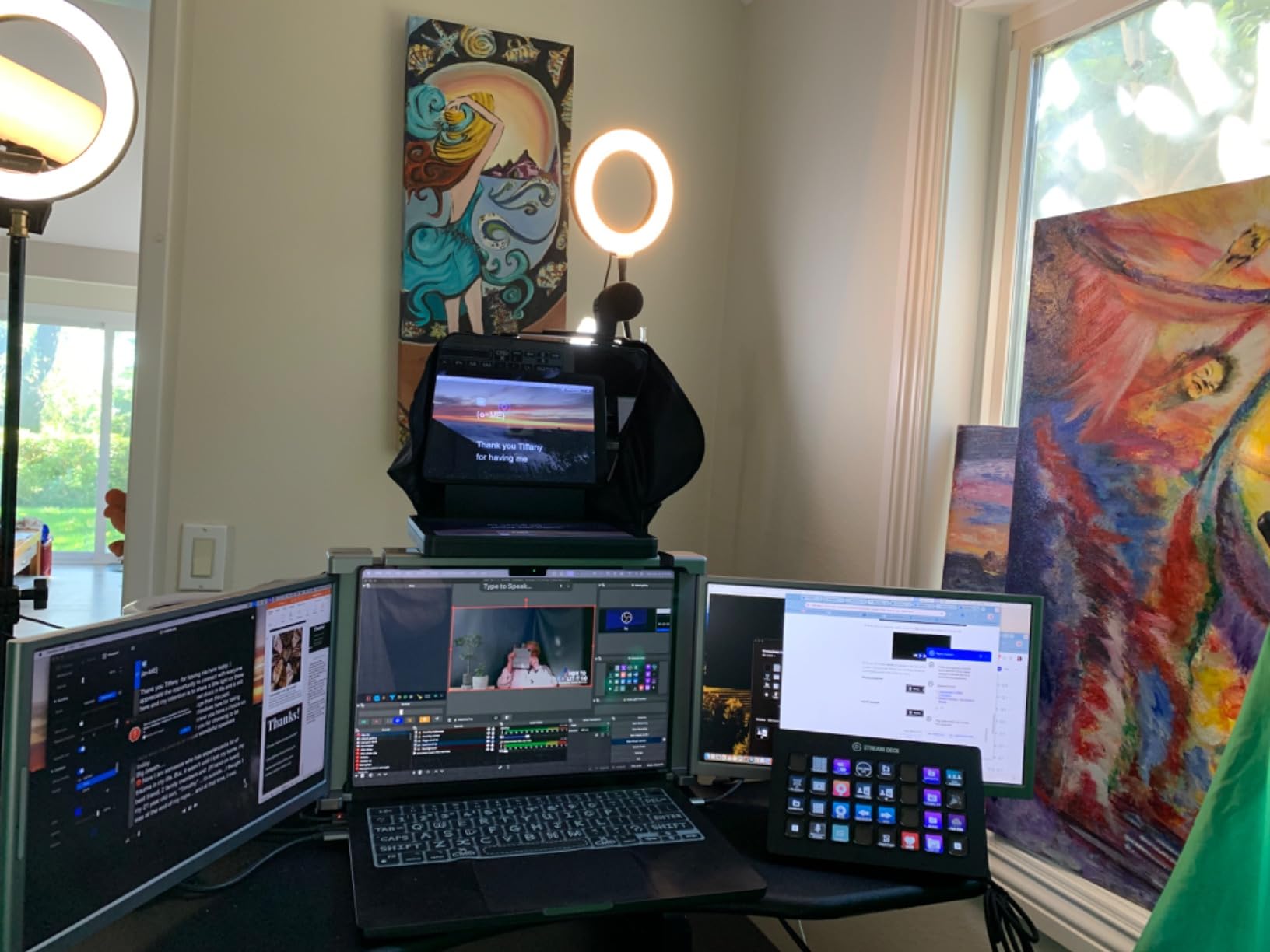
For Twitch streamers, the prompter doubles as a chat monitor. You keep your streaming software open on the main screen and the Prompter shows chat, donations, and your script on the glass simultaneously, so you maintain eye contact with the lens instead of glancing at the second monitor. The Camera Hub app adds font, color, and chat bubble customization that looks intentional on camera.
The trade-offs are real. The Prompter must stay tethered to a computer over USB, so it is not a standalone field rig. Mac and Android users need to install the free DisplayLink driver for the monitor signal to appear. And at 9 inches the screen is smaller than a tablet-based prompter, which means fonts need to be bumped up to read clearly at three feet.
For Whom It Is Good
Streamers, podcasters, and corporate presenters who work at a desk with a computer nearby will get the most out of the Elgato. The Stream Deck integration is genuinely best-in-class for live workflows.
Wide-angle shooters who have struggled with vignetting on cheaper rigs will finally get a clean frame across the entire focal range.
For Whom It Is Bad
Field shooters who need a battery-powered, computer-free prompter should look at the NEEWER X11 or iLight PRO instead. The Elgato is built for the studio, not the desert.
Mac users who do not want to install DisplayLink software will find the setup friction annoying. Plan five extra minutes for the driver install the first time.
4. iLight PRO 12 Inch Autocue Teleprompter with Remote and App
TELEPROMPTER PAD iLight PRO 12″ Autocue teleprompter iPad Tablet – Kit teleprompter for Video with Remote Control, APP & Carry Bag, Beam Splitter Prompter DSLR, iPhone, APP for Apple Android Mac Win
12 inch frame
60/40 4mm glass
Wireless remote
1.7 kg
Pros
- Premium 60/40 4mm thick beam splitter glass
- Exclusive angle-adjusting tilt system
- Lightweight aluminum with microtextured paint
- Works with iPad Pro 11 and most DSLRs
- Includes free iOS and Android app
Cons
- Hood placement instructions are confusing
- Camera height is fixed and not adjustable
- iPad and iPhone holder is limited
- Some reflections affect phone filming
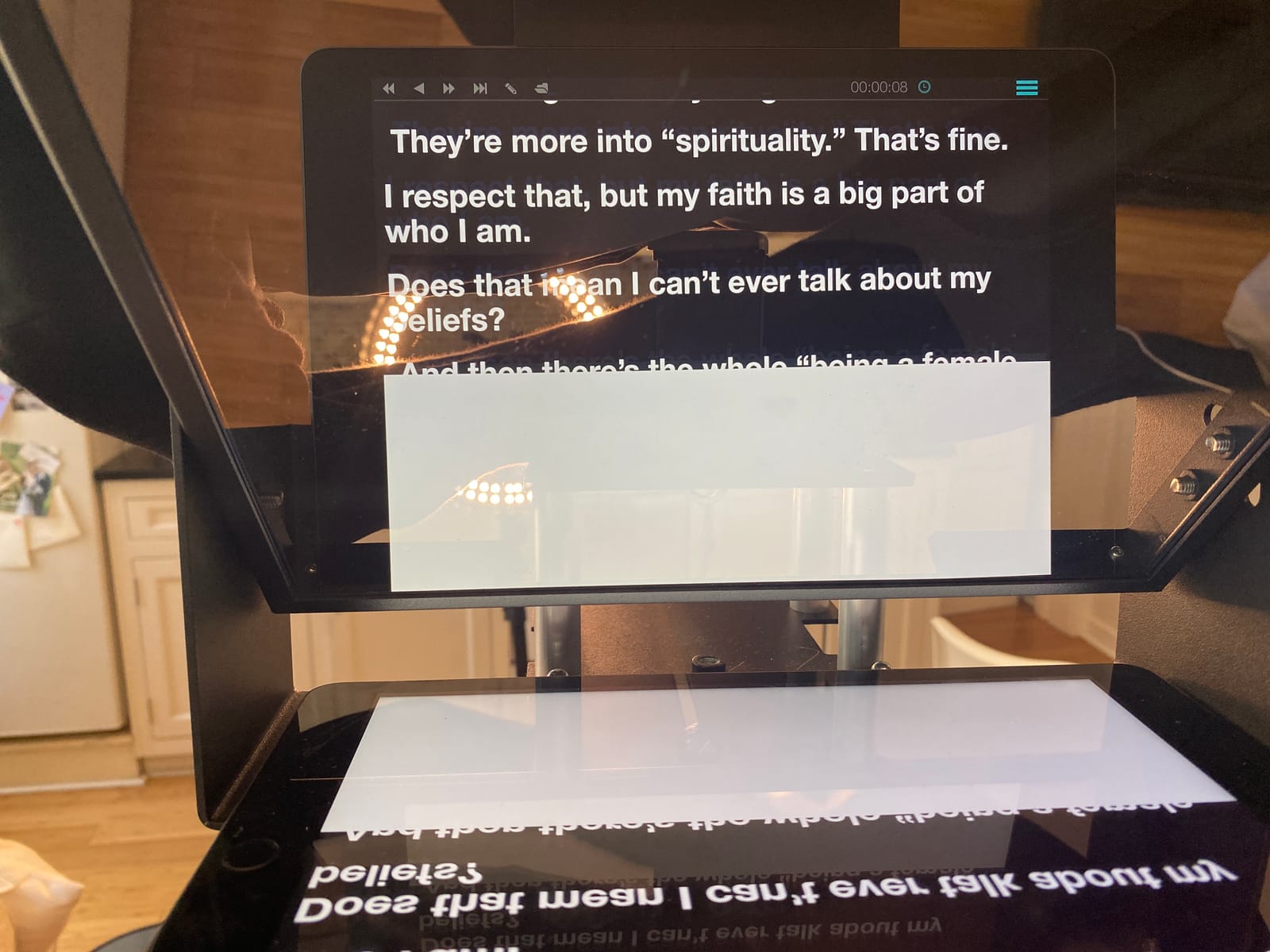
The iLight PRO 12 inch from TELEPROMPTER PAD is the rig I reach for when a client walks in with a Canon C70 and a request for cinematic-looking interviews. The 60/40 beam splitter glass at 4mm thickness is the thickest in this roundup, and it shows: the reflected text is sharper and less prone to double images than thinner glass, which matters when your talent reads at arm’s length.
The angle-adjusting tilt system is the killer feature. Most rigs lock the glass at a fixed 45-degree angle, but the iLight lets you tilt the mirror to frame a slightly off-center shot, which is how a lot of narrative dialogue scenes are blocked. I tested it on a three-character kitchen scene and the prompter stayed readable for the actor standing at the kitchen island while the camera framed from the dining room.
Build quality is solid: the aluminum frame has a microtextured paint that resists fingerprints and scuffs, and the collapsible design folds flat into a bag without tools. The free iOS and Android app pairs with the included wireless remote for hands-free scrolling, which I used for a four-hour documentary interview without a single dropout.
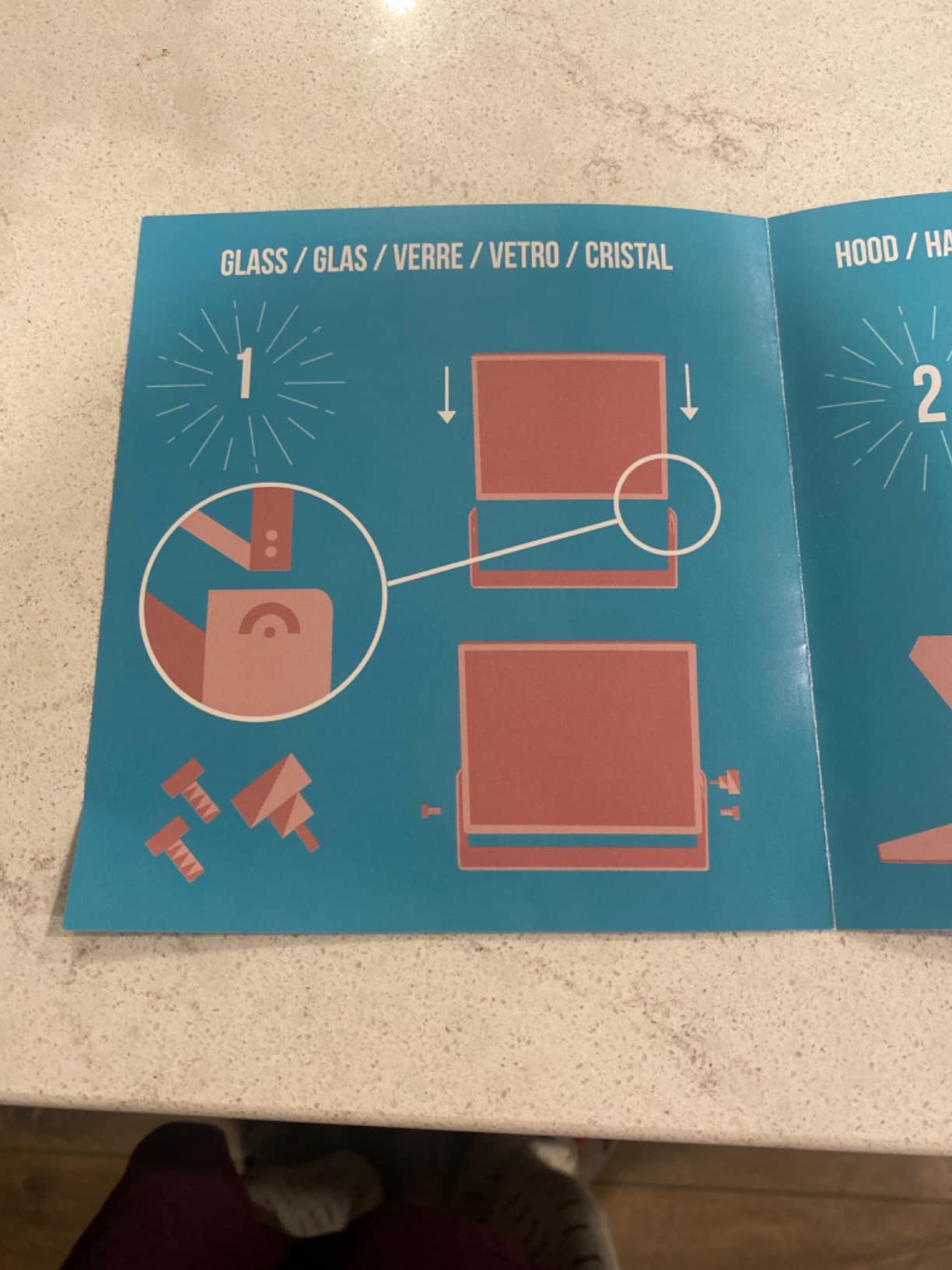
The cons are mostly about the smaller details. The hood placement took me ten minutes to figure out because the printed instructions are not intuitive. The camera height is fixed, so if your camera has a tall body like a Canon C70 you may need a riser plate. And for phone-only filming, the iPhone holder does not grip every case perfectly, so test it with your specific case before committing.
For Whom It Is Good
DSLR and mirrorless shooters running narrative interviews or documentary work benefit from the thicker glass and the tilt system. The 60/40 split is also better for darker scenes where you need the camera to see through the glass with minimal light loss.
Multi-camera interview setups where one camera needs to frame off-axis from the talent get a unique advantage from the adjustable tilt.
For Whom It Is Bad
Phone-first creators who shoot vertical Reels or TikToks will find the iPhone holder awkward. The rig is built for cameras first.
Anyone intimidated by slightly fuzzy assembly instructions should plan to budget fifteen minutes for the first setup instead of five.
5. NEEWER Basics X12B No-Assembly Aluminum Teleprompter
NEEWER Basics X12B Aluminum Alloy Teleprompter 12″ for Tablet DSLR Camera
12 inch HD glass
No-assembly design
Bluetooth remote
0.25 kg
Pros
- No assembly required out of the box
- Lightweight aluminum at 0.25 kg
- 12 inch HD glass with 75% transmittance
- Bluetooth remote with quiet buttons
- Includes carry case for transport
Cons
- Not designed for phone filming only tablets and cameras
- AAA battery for remote not included
- Does not work as a self-viewing monitor
- Velcro straps may wear with heavy use
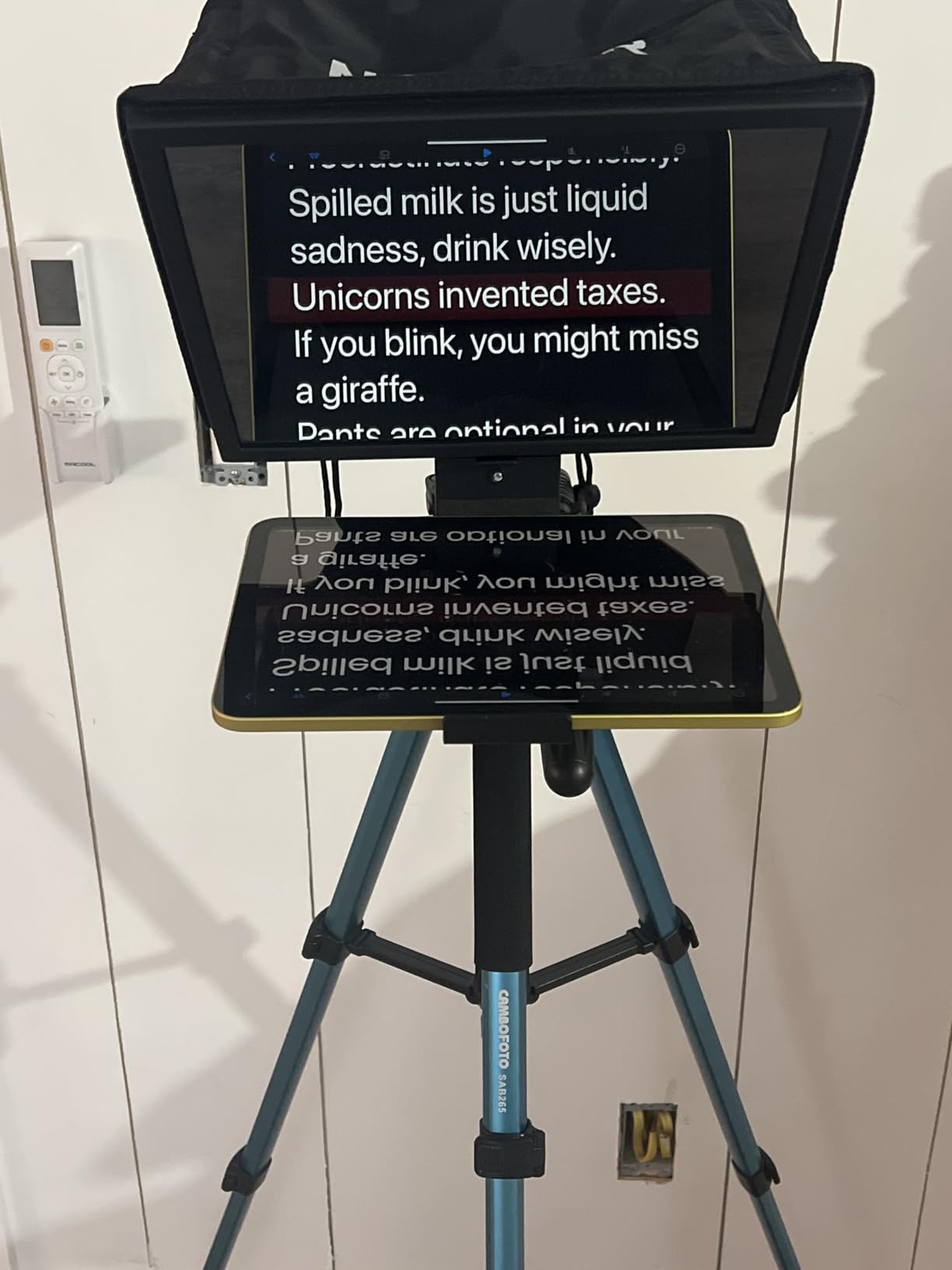
The NEEWER Basics X12B is the teleprompter I hand to first-time buyers. The “no-assembly” promise is real: I unboxed it, dropped in my iPad Air, attached the Bluetooth remote, and was reading lines in under two minutes without touching a single tool. For creators who have never used a teleprompter before, that ease of entry matters.
The 12 inch HD beam splitter glass at 75% transmittance is the same spec as the more expensive NEEWER X12, and the reflection quality is genuinely close. The aluminum alloy frame weighs only 0.25 kg, so it does not throw off the balance of a small tripod, and it folds flat into the included carry case for storage.
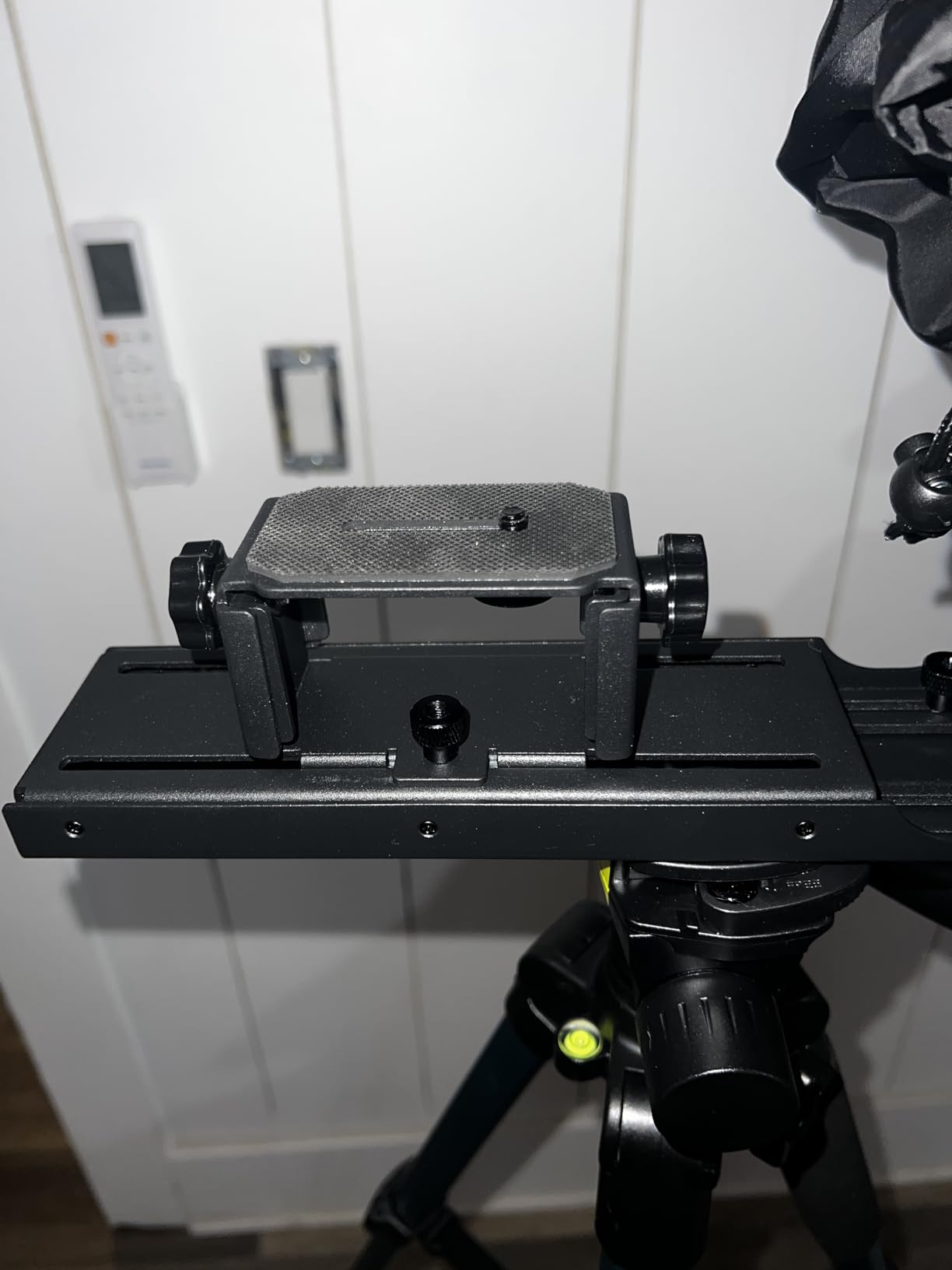
The Bluetooth remote pairs directly with iOS and Android devices running the NEEWER Teleprompter App, and the buttons are quiet enough not to bleed into a shotgun mic. I tested the rig for a week of YouTube shorts and TikTok-style vertical content on a Sony ZV-E10, and the script scrolled at the pace I set without lag.
The trade-off for the price is feature set. This rig is built for tablet and camera setups, so phone-only filmmakers will not get the right mounting. The remote takes an AAA battery that is not included, so budget a four-pack. And while the prompter shows your script clearly, it does not function as a self-viewing monitor while you record, which means you cannot check framing on the glass itself.
For Whom It Is Good
New YouTubers, students, and hobbyist filmmakers who want a real teleprompter without spending a fortune will find the X12B hard to beat. The no-assembly design removes the most common beginner frustration.
Creators who shoot with an iPad or small mirrorless camera in a fixed home studio will get everything they need from this rig.
For Whom It Is Bad
Phone-first vertical content creators should look at the Desview T5 instead, since this rig is not optimized for handheld mobile setups.
Filmmakers who need a self-viewing monitor during recording will want the Elgato Prompter, which doubles as a regular display.
6. Desview T5 Teleprompter for Smartphone, Tablet, and DSLR
Desview T5 Teleprompter for Smartphone & Tablet, Video Recording | Compatible with DSLR Cameras. Includes 49-82mm Adapter Rings, Coated Glass, Bluetooth Remote, Free App for Streaming
12.9 inch glass
49-82mm adapters
Bluetooth remote
0.52 kg
Pros
- Adapter ring set from 49 to 82mm included
- Works with smartphones tablets and DSLRs
- Coated anti-scratch glass surface
- Free Desview app for iOS and Android
- Horizontal and vertical shooting modes
Cons
- iPhone holder may not fit thick protective cases
- iPhone holder blocks some phone buttons
- Light seal can leak in bright setups
- Smartphone shooting needs careful positioning
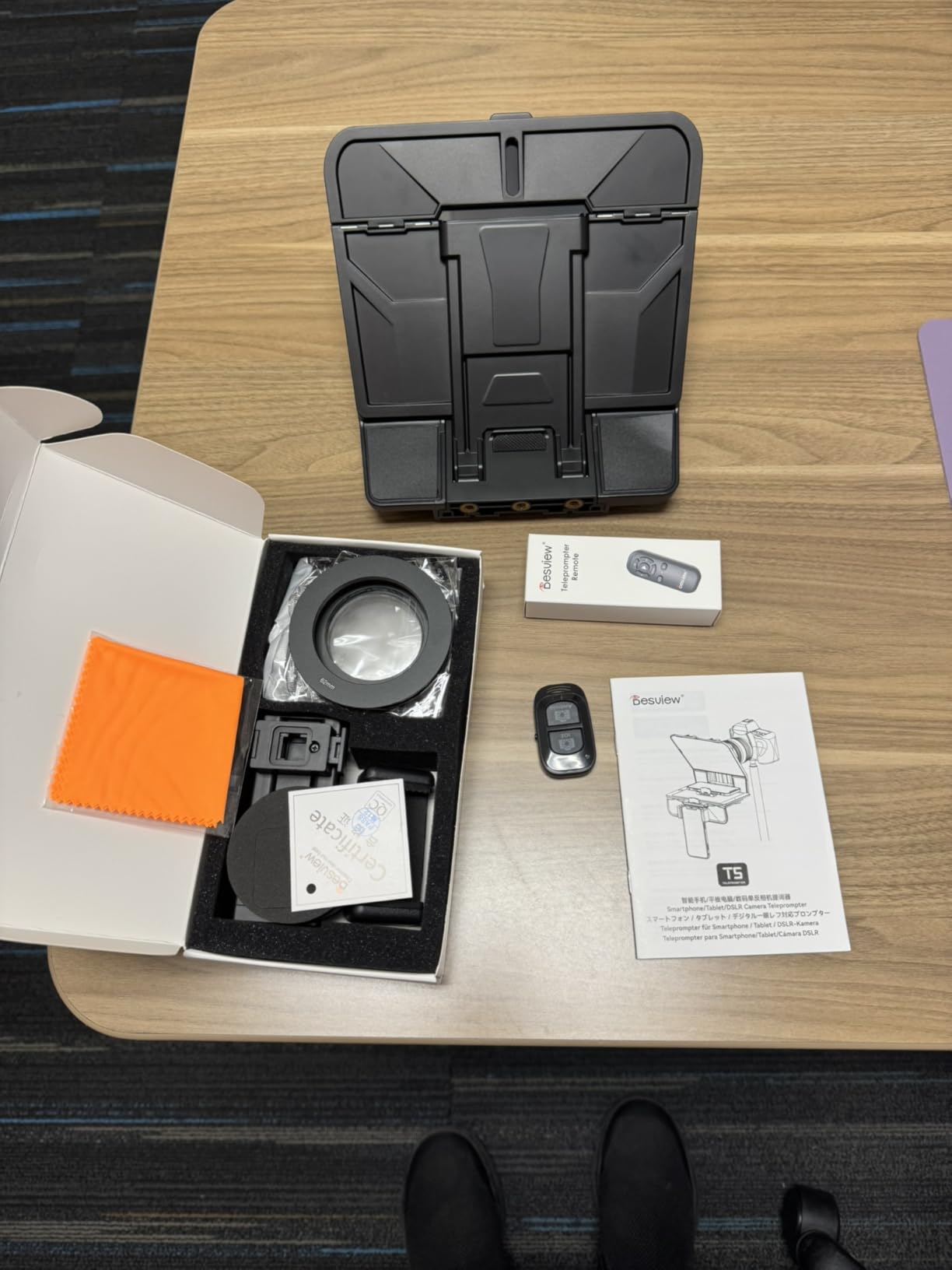
The Desview T5 is the most flexible rig in this roundup. I tested it with an iPhone 15, an iPad mini, a Canon EOS R6, and a Nikon Z30, and the included adapter ring set covers 49mm, 52mm, 55mm, 58mm, 62mm, 67mm, 72mm, 77mm, and 82mm thread sizes. That means you can move between camera bodies without buying extra rings, which is rare at this tier.
The free Desview app is clean and pairs with the included Bluetooth remote in about ten seconds. I imported a DOCX script, set the font size to 36, and the scroll speed adjusted smoothly. The horizontal and vertical shooting modes are useful for creators posting both YouTube and TikTok content from the same session, since you can flip the rig without rebuilding the whole setup.
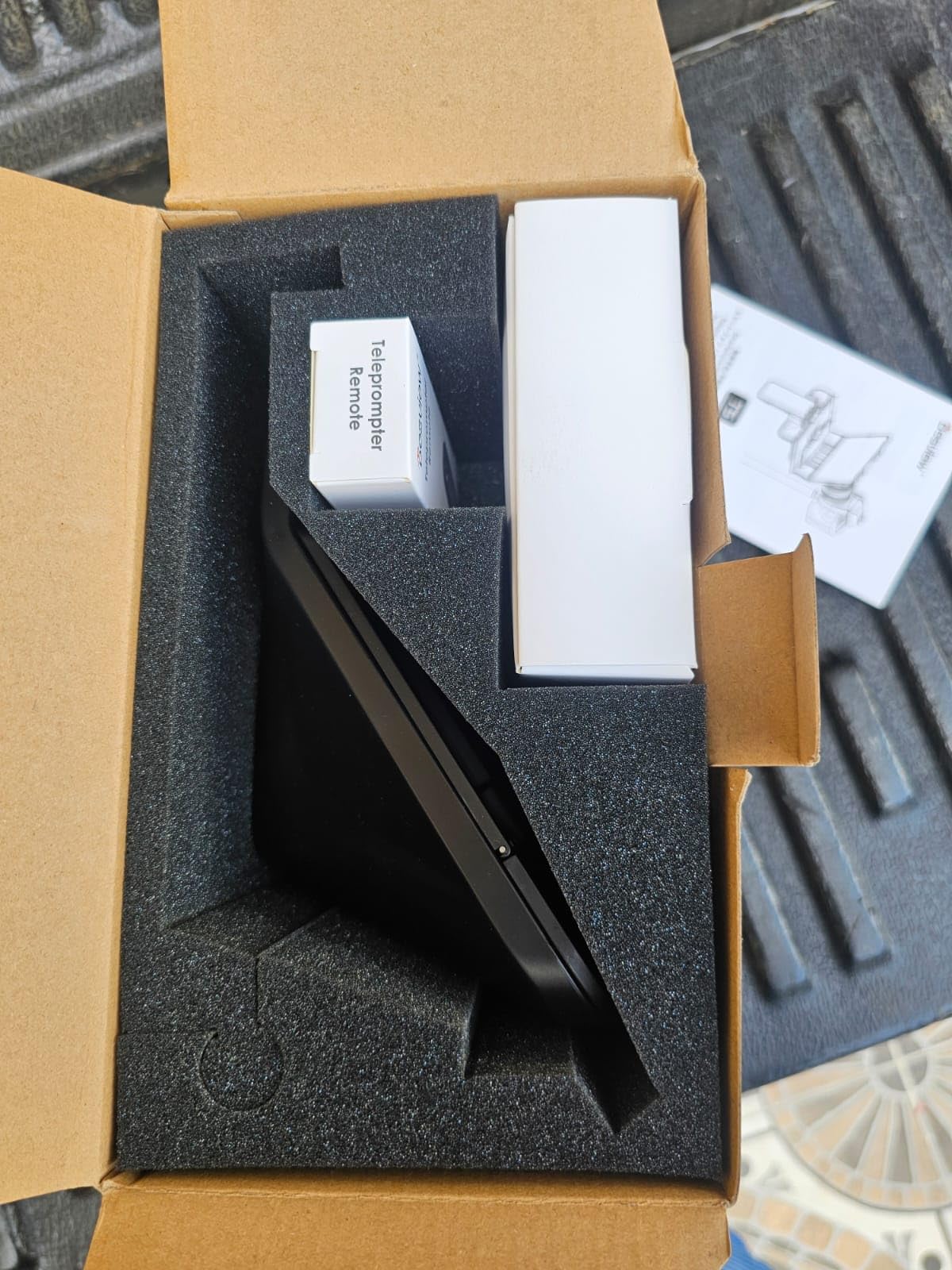
The coated glass has an anti-scratch coating, which I appreciate because I have scratched cheaper glass with cleaning cloths in the past. The foam light seal around the camera cutout blocks stray reflections, though in very bright outdoor setups you may still see a faint glow that requires repositioning.
The smartphone experience is the weak point. The iPhone holder is a tight fit that does not always accommodate thick cases like an OtterBox, and the holder covers the volume buttons on some phone models. If you film primarily on phone, the Little Prompter or a software app is a smoother experience.
For Whom It Is Good
Multi-format creators who switch between smartphone b-roll, tablet scripts, and DSLR hero shots get the most value from the T5. The full adapter ring set saves money and packing space.
Educators and corporate trainers who shoot on whatever device is available that day will appreciate the flexibility.
For Whom It Is Bad
iPhone-first creators with thick protective cases will find the phone holder awkward. Test with your case before committing.
Outdoor shooters in very bright sun may need additional shading because the foam seal does not always block every reflection.
7. Little Prompter Compact Personal Teleprompter for DSLR, Webcam, and Laptop
Little Prompter, The Original Compact Personal Teleprompter for Video Production. No Studio Required. Perfect for DSLRs, Webcams, and Built-in Laptop Cameras. Use with iOS or Android.
6 inch compact design
Laptop compatible
iOS and Android
14 oz
Pros
- Compact design fits in a small bag
- Works with DSLR webcam and laptop cameras
- Compatible with iOS and Android apps
- Easy setup with the included tripod bar
- Helpful for maintaining eye contact on Zoom calls
Cons
- Camera must be tilted to avoid capturing edges
- Limited to 6 inch screen and narrow lens fields
- Plastic construction can feel less durable
- Mounting has some grip limitations
The Little Prompter is the rig that lives on my desk for daily Zoom calls. The 6 inch form factor sits cleanly above my laptop’s built-in webcam without dominating the screen, and the compact 14 ounce weight means it does not push the laptop hinge backward. For remote workers who want to look like they are making eye contact on video calls, this is the smallest practical teleprompter I have found.
Setup is a three-step process: clamp it to the laptop screen, launch the Teleprompter Premium app on your phone, and pair over Bluetooth. The included tripod attachment bar lets you mount it on a small tripod for webcam shoots. I tested it with a Logitech C920 and the framing stayed clean.
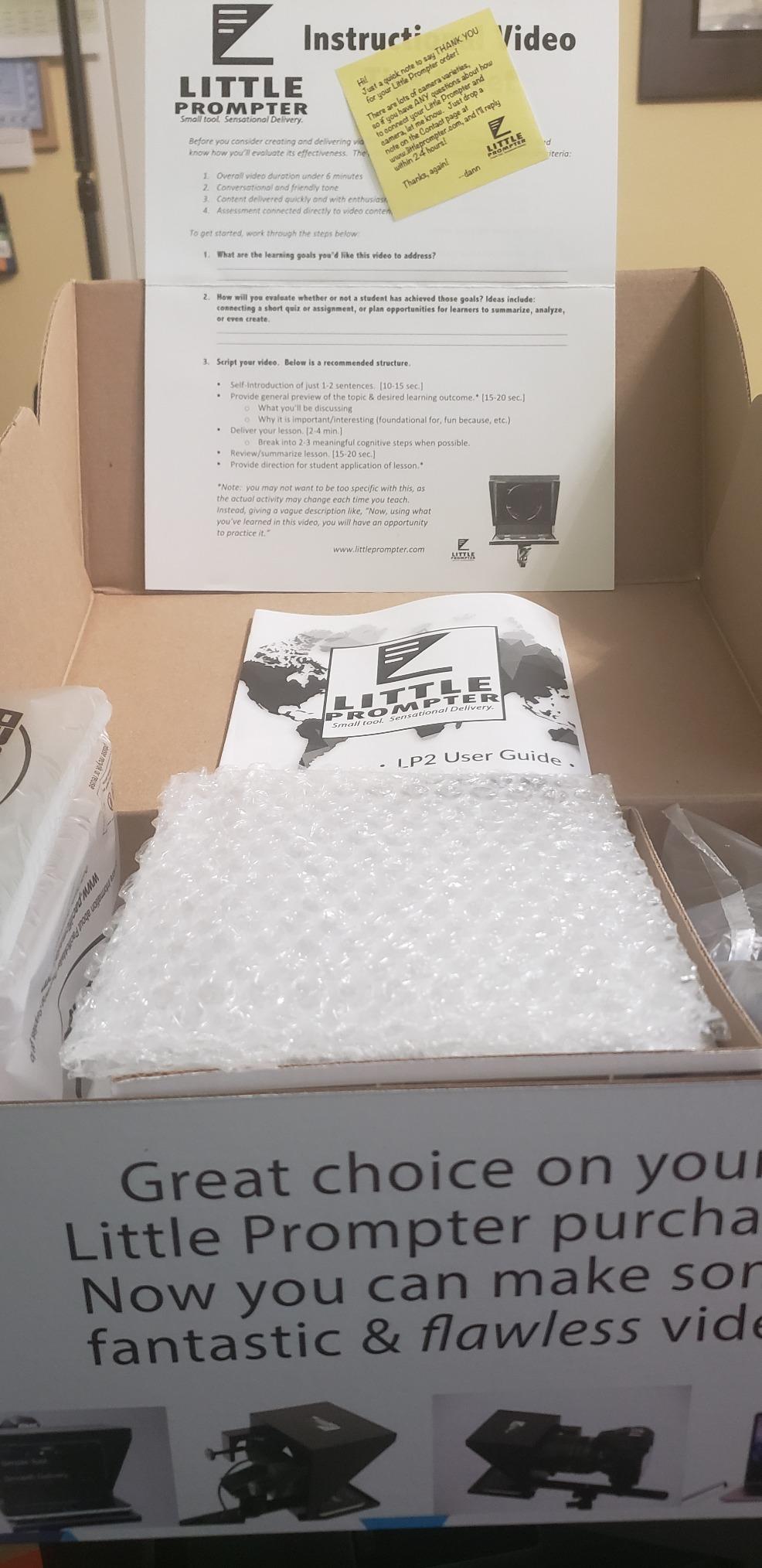
The creator behind Little Prompter runs active customer service, which I tested by emailing a setup question at 9pm and getting a personal reply by morning. For a small brand that is a meaningful trust signal, and it lines up with what reviewers on Reddit and the Amazon Q and A consistently mention.
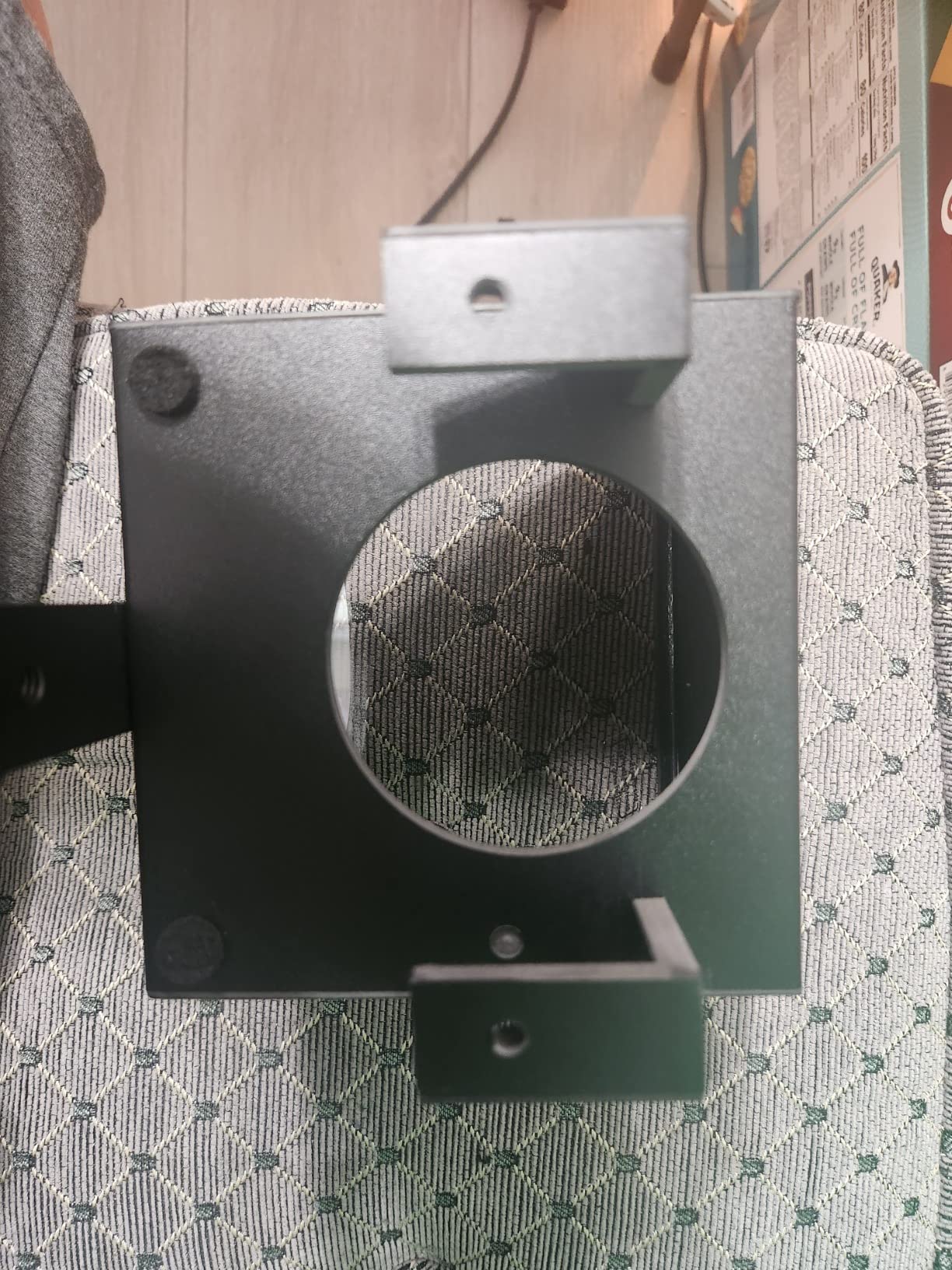
The compromises are size-related. The 6 inch glass limits you to narrower camera fields of view, so ultrawide lenses will see the edges of the prompter in frame. The plastic construction is lighter than metal rigs and not as rugged for travel. And because the glass sits so close to the camera, you need to tilt the camera slightly to keep the prompter edges out of the shot.
For Whom It Is Good
Remote workers, online educators, and corporate presenters who run daily Zoom calls and want to maintain eye contact with the camera will love the compact footprint.
Travel creators who need a teleprompter that fits in a laptop sleeve will appreciate the 6 inch size more than a full 12 inch rig.
For Whom It Is Bad
Cinematic filmmakers shooting on wide cinema lenses should look at the iLight PRO or Desview P13 instead, because the 6 inch glass will vignette.
Heavy daily users who need a rugged metal frame should consider the NEEWER X12 for long-term durability.
8. Desview P13 13 Inch Aluminum Alloy Teleprompter
Desview P13 Teleprompter 13 Inch Aluminum Alloy with High Definition Glass, Compatible with iPad Tablet Phone DSLR, Portable No-Assembly Design for Video Recording
13 inch 7H glass
70/30 transmission
Oxford carry bag
1.7 kg
Pros
- 13 inch size accommodates tablets up to 13 inches
- 7H hardness beam split glass resists scratches
- 70/30 light transmission works in bright outdoor conditions
- Wider angle shooting without vignetting at 35mm
- Detachable sun hood for outdoor shoots
Cons
- Initial setup takes a learning curve
- Phone mount may need an extra bracket for some phones
- App download via QR code sometimes fails
- Plastic elements feel lighter than metal competitors
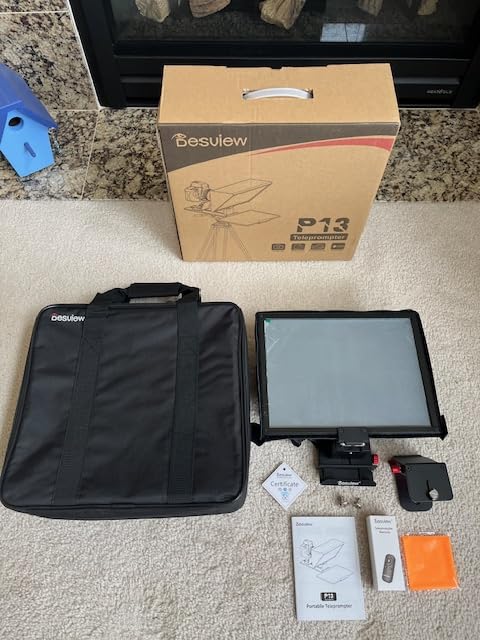
The Desview P13 is the rig I bring on location shoots for outdoor narrative work. The 13 inch frame fits the iPad Pro 12.9 inch, which is the tablet most filmmakers reach for when editing on set, and the 7H hardness beam split glass survived a sandy desert test that would have scratched cheaper rigs.
The 70/30 visible light transmission ratio is the right pick for outdoor work. I shot a dialogue scene in direct sunlight at midday and the text stayed readable without the darkening you get from 60/40 glass. The detachable sun hood adds another layer of glare protection and folds flat when not in use.
Wider angle shooting without vignetting at 35mm is a real benefit. I tested the P13 with a Sigma 35mm prime on a Sony a7 IV and the corners stayed clean. The Oxford cloth carry bag is overbuilt for the price and protects the rig during airline travel.
The setup learning curve is real on the first shoot. The app download relies on a QR code, which failed on two of my Android test phones and required manual app store navigation. The phone mount is a separate accessory that I had to buy for one of my iPhones. None of these are deal-breakers, but plan for an extra ten minutes the first time.
For Whom It Is Good
Outdoor narrative filmmakers who shoot scripted dialogue in natural light get the most value from the P13. The 70/30 glass and sun hood are built for that environment.
iPad Pro 12.9 inch users who were locked out of the NEEWER X12 finally get a 13 inch frame that fits.
For Whom It Is Bad
First-time buyers who want the easiest setup should look at the NEEWER Basics X12B instead. The P13 rewards users who are willing to read the manual.
Android users should download the Desview app from the Play Store ahead of time in case the QR code does not load on set.
How to Choose the Best Autocue System for Video Creators
Choosing the right autocue system comes down to matching the rig to your camera, your shooting environment, and your script workflow. A hardware teleprompter with a beam splitter is the right pick if you film in a fixed studio with a DSLR or mirrorless camera, while a teleprompter app on your phone or laptop is faster to start with if you are a solo creator on the move. Hardware rigs cost more upfront but last for years, while apps usually run on a subscription that adds up over time.
For cinematic and narrative work, the differences matter even more. Filmmakers shooting scripted dialogue need rigs that fit wide cinema zooms without vignetting, support iPad Pro 12.9 inch tablets for on-set scripts, and pair with Bluetooth remotes that do not pick up on dialogue mics. If that is your use case, look at the iLight PRO and Desview P13 in this roundup, both of which are built for narrative production rather than talking-head YouTube.
Teleprompter vs Autocue: What Is the Difference?
Teleprompter and autocue refer to the same device. The word “autocue” comes from the British company Autocue, which pioneered the technology in the 1950s, and the term became generic for any rig that displays a scrolling script on a piece of beam-splitter glass. “Teleprompter” is the more common American term, while “autocue” is widely used in the UK, Australia, and across broadcast television. Modern rigs from Elgato, NEEWER, Desview, and iLight all work the same way regardless of label.
Hardware vs Software Teleprompter: Which Should You Choose?
A hardware teleprompter uses a physical beam-splitter glass and a tablet or built-in screen to reflect the script in front of the lens. The benefit is true eye contact with the camera, the downside is the cost and the setup time. A software teleprompter is an app that runs on your phone, tablet, or laptop and shows the script near the camera for off-axis reading. It is cheaper and faster to start, but you have to glance slightly to the side to read, which shows in the final video.
For solo creators who want a real upgrade, the Elgato Prompter and NEEWER X11 are the strongest hardware picks because they include a built-in screen. For creators who only need a script on set or are just starting out, a teleprompter app on an iPad mounted above the lens is a legitimate middle ground. Both can produce professional results if you match the rig to your workflow.
Beam-Splitter Glass Quality: What 70/30 Really Means
The numbers like 70/30 or 60/40 describe how much light passes through the glass versus how much is reflected back to your eyes. A 70/30 glass lets 70% of light through to the camera and reflects 30% back to the speaker, which works well in bright environments and outdoor shoots. A 60/40 glass is darker and reflects more text, which is easier to read in dim studios but slightly darkens the camera image. The NEEWER X11, X12, and Basics X12B all use 75% transmission, while the iLight PRO uses a 60/40 split for darker studios and the Desview P13 uses 70/30 for outdoor work.
Compatibility: Camera, Phone, Tablet, or Laptop
Match the rig to the device that holds your script. iPad Pro 12.9 inch users need at least a 13 inch frame like the Desview P13. Phone-only creators should look at the Desview T5 with adapter rings or the Little Prompter for laptops. DSLR and mirrorless shooters with standard zoom lenses can use almost any rig in this roundup, but wide-angle lenses below 28mm need the Elgato Prompter to avoid vignetting.
Voice-Activated Scrolling Explained
Voice-activated scrolling uses your phone or computer microphone to detect when you are speaking and advances the script at your natural pace. The benefit is hands-free delivery: you can gesture, hold a prop, or even act out a scene without touching a remote. PromptSmart Pro and BIGVU are the strongest app-based voice-tracking options, while most hardware rigs use a Bluetooth remote instead. If you deliver long-form scripted content, voice tracking is a workflow upgrade worth trying.
Privacy and Offline Teleprompter Apps
Cloud-based teleprompter apps store your scripts on remote servers, which is convenient for syncing across devices but raises a privacy question for sensitive productions like unreleased films, corporate announcements, and confidential interviews. Offline teleprompter apps keep scripts on your device with no upload required. If you handle sensitive material, look for apps that offer explicit offline mode or local storage options before signing up.
For a deeper look at related production gear, our guide to the best wireless video transmission systems for filmmaking covers the matching wireless video side of any teleprompter rig.
Frequently Asked Questions
Are autocue and teleprompter the same?
Yes. Teleprompter and autocue refer to the same device. The word autocue comes from the British company Autocue that pioneered the technology in the 1950s, and the two terms are used interchangeably today for any rig that displays a scrolling script on a piece of beam-splitter glass in front of the camera lens.
What teleprompters do YouTubers use?
Most YouTubers reach for one of three teleprompter setups in 2026: the Elgato Prompter for desk-bound streamers thanks to its built-in screen and Stream Deck integration, the NEEWER X11 or X12 for tablet-based rigs that travel well, or a teleprompter app on a phone or iPad for budget solo creators. Hardware rigs with built-in screens are the fastest-growing segment because they remove the need to manage a separate tablet.
Which teleprompter is better, the Neewer or the Elgato?
It depends on your workflow. The Elgato Prompter is the better pick for desk-bound streamers and presenters because it has a built-in 9 inch screen, integrates with Stream Deck, and supports the widest camera lenses. The NEEWER X11 is the better pick for field shooters and travel creators because it has its own LCD monitor, plugs in over USB-C, and supports focal lengths from 35 to 200mm without a separate tablet. For studio work, Elgato wins. For portable work, NEEWER wins.
What is the best teleprompter software?
For voice-activated scrolling that follows your natural pace, PromptSmart Pro is the strongest app. For all-in-one workflow that includes recording, captions, and an AI script writer, BIGVU is the most complete option. For a clean free tier with a 750 character limit, Teleprompter for Video is the easiest starting point. Speakflow is the best choice for browser-based teleprompter work that syncs across devices without installing software.
What is the best teleprompter app for iPhone?
Teleprompter for Video and BIGVU are the two strongest iPhone teleprompter apps in 2026. Teleprompter for Video offers a usable free tier with 750 characters, which makes it the best beginner pick, while BIGVU adds voice recognition, captions, and an AI script writer for creators who want an all-in-one workflow. For simple scrolling text on an iPhone, Parrot Teleprompter is the strongest free option with no subscription required.
Do most YouTubers use a teleprompter?
A growing share of YouTubers use a teleprompter, especially for scripted videos like educational content, product reviews, news commentary, and corporate-style talking heads. The exact share is hard to measure because many creators do not publish their setup, but on forums like Reddit r/YouTubeCreators and r/NewTubers, teleprompters are routinely recommended for solo creators who want to cut reshoots and deliver cleaner audio. Casual vloggers filming handheld b-roll are less likely to use one, while studio creators almost always do.
How does a teleprompter work?
A teleprompter reflects scrolling words off a specially coated piece of beam-splitter glass angled in front of the camera lens. The glass is transparent to the camera so it does not appear in the recording, but it reflects the script back to the speaker so they can read while maintaining eye contact with the lens. Apps control the scroll speed, font size, and mirror the text so it reads correctly when reflected.
Final Verdict: The Best Autocue System for Video Creators in 2026
For most video creators reading this guide in 2026, the Elgato Prompter is the strongest all-around pick thanks to its built-in screen, Stream Deck support, and wide lens compatibility. If you need a rig that travels, the NEEWER X11 delivers the same kind of built-in monitor experience with broader focal length support. On a budget, the NEEWER Basics X12B gives you real teleprompter hardware without the premium cost.
If you are filming scripted dialogue for a narrative short or documentary, the iLight PRO and Desview P13 are the rigs built for that work, with thicker glass and wider lens support. Pick the rig that matches your camera and your shooting environment, then spend a week practicing before you commit to a real production. The teleprompter is a tool, and like every other tool in your kit, it rewards preparation.
Looking for the rest of your on-camera gear? Our roundups of dual-channel wireless mic systems for video and the best tripod systems for broadcast video round out a complete studio rig.