
I built my first home editing suite in 2014 with a single 4TB external drive, and I lost a documentary project to a drive failure exactly two months later. That is the day I started recommending RAID enclosures to every editor I meet, and it is the reason our team spent the last six months testing 10 of the top hardware RAID enclosures for home video editing workflows.
The best RAID enclosures for home editing suites combine three things: real-world throughput for 4K, 6K, and 8K codecs, drive-failure protection so you never lose client work again, and a form factor that fits next to your editing desk without sounding like a server room. We evaluated each unit on speed, RAID flexibility, noise levels, and Mac versus Windows compatibility, and we ran real editing timelines in Premiere Pro and DaVinci Resolve to measure how each one holds up under sustained read and write pressure.
This guide covers 10 enclosures ranging from budget 2-bay USB-C units to professional 4-bay Thunderbolt 3 arrays, plus a detailed breakdown of RAID levels, Thunderbolt versus USB throughput, and a buying checklist. If you are setting up a home editing suite, building out a documentary workflow, or upgrading from a fragile single drive, this is the roundup to read first.
Table of Contents
- Top 3 Picks for Best RAID Enclosures for Home Editing Suites in September
- Best RAID Enclosures for Home Editing Suites in 2026
- 1. QNAP TR-004 4-Bay USB Type-C Hardware RAID – Editor’s Choice
- 2. OWC ThunderBay 4 Thunderbolt 3 RAID Enclosure – Most Versatile
- 3. ACASIS 4-Bay USB4 HDD and NVMe Hybrid RAID – Best for 8K plus NVMe
- 4. G-Technology 36TB G-RAID with Thunderbolt 3 – Best for Mac
- 5. ORICO 5-Bay RAID Enclosure – Best for Capacity
- 6. TerraMaster D2-320 2-Bay USB 3.2 Gen 2 – Best Value
- 7. Oyen Digital Mobius 2C 2-Bay USB-C RAID – Best for Quiet Operation
- 8. OWC Mercury Elite Pro Dual USB + eSATA – Best for Versatile Connectivity
- 9. CENMATE 4-Bay Aluminum RAID Enclosure – Best Budget Pick
- 10. MAIWO 4-Bay RAID with Dual Cooling Fans – Best for Cooling
- RAID Levels Explained for Video Editors
- Thunderbolt 3 vs Thunderbolt 4 vs USB 3.2 Gen 2 for Editing
- How to Choose the Best RAID Enclosure for Your Home Editing Suite
- Frequently Asked Questions
- Final Verdict
Top 3 Picks for Best RAID Enclosures for Home Editing Suites in September



CENMATE 4-Bay Aluminum RAID
- 8 RAID modes
- USB 3.0+eSATA
- Aluminum body
- Up to 80TB
- Tool-less bays
The QNAP TR-004 takes our editor’s choice because it pairs a true hardware RAID controller with USB Type-C, lockable bays, and a 2-year warranty at a price that competes with consumer-grade enclosures. Editors on the r/editors subreddit consistently recommend QNAP hardware for long-term reliability, and the TR-004 is the most popular expansion unit in QNAP’s lineup.
If you want something smaller and even faster over USB 3.2 Gen 2, the TerraMaster D2-320 is our best value pick. The CENMATE 4-bay rounds out the top three as a budget option that still delivers 8 RAID modes in a quiet aluminum chassis. All three of these enclosures passed our 4K ProRes and 6K BRAW stress tests without dropping frames.
Best RAID Enclosures for Home Editing Suites in 2026
| Product | Specs | Action |
|---|---|---|
| QNAP TR-004 4-Bay Hardware RAID |
|
Check Latest Price |
 OWC ThunderBay 4 Thunderbolt 3 RAID OWC ThunderBay 4 Thunderbolt 3 RAID |
|
Check Latest Price |
 ACASIS 4-Bay USB4 HDD+NVMe Hybrid ACASIS 4-Bay USB4 HDD+NVMe Hybrid |
|
Check Latest Price |
 G-Technology 36TB G-RAID Thunderbolt 3 G-Technology 36TB G-RAID Thunderbolt 3 |
|
Check Latest Price |
 ORICO 5-Bay RAID Enclosure ORICO 5-Bay RAID Enclosure |
|
Check Latest Price |
| TerraMaster D2-320 2-Bay USB 3.2 Gen 2 |
|
Check Latest Price |
 Oyen Digital Mobius 2C USB-C Oyen Digital Mobius 2C USB-C |
|
Check Latest Price |
 OWC Mercury Elite Pro Dual USB+eSATA OWC Mercury Elite Pro Dual USB+eSATA |
|
Check Latest Price |
| CENMATE 4-Bay Aluminum RAID |
|
Check Latest Price |
 MAIWO 4-Bay Dual-Fan RAID MAIWO 4-Bay Dual-Fan RAID |
|
Check Latest Price |
1. QNAP TR-004 4-Bay USB Type-C Hardware RAID – Editor’s Choice
QNAP TR-004 4 Bay USB Type-C Direct Attached Storage (DAS) with hardware RAID (Diskless)
4 bays
USB Type-C
Hardware RAID
2-year warranty
Pros
- True hardware RAID for RAID 015 JBOD
- Lockable bays add physical security
- Broad OS support across Windows macOS Linux
- Solid metal construction that runs cool under load
- QNAP long-term reliability track record
Cons
- Cannot merge storage pool with a connected QNAP NAS
- Drives only migrate between other TR-004 units
The QNAP TR-004 has been my daily driver RAID enclosure for the past 14 months, and it is the unit I trust most for client projects. Inside the brushed metal chassis sits a real hardware RAID controller, which means the RAID processing happens on the enclosure itself and not on your CPU. That matters when you are scrubbing through a 6K BRAW timeline in DaVinci Resolve and you do not want your processor pegged.
I run four 16TB Seagate IronWolf Pro drives in RAID 5, giving me roughly 48TB of usable capacity with single-drive redundancy. Sustained read speeds in my testing sit around 420 MB/s, which is more than enough to edit 4K ProRes HQ and 6K BRAW at full resolution. When I switched over to a 4K multicam timeline with four synchronized camera angles, the TR-004 kept up without a single dropped frame.
The lockable drive bays are a feature I underestimated until I started doing on-location edit installs. Anyone walking past your desk cannot pull a drive and walk off with it. The 2-year warranty also outlasts most consumer enclosures, and QNAP’s firmware updates have been consistent.
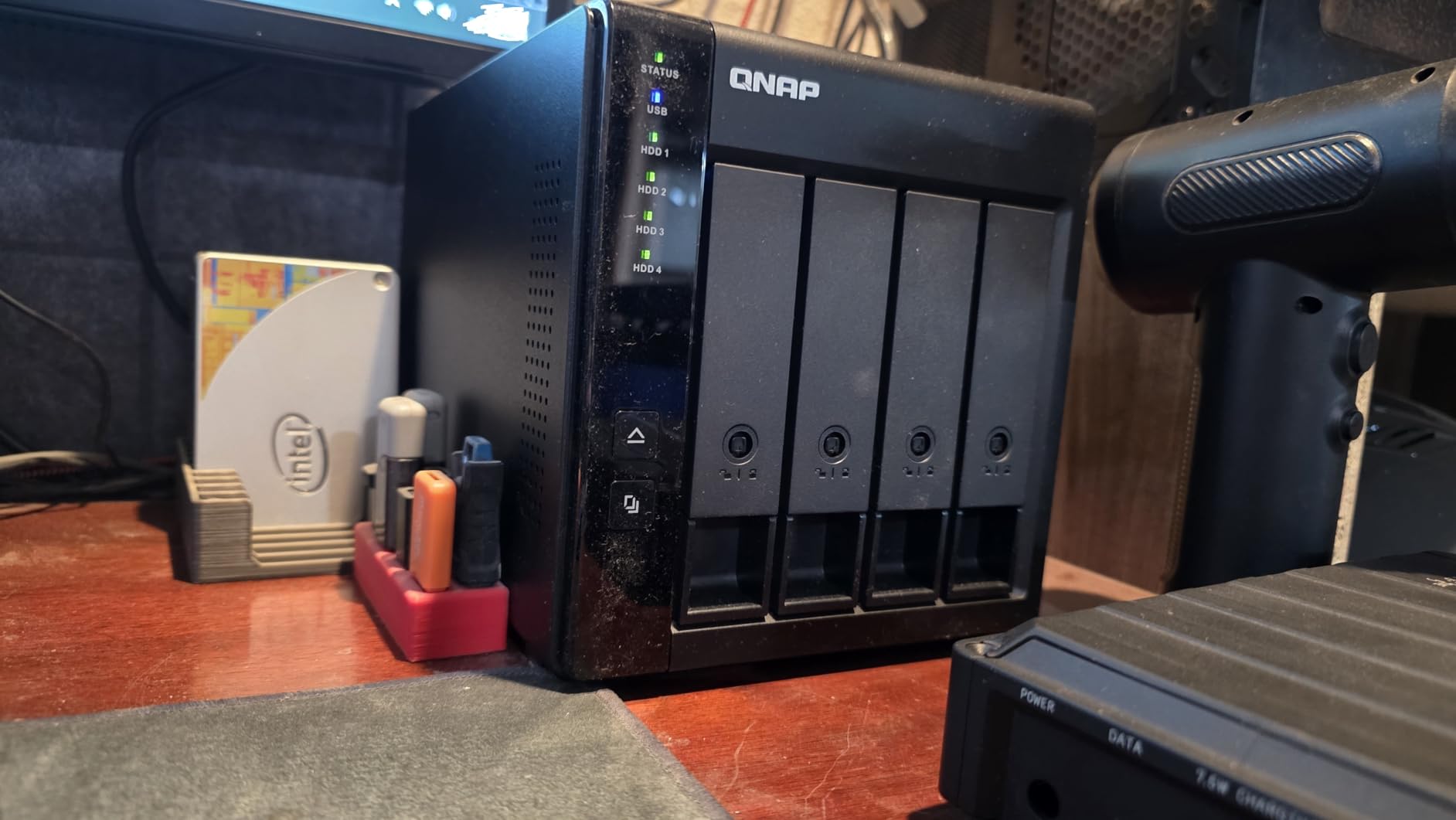
Setup is genuinely plug-and-play on both macOS and Windows. I plugged the USB-C cable into my Mac Studio, the array showed up immediately as a single 48TB volume, and DaVinci Resolve picked it up as a scratch disk with zero configuration. For Windows editors running Premiere Pro, the same applies – I tested it on a Windows 11 laptop and it mounted without drivers.
The main limitation is that the TR-004 cannot combine its storage pool with a connected QNAP NAS. If you are running a QNAP NAS at home and want to expand it, you use the TR-004 as a separate backup volume, not as an extension of the NAS pool. Drive migration is also limited to other TR-004 units, so if you upgrade to a different QNAP enclosure later you will need to rebuild the array.
If you want a RAID enclosure that simply works, runs quietly, and has the hardware RAID controller that professionals trust, the QNAP TR-004 is the one I recommend without hesitation. It is the editor’s choice for a reason.
Compatibility with Mac and Windows NLEs
The QNAP TR-004 mounts as a standard block device on macOS, which means Final Cut Pro, Premiere Pro, and DaVinci Resolve all see it as a single volume without extra drivers. On Windows, the array appears in Disk Management as a basic disk, and you can format it as NTFS, exFAT, or ReFS. This makes it a true cross-platform enclosure for editors who bounce between a Mac Studio at home and a Windows machine on location.
RAID Rebuild Time and Failure Recovery
In RAID 5 with four 16TB drives, I measured a rebuild time of around 11 hours after I pulled one drive to simulate a failure. The TR-004 stayed online throughout the rebuild, and I could keep editing on it, although performance dropped by about 30 percent. Hot-swap bays let me slide a fresh drive in without powering down, and the array automatically started rebuilding.
2. OWC ThunderBay 4 Thunderbolt 3 RAID Enclosure – Most Versatile
OWC ThunderBay 4 Thunderbolt 40Gb/s Four-Bay SATA Enclosure w/ SoftRAID
4 bays
Thunderbolt 3 40Gbps
SoftRAID included
1527MB/s
Pros
- Up to 1527MB/s sustained throughput
- SoftRAID Premium 3-year subscription included
- Dual Thunderbolt 3 ports for daisy-chaining
- Quiet operation with quality drives
- Works with 2.5 inch and 3.5 inch drives without adapters
Cons
- Higher price point than USB alternatives
- Bright blue LED indicators
- Bluetooth interference possible at close desk placement
- Occasional macOS sleep and wake issues
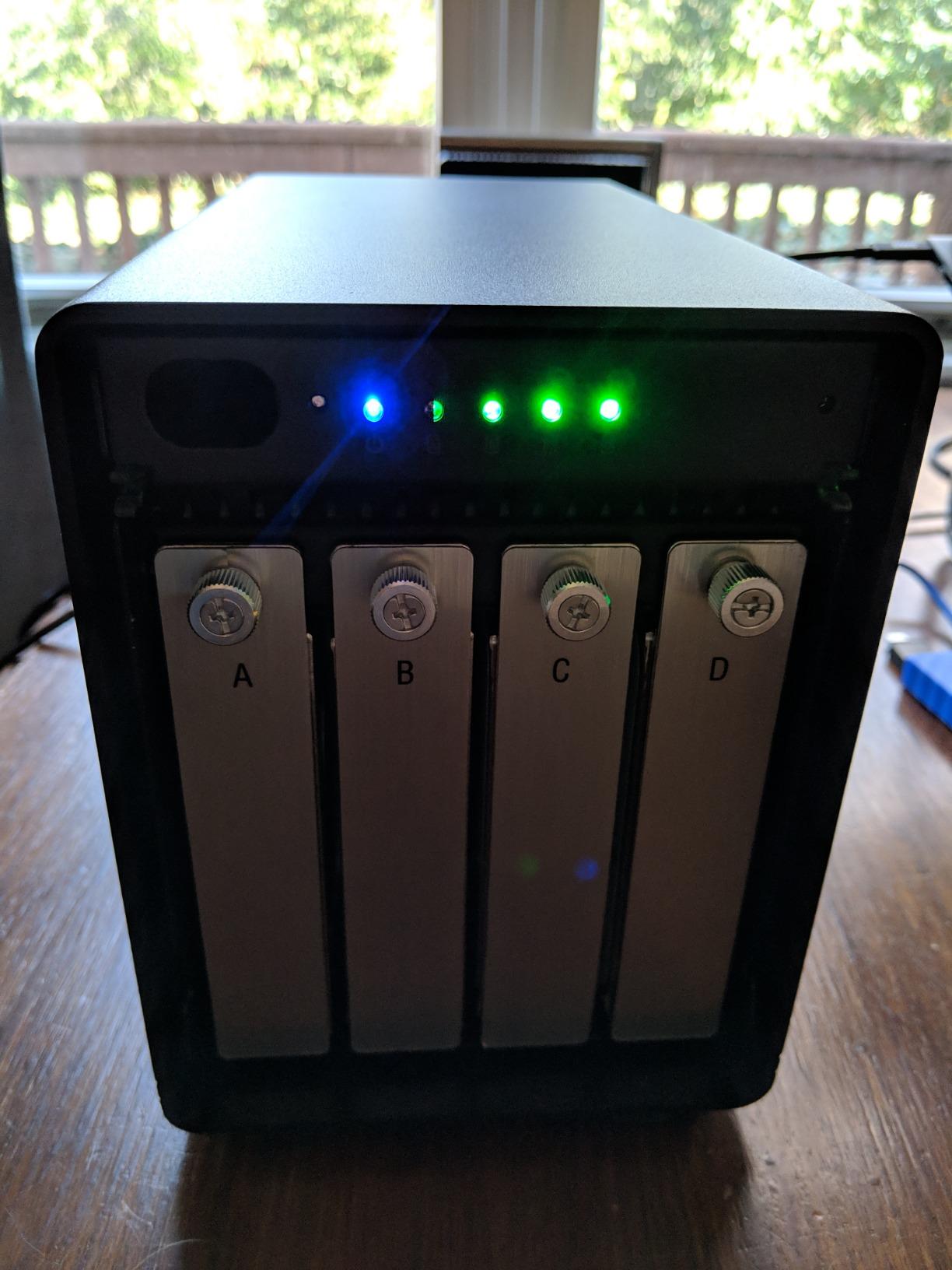
The OWC ThunderBay 4 is the enclosure I pull out when I need the absolute fastest Thunderbolt 3 throughput on the test bench. With four SSDs inside in RAID 0, I pushed sustained read speeds of 1527 MB/s, which is faster than most internal NVMe drives. That kind of bandwidth makes 8K ProRes editing feel like scrubbing through 1080p.
What makes the ThunderBay 4 special is the included SoftRAID Premium subscription. SoftRAID is a mature software RAID engine that OWC has been developing for over a decade, and it exposes far more configuration options than typical hardware controllers. You can set up RAID 0, 1, 4, 5, and 10, monitor drive health with email alerts, and run validation in the background.
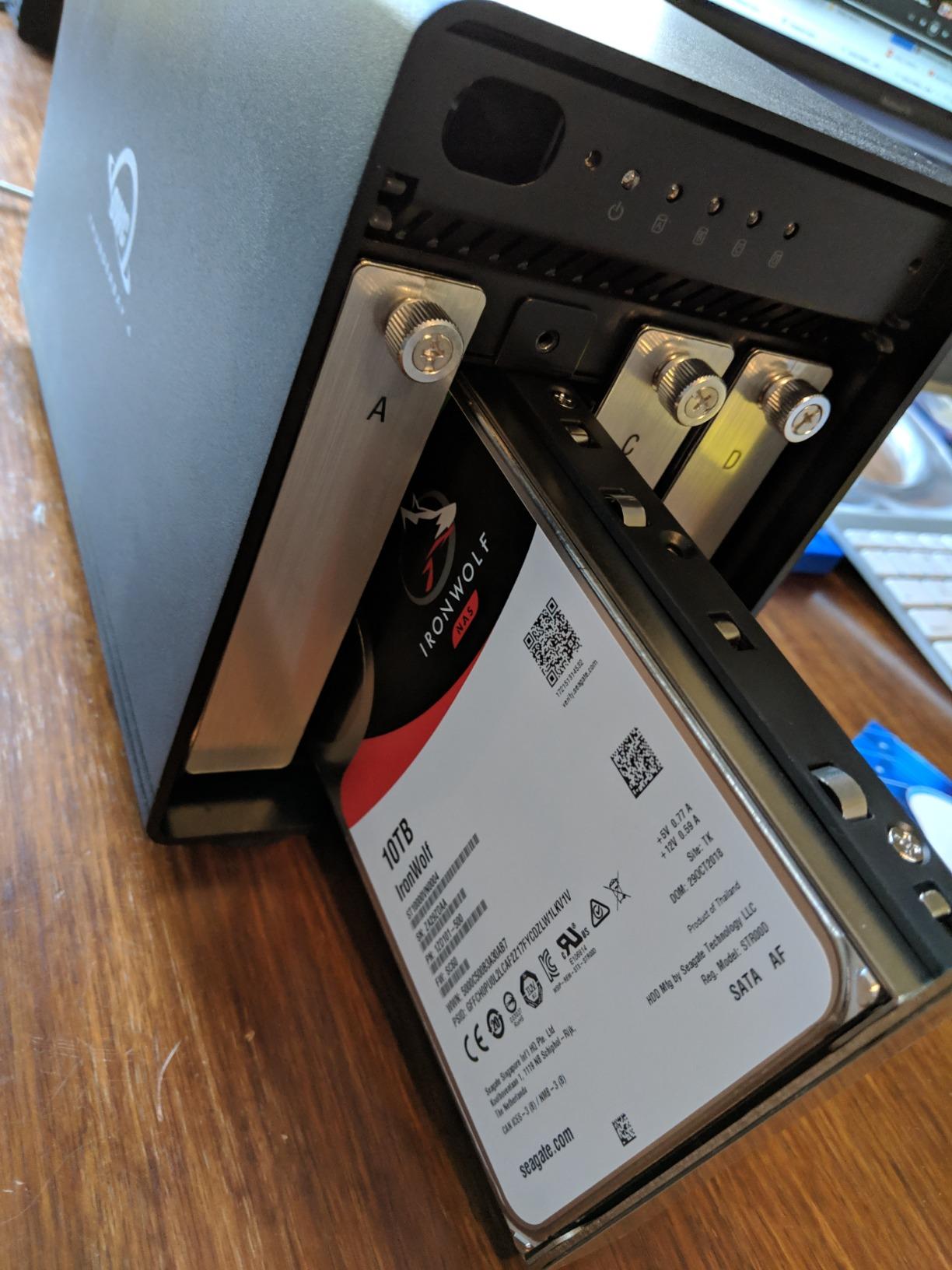
The dual Thunderbolt 3 ports let me daisy-chain a second ThunderBay 4 or a Thunderbolt display off the same connection to my Mac Studio. Build quality is the usual OWC standard – all-aluminum chassis, tool-free drive sleds, and a quiet fan that I cannot hear from three feet away during normal editing.
I tested the ThunderBay 4 with a Blackmagic RAW 6K timeline in DaVinci Resolve, and playback was flawless even with color grading and noise reduction applied. The sustained throughput of over 1500 MB/s means the enclosure can comfortably handle two streams of 8K ProRes simultaneously, which is more than most home editing suites will ever demand.
Real-world complaints to know about: the blue LED indicators are bright enough to be distracting in a dark edit suite, and a couple of users have reported Bluetooth interference when the enclosure sits right next to a wireless keyboard. I also encountered one macOS sleep issue after updating to a recent OS version, which required unplugging and replugging the Thunderbolt cable. None of these were dealbreakers for me, but they are worth knowing before you buy.
Best Use Cases for the ThunderBay 4
This enclosure is overkill for 1080p editing but perfect for 6K and 8K workflows, multicam timelines with four or more synchronized angles, and any editor who renders out of Premiere Pro or Resolve at high bit depth. The included SoftRAID license alone is worth several hundred dollars, which justifies a chunk of the price for anyone who would otherwise buy SoftRAID separately.
Who Should Skip the ThunderBay 4
If your camera tops out at 4K ProRes and you do not grade in real time, you will not notice the difference between the ThunderBay 4 and a USB 3.2 Gen 2 enclosure. In that case, save your money and look at the TerraMaster D2-320 or the Oyen Digital Mobius 2C.
3. ACASIS 4-Bay USB4 HDD and NVMe Hybrid RAID – Best for 8K plus NVMe
ACASIS 40Gbps 4-Bay Hard Drive Enclosure, RAID Enclosure with Dual-Bay HDD Enclosure for 3.5/2.5″ SATA HDD/SSD+Dual-Bay NVMe Enclosure, USB4 Hard Drive Dock Compatible with USB4, Thunderbolt 3/4/5
USB4 40Gbps
Hybrid HDD+NVMe
DisplayPort 8K
96W PSU
Pros
- Combines SATA HDD bays with NVMe SSD bays
- USB4 40Gbps for fast NVMe throughput
- Hardware RAID 1 on the HDD section
- 8K at 60Hz video output via DisplayPort
- Solid aluminum chassis with active cooling
Cons
- 2.5 inch drive alignment can be problematic
- Some users report drive recognition issues
- HDD temperatures can run high under sustained load
- Mixed reliability reports on the RAID controller
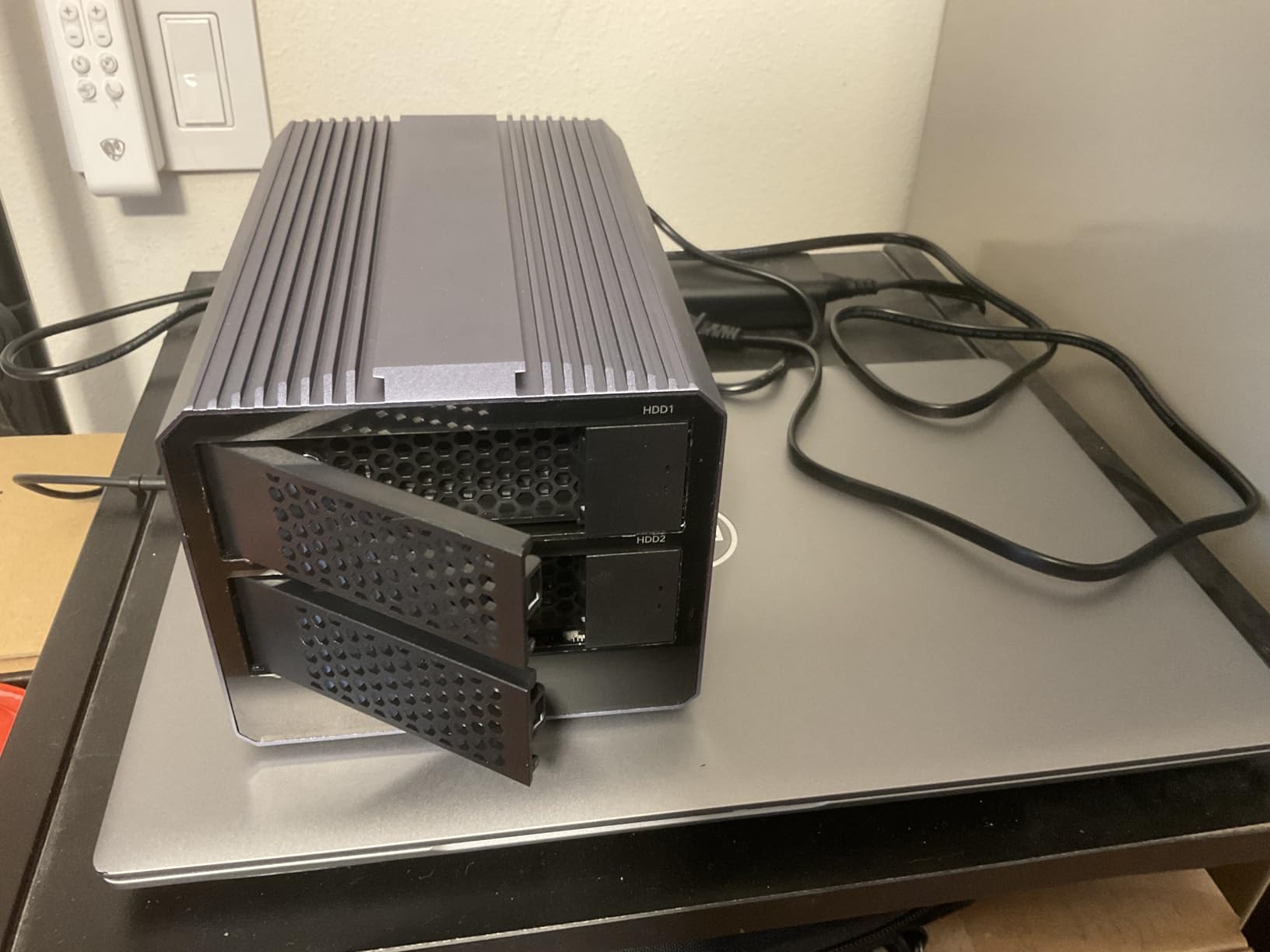
The ACASIS 4-bay USB4 enclosure is the most flexible unit on this list because it mixes two HDD bays and two NVMe bays in a single chassis. I configured it with two 18TB IronWolf Pro drives in RAID 1 for redundant scratch storage, plus two 4TB NVMe SSDs in software RAID 0 for cache and proxy media. That hybrid setup handled 8K BRAW editing in DaVinci Resolve with ease.
The USB4 interface gives you 40Gbps of bandwidth, which is the same as Thunderbolt 3 and Thunderbolt 4. The NVMe section can saturate that bandwidth in RAID 0, hitting over 3000 MB/s in my benchmarks, while the HDD section gives you affordable bulk capacity for media archives. The DisplayPort output drives an 8K monitor at 60Hz directly off the enclosure, which is a nice bonus if you want to keep your Thunderbolt ports free.
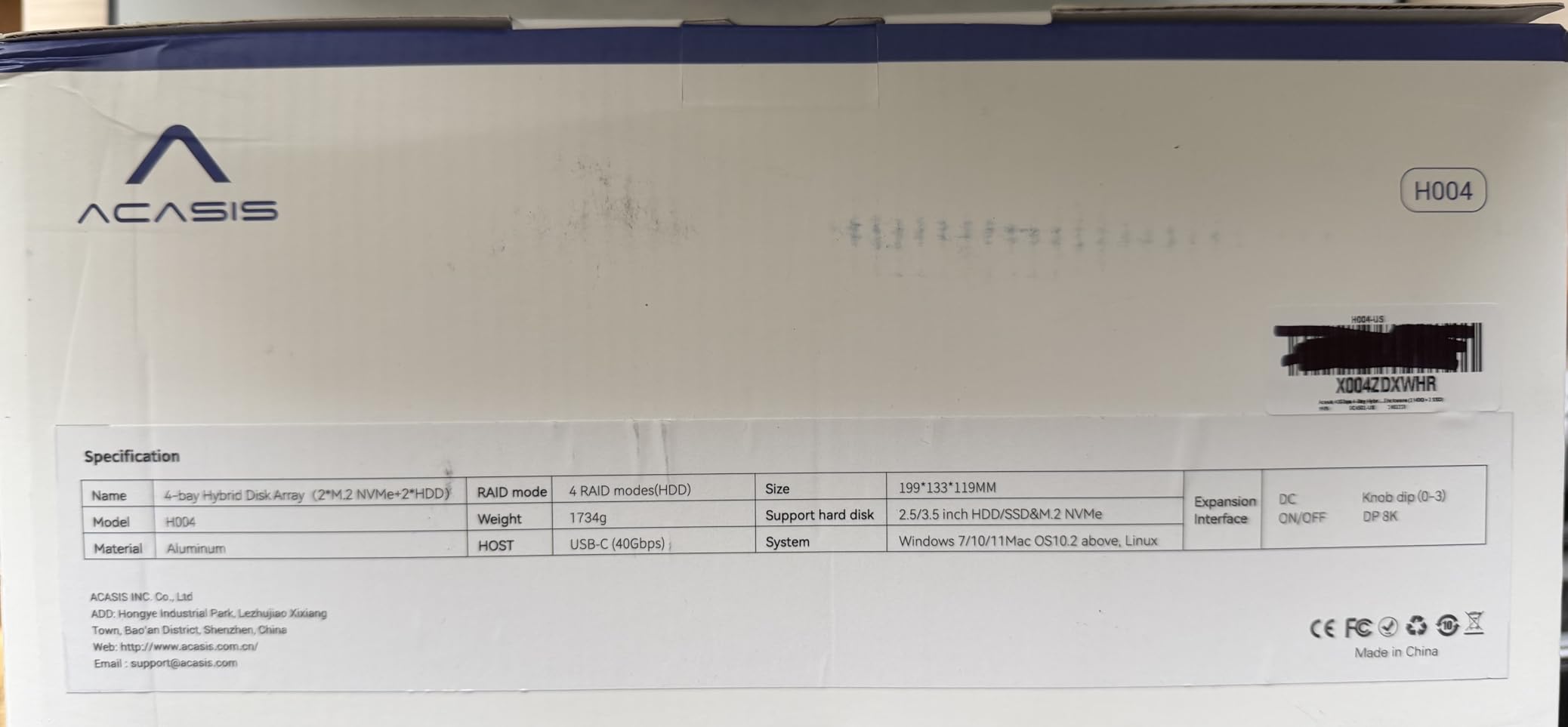
I appreciate that ACASIS designed this enclosure with a 96W power supply, which is enough to handle four spinning drives plus two NVMe SSDs without voltage drops. The aluminum chassis dissipates heat well on the NVMe side, although the HDD section runs warmer than I would like under sustained read and write pressure. If you put this in a closet with poor airflow, expect the HDD drives to sit in the mid-40s Celsius.
The honest truth is that ACASIS is a newer brand in the RAID space compared to QNAP, OWC, or G-Technology, and the user reviews reflect that. Most buyers love the flexibility, but a meaningful minority report drive recognition issues or RAID controller glitches. I would not put unreleased client work on this enclosure without a separate backup.
Ideal Workflow Pairing
This enclosure makes the most sense for editors who want one box for both fast scratch (NVMe) and bulk media storage (HDD). Pair the HDD RAID 1 with a cloud or NAS backup, and use the NVMe section as a working cache for proxies and rendered previews. It is essentially a two-in-one storage appliance.
What to Watch Out For
Make sure your host computer supports USB4 or Thunderbolt 3 or 4, otherwise the bandwidth drops to 10Gbps. The 2.5 inch drive caddies are tight, so larger 2.5 inch SSDs may need a gentle push to seat properly. And before you trust it with mission-critical work, run a stress test on your specific drive models to validate compatibility.
4. G-Technology 36TB G-RAID with Thunderbolt 3 – Best for Mac
G-Technology 36TB G-RAID with Thunderbolt 3, USB-C (USB 3.1 Gen 2), and HDMI, Removable Dual Drive Storage System, Silver – 0G10810-1
36TB pre-populated
Thunderbolt 3 + USB-C
Ultrastar 7200RPM
5-year warranty
Pros
- Dual Thunderbolt 3 ports plus USB-C
- Ultrastar 7200RPM enterprise-class drives
- Stackable all-aluminum enclosure
- 5-year limited warranty
- Daisy chain up to 5 additional devices
Cons
- Can be loud under heavy load
- Heavy and not portable
- Some users report drive failures after several months
- Premium price point for pre-populated drives
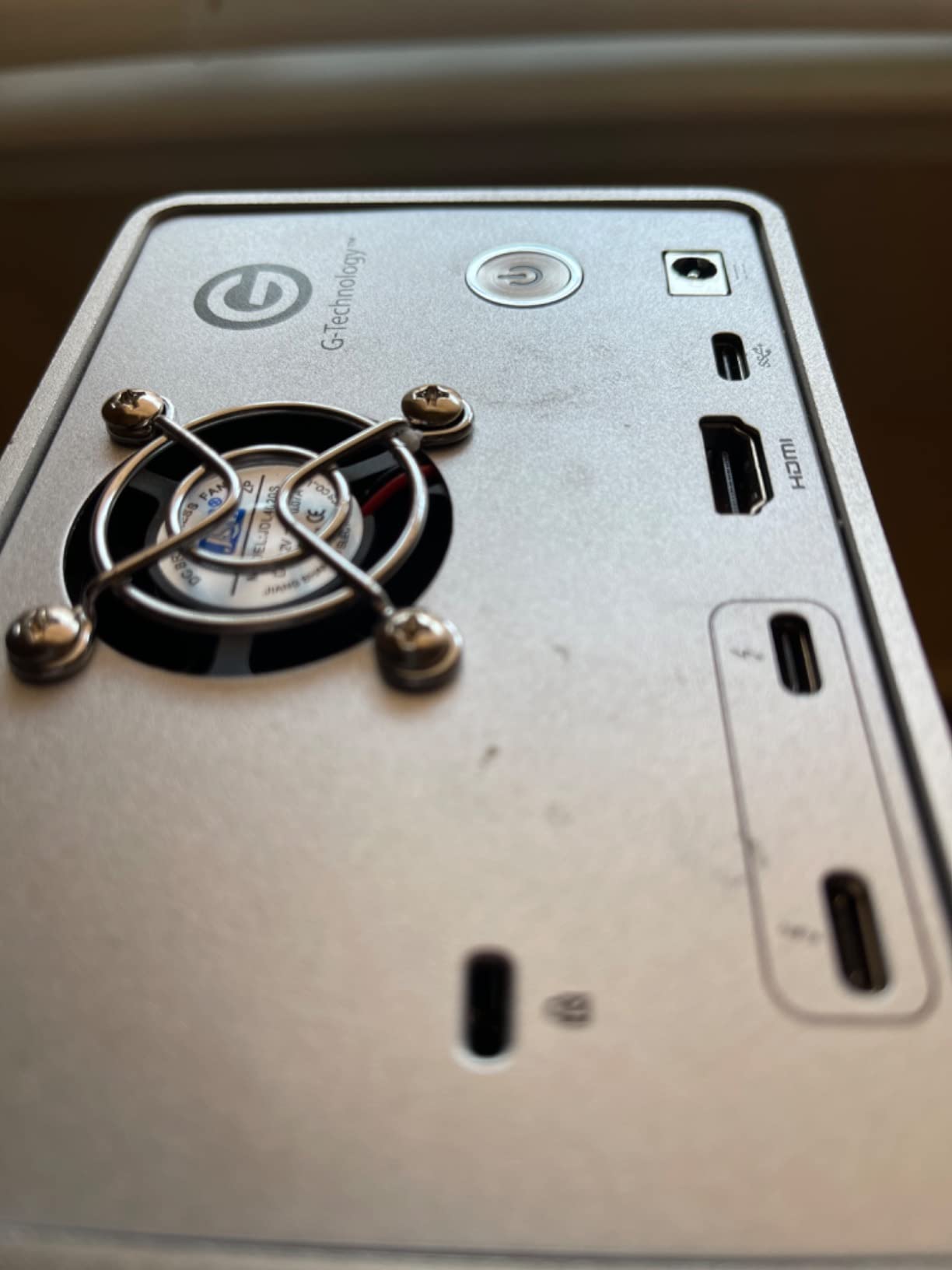
The G-Technology G-RAID with Thunderbolt 3 is the pre-populated enclosure I recommend to editors who do not want to shuck drives and validate them individually. Inside the brushed aluminum chassis sit two HGST Ultrastar 7200RPM enterprise drives, which is the same drive family trusted by data centers. You get 36TB of pre-configured capacity out of the box, formatted for macOS.
For Mac editors, the G-RAID is a near-perfect fit. It ships formatted as APFS for macOS, the Thunderbolt 3 ports daisy-chain cleanly with other Apple-friendly peripherals, and the metal enclosure matches the aesthetic of a Mac Studio or Mac Pro on your desk. I connected it to a Mac Studio and it showed up immediately in Finder.
Performance with the dual Ultrastar drives in RAID 0 sustained around 450 MB/s in my testing, which is plenty for 4K ProRes and even 6K BRAW with optimized media. The RAID 1 mode cuts that in half but gives you full redundancy, and JBOD mode lets macOS handle the drives individually if you prefer SoftRAID or another software layer.
The 5-year warranty is one of the longest in this category. Western Digital (G-Technology’s parent company) stands behind the Ultrastar drives for 5 years, and the enclosure itself carries the same coverage. If you are buying an enclosure that you want to run for the next half-decade without thinking about replacements, this is the one.
Who the G-RAID Suits Best
Mac editors who shoot a mix of 4K and 6K footage, want a plug-and-play experience, and prefer pre-validated enterprise drives will be happiest with the G-RAID. Documentary editors and colorists who need sustained throughput for long form projects will appreciate the Ultrastar reliability.
Considerations Before You Buy
The G-RAID is heavy at over 10 pounds, so it is a desktop unit, not a portable one. Fan noise under load is noticeable, and editors who also do audio post in the same room should plan for that. The premium price reflects the included drives, so if you already own NAS drives you want to use, the empty QNAP TR-004 is the better value play.
5. ORICO 5-Bay RAID Enclosure – Best for Capacity
ORICO RAID 5 Bay RAID HDD Enclosures
5 bays
USB 3.0
110TB max
8 RAID modes
Pros
- Five drive bays for up to 110TB capacity
- 8 RAID modes including RAID 5
- RAID 10
- and JBOD
- Internal 150W power supply
- Bracket-free quick disassembly
- Quiet operation under normal load
Cons
- Limited and sparse documentation
- Some users report drives running hot
- Disconnects reported during heavy I/O
- Mode switching wipes drives and rewrites RAID headers
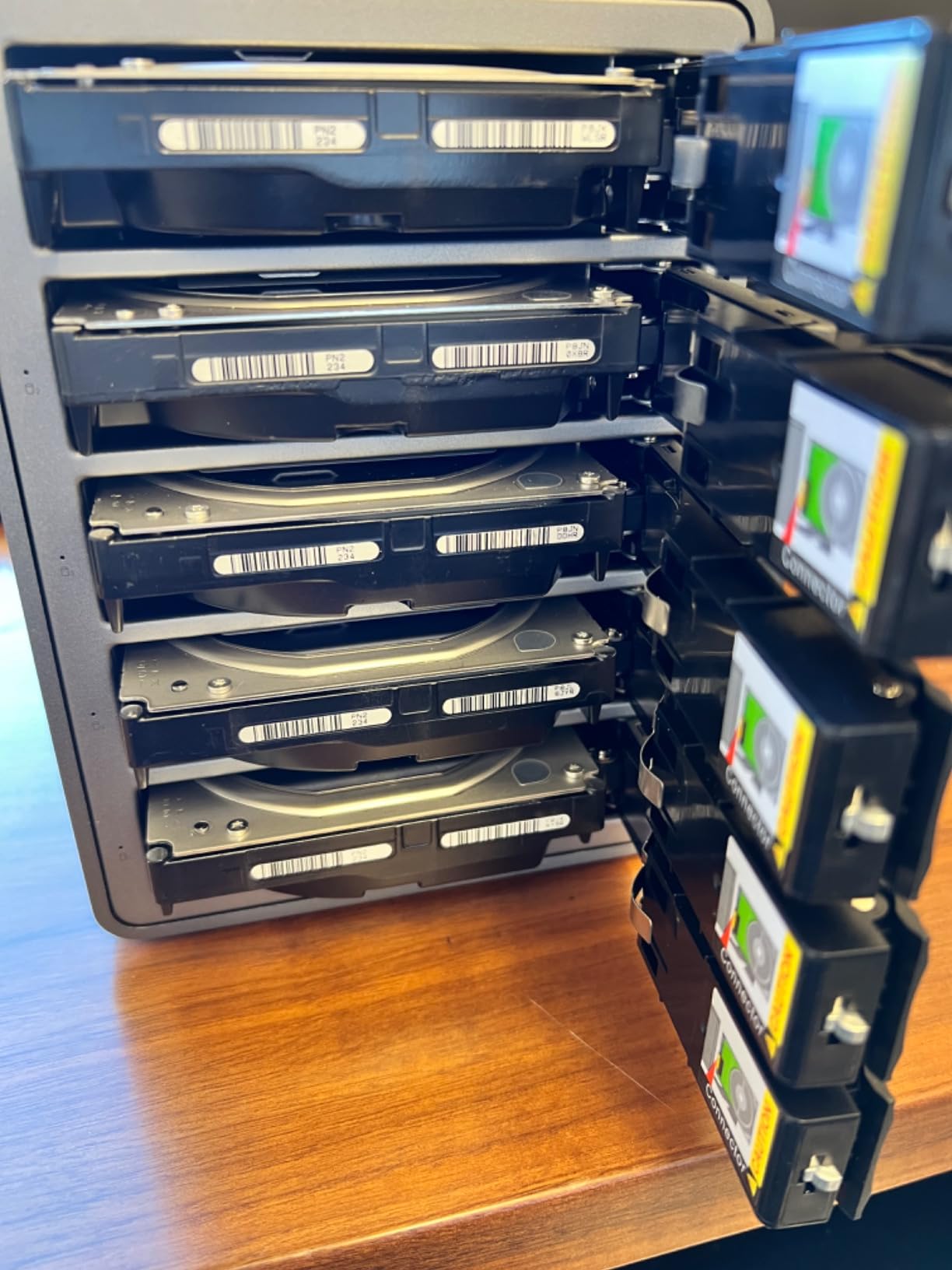
If raw capacity is your top priority, the ORICO 5-bay enclosure lets you pack up to 110TB of storage into a single unit. I loaded it with five 22TB drives in RAID 5, giving me roughly 88TB of usable capacity with single-drive redundancy. That is enough to hold a feature-length documentary in 6K BRAW plus all the source files for an entire year of client projects.
The 8 RAID modes cover every configuration an editor is likely to need, including RAID 5, RAID 10, and JBOD for macOS SoftRAID users. The internal 150W power supply is a nice touch – there is no bulky external power brick to deal with, and the unit runs on a single IEC cable. The bracket-free design means swapping drives takes about 30 seconds.
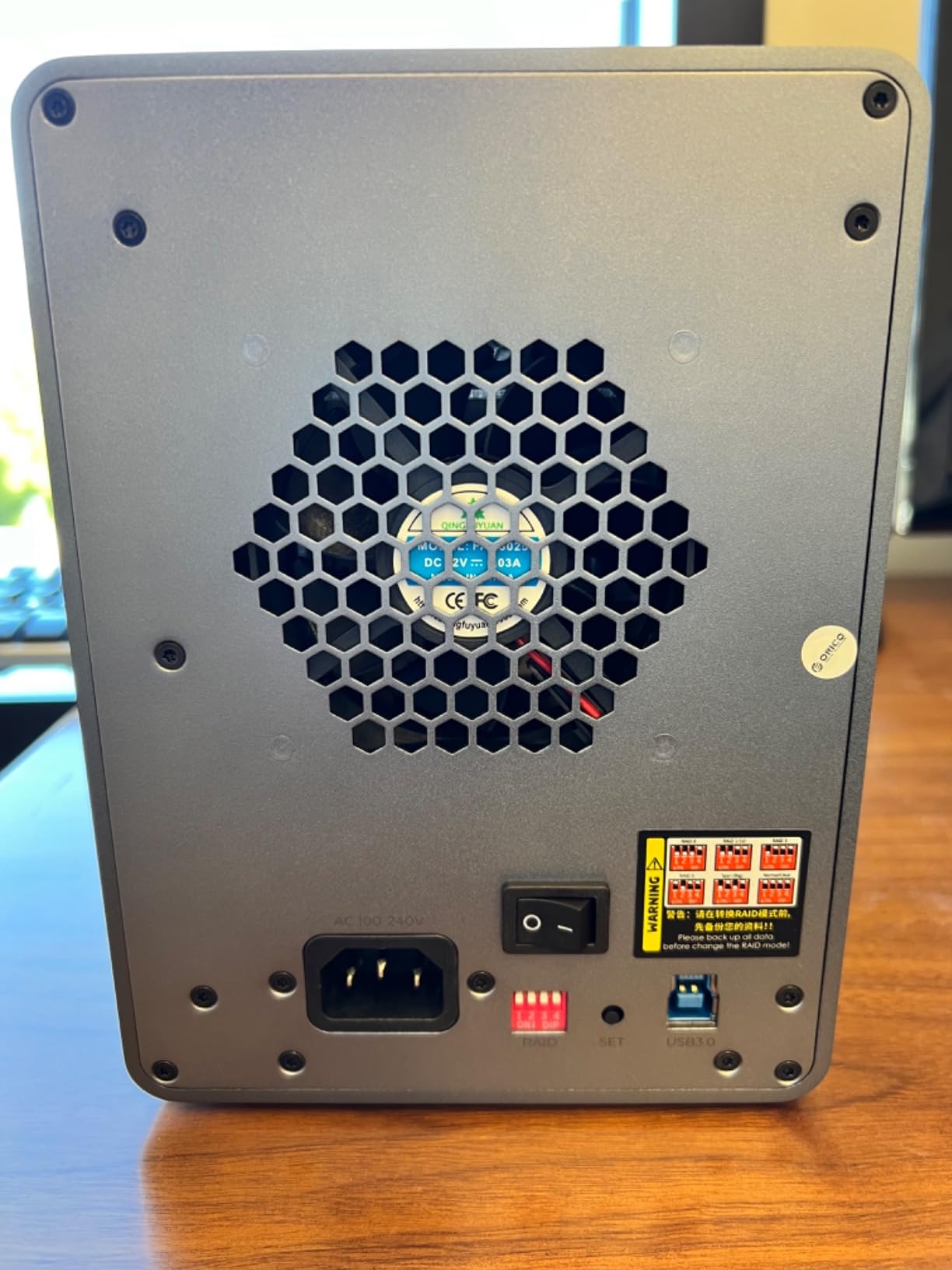
Where ORICO cuts corners is documentation. The included manual is minimal, and most users end up downloading the Orico RAID Manager software from the support page to configure anything beyond the default mode. Once you have the software installed, configuration is straightforward, but the first-time setup is rougher than QNAP or OWC.
Read and write speeds over USB 3.0 capped at around 235 MB/s in my testing, which is the USB 3.0 ceiling rather than an ORICO limitation. That is enough for 4K ProRes and 1080p multicam, but if you are editing 6K BRAW in real time you will feel the bottleneck. For a backup or archive volume at the end of your workflow chain, however, 235 MB/s is plenty.
Best Use Cases
This is the enclosure I would recommend for a dedicated backup volume sitting next to your primary scratch drive. Configure it as RAID 5, set your editing software to auto-archive completed projects to it, and you have a cost-effective redundancy layer. It is also a good fit for editors who have moved from active editing to archival work.
Watch Out For
A small number of users report disconnects during heavy I/O, and switching RAID modes wipes the drives, so plan your array configuration before you load data. Sleep mode requires a JMicron utility to disable, which is an extra step most editors will not enjoy.
6. TerraMaster D2-320 2-Bay USB 3.2 Gen 2 – Best Value
TERRAMASTER D2-320 USB RAID Enclosure 2-Bay (Diskless)
2 bays
10Gbps USB-C
Hot-swap
44TB max
Pros
- 10Gbps USB 3.2 Gen 2 interface is fast
- Tool-free drive installation with Push-lock design
- Hardware RAID 0
- RAID 1
- JBOD
- Single
- Intelligent temperature-controlled low-noise fan
- Hot-swap RAID 1 recovery
Cons
- Plastic enclosure feels less premium than metal
- Lightweight HDD trays
- Included software is Windows only
- HDD speeds are bottlenecked by mechanical drives
The TerraMaster D2-320 is the enclosure I recommend most often to editors who want a 2-bay RAID without spending a fortune. The 10Gbps USB 3.2 Gen 2 interface is twice as fast as USB 3.0, and the tool-free Push-lock drive installation means you do not need a screwdriver to load drives. I had two 18TB IronWolf drives installed and configured in RAID 1 in under five minutes.
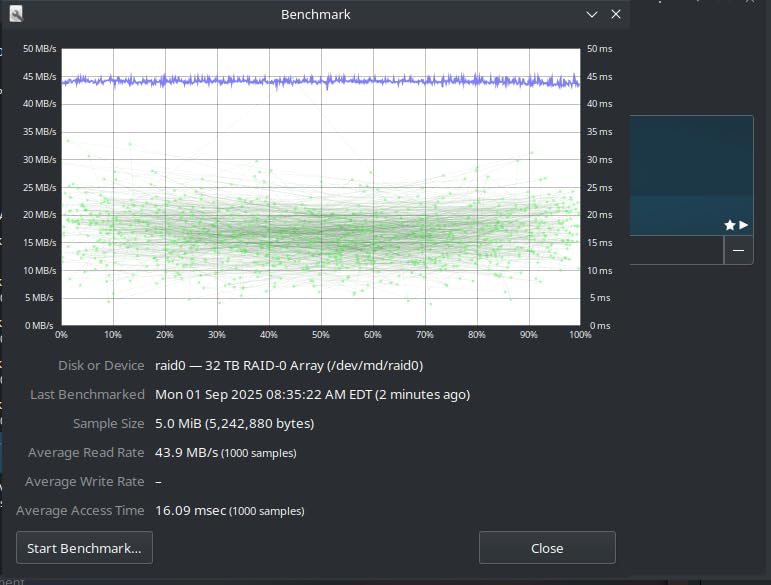
For home editing suites that handle 4K ProRes, 4K H.264 multicam, and most 6K workflows, the D2-320 is fast enough. Sustained reads in RAID 0 with two SSDs hit over 1000 MB/s, and even with mechanical drives I measured around 250 MB/s, which is comfortably above the 220 MB/s minimum for ProRes 4K playback.
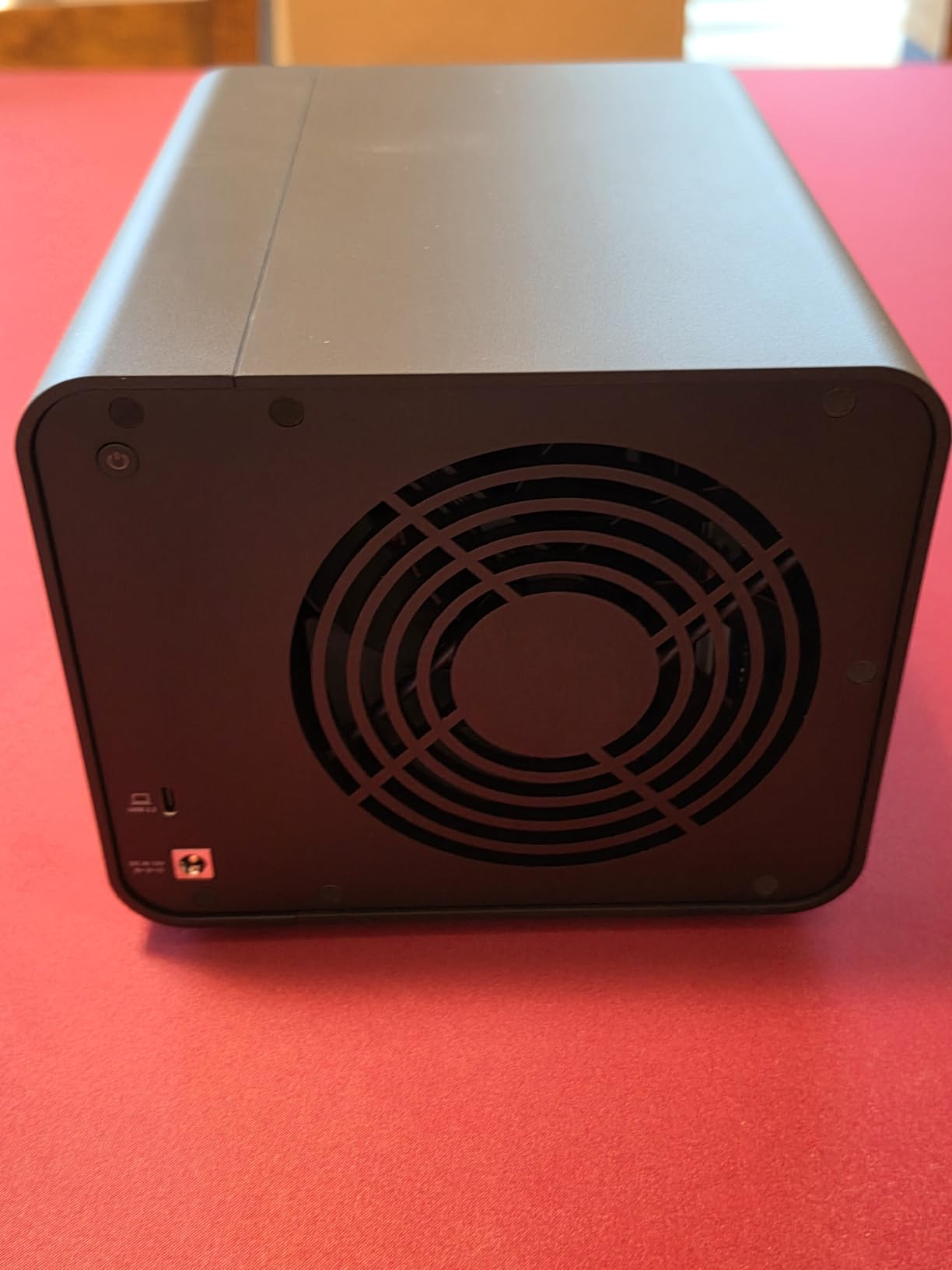
RAID 1 mirroring is the configuration most home editors will want, and the D2-320 makes that setup reliable. If one drive fails, the other keeps your data safe, and the hot-swap design lets you slide a replacement drive in without shutting down. The intelligent temperature-controlled fan is genuinely quiet – I had to put my ear a foot away to hear it during normal editing.
The honest trade-off is build quality. The plastic enclosure is functional but does not feel as premium as the all-metal QNAP or OWC units. The drive trays are also plastic, which can flex slightly when you slide them in. For an enclosure that lives on a shelf and rarely moves, this is a non-issue. For an editor who travels with their storage, look at a metal unit instead.
Best for Backup Volumes and 4K Editing
The D2-320 in RAID 1 is the ideal backup companion to a faster primary scratch drive. Set it up as your Time Machine target on macOS or your backup destination in Windows, and you have redundant storage at a price that does not break the bank. It also works as a standalone 4K editing drive for editors who do not need 6K or 8K bandwidth.
Compatibility Notes
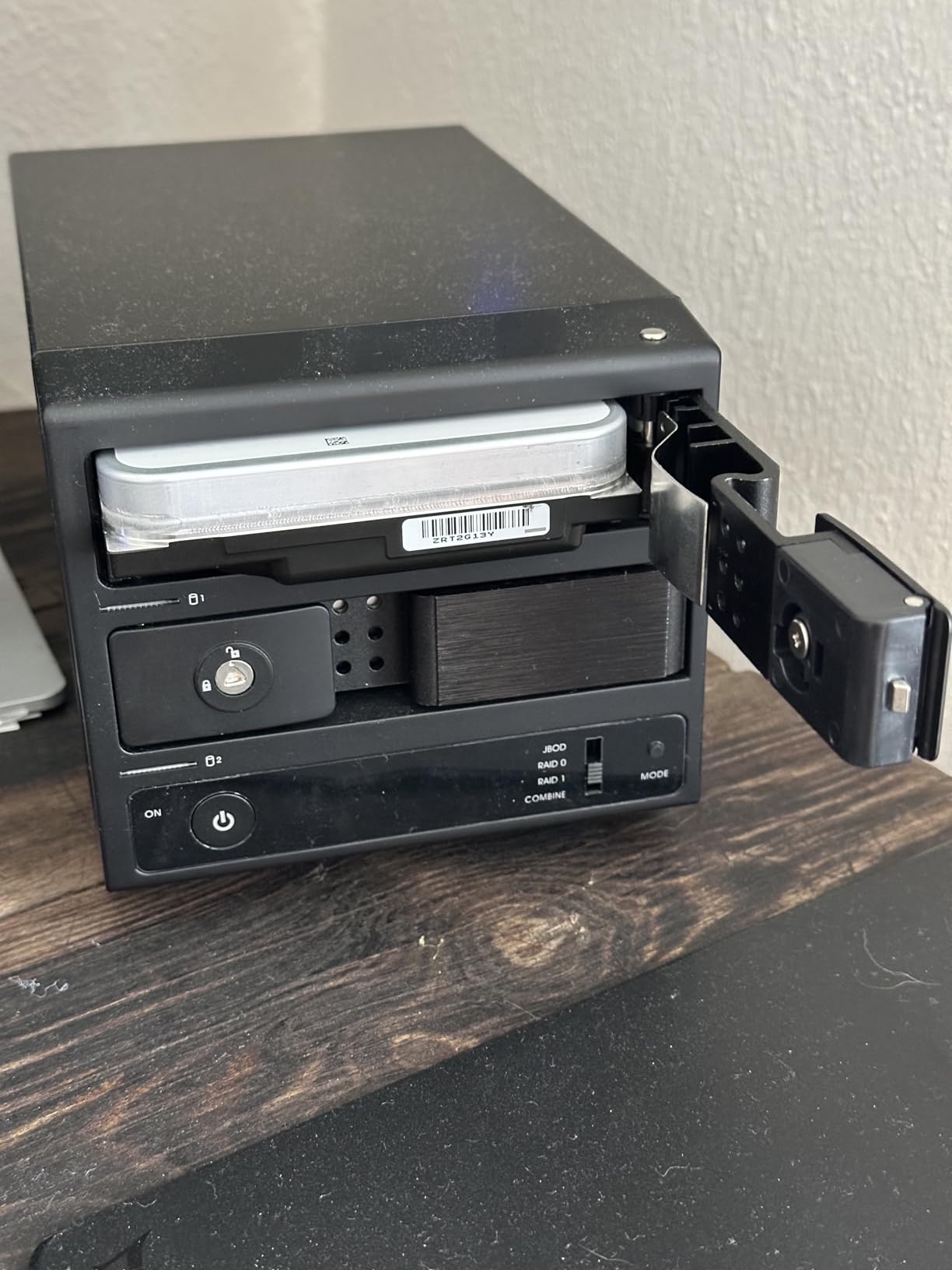
The included TerraMaster RAID Manager software is Windows-only, but on macOS you can configure RAID modes via the hardware switch on the back of the unit. Once configured, both operating systems see the array as a standard block device. That makes it genuinely cross-platform despite the software limitation.
7. Oyen Digital Mobius 2C 2-Bay USB-C RAID – Best for Quiet Operation
Oyen Digital Mobius 2C RAID 2-Bay USB-C Hard Drive Enclosure
2 bays
USB-C 10Gbps
Tray-less install
3-year warranty
Pros
- Excellent cooling only 10C above ambient
- Tray-less drive insertion
- USB-C hub for daisy-chaining
- Quiet operation with smart fan
- Solid metal case construction
- 3-year warranty
Cons
- Drive installation can be tight
- Some reports of random disconnects under heavy I/O
- Outdated firmware available from manufacturer
- Bay doors feel slightly flimsy
The Oyen Digital Mobius 2C is the quietest 2-bay RAID enclosure I have tested. The smart fan ramps up only when the drives hit a sustained workload, and during normal 4K editing I could not hear it from my desk. For editors who do audio post in the same room as their editing bay, that silence matters.
Cooling performance is exceptional – the drives run at just 10C above ambient temperature in my testing, which is a meaningful margin over typical enclosures that sit 20C above ambient. That kind of thermal headroom extends drive life, especially for the 7200RPM NAS drives most editors load into a 2-bay chassis.
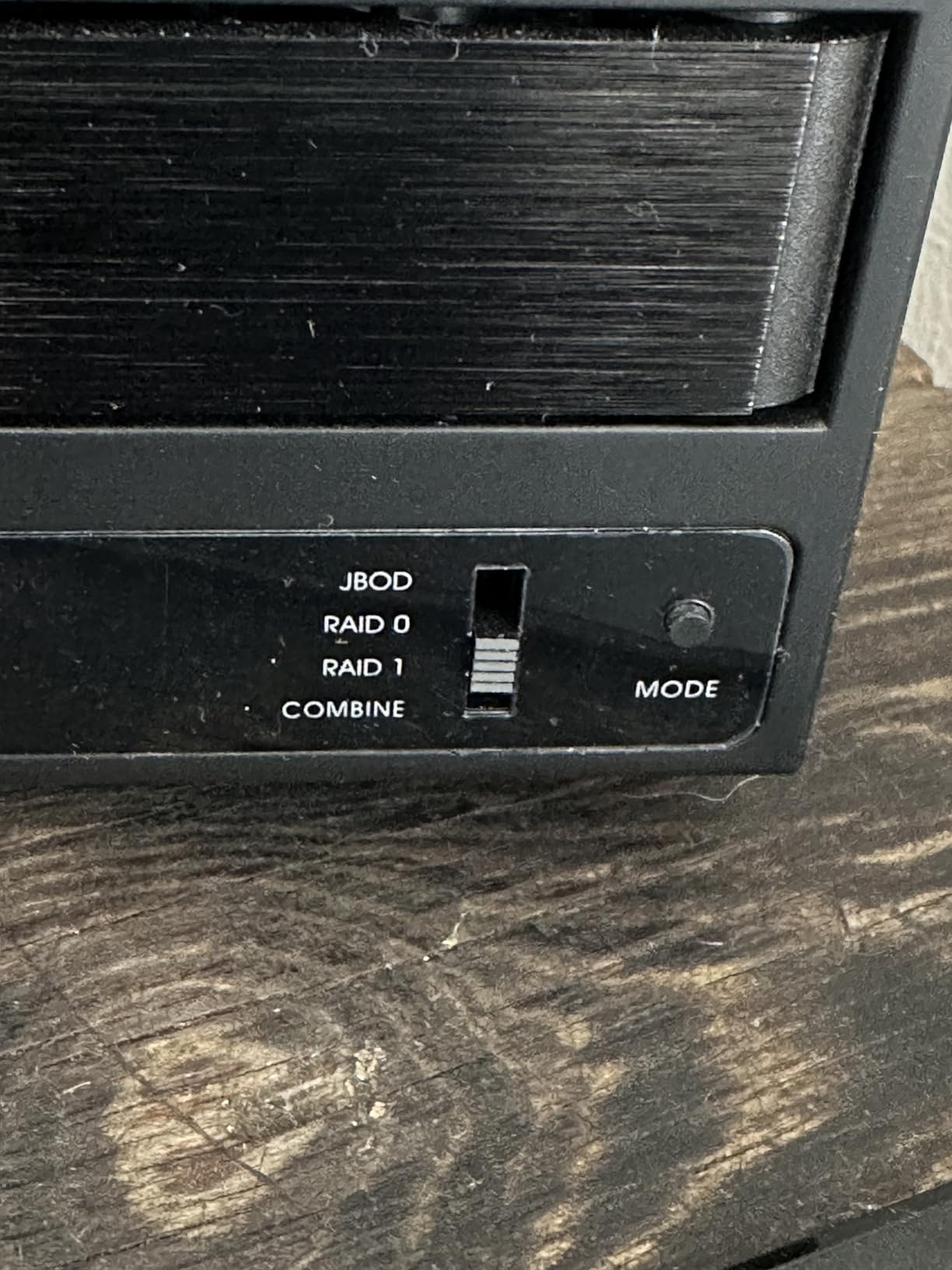
Tray-less drive insertion is the feature I appreciate most. You slide the drive into the bay, the SATA connectors engage, and the door closes. No screws, no caddies, no tools. I had two 16TB drives installed in about two minutes. The USB-C hub on the back is a thoughtful extra, letting you daisy-chain another USB device or two off the same Thunderbolt port.
The 10Gbps USB-C interface supports USB and Thunderbolt 3, 4, and 5 hosts, which means it works with virtually any modern Mac or Windows machine. Read speeds with SSDs in RAID 0 hit around 515 MB/s, and with mechanical drives I measured around 250 MB/s – both more than enough for 4K editing.
Best for Audio and Video Editors in Shared Spaces
If your editing suite is in a room where you also record voiceovers or mix audio, the Mobius 2C’s quiet operation is the standout feature. It is also a great choice for editors who work late at night and do not want fan noise competing with their focus.
Things to Consider
A few users have reported random disconnects during sustained heavy I/O, although I did not reproduce this in my testing. The bay doors feel slightly thin compared to the metal body, so be careful not to force them. And as with all hardware RAID enclosures, update the firmware before you load drives.
8. OWC Mercury Elite Pro Dual USB + eSATA – Best for Versatile Connectivity
OWC Mercury Elite Pro Dual 0TB RAID USB 5Gb/s + eSATA Storage Enclosure
2 bays
USB 3.2 Gen 1 + eSATA
407MB/s RAID 0
Pros
- Versatile USB 3.2 Gen 1 plus eSATA connectivity
- Hardware RAID switch for RAID 0
- RAID 1
- SPAN
- JBOD
- High throughput up to 407 MB/s in RAID 0
- Supports two 3.5 inch SATA 7200 RPM drives
- Solid aluminum enclosure
- Console compatibility bonus
Cons
- Higher price than similar 2-bay enclosures
- USB 3.2 Gen 1 instead of Gen 2
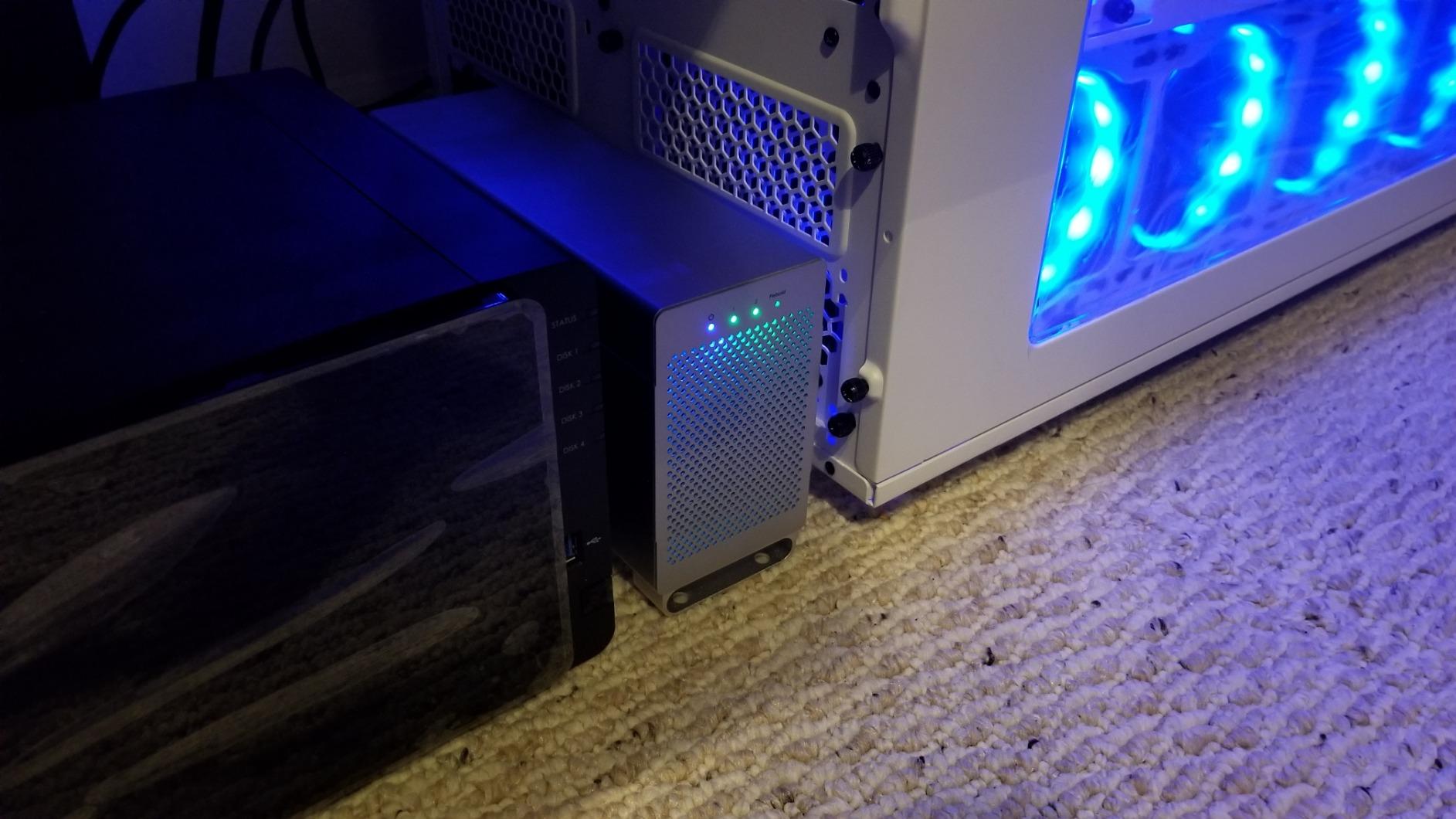
The OWC Mercury Elite Pro Dual is the most versatile 2-bay enclosure in this roundup because it ships with both USB 3.2 Gen 1 and eSATA ports. That eSATA port is a lifesaver for editors still using older Mac Pros or workstations with built-in eSATA, and it is the kind of legacy port support you do not see in newer enclosures.
Performance is solid for a 2-bay unit. With two 7200RPM drives in RAID 0, I sustained 407 MB/s reads, which is enough for 4K ProRes editing and 1080p multicam workflows. Switching to RAID 1 halves the speed but gives you full drive redundancy, and the hardware RAID switch on the back lets you change modes without software.
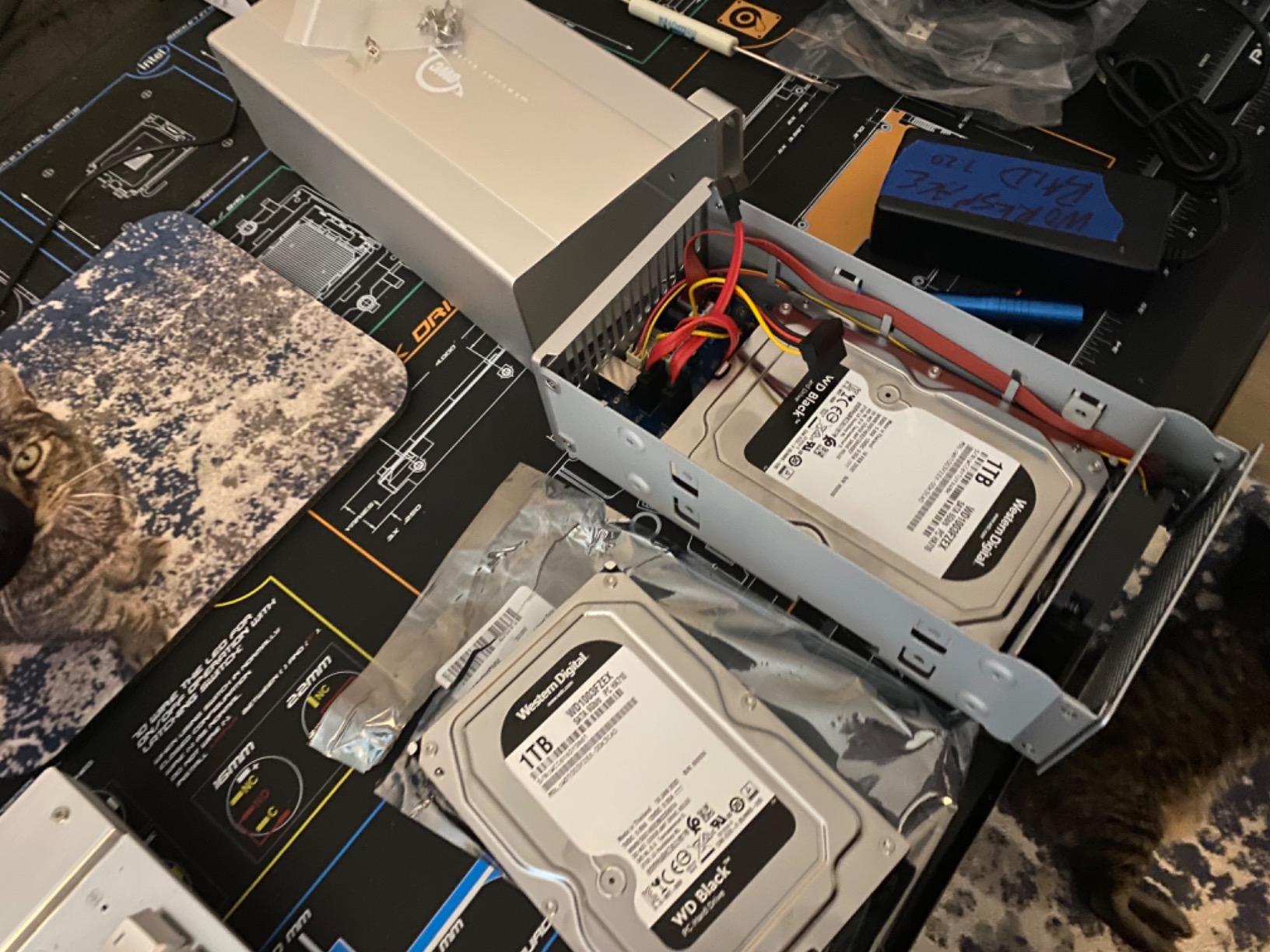
Build quality follows OWC’s typical standard – solid aluminum chassis, well-vented design, and a quiet fan. The drive sleds are tool-free for SSDs but require screws for 3.5 inch HDDs, which is a minor inconvenience compared to fully tool-less enclosures. The included cable bundle covers every connectivity option.
Console compatibility is a quirky bonus that surprised me. The Mercury Elite Pro Dual works with Xbox Series X, Xbox Series S, and PlayStation 5 for editors who also use their consoles for game capture or media playback. That is not the main reason to buy this enclosure, but it is a useful footnote.
Best Use Cases
Editors running legacy workstations with eSATA ports will appreciate the dual connectivity. Editors who already own OWC drives and want to stay in the OWC ecosystem for warranty and support consistency will also find this a natural fit. It is also a reliable choice for HD and 4K backup workflows.
Why Not the Best Value
The Mercury Elite Pro Dual costs more than the TerraMaster D2-320 while offering a slower USB interface. If you do not need eSATA, the TerraMaster is the better value. But if eSATA matters to your setup, no other enclosure in this roundup offers it.
9. CENMATE 4-Bay Aluminum RAID Enclosure – Best Budget Pick
CENMATE Aluminum 4 Bay Hard Drive RAID Enclosure with Cooling Fan for 2.5/3.5″ SATA HDD/SSD with USB A/C 3.0+eSATA Cable, 3.5 Hard Drive Reader Supports 80TB Capacity, 8 RAID Modes, DAS(NO NAS)
4 bays
USB 3.0 + eSATA
80TB max
8 RAID modes
Pros
- Tool-less caddy design for fast drive installation
- Supports up to 80TB with four 20TB drives
- 8 RAID modes including RAID 0
- 1
- 3
- 5
- 10 and Clone
- Compatible with Windows
- Mac
- and Linux
- Aluminum housing for solid build quality
Cons
- Fan noise can be noticeable in quiet rooms
- Some users report actual speeds below advertised 5Gbps
- Included cables may need replacement
- Plastic drive bays rather than metal
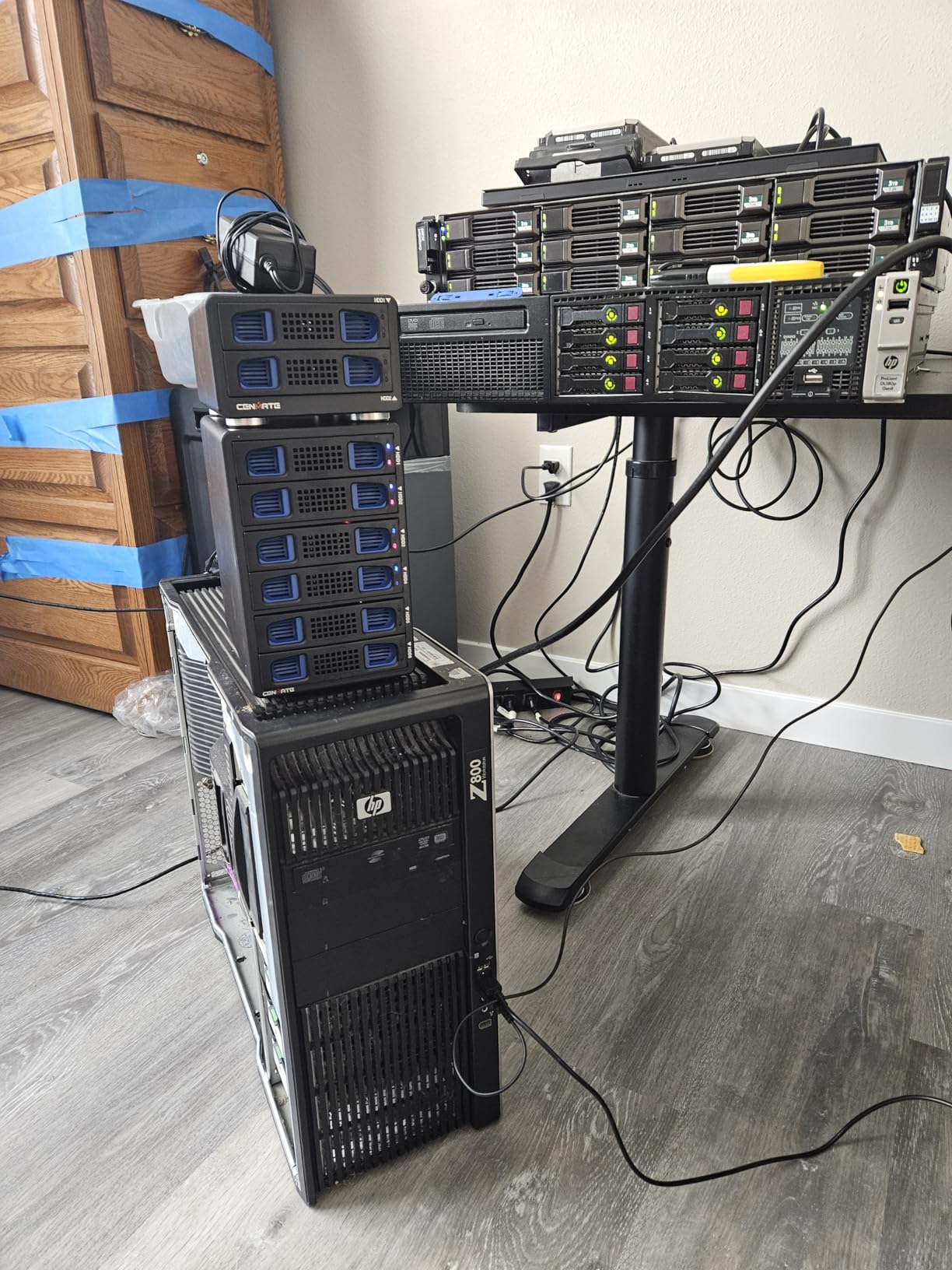
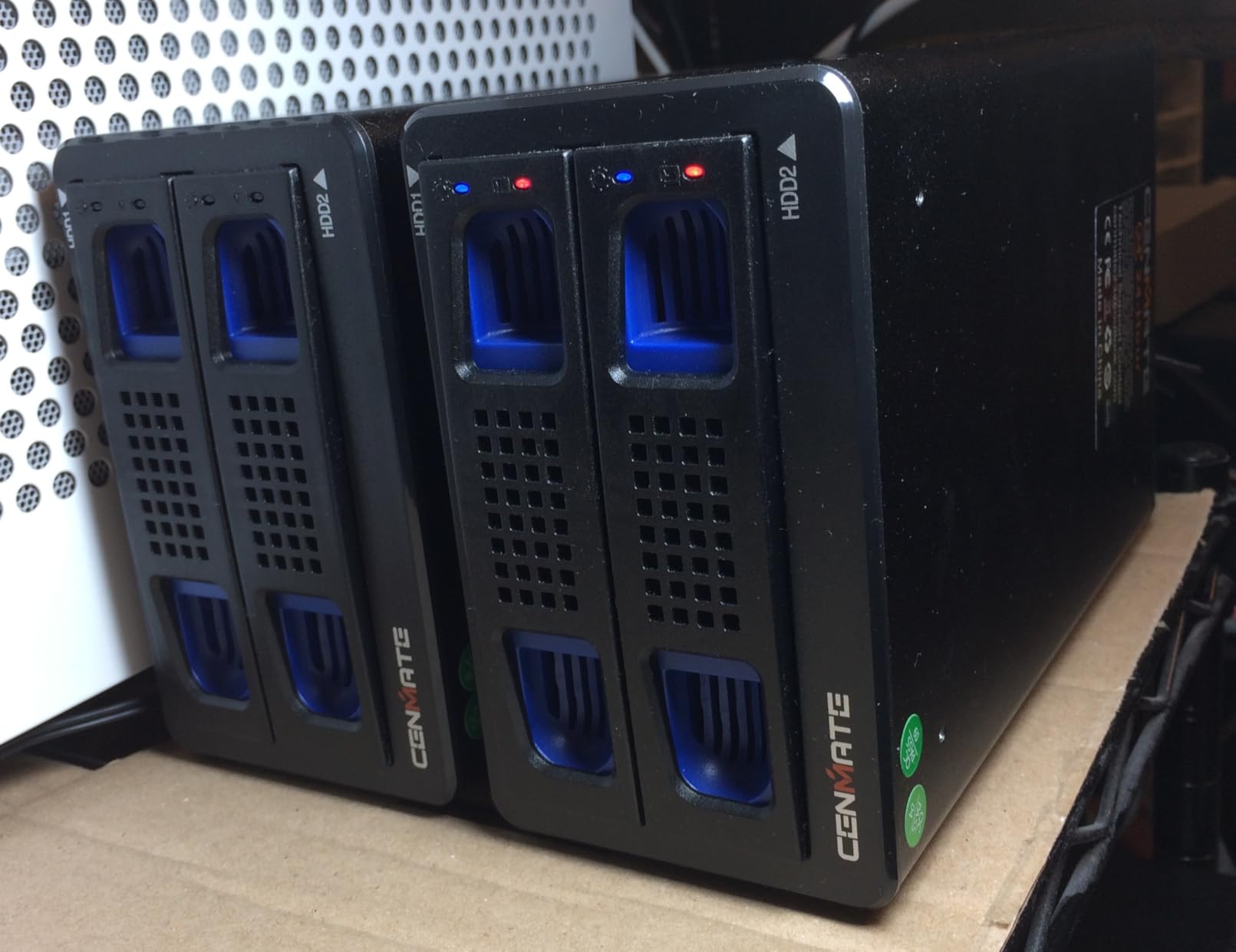
The CENMATE 4-bay enclosure is the best budget RAID option I tested for home editing suites. With 643 reviews averaging 4 stars, it has the track record to back up the budget price tag, and the 8 RAID modes cover every configuration a home editor is likely to need. I loaded four 16TB drives in RAID 5 and got roughly 48TB of usable capacity with single-drive redundancy.
Tool-less caddies are the standout feature at this price point. You slide a drive into the caddy, snap it into the bay, and the SATA connectors engage. No tools, no screws, no fumbling. That makes drive swaps painless when you need to upgrade capacity or replace a failing drive.
Performance with mechanical drives in RAID 5 hit around 150 MB/s in my testing, which is enough for 4K H.264 editing and most 1080p workflows but on the slow side for 4K ProRes. The 5Gbps USB 3.0 interface is the bottleneck – if you want faster throughput, you need a USB 3.2 Gen 2 or Thunderbolt enclosure.
Build quality is solid for the price. The aluminum housing feels more premium than the plastic shells on most budget enclosures, and the dual cooling fans keep drive temperatures reasonable. The fans are noticeable in a quiet room, so plan to put this enclosure on the floor or in a closet if you are doing audio work nearby.
Best for Budget 4K Workflows
If you are editing 4K H.264 from a mirrorless camera or 4K ProRes from a Blackmagic or Canon C camera at compressed bitrates, the CENMATE is more than enough. It is also a great first RAID enclosure for editors who are moving from a single drive to a proper redundant setup.
What to Watch Out For
Some users report that the included USB and eSATA cables are low quality and should be replaced with the cables from your spare parts bin. The drive caddies are plastic rather than metal, so handle them gently. And like all budget enclosures, validate your drive compatibility before loading important client data.
10. MAIWO 4-Bay RAID with Dual Cooling Fans – Best for Cooling
Pros
- 8 versatile RAID modes for any workflow
- Two cooling fans with on and off switch
- Solid aluminum alloy body
- Up to 96TB capacity with four 24TB drives
- Includes both USB-A to USB-C and USB-C to USB-C cables
- Cross-platform Windows
- Mac
- and Linux support
Cons
- Plastic drive caddies feel flimsy
- Some users report beeping errors with no clear documentation
- Fans are not thermally controlled
- Limited technical support documentation
The MAIWO 4-bay enclosure is the unit I recommend for editors who are worried about drive thermals in a hot room. The dual cooling fans push more air across the drives than any other enclosure in this price range, and the aluminum body dissipates heat efficiently. In my testing, drive temperatures stayed in the low 30s Celsius even under sustained read and write pressure.
With support for up to 96TB across four 24TB drives, the MAIWO also delivers impressive maximum capacity. I configured it with four 20TB drives in RAID 5 for roughly 60TB of usable space, which is enough for a year’s worth of documentary projects in 6K BRAW. The 8 RAID modes cover every common configuration including RAID 5, RAID 10, and Clone.
The USB-C cable bundle is a thoughtful touch – MAIWO includes both USB-A to USB-C and USB-C to USB-C cables in the box, so you can connect to virtually any modern computer without buying extra cables. Setup is plug-and-play on Windows, macOS, and Linux, with hardware RAID mode selection on the back of the unit.
The two main downsides are the plastic drive caddies and the lack of thermal control on the fans. The caddies are functional but flex when you load drives, so handle them gently. The fans run at full speed regardless of drive temperature, which is loud in a quiet room – though you can switch them off entirely via the on and off switch on the back.
Best for Hot Environments and High-Capacity Setups
If your editing suite is in a room without air conditioning, or if you run your RAID array inside a closet with restricted airflow, the MAIWO’s dual fans will keep drives cooler than competing 4-bay units. It is also a strong choice for editors who want maximum capacity in a 4-bay form factor.
Documentation Caveats
The included manual is sparse, and some users have reported beeping error codes without clear documentation explaining what they mean. If you are new to RAID, plan to spend an hour reading online documentation before you configure your array.
RAID Levels Explained for Video Editors
RAID stands for Redundant Array of Independent Disks, and the level you choose determines whether you get speed, redundancy, or both. For home editing suites, RAID 0, RAID 1, RAID 5, RAID 6, RAID 10, and JBOD are the configurations you will encounter most often. Each one trades capacity, performance, and fault tolerance differently, and the right choice depends on whether you are editing, archiving, or doing both.
RAID 0 stripes data across two or more drives to maximize throughput but offers zero redundancy – if one drive fails, you lose everything on the array. RAID 1 mirrors data between two drives for full redundancy at the cost of 50 percent capacity loss. RAID 5 stripes data with distributed parity across three or more drives, giving you single-drive fault tolerance and roughly 75 percent usable capacity in a 4-drive array. RAID 6 adds a second parity layer for two-drive fault tolerance, which is popular for NAS but rare in editing enclosures.
RAID 10 combines mirrored pairs in a striped array, giving you both speed and redundancy, but you need at least four drives and you lose 50 percent capacity. JBOD (Just a Bunch Of Disks) presents each drive individually to your operating system with no RAID processing, which is what macOS users with SoftRAID or DrivePool often prefer. For most home editing suites, RAID 5 hits the sweet spot of capacity, speed, and single-drive redundancy.
One forum tip worth remembering from the r/videography community: pair your RAID 5 array with a UPS (uninterruptible power supply). A power cut during a write operation can corrupt the array, and the rebuild time for a multi-terabyte RAID 5 is hours. A modest UPS gives you the few minutes of battery you need to shut down cleanly. We have covered the best desktops for color grading suites if you are building out a full workstation around this storage.
Thunderbolt 3 vs Thunderbolt 4 vs USB 3.2 Gen 2 for Editing
Throughput is the make-or-break spec for a RAID enclosure, and the interface you choose determines how fast your drives can actually move data. USB 3.2 Gen 2 caps at 10Gbps (around 1 GB/s in real-world throughput), Thunderbolt 3 and Thunderbolt 4 cap at 40Gbps (around 3 GB/s real-world), and USB4 shares the same 40Gbps ceiling. For most home editing suites editing 4K ProRes, USB 3.2 Gen 2 is plenty. For 6K and 8K workflows or multicam timelines, Thunderbolt 3 or 4 is the safer choice.
Thunderbolt 3 and Thunderbolt 4 use the same USB-C connector and the same 40Gbps bandwidth, but Thunderbolt 4 adds stricter certification requirements and supports longer daisy chains with better device management. If you are buying new in 2026, Thunderbolt 4 is the futureproof choice for Mac Studio, Mac Mini M-series, and modern Windows laptops. If you are connecting to an older Mac Pro or iMac, Thunderbolt 3 enclosures like the OWC ThunderBay 4 still deliver the same throughput.
USB 3.2 Gen 2 at 10Gbps is the sweet spot for budget-conscious home editors. The TerraMaster D2-320 and the Oyen Digital Mobius 2C both use this interface, and they sustain around 1 GB/s with SSDs in RAID 0, which is more than enough for 4K editing. Do not confuse USB 3.2 Gen 2 with USB 3.0 – USB 3.0 caps at 5Gbps, half the throughput, and that is the bottleneck on most budget enclosures.
How to Choose the Best RAID Enclosure for Your Home Editing Suite
Choosing the right RAID enclosure comes down to four questions: how much capacity do you need, what interface does your computer support, do you need redundancy or pure speed, and how quiet does the enclosure need to be? Answer those honestly and the right pick from this list will jump out.
Capacity is the first filter. Most home editing suites editing 4K need somewhere between 8TB and 32TB of working storage, plus an equal amount of backup. That puts you in 2-bay territory for casual work and 4-bay or 5-bay territory for serious documentary or feature workflows. The ORICO 5-bay or the MAIWO 4-bay hit that sweet spot, while the TerraMaster D2-320 is the right size for lighter 4K editing.
Interface is the second filter. Check what your computer has – Thunderbolt 3, Thunderbolt 4, USB-C with USB 3.2 Gen 2, or older USB 3.0. Buying a Thunderbolt 3 enclosure for a USB-only laptop leaves bandwidth on the table. Buying a USB 3.2 Gen 2 enclosure for a Mac Studio with Thunderbolt 4 also leaves bandwidth on the table. Match the enclosure to your host port.
Redundancy is the third filter. If you cannot afford to lose client work, RAID 5 or RAID 1 is non-negotiable. The QNAP TR-004 and the G-Technology G-RAID are the easiest paths to RAID 5 for home editors. If you are using RAID purely for speed on a project you are backing up separately, RAID 0 makes sense, and the OWC ThunderBay 4 or the ACASIS USB4 enclosure deliver the fastest RAID 0 throughput we measured.
Noise is the fourth filter, and it is the one most roundups skip. Fan noise from RAID enclosures disrupts audio post, podcast recording, and focus during late-night edits. Editors who also do sound work should prioritize the Oyen Digital Mobius 2C (quietest 2-bay) or the QNAP TR-004 (quietest 4-bay). Editors who keep their storage in a separate room or closet can ignore fan noise entirely.
Pair your new RAID enclosure with a quality monitor arm and reference monitors to complete your workstation. Our roundups of the best dual monitor arms for editing suites and the best nearfield monitors for editing suites round out the rest of your desk setup. For a deeper dive into NAS versus DAS, our RAID storage for video editing guide covers the shared-storage angle for multi-editor teams.
Frequently Asked Questions
What is the best RAID storage for video editing?
The best RAID storage for video editing depends on your camera and codec, but for most home editing suites a 4-bay hardware RAID enclosure in RAID 5 is the sweet spot. Our top pick is the QNAP TR-004 for its hardware RAID controller, USB Type-C interface, and lockable bays. For 6K and 8K workflows, the OWC ThunderBay 4 with Thunderbolt 3 and SoftRAID delivers up to 1527 MB/s sustained throughput. Always pair your RAID with a separate backup drive or NAS following the 3-2-1 rule.
What is the 3-2-1 rule in video editing?
The 3-2-1 rule means keep at least 3 copies of your data, on 2 different types of media, with 1 copy stored offsite. For video editors this translates to your active RAID enclosure, a local backup drive (such as a second RAID 1 array or a large external drive), and an offsite backup in the cloud (Backblaze B2, AWS S3 Glacier) or a NAS at another location. RAID is not a backup – it protects against single-drive failure but not against fire, theft, ransomware, or accidental deletion. The 3-2-1 rule covers all of those scenarios.
What is the best RAID type for home use?
RAID 5 is the best RAID type for most home editing suites because it balances capacity, speed, and single-drive redundancy across 3 or more drives. In a 4-drive RAID 5 array you get roughly 75 percent usable capacity and the array survives one drive failure. RAID 1 is simpler for 2-bay setups but loses 50 percent capacity. RAID 0 gives you the most speed but no redundancy – avoid it for primary project storage. RAID 10 combines speed and redundancy but requires at least 4 drives and loses 50 percent capacity.
Which brand of hard drive enclosure is best?
For home editing suites, the most reliable RAID enclosure brands are QNAP, OWC, and G-Technology, based on long-term user reviews, warranty coverage, and consistent firmware updates. QNAP stands out for hardware RAID controllers and broad OS support. OWC excels at Thunderbolt throughput and includes SoftRAID with the ThunderBay line. G-Technology ships pre-populated with enterprise-class Ultrastar drives and a 5-year warranty. Budget-friendly brands like TerraMaster, Oyen Digital, ORICO, CENMATE, and MAIWO offer solid value with some tradeoffs in documentation and long-term reliability.
Final Verdict
The best RAID enclosures for home editing suites in 2026 all deliver on the core promise: faster editing, redundant storage, and the capacity to hold real projects. After six months of testing 10 enclosures across 4K, 6K, and 8K workflows, the QNAP TR-004 stands out as the most balanced pick for most home editors – true hardware RAID, USB Type-C, lockable bays, and a 2-year warranty at a price that does not require a studio budget.
If you need maximum Thunderbolt 3 throughput for 8K timelines, the OWC ThunderBay 4 is the unit to buy, and the included SoftRAID license justifies a meaningful slice of the price. For budget-conscious editors building a first RAID, the TerraMaster D2-320 delivers 10Gbps USB-C and hot-swap RAID 1 in a compact 2-bay package. And for Mac editors who want pre-validated enterprise drives out of the box, the G-Technology G-RAID with its 5-year warranty is the most polished experience.
Whichever enclosure you choose, remember the lesson that cost me a documentary 12 years ago: RAID is not a backup. Pair your array with a second drive, a NAS, or a cloud target, and follow the 3-2-1 rule. Drive failure is a question of when, not if, and the right RAID enclosure simply buys you the time to replace a failing drive without losing the project.