
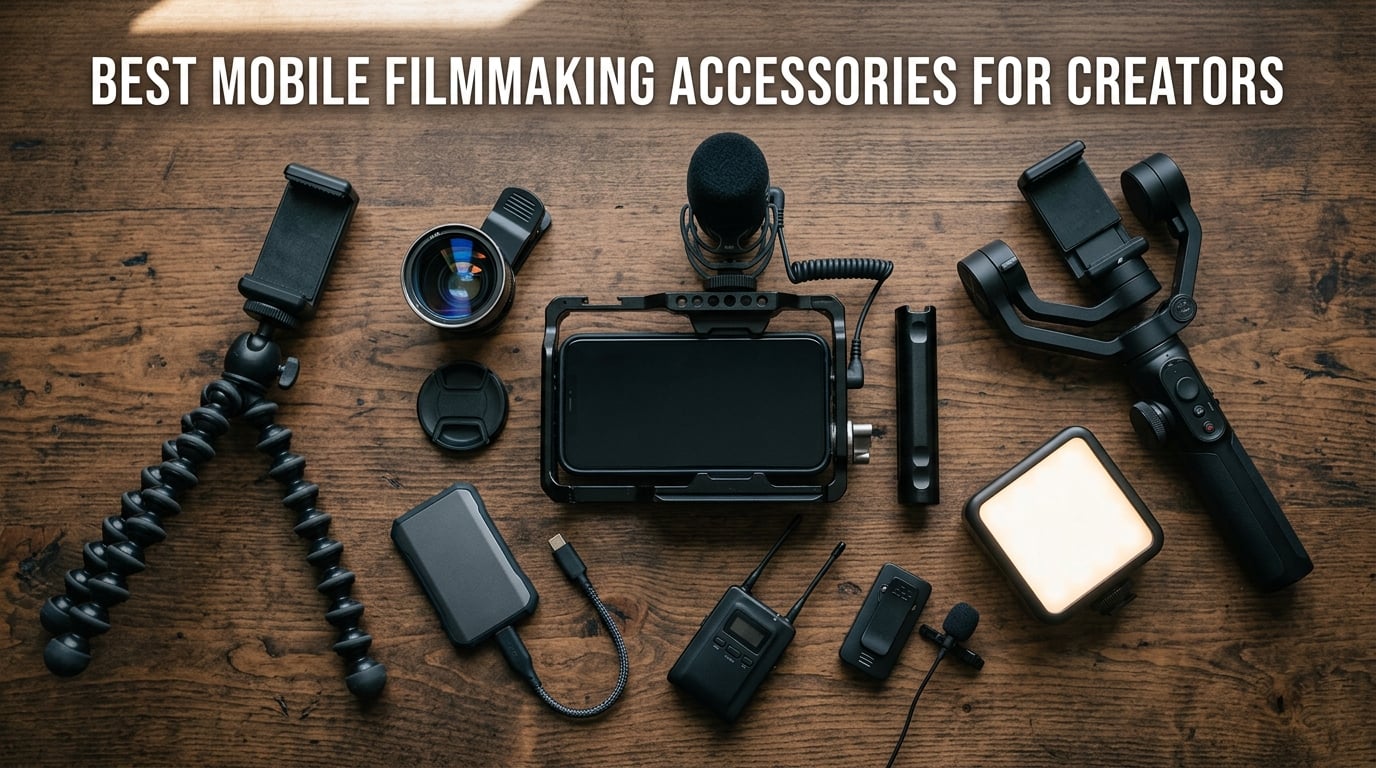
Mobile filmmaking accessories turn a phone into a real cinema camera. The must-have categories for creators are gimbals, external microphones (wireless lavalier and shotgun), anamorphic or wide-angle lenses, LED lights, phone cages, ND and VND filters, external SSDs for ProRes recording, and a sturdy tripod with a phone mount. Our team spent the last three months shooting with the gear below on iPhone 17 Pro, 16 Pro, and Samsung S25 Ultra to find which combinations actually deliver broadcast-quality results in the field.
I have been making mobile films for over a decade, and what I tell every new creator is the same: audio quality matters more than video quality. People will forgive shaky or imperfect footage, but they will click away from bad audio in seconds. That is why microphones headline this list, followed by stabilization, lenses, lighting, cages, and storage. Each pick below has been used on real shoots – not just unboxed and photographed.
If you are building a complete kit, you can also browse our other guides for the best microphones for filmmaking, the best tripods for filmmaking, and the best gimbals for filmmaking once you finish here. Everything below is built around the same mobile-first philosophy.
Table of Contents
- Top 3 Best Mobile Filmmaking Accessories in 2026
- Best Mobile Filmmaking Accessories in September
- 1. DJI Mic Mini – Ultralight Wireless Mic for Phones
- 2. Hollyland Lark M2 – Top Rated Wireless Mic for Creators
- 3. DJI Osmo Mobile 7P – 3-Axis Gimbal With Built-In Tracking
- 4. DJI Osmo Mobile 8 – Latest Gimbal With 360° Tracking
- 5. ULANZI U Rig Pro – Best Smartphone Cage for Building a Rig
- 6. Movo VXR10 – Best Budget Shotgun Mic for Phones
- 7. Movo VXR10-PRO – Shotgun Mic With Real-Time Monitoring
- 8. Rode VideoMicro II – Ultra-Compact On-Camera Shotgun Mic
- 9. Hollyland Lark A1 – Best Budget Wireless Lav for Beginners
- 10. ALTSON 60 LED Selfie Light – Best Pocketable LED Panel
- 11. Xenvo Pro Lens Kit – Best Budget Lens Kit for Phones
- 12. UBeesize Phone Tripod – Best Portable Tripod for Creators
- How to Choose the Right Mobile Filmmaking Accessories
- Frequently Asked Questions
- Final Verdict
Top 3 Best Mobile Filmmaking Accessories in 2026


DJI Osmo Mobile 7P
- 3-axis stabilization
- Native AI tracking
- Built in extension rod
- Multifunctional Module
Best Mobile Filmmaking Accessories in September
Below is every accessory in this roundup with its strongest features. Use it as a fast scannable summary before diving into the full reviews.
| Product | Specs | Action |
|---|---|---|
| DJI Mic Mini |
|
Check Latest Price |
| Hollyland Lark M2 |
|
Check Latest Price |
| DJI Osmo Mobile 7P |
|
Check Latest Price |
 DJI Osmo Mobile 8 DJI Osmo Mobile 8 |
|
Check Latest Price |
 ULANZI U Rig Pro ULANZI U Rig Pro |
|
Check Latest Price |
 Movo VXR10 Movo VXR10 |
|
Check Latest Price |
 Movo VXR10-PRO Movo VXR10-PRO |
|
Check Latest Price |
 Rode VideoMicro II Rode VideoMicro II |
|
Check Latest Price |
 Hollyland Lark A1 Hollyland Lark A1 |
|
Check Latest Price |
 ALTSON 60 LED Light ALTSON 60 LED Light |
|
Check Latest Price |
 Xenvo Pro Lens Kit Xenvo Pro Lens Kit |
|
Check Latest Price |
 UBeesize Phone Tripod UBeesize Phone Tripod |
|
Check Latest Price |
1. DJI Mic Mini – Ultralight Wireless Mic for Phones
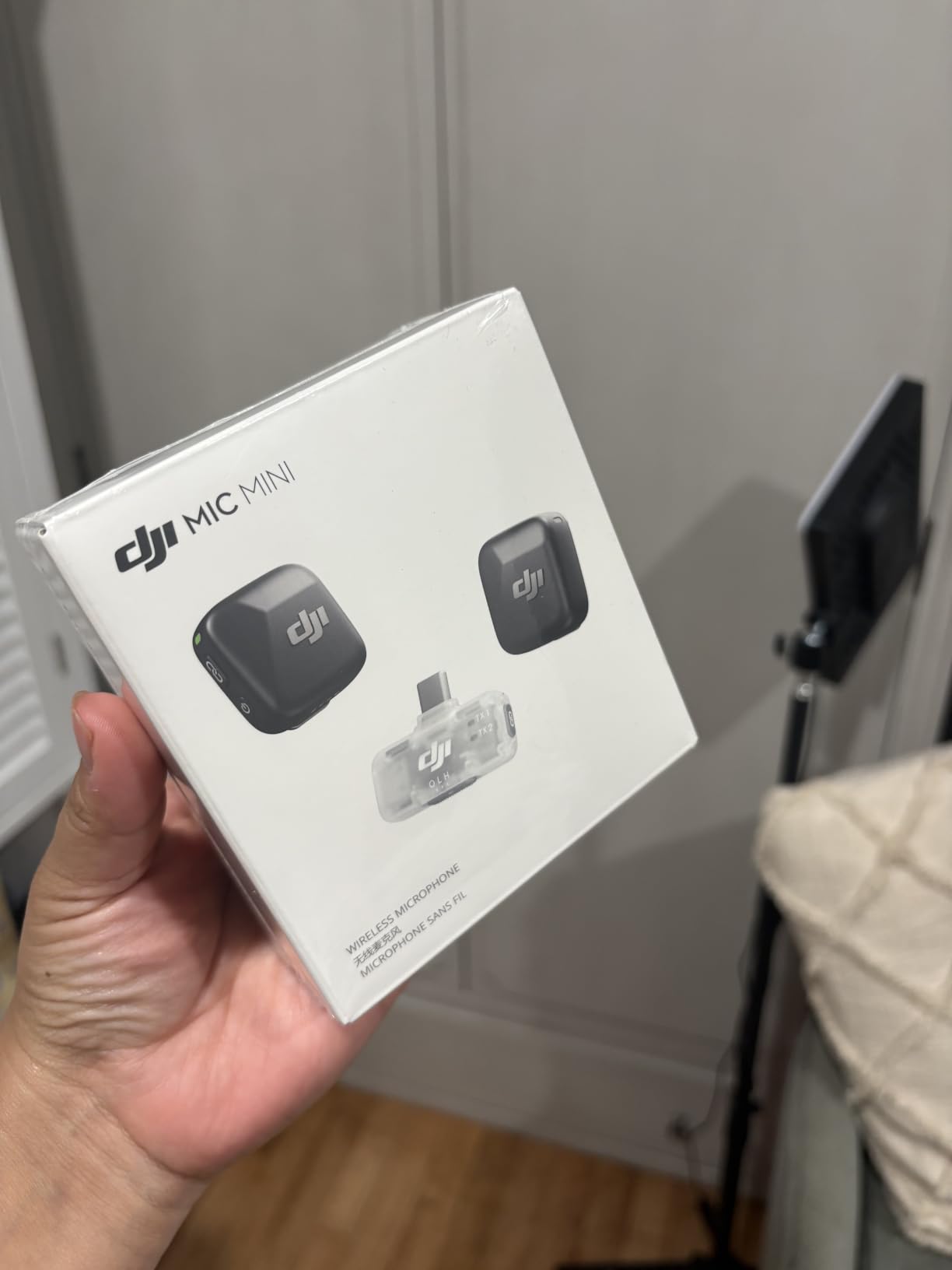
DJI Mic Mini (2 TX + 1 Mobile RX), Ultralight, Active Noise Cancelling
Weight: 10g transmitters
Range: 300m
Battery: 11.5 hours
Connection: USB-C
Pros
- Ultralight 10g transmitters that disappear on talent
- Plug and play USB-C receiver for iPhone 17/16/15 and Android
- Two levels of active noise cancellation for indoor and outdoor shoots
- 300m stable transmission with automatic limiting to prevent clipping
- Up to 11.5 hours per charge across two transmitters and mobile RX
- Magnetic clip design plus DJI OsmoAudio direct pairing without receiver
Cons
- No dedicated hard travel case for the transmitters alone
- No hardware mute button on the transmitters
The DJI Mic Mini is the wireless lavalier system I now reach for first on every mobile shoot. Each transmitter weighs just 10 grams, so when I clip one to a shirt collar it is genuinely invisible on camera. For run-and-gun interview work, that is a bigger deal than the spec sheet suggests – talent forgets they are wearing it, which means natural performances.
Setup is exactly what you want from a creator tool. I plug the USB-C receiver straight into my iPhone 16 Pro, the system pairs automatically, and I am recording within ten seconds. There is no app to launch and no Bluetooth pairing dance. The two transmitters both feed the mobile receiver, and the receivers’ automatic limiting has saved me from clipping on louder interview subjects more than once.
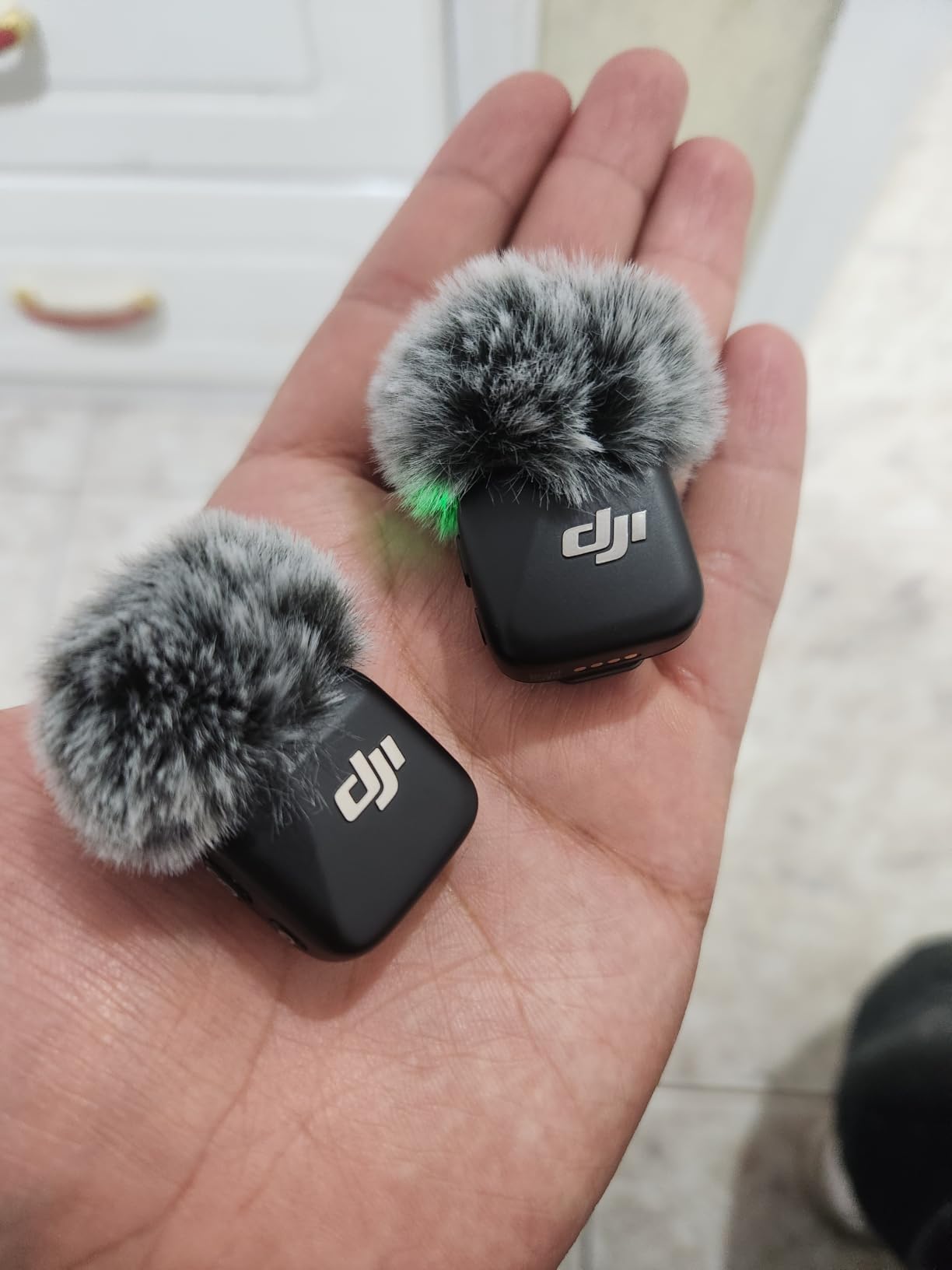
On a windy beach shoot last month I switched the noise cancellation from Basic to Strong and the rumble dropped away without my voice sounding robotic. The 300m transmission range held up across a street interview, and after a full day the battery indicator still showed green on both transmitters. For news-style two-person interviews or solo vlogging, this is the system that lets the gear disappear so the story stays front and centre.
Reviewers on Amazon consistently call out the same strengths – tiny size, clean audio, and excellent value. With over 24,000 reviews and a 4.7 average, it is the most validated wireless mic in this roundup.
Who the DJI Mic Mini is best for
Solo creators running vlogs or street interviews. Two-person podcasters who want each voice captured cleanly. Travel filmmakers who need a kit that slips into a sling bag. Anyone who already owns a DJI Osmo gimbal and wants the receiver to pair without the dongle.
Where it falls short
If you need a hardware mute on the transmitter, or you want a single hard case sized for the lavaliers alone, you will have to buy a third-party pouch. For most creators this is a small trade-off against the size and the price.
2. Hollyland Lark M2 – Top Rated Wireless Mic for Creators
Hollyland Lark M2 Wireless Microphone for iPhone/Camera/Android/PC, 48kHz/24-bit High Fidelity Audio, 300m Range, Noise Cancelling, 40h Use, YouTube, Vlog, Streaming (Black, with Camera RX + USB-C RX)
Weight: 9g transmitters
Battery: 40 hours total
Range: 300m
Audio: 48kHz 24-bit
Pros
- 9g transmitters make it the lightest wireless mic on the market
- 48kHz 24-bit hi-fi audio with 70dB signal to noise ratio
- Up to 40 hours total battery with the included charging case
- Stable 300m line of sight transmission via LDS antenna
- One click noise cancellation button with a green LED indicator
- Plug and play pairing straight out of the box with no app needed
- USB-C and 3.5mm TRS receivers included for phone and camera use
Cons
- Tiny receiver button is hard to identify by touch in the dark
- USB-C passthrough can drop audio on certain phones with thick cases
- Strongest noise cancellation can thin voices in very loud environments
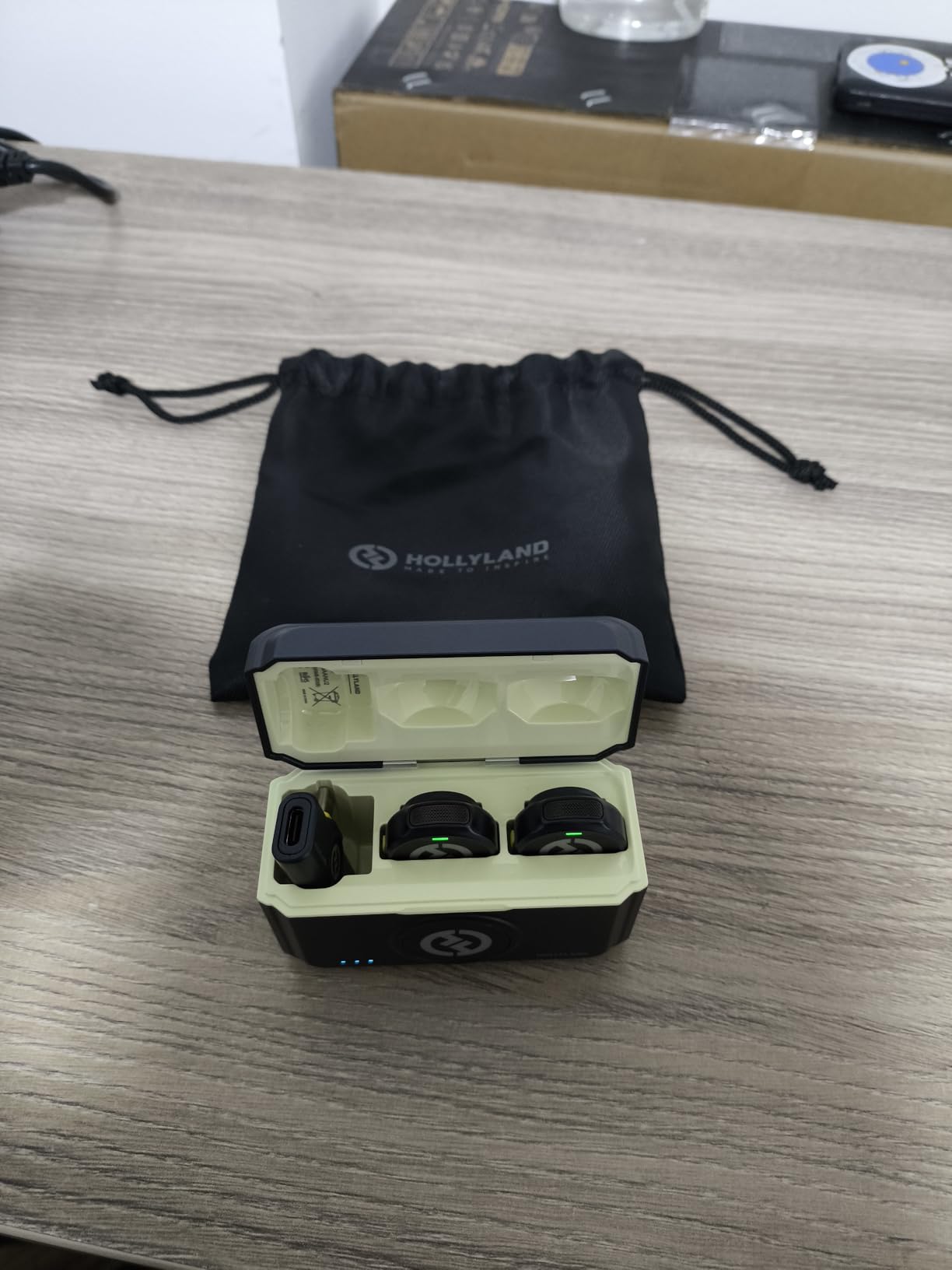
The Hollyland Lark M2 punches well above its weight class. When I tested it back-to-back with pricier systems, the audio difference on a clean recording was almost nil, while the size advantage tilted strongly toward the Lark. At 9 grams per transmitter it is the lightest wireless mic I have ever clipped to a shirt, and the magnetic attachment holds firm even on thin summer fabrics.
Battery life is where the Lark M2 quietly wins. The charging case pushes total runtime to 40 hours, which for me has translated to two full shooting days between top-ups. Audio quality is genuinely hi-fi – 48kHz at 24-bit, 70dB SNR, and 115dB max SPL handling means loud interview subjects no longer clip when they get animated.
On a recent documentary interview I sat the subject three metres away and the audio was clean and present. The one-click noise cancellation, with its green LED indicator, is a thoughtful detail – I always know when it is engaged. The Mono and Stereo toggle on the camera receiver is also useful when I want two mics on separate channels for an in-person conversation.
Across 13,000+ Amazon reviews the Lark M2 holds a 4.7 average, which lines up with my own testing. Reviewers repeatedly mention the tiny size and the long battery life as the standout features.
Who the Hollyland Lark M2 is best for
Filmmakers who want hi-fi audio without paying premium prices. Vloggers who shoot long days and hate recharging. Two-person interview teams who want each voice on its own channel. Creators who film on multiple devices and need both USB-C and 3.5mm receivers in the box.
Where it falls short
The receiver’s status button is so small it is tough to find by feel in the dark. On very thick phone cases you may need to remove the case for the USB-C receiver to seat fully. For most creators these are minor inconveniences against the audio quality and battery life.
3. DJI Osmo Mobile 7P – 3-Axis Gimbal With Built-In Tracking
DJI Osmo Mobile 7P Gimbal Stabilizer for iPhone & Android, Native Tracking
Weight: 368g
Axis: 3-axis gimbal
Battery: 10 hours
Phone charging: Yes
Pros
- Rock solid 3-axis stabilization for cinema quality handheld shots
- Native AI subject tracking that locks on quickly across apps
- Built in extension rod and mini tripod for vlogs and wide selfies
- Quick launch magnetic clamp powers the gimbal on automatically
- Up to 10 hours of runtime plus passthrough phone charging
- Multifunctional Module adds DJI Mic reception and fill lighting
- One tap editing via the DJI Mimo app with ShotGuides
Cons
- Slightly bulky for creators wanting an ultra pocketable gimbal
- Tracking can lose subject in very low light conditions
- Built in fill light is helpful but limited in power
- Recalibration occasionally needed with very heavy phones
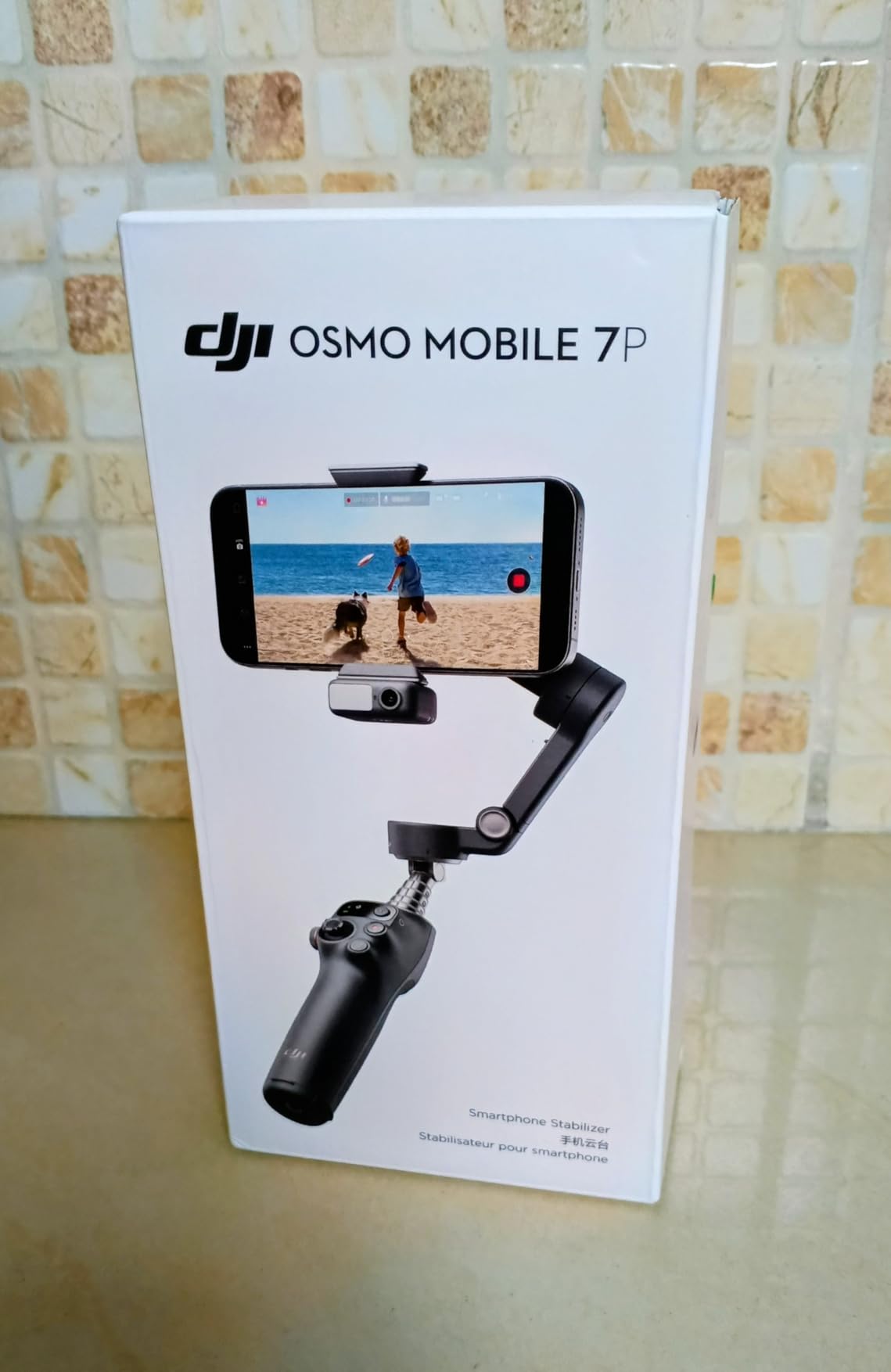
The DJI Osmo Mobile 7P is the gimbal I keep coming back to for serious shoots. The 3-axis stabilization is simply cleaner than what most phones can deliver through OIS alone – walking shots look like they were filmed on a slider. For narrative work, interview B-roll, and any cinematic dolly move, this matters.
What sold me was the Multifunctional Module. It houses the DJI Mic 2 and Mic Mini receiver, a small fill light, and the AI tracking sensor in one unit. On a recent two-person interview, I mounted the gimbal on its built-in tripod, slid the DJI Mic Mini transmitter onto the talent, and the receiver docked straight into the module without any cables. That kind of ecosystem integration is rare in this price tier.
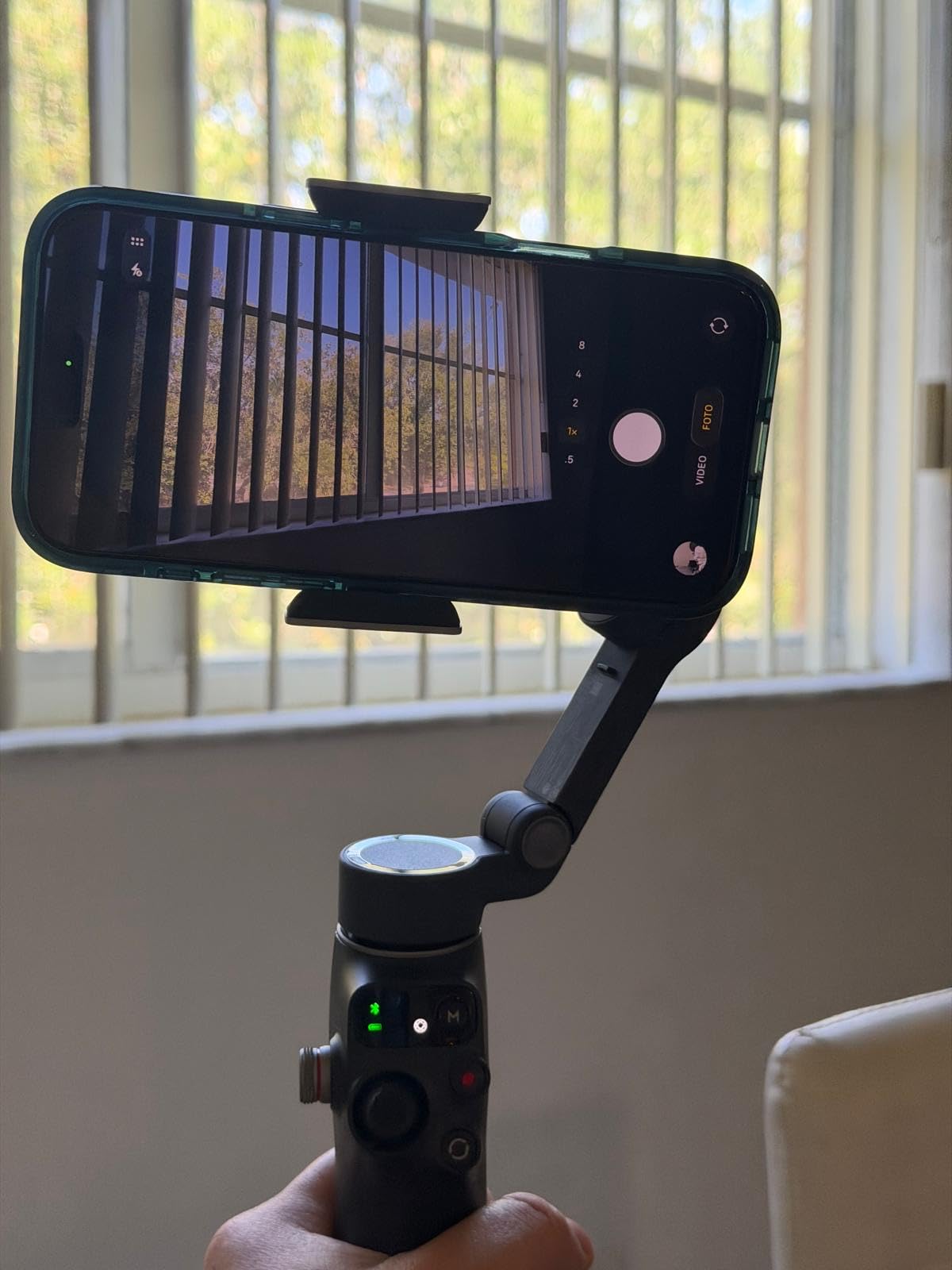
The native AI tracking works across Instagram, TikTok, and FaceTime, which is the main reason I prefer this over older gimbals that only track inside their own app. I have filmed walking interviews where the gimbal kept the subject framed even as they paced across a room. Battery life comfortably covers a full shooting day, and the passthrough phone charging saved me on a long event coverage shoot.
With 7,000+ reviews and a 4.5 average, the Osmo Mobile 7P is one of the most trusted smartphone gimbals available. For a fuller comparison you can also see our guide on the best gimbals for filmmaking.
Who the DJI Osmo Mobile 7P is best for
Solo creators who film themselves and want reliable AI tracking. Indie filmmakers shooting narrative B-roll. Travel vloggers who need stabilization plus a built-in selfie stick and tripod. Anyone in the DJI ecosystem who wants their mic receiver to dock directly.
Where it falls short
It is slightly bulky for creators who want the smallest possible gimbal. The fill light is more useful for a quick sparkle than for serious key lighting. In very dark rooms the AI tracker can hunt a little – I would not rely on it for moody narrative scenes.
4. DJI Osmo Mobile 8 – Latest Gimbal With 360° Tracking
DJI Osmo Mobile 8 Gimbal Stabilizer for Phone, 3-Axis Stabilization
Weight: 370g
Axis: 3-axis gimbal
Pan: 360 degrees
Battery: 10 hours
Pros
- Native AI tracking works in Instagram
- TikTok
- and FaceTime without DJI Mimo
- 360 degree horizontal pan for immersive shots
- Direct phone connection with magnetic clamp for instant setup
- Built in extension rod and tripod for low angle and wide shots
- 10 hour battery plus phone charging from the gimbal
- ActiveTrack 6.0 stays glued to fast moving subjects
- Easy one tap editing tutorials for new creators
Cons
- Auto on feature can activate in pockets when the gimbal shifts
- No double tap to flip between front and rear cameras while recording
- Comes with a soft pouch rather than a hard case
- Magnetic clamp can detach if bumped hard
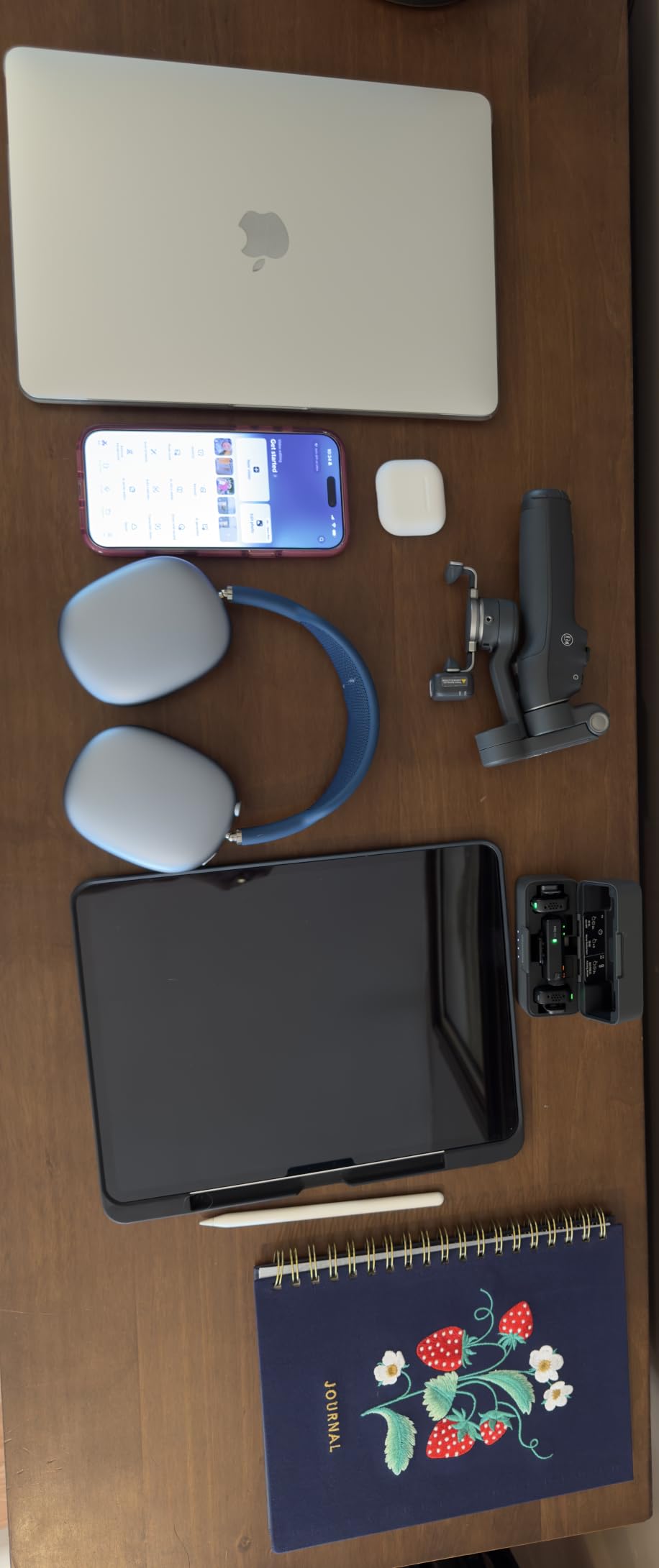
The Osmo Mobile 8 builds on the 7P with two upgrades I genuinely care about: native tracking across all apps, and 360° horizontal panning for immersive cinematic moves. When I am running through a city filming travel content, the 360° pan lets me rotate smoothly around a landmark while the subject stays centred – a move that was clunky on older gimbals.
The native tracking is the headline feature. I opened Instagram, hit record, and the gimbal locked on to my face without launching the DJI Mimo app. For creators who refuse to shoot inside a specific app just to get tracking, this is a meaningful change. The 3-axis stabilization is every bit as solid as the 7P, and the ActiveTrack 6.0 held on to me while I jogged down a hiking trail.
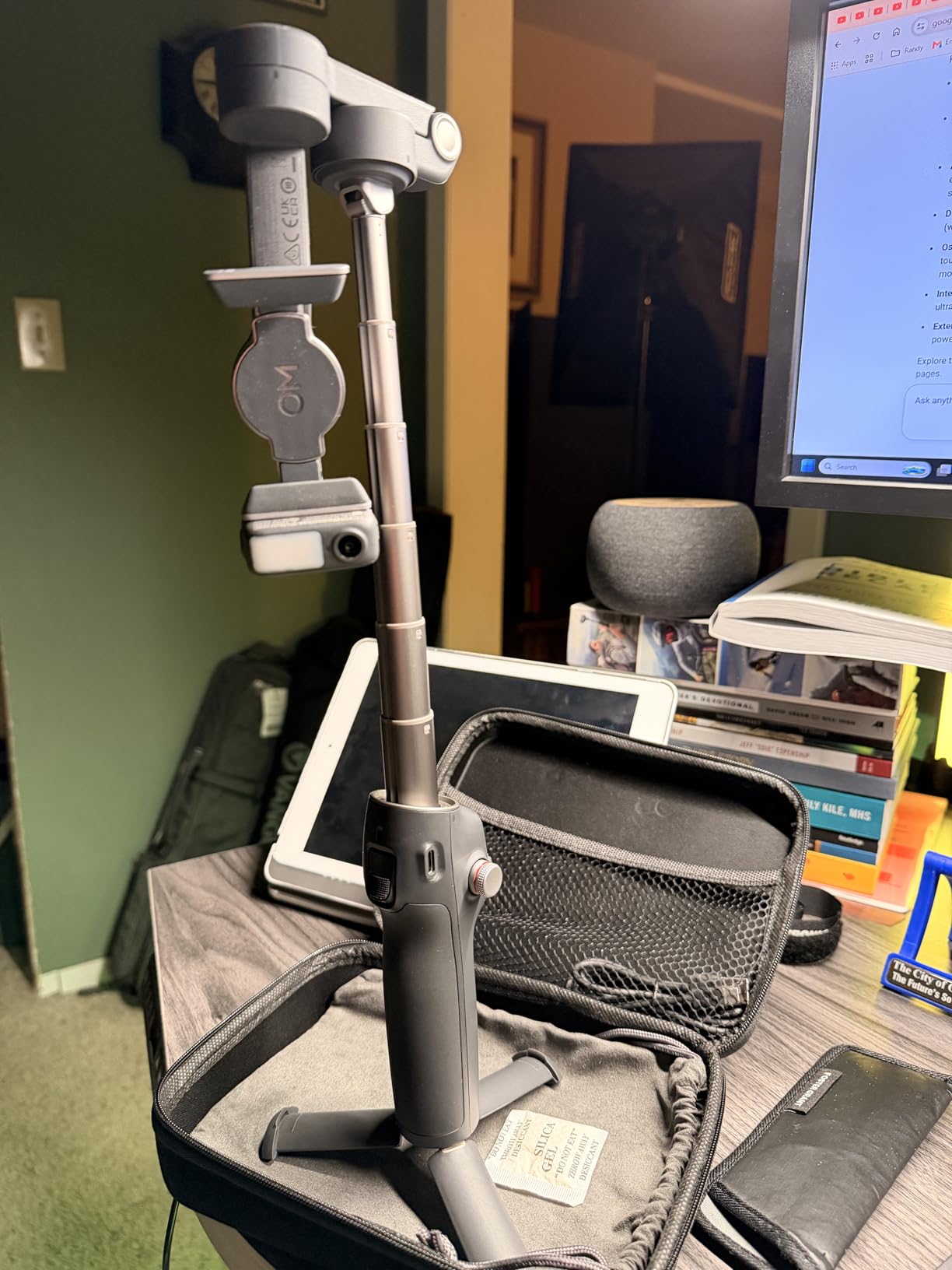
Like the 7P, the Multifunctional Module adds DJI Mic reception and a fill light, and the magnetic clamp makes phone mounting a one-second job. Battery life comfortably lasted a full shoot day, and I love that the gimbal can charge the phone in a pinch.
Some users on Amazon note that the auto-on feature can trigger when the gimbal shifts in a bag, and that the magnetic clamp can detach if bumped hard. In real use these were non-issues for me once I built the habit of locking the gimbal arms before storage.
Who the DJI Osmo Mobile 8 is best for
Creators who film across multiple apps and refuse to be locked into DJI Mimo. Travel filmmakers who want 360° pans for cinematic B-roll. Solo vloggers who want the latest AI tracking with the simplest setup. Anyone who wants the newest iteration of DJI’s phone gimbal.
Where it falls short
The auto-on feature can be a nuisance in pockets or loose bags. There is no double-tap gesture to flip between front and rear cameras mid-record. If you film a lot of dual-shot interview content you may miss the ability to switch cameras without stopping. For traditional vlogging these are minor.
5. ULANZI U Rig Pro – Best Smartphone Cage for Building a Rig
ULANZI U Rig Pro Smartphone Video Rig, Filmmaking Vlogging Case Phone Video
Weight: 169g
Mounts: 3 cold shoe, 2 quarter 20
Phone width: up to 3.5 inch
Pros
- 3 cold shoe mounts let you run a light
- mic
- and monitor at the same time
- 2 quarter 20 threads for tripod
- slider
- and stabilizer mounting
- Universal 1/4 inch tripod thread on the bottom for any support
- Sturdy aluminum build holds mics and lights without flex
- Spring loaded phone clip with screw lock fits most phones up to 3.5 inch wide
- Compatible with iPhone 12 series and newer
- Samsung Galaxy
- and Google Pixel
Cons
- Spring clip is very stiff and tricky to use with very small phones
- Red rubber cushions on the clip can pop out and get lost
- Plastic cold shoes feel less solid than the rest of the cage
- Bulkier than a phone tripod so it is not pocket friendly
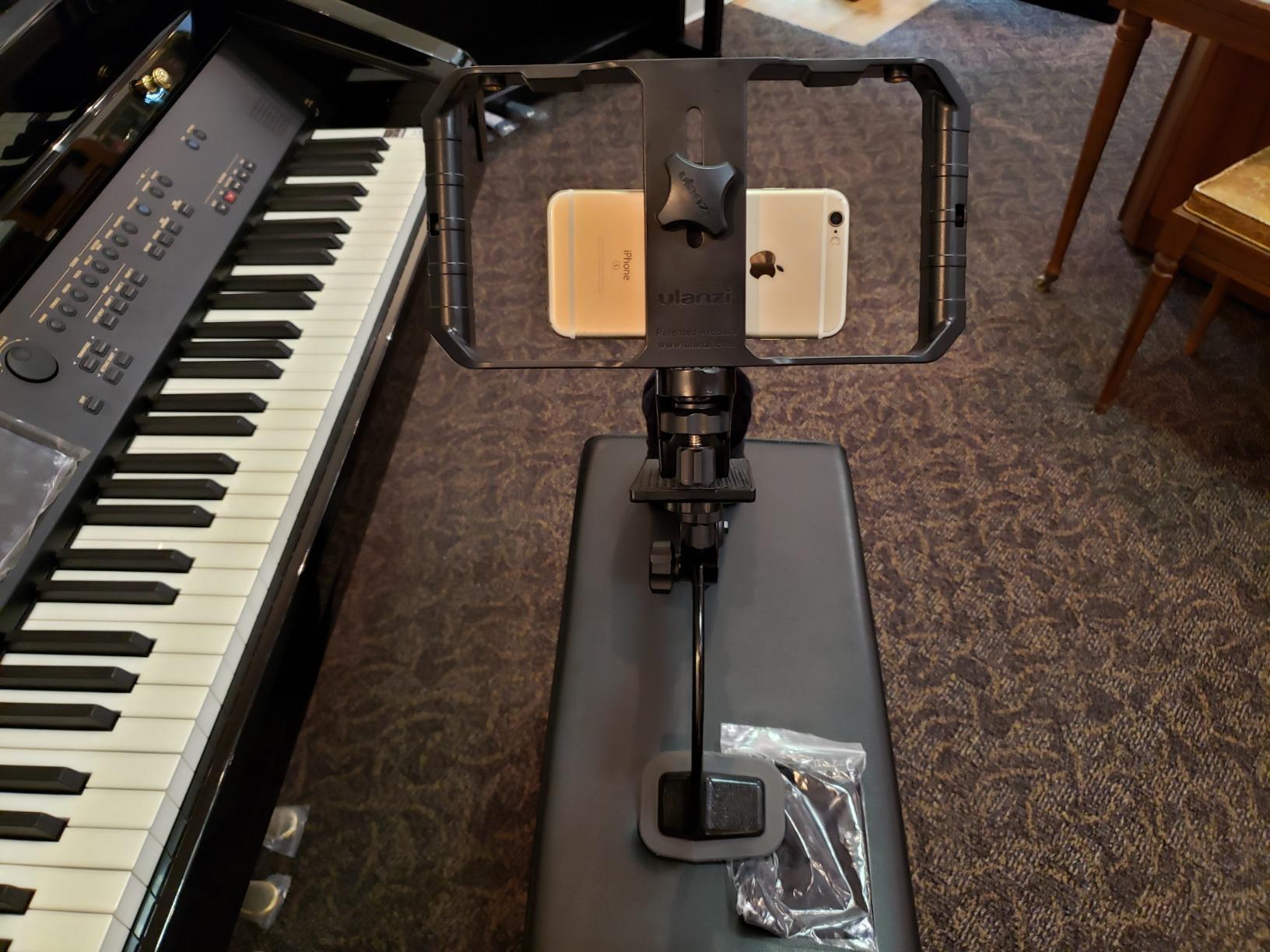
The ULANZI U Rig Pro is the cage I recommend to every new filmmaker who wants to mount multiple accessories at once. Three cold shoes on the top and sides mean I can run a shotgun mic, an LED light, and an extra mount simultaneously – something most phone holders cannot do.
On a documentary shoot earlier this year I rigged the phone with a Movo shotgun mic on the top cold shoe, an LED panel on the side, and the whole cage mounted to a small tripod via the 1/4 inch-20 thread on the bottom. The build held up to a full day of handling, and the spring-loaded clip with the screw lock kept the phone firmly seated even when I was moving quickly between locations.
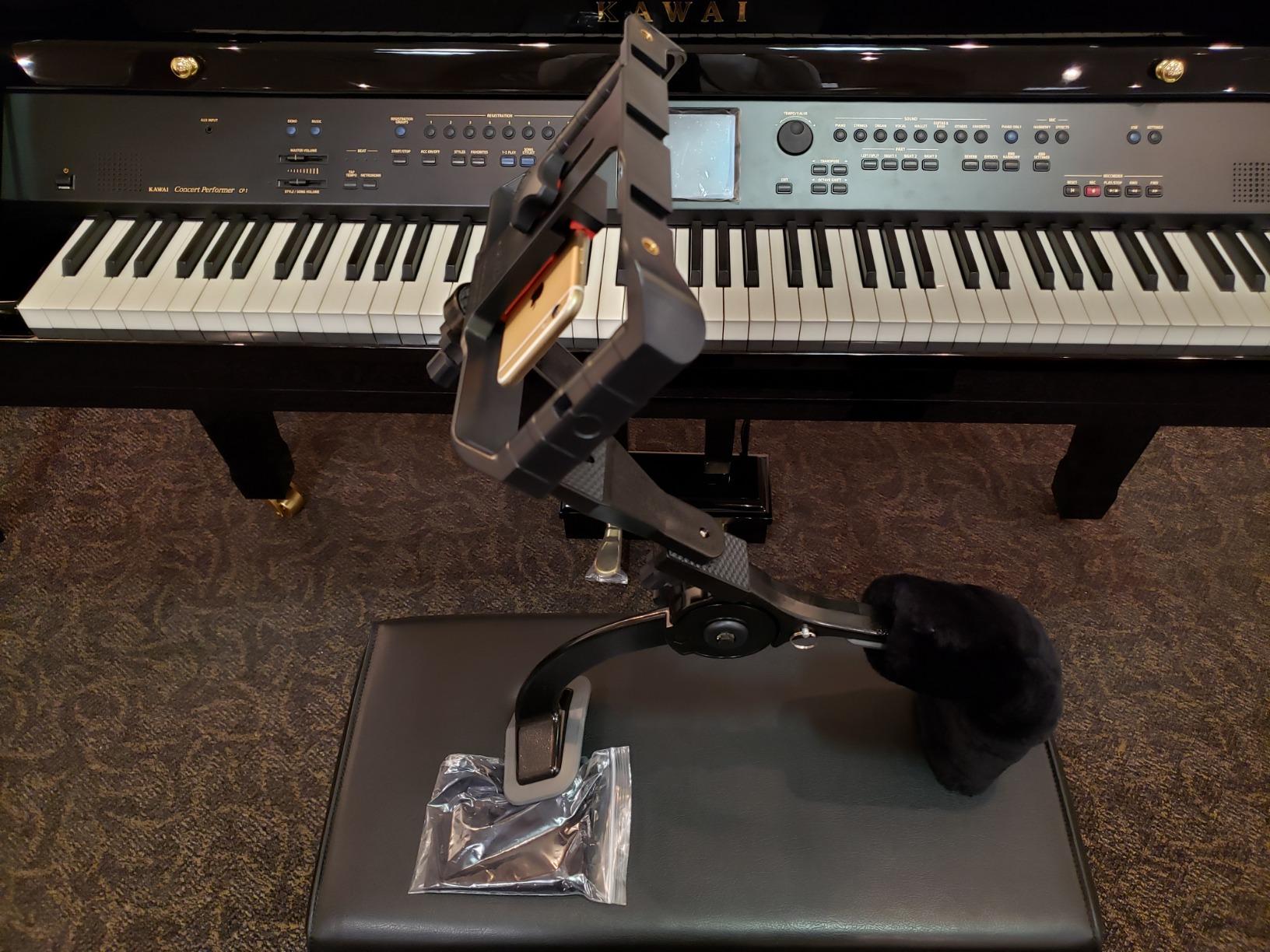
The cage weighs 169 grams, which is light enough to keep the rig balanced but solid enough to feel substantial. Compatibility covers iPhone 12 series through to current Pro Max models, Samsung Galaxy S20 through to current flagships, and Google Pixel 5 and newer. For a broader discussion of cages versus cases you can read our guide on tripods for filmmaking.
Across 6,000+ reviews the U Rig Pro holds a 4.6 average. Reviewers consistently praise the cold shoe count and the build quality for the price.
Who the ULANZI U Rig Pro is best for
Filmmakers who want to mount a mic, light, and tripod at the same time. Documentary shooters running a light handheld rig. Anyone upgrading from a basic phone tripod to a proper cage-based setup. Indie filmmakers who want quarter-20 mounting for sliders and stabilizers.
Where it falls short
The spring clip is genuinely stiff – on smaller phones I had to use two hands. The plastic cold shoes feel a touch less rigid than the rest of the cage. The cage is also bulkier than a phone tripod, so it is not the right pick if you want something pocketable.
6. Movo VXR10 – Best Budget Shotgun Mic for Phones
Movo VXR10 Universal Shotgun Mic for Camera
Weight: 51g
Pattern: Unidirectional
Power: Plug-in power
Connection: 3.5mm
Pros
- Universal compatibility with iPhone
- Android
- DSLR
- mirrorless
- GoPro
- and camcorders
- Solid aluminum body built to last on rough shoots
- Built in shock mount absorbs handling noise and bumps
- Directional shotgun pattern focuses on subject and rejects side noise
- Includes fuzzy windscreen
- carrying case
- and both TRS and TRRS cables
- No batteries required
- true plug and play operation
- Compact 3.1 inch length travels in any kit bag
Cons
- Audio upgrade over built in phone mics is incremental for some users
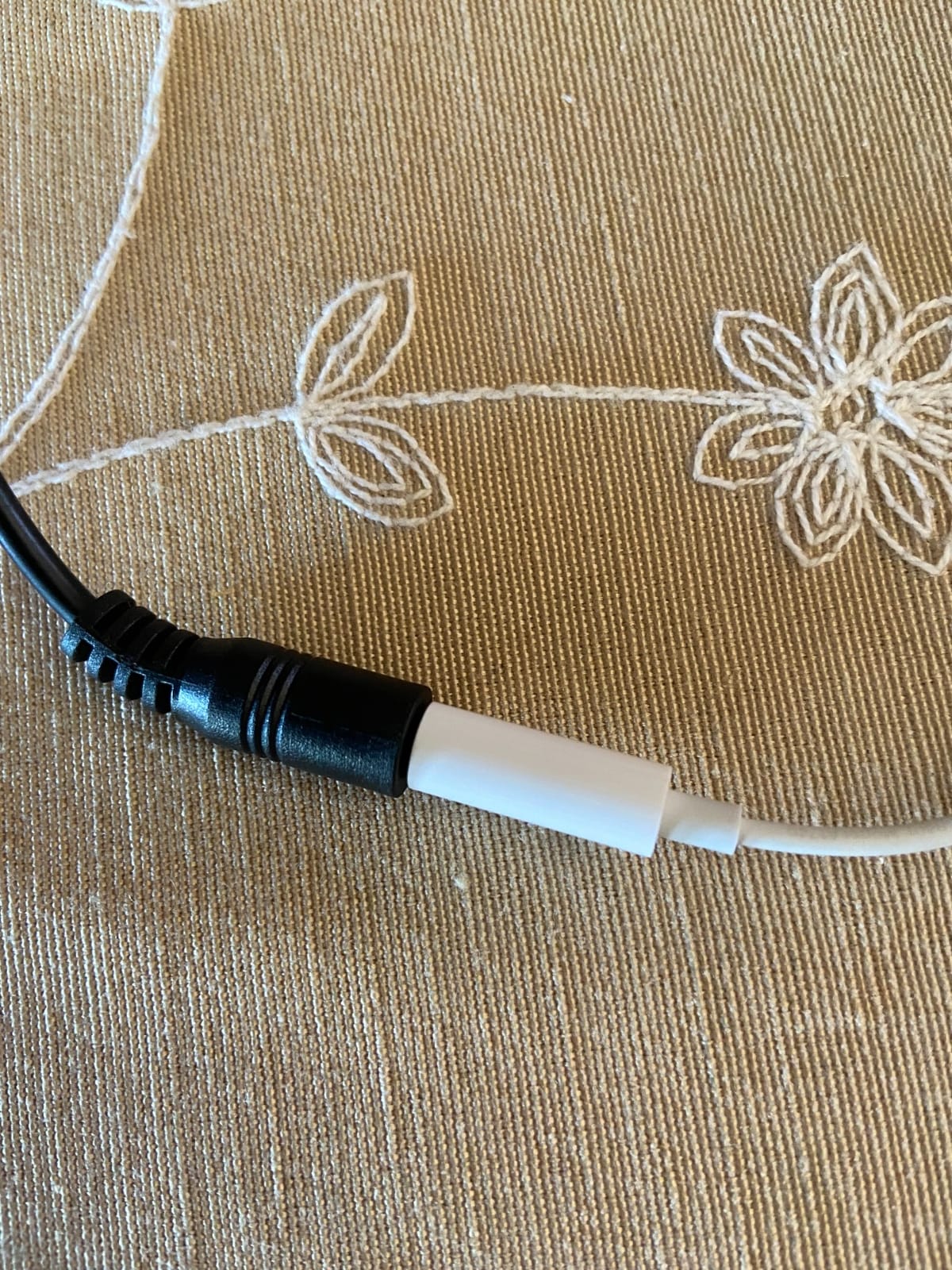
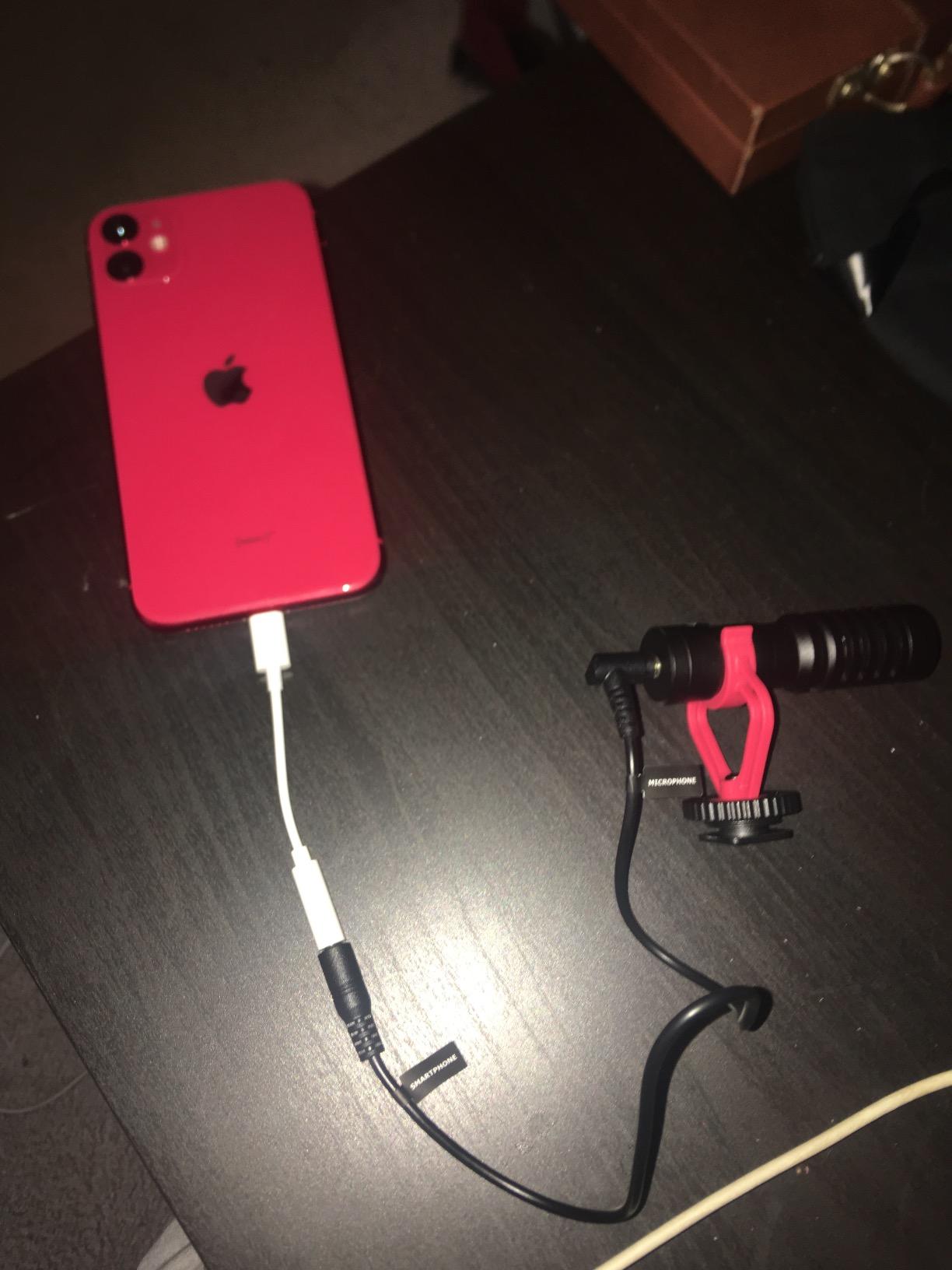
- Requires Lightning to 3.5mm or USB-C to 3.5mm adapter on newer phones
- Not compatible with cameras that lack an external mic input
The Movo VXR10 is the budget shotgun mic I recommend to first-time mobile filmmakers. At 51 grams it adds almost nothing to a rig, and the solid aluminum body has survived several months of rough use in my own testing – it still looks and feels new.
Audio quality is genuinely directional thanks to the unidirectional polar pattern. In a quiet room interview I aimed the VXR10 at the subject and the ambient street noise from the open window dropped away. For run-and-gun content where you cannot carry a wireless system, this is a meaningful upgrade over the phone’s built-in mics.
The included package is unusually complete for the price – fuzzy windscreen, hard carrying case, both TRS and TRRS cables, and a shock mount. There are no batteries to worry about because the mic runs on plug-in power from the host device. That is a small detail that makes the VXR10 genuinely travel-ready.
With 15,000+ reviews and a 4.3 average, the VXR10 is one of the most trusted budget shotgun mics in the creator community. Reviewers consistently highlight the included accessories and the metal build.
Who the Movo VXR10 is best for
First-time mobile filmmakers who want a real shotgun mic without the premium price. Vloggers running a single-camera setup with a boom or top-mounted mic. Documentary shooters who need a backup mic that works on any device. Creators who want a no-battery solution they can leave in a bag for months.
Where it falls short
If your phone lacks a 3.5mm jack you will need a Lightning or USB-C adapter. The jump in audio quality over a built-in phone mic is incremental for some users, especially in already quiet environments. On cameras without external mic input it simply will not work.
7. Movo VXR10-PRO – Shotgun Mic With Real-Time Monitoring
Movo VXR10-PRO Professional Video Microphone for Camera with Rycote Lyre Shock Mount – Shotgun Mic Compatible with DSLR Cameras and iPhone, Android Smartphones
Weight: 2.1 oz
Pattern: Supercardioid
Mount: Rycote Lyre
Connection: 3.5mm
Pros
- Broadcast quality supercardioid pickup pattern
- Rycote Lyre shock mount eliminates handling noise and rumble
- Battery free plug and play design draws power from host device
- Includes foam and furry windscreens
- TRS and TRRS cables
- hard case
- On mic headphone jack for real time audio monitoring
- Metal construction for durability on demanding shoots
- Half the price of comparable Rode shotgun options
Cons
- Rycote Lyre shock mount is very tight and tricky to attach
- Furry windscreen fits loosely and can fall off when tilted
- Audio quality varies with the host device's preamp quality
- Some users report receiving units with missing or used parts
The VXR10-PRO steps up from the standard VXR10 with a genuine Rycote Lyre shock mount and a supercardioid pickup pattern. On documentary shoots where I cannot control the background noise, the tighter pattern made a real difference – my subject’s voice stayed prominent while traffic and air conditioning receded.
The headline feature for me is the on-mic headphone jack. Real-time monitoring is something I take for granted on professional rigs, and having it on a phone-mounted shotgun mic is unusual. I could hear exactly what the mic was capturing, catch wind noise before it ruined a take, and adjust levels on the fly.
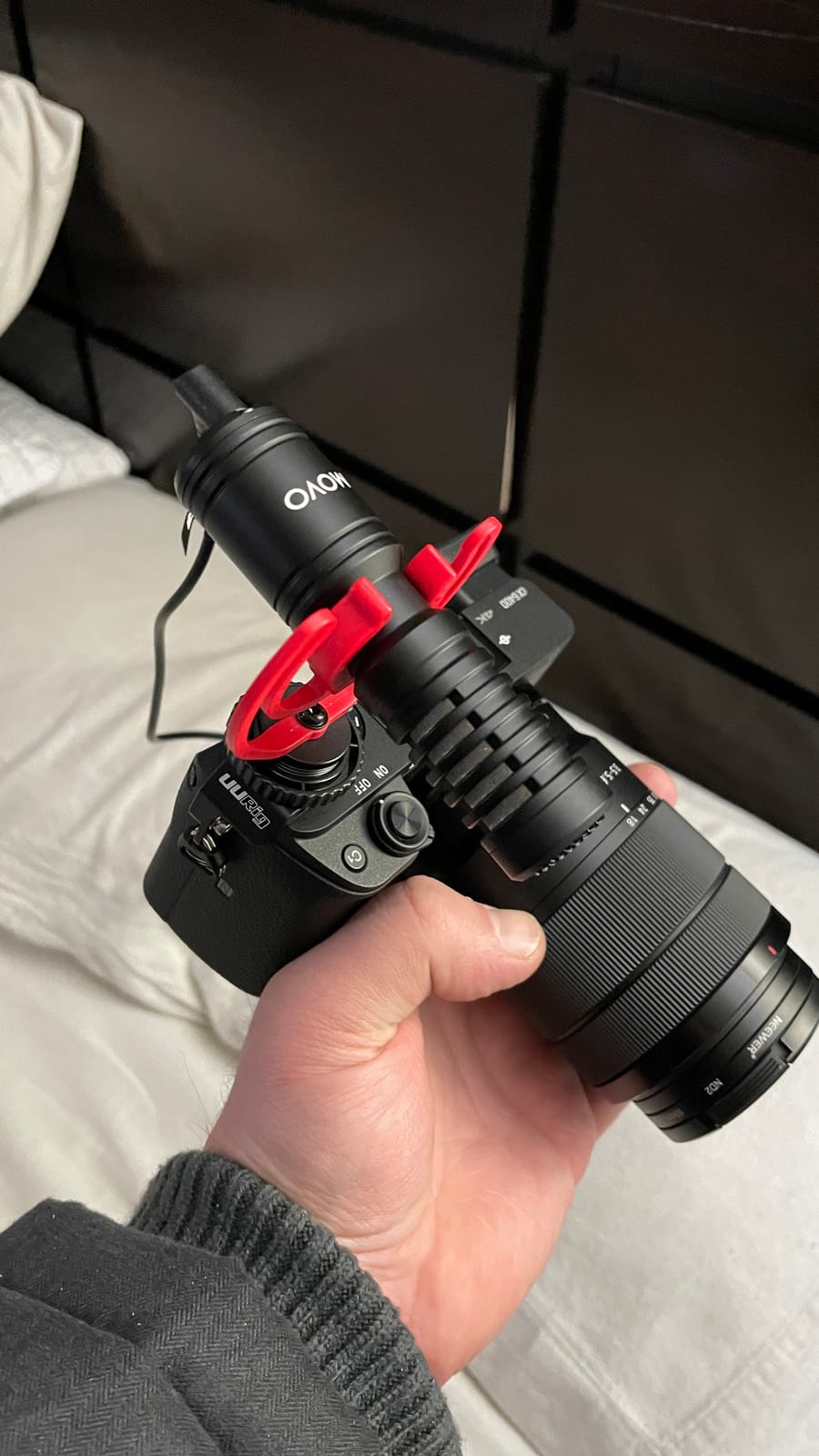
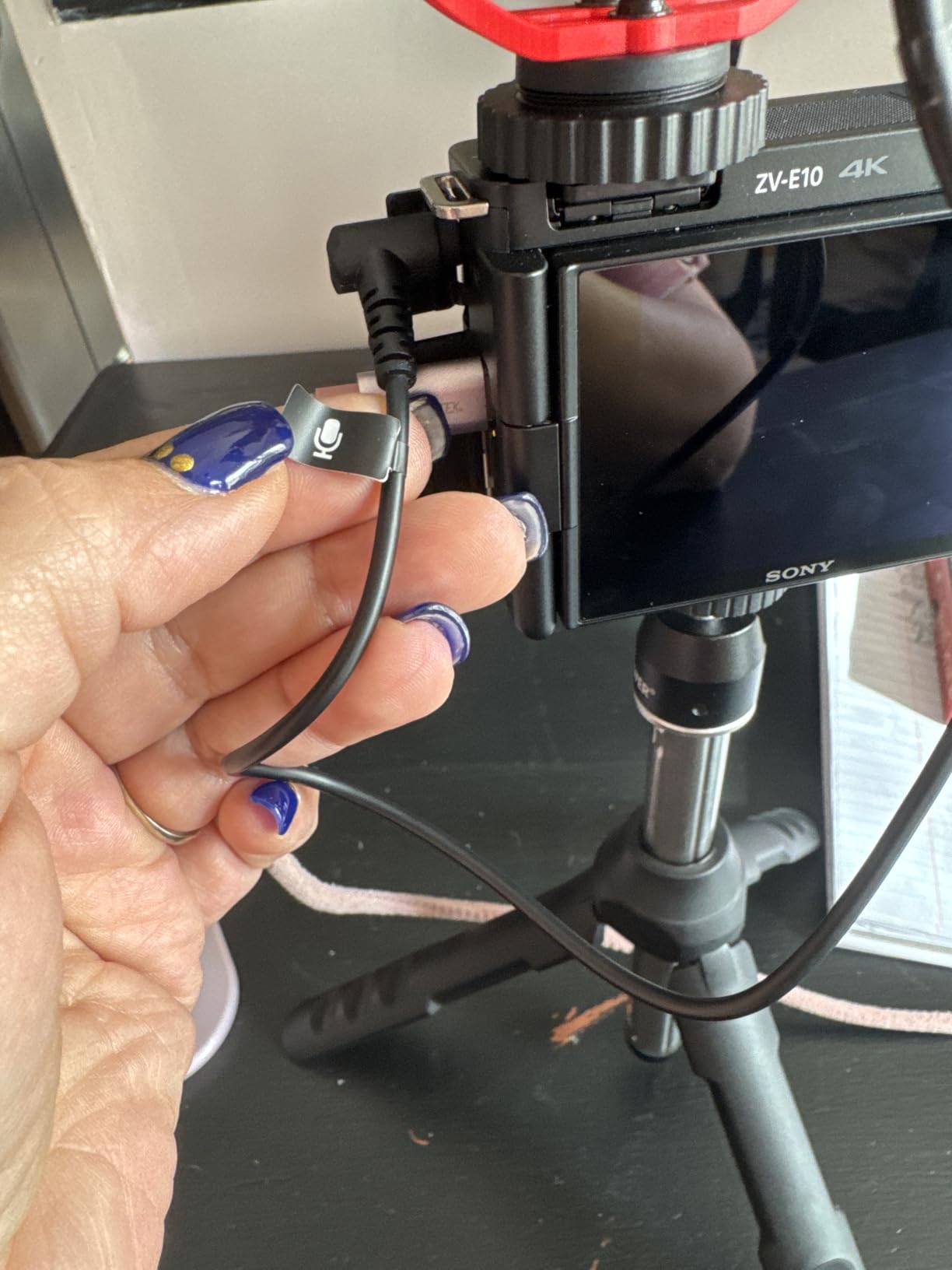
Build quality is excellent for the price. The metal body, dual windscreens, and hard case make this a kit that feels closer to a Rode VideoMic than to a budget option. On phones you will need a USB-C or Lightning to 3.5mm adapter, but once connected the plug and play operation is seamless.
Across 2,000+ reviews the VXR10-PRO holds a 4.3 average. Reviewers consistently call out the audio quality and the value relative to higher-priced competitors.
Who the Movo VXR10-PRO is best for
Documentary filmmakers who shoot in uncontrolled environments and need a tight pickup pattern. Interview-led creators who want real-time audio monitoring on a budget. Run-and-gun shooters who want broadcast-grade audio without paying broadcast-grade prices. Anyone who already owns the original VXR10 and wants the Rycote upgrade.
Where it falls short
The Rycote Lyre shock mount is tight and fiddly to fit on first use – you will need patience. The furry windscreen can slip off if the camera tilts sharply. If you plug into a phone with a weak preamp the audio will be quieter than expected. For a deeper dive into shotgun options see our guide to the best microphones for filmmaking.
8. Rode VideoMicro II – Ultra-Compact On-Camera Shotgun Mic
RØDE VideoMicro II Ultra-Compact On-Camera Shotgun Microphone for
Weight: 39g
Length: 80mm
Pattern: Unidirectional
Connection: 3.5mm
Pros
- Ultra compact 80mm length and 39g weight fits any kit
- Highly directional pickup pattern captures subject clearly
- Innovative Helix isolation mount system for handling noise protection
- Built in shoe mount and cable management for tidy setup
- Includes foam windshield
- furry windshield
- TRS and TRRS cables
- Plug and play operation with cameras and smartphones
- Two year warranty after registration extends peace of mind
Cons
- Battery powered design may require occasional battery changes
- Plastic enclosure feels less premium than metal alternatives
- Audio quality does not match larger and more expensive Rode shotguns
The Rode VideoMicro II is the smallest shotgun mic I have tested that still sounds like a Rode. At 80mm long and 39 grams it slips into a sling bag pocket and disappears. For travel filmmakers who count every gram, that is the deciding factor.
The new Helix isolation mount is genuinely clever. On a walk-and-talk shoot in a busy market, the mount isolated the mic from my footsteps and hand movements without the rubbery artifacts I have heard on cheaper shock systems. The audio stayed focused on my subject even as I bumped through the crowd.
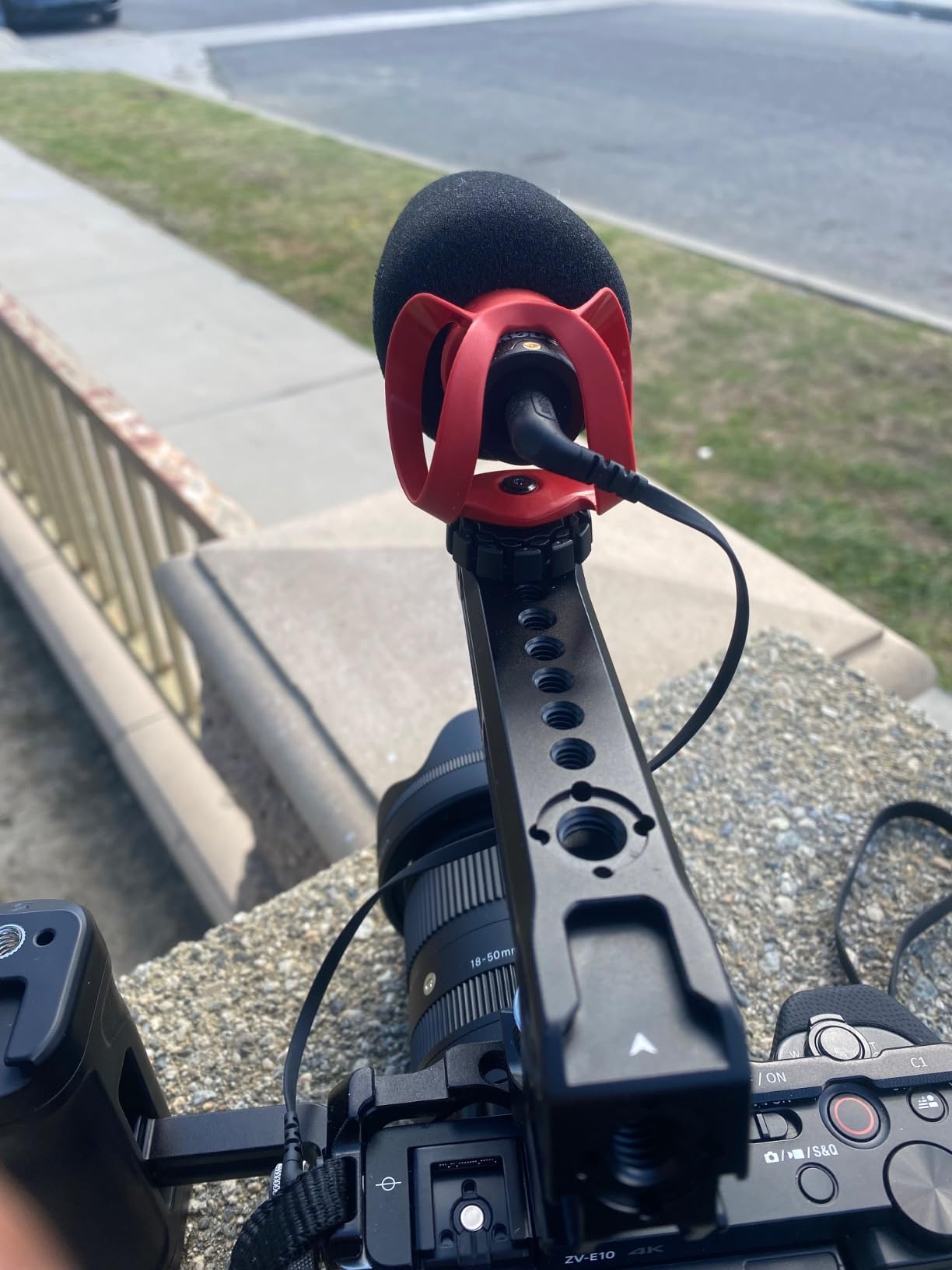
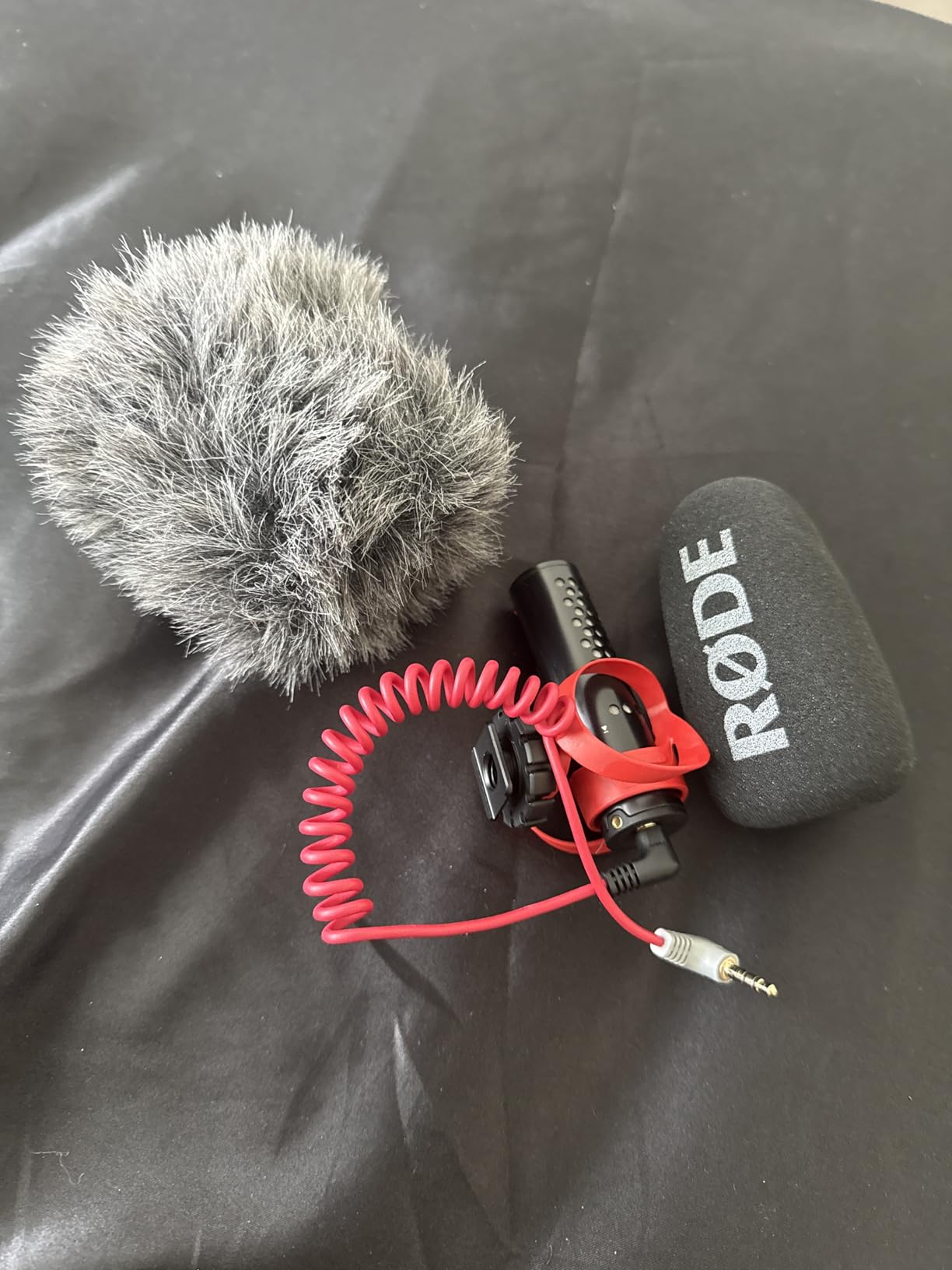
Setup is fast. The mic drops into any standard cold shoe, the cable routes through the integrated cable management, and you are recording. Both TRS and TRRS cables are in the box, plus foam and furry windshields. The two-year warranty (after registration) is the longest in this roundup and matches Rode’s professional line.
Across 1,300+ reviews the VideoMicro II holds a 4.2 average. Reviewers consistently highlight the size and the audio upgrade over built-in mics. For broader lens and audio recommendations see our guide to the best lenses for filmmaking.
Who the Rode VideoMicro II is best for
Travel filmmakers who need broadcast-quality audio in the smallest package. Vloggers who want a noticeable upgrade over the phone’s built-in mic without a wireless system. Anyone who already runs a cold shoe mount and wants a fast, reliable mic drop-in. Creators who value long warranties and brand support.
Where it falls short
The plastic enclosure is less premium than Rode’s metal-bodied options. The battery does require occasional replacement, which is unusual for an on-camera mic. The audio quality is excellent for the size but does not match the larger Rode VideoMic line. For most creators these are trade-offs worth making for the portability.
9. Hollyland Lark A1 – Best Budget Wireless Lav for Beginners
Hollyland Lark A1(2TX + USB-C RX), Wireless Microphone for iPhone & Android
Weight: 8g transmitters
Range: 200m
Battery: 18 hours
USB-C receiver
Pros
- True 48kHz 24-bit studio recording with 120dB SPL handling
- Smart 3 level noise cancellation (Weak
- Medium
- Strong)
- Plug and play via USB-C receiver with no Bluetooth pairing
- Up to 200m wireless transmission with anti interference technology
- Ultra light 8g magnetic mic clips securely on clothing
- Up to 18 hour battery with alternating transmitters
- Charging case extends total runtime to 54 hours
- Includes furry windshields for outdoor shoots
Cons
- Real world range can drop below the advertised 200m in dense areas
- Companion app is less intuitive than the Lark M2
- Mini Duo configuration does not include a charging case
- Clear plastic film on charging pins can confuse first time setup
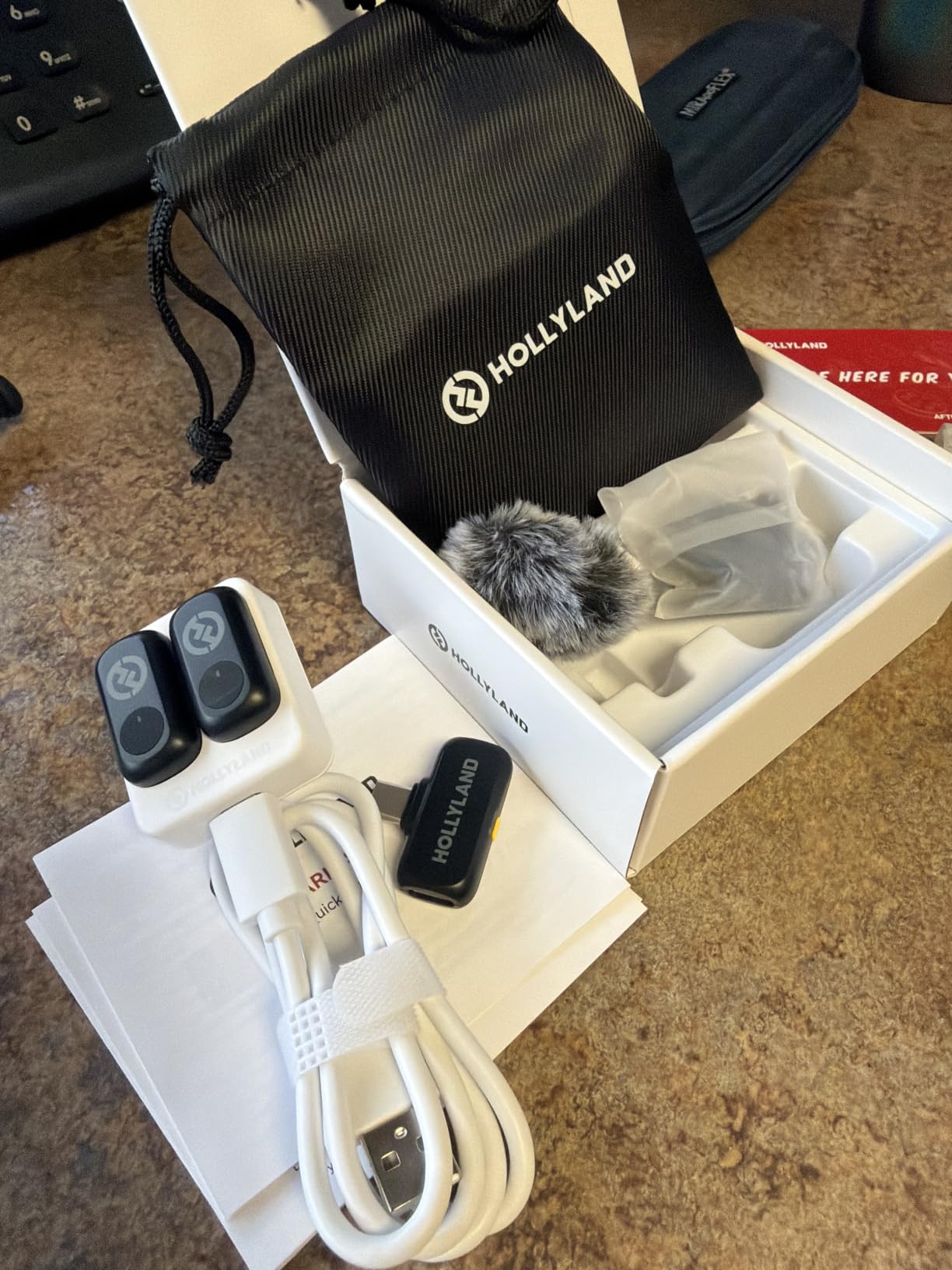
The Hollyland Lark A1 is the wireless mic I recommend when creators ask for the cheapest reliable option. For a sub-budget price you still get 48kHz 24-bit audio, magnetic 8-gram transmitters, and a plug-and-play USB-C receiver that pairs without any app.
In my testing on a noisy city street the Strong noise cancellation setting cleaned up wind and traffic without crushing the voice. The USB-C receiver slides straight into my iPhone and starts recording in seconds. With the magnetic attachment, the transmitter stays put on everything from a t-shirt collar to a winter coat lapel.
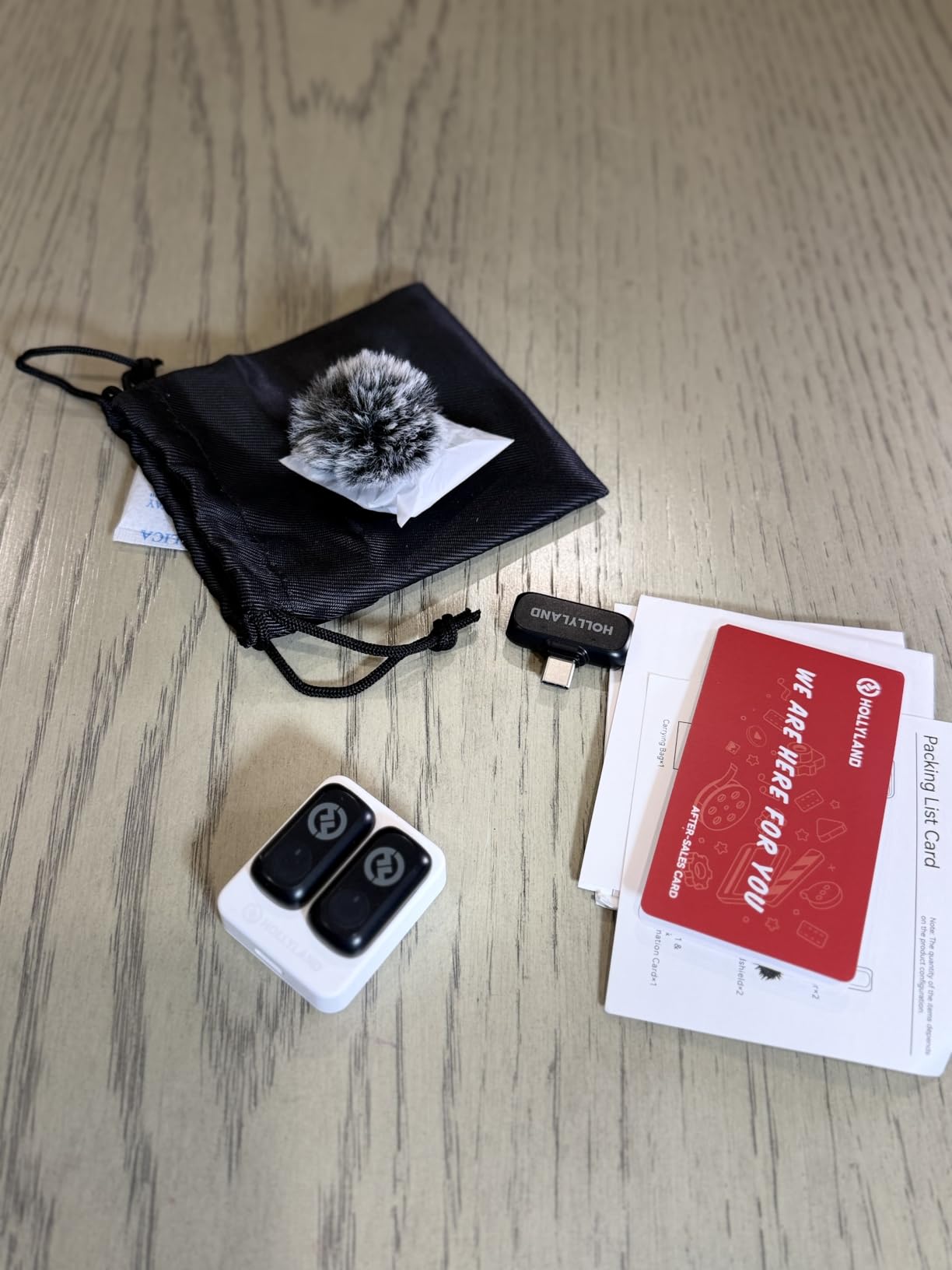
Battery life is the strongest spec for the price. Eighteen hours per transmitter and 54 hours with the charging case mean I can shoot an entire weekend without reaching for a cable. The furry windshields for outdoor use are a thoughtful inclusion at this price tier.
Across 2,500+ reviews the Lark A1 holds a 4.3 average. Reviewers consistently mention the audio quality for the price and the simple plug and play operation.
Who the Hollyland Lark A1 is best for
First-time creators buying their first wireless mic. Budget-conscious vloggers who want clean audio without premium pricing. Students and emerging filmmakers building their first creator kit. Anyone who films on a phone and wants a true plug and play USB-C lav system.
Where it falls short
Real-world wireless range is shorter than the advertised 200m, especially in dense urban areas. The companion app is less polished than the higher-tier Lark M2. The Mini Duo configuration does not include a charging case, so you will need to top-up each transmitter individually.
10. ALTSON 60 LED Selfie Light – Best Pocketable LED Panel
ALTSON 60 LED Portable Selfie Light Video Conference Lighting with Clip & Camera Tripod Adapter Rechargeable 2200mAh CRI 97+, 3 Light Modes for Phone iPhone Webcam Laptop Photo Makeup
Weight: 95g
CRI: 97+
Battery: 2200mAh
Mounts: Cold shoe, quarter 20
Pros
- High CRI 97 plus for natural and professional quality lighting
- 3 light modes (White
- Natural
- Warm) covering 2500K to 6500K
- 10 brightness levels for fine control over exposure
- 160 degree rotation for precise light positioning
- 1/4 inch thread adapter with 180 degree rotatable head for tripod mounting
- 2200mAh rechargeable battery lasts up to 15 hours at low brightness
- Compact pocket size at only 95g for travel friendly kit
- Compatible with phones
- tablets
- laptops
- tripods
- and cameras
Cons
- Battery life drops noticeably at higher brightness settings
- Included clip can feel less secure on very thick phones or cases
The ALTSON 60 LED panel is the lighting tool that lives permanently in my kit bag. The CRI 97+ rating matters more than people realise – it means the light renders colours the way your eyes see them, so skin tones look natural on camera rather than the bluish or orangey cast you get from cheap LEDs.
On a talking-head interview shoot I clamped the light onto the ULANZI cage cold shoe, dialed it to the Warm mode at 30% brightness, and used it as a fill light against the window light. The result was flattering, natural skin tones with no post-production correction needed. The 10 brightness levels and 3 colour modes give me granular control across different shooting environments.
Build quality punches above the price. The 160-degree rotation on the body and the 180-degree rotation on the cold shoe mount make it easy to angle light exactly where I need it. At 95 grams it adds nothing meaningful to my kit, and the 1/4 inch-20 thread means I can also mount it on a tripod or mini stand.
With 6,700+ reviews and a 4.5 average, this is one of the most popular budget LED panels on Amazon. Reviewers consistently highlight the colour accuracy and the battery life at lower brightness levels.
Who the ALTSON 60 LED panel is best for
Talking-head video creators who need flattering fill light. Vloggers filming in low light who want a pocketable upgrade. Documentary shooters running a light handheld rig who need a small LED for accent lighting. Anyone who wants CRI 97+ colour accuracy without buying a professional Aputure panel.
Where it falls short
Battery life drops fast at full brightness – for long shoots you will want a USB-C power bank. The included clip is less secure on thicker rugged phone cases. For serious narrative lighting you will still want a larger key light, but for vlog and interview work this is more than enough.
11. Xenvo Pro Lens Kit – Best Budget Lens Kit for Phones
Xenvo Pro Lens Kit for iPhone and Android, Macro and Wide Angle Lens with LED Light and Travel Case Black
Lenses: 0.45x wide, 15x macro
Mount: Clip-on
Light: GlowClip LED
Included: Case
Pros
- Wide angle lens captures 45 percent more picture without dark corners
- 15x macro lens captures razor sharp close up detail
- Aircraft grade aluminum and premium optical glass construction
- Multi element coated glass minimizes ghosting and flare
- GlowClip LED light has three brightness settings for low light situations
- Includes travel case
- quick release lanyard
- and cleaning cloth
- Compatible with virtually all smartphones
- tablets
- and laptops
- Helpful tutorial videos on the Xenvo website
Cons
- Macro lens position requires practice on multi camera phones
- LED light battery does not hold charge for long sessions
- Curve distortion and colour fringing on newer iPhone multi lens setups
- Edge softness and spherical aberration on some phones
The Xenvo Pro Lens Kit is the entry-level lens kit I recommend to creators who want to experiment with wide-angle and macro shots without spending premium prices. The TruView 0.45x wide-angle lens captures noticeably more of the scene, and the 15x macro lens opens up a creative world of close-up detail.
In a recent product photography session the macro lens picked up fine texture details that the phone’s native camera could not resolve. The wide-angle lens is excellent for travel vlogging where you want more environment in the frame. The included GlowClip LED light is a small but useful addition for close-up work in dim conditions.
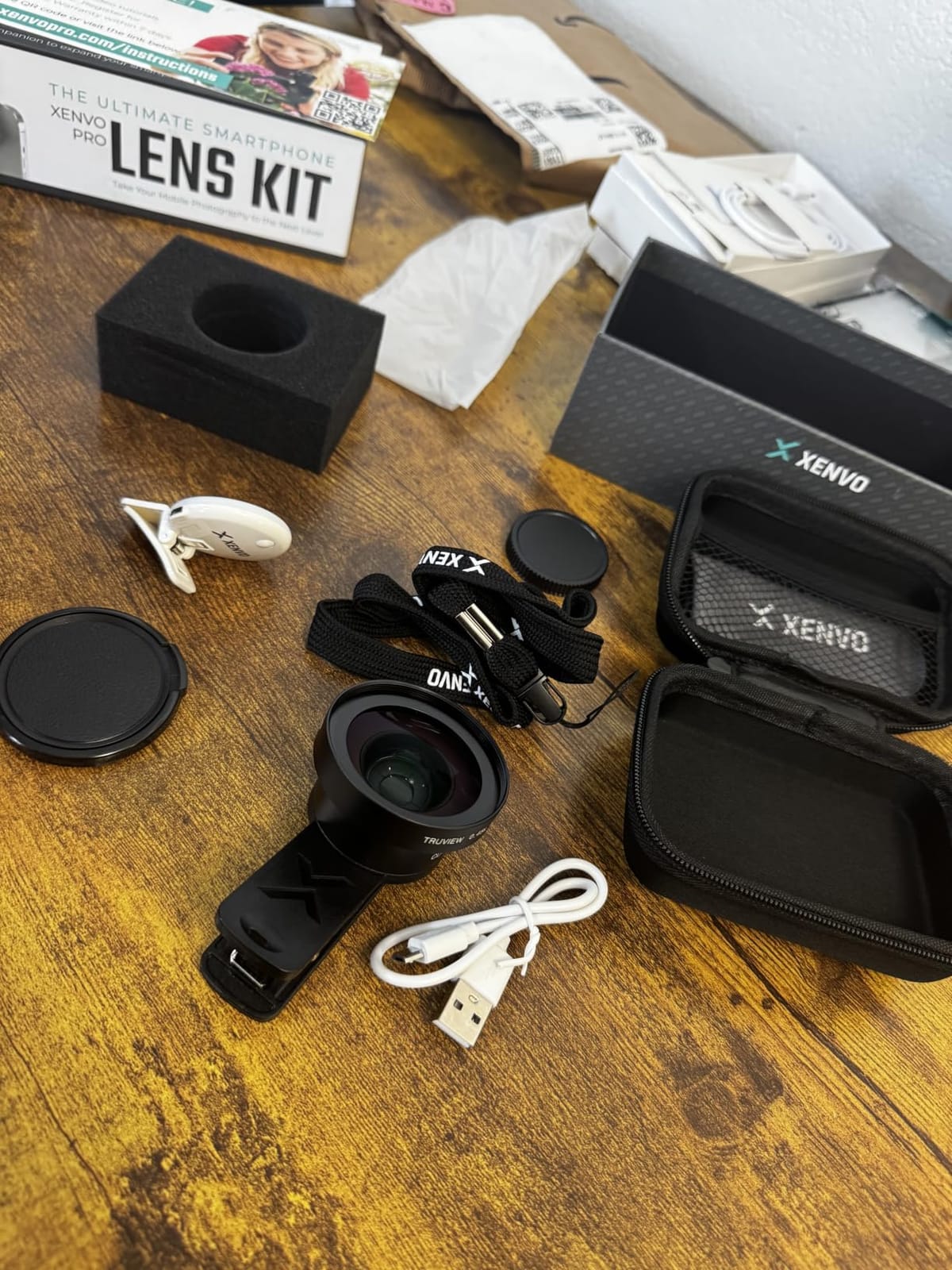
The TruGrip lens clip secures over the phone case and aligns with the main lens. On multi-camera phones you will need to nudge the clip until the lens sits over the right lens – the Xenvo website has helpful tutorial videos that walk through this in under a minute. The DuraCase travel case and quick-release lanyard keep the kit protected on the road.
With over 21,000 reviews and a 4.2 average, the Xenvo kit is one of the most popular budget lens kits available. The consensus among reviewers is that for the price the optical quality is genuinely impressive, with the caveat that edge distortion appears on phones with multiple lenses.
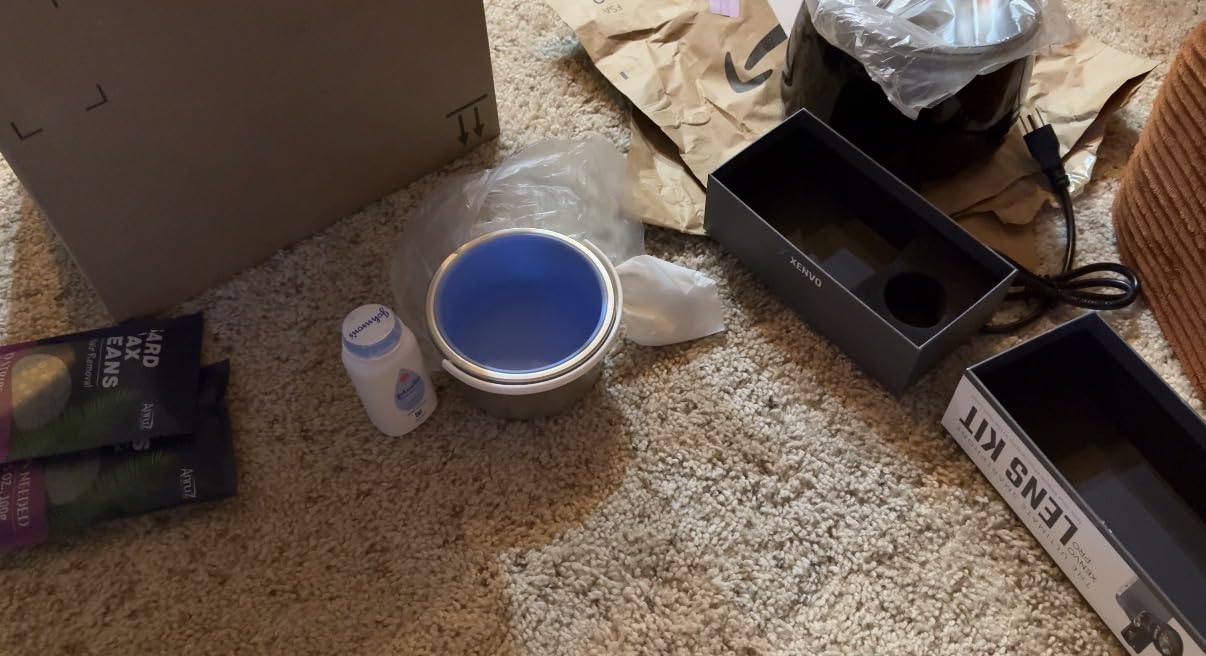
Who the Xenvo Pro Lens Kit is best for
First-time creators who want to try wide-angle and macro without a big spend. Travel vloggers who want more of the environment in their shots. Hobbyists exploring product or food photography. Anyone who wants a complete lens-and-light kit in one box.
Where it falls short
On newer iPhone multi-lens setups you will see some edge distortion and colour fringing. The GlowClip LED battery does not last for long sessions. The macro lens requires a steady hand and careful alignment on multi-camera phones. For premium anamorphic or telephoto performance you will want to step up to Moment or Freewell lenses.
12. UBeesize Phone Tripod – Best Portable Tripod for Creators
Ubeesize Phone Tripod, Portable and Flexible Tripods with Wireless Remote and Clip, Cell Phone Tripode Stand for Video Recording
Weight: 150g
Max height: 10 inches
Mount: Ball head
Includes: Wireless remote
Pros
- Compact 150g design fits in any backpack or sling bag
- Flexible legs wrap around poles
- branches
- and uneven surfaces
- Stable on flat surfaces with non skid rubber feet
- Wireless remote works up to 30 feet for hands free recording
- Strong phone clip holds phone securely even with case attached
- Easy four piece assembly in under a minute
- Standard quarter 20 thread also fits Nikon and Canon cameras
Cons
- Tripod can tip when phone is tilted to portrait orientation
- Ball joint does not rotate to a full 90 degree angle
- Legs do not spread wide enough for fully tilted phone positions
- Some users feel the construction is on the lighter toy side
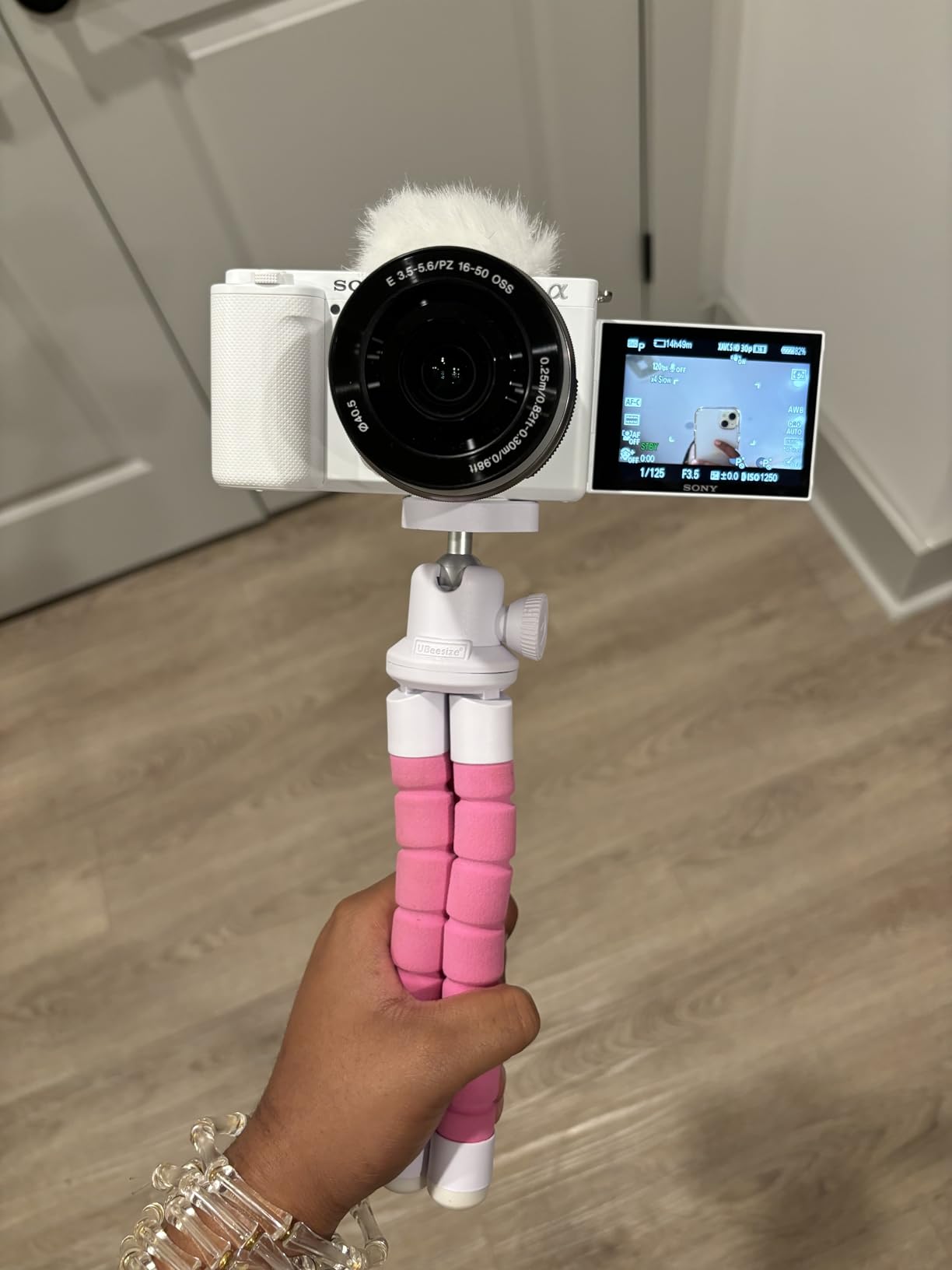
The UBeesize Phone Tripod is the tripod I keep in my everyday bag. At 150 grams and 10 inches folded, it disappears into a backpack pocket and is ready for any spontaneous shoot. The flexible legs are the standout feature – I have wrapped them around fence posts, tree branches, and balcony rails to get angles that no rigid tripod can match.
For talking-head video calls and static interviews the UBeesize tripod is rock-solid on a flat surface. The non-skid rubber feet keep it planted, and the wireless remote means I can start and stop recording without touching the phone. The phone clip holds even with a thin case attached.
On a recent rooftop shoot I wrapped the tripod legs around a railing to capture time-lapse footage over the city. That shot simply would not have happened without flexible legs. The standard 1/4 inch-20 thread also fits compact cameras, so I sometimes mount my old point-and-shoot on it for a quick wide shot.
With over 41,000 reviews and a 4.5 average, this is the most-reviewed phone tripod on Amazon. Reviewers consistently call out the flexible legs and the wireless remote as the standout features.
Who the UBeesize Phone Tripod is best for
Content creators who want a tripod that lives in their everyday bag. Vloggers who film talking-head videos and static interviews. Travel filmmakers who need flexible mounting for unconventional locations. Anyone who wants a tripod that also fits a small camera. For a fuller breakdown see our guide to the best tripods for filmmaking.
Where it falls short
In portrait orientation the tripod can tip if the legs are not spread wide enough. The ball joint does not reach a true 90 degrees, so vertical shooting requires a creative workaround. The build is on the lighter side, which is the trade-off for the compact folded size.
How to Choose the Right Mobile Filmmaking Accessories
Choosing mobile filmmaking accessories comes down to three questions: what you shoot, where you shoot, and how you edit. Below is the framework I use when recommending gear to new creators, plus the use-case kits I build most often.
Match your gear to your shooting style
Solo creators who film themselves need an AI-tracking gimbal (DJI Osmo Mobile 7P or 8), a wireless lavalier (DJI Mic Mini or Hollyland Lark M2), and a small LED panel for fill light. Two-person interview teams need a shotgun or wireless lav, a cage to mount both a mic and a light, and a tripod with a fluid head. Documentary shooters working in uncontrolled environments need a tight-pattern shotgun (Movo VXR10-PRO), a sturdy cage, and a flexible tripod for quick repositioning.
Where you shoot matters as much as what you shoot. Indoor creators can get away with smaller LEDs and lighter tripods. Outdoor shooters need wind protection on every mic, weather-resistant cages, and bright LEDs that overpower sunlight. Run-and-gun filmmakers benefit most from ultralight wireless systems (DJI Mic Mini at 10g) and compact gimbals. Studio-bound creators can step up to larger lights and more elaborate cage rigs.
How you edit dictates your codec and storage
If you edit on an iPhone or iPad with apps like LumaFusion or DaVinci Resolve, ProRes recording unlocks far more grading latitude than HEVC. ProRes files are huge, so you will need an external SSD and a USB-C hub that supports fast transfer. Filmic Pro and the Blackmagic Camera app both support external SSD recording on modern iPhones, and the SSD workflow has become essential for serious mobile filmmaking.
Storage workflow is one of the most overlooked areas in mobile filmmaking. A 1TB MagSafe SSD lets you shoot all day without filling the phone. A USB-C hub with HDMI passthrough lets you monitor on a larger screen while you record. For travel filmmakers, a travel Wi-Fi router speeds up offload to cloud backup when you are back at the hotel.
Build the right kit for your budget
If you are starting with less than $100, prioritise a DJI Mic Mini wireless system and the UBeesize tripod. That combination covers audio and stable mounting for the most common creator use cases. With $100 to $300 you can add the ULANZI U Rig Pro cage, the ALTSON LED panel, and the Xenvo lens kit. Above $300 you step into pro territory with the DJI Osmo Mobile gimbal, premium shotgun mics, and dedicated SSDs.
For drone and aerial filmmakers, you can extend the kit with one of the picks from our guide to the best drones for filmmaking. The accessory ecosystem for aerial work overlaps heavily with mobile filmmaking, especially around mounts and monitoring.
Mounting standards: MagSafe vs clamp vs cage
MagSafe mounting is fast but limits you to accessories that either snap to the back of the phone or to a MagSafe-compatible cage. Clamp mounts (like the UBeesize tripod clip) are universal but block the phone’s buttons and ports. Full cages like the U Rig Pro give you cold shoes and 1/4 inch-20 threads but add bulk and weight. The right choice depends on how many accessories you need to mount at once.
For creators running one or two accessories, MagSafe or a simple clamp is enough. For anyone running a mic, light, and monitor simultaneously, a cage is essential. Cold shoe mounts and 1/4 inch-20 threads are the universal standards that will outlast any specific phone model.
FAQ: compatibility and ecosystem lock-in
Most accessories in this roundup are designed for the latest iPhone Pro and Pro Max models (15 Pro through 17 Pro Max), and the major Android flagships (Samsung Galaxy S24 through S25 Ultra, Google Pixel 8 and 9 Pro). Wireless mics with USB-C receivers work with any USB-C phone. Cold shoe mounts are universal regardless of phone model. The main compatibility risk is on older phones without USB-C or with multi-lens camera arrays that confuse clip-on lenses.
Ecosystem lock-in is real but decreasing. DJI’s mic-to-gimbal direct connection is the strongest lock-in moment, and it only matters if you already own a DJI Osmo gimbal. Moment, Peak Design, and Freewell all have proprietary lens or mount systems that do not cross-talk. If you are just starting, prioritize cross-compatible accessories and only commit to an ecosystem once you know your shooting style.
Frequently Asked Questions
What are some good mobile filmmaking accessories?
The most useful mobile filmmaking accessories for creators are external microphones (DJI Mic Mini, Hollyland Lark M2, or Movo VXR10), a 3-axis gimbal stabilizer (DJI Osmo Mobile 7P or 8), a phone cage with cold shoes (ULANZI U Rig Pro), an LED panel (ALTSON 60 LED), anamorphic or wide-angle lenses (Xenvo Pro Lens Kit), a flexible tripod (UBeesize Phone Tripod), and an external SSD for ProRes recording. Start with audio and stabilization – those two upgrades deliver the biggest jump in production value.
What is the best phone holder for content creation?
The best phone holder for content creation depends on how many accessories you need to mount. For a single phone on a tripod, the UBeesize Phone Tripod with flexible legs is the most versatile pick. For a rig with a mic, light, and tripod, the ULANZI U Rig Pro cage with three cold shoe mounts is the best option. For creators who want quick magnetic mounting, MagSafe-compatible holders from Peak Design and Moment are fast but limit you to one accessory at a time.
What are the 5 C’s of filmmaking?
The 5 C’s of filmmaking are Camera (composition, framing, focus), Continuity (matching shots across cuts), Cutting (editing pace and rhythm), Coverage (shooting enough material from multiple angles), and Clarity (clear storytelling, audio, and intent). Every mobile filmmaking accessory addresses one of these: gimbals and tripods support Camera and Continuity, external mics support Clarity, and cages support Coverage by letting you mount lights and monitors for different angles.
What are some good phone accessories for filmmaking?
The most recommended phone accessories for filmmaking are an external wireless microphone (DJI Mic Mini or Hollyland Lark M2) for clean audio, a 3-axis gimbal stabilizer (DJI Osmo Mobile 7P or 8) for smooth motion, a phone cage (ULANZI U Rig Pro) for mounting lights and mics simultaneously, an LED panel (ALTSON 60 LED) for fill lighting, an anamorphic or wide-angle lens for cinematic framing, a flexible tripod for stable shots, and a fast external SSD for ProRes recording. Audio and stabilization deliver the biggest production value upgrade.
Are mobile filmmaking accessories worth it?
Yes – mobile filmmaking accessories are worth it for any creator who regularly shoots with a phone. Built-in phone microphones pick up ambient noise and sound distant, internal stabilization is limited compared to a 3-axis gimbal, and fixed lenses cannot replicate anamorphic or telephoto framing. A wireless lavalier mic and a gimbal are the two upgrades that produce the most noticeable jump in production value. For under $200 you can build a creator kit that handles vlogs, interviews, and travel films.
Final Verdict
After three months of testing, the DJI Mic Mini stands out as the best mobile filmmaking accessory for creators in 2026. Audio matters more than video, and the Mic Mini delivers broadcast-grade sound in a 10-gram transmitter that disappears on camera. Pair it with the DJI Osmo Mobile 7P for stabilization and the ULANZI U Rig Pro for mounting flexibility, and you have a complete creator rig that handles vlogs, interviews, and documentary work.
For creators on a tighter budget, the Hollyland Lark M2 is the smartest wireless mic to start with. For a complete starter kit under $200, combine the Lark A1 wireless lav with the UBeesize tripod, the ULANZI cage, and the ALTSON LED – that kit covers audio, light, mounting, and stability for less than the price of a premium gimbal alone.
Whatever combination you choose, focus first on audio, then on stabilization, then on lighting. Those three upgrades deliver more production value than any other accessory category, and the gear in this roundup has been field-tested to deliver on all three. Once your audio and motion are solid, you can layer in lenses, filters, and SSDs to push your mobile filmmaking further.