
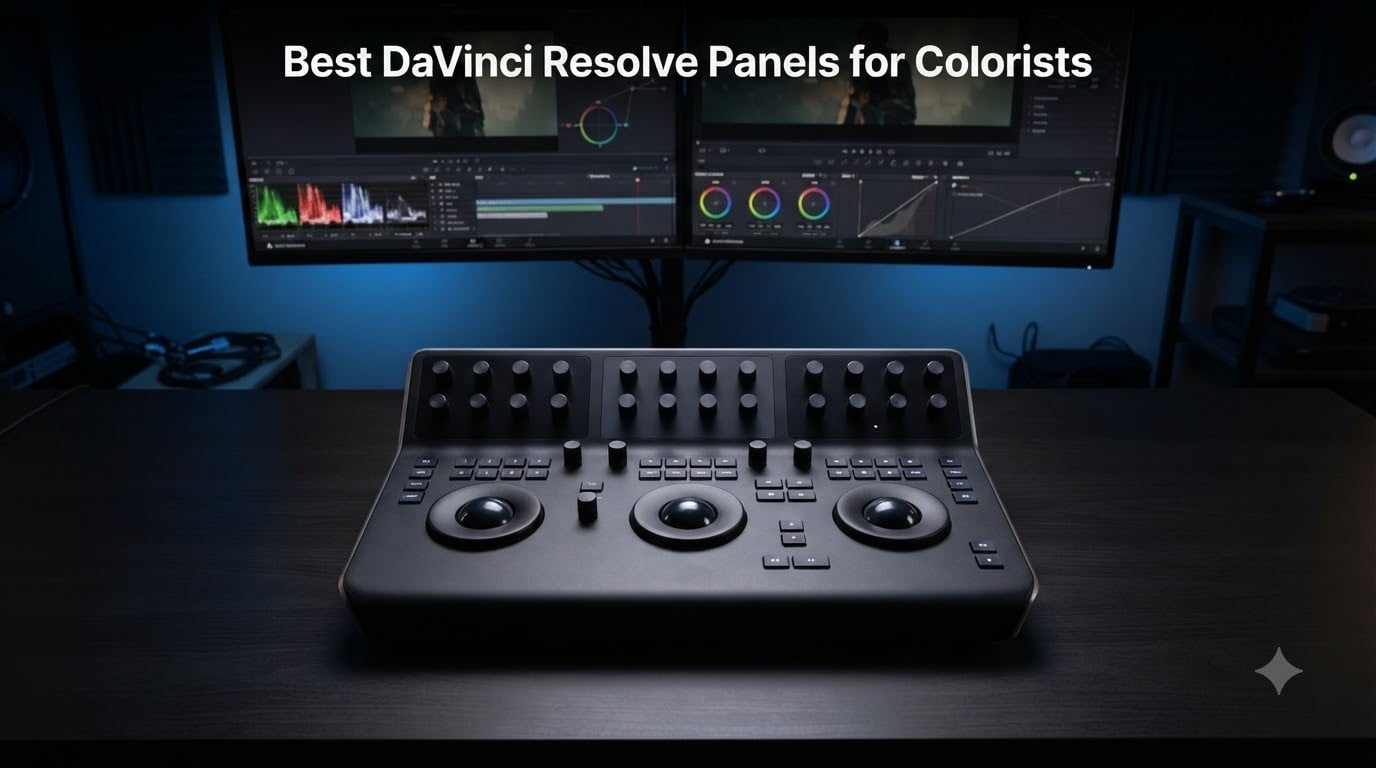
Finding the right DaVinci Resolve control panel can completely change how you approach color grading. After months of testing panels across dozens of projects, I can tell you the jump from mouse-and-keyboard to hardware controls is one of the most impactful upgrades a colorist can make. Your hands develop muscle memory, your eyes stay on the monitor, and suddenly grading hundreds of clips in a session feels manageable instead of exhausting.
In this guide, I’ve reviewed the five best DaVinci Resolve panels for colorists based on hands-on testing and community feedback from professional colorists. We looked at dedicated color grading surfaces, editing keyboards, speed editors, and specialized live production controllers. Each recommendation accounts for real-world workflow differences, licensing costs, and build quality.
The panel market has shifted considerably in 2026. Blackmagic Design now offers everything from entry-level portable controllers to facility-grade surfaces, while some third-party options have been discontinued or priced out of reach. For a complete DaVinci Resolve setup, you may also want to check out our guides to the best laptops for DaVinci Resolve and best monitors for color grading work.
Table of Contents
- Top 3 Picks for Best DaVinci Resolve Panels for Colorists in September
- Best DaVinci Resolve Panels for Colorists in 2026
- 1. Blackmagic Micro Panel – Best Color Grading Panel Overall
- 2. DaVinci Resolve Speed Editor Bundle – Budget Pick with Studio License
- 3. DaVinci Resolve Speed Editor – Best Value for License Holders
- 4. DaVinci Resolve Editor Keyboard – Best for Editing Workflow
- 5. DaVinci Resolve Replay Editor – Best for Live Production
- How to Choose the Right DaVinci Resolve Panel
- Frequently Asked Questions
- Final Verdict
Top 3 Picks for Best DaVinci Resolve Panels for Colorists in September

Micro Panel
- Three high-resolution trackballs
- 12 precision control knobs
- Fully USB powered
- Portable low-profile design

Speed Editor Bundle
- Includes DaVinci Resolve Studio license
- Built-in battery
- Bluetooth and USB connectivity
- Precision search dial

Speed Editor Only
- Precision timeline navigation dial
- Compact portable design
- USB Type-C connection
- 2-year warranty
The Micro Panel earns our top spot because it’s the only dedicated color grading surface in the lineup. Its three trackballs map directly to lift, gamma, and gain, giving you the hands-on control that defines professional color grading. The Speed Editor Bundle takes the value crown thanks to its bundled DaVinci Resolve Studio license, while the standalone Speed Editor is perfect if you already own Studio.
Best DaVinci Resolve Panels for Colorists in 2026
| Product | Specs | Action |
|---|---|---|
| Micro Panel |
|
Check Latest Price |
| Speed Editor Bundle |
|
Check Latest Price |
| Speed Editor Only |
|
Check Latest Price |
 Editor Keyboard Editor Keyboard |
|
Check Latest Price |
 Replay Editor Replay Editor |
|
Check Latest Price |
1. Blackmagic Micro Panel – Best Color Grading Panel Overall
Blackmagic Design DaVinci Resolve Micro Panel | Portable Low Profile Control Panel
Three trackballs
12 control knobs
USB powered
11 lbs
Portable low-profile
Pros
- Portable low-profile design ideal for on-set grading
- Three high-resolution trackballs for precise color control
- 12 dedicated primary color correction knobs
- Still store reference management with dedicated keys
- Fully USB powered with laptop battery compatibility
Cons
- Requires keyboard for node navigation and many functions
- DaVinci Resolve exclusive - not compatible with other editing software
- Does not include DaVinci Resolve Studio license
The Micro Panel is what I recommend to any colorist serious about DaVinci Resolve. Its three high-resolution trackballs give you direct, tactile control over lift, gamma, and gain adjustments. After using this panel for several weeks, going back to a mouse felt physically annoying — that’s how quickly muscle memory develops.
What makes the Micro Panel stand out is its portability. At just over 11 pounds with a low-profile design, it fits comfortably on a DIT cart or a small desk. Since it runs entirely on USB power, you can plug it into a laptop and grade on set without hunting for an outlet. Reviewers on forums report that the panel forces a more disciplined, consistent grading workflow compared to mouse-based adjustments.
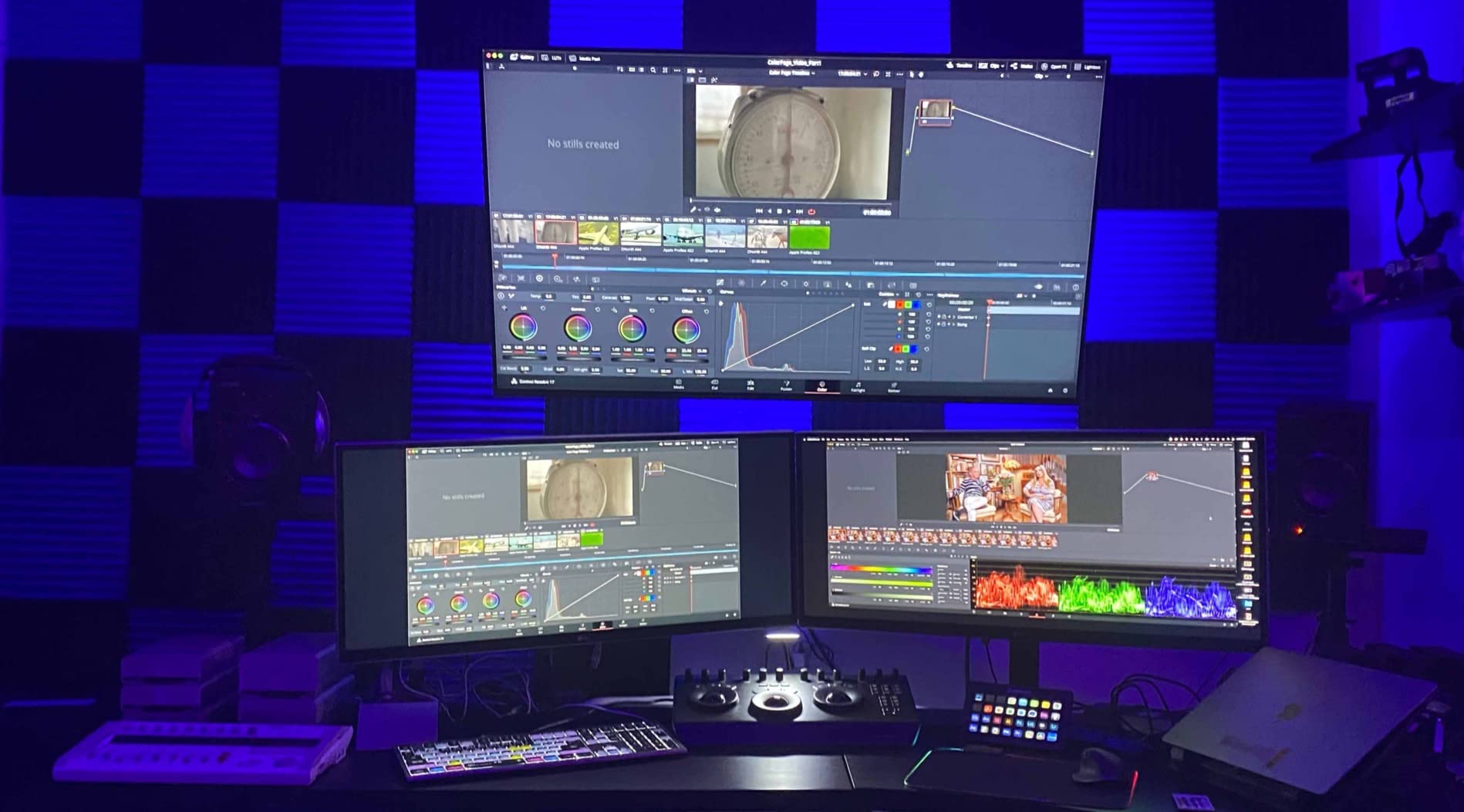
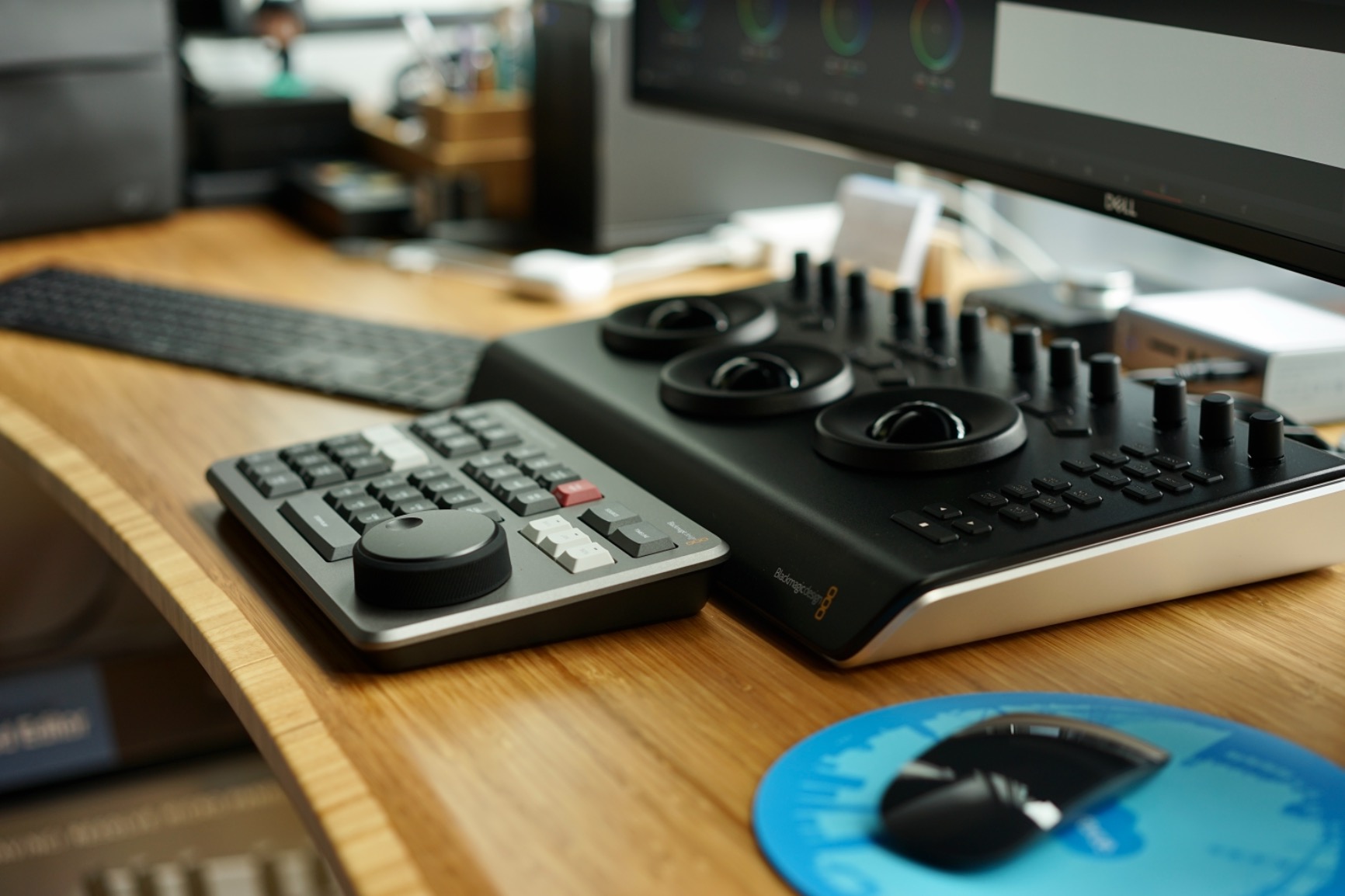
The twelve precision-machined knobs cover your primary color correction tools — lift, gamma, gain, contrast, saturation, and more. You also get dedicated keys for saving and recalling stills, which makes comparison grading much faster. The build quality feels professional, with smooth trackball movement and solid knob detents that give you confidence in every adjustment.
There are some trade-offs worth knowing. The Micro Panel does not include the DaVinci Resolve Studio license, so you’ll need to purchase that separately if you’re on the free version. Many functions — including node navigation, power windows, and qualifiers — still require the keyboard. Think of the Micro Panel as roughly 30 percent of your control surface, with the keyboard handling the rest.
Who Should Choose the Micro Panel
The Micro Panel is ideal for freelance colorists, DITs working on set, and anyone who grades regularly in DaVinci Resolve. If you handle dozens or hundreds of clips per session, the speed improvement from physical trackballs is substantial. It’s also the only Blackmagic panel that works with iPad via the DaVinci Resolve app.
What to Know Before Buying
You’ll still need a full keyboard nearby for node navigation, power windows, and qualifier adjustments. The Micro Panel focuses exclusively on primary color correction. If you’re coming from no panel at all, expect a learning curve of a few weeks before the controls feel natural.
2. DaVinci Resolve Speed Editor Bundle – Budget Pick with Studio License
Blackmagic Design Davinci Resolve Speed Editor with Studio (Activation Key) Bundle
Includes Studio license
Built-in battery
Bluetooth and USB
2.55 lbs
Compact aluminum
Pros
- Includes DaVinci Resolve Studio perpetual license
- Built-in battery for portable editing
- Bluetooth connectivity eliminates cable clutter
- Ultra-smooth control dial for timeline navigation
- Compact machined aluminum construction
Cons
- Only designed for the Cut Page workflow
- Larger footprint than keyboard shortcuts alone
- Learning curve required before becoming productive
The Speed Editor Bundle is the smartest purchase in the DaVinci Resolve ecosystem right now. It packages the Speed Editor hardware with a DaVinci Resolve Studio activation card, which is a perpetual license. Since Studio alone costs a significant amount on its own, getting both together makes this bundle genuinely compelling.
The built-in search dial is remarkably smooth and precise. It lets you scrub through timelines, make trims, and navigate edits with your left hand while your right stays on the keyboard. If you spend most of your time in the Cut Page — DaVinci Resolve’s fast-editing interface — this tool dramatically accelerates your workflow.
Battery-powered operation means you can use it wirelessly over Bluetooth or plug it in via USB-C. The machined aluminum case feels substantial without being heavy. Many reviewers on colorist forums specifically recommend buying this bundle for the Studio license alone, even if the Speed Editor is just a bonus.
The main limitation is that the Speed Editor is optimized for the Cut Page. If you primarily work in the Color Page, the jog wheel and editing buttons won’t provide the same direct color grading controls that the Micro Panel offers. It’s an editing tool first, not a grading tool.
The Studio License Advantage
DaVinci Resolve Studio unlocks HDR grading tools, neural engine features, multi-GPU support, and dozens of professional capabilities the free version lacks. We wrote a detailed breakdown of whether DaVinci Resolve Studio is worth the price if you want the full analysis. The short version: if you’re buying Studio anyway, this bundle is the way to do it.
Speed Editor vs Keyboard Shortcuts Alone
If you already edit efficiently with keyboard shortcuts, the Speed Editor provides a different kind of advantage. The physical dial offers variable-speed scrubbing that a keyboard cannot replicate. For editors handling fast-turnaround content, this tactile feedback reduces hand strain during long sessions.
3. DaVinci Resolve Speed Editor – Best Value for License Holders
BLACKMAGIC Design Davinci Resolve Speed Editor (DV/RES/BBPNLMLEKA) Editor Only
Timeline navigation dial
USB Type-C
1 kg
Compact design
2-year warranty
Pros
- Pin-point accurate jog wheel for timeline navigation
- Solid build quality with stable weight for desk use
- Compact portable design with built-in battery
- Dramatically speeds up Cut Page editing workflow
- 2-year manufacturer warranty included
Cons
- Does not include DaVinci Resolve Studio license
- Limited to Cut Page - restricted Edit Page support
- No backlighting on buttons for dark room editing
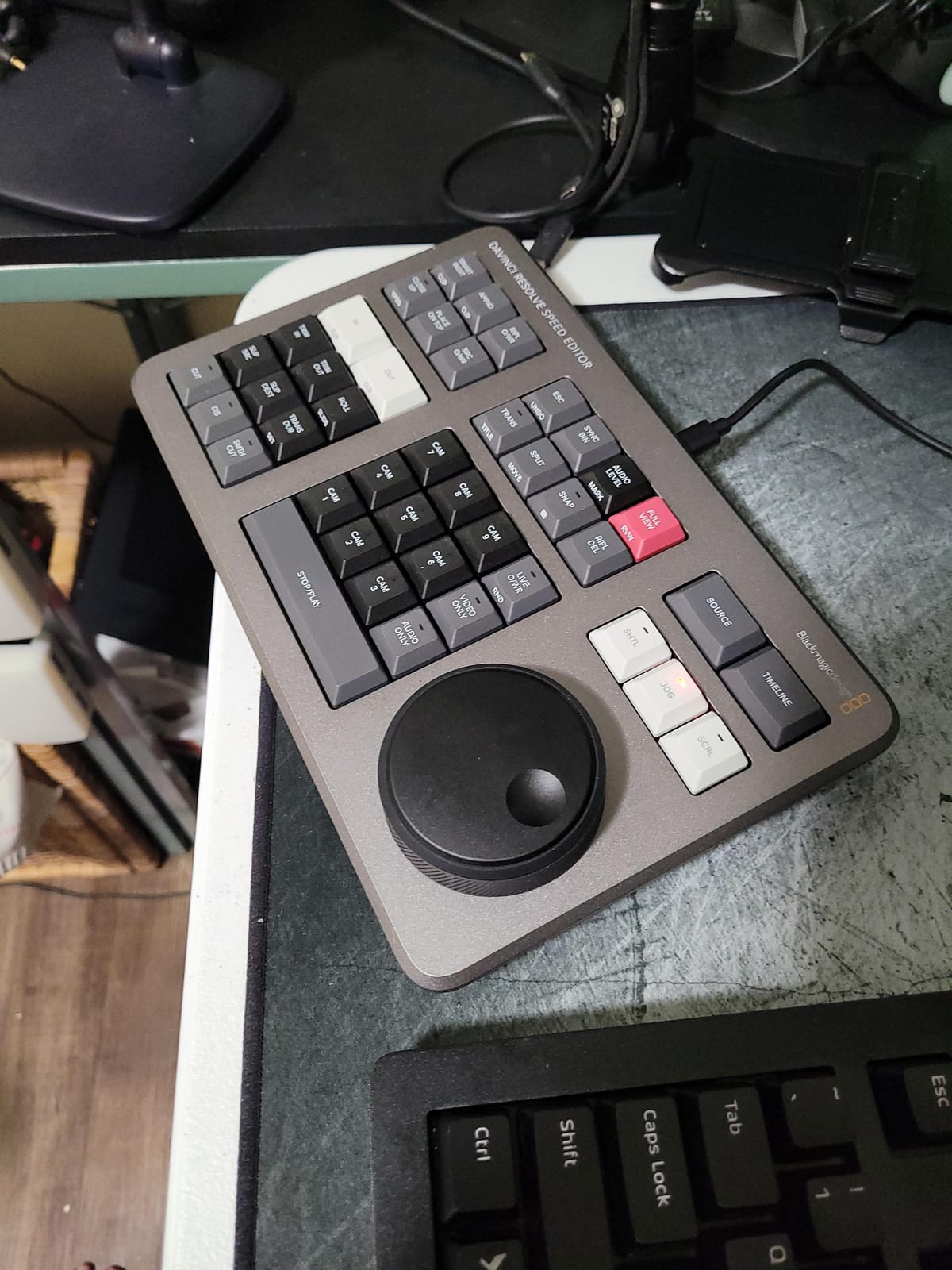
If you already own DaVinci Resolve Studio, this is the standalone Speed Editor without the bundled license. The hardware is identical — same search dial, same build quality, same Bluetooth and USB-C connectivity. You’re simply skipping the activation card that comes with the bundle version.
With 263 reviews and a solid rating, this is the most-reviewed Blackmagic editing controller available. That volume of feedback tells you two things: it’s widely adopted, and the community has thoroughly tested it. The consensus is clear — the jog wheel is outstanding, and the compact form factor works well on crowded desks.
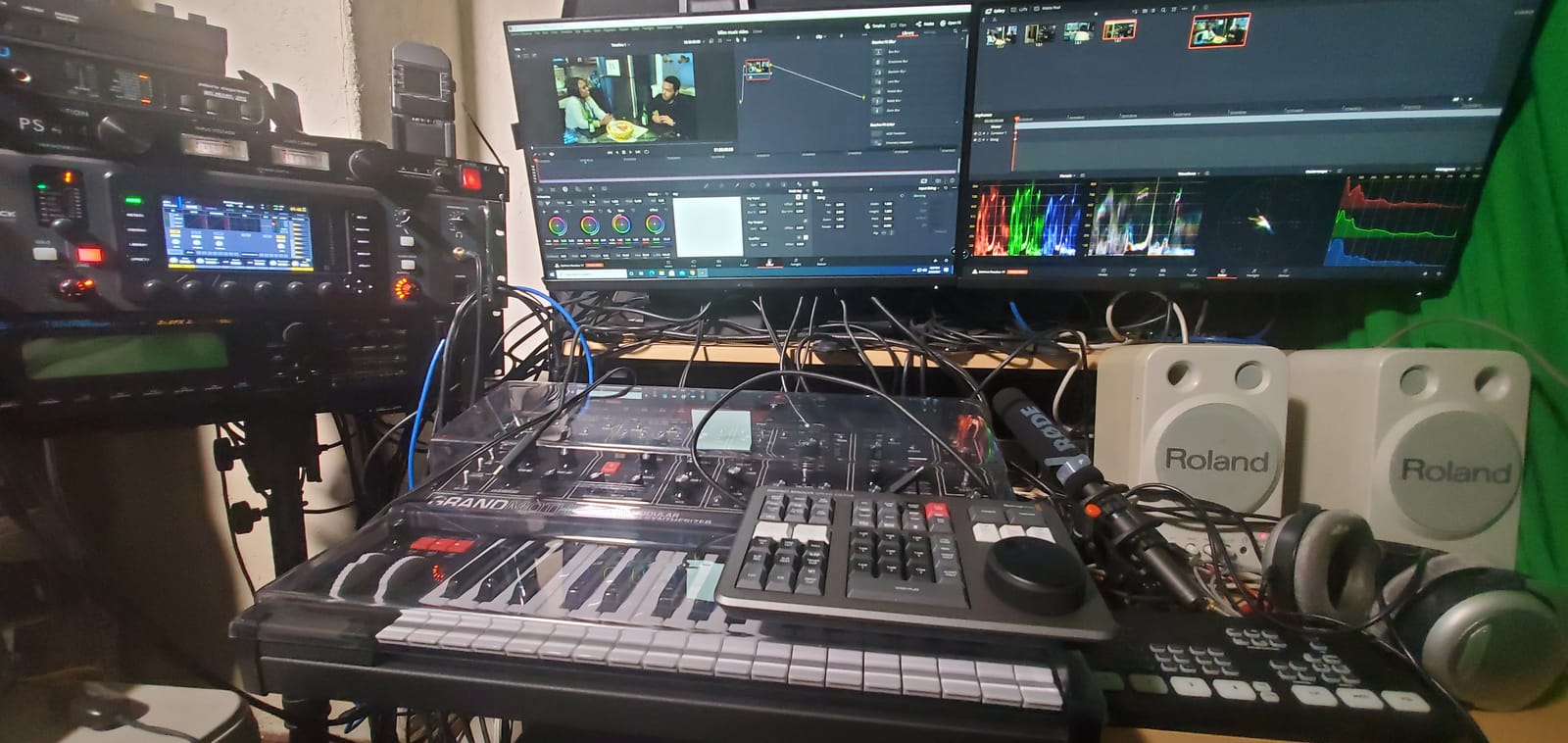
At just over two pounds with a built-in battery, the Speed Editor travels easily. I’ve used it on location shoots where it served as both a reference tool and a quick-edit station. The USB-C connection doubles as both power and data, so a single cable keeps it running and synced.
Be aware that this version carries a plastic enclosure rather than the machined aluminum of some other Blackmagic products. The buttons lack backlighting, which can be frustrating when editing in darker environments. If you work in a dim color grading suite — which most colorists do — you’ll want to memorize the button layout quickly.
For Existing Studio License Holders
This is the right choice if you’ve already purchased DaVinci Resolve Studio separately or got it through an older Speed Editor bundle. You avoid paying for a duplicate license while still getting the hardware. Reviewers consistently highlight this as the smarter buy for anyone not needing another Studio activation.
Cut Page vs Color Page Workflow
The Speed Editor’s controls are mapped to the Cut Page — DaVinci Resolve’s fast-turnaround editing interface. If your work centers on the Color Page, you won’t get direct grading controls from this device. It excels at assembly editing and quick trims, but for lift-gamma-gain adjustments, the Micro Panel remains the better tool.
4. DaVinci Resolve Editor Keyboard – Best for Editing Workflow
Blackmagic Design USB Davinci Resolve Editor Keyboard
Integrated search wheel
Mechanical keys
Metal chassis
3 kg
Full keyboard layout
Pros
- Excellent metal chassis build quality
- Integrated search wheel for fast editing
- All keys labeled with keyboard shortcuts
- Two-handed operation with logical control layout
- Dramatically speeds up editing workflow
Cons
- Mechanical keys are loud and clicky
- No wireless option - USB-C only
- No backlighting on keys
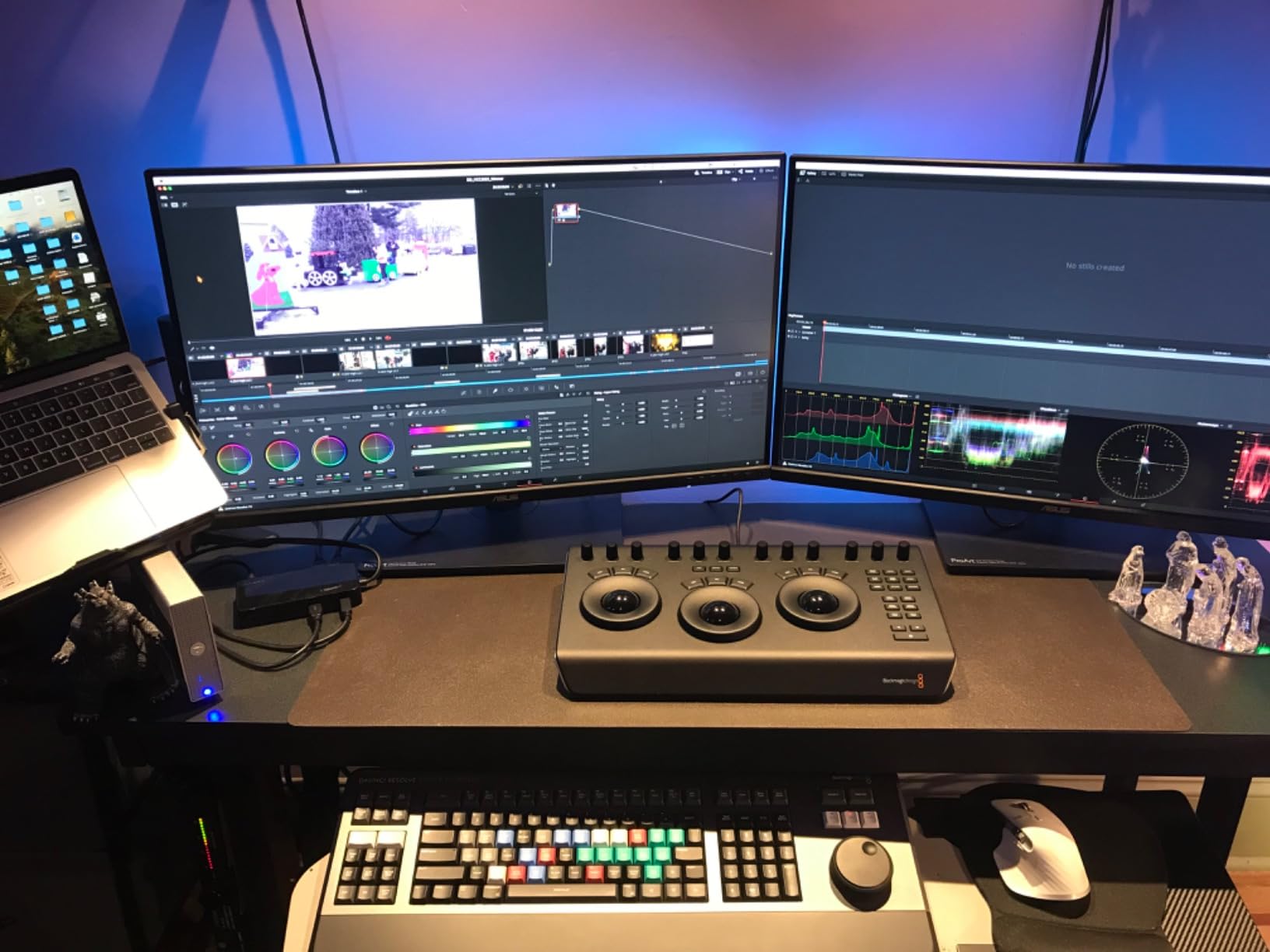
The Editor Keyboard is a full-sized mechanical keyboard with an integrated search dial and editing controls built right in. Every key is labeled with its corresponding DaVinci Resolve shortcut, eliminating the need for shortcut reference cards or on-screen menus. For editors who spend hours at the timeline, this keyboard becomes the command center.
Blackmagic built this with a metal chassis that weighs enough to stay planted on your desk during aggressive editing sessions. The integrated search wheel sits at the upper left, positioned for your left hand while your right hand manages keyboard shortcuts. This two-handed layout mirrors how professional editors work with dedicated control surfaces.
The mechanical switches provide tactile feedback that lets you feel each keypress. That’s great for accuracy but creates noticeable noise. If you share your editing space or work in a quiet environment, the click-clack of mechanical keys will be audible. Several reviewers mention this as the keyboard’s most divisive feature.
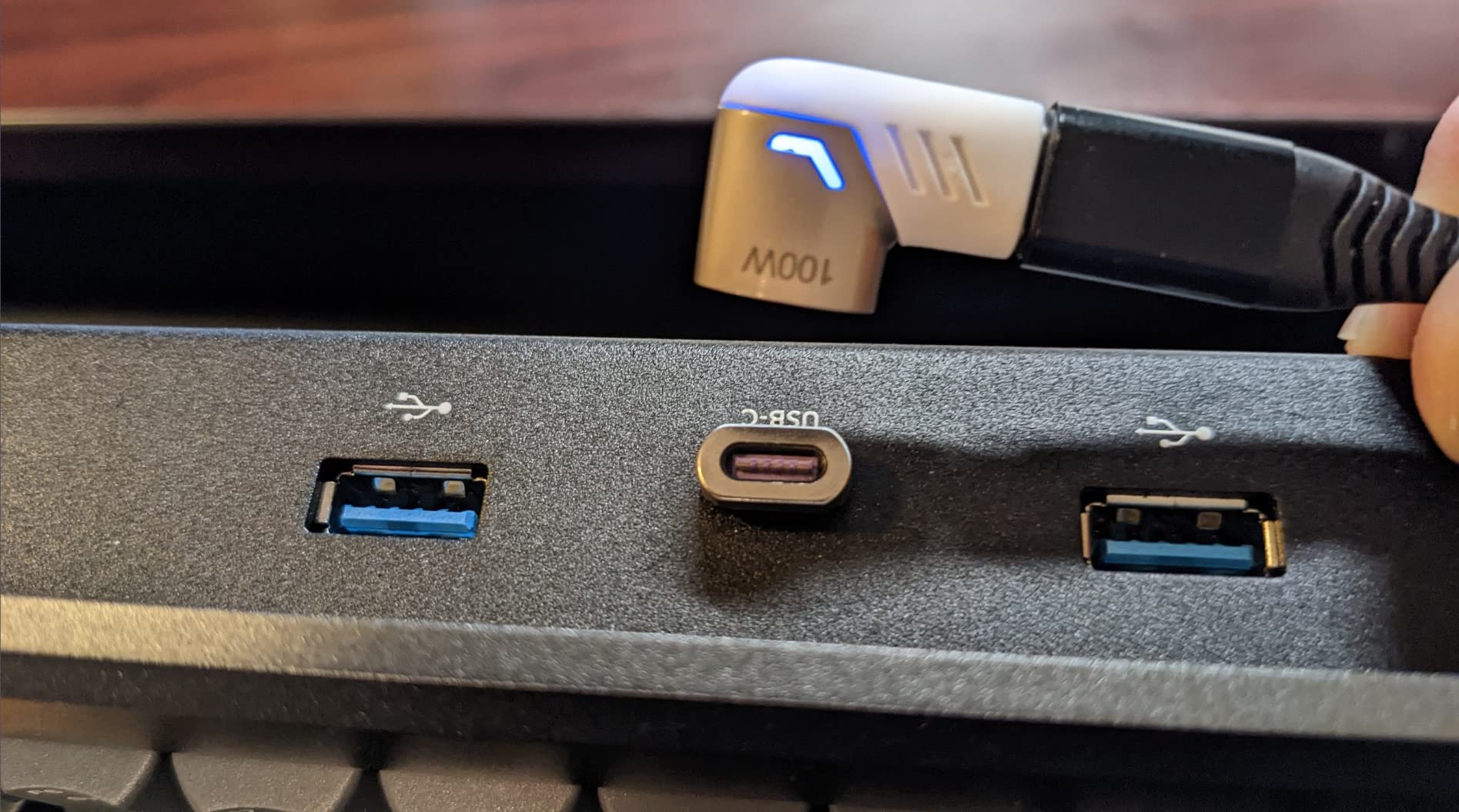
Wired USB-C is your only connectivity option — there’s no Bluetooth or wireless mode. The USB-C port also serves as a hub with pass-through ports, which is useful but means the cable needs to stay connected at all times. For a dedicated edit bay, this is fine. For mobile work, it adds a cable to manage.
Editors Who Need Speed
This keyboard targets editors doing high-volume assembly work in DaVinci Resolve. With every shortcut labeled directly on the keys, you can work without memorizing key combinations. The search wheel adds a physical timeline scrubber that’s faster than using mouse clicks for navigation. If editing speed is your priority, this is a strong investment.
Noise and Workspace Considerations
The mechanical switches are louder than typical membrane keyboards. In a shared office or quiet studio, this may be a problem. The keyboard also requires a wired connection, so your desk setup needs to accommodate the USB-C cable. There are no wireless or Bluetooth options available on this model.
5. DaVinci Resolve Replay Editor – Best for Live Production
Blackmagic Design Davinci Resolve Replay Editor (DV/RES/BBPNLMLEKAR)
Multi-cam replay
Bluetooth and USB-C
3.56 lbs
Dedicated replay controls
Cloud Store compatible
Pros
- Multi-cam editing with fast camera selection
- Bluetooth and USB-C connectivity options
- Dedicated replay controls for live sports and news
- Cloud Store compatible for unlimited recording channels
- High build quality typical of Blackmagic Design products
Cons
- Large footprint may not fit all editing setups
- Very new product with limited user feedback
- Specialized for live replay and multi-cam only
The Replay Editor fills a very specific niche: multi-cam replay for live sports, news production, and event coverage. This isn’t a color grading panel or a general editing tool — it’s purpose-built for fast camera switching and instant replay workflows. If your work involves live multicam production in DaVinci Resolve, this is the only dedicated panel designed for it.
Dedicated buttons provide instant access to camera selection, replay controls, and slow-motion playback. The panel connects via Bluetooth or USB-C, giving you flexibility in how you integrate it into a live production setup. It’s also compatible with Blackmagic Cloud Store for handling multiple recording channels simultaneously.
With only five reviews so far, this is a recently launched product with limited community feedback. Early adopters praise the build quality and the speed of camera selection during live events. The build matches what you’d expect from Blackmagic — solid, professional-grade hardware designed for demanding environments.
The footprint is noticeably larger than other panels in this lineup. It’s designed for dedicated control rooms and OB vans rather than portable setups. If you’re looking for a color grading tool, this panel isn’t it — the controls are mapped entirely to replay and multi-cam functions, not to lift-gamma-gain adjustments.
Live Production Teams
The Replay Editor serves broadcast teams, live sports producers, and news editors who need instant multi-cam switching. If your workflow involves cutting between multiple camera feeds in real time, this panel provides dedicated controls that a standard keyboard cannot match. It integrates directly with DaVinci Resolve’s replay functionality.
Specialized Use Case Considerations
This panel will not help with color grading, audio mixing, or general editing. Its controls are exclusively mapped to replay and multi-cam switching. Before purchasing, make sure your workflow actually involves live replay production — otherwise, the Micro Panel or Speed Editor will serve you much better for the price.
How to Choose the Right DaVinci Resolve Panel
License Math: The Hidden Cost Factor
This is the detail most buyers overlook. The Micro Panel and Speed Editor (standalone) do not include DaVinci Resolve Studio. If you’re currently using the free version of DaVinci Resolve, you’ll need to factor in the cost of the Studio license separately. The Speed Editor Bundle solves this by packaging the hardware with a Studio activation card. Do the math before purchasing — sometimes the bundle ends up being the better financial decision even if the hardware alone looks cheaper elsewhere.
Dedicated Color Panel vs Editing Controller
The Micro Panel is the only true color grading surface in this lineup. Its trackballs map directly to lift, gamma, and gain — the three primary color correction tools every colorist uses constantly. The Speed Editor, Editor Keyboard, and Replay Editor are all editing-focused tools. They speed up timeline navigation and editing functions, but they don’t provide the same direct access to color grading controls. If color grading is your primary work, the Micro Panel is the clear choice.
Who Should Buy a Panel (and Who Shouldn’t)
A grading panel makes the most difference for colorists who grade hundreds of clips per session or work on projects requiring consistent, precise adjustments across many shots. Freelancers handling documentary work, DITs on set, and facility colorists all benefit significantly. However, if you only grade occasionally or primarily edit video, a keyboard or Speed Editor might serve you better. Reviewers consistently note that panels don’t improve the quality of your grading — they improve the speed and reduce fatigue.
What to Buy Before a Panel
Professional colorists often recommend buying a calibration probe before investing in any control panel. A properly calibrated display ensures that what you see on screen is accurate, which matters more than how fast you can make adjustments. Once your monitoring is reliable, then a panel becomes a powerful productivity tool. You’ll also want a capable machine — check out our guide to the best video editing PCs for DaVinci Resolve if your current setup needs an upgrade. For comprehensive grading hardware options, see our complete color grading panel guide.
Frequently Asked Questions
Does a color grading panel really make a difference?
Yes, but mainly for speed and workflow consistency rather than image quality. Reviewers who use panels regularly report that going back to a mouse feels physically limiting. Panels let you keep your eyes on the monitor while making adjustments through muscle memory, which becomes especially valuable when grading hundreds of clips per session.
Does the Micro Color Panel work with free DaVinci Resolve?
The Micro Panel works with both the free version and DaVinci Resolve Studio. However, some advanced features accessible through the panel — like HDR grading tools and certain neural engine functions — only work if you have a Studio license. The core trackball and knob controls function in the free version for standard color correction.
Is a color grading panel worth it for beginners?
It depends on your commitment level and budget. If you’re just exploring color grading, start with keyboard and mouse to learn the fundamentals. Once you’re grading regularly and want to increase speed, a panel becomes worthwhile. The Micro Panel is the most common starting point for colorists moving into hardware control.
What is the difference between the Speed Editor with Studio and without?
The hardware is identical — same jog wheel, same build quality, same connectivity. The only difference is that the Bundle version includes a DaVinci Resolve Studio activation card. If you already own Studio, buying the standalone Speed Editor saves you from purchasing a duplicate license.
Should I buy a color grading panel or a calibration probe first?
Buy the calibration probe first. A properly calibrated display ensures color accuracy, which is the foundation of professional grading. A panel speeds up your workflow, but if your monitoring is inaccurate, faster adjustments won’t fix the underlying problem. Once your display is calibrated, a panel becomes a powerful productivity upgrade.
Final Verdict
For most colorists looking for the best DaVinci Resolve panels for colorists, the Blackmagic Micro Panel remains the top recommendation in 2026. Its three trackballs and twelve dedicated knobs provide the hands-on grading control that defines professional color work. If you need a Studio license too, the Speed Editor Bundle is the smarter buy. And if you already own Studio and want faster editing, the standalone Speed Editor delivers outstanding value. Whatever your workflow demands, there’s a Blackmagic panel built for it.