
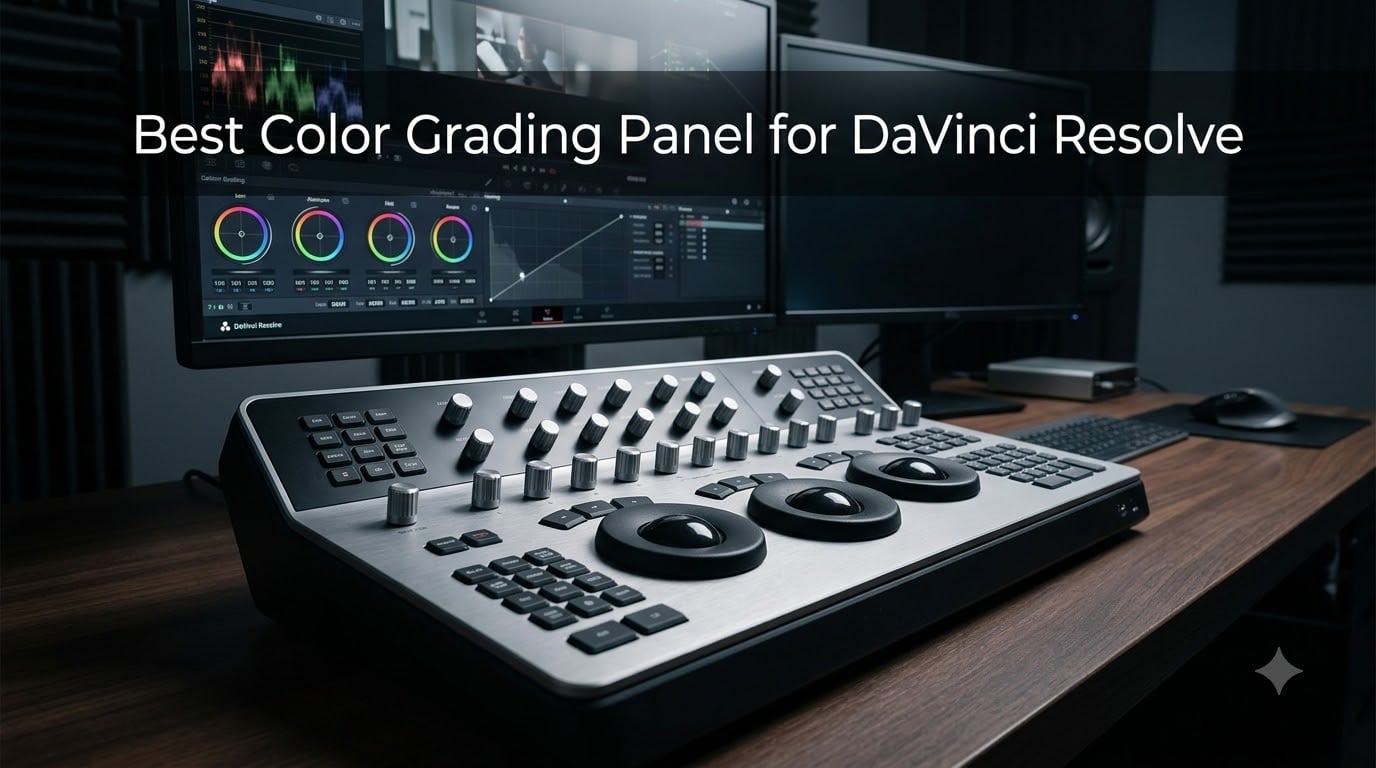
The first short film I graded in DaVinci Resolve took me two full days with a mouse. Last month I finished a longer project in one afternoon, and the single biggest reason was a hardware panel sitting under my hands.
A color grading panel is a control surface with trackballs, knobs, and dedicated keys that replaces endless mouse-dragging on the color page. Once your fingers learn the layout, you adjust lift, gamma, and gain at the same time while your eyes stay on the image instead of the cursor. That is the entire promise of the category, and in my experience it delivers.
This guide breaks down the best color grading panel for DaVinci Resolve across five options our team has lived with in real edit suites, from Blackmagic’s own trackball panels to hybrid controllers from Tangent and TourBox. Resolve itself is arguably the strongest color tool in the business — its node-based color page is why so much film and television finishing runs through it — and the right panel makes that page dramatically faster.
I cover who each panel suits, where each one falls short, and the license math most reviews skip. If you want the short answer: most people should buy the Blackmagic Micro Color Panel, working colorists should get the Resolve Micro Panel, and anyone testing the waters can start with the TourBox NEO.
Table of Contents
- Top 3 Color Grading Panels for DaVinci Resolve for October 2026
- Best Color Grading Panels for DaVinci Resolve in October 2026
- 1. Blackmagic Micro Color Panel — The Best First Grading Panel
- 2. Blackmagic DaVinci Resolve Micro Panel — The Heavyweight Workhorse
- 3. Tangent Wave2 — The Multi-App Step-Up
- 4. TourBox Elite Plus — The All-in-One Creative Controller
- 5. TourBox NEO — The Budget On-Ramp
- How to Choose a Color Grading Panel for DaVinci Resolve?
- Frequently Asked Questions
- Final Verdict: The Best Color Grading Panel for DaVinci Resolve
Top 3 Color Grading Panels for DaVinci Resolve for October 2026
These three cover about 90 percent of the editors who ask me for a recommendation. Pick by your role, not by the spec sheet.


Blackmagic Resolve Micro Panel
- Weighted trackballs
- 12 machined knobs
- Tank-like metal build
Best Color Grading Panels for DaVinci Resolve in October 2026
Here is the full lineup side by side. Every panel below drives the Resolve color page; the differences come down to trackball quality, customization, and how far beyond Resolve each one stretches.
| Product | Specs | Action |
|---|---|---|
| Blackmagic Micro Color Panel |
|
Check Latest Price |
| Blackmagic Resolve Micro Panel |
|
Check Latest Price |
 Tangent Wave2 Panel Tangent Wave2 Panel |
|
Check Latest Price |
 TourBox Elite Plus TourBox Elite Plus |
|
Check Latest Price |
 TourBox NEO TourBox NEO |
|
Check Latest Price |
Two things stand out in that table. Blackmagic’s panels are Resolve-only by design, while Tangent and TourBox hardware also drives Premiere Pro, Lightroom, and Capture One. And not every Blackmagic bundle ships the same way on the software side, which I cover in the license math section below.
1. Blackmagic Micro Color Panel — The Best First Grading Panel
Blackmagic Design Davinci Resolve Micro Color Panel
3 trackballs
Direct control knobs
Bluetooth and USB-C
Resolve and iPad support
2-year warranty
Pros
- Three smooth tactile trackballs
- Plug and play Resolve integration
- USB-C powered
- Light 1.2 kg portable build
Cons
- Resolve only with no other app support
- Knobs cannot be reprogrammed
- Feels lighter than the Mini Panel
I keep coming back to this panel because it nails the fundamentals. The three trackballs sit exactly where my fingertips rest, and the row of direct control knobs along the top maps to saturation, temperature, contrast, and the parameters I touch most. Within a week I was balancing shots without looking down once.
The transport keys are the surprise feature. Scrubbing with dedicated keys instead of reaching for the keyboard changed my session rhythm more than I expected, and there are controls for adding power windows without ever touching the mouse.
There is even a slot that holds an iPad, so pairing it with Resolve for iPad gives you a genuinely portable grading rig. I ran a couch edit that way once and it felt like carrying a tiny suite.
Connectivity is flexible: Bluetooth or USB-C, with power drawn over the cable so there is no adapter brick. At 1.2 kilograms it lives in a laptop bag without complaint, and the two-year warranty is longer than most in this category.
The compromises are real, though. Nothing on the surface can be reprogrammed, so if your brain wants the knobs mapped differently, you adapt to the panel rather than the other way around. And it only speaks to DaVinci Resolve — no Premiere Pro, no Final Cut Pro.
Build quality is solid but lighter in feel than the older Micro Panel below, and some long-time users describe it as slightly less tank-like than Blackmagic’s bigger consoles. I stopped noticing after about a week of daily use.
Setup and Resolve Integration
Setup is genuinely plug and play. I plugged in the USB-C cable, Resolve detected the panel instantly, and no driver hunting was needed. The Bluetooth route takes about a minute to pair and behaves reliably at desk distance.
Who Should Buy This Panel
This is the best color grading panel for DaVinci Resolve if you are a first-time buyer who wants real trackballs without a full-size console. Skip it if you split your week across multiple editing apps or you want deep customization, because this panel offers almost none.
2. Blackmagic DaVinci Resolve Micro Panel — The Heavyweight Workhorse
Blackmagic Design DaVinci Resolve Micro Panel | Portable Low Profile Control Panel
3 weighted trackballs
12 machined knobs
Stills recall keys
USB powered
11 pound metal build
Pros
- Metal build with weighted trackballs
- 12 precision machined knobs
- Dedicated stills recall keys
- Bus powered over USB
Cons
- Top knobs are not backlit
- No customizable screens or buttons
- Deep footprint crowds small desks
This is the panel that made me understand why colorists pay for hardware. The metal chassis weighs 11 pounds and does not slide a millimeter when you spin the weighted trackballs. Everything feels machined rather than molded.
The 12 precision knobs along the top handle primary color correction, and the dedicated still store keys let me save and recall reference frames mid-grade without touching the keyboard. On a recent corporate documentary I was flipping between looks for the client in seconds.
My time still splits around 30 percent panel and 70 percent keyboard and mouse, which matches how other users describe the Micro Panel. The Mini Panel flips that ratio, but it demands far more desk space in return.
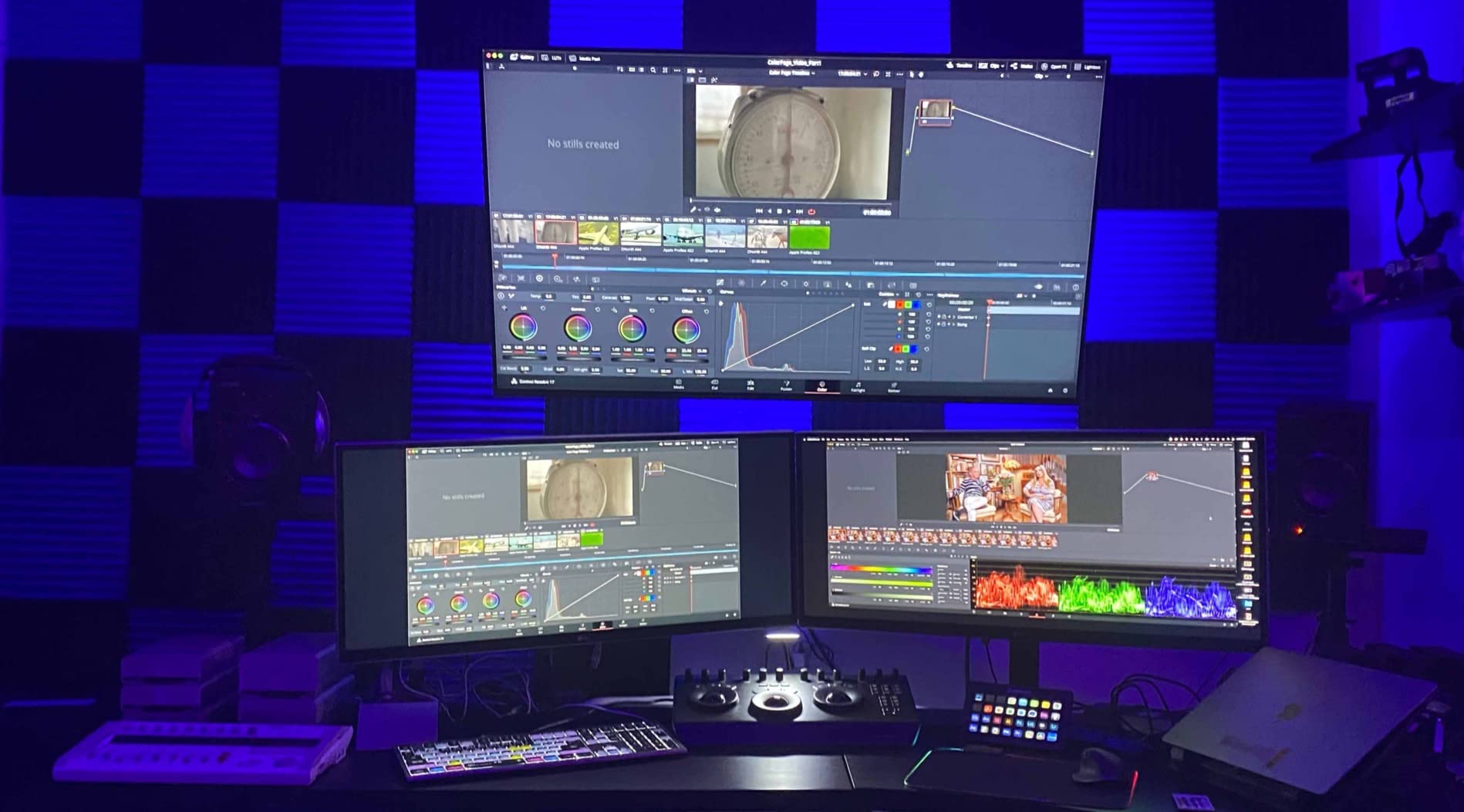
It runs entirely on USB bus power, so there is no power adapter to lose. The three high-resolution trackballs track RGB balance with genuine precision, and the 18 keys cover the functions you reach for most often.
The annoyances are small but persistent. The top knobs have no backlighting, which means squinting at labels during late-night sessions in a dim suite. Nothing is reprogrammable, and the footprint is deep enough that it crowded my old desk.
It also ships without a Resolve Studio license, which stings when you realize the software upgrade is a separate purchase. Factor that into your planning — more on this in the license math below.
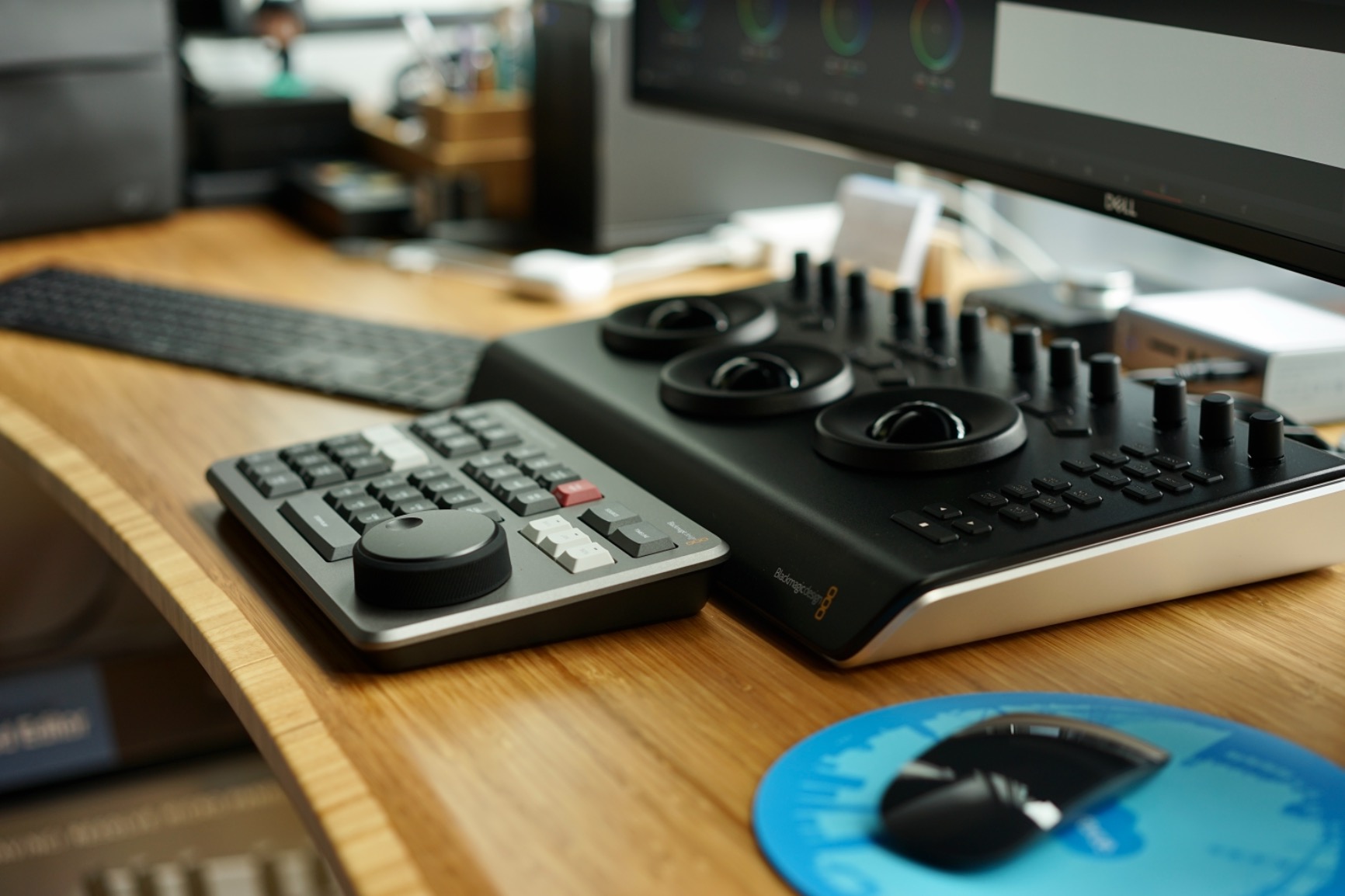
Micro Panel vs the Mini Panel
The Mini Panel adds screens, customizable soft keys, and a full transport section, which is why working colorists describe a 70 percent panel and 30 percent mouse workflow on it. The Micro Panel gives you the same trackballs and core knobs without the screen real estate. If you grade all day, the Mini earns its footprint; if you grade between edits, the Micro Panel is the smarter fit.
Who the Micro Panel Makes Sense For
It suits freelancers and small studios who live in Resolve and want hardware that survives a decade of daily abuse. The 4.7 rating across 119 reviews, with a large share of five-star ratings, matches my experience. Skip it if you need multi-app support or customizable buttons.
3. Tangent Wave2 — The Multi-App Step-Up
Tangent Wave2 Large OLED Panel, 11.4×15.3″ Size
3 trackballs
9 dials and 9 buttons
6 reset buttons
OLED displays
Fully reassignable
Pros
- Multi-app support across major suites
- Every control is reassignable
- OLED shows current mode
- Press-to-reset knobs
Cons
- Trackballs can fall out when moved
- Some balls feel scratchy
- FCPX needs third-party software
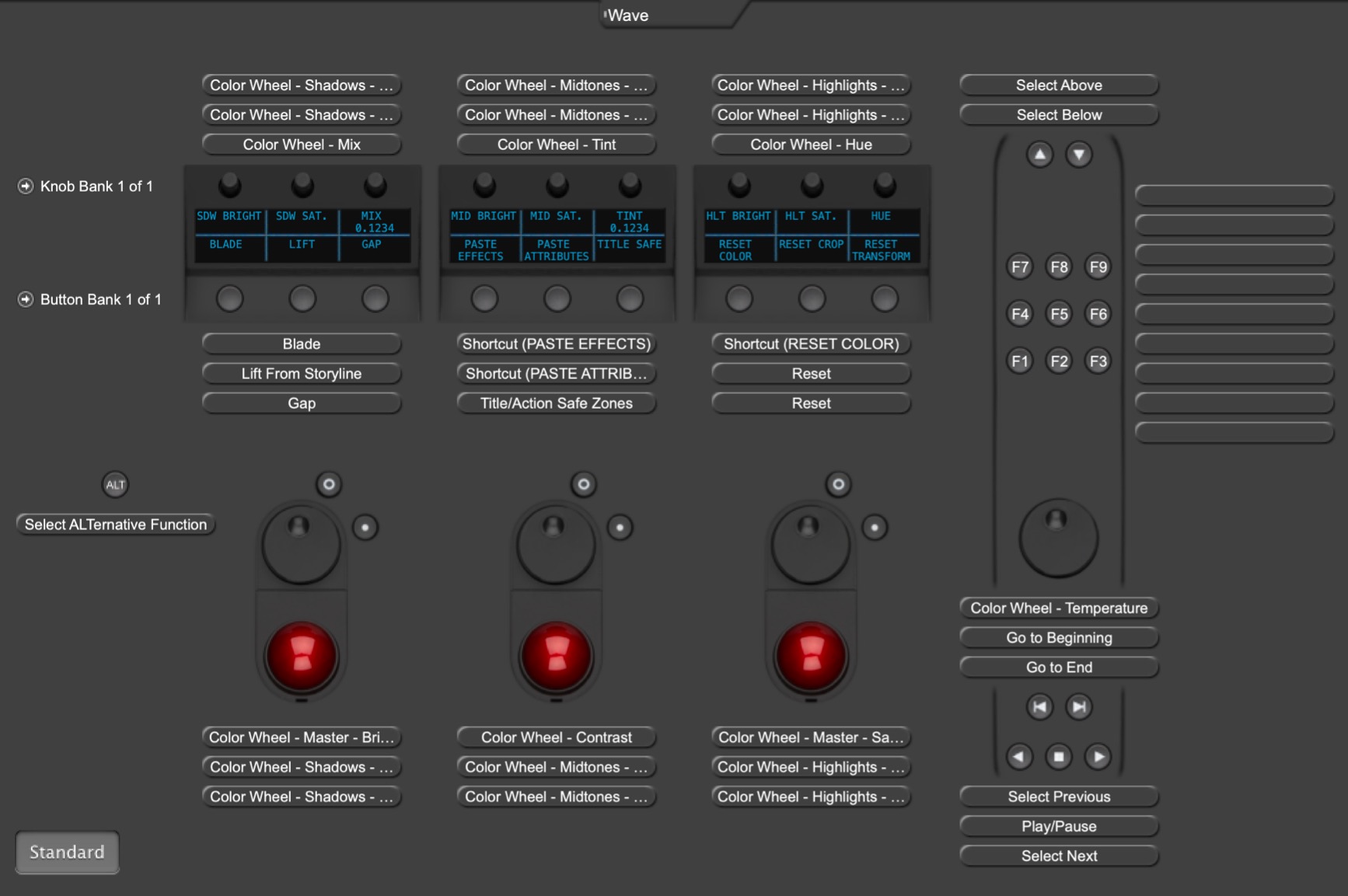
The Wave2 earned its place on my desk for one reason: it talks to everything. The same surface that drives Resolve’s color wheels in the morning can run Lightroom and Capture One in the afternoon, remapping itself on the fly.
The OLED displays above the controls are what I miss whenever I switch back to anything else. They show which mode you are in and what each dial currently does, which matters the moment you start remapping controls per application.
The knobs have a press-to-reset switch built in, so pushing a dial snaps that parameter back to default. It is a small thing that saves hundreds of micro-corrections a week.
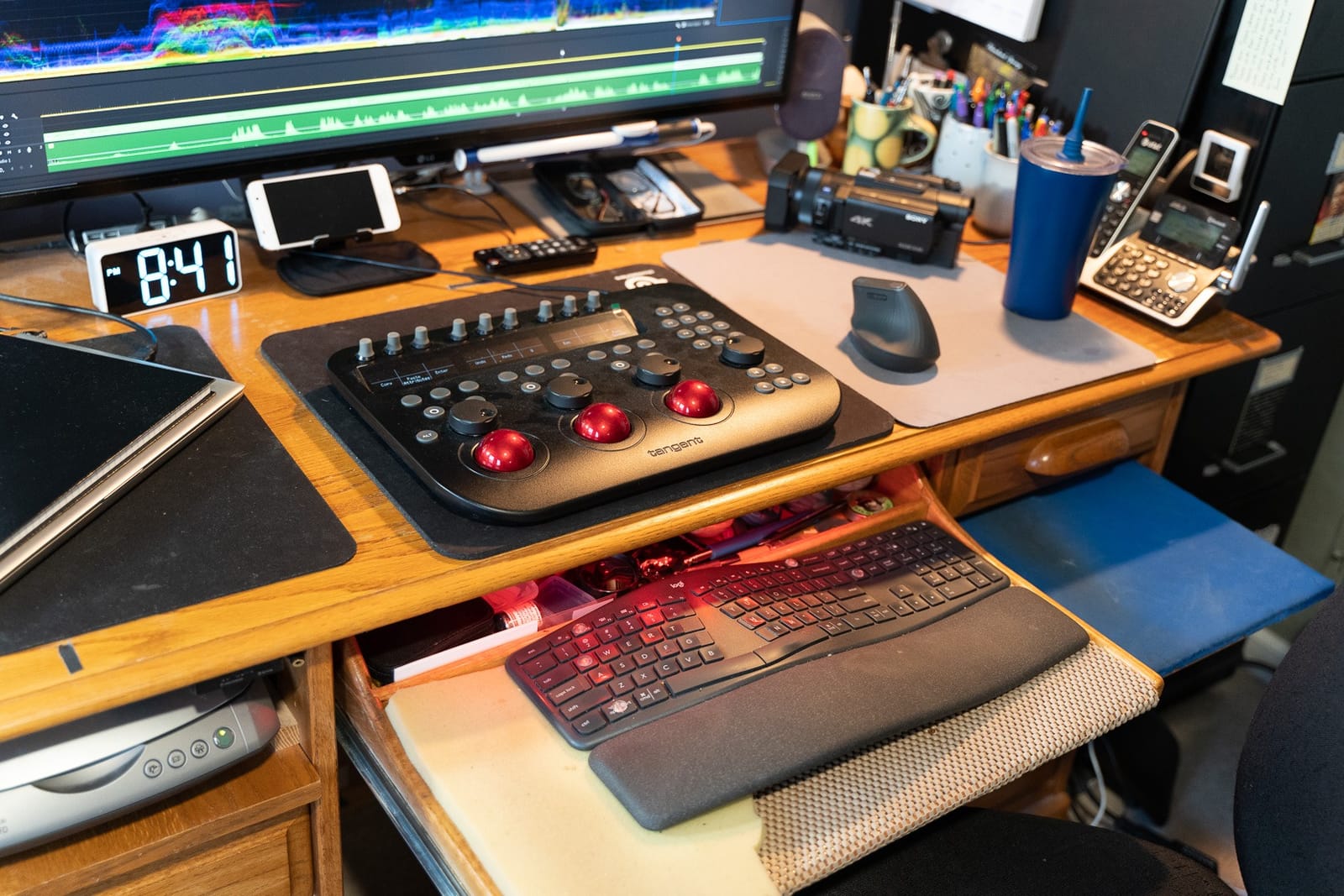
Under the hood, the trackballs and knobs use optical pickups rather than mechanical encoders, so they hold their accuracy over years of use. Connectivity is USB with a wireless option, and the layout gives you 9 dials, 9 buttons, 6 reset buttons, and 3 trackballs.
Now the honest part. The trackballs are not secured, so they can drop out if you move the panel around carelessly, and some units feel scratchy rather than silky. Final Cut Pro users also need third-party helper software for full function.
It is the least portable option here — long, flat, and clearly meant to live on one desk. I stopped carrying it to on-site sessions after the first attempt.
Mapping and Multi-Software Support
Every control is reassignable through Tangent’s desktop software, and you can build separate maps for Resolve, Premiere Pro, Lightroom, and Capture One. Switching applications switches the map automatically in most setups. That flexibility is the entire argument for this panel over Blackmagic’s locked-down surfaces.
Who Should Step Up to the Wave2
Choose it if you grade in Resolve but also earn money in other applications, or if you manage multiple rooms and want one consistent surface. Look elsewhere if you want set-and-forget simplicity, because the Wave2 rewards people who enjoy tuning their setup.
4. TourBox Elite Plus — The All-in-One Creative Controller
TOUR BOX Elite Plus All-in-Creative Controller, Bluetooth Keyboard for Photo & Video Editing, Color Grading, Illustration, Works with Procreate, Adobe & Davinci, Cable Bag Included (Glacier Blue)
14-key layout
Haptic feedback
Bluetooth and USB-C
Auto app detection
Multi-platform
Pros
- Auto detects apps and switches presets
- Cross-platform down to iPadOS
- Haptic feedback on every control
- Built-in HUD guidance
Cons
- iPad app support trails macOS
- Some bindings limited by host apps
- No trackballs for color wheels
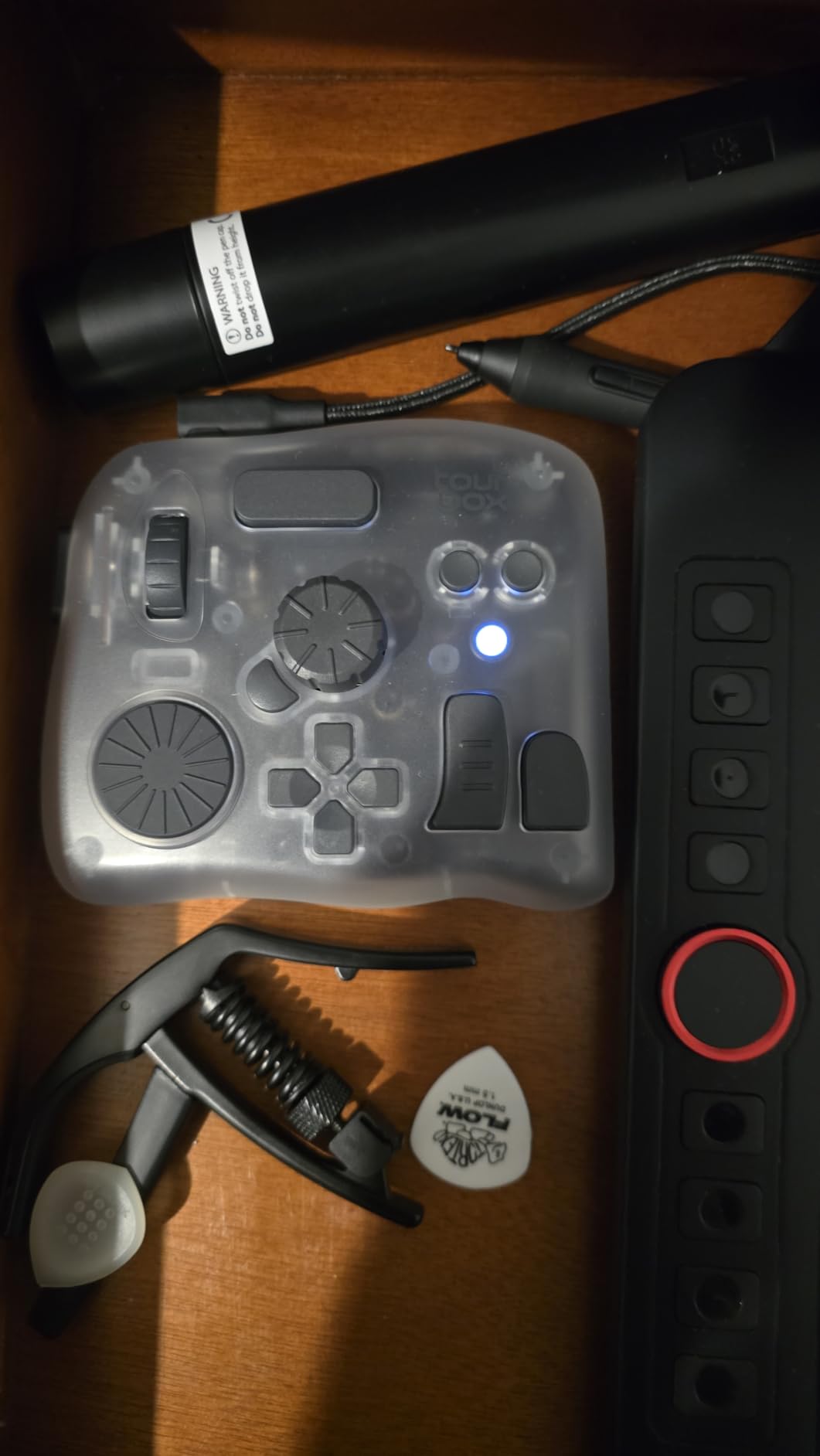
The Elite Plus is not a trackball panel — it is a hand-shaped controller that happens to be excellent in the color page. I reach for it on days when I am cutting in the morning, grading in the afternoon, and retouching stills at night.
Its best trick is automatic detection. The unit senses which application is frontmost and switches its preset, so the dial that scrubbed the timeline on the edit page starts driving intensity on the color page. The on-screen HUD tells you what everything does while you learn.
The haptic feedback gives every press a physical confirmation, which sounds like a gimmick until you use it. After a week, silent buttons feel broken.
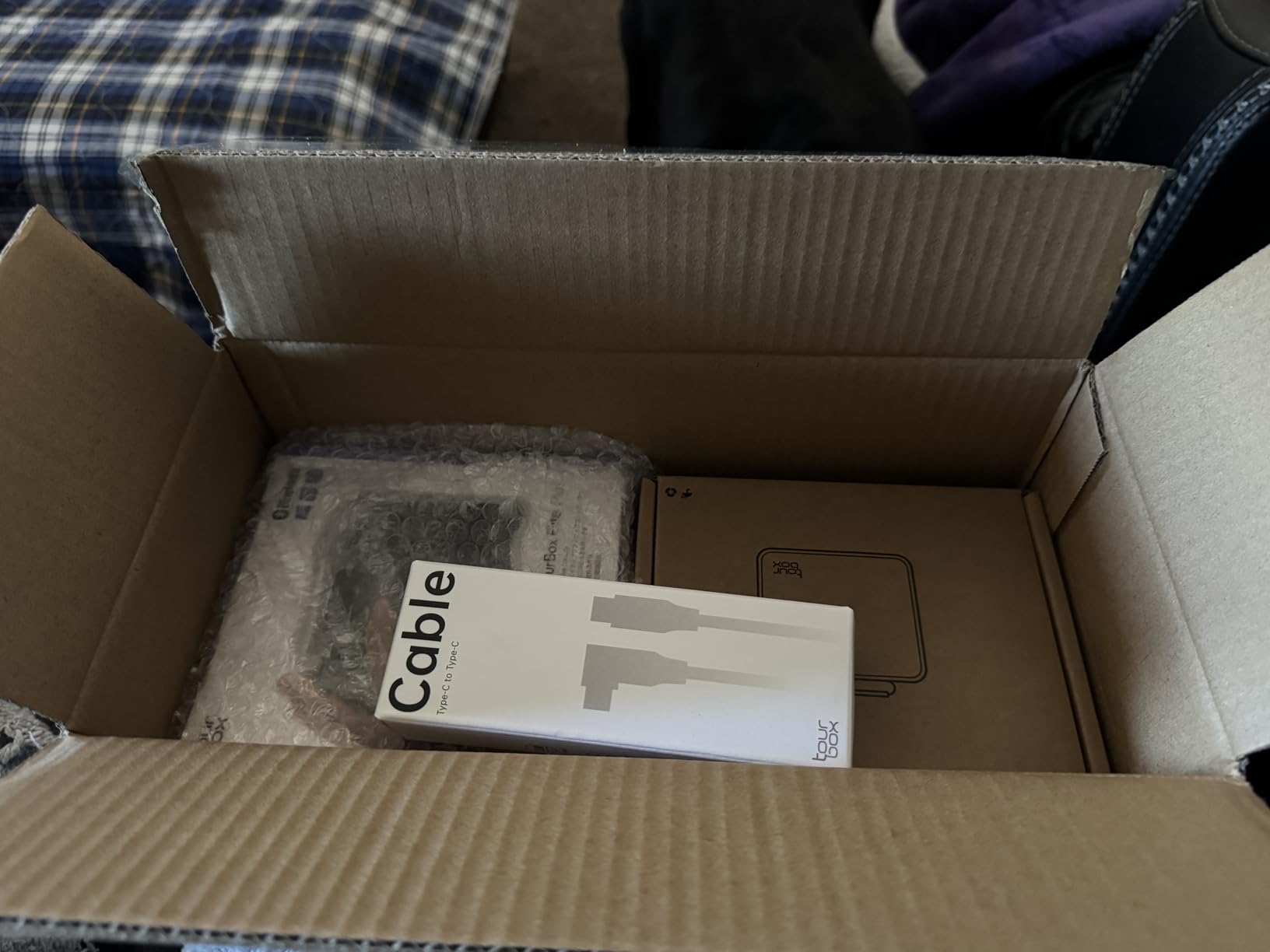
It connects over Bluetooth or USB-C, runs on an internal battery, and works across iPadOS, Android, macOS, and Windows. The aluminum-and-plastic body feels premium, and the feature list runs from a DaVinci Resolve hover-adjust mode to Lightroom dynamic panels and Procreate gesture simulation.
The limits come from the software side. iPad app support trails macOS, and some bindings are restricted by what host applications expose. And because there are no trackballs, you are mapping dials to the color wheels rather than rolling them — a real difference in feel.
For pure color work I still reach for the Blackmagic panels first. But as a single device that replaces a shelf of separate controllers, the Elite Plus is the strongest thing I have used.
Battery, Connectivity and Daily Use
The internal battery runs for long stretches between charges, and plugging in the USB-C cable both charges the unit and hard-wires the connection. The included storage bag is a thoughtful touch for travel. Moving between a laptop and an iPad takes seconds.
Who the Elite Plus Suits Best
It suits hybrid creators — editor, colorist, photographer, illustrator in the same week — especially anyone who grades on an iPad. Dedicated Resolve-only colorists will be happier with real trackballs on the panels above.
5. TourBox NEO — The Budget On-Ramp
TourBox NEO – Editing Controller, Desktop Creative Multi-Control, Wired
One-handed controller
Dial and knobs and scroll wheel
150+ actions per preset
Plug and play USB
Pros
- 150+ assignable actions per preset
- Compact enough to sit beside a keyboard
- Rubber feet keep it planted
- Plug and play in minutes
Cons
- Console software feels glitchy
- No Linux or mobile support
- Slow support responses
The NEO is the controller I recommend to every editor who is not sure whether hardware will help them. It is palm-sized, sits beside your keyboard, and takes up almost no desk space.
With over 1,000 reviews behind it, it is also the most proven device on this list. I ran a full short-film grade on it with one hand on the NEO dial and knobs and one on the mouse, and I never felt bottlenecked.
You can stack 150-plus actions and hundreds of commands into a single preset, and the same unit drives Photoshop, Lightroom, Capture One, Premiere Pro, Resolve, and Final Cut Pro. That breadth is unusual for an entry-level controller.
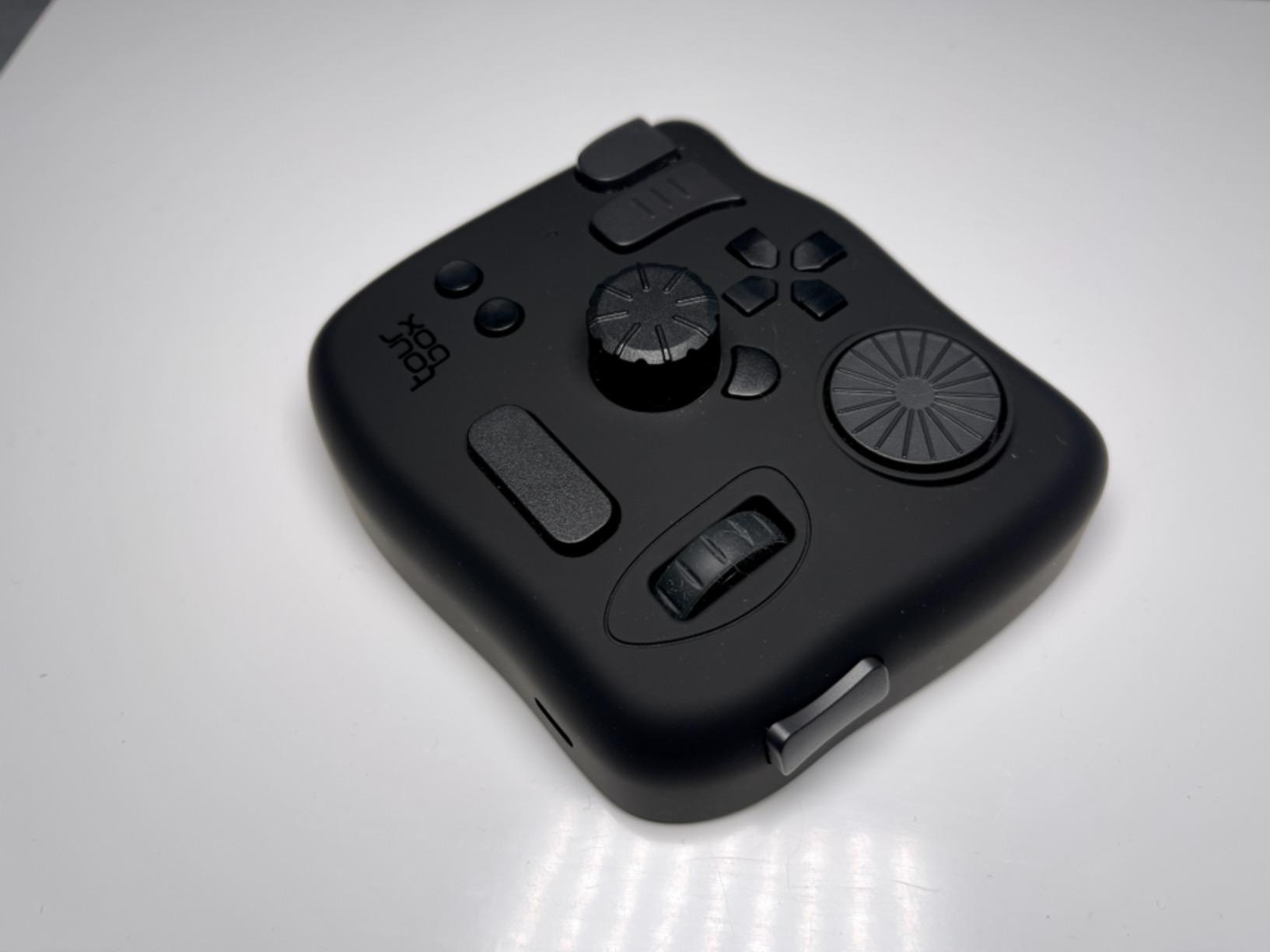
Physically it is a 370-gram wedge with rubber feet that stays planted while you work. Setup was genuinely plug and play on both my Mac and Windows machines.
The weak point is the console software. It can be glitchy, the interface takes patience, and the installer asked me to disable my antivirus — which I did reluctantly and would think twice about repeating.
There is no Linux or mobile support, and support responses can be slow if something goes wrong. None of that stopped me from keeping it in my travel kit.
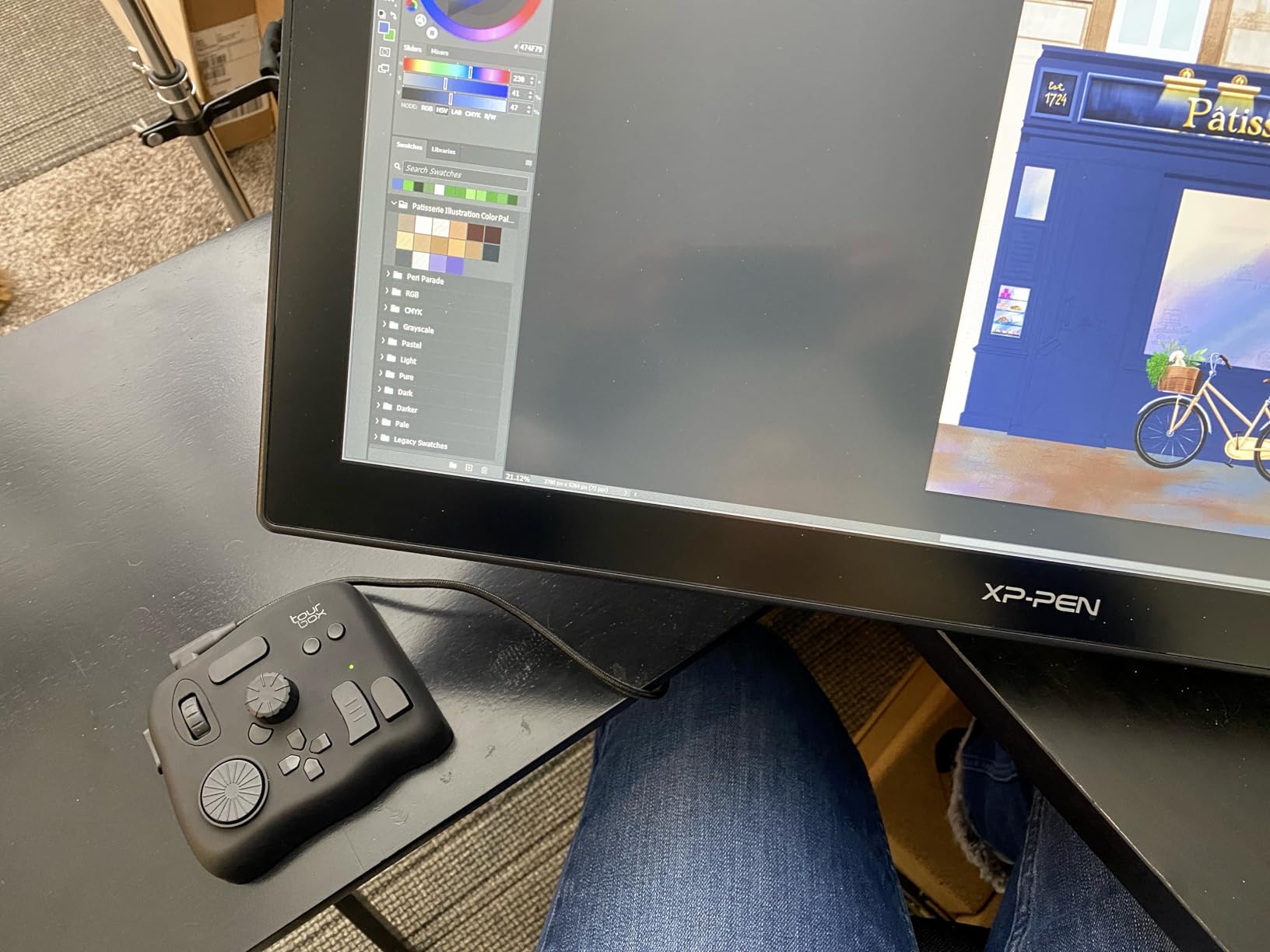
Customization and Learning Curve
Expect a weekend of mapping before the NEO feels natural, because nothing is pre-configured for your personal workflow. The payoff is that every dial and knob ends up exactly where your hand expects it. Users who skip the mapping phase tend to be the ones who quit on it.
Who Should Start With the NEO
Buy it if you edit across several applications, your desk is small, or you want to test whether hardware control actually speeds you up before committing to trackballs. Pass if you want a set-and-forget Resolve-only surface or you run Linux.
How to Choose a Color Grading Panel for DaVinci Resolve?
Before anything else, get honest about three things: which applications you actually use, how much desk you have, and whether you grade enough volume to build muscle memory. Here is how I would think it through.
Start With the Trackballs
Trackballs are the single feature that separates a color panel from a general controller. Three weighted balls mapped to lift, gamma, and gain let you balance a shot in one gesture instead of three mouse drags. Wacom tablets get floated as an alternative, but nothing replaces three physical trackballs for wheel work — if you grade daily, do not compromise here.
Resolve-Only or Multi-App?
Blackmagic panels work with DaVinci Resolve and nothing else, which is exactly why their integration feels so tight. Tangent and TourBox hardware trades some of that tightness for compatibility with Premiere Pro, Lightroom, Capture One, and more. If Resolve is only a quarter of your week, buy multi-app.
This choice got more urgent after Loupedeck shut down. A lot of editors who would have bought a Loupedeck for multi-app work now have to choose between Tangent and TourBox, and accessories for discontinued gear keep getting harder to find.
The Studio License Math
Some Blackmagic panel bundles include a Resolve Studio activation card and some do not, and that difference changes the real value of the box by a wide margin. Studio is a separate purchase on its own, so check the box contents before you buy, not after.
If your bundle skips the card, add the software to your mental total. Studio unlocks features like noise reduction and GPU-accelerated format support that serious grading eventually needs.
Desk Space and Portability
The Wave2 and the Resolve Micro Panel are big, flat, and heavy — built to stay put. The Micro Color Panel and both TourBox units travel well in a laptop bag. Measure your desk depth before ordering anything; I learned that the hard way with the Micro Panel.
Knob Quality and Layout
Look for optical pickups, press-to-reset knobs, and a logical grouping of primary correction controls. Backlighting matters more than you think if you grade at night. The more controls are reassignable, the longer the panel survives your changing workflow.
Do You Grade on an iPad?
Resolve runs on iPad now, and only some hardware works with it. The Micro Color Panel and the TourBox Elite Plus both fit an iPad-based rig, which makes them the picks for travel and couch grading. This is one of the least-covered considerations in most panel reviews.
When a Panel Is Not Worth It
If you grade only a handful of projects a month, a panel will sit idle — your existing keyboard shortcuts are already faster than relearning. Panels pay off with volume: one colorist on a forum put it well when he said he went from dozens of clips a day to hundreds. That is the honest ceiling of what hardware can do.
Frequently Asked Questions
Which panel is best for color grading?
For most DaVinci Resolve users the Blackmagic Micro Color Panel is the best choice thanks to genuine trackballs, plug and play integration and a portable frame. Full-time colorists should step up to the Resolve Micro Panel, and budget-conscious editors can start with the TourBox NEO.
Does DaVinci Resolve have the best color grading?
Most professionals would say yes. Resolve grew out of dedicated color grading systems and its node-based color page is still the reference standard for film and television finishing. The free version already outperforms many paid tools.
Does DaVinci Resolve have a color grading panel?
Yes. Blackmagic Design builds its own line: the Micro Color Panel, the Micro Panel, the Mini Panel and the rack-mount Advanced Panel. Third-party options from Tangent and TourBox also control the color page.
What is the best plugin for color grading in DaVinci Resolve?
You rarely need one. The stock color page already includes color wheels, curves, the Color Warper and a full HDR toolset. Most add-ons people buy are LUT and preset packs rather than traditional plugins.
Does a color grading panel really make a difference?
Yes, once volume is involved. Trackballs let you balance lift, gamma and gain in one gesture, and muscle memory builds within a couple of weeks. Working colorists report going from dozens of graded clips a day to hundreds.
Final Verdict: The Best Color Grading Panel for DaVinci Resolve
For most editors, the Blackmagic Micro Color Panel is the best color grading panel for DaVinci Resolve in 2026 — real trackballs, instant integration, and a footprint that fits any desk. Working colorists should move up to the Resolve Micro Panel, multi-app editors should pick the Tangent Wave2 or TourBox Elite Plus, and cautious first-timers should grab the TourBox NEO.
Whichever you choose, give it two honest weeks. Muscle memory is the whole point, and it only kicks in once your hands stop asking your brain for directions. Your grades will thank you.