
The best NVMe SSDs for gaming PCs are the ones with strong random 4K read speed, quiet thermals and enough capacity for a modern library. Our top pick, the Kingston NV3 2TB, pairs near-advertised 6000 MB/s throughput with a 4.7 rating across more than 13,800 owner reviews, and it runs cool without a heatsink.
Before the list, the honest part: a faster NVMe SSD will not raise your frame rate. Storage governs load screens, install times, asset streaming stutter and boot time, nothing else. If your games already load quickly on a decent drive, the gains from moving to the top of this list are small, and we would rather tell you that than sell you a step up you cannot feel.
What storage does change is how a large game feels to launch and how fast a 100GB install lands on the drive. Moving from a SATA SSD or a hard drive to any of the picks below is the single cheapest performance upgrade available to a gaming PC. Moving from a good PCIe 4.0 drive to a PCIe 5.0 one is a much smaller step, and for most people the money is better spent on capacity.
We looked at ten of the strongest M.2 2280 drives on the market right now, weighted for gaming workloads rather than workstation throughput. If you also edit video on the same machine, our picks for the best NVMe SSDs for 8K video editing cover the write-heavy end of the market in more detail.
Table of Contents
- Top 3 Best NVMe SSDs for Gaming PCs in 2026
- All 10 picks at a glance in October
- How we picked and evaluated these drives
- 1. Kingston NV3 2TB: best NVMe SSD for gaming overall
- 2. Samsung SSD 990 Pro 2TB: best NVMe SSD for gaming with the best software
- 3. Crucial P310 2TB: best value NVMe SSD for gaming
- 4. WD_BLACK SN850X 2TB with Heatsink: best NVMe SSD for gaming with a built-in heatsink
- 5. WD_Black SN7100 1TB: best NVMe SSD for gaming laptops and handhelds
- 6. Acer Predator GM7000 2TB: best Gen4 gaming SSD with a real DRAM cache
- 7. Samsung SSD 9100 Pro 2TB: fastest NVMe SSD for gaming PCs with a Gen5 slot
- 8. Acer Predator GM7 2TB: best NVMe SSD for gaming in a PS5 or an enclosure
- 9. Crucial T705 2TB: best NVMe SSD for gaming with huge install workloads
- 10. Lexar NM790 2TB: best low-power NVMe SSD for a gaming library
- How to choose the right NVMe SSD for your gaming PC
- Frequently Asked Questions
- Final verdict: which NVMe SSD should you buy for gaming?
Top 3 Best NVMe SSDs for Gaming PCs in 2026

All 10 picks at a glance in October
| Product | Specs | Action |
|---|---|---|
 Kingston NV3 2TB Kingston NV3 2TB |
|
Check Latest Price |
| Samsung 990 Pro 2TB |
|
Check Latest Price |
 Crucial P310 2TB Crucial P310 2TB |
|
Check Latest Price |
 WD_BLACK SN850X 2TB WD_BLACK SN850X 2TB |
|
Check Latest Price |
 WD_BLACK SN7100 1TB WD_BLACK SN7100 1TB |
|
Check Latest Price |
 Predator GM7000 2TB Predator GM7000 2TB |
|
Check Latest Price |
 Samsung 9100 Pro 2TB Samsung 9100 Pro 2TB |
|
Check Latest Price |
 Predator GM7 2TB Predator GM7 2TB |
|
Check Latest Price |
 Crucial T705 2TB Crucial T705 2TB |
|
Check Latest Price |
 Lexar NM790 2TB Lexar NM790 2TB |
|
Check Latest Price |
How we picked and evaluated these drives
Every drive in this roundup is a standard M.2 2280 NVMe stick that drops into a desktop or laptop M.2 slot without adapters. We compared rated specifications against what owners actually report after living with the drive, because the gap between a spec sheet and a drive in your PC is where most buyer disappointment comes from.
Five things shaped the ranking. Random 4K read behaviour matters most for gaming because a level load is thousands of small reads, not one long stream. Thermal headroom decides whether a drive holds its speed in a warm case. Capacity at 2TB is the practical sweet spot once Windows 11 and a few 100GB titles are on the drive. Endurance and warranty matter if you reinstall large games often. And a single-sided PCB avoids clearance problems on thin motherboards and in laptops.
We also weighed owner review volume heavily, because a large review base gives a more honest picture of failure rates and thermal behaviour than a small one. The two highest-rated drives here have 4.8 ratings; the most-reviewed drive in the set has 4.7. That is a very tight spread, which tells you the whole category has matured.
One caution before you read further. The drives at the top of this list are not all the same, and the differences that matter to a gamer are narrower than the differences on a spec sheet. We have written each section around who should buy that specific drive, and who should save their money.
1. Kingston NV3 2TB: best NVMe SSD for gaming overall
Kingston NV3 2TB M.2 2280 NVMe SSD | PCIe 4.0 Gen 4×4 | Up to 6000 MB/s | SNV3S/2000G
PCIe 4.0 x4
6000 MB/s read
5000 MB/s write
2TB
3D TLC NAND
DRAMless HMB
Pros
- Owners report near-advertised 6000 MB/s read speed
- Single-sided 2280 fits tight laptop and compact slots
- Runs 42-48 C under load with no throttling
- HMB design holds up even when the drive is largely full
- Acronis cloning software included
Cons
- No onboard DRAM so sustained heavy writes can slow
- Warranty listing is shorter than premium Gen4 rivals
- Lower endurance tier for constant large reinstalls
This is the drive I keep coming back to for the money. It carries a 4.7 rating across more than 13,800 owner reviews, which makes it the most heavily reviewed pick in this roundup, and the sentiment behind those reviews is unusually consistent. People bought it expecting a budget drive and found sequential throughput close to the advertised 6000 MB/s instead.
It is also the least fussy drive here thermally. Owners report it sitting between 42 and 48 C under load without throttling, which means you can install it in a cramped case or a laptop without hunting for a heatsink. The single-sided M.2 2280 layout is only 4.54 g and fits slots that physically reject double-sided drives.
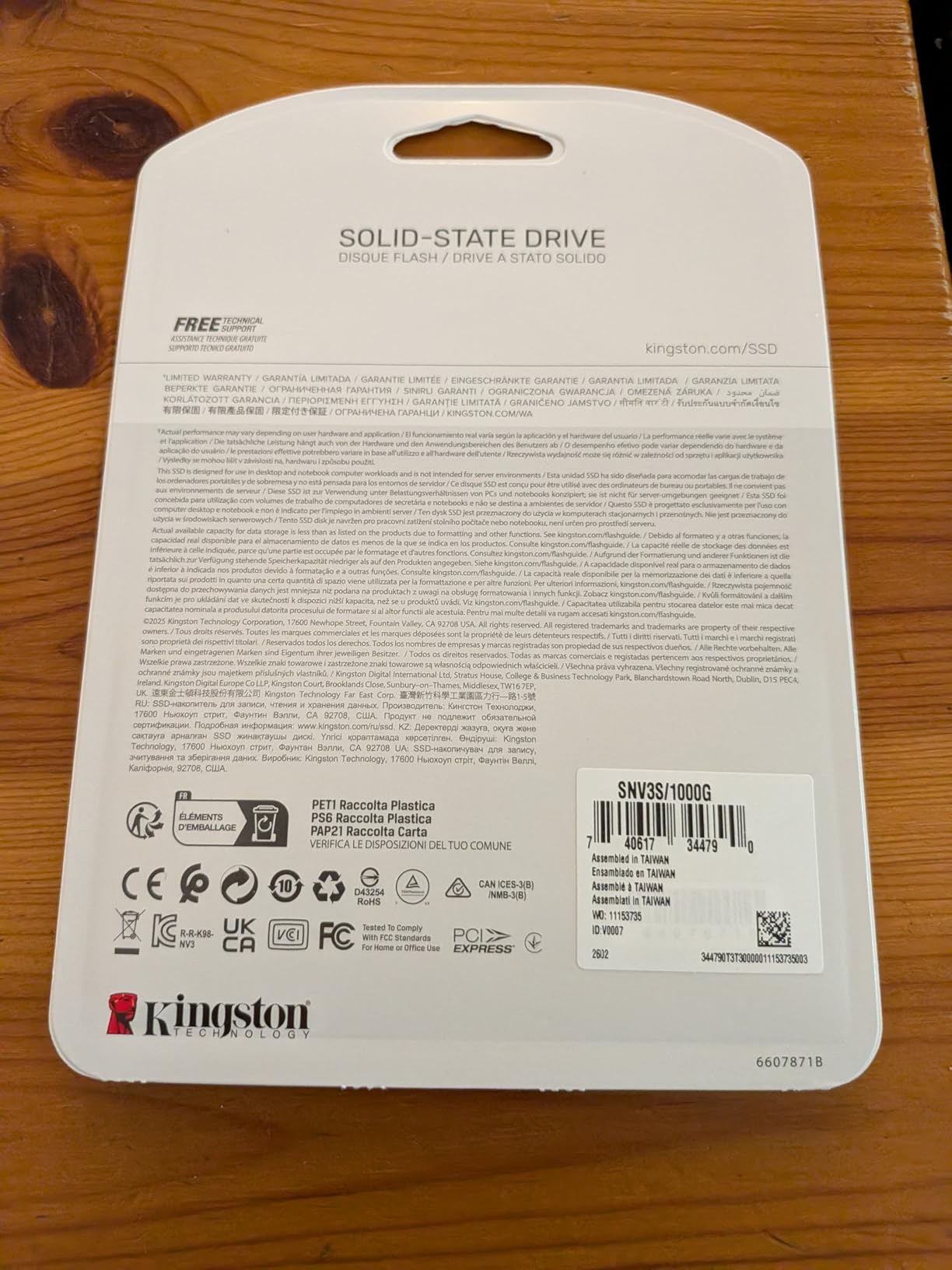
The DRAMless design is the main thing to understand before you buy. There is no physical DRAM cache chip; the drive borrows a slice of system memory through a Host Memory Buffer instead. For a gaming workload, which is overwhelmingly reads, that difference is close to invisible. For a long 150GB copy or an entire library re-download, it is not.
There is a specific caution on this drive that has been raised repeatedly by builders on r/buildapc and r/pcmasterrace: the NV3 line has been reported to ship with different flash configurations across production runs. If exact component transparency matters to you, read the current listing carefully, and keep the packaging.

Who this drive suits
Buy the Kingston NV3 2TB if you are building a gaming PC from scratch, replacing a SATA SSD, or filling a machine that keeps running out of room. Two terabytes holds Windows 11, your launchers and a handful of large titles without constant housekeeping.
It is also a strong second drive. Many builders pair a fast boot drive with a larger library drive, and this one handles game storage and downloads without needing cooling.
Who should look elsewhere
If you write large files, capture video or move multi-terabyte libraries every day, look for a drive with a physical DRAM cache instead. The Predator GM7000 later in this list has onboard DRAM and the same class of gaming speed.
If you run a laptop or handheld on battery, the WD_BLACK SN7100 is the more efficient choice. This drive is built for desktops and gaming PCs, not for power budgets.
2. Samsung SSD 990 Pro 2TB: best NVMe SSD for gaming with the best software
Samsung SSD 990 PRO 2TB, PCIe 4.0 M.2 2280, Up to 7,450 MB/s
PCIe Gen4 x4
7450 MB/s read
6900 MB/s write
2TB
55% random gain over 980 PRO
Pros
- Rock-solid long-term reliability across years of use
- Samsung Magician handles cloning health and firmware
- Up to 50% better performance per watt than the 980 PRO
- Lightweight and recognised immediately on install
- PS5 compatible
Cons
- Costs far more than budget Gen4 drives for the same gaming benefit
- Samsung Magician cloning is limited to Samsung-to-Samsung transfers
- Weak price-to-performance against Crucial and WD_BLACK
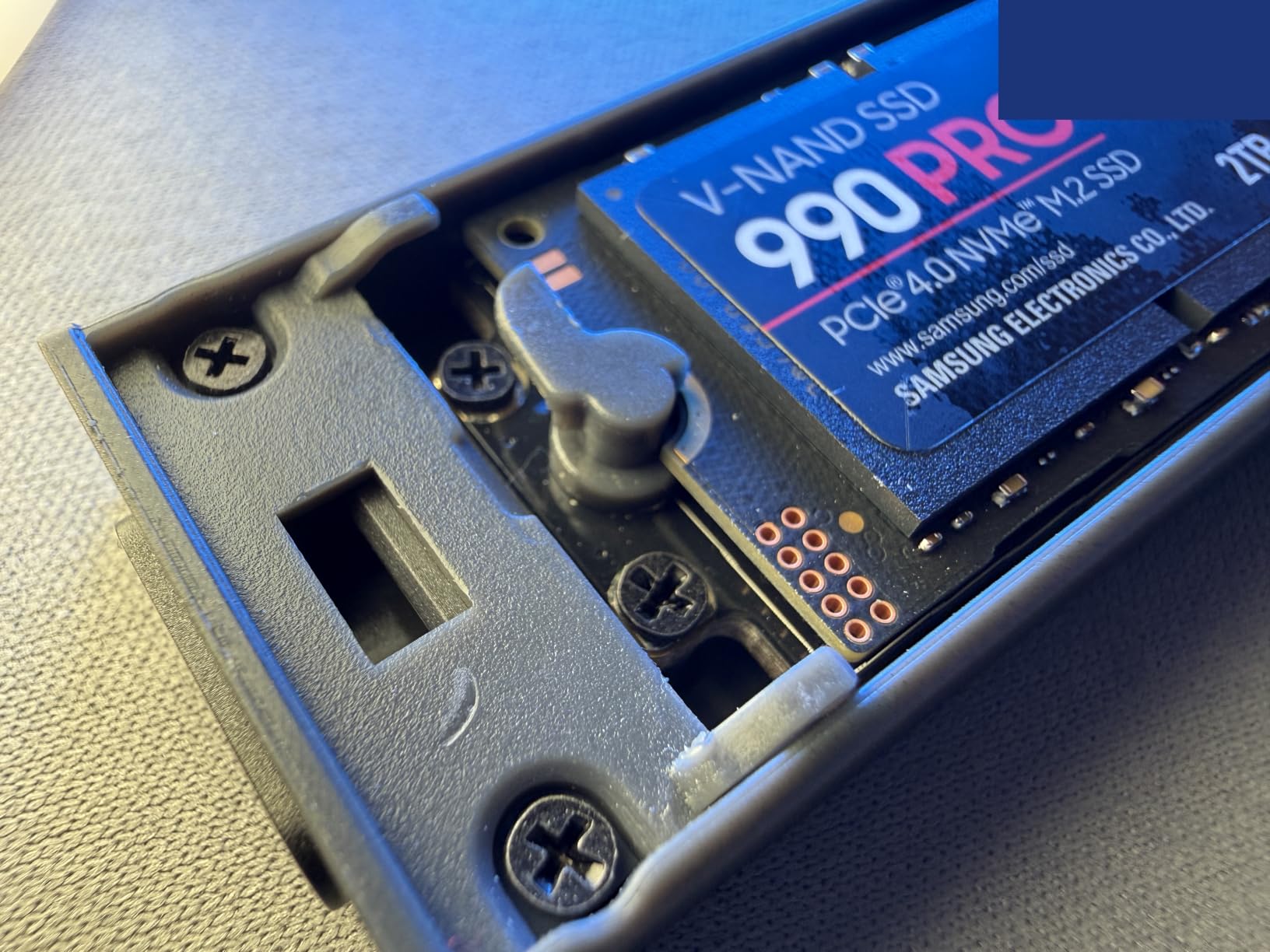
The 990 Pro is the most established name in this list, and it earns its place on consistency rather than headline value. Owners across more than 13,000 reviews describe stable throughput through long gaming and editing sessions, and the drive is frequently praised for simply not having caused problems over years of use.
The 7450 MB/s rated read and 6900 MB/s rated write put it at the top of the PCIe 4.0 generation, and Samsung claims more than a 55 percent random performance improvement over the 980 PRO, which is the number that matters for load screens rather than the headline sequential figure.
The real reason many people buy this drive is the software. Samsung Magician handles drive health monitoring, firmware updates, secure erase and cloning in one place, and Samsung phone support actually resolves installation problems quickly. For a first-time builder, that is worth more than a few hundred extra megabytes per second.
Endurance is another quiet strength. The 990 Pro is rated in terabytes written, which means a drive that constantly installs and deletes large games will last longer than a cheaper alternative with a lower write allowance.
Who this drive suits
Buy the 990 Pro if you want a drive you will stop thinking about, you value the management software and firmware support, or you plan to keep the same machine for a long time. It is also a safe choice inside a PS5, where it is a known-compatible drive.
Content creators running heavy timelines alongside games will also find the 55 percent random gain over the 980 PRO genuinely felt. Our workstation-oriented picks are covered in the best NVMe SSDs for a video editing workstation guide.
Who should look elsewhere
Skip it if value is the priority. Owners themselves flag price as the dominant reservation, and the real-world gaming difference against a good Gen4 drive is small enough that the money is often better spent on capacity.
If you are running an older PC with a PCIe 3.0 slot, this drive will negotiate down and deliver roughly a third of its rated speed. Check your board first.
3. Crucial P310 2TB: best value NVMe SSD for gaming
Crucial P310 2TB SSD, PCIe Gen4 NVMe M.2 2280, Up to 7,100MB/s, for Laptop, Desktop (PC), & Handheld Gaming Consoles, Includes Acronis Data Recovery Software, Solid State Drive – CT2000P310SSD801
PCIe Gen4 x4
7100 MB/s read
6000 MB/s write
2TB
Micron G8 NAND
Pros
- Strong price-to-performance for a 2TB Gen4 drive
- Stays cool and thermally controlled under mixed load
- Trivial install with no driver issues
- Delivers roughly 3100 MB/s on PCIe Gen3 machines
- Verified for ROG Ally X and Legion Go handhelds
Cons
- Not ideal for sustained heavy write workloads versus DRAM-cached drives
- An older platform so Gen5 systems leave performance behind
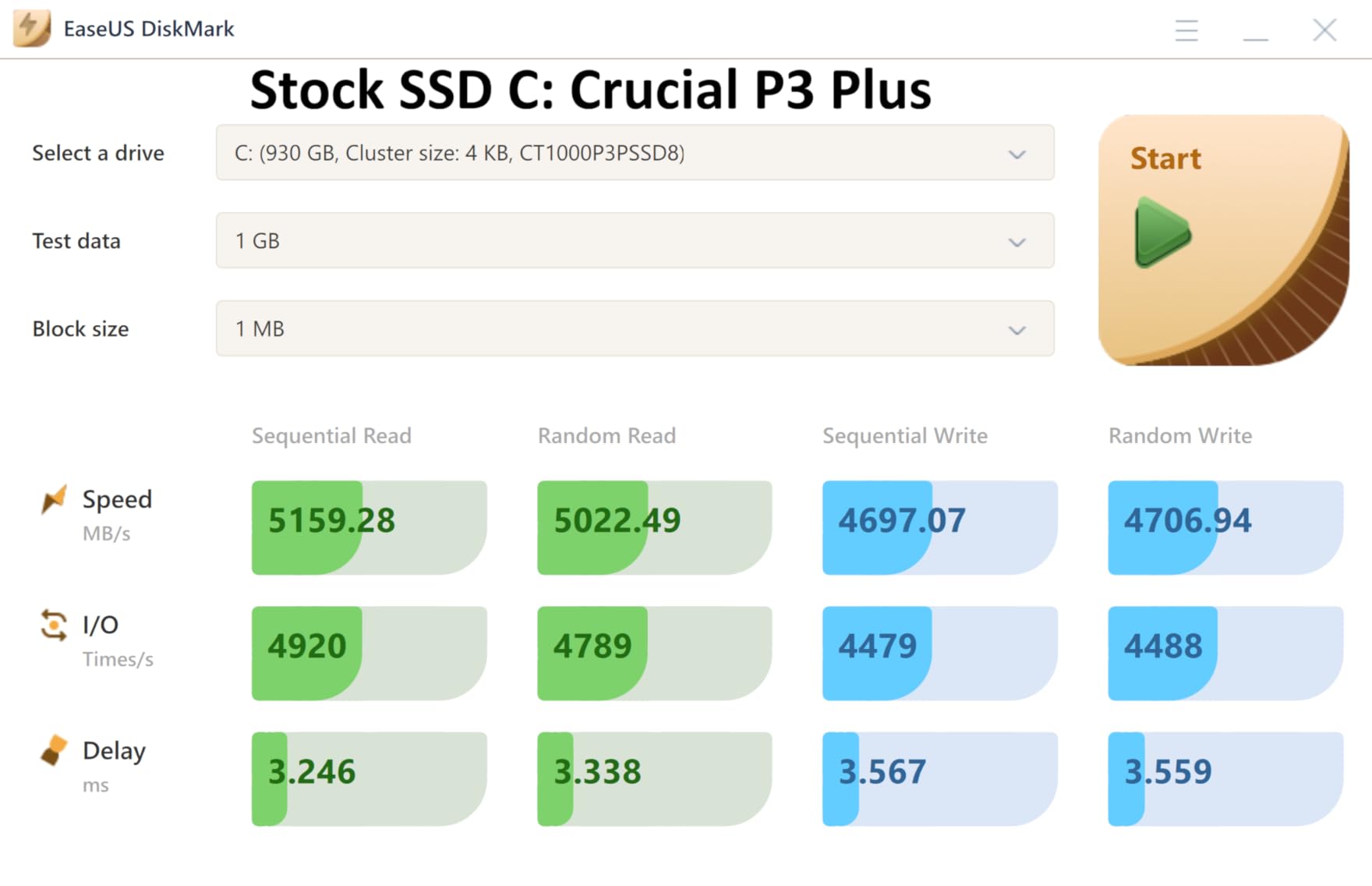
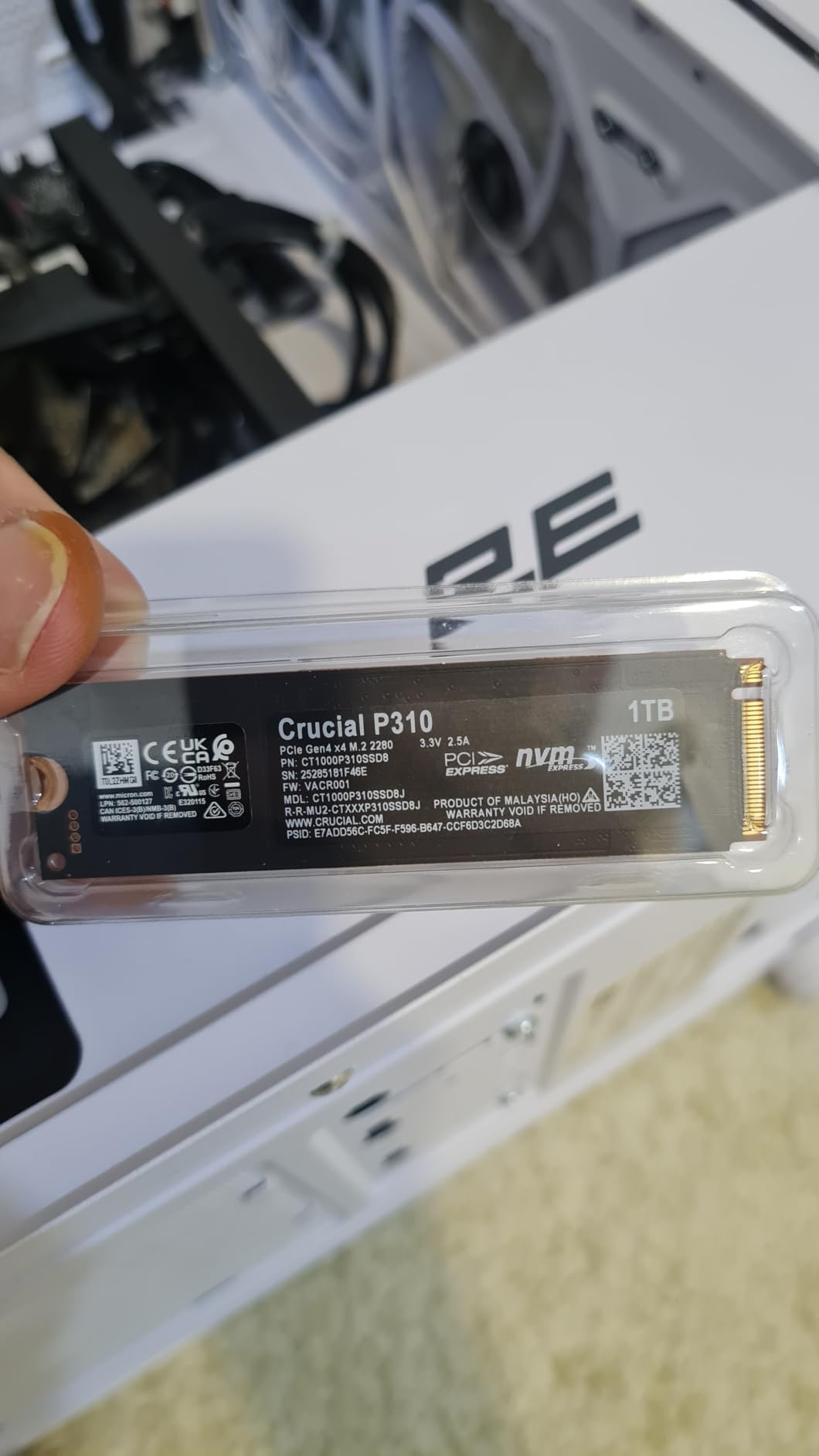
Crucial built this one around Micron’s own G8 TLC NAND, and that vertical integration shows up in the ownership experience. Across more than 11,000 reviews, owners describe it as an easy, dependable upgrade that visibly improves boot time, app loading and game load times while drawing very little power.
At 7100 MB/s rated read and 6000 MB/s rated write, it sits near the top of Gen4 without the premium-brand premium. The thermal behaviour is the part buyers mention most: this drive stays cool and thermally controlled even when it is juggling a game running in the background and a large install happening at the same time.
It is also one of the few mainstream 2TB drives explicitly listed as suitable for current handhelds, including the ROG Ally X, the Lenovo Legion Go and the AYANEO Kun. That is unusual for a full-size M.2 2280 drive and it opens up the handheld slot on this list.
Backward compatibility is the other useful spec. On a PCIe Gen3 machine, owners still report roughly 3100 MB/s, which is several times a SATA SSD. That makes it a safe choice if you are not sure how many lanes your board offers.
Who this drive suits
This is the drive I recommend to most people building a gaming PC in 2026. Two terabytes at a sensible price, a manufacturer that makes its own NAND, cooling that needs no help, and a five-year limited warranty for peace of mind.
It also makes sense as a secondary library drive in a two-drive setup, sitting alongside a faster boot drive if you are building on a PCIe 5.0 platform.
Who should look elsewhere
If your workload is write-heavy, for example restoring entire game libraries or editing timelines, a drive with a physical DRAM cache will hold its speed longer. Reviewers consistently flag this as the P310’s weak spot.
If you have a Gen5 board, you are giving up real bandwidth by choosing this. That is a reasonable trade, but it is a trade.
4. WD_BLACK SN850X 2TB with Heatsink: best NVMe SSD for gaming with a built-in heatsink
WD_BLACK SN850X 2TB NVMe SSD with Heatsink – M.2 2280, Up to 7,300 MB/s Read speeds, Up to 6,300 MB/s write speeds, Gaming Expansion, High Performance Internal Solid State Drive – WDS200T2XHE
PCIe Gen4 x4
7300 MB/s read
6600 MB/s write
2TB
Integrated heatsink
Pros
- Highest rating in the roundup at 4.8 across 15784 reviews
- Integrated heatsink prevents throttling in cramped cases
- Delivers advertised speeds in PS5 and DirectStorage setups
- Plug-and-play on PS5 and ATX motherboards
Cons
- Heatsink height can conflict with motherboard M.2 covers
- Mounting screw is not included
- Product line has been superseded by a newer generation
This is the highest-rated drive in the roundup, at 4.8 across more than 15,700 reviews, with 91 percent of owners giving it five stars. That kind of consistency across the largest review base here is unusual, and it is why this drive keeps appearing in recommendation threads years after launch.
The heatsink is the differentiator. Owners report that it holds temperatures down with no throttling in long sessions and in cases with poor airflow, which is exactly the scenario where bare Gen4 drives start dropping sustained write speed. Dynamic Thermal Guard manages the drive’s behaviour as temperatures climb.
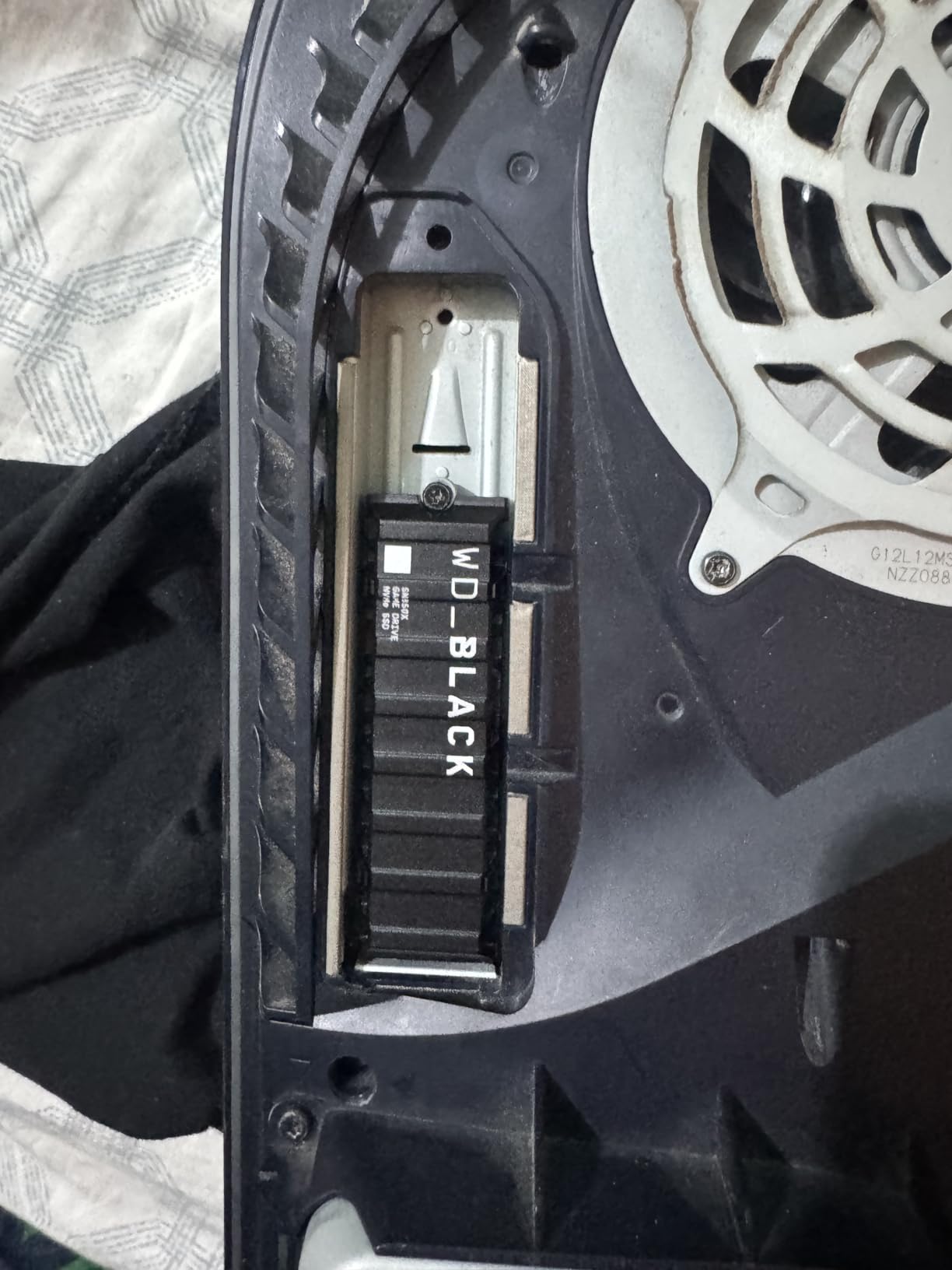
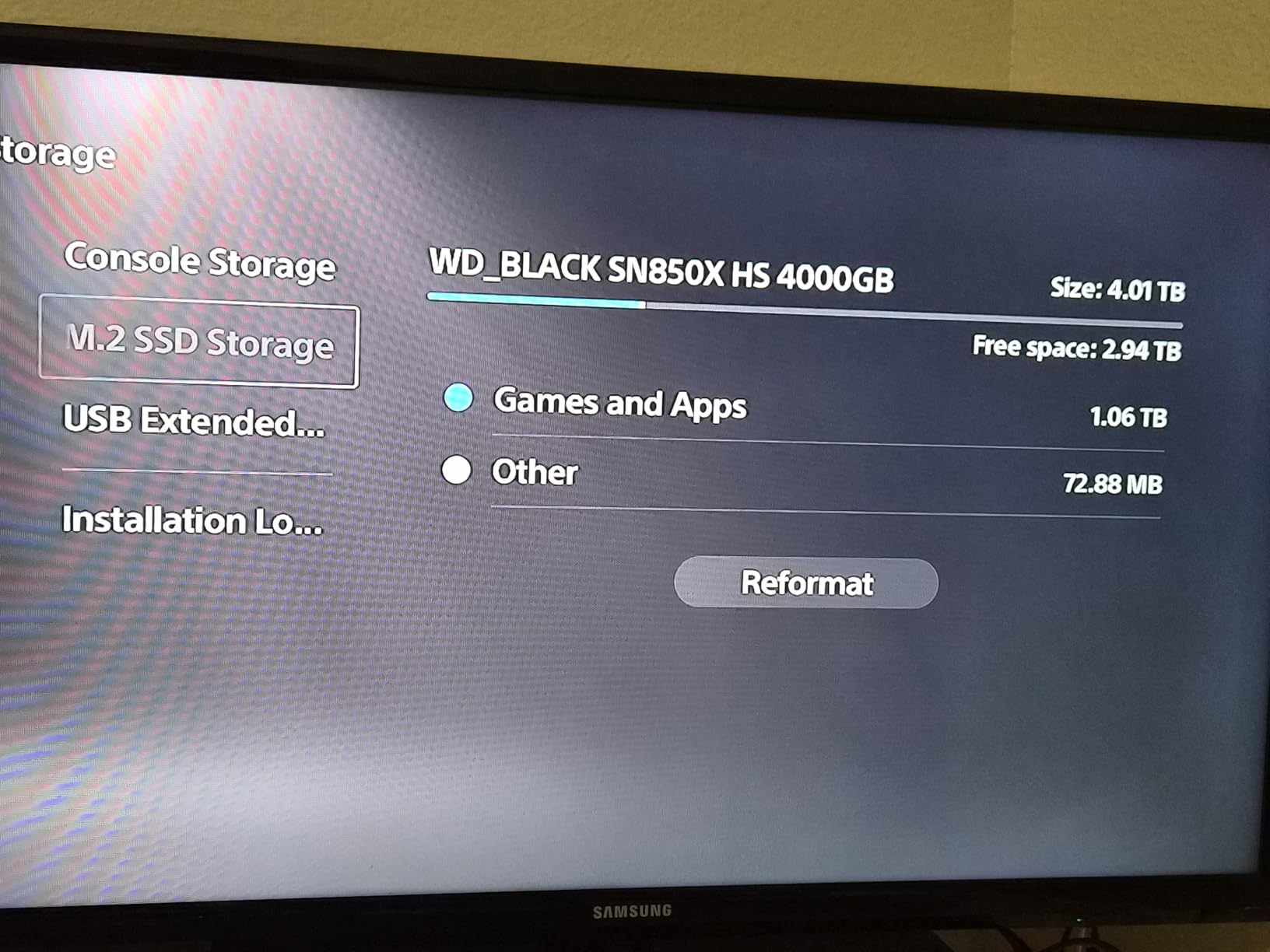
Performance is 7300 MB/s rated read and 6600 MB/s rated write on the 1TB to 4TB models, and owners report matching those numbers out of the box. Inside a PS5, it produces load times indistinguishable from the console’s own storage, which is the reference point most console gamers care about.
One thing to know before buying: the listing states this product has been replaced by a newer generation. The SN850X remains a proven, well-supported drive, and if you find one at a good price it is still a strong gaming choice, but the current-generation alternative may be worth a look.
Who this drive suits
Buy this if your case is compact, air-restricted, or if you know you will be installing large games back to back. It is also the safe pick for a PS5 expansion slot, where clearance is tight and heat is a real constraint.
DirectStorage titles on Windows 11 benefit from the sequential headroom, and owners report it handles that workload without drama.
Who should look elsewhere
The heatsink measures 0.35 inches thick, which can physically clash with a motherboard that ships its own M.2 heat spreader. Measure before you order, and note that the mounting screw is not included with the drive.
If you already have a fast Gen4 drive with good airflow, this is not an upgrade your games will thank you for. Your money is better spent on a larger capacity.
5. WD_Black SN7100 1TB: best NVMe SSD for gaming laptops and handhelds
WD_Black SN7100 1TB NVMe SSD – Gen4 PCIe, M.2 2280, Up to 7,250 MB/s Read Speed, Up to 6,900 MB/s Write Speed, Next Gen TLC 3D NAND, for Laptops, Handheld Gaming Devices – WDS100T4X0E
PCIe Gen4
7250 MB/s read
6900 MB/s write
1TB
Next-gen TLC 3D NAND
Pros
- Excellent power efficiency extending battery life
- Stays near 30 C idle and around 60 C under sustained load
- TLC 3D NAND instead of QLC
- Endurance up to 2400 TBW depending on capacity
Cons
- Sustained heavy writes can throttle without a heatsink
- No dedicated onboard DRAM cache
- Slightly slower than premium Gen4 drives in raw benchmarks
The SN7100 is the pick for anything running on battery. Owners single out its power efficiency as the headline benefit, and the manufacturer claims up to 100 percent better efficiency than the previous generation, which in a gaming laptop or handheld translates directly into longer sessions away from a wall.
It uses next-generation TLC 3D NAND rather than QLC, and that distinction matters more than most specs on the sheet. TLC handles sustained and random writes far better, so this drive degrades less predictably when you are copying large game installs onto a laptop.
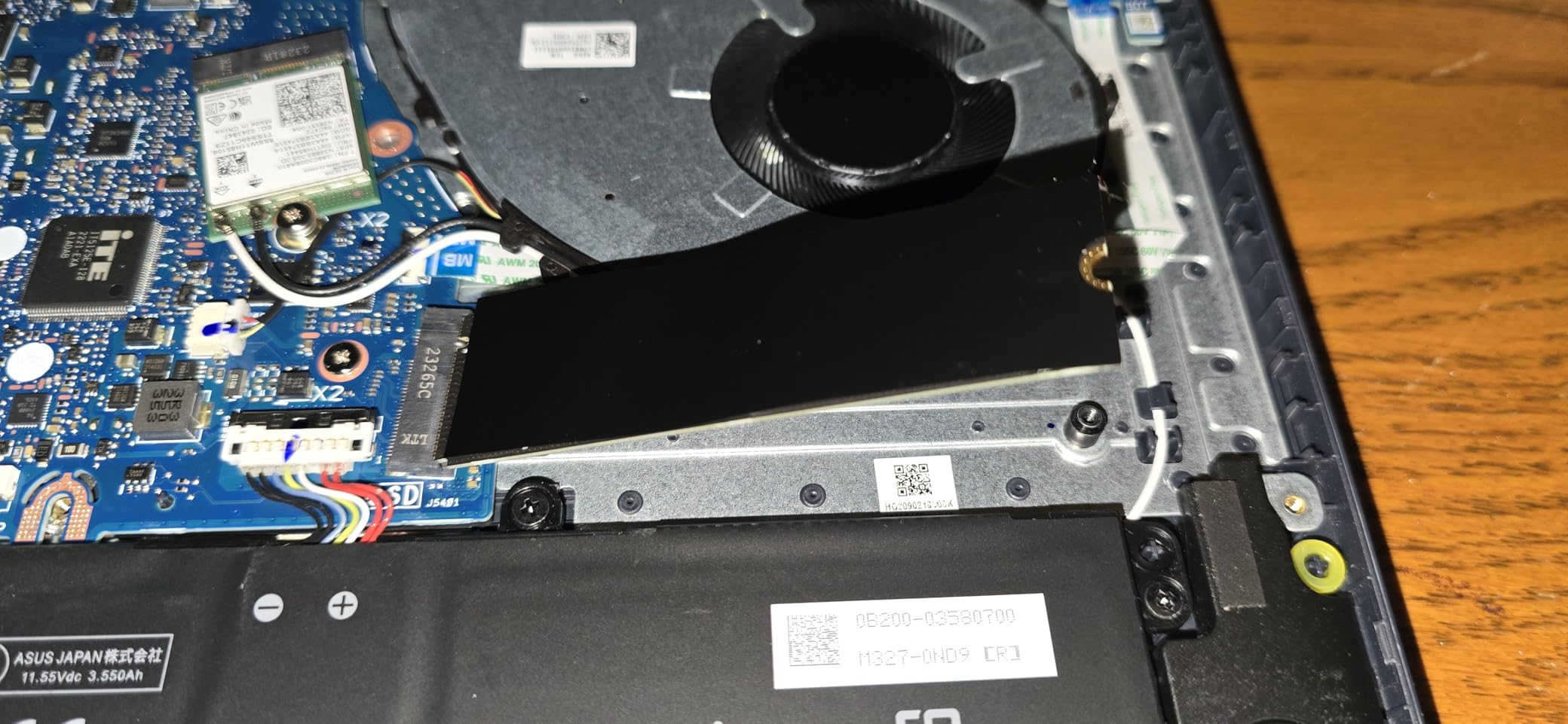
Thermally it runs cool, with owners reporting close to 30 C idle and roughly 60 C under sustained load without a heatsink. The board is single-sided and 4.54 g, which suits thin chassis and slots with no clearance above the drive.
The 1TB capacity here is the limitation to think about. It is enough for a focused library, but with Windows 11 installed and modern titles frequently running past 100GB, you will be deleting games. Endurance of up to 2,400 TBW depending on capacity is a genuine strength for a reinstall-heavy user.
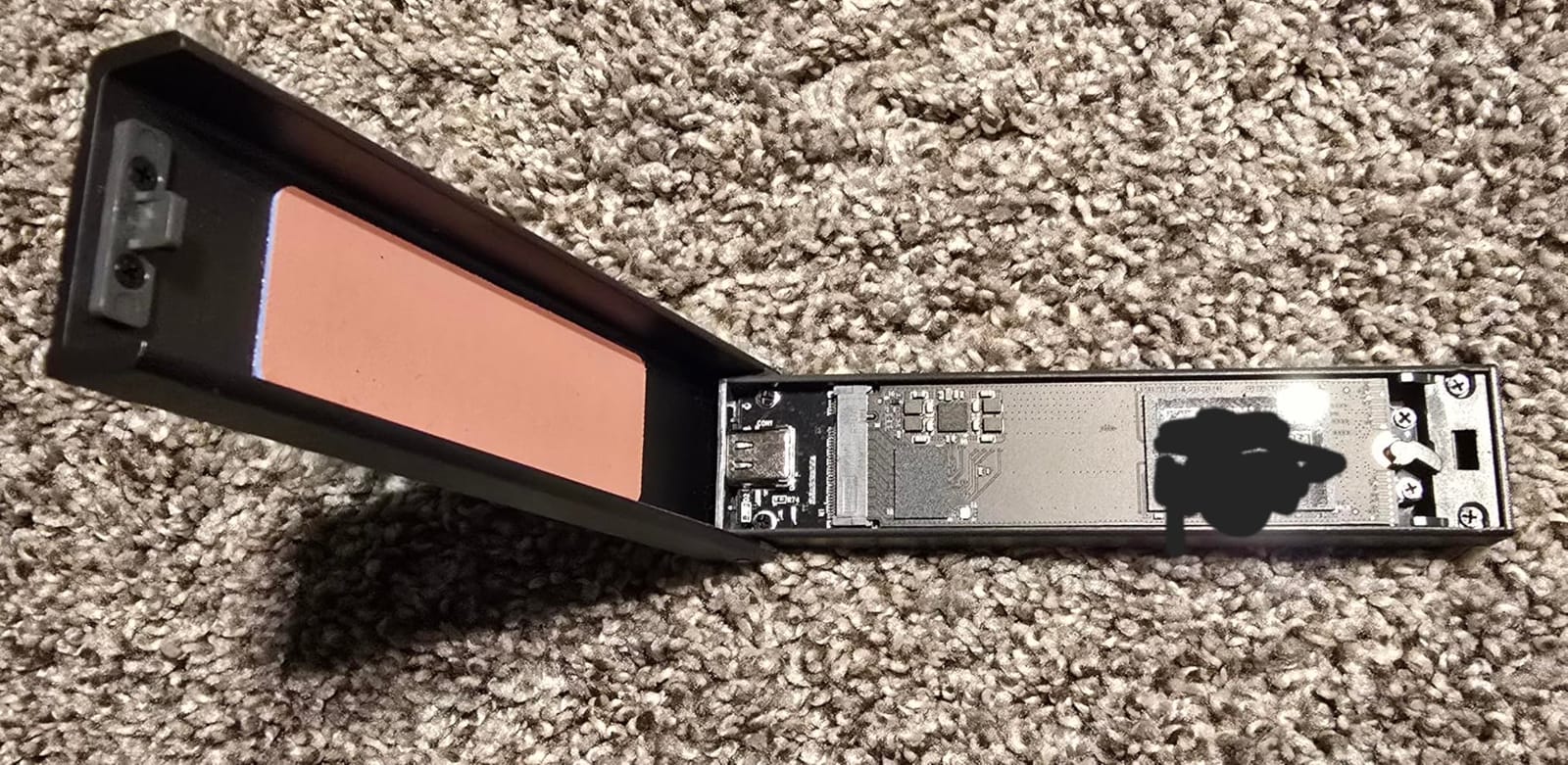
Who this drive suits
This is the right drive for a gaming laptop, a handheld gaming PC or any build where power draw matters. The efficiency numbers and the TLC NAND make it the sensible choice away from a mains socket.
It is also a good desktop drive if you want something that runs cool and quiet without a heatsink, and the WD_BLACK Dashboard utility handles firmware and health monitoring on Windows.
Who should look elsewhere
One terabyte is tight for a modern library. If your machine has a second M.2 slot, a 2TB drive in the other slot is often a better use of money than a faster 1TB drive in this one.
Reviewers also note some gaps in management software support compared with Samsung, and a small number report throttling on very long write runs with no cooling. For desktop users with airflow, the Kingston NV3 offers more capacity for a similar workload.
6. Acer Predator GM7000 2TB: best Gen4 gaming SSD with a real DRAM cache
Predator M.2 SSD 2TB GM7000 with DRAM cache NVMe 1.4 2280 PCIe Gen4×4 Ultra high speed (maximum read: 7400MB/s, max write: 6700MB/s) 3D NAND TLC Internal SSD Compatible with PS5 Pro – BL.9BWWR.106
PCIe Gen4 x4 NVMe 1.4
7400 MB/s read
6700 MB/s write
2GB DRAM
1300 TBW
Pros
- Onboard 2GB DRAM keeps sustained performance and random IOPS strong
- Near-top Gen4 read speed at 7400 MB/s
- Custom heat spreader lowers operating temperatures
- Strong 1300 TBW endurance for the tier
- Compatible with PS5 Pro
Cons
- Needs a Gen4 slot to reach advertised speeds
- Brand and management software less recognised than Samsung or Crucial
- Minimal accessories in the retail packaging
This is the answer for anyone who wants a physical DRAM cache without paying flagship money. The GM7000 pairs 2GB of onboard DRAM with 3D NAND TLC, and owners report that the buffer is what keeps random IOPS and sustained throughput steady rather than collapsing once the write cache fills.
Sequential numbers are close to the top of Gen4 at 7400 MB/s read and 6700 MB/s write, and the drive is built around a 5-year limited warranty covering up to 1,300 TBW. For a machine that constantly installs and deletes large games, that endurance figure is a real advantage.
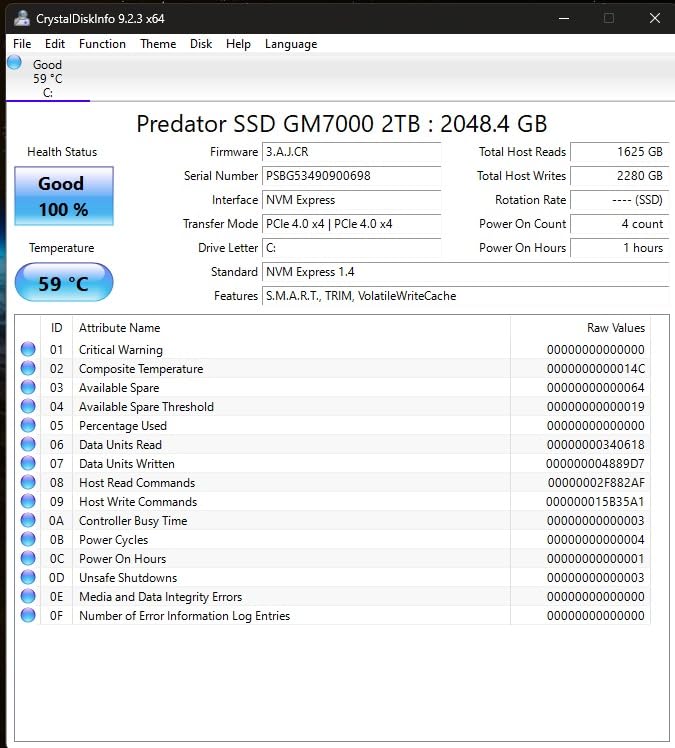
Thermal management is handled with a customised heat spreader rather than a full heatsink, and an integrated power management unit in the controller that the manufacturer credits for lower power consumption and less system heat. Owners describe it as a capable enthusiast drive for gaming PCs and consoles alike.
The company behind it, Biwin, supplies the controller and NAND assembly, and it bundles its own Biwin Intelligence utility for performance testing, data migration and cloning. That software is functional rather than polished.
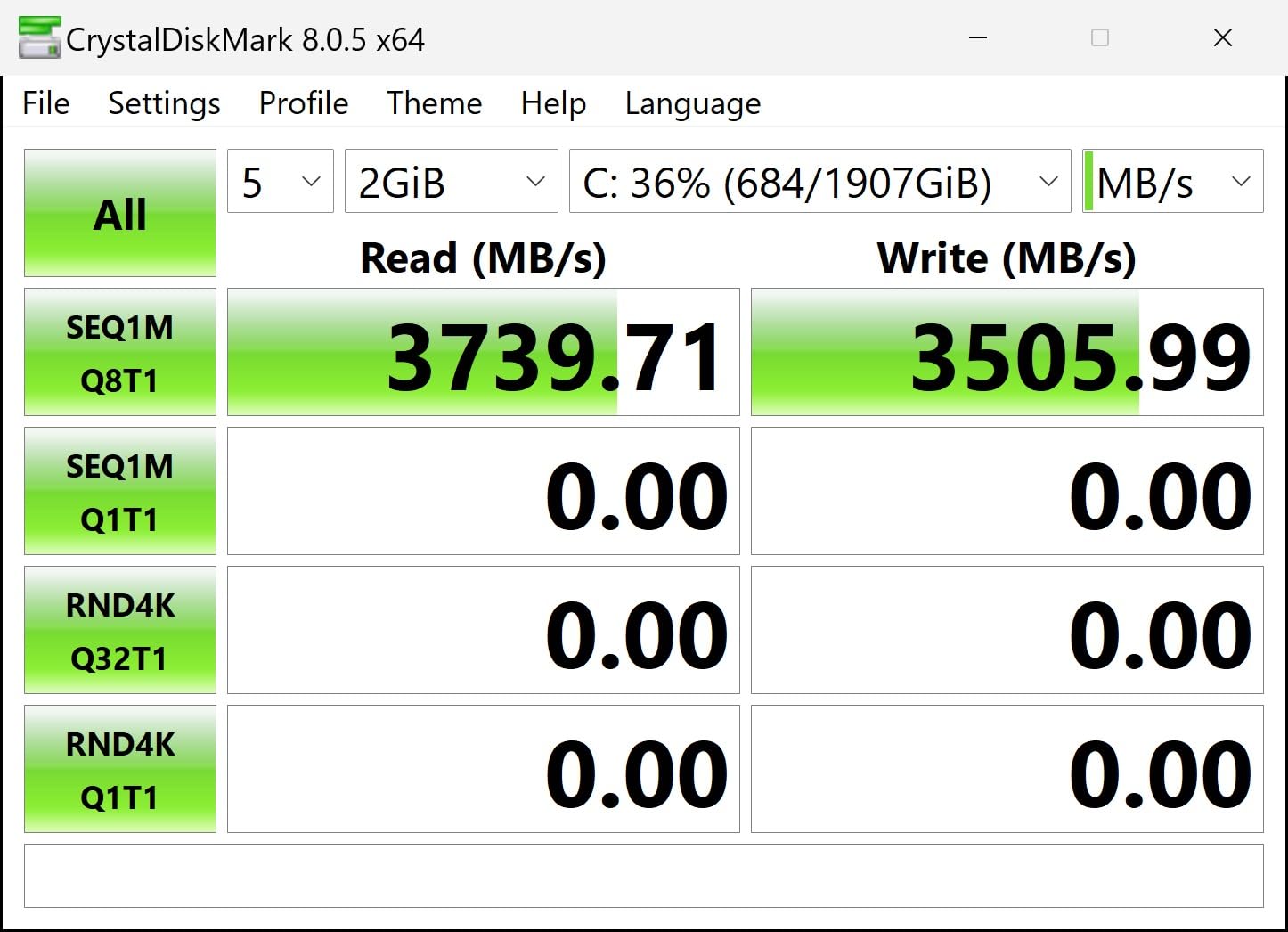
Who this drive suits
Buy the GM7000 if your workload mixes heavy gaming with work. Video timelines, large project libraries and repeated 100GB installs all benefit from a real DRAM cache, and the PS5 Pro compatibility means it also works as console expansion storage.
It is a good fit for a two-drive build where one slot handles the operating system and the other carries a large game library with no thermal worries.
Who should look elsewhere
Brand recognition is lower than Samsung, WD_BLACK or Crucial, and that matters if you want easy warranty support and mature management software. Plan your drive management around the bundled utility rather than expecting a polished ecosystem.
It also needs a genuine PCIe Gen4 slot to hit its rated speeds. Dropping it into a Gen3 slot cuts throughput dramatically, so check the board before ordering.
7. Samsung SSD 9100 Pro 2TB: fastest NVMe SSD for gaming PCs with a Gen5 slot
Samsung SSD 9100 PRO 2TB, PCIe 5.0×4 M.2 2280, Up to 14,700MB/s
PCIe 5.0 x4
14700 MB/s read
13400 MB/s write
2TB
1.85M random read IOPS
Pros
- Roughly double the sequential throughput of the 990 PRO
- Up to 1.85M random read and 2.6M write IOPS
- 5nm controller runs cooler than earlier Gen5 drives
- Samsung Magician for firmware and encryption
- Capacities offered up to 8TB
Cons
- Requires a PCIe Gen5 M.2 slot to reach rated speeds
- Runs noticeably hotter under sustained transfers
- Costs a lot against Gen4 drives with similar gaming results
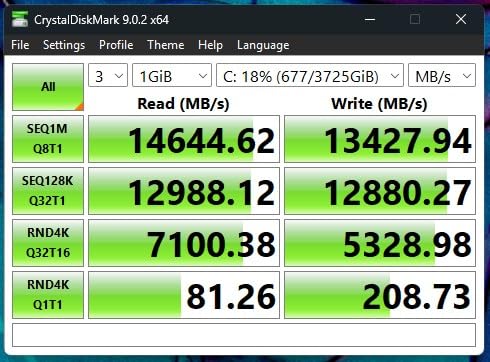
The 9100 Pro is the fastest drive here and the one you should think longest before buying. At 14,700 MB/s rated read and 13,400 MB/s rated write, it is roughly double the throughput of the 990 PRO, and it delivers up to 1,850K random read and 2,600K random write IOPS.
Those random figures are the ones that interest gamers. Random reads are what a level load is made of, and 1,850K IOPS is a large headroom increase over any Gen4 drive, so titles built for DirectStorage asset streaming have more to work with here than anywhere else in this roundup.
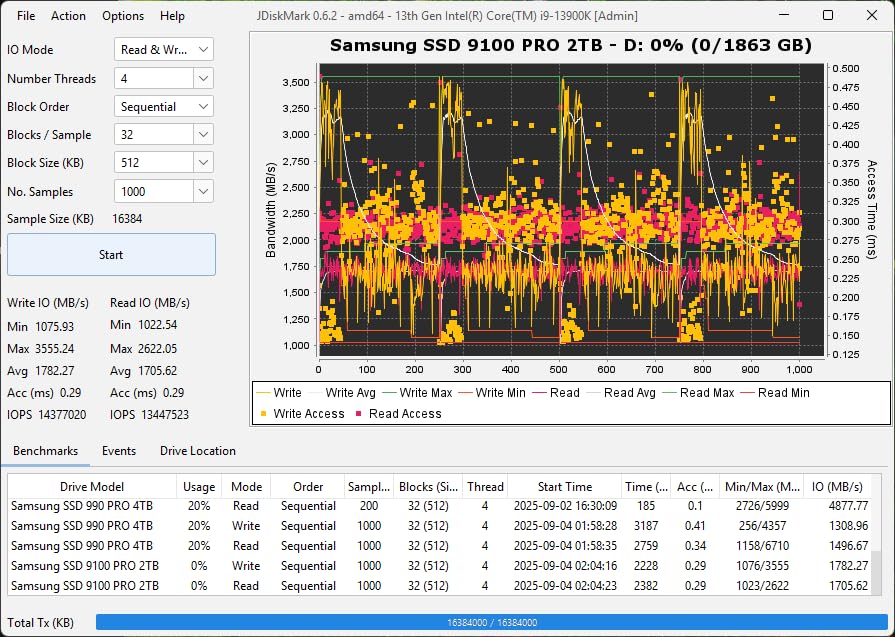
Thermals are managed better than earlier Gen5 drives thanks to a 5nm controller that Samsung claims is up to 49 percent more power efficient than the 990 PRO. Owners confirm it runs cooler than the first wave of PCIe 5.0 drives, though it still benefits from active cooling for long transfers.
Samsung Magician handles firmware updates, hardware encryption and drive health monitoring, and the drive is offered in capacities up to 8TB if you want a single slot to hold an enormous library.
Who this drive suits
Buy the 9100 Pro if you have a motherboard with a dedicated PCIe 5.0 M.2 slot and you are moving multi-terabyte libraries, or you run AI and large asset workflows next to your games. The extra bandwidth is genuinely useful there.
It also makes sense as the boot drive in a Gen5 build, with a large Gen4 drive handling the library. That split puts the fastest silicon where responsiveness is felt most.
Who should look elsewhere
If you only play games, this is overspending. The honest verdict is that a good PCIe 4.0 drive delivers similar real-world gaming results for a fraction of the cost, and your frame rate will not change either way.
The review base here is also the smallest of the flagships on this list, which simply reflects how new the platform is. Inside a Gen3 or Gen4 slot, the drive falls back to the older generation’s speed and you will have paid for bandwidth you cannot use.
8. Acer Predator GM7 2TB: best NVMe SSD for gaming in a PS5 or an enclosure
Acer Predator GM7 2TB SSD: M.2 2280 PCIe Gen 4 x4 NVMe 2.0, Read Speed Up to 7400 MB/s, Internal PC Solid State Drive for Laptop, Desktop and PS5 – BL.9BWWR.119
PCIe Gen4 x4 NVMe 2.0
7400 MB/s read
6500 MB/s write
2TB
TLC with HMB
Pros
- Fast reads up to 7400 MB/s at a competitive price
- Runs cool around 40 C and peaks near 45 C
- Mounting screw included unlike many rivals
- Verified working in PS5 laptops and USB4 enclosures
- Native Linux and Steam OS drivers confirmed
Cons
- HMB design means no dedicated onboard DRAM
- Occasional reports of defective units though returns went smoothly
- Brand recognition and software trail the major makers
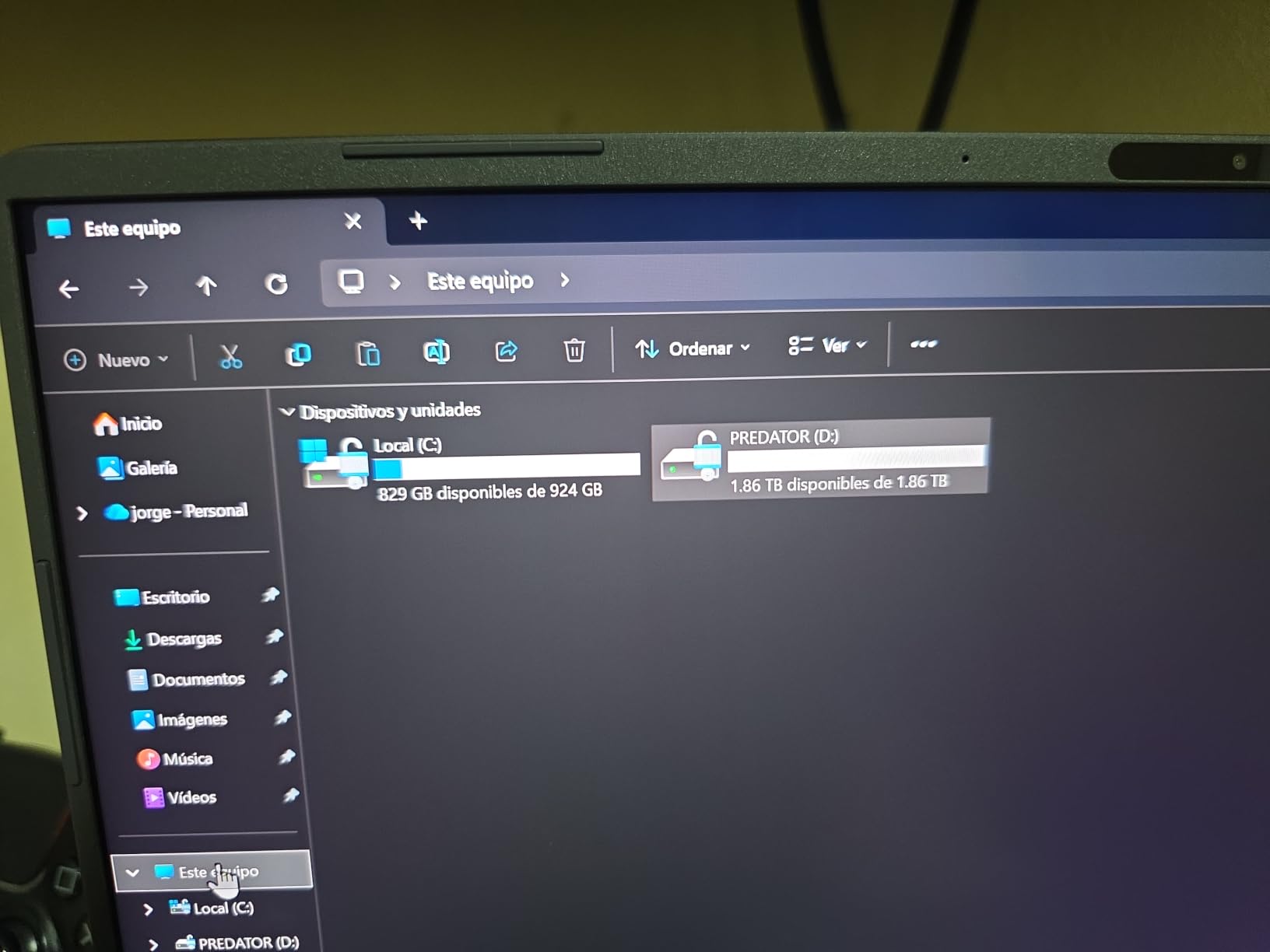
The GM7 is the compatibility-focused pick. It runs NVMe 2.0 over PCIe Gen4, reaching 7400 MB/s rated read and 6500 MB/s rated write, and owners report verified use in a PS5, in laptops and inside USB4 external enclosures. That last use case matters more than most buyers expect.
It is also one of the coolest-running drives in this roundup, typically sitting around 40 C and peaking near 45 C according to owners. In a PS5, where the drive sits in a fully sealed console, that headroom is worth a lot.
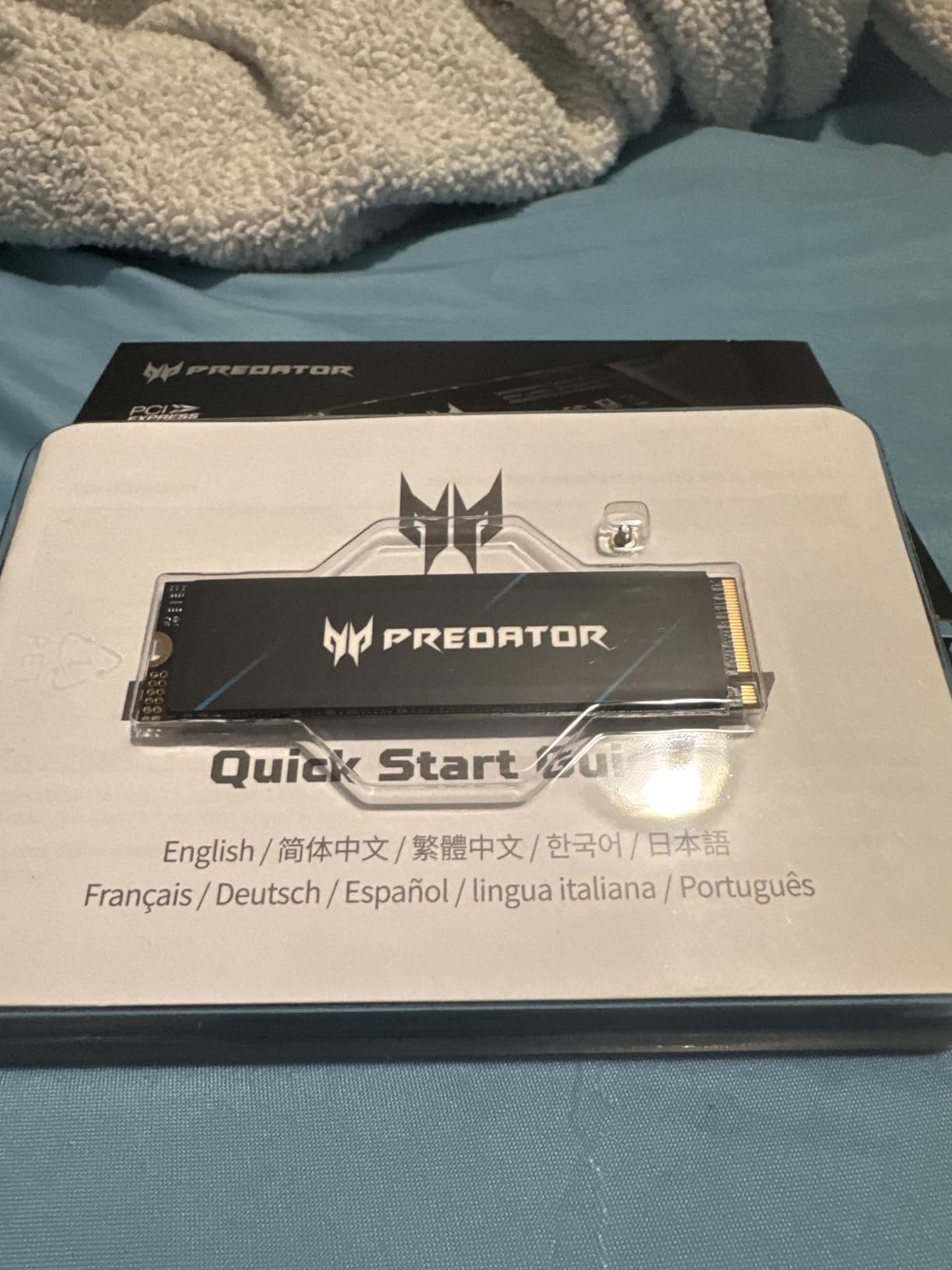
Two small details set it apart. The mounting screw is included in the box, which several competing M.2 drives in this roundup omit, and owners confirm native Linux and Steam OS driver compatibility, making it a natural fit for a handheld gaming PC or a console-alternative machine. If you would rather carry that storage off the machine entirely, our picks for the best portable NVMe enclosures for editors cover the housings that pair well with it.
It uses TLC NAND with a Host Memory Buffer and SLC cache rather than a physical DRAM chip. As with the other DRAMless drives here, reads stay smooth and writes fall off once the cache is exhausted, which is why it suits gaming better than heavy content work.
Who this drive suits
Buy the GM7 for a PS5 expansion slot, a laptop with a single M.2 socket, or a portable external gaming drive in a USB4 enclosure. The included screw and the low running temperature remove two common sources of frustration.
It is also a sensible secondary drive when your main drive is a Gen5 boot drive and you want a cool, quiet library drive that will never throttle.
Who should look elsewhere
If you want a physical DRAM cache for write-heavy work, this is not the drive. Reviewers are clear that sustained heavy writes can fall off with an HMB design.
A small number of reviews describe defective drives on arrival, although return handling was reported as smooth. Brand recognition also trails the big three manufacturers, so software support is thinner. If those two concerns matter, the Crucial P310 is the safer equivalent.
9. Crucial T705 2TB: best NVMe SSD for gaming with huge install workloads
Crucial T705 PCIe Gen5 NVMe 2TB SSD, Up to 14,500MB/s, TLC NAND, Intel & Ryzen Compatible, for Hardcore Gaming & High-Speed Storage, Solid State Drive, Includes 1Mo Adobe CC – CT2000T705SSD3
PCIe Gen5 x4
14500 MB/s read
12700 MB/s write
2TB
232-layer TLC with DRAM
Pros
- Delivers advertised 14000+ MB/s sequential speeds on a Gen5 board
- DRAM with Micron 232-layer TLC gives strong sustained throughput
- Momentum Cache in Storage Executive improves boot responsiveness
- Backwards compatible with PCIe 4.0 and 3.0 slots
- Hardware encryption and 5-year warranty
Cons
- Runs very hot and effectively requires an aftermarket heatsink
- Motherboard M.2 heatsinks may not be enough near a hot GPU
- Storage Executive tooling is less refined than Samsung Magician
The T705 is the enthusiast’s answer in this list. It delivers up to 14,500 MB/s read and 12,700 MB/s write, and owners confirm it reaches those advertised figures out of the box on a compatible Gen5 board. Crucial pairs it with Micron 232-layer TLC NAND and a DRAM cache, which is the combination you want if you move enormous amounts of data.
Buyers report noticeably faster boot times and game loads, and Crucial Storage Executive includes a Momentum Cache feature that many users say visibly improves boot and application responsiveness on an otherwise idle drive. It works equally well as an operating system drive or a dedicated game drive.
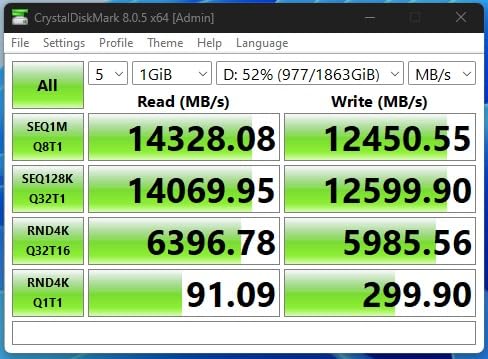
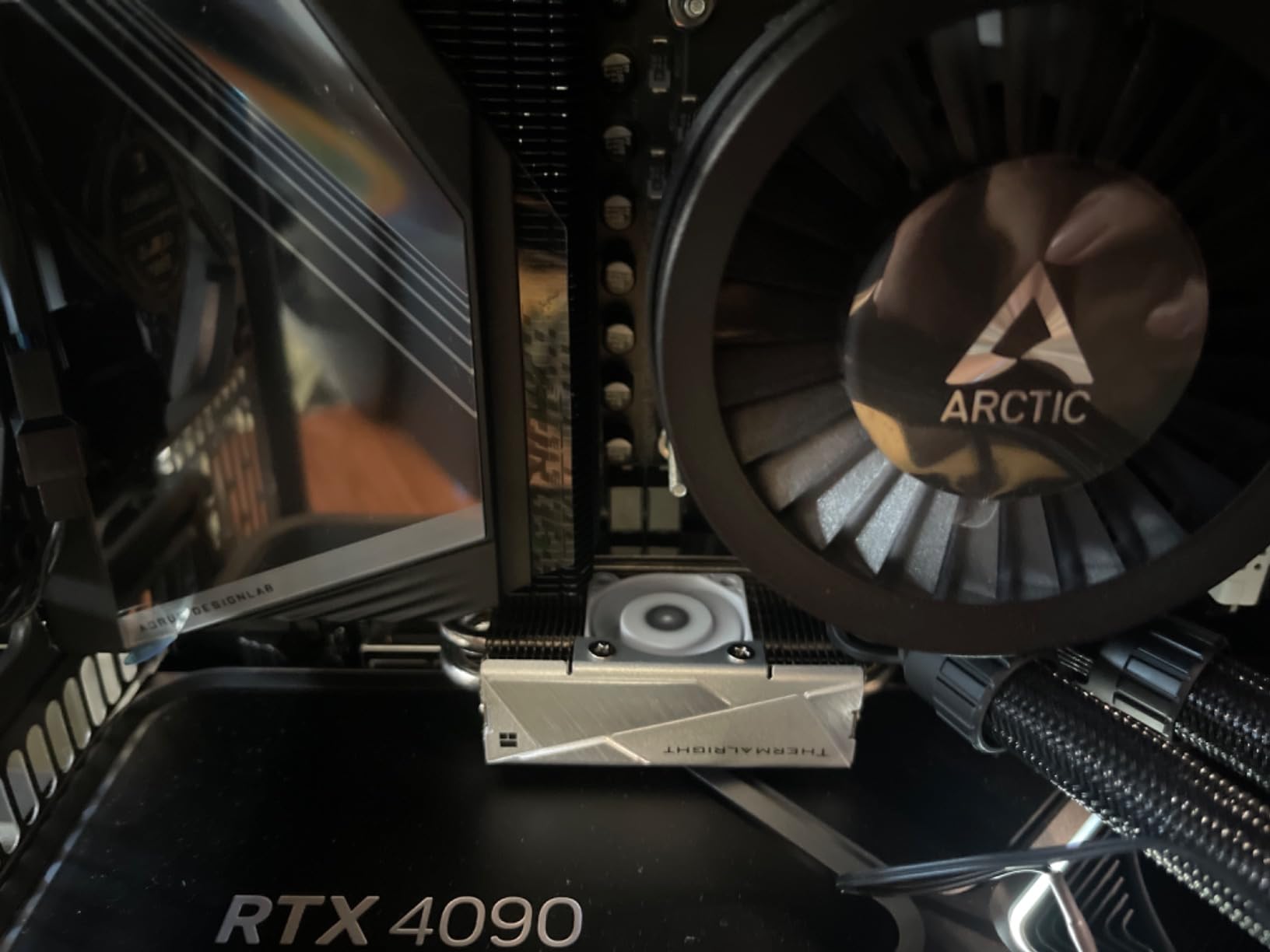
Thermals are the defining issue here, and they are not a minor caveat. Multiple reviewers report the drive running very hot and effectively requiring an aftermarket heatsink for sustained transfers, with warnings that the motherboard’s own M.2 heat spreader may not be enough when it sits close to a hot graphics card.
It is designed and optimised for Intel 13th and 14th Gen and AMD Ryzen 7000 platforms with Gen5 M.2 slots, and it will run in older PCIe 4.0 and 3.0 slots at the reduced speed of that generation.
Who this drive suits
Buy the T705 if you have a Gen5 slot, you install very large games regularly, and you are willing to fit proper cooling. The DRAM cache and 232-layer TLC NAND keep sustained throughput where DRAMless Gen5 drives fall apart.
It is also a good OS drive for a high-end workstation, and the included Acronis True Image plus a month of Adobe Creative Cloud is a small convenience for new setups.
Who should look elsewhere
Do not buy this drive for gaming alone. The real-world frame rates and load times are close to what a good Gen4 drive delivers, and you would be paying a large premium for bandwidth your games rarely use.
Plan the cooling before you buy. If your motherboard has one M.2 slot with no airflow, buy a proper heat-pipe cooler alongside the drive. A handful of owners have also reported long-term hardware failure on individual units, so keep backups of anything irreplaceable.
10. Lexar NM790 2TB: best low-power NVMe SSD for a gaming library
Lexar 2TB NM790 Internal NVMe SSD, 7400/6500 MB/s, M.2 2280, PCIe Gen 4×4
PCIe Gen4 x4
7400 MB/s read
6500 MB/s write
2TB
1500 TBW
HMB 3.0
Pros
- Near-top Gen4 sequential speeds at a mid-range price
- HMB 3.0 gives smooth consistent performance without a DRAM chip
- Up to 40 percent lower power than DRAM-cached Gen4 drives
- Single-sided 2280 design fits PS5 and laptop slots
- 1500 TBW and a five-year warranty at 2TB
Cons
- HMB approach trails DRAM-cached drives on sustained heavy writes
- Brand recognition and software support trail major makers
- Requires a Gen4 slot to reach advertised speeds
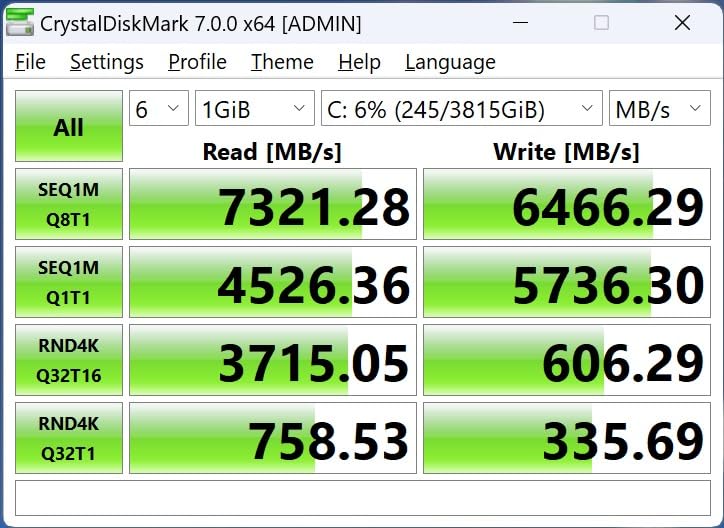
The NM790 rounds out the list as a strong all-rounder with a 4.8 rating. At 7400 MB/s read and 6500 MB/s write it is at the top of the PCIe 4.0 pack, and owners highlight strong real-world speed alongside cool, efficient operation and easy installation in gaming PCs, laptops and PS5s.
Its distinguishing feature is power draw. Lexar claims up to 40 percent lower power consumption than DRAM-cache-enabled Gen4 SSDs, which makes it a good fit for laptops and handheld gaming PCs where every watt affects how long you can play away from a charger.
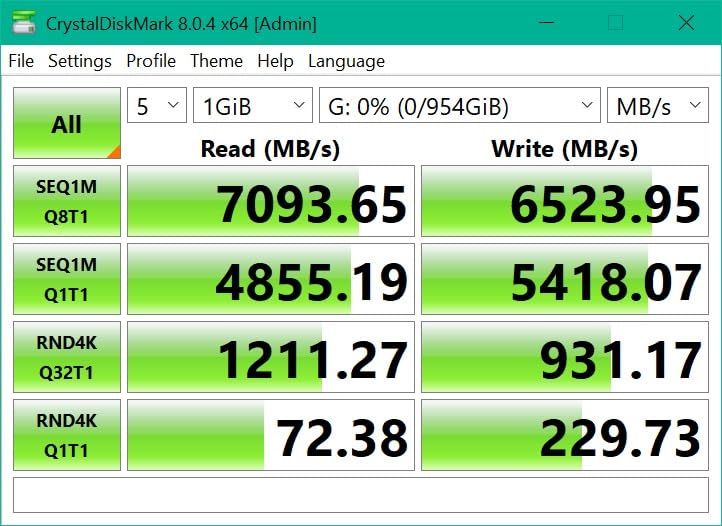
Host Memory Buffer 3.0 is the technology here. Rather than a physical DRAM chip, the drive borrows host memory to smooth transfers, and reviewers find the result consistent in normal use. The caveat is the familiar one: under sustained heavy writes, a DRAM-cached drive like the Predator GM7000 stays ahead.
Endurance at 2TB is rated at 1,500 TBW under a five-year limited warranty, and the single-sided M.2 2280 board fits both PS5 and laptop slots without clearance problems.
Who this drive suits
Buy the NM790 if you want a quiet, efficient 2TB library drive that never needs a heatsink, or if you are putting games in a laptop and care about power draw. The single-sided design also makes it one of the easiest fits on this list.
It is a good partner drive for a two-drive build, sitting alongside a faster boot drive without adding heat or noise to the case.
Who should look elsewhere
Heavy write workloads will expose the HMB design faster than any other workload, so skip it for editing or archive duty. Our workstation picks in the best NVMe SSDs for a video editing workstation guide cover that side properly.
Brand recognition and management software trail the major manufacturers, and like every Gen4 drive here, it needs a Gen4 slot to deliver its rated speed. Check the board before ordering.
How to choose the right NVMe SSD for your gaming PC
Check your motherboard’s M.2 slot before you buy anything
The most expensive mistake in this category is buying a Gen5 drive for a board that only runs Gen3 or Gen4. NVMe drives negotiate down to the slowest lane the slot supports, so a 14,500 MB/s drive in a Gen3 slot behaves like a much slower drive while costing several times as much.
Here is the checklist. First, find your motherboard model and look up its M.2 slot specification, which lists both the PCIe generation and the number of lanes. Second, count how many M.2 slots you actually have, because a second slot may share bandwidth with the first. Third, note whether the slot has its own heat spreader and how much clearance there is above it. Fourth, check the physical length, since all ten drives here are standard M.2 2280 but shorter 2230 and 2242 drives exist for handhelds.
The generation ladder is simple. PCIe Gen3 delivers roughly 3,500 MB/s in practice, Gen4 around 7,000 to 7,450 MB/s, and Gen5 upwards of 14,000 MB/s. A Gen4 drive in a Gen3 slot still works perfectly well, and for gaming that is almost always the right place to be.
PCIe 4.0 vs PCIe 5.0: which do you actually need?
For almost every gamer, PCIe 4.0 is enough. Game loads are dominated by random 4K reads, and the gap between a good Gen4 drive and a Gen5 drive in real load screens is small enough that most players cannot identify which drive is installed.
Gen5 earns its place in three situations. Large transfers and full library re-downloads finish dramatically faster. DirectStorage titles that stream assets continuously benefit from the extra sequential headroom. And content creation workloads, especially video editing, use the bandwidth where it converts directly into time saved.
Skipping Gen5 is not a compromise, it is the sensible default. Put the money you saved into capacity, because running out of space is a far more common and more annoying problem than a slightly long loading screen.
How much storage do you need for gaming?
Modern titles routinely exceed 100GB, and Windows 11 plus your launchers and shader caches take a substantial slice of any drive on day one. That is why 500GB is effectively obsolete for a new gaming build and 1TB is the minimum we would consider.
A rough guide for 2TB: Windows 11 and applications, plus four to six large current-generation titles with room to spare. For 4TB you are looking at a much longer shelf life before you start deleting. Our top pick is the 2TB Kingston NV3, and if you can stretch to 4TB, the headroom is worth more than any speed difference in this list.
A dual-drive setup is the other good answer. Use a fast drive for Windows and launchers, and a larger, cooler drive for the game library. That way boot and app responsiveness stay high on the better hardware, and the capacity-heavy drive does not need premium silicon.
Do you need a heatsink for an NVMe SSD?
Most of the time, no. Gen4 drives in this roundup, such as the Crucial P310, the Lexar NM790 and the Predator GM7, run cool with no cooling at all, and forum consensus is that the controller rather than the NAND is the hot spot worth watching.
Two cases where cooling matters. Gen5 drives, particularly the Crucial T705, generate enough heat during sustained transfers that reviewers recommend an aftermarket heat-pipe cooler rather than relying on the motherboard’s own spreader. And any drive installed directly under a graphics card in a compact case benefits from airflow, because the card radiates heat downward onto it.
One common piece of advice to ignore: stacking drives under motherboard heat spreaders can be worse than leaving the drive bare if the spreader presses directly against the controller. If a thermal pad is not included, add one.
DRAM vs DRAMless: does gaming care?
Less than most buyers expect. A DRAM cache exists to keep write performance consistent when the SLC cache is exhausted. Games are read-heavy, so the difference between a drive with onboard DRAM and one using a Host Memory Buffer is small in practice.
It becomes noticeable in the opposite direction when you work. Restoring a full game library, moving multi-terabyte project files or reformatting a drive will show a clear advantage for a drive with physical DRAM, which is why we include the Predator GM7000 and the Crucial T705 in this list for mixed-use machines.
So the rule is straightforward. Gaming only and the drive stays mostly full: DRAMless is fine. Mixed gaming and heavy writes: pay for onboard DRAM.
NVMe vs SATA SSDs for gaming
The gap is still large enough to justify the move, though not the marketing suggests. A modern SATA SSD tops out around 550 MB/s read and 530 MB/s write, while any NVMe drive on this list starts at 6,000 MB/s. In load times the difference is noticeable on large open-world titles.
Moving from a mechanical hard drive to any NVMe drive is where the real transformation sits. Boot time, install times and asset streaming all improve dramatically, and it is the cheapest meaningful upgrade available to an older gaming PC.
Moving from a decent SATA SSD to an NVMe drive is worth it, but expect load screens rather than frame rates to improve. This is the distinction that r/pcmasterrace has argued forcefully, and the honest version is that the size of the win depends entirely on what you are upgrading from.
Variable hardware: what to watch for in budget SSDs
This is the part of the market most roundups skip. Some budget drive lines have been reported to ship with different flash or controller configurations across production runs, using the same model name. The result is that a review of one revision may not describe the drive you receive.
Budget lines in this category, including the Kingston NV3 featured at number one, have drawn exactly this kind of discussion from builders. It is not a reason to avoid the drive, because the gaming performance of every pick in this roundup is close enough that none of them will disappoint you. It is a reason to read the current listing carefully and to keep the packaging until the drive is installed and confirmed.
Brands with mature management software, such as Samsung with Magician, WD_BLACK with Dashboard and Crucial with Storage Executive, are easier to support when something needs checking later, and that is a real long-term advantage beyond the spec sheet.
Frequently Asked Questions
Which NVMe SSD is best for gaming?
For most gaming PCs, a PCIe 4.0 drive with strong random 4K read speed and 2TB of capacity is the right answer. The Kingston NV3 2TB is our top pick because it delivers near-advertised 6000 MB/s sequential throughput, runs cool without a heatsink and holds a 4.7 rating across more than 13,000 owner reviews. If your board only supports PCIe 3.0, any of these drives still work and still beat a SATA SSD by a wide margin.
Are NVMe SSDs good for gaming?
Yes, for load times, install times, boot speed and asset streaming. An NVMe drive is the fastest storage you can put in a PC, and moving from a SATA SSD or hard drive to one of the drives on this list is the cheapest meaningful performance upgrade available. It will not raise your frame rate, because storage is not what determines how many frames your GPU can draw. What it changes is how quickly a level appears.
Should I get a PCIe 5.0 SSD for gaming?
Usually not. PCIe 4.0 drives reach roughly 7,000 to 7,450 MB/s, and a good Gen4 drive delivers load times that are nearly indistinguishable from a Gen5 drive in most games. Gen5 pays off for large file transfers, DirectStorage asset streaming and video editing. If you own a Gen5 board, a Gen5 boot drive paired with a large Gen4 library drive is a sensible split.
Is there an NVMe SSD with DRAM for gaming?
Yes. The Acer Predator GM7000 2TB includes 2GB of onboard DRAM cache, and the Crucial T705 pairs a DRAM cache with Micron 232-layer TLC NAND. The difference is small for gaming, which is read-heavy, and clear when you restore large libraries or move big project files. If your usage is games only, a DRAMless drive with a host memory buffer is entirely sufficient.
Do I need a heatsink for my NVMe SSD?
Most of the time, no. PCIe 4.0 drives such as the Crucial P310 and Lexar NM790 run cool unaided in normal cases. You should add cooling for a PCIe 5.0 drive handling sustained large transfers, and for any drive mounted directly beneath a hot graphics card in a compact chassis. Be careful stacking a drive under a motherboard heat spreader that has no thermal pad, since pressure on the controller can make cooling worse.
Will a faster SSD increase my FPS?
No. Frame rate is decided by your graphics card, CPU and game settings, not by storage. A faster NVMe SSD shortens loading screens, speeds up game installs, makes the operating system boot faster and reduces asset streaming stutter in DirectStorage titles. If your games already load quickly on a decent drive, upgrading to a faster one is unlikely to be something you notice in play.
Final verdict: which NVMe SSD should you buy for gaming?
The Kingston NV3 2TB is the best NVMe SSD for gaming PCs in 2026 for a simple reason: it delivers the gaming performance buyers expect from a top pick without asking for premium-brand money, and it runs cool enough to forget about. If your board has a PCIe 4.0 slot, it is the drive we would put in a build today.
If you want the best software and the most established support, the Samsung 990 Pro 2TB is the alternative, accepting a higher cost for a similar gaming experience. If you are on a PCIe 5.0 platform and move large files, the Samsung 9100 Pro is the fastest option, with the Crucial T705 behind it for anyone who also needs a DRAM cache. For laptops and handhelds, the WD_BLACK SN7100 and the Lexar NM790 win on power efficiency.
Before you order anything, confirm your motherboard’s M.2 slot generation and length, and buy capacity rather than speed. Your frame rate will not change either way, and a drive that is too small is a problem you will run into within a month.