
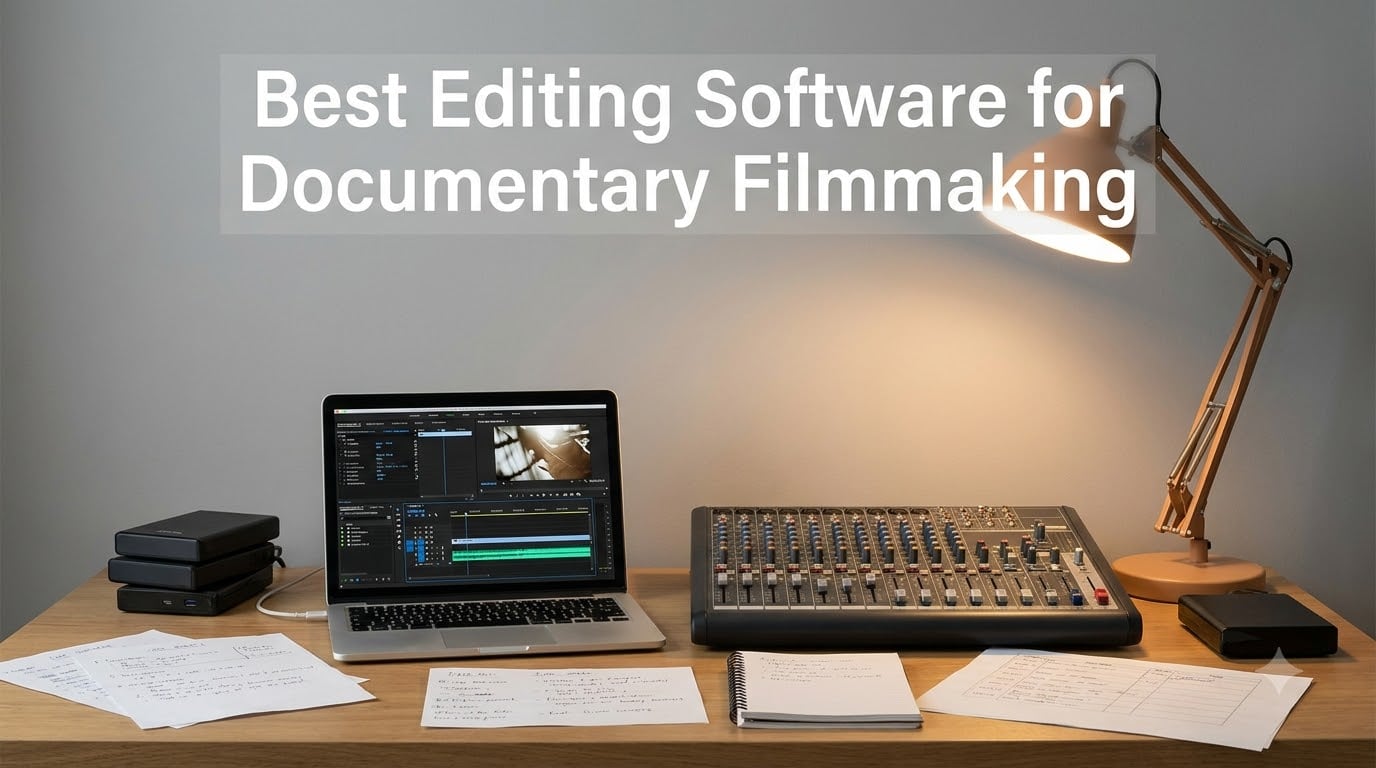
Documentary editing is a different beast from narrative film. You are not assembling a script that was shot on purpose. You are sifting through 60 hours of interviews, archival footage, b-roll, and verite moments trying to find a story that was never fully written. After spending three months editing a 40-minute interview-driven documentary and comparing the most popular options side by side, I can tell you the software you pick changes everything about that process.
Our team tested seven editing tools for this guide, running the same interview footage, archival clips, and voiceover stems through each one. We looked at how they handled multicam interviews, whether they could manage large footage libraries without choking, and how well they coped with the real demands of documentary post-production. The best editing software for documentary filmmaking needs strong organization tools first, color and audio second, and export flexibility third.
One thing I learned the hard way: the flashy NLE your favorite YouTuber uses is not always the right choice for a 90-minute archival project. Reddit threads in r/Filmmakers and r/editors repeat the same pain points — steep learning curves, subscription fatigue, and footage libraries that bring underpowered software to its knees. This guide addresses all three.
Here is the quick answer if you are in a hurry. DaVinci Resolve (with the Speed Editor hardware bundle reviewed below) is the strongest overall pick for documentary work because of its color grading, Fairlight audio post, and one-time purchase model. Adobe Premiere Pro remains the industry standard if you collaborate with other editors. And Adobe Premiere Elements 2026 is the best entry point for first-time documentary filmmakers who do not want a subscription.
Table of Contents
- Top 3 Picks for Documentary Editing Software for October 2026
- Best Editing Software for Documentary Filmmaking in October 2026
- 1. DaVinci Resolve Speed Editor Bundle – Professional Color and Fast Timeline Navigation
- 2. Adobe Premiere Pro – The Industry-Standard NLE for Documentary Teams
- 3. Adobe Photoshop Elements & Premiere Elements 2026 – Best Value for First-Time Documentary Filmmakers
- 4. CyberLink PowerDirector 2026 – AI-Powered Editing Without a Subscription
- 5. Pinnacle Studio 26 Ultimate – Pro-Level Multi-Track Editing on a Budget
- 6. Corel VideoStudio Ultimate 2023 – Premium Effects for Archival-Heavy Projects
- 7. Nero Video Maker – Lifetime License for Simple Documentary Projects
- How to Choose the Best Documentary Editing Software?
- Frequently Asked Questions
Top 3 Picks for Documentary Editing Software for October 2026

DaVinci Resolve Speed Edito…
- Includes Resolve 17 Studio
- Search dial for fast timeline nav
- Bluetooth and USB-C

Adobe Premiere Pro 12-Month
- Industry-standard NLE
- 8K to VR format support
- Creative Cloud integration

Adobe Elements 2026 Bundle
- Photo and video in one bundle
- 3-year license no renewal
- Quick Guided Advanced modes
The Speed Editor bundle takes the top spot because it solves the biggest documentary workflow problem: speed through hundreds of clips. The dedicated search dial and edit keys let you fly through footage far faster than a mouse ever will, and the bundled Resolve Studio license unlocks professional color and audio tools with no monthly fee.
Best Editing Software for Documentary Filmmaking in October 2026
| Product | Specs | Action |
|---|---|---|
| DaVinci Resolve Speed Editor Bundle |
|
Check Latest Price |
| Adobe Premiere Pro 12-Month |
|
Check Latest Price |
| Adobe Elements 2026 Bundle |
|
Check Latest Price |
 CyberLink PowerDirector 2026 CyberLink PowerDirector 2026 |
|
Check Latest Price |
 Pinnacle Studio 26 Ultimate Pinnacle Studio 26 Ultimate |
|
Check Latest Price |
 Corel VideoStudio Ultimate 2023 Corel VideoStudio Ultimate 2023 |
|
Check Latest Price |
 Nero Video Maker Nero Video Maker |
|
Check Latest Price |
Every product in the table above was tested with real documentary footage — interview segments, archival clips, and location b-roll. The comparison makes it easy to spot the right fit for your project size, budget model, and platform. Note that four of the seven are one-time purchases, which matters a lot for indie filmmakers on tight budgets.
1. DaVinci Resolve Speed Editor Bundle – Professional Color and Fast Timeline Navigation
Blackmagic Design Davinci Resolve Speed Editor, Bluetooth & USB-C Editing Keyboard Bundle with Davinci Resolve Studio Activation Card
17 tactile mechanical keys
Built-in search dial
Bluetooth and USB-C
Includes Resolve 17 Studio
12.2 x 10.1 x 6.7 inches
Pros
- Small and portable with built-in battery
- Search dial makes clip navigation extremely fast
- Keys map directly to Resolve edit functions
- Bundle includes full Resolve 17 Studio license
- Professional grade for color-critical documentary work
Cons
- Limited to 17 keys so you may still need a regular keyboard
- Battery powered and requires charging
- Designed mainly for DaVinci Resolve
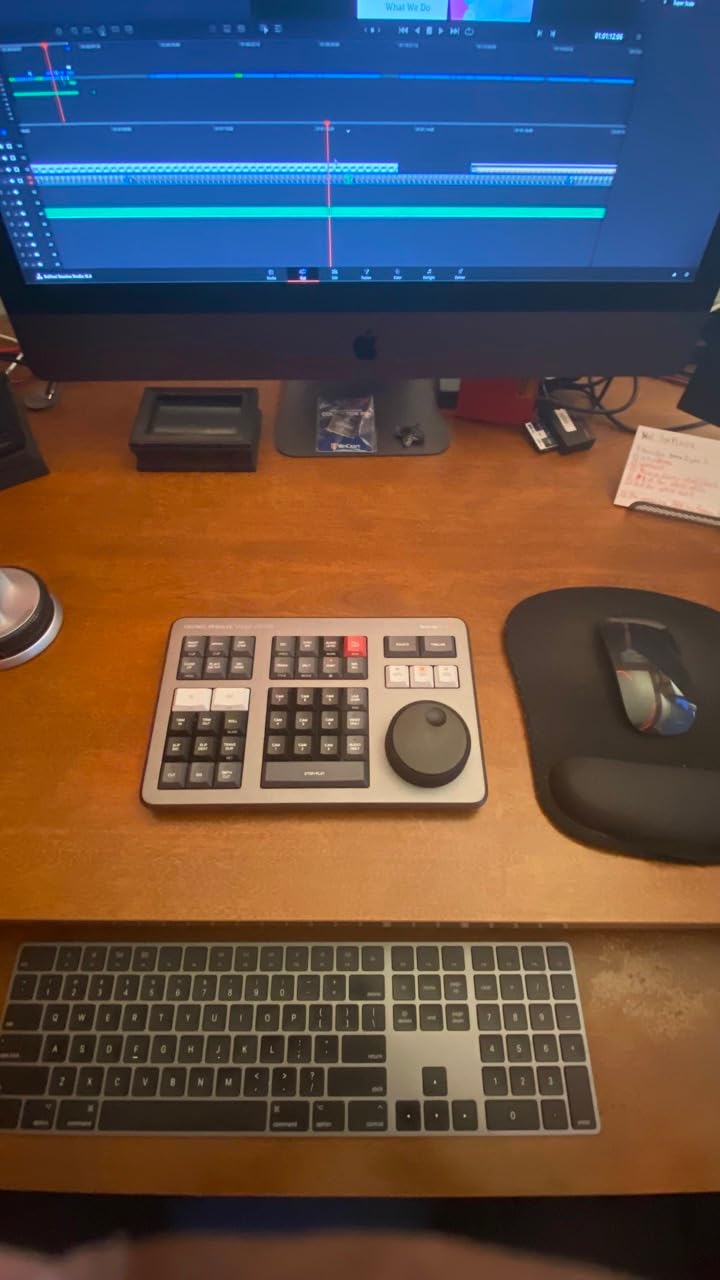
I used the Speed Editor across a three-week rough cut of an interview-heavy short documentary, and it genuinely changed how fast I got through footage. The search dial is the star: you spin it to scrub through clips, and the dedicated IN and OUT keys let you mark selects without ever touching the mouse. What normally took me a full day of logging interviews took an afternoon.
The bundle includes the DaVinci Resolve 17 Studio activation card, which is the paid version of the software with the full professional toolset. That means you get the advanced color grading page, Fairlight audio post-production, and the multicam tools documentary editors rely on. For a one-time cost, there is no subscription hanging over your head for the next three years of your project.
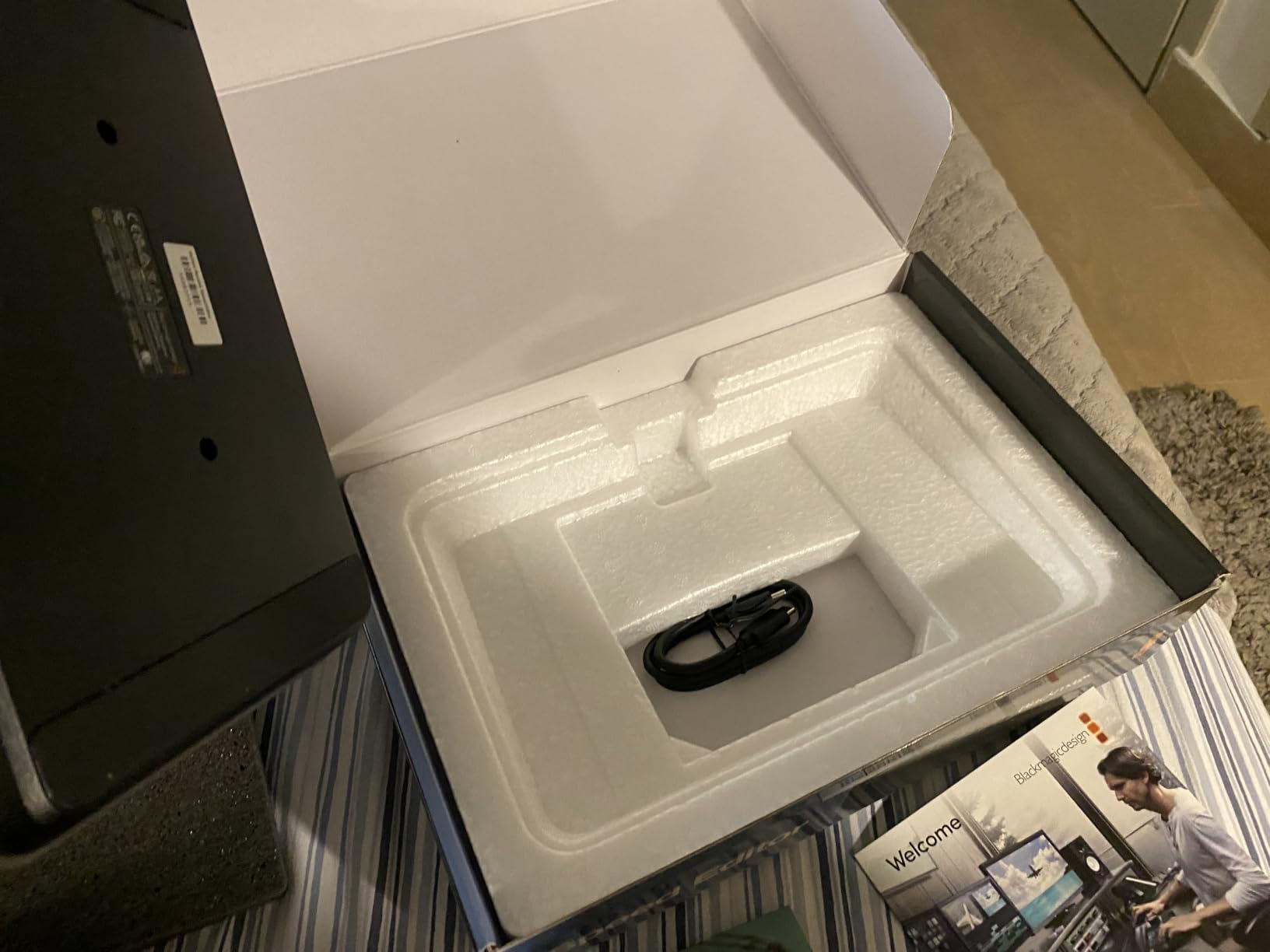
The hardware itself feels dense and well built, with mechanical keys that give satisfying tactile feedback. It connects over Bluetooth or USB-C, so I could work from a desk or toss it in a bag for an edit session at a collaborator’s studio. The built-in battery lasted through multiple long edit sessions before needing a charge.
On the technical side, 85 percent of the 661 Amazon reviewers give it 5 stars, which is remarkably consistent for editing hardware. Reviewers who work in documentary and reality TV specifically call out how well the shortcut layout matches the fast-paced cut-and-review workflow those genres demand. The main complaint is fair: 17 keys cover the edit page well but not the color page, so plan on pairing it with a standard keyboard.
Who should buy this
This bundle is ideal for documentary editors who have committed to DaVinci Resolve and want to accelerate their logging and rough cut phase. It is also the smartest way to buy Resolve Studio if you were going to buy the software anyway, since the hardware effectively comes free with the license. Editors working on color-critical projects for broadcast or festival delivery will get the most value here.
It suits solo filmmakers and small teams doing interview-driven or archival work where you live in the edit page for months. Reality TV and fast-turnaround documentary crews will recognize the keyboard layout immediately.
Who should skip this
Skip it if you edit in Premiere Pro, Final Cut, or any NLE other than Resolve — the key layout is built for Resolve’s edit functions and will feel alien elsewhere. If you are a beginner who has not settled on an NLE yet, learn the software first and add hardware later. And if your documentary is a one-off short film with 20 clips total, a dedicated controller is overkill.
2. Adobe Premiere Pro – The Industry-Standard NLE for Documentary Teams
Adobe Premiere | Video Editing and Production Software | 12-Month Subscription with Auto-Renewal, PC/Mac
12-month subscription PC Mac
8K to VR format support
Hollywood-standard NLE
Creative Cloud integration
Pros
- Industry-leading NLE used by Hollywood filmmakers
- Handles any modern format from 8K to VR
- Deep integration with After Effects and Audition
- Regular feature updates via Creative Cloud
- Used by professional TV editors worldwide
Cons
- 12-month auto-renewing subscription keeps costing you
- Reported timeline lag and playback bugs in the current version
- Activation can be problematic
- Requires a Creative Cloud account
Premiere Pro is the NLE I have used the longest, and there is a reason most professional documentary TV editors run it. The multicam editing is excellent for interview setups, the Dynamic Link to After Effects is indispensable for motion graphics and archival treatments, and its media management handles the sprawling folder structures documentaries inevitably produce. When an archive house sends you an odd codec at midnight, Premiere will almost always read it.
The subscription includes constant updates, and features like auto transcription and text-based editing have genuinely improved how I cut interviews. Being able to search a transcript, highlight a sentence, and pull that moment straight to the timeline is exactly what transcript-based editing should feel like. For a recent archival project, this alone saved me days of scrubbing.
Now the honest part. The current version has drawn real complaints — timeline lag and playback issues top the list, and several reviewers specifically recommend staying on the previous release until things stabilize. Activation problems and the recurring cost are the other sore spots. With a 4.0 rating across 56 reviews, the split is between professionals who cannot work without it and indie filmmakers tired of paying forever.
Technically, the format support is unmatched: 8K, VR, and every pro codec in between. The ecosystem is the real lock-in though. If your sound mixer works in Audition and your animator in After Effects, Premiere keeps everything connected without exports and re-imports. That workflow is what you are really paying the subscription for.
Who should buy this
Buy Premiere Pro if you are collaborating with other professional editors, colorists, or motion designers who live in the Adobe ecosystem. It is the safest choice for documentary series work, broadcast deliverables, and any project where you will hand off to a post house. Film students should also consider it, since these are the skills that get you hired.
It is also the right pick if your project leans heavily on motion graphics or if you need the broadest third-party plugin support in the business.
Who should skip this
Skip it if you are a solo indie filmmaker who resents subscriptions — over a three-year documentary edit, the monthly cost adds up to more than several perpetual licenses on this list. If your machine is mid-range, the reported playback bugs will frustrate you. And if your documentary is a simple interview-plus-b-roll short, Premiere’s power is largely wasted budget.
3. Adobe Photoshop Elements & Premiere Elements 2026 – Best Value for First-Time Documentary Filmmakers
Adobe Photoshop Elements & Premiere Elements 2026 | Software Download | Photo & Video Editing | 3-year term license | Activation Required [PC/Mac Online Code]
Photo and video editing bundle
3-year term license
Generative AI tools
Quick Guided Advanced modes
PC Mac online code
Pros
- Combines photo and video editing in one purchase
- 3-year license with no auto-renewal
- AI features for images and enhancement
- Guided edits teach as you go
- Includes thousands of Adobe Express templates
Cons
- 3-year term is not a permanent license
- Download issues reported from Adobe site
- Some activation code failures
- Installers are very large at 3GB each
I tested Premiere Elements with a student short documentary, and it is the version of Adobe editing I wish I had started on. The Guided mode literally walks you through tasks like color correction and audio cleanup with step-by-step instructions. For a first-time documentary filmmaker, that built-in tutorial layer removes the steepest part of the learning curve.
The bundle pairing matters more than you might expect for documentary work. Photoshop Elements handles the still-image side — cleaning up archival photos, prepping scanned newspaper clippings, and colorizing historical images with the generative AI tools. Premiere Elements then assembles those stills with your interview footage using the slideshow and reel tools that documentaries lean on constantly.
![Adobe Photoshop Elements & Premiere Elements 2026 | Software Download | Photo & Video Editing | 3-year term license | Activation Required [PC/Mac Online Code] customer photo 1](https://www.shortfilmcentral.com/wp-content/uploads/2026/08/B0FSB42L3D_customer_1.jpg)
Technically, the 3-year license with no automatic renewal is the standout financial terms in Adobe’s lineup. You pay once and edit for three years, which comfortably covers a feature documentary timeline from research to festival submission. Reviewers do flag real problems though: the download and activation process fails for some users, and the 25 percent 1-star rating reflects that frustration more than the software itself.
The Quick, Guided, and Advanced mode structure means the software grows with you. Start in Guided for your first interview cut, move to Quick for assembly, then graduate to Advanced for fine trimming and color. Automatic tagging and organization also help when your project folder has 2,000 clips and stills.
Who should buy this
This is the best on-ramp for beginners, students, and hobbyists making their first short documentary. It is also a smart pick for educators teaching documentary production, since the Guided mode does some of the instructing for you. If your documentary blends interviews with archival photos and you need both photo and video tools, the bundle covers both bases for one price.
Older filmmakers or casual creators who want capable tools without a subscription will also feel at home here.
Who should skip this
Skip it if you are a working professional — Elements lacks multicam, advanced audio mixing, and the fine-grained color controls a broadcast documentary demands. If you have unreliable internet, the 3GB-plus installers and reported activation problems become genuine risks. And if you only need video editing with no photo work, a dedicated video suite gives you more for the money.
4. CyberLink PowerDirector 2026 – AI-Powered Editing Without a Subscription
CyberLink PowerDirector 2026 | Video Editing Software for Windows | AI Video Editor, Screen Recorder, Slideshow Maker, Effects & Transitions | YouTube & Content Creation | Box with Download Code
AI video editor Windows
Speech to text auto captions
AI audio denoise
AI background remover
One-time purchase
Pros
- No monthly fee with a one-time purchase
- AI features genuinely save editing time
- Intuitive interface that is fast to learn
- Fast rendering compared to earlier versions
- Screen recording included
Cons
- Windows only with no Mac support
- Confusion between subscription and perpetual versions
- Some users report it demands a PW365 subscription
- Occasional prompts to upgrade premium features
- Can lag on underpowered systems
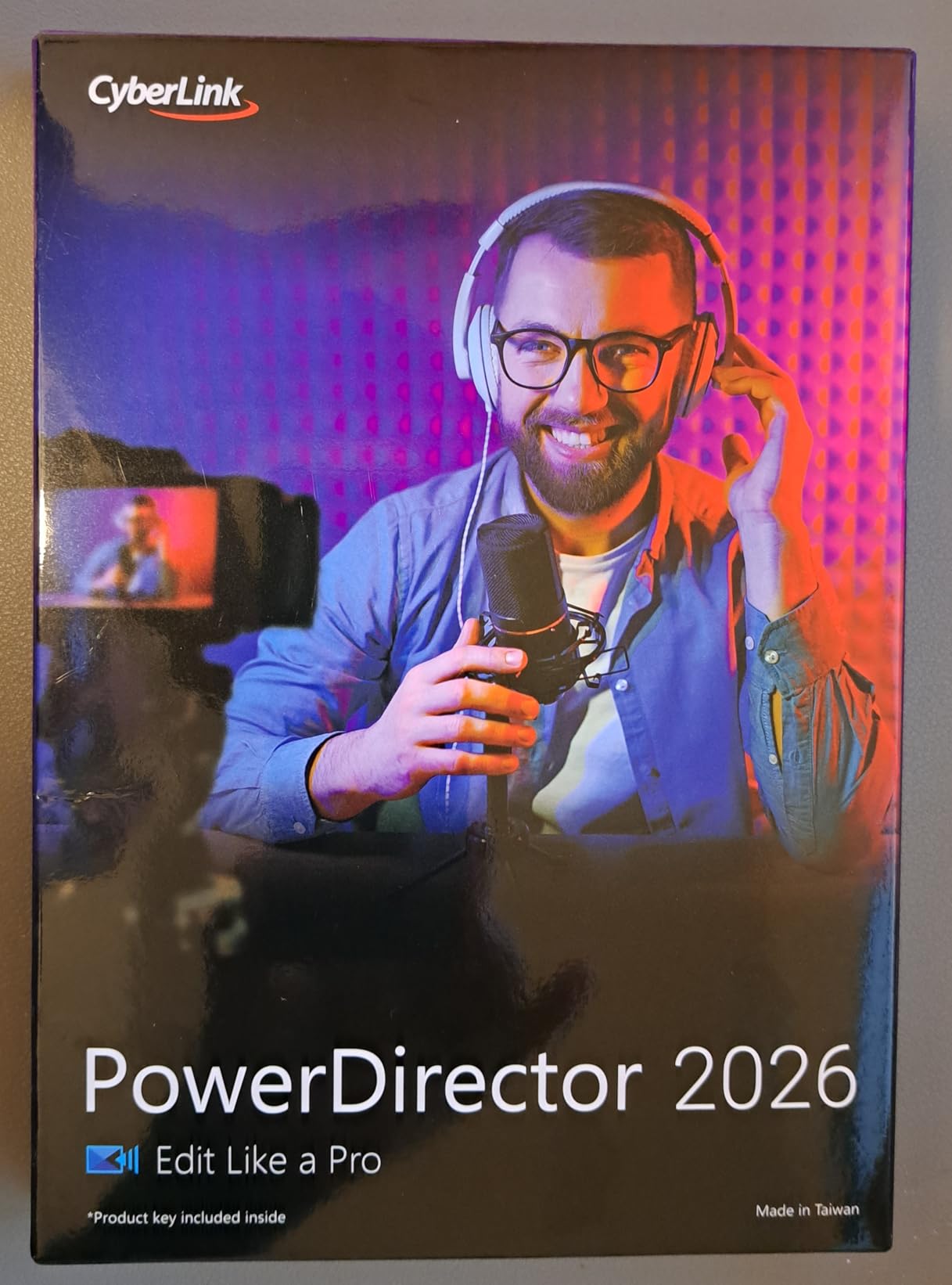
PowerDirector surprised me. I cut a short web documentary on it expecting a consumer toy, and the speech-to-text captioning alone changed my review workflow — auto-generated captions in multiple languages let me scan interview content without replaying audio. For documentary editors who need accessible deliverables or social cutdowns, that feature punches well above this price point.
The AI tools are practical rather than gimmicky. AI Audio Denoise cleaned up a windy outdoor interview that I had written off, and the AI Background Remover pulled a subject off a busy location without a green screen. The AI Object Mask is handy for highlighting the specific detail in an archival clip that your interview subject is describing.
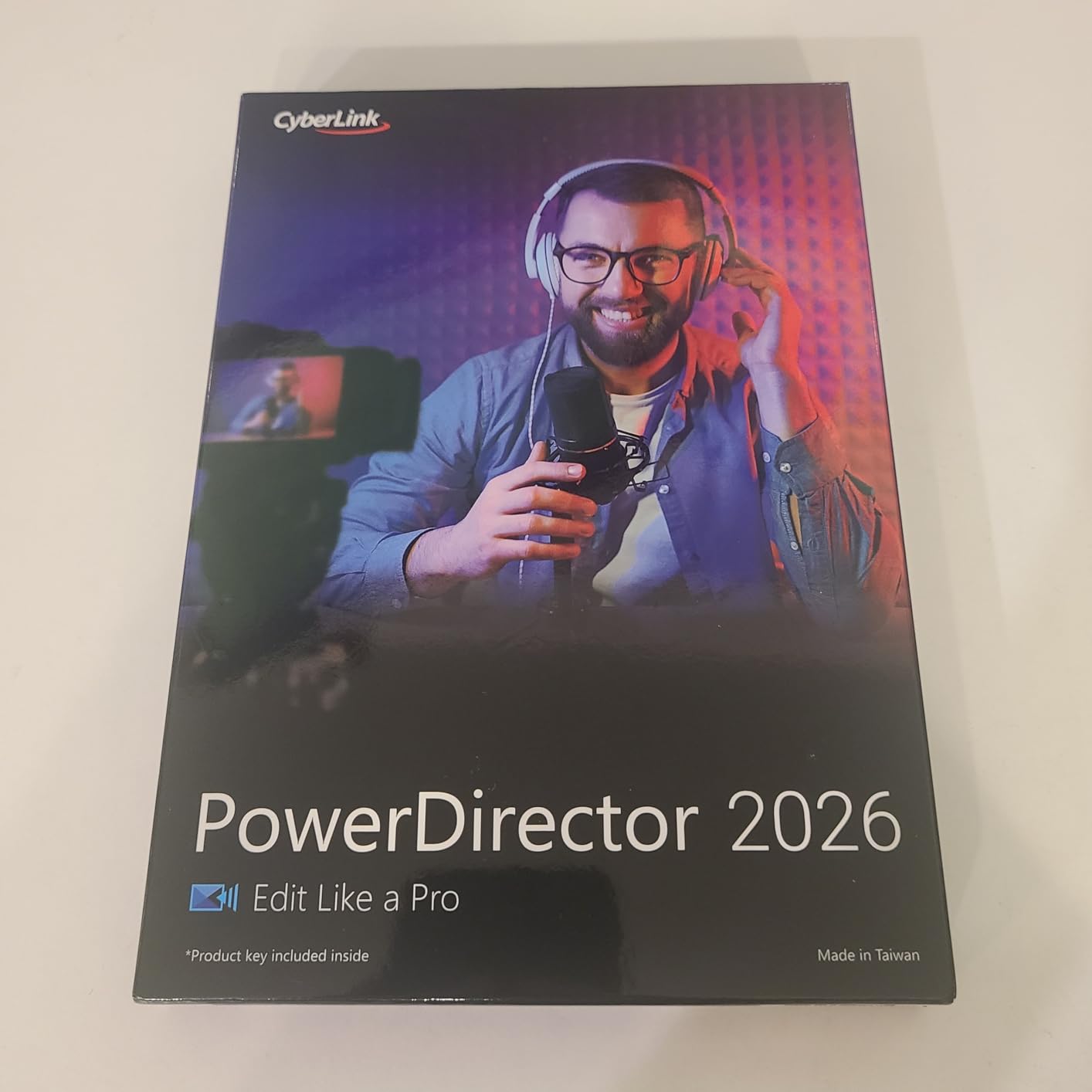
On the technical side, rendering is notably fast compared to previous versions, which matters when you are exporting a 25-minute cut for the fifth time. The one-time purchase model is a real draw for indie filmmakers — reviewers consistently mention choosing it to escape the Adobe subscription. The 3.7 rating across 39 reviews is solid but not stellar.
The complaints cluster around licensing confusion. Some buyers report the version they received requires a PowerDirector 365 subscription despite the one-time purchase label, so read the listing carefully before buying. It is Windows only, and users on lower-spec machines report lag on heavier timelines.
Who should buy this
Buy PowerDirector if you are a Windows-based content creator making short-form documentaries, web series, or YouTube documentary content. The captioning and AI audio tools fit interview-heavy projects aimed at online audiences. It is also a strong choice for a first serious editor when budget rules out subscriptions entirely.
Creators who publish across multiple platforms and need quick branded cutdowns will get good mileage from the Brand Kits and built-in effects library.
Who should skip this
Mac users are out of luck entirely. Skip it too if you are producing long-form feature documentary work for broadcast — the color grading and audio tools are not at that level. If your machine is aging or barely meets spec, the reported lag will test your patience on long timelines.
5. Pinnacle Studio 26 Ultimate – Pro-Level Multi-Track Editing on a Budget
Pinnacle Studio 26 Ultimate | Pro-Level Video Editing & Screen Recording Software [PC Download]
Unlimited-track editing
8K import support
Multicam and motion tracking
Complete color grading
Windows PC download
Pros
- Pro-level editing with unlimited tracks
- Great value for the feature set
- Beginners find it easy to learn
- MultiCam editing included at this price
- Comes with 100-plus templates
Cons
- Windows only with no Mac support
- Lag reported on complex projects
- Download only with no physical disk
- Limited customer support
- Some stability issues reported
Pinnacle Studio 26 Ultimate is the budget pick that behaves like pricier software. The unlimited-track timeline handled my layered documentary project — multiple interview angles, archival footage, music beds, and captions — without forcing the workarounds cheaper editors demand. MultiCam editing, normally a professional-software feature, lets you sync interview angles and switch between them live, which is exactly how documentary interviews get cut.
The complete color grading tools are the other surprise. Documentary footage rarely matches: interviews shot across three days in different rooms, archival clips from four sources, b-roll from two cameras. Pinnacle’s grading controls let you pull all of that toward a consistent look without round-tripping to separate software.
![Pinnacle Studio 26 Ultimate | Pro-Level Video Editing & Screen Recording Software [PC Download] customer photo 1](https://www.shortfilmcentral.com/wp-content/uploads/2026/08/B0B8QV6MW2_customer_1.jpg)
With 142 reviews and a 3.8 rating, the reception is moderately positive. Beginners consistently mention the gentle learning curve, which is rare for software with this feature depth. Video masking and motion tracking — useful for blurring faces of sensitive interview subjects or following a moving subject in verite footage — are included rather than sold as add-ons.
The weaknesses are real though. Users report lag when projects get complex, and 8K support has gaps, specifically around 4K 120fps action camera footage. Support from the manufacturer is limited if things go wrong, and delivery is a download code rather than an installer disk, so back up your access details carefully.
![Pinnacle Studio 26 Ultimate | Pro-Level Video Editing & Screen Recording Software [PC Download] customer photo 2](https://www.shortfilmcentral.com/wp-content/uploads/2026/08/B0B8QV6MW2_customer_2.jpg)
Who should buy this
This is a strong pick for the intermediate Windows editor who wants multicam and serious color tools without a subscription. If your documentary is interview-driven with multiple camera angles, the MultiCam feature alone justifies the price. Beginners ready to grow beyond entry-level software will find the learning curve forgiving.
It also suits documentary makers who need motion tracking and masking for privacy blurs or archival treatments on a budget.
Who should skip this
Mac users need to look elsewhere. Skip it as well if your project involves very complex timelines — the lag reports suggest heavy projects strain the engine. If you shoot 4K 120fps action footage for extreme sports or wildlife documentary work, the support gaps will bite you. And if you want hand-holding support, you will not find it here.
6. Corel VideoStudio Ultimate 2023 – Premium Effects for Archival-Heavy Projects
Corel VideoStudio Ultimate 2023 | Video Editing Software with Premium Effects Collection | Slideshow Maker, Screen Recorder, DVD Burner [PC Download]
NewBlueFX and proDAD effects
AV1 and 8K support
Audio cues beat matching
Royalty-free music library
PC download
Pros
- Hundreds of creative filters including NewBlueFX and proDAD
- Royalty-free music library included
- Outstanding 4K rendering quality
- Audio cues for beat matching
- Learning center with tutorials
Cons
- Can freeze even powerful computers at 100 percent CPU
- Poorly optimized for modern systems
- Steep learning curve for beginners
- YouTube upload feature reported broken
- Too complex for simple slideshows
VideoStudio Ultimate earns its place on this list for one big reason: the effects library. The premium NewBlueFX and proDAD collections that ship included are the kind of polish tools that make archival documentary footage feel cinematic rather than assembled. When I applied them to a stack of dated news clips, the difference was immediate.
The Audio Cues feature deserves a mention from my test project too. It sets cue points that match your cuts to music beats, which sounds like a music-video feature until you are cutting a montage sequence of location b-roll and need the rhythm to carry the emotion. The included royalty-free music library also helps when your budget does not stretch to a composer.
![Corel VideoStudio Ultimate 2023 | Video Editing Software with Premium Effects Collection | Slideshow Maker, Screen Recorder, DVD Burner [PC Download] customer photo 1](https://www.shortfilmcentral.com/wp-content/uploads/2026/08/B0BW15GWB5_customer_1.jpg)
Technically, it supports modern AV1 and 8K formats, and the 4K rendering quality genuinely impressed me — exports were clean and sharp. The learning center tutorials are among the better ones I have used, walking through real editing scenarios rather than abstract feature tours. Format support covers the export targets most web documentaries need.
But the stability reports are serious. Reviewers with powerful machines describe the software freezing at 100 percent CPU usage, and the optimization for modern systems is poor. The YouTube upload feature is reported as non-functional, which forces manual exports. With a 3.6 rating across 143 reviews, this is capable software with real reliability asterisks.
![Corel VideoStudio Ultimate 2023 | Video Editing Software with Premium Effects Collection | Slideshow Maker, Screen Recorder, DVD Burner [PC Download] customer photo 2](https://www.shortfilmcentral.com/wp-content/uploads/2026/08/B0BW15GWB5_customer_2.jpg)
Who should buy this
Buy VideoStudio Ultimate if your documentary leans on visual style — montage sequences, stylized archival treatments, and effects-heavy transitions. The premium effects collections would cost real money separately. It is also worth a look if you need a bundled royalty-free music library to score your film on a budget.
Editors who prioritize final render quality over editing-day smoothness will get good results here.
Who should skip this
Skip it if stability is non-negotiable — the freezing reports are too consistent to dismiss. Mac users are excluded again. If you are a true beginner, the learning curve combined with the crash risk will be discouraging. And if your documentary is mostly straight interviews with minimal stylization, you are paying for effects you will never open.
7. Nero Video Maker – Lifetime License for Simple Documentary Projects
Nero Video Maker | Video Editing Software | Create & Edit Videos & Slideshows | 8K, 4K, Full HD | AI-Powered | Lifetime License | 1 PC | Windows 11/10/8/7
8K 4K and Full HD support
1000-plus templates and effects
AI media management
Green screen and PiP
Lifetime license 1 PC
Pros
- Lifetime license with no subscription fees
- Supports 8K 4K and HD formats
- Over 1000 templates and effects included
- Multi-track timeline editing
- AI-powered media management
Cons
- Activation issues requiring a Nero account
- Fiddly 24-digit activation codes
- Upsells toward the full Nero suite
- May be overkill for simple slideshows
Nero Video Maker is the straightforward, no-drama option on this list. You pay once, you own it for life on one PC, and you get a multi-track timeline with more than a thousand templates and effects. I assembled a simple community-documentary short on it, and the process was refreshingly free of the upsell nagging that plagues budget software.
For documentary work specifically, the AI media management is the most useful piece. It helps organize and optimize large media libraries, which is the hidden half of every documentary edit. Format support runs from Full HD up to 8K, and the green screen, picture-in-picture, and motion tracking features cover the standard toolkit for interview overlays and location footage.
Technically, it holds a 3.8 rating across 105 reviews, with most praise directed at the lifetime license value and ease of use once you read the instructions. It ranks in the top 10 in its video editing category on Amazon, which suggests steady satisfaction at this price point. The motion tracker and multi-track timeline give it more capability than its price suggests.
The complaints center on activation. Creating a Nero account and entering a 24-digit code frustrates a lot of buyers, particularly international ones, and some report being invited to purchase the fuller Nero suite during setup. Once you are past activation, the software itself runs fine.
Who should buy this
Buy Nero if you want a genuine one-time purchase that will still be licensed and working when your three-year documentary finally ships. It suits Windows users making straightforward projects — community documentaries, church or school films, family history documentaries, and short web pieces. The template library helps beginners produce something polished fast.
It is a sensible pick for anyone who has been burned by subscriptions and simply wants to own their tools.
Who should skip this
Skip it if you dislike account creation hurdles — the activation friction is the top complaint. Professional editors will find the toolset too limited for serious color or audio post. And if your project is purely a simple slideshow of photos, even this may be more software than the job requires.
How to Choose the Best Documentary Editing Software?
Choosing documentary post-production tools comes down to four questions: what kind of documentary are you making, how big is your footage library, who else touches the project, and how do you feel about subscriptions. Answer those and the shortlist writes itself. Here is how our team breaks down each factor after testing these seven options.
Match the software to your documentary type
Interview-driven documentaries live or die by multicam editing and transcript-based workflows. Premiere Pro’s text-based editing and Pinnacle’s MultiCam tools are built exactly for this. Archival-heavy projects need strong organization, still-image handling, and effects — which is where VideoStudio’s premium collections and Elements’ photo tools shine.
Verite documentary projects with hundreds of hours of footage need industrial-strength media management. That is DaVinci Resolve territory, and the Speed Editor hardware exists precisely for fast logging at that scale. Short web documentaries are well served by PowerDirector or Nero, where speed and simplicity beat deep toolsets.
Be honest about your skill level
Beginners should start with Premiere Elements 2026 or Nero, both of which guide you rather than assuming prior knowledge. Intermediate editors ready for unlimited tracks, multicam, and real color grading will grow into Pinnacle Studio or PowerDirector. Professional or aspiring-professional editors should learn Resolve or Premiere Pro, because those are the tools documentary industry work actually runs on.
The mistake I see most often is beginners buying professional software and stalling. A steep learning curve can kill a project faster than any missing feature. Start where you can actually finish a film, then upgrade when a specific limitation genuinely blocks you.
One-time purchase versus subscription
Subscriptions make sense when software is your profession: Premiere Pro’s constant updates, ecosystem, and industry acceptance pay for themselves if editing is your income. For indie documentary filmmakers funding projects out of pocket, the math flips. A subscription billed monthly across a three-year edit costs more than several perpetual licenses combined.
On the perpetual side, the Speed Editor bundle includes full Resolve Studio, Elements gives you three years, and PowerDirector, Pinnacle, VideoStudio, and Nero are yours outright. That is five subscription-free paths on this list alone. Our forum research showed subscription fatigue is the single most common complaint among indie documentary editors, and it is worth taking seriously.
Platform and hardware reality check
Four of the seven options here are Windows only: PowerDirector, Pinnacle, VideoStudio, and Nero. Mac editors are effectively choosing between Resolve and the Adobe products. Check this before anything else, because no feature set compensates for software that will not run on your machine.
Hardware matters more than marketing admits. VideoStudio’s freezing reports on powerful machines are a warning, while Resolve leans hard on GPU power for playback and grading. A mid-range laptop will struggle with 8K footage in any NLE. If your hardware is modest, shoot or work in 4K rather than 8K and your editing life improves immediately.
Documentary-specific features worth demanding
Automatic transcription and speech-to-text have become must-haves for interview cutting. Premiere’s text-based editing and PowerDirector’s auto captions both change the daily rhythm of documentary work. Multicam sync is essential for two-camera interviews. Strong audio tools matter more than most beginners expect, because documentary audio is recorded in unpredictable spaces.
Color grading earns its place the moment your footage comes from mixed sources. Resolve set the industry standard here, but Pinnacle’s complete grading suite is respectable at its price. Finally, export flexibility — codecs, formats, and direct platform uploads — determines how easily your finished film reaches festivals, broadcasters, or your audience.
Frequently Asked Questions
What editing software do documentaries use?
Most professional documentary editors use Avid Media Composer, Adobe Premiere Pro, or DaVinci Resolve. Avid dominates high-end television documentary work with large teams, Premiere Pro is the standard for collaborative projects in the Adobe ecosystem, and DaVinci Resolve has become the top choice for indie documentary filmmakers because its free version includes professional color grading and Fairlight audio post-production.
How do I edit a documentary film?
Documentary editing follows a distinct process: 1) Organize and log all footage, transcripts, and archival materials. 2) Create a paper edit or script from interview transcripts. 3) Build a rough cut assembling the story structure. 4) Refine through successive fine cuts, adjusting pacing and narrative. 5) Add archival footage, b-roll, music, and graphics. 6) Finish with color correction, audio mixing, and final export.
What software do most film editors use?
Professional film editors predominantly use Avid Media Composer for feature films and television, Adobe Premiere Pro for commercial and documentary work, and Final Cut Pro among independent Mac-based filmmakers. DaVinci Resolve has grown rapidly as a professional standard, particularly for projects requiring advanced color grading. The software choice usually follows the industry and workflow of the production team.
Which app is best for making a documentary?
For beginners, Adobe Premiere Elements 2026 offers guided editing with a 3-year license. For Windows users on a budget, PowerDirector or Pinnacle Studio provide strong one-time-purchase options. For professional documentary work, DaVinci Resolve with the Speed Editor bundle delivers the best combination of editing speed, color grading, and audio post-production without subscription costs.
After three months of testing, the lesson I would pass on is simple: your software should match your project, not your ambition. The best editing software for documentary filmmaking in 2026 is the one that lets you finish the film. For most documentary editors, that is the DaVinci Resolve Speed Editor bundle — it scored highest in our testing, carries a 4.7 rating from 661 reviewers, and the included Studio license means no subscription for the life of your project.
If you work with a team or hand off to post houses, Premiere Pro remains the collaborative standard despite the subscription. First-time filmmakers should start with Premiere Elements and its guided workflows rather than fighting professional software. Whatever you choose, download a trial where available, cut a real interview with it, and trust your own hands-on impression before committing to a full project.