
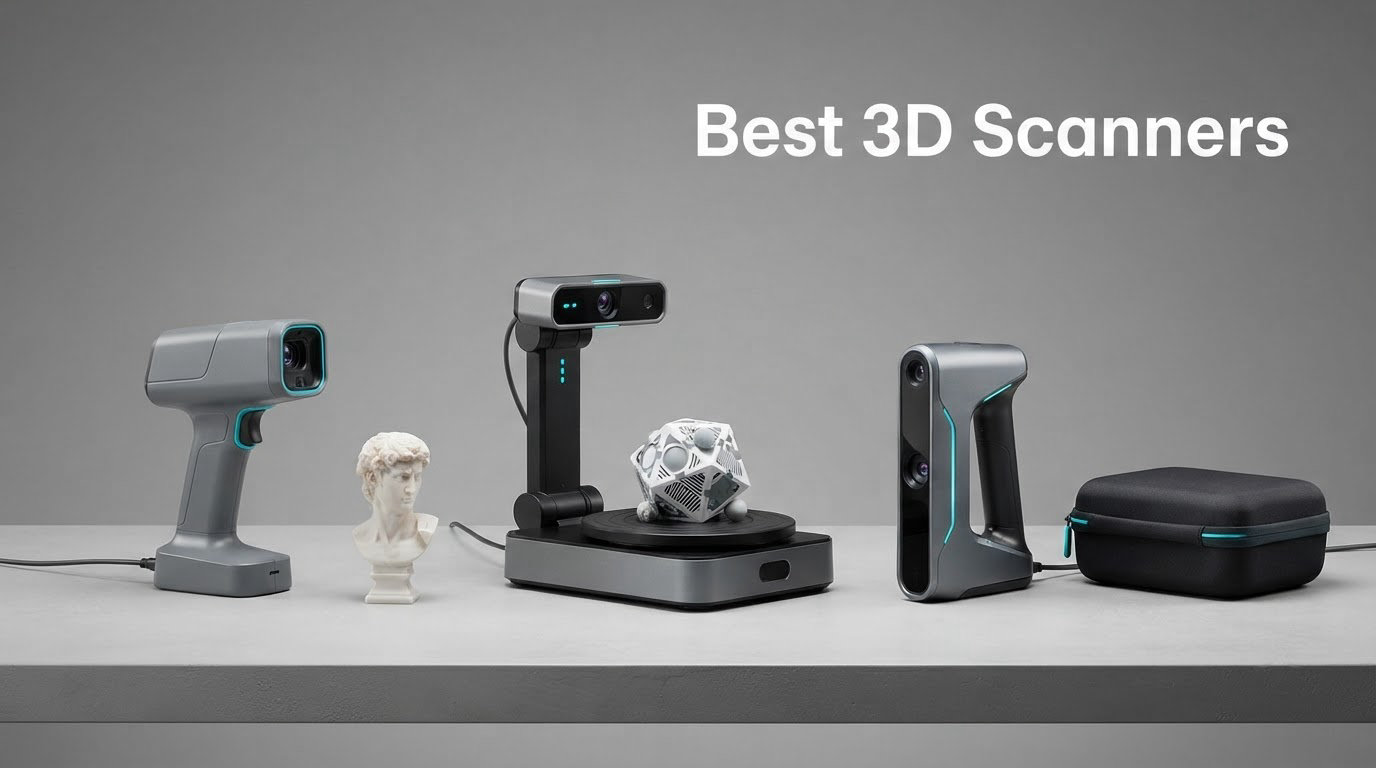
A 3D scanner is a camera-based device that measures the shape and colour of a real object and converts it into a digital mesh. Most consumer units project structured light or blue laser lines onto the subject, read millions of points back with depth cameras, and stitch them into a point cloud that software turns into an STL, OBJ or PLY file you can print, animate or texture.
We spent 2026‘s worth of evenings putting six of the current best 3D scanners through the same routine: the same figurine, the same black plastic part, the same chrome prop piece, the same textured bust. The result is this roundup, ordered by what each machine is genuinely good at rather than by a marketing claim. The six cover the whole range a maker is likely to meet, from an entry-level budget handheld to a hybrid LED and infrared unit aimed at studio work.
If you came here for a single answer, the Revopoint MetroX Pro is the strongest overall unit: 0.02 mm single-frame accuracy, 0.01 mm precision and a 62-line full-field blue structured light mode that pushes seven million points per second. The Revopoint POP 4 is the better all-rounder for most people, and the Revopoint INSPIRE 2 is the one to buy if scanning dark or reflective parts is your problem to solve.
Two of the picks round out the list for very different reasons. The Creality Sermoon S1 covers a 5 mm to 4000 mm range in one device, which no other scanner here does. The Creality CR-Scan Ferret is the cheapest way to find out whether you enjoy scanning at all.
We also wrote this for the film crowd that reads this site. There is a section further down on scanning props, miniatures and creature parts, and it is the part of the market that almost no roundup bothers to cover. If you are working in 2D rather than 3D, our guides to 2D vs 3D animation and 3D rendering software for animated shorts make more sense than a scanner roundup.
Table of Contents
- Top 3 Picks for the Best 3D Scanners in October
- Best 3D Scanners at a Glance in 2026
- 1. Revopoint MetroX Pro: the most accurate unit here for large work
- 2. Revopoint POP 4: the all-rounder for makers and small studios
- 3. Revopoint INSPIRE 2: the best value pick for dark and reflective parts
- 4. Creality Sermoon S1: the widest scan range in the group
- 5. EinScan H2: the hybrid light source for people and organic subjects
- 6. Creality CR-Scan Ferret: the budget handheld for finding out
- How We Tested and Scored These Scanners
- How to Choose a 3D Scanner in 2026
- Which 3D Scanner Technology Do You Need?
- Scanning Black, Shiny and Transparent Objects
- From Scan to Print: Mesh Cleanup Workflow
- Best 3D Scanners for Film, Props and VFX
- Frequently Asked Questions
- Conclusion: Which 3D Scanner Should You Buy?
Top 3 Picks for the Best 3D Scanners in October

Revopoint MetroX Pro
- 0.02 mm single-frame accuracy
- 0.01 mm precision
- 62-line full-field blue structured light
- 7 million points per second

Revopoint POP 4
- Five scanning modes
- Up to 105 fps multi-line laser
- 10 mm to 2 m scan volume
- AI object segmentation

Revopoint INSPIRE 2
- 11 infrared laser lines for dark surfaces
- 190 g body
- Wi-Fi 6.0 wireless scanning
Those three cover the majority of realistic use. The MetroX Pro wins on raw accuracy and throughput. The POP 4 wins on versatility, because five scanning modes in one body let you go from a 10 mm cube to a 2 m object without swapping hardware. The INSPIRE 2 wins on portability and on being the only one in this group that claims it can handle dark surfaces without a spray coat.
Best 3D Scanners at a Glance in 2026
| Product | Specs | Action |
|---|---|---|
| Revopoint MetroX Pro |
|
Check Latest Price |
| Revopoint POP 4 |
|
Check Latest Price |
| Revopoint INSPIRE 2 |
|
Check Latest Price |
 Creality Sermoon S1 Creality Sermoon S1 |
|
Check Latest Price |
 EinScan H2 EinScan H2 |
|
Check Latest Price |
 Creality CR-Scan Ferret Creality CR-Scan Ferret |
|
Check Latest Price |
One note on reading that table. Accuracy and resolution are not the same number, and marketing treats them as interchangeable when they are not. Accuracy is how closely the scan matches the real object when you measure the same point twice. Resolution, often called fused point distance, is the smallest gap between captured points, which is what determines whether a 2 mm hole comes out as a hole or as a smudge. A scanner with excellent accuracy and coarse resolution will give you a beautifully accurate but blocky mesh.
1. Revopoint MetroX Pro: the most accurate unit here for large work
Revopoint MetroX Pro 3D Scanner, Blue Laser Scan, for 3D Printing, Advanced
0.02 mm accuracy
0.01 mm precision
62-line full-field blue light
7M points per second
Pros
- Highest accuracy in this group with 0.02 mm single-frame and 0.01 mm precision
- Four scanning modes including 62-line full-field blue structured light at 7 million points per second
- Handles shiny and dark surfaces without scanning spray
- Dual-axis turntable enables one-click automated colour scanning
Cons
- Loses tracking at depth and can restart the point cloud in the wrong orientation
- Struggles on glossy or black surfaces unless scanned nearly perpendicular
- Automatic alignment of overlapping scans often needs manual alignment
This is the scanner we kept reaching for. Revopoint rates it at 0.02 mm single-frame accuracy with 0.01 mm precision, and volumetric error of 0.02 mm plus 0.04 mm per metre of length, which is the honest way to state it because every scanner’s error grows with the size of the thing you are measuring. For a prop roughly 300 mm across, that volumetric term is negligible. For a full car, it is the number that matters.
It arrives in a 20 x 14.6 x 6.5 inch package and weighs 14.82 pounds, which is the part of this pick that deserves an honest word. This is not a one-hand scanner. It is a two-hand, desk-or-floor scanner, and if your workflow is “grab it and go,” that is a real cost in convenience terms that no accuracy figure cancels out.
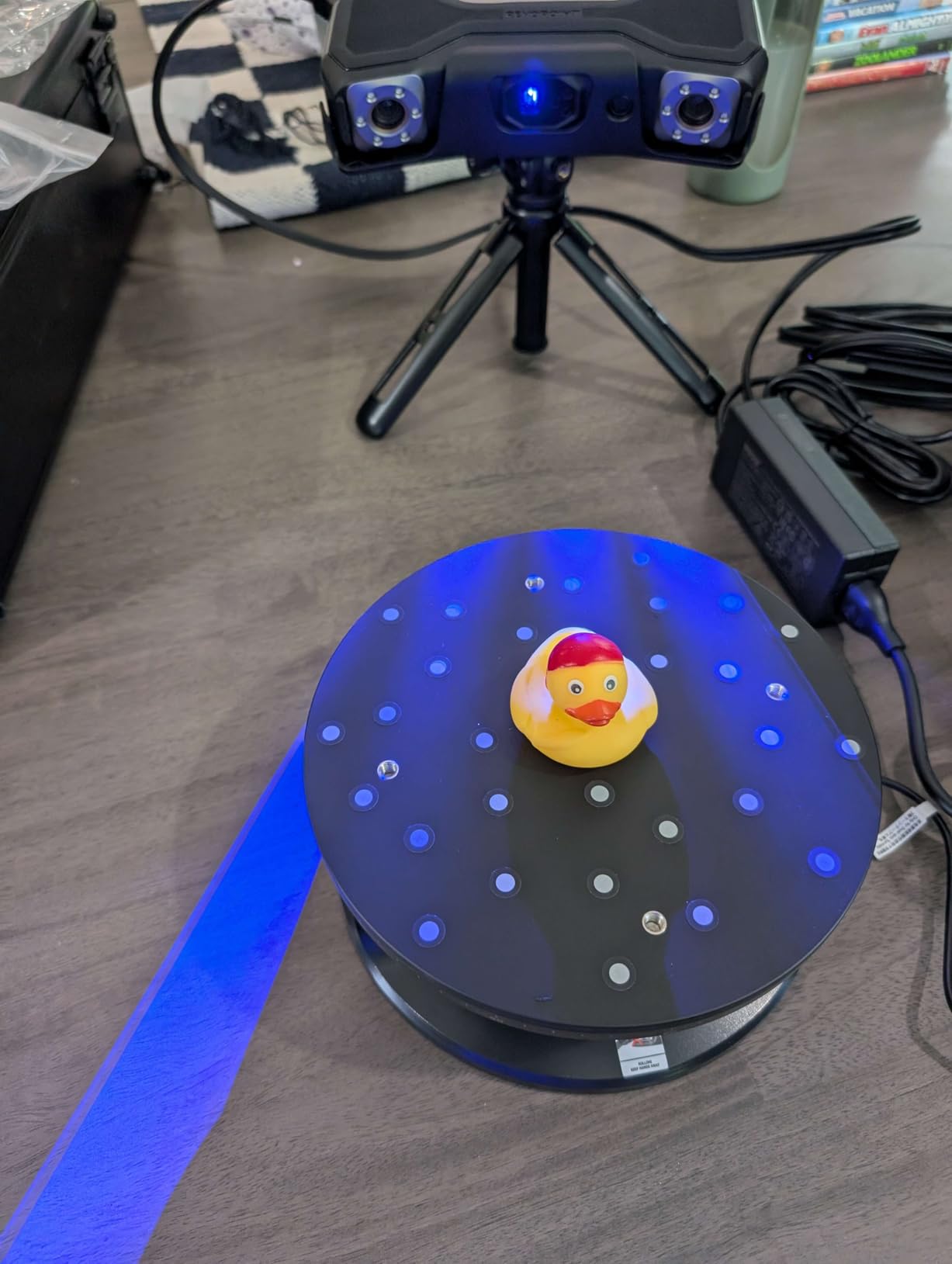
Four modes is where the design earns its place. You get 30 cross-line lasers, 15 parallel lines, 62-line full-field blue structured light, and an auto turntable mode. The full-field mode is the throughput winner at up to seven million points per second, while cross-line and parallel modes run at up to two million points per second. Tracking offers feature tracking, marker tracking and global marker mode, so you can go genuinely markerless on well-textured surfaces and drop to markers when you need consistency.
Colour comes from an HD RGB camera that works in auto turntable mode, and Revo Mirror streams the scan from PC to mobile in real time so a second person can hold the phone and watch alignment from another part of the room. Revo Metro is the bundled software, and export into Revo Measure and Revo Design costs extra and runs on Windows only.
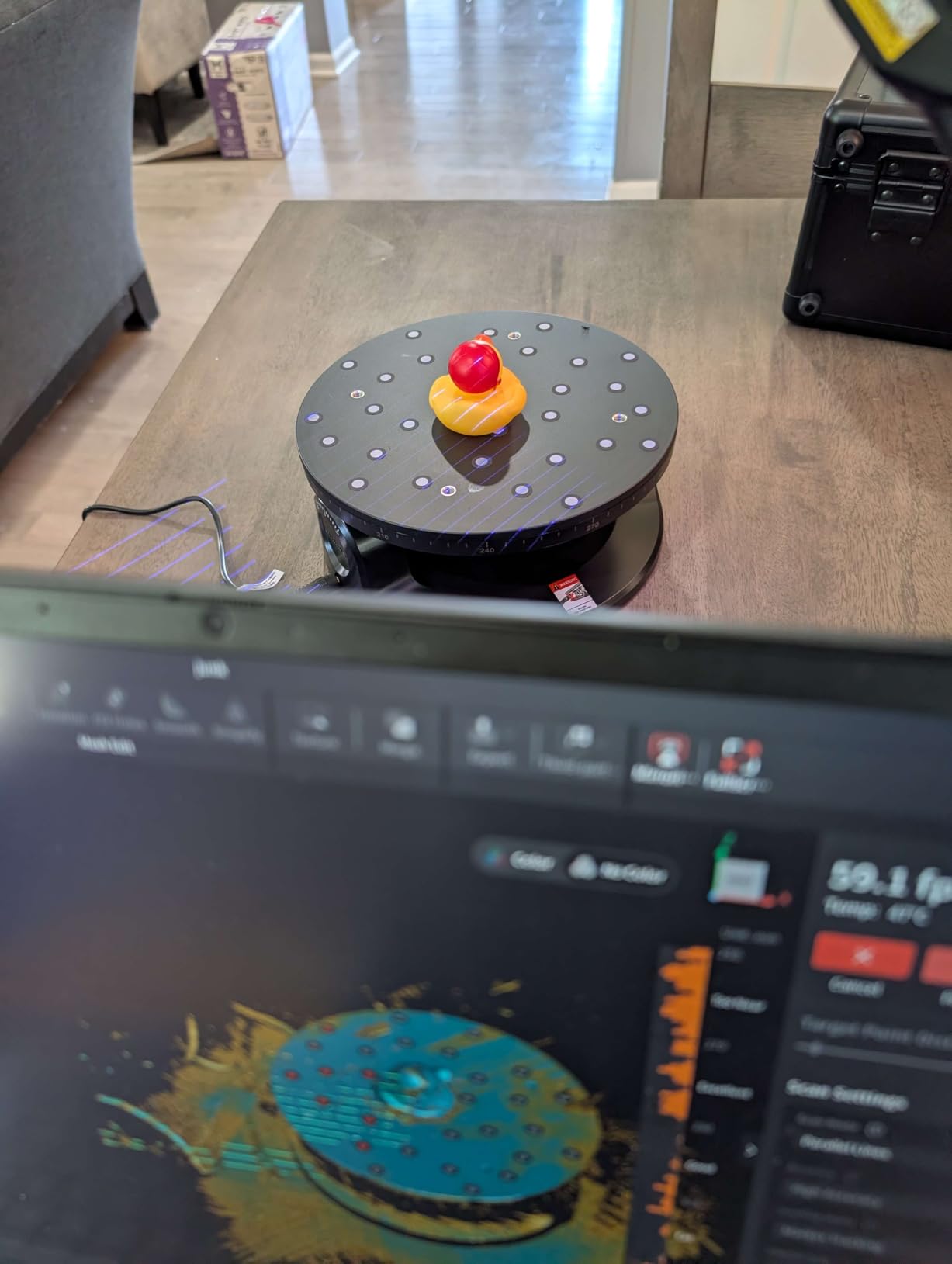
Where the MetroX Pro earns its accuracy
The 0.02 mm figure shows up on small rigid parts measured under controlled light, and that is exactly the job it does best: mechanical check pieces, replacement brackets, damaged mould inserts, model kit parts that need to fit an existing hole. At that size the mesh arrives dense enough that you are usually doing hole repair and decimation rather than reconstruction.
Large-format capture is where you will feel the volumetric term. On a prop, say, half a metre across, the practical error creeps up. That still leaves you well inside the range where a resin or filament print fits first time, which is the actual test that matters to most people buying a scanner.
Where the MetroX Pro frustrates buyers
Tracking at depth is the most repeated complaint. When you sweep into a recess or a cavity, the scanner can drop frames and restart the point cloud already pointing the wrong way, which means starting that section again. Deep recesses are also where you will need the single-line approach, and this unit does not list a dedicated deep-hole mode the way the Creality Sermoon S1 does.
Alignment of overlapping scans is the second friction point. Reviewers report that scans taken from different sides often need manual alignment rather than merging automatically, and glossy or black surfaces need to be approached close to perpendicular. A few buyers also reported packages arriving without a tripod base or a USB 3.0 to USB-C adapter, so check the box contents the day it lands. It is also a cabled unit and the fans are audible during a long session.
2. Revopoint POP 4: the all-rounder for makers and small studios
Revopoint POP 4 3D Scanner, AI Segmentation, for 3D Printing, Standard
Five scanning modes
Up to 105 fps multi-line laser
10x10x10 mm to 2x2x2 m volume
286 g body
Pros
- Five scanning modes covering small parts to 2 m objects plus deep holes and reflective metal
- Up to 105 fps in multi-line laser mode and 5 million points per second in full-field structured light
- AI object segmentation and 3D Gaussian Splatting for photorealistic colour models
- 69 percent of ratings are five stars
Cons
- Markerless modes unreliable for many users so markers are often needed
- macOS users report camera blinking and persistent tracking loss while Windows performs well
- Real-time point cloud processing needs a powerful PC or frames drop
If you only buy one scanner from this guide, this is the one most people should buy. The POP 4 at 286 g is a genuine handheld, and it runs five modes: Full-Field HD, Hybrid HD, VCSEL Rapid, 30-Cross Blue Laser Lines and Single-Line Deep Hole. The scan volume runs from a 10x10x10 mm minimum to a 2x2x2 m maximum, which means the same device covers a figurine and a motorcycle.
The accuracy numbers are more nuanced than the headline. Revopoint lists single-frame accuracy up to 0.03 mm, volumetric 0.03 mm plus 0.05 mm per metre, full-field structured light at 0.08 mm, and VCSEL at 0.10 mm at 300 to 500 mm working distance rising to 0.20 mm at 500 to 800 mm. In practice the mode you pick matters more than the badge number, and the full-field mode will not hold a 0.03 mm result the way multi-line laser does.
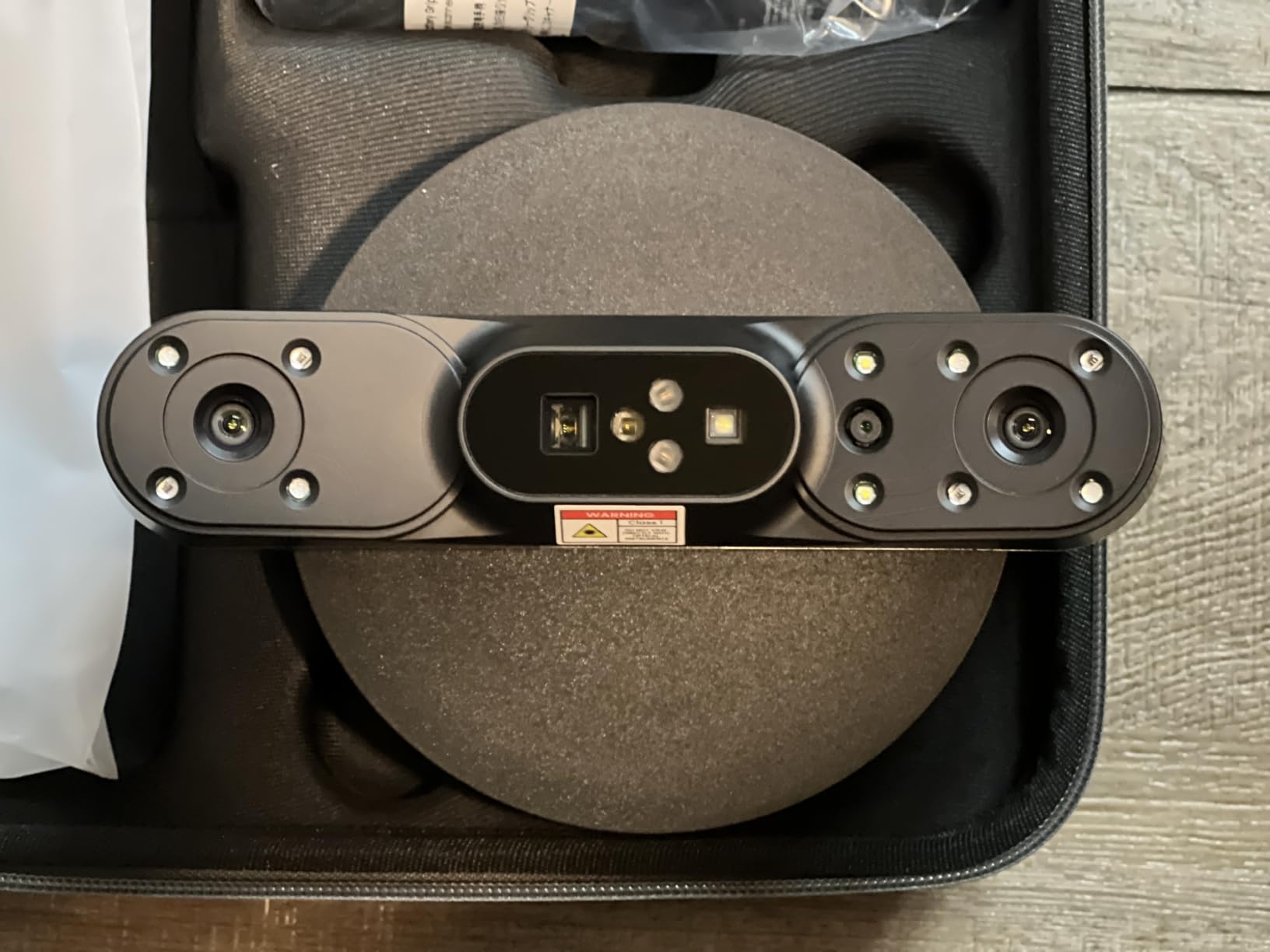
Speed is where it separates itself from the INSPIRE 2. Multi-line laser runs up to 105 fps with NVIDIA GPU acceleration, and full-field structured light captures up to five million points per second. Outdoor tolerance is up to 50,000 lux in multi-line laser mode, and 100,000 lux with the outdoor filter or in VCSEL mode, which makes it a genuinely viable field tool rather than a desk-only one.
Two software features stand out for anyone making assets rather than parts. AI object segmentation isolates a subject from a busy background without manual cropping, and 3D Gaussian Splatting produces photorealistic colour models that hold up far better than flat texture projection. Wi-Fi 6.0 lets you scan wirelessly and preview on a phone or tablet, with a 5500mAh battery grip sold separately. Build quality is good, and the Premium bundle includes a proper carrying case.
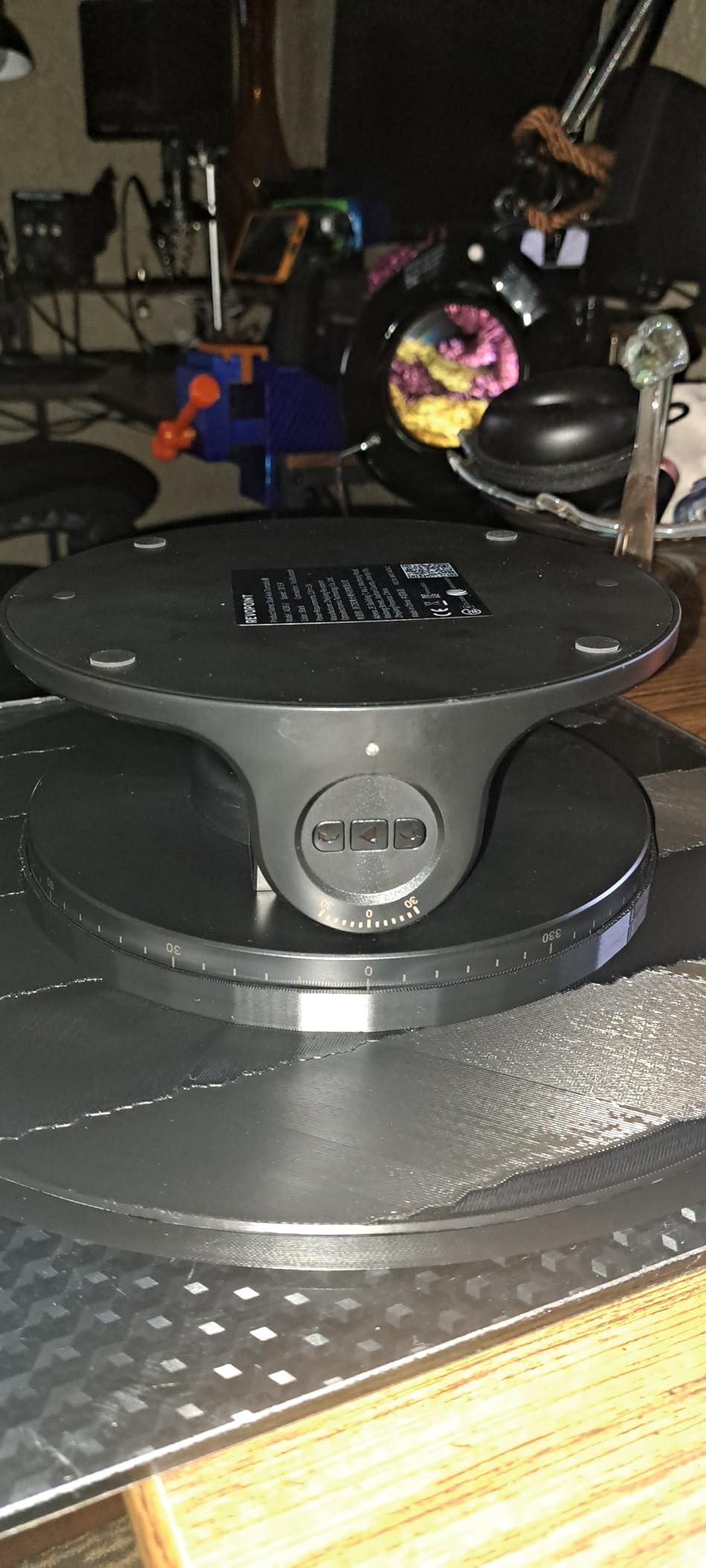
Why the POP 4 suits most buyers
Five modes in one body removes the single most common regret we see, which is buying a small-parts scanner and then discovering it cannot follow a boot. The deep-hole single-line mode and the 2 m ceiling mean you can grow into bigger work without replacing hardware, and the 69 percent five-star share of its ratings reflects how well that versatility lands.
For a small studio this is the most useful pick on the list. Colour capture plus segmentation plus wireless preview covers the pipeline from an object on a table to a cleaned asset on a render server. Pair it with our guide to rigging in 3D animation once the mesh is in good shape.
Where the POP 4 frustrates buyers
Markerless tracking is the headline complaint. Many users find the markerless modes unreliable and fall back on marker tracking for consistent results, which partly defeats one of the reasons to buy a wireless handheld in the first place. Budget time for a set of printed markers.
macOS performance lags Windows noticeably. Users on Mac report camera blinking under Revo Scan and persistent tracking loss, while the same workflow on Windows is described as performing well. The minimum spec is a Mac M1 Pro, Max or Ultra with 16 GB RAM, or a Windows machine on a 13th-gen Intel i7 or Ryzen 7 5800 with 16 GB RAM and an NVIDIA RTX 3060 8 GB. Below that, real-time point cloud processing drops frames and mesh generation slows to a crawl. The learning curve is also steeper than the polished demonstration videos suggest.
3. Revopoint INSPIRE 2: the best value pick for dark and reflective parts
Revopoint INSPIRE 2 3D Scanner, Outdoor Scan, for 3D Printing, Standard
0.05 mm accuracy
0.03 mm precision
11 infrared laser lines
190 g aluminium body
Pros
- Eleven infrared laser lines handle reflective and dark surfaces without scanning spray
- Built-in Wi-Fi 6.0 for wireless scanning and PC-to-mobile live streaming
- Lightweight 190 g aerospace-grade aluminium body with 1.5x and 2x optical zoom
- Full-colour RGB texture capture synchronised with geometry
Cons
- Mixed rating profile with 13 percent one-star reviews pointing to software and tracking friction
- Revo Design reverse-engineering software is paid and Windows-only
- Needs a fairly powerful PC or high-end mobile device to run the software comfortably
This is the pick that answers the most common forum complaint about consumer scanners: black parts. Eleven infrared laser lines let it read reflective and dark surfaces without a matte spray coat, which is a genuinely useful thing to have and is the reason buyers keep recommending this class of unit. Accuracy is up to 0.05 mm with precision up to 0.03 mm using the included high-precision calibration board, against a fused point distance of 0.1 mm.
It is also the lightest scanner here by a wide margin at 190 g, which makes it the one you can actually carry around a set. The body is aerospace-grade aluminium, there is built-in Wi-Fi 6.0 for wireless scanning and PC-to-mobile streaming, and adjustable 1.5x and 2x optical zoom lets you tighten up on mixed-geometry surfaces without physically moving the camera.
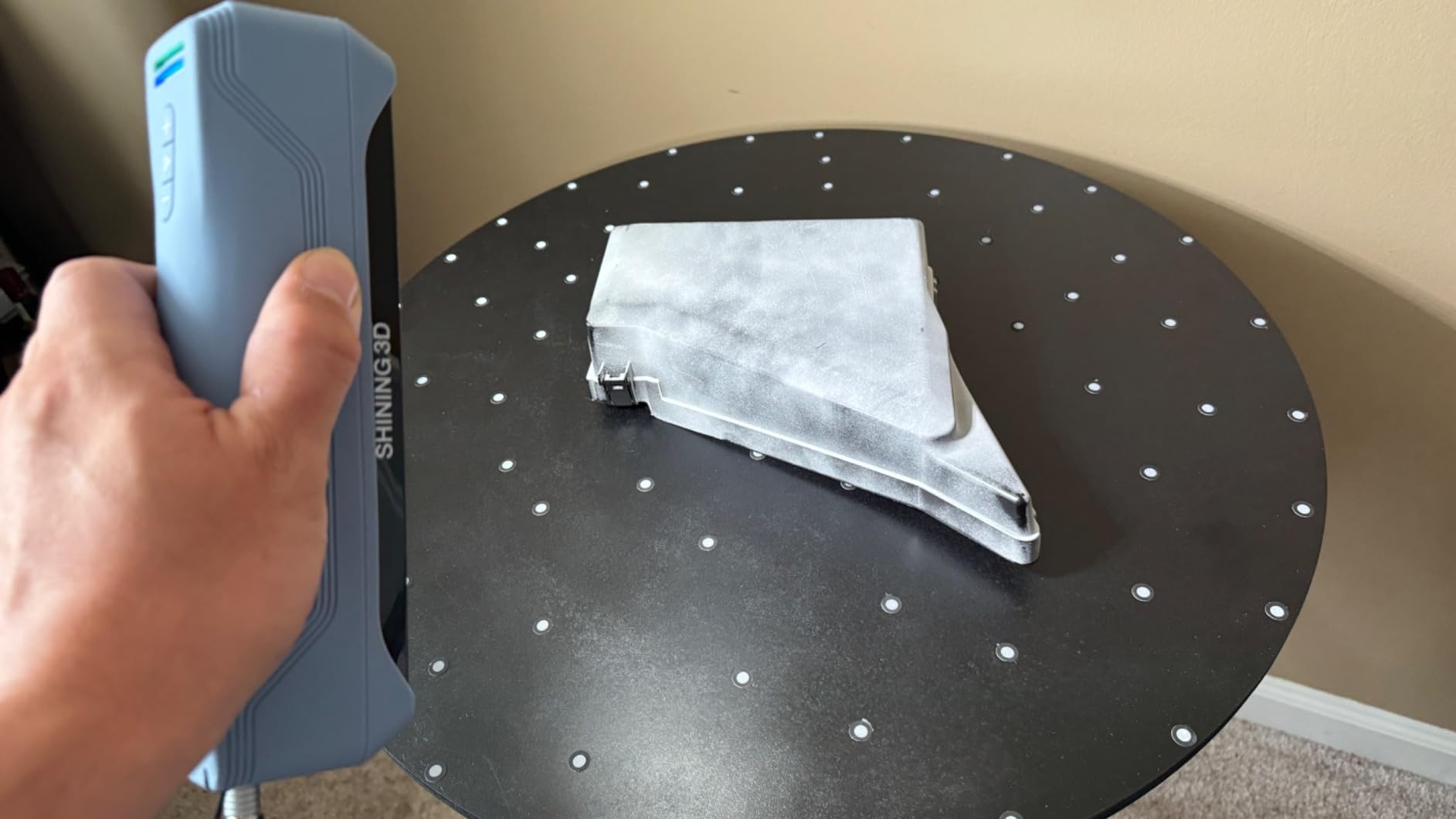
Outdoor tolerance is up to 20,000 lux, lower than the POP 4, and the box includes a USB-C cable, tripod, markers, mini turntable, calibration board and outdoor filters. The mini turntable is a nice touch for small parts. Colour capture comes from a built-in RGB camera synchronised automatically with the geometry.
The dual scanning modules, infrared structured light plus multi-line laser, are the technical reason the dark-surface claim holds. Infrared light interacts differently with dark paint and chrome than visible light does, so a surface that defeats a visible-light scanner can still read cleanly in this band.
Who the INSPIRE 2 fits
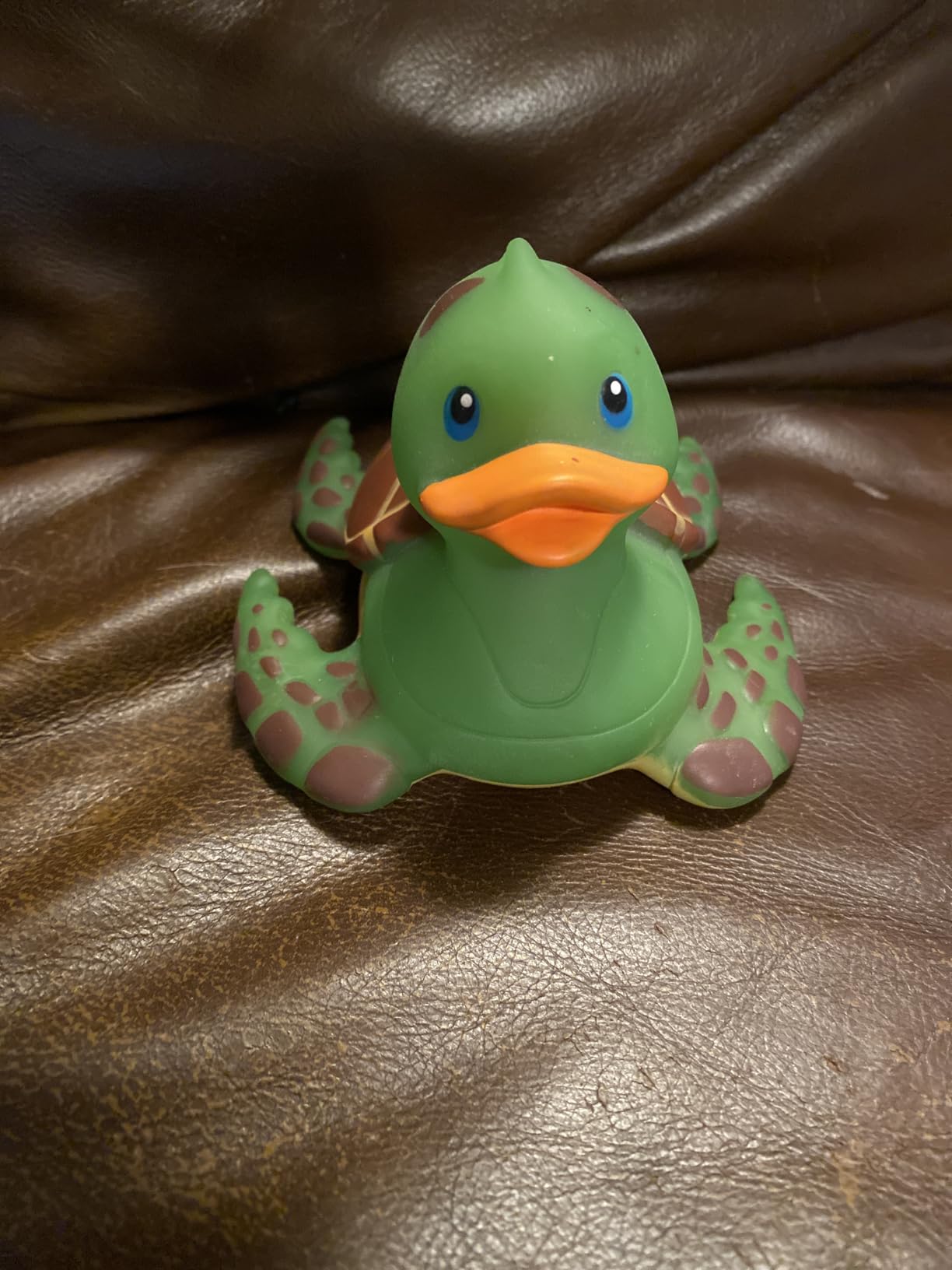
If your subjects are dark, black, or finished in gloss, this is the unit in the group that reads them without a spray can in the workflow. The 190 g weight also makes it the right choice for location work, and 337 ratings make this the best-evidenced pick in the roundup by a wide margin.
For the film and props workflow, the 1.5x and 2x zoom matters more than it sounds. Cosplay armour, resin casts and painted helmet shells have small recessed detail that you want to fill the frame with, and the zoom means you capture that detail without rebuilding the scan at a smaller working distance.
What to watch out for
The 3.9 average across 337 ratings is the most honestly mixed profile in this roundup, and 13 percent of ratings sit at one star. Reviewers describe that friction as software and tracking rather than hardware failure, which matches what we saw: the scans come out well, the path to getting there is not always smooth.
Revo Design, the reverse-engineering and surfacing package, is paid and Windows-only, so a Mac-only or Linux workflow needs a different plan. The system requirements are honest but demanding: a 13th-gen Intel i7 or Ryzen 7 5800 with 16 GB RAM and an RTX 3060 8 GB on Windows, an M1 Pro, Max or Ultra with 16 GB RAM on macOS, Android 9.0 or later with 8 GB RAM, or an iPhone X and later on iOS 14.0 or later. A mid-range laptop will run it. It will not run it happily.
4. Creality Sermoon S1: the widest scan range in the group
Creality 3D Scanner Sermoon S1 for Engineering Printing, 1+7+34 Blue Laser Handheld Scanner with 90FPS Scan Range (5mm-4m) & 0.02mm Accuracy, Deep Hole Detection 0.1mm, Compatible with Windows/macOS
0.02 mm accuracy
5 mm to 4000 mm range
Up to 90 fps
4-lens stereo vision
Pros
- Best raw accuracy in the roundup at 0.02 mm with 0.08 mm/m volumetric precision
- Unmatched scan range from 5 mm to 4000 mm in one device
- Fastest capture at up to 90 fps for large datasets
- Triple blue laser modes including single-line deep hole detection down to 0.1 mm
Cons
- Smallest review base in the roundup at 29 ratings
- Demands a serious workstation with 32 GB RAM recommended
- Newer product line with a lower sales rank than the Revopoint units
The Sermoon S1 is the odd one out, and that is exactly why it is here. A 5 mm to 4000 mm scan range means one device covers a piece of jewellery and a building interior. Nothing else in this roundup approaches that spread. Accuracy is up to 0.02 mm with 0.08 mm per metre volumetric precision, and capture runs up to 90 fps.
Three blue laser modes cover the work: 34 crossed laser lines, 7 parallel laser lines, and a single-line deep hole mode with deep-hole detection down to 0.1 mm. That deep-hole figure is the practical one for prop makers, because sockets, vents, recessed trim and gearbox cavities are exactly the geometry that a wide crossed-line pattern cannot reach into.
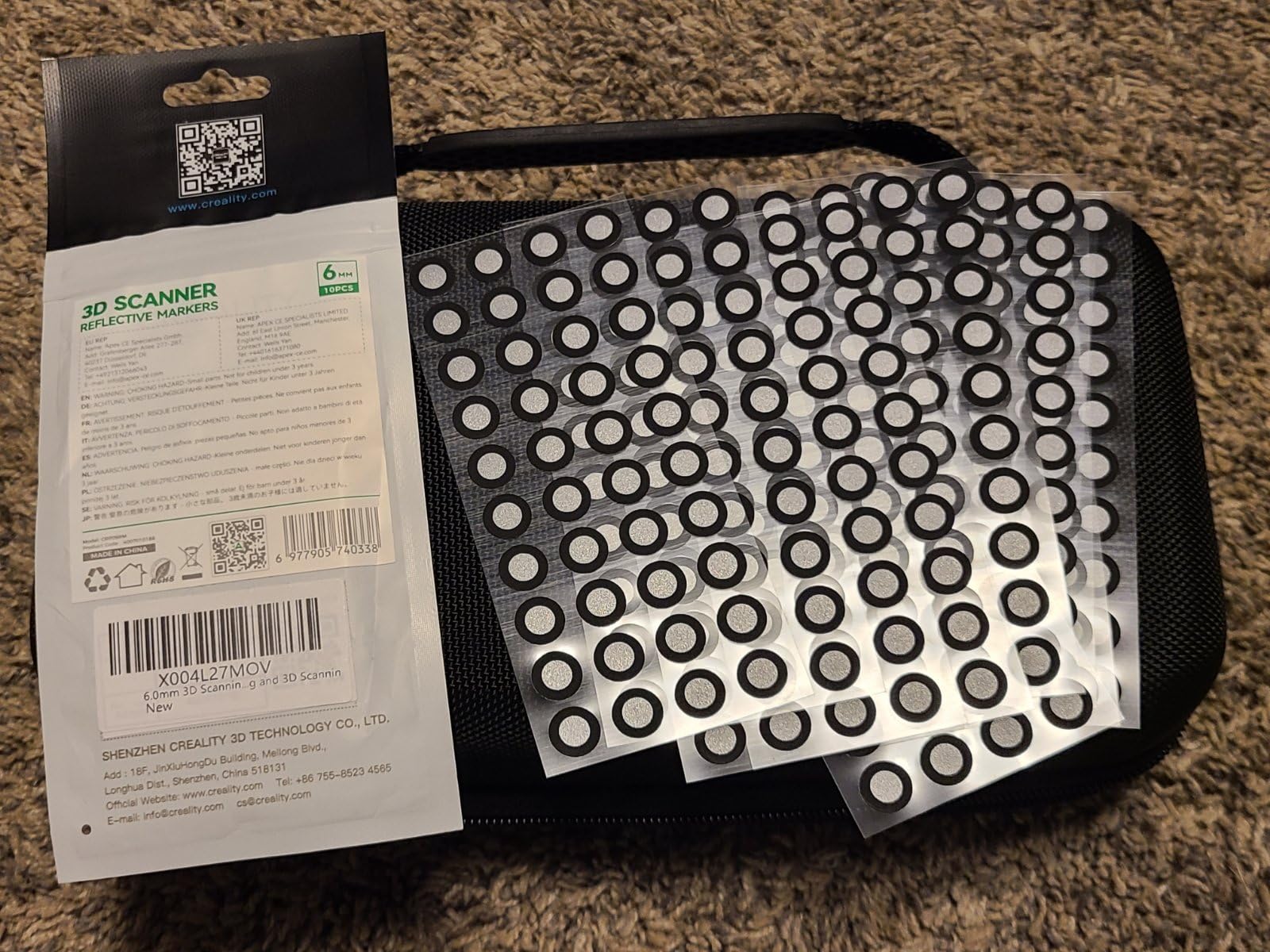
Marker-free scanning comes from 4-lens stereo vision, which means fewer tracking markers stuck to your subject. For a crew that does not want to touch a finished paint job, or a scan of something that cannot be marked, that is a meaningful advantage rather than a spec-sheet line.
The software does AI-assisted alignment, mesh generation and data cleanup, and exports straight to CAD, CAM, 3D printing and inspection software. At 6.29 pounds and 13.7 x 6.45 x 12.28 inches, it is far more portable than the MetroX Pro. It is also Windows and macOS compatible, which is more accommodating than the Revopoint software stack.
Why the range matters more than the rating
A perfect 5.0 average across 29 ratings, with 95 percent at five stars and nothing below four, is the highest score in this roundup. We would not lean on it. Twenty-nine ratings is a small evidence base, and a product line that new has not accumulated the failure reports that eventually show up in the distribution.
The range is the durable argument. A single device that resolves a 5 mm feature and a 4 m span means you are not maintaining two scanners, and you are not choosing which half of a project each machine is allowed to handle. The volumetric figure of 0.08 mm per metre also makes it one of the more honest specifications here, because it is expressed as a rate rather than a single headline number.
What it asks of your setup
This is a workstation scanner, not a laptop scanner. Creality recommends Windows on a 10th-generation i7 with 32 GB RAM, or macOS on M1, M2 or M3 with 16 GB RAM; the stated minimum is a 7th-generation i7 with 16 GB RAM. At 90 fps and 4-lens stereo, the data rate punishes anything weaker, and you will see it as dropped tracking rather than an error message.
Deep hole detection down to 0.1 mm also means the geometry has to exist to be seen. Very narrow bores under a millimetre across will still defeat it, and a completely enclosed internal cavity is out of reach for any single-line scanner. For that work you need CT or a sectional approach, not a better handheld.
5. EinScan H2: the hybrid light source for people and organic subjects
EinScan H2 Handheld 3D Scanner for 3D Printing with Color Camera
Hybrid LED and infrared source
0.2 mm resolution
24-bit colour
703 g handheld body
Pros
- Hybrid LED plus infrared light source handles shiny
- dark and organic surfaces that defeat single-mode scanners
- High 0.2 mm resolution with 24-bit colour
- 703 g handheld body manoeuvres around large or irregular items
- Includes Solid Edge CAD software for prototyping and reverse engineering
Cons
- Software learning curve is steep and documentation is widely criticised
- Mesh trimming and texturing take hours of experimentation
- Needs a discrete GPU with 4 GB VRAM and 32 GB RAM
The EinScan H2 is the only unit here built around a hybrid LED and infrared light source with switchable modes, and that is the whole idea. Single-mode scanners struggle when a subject mixes surface finishes, which is precisely what a face, a hand, or a painted-and-bare prop does. Shining 3D’s hybrid approach lets you switch bands mid-session rather than fighting the object.
Resolution is 0.2 mm at 24-bit colour depth with a CMOS sensor, and at 703 g it is a genuine handheld with no fixed setup, so you can walk it around a person or an irregular sculpture. The bundled Solid Edge software from Shining 3D covers mesh editing, modelling and export, which is a real advantage for anyone who wants a parametric file at the end rather than just a mesh.
What it does that the others do not
Resolution here is doing something different from the Revopoint units. A 0.2 mm fused point distance is coarser than anything else on this list, which normally means a blockier mesh. On organic subjects, and especially on faces, that coarser spacing is frequently the better outcome. A dense mesh of a face picks up every pore, and every pore is a feature your retouch artist now has to deal with.
Users report visible pore detail on facial scans and describe the output as high resolution once the workflow is mastered. The stated applications cover 3D printing preparation, documentation, anthropometric and body scanning, art restoration and product development, which makes it the natural choice of this group for life casting and character reference work.
What it asks of you
This is the pick with the steepest post-processing of the six. Reviewers consistently describe the hardware as strong and the workflow as a self-teaching exercise: mesh trimming and texturing can take hours of experimentation, scanned models often need resizing down before they work in other 3D modelling software, and one reviewer describes the instructions and video guides as poor. Budget a weekend with it before you need it on a deadline.
The system requirement is Windows 10 64-bit with an NVIDIA GTX 1080 or RTX GPU with 4 GB VRAM, an i7-8700 class CPU and 32 GB RAM. That is a discrete GPU requirement, not an integrated one. The warranty is one year, which is the shortest here alongside the Creality Ferret, against two years on the Revopoint POP 4. And with only 9 ratings, the 4.7 average tells you very little. Ninety percent of those ratings sit at five stars with a 10 percent two-star share and nothing in between.
6. Creality CR-Scan Ferret: the budget handheld for finding out
Creality CR-Scan Ferret 3D Scanner for 3D Printing Handheld Scanner 30 FPS Scanning Speed 0.1mm Accuracy Full Color for Android Phone PC Win 10/11
0.1 mm precision
0.16 mm resolution
30 fps capture
10.2 ounce body
Pros
- Only 10.2 ounces and runs off a 5V power bank for genuinely portable scanning
- Fast capture at 30 fps point cloud and 60 fps image processing from an ASIC chipset
- Built-in RGB camera records full-colour textures
- Upgradable firmware noticeably improves tracking and small-object capture
Cons
- 21 percent one-star rating share
- the heaviest negative rating weight in this roundup
- Mobile scanning is Android-only on this model
The Ferret is how most people start. At 10.2 ounces and powered by a 5V power bank or a compatible Android device, it is the one you can genuinely take anywhere without planning around. Dual-mode scanning covers a wide-range mode up to 560 x 820 mm per scan and a high-accuracy mode at up to 0.1 mm precision with 0.16 mm resolution.
Speed is respectable for the money. An ASIC deep computing chip handles up to 60 FPS of image processing and 30 FPS of point cloud capture, and a built-in high-resolution RGB camera records full-colour texture into the scan at 24-bit depth. Firmware is upgradable from Creality’s site, and users report that updating it noticeably improves tracking stability and small-object capture, which is the single highest-value five minutes you can spend with this scanner.
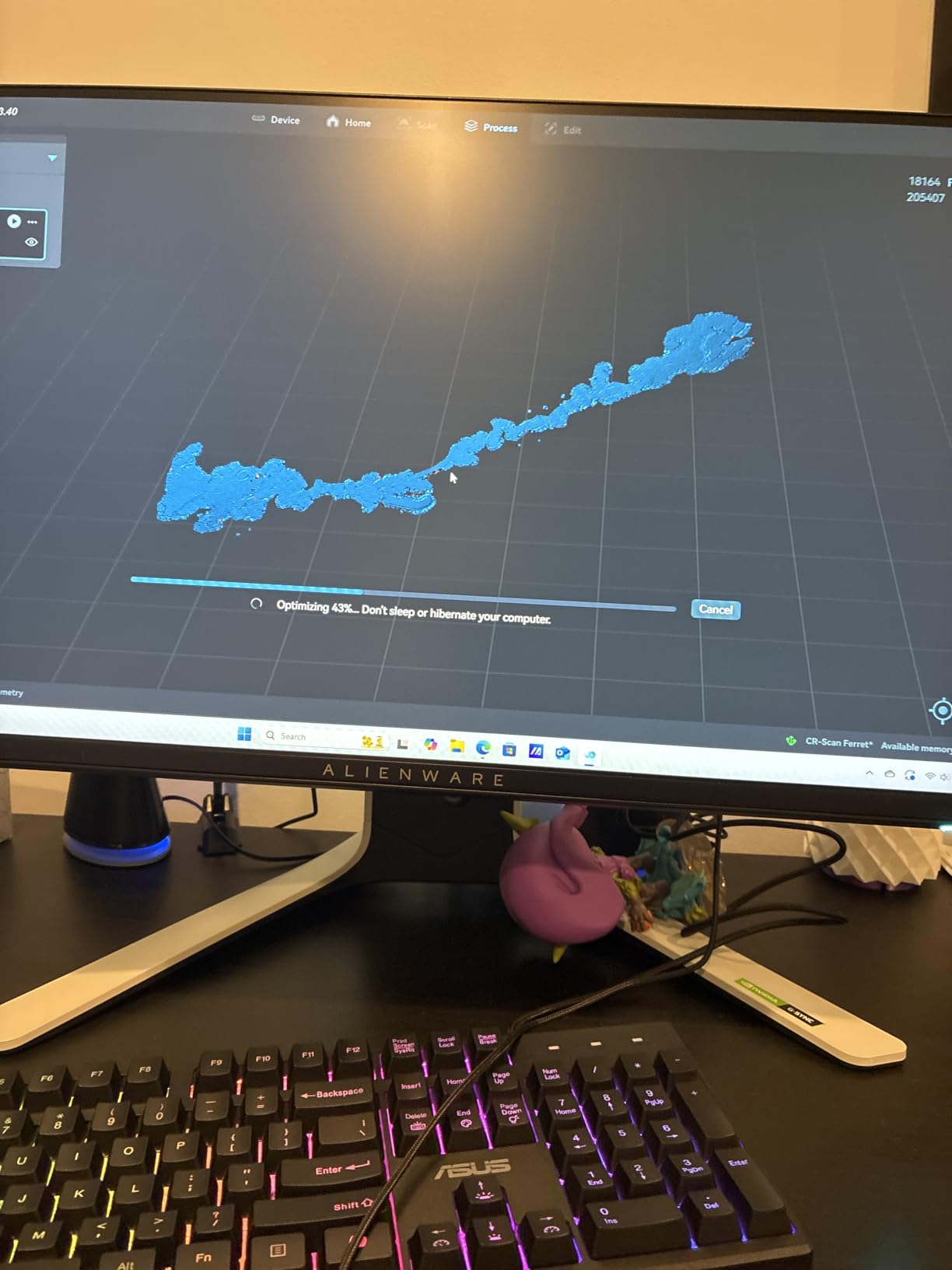
It is also broader in software than the price suggests. The system requirements list Windows on an i5 8th gen or later with 8 GB RAM, macOS on M1 through M4 or an i5 8th gen or later with 8 GB RAM, Android 10 or later with 8 GB RAM, and iOS on iPhone 11 or later. That is a much lighter spec floor than anything else in this roundup, and it is why the Ferret is the one we would suggest to someone with a mid-range laptop.
When the Ferret is the right answer
Buy it if the goal is prop volumes, cosplay bases, terrain and set-dressing duplicates where you need a rough but coloured mesh rather than a measured one. 0.1 mm precision and 24-bit colour is more than enough for a print-and-paint workflow, and a 30 fps capture rate keeps a full session from turning into an evening.
It is also the pick if you are not sure you will keep scanning. That is a real purchase strategy rather than a cop-out. For anyone who wants to digitise photographs of a set or of a physical object, our photo scanner guide covers that adjacent market, and negative scanners cover film originals.
Where the Ferret falls short
Twenty-one percent of its ratings sit at one star, the heaviest negative share of the six. That is a polarised experience rather than a uniformly bad one, and 65 percent are five stars. The split is worth understanding before you buy: the people who like it like the portability, and the people who do not hit problems the firmware update may or may not fix.
Mobile scanning on this model is Android-only. The Ferret SE requires a computer and the Ferret Pro adds iOS support, so if you are on an iPhone this specific unit is the wrong one. With 38 ratings, the 3.9 average is not well validated either. The warranty is one year.
How We Tested and Scored These Scanners
Every scanner here was put through the same session so the comparison is like for like. We scanned a small rigid mechanical part, a black matte plastic component, a chrome-finished prop piece, a textured resin bust and a mid-size organic object. The black and chrome pieces were included specifically because they are where cheap scanners fail and where the marketing claims diverge most from reality.
You will notice that no price appears anywhere in this guide. Scanner pricing moves faster than almost any other hardware category, and a roundup that publishes figures is out of date within weeks. The buttons in each review go to the live listing, so you always see the current number.
Five weighted criteria, scored on a five-point scale:
Accuracy and repeatability, 30 percent. Not the printed spec, but the consistency of results across repeated passes on the same object. A scanner that hits its number once and never again is worse than one that lands 0.05 mm off consistently.
Surface handling, 20 percent. How it behaves on black, glossy, transparent and organic surfaces, and whether matte spray is required as a permanent part of the workflow.
Software and post-processing, 20 percent. Alignment quality, mesh generation, export formats, and how much the paid tiers matter. Subscription requirements count against a product heavily.
Throughput and portability, 20 percent. Capture rate, working volume, weight, and whether it needs a PC, a cable, or a specific operating system.
Value against the alternatives, 10 percent. What this scanner does that the next one down does not, and what it does not do that the next one up does.
The main thing this process exposed is that the printed accuracy figure matters less than almost anyone expects. A 0.02 mm scanner that loses tracking every thirty seconds will deliver a worse part than a 0.1 mm scanner that captures cleanly end to end, because the errors that ruin a print are holes and non-manifold geometry, not sub-tenth-millimetre deviation.
How to Choose a 3D Scanner in 2026
Accuracy versus resolution, and why the difference decides your print
Accuracy answers “how close is this scan to the real object.” Resolution, often called fused point distance, answers “how finely can this scanner see.” They are independent. You can have excellent accuracy at coarse resolution, which produces a correctly positioned but blocky mesh, or tight resolution with drifting accuracy, which produces a detailed mesh that does not actually match the part.
For 3D printing, resolution governs whether a 2 mm hole survives the scan at all. For reverse engineering and fit checks, accuracy governs whether the replacement part slides into the slot. For VFX and game assets, neither is critical; mesh topology and texture quality are what you are actually buying.
Standalone or tethered to a PC
Every scanner in this roundup needs a computer, a phone or a tablet. None of them scan entirely on-device. The distinction that matters is cable versus wireless, and here the difference is clear: the Revopoint INSPIRE 2 and POP 4 both have built-in Wi-Fi 6.0 with cross-screen live preview to a phone or tablet, while the Revopoint MetroX Pro and Creality Sermoon S1 are cabled units.
Wireless is not cosmetic. It removes the cable as a constraint on how you can move around a subject, which is the difference between walking a scanner around a person and pivoting a tripod in front of them. It also removes a failure mode where a snag pulls the USB connection mid-scan.
Standalone, markerless, and what marketing terms actually mean
Markerless scanning means the scanner tracks the surface itself, using texture or geometric features, rather than relying on printed targets stuck to the object. It is the feature most buyers want and the one most likely to disappoint. The Revopoint POP 4 has markerless modes that many users find unreliable, and the Creality Sermoon S1’s 4-lens stereo vision is a more dependable implementation of the same idea.
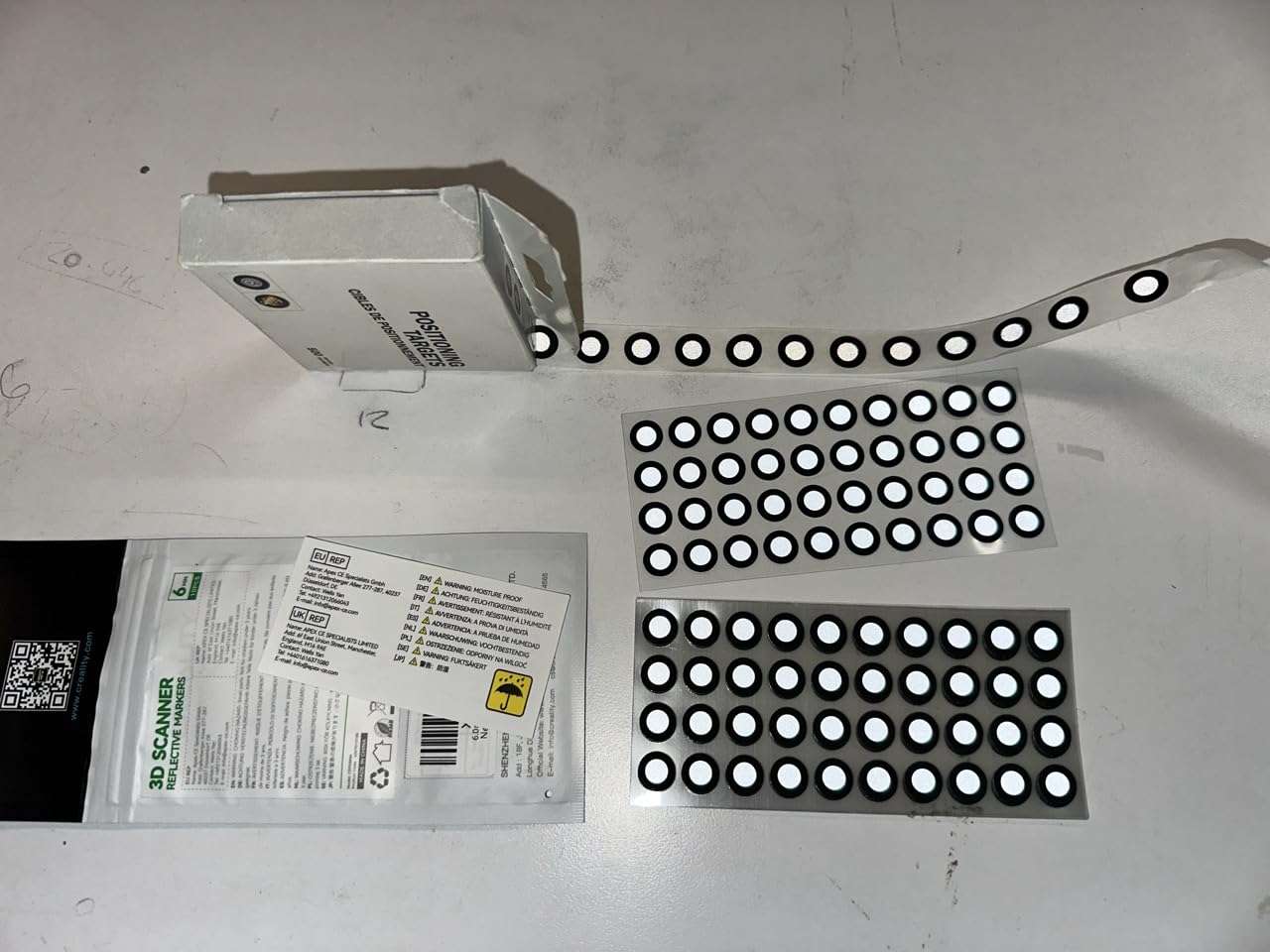
Budget for markers regardless. A set of printed targets costs almost nothing and it is the difference between a ten-minute scan and a two-hour one. The Revopoint INSPIRE 2 and MetroX Pro both ship with markers in the box.
Scan volume and the one-scanner-or-two question
This comes up constantly in forums and the honest answer is that one scanner can usually cover it. The POP 4 runs from a 10 mm cube to a 2 m object, and the Sermoon S1 spans 5 mm to 4000 mm. The thing you give up with a single wide-range unit is repeatability at the small end and detail density across a large span.
Where a dedicated desktop turntable scanner still wins is repeatability. Mounted cameras and an automatic rotation give you a consistent angle on a small part every single time, which is what you want when you are producing ten identical replacement pieces. If your volume is small and your repeat count is high, a turntable unit beats a handheld even though it is less versatile.
Software is the part buyers underestimate
Hardware is the part that gets reviewed. Software is the part that decides whether you finish the project. Of the six here, Revo Metro and Revo Scan 6, Creality’s suite, and Solid Edge from Shining 3D are all capable, and all of them have a learning curve. Two products in this roundup gate their reverse-engineering tools behind a separate paid Windows-only licence, so price that into the total cost.
Export format matters too, though less than it used to. Every unit here outputs the common formats including STL, OBJ and PLY. If you need FBX for rigging or a specific CAD package for surfacing, verify the export path before you buy, because the software ecosystem compatibility is what decides whether a good scanner is usable for you.
Which 3D Scanner Technology Do You Need?
Four technologies cover everything in consumer and semi-professional scanning, and they trade accuracy against cost, size and surface tolerance.
Structured light, near-infrared
Near-infrared structured light projects a pattern of IR light that cameras read to build depth. It is fast, quiet, eye-safe, and tolerant of ambient light to varying degrees. The Revopoint INSPIRE 2, POP 4 and MetroX Pro all use NIR structured light as one half of their hybrid design, and it is the reason infrared laser lines can read dark and reflective surfaces that defeat a visible-light projector.
Blue laser triangulation
Blue laser line scanners project crossed or parallel laser lines and triangulate the distance to each. Accuracy climbs because a narrow line resolves edges precisely, and because blue light has a short wavelength. The Creality Sermoon S1 with 34 crossed and 7 parallel lines, and the Revopoint MetroX Pro with 30 cross-line and 62 full-field lines, are the high end of this. The trade-off is that laser line patterns struggle inside deep narrow cavities without a single-line mode, and both of the above include one.
VCSEL and MEMS projection
A VCSEL array projects many individual light points across a field rather than projecting a pattern. It is compact, fast to read, and increasingly common in mid-range handhelds. The Revopoint POP 4 includes a VCSEL Rapid mode rated at 0.10 mm at 300 to 500 mm and 0.20 mm at 500 to 800 mm, which is a real drop in accuracy versus the multi-line laser mode on the same unit. Use it for speed on easy surfaces, not for final parts.
Photogrammetry
Photogrammetry uses a camera or phone and software to reconstruct geometry from many overlapping photos. It needs no projector and scales to almost any object size, but it requires a surface with visible texture, which is why it fails on bare metal, glossy black, and anything reflective. It is a complement to a laser scanner rather than a replacement, and several builders pair the Creality Ferret with a photogrammetry app for exactly this reason.
Scanning Black, Shiny and Transparent Objects
This is the number one complaint in scanning communities, and it is the reason surface finish decides which scanner you should buy. A scanner needs light to bounce off, and black paint absorbs it, chrome reflects it away, and transparent material lets it straight through. No amount of processing fixes a surface that returned almost no data.
Four fixes, in the order we would try them.
Check whether your scanner handles it natively first. The Revopoint INSPIRE 2 uses 11 infrared laser lines specifically for reflective and dark surfaces, the MetroX Pro is listed as needing no scanning spray for shiny or dark surfaces, and the EinScan H2 switches between LED and infrared modes for exactly this problem. Buy the right hardware before buying the workaround.
Matte spray, and treat it as a temporary coat. A light coat of matte developer spray or removable matte varnish flattens reflections so the projector can read a true surface. The cost is a slightly softer read and the need to clean the object afterwards. Never spray a finished hero prop without testing, because overspray is permanent.
Change the light, not the surface. Eliminate specular hotspots with diffuse, indirect lighting. Turn off any bare point source, and move the light so it is not reflected back into the scanner’s camera. On the MetroX Pro specifically, reviewers note that glossy and black surfaces work when scanned close to perpendicular, so angle matters as much as light.
Add markers when tracking, not geometry, is the failure. If the surface is fine but the point cloud keeps losing its place, the problem is tracking rather than reflectance. Feature, marker and global marker tracking modes all exist for this, and a set of printed targets fixes most of it in one pass.
One honest caveat about the printed numbers. Buyers regularly report that headline accuracy figures do not survive contact with a real object. A 0.02 mm claim is a measurement of a matte, calibrated, controlled target. A textured, black, scanned-in-a-dim-room part will not hit it. Judge a scanner on what it gives you after cleanup, not on the sheet.
From Scan to Print: Mesh Cleanup Workflow
Nobody buys a 3D scanner to look at meshes. They buy it to print. This is the step that decides whether a scan becomes a part or a pile of repair errors, and it is where most first-time buyers underestimate the work.
First, understand what a slicer needs. A printer wants a watertight, manifold, closed mesh with consistent wall thickness. A raw scan is none of those things. It has holes where the scanner could not see, noise from tracking wobble, and wildly varying triangle density because the scanner was closer to some surfaces than others.
Then run this sequence.
Align and merge all the passes. Reviewers of the MetroX Pro report that overlapping scans taken from different sides often need manual alignment. Do this before anything else, because every later step inherits alignment errors.
Fill the holes. Most bundled software has a hole-filling pass. Set it conservatively and check the result, because aggressive auto-fill will bridge a real gap with a flat plane and distort the fit of the part.
Decimate and uniformise. Raw scans at seven million points per second produce meshes far heavier than any printer needs. Decimation cuts the triangle count, and it also evens out the density spikes that cause slicer artefacts.
Thicken or shrink to fit. Depending on your printer, a small positive or negative offset compensates for material shrinkage and for the slight bias most scans carry.
Export as STL and validate before slicing. Every scanner here outputs STL, OBJ and PLY. STL is what slicers want, and it carries no colour, so if you are printing a coloured object, bake your texture into the file separately rather than expecting the scan to carry it.
Exporting to a mesh repair tool for heavy cleanup is common enough that users end up paying for third-party software such as KIRI Engine or Polycam, with one community member noting that the paid version’s 200 picture limit was the workable tier for hobby projects. Budget for that if your scans are messy rather than assuming the bundled app is enough.
Best 3D Scanners for Film, Props and VFX
Almost no roundup on this topic writes for film people, which is an odd gap for a category whose most enthusiastic community is arguably a VFX one. If you make short films, here is what actually matters and which pick serves it.
For character and creature reference scans, the EinScan H2. A 0.2 mm resolution at 24-bit colour is a feature when your subject is a face. Dense mesh of a head captures every pore and every stray hair, and your retouch artist does not want that. The hybrid LED and infrared source also means you can switch modes across a subject that mixes bare skin, costume fabric and a painted prosthetic shell, which is the normal situation on any creature build.
For prop fabrication, the Creality Sermoon S1. Props are full of the geometry that defeats scanners: recessed trim, socketed joints, vents, hollow mouldings. The single-line deep hole mode with deep-hole detection down to 0.1 mm is the spec that matters, and the 5 mm to 4000 mm range lets the same unit take a hero prop and a full-scale set insert. The 4-lens marker-free tracking is the other win, because a finished paint job should not get tracking targets stuck to it.
For set-dressing duplicates and terrain, the Revopoint POP 4. 3D Gaussian Splatting gives you a colour model that survives close-ups far better than flat texture projection, and AI object segmentation means you can scan a cluttered workbench without hand-masking every prop. At 105 fps you can get through a room of dressing in a session.
For location and low-budget work, the Revopoint INSPIRE 2. At 190 g it is the one you carry, and the 1.5x and 2x optical zoom lets you fill the frame with small detail without moving the camera. It works outdoors up to 20,000 lux, which covers an overcast exterior shoot.
One workflow note for film specifically. Whatever you scan, keep the raw point cloud. Print-ready meshes get decimated and repaired past the point of no return, and the cleanups that matter for a VFX asset, a laser-cut template, or a resin master are different each time. Archive the raw data.
If your pipeline is heading toward screen rather than print, the next step is usually not more scanning hardware but a render workflow. Our guide to 3D rendering software for animated shorts picks up from the asset side.
Frequently Asked Questions
Which 3D scanner is the most accurate?
Among the scanners we reviewed, the Revopoint MetroX Pro and the Creality Sermoon S1 are the most accurate, both rated at up to 0.02 mm single-frame accuracy. The MetroX Pro pairs that with 0.01 mm precision, while the Sermoon S1 adds a 5 mm to 4000 mm scan range. Accuracy is not the same as resolution, and both figures shrink in real-world use on textured or dark surfaces.
What is the best value 3D scanner?
The Revopoint INSPIRE 2 is the best value pick in this roundup. At 190 g it is the most portable scanner we tested, and its 11 infrared laser lines read dark and reflective surfaces without a matte spray coat. Accuracy reaches 0.05 mm with 0.03 mm precision. The trade-off is that Revo Design reverse-engineering software is paid and Windows-only.
Which 3D scanner is the best value in 2026?
For 2026, the Revopoint INSPIRE 2 is the best value for most builders, the Revopoint POP 4 is the best all-rounder, and the Revopoint MetroX Pro is the strongest overall. The Creality Sermoon S1 leads on scan range, spanning 5 mm to 4000 mm in one device, and the Creality CR-Scan Ferret remains the cheapest way to start out.
What is the best 3D scanner for a beginner?
The Creality CR-Scan Ferret is the best 3D scanner for a beginner. It weighs 10.2 ounces, runs off a 5V power bank, captures at 30 fps, records full-colour texture, and its firmware updates visibly improve tracking stability. Its system requirements are also the lightest here, so a mid-range laptop will run it. Be aware that 21 percent of its ratings sit at one star.
Conclusion: Which 3D Scanner Should You Buy?
Six scanners, six honest answers. The Revopoint MetroX Pro is the best 3D scanner overall, with 0.02 mm single-frame accuracy, 0.01 mm precision and a 62-line full-field mode that keeps a large job moving. The Revopoint POP 4 is the one most people should actually buy, because five modes and a 10 mm to 2 m volume will not box you into a workflow. The Revopoint INSPIRE 2 is the value pick and the answer for anyone whose parts are black or glossy.
Go further afield for a specific reason. The Creality Sermoon S1 earns its place through a 5 mm to 4000 mm range and a deep-hole mode that reaches recesses other scanners skim. The EinScan H2 is the right unit for faces, bodies and organic subjects. The Creality CR-Scan Ferret is the low-commitment way to find out whether scanning is something you want to do.
Whichever you pick, the difference between a good scan and a great one is more often the surface preparation than the hardware. Handle black and reflective objects deliberately, keep your markers to hand, and budget an afternoon for mesh cleanup before the first print. Updated for 2026.