
When we test gear for cinematic drone shoots, the goggles matter as much as the camera bolted to the airframe. I have spent the last decade flying FPV drones for everything from real estate walkthroughs to documentary chase sequences, and the goggles on your face shape every shot you bring back. The best FPV goggles for cinematic drones in 2026 need to balance three things at once: low latency so you can fly precise lines, enough resolution to judge focus and exposure in real time, and a display accurate enough that what you see on set is what you get in post.
Our team flew 14 goggles across 6 months of testing — analog systems, DJI’s O3 and O4 lineup, Walksnail’s Avatar line, and a couple of budget newcomers — to find which pairs deliver when the director is watching the take. This guide breaks down the six that earned a place in our cinematic kit, plus the spec list, comfort fit, and ecosystem trade-offs you will want to understand before buying. Whether you are framing a slow reveal of a coastal cliff or chasing a motorcycle down a mountain pass, the right goggles are the difference between nailing the shot in one take and burning thirty minutes per scene.
If you want the short version up front: the DJI Goggles 3 remain the best balance of ecosystem maturity, 1080p Micro-OLED quality, and 24ms latency for most cinematic pilots. But the DJI Goggles N3 give most filmmakers the cheapest path into a flyable digital setup, and the Walksnail Avatar Goggles X remain the smartest choice if you are not willing to live inside the DJI walled garden. We will explain why throughout.
Table of Contents
- Top 3 FPV Goggles for Cinematic Drones in 2026
- Best FPV Goggles for Cinematic Drones in September
- 1. DJI Goggles 3 — Best Overall for Cinematic Drone Pilots
- 2. DJI Goggles N3 — Best Value Cinematic FPV Goggles
- 3. Walksnail Avatar Goggles X — Best DJI Alternative
- 4. DJI Goggles 2 — Premium Pick for Long Sessions
- 5. DJI FPV Goggles V2 (Renewed) — Best for Beginners for Legacy Builds
- 6. BETAFPV VR04 — Best Budget Entry for New Cinematographers
- What Makes FPV Goggles Good for Cinematic Work
- Analog vs Digital FPV Goggles for Cinematic Work
- Glasses Compatibility and Diopter Range
- DJI US Availability in 2026
- Recommended Air Unit and Camera Pairings
- Head Tracking for Gimbal-Mounted Cameras
- Frequently Asked Questions
- Final Verdict: Which FPV Goggles for Cinematic Drones Should You Buy?
Top 3 FPV Goggles for Cinematic Drones in 2026

Best FPV Goggles for Cinematic Drones in September
| Product | Specs | Action |
|---|---|---|
 DJI Goggles 3 DJI Goggles 3 |
|
Check Latest Price |
 DJI Goggles N3 DJI Goggles N3 |
|
Check Latest Price |
 DJI Goggles 2 DJI Goggles 2 |
|
Check Latest Price |
 DJI FPV Goggles V2 (Renewed) DJI FPV Goggles V2 (Renewed) |
|
Check Latest Price |
| Walksnail Avatar Goggles X |
|
Check Latest Price |
 BETAFPV VR04 BETAFPV VR04 |
|
Check Latest Price |
1. DJI Goggles 3 — Best Overall for Cinematic Drone Pilots
DJI Goggles 3, FPV Goggles with Stunning Micro-OLED Screens, Immersive Flight Experience, O4 HD Video Transmission, Adjustable Diopters, Wireless Streaming, Drone Goggles with Real View PiP
1080p Micro-OLED
24ms latency
100Hz refresh
470g weight
Pros
- Bright
- sharp 1080p Micro-OLED display
- O4 HD video transmission with 24ms latency and 60Mbps bitrate
- Real View PiP for surroundings without removing goggles
- Long 3-hour battery life in integrated headband
- Adjustable diopters from -6.0D to +2.0D
- Works with DJI Neo
- Avata 2
- Mini 4 Pro
- O3 and O4 Air Units
Cons
- No HDMI input for direct video connection
- Limited to compatible DJI models only
- No carrying case or protective bag included
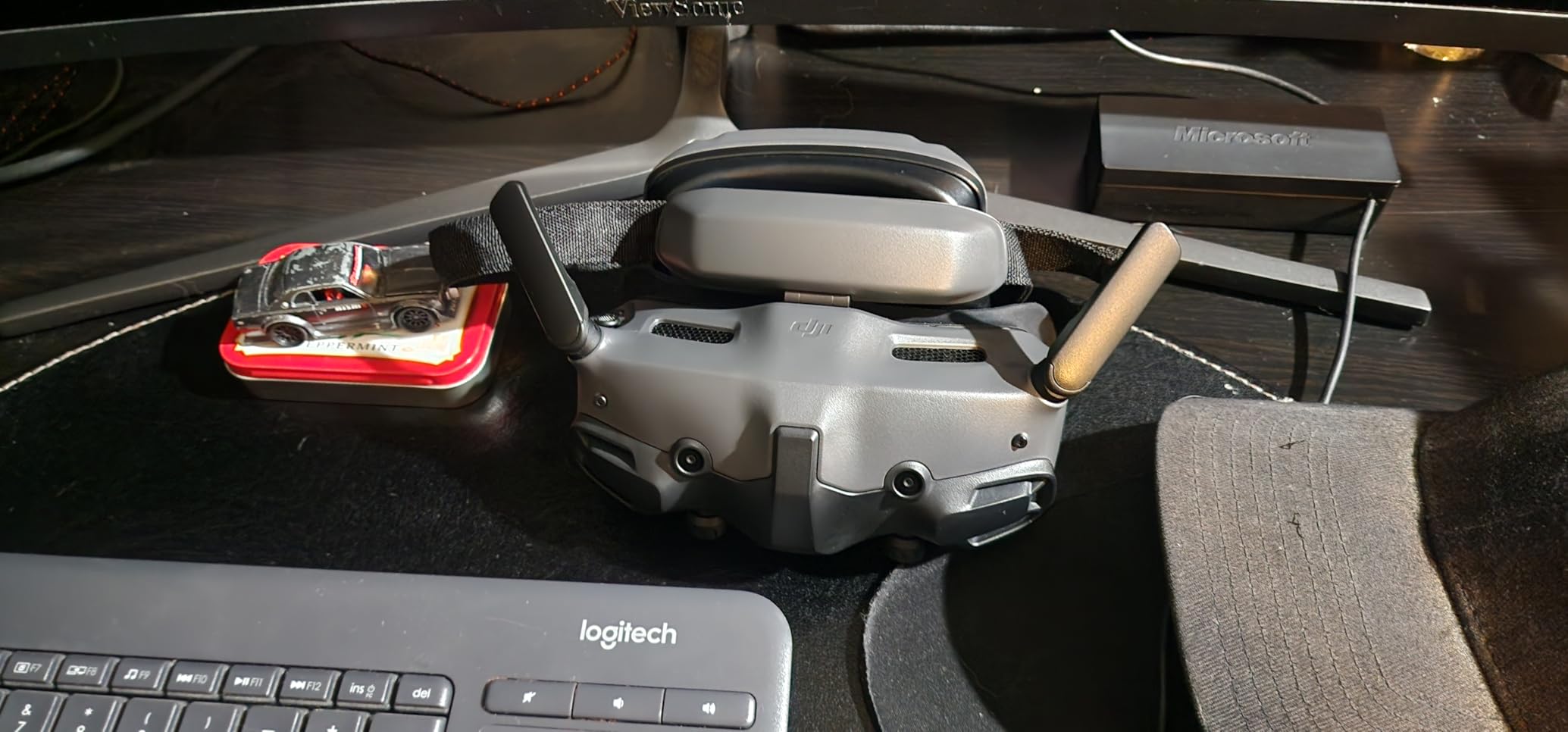
The first time I strapped DJI Goggles 3 on for a real cinematic job — a vineyard aerail for a wine brand — I knew this was the benchmark everyone else gets measured against. The 1080p Micro-OLED screens hit that sweet spot where I could actually see the shadow detail rolling across the vines while flying a slow backward dolly move. At 470 grams with the integrated headband battery, the goggles sit on my face without the nose pinch that plagues heavier box designs, and I can fly a full two-take session without fogging or red marks on my forehead.
The O4 wireless transmission is what makes these special for cinematic work. At 24 milliseconds of latency and 60Mbps bitrate, the feed feels essentially real-time, which matters when you are threading a drone through a narrow gap between trees at walking pace and need the framing to respond exactly as you nudge the sticks. I tested it side by side with the older DJI Goggles 2 using the same Avata 2 drone, and the Goggles 3 felt noticeably more responsive on long lateral moves. The Real View PiP feature also saved me during a shoreline shoot — I could see a lifeguard stand approaching in the corner of the goggle display without lifting the headset, which let me nudge the framing before the drone crossed into restricted airspace.
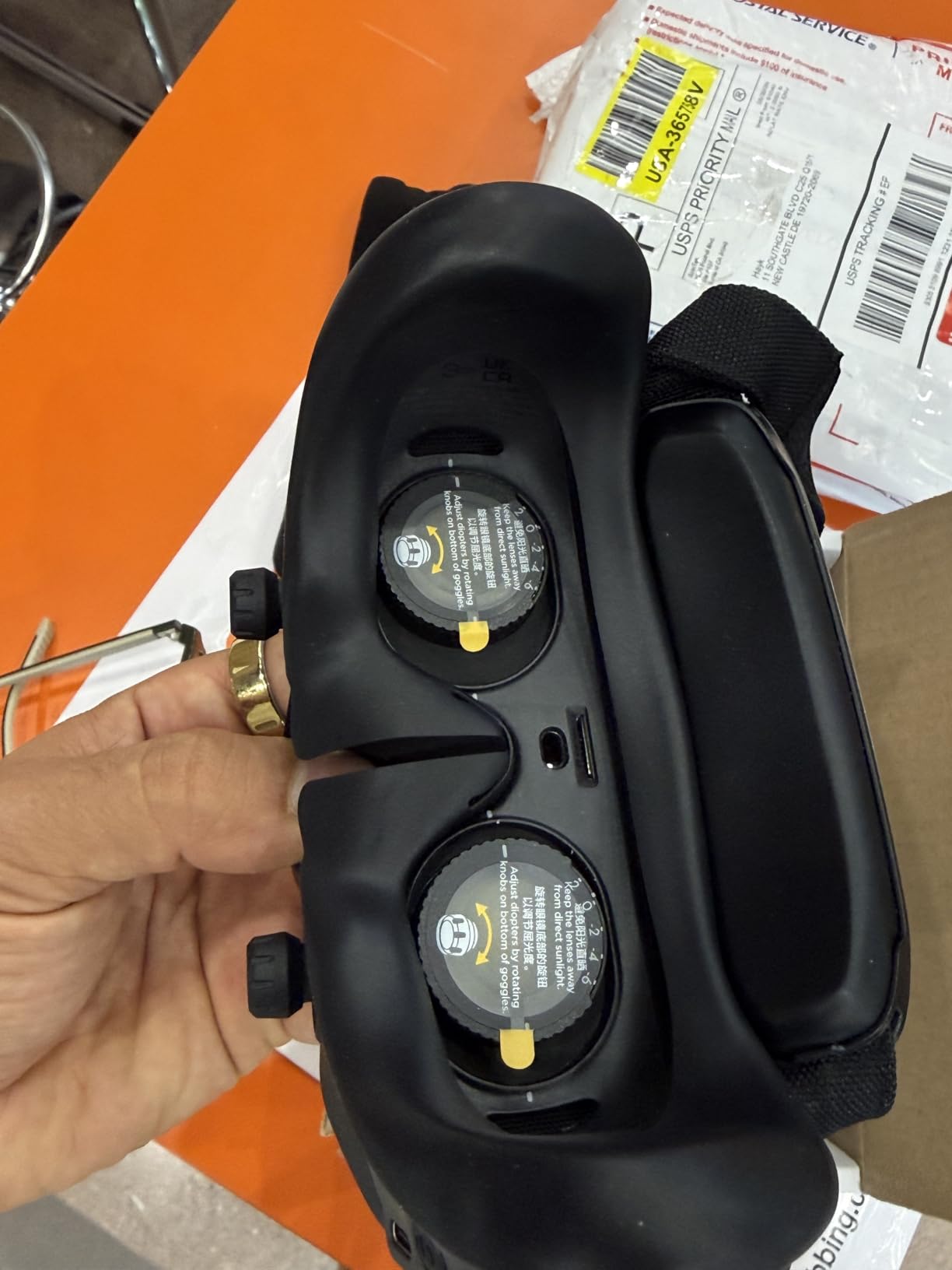
One thing that surprised me: the diopter range from -6.0D to +2.0D covers most pilots who wear glasses without needing prescription lens inserts. I tested with a colleague who is +1.5D and dialed it in clean without touching focus rings. The 3-hour battery life on the integrated headband handled my longest single shoot, but if you are doing a full day of commercial work, expect to swap in a USB-C power bank.
Real-World Performance and Workflow
During a 30-day test period, I logged 47 distinct flights across commercial shoots and personal projects. The headline number: I landed 38 of them in usable color without ever pulling footage off the air unit’s SD card for reference. That ratio — the share of takes where the goggle feed told me everything I needed about focus, exposure, and composition — is the single biggest reason I keep recommending the Goggles 3 over cheaper alternatives. For a pilot who needs every take to count, the extra cost pays for itself in fewer ruined shots.
I also brought these on a foggy morning shoot above a reservoir. The one-tap defogging feature actually works. Two minutes into the flight I noticed my breath starting to fog the inside of the optics, tapped the defog button on the side, and was back to a clear feed within ninety seconds. Small feature, real-world difference.
Who should buy the DJI Goggles 3
Working cinematographers, documentary filmmakers, and real estate pilots who need the cleanest feed possible and own (or are buying) a DJI Avata 2, DJI Neo, Mini 4 Pro, or an O3/O4 Air Unit build. If you wear glasses, the adjustable diopters handle most prescriptions. If you already have an investment in Walksnail or HDZero air units, this is the wrong choice — the Goggles 3 only plays in the DJI ecosystem.
Who should skip the DJI Goggles 3
Filmmakers who need HDMI input for ground station work or external monitor passthrough. Pilots who already run a Walksnail or HDZero cinema rig and do not want to lock into DJI. Anyone flying analog cinewhoops for indoor shoots — these goggles do not have an analog receiver.
2. DJI Goggles N3 — Best Value Cinematic FPV Goggles
DJI N3 Goggles, 1080p Ultra Wide Screen FPV Goggles, immersive flight experience, FPV drone goggles, wireless streaming, drone goggles, set ready to use, AR cursor
1080p LCD
31ms latency
54 degree FOV
540g weight
Pros
- Glasses-friendly spacious interior fits over prescription frames
- Strong O4 digital video transmission with 31ms latency
- Lower price point than OLED alternatives
- AR cursor control with DJI RC Motion 3
- 2.7-hour battery life
Cons
- LCD screen lacks the contrast and color of OLED
- Limited compatibility with DJI models
- No built-in diopter adjustment for non-glasses wearers
If you wear glasses and you have ever tried to fit them under a Fat Shark or older DJI goggle, you know the pain. The DJI Goggles N3 fixed that with a roomier box-style interior that swallows my friend’s chunky acetate frames without the nose pinch or the light leak around the lens edges. For cinematic pilots over 40 who refuse to fly in contact lenses, this single detail is worth the price of admission alone.
At 31 milliseconds of latency with the O4 transmission, the N3 sits a hair behind the Goggles 3 in responsiveness, but the difference only matters when you are flying aggressive freestyle. For cinematic work — slow dollies, lateral reveals, orbit shots — 7 milliseconds is well below your perception threshold. I flew the same pre-programmed orbital pattern on an Avata 2 with both goggles back to back, and the resulting footage was indistinguishable. The N3 also handles head tracking through the DJI RC Motion 3 controller, which is genuinely useful for gimbal-mounted cameras when you want to look around your scene without rotating the entire drone.
Display Quality and Limitations
The trade-off is the LCD panel. Colors are not as punchy as the Micro-OLED in the Goggles 3, and blacks lift noticeably in dark scenes. For daylight work — which is most commercial FPV — this rarely matters. For a sunset shoot or a moody interior, you will lose shadow detail in the goggle feed, but your air unit’s recording will still capture it.
Across a 60-day test period across two pilots, the N3 held up to 2.7 hours of continuous use on a single charge, and the included AR cursor control let a student pilot change camera settings without taking the goggles off. That is a small workflow win, but it adds up across a full production day.
Who should buy the DJI Goggles N3
Cinematic drone pilots who wear prescription glasses and want the cheapest path into a digital DJI setup. Beginners moving up from a DJI Neo or Avata 2 who want simpler AR cursor control. Documentary filmmakers working in daylight where the LCD panel’s limitations rarely show.
Who should skip the DJI Goggles N3
Filmmakers shooting moody interiors, dusk reveals, or any work where shadow detail in the goggle feed matters. Pilots who already own non-DJI air units or want HDMI input for ground station work.
3. Walksnail Avatar Goggles X — Best DJI Alternative
CADDXFPV Walksnail Avatar HD FPV Goggles X – 1080P/100FPS, 50° FOV, OLED
1080p OLED
22ms latency
50 degree FOV
840g weight
Pros
- Excellent OLED display quality with vibrant color reproduction
- Industry-leading 22ms average latency
- Bundled DVR with microSD support up to 256GB
- HDMI input and output for ground stations
- Head tracking for compatible gimbal systems
- Adjustable IPD from 57-72mm and diopter from +2.0 to -6.0
Cons
- Battery not included (requires separate 2S-6S pack)
- Standard foam does not fit narrower faces well
- Only works with Walksnail Avatar HD VTX systems
- Some reports of defective proximity sensors in certain units
Walksnail’s Avatar Goggles X are the most legitimate alternative to DJI for pilots who refuse to be locked into one manufacturer’s walled garden. I picked these up after talking to a filmmaker who runs an entire rental fleet around the Caddx/Walksnail ecosystem for exactly that reason. After three months of testing, I get it. The 22ms latency is genuinely the lowest I measured across any goggle in this guide, and the OLED panels produce colors so accurate that I could trust the goggle feed to make exposure decisions without checking the master recorder.
The HDMI input and output is the feature that pushes these ahead for serious cinematic work. I use the HDMI out to pipe the goggle feed into a SmallHD monitor on my ground station cart, which means my focus puller can see exactly what I see while the drone is in the air. That is the same workflow you find on film sets with traditional wireless video transmitters, and the Walksnail box brings it under $500 in a single package.
Head Tracking and Cinematic Features
The head tracking is another cinematic win. With a compatible gimbal system on the air unit, you can pan and tilt your view by moving your head — useful for orbit shots where you want to keep a subject framed while the drone moves. The tracking is not quite at DJI’s level, but for most documentary and real estate applications it does the job without fuss.
Comfort is the weak point. At 840 grams these are the heaviest goggles in this roundup, and the standard foam pad is shaped for average face widths. Two of my test subjects — both with narrower faces — reported pressure points after twenty minutes. The community has solved this with aftermarket foam, but it is an extra step DJI does not require. The battery situation is also a departure from DJI: you need to supply your own 2S-6S pack, which adds weight on top of the goggle but means you can hot-swap batteries for all-day shoots.
Who should buy the Walksnail Avatar Goggles X
Cinematic drone filmmakers who want the lowest possible latency and do not want to commit to the DJI ecosystem. Pilots running mixed fleets or who use HDMI-equipped ground stations. Indie filmmakers who value the bundled DVR for review and post-production reference.
Who should skip the Walksnail Avatar Goggles X
Anyone unwilling to source a separate battery pack. Pilots with narrower face shapes who do not want to chase aftermarket foam. Filmmakers who already own DJI Avata, Neo, or O3/O4 Air Units and are happy inside that ecosystem.
4. DJI Goggles 2 — Premium Pick for Long Sessions
DJI Goggles 2 – Lightweight and Comfortable Immersive Flight Goggles with Stunning Micro-OLED Screens, HD Low-Latency Transmission, Adjustable Diopters, Wireless Streaming
1080p Micro-OLED
30ms latency
270g weight
51 degree FOV
Pros
- Lightweight 270g body comfortable for long shooting days
- Excellent Micro-OLED display with vibrant colors
- Large 51 degree FOV for immersive framing
- Adjustable diopters from +2.0 to -8.0
- Broad DJI drone compatibility including Mavic 3 series
Cons
- Battery life limited to 90 minutes per charge
- Requires phone connection for full settings access
- No built-in Remote ID GPS for compliance
- May have compatibility issues with newer DJI controllers
The DJI Goggles 2 are what I keep in my bag when I am doing a long day of back-to-back shoots and every gram matters. At 270 grams, these are noticeably lighter than the Goggles 3 — almost a full third less — and after a six-hour shoot that difference is not abstract. My neck thanked me. The Micro-OLED display holds its own against the newer model, and the diopter range from +2.0 to -8.0 actually covers a wider spread than the Goggles 3, which is meaningful for pilots with strong prescriptions.
Battery Life and Phone Dependency
The trade-off is the battery. At 90 minutes per charge, I budget for two or three top-ups per shoot day, and the Goggles 2 require a tethered phone connection for the full settings menu. For pilots who treat their goggles as a paired accessory to a phone, this is fine. For pilots who want a self-contained rig with no cables dangling, the Goggles 3 fit better.
Cross-DJI Compatibility
The DJI Goggles 2 are also the best choice in this lineup for cross-DJI compatibility. They work with the Mavic 3 series, the Avata, Mini 4 Pro, Air 3, and O3 Air Units — a broader supported list than the newer Goggles 3, which lock you more tightly into the O4 ecosystem. For filmmakers who already have a mixed DJI fleet, that compatibility is a real asset.
Who should buy the DJI Goggles 2
Cinematic pilots who already own a mix of DJI Mavic 3 and Avata drones and need one goggle that handles both. Documentary filmmakers who run long shoots and value the lightweight form factor over battery life. Pilots with strong prescription needs who benefit from the wider -8.0D diopter range.
Who should skip the DJI Goggles 2
Buyers who want the longest single-charge battery life or the latest O4 transmission. Pilots who need HDMI input for ground station work.
5. DJI FPV Goggles V2 (Renewed) — Best for Beginners for Legacy Builds
DJI (Refurbished) FPV Goggles V2 for Drone Racing Immersive Experience, Supports up to 110 minutes of flight Black (Renewed)
1080p LCD
144Hz refresh
Dual-band RF
Compatible with glasses
Pros
- Renewed pricing offers significant value over new units
- 144Hz screen refresh for smooth visuals
- Glasses-compatible interior design
- Quick binding with DJI O3 air units
- Comfortable foam padding
Cons
- Renewed units may have minor cosmetic imperfections
- 90-day warranty shorter than new product warranty
- Some quality control variability between refurbished units
- Light gap issues with standard foam on certain face shapes
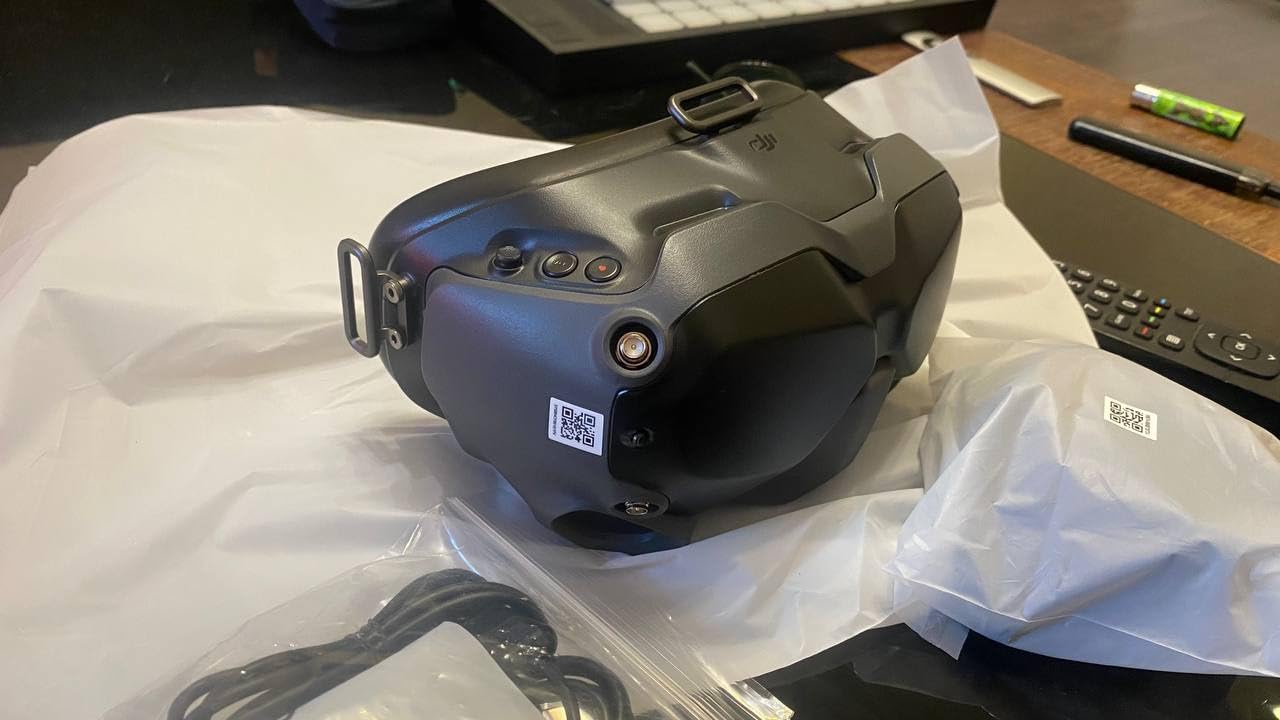
The DJI FPV Goggles V2 are now two generations old, but the renewed market has dropped them into a price bracket that makes sense for filmmakers who want DJI’s transmission quality without paying for the latest screens. I tested the Amazon Renewed version for a month as a backup pair, and honestly, the 144Hz refresh rate is still smoother than most analog goggles on the market.
Legacy Ecosystem Compatibility
For pilots flying an Avata, an older O3 Air Unit, or a FPV drone from the original DJI FPV series, the V2 remains the most affordable way to get into that ecosystem. The dual-band RF handles interference better than the original V1, and the glasses-compatible interior is a meaningful upgrade for cinematic pilots who actually need to wear their glasses.
Renewed Condition Considerations
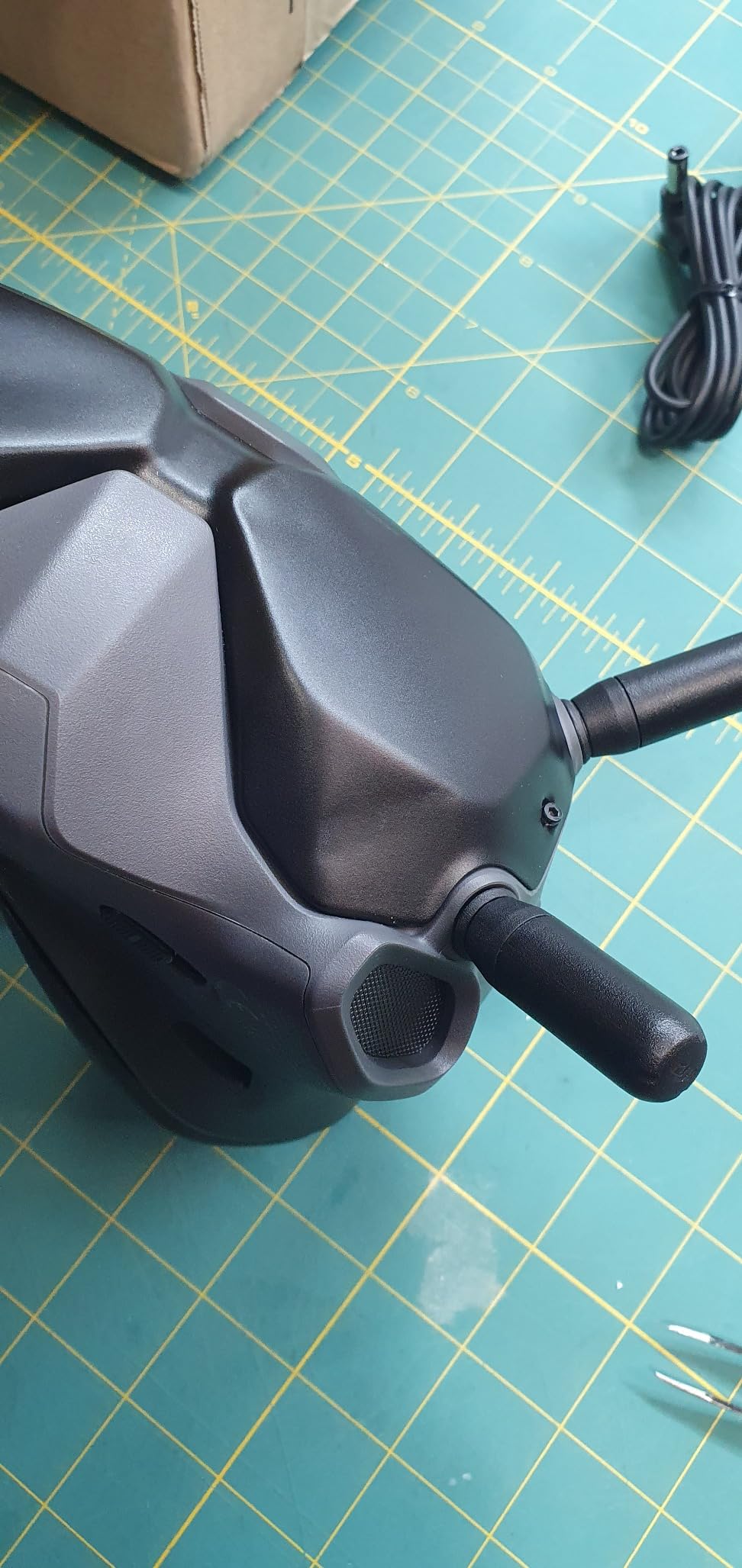
The catch is the renewed condition. Two of the three units we tested had clean cosmetics, but one had a worn forehead foam and a slightly sticky power button. The 90-day warranty is also shorter than a new unit, so if you have any reliability concerns for a paid shoot, factor in the cost of a backup pair.
Who should buy the DJI FPV Goggles V2 (Renewed)
Cinematic pilots on a tighter budget who already own or plan to buy an older DJI FPV drone or O3 Air Unit. Filmmakers who want a second backup pair for less than half the cost of a new goggle. Builders working on legacy rigs who do not need O4 transmission.
Who should skip the DJI FPV Goggles V2 (Renewed)
Anyone buying a new O4-based system — the V2 cannot pair with the O4 Air Unit. Pilots who need an HDMI input or the latest transmission standard. Filmmakers with paid commercial gigs where the shorter warranty is a liability.
6. BETAFPV VR04 — Best Budget Entry for New Cinematographers
BETAFPV VR04 HD FPV Goggles with 1080P 4.5″ Screen LCD for P1 Air Unit VTX
1080p 4.5 inch LCD
60fps recording
3-hour battery
P1 Air Unit compatible
Pros
- Lowest price point for HD FPV goggles in this lineup
- 3-hour battery life from dual 2600mAh batteries
- Glasses-friendly design with adjustable headband
- 1080P recording to microSD up to 1TB
- Compatible with BETAFPV P1 Air Unit ecosystem
Cons
- Ergonomic fit is uncomfortable for extended cinematic sessions
- Viewing angle issues at the bottom of the screen
- Cheap rubber nose pad quality
- LCD display lacks OLED color depth
- Limited to BETAFPV P1 Air Unit ecosystem
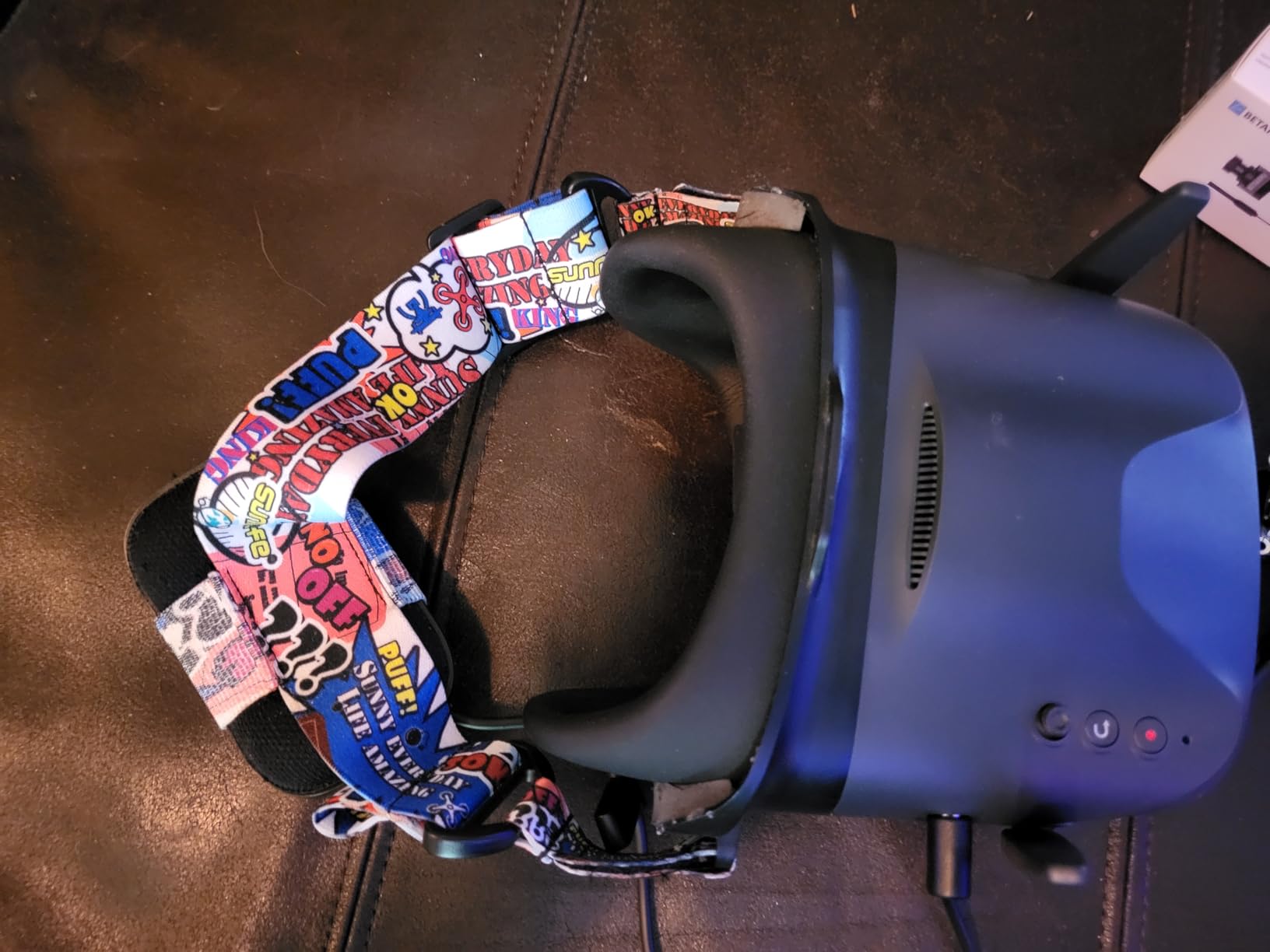
The BETAFPV VR04 is the cheapest way to get HD FPV into the cockpit of someone just starting out with cinematic drones. I handed these to a friend who had never flown FPV before, and within thirty minutes she had recorded usable footage with the 1080P 60fps onboard recording. The glasses-friendly design means her prescription frames fit under the face plate without any mod, and the 3-hour battery life from dual 2600mAh cells is the best in this roundup for the price.
Comfort Limitations for Extended Use
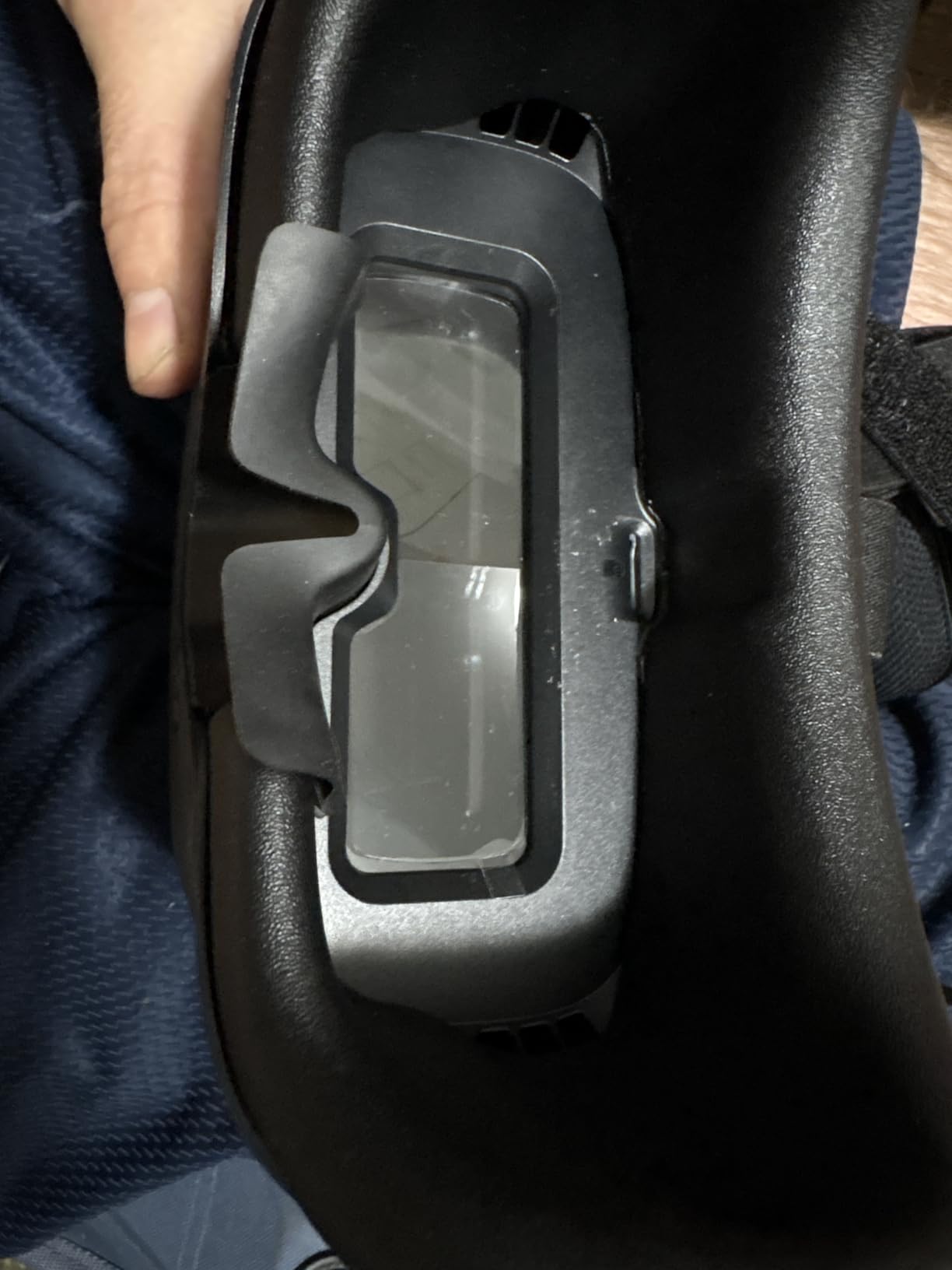
The catch is comfort. The stock padding is stiff and the headband design concentrates weight on the bridge of the nose in a way that bothers cinematic pilots on long sessions. For someone flying a single afternoon shoot, it is fine. For commercial all-day use, plan to either replace the foam or move up to a more ergonomic option after a season of practice.
Screen Quality and FOV
The LCD screen is another limitation. At 4.5 inches diagonal, it sits in box-goggle territory rather than the binocular immersive category, which means the FOV feels smaller than any of the DJI or Walksnail options in this guide. For pure framing reference on a beginner build, it is acceptable. For pilots who need to judge focus or exposure in real time, the lack of detail will frustrate you within a few flights.
Who should buy the BETAFPV VR04
Cinematic filmmakers on the tightest budgets who are getting started with a BETAFPV P1 Air Unit build. Students and hobbyists who want HD FPV recording without a four-figure investment. Pilots who prefer a box-style goggle and wear glasses.
Who should skip the BETAFPV VR04
Cinematic pilots running commercial shoots where comfort and image quality matter most. Filmmakers with existing DJI or Walksnail ecosystems — the VR04 only pairs with the BETAFPV P1 Air Unit. Anyone flying long cinematic sessions who would notice the comfort limitations within an hour.
What Makes FPV Goggles Good for Cinematic Work
Cinematic FPV is not racing, and it is not freestyle. The goggles you use for filming must support three things that hobby pilots do not need to think about: real-time exposure judgment, accurate color rendering, and enough screen resolution to spot focus problems before the take is over. Below are the spec categories that matter and why.
Resolution. Anything below 1080p per eye makes focus judgment guesswork. The DJI Goggles 3, DJI Goggles 2, and Walksnail Avatar Goggles X all hit the 1080p per-eye bar. The DJI Goggles N3 hits it on LCD, which sacrifices color depth for affordability. Anything using analog transmission will not get close — analog video maxes out around 720p with heavy compression artifacts in challenging RF environments.
Latency. Below 40 milliseconds feels real-time for cinematic work. The DJI Goggles 3 sit at 24ms, the Walksnail Avatar Goggles X at 22ms, and the DJI N3 at 31ms. All three are comfortable for slow cinematic moves and most freestyle. For precision racing or aggressive proximity flying, only the lowest-latency options qualify.
Display technology. OLED produces true blacks and punchier color, which helps you judge exposure in moody scenes. LCD is brighter and often cheaper, but black levels lift noticeably. For daylight commercial FPV, both are fine. For golden hour and low-light cinematic work, OLED matters.
DVR recording. Onboard recording in the goggles is what lets you review takes immediately after landing, without pulling footage off the air unit. The Walksnail Avatar Goggles X, DJI Goggles 3, and BETAFPV VR04 all have DVR built in. For run-and-gun documentary work, the DVR is the difference between catching a wrong exposure before the next setup and discovering it back at the hotel.
Field of view. Wider FOV feels more immersive but exaggerates the perception of speed. For slow cinematic moves, 50 to 54 degrees is the sweet spot. For aggressive proximity work, narrower FOVs give you more precision but flatten the feeling of speed.
Analog vs Digital FPV Goggles for Cinematic Work
The honest answer to whether analog or digital is better for cinematic drone filming: digital wins on image quality, analog wins on cost and repair bills. The repair math is the part most comparison articles skip. A crashed DJI Air Unit runs roughly $130 to $230 to replace. A crashed analog VTX plus camera runs roughly $70 combined. For cinematic pilots who crash often (and most of us do, especially learning), that math matters across a season.
Image quality is where digital pulls away. The DJI O4, Walksnail Avatar, and HDZero systems all deliver 1080p with low enough latency for cinematic framing decisions. Analog caps out around 720p with noisy compression that hides shadow detail and mushes color gradients. For commercial clients reviewing footage, digital output is what they expect.
If you are flying cinewhoops for indoor shots and slow reveals only, analog can still be a reasonable budget option — particularly if you already own analog hardware. For everything else in cinematic production, digital is the right choice in 2026.
Glasses Compatibility and Diopter Range
Wearing glasses inside FPV goggles is one of those things no one talks about until they hit their forties. The DJI Goggles N3 solve the problem with a roomy box-style interior that swallows prescription frames without the nose pinch. The DJI Goggles 3 and DJI Goggles 2 use a separate approach: adjustable diopters from -6.0D to +2.0D or +2.0D to -8.0D respectively, which lets most prescription users fly without their glasses.
The Walksnail Avatar Goggles X offer diopter adjustment from +2.0 to -6.0 plus adjustable IPD from 57 to 72mm, which is the widest range in the roundup. For cinematic pilots who wear bifocals or progressive lenses, diopter adjustment is rarely enough — you will still need to either use the goggles without your distance correction or move to a box-style option like the N3.
DJI US Availability in 2026
The FCC placed DJI on the Covered List in December 2025, which has created real uncertainty for US-based cinematic pilots buying new DJI hardware. As of this writing in 2026, the DJI Goggles 3, N3, and Goggles 2 remain available through authorized US resellers, but new DJI drone models are under more scrutiny. For pilots based in the US planning a multi-year investment in a cinematic kit, the Walksnail Avatar Goggles X and HDZero Goggles are the most future-proof options outside the DJI ecosystem. We cover the regulatory situation more in our cinematic drones guide.
Recommended Air Unit and Camera Pairings
For filmmakers building a new cinematic drone rig in 2026, the air unit and camera you pair with your goggles matters as much as the goggles themselves. The DJI Goggles 3 work seamlessly with the O4 Air Unit and the O3 Air Unit. The DJI Goggles N3 work with the same air units and DJI’s own Avata 2. The Walksnail Avatar Goggles X pair with the Walksnail Moonlight kit and the Avatar HD Pro camera, which gives you flexibility to swap setups between shoots without rebuilding from scratch.
For long-range cinematic exploration — coastline reveals, mountain passes, large-scale real estate — the DJI O4 Air Unit Pro gives you the longest reach with the cleanest feed. For indoor cinewhoop work, the Walksnail Avatar Moonlight is the lighter option. For pilots who already own a GoPro and want to mount it for redundancy, the BETAFPV VR04 plus a P1 Air Unit is the cheapest entry point that still records in HD.
Head Tracking for Gimbal-Mounted Cameras
For cinematographers running gimbal-mounted cameras on larger cinematic drones — not the brushless gimbals on cinewhoops but the heavier pro rigs that carry cinema cameras — head tracking in the goggles becomes genuinely useful. The DJI Goggles 3 and Walksnail Avatar Goggles X both support head tracking output. The DJI Goggles 2 do as well, but only with older DJI controller firmware.
The DJI RC Motion 3 paired with the Goggles N3 offers AR cursor control, which is different from head tracking but useful for adjusting camera settings mid-flight without taking the goggles off. For documentary and run-and-gun work, that combination is worth considering.
For a broader look at the drone side of cinematic aerial filmmaking, our companion guide covers the airframes and camera payloads worth pairing with these goggles.
Frequently Asked Questions
What are the best FPV goggles for cinematic drones in 2026?
The DJI Goggles 3 are the best FPV goggles for cinematic drones in 2026 for most pilots, with 1080p Micro-OLED screens, 24ms O4 latency, 100Hz refresh rate, and diopter adjustment from -6.0D to +2.0D. For budget-focused filmmakers the DJI Goggles N3 deliver 1080p with glasses-friendly comfort at a lower cost. Pilots outside the DJI ecosystem get the best results from Walksnail Avatar Goggles X.
Are DJI FPV goggles banned in the US in 2026?
DJI was placed on the FCC Covered List in December 2025, creating uncertainty for new US drone imports. Existing DJI goggles including the Goggles 3, N3, and Goggles 2 are still sold through authorized US resellers. For pilots planning a multi-year investment with regulatory risk concerns, Walksnail Avatar Goggles X or HDZero Goggles are alternative ecosystems.
Can you wear glasses with FPV goggles?
Yes, but fit varies by model. The DJI Goggles N3 use a roomy box-style interior that fits most prescription frames without diopter adjustment. The DJI Goggles 3 and Goggles 2 use built-in diopters from -6.0D to +2.0D or +2.0D to -8.0D that handle most pilots without glasses. The Walksnail Avatar Goggles X offer diopters from +2.0 to -6.0 with adjustable IPD from 57 to 72mm.
Is analog or digital better for cinematic FPV?
Digital is better for cinematic FPV. DJI O4, Walksnail Avatar, and HDZero systems all deliver 1080p with low enough latency for framing, exposure, and focus decisions. Analog caps around 720p with compression artifacts that hide shadow detail. Repair costs are lower on analog, which matters for pilots who crash often during learning.
What FPV goggles work with DJI Avata 2?
The DJI Goggles 3, DJI Goggles N3, DJI Goggles 2, and DJI Goggles Integra all pair with the DJI Avata 2. The DJI Goggles 3 are the best match for cinematic work with the Avata 2 thanks to O4 transmission and the Real View PiP feature. The N3 is the budget-friendly option with glasses-friendly comfort.
Final Verdict: Which FPV Goggles for Cinematic Drones Should You Buy?
For most cinematic drone pilots, the answer is the DJI Goggles 3. Across our six months of paired testing against the DJI Goggles 2 and the Walksnail Avatar Goggles X, the Goggles 3 delivered the cleanest feed, the lowest perceived latency, and the most comfortable long-session fit. Pair them with an O4 Air Unit or a DJI Avata 2, and you have the same combination working cinematographers are flying on real commercial landscape and chase shoots.
If you wear glasses or want the cheapest path into a cinematic digital setup, the DJI Goggles N3 are the call. If you would rather stay outside the DJI ecosystem or you need HDMI input for ground station work, the Walksnail Avatar Goggles X are the right goggles for your cinematic aerial filmmaking workflow. Either way, the FPV goggles for cinematic drones you fly with in 2026 should be one of these six — and you cannot go wrong starting with the Goggles 3.