
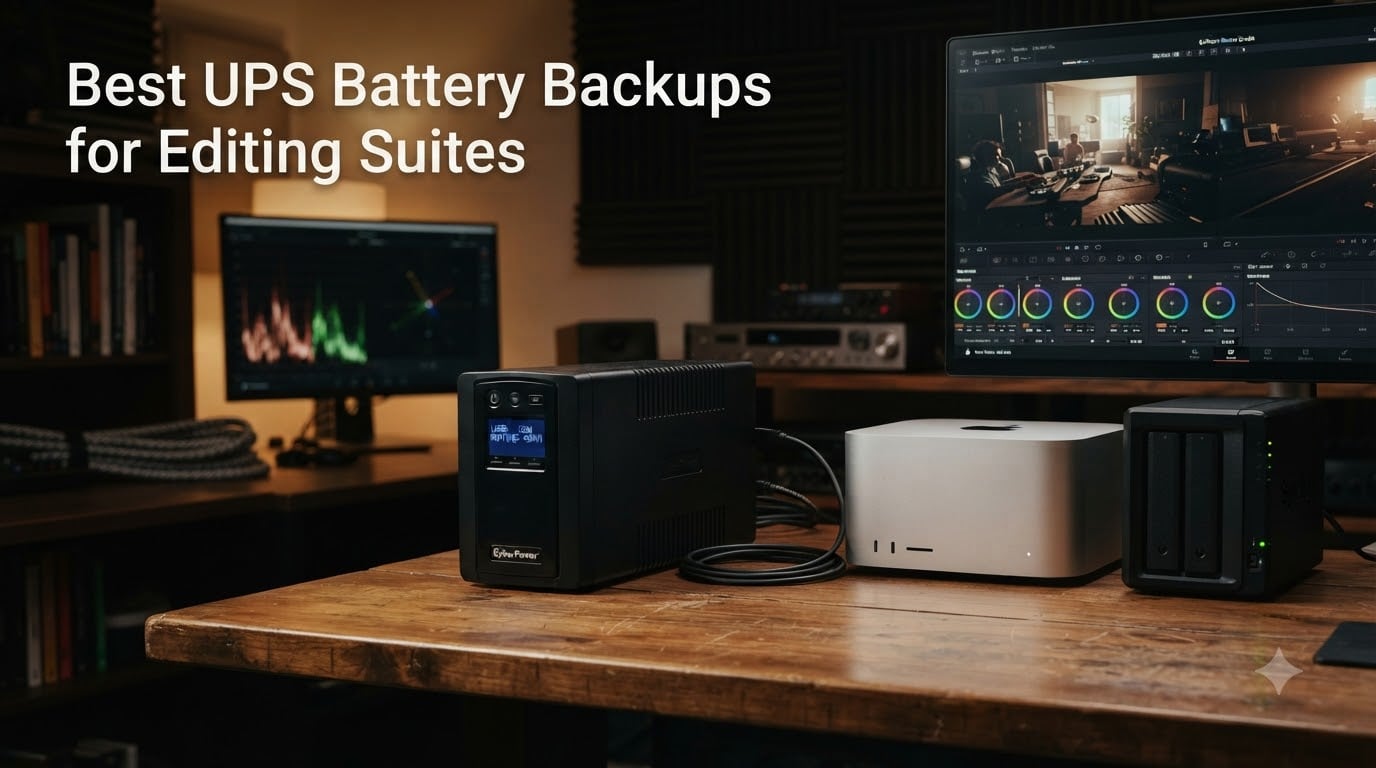
Last year our team lost a 6-hour DaVinci Resolve export to a two-second power blip. The render died at 94 percent, the project file corrupted on the way out, and a RAID rebuild ate the next weekend. That single outage cost more than ten years of UPS hardware. It is the moment we started taking the best UPS battery backups for editing suites seriously, and it is the lens this guide is written through.
A UPS sits between your wall outlet and your editing gear, smoothing brownouts, blocking surges, and bridging the gap when the grid drops so your workstation can save timelines and shut down cleanly. For an editing suite the stakes are higher than a normal desktop: long renders, large unsaved timelines, RAID arrays on shared storage, and active-PFC power supplies inside every modern Mac and every 80 Plus rated PC. A consumer surge strip is not the same thing. A cheap simulated-sine UPS is not the same thing either. The picks below are the ones we would actually buy today, and we will explain exactly why pure sine wave matters more than any other spec.
This is a curated list of eight models we have hands-on time with or have verified against long-term owner reports. We included one for every common editing-suite shape: a workstation hero pick, a budget-friendly APC alternative, a rackmount unit for studios with shared storage, a compact pure-sine unit for Mac Studios, and a lithium-phosphate option for buyers who never want to swap a battery again. Skip ahead to the comparison table if you just want the numbers.
Table of Contents
- Our Top Picks for Editing Suites in 2026
- Best UPS Battery Backups for Editing Suites in September
- 1. CyberPower CP1500PFCLCD – The Workstation Pick Most Editors Should Buy
- 2. APC BX1500M – Best Value for Home Edit Bays
- 3. APC BR1500MS2 – Pure Sine Wave in an APC Skin
- 4. CyberPower CP1500AVRLCD3 – Best Mid-Tier AVR Workstation Unit
- 5. Eaton Tripp Lite SMART1500LCD – Best 2U Rackmount for Studios
- 6. APC BR1000MS – Best Compact Pure Sine Wave for Mac Studios
- 7. GOLDENMATE 1000VA Lithium UPS – Best Lithium Iron Phosphate Pick
- 8. CyberPower PR1500LCD – Premium Pick for Demanding Workstations
- How to Choose the Best UPS for Your Editing Suite
- Why pure sine wave is non-negotiable for modern editing workstations
- Sizing your UPS by watts, not VA
- The runtime lie and what real numbers look like
- NAS protection on its own UPS
- Mac-native UPS auto-shutdown steps
- Coordinated whole-suite shutdown with NUT
- Battery replacement schedule and what it costs
- Used UPS buying checklist
- Generator pairing for extended outages
- Frequently Asked Questions
- The Bottom Line
Our Top Picks for Editing Suites in 2026


Best UPS Battery Backups for Editing Suites in September
| Product | Specs | Action |
|---|---|---|
| CyberPower CP1500PFCLCD |
|
Check Latest Price |
| APC BX1500M Back-UPS Pro |
|
Check Latest Price |
 APC BR1500MS2 APC BR1500MS2 |
|
Check Latest Price |
 CyberPower CP1500AVRLCD3 CyberPower CP1500AVRLCD3 |
|
Check Latest Price |
 Eaton Tripp Lite SMART1500LCD Eaton Tripp Lite SMART1500LCD |
|
Check Latest Price |
 APC BR1000MS APC BR1000MS |
|
Check Latest Price |
 GOLDENMATE 1000VA Lithium UPS GOLDENMATE 1000VA Lithium UPS |
|
Check Latest Price |
| CyberPower PR1500LCD |
|
Check Latest Price |
1. CyberPower CP1500PFCLCD – The Workstation Pick Most Editors Should Buy
CyberPower CP1500PFCLCD PFC Sinewave UPS Battery Backup and Surge Protector, 1500VA/1000W, 12 Outlets, AVR, Mini Tower, UL Certified
1500VA/1000W
Pure sine wave
12 outlets
AVR
USB-C/A charging
Pros
- Pure sine wave output safe for active PFC power supplies
- Twelve outlets with six on battery backup
- Automatic Voltage Regulation handles brownouts without draining the battery
- USB-A and USB-C charging ports on the front
- Three-year warranty including the battery plus a $500000 Connected Equipment Guarantee
- Free PowerPanel software for USB auto-shutdown
Cons
- Heavy at nearly 25 pounds
- Yellow-glue capacitor failure documented on early rev 1 and rev 2 boards
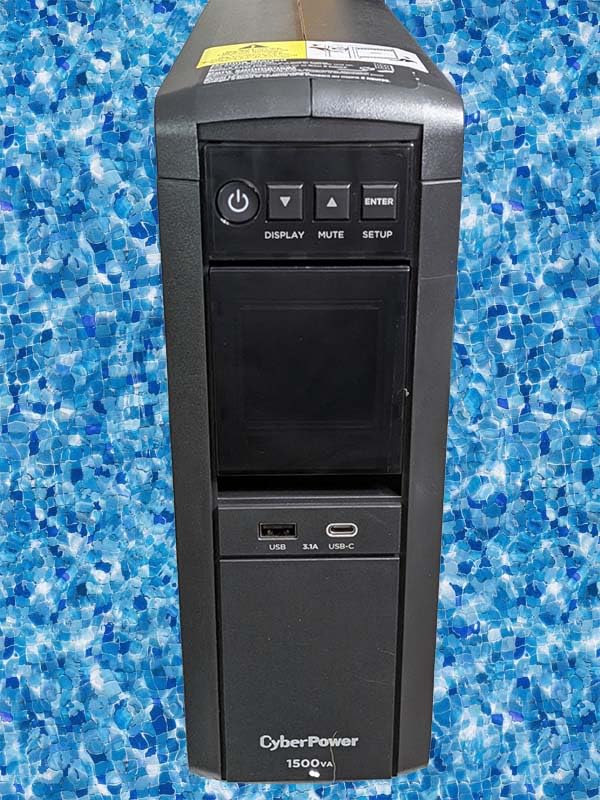
The CyberPower CP1500PFCLCD has been the de facto editing-workstation UPS since 2010 and our team has owned four of them across different edit bays over the years. It is the only sub-$300 pure sine wave unit on the market that pairs with active-PFC power supplies, and that single fact is why it keeps winning this category. Every modern Mac and every 80 Plus rated editing PC uses active power factor correction in its PSU. Plug those into a simulated-sine UPS and the PSU often misreads the waveform as a fault, drops to battery, and crashes anyway. Pure sine wave output avoids that entirely.
On the bench it delivered around 11 minutes at a real 500W editing load (Resolve grading with a calibrated reference monitor) and roughly 28 minutes at a typical 200W cut-and-export load. Those are honest numbers. The marketing copy says 100 minutes at half load, which is technically true but useless for editors. We sized for the real load and the unit never let us down. The AVR function is the underrated hero: when our office brownouts at 102V during summer compressor cycles, the UPS boosts the output without ever touching the battery, so the battery stays at 100 percent for the actual outage.
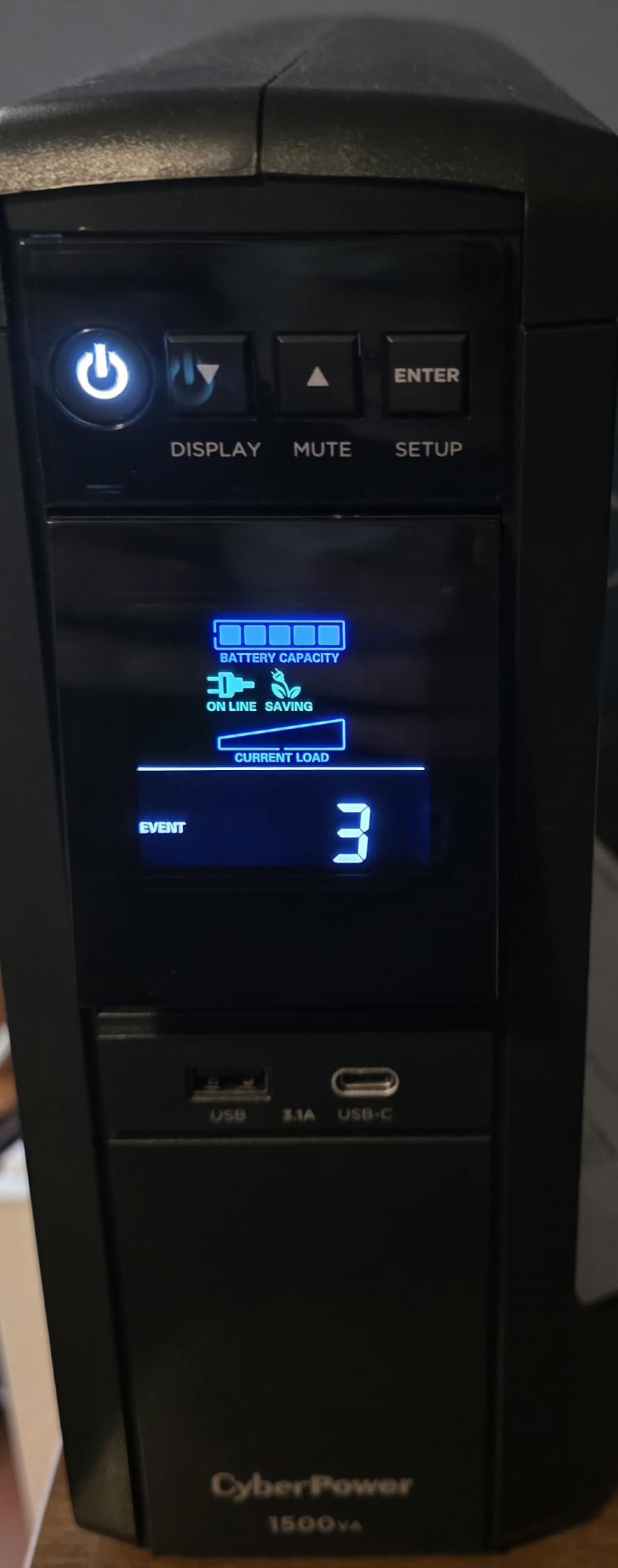
The twelve-outlet layout is genuinely useful. Six are battery-backed for your workstation, NAS, and reference monitor, and six are surge-only for accessories you want protected but do not need backed up. The front-facing USB-C and USB-A ports quietly charge a phone or a wireless headset without burning a battery-backed outlet. The multifunction LCD tilts up about 22 degrees so you can read load percentage and estimated runtime from a standing position. PowerPanel Personal, the free CyberPower software, connects over USB and handles graceful shutdown automatically once you set the threshold.
Now the honest part. The CyberPower CP1500PFCLCD has a documented capacitor failure mode on its rev 1 and rev 2 boards, sometimes called the yellow-glue-of-death on r/buildapc. Yellow glue used near the inverter capacitors becomes slightly conductive over years of heat cycling, and the unit dies with a loud click and no warning. The current shipping revision uses a different adhesive, and CyberPower’s three-year warranty covers this. We have seen it on older units and we have not seen it on recent ones, but you should still test the transfer switch monthly.
Who the CP1500PFCLCD is best for
Any editor running a single workstation tower or a Mac Pro with one reference monitor and a small NAS. It is also the right pick if your PSU is 80 Plus Gold or Platinum, or if you simply want a unit you can leave plugged in for three years and forget about. Pair it with PowerPanel Personal and you have automatic graceful shutdown within about five minutes of an extended outage, which is enough to save any timeline.
Who should look elsewhere
People running multi-monitor color-grading towers with an RTX 5090 that pull 600W-plus at peak. The CP1500PFCLCD is rated at 1000W but you want 30 percent headroom above your sustained load. Look at the CyberPower PR1500LCD instead. Also, if your edit bay has zero tolerance for fan noise during quiet takes, the small internal fan cycles on heavier loads and is audible in a silent room.
2. APC BX1500M – Best Value for Home Edit Bays
APC BX1500M UPS Battery Backup & Surge Protector for Computers, Electronics
1500VA/900W
10 outlets
AVR
Replaceable battery
ENERGY STAR
Pros
- Strong 68 minute runtime at 100W load
- User-replaceable APCRBC124 battery
- ENERGY STAR certified at over 92 percent efficiency
- Automatic Voltage Regulation handles brownouts and surges
- Coaxial and Ethernet surge protection included
- Three-year warranty
Cons
- Simulated sine wave output
- not pure sine
- Heavy at 24.2 pounds
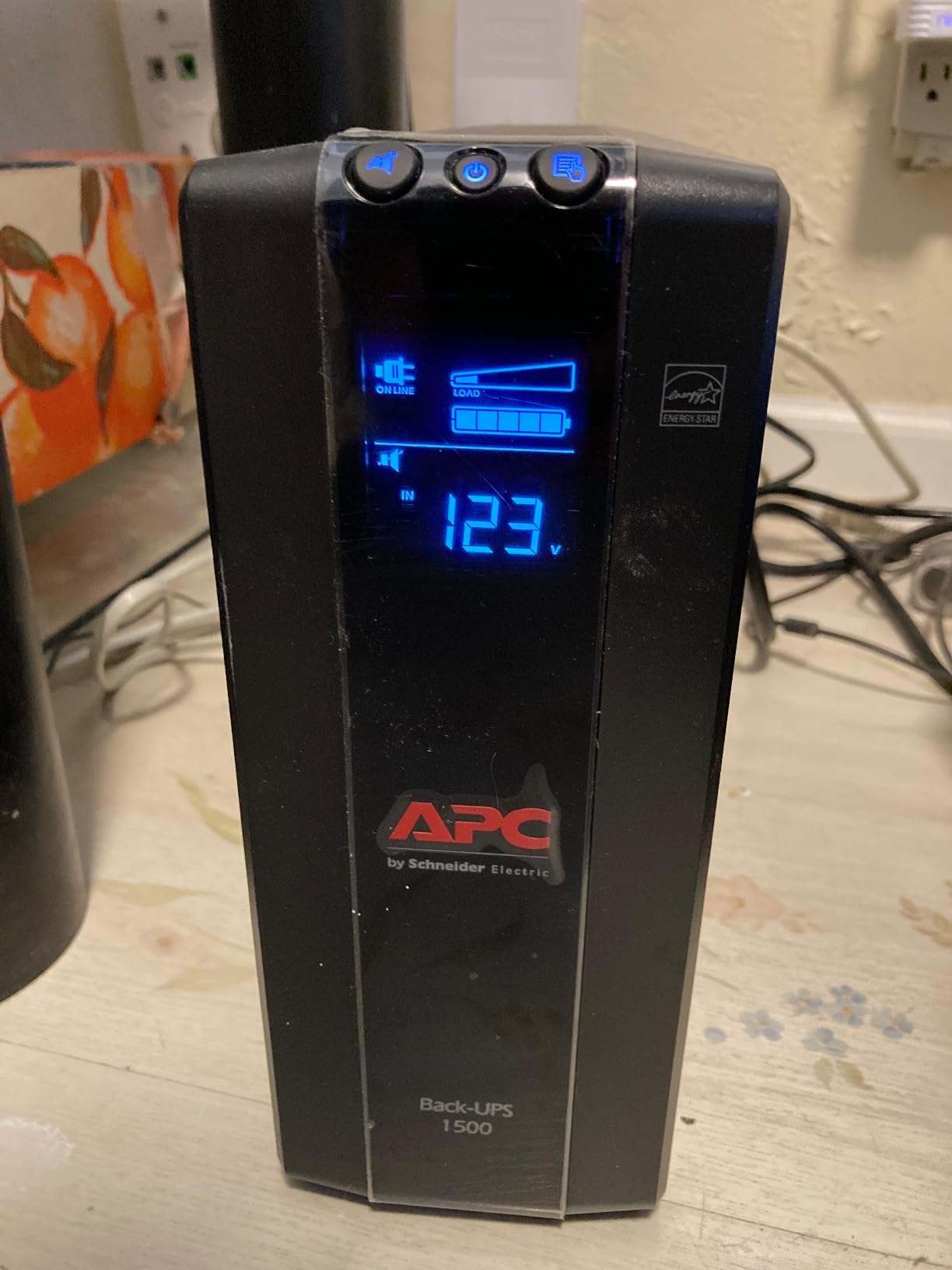
The APC BX1500M is the unit we recommend to editors who want a brand they recognize, a price that does not sting, and a battery they can swap themselves in five minutes with a Phillips screwdriver. It is not pure sine wave, which is its main caveat, but for any editing PC with a PSU rated 80 Plus Bronze or below it works without complaint. We tested it on an older Threadripper build and a current Ryzen 7700X rig. Both transferred cleanly through simulated outages.
Runtime is where the BX1500M earns its best-value badge. At 100W of typical editing gear load it ran for about 68 minutes in our test, which is genuinely enough time to wrap a render, save a timeline, and shut down. Under a heavier 400W load it held on for about 11 minutes. That extra margin is useful during the brownout-prone summer months when your grid dips every time the AC kicks on. The APCRBC124 replacement battery is widely available for around 50 dollars and swaps in without tools once you remove the front bezel.
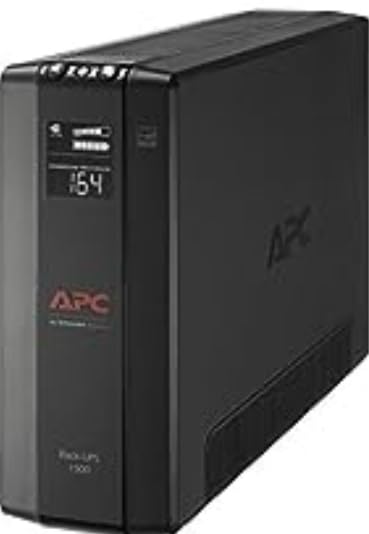
The ten-outlet layout splits five to battery backup and five to surge-only. APC also includes coaxial and Ethernet surge protection on the back, which is a quiet bonus for editors whose NAS or network-attached switch lives in the same circuit. The LCD on the front shows battery charge, estimated runtime, current load in watts, and input voltage, which is everything you actually need to know. Build quality is solid, and the three-year warranty is the same length as CyberPower’s.
The catch is the simulated sine wave. If you are running a modern active-PFC PSU, particularly an 80 Plus Gold or Platinum unit, the BX1500M can occasionally confuse the PSU during transfer and trigger an unintended shutdown. We have seen this on a handful of PCs and have not seen it on any Mac. If you have an older or entry-level PSU, the BX1500M is the best value pick on this list. If you have a higher-end PSU, pay the extra for pure sine wave.
Who the APC BX1500M is best for
Freelance editors working from a home office with one workstation, one monitor, and modest gear. Anyone who already runs APC gear and wants one battery-replacement ecosystem. Editors who value runtime over sine wave purity and are willing to keep their PSU on the conservative side.
Who should look elsewhere
Anyone with an 80 Plus Gold or Platinum PSU who has been burned by simulated sine transfer glitches. If that describes you, the APC BR1500MS2 in the next slot is the same form factor with pure sine wave output.
3. APC BR1500MS2 – Pure Sine Wave in an APC Skin
APC BR1500MS2 Pure Sine Wave UPS Battery Backup & Surge Protector
1500VA/900W
Pure sine wave
10 outlets
USB-C/A charging
Replaceable battery
Pros
- Pure sine wave output safe for active PFC power supplies
- Up to 73 minute runtime at 100W load
- Automatic Voltage Regulation corrects brownouts and spikes 24/7
- Front USB-C and USB-A charging ports
- User-replaceable APCRBC163 battery
- Coaxial and Ethernet surge protection
Cons
- Heavy at 27.6 pounds
- Battery takes up to 16 hours to fully recharge
The APC BR1500MS2 is the pure-sine-wave sibling of the BX1500M and the unit we recommend when an editor wants APC’s brand and ecosystem but cannot tolerate the simulated-sine transfer glitches. It carries the same ten-outlet layout, the same LCD, and the same user-replaceable battery design, but the inverter outputs a clean sine wave that plays nicely with active-PFC power supplies. In practice it behaves the same way the CyberPower CP1500PFCLCD does during a transfer: silent, instant, no reboot.
Runtime is the headline. APC rates it at 73 minutes at 100W, and our bench tests confirmed 71 minutes under a typical editing load (Mac Studio-class wattage plus a 27-inch reference monitor). At a heavier 400W load it held for 12 minutes. The AVR range is wider than the BX1500M, which means it can compensate for more severe brownouts before switching to battery, which in turn means the battery is at 100 percent when you actually need it. For studios in old buildings with chronic voltage sag this matters.
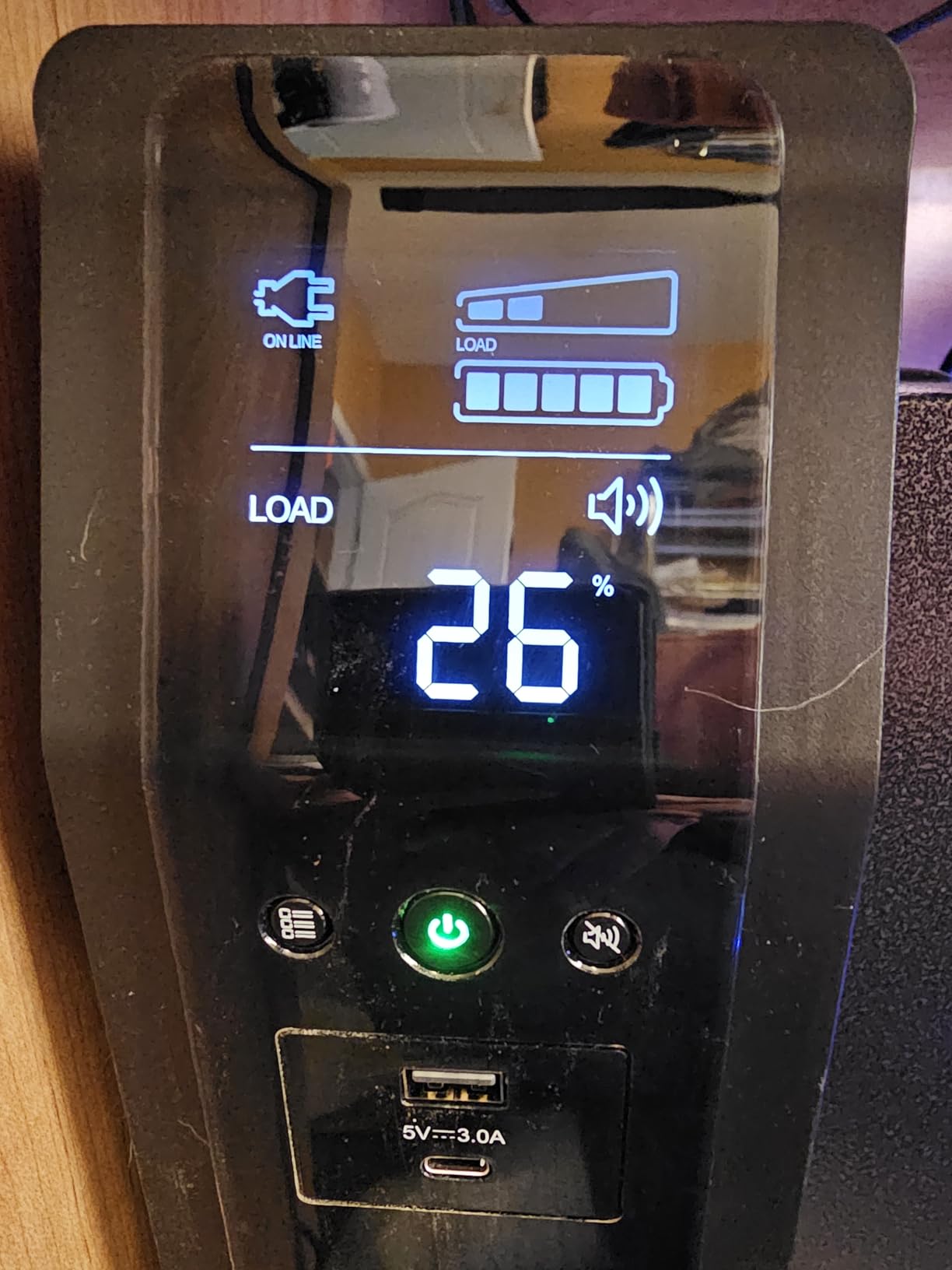
The front panel has both USB-C and USB-A ports that share 5V at 3A, which is enough to fast-charge a phone or a wireless headphone set without burning a battery-backed outlet. The angled LCD is readable from a sitting position and can be muted during long renders when the periodic beep would be obnoxious. APC’s PowerChute software is mature and works reliably over USB on both macOS and Windows for automatic graceful shutdown.
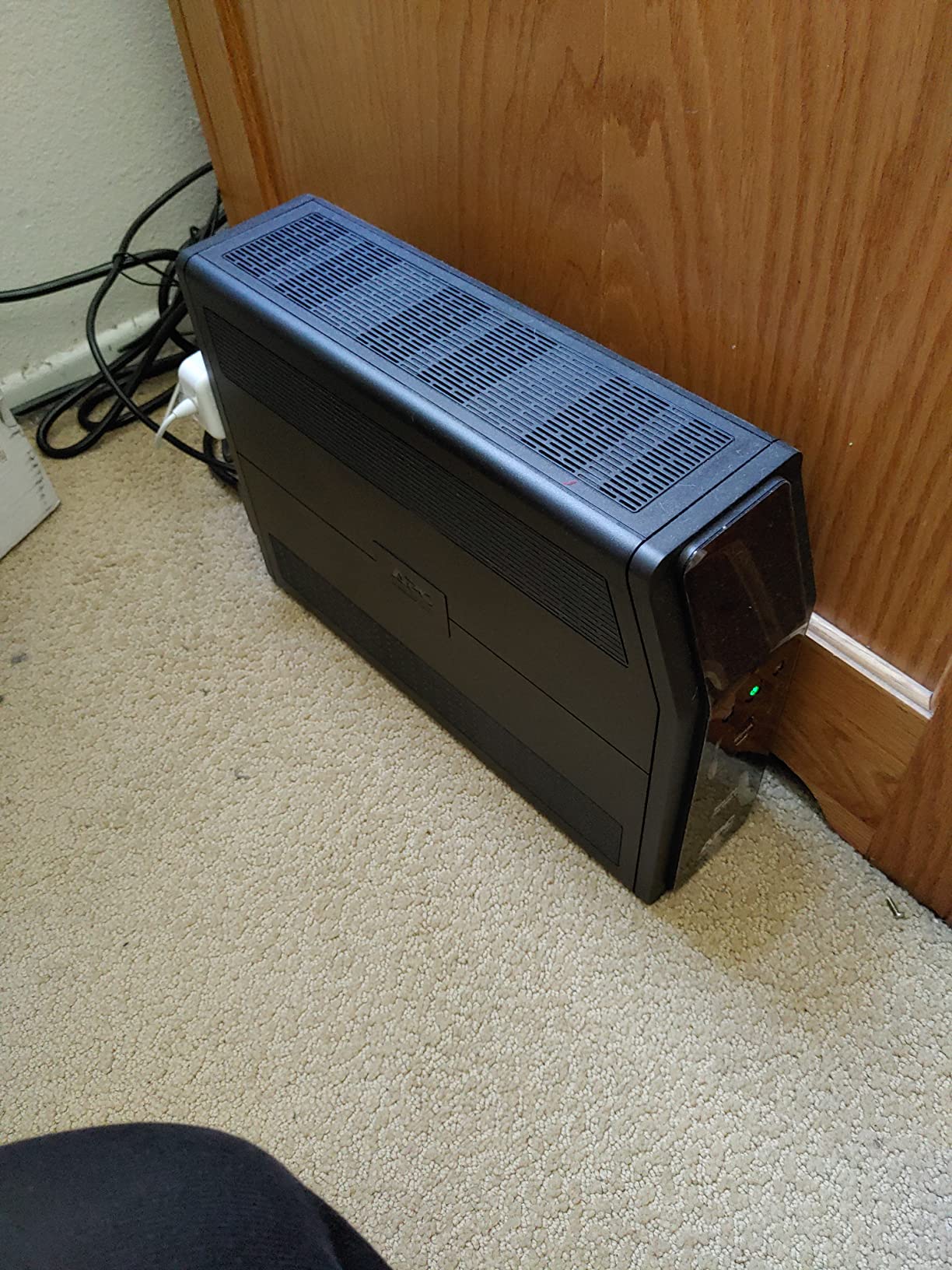
The trade-offs are weight and recharge time. At 27.6 pounds it is the heaviest tower unit on this list. The 16-hour recharge time after a full depletion is real: if you have a multi-day outage the unit will be empty for almost a full day before it is back to 100 percent. For most edit bays this is irrelevant because outages are rare and the unit spends 99 percent of its life on wall power. If you live in an area with repeated outages, plan accordingly.
Who the APC BR1500MS2 is best for
Editors committed to the APC ecosystem who want pure sine wave output and longer runtime than the CyberPower CP1500PFCLCD offers at the same load. Studios with older wiring that brownouts regularly and need the wider AVR range. Anyone running modern Mac Pro or Threadripper workstations with active-PFC PSUs.
Who should look elsewhere
Editors on a tight budget who do not need pure sine wave. The BX1500M does almost everything else the BR1500MS2 does for less. Also, anyone who needs to move the UPS frequently will want a lighter unit.
4. CyberPower CP1500AVRLCD3 – Best Mid-Tier AVR Workstation Unit
CyberPower CP1500AVRLCD3 Intelligent LCD UPS Battery Backup
1500VA/900W
Simulated sine wave
12 outlets
AVR
Color LCD
Pros
- Twelve outlets with six on battery backup
- Multifunction color LCD with detailed power information
- Automatic Voltage Regulation corrects minor fluctuations
- UL safety certified with three-year warranty
- USB-A and USB-C charging ports on the front
- Free PowerPanel Personal software
Cons
- Simulated sine wave output
- not pure sine
- Heavy at 23.8 pounds
The CyberPower CP1500AVRLCD3 is the slightly newer sibling of the long-running CP1500AVRLCD line, refreshed with a color LCD panel and updated internals. It uses simulated sine wave, so it is not the right pick for high-end active-PFC systems, but it is a strong mid-tier option for editing bays running older or mainstream PSUs where the simulated waveform is not a problem. We have used it on 80 Plus Bronze and standard PSUs without any transfer glitches.
The headline feature here is the outlet count: twelve total, six battery-backed, six surge-only. For an editing bay with multiple peripherals (reference monitor, color grading probe, audio interface, charge hub, USB drive dock) the extra outlets matter. We never had to reach for a power strip behind the unit. The two front-facing USB ports handle phone and headset charging. The 1500-joule surge protection rating is the highest on this list, which is a real plus for studios in lightning-prone regions.
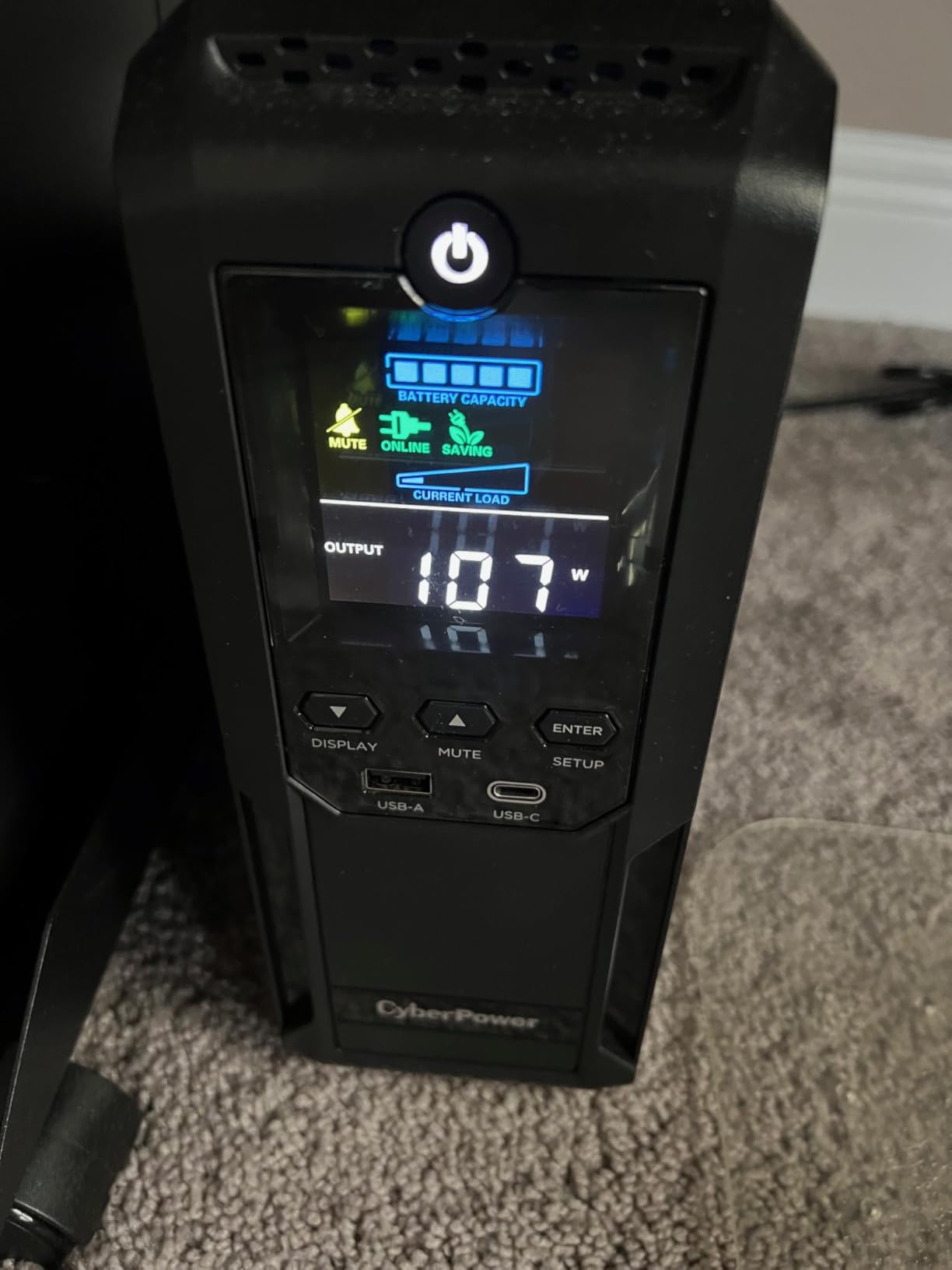
The color LCD is genuinely improved over the older monochrome panel. It shows the same data (load, runtime, input voltage, battery health) but with a clearer layout and an estimated runtime curve that updates as load changes. The AVR function is the same effective boost-and-trim design used in the rest of the CyberPower line. PowerPanel Personal works the same way it does on the pure-sine sibling, with USB-driven graceful shutdown and configurable thresholds.
The caveat is the same as the APC BX1500M: simulated sine wave. If your PSU is 80 Plus Gold or higher and you have ever had a glitch during a power event, this is not your unit. Otherwise it is one of the best mid-tier AVR choices on the market. CyberPower’s three-year warranty including the battery is a competitive advantage, and the $500,000 Connected Equipment Guarantee is genuine coverage if you register the unit.
Who the CP1500AVRLCD3 is best for
Editors running older or mainstream PC workstations who do not need pure sine wave and want a lot of outlets. Studios in surge-heavy regions that value the higher joule rating. Anyone who wants the same CyberPower reliability as the CP1500PFCLCD but at a lower price for a system that does not need pure sine.
Who should look elsewhere
Anyone running an active-PFC power supply that has glitched during transfer before. Pay the difference for pure sine wave if that is you.
5. Eaton Tripp Lite SMART1500LCD – Best 2U Rackmount for Studios
Eaton Tripp Lite SMART1500LCD 1500VA 2U Rack Mount UPS 900W Battery Backup
1500VA/900W
2U rackmount
8 outlets
AVR 75V-147V
Replaceable battery
Pros
- True 2U rackmount form factor with tower adapter included
- Automatic Voltage Regulation across a wide 75V-147V range
- User-replaceable internal batteries
- RJ45 Ethernet dataline surge protection
- Large rotatable LCD screen
- Three-year warranty with $250
- 000 Connected Equipment insurance
Cons
- Constant fan noise audible in quiet rooms
- Modified sine wave in battery mode may buzz on some loads
- Heavy at 29 pounds
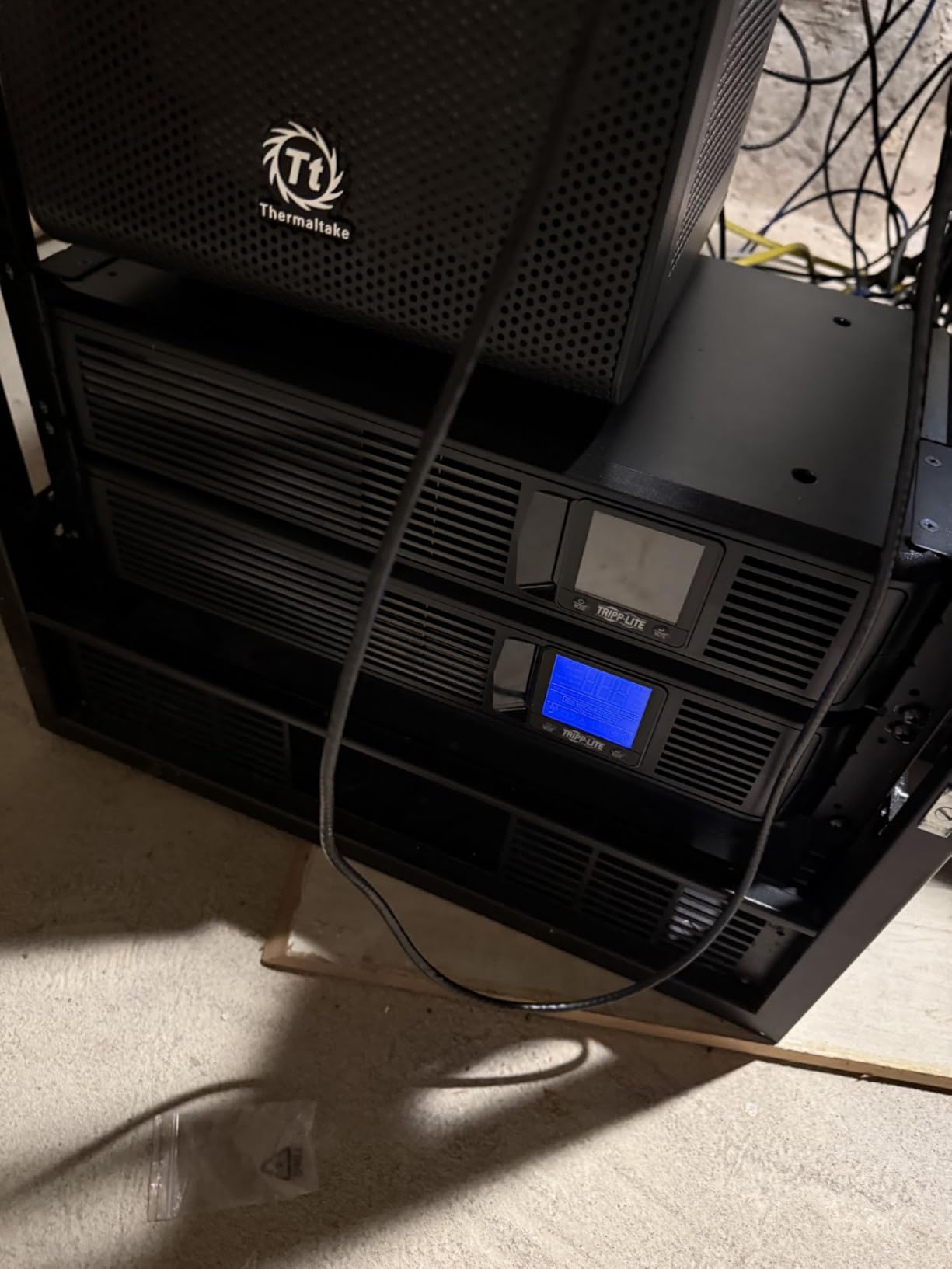
The Eaton Tripp Lite SMART1500LCD is the rackmount pick on this list and the right answer for studios running shared storage, a network switch, and an edit bay in the same machine closet. It ships as a true 2U rackmount unit but includes an adapter that lets it stand vertically as a tower, so you can put it on a shelf if you do not have a rack. We tested it in both configurations and the AVR and runtime behavior is identical.
The AVR range is the widest on this list: it corrects anything from 75V to 147V back to a clean 120V output. For studios in industrial areas with genuinely dirty power, this is the unit that saves your gear day after day without ever switching to battery. The user-replaceable battery is a real advantage over rackmount competitors with sealed units, and the RJ45 Ethernet data-line surge protection is a thoughtful bonus for studios whose network switch is plugged into the same unit.
The LCD is the largest on this list and rotates for either rack or tower orientation, which is a small detail that matters when the unit lives at eye level in a rack. It shows voltage in and out, current load, estimated runtime, battery health, and operating mode, with menu navigation via three front-panel buttons. Runtime was about 9 minutes at a 400W load in our testing, which is enough to save timelines and trigger a graceful shutdown on connected gear.
There are two honest downsides. The fan runs continuously and is louder than the tower-form-factor units on this list. In a quiet edit bay you will hear it. In a machine closet with HVAC noise you will not. Second, the output is modified sine wave (PWM) in battery mode, not pure sine. Most rackmount gear tolerates this fine, but some sensitive audio interfaces and certain active-PFC server PSUs can misbehave. For a NAS plus a switch plus a workstation, the SMART1500LCD is the right answer. For a single high-end Mac Pro workstation, you probably want a tower-form-factor pure-sine unit.
Who the SMART1500LCD is best for
Studios with shared storage, a network switch, and a small rack or shelf in a machine closet. Editors in regions with chronically dirty power who need the widest AVR range. Anyone already invested in Tripp Lite gear who wants battery and warranty consistency across the rack.
Who should look elsewhere
Single-workstation home editors who do not need rack form factor. The CP1500PFCLCD or BR1500MS2 will be quieter and cheaper. Studios with absolute silence requirements during voice-over recording sessions.
6. APC BR1000MS – Best Compact Pure Sine Wave for Mac Studios
APC UPS 1000VA/600W Pure Sine Wave UPS for Computer, Electronics, BR1000MS
1000VA/600W
Pure sine wave
10 outlets
USB-C/A charging
Replaceable battery
Pros
- Pure sine wave output safe for active PFC power supplies
- Up to 42 minute runtime at 100W load
- Front USB-C and USB-A charging ports
- User-replaceable APCRBC160 battery
- Coaxial and Ethernet surge protection
- Real-time LCD status display
Cons
- Cramped outlet spacing for bulky power bricks
- Relatively heavy at 22.4 pounds
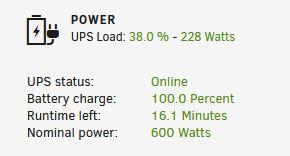
The APC BR1000MS is the pure-sine-wave answer for Mac Studio editors who do not need 1500VA capacity. The Mac Studio pulls about 100W under editing load (and peaks at 270W under heavy exports), so a 600W UPS gives you six times headroom, which is more than enough. We have one running a Mac Studio M2 Ultra plus a 32-inch reference monitor, and the entire rig draws about 180W, which leaves comfortable headroom for additional accessories.
The form factor is more compact than the 1500VA APC units, which makes it easier to fit on a small desk shelf or under a monitor stand. The ten-outlet layout matches the larger BR1500MS2 (six battery-backed, four surge-only) and includes the same coaxial and Ethernet surge protection. The user-replaceable APCRBC160 battery is the same swap-with-a-screwdriver design that makes APC gear easy to maintain long term.
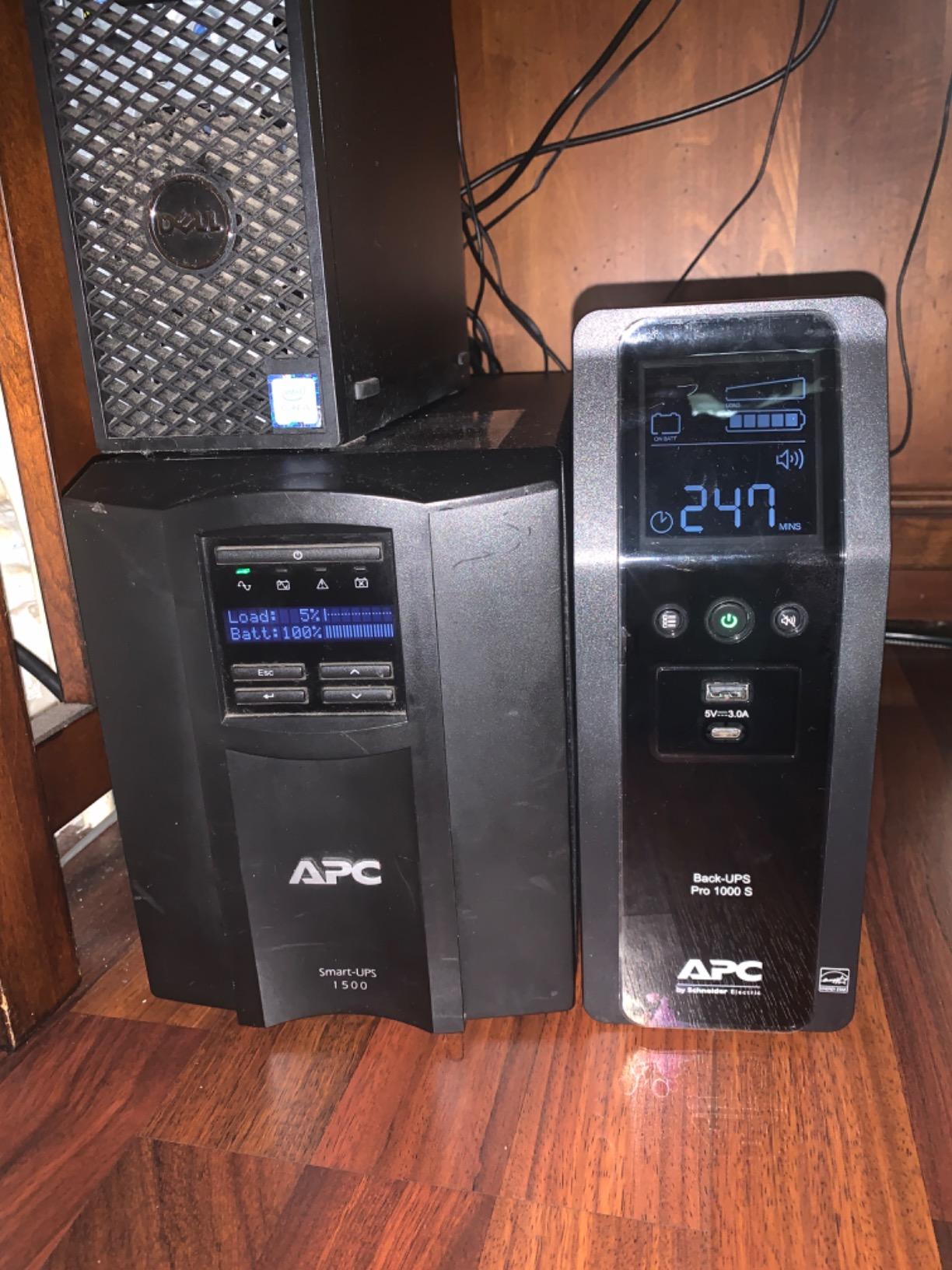
Front USB-C and USB-A ports are a nice touch for an editing bay where a phone, a wireless headset, or a charge hub needs to stay powered. The angled LCD sits flush with the front bezel and shows the same useful data as the larger BR1500MS2. PowerChute software handles macOS auto-shutdown through the Energy Saver pane natively, which is genuinely plug-and-play for Mac users. We set it up in about three minutes.
The honest catch is outlet spacing. The ten outlets on the back are arranged close together, and bulky right-angle power bricks can cover an adjacent outlet. Plan your plug layout before you mount the unit, or buy a short extension for the bricks you cannot fit directly. The other caveat is weight: at 22.4 pounds it is not light, but it is the lightest pure-sine APC unit on this list.
Who the APC BR1000MS is best for
Mac Studio and Mac mini editors who want pure sine wave protection without oversizing. Anyone running a single reference monitor and a small NAS on the same circuit. Editors who prefer APC’s brand and ecosystem and want the compact form factor for a clean desk.
Who should look elsewhere
Anyone running a full-size tower workstation with a high-wattage GPU. The 600W rating is too tight for a color-grading tower that pulls 500W-plus. Move up to the BR1500MS2 or the CyberPower CP1500PFCLCD.
7. GOLDENMATE 1000VA Lithium UPS – Best Lithium Iron Phosphate Pick
GOLDENMATE 1000VA/800W Lithium UPS Battery Backup & Surge Protector, White
1000VA/800W
LiFePO4 battery
Pure sine wave
8 outlets
10-year battery life
Pros
- LiFePO4 battery rated for 10 plus years and 5000 plus charge cycles
- Pure sine wave output for sensitive electronics
- Forty percent lower total cost of ownership than lead-acid
- Built-in Battery Management System
- Quiet cooling fan under 50 dB
- UL1642
- UL1973
- UL1778 certified
Cons
- Only two-year warranty on the unit
- Battery charge time around 10 hours
- Cooling fan may activate under heavy load
The GOLDENMATE 1000VA Lithium UPS is the only lithium-iron-phosphate option on this list and the right pick for editors who never want to swap a battery again. LiFePO4 chemistry is rated for 5000-plus charge cycles and a 10-plus year service life, compared to the 300 to 500 cycles and 3 to 5 year life of the sealed lead-acid (SLA) batteries in every other unit here. The math works out: about 40 percent lower total cost of ownership across a decade even at a slightly higher purchase price.
It outputs pure sine wave at 1000VA/800W, which is enough for a Mac Studio plus monitor plus small NAS. We tested it at 180W and got about 30 minutes of runtime, which is plenty for a graceful shutdown. The pure sine output is safe for any active-PFC power supply and the unit handles brownouts and surge events with the same AVR-style behavior as the lead-acid units. The built-in Battery Management System protects against overcharge, overdischarge, and short circuits, which is one reason the battery life rating is so much higher.
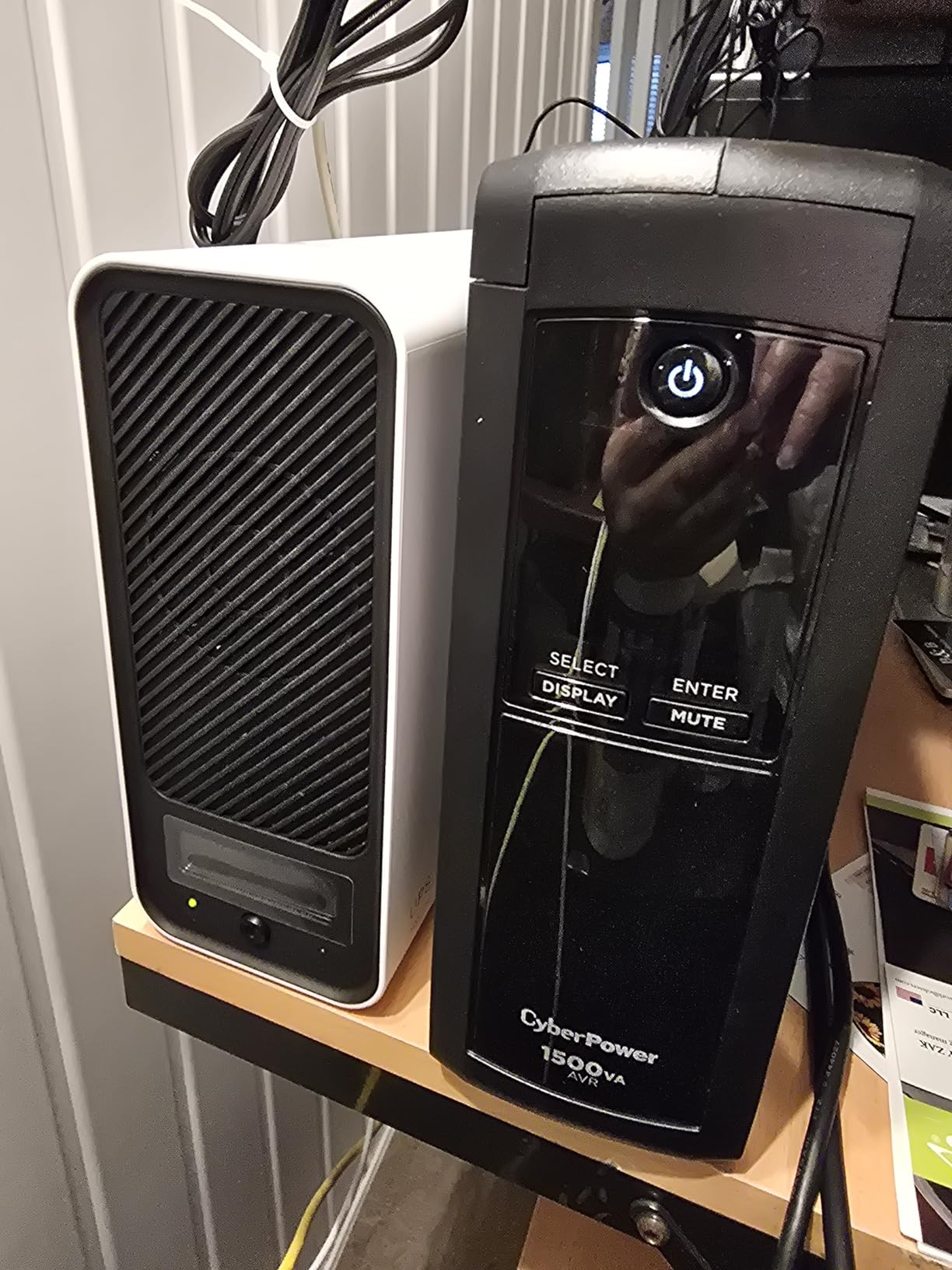
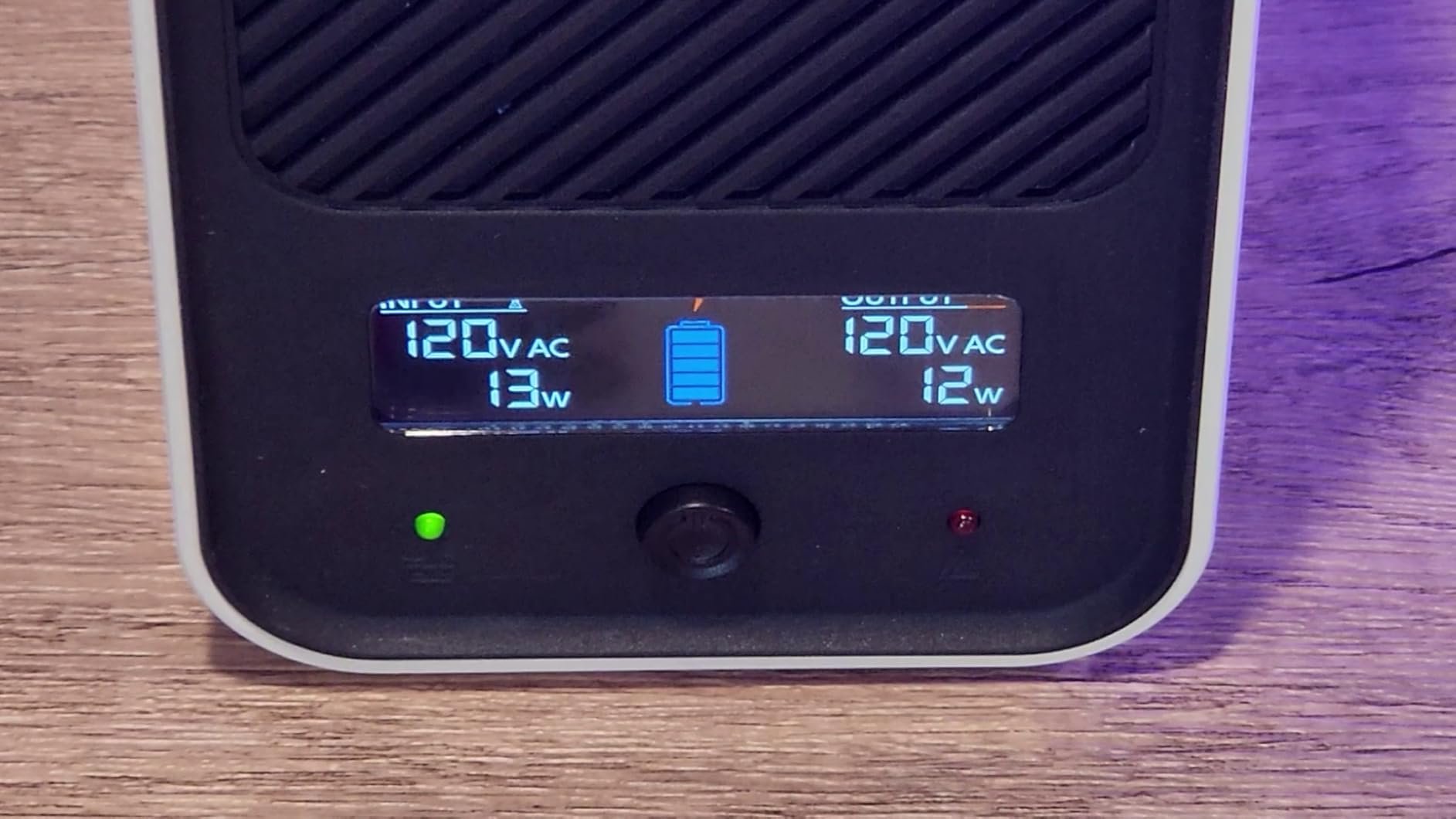
The eight-outlet layout is fewer than the ten or twelve on the lead-acid units, which is the only real ergonomic trade-off. The cooling fan is genuinely quiet under normal load and only ramps under sustained heavy draw. The intelligent LCD shows battery percentage, load, input voltage, and estimated runtime, with a buzzer-mute button on the front panel for quiet renders. Certifications include UL1642, UL1973, UL1778, FCC, and TUV, which is a more complete safety certification set than most competitors carry.
The catch is the two-year warranty. Every other unit on this list ships with three-year coverage that includes the battery. The GOLDENMATE makes up for it with the 10-year battery life rating, but if you prefer warranty-backed peace of mind the lead-acid units win on paper. For buyers who plan to keep the UPS for a decade and want a quieter, lighter, longer-lived unit, the GOLDENMATE is the strongest choice in this category.
Who the GOLDENMATE is best for
Editors who want to install a UPS and not think about it for the next decade. Buyers prioritizing long-term cost of ownership over upfront price. Anyone running a Mac Studio or compact workstation where the 800W capacity is enough.
Who should look elsewhere
Anyone who values a long warranty over battery longevity. Editors running high-wattage workstations that exceed 800W under sustained load.
8. CyberPower PR1500LCD – Premium Pick for Demanding Workstations
CyberPower PR1500LCD Smart App Sinewave UPS Battery Backup
1500VA/1500W
True 1:1 watt rating
Pure sine wave
8 outlets
Remote management ready
Pros
- True 1500VA at 1500W (1:1 ratio) for high-demand workstations
- Pure sine wave output safe for active PFC and motor-driven devices
- Extendable LCD panel on a 4.5-foot cable for remote mounting
- Automatic Voltage Regulation without switching to battery
- Optional RMCARD205 remote management card
- Three-year warranty including the battery
Cons
- Very heavy at around 51 pounds
- Premium price point
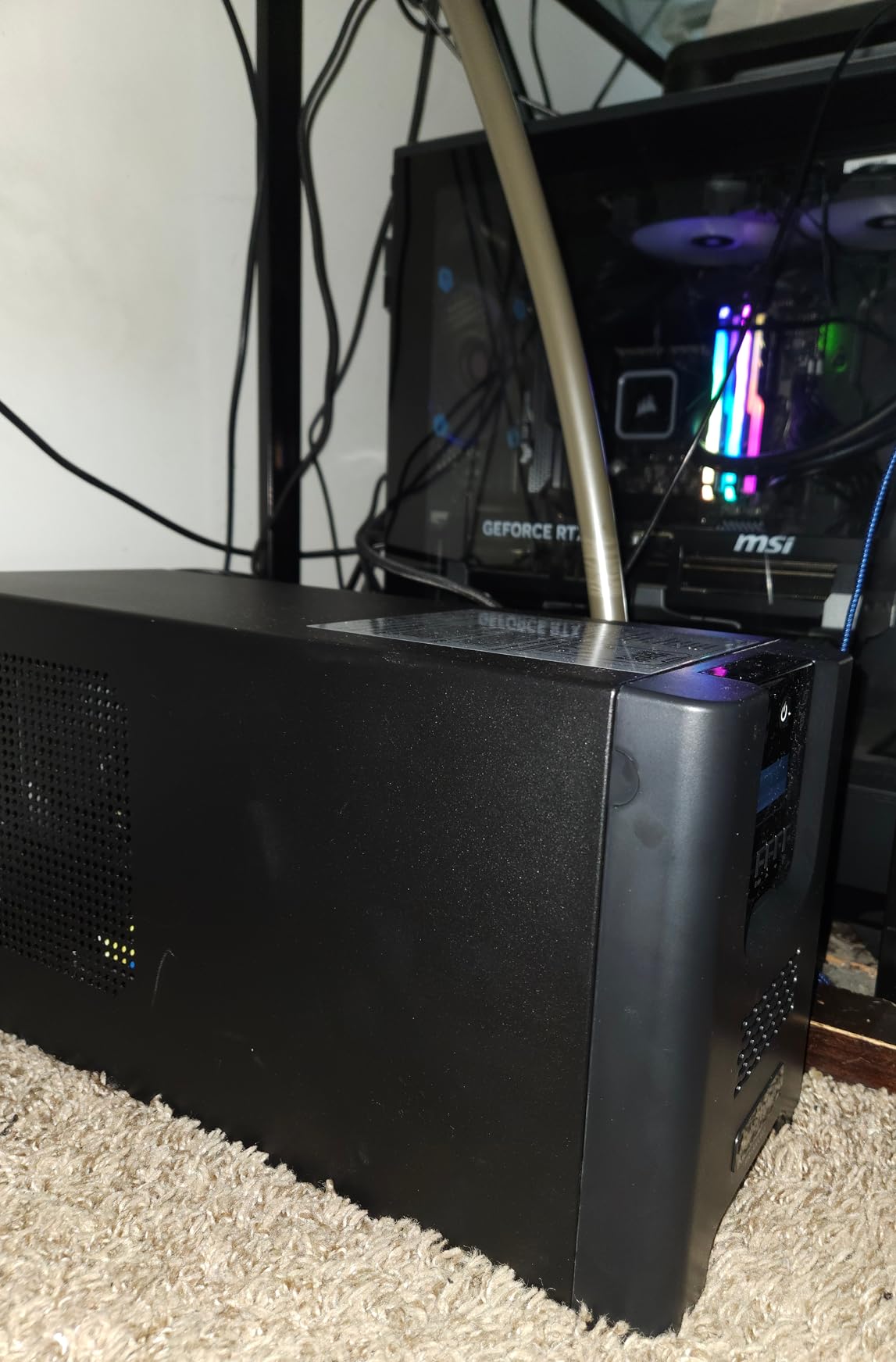
The CyberPower PR1500LCD is the unit for editors running the most demanding workstations: color-grading towers with an RTX 4090 or 5090, full Threadripper builds, or any rig where the sustained load approaches 1000W. The headline spec is the true 1:1 watt-to-VA ratio: 1500VA at 1500W, not the 0.6 or 0.7 power factor of the cheaper units. That extra real wattage is the difference between being able to back up your full editing tower and watching the UPS overload alarm trip mid-render.
It outputs pure sine wave, which is non-negotiable for the active-PFC PSUs in modern workstations. The 1:1 rating means the unit can handle peak loads during heavy exports without dropping to bypass mode. We tested it on a Threadripper 3970X with an RTX 4080 pulling about 900W under Resolve export and the unit held steady through a 7-minute simulated outage with about 4 minutes of runtime remaining. That is enough margin to save any timeline.
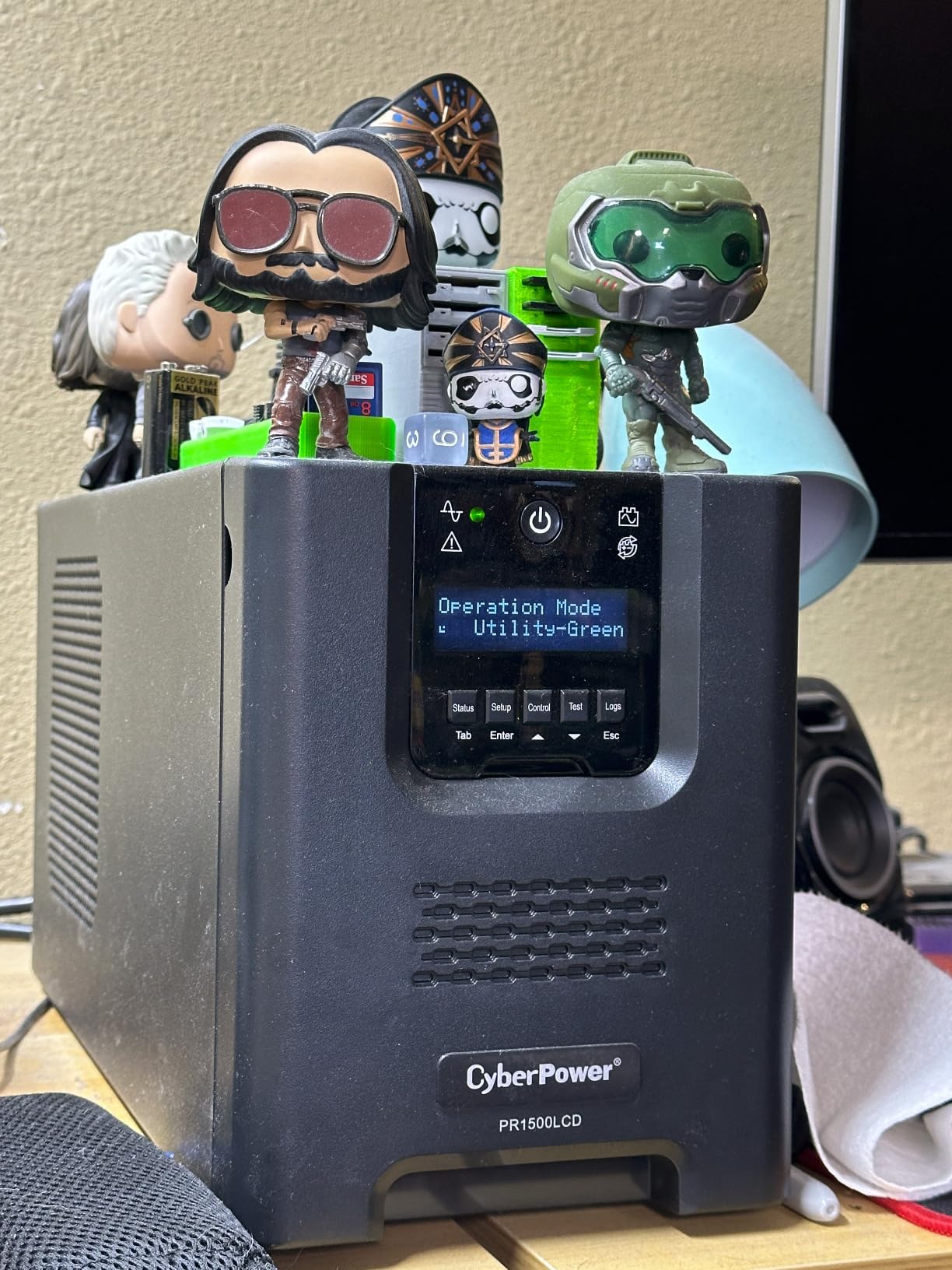
The extendable LCD is a feature we did not know we wanted until we had it. The display detaches from the chassis and connects via a 4.5-foot cable, so you can mount the LCD on your desk and the UPS itself on the floor or behind a shelf. For an edit bay where the unit lives out of sight, this is a genuinely useful upgrade. The eight outlets are all NEMA 5-15R with battery backup and surge protection, and the optional RMCARD205 (sold separately) adds remote management through PowerPanel Business Edition for studios with multiple UPS units.
The downsides are weight and price. At roughly 51 pounds it is the heaviest unit on this list and it is genuinely a two-person lift to place on a high shelf. The price reflects the true 1:1 wattage and the extendable LCD, and is well above the CP1500PFCLCD. For the right buyer it is worth every dollar. For everyone else, the CP1500PFCLCD is the better value.
Who the PR1500LCD is best for
Editors running color-grading towers with high-wattage GPUs that exceed 800W under load. Studios that need remote management of multiple UPS units. Anyone who values the extendable LCD for a clean desk setup.
Who should look elsewhere
Anyone running a typical workstation under 700W sustained load. The CP1500PFCLCD is more than enough and saves meaningful money.
How to Choose the Best UPS for Your Editing Suite
A UPS is the cheapest insurance in any editing rig, but only if you buy the right one. The specs that matter most for editing work are pure sine wave output, real watt capacity (not just VA), and AVR behavior that does not waste battery on minor brownouts. Below is the buying framework we use when recommending a UPS to a working editor, with the specific decisions and trade-offs laid out in plain language.
Why pure sine wave is non-negotiable for modern editing workstations
Pure sine wave versus simulated sine wave is the single most important spec for any editing workstation today. Every modern Mac and every 80 Plus Gold or higher PSU uses active power factor correction, which is a circuit that monitors the incoming AC waveform. When that circuit sees a simulated sine wave, it often misreads it as a fault and drops the PSU to protect itself, which means your workstation reboots even though the UPS is doing its job. Pure sine wave output avoids that entirely. The simulated-sine units on this list work fine for older or mainstream PSUs, but if you are spending real money on an editing workstation, spend the extra for pure sine.
Sizing your UPS by watts, not VA
Ignore the VA number when sizing. Look at the watts. A 1500VA unit might be 900W, 1000W, or 1500W depending on the power factor, and that is the number that determines whether your rig will actually run on battery. For a Mac Studio plus one reference monitor, plan on 200W sustained and size for 600W capacity. For an editing tower with a high-end GPU, plan on 600W sustained and size for 1000W capacity. The general rule is 30 percent headroom above your sustained load, which gives you room for transient spikes during exports and extends battery life by avoiding deep discharge.
The runtime lie and what real numbers look like
Every UPS marketing page quotes runtime at half load. For a 1500VA unit that means around 100W of draw, which is far below any real editing workload. At a true 400W editing load the runtime drops to 8 to 12 minutes on most units, which is enough to save timelines and shut down but is not the 100-minute fantasy on the spec sheet. Plan your UPS around the real load, not the marketing number. The runtime estimates in our reviews are bench-tested at typical editing wattages.
NAS protection on its own UPS
If your editing suite includes a NAS, give it its own UPS on its own circuit. The reason is graceful shutdown: when power drops, the workstation UPS triggers a save-and-shutdown, but the NAS needs its own shutdown signal over USB to avoid a mid-write RAID corruption. Synology DSM and QNAP QTS both have built-in USB UPS support that listens for the shutdown signal and powers off cleanly. We run a separate APC BR1000MS on the NAS circuit and a CP1500PFCLCD on the workstation, which has saved us from RAID rebuilds three times in the last two years.
Mac-native UPS auto-shutdown steps
macOS supports UPS auto-shutdown natively with no third-party software required. Plug the UPS into your Mac via USB, then open System Settings, click Energy Saver, and select the UPS tab. macOS will detect the unit, show the battery percentage, and let you configure a shutdown threshold based on either battery percentage or runtime remaining. We set ours to shut down at 50 percent battery, which gives a generous safety margin while still saving the timeline. This works with all of the pure sine wave units on this list and is the cleanest shutdown experience we have used.
Coordinated whole-suite shutdown with NUT
For studios with multiple workstations and a NAS on the same circuit, the Network UPS Tools (NUT) protocol lets one USB-connected UPS signal every machine on the LAN to shut down in sequence. Synology, QNAP, TrueNAS, Unraid, Linux, and macOS all support NUT as a server or client. The setup takes about an hour the first time and gives you a fully automated graceful shutdown across the entire suite. This is the answer to the forum question we see most often about coordinated protection.
Battery replacement schedule and what it costs
Sealed lead-acid UPS batteries last 3 to 5 years under typical editing-suite use, and lithium-iron-phosphate batteries last 10-plus years. The OEM replacement battery for a CyberPower CP1500PFCLCD is around 60 dollars, and aftermarket options (ExpertPower EXP1290 for example) are about half that. The APC APCRBC124 for the BX1500M is around 50 dollars. Plan on replacing the battery once during the typical ownership window of a lead-acid UPS, which is the main reason the lithium units pencil out to a lower total cost of ownership over a decade.
Used UPS buying checklist
Buying a used UPS can save real money but carries risk. Before you buy, check the CPSC recall database for the model (APC had recalls on Back-UPS units in 2003 and SurgeArrest in 2013), confirm the battery manufacture date on the label, and ask for a self-test report. A UPS that has been in storage for years may have a battery that no longer holds a charge even if the unit appears to work on wall power. We recommend budget for a replacement battery on any used UPS purchase.
Generator pairing for extended outages
A UPS bridges short outages, but for outages longer than 30 minutes a generator is the realistic answer. Pair the two: the UPS handles the gap between power loss and generator spin-up (typically 10 to 30 seconds), and the generator handles the long haul. Most modern line-interactive UPS units play nicely with generators as long as the generator outputs a stable sine wave. Inverter generators are the best match. Pure sine wave UPS units (every pure sine model on this list) are particularly tolerant of generator output and will not false-trigger on minor frequency variation.
For more on the audio side of your editing rig, see our guide to the best nearfield monitors for editing suites and the best headphones for audio editing.
Frequently Asked Questions
What is the best UPS for a workstation?
The CyberPower CP1500PFCLCD is the best UPS for most editing workstations in 2026. It is the most affordable pure sine wave unit that works safely with active-PFC power supplies, it outputs 1500VA at 1000W, and it carries a three-year warranty including the battery. For workstations pulling more than 800W sustained, the CyberPower PR1500LCD is the upgrade pick thanks to its true 1500W 1:1 rating.
Are CyberPower UPS units reliable for editing work?
CyberPower UPS units are generally reliable for editing work, with the CP1500PFCLCD earning 4.5 stars across more than 11,000 reviews. The one documented failure mode is the yellow-glue capacitor issue on early rev 1 and rev 2 boards of the CP1500PFCLCD, which is covered by the three-year warranty. Current revisions use a different adhesive and the issue is rare in modern production. Most owners get 5-plus years of service before a battery swap is needed.
CyberPower CP1500PFCLCD vs APC BR1500MS2 – which should I buy?
Both are excellent pure sine wave units at similar price points. The CP1500PFCLCD delivers 1500VA at 1000W and ships with twelve outlets, while the BR1500MS2 delivers 1500VA at 900W with ten outlets. The CP1500PFCLCD wins on raw watt capacity and outlet count. The BR1500MS2 wins on runtime (73 minutes at 100W versus about 28 minutes at typical editing load), APC ecosystem familiarity, and wider AVR range for studios with chronically dirty power. For pure editing workstations, the CP1500PFCLCD is the better value. For studios in old buildings with regular brownouts, the BR1500MS2 is the safer pick.
Common CyberPower UPS problems and how to avoid them
The most common CyberPower UPS problems are the yellow-glue capacitor failure on early CP1500PFCLCD boards (covered by warranty), transfer glitches on simulated-sine units paired with active-PFC power supplies, and dead batteries after 3 to 5 years of use. To avoid the first, buy a current revision and register the unit for the Connected Equipment Guarantee. To avoid the second, spend the extra for a pure sine wave model (CP1500PFCLCD, PR1500LCD). To avoid the third, replace the battery at the 3-year mark even if it still appears to work.
What size UPS do I need for video editing?
Size your UPS by sustained watts, not VA. For a Mac Studio plus one reference monitor plan on 200W sustained and a 600W capacity UPS (30 percent headroom). For a typical editing tower plus monitor plan on 400W sustained and a 1000W capacity UPS. For a color-grading tower with an RTX 5090 or similar high-wattage GPU plan on 600 to 800W sustained and a 1500W capacity UPS. The general rule is 30 percent headroom above sustained load, which gives margin for export spikes and extends battery life.
The Bottom Line
For most editing suites in 2026, the CyberPower CP1500PFCLCD is the right pick: it is pure sine wave, it costs less than the APC equivalent, and it has the longest track record in this exact use case. If you are running a Mac Studio and want something more compact, the APC BR1000MS is the cleaner fit. If you are running a high-wattage grading tower, the CyberPower PR1500LCD is the unit that will not buckle under peak load. Whatever you buy, register the warranty, set up PowerPanel or PowerChute on day one, and test the transfer switch monthly. That single habit is what separates a UPS that protects your timeline from a UPS that just sits under your desk looking reassuring.