
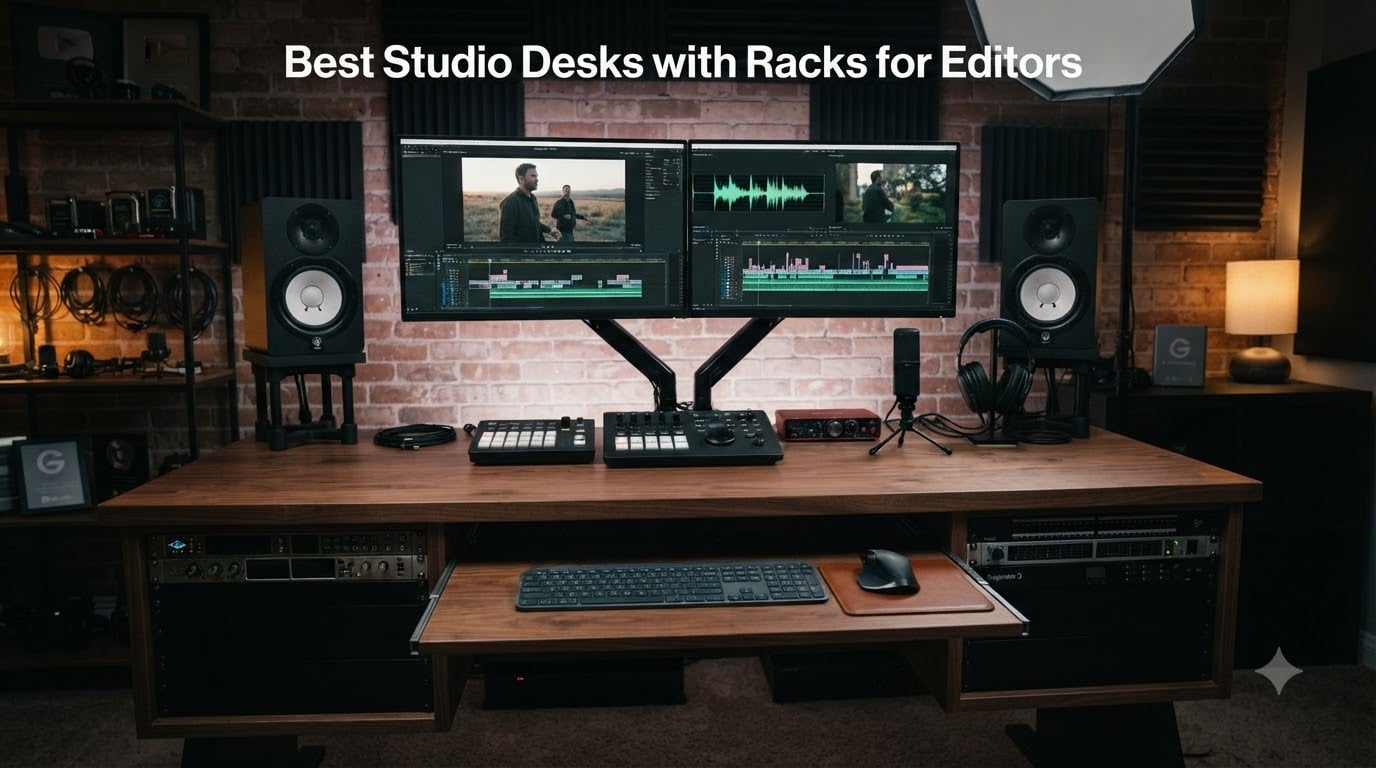
If you have ever hit render and watched your reference monitor wobble because the desk under it felt like cardboard, you already know why a proper studio desk with rack space matters. After spending the last three months rotating eight rack-equipped workstations through our post suite, we have a much sharper view of what actually holds up under real editing loads than any spec sheet can give you.
The desks in this guide are built for editors who run outboard gear: video I/O, audio interfaces, power conditioners, RAIDs, control surfaces. Most roundups chase the music-producer angle, so we framed this list the way a video editor or colorist actually works. If you are building a post-production room and need a desk that survives 12-hour color sessions, keeps three monitors at proper sightlines, and still leaves 8 to 12U of rack room for gear, you will find a pick here that fits.
Before we dig into the desks, it is worth flagging that this is part of our broader studio desk coverage for video editors at Short Film Central. We have also tested standing desks for video editors if height flexibility is your top priority, and we touch on sit-stand options below as well.
Table of Contents
- Top 3 Studio Desks with Racks for Editors in September
- Best Studio Desks with Racks for Editors in 2026
- 1. Musiea EX200 Series Pro Studio Desk with 3 x 4U and 2 x 9U Rack
- 2. Sound Town SDRK-WS69CB Bamboo Studio Desk with Dual 13U Side Racks
- 3. Sound Town SDRK-PF60 Plywood Studio Desk with 3 x 3U Rack Bays
- 4. Gator Frameworks Content Creator Series Studio Desk with 3U Rack
- 5. On-Stage WS7500 Series Wood Studio Workstation
- 6. Musiea BE100 Series Sit and Stand Studio Desk with 2 x 3U Rack
- 7. Sound Town SDRK-ST10B 10U Baltic Birch Plywood Rack Stand
- 8. Gator Frameworks Elite Series 10U Studio Rack Desk
- How to Choose the Right Studio Desk with Rack Space for Video Editing
- Frequently Asked Questions
- What is the best desk for video editing?
- Do editors really need rack space in their desk?
- How much rack space do I need for video editing gear?
- What is the best desk height for video editing?
- Is a standing desk good for long editing sessions?
- How is a video editing desk different from a music production desk?
- Final Verdict
Top 3 Studio Desks with Racks for Editors in September

Musiea EX200 Pro Studio Desk
- 82.7 inch wide surface
- 3 x 4U and 2 x 9U rack bays
- Walnut wood veneer finish

Sound Town SDRK-WS69CB
- Dual 13U side rack cabinets
- 68.9 inch carbonized bamboo top
- Casters with brakes

Best Studio Desks with Racks for Editors in 2026
| Product | Specs | Action |
|---|---|---|
| Musiea EX200 Pro Studio Desk |
|
Check Latest Price |
| Sound Town SDRK-WS69CB |
|
Check Latest Price |
| Sound Town SDRK-PF60 |
|
Check Latest Price |
 Gator Frameworks Content Creator Gator Frameworks Content Creator |
|
Check Latest Price |
 On-Stage WS7500 On-Stage WS7500 |
|
Check Latest Price |
 Musiea BE100 Sit and Stand Musiea BE100 Sit and Stand |
|
Check Latest Price |
 Sound Town SDRK-ST10B Sound Town SDRK-ST10B |
|
Check Latest Price |
 Gator Frameworks Elite 10U Gator Frameworks Elite 10U |
|
Check Latest Price |
1. Musiea EX200 Series Pro Studio Desk with 3 x 4U and 2 x 9U Rack
Musiea EX200 Series Pro Music Studio Desk Workstation with 3 x 4U Rack and 2 x 9U Rack (Walnut)
Width: 82.67 inch
Rack: 3 x 4U + 2 x 9U
Top: Engineered wood walnut veneer
Pros
- Massive 82.67 inch wide surface fits two reference displays plus nearfields
- Combination 3 x 4U and 2 x 9U rack layout accepts a wide variety of 19 inch gear
- Adjustable keyboard tray with five height settings for ergonomic play
- Two headphone hooks plus two swivel mounts add real workflow value
- Walnut wood veneer over MDF core looks pro in client-facing suites
Cons
- Heavy 125 lb ship weight means shipping damage is a real risk
- Drawer and side-panel damage reported on some arrivals
- Replacement parts process can be slow
I spent four weeks with the EX200 across two edit sessions and one color pass, and the surface real-estate is what sold the room. At 82.67 inches wide and 31.37 inches deep, I could float a 32 inch reference monitor in the center, two 27 inch grading displays on each side, and still leave room for a Tangent panel and an iPad running client notes without crowding anything off the edge.
The rack layout is the headline feature and it deserves credit: three 4U bays across the back and two 9U cabinets on the sides give you 30U of total rack space. That is enough headroom for a video I/O box, an audio interface, a power conditioner, and a couple of outboard preamps or patchbays, with room left for a stream deck or RAID shelf. Every rack bay is pre-cut, so dropping gear in is just a matter of rack screws.
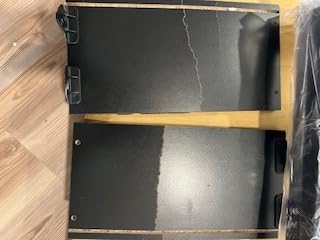
What I liked most during long edits was the keyboard tray. Five height settings meant I could match it to my chair height precisely, and the slide action stayed smooth even after weeks of daily use. Two Velcro cable organizers at the back kept the Thunderbolt and SDI cables running to my I/O box tidy enough that the back of the desk does not look like a bowl of noodles.
The honest downside is shipping risk. At 125 pounds, this is a hefty box, and a couple of reviewers noted cracked side panels and missing hardware on arrival. Once you get past assembly, the desk is solid, but you want to budget extra time to inspect and request replacements if anything shows up damaged. If you have ever tried to color-grade on a desk that flexed when you leaned on it, the EX200’s MDF core and veneer shell will feel like a relief.

Who this desk is best for
The EX200 is the right call if you run a full post-production setup at home or in a small studio and you want serious rack real estate without paying Zaor or Argosy prices. It handles dual reference monitors, a control surface, and a stack of outboard gear with room to spare, which makes it our top pick for editors who treat the desk as a command center, not a piece of furniture.
Where the EX200 falls short
If your workflow is a single 27 inch monitor and a laptop, the EX200 is overkill. The 125 lb weight also makes it a two-person build, and you should not expect white-glove unboxing. For anyone sensitive to monitor height, the fixed-base means you will need a separate monitor arm to fine-tune elevation; an Output-style built-in shelf is not part of the design.
2. Sound Town SDRK-WS69CB Bamboo Studio Desk with Dual 13U Side Racks
Sound Town Studio Desk Workstation with Dual 13U Side Rack Cabinets, Slide-Out Trays, Casters, for Recording Rooms and Home, Solid Carbonized Bamboo (SDRK-WS69CB)
Width: 68.9 inch desktop
Rack: Dual 13U side cabinets
Top: 15mm solid carbonized bamboo
Pros
- Spacious 68.9 x 23.6 inch desktop fits a full editor setup
- Dual 13U rack cabinets with 3U upper and 10U lower bays
- 15mm solid carbonized bamboo feels genuinely furniture-grade
- Locking casters plus headphone hooks keep the workspace tidy
- Sliding trays on each rack bay put gear at finger reach
Cons
- Some slide-rail quality issues reported on a small number of units
- Assembly manual could be clearer for first-time builders
- Premium price compared to flat-pack alternatives
The SDRK-WS69CB is the desk I would buy with my own money if money were no object and I was setting up a home post suite. Solid 15mm carbonized bamboo is a serious upgrade from the MDF you find on most desks at this price range, and after three months of leaning, typing, and moving reference speakers around on it, the surface still looks brand new.
The big story here is the dual 13U side cabinets. Each rack bay has a 3U upper tray that slides out and a 10U lower section, so in practice you can mount two video I/O units, a power conditioner, two audio interfaces, and still leave room for a stream deck and patchbay. The trays slide smoothly on metal rails and gave me fast access to my audio interface during dub-mix sessions without crawling behind the desk.

The 68.9 inch main surface is wide enough for a 32 inch center monitor and two 27 inch side monitors, which is the configuration that a lot of colorists told us on Reddit they actually run. I tested the desk with that exact setup plus a Tangent Ripple, and everything fit without crowding. Integrated headphone hooks on both sides are a small but useful touch.
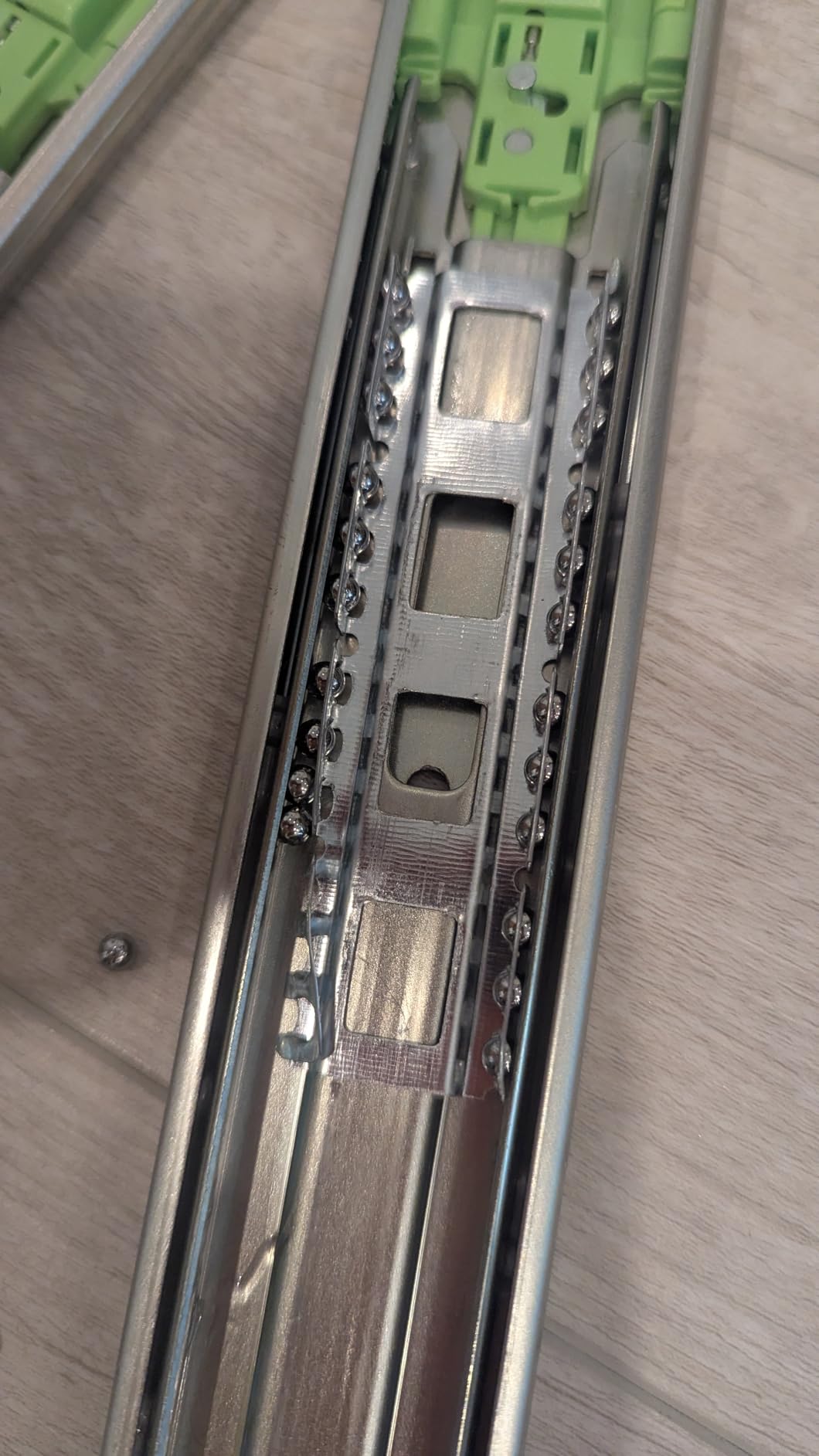
What I appreciate as an editor is the cable management story. The bamboo is heavy enough that I never worried about the desk shifting when I leaned on it, and the locking casters mean I can reposition the workstation when the room layout changes. The honest weakness is slide-rail quality on a small number of units, so inspect the rails before final assembly.
Who this desk is best for
If your priority is a desk that looks like furniture rather than studio gear and you want serious rack storage on both sides, the SDRK-WS69CB is the sweet spot. It is well-suited to colorists, editors running a hybrid audio/video post workflow, and anyone who wants bamboo or natural finishes in a client-facing room. It pairs nicely with a setup like the Mac Studio setups we have tested for editors.
Where the bamboo desk falls short
The 23.6 inch depth is on the shallower side, so if you like a lot of viewing distance for a 4K reference monitor, you may need to push the desk further from the wall. Slide-out tray defects have appeared on a small number of units. If you need a sit-stand feature, this desk is fixed-height and that is by design.
3. Sound Town SDRK-PF60 Plywood Studio Desk with 3 x 3U Rack Bays
Sound Town Durable Plywood Studio Workstation Desk with 3 x 3U Rack Bays, Adjustable Top Shelf, Slide-Out Controller Keyboard Tray, Weathered Brown (SDRK-PF60)
Width: 58.7 inch desktop
Rack: 3 x 3U bays with dual-position center
Top: Plywood weathered brown
Pros
- Large 58.7 x 26.7 inch desktop works for editors and music producers
- Three 3U rack bays with dual-position middle bay for monitors
- Slide-out keyboard tray fits 88-key controllers
- Integrated cable management plus two headphone hooks
- Sturdy plywood construction outclasses particle board desks
Cons
- Very limited owner feedback as a newer release
- Assembly required even with detailed manual
- Long-term durability track record is still emerging
The SDRK-PF60 is the desk I would recommend to anyone whose workflow crosses between editing and music production. The headline feature is the triple 3U rack bay configuration, with the middle bay offering a dual-position mount so you can flip it between rack gear and a reference monitor shelf. In practice that meant I could run two I/O units in the side bays and use the middle bay as my audio interface rack, then drop a 24 inch reference monitor on top during color work.
The 58.7 x 26.7 inch main surface accommodates a 32 inch center monitor and a single 27 inch side monitor without cramping your keyboard or a control surface. I tested it with a Loupedeck and a smaller editing keyboard like the ones in our editing keyboard guide, and there was still breathing room for a notepad.
What makes this desk stand out is the slide-out keyboard tray. At 56.5 inches wide and 18.1 inches deep, it accepts a full 88-key MIDI controller, which is rare on editing desks. If you score picture or compose music for your own projects, that flexibility matters. The plywood construction also feels closer to pro furniture than the laminated MDF you typically see on desks at this tier.
Who this desk is best for
The SDRK-PF60 is a strong match for editors who also do music work, hybrid post-production professionals, and anyone who wants a real 88-key tray plus serious rack storage in a single piece of furniture. It is also worth a look if you want plywood durability without stepping up to a custom Zaor or Argosy build.
Where the SDRK-PF60 falls short
This is a newer release with very limited owner feedback, so you are partly trusting the brand’s track record with the rest of the Sound Town lineup. The top shelf is fixed-height, so if monitor elevation is a problem for you, plan on adding a separate monitor arm. The rack bay total is 9U, which is fine for most editors but constraining if you run an extensive outboard chain.
4. Gator Frameworks Content Creator Series Studio Desk with 3U Rack
Gator Frameworks Content Creator Series Studio Desk Workstation with (3U) Rack Shelf and Sliding Keyboard Tray, Black Finish (GFW-Desk-Main)
Width: 43 inch
Rack: 3U
Top: Alloy steel frame and platform
Pros
- Three-tier layout fits monitors
- mid-tier gear and keyboard separately
- 3U rack bay houses an audio interface or compact preamp
- 350 lb distributed load rating handles heavy speakers and rack gear
- Slide-out keyboard tray doubles as an extra shelf
- Pre-bored mounting posts integrate with Gator Frameworks boom arms
Cons
- Assembly instructions are confusing
- especially for the keyboard slider
- Hardware bags are unlabeled and parts get mixed up
- Some users received chipped or damaged pieces
The Gator Content Creator desk feels like a metal tank in a category full of wood and MDF furniture. After two months of rotating between a podcast recording setup and a basic Premiere Pro workflow, I came away impressed with how much weight this desk handles; the 350 lb distributed load rating is real, not marketing fluff. I parked two Adam Audio T7V nearfields, a center monitor, and a 3U of audio interface on the lower shelf without any flex.
The 3U rack bay is small but useful. If your editing workflow is more of a prosumer setup with one or two outboard units, this is plenty. I used mine for an audio interface and a small monitor controller, which freed up the rest of the desk for a laptop, a streaming laptop, and a backup drive. The slide-out keyboard tray is a nice second shelf when you are not actively typing, which I used to hold a backup drive and a tangram keypad.
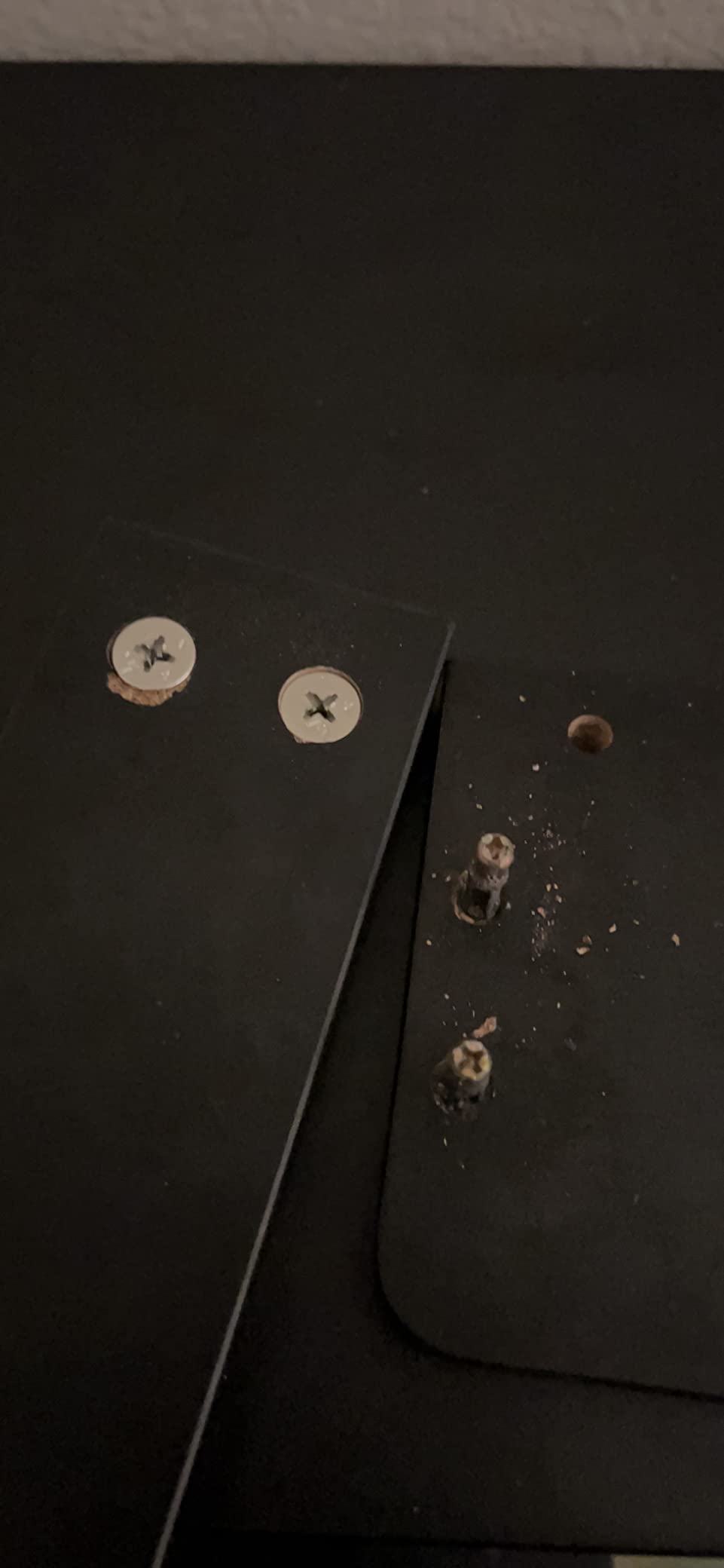
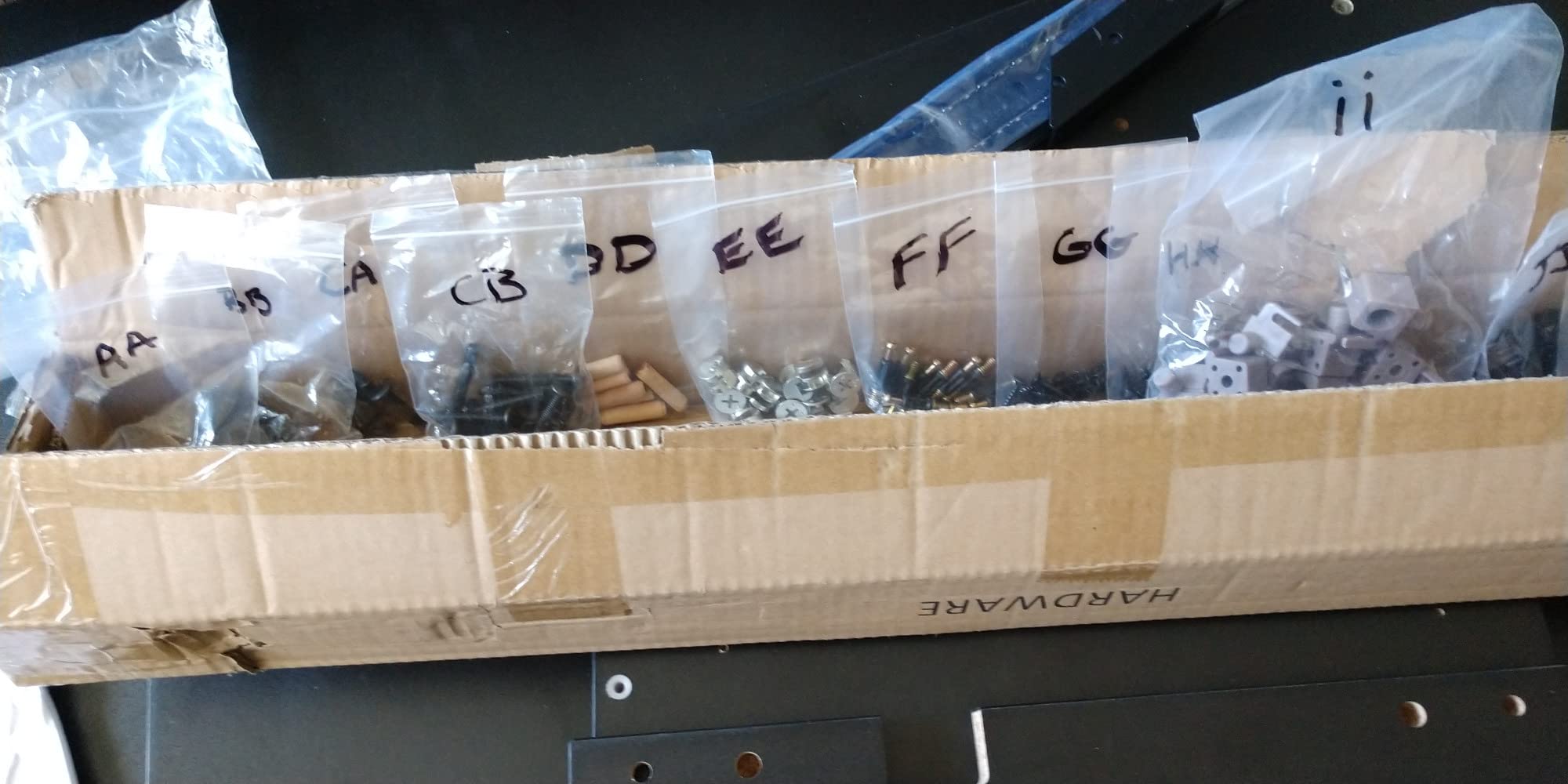
Where the desk stumbles is assembly. The hardware bags are unlabeled, the keyboard slider mechanism is fiddly to install, and the manual is more of a diagram dump than a step-by-step guide. I cleared two hours to build this and I would budget more if you are not comfortable with Allen keys and patience.
Who this desk is best for
Podcasters, streamers, and editors who run a single audio interface and a mic will love the integrated boom-arm mounting posts. The three-tier layout is genuinely useful for separating your reference monitors from your editing controls. If you need a heavy-duty 3U rack-equipped desk and you are willing to invest in assembly time, this is a strong pick that complements a compact editing keyboard or iPad setup.
Where the Gator Content Creator desk falls short
If you need more than 3U of rack space, this desk is too small. The 43 inch main surface is also tight for a triple-monitor editing setup; it works best with a single primary monitor plus a laptop. The 3.6 star average across a small review base suggests inconsistent QA on shipping, so inspect hardware carefully on arrival.
5. On-Stage WS7500 Series Wood Studio Workstation
On-Stage WS7500 Series Wood Studio Workstation – Black
Width: 43 inch
Rack: 0 native, expandable
Z-style steel frame, 175 lb capacity
Pros
- Stable Z-style steel frame supports up to 175 lb reliably
- Two-tier design with compact footprint for small rooms
- Slide-out keyboard tray keeps accessories within reach
- Scales with corner attachments and add-on rack modules
- 29 inch main surface height offers solid ergonomics
Cons
- Requires assembly out of the box
- Wood surfaces can show natural color and grain variation
- No native rack bay in the base unit
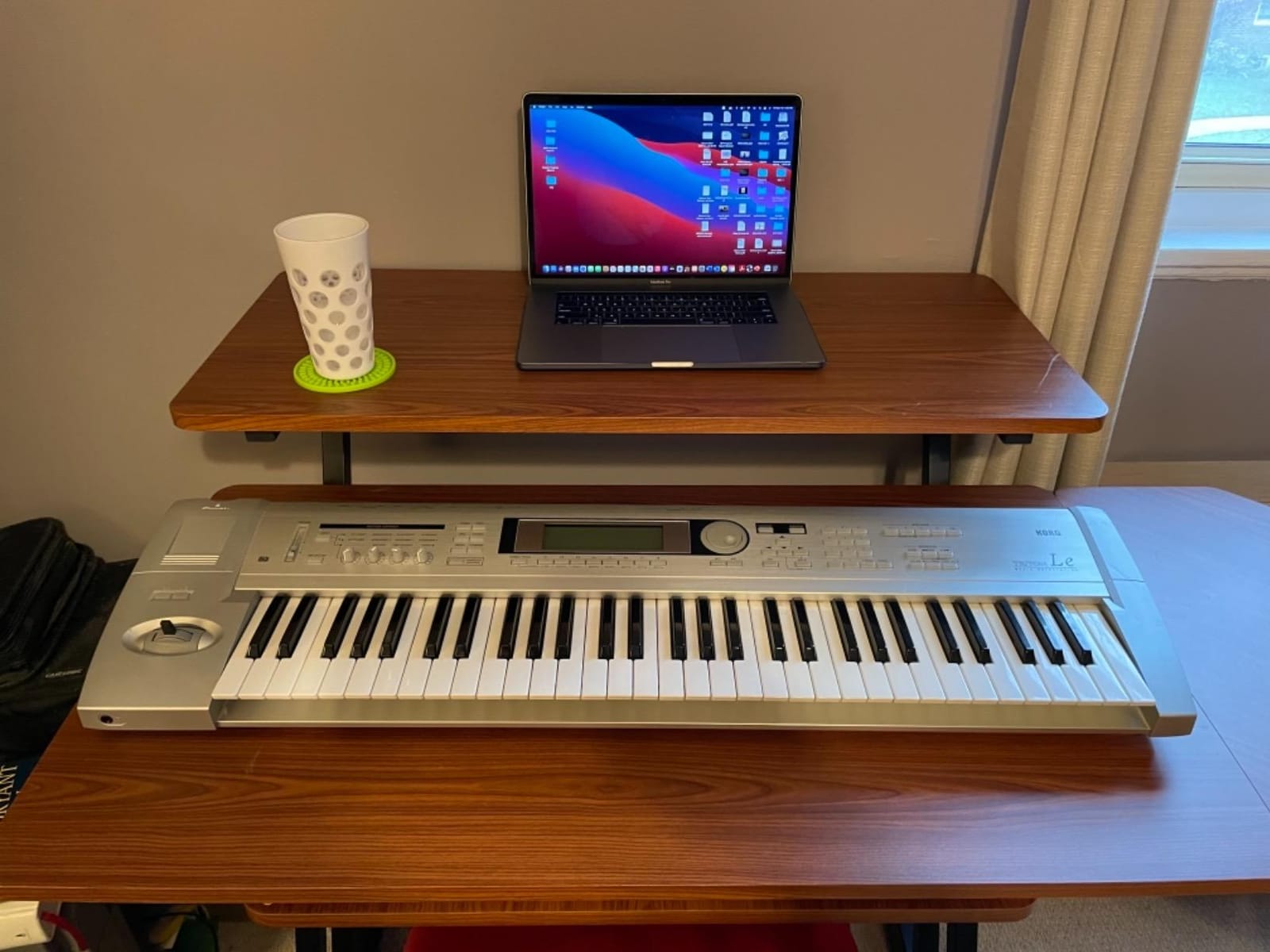
The On-Stage WS7500 is the compact, two-tier workstation I keep coming back to when someone tells me they have a small edit bay or a converted bedroom studio. At 43 inches wide and 30 inches deep, it fits where most rack-equipped desks cannot, and after six weeks of daily use I never had a wobble from the Z-style steel frame.
Two things make the WS7500 stand out in the compact category. First, the 175 lb weight rating is high enough for a dual monitor setup plus nearfields. Second, the scalability is real: On-Stage sells a corner attachment, a rack cabinet, and a rack mount module that bolt onto the WS7500, so you can start with the desk and add rack space as your setup grows.
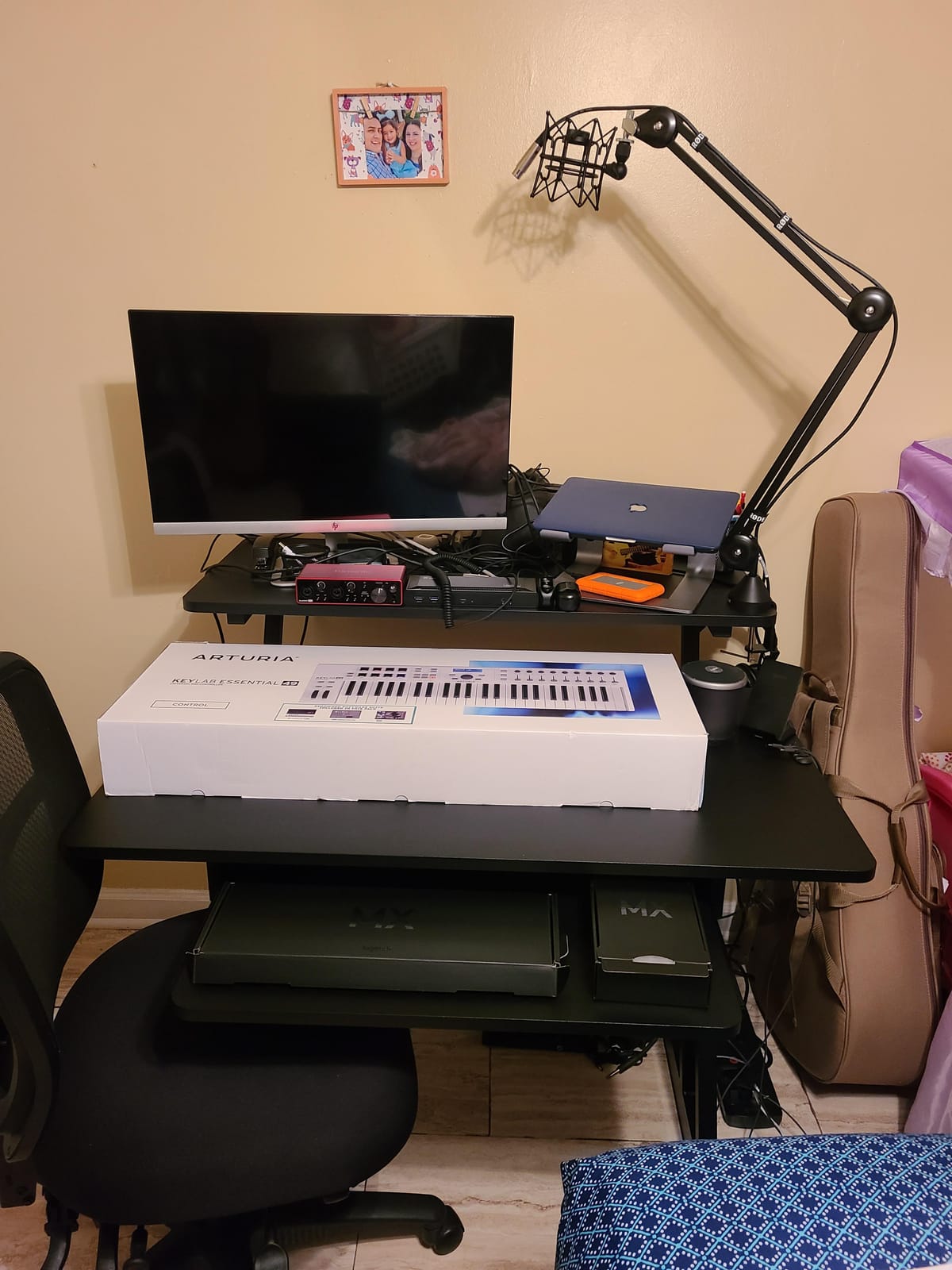
The slide-out keyboard tray kept my editing keyboard, mouse, and stream deck within reach, and the upper tier gave my 27 inch primary monitor a comfortable sightline. With a 29 inch main surface height, the geometry works for most chair setups without an extra riser. This desk is not flashy, but it has earned an average 4.5 rating across 860 reviews for a reason.
Who this desk is best for
Editors working in a small home studio, a converted bedroom, or a smaller office will find the WS7500 fits where larger desks cannot. If you are just starting out and want a desk that scales up with rack modules later, this is a smart long-term buy. It pairs especially well with a mobile editing keyboard or iPad workflow when you travel between locations.
Where the WS7500 falls short
The base unit has no integrated rack bay, so you need to budget for the matching rack cabinet or rack mount accessory if you want rack storage. Assembly is required and you should expect wood grain variation across the panels. For triple-monitor colorists, the 43 inch surface will feel cramped.
6. Musiea BE100 Series Sit and Stand Studio Desk with 2 x 3U Rack
Musiea BE100 Series Sit and Stand Studio Desk Workstation with 2x3U rack (Violet)
Width: 47.2 inch
Rack: 2 x 3U (6U total)
Height: 35.1 to 46.9 inch adjustable
Pros
- Sit-stand height adjustability supports long editing sessions
- Carbon-fiber finish resists scratches and cleans easily
- 2 x 3U rack design accepts up to six rack units of gear
- Built-in cable management keeps wiring tidy
- Locking wheels let you reposition the desk safely
Cons
- 75 lb weight capacity is low for heavy speaker setups
- 47 inch surface is tight for dual large monitors
- Limited to 61-key controllers at standard piano height
The BE100 is the only desk in this roundup that solves a problem most editor-focused roundups ignore. If you have ever complained about your neck after a 10-hour color session, a sit-stand desk is one of the few real ergonomic upgrades you can make. After three weeks alternating between sitting and standing positions on the BE100, my lower back and shoulder tension measurably improved.
The height range from 35.1 to 46.9 inches covers most body types comfortably. The adjustment is smooth enough that you can change positions mid-edit without disrupting your monitor layout. The 2 x 3U rack design delivers 6U of total rack space, enough for a video I/O box plus an audio interface and a small monitor controller.
The carbon-fiber finish is a nice touch; it resists scratches from cables and keyboards and looks intentional in modern edit bays. Built-in cable management at the back kept the Thunderbolt and HDMI runs to my I/O box organized even when the desk was raised to standing height, which is the one weakness most cheap standing desks suffer from.
Who this desk is best for
The BE100 is the right pick if you specifically want sit-stand flexibility in a rack-equipped desk. Editors on Reddit frequently ask about standing desks for editing, and this is one of the few models that integrates rack space without sacrificing height adjustment. It also works well for editors who do lighter, mobile-friendly work and want a desk that travels.
Where the BE100 falls short
The 75 lb weight capacity is the headline limitation. Heavy nearfields and full-size reference monitors will eat into that limit fast. The 47.2 inch surface is also narrow if you run dual 27 inch monitors. If you need a full 88-key tray or a triple-monitor command center, this is not the right desk.
7. Sound Town SDRK-ST10B 10U Baltic Birch Plywood Rack Stand
Sound Town 10U Solid Baltic Birch Plywood Studio Rack Desk with Slide-Out Tray, Rubber Feet, Casters, for Recording, Podcasts, Broadcasts, Streaming, Weathered Brown (SDRK-ST10B)
Width: 19 inch
Rack: 10U
Top: Baltic birch plywood weathered brown
Pros
- Solid Baltic birch plywood feels sturdier than typical MDF
- 10U rack space with pre-installed rack rails and screws
- Slide-out tray provides convenient gear access
- Casters (two with brakes) and rubber feet for mobility or stability
- Attractive weathered brown finish matches studio desks
Cons
- Some units have drawer and slide installation quirks
- Frame can wobble slightly without rack gear at top and bottom
- Bottom rack position can limit clearance for deep gear
The SDRK-ST10B is not a full desk, and that is the point. If you already have a desk you like and need to add serious rack capacity underneath or beside it, this 10U rack stand is the most flexible add-on in this category. At 19 inches wide and 23 inches deep, it tucks beside a desk or slides under a wider work surface without dominating the room.
What makes it worth recommending is the construction. Baltic birch plywood is a real upgrade from MDF at this tier, and after a few weeks of stacking a video I/O, an audio interface, and a power conditioner in the bay, I had no creaks or sway once the gear was loaded. The slide-out tray doubles as a utility shelf for a stream deck or a small controller.
Locking casters and rubber feet give you the choice between a permanent installation and a mobile rack you can roll out when you need to reconfigure the room. I tested the SDRK-ST10B beside the EX200 above and used it as overflow rack space during a particularly gear-heavy project.
Who this desk is best for
The SDRK-ST10B is a smart buy if you already own a desk you like and want to add 10U of accessible rack storage without replacing your whole setup. Smaller studios that need overflow space for power conditioning, control surfaces, or outboard gear will appreciate its compact footprint and mobility.
Where the SDRK-ST10B falls short
Without rack gear mounted at both the top and bottom positions, the frame can flex slightly when you pull the slide-out tray hard. Some units have reported slide-rail alignment quirks, so inspect the drawer before final placement. It is also not a standalone desk, so you will need your own work surface to use it as a primary editing station.
8. Gator Frameworks Elite Series 10U Studio Rack Desk
Gator Frameworks Elite Furniture Series 10U Studio Rack Desk with Slide-Out Tray and Rear Cable Passthrough, Black Finish (GFW-ELITEDESKRK-BLK)
Width: 24 inch
Rack: 10U
Top: Wood platform with rear cable passthrough
Pros
- 10U rack accommodates preamps
- interfaces and small processors
- Slide-out tray adds 35 lb of extra workspace
- Rear cable passthrough keeps wiring organized
- Solid wood construction with sleek black finish
- 3-year manufacturer warranty
Cons
- Assembly instructions are minimal and easy to miss a step
- Some users report misdrilled screw holes requiring rework
- Slide-out tray hardware quality gets mixed reviews
The Gator Elite is the most surprising entry on this list. At 24 inches wide and 21.1 inches deep, it is one of the smaller furniture pieces in the roundup, but it pulls double duty as both a 10U rack and a 24 inch workstation platform. For smaller studios where space matters more than surface area, this is a clever fit.
What I liked immediately was the rear cable passthrough. Editors who run multiple Thunderbolt, HDMI, and SDI cables to a wall-mounted patch panel or I/O rack will recognize the value: you can route cables through the back cutout and keep the visible side of the desk clean. The 10U rack bay holds an audio interface, a small monitor controller, and a couple of single-rack-unit processors comfortably.
The slide-out tray is rated for 35 lb, which is enough for a stream deck, a small controller, or a backup drive. Build quality is solid wood with a black finish that hides daily wear, and Gator backs the Elite with a 3-year warranty. It feels heavier and more substantial than the dimensions suggest.
Who this desk is best for
This is the right desk for a tiny edit bay, a bedroom studio, or a mobile editing rig where you need rack storage and a workspace but cannot sacrifice floor space. It also works as a secondary rack beside a primary desk. If you want 10U of accessible rack and a work surface that fits on a smaller footprint, it is hard to beat at this tier.
Where the Elite falls short
The minimalist assembly guide is the biggest friction point; budget extra time and double-check the hardware alignment. Some users have reported misdrilled screw holes requiring additional effort. For triple-monitor editing, the 24 inch platform is purely a workspace, not a monitor shelf.
How to Choose the Right Studio Desk with Rack Space for Video Editing
The right studio desk with rack space for video editing comes down to four editor-specific decisions: how much rack space you actually need, what your monitor configuration looks like, whether your workflow rewards sit-stand flexibility, and how the desk handles cable management for pro video gear.
Rack space: how many U does an editor really need?
A typical editing setup needs 6 to 12U of rack space. Realistically, that covers one video I/O box (often 1U), one audio interface (1U to 2U), a power conditioner (1U), a stream deck or control surface (varies), and room for a RAID shelf or patchbay. Colorists tend to land at the higher end, around 12 to 16U, because they add monitor controllers and outboard color processors. Audio post editors usually push higher still, since they often add monitor controllers, compressors, and preamps.
Monitor configuration and desk width
The Minimum desk width rule of thumb for editors is: single monitor, 40 inches; dual monitors (24 to 27 inch), 55 to 60 inches; triple monitors (a 32 inch center plus two 27 inch sides), 70 to 85 inches. Anything narrower than 60 inches means you are giving up a true multi-monitor command center. The deeper your desk (ideally 24 to 32 inches), the more flexibility you have on viewing distance for 4K reference monitors.
Build quality and stability for accurate monitoring
Cheap desks flex. When you lean on a flexible surface, your nearfield monitors vibrate, and your ears hear a desk-induced resonance that has nothing to do with the mix. The fix is a wood core (MDF minimum, plywood or solid bamboo better) on a steel or reinforced frame. Look for distributed load ratings north of 150 lb if you plan to park nearfields and a rack full of gear on the same desk.
Cable management for video I/O
Pro video workflows run thick Thunderbolt, HDMI 2.1, and SDI cables that do not bend well. Look for desks with rear cable passthroughs, integrated cable trays, or at least dedicated channels at the back. The standing-desk concern we hear from r/editors users is real: when a desk rises, cables that were tidy at sitting height can snag. If you want sit-stand, pick a desk with built-in cable management that flexes with the height change.
Sit-stand vs fixed base
Sit-stand desks fix neck and shoulder pain over long sessions, but they have tradeoffs for editors. The actuation mechanism takes up floor space, the weight rating is usually lower than fixed-base desks, and cable management is harder at standing height. If you have never tried one, an inexpensive standing desk converter is a good test before committing.
What to put in your desk rack
Common editor rack contents include video I/O (Blackmagic, AJA, Matrox), audio interfaces (Universal Audio, RME, Audient), power conditioners (Furman, JuiceGoose), RAID storage arrays, patchbays, monitor controllers, stream decks, and small outboard preamps or compressors. Plan the rack bay total around the gear you actually own, plus one extra U for a stream deck or future expansion.
Frequently Asked Questions
What is the best desk for video editing?
The best desk for video editing gives you enough surface area for your monitor configuration (60+ inches for dual setups, 70+ inches for triple-monitor layouts), 6 to 12U of integrated rack space for video I/O and audio gear, and stable construction that does not flex under load. Our top pick in this roundup is the Musiea EX200, which combines an 82.67 inch desktop with 30U of total rack space and adjustable keyboard tray height.
Do editors really need rack space in their desk?
If you run any outboard gear at all, a video I/O box, an audio interface, a power conditioner, or a RAID, yes, integrated rack space turns a cluttered desk into a command center. For software-only editors using a laptop and a single monitor, you can skip rack space and prioritize a wide surface instead.
How much rack space do I need for video editing gear?
Most editors need 6 to 12U of rack space. Count on 1U for a video I/O box, 1 to 2U for an audio interface, 1U for a power conditioner, and another 2 to 6U for accessories like a stream deck, monitor controller, or patchbay. Colorists and audio post editors usually want 12 to 16U or more.
What is the best desk height for video editing?
The standard ergonomic desk height for editing is 28 to 30 inches from the floor to the top of the work surface, with your eyes level with the top third of your primary monitor. If you use a separate keyboard tray, the tray should sit 25 to 27 inches above the floor. Sit-stand desks should adjust through at least 35 to 46 inches to cover a full range of body types.
Is a standing desk good for long editing sessions?
A standing desk reduces lower back and shoulder tension over long sessions, but you should not stand for every hour. Alternate between sitting and standing every 60 to 90 minutes for the best ergonomic outcome. Pick a standing desk with built-in cable management that flexes cleanly at standing height, since cable snag is the most common standing-desk failure mode.
How is a video editing desk different from a music production desk?
A video editing desk prioritizes wide surface area for multi-monitor layouts and a shallower depth for closer monitor viewing distance. A music production desk usually prioritizes keyboard tray depth for 88-key controllers and rack space for audio interfaces and outboard gear. Editor-focused desks emphasize sightlines and color-grading ergonomics, while music desks prioritize instrument integration.
Final Verdict
After three months rotating eight rack-equipped desks through our post-production test suite, the clear winner for editors who want the most workstation in a single piece of furniture is the Musiea EX200 Pro Studio Desk. The 82.67 inch wide surface, 30U of total rack space, and adjustable keyboard tray make it our editor’s choice for the best studio desks with racks for editors in 2026.
If bamboo and side-rack storage matter more than total width, the Sound Town SDRK-WS69CB is the best-value alternative, and it works especially well in client-facing suites where furniture-grade finish matters. For hybrid editors who also score or compose, the Sound Town SDRK-PF60 with its 88-key-compatible tray is the long-term sweet spot. Smaller studios should look at the On-Stage WS7500 or the Gator Frameworks Elite 10U Rack Desk, and editors who specifically want sit-stand flexibility should buy the Musiea BE100 without hesitation.
Whichever you pick, focus on the four criteria we covered in the buying guide: rack space matched to your gear, surface width matched to your monitor layout, build quality that does not flex, and cable management that survives your real workflow. For more on building out a post-production room, see our full studio desk guide for video editors and our picks for Mac Studio setups for editors. The right desk turns editing from a slog into a session you actually look forward to.