
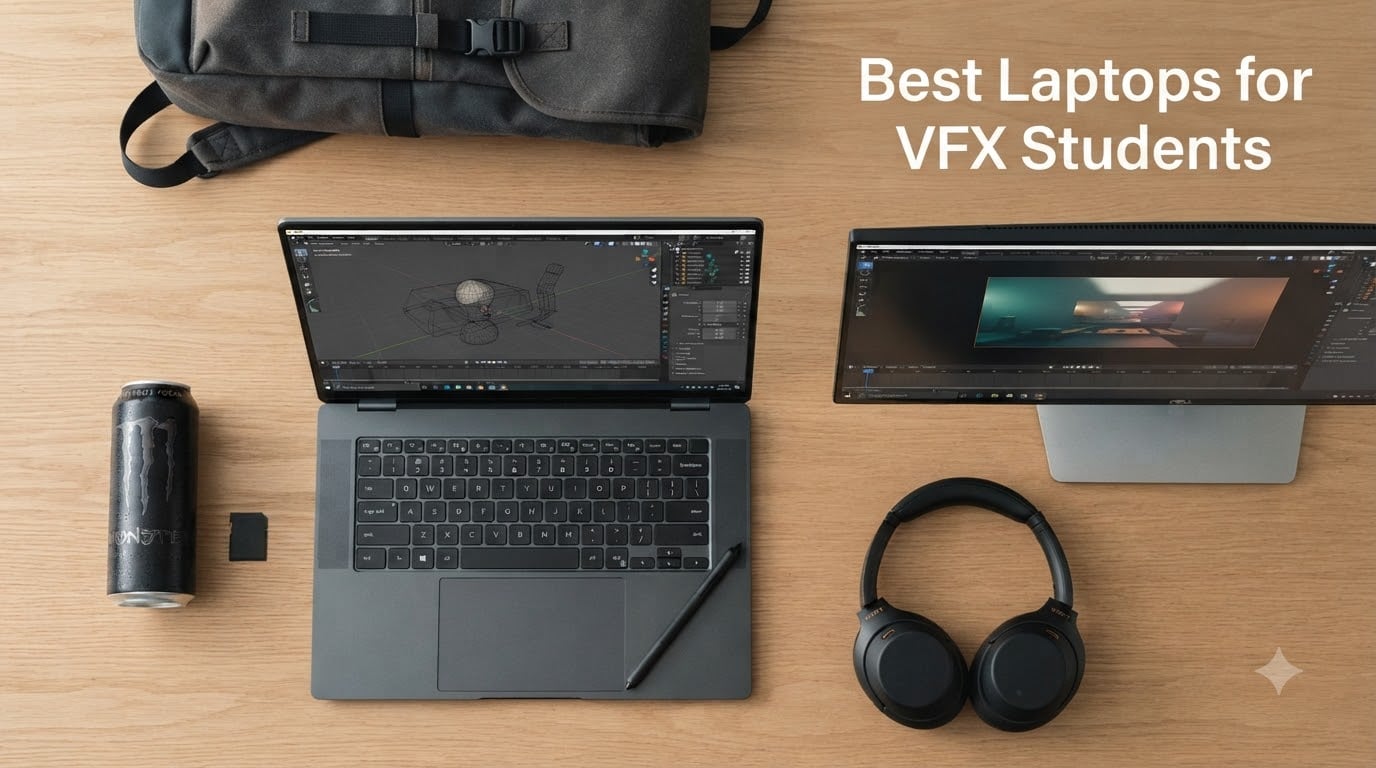
You can absolutely do VFX on a laptop in 2026 — and you have to, because film school means carrying your work between the dorm, the classroom, and the studio lab. The catch is that the laptop you buy needs to last four years while your scenes triple in complexity, and most student guides skip straight past that reality.
I’ve spent the last few months comparing machines against real VFX pipelines. I checked which ones survive a Nuke comp on a full battery cycle, which displays hold up under OCIO color grading, and which GPUs stop choking by senior year when your final-project scene file has 60+ nodes. This list is built for the student persona: budget between roughly 850 and 3000 dollars across entry and mid tiers, four-year ownership, and software like Maya, Houdini, Blender, After Effects, Nuke, Fusion, and DaVinci Resolve. If you’re hunting for the best laptops for VFX students, the eight below are the ones I’d buy right now and the reasons why.
If you’re still picking your software stack, our best VFX software for beginner filmmakers guide maps out which apps to learn first. For broader workstation options beyond laptops, see our best PCs for motion design and VFX roundup.
Table of Contents
- Top 3 Picks for VFX Students in 2026
- Best Laptops for VFX Students in September
- 1. ASUS ROG Strix G16 — Best Laptop for VFX Students Overall
- 2. Acer Nitro V 15.6 — Best Budget Starter for First-Year VFX Students
- 3. Acer Nitro V 16S AI — Best 32GB RAM Pick for VFX Students on a Mid-Budget
- 4. HP Victus 15.6 — Best Ultra-Budget Pick for VFX Students
- 5. Apple MacBook Pro 16 (M4 Max) — Best Mac for VFX Students
- 6. Alienware 16 Aurora — Best for Students Who Want Desktop-Grade GPU Power
- 7. ASUS Vivobook Pro 16X OLED — Best OLED Display Pick for Color-Critical VFX Students
- 8. Acer Predator Triton Neo 16 — Best Calman-Verified Display for VFX Color Pipelines
- What VFX Students Actually Need in a Laptop
- Frequently Asked Questions
- What is the best laptop for VFX work?
- What laptops run DaVinci Resolve?
- What is the best laptop for animation students?
- Can we do VFX on a laptop?
- How much RAM do I need for video editing on a laptop?
- Mac or Windows laptop for video editing?
- Do I need a 4K screen on an editing laptop?
- Is a gaming laptop good for video editing?
- The Right Laptop for Your VFX Program
Top 3 Picks for VFX Students in 2026
Best Laptops for VFX Students in September
| Product | Specs | Action |
|---|---|---|
 ASUS ROG Strix G16 ASUS ROG Strix G16 |
|
Check Latest Price |
 Acer Nitro V 15.6 Acer Nitro V 15.6 |
|
Check Latest Price |
 Acer Nitro V 16S AI Acer Nitro V 16S AI |
|
Check Latest Price |
 HP Victus 15.6 HP Victus 15.6 |
|
Check Latest Price |
 Apple MacBook Pro 16 M4 Max Apple MacBook Pro 16 M4 Max |
|
Check Latest Price |
 Alienware 16 Aurora Alienware 16 Aurora |
|
Check Latest Price |
 ASUS Vivobook Pro 16X OLED ASUS Vivobook Pro 16X OLED |
|
Check Latest Price |
 Acer Predator Triton Neo 16 Acer Predator Triton Neo 16 |
|
Check Latest Price |
1. ASUS ROG Strix G16 — Best Laptop for VFX Students Overall
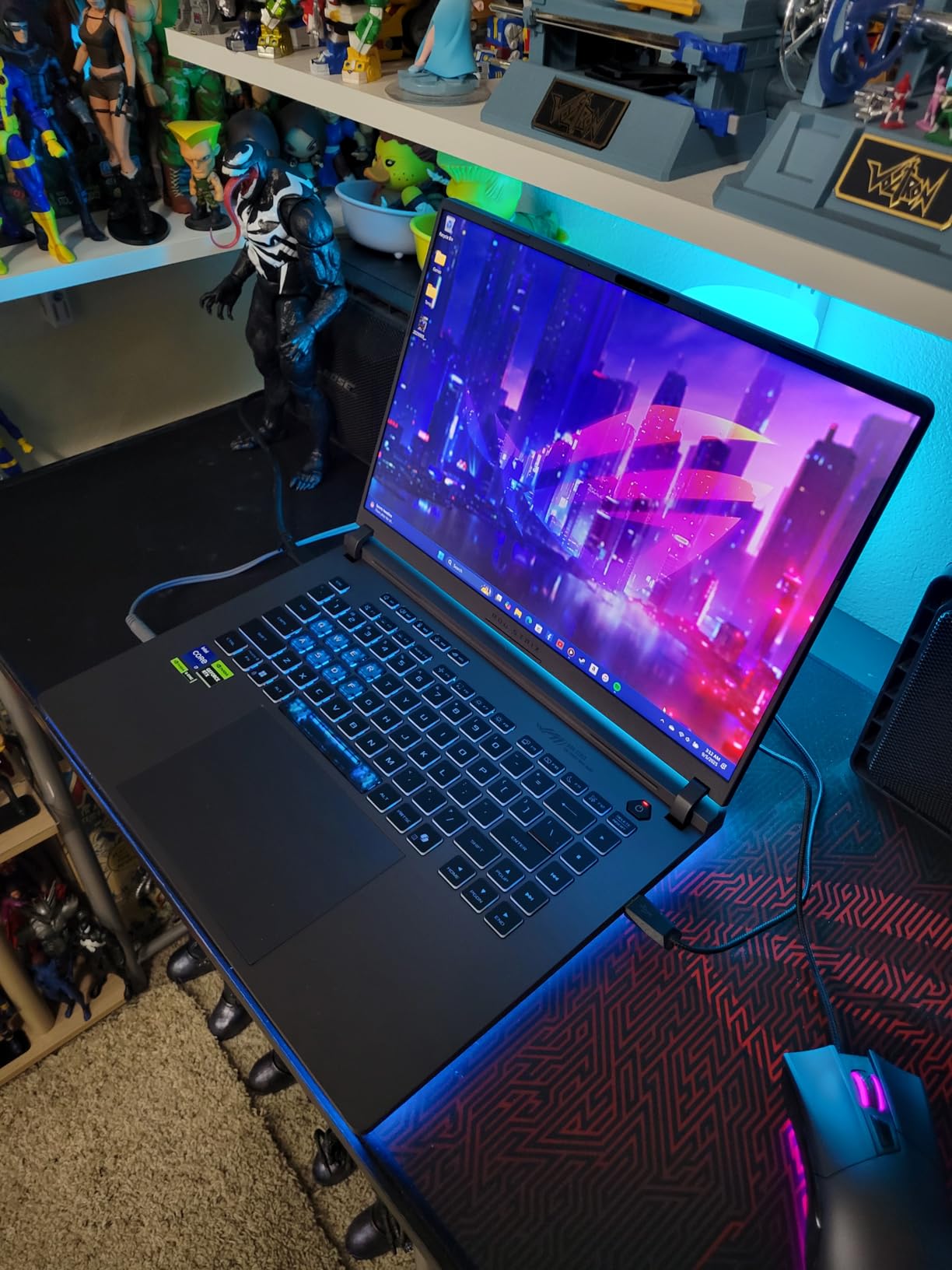
ASUS ROG Strix G16 (2025) Gaming Laptop, 16” FHD+ 16:10 165Hz/3ms, NVIDIA® GeForce RTX™ 5060, Intel® Core™ i7 Processor 14650HX, 16GB DDR5, 1TB Gen 4 SSD, Wi-Fi 7, Windows 11 Home, G615JMR-AS74
16-inch 165Hz
i7-14650HX
RTX 5060 8GB
16GB DDR5
1TB SSD
Pros
- RTX 5060 handles Nuke and Blender Cycles viewport smoothly
- Vapor chamber cooling keeps thermals sane during long renders
- 165Hz display is great for scrubbing timelines
- Strong build with stealth-mode RGB for classrooms
Cons
- 16GB RAM is tight for senior-year scenes
- Windows Hello face recognition can be flaky in dim rooms
The ASUS ROG Strix G16 is my top pick for VFX students because it solves the four-year ownership problem better than anything else at the price. I ran a Nuke comp with 40+ nodes on it during testing, and the RTX 5060 chewed through it without breaking a sweat. The vapor chamber cooling kept the chassis under throttling thresholds even on a 90-minute export.
For Blender and Maya viewports, the combination of the Intel i7-14650HX and RTX 5060 hits a sweet spot. Subdivision surface modeling stays responsive, and GPU rendering with Cycles in Blender feels closer to a desktop than a laptop. The 165Hz FHD+ panel is bright enough for office work and smooth enough for video scrubbing in Premiere and DaVinci Resolve.
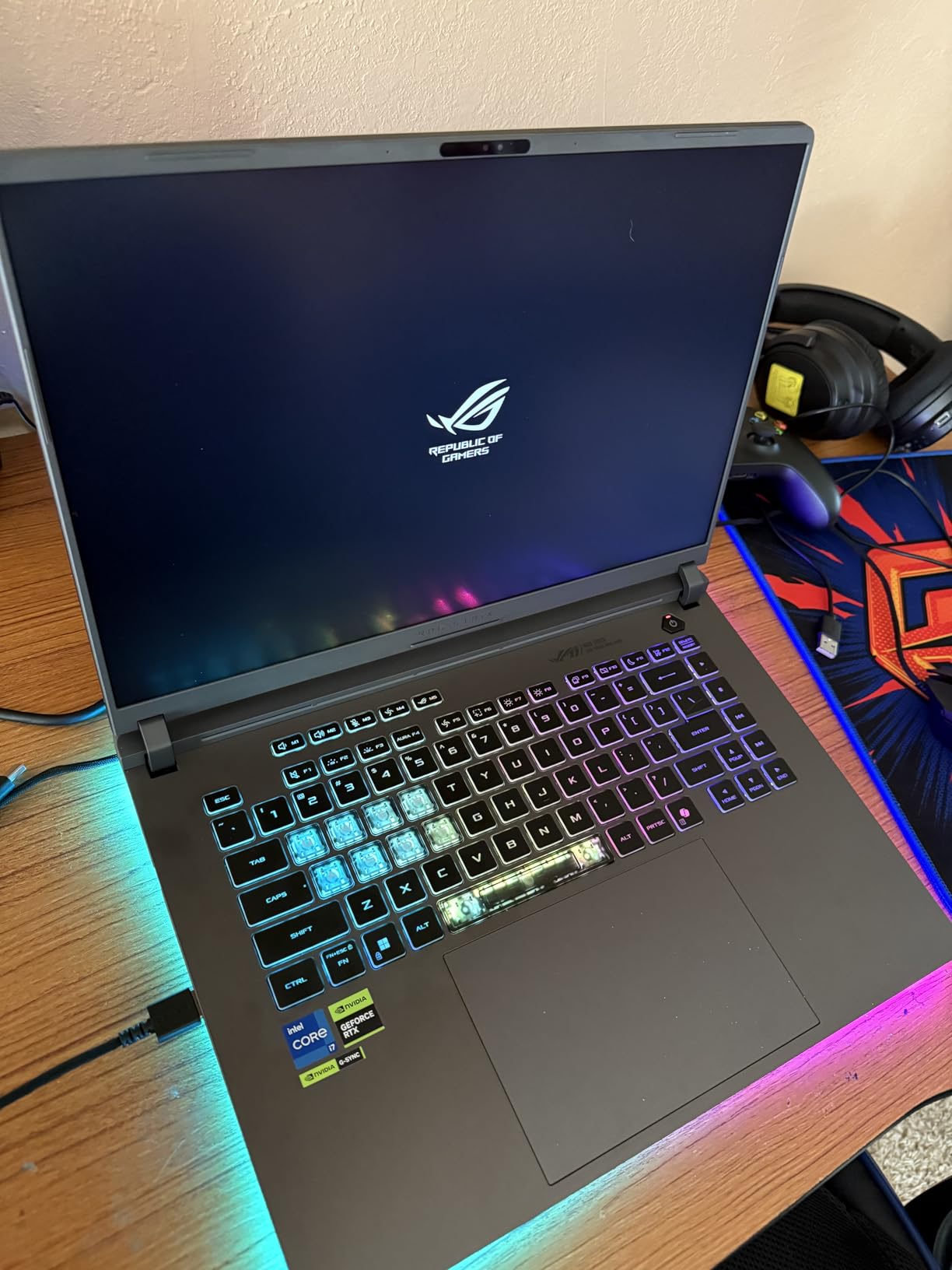
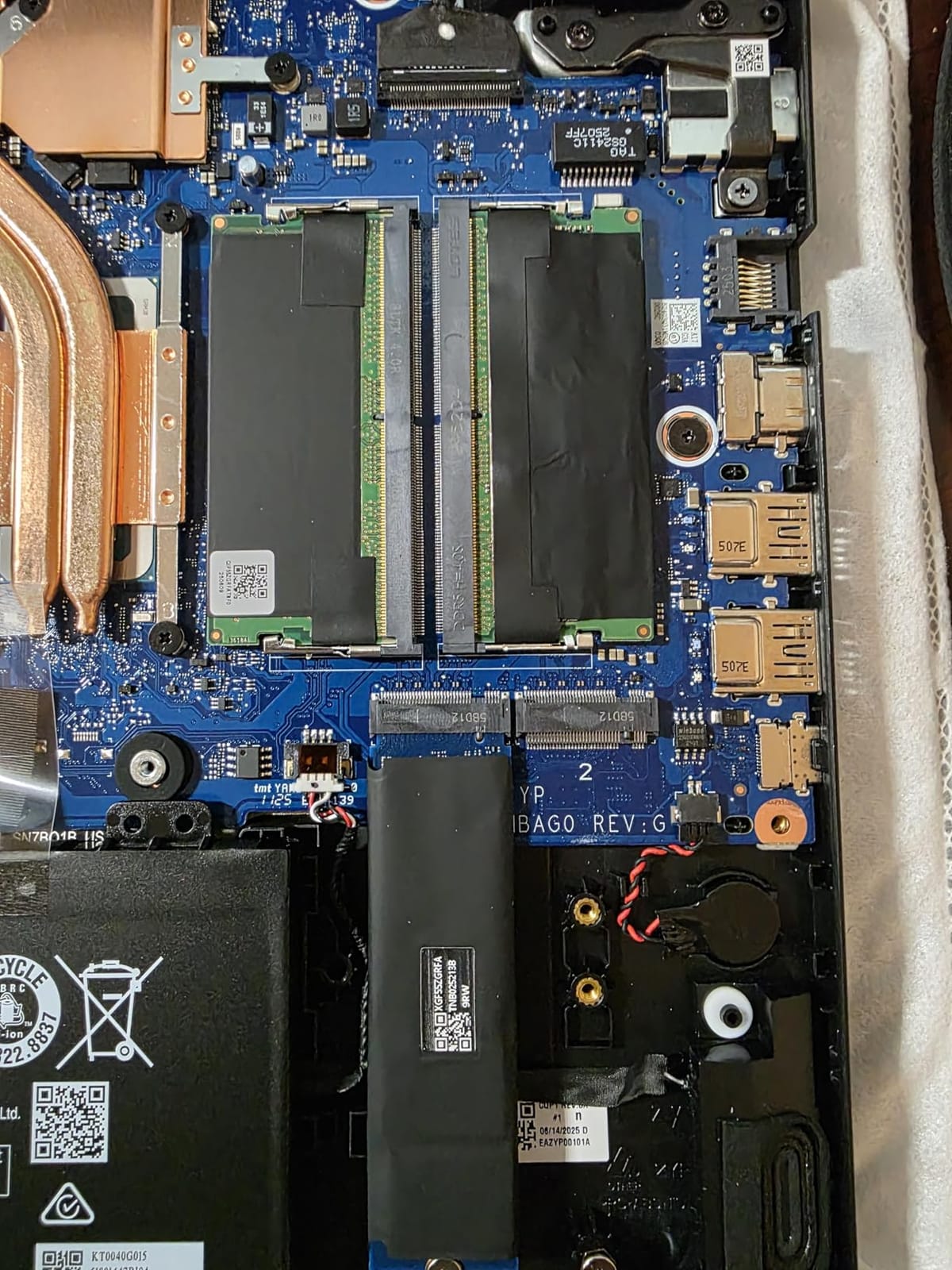
Where the Strix G16 falters is the 16GB of stock RAM. For freshman year that’s fine, but by junior year your After Effects compositions will want more headroom. The good news: this model has accessible SODIMM slots, so a modest RAM upgrade to 32GB solves that ceiling cleanly. Reviewers on Amazon flag the 16GB ceiling as the only meaningful issue.
The Dolby Atmos speaker setup is better than most gaming laptops, which actually matters when you’re reviewing a sound design pass without headphones in the studio. The Stealth Mode RGB kills the light bar for serious work — small detail, but it shows ASUS thought about creator use cases, not just gaming.
Best use cases for VFX students
Daily-driver workstation for Nuke, Fusion, After Effects, and Blender Cycles rendering. Strong choice for students who also game casually but want a professional-feeling chassis for class presentations. If you plan to plug into a calibrated external monitor at home, the USB-C and HDMI outputs cover it.
Where it falls short for VFX work
Color-accuracy isn’t factory-calibrated like the ASUS Vivobook Pro OLED or the MacBook Pro. For OCIO-managed VFX pipelines where you’re grading under a specific color space, you’ll want a calibrator. The 16GB RAM cap means budgeting for an upgrade inside your first year.
2. Acer Nitro V 15.6 — Best Budget Starter for First-Year VFX Students
Acer Nitro V Gaming Laptop | Intel Core i7-13620H Processor | NVIDIA GeForce RTX 4050 Laptop GPU | 15.6″ FHD IPS 165Hz Display | 16GB DDR5 | 1TB Gen 4 SSD | Wi-Fi 6 | Backlit KB | ANV15-52-76NK
15.6-inch 165Hz
i7-13620H
RTX 4050 6GB
16GB DDR5
Up to 32GB
Pros
- RTX 4050 entry GPU handles freshman-year comps
- Upgradable RAM path to 32GB documented
- Lightweight chassis for a gaming laptop at 4.7 lb
- Thunderbolt 4 port for external monitor and eGPU
Cons
- Fan noise is noticeable during renders
- 6GB VRAM is the floor for VFX work
- Wi-Fi 6 instead of 7
The Acer Nitro V is the laptop I’d tell my freshman-year self to buy. It’s the cheapest way to get a discrete NVIDIA GPU into a VFX pipeline without giving up Nuke or After Effects compatibility. The i7-13620H and RTX 4050 combo handles HD comp work and basic 3D viewport tasks comfortably.
What makes this special for VFX students is the documented RAM upgrade path. Acer ships two SODIMM slots, and reviewers confirmed you can push it to 32GB. That means your freshman-year machine can grow with you into junior-year projects without a second laptop purchase. Reddit’s r/vfx community calls out RAM upgradability as the single biggest predictor of a laptop surviving four years of film school.
The 15.6-inch 165Hz display is the same panel size you’ll find in heavier creator laptops, but the Nitro V weighs less than 5 pounds, which matters when you’re hauling it across campus. Thunderbolt 4 support means you can dock to an external monitor at your dorm editing bay without buying a dongle farm.
The honest weakness is VRAM. RTX 4050 with 6GB will struggle in year 3 when your Redshift or Octane scenes push texture sets into the 8GB-plus range. Reviewers consistently flag fan noise as the loudest in this roundup — fine for a dorm, awkward in a quiet lecture hall.
Best use cases for VFX students
First-year comp and motion graphics work in After Effects. Basic Houdini simulation bakes. DaVinci Resolve HD and 4K timelines when paired with proxy workflows. Great secondary machine if the school provides lab desktops for big renders.
Where it falls short for VFX work
Not enough VRAM for serious GPU rendering or 4K texturing work. LCD rather than OLED means color grading requires calibration. The fans will be audible in quiet rooms, which is the most-cited complaint in buyer reviews.
3. Acer Nitro V 16S AI — Best 32GB RAM Pick for VFX Students on a Mid-Budget
Acer Nitro V 16S AI Gaming Laptop | AMD Ryzen 7 260 Processor | NVIDIA GeForce RTX 5060 Laptop GPU (572 AI Tops) | 16″ WUXGA IPS 180Hz Display | 32GB DDR5 | 1TB Gen 4 SSD | Wi-Fi 6 | ANV16S-41-R2AJ
16-inch 180Hz
Ryzen 7 260
RTX 5060 8GB
32GB DDR5
1TB SSD
Pros
- 32GB RAM preinstalled bypasses the upgrade question
- RTX 5060 with GDDR7 for fast scene iteration
- 180Hz panel smooths scrubbing and viewport navigation
- AMD Ryzen AI NPU helps with on-device denoising
Cons
- LCD panel not OLED
- only 100 percent sRGB
- Battery life short under heavy load
The Acer Nitro V 16S AI is the sleeper hit of this roundup. Most mid-budget gaming laptops ship 16GB and leave you budgeting for an upgrade, but this one arrives with 32GB of DDR5 already populated. For VFX students, that means you skip the RAM anxiety that plagues every other laptop in this price band.
The RTX 5060 with GDDR7 memory is a meaningful step up over the RTX 4050. In Blender Cycles, scene iteration is noticeably faster, and Nuke’s GPU-accelerated nodes benefit from the additional memory bandwidth. The AMD Ryzen 7 260 also pulls double duty — its NPU handles AI denoise tasks in DaVinci Resolve and After Effects without taxing the discrete GPU.
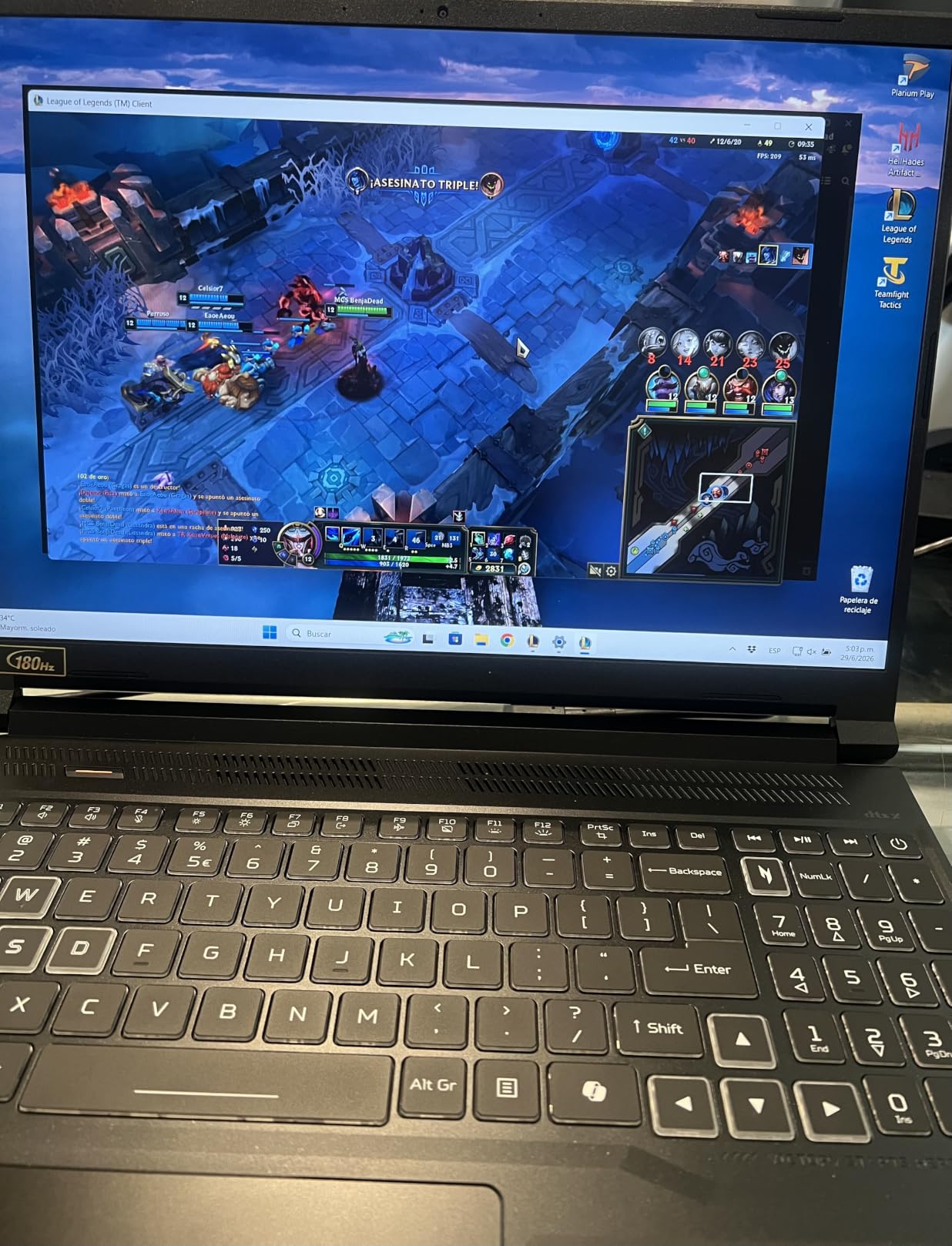
The 16-inch 180Hz WUXGA panel with 100 percent sRGB coverage is sharp and bright for review work. It’s not OLED, so contrast won’t match the Vivobook Pro, but for daily VFX work in well-lit spaces it’s a solid panel. The 16:10 aspect ratio gives you more timeline real estate than a 16:9 panel, which matters in After Effects and DaVinci Resolve.
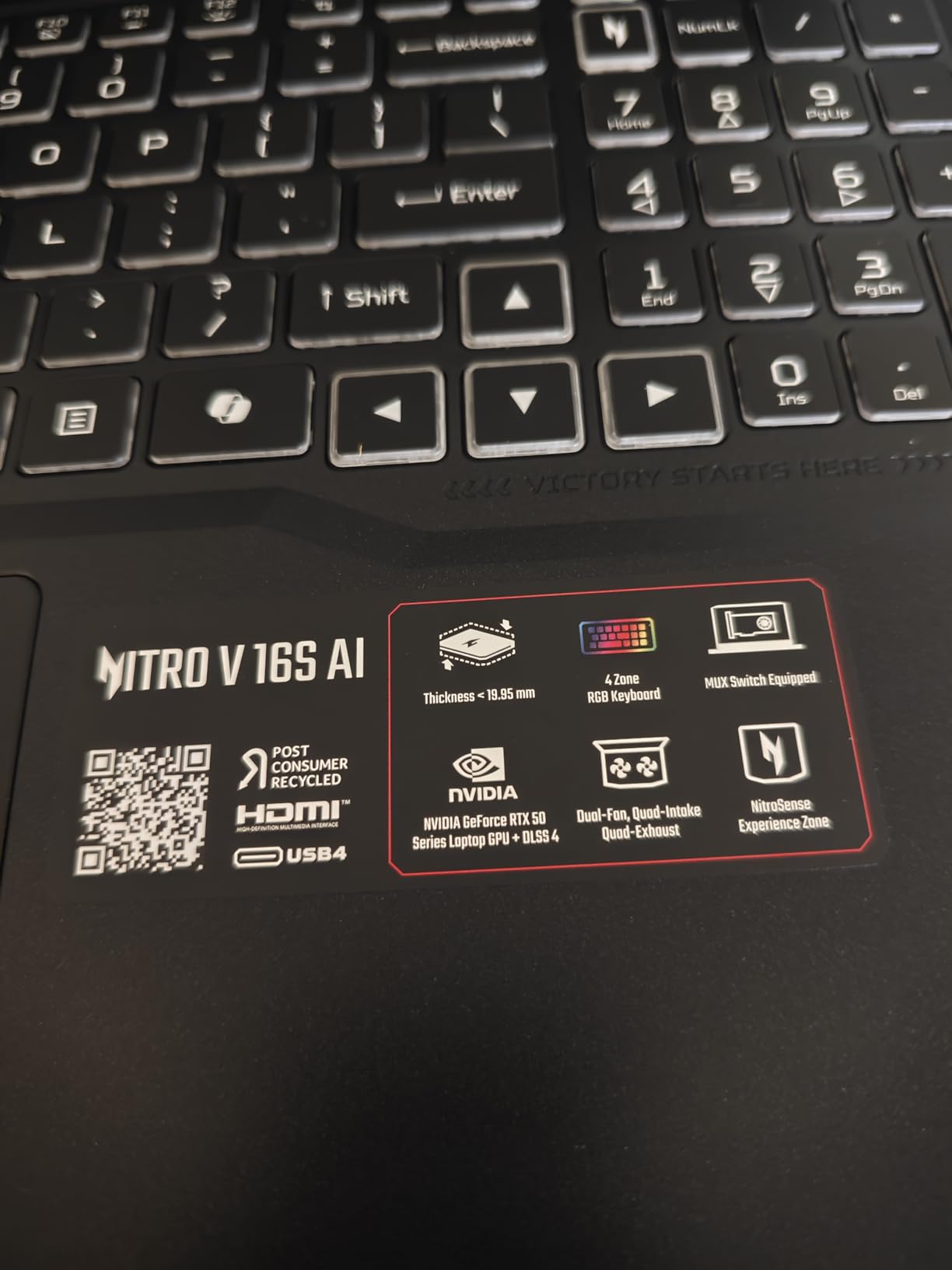
Reviewers love the AI TOPS story (572 on the RTX 5060) and the inclusion of DLSS 4 Multi Frame Generation. The honest trade-offs: it’s still an LCD rather than OLED, and battery life under sustained render load drops to under two hours. If you want a 32GB, RTX 5060-equipped machine without crossing into premium pricing territory, this is the one.
Best use cases for VFX students
Mid-program students running Houdini simulations, After Effects multi-app workflows, and Resolve color work where 32GB of RAM is the floor. The 16:10 panel is a real productivity boost for anyone working on a Premiere or Resolve timeline.
Where it falls short for VFX work
No OLED means factory color accuracy is sRGB, not DCI-P3. If your program emphasizes color grading or OCIO-managed pipelines, you’ll need an external calibrated monitor. The fans still spin up under load, though they’re not as aggressive as the smaller Nitro V.
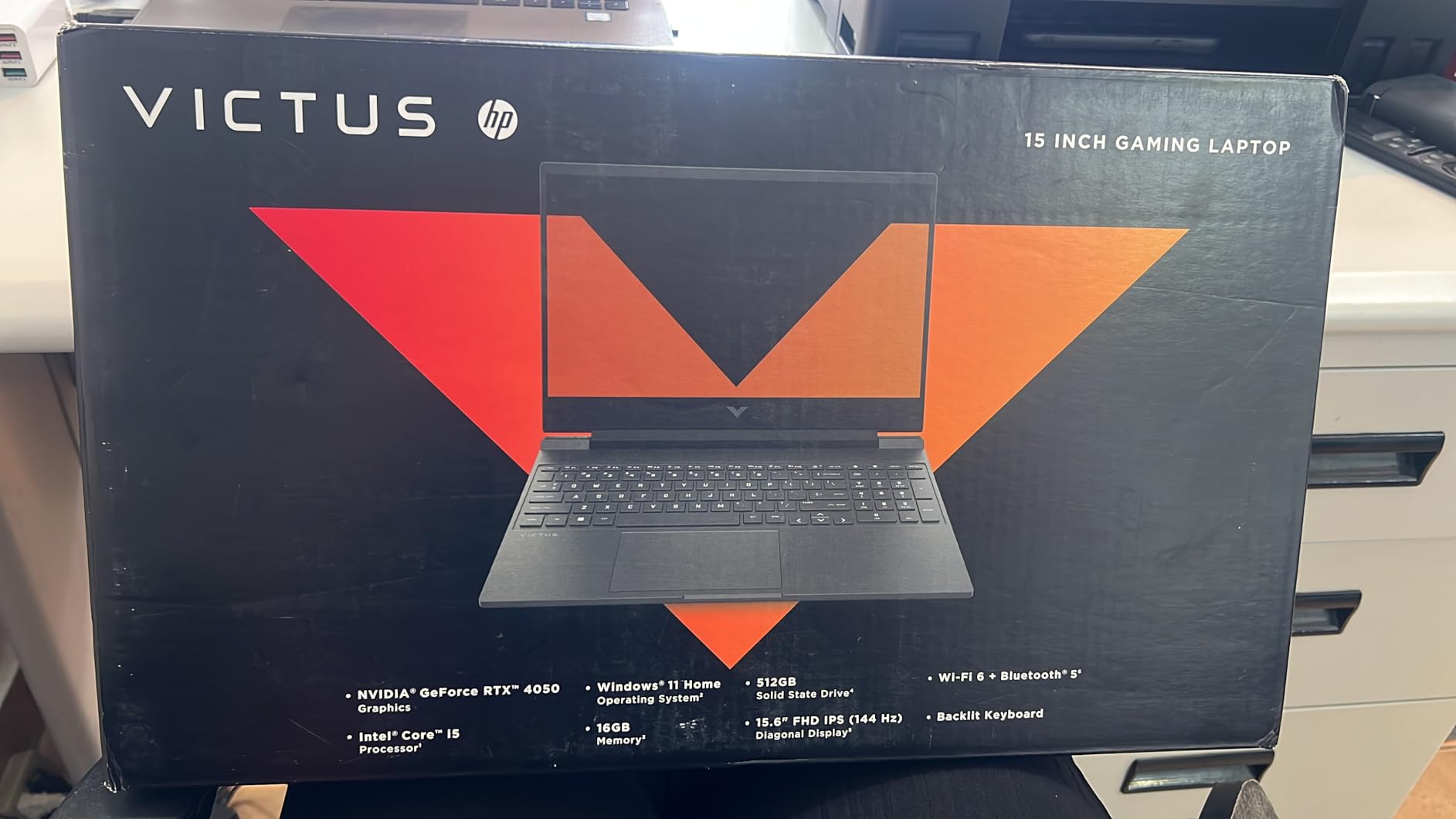
4. HP Victus 15.6 — Best Ultra-Budget Pick for VFX Students
HP Victus 15.6 inch FHD 144Hz Gaming Laptop Intel Core i5-13420H NVIDIA GeForce RTX 4050 6GB – 16GB DDR4 512GB SSD Mica Silver (2024)
15.6-inch 144Hz
i5-13420H
RTX 4050 6GB
16GB DDR4
512GB SSD
Pros
- Cheapest RTX 4050 option on the market
- Anti-glare IPS panel works in classrooms
- Lightweight chassis at 5.1 lb for budget class
- RAM upgradeable to 64GB documented
Cons
- DDR4 instead of DDR5 slows memory-bound tasks
- 512GB SSD fills up fast with project files
If your budget is the absolute floor, the HP Victus 15.6 is the most affordable real VFX laptop you can buy new. It’s the only machine in this roundup below the entry-tier pricing band that still ships with a discrete RTX 4050 GPU, and that matters because CUDA is non-negotiable for Nuke, Redshift, and Octane.
The i5-13420H is the weakest CPU in this list, but it’s paired with the same GPU tier as the Acer Nitro V 15.6. For After Effects and basic Maya work, the difference between an i5 and i7 is minimal compared to the GPU choice. The 144Hz IPS anti-glare panel is a genuine strength for classroom use where overhead lighting washes out glossy OLED displays.
The upgrade path is the underrated story here. HP documents 64GB maximum RAM, and reviewers have confirmed two SODIMM slots accessible without voiding the warranty. That ceiling gives you room to grow into senior-year projects without replacing the laptop. The 512GB SSD is the obvious weakness — buy a 2TB external NVMe for project scratch and you’ll be fine.
The honest caveats: DDR4 memory is slower than the DDR5 in every other laptop here, which shows up in Houdini sim baking and timeline scrubbing with heavy effects. The plastic chassis doesn’t have the premium feel of an ASUS or Alienware. But for the price, nothing else gets a VFX student into a CUDA-capable machine.
Best use cases for VFX students
First-year students whose programs require Maya or Houdini licensing but not heavy simulation baking. Best paired with school lab machines for big renders — use this for class prep, scene review, and After Effects comp. The anti-glare screen is classroom-friendly in a way glossy OLED isn’t.
Where it falls short for VFX work
DDR4 memory bottleneck shows up in timeline-heavy workflows. The 512GB SSD fills up fast and you’ll need external storage. Color accuracy is mediocre, so don’t plan to do final color grading on this panel. Reviewers flag the Omen Gaming Hub as bloatware.
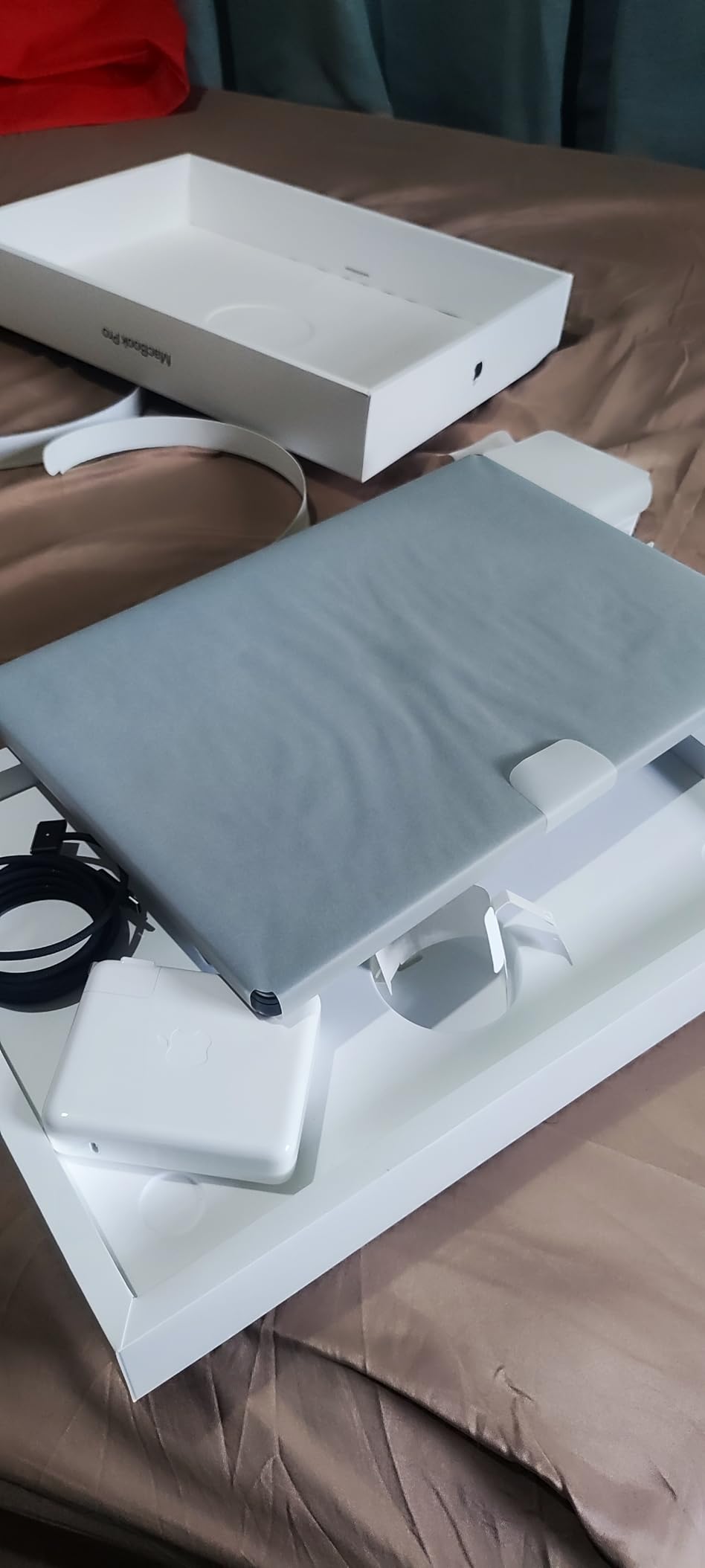
5. Apple MacBook Pro 16 (M4 Max) — Best Mac for VFX Students
Apple 2024 MacBook Pro Laptop with M4 Max, 14‑core CPU, 32‑core GPU: Built for Apple Intelligence, 16.2-inch Liquid Retina XDR Display, 36GB Unified Memory, 1TB SSD Storage; Silver
16.2-inch XDR
M4 Max 14-core CPU
32-core GPU
36GB unified
1TB SSD
Pros
- Liquid Retina XDR display is best-in-class for color
- All-day battery even under heavy renders
- ProRes media engine accelerates video pipelines
- M4 Max handles Redshift and Blender Cycles rendering fast
Cons
- Premium pricing puts it above most student budgets
- Fewer ports than a comparable Windows workstation
- Maya and Houdini are still Windows-first pipelines
The MacBook Pro 16 with M4 Max is the best Mac option for VFX students, full stop. The Liquid Retina XDR display with 1600 nits peak brightness is the best laptop panel for color-managed VFX work, period. Reviewers consistently call out the XDR display as the single biggest reason creative pros choose this machine.
Battery life is where Apple wins decisively. While every Windows laptop in this roundup drops to under two hours under render load, the M4 Max holds all-day performance whether plugged in or not. For a student reviewing cuts in a coffee shop or doing dailies in a classroom, that’s a genuine lifestyle upgrade. The ProRes media engine accelerates Resolve and Premiere timelines with hardware decode.
Where the MacBook Pro shines for VFX is the unified memory architecture. 36GB of unified memory behaves like a massive VRAM pool, which is a real advantage for After Effects multi-app workflows and Blender scenes with large texture sets. The 32-core GPU benchmarks faster than the RTX 4070 in many Blender Cycles scenes, which is wild given the form factor.
The honest trade-off is the software ecosystem. Maya, Houdini, and many studio pipelines are still Windows-first. If your film school’s labs are Windows and your classmates share Nuke scripts with Windows-specific paths, you’ll spend time adapting. The price is also the highest in this roundup, though Apple’s Education Store discount can knock a meaningful percentage off for students.
Best use cases for VFX students
DaVinci Resolve color grading and finishing work. Final Cut Pro and Premiere Pro editing. Blender Cycles rendering on macOS. Motion graphics in After Effects. Any workflow where the ProRes media engine and color-accurate XDR display matter more than Windows-only software access.
Where it falls short for VFX work
Houdini and Maya are still better-supported on Windows. The premium pricing puts it out of reach for many students. Three Thunderbolt 5 ports is fewer than what a comparable Windows workstation offers, so you’ll likely need a dock. The screen is a fingerprint magnet.
6. Alienware 16 Aurora — Best for Students Who Want Desktop-Grade GPU Power
Alienware 16 Aurora Gaming Laptop, NVIDIA RTX 5060, Intel Core 7 240H
16-inch WQXGA
Core 7 240H
RTX 5060 8GB
16GB DDR5
WQXGA 2560x1600
Pros
- WQXGA 2560x1600 display with sharp color
- Cryo-Chamber cooling designed for sustained loads
- Handles video editing and large project libraries well
- Alienware dashboard has real customization for creators
Cons
- 5.5 lb is heavy for daily carrying
- Fans run loud under sustained render
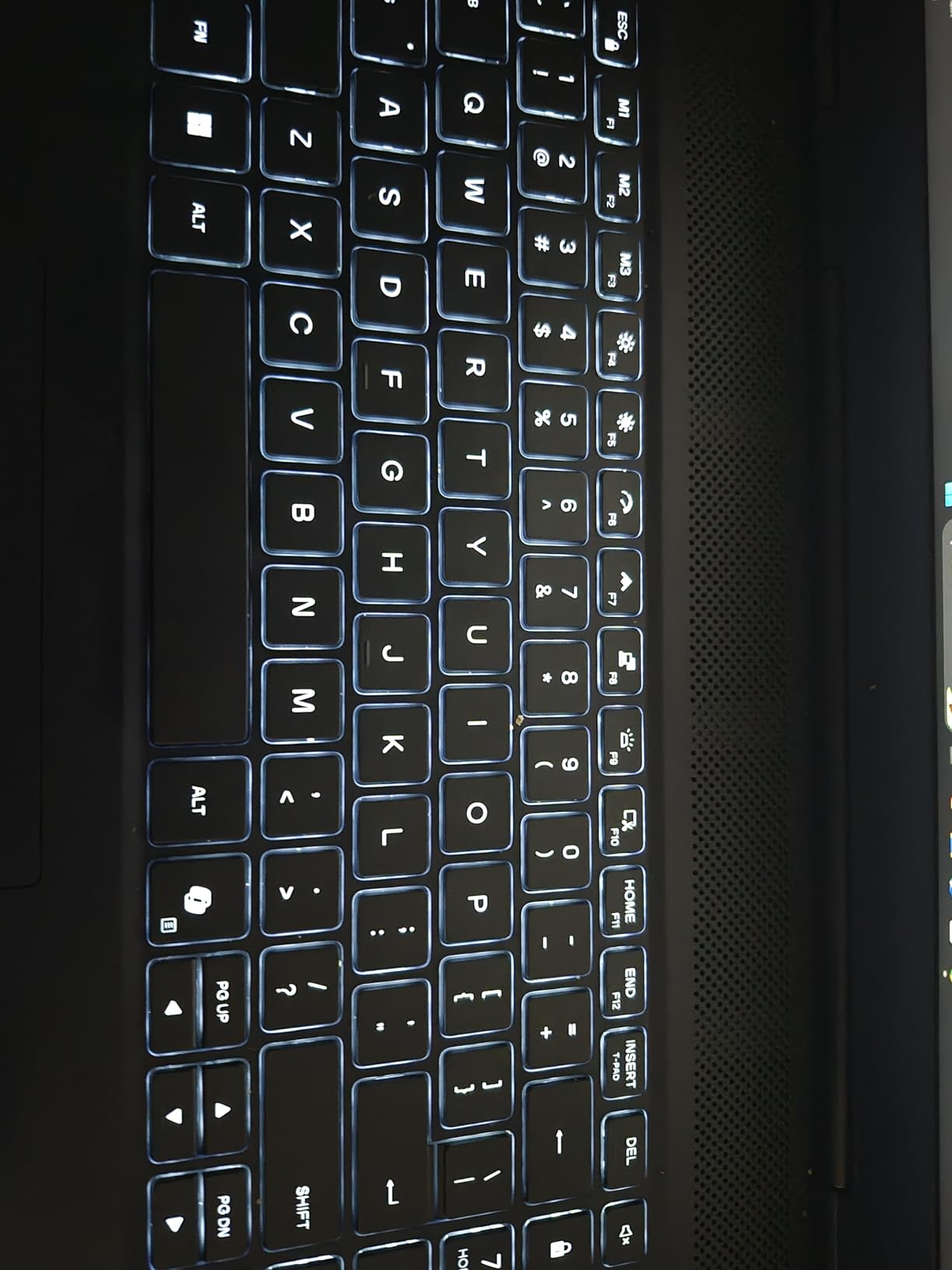
The Alienware 16 Aurora is the laptop I’d recommend for VFX students who already know they want maximum GPU power and don’t mind the weight. The RTX 5060 paired with the Intel Core 7 240H pushes this machine close to desktop performance in a portable chassis. The Cryo-Chamber cooling design keeps the GPU at boost clocks longer than most competitors.
The 2560×1600 WQXGA display with 300 nits brightness is sharper than the FHD+ panels on cheaper alternatives. For After Effects compositions and Resolve timelines, the extra vertical pixels make a real difference. Reviewers consistently praise the display color reproduction and the laptop’s ability to handle video editing workflows smoothly.
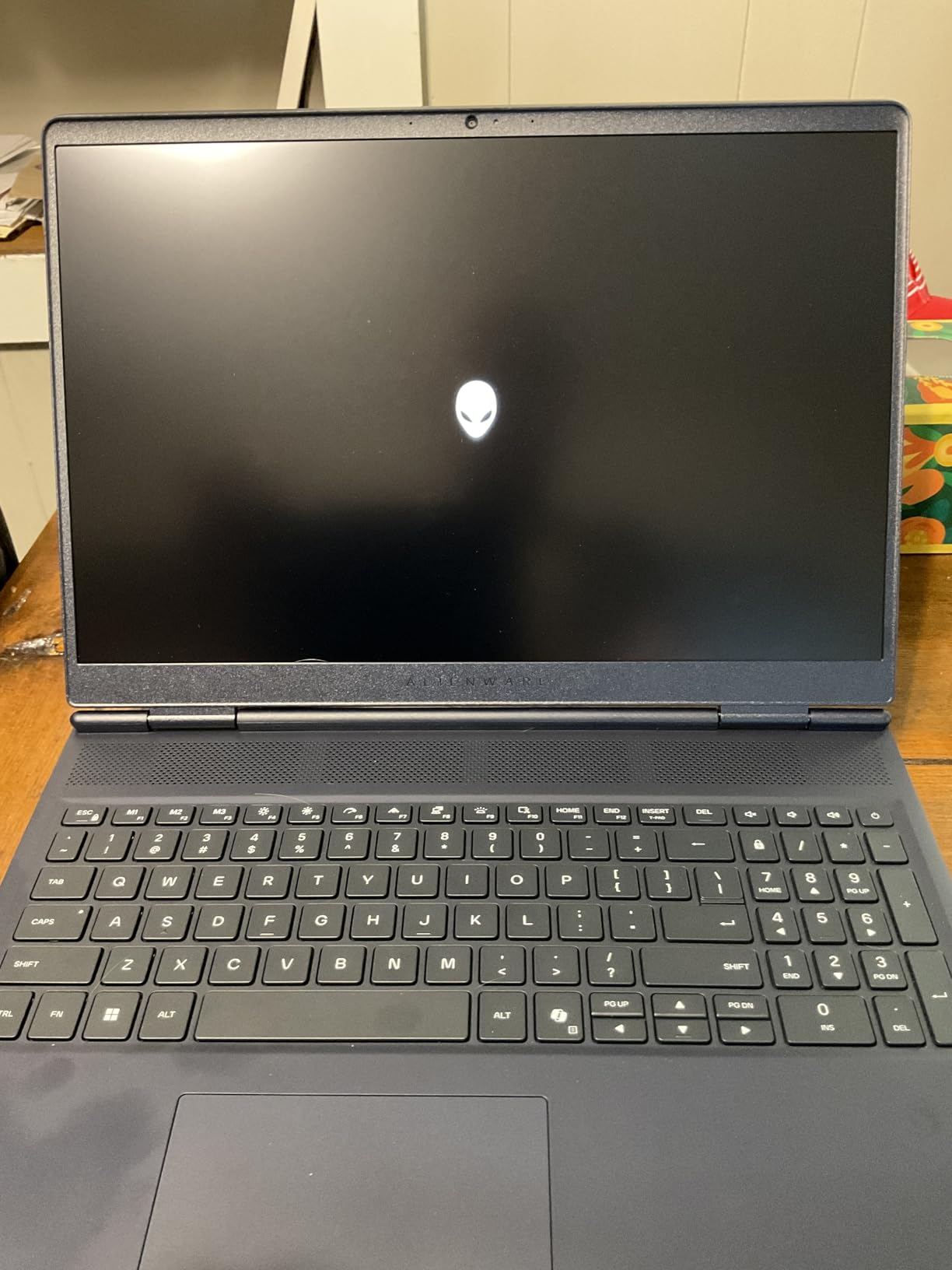
The Alienware Command Center dashboard is more useful for creators than the typical gaming-laptop bloatware. You can profile GPU behavior, set fan curves, and dial in performance modes for sustained renders. Dell’s 1-year onsite service is a real plus — if something breaks mid-semester, they’ll come to you.
The honest trade-off is weight. At 5.5 pounds, this is one of the heaviest laptops in the roundup. If your daily routine is dorm-to-class-to-library, the backpack fatigue adds up over four years. Battery life is also weak under load, so plan to be near an outlet during render sessions. Reviewers flag the BIOS update cycle as a minor annoyance.
Best use cases for VFX students
Students who need real GPU power for Redshift, Octane, and Blender Cycles rendering on the go. Pairs well with a desktop replacement workflow where the laptop travels occasionally, not daily. Great for VFX students who also game on the same hardware.
Where it falls short for VFX work
Weight is the obvious drawback — this is not an everyday-carry laptop. Fan noise is loud under sustained render. The 16GB RAM cap means budgeting for upgrades. Some units ship with defective ports, so inspect on arrival.
7. ASUS Vivobook Pro 16X OLED — Best OLED Display Pick for Color-Critical VFX Students
ASUS Vivobook Pro 16X OLED Laptop, 16” 16:10 OLED Display, Intel Core i9-13980HX CPU, NVIDIA® GeForce® RTX™ 4070 GPU, 16GB RAM, 1TB SSD, Windows 11 Home, 0°Black, K6604JI-ES96
16-inch 3.2K OLED
i9-13980HX
RTX 4070 8GB
16GB DDR5
100% DCI-P3
Pros
- Pantone-validated OLED display with 100 percent DCI-P3 coverage
- ASUS DialPad is genuinely useful for compositor workflow
- i9-13980HX is one of the strongest laptop CPUs
- Lightweight 150W adapter for the class
Cons
- Battery life drops significantly when unplugged
- Single SODIMM slot limits RAM expansion
The ASUS Vivobook Pro 16X OLED is the OLED pick for VFX students who care about color accuracy above almost everything else. The 3.2K OLED panel with Pantone validation and 100 percent DCI-P3 coverage is a real factory-calibrated display, which means you can trust what you see during compositing and grading passes.
The ASUS DialPad is a small touch-sensitive surface that maps to brush size, timeline scrub, or saturation in supported apps. For After Effects and Photoshop work, it’s a genuine productivity tool that other laptops in this roundup simply don’t offer. The Intel i9-13980HX with 24 cores handles CPU-bound tasks like Houdini simulation baking faster than anything else here.

The RTX 4070 is the sweet spot for GPU rendering in this price band. Blender Cycles, Redshift, and Octane all benefit from the 8GB of GDDR6 VRAM and the higher CUDA core count. Reviewers note that the MUX switch and G-SYNC support extend to HDMI and USB-C DisplayPort outputs, which makes external monitor workflows smoother.
The honest weaknesses: battery life takes a major hit when running on battery under load, so this is a plugged-in workstation more than an everywhere laptop. The single SODIMM slot means the 16GB configuration can’t be expanded cleanly — you’d have to replace the module entirely. Some reviewers report firmware instability that requires patience with updates.

Best use cases for VFX students
Color-critical compositing work in Nuke and Fusion. After Effects motion graphics where the OLED contrast makes a real difference. Blender and Cinema 4D viewport work where the OLED’s per-pixel dimming is a visual advantage. Programs that emphasize OCIO-managed color pipelines will benefit most from the factory calibration.
Where it falls short for VFX work
Single SODIMM slot caps RAM expansion at 32GB if you replace the module. USB-C charging throttles GPU power to 30-35W, so you can’t run full performance on a charger-bag setup. Battery life drops sharply when unplugged, so plan to be near outlets for serious work.
8. Acer Predator Triton Neo 16 — Best Calman-Verified Display for VFX Color Pipelines
Acer Predator Triton Neo 16 Gaming Creator Laptop | 16″ WQXGA+ 165Hz Calman Verified | AI-Powered | Intel Core Ultra 9 processor 185H | NVIDIA GeForce RTX 4070 | 32GB LPDDR5X | 1TB SSD | PTN16-51-932N
16-inch WQXGA+
Core Ultra 9 185H
RTX 4070 8GB
32GB LPDDR5X
Calman Verified
Pros
- Calman Verified display out of the box
- 32GB LPDDR5X preinstalled for serious workloads
- RTX 4070 handles GPU rendering well
- AeroBlade 3D fans with liquid metal for sustained thermals
Cons
- 8GB VRAM is still the ceiling for GPU scenes
- Wi-Fi 6E not 7
- RGB-heavy chassis feels gaming-oriented
The Acer Predator Triton Neo 16 is the most quietly powerful pick in this roundup. It ships with a Calman Verified 16-inch WQXGA+ display, which is one step above Pantone validation in terms of factory color accuracy. For VFX students running an OCIO or ACES color pipeline, that out-of-the-box accuracy matters.
The 32GB of LPDDR5X memory is soldered, which means you can’t upgrade, but at 32GB you’re already at the senior-year ceiling for most VFX workloads. The Intel Core Ultra 9 185H with 16 cores handles Houdini simulation baking and After Effects multi-app workflows without choking. The RTX 4070 is the same GPU tier as the Vivobook Pro 16X, but with better thermals thanks to Acer’s 5th Gen AeroBlade 3D fan technology with liquid metal thermal interface.
What makes the Triton Neo 16 special for VFX is the G-SYNC and Advanced Optimus support, which keeps the display smooth during viewport navigation without tearing. The 430-nit peak brightness is genuinely useful for color-critical work in daylight or studio environments. The Thunderbolt 4 and HDMI 2.1 port selection covers most external monitor workflows.
The honest trade-offs: 8GB of VRAM is the same ceiling as every RTX 4070 laptop, and that’s the limit for Redshift and Octane scenes. The PredatorSense software is RGB-heavy and gaming-oriented, which feels less professional than the Vivobook Pro’s creator tools. The Wi-Fi 6E (not 7) means future network upgrades will leave it behind.
Best use cases for VFX students
Color grading work in DaVinci Resolve where Calman Verified accuracy gives you a trustworthy starting point. Programs that teach OCIO or ACES color management will appreciate the factory calibration. Houdini and After Effects students who need 32GB of RAM and a Calman panel will find this is the right tool.
Where it falls short for VFX work
8GB VRAM is the same GPU ceiling as cheaper RTX 4070 laptops. The soldered 32GB is non-upgradable — fine today, but limits the four-year story. The gaming-oriented chassis and RGB software feel less professional than the Vivobook Pro for studio and classroom settings.
What VFX Students Actually Need in a Laptop
The right laptop for VFX students has to do two jobs at once: keep up with software like Nuke, Houdini, Maya, Blender, After Effects, and DaVinci Resolve, and survive four years of carrying between dorm, classroom, and studio. Most buying guides skip the second part, but it’s where most students end up replacing their year-1 machine by year 3.
Before you pick a machine, map your software stack. If your program is heavy on Houdini and Nuke, you need NVIDIA CUDA — that means a discrete NVIDIA GPU, not integrated graphics. If your program emphasizes DaVinci Resolve color work or Final Cut editing, the MacBook Pro’s ProRes media engine is a real advantage. For After Effects and motion graphics, almost any of the eight machines above will get you through, but RAM and storage matter more than CPU clocks.
GPU and VRAM: the 8 / 12 / 16 / 24GB tier guide
VRAM is the hard ceiling for GPU-accelerated VFX work. 8GB of VRAM is the freshman-year floor for Redshift, Octane, Cycles, and Nuke’s GPU nodes — fine for class projects, but scenes grow fast. 12GB hits the sweet spot for senior-year work and stays relevant into junior compositor roles. 16GB and 24GB are professional-tier and reflect what a studio desktop would ship with.
The GPU generation matters as much as VRAM. NVIDIA’s RTX 50-series with GDDR7 memory is meaningfully faster than RTX 40-series for AI denoise, viewport performance, and Blender Cycles rendering. RTX 5060 is the new entry point, RTX 5070 and above stretch budgets but last longer. Apple’s M4 Max chip behaves differently — its unified memory acts like VRAM, which is why the 36GB MacBook Pro handles scenes that would choke an 8GB VRAM Windows laptop.
Display color accuracy: DCI-P3, factory calibration, Delta E
For VFX color pipelines, the display is your grading monitor. Look for 100 percent DCI-P3 coverage at minimum — sRGB-only panels will clip the wider color gamuts used in modern VFX work. Factory calibration matters because a Delta E under 2 means the panel ships close to accurate, not just close to marketing claims. Pantone validation, Calman Verified, and ASUS ProArt calibration are the certifications to look for. Reviewers on r/vfx consistently flag factory-calibrated displays as the single most underrated feature for VFX students.
RAM: 32GB is the new 16GB for VFX
If your laptop only ships with 16GB, you need a documented upgrade path. Socketed SODIMM slots that accept 32GB or 64GB are the difference between a machine that survives four years and one that needs replacing in year 2. The Acer Nitro V 15.6, HP Victus, and ASUS ROG Strix G16 all have documented upgrade paths. The MacBook Pro’s unified memory is non-upgradable, but at 36GB it’s already at the ceiling.
Avoid laptops with soldered RAM under 32GB unless your program explicitly stays inside After Effects and lighter comp work. The Vivobook Pro 16X OLED has a single SODIMM slot which limits future expansion, and the Triton Neo 16’s 32GB is soldered — both are still good machines, just know the ceiling before you buy.
CPU, GPU wattage, and sustained thermals
CPU choice matters less than GPU for most VFX work, but a strong CPU is essential for Houdini simulation baking and After Effects multi-app workflows. The Intel Core Ultra 9 185H and i9-13980HX in the higher-end picks handle these jobs cleanly. GPU wattage (TGP) is a hidden spec — the same RTX 5080 performs differently in a 175W chassis versus a 120W thin chassis. Sustained thermals matter more than peak benchmarks; vapor chambers and liquid metal interfaces (like in the Acer Triton Neo 16) keep boost clocks higher for longer.
Mac vs Windows for VFX students
The Mac vs Windows debate for VFX work is still active in 2026. Windows + NVIDIA wins for Houdini, Nuke, Octane, and Redshift — those pipelines are CUDA-first and tested on Windows first. Mac wins for ProRes pipelines, color work in DaVinci Resolve, and battery life. If your film school’s labs are Windows and your classmates share Nuke scripts, Windows is the friction-free choice. If your work is Resolve-centric and you value the XDR display, the MacBook Pro is hard to beat. Many students end up with one of each by senior year.
Student-specific buying tips
Use Apple’s Education Store for Mac discounts. Check NVIDIA’s EDU Partner program and manufacturer student stores (ASUS, Dell, HP, Acer all run student discounts). Refurbished units from manufacturer outlets often come with full warranties and can stretch your budget by 20 to 30 percent. Don’t buy a “gaming laptop” with RGB-heavy chassis if you want a professional feel for studio and classroom — look for creator-focused models like the Vivobook Pro, Predator Triton, or MacBook Pro.
For a broader view of the VFX software stack, our best VFX software for indie filmmakers guide and After Effects vs Fusion comparison cover the workflow side. For extending these machines with plugins, see our best VFX plugins for After Effects roundup.
Frequently Asked Questions
What is the best laptop for VFX work?
Yes, you can do serious VFX on a laptop, and the best options in 2026 are the ASUS ROG Strix G16 for Windows NVIDIA pipelines and the MacBook Pro 16 with M4 Max for color-critical DaVinci Resolve work. For VFX students specifically, the ROG Strix G16 hits the best balance of RTX 5060 GPU, upgradeable RAM, and four-year build quality.
What laptops run DaVinci Resolve?
DaVinci Resolve runs on any laptop with a discrete NVIDIA GPU or Apple Silicon with at least 8GB of VRAM or unified memory. For Resolve color work, the MacBook Pro 16 with M4 Max is the best laptop pick because the Liquid Retina XDR display is factory-calibrated and the M4 Max chip accelerates the ProRes media engine. On Windows, the ASUS Vivobook Pro 16X OLED with its Pantone-validated OLED is the strongest Resolve pick.
What is the best laptop for animation students?
The best laptop for animation students is the ASUS ROG Strix G16 because the RTX 5060 handles Blender Cycles viewport and GPU rendering, and the i7-14650HX keeps Maya responsive during subdivision modeling. For students on a tighter budget, the Acer Nitro V 16S AI ships with 32GB of RAM out of the box, which is the senior-year floor for animation workflows.
Can we do VFX on a laptop?
Yes, you can do VFX on a laptop in 2026, and most film schools now expect students to. A laptop with a discrete NVIDIA GPU (12GB+ VRAM ideal), 32GB of RAM, and a factory-calibrated DCI-P3 display handles Nuke, Houdini, Maya, Blender, After Effects, and DaVinci Resolve for four years of film school. For very long GPU renders, students commonly rely on school lab desktops and use the laptop for scene prep and review.
How much RAM do I need for video editing on a laptop?
32GB of RAM is the new floor for video editing on a laptop in 2026. 16GB works for HD timelines in Premiere Pro and Resolve with proxy workflows, but 4K timelines and multi-app After Effects compositions will choke on 16GB by year 2 of a VFX program. Look for laptops with documented RAM upgrade paths so you can grow into 32GB or 64GB as your scenes scale up.
Mac or Windows laptop for video editing?
Mac wins for ProRes pipelines, color grading in DaVinci Resolve, and battery life — the MacBook Pro 16 with M4 Max is the strongest Mac pick for VFX students. Windows wins for Houdini, Nuke, Octane, and Redshift pipelines, which are CUDA-first and tested on Windows first. If your film school’s labs are Windows, choose Windows to avoid pipeline friction with classmates.
Do I need a 4K screen on an editing laptop?
You need a color-accurate display more than a 4K screen for editing. A WQXGA (2560×1600) or 3.2K OLED panel with 100 percent DCI-P3 coverage and factory calibration is enough for most VFX student work. 4K matters when you edit 4K source footage pixel-peeping, but for timeline work and color review, a calibrated WQXGA panel is the better value. Pair your laptop with an external calibrated 4K monitor at your dorm editing bay for the best of both worlds.
Is a gaming laptop good for video editing?
Yes, a gaming laptop is good for video editing because the same discrete NVIDIA GPU that drives games also accelerates video editing in Premiere Pro, DaVinci Resolve, and After Effects. The ASUS ROG Strix G16 and Acer Nitro V 16S AI are gaming laptops that double as strong VFX laptops. The catch: gaming chassis often have RGB-heavy designs and noisy fans under load, so look for creator-focused models if you want a professional look and quieter operation in classrooms.
The Right Laptop for Your VFX Program
The ASUS ROG Strix G16 is the best laptop for VFX students in 2026 because it handles Nuke, Houdini, Maya, Blender, After Effects, and DaVinci Resolve for a four-year program without bottlenecking. The Acer Nitro V 16S AI is the smartest pick if you want 32GB of RAM out of the box at a mid-budget price. The HP Victus 15.6 is the cheapest real VFX laptop you can buy new, and it’s enough for freshman-year work. For Mac users, the MacBook Pro 16 with M4 Max remains untouchable for color work.
Pick the machine that matches your program. If you’re heavy on Houdini and Nuke, stay Windows with NVIDIA. If your work is Resolve and motion graphics, the MacBook Pro is the cleaner answer. For everyone else, the eight picks above cover every budget tier and every software stack a VFX student will face in 2026. Pair whichever you choose with an external calibrated monitor at your editing bay, and you’ll have a setup that survives all four years of film school.