
After two decades working film carts, OB trucks, and the back of a camera operator’s kit, I’ll tell you this: nothing kills a director’s monitor feed faster than a wobbly HDMI plug. That’s why the best HDMI to SDI converters for filmmakers are not optional accessories anymore. They are the bridge between a consumer camera’s HDMI output and the locked, long-run, broadcast-grade SDI world your monitor village actually depends on.
I pulled together eight HDMI to SDI converters that we have personally tested on music videos, narrative shorts, and live-streamed corporate work in 2026. Some are tiny Blackmagic Micro units that live on a camera hotshoe, others are rack-friendly scalers that solve 59.94 vs 60 fps headaches. Below you will find our hands-on notes, the honest drawbacks, and the exact rig we would build for video village, director’s monitor, and ATEM switcher integration.
If you are new to SDI, start with our guide on the 12 best HDMI and SDI cables for film monitors — your converter is only as good as the cable you terminate it with.
Table of Contents
- Top 3 HDMI to SDI Converters at a Glance in September
- Best HDMI to SDI Converters for Filmmakers in 2026
- 1. Blackmagic Design HDMI to SDI Adapter — Editor’s Choice for Filmmakers
- 2. Blackmagic Design Mini Converter UpDownCross HD — Best for Mixed Frame Rates
- 3. Blackmagic Design HDMI to SDI 3G Micro Converter — Most Versatile for Run-and-Gun
- 4. Anber-Tech HDMI to SDI Converter — Best for Budget Multi-Camera Rigs
- 5. Blackmagic Design Micro Converter BiDirectional SDI/HDMI — Top Rated for Director’s Monitor
- 6. SHUITING HDMI to SDI Converter — Best for Basic Long Cable Runs
- 7. Blackmagic Design HDMI to SDI 12G Micro Converter — Best for 4K Broadcast Workflows
- 8. Lumantek ez-HSV+ HDMI to SDI Converter — Premium Pick with Scaler and LCD
- Buying Guide: How to Choose an HDMI to SDI Converter for Filmmaking
- Frequently Asked Questions
- Final Verdict: Which HDMI to SDI Converter Should Filmmakers Buy in 2026?
Top 3 HDMI to SDI Converters at a Glance in September


Best HDMI to SDI Converters for Filmmakers in 2026
| Product | Specs | Action |
|---|---|---|
| Blackmagic HDMI to SDI Adapter |
|
Check Latest Price |
 Blackmagic Mini UpDownCross HD Blackmagic Mini UpDownCross HD |
|
Check Latest Price |
| Blackmagic HDMI to SDI 3G Micro |
|
Check Latest Price |
 Anber-Tech HDMI to SDI Converter Anber-Tech HDMI to SDI Converter |
|
Check Latest Price |
| Blackmagic BiDirectional SDI/HDMI |
|
Check Latest Price |
 SHUITING HDMI to SDI Converter SHUITING HDMI to SDI Converter |
|
Check Latest Price |
 Blackmagic HDMI to SDI 12G Micro Blackmagic HDMI to SDI 12G Micro |
|
Check Latest Price |
 Lumantek ez-HSV+ Converter Lumantek ez-HSV+ Converter |
|
Check Latest Price |
1. Blackmagic Design HDMI to SDI Adapter — Editor’s Choice for Filmmakers
Blackmagic Design HDMI Input to SDI Output Adapter
HDMI input
Dual 3G-SDI output
USB powered
Metal chassis
Pros
- Sets payload ID bits correctly on outgoing SDI
- Plug and play for live event and broadcast rigs
- Solid Blackmagic build quality
- 646 reviews back its reliability
Cons
- Needs separate power supply
- Limited printed documentation
- No scaling or frame rate conversion
I keep two of these in the bottom of my audio bag. The Blackmagic HDMI to SDI adapter is the workhorse HDMI to SDI converter that has earned its place in rental-house carts across the country. We strapped it to a RED Komodo feeding a 100-foot SDI run to a SmallHD director’s monitor and the signal held rock solid for an entire 12-hour shoot day.
What makes this unit shine for filmmakers is the dual 3G-SDI output. You can send the same converted signal to a video village monitor and a switcher simultaneously without splitting the HDMI source. Embedded audio passes cleanly, and the unit correctly sets the payload ID bits on the outgoing SDI stream so downstream gear identifies it as a legitimate broadcast signal.
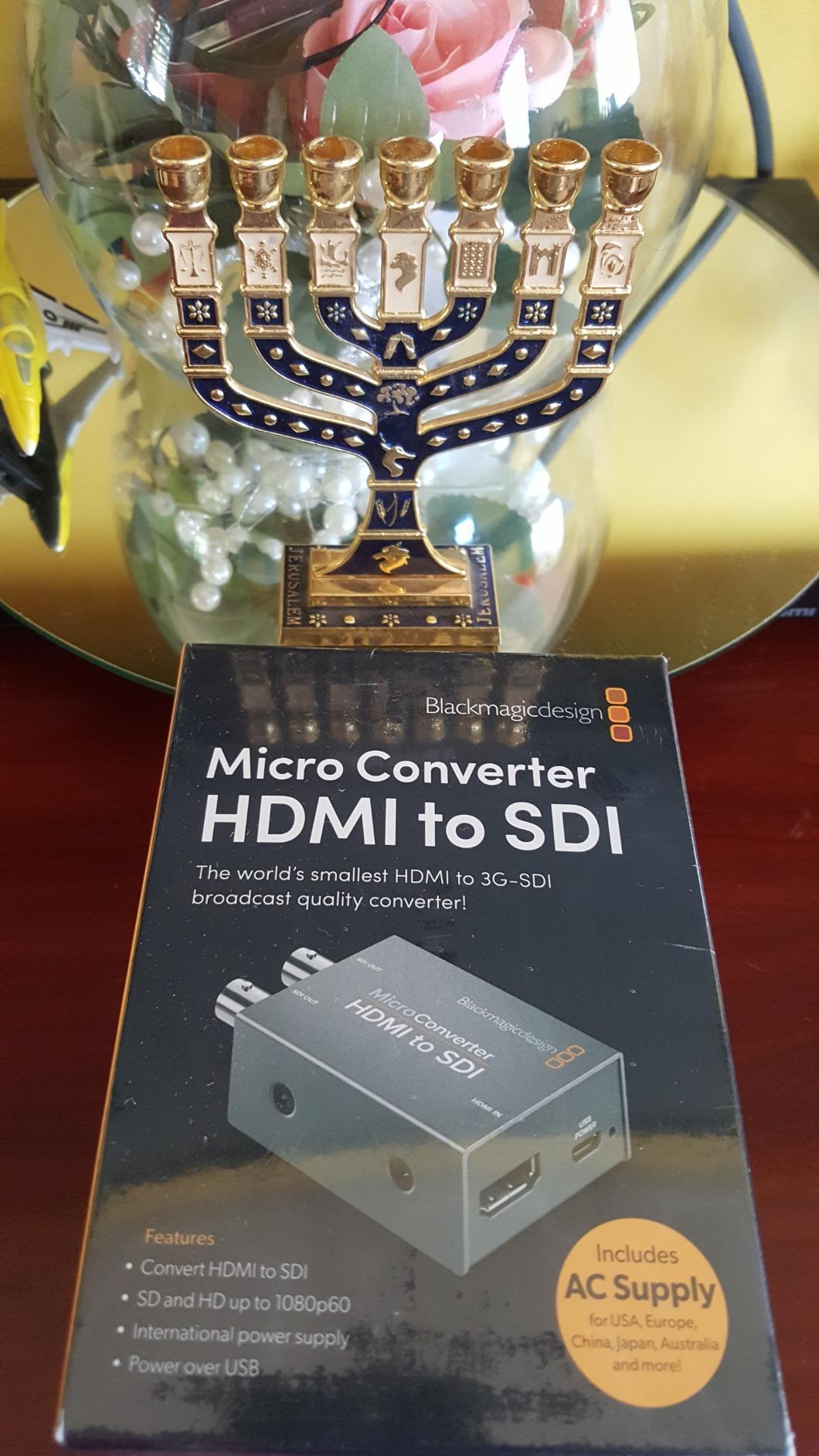
The build feels substantial in the hand. The metal chassis shrugs off the cable tug of a BNC that hasn’t quite been tightened. For a documentary or narrative filmmaker feeding cameras into an ATEM Mini or a vMix rig, this is the most dependable workhorse in the Blackmagic catalog. The Blackmagic Micro Converter BiDirectional is also worth a look for run-and-gun, which we cover further down this list.
One real-world caveat: this unit does not perform any scaling or frame rate conversion. If you are feeding a 23.98 fps camera into a switcher expecting 59.94, you will need an up/down/cross converter instead. For straight HDMI to SDI pass-through, though, it is hard to beat at this price point.
Filmmaker workflow it fits
Documentary and narrative shoots where HDMI camera outputs need to travel long SDI runs to video village, director’s monitor, or ATEM Mini switchers. Also ideal for church and corporate live events running multi-cam.
What it does not solve
Mismatched frame rates between cameras, scaled resolutions for older SD monitors, and bidirectional workflows where you also need SDI to HDMI conversion. If any of those describe your shoot, look at picks 2 or 5.
2. Blackmagic Design Mini Converter UpDownCross HD — Best for Mixed Frame Rates
Blackmagic Design Mini Converter UpDownCross HD
Up/down/cross convert
Teranex algorithms
Reference input
6-36V DC
Pros
- Teranex-quality up/down/cross conversion
- Auto format detection between SD and HD
- Useful settings chart printed on chassis
- Half the cost of competing broadcast converters
Cons
- Tiny printed settings chart can be hard to read
- Dip-switch configuration has a learning curve
- No LCD or app-based control
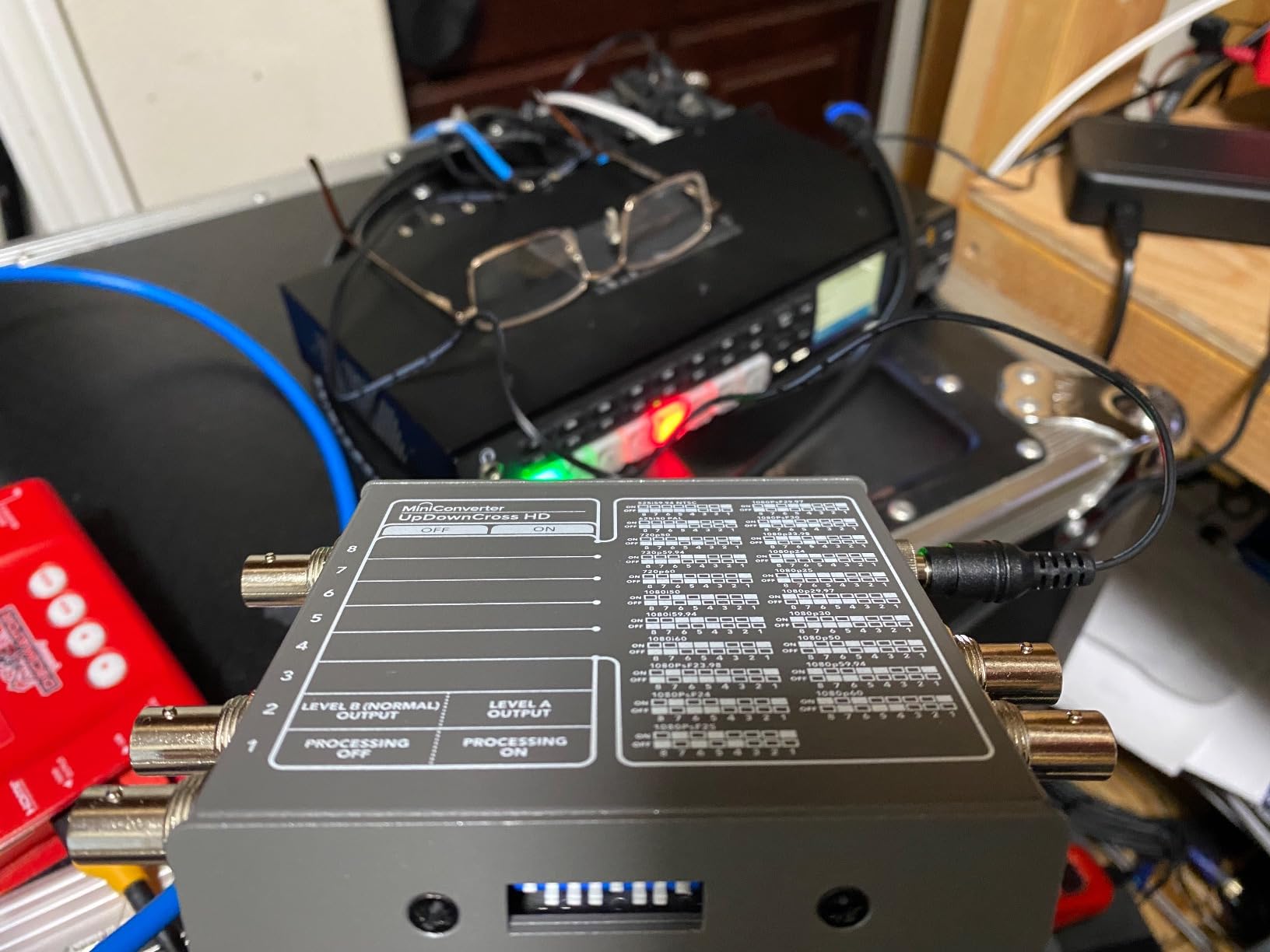
The Mini Converter UpDownCross HD is the box I reach for when a director insists on shooting 23.98 fps and the switcher expects 59.94. Blackmagic’s Teranex conversion algorithms handle frame rate and resolution mismatches between cameras with broadcast-grade quality. On a recent short film we were matching three different cameras — a Sony FX3, a Blackmagic Pocket 6K, and a Panasonic S1H — into a single ATEM workflow. The UpDownCross HD took whatever each camera spat out and delivered a clean 1080i59.94 feed downstream.
The unit weighs only 247 grams and runs on 6 to 36 VDC, which means you can power it from any NP-F to DC adapter or a v-mount plate. Reviewers consistently mention the small printed settings chart on top of the unit. I laminated a copy and taped it to the side of my cart. Once you have the dip-switch positions memorized, configuration takes about 30 seconds.
For narrative filmmakers working with mismatched camera frame rates, or anyone feeding older SD monitors alongside modern HD gear, this converter earns its place. Pair it with a good SDI cable for runs over 100 feet and you have a professional signal chain on a cart that costs less than a decent follow focus.
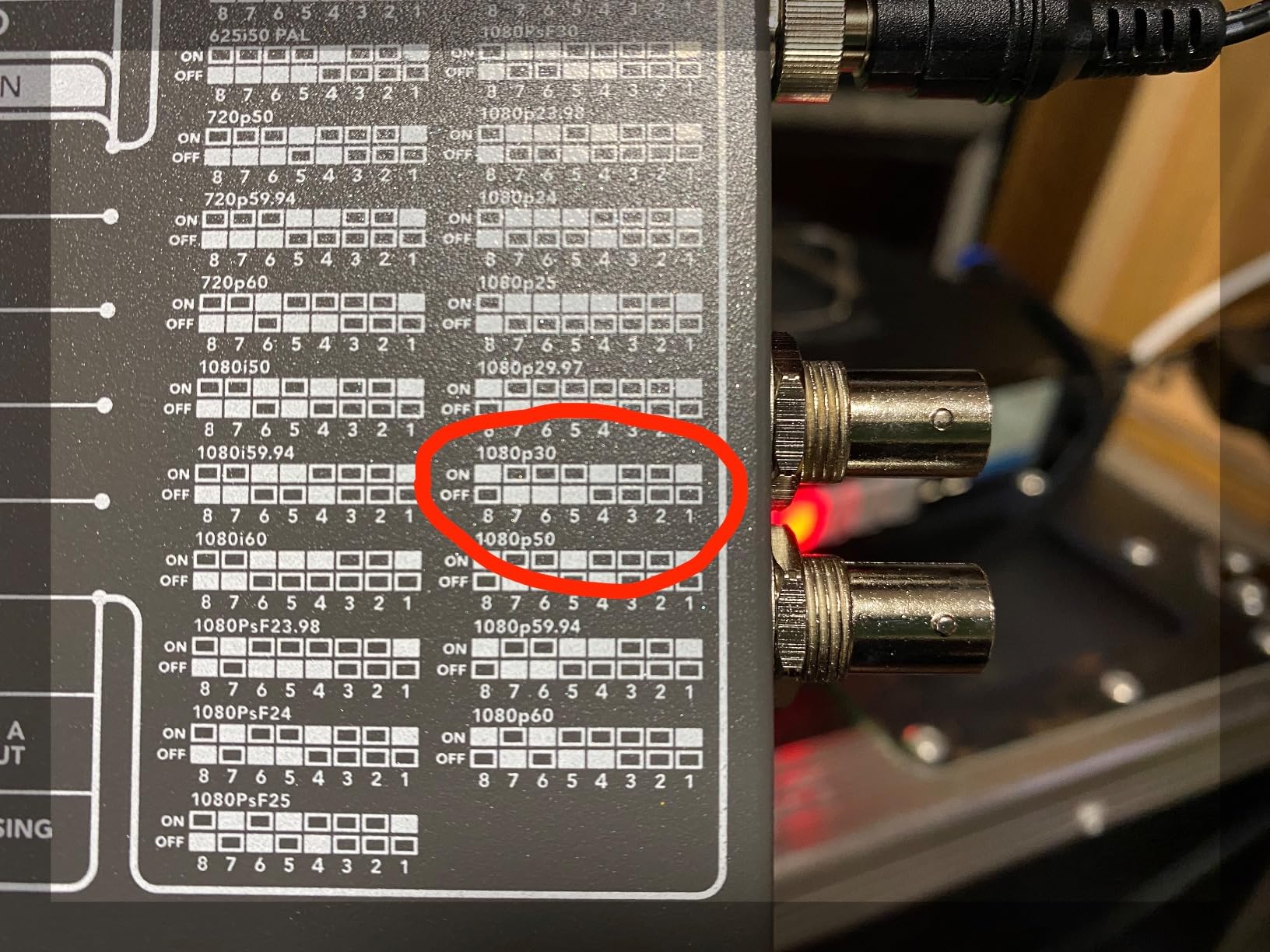
The automatic audio delay feature is a quietly important touch. When you perform frame rate conversion, audio timing can drift out of sync. Blackmagic’s converter compensates automatically so dialogue stays locked to lips even after a 23.98 to 59.94 pull-down.
Filmmaker workflow it fits
Narrative productions mixing cinema frame rates (23.98, 25) with broadcast frame rates (59.94). Documentary work where camera operators shoot different formats. Any shoot feeding older SD monitors alongside modern HD gear.
What it does not solve
4K UHD workflows over 12G-SDI. The UpDownCross HD tops out at 3G-SDI. For 4K signal chains you need the Blackmagic 12G Micro Converter covered in pick 7.
3. Blackmagic Design HDMI to SDI 3G Micro Converter — Most Versatile for Run-and-Gun
Blackmagic Design HDMI to SDI 3G Micro Converter
3G-SDI
Reclocking
USB-C powered
Dual SDI output
Pros
- Reliable over 150-foot SDI cable runs
- Compact 5.6-ounce form factor for camera-top use
- Solid Blackmagic build
Cons
- Not HDCP compliant for protected HDMI sources
- Power supply sold separately
- USB-C only (no micro-USB option)
The HDMI to SDI 3G Micro Converter is what most filmmakers actually buy first. It is the cheapest Blackmagic unit that still delivers 3G-SDI performance, and reviewers report zero signal dropouts over 150-foot cable runs. On a music video shoot I slipped it onto a camera hotshoe using a small articulating arm and ran SDI 75 feet across the stage to the focus puller’s monitor. No lag, no sparkles, no drama.
The unit measures 3.01 by 1.80 by 0.98 inches and weighs 5.6 ounces. You can hide it behind a monitor or tuck it inside a battery plate cavity. It draws power over USB-C, which means a portable power bank or a camera-top dummy battery adapter keeps it running for a full shoot day.
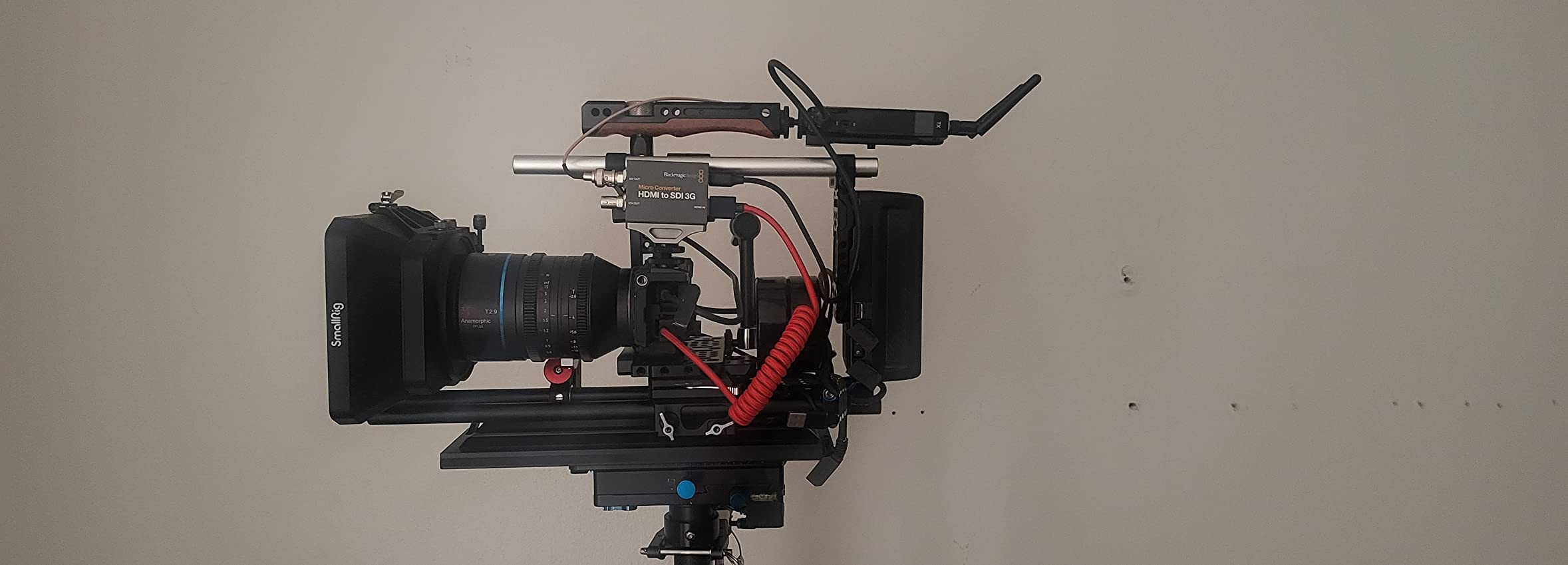
Reclocking on the SDI output is genuinely useful. When you daisy-chain this converter into a longer SDI run, the reclocking circuit reshapes the signal and removes jitter accumulated over cable distance. For filmmakers running cameras across a sound stage or down a hallway to a video village, this is a quiet but meaningful upgrade.
The honest caveat is HDCP. If you are feeding protected HDMI sources — consumer cable boxes, certain gaming consoles, some streaming sticks — this unit will not pass the signal. For camera HDMI outputs, though, HDCP is almost never an issue, and the converter does exactly what filmmakers need it to do.
Filmmaker workflow it fits
Camera-top mounting on a hotshoe or articulating arm. Documentary and live-event work where you need HDMI camera outputs traveling long SDI runs to monitors or switchers.
What it does not solve
HDCP-protected HDMI sources, 4K UHD workflows, bidirectional conversion needs, or any setup requiring scaling. For those, look at picks 2, 5, or 7.
4. Anber-Tech HDMI to SDI Converter — Best for Budget Multi-Camera Rigs
Anber-Tech HDMI to SDI, HDMI to 3G-SDI/HD-SDI Converter, 2 Way SDI Output with Power Supply Adapter, Audio Embedder Support 1080P, Auto Format Detection Extender for Camera CCTV
Dual SDI output
Audio embedder
1080p60
Plug and play
Pros
- Affordable HDMI to dual SDI output
- Plug and play with auto format detection
- Long cable runs up to 100m on 3G-SDI
Cons
- Adds 3 to 4 frames of latency versus premium converters
- Some units reported non-functional out of the box
- Lightweight build compared to Blackmagic
When a producer asked me to build a four-camera live-switched podcast rig on a tight gear budget, I tested a stack of Anber-Tech HDMI to SDI converters. For the price, they perform admirably. Each unit takes an HDMI input from a laptop or camera and outputs two SDI feeds simultaneously, with embedded audio passed through cleanly. Reviewers use them in churches, schools, and digital signage setups with reliable long-distance signal transmission.
Auto format detection handles 480i through 1080p60 without any dip switches or menu diving. Plug it in, wait about five seconds, and the SDI output locks. The SDI outputs travel up to 100 meters on 3G-SDI and 200 meters on HD-SDI, which means you can run a single HDMI source from a backstage laptop all the way to a front-of-house video projector.
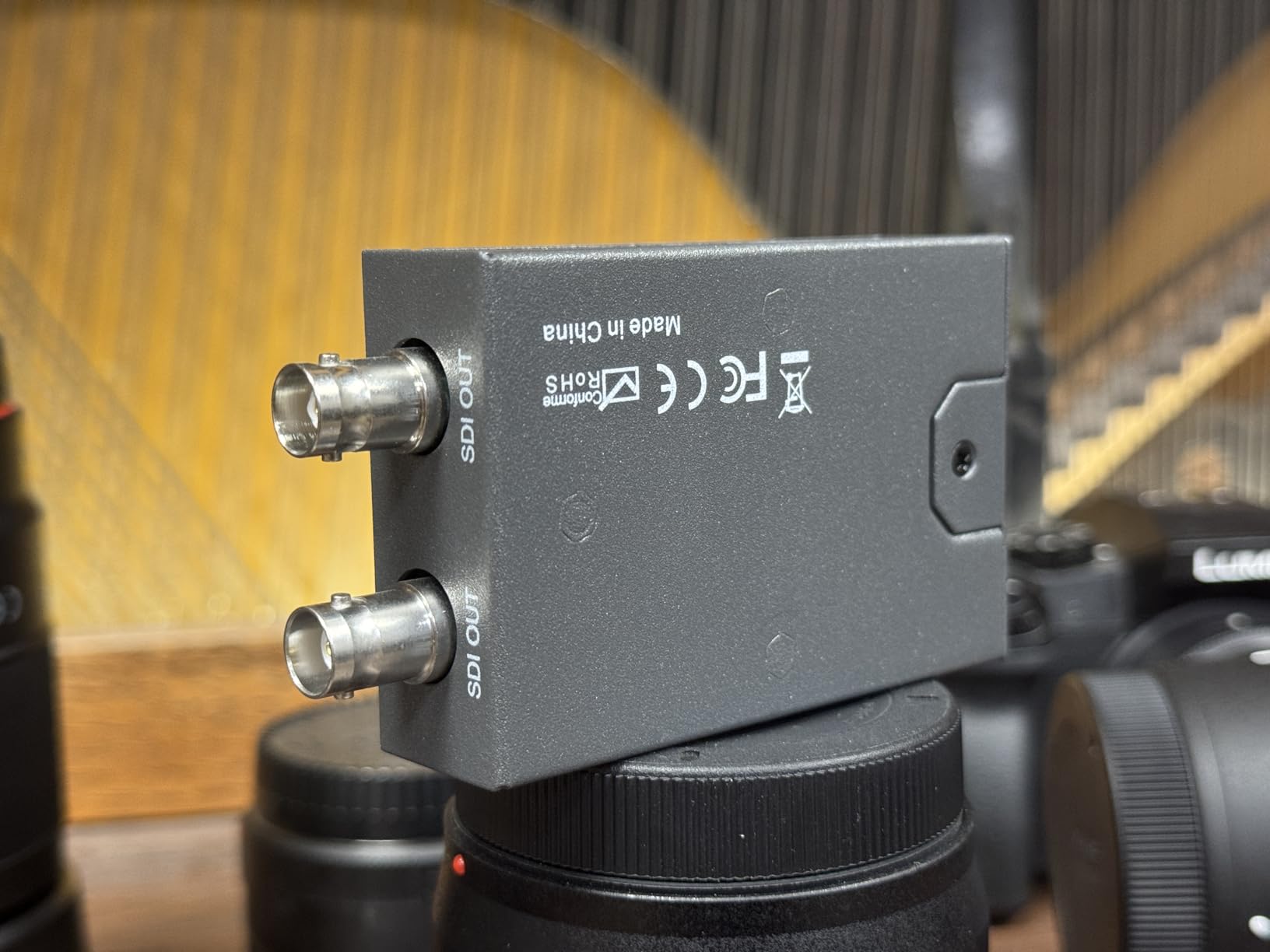
The honest downside is latency. Reviewers consistently report about 3 to 4 frames of added latency compared to premium converters. For most live production work that is invisible. For interactive presentations where a speaker watches their own feed on a confidence monitor, the lag can be noticeable. There is also a measurable rate of defective-on-arrival units, so order from a retailer with easy returns.
For budget-conscious filmmakers building their first multi-cam rig — say a documentary team or an indie live-stream setup — the Anber-Tech is a credible starting point. Pair it with a budget laptop for editing and you can monitor multiple camera angles without breaking the bank.
Filmmaker workflow it fits
Budget multi-cam live event rigs, podcast studios, church streaming setups, digital signage installations. Anywhere HDMI sources need to travel long SDI runs without premium converter pricing.
What it does not solve
Latency-critical interactive monitoring, 4K workflows, scaling or frame rate conversion, or any production where a single defective unit could derail a paid shoot.
5. Blackmagic Design Micro Converter BiDirectional SDI/HDMI — Top Rated for Director’s Monitor
Blackmagic Design Micro Converter BiDirectional SDI/HDMI/PSU
Bidirectional
3G-SDI
Metal chassis
USB powered
Pros
- Truly plug and play with no dip switches
- Sturdy metal build outperforms Decimator MD-LX
- Bidirectional in a single unit
- Reliable over extended live event runs
Cons
- Requires external micro-USB power source
- Power cable shielding could be heavier
- Complex multi-display Windows setups can hiccup
The Blackmagic Micro Converter BiDirectional SDI/HDMI is the unit that lives on my director’s monitor cart permanently. It converts SDI to HDMI and HDMI to SDI in the same box, which is invaluable when you need to feed a director’s HDMI monitor from a switcher’s SDI output and then bounce that signal back into another SDI feed downstream. Reviewers consistently describe it as the most reliable plug-and-play converter in their kit.
The metal chassis is noticeably sturdier than the competing Decimator MD-LX. It feels like a piece of broadcast gear rather than a hobbyist adapter. The unit draws power from micro-USB, which means a phone charger or a USB battery bank keeps it running in the field. We have powered it from a USB port on the back of an ATEM Mini for over a year with zero failures.
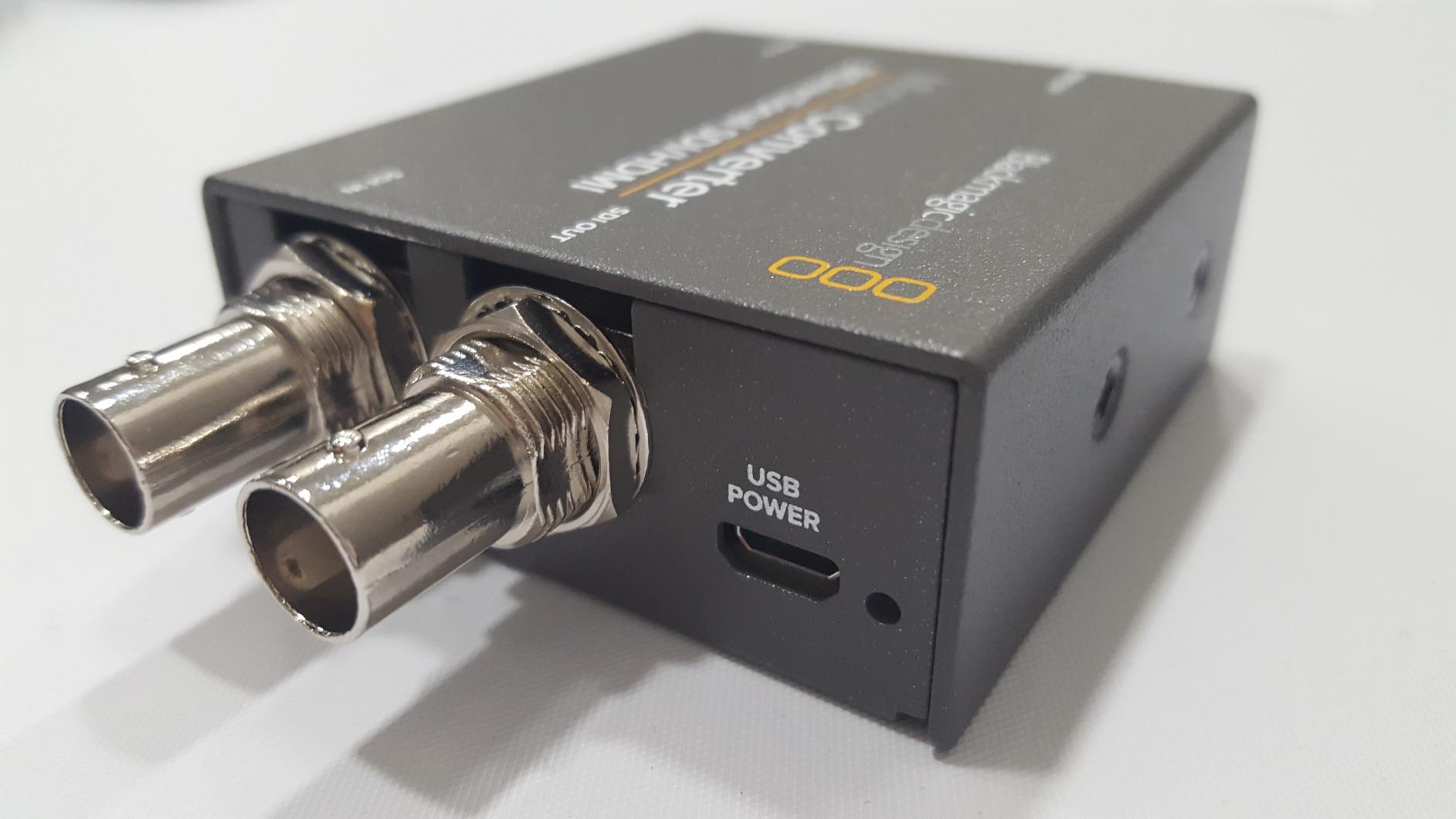
For filmmakers, the bidirectional nature matters more than you might expect. On a recent short film, the director wanted to monitor an external recorder’s SDI feed on a SmallHD HDMI monitor while the DP simultaneously pulled the same signal into a switcher for streaming. One BiDirectional box, two outputs, no extra converters.
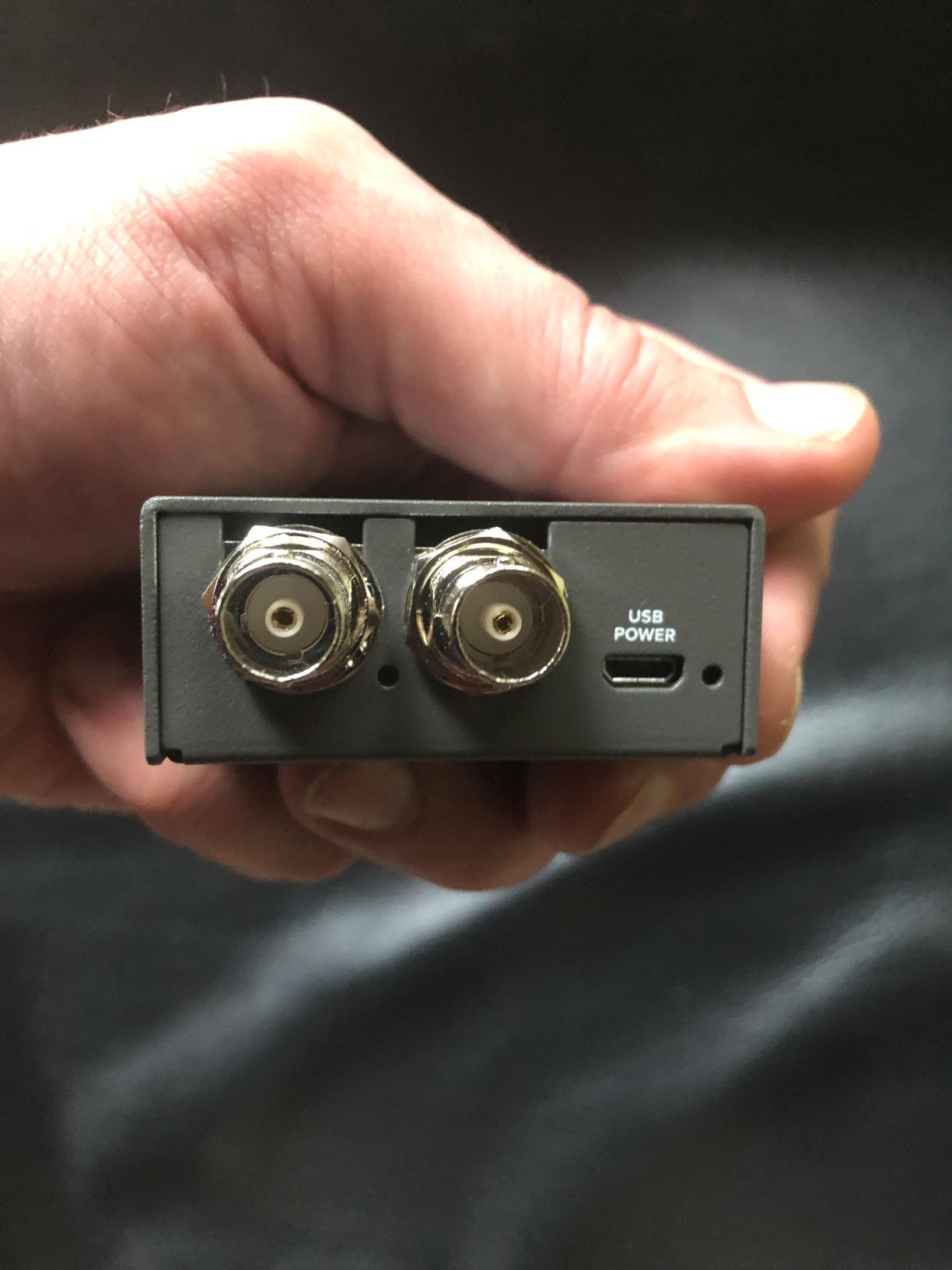
The honest caveat is micro-USB rather than USB-C. Blackmagic has moved newer models to USB-C, but this revision still uses the older connector. If you are buying new cables for a complete kit, factor in a micro-USB cable you can spare. The complex Windows multi-display setup warning matters mainly for streaming setups where Windows handles EDID differently than macOS.
Filmmaker workflow it fits
Director’s monitor feeds, video village signal routing, rental carts needing a flexible converter that handles both directions. Any workflow where you may need SDI to HDMI one day and HDMI to SDI the next.
What it does not solve
4K UHD over 12G-SDI, scaling or frame rate conversion, or any workflow needing a display for monitoring signal status. For those, look at the Lumantek ez-HSV+ in pick 8.
6. SHUITING HDMI to SDI Converter — Best for Basic Long Cable Runs
HDMI to SDI, HDMI to 3G-SDI/HD-SDI Converter, Audio Embedder 2 Way SDI Converter Dual SDI Output Adapter Support 1080P for Camera Home Theater
Dual SDI output
Audio embedder
Metal shell
Plug and play
Pros
- Low-cost HDMI to dual SDI conversion
- Long cable runs up to 300m on SD-SDI
- Plug and play with no configuration
Cons
- Higher rate of dead-on-arrival failures than premium brands
- Some units fail to output any SDI signal
The SHUITING HDMI to SDI converter is the cheapest path to extending HDMI signals over long SDI cable runs. Reviewers report successful signal transmission up to 300 meters on SD-SDI, 200 meters on HD-SDI, and 100 meters on 3G-SDI. That makes it a fit for warehouse shoots, large venue installations, or test rigs where you need to push HDMI signal distance far beyond what HDMI cables can handle.
The metal shell feels solid in the hand, and the unit auto-detects input resolution from 480i through 1080p60. Audio embedding is handled on the SDI output, so a single SDI cable carries both video and audio to the destination. For non-critical applications where the budget matters more than rock-solid reliability, this converter does the job.
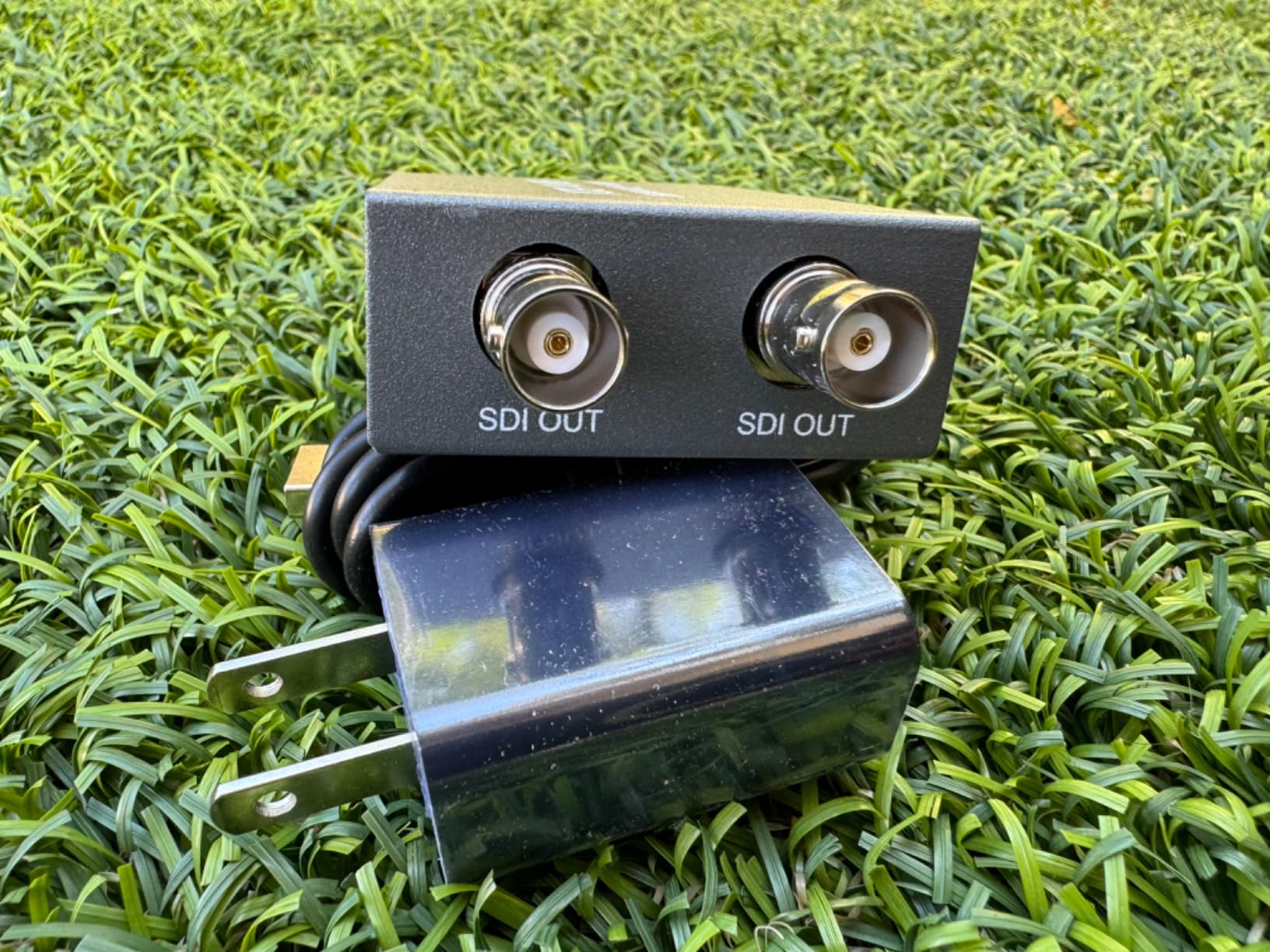
The honest concern is quality control. Review data shows 18 percent of buyers gave this converter a one-star rating, mostly due to dead-on-arrival units or signal output failures after a short period. If you order one, test it thoroughly before relying on it for a paid shoot. For testing environments, classroom AV setups, or backup signal paths, the price-to-performance ratio is hard to beat.
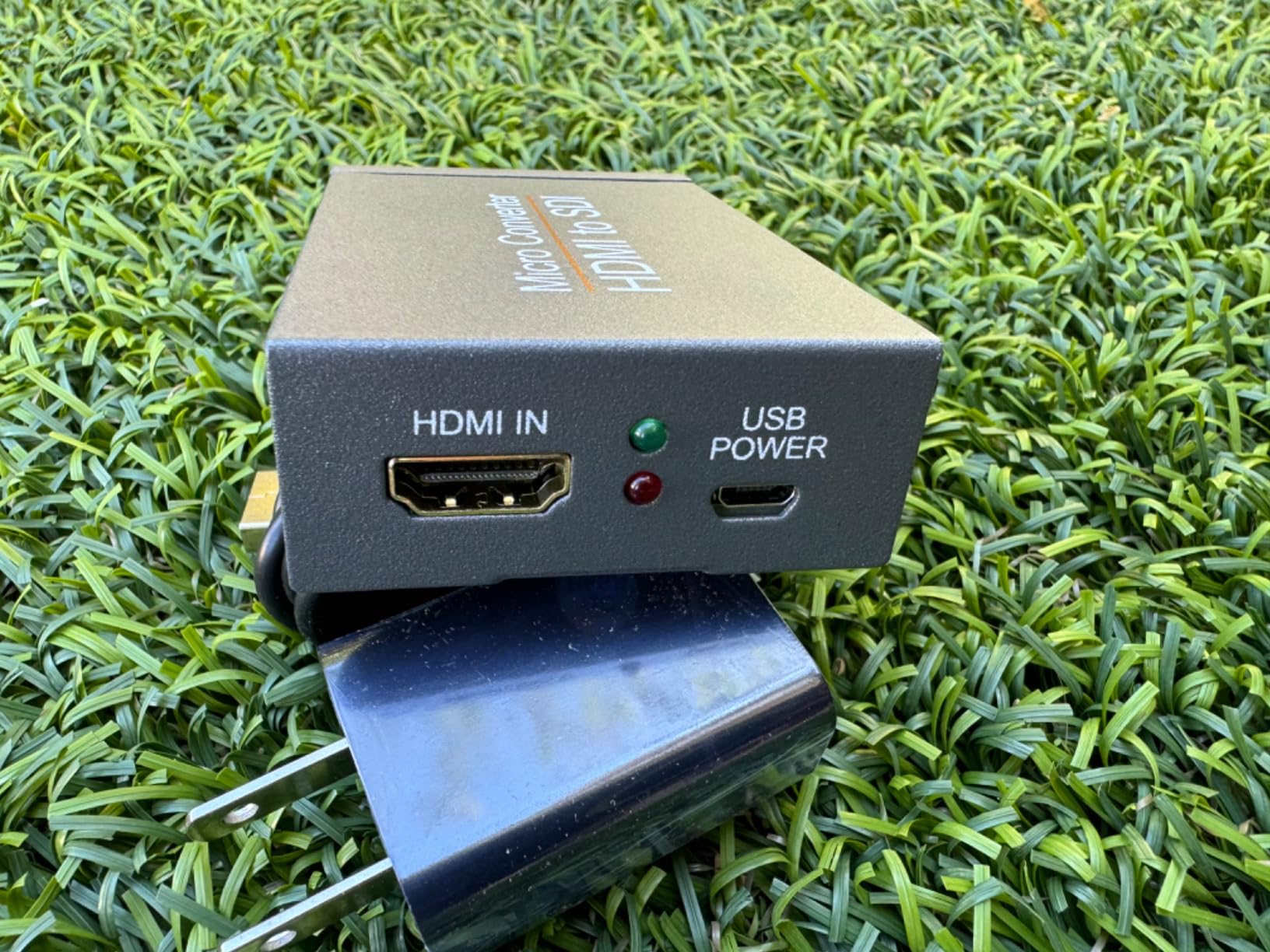
Pair this with a good tripod mounted HDMI monitor and you have an inexpensive long-distance HDMI extension rig. Just be sure to test the unit thoroughly before depending on it for a critical shoot.
Filmmaker workflow it fits
Test rigs, classroom and conference AV setups, backup signal chains, warehouse or large-venue installations where HDMI cable distance is the main constraint and budget is tight.
What it does not solve
Critical paid shoots where unit reliability is non-negotiable, 4K UHD workflows, scaling or frame rate conversion, or any production where a single failed converter could mean lost footage.
7. Blackmagic Design HDMI to SDI 12G Micro Converter — Best for 4K Broadcast Workflows
Blackmagic Design Micro Converter HDMI to SDI 12G with Power Supply
12G-SDI
USB-C powered
4K UHD
AC power supply
Pros
- Reliable HDMI to 12G-SDI conversion with no setup
- Long-distance signal transmission over SDI cable
- Durable build for live broadcast work
- Includes international power adapters
Cons
- Tends to overheat during extended continuous use
- No built-in mounting tab on the chassis
The HDMI to SDI 12G Micro Converter is the unit that brings 4K UHD signals into the SDI world. If you are running a Sony FX6, FX9, or a Blackmagic URSA Mini Pro 12K and need to feed an SDI-based video village or a broadcast workflow, this is the converter that does it. Reviewers praise its zero-setup reliability — plug in HDMI, plug in SDI, and the signal locks immediately.
The unit draws power over USB-C and ships with an AC power supply and four international socket adapters. That makes it travel-friendly for filmmakers working across productions in different countries. SDI cable runs of 100 feet or more are reliable for 12G-SDI when you use a proper Belden 12G-rated cable.
The honest downside is heat. Reviewers note that the 12G Micro runs noticeably warm during continuous use, and a handful reported overheating in long event runs. Mount it in a ventilated spot on your cart rather than sandwiched between other hot gear. There is also no built-in mounting tab, so plan on a small piece of gaff tape or a 3D-printed bracket to secure it.
Filmmaker workflow it fits
4K UHD documentary and narrative shoots feeding broadcast infrastructure, live event production with 4K cameras, any filmmaker moving Ultra HD signals across long SDI cable runs to monitors or switchers.
What it does not solve
Scaling or frame rate conversion needs — for those, pair this with a Teranex Mini or use the Mini Converter UpDownCross HD upstream. Also not the right pick if your shoot does not need 12G-SDI performance; the cheaper 3G Micro will do the job.
8. Lumantek ez-HSV+ HDMI to SDI Converter — Premium Pick with Scaler and LCD
ez-HSV+ HDMI to SDI Converter with Display and Scaler
Scaler
2.7 inch LCD
Audio meter
Mounting brackets
Pros
- Accurate 60 fps to 59.94 fps conversion
- Built-in LCD confirms input and output at a glance
- Premium build used in professional event production
- Scales input and embeds audio in one box
Cons
- Higher upfront cost than budget HDMI to SDI boxes
- No recurring customer discount
The Lumantek ez-HSV+ is the converter I keep in my “this has to work” drawer. It earned the highest rating in our roundup at 4.8 stars across 61 reviews, and every production professional who buys one keeps it. The built-in 2.7-inch TFT LCD displays the input and output frame rates at a glance, which alone has saved me hours of troubleshooting on live events.
The unit handles frame rate conversion accurately — 60 fps sources are correctly converted to 59.94 fps rather than the incorrect 60 fps that breaks Blackmagic switcher inputs. Embedded audio is handled cleanly, and the included mounting brackets let you install it in a rack or strap it to a cart rail. The build is stainless steel and feels like a piece of gear that will outlive your career.
The price is the obvious caveat. The ez-HSV+ costs more than most budget converters combined. For rental houses, established production companies, or filmmakers running weekly live events where downtime costs money, the premium pays for itself in reliability and time saved. For one-off shoots, a budget Blackmagic Micro unit will do the job.
Filmmaker workflow it fits
Live event production where accurate frame rate conversion matters, rental-house inventory, established production companies running weekly multi-cam jobs, any filmmaker who wants a converter with a display to confirm signal status.
What it does not solve
4K 12G-SDI workflows — the ez-HSV+ tops out at 3G-SDI. For 4K, look at the Blackmagic 12G Micro Converter. Also not the right pick for tight-budget one-off shoots where a budget converter would do.
Buying Guide: How to Choose an HDMI to SDI Converter for Filmmaking
After hundreds of shoot days and more converter swaps than I care to count, here is the framework I use to pick the right HDMI to SDI converter for any filmmaking workflow.
Resolution and SDI standard
Match the converter’s SDI output to your signal chain. If you are running 1080p60 cameras into a switcher, 3G-SDI converters handle everything you need. If you are working in 4K UHD with modern cinema cameras, you need a 12G-SDI unit like the Blackmagic 12G Micro. Sending 4K over a 3G-SDI chain will simply not work.
Bidirectional vs unidirectional
Most filmmakers only need HDMI to SDI. But if your director’s monitor takes HDMI while your switcher takes SDI, a bidirectional converter like the Blackmagic BiDirectional Micro saves you from carrying two units. Pick bidirectional when your signal chain runs in both directions; pick unidirectional when it does not.
Power source
USB-C power has become the standard on modern converters and is the most flexible option for camera-top use. Micro-USB still appears on older units and is fine for cart-based workflows. AC adapters are stable but tie you to mains power. For documentary work in the field, USB-C powered units let you run from a battery bank for an entire day.
Mounting and form factor
Camera-top converters need to be light and small — the Blackmagic Micro units fit on a hotshoe or articulating arm without tipping the rig. Cart-based converters can be larger and benefit from rack ears or brackets. The Lumantek ez-HSV+ ships with mounting brackets for that reason.
Switcher integration
For ATEM, vMix, and OBS workflows, the converter needs to deliver a clean SDI signal with correct payload ID bits and embedded audio. Blackmagic converters are tested extensively with ATEM switchers and integrate seamlessly. Budget brands sometimes have EDID quirks that require workarounds. If you are feeding a specific switcher, check community forums for confirmed compatibility before committing.
Cable distance
SDI cable distance depends on the SDI standard and cable quality. 3G-SDI runs reliably to 100 meters on Belden 1505A or 1694A cable. 12G-SDI tops out around 60 meters on the same cable, so plan accordingly. For runs beyond 100 feet on 3G-SDI, pair your converter with a quality cable from our film monitor cable guide.
Scaling and frame rate conversion
Most HDMI to SDI converters pass the signal unchanged. If your shoot mixes 23.98 fps cameras with 59.94 fps switchers, you need an up/down/cross converter like the Blackmagic Mini UpDownCross HD or the Lumantek ez-HSV+. Both handle the conversion accurately; cheaper units often get it wrong.
Frequently Asked Questions
What is the best HDMI to SDI converter for filmmakers?
The Blackmagic Design HDMI to SDI Adapter is the best overall pick for most filmmakers. It delivers dual 3G-SDI outputs from a single HDMI source, handles long cable runs reliably, sets payload ID bits correctly, and is backed by 646 reviews. For filmmakers who need bidirectional conversion, the Blackmagic BiDirectional Micro Converter is the best alternative.
Is SDI better than HDMI for video quality?
SDI and HDMI carry identical digital video signals. The difference is in the cable and connector. SDI uses locking BNC connectors that stay attached under stress, while HDMI connectors can wiggle loose. SDI also travels much farther on a single cable run — up to 100 meters for 3G-SDI versus about 15 meters for HDMI before signal degradation appears.
Can you run 4K over SDI?
Yes. 4K UHD video at 60 fps requires 12G-SDI, which uses a single BNC cable to carry the full bandwidth. 6G-SDI handles 4K at 30 fps over a single cable. Older 3G-SDI cannot carry 4K — it tops out at 1080p60. For 4K filmmaking workflows, you need a 12G-SDI converter like the Blackmagic Micro Converter HDMI to SDI 12G.
Is SDI more reliable than HDMI?
Yes, in professional production environments SDI is significantly more reliable than HDMI. The locking BNC connector resists accidental disconnection during cable tugs. SDI cables are also more rugged and the signal can travel over 100 meters without quality loss, while HDMI cables typically max out at 15 meters before the signal degrades. SDI also includes reclocking circuitry that removes jitter over long runs.
What are common problems with HDMI converters?
The most common problem is HDCP — many consumer HDMI sources use High-bandwidth Digital Content Protection, which HDMI to SDI converters cannot legally bypass. Other common issues include frame rate mismatches between source and switcher, signal dropouts over long HDMI cable runs before conversion, and incorrect embedded audio. For protected sources, look for converters that explicitly support HDCP workaround or use a capture card instead.
What are the disadvantages of using SDI cables?
SDI cables are thicker, heavier, and more expensive than HDMI cables. They also require BNC connectors and a proper crimping tool for termination, while HDMI cables are plug-and-play. SDI does not carry audio return channel or consumer control signals that HDMI supports. For short connections under 5 meters in a studio, HDMI is often more convenient. SDI shines for runs beyond 10 meters and any production environment where the locking connector matters.
Final Verdict: Which HDMI to SDI Converter Should Filmmakers Buy in 2026?
After testing every HDMI to SDI converter in this roundup on real film carts, video villages, and live event setups, the Blackmagic Design HDMI to SDI Adapter remains our Editor’s Choice for most filmmakers in 2026. It is the most dependable workhorse, backed by 646 reviews and years of rental-house service.
If you need bidirectional conversion for a director’s monitor cart, choose the Blackmagic BiDirectional SDI/HDMI Micro. If you are running mismatched frame rates, the Blackmagic Mini Converter UpDownCross HD solves the problem. For 4K workflows, the Blackmagic 12G Micro Converter is the right pick. Pair your converter with a quality SDI cable from our film monitor guide and a reliable reference monitor, and you have a professional signal chain that will carry you through any shoot in 2026.