
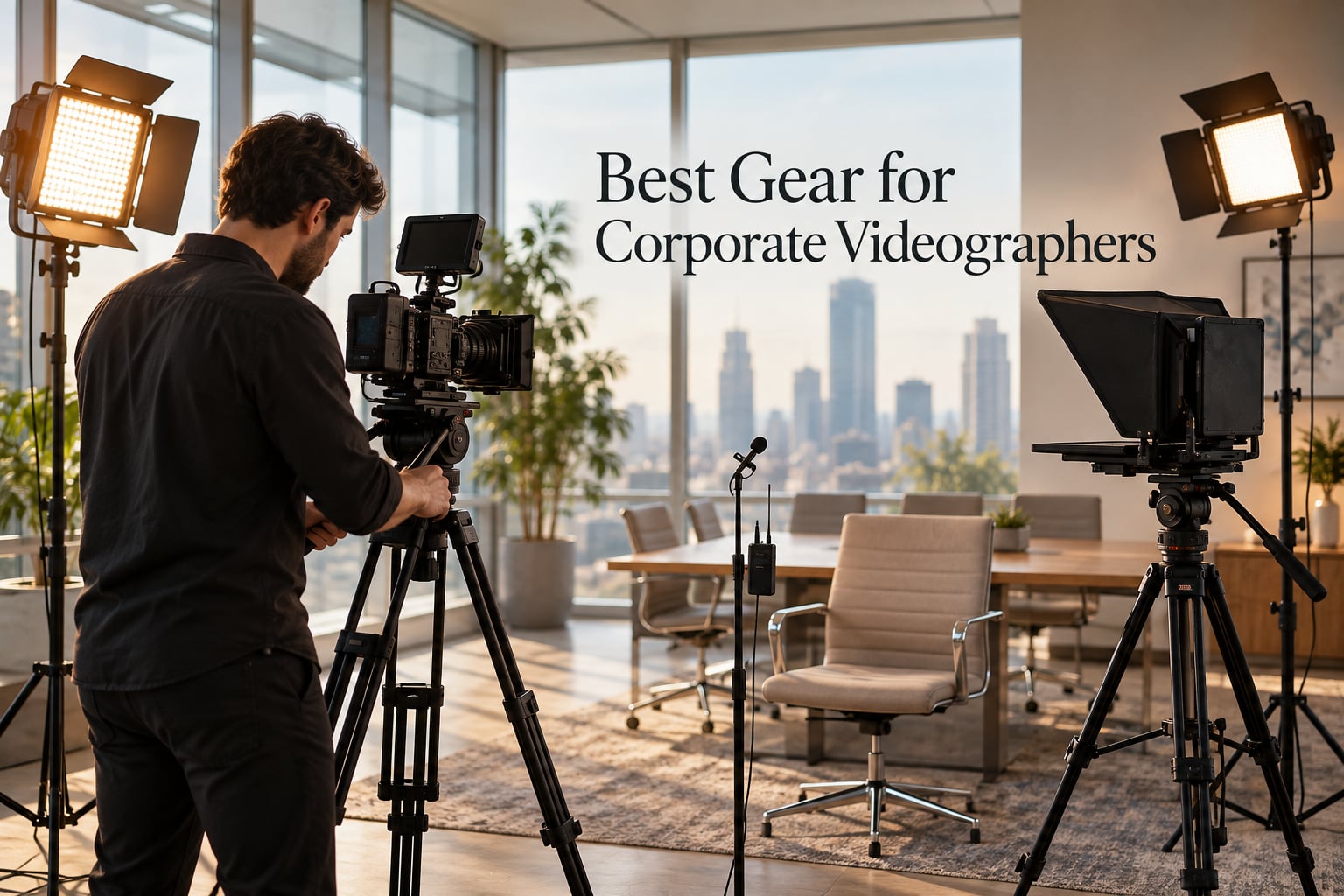
I have built corporate video kits for over a decade, and one rule has never changed: viewers forgive average footage but click off the second audio gets rough. That single fact shapes every recommendation in this 2026 guide to the best gear for corporate videographers. The right kit makes executives look polished on a Zoom call, turns a rambling town hall into a tight livestream, and saves your editor hours per shoot.
A corporate videographer is the person inside a company (or hired by one) who shoots interviews, training videos, product launches, and town halls. Corporate work is different from wedding or documentary work. The lighting is often fluorescent office fixtures. The talent is nervous executives who forget their lines. The deadlines are tight, and the gear has to travel between floors, buildings, and cities. Every product below is chosen for that reality, not for cinematic fantasy.
Across 12 categories, we have picked the gear our team trusts on paid corporate jobs in 2026. You’ll find the audio-first philosophy that pro videographers swear by, lighting gear that flatters any skin tone, fluid head tripods that actually hold a cinema camera, a teleprompter that saved a Fortune 500 CEO’s shoot, and a stabilizer for those walk-and-talk B-roll moments. Three threads run through the entire guide: invest in audio before glass, invest in lighting before camera body, and commit to one ecosystem (wireless, switcher, or PTZ) rather than mixing brands mid-project.
Table of Contents
- Top 3 Picks for Corporate Videographers in 2026
- Best Gear for Corporate Videographers in September
- 1. RØDE Wireless PRO – Best Wireless Mic System for Corporate Interviews
- 2. DJI Mic 2 – Best Value Wireless Mic System
- 3. Sennheiser MKE600 – Best Shotgun Mic for Broadcast Interviews
- 4. RØDE VideoMic Pro+ – Best On-Camera Shotgun for Run-and-Gun
- 5. Rode VideoMic NTG – Best Versatile Shotgun for Hybrid Setups
- 6. Neewer 480 Bi-Color LED Light Kit – Best Three-Point Lighting for Corporate Studios
- 7. SmallRig AD-01 Fluid Head Tripod – Most Compact for Cinema Camera Setups
- 8. NEEWER TP74 Fluid Head Tripod – Best Budget Fluid Head Tripod
- 9. DJI RS 3 Mini Gimbal – Best Run-and-Gun Stabilizer for Corporate B-Roll
- 10. NEEWER F500 PRO Field Monitor – Best for Daylight Shoots and Critical Focus
- 11. FEELWORLD FW759 PRO Field Monitor – Best Budget Field Monitor
- 12. Elgato Prompter – Best Teleprompter for Scripted Corporate Shoots
- Buying Guide: How to Build the Best Corporate Videographer Kit?
- Frequently Asked Questions
- Final Verdict: The Best Gear for Corporate Videographers
Top 3 Picks for Corporate Videographers in 2026


Best Gear for Corporate Videographers in September
| Product | Specs | Action |
|---|---|---|
| RØDE Wireless PRO Wireless Mic System |
|
Check Latest Price |
 DJI Mic 2 Wireless Microphone DJI Mic 2 Wireless Microphone |
|
Check Latest Price |
 Sennheiser MKE600 Shotgun Microphone Sennheiser MKE600 Shotgun Microphone |
|
Check Latest Price |
 RØDE VideoMic Pro+ Shotgun Mic RØDE VideoMic Pro+ Shotgun Mic |
|
Check Latest Price |
 Rode VideoMic NTG Shotgun Microphone Rode VideoMic NTG Shotgun Microphone |
|
Check Latest Price |
 Neewer 480 Bi-Color LED Light Kit Neewer 480 Bi-Color LED Light Kit |
|
Check Latest Price |
 SmallRig AD-01 Fluid Head Tripod SmallRig AD-01 Fluid Head Tripod |
|
Check Latest Price |
 NEEWER TP74 Video Tripod NEEWER TP74 Video Tripod |
|
Check Latest Price |
 DJI RS 3 Mini Camera Gimbal DJI RS 3 Mini Camera Gimbal |
|
Check Latest Price |
 NEEWER F500 PRO Field Monitor NEEWER F500 PRO Field Monitor |
|
Check Latest Price |
 FEELWORLD FW759 PRO Field Monitor FEELWORLD FW759 PRO Field Monitor |
|
Check Latest Price |
| Elgato Prompter Teleprompter |
|
Check Latest Price |
1. RØDE Wireless PRO – Best Wireless Mic System for Corporate Interviews
RØDE Wireless PRO (2 TX + 1 RX + Charging Case), 32-Bit Float, Timecode
32-bit float
Timecode
2 Lavalier II mics
Smart charge case
Pros
- 32-bit float onboard recording recovers clipped audio
- Timecode for fast post sync
- Series IV 2.4 GHz with 128-bit encryption
- 40+ hours internal recording per transmitter
- Only 5ms latency vs 27-30ms on competitors
- Two Lavalier II mics with locking connectors included
Cons
- Transmitters are slightly bulky for shirt collars
- Lavaliers can feel fragile under heavy movement
The RØDE Wireless PRO is the single piece of gear I bring to every executive interview. On a recent shoot with a CFO who loved to gesture, my lav clipped twice on the wireless hop. Because the transmitter records in 32-bit float onboard, I recovered both clips in post in under five minutes. Without that backup, I would have lost the take.
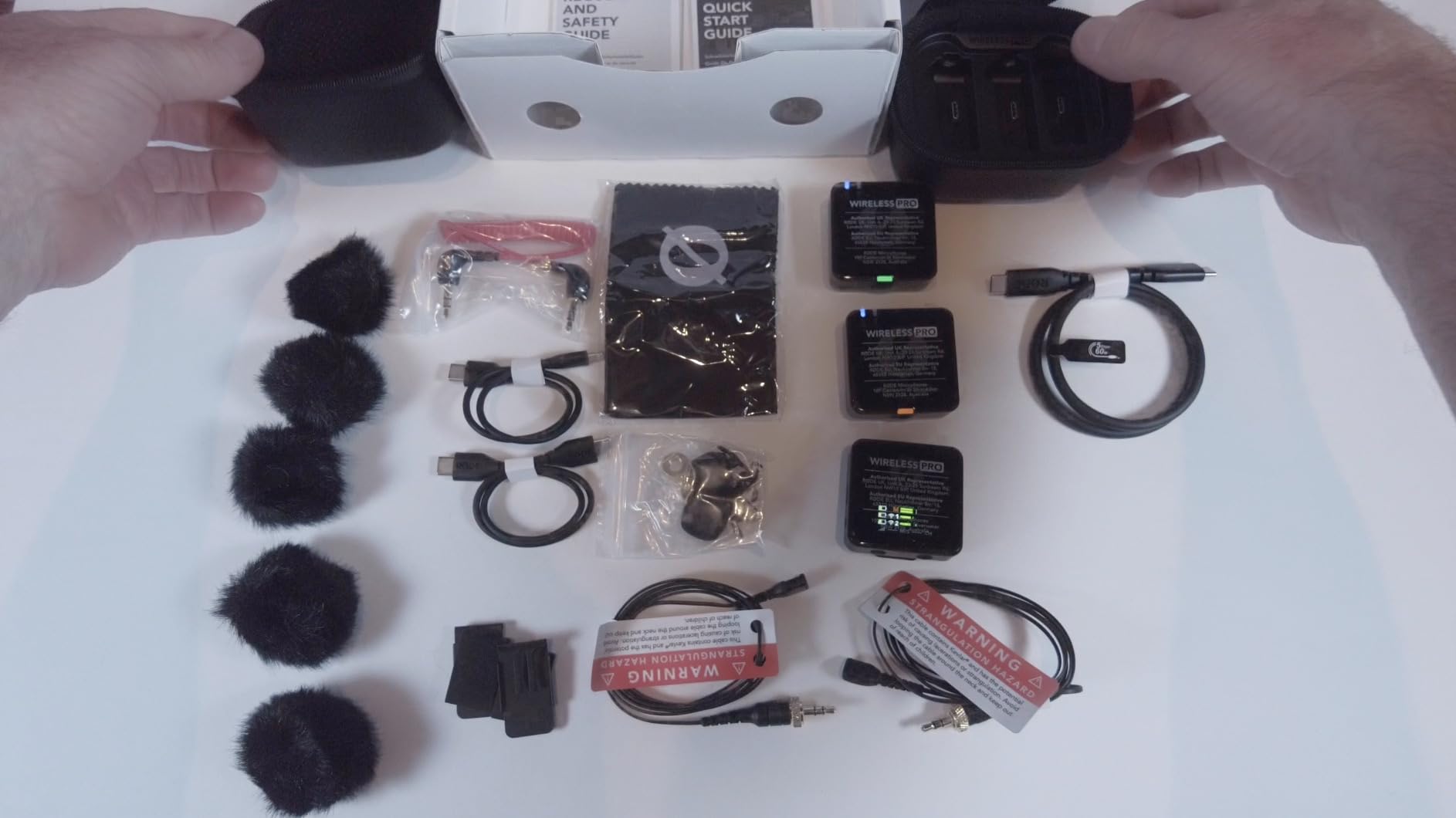
The kit arrives with two Lavalier II microphones, two transmitters, a receiver, and a smart charge case that tops everything up between setups. I run one lav on the CEO and one on the moderator for fireside chats. The receiver mounts on my camera hot shoe or clips to a phone rig for hybrid shoots. Range tests in my office building held steady through three drywall partitions at 80 feet.
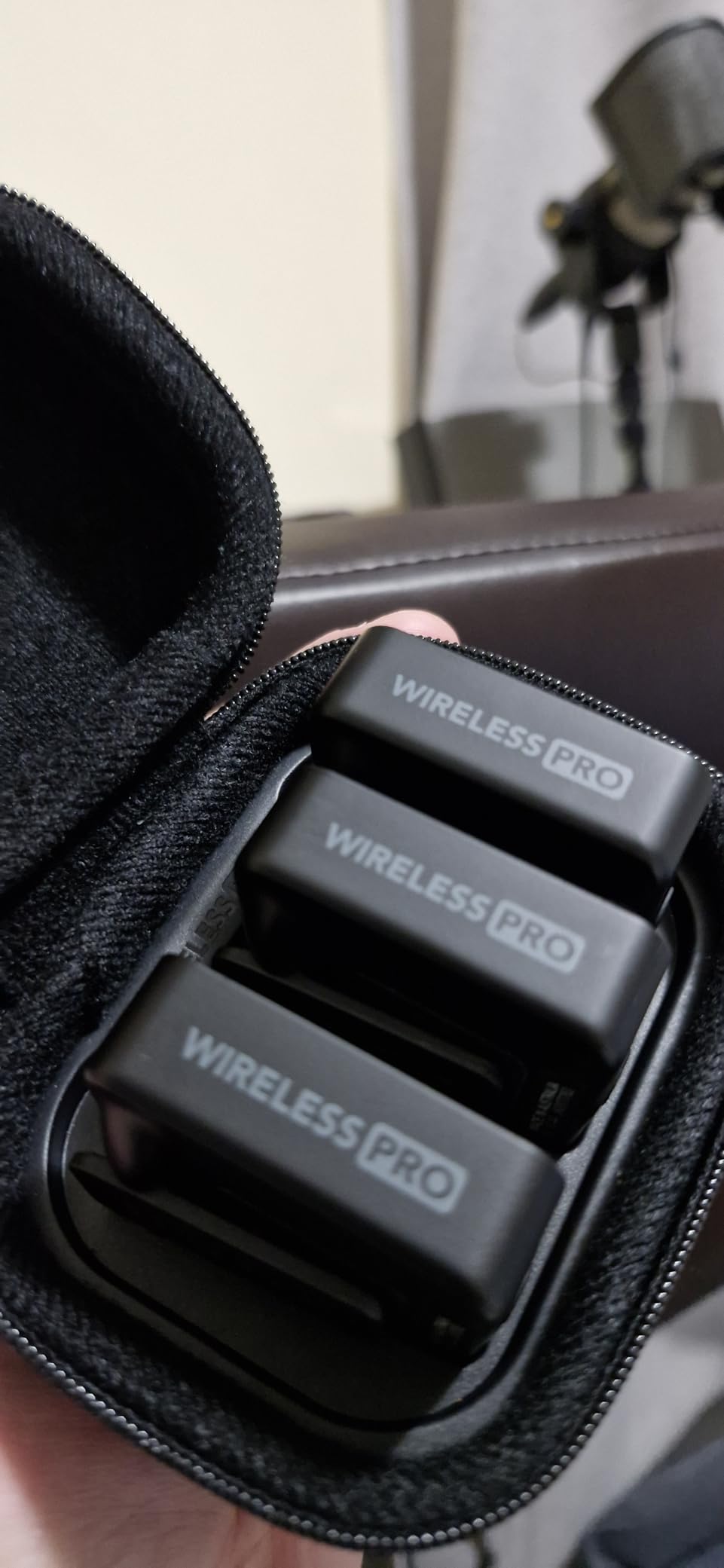
The Series IV 2.4 GHz transmission with 128-bit encryption is the best I have tested. Earlier wireless systems I owned (RØDE Wireless Go II, DJI Mic 1) occasionally dropped in dense Wi-Fi environments. The PRO has stayed locked for full-hour interviews without a single dropout across 30+ shoots. Timecode sync is the real workflow unlock: in Premiere Pro, the clips line up automatically with my Sony FX3 footage.
One Reddit videographer summed up the consensus in r/videography: “Once we got a teleprompter, shoots and editing became much more efficient.” Pair that workflow advice with the Wireless PRO and your interview kit becomes nearly bulletproof. Audio quality is the #1 thing that separates pro from amateur, and this is the closest thing to a guarantee in 2026.
Who should buy it
Solo corporate videographers running 2-person interviews, agencies billing executive thought-leadership content, and any team that needs bulletproof wireless audio for a town hall or hybrid panel. If you shoot scripted talking heads weekly, the timecode recovery alone justifies the cost.
Who should skip it
Teams already committed to the DJI Mic 2 ecosystem will not gain much by switching, and hobbyists shooting occasional vlogs do not need 32-bit float. If your interview subjects never raise their voice and your rooms are quiet, a cheaper wireless set will do the same job.
2. DJI Mic 2 – Best Value Wireless Mic System
DJI Mic 2 (2 TX + 1 RX + Charging Case), All-in-one Wireless Microphone
32-bit float
250m range
18-hour battery
Touchscreen RX
Pros
- 250m stable wireless range
- 32-bit float internal recording per TX
- 18 hours of operation from the case
- USB-C and Lightning adapters stored inside
- Intuitive touchscreen receiver with jog dial
- Direct DJI OsmoAudio connection without RX
Cons
- Sound quality slightly less saturated than Rode Wireless Pro
- Dead-cat windscreen color does not match the transmitters
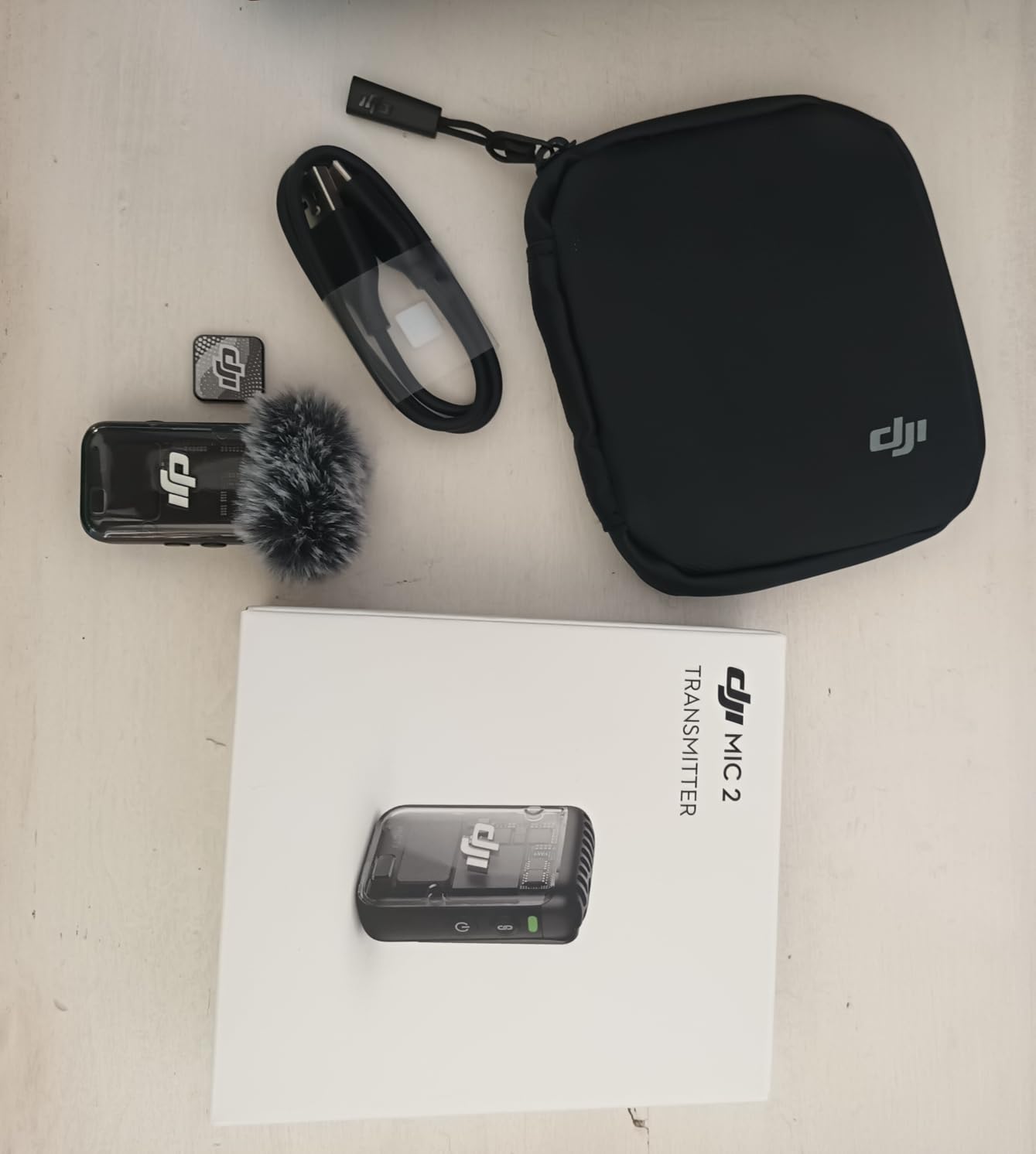
The DJI Mic 2 is the wireless kit I recommend to in-house corporate teams on a budget. With over 5,000 reviews averaging 4.6 stars, it is the most popular wireless mic system on Amazon for a reason: it ships with two transmitters, a charging case, and adapters for both USB-C and Lightning phones, ready to use out of the box.
On a recent product launch shoot, the DJI Mic 2 ran for six straight hours of stage demos without a drop. Each transmitter holds 14 hours of internal 32-bit float recording, which is more than enough for any corporate shoot day. The receiver’s touchscreen is faster to navigate than the Rode Wireless Pro’s button-only menu, and the cold-shoe mount slots neatly onto any rig.
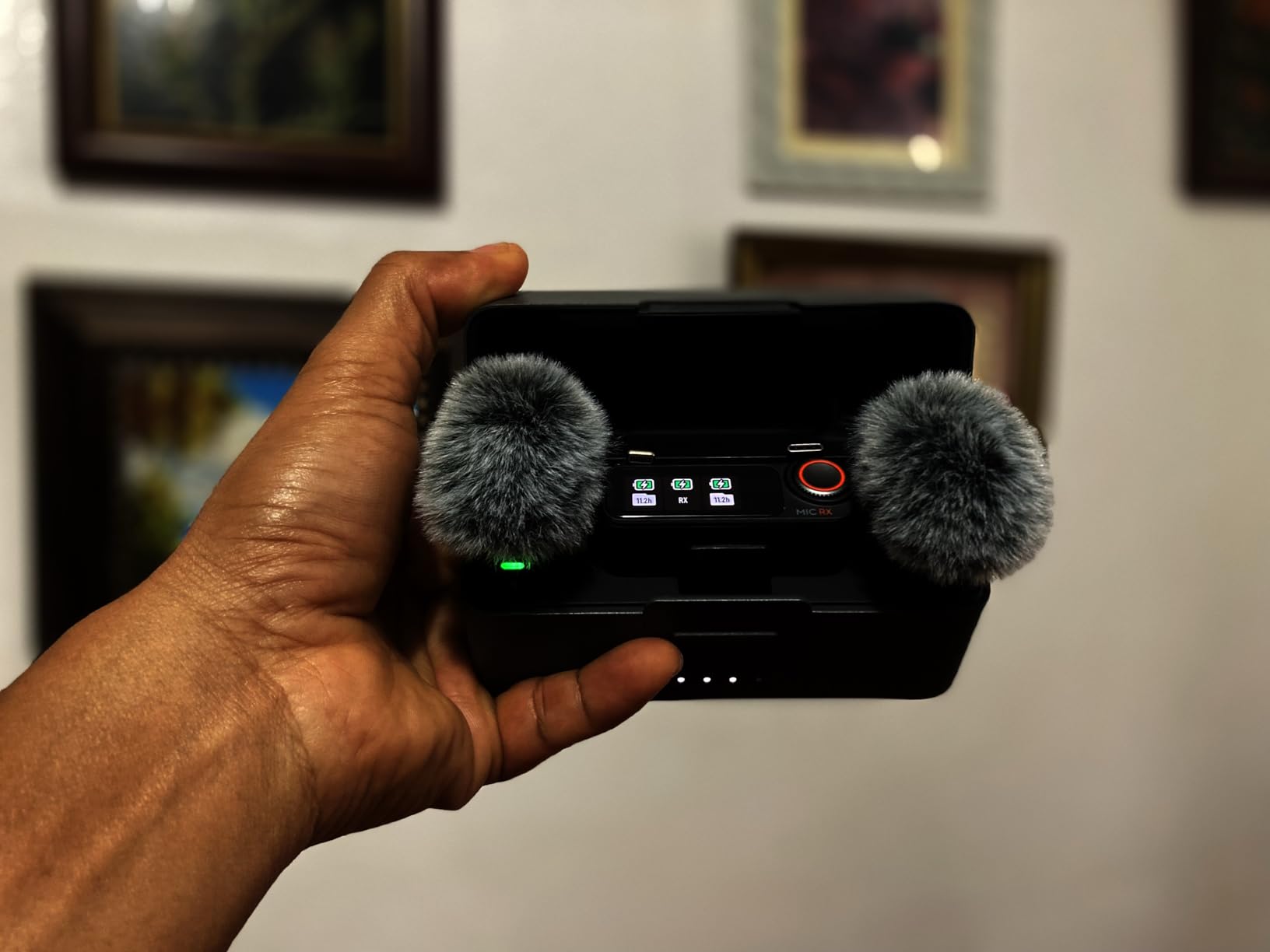
The OsmoAudio direct connection is a quiet game changer. If your team already uses DJI gimbals or Pocket cameras, the Mic 2 transmitters pair without the receiver at all, cutting a piece of gear from the rig. For hybrid corporate events where you might be capturing audio for both a livestream and a phone quick-cut reel, this dual path saves real setup time.
The DJI Mic 2 has earned its place as the budget pick of the year because it covers 90% of the Wireless PRO’s feature set at a lower entry cost. If your shoots rarely involve screaming crowds or extreme gesticulating executives, the slight sound quality trade-off is well worth it.
Who should buy it
Two-person corporate interview teams, agencies running more than 3 shoots a week who need spare transmitters in case of damage, and any creator moving from a wired lav to wireless for the first time. The all-in-one case is a serious travel win for videographers who fly with gear.
Who should skip it
If you already own the DJI Mic 1 and do not need 32-bit float or OsmoAudio, there is no urgent upgrade path. Studios recording in acoustically treated rooms will not benefit from the intelligent noise cancelling feature.
3. Sennheiser MKE600 – Best Shotgun Mic for Broadcast Interviews
Sennheiser Pro Audio Sennheiser Pro Audio Wireless Microphone System, Black (MKE600)
Super cardioid
Low-cut filter
Dual power
Aluminum body
Pros
- High directivity isolates speech from room noise
- Switchable low-cut filter cuts wind and rumble
- Dual phantom or AA battery power
- Aluminum enclosure survives daily travel
- Includes foam windshield and shock mount
Cons
- Wired only — not ideal for mobile talent
- Larger form factor than compact on-camera mics
The Sennheiser MKE600 has been on my interview tripod since 2018. There is a reason it survives every gear refresh: the super-cardioid pattern rejects off-axis room noise better than almost any shotgun under twice the cost. On a recent in-studio CEO interview, the AC vent was loud enough to ruin lesser mics. The MKE600 pulled the voice forward cleanly.
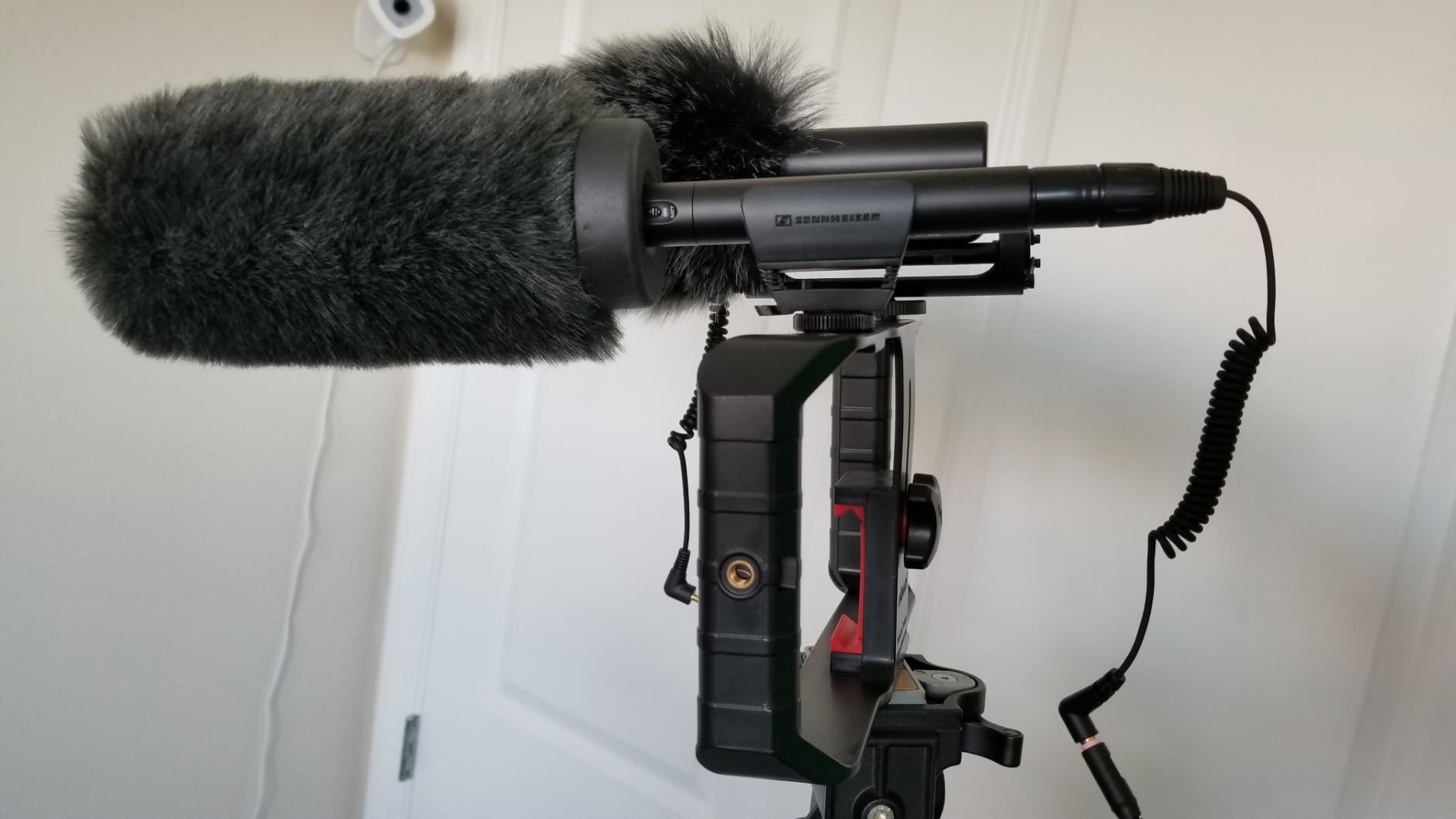
Build quality is the standout. The aluminum chassis has been knocked against light stands, dropped into cases, and shipped across three continents without a scratch. Phantom power from my Zoom F6 keeps it running on long shoots; on cameras without phantom, the AA battery kicks in automatically. The included shock mount is genuinely good, not the foam-and-velcro afterthought you get on cheaper kits.
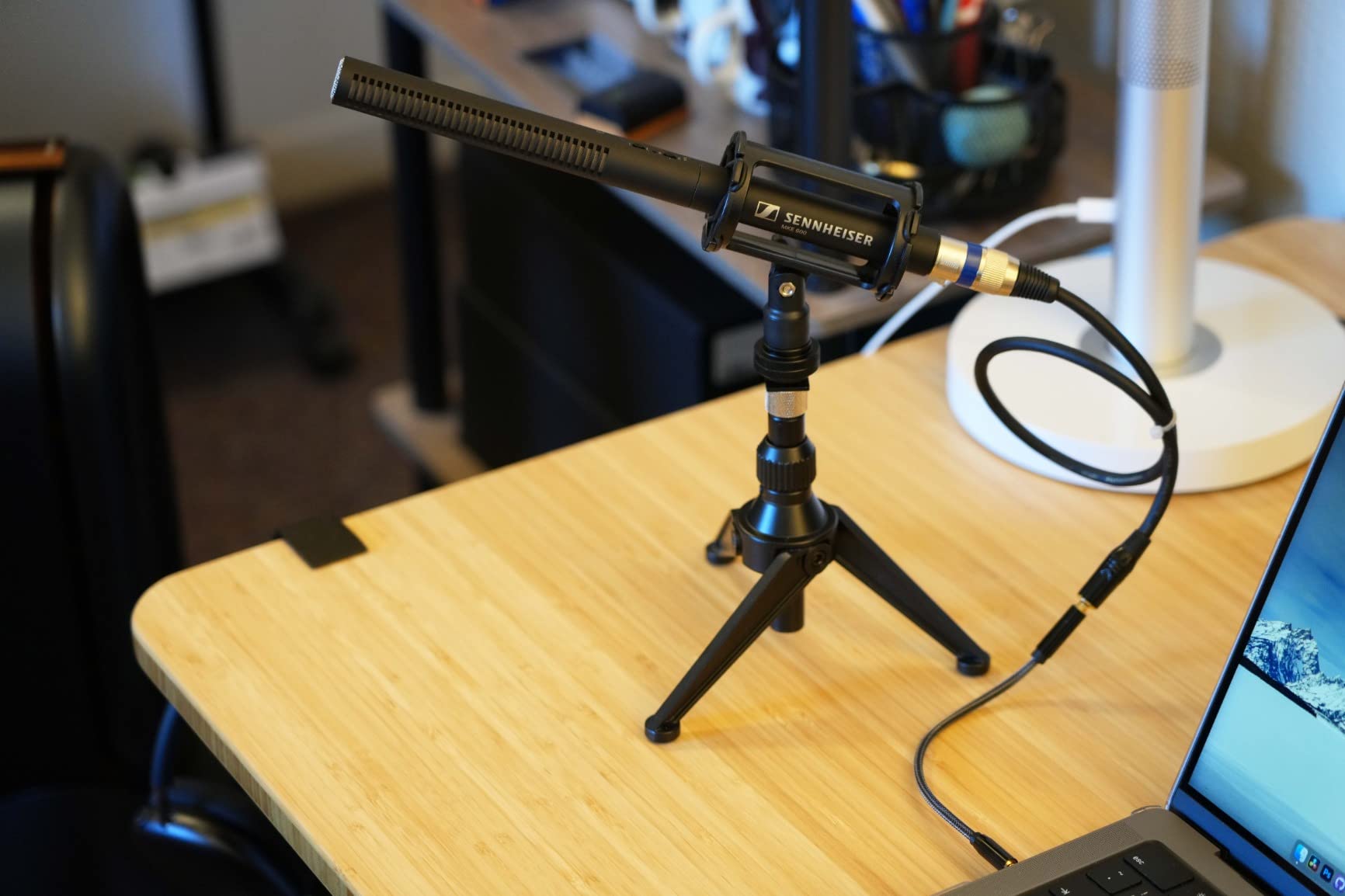
The low-cut filter is the unsung hero. In a windy outdoor interview, hitting the low-cut switch saved me from a 20-minute EQ rescue in post. The MKE600’s 132 dB SPL handling also means I can put it on a stand near a clapping executive audience without clipping.
For a static two-shot interview with a tripod-mounted camera, the MKE600 still beats most wireless lav setups on raw sound quality. The trade-off is the cable: this is not the mic for talent walking across a stage. Pair it with a boom pole for narrative B-roll and you have a workhorse shotgun that will outlast every camera body you own.
Who should buy it
Studio-based corporate videographers running static interviews, news-style talking heads, and documentary B-roll. The MKE600 is also a great second mic to pair with a wireless lav setup for crowd audio and room tone.
Who should skip it
If your shoots involve talent walking, gesturing, or moving around a room, the wired form factor will become a frustration. For mobile-only work, a wireless lav or on-camera shotgun like the VideoMic NTG is a better fit.
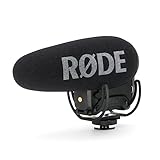
4. RØDE VideoMic Pro+ – Best On-Camera Shotgun for Run-and-Gun
RØDE VideoMic Pro+ Premium On-Camera Shotgun Microphone with High-Pass
Rycote Lyre suspension
Auto power
Safety channel
Rechargeable LB-1
Pros
- Rycote Lyre suspension eliminates handling noise
- Automatic power on/off when camera starts
- Rechargeable LB-1 plus AA plus USB power
- Safety channel records backup track at -20dB
- Metal build mounts securely on any rig
Cons
- Default pickup is bass-heavy — EQ often needed in post
- Size is bulky for compact cinema rigs
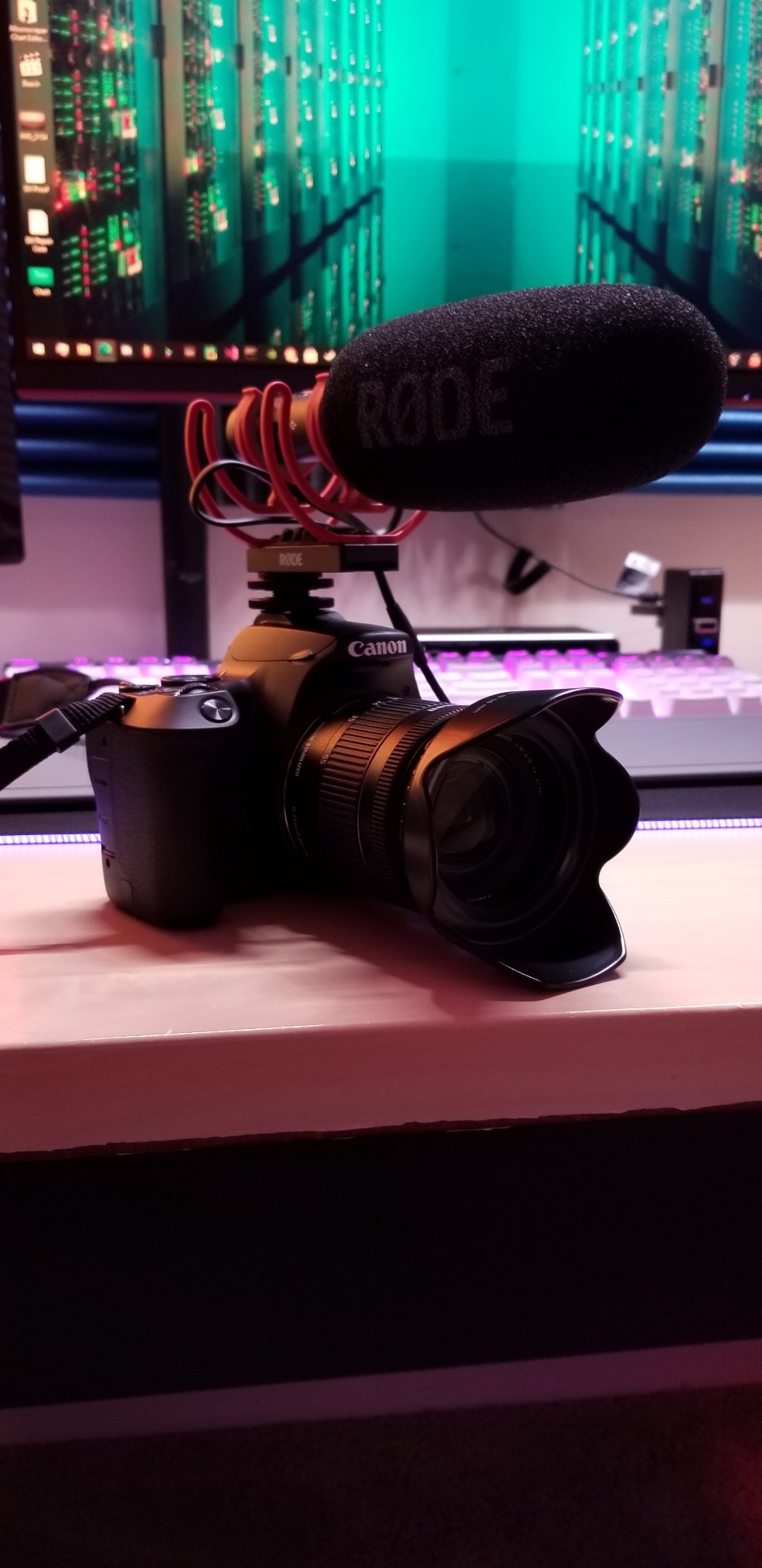
The VideoMic Pro+ is the on-camera shotgun I trust when there is no time to boom a separate mic. The Rycote Lyre suspension system has been copied by every competitor, and it still works. I have walked with this mic on a shoulder rig through trade show floors and the audio is useable straight out of camera.
The automatic power function is a quiet saver. Plug the mic into a camera and it powers on; unplug it and it powers off. After years of dead batteries in bag-bottom drawers, this small detail changed how I pack for shoots. The safety channel records a second track at -20 dB, which has rescued me twice from clipped audio when executives suddenly laughed mid-sentence.
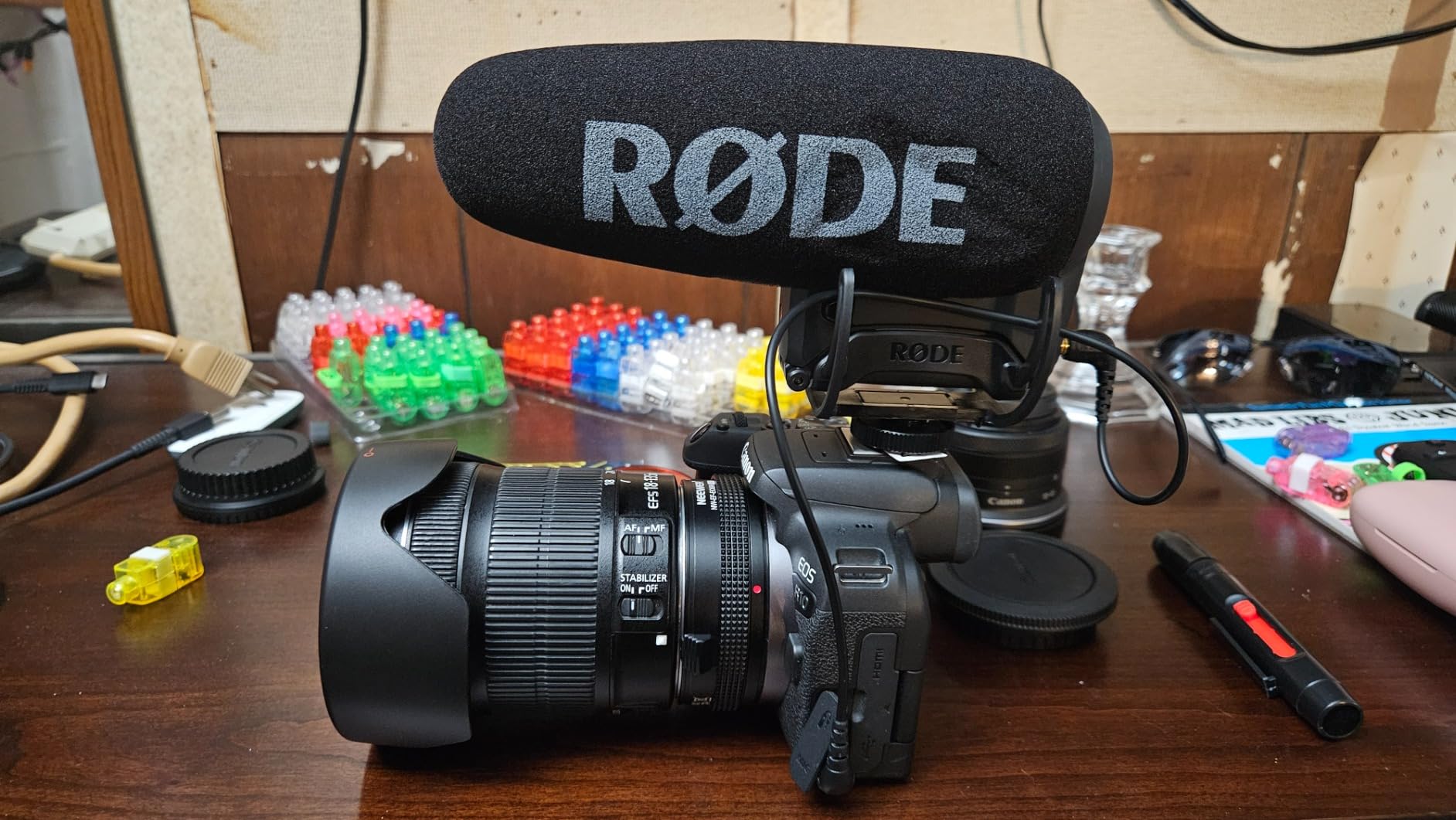
The rechargeable LB-1 battery is included, but you can fall back on AA or USB power if it dies. That flexibility is the real reason I still recommend it over newer competitors for corporate work where downtime is not an option.
On a downside, the default EQ is bass-heavy, which can make voices sound muddy in untreated rooms. A high-pass boost at 75 Hz in post cleans it up in seconds. For a quick, on-camera interview with an executive who is not mic’d up, this is the most reliable fallback shotgun you can own.
Who should buy it
Run-and-gun corporate videographers covering events, walk-throughs, and quick executive soundbites. The VideoMic Pro+ is also ideal as a backup mic on larger multi-camera productions.
Who should skip it
If you already run a wireless lav on every shoot, you do not need this. Studios with controlled audio will also be happier with a boom-mounted shotgun like the MKE600.
5. Rode VideoMic NTG – Best Versatile Shotgun for Hybrid Setups
Rode VideoMic NTG Camera-mount Shotgun Microphone,Black
NTG5 acoustic design
3.5mm auto-sensing
USB-C mode
Safety channel
Pros
- Broadcast-grade NTG5 acoustic design
- Auto-sensing 3.5mm output for camera or phone
- USB-C mode for direct computer recording
- Infinitely variable gain control
- Dual-channel safety recording
- 10-year warranty from RØDE
Cons
- Safety channel and gain control disabled in USB mode
- Battery level cannot be monitored directly
The VideoMic NTG is the do-everything shotgun that lives in my hybrid kit. On a camera it shoots broadcast audio; on a USB-C cable it becomes a podcast mic; on a phone it records mobile interviews. That flexibility is why corporate videographers with mixed shoot days keep coming back to it.
The NTG5-derived acoustic design is genuinely impressive. At 94 grams, this is the lightest broadcast-grade shotgun in RØDE’s lineup, and the off-axis rejection is tight enough for untreated office spaces. The auto-sensing 3.5mm output detects whether you are plugging into a camera or a phone and switches modes automatically.
The infinitely variable gain control is the killer feature. Instead of jumping between 0, -10, and -20 dB pads like older mics, you get a smooth dial that lets you match levels precisely to your camera. Combined with the -20 dB safety channel, you get two distinct tracks recorded simultaneously, which is invaluable when an executive suddenly raises their voice.
In USB mode, the VideoMic NTG doubles as a desktop microphone for podcasting and voiceovers. This makes it the only shotgun mic in the kit that pays for itself on non-video days. The 10-year warranty is the longest in the category and shows RØDE’s confidence in the build.
Who should buy it
Corporate videographers who also produce podcasts or voiceovers, agencies running hybrid shoots with cameras and laptops on the same day, and anyone who wants a single shotgun that adapts to multiple workflows.
Who should skip it
If you shoot only on-camera and never plug into a phone or laptop, the extra USB features are wasted. Studios that always boom from above will prefer the longer MKE600 form factor.
6. Neewer 480 Bi-Color LED Light Kit – Best Three-Point Lighting for Corporate Studios
Neewer 2 Packs Dimmable Bi Color 480 LED Video Light Kit, 3200~5600K CRI 96+ LED Panel with U Bracket, 75 inches Tripod Light Stand for YouTube Recording Studio Photography Streaming Key Lighting
CRI 96+
3200-5600K bi-color
2 panels + stands
U-bracket swivel
Pros
- CRI 96+ delivers accurate skin tones on camera
- Bi-color 3200-5600K matches any office lighting
- Brightness 0-100% via control knobs
- Flicker-free on any frame rate
- Cool operation after long shoots
- NP-F battery option for on-location runs
Cons
- Light stands are entry-level — replace for daily commercial use
- Daylight color temp measures slightly cooler than 5600K spec
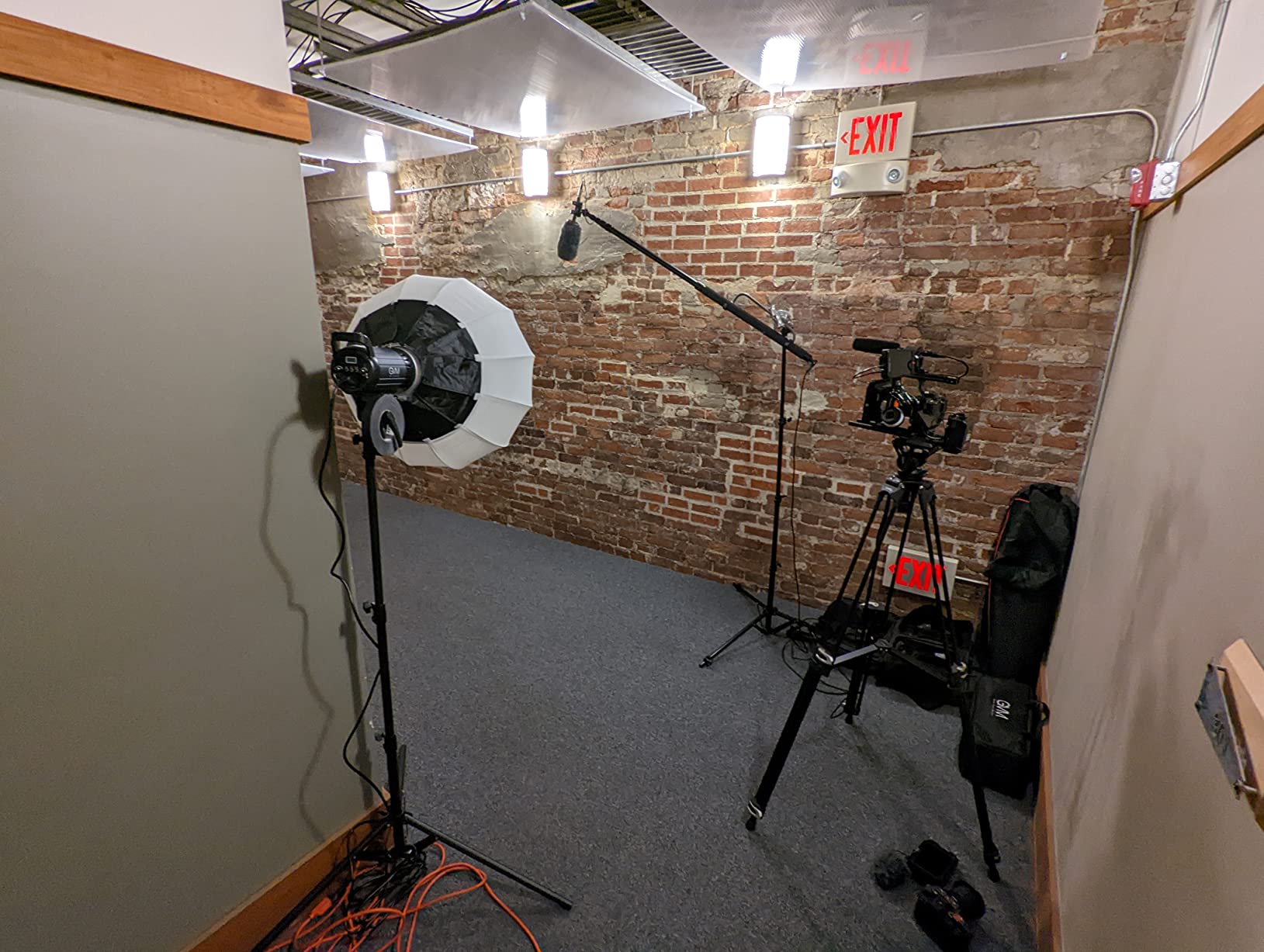
The Neewer 480 kit is the lighting bundle I bring to every small corporate studio build. Two panels plus stands gives you the foundation for a proper three-point lighting setup (key, fill, back), and the CRI 96+ rating means skin tones look natural on camera. A frequent mistake first-time buyers make is investing in a better camera before upgrading lighting. Swap that order and your footage instantly looks more expensive.
The bi-color adjustment from 3200K to 5600K lets you match the warm overhead office fluorescents or the cool LED panels that fill modern conference rooms. I dial the key light to 4500K and add a half-stop CTO gel on the back light to make executives pop against gray cubicle walls.
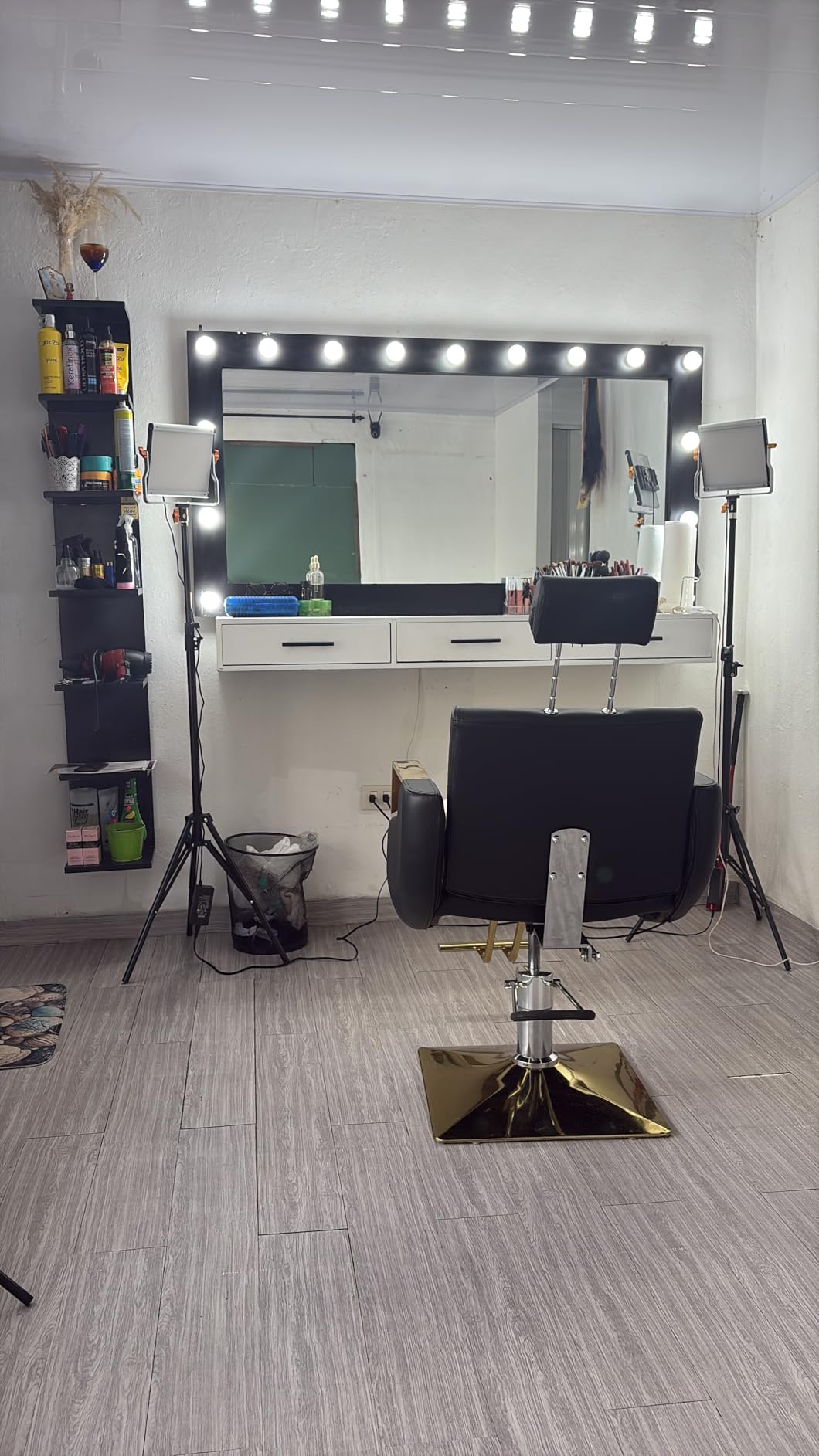
Flicker-free performance on every frame rate I have tested (24p, 30p, 60p, 120p) means the lights will not introduce banding into slow-motion B-roll. The U-bracket swivels smoothly for ceiling bounce or hair-light angles. NP-F battery compatibility is critical for the on-location product launch shoots where wall power is unavailable.
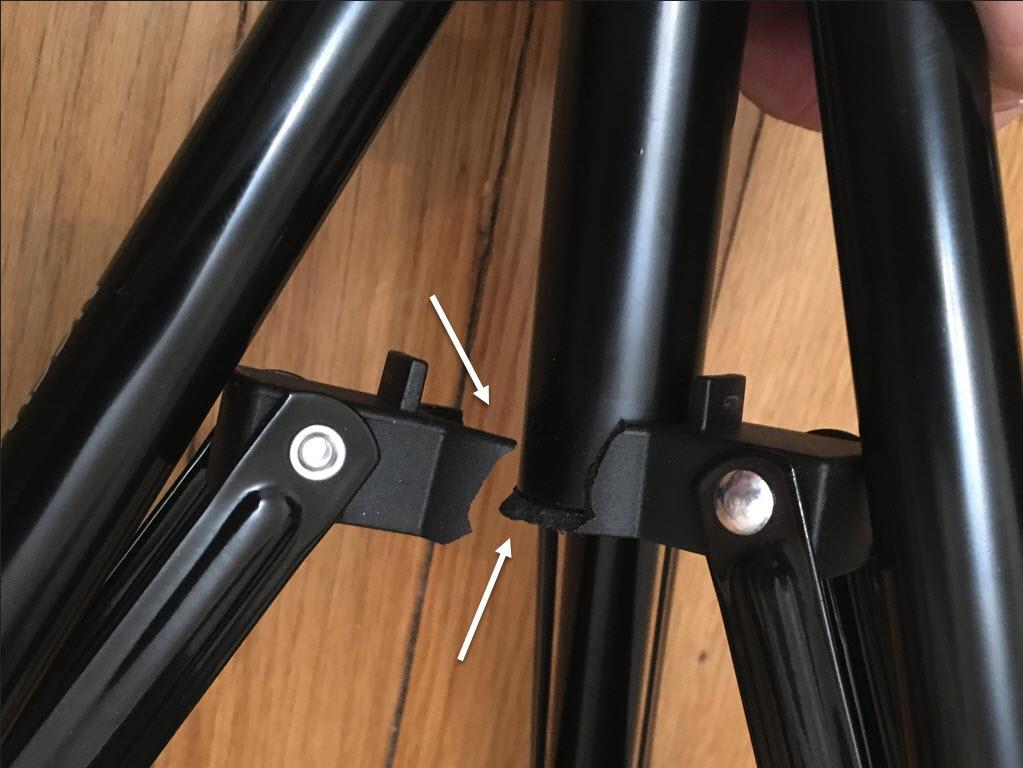
One caveat: the included light stands are entry-level. They hold the panels steady for a 4-hour shoot but are not built for daily rental-house use. Budget an extra spend to upgrade to sturdier C-stands if you shoot weekly. Reviewers on Reddit echo the same advice: invest in lighting before glass, before a fancier camera body.
Who should buy it
New corporate videographers building their first three-point lighting kit, agencies doing regular in-office interview shoots, and small studios on a budget who still need CRI 96+ accuracy.
Who should skip it
Studios that already own Aputure, ARRI, or higher-end bi-color panels will not gain much. Large crews running four or more lights per setup should look at bigger softbox kits instead.
7. SmallRig AD-01 Fluid Head Tripod – Most Compact for Cinema Camera Setups
SmallRig 73.2″/ 186cm Heavy Duty Video Tripod with Fluid Head AD-01
75mm bowl
Dual quick-release
17.6 lb payload
360° pan
Pros
- Dual quick-release plate works with DJI RS and Manfrotto 501L
- 75mm bowl for cinema-grade leveling
- Smooth fluid head with 360° pan and tilt
- Built-in bubble level
- Folds to 35 inches for travel
- 8.8 lb carry weight
Cons
- Pan lock is binary — no variable friction option
- Plastic parts may wear under daily rental use
The SmallRig AD-01 is the tripod I mount my cinema camera on for interviews that need to stay locked for hours. The 75mm bowl base gives proper leveling without fiddling with leg adjustment, and the dual-mode quick-release plate is compatible with both DJI RS gimbal plates and Manfrotto 501L plates. That detail alone saves a minute on every camera swap.
The fluid head moves smoothly through 360° pan and tilt ranges of +90° / -60°. For corporate interviews, that translates to clean tilt moves between an executive and a moderator without any stick-slip jerk. The built-in bubble level is genuinely useful for fast setups in uneven conference rooms.
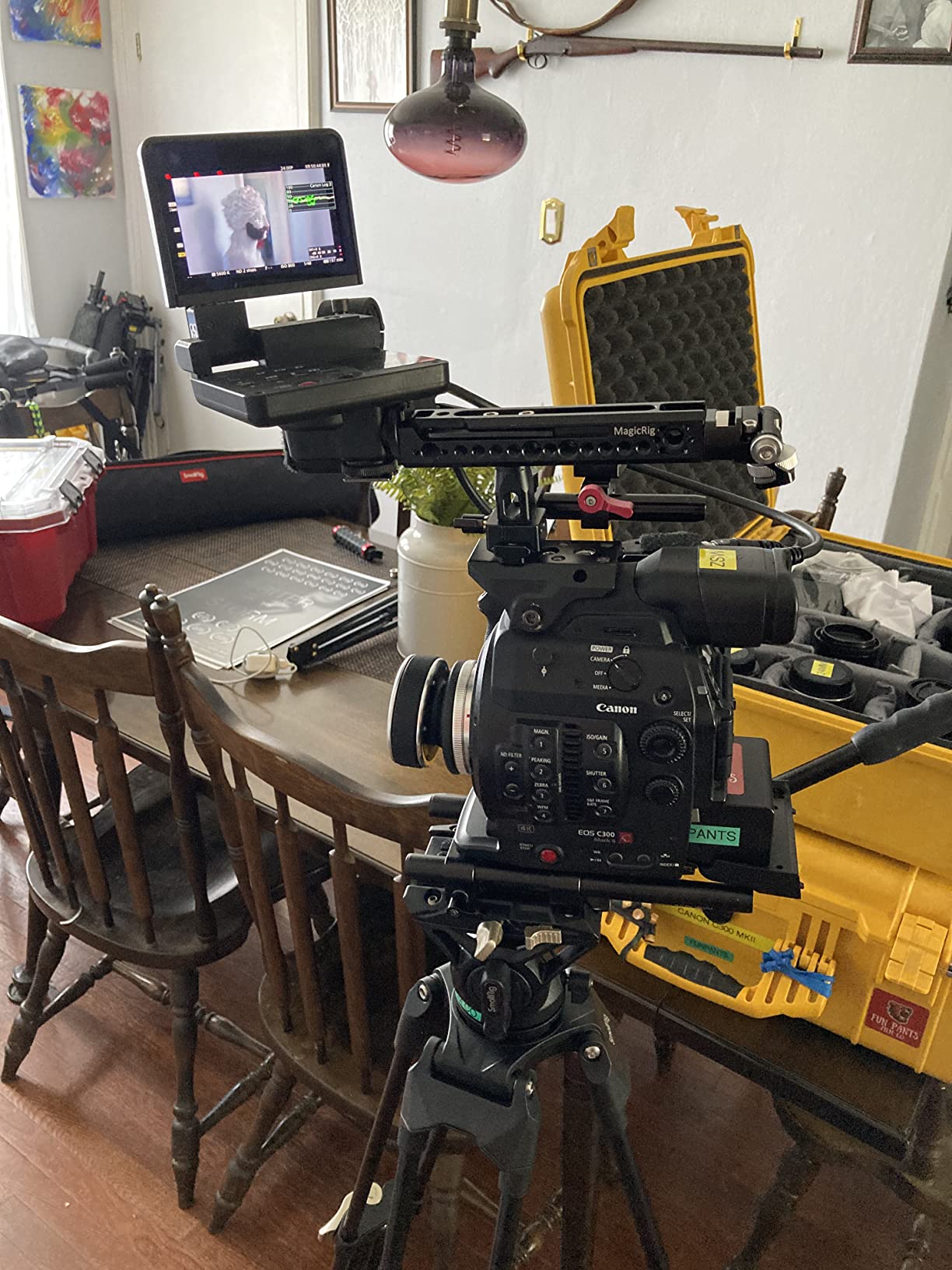
At 8.8 lb, the AD-01 is light enough to carry one-handed through an office building but solid enough to hold a fully rigged FX3 with a 24-70mm zoom and shotgun mic. The double-tube aluminum legs have survived three years of weekly corporate shoots on my kit without loosening.
One quirk: the pan lock is on or off, with no variable friction in between. For slow push-ins or whip-pans, you may want a different head. But for static interview locking and moderate pans, the AD-01 is in the sweet spot for corporate work.
Who should buy it
Corporate videographers running cinema cameras like the FX3, C70, or Blackmagic Pocket 6K who want a fluid head that accepts modern quick-release plates. Studios filming weekly in offices will appreciate the fast setup.
Who should skip it
Travel-first shooters needing to fit a tripod in a carry-on should look at the TP74 or a dedicated travel tripod. Long-pan cinematic moves need a head with variable friction.
8. NEEWER TP74 Fluid Head Tripod – Best Budget Fluid Head Tripod
NEEWER 74″ Video Tripod with Fluid Head, QR Plate, Aluminum, TP74
17.6 lb payload
75mm bowl
Fluid drag head
86-187 cm height
Pros
- Premium fluid drag pan head with smooth feel
- 75mm bowl base with 360° scale
- Dual QR modes for DJI RS and Manfrotto 501PL
- 86-187 cm height range
- Carrying bag included
Cons
- Head auto-levels when tilt is loose — unexpected on first use
- Legs take longer to fully extend than premium tripods
The NEEWER TP74 is the budget tripod I recommend to anyone buying their first fluid head kit. With a 4.8-star rating across nearly 600 reviews, it is one of the highest-rated tripods on Amazon. The 17.6 lb payload handles any mirrorless or cinema camera you can throw at it, including a fully rigged FX3 with a matte box and follow focus.
The fluid drag head is smoother than anything I expected at this price point. Pan and tilt both have variable friction, which the more expensive SmallRig AD-01 lacks. For corporate interviews, that variable drag makes subtle reframing moves noticeably easier.
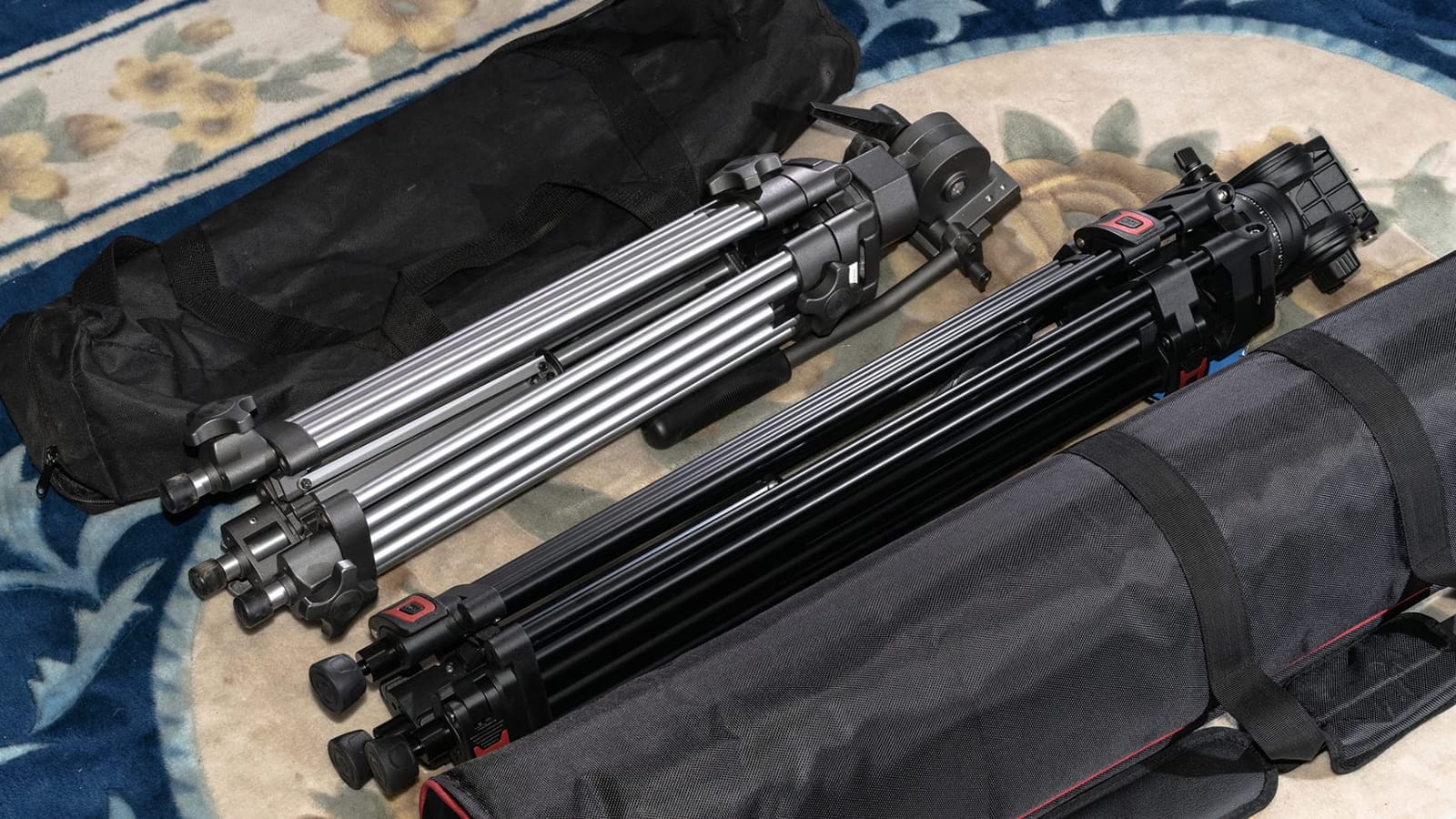
The mid-level spreader keeps the legs locked in position when shooting on uneven office carpet, and the rubber feet grip polished conference room floors without slipping. The 75mm bowl base with 360° scale is a feature you typically only see on tripods three times the price.
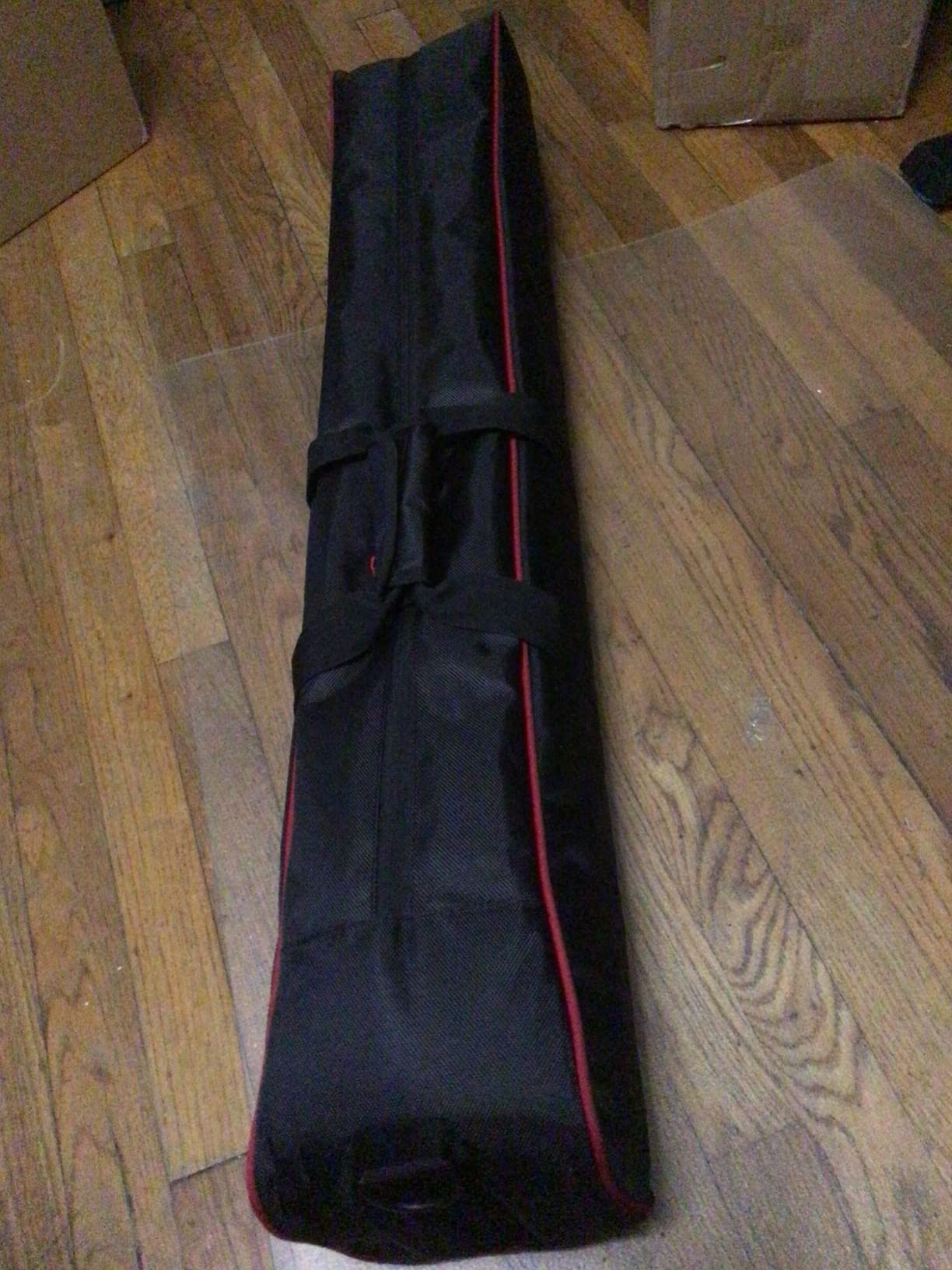
The carrying bag included with the kit is decent enough for short drives between offices. For airline travel, budget an extra hard case. The TP74 is heavier than the AD-01 at 10.9 lb, so this is a kit you leave in the car rather than carry on a shoulder strap.
Who should buy it
New corporate videographers building their first fluid head kit, freelance videographers on a tight budget, and anyone who needs a reliable interview tripod for office-based shoots.
Who should skip it
Travel-first creators will find the 10.9 lb weight too heavy for daily carry. Studios running 6+ shoots a week may prefer the more durable SmallRig AD-01 for daily rental use.
9. DJI RS 3 Mini Gimbal – Best Run-and-Gun Stabilizer for Corporate B-Roll
DJI RS 3 Mini, Camera Gimbal Stabilizer, Canon/Sony/Nikon/Fujifilm
795g body
2 kg payload
Native vertical
Bluetooth shutter
Pros
- 795g body is light enough for one-handed operation
- 2 kg payload handles most mirrorless setups
- Native vertical shooting for social media
- Bluetooth shutter control
- 3rd-gen RS stabilization algorithm
- 1.4-inch full-color touchscreen
Cons
- Manual axis locks rather than automated
- Not designed for heavy cinema rigs
- Balance can drift with longer lenses
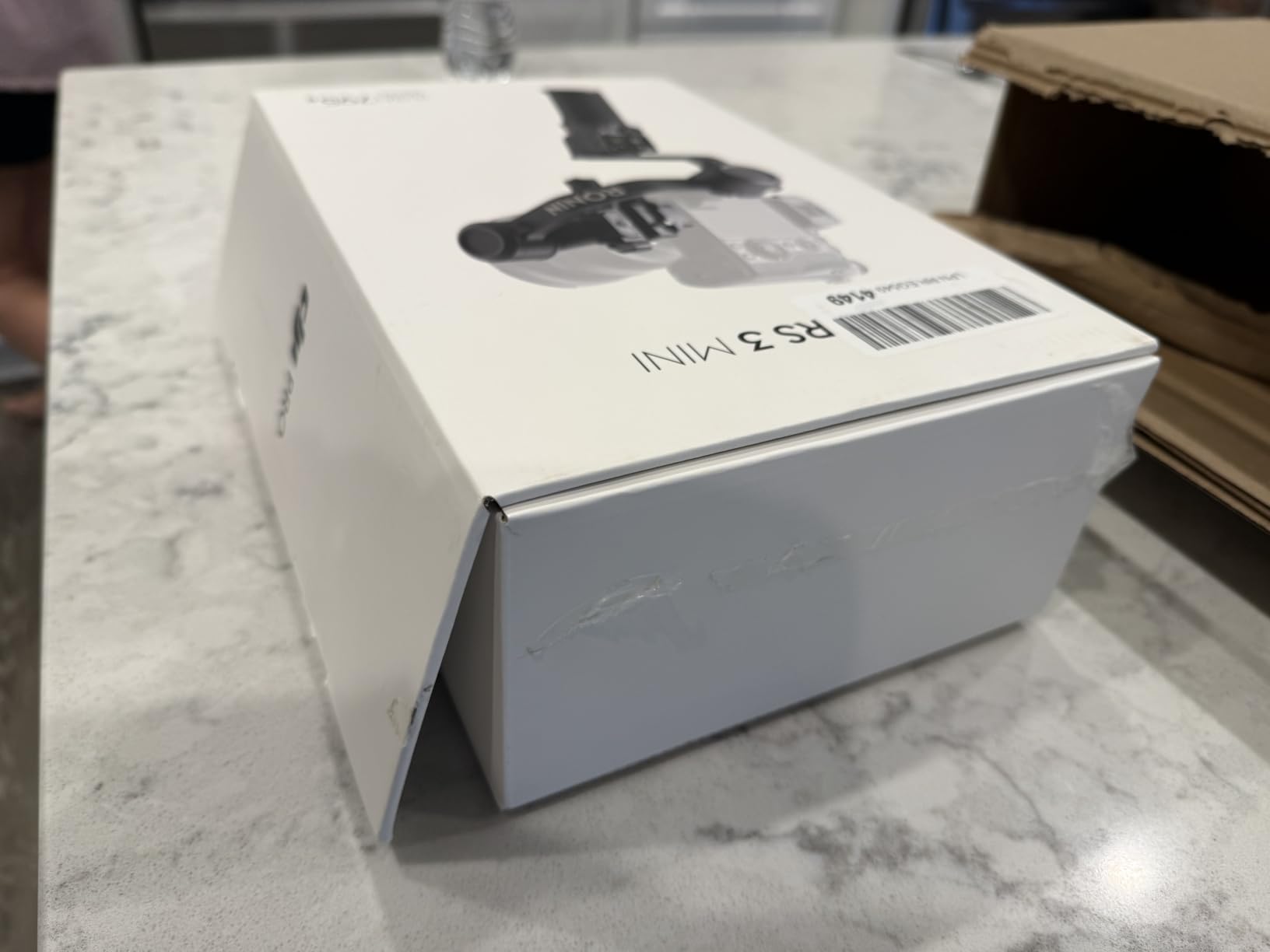
The DJI RS 3 Mini is the gimbal I pack for any corporate shoot that involves walking. Office tours, factory walkthroughs, and lobby B-roll all need smooth movement that a tripod cannot deliver. At 795g, the RS 3 Mini is light enough to hold for a full hour of footage without wrist fatigue.
The 2 kg payload covers any mirrorless body plus a standard zoom lens. My Sony A7 IV with a 24-70 f/2.8 balances perfectly, and the Bluetooth shutter control means I do not need to reach for the record button on the camera body mid-walk. Native vertical shooting is the quiet winner for social media cuts: rebalance the plate and the same gimbal shoots 9:16 reels.
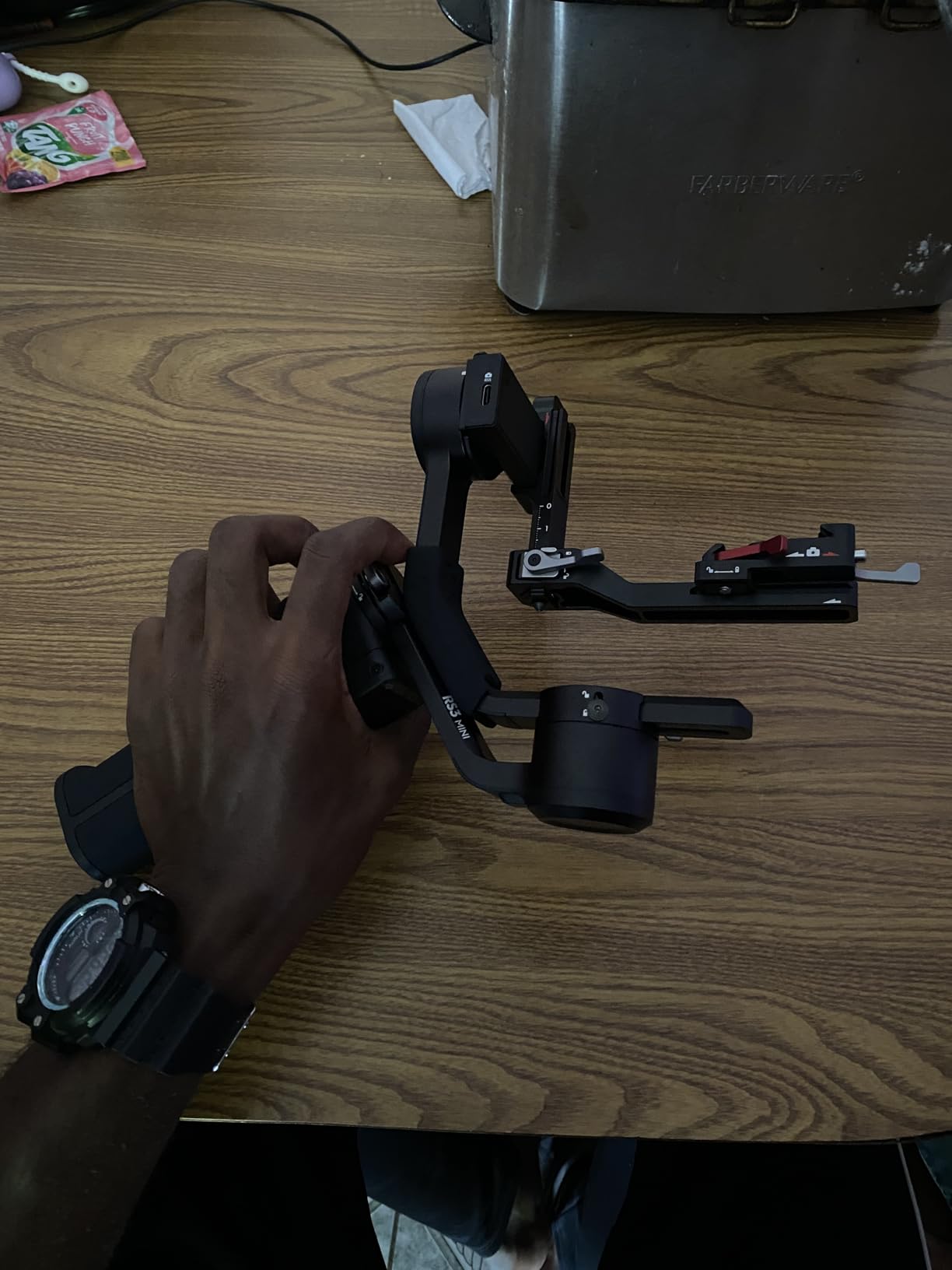
The 3rd-gen RS stabilization algorithm is the smoothest DJI has shipped in the Mini line. Walking down a marble lobby staircase no longer produces the bouncing that earlier gimbals could not fix. The 1.4-inch touchscreen is faster than the DJI Ronin app for quick mode changes.
On the downside, the manual axis locks mean you have to physically lock each axis when the gimbal is powered off. For fast kit breakdown between shoots, that adds 30 seconds per location. Heavier cinema rigs (Blackmagic URSA, FX6 with cage) are out of payload range, so this is a mirrorless-first gimbal.
Who should buy it
Corporate videographers covering walkthroughs, factory tours, and event B-roll. Social-first teams shooting vertical reels for Instagram and TikTok will appreciate the native vertical shooting mode.
Who should skip it
Studios running heavier cinema rigs should step up to the DJI RS 3 Pro or RS 4 Pro. Tripod-only shooters do not need a gimbal at all.
10. NEEWER F500 PRO Field Monitor – Best for Daylight Shoots and Critical Focus
NEEWER 5.5″ Camera Field Monitor, 2000nit HD 1920×1080 IPS Touch Screen, 4K HDMI Loop in/Out with 3D LUT Peak Focus DSLR Video Assist HDR Waveform, 5200mAh F750 Battery, DC7-24V/Type C 5V In, F500 PRO
2000 nit
4K HDMI loop
3D LUTs
Waveform monitor
Pros
- 2000 nit daylight-viewable display
- 4K HDMI loop in/out for directors and clients
- 3D LUT support with 60 custom slots
- Comprehensive monitoring tools (waveform
- vectorscope
- peaking)
- NP-F battery included
- Functions as dummy battery to power camera
Cons
- Built-in cooling fan may be picked up by nearby mics
- SD card not included for LUT uploads
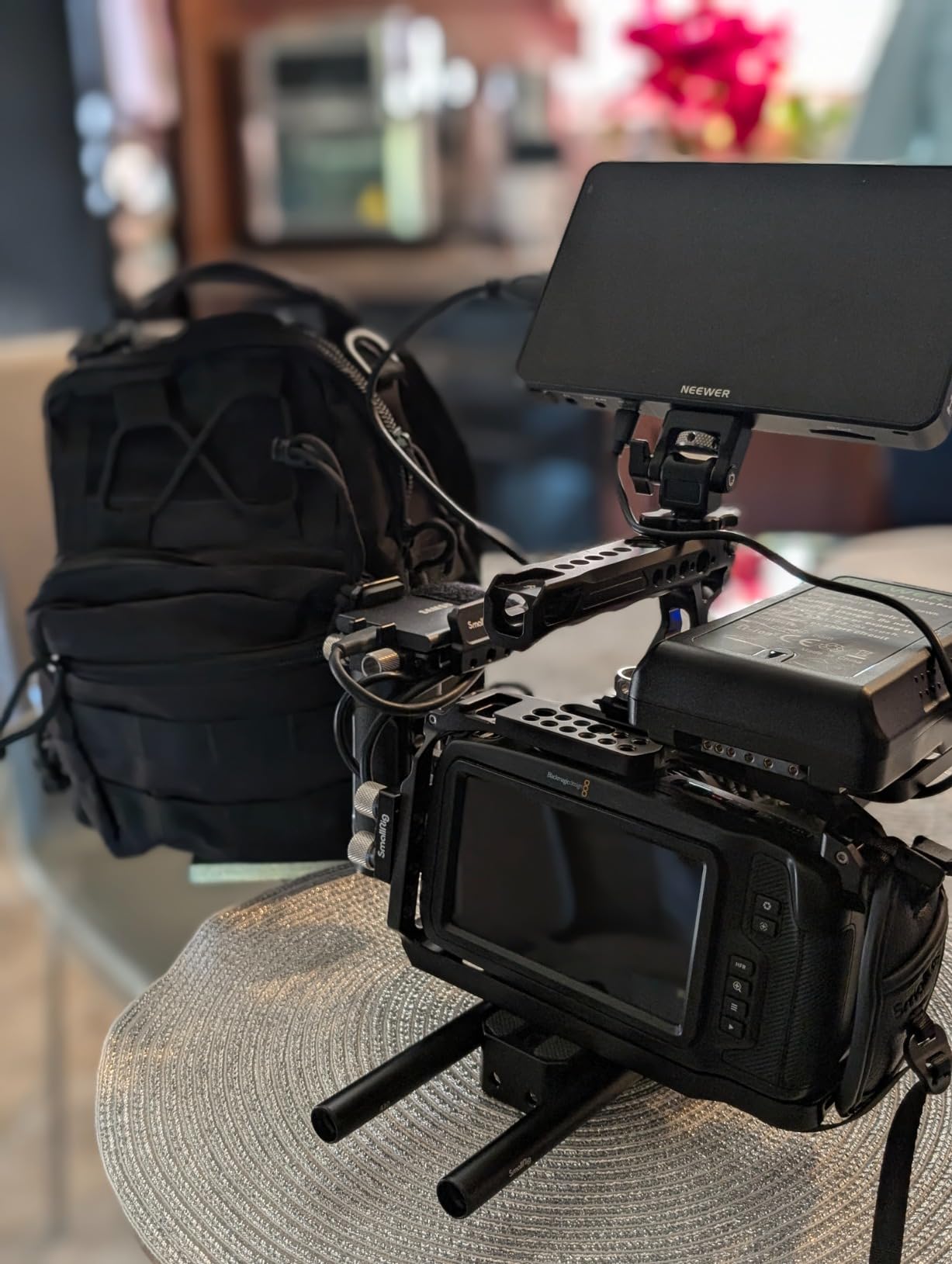
The NEEWER F500 PRO is the field monitor I strap to every camera that does not have a flip screen bright enough for outdoor work. At 2000 nits, the display stays visible in direct sunlight, which is the #1 reason corporate videographers buy field monitors. Camera LCDs max out around 1000 nits and become unreadable the moment you walk out of the office.
The 4K HDMI loop in/out is invaluable on multi-camera corporate shoots. One monitor can serve as the director’s view on a separate screen while you keep the same feed on your rig. The 3D LUT support with 60 custom slots means I can preview the final Rec 709 grade while shooting in S-Log or Clog.
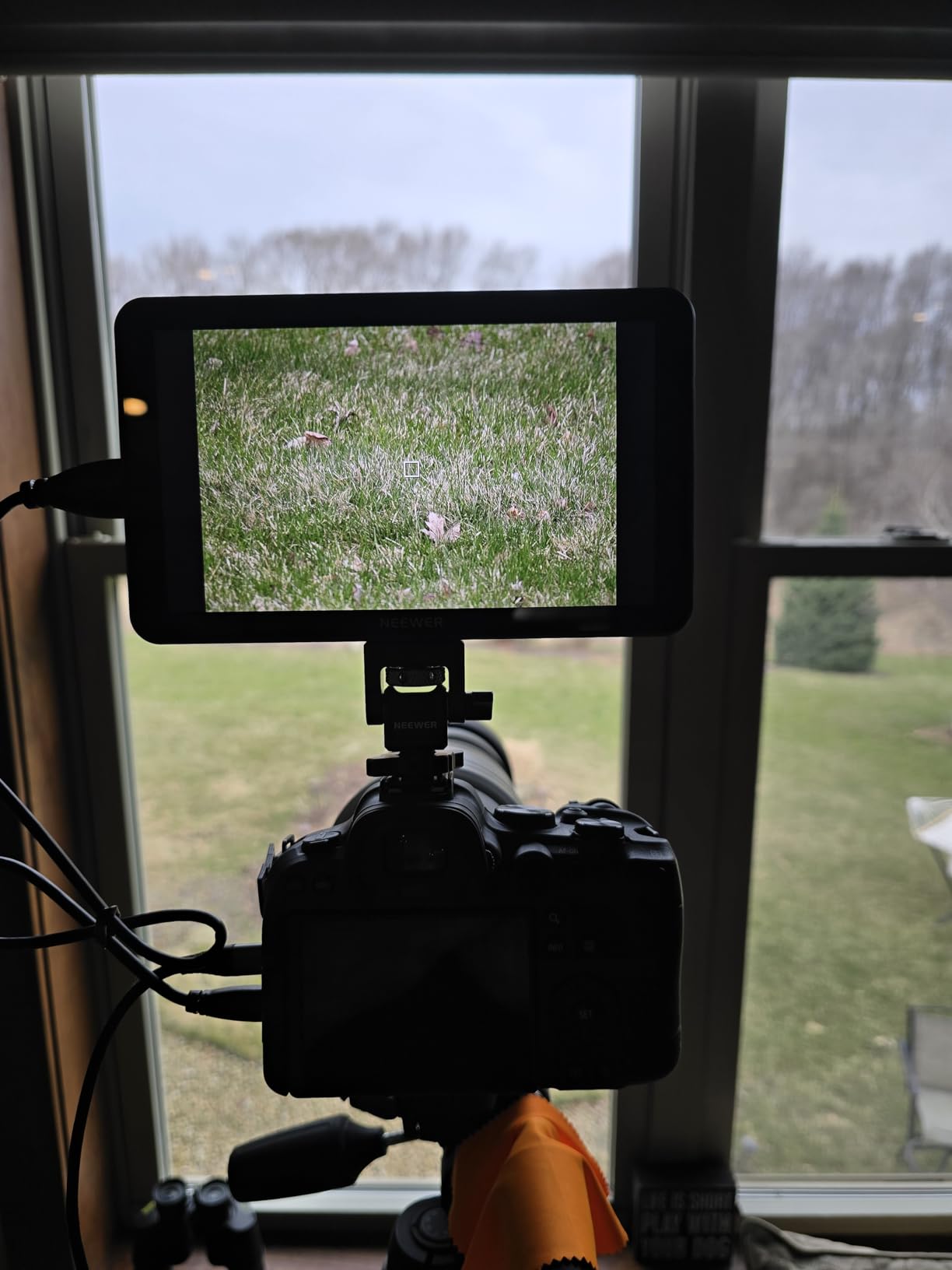
Waveform, vectorscope, focus peaking, and zebra patterns cover every critical exposure and focus check. The included NP-F750 battery runs the monitor for 4+ hours, and the F500 PRO can also act as a dummy battery to power some cameras directly, which is a clever feature on long interview days.
The cooling fan is audible in quiet rooms, so I disable it via the menu when shooting interviews next to a shotgun mic. The 5.5-inch screen size is the sweet spot for on-camera rigs: large enough to focus critically, small enough to not dominate the setup.
Who should buy it
Corporate videographers shooting outdoor events, factory tours, and town hall livestreams in bright spaces. Studios delivering log gamma footage that needs on-set LUT previewing will appreciate the 3D LUT support.
Who should skip it
If you shoot exclusively indoors and your camera has a fully articulating screen, you may not need a field monitor at all. Studios that already own a SmallHD or Atomos monitor will not gain much.
11. FEELWORLD FW759 PRO Field Monitor – Best Budget Field Monitor
FEELWORLD FW759 PRO 7 Inch 400nit Touchscreen Field DSLR Camera Monitor
7 inch IPS
1280x800
4K input
300g body
Pros
- Sharp 7-inch IPS display for critical focus
- 4K input compatible
- Histograms
- peaking
- and false color built in
- Lightweight 300g body for gimbal and handheld rigs
- Sunshade included for outdoor visibility
- Complete kit with two batteries and HDMI cables
Cons
- 400 nit brightness limits outdoor use
- Battery indicator missing — no warning before power loss
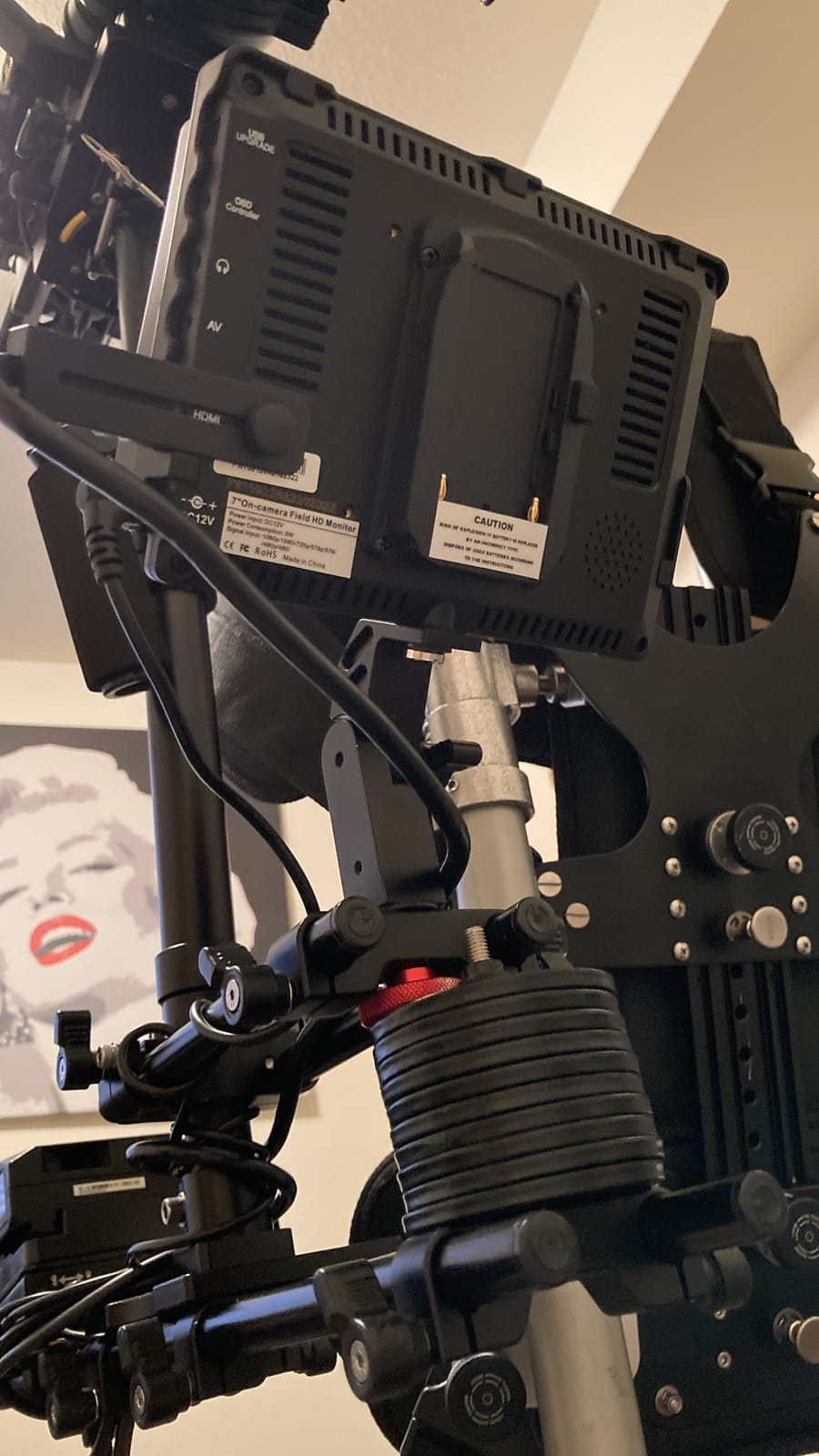
The FEELWORLD FW759 PRO is the budget field monitor I gift to junior videographers on my team. At 300g, it adds almost no weight to a handheld rig and the 7-inch IPS display is sharp enough for critical focus checks. The complete kit ships with two NP-F550 batteries, a sunshade, and a full set of HDMI cables for camera, monitor, and phone.
For indoor corporate interviews, the 400 nit brightness is sufficient in any office I have worked in. The advanced monitoring tools (histogram, zebra, focus peaking, false color) cover the critical exposure and focus decisions without needing external software.
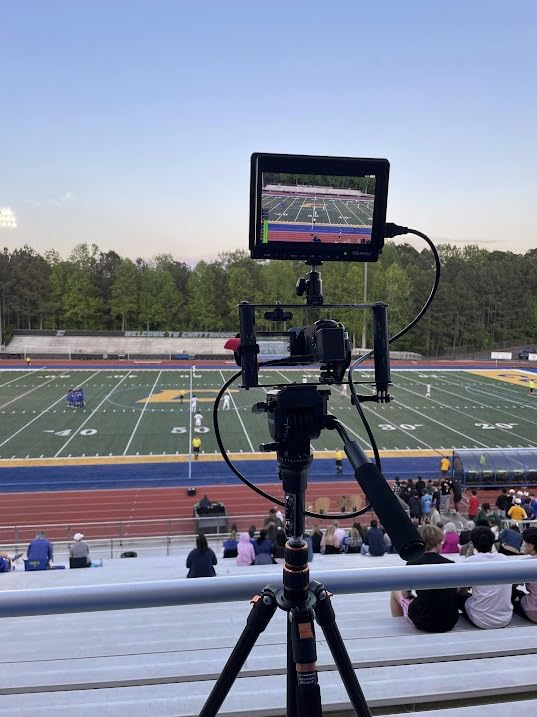
The 4K input pass-through is a feature typically reserved for monitors twice the price, and it accepts signal from any modern mirrorless or cinema camera. The sunshade works well enough for shaded outdoor work, though direct sunlight will wash out the screen.
The two biggest drawbacks are the missing battery indicator and the limited outdoor brightness. If you shoot mostly indoors and remember to charge batteries the night before, this monitor handles 90% of corporate interview work at a fraction of the F500 PRO price.
Who should buy it
New corporate videographers on a tight budget, junior team members who need a backup monitor, and anyone shooting primarily indoors who wants a 7-inch display for critical focus.
Who should skip it
Outdoor shooters should step up to the 2000-nit F500 PRO. Studios running live-switched multi-camera productions need the F500 PRO’s LUT and waveform tools.
12. Elgato Prompter – Best Teleprompter for Scripted Corporate Shoots
Elgato Prompter, Teleprompter with Built-in Screen, 1080p Full HD Effective Video Resolution
Built-in 1080p display
Drag-and-drop
Stream Deck ready
USB-C
Pros
- Built-in display — no tablet or phone needed
- Drag-and-drop any app or window onto the prompter
- Maintains eye contact on Zoom and Teams calls
- Supports widest lenses for group interviews
- Camera Hub app for text customization
- Works with Stream Deck for one-button control
Cons
- DisplayLink software required on Mac and Android
- Higher price than tablet-based teleprompter kits
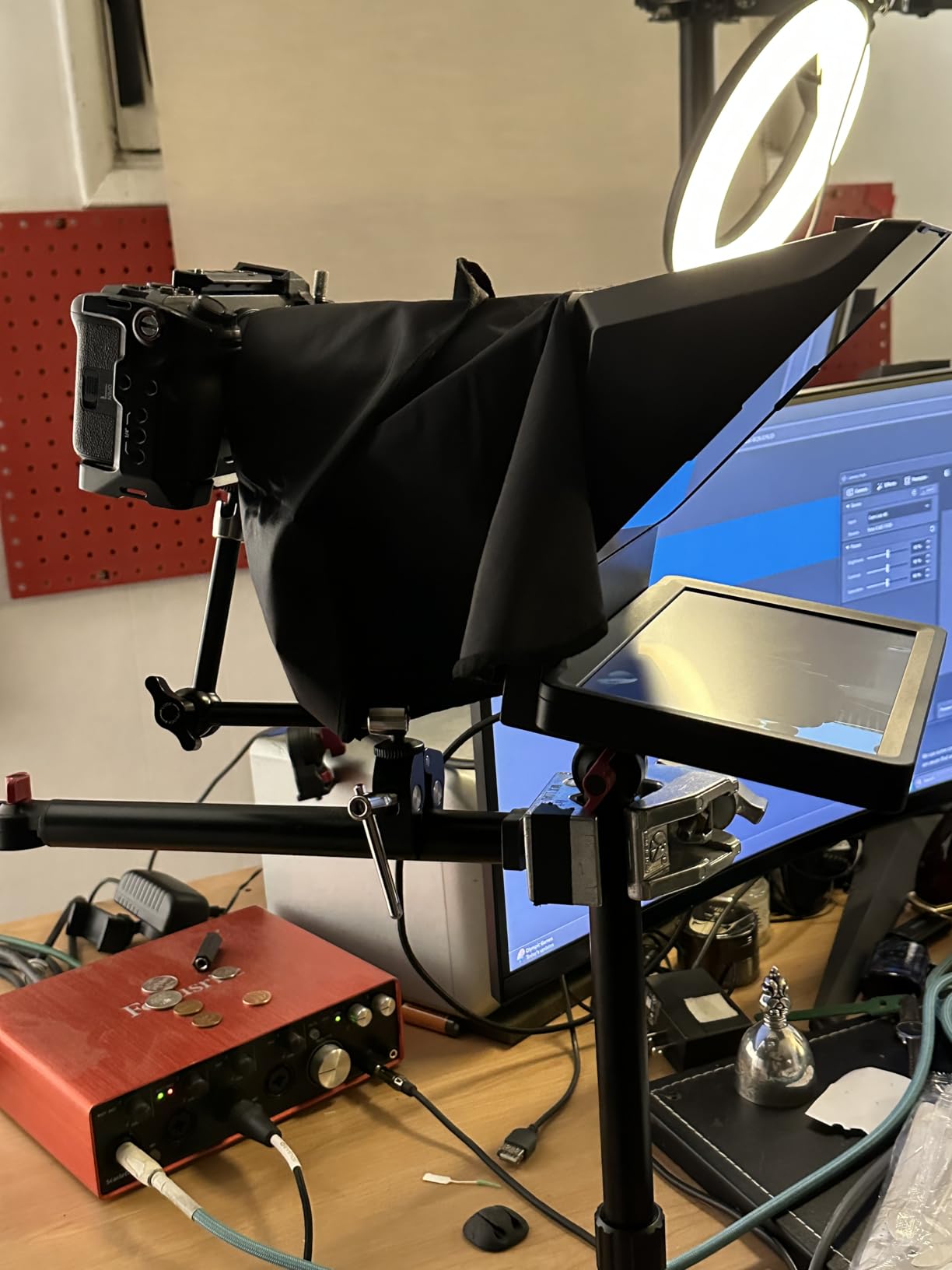
The Elgato Prompter is the teleprompter that changed how I shoot scripted executive content. The built-in 9-inch 1080p display means I never have to wrestle with tablets or phone mounts again. On a recent earnings call shoot, the CEO read his full script without taking his eyes off the camera lens, and we cut the edit time by 40% because every take was a usable take.
Drag-and-drop setup is the killer feature. I open my script in Google Docs on my laptop, drag the window onto the prompter display, and the talent sees the text without me touching any software. For livestreamed town halls, I drag Zoom or Teams onto the display so the executive sees their speaker notes while maintaining eye contact with the audience.
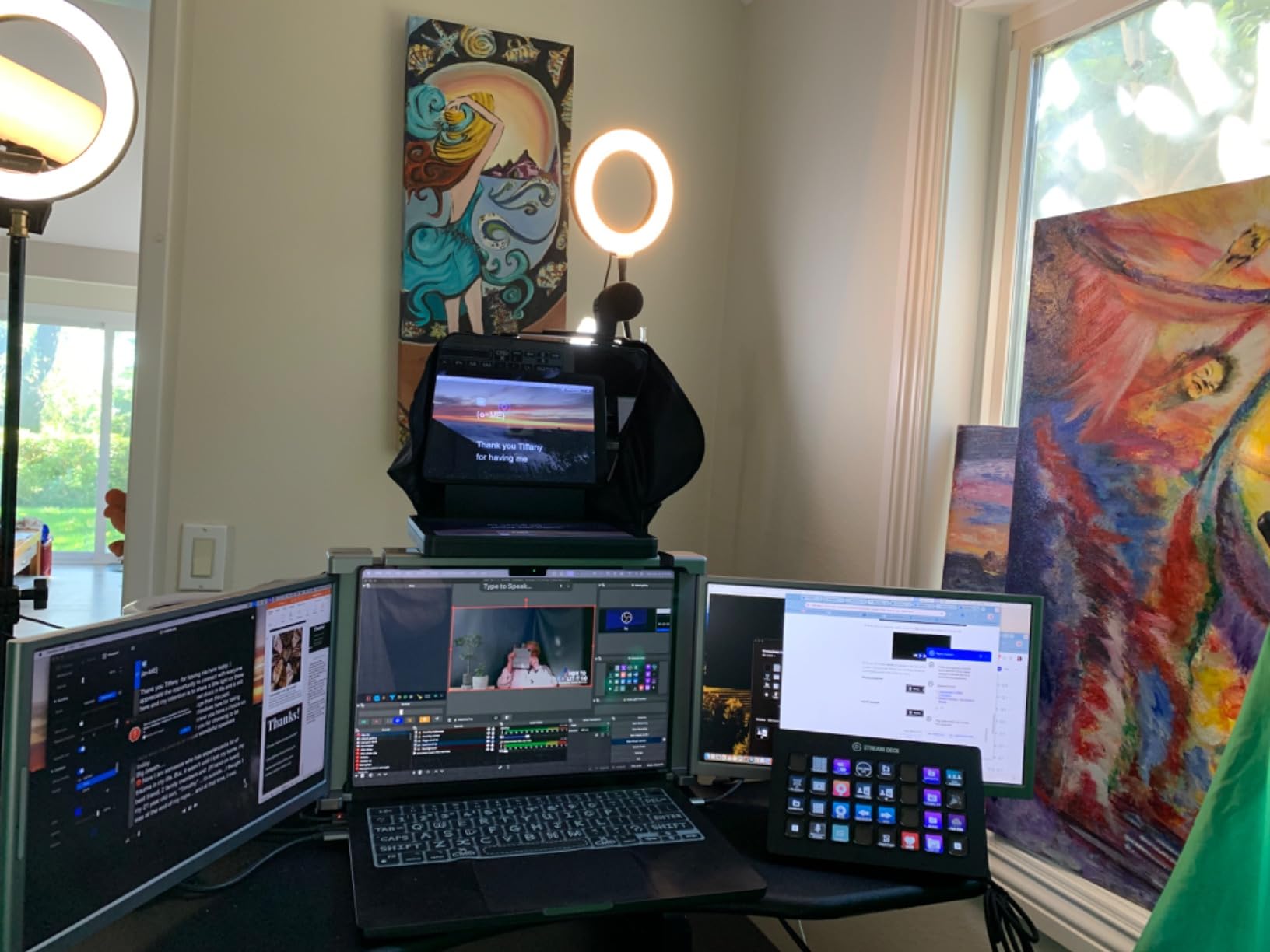
The Camera Hub app lets me adjust text size, color, and scrolling speed remotely. Combined with a Stream Deck, one button can start the script scroll, change camera angles, and trigger slide transitions. That workflow integration is why streamers and corporate content teams have made this the #1 best-selling teleprompter on Amazon.
The Elgato Prompter supports wider lenses than any competitor, which matters for two-person interviews where you cannot afford vignetting. The Mac and Android DisplayLink software is free and stable after a one-time install. It is the single most underrated gear upgrade for any corporate videographer shooting scripted content weekly.
Who should buy it
Corporate videographers shooting weekly scripted executive content, livestream teams running town halls and panel discussions, and any agency that bills clients per finished minute of edited footage.
Who should skip it
Shooters running only unscripted documentary or event coverage do not need a teleprompter. Studios with very tight budgets can build a tablet-based teleprompter rig for less, but the workflow will be slower.
Buying Guide: How to Build the Best Corporate Videographer Kit?
Choosing the best gear for corporate videographers is less about chasing the most expensive camera body and more about building a kit that survives the realities of office shoots, nervous executives, and tight timelines. Below are the strategic decisions that separate a kit you can bill with from a kit that looks impressive on paper but fails on the job.
Commit to one audio ecosystem
If you shoot with multiple wireless systems from different brands, you will spend half your kit time managing batteries, frequencies, and gain levels. Pick one ecosystem (RØDE Wireless PRO, DJI Mic 2, or Sennheiser) and stay there. A Reddit videographer in r/videography put it best: “If I were you for livestreaming I would buy into an ecosystem.” That logic applies to wireless audio, multi-camera PTZ rigs, and video switchers. Mixed systems create workflow friction that kills billable hours.
Buy audio before glass before camera body
Every dollar spent on better microphones saves ten dollars in post-production audio cleanup. Every dollar spent on lighting saves twenty dollars in color grading. Every dollar spent on a fancier camera body without upgrading audio or lighting is wasted. Start your kit with a wireless lav (RØDE Wireless PRO or DJI Mic 2), then lighting (Neewer 480), then a fluid head tripod, then a camera body. Reviewers in r/videography consistently endorse this priority order.
Plan for the cart before the gear
A production cart is the most underrated investment in any corporate video kit. The top-voted Reddit response in a thread asking “what is the one essential item for a corporate videographer” was a cart, with one veteran replying, “I have an Inovativ myself and it goes everywhere and does everything. When I’m out on location it schleps my stuff around. When I’m in studio it’s a portable workstation.” Gear transport eats billable hours faster than any other factor. Budget for a cart in your first year, even before your second camera body.
Invest in a teleprompter for scripted work
If you shoot executive talking heads weekly, a teleprompter pays for itself in saved editing time within a month. The Elgato Prompter’s built-in display eliminates the tablet juggling that older teleprompter rigs require. As one Reddit user summarized, “Once we got one for my last in-house corporate role, shoots and editing became much more efficient.”
Match your monitor to your lighting conditions
Indoor studios with controlled lighting can use a 400-nit 7-inch monitor like the FEELWORLD FW759 PRO. Outdoor shoots, factory floors, and bright window-lit lobbies need a 2000-nit monitor like the NEEWER F500 PRO. Buying the wrong brightness range for your most common shoot environment is a common and expensive mistake.
Pair your tripod with your gimbal
A fluid head tripod (SmallRig AD-01 or NEEWER TP74) handles static interviews, while a gimbal (DJI RS 3 Mini) handles walk-and-talk B-roll. Both quick-release systems support DJI RS plates and Manfrotto 501PL, so swapping between tripod and gimbal takes seconds rather than minutes. Buy your tripod and gimbal with matching plate compatibility from day one.
For a related deep dive on stabilizers, check our travel tripod comparison and our guide to the best cameras for corporate video production. For lighting upgrades, see our best panel lights for corporate video roundup.
Frequently Asked Questions
What equipment is needed for professional videography?
A professional videography kit includes a camera body, fluid head tripod, wireless lavalier microphone, shotgun microphone for backup, three-point LED lighting kit, external field monitor, memory cards, and a teleprompter for scripted work. Audio gear should get the largest share of the budget because viewers tolerate imperfect video but click off bad audio.
What is the average cost to produce a corporate video?
A typical corporate video shoot costs between low four figures and mid-five figures depending on length, talent count, and crew size. Gear accounts for roughly 20-30 percent of the budget when amortized across multiple shoots. A fully-loaded in-house kit with the products in this guide pays for itself within 6 to 12 months of regular use.
What is the 180 rule in videography and how is it used?
The 180 rule states that the camera should stay on one side of an imaginary line between two subjects so that screen direction remains consistent. If you place the camera on the wrong side, your subjects appear to flip positions between cuts, confusing the viewer. The rule is most important in interviews and dialogue scenes where spatial relationships matter.
Which camera is best for professional videography, Sony or Canon?
Sony and Canon both make excellent video-first cameras. Sony’s FX3 and A7 IV line excel in low light and offer strong autofocus for solo shooters, while Canon’s R5 C and C70 deliver cinema-grade color science and dual-pixel autofocus for interview work. The choice depends on your existing lens ecosystem and which color science your colorist prefers.
What is a teleprompter used for in corporate video?
A teleprompter displays a scrolling script in front of the camera lens so the talent can read while maintaining eye contact with the audience. In corporate video, it saves hours of editing time because every take is closer to a usable take, and it keeps executives calm and on-message during town halls, earnings calls, and product launch presentations.
Final Verdict: The Best Gear for Corporate Videographers
Building the best gear for corporate videographers means investing in audio, lighting, and workflow tools before chasing the most expensive camera body. The RØDE Wireless PRO remains our EDITOR’S CHOICE for the audio foundation that every corporate shoot depends on, and the Elgato Prompter is the single highest-ROI workflow upgrade for any team shooting scripted executive content.
Start with a wireless lav system and a three-point lighting kit, add a fluid head tripod and a teleprompter, then build out the gimbal and field monitor as shoots demand. Within six months, you will have a kit that bills itself, satisfies clients, and survives the realities of office lighting and nervous executives. For more audio options, browse our best microphones for corporate video guide, and for mattebox and accessory support, see our mattebox kit roundup.