
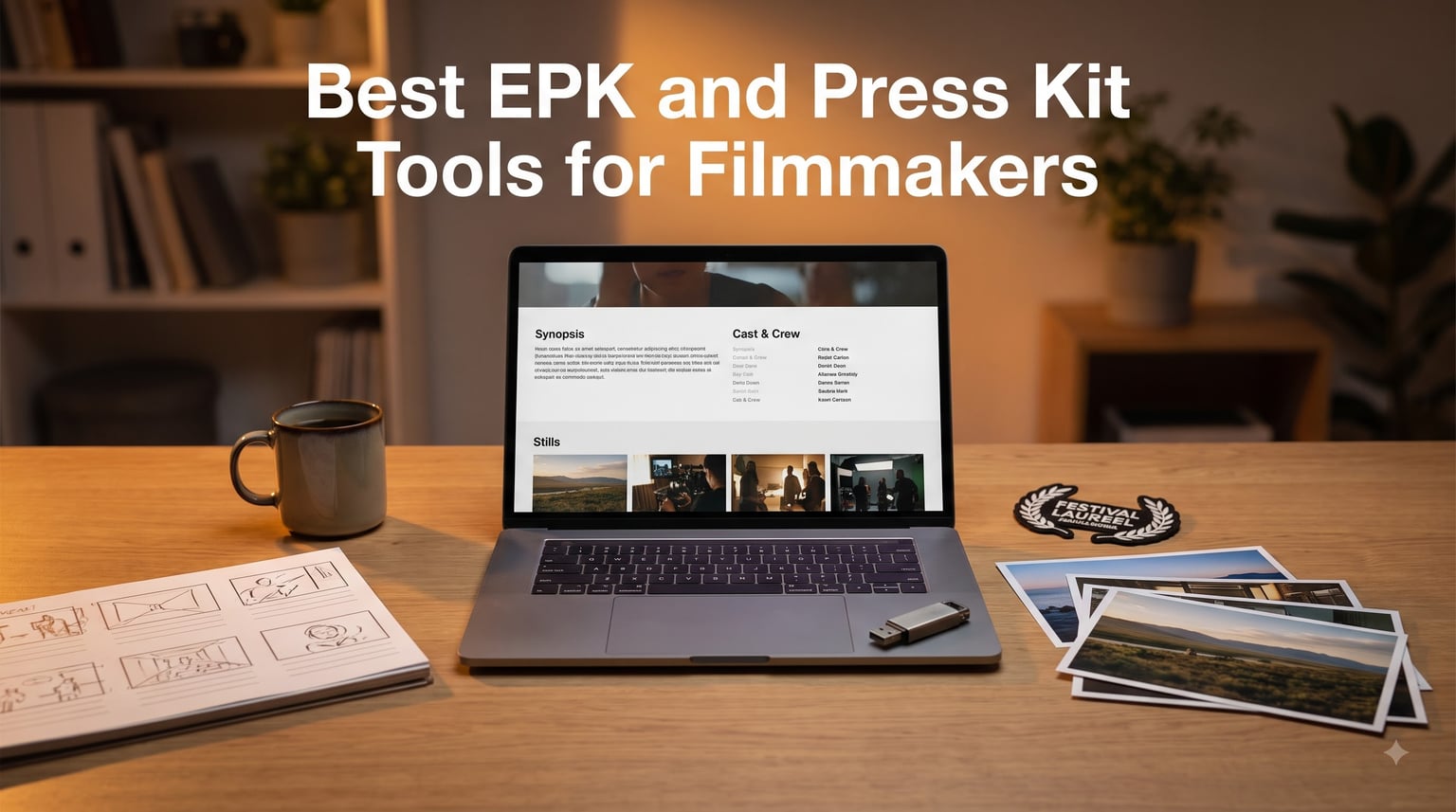
Festival programmers decide in minutes whether a submission moves forward, and your electronic press kit is usually the second thing they open after the film itself. For press, distributors, and crowdfunding backers, it is often the first. That one package can open more doors than the cut itself.
An EPK (electronic press kit) is a digital promotional package for your film that bundles your trailer, synopsis, cast and crew bios, production stills, and press coverage into one shareable asset for festivals, distributors, and media. A press kit is the umbrella term for that package, and an EPK is simply the digital, hyperlinked version of it. Programmers on forums like r/FilmFestivals have said plainly that they prefer digital submissions over physical ones.
Over the past few years, our team has built press kits for shorts and documentaries that played everywhere from 40-seat regional festivals to BAFTA-qualifying slots. Along the way I tested the EPK tools for filmmakers that actually get used in production: the drives that carry deliverables, the editors that cut the trailer, the books that teach the strategy, and the writing software that keeps synopses tidy.
Below are the eight tools I keep reaching for in 2026, with an honest breakdown of where each one earns its place and where it falls short. If you are building your first kit or upgrading a workflow that has been cobbled together, this list covers the whole chain from blank page to delivered files.
Table of Contents
- Top 3 EPK Tools for Filmmakers for October 2026
- Best EPK and Press Kit Tools for Filmmakers in October 2026
- 1. Samsung BAR Plus 64GB Flash Drive — The Delivery Drive I Trust Most
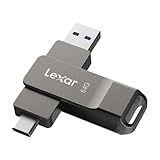
- 2. Lexar D40E 64GB Dual USB-C Flash Drive — Best for Phone-to-Laptop Workflows
- 3. Adobe Premiere Pro Made Simple — Fastest Route to a Watchable Trailer
- 4. Guerrilla Film Marketing — The Strategy Book Behind My Whole Press Kit
- 5. Adobe Premiere Pro 12-Month Subscription — The Industry-Standard Trailer Editor
- 6. Pinnacle Studio 26 Ultimate — One-Time-Purchase Editing for 4K Deliverables
- 7. Corel VideoStudio Ultimate 2023 — Best Beginner Suite for EPK Video Extras
- 8. Script Studio — The Writing Tool for Synopses, Bios, and Your Next Project
- How to Choose the Right EPK and Press Kit Tools?
- Frequently Asked Questions
- Final Thoughts
Top 3 EPK Tools for Filmmakers for October 2026
These three cover the most urgent jobs in a press kit workflow: delivering files without failure, moving assets between every device you own, and cutting a trailer that makes programmers care.


Best EPK and Press Kit Tools for Filmmakers in October 2026
Here is the full lineup at a glance. Every pick below earned its spot through real use on festival submissions, not a spec sheet.
| Product | Specs | Action |
|---|---|---|
| Samsung BAR Plus 64GB Flash Drive |
|
Check Latest Price |
| Lexar D40E 64GB Dual USB-C Drive |
|
Check Latest Price |
| Adobe Premiere Pro Made Simple |
|
Check Latest Price |
 Guerrilla Film Marketing Guerrilla Film Marketing |
|
Check Latest Price |
 Adobe Premiere Pro 12-Month Plan Adobe Premiere Pro 12-Month Plan |
|
Check Latest Price |
 Pinnacle Studio 26 Ultimate Pinnacle Studio 26 Ultimate |
|
Check Latest Price |
 Corel VideoStudio Ultimate 2023 Corel VideoStudio Ultimate 2023 |
|
Check Latest Price |
 Script Studio Writing Software Script Studio Writing Software |
|
Check Latest Price |
1. Samsung BAR Plus 64GB Flash Drive — The Delivery Drive I Trust Most
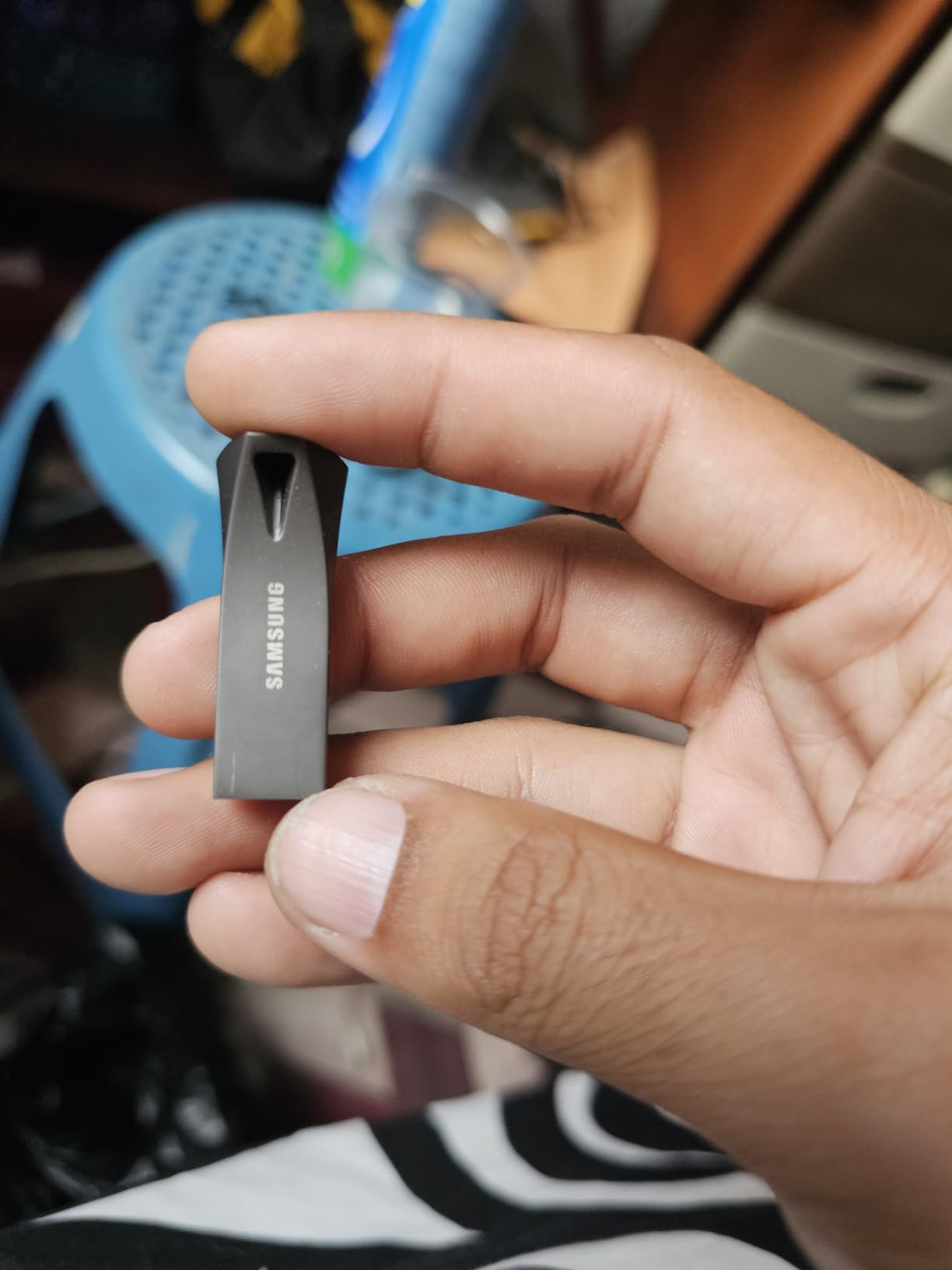
SAMSUNG BAR Plus 64GB – 300MB/s USB 3.1 Flash Drive Champagne Silver (MUF-64BE3/AM)
64GB capacity
300MB/s read
USB 3.1
Metal body
5-year warranty
Pros
- 300MB/s read speeds
- Rugged metal casing
- Key ring attachment
- Water shock and X-ray proof
- USB 3.1 backwards compatible
Cons
- Write speeds trail read speeds
- Gets warm during transfers
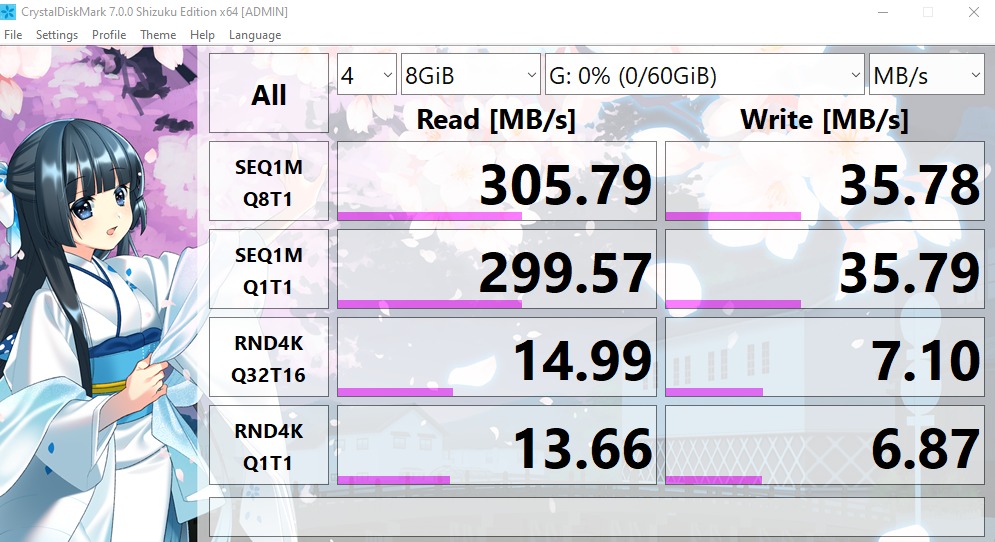
Every press kit eventually leaves your computer, and this is the drive I hand over when it does. I have carried the BAR Plus through three festival delivery windows, and the metal body still looks new after months on my keychain. When a programmer asks for a screener plus stills the same day, 300MB/s read speeds mean I am not standing around watching a progress bar.
The 64GB size is the sweet spot for this work. A feature screener, fifteen production stills, the trailer, and the press kit PDF fit with room left for a festival’s extra paperwork.
What sold me was survivability. It is rated water proof, shock proof, magnet proof, temperature proof, and X-ray proof, which matters when a drive rides in a backpack through a rain-soaked festival parking lot.
At 1.13 grams, it disappears on a keychain until the moment you need it. Samsung lists the interface as USB 3.1 with backwards compatibility down to USB 3.0 and 2.0, so even the aging laptop at a festival production office reads it without complaint.
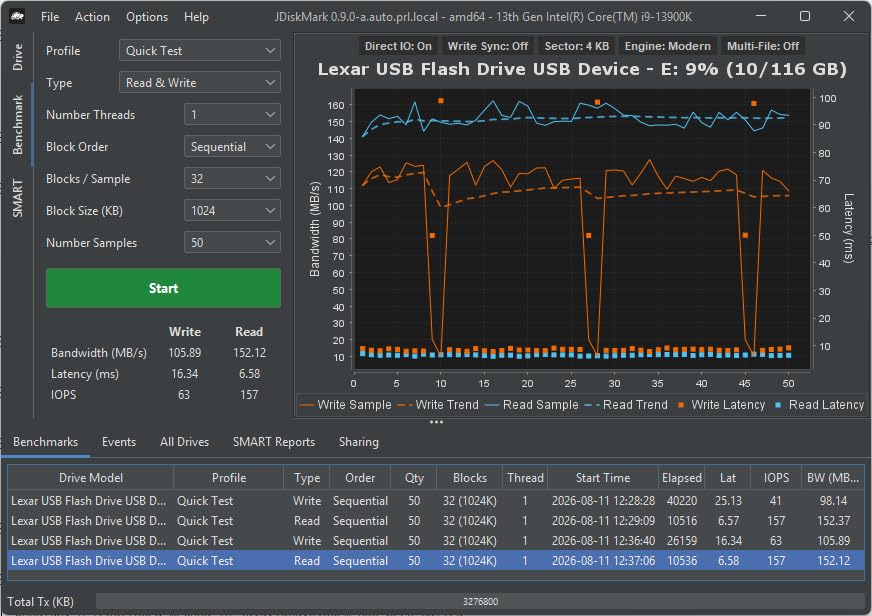
The honest downside is that write speeds trail the headline read number, so loading 20GB of ProRes stills onto the drive takes noticeably longer than pulling them off. It also runs warm during big transfers, which is normal for metal-bodied drives but worth knowing before you panic about it.
With a 4.7 rating across more than 13.9k reviews, it is the most proven pick on this list. I have never had one fail mid-delivery, and that record is exactly why it is my editor’s choice.
How much storage does a festival EPK actually need?
Count on 8 to 15GB for a full feature package: screener, trailer, stills, and documents. A short film usually lands under 5GB. 64GB covers a complete package plus the previous project as backup, which is why I stopped buying 32GB drives.
How rugged is it in real production use?
The metal chassis has survived my keychain, airport scanners, and one accidental wash cycle. The key ring is molded into the body rather than a plastic cap loop, so there is no cap to lose between deliveries. Samsung backs it with a 5-year warranty, the longest coverage I have seen on a drive this size.
2. Lexar D40E 64GB Dual USB-C Flash Drive — Best for Phone-to-Laptop Workflows
Lexar D40E 64GB Dual USB 3.2 Gen 1 Type-C Jump Drive, Titanium Grey
64GB
USB-A + USB-C
100MB/s
Swivel metal design
3-year warranty
Pros
- Dual USB-A and USB-C design
- 100MB/s transfers
- 360 degree swivel
- Plug and play
- 256-bit AES encryption
Cons
- No dust cap
- Can get warm with USB-C
- Connector rotates while inserting
Half the assets in my last press kit were captured on a phone: behind-the-scenes photos, a rehearsal clip, and a producer interview. The Lexar D40E moved all of it straight from phone to laptop without a cable or a cloud upload, and that alone made it worth keeping in the bag.
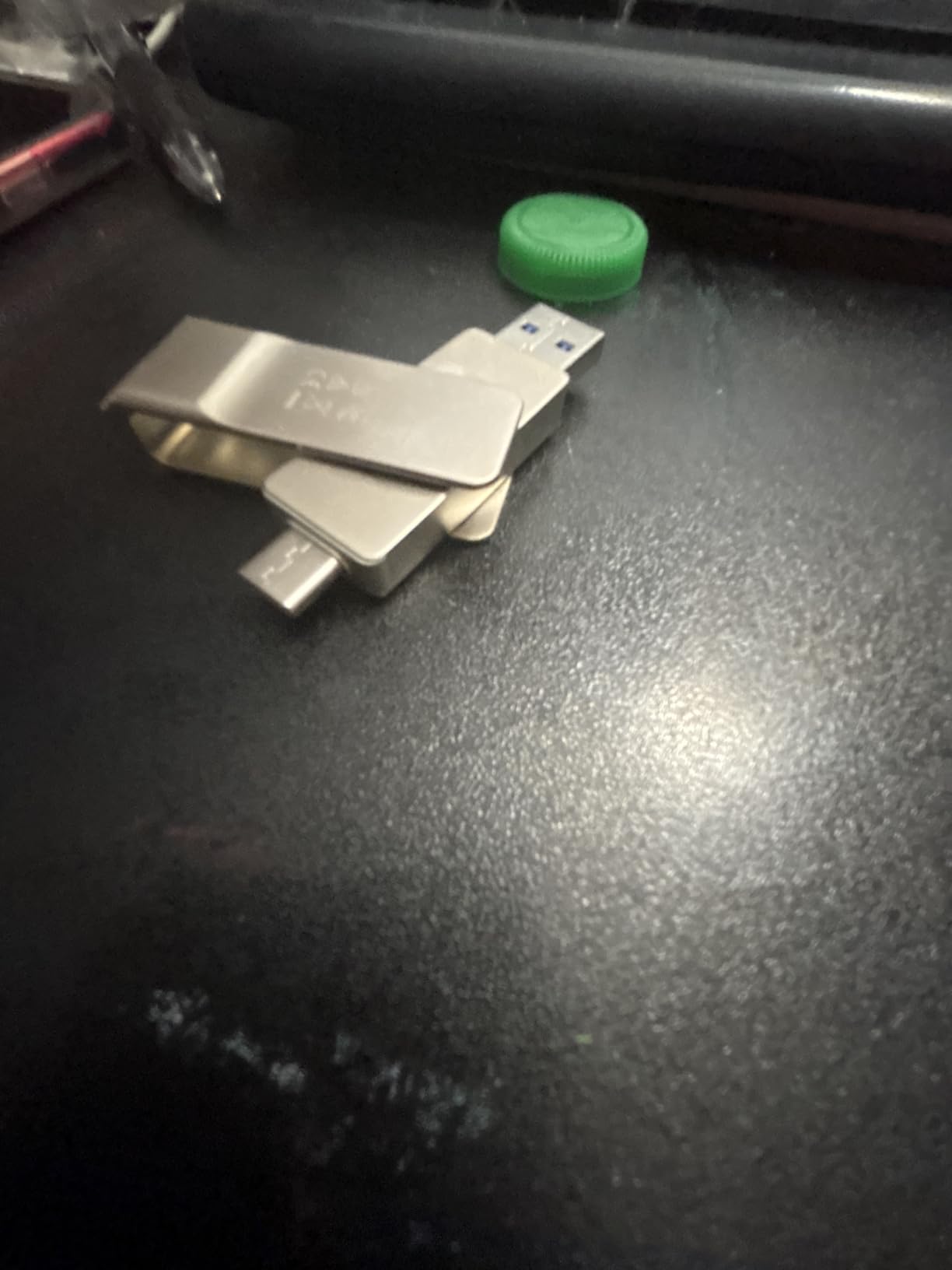
The dual connector is the whole point. USB-C on one end for the phone and newer Macs, USB-A on the other for the ancient desktop at the festival production office. One drive covers every port I have met in two years of deliveries.
It is plug and play with no software install, which saves awkward minutes when you are handed someone else’s machine. Transfers run up to 100MB/s, fast enough that a 4GB trailer moves in under a minute.
The 360 degree swivel feels like a gimmick until you are switching connectors one-handed in a dark screening room. It also ships with security software offering 256-bit AES encryption, useful when the screener is under an embargo and you want the files locked.
The metal enclosure is rated for operating temperatures from 0 to 50 degrees Celsius, and Lexar backs it with a 3-year limited warranty. It is built like a tool, not a giveaway.
The compromises are small but real. There is no dust cap for either end, so pocket lint is a fact of life. The USB-C end can rotate while inserting if you are not paying attention, and the drive warms up during long USB-C sessions.
It carries a 4.4 rating across nearly 9.9k reviews, and the value is hard to argue with for a drive that replaces two.
Which connectors do festivals and collaborators actually use?
Most festival production offices still run USB-A laptops, while DPs and press contacts increasingly carry USB-C-only machines. A dual drive means you never have to guess or pack an adapter dongle for delivery day.
How does it handle phone footage workflows?
Plug the USB-C end into an Android phone or tablet and it reads as external storage immediately, so you can pull BTS photos and clips straight off the device. iPhone users will need the Files app and a compatible model, but the drive itself needs no power or setup.
3. Adobe Premiere Pro Made Simple — Fastest Route to a Watchable Trailer
Adobe Premiere Pro Made Simple: From 0 to Professional | A Step-by-Step Guide to Video Editing, Audio, Color Grading, and Export Shortcuts, for YouTubers, and Social Media Creators
178 pages
8.5 x 11 format
Step-by-step lessons
Beginner focused
Pros
- Easy step-by-step instructions
- Clear screenshots
- Beginner friendly
- Thorough table of contents
Cons
- Limited depth for advanced users
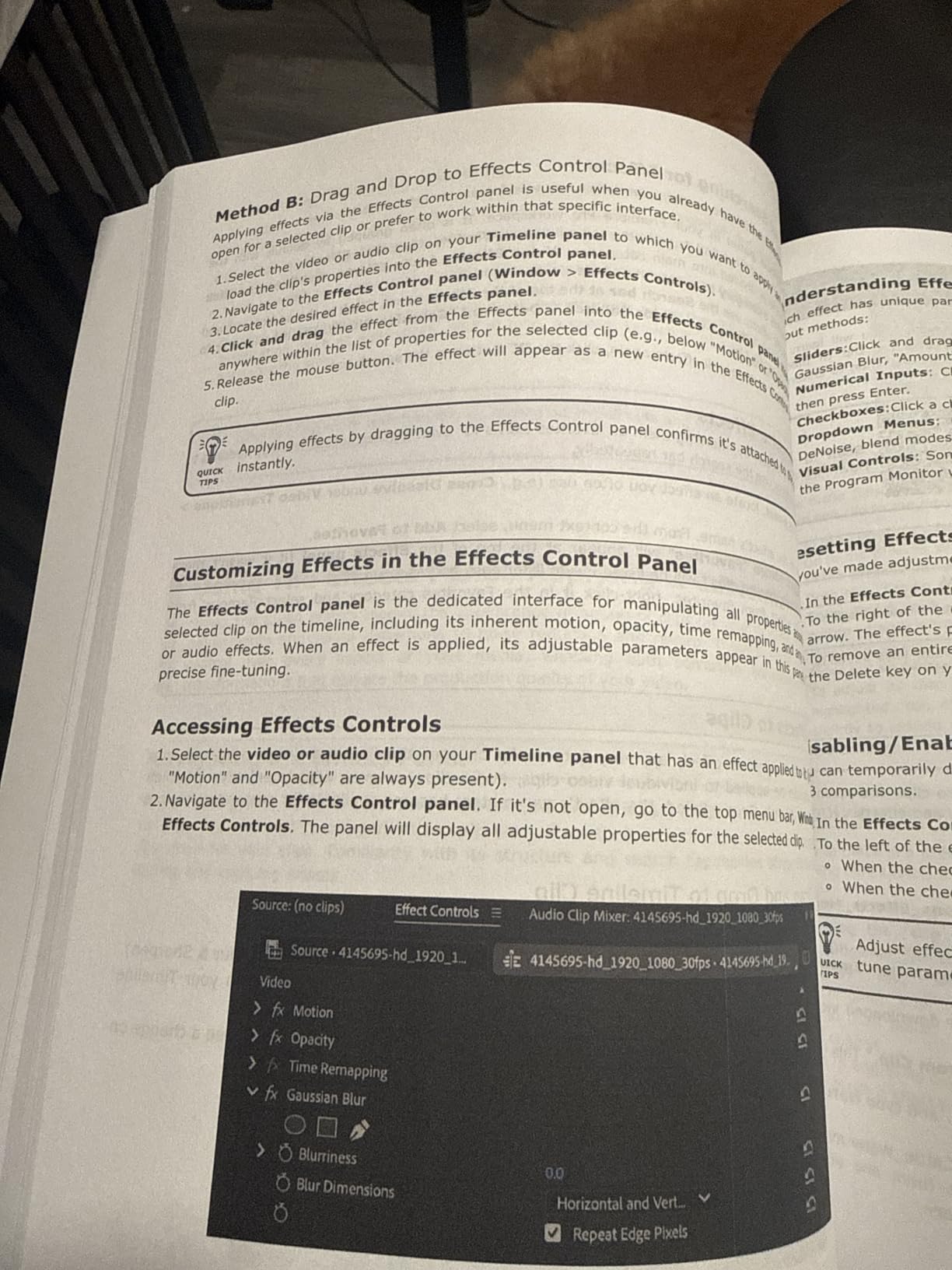
Your trailer is the loudest page in any electronic press kit, and this is the book I hand to teammates who are new to Premiere. The 178-page guide walks from first import through editing, audio, color grading, and export shortcuts, all with screenshots big enough to actually read.
I used it to onboard an assistant editor on a short last year. She went from never opening Premiere to cutting a 90-second festival trailer in about two weeks, following the chapters in order.
The large 8.5 by 11 inch page format is a small detail that matters. Interface screenshots stay legible at actual size, so you can match what you see on the page to what is on your screen without squinting.

The export section is the part most filmmakers skip and regret. It explains delivery settings in plain language, which matters when a festival asks for a ProRes screener and you only know MP4. The table of contents is thorough enough that I still jump straight to the export chapter when a submission spec confuses me.
Published in September 2025 and aimed at YouTubers and social creators, the workflows translate directly to trailer and clip work. The keyboard shortcut coverage alone saves hours across a festival season of small edits.
The limitation is depth. If you already deliver broadcast work, you will outgrow it quickly. As a beginner on-ramp to the trailer page of your kit, it earns its budget pick badge with a 4.6 rating from reviewers who consistently praise the same thing: it explains without overwhelming.
Can a book really teach trailer editing?
Yes, because trailer cutting is mostly pacing, sound, and clean exports rather than advanced compositing. The book covers exactly those fundamentals, and each chapter ends with a workflow you can apply to your own footage the same day.
Who is this guide wrong for?
Experienced editors will find it too basic, and it does not cover motion graphics or masking in depth. If your trailer needs title animation beyond simple text, pair it with tutorial videos rather than expecting the book to carry that part.
4. Guerrilla Film Marketing — The Strategy Book Behind My Whole Press Kit
Guerrilla Film Marketing: The Ultimate Guide to the Branding, Marketing and Promotion of Independent Films & Filmmakers
Routledge 1st edition
EPK and trailer templates
Step-by-step strategies
Pros
- Covers EPKs and trailers
- Includes ready-to-use templates
- Written by an industry professional
- Useful for beginners and pros
Cons
- Some advanced users find it basic
- Limited guerrilla specifics
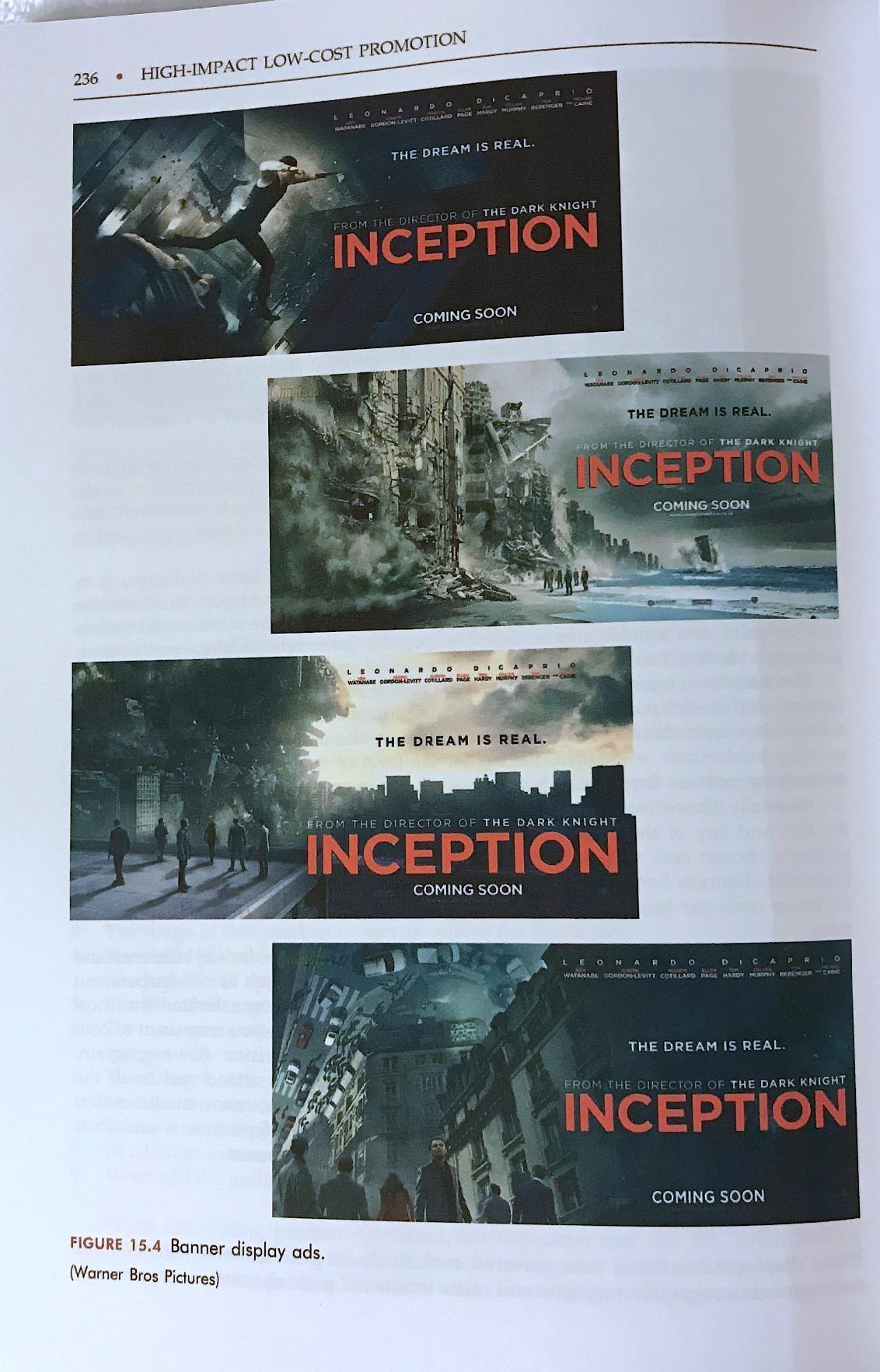
Of all the EPK tools for filmmakers I own, this is the only one that teaches strategy instead of production. Robert G. Barnwell’s guide covers branding, promotion, and distribution for independent films, and the chapter on electronic press kits is essentially a checklist I still run before every submission.
The book includes step-by-step instructions and ready-to-use templates for EPKs, trailers, posters, and websites. I adapted its press kit template for a documentary that later secured distribution, and the structure held up under a real sales agent’s scrutiny.
It also covers social media and event marketing, which is where most indie campaigns quietly fail. The distribution and sales agent guidance helped me understand what buyers actually ask for after a festival premiere.
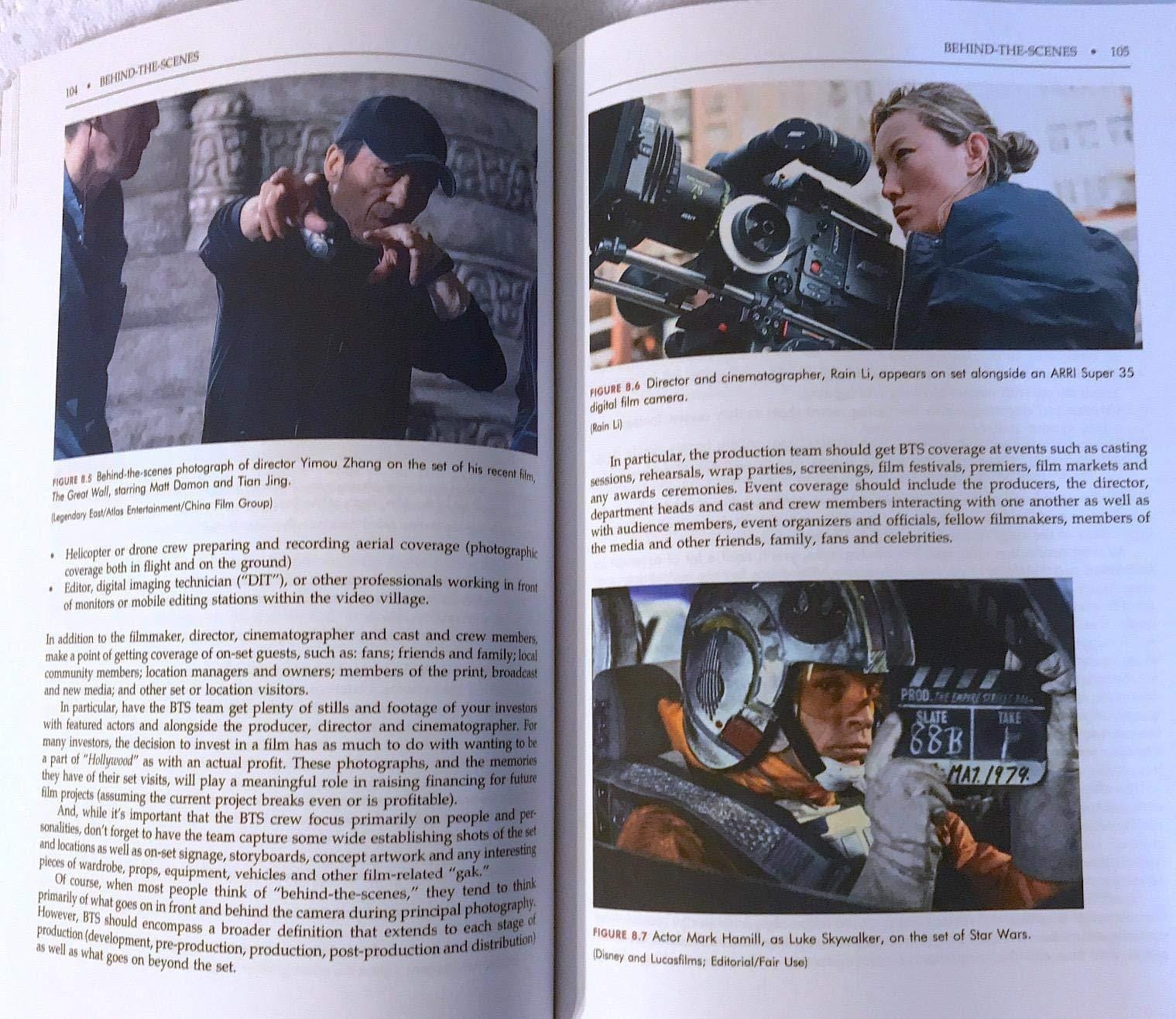
Film school professors assign this book, and that tracks with how it reads. It assumes you know how to make a film and teaches you how to make people care that it exists. The strategies apply whether your budget is a credit card or a real production company.
Be aware of what it is not. Some advanced readers find the early chapters basic, and readers expecting wild guerrilla tactics get solid fundamentals instead. It is a reference, not a manifesto.
The 4.4 rating understates its usefulness; the review pool is small but the audience is professional. The screen reader-supported edition also searches cleanly, which helps when you need the EPK checklist mid-call.
Does the book actually cover EPK building?
Yes, in practical detail. It breaks the press kit into components, explains what festivals and distributors expect from each, and supplies templates you can fill in rather than design from scratch.
Is it current for digital-first festivals?
The 2018 publication date shows occasionally in the social media chapters, but the EPK and distribution material is evergreen. The fundamentals of what programmers and buyers want have not changed, only the delivery methods, which you will handle with the drives and editors elsewhere on this list.
5. Adobe Premiere Pro 12-Month Subscription — The Industry-Standard Trailer Editor
Adobe Premiere | Video Editing and Production Software | 12-Month Subscription with Auto-Renewal, PC/Mac
12-month subscription
Auto-renewal
PC and Mac
8K to VR support
Pros
- Industry-standard editor
- Handles 8K to VR formats
- Color and audio in one app
- Good tutorials available
Cons
- Subscription cost adds up
- Timeline bugs in recent versions
- Activation issues reported
When a trailer has to look like it belongs at a serious festival, this is the software the whole industry cuts on. Premiere Pro edits footage in any modern format from 8K to virtual reality, adjusts color, refines audio, and exports to whatever spec a festival throws at you.
It is the same editor used by Hollywood filmmakers, TV editors, and YouTubers, which means every tutorial, plugin, and troubleshooting thread you will ever need already exists. That ecosystem is the real product.
I cut my last two festival trailers in Premiere, and the round-trip with After Effects for titles is what keeps me paying. Color grading inside the same timeline means the trailer matches the film’s look without a separate grading pass.
The learning curve is real, which is why pairing it with a beginner guide like the one above works so well. Once you are over the hump, the workflow is fast and deeply documented.
The honest complaints: it is a 12-month subscription with auto-renewal, so the cost adds up if you only edit once a year. Recent versions have drawn reports of timeline performance bugs and occasional activation headaches, and the 4.0 rating reflects that frustration.
Treat it as a seasonal rental. Subscribe for the months you are actively delivering, and cancel between projects.
Is the subscription worth it for one festival season?
If you are delivering a trailer, screener fixes, and social clips within a few months, yes. One subscription window covers an entire festival campaign’s editing needs. If your editing is sporadic across the year, a one-time purchase editor below may cost less overall.
What about the reported performance issues?
Some users report timeline lag and playback bugs in recent releases, particularly on older hardware. Keep your version one release behind the newest if stability matters more than the latest features, and always keep an autosave backup before a delivery day.
6. Pinnacle Studio 26 Ultimate — One-Time-Purchase Editing for 4K Deliverables
Pinnacle Studio 26 Ultimate | Pro-Level Video Editing & Screen Recording Software [PC Download]
PC download
Unlimited tracks
8K import
100+ DVD templates
Pros
- Easy to learn as a beginner
- Includes many useful tools
- Good value for the price
- Relatively stable once installed
Cons
- Download process can be confusing
- Can be laggy on powerful computers
- Limited customer support
Not every filmmaker wants a subscription, and Pinnacle Studio 26 Ultimate is the strongest one-time purchase I have used for press kit video work. You get unlimited tracks, 8K import with keyframe control, motion tracking, green screen, and multicam editing in a single license.
I used it to cut EPK bonus clips for a short that needed interview segments and a behind-the-scenes reel. The masking and motion tracking held up for simple follow shots, and the direct YouTube and Vimeo export saved a step when the festival asked for a private link.
The advanced audio tools earned their keep too. Custom noise profiles and multi-channel mixing cleaned up a location interview recorded next to a humming generator, which would have otherwise needed a re-record.
![Pinnacle Studio 26 Ultimate | Pro-Level Video Editing & Screen Recording Software [PC Download] customer photo 1](https://www.shortfilmcentral.com/wp-content/uploads/2026/08/B0B8QV6MW2_customer_1.jpg)
The 100+ pro-caliber DVD templates sound dated until a regional festival asks for a physical screener. Then they are a small lifesaver.
The caveats are consistent across reviews. The download-only purchase process confuses buyers expecting a disk, it can run laggy even on powerful machines, and customer support is thin when something breaks. It also does not support 4K-120fps action camera footage.
The 3.8 rating across 142 reviews tells the story: strong value, rough edges. Once installed and running, our copy has been stable for a full season.
![Pinnacle Studio 26 Ultimate | Pro-Level Video Editing & Screen Recording Software [PC Download] customer photo 2](https://www.shortfilmcentral.com/wp-content/uploads/2026/08/B0B8QV6MW2_customer_2.jpg)
Can your computer handle it?
It wants a modern multi-core CPU, a decent GPU, and patience on long 4K timelines. Users report lag even on capable machines, so if your laptop is already struggling with playback in a free editor, plan for proxy workflows or consider the lighter Corel suite below.
Is a one-time purchase better than a subscription?
If you edit steadily across many years, paying once wins financially, and you are never locked out of your old projects. If you only edit during festival season, a month-to-month subscription may cost less overall despite the recurring fee.
7. Corel VideoStudio Ultimate 2023 — Best Beginner Suite for EPK Video Extras
Corel VideoStudio Ultimate 2023 | Video Editing Software with Premium Effects Collection | Slideshow Maker, Screen Recorder, DVD Burner [PC Key Card]
PC key card
AV1 and 8K support
NewBlueFX effects
100+ DVD menus
Pros
- Perfect for beginners or pros
- Outstanding rendering quality
- Excellent learning center
- Great price for the features
Cons
- High CPU usage can freeze computers
- Complex interface at first
- Some users report crashes
Press kits increasingly need video extras: a director interview clip, a short BTS montage, subtitled snippets for social. VideoStudio Ultimate is the friendliest editor I have found for that side of the job, with a learning center that walks beginners through every step.
The Ultimate edition includes Mask Creator, color grading, face indexing, and a split screen template creator that is genuinely useful for cast and crew reel clips. Premium effects from NewBlueFX and proDAD cover transitions and titles without buying plugins.
The advanced stabilization tool rescued handheld BTS footage from a bumpy set cart, and Audio Cues made syncing the interview audio painless. Small conveniences add up when you are producing five short assets in one week.
![Corel VideoStudio Ultimate 2023 | Video Editing Software with Premium Effects Collection | Slideshow Maker, Screen Recorder, DVD Burner [PC Key Card] customer photo 1](https://www.shortfilmcentral.com/wp-content/uploads/2026/08/B0BSK32DL1_customer_1.jpg)
Rendering quality is the standout. Exported clips from our BTS reel looked clean at every platform’s compression settings, and the AV1 and 8K export support means it will not be obsolete next season.
The trade-offs mirror its stablemate. High CPU usage can freeze computers, some users report crashes on longer projects, and the interface takes a week to feel natural. A few reviewers could not get the direct YouTube upload working.
At a 3.6 rating across 143 reviews, it is the most polarizing pick here. For patient beginners on a budget, it delivers a lot. For deadline-critical deliveries, save often and export early.
![Corel VideoStudio Ultimate 2023 | Video Editing Software with Premium Effects Collection | Slideshow Maker, Screen Recorder, DVD Burner [PC Key Card] customer photo 2](https://www.shortfilmcentral.com/wp-content/uploads/2026/08/B0BSK32DL1_customer_2.jpg)
What is the learning curve like?
Expect a few evenings with the built-in learning center before you edit confidently. The guides are genuinely step-by-step, which is why beginners rate it higher than professionals do.
How stable is it on longer projects?
Short social clips and EPK extras render without drama. Projects stretching past twenty minutes with heavy effects are where users report freezes, so break long edits into segments and let each render separately.
8. Script Studio — The Writing Tool for Synopses, Bios, and Your Next Project
Script Studio – Creative Writing Software for Screenwriters & Novelists
macOS and Windows
Screenplay and novel modes
Auto scene numbering
Pros
- Professional formatting as you type
- Automatic scene numbering and pagination
- Powerful story structuring tools
- Character development features
- Runs on macOS and Windows 11
Cons
- Small review pool
- No mobile version
A press kit lives or dies on its writing, and Script Studio is where mine gets written. It formats screenplay, stageplay, teleplay, and novel layouts as you type, with automatic scene numbering and pagination that stay correct through every rewrite.
I use the outlining and notes tools to maintain the three synopsis lengths every kit needs: one line, one paragraph, and one page. Keeping them in one structured project beats scattering them across documents that drift out of sync.
The character development features earn their keep when a festival asks for director and cast bios. Building a profile per person means the details are on hand instead of reconstructed from memory a day before the deadline.
The color-coded structure templates make it obvious when the second act of your pitch is thin, which is a subtle but real editing advantage. It runs cross-platform on the latest macOS and Windows 11, so the writing laptop and the desktop stay in sync cleanly.
The 4.6 rating comes from a small pool of 20 reviews, so treat it as a signal rather than a verdict. It is also a best seller in its category, which counts for something in a niche this small.
Can it handle synopsis and bio writing, not just scripts?
Yes. The step and sequence outlining tools work for prose documents, and Novel Mode gives plain writing a home alongside script pages. Many filmmakers keep their entire press kit text, from logline to director statement, inside one project file.
Is it worth it if you only write shorts?
If you write one short per year and nothing else, free template documents may cover you. The moment you are juggling multiple projects, submissions, and bio updates, the organization features start paying for themselves in saved hours.
How to Choose the Right EPK and Press Kit Tools?
The right toolkit depends on where you are in the process, and honestly, on your budget. Here is how I would think through it after building kits the hard way more than once.
What every film press kit needs
A festival-ready electronic press kit contains eight core elements:
Logline: one sentence that sells the story
Synopsis in three lengths: one line, one paragraph, one page
Director statement: why you made this film
Cast and crew bios with targeted credits
Production stills: ten to fifteen high-resolution images
Trailer link or embedded video
Press quotes, awards, and festival screenings
Contact information and social links
Short films can trim this list rather than pad it. Forum advice from short filmmakers is consistent: keep it simple, because programmers skim.
Genre-specific kit priorities
Shorts need restraint. A tight logline, a dozen stills, and a clean trailer outweigh a padded bio page, and programmers consistently say less is more at this length.
Features need the full eight elements plus distribution material: sales agent contacts, territorial availability, and a longer awards and screenings history. Documentary kits lean hardest on the subject and impact statement, because that is what doc programmers and broadcast buyers read first.
Free tools versus paid tools
Free options cover most of a small kit. Google Slides produces a perfectly acceptable press kit PDF, Canva’s free tier handles layout and graphics, and a well-organized Google Drive folder works as a download hub. Competitors rarely say this plainly, but it is true.
Paid tools earn their cost in volume and reliability. A book teaching strategy saves weeks of trial and error, professional editing software handles real deliverable specs, and a dependable drive prevents the worst outcome: a failed delivery on deadline day.
Festival submission requirements
Most submissions now run through platforms like FilmFreeway, where your EPK assets attach directly to the entry. Read each festival’s requirements before you build, because some ask for stills at specific resolutions or trailers under a set length.
A kit built to the strictest spec you can find will sail through the rest. When in doubt, ask the festival coordinator directly; they would rather answer a question than reject an incomplete package.
Start the kit in pre-production
The most common regret I hear from filmmakers is building the press kit after the film is done. Hire or beg an on-set photographer early, because production stills cannot be recreated later, and festivals want them in high resolution.
Write the synopsis while the script is fresh. Draft bios during downtime on set. When submission season opens, you assemble instead of create.
Match your storage to your deliverables
Do the math before buying drives. A feature package with screener, trailer, and stills runs 8 to 15GB; a short runs under 5GB. Buy more capacity than you need, because press kits grow with every festival laurel you add.
Digital-first beats PDF-only
A PDF press kit is still expected, but a digital EPK with hyperlinks lets you embed the trailer, link press coverage, and update awards without resending files. Combine both: the PDF as the leave-behind, the link as the living version.
Frequently Asked Questions
What is the difference between a press kit and an EPK?
A press kit is the general term for the promotional package sent to media and industry, originally printed. An EPK (electronic press kit) is the digital version, delivered as a PDF or web page with hyperlinks, embedded video, and downloadable assets. For filmmakers today the two terms are used almost interchangeably, and festivals expect the digital format.
What should be in a film press kit?
A complete film press kit includes a logline, a synopsis in three lengths, a director statement, cast and crew bios, ten to fifteen high-resolution production stills, a trailer link, press quotes and awards, festival screening history, and contact information with social links. Short films can trim this list to the essentials rather than padding it.
Are electronic press kits still relevant?
Yes, and more so than ever. Festivals prefer digital submissions, distributors review EPKs before making offers, and crowdfunding campaigns run on the same assets. The format has shifted from static PDFs toward linkable digital press kits that embed trailers and update awards in real time, but the kit itself remains your film’s first impression with industry professionals.
What are the best tools for filmmaking?
The core stack for a press kit workflow is a dependable flash drive for deliveries, an editor like Adobe Premiere Pro for the trailer, a beginner-friendly suite like Corel VideoStudio for video extras, a strategy book like Guerrilla Film Marketing for structure, and writing software like Script Studio for synopses and bios. Free tools such as Google Slides and Canva cover layout for smaller kits.
Final Thoughts
Building the best EPK tools for filmmakers stack in 2026 comes down to three moves: a drive that never fails on delivery day, an editor that makes your trailer watchable, and a strategy reference that tells you what to include. The Samsung BAR Plus, Lexar D40E, and Premiere Pro Made Simple cover those bases for less than the cost of a festival submission fee.
Start your kit in pre-production, keep it simple if your film is short, and deliver digitally. Pick the tool that matches your gap today, and get your submission out the door.