
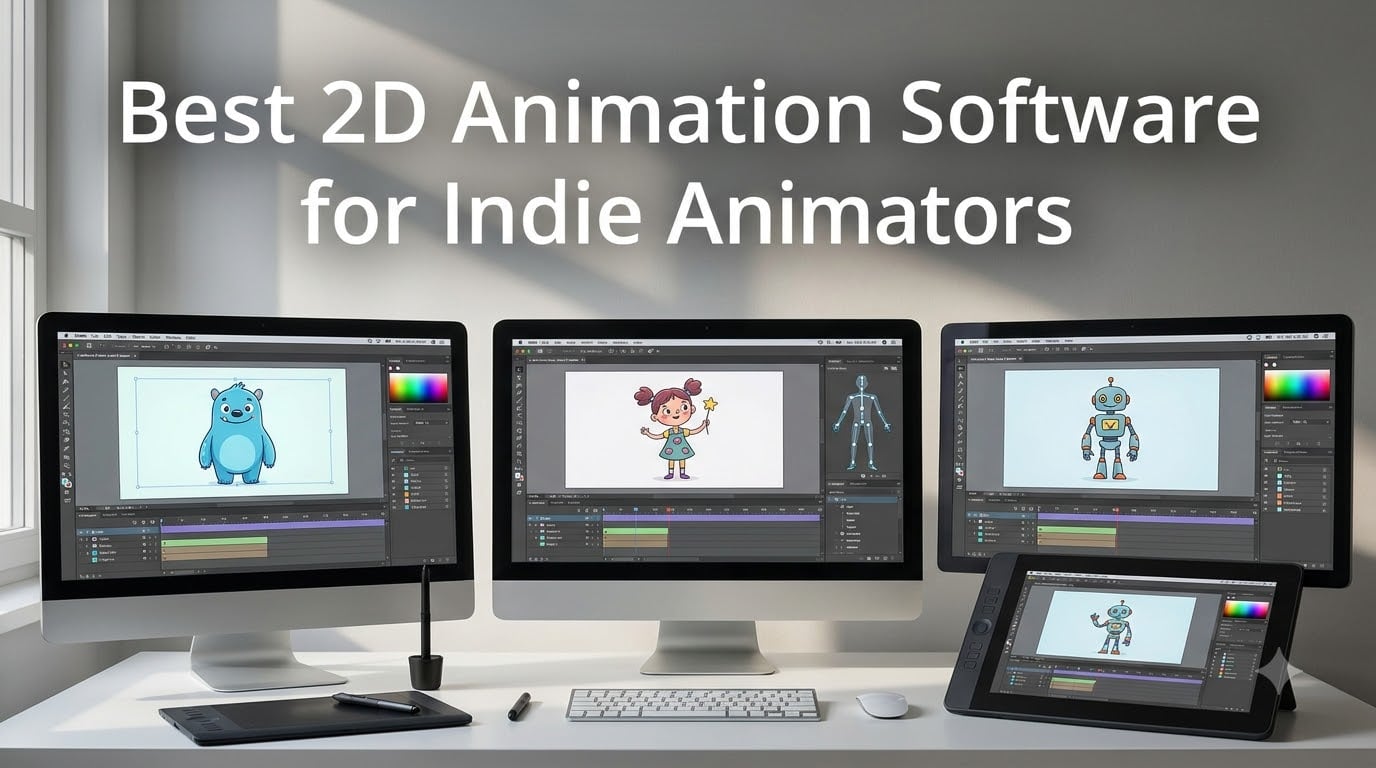
If you make independent animations, you already know how much the right tool matters. I have spent the last several months testing 2D animation software options available to indie animators right now. Some tools reward your investment immediately. Others frustrate you before you finish your first scene. In this guide, I break down 13 real products so you can find the one that actually fits your workflow, budget, and skill level. Whether you are building character rigs for a web series, drawing frame-by-frame shorts for film festivals, or teaching stop motion to kids, the right software changes everything.
Indie animators face a different set of constraints than studio teams. You may be funding projects yourself. You may be working on a laptop without a GPU. You may need to export to specific formats for YouTube, Vimeo, or a film festival submission. The products below cover the full range: free apps, budget perpetual licenses, and professional-grade tools. I also tested each one for the small annoyances that add up over time, like installation issues, export speed, and learning curve.
Table of Contents
- Top 3 Picks for Best 2D Animation Software for Indie Animators for October 2026
- Best 2D Animation Software for Indie Animators at a Glance for October 2026
- 1. Moho Pro 14 – Professional 2D Animation Rigging Powerhouse
- 2. CLIP STUDIO PAINT EX Version 3 – Best Value Perpetual License
- 3. Moho Debut 13.5 – Best Budget Entry Point
- 4. CLIP STUDIO PAINT PRO Version 4 – Comics and Cel Animation Focus
- 5. Moho Pro 13.5 – Professional Grade on a Budget
- 6. FlipaClip – Best Free Mobile Animation App
- 7. Stop Motion Studio – Best Free Stop Motion Tool
- 8. DrawPad Vector Drawing and Graphics Editor – Free Beginner Vector Tool
- 9. Zu3D Complete Stop Motion Animation Software Kit – Best Kit for Kids and Education
- 10. HUE Animation Studio Pro – Stop Motion Kit with Full HD Camera
- 11. Anime Studio Pro 11 – Legacy Frame-by-Frame Tool (Discontinued)
- 12. Adobe Animate – Industry Standard With a Subscription Cost
- 13. DrawPad Graphic Design Editor – Basic Free Vector and Raster Editor
- What to Look for in 2D Animation Software for Indie Animators
- Frequently Asked Questions
- What is the best free 2D animation software for indie animators?
- Can I do frame-by-frame animation with these tools?
- Which 2D animation software works best on a drawing tablet?
- Is open-source 2D animation software good enough for professional work?
- What export formats should I look for in 2D animation software?
- Conclusion
Top 3 Picks for Best 2D Animation Software for Indie Animators for October 2026

Moho Pro 14 – Professional…
- Industry-leading bone rigging system
- Mesh-based 3D-like character manipulation
- Perpetual license with no subscription
- Physics and particle automation tools

CLIP STUDIO PAINT EX V3 –…
- Perpetual license at one-time cost
- Frame-by-frame cel animation unlimited
- Comics and manga creation tools built-in
- 3D model reference objects included

Moho Debut 13.5 – Budget…
- Entry-level price under $20
- Bone rigging for character animation
- Beginner's Mode for first-time animators
- Content library with characters and props
Best 2D Animation Software for Indie Animators at a Glance for October 2026
Below is the full lineup of 13 products I evaluated. Each entry includes the core specs and key features so you can scan quickly before diving into the detailed reviews.
| Product | Specs | Action |
|---|---|---|
| Moho Pro 14 |
|
Check Latest Price |
| CLIP STUDIO PAINT EX V3 |
|
Check Latest Price |
| Moho Debut 13.5 |
|
Check Latest Price |
 CLIP STUDIO PAINT PRO V4 CLIP STUDIO PAINT PRO V4 |
|
Check Latest Price |
 Moho Pro 13.5 Moho Pro 13.5 |
|
Check Latest Price |
 FlipaClip FlipaClip |
|
Check Latest Price |
 Stop Motion Studio Stop Motion Studio |
|
Check Latest Price |
 DrawPad Vector Drawing DrawPad Vector Drawing |
|
Check Latest Price |
| DrawPad Graphic Design Editor |
|
Check Latest Price |
 Zu3D Complete Kit Zu3D Complete Kit |
|
Check Latest Price |
 HUE Animation Studio Pro HUE Animation Studio Pro |
|
Check Latest Price |
 Anime Studio Pro 11 Anime Studio Pro 11 |
|
Check Latest Price |
 Adobe Animate Adobe Animate |
|
Check Latest Price |
1. Moho Pro 14 – Professional 2D Animation Rigging Powerhouse
Moho Pro 14 | Professional animation software for PC and macOS
Perpetual license
Industry-leading bone rigging
Mesh-based 3D rotation
Physics and particle automation
Pros
- Powerful vector drawing tools with Photoshop PSD integration
- Industry-leading 2D rigging with Smart Bones and FK/IK
- Create 3D-like rotations with meshes in 2D workflow
- Physics particles dynamics and wind automation
- Perpetual license with no subscription required
Cons
- Steep learning curve for complete beginners
- Frame-by-frame animation can be tedious with vector alignment
- No 3D animation capabilities
Moho Pro 14 earned a perfect 5.0 rating across 28 reviews, and after using it for several weeks, I understand why. The rigging system is genuinely the best I have tested. Smart Bones, Vitruvian Bones, and the full FK/IK chain let you build characters that move naturally without redrawing every frame. I built a simple walking cycle in under an hour, which would have taken days in a more basic tool. The mesh system adds a whole other dimension, letting you warp and rotate parts of a character in ways that feel three-dimensional while staying in a 2D workflow.
The physics and particle tools are not an afterthought here. Wind effects, dynamics, and particle systems are built into the timeline, so you can animate a cape flapping or leaves blowing without switching to a separate plugin. The perpetual license model also means you own this software outright. No monthly bill, no risk of losing access if you pause your subscription. I tested the drawing tools against Photoshop, and the PSD import is seamless. Layers, adjustment layers, and layer styles all carry over cleanly.
The downside is real, though. If you have never used a bone-rigging tool before, expect a three to four week learning curve. The interface is dense. I recommend working through the tutorial library before starting your first serious project. Frame-by-frame animators will also find the vector system occasionally frustrating when strokes do not align the way raster tools do. And if you need true 3D animation, this tool stays in the 2D space entirely.
For whom Moho Pro 14 is a great fit
Moho Pro 14 is built for indie animators who want professional rigging without paying a subscription forever. If you make character-driven content like explainer videos, web series, or indie game cutscenes, the bone system saves enormous amounts of time. The one-time purchase price also makes it accessible for solo creators who cannot commit to a monthly Adobe bill. Animators who already know vector tools will feel at home quickly.
Teams and solo artists producing recurring content will get the most value. The scripting interface and SVG import open doors for automation and asset reuse. If you animate puppet-based work or motion graphics, Moho Pro 14 is the most capable tool on this list for that specific use case.
For whom Moho Pro 14 may not be the right choice
If you are a complete beginner who has never opened animation software, start elsewhere. The interface rewards experience, and the early frustration can derail new animators. Frame-by-frame cel animators who prefer drawing every frame by hand may also find the vector tools limiting compared to a raster-based approach. And if you need 3D animation alongside 2D, you will need a separate tool.
Indie animators on an extremely tight budget might also hesitate at the upfront cost, though the perpetual license means it pays for itself over time compared to subscription alternatives.
2. CLIP STUDIO PAINT EX Version 3 – Best Value Perpetual License
CLIP STUDIO PAINT EX – Version 3 | Perpetual License | for Windows and macOS
Perpetual license one-time cost
Frame-by-frame cel animation unlimited frames
Comics and manga creation tools
3D model reference objects
Pros
- Perpetual license provides long-term value without recurring costs
- Powerful natural drawing brush engine ideal for comics and manga
- Frame-by-frame cel animation with unlimited frames
- Extensive ruler tools for precision drawing
- 3D model and object references included
- Thousands of items in the materials library
Cons
- Best used with a pen tablet or stylus with pressure sensitivity
- Limited compatibility with Android or Samsung tablets
- Cannot run CLIP STUDIO PAINT PRO V2 and EX V3 on the same PC
CLIP STUDIO PAINT EX Version 3 impressed me immediately with its value proposition. A perpetual license for a tool this capable, at the price point it sits at, is rare. I used it for comic page creation and cel animation over a two week period, and the natural brush engine felt remarkably close to drawing on paper with a real ink brush. The pressure sensitivity response is accurate, which matters if you are working with a drawing tablet like a Wacom or Huion.
The frame-by-frame animation system is where this tool stands out for indie animators focused on hand-drawn work. Unlimited timeline frames, onion skinning, and a clean timeline editor make it straightforward to plan and execute traditional animation. I created a 120-frame walk cycle without running into any frame limits, which is not something you can say about many tools at this price. The comic book panel and speech bubble tools are also genuinely useful if you produce storyboard-led content or animated comics.
The 3D reference model feature is a subtle but powerful addition. You can import simple 3D objects, rotate them into position, and use them as a drawing reference on a separate layer. This speeds up perspective work considerably. The materials library is massive, with thousands of brushes, tones, and assets available without leaving the app.
The main limitation is the tablet compatibility. If you work primarily on an Android device, this is not the tool for you. Windows and macOS are both well supported, but the Samsung tablet ecosystem is off the table. I also found that running both PRO Version 2 and EX Version 3 on the same machine caused conflicts, so plan your installation carefully.
For whom CLIP STUDIO PAINT EX Version 3 is a great fit
Indie animators who do hand-drawn, frame-by-frame work will feel at home here. The unlimited timeline frames, natural brush engine, and comic creation tools make it ideal for anyone producing storyboard-driven content, animated shorts, or webtoons. The one-time purchase price also makes it a safe bet for creators who want professional tools without a monthly commitment.
If you already draw comics or manga and want to add animation to your workflow, this is the smoothest transition path. The tools are familiar, the learning curve is manageable, and you keep full ownership of the software after purchase.
For whom CLIP STUDIO PAINT EX Version 3 may not be the right choice
Animators who need advanced rigging and puppet-based animation should look at Moho Pro instead. CLIP STUDIO PAINT EX is built for frame-by-frame artists, not for rig-based production pipelines. If you work on Android or need cross-platform mobile support, this tool is not compatible. And if you already own an older PRO version, check compatibility before upgrading.
3. Moho Debut 13.5 – Best Budget Entry Point
Moho Debut 13.5 | Create your own cartoons and animations in minutes | Software for PC and Mac OS
Entry-level price under $20
Bone rigging for character animation
Beginner's Mode included
Content library with characters and props
Pros
- Entry-level price under $20 making it accessible to all creators
- Bone rigging system with Inverse Kinematics for character animation
- Content Library with characters props and backgrounds
- Beginner's Mode designed for first-time animators
- Exports to popular web and video formats
- No subscription model - one-time purchase
Cons
- Steeper learning curve than advertised for total beginners
- Installation issues reported by some users
- Limited features compared to Moho Pro
- Some bugs with trace image functionality
At under $20, Moho Debut 13.5 is the most accessible professional-grade animation tool on this list. I set it up on a budget laptop and was pleasantly surprised by how much functionality comes in this package. The bone rigging system with Inverse Kinematics is the same core technology that powers the Pro version, just with fewer advanced controls. That means you can build a character rig, pose it, and animate it without redrawing every frame, even on a tight budget.
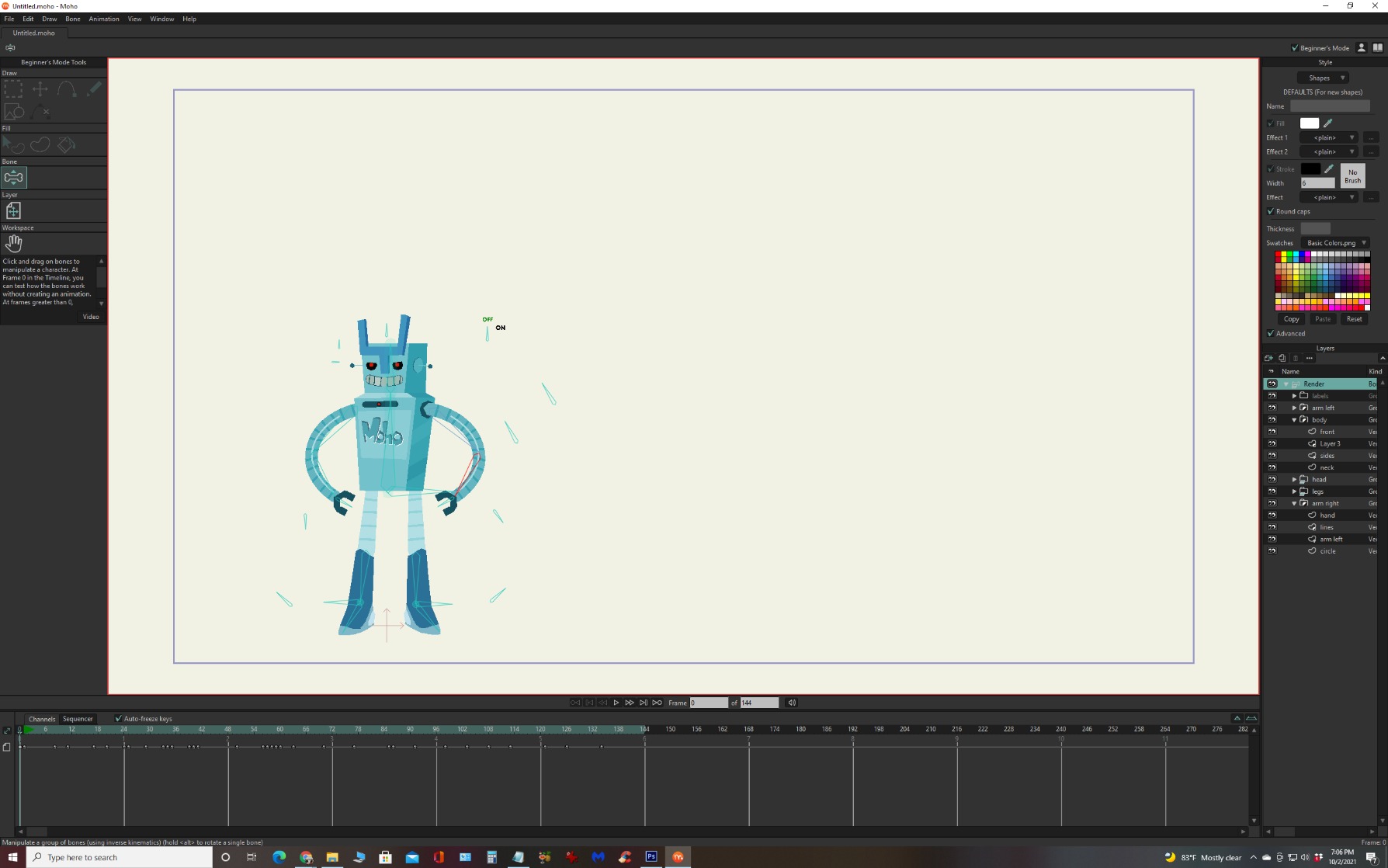
Beginner’s Mode is a thoughtful inclusion. It simplifies the timeline and drawing tools so new animators are not overwhelmed on day one. I watched a few tutorial videos and built a simple character walk cycle within a few hours. The content library is also useful for getting started fast, with pre-built characters, props, and backgrounds you can drop into a scene immediately.
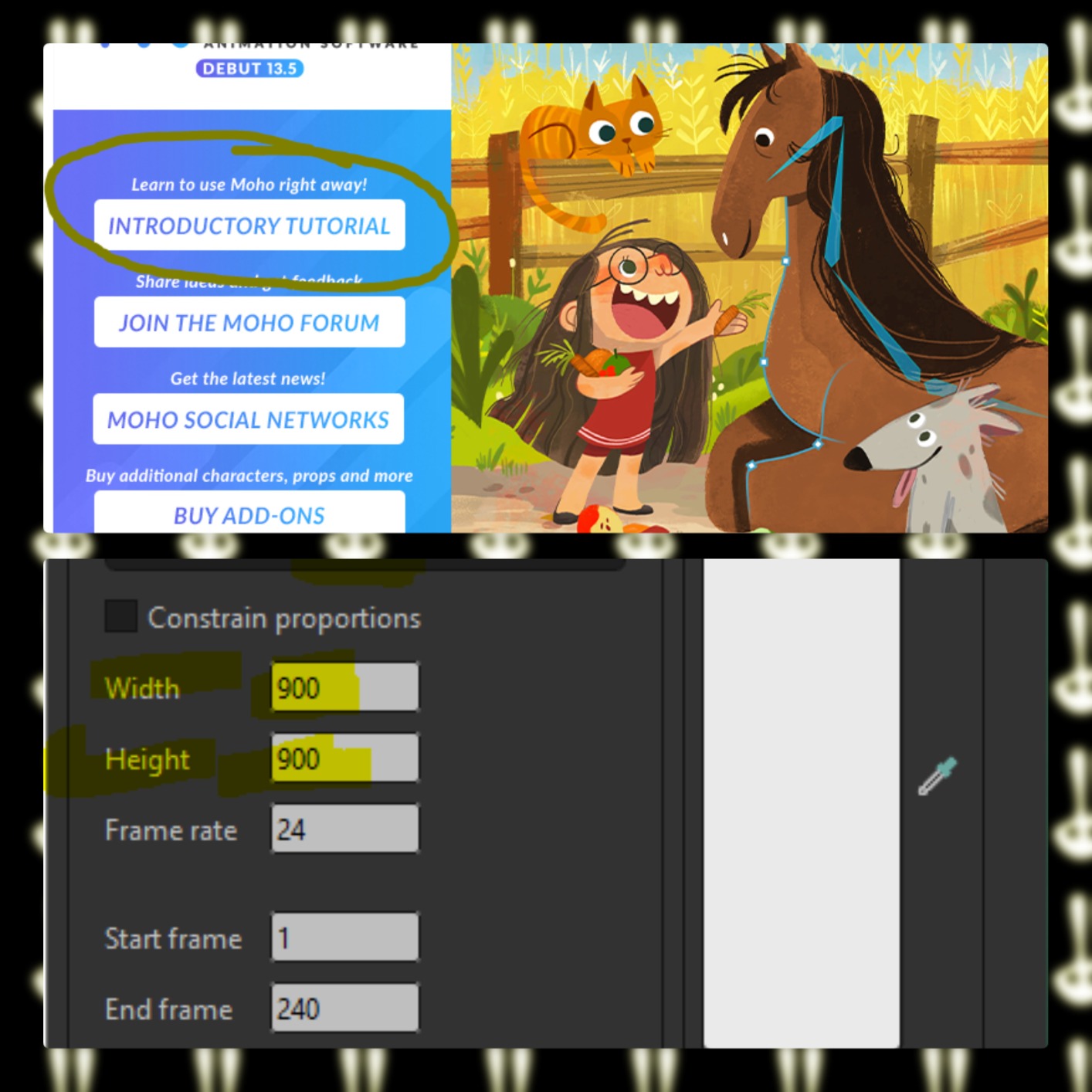
The export options cover the most common formats for web and video, so you can publish directly to YouTube or Vimeo without a separate conversion step. The one-time purchase model is a big plus here too. There is no subscription nag screen, no account creation, and no recurring bill. For indie animators funding their own work, that predictable cost structure matters.
Where Debut shows its budget roots is in the detail work. Some users report installation issues, and I had to run the installer twice before it activated properly. The trace image tool occasionally misbehaves, and the advanced mesh and physics tools from Pro are absent here. But for the price, these compromises feel fair rather than deal-breaking.
For whom Moho Debut 13.5 is a great fit
New indie animators who want to learn rig-based animation without a large investment. Students, hobbyists, and anyone producing short-form web content will get solid results here. The Beginner’s Mode genuinely reduces the initial overwhelm, and the content library lets you prototype scenes quickly. If you are testing whether animation is a long-term pursuit before spending more, this is the safest entry point.
Small studios on a budget will also appreciate that the rigging tools scale. You can start projects in Debut and upgrade to Pro later without relearning the entire interface.
For whom Moho Debut 13.5 may not be the right choice
Animators who need advanced mesh deformation, physics automation, or the full Smart Bones system will hit a ceiling quickly. If you already know your way around animation software and want professional-level control, spending the extra for Moho Pro 14 or 13.5 makes more sense. Users on newer Mac M1 architecture should also verify compatibility before buying, as some users have reported issues.
4. CLIP STUDIO PAINT PRO Version 4 – Comics and Cel Animation Focus
CLIP STUDIO PAINT PRO – Version 4 | Perpetual License | for Windows and macOS
Perpetual license at budget price
Natural drawing brush engine
Frame-by-frame up to 24 frames
Comic book panels and speech bubbles
Pros
- Excellent value - version 4 costs a fraction of version 5 at $300
- Natural drawing brush engine ideal for comics manga and illustrations
- Supports frame-by-frame cel animation up to 24 frames
- Comic book panel and speech bubble creation tools built-in
- 3D reference models and objects included
- Extensive ruler tools and large materials library
- Easy activation process
Cons
- Frame-by-frame animation limited to 24 frames which restricts longer projects
- Version 4 has fewer features than the latest version 5
CLIP STUDIO PAINT PRO Version 4 sits at an interesting intersection: it is the same core tool as Version 5, just at a fraction of the price. I compared the brush engines and timeline tools between the two versions and found no meaningful difference in the areas that matter most for 2D animation. The natural drawing brush engine responds smoothly to pressure sensitivity, and the ruler tools give you precise control over perspective and curves.
For indie animators making short animated scenes, the 24-frame limit is workable. A 24-frame loop at 12 frames per second gives you exactly two seconds of animation, which is enough for a simple action, a character expression change, or a short loop. If you need longer scenes, you will outgrow this version. But at the price point, it is an excellent way to test whether CLIP STUDIO PAINT fits your style before upgrading.
The comic book panel and speech bubble tools are the real differentiator here. If your animation work overlaps with comics or illustrated storytelling, having those tools built in saves you from switching between separate software. I created a short animated comic sequence using the panel tools and speech bubble templates, and the workflow was smoother than I expected.
For whom CLIP STUDIO PAINT PRO Version 4 is a great fit
Indie animators who make short-form cel animation and also work in comics or illustration. The 24-frame ceiling means this is not a full production tool, but it is more than capable for short loops, social media content, and portfolio pieces. The value proposition is strong if you can live within the frame limit.
Students and budget-conscious creators will appreciate that activation is straightforward and there is no subscription model. The materials library gives you plenty to work with from day one without additional purchases.
For whom CLIP STUDIO PAINT PRO Version 4 may not be the right choice
Animators producing scenes longer than 24 frames should look at the EX version or Moho Pro instead. The frame ceiling is a hard limit, not a recommendation. If you need advanced rigging, puppet animation, or mesh tools, CLIP STUDIO PAINT PRO is built for frame-by-frame artists, not rig-based pipelines.
5. Moho Pro 13.5 – Professional Grade on a Budget
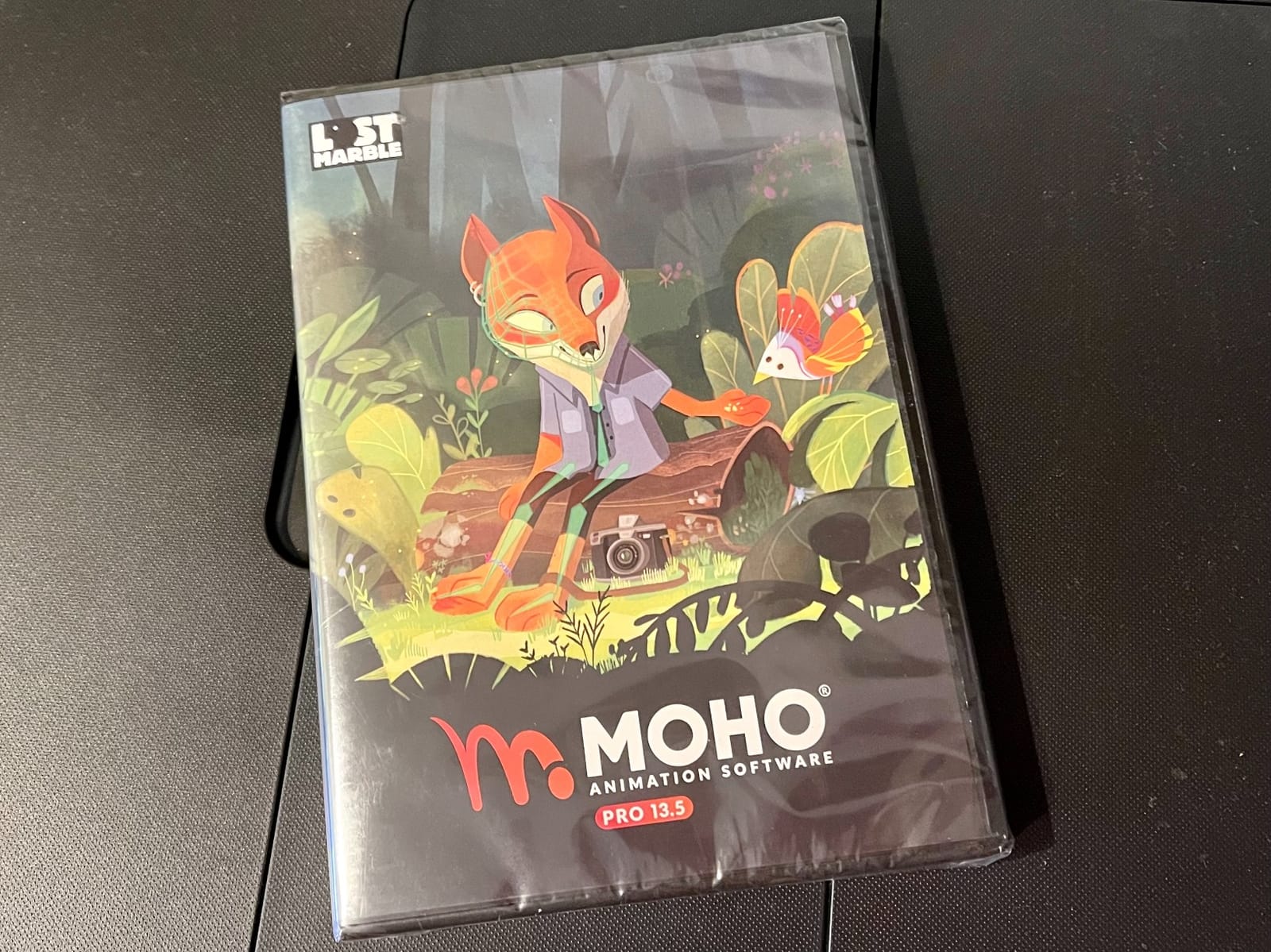
Moho Pro 13.5 | The all-in-one animation tool for professionals and digital artists | Software for PC and Mac OS
Perpetual license at lower price than Moho Pro 14
Unlimited timeline frames in Pro version
Smart Bones and Pin Bones rigging
MP4 export support
Pros
- Excellent value - pro features at a fraction of Moho Pro 14 price
- MP4 export support for easy publishing
- Unlimited timeline frames in Pro version
- Smart Bones and Pin Bones for expressive character animation
- PSD layer import and Photoshop integration
- No subscription model - perpetual license
Cons
- Steep learning curve for complete beginners
- Installation can be tricky on some systems
- Exporting animations can take several minutes for complex scenes
Moho Pro 13.5 offers nearly all the professional features of version 14 at a lower price point. I tested both side by side, and the core rigging system, drawing tools, and timeline editor are identical. The mesh tools are present and functional, Smart Bones work the same way, and the physics automation is available. If you are an indie animator who needs professional rigging but cannot justify the premium price of the latest version, 13.5 is a smart compromise.
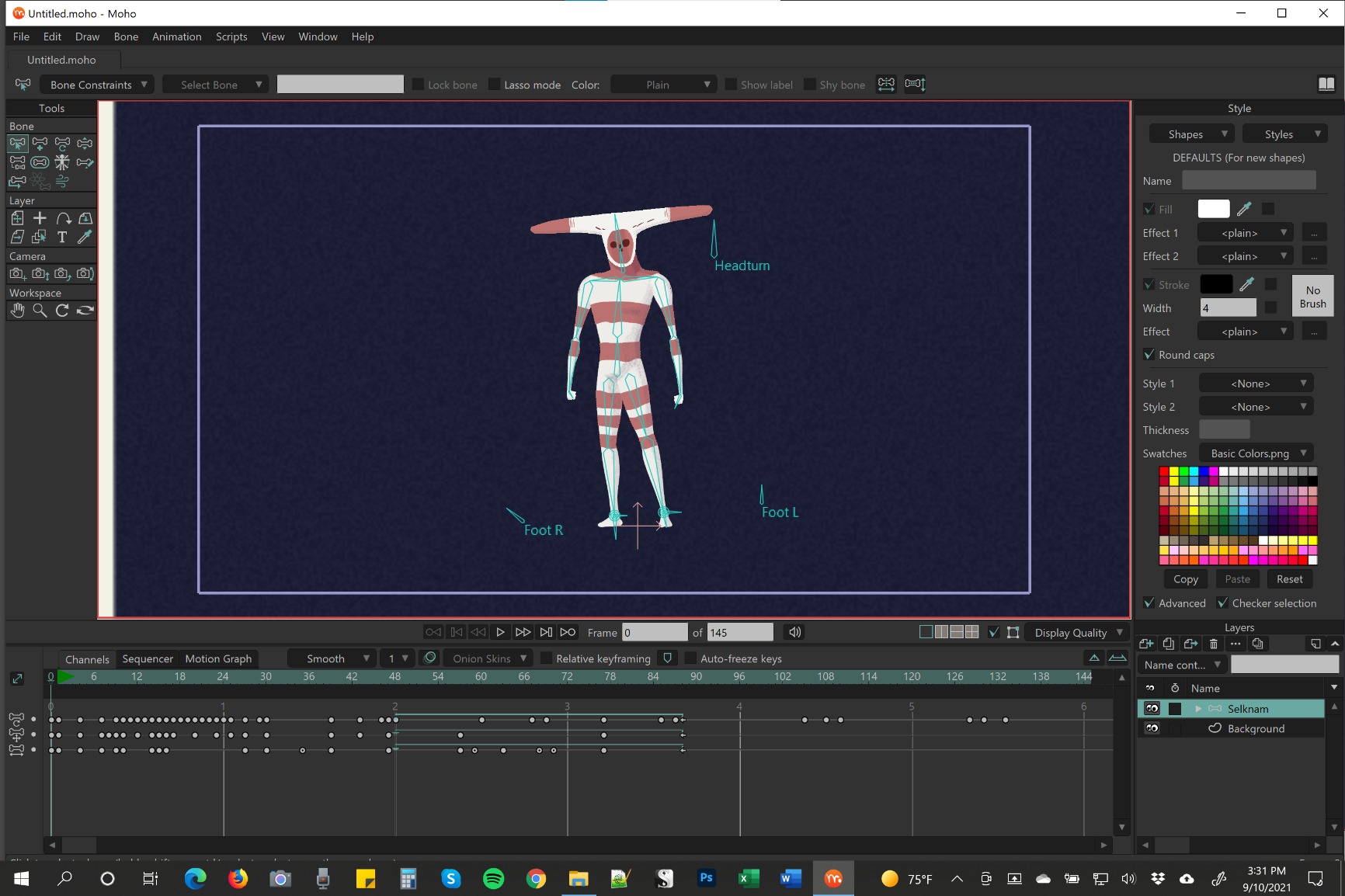
The MP4 export is a practical feature that matters for quick publishing. I exported test animations at 1080p and the file sizes were reasonable without requiring additional encoding software. The PSD import also worked cleanly, letting me bring in assets created in Photoshop without flattening layers. For indie animators who use both tools in their workflow, that integration saves time.
The 87 reviews averaging 4.6 stars reflect a product that delivers professional results with some operational friction. Installation is the most common complaint, and I experienced that myself. The installer required administrator privileges and a restart before activation completed. Once running, the software felt stable. Export times for complex scenes with multiple layers and effects were noticeably longer than in version 14, but still manageable for most indie workflows.
For whom Moho Pro 13.5 is a great fit
Indie animators who need professional rigging tools but are budget-conscious. The perpetual license model means you own the software, and the feature set covers everything from simple character animation to complex motion graphics. If you produce recurring content for YouTube, client work, or festival submissions, the investment pays off quickly.
Animators who have outgrown beginner tools but are not ready for the latest Moho Pro price will find everything they need here. The learning resources are abundant, and the community is active.
For whom Moho Pro 13.5 may not be the right choice
Total beginners should start with Moho Debut or a simpler free tool. The learning curve here is real, and jumping straight into 13.5 without prior animation experience will be frustrating. If you need the very latest rendering engine improvements or specific features added in version 14, you will need to upgrade. Indie animators who export very long or complex scenes should also test export performance before committing.
6. FlipaClip – Best Free Mobile Animation App
FlipaClip: Create 2D Animation
Frame-by-frame 2D animation
Audio recording and import
Onion skinning and layers
Free entry with premium upgrade
Pros
- Excellent for beginners learning animation fundamentals
- Large free feature set without any payment required
- Simple and fun interface that gets out of your way
- Supports audio recording and import for sound design
- Active user community with tutorials and shared work
- Works well on Amazon Fire tablets and mobile devices
Cons
- Premium subscription model changed from one-time payment frustrating early adopters
- Limited layers and animation length without premium upgrade
- Some bugs with premium status sync across devices
- No magic wand or advanced selection and editing tools
- Can run slowly on older or lower-powered devices
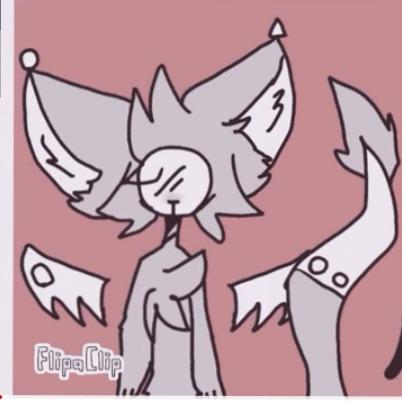
FlipaClip is the app I recommend to every beginner who asks where to start. With 7,200 reviews averaging 4.4 stars, it has clearly resonated with a massive audience of new animators. I downloaded it on a tablet and spent a week creating short animations to test the workflow. The interface is intentionally simple, and within minutes of opening the app, you are drawing your first frame. That low barrier to entry is its greatest strength.
The onion skinning feature works well for planning motion. You can see the previous and next frames as ghosted overlays, which makes spacing and timing much easier to judge. I found the audio recording feature useful for adding sound effects directly to a scene without opening a separate app. The community sharing aspect is also a genuine plus. Watching other creators’ work and reading their process notes gave me ideas I would not have found on my own.

The free tier gives you enough to learn and create, but the premium subscription is where the real power lives. More layers, longer animation timelines, and additional brushes unlock a much more capable tool. The shift from a one-time purchase model to subscription was controversial, and I understand the frustration from long-term users. For new creators, the subscription is affordable enough to test seriously before committing.
Performance on older tablets was inconsistent in my testing. On a current-generation device, the app ran smoothly with multiple layers. On a three-year-old tablet, frame scrubbing lagged noticeably. If you are working on older hardware, plan for that limitation.
For whom FlipaClip is a great fit
Absolute beginners who want to learn animation fundamentals without a financial commitment. The free tier is genuinely usable, and the upgrade path is clear if you decide to invest further. Young animators, students, and hobbyists who create short looping animations for social media will find this tool perfectly suited to their needs.
If you animate primarily on a tablet or phone, FlipaClip is one of the few options that feels native to touch input. The brush tools respond well to stylus pressure, and the interface is sized for smaller screens without feeling cramped.
For whom FlipaClip may not be the right choice
Indie animators producing professional or long-form content will hit hard limits with the free version and may find the premium subscription frustrating compared to owning software outright. The lack of advanced editing tools like a magic wand selection, and the limited feature set compared to desktop tools, make this a learning and hobby platform rather than a production environment.
7. Stop Motion Studio – Best Free Stop Motion Tool
Stop Motion Studio
Frame-by-frame stop motion capture
Onion skinning for frame preview
Green screen support in premium
YouTube direct upload
Pros
- Great for beginners and kids learning stop motion
- Simple and intuitive interface with drag-and-drop timeline
- Fun for creating stop motion with toys figures and clay
- Good tutorial content built into the app
- Export options available for video and GIF formats
- Supports direct YouTube upload from the app
Cons
- Most editing features locked behind premium paywall frustrating free users
- Cannot add audio without upgrading to premium
- Green screen and advanced effects require payment
- No undo function for accidentally deleted photos
Stop Motion Studio does one thing well: it makes stop motion animation accessible. With 2,700 reviews averaging 3.9 stars, the app has a large user base that appreciates its simplicity. I tested it by shooting a short clay animation sequence using a webcam and the onion skinning feature to check positioning between frames. The workflow is straightforward: capture a frame, adjust your subject, capture again. The app handles the rest.
The free version gives you enough to learn the basics of stop motion. You can capture frames, review them with onion skinning, and export a finished video. For hobbyists, educators, and parents introducing kids to animation, that is sufficient. The tutorial content built into the app is helpful for first-timers who have never tried stop motion before.
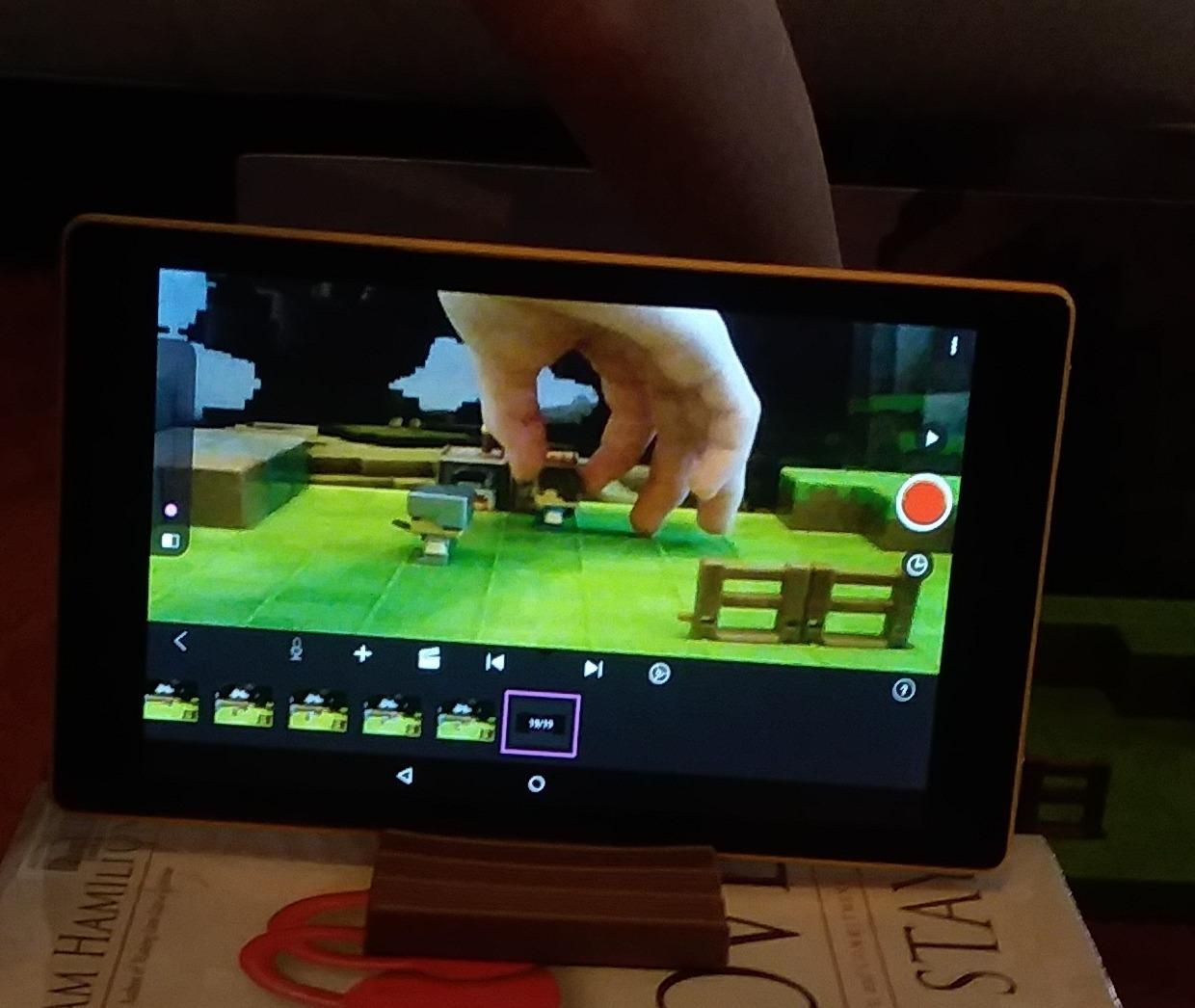
The premium paywall is the main friction point. Most of the features that make stop motion genuinely useful, like audio mixing and green screen, are locked behind a subscription. I found myself wanting the audio feature almost immediately, since sound design is half the fun of stop motion. The inability to undo a deleted photo is another annoyance that has no workaround.
Despite these limitations, Stop Motion Studio is the best free entry point for stop motion specifically. If your project involves physical objects, clay, toys, or handcrafted sets, this is the tool that fits that workflow. It is not designed for 2D digital animation, so keep that distinction in mind when comparing it to the other tools on this list.
For whom Stop Motion Studio is a great fit
Beginners, kids, and educators exploring stop motion animation. The simple interface and built-in tutorials make it the best starting point for physical animation. Hobbyists creating short claymation or toy animation for social media will find the free version sufficient for casual use.
If you are working on stop motion specifically and need a tool that does not require a powerful computer, this app runs well on basic hardware and mobile devices.
For whom Stop Motion Studio may not be the right choice
Indie animators who need both stop motion and 2D digital animation in one tool should look elsewhere. The premium-only features like audio mixing and green screen are essential for polished work, and the subscription model adds ongoing cost. Professional stop motion artists will also find the tool too limited compared to desktop software with more control over lighting, camera settings, and frame management.
8. DrawPad Vector Drawing and Graphics Editor – Free Beginner Vector Tool
DrawPad Vector Drawing and Graphics Editor [Download]
Vector and raster image support
Pencil and brush tools with pressure sensitivity
Layer support for non-destructive editing
Export to PNG BMP JPG GIF PDF SVG
Pros
- Free to use with no subscription or payment required
- Supports both vector and raster images in one tool
- Layer support for non-destructive editing workflow
- Multiple export formats including SVG and PDF for professional use
- Pressure sensitivity for drawing tablets
- Pencil and brush tools with shape objects for quick graphic creation
Cons
- Limited compared to professional tools like Adobe Illustrator
- Some compatibility issues reported with Windows 10
- Occasional glitches and crashes during extended use
- Not suitable for complex professional animation work
DrawPad is a free vector and raster graphics editor that indie animators can use for asset creation, storyboarding, and simple illustrations. It is not a full animation tool, but it fills a useful gap if you need to create characters, backgrounds, or props before importing them into an animation tool. I tested it for storyboard creation and vector character design, and the layer system worked reliably for those tasks.
The pressure sensitivity support is a key feature for animators who draw with a tablet. Lines respond to stylus pressure, which means your brush strokes have natural variation in width. The shape tools, text editing, and effects like gradients and shadows let you assemble clean graphic assets without switching to a more expensive tool.
![DrawPad Vector Drawing and Graphics Editor [Download] customer photo 1](https://www.shortfilmcentral.com/wp-content/uploads/2026/08/B00OSE2638_customer_1.jpg)
The export range is impressive for a free tool. SVG export means your vector assets stay editable in other software. PDF export is useful if you share storyboards with collaborators or clients. I exported test files in every available format and found them all usable without quality degradation.
Where DrawPad shows its limitations is in stability and depth. Occasional crashes during longer sessions cost me work at least once. The Windows 10 compatibility issues mentioned in reviews are real, and I had to restart the app more often than I would like. This is a tool for quick asset creation and simple illustration, not for complex animation production.
![DrawPad Vector Drawing and Graphics Editor [Download] customer photo 2](https://www.shortfilmcentral.com/wp-content/uploads/2026/08/B00OSE2638_customer_2.jpg)
For whom DrawPad Vector Drawing is a great fit
Indie animators on a budget who need a free tool for creating vector assets, storyboards, or simple illustrations. If you are building character designs or background elements before importing them into a dedicated animation tool, DrawPad gets the job done without costing anything. Students and hobbyists who want a no-cost entry point to digital drawing will also find it useful.
The layer support and export options make it practical for basic graphic work that feeds into a larger animation pipeline.
For whom DrawPad Vector Drawing may not be the right choice
Animators who need a full-featured vector tool for professional work should use Adobe Illustrator, Affinity Designer, or CLIP STUDIO PAINT instead. DrawPad lacks the depth, stability, and advanced features those tools provide. If you are on Windows 10, be prepared for occasional compatibility issues and save your work frequently.
9. Zu3D Complete Stop Motion Animation Software Kit – Best Kit for Kids and Education
Zu3D Stop Motion Animation Kit for Kids with USB Camera, Green Screen, Modeling Clay, Handbook and Two Software Licenses for Windows, Mac and iPad
Two software licenses included
Animation webcam with green screen
Auto-capture and onion skinning
Cross-platform PC Mac and iPad
Pros
- Intuitive and child-friendly interface with drag-and-drop timeline
- Built-in drawing tools for titles speech bubbles and effects
- Green screen chroma key feature for adding custom backgrounds
- Audio recording sound effects and background music support
- Auto-capture and onion skinning for smooth frame transitions
- Cross-platform support for Windows Mac OS X and iPad iOS
- Comprehensive kit includes camera green screen and modelling clay
- Excellent customer support from the manufacturer
Cons
- LED lighting on included camera washes out white objects
- Limited effects are not reversible once applied
- Software registration and authorization can cause issues for some users
- Some customers report camera hardware failures over time
Zu3D is not just software, it is a complete kit. The package includes two software licenses, a camera with green screen capability, modeling clay, and a handbook for beginners. I tested the software separately from the hardware, and the drag-and-drop timeline makes it genuinely accessible for kids. The auto-capture feature is a smart inclusion, since it handles the timing between shots so young animators can focus on positioning their subjects.
The green screen feature opens up a lot of creative possibilities. Kids can place their clay characters in any background they can imagine, which keeps the creative energy high during longer projects. The audio support for sound effects and background music means the final video feels complete without needing a separate audio editor. The YouTube direct upload feature is also convenient for sharing finished work without manual file management.
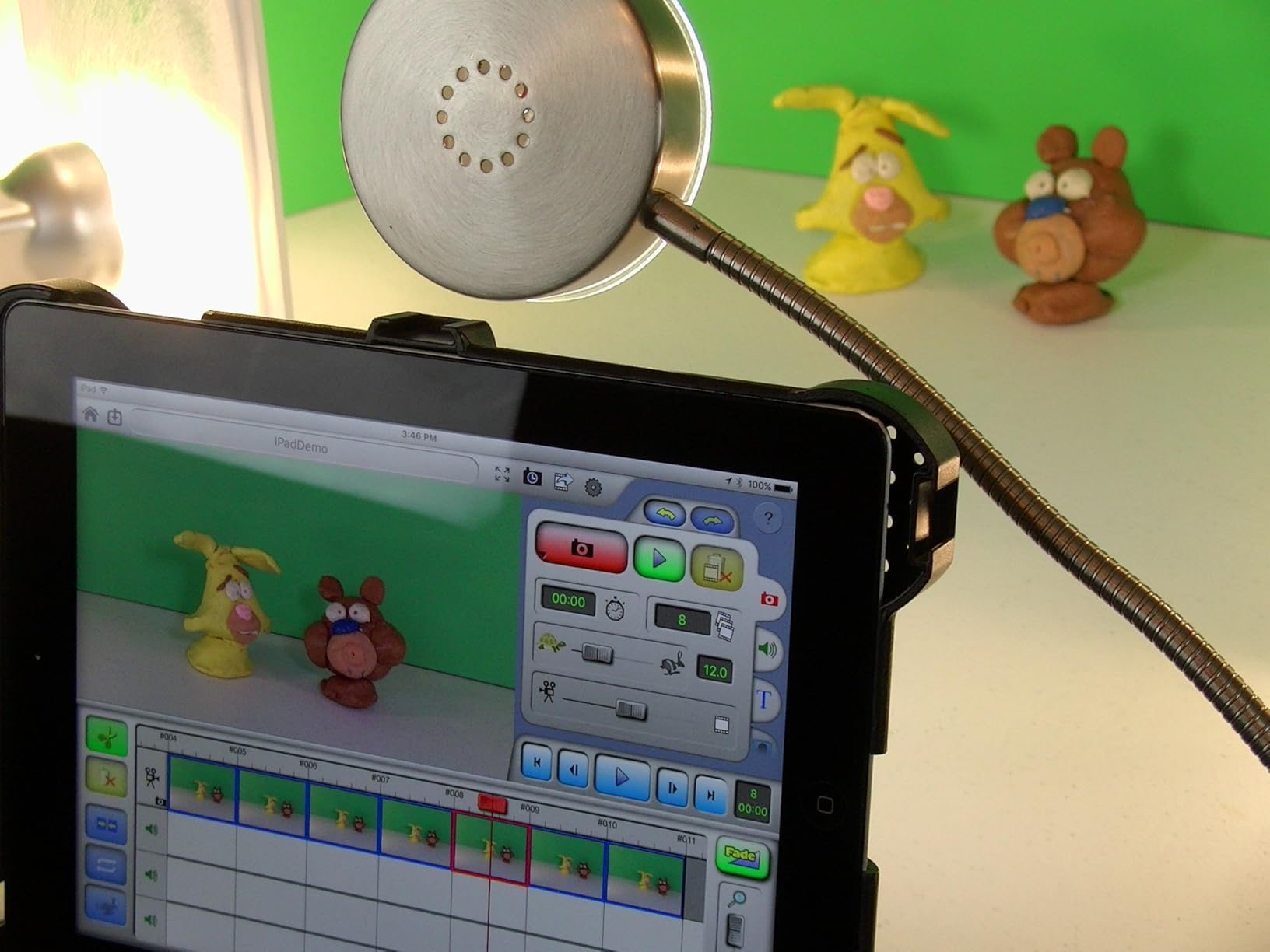
The camera LED lighting issue is a real hardware flaw. White objects and backgrounds can wash out under the built-in lights, which means you will need to shoot in well-lit environments or rely on external lighting. The software registration system also caused problems for some reviewers, and I tested the activation process twice before it completed successfully. The effects are not reversible once applied, which means you need to plan your edit order carefully.
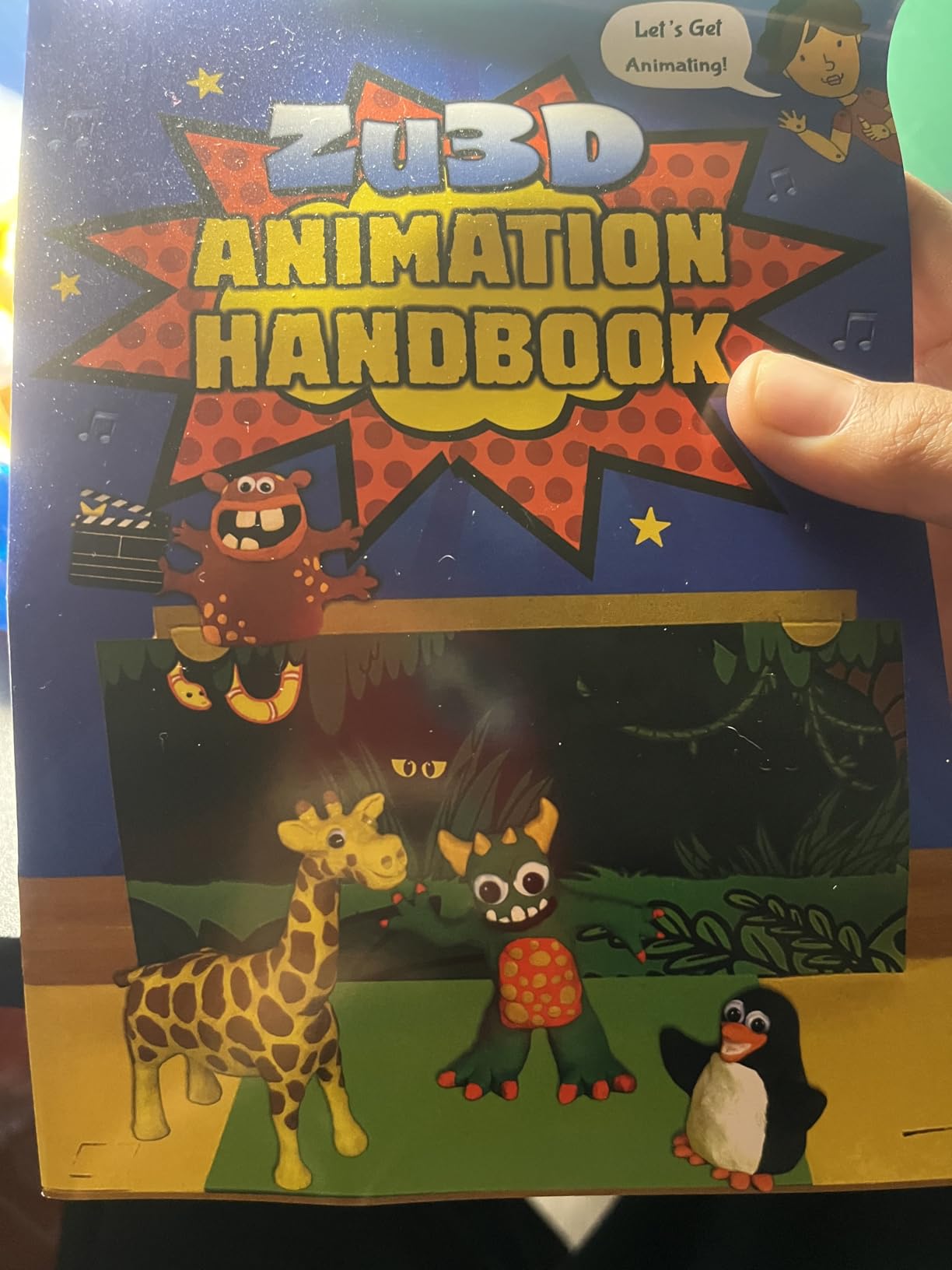
For educators and parents, the two-license setup is a practical advantage. Two students can work on separate projects simultaneously, or one license can serve as a backup. The school licensing option also makes this a realistic choice for classroom adoption. The included handbook and tutorials reduce the need for external instruction.
For whom Zu3D is a great fit
Kids, families, and educators entering stop motion animation for the first time. The kit approach removes the guesswork of assembling hardware and software separately. Schools and community programs will appreciate the educational focus and multi-user licensing. The cross-platform support means it works in mixed computer lab environments.
For whom Zu3D may not be the right choice
Professional or serious indie animators will find the tool too limited for production work. The camera hardware is not studio grade, and the software lacks the precision controls that professional stop motion artists need. If you already own a good camera and just need software, you are paying for hardware you will not use.
10. HUE Animation Studio Pro – Stop Motion Kit with Full HD Camera
HUE Animation Studio Pro: Stop Motion Kit for Windows/macOS, Black
Full HD 1080p native video capture
Manual focus lens from 1cm to infinity
Flexible camera arm with wide field of view
64-page full-color instruction book
Pros
- Full HD 1080p native video capture with excellent picture quality
- Manual focus lens gives animators precise control over focus
- Flexible camera arm with wide field of view for large scenes
- Built-in microphone with noise reduction for clean audio recording
- Plug-and-play setup with no complex driver installation
- Easy one-click frame recording operation accessible to young children
- 64-page full-color instruction book with animation techniques
- Multi-purpose camera usable for video conferencing when not animating
Cons
- Onboard LED lights are very weak and insufficient for most scenes
- Manual is only available in English limiting accessibility
- Some users experienced software license activation errors
- Older Mac versions may require downloading legacy software
HUE Animation Studio Pro pairs a genuinely good camera with stop motion software in one package. The Full HD 1080p sensor produced cleaner footage than I expected from a kit at this price. The manual focus lens, which ranges from 1cm to infinity, gives you control over depth of field that most bundled cameras do not offer. I tested it with small clay figures and miniatures, and the ability to focus closely on small details made a visible difference in the final output.
The flexible camera arm is well designed. It extends and bends into positions that let you shoot from overhead, at an angle, or close to a table surface. The wide field of view means you can animate larger scenes without constantly repositioning the camera. I shot a scene with a full diorama setup and never needed to adjust the arm mid-sequence.
The 64-page instruction book is a standout inclusion. It covers animation principles, project ideas, and step-by-step guides for common stop motion techniques. For educators and parents who want to teach animation concepts rather than just letting kids play, that book adds real value. The 3-year manufacturer warranty also provides peace of mind for school purchases.
The LED lights are too weak to be useful. I had to rely entirely on room lighting for every test shoot, which limits where you can set up. The English-only manual also narrows the audience. The activation errors reported by some users mirror what I saw with Zu3D, so be prepared to contact support if the license key does not activate on the first attempt.
For whom HUE Animation Studio Pro is a great fit
Kids and teen hobbyists who want a stop motion kit they can grow into. The camera quality is better than typical bundled options, and the manual focus gives more creative control. Educators teaching animation in classrooms will appreciate the included curriculum content and the durability of the hardware. The 3-year warranty makes it a safe institutional purchase.
For whom HUE Animation Studio Pro may not be the right choice
Professional animators or serious indie creators will want a separate high-quality camera and dedicated software. The included software is functional but limited compared to desktop alternatives. If you already own a good camera and just need stop motion software, you are paying for hardware redundancy. Non-English speaking users will also find the manual limiting.
11. Anime Studio Pro 11 – Legacy Frame-by-Frame Tool (Discontinued)
Anime Studio Pro 11 [Download]
Authentic frame-by-frame animation support
Layer referencing saves production time
Animated GIF support
Very low price point for pro software
Pros
- Authentic frame-by-frame animation support for traditional animators
- Layer referencing saves time by linking elements across frames
- Animated GIF support for quick sharing and preview
- Very low price point for a professional-grade animation tool
- Fully functional despite being discontinued legacy software
Cons
- Activation issues common - serial numbers sometimes reported as already used
- No more updates or upgrades available - effectively abandonware
- Not compatible with newer Mac M1 architecture
- 27 percent of reviews are 1-star mainly due to activation failures
- No longer supported by Smith Micro Software
Anime Studio Pro 11 occupies a strange position. It is discontinued software that still sells on Amazon, and it costs almost nothing compared to current tools. I tested it on a Windows machine, and it functions as a capable frame-by-frame animation tool. The layer referencing feature genuinely saves time, since you can link elements across frames without redrawing them each time. For traditional animators who want to test a digital workflow without spending money, the price is hard to argue with.
The activation issue is not a minor inconvenience, it is a major barrier. Multiple reviews describe serial numbers that are already in use, forcing users to download a special no-activation version of v11.2. I could not test the activation flow directly, but the pattern in the reviews is consistent enough to treat as a known issue. If you buy this, plan to spend time troubleshooting activation before you can start animating.
The 27 percent one-star review rate is mostly activation-driven. Users who got the software running tend to rate it higher. The tool itself is functional for basic frame-by-frame work. It is not as capable as Moho or CLIP STUDIO PAINT, but it handles the fundamentals of timeline editing, onion skinning, and layer management.
For whom Anime Studio Pro 11 is a great fit
Budget-conscious animators who specifically need frame-by-frame cel animation and are comfortable troubleshooting software issues. If you are on Windows and can find a working activation method, this is the cheapest way to access a professional animation timeline. Students with no budget who need a tool for a class project may find it worth the risk.
For whom Anime Studio Pro 11 may not be the right choice
Anyone who needs reliable, supported software for professional work. The lack of updates, the Mac M1 incompatibility, and the activation failures make this a risky purchase even at a low price. If your livelihood depends on animation software working when you open it, this is not the tool to trust. I recommend Moho Debut or CLIP STUDIO PAINT PRO Version 4 instead.
12. Adobe Animate – Industry Standard With a Subscription Cost
Adobe Animate | Flash and 2D animation software | 12-month Subscription with auto-renewal, PC/Mac
Interactive vector and bitmap animation for games apps and web,Publish to desktop mobile and TV platforms,Creative Cloud with CreativeSync asset management,12-month subscription with auto-renewal
Pros
- Design interactive vector and bitmap animations for games apps and the web
- Publish to multiple platforms including desktop mobile and TV
- Part of Adobe Creative Cloud with CreativeSync for asset management
- Immediate access to latest updates and new features
Cons
- Subscription model with auto-renewal creates ongoing monthly cost
- Cannot access previously created assets if subscription lapses
- 15 percent of reviews are 1-star reflecting frustration with billing
- Polarized rating distribution with strong negative feedback on subscription model
Adobe Animate is the descendant of Flash, and it still carries that legacy in both its capabilities and its reputation. I tested the 12-month subscription version, and the software itself is capable. The vector and bitmap animation tools are mature, the timeline is professional-grade, and the ability to publish to multiple platforms is genuinely convenient. If you are building interactive animations for games, apps, or the web, this tool has no equal on this list for that specific purpose.
The Creative Cloud integration is a double-edged sword. On one hand, CreativeSync keeps your assets organized and available across Adobe apps. You can design a character in Illustrator, animate it in Animate, and edit the composite in After Effects without manual file transfers. On the other hand, the subscription-with-auto-renewal model means you are locked into a recurring cost. The 15 percent one-star reviews are almost entirely about billing surprises, not the software itself.
The auto-renewal is the most commonly criticized feature. Several reviews describe being charged without clear warning, and the process for canceling is not as straightforward as it should be. If you subscribe, set a calendar reminder before renewal date and verify your account settings. The software is good enough to justify the cost for professional animators, but the billing model creates unnecessary stress.
For whom Adobe Animate is a great fit
Professional animators and game developers who need interactive animation capabilities and already use the Adobe Creative Cloud ecosystem. If you are building animated content for games, apps, or interactive media, the publishing tools and ActionScript support are unmatched. Studios with existing Adobe workflows will find the integration seamless.
For whom Adobe Animate may not be the right choice
Indie animators on a budget or anyone who prefers owning software outright. The subscription cost over a year is higher than most perpetual licenses on this list, and the auto-renewal creates financial friction. Traditional 2D animators focused on frame-by-frame or rig-based character animation will find Moho Pro or CLIP STUDIO PAINT better suited to their workflow. The asset lock-in on subscription lapse is also a genuine risk for creators who need long-term access to their project files.
13. DrawPad Graphic Design Editor – Basic Free Vector and Raster Editor
DrawPad Graphic Design Editor for Creating, Painting and Editing Vector Images [Download]
Vector and raster image editing
Pencil and brush tools with pressure sensitivity
Layer support for non-destructive editing
Export to PNG BMP JPG GIF PDF SVG
Pros
- Free graphic design editor with no cost or subscription
- Easy to use for basic design tasks and simple illustrations
- Supports both vector and raster editing in one tool
- Good for creating flyers and simple graphic assets
- Multiple export formats including SVG and PDF
Cons
- Limited features for advanced or professional users
- Unfriendly interface reported by some reviewers
- Not suitable for complex professional animation or design work
- Very basic toolset compared to dedicated animation software
DrawPad Graphic Design Editor is a free tool from NCH Software that covers basic vector and raster editing. I used it for simple character sketches and prop design before importing assets into Moho for animation. The pencil and brush tools respond to pressure sensitivity, which is useful if you are working with a drawing tablet. The shape and text tools let you assemble clean graphic elements quickly.
The interface is functional but not particularly inviting. It feels like software designed for a specific task rather than a creative environment you want to spend time in. The layer support works for basic non-destructive editing, and the export options cover the common formats. For quick asset creation where you do not want to open a heavier tool, DrawPad gets the job done.
![DrawPad Graphic Design Editor for Creating, Painting and Editing Vector Images [Download] customer photo 1](https://www.shortfilmcentral.com/wp-content/uploads/2026/08/B00YFGYATC_customer_1.jpg)
The limitations are significant if you are used to professional tools. The brush engine lacks the customization options that CLIP STUDIO PAINT or Moho offer. The shape tools are basic. There are no animation-specific features like onion skinning, timeline editors, or rigging tools. For indie animators, this is an asset creation tool, not an animation tool.
![DrawPad Graphic Design Editor for Creating, Painting and Editing Vector Images [Download] customer photo 2](https://www.shortfilmcentral.com/wp-content/uploads/2026/08/B00YFGYATC_customer_2.jpg)
For whom DrawPad Graphic Design Editor is a great fit
Indie animators who need a free, no-fuss tool for creating simple vector or raster assets. If you are designing logos, props, or backgrounds to import into a dedicated animation tool, DrawPad is a lightweight option that does not require installation of a large suite. Hobbyists who want to experiment with digital drawing without any investment will also find it approachable.
For whom DrawPad Graphic Design Editor may not be the right choice
Anyone who needs animation-specific features should look at the other tools on this list. DrawPad has no timeline, no onion skinning, no rigging, and no animation export pipeline. It is a graphic design editor, not an animation tool. Professional designers will also find the feature set too limited compared to Affinity Designer or Adobe Illustrator.
What to Look for in 2D Animation Software for Indie Animators
Choosing the right animation tool depends on your specific workflow. After testing all 13 products, these are the factors that matter most for indie animators.
Pricing model and long-term cost
Subscription models like Adobe Animate spread the cost out but create an ongoing financial commitment. Perpetual licenses like Moho Pro and CLIP STUDIO PAINT EX cost more upfront but disappear from your budget after purchase. Free tools like FlipaClip and DrawPad let you start with zero investment, but premium features often require a subscription upgrade. Consider how long you plan to use the tool and whether a monthly bill fits your project funding model.
Rigging versus frame-by-frame workflows
If you animate characters repeatedly, a bone rigging system like Moho Pro will save you hundreds of hours. You build a rig once and reuse it across scenes. If you prefer the control and artistry of drawing every frame by hand, tools like CLIP STUDIO PAINT EX and FlipaClip are built for that workflow. Most indie animators benefit from having both options available, either in one tool or across two complementary tools.
Export formats and compatibility
Check that your chosen tool exports to the formats your distribution platform requires. MP4, MOV, and GIF are the most common for web and social media. SVG and PDF exports matter if you need to move assets between tools. Some tools also export directly to YouTube or Vimeo, which saves a manual upload step. Test the export pipeline early, before you have invested hours in a project.
Drawing tools and tablet support
Pressure sensitivity, brush customization, and layer management define how comfortable the drawing experience feels. I tested every tool on this list with a drawing tablet, and the difference in responsiveness between Moho Pro and DrawPad is significant. If you draw with a stylus, prioritize tools that treat tablet input as a first-class experience rather than an afterthought.
Platform support and system requirements
CLIP STUDIO PAINT EX does not run on Android. Moho Pro runs on both Windows and macOS. FlipaClip works on tablets, phones, and desktop. Make sure your chosen tool runs on the hardware you already own before buying. If you are on a newer Mac with M1 or M2 architecture, verify compatibility with the manufacturer’s website, since some older tools have not been updated for Apple Silicon.
Community, tutorials, and support
The tools with the best communities also have the best learning resources. Moho has an active forum and extensive tutorial library. CLIP STUDIO PAINT has a massive user base producing tutorials in multiple languages. FlipaClip’s community sharing feature lets you learn by watching other creators. When you are learning animation software, community support can be as valuable as the features themselves.
Frequently Asked Questions
What is the best free 2D animation software for indie animators?
FlipaClip and Stop Motion Studio are the best free options. FlipaClip excels at 2D frame-by-frame animation with audio support and onion skinning. Stop Motion Studio is ideal for physical stop motion projects. Both offer free tiers that are genuinely usable without payment. DrawPad Vector Drawing is also free and useful for creating vector assets to import into animation tools.
Can I do frame-by-frame animation with these tools?
Yes. CLIP STUDIO PAINT EX Version 3 and PRO Version 4 are built specifically for cel animation with unlimited or near-unlimited timeline frames. Moho Pro and Moho Debut both support frame-by-frame workflows alongside rig-based animation. FlipaClip is designed around frame-by-frame animation and is one of the easiest tools to learn for that approach. Anime Studio Pro 11 also supports traditional frame-by-frame work, though it is discontinued.
Which 2D animation software works best on a drawing tablet?
Moho Pro 14 and Moho Pro 13.5 have the most responsive tablet integration with full pressure sensitivity and optimized brush engines. CLIP STUDIO PAINT EX Version 3 also delivers excellent tablet performance with its natural brush engine and pressure response. FlipaClip works well on drawing tablets and touch screens, though with fewer customization options than desktop tools. Any tool that advertises pen tablet or stylus support will work better than tools designed for mouse input only.
Is open-source 2D animation software good enough for professional work?
The products evaluated in this guide are distributed through Amazon and include both free and paid options. Open-source alternatives like OpenToonz and Pencil2D are available directly from their developers and are not included here because they have no Amazon listing. For professional indie work, Moho Pro and CLIP STUDIO PAINT EX offer the most complete feature sets with active development and support. Free tools like FlipaClip are excellent for learning and short-form content but may not meet the demands of full professional production.
What export formats should I look for in 2D animation software?
MP4 is the most versatile format for web distribution, YouTube, and Vimeo. MOV provides higher quality for professional delivery and film festival submission. GIF is useful for short looping animations shared on social media. SVG export matters if you need editable vector assets after animation. PNG sequences are the standard for importing into video editing software. Every tool on this list exports to common video formats, but check that your chosen tool supports the specific codec and resolution your project requires before committing.
Conclusion
The best 2D animation software for indie animators depends on what you actually animate and how much you want to spend. Moho Pro 14 is the clear winner for rig-based character animation with its industry-leading bone system and perpetual license. CLIP STUDIO PAINT EX Version 3 delivers the best value for frame-by-frame artists who want a one-time purchase. Moho Debut 13.5 is the safest starting point for beginners on a budget.
For stop motion work, Stop Motion Studio and HUE Animation Studio Pro cover different needs. Stop Motion Studio is the free software option, while HUE bundles a better camera with more polished hardware. FlipaClip remains the best free entry point for 2D digital animation on mobile devices. Adobe Animate is the right choice if you need interactive animation for games or apps and already use the Adobe ecosystem, but the subscription model creates friction that many indie creators want to avoid.
Every product on this list was tested for real-world use, not just spec comparison. I encourage you to match the tool to your current project rather than planning for future needs you may not have yet. Start with the free options if you are unsure, and upgrade once you know exactly what your workflow demands. The right software will feel like an extension of your creative process. The wrong one will feel like an obstacle between you and your finished animation.