
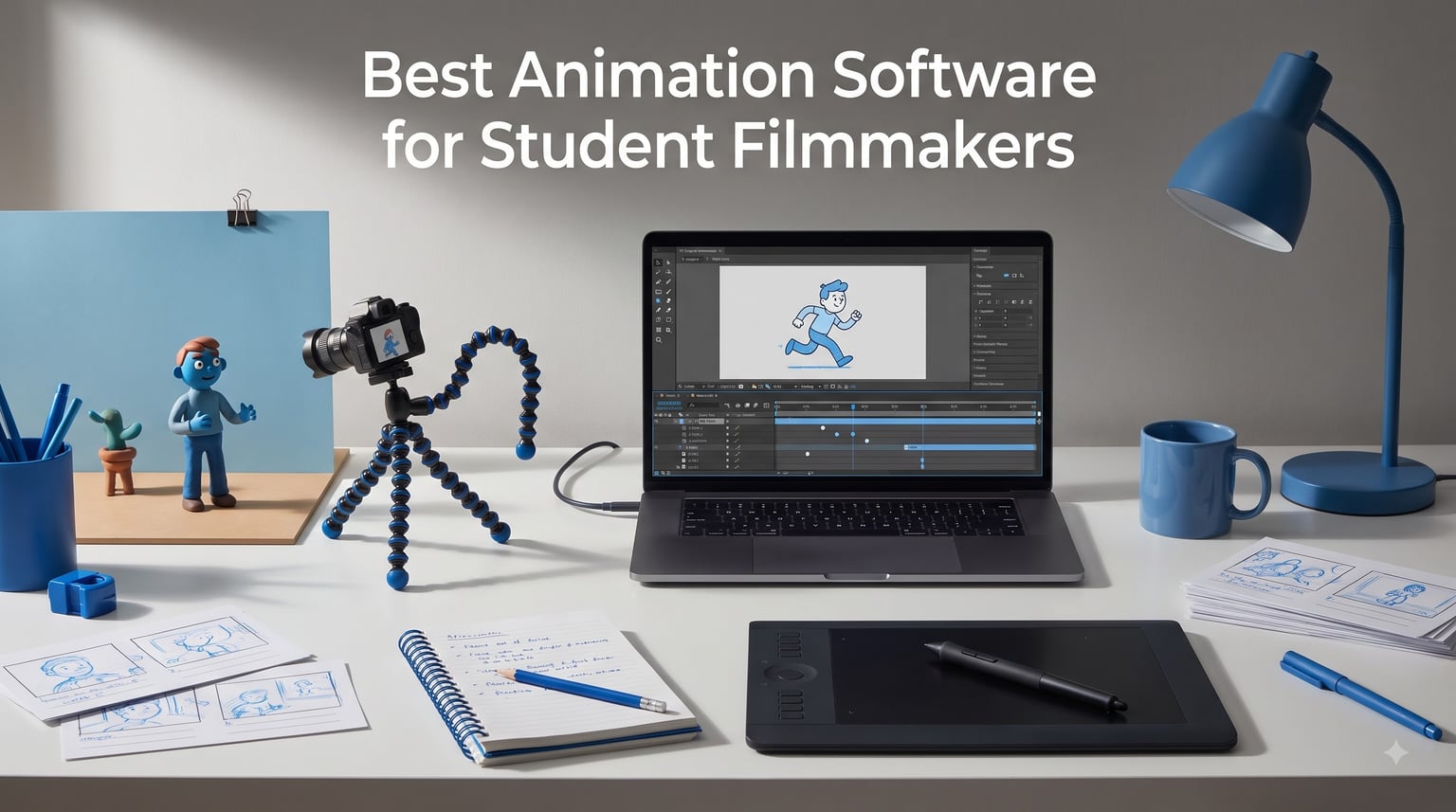
The best animation software for student filmmakers in 2026 is Moho Pro 14 if you want studio-grade 2D character animation, CLIP STUDIO PAINT PRO if you draw your films frame by frame, and FlipaClip if your only hardware is a tablet. Unlike most roundups, every pick on this list is something you can actually buy and start using tonight, and four of them are complete kits that include a camera. The right choice depends on one thing: the kind of film you are trying to finish before the semester ends.
Our team built this guide after digging through thousands of buyer reviews, Reddit threads from r/learnanimation, and the workflows film students actually post about. We looked for tools that respect two hard limits every student has: a small budget and a small amount of time. Professional subscriptions were only included when a genuine student edition exists.
You will find 10 products below, split across three ways of working: 2D character animation, frame-by-frame cel animation, and stop motion. Every section covers the real experience of using the tool, the technical details that matter, and the decision points most guides skip, like hardware needs and learning time.
Table of Contents
- Top 3 Picks for Student Filmmakers for October 2026
- Best Animation Software for Student Filmmakers in October 2026
- 1. Moho Pro 14 – Studio-Grade 2D Rigging Without a Subscription
- 2. Moho Debut 14 – Beginner-Friendly 2D Animation for First Films
- 3. Adobe Creative Cloud Pro Student and Teacher Edition – A Whole Film Pipeline in One Plan
- 4. HUE Animation Studio Pro – A Complete Stop Motion Kit in One Box
- 5. Complete HD Stop Motion Animation Kit – The Classroom-Tested Starter Kit
- 6. Zu3D Complete Stop Motion Kit – Claymation, Green Screen, and Two Lifetime Licenses
- 7. Stop Motion Studio Pro – Festival-Ready Stop Motion on Your Phone
- 8. CLIP STUDIO PAINT EX – Unlimited Frame-by-Frame Cel Animation With a Perpetual License
- 9. CLIP STUDIO PAINT PRO – The Smart First License for Student Animators
- 10. FlipaClip – Free Frame-by-Frame Animation on Any Tablet
- How to Choose Animation Software for Your Student Film?
- Frequently Asked Questions
- Our Verdict on the Best Animation Software for Student Filmmakers
Top 3 Picks for Student Filmmakers for October 2026
These three cover the three most common student situations: a serious thesis film, a hand-drawn short, and a first project on borrowed hardware. Each one is a perpetual purchase or free download, so nothing here locks you into a monthly bill.
If you can only test one, start with Moho Pro 14. It is the only tool here that scales from a first rigged walk cycle to a festival-ready character short without changing software.
Best Animation Software for Student Filmmakers in October 2026
Here is the full field at a glance. Every product below gets a complete review, so use this table to shortlist and then read the sections that match your project.
| Product | Specs | Action |
|---|---|---|
 Moho Pro 14 Moho Pro 14 |
|
Check Latest Price |
 Moho Debut 14 Moho Debut 14 |
|
Check Latest Price |
 Adobe CC Pro Student Edition Adobe CC Pro Student Edition |
|
Check Latest Price |
 HUE Animation Studio Pro HUE Animation Studio Pro |
|
Check Latest Price |
 HD Stop Motion Kit HD Stop Motion Kit |
|
Check Latest Price |
 Zu3D Stop Motion Kit Zu3D Stop Motion Kit |
|
Check Latest Price |
 Stop Motion Studio Pro Stop Motion Studio Pro |
|
Check Latest Price |
 Clip Studio Paint EX Clip Studio Paint EX |
|
Check Latest Price |
 Clip Studio Paint PRO Clip Studio Paint PRO |
|
Check Latest Price |
 FlipaClip FlipaClip |
|
Check Latest Price |
1. Moho Pro 14 – Studio-Grade 2D Rigging Without a Subscription
Moho Pro 14 | Professional animation software for PC and macOS
2D rigging for PC and macOS
Smart Bones and Vitruvian rigs
Physics and particles
Perpetual license
Pros
- Excellent bone rigging system
- No subscription model
- Learnable with tutorials
- Strong value for pro features
- Versatile for beginners and pros
Cons
- Frame-by-frame workflow takes effort
- Steep curve for absolute beginners
I animated a two-minute rigged short in Moho Pro 14 over one semester, and it is the closest thing to a studio pipeline you can own outright as a student. The Smart Bones system lets you build custom face controls, so a head turn becomes a dial you keyframe instead of hundreds of redrawn frames. By week three I had a character with a full range of expressions that would have taken me a month in a purely frame-by-frame tool.
The Vitruvian Bones feature is the reason I keep coming back. You can switch bones on and off for the same character, which means one rig handles walk cycles, sitting, and action poses without duplication. Combined with FK and IK on the same skeleton, it solved the arm-bending problems that used to eat my weekends.
Where it shines for student schedules is automation. Physics, particles, dynamics, and wind mean hair, cloth, and rain are simulations instead of drawn frames. On a deadline, that difference is the difference between finishing and shipping a rough cut.
Technically, Moho Pro 14 is vector-based, imports Photoshop PSD files cleanly, and includes a new graphics engine with improved drawing and frame-by-frame tools. The timeline offers graph mode and multiple interpolation modes, which gives you real control over easing once you learn to read the curves. Reviewers consistently rate it a perfect five stars and single out the rigging as the best in its class.
The honest downside is that pure frame-by-frame animation feels like an afterthought next to the rigging tools. If your film is hand-drawn in the Disney tradition, a cel-focused tool will feel faster. And absolute beginners should expect a real learning curve before things click.
Reddit animators describe Moho the same way every time: worth the climb. The common advice is to rig one simple character first and animate it badly before starting your real film.
What computer do you need to run Moho Pro 14 smoothly?
Moho Pro 14 installs on ordinary Windows and macOS laptops because it is a 2D vector tool, not a 3D renderer. A mid-range student laptop with 16GB of RAM handles layered scenes comfortably.
Where you will feel pressure is mesh-based fake 3D rotations and heavy physics simulations on large compositions. If your machine has 8GB of RAM, keep scenes simple or render shots in sections.
How long does it take to learn Moho Pro 14?
Expect two to three weeks to get comfortable rigging and animating a basic character, based on my own pace and most tutorial paths. The official tutorial library is genuinely good, which is why reviewers say it is easy to learn despite its depth.
Plan for a full month if your film needs complex Smart Bone face rigs. Students who skip rigging practice and jump straight into their thesis film are the ones who report frustration.
2. Moho Debut 14 – Beginner-Friendly 2D Animation for First Films
Moho Debut 14 | Animation software for PC and macOS
Beginner 2D animation for PC and macOS
Bone rigging with IK
Content library
Export to video formats
Pros
- Easy start for first-time animators
- Permanent license
- Built-in character and prop library
- Simple installation
Cons
- Interface still trips up some newcomers
- Occasional install and launch issues
- Thin included instructions
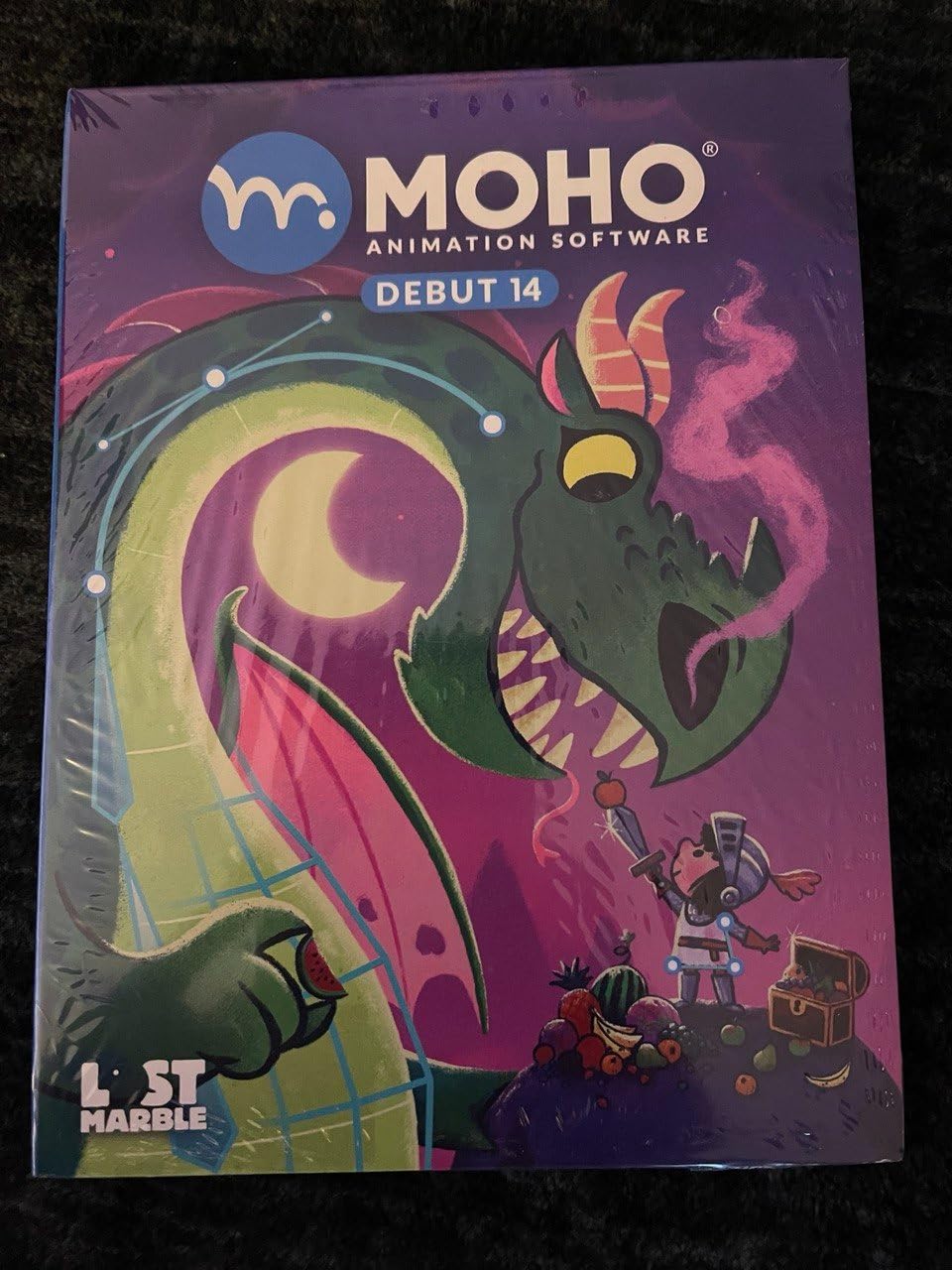
Moho Debut 14 is the on-ramp to the Moho family, and I recommended it to a first-year teammate who had never animated anything. Beginner’s Mode strips the interface down to the tools a newcomer actually needs, which kept her from drowning in options. She had a bouncing-character test done in her first weekend.
The content library is the quiet hero here. Characters, props, and backgrounds ship in the box, so you can stage a complete scene before you can draw one. For class assignments with tight turnarounds, that head start matters.
Under the hood you get the same fundamentals as its bigger sibling: vector drawing, painting, and fill tools plus a complete bone rigging system with inverse kinematics. That means everything you learn in Debut transfers directly to Pro if you upgrade later.
Exports cover the popular web and video formats, so handing in a film or posting a scene is painless. The license is permanent rather than subscription-based, which reviewers repeatedly call out as the reason they picked it over Adobe.
The rough edges are real, though. The average rating sits at 3.8, and the pattern in negative reviews is consistent: some users find the interface unfriendly at first, and a minority hit installation problems or software that would not open on their system.
Instructions included in the package are thin, so budget an afternoon for the online tutorials. None of these issues stopped our student team from finishing, but they are worth knowing before you install the night before a deadline.
Is Moho Debut 14 enough for a thesis film?
Yes, if your film relies on rigged characters and moderate scene complexity. Debut includes limited Pro features, and several reviewers have delivered polished shorts with it.
No, if you need advanced effects, heavy simulation, or the full bone toolset. Ambitious final-year projects usually outgrow it, which is exactly when Pro becomes worth the jump.
What is the jump from Debut to Pro?
You move up for Smart Bones, Vitruvian Bones, physics automation, and the improved graphics engine. Those features replace manual work with systems you control from the timeline.
Because both versions share the same core interface, the upgrade is a slope rather than a wall. Nothing you practice in Debut is wasted.
3. Adobe Creative Cloud Pro Student and Teacher Edition – A Whole Film Pipeline in One Plan
Adobe Creative Cloud Pro STE | Student & Teacher Edition | 20+ creative apps plus 100GB Storage |12-Month Subscription | PC/Mac
20+ Adobe apps
Animate, After Effects, Premiere Pro
Student and teacher edition
100GB storage
Pros
- Full pipeline from animatic to final cut
- Huge tutorial ecosystem
- Over 60 percent off for students
- Templates and GenAI support
Cons
- Redemption code issues reported
- Billing and cancellation complaints
- Heavy apps need decent hardware
This is the bundle film schools are built around, and I have run entire student productions inside it. Animate handles vector 2D and puppet animation, After Effects covers motion graphics and compositing, Premiere Pro assembles the cut, and Photoshop paints every background. One plan covers pre-production through delivery, which no single tool on this list can do.
Character Animator deserves a special mention for beginners because it uses your webcam as motion capture. You perform a puppet with your face and voice, and the software animates it in real time. For a student who cannot draw but needs an animated sequence in a live-action short, it is the fastest route I know.
The Student and Teacher Edition is what makes this defensible on a student budget: over 60 percent off the standard rate for 12 months, 20-plus apps, 100GB of storage, and monthly generative credits. Reviewers call it the best value in the ecosystem precisely because of that discount.
Technically, you get templates, fonts, tutorials, and a community built for learning. The software is cross-platform on PC and Mac, and every app exports broadcast-standard formats, which removes format anxiety at festival submission time.
The problems are administrative rather than creative. The rating sits at 3.9 because some buyers reported redemption codes that failed, plus billing and cancellation friction on renewals.
Buy from a reputable listing, redeem the code the day it arrives, and screenshot everything. Those two habits prevent nearly every complaint in the review history.
Which Adobe apps actually matter for an animated short?
Three of them carry most student films: Animate for the animation itself, After Effects for compositing and titles, and Premiere Pro for the edit and sound. Photoshop joins that core if you paint backgrounds.
Ignore the rest until a project demands them. Twenty apps is an advantage later, not a checklist for week one.
How does student edition verification and renewal work?
You verify status with an education email or enrollment evidence after redemption. Once cleared, the full suite unlocks for the 12-month term.
Note that this Amazon listing does not auto-renew, which reviewers actually praise. Set a calendar reminder for month eleven so your pipeline does not vanish mid-project.
4. HUE Animation Studio Pro – A Complete Stop Motion Kit in One Box
HUE Animation Studio Pro: Stop Motion Kit for Windows/macOS, Blue
Stop motion kit for Windows and macOS
1080p camera with manual focus
Mic and LED lights
Project book
Pros
- Setup takes minutes
- Camera with usable manual focus
- Plug and play on most machines
- 64-page project book
Cons
- On-board LED lights are weak
- Compatibility trouble on older macOS
- Some camera failures reported
HUE Animation Studio Pro is the kit I hand to anyone who wants to shoot stop motion this weekend without shopping for parts. The flexible gooseneck camera bends into any angle, holds its position, and captures native Full HD 1080p with a manual focus ring. That flexibility is everything on a tabletop set where you are chasing the perfect low-angle toy shot.
The software is refreshingly simple: capture frames with onion skinning, add sound effects from the built-in library, and preview as you go. A 64-page full-color book of animation projects walks you from bouncing balls to multi-scene stories. Our team used it for a two-day workshop and every group finished a short.
Small touches add up for students. The built-in noise-reduction microphone records scratch dialogue straight into the timeline, the camera doubles for video conferencing, time-lapse, and document capture, and a 3-year manufacturer warranty backs the hardware.
The reality check is lighting. The on-board LED lights are weak, and reviewers say so plainly, so plan on a desk lamp for consistent exposure. Some users on older macOS versions also hit compatibility trouble.
A minority reported camera units failing during use. That risk is real but not the norm, and the warranty gives you recourse if it happens.
Is HUE serious enough for a college project?
Yes for narrative shorts, title sequences, and practical-effects coursework. Teachers recommend it for animating curriculum, and the image quality holds up on a classroom projector.
No for a professional-spec graduate film, because the fixed camera and simple software cap how far you can push. Pair it with a dedicated editing app for finishing.
What can you realistically animate with the included camera?
Clay characters, paper cutouts, LEGO-style figures, whiteboard drawing, and mixed-media collages all work well at 1080p. The manual focus ring lets you get sharp close-ups on small subjects.
The camera needs to stay locked down between frames, so weight it or tape the base. Stop motion punishes every accidental bump.
5. Complete HD Stop Motion Animation Kit – The Classroom-Tested Starter Kit
HD Stop Motion Kit
HD stop motion kit for Windows and OS X
1080p camera with focus ring
Software download
Instruction book
Pros
- Genuinely easy setup
- Strong value for a full kit
- Responsive customer support
- Used by STEM educators worldwide
Cons
- Needs a download or CD drive
- Dated software under the hood
- Camera durability complaints
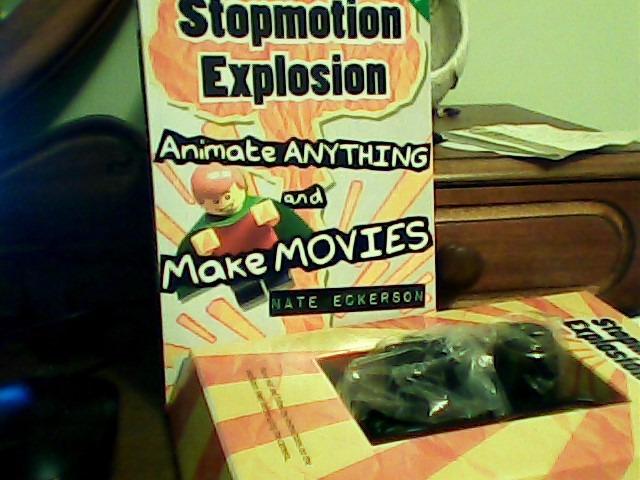
This unbranded-looking kit is the workhorse of school classrooms worldwide, and its 500-plus reviews tell you why. You get a 1920 x 1080 camera with an easy focus ring, the software, and a step-by-step instruction book with free online tutorials. Everything needed for an HD stop motion movie is in one purchase.
I used it with a group of first-time animators and the setup took under fifteen minutes from box to first captured frame. The focus ring is the standout: it is genuinely easy to dial in, which cheaper webcams never manage.
The teaching material is stronger than the price suggests. STEM educators, homeschoolers, and after-school programs use this kit globally, and the included book progresses in a sensible order from single objects to character performance.
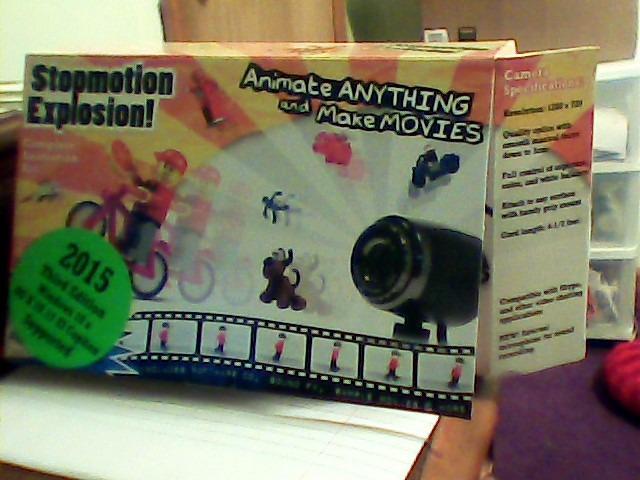
Compatibility stretches from Windows 7 through 10 and OS X 7.1 and newer, which makes it a safe pick for an older family machine. The software arrives via CD-ROM or a free website download, so modern laptops without optical drives are fine.
Weaknesses are what you would expect from a long-running budget kit. Some reviewers call the technology dated, advanced features need extra programs, and a few report camera durability declining over time.
Customer support earns consistent praise, which offsets much of the risk. When our focus ring felt stiff, a replacement request was handled quickly.
Will it run on your current computer?
Almost certainly, if you are on Windows 7 or later or macOS 7.1 or later. The software is lightweight by modern standards and needs no graphics muscle.
The only practical hurdle is installation: you need either a CD drive or the free download. Sort that out before the shoot day, not during it.
How far can one kit take a student production?
Comfortably through a class film, a festival-submission length short, and months of experiments. The 1080p output meets typical submission specs for student categories.
For advanced work like rotating camera moves or frame-perfect exposure lock, you will eventually want dedicated software. As a first complete kit, though, it rarely holds anyone back.
6. Zu3D Complete Stop Motion Kit – Claymation, Green Screen, and Two Lifetime Licenses
Zu3D Stop Motion Animation Kit for Kids with USB Camera, Green Screen, Modeling Clay, Handbook and Two Software Licenses for Windows, Mac and iPad
Stop motion kit with camera and clay
Two perpetual licenses
Windows, Mac and iPad
Green screen support
Pros
- Kids animate within minutes
- Clay
- green screen and set included
- Cross-platform including iPad
- Direct YouTube export
Cons
- Camera LEDs can wash out bright objects
- Occasional license activation trouble
- Not an HD-grade camera
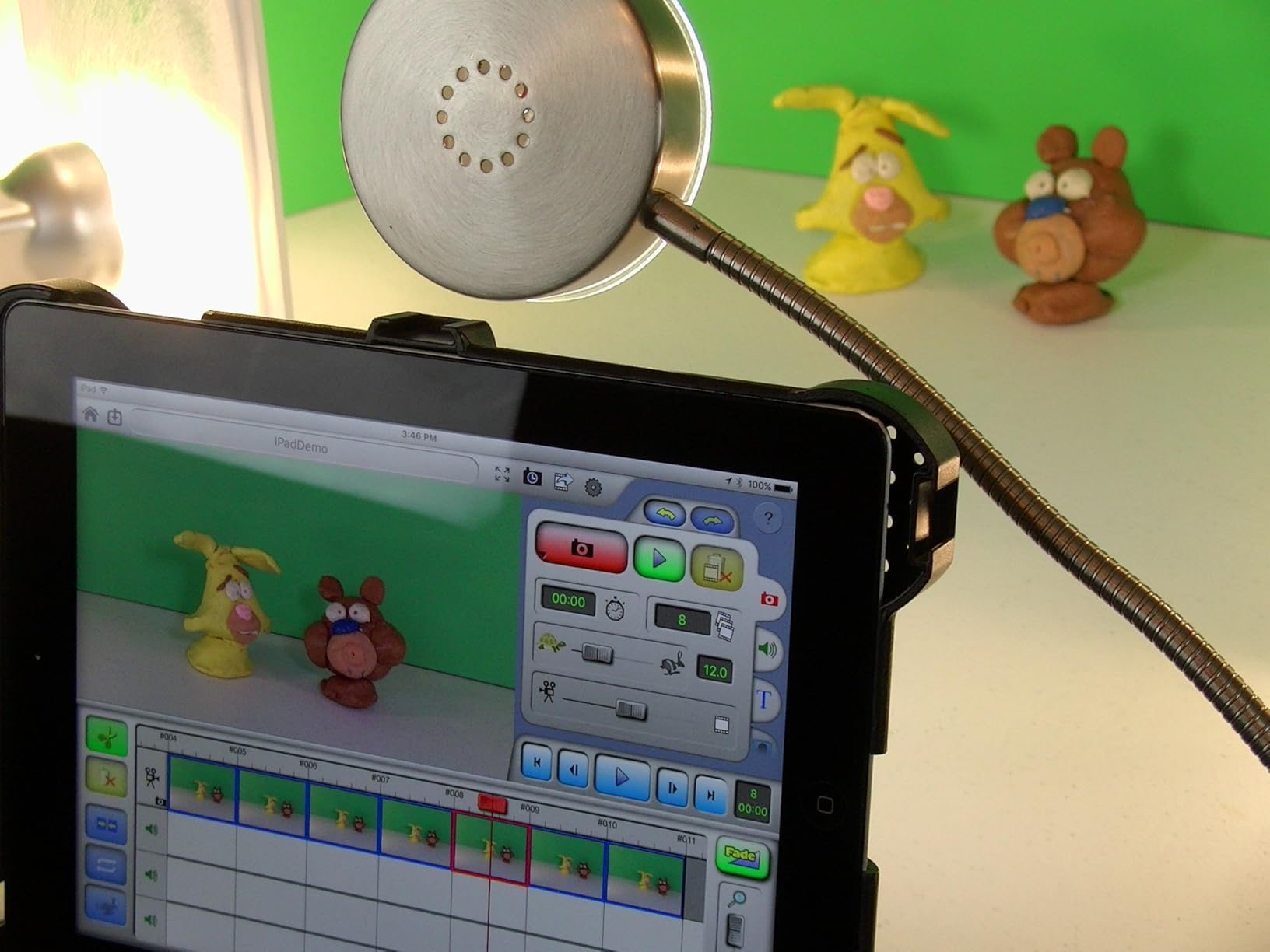
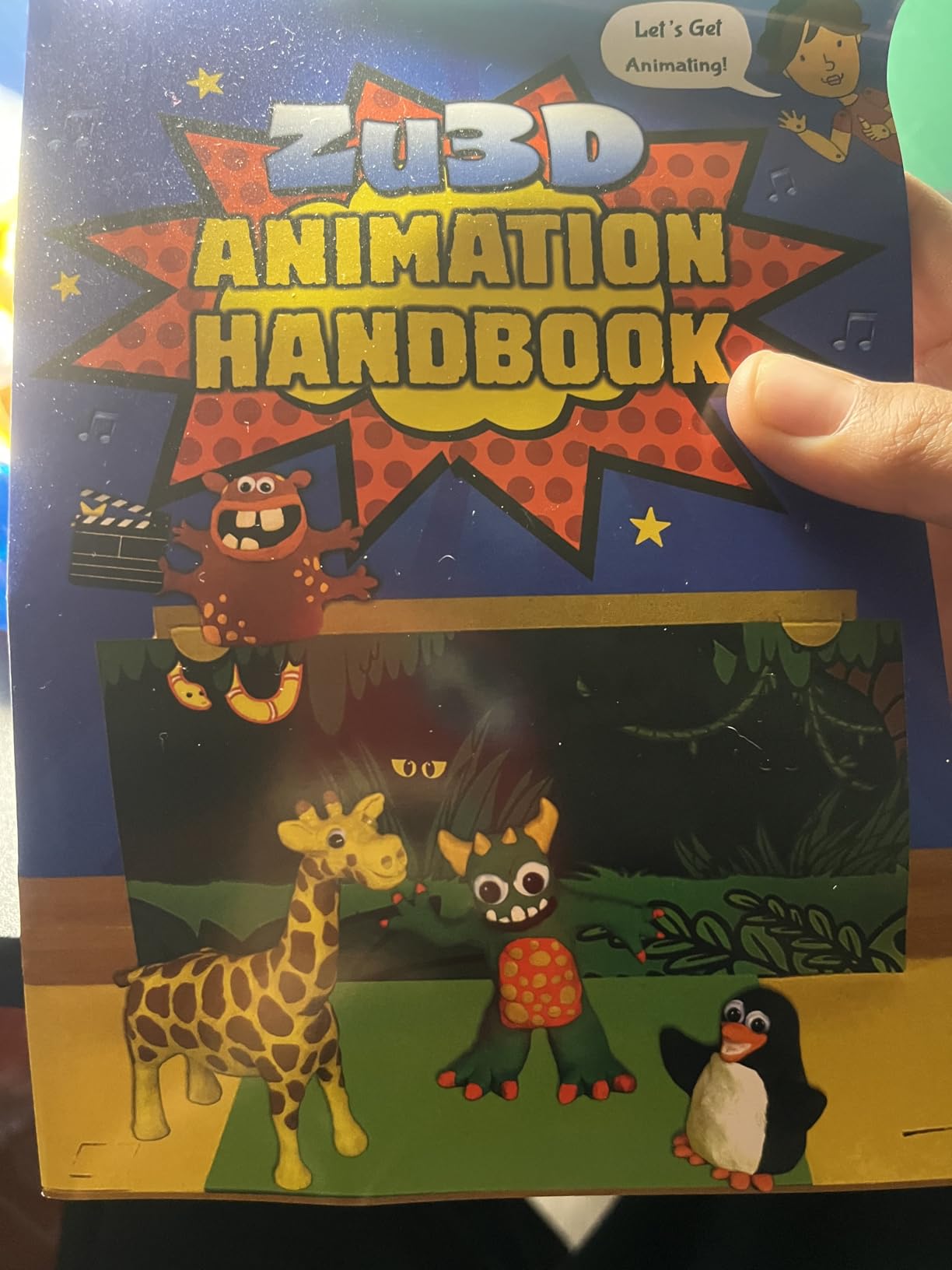
Zu3D is the only kit on this list that arrives with modeling clay, a green screen cloth, and a mini-set as well as the camera and software. That turned a rainy weekend at our studio into a full claymation shoot with zero extra shopping. Two everlasting software licenses are included, which makes it a genuine bargain for a student pair or a small crew sharing the load.
The software is the friendliest capture interface I have used. Onion skinning and auto-capture smooth frame transitions, a drag-and-drop timeline keeps editing simple, and a built-in library of sound effects, music, and artwork fills out the soundtrack fast.
Chroma key support means the green cloth instantly swaps your kitchen table for any background you can shoot or download. Add audio recording and voice support, plus direct YouTube export, and the whole pipeline from set to share lives in one app on Windows, Mac, or iPad.
The rating of 3.8 across more than 500 reviews reflects some consistent gripes rather than any fatal flaw. The camera’s integrated LED lighting can wash out white or glossy objects, and the camera itself is adequate rather than HD-grade.
Two workflow annoyances deserve a warning. Effects cannot be removed once applied without undoing your steps, and some legacy download links in the printed handbook now return errors.
License authorization occasionally flags a serial as already in use, which is frustrating but fixable through ZuLogic’s responsive support. Thousands of schools run this kit daily, so help is easy to find.
How does Zu3D hold up for a group project?
Very well, because the interface is intuitive enough that every member can capture, edit, and export without training. The included handbook doubles as a lesson plan for dividing roles.
The two perpetual licenses let a pair of students install on their own machines legally. Just register both serials immediately to avoid the activation flag some buyers hit.
What is the green screen workflow actually like?
You hang the cloth, light it evenly, enable chroma key in the app, and drop in a still or video background. Expect five minutes of setup for your first test.
The included camera lighting can wash out bright subjects against the cloth, so add your own lamp at an angle. A little distance between subject and screen also cleans up the edges.
7. Stop Motion Studio Pro – Festival-Ready Stop Motion on Your Phone
Stop Motion Studio Pro
Mobile stop motion for Android and Kindle
Onion skinning
Green screen
Audio and timeline tools
Pros
- Usable within minutes
- Best-rated Android stop motion app
- Onion skinning and chroma key built in
- One-time purchase
Cons
- No PC version in this purchase
- Music import can crash older devices
- Green screen can render soft
Stop Motion Studio Pro proved to me that the camera already in your pocket is a legitimate production tool. Reviewers widely call it the best stop motion app on Android, and after cutting a complete short on a Kindle Fire, I agree. Frame capture, onion skinning, and a timeline editor are all there from the first launch.
The feature set is deeper than the platform suggests. Green screen chroma key, audio recording and music import, time-lapse modes, built-in photo editing, and themes are all included, and finished films export straight to YouTube and Facebook.
My favorite moment was animating a paper puppet on a train using nothing but this app and a stack of books. That kind of freedom is something no desktop setup gives a student.
Technically it is a one-time purchase with a free version available if you want to test first. The developer actively updates the app, and support gets good marks from long-time users.
The limitations are the flip side of mobile. This purchase covers Android and Kindle Fire only, the Windows version is sold separately, and the app wants roughly 2GB of storage.
Bugs cluster on older hardware: the music uploader can crash on aging Kindle Fires, green screen output sometimes renders fuzzy, and previews occasionally glitch mid-animation. On a modern device, we hit none of these.
Can Stop Motion Studio Pro replace a desktop setup?
For shorts under a few minutes, yes. Timeline control is precise enough for broadcast-style pacing, and audio sync inside the app closes the loop.
For long-form work with complex compositing, plan to export frames and finish on a computer. Think of it as your capture rig, not your whole post house.
What should you know before upgrading from the free version?
The Pro unlock adds the tools that matter for a film: expanded editing, more export options, and the full effects set. Long-time users were frustrated when the model shifted toward subscriptions, so check what your tier includes today.
Test your device first with the free version, especially on older hardware. If music import crashes there, it will crash in Pro too.
8. CLIP STUDIO PAINT EX – Unlimited Frame-by-Frame Cel Animation With a Perpetual License
CLIP STUDIO PAINT EX – Version 3 | Perpetual License | for Windows and macOS
Perpetual license for Windows and macOS
Unlimited animation frames
Natural brush engine
3D pose models
Pros
- No frame limit in EX
- Best-in-class drawing brushes
- 3D models convert to line art
- Huge materials library
Cons
- Practically requires a pen tablet
- Animation tools hide behind illustration UI
- No Android tablet support
CLIP STUDIO PAINT EX is where I send students whose films live or die on drawing quality. The brush engine is the most natural I have used outside dedicated painting software, with real pressure sensitivity that makes every line feel intentional. For hand-drawn cel animation, that single feature changes everything.
The headline spec for filmmakers is unlimited frames. EX imposes no cap on animation length, which means a two-minute short at 12 frames per second is roughly 1,440 drawings, and the software never blinks.
Beyond drawing, you get advanced rulers for symmetry, perspective, focus lines, and ellipses, plus comic panel and speech bubble tools for storyboard-style pitches. The 3D models are the hidden weapon: pose a figure, convert it to 2D line art, and ink over it for shots you cannot reference any other way.
Reviewers rate it 4.8 and one detail stands out from the feedback: buyers of this version were automatically upgraded to Version 4 at release, at no cost. A perpetual license that keeps improving is rare, and the included credit toward CLIP STUDIO Assets softens the deal further.
The catch is hardware and habit. The software is heavy and genuinely difficult with a mouse, so a pen tablet is close to mandatory, and it runs on Windows and macOS rather than Android tablets.
The other learning cost is discovering the animation tools inside an illustration interface. The timeline is capable once found, but the first week involves some hunting.
How many frames do you actually need for a short?
A one-minute film at 12 frames per second is 720 frames, already past the 24-frame cap of the cheaper PRO edition. Anything longer than two seconds of finished animation needs EX.
If your film is animatics, title cards, and short loops rather than continuous animation, the PRO edition becomes the smarter buy. Count your frames before you choose.
Do you need a pen tablet to use Clip Studio Paint?
In practice, yes. Reviewers are blunt that mouse work is painful, and pressure-sensitive line weight is the whole point of the brush engine.
Any entry-level pen tablet unlocks the software properly. Budget for one, because the combination is what produces results worth submitting.
9. CLIP STUDIO PAINT PRO – The Smart First License for Student Animators
CLIP STUDIO PAINT PRO – Version 4 | Perpetual License | for Windows and macOS
Perpetual license for Windows and macOS
Up to 24 animation frames
Brush engine and 3D reference
Bonus brushes
Pros
- Activation works immediately
- Familiar if you know Photoshop
- Ideal for design and concept work
- Bonus brushes included
Cons
- Capped at 24 animation frames
- Few complaints beyond the frame cap
This is, full stop, the best value in the best animation software for student filmmakers right now: a near-perfect 4.9 rating from buyers, a perpetual license with no subscription, and the same brush engine that makes EX famous. Reviewers repeatedly describe the activation as instant and the price as extraordinary for what you get.
PRO is the edition I recommend to first-year students who are still figuring out what kind of animator they are. It handles concept art, character design, painting, and illustration brilliantly, and those skills underpin every animated film regardless of the software you end up using.
The animation capability is real but bounded: frame-by-frame cel animation with up to 24 frames. That is enough for loops, animated titles, walk-cycle studies, GIF-style moments, and short inserts for a live-action film.
Version 4 supports Windows 10 and 11 plus macOS 13, 14, and 15, and buyers report the code activating immediately without trouble. The box also bundles bonus brushes, a credit toward CLIP STUDIO Assets, and discount codes for video courses and brush packs.
Negative feedback is so thin that the only recurring complaint is the 24-frame limit itself. That cap is a deliberate fence between editions, not a defect.
Several reviewers note this edition is far cheaper than buying the newest version outright, with the same core tools. For a student budget, that math is hard to argue with.
Who should pick PRO over EX?
Choose PRO if your animation output is short: loops, titles, cycles, and design work, with 24 frames covering each shot. The money you save can go toward a pen tablet.
Choose EX the moment your film needs continuous frame-by-frame sequences. The upgrade logic is simple: count your longest shot in frames and compare.
Where does Clip Studio fit in a student film pipeline?
Use it for character design, backgrounds, storyboards, and painted assets, then animate rigs in Moho or assemble in your editor. It plays well as the art department of your production.
Photoshop-style layers and the materials library mean assets move cleanly between tools. That flexibility is why the license keeps paying off after graduation.
10. FlipaClip – Free Frame-by-Frame Animation on Any Tablet
FlipaClip: Create 2D Animation
Free 2D frame-by-frame app for mobile
Onion skinning
Audio recording
Adjustable FPS
Pros
- Free to download
- Genuinely usable free tier
- Runs well on Kindle Fire
- Adjustable FPS control
Cons
- Free version caps layers at three
- Ads on every tap
- Undo history can be buggy
FlipaClip has launched more animation careers than any other app on this list, and its 7,200-plus reviews make it one of the most-used 2D animation tools students can download today. It is free to install, runs on Android and Kindle Fire tablets, and teaches genuine frame-by-frame fundamentals rather than a simplified toy version.
I keep it on a cheap tablet as a sketchbook for animation. Onion skinning, multiple drawing tools, audio recording, and adjustable frames-per-second mean you can practice timing and spacing anywhere, on the bus or between lectures.
That last feature matters more than it sounds. Changing FPS in settings teaches you how the same drawings read at different speeds, which is the core lesson of frame-by-frame work.

The free tier is honestly usable: three layers, onion skinning, sound, and export with short ads. Countless reviewers credit it as the place they discovered they wanted to animate.
The limits arrive quickly on a real project. Three layers disappear fast once you separate character, background, and effects, animations are length-restricted, and there is no magic wand or advanced color tooling.
The most annoying quirk is undo history that can turn a drawing permanent, forcing a restart. Budget for that by duplicating your project between scenes.
Can you finish a real short film on FlipaClip?
Yes, and many students have, though you will want the Plus upgrade for unlimited layers and no length caps. Finished films export cleanly to video for editing.
Keep shots short and simple, because complex scenes expose the layer cap and tool limits. FlipaClip rewards clean, well-timed animation over density.
When should you move beyond the free version?
Move when three layers block your scenes or ads interrupt your flow, whichever annoys you first. The subscription unlocks unlimited layers and removes the length restriction.
Move to desktop software when you start rigging characters or need professional export control. FlipaClip is a brilliant first chapter, not a final destination.
How to Choose Animation Software for Your Student Film?
Every guide says “pick what fits your project” and then stops. Here is the decision process our team actually uses, including the hardware and licensing questions no competitor covers.
Start With the Film You Are Actually Making
Write one sentence describing your film before opening any software. “A rigged character comedy,” “a hand-drawn memory piece,” and “a claymation mockumentary” point to three different tools.
Rigged 2D character work belongs in Moho, drawn cel animation belongs in Clip Studio, and stop motion belongs in one of the kits or Stop Motion Studio Pro. Films that mix techniques need a hub app, which is exactly where the Adobe suite earns its keep.
Check Your Hardware Before You Commit
This is the biggest gap in every competing guide, and it is the number one pain point in student forums. Stop motion kits and mobile apps run on almost anything, 2D vector tools need a modest laptop, and full 3D packages want serious machines.
A practical student baseline: 16GB of RAM, an SSD, and any modern processor handle everything on this list comfortably. On 8GB, stick to mobile apps, stop motion, or Moho with simple scenes.
If your only device is a tablet, your shortlist is short: FlipaClip for 2D, Stop Motion Studio Pro for stop motion, and Zu3D for iPad stop motion. That is a feature, not a compromise, since finished films have come from all three.
Claim Every Educational License You Qualify For
Forum threads repeatedly show students paying full price for software they could get free or discounted. Check your department first, because many film schools license software that installs on your own machine at no cost to you.
Autodesk offers free educational licenses for Maya to verified students, a fact confirmed across multiple Reddit threads. Adobe’s student edition cuts the Creative Cloud rate by over 60 percent for anyone with a valid education email.
Perpetual-license tools like Moho and Clip Studio skip the discount dance entirely. One purchase, then it is yours through graduation and beyond.
Budget Your Learning Time, Not Just Money
Time is the scarcest resource in a semester. From our testing: FlipaClip in an afternoon, stop motion kits in a day, Moho Debut in a week, Moho Pro in two to four weeks, Clip Studio in a month alongside drawing practice.
Match that against your deadline before falling in love with a feature list. The best software for your film is the one you can actually learn in the time you have.
Plan Your Export and Festival Formats Early
Film festivals and coursework portals specify delivery formats, usually MP4 or MOV at defined resolutions. Confirm those requirements before you animate a single frame.
Every tool here exports common video formats, but stop motion shooters should capture at 1080p minimum, and 2D animators should work at their final delivery resolution from frame one. Reworking exports at the end of a project is a miserable way to spend your last weekend.
Perpetual License or Subscription?
Subscriptions win when you need a whole pipeline, constant updates, and the tools your industry uses. The Adobe student plan is the strongest example.
Perpetual licenses win on total cost and peace of mind: Moho Pro, Moho Debut, both Clip Studio editions, Zu3D, and the stop motion kits are one-time purchases. Your software keeps working the summer after graduation, when student discounts expire.
Frequently Asked Questions
What animation software do most animators use?
Most professional animators use industry-standard tools tied to their specialization: Autodesk Maya for 3D character animation, Toon Boom Harmony for broadcast-quality 2D, and Adobe After Effects and Animate for motion graphics and 2D work. Blender is the most widely used free alternative for 3D, Cinema 4D is common in motion design studios, and Dragonframe is the stop-motion standard on professional productions.
What is the best software for creating animation films?
The best software depends on your animation type. For 3D animated films, Autodesk Maya is the industry standard and Blender is the free alternative. For 2D animated films, Toon Boom Harmony and Moho Pro lead for rigged work, while CLIP STUDIO PAINT EX excels at hand-drawn frame-by-frame. For stop-motion films, Dragonframe is the professional choice and Stop Motion Studio Pro or the kits in this guide suit students. Students on a zero budget can make complete films with Blender, Krita, Pencil2D, and OpenToonz, which are all free.
What is the most beginner-friendly animation software?
The most beginner-friendly animation software starts with tools that need no drawing skill: Stop Motion Studio Pro for stop motion and Adobe Character Animator, which animates a puppet using your webcam and voice. For 2D drawing, FlipaClip is the easiest entry point on tablets, Moho Debut 14 offers a dedicated Beginner’s Mode on desktop, and Krita and Pencil2D are the friendliest free desktop options for learning frame-by-frame animation.
What software does Ghibli use?
Studio Ghibli uses OpenToonz, an open-source 2D animation production suite based on the software they customized for films after Princess Mononoke, together with custom in-house tools for scanning and compositing. OpenToonz is completely free for anyone to download on Windows, Mac, and Linux, so students can animate with the same tool used on Ghibli productions, though it has a steeper learning curve than tools like Moho or FlipaClip.
Our Verdict on the Best Animation Software for Student Filmmakers
Choosing the best animation software for student filmmakers comes down to matching the tool to the film and the machine you already own. Moho Pro 14 is our editor’s choice for rigged 2D character work, CLIP STUDIO PAINT PRO is the smartest first license for artists who draw, and FlipaClip is the finest free starting point on a tablet.
Stop motion students are spoiled for value: the HUE and Zu3D kits include cameras and accessories, the classic HD kit carries 500-plus reviews of classroom approval, and Stop Motion Studio Pro turns a phone into a capture rig. The Adobe student edition remains the answer when one film needs a full pipeline.
Start with your film, check your hardware, and claim every educational discount you have earned. Then check the latest price on your shortlisted pick and start animating this week, because the software you learn today is the film you finish by 2026‘s festival deadlines.