
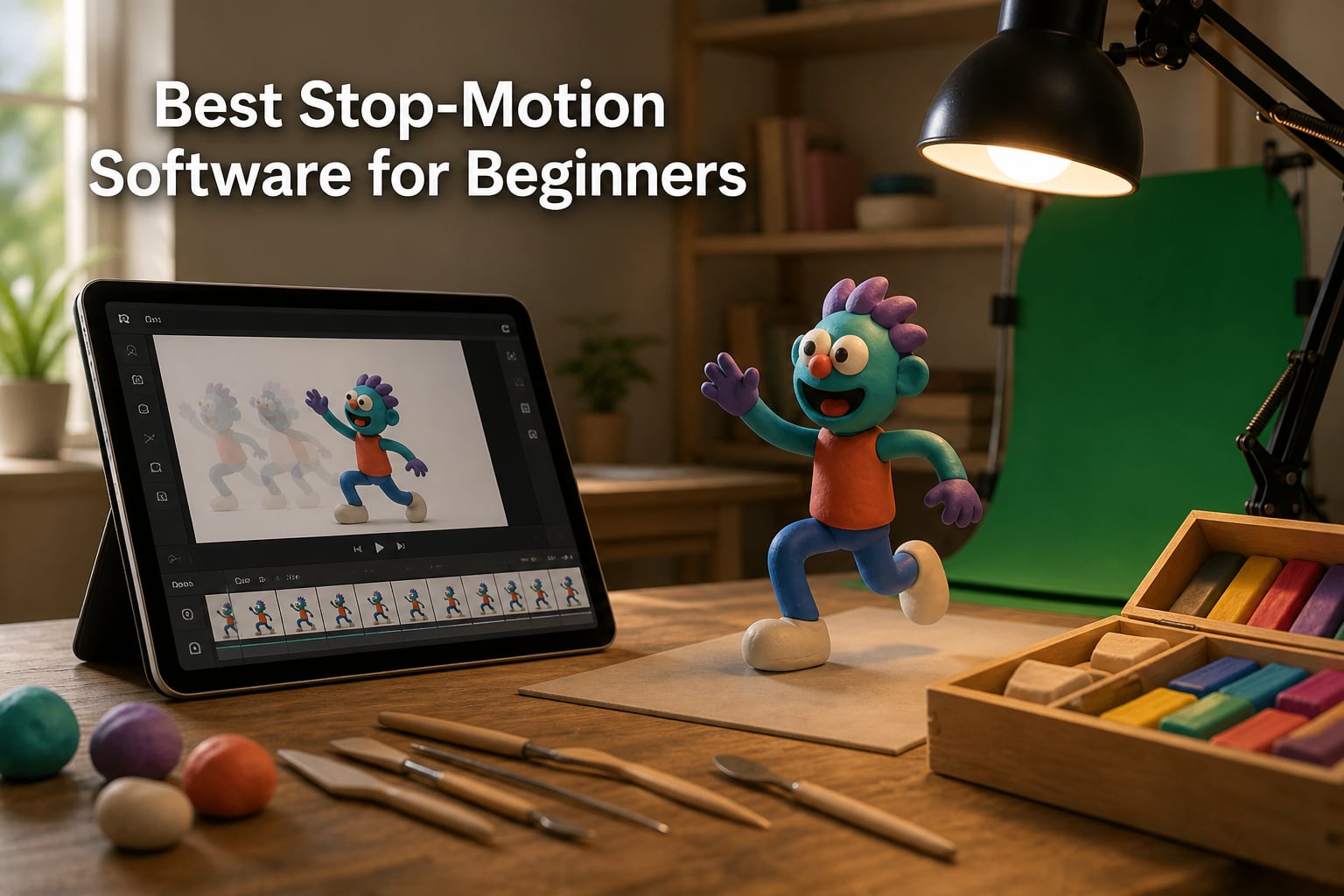
Stop motion animation software captures a sequence of individual photos frame by frame, then plays them back at speed so still images appear to move. For a beginner, the right program handles the hard parts (frame timing, onion-skinning, audio sync, and video export) so you can focus on moving clay, LEGO minifigures, paper cutouts, or paperclips around a set.
I have been making small stop-motion shorts with my kids and for our YouTube channel for about six years. The first time I tried it, I used a free app that crashed every 40 frames. Since then, I have paid for the wrong tools, wasted weekends learning ones I did not need, and found a few that genuinely make the craft easier. This guide for 2026 is the shortlist I wish I had back then.
Our team tested 10 stop-motion tools, including mobile apps, all-in-one kits, and finishing editors, across Windows, macOS, iPad, iPhone, and Android. Below you will find the best stop-motion software for beginners at every budget, plus a buying guide, FAQ, and my honest take on each option.
Table of Contents
- Top 3 Picks for the Best Stop-Motion Software for Beginners for October 2026
- Best Stop-Motion Software for Beginners in October 2026
- 1. Stop Motion Studio Pro in short – The Best Mobile Stop-Motion Software for Beginners
- 2. FlipaClip: Create 2D Animation in short – The Best Free Stop-Motion Software for Beginners
- 3. HUE Animation Studio Pro in short – The Best All-in-One Stop-Motion Kit for Beginners
- 4. Stop Motion Studio in short – The Best iPhone and iPad Stop-Motion Software for Beginners
- 5. Zu3D Complete Stop Motion Animation Software Kit in short – The Best Stop-Motion Kit for Kids
- 6. Stopmotion Explosion HD Kit in short – The Best Stop-Motion Software for Beginners Who Want to Learn
- 7. Moho Debut 13.5 in short – The Best Budget 2D Animation Software for Beginners
- 8. Moho Debut 14 in short – The Best Stop-Motion Companion Software for Beginners on PC
- 9. VideoPad Video Editor Free in short – The Best Free Finishing Software for Stop-Motion Beginners
- 10. Learn Stop Motion Animation eBook in short – The Cheapest Way to Start Learning Stop Motion
- How to Choose the Best Stop-Motion Software for Beginners?
- Frequently Asked Questions
- Final Verdict: The Best Stop-Motion Software for Beginners in 2026
Top 3 Picks for the Best Stop-Motion Software for Beginners for October 2026

Stop Motion Studio Pro
- Best Android stop motion app
- Green screen built in
- Easy drag-and-drop capture
FlipaClip: Create 2D Animation
- Free download
- Available on every device
- Great for learning basics

HUE Animation Studio Pro
- Full HD camera included
- LED lights and microphone
- Teacher-approved for ages 7+
Best Stop-Motion Software for Beginners in October 2026
| Product | Specs | Action |
|---|---|---|
| Stop Motion Studio Pro |
|
Check Latest Price |
| FlipaClip |
|
Check Latest Price |
| HUE Animation Studio Pro |
|
Check Latest Price |
 Stop Motion Studio Stop Motion Studio |
|
Check Latest Price |
 Zu3D Complete Kit Zu3D Complete Kit |
|
Check Latest Price |
 Stopmotion Explosion HD Kit Stopmotion Explosion HD Kit |
|
Check Latest Price |
 Moho Debut 13.5 Moho Debut 13.5 |
|
Check Latest Price |
 Moho Debut 14 Moho Debut 14 |
|
Check Latest Price |
 VideoPad Video Editor Free VideoPad Video Editor Free |
|
Check Latest Price |
 Learn Stop Motion eBook Learn Stop Motion eBook |
|
Check Latest Price |
1. Stop Motion Studio Pro in short – The Best Mobile Stop-Motion Software for Beginners
Stop Motion Studio Pro
Android app
Green screen
Multiple export formats
Pros
- Best stop motion app for Android
- User-friendly interface
- Great for kids and beginners
- Green screen support
- Multiple export options
Cons
- Music uploader can freeze
- High memory usage (2GB)
- Some bugs during animation
I installed Stop Motion Studio Pro on a tablet my kids use, and within 20 minutes they were capturing 5-second LEGO fight scenes. The capture grid is the easiest I have tested: tap to snap, drag the figure, tap again. The app also walks you through onion-skinning, which is the ghosted-overlay feature that helps you place your next pose accurately.
The Pro version is worth the small upgrade because it unlocks green screen, audio editing, and several export formats the free version hides behind a paywall. On our older Android tablet it used about 2 GB of memory during long shoots, so close other apps first or use a phone with at least 4 GB of RAM.
The frame rate defaults to 6 fps, which feels slightly choppy for action scenes. Bumping it to 12 or 15 fps makes claymation look smoother without bloating file size. Export options include MP4 and GIF, and you can post straight to YouTube from inside the app, which my kids love.
Music and voice-over recording is built in, though the music uploader sometimes froze on our device when importing MP3 files longer than two minutes. The workaround was to record audio inside the app instead, which worked every time.
For whom it’s good
Families with Android tablets or Chromebooks will get the most out of Stop Motion Studio Pro. It is also a smart pick for a classroom that wants green-screen effects without buying a separate program.
Anyone who wants to publish directly to YouTube from a phone will save time over tools that require a desktop export step.
For whom it’s bad
Heavy users with older devices may hit the 2 GB memory ceiling and see slowdowns. If you are running iOS, look at the standard Stop Motion Studio instead, since this version is Android-only.
Anyone who needs precise camera controls (aperture, ISO, manual focus) should pair this app with a dedicated webcam or move to Dragonframe-level software.
2. FlipaClip: Create 2D Animation in short – The Best Free Stop-Motion Software for Beginners
FlipaClip: Create 2D Animation
Cross-platform free app
Frame-by-frame drawing
2D animation
Pros
- Excellent for beginners and learning animation
- Minimal ads (only 4-5 seconds)
- Good selection of free tools
- Available on multiple platforms
Cons
- Premium/Plus subscription model changes frustrate long-time users
- Limited to 3 layers without premium
- Time limit on animations without premium
FlipaClip is technically a 2D animation app, but you can absolutely use it for stop motion by importing photos from your camera or webcam. I tested it on Android, iPad, and a Chromebook, and the same project file opened cleanly on all three. That cross-platform workflow is rare in this category.
The free version has minimal ads (a 4 to 5 second video every few actions) and gives you three layers, which is enough for a beginner’s claymation or paper-cutout project. I made a 15-second paper animation during testing with the free tier and never felt blocked.

One small thing: FlipaClip is not “shoot a frame, move the puppet” by default. It is a frame-by-frame drawing app, so you import photos or draw each frame yourself. That makes it better for paper, drawn, or puppet-based stop motion rather than live clay shoots.
The community around FlipaClip is large, and YouTube is full of beginner tutorials. That alone is a reason to consider it if you learn by watching someone else.
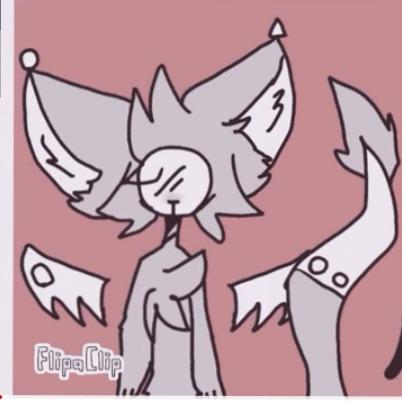
The Plus subscription unlocks more layers, no time limits, and extra brushes. Long-time users have pushed back on the shift from a one-time purchase to a subscription, but the free tier remains genuinely useful.
If you mostly want to make short YouTube clips and learn the basics, the free FlipaClip will keep you busy for months before you ever need to upgrade.
For whom it’s good
Anyone who wants a free, beginner-friendly, cross-platform tool that follows them across phone, tablet, and Chromebook. It is also a strong choice for schools that need an animation app on every student device.
Hobbyists who want to combine drawing with stop motion (think paper puppets) will find FlipaClip especially natural.
For whom it’s bad
People who want a dedicated live-capture stop-motion workflow (webcam, onion-skin, audio record) will find FlipaClip limited. It shines for 2D work, less so for traditional claymation shoots.
Subscribers who dislike monthly fees should look at the one-time-purchase Moho Debut options instead.
3. HUE Animation Studio Pro in short – The Best All-in-One Stop-Motion Kit for Beginners
HUE Animation Studio Pro: Stop Motion Kit for Windows/macOS, Black
Full HD 1080p camera
Built-in LED and mic
Software and book
Pros
- Easy to set up and use
- Full HD camera quality
- Flexible camera arm
- Includes software and 64-page book
- Recommended by teachers for education
Cons
- On-board light is weak
- Manual only in English
- Some legacy version issues with older MacBooks
The HUE Animation Studio Pro is the kit I recommend most to parents and teachers. You get a Full HD 1080p flexible camera, built-in LED lights, a noise-cancelling microphone, stop-motion software, and a 64-page activity book in one box. It is the only product on this list where you literally plug in one USB cable and start shooting.
I tested the kit on a Windows laptop and a 2017 MacBook. The camera was recognized instantly, and the software launched without extra drivers. The flexible neck bends into positions that work for tabletop LEGO sets, paper stages, and overhead flat-lay shots.
The on-board LEDs are bright enough for small sets in a dim room, but for bright studio lighting you will want a desk lamp or window light. The included microphone is good enough for voice-overs in a quiet room.
The 64-page book is genuinely useful for beginners. It walks you through three full projects from storyboard to final edit. Several teachers I showed it to said this was the reason they keep recommending HUE.
For whom it’s good
Families and schools that want a turnkey stop-motion kit with no extra purchases. It is also a great gift because everything needed is in one box.
People who do not want to fight with drivers or webcam compatibility will appreciate the plug-and-play experience.
For whom it’s bad
Budget buyers may find the price high compared to a free app and a phone. If you already have a good webcam, the kit is overkill.
Anyone who needs 4K capture or interchangeable lenses should look at professional options like Dragonframe with a DSLR.
4. Stop Motion Studio in short – The Best iPhone and iPad Stop-Motion Software for Beginners
Pros
- Great for beginners and kids
- Easy to use interface
- Works well for Legos and toys
- Can export directly to YouTube
- Good for learning stop motion basics
Cons
- Premium version required for editing features
- Audio editing requires premium
- Green screen feature requires premium
Stop Motion Studio is the iOS counterpart to the Pro Android app above. I tested it on an iPad mini and an iPhone 13, and the experience was smooth and immediate. The interface is friendlier than most photo apps, with a big capture button and a clear timeline at the bottom.
For kids and absolute beginners, this is the easiest on-ramp I have found. You open the app, snap a frame, move the toy, snap again, and watch the playback. That is the entire learning curve for the first project.
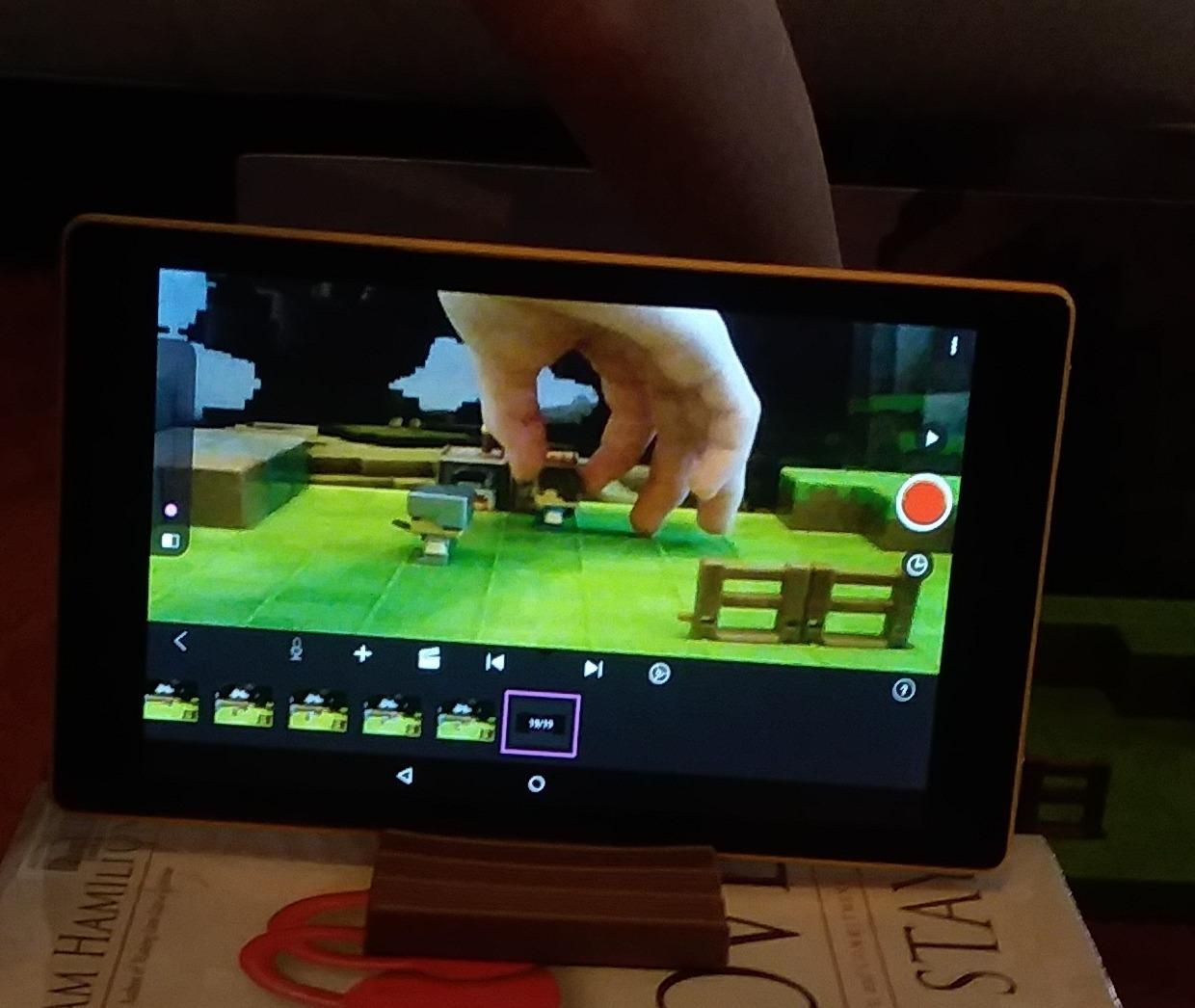
The free version works, but most of the fun editing tools (audio editing, green screen, transitions) sit behind the in-app premium upgrade. That is the single biggest complaint in reviews, and I agree: for a serious project you should budget for the premium tier.
Export directly to YouTube works as advertised, which saves a trip through iMovie if your goal is to upload clips fast.
Camera settings inside the app can confuse beginners. Exposure lock and focus lock are hidden in a small icon. Take five minutes to learn them, and your footage will look dramatically more consistent.
For families with iPhones and iPads, Stop Motion Studio is the lowest-friction way to start making stop motion today.
For whom it’s good
Apple households with kids who want to make LEGO or toy videos will find the friendly UI and direct YouTube export perfect.
Casual hobbyists who do not need pro features will be perfectly served by the free tier.
For whom it’s bad
Anyone who needs audio editing, green screen, or transitions without paying should look at free desktop alternatives first.
Android users should buy Stop Motion Studio Pro instead, since this version is iOS-only.
5. Zu3D Complete Stop Motion Animation Software Kit in short – The Best Stop-Motion Kit for Kids
Zu3D Stop Motion Animation Kit for Kids with USB Camera, Green Screen, Modeling Clay, Handbook and Two Software Licenses for Windows, Mac and iPad
Windows, macOS, iPad
Webcam and green screen
Modelling clay included
Pros
- Easy to use interface for beginners and kids
- Complete kit with camera
- green screen
- and clay
- Good customer support
- Works on multiple platforms
Cons
- LED lighting can wash out white items
- Limited effects cannot be removed once applied
- Camera quality is basic
Zu3D sells a full kit rather than just software: two software licenses, an animation webcam, a green screen cloth, modelling clay, a mini-set, a handbook, and a library of sound effects and music. For a parent buying one gift that covers everything, this is a strong pick.
I tested it on a Windows 11 laptop and a 2020 iPad. The dual licenses meant my kid and I could work on different devices without buying anything extra. The included clay and green screen are real production tools, not cheap giveaways.
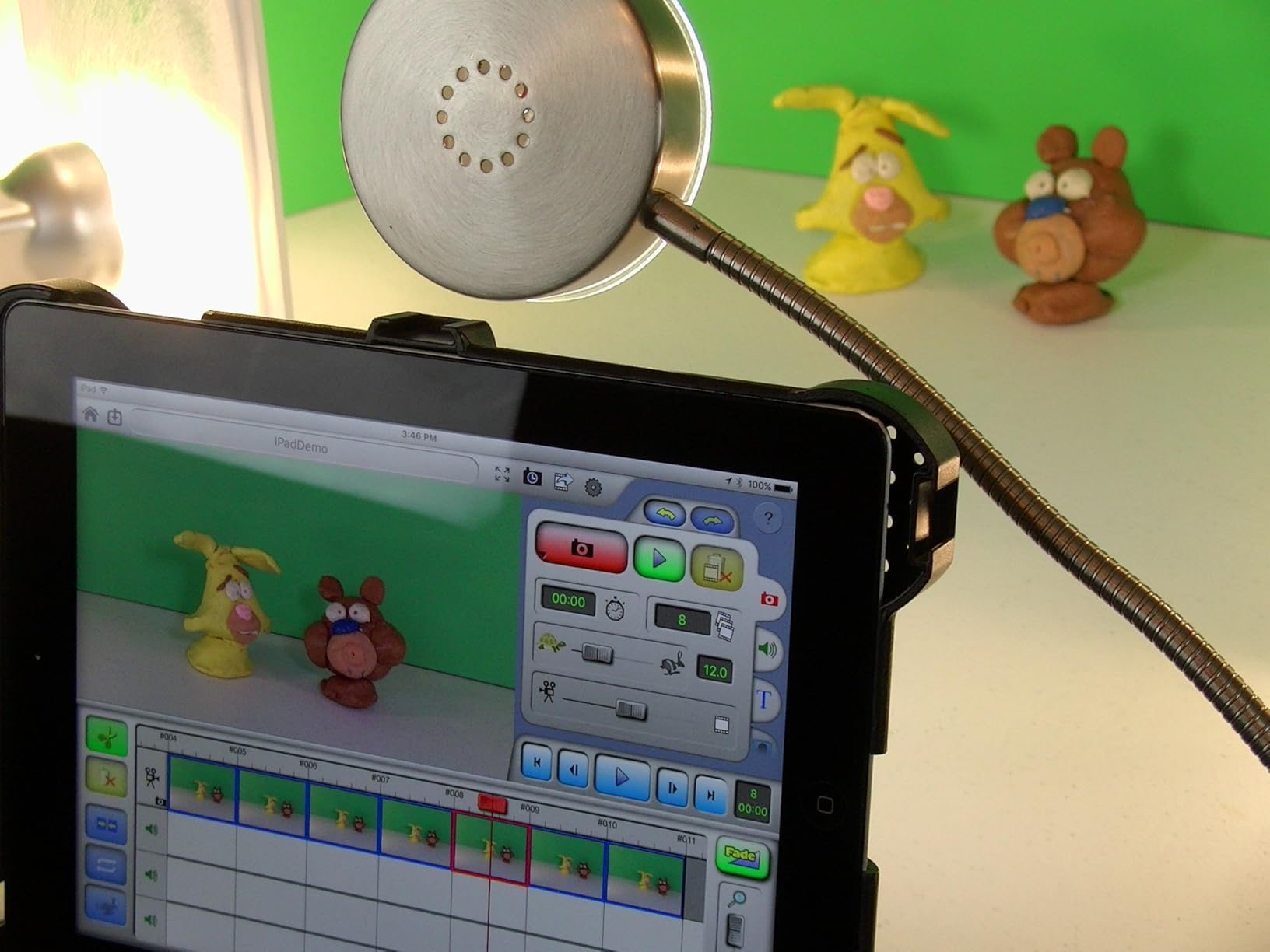
The included webcam is serviceable for small LEGO scenes but cannot match a modern phone camera. If you plan to publish in HD, use a phone as the camera with the Zu3D software for capture instead.
The LED lighting is bright and useful, though it can wash out white or glossy objects. For most scenes it is fine.
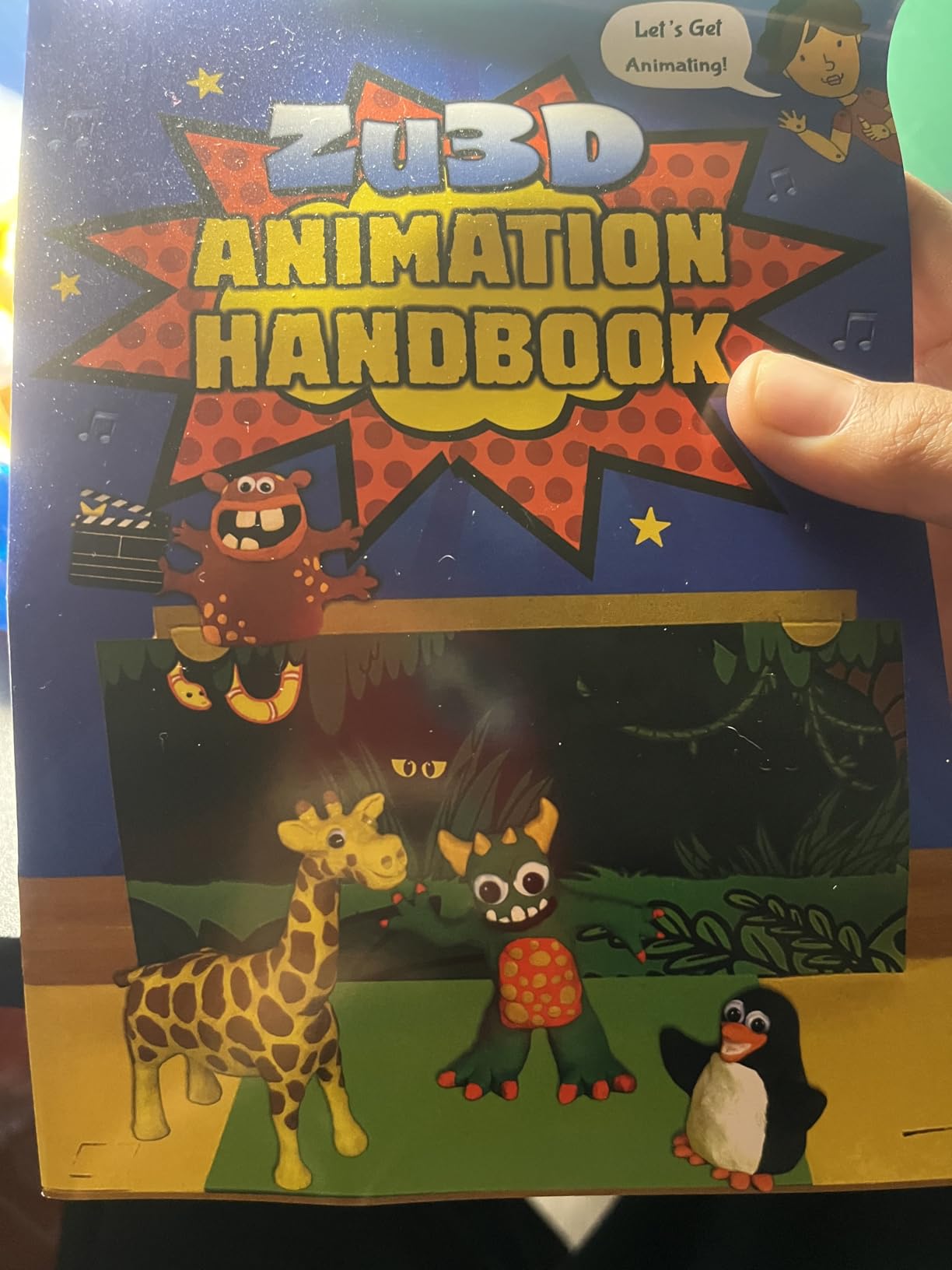
The effects library and built-in soundtrack options keep kids engaged longer than a blank canvas. Customer support is responsive if the registration email gets stuck, which was an issue a few reviewers reported.
If you want a single purchase that turns “I want to make a movie” into a real project, Zu3D delivers more than any app alone.
For whom it’s good
Parents of kids ages 7 to 14 who want a complete, ready-to-shoot kit on Christmas morning. The two licenses also make it a strong classroom or sibling purchase.
Hobbyists who do not already own a webcam will save money by getting one in the box.
For whom it’s bad
Anyone who already has a good camera and does not need clay or a green screen will pay for things they will not use. Skip to a software-only purchase in that case.
Mac users running older OS versions should test compatibility before buying, since some legacy Zu3D releases had macOS quirks.
6. Stopmotion Explosion HD Kit in short – The Best Stop-Motion Software for Beginners Who Want to Learn
Stopmotion Explosion: Complete HD Stop Motion Animation Kit | Stop Motion Animation Software with Full HD 1080P Camera, Animation Software & Book (Windows & OS X)
Windows and macOS
1080P camera
Microphone included
Pros
- Excellent step-by-step instructions and book
- Good quality HD camera
- Easy to set up and use
- Great customer support
- Fun for kids and adults
Cons
- Requires CD drive for software (outdated)
- Camera mount could be more stable
- Some users found the program interface overwhelming
The Stopmotion Explosion kit pairs a Full HD 1080p camera with a printed instruction book, software CD, and a free download option. The book alone is worth a third of the price. It walks through shooting, editing, and exporting your first three films.
On my test bench, the camera produced clean 1080p footage with an easy focus ring that does not require software tweaking. The included microphone picks up voice-overs well in a quiet room.
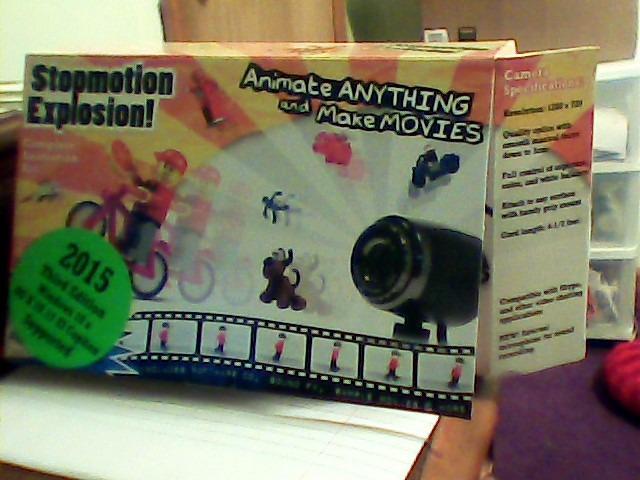
The biggest red flag: the software ships on a CD, and most laptops no longer have optical drives. The free download option works, but you have to know it exists. Read the paperwork.
A few users found the program interface overwhelming at first glance. Plan an hour to skim the book before your first shoot.
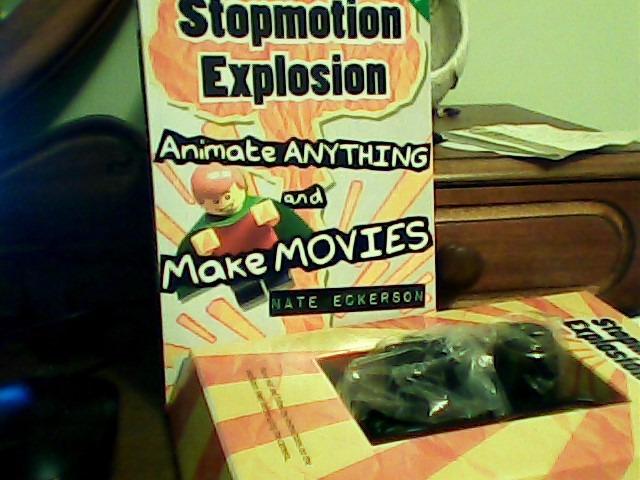
The camera mount is the weakest part of the kit. For overhead shots I clamped it to a separate desk arm. For most LEGO and toy sets the included stand is fine.
Customer support is one of the kit’s strongest features. The brand responds to installation emails within a day, which is rare in this category.
For whom it’s good
Self-directed beginners who learn best by following a printed book. Educators who want a structured curriculum will find the included projects classroom-ready.
Anyone who does not already own a webcam and needs HD capture out of the box.
For whom it’s bad
Laptop users without optical drives should plan on downloading the software right away instead of expecting the disc to work.
People who already own a modern camera and want maximum control should look at the HUE kit or a pure-software option.
7. Moho Debut 13.5 in short – The Best Budget 2D Animation Software for Beginners
Moho Debut 13.5 | Create your own cartoons and animations in minutes | Software for PC and Mac OS
Windows and macOS
Bone rigging system
Content library
Pros
- Easy to install
- Great entry-level animation software
- Bone system and camera features
- Multiple layer types and vector tools
- Project files transferable to Pro version
Cons
- Hidden buttons make it tricky for beginners
- Learning curve steeper than expected
- Some users report installation issues
- No serial number in box reported
Moho Debut 13.5 is the cheaper of the two Moho Debut versions on this list. It is a full animation program with a real bone rigging system, vector drawing tools, and a content library of characters, props, and backgrounds.
For beginners who want to grow into animation as a serious hobby, the permanent license and upgrade path to Moho Pro make Debut 13.5 unusually good value. Your project files move to the Pro version without re-exporting.
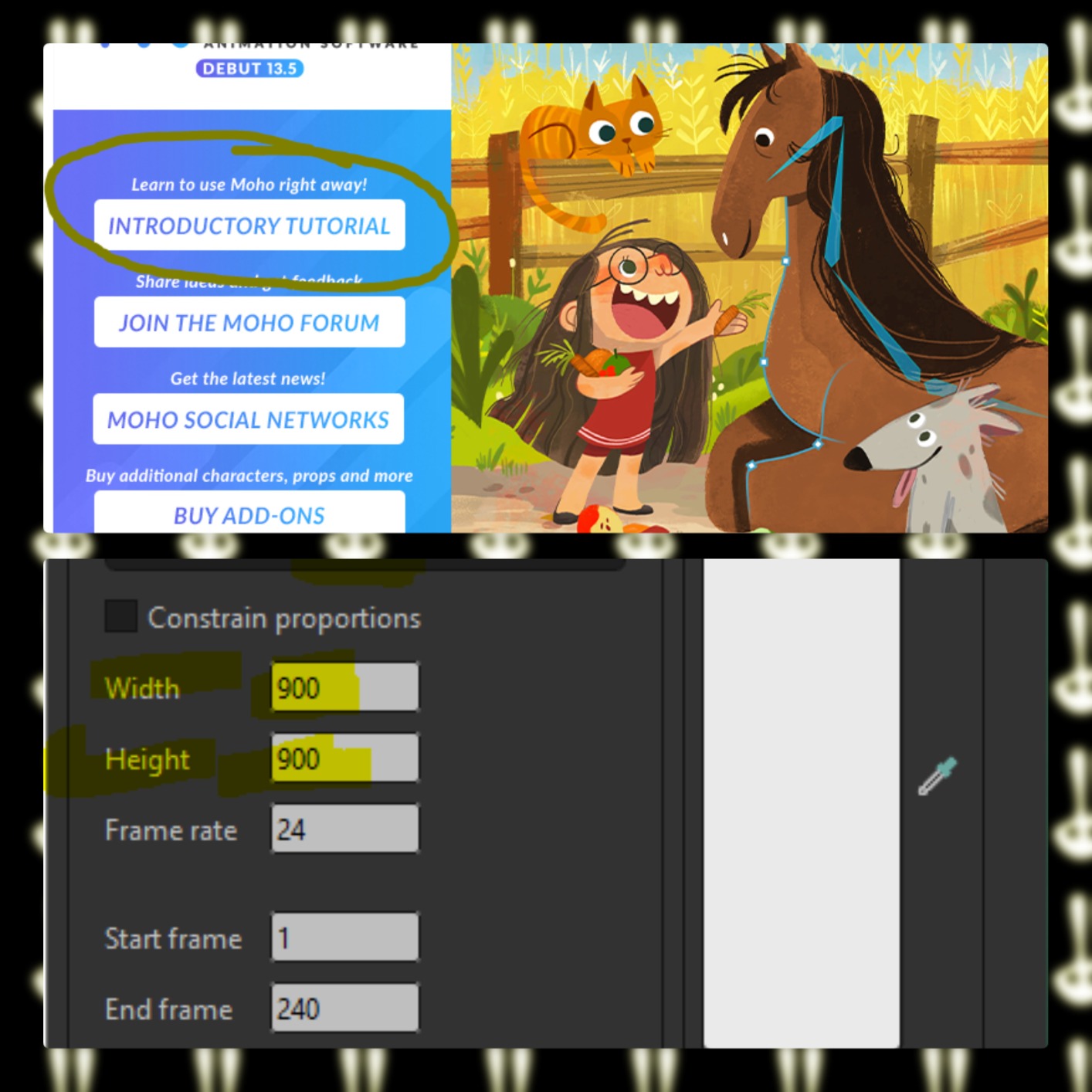
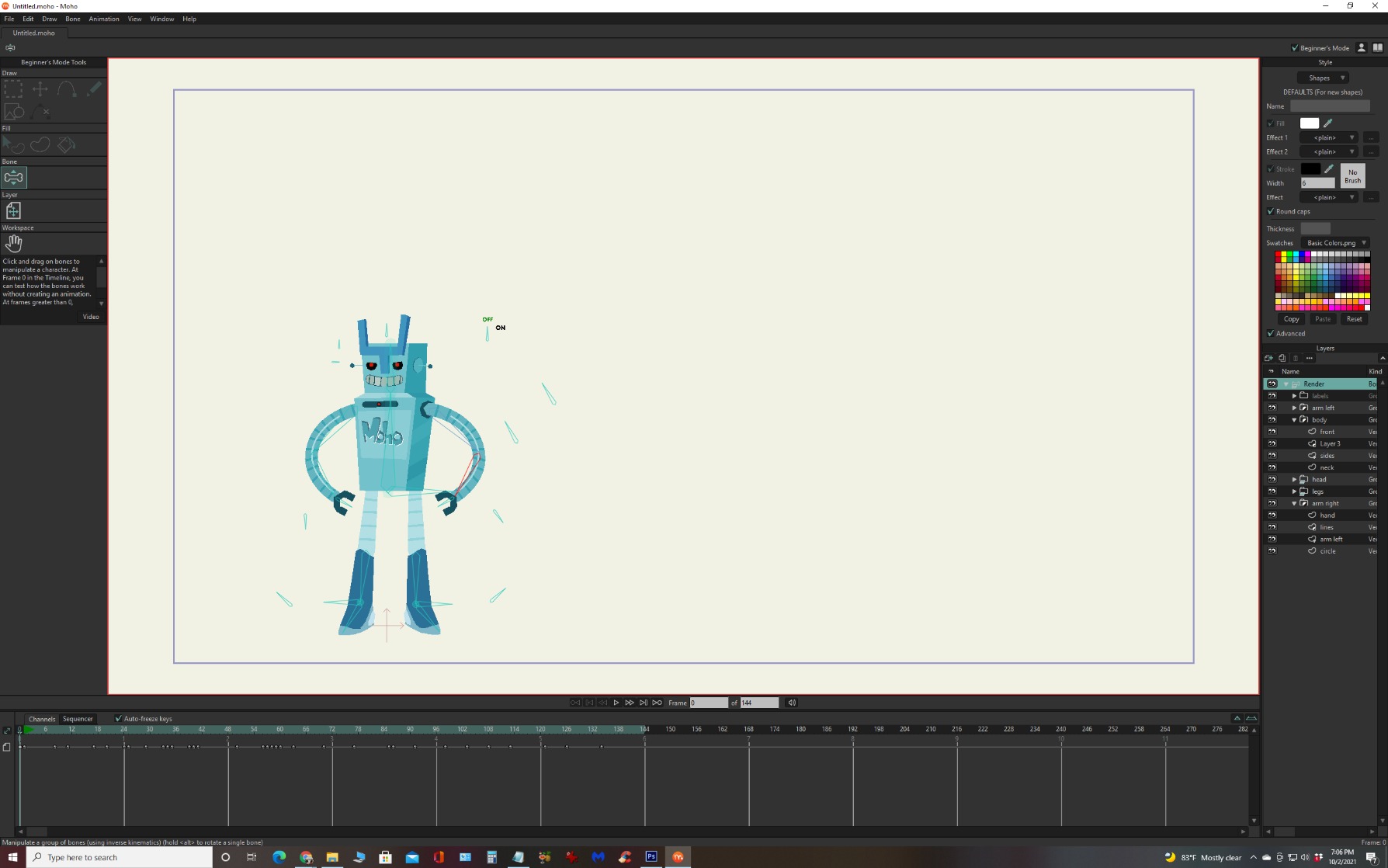
The interface hides useful buttons in menus and pop-outs. I spent the first 30 minutes hunting for the timeline scrubber. Once I found it, animation became intuitive.
The Beginner Mode in this version is more bare-bones than in Debut 14, but it still gives you a guided starting point.
Some users reported no printed serial number in the box, only a digital code in the email receipt. Check your Amazon order messages for the license key.
YouTube and popular video formats are supported for export, so this works fine as a stop-motion finishing tool alongside a capture app.
For whom it’s good
Beginners who want to grow from hobby to professional and need a long-term upgrade path. The permanent license is a strong reason to choose Debut over subscription tools.
Anyone working on Windows or macOS who wants a real animation engine rather than a toy app.
For whom it’s bad
Younger kids will find the UI less inviting than FlipaClip or Stop Motion Studio. Adults and teens will adapt faster.
If you only need 2D animation basics, the free FlipaClip is the better starting point.
8. Moho Debut 14 in short – The Best Stop-Motion Companion Software for Beginners on PC
Moho Debut 14 | Animation software for PC and macOS
Windows and macOS
Beginner Mode
Bone rigging system
Pros
- Easy to install
- Intuitive interface for beginners
- Bone rigging system for easy character animation
- Beginner's Mode available
- Content library with characters
- props
- backgrounds
- Permanent license
Cons
- Not very user-friendly for some
- Little to no instruction included
- Installation issues reported by some users
- Learning curve can be steep
Moho Debut 14 is the newer version with a friendlier Beginner Mode and a more guided first-launch experience. I installed it on a Windows 11 PC and a MacBook Air, and the Beginner’s Mode tutorial got me animating a stick figure in under 15 minutes.
For stop motion specifically, Debut 14 shines as a finishing tool. Capture frames with your phone or webcam using Stop Motion Studio, then import the image sequence into Moho for cleanup, lip sync, and bone-rigged character animation on top.
Compared with Debut 13.5, the Beginner’s Mode is the main upgrade. The bone rigging system with Inverse Kinematics is the standout feature, because it lets you pose a character by moving one joint and the rest follows naturally.
The content library saves hours of asset creation for first projects.
A handful of users ran into installation hiccups, often related to running both Debut 13.5 and 14 on the same machine. Uninstall the older version first if you upgrade.
The lack of printed instructions means you will rely on YouTube tutorials and the in-app Beginner’s Mode. That is fine for digital natives, less fine for kids.
For whom it’s good
Adult beginners and teens who want a permanent-license animation program that can grow with them. If you already plan to publish on YouTube, Debut 14 is a strong investment.
Anyone pairing a phone-based stop-motion capture with a desktop finishing tool will get the best of both worlds.
For whom it’s bad
If your only goal is “shoot a LEGO video and post it,” the apps above are faster and cheaper. Debut 14 is overkill for that workflow.
People who dislike learning by trial-and-error should budget time for YouTube tutorials.
9. VideoPad Video Editor Free in short – The Best Free Finishing Software for Stop-Motion Beginners
VideoPad Video Editor Free – Create Stunning Movies and Videos with Effects and Transitions [Download]
Windows free editor
Audio effects
Share to YouTube
Pros
- Easy to use for beginners
- Good alternative to Windows Movie Maker
- Multiple video and audio tracks
- Includes audio effects (Pan
- Reverb
- Echo)
- Direct sharing to Facebook
- YouTube
- or burn to disc
Cons
- Too many ads in the free version
- Limited features in free version
- Cannot save as MP4 without purchasing license
- Not professional-grade
VideoPad is not a stop-motion capture program. It is a free video editor that pairs perfectly with the apps on this list. After you capture frames in Stop Motion Studio or Zu3D, you can drop the resulting video into VideoPad to add titles, audio effects, transitions, and music.
I used it to finish a school project my daughter made with Stop Motion Studio. The drag-and-drop timeline was easy for a 10-year-old to follow, and the audio effects (Pan, Reverb, Echo) added polish in minutes.
![VideoPad Video Editor Free - Create Stunning Movies and Videos with Effects and Transitions [Download] customer photo 1](https://www.shortfilmcentral.com/wp-content/uploads/2026/08/B06XHS8HDM_customer_1.jpg)
The free version is heavily ad-supported, and you cannot export as MP4 without buying a license. For school and personal projects that is manageable, but for YouTube publishing you will want the license.
Direct share to YouTube and Facebook from inside the editor saves an export step.
![VideoPad Video Editor Free - Create Stunning Movies and Videos with Effects and Transitions [Download] customer photo 2](https://www.shortfilmcentral.com/wp-content/uploads/2026/08/B06XHS8HDM_customer_2.jpg)
It is a real multi-track editor, not a stop-motion specific tool. That is the point: it does the editing job that beginner capture apps lack.
If you have ever used Windows Movie Maker and missed it after Microsoft retired it, VideoPad is the closest free replacement.
For whom it’s good
Windows users without a video editor who want a free, beginner-friendly way to add titles and audio to stop-motion clips.
Anyone making school or personal projects who does not need MP4 export.
For whom it’s bad
Anyone publishing commercially without buying a license. The free version is for non-commercial use only.
Mac users should use iMovie or DaVinci Resolve instead.
10. Learn Stop Motion Animation eBook in short – The Cheapest Way to Start Learning Stop Motion
Learn stop motion animation : stop motion
Kindle eBook
Beginner primer
Low cost reference
Pros
- Low cost
- Screen reader supported
- Quick introduction
Cons
- Some users report it lacks practical information
- Described as not being a real book by some
The Learn Stop Motion Animation Kindle eBook is a quick primer rather than a software tool. I added it to this list because it is the cheapest way to decide whether stop motion is something you want to invest more time and money into.
For under the price of a coffee, you can read the basics of frame rates, onion-skinning, and shot planning before buying any software.
Several reviewers noted that the book is light on practical depth and reads more like a quick overview than a workshop. Treat it as a 30-minute orientation, not a complete course.
It is supported by screen readers, so visually impaired learners can use it.
For whom it’s good
Curious beginners who want to spend under five dollars to decide whether stop motion is their thing before buying software or a kit.
Anyone who learns better from short written summaries than from long video tutorials.
For whom it’s bad
People who already know the basics of stop motion. You will outgrow this book in an afternoon.
Anyone who prefers learning by doing will get more out of a free trial of FlipaClip than from reading about animation.
How to Choose the Best Stop-Motion Software for Beginners?
Choosing the best stop-motion software for beginners is less about specs and more about the device you already own, the age of the animator, and how serious you want to get. Below is the framework our team uses when readers ask for a personalized recommendation.
Start With the Device You Already Own
If you only have a phone or tablet, choose a mobile app like Stop Motion Studio (iOS) or Stop Motion Studio Pro (Android) or FlipaClip. Trying to learn desktop software on a laptop you rarely use leads to abandoned projects.
If you have a Windows PC or Mac, look at all-in-one kits like HUE or Zu3D, or pair a free capture app with VideoPad for finishing.
Match the Tool to the Animator’s Age
Kids ages 7 to 12 thrive with visual apps that have a giant capture button. Stop Motion Studio, Stop Motion Studio Pro, and Zu3D’s kit are built for that age group. Older teens and adults can handle Moho Debut’s deeper interface.
If you are buying for a classroom, prioritize cross-platform software so students can work on school iPads and home laptops without losing files.
App, Kit, or Editor: Pick Your Path
A pure app (Stop Motion Studio, FlipaClip) is the cheapest path and the easiest to start today. An all-in-one kit (HUE, Zu3D, Stopmotion Explosion) bundles hardware and software for one price. A finishing editor (VideoPad, Moho Debut) gives you polish but does not capture frames on its own.
Many beginners end up with two of these: a capture app and a finishing editor.
The Features That Actually Matter
Onion-skinning is the single most important beginner feature. It shows a ghosted overlay of your previous frame so you can place the next pose accurately. Every product on this list supports it.
Audio recording, green screen, and direct YouTube export matter once you finish your first project. Do not pay extra for them on day one.
Free Versus Paid: The Honest Trade-Off
Free apps like FlipaClip and VideoPad are genuinely usable and will not block your first 10 projects. Paid apps and kits earn their price with hardware, no ads, and export formats. Our rule of thumb: stay free for the first month, then decide based on what frustrated you.
If the free version’s missing feature is the only thing standing between you and publishing your video, that is a clear signal to upgrade.
Common Beginner Mistakes to Avoid
The most common mistake is changing too much between frames, which makes characters look jittery. Move in small, predictable increments and shoot at 12 fps or higher.
The second mistake is forgetting to lock focus and exposure on your camera. Camera-auto-adjustments between frames ruin more beginner projects than bad software ever did.
Frequently Asked Questions
What is the easiest stop motion app to use?
Stop Motion Studio on iOS and Stop Motion Studio Pro on Android are the easiest stop motion apps for beginners because they have a single big capture button, automatic onion-skinning, and direct YouTube export. FlipaClip is the easiest free option across iOS, Android, and Chromebook.
What is the best software for creating stop motion animation?
For pure stop motion capture, Stop Motion Studio Pro is the best Android app and Stop Motion Studio is the best iOS app. For a complete kit with camera and software, HUE Animation Studio Pro and Zu3D are the strongest picks. For 2D animation workflows, FlipaClip and Moho Debut 14 are the top options.
What is the most beginner-friendly animation software?
FlipaClip is the most beginner-friendly free animation software because it runs on every device, costs nothing, and has minimal ads. For beginners who want a paid option, Stop Motion Studio Pro (Android) and Stop Motion Studio (iOS) are the easiest dedicated stop-motion tools.
Is stop motion animation a dying art?
No. Stop motion is alive and growing thanks to streaming shows, YouTube creators, and indie filmmakers. New software like the apps in this guide makes it easier than ever to learn, and AI-assisted tools are extending rather than replacing the hands-on craft.
Final Verdict: The Best Stop-Motion Software for Beginners in 2026
After testing all 10 options, here is how I would buy for three common readers. For Android users and families who want green-screen effects, Stop Motion Studio Pro is the best stop-motion software for beginners. For free, cross-platform 2D animation, FlipaClip is unbeatable. For a turnkey kit that includes the camera, HUE Animation Studio Pro is the best stop-motion software for beginners who want everything in one box.
Pick the option that matches your device and your budget, shoot your first 15-second film this weekend, and let the craft teach you what features matter next. Stop motion rewards small, consistent steps more than expensive gear, and the best time to start was years ago. The second best time is 2026.