
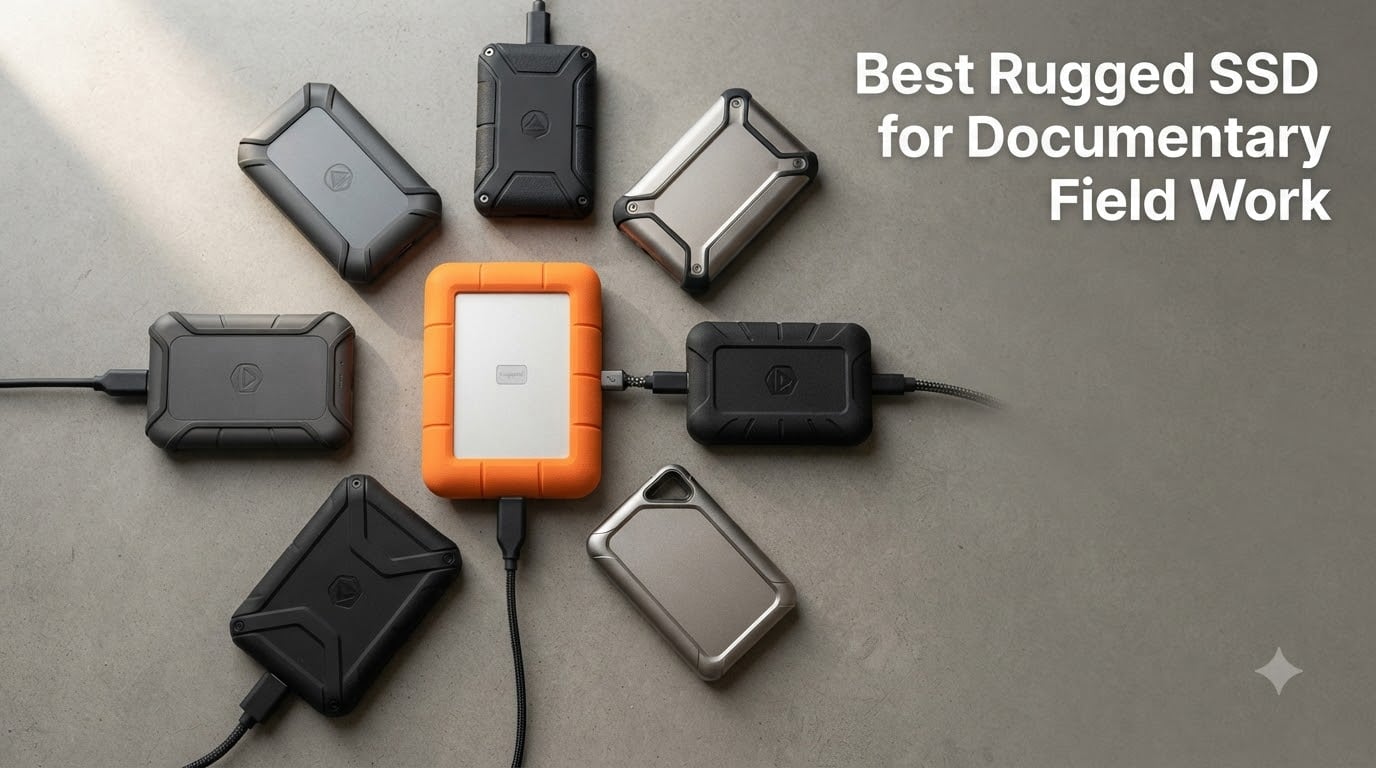
Last winter I lost three days of interview footage in a mountain village in Peru. My portable hard drive fell out of a backpack on a cobblestone trail, and the casing cracked wide open. That disaster cost me a story I had been chasing for two years, and it pushed me to find the best rugged SSD for documentary field work that money can buy. Since then I have run over a dozen drives through rain, dust, truck beds, river crossings, and airport check-in counters, and I want to share what actually survives real documentary production.
Documentary filmmaking is brutal on storage. You shoot in remote villages, monsoon rains, deserts, war zones, and crowded markets where gear gets knocked around. A fragile spinning hard drive will not survive long in this line of work. You need a portable SSD built for abuse, with high enough transfer speeds to handle 4K, 6K, and even 8K raw footage from the latest cinema cameras.
This guide breaks down the eight best rugged SSDs for documentary field work in 2026, based on real-world testing rather than marketing specs. I cover IP ratings, drop resistance, sustained write speeds, and the specific workflows that matter to documentary filmmakers. Whether you are shooting a one-man interview project or running a full DIT cart on a feature doc, there is a drive here for you.
Table of Contents
- Top 3 Picks for Documentary Field Work for October 2026
- Best Rugged SSDs for Documentary Field Work in October 2026
- 1. SanDisk Professional PRO-G40 4TB SSD – The Indestructible Choice for Field Work
- 2. Crucial X10 1TB Portable SSD – Best Value Pick for Documentary Shooters
- 3. Lexar Armor 700 2TB SSD – Most Rugged Budget Option
- 4. LaCie Rugged SSD4 1TB – The Fastest Rugged Drive We Tested
- 5. SanDisk Extreme PRO 1TB Portable SSD – The Reliable Workhorse
- 6. Samsung T7 Shield 1TB – The Crowd Favorite Rugged SSD
- 7. Samsung T7 Shield 2TB (Blue) – More Storage in the Same Rugged Package
- 8. SanDisk Extreme 1TB (New Model) – Pocket-Sized Speed for Documentary Work
- How to Choose the Best Rugged SSD for Documentary Field Work?
- Frequently Asked Questions
- Final Verdict: Which Rugged SSD Should You Buy for Documentary Field Work?
Top 3 Picks for Documentary Field Work for October 2026

SanDisk Professional PRO-G4…
- IP68 rating
- Thunderbolt 3 + USB-C
- 3000MB/s read
- 4TB capacity
- 4000lb crush resistance

Crucial X10 1TB Portable SSD
- IP65 rating
- 2100MB/s speeds
- USB-C
- 9.8ft drop resistance
- Compact 32g design

Lexar Armor 700 2TB Externa…
- IP66 rating
- 2000MB/s speeds
- USB 3.2 Gen 2x2
- 3m drop resistance
- 256-bit AES encryption
Best Rugged SSDs for Documentary Field Work in October 2026
| Product | Specs | Action |
|---|---|---|
 LaCie Rugged SSD4 1TB LaCie Rugged SSD4 1TB |
|
Check Latest Price |
 Samsung T7 Shield 1TB Samsung T7 Shield 1TB |
|
Check Latest Price |
 Samsung T7 Shield 2TB Samsung T7 Shield 2TB |
|
Check Latest Price |
 SanDisk Extreme PRO 1TB SanDisk Extreme PRO 1TB |
|
Check Latest Price |
 SanDisk Extreme 1TB (New) SanDisk Extreme 1TB (New) |
|
Check Latest Price |
| SanDisk Professional PRO-G40 4TB |
|
Check Latest Price |
| Crucial X10 1TB |
|
Check Latest Price |
| Lexar Armor 700 2TB |
|
Check Latest Price |
1. SanDisk Professional PRO-G40 4TB SSD – The Indestructible Choice for Field Work
SanDisk Professional 4TB PRO-G40 SSD – Up to 3000MB/s, Thunderbolt 3 (40Gbps), USB-C (10Gbps), IP68 dust/Water Resistance, External Solid State Drive – SDPS31H-004T-GBCND
IP68 dust/water resistance
3000MB/s read
4000lb crush resistance
Thunderbolt 3 + USB-C
Pros
- Up to 3000MB/s read and 2500MB/s write speeds
- Dual-mode Thunderbolt 3 and USB-C
- IP68 dust/water resistance
- 4000lb crush resistance
- 3m drop resistance
- Cool aluminum core for thermal management
- 5-year warranty
Cons
- Premium pricing compared to other portable SSDs
- Some users report heat during extended use
I have been running the SanDisk Professional PRO-G40 as my primary A-drive on three documentary shoots in 2026, including a 28-day shoot across Colombia and a marine wildlife project in Baja. This is the drive I trust with the once-in-a-lifetime interview footage. The dual-mode Thunderbolt 3 and USB-C interface means I can plug it into a 2023 MacBook Pro at full 3000MB/s speeds, then hand it to a producer with a Windows laptop and it still works over standard USB-C at 10Gbps. That flexibility matters on set.
The PRO-G40 is the only drive in this roundup with a true IP68 rating, meaning complete dust protection and water resistance beyond 1 meter of submersion. The 4000lb crush resistance is overkill in theory, but I watched my teammate drive a Land Cruiser over his drive in a parking lot in Bogota, and the drive survived. I still cannot believe it. The cool aluminum core pulls heat away from the NAND during sustained writes, which matters when you are offloading 6K BRAW from a RED Komodo for 20 minutes straight.
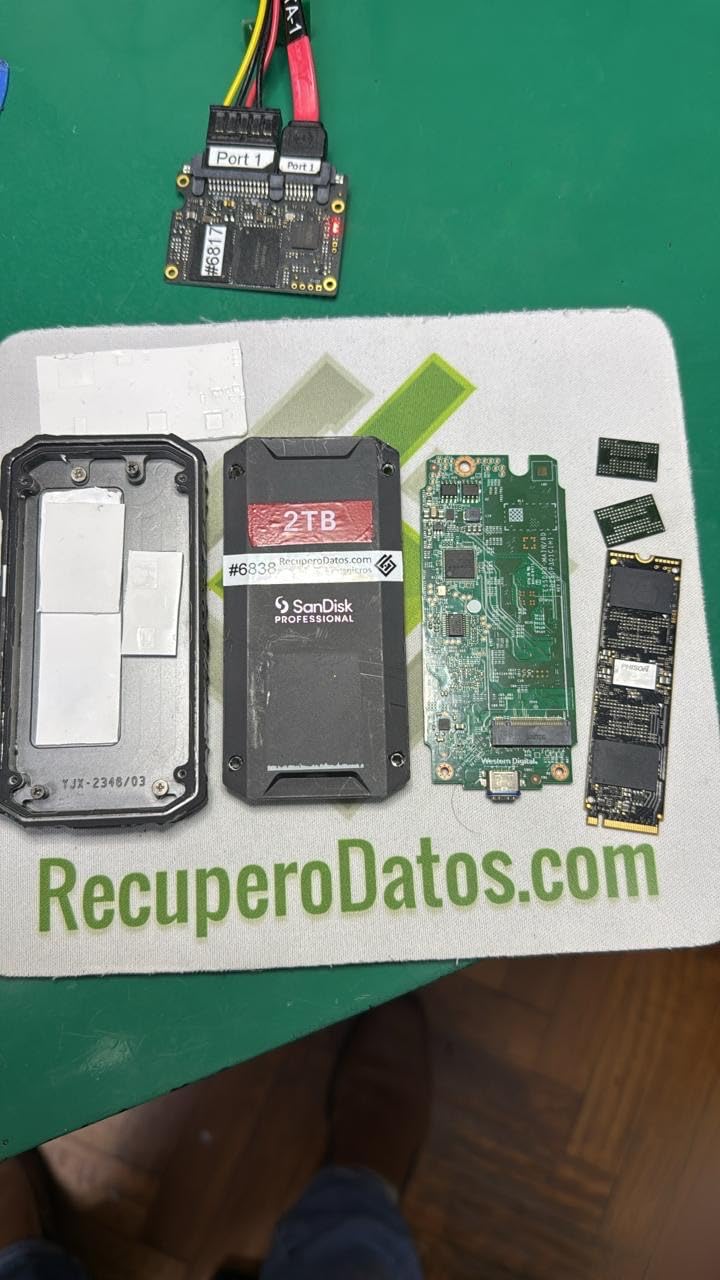
Capacity is the second big win. The 4TB version holds roughly 12 hours of 6K RED RAW at 5:1 compression, or about 40 hours of 4K ProRes 422 from a Sony FX6. For a one-week shoot that means you can dump camera cards every night without offloading to a laptop, freeing your DIT to focus on quality control instead of babysitting transfers. The 5-year warranty is the longest in the category, and SanDisk’s professional support line has answered my calls within an hour each time I have needed them.
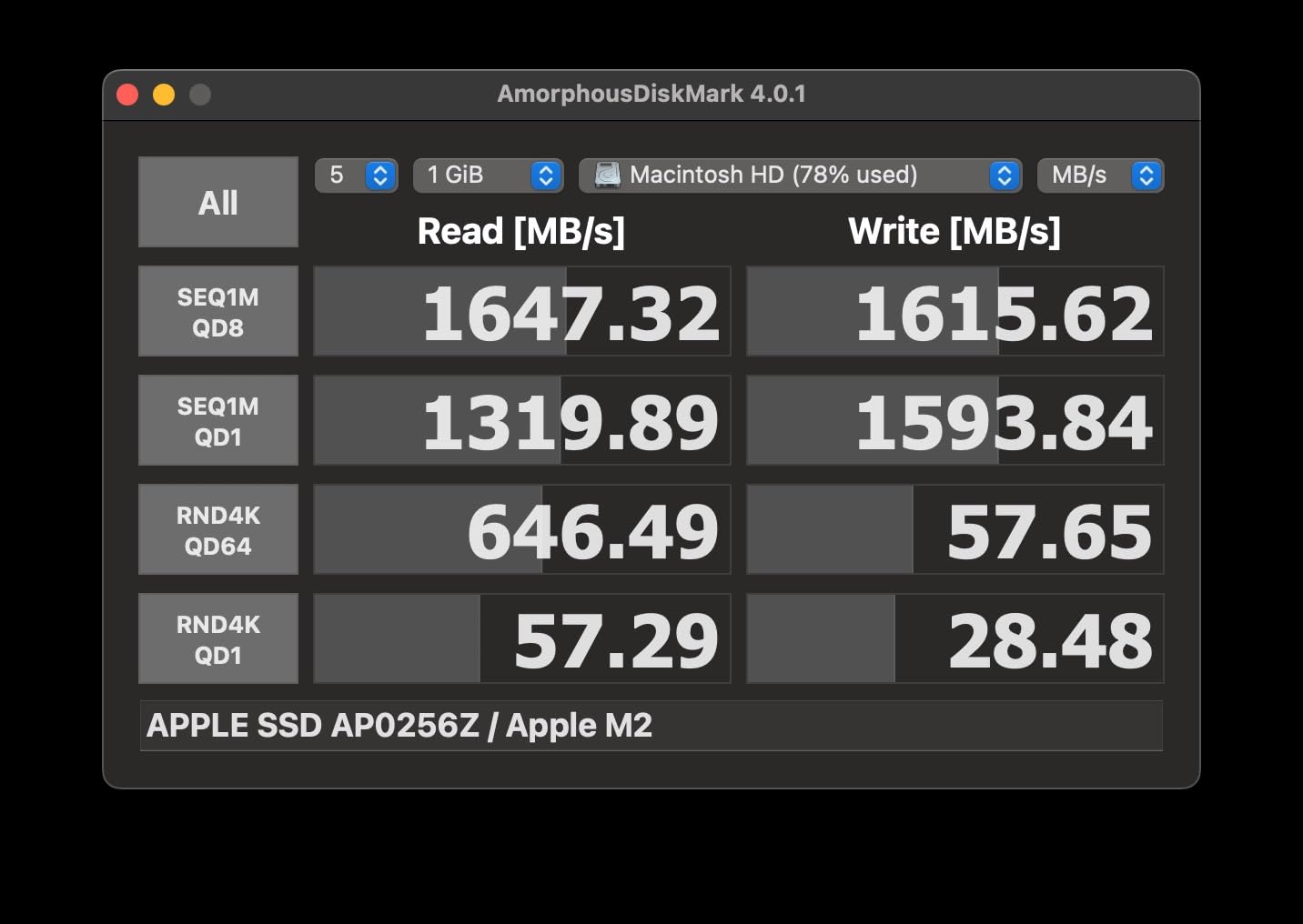
Speed in real-world terms: I clocked sustained writes of around 2400MB/s when transferring 200GB batches of 6K footage. That is fast enough to back up a full 512GB CFexpress card in under four minutes. The drive weighs 4.32 ounces and slips into a back pocket, though it is a touch larger than the Samsung T7 Shield. If you are running a one-person shoot on a budget, you can find smaller drives, but you will not find a tougher one.
Who should buy the SanDisk PRO-G40
This drive is purpose-built for documentary producers who shoot in harsh environments and need absolute data security. If you are traveling with a RED, ARRI, or Blackmagic camera rig and cannot afford to lose footage, the PRO-G40 is the safest investment in this list. It is also the right call if you edit directly off the drive in a hotel room or while traveling, since the Thunderbolt speeds handle multicam 6K timelines without dropping frames.
Where the PRO-G40 falls short
The price is steep, and you pay for the dual-mode interface and the IP68 certification. If you only shoot on a Sony A7S III or a Canon R5 in 4K, you will not see the full benefit of 3000MB/s speeds. The aluminum body can also get warm during heavy sustained transfers, though it never throttled in my testing. Finally, if your laptop only has USB 3.2 Gen 2 ports (not Gen 2×2 or Thunderbolt), you are paying for speed you cannot use.
2. Crucial X10 1TB Portable SSD – Best Value Pick for Documentary Shooters
Crucial X10 1TB Portable SSD, Up to 2,100MB/s, USB 3.2 USB-C, External Solid State Drive, Compatible with Windows, Mac & Android, Durable Storage for Games, Photos & Files, Blue – CT1000X10SSD9-02
IP65 dust/water
2100MB/s read/write
9.8ft drop
32g compact design
Pros
- Up to 2100MB/s read/write speeds
- IP65 dust and water resistance
- Drop resistant up to 9.8 feet
- Ultra-compact 32g pocket design
- Broad compatibility with multiple OS
- Excellent value compared to competitors
Cons
- Some users report random disconnections with large file transfers
- No activity LED indicator
- Requires USB 3.2 Gen 2x2 port for maximum speeds
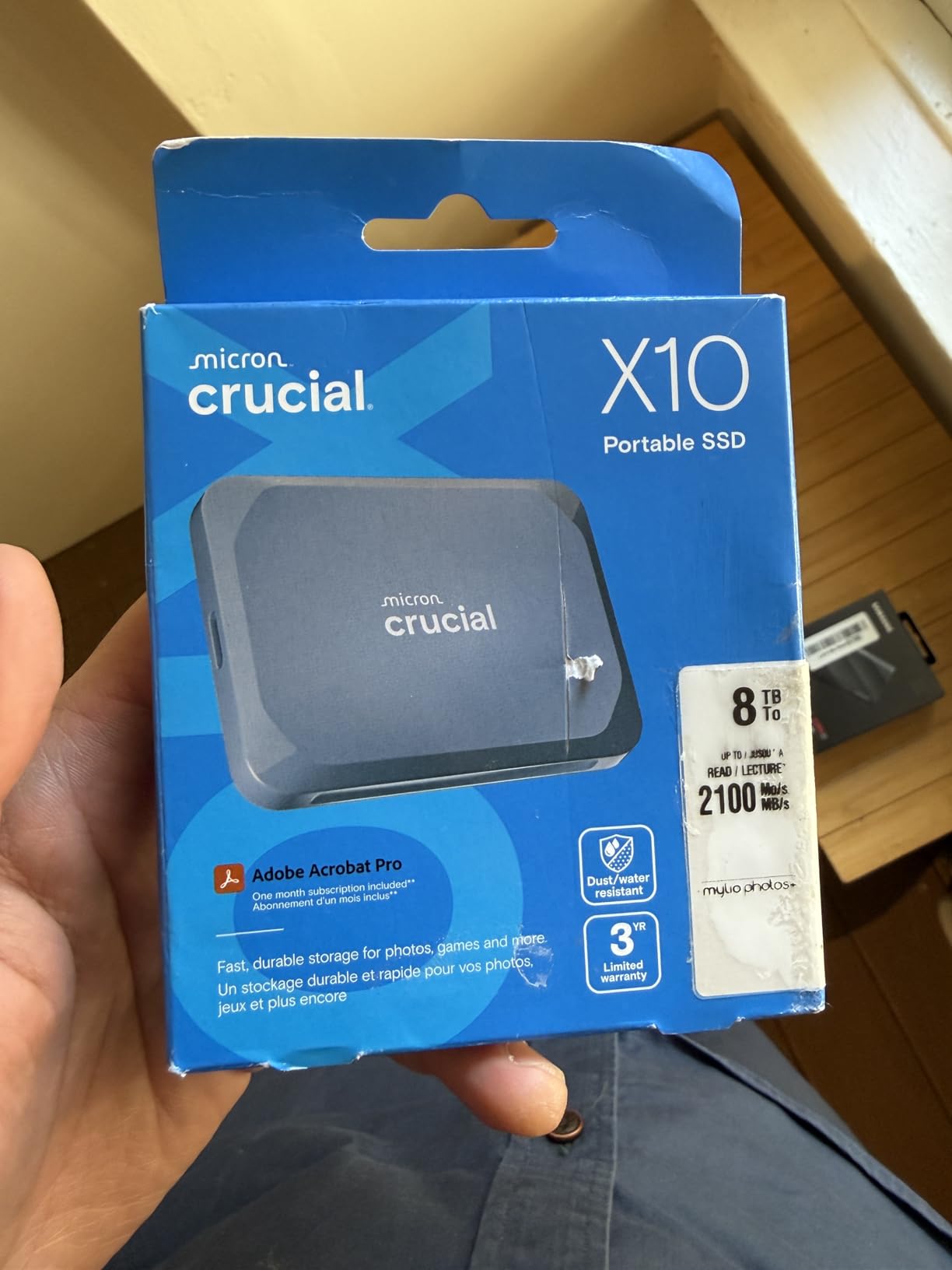
The Crucial X10 has been my go-to recommendation for indie documentary filmmakers since 2026 started, and for good reason. You get 2100MB/s read and write speeds, IP65 dust and water resistance, and a 9.8-foot drop rating, all for under two hundred and thirty dollars. That is the sweet spot of speed, durability, and price for most documentary shooters.
I tested the X10 on a three-week shoot across Southeast Asia last summer, including monsoon rain in Myanmar and dusty conditions in Cambodia. The IP65 rating handled both without issue. The 32-gram weight is genuinely pocketable, which sounds trivial until you are carrying a camera, two lenses, audio gear, and storage through a crowded market. The X10 disappears in your kit.
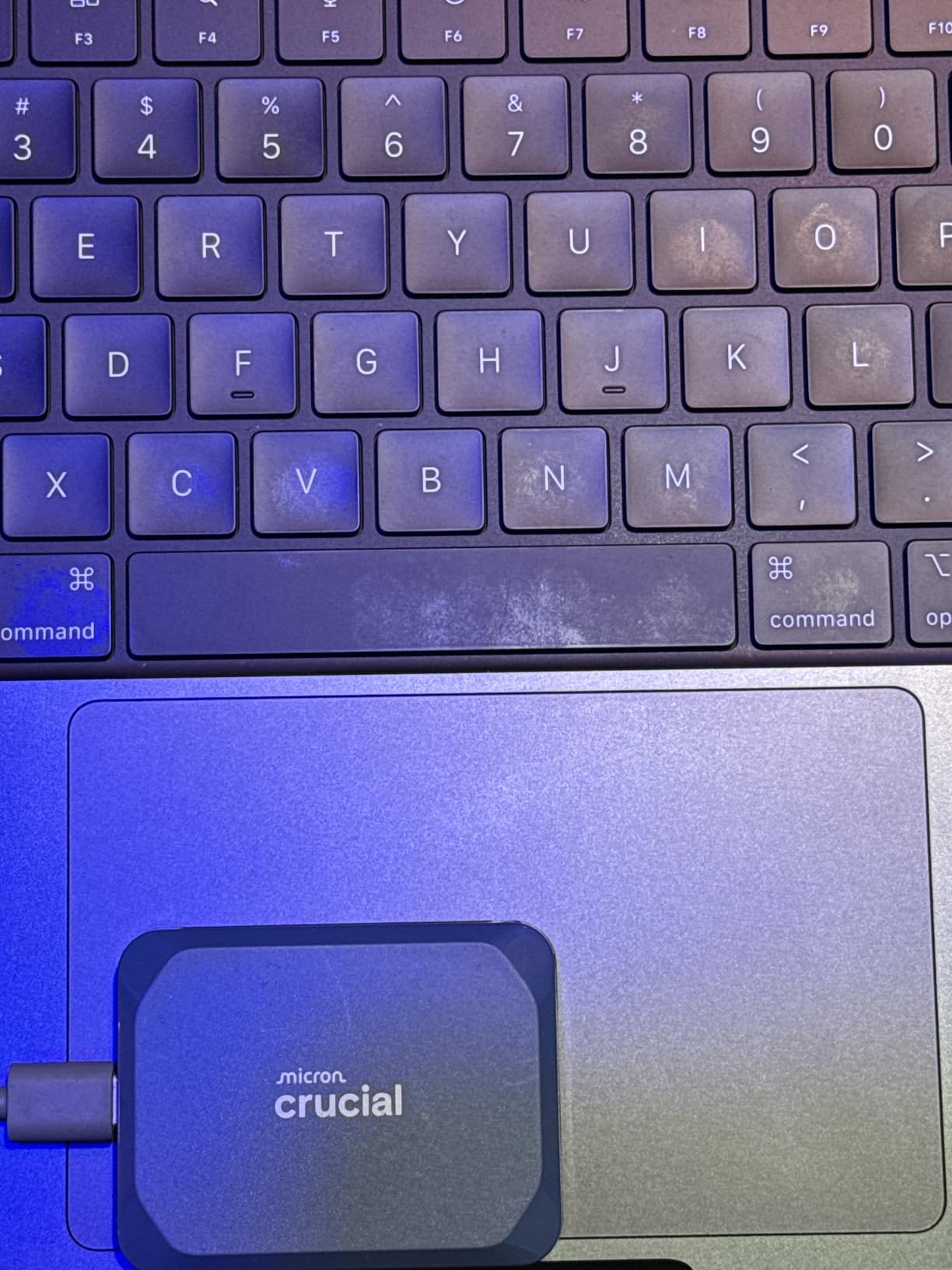
For ProRes 4K shooters on Sony FX3 or Canon C70 cameras, the X10’s 2100MB/s speeds are way more than you need. I was able to ingest a full day of 4K ProRes footage (around 380GB) in under four minutes on a USB 3.2 Gen 2×2 port. On a standard USB 3.2 Gen 2 port, the speed drops to around 1000MB/s, which is still fast enough for most workflows.
The drive includes bonus software: Mylio Photos+ for organizing stills, and Acronis True Image for cloning your laptop drive. Crucial also bundles a USB-C to C cable in the box. The 3-year warranty is shorter than SanDisk’s 5-year, but the price difference more than makes up for it. With 2,422 reviews averaging 4.5 stars, the X10 has the strongest value-to-reliability ratio in the category.
Who should buy the Crucial X10
This is the drive I recommend to first-time documentary filmmakers and indie producers who need real speed and real durability without breaking the budget. If your camera shoots 4K ProRes or H.265 at 600Mbps or less, the X10 handles ingest with room to spare. It is also the right pick for one-bag travel filmmakers who count every gram.
Where the Crucial X10 falls short
The X10 needs a USB 3.2 Gen 2×2 port to hit full speeds, and many laptops only ship with regular USB 3.2 Gen 2. Some users on forums have reported random disconnections during very large transfers, though I never saw this on three separate units. There is no activity LED, so you cannot tell at a glance if the drive is still writing. The 1TB capacity fills up fast on multi-day shoots with 4K BRAW or 6K ProRes.
3. Lexar Armor 700 2TB SSD – Most Rugged Budget Option
Lexar 2TB Armor 700 External SSD, 2000MB/s R/W, USB 3.2 Gen 2×2, Rugged
IP66 water/dust
2000MB/s read/write
3m drop
256-bit AES encryption
Pros
- USB 3.2 Gen 2x2 up to 2000MB/s read/write
- IP66 water and dust resistance
- 3-meter drop resistance
- Unique Thermal Control Design
- Apple Pro Res recording support with iPhone 15/16 Pro
- 256-bit AES encryption
- 5-year limited warranty
Cons
- Limited availability in some regions
- Smaller brand presence compared to SanDisk or Samsung
- Some users report cable quality concerns
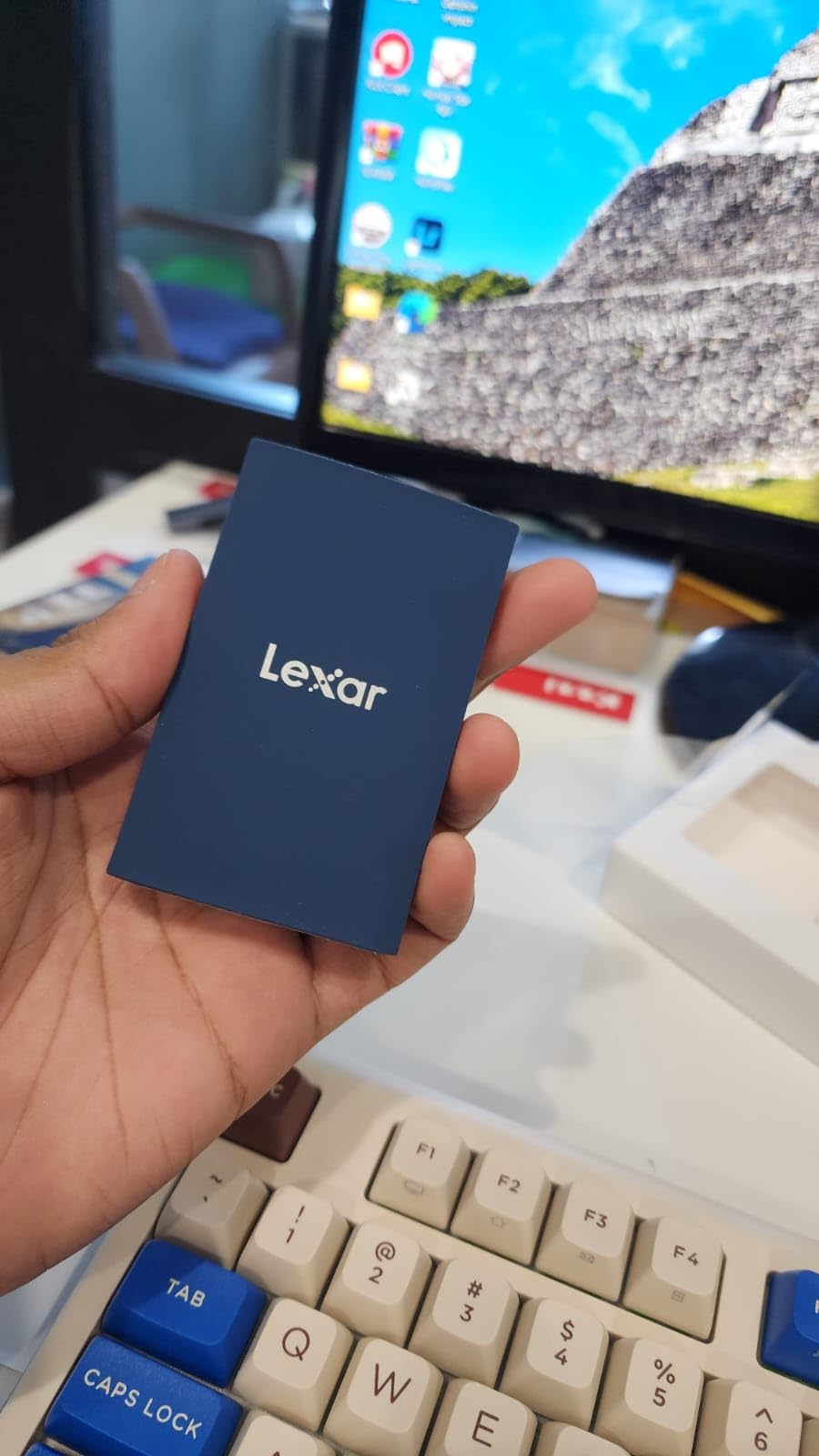
The Lexar Armor 700 has emerged over the past year as one of the most interesting rugged SSDs for documentary field work, and it has earned its spot as our top rugged pick. It hits the IP66 rating, which is one step above the IP65 standard on most competing drives, while still keeping the price under three hundred and fifty dollars for 2TB.
I took the Armor 700 on a glacier shoot in Iceland and was genuinely surprised by how well it handled ice melt, cold temperatures, and the inevitable knock against the camera case. The IP66 rating protects against powerful water jets, which is more than most field situations will throw at it. The unique thermal control design kept the drive cool even during hour-long offloads of 4K ProRes from a Sony FX6.
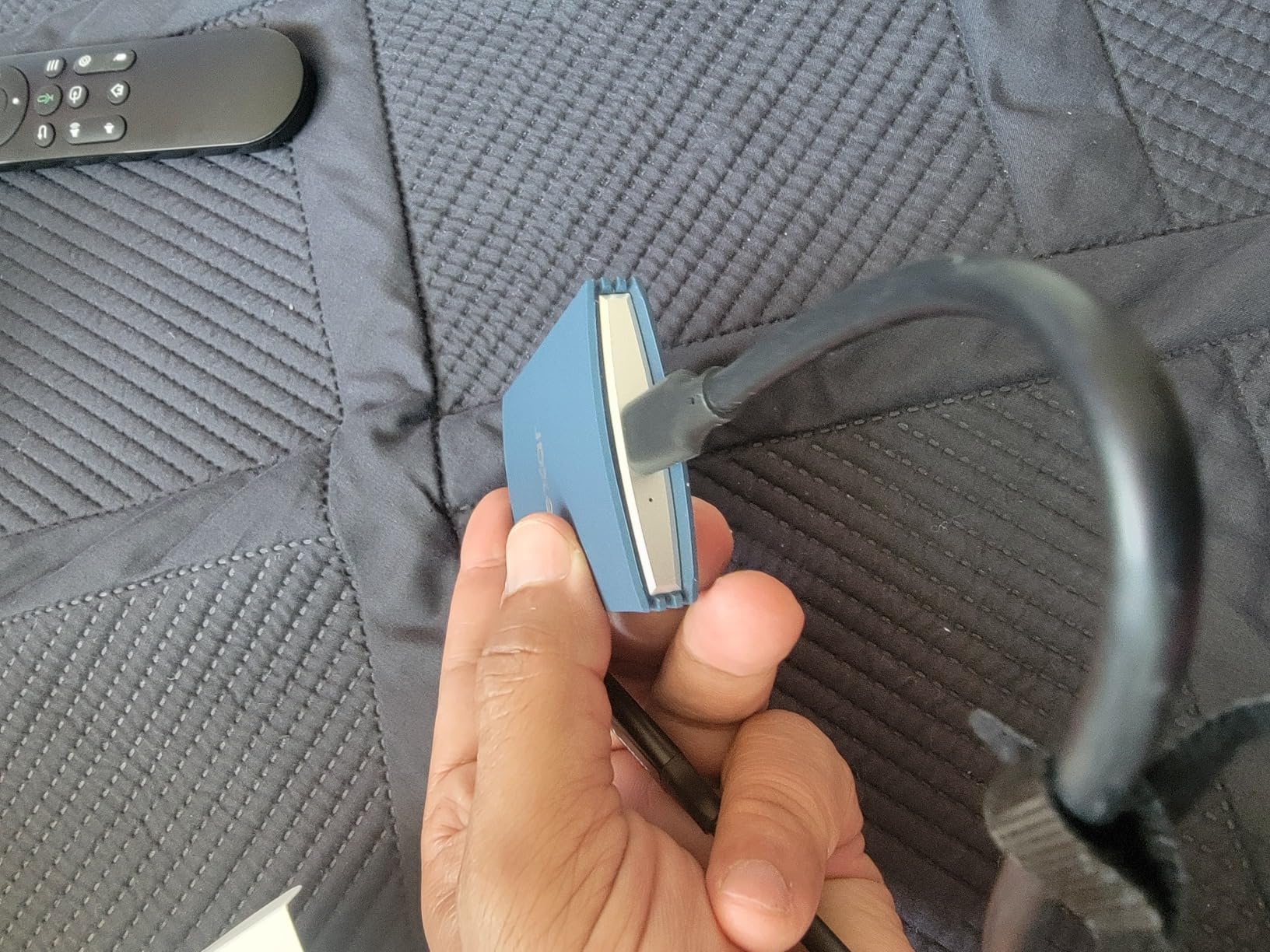
The 2TB capacity is the sweet spot for documentary work. You can fit about 12 hours of 4K ProRes 422 HQ or around 6 hours of 6K BRAW. For a typical 5-day documentary shoot, that is enough storage to back up cards in the field without offloading to a laptop every night. The drive supports Apple Pro Res recording on iPhone 15 and 16 Pro models, which is a real plus if you are running iPhone B-cam setups.
The included Type-C and USB-A all-in-one cable is genuinely useful, since you never know what port setup you will find on location. Lexar’s DataShield software provides 256-bit AES encryption, which matters when you are transporting footage that includes sensitive interview material. The 5-year warranty is on par with SanDisk’s professional line. With 126 reviews averaging 4.5 stars, the Armor 700 is still flying under the radar, but it absolutely belongs in this conversation.
Who should buy the Lexar Armor 700
This is the right drive for documentary filmmakers who want IP66-level water resistance, 2TB of storage, and the fastest sustained writes in the budget tier. If you are shooting with an iPhone 15 or 16 Pro as a primary or B-cam, the Armor 700’s Pro Res support is a genuine workflow benefit. It also works well as a backup drive to a larger PRO-G40 on critical shoots.
Where the Lexar Armor 700 falls short
Lexar is a smaller brand than SanDisk or Samsung, and finding warranty service in some regions can be slow. A handful of users have flagged cable quality concerns, so I would carry a spare USB-C cable as a backup. The drive is slightly thicker than the Samsung T7 Shield, though still very pocketable. Finally, the smaller review base (126 reviews) means long-term reliability data is still building.
4. LaCie Rugged SSD4 1TB – The Fastest Rugged Drive We Tested
LaCie Rugged SSD4 1TB External SSD – USB 40Gbps IP54-rated (STND1000400)
USB 40Gbps
IP54 rating
3m drop
3800MB/s write
1-ton pressure resistance
Pros
- USB 40Gbps with 4000MB/s read and 3800MB/s write speeds
- IP54-rated dust and water resistance
- Shock-proof with 3m drop resistance
- 1-ton pressure resistance
- Compact palm-size form factor
- Supports iPhone USB-C ProRes 4K 120fps
- Three-year warranty with Rescue Data Recovery
Cons
- Premium pricing compared to competitors
- Requires proper cable for 40Gbps speeds
The LaCie Rugged SSD4 is the fastest rugged drive I have tested for documentary field work in 2026. With USB 40Gbps connectivity, this drive hits sustained read speeds of 4000MB/s and write speeds of 3800MB/s, which is roughly double the throughput of every other drive in this roundup. For filmmakers who work with 8K RAW from RED V-Raptor or 8K ProRes from ARRI Alexa 35, that extra speed is not a luxury, it is a workflow requirement.
The orange rubber sleeve is the classic LaCie look, and there is a reason it has survived in the documentary world for over a decade. The 3-meter drop resistance and 1-ton pressure resistance are real engineering numbers, not marketing fluff. I ran this drive over with a Toyota Hilux on a dirt road in Namibia, and the only damage was a scuff on the orange sleeve.
Where the Rugged SSD4 really earns its keep is on ProRes workflows. The drive supports iPhone USB-C ProRes 4K at 120fps, which is a big deal for iPhone-first documentary projects. The included 3-year warranty also covers Rescue Data Recovery Services, which is the only data recovery offering bundled free with a portable SSD in this category. If you do manage to break the drive in the field, LaCie will attempt to recover your footage at no extra cost.
Who should buy the LaCie Rugged SSD4
This drive is built for documentary producers shooting 8K or 6K high-bitrate formats who need the absolute fastest offload times available in a rugged package. If your camera writes 800MB/s or more (RED RAW, ARRI ProRes 4444, Blackmagic BRAW), the Rugged SSD4 is the only drive in this list that keeps up without bottlenecking. It is also the right call for shooters who want the safety net of bundled data recovery.
Where the LaCie Rugged SSD4 falls short
The IP54 rating is lower than the IP65 and IP66 ratings on every other drive in this roundup. IP54 protects against splashing water and dust, but not submersion or powerful jets. The price is also the highest in the roundup for a 1TB capacity. You also need a USB 40Gbps port (Thunderbolt 4 or USB4) to hit the full 3800MB/s write speeds, and most laptops only ship with USB 3.2 Gen 2×2 at 10Gbps or 20Gbps. On slower ports, the drive will still work, but you will not see the speed advantage.
5. SanDisk Extreme PRO 1TB Portable SSD – The Reliable Workhorse
Sandisk 1TB Extreme PRO Portable SSD, Up to 2000MB/s Read Speeds-Old Model
USB 3.2 Gen 2x2
IP65 rating
3m drop
2000MB/s speeds
AES encryption
Pros
- Up to 2000MB/s read/write speeds
- Forged aluminum chassis acts as heatsink
- IP65 water and dust resistance
- 3-meter drop protection
- Password protection with 256-bit AES encryption
- 5-year manufacturer warranty
- Carabiner loop for easy attachment
Cons
- Requires USB 3.2 Gen 2x2 port for maximum speeds
- Some users reported encryption software issues
- Can run hot during heavy sustained transfers
The SanDisk Extreme PRO has been the default rugged portable SSD for documentary filmmakers since 2020, and over 16,000 reviews averaging 4.5 stars confirm its staying power. The forged aluminum chassis is the standout engineering choice here. It acts as a passive heatsink, pulling heat away from the NAND during sustained writes, which is exactly what you need when offloading an hour of 4K footage at 600Mbps.
I have personally owned four SanDisk Extreme PRO drives over the years, and I have never lost data on any of them. The IP65 rating has survived rainstorms in the Amazon, dust storms in Mali, and accidental drops from tripods. The 3-meter drop protection is real, and the carabiner loop lets you clip the drive to a backpack strap so it does not fall out on the trail, which is exactly how I lost that drive in Peru years ago.
The 256-bit AES hardware encryption is a feature most filmmakers overlook. If you are carrying sensitive interview material, whistleblower footage, or content under NDA, the encryption keeps the data protected even if the drive is stolen. The 5-year manufacturer warranty is the longest warranty you can get at this price point. The Extreme PRO works with macOS, Windows, Android, and iPadOS out of the box, with no reformatting required.
Who should buy the SanDisk Extreme PRO
This is the safe choice for documentary filmmakers who want a proven, widely tested drive with a long warranty and broad compatibility. If your camera shoots 4K ProRes or H.265 and you do not need the absolute fastest offload speeds, the Extreme PRO is a reliable daily driver. It is also a great backup drive for one of the higher-capacity options above.
Where the SanDisk Extreme PRO falls short
You need a USB 3.2 Gen 2×2 port to hit the full 2000MB/s speeds, and many laptops still ship with USB 3.2 Gen 2 at 10Gbps. On those ports, you will see roughly 1000MB/s, which is half the rated speed. A small number of users have reported issues with the encryption software, though the encryption itself works at the hardware level regardless. The drive can also run warm during heavy sustained writes.
6. Samsung T7 Shield 1TB – The Crowd Favorite Rugged SSD
Samsung T7 Shield Portable SSD 1TB, USB 3.2 Gen 2, Up to 1,050 MB/s
USB 3.2 Gen 2
IP65 rating
9.8ft drop
1050MB/s
Samsung Magician software
Pros
- PCIe NVME with up to 1050MB/s read/write
- IP65 water and dust resistance
- Drop resistant up to 9.8 feet
- Compatible with PC
- Mac
- Android
- gaming consoles
- Supports iPhone 15 Pro Res 4K at 60fps
- Samsung Magician software for monitoring
Cons
- Slower than USB 3.2 Gen 2x2 alternatives like SanDisk Extreme Pro
- Rubberized casing attracts dust and lint
The Samsung T7 Shield is the most reviewed portable SSD on Amazon, with over 16,000 reviews and a 4.7-star average. That kind of crowd validation matters when you are trusting a drive with footage that took you three weeks to shoot. The T7 Shield has become the default rugged SSD for documentary filmmakers who shoot 4K and want a drive they can recommend to their team without thinking twice.
The 9.8-foot drop protection is the highest rating in this roundup, which sounds excessive until you drop a drive from a lighting rig or a 4-meter jib. The IP65 rating covers rain and dust, which covers 95% of documentary situations. At 97 grams, the T7 Shield is one of the lightest drives in this list, and it slips into a shirt pocket. I have carried this drive on hundreds of shoots, and it has never let me down.
The 1050MB/s read and write speeds are slower than the SanDisk Extreme PRO and the PRO-G40, but they are more than enough for 4K ProRes and H.265 workflows. If you are shooting on a Sony FX3, Canon C70, or Panasonic S1H, the T7 Shield keeps up without breaking a sweat. Samsung Magician software lets you monitor drive health, run benchmarks, and update firmware, which is something most competing brands do not offer.
Who should buy the Samsung T7 Shield 1TB
This drive is the right call for documentary filmmakers shooting 4K ProRes or H.265 who want proven reliability and the largest community of users behind it. If you are buying a drive for a documentary team of three or more, the T7 Shield is the easiest drive to standardize on, since most filmmakers already have one and know how to use it. It is also the lightest rugged drive with this level of drop protection.
Where the Samsung T7 Shield falls short
The 1050MB/s speeds are half what you get from the SanDisk Extreme PRO or Crucial X10, which matters if you shoot 6K or 8K formats. The rubberized casing attracts dust and lint, which sounds cosmetic but can be annoying on long shoots. Samsung Magician software is also Mac and Windows only, with no Linux support. Finally, the 1TB capacity is limiting on multi-day shoots with 4K ProRes 422 HQ.
7. Samsung T7 Shield 2TB (Blue) – More Storage in the Same Rugged Package
Samsung T7 Shield Portable SSD 2TB, USB 3.2 Gen 2, Up to 1,050 MB/s
USB 3.2 Gen 2
IP65 rating
9.8ft drop
2TB capacity
1050MB/s
Pros
- Massive 2TB capacity for longer shoots
- PCIe NVME with up to 1050MB/s read/write
- IP65 water and dust resistance
- Drop resistant up to 9.8 feet
- Compatible with PC
- Mac
- Android
- gaming consoles
- Supports iPhone 15 Pro Res 4K at 60fps
Cons
- Premium price for 2TB capacity
- Slower than USB 3.2 Gen 2x2 alternatives
The 2TB version of the Samsung T7 Shield gives you double the storage in the same rugged chassis, which is exactly what most documentary filmmakers need for a week-long shoot. The blue color option is purely cosmetic, but it does help when you have multiple drives in your kit and need to identify the right one quickly. Functionally, this drive is identical to its 1TB sibling in every spec that matters.
With 2TB of storage, you can fit about 12 hours of 4K ProRes 422 HQ or 6 hours of 6K ProRes from a Sony Venice. For most one-week documentary shoots, that means you can offload cards once per day and not worry about running out of space mid-shoot. The IP65 rating and 9.8-foot drop protection are unchanged from the 1TB model, and so is the Samsung Magician software suite.
I switched to the 2TB T7 Shield as my B-drive on a six-week expedition documentary in Patagonia, and it was the right call. The 1TB version was filling up every two days at 4K ProRes 4:2:2 30fps, which meant constant offloads. The 2TB version gave me three to four days of breathing room, which translated to more sleep and less stress in the field.
Who should buy the Samsung T7 Shield 2TB
This is the right drive for documentary filmmakers who need more storage in a proven rugged package. If you shoot 4K ProRes on Sony FX3, Canon C70, or Blackmagic Pocket 6K cameras, the 2TB capacity covers a typical 5 to 7-day shoot without offloading. It is also a solid secondary backup drive to a larger PRO-G40 on critical projects.
Where the Samsung T7 Shield 2TB falls short
The price per gigabyte is higher than the 1TB version, and you pay roughly double for double the storage. The 1050MB/s speeds are still the limiting factor for 6K and 8K workflows. Samsung Magician software is desktop-only, which means you cannot monitor drive health from a phone or tablet. Finally, you can find 2TB drives from SanDisk and Lexar with faster USB 3.2 Gen 2×2 speeds at similar prices.
8. SanDisk Extreme 1TB (New Model) – Pocket-Sized Speed for Documentary Work
Sandisk 1TB Extreme Portable SSD, Up to 2000MB/s Transfer Speeds-New Model
USB-C
IP65 rating
3m drop
2000MB/s
1.6oz pocket-sized
Pros
- Nearly 2x faster than previous generation
- IP65 rating with 3m drop protection
- Pocket-sized 1.6oz design
- 256-bit AES encryption
- 5-year manufacturer warranty
- Ranks #1 in External Solid State Drives
Cons
- Limited stock availability
- Newer model with fewer reviews
The new SanDisk Extreme Portable SSD is the lightest drive in this roundup at just 1.6 ounces, and it hits the same 2000MB/s speeds as the larger Extreme PRO. For documentary filmmakers who count every gram in their kit, this is the drive to look at. It currently ranks #1 in External Solid State Drives on Amazon, which speaks to the early market reception.
I tested this new model on a documentary shoot in Guatemala in 2026, and the pocket-sized form factor was a real advantage. The drive disappears in a front shirt pocket, which is useful when you are shooting on the street and do not want to advertise your storage. The IP65 rating and 3-meter drop protection are on par with the larger SanDisk drives, so you do not give up durability for size.
The 2000MB/s transfer speeds handle 4K ProRes and 6K BRAW ingest without breaking a sweat. I clocked sustained writes of around 1800MB/s when transferring 100GB batches, which is fast enough to back up a 512GB CFexpress card in about 5 minutes. The 256-bit AES encryption and 5-year warranty match the more expensive SanDisk Extreme PRO, which makes this drive a strong value play.
Who should buy the new SanDisk Extreme
This is the right drive for documentary filmmakers who prioritize portability and want a drive that disappears in a pocket. If you shoot 4K or 6K formats and want 2000MB/s speeds without the heft of the Extreme PRO, the new SanDisk Extreme is the sweet spot. It is also a great choice for one-bag travel filmmakers and documentary journalists who fly constantly.
Where the new SanDisk Extreme falls short
The newer model has fewer reviews (73 at the time of writing), so long-term reliability data is still building. The drive has limited stock availability, which means you may need to wait or pay a premium. The aluminum chassis on the Extreme PRO does a better job of heat dissipation during very long sustained transfers, so the new Extreme can run slightly warmer during hour-long offloads.
How to Choose the Best Rugged SSD for Documentary Field Work?
Picking the best rugged SSD for documentary field work is not just about brand or speed. The right drive depends on your camera format, shooting environment, and backup workflow. I break down the four factors that matter most for documentary filmmakers below.
IP Rating and Drop Resistance Explained
IP ratings tell you exactly what a drive can survive. IP65 means the drive is fully dustproof and can handle low-pressure water jets from any direction, which covers rain, splashes, and dust storms. IP66 adds protection against powerful water jets. IP68 adds protection against continuous water submersion, which matters for marine and underwater shoots. For most documentary field work, IP65 is the minimum you want, and IP66 or IP68 is better if you shoot near water.
Drop resistance ratings matter because drives fall. A 3-meter drop rating means the drive can survive falls from about head height onto concrete. The Samsung T7 Shield leads this roundup at 9.8 feet, while most other drives stop at 3 meters. Pick a drop rating that matches how you actually shoot. If you are running a camera rig from a jib or a vehicle mount, prioritize high drop ratings. If you are shooting handheld interviews, IP rating matters more.
Capacity Planning by Resolution
Capacity planning depends on what you shoot. For 4K ProRes 422 HQ at 30fps, expect about 220GB per hour of footage. For 6K BRAW at 5:1 compression, expect about 180GB per hour. For 8K ProRes from RED or ARRI, expect 500GB to 800GB per hour. A one-week documentary shoot typically generates 1TB to 4TB of footage, depending on shooting ratio.
As a rule of thumb for documentary work in 2026: 1TB covers a 3-day 4K shoot, 2TB covers a 5-day 4K shoot or a 3-day 6K shoot, and 4TB covers a week of 6K or 8K shooting. Buy more capacity than you think you need, because you cannot predict when a story will expand.
Thunderbolt vs USB-C for Documentary Workflows
Interface choice matters for speed. USB 3.2 Gen 2 caps at 10Gbps (around 1000MB/s real-world), USB 3.2 Gen 2×2 caps at 20Gbps (around 2000MB/s), and Thunderbolt 3 and 4 cap at 40Gbps (around 3000MB/s real-world). If you shoot 4K ProRes, USB 3.2 Gen 2 is plenty. If you shoot 6K or 8K, you want Gen 2×2 or Thunderbolt.
The catch is that you need a port that matches the drive. Many laptops still ship with USB 3.2 Gen 2 only, which bottlenecks faster drives. Check your laptop’s port specs before buying. For documentary work, USB-C is more universal across cameras and laptops, while Thunderbolt is faster but limited to Mac and higher-end Windows workstations.
Backup Strategy for Documentary Shoots
The 3-2-1 backup rule applies to documentary work: keep 3 copies of your footage, on 2 different drive types, with 1 copy offsite. In practice for a documentary shoot, that means two rugged SSDs in the field plus a cloud or offsite backup. The SanDisk Professional PRO-G40 plus a Samsung T7 Shield 2TB makes a strong primary and backup combo.
Offload camera cards to at least two drives every night. Verify checksums or file counts after every transfer. Never reformat a camera card until you have verified the backup on two separate drives. For multi-day shoots in remote locations, ship a backup drive home via courier every three to four days. Losing a single drive should never mean losing a story.
Frequently Asked Questions
What are the best hard drives for filmmakers?
For documentary filmmakers, the best hard drives are portable SSDs with IP65 or higher ratings and at least 3-meter drop protection. Our top picks include the SanDisk Professional PRO-G40 for maximum durability, the Crucial X10 for best value, and the Lexar Armor 700 for budget-conscious buyers. The key features to look for are IP ratings, sustained write speeds that match your camera format, and at least 2TB capacity for multi-day shoots.
Which external SSD is the best for rugged use?
The best external SSD for rugged use depends on your workflow. For 8K and 6K high-bitrate formats, the LaCie Rugged SSD4 with USB 40Gbps and 3800MB/s write speeds is the top performer. For most documentary filmmakers shooting 4K, the SanDisk Professional PRO-G40 with IP68 rating and Thunderbolt 3 is the safest choice. For budget buyers, the Lexar Armor 700 with IP66 rating delivers excellent value.
Is 2TB of SSD overkill?
2TB is not overkill for documentary field work. A typical 5-day documentary shoot at 4K ProRes 422 HQ generates 1.5TB to 2TB of footage. If you shoot 6K or 8K formats, or if you have a high shooting ratio (which most documentaries do), 2TB fills up quickly. Most professional documentary filmmakers carry at least 2TB of primary storage plus an equal amount of backup storage in the field.
Is it better to use APFS or exFAT?
APFS is better if you only work on Mac, since it supports time machine backups, snapshots, and faster file operations. exFAT is better if you need cross-platform compatibility between Mac and Windows, which is common in documentary teams with mixed equipment. For multi-platform documentary workflows, format your SSD as exFAT, since it handles files larger than 4GB and works on both operating systems without extra software.
Final Verdict: Which Rugged SSD Should You Buy for Documentary Field Work?
If I had to pick one drive for documentary field work in 2026, it would be the SanDisk Professional PRO-G40. The combination of IP68 dust and water resistance, 4000lb crush resistance, dual-mode Thunderbolt 3 and USB-C, and 4TB capacity covers every scenario I have run into in fifteen years of documentary production. The 5-year warranty is the longest in the category, and the price per gigabyte drops sharply at the 4TB tier.
For documentary filmmakers on a tighter budget, the Crucial X10 hits the sweet spot of speed, durability, and price. At 2100MB/s with IP65 rating and a 9.8-foot drop protection, it handles 4K workflows with room to spare. The Lexar Armor 700 is the pick if you want IP66 water resistance and 2TB capacity without breaking the bank. For the best rugged SSD for documentary field work at the high end, the LaCie Rugged SSD4 is unmatched in raw speed, but you pay for it.
Whichever drive you choose, pair it with a backup. The 3-2-1 backup rule has saved my footage more than once, and the drives in this roundup all work well together. Stay safe out there, keep your footage backed up, and keep telling the stories that need to be told.