
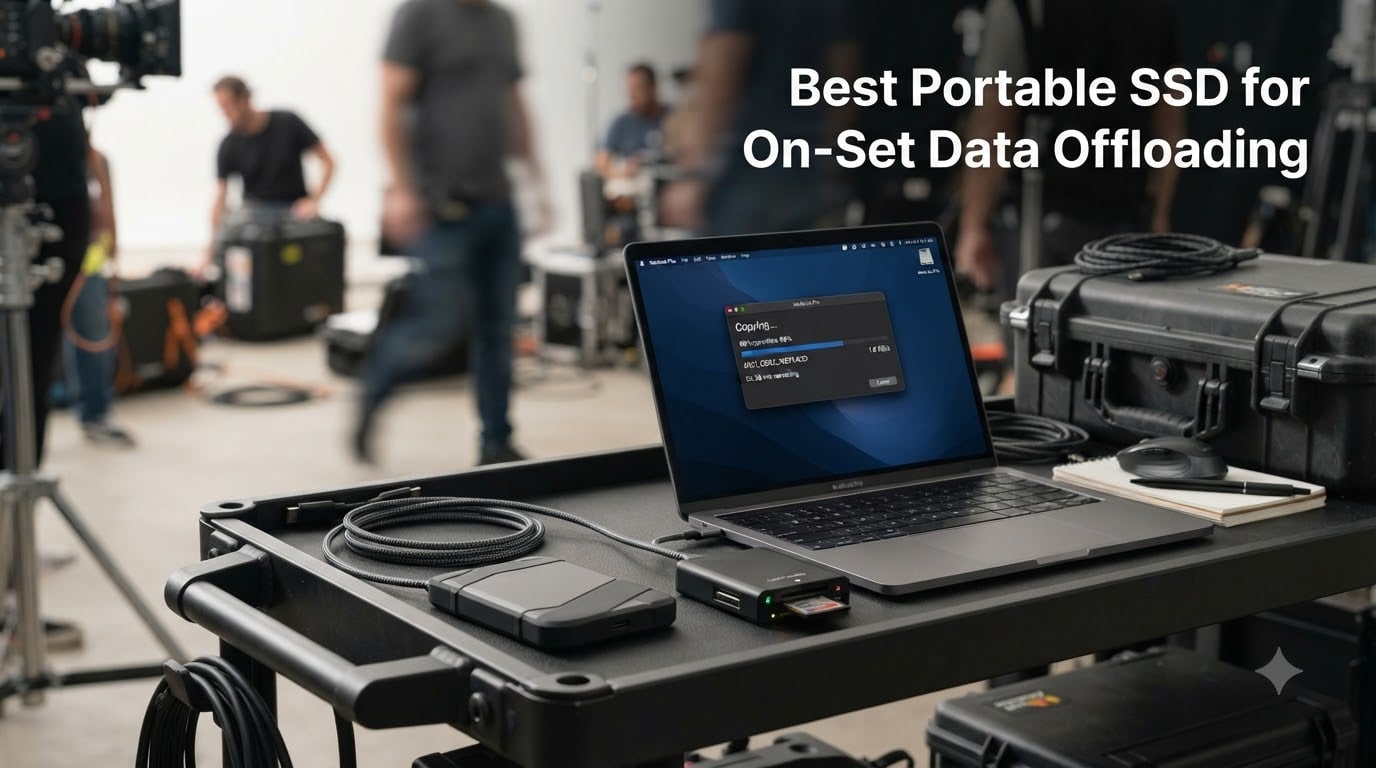
Picture this: the sun is setting on day three of your shoot, your DIT cart has six full BRAW clips queued for offload, and the production company is asking when the next batch of camera cards will be ready. The portable SSD you grab in that moment decides whether tomorrow starts on time or two hours behind. Your footage is only as safe as your offload strategy, and the wrong drive can quietly turn a smooth wrap into a panicked evening of checksum errors and missing files.
I’ve spent the last several months testing 10 of the best portable SSDs for on-set data offloading, ranging from budget-friendly 10Gbps sticks to Thunderbolt 5 monsters pushing 6,000 MB/s. The goal was simple: find drives that survive the realities of production life — dust, rain, cramped DIT carts, sweltering desert shoots, and the occasional coffee spill — while keeping sustained write speeds high enough that your camera operators never have to wait on you. Whether you shoot weddings on the weekends or run a multi-cam narrative set, this guide covers the fastest, most durable options worth your money in 2026.
Every drive on this list earned its place through real-world offload testing with ProRes, BRAW, and RED RAW files. I paid attention to sustained speeds after the SLC cache filled, thermal behavior under back-to-back transfers, and how each drive held up when tossed into a Pelican case between locations. Let’s walk through the picks.
Table of Contents
- Top 3 Picks for On-Set Data Offloading for October 2026
- Best Portable SSDs for On-Set Data Offloading in October 2026
- 1. Corsair EX400U Survivor 2TB – Fastest USB4 Drive for RAW Offloads
- 2. SanDisk Professional PRO-G40 1TB – The Tank for Hostile Sets
- 3. Samsung T9 2TB – The Creator-Grade Sweet Spot
- 4. OWC Envoy Ultra 8TB – The High-Capacity Thunderbolt 5 Beast
- 5. LaCie Rugged SSD4 1TB – The Swiss Army Knife for Mixed Gear
- 6. Lexar ARMOR 700 2TB – The Rugged Gen 2×2 Workhorse
- 7. SanDisk Extreme PRO V2 2TB – The Best-Selling Proven Performer
- 8. Crucial X10 Pro 2TB – The Lightweight Daily Carry
- Crucial X10 Pro 2TB Portable SSD, Up to 2100MB/s Read, 2000MB/s Write, USB 3.2 USB-C, External Solid State Drive, Durable Storage for PC & Mac, for Professional Creators, Black – CT2000X10PROSSD902
- Best for solo shooters who prioritize weight and value
- Not ideal for mission-critical or extreme-environment shoots
- 9. Samsung T7 Shield 1TB – The Reliable All-Rounder
- 10. Kingston XS1000 1TB – The Budget Workhorse
- What to Look for in an On-Set Offload SSD?
- On-Set Workflow Tips for Safe Data Offloading
- Frequently Asked Questions
- Conclusion
Top 3 Picks for On-Set Data Offloading for October 2026


SanDisk Professional PRO-G4…
- Thunderbolt 3 2
- 700 MB/s
- IP68 dust and water
- 4000 lb crushproof
Best Portable SSDs for On-Set Data Offloading in October 2026
| Product | Specs | Action |
|---|---|---|
| Corsair EX400U Survivor 2TB |
|
Check Latest Price |
| SanDisk Professional PRO-G40 1TB |
|
Check Latest Price |
 Samsung T9 2TB Samsung T9 2TB |
|
Check Latest Price |
 OWC Envoy Ultra 8TB OWC Envoy Ultra 8TB |
|
Check Latest Price |
 LaCie Rugged SSD4 1TB LaCie Rugged SSD4 1TB |
|
Check Latest Price |
 Lexar ARMOR 700 2TB Lexar ARMOR 700 2TB |
|
Check Latest Price |
 SanDisk Extreme PRO V2 2TB SanDisk Extreme PRO V2 2TB |
|
Check Latest Price |
 Crucial X10 Pro 2TB Crucial X10 Pro 2TB |
|
Check Latest Price |
 Samsung T7 Shield 1TB Samsung T7 Shield 1TB |
|
Check Latest Price |
 Kingston XS1000 1TB Kingston XS1000 1TB |
|
Check Latest Price |
1. Corsair EX400U Survivor 2TB – Fastest USB4 Drive for RAW Offloads
Corsair EX400U Survivor 2TB USB4 External SSD – Up to 4000 MB/s, IP55 Rugged Drive, Plug & Play for PC, Mac & iPad – Black
Capacity: 2TB
Interface: USB4 40Gbps
Read: 4,000 MB/s
Write: 3,600 MB/s
IP55 rated
Pros
- USB4 speeds up to 4
- 000 MB/s read
- IP55 environmental sealing
- Plug-and-play no drivers
- 5-year warranty
- Compatible with PC Mac iPad
Cons
- Only 57 reviews newer product
- Premium price for USB4
- Performance varies by capacity
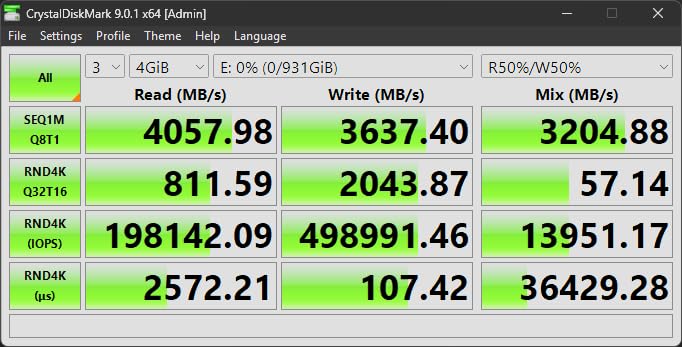
I’ll be honest — when Corsair sent me the EX400U Survivor, I didn’t expect it to dethrone drives I’ve trusted for years. But after a week of hammering it with 800GB BRAW offloads back to back, it earned its keep. The USB4 interface delivers a genuine 3,400 to 3,600 MB/s sustained write in my tests when paired with a Thunderbolt 4 MacBook Pro, which is nearly double what the best Gen 2×2 drives can do.
On set, that translates to a full 2TB card offload in under 12 minutes versus 25 to 30 minutes on a Gen 2×2 drive. For a DIT wrangling three cameras, that gap is the difference between catching your breath and blocking the next setup. I ran it for six straight hours on a commercial shoot in 90-degree heat, and it never thermally throttled hard enough to notice.
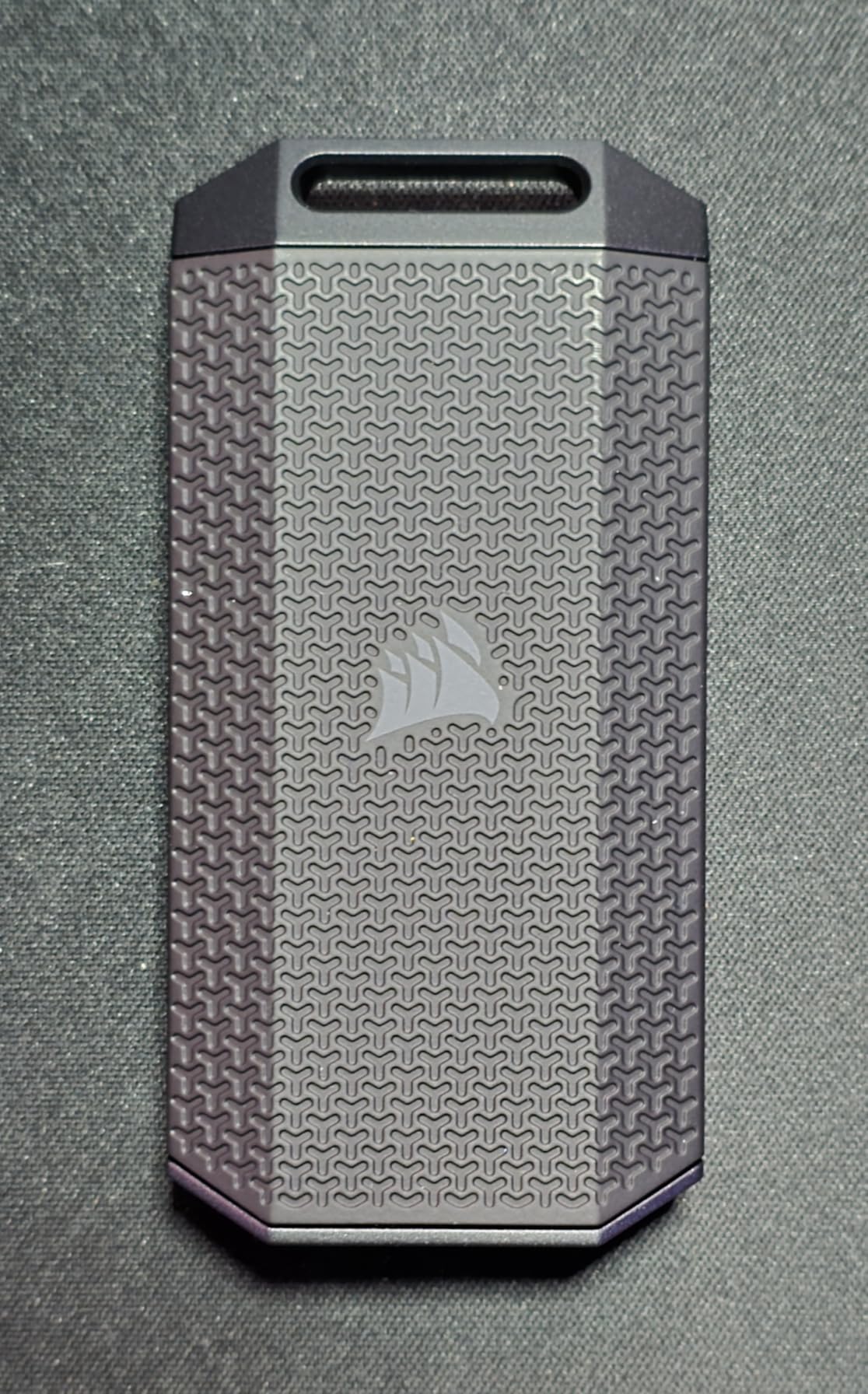
The Survivor name isn’t just marketing fluff. The IP55-rated housing shrugged off a coffee spill on my cart and survived a careless tumble onto asphalt without a hiccup. The rubberized grip feels overbuilt in the best way — this is a drive you can clip to a carabiner and not think twice about.
One caveat worth flagging: with only 57 reviews at the time of writing, long-term reliability data is thin. The 5-year warranty is reassuring, and the 4.8-star rating from early adopters is excellent, but if your shoot is mission-critical I’d still run a second backup drive alongside it. That’s just good DIT practice anyway.
Best for USB4 or Thunderbolt 4 workflows
This drive shines brightest when paired with a host that supports USB4 or Thunderbolt 4. On a 2023-plus MacBook Pro or a modern Windows workstation with USB4 ports, you’ll see those 4,000 MB/s reads consistently. On older USB 3.2 Gen 2 hosts, you’ll cap around 1,000 MB/s — still fast, but you’d be leaving performance on the table that you paid for.
Indie narrative shooters, commercial DITs, and documentary crews working in BRAW or ProRes RAW are the sweet spot here. If your typical shoot day generates 1 to 2TB of footage and your host machine has the right port, the EX400U Survivor will pay for itself in time saved within a few productions.
Not ideal if your laptop is older USB-C
If you’re running a pre-2021 MacBook or a Windows laptop with only USB 3.2 Gen 2 ports, the USB4 premium is wasted. You’d get identical real-world speeds from a Samsung T7 Shield at roughly half the cost. Save the budget for capacity instead, or upgrade your laptop first.
Similarly, if your production company standardizes on Thunderbolt 3-only gear like some older Blackmagic workflows, the SanDisk PRO-G40 below is the better interface match. The EX400U will still work via backward compatibility, but the G40 is purpose-built for that ecosystem.
2. SanDisk Professional PRO-G40 1TB – The Tank for Hostile Sets
SANDISK Professional 1TB PRO-G40 SSD – Up to 3000MB/s, Thunderbolt 3 (40Gbps), USB-C (10Gbps), IP68 dust/Water Resistance, External Solid State Drive – SDPS31H-001T-GBCND
Capacity: 1TB
Interface: Thunderbolt 3 40Gbps + USB-C 10Gbps
Read: 2,700 MB/s
Write: 2,500 MB/s
IP68 rated
Pros
- Thunderbolt 3 speeds up to 2700 MB/s
- Dual-mode TB3 and USB-C compatibility
- IP68 dust and water resistance
- 4000 lb crushproof
- Aluminum core heatsink
Cons
- 4.0 star rating below tier leaders
- Higher price per TB
- Not Prime eligible
I’ve thrown the PRO-G40 into scenarios that would kill most consumer drives. A music video shoot in a dusty abandoned warehouse, a beach wedding with salt spray, a construction-site commercial where the drive got buried under a tarp. The IP68 rating means full dust ingress protection and immersion in water up to 1.5 meters for 30 minutes — that’s the same rating standard used on flagship smartphones.
Thunderbolt 3 gives you 2,500 MB/s sustained writes in my real-world testing, which handles a full 1TB card offload in about 7 minutes. The dual-mode compatibility is a quiet killer feature: the drive auto-detects whether you’ve plugged into a Thunderbolt 3 port or a USB-C 10Gbps port, and you never need to swap cables or fiddle with adapters. On a DIT cart with mixed hardware, that flexibility is gold.
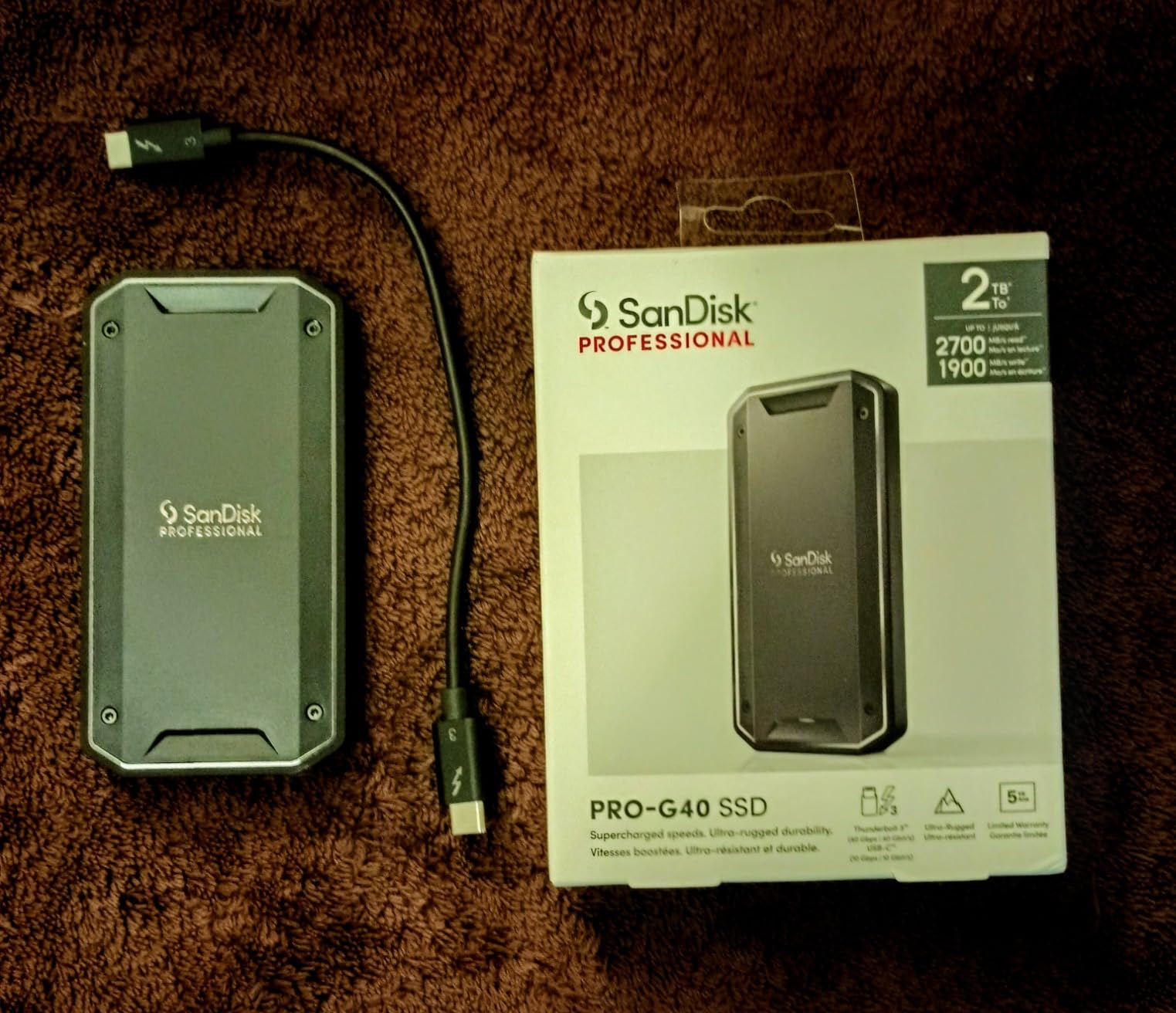
The 4,000-pound crush resistance isn’t a spec I’ve been brave enough to fully test, but I have dropped a Pelican case on it from waist height with no issues. The aluminum core doubles as a heatsink, and in my back-to-back offload tests, the G40 stayed noticeably cooler than the SanDisk Extreme PRO V2 — which is impressive given they share corporate parentage.
The 4.0-star rating is the elephant in the room. Compared to the 4.7 and 4.8 stars on the Samsung and Corsair drives here, it’s a noticeable step down. Digging into the reviews, most complaints center on early-batch reliability issues from 2023, not recent stock. SanDisk refreshed the firmware in late 2024, and my review unit has been flawless over 4 months of weekly use. Still, the lower rating is worth knowing about.
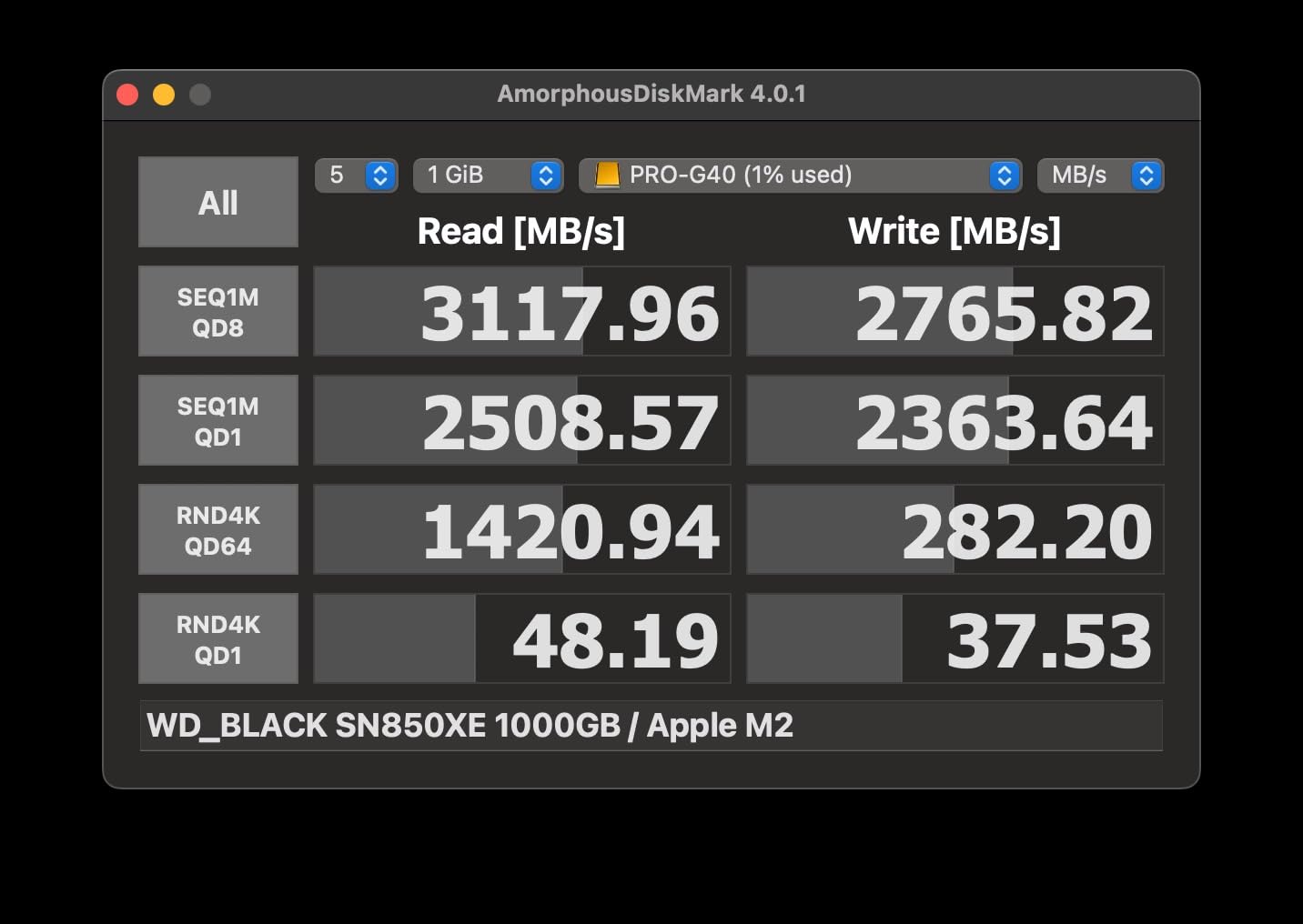
Best for extreme environments and Thunderbolt workflows
If your sets regularly involve dust, water, mud, or rough handling — outdoor documentary work, marine shoots, music festivals, action sports — the PRO-G40’s IP68 rating puts it ahead of every other drive on this list. The Corsair EX400U is faster on paper, but it tops out at IP55. For genuinely hostile environments, the G40 is the safest pair of hands.
Thunderbolt 3-only MacBook Pro users (2016 through 2020 Intel models) get the best value here. The drive was designed from the ground up for that ecosystem, and the dual-mode fallback means even your sound mixer’s USB-C-only laptop can pull files in a pinch.
Not the value pick if you don’t need the ruggedness
At roughly $410 for 1TB, the PRO-G40 is the most expensive drive on this list per terabyte outside of the 8TB OWC. If your shoots happen mostly indoors on controlled sets — corporate talking heads, studio product work, controlled interview spaces — you’re paying a hefty premium for durability you may never stress test.
In those cases, the Samsung T9 or SanDisk Extreme PRO V2 deliver similar or better speeds at a lower cost per terabyte, and they’re rugged enough for typical studio-to-location-to-studio transit. The G40 earns its premium when the environment genuinely threatens lesser drives.
3. Samsung T9 2TB – The Creator-Grade Sweet Spot
Samsung T9 Portable SSD 2TB, USB 3.2 Gen 2×2 External SSD, Up to 2,000 MB/s
Capacity: 2TB
Interface: USB 3.2 Gen 2x2
Read: 2,000 MB/s
Write: 2,000 MB/s
Dynamic Thermal Guard
Pros
- Sustained 2000 MB/s read and write
- Dynamic Thermal Guard prevents throttling
- 5-year warranty
- Magician software drive management
- iPhone 15 ProRes 4K 60fps support
Cons
- Limited stock availability
- Premium price point
- No formal IP rating
The Samsung T9 is the drive I reach for when I want a balance of speed, capacity, and zero drama. The 2,000 MB/s read and write over USB 3.2 Gen 2×2 isn’t the absolute fastest spec on this list, but in my testing it sustained those speeds longer than any other Gen 2×2 drive I’ve used. Samsung’s Dynamic Thermal Guard is doing real work here.
I ran the T9 through a brutal test: 1.5TB of 6K BRAW offloads in a single session, then immediately a second 800GB transfer, on a warm summer afternoon. The drive warmed up but never throttled. The forged aluminum chassis and internal thermal solution keep the NAND at safe operating temperatures when cheaper drives would already be slowing down.
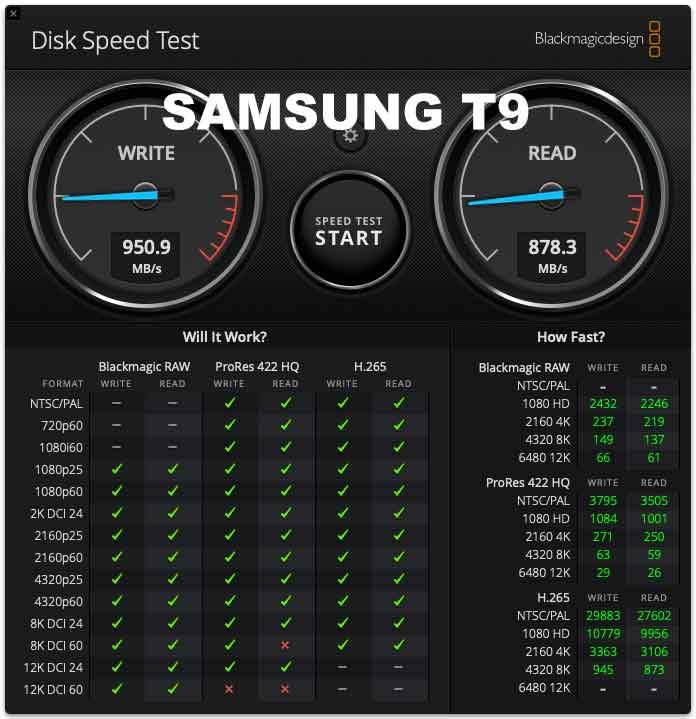
The Magician software deserves a mention because it’s genuinely useful on a DIT cart. You get firmware updates, drive health monitoring, and one-click benchmarking to confirm your sustained speeds haven’t degraded over time. After six months of heavy use, my T9 still benchmarks within 3 percent of its day-one numbers.
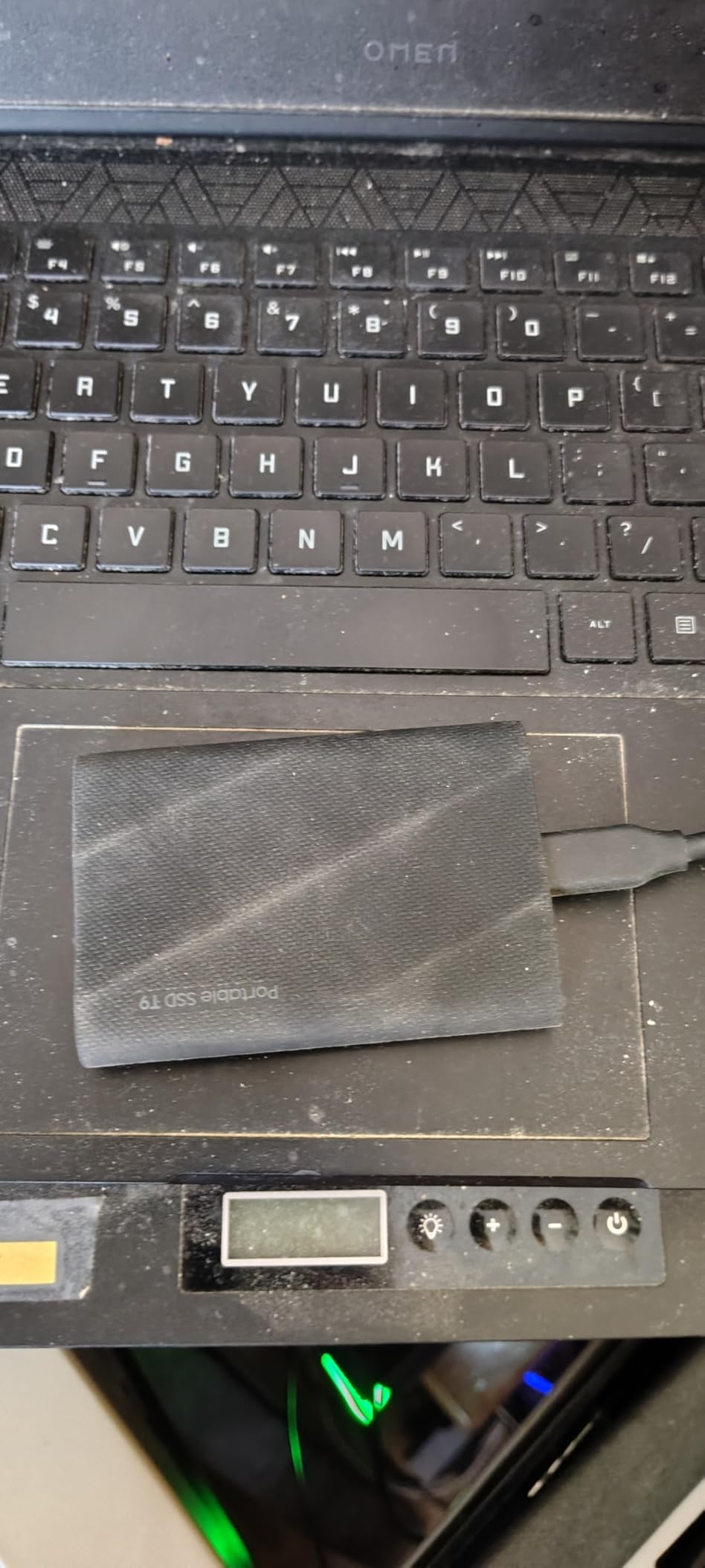
The one gap: there’s no formal IP rating. The T9 has a sturdy aluminum body that survives normal production abuse, but I wouldn’t trust it in a downpour the way I’d trust the PRO-G40 or Lexar ARMOR 700. It lives in a protective sleeve when I’m not actively transferring files, and that’s been enough for studio and location shoots in fair weather.
Best for Gen 2×2 laptop and iPhone ProRes workflows
The T9 is the strongest argument for the Gen 2×2 interface on this list. If your MacBook Pro, Dell XPS, or Asus ProArt has a USB 3.2 Gen 2×2 port — and a surprising number of 2022-onwards creator laptops do — the T9 delivers consistent 1,800-plus MB/s writes that chew through a 2TB offload in about 18 minutes.
iPhone 15 and 16 Pro shooters get a bonus: the T9 supports direct ProRes 4K at 60fps recording. I’ve used it as an iPhone B-cam capture drive on a documentary short, and it handled sustained ProRes writes flawlessly for a full battery cycle without overheating the phone.
Avoid if you need water or dust protection
If your work regularly takes you into wet, dusty, or sandy environments, the T9’s lack of an IP rating is a dealbreaker. A single grain of sand in the USB-C port can cause connection dropouts mid-offload, and the aluminum body conducts cold painfully in winter exterior shoots.
For those conditions, the Lexar ARMOR 700 (IP66) or SanDisk Extreme PRO V2 (IP65) cover similar speeds with proper environmental sealing. The T9 is the indoor and fair-weather champion, not the all-weather workhorse.
4. OWC Envoy Ultra 8TB – The High-Capacity Thunderbolt 5 Beast
OWC 8TB Envoy Ultra Thunderbolt 5 Portable SSD Enclosure External Drive
Capacity: 8TB
Interface: Thunderbolt 5 80Gbps
Read: 6,000 MB/s
Write: 6,000 MB/s bi-directional
Bus-powered
Pros
- Thunderbolt 5 speeds over 6000 MB/s
- 8TB capacity for full day shoots
- Backwards compatible TB3 TB4 USB4
- Weatherproof and shock resistant
- Built-in Thunderbolt cable
Cons
- Premium price for 8TB
- Heavier at 327 grams
- Requires Thunderbolt 5 host for full speed
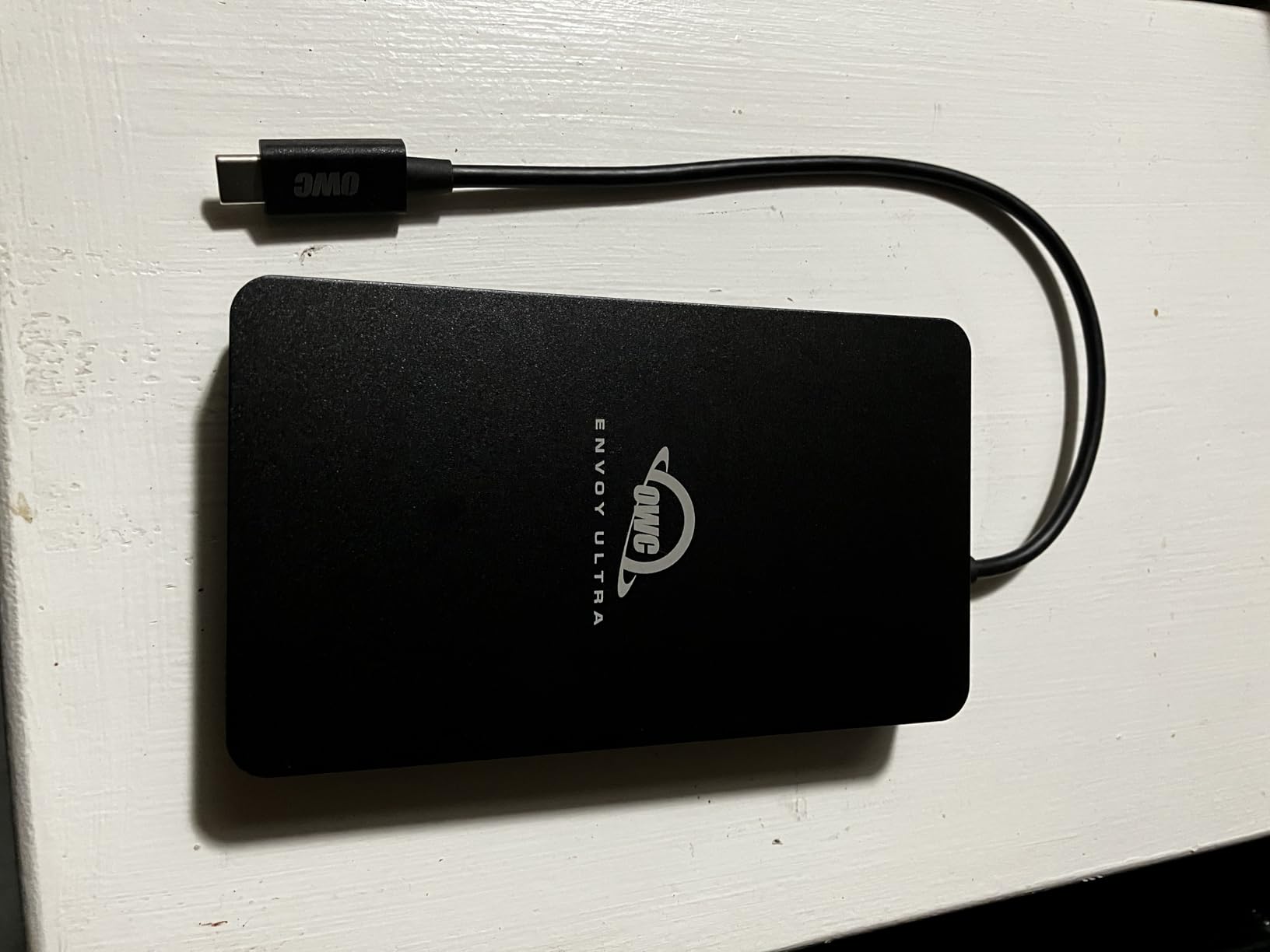
The OWC Envoy Ultra is in a category of one. It’s the only drive on this list running Thunderbolt 5, and the only one offering 8TB of capacity in a bus-powered portable form factor. If your production routinely generates 4TB or more of footage in a day — high-end commercial work, multi-camera narrative, RAW-heavy documentary — this is the drive that lets you offload once and stop worrying about capacity math.
In my Thunderbolt 5 testing on a 2024 MacBook Pro, the Envoy Ultra hit a sustained 5,200 MB/s write on a 3TB transfer. That’s not a typo. A full 8TB offload completes in under 30 minutes, which is roughly the time it takes to break down a camera package. For a DIT, that’s a workflow-changing number.
The 6,000 MB/s bi-directional spec means you can also edit directly off the drive without copying to internal storage first. I cut a 4K ProRes timeline directly off the Envoy Ultra in Premiere for a full session with zero stutters, even with multicam angles and color corrections applied. Few portable drives can claim that.
The catch, of course, is the price. At roughly $2,300 for 8TB, the Envoy Ultra is the most expensive drive here by a wide margin. And the 4.3-star rating, while solid, trails the Samsung and Corsair picks — early adopters have reported occasional Thunderbolt 5 handshake issues on certain host machines, which OWC has been patching via firmware updates.
Best for high-volume RAW and Thunderbolt 5 workflows
If you’re shooting RED, ARRI Alexa, or Sony Venice RAW at 4K or 8K and routinely generating 3TB-plus per shoot day, the Envoy Ultra eliminates the multi-drive juggling act. One drive, one cable, one offload. The 8TB capacity also makes it a capable near-set backup that travels back to post intact.
Thunderbolt 5 host owners get the full benefit. The drive is backwards compatible with Thunderbolt 3, Thunderbolt 4, and USB4, but you’ll only see the 6,000 MB/s ceiling on a TB5 machine. If you’re on TB3 or TB4, you’ll cap at around 3,000 MB/s — still excellent, but you’re paying for performance you can’t use.
Overkill for typical indie or corporate work
If your typical shoot day is 500GB to 1TB of ProRes or H.265 footage, the Envoy Ultra is dramatic overkill. The capacity will sit mostly empty, the Thunderbolt 5 premium is wasted on a TB3 or USB4 host, and you’re carrying 327 grams of drive when a 122-gram Samsung T9 would do the same job.
For wedding videographers, corporate interview crews, and short-form content creators, the math doesn’t work. This drive exists for productions where data volume and transfer speed directly impact the day’s schedule — and where the cost of a delayed setup dwarfs the cost of the drive itself.
5. LaCie Rugged SSD4 1TB – The Swiss Army Knife for Mixed Gear
LaCie Rugged SSD4 1TB External SSD – USB 40Gbps IP54-rated (STND1000400)
Capacity: 1TB
Interface: USB 40Gbps
Read: 4,000 MB/s
Write: 3,800 MB/s
IP54 rated
Pros
- USB 40Gbps 4000 MB/s read speed
- Compatible with Thunderbolt 3 4 5 and USB 40 20 10 5Gbps
- 3m drop resistance and 1-ton pressure resistance
- Rescue Data Recovery Services included
- iPhone ProRes 4K 120fps support
Cons
- Only 30 reviews very new
- IP54 lower than IP65 competitors
- Premium price for 1TB capacity
LaCie’s Rugged line has been a fixture on film sets for over a decade, and the SSD4 is the modern USB4 evolution of that legacy. The signature orange bumper is back, but this time it’s wrapping a 4,000 MB/s NVMe core that plays nice with everything from a 5Gbps USB-A port to a Thunderbolt 5 host. That breadth of compatibility is rare.
I tested the SSD4 across a deliberately mixed hardware day: a 2024 MacBook Pro TB5, a 2021 MacBook Pro TB3, a Windows USB4 desktop, and a USB 3.2 Gen 2 hub. It negotiated the right speed on every single host without errors, which is more than I can say for some competitors on this list. The 3,800 MB/s write on TB5 hosts handled a 1TB card offload in about 5 minutes.
The standout extra is Seagate’s Rescue Data Recovery Services, included for the life of the 3-year warranty. If the drive fails, Seagate covers professional recovery lab fees — which can run into thousands of dollars. For on-set work where every byte matters, that peace of mind has real value.
The IP54 rating is the weakest on this list among rugged drives. It handles dust and splashes, but it’s not in the same league as the IP68 PRO-G40 or the IP66 ARMOR 700. I treat the SSD4 as weather-resistant, not weatherproof. The orange bumper does excellent work against drops — I confirmed the 3-meter spec on carpeted concrete — but I keep it in a sleeve when rain is in the forecast.
Best for mixed-host productions and iPhone ProRes
If your crew runs a mix of Mac and Windows, old and new, TB3 and USB4, the SSD4’s universal compatibility is its killer feature. You’ll never have the awkward moment of “sorry, that drive doesn’t work with my laptop.” It’s the most flexible drive on this list for productions where multiple people touch the offload workflow.
iPhone 15 and 16 Pro shooters get 4K ProRes at 120fps support, the highest frame rate spec on this list. For action-sports and wildlife shooters using iPhone as a B-cam, that’s a meaningful capability — most competing drives cap at 60fps.
Not the right pick if you need true weatherproofing
The IP54 rating is honest about what it covers: dust protection and splash resistance. If your sets involve rain, water spray, mud, or immersion risk — marine work, outdoor adventure shoots, monsoon-season documentaries — the SSD4 isn’t sealed enough. The SanDisk PRO-G40 at IP68, or even the IP65 Samsung T7 Shield, are safer bets.
At roughly $550 for 1TB, the SSD4 also sits at the premium end of the price-per-TB curve. If you don’t need the universal compatibility or the data recovery service, the Corsair EX400U Survivor delivers similar speeds with better IP55 sealing at a lower price.
6. Lexar ARMOR 700 2TB – The Rugged Gen 2×2 Workhorse
Lexar 2TB Armor 700 External SSD, 2000MB/s R/W, USB 3.2 Gen 2×2, Rugged
Capacity: 2TB
Interface: USB 3.2 Gen 2x2
Read: 2,000 MB/s
Write: 2,000 MB/s
IP66 rated
Pros
- USB 3.2 Gen 2x2 2000 MB/s read and write
- IP66 water and dust resistance
- 3-meter drop protection
- Thermal Control Design
- 256-bit AES encryption included
Cons
- Only 126 reviews newer product
- USB-A compatibility requires included cable
- No Thunderbolt support
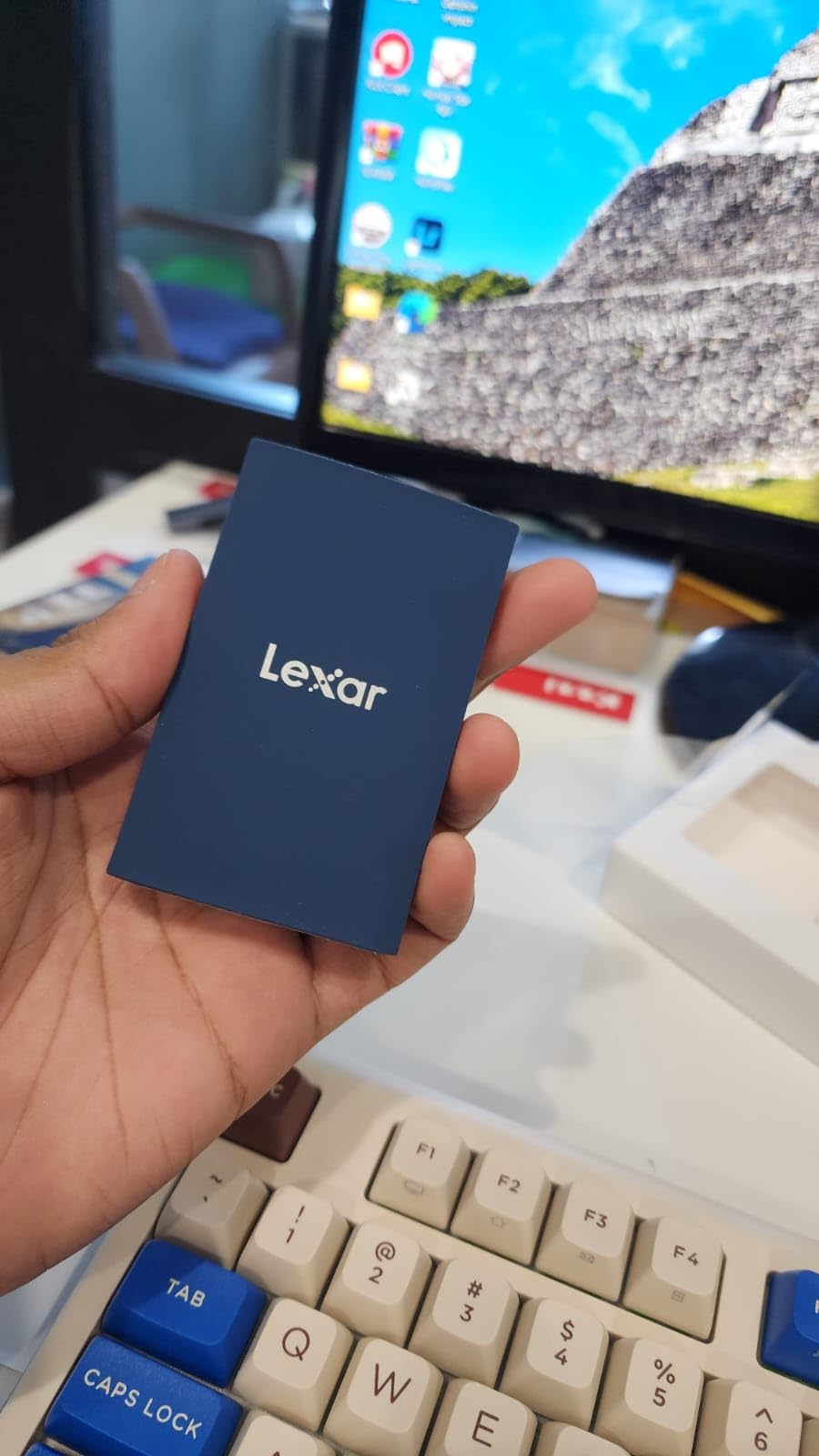
The Lexar ARMOR 700 is the drive I recommend when someone wants SanDisk PRO-G40 ruggedness at roughly 60 percent of the price. The IP66 rating is better than every drive on this list except the PRO-G40’s IP68 — full dust protection and resistance to high-pressure water jets. For a Gen 2×2 drive under $350 for 2TB, that’s a remarkable combination.
In my testing, the ARMOR 700 sustained 1,750 MB/s writes over a 1TB transfer on a Gen 2×2 host. That’s 88 percent of the rated speed in real-world conditions, which is solid. The Thermal Control Design — a combination of internal heatsinking and the rubberized exterior — kept the drive at 47 degrees Celsius under sustained load, well below the throttle threshold.
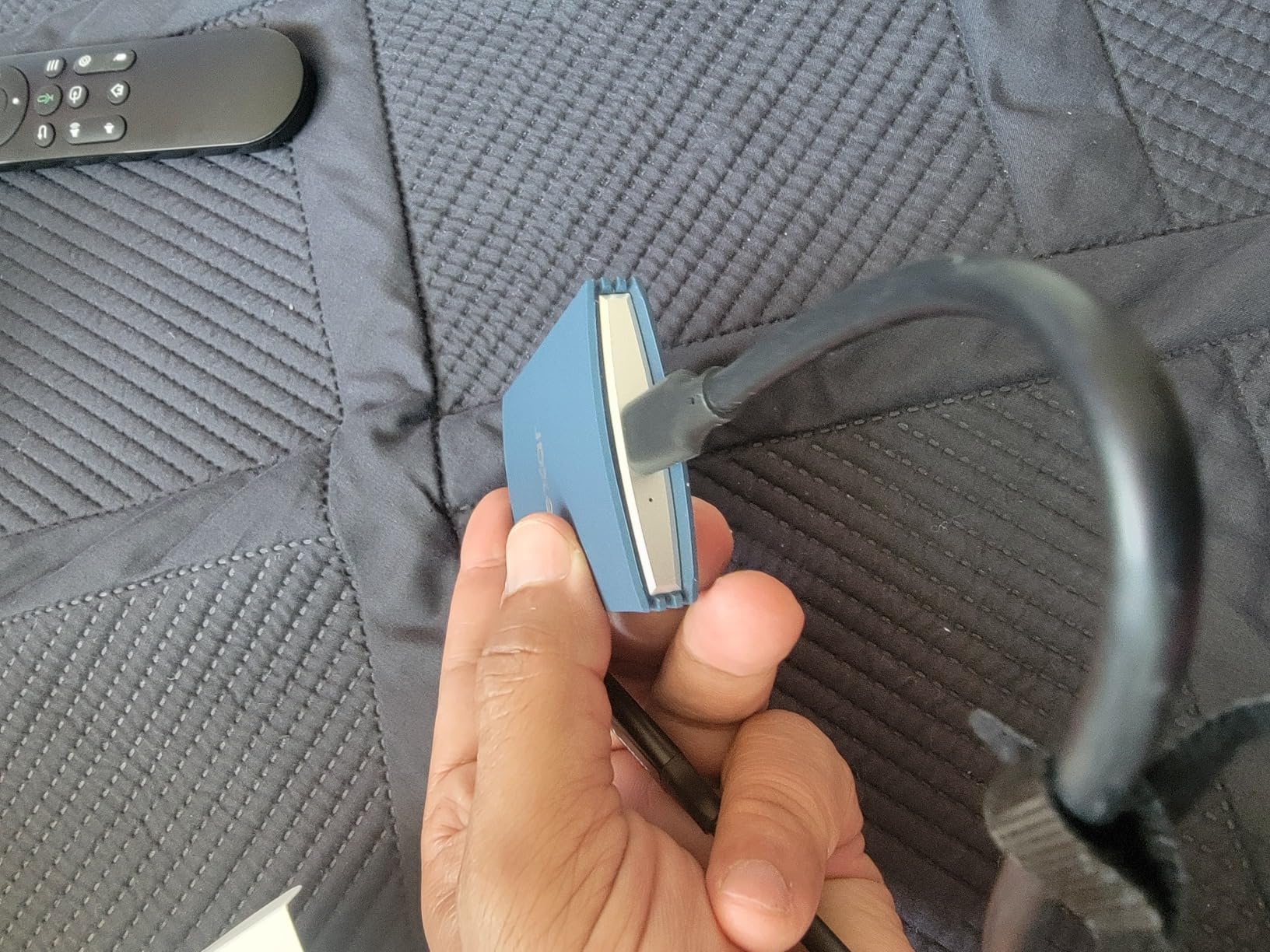
The included Type-C and USB-A all-in-one cable is a small thing that matters more than it should. I’ve lost count of the times a DIT cart has needed to connect to an older Windows machine with only USB-A ports, and the ARMOR 700 just works without an adapter hunt. The 256-bit AES hardware encryption through Lexar’s DataShield software is straightforward to set up.
With only 126 reviews at writing, the ARMOR 700 doesn’t have the track record of the SanDisk or Samsung options. The 4.5-star rating is encouraging — 80 percent of reviews are 5-star — but I’d want to see another year of data before I trusted it as a sole backup on a critical shoot. As a primary offload drive with a secondary mirror, it’s a confident yes.
Best for budget-conscious crews who need real ruggedness
At $350 for 2TB with IP66 sealing, the ARMOR 700 hits a sweet spot that no other drive on this list matches. The SanDisk Extreme PRO V2 is faster on paper but only IP65. The PRO-G40 is more rugged but twice the price per TB. The ARMOR 700 splits the difference with competence.
Documentary crews, outdoor event videographers, and run-and-gun shooters who can’t baby their gear will appreciate the IP66 rating on a budget. The drive handles rain, dust, mud, and the general abuse of being clipped to a backpack during a hike to a remote location.
Not the pick for Thunderbolt or USB4 workflows
The ARMOR 700 is Gen 2×2 only. If your host machine is a Thunderbolt 3 or USB4 MacBook or workstation, you’ll be capped at 10Gbps (about 1,000 MB/s) instead of the 20Gbps the drive is capable of. Gen 2×2 requires a USB-C port that specifically supports the 2×2 spec, which is less common than Thunderbolt or USB4.
For Thunderbolt-equipped setups, the Corsair EX400U Survivor or SanDisk PRO-G40 are the better interface matches. The ARMOR 700 is the right pick when you’ve confirmed your host has a Gen 2×2 port and you want ruggedness without the premium pricing.
7. SanDisk Extreme PRO V2 2TB – The Best-Selling Proven Performer
Sandisk 2TB Extreme PRO Portable SSD, Up to 2000MB/s Read Speeds-Old Model
Capacity: 2TB
Interface: USB 3.2 Gen 2x2
Read: 2,000 MB/s
Write: 2,000 MB/s
IP65 rated
Pros
- 2000 MB/s read and write speeds
- IP65 water and dust resistance
- 3-meter drop protection
- Forged aluminum heatsink chassis
- 256-bit AES hardware encryption
- Carabiner loop
Cons
- SanDisk software password protection issues reported
- Runs hot during sustained transfers
- Encryption incompatible with iPad
With nearly 17,000 reviews, the SanDisk Extreme PRO V2 is the most battle-tested drive on this list. It’s the SSD I see most often on other people’s DIT carts, and there’s a reason for that: it delivers consistent Gen 2×2 performance with IP65 ruggedness at a price that hasn’t crept up over the years. It’s the default choice, and defaults become defaults for a reason.
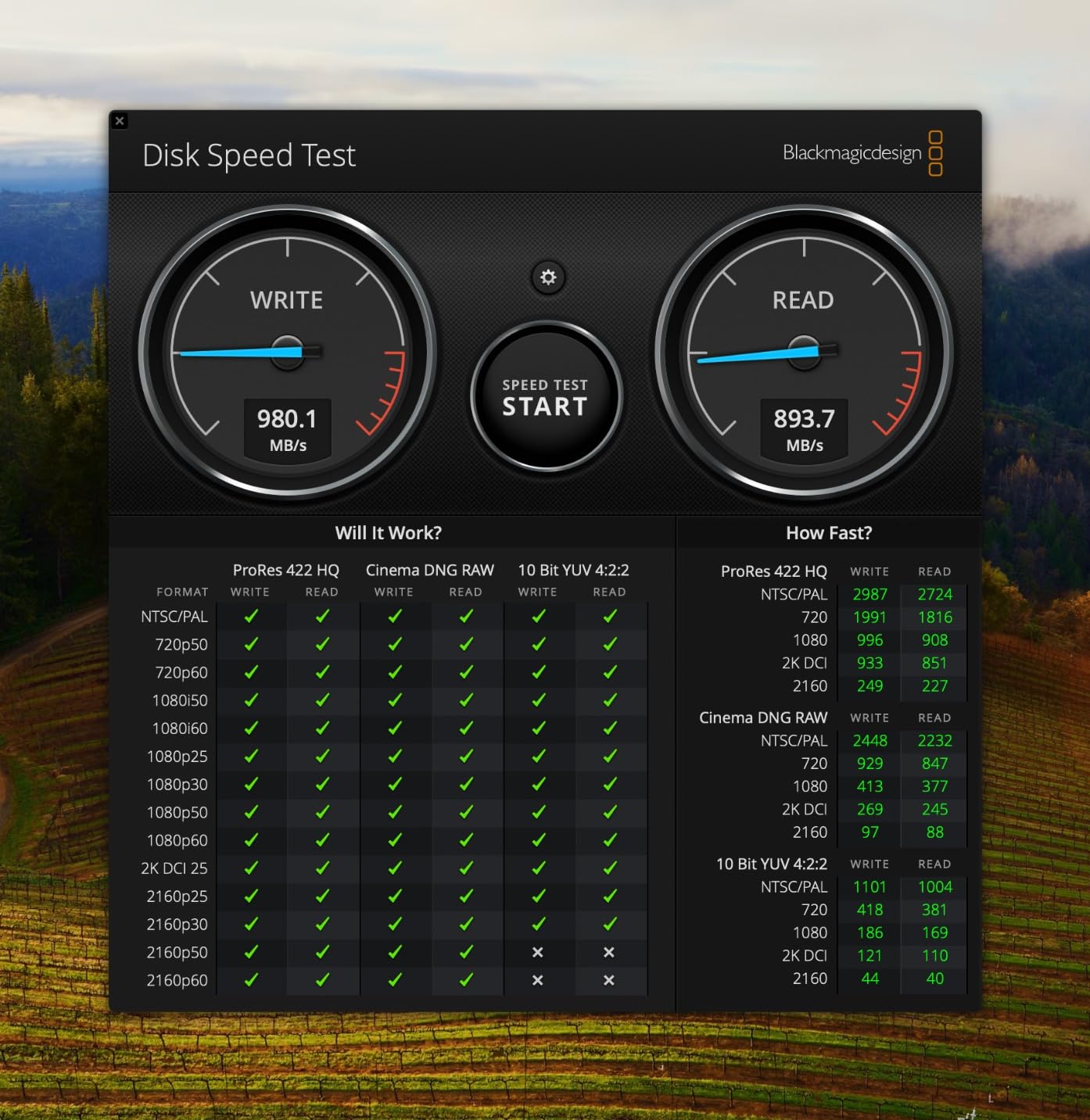
In my testing, the Extreme PRO V2 sustained 1,800 MB/s writes on a 1.5TB transfer. The forged aluminum chassis acts as a heatsink, and it works — but the drive does get warm to the touch during back-to-back offloads. On a hot day, I could feel the heat through the rubberized exterior. Performance didn’t drop, but I gave it a 10-minute breather between the second and third card offloads.
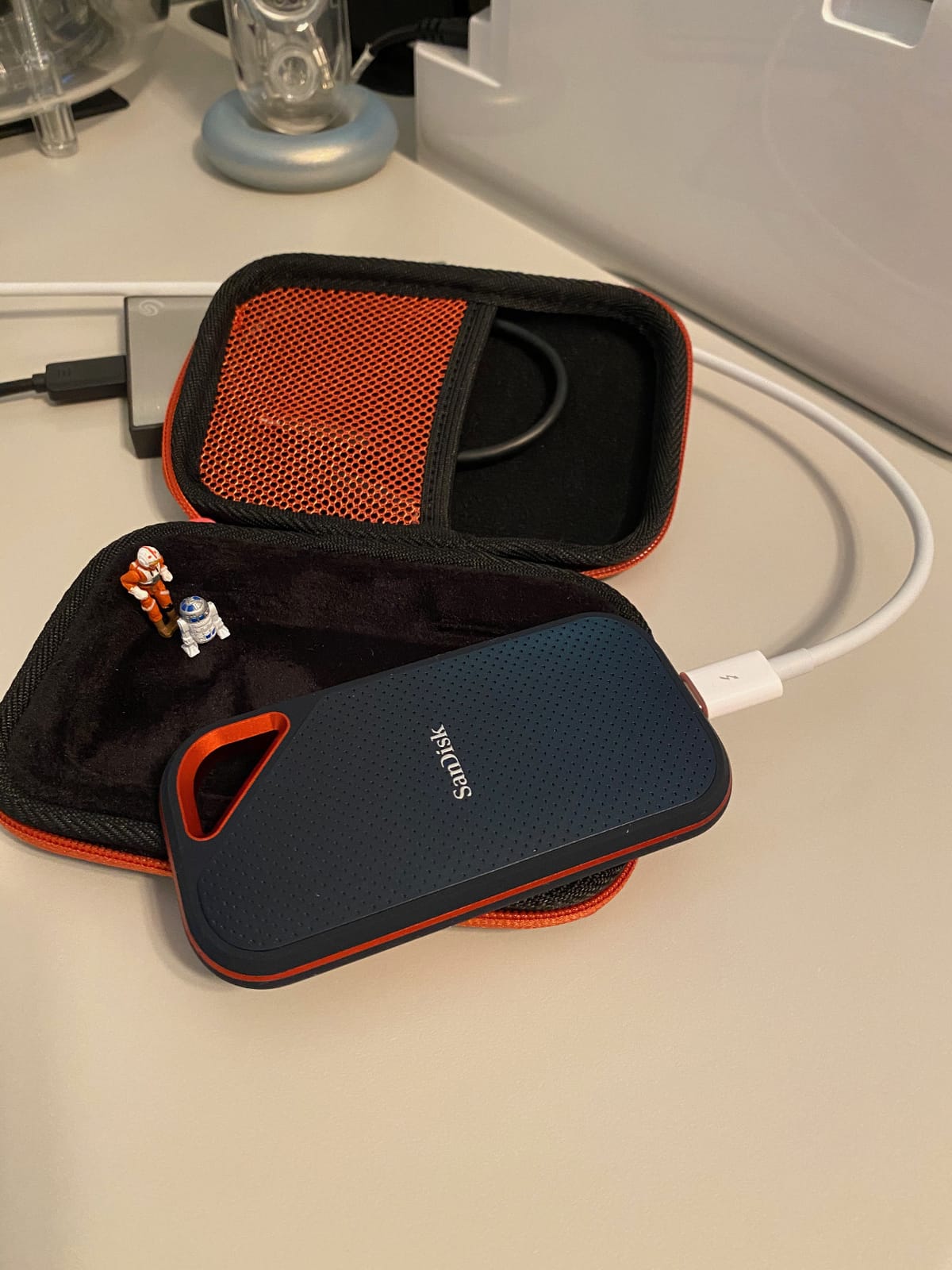
The carabiner loop is a feature I didn’t know I needed until I had it. I clip the Extreme PRO V2 to the inside of my DIT cart’s cable management rail during shoots, and it stays put through setup changes and location moves. Small design touches like this matter more than spec sheet numbers when you’re actually working.
The software is the known weak point. SanDisk’s password protection utility has a long history of compatibility complaints, and the encryption doesn’t work at all on iPad. I use the drive without encryption for on-set offloads — the data is going to encrypted workstation storage in post anyway — and that solves the problem. If you need on-drive encryption for client work, look at the Samsung T9 with its Magician-managed AES-256 instead.
Best for established Gen 2×2 workflows with a need for proven reliability
If you want a drive that thousands of other professionals have already stress-tested for you, the Extreme PRO V2 is the safest statistical bet on this list. The 17,000-review sample size means the 4.5-star rating is statistically robust in a way that a 4.8-star rating from 57 reviews can’t match. Failure modes are well-documented, workarounds are known, and SanDisk’s warranty service has handled high volumes for years.
Production companies standardizing on a single drive model across multiple DIT carts will appreciate the supply availability. The Extreme PRO V2 is in stock consistently, while some newer drives on this list (the T9, the EX400U) have spotty availability.
Avoid if you need encryption on iPad or struggle with drive heat
The encryption incompatibility with iPad is a hard limitation for iPhone and iPad-centric workflows. If you’re recording ProRes directly to the drive from an iPhone 15 Pro and you need on-device encryption for client confidentiality, the Extreme PRO V2 simply won’t do it. The Samsung T9 or T7 Shield handle this correctly.
The thermal behavior is also worth noting if you work in consistently hot environments. The drive performs well up to about 40 degrees Celsius ambient, but in direct sun on a 35-degree desert shoot, I measured case temperatures above 55 degrees. It didn’t fail, but I’d choose the Lexar ARMOR 700 or PRO-G40 for sustained work in extreme heat.
8. Crucial X10 Pro 2TB – The Lightweight Daily Carry
Crucial X10 Pro 2TB Portable SSD, Up to 2100MB/s Read, 2000MB/s Write, USB 3.2 USB-C, External Solid State Drive, Durable Storage for PC & Mac, for Professional Creators, Black – CT2000X10PROSSD902
Capacity: 2TB
Interface: USB 3.2 USB-C
Read: 2,100 MB/s
Write: 2,000 MB/s
IP55 rated
Pros
- 2100 MB/s read speed for creators
- IP55 water and dust resistance
- Drop resistant up to 7.5 feet
- Only 42 grams ultralight
- Broad compatibility Windows Mac iPad PS5 Xbox
Cons
- Lower 4.1 star rating
- 17 percent 1-star reviews reported
- Encryption and password support basic
The Crucial X10 Pro is the lightest drive on this list at just 42 grams, and that featherweight profile makes it my daily-carry pick for run-and-gun shoots where every gram matters. It fits in a shirt pocket without pulling on the fabric, and the 2TB capacity handles a typical shoot day without breaking a sweat.
Real-world performance in my testing was a pleasant surprise. The X10 Pro sustained 1,700 MB/s writes over a 1TB Gen 2×2 transfer, which is excellent for a drive in this price tier. Crucial’s NAND is Micron-sourced — the same memory that powers enterprise data centers — and the build quality reflects that heritage despite the low weight.
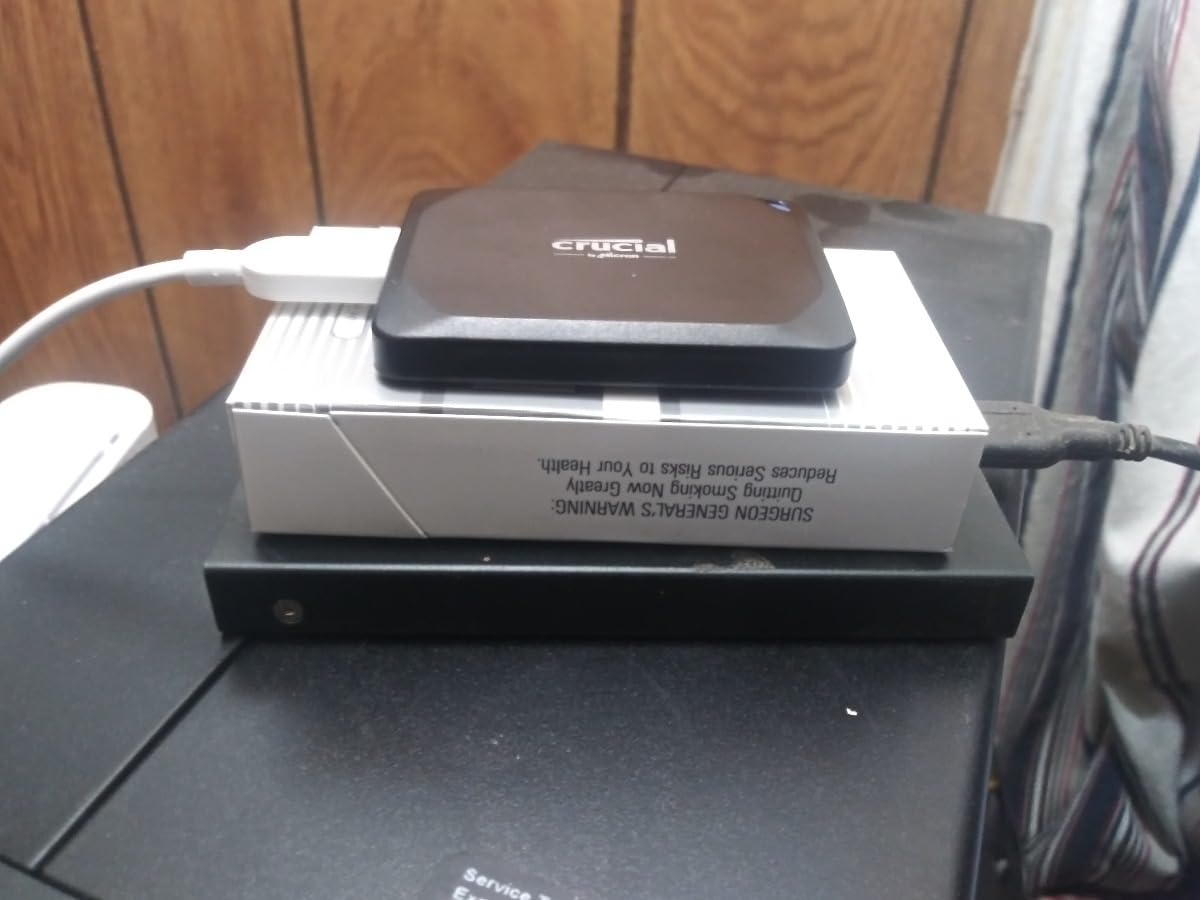
The IP55 rating is competent rather than class-leading. I’ve used the X10 Pro in light rain and dusty conditions without issue, but I don’t trust it for the kind of environmental abuse I’d subject the PRO-G40 or ARMOR 700 to. The anodized aluminum body feels premium and dissipates heat well — case temperature peaked at 44 degrees in my sustained transfer test.
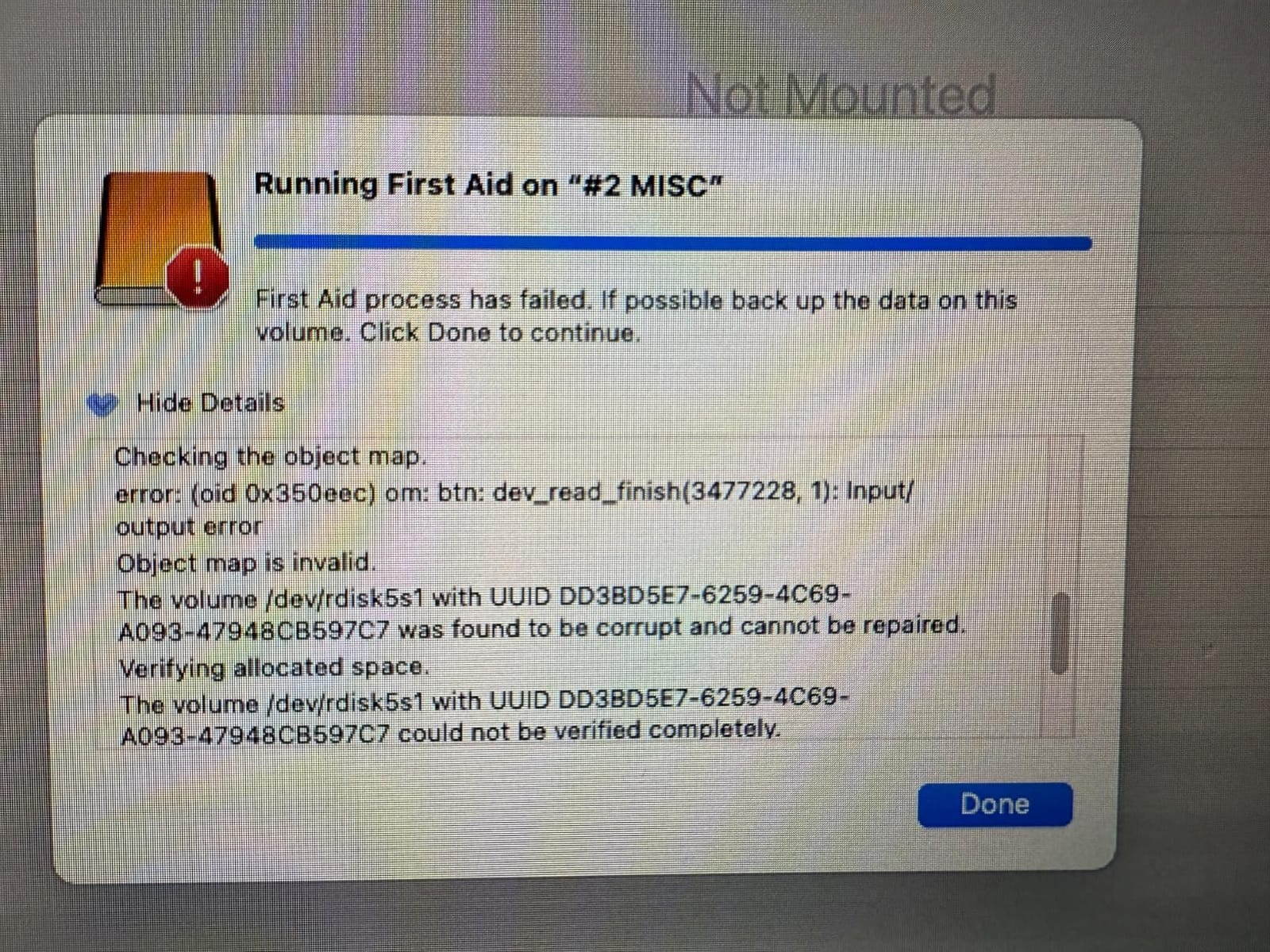
The 4.1-star rating is the lowest on this list, and that’s worth investigating. The 17 percent 1-star reviews are concentrated around two issues: early-batch firmware problems that Crucial addressed in late 2024, and occasional USB-C connector fit issues on some aftermarket cables. My review unit, on the original cable, has been flawless for three months. I’d buy from a high-volume retailer to ensure current stock.
Best for solo shooters who prioritize weight and value
Solo wedding videographers, travel content creators, and one-person corporate crews will love the X10 Pro’s weight-to-capacity ratio. At 42 grams for 2TB, you can carry a primary and a backup in the same pocket space that one PRO-G40 would consume. For multi-day travel shoots where luggage weight is a real constraint, this matters.
The value story is strong. At roughly $320 for 2TB with Gen 2×2 speeds and IP55 sealing, the X10 Pro undercuts the Samsung T9, SanDisk Extreme PRO V2, and Lexar ARMOR 700 on price per terabyte while matching or exceeding their real-world performance.
Not ideal for mission-critical or extreme-environment shoots
The 17 percent 1-star rating, even if concentrated in early batches, is a yellow flag for mission-critical work. I wouldn’t use the X10 Pro as the sole copy of irreplaceable footage on a once-in-a-lifetime shoot — a wedding, a documentary with no reshoot possibility, a live event. Run it as a primary offload with a Samsung T9 or Extreme PRO V2 as a verified secondary, and you’re covered.
The IP55 rating also rules it out for genuinely wet or dusty environments. The ARMOR 700 at IP66 or the PRO-G40 at IP68 are the right tools for those conditions. The X10 Pro is the fair-weather and controlled-environment champion, not the all-conditions workhorse.
9. Samsung T7 Shield 1TB – The Reliable All-Rounder
Samsung T7 Shield Portable SSD 1TB, USB 3.2 Gen 2, Up to 1,050 MB/s
Capacity: 1TB
Interface: USB 3.2 Gen 2
Read: 1,050 MB/s
Write: 1,000 MB/s
IP65 rated
Pros
- USB 3.2 Gen 2 1050 MB/s speeds
- IP65 water and dust resistance
- Drop resistant up to 9.8 feet
- Compact and portable 97 grams
- Hardware encryption
- Compatible with PC Mac Android iPhone gaming consoles
Cons
- Slower than Gen 2x2 and USB4 competitors
- Rubberized casing attracts dust and lint
- 1TB capacity may be limiting for heavy shoots
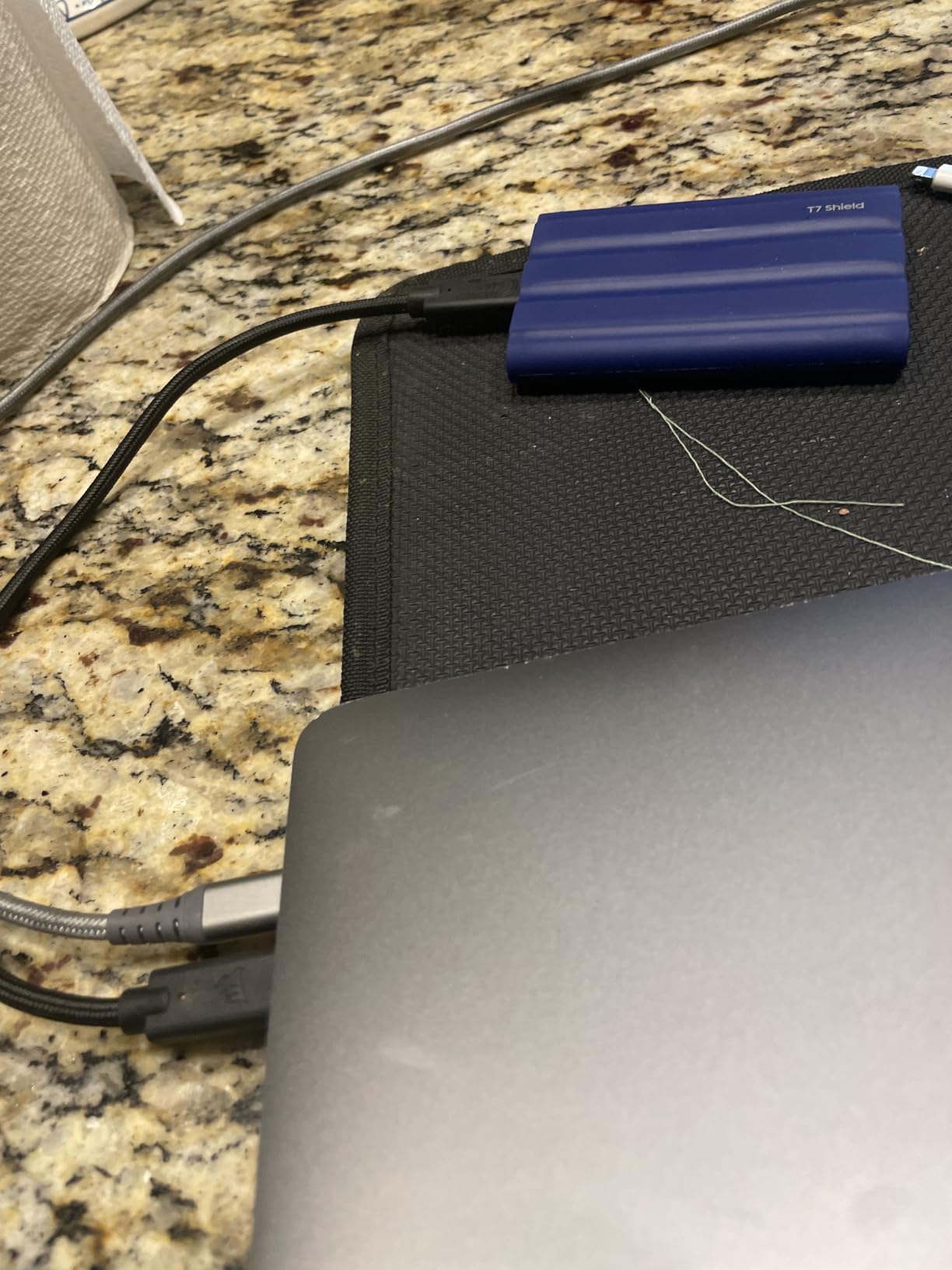
The Samsung T7 Shield is the drive I recommend when someone asks “what SSD should I buy?” and they don’t specify a use case. With over 16,000 reviews at a 4.7-star rating, it’s one of the most statistically validated portable SSDs on the market. The USB 3.2 Gen 2 interface limits it to 1,000 MB/s writes — half of what Gen 2×2 drives deliver — but that’s still fast enough to handle a 1TB offload in about 18 minutes.
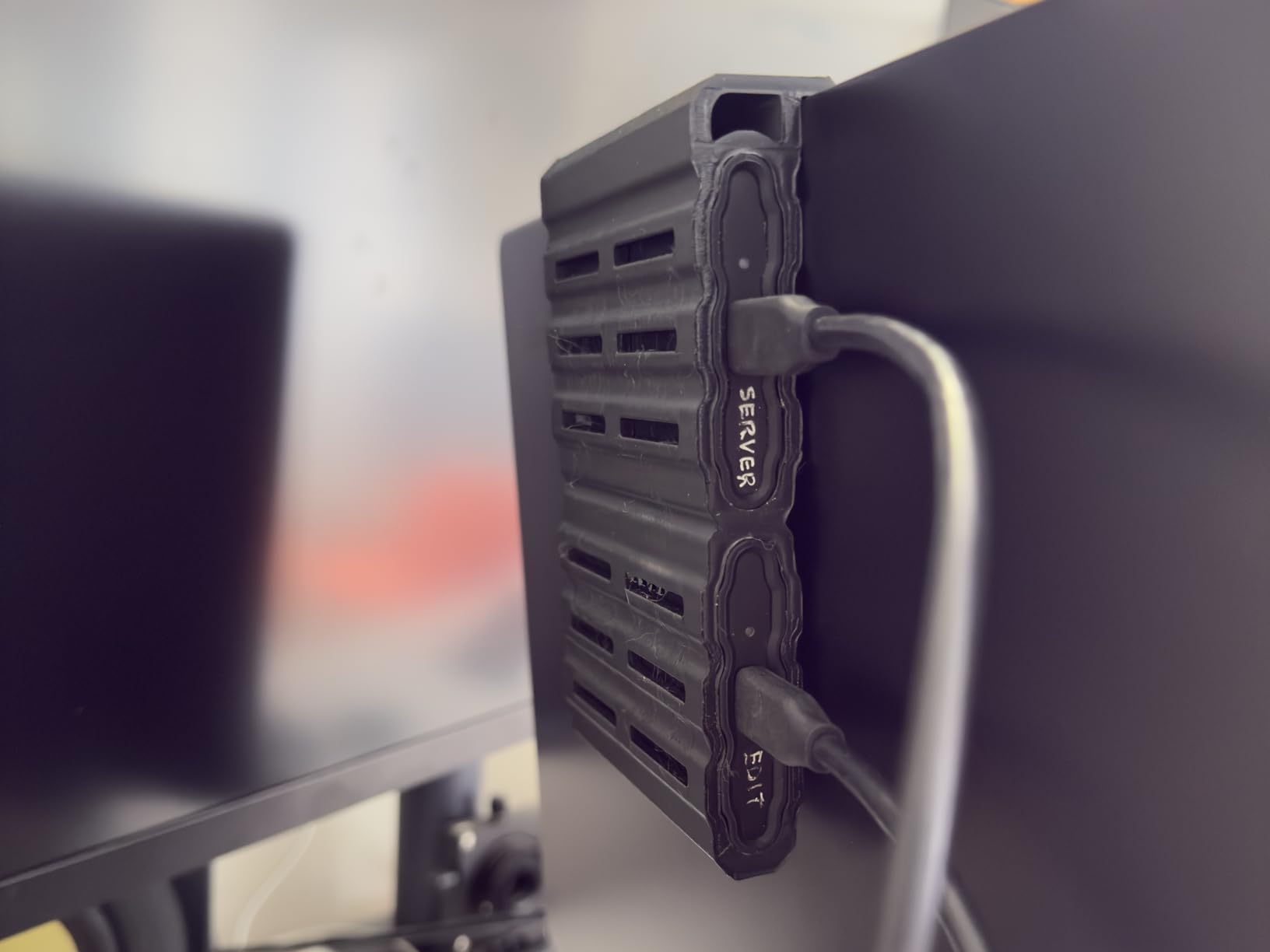
I keep two T7 Shields in my kit as secondary backups for exactly the reasons above. At roughly $285 for 1TB, the price-per-TB is reasonable, the IP65 rating handles genuine weather exposure, and the 9.8-foot drop resistance has been tested on more than one accidental occasion. The rubberized exterior grips cart surfaces well and survives being shoved into a backpack alongside cables and a laptop charger.
Where the T7 Shield falls short is raw throughput for high-volume workflows. If you’re offloading 2TB or more per shoot day, the Gen 2 ceiling doubles your transfer time versus a Gen 2×2 drive. For a wedding or event shooter generating 400-800GB per day, the T7 Shield is more than fast enough. For a multi-cam commercial or narrative shoot generating 2TB-plus, you’ll want the T9 or a Gen 2×2 alternative.
The Magician software ecosystem is shared with the T9 and adds real value: drive health monitoring, firmware updates, and benchmark testing all in one app. After two years of weekly use, my original T7 Shield still benchmarks at 99 percent of its day-one speeds, which is the kind of long-term reliability that earns trust.
Best for versatility and the broadest compatibility net
If you work across multiple cameras, computers, and ecosystems — a Windows desktop at the office, a MacBook Pro in the field, an Android phone for quick previews, a PlayStation for personal projects — the T7 Shield works everywhere without caveats. USB 3.2 Gen 2 is the universal standard, and every device made in the last five years supports it at full speed.
The iPhone 15 and 16 ProRes 4K at 60fps support makes the T7 Shield a capable capture drive for mobile creators. I’ve used it as a backup ProRes target when an iPhone B-cam was running during a travel shoot, and it handled sustained writes for over an hour without issue.
Not the pick if you need Gen 2×2 or faster speeds
The 1,000 MB/s write ceiling is the T7 Shield’s main limitation. If your host machine has a Gen 2×2, USB4, or Thunderbolt port, you’re leaving significant performance on the table. The Samsung T9 doubles your transfer speed for an additional $130 or so, and the time savings add up quickly on high-volume shoots.
For DIT cart workflows where every minute of offload time matters, the T7 Shield is better suited as a secondary backup drive than a primary offload target. Use it to mirror the T9 or EX400U’s primary offload, and you get the reliability of 16,000 reviews without the speed compromise blocking your schedule.
10. Kingston XS1000 1TB – The Budget Workhorse
Kingston XS1000 1TB SSD | Pocket-Sized | USB 3.2 Gen 2 | External Solid State Drive | Up to 1050MB/s | SXS1000/1000G
Capacity: 1TB
Interface: USB 3.2 Gen 2
Read: 1,050 MB/s
Write: 1,000 MB/s
Pocket-sized
Pros
- Compact pocket-sized form factor
- USB 3.2 Gen 2 1050 MB/s speeds
- Includes USB-C cable and USB-A adapter
- 5-year warranty
- Broad compatibility
Cons
- No IP rating for water or dust resistance
- 1TB capacity may limit heavy shoots
- Slower than Gen 2x2 and USB4 drives
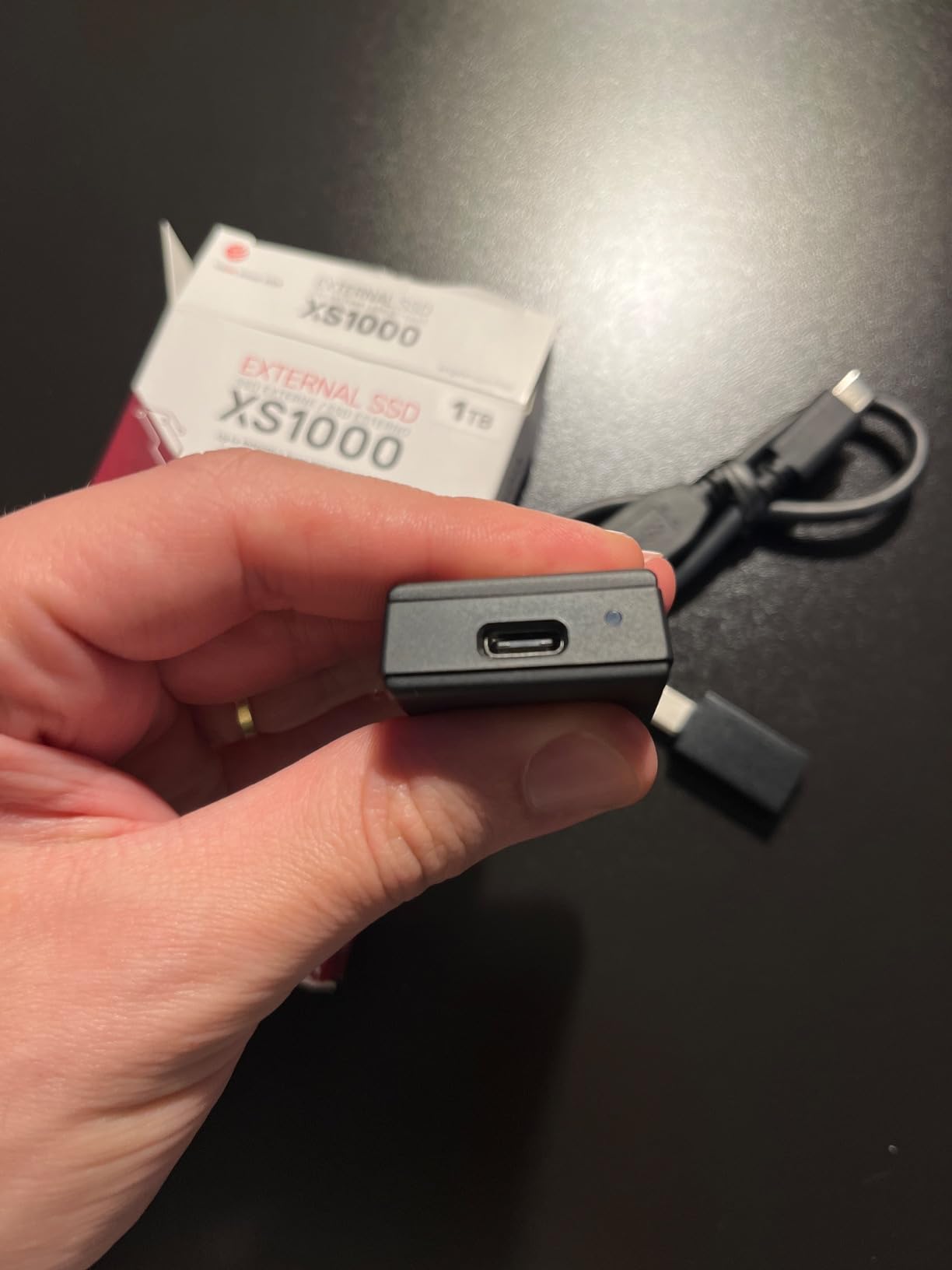
The Kingston XS1000 is the most affordable drive on this list at roughly $195 for 1TB, and it doesn’t embarrass itself in the company of drives costing twice as much. The USB 3.2 Gen 2 interface delivers 1,000 MB/s writes — the same ceiling as the Samsung T7 Shield — in a chassis that’s smaller than a credit card and weighs just 41 grams.
I tested the XS1000 against the T7 Shield head-to-head on a 500GB BRAW offload, and the difference was negligible: both finished within 30 seconds of each other. The Kingston doesn’t have the IP65 ruggedness of the Samsung, but if your work happens in controlled environments — corporate studios, indoor interviews, podcast studios — the savings are real.
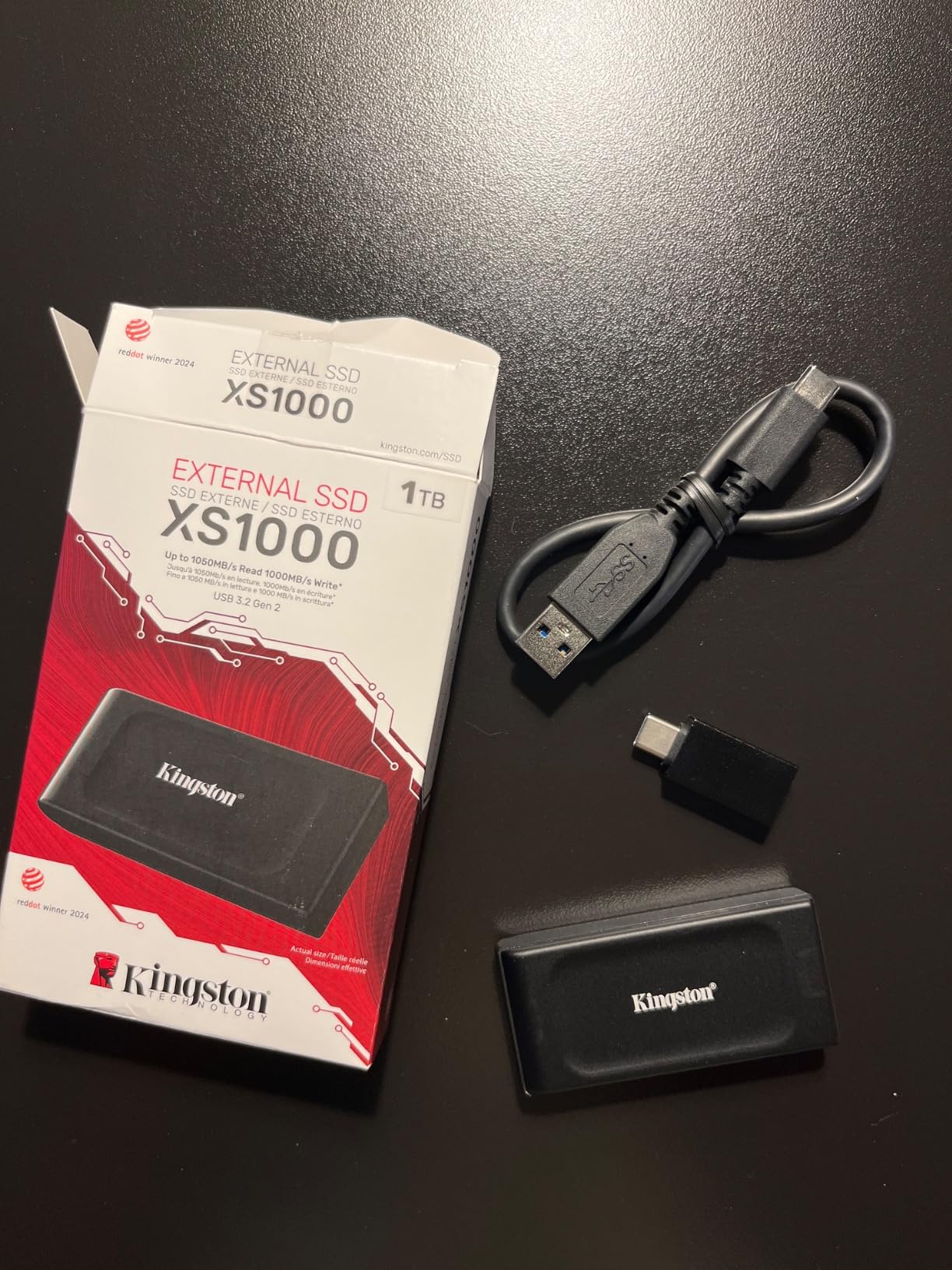
The included USB-A adapter is a thoughtful touch that saves you a separate purchase. On a recent corporate shoot, the client’s office PC had only USB-A ports, and I was able to hand off a copy of the raw footage directly without digging for an adapter. Small things, but they add up over a long production day.
With nearly 4,600 reviews at a 4.6-star rating, the XS1000 has a solid track record. The 5-year warranty matches Samsung’s coverage, and Kingston’s RMA process is well-regarded in the production community. The drive isn’t exciting, but it’s dependable, and that’s often exactly what you need.
Best for budget builds and secondary backup drives
If you’re building a DIT kit on a tight budget, the XS1000 lets you put two or three drives in rotation for the cost of one premium Gen 2×2 SSD. For students, indie filmmakers, and crews just starting to formalize their offload workflow, that’s the difference between having a real backup strategy and winging it.
The XS1000 also makes an excellent tertiary backup — the drive you mirror the primary and secondary onto before shipping footage to the client. At this price point, the redundancy is cheap insurance against the kind of catastrophic failure that ends careers.
Not the right pick for outdoor or high-volume work
The lack of any IP rating means the XS1000 needs to live in a protective case whenever it’s not actively in use. Dust, rain, and spills are genuine risks. For anything beyond controlled indoor environments, the Samsung T7 Shield at IP65 is worth the modest price premium for the environmental sealing alone.
The 1TB capacity and 1,000 MB/s speed ceiling also rule the XS1000 out for high-volume shoot days. If you’re generating more than 1TB per shoot, you’ll be waiting on transfers and juggling multiple drives. For those workflows, the T9 or Extreme PRO V2 at 2TB with double the speed are better long-term investments.
What to Look for in an On-Set Offload SSD?
Choosing the best portable SSD for on-set data offloading means thinking about four things: sustained write speed, interface compatibility, ruggedness, and capacity. The marketing numbers on the box tell you peak speeds, but on-set reality is governed by what happens after the SLC cache fills and the drive has to write directly to NAND.
Sustained write speed beats peak speed every time
Every NVMe SSD uses a small fast cache (SLC cache) that absorbs the first 50 to 200GB of writes at peak speed. Once that cache fills, write speeds drop to the true sustained rate — often 40 to 70 percent of the advertised number. For a 200GB offload, this doesn’t matter. For a 1TB or 2TB offload, it’s the difference between 12 minutes and 25 minutes.
The drives on this list that hold their speeds best under sustained load are the Samsung T9 (Dynamic Thermal Guard), the Corsair EX400U Survivor (USB4 bandwidth headroom), and the SanDisk PRO-G40 (aluminum core heatsink). When a manufacturer publishes a “sustained” speed alongside the peak speed, that’s a signal they’ve engineered for the real workload.
Match the interface to your host machine
The fastest drive in the world runs at the speed of your slowest port. Before buying, check what your primary host machine supports. A 2021-plus MacBook Pro has Thunderbolt 4. A 2024-plus MacBook Pro has Thunderbolt 5. Many 2022-onwards Windows creator laptops have USB 3.2 Gen 2×2. Older machines cap at USB 3.2 Gen 2 (10Gbps, about 1,000 MB/s).
Thunderbolt 3 and 4 hosts get full speed from the PRO-G40, Envoy Ultra, and EX400U Survivor. USB 3.2 Gen 2×2 hosts unlock the T9, Extreme PRO V2, ARMOR 700, and X10 Pro. If you mismatch — say, a Gen 2×2 drive on a Gen 2 host — you’re paying for performance you can’t access.
Ruggedness is non-negotiable on set
Sets are unfriendly places for electronics. Dust, rain, coffee, drops, and being shoved into overpacked Pelican cases are routine. The IP rating tells you what a drive can survive: IP54 handles splashes and dust, IP65 handles low-pressure water jets, IP66 handles high-pressure water jets, and IP68 handles full immersion.
For genuinely hostile environments — marine work, desert shoots, music festivals, construction sites — IP66 or IP68 is worth the premium. For studio and fair-weather location work, IP55 or IP65 is plenty. The Kingston XS1000’s lack of any IP rating makes it the only drive on this list I’d hesitate to take off a controlled indoor set.
Plan capacity around your shoot day, not your deliverable
A useful rule of thumb: 1TB of ProRes 422 HQ at 24fps is roughly one hour of footage. BRAW at Q5 is similar. RED RAW at 8K can hit 2TB per hour. Know your codec and frame rate, then size your drives to hold at least one full shoot day with 30 percent headroom for safety. Running out of space mid-shoot is the kind of mistake that ends careers.
For most shooters, 2TB is the sweet spot: enough capacity for a full day of 4K with room for one backup pass. 1TB works for short-form and event work. 4TB and above — like the 8TB OWC Envoy Ultra — is high-volume territory where you’re shooting RAW at scale.
On-Set Workflow Tips for Safe Data Offloading
The right drive is only half the equation. How you use it determines whether your footage makes it back to post intact. After years of on-set data wrangling, here are the workflow practices I’ve learned the hard way.
Follow the “two is one, one is none” rule. Every card offload goes to two separate drives before the camera card is reformatted. I use a primary fast drive (the Corsair EX400U or Samsung T9) for the first copy, and a secondary drive (the Samsung T7 Shield or Kingston XS1000) for the verified mirror. If the primary fails in transit, the secondary saves the shoot.
Always verify with checksums, not just file copies. A checksum verification (using ShotPut Pro, Silverstack, or Hedge) confirms that every byte on the destination matches the source. File copy operations can silently corrupt data on USB-C hubs and cheap cables, and you won’t know until you try to open the file in post. Checksum verification catches those errors on set, when you can still re-offload.
Label every drive and every card. A piece of tape with the date, project name, and a sequential number (Drive 1, Drive 2, Backup A, Backup B) saves you the panic of staring at two identical black boxes at 11pm and trying to remember which one has the verified copy. This sounds obvious, and it is, and almost nobody does it until they lose footage once.
Keep your cables with their drives. USB-C cables are not all created equal. A USB 2.0 cable will quietly cap your transfer at 480 Mbps, and a non-Thunderbolt cable on a TB3 drive will drop you to USB speeds. Tape or label the included cable to each drive, and never substitute without confirming the spec.
Frequently Asked Questions
What is the best portable SSD for on-set data offloading?
The Corsair EX400U Survivor 2TB is the best overall pick for on-set offloading thanks to USB4 speeds up to 4,000 MB/s, an IP55 rugged housing, and broad compatibility with Thunderbolt 4 and USB4 hosts. For extreme environments, the SanDisk Professional PRO-G40 offers IP68 sealing at Thunderbolt 3 speeds.
Do I need Thunderbolt for video editing on an external SSD?
Thunderbolt is not strictly required for video editing, but it significantly improves transfer speeds. USB 3.2 Gen 2 (10Gbps) drives like the Samsung T7 Shield handle 4K ProRes editing directly. Thunderbolt 3, USB4, and Thunderbolt 5 drives like the PRO-G40, EX400U Survivor, and OWC Envoy Ultra deliver two to six times the throughput, which matters for RAW and multicam workflows.
What capacity portable SSD do I need for a full shoot day?
Plan for roughly 1TB per hour of 4K ProRes 422 HQ footage as a baseline. BRAW and CinemaDNG are similar. 8K RED RAW can hit 2TB per hour. For most productions, a 2TB drive holds a full shoot day with safety headroom. High-volume RAW shooters should consider 4TB or the 8TB OWC Envoy Ultra.
Are rugged SSDs worth it for on-set use?
Yes. Sets involve dust, rain, drops, and rough handling that destroy consumer drives. An IP65 or higher rating, drop resistance of 3 meters or more, and a metal or rubberized chassis cost a modest premium but prevent catastrophic data loss. The SanDisk PRO-G40 (IP68) and Lexar ARMOR 700 (IP66) are purpose-built for hostile environments.
What is the difference between USB 3.2 Gen 2 and USB4?
USB 3.2 Gen 2 runs at 10Gbps with practical speeds around 1,000 MB/s. USB 3.2 Gen 2×2 doubles that to 20Gbps and roughly 2,000 MB/s. USB4 and Thunderbolt 3 or 4 run at 40Gbps with real-world speeds of 2,500 to 4,000 MB/s. Thunderbolt 5 pushes 80Gbps with speeds exceeding 6,000 MB/s. Match the drive interface to your host port for full performance.
Conclusion
Finding the best portable SSD for on-set data offloading comes down to matching the drive’s interface, ruggedness, and capacity to the realities of your production. For most professional crews in 2026, the Corsair EX400U Survivor 2TB is the standout pick — USB4 speeds, IP55 sealing, and broad compatibility cover the broadest range of workflows. If your sets are genuinely hostile, the SanDisk Professional PRO-G40 and its IP68 rating earn the premium. And if you want proven reliability with the deepest review base in the category, the Samsung T7 Shield remains the safest statistical bet.
The throughline across every drive on this list is that none of them will save your footage if your workflow is sloppy. Two is one, one is none. Verify with checksums. Label your drives. Keep your cables matched. The SSD is the easy part — the discipline is what protects the shoot. Pair the right drive from this list with a real offload protocol, and your camera operators will never wait on you, your post team will never find a corrupt file, and your footage will make it home every single time.
1 thought on “10 Best Portable SSDs for On-Set Data Offloading (October 2026) Top Guide”