
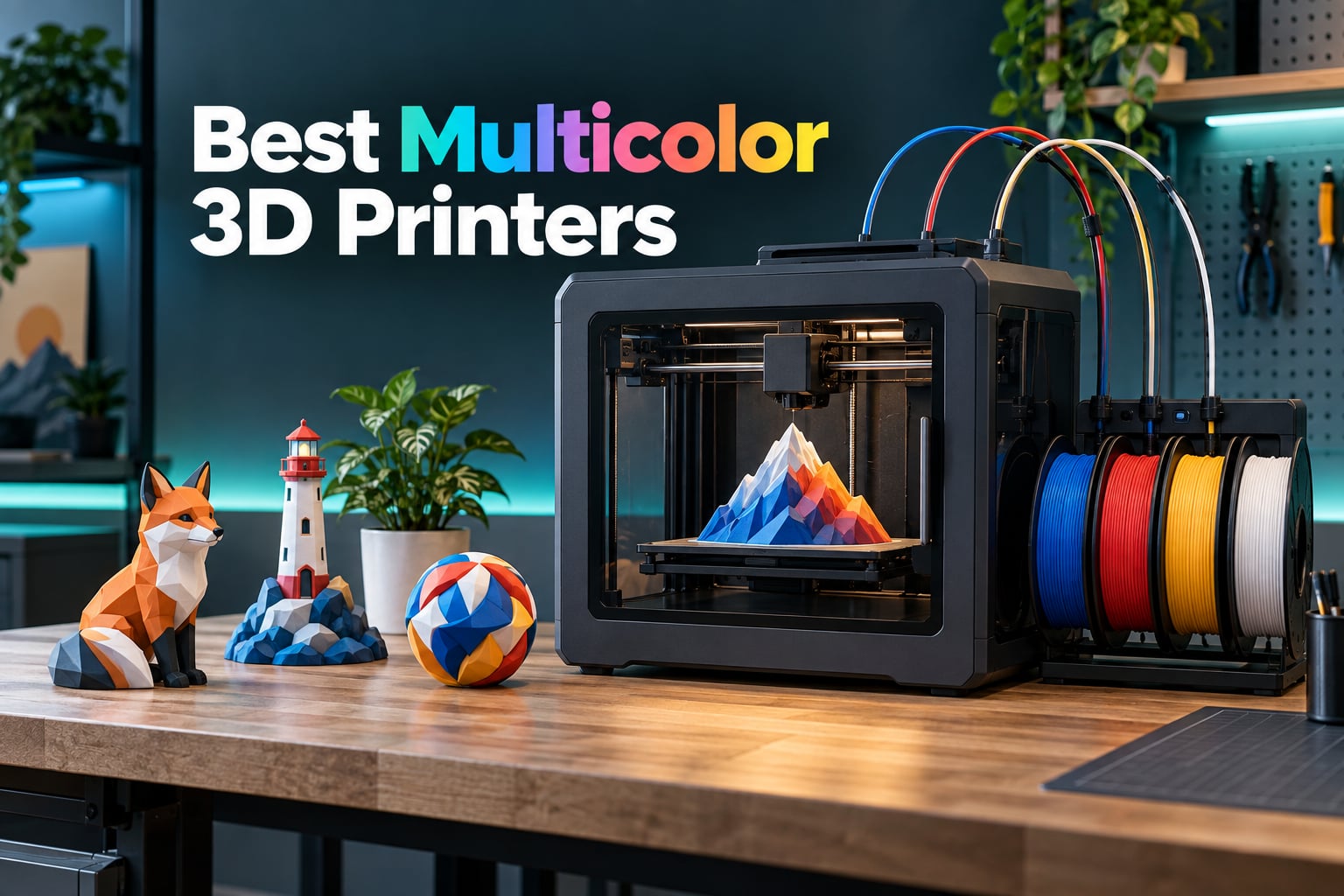
Multicolor printing used to mean a machine that cost more than a used car and produced color changes you could see from orbit. That is no longer the case in 2026. The best multicolor 3D printers now start under four hundred dollars, ship with a four-spool feeder in the box, and produce color transitions clean enough for cosplay armor, tabletop terrain and keychain batches.
Our top pick is the ELEGOO Centauri Carbon 2 Combo. It pairs an enclosed CoreXY machine that prints at up to 500 mm/s with a four-color CANVAS system that refills and detects tangles on its own, and it carries the largest review base of any machine in this roundup at more than 2,500 owner ratings. If your work needs a heated chamber and a bigger cube, the Creality K2 Pro Combo takes the same multicolor idea up to a 300 mm build volume, and the Bambu Lab P1S Combo remains the most polished enclosed package for anyone who wants the AMS ecosystem.
This guide covers eight machines that print four or more colors in a single job, from compact open-frame starters to large enclosed workhorses. I focused on the four things that actually decide whether a multicolor machine is worth owning: how well the color changes come out, how many colors you can add later, what the chamber does for material choice, and what the system does to your filament and print time. I have not included single-color printers that can be retrofitted with a third-party unit, because the feed path and slicer support matter as much as the printer itself. For the wider creative pipeline, our guides to 3D rendering software and 2D versus 3D animation cover the stages that come after the print is finished.
Table of Contents
- Top 3 Best Multicolor 3D Printers in October
- Best Multicolor 3D Printers at a Glance in 2026
- 1. ELEGOO Centauri Carbon 2 Combo – Best Overall Multicolor 3D Printer
- 2. Creality K2 Combo with CFS – Best for Scaling to 16 Colors
- 3. Bambu Lab P1S Combo – Best Enclosed Pick for Color and Consistency
- 4. Flashforge AD5X – Best Value Enclosed Multicolor Printer
- 5. Creality K2 SE 4C – Best Compact Four-Color Printer
- 6. Creality K2 Pro Combo – Best Large Format Multicolor 3D Printer
- 7. Bambu Lab A1 Mini Combo – Best Starter for Small Color Jobs
- 8. Bambu Lab A1 Combo with LED Kit – Best for Light-Up Color Models
- How Multicolor 3D Printing Actually Works
- What Multicolor Really Costs You
- How to Choose a Multicolor 3D Printer
- When to Skip Multicolor
- Frequently Asked Questions
- The Verdict
Top 3 Best Multicolor 3D Printers in October

ELEGOO Centauri Carbon 2 Combo
- 4-color CANVAS system
- Enclosed CoreXY build
- 500 mm/s with 20
- 000 mm/s^2 acceleration
- 256 mm cube build volume

Bambu Lab P1S Combo
- Bambu Lab AMS included
- Up to 16 colors across four AMS
- Enclosed body for ABS and ASA
- Automatic bed leveling

Flashforge AD5X
- Integrated 4-color IFS with 4 kg refill
- Enclosed CoreXY at 600 mm/s
- 300 degree C nozzle
- 220 mm cube build volume
Best Multicolor 3D Printers at a Glance in 2026
Every machine below prints four colors out of the box, and several scale to sixteen colors with extra feeder units. The build volume column is the single biggest predictor of what you will actually finish in a weekend.
| Product | Specs | Action |
|---|---|---|
| ELEGOO Centauri Carbon 2 Combo |
|
Check Latest Price |
 Creality K2 Combo with CFS Creality K2 Combo with CFS |
|
Check Latest Price |
| Bambu Lab P1S Combo |
|
Check Latest Price |
| Flashforge AD5X |
|
Check Latest Price |
 Creality K2 SE 4C Creality K2 SE 4C |
|
Check Latest Price |
 Creality K2 Pro Combo Creality K2 Pro Combo |
|
Check Latest Price |
 Bambu Lab A1 Mini Combo Bambu Lab A1 Mini Combo |
|
Check Latest Price |
 Bambu Lab A1 Combo with LED Kit Bambu Lab A1 Combo with LED Kit |
|
Check Latest Price |
1. ELEGOO Centauri Carbon 2 Combo – Best Overall Multicolor 3D Printer
ELEGOO Centauri Carbon 2 Combo 3D Printer, Multicolor Printing
CANVAS 4-color system
Enclosed CoreXY
500 mm/s
256 mm cube
Pros
- Enclosed CoreXY frame is fast and rigid
- Four-color CANVAS with auto refill and tangle detection
- Owners report printing within an hour of unboxing
- Handles engineering plastics such as Rapid PETG and PLA plus
- Intuitive slicing software with a short learning curve
Cons
- Prime tower reduces usable plate area on multicolor jobs
- Four CANVAS slots with no published expansion path
- Loud fans and noticeable vibration
- Camera time-lapse is low resolution and off-centre
The Centauri Carbon 2 Combo is the machine I keep coming back to because it removes the two arguments that normally stall a multicolor purchase. The first is whether the hardware is fast enough to justify four colors, and the second is whether the feeder can keep four spools fed without a babysitter. This one answers both: a rigid aluminum CoreXY frame running to 500 mm/s and 20,000 mm/s^2, and a CANVAS unit that switches color instantly, detects tangles and auto-refills.
Owners consistently report a short time to first print. Several describe loading filament, tapping print and having a job running within an hour of opening the box, which is rare in a class where calibration is usually a weekend project. Build quality and bed adhesion hold up even on Rapid PETG and PLA plus, and the dimensional accuracy is good enough for brackets and enclosures as well as display pieces.
The 256 mm cube is a genuine mid-size volume rather than the token 180 mm you get on starter machines, and the enclosure means ABS and ASA have a fighting chance of printing without warping off the plate. Filament detection, auto refill and tangle detection between four spools are the features that actually reduce wasted filament in daily use.
What you should check before buying
Two things are worth verifying in your own space. The machine weighs 42.6 pounds and measures 18.9 by 19.7 by 29.3 inches, so it needs a real shelf rather than a desk corner, and the enclosure needs airflow around it.
The noise floor is the second check. Reviewers flag loud fans and noticeable vibration, and a rubber mat plus a closed room solves most of that. If you share a workspace with people who work late, run a timed test print before committing to a dedicated corner.
Where it falls short
The CANVAS unit holds four spools and there is no published path to expansion, so eight-color and sixteen-color work is out of reach without a second machine. That is the trade you accept for the speed and the price position.
There is also a purge tax on every multicolor job. A prime tower takes up a chunk of the 256 mm plate, and reviewers note that the built-in camera produces a poor, off-centre time-lapse. If filming prints for a business channel matters to you, plan on an external camera. If you print prototypes, jigs and enclosures as often as display pieces, our explainer on 3D workflows covers how the modeling stage affects fit and tolerance.
2. Creality K2 Combo with CFS – Best for Scaling to 16 Colors
Creality K2 (A) Combo 3D Printer, Multicolor Printing with CFS
One CFS included,4 CFS supported
16 colors max
600 mm/s CoreXY
21 x 25 x 20 inches
Pros
- Most scalable color system in this roundup at 16 colors
- 600 mm/s with steel X-axis rail and dual Z
- RFID identification and auto relay cut babysitting
- Pre-assembled and auto-leveled for near print-and-go
- Air purifier and AI chamber camera for unattended jobs
Cons
- Only one CFS included so four colors out of the box
- Color swaps add purge time and consume filament
- Prime tower reduces available plate area
- Camera is for monitoring rather than filming
The K2 Combo is the pick if your color count will grow. One CFS unit is included and the system accepts four of them, which is 16 colors, and the RFID filament identification reads spool data so the printer knows what material is loaded before it starts. For a shop printing terrain tiles or a producer running a color range of keychains, that headroom is the deciding factor.
Underneath the feeder the machine is serious. A 600 mm/s CoreXY layout runs on an aerospace-grade aluminum frame with a steel X-axis rail and dual Z-axis, and the 40 mm^3/s high-flow direct-drive hotend has a hardened steel nozzle rated to 300 degrees C. It comes fully pre-assembled with smart auto leveling and guided calibration, so setup is close to load-and-go.
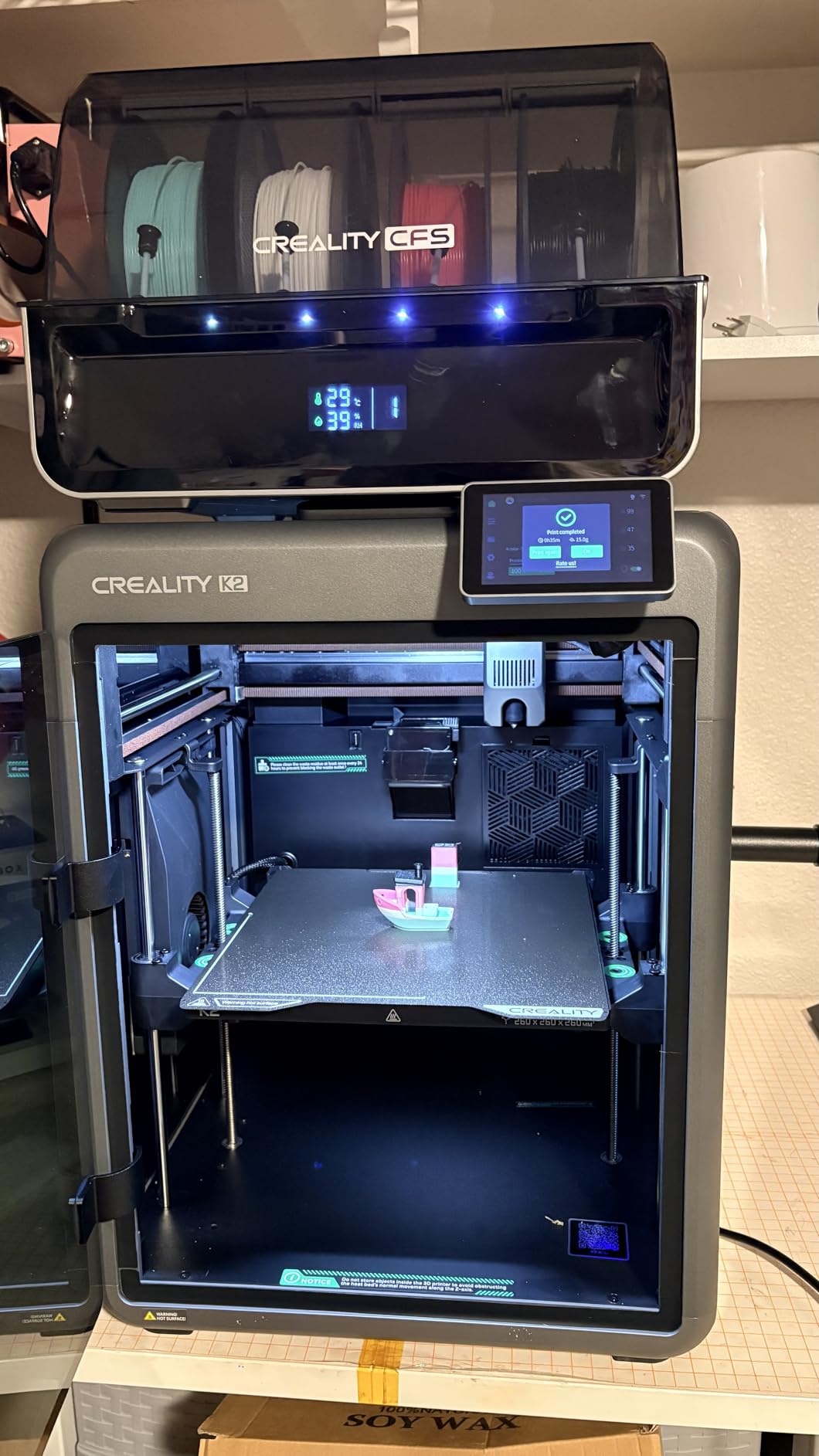
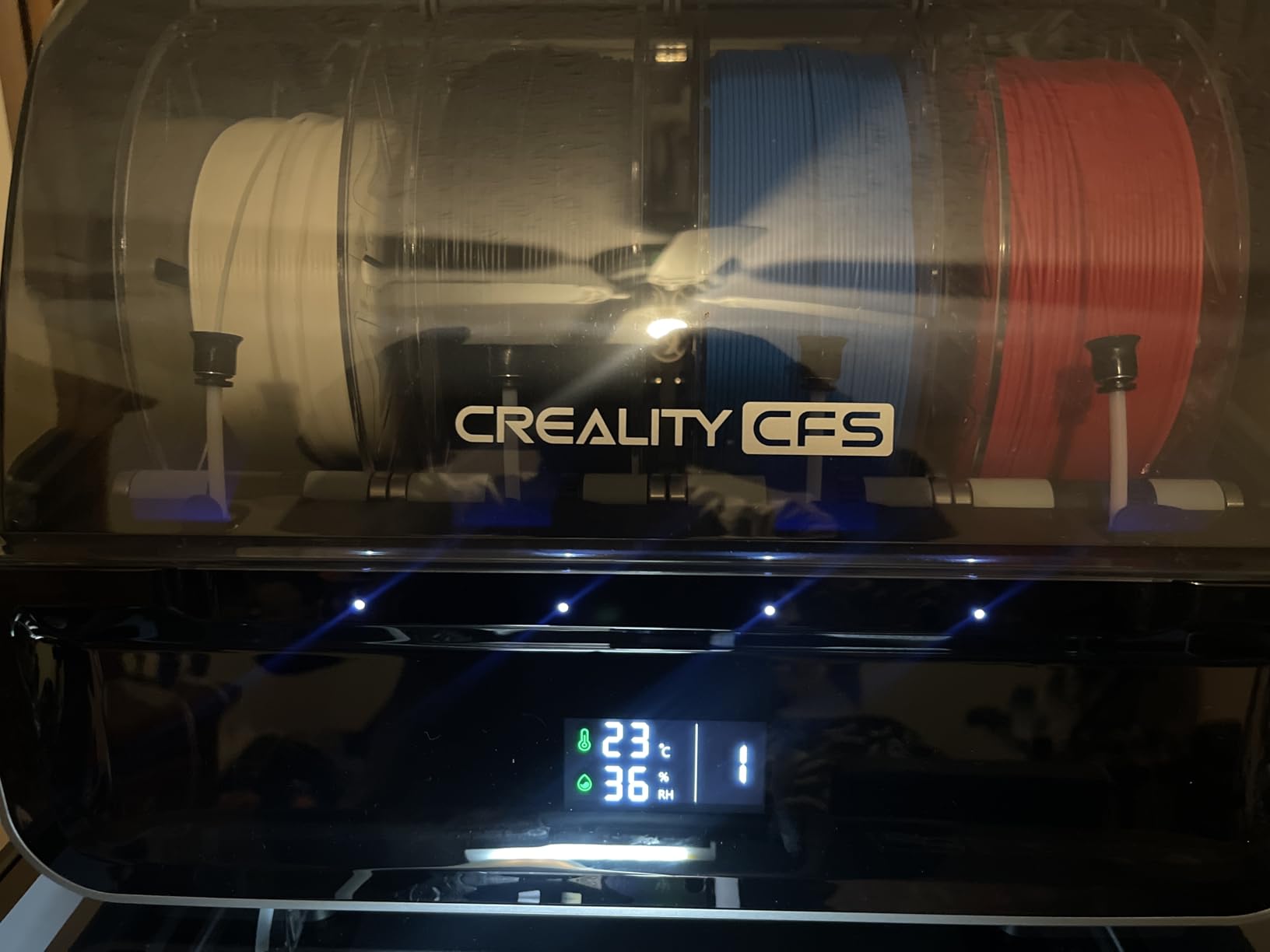
The chamber camera handles failure detection, time-lapse and build plate monitoring, and there is a built-in air purifier for VOC filtration plus 8 GB of local storage so prints keep running if the network drops. A Silent Mode with dynamically balanced fans makes long overnight runs less intrusive than most machines in this class.
RFID spool detection is the sleeper feature. Because the printer identifies filament by data rather than by color, runout, auto relay and moisture-proof storage with desiccants all work per-spool, which matters when four spools sit in one unit for weeks.
What you should check before buying
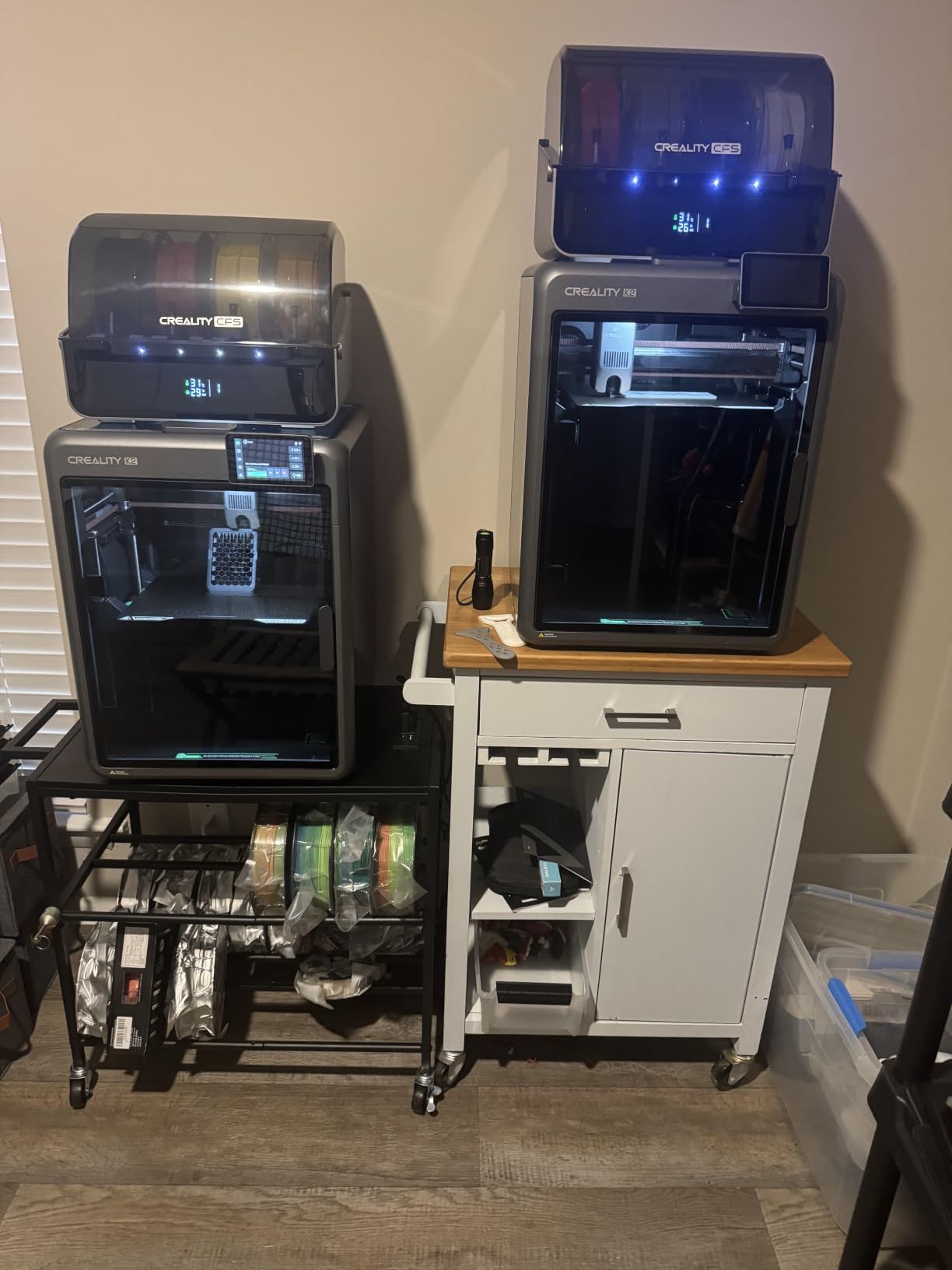
Plan the CFS layout early. Each unit adds footprint to the back or side of the printer, and at 55 pounds with a 21 by 25 by 20 inch body this is not a machine you will shuffle between shelves.
RFID depends on branded spools for full metadata. Generic filament still loads and prints, but you lose the automatic material profile switching that makes runout and drying management hands-off.
Where it falls short
Out of the box you get four colors, not sixteen. Every additional CFS is another purchase, so budget for the units rather than assuming the headline color count is what arrives in the box.
The purge penalty applies here too. Multi-color swaps add time and consume filament, the prime tower eats plate area on a 256 mm class bed, and the chamber camera is a monitoring tool rather than a good film camera. If you mostly print single-color functional parts, a multicolor system is not buying you much.
3. Bambu Lab P1S Combo – Best Enclosed Pick for Color and Consistency
Bambu Lab P1S Combo, P1S 3D Printer and AMS, Multi-Color 3D Printing
Bambu Lab AMS included
16 colors across four
Enclosed body
Automatic bed leveling
Pros
- AMS makes color changes reliable for most owners
- Enclosed body handles ABS and ASA without warping
- Fast clean prints with high dimensional accuracy
- Automatic bed leveling keeps first layers consistent
- Large model library through Bambu Studio and the app
Cons
- Low-resolution monochrome screen is clunky to scroll
- Binding and setup flow can feel confusing to newcomers
- SD card files are not programmed for the AMS
- AMS waste needs a purge chute to keep it off the plate
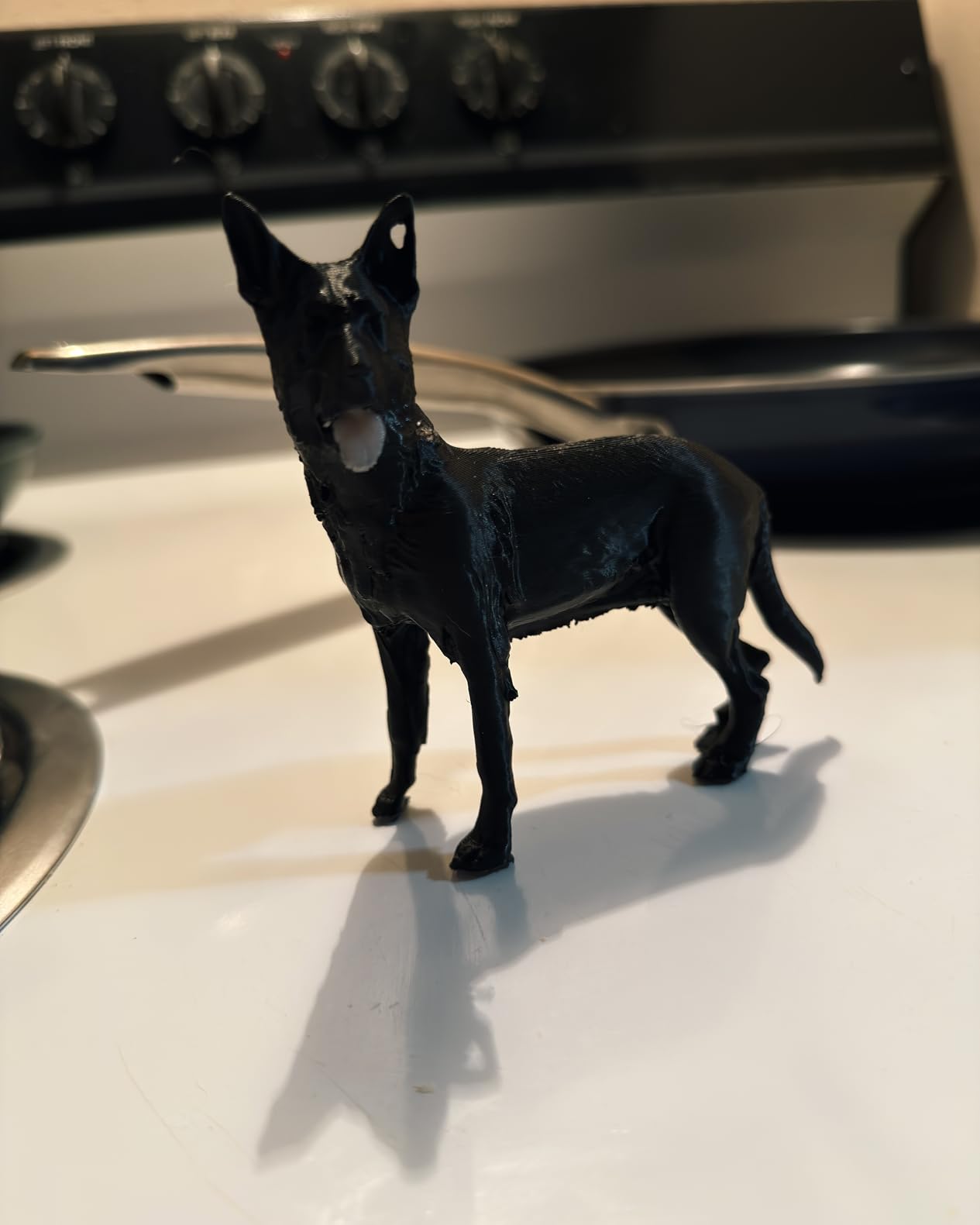
The P1S Combo has the most consistently positive owner feedback in this roundup. The recurring praise is about hardware rather than novelty: clean surfaces, tight dimensional accuracy and speed that holds up on hobby-scale RC parts. At 4.2 stars across more than 700 ratings, it is the machine people describe as performing like hardware costing several times more.
The AMS does the color work. Four slots out of the box, and up to 16 colors across four AMS units when you expand. It handles PLA, PETG, TPU, PVA, PET, ABS and ASA, is capable with PA and PC, and Bambu explicitly does not recommend it for carbon or glass fiber reinforced polymers, which is worth knowing before you buy.
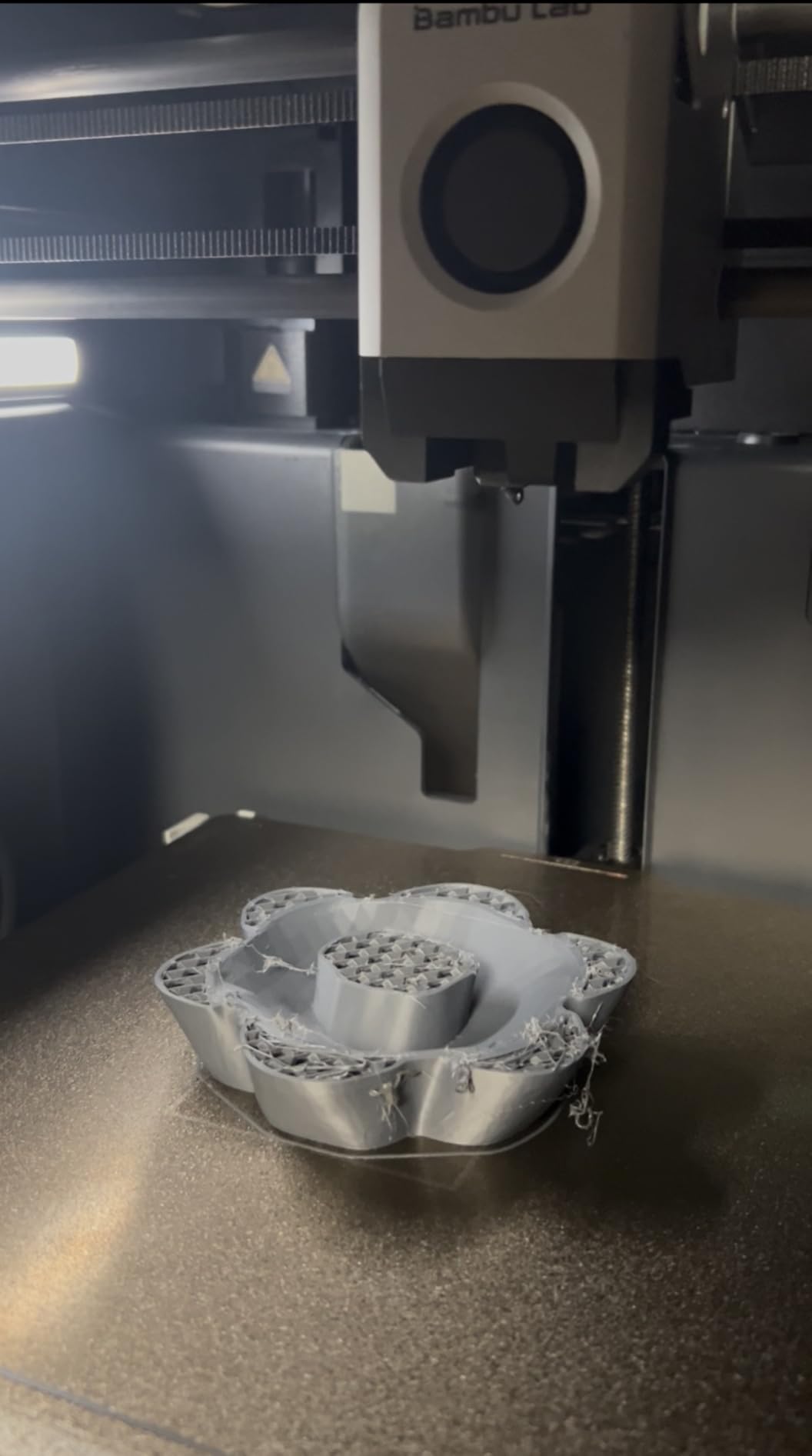
The fully enclosed body is the quiet hero. Active chamber ventilation keeps ABS and ASA from lifting off the plate, and prints release easily from the textured sheet, which is a small quality-of-life win you notice on every job. Setup takes roughly 15 minutes and the automatic bed leveling handles the rest.
Bambu Studio and the companion model library take the friction out of finding something to print. Editing a two-color keychain or a color-blocked terrain tile is a slider in the slicer, and the app binding lets you start a job from your phone.
What you should check before buying
Software polish is where this machine gives ground. The built-in monochrome screen is low-resolution and slow to scroll, and reviewers new to the brand find the Wi-Fi and Bluetooth binding flow confusing the first time through.
Print from the app, not the SD card. Default files on the card are not programmed for the AMS, so a job started that way will ignore your feeder. If you plan to run this offline for long batches, test that workflow before you commit.
Where it falls short
Four AMS slots and up to 16 colors is the ceiling, and no filament spools are included. The purge chute issue is real too: AMS waste falls onto the build plate unless you route it, and that is a five-minute fix once you know about it.
There is also the ecosystem question. The AMS only pairs with Bambu printers, so if you ever change brands it becomes shelf furniture. That is a genuine cost when you already own one, and a genuine benefit when you plan to stay on one ecosystem for years. Treat it the way you would any lock-in, and decide deliberately rather than by accident.
4. Flashforge AD5X – Best Value Enclosed Multicolor Printer
FLASHFORGE AD5X Multi-Color & Material 3D Printer with IFS, 220x220x220mm
Integrated 4-color IFS
4 kg auto refill
600 mm/s CoreXY
220 mm cube
Pros
- Four-color IFS at a price well below enclosed rivals
- All-metal CoreXY with 600 mm/s and 20 m/s^2
- Enclosure blocks drafts that cause warping
- Auto leveling
- vibration compensation and resume printing
- 32 mm^3/s hotend with 300 degree C nozzle
Cons
- Feed tubes can rub on the lid until trimmed
- Top-rear feed limits placement and needs a side spool holder
- Small fan runs continuously and is noticeable
- No camera or lighting included
- Purge volume is not tuned by the brand
The AD5X is the value answer in an enclosed roundup. You get a four-color Intelligent Filament System built into a 220 mm cube all-metal CoreXY machine that travels at up to 600 mm/s with 20 m/s^2 acceleration. Owners describe it as the best value multicolor machine they have used, which is a fairly strong statement from a segment where every brand claims the same thing.
The IFS handles automatic filament loading and unloading and supports refills of up to 4 kg, so a long batch does not stop for a spool change. The enclosure is the real differentiator at this level, because it blocks the drafts that cause warping and uneven cooling on taller prints.
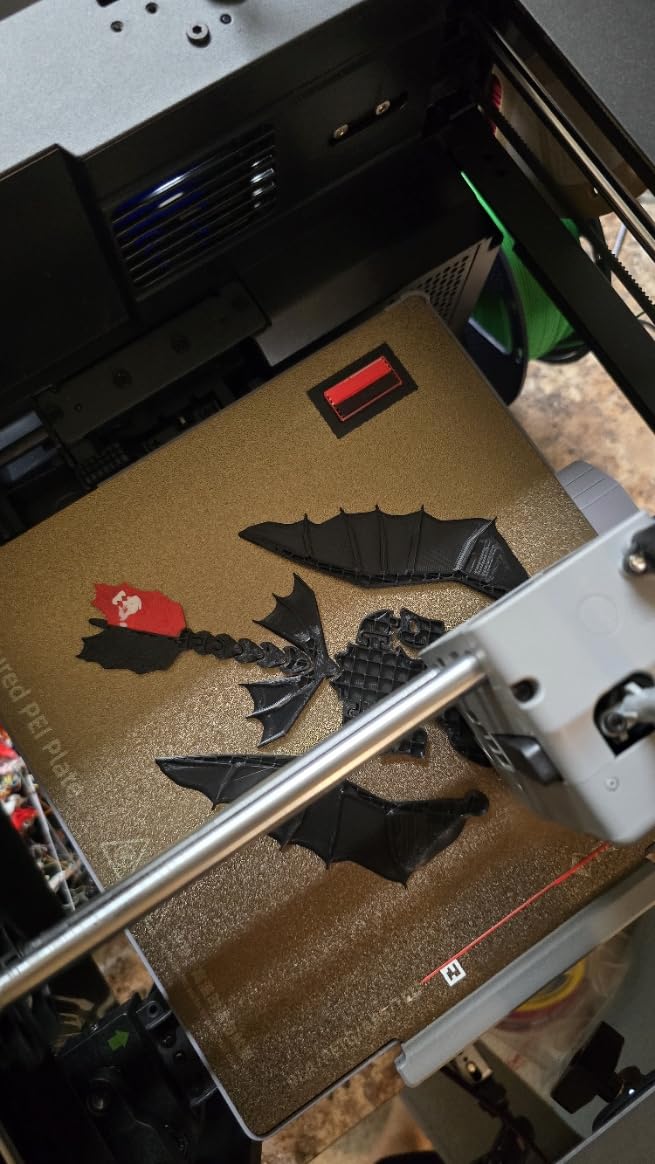
Reliability features are well chosen for long jobs. One-click auto leveling, vibration compensation, resume printing and filament detection work together, and the 4.3-inch color touchscreen makes status visible from a few feet away. The 32 mm^3/s large-flow hotend and 300 degree C nozzle handle tougher materials including TPU and carbon fiber filament alongside PLA and PETG.
If you run more than one machine, Orca-Flashforge and Flash Maker add remote fleet monitoring with alerts and parameter adjustment across a whole print farm, which is a genuine advantage for a small business producing in batches.
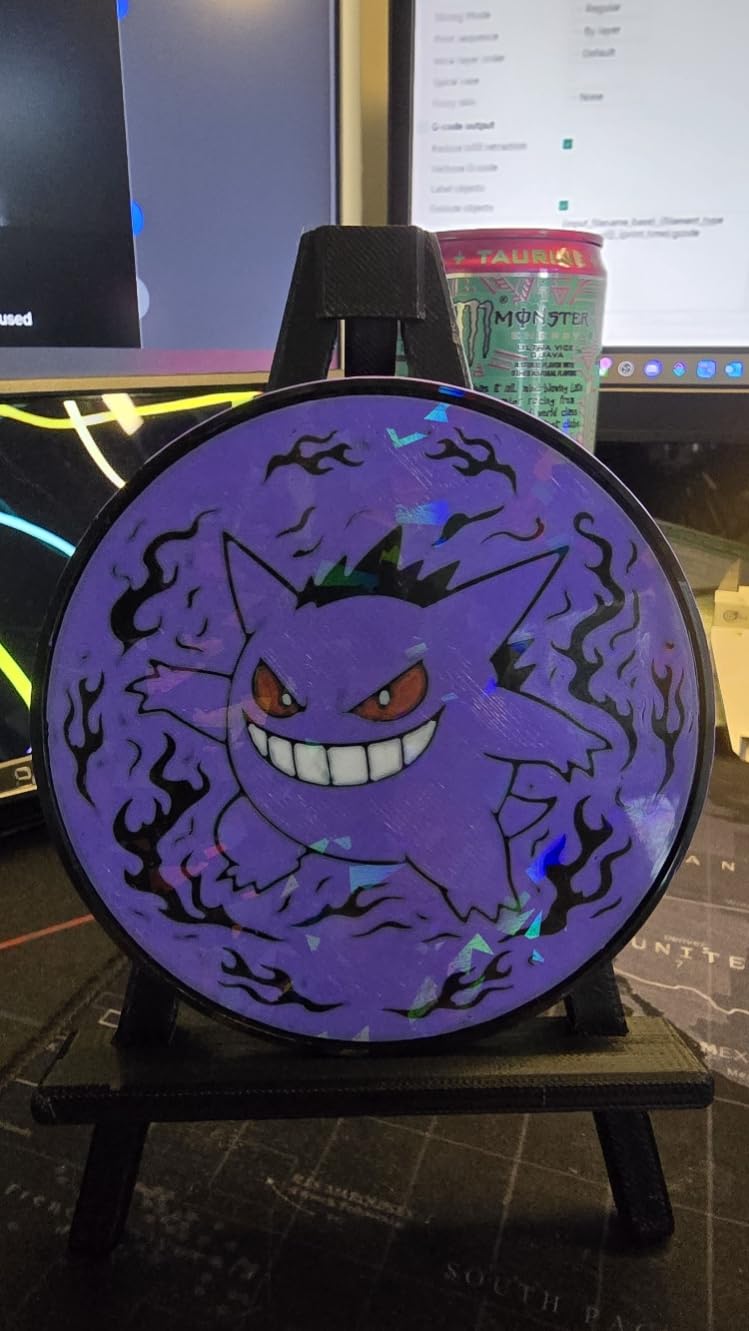
What you should check before buying
Allow five minutes of assembly adjustment. Reviewers note the filament feed tubes can rub against the lid until trimmed, and the IFS mounts at the top rear, which limits where you can place the machine and often means adding a side spool holder.
Budget for accessories. There is no camera and no lighting in the box, and a small fan runs continuously from the rear power switch, which is audible in a quiet room.
Where it falls short
Purge volume is not tuned by the brand, so multicolor jobs waste more filament than they need to until you learn the slicer settings. That is a five-minute fix once you know it exists, but you have to know it.
ABS needs careful tuning even inside the enclosure, and the machine is loud. Four colors is also the hard ceiling here, with no path to sixteen, so this is a print-quality-and-enclosure buy rather than a color-count buy.
5. Creality K2 SE 4C – Best Compact Four-Color Printer
Creality K2 SE 4C 3D Printer, Multi-Color 3D Printer, 500mm/s Fast Printing
Integrated 4-color unit
37 percent smaller footprint
500 mm/s CoreXY
Open frame
Pros
- Four-color printing works with no extra assembly
- Footprint is 37 percent smaller than traditional feeder units
- 500 mm/s CoreXY with 20000 mm/s^2
- Auto leveling probes only the active area
- Runout
- tangle detection and power-loss recovery
Cons
- Four slots with no published expansion path
- Open frame limits ABS and ASA chamber control
- Dual-material breakaway support needed for cleaner surfaces
- Creality OS and root access have a learning curve
The K2 SE 4C solves a specific problem: four-color printing that fits on a normal desk. The integrated 4-color unit occupies 37 percent less space than traditional multicolor systems, which is the reason it works in a home office, a classroom or a makerspace where a stacked feeder simply will not fit. It is 35.5 pounds and 14.46 by 14.46 by 18.96 inches.
Color printing works out of the box with no upgrade and no extra assembly, which is unusual at this size. Underneath, a CoreXY motion system runs to 500 mm/s with 20,000 mm/s^2 acceleration on a rigid all-metal frame, and the intelligent auto bed leveling probes only the active print area, which shortens setup on every job.
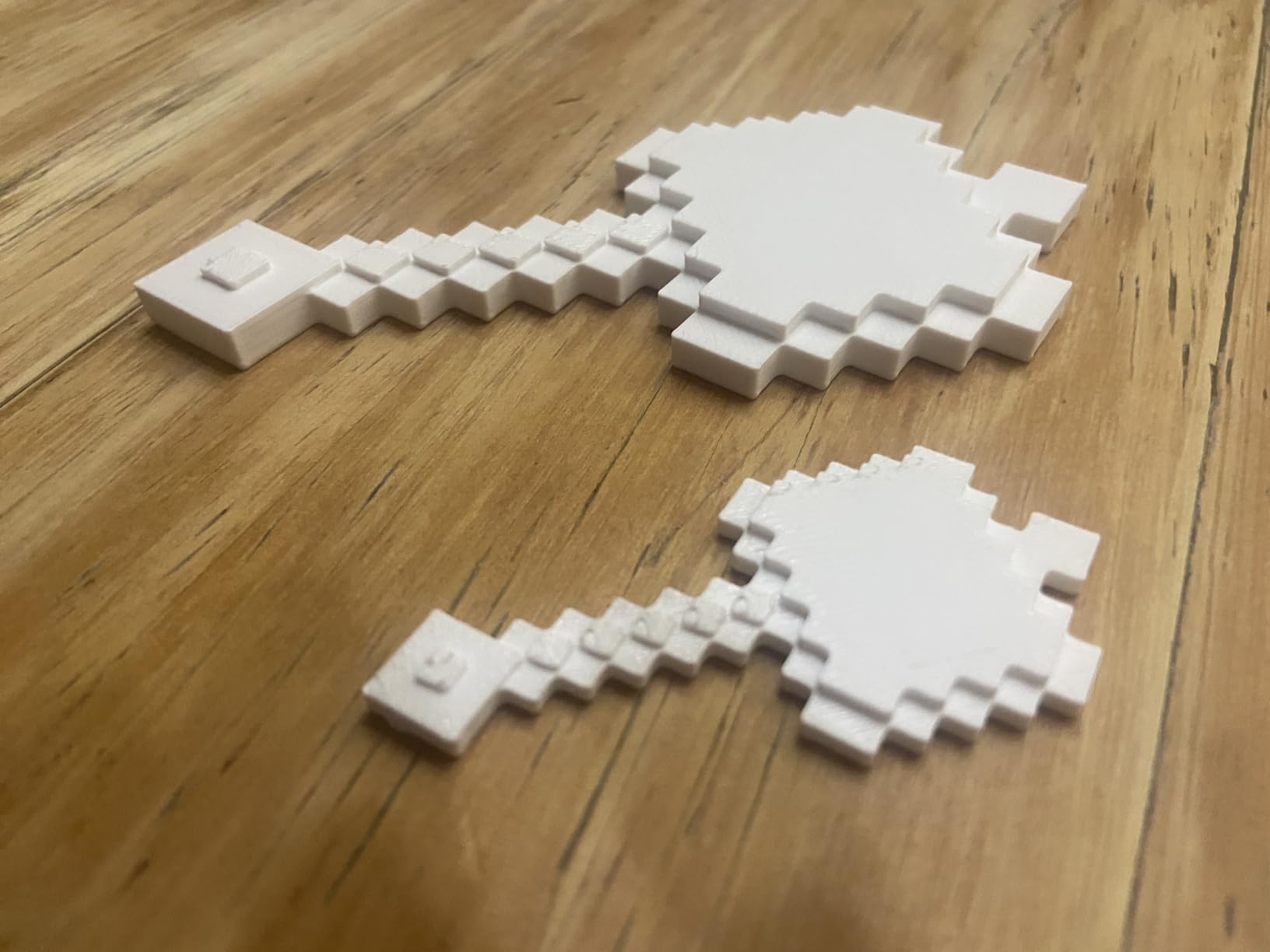
The protection features are aimed at long unattended runs. A filament runout sensor, tangle detection, power loss recovery and skip-partial-failure protection mean an overnight job has several ways to avoid becoming bin waste, which is the single biggest cause of lost multicolor prints.
It ships ready to print with Creality OS, a Fluidd interface, root access and offline USB printing, so you are not locked into a cloud account. It also supports dual-material breakaway supports, which gives you a two-material print path even with only one extruder.
What you should check before buying
It is an open-frame machine. That is a fair trade for the footprint, but it means PLA and PETG are your comfortable materials and ABS or ASA will fight you on tall or large parts. Know which materials your models actually need before you commit.
Look at the desk footprint including the integrated unit rather than the printer body alone. The space saving is real, but it is only real if you measure what actually arrives.
Where it falls short
Four slots with no published expansion path ends the color story at four. If your models need eight or sixteen colors, this is the wrong machine and the Creality K2 Combo is the right one.
Breakaway support material is needed for cleaner dual-material surfaces, and Creality OS with root access has a steeper learning curve than the ready-to-print basics suggest. Reviewers also flag the usual early-firmware and connectivity friction common to newly launched listings.
6. Creality K2 Pro Combo – Best Large Format Multicolor 3D Printer
Creality K2 Pro Combo (A) 3D Printer, Multicolor Color Printing with CFS, 600mm/s High-Speed, Dual AI Camera, Active Chamber Heating, Auto Leveling, Large Build Volume 300×300×300mm
CFS included
16 colors and multi-material
300 mm cube
Chamber heating to 60 degrees C
Pros
- Largest build volume here at 300 mm cube
- Active chamber heating to 60 degrees C stabilizes ASA and PPA
- Dual AI cameras tune flow in real time and spot failures
- Direct drive with hardened steel gears at 40 mm^3/s
- FOC step-servo motors and linear rails for 600 mm/s
Cons
- One CFS caps colors at four out of the box
- Largest and heaviest machine here at 61.6 pounds
- Paired-app camera setup adds firmware complexity
- Prime tower still eats plate area on multicolor jobs
When one color change is not enough, bigger is the answer. The K2 Pro Combo prints a 300 by 300 by 300 mm cube, which is the largest build volume in this roundup, and the box includes the printer, a CFS, a 500 g spool of RFID filament and a hardened steel nozzle. That single-enclosure volume is where cosplay helmets, large terrain layouts and batch runs become practical without tiling prints together.
The active chamber heating is what separates it from the rest. Holding the chamber at up to 60 degrees C prevents corner warping with ASA and PPA, which is the failure that ends most large ABS and ASA prints. The material list runs to PLA, ABS, ASA, PPA-CF and PET-CF, so engineering composites are on the table.
Dual AI cameras are unusual at this level. The chamber camera handles monitoring, failure detection, a build plate check and time-lapse, while the nozzle camera watches real-time flow and pressure advance and detects waste chute blockages. The direct drive extruder uses hardened steel gears at 40 mm^3/s for abrasive filaments, with automatic filament cutting and a quick-swap hotend.
FOC step-servo motors and linear rails deliver 600 mm/s with 20,000 mm/s^2 acceleration and consistent layers at that speed, and Creality OS with Wi-Fi or LAN control works with Creality Print and Cura for remote monitoring and OTA updates.
What you should check before buying
Measure your bench. At 61.6 pounds and 17 by 20 by 18 inches, this is the largest and heaviest machine here, and a small desk is not going to hold it safely or comfortably.
Confirm your slicer before you commit. It works with Creality Print and Cura, and if you have standardized on another slicer for your other machines, check that your multicolor workflow translates before buying.
Where it falls short
Only one CFS is included, so you start at four colors like every other machine here. Scaling to sixteen means buying three more units, and the footprint grows with them.
Two cameras means two setup steps, and owners note the paired-app configuration adds firmware complexity. The purge tax also scales with the bed, since the prime tower still occupies plate area on every multicolor job, and on a 300 mm bed that space is expensive.
7. Bambu Lab A1 Mini Combo – Best Starter for Small Color Jobs
Bambu Lab A1 Mini Combo, A1 Mini 3D Printer&AMS lite, Multi-Color Printing
AMS lite included
4-color printing
180 mm cube
Under 48 dB
Pros
- Lowest barrier into real four-color printing
- Strong bed adhesion and reliable output
- Quiet at 48 dB or less for home use
- Pre-assembled with full-auto calibration
- Compact footprint with app-based remote printing
Cons
- 180 mm build volume limits larger projects
- AMS lite is un-enclosed and humidity sensitive
- Open frame means no ABS or ASA chamber control
- AMS lite plus a dryer takes real desk space
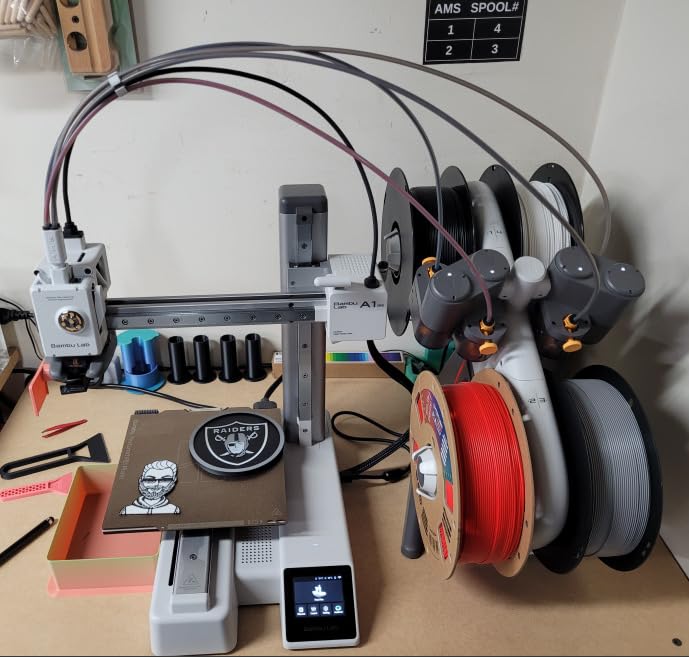
The A1 Mini Combo is the answer to a first question I hear constantly: is multicolor worth trying before spending real money. It includes the AMS lite for four-color printing, comes pre-assembled, and reaches a first print in about 20 minutes. Owners consistently call it the easiest first printer they have owned, which is a good default for a machine that is mostly about learning a new workflow.
Quietness is a genuine spec here. It runs at or under 48 dB with active motor noise cancellation, which means a bedroom or a shared office is a realistic location. A 1-Clip quick swap nozzle makes maintenance fast, and the simplified touchscreen keeps the controls approachable.
Full-auto calibration covers Z-offset and bed leveling, and the active flow rate compensation algorithm corrects extrusion on the fly. The result is strong bed adhesion and fast, repeatable prints, which matters more than raw speed when you are learning to slice two-color models.
Print 10,000 mm/s^2 of acceleration on a machine this small is a good reminder that speed ratings are marketing as much as engineering. What you will notice is the quietness and the fact that the first print works.
What you should check before buying
Volume is the limit. An 180 by 180 by 180 mm build handles keychains, charms, miniatures and small figures, and stops short of anything cosplay-sized. If your interest is helmets, armor or large terrain, look at a 220 or 256 mm machine instead.
Humidity matters with an un-enclosed AMS lite. Clear filaments in particular can break inside the feed path, and four spools sitting in an open feeder in a humid climate will absorb moisture faster than a boxed unit.
Where it falls short
The open frame rules out meaningful ABS and ASA work, and adding a separate filament dryer plus the AMS lite takes up meaningful desk space. Plan the layout before you buy, not after.
You will also hit the ceiling of advanced work quickly. Reviewers mention needing some CAD knowledge and nozzle unclogging practice for tougher jobs, and a smaller group report long-term reliability issues including nozzle clogs, adhesion loss and AMS loading faults. Treat this as a learning machine rather than a production machine.
8. Bambu Lab A1 Combo with LED Kit – Best for Light-Up Color Models
Bambu Lab A1 Combo + LED Lamp Kit, Multi-Color 3D Printing (with AMS lite)
AMS lite included
4-color printing
LED lamp kit included
Open frame
Pros
- Larger build volume than the A1 mini in the same ecosystem
- Four-color printing at a modest step up
- LED kit adds a functional output beyond decor
- Full-auto calibration and pre-assembled design
- Quiet running from motor noise cancellation
Cons
- Open frame limits ABS and ASA
- Un-enclosed AMS lite is humidity sensitive
- LED kit only suits lamp-compatible models
- Build volume still short of enclosed units
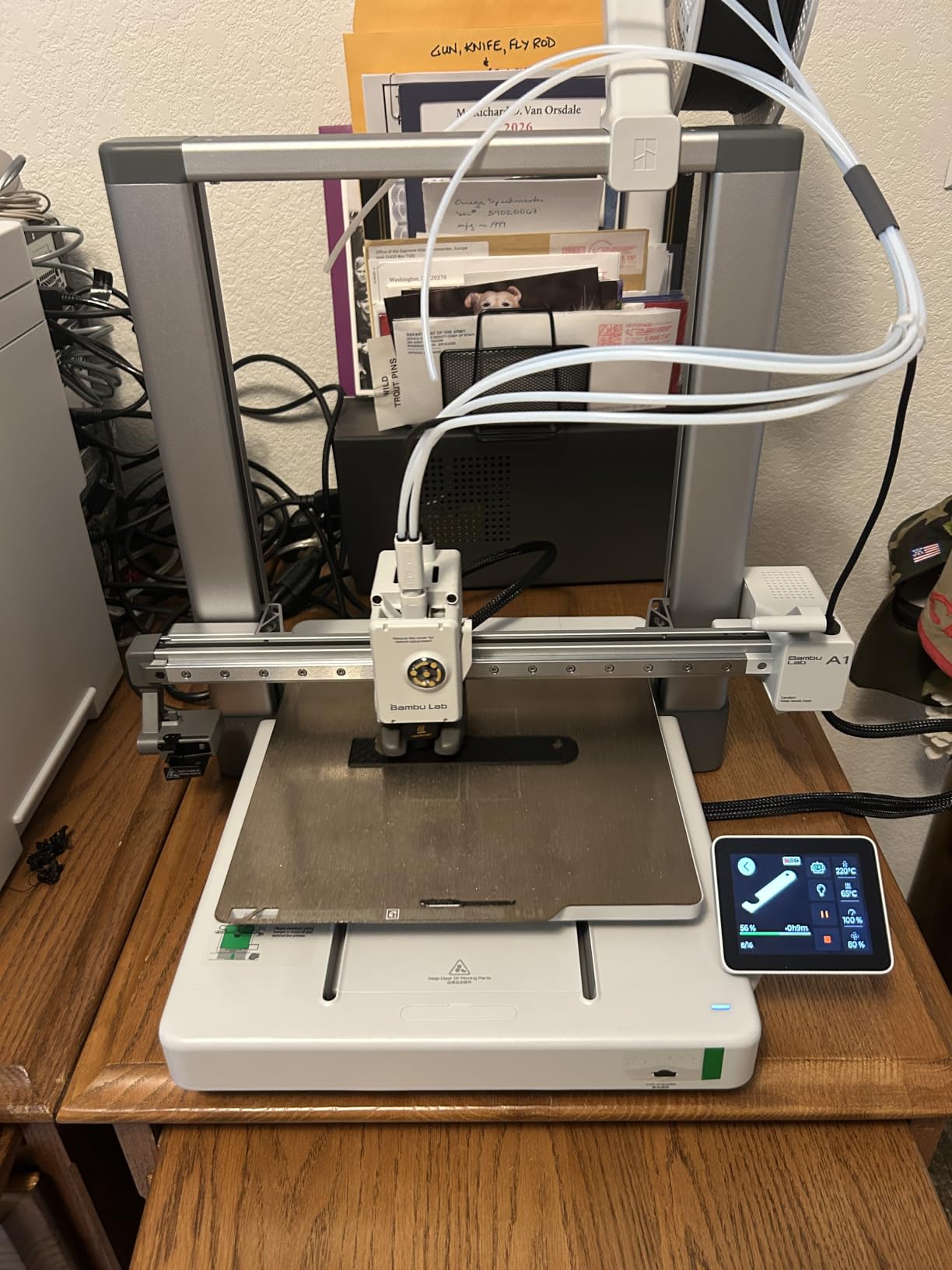
This bundle is the A1 sized a step above the mini, with the same AMS lite four-color system and an LED lamp kit in the box. The kit matters more than it sounds: it turns a print from a display object into a finished product with a function, and if you make lamp-compatible models, keychains or illuminated ornaments, that is an output stream a plain printer cannot serve.
It runs the same platform as the mini with a larger build volume, 10,000 mm/s^2 acceleration, full-auto calibration including Z-offset and bed leveling, and active flow rate compensation. The simplified touchscreen and active motor noise cancellation keep it quiet and approachable for a first machine.
The software side is the strongest part of the package. Bambu’s model library and app-based remote printing are a genuine advantage for a multicolor beginner, because finding a two-color or three-color model to learn on is a one-tap operation rather than a modeling project.
It is 28.5 pounds at 23.01 by 21.06 by 16.77 inches, and it holds an enclosed-free footprint that suits a desk or a shelf better than a full-frame machine.
What you should check before buying
Check that the LED kit matches your plans. It only works with lamp-compatible model designs, so if you want it, factor it into what you print rather than treating it as a free extra.
If you are in a humid climate, plan for filament drying. The AMS lite is un-enclosed, and clear filament in particular is prone to snapping inside the feed path, which is the most common failure on this feeder.
Where it falls short
Open frame means no chamber heating for ABS or ASA, and the build volume still falls short of the enclosed Creality and Bambu P1S units for large jobs. Four colors is also the ceiling.
Reviewers rate the LED kit as a niche add-on that appeals to a subset of buyers, and a 14 percent share of one-star reviews points to the usual early-listing firmware and connectivity friction. If light-up models are not part of your plan, the A1 mini is the more sensible version of the same idea.
How Multicolor 3D Printing Actually Works
Almost every consumer multicolor printer is a single-nozzle machine with a feeder attached. The feeder holds four spools and feeds one filament at a time to a junction known as the Y-splitter, where the separate paths merge into the single PTFE-lined tube that runs to the hotend. When the slicer calls for a new color, the machine retracts the old filament, selects the next spool, and pushes the new one through the same path.
The old color does not disappear. To get clean color the printer extrudes a purge tower, a sacrificial block of material wiped and pushed on a dedicated area of the plate, and the flush volume is the amount of filament required to push the previous color all the way out of the nozzle and melt zone. That is the number that drives waste, and it goes up sharply when the next color contrasts with the last one. A white to black transition needs far more flushing than a pale blue to pale green.
Color count is therefore a two-part question. Out of the box you get four colors. Most systems scale by adding feeder units, and the Bambu AMS, Creality CFS and Flashforge IFS designs all stack to sixteen colors, so ask two questions instead of one: how many colors today, and how many next year.
There is one architecture that breaks the rules. A toolchanger printer carries independent toolheads that swap physically, so one nozzle finishes its material and another picks up the next with no shared melt zone and essentially no purge waste. The trade is cost, complexity and a smaller effective build envelope, which is why a toolchanger sits outside this roundup of stacked-feeder machines. If purge waste is the thing stopping you, that is the category to research next.
Dual-nozzle machines take a middle path. Two extruders sharing one chamber can print two colors with very little purging between them, since each nozzle keeps its own material loaded, and multi-material prints such as PLA with dissolvable PVA support become straightforward.
What Multicolor Really Costs You
Multicolor printing is not free, and the bill arrives in three currencies: filament, time and plate area. Users in the print forums consistently name purge waste, nicknamed poop, as the reason multicolor sometimes feels like a gimmick rather than a tool, so it is worth planning for it rather than being surprised by it.
Expect to lose somewhere in the range of 15 to 30 percent more filament and 20 to 40 percent more print time on a heavily multi-colored model, with the wide variance coming from how often the color changes and how different the colors are. A four-color model with a change every ten layers behaves very differently from a color-blocked vase with four changes in total.
The third cost is quieter and easier to miss. A prime tower occupies a corner of the build plate, so on a compact machine like the 180 mm A1 mini the usable area for an actual model shrinks noticeably. On a 300 mm cube the same tower is proportionally smaller, which is one more argument for a larger build volume once you are printing colors daily.
Five habits cut waste more than any hardware upgrade. Keep the number of color changes per layer low, and design color blocks rather than stripes. Assign similar colors to adjacent slots so the flush volume stays small. Turn on purge-into-infill in your slicer so waste drops inside the model rather than in a tower. Reduce the purge volume setting once you know your machine, because brand defaults are often generous. And route purge waste into a chute or bucket so it never lands on the plate.
One more habit pays off immediately: print mono first. Slicing the model in a single color validates the geometry, the supports and the bed adhesion before you spend a day of filament and eight hours of machine time on a two-color failure.
How to Choose a Multicolor 3D Printer
Start with the chamber, because it decides your materials. An enclosed machine holds heat and blocks drafts, which is what makes ABS, ASA, PA and PC viable and keeps tall prints from curling. An open-frame machine is quieter, cheaper and smaller, and PLA and PETG are its whole menu. Our A1 mini and A1 picks and the Creality K2 SE 4C are open-frame; the Centauri Carbon 2, P1S, AD5X, K2 Combo and K2 Pro are enclosed.
Second, decide how many colors you will actually use. Four covers the overwhelming majority of models, from two-tone name tags to four-color keychains. Above four you need a scalable feeder, and the Bambu AMS and Creality CFS both reach sixteen across four units. A non-scaling four-slot unit is cheaper up front and a dead end later, so buy for your two-year plan rather than this weekend’s project.
Third, look at the feeder’s drying and detection features, not just its slot count. Four spools sitting in one box is four opportunities for moisture. RFID spool detection, desiccant storage, runout sensors, tangle detection and power-loss recovery are what separate a multicolor machine you can leave overnight from one you have to watch. Users treat those features as the difference between finishing a batch and finding a ruined one in the morning.
Fourth, weigh the ecosystem before you buy, and treat it seriously. An AMS only works with Bambu printers, and a CFS only works with Creality. That lock-in is not a downside if you plan to stay in one ecosystem, and it is a real cost if your next printer might be a different brand. Slicer quality is weighted as heavily as hardware in the forums, and Bambu Studio and Orca-Flashforge are more refined than some in-house alternatives.
Fifth, separate multi-color from multi-material. If your models need a hard, smooth interface or dissolvable support, PLA with PVA is a two-material print, not a two-color print, and it changes which machines qualify. Breakaway and dissolvable support paths exist on several machines here, and a dual-nozzle machine handles it with far less fuss.
Sixth, buy solo and add color later if you are unsure. Starting with a single-color printer and adding a feeder in three months is the lower-risk way to find out whether multicolor fits your workflow, and it avoids a costly mistake when your real problem is a bad model library. If you already know you want four colors on day one, the combo bundle is the simpler path.
Finally, set a filament budget before the printer arrives. Dry, single-brand PLA across all slots keeps temperatures consistent and waste down. Keep TPU and PETG on their own because they are hygroscopic and need active drying, and stay away from reinforced filaments on feeder-based machines. Our guides to 3D animation software and rigging tools cover the downstream steps for anyone turning these prints into finished pieces.
When to Skip Multicolor
Skip it for functional parts. Brackets, enclosures, jigs and fixtures are single-color by nature, and the purge tower would compete for plate space on exactly the prints where you need every millimeter.
Skip it if you already have a paint station. Priming and painting a clean single-color print is often faster than waiting for twelve purges, and it gives you a finish that no feeder can match.
Skip it as an absolute beginner buying everything at once. Learn slicing, bed adhesion and supports on a simple single-color machine first. Multicolor adds a variable that makes troubleshooting slower while you are still learning what a first-layer failure even means.
And skip it in a humid climate if your only option is an un-enclosed feeder. Four spools in an open box will absorb moisture faster than you can dry them, and wet filament looks like a feeder problem when it is not.
Frequently Asked Questions
Is it worth buying a multicolor 3D printer?
Yes, for specific jobs. Multicolor pays off on cosplay props, tabletop terrain, miniatures, keychains, logo prints and anything you currently finish with a primer and paint bench, because it removes the largest time cost in that workflow. It is not worth it for functional brackets, enclosures or jigs, which are single-color anyway. Expect to spend roughly 15 to 30 percent more filament and 20 to 40 percent more print time on a heavily multi-colored model, and design color blocks rather than stripes to cut that back.
What is the best multi-colour printer?
The ELEGOO Centauri Carbon 2 Combo is the best overall choice, pairing an enclosed CoreXY machine rated to 500 mm/s with a four-color CANVAS system that auto-refills and detects tangles. The Bambu Lab P1S Combo is the pick for the most refined enclosed package, the Creality K2 Pro Combo wins on a 300 mm build volume, and the Bambu Lab A1 Mini Combo is the lowest-risk way to start.
Is an AMS worth it for 3D printing?
Yes if you will use two or more colors regularly, and the value climbs once you expand to four AMS units for sixteen colors. A combo bundle is the simplest route because the printer and feeder are matched. Buying the printer solo and adding the feeder later is the lower-risk test path if you are not yet sure multicolor fits your workflow, which is the option owners in the forums tend to recommend first.
Is Bambu or Prusa better for multicolor?
For multicolor specifically, Bambu is the stronger ecosystem: the AMS is the most refined feeder in the roundup, stacks to sixteen colors across four units, and pairs with the best-supported slicer workflows. The catch is lock-in, since the AMS only works with Bambu printers. Prusa is the more ecosystem-flexible route and is popular for multi-material and dissolvable support work, but color transitions are not as polished as Bambu’s.
What is the best multicolor filament?
Use one brand and one formulation of PLA across all slots so every color sits in the same temperature window and flushes predictably. Avoid mixing brands and diameters in the same job. Keep TPU and PETG on separate machines or in a dryer-fed slot, because they are hygroscopic and absorb moisture quickly, and avoid reinforced filaments on feeder-based systems. Solid, matte or silk finishes also purge more predictably than clear filament, which snaps in open feed paths.
How does multicolor 3D printing work?
Almost all consumer multicolor printers are single-nozzle machines with a four-spool feeder. When the slicer calls for a new color, the printer retracts the old filament, loads the next spool through a Y-splitter, and extrudes a purge tower to flush the old color out of the nozzle. The flush volume needed goes up as the contrast between the two colors increases, which is why white to black wastes more filament than one pale blue to another.
The Verdict
The best multicolor 3D printers in 2026 are no longer exotic purchases, and the choice comes down to three questions: do you need an enclosure, how far will your color count grow, and how much purge waste will you tolerate. Our Editor’s Choice, the ELEGOO Centauri Carbon 2 Combo, answers all three for most people with an enclosed frame, an auto-refilling four-color system and the deepest owner review base here.
Pick the Creality K2 Pro Combo if 300 mm builds and a heated chamber are non-negotiable, the Bambu Lab P1S Combo if you want the most refined AMS workflow and intend to stay in that ecosystem, the Flashforge AD5X if value matters most, and the Bambu Lab A1 Mini Combo if you are testing whether multicolor belongs in your workflow at all. Check the current listing for each, and we will see you at the slicer.