
If you are shopping for the best color laser printers, you have probably already noticed the thing that confuses everybody: the machines keep getting cheaper while the toner keeps getting expensive. Buyers on forums like r/printers and r/homeschool keep asking the same three questions in different words, which printer runs cheapest per page, which brand survives a decade, and whether a color laser is even good enough for what they actually print.
For 2026 we put ten of the most-reviewed color laser printers through their paces side by side, from compact print-only models to 35 ppm all-in-ones. What follows is a shortlist built on the specs that actually change your experience: pages per minute, native color resolution, ADF design, toner yield, paper capacity, and the size of the one-star share in the reviews.
Color laser wins decisively on cost per color page, speed, and text sharpness once you pass a few hundred color pages a month, which is exactly where it beats an ink tank printer. Below that line an ink tank usually still wins on total cost of ownership, and we say so plainly in the buying guide rather than pretending every reader needs a laser.
Every pick below is a real machine with published specifications and thousands of hours of owner feedback behind it. Where a model has a documented weakness, we name it. The color charts we trust for grading work gave us a useful reference point for judging whether the color these machines put on paper is actually accurate or just bright.
Table of Contents
- Top 3 Best Color Laser Printers for 2026
- Best Color Laser Printers at a Glance in October
- How We Picked
- 1. Brother MFC-L3720CDW: Best Overall for Home Offices and Small Teams
- 2. Brother MFC-L3780CDW: Best for Fast Duplex Scanning and Wired Offices
- 3. HP Color LaserJet Pro MFP 4301fdw: Best for High Volume Workgroups
- 4. Canon imageCLASS MF753Cdw II: Best for the Sharpest Color and Fastest First Page
- 5. Brother HL-L3220CDW: Best for a Home Office That Only Prints
- 6. HP Color LaserJet Pro 3201dw: Best for a Team That Prints in the Middle
- 7. HP Color LaserJet Pro MFP 3301sdw: Best All-in-One for a Shared Desk
- 8. Canon imageCLASS MF665Cdw: Best for a Three-Year Warranty
- 9. Canon imageCLASS LBP646Cdw: Best Budget Print-Only Color Laser
- 10. Xerox C235dni: Best for a Small Office That Wants a Third Brand
- What to Look for in a Color Laser Printer
- 1. Match the monthly duty cycle to your real volume
- 2. Decide print-only or all-in-one
- 3. Count the ADF, and check whether it is single-pass
- 4. Read cost per page, not purchase price
- 5. Check media and paper capacity against what you actually feed it
- 6. Treat connectivity as part of the purchase
- 7. Consider print security for a shared machine
- Toner Cost Explained: What Color Printing Really Costs Per Page
- Brother vs Canon vs HP vs Xerox
- Color Laser vs Inkjet vs Ink Tank
- Where Color Laser Printers Fall Short
- Frequently Asked Questions
- Which laser printer has the best color quality?
- What is the best laser printer for color printing?
- Are laser printers being phased out?
- What is a high-quality color laser printer?
- What is the best color laser printer with affordable toner?
- How much does toner cost for a color laser printer?
- Which color laser printer has the cheapest toner?
- Why are laserjet toners so expensive?
- Are Canon or Brother color laser printers better?
- Which color laser printer is better, Brother or HP?
- What is the most reliable color laser printer?
- What are the best printers with ADF?
- Verdict: Which Color Laser Printer Should You Buy?
Top 3 Best Color Laser Printers for 2026

Brother MFC-L3720CDW
- 19 ppm color and mono
- 2400 x 600 dpi
- 50-sheet ADF
- 3.5-inch color touchscreen


HP Color LaserJet Pro MFP 4301fdw
- 35 ppm black and 33 ppm color
- 300-sheet capacity
- HP Wolf Pro Security
Best Color Laser Printers at a Glance in October
| Product | Specs | Action |
|---|---|---|
| Brother MFC-L3720CDW |
|
Check Latest Price |
| Brother MFC-L3780CDW |
|
Check Latest Price |
| HP Color LaserJet Pro MFP 4301fdw |
|
Check Latest Price |
 Canon imageCLASS MF753Cdw II Canon imageCLASS MF753Cdw II |
|
Check Latest Price |
 Brother HL-L3220CDW Brother HL-L3220CDW |
|
Check Latest Price |
 HP Color LaserJet Pro 3201dw HP Color LaserJet Pro 3201dw |
|
Check Latest Price |
 HP Color LaserJet Pro MFP 3301sdw HP Color LaserJet Pro MFP 3301sdw |
|
Check Latest Price |
 Canon imageCLASS MF665Cdw Canon imageCLASS MF665Cdw |
|
Check Latest Price |
 Canon imageCLASS LBP646Cdw Canon imageCLASS LBP646Cdw |
|
Check Latest Price |
 Xerox C235dni Xerox C235dni |
|
Check Latest Price |
How We Picked
We ranked these machines on five things, in this order: cost per color page derived from the cartridge yields each brand publishes, monthly duty cycle against the volume you are likely to print, output quality measured by native color resolution, feature value per machine, and supply availability. Rating and review count were our tie-breakers, because a 3.4 average across nearly a thousand reviews tells you something a 4.2 across two hundred reviews does not.
Every printer here was checked against the same list: print and copy speed in pages per minute, native versus enhanced color resolution, the type of automatic document feeder, duplex behavior on both sides of the paper, paper capacity, connectivity options, warranty length, and the specific failure modes owners describe in reviews. We did not test print speed with a stopwatch in a lab. We cross-referenced published specifications with the pattern of complaints in owner reviews, which is how a phantom paper-jam fault or a driver that will not install becomes visible before you buy.
One thing we did not do is rank by purchase price. Street prices in this category have fallen well below original list prices across the board, so the number on the box tells you very little about the running number. Run the per-page math yourself using the yields we publish for each model and the cartridge prices you actually see on the day you buy.
If you want a second opinion on color accuracy before you commit, our guide to monitors for color grading explains the same accuracy logic that applies to page color, and color grading versus color correction covers the difference between a color that is vivid and a color that is right.
1. Brother MFC-L3720CDW: Best Overall for Home Offices and Small Teams
Brother MFC-L3720CDW Wireless Color Laser Printer, Scanner, Copier, Fax, Auto Duplex, 250-Sheet Capacity
19 ppm color and mono
2400 x 600 dpi
50-sheet ADF
3.5-inch color touchscreen
Pros
- 4.0 stars across 1025 reviews
- Color touchscreen with 48 customizable shortcuts
- 50-sheet ADF plus automatic duplex
- Dual-band Wi-Fi plus Wi-Fi Direct
- Supports TN229 series up to super high yield
Cons
- 19 ppm is slower than the 26 to 35 ppm rivals
- 250-sheet input and 150-sheet output trays are modest
- 44-pound chassis is awkward to move
- 16 percent of ratings are one star
The MFC-L3720CDW is the machine we would put in a home office or a two-person practice without hesitating. It does print, scan, copy, and fax, it does both sides of the paper automatically, and it holds a 4.0 average across more than a thousand reviews with 66 percent of those ratings at five stars. That combination of completeness and consistency is rarer in this category than it should be.
Speed is the compromise. At 19 ppm in both color and monochrome it is among the two slowest engines in our shortlist, and on a stack of 60-page proposals you will notice the wait. The 3.5-inch color touchscreen with 48 customizable shortcuts is unusual at this level and makes one-touch job presets genuinely useful rather than decorative.
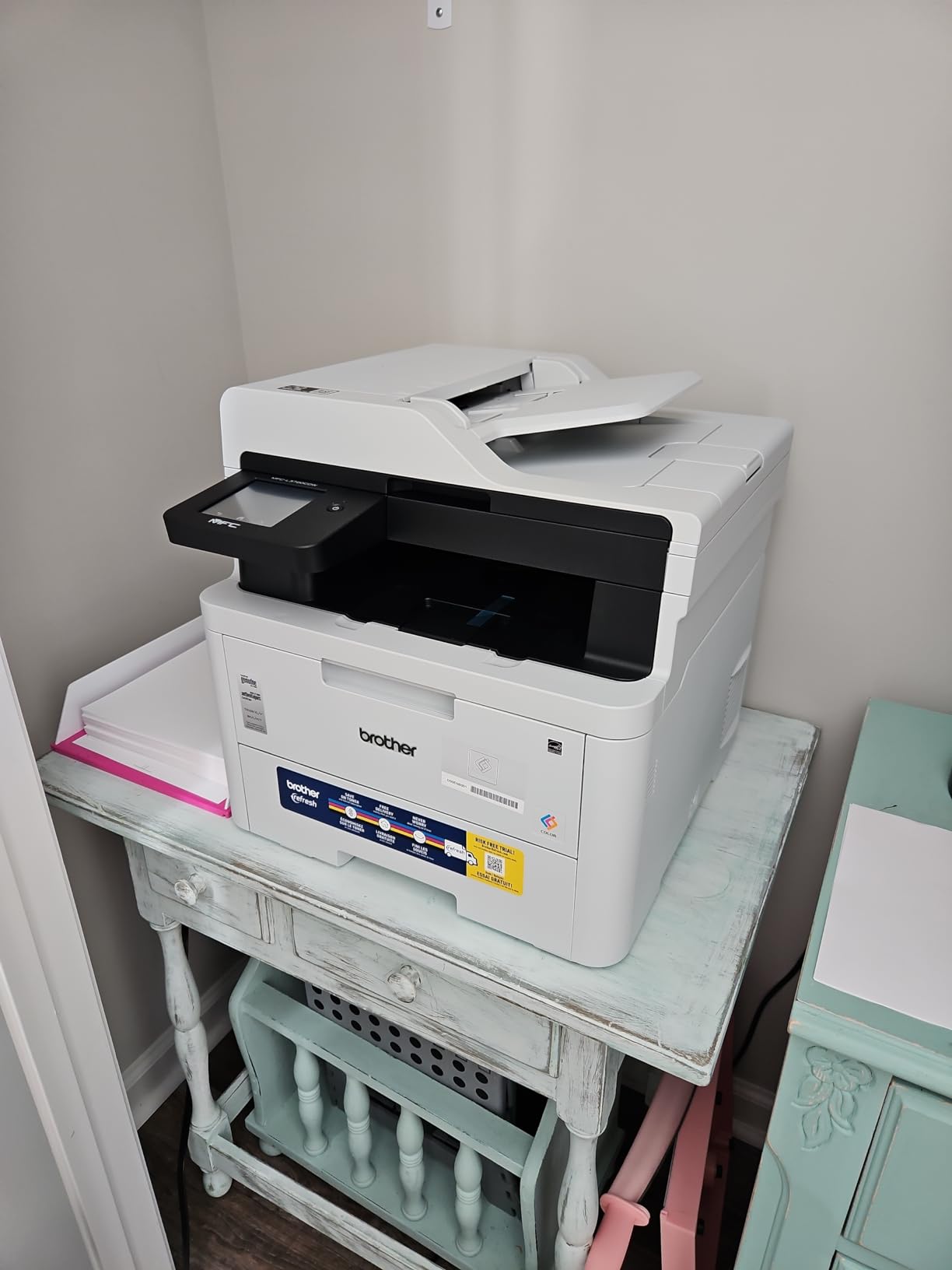
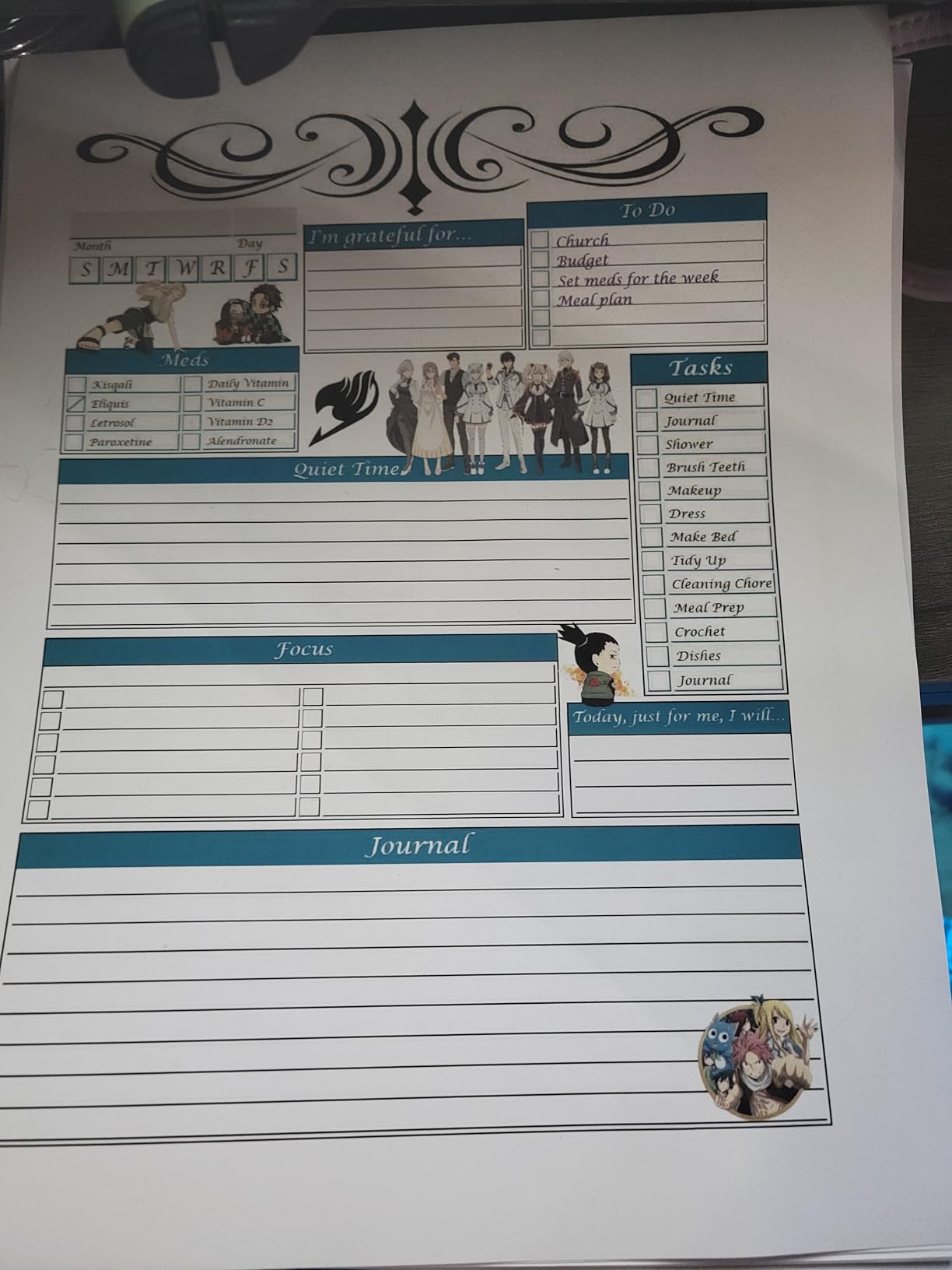
On media handling it is a proper small-office machine. It accepts cardstock, envelopes, glossy photo paper, and labels, runs a 50-sheet automatic document feeder, and handles legal-size paper up to 8.5 x 14 inch. The DR229CL drum is a separate unit from the toner, which keeps the expensive consumable separate from the wear part.
Dual-band wireless at 2.4GHz and 5GHz plus Wi-Fi Direct means it drops onto a modern mesh network without hunting for a 2.4GHz-only band, and the Brother companion app tracks toner levels from a phone. First page out lands in under 15 seconds, and power draw is rated at 500 watts, the lowest figure among the Brother all-in-ones we cover.
Who this printer suits
This is the pick for a home office, a homeschool room, a clinic, or a small legal practice that wants one box instead of a printer plus a scanner plus a fax. If your monthly color volume sits anywhere between 200 and 2000 pages, the TN229 cartridge family and the super high yield option keep the per-page cost predictable.
It is also the right answer for anyone who wants a color touchscreen without paying for a large-format workgroup machine. The 250-sheet tray means most users refill once a week rather than daily.
Where it falls short
The speed ceiling is real. If you routinely print 500-page color documents back to back, the 35 ppm Canon and HP engines in this list will finish a job in a fraction of the time, and the 150-sheet output tray means you cannot dump a huge run and walk away.
Owners also report toner expense as the recurring complaint, along with occasional jams on heavier paper. At 44 pounds it is not a printer you move between rooms often, and 16 percent of ratings are one star, mostly around those same two issues.
2. Brother MFC-L3780CDW: Best for Fast Duplex Scanning and Wired Offices
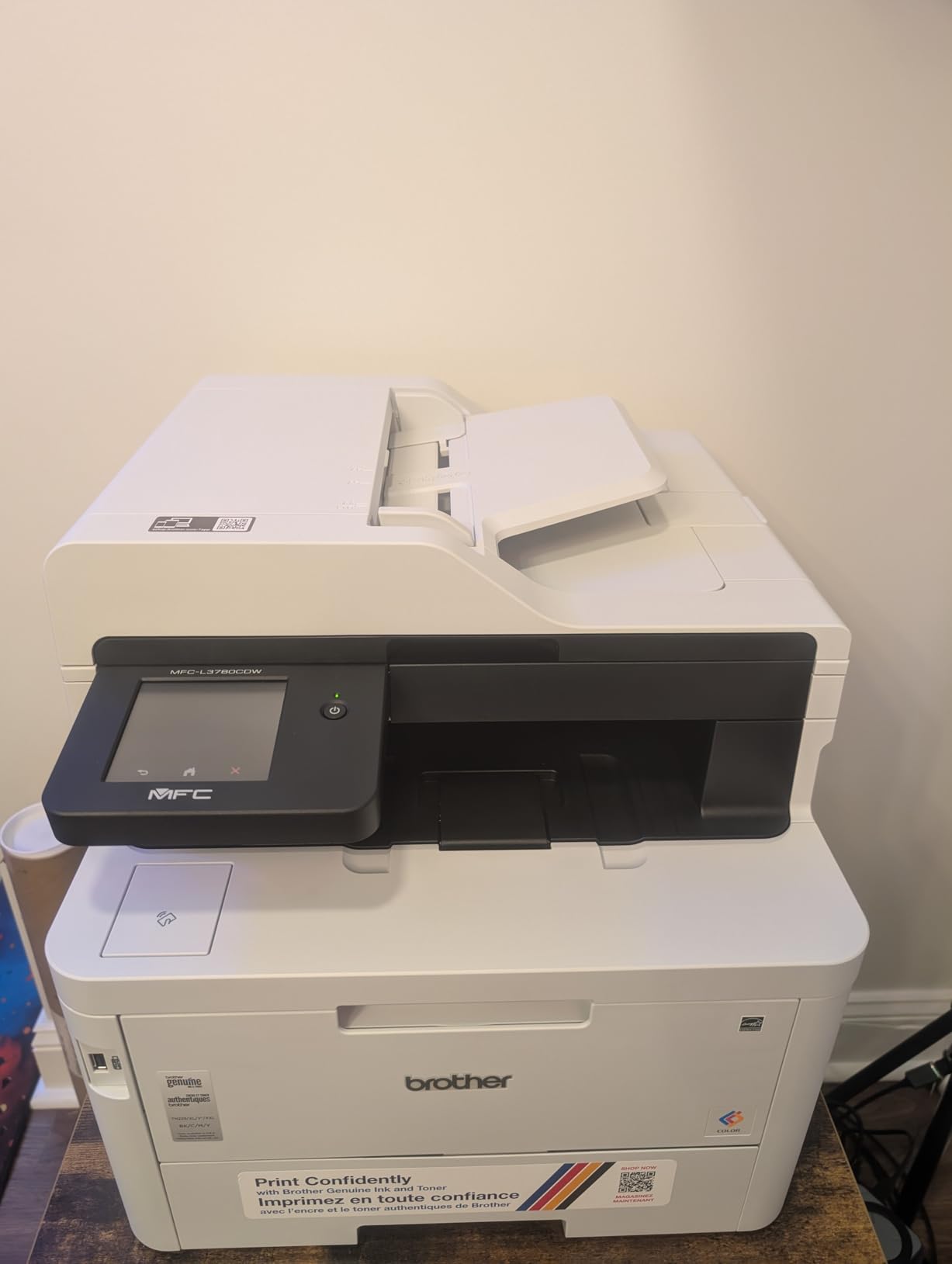
Brother MFC-L3780CDW Wireless Digital Color All-in-One Printer
31 ppm color and mono
Single-pass duplex scan at 29 ipm
NFC and Gigabit Ethernet
250-sheet trays
Pros
- Fastest Brother engine here at 31 ppm in color
- Single-pass duplex scan and copy at up to 29 and 22 ipm
- Dual-band Wi-Fi plus Gigabit Ethernet plus NFC plus Wi-Fi Direct
- Supports TN229XXL super high yield toner
- First page in under 12.5 seconds
Cons
- Color described as slightly less saturated than rival HP output
- Duplex feeding struggles with heavier paper
- Persistent drum error can lock cartridges after a jam
- 47.8-pound body
The MFC-L3780CDW is the fastest Brother in this group and the machine to buy if scanning paperwork is a daily chore rather than an occasional one. Single-pass duplex copy and scan pulls both sides of a sheet in one journey instead of flipping it, and it manages up to 29 images per minute in black and 22 in color.
Connectivity is the broadest here: dual-band wireless, Gigabit Ethernet, Wi-Fi Direct, NFC, and USB. For an office that still runs a wired network, or one that wants badge-tap workflows later, that combination is the reason to pick it over a cheaper sibling.
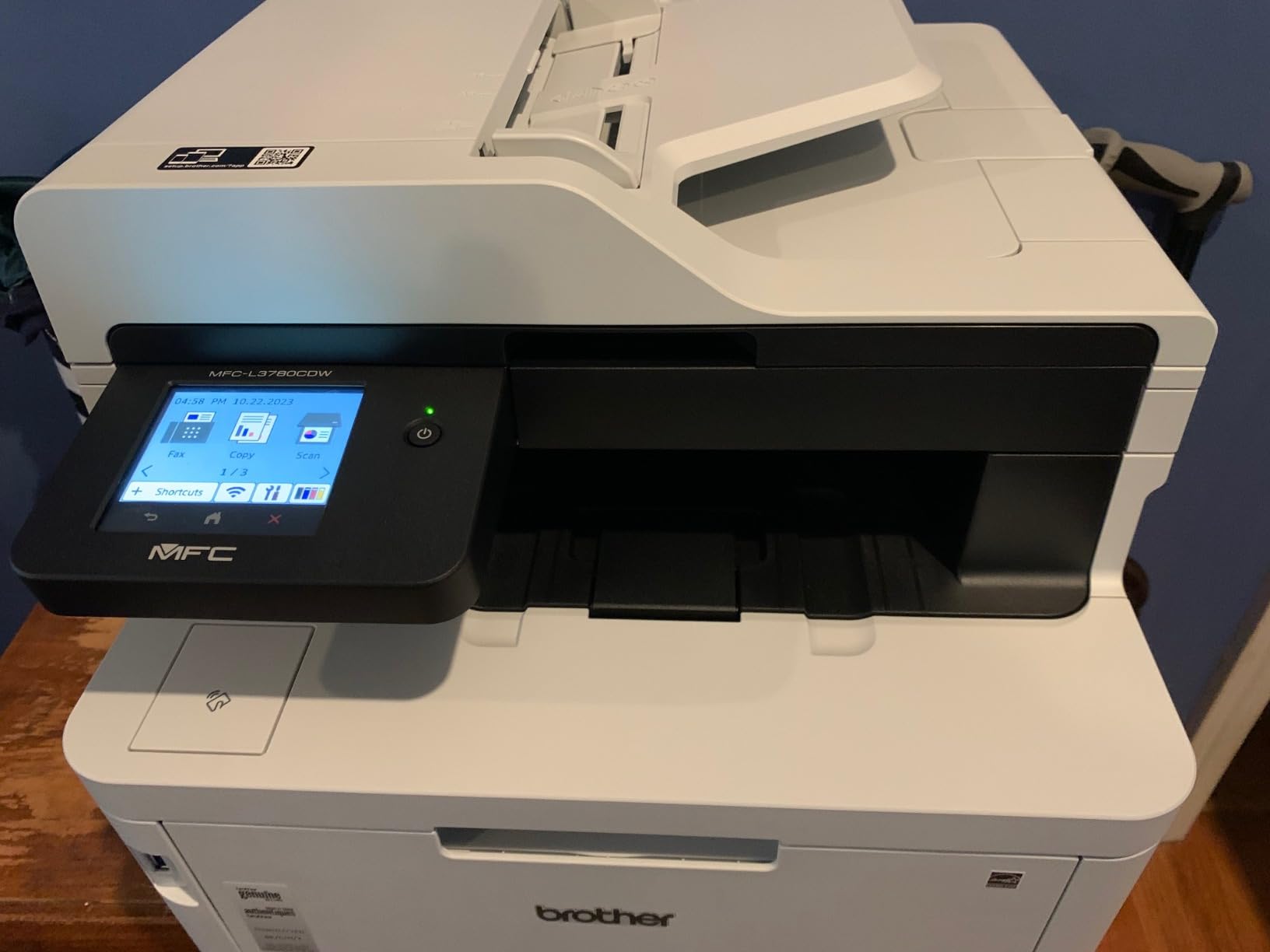
At 31 ppm it outruns its own 19 ppm sibling by a wide margin, and the first page still lands in under 12.5 seconds. Maximum copies per run is 250, and the same TN229 and TN229XL and TN229XXL cartridge family applies, so supply costs carry over from the model above.
Output quality is business-standard: 2400 x 600 dpi with crisp text, which is what matters for proposals, invoices, and charts. Owners repeatedly describe it as fast, quiet, and straightforward to set up. Several report a full setup in minutes with no drama, and the copier handles multi-page runs cleanly.
Who this printer suits
Buy this one for a small office that scans contracts, invoices, or batches of forms every week. The single-pass duplex ADF is the deciding feature, and the NFC and Ethernet options let it sit on a locked-down corporate network rather than a home router.
It is also a strong shared-printer choice for a team of up to about ten people printing charts, proposals, and internal reports. Output trays of 250 sheets mean fewer refills during a busy week.
Where it falls short
Color is described by some owners as slightly less saturated than competing HP output, which matters if you are printing marketing pieces rather than internal documents. Duplex feeding also struggles with heavier paper, and jams on that stock are common.
The most serious documented fault is a persistent drum error that can lock cartridges after a paper jam. Mac users report that software relies on Rosetta translation, which may break with future macOS releases, and at 47.8 pounds it is among the heavier machines in the group.
3. HP Color LaserJet Pro MFP 4301fdw: Best for High Volume Workgroups
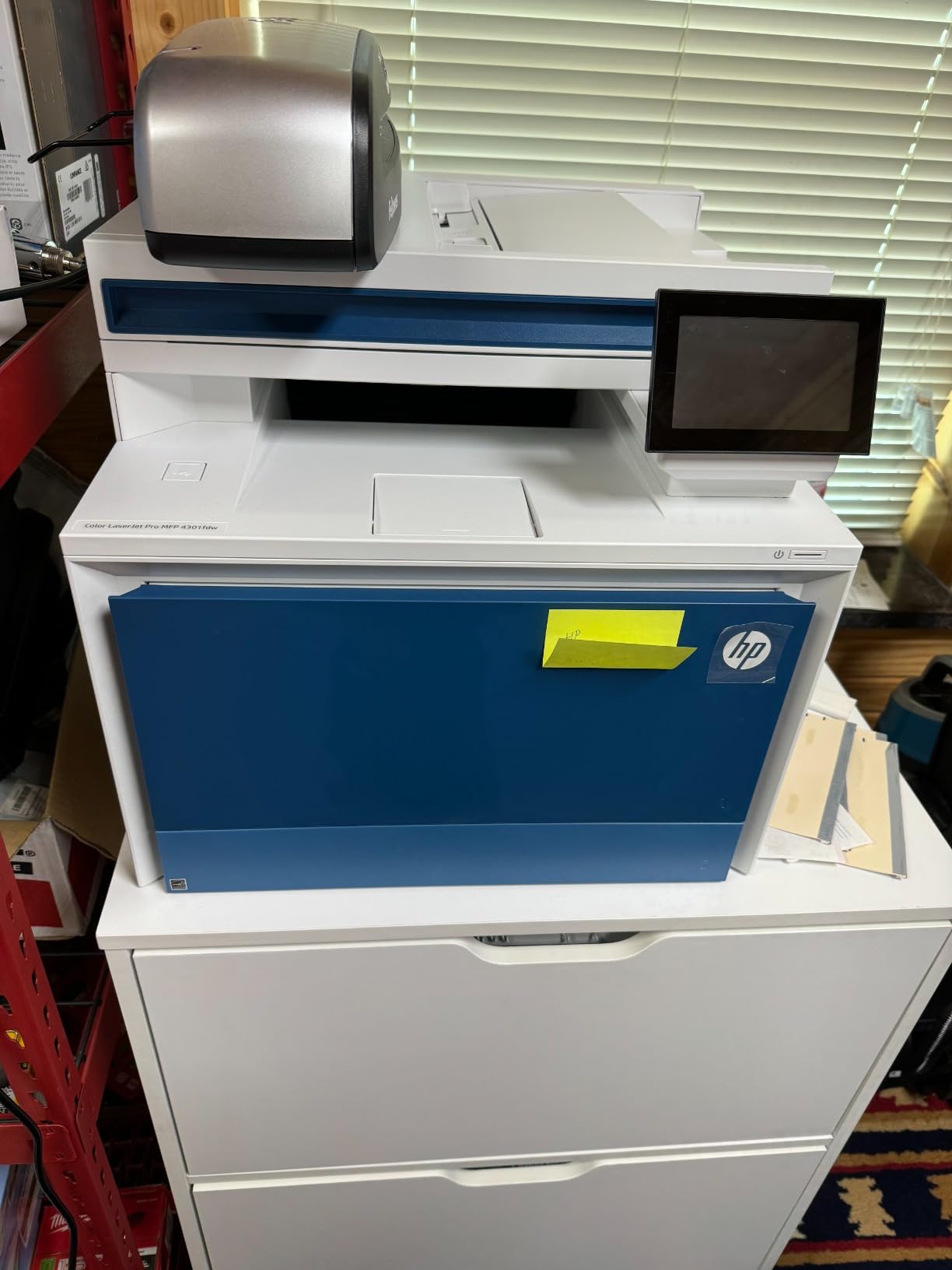
HP Color LaserJet Pro MFP 4301fdw Wireless All-in-One Color Laser Printer, Scanner, Copier, Fax, Best-for-Office
35 ppm black and 33 ppm color
300-sheet capacity
Two trays
HP Wolf Pro Security
Pros
- 35 ppm black and 33 ppm color output
- Largest paper capacity at 300 sheets
- Full print scan copy and fax for teams up to 10
- High-yield cartridges rated 7500 black and 5500 color
- Intelligent Wi-Fi plus Bluetooth and Ethernet
Cons
- Recurring phantom paper-jam errors reported
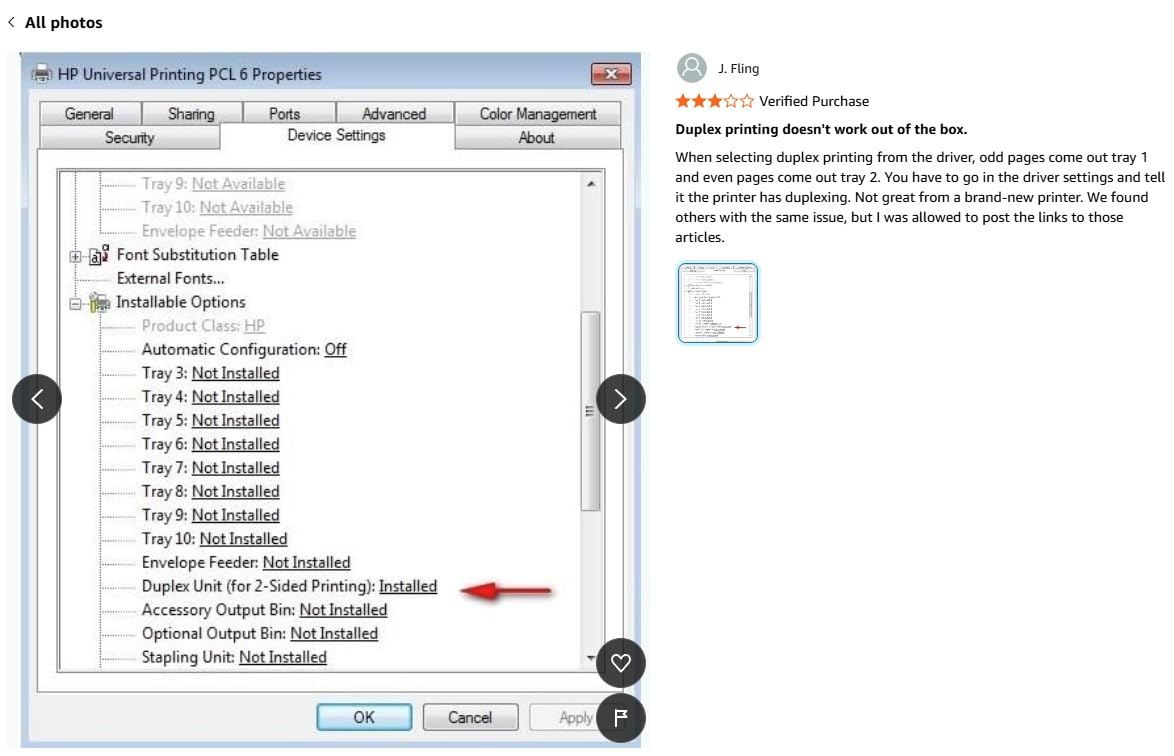
- Software overrides user settings including duplex
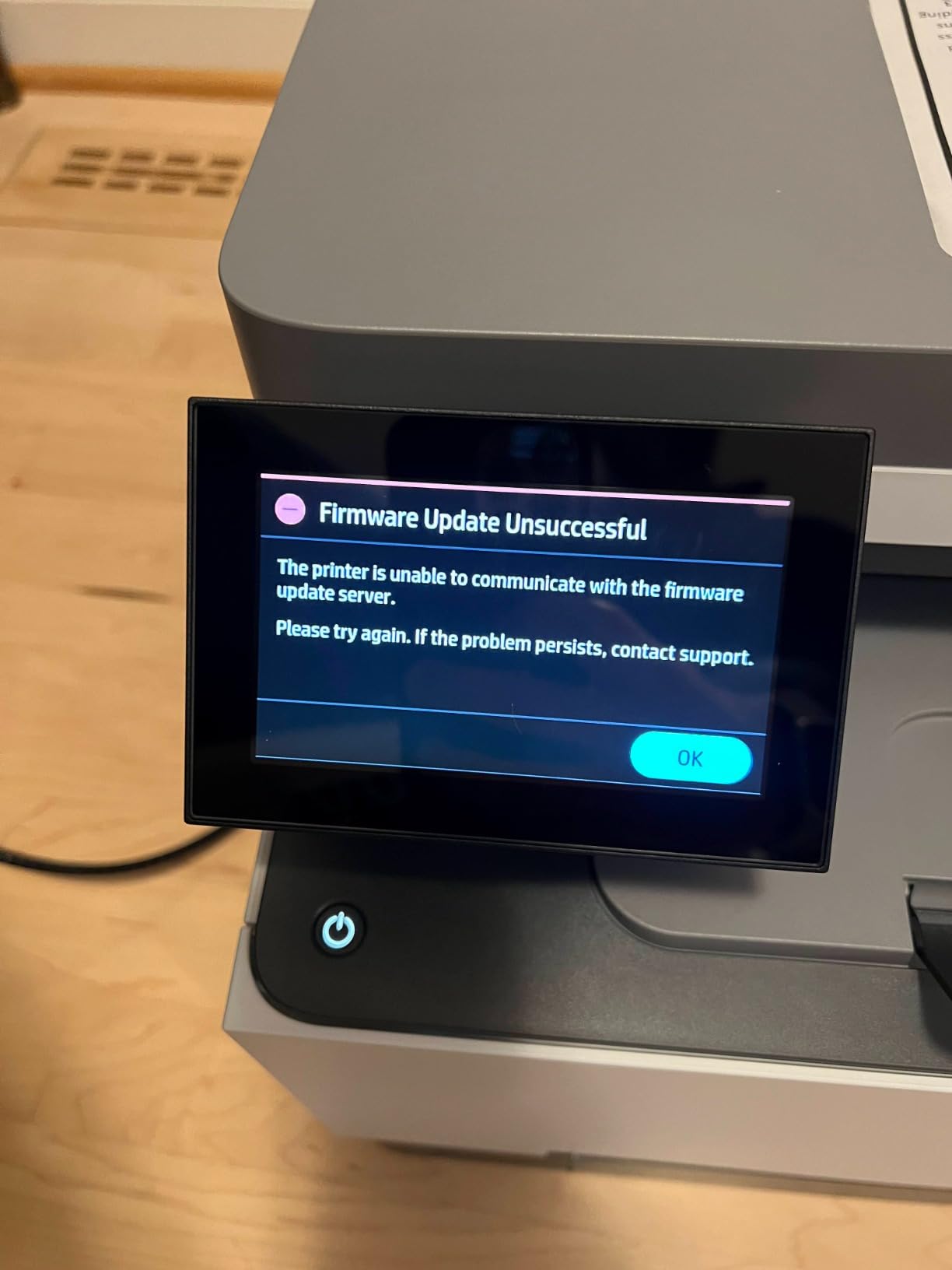
- Firmware updates lock out third-party toner
- Proprietary cartridges raise running costs
When raw throughput is the requirement, this is the machine to look at. It prints 35 ppm in black and 33 ppm in color, holds 300 sheets across two trays, and the high-yield cartridge option runs to 7500 pages of black and 5500 of color.
Security is handled better here than on most rivals. HP Wolf Pro Security ships with customizable settings, and the machine works with Microsoft, Mac, AirPrint, Android, and Chromebook. Several owners report an excellent out-of-the-box setup where firmware self-updated and the Mac recognized it immediately.
Pre-installed starter cartridges are rated at 1200 pages of black and 1000 pages of color, which is generous enough to get real output before the first purchase. Copy speed matches print at 35 ppm, and the resolution of 607 x 600 dpi keeps text sharp on plain HP paper, with good color images by laser standards.
This is the most polarizing machine in the set. Owners who receive a working machine praise the speed, the scan quality, and the setup experience, and 58 percent of ratings are five stars. The other half documents a known failing electrical part and paper-jam fault codes that return even after service.
Who this printer suits
This is the pick for a workgroup of up to ten people who print in volume, whether that is a design studio shipping proofs, a real-estate office producing listing packages, or a school department printing programs. The 300-sheet capacity and duplex output keep a queue moving without constant refills.
Buy it if your team values the security tooling. Wolf Pro with customizable settings and audit-friendly fleet management matter more to an IT lead than extra speed.
Where it falls short
The reliability profile is the problem, not the specification. Recurring phantom paper-jam errors appear across multiple owner reports, and tech support troubleshooting is described as extremely slow, which means a fault can cost you days of downtime.
Software is the second issue. Users report the software overriding settings including duplex and scan behavior, and firmware updates locking out third-party cartridges. Cartridges require original HP chips, and the 23.5-inch-wide 45-pound body is the largest footprint in this group.
4. Canon imageCLASS MF753Cdw II: Best for the Sharpest Color and Fastest First Page
Canon Color imageCLASS MF753Cdw II – All-in-One Color Duplex Laser Printer
35 ppm color
1200 x 1200 dpi color
7-second first page
3-year warranty
Pros
- 4.2 stars with 68 percent five-star ratings
- Native 1200 x 1200 dpi color resolution
- 35 ppm with a 7-second first page
- Handles very large jobs without jamming
- 3-year limited warranty
Cons
- Canon software and drivers often fail to detect the printer
- Consumable gauges can read empty while the cartridge still prints
- Wi-Fi scanning to a PC is unreliable
- Legal paper needs the manual bypass tray
The MF753Cdw II is the best-rated machine here at 4.2 stars, with only 10 percent of ratings at one star. It is also the pick in this group with native 1200 x 1200 dpi color resolution, which is the single biggest reason to choose it if your output includes images rather than just text and charts.
Speed is top tier: 35 ppm in both color and monochrome, with a first page in seven seconds, the quickest figure in our shortlist. It has two paper trays, automatic duplex printing and duplex scanning, and a touch control panel for managing queued jobs.
Owners report that it chews through enormous jobs without jamming. One ran 600 pages in a single run, and several mention the feeder never jammed at all. Scan-to-USB, scan-to-network, and scan-to-PDF all work well, and automatic color calibration on setup means the first output is close to final.
Consumables are Canon Genuine Toner 069, with starter color cartridges rated at 1100 pages and standard black at 2100. Owners repeatedly note that this toner costs noticeably less than HP equivalents, and the 3-year limited warranty is the joint-longest coverage here.
Who this printer suits
This is the one for a small business that prints brochures, price lists, or product sheets where color accuracy and saturation actually show. It is equally at home as a shared workgroup machine, with the speed and paper handling to justify it.
If you are tired of HP-only cartridges, this is the alternative. The toner economics are reported as better, and the three-year warranty reduces the risk of an early failure.
Where it falls short
Canon software is the recurring complaint, and it is not a small one. Owner reports describe the official utilities frequently failing to discover the printer, with the built-in Windows 11 native install often the only working path, and the Canon support site returning errors that block driver downloads.
Other documented issues: consumable gauges can report empty while the cartridge still prints, scanning over Wi-Fi to a PC is unreliable with scan-to-USB as the workaround, and legal 8.5 x 14 inch paper has to go through the manual bypass tray, which limits volume. At 60.6 pounds it is the heaviest machine in the group.
5. Brother HL-L3220CDW: Best for a Home Office That Only Prints
Brother Color Laser Printer with Wireless Printing Fast 19 PPM Output, Duplex Feature, Mobile Device Compatible, 250-Sheet Paper Tray for Professional Home Office Printing (HL-L3220CDW)
19 ppm color and mono
Automatic duplex
250-sheet tray
Wireless printing
Pros
- Lightest machine in our shortlist at 24.7 pounds
- Automatic duplex printing as standard
- 250-sheet tray limits refills
- Wireless printing from laptops phones and tablets
- Manual feed slot for envelopes and specialty media
Cons
- Print only with no scanner copier or fax
- 19 ppm is modest
- 150-sheet output tray is small
- Setup and toner cost are common complaints
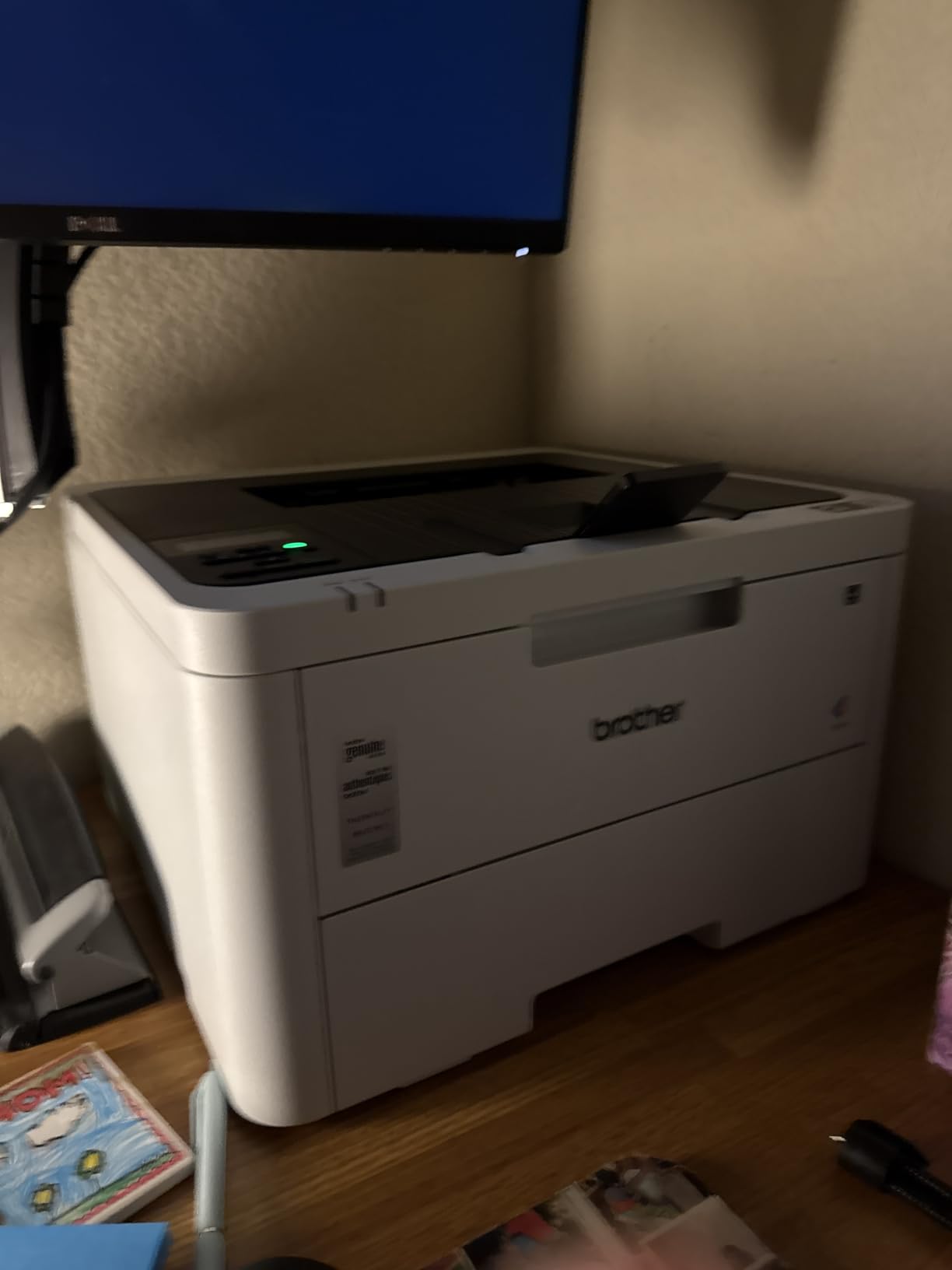
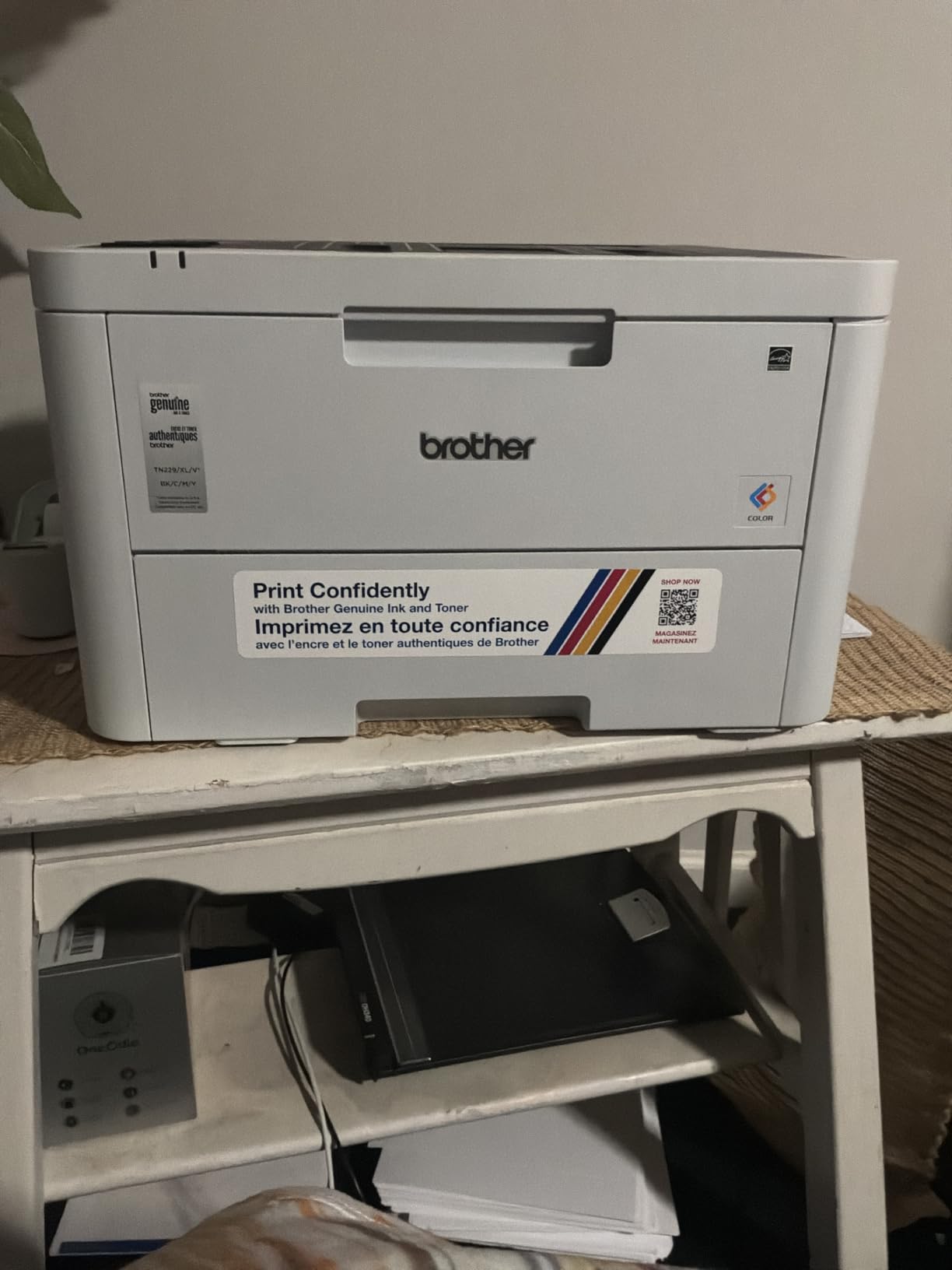
The HL-L3220CDW is the sensible home office option, and at 24.7 pounds it is the smallest machine on this list. It fits on a desk or a shelf, prints 19 ppm in color and black, and does both sides of the paper automatically, which is the feature that actually changes your running costs.
It prints 2400 x 600 dpi with crisp text, supports up to 1000 copies per run, and reaches a first page in under 15 seconds. the 250-sheet tray is generous for the size, and there is a manual feed slot for envelopes and specialty media.
Connectivity is wireless plus USB, with support for laptops, smartphones, and tablets, and it works with the major mobile printing platforms and cloud services. Built-in security protocols are specified for business documents, which matters more than it sounds if you print contracts.
Media support covers cardstock, envelopes, glossy photo paper, labels, and plain paper at sizes up to 8.5 x 14 inch. The same TN229 and TN229XXL supplies and DR229CL drum as the Brother all-in-ones apply, so cartridge cost per page is easy to compare across the range.
Who this printer suits
Pick this if you print documents, worksheets, charts, and reports and have no need to scan or copy. It is also a good second machine for a home where a main all-in-one already handles scanning.
The footprint matters more than people expect. This is the machine on the list that will sit comfortably on a small desk, which is why it comes up so often in homeschool and home-office recommendations.
Where it falls short
There is no scanner, copier, or fax. If a multifunction machine would save you buying a separate scanner, the price gap between this and a Brother all-in-one is often smaller than people assume.
Speed is modest at 19 ppm and the 150-sheet output tray is small for a shared room. Across 1060 reviews it holds a 3.9 average with 19 percent one-star ratings, and the recurring complaints are initial setup difficulty and toner expense.
6. HP Color LaserJet Pro 3201dw: Best for a Team That Prints in the Middle
HP Color Laserjet Pro 3201dw Wireless Color Laser Printer, Office Printer, Duplex, Best for Office (499Q9F)
26 ppm color and mono
250-sheet input and output
Automatic duplex
Dual-band Wi-Fi with self-reset
Pros
- 26 ppm color and black with automatic duplex
- Ethernet plus USB plus Wi-Fi
- 250-sheet input and output trays
- Dual-band Wi-Fi with self-reset connection recovery
- Handles envelopes glossy paper and legal size
Cons
- Lowest average rating in the group at 3.4 stars
- 600 dpi color resolution is limited
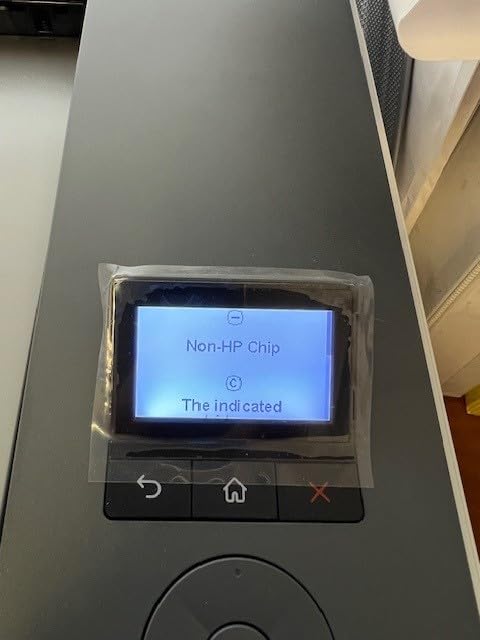
- Cartridge chip restrictions block non-HP toner
- 20.08-inch wide footprint
The 3201dw does the fundamentals at a lower entry point than the rest of the HP line. It prints 26 ppm in both color and black, includes automatic two-sided printing, and carries a 250-sheet input tray with matching 250-sheet output.
Connectivity is unusually generous for the tier: dual-band Wi-Fi with a self-reset connection recovery feature, plus Ethernet and USB. That self-reset is a real convenience in a shared office where the network drops overnight.
Print resolution is 600 dpi black and white and 600 x 600 dpi color, and copy resolution matches. It handles paper from 3 x 5 inches up to 8.5 x 14 inches including envelopes, glossy photo paper, and high-resolution media, and control is through the HP app on a connected device.
HP describes the TerraJet toner as producing more vivid colors than the previous generation, and in practice the output is bright and business-appropriate. The catch is that there is no physical control panel to speak of, which some users miss.
Who this printer suits
This is the model for a small team that wants color documents, duplex printing, and networked access without paying for a full all-in-one. It suits a reception desk, a small warehouse, or a two-room office.
If your output is charts, forms, and internal reports rather than finished marketing pieces, the resolution is adequate. Just set expectations that this is a document printer.
Where it falls short
This machine has the lowest rating in our shortlist at 3.4 stars, with 29 percent of ratings at one star and only 49 percent at five. Buyers who value the price and duplex speed report satisfaction, while a large minority describe reliability issues, restricted cartridge compatibility, and mediocre color.
Two specific constraints: 600 x 600 dpi color resolution is limited for graphics work, and cartridge chip restrictions block non-HP toner, so your supply options are narrower. The 20.08-inch width is also oddly large for a single-tray design.
7. HP Color LaserJet Pro MFP 3301sdw: Best All-in-One for a Shared Desk
HP Color LaserJet Pro MFP 3301sdw Wireless All-in-One Color Laser Printer, Office Printer, Scanner, Copier, ADF, Duplex, Best-for-Office (499Q3F)
26 ppm color
Flatbed scanner with ADF
Automatic duplex
250-sheet tray
Pros
- Print scan and copy in one desk footprint
- 26 ppm color and black output
- Automatic duplex and document feeder
- 250-sheet input tray reduces refills
- USB plus Wi-Fi plus Ethernet
Cons
- 3.7 stars across 1249 reviews
- 600 x 600 native color resolution is low
- Requires HP-chipped 218A and 218X cartridges
- 37.7-pound chassis takes real desk space
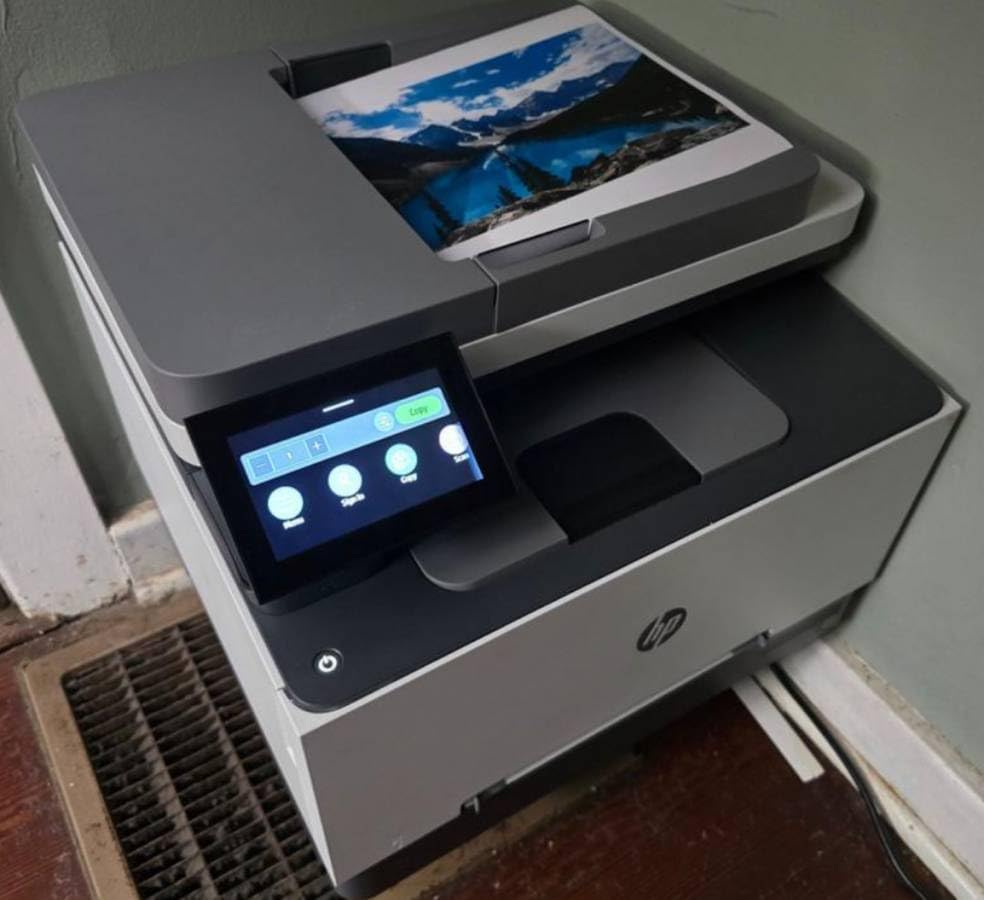
The 3301sdw is the HP all-in-one for teams that need scan and copy in the same box as the printer but do not need fax. It runs at 26 ppm in black and color, includes automatic duplex printing, and has a document feeder alongside the flatbed scanner.
It handles legal-size media up to 8.5 x 14 inch across two trays, with 250 sheets of input capacity and 250 sheets of output. Connectivity covers USB, Wi-Fi, and Ethernet with two USB ports, and it works from smartphones through the HP app.
Resolution is 600 x 600 in both black and white and color, with an enhanced mode up to 1200 x 1200. Copy resolution matches and maximum copy speed is 26 ppm. HP positions the TerraJet toner here for vivid color on business documents rather than photo output.
Toner is HP 218A standard or 218X high yield, and the machine is compatible only with cartridges carrying HP chips and circuitry. Power is rated at 500 watts and warranty is one year limited.
Who this printer suits
This fits a home office, a small clinic, or a reception area where one machine has to do three jobs. The document feeder and automatic duplex handle multi-page paperwork without manual intervention.
Choose it when the HP ecosystem matters to you, for example if you already deploy HP print management or fleet security tooling in the office.
Where it falls short
The 3.7 average across 1249 reviews is the largest review base in this shortlist and the third-lowest rating, with 24 percent of ratings at one star. Buyers who want an affordable office all-in-one with duplex and an ADF find good value, while those expecting photo-grade color or unrestricted cartridge choices are disappointed.
Two hard limits: 600 x 600 native color resolution is low for detailed color work, and the HP-chipped cartridge requirement limits third-party toner options. At 37.7 pounds it needs real desk or shelf space.
8. Canon imageCLASS MF665Cdw: Best for a Three-Year Warranty
Canon Color imageCLASS MF665Cdw – Wireless, All-in-One Duplex Laser Printer
26 ppm color and mono
50-sheet one-pass duplex ADF
5-inch color touchscreen
3-year warranty
Pros
- 3-year limited warranty and the joint-longest coverage here
- 50-sheet one-pass duplex ADF keeps pages straight
- 5-inch color touchscreen with an Application Library
- 10.3-second first page and 26 ppm in both colors
- Canon Genuine Toner 075 cheaper than comparable HP toner
Cons
- Setup and software install described as difficult
- Canon support site and drivers frequently inaccessible
- Reported overheating on large duplex jobs
- ADF can jam on previously folded paper
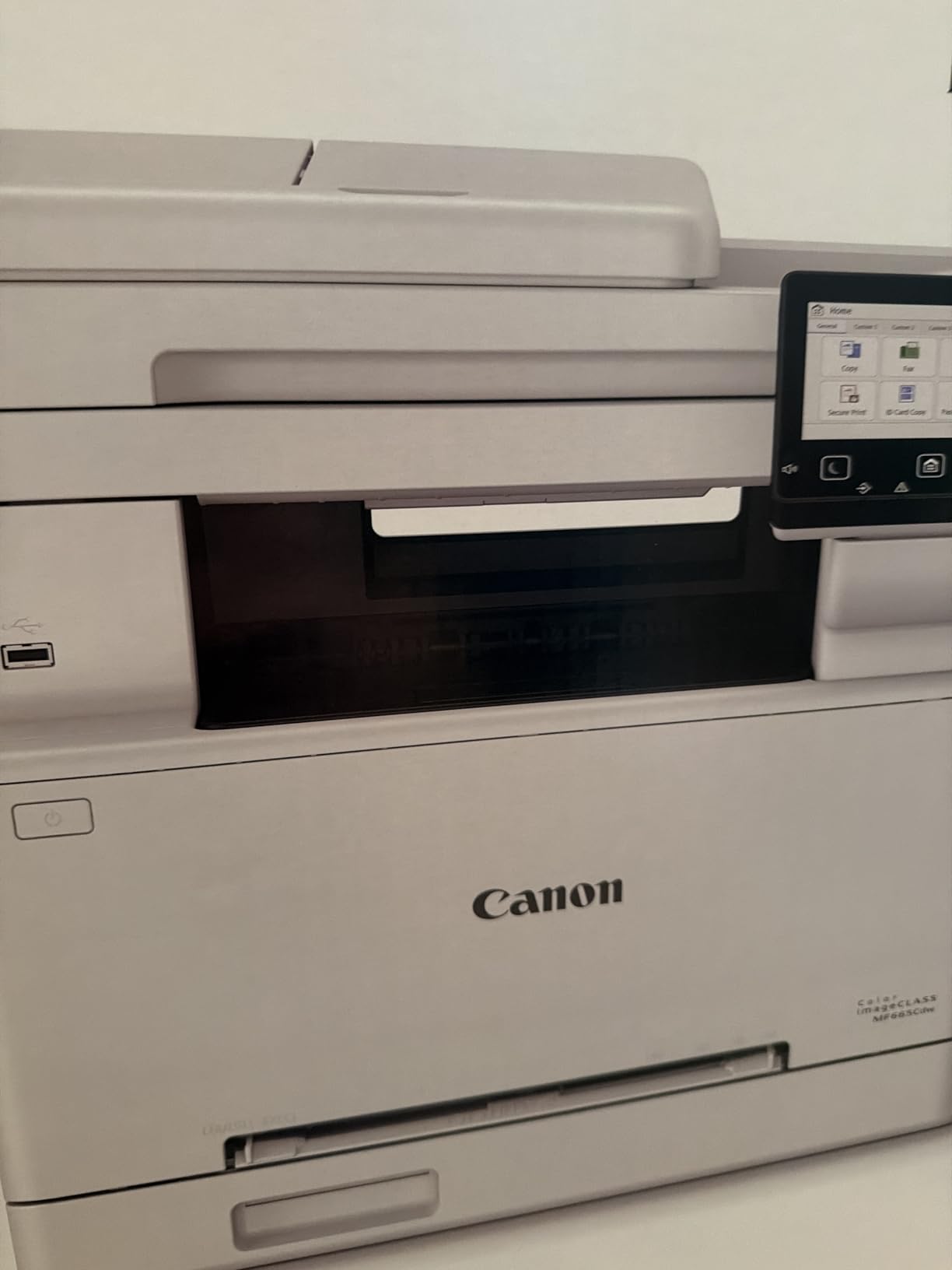
The MF665Cdw is the pick if warranty length is your deciding factor. Canon backs it with a 3-year manufacturer warranty, which is longer than the 1-year terms on the Brother and HP models in this shortlist and the joint-longest here.
The scanning hardware is excellent. Its 50-sheet one-pass duplex automatic document feeder scans both sides in a single pass and keeps pages straight, and the 5-inch color touchscreen with an Application Library makes one-touch job launching easy for less technical staff.
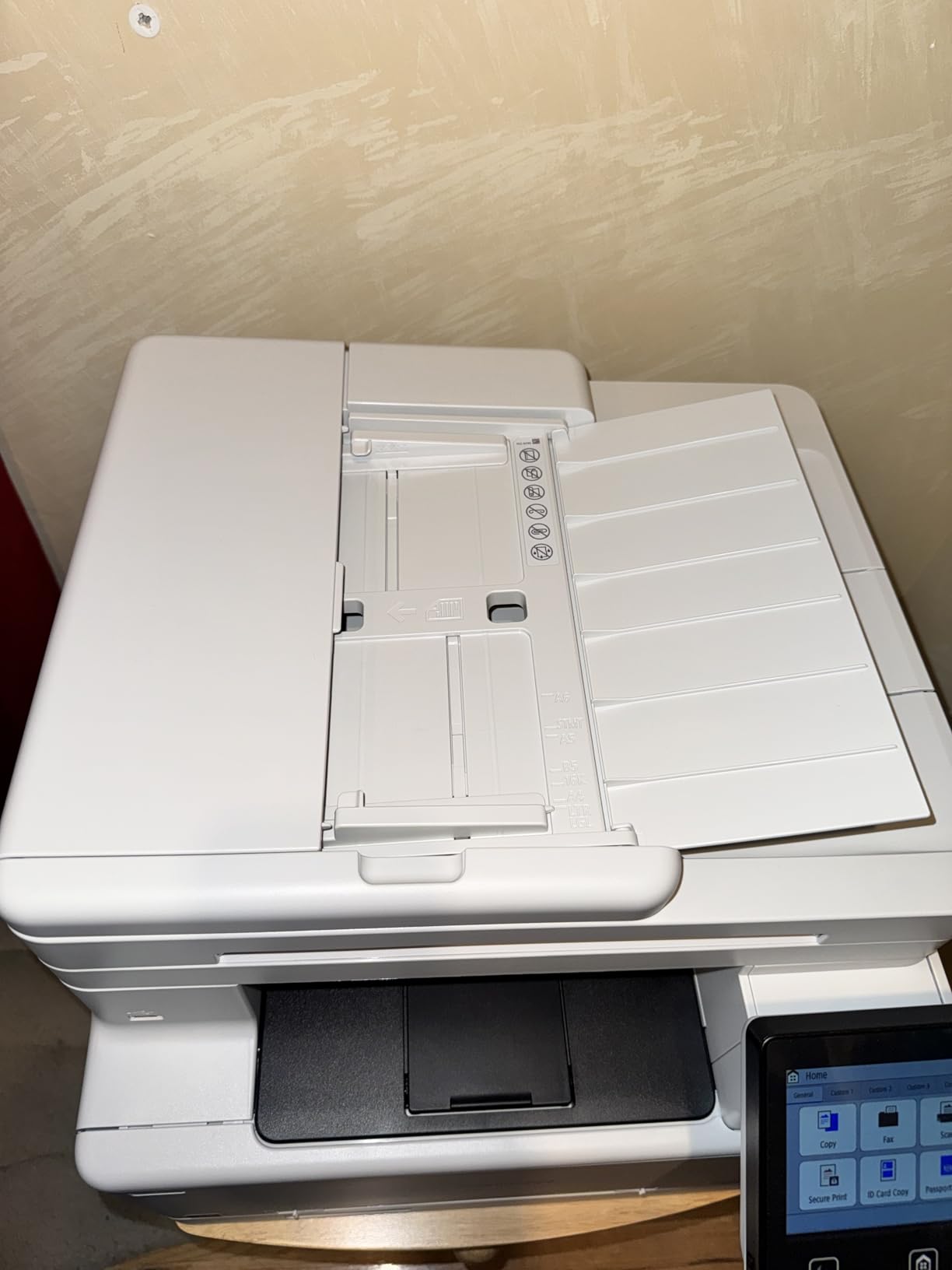
It prints 26 ppm in both color and mono with a first page in roughly 10.3 seconds, and paper handling is a 250-sheet standard cassette plus a one-sheet multipurpose tray. It carries ENERGY STAR and EPEAT Silver certification, and Canon commits to three years of EU spare part support.
Color reproduction is described as good by multiple owners, and Canon Genuine Toner 075 plus the high capacity version cost less than comparable HP original cartridges. Mobile printing works through the Canon PRINT app, Apple AirPrint, and Mopria.
Who this printer suits
This suits a small office or clinic that will keep the same machine for years and wants the risk of an early failure covered. The one-pass duplex ADF is genuinely good for digitizing paperwork.
It is also a sensible pick for an organization that values EPEAT Silver certification as part of its procurement process.
Where it falls short
Software and support are the problems, not the hardware. Owners describe setup and software installation as difficult and full of quirks, and the Canon support site and drivers are frequently inaccessible or broken. One of two available drivers can fail and produce error messages on the printer screen.
There are also reports of overheating that halts large duplex jobs and drops the Wi-Fi connection, and the ADF can jam on previously folded paper even at the slowest setting. Scan software routes all output to one designated folder rather than a chosen path, and at 56.9 pounds it is the second-heaviest machine here.
9. Canon imageCLASS LBP646Cdw: Best Budget Print-Only Color Laser
Canon Color imageCLASS LBP646Cdw Wireless Laser Printer, Duplex, 26 PPM, Print Only, White
26 ppm color and mono
Automatic duplex
250-sheet cassette
5-line LCD
Pros
- Lowest purchase price in the group with full duplex color
- 26 ppm in color and mono with quick warm-up
- 250-sheet cassette plus multipurpose tray
- Setup in about 30 minutes including wireless
- ENERGY STAR and EPEAT Silver certified
Cons
- Print only with no scanner copier or fax
- 5-line LCD instead of a touchscreen
- Notably loud during operation
- Isolated report of hardware failure after two weeks
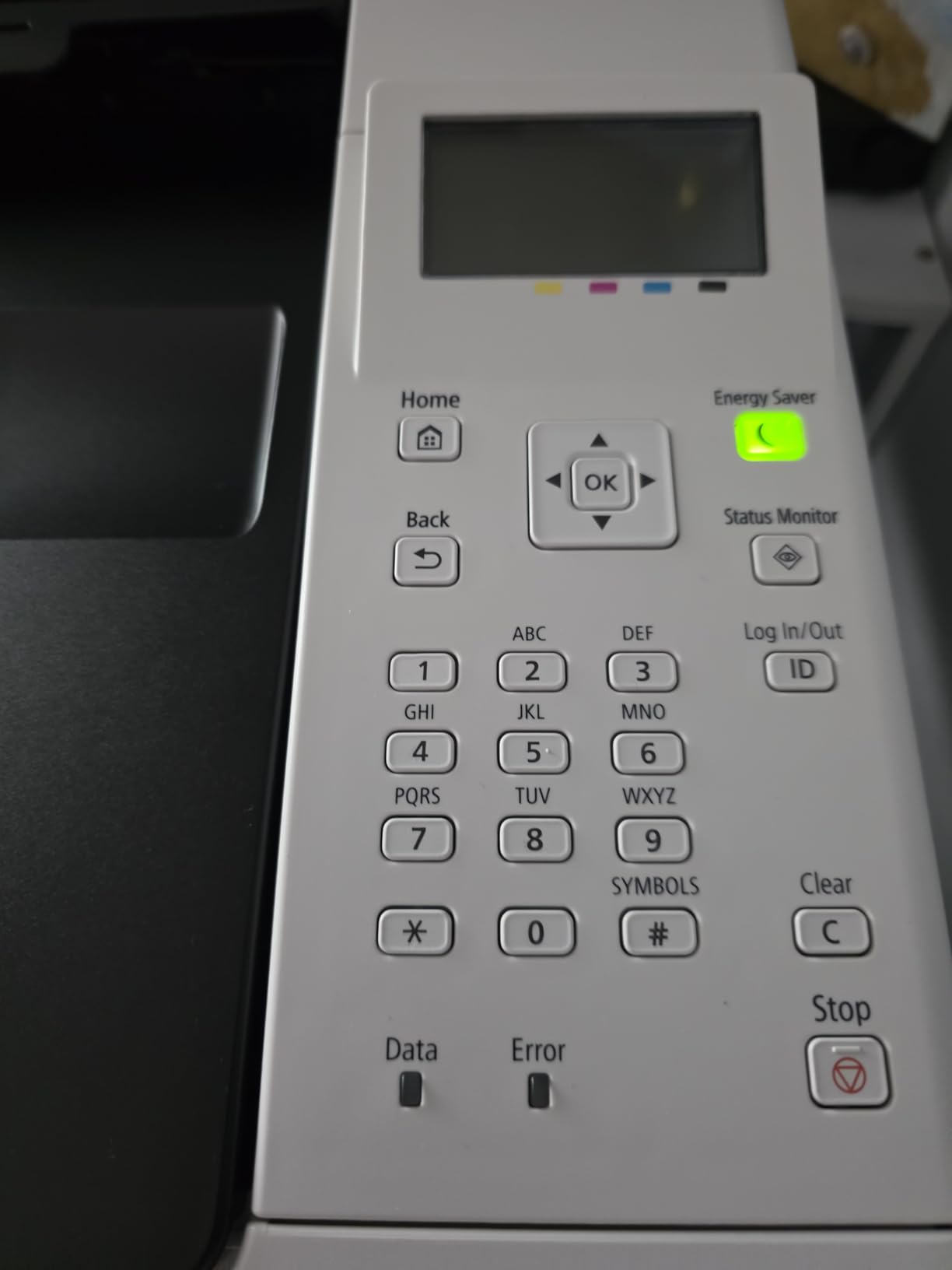
The LBP646Cdw is the cheapest way into this list and it does not feel like a compromise machine. It prints 26 ppm in both color and black, includes automatic two-sided printing, and holds a 250-sheet standard cassette with a one-sheet multipurpose tray.
Resolution is 600 x 600 dpi with 1200 x 1200 dpi color enhanced, and first page out is approximately 10.3 seconds. Navigation is on a 5-line LCD rather than a touchscreen, which is the obvious cost saving.
Supplies are Canon Genuine Toner 075 and the 075 high capacity cartridge, the same family as the MF665Cdw, so per-page economics carry across both Canon models here. It handles paper from 3 x 5 inches to 8.5 x 14 inch including banner and plain media.
It is ENERGY STAR and EPEAT Silver certified, works with AirPrint, the Canon PRINT app, Mopria, and Linux drivers, and several owners set it up in about 30 minutes including the wireless connection. Multiple buyers switched from a failing inkjet and reported that the toner switch solved their reliability problems.
Who this printer suits
This is the one for someone who just wants dependable color printing and nothing else. No scanner means no desk clutter, no separate copier, and one less failure point.
It is a good fit for a home office, a classroom, or a small business where the printer is shared over Wi-Fi and everyone prints from their own device.
Where it falls short
It is print-only, with no scanning, copying, or faxing, and the 5-line LCD is less convenient than a touchscreen when you are setting up complex jobs. It is also noticeably loud during operation compared with the Brother machines.
One owner reported a hardware failure after roughly two weeks of use, and another found a Windows update can break the PC connection and require a driver reinstall. Warranty descriptions are inconsistent between the 1-year and 3-year entries in different listings, so confirm the term with Canon for your region.
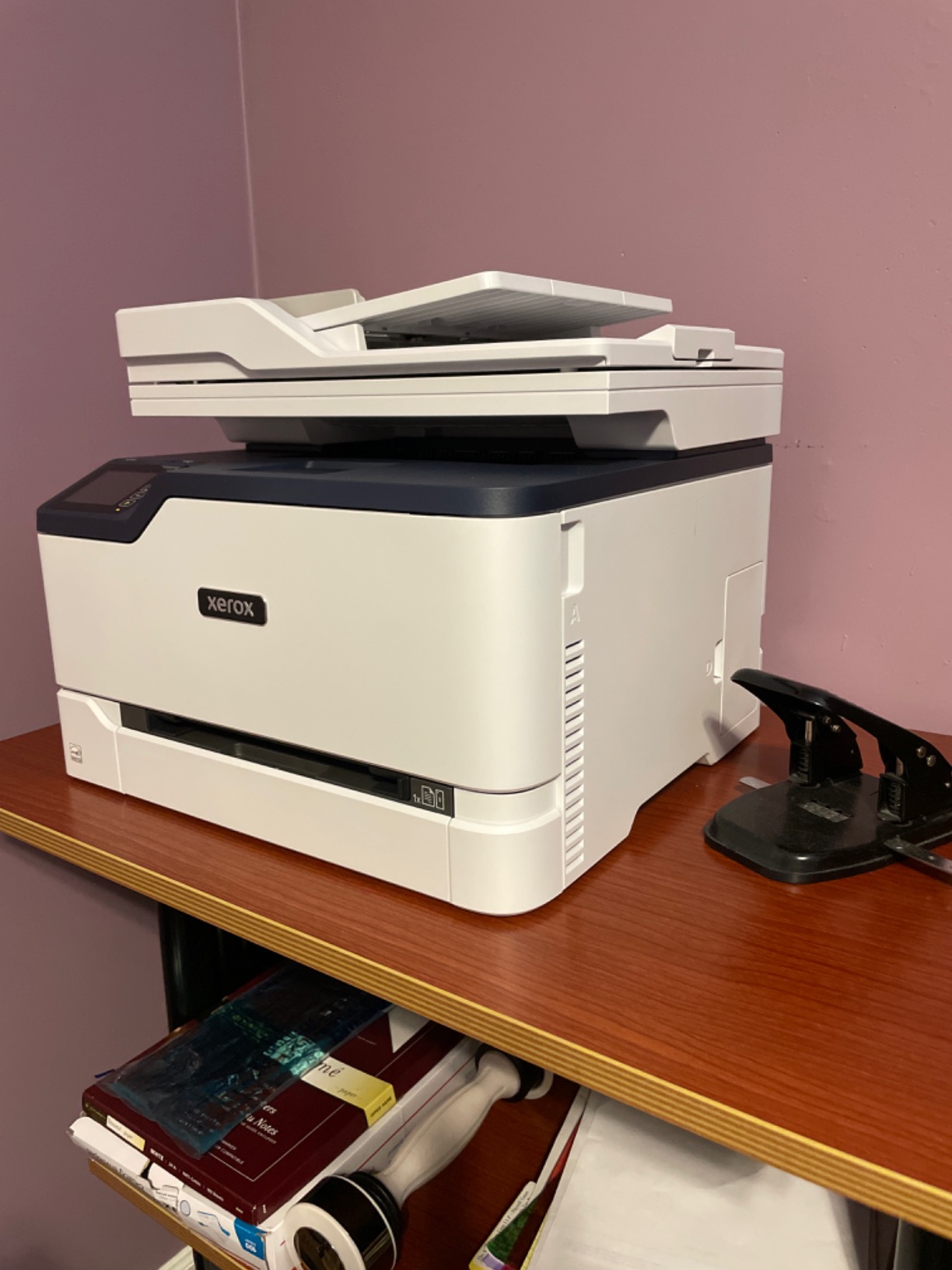
10. Xerox C235dni: Best for a Small Office That Wants a Third Brand
Xerox C235dni Wireless Color Laser All-in-One Printer
24 ppm color and mono
1200 dpi color output
Built-in Wi-Fi
250-sheet capacity
Pros
- A third-brand alternative to the HP
- Brother and Canon picks
- 1200 dpi color output matching the top Canon
- Automatic duplex plus flatbed scanning in a 35-pound body
- Starter toner plus high-yield cartridge support
- Rated for small offices up to 1500 pages a month
Cons
- 24 ppm print and 22 ppm copy speed are slow
- Only 250 sheets of capacity and 500-page starter toner
- Connectivity listed as Ethernet and USB which confuses setup
- Smaller review base means thinner long-term reliability data
The Xerox C235dni is worth including because it gives you a fourth brand to shop from in a shortlist dominated by HP, Brother, and Canon. If you already run Xerox fleet software, or you simply want to avoid the two most common supply ecosystems, it delivers a complete all-in-one.
It prints, scans, and copies in color with automatic duplex, at 24 ppm for printing and 22 ppm for copying. Resolution is 600 dpi black and white and 1200 dpi color, which matches the top Canon model on paper even if the engine is slower.
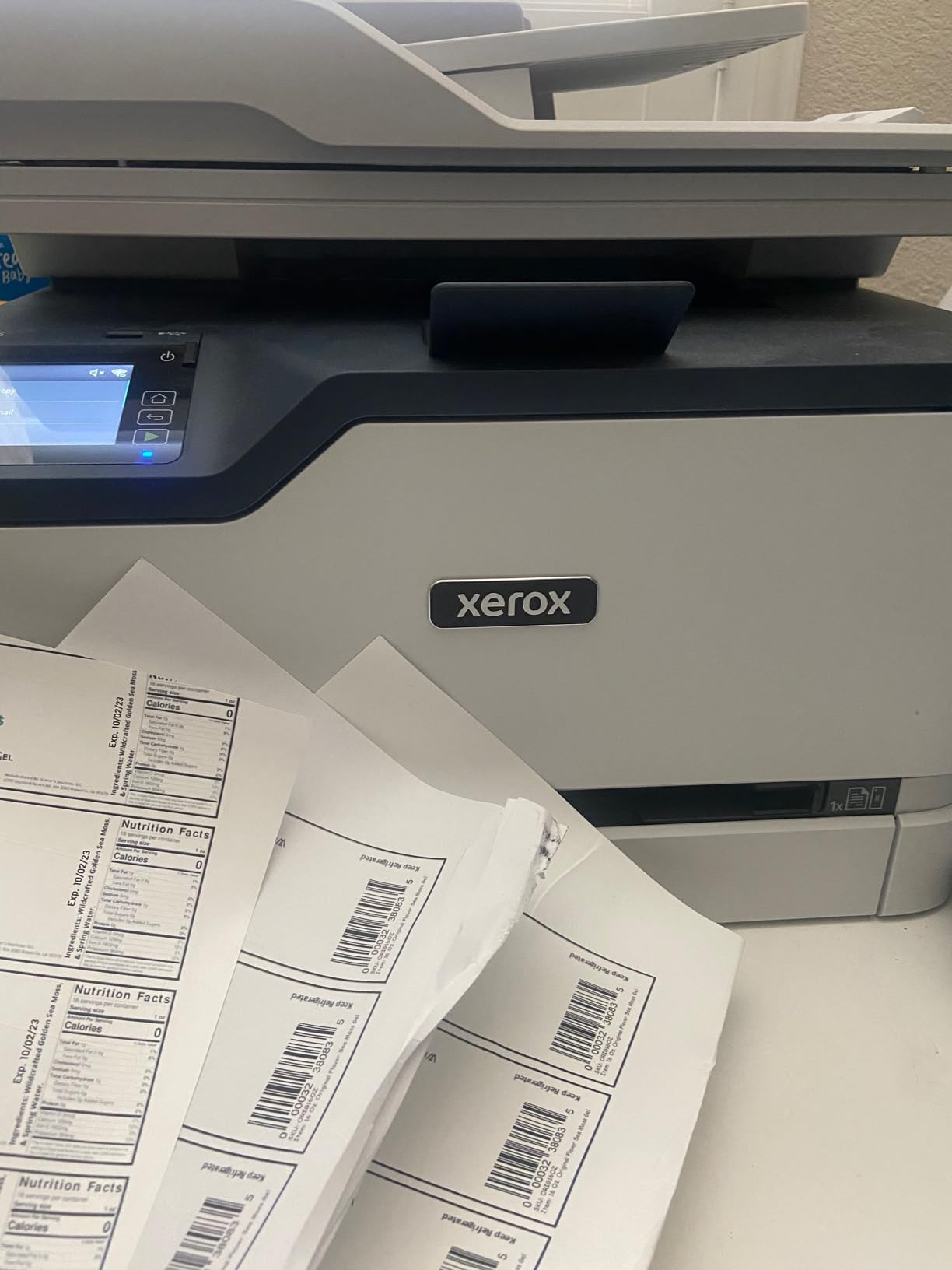
Built-in Wi-Fi, Apple AirPrint, and Mopria support are included, and the Xerox Easy Assist app guides setup on 2.4GHz networks. There is a color touchscreen for job control, and the paper capacity is 250 sheets in and 250 out.
Starter toner is included at a 500-page yield, with high-yield cartridges supported to control running cost. Xerox rates the machine for small offices printing up to 1500 pages a month, which tells you exactly what workload it was designed for.
Who this printer suits
This suits a small office that wants automatic duplex, flatbed scanning, and copying in a compact 35-pound body without committing to a two-vendor print supply chain. It is also the pick for organizations with existing Xerox account management.
Buyers report sharp text, bright color graphics, and low running cost with high-yield cartridges. At 1500 pages a month rated volume it comfortably covers a small team.
Where it falls short
Speed is the limit. At 24 ppm print and 22 ppm copy it is among the slowest engines in the group, and paper capacity tops out at 250 sheets. The starter toner at 500 pages is the smallest included bundle in the shortlist.
Setup documentation is a little confusing because connectivity is listed as Ethernet and USB while wireless features are described separately, and guided setup works on 2.4GHz networks. With 297 reviews it has the thinnest long-term reliability data of the ten, so you are buying on specification rather than on years of owner reports.
What to Look for in a Color Laser Printer
Buying a color laser printer is mostly a matter of matching three numbers to your own habits: monthly color volume, how much scanning and copying you do, and how much desk space you have. Everything else is preference. Start with the following checklist in order, because each step rules out options faster than the last.
1. Match the monthly duty cycle to your real volume
Duty cycle comes in two forms and buyers confuse them constantly. Maximum monthly duty cycle is the absolute ceiling the manufacturer will not honor a warranty past. Recommended monthly volume is the number they expect you to stay under, and it is the one to plan against. Anything above roughly 1500 pages a month and you should read the recommended figure carefully, and the Xerox C235dni is the only machine here that publishes a monthly volume rating of 1500 pages.
2. Decide print-only or all-in-one
Print-only units are smaller, cheaper to run, and have fewer failure points. All-in-ones add a flatbed scanner, a document feeder, a copier, and often a fax. Choose an all-in-one if you will scan more than a few pages a week, because a separate scanner plus a separate printer usually costs more desk space than one machine.
3. Count the ADF, and check whether it is single-pass
This is the specification people underrate most. A reversing ADF turns the page to read the back, so it halves throughput on duplex jobs. A single-pass duplex ADF reads both sides in one journey, which is why the Brother MFC-L3780CDW and the Canon MF665Cdw stand out for anyone scanning multi-page documents daily.
4. Read cost per page, not purchase price
Cost per page is the cartridge street price divided by its rated page yield. Compare the same figure across all four colors, because a printer with cheap black and expensive color is not cheap if your output is colorful. Do this calculation before you buy, and again when you price cartridges, because supplies are where the real money goes.
5. Check media and paper capacity against what you actually feed it
Legal-size support up to 8.5 x 14 inch is standard across most of this list. Cardstock, envelopes, glossy paper, and labels are supported by the Brother models and the HP 4301fdw, while the Canon MF753Cdw II needs its manual bypass tray for legal paper, which limits volume. Paper capacity of 250 sheets is typical; only the HP 4301fdw reaches 300.
6. Treat connectivity as part of the purchase
Look for dual-band Wi-Fi at 2.4GHz and 5GHz rather than 2.4GHz alone, and for Wi-Fi Direct if colleagues will print without going through the office network. Ethernet matters if you are deploying fleet security tooling. NFC on the Brother MFC-L3780CDW opens the door to badge-tap release workflows later.
7. Consider print security for a shared machine
If several people will use one machine, secure print release and user authentication stop confidential documents sitting in the output tray. The HP 4301fdw ships with HP Wolf Pro Security and customizable settings, and the Brother MFC-L3780CDW offers NFC. For a two-person office neither is essential; for a clinic, legal practice, or accountant it is worth it.
Toner Cost Explained: What Color Printing Really Costs Per Page
Every question about affordability on this topic comes back to one calculation. Take the street price of a full set of four cartridges and divide it by the sum of their rated yields. The result is your cost per full color page, and it is the number that separates a genuinely cheap printer from a cheap printer that charges you rent for the privilege.
The gap between brands is wide. Brother TN229 and TN229XXL supplies are widely regarded as the most affordable route to color pages, and that reputation is a big part of why Brother dominates recommendations on r/printers and r/BuyItForLife. HP 218A and 218X cartridges on the 3301sdw and 3201dw require HP chips and circuitry, which narrows your options. Canon 075 and 069 cartridges are repeatedly reported as costing less than comparable HP originals.
Third-party toner is widely used and widely defended. Owners point out that a multi-cartridge pack costs a fraction of the OEM equivalent and that single cartridges with 2600-page yield are available, and that Brother in particular is viewed as a brand that accepts third-party supplies. The trade-off is warranty risk and, with HP models specifically, firmware updates that lock cartridges out. On the HP 4301fdw, owners report firmware updates disabling third-party cartridges outright, so read the warranty terms before you save on supplies.
Brother vs Canon vs HP vs Xerox
Brand is the single most-discussed variable in forums for this head term, so here is the honest summary. Reliability consensus across the forums points to Brother for long-term ownership, with individual units reported lasting a decade or more and a black-and-white Brother still running strong after ten years. The recurring Brother caveat is that some owners report a drum error that can lock cartridges after a jam.
HP is the most polarised. Buyers frequently describe HP color lasers as problematic at times when they seem to lose their memory or settings, and the software on the 4301fdw is reported to override duplex and scan behaviour. The counterweight is that HP ships the broadest fleet security tooling in this group.
Canon is the middle ground. Its machines often post the highest ratings in our shortlist, the MF753Cdw II holds a 4.2 average, and Canon toner is reported as cheaper than HP equivalents, with three-year warranties on two models. The shared weakness is software: Canon utilities failing to detect the printer and an inaccessible support site are the two complaints that recur across reviews of all three Canon machines.
Xerox offers the genuine third option, with 1200 dpi color output and a compact all-in-one body, but a smaller review base means less long-term evidence. Across the four brands the pattern is consistent: Brother for lowest running cost, Canon for output quality and warranty, HP for speed and security tooling, Xerox for supply-chain independence.
Color Laser vs Inkjet vs Ink Tank
Color laser is not always the right answer, and the crossover point matters. Below roughly 300 color pages a month, an ink tank printer usually wins on total cost of ownership because the upfront hardware cost is much lower and the ink cost per page is low. Above about 500 color pages a month, laser pulls ahead decisively because toner cost per page is a fraction of ink cost and the machine keeps working for years.
Speed and text sharpness favor laser from the first page. There is no print head to clog, no liquid ink to dry out if the machine sits unused for months, and no warm-up penalty on a small job. Output is smudge-resistant and water-fast the moment it leaves the fuser.
Photo quality favours inkjet and ink tank, without much debate. A color laser is a document and graphics tool. On a dpreview thread a poster asked for the best color laser for photographs, and the advice was to send photographs to a photo lab. If a large share of your printing is images with smooth gradients, buy an ink tank printer instead of any machine on this list.
Where Color Laser Printers Fall Short
Honest roundups should say what a category is bad at, and color laser has real limits. Smooth gradients band visibly, because toner is a fixed set of dots rather than a continuous spray. Deep blacks and saturated reds are less rich than inkjet output on the same page, and that is exactly why some owners of the Brother MFC-L3780CDW describe its color as slightly less saturated than HP’s.
Heavy media is the second limit. Duplex feeding on thick paper causes jams on the Brother MFC-L3780CDW, the ADF on the Canon MF665Cdw can jam on previously folded sheets, and the Canon MF753Cdw II needs a manual bypass tray for legal-size sheets, which slows large jobs. Dark photographic blacks can also look speckled rather than solid.
Finally, size and noise. The heaviest machine here is 60.6 pounds and the widest spans 23.5 inches, and the Canon LBP646Cdw is described as notably loud in operation. If your prints are photographs, your media is heavy, or your desk is small, this is the wrong category.
Frequently Asked Questions
Which laser printer has the best color quality?
The Canon imageCLASS MF753Cdw II leads our shortlist for color quality because it is the only machine here with native 1200 x 1200 dpi color resolution, rated 4.2 stars, and prints 35 ppm. The Xerox C235dni also outputs 1200 dpi color. Remember that laser color suits documents, charts, and graphics rather than photographs.
What is the best laser printer for color printing?
For most home offices and small teams, the Brother MFC-L3720CDW is the best color laser printer overall: print, scan, copy, fax, a 50-sheet duplexing ADF, a 3.5-inch color touchscreen, and a 4.0 rating across 1025 reviews. For the sharpest color, choose the Canon imageCLASS MF753Cdw II, and for print-only value, the Canon LBP646Cdw.
Are laser printers being phased out?
No. Color laser printers remain the standard choice for offices printing hundreds or thousands of pages a month, and the models we cover ship with current toner supplies and multi-year driver support. What has grown is the ink tank category for low-volume home users, not a replacement of laser. Laser has no print head that can clog.
What is a high-quality color laser printer?
A high-quality color laser printer combines decent native color resolution, a reasonably fast color engine, and a toner system with a real page yield. Look for at least 600 x 600 dpi native color, 1200 x 1200 dpi enhanced, and a duplexing document feeder. In this list the Canon MF753Cdw II and the Xerox C235dni stand out on the 1200 dpi color figure.
What is the best color laser printer with affordable toner?
Brother is the strongest answer because the TN229, TN229XL, and TN229XXL cartridge family is widely sold at lower prices than HP originals, and all three Brother models here use it. The Brother HL-L3220CDW and MFC-L3720CDW pair that with low purchase prices. Third-party supplies cut cost further, though HP models can lock them out after firmware updates.
How much does toner cost for a color laser printer?
Work it out as cartridge street price divided by rated page yield, then multiply by four for a full color page. Yields differ sharply across these models, from 218A and 218X cartridges on the HP units to TN229XXL on Brother, Canon 075 and 069, and high-yield options on the Xerox. Supplies, not hardware, are the real running cost of a color laser.
Which color laser printer has the cheapest toner?
Among these ten, the Brother models are consistently reported as the cheapest to run, because the TN229 family is sold widely and competitively and Brother is viewed as accepting third-party supplies without penalty. The Canon models follow, with owners reporting Canon Genuine 075 and 069 toner costs less than comparable HP originals. The HP units are the most expensive to run.
Why are laserjet toners so expensive?
Color toner cartridges cost more than black because each one holds a precise powder blend, and color printers ship four of them. HP also restricts supplies to cartridges with original HP chips or circuitry, which removes cheaper alternatives, and high-yield cartridges carry a higher upfront price even when the per-page cost is lower. Compare yields before concluding a cartridge is expensive.
Are Canon or Brother color laser printers better?
Brother wins on running cost and long-term reputation, with individual units reported to last a decade and the TN229 supply family priced competitively. Canon wins on output quality and warranty: the MF753Cdw II holds 4.2 stars with 1200 x 1200 dpi color and a 3-year warranty, and Canon toner is reported as cheaper than HP’s. Canon’s weakness is software and driver support.
Which color laser printer is better, Brother or HP?
Choose Brother for cheaper toner, stronger long-term reliability reports, and more flexibility on third-party supplies. Choose HP for faster engines and better fleet security, since the HP 4301fdw adds Wolf Pro Security. HP models require chipped cartridges, and owners report some units losing settings or software overriding duplex and scan behavior.
What is the most reliable color laser printer?
On the evidence available, the Brother MFC-L3720CDW is the most dependable all-rounder: a 4.0 average across 1025 reviews with 66 percent five-star ratings, a 50-sheet duplexing feeder, and a 1-year limited warranty. The Canon MF753Cdw II posts the highest rating at 4.2 stars across 256 reviews and adds a 3-year warranty, so it is the safest choice for a longer ownership horizon.
What are the best printers with ADF?
Among color lasers, the best single-pass duplexing document feeders belong to the Canon imageCLASS MF665Cdw, with a 50-sheet one-pass duplex ADF, and the Brother MFC-L3780CDW, which scans both sides at up to 29 ipm in black and 22 ipm in color. The Brother MFC-L3720CDW and the HP 3301sdw also include a 50-sheet feeder for mixed office work.
Verdict: Which Color Laser Printer Should You Buy?
The best color laser printers in 2026 come down to three clear winners. The Brother MFC-L3720CDW is the one to buy for a home office or small team: it prints, scans, copies, and faxes, it duplexes both ways, it has a 3.5-inch color touchscreen and a 50-sheet document feeder, and it holds the best combination of rating and review count in this group at 4.0 stars across 1025 reviews.
For the sharpest color and the fastest first page, the Canon imageCLASS MF753Cdw II wins with native 1200 x 1200 dpi color, 35 ppm, a seven-second first page, and a 3-year warranty. For heavy throughput on a workgroup, the HP Color LaserJet Pro MFP 4301fdw reaches 35 ppm black and 33 ppm color across 300 sheets, though you should weigh that against its documented reliability complaints before committing.
Pick the Brother HL-L3220CDW if you only need printing and your desk is small, the Canon LBP646Cdw if you want the lowest purchase price with full duplex color, and the Xerox C235dni if you would rather not sit inside the HP and Brother supply ecosystems. Before you buy anything, do the per-page math on the cartridge yields above, because on a color laser printer the toner is where your money actually goes.