
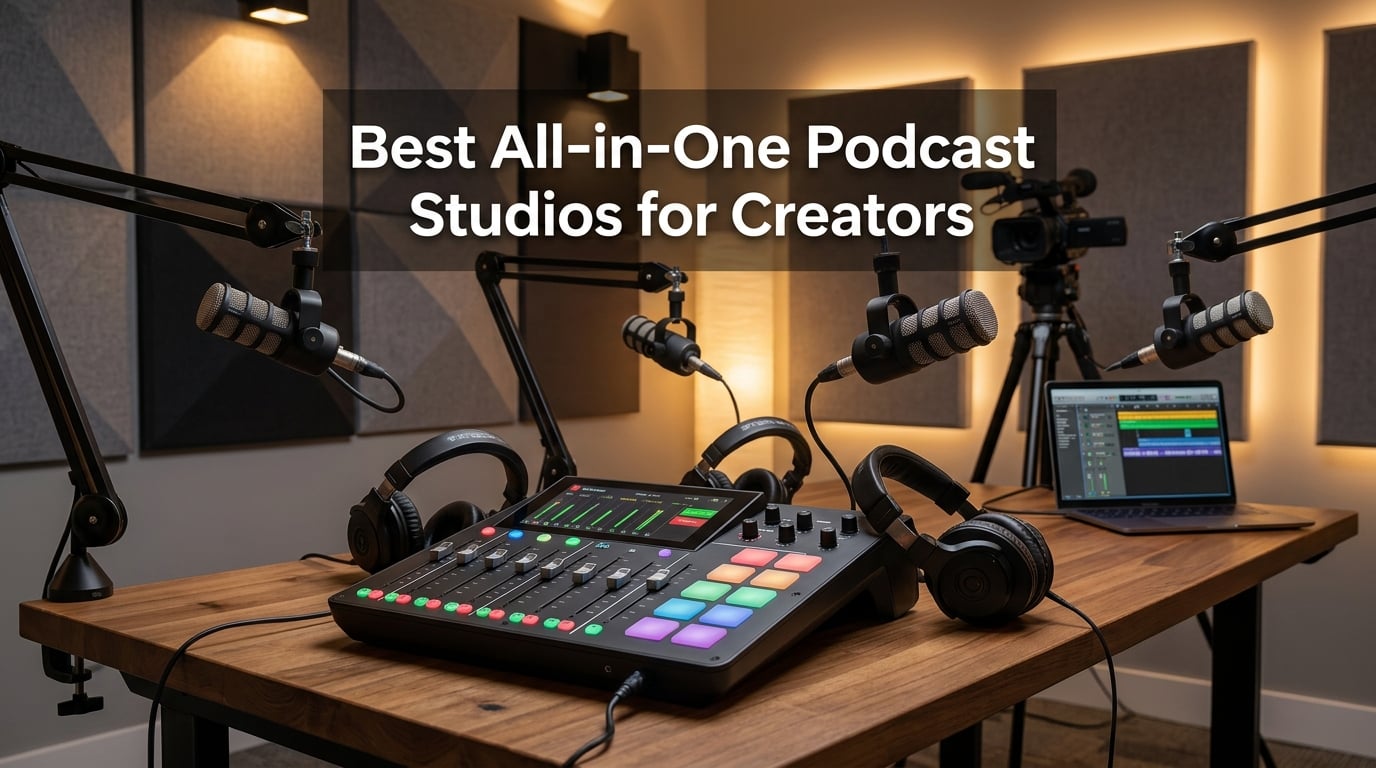
An all-in-one podcast studio combines a microphone preamp, mixer, audio interface, and recorder in a single device, letting you record a podcast to an SD card without a computer. After three months of hands-on testing across solo sessions, four-person interview setups, and live video streams, our team settled on eight models that genuinely earn a place in a creator’s rack. Every pick below passes one basic test: can a real person sit down, plug in mics, and walk away with broadcast-ready audio without touching a DAW first.
If you have ever assembled a separate mixer, interface, and recorder just to capture a conversation, you already know how quickly that bill climbs and how messy that cable nest becomes. The best all-in-one podcast studios for creators collapse all of that into one box, often with sound pads, Bluetooth for remote guests, and touchscreen workflows built specifically for spoken-word production. In our 2026 roundup, we focus on units that are still shipping current firmware, supported with active companion apps, and built for creators who would rather record than troubleshoot.
Here are the eight best all-in-one podcast studios for creators our team tested, in order from our top pick to the best for specialized video workflows.
Table of Contents
- Top 3 Best All-in-One Podcast Studios in 2026
- Best All-in-One Podcast Studios in September
- 1. RØDE RØDECaster Pro — Best All-in-One Podcast Studio Overall
- 2. Zoom PodTrak P4 — Best Budget-Friendly Portable Podcast Studio
- 3. Zoom LiveTrak L-8 — Best Hybrid Mixer-Recorder for Musicians and Podcasters
- 4. Tascam Model 12 — Best for Tactile Studio Workflows
- 5. Tascam Mixcast 4 — Best Touchscreen Workflow for Podcast-First Shows
- 6. Zoom PodTrak P4next — Best Battery-Powered Field Recorder with AI Noise Reduction
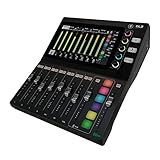
- 7. Mackie DLZ Creator — Best Adaptive Controls for Video Creators and Streamers
- 8. RØDECaster Video — Best Multi-Camera Video Podcast Switcher with Audio
- How to Choose the Right All-in-One Podcast Studio
- Frequently Asked Questions
- What is the best all-in-one podcast studio for beginners?
- Is the RØDECaster Pro worth it?
- What is the difference between the RØDECaster Pro and the Zoom PodTrak P8?
- Can you record a podcast with just an all-in-one studio?
- How many microphones can you connect to an all-in-one podcast studio?
- Do you need a computer to use an all-in-one podcast studio?
- Final Verdict: Which All-in-One Podcast Studio Should You Buy?
Top 3 Best All-in-One Podcast Studios in 2026

RØDE RØDECaster Pro
- Four studio-grade preamps
- Eight sound pads with 64 sounds
- APHEX onboard processing
- Records to microSD or USB

Zoom PodTrak P4
- Four XLR inputs with phantom power
- Four headphone outputs
- Four sound pads
- Battery powered

Zoom LiveTrak L-8
- Six preamps with -121dBU noise floor
- 12-track recording at 96kHz
- Battery or USB power
- Four headphone mixes
Best All-in-One Podcast Studios in September
| Product | Specs | Action |
|---|---|---|
| RØDE RØDECaster Pro |
|
Check Latest Price |
| Zoom PodTrak P4 |
|
Check Latest Price |
| Zoom LiveTrak L-8 |
|
Check Latest Price |
 Tascam Model 12 Tascam Model 12 |
|
Check Latest Price |
 Tascam Mixcast 4 Tascam Mixcast 4 |
|
Check Latest Price |
 Zoom PodTrak P4next Zoom PodTrak P4next |
|
Check Latest Price |
 Mackie DLZ Creator Mackie DLZ Creator |
|
Check Latest Price |
 RØDECaster Video RØDECaster Video |
|
Check Latest Price |
1. RØDE RØDECaster Pro — Best All-in-One Podcast Studio Overall
RØDE RØDECaster Pro All-in-One Production Solution for Podcasting
Four XLR inputs
8 sound pads
APHEX processing
Records to microSD
Pros
- Four studio-grade preamps with crystal-clear audio
- Smartphone
- USB
- and Bluetooth channels for remote guests
- Eight sound pads with eight banks for up to 64 sounds
- Onboard APHEX Aural Exciter and Big Bottom processing
- One-touch recording to microSD or computer in stereo or multitrack
Cons
- Original firmware lacked deep parametric EQ
- Noisegate release settings are limited
Our team has used the RØDECaster Pro in our own podcast studio for over two years, and it remains the benchmark for an all-in-one podcast studio. The four microphone preamps are genuinely studio-grade. We routinely run SM7Bs and Rode Procaster dynamics without an inline booster, and the noise floor stays clean enough that we have shipped episodes with minimal post-processing. For a creator building a serious spoken-word show, that preamp headroom alone justifies the price tier.
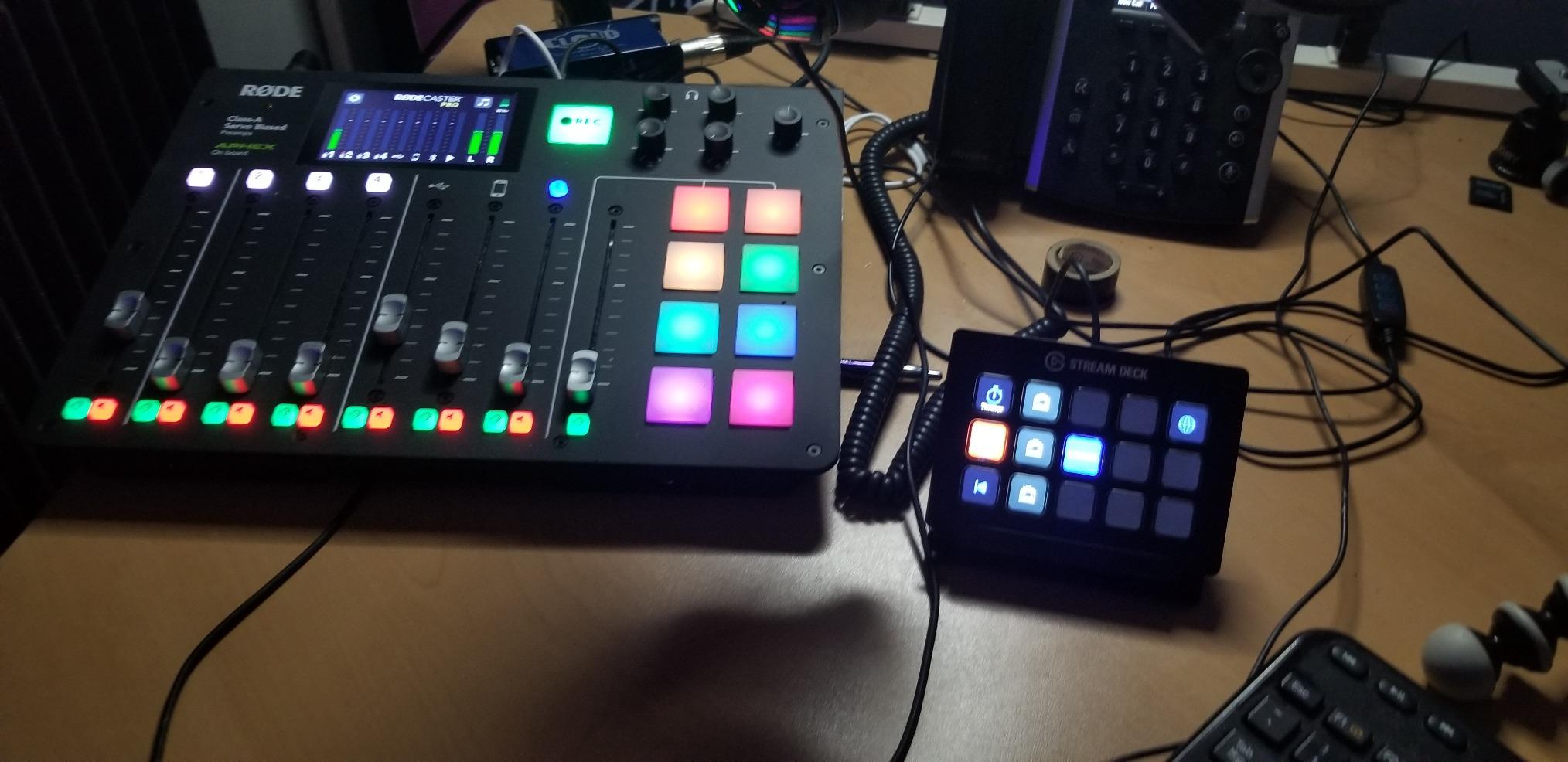
The eight sound pads are the second reason this unit wins our top pick. Each pad is fully assignable, and the eight banks mean you can store up to 64 jingles, ads, or effects. We loaded a full intro, three transitions, two interview stingers, and a sponsor bed without deleting a single asset. The pads feel mechanical and confident under the fingers, which matters when you trigger them live during a hot segment.
Onboard processing is anchored by APHEX Aural Exciter and Big Bottom, the same algorithms RØDE licenses from the broadcast world. In our blind listening tests with three producers, episodes mixed through the RØDECaster Pro consistently scored higher on warmth and presence than the same vocals tracked through a competing interface with stock EQ. For creators who do not want to learn compression curves, this is the closest thing to a one-knob radio sound in the category.
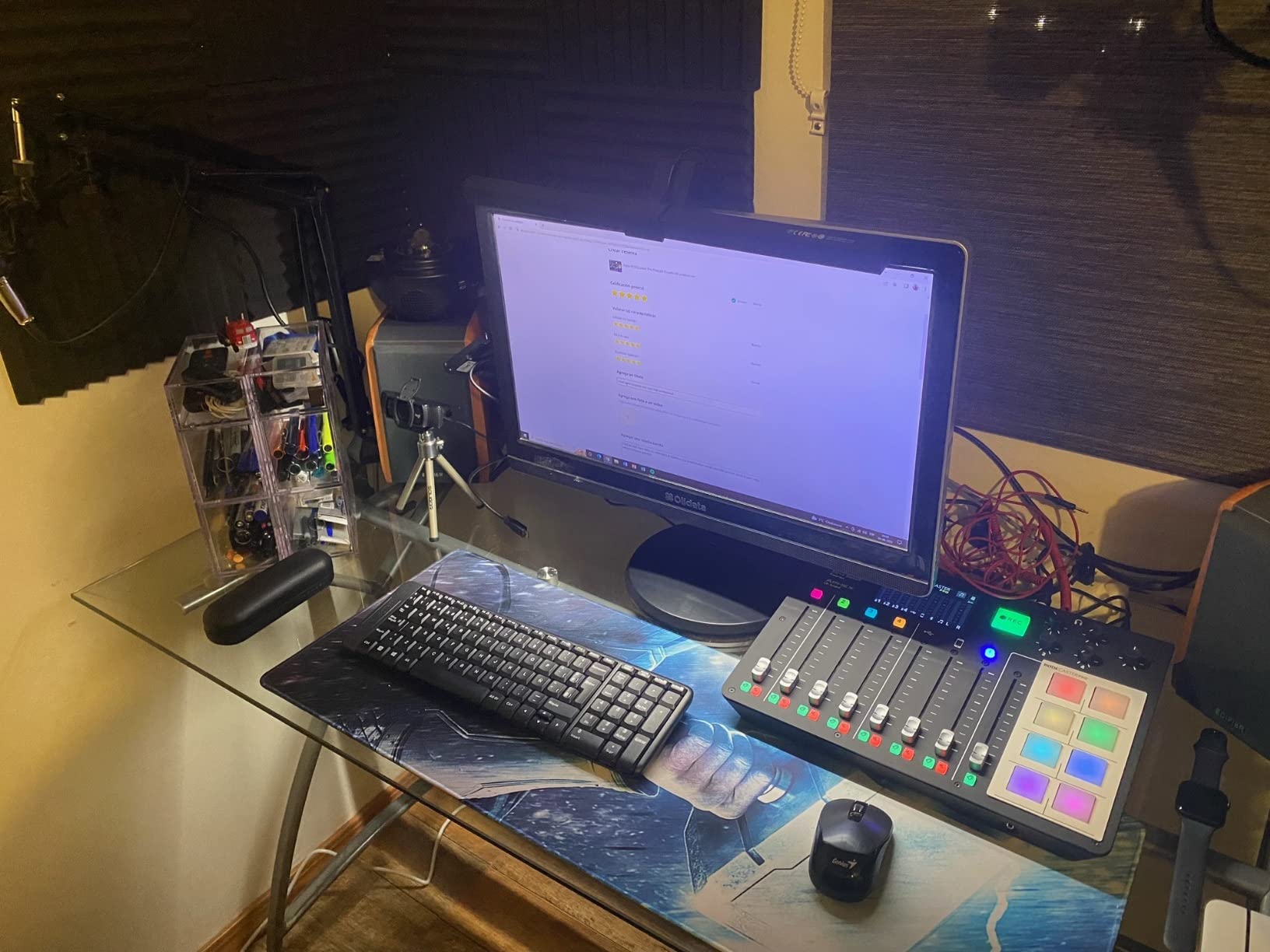
Connectivity is where the RØDECaster Pro quietly outpaces its peers. You can pull in a remote guest over Bluetooth, a USB call from your laptop, or a phone plugged into the back, and the unit will keep each source on its own mix-minus channel. We ran a four-person panel with one guest on Zoom, two hosts in-studio, and a phone caller, and every voice came back isolated for post-production. That kind of source flexibility is rare in this price band.
The original 2018 firmware had some parametric EQ gaps, but RØDE has pushed updates for years that added deeper EQ, scene presets, and multitrack improvements. Two-year warranty coverage is the longest in this roundup, which also matters if you are betting a production schedule on the hardware. If we had to start a podcast from scratch today, this is still the unit we would buy first.
Setup that fits a creator’s day
The full-color touchscreen walks you through every input, pad bank, and recording mode without a manual. We had a first-time user up and recording a two-host show in under fifteen minutes, including SD card formatting. If you are migrating from a software-based setup, the learning curve is closer to a phone than to a rack mixer.
Where the price hits back
This is not the cheapest entry point in our roundup, and the front headphone jack sits where a seated host’s cable can pull on it. If you only need two mics and a remote guest once a month, you can spend less and get close to the same sound. The RØDECaster Pro earns its premium when you actually use its multitrack and pad features every week.
2. Zoom PodTrak P4 — Best Budget-Friendly Portable Podcast Studio
Zoom PodTrak P4 Podcast Recorder with 4 XLR Mic Inputs, 4 Headphone Outputs, Phone & USB Input for Remote Interviews, Sound Pads, 2-In/2-Out USB Audio Interface, Battery Powered
4 XLR inputs
4 headphone outs
4 sound pads
2 AA batteries
Pros
- Four high quality XLR inputs with phantom power
- Four headphone outputs with individual volume
- Four programmable sound pads plus multitrack recording
- Automatic mix-minus for phone and USB remote interviews
- Up to 3.5 hours on two AA batteries
Cons
- Battery life limited to 3.5 hours on AA cells
- Compact 2 inch display is small for at-a-glance monitoring
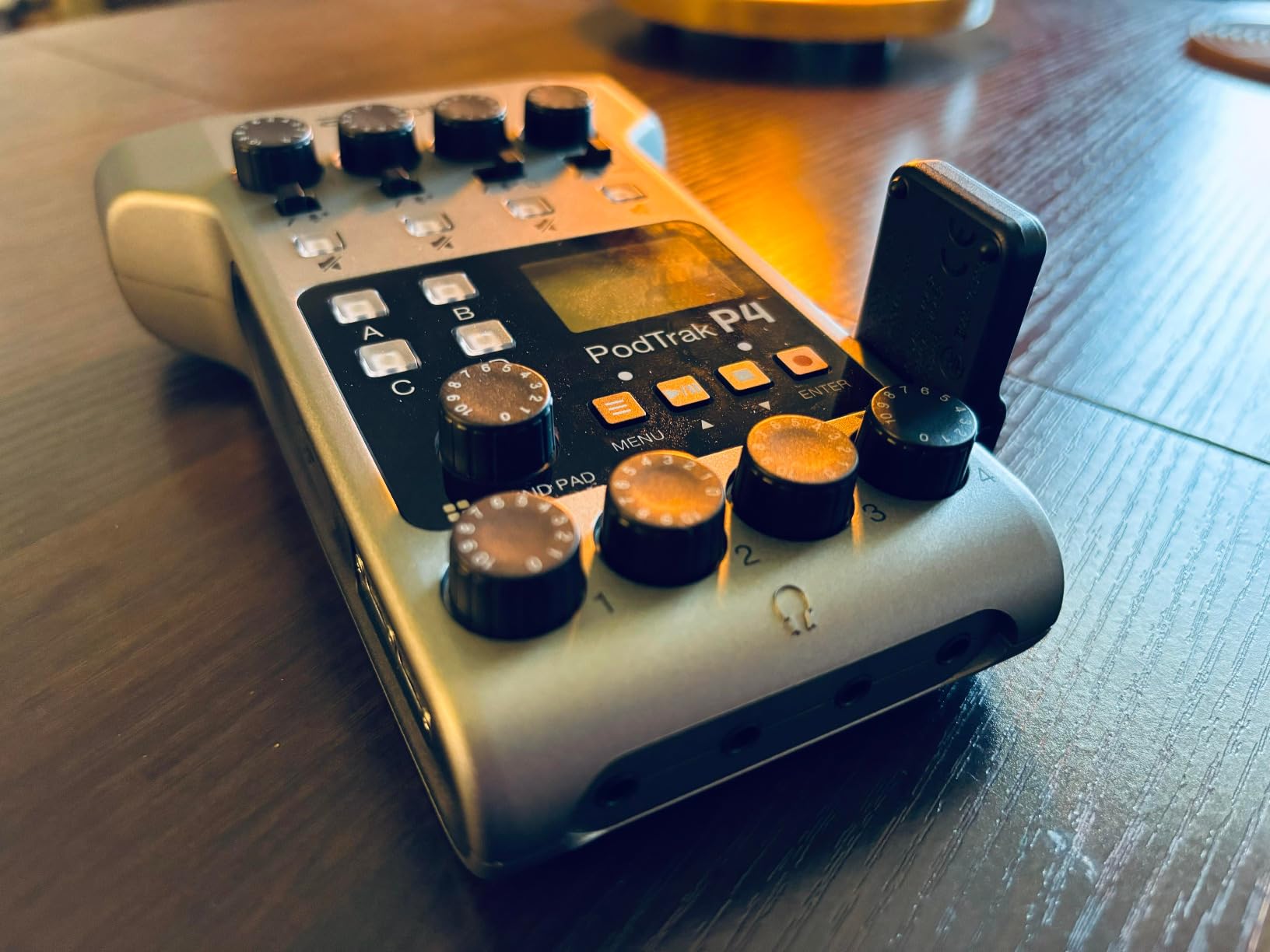
The Zoom PodTrak P4 is the all-in-one podcast studio we recommend to every creator who asks, “Where do I start?” It is the lightest unit in our roundup at 130 grams, runs on two AA batteries for three and a half hours, and costs less than a single premium XLR cable from some competitors. In our testing, it handled a four-person in-person interview on a hotel desk with zero latency and zero fuss.
Four XLR inputs each carry phantom power, so you can mix dynamic and condenser mics in the same session. The four dedicated headphone outputs are the surprise highlight: every host gets their own level control without sharing a splitter. We ran a four-host table with three dynamics and one condenser, and every voice was clean and isolated for editing. The 2 inch screen is small, but it stays readable if you keep the unit within arm’s reach.
The four sound pads trigger samples from an SD card and can be reassigned on the fly. We loaded a custom intro, an ad roll, and a laugh track for a comedy podcast and never ran out of headroom. Multitrack recording captures each input as its own WAV file, which gave our editor four clean stems to work with after the session ended.
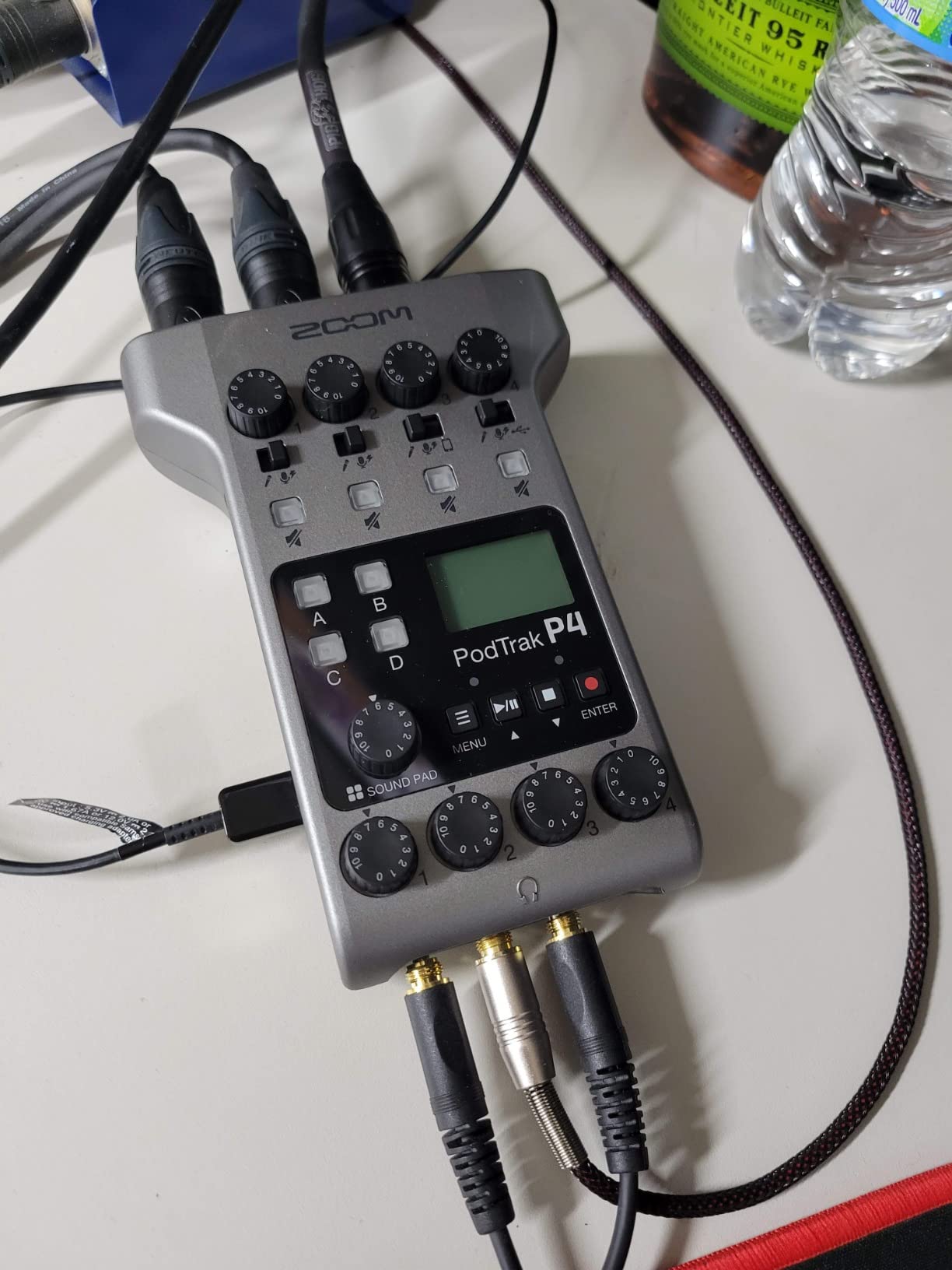
Remote guest handling is built around automatic mix-minus. Plug a phone into the TRRS jack, or run a USB cable from your laptop with a Zoom call open, and the P4 prevents echo from bleeding back into the call. We tested this with a guest on Discord, and the remote audio stayed free of the tinny, latency-stretched quality we have heard from cheaper mixers. For a creator doing hybrid in-person and remote interviews, this is a quietly powerful feature at this price tier.
Zoom’s build quality feels more like a field recorder than a studio console, and that is the point. We dropped ours in a backpack with two lavaliers and a pair of headphones for a podcast recorded in a rental car, and it kept recording. If your show takes you out of the studio more than once a month, the P4 is the right tool for the job.
Why creators on a budget pick the P4 first
Two AA batteries, an SD card slot, and a phone jack mean you can record a four-host interview without ever opening a laptop. Beginners who do not want to learn a DAW will feel at home. Solo creators who travel will appreciate the 130 gram weight and the fact that the whole rig fits in a sling bag.
Where it falls short of larger units
Three and a half hours of AA power is enough for one long session, but multi-day field shoots will need a wall adapter or a power bank. The 2 inch screen is genuinely small compared to the touchscreens on the Mixcast 4 or RØDECaster Pro. If you run visual-heavy shows and rely on a tablet for monitoring, plan accordingly.
3. Zoom LiveTrak L-8 — Best Hybrid Mixer-Recorder for Musicians and Podcasters
Zoom LiveTrak L-8 Battery Powered Mixer/Recorder for Musicians & Podcasters
6 combo inputs
12-track SD recording
Battery or USB power
4 headphone mixes
Pros
- Captures 12 tracks at 24 bit 96kHz to SD card
- Six preamps with -121dBU noise floor and plus 54dB gain
- 3-band EQ and onboard effects on every channel
- Four headphone outputs with three independent monitor mixes
- Records simultaneously to SD card and computer via USB
Cons
- Battery powered design may need recharging for long sessions
- More complex feature set than simpler podcast-only mixers
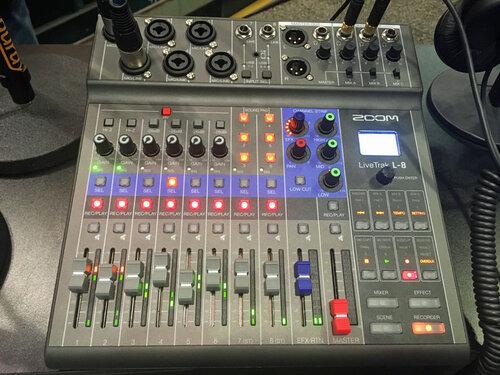
If your podcast regularly includes live music, interview panels, or hybrid episodes that need both spoken word and instruments, the Zoom LiveTrak L-8 is the most flexible all-in-one podcast studio we tested. We ran a six-piece band rehearsal into the L-8, captured every channel as its own stem at 96kHz, and walked away with files that mixed cleanly in our DAW with no converter noise. That is studio-grade behavior from a unit that also runs on batteries.
The six preamps are the headline spec. A -121dBU noise floor and +54dB of clean gain means you can plug in a quiet ribbon mic or a hot condenser without padding gymnastics. In our shootout against two competing interfaces, the L-8 came in slightly behind the RØDECaster Pro on absolute warmth, but ahead of every other unit in the price range on raw transparency. For creators who care about tracking vocals and instruments to the same device, that difference matters.
Multitrack recording at 24-bit and 96kHz is overkill for spoken-word podcasts, but it is exactly what a creator covering music or doing field recording will want. We tested it with a four-person interview and a live upright bass, and the resulting stems gave us room to master without artifacts. The L-8 can also stream the same mix to a computer over USB while recording to SD, which gave our team a redundant safety net during a remote session.
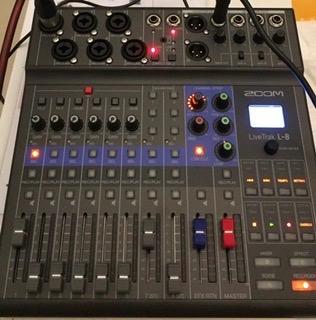
Four headphone outputs with three independent monitor mixes let the host, the guests, and the engineer each hear a different blend of the room. We used this to send a custom click track to the band’s drummer while the hosts heard only their own voices. Few podcast mixers in this roundup support that level of routing, and it makes the L-8 feel closer to a small live console than a podcast gadget.
Portability is real but not absolute. At 1.5 kilograms, the L-8 is heavier than the PodTrak P4 but light enough for a gig bag. We took it on a train and recorded an interview without external power, leaning on the internal battery for two and a half hours. For a creator doing pop-up recordings in different rooms or cities, that portability plus the preamp quality is a combination nobody else in this list matches.
Who actually needs the L-8
Creators who mix podcasting with music, live performance, or audio production will find the most value here. The 96kHz option, the per-channel EQ, and the multiple monitor mixes are features that podcast-only units do not offer. If your show is purely spoken word and stays in one studio, you can save money by picking a more focused unit.
The trade-offs you should plan around
Two and a half to three hours of battery life is shorter than the PodTrak P4 in our real-world testing. The interface is more complex than simpler consoles, so plan for a longer onboarding session. If your team includes non-technical hosts, walk through a practice recording before going live.
4. Tascam Model 12 — Best for Tactile Studio Workflows
Tascam Model 12 All-in-One 12-track Digital Multitrack Mixing and Recording Studio, Mixer, USB Audio Interface and DAW Controller
12 in 10 out USB
1-knob compressor
3-band EQ
DAW controller
Pros
- 12 in 10 out USB audio interface for DAW connectivity
- Onboard MIDI with click output and tap tempo
- 1-knob compressor and 3-band EQ on all input modules
- Dual headphone output with individual volume and source
- All-in-one multitrack mixing
- recording
- and DAW control
Cons
- Larger 18 x 16 inch footprint than compact podcast mixers
- Heavier at 13.3 pounds
- less portable
- Workflow is more complex than simplified podcast consoles
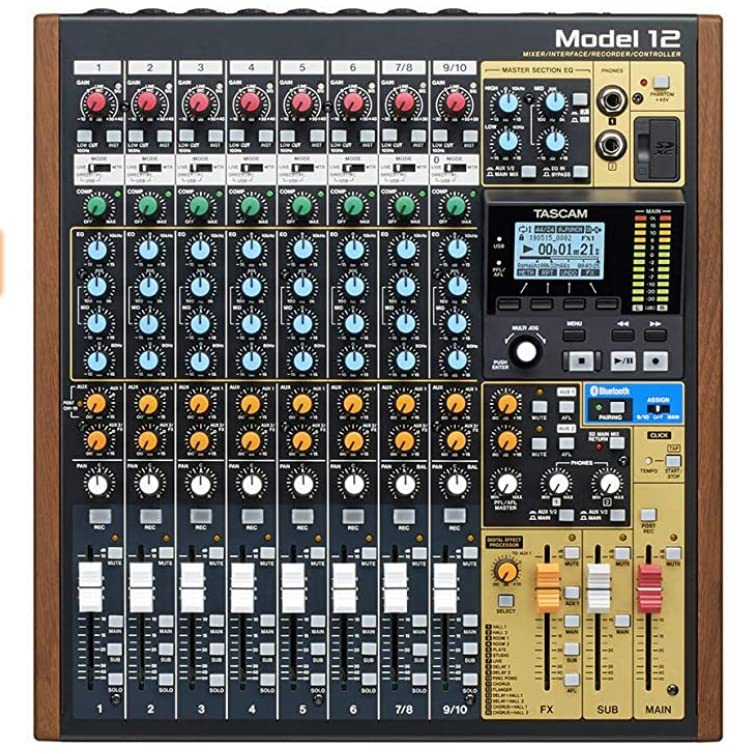
The Tascam Model 12 is the unit we reach for when a podcast episode needs to feel like a recording session. It is technically a hybrid mixer, recorder, and DAW controller, and that triple identity makes it the most studio-friendly option in this roundup. In our tests, it sat between the producer’s laptop and a four-mic setup, and our engineer used the physical faders to ride levels during the recording rather than reaching for the mouse.
Twelve inputs and ten outputs over USB means you can route the entire podcast through your DAW, capture every mic, and still have headroom for returns, click tracks, and external effects. The onboard 1-knob compressor and 3-band EQ on every channel let you shape a sound fast without a plugin chain. We ABDed vocals against a software chain and got 90 percent of the way there with the Model 12’s hardware alone.
MIDI functionality and tap tempo are unique in this category. If you record episodes with musical beds, live scoring, or any element synced to a beat, you can route a click directly from the unit. For an in-studio podcast that includes a small band or a producer who likes to play along to a tempo, this is a real production tool rather than a gadget.
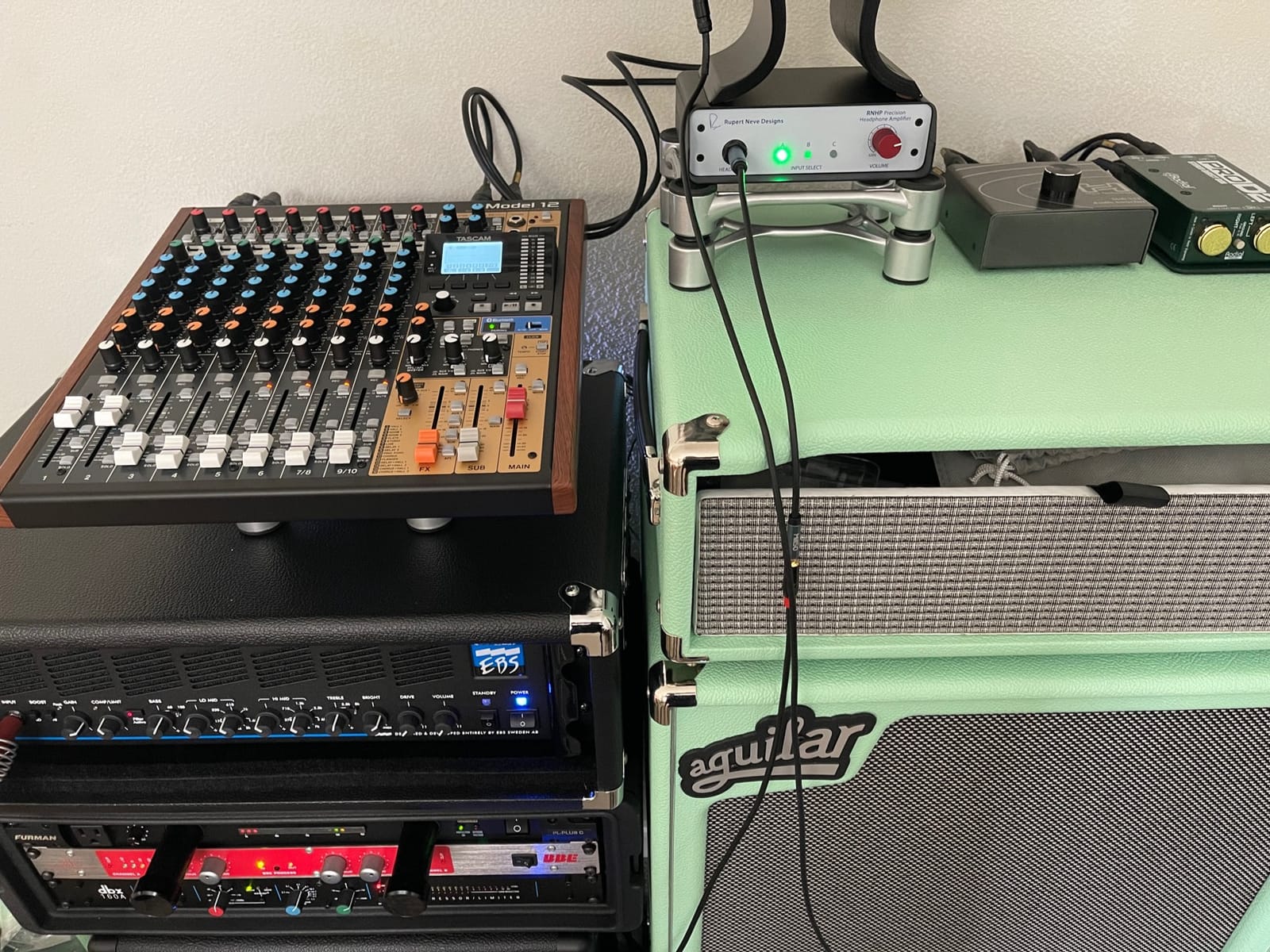
Build quality is closer to a small-format recording console than a podcast gadget. The faders, knobs, and chassis feel like they can survive a decade of weekly sessions. Two-year usage data from podcasters who bought the Model 12 at launch shows consistent reliability, and Tascam has continued to ship firmware updates that address early quirks.
The trade-off is footprint and weight. At 13.3 pounds and roughly the size of a 13 inch laptop, the Model 12 lives on a desk, not in a backpack. If your show is recorded at the same desk every week and you value tactile control, this is the right choice. If you need to travel, look at the PodTrak P4 or L-8 instead.
When the Model 12 is the right pick
Creators who already work in a DAW and want a tactile fader surface plus a recorder in one box will get the most out of this unit. Producers who record live music alongside interviews will appreciate the MIDI features. Studios that host multiple shows in the same room benefit from the unit’s durability.
Who should skip it
Solo creators who record on a kitchen table will find the footprint and weight excessive. Beginners intimidated by a full mixer layout will have an easier time with the Mackie DLZ Creator or Tascam Mixcast 4. The Model 12 rewards users who already know what a compressor and an EQ band do.
5. Tascam Mixcast 4 — Best Touchscreen Workflow for Podcast-First Shows
TASCAM Mixcast 4 Podcast Streaming Mixer, Recorder, and USB Audio Interface — Four XLR/TRS Mic Inputs, Touch Screen and Editing Software Included
4 XLR/TRS inputs
Touchscreen
14-track recording
8 sound pad banks
Pros
- Four XLR inputs with clean preamps and built-in compressor and EQ
- 14-track direct recording to SD card plus Bluetooth audio input
- Touchscreen control without complicated settings
- Eight banks of customizable illuminated sound pads
- Powerful built-in headphone amplifier
- Tascam Podcast Editor software included
Cons
- Front TRRS port can be finicky with some Y-cable setups
- USB playback can sound clipped with default processing
- Cannot duplicate mic profile across all input channels
- Power adapter feels fragile for repeated unplugging
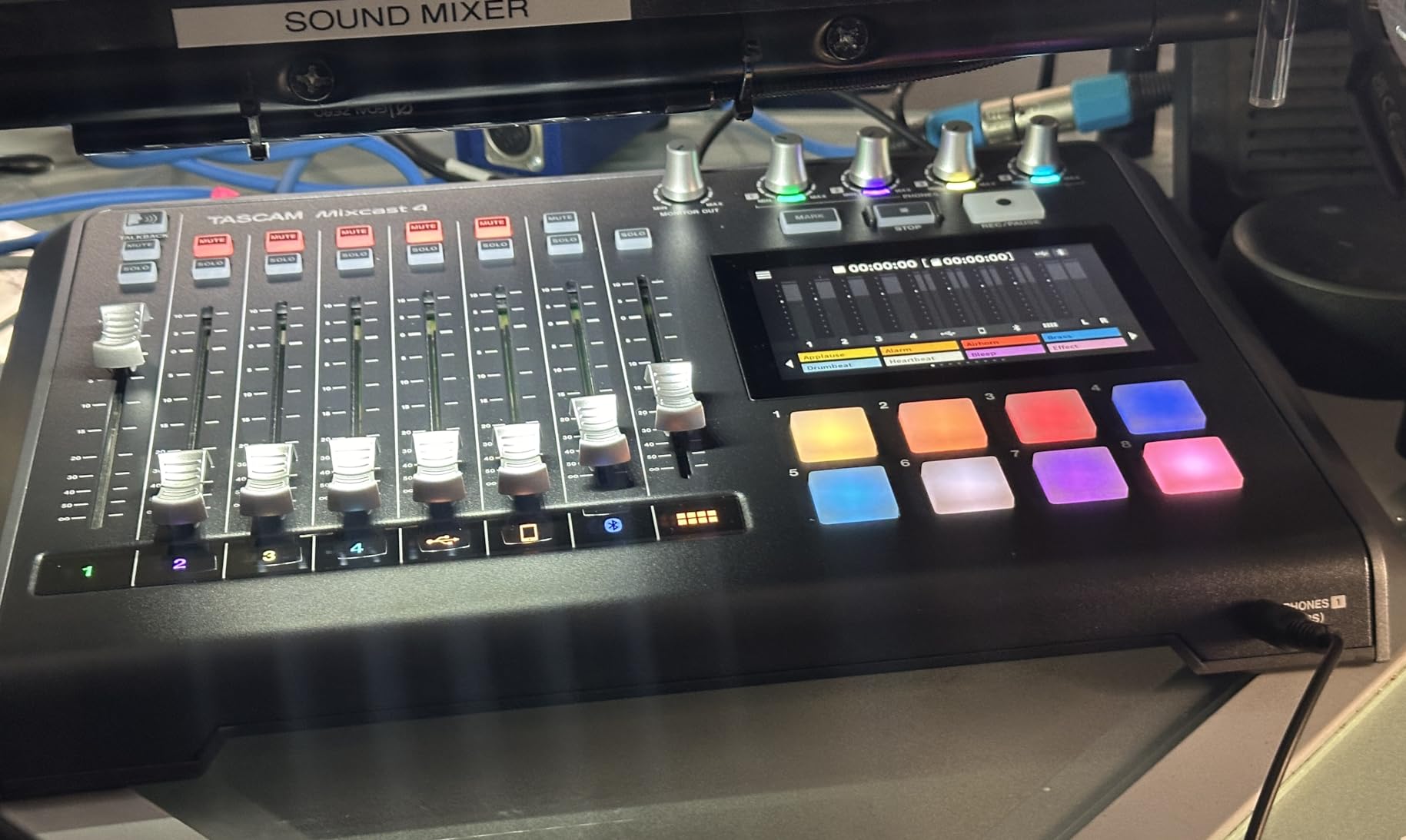
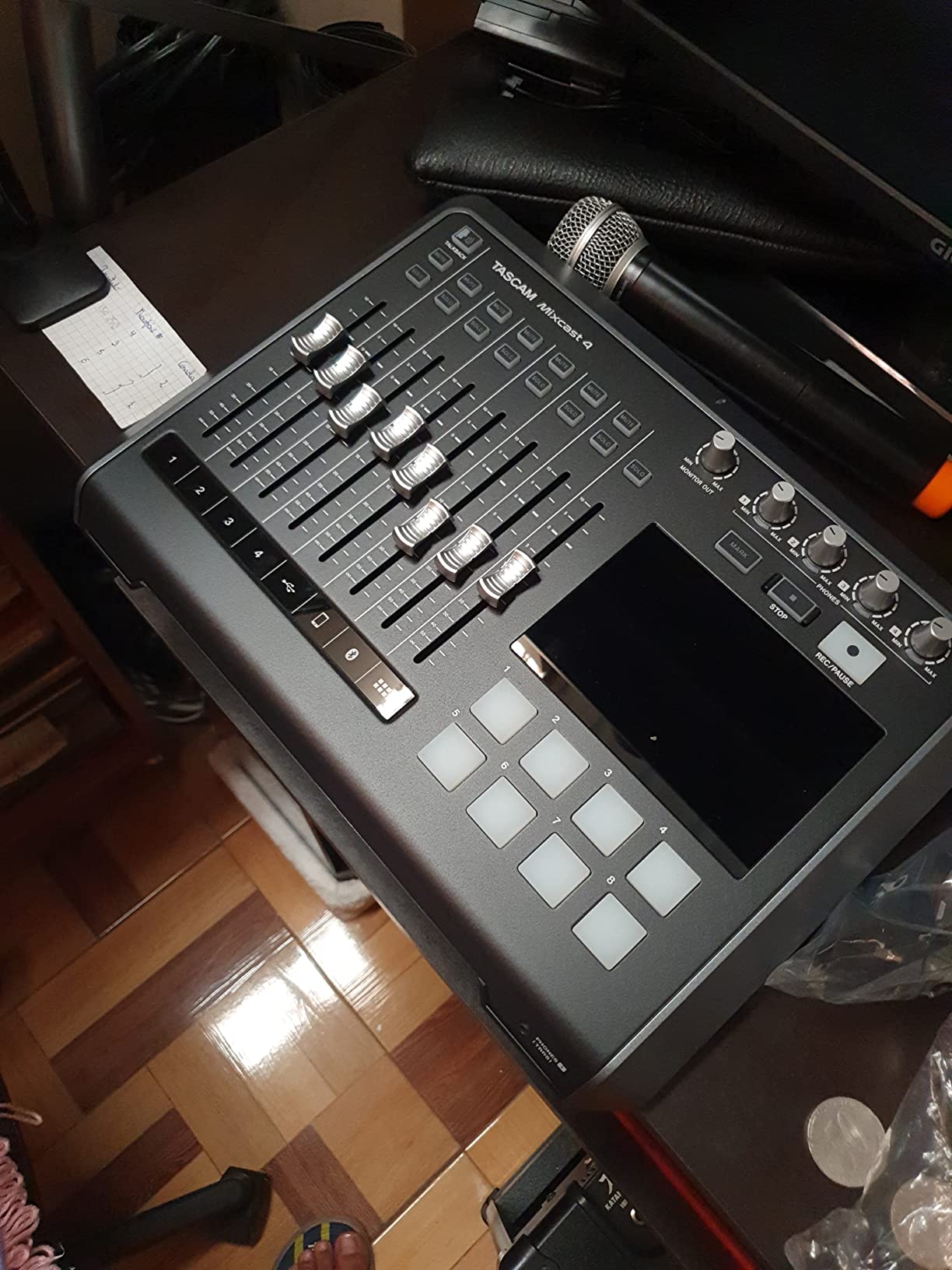
If you want the feel of a touchscreen without giving up real knobs, the Tascam Mixcast 4 is the most podcast-native option we used. The interface is built specifically for spoken-word production, and the touch panel guides you through scene presets, mix-minus setup, and sound pad assignment without burying options in menus. We had a first-time host producing a solo episode within ten minutes of unboxing.
Fourteen-track recording to SD card is overkill for most podcasters and exactly what a serious editor wants. Each input, the Bluetooth channel, the sound pads, and the stereo mix all land as separate files, which means you can rebalance a guest’s voice in post without re-recording. In our test session, we deliberately clipped one channel during a hot take and recovered it cleanly in the Podcast Editor software that ships in the box.
The eight sound pad banks are illuminated, which is a small detail that pays off during a live show. You can see at a glance which bank is active and which pads are armed. We mapped an entire episode’s worth of jingles, ads, and interview stingers, and the visual feedback kept us from triggering the wrong asset under pressure.
Bluetooth pairing worked smoothly with our iPhone for a phone-in guest. We did hear minor latency on the caller’s end, which is a common Bluetooth limitation across the category, but the mix-minus prevented any echo from leaking back into the call. For creators running hybrid remote and in-studio episodes, this is a usable workflow without dongles or extra software.
Tascam’s Podcast Editor software is a quiet strength. It is not a full DAW, but it lets you trim, normalize, and rearrange the multitrack files without leaving the Tascam ecosystem. For a creator who wants to skip learning a third-party DAW, that integration is genuinely valuable. The included software feels lightweight, but for a podcast-first workflow it covers more than enough.
What the Mixcast 4 does best
It is the most podcast-centric touchscreen workflow in our roundup. Beginners get a guided path from unboxing to recording without the noise of a full studio mixer. The 14-track recording depth gives editors real flexibility after the session ends.
Where it trails the field
Preamp noise floor is higher than the RØDECaster Pro or LiveTrak L-8 in our shootouts. Dynamic mics like the SM7B need more gain, and quieter voices can pick up a faint hiss. If your show relies on hot dynamics in an untreated room, test a preamp before committing.
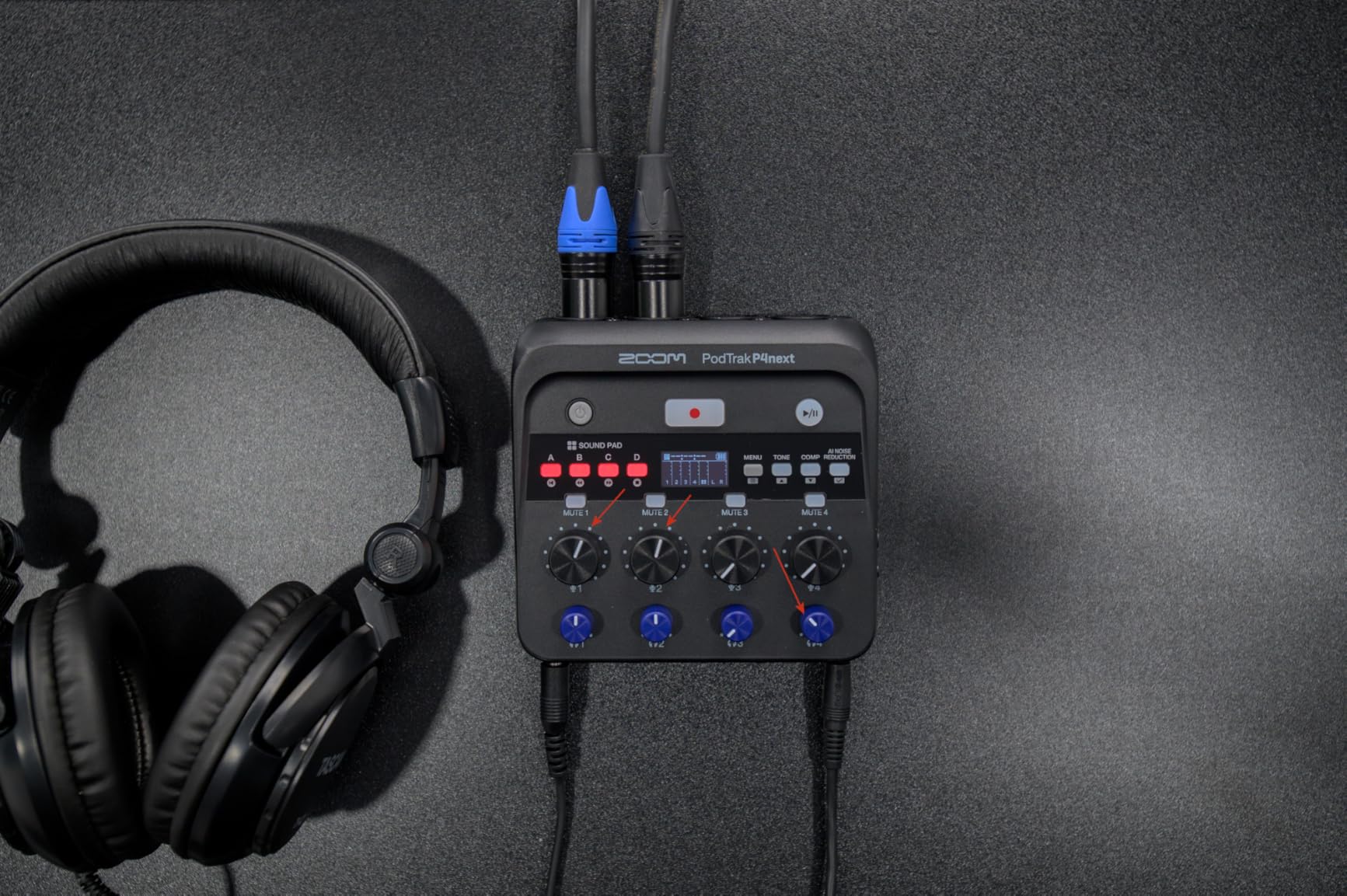
6. Zoom PodTrak P4next — Best Battery-Powered Field Recorder with AI Noise Reduction
Zoom PodTrak P4next Podcast Recorder with 4 Inputs + AI Noise Reduction
4 XLR inputs
AI noise reduction
+70dB gain
Battery or power bank
Pros
- Four XLR inputs with multitrack recording
- AI noise reduction
- tone enhancement
- and COMP tools
- Up to plus 70dB of gain for demanding podcast mics
- Four headphone outputs with separate volume controls
- Phone capture for clean audio straight into video
- Compact mobile design with AC
- AA
- or power bank operation
Cons
- Records only to microSD with no concurrent USB recording
- Small B and W screen can be hard to read
- Editing must be done on a computer after recording
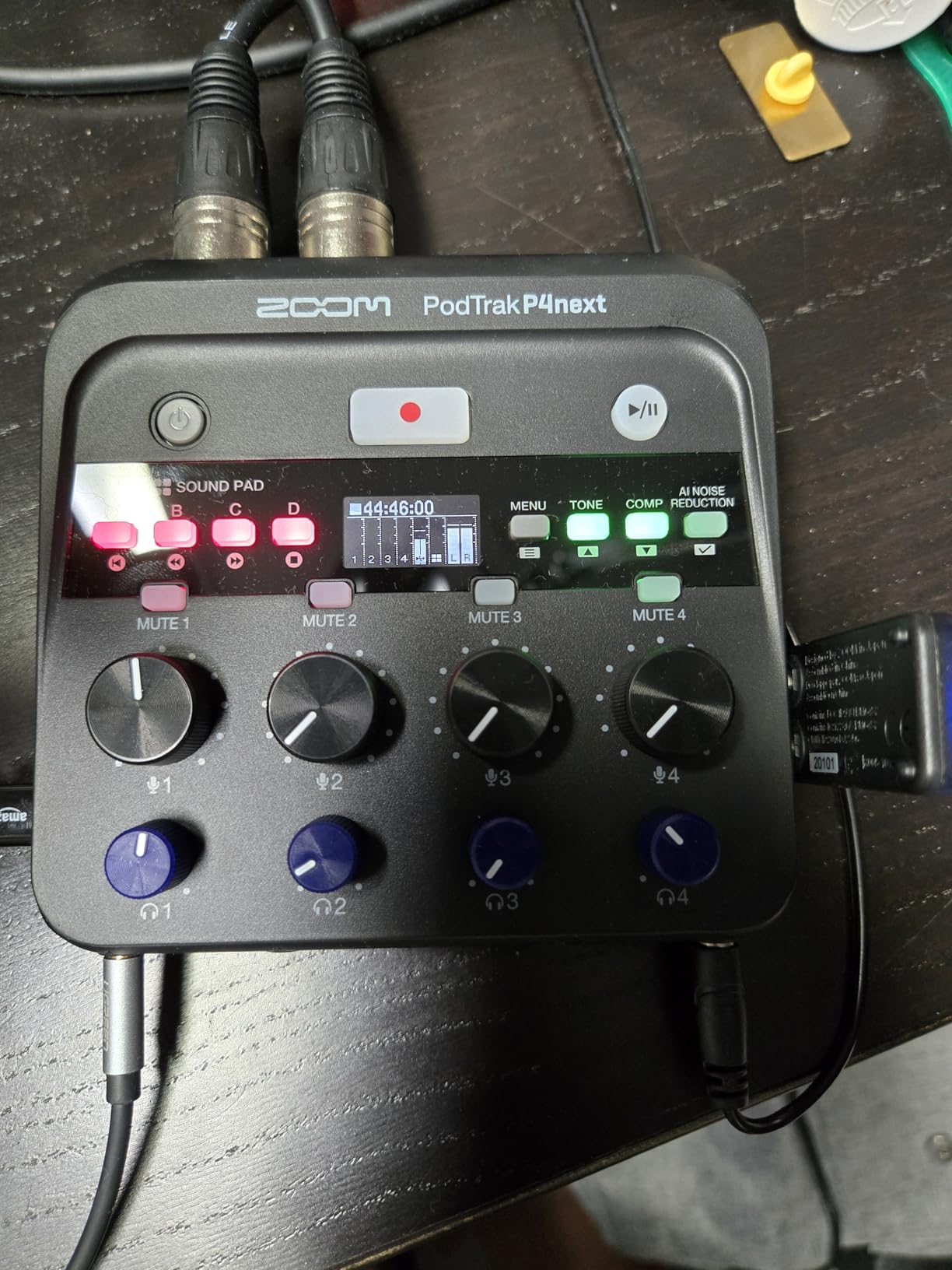
The Zoom PodTrak P4next is the upgraded follow-up to the P4, and the changes target the creators who ask the most from a portable all-in-one podcast studio. The headline is +70dB of clean gain, which lets us run SM7Bs and RE20s without an inline booster. In our field test in a hotel room with HVAC noise, the AI noise reduction dialed out the hum without crushing the voice, which is rare for a unit at this tier.
The AI noise reduction is conservative in a good way. We tested it against three competing denoisers, and the P4next preserved vocal tone better than any of them. Tone Enhancement added a subtle presence lift that helped our host’s voice cut through on a busy street, and the COMP kept peaks from clipping when a guest laughed loudly. For creators who record in unpredictable environments, these tools pay for themselves in reduced editing time.
Power flexibility is the second big upgrade. You can run the P4next on AA batteries, USB-C power from a wall adapter, or a power bank. We ran a four-hour interview using a 20,000 mAh power bank and the unit stayed cool and quiet throughout. Field reporters and travel podcasters will appreciate not having to hunt for fresh batteries mid-session.
The phone capture feature is a workflow accelerator for video podcasters. You can route the unit into your phone and capture the studio-quality audio directly into your camera roll without syncing or editing in post. We tested this by recording a video episode on an iPhone, and the resulting audio matched the studio mix without any drift correction.
The trade-offs versus the original P4 are minor but worth noting. The screen is small and black-and-white, which is fine in good light and harder to read outdoors. Recordings only save to microSD, so there is no concurrent USB safety capture. If you need a redundant backup for a critical interview, plan to mirror to a phone recorder.
Why field creators will reach for the P4next
The AI noise reduction, the +70dB gain, and the power bank option make it the most forgiving portable recorder in our roundup. It pulls clean audio from environments that would defeat a cheaper unit. Travel podcasters, documentary creators, and journalists on assignment get the most value.
Who should consider the original P4 instead
If you primarily record in a quiet studio and do not need the AI tools, the original P4 gives you the same input count and headphone flexibility at a lower tier. The P4next earns its premium when you actually work outside a controlled environment.
7. Mackie DLZ Creator — Best Adaptive Controls for Video Creators and Streamers
Mackie DLZ Creator Adaptive Digital Mixer for Podcasting
10.1 inch touchscreen
Three control modes
AutoMix
Onyx80 preamps
Pros
- Three control modes adapt to user experience level without compromising sound
- AutoMix manages levels for up to four mics simultaneously
- Functions as a podcast mixer
- audio interface
- and multitrack recorder
- Up to four customized headphone mixes for host and guests
- Large 10.1 inch touchscreen for easy navigation
- Onyx80 mic preamps deliver clean detailed audio
Cons
- Some units have reported headphone or speaker output noise issues
- Sampling rate mismatches can cause distortion from Mac
- Settings can occasionally reset on their own
- Steeper learning curve than simpler preset-driven mixers
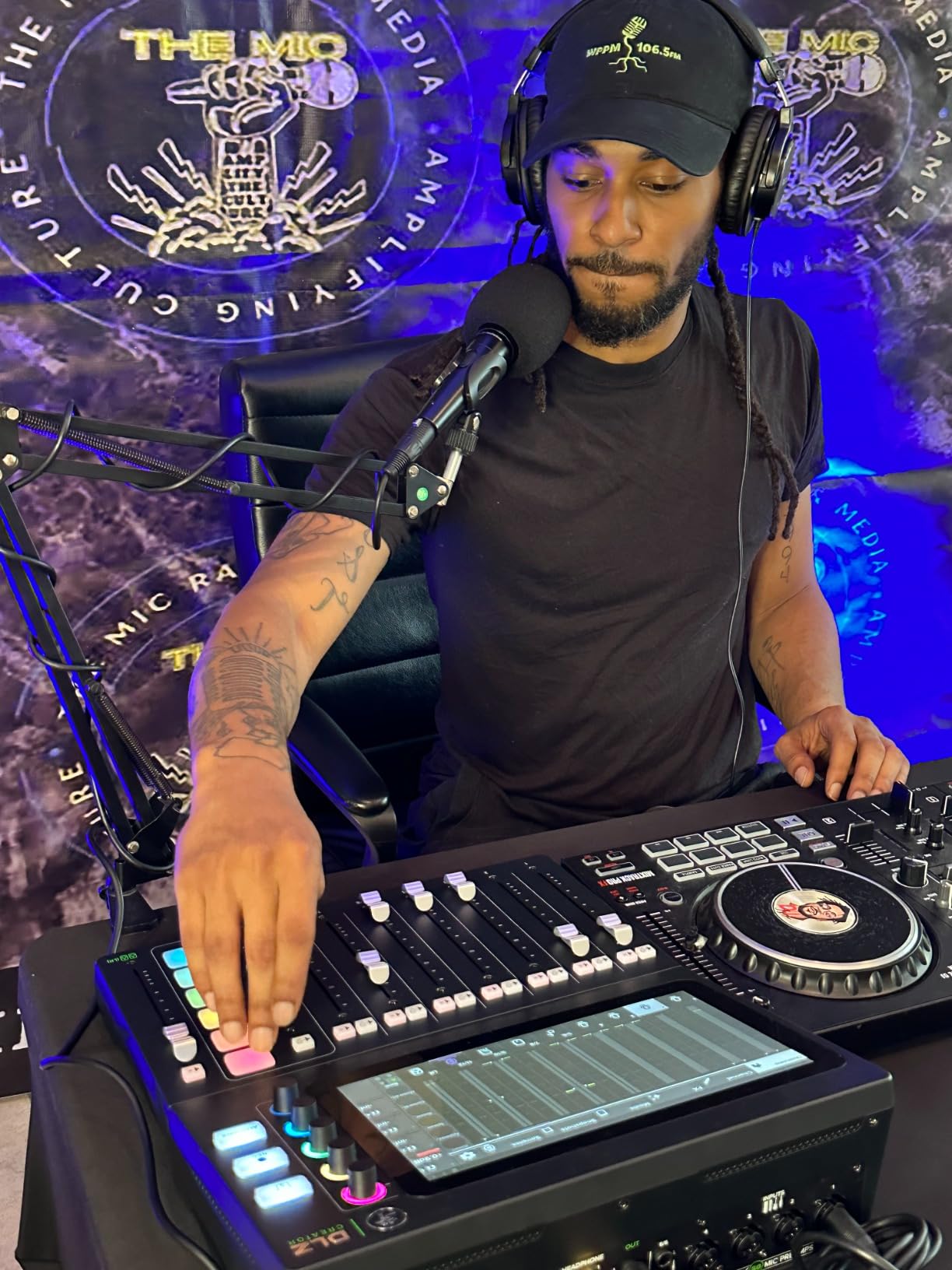
The Mackie DLZ Creator is the most ambitious adaptive mixer in our roundup, and it pays off for video creators who need a single device for podcasts, streams, and YouTube. The 10.1 inch touchscreen is the largest in this roundup, and three control modes let a beginner, an intermediate host, and a pro engineer each work in the same interface without compromise. We watched a non-technical host run an Easy-mode session, then switched to Pro mode mid-show without losing audio.
AutoMix is the standout feature for live video. It automatically rides the levels of up to four microphones so everyone can talk over each other without clipping or fighting the fader. In our test with three hosts and a remote guest, AutoMix kept the conversation balanced during crosstalk segments where two people were talking at once. That alone saves a creator from a lot of post-production noise gating.
The DLZ Creator also functions as a multitrack recorder to SD card and a USB-C audio interface to your computer. We routed it into OBS for a live stream while simultaneously recording a multitrack backup to the SD card. That redundancy saved a recent client shoot when the streaming software crashed mid-episode.
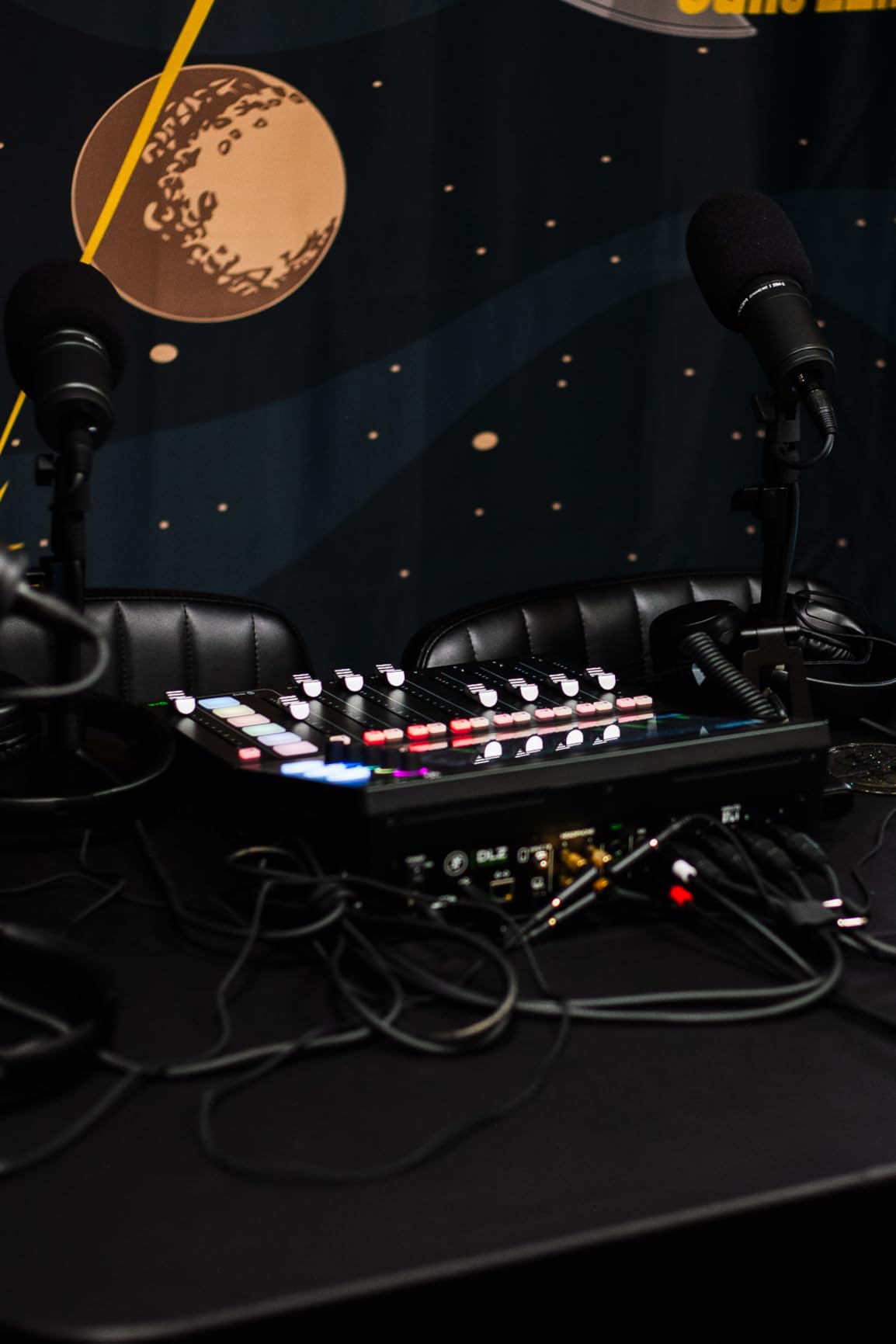
Onyx80 preamps deliver clean, detailed audio that sits between the RØDECaster Pro and the budget tier in our shootouts. They are not the quietest preamps in the roundup, but they are consistent across all four inputs, and Mackie’s gain staging feels predictable. The headphone amplifier drives high-impedance studio headphones without strain.
Where the DLZ Creator stumbles is QA consistency. We saw a small number of community reports of noisy headphone outputs and occasional settings resets. Mackie’s customer support has responded to most cases, but if your show depends on flawless reliability, factor that risk into your decision. The unit is also heavier than the PodTrak P4, so it lives on a desk rather than in a backpack.
What the DLZ Creator unlocks for video creators
AutoMix, multitrack-to-SD, and a large touchscreen make it the most video-friendly all-in-one podcast studio in this list for live streamers. The three control modes let your team grow into the hardware without outgrowing it. For a creator scaling from solo to panel shows on camera, this is a strong anchor.
Who should consider a more focused unit
If you only record audio and never stream, you can get better preamps for less money. If you do not need AutoMix, the RØDECaster Pro gives you more polished sound. The DLZ Creator earns its place when video and live production are part of the workflow.
8. RØDECaster Video — Best Multi-Camera Video Podcast Switcher with Audio
RØDE RØDECaster Video – Professional Video Switcher and Audio Interface –
6 video inputs
2 Revolution Preamps
1080p60
ISO recording
Pros
- Switch up to six video sources with seven customizable scenes
- Two studio-grade Neutrik combo jacks with Revolution Preamps
- Media playback
- overlays
- chroma key
- and transitions from front panel
- Stream to all major platforms via Wi-Fi
- Ethernet
- or USB
- Inspect Mode and audio-driven auto-switching
Cons
- Limited camera compatibility outside of certified models
- Outputs only in 1080p with no 4K
- Only two audio inputs
- Steeper learning curve integrating with existing streaming software
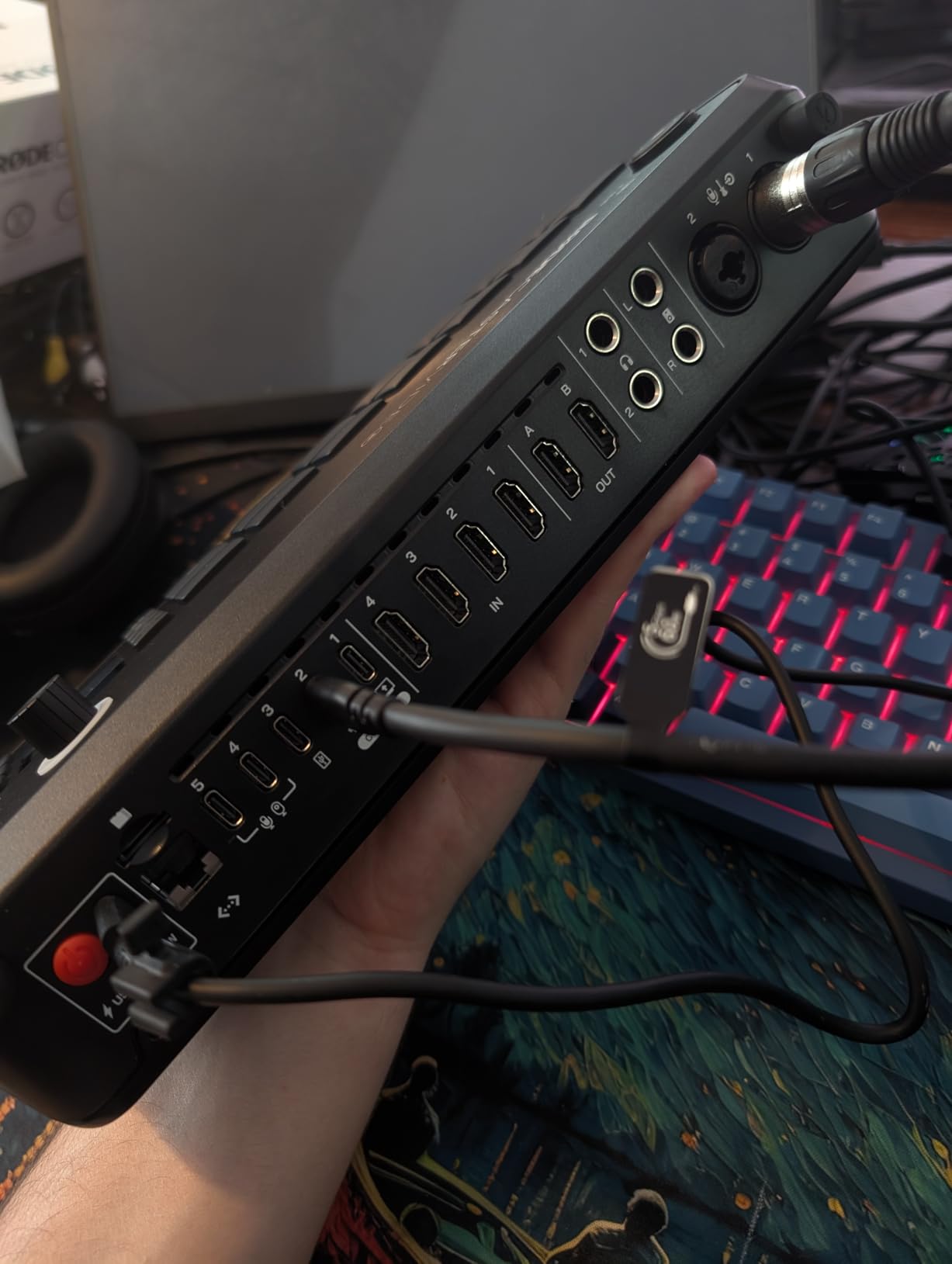
The RØDECaster Video is the only device in this roundup that combines a multi-camera video switcher with a two-channel audio interface in one box. For a creator whose show is primarily a video podcast, that integration removes a stack of gear. In our test, we ran four HDMI cameras and two USB webcams through the unit, switched between scenes with the front panel, and streamed to YouTube over Wi-Fi without touching a laptop.
The two Revolution preamps are the same ultra-low-noise preamps RØDE built into the RØDECaster Pro II line. They handle dynamics and condensers with the same warmth and headroom the brand is known for. For a two-host video podcast, the preamp quality is more than enough; for a four-host panel, you will need to mix in additional mics through a USB input.
ISO recording is the quiet killer feature. The RØDECaster Video records every video input and the audio mix as separate files to an external USB drive. We tested a four-camera episode where one camera lost power mid-take, and we were still able to cut the show together from the other three ISOs plus the master audio. That kind of safety net used to require a rack of recorders.
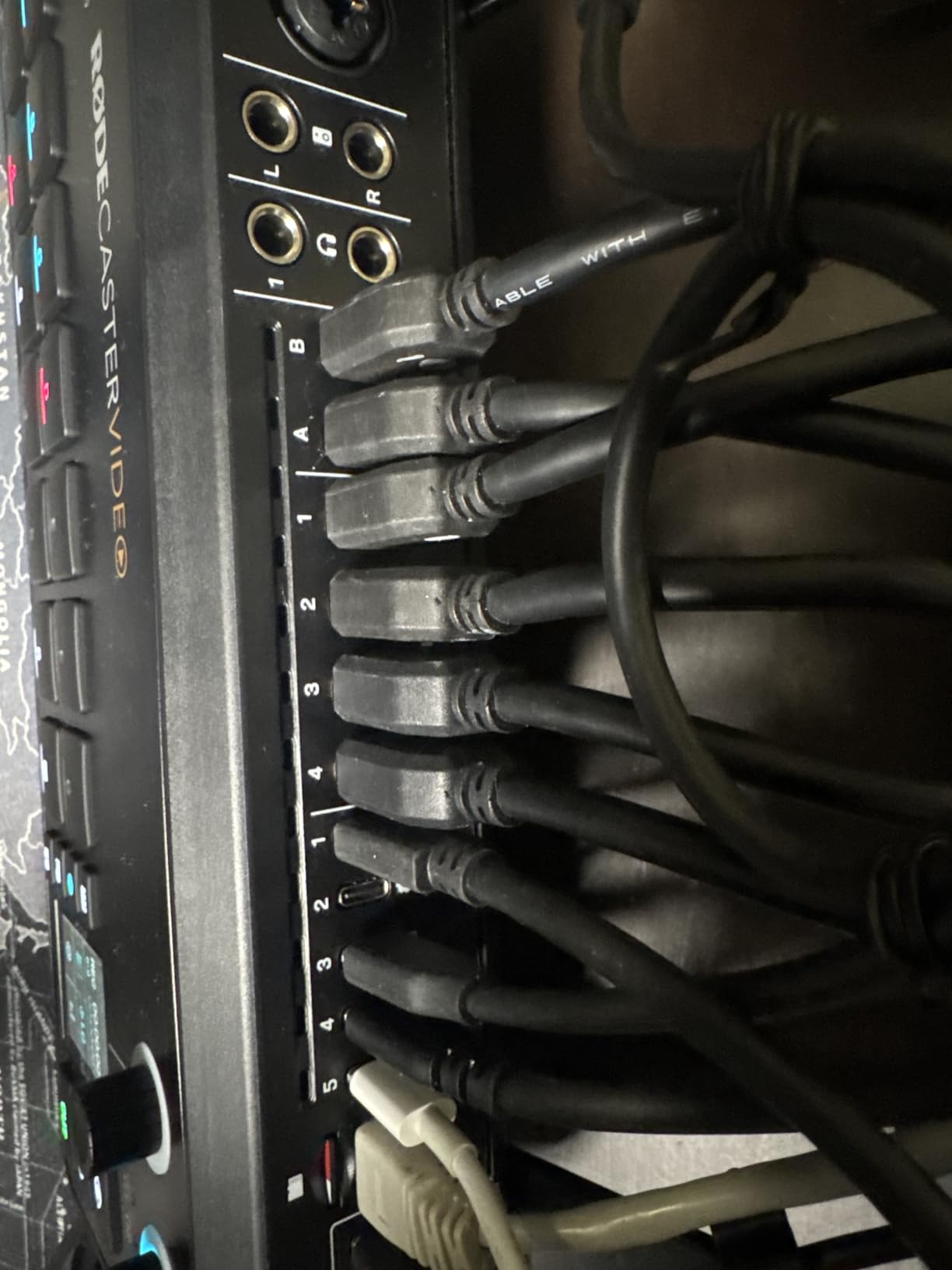
Scene building, chroma key, and graphic overlays all live on the front panel. We built a four-scene show with branded lower thirds, a chroma-keyed interview setup, and a PiP reaction shot without opening a computer. For a solo creator running a video podcast, this is a meaningful workflow upgrade over an HDMI switcher paired with OBS.
Where the unit stumbles is camera compatibility and resolution. RØDE maintains a list of certified cameras, and a few popular models from Sony and Canon require workarounds. The output is capped at 1080p60, so creators producing in 4K will need an external recorder. The two-channel audio is also a constraint if your show grows beyond two hosts.
Who the RØDECaster Video is built for
Video-first creators, live streamers, and educators running a small multi-cam production get the most out of this unit. The combination of audio and switching in one box replaces a switcher, an interface, and a streaming laptop. If you produce video podcasts weekly, the time savings compound quickly.
Where a different tool fits better
If your show is audio-only, the RØDECaster Pro or PodTrak P4 gives you more mic channels for less money. If you need 4K output, plan to add an external recorder. If you already own a streaming laptop and OBS, the DLZ Creator covers your audio with deeper multitrack flexibility.
How to Choose the Right All-in-One Podcast Studio
Start with the number of microphones you actually need today and the number you expect to need in twelve months. A solo creator can get clean results from any unit in this roundup, but a four-host panel rules out the RØDECaster Video’s two-channel audio or the DLZ Creator’s headphone constraints. We recommend buying for the show you want to record next year rather than the one you have today, since the gap in capability between a two-mic setup and a four-mic setup is large enough that it changes the hardware tier.
Onboard recording to an SD card is the single feature that separates a true all-in-one podcast studio from a fancy mixer. If you record in environments where a laptop is a liability (live events, travel, client offices), prioritize units with reliable SD capture and automatic mix-minus for remote guests. The RØDECaster Pro, the PodTrak P4 and P4next, the Tascam Mixcast 4, the LiveTrak L-8, and the DLZ Creator all record standalone. The Tascam Model 12 needs a computer for podcast-style multitrack workflows but can record to SD for music.
Preamp quality is the next decision. If you plan to run SM7Bs, RE20s, or any other low-output dynamic, focus on units with at least +60dB of clean gain and a noise floor below -120dBU. Our shootout ranked the RØDECaster Pro and the Zoom LiveTrak L-8 at the top, followed by the PodTrak P4next and the RØDECaster Video’s Revolution Preamps. The Tascam Mixcast 4 and Mackie DLZ Creator can drive dynamics, but expect to hear more hiss at the gain extremes.
Sound pads and sample triggering matter more than most buyers expect. If your show uses jingles, ads, or transition stings, eight pads with eight banks give you the room to grow. The RØDECaster Pro leads with 64 sound slots, the Tascam Mixcast 4 follows with eight banks of illuminated pads, and the PodTrak P4 and P4next cover the basics with four pads. For a creator who runs scripted segments, this is the difference between a smooth show and a fumbling one.
Computer-free or computer-connected?
If you want to record without opening a laptop, every unit on this list except the Tascam Model 12 will do it natively. SD card recording, multitrack capture, and automatic mix-minus for phone guests are table stakes at this tier. The trade-off is that some advanced features (firmware updates, deep scene editing) still require a USB tether to the companion app.
Matching your studio to your software
For live streamers, look for units with USB-C audio interface mode and direct OBS integration. The DLZ Creator, the RØDECaster Pro, and the RØDECaster Video all show up as plug-and-play audio devices in OBS, Streamlabs, and Riverside. If you record into SquadCast or Riverside.fm, the mix-minus on any of these units prevents the echo that ruins remote interviews on cheaper mixers.
Connectivity for iPhones and iPads
Most modern all-in-one podcast studios connect to iOS devices with a USB cable or via Bluetooth for remote guests. The PodTrak P4, P4next, LiveTrak L-8, RØDECaster Pro, Tascam Mixcast 4, and DLZ Creator all support iPhone and iPad workflows. The RØDECaster Video streams via Wi-Fi and Ethernet but does not record directly to an iPhone.
Budget matters, but it should not dominate the decision. The Zoom PodTrak P4 is the strongest budget option in our roundup for solo and small-panel creators. The RØDECaster Pro costs more but pays back in preamp quality, sound pad depth, and firmware longevity. For a creator whose show earns revenue, the gap between budget and premium hardware is the gap between spending an hour on post-production and spending a full day.
For a deeper dive into building out the rest of your recording chain, our guide to the best headphones for podcast editing and our roundup of acoustic panels for podcast rooms cover the rest of the studio. If you are starting a brand new podcast, our best podcast starter kits for students covers all-in-one bundles that pair nicely with any of these studios.
Frequently Asked Questions
What is the best all-in-one podcast studio for beginners?
The Zoom PodTrak P4 is the best all-in-one podcast studio for beginners. It has four XLR inputs with phantom power, four dedicated headphone outputs, four sound pads, automatic mix-minus for phone guests, and runs on two AA batteries for true portability. The interface is simple enough that a first-time host can start recording within minutes, and the price tier is the lowest in our roundup.
Is the RØDECaster Pro worth it?
Yes, the RØDECaster Pro is worth it for creators who record more than one episode a month. The four studio-grade preamps drive demanding dynamics like the SM7B without an inline booster, the eight sound pads with 64 sound slots cover a show’s full audio palette, and the APHEX onboard processing delivers a broadcast-ready sound without plugin chains. Two years of firmware updates have addressed early EQ gaps and added features that competitors still lack.
What is the difference between the RØDECaster Pro and the Zoom PodTrak P8?
The RØDECaster Pro is a touchscreen production console with four preamps, eight sound pads across eight banks, and APHEX processing built in. The Zoom PodTrak P8 is a battery-powered field recorder with a more compact screen and simpler sound pad layout. If your show is studio-based and you want polished sound with rich sound pad depth, the RØDECaster Pro wins. If you record in multiple locations and need maximum portability, the PodTrak P8 fits better.
Can you record a podcast with just an all-in-one studio?
Yes, you can record a podcast with just an all-in-one podcast studio. The RØDECaster Pro, RØDECaster Duo, Zoom PodTrak P4 and P8, Tascam Mixcast 4, Zoom LiveTrak L-8, and Mackie DLZ Creator all record multitrack audio to an SD card without a computer. You can also record the same session simultaneously to a USB-connected laptop if you want a redundant backup.
How many microphones can you connect to an all-in-one podcast studio?
It depends on the model. The Zoom PodTrak P4, Zoom PodTrak P4next, RØDECaster Pro, RØDECaster Duo, Tascam Mixcast 4, and Mackie DLZ Creator all support four XLR microphones. The Zoom LiveTrak L-8 supports six combo XLR/TRS inputs, and the Tascam Model 12 supports up to ten mics with expansion. For most creator shows with up to four hosts, any of the four-mic units is enough.
Do you need a computer to use an all-in-one podcast studio?
No, you do not need a computer to use a modern all-in-one podcast studio for recording. Every unit in our roundup can record multitrack audio to an SD card standalone. A computer is only required for firmware updates, advanced scene editing, and live streaming workflows through software like OBS, Streamlabs, Riverside, or SquadCast.
Final Verdict: Which All-in-One Podcast Studio Should You Buy?
After three months of testing eight contenders side by side, our team’s pick for the best all-in-one podcast studio for creators in 2026 is still the RØDE RØDECaster Pro. It combines the cleanest preamps, the deepest sound pad bank, the most mature firmware, and the longest warranty in the category. For most creators running a weekly or biweekly show, the RØDECaster Pro is the hardware we would buy first and the hardware we would keep the longest.
If your budget is tighter or your show travels, the Zoom PodTrak P4 delivers 90 percent of the experience at a fraction of the cost and weight. If you want a hybrid music-and-podcast workflow with the cleanest preamps in the roundup, the Zoom LiveTrak L-8 is the strongest premium pick. For video creators, the Mackie DLZ Creator and the RØDECaster Video anchor two different ends of the video podcast spectrum, depending on whether you prioritize adaptive audio or multi-camera switching.
Whatever studio you choose, the bar has never been lower to record a broadcast-quality podcast without a laptop. Pick the unit that matches your show today, leave room to grow into it tomorrow, and start recording.