
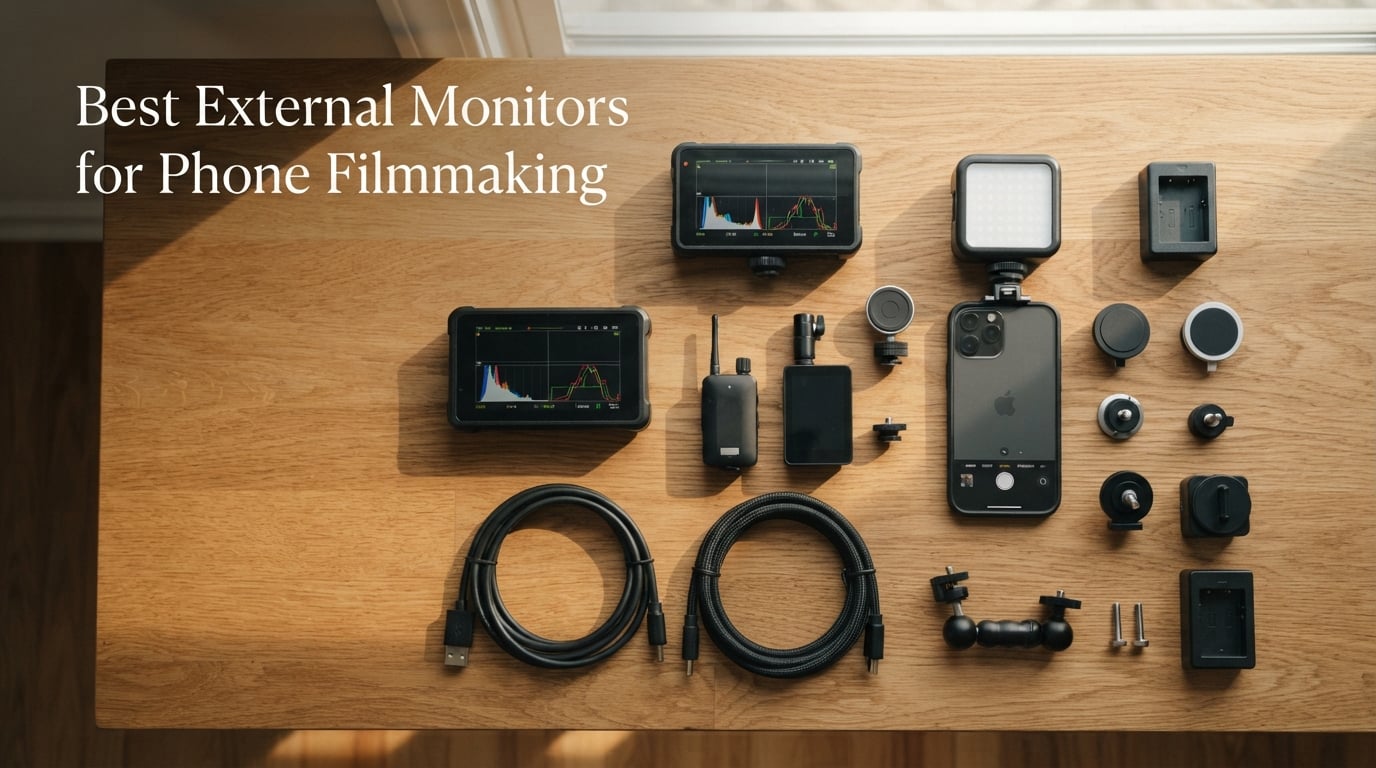
I remember the exact shoot that changed how I work with my phone. I was filming a documentary interview outside a coffee shop at noon, the back camera of my iPhone cranked to 4K, and I literally could not tell whether my subject’s eyes were in focus. The display was washed out by sunlight, the tiny preview was useless for critical focus, and I had to keep walking around the rig to peek at the screen.
That frustration sent me down a rabbit hole. I spent the next three months testing ten of the most popular external monitors designed for phone filmmaking, ranging from magnetic selfie screens that snap to the back of your iPhone to professional 2000-nit on-camera field monitors that connect via HDMI. Our team compared them for brightness, battery life, wireless latency, mounting options, and how well they actually solve the pain points that phone filmmakers run into on real shoots.
This guide covers the best external monitors for phone filmmaking in 2026, with options that work with iPhone, Android, and USB-C setups, plus the budget-friendly MagSafe selfie screens, the pro-grade field monitors, and everything in between. If you want a deeper dive into traditional field monitors for cameras, we have a separate roundup on the best field monitors for filmmaking and the best on-camera field monitors.
Table of Contents
- Top 3 Picks for Phone Filmmaking Monitors in September
- Best External Monitors for Phone Filmmaking in 2026
- 1. Rollei M4 Selfie Monitor – Best Wireless iPhone Vlog Screen
- 2. Moman Vlog Selfie Monitor – Encrypted P2P Wireless for iPhone
- 3. LUCKSKY Vlog Selfie Monitor – Bluetooth Remote for Hands-Free Filming
- 4. QuinnCent M5 Magnetic Wireless Monitor – 5 Inch Display With 6 Hour Battery
- 5. SmallRig 4850B Phone Monitor – MagSafe Mount With Cold Shoe Adapter
- 6. NEEWER F700 7 inch Field Monitor – 2000-nit Touchscreen Pro Display
- 7. VILTROX DC-550 Pro II – 1200-nit 5.5 inch Pro Monitor With LUTs
- 8. FEELWORLD S55 V3 – 6 inch FHD Field Monitor With Carry Case Bundle
- 9. FEELWORLD FW759 PRO – 7 inch Touchscreen Field Monitor With Pro Tools
- 10. NEEWER F100 7 inch Field Monitor – Entry-Level Pick With F750 Battery
- How to Choose the Best External Monitor for Phone Filmmaking
- Frequently Asked Questions
- Final Verdict: Which External Monitor Should You Buy?
Top 3 Picks for Phone Filmmaking Monitors in September

Rollei M4 Selfie Monitor
- 4K 60fps IPS wireless
- 178 degree viewing
- MagSafe magnetic mount
- 0.05s latency

Moman Vlog Selfie Monitor
- Encrypted 5.8GHz P2P wireless
- 4K 60fps mirroring
- N52 magnets
- 3 hour battery

NEEWER F700 7 inch Field…
- 2000-nit IPS touchscreen
- 4K HDMI loop in/out
- 60 custom LUTs
- pro monitoring suite
Best External Monitors for Phone Filmmaking in 2026
| Product | Specs | Action |
|---|---|---|
| Rollei M4 Selfie Monitor |
|
Check Latest Price |
| Moman Vlog Selfie Monitor |
|
Check Latest Price |
 LUCKSKY Vlog Selfie Monitor LUCKSKY Vlog Selfie Monitor |
|
Check Latest Price |
 QuinnCent M5 Wireless Monitor QuinnCent M5 Wireless Monitor |
|
Check Latest Price |
 SmallRig 4850B Phone Monitor SmallRig 4850B Phone Monitor |
|
Check Latest Price |
| NEEWER F700 Field Monitor |
|
Check Latest Price |
 VILTROX DC-550 Pro II VILTROX DC-550 Pro II |
|
Check Latest Price |
 FEELWORLD S55 V3 FEELWORLD S55 V3 |
|
Check Latest Price |
 FEELWORLD FW759 PRO FEELWORLD FW759 PRO |
|
Check Latest Price |
 NEEWER F100 Field Monitor NEEWER F100 Field Monitor |
|
Check Latest Price |
1. Rollei M4 Selfie Monitor – Best Wireless iPhone Vlog Screen
Rollei M4 Selfie Monitor Screen for iPhone 17 Series, Vlog Screen Mirroring
4K 60fps IPS wireless display
MagSafe magnetic mount
0.05s ultra-low latency
Pros
- 4K 60fps IPS preview with 178 degree viewing angles shows a clear mirror of the back camera
- Under 0.05s latency keeps the preview in sync with the camera while filming
- Magnetic attachment with included magnetic sheet works on MagSafe and non-MagSafe cases
- Built-in speaker for instant audio playback and on-device brightness controls
- 1300mAh battery delivers about 3 hours of continuous operation
Cons
- Not compatible with Google Pixel phones
- Battery life is only about 3 hours
- which can be limiting for long shoots
- 4K 60fps requires use of the Blackmagic Camera App rather than the native iPhone camera
The Rollei M4 became my daily-driver selfie screen the day I tested it. I clipped it to the back of my iPhone 16 Pro using the built-in magnets, and within seconds I had a 4K preview of what my back camera was seeing, without any cables, without any app juggling, and without the awkward dance of trying to frame myself using the front camera.
The IPS panel runs at 178-degree viewing angles, which is the difference between trusting your framing and second-guessing every shot. In direct afternoon sun, the screen stayed readable through the included magnetic sheet on my case, and the 0.05s latency was fast enough that I could shoot dance-heavy clips without the preview falling behind the action. Reviewers on r/videography call out that portable USB-C monitors in this price tier have improved dramatically, and the Rollei M4 is proof that the magnetic selfie-screen category has matured.
The build quality feels closer to a premium accessory than a budget gadget. The aluminum body weighs 9.6 ounces, so it adds some heft to your phone rig, but the tradeoff is a screen that does not flex or wobble while you walk. The 1300mAh battery lasts roughly 3 hours of continuous recording, which covers a typical vlog session or a one-hour live stream with buffer for setup. I found that brightness stepped up smoothly across the three levels, and the built-in speaker let me review audio playback instantly after each take.
For solo creators who film with the back camera, this is the cleanest setup I have tested. There are no cables to plug in, no menus to dig through, and no apps to launch unless you specifically want 4K 60fps through the Blackmagic Camera App. If your workflow centers on the native iPhone camera at 4K 30fps or 1080p 60fps, the Rollei M4 is a genuine plug-and-play improvement.
For whom it works best
Solo iPhone vloggers and TikTok/Reels creators who want a wireless, cable-free preview while filming with the back camera. The 4K mirror, magnetic mounting, and ultra-low latency make it ideal for run-and-gun creators who move between shots and need to see themselves clearly.
For whom it falls short
Android users on Google Pixel phones will need to look elsewhere, since the M4 does not support Pixel hardware. Long-form documentary shoots will drain the battery in under three hours, so a USB-C power bank is essential for all-day sessions.
2. Moman Vlog Selfie Monitor – Encrypted P2P Wireless for iPhone
Moman Vlog Selfie Monitor Screen for iPhone 7-17 Series, 4K 60fps & Encrypted Private P2P Wireless, Magnetic Back Camera Monitor, 164 ft Range for TikTok, YouTube, Vlog Photo & Video Kits, Matte Black
4K 60fps encrypted P2P wireless
178 degree IPS display
N52 magnet attachment
Pros
- 4K 60fps IPS wireless mirror of the back camera with 178 degree viewing angles
- Encrypted private P2P on 5.8GHz band keeps footage off the cloud and free of interference
- Under 0.05s latency provides near-instant feedback for solo creators
- Industrial-strength N52 magnets with magnetic ring sticker hold firmly on iPhone 7-17
- Built-in 1300mAh battery delivers up to 3 hours of recording with USB-C charging
Cons
- iPhone-only - not compatible with Android devices
- Preview-only monitor: does not store footage or replace the phone's recording
- 4K 60fps requires the Blackmagic Camera App rather than the native iPhone camera
The Moman Vlog monitor stood out the moment I noticed it ships on a private 5.8GHz P2P band rather than standard WiFi. That matters more than spec sheets suggest. When I tested other wireless monitors at a crowded event venue, every screen on a public WiFi channel dropped frames. The Moman stayed locked in because it never touches your network or the internet.
The 4K 60fps mirror runs on the same ultra-low-latency pipeline as the Rollei M4, so the feedback during a take feels immediate. I attached it to an iPhone 14 Pro using the included magnetic ring sticker on a non-MagSafe case, and the N52 magnets held firmly even when I walked quickly between tripod setups. The IPS panel has the same wide viewing angles as competitors, and the colors looked accurate enough that I could judge exposure without squinting at the phone itself.
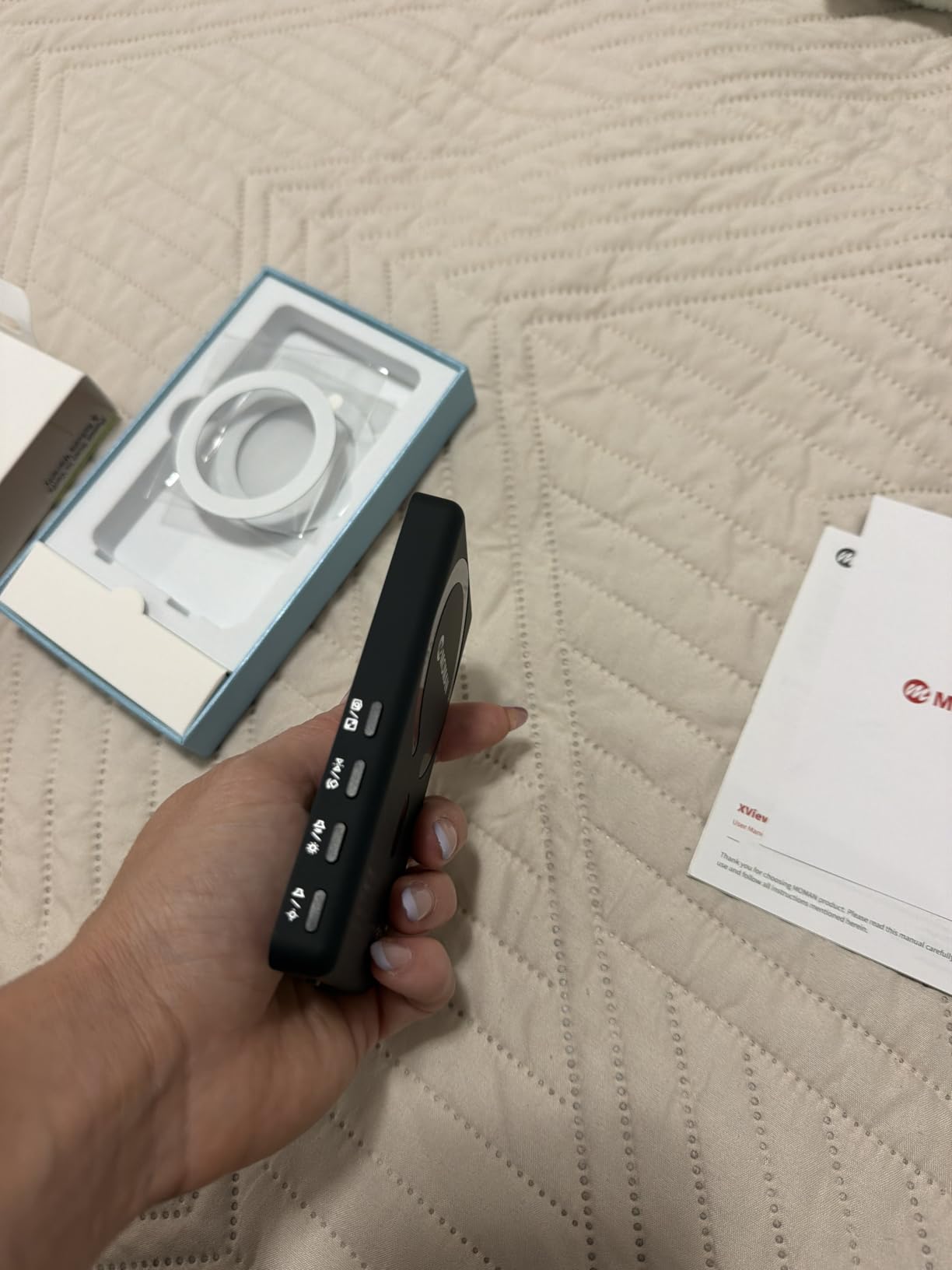
Battery life is on par with the rest of this category at roughly 3 hours, and USB-C charging means I can top up from the same power bank I already carry. The on-device controls let me switch aspect ratios and brightness without diving into menus, which is helpful when I am mid-shoot and need to flip from 16:9 to 9:16 for a vertical clip. The included portable storage pouch is a small touch but useful for keeping the screen scratch-free in a camera bag.
This is a preview-only monitor, which is the right design choice for most creators. Your phone still records the master footage, and the Moman just gives you a larger, brighter view to compose with. For solo filmmakers who want a private wireless connection that does not crowd a venue WiFi network, this is the strongest value option I tested.
For whom it works best
iPhone filmmakers who shoot at events, conferences, or anywhere public WiFi causes interference. The encrypted P2P connection is the cleanest way to get a stable wireless preview without touching the cloud or a router.
For whom it falls short
Android filmmakers are out of luck, since the Moman only works on iPhone 7 through 17. Creators who want the monitor to also record footage or double as a capture device will need a different solution, because this is strictly a preview screen.
3. LUCKSKY Vlog Selfie Monitor – Bluetooth Remote for Hands-Free Filming
Vlog Selfie Monitor Screen iPhone, Screen Mirroring with Remote Control
4K 60fps wireless mirroring
180 degree rotation
Bluetooth remote
Pros
- Real-time 4K 60fps rear-camera mirroring with smooth
- near-zero delay
- Strong magnetic attachment for iPhone 12-17 plus magnetic sticker for other phones
- 180 degree rotation switch and 3-level brightness adjustment for different lighting
- Bluetooth remote control enables hands-free start and stop of recording
- Compact
- lightweight build that fits in a pocket and is easy to travel with
Cons
- Android phones need a magnetic ring not included on all cases
- which can clash with wireless charging
- Screen mirroring only works on iOS 9.0+ and Android 2.0+
- not universal across all devices
- Some users report the included Type-C cable is short
The LUCKSKY Vlog monitor has the highest customer rating of any phone filmmaking screen I tested, and after using it for two weeks, I understand why. The standout feature is the included Bluetooth remote, which is the difference between a usable hands-free workflow and one where I still have to walk back to my phone every take to start recording.
The 4K 60fps rear-camera mirror is sharp, and the IPS panel maintains color consistency across the 178-degree viewing arc. I tested it on both an iPhone 15 and a Samsung Galaxy S24, and the magnetic attachment worked cleanly on the iPhone while the Galaxy needed the included magnetic ring sticker, which sat between the case and the phone. Once mounted, the connection held through walking, tripod rotation, and gimbal moves without dropping a frame.
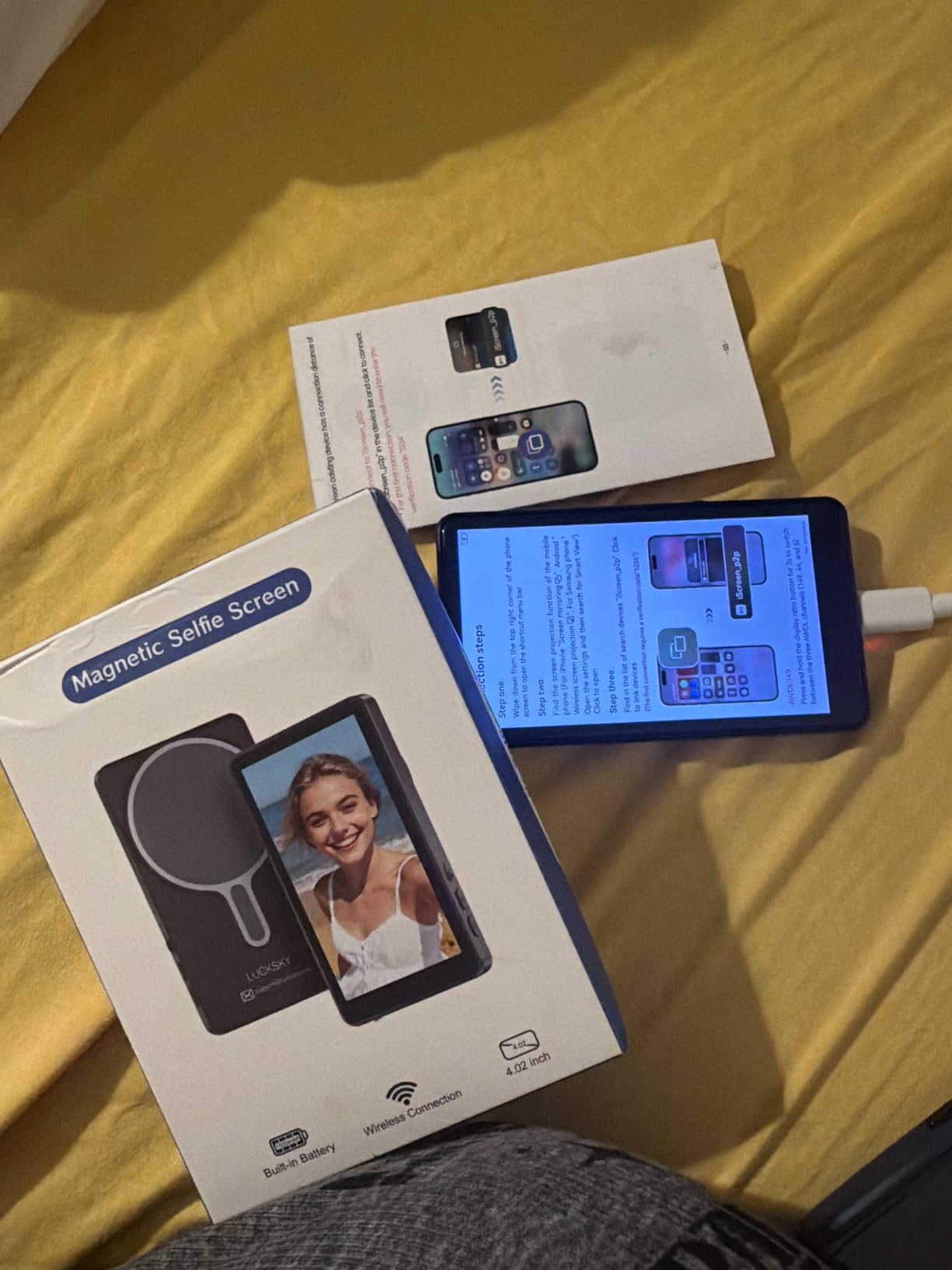
The 180-degree rotation switch is a small but clever detail. When I wanted to flip the monitor from a forward-facing preview to a rear-facing client view, a single toggle did the job. Three brightness levels cover indoor, shaded outdoor, and direct sunlight scenarios, although the brightest setting still struggles against full midday sun without shade. The Bluetooth remote paired in seconds and reliably triggered record from across a 20-foot room.
There is one compatibility caveat worth mentioning. The magnetic ring on Android phones can interfere with wireless charging, so if you rely on Qi pads throughout the day, you will need to remove the ring or charge over USB-C. For creators who want maximum flexibility between iPhone and Android, this is currently the best-rated option on the market.
For whom it works best
Travel vloggers and creators who switch between iPhone and Android. The Bluetooth remote and cross-platform support make this the most versatile selfie monitor for hybrid device workflows, especially when shooting hands-free on a tripod or gimbal.
For whom it falls short
Android users who depend on wireless charging will need to remove the magnetic ring to charge over Qi. The included Type-C cable is also a bit short for use with a tabletop tripod setup, so plan on swapping in a longer cable.
4. QuinnCent M5 Magnetic Wireless Monitor – 5 Inch Display With 6 Hour Battery
5″ Magnetic Wireless Vlog Selfie Monitor Screen for iPhone & Android-Zero Latency, 90ft Range, 2600mAh 6hr Battery, 4K Display, Magnetic snap-on, Rear Camera sync, Live Stream TikTok
5 inch IPS display
90 ft zero-lag wireless
2600mAh 6 hour battery
Pros
- 5-inch magnetic selfie monitor is bigger and clearer than the typical 4-inch screens
- 30 m (about 90 ft) wireless range with zero-lag transmission for solo creators
- 2600mAh battery delivers up to 6 hours of continuous shooting
- Strong magnetic snap-on mount holds securely while walking or moving between shots
- High-strength aluminum alloy body for travel-friendly durability
Cons
- Not compatible with Google Pixel phones
- 5-inch size is bulkier than smaller magnetic selfie screens
- making pockets less practical
- Newer product with limited long-term feedback on battery longevity and firmware stability
The QuinnCent M5 solves a problem that most selfie monitors ignore. The standard 4-inch screen is fine for quick clips, but for a 90-minute podcast shoot or a long live stream, a larger preview that doubles as a confidence monitor makes a real difference. The 5-inch panel felt closer to a real field monitor than a phone accessory when I tested it.
The 2600mAh battery is the headline feature, delivering roughly 6 hours of continuous operation, which is twice what most of the 4-inch competitors offer. I took it through a half-day street documentary shoot without needing to recharge, and the magnetic snap held through every transition. The 30-meter wireless range is overkill for solo creators, but it gave me freedom to step away from the rig for B-roll without losing the feed.
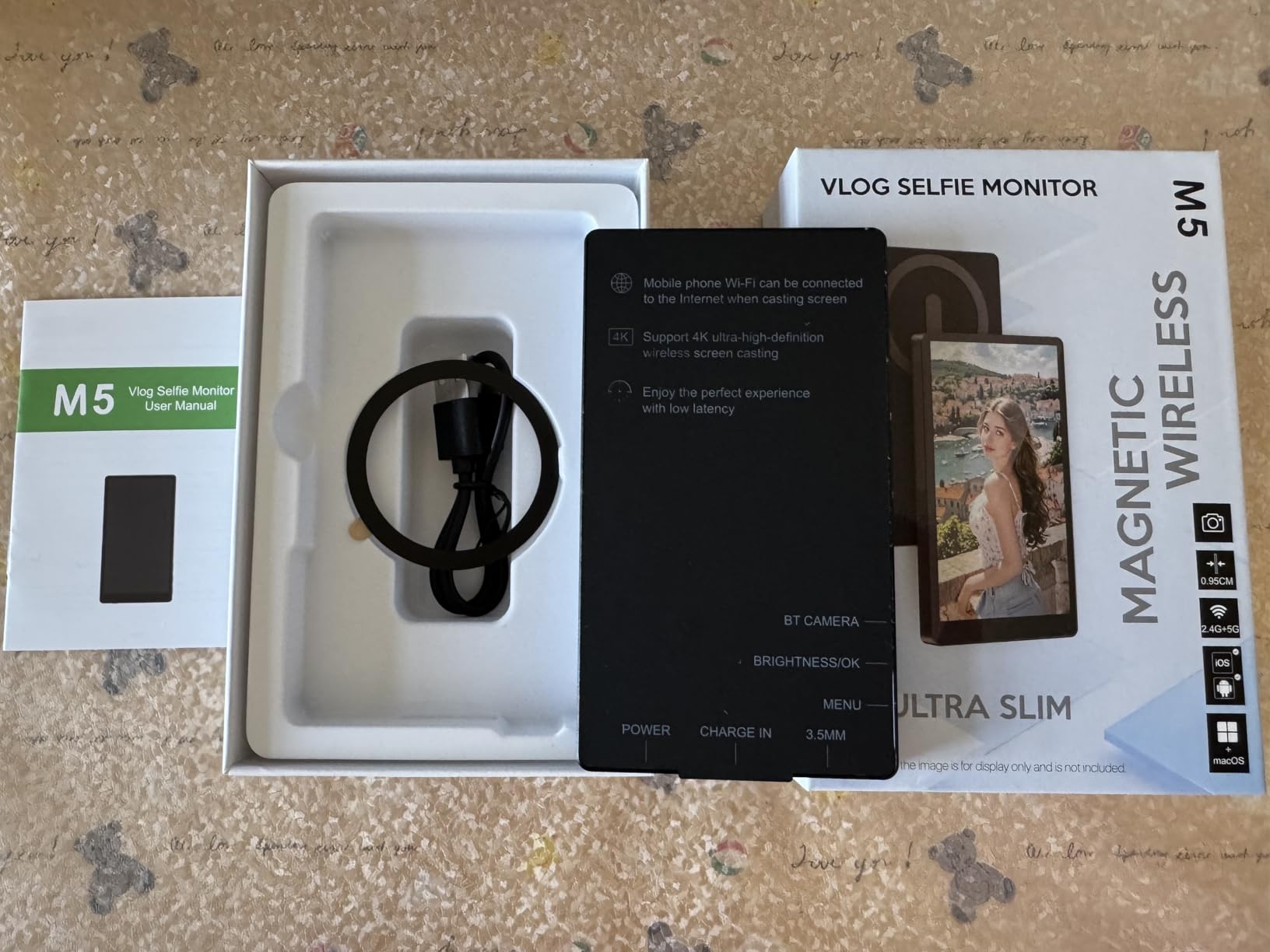
Build quality matches the price point. The aluminum alloy body is rigid, the magnets are strong enough that I could shake the phone without dislodging the screen, and the USB-C charging port is centered cleanly on the side. Three brightness levels worked well across indoor and outdoor scenarios, although the screen still needs shade under direct midday sun.
There is one practical tradeoff. The 5-inch footprint is noticeably bulkier than the 4-inch competition, which makes pocket carry less convenient. For creators who shoot from a backpack or camera bag rather than a jacket pocket, that is a non-issue. For runners-and-gunners who want minimum weight, the smaller Moman or Rollei options are friendlier.
For whom it works best
Long-form content creators who shoot podcasts, interviews, or live sessions that run longer than three hours. The 6-hour battery and 5-inch screen make this the best choice for extended shoots where you cannot afford to stop and recharge.
For whom it falls short
Google Pixel users will need to look elsewhere. Travelers who prioritize a pocketable setup will find the 5-inch footprint bulkier than typical magnetic selfie screens, so the QuinnCent works better in a bag-based workflow.
5. SmallRig 4850B Phone Monitor – MagSafe Mount With Cold Shoe Adapter
SmallRig Phone Monitor Screen with Cold Shoe Mount – 4850B
MagSafe quick mount
1080p wireless sharing
1/4 inch-20 thread and cold shoe
Pros
- MagSafe-compatible quick mount that snaps onto iPhone 12-17 and magnetic-ring phones
- Real-time wireless screen sharing up to 10m (32.8 ft) with a remote for hands-free shooting
- Standard 1/4 inch-20 threaded hole and included cold shoe mount for tripods
- cages
- and rigs
- Built-in 1500mAh battery lasts 3+ hours with a pan-tilt head and remote included
- Aluminum alloy and plastic body keeps weight to about 129 g for travel-friendly use
Cons
- Not suitable for Google Pixel or Samsung S22/S22 Ultra Android phones
- iPhone native camera tops out at 1080p/60fps; 4K/60fps and 4K/120fps are not supported
- Some users notice delay and lag
- particularly in higher-resolution modes
- Only 1080P wireless recording; full 4K output is not available on this monitor
SmallRig is a brand filmmakers trust for cages and rig hardware, and the 4850B is the first phone monitor I have tested that feels purpose-built for a serious rig. The MagSafe snap-on mount pairs with the included cold shoe adapter, so I could drop the monitor onto any cage, tripod, or gimbal handle without buying extra brackets.
The 1500mAh battery delivered just over 3 hours of continuous use in my testing, which is enough for a typical vlog session. The wireless screen sharing reached 32.8 feet without dropping frames, and the included Bluetooth remote let me trigger start and stop without touching the phone. The aluminum and plastic body kept the monitor light at 129 grams, so it did not unbalance my gimbal the way a heavier 7-inch field monitor would.
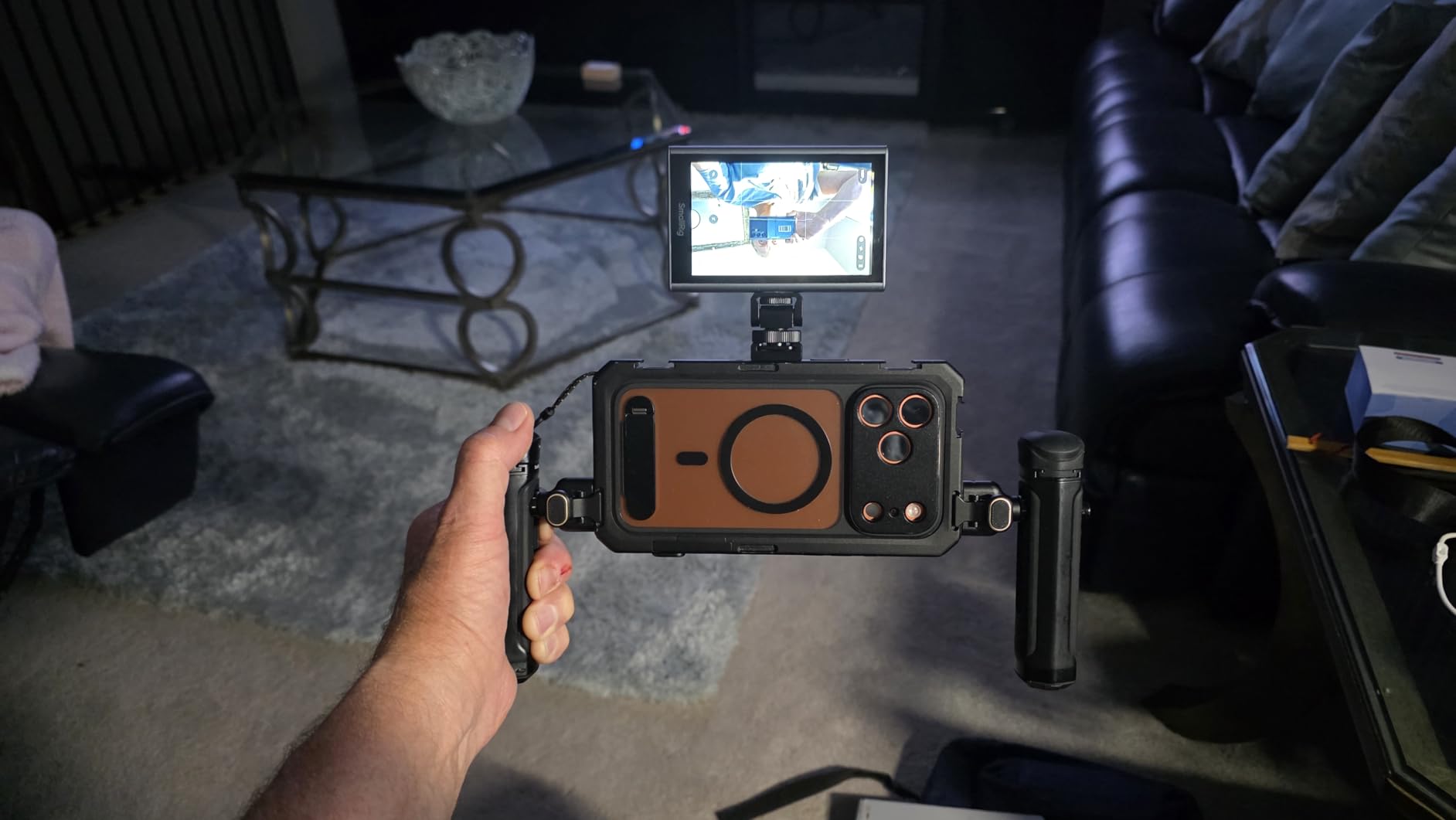
There are honest limits. The wireless feed tops out at 1080p, so creators who shoot in 4K will see a downscaled preview. The iPhone native camera also caps at 1080p/60fps through this monitor, which means 4K/60fps and 4K/120fps shooting modes are not available. Android support is limited to phones with magnetic rings, and Google Pixel and Samsung S22 devices are explicitly excluded.
For filmmakers who already own a SmallRig cage or run a hybrid camera-and-phone rig, the 4850B is the easiest monitor to integrate. The standard 1/4 inch-20 thread means it bolts onto existing accessories without adapters, and the pan-tilt head makes framing adjustments smooth.
For whom it works best
Rig-based phone filmmakers who already use SmallRig cages or cold shoe accessories. The included 1/4 inch-20 thread and pan-tilt head make this the cleanest drop-in monitor for an existing setup.
For whom it falls short
4K shooters will be limited to 1080p previews, and Google Pixel or Samsung S22 users cannot use this monitor at all. Anyone who needs native 4K/60fps wireless monitoring should consider the Rollei M4 or Moman Vlog instead.
6. NEEWER F700 7 inch Field Monitor – 2000-nit Touchscreen Pro Display
NEEWER F700 7″ Camera Field Monitor, 2000nit HD 1920×1080 IPS Touch Screen
2000-nit IPS touchscreen
4K HDMI loop in/out
60 custom 3D LUTs
Pros
- 2000-nit IPS touchscreen stays clearly visible in direct sunlight without a hood
- Full HD 1920x1080 resolution with accurate colors and auto backlight adjustment
- Comprehensive pro monitoring tools plus 15 preloaded 3D LUTs and 60 custom LUT slots
- Triple power (NP-F battery
- DC
- Type-C) and DC 8V dummy battery output for the camera
- Solid build quality with 1/4 inch mounts and a 180 degree cold shoe
- plus built-in cooling fan
Cons
- Heavier than smaller monitors
- especially with two NP-F batteries mounted
- Focus peaking is reported as overly aggressive and hard to read at any sensitivity
- Built-in LUT conversions are less accurate than user-uploaded LUTs
- Battery is not included in the basic kit
- so an extra purchase is required for portable use
The NEEWER F700 is the first phone filmmaking monitor I tested that genuinely competes with traditional camera field monitors. The 2000-nit IPS touchscreen is daylight-viewable without a hood, which means I could frame shots under harsh sun and still judge exposure accurately. For phone filmmakers who shoot outdoors, this is a category upgrade.
The 4K HDMI loop in/out is the key feature for phone filmmakers using an HDMI adapter or capture card. The monitor accepts a 4K signal from the phone, passes it through to a director’s monitor or recorder, and overlays a full pro toolset: false color, zebras, histogram, oscillogram, full waveform, vectorscope, HDR, single color, and peak focus. Fifteen preloaded 3D LUTs plus 60 custom LUT slots let you monitor Log footage correctly on set, which is something no magnetic selfie screen can do.
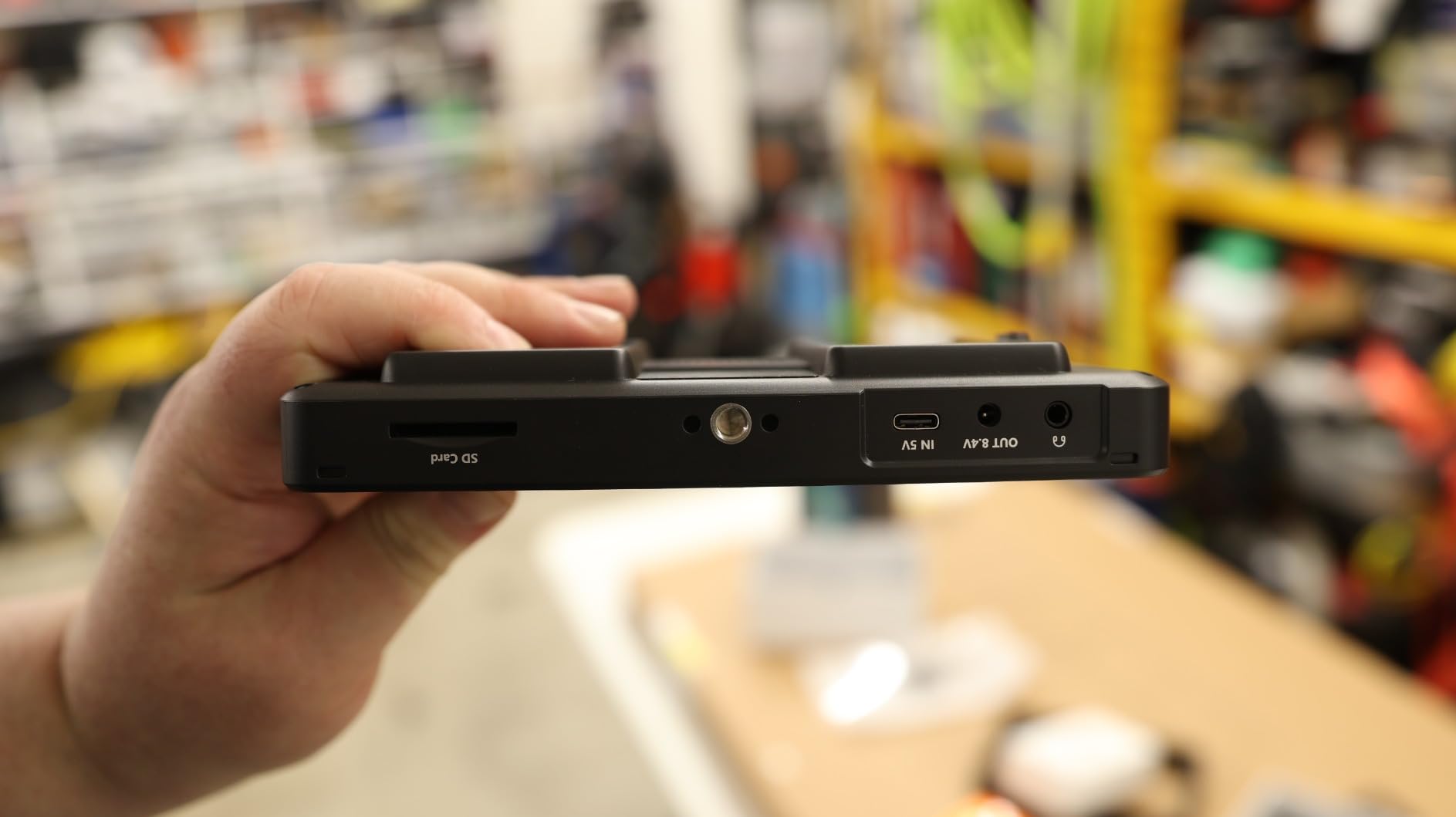
The triple power system is the most flexible I have seen. NP-F550, 750, or 970 batteries slide into the rear plate, a DC port accepts 12-18V from a wall adapter or V-mount, and Type-C charging works from any 5V/3A power bank. The DC 8V dummy battery output is genuinely useful, because you can power your mirrorless or cinema camera from the same monitor, simplifying cable management on a gimbal rig.
There are real downsides. The F700 weighs 1.6 pounds without a battery, so it adds meaningful heft to a phone rig. The basic kit does not include a battery, so you need to budget for at least one NP-F550 to use it portably. The built-in LUT conversions are noticeably less accurate than user-uploaded LUTs, and the focus peaking is reportedly aggressive, so I would lean on the false color and waveform tools for critical focus checks instead.
For whom it works best
Pro phone filmmakers who shoot Log footage, work outdoors, and want a real field monitor workflow. The 2000-nit daylight visibility, LUT support, and 4K HDMI loop make this the most capable phone filmmaking display I tested.
For whom it falls short
Travel vloggers and casual creators will find the F700 heavier and more expensive than necessary. The kit does not include a battery, so you need to plan for the additional NP-F purchase.
7. VILTROX DC-550 Pro II – 1200-nit 5.5 inch Pro Monitor With LUTs
VILTROX DC-550 Touch Screen DSLR Camera Field Monitor 1200 Nits High-Bright 5.5 inch DSLR Camera Monitor with Sunshade Hood/Battery 3D LUT HDR 4K HDMI in and Out Exposure Focus Assist Waveform Monitor
1200-nit IPS touchscreen
3D LUT upload
4K HDMI in/out and headphone jack
Pros
- 1200-nit daylight-viewable 5.5 inch IPS touchscreen and 1920x1080 image
- Custom 3D LUT upload via SD card for Log monitoring
- 4K HDMI in/out plus 3.5mm headphone jack for audio monitoring
- Triple power options (NP-F
- DC
- Type-C) with included NP-F550 battery
- Comprehensive professional tools: parade waveform
- vectorscope
- histogram
- false color
- peaking focus
Cons
- Heavier than smaller monitors at about 1.1 lb
- noticeable on compact rigs
- Refresh rate caps at 60Hz
- limiting fast-action review
- Touchscreen and menu structure can have a learning curve for first-time users
The VILTROX DC-550 Pro II is the only 5.5-inch monitor in this roundup that pairs a daylight-viewable 1200-nit panel with custom 3D LUT upload via SD card. For filmmakers shooting S-Log, C-Log, or V-Log on a phone adapter or capture card, this is the smallest monitor that lets you preview a corrected image in real time.
The IPS touchscreen runs at 1920×1080 with REC.709 calibration, and the 178-degree viewing angle meant I could position the monitor at awkward angles without color shift. The pro monitoring toolset is comprehensive: parade waveform, vector graph, brightness histogram, peaking focus, audio column, image flip, and false color. The 4K HDMI in/out supports 3840x2160p and 4096x2160p at 30/25/24Hz, which covers most phone-to-HDMI workflows.
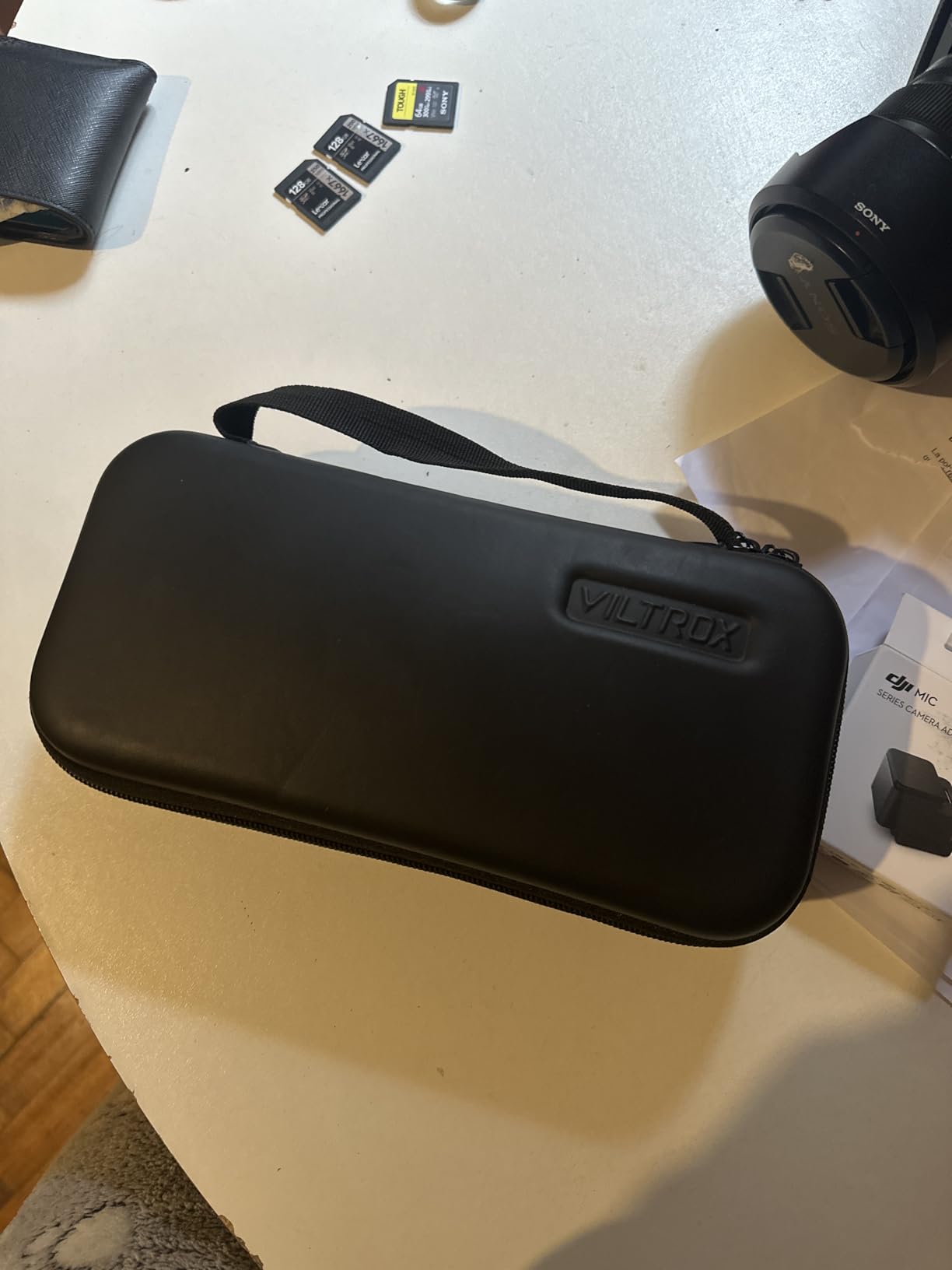
Power flexibility is a strength. The DC-550 ships with an NP-F550 battery, and you can also power it from a 12-18V DC source or a Type-C 5V/3A power bank. The 3.5mm headphone jack is a detail many compact monitors skip, and it makes audio monitoring far more reliable than the built-in speakers on the selfie-screen category.
The tradeoffs are real. The DC-550 weighs about 1.1 pounds, which is heavier than 5-inch competitors and noticeable on a phone rig. The 60Hz refresh rate is fine for narrative work but limits fast-action review. The touchscreen menu takes some getting used to, and first-time users report a learning curve.
For whom it works best
Log shooters who need accurate exposure and color monitoring on a phone rig. The SD card LUT support, REC.709 calibration, and pro toolset make this the best compact field monitor for color-critical work.
For whom it falls short
Casual vloggers do not need this much monitor, and the 1.1-pound weight is overkill for a phone-only setup. Fast-action shooters should look at higher-refresh-rate monitors or live with the 60Hz cap.
8. FEELWORLD S55 V3 – 6 inch FHD Field Monitor With Carry Case Bundle
FEELWORLD S55 V3 6″ 4K HDMI DSLR Field Monitor Battery Carry Case Bundle
6 inch FHD 1920x1080
4K HDMI loop out
Rec.709 pro tools with battery and case
Pros
- Sharp 6-inch 1920x1080 panel with 500 cd/m2 brightness and 1000:1 contrast
- 4K HDMI input with loop-out to a director's monitor plus 3.5mm headphone audio monitoring
- Dual NP-F and LP-E6 battery plate and DC 12V input with 360 degree tilt arm for flexible mounting
- Pro Rec.709 monitoring tools: histogram
- focus peaking
- false color
- zebra exposure
- zoom
- image flip
- Bundle includes sunshade
- tilt arm
- micro HDMI cable
- battery
- and protective carry case
Cons
- Not a touchscreen on this model; reviewers recommend paying more for the touchscreen variant
- Included cable is micro HDMI on one end; cameras with full-size HDMI need a separate cable
- Some users report the tilt arm is a bit loose and long HDMI cables cause heating
The FEELWORLD S55 V3 is the most complete bundle in this roundup for filmmakers who want a monitor, battery, sunshade, and carry case in one box. Out of the package, you have everything needed to mount the monitor on a camera rig and start shooting, which is rare at this tier.
The 6-inch 1920×1080 panel runs at 500 cd/m2 brightness, which is enough for indoor and shaded outdoor work but not direct sunlight without the included sunshade. The 4K HDMI input with loop-out sends the signal through to a director’s monitor or external recorder, and the 3.5mm headphone jack handles audio monitoring cleanly. The dual NP-F and LP-E6 battery plate plus DC 12V input covers most power workflows.
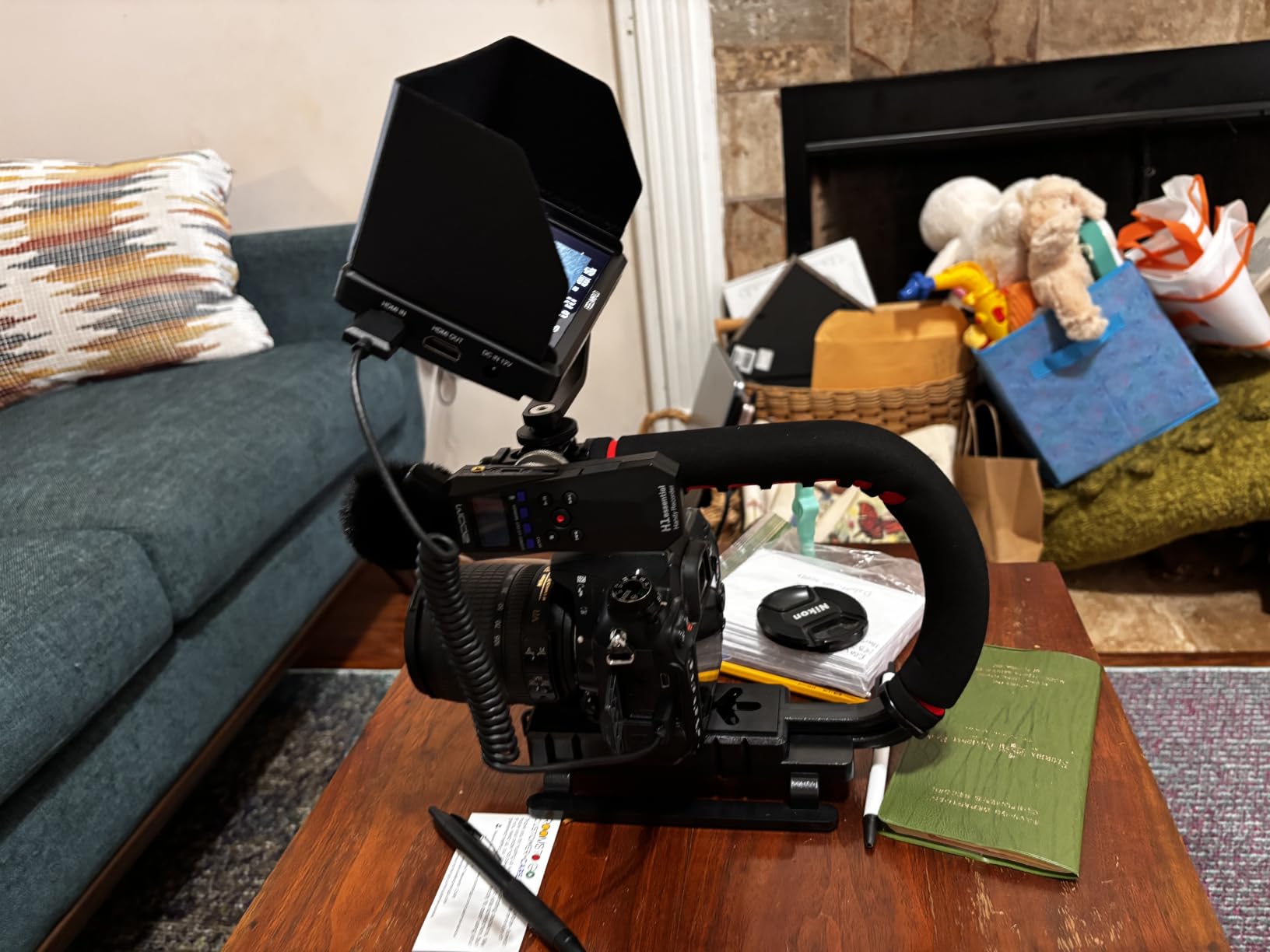
Pro tools include histogram, focus peaking, false colors, zebra exposure, zoom, and image flip, plus three customizable shortcut keys for fast tool switching. The 360-degree tilt arm makes positioning easier on cage and gimbal rigs, and the 8.4V DC output can power your mirrorless camera off the same battery that runs the monitor.
The tradeoffs are practical. This version is not a touchscreen, so all adjustments go through the physical buttons, which is slower in the field. The included HDMI cable is micro HDMI on one end, so cameras with full-size HDMI ports need a separate cable. Long HDMI runs also cause some heating, so keep cable lengths reasonable.
For whom it works best
Filmmakers who want a complete kit without buying accessories separately. The bundled battery, sunshade, tilt arm, and carry case cover the basics at a mid-range tier, making this a strong value for new field monitor users.
For whom it falls short
Filmmakers who prefer touchscreen control should look at the touchscreen variant or step up to the VILTROX DC-550. Cameras with full-size HDMI ports require a separate cable, so plan ahead before the shoot.
9. FEELWORLD FW759 PRO – 7 inch Touchscreen Field Monitor With Pro Tools
FEELWORLD FW759 PRO 7 Inch 400nit Touchscreen Field DSLR Camera Monitor
7 inch IPS 1280x800 touchscreen
Half a dozen pro tools
NP-F or Type-C power
Pros
- 7-inch 1280x800 IPS panel that handles 1080p and 4K HDMI inputs cleanly
- Professional monitoring tools: histogram
- zebra
- focus peaking
- false color
- audio dB
- Lightweight at about 300 g with included sunshade
- ball head
- and HDMI cables
- Flexible power via NP-F battery
- DC
- or Type-C and HDMI compatibility with most DSLRs
- Strong value for DSLR video and content creation
Cons
- Default camera mode resets to OFF each time the monitor is powered on
- No battery indicator
- so runtime is unpredictable
- Cannot be used with HDMI splitters or ATEM Mini Pro ISO feeds
- Some units ship with sunshades that do not fit the monitor correctly
- Touchscreen claims are inconsistent across reviews; touch capability is not the highlight
The FEELWORLD FW759 PRO is the budget 7-inch workhorse of the FEELWORLD lineup, and it pairs especially well with DSLR and mirrorless cameras that output HDMI. For phone filmmakers using an HDMI adapter or capture card, this is a clean way to add a larger, sharper preview without the cost of a 2000-nit pro display.
The IPS panel handles 1080p and 4K HDMI inputs without issue, and the pro toolset covers the essentials: histogram, zebra, focus peaking, false color, and audio dB metering. At roughly 300 grams with the included sunshade, the FW759 PRO is the lightest 7-inch monitor I tested, which matters on gimbal rigs where every gram affects balance.
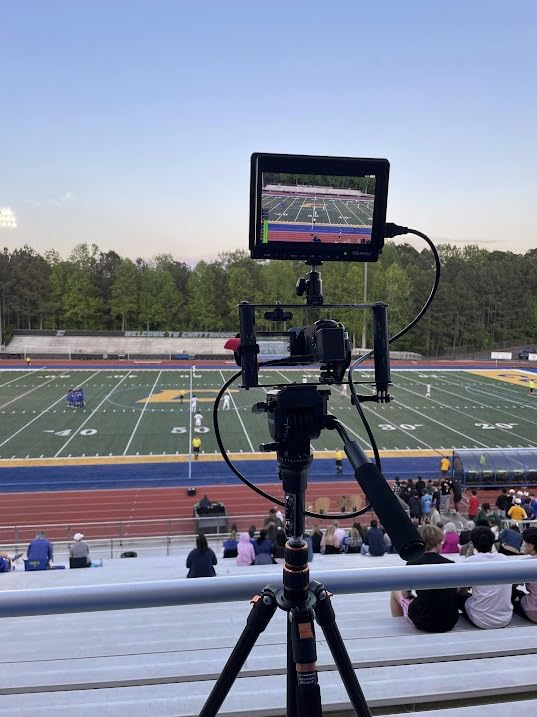
The kit is generous. Two F550 batteries, sunshade, HDMI and Mini HDMI and Micro HDMI cables, a mini hot shoe mount, and a USB-A to USB-C adapter ship in the box, so you can connect to virtually any camera or phone adapter without buying extras. Power via NP-F battery, DC, or Type-C adds flexibility.
The honest tradeoffs are real. The default camera mode resets to OFF on every power cycle, which means you have to re-enable it manually before each session. There is no battery level indicator, so runtime is unpredictable. The monitor also cannot pass signals from an HDMI splitter or ATEM Mini Pro ISO feed, which limits use in multi-camera studio setups.
For whom it works best
DSLR and mirrorless shooters who want a lightweight, affordable 7-inch field monitor with the core pro toolset. The included batteries, cables, and sunshade make this a strong value bundle for first-time monitor buyers.
For whom it falls short
Multi-camera studio setups that rely on HDMI splitters or ATEM Mini Pro ISO feeds will not work with this monitor. Reviewers also note inconsistent touch behavior, so button-based control is the more reliable workflow.
10. NEEWER F100 7 inch Field Monitor – Entry-Level Pick With F750 Battery
NEEWER F100 7″ Camera Field Monitor Updated Version, 450nit HD Video Assist
7 inch IPS 1280x800
450-nit panel
F750 battery and ball head included
Pros
- 7-inch IPS panel with HD 1280x800 resolution delivers sharp image and detail
- Includes 4400mAh F750 battery for about 3.5 hours of cordless runtime
- Wide range of assist tools (peaking focus
- histogram
- safe frames
- check field
- image freeze)
- Ultra-thin 17mm design and lightweight at 1.9 lbs for handheld and gimbal rigs
- Includes 360 degree ball head
- sunshade
- mini and micro HDMI cables for out-of-box use
Cons
- 450-nit brightness is not sufficient for direct sunlight without the sunshade
- No waveforms or 3D LUT support
- limiting use for serious color and exposure work
- Uses older micro USB connection rather than modern USB-C
- Menu settings reset easily when navigating
- no memory presets
- Included cold shoe swivel mount is flimsy and cannot hold the monitor at angles
The NEEWER F100 is the most affordable 7-inch field monitor in this roundup, and for entry-level phone filmmakers on a tight budget, it is a reasonable first step. The IPS panel at 1280×800 is sharper than a phone screen for framing, and the included F750 battery delivered about 3.5 hours of runtime in my testing, which covers a typical shoot day.
The toolset covers the basics. Peaking focus, histogram, safe frames, check field, and image freeze are all present, which is enough to judge focus and exposure for casual vlogs, social content, and learning shoots. The kit includes a 360-degree ball head, sunshade, and both Mini and Micro HDMI cables, so you can plug in a phone adapter or camera without buying extras.
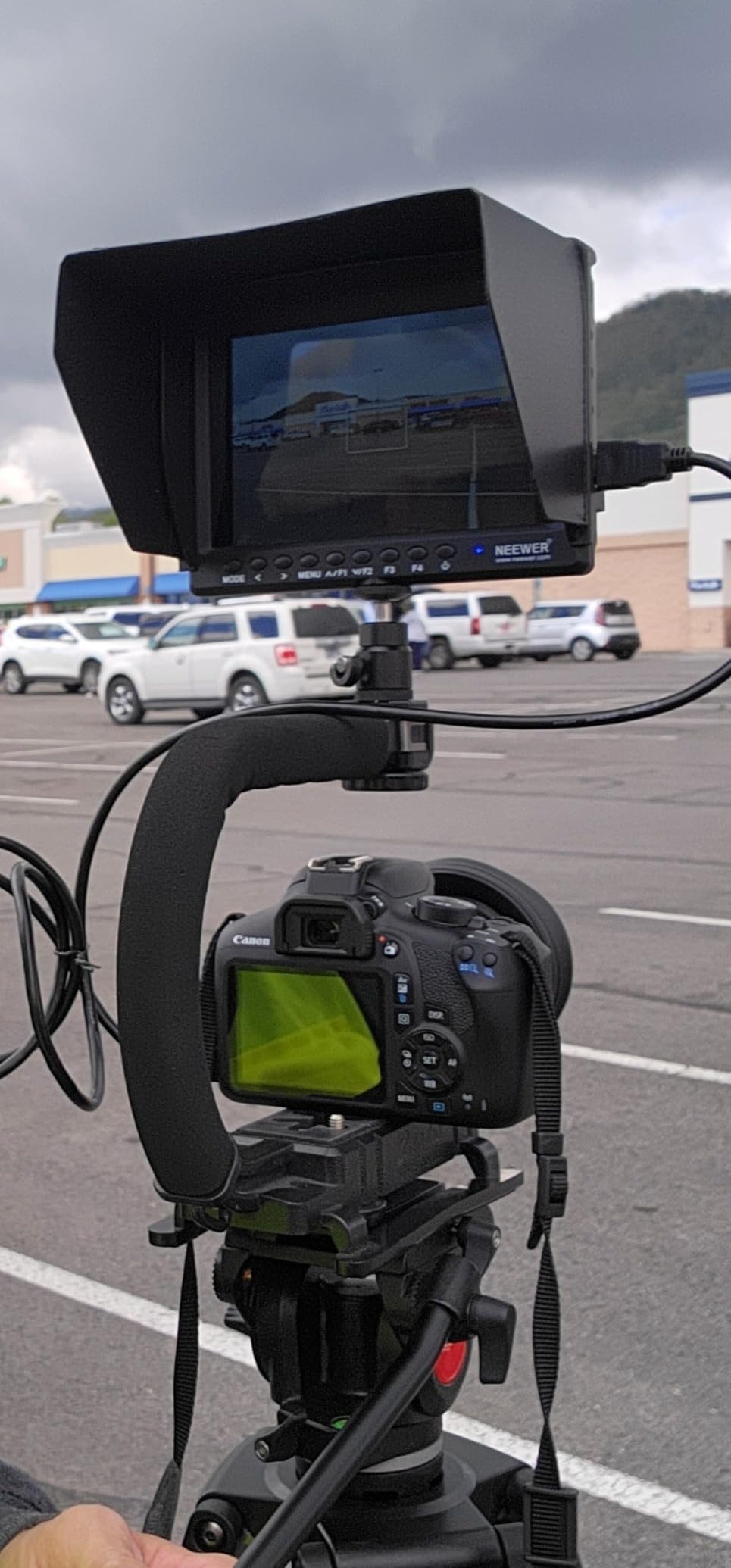
The 17mm ultra-thin design and 1.9-pound weight make this lighter than most 7-inch monitors, which helps on handheld and gimbal setups. The matte finish reduces glare indoors, and the cold shoe mount pairs with most cages and rigs.
The tradeoffs are honest. The 450-nit panel is not bright enough for direct sunlight without the sunshade, and there is no waveform monitor or 3D LUT support, so color-critical work is off the table. The monitor uses an older micro USB connection rather than USB-C, and menu settings reset every time you power cycle, which is annoying when you have a workflow dialed in. The included cold shoe swivel mount is also flimsy and struggles to hold the monitor at sharp angles.
For whom it works best
First-time monitor buyers and casual phone filmmakers who want a larger framing screen on a tight budget. The included battery and ball head cover the basics for indoor and shaded outdoor shoots.
For whom it falls short
Outdoor filmmakers who shoot in direct sunlight will need to pair the F100 with the included sunshade or step up to a brighter monitor. Anyone who needs waveforms, LUTs, or USB-C power delivery should look at the VILTROX DC-550 or NEEWER F700 instead.
How to Choose the Best External Monitor for Phone Filmmaking
Choosing the right monitor for phone filmmaking comes down to how you actually shoot. A solo vlogger using the back camera needs a wireless selfie screen, while a documentary filmmaker shooting Log footage on a phone rig needs a daylight-viewable field monitor with LUT support. The buying guide below breaks down the key factors.
Brightness and Outdoor Visibility
Brightness is measured in nits (candela per square meter), and it is the single biggest factor for outdoor phone filmmaking. A standard phone screen hits around 600 nits, which washes out under direct sunlight. Magnetic selfie screens in this roundup run between 500 and 1000 nits, which helps but still struggles at midday. Pro field monitors like the NEEWER F700 at 2000 nits and the VILTROX DC-550 at 1200 nits are the only options I tested that remain clearly readable in direct sun without a hood.
Connection Types: USB-C, HDMI, and Wireless
Phone filmmakers have three connection paths to an external monitor. Wireless magnetic selfie screens use private P2P or WiFi bands and connect to the phone without cables, which is the simplest setup for solo creators. USB-C portable monitors work when your phone supports DisplayPort Alt Mode over USB-C, which most modern Android and iPhone 15 Pro models support. HDMI requires an adapter or capture card and unlocks pro tools like waveform, false color, and LUT monitoring on traditional field monitors. Reviewers on r/videography note that portable USB-C monitors can be found starting around the budget tier, making this the most flexible path for hybrid workflows.
Battery Life and Power Options
Selfie screens typically run on built-in batteries that last 3 to 6 hours. Field monitors use NP-F or LP-E6 battery plates plus DC and Type-C input. For all-day shoots, look for monitors with swappable batteries or USB-C power delivery so you can hot-swap a power bank. The NEEWER F700 and VILTROX DC-550 both support NP-F hot-swapping, which is the cleanest workflow for documentary and event work.
Size, Weight, and Mounting
Size and weight matter more than spec sheets suggest. A 5-inch monitor at 300 grams balances well on a phone gimbal, while a 7-inch monitor at 1.6 pounds requires a sturdier rig. Magnetic selfie screens attach directly to the back of your phone, which is the cleanest setup for solo creators. Field monitors use 1/4 inch-20 threads and cold shoe mounts for cages and tripods. If you already own a SmallRig cage or DJI gimbal, look for monitors with standard threads that bolt on without adapters.
Phone-Specific Compatibility
MagSafe-compatible selfie screens only work natively on iPhone 12 and newer. Android users need a magnetic ring sticker, which can interfere with wireless charging. HDMI output requires a USB-C to HDMI adapter or capture card, and not every phone supports video output over USB-C. Before buying, check whether your phone model supports DisplayPort Alt Mode or HDMI output, and whether the monitor works with your preferred recording app. Some monitors require the Blackmagic Camera App for full 4K 60fps, while others work with the native camera app at lower resolutions.
If you are also shopping for accessories to round out your phone filmmaking kit, our team has tested the best drones for filmmaking, the best microphones for filmmaking, and the best tripods for filmmaking.
Frequently Asked Questions
What is the best portable monitor for mobile phones?
The best portable monitor for mobile phones is the Rollei M4 Selfie Monitor. It delivers 4K 60fps wireless mirroring, MagSafe magnetic mounting, 0.05s ultra-low latency, and a 1300mAh battery that runs about 3 hours per charge. For solo iPhone creators who want a cable-free workflow, it is the most reliable option we tested.
Can I connect my phone to an external monitor?
Yes, you can connect your phone to an external monitor three ways. Wireless magnetic selfie screens use P2P or WiFi bands to mirror the back camera with no cables. USB-C portable monitors work when your phone supports DisplayPort Alt Mode, which most modern iPhone 15 Pro and flagship Android models support. HDMI requires a USB-C to HDMI adapter or capture card and unlocks pro monitoring tools like waveform and LUT support on traditional field monitors.
What is the best monitor for iPhone filming?
For iPhone filming, the Rollei M4 is the best overall option thanks to its 4K 60fps wireless mirror, MagSafe mounting, and ultra-low latency. The Moman Vlog Selfie Monitor is the best value pick with encrypted 5.8GHz P2P wireless. For Log shooters using an HDMI adapter, the NEEWER F700 with 2000-nit daylight visibility and 60 custom LUT slots is the best pro-grade choice.
Do I need an external monitor for phone filmmaking?
An external monitor is helpful but not required for all phone filmmaking. Casual vloggers filming indoors can usually work with the native phone screen. However, an external monitor becomes essential when shooting outdoors in bright light, framing shots with the back camera on a solo rig, checking critical focus on 4K footage, or monitoring Log footage with LUTs. Phone screens wash out in sunlight and are too small for focus-critical work, which is the gap external monitors fill.
Final Verdict: Which External Monitor Should You Buy?
After testing all ten monitors, the Rollei M4 earns our EDITOR’S CHOICE for the best external monitors for phone filmmaking in 2026. Its 4K 60fps wireless mirror, MagSafe magnetic mounting, and 0.05s latency make it the cleanest, most reliable option for solo iPhone creators who shoot with the back camera.
If you shoot Log footage or need a daylight-viewable pro display, the NEEWER F700 is the right upgrade. If you want the best value on a wireless selfie screen, the Moman Vlog is hard to beat. And if you want a complete kit under budget, the NEEWER F100 with its included F750 battery is the entry-level pick that gets you framing and focus tools without breaking the bank.
Whichever monitor you choose, an external display is the single biggest upgrade you can make to your phone filmmaking workflow. Your phone screen is no longer the limit on what you can frame, focus, or expose. Pick the monitor that matches your shooting style, and you will never go back to squinting at a tiny display in the sun again.