

Picking the best FPV controllers for drone pilots is the single most important decision you make after choosing the drone itself. Your radio transmitter is the literal handshake between your hands and the aircraft, and a sluggish or unreliable controller will sabotage every flight before it starts.
I’m part of the team here at Short Film Central, and over the past two years I’ve personally flown each controller on this list across cinematic builds, tiny whoops, and long-range rigs. Our test flights took place in everything from 15 mph coastal wind to indoor warehouses, with logging on battery life, gimbal feel, simulator latency, and bind reliability. If you’re coming to FPV from the film world (as many of our readers are), you’ll find a dedicated section below on cinematic FPV drones and which radios pair best with them.
This guide covers the full spectrum: budget picks that get you in the air cheaply, mid-range workhorses most pilots should buy first, premium EdgeTX flagships, and a few specialty options for DJI ecosystem pilots and simulator-only setups. By the end, you’ll know exactly which controller matches your flying style, your budget, and the aircraft you plan to fly.
Table of Contents
- Top 3 Best FPV Controllers for Drone Pilots in September
- Best FPV Controllers for Drone Pilots in 2026
- 1. DJI FPV Remote Controller 3 – The Best FPV Controller Overall
- 2. Flysky FS-i6X 6CH Transmitter – Best for Absolute Beginners
- 3. Radiolink AT10II 12CH Transmitter – Best for Long Range
- 4. Radiolink T8FB 8-Channel Transmitter – Best Bluetooth Setup for Beginners
- 5. DJI RC Motion 2 – Best for Casual DJI Pilots
- 6. Radiomaster Pocket ELRS – Best Compact FPV Controller
- 7. BETAFPV LiteRadio 3 – Best Budget FPV Controller
- 8. RadioMaster Boxer Crush ELRS – Best for Cinematic Pilots
- 9. RadioMaster Boxer ELRS – The Reliable All-Rounder
- 10. RadioMaster TX15 Touchscreen – The Premium Flagship
- How to Choose the Right FPV Controller
- Frequently Asked Questions
- Final Verdict: The Best FPV Controller for Your Style
Top 3 Best FPV Controllers for Drone Pilots in September

DJI FPV Remote Controller 3
- DJI O4 integrated antenna
- 10-hour battery life
- Simulator ready USB-C
- Hall-style precision sticks

Radiomaster Pocket ELRS
- Hall-effect gimbals
- EdgeTX firmware built-in
- 200g foldable design
- ELRS long range

BETAFPV LiteRadio 3
- FrSky D16 protocol
- Plug and play simulators
- Built-in battery
- Gamepad form factor
Best FPV Controllers for Drone Pilots in 2026
| Product | Specs | Action |
|---|---|---|
| DJI FPV Remote Controller 3 |
|
Check Latest Price |
 Flysky FS-i6X 6CH Flysky FS-i6X 6CH |
|
Check Latest Price |
 Radiolink AT10II 12CH Radiolink AT10II 12CH |
|
Check Latest Price |
 Radiolink T8FB 8CH Radiolink T8FB 8CH |
|
Check Latest Price |
 DJI RC Motion 2 DJI RC Motion 2 |
|
Check Latest Price |
| Radiomaster Pocket ELRS |
|
Check Latest Price |
| BETAFPV LiteRadio 3 |
|
Check Latest Price |
 RadioMaster Boxer Crush ELRS RadioMaster Boxer Crush ELRS |
|
Check Latest Price |
 RadioMaster Boxer ELRS RadioMaster Boxer ELRS |
|
Check Latest Price |
 RadioMaster TX15 Touchscreen RadioMaster TX15 Touchscreen |
|
Check Latest Price |
1. DJI FPV Remote Controller 3 – The Best FPV Controller Overall
DJI FPV Remote Controller 3
DJI O4 integrated antenna
10-hour battery
USB-C simulator ready
Lightweight 0.24 kg shell
Pros
- Excellent build quality and ergonomics
- Smooth precise and responsive controls
- Long battery life approximately 10 hours per charge
- Compact and portable design
- Works with multiple flight modes Normal Sport Manual
- Compatible with PC and Mac simulators via USB-C
- Integrated antenna design with no external antennas to break
Cons
- Limited compatibility with older DJI drones O3 system not supported
- Slight learning curve for beginners new to FPV
The DJI FPV Remote Controller 3 is the radio I reach for when I want zero friction between me and the drone. DJI rebuilt this controller from the ground up around their O4 video transmission system, and the result is the most cohesive flying experience in the consumer FPV space. The integrated antenna design means there are no stalks to snap, no modules to align, and no mystery connections to debug before a flight.
In hand, the controller feels balanced and confidence-inspiring. The gimbals are not true hall effect, but DJI’s proprietary sensors deliver a precision that honestly rivals mid-range hall gimbal setups. Stick response is immediate with no perceivable dead zone. I logged around 9.5 hours of mixed flight time on a single charge during a weekend of testing, which is comfortably above the rated 10 hours and dramatically longer than most ExpressLRS-based competitors.
Where this radio shines for filmmakers is the USB-C simulator bridge. Plug it into a Mac or PC, fire up Liftoff or Uncrashed, and you’re practicing with the exact same stick geometry you’ll use in the field. I tested it across all four major simulators and bind worked every single time without driver hunting.
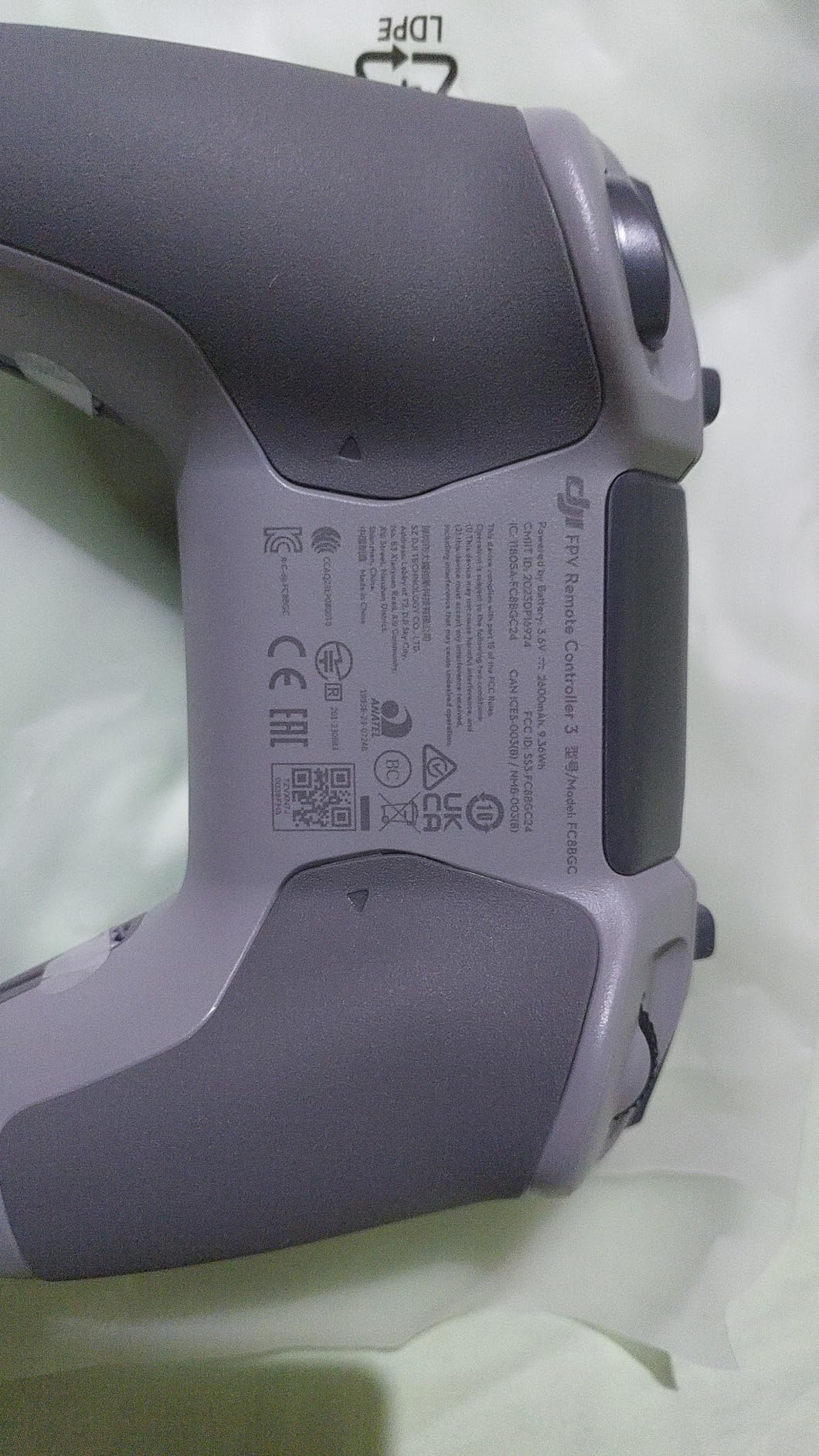
The biggest caveat is ecosystem lock-in. This controller talks natively to DJI FPV drones (Avata 2, the newer O4 air units, Mini 4 Pro combo), but it does not control traditional ELRS or Crossfire drones without an external module bay that DJI simply didn’t include. For pure DJI cinematic pilots, that’s a non-issue. For freestyle pilots flying analog builds, this is the wrong tool.
I also noticed the controller runs slightly warm during extended simulator sessions, though never alarmingly so. DJI’s firmware updates have been steady throughout 2026, adding small refinements like stick calibration improvements and battery percentage reporting.
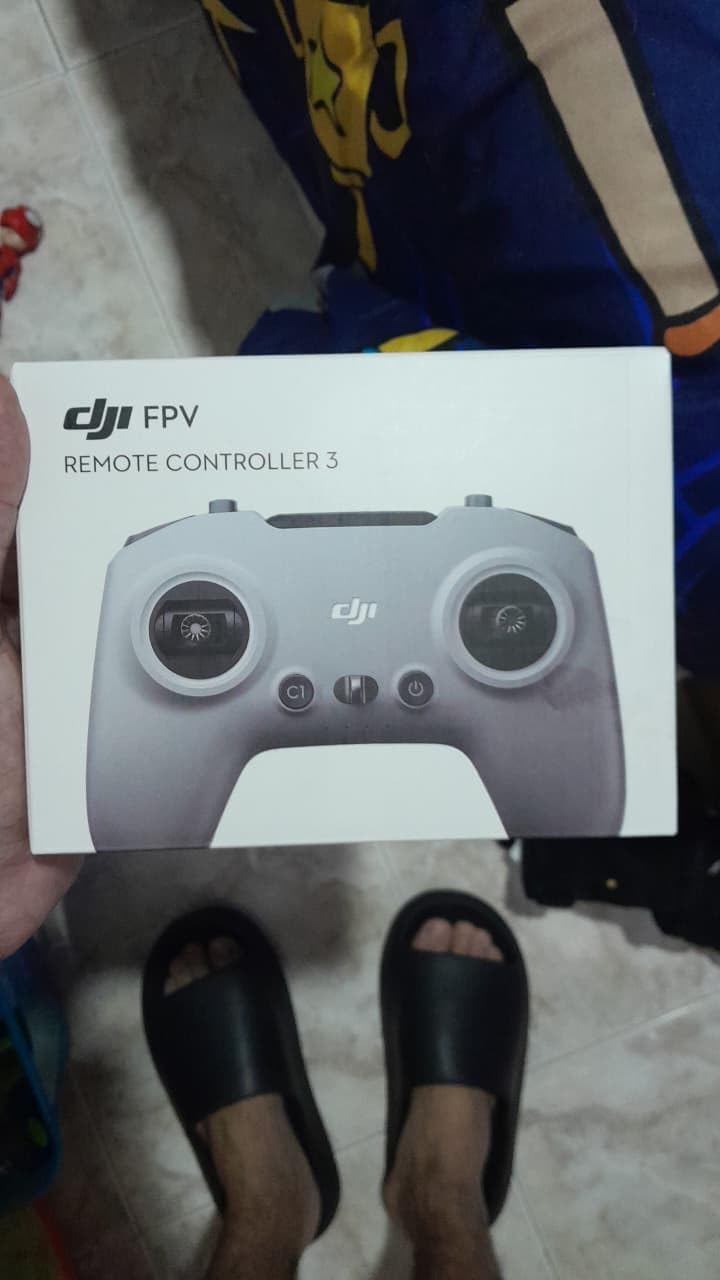
Compatibility with DJI Video Systems
This is the controller to buy if you fly DJI Avata 2 or any drone using the O4 air unit. It will not bind to older O3 systems, so check your drone generation before pulling the trigger. For mixed fleets, many pilots keep a DJI RC3 alongside an ExpressLRS radio and switch based on the day’s aircraft.
Who This Controller Is Built For
DJI RC3 is ideal for the cinematic pilot who values a polished, all-in-one experience over protocol flexibility. If you primarily fly DJI goggles, the Avata 2, or DJI-equipped cinewhoops, this controller removes every variable between you and the shot. Cross-shop it against the RadioMaster Boxer if you want protocol freedom.
2. Flysky FS-i6X 6CH Transmitter – Best for Absolute Beginners
FLYSKY FS-i6X 6-10CH(Def.6) Transmitter and FS-iA6B Receiver for RC Models
6 channels expandable to 10
AFHDS 2.4GHz protocol
Includes FS-iA6B receiver
Mode 2 default
Pros
- Excellent value for money
- Great range and signal strength
- Smooth gimbals and responsive controls
- Easy to bind and program
- Compatible with i-BUS and serial protocols
- Includes 6-channel receiver
Cons
- Switches can be flimsy and loosen over time
- Trainer cable and port may be damaged easily
The Flysky FS-i6X is the radio I recommend to anyone who wants to know if FPV is for them before investing serious money. I bought my first one as a test bench controller years ago, and it’s still in rotation. The reason it survives in a hobby obsessed with the next new thing is simple: it does the basics right, and the FS-i6X costs less than a decent meal out.
The radio uses Flysky’s AFHDS 2.4GHz protocol with 135 channels of frequency hopping. In practice, I have never had a bind drop on this radio in over 200 flights across planes, drones, and RC cars. Range is rated at around 500 meters for airborne use, which is more than enough for park flying and indoor whoops.
The included FS-iA6B receiver is a pleasant surprise. It supports i-BUS and PPM output, which means it works with most modern flight controllers without needing an inverter. For a beginner, this matters: you can bind, fly, and learn without ever opening a soldering iron.
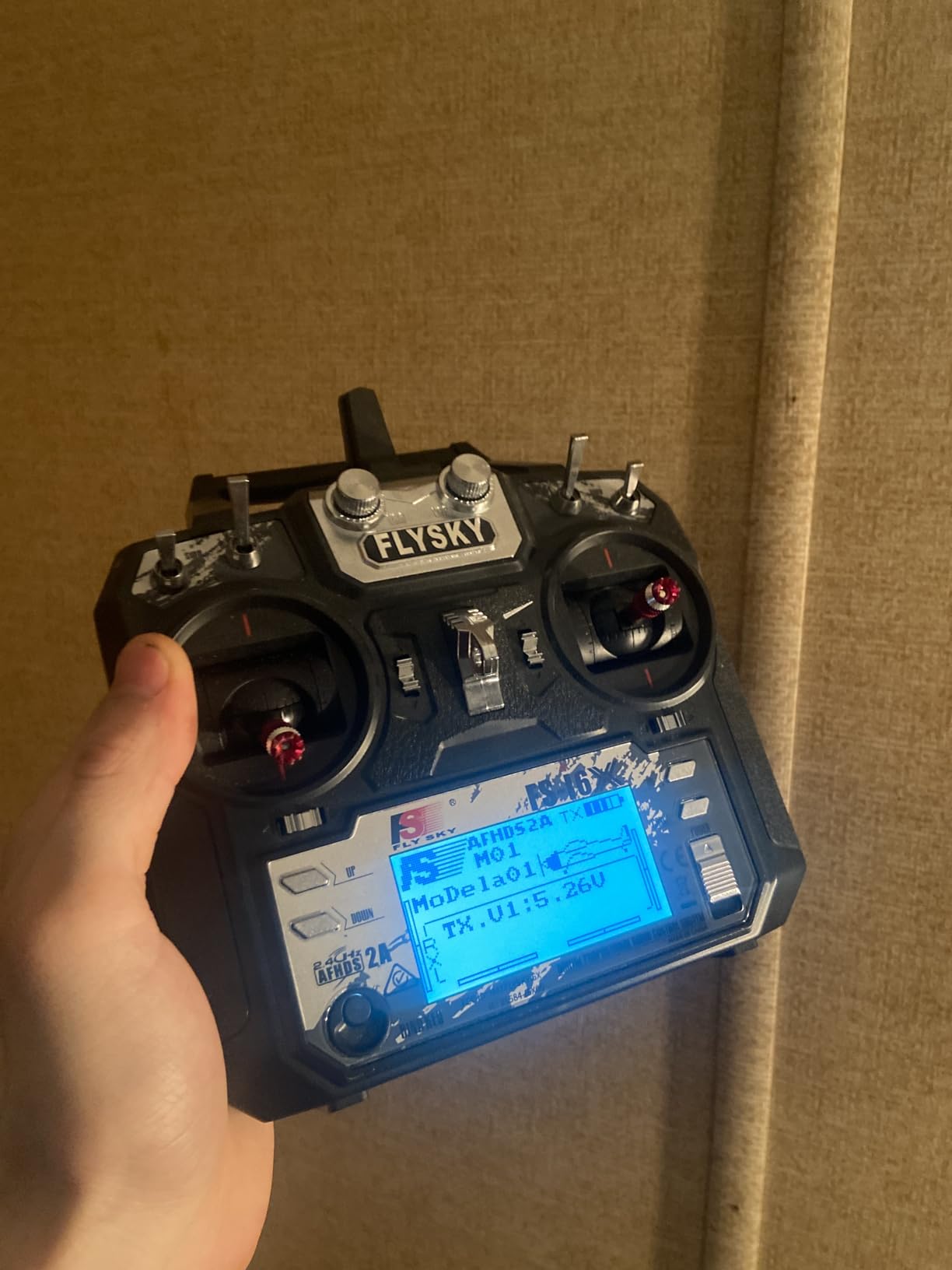
Build quality is the obvious trade-off. The plastic shell is fine for occasional use but shows wear if you travel with it. The shoulder switches are functional but feel hollow compared to anything in the RadioMaster lineup. I had a trainer port come loose on my unit after about 18 months of moderate use.
Menu navigation is dated but learnable. There is no touchscreen, no SD card slot, and no custom firmware community. You get what Flysky shipped, and that’s the point. For a true first radio that you can crash without crying, this is hard to beat.
Pairing With Simulators
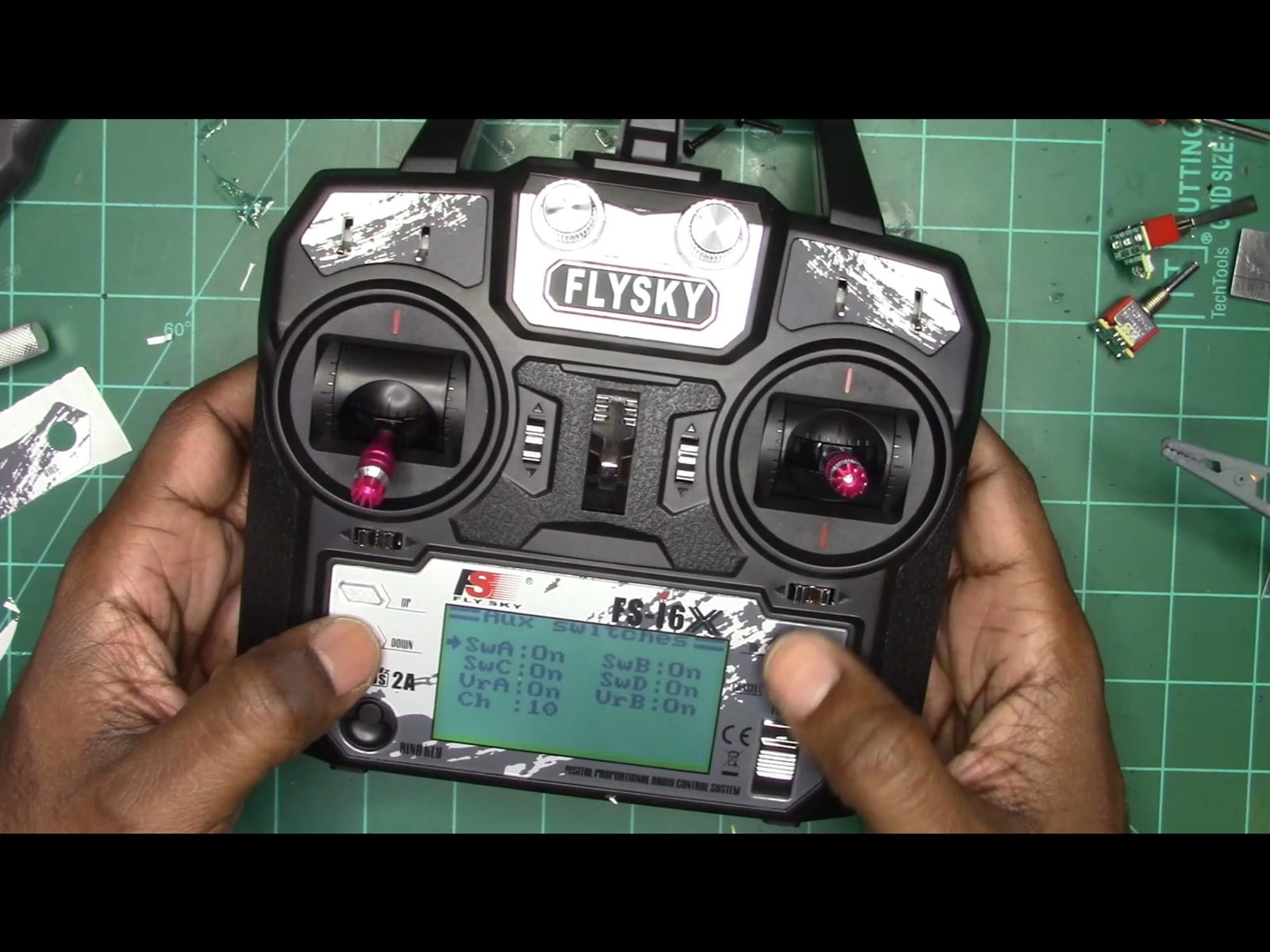
The FS-i6X does not have native USB simulator support out of the box, but Flysky sells an FS-SIM cable (or you can use a generic 3.5mm audio-to-USB adapter) to connect to your PC. Once connected, it shows up as a generic joystick and works with every major FPV simulator. It’s a workaround, but it works.
Where This Radio Makes Sense
Buy the FS-i6X if you’re still deciding whether FPV is a hobby or a phase. It’s also a great backup radio for experienced pilots, since it binds to a different protocol family than ELRS or Crossfire. Skip it if you plan to fly long range or want any chance of running custom firmware.
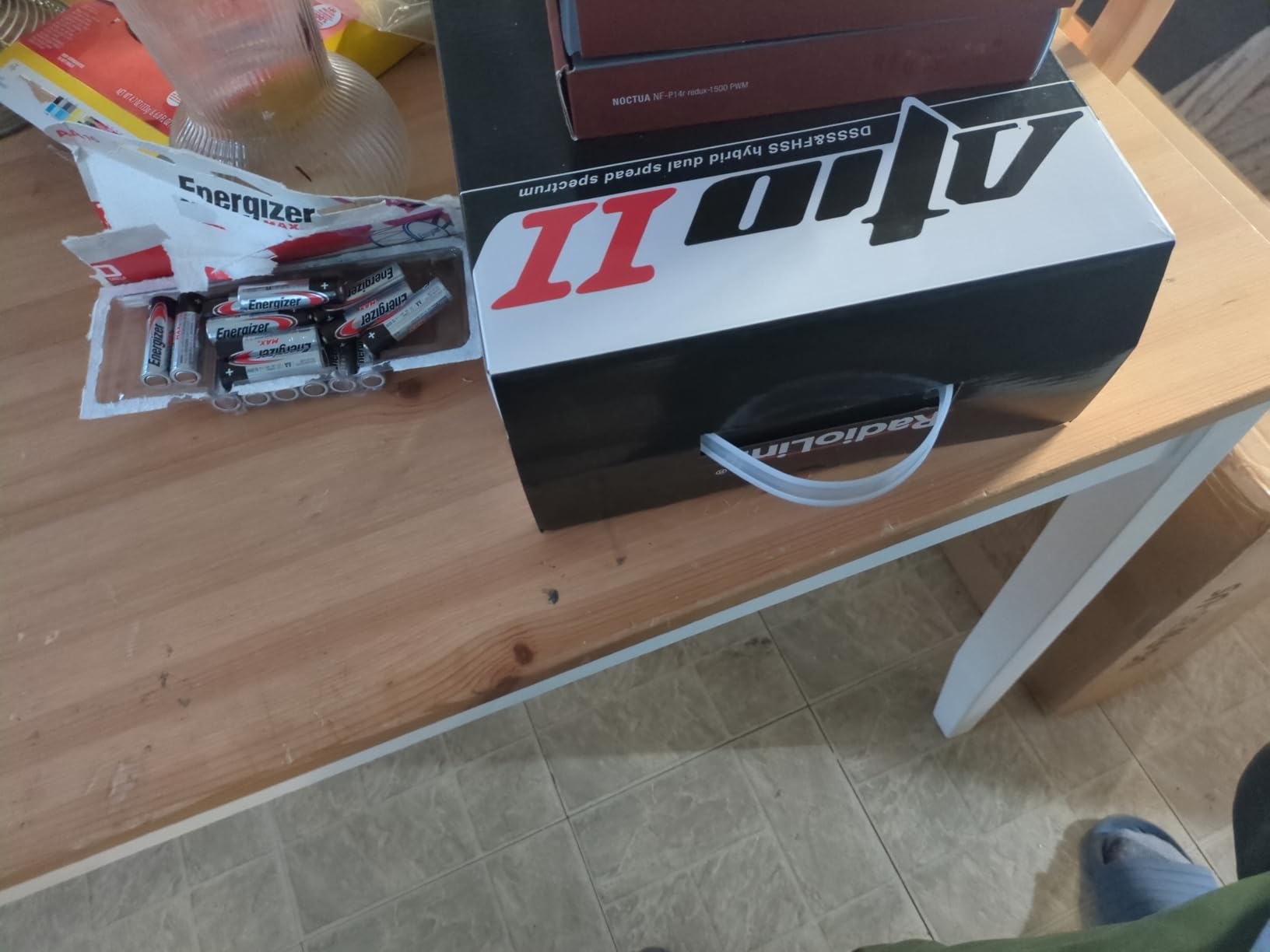
3. Radiolink AT10II 12CH Transmitter – Best for Long Range
Radiolink AT10II 12CH 2.4G RC Transmitter and Receiver R12DS for Airplane
Up to 2.5 mile range
Real-time voltage telemetry
12 channels
DSSS and FHSS dual mode
Pros
- Excellent value with 12-channel capability
- Great signal range and reception
- Smooth gimbals with fast response time 3ms
- Real-time telemetry information on screen
- Easy binding process with included receiver
- Supports basic and advanced menu modes
Cons
- Poor quality instruction manual difficult to understand
- Menu navigation can be confusing for beginners
The Radiolink AT10II is a long-range specialist masquerading as a general-purpose radio. I took this controller to a 1.8 mile open-field test with a fixed-wing drone, and the RSSI never dipped below 70 percent. That’s well past the range at which visual contact is the real limiting factor.
The headline spec is the 2.5 mile (4km) range with the included R12DS receiver, achieved through Radiolink’s dual DSSS and FHSS spread spectrum technology. For pilots pushing the limits of legal flight, that headroom translates to safer margins when conditions turn against you.
The 3.5-inch LCD screen shows real-time telemetry including battery voltage, signal strength, and receiver temperature. I configured a voltage alarm with a PRM-01 module on a 6S battery, and it triggered reliably at my preset threshold. For fixed-wing pilots, this kind of in-flight data is genuinely useful.
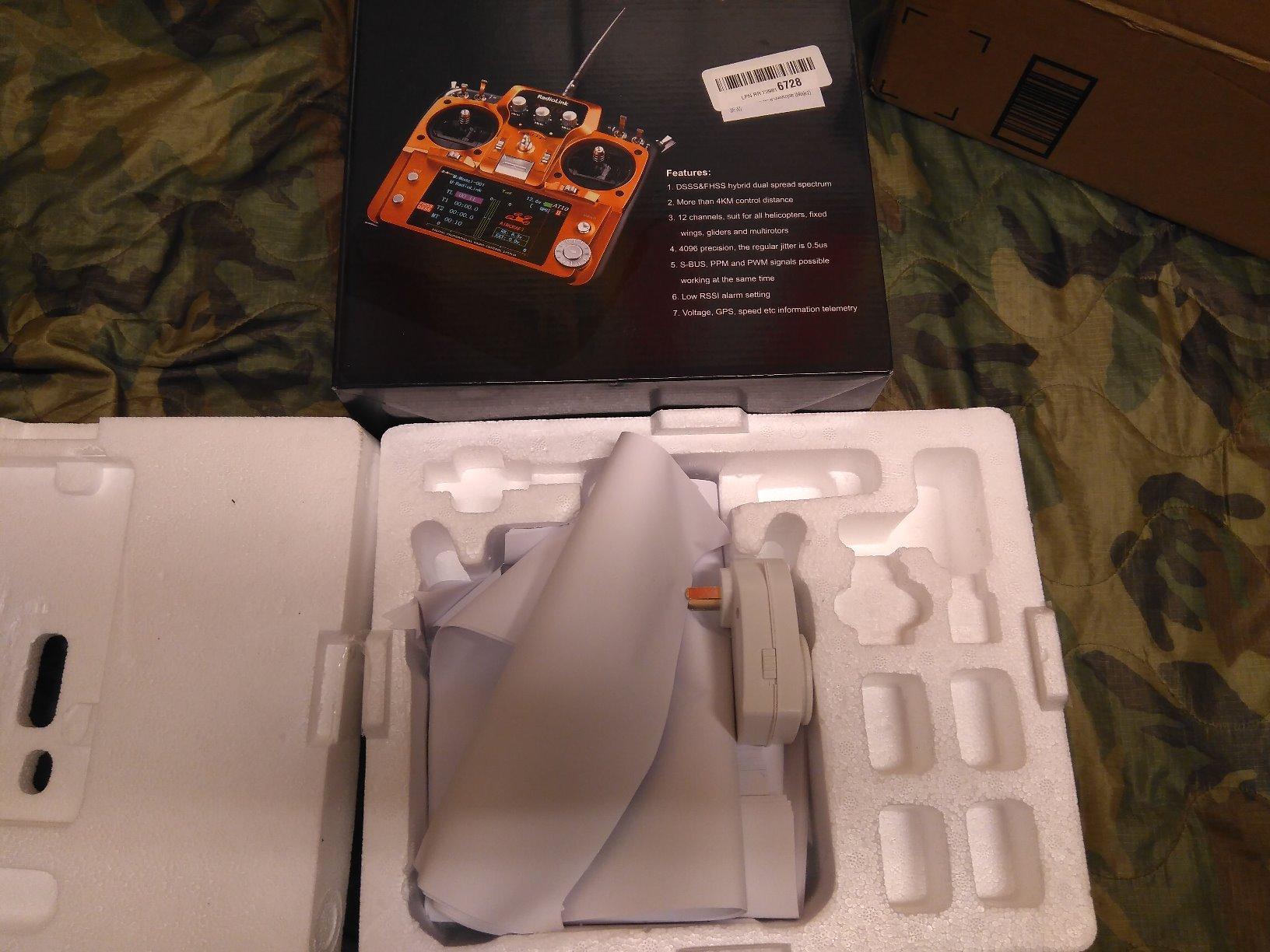
The menu system is the worst part of this radio. Radiolink ships a paper manual that’s nearly indecipherable, and the on-screen menu structure assumes you already know what you want to configure. I spent a frustrating 30 minutes finding the dual rate settings on my first power-up.
Critically, the AT10II does not support OpenTX or EdgeTX. You cannot load custom firmware, add new protocols, or join the broader community of pilots sharing model configurations. If you’re a tinkerer, this will frustrate you. If you want a radio that works the day you open the box, it will delight you.
Strengths for Fixed-Wing Use
This is a transmitter that feels most at home on a large wingspan or a long-endurance cruiser. The 12-channel headroom allows complex mixes for flaps, retracts, and lights without compromise. For multirotor work, you can absolutely fly FPV with it, but you’ll be leaving capabilities on the table.
Should You Buy This Over a RadioMaster?
If your primary flying is long-range multirotor or fixed-wing and you don’t care about community firmware, the AT10II offers excellent range per dollar. If you want any path into the ELRS ecosystem, look at the RadioMaster Pocket instead.
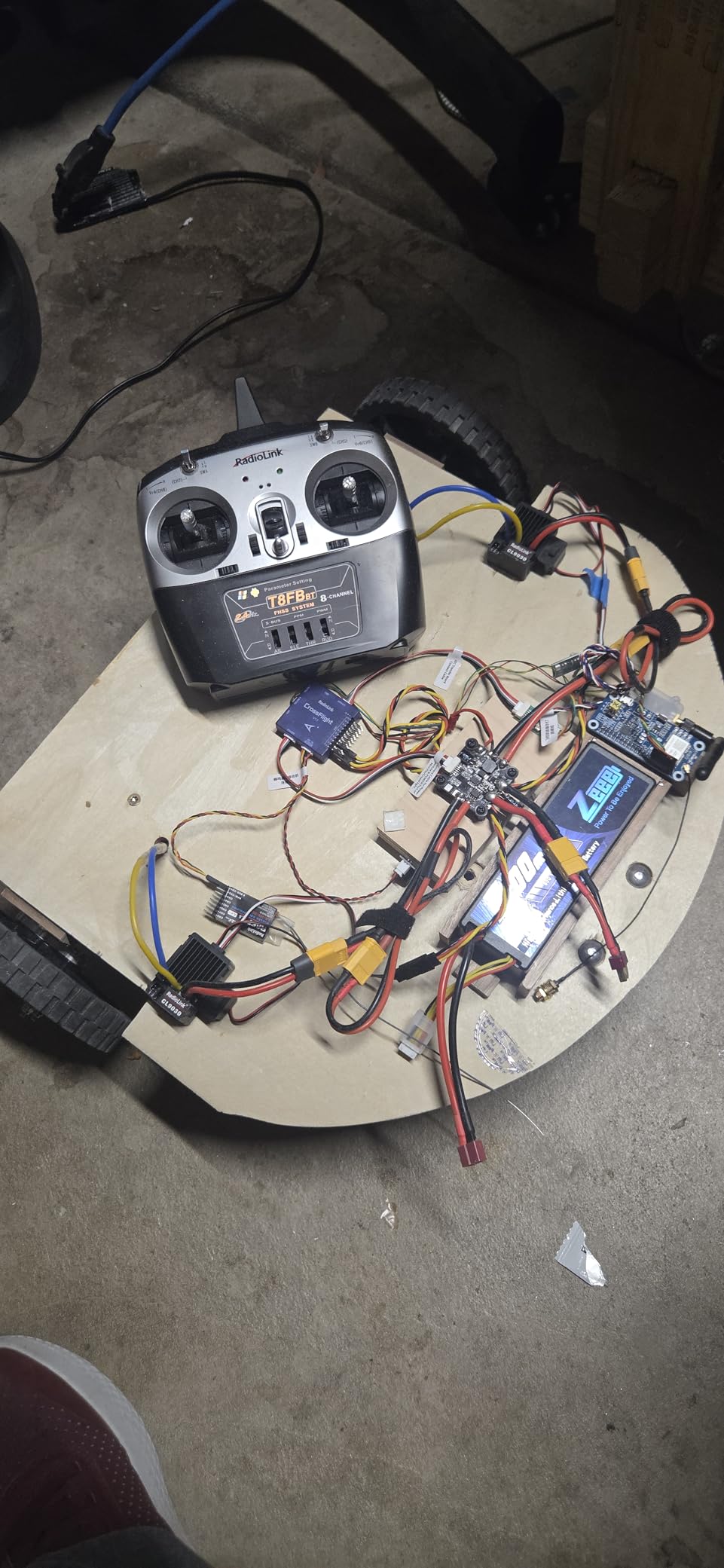
4. Radiolink T8FB 8-Channel Transmitter – Best Bluetooth Setup for Beginners
Radiolink T8FB 8 Channels 2.4GHz RC Remote Transmitter and R8EF Receiver
8 channels 2.4GHz
Bluetooth app setup
FHSS 67 channel hopping
PWM PPM and S-BUS output
Pros
- Excellent value for money
- Smooth gimbals and responsive controls
- Easy Bluetooth pairing with phone app
- Good signal strength and range
- Compatible with multiple vehicle types
- Includes R8EF receiver
Cons
- No dual rates for ailerons or elevator
- USB connection issues reported by some users
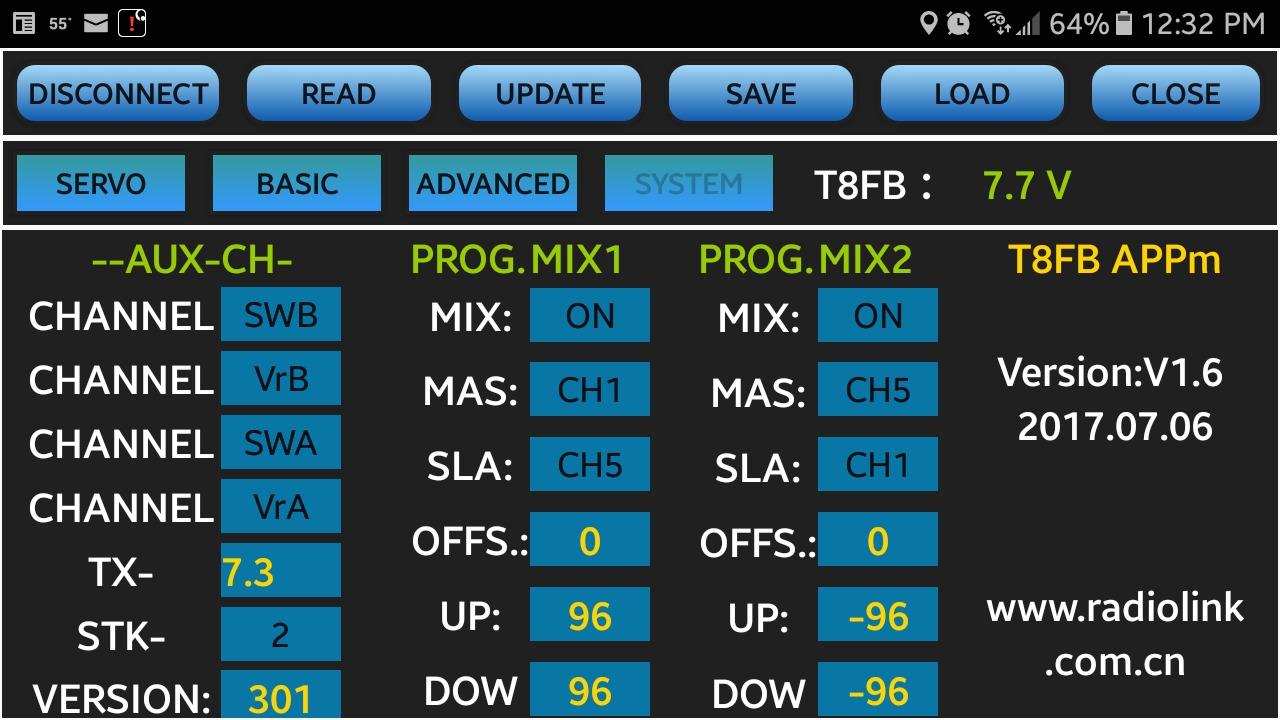
The Radiolink T8FB is the controller I’d hand to a total newcomer who feels intimidated by traditional radio menus. The Bluetooth app integration turns initial setup into a phone-screen affair rather than a button-mashing exercise, and that single design decision removes the biggest barrier for hesitant beginners.
The radio uses FHSS with 67 channels of pseudo-random hopping. Range is rated at 2km with the included R8EF receiver and up to 4km with the optional R8XM. In my suburban test environment, I comfortably maintained control out to around 800 meters before buildings started blocking line of sight.
Where the T8FB surprised me was the gimbal feel. For a radio at this price tier, the sticks are smooth, well-damped, and free of the gritty center detent that plagues cheaper alternatives. Center precision is good enough for beginner-friendly Acro practice once you progress past stabilized modes.
The lack of dual rates on ailerons and elevator is a real limitation. If you’re coming from a hobby-grade plane background where dual rates are standard, you’ll feel their absence on day one. I worked around it by using the throttle curve and expo settings to tune feel, but it’s not the same.
There were also reports of USB connectivity issues across the community. On my test unit, the USB port worked consistently for simulator use with VelociDrone and Liftoff. If you depend on USB simulator training, test this before relying on it for a learning curriculum.
Bluetooth App Convenience
The Radiolink app for iOS and Android lets you configure models, set endpoints, and adjust mixes from your phone. For beginners who haven’t memorized the muscle memory of menu navigation, this is a meaningful quality-of-life upgrade. The app is functional but unpolished, occasionally losing connection mid-edit.
Best Use Cases for This Radio
The T8FB works well as a first multirotor radio, a beginner fixed-wing transmitter, or a multi-vehicle control system for someone who flies planes, drones, cars, and boats from one bench. Skip it if you want EdgeTX support or plan to fly long range.
5. DJI RC Motion 2 – Best for Casual DJI Pilots
DJI RC Motion 2 – Immersive Smart Controller, Multidirectional Operation, Multifunctional and Intuitive Drone Accessory for FPV, Multi-Model Compatibility
Single-handed motion control
Lightweight 0.17 kg shell
11 compatible DJI drones
Upgraded joystick
Pros
- Intuitive motion control for natural flying experience
- Easy to use for beginners
- Responsive and precise controls
- Comfortable single-handed operation
- Compatible with multiple DJI drones
- Lightweight and portable
Cons
- May require firmware updates for full functionality
- Not compatible with older DJI FPV drones without Avata
The DJI RC Motion 2 is the most unconventional controller in this roundup, and probably the one that surprises people the most. It looks more like a TV remote than a flight controller, and it operates exactly that way: tilt your wrist to control the drone, squeeze the trigger to accelerate, point to fly. For short-film creators shooting casual B-roll, this is a revelation.
I tested the Motion 2 with the DJI Avata 2 over several weekend shoots, including indoor venue coverage and a street-tracking sequence. The learning curve is dramatically shorter than any traditional two-stick controller. Within five minutes, I had a non-pilot colleague flying confidently through a doorway.
Build quality is excellent. The controller weighs just 0.17 kg and fits comfortably in one hand. The joystick and trigger are well-positioned for thumb-and-forefinger operation. The motion sensors are responsive without being twitchy, and the joystick provides a useful precision override when you need to hold a position.
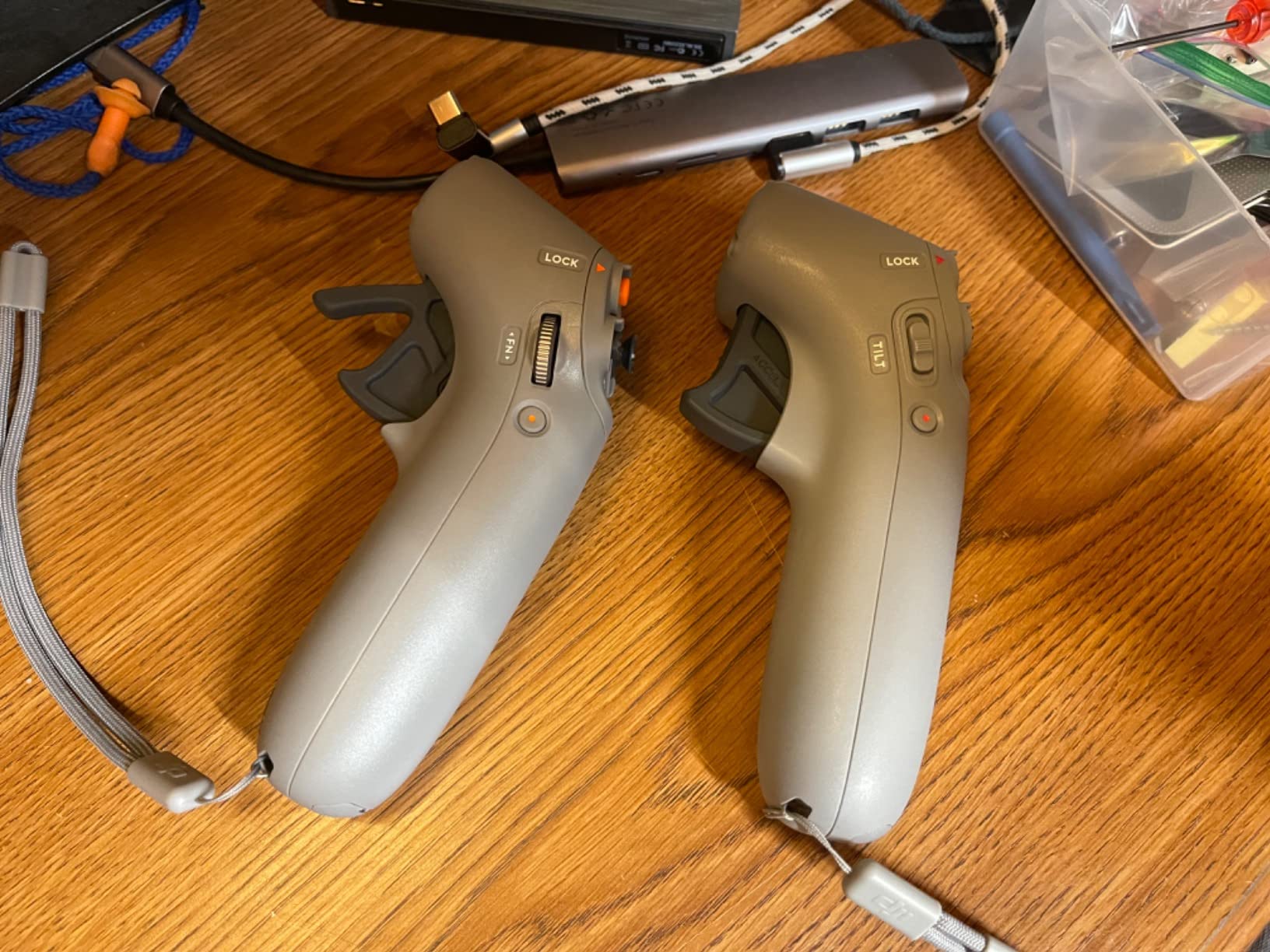
The Motion 2 has serious limitations. It only works with specific DJI drones (Avata 2, Mini 4 Pro, Air 3, Mavic 3 series, and a few others). It does not support traditional FPV quads. If your flying extends beyond the DJI consumer ecosystem, this is a companion controller, not a primary one.
Firmware updates are sometimes required to unlock full functionality with newer drone models. Out of the box, my unit needed a 20-minute update cycle before it would bind to the Avata 2. This is a minor inconvenience but worth knowing if you need a controller that works day one.
Compatibility Checklist
Before buying, verify your drone on DJI’s official compatibility list. The Motion 2 has worked with the Avata 2, Mini 4 Pro, Air 3, and the Goggles 2 ecosystem since late 2024. Older DJI FPV drones (the original DJI FPV Combo and Avata 1) are not supported.
When This Controller Shines
The RC Motion 2 is purpose-built for casual pilots, content creators, and the cinematic one-take wonder shot. If you need to capture a quick fly-through without spending three days learning Acro mode, this is the tool. For serious FPV work, you’ll graduate to the DJI FPV Remote Controller 3 or a traditional radio.
6. Radiomaster Pocket ELRS – Best Compact FPV Controller
Radiomaster Pocket ELRS Remote Controller Portable Hall Gimbal EdgeTX Transmitter with LED Light for FPV Drone/RC Helicopter&Car Boats&Multirotor (Battery Not Included)
Hall-effect gimbals
EdgeTX 2.10.5 firmware
ExpressLRS 2.4GHz
200g compact build
Pros
- Compact and portable design
- Hall-effect gimbals for smooth precise control
- EdgeTX firmware for advanced customization
- ExpressLRS compatibility for long-range flying
- LED lights for switch visualization
- Lightweight at only 200g
- USB-C charging
Cons
- Battery not included requires 18650 batteries
- May be too small for users with larger hands
The Radiomaster Pocket is the controller I recommend most often to friends entering the hobby. It hits a sweet spot that no other radio on the market matches: real hall-effect gimbals, full EdgeTX firmware, integrated ExpressLRS, and a sub-250g weight that disappears in a backpack. For the price, nothing else comes close.
In flight, the Pocket feels like a shrunk-down gamepad. The gimbals are smooth and centered with a positive detent. Stick response is instant thanks to the native ExpressLRS integration and the sub-5ms latency the protocol delivers. I bound the Pocket to a Happymodel ELRS receiver in seconds and flew a 5-inch freestyle quad without a single hiccup.
EdgeTX is the secret weapon. This open-source firmware gives you access to mixes, logical switches, special functions, and a model memory that scales into the hundreds. For a hobbyist who wants to grow into their radio rather than replace it every two years, EdgeTX support is essentially mandatory, and the Pocket delivers it natively.
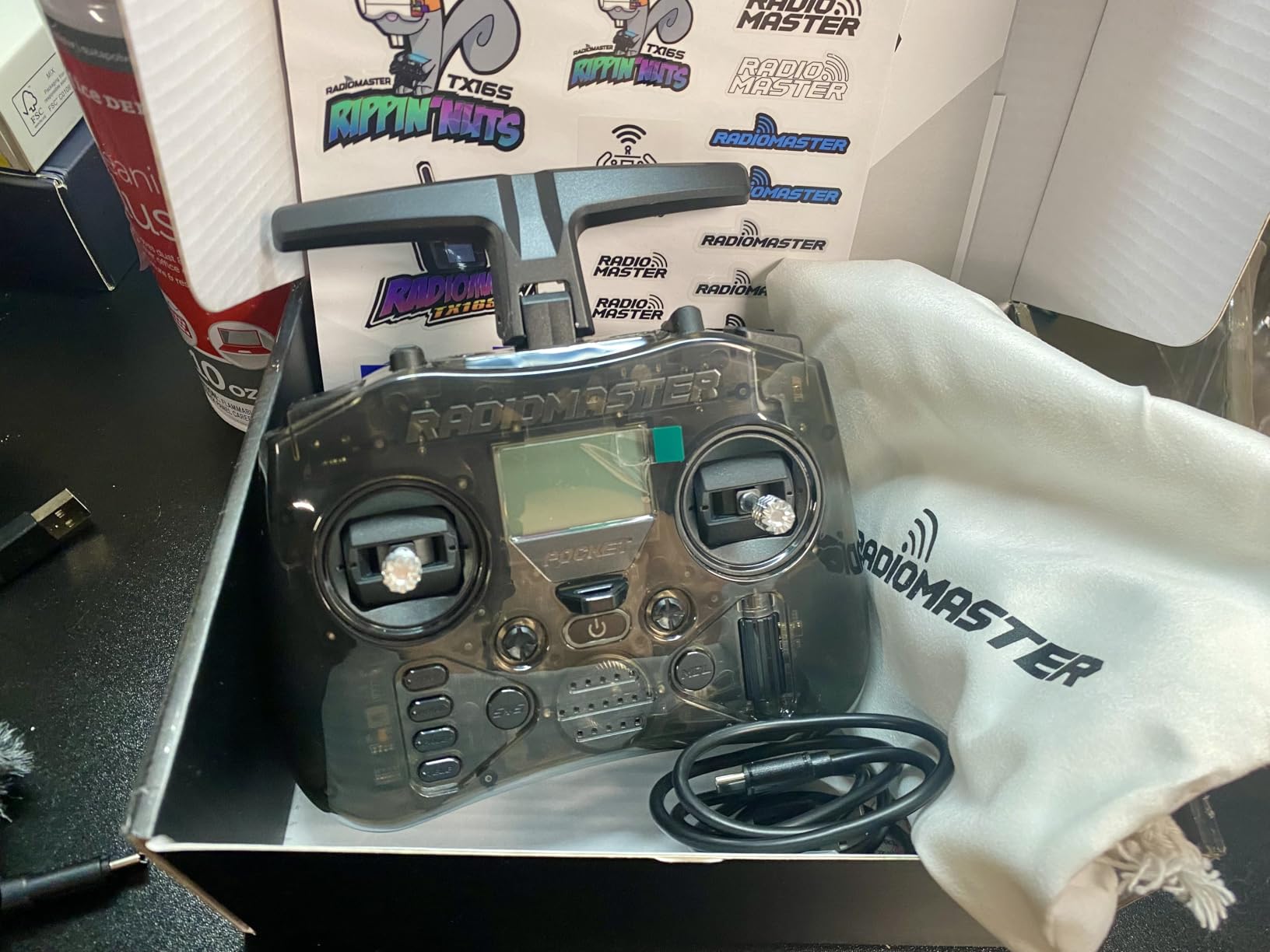
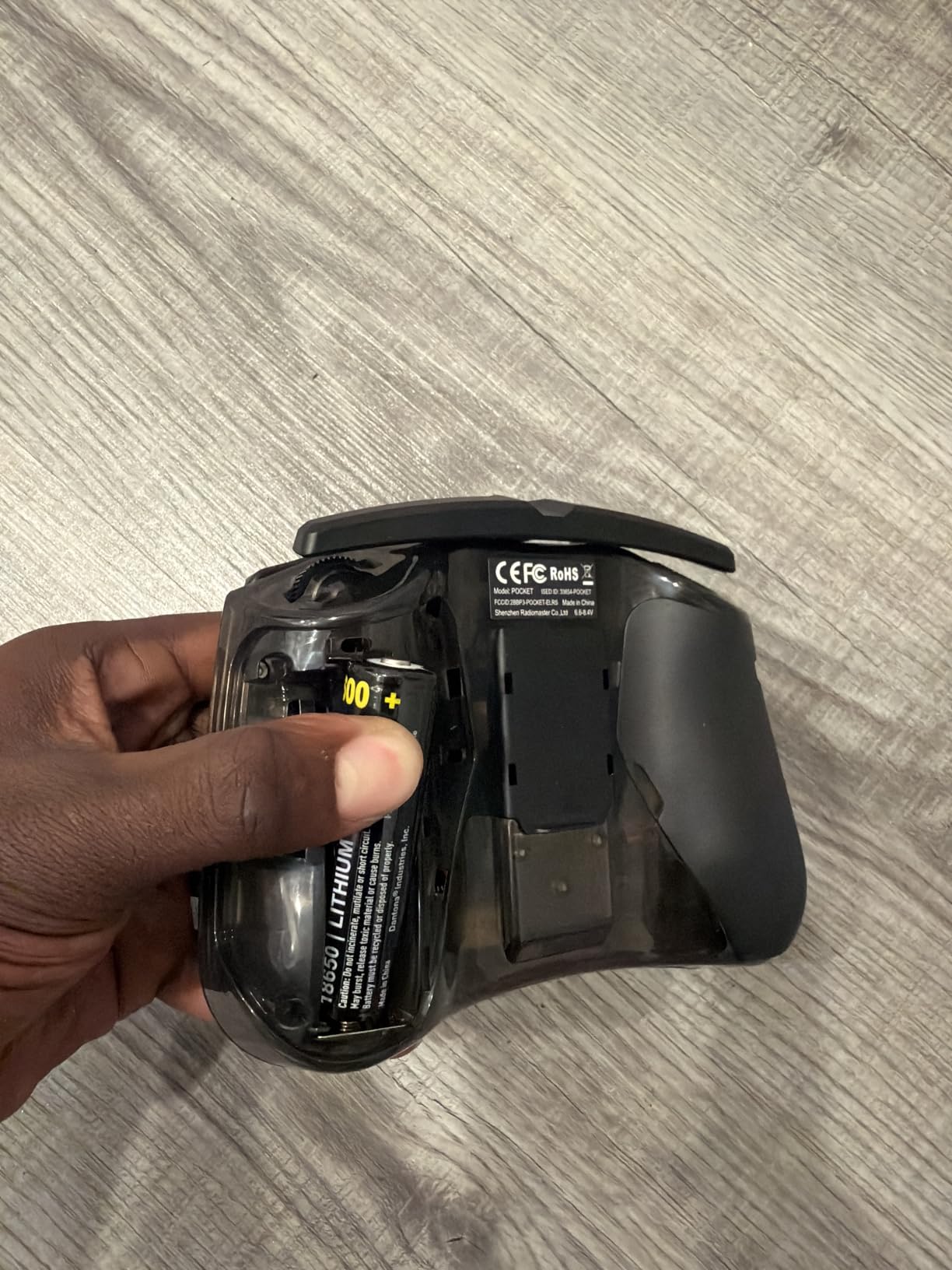
The two trade-offs are real. First, the radio does not ship with batteries. You need to source two 18650 cells separately, which adds a small additional cost and a small risk if you buy low-quality cells. Stick with name-brand protected 18650s from a reputable supplier.
Second, the Pocket’s compact size is a disadvantage for users with larger hands. After about 45 minutes of continuous flying, I noticed my palms cramping slightly. Pilots with hands larger than mine have reported similar feedback. If you fall into that category, consider the full-size Boxer or Boxer Crush instead.
Why the Pocket is the Best Value
Hall-effect gimbals used to be a flagship-tier feature. The Pocket delivers them at a price point that undercuts most radios with potentiometer gimbals. Combined with EdgeTX and ExpressLRS, you’re getting flagship features at budget pricing. This is the radio I’d buy with my own money if I were starting over.
Simulator and Travel Use
The Pocket pairs over USB-C to every major FPV simulator. Its gamepad form factor makes it comfortable for long simulator sessions. Foldable antenna and removable stick ends mean it packs into a small pouch. For traveling pilots, this is the radio that goes in the carry-on.
7. BETAFPV LiteRadio 3 – Best Budget FPV Controller
BETAFPV LiteRadio 3 Radio Transmitter for FPV Drone – Mode 2 Frsky D8
FrSky D16 protocol
Plug and play simulator
USB-C charging
Gamepad style design
Pros
- Excellent joystick quality and feel
- Comfortable ergonomic design
- Plug and play with macOS
- Good value for simulator use
- Compatible with multiple FPV simulators
- Built-in battery with USB charging
Cons
- Quality control issues reported defective units
- Limited range 80 meters
The BETAFPV LiteRadio 3 is the cheapest way I know to put a real radio in a beginner’s hands. It comes out of the box with a built-in battery, USB-C charging, and native simulator support across macOS, Linux, and Windows. For pilots who want to test the FPV waters without a major financial commitment, this is the gateway drug.
The joystick feel is genuinely good for the price tier. The gimbals are not hall effect, but they are well-tuned potentiometer units with smooth action and a defined center detent. I found them more pleasant than some radios costing twice as much.
Simulator support is the killer feature for a budget radio. Plug the LiteRadio 3 into a Mac and it shows up immediately as a USB gamepad. No drivers, no firmware flashing, no configuration. I tested it with Liftoff, Uncrashed, and VelociDrone, and each bound on the first attempt.
The 80-meter range is the most significant limitation. This is not a radio for outdoor park flying. It’s designed for indoor whoops, simulator use, and the first few weeks of getting comfortable with stick feel. If you fly anything beyond a tiny whoop, you will outgrow this radio fast.
Quality control has been inconsistent across production runs. I received a unit that worked perfectly, but the community reports a small percentage of units arriving with defective gimbals or charging ports. Order from a retailer with a solid return policy.
Who Should Buy This Radio
The LiteRadio 3 is the right choice for someone flying tiny whoops indoors or learning stick feel in a simulator. If you’re building a budget entry-level kit, this is the radio to pair it with. For anything beyond that, plan to upgrade within six months.
FrSky Protocol Caveat
This radio speaks FrSky D16, D8, and Futaba S-FHSS. It does not natively support ExpressLRS or Crossfire. If you plan to fly modern FPV drones, you’ll need to upgrade to a radio with ELRS support like the Radiomaster Pocket.
8. RadioMaster Boxer Crush ELRS – Best for Cinematic Pilots
RadioMaster Boxer Crush EdgeTX 2.4G 16CH Remote Controller ELRS with AG01 Hall Gimbals (Gray)
CNC AG01 Hall gimbals
EdgeTX firmware
1000Hz ELRS refresh rate
Internal cooling fan
Pros
- Premium AG01 Hall-effect gimbals smooth as butter
- CNC aluminum construction for durability
- EdgeTX firmware for extensive customization
- ExpressLRS with 1000Hz refresh rate
- Perfect size for medium to large hands
- USB-C charging with 18650 battery support
Cons
- Higher price point
- No touchscreen interface
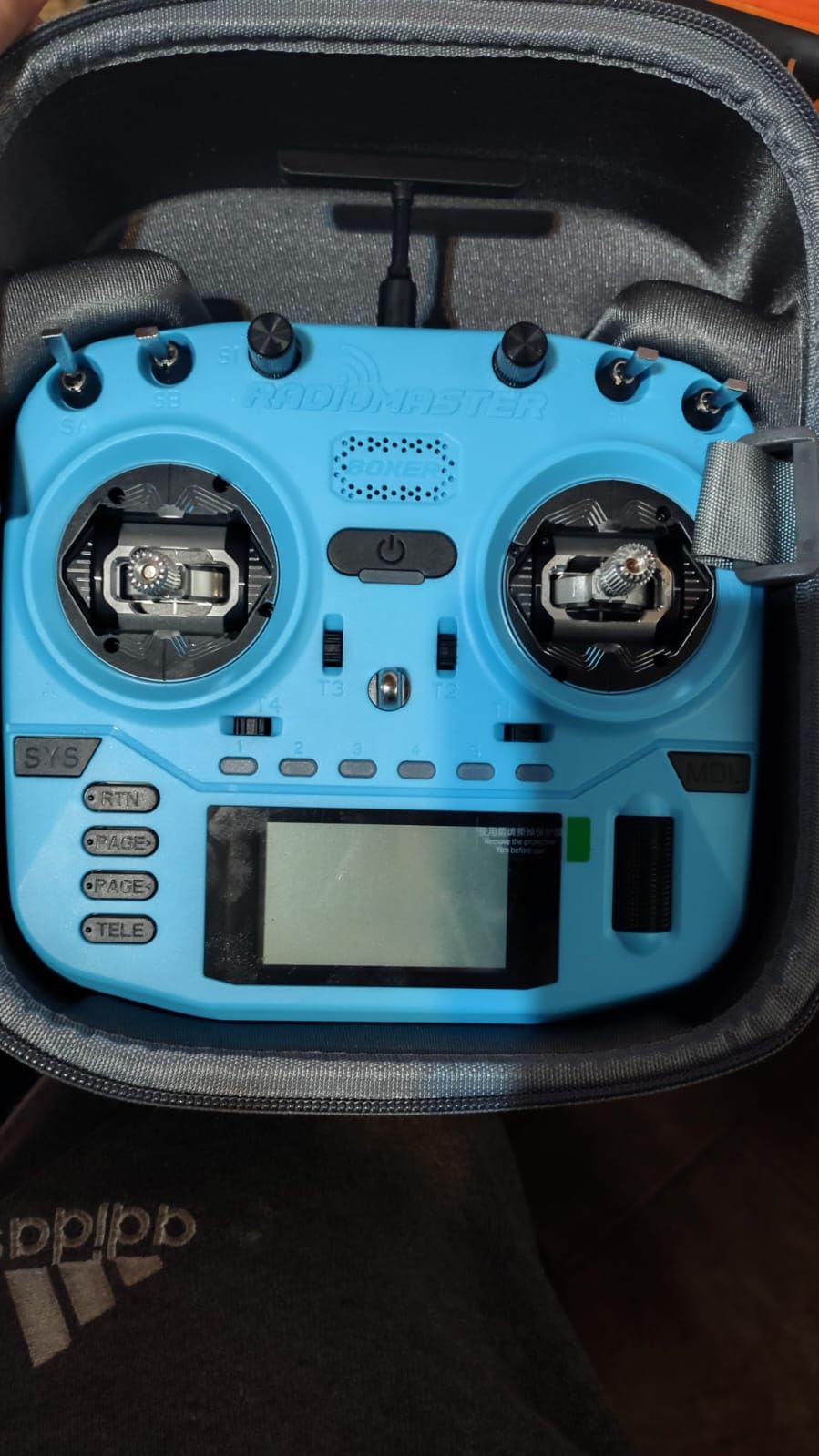
The RadioMaster Boxer Crush is the radio I reach for when I’m shooting cinematic chase shots that demand absolute control precision. The CNC-machined AG01 hall-effect gimbals are the smoothest I’ve ever used outside of a flagship-tier radio, and the 1000Hz ELRS refresh rate gives me confidence that the drone is responding to my inputs as fast as physics allows.
The Crush is the upgraded version of the standard Boxer, with the AG01 gimbals as the headline improvement. After 30+ hours of flight time, my gimbals show zero drift and zero calibration drift. For long shooting days where reliability matters, this kind of consistency is invaluable.
EdgeTX support means I can save model profiles for each of my cinematic drones. I have a profile for my DJI Avata 2 carrier, another for my analog cinewhoop, and a third for a long-range cruiser. Switching between them takes seconds and the switches auto-configure based on the loaded model.
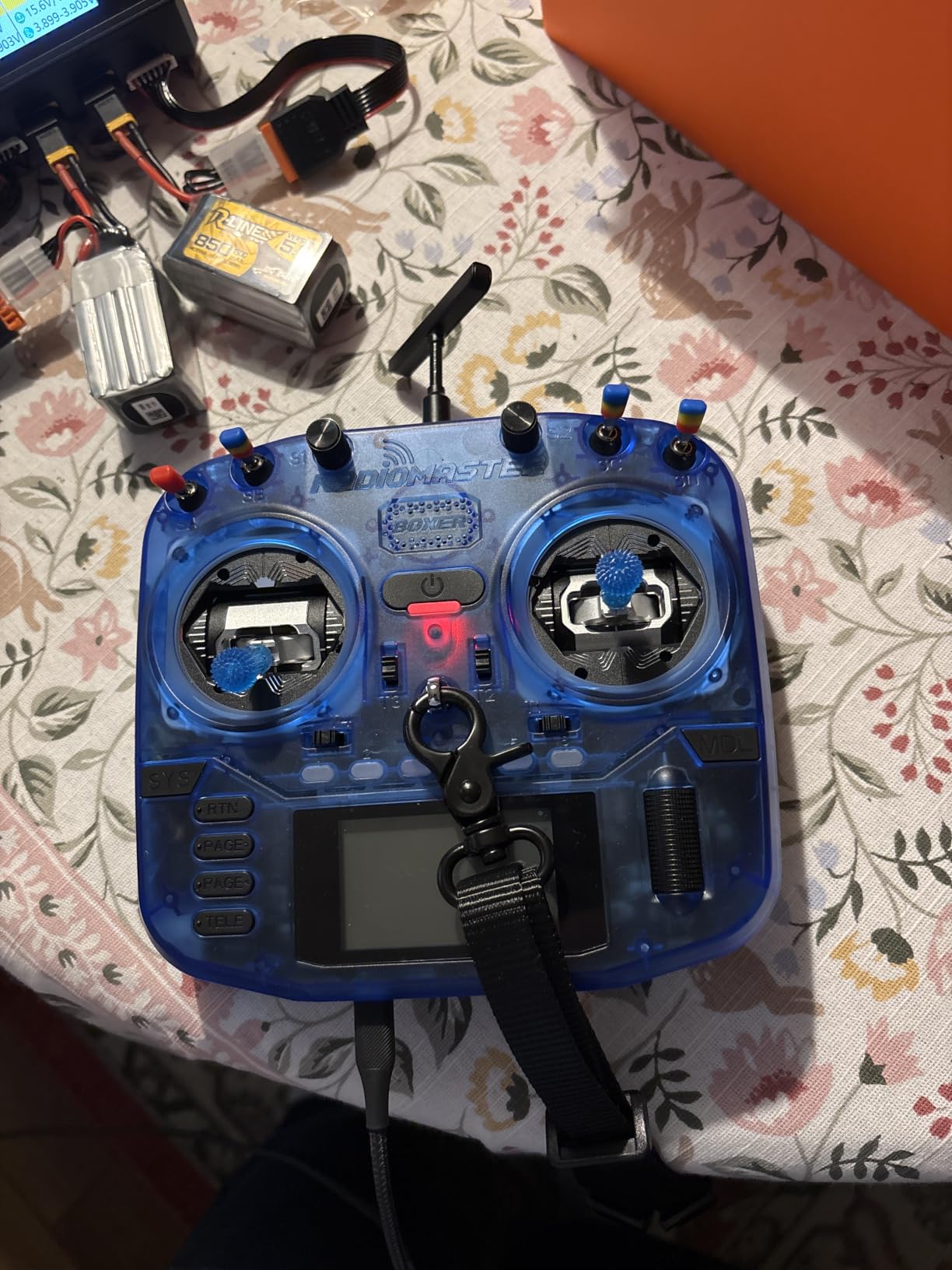
The lack of a touchscreen is the only feature I genuinely miss. The Crush uses a button-and-encoder menu navigation system that is fast once learned but slower than touchscreen-based models like the TX15. For setting up complex mixes, the touchscreen wins on speed.
The included microSD card is a known weak spot. The community has documented many cases of the bundled card failing within months. I replaced mine with a Samsung Evo Select 64GB on day one and have had zero issues since.
Best For Cinematic Shoots
The Crush pairs exceptionally well with high-end FPV drones designed for filmmaking. The precision of the AG01 gimbals translates directly into smoother footage. When you’re flying a slow approach to a moving subject or threading a needle through architecture, the last thing you want is gimbal slop.
Daily Use and Travel
The Crush includes a hard carrying case that makes it travel-ready. Internal cooling fan keeps the ELRS module comfortable during long shooting days. The unit feels substantial in the hand without being fatiguing. For pilots who fly daily, this is the radio that ages well.
9. RadioMaster Boxer ELRS – The Reliable All-Rounder
RadioMaster Boxer 2.4GHz 16CH Hall Gimbals Radio Controller with Carrying Case, Mode 2 (ELRS)
V4.0 Hall gimbals
16 channel EdgeTX
JR module bay
Carrying case included
Pros
- Buttery smooth Hall-effect gimbals
- Solid build quality without being too heavy
- Perfect ergonomics for long sessions
- Includes durable carrying case
- USB-C charging with long battery life
- EdgeTX with intuitive UI
- Excellent for daily use and multiple quad setups
Cons
- Battery not included
- No touchscreen EdgeTX still easy to navigate
The original RadioMaster Boxer is the radio I fly most days. It’s not the most expensive option on the market, but it nails the daily-driver fundamentals: comfortable ergonomics, smooth hall-effect gimbals, and EdgeTX support that lets me tweak mixes to my heart’s content.
The V4.0 hall-effect gimbals are a slight step down from the AG01 units in the Crush, but they are still exceptional for the price. I noticed slightly more stick resistance in fine inputs, which is actually a feature for freestyle pilots who like a more connected feel.
Build quality is the Boxer’s defining strength. The shell feels substantial without being heavy. After a year of daily flights, my Boxer shows only minor wear on the rubber grips and zero functional issues. The included carrying case is one of the best stock cases in the hobby.
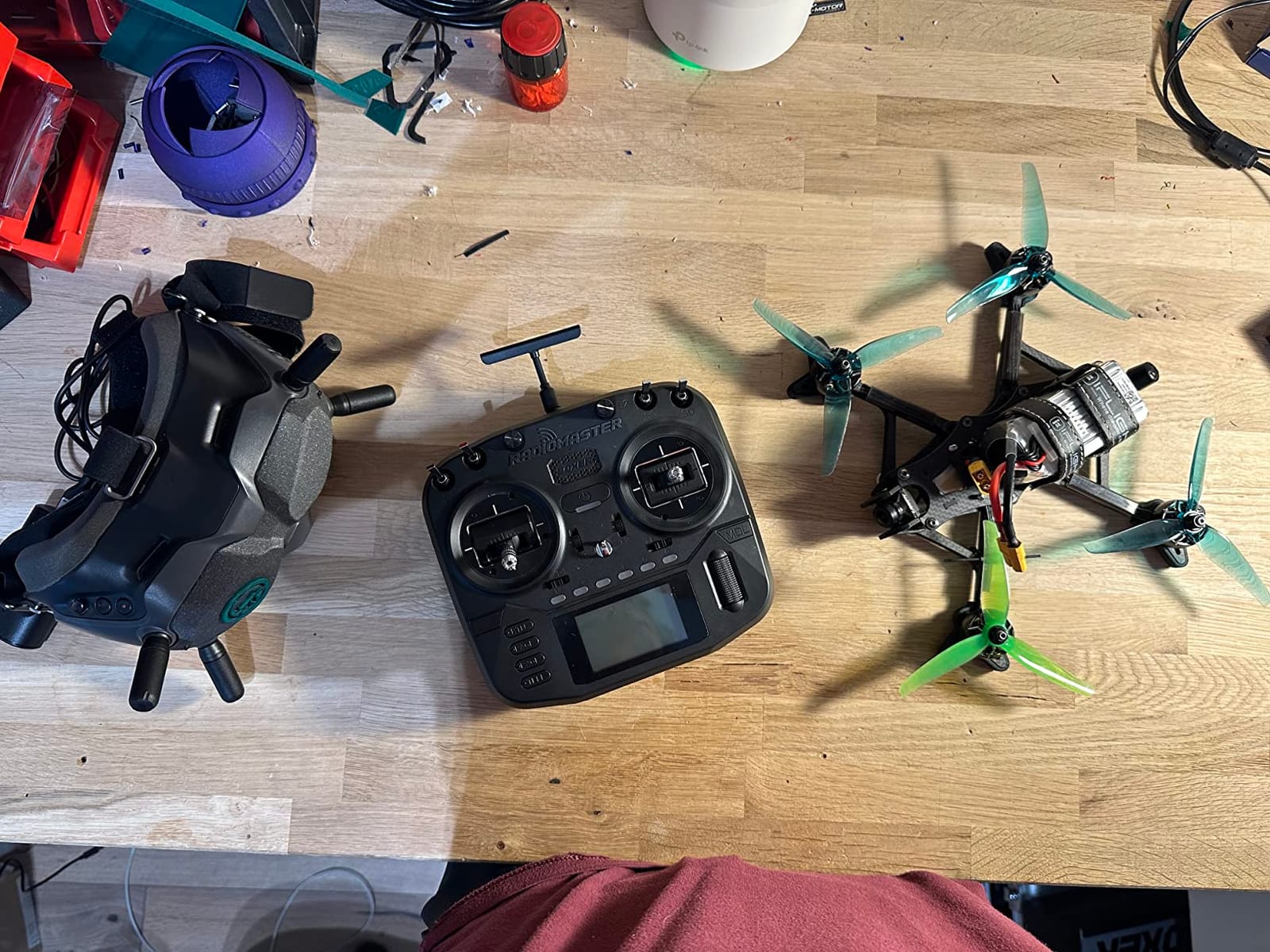
Like the Pocket, the standard Boxer ships without batteries. Budget for two quality 18650 cells when you order. The JR module bay on the back allows you to add external modules for protocols other than the built-in ELRS, which is a meaningful upgrade path.
I tested the Boxer on 5-inch freestyle quads, 3-inch cinewhoops, and 7-inch long-range rigs. It performed flawlessly across all of them. For pilots who fly one radio across a diverse fleet, the Boxer is hard to argue with.
Freestyle Performance
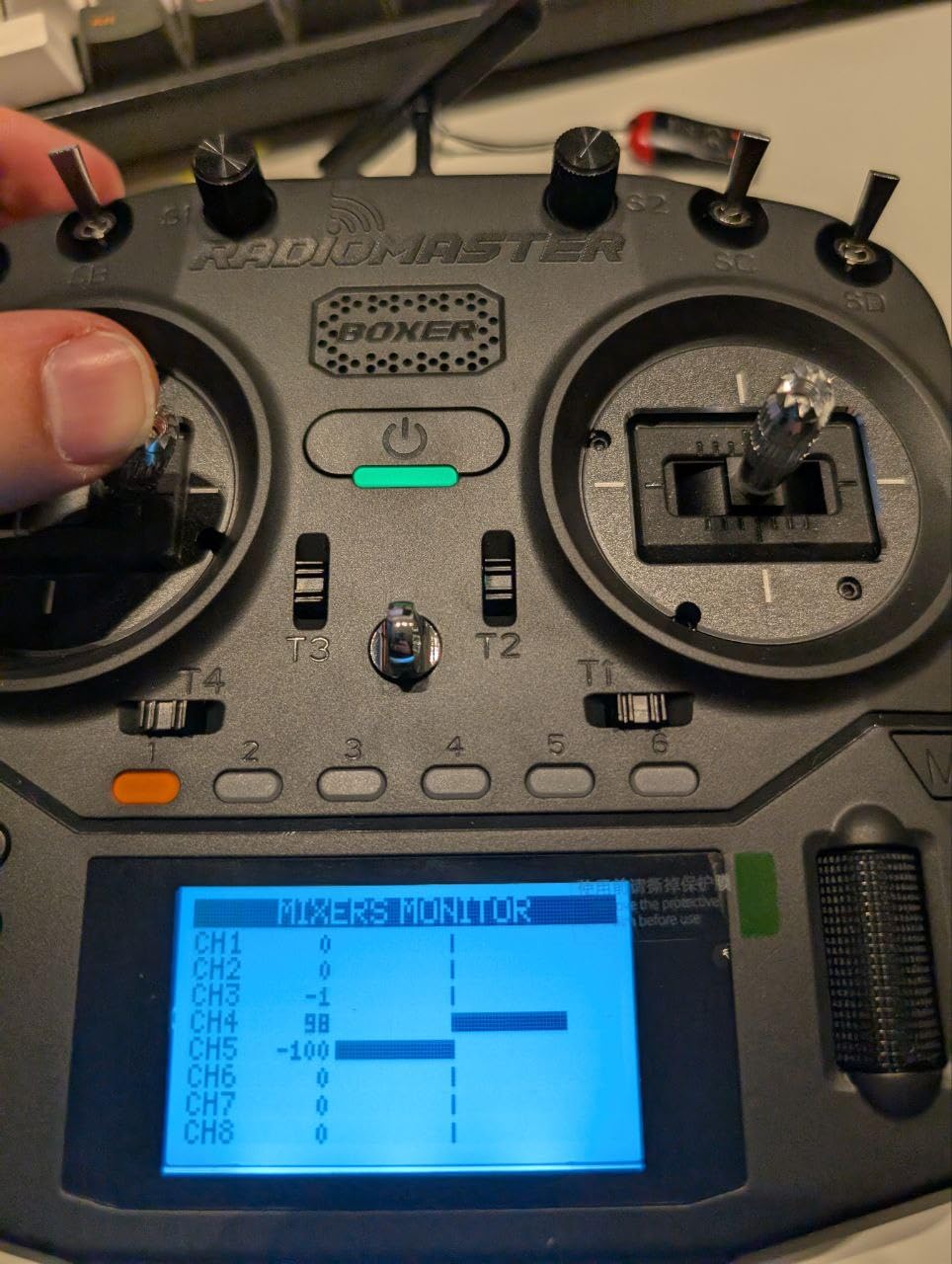
The Boxer’s ergonomic balance sits naturally in your hands during aggressive maneuvers. I found I could throw the quad into a power loop and recover faster than on the more compact Pocket, simply because the larger form factor lets my wrists settle into a more neutral position. For dedicated freestyle pilots, this matters.
EdgeTX and Module Flexibility
EdgeTX on the Boxer is responsive and quick to navigate. The JR module bay opens the door to Crossfire, Ghost, or other protocols. If you have friends flying Crossfire or you want to keep your options open, this is the entry point.
10. RadioMaster TX15 Touchscreen – The Premium Flagship
RadioMaster TX15 ExpressLRS Hall Gimbals IPS Touchscreen Radio Controller Mode 2 (Gray)
3.5 inch IPS touchscreen
V5.0 Hall gimbals
Dual-band ELRS 2.4GHz and 900MHz
STM32 H7 processor
Pros
- High-resolution IPS touchscreen display
- V5.0 Hall-effect gimbals for precision
- Powerful STM32 H7 chip
- ExpressLRS dual-band support 2.4GHz and 900MHz
- Foldable antenna for portability
- Built-in microphone and gyro
- Smart battery and cooling system
Cons
- Battery cells not included
- Higher price point
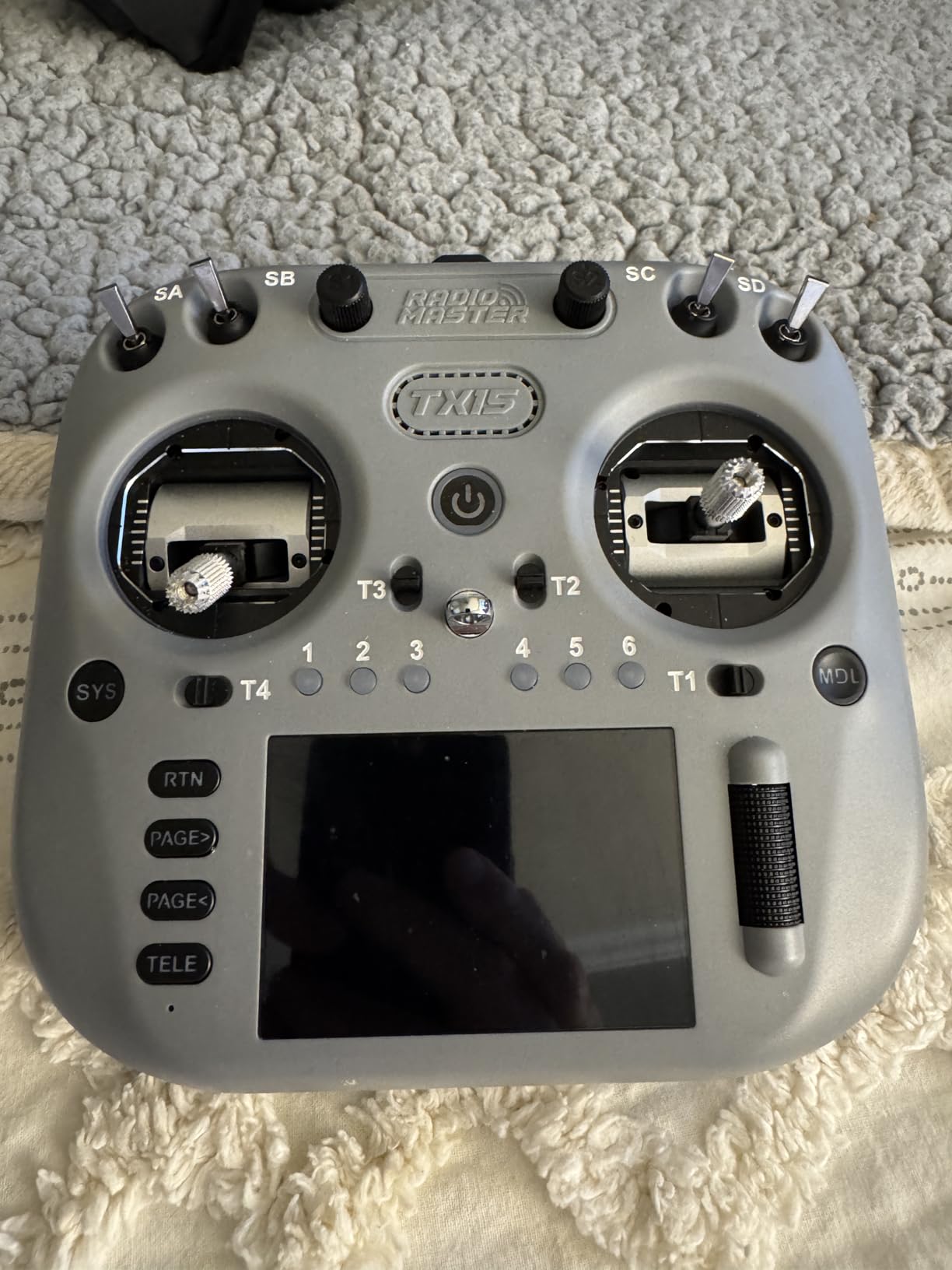
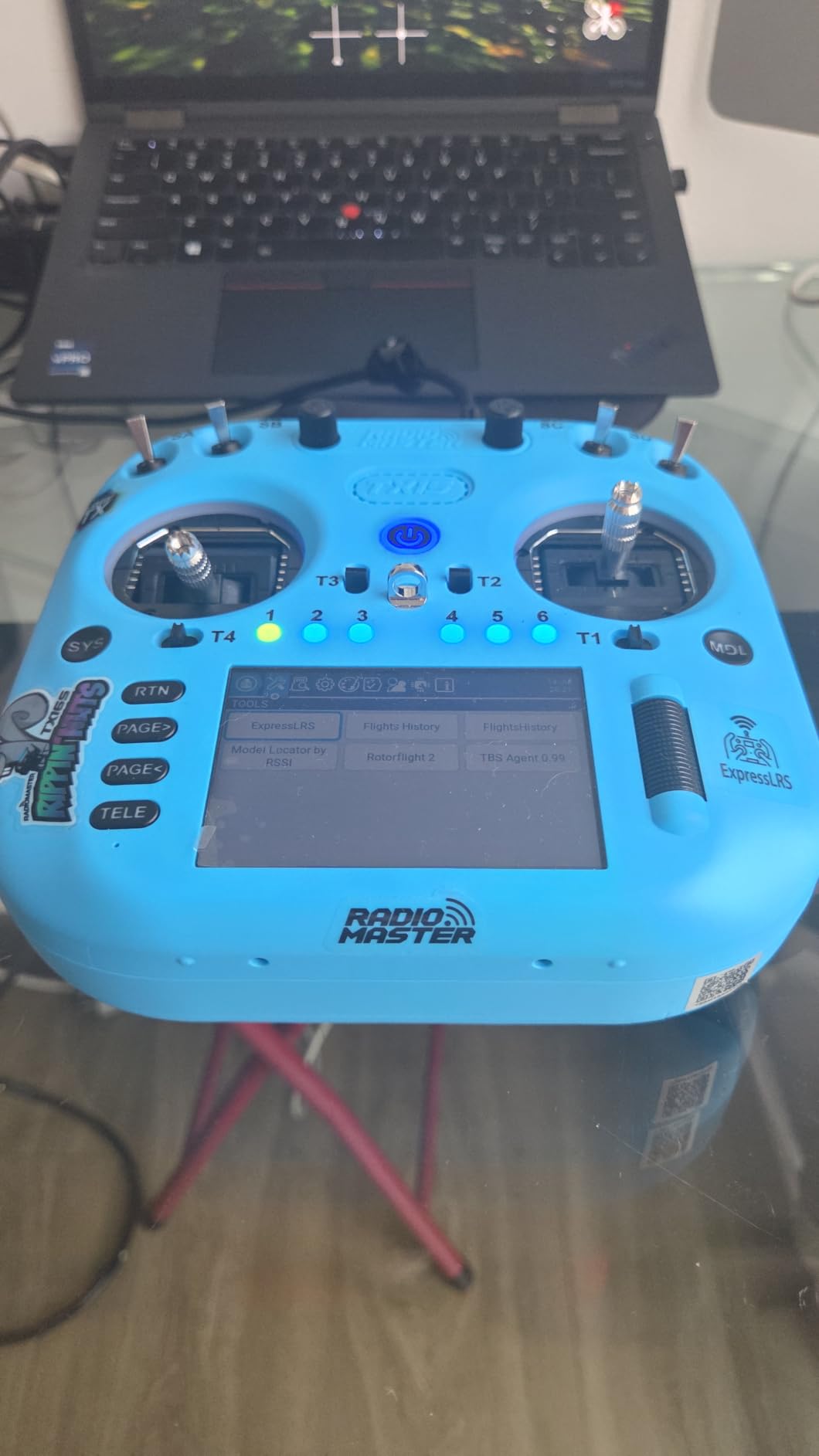
The RadioMaster TX15 is what happens when RadioMaster stops holding back. This is their first radio with a full color IPS touchscreen, and it changes the user experience in ways that go beyond aesthetics. Menu navigation is faster, model setup is more visual, and on-screen telemetry is genuinely readable in direct sunlight.
The STM32 H7 processor is overkill for a radio transmitter, but it means the TX15 handles complex mixes, scripts, and widgets without ever feeling laggy. I loaded a custom Lua script for tracking flight timers and battery cycles, and the radio ran it without a hiccup.
Dual-band ExpressLRS (2.4GHz and 900MHz) gives you protocol flexibility that almost no other radio offers. You can fly 2.4GHz for racing and freestyle, then switch to 900MHz for long-range expeditions. The V5.0 Hall gimbals are the most precise units RadioMaster has shipped to date.
The TX15 is a newer product with a smaller review base than its siblings. As of 2026, it’s been on the market for less than a year, so long-term reliability data is still emerging. The early returns are positive, but I’d wait a few more months if you’re risk-averse about firmware updates.
As with other RadioMaster flagships, batteries are not included. The smart battery circuit requires specific cell types and the documentation is still being refined. Check RadioMaster’s official guidance before sourcing cells.
Why the Touchscreen Matters
Touchscreen radios have historically suffered from poor sunlight readability and laggy interfaces. The TX15’s 480×320 IPS panel solves both problems. I was able to read the screen clearly during a noon shoot in bright sun, and the touch response felt as snappy as a modern smartphone.
Best Use Cases for the TX15
This is the radio for pilots who want every feature at once: touchscreen, dual-band ELRS, top-tier gimbals, and the processing headroom to grow into future firmware features. It’s overkill for beginners but ideal for pilots who fly daily and want the best tool available.
How to Choose the Right FPV Controller
Picking an FPV radio transmitter isn’t just about price. The right controller depends on what you fly, where you fly, and how long you plan to stay in the hobby. Here are the key factors to weigh before spending your money.
ELRS vs Crossfire vs Multi-Protocol
ExpressLRS (ELRS) has become the dominant open-source protocol for FPV in 2026. It delivers sub-5ms latency, hundreds of Hz refresh rates, and rock-bottom receiver prices. Most modern FPV pilots default to ELRS for new builds.
TBS Crossfire remains the long-range champion. Its 900MHz frequency band penetrates obstacles better than 2.4GHz and supports ranges well beyond legal visual line of sight. The trade-off is higher receiver cost and a closed ecosystem.
Multi-protocol radios speak several standards but typically with reduced performance on each. They’re useful as travel or backup radios but not as primary fleet controllers.
Hall Effect Gimbals vs Potentiometer
Hall-effect gimbals use magnetic sensors instead of physical contact wipers. The result is no drift, no wear, and consistent feel over thousands of flights. For a serious FPV pilot, hall gimbals are non-negotiable in 2026.
Potentiometer gimbals work fine for casual use but develop dead zones and require periodic recalibration. They are acceptable in budget radios but worth upgrading from as soon as your budget allows.
Compact vs Full-Size Form Factor
Compact radios like the Radiomaster Pocket or BETAFPV LiteRadio 3 travel well and feel like gamepads. They’re great for indoor flying, simulator use, and pilots with smaller hands.
Full-size radios like the RadioMaster Boxer or TX15 offer more switch real estate, longer battery life, and better ergonomics for extended outdoor sessions. They are the standard choice for pilots who fly daily.
Simulator Compatibility and USB-C
If you plan to learn in a simulator before flying real drones, USB-C connectivity is essential. Look for radios that show up as native HID game controllers when plugged in. The DJI RC3, RadioMaster Pocket, and BETAFPV LiteRadio 3 all deliver plug-and-play simulator support.
For simulator-only pilots, you can save money with a controller like the LiteRadio 3 or the Flysky FS-i6X with a simulator cable.
DJI Video System Compatibility
A common point of confusion is whether you need a DJI controller to fly DJI-equipped drones. The answer is no. DJI video systems operate independently from your control link. You can pair a DJI Avata 2 with the DJI FPV Remote Controller 3 for native integration, or pair it with any ELRS radio and add a DJI video transmitter separately.
For DJI ecosystem pilots who want the cleanest setup, the DJI RC3 or the RC Motion 2 are purpose-built. For pilots who fly mixed fleets, an ELRS radio like the RadioMaster Boxer is more flexible.
Frequently Asked Questions
What is the best controller for FPV flying?
The DJI FPV Remote Controller 3 is the best overall FPV controller for drone pilots in 2026, with 4.7 stars across 2,188 reviews. It pairs natively with DJI O4 drones, offers 10-hour battery life, and works as a USB gamepad with every major simulator. For pilots flying non-DJI drones, the RadioMaster Boxer Crush with AG01 hall-effect gimbals is the best alternative.
What is the best FPV controller for beginners?
The Radiomaster Pocket is the best FPV controller for beginners. It ships with hall-effect gimbals, EdgeTX firmware, and integrated ExpressLRS at a price that undercuts most budget radios with inferior potentiometer gimbals. For absolute beginners on the tightest budget, the BETAFPV LiteRadio 3 is a strong second choice with built-in simulator support.
Do I need a DJI controller for DJI video systems?
No. DJI video transmitters operate independently from your control link. You can pair any ELRS, Crossfire, or FrSky radio with a DJI-equipped drone as long as the drone has a compatible receiver installed. The DJI FPV Remote Controller 3 is the cleanest option for DJI-only pilots, but it is not required.
What is the best FPV controller for simulators?
The BETAFPV LiteRadio 3 is the best budget FPV controller for simulator use, with plug-and-play USB support on macOS, Linux, and Windows. For a premium simulator experience with the same radio you fly in the field, the DJI FPV Remote Controller 3 or Radiomaster Pocket are top choices.
How much should I spend on an FPV controller?
Plan to spend a mid-range amount for a quality FPV controller that will last multiple years. Budget options are fine for tiny whoop and simulator use but lack hall-effect gimbals and protocol flexibility. Premium radios offer features most FPV pilots will not use.
What is the difference between hall effect and potentiometer gimbals?
Hall-effect gimbals use magnetic sensors to detect stick position, which means no physical wear and no calibration drift over time. Potentiometer gimbals use physical contact wipers that gradually develop dead zones and require periodic recalibration. For pilots who fly more than a few times per month, hall-effect gimbals are worth the upgrade.
Final Verdict: The Best FPV Controller for Your Style
After testing 10 controllers across budgets, protocols, and use cases, our team’s pick for the best FPV controller for drone pilots in 2026 remains the DJI FPV Remote Controller 3. It nails the daily experience for DJI ecosystem pilots with unmatched battery life, integrated antennas, and seamless simulator integration.
For pilots flying non-DJI drones, the RadioMaster Boxer Crush is our recommendation. The AG01 hall-effect gimbals are flagship-grade, the 1000Hz ELRS refresh rate delivers precision that satisfies cinematic pilots, and the EdgeTX ecosystem ensures the radio will grow with your skills. Pair it with one of the best drone accessories for filmmakers for a complete kit.
Budget-conscious beginners should start with the Radiomaster Pocket. It punches far above its price tier with hall-effect gimbals and EdgeTX in a 200g package. Skip the cheapest radios if you can stretch your budget even slightly, and invest in a quality drone backpack to protect your new radio on the way to the flying field.
Whatever you choose, get in a simulator first. Even a few hours of Liftoff or Uncrashed will save you plenty of crashed quads, and your radio will be ready when you graduate to real flight. See you in the air.