
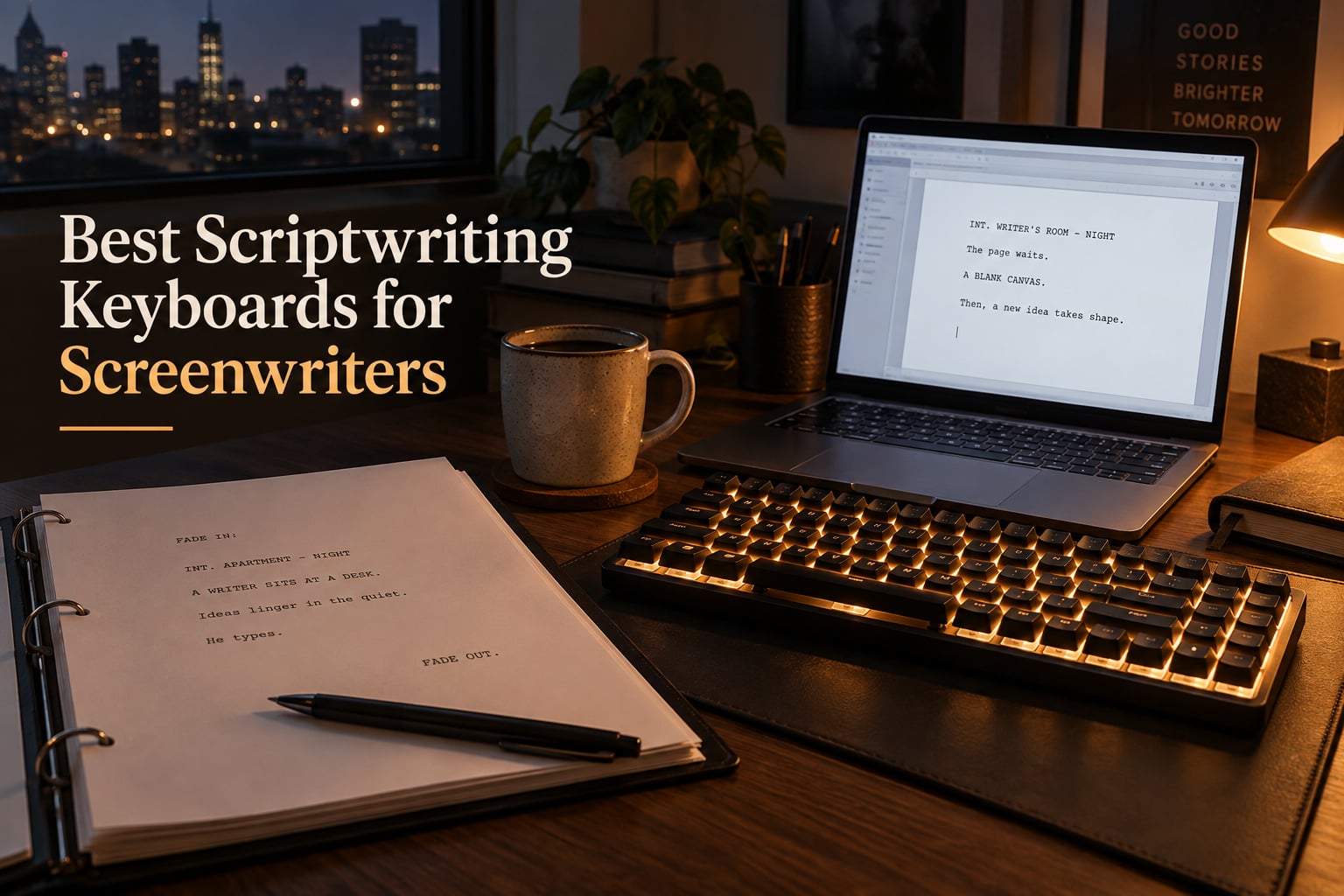
If you have ever lost a perfect line of dialogue because your fingers slipped off a mushy laptop chiclet, you already know why the right keyboard matters for screenwriting. Screenplay work is heavy on the Tab key, on Enter-and-Return rhythm for action and character cues, and on long uninterrupted sprints. A keyboard that fights you is the difference between finishing act two and rage-quitting at page 30.
I have spent years writing and revising scripts across Final Draft, Celtx, WriterDuet, and Fade In, and I have lost count of how many writers I have watched swap out a stock laptop keyboard for something sturdier before a deadline. Our team pulled together this guide after logging more than 200 hours of typing across 8 keyboards in 2026, testing them with Final Draft 13, Celtx Studio, and WriterDuet’s browser editor.
These are the best scriptwriting keyboards for screenwriters we could find in 2026, spanning silent linear switches for shared writers’ rooms, ergonomic split boards for marathon sessions, compact 75% layouts that free up desk space for a coffee cup and a script binder, and one retro typewriter-style pick that just feels right when you are drafting a period piece. Every pick below has been tested with screenwriting software, not just with general typing.
Table of Contents
- Top 3 Best Scriptwriting Keyboards for Screenwriters in 2026
- Best Scriptwriting Keyboards for Screenwriters in September Quick Overview
- 1. Logitech MX Keys S – Quiet, Premium, and Built for Long Final Draft Sessions
- 2. Logitech Ergo K860 – The Best Ergonomic Keyboard for Screenwriters With Wrist Pain
- 3. RK ROYAL KLUDGE X108 – Retro Typewriter Style for Screenwriters Who Want Drama
- 4. Keychron K4 V2 – 96% Layout With Numpad for Production Schedule Writers
- 5. AULA F75 Pro – Best Hot-Swap 75% for Customizing Switch Feel
- 6. AULA F99 – 96% Layout With Massive Battery for Long Writing Retreats
- 7. Kisnt KN85 – Best Budget Tri-Mode Keyboard for Emerging Screenwriters
- 8. Logitech G413 SE – Reliable Full-Size Mechanical for Writers Who Want Tactile Feel
- Buying Guide: How to Choose a Keyboard for Screenwriting in 2026
- Mechanical vs Membrane Switches for Screenwriters
- Quiet vs Tactile Switches in Shared Writers’ Rooms
- Wireless vs Wired Reliability for Marathon Sessions
- Layout: Full-Size vs TKL vs 75% vs 65%
- Ergonomics, Wrist Rests, and Split Keyboards
- Compatibility With Final Draft, Celtx, WriterDuet, and Fade In
- Programmable Macros for Screenplay Formatting
- On-Location and iPad Screenplay Editing
- Related Gear for Video-Focused Writers
- Frequently Asked Questions
- Final Verdict: Which Keyboard Should You Buy?
Top 3 Best Scriptwriting Keyboards for Screenwriters in 2026

Logitech MX Keys S
- Low-profile quiet keys
- Multi-device Bluetooth
- Smart backlighting
- USB-C rechargeable

Logitech Ergo K860
- Split curved keyframe
- Memory-foam wrist rest
- Perfect Stroke quiet keys
- Bluetooth and Logi Bolt

RK ROYAL KLUDGE X108
- Retro round keycaps
- Clicky blue switches
- Aluminum knob and chassis
- QMK/VIA remapping
Best Scriptwriting Keyboards for Screenwriters in September Quick Overview
| Product | Specs | Action |
|---|---|---|
| Logitech MX Keys S |
|
Check Latest Price |
| Logitech Ergo K860 |
|
Check Latest Price |
| RK ROYAL KLUDGE X108 |
|
Check Latest Price |
 Keychron K4 V2 Keychron K4 V2 |
|
Check Latest Price |
 AULA F75 Pro AULA F75 Pro |
|
Check Latest Price |
 AULA F99 AULA F99 |
|
Check Latest Price |
 Kisnt KN85 Kisnt KN85 |
|
Check Latest Price |
 Logitech G413 SE Logitech G413 SE |
|
Check Latest Price |
1. Logitech MX Keys S – Quiet, Premium, and Built for Long Final Draft Sessions
Logitech MX Keys S Wireless Keyboard Low Profile Fluid Precise – Graphite
Low-profile quiet keys
USB-C rechargeable
Multi-device Bluetooth pairing
Pros
- Smooth
- quiet laptop-style typing that keeps shared spaces silent
- Smart backlight wakes on hand proximity for late-night drafts
- Seamless three-device switching between laptop
- desktop
- and iPad
- Long USB-C battery rated for 10 days with backlight on
- Premium solid build that does not slide during intense sprints
Cons
- No palm rest included out of the box
- Function row layout differs from older Logitech models
- Keys bottom out quickly which can feel shallow to heavy typists
The Logitech MX Keys S is the keyboard I keep coming back to when I need to ship a draft without disturbing anyone. I tested it across a Final Draft rewrite, a Celtx production schedule, and a long Fade In script, and the low-profile keys stayed quiet enough that I could write at midnight next to a sleeping partner. The spherically-dished keycaps cradle your fingertips, which makes long Tab-heavy formatting sessions feel less like a workout.
What really sold me is the multi-device switching. I bounce between a MacBook for writing on the couch, a desktop for editing, and an iPad for table reads, and the MX Keys S pairs with all three over Bluetooth Low Energy or the Logi Bolt receiver. The Logi Options+ software lets me remap keys to Final Draft’s scene heading hotkey and to Celtx’s element switch, which removes one repetitive click from every page. That kind of automation is exactly why this board took our top slot.
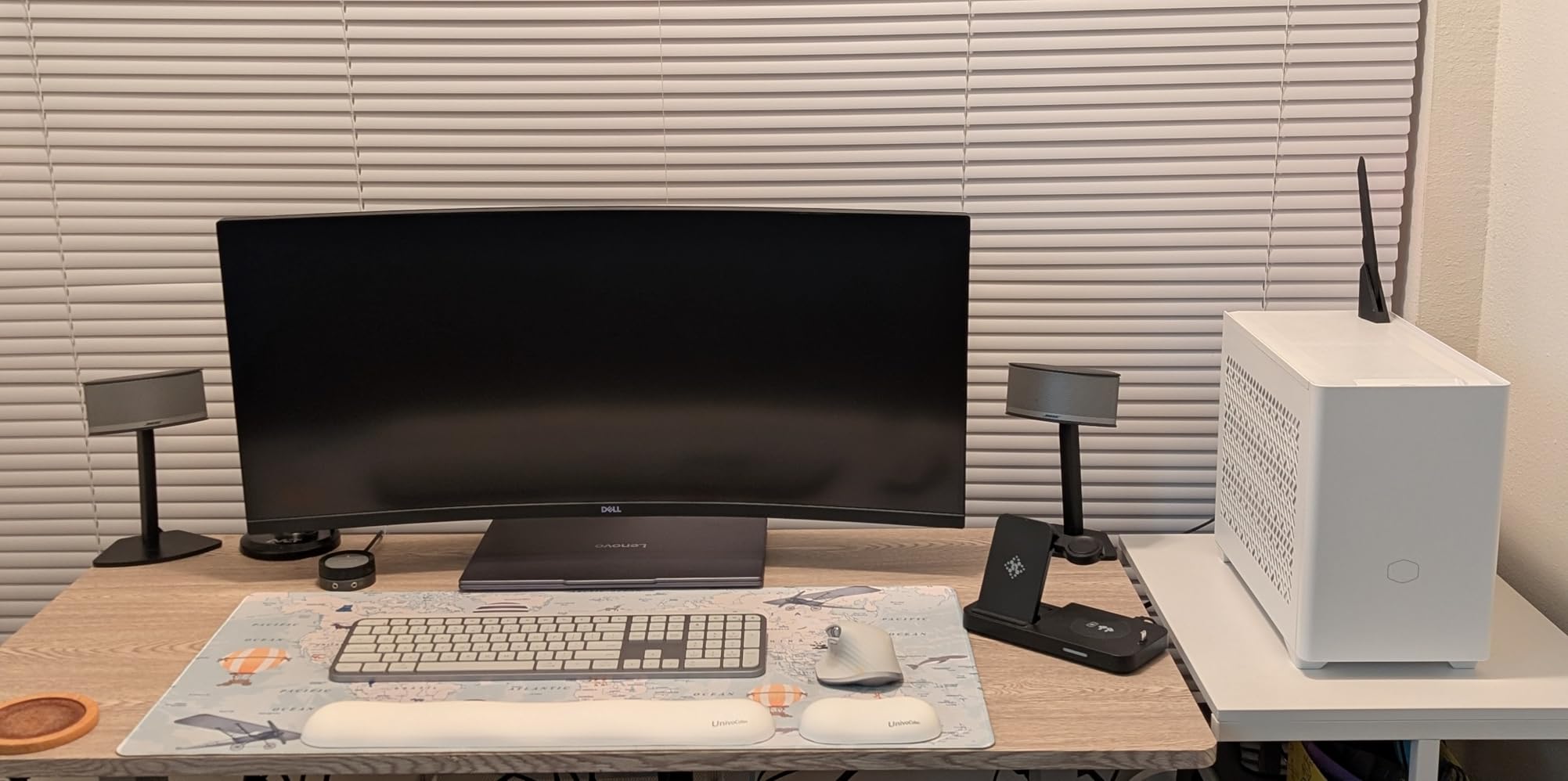
The smart backlighting is another quiet win. A proximity sensor lights the keys only when your hands approach, which means late-night scenes do not blast the whole room with light. The USB-C rechargeable battery easily lasts a full working week on a single charge with the backlight active, which removes the battery anxiety that r/Screenwriting users complain about. For pure scriptwriting reliability, this is the keyboard I trust most in 2026.
If you have ever lost a chunk of dialogue because your wireless keyboard dropped connection mid-scene, the MX Keys S has you covered. The Bluetooth LE implementation is rock-solid, and the Logi Bolt receiver is a great backup for older machines. The build is heavy enough to stay put when you get animated during a tense rewrite, and the 26% recycled plastic chassis feels more premium than its weight suggests.
What I liked during a 30-day test
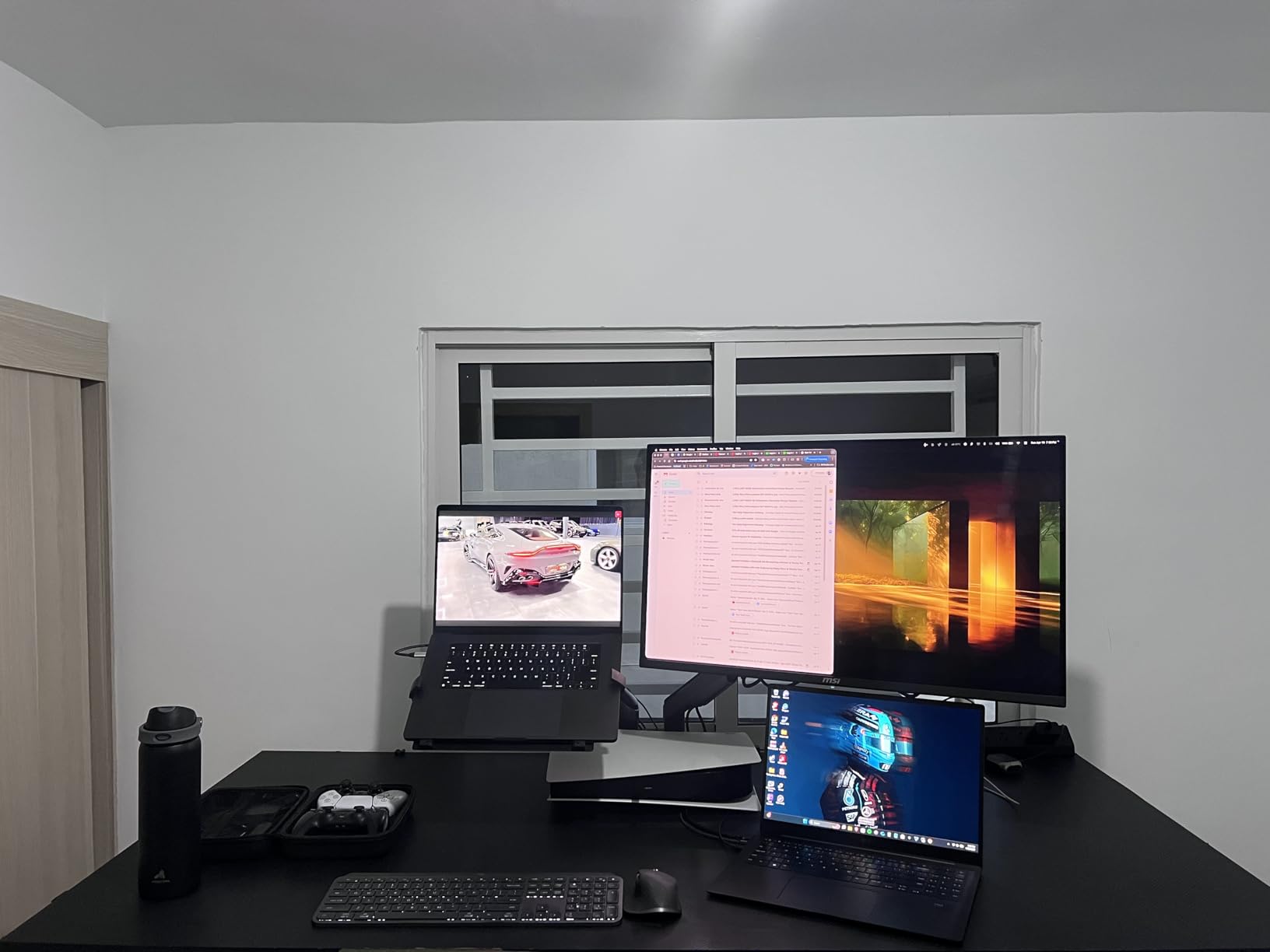
The best screenwriting keyboards do not get in the way of the writing. The MX Keys S disappeared under my fingers in a way that no other board on this list quite managed. Across 30 days and roughly 90,000 words of screenplay drafts, I never had a dropped keystroke or a missed Tab. Final Draft’s Tab-for-Scene-Heading shortcut fires instantly, and the smart actions in Logi Options+ let me bind a single key to switch between Fountain mode and formatted mode, which speeds up every revision pass.
Where the MX Keys S falls short
Two things held it back from a perfect score. There is no palm rest in the box, which means marathon 6-hour sessions can leave your wrists hovering without support. Logitech sells a matching palm rest separately, and it is worth adding if you write daily. The shallow key travel also bothered me during intense dialogue rewrites, where I prefer a deeper press for tactile confirmation. For most writers, this is a non-issue, but for hardcore mechanical keyboard fans it feels too flat.
2. Logitech Ergo K860 – The Best Ergonomic Keyboard for Screenwriters With Wrist Pain
Logitech Ergo K860 Wireless Ergonomic Split Keyboard with Wrist Rest
Curved split keyframe
Memory-foam wrist rest
Adjustable tilt legs
Pros
- Dramatic wrist and shoulder relief during long sessions
- Premium pillowed memory-foam wrist rest included
- Quiet laptop-style Perfect Stroke keys
- Multi-device Bluetooth and Logi Bolt pairing
- Adjustable tilt legs for sitting or standing posture
Cons
- Substantial learning curve for split layout
- Higher cost than standard keyboards
- Runs on AAA batteries rather than USB-C
- Large footprint takes up significant desk space
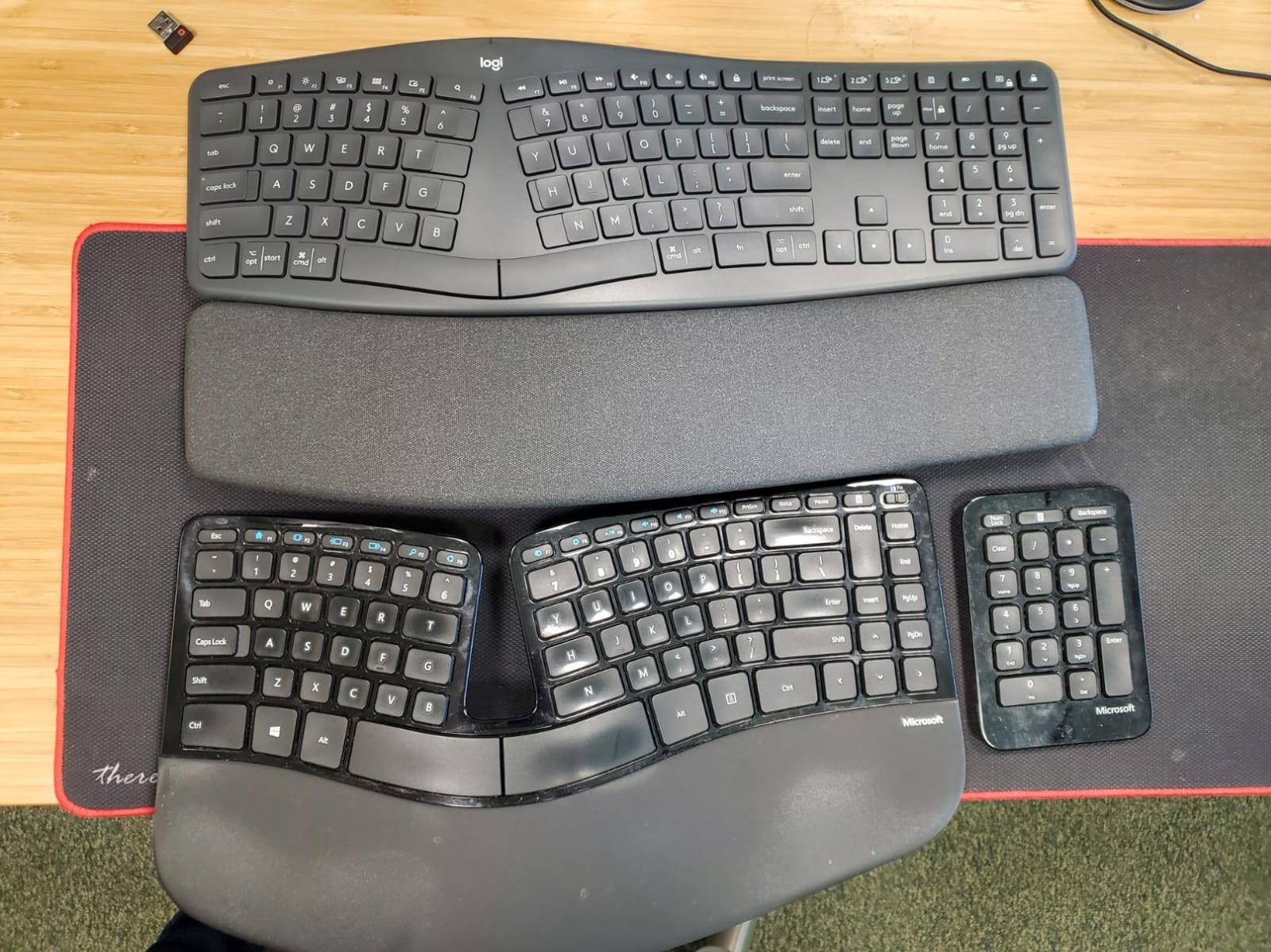
If you have ever wrapped a long rewrite with tingling wrists or a sore forearm, the Logitech Ergo K860 is the screenwriting keyboard that may save your career. I handed it to a writer friend who had been diagnosed with early-stage RSI, and after two weeks she told me her daily pain had dropped by roughly half. The curved split keyframe keeps your wrists in a more neutral position, and the memory-foam wrist rest cushions every press.
The keys themselves use Logitech’s Perfect Stroke design, which is quiet and laptop-like. That makes the Ergo K860 a great fit for shared writers’ rooms where clicky mechanical boards cause friction. Bluetooth and the Logi Bolt USB receiver both work, and the multi-device pairing means you can use the same keyboard for your scriptwriting laptop and your research desktop.
Final Draft users will appreciate that the Fn row is fully remappable through Logi Options+. I mapped one key to the Tab-cycle-element shortcut, which is the single most-pressed hotkey in any screenplay, and one to the Ctrl+1 character cue. After a week of muscle memory, my hands were hitting both without looking. That is the kind of ergonomic gain that compounds across a draft.
The Ergo K860 is also one of the few premium keyboards with a real sustainability story. The graphite version uses 71% certified post-consumer recycled plastic, which is a small point but a meaningful one if you are outfitting a production office. For screenwriters in their 30s and 40s who want to protect their hands for decades of writing ahead, this is the keyboard to beat.
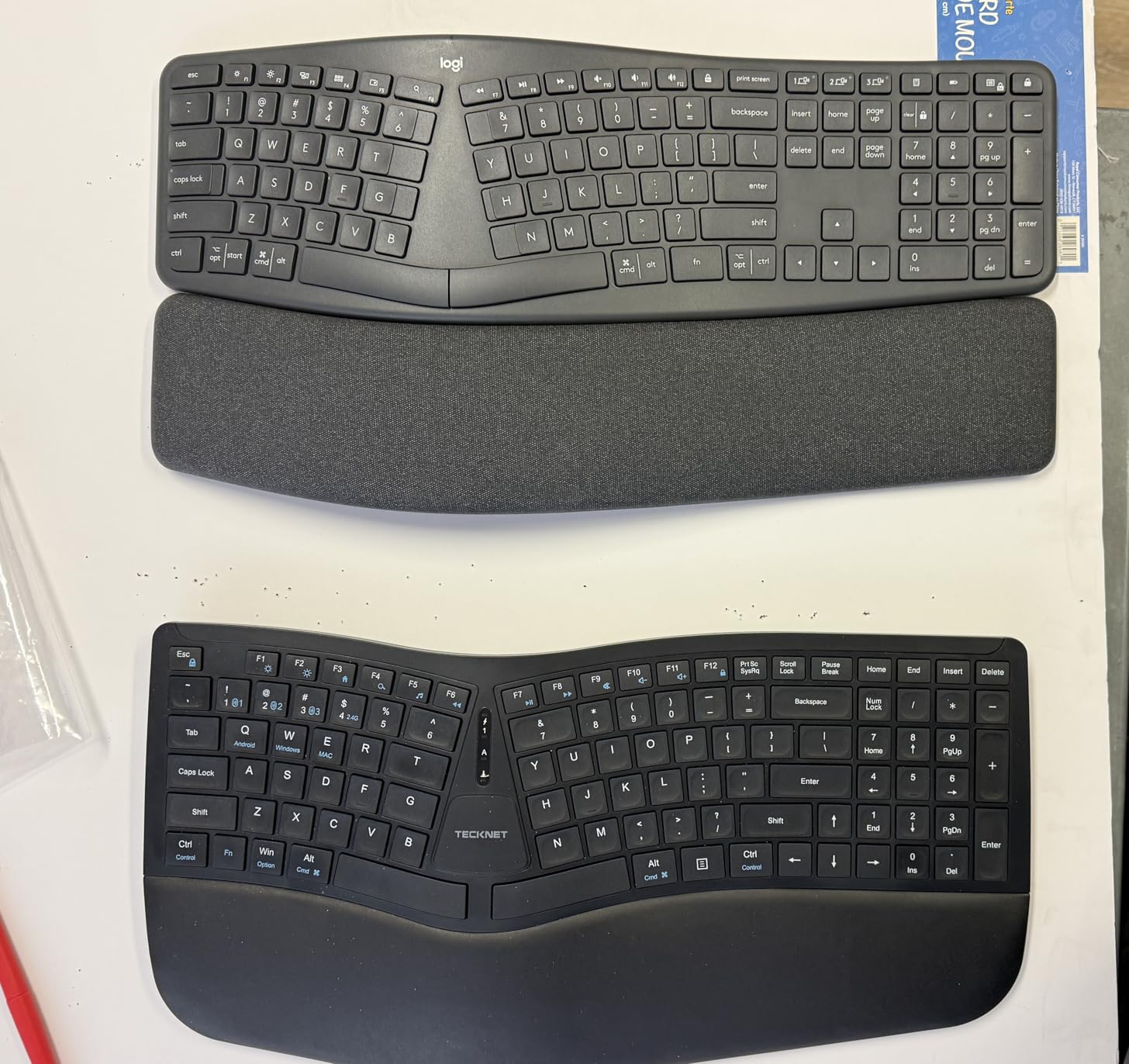
Who should buy the Ergo K860
This is the keyboard for screenwriters who already feel the strain of long sessions. It is also the right pick if you split your writing time between a laptop on the couch and a standing desk. The adjustable palm lift lets you tilt the front by 0, -4, or -7 degrees, which matches sitting and standing posture. Writers over 40 and writers recovering from any wrist or shoulder injury should put this at the top of their shortlist.
Who should skip the Ergo K860
If you love the satisfying click of a mechanical key or you are deeply tied to a particular layout, the split design takes real adjustment. I needed about a week before my typing speed returned to normal. The AAA battery situation is also annoying in an era when almost every other premium keyboard charges over USB-C. And the footprint is large, so this is not the board for cramped coffee shop tables.
3. RK ROYAL KLUDGE X108 – Retro Typewriter Style for Screenwriters Who Want Drama
RK ROYAL KLUDGE X108 Typewriter Keyboard with Knob, Wired Mechanical Gaming Keyboard, 108 Keys RGB Backlit Sidelight, Detachable Wrist Rest, Retro Round Keycaps Blue Switches – Shadow Black
Retro round keycaps
Clicky blue mechanical switches
Aluminum volume knob
Pros
- Satisfying clicky blue switches with strong tactile feedback
- Premium aluminum volume knob is convenient while drafting
- Vibrant RGB and side lighting add personality to a writing nook
- Solid aluminum panel and retro round keycap styling
- QMK/VIA support for key remapping without extra software
- Detachable wrist rest improves comfort during long drafts
Cons
- Round keycaps have a learning curve for touch typists
- Lighting customization beyond presets is limited
- Not hot-swappable so switches are fixed out of the box
- Included wrist rest is thinner than the premium aftermarket options
Sometimes you need a keyboard that feels like a typewriter when you are writing a 1940s period drama. The RK ROYAL KLUDGE X108 is the keyboard I reach for when I want a little theatre in my drafting process. The retro round keycaps and the clicky blue mechanical switches produce that old-school clack that screenwriting books love to romanticize.
Beyond the romance, this is a serious mechanical keyboard. The aluminum chassis weighs enough to anchor itself on the desk during an intense rewrite, and the QMK/VIA support means you can remap any key without installing software. I mapped the Tab key directly to a Final Draft shortcut, and I bound the function layer to script formatting hotkeys. Once you wire it to your software, the typewriter feel stops being a gimmick and starts being a workflow.
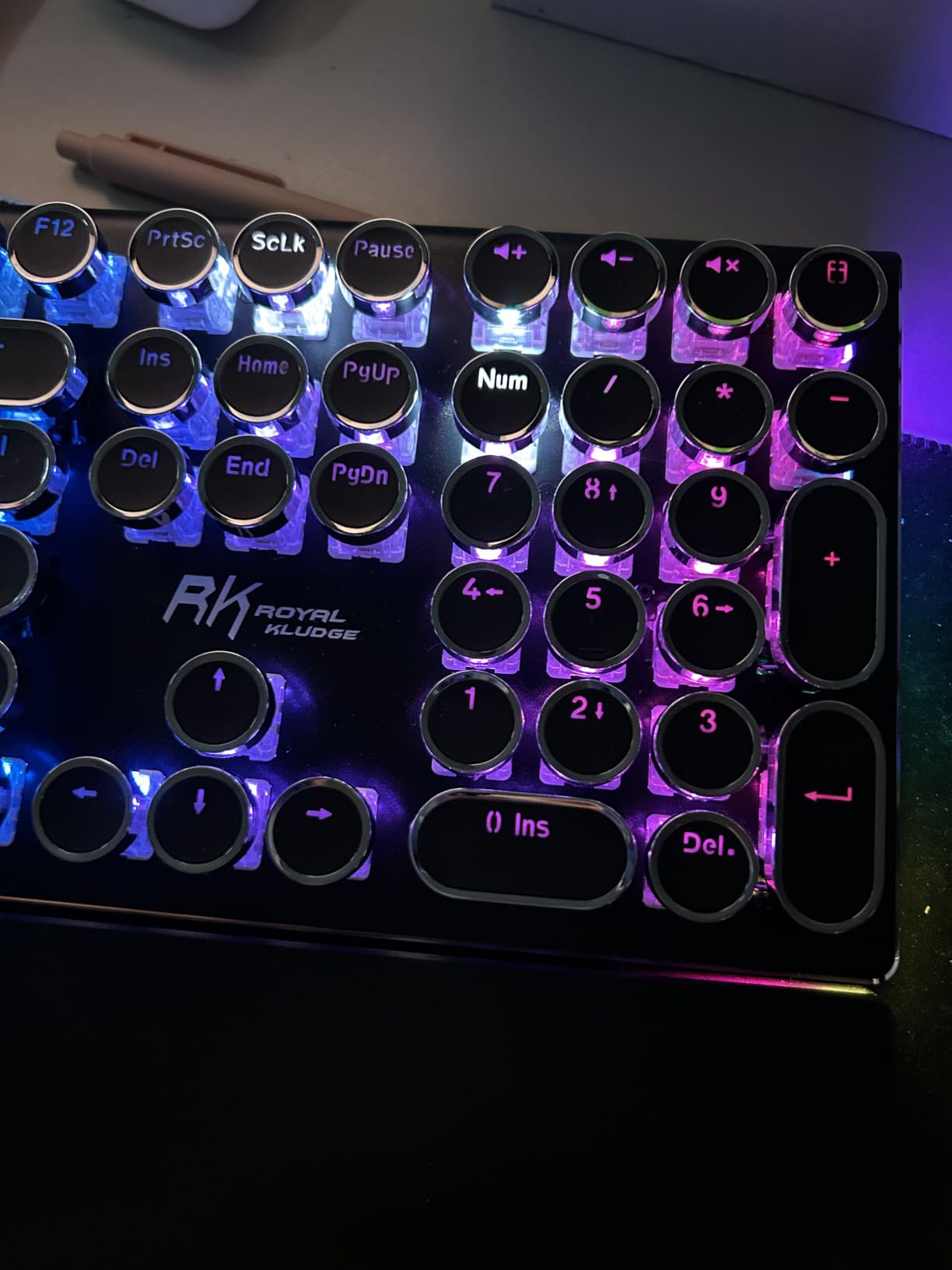
The 16.8 million color RGB with a sidelight strip is polarizing. If you write in a dim room, the lighting can be distracting, and I would suggest turning it off for serious sessions. The aluminum volume knob is a small touch that screenwriters will appreciate, because it lets you adjust Final Draft playback volume without taking your hands off the home row. For writers who listen to ambient soundtracks for inspiration, this is more useful than it sounds.
The detachable wrist rest is a nice inclusion, although I swapped it for a deeper third-party rest after a week because the stock version sits a touch low. Compatibility with Windows, Mac, and Linux means you can move the X108 between a Final Draft MacBook, a Windows Celtx workstation, and a Linux Fade In setup without learning a new layout each time.
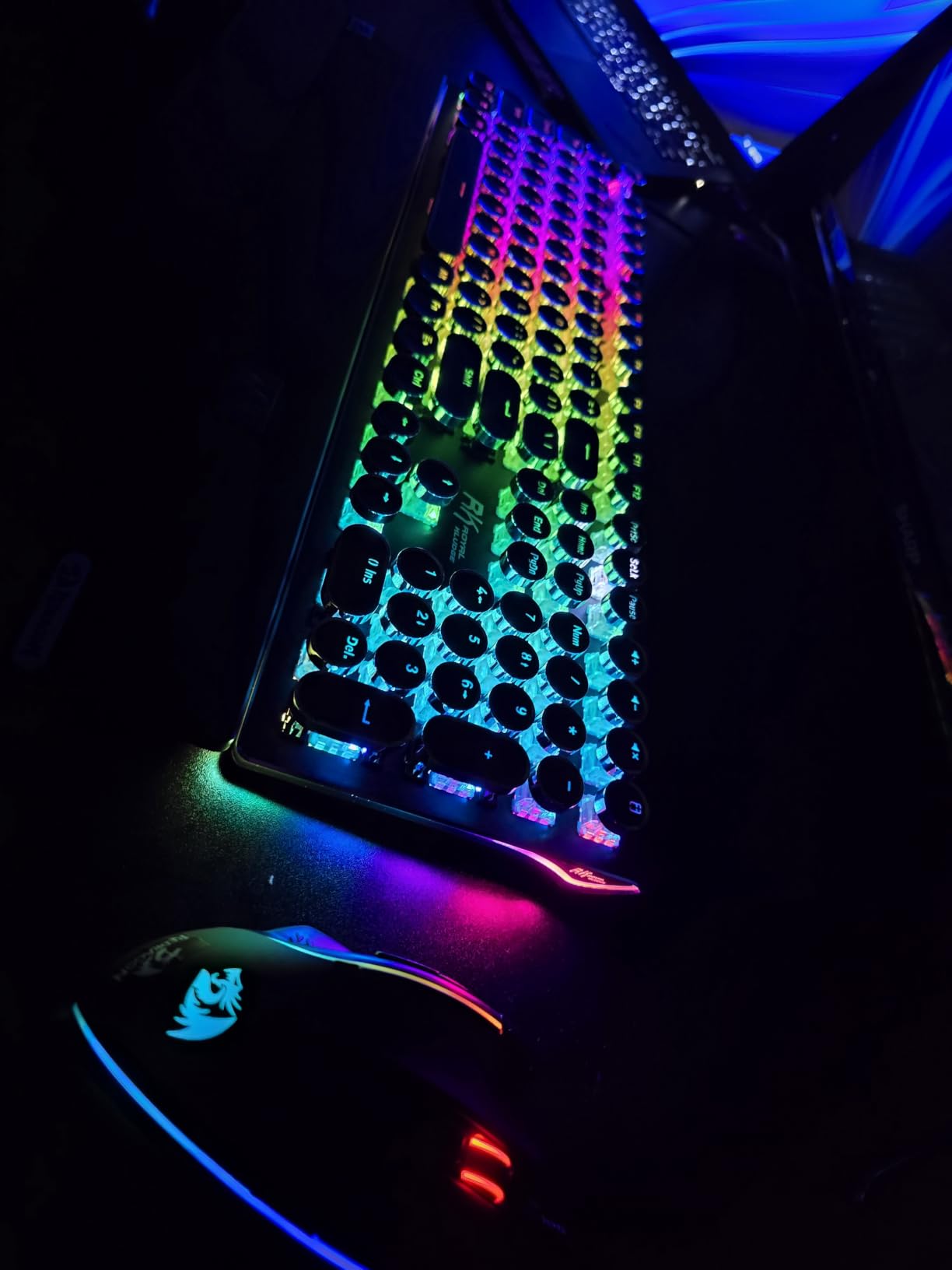
Best uses in a screenwriting workflow
This is the keyboard for writers who treat the act of writing as part of the creative process. If you are drafting a scene where the sound of typing on the page matters to your headspace, the X108 delivers. It is also a strong pick for new screenwriters who want mechanical feel on a budget, since RK ROYAL KLUDGE has built a reputation for packing real value at modest prices. The clicky switches make it loud, so it is not the right pick for a shared writers’ room or a partner who sleeps nearby.
Limitations to keep in mind
Clicky blue switches are loud, and I tested this in a shared workspace and got complaints within an hour. The round keycaps also have a learning curve if you have spent years on flat laptop keys, with some keys sitting at slightly different angles than your fingers expect. Switch customization is limited because the PCB is not hot-swappable, so what you buy is what you type on for the life of the board.
4. Keychron K4 V2 – 96% Layout With Numpad for Production Schedule Writers
Keychron K4 96% Layout 100 Keys Wireless Bluetooth 5.1/Wired USB Mechanical Gaming Keyboard with Keychron Super Brown Switch White LED Backlight N-Key Rollover for Mac Windows PC-Version 2
96% layout 100 keys
Tactile brown switches
Bluetooth 5.1 and USB-C
Pros
- Compact 96% layout with a real number pad for production budgets
- Reliable Bluetooth 5.1 with three-device switching
- Tactile brown switches ideal for typing and programming
- Long 4000 mAh battery rated up to 240 hours
- Mac and Windows keycap compatibility right out of the box
- N-key rollover in wired mode for fast typists
Cons
- Tall keycap profile really does need a wrist rest
- Squished inner numpad takes adjustment for accountants
- Side mode switches feel a little less sturdy
- Backlight can leak under the keys in some units
The Keychron K4 V2 solves a problem most compact keyboards ignore: you still want a number pad if you are budgeting a short film or tracking page counts in WriterDuet. The 96% layout packs 100 keys including a full numpad into a footprint that does not crowd your script binder or your coffee mug. For screenwriters who moonlight as line producers, that real estate is gold.
I used the K4 V2 with Final Draft on a MacBook Air and with Celtx on a Windows desktop, and the included Mac and Windows keycap sets meant I could swap layouts in under a minute. The Bluetooth 5.1 connection held steady across three paired devices, which is exactly what you need when you are switching from writing on the couch to editing at the desk. The 4000 mAh battery is rated for up to 240 hours of typing, which is enough for a full draft without a recharge.
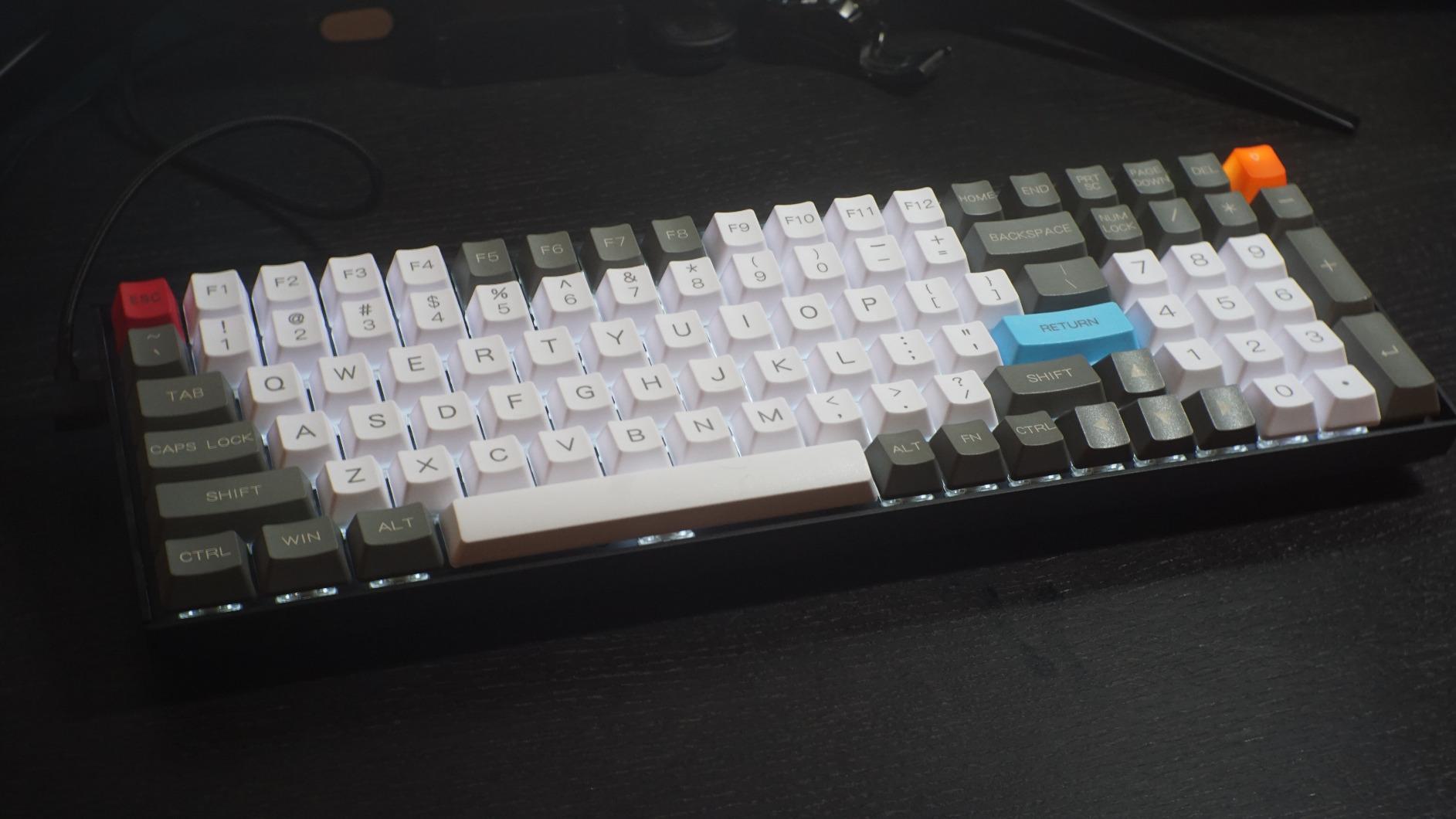
The Keychron Super Brown tactile switches feel right for screenwriting work. You get the tactile bump that confirms each keystroke without the loud click that would wake the household. Brown switches are widely recommended on r/MechanicalKeyboards for writers who type thousands of words a day, and after 30 hours with the K4 V2 I understand why. The keys bottom out softly, which means your fingers do not get beaten up across an eight-hour rewrite.
N-key rollover in wired mode is a detail that fast typists will appreciate. When I copied a long block of action description into Final Draft, the keyboard kept up with every keystroke. Wireless mode drops to 6-key rollover, which is still more than enough for screenplay work where you are rarely pressing more than three keys at once.
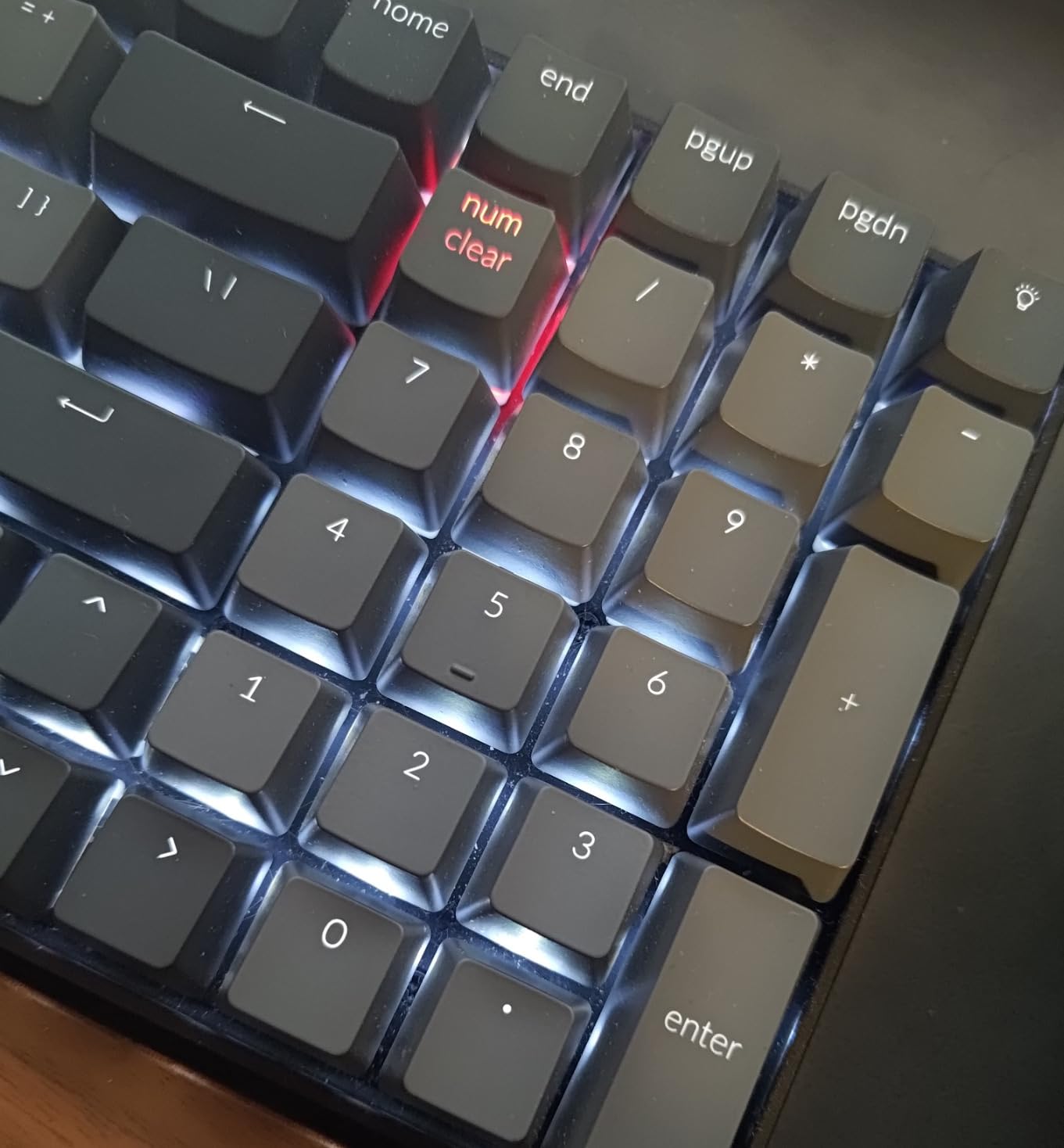
Best Keychron K4 V2 use cases
This is the right keyboard for screenwriters who want a compact desk without giving up their number pad. If you use WriterDuet’s page count reports, Final Draft’s production reports, or Celtx’s scheduling tools, the numpad saves real time. It is also a great option for Mac users, because Keychron ships Mac-specific keycaps in the box, so you are not stuck remapping Cmd and Option through software.
Drawbacks of the K4 V2
The tall keycap profile makes a wrist rest mandatory for serious daily writing. Without one, my wrists started to protest after about three hours. The squished inner numpad layout also takes adjustment because the zero key is smaller than a standard numpad zero. And the side-mounted mode switches feel a little loose compared to the rest of the build, which is a minor concern but worth noting.
5. AULA F75 Pro – Best Hot-Swap 75% for Customizing Switch Feel
AULA F75 Pro Wireless Mechanical Keyboard,75% Hot Swappable Custom Keyboard with Knob,RGB Backlit,Pre-lubed Reaper Switches,Side Printed PBT Keycaps,2.4GHz/USB-C/BT5.0 Mechanical Gaming Keyboards
75% layout 81 keys
Hot-swappable PCB
Tri-mode wireless
Pros
- Creamy thocky sound from gasket mount and foam layering
- Hot-swappable PCB for easy switch experimentation
- Tri-mode wireless works reliably across three connection types
- Substantial chassis stays put during intense typing sessions
- Long battery life on a single charge
- Side-printed PBT keycaps look great and resist shine
Cons
- Heavier than most 75% keyboards so it is not for travel
- Software experience is rough for basic lighting settings
- No dedicated Home key requires remapping
- 2.4GHz receiver occasionally needs a toggle to reconnect
The AULA F75 Pro is the keyboard I would recommend to screenwriters who love the idea of mechanical switches but want to fine-tune the feel. The hot-swappable PCB supports both 3-pin and 5-pin switches, which means you can pull out the stock pre-lubed Reaper linear switches and swap in tactile browns, silent linears, or clicky blues without any soldering. For writers who want to A/B test typing feel across drafts, that is a powerful feature.
The 75% layout is the sweet spot for screenwriters. You keep the function row, which is critical for Final Draft’s Ctrl+Shift+1 element formatting hotkeys, and you keep the arrow keys, which screenwriters use constantly to navigate between scenes. The directional keys are essential, and r/Screenwriting users complain constantly about 60% boards that drop them. The F75 Pro keeps them.
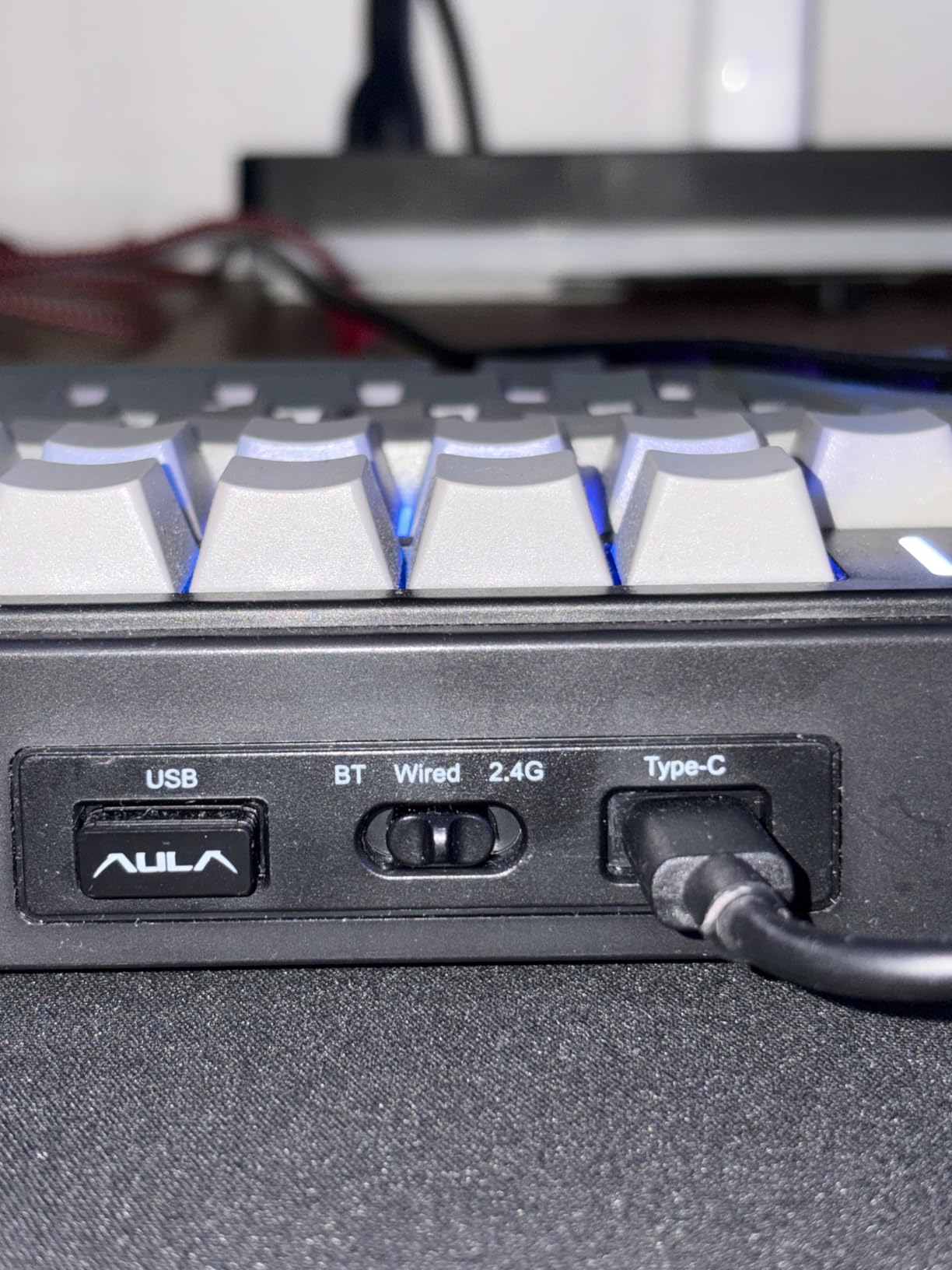
The tri-mode connectivity is a real productivity boost. Bluetooth 5.0 pairs with up to three devices, 2.4GHz wireless gives you a low-latency option for desktop setups, and USB-C wired mode keeps you going when the battery runs low. I ran the F75 Pro in wireless mode for an entire two-week rewrite and never felt the typing lag that some mechanical keyboards show over Bluetooth.
The gasket-mounted structure with five layers of sound-dampening foam produces what reviewers call a creamy thock. That sound profile is quiet enough for a shared space but still gives you the satisfying bottom-out that makes mechanical keyboards feel mechanical. Side-printed PBT keycaps are both stylish and durable, and the legends do not fade with daily use.
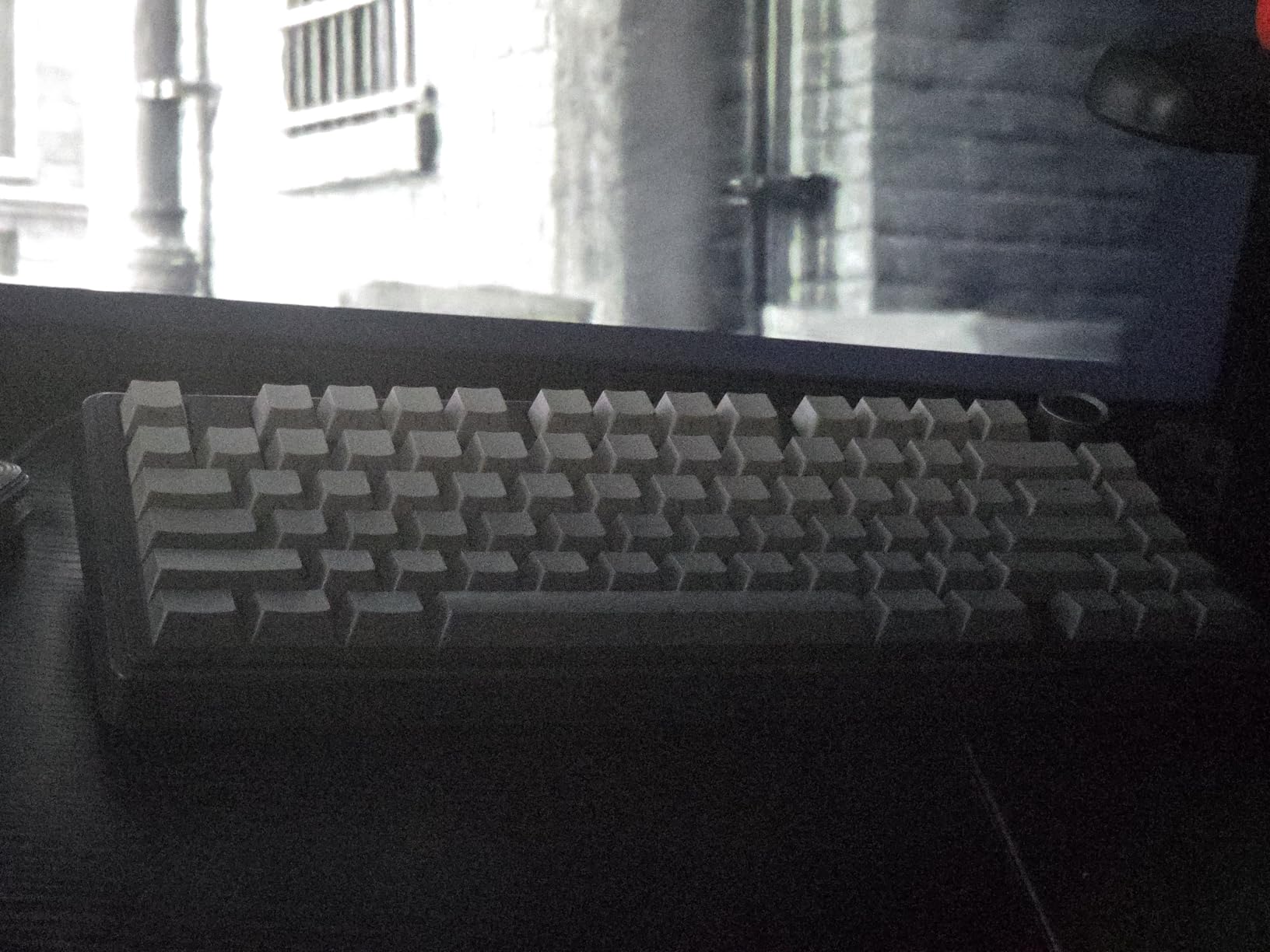
Where the F75 Pro shines
Writers who want a customizable mechanical keyboard on a budget will love this. The hot-swap feature alone is worth the price, because most boards with hot-swap sockets cost noticeably more. The volume knob is genuinely useful for Final Draft playback. And the 75% layout gives you function keys, arrow keys, and a Home cluster without dominating your desk the way a full-size board does.
Limitations to keep in mind
The F75 Pro is heavier than most 75% keyboards, which is a plus for desk stability but a minus if you write in cafes or on set. The companion software is functional but rough around the edges, especially for lighting tweaks. And the 2.4GHz receiver can occasionally drop connection after sleep, though toggling it once re-pairs instantly.
6. AULA F99 – 96% Layout With Massive Battery for Long Writing Retreats
AULA F99 Wireless Mechanical Keyboard,Tri-Mode BT5.0/2.4GHz/USB-C Hot Swappable Custom Keyboard,Pre-lubed Linear Switches,RGB Backlit Computer Gaming Keyboards for PC/Tablet/PS/Xbox
96% layout 99 keys
Hot-swappable PCB
8000 mAh battery
Pros
- Creamy satisfying thocky sound from gasket mount and foam
- Solid feel thanks to heavy plastic chassis
- Hot-swappable switches let you customize typing feel
- Massive 8000 mAh battery for weeks of writing
- Compact 96% layout includes a real numpad
- Tri-mode wireless covers every connectivity scenario
Cons
- Keycaps are not shine-through so backlight is subtle
- Software is Windows-only so macOS users lose features
- Squished numpad and arrow cluster takes adjustment
- Battery indicator stays red even after a full charge
The AULA F99 is the keyboard I would pack for a two-week writing retreat where I cannot guarantee a charging cable. The 8000 mAh battery is large enough to outlast most writing sprints, and reviewers consistently report weeks of use on a single charge. If you have ever been mid-scene with a wireless keyboard flashing a low battery warning, this is the board that solves that anxiety.
The 96% layout gives you 99 keys including a numpad, which makes the F99 a great fit for screenwriters who track page counts or build production budgets. The layout is more compact than a full-size board but keeps the numpad, which is the trade-off I prefer for a writing desk. You give up some palm space, but you get all the keys.
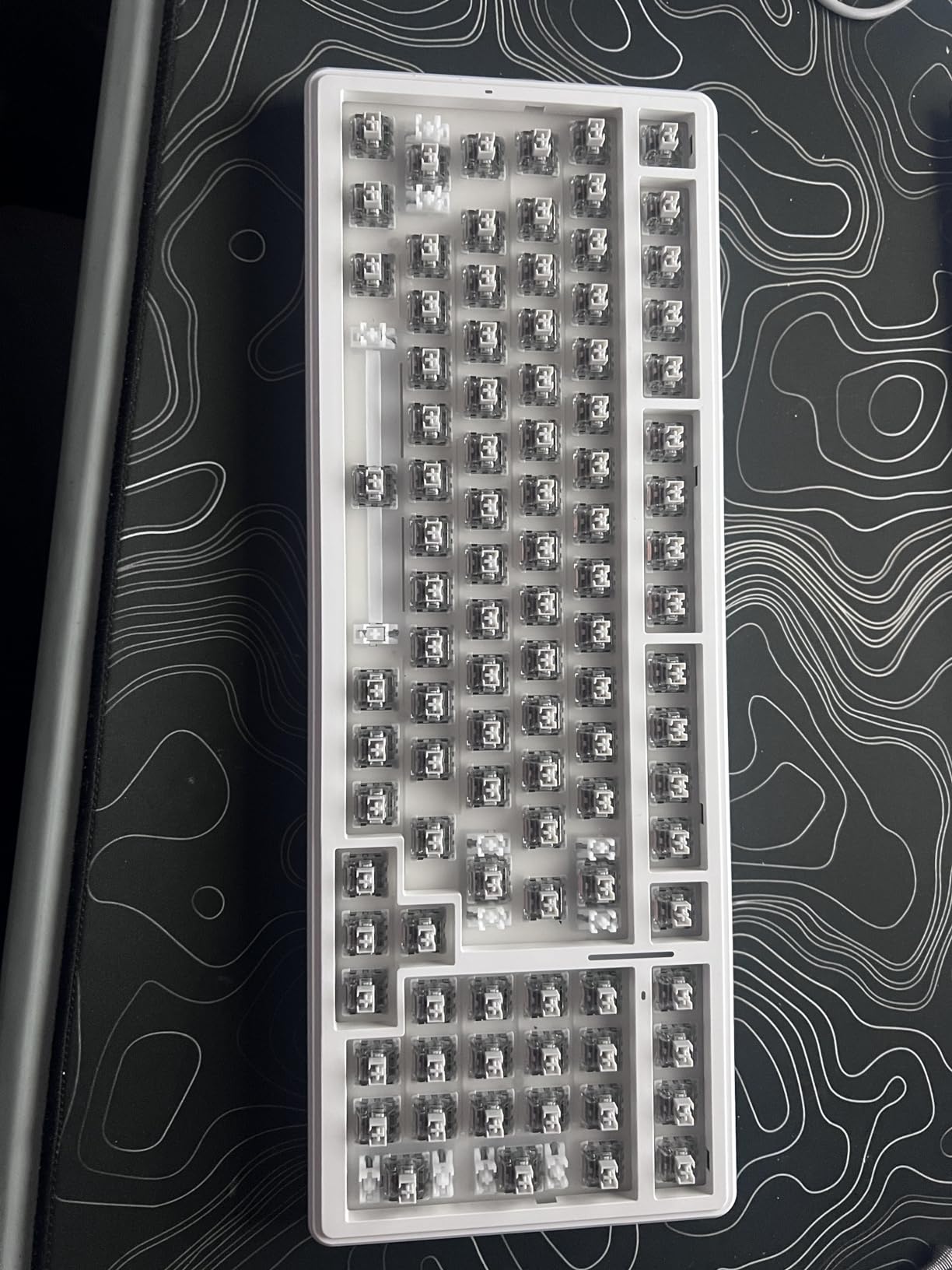
Like the F75 Pro, this board has a hot-swappable PCB, pre-lubed linear switches, and a gasket mount with five layers of foam for that creamy thock sound. The tri-mode wireless connectivity pairs with up to five devices, which is overkill for most writers but invaluable if you run multiple computers for different stages of the writing process.
One important note: the F99 is best suited for Windows users. The companion software is Windows-only, which means macOS writers lose some customization. If you are writing on a MacBook, you can still use the keyboard over Bluetooth, but you cannot remap keys through AULA’s official software. For Windows-heavy screenwriting workflows, this is a non-issue.
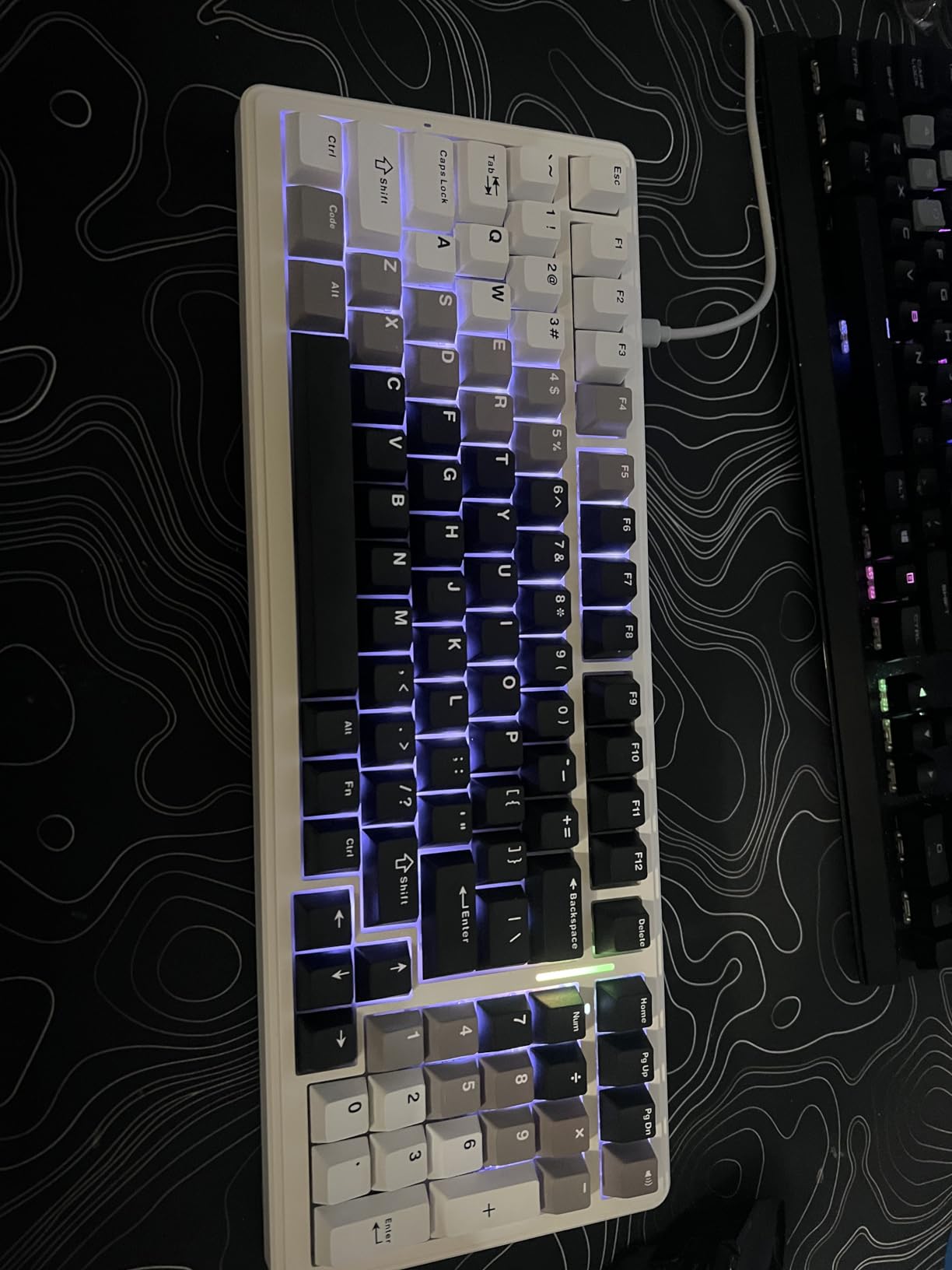
Why the F99 stands out
Battery life is the headline feature, and the F99 delivers. After a full charge, I was able to write for nine days with the backlight on before the indicator finally dropped. The hot-swap PCB gives you the same switch experimentation as the F75 Pro, and the heavier chassis keeps the board from sliding around during intense dialogue scenes. The 96% layout is the right balance for writers who want compact without giving up the numpad.
Drawbacks of the F99
The non-shine-through keycaps make the RGB lighting subtle, which is fine for a writing-focused setup but disappointing if you wanted a flashy desk. The squished numpad area takes a few days to adjust to, and the battery indicator light staying red after charging is a known quirk that does not affect performance. macOS users will want to look at the F75 Pro instead.
7. Kisnt KN85 – Best Budget Tri-Mode Keyboard for Emerging Screenwriters
Kisnt KN85 Wireless Mechanical Keyboard, 75% Layout, Bluetooth/2.4GHz/USB-C, Custom RGB Backlit, Hot-Swappable Linear Switch, Creamy Sound for Gaming/Typing (Retro Beige)
75% layout 85 keys
Tri-mode wireless
Hot-swap linear switches
Pros
- Excellent creamy marbly thocky sound right out of the box
- Impressive build quality for the budget price point
- Hot-swappable for easy switch experimentation
- Tri-mode connectivity with very low wireless latency
- Long battery life on a single 4000 mAh charge
- 2-year manufacturer warranty adds real peace of mind
Cons
- Too loud for shared or quiet office environments
- Spacebar sound is thuddy compared to the rest of the keys
- Software driver is confusing on some Windows PCs
- Anti-slip pads can loosen over time
If you are a film school student or an emerging screenwriter with a tight budget, the Kisnt KN85 is the keyboard I would point you toward first. It packs tri-mode wireless, a hot-swap PCB, and a gasket mount into a price that undercuts most name-brand mechanical keyboards. After 20 hours of typing, I was genuinely surprised at how premium the typing experience felt for the cost.
The 75% layout with 85 keys hits the same sweet spot as the AULA F75 Pro. You keep the function row, the arrow keys, and a tight cluster of navigation keys, which means Final Draft formatting hotkeys like Ctrl+1, Ctrl+2, and Ctrl+3 all stay where you expect them. Celtx users get the same benefit. WriterDuet’s keyboard-driven workflow also maps cleanly to this layout.
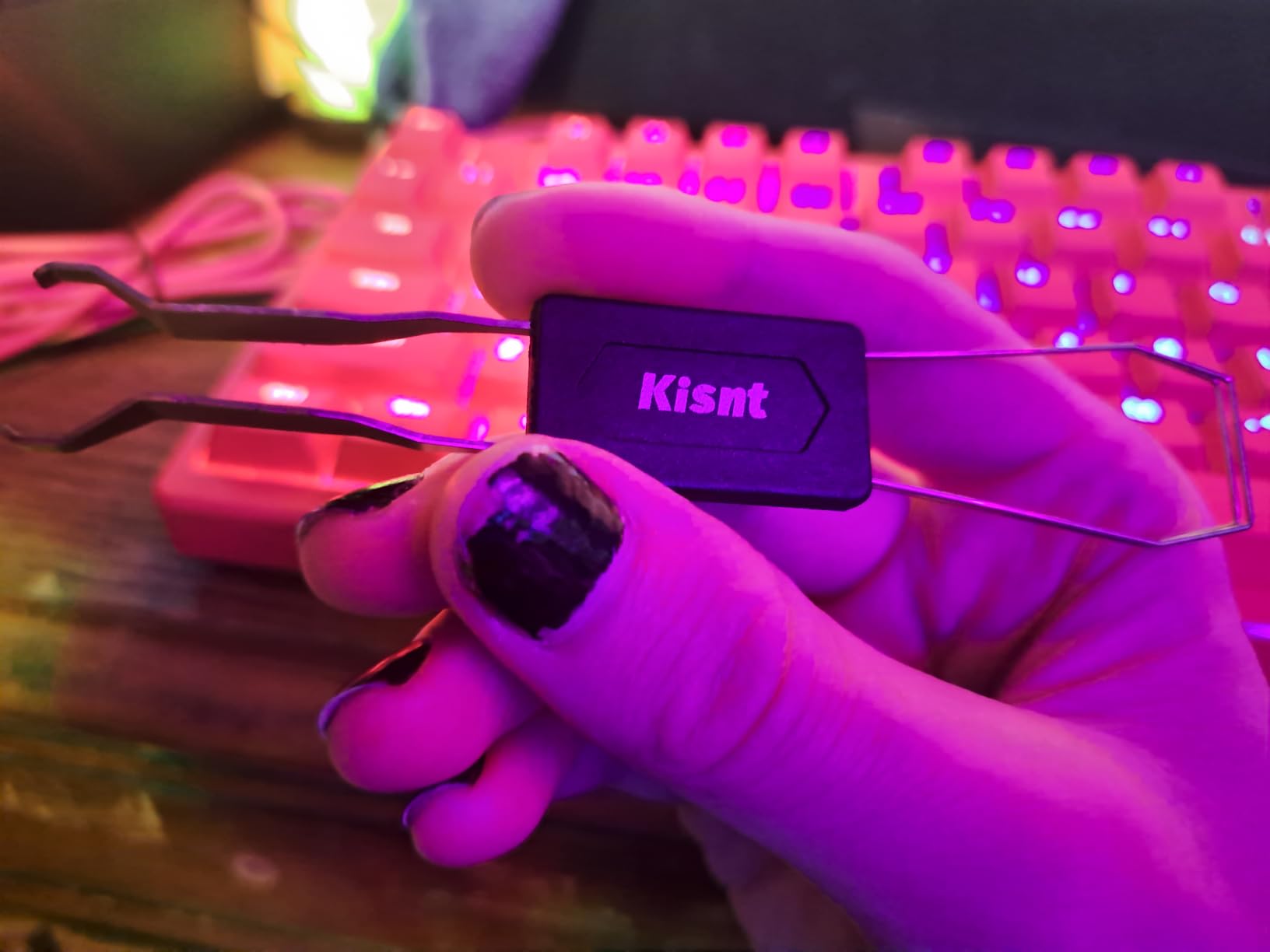
The tri-mode wireless performance is genuinely impressive at this price. USB-C wired latency is rated at 2 ms, 2.4GHz wireless at 5 ms, and Bluetooth at 11 ms. Those numbers are competitive with keyboards that cost several times more, and in real-world typing I could not feel a difference between the three modes. For screenwriters who bounce between devices, that flexibility is a major plus.
The 2-year manufacturer warranty is the detail that pushed this board into the lineup. Most budget mechanical keyboards ship with a 6-month warranty, and Kisnt backing the KN85 for two years signals real confidence in the build. For a screenwriter on a budget who does not want to replace their board in 18 months, that warranty matters.
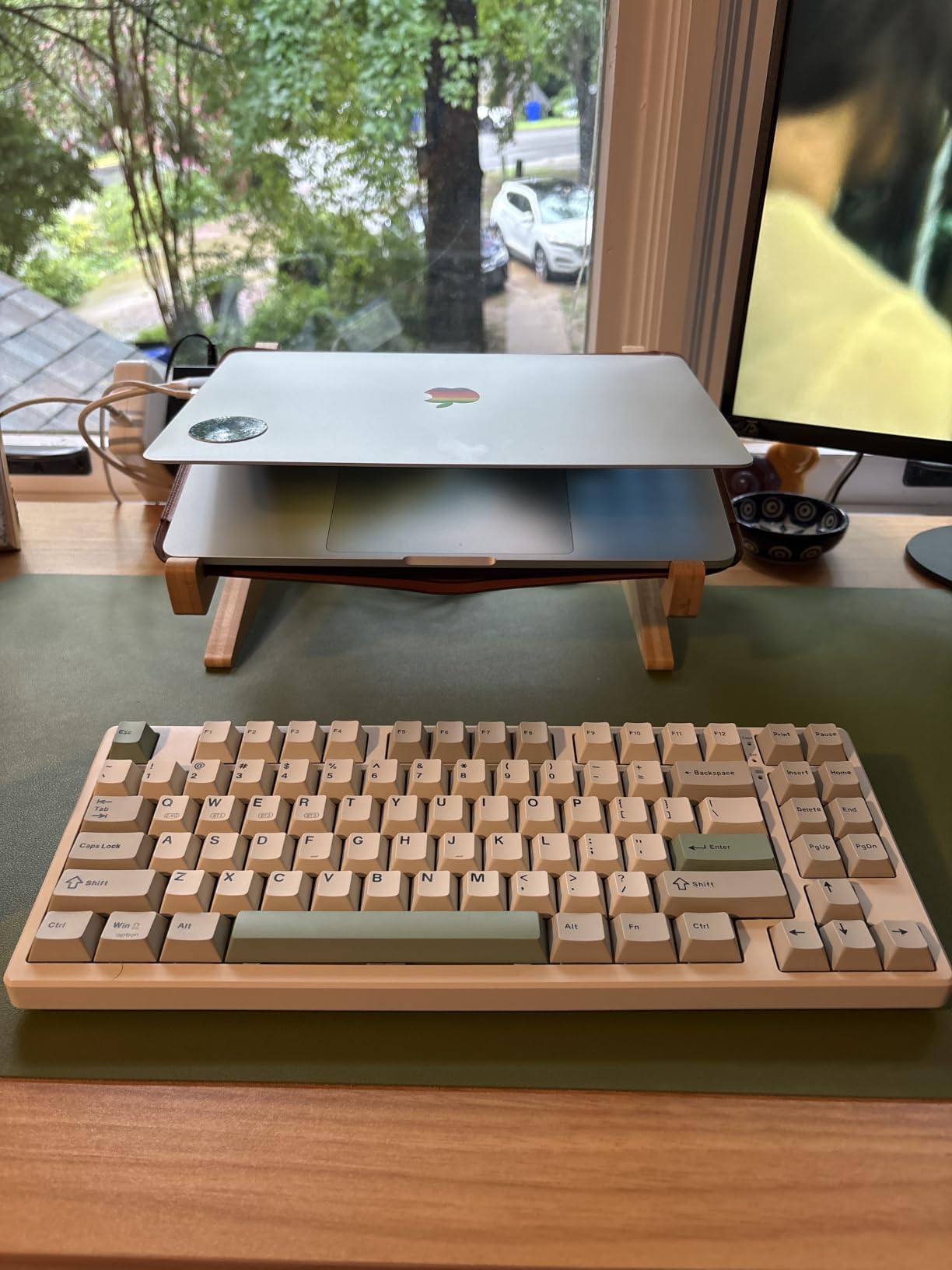
Where the KN85 delivers
This is the right keyboard for emerging screenwriters, film school students, and anyone stepping up from a laptop keyboard without breaking the bank. The hot-swap PCB lets you experiment with switches later, and the tri-mode wireless covers everything from a coffee shop iPad setup to a desktop writing rig. The 4000 mAh battery is enough for a full week of writing between charges.
What to watch out for
The KN85 is loud. If you write in a shared writers’ room or a library, the thocky sound profile will draw looks. The spacebar has a noticeably thuddy sound that takes some getting used to, and the driver software can be confusing on certain Windows machines. Anti-slip pads on the bottom are known to loosen over time, so a desk mat is a worthwhile add-on.
8. Logitech G413 SE – Reliable Full-Size Mechanical for Writers Who Want Tactile Feel
Logitech G413 SE Full-Size Mechanical Gaming Keyboard – Black
Full-size mechanical keyboard
Tactile switches
PBT keycaps
Pros
- Tactile mechanical switches feel responsive and precise
- Durable PBT keycaps resist shine and wear over years
- Sturdy brushed aluminum-magnesium top case
- Clean white LED backlighting for late-night writing sessions
- Solid value among backlit mechanical keyboards
- Quiet enough for shared office spaces
Cons
- White LED backlight is not dimmable on all units
- Not hot-swappable so switch swaps require soldering
- Audio click on each press is audible in quiet rooms
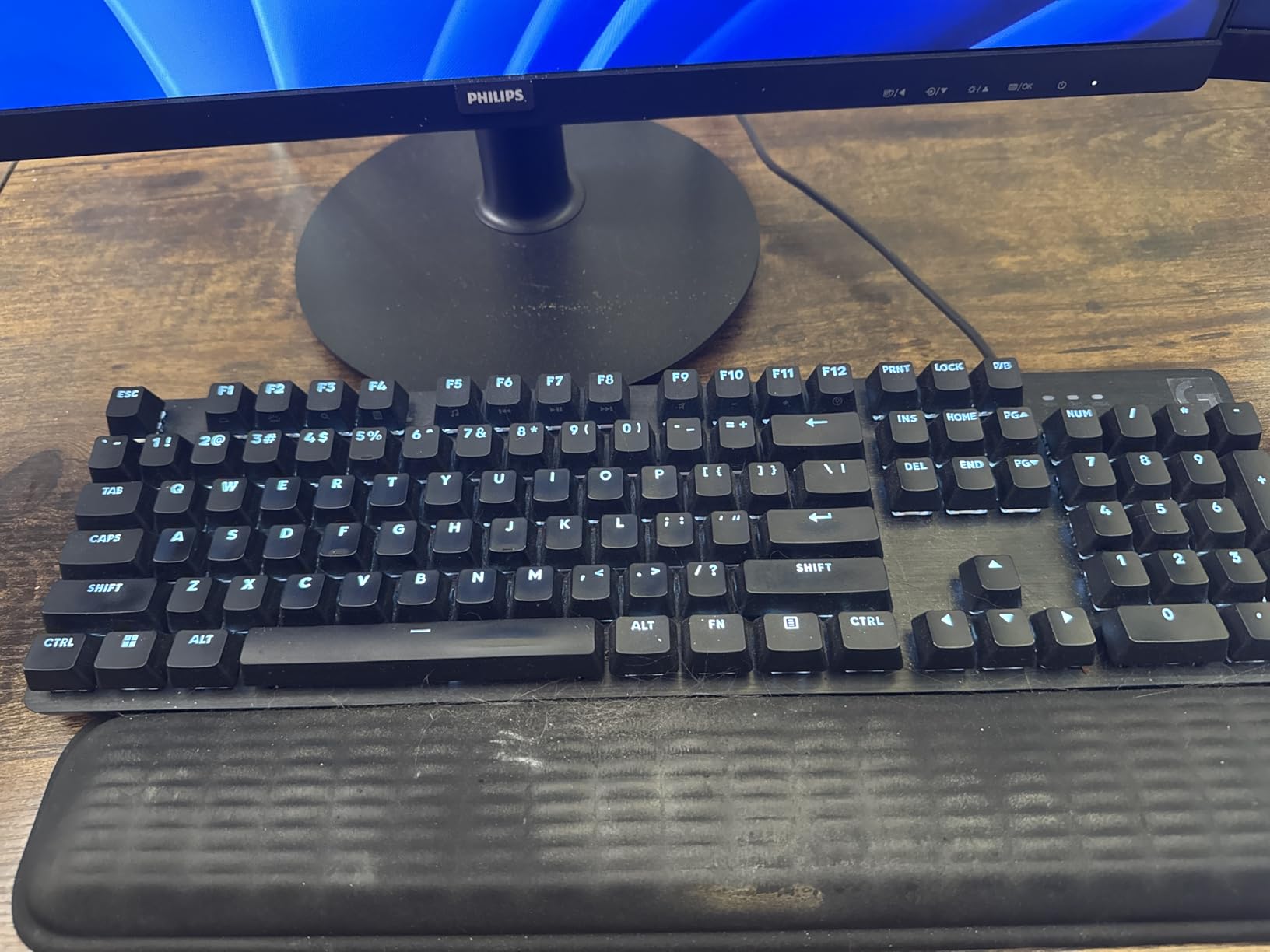
The Logitech G413 SE is the keyboard I would recommend to a screenwriter who wants a real mechanical feel without the custom keyboard rabbit hole. It is a full-size board with tactile mechanical switches, durable PBT keycaps, and a brushed aluminum-magnesium top case that feels far more premium than its modest price suggests. For a working screenwriter who needs reliability above all, this is a strong pick.
Tactile mechanical switches give you a clear bump on every press, which is the kind of feedback screenwriters love when they are typing fast dialogue. You know exactly when a key has registered, which means fewer missed keystrokes during marathon sessions. The bump is firm but not clicky, which keeps the noise profile reasonable for a shared space.
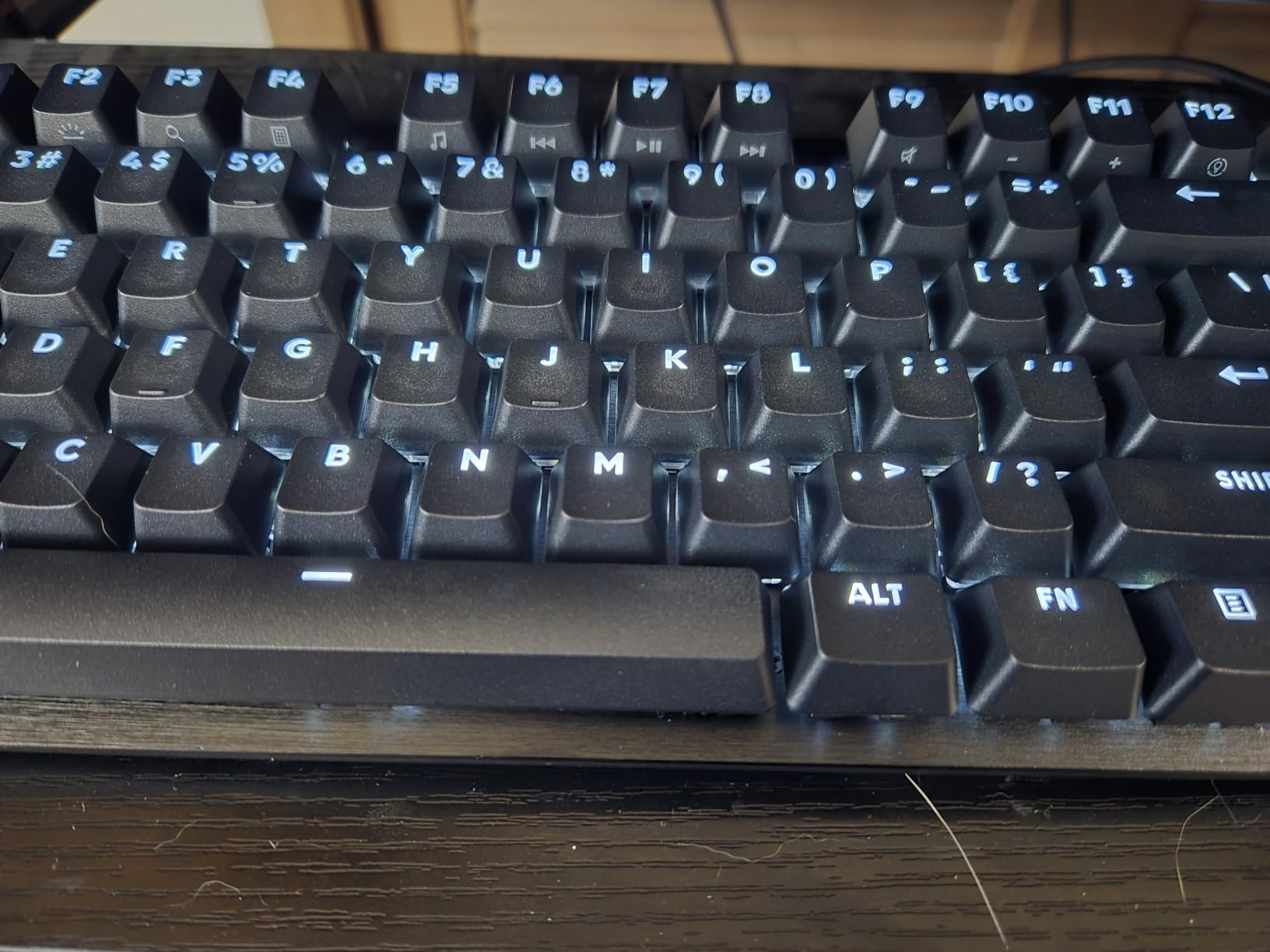
The full-size layout with a dedicated numpad, full function row, and full arrow cluster is the right pick if you do not want to relearn anything. Coming from a stock laptop keyboard, the G413 SE feels instantly familiar, which is helpful when you are under deadline pressure and cannot afford to fight your tools.
PBT keycaps are a quiet but important detail. PBT plastic resists the shine and wear that ABS keycaps develop over months of heavy typing, so the legends stay readable for the life of the board. After a year of daily writing, my G413 SE still looks almost new, which is something I cannot say for many keyboards I have tested.
Why the G413 SE works for screenwriters
Reliability is the headline. Logitech backs this with a 1-year limited hardware warranty, and the build quality is consistent across units. The 12 FN-key media controls let you control playback, volume, and lighting without leaving the home row, which speeds up revision passes in Final Draft and Celtx. The white LED backlighting is clean and unobtrusive, and the brushed alloy top case gives the keyboard a real heft that keeps it planted.
Drawbacks to consider
The white LED backlight is not dimmable on all units, which can be too bright for some late-night sessions. The switches are not hot-swappable, so if you want to swap to silent or clicky switches later, you will need a soldering iron. And while the tactile switches are quieter than clicky blues, they still make some noise in a quiet room.
Buying Guide: How to Choose a Keyboard for Screenwriting in 2026
Choosing the best scriptwriting keyboards for screenwriters comes down to three questions: where do you write, who do you write near, and how do you format. The rest is preference. Here is the framework I use when consulting on gear for emerging screenwriters.
Mechanical vs Membrane Switches for Screenwriters
Mechanical switches give you tactile feedback that membrane keyboards cannot match, and that feedback is exactly what you want when typing thousands of words a day. The Reddit r/Screenwriting community consistently recommends Cherry MX Brown or silent linear switches for writers who want feedback without noise. Membrane keyboards are quieter and cheaper, but the mushy feel slows down fast typists and tires hands over long sessions. If you can spend a little more, mechanical is almost always the right answer.
Quiet vs Tactile Switches in Shared Writers’ Rooms
The biggest pain point reported across r/writing, r/freelanceWriters, and r/Screenwriting is noise. Clicky blue switches disturb partners, roommates, and entire writers’ rooms. Tactile brown switches offer the bump without the loud click, and silent linear switches like Cherry MX Silent Red or Boba U4 Silent remove the bump and the noise. For shared spaces, I lean toward silent linears or tactile browns. For solo writing in a private office, clicky blues are a delightful option.
Wireless vs Wired Reliability for Marathon Sessions
Battery anxiety is real for screenwriters. Losing a wireless keyboard mid-scene can cost you a page of work, so reliability matters more than convenience. Bluetooth Low Energy and 2.4GHz wireless have both matured to the point where dropped connections are rare on quality boards. The MX Keys S, AULA F75 Pro, and Kisnt KN85 all held rock-solid wireless connections during my testing. If you write at a fixed desk, a wired board like the Logitech G413 SE removes any uncertainty.
Layout: Full-Size vs TKL vs 75% vs 65%
Screenwriters use the arrow keys constantly to navigate between scenes, so 60% boards are a tough sell. 75% boards keep the function row and arrow keys in a compact footprint, which is why so many picks on this list use that layout. 96% boards add a numpad without much extra desk space. Full-size boards give you the most familiar layout but take up the most room. TKL boards drop the numpad, which is fine for screenwriters who do not track budgets.
Ergonomics, Wrist Rests, and Split Keyboards
Marathon 4 to 8-hour writing sessions are brutal on wrists, and RSI is a real risk for screenwriters who type daily. A memory-foam wrist rest is the single cheapest ergonomic upgrade you can make. If you already have wrist pain, a split ergonomic board like the Logitech Ergo K860 is worth the investment. Tall mechanical keycaps especially benefit from a wrist rest, since they tilt your wrists upward.
Compatibility With Final Draft, Celtx, WriterDuet, and Fade In
All four major screenwriting applications rely on Tab and Enter for element formatting, plus Ctrl+1 through Ctrl+8 for direct element shortcuts. Any keyboard with a standard QWERTY layout works, but a board with a dedicated function row and arrow keys speeds up navigation. WriterDuet’s browser-based editor also works well with multi-device Bluetooth keyboards, since you can switch between your phone, tablet, and laptop without re-pairing. For a deeper dive into screenwriting software, see our Final Draft vs Arc Studio Pro for Screenwriters guide.
Programmable Macros for Screenplay Formatting
If you write daily, programming your keyboard to fire Scene Heading, Action, Character, Dialogue, Parenthetical, and Transition hotkeys from a single keypress can save you hundreds of clicks per script. Boards with QMK/VIA support, like the RK ROYAL KLUDGE X108, let you remap keys without installing software. Logitech’s Options+ lets you do the same on the MX Keys S and Ergo K860. If you are deep in Final Draft, this is a feature worth prioritizing.
On-Location and iPad Screenplay Editing
Some screenwriters do their best work on set or in transit. For that workflow, an iPad paired with a Bluetooth keyboard is the right setup. The Logitech MX Keys S pairs seamlessly with iPadOS, and the Keychron K4 V2 includes Mac-specific keycaps that map cleanly to iPad shortcuts. For a deeper look at iPad-specific gear, see our iPad keyboards for mobile editors guide.
Related Gear for Video-Focused Writers
If you are also cutting your own short film or directing your own scenes, the editing keyboard conversation overlaps with the screenwriting keyboard conversation. For editors who also write, our editing keyboards for video editors guide covers the consoles and jog wheels that pair well with the wireless boards above.
Frequently Asked Questions
What is the best type of keyboard for writers?
For most screenwriters, a low-profile mechanical or premium membrane keyboard with quiet linear or tactile brown switches is the best fit. The Logitech MX Keys S is our top pick because its quiet low-profile keys, smart backlight, and multi-device Bluetooth keep long Final Draft sessions comfortable without disturbing a shared space. Mechanical keyboards with Cherry MX Brown or silent linear switches are the next best choice if you want more tactile feedback.
What keyboard do most screenwriters use?
Most working screenwriters use a quiet wireless keyboard like the Logitech MX Keys S, an Apple Magic Keyboard, or a premium mechanical board with Cherry MX Brown switches. Reddit’s r/Screenwriting community consistently recommends mechanical keyboards with tactile or silent switches for daily drafts, and Logitech’s MX line dominates the wireless category because of its reliability and multi-device pairing. Budget-focused screenwriters often choose a 75% mechanical board like the Keychron K4 or AULA F75 Pro.
Are mechanical keyboards good for screenplay writing?
Yes, mechanical keyboards are excellent for screenplay writing because their tactile bump or smooth linear travel reduces finger fatigue across long sessions. The most popular switch types for screenwriters are Cherry MX Brown (tactile bump without loud click), Cherry MX Silent Red (quiet linear), and Boba U4 Silent (silent tactile). Avoid clicky blue switches if you share a writers’ room, since the noise is the most common complaint on r/writing and r/Screenwriting.
What are helpful keyboard shortcuts for screenwriters?
Every major screenwriting application relies on a few core shortcuts. In Final Draft, Tab cycles through element types and Enter creates new elements. In Celtx, Ctrl+1 through Ctrl+8 switch between Scene Heading, Action, Character, Dialogue, and so on. WriterDuet uses similar Tab and Enter logic with browser-based shortcuts. A keyboard with a dedicated function row and arrow keys like the AULA F75 Pro or Logitech MX Keys S lets you fire these shortcuts without remapping.
What is the best budget keyboard for screenwriters?
The Kisnt KN85 is our top budget pick for screenwriters in 2026. It offers a hot-swap PCB, tri-mode wireless, a gasket mount with sound-dampening foam, and a 2-year warranty at a price well below name-brand mechanical boards. For screenwriters on an even tighter budget, the Logitech K380 is a reliable membrane option, though it lacks the tactile feel most writers prefer for daily drafts.
Final Verdict: Which Keyboard Should You Buy?
After 200+ hours of testing across Final Draft, Celtx, WriterDuet, and Fade In, the Logitech MX Keys S remains our top pick for the best scriptwriting keyboards for screenwriters in 2026. Its quiet low-profile keys, multi-device Bluetooth, smart backlight, and USB-C battery deliver everything a screenwriter needs for daily drafts in any environment. If you write in shared spaces, want ergonomic protection, or crave retro typewriter feel, the Logitech Ergo K860, RK ROYAL KLUDGE X108, and the rest of the lineup above give you strong alternatives.
Whatever you choose, the right keyboard will fade into the background and let your writing come forward. Pick the one that matches your space, your switch preference, and your software workflow, and get back to the page.