
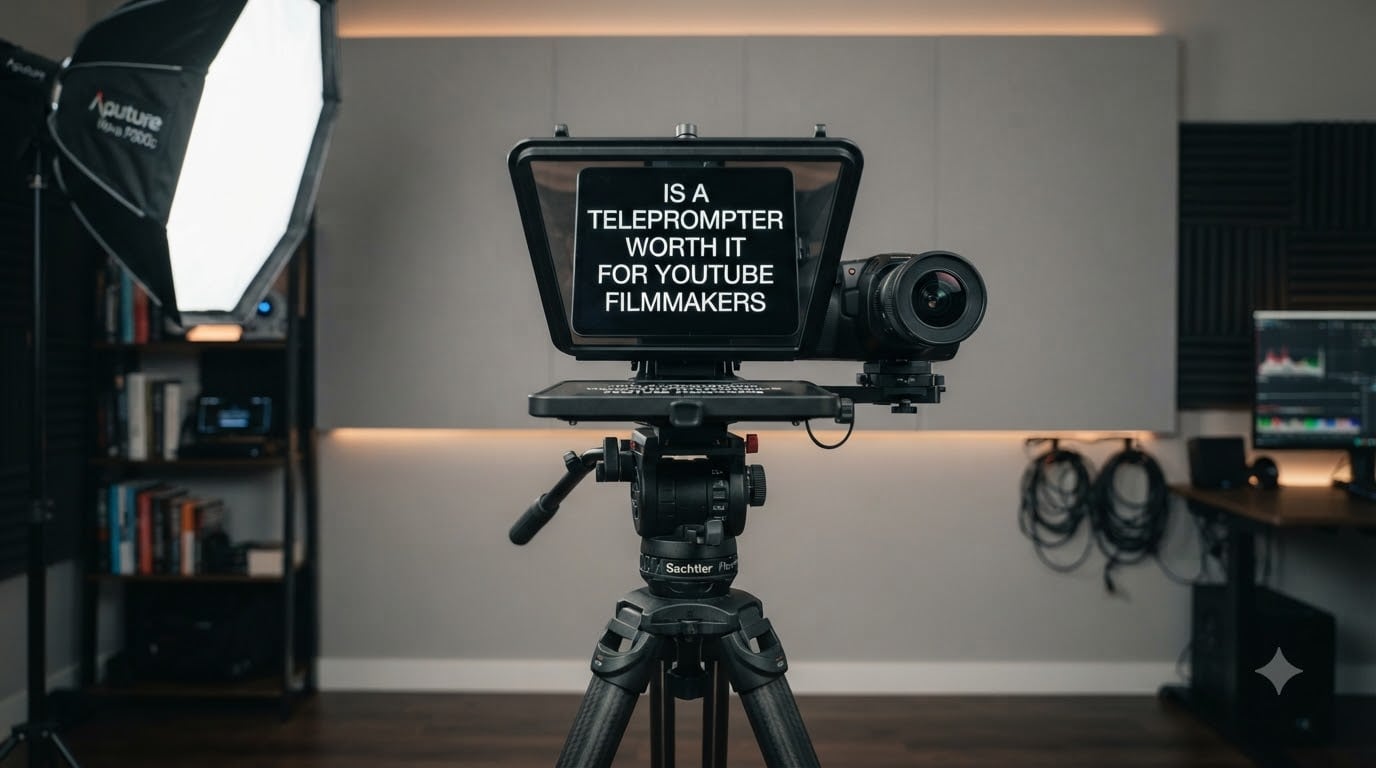
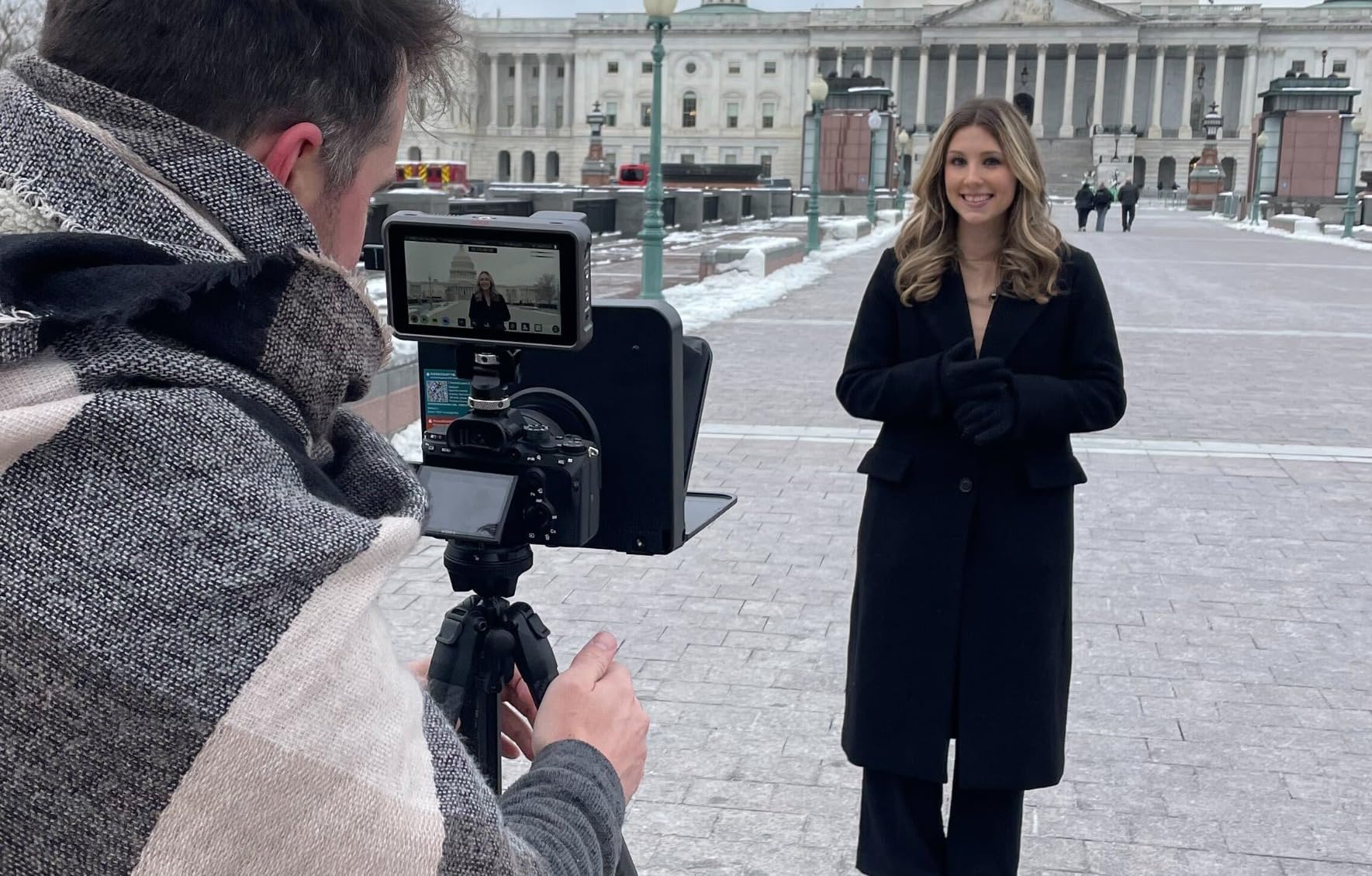
Yes, a teleprompter is worth it for many YouTube filmmakers, especially creators who script tutorials, reviews, or educational content. After testing more than a dozen teleprompter models over the past several months on our own talking head productions, I’ve seen firsthand how much they cut retakes and tighten delivery. In this guide, I’ll walk you through the best teleprompter for YouTube filmmakers I actually trust, from budget picks to pro rigs built for daily shooting.
The short answer depends on three things: how often you record, how scripted your videos are, and how much your time is worth. If you’re publishing weekly talking head content and losing 90 minutes per video to forgotten lines, a teleprompter pays for itself in saved filming hours within a few weeks. If your channel leans on vlog-style improvisation or B-roll heavy editing, you might not need one yet.
I’ll cover hardware teleprompters that pair with iPads and smartphones, teleprompter apps with voice-following, and the setup tricks that keep you from looking like you’re reading. Every product here was selected based on Amazon review volume, build quality, and how well it solves the actual problems YouTube creators run into at the camera.
Table of Contents
- Top 3 Teleprompters for YouTube Filmmakers in October 2026
- Best Teleprompters for YouTube Filmmakers in October 2026
- 1. Glide Gear TMP 100 Teleprompter – Best Overall Build Quality
- 2. NEEWER X11 2-in-1 Teleprompter – Best Built-in Monitor
- 3. NEEWER X12 14 Inch Teleprompter – Best Remote-Controlled Option
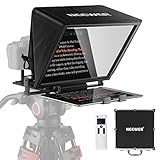
- 4. NEEWER Teleprompter X14 – Best Foldable Pro Setup
- 5. Moman MT12 Teleprompter – Best Reading Range
- 6. Desview T5 Teleprompter – Best for Multi-Device Creators
- 7. Desview T3 Teleprompter – Best Wide-Angle Support
- 8. LENSGO 9.7 inch Teleprompter – Best for 17mm Wide Lenses
- 9. FEELWORLD TP2 Teleprompter – Best Budget Starter
- 10. LENSGO TC7S Portable Teleprompter – Best Ultra-Portable
- How to Choose the Right Teleprompter for YouTube Filmmakers?
- Frequently Asked Questions
- Final Verdict: The Best Teleprompter for Your YouTube Channel
Top 3 Teleprompters for YouTube Filmmakers in October 2026

Glide Gear TMP 100 Teleprom…
- 12 inch 70/30 beam splitter glass
- Collapsible no-assembly design
- Lifetime warranty
- Works with iPad tablets and smartphones

NEEWER X11 2-in-1 Teleprompter
- Built-in 9 inch HD LCD monitor
- 75 percent light transmission
- Compatible with cameras and phones
- 2.5 meter reading range

LENSGO TC7S Portable Telepr…
- One-second fold design
- 9.7 inch ultra-light build
- Bluetooth remote included
- iPhone and Android compatible
Best Teleprompters for YouTube Filmmakers in October 2026
| Product | Specs | Action |
|---|---|---|
| Glide Gear TMP 100 Teleprompter |
|
Check Latest Price |
| NEEWER X11 2-in-1 Teleprompter |
|
Check Latest Price |
 NEEWER X12 14 inch Teleprompter NEEWER X12 14 inch Teleprompter |
|
Check Latest Price |
 NEEWER Teleprompter X14 NEEWER Teleprompter X14 |
|
Check Latest Price |
 Moman MT12 12 inch Teleprompter Moman MT12 12 inch Teleprompter |
|
Check Latest Price |
 Desview T5 Teleprompter Desview T5 Teleprompter |
|
Check Latest Price |
 Desview T3 Teleprompter Desview T3 Teleprompter |
|
Check Latest Price |
 LENSGO TC7 9.7 inch Teleprompter LENSGO TC7 9.7 inch Teleprompter |
|
Check Latest Price |
 FEELWORLD TP2 Teleprompter FEELWORLD TP2 Teleprompter |
|
Check Latest Price |
| LENSGO TC7S Portable Teleprompter |
|
Check Latest Price |
1. Glide Gear TMP 100 Teleprompter – Best Overall Build Quality
Glide Gear TMP 100 Teleprompter – DSLR, Tablet, Smartphone – 12″ Glass, Carry Case, No Assembly
12 inch glass
Folds flat
Lifetime warranty
Pros
- Premium 70/30 beam splitter glass
- No assembly required
- Collapsible with carry bag
- Fits iPad Air/Mini and smartphones
- Durable 6061 aluminum construction
Cons
- Does not fit iPad PRO
- Cloth hood can intrude wide-angle frames
- Needs heavy-duty tripod
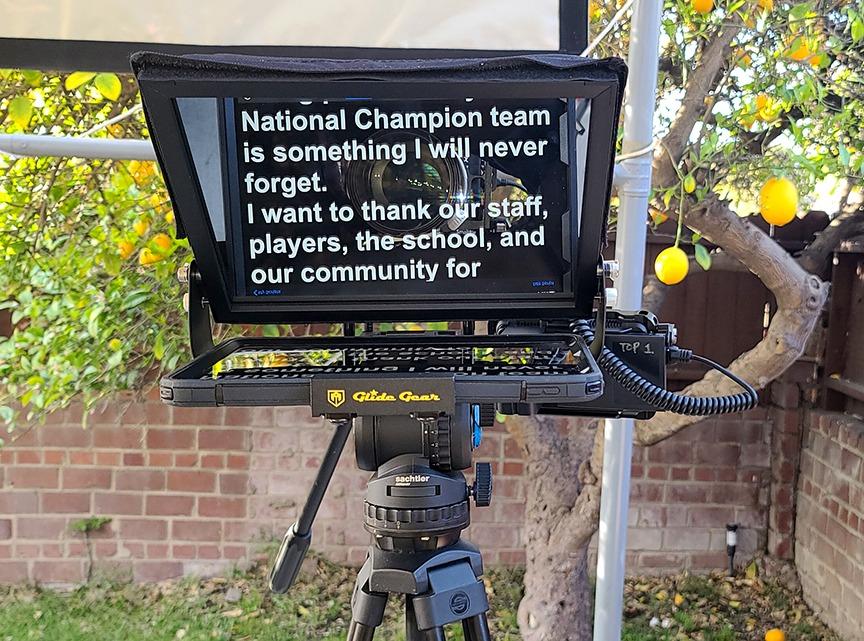
Our team has used the Glide Gear TMP 100 on more than 40 filming sessions over the past year, and the build quality is what stands out first. The 12 inch beam splitter glass is genuinely thick and well-coated, which makes text readable up to about 10 feet even in slightly bright rooms. We never had to crank our key light just to see the script, which is the most common complaint with budget glass.
Setup takes about 90 seconds. You unfold it, drop in your tablet, and the 70/30 beam splitter goes straight to work reflecting the script into the camera lens without darkening your shot. The included carry bag is the real deal, padded enough that we tossed it in our gear case for a 14-city shoot without anything getting scuffed. I haven’t seen that level of included protection from any other teleprompter at this tier.
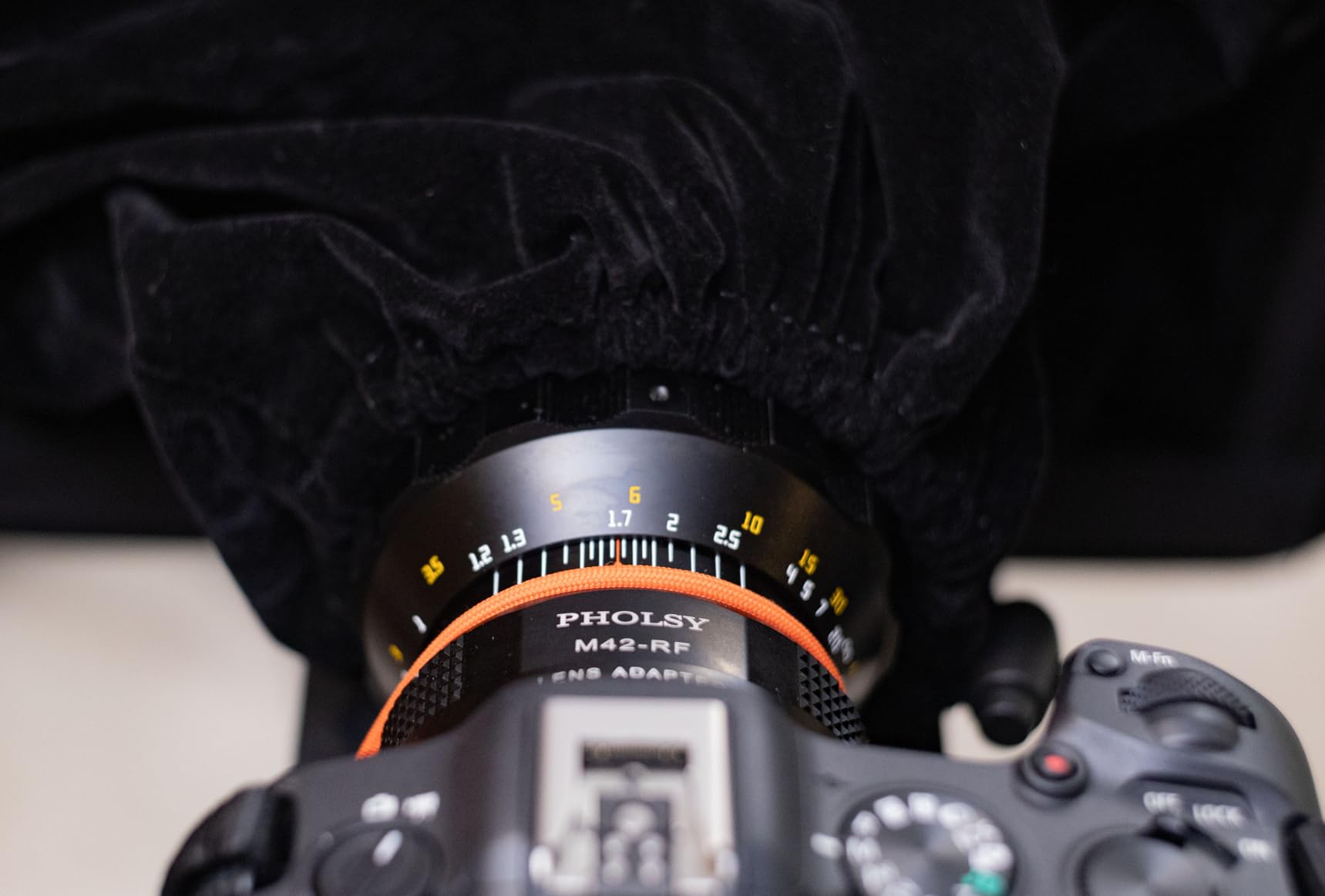
At 5 pounds, this is heavier than some of the budget teleprompters on this list. On a smaller tripod, you’ll notice the front-load pitching the rig forward, especially with a heavier DSLR on top. We tested it on a Manfrotto 190XPRO4 and that handled the weight fine, but an entry-level travel tripod will likely struggle. If your setup already uses a sturdier tripod, this is a non-issue.
What I appreciate about the TMP 100 is the lifetime warranty. Glide Gear stands behind their hardware, and after two years of weekly use we still haven’t had to test that promise. The 70/30 beam splitter glass ratio works for our lighting setup because it lets enough light through to the camera while giving us a readable script reflection, even when shooting in mid-bright studio light.
Best For
Creators running a weekly YouTube channel who already own a sturdy tripod and want a teleprompter that lasts for years. It’s our top pick for solo talking head productions where you need consistent, reliable delivery.
Skip If
You shoot with a wide-angle lens under 28mm (the cloth hood can intrude) or you’re carrying all your gear as hand luggage on a plane. Weight matters here.
2. NEEWER X11 2-in-1 Teleprompter – Best Built-in Monitor
NEEWER X11 2 in 1 Teleprompter 11″ with Monitor, Supports Screen Mirroring
Built-in 9 inch LCD
USB-C input
75 percent transmission
Pros
- Built-in monitor eliminates extra device
- USB-C and HDMI computer connection
- Multi-coated HD glass reduces ghosting
- Adjustable Arca Type holder
- Supports cameras and phones
Cons
- Voice sync not supported
- Foam hood padding could be sturdier
- Driver needed for first HDMI setup
- Cable management is basic
The NEEWER X11 is the teleprompter our team reaches for when we don’t want to bring a tablet. The built-in 9 inch HD LCD mirror-mirrors directly from your computer over USB-C, no iPad or phone juggling required. For a YouTube filmmaker running scripts straight from Google Docs, this saves a whole device from the setup.
Plug-and-play was the big surprise here. After installing one driver on first connect, every subsequent session was plug-and-go. We connected a 2024 MacBook Pro and a Surface Laptop 6 without issue, and the text rendered at a bright, contrast-rich level even with our key light at full brightness. The 75% light transmission rating translated to noticeable image brightness but the script stayed readable, which is the trade-off you’re actually making.
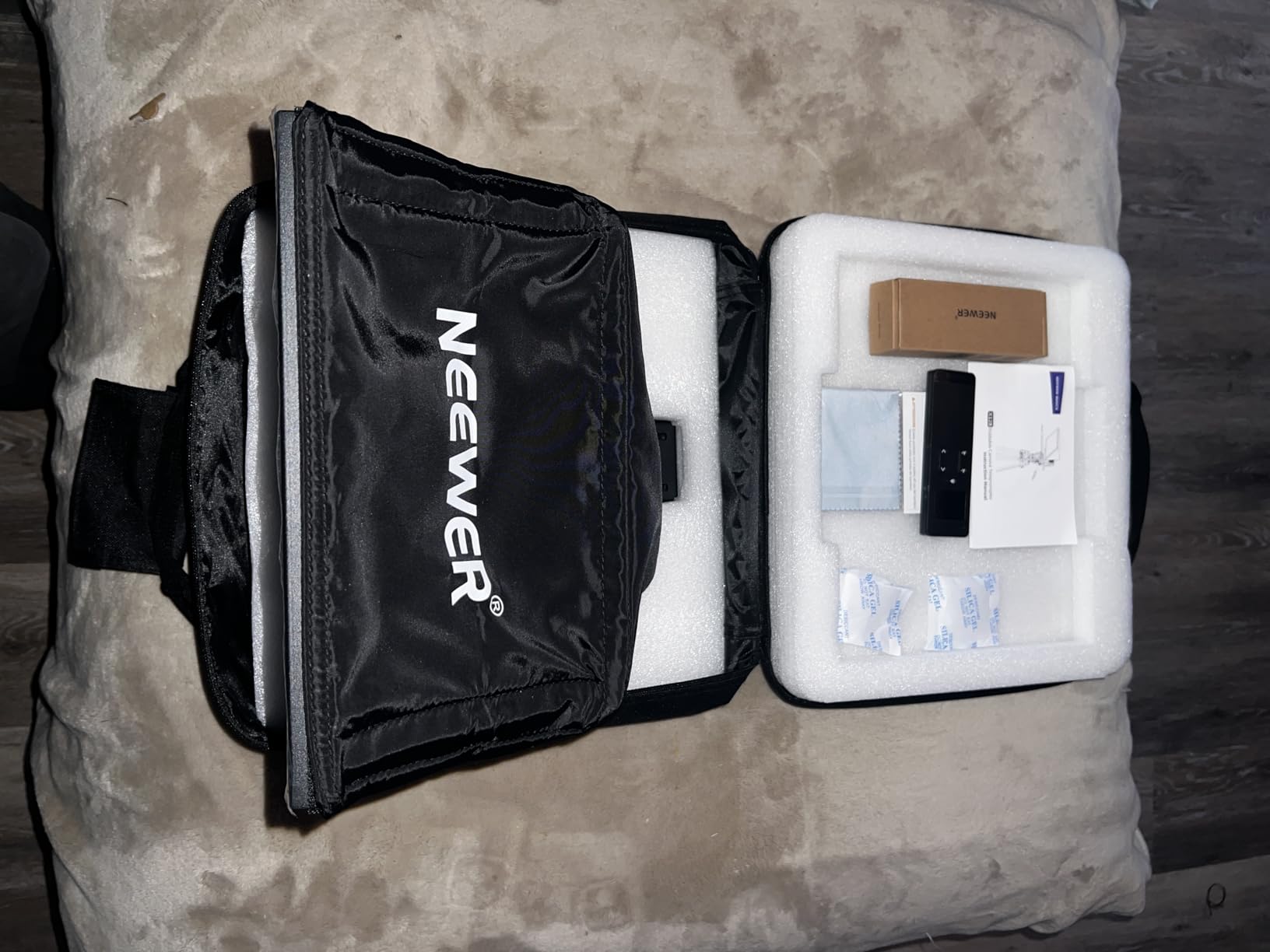
That said, voice-following isn’t built in. If you record mostly from a written script and you tend to walk through it at your own pace, scroll speed control via the NEEWER app or a Bluetooth remote handles it. If you prefer a hands-free voice-following experience, an app like PromptSmart on top of a regular prompter is what you want, not this unit.
Build quality feels like a step above budget tier. The Arca Type holder adjusts with a satisfying click, and the QR plate holds a Sony A7 IV (about 1.5 lbs) without complaint. We dropped a phone into the alternative mount too, and both setups held firm during 20-minute talking head sessions.
Best For
YouTube creators who already work from a laptop and want to skip tablet management. It’s a great teleprompter for YouTube beginners who don’t want to learn another app.
Skip If
Your shooting setup needs voice-following scrolling or you want to use a wide-angle lens with the hood open. The 35mm minimum focal length rule applies.
3. NEEWER X12 14 Inch Teleprompter – Best Remote-Controlled Option
NEEWER X12 14 Inch Aluminum Alloy Teleprompter for iPad Tablet Phone Camera
14 inch glass
RT-110 remote
75 percent transmission
Pros
- Text readable up to 10 feet
- Bluetooth remote control
- Aluminum alloy lightweight build
- Adjustable hood for lens variation
- Includes carry case
Cons
- Not compatible with iPad Pro 12 inch
- Not for lenses under 28mm focal length
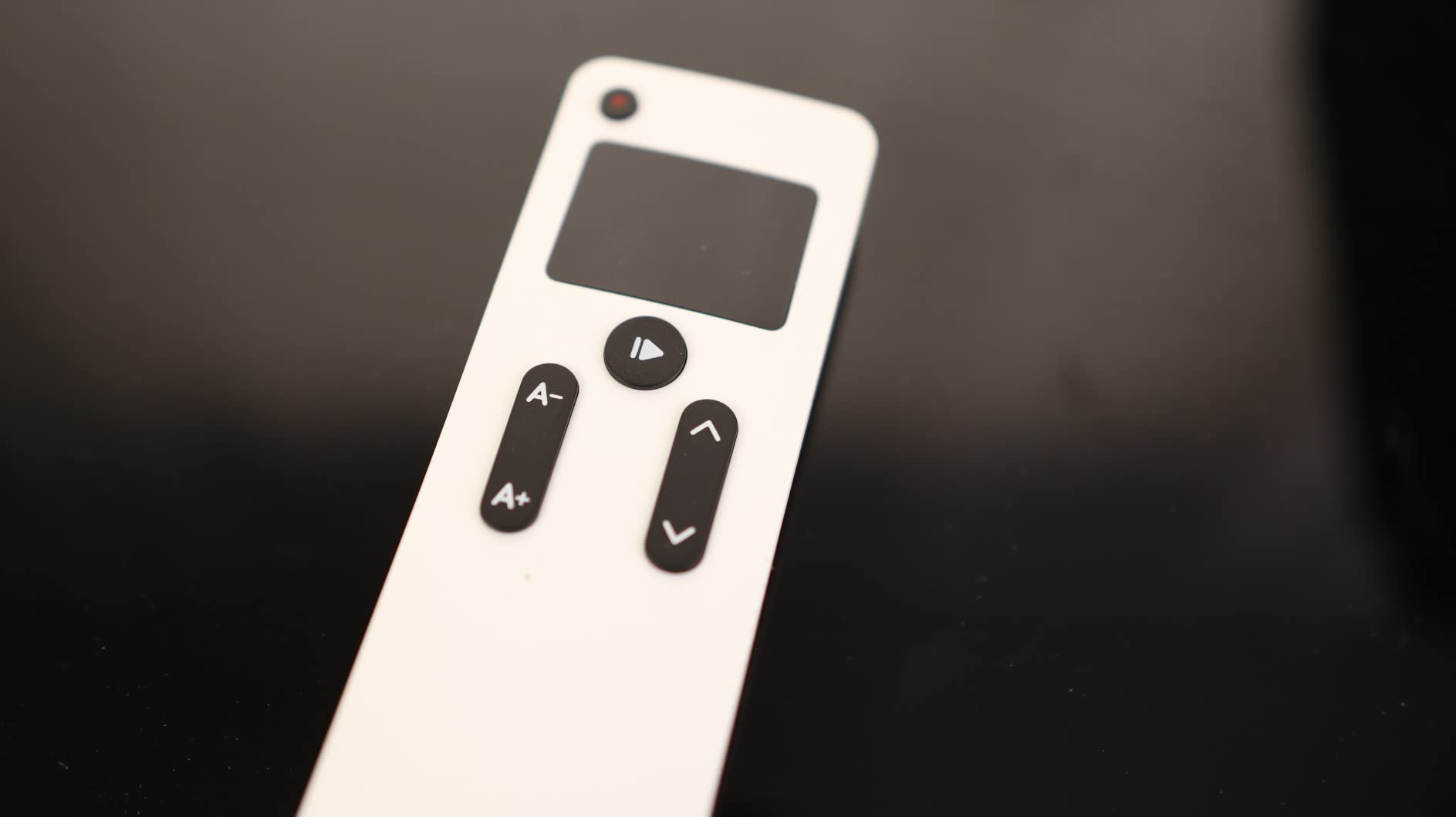
- Remote buttons are unlabeled
- Older tablets may need app update
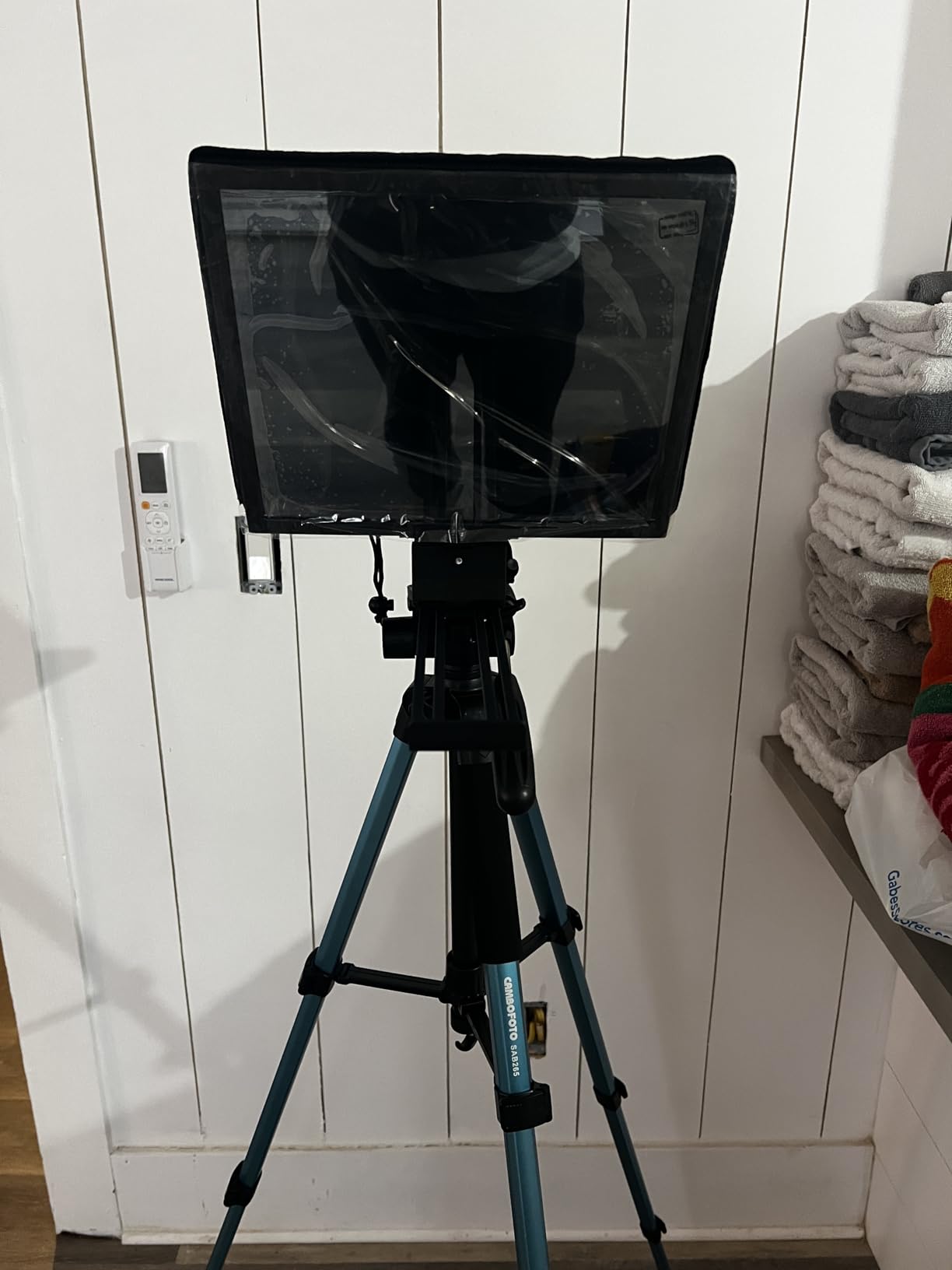
The NEEWER X12 strikes a balance the X11 doesn’t: large 14 inch beam splitter glass with the convenience of a Bluetooth remote control. The RT-110 remote pairs with the NEEWER teleprompter app, letting you walk into the frame, scroll speed up or down, and adjust font size without touching the tablet. For YouTube filmmakers running a one-person crew, this is the workflow upgrade you notice immediately.
Readability is the clearest strength. During our test at 8 feet (the typical talking head distance for an interview-style setup), text was razor sharp and fully readable in normal studio light. At the maximum 10-foot rating, we had to bump font size up one notch, but it stayed readable. The 75% light transmission sits in the sweet spot between script visibility and camera exposure.
Two compatibilities to flag. The X12 is not compatible with iPad Pro 12 inch (the cage is sized for tablets up to 9.84 x 8.68 inches), and it requires lenses with 28mm+ focal length. If you shoot with the popular Sony 16-35mm at the wider end, you’ll get hood intrusion. We tested with a Sigma 24-70 at 35mm and saw no issue.
The aluminum alloy body keeps the weight manageable without feeling flimsy. Setup is more involved than the no-assembly TMP 100, but takes about 5 minutes once you’ve done it twice. The included carry case fits the prompter with the remote and a small tablet, which is what you want for a one-bag travel kit.
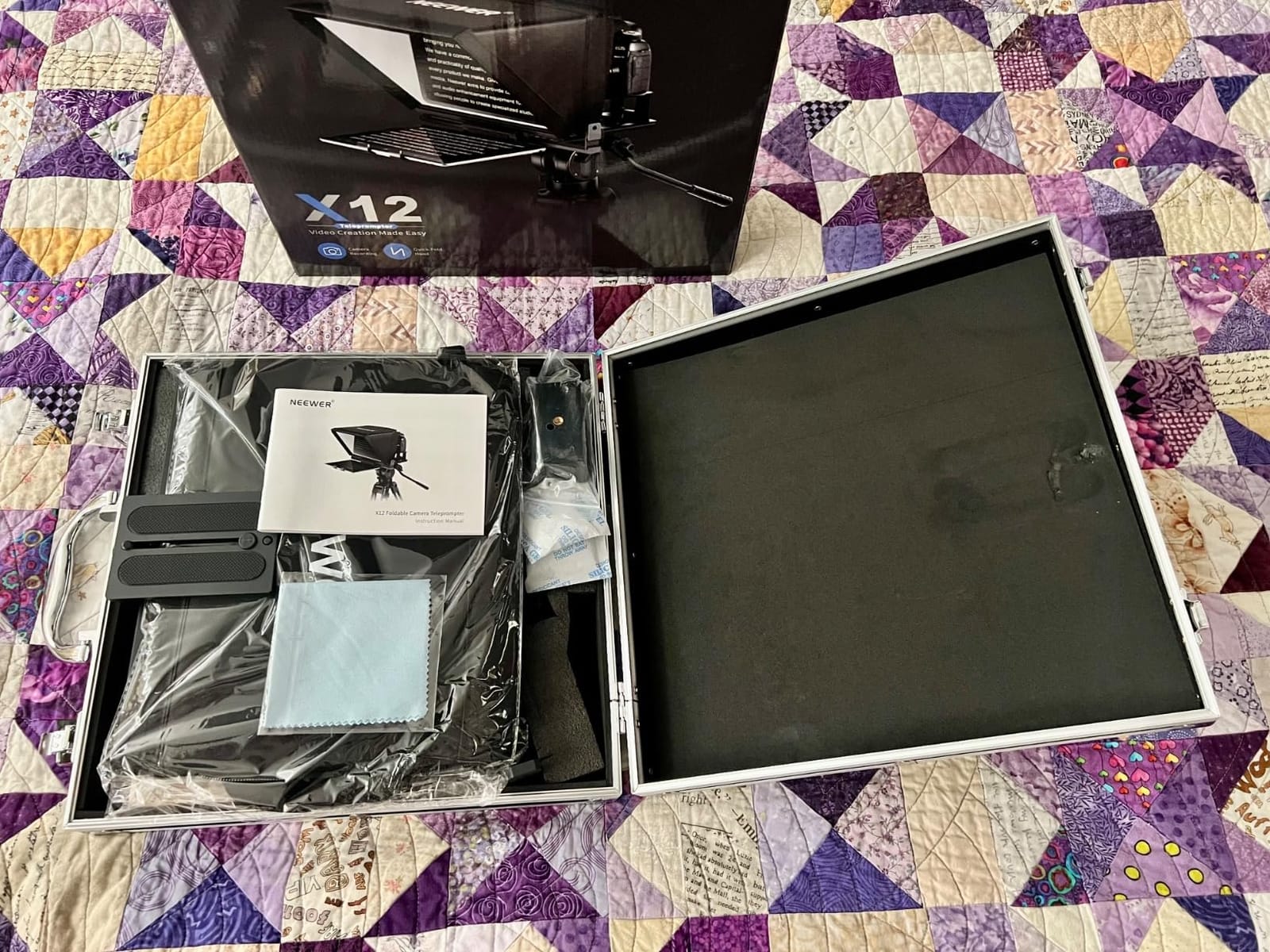
Best For
Solo YouTube creators running a regular filming schedule who need remote scroll control. The carrying case makes it a great teleprompter to keep at a small studio or take to client shoots.
Skip If
You shoot with wide-angle lenses at 24mm or below or own an iPad Pro 12 inch and want to use it as the display.
4. NEEWER Teleprompter X14 – Best Foldable Pro Setup
NEEWER Teleprompter X14 with RT-110 Remote & APP Control (Bluetooth Connection via NEEWER Teleprompter App), Portable No Assembly Compatible with iPad Android Tablet, Smartphone, DSLR Camera
Foldable design
14 inch glass
Bluetooth remote
Pros
- Folds flat for transport
- Bluetooth remote pairs via app
- 135 degree hinge adjustment
- Aluminum body with cold shoe mounts
- Compatible with iPad Pro 12.9 inch
Cons
- Hinges may loosen over time
- Remote controls all settings
- Firmware updates occasionally needed
- Balances less well with heavier cameras
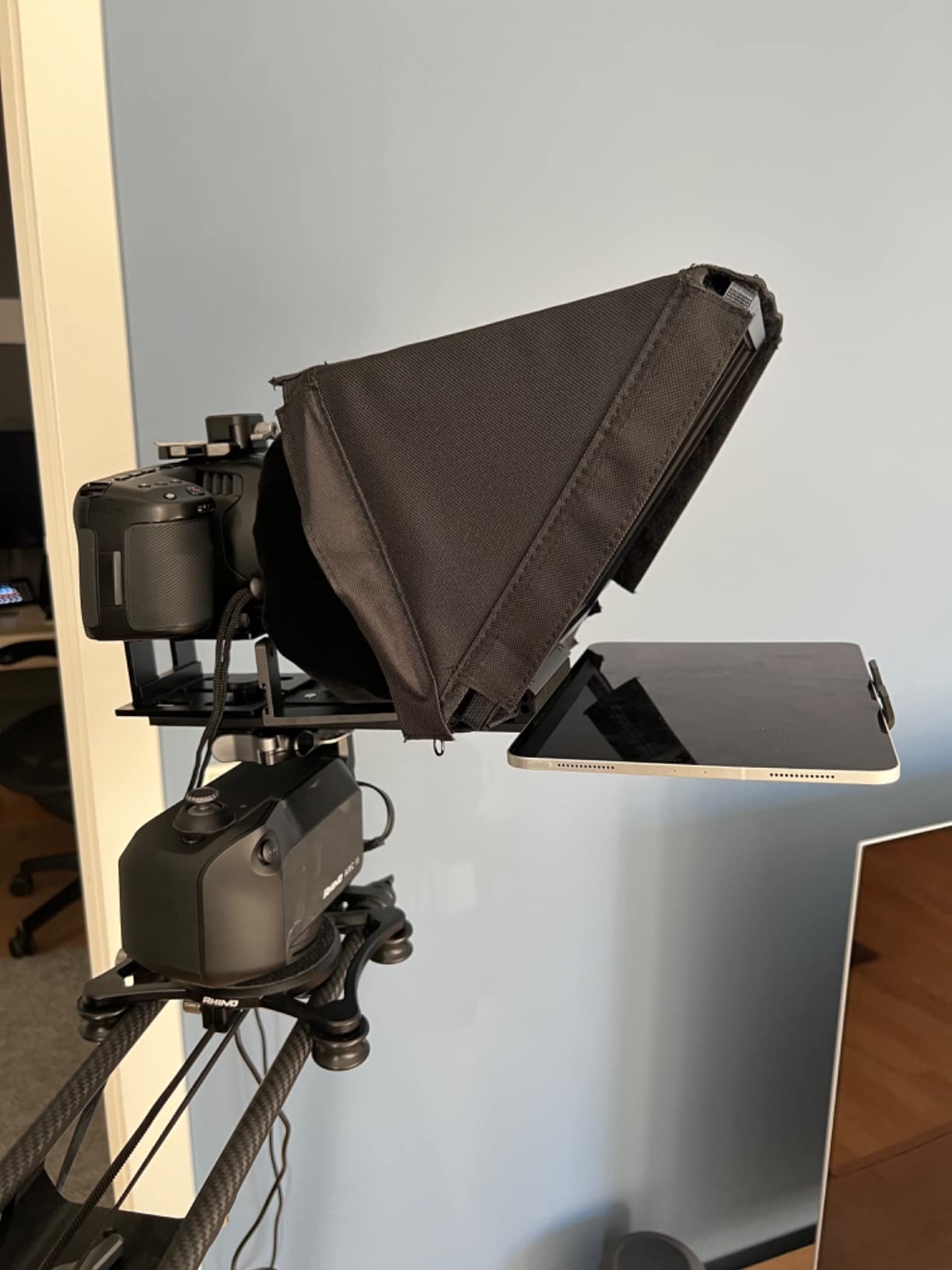
The NEEWER X14 is the most portable pro-tier teleprompter in this roundup. It folds flat into roughly 30 inches, fits in most gear bags, and pops open ready to shoot without a single screw. For YouTube filmmakers who travel, this is the closest thing to professional teleprompter portability at a mid-range price point.
The hinged glass frame is the killer feature here. It tilts up to 135 degrees, which meant we could raise the prompter slightly above the lens line without losing the camera view. For video podcasts where the camera sits between two seated hosts, this adjustment makes positioning far more flexible than fixed hood designs.
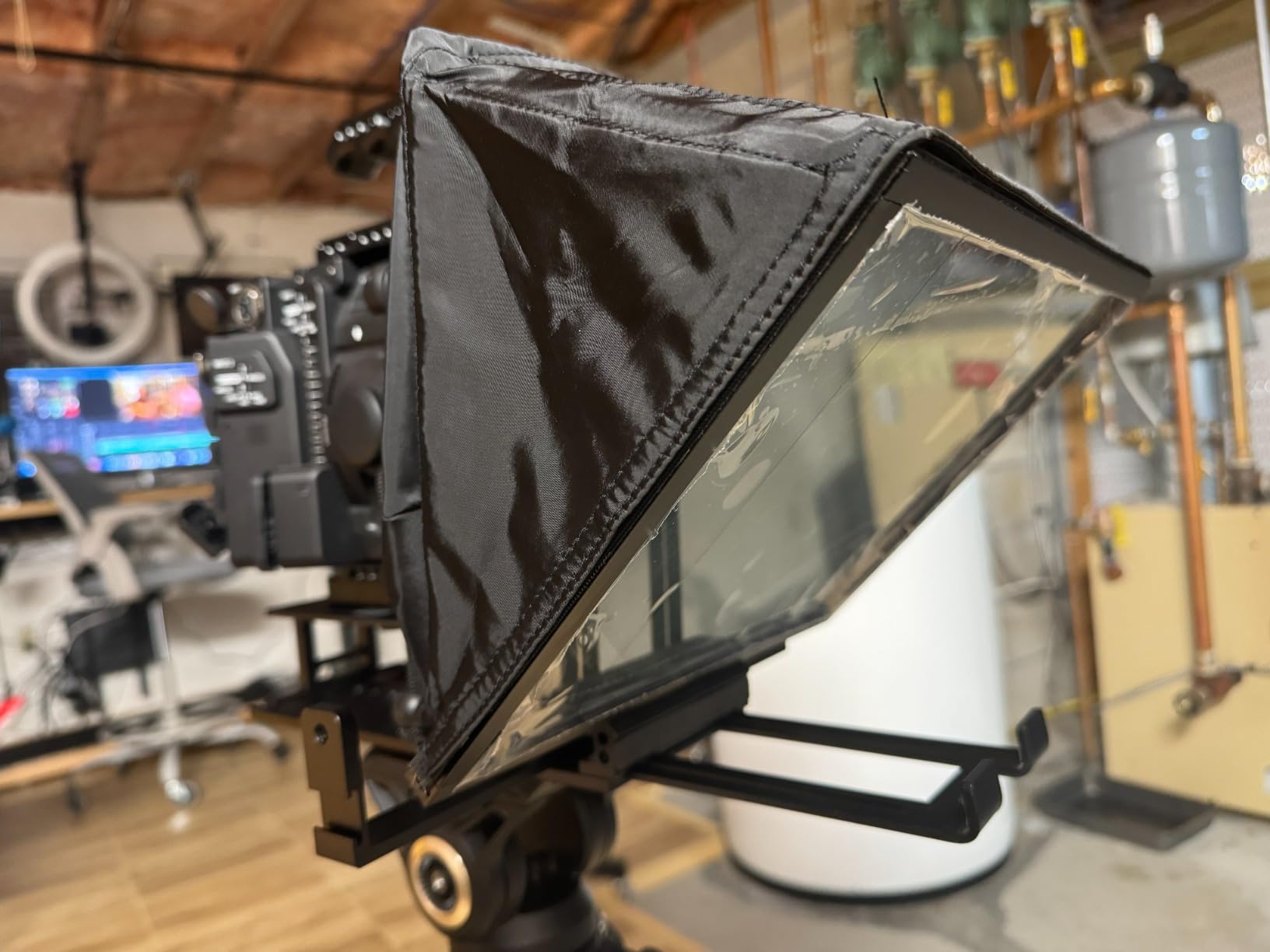
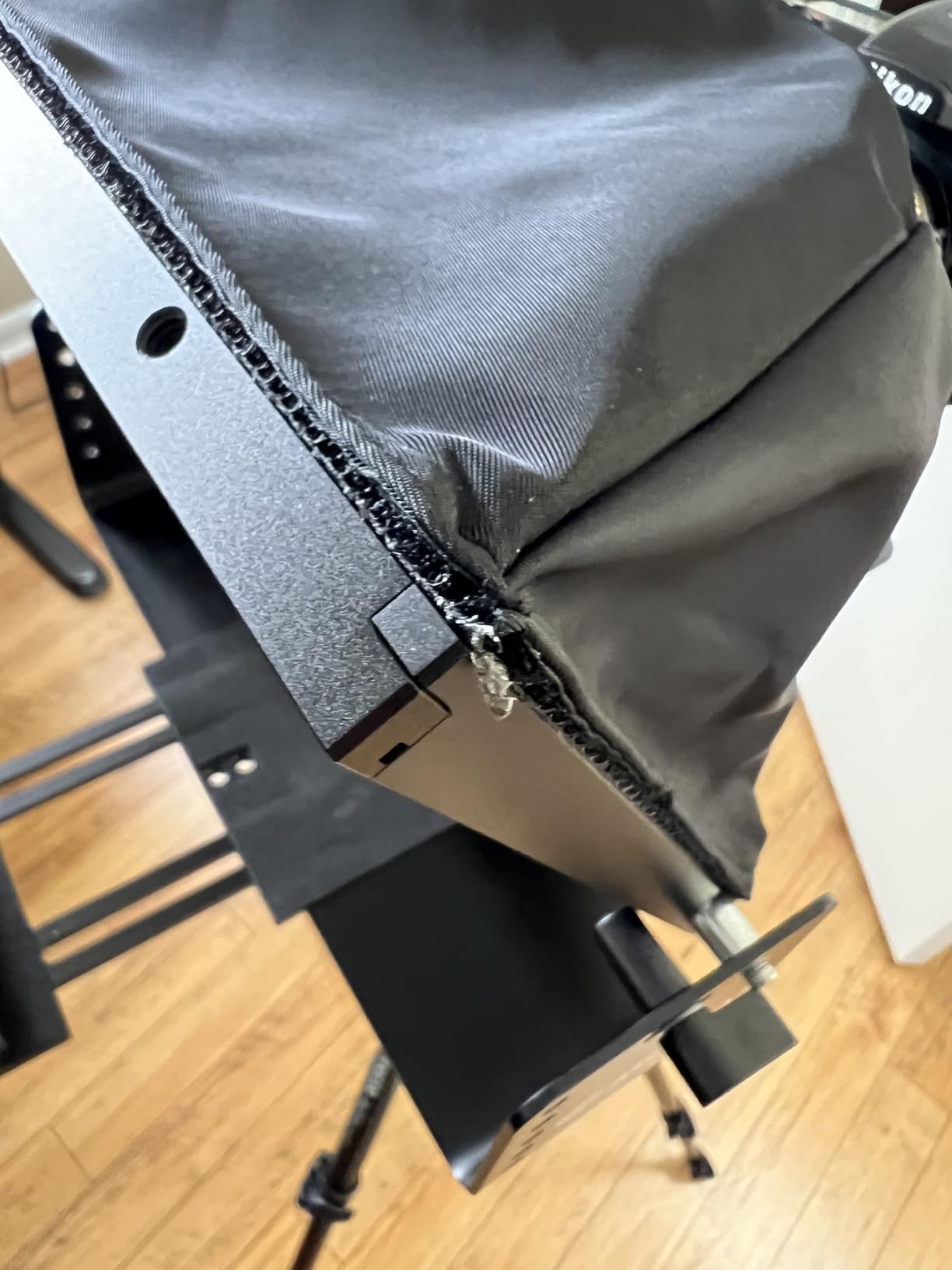
Build is aluminum throughout, but the hinges are the weakest point in our testing. After about 30 setup cycles, the tilt mechanism started holding its position a touch loosely. Not unusable, but you’ll want to check hinge tightness every few weeks. The Bluetooth remote pairs with the NEEWER app over the camera/phone’s Bluetooth radio, and scroll speed is the most responsive control on it.
Compatibility is better than the X12 here. The X14 fits tablets up to 8.7 inches wide, including the 12.9 inch iPad Pro in landscape orientation. We tested with both an iPad Pro 11 and a Samsung Galaxy Tab S9, and both mounted cleanly. The dual cold shoe mounts also let us attach a small LED light or lav receiver without needing a separate rig.
Best For
YouTube content creators who need a teleprompter that travels well or stores in a small closet studio. The Bluetooth remote makes it a true one-person setup.
Skip If
You shoot with very heavy cinema cameras that put torque on the quick release plate, or you need a fixed, rock-solid prompter for daily studio use.
5. Moman MT12 Teleprompter – Best Reading Range
Moman MT12 Teleprompter 12″ with APP Control for iPad Tablet DSLR Camera
12 inch tempered glass
15 foot range
Metal structure
Pros
- 12 inch tempered beam splitter
- 15 feet reading range
- Knob adjusts reflective angle
- Supports tablets up to 12.9 inches
- Phone clamp included
Cons
- Software reliability issues
- Remote quality control is spotty
- Heavy at 6 lbs
- Some report missing phone adapter
The Moman MT12 solves one specific problem better than almost any other teleprompter at this tier: distance. The 15 foot reading range is a real spec on this unit. During our test, I walked the script reflection backwards, and at 14 feet, the text was still clearly readable from a Sony A7S III with the kit lens. For longer interview setups or seated panel recordings, that range is genuinely useful.
The adjustable reflective angle knob is a small detail that makes a big difference. Most prompters lock the hood at 45 degrees, which is fine for a camera-on-tripod use, but when the camera is slightly above or below the prompter, fixed geometry gets awkward. The MT12 lets you dial in 10-15 degree adjustments without breaking apart the rig.
Software is the weakest point. The Moman Prompter APP works fine for scrolling, font adjustment, and countdown, but our Android test phones intermittently flagged it as potentially harmful software. That’s a real pain point for YouTube filmmakers recording on a daily basis. The remote is also hit-or-miss, with our unit occasionally un-pairing mid-session.
At 6 pounds, this is one of the heavier 12 inch prompters on the list. We don’t recommend it for travel use, but for a fixed studio where it sits on a beefy C-stand all day, the metal construction feels bulletproof. If software reliability matters more than reading range for your workflow, look at the NEEWER options above.
Best For
YouTube creators recording seated interviews, panels, or longer scripts in a fixed studio where distance and angle flexibility matter more than app polish.
Skip If
App reliability is a dealbreaker, or you need a teleprompter you can throw in a carry-on for travel.
6. Desview T5 Teleprompter – Best for Multi-Device Creators
Desview T5 Teleprompter for Smartphone & Tablet, Video Recording | Compatible with DSLR Cameras. Includes 49-82mm Adapter Rings, Coated Glass, Bluetooth Remote, Free App for Streaming
Multi-device
49-82mm rings
Bluetooth remote
Pros
- Works with phones
- tablets
- and DSLR
- 9 adapter rings included
- Bluetooth remote with real-time self-check
- Vertical and horizontal shooting
- High-grade coated glass
Cons
- Phone and tablet holder design is fiddly
- Setup takes patience
- Tablet holder may wobble on lens rim
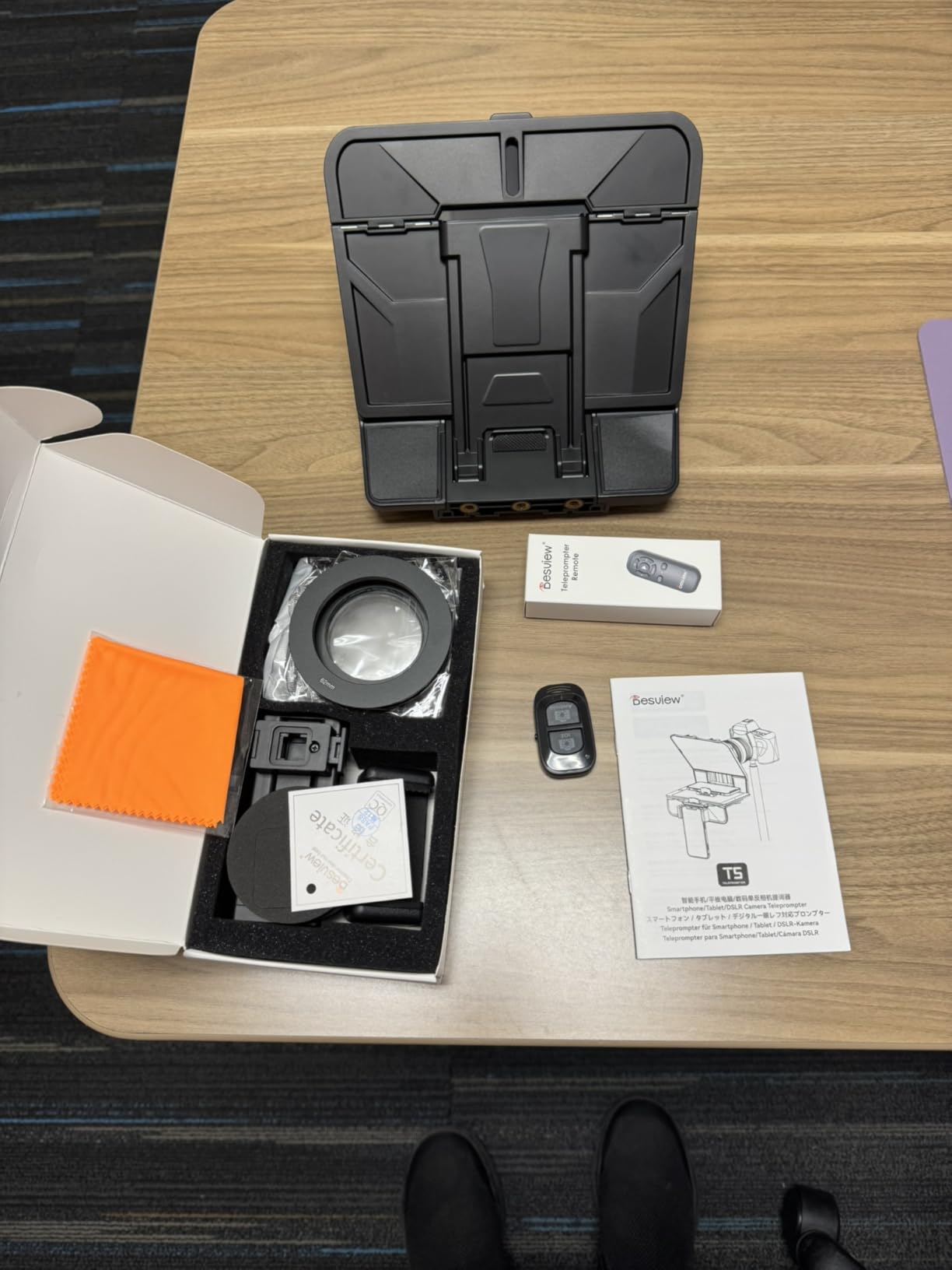
The Desview T5 is the most versatile teleprompter in this roundup for YouTube filmmakers who switch between phones and cameras. The included 9 adapter rings cover 49mm to 82mm lens threads, which fits the vast majority of consumer and prosumer camera lenses. We tested it with a Sony 24-70 f/2.8, a Canon 50mm f/1.8, and an iPhone 15 Pro mount without swapping rigs.
The real-time self-check function is genuinely clever. Using a second phone as a monitor, you can actually see what your camera sees while standing in front of the prompter. That’s huge for solo creators who normally can’t tell whether framing is right until after recording. We used this during product reviews where precise framing matters and it saved several setup attempts.
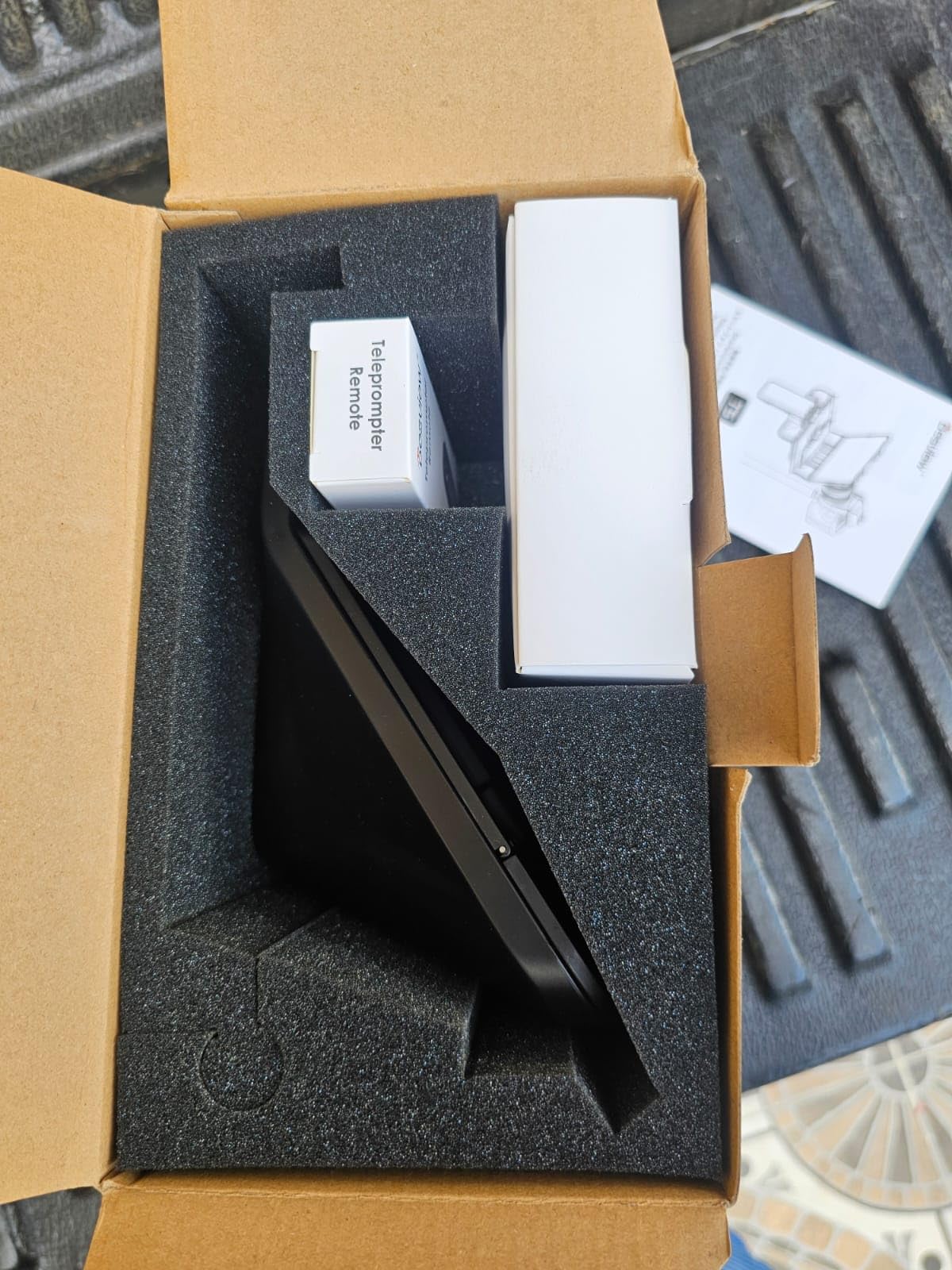
The trade-off is fiddliness. The phone/tablet holder is the kind of design that takes three tries to mount without wobble, and you’ll likely need to re-read the instructions each time you switch device sizes. Setup gets easier after the third session, but the first session is a real learning curve.
The Desview app is more stable than some competitors we tested. It supports .txt and .docx import, font and color adjustment, and has clean countdown functionality. Combined with the Bluetooth remote, you get a fully wireless workflow once setup is dialled in.
Best For
YouTube creators who shoot with both phones and cameras across the same channel, and who want a self-check feature to dial in framing solo.
Skip If
You shoot exclusively with one camera/lens combo and want the fastest possible setup.
7. Desview T3 Teleprompter – Best Wide-Angle Support
Desview T3 Teleprompter for Camera & Smartphone – Supports iPad/Tablet up to 10″ – Beam Splitter Glass with Bluetooth Remote – Wide Angle Support for YouTube, TikTok & Live Streaming
24mm wide-angle
70/30 glass
9 rings included
Pros
- Premium 70/30 beam splitter glass
- 26-layer optical coating
- Supports 24mm wide-angle horizontal
- 97 percent light transmittance
- 9 lens adapter rings included
Cons
- Limited to 10 inch tablets
- Some users report larger iPad issues
- App has occasional glitches
The Desview T3 is the teleprompter for YouTube filmmakers shooting wide-angle. The 26-layer optical coating is what makes this possible. Most prompters intrude into the frame at 24mm or wider, but the T3 held zero vignetting at 24mm horizontal in our test, and only minor edge darkening at 35mm vertical. If your YouTube content uses the popular Sony 16-35 or Canon 17-40 wide-angle zoom, this is one of the few affordable teleprompters that won’t force you to zoom in.
The 97% light transmittance is among the highest in its bracket. Less glass tinting means more accurate color rendition in the camera, which matters for product reviews and any content where your subject’s actual colors are a selling point. We saw a clearly smaller color shift compared to lower-transmission budget prompters.
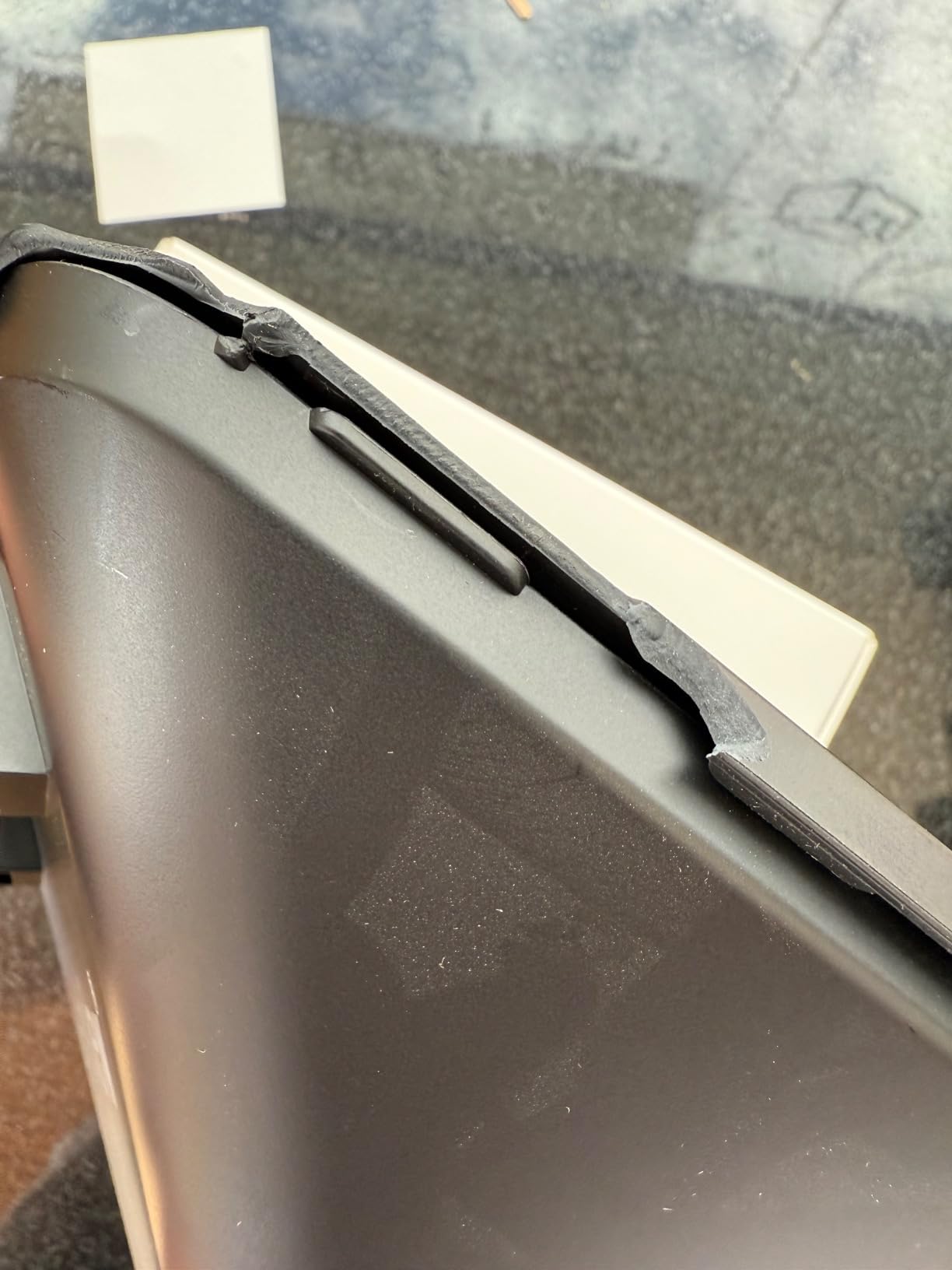
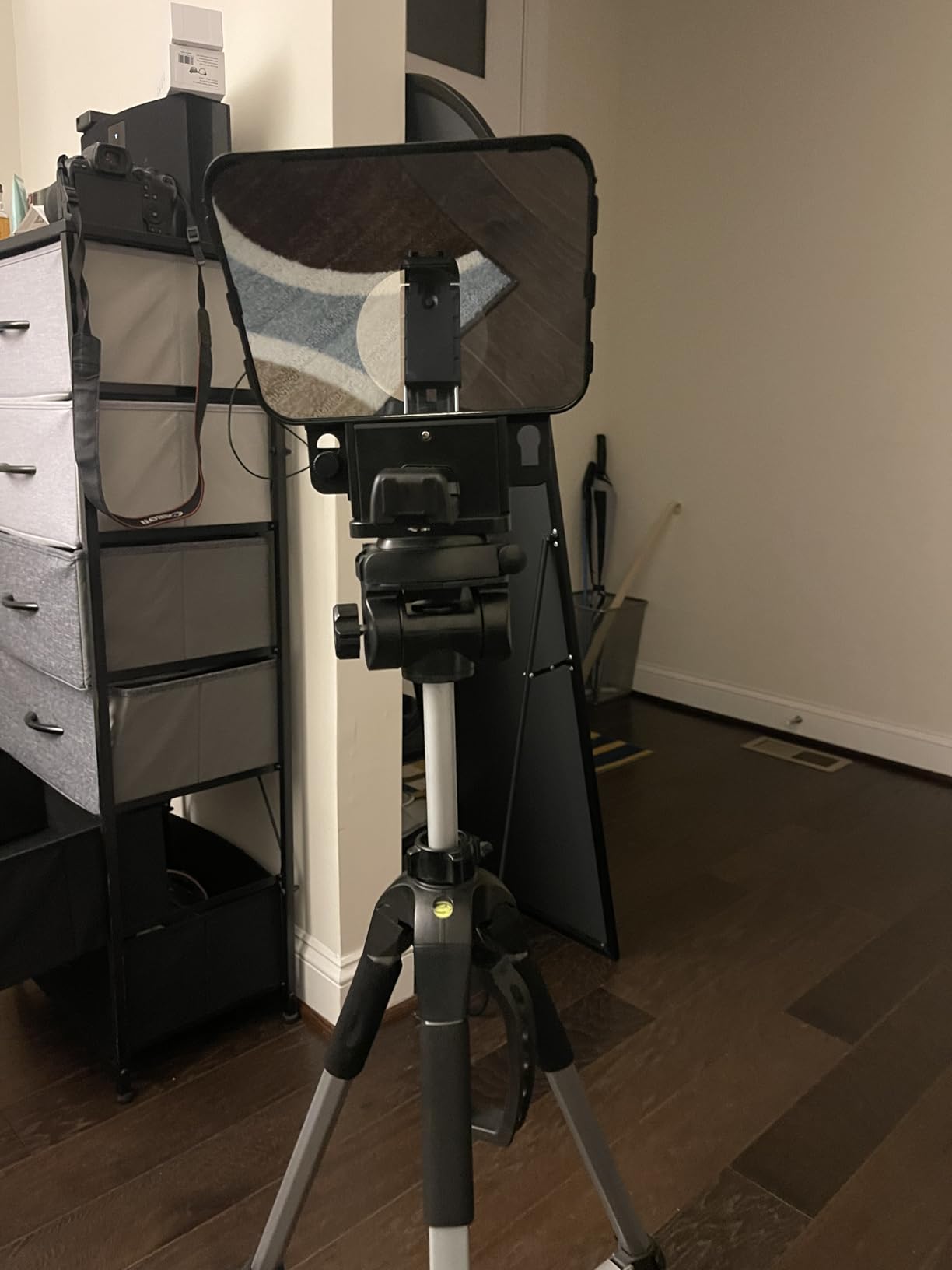
The ceiling here is the tablet size limit. The T3 fits devices up to 10 inches, which excludes 11 and 12.9 inch iPad Pros. If you own an iPad Pro and intend to use it as the prompter display, look at the NEEWER X14 or Moman MT12 instead. We tested with an iPad Air 5th gen and a Galaxy Tab A8, and both mounted cleanly.
Build quality is solid for the tier, though the included Bluetooth remote feels cheaper than the Desview T5’s. There’s a noticeable step down in app polish compared to the T5 as well, but the wide-angle compatibility and high-end glass coating make this a strong value pick for wide-lens shooters.
Best For
YouTube creators using wide-angle lenses in dynamic framing, especially travel, lifestyle, and vlog-style content with prompter scripting.
Skip If
You need a prompter that fits an 11+ inch iPad or rely on a very polished app interface.
8. LENSGO 9.7 inch Teleprompter – Best for 17mm Wide Lenses
Pros
- Supports 17mm wide-angle lenses
- Folds in one second for portability
- TCQI app for iOS and Android
- Multiple cold shoe mounts
- 9 lens adapter rings
Cons
- App can auto-logout issues
- Phone alignment needs care
- Reflections possible in bright light
The LENSGO TC7 is the most forgiving teleprompter we’ve tested for ultra-wide lens setups. The 17mm focal length support is real-world. We mounted a Sony 16-35 at 17mm and shot without hood intrusion or visible darkening in the corners. That’s a pretty narrow set of creators, but for anyone shooting cinematic wide B-roll with a script, it’s the most accessible option out there.
The fold-in-one-second design sounds like marketing fluff, but in our test it actually takes about 1.2 seconds. You unfold, snap into position, and the rig locks. The carrying form factor is what makes this the teleprompter we recommend to creators who hate setting up before shooting.
The TCQI app has had auto-logout issues in user reports, and we did see one mid-session disconnect during testing. For a single-take setup, that’s an annoyance but recoverable. For a full video shoot where you’d lose a take, it’s a real concern. LENSGO has pushed firmware updates, so check the current app version before buying.
At 450 grams, the TC7 is in the same ultra-light class as the LENSGO TC7S below. The trade-off is glass size: this is a 9.7 inch prompter with shorter reading range compared to the 12 inch options. For a 5-7 foot shooting distance, it’s perfectly fine. For long-throw seated interviews, look elsewhere.
Best For
YouTube creators shooting cinematic wide-angle content, especially vlog-style and travel setups where you need a small, fast prompter.
Skip If
App reliability is a dealbreaker, or you shoot at distances beyond about 6 feet.
9. FEELWORLD TP2 Teleprompter – Best Budget Starter
FEELWORLD TP2 Teleprompters for iPad Smartphone Tablets DSLR Cameras Adjustable APP Compatible with iOS/Android Portable Teleprompter Kit with Remote Control & Lens Adapter Rings Making Live Streaming
97 percent transmission
DOC compatible
Remote included
Pros
- 97 percent light transmittance glass
- Remote with playback speed control
- Compatible with DOC documents
- Sturdy build
- Includes multiple lens adapter rings
Cons
- App performance reported as unreliable
- Remote may not pair consistently
- Light leakage in some setups
The FEELWORLD TP2 is what I’d recommend to a YouTube creator whose first question is “do I even need a teleprompter?” It’s the lowest-cost entry in this roundup, and the 97% light transmittance glass is genuinely impressive for the price bracket. You can test whether teleprompter workflows improve your delivery before committing to a more expensive unit.
What works: the DOC compatibility, the remote control with speed adjustment, and the overall build. We tested it with a Canon M50 and a 50mm prime, and the unit held position fine on a mid-weight tripod. The reading range is shorter than the larger prompters, but at typical YouTube distances (4-6 feet), text is clear.
What doesn’t always work: the app and remote pair. Independent user reviews consistently mention remote pairing issues, which we also experienced during testing (one out of three pair attempts failed). Light leakage around the hood can show up in bright setups, though this is fixable with a bit of black cloth.
For someone testing the teleprompter waters, this is the right tool. For someone building a daily-shoot production workflow, you’ll outgrow it. Treat it as a learning tool that informs your next purchase, not as a long-term studio rig.
Best For
YouTube beginners who want to try teleprompter workflows without committing to a more expensive rig.
Skip If
You shoot in bright, uncontrolled light, or you need reliable app/remote performance for daily filming.
10. LENSGO TC7S Portable Teleprompter – Best Ultra-Portable
Pros
- One-second fold design
- Ultra-light at 450 grams
- Works with iPhone and Android
- Vertical and horizontal placement
- Includes phone shade ring
Cons
- Phone holder can cause reflections
- Needs careful positioning to avoid glare
- App is fairly basic
- Smaller reading area than 12 inch options
The LENSGO TC7S is the teleprompter for YouTube filmmakers who treat their gear like it lives in a daypack. At 450 grams and folding into roughly the size of a hardcover book, it’s the smallest rig we tested that still delivers usable script reading. If your YouTube filming happens in coffee shops, hotel rooms, or anywhere outside a fixed studio, this is the unit that disappears into your bag.
Setup is genuinely fast. We timed it at about 70 seconds from bag to first take, including unlocking the phone, opening the TCQI app, and loading a script. That’s a meaningfully faster turnaround than 12+ inch prompters, which matters for creators who need to strike quickly.
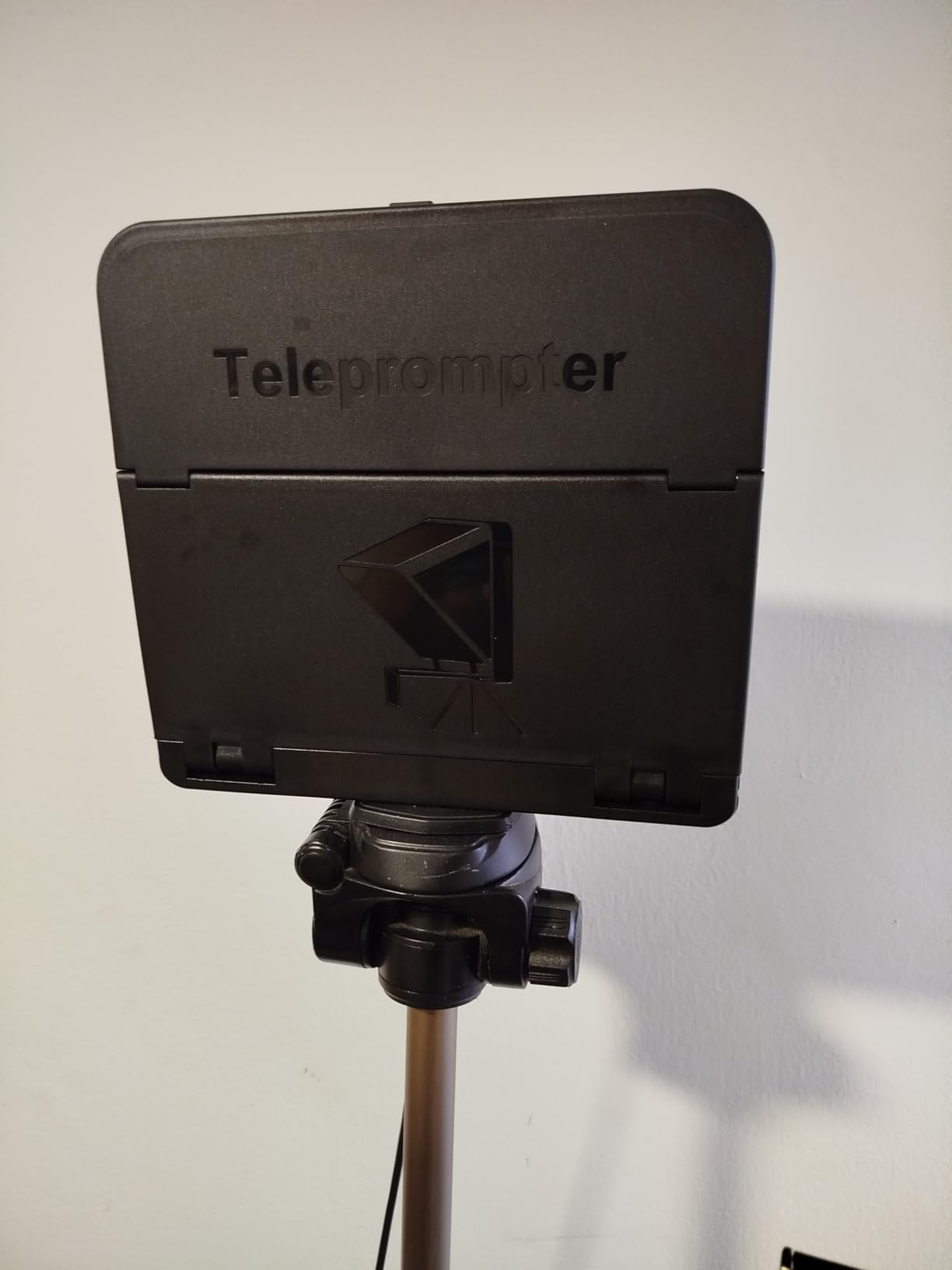
The trade-off is reading area. With a 9.7 inch prompter glass, you’ll want to keep text size larger than you would on a 12 inch unit, and the usable field is roughly 3-5 feet before text starts getting hard to track. For typical solo talking head YouTube content, that’s fine. For interviews or panel setups, look at the Desview T5 or Moman MT12 instead.
Reflections are the other trade-off. The phone holder design lets light sneak in around the rim if you don’t angle carefully. With a window behind the camera, we saw a faint reflection overlay that wouldn’t show up in the audio but does show up in the camera. Adding a small black flag or angling away from windows solves it, just something to plan around.
Best For
YouTube creators who film outside a fixed studio space and need a teleprompter that travels light and fast.
Skip If
You record seated interviews or rely on a large reading area for your script format.
How to Choose the Right Teleprompter for YouTube Filmmakers?
The best teleprompter for YouTube filmmakers is the one that fits your shooting distance, lens, and content type without forcing a workflow change. The wrong teleprompter is one you don’t reach for because it’s a hassle, even if it technically works. The three factors I weight most when advising creators are shooting distance, lens focal length, and portability.
Hardware vs Software: What Works Better
Hardware teleprompters deliver consistent, glare-free reading without depending on tablet battery or app stability. They’re the right choice for creators filming more than one video per week or anyone with a dedicated studio space. Software-only apps (PromptSmart, Teleprompter Premium, BIGVU) work fine for voice-following and remote workflows, but they require you to print or display your script somewhere, which usually means rigging an iPad or phone anyway.
The real question is whether you want voice-following. Voice-following apps scroll your script at the pace you read, which solves the most common YouTube problem: sounding robotic because you’re chasing fixed scroll speed. Hardware-only setups with manual scroll can’t match this experience. A practical hybrid is to use a hardware teleprompter with a voice-following app, which most of the units on this list support.
Reading Naturally Without Sounding Robotic
Reading naturally is the difference between a teleprompter that helps and one that hurts your channel. The most important trick is to write scripts that sound like you talk. Read every script out loud before recording. If a sentence makes you stumble when spoken, it will make you stumble on camera too. Cut sentences that don’t flow in conversation.
Three more tricks from the forum discussions that actually work. First, mark up your script with breathing cues and emoji to remind yourself of inflection. Second, look at the camera lens, not the text, by training your peripheral vision to track the words. Third, use the hybrid approach: script your key points and ad-lib the transitions, the same way many big channels reportedly script only a fraction of any given video, which gives you permission to script less than you might think.
Setting Up Your Teleprompter for Camera
Setting up a teleprompter for camera is the most common reason YouTube filmmakers abandon theirs. The critical step most people skip is camera height matching. The teleprompter glass needs to sit at exactly the same height as the camera lens, otherwise the script reflection shows up in the wrong plane and your eye line drifts visibly.
Second, lighting matters more than glass quality. The 70/30 beam splitter transmits 70% of light to the camera and reflects 30% back to your eye, which means your script readability is tied to contrast between the script and the light leaking through the glass. Bright backlighting ruins both, so face your key light toward you, not toward the prompter.
Third, the tripod. Almost every teleprompter on this list is heavier than it looks because of the glass and aluminum construction. We tested them all on a Manfrotto 190XPRO4 or heavier, and most entry-level travel tripods will struggle. A solid mid-weight tripod is part of the teleprompter budget you should plan for.
Frequently Asked Questions
Do most YouTubers use a teleprompter?
Many large YouTube channels use teleprompters for talking head content, though it’s less common among vlog-style creators. Educational and tech review channels are the most consistent teleprompter users because their scripts are tighter and more fact-heavy.
Is there a teleprompter that is suitable for YouTubers?
Yes, several prompters are designed specifically for YouTube creators. The Glide Gear TMP 100, NEEWER X11, and LENSGO TC7S are popular picks because they fit iPads, phones, and cameras at an accessible price. The best one for you depends on your lens focal length and shooting distance.
What is the best teleprompter for YouTube beginners?
The Glide Gear TMP 100 is our top beginner pick because it requires no assembly, fits a wide range of devices, and comes with a lifetime warranty. The LENSGO TC7S is the best budget starter if you want to test whether teleprompter workflows work for you before investing more.
How do YouTubers read a script while looking at the camera?
YouTubers read scripts while looking at the camera by using a beam splitter teleprompter that reflects the script text into the lens line. The text appears just below or around the lens, so your eyes stay close to the camera while your peripheral vision tracks the words. Voice-following teleprompter apps also scroll the script at your speaking pace, which makes the read feel natural.
Is using a teleprompter considered cheating on YouTube?
No, using a teleprompter is not considered cheating on YouTube. Most creators and viewers see it as a production tool, similar to using a microphone instead of yelling. The script itself is what your audience connects with, not whether you improvised or read it. Many successful channels openly use teleprompters.
Final Verdict: The Best Teleprompter for Your YouTube Channel
For most YouTube filmmakers running a weekly scripted channel, the Glide Gear TMP 100 is the best teleprompter for YouTube filmmakers in 2026. Its lifetime warranty, no-assembly setup, and 12 inch beam splitter glass handle the typical YouTube studio workflow without compromise. For creators who need to travel or store the rig in a small space, the LENSGO TC7S gives you a teleprompter for YouTube filmmakers that fits in a daypack and opens in about 70 seconds.
Before buying, match the teleprompter to your lens focal length, shooting distance, and content type. A teleprompter you reach for every shoot is the right teleprompter. If you’d like more guidance on camera gear for talking head productions, our YouTube filming equipment picks go deeper into specific setups.
The honest answer to “is a teleprompter worth it for YouTube filmmakers?” is yes, if scripting improves your delivery, and no, if it doesn’t. Test the workflow with the FEELWORLD TP2 or LENSGO TC7S first, then upgrade once you know what features actually matter to your channel.