
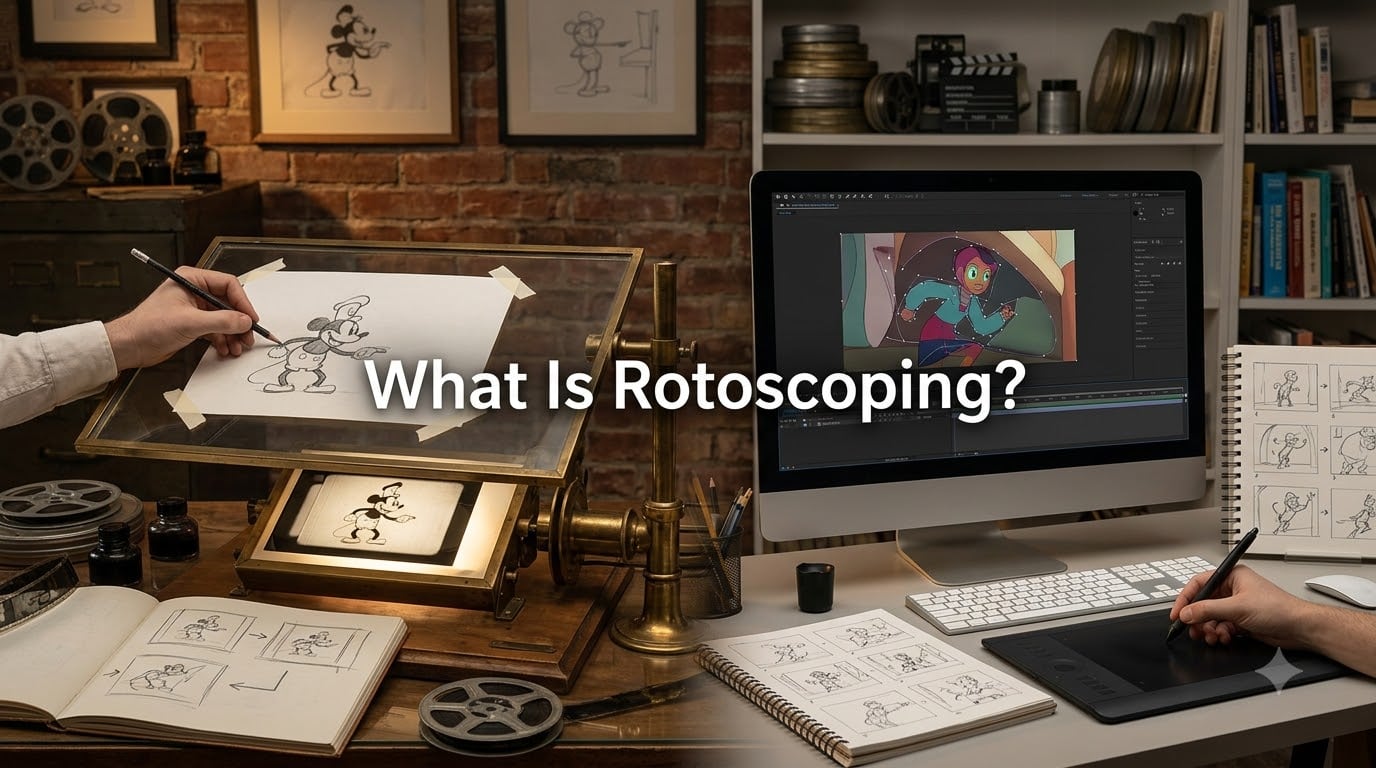
If you’ve ever wondered what is rotoscoping and why it shows up in so many animated films and visual effects shots, you’re in the right place. I spent weeks digging through animation archives, VFX studios, and forums to put together this guide, and I’m going to break it all down for you in plain language.
Rotoscoping is an animation technique where artists trace over live-action footage frame by frame to create realistic movement or to extract elements for visual effects. It has been used for over a century, from early Disney cartoons to modern blockbusters, and it remains a core tool in any VFX artist’s workflow today.
In this guide, I’ll walk you through the history, the process, the different types, and where rotoscoping still shows up in 2026 filmmaking. Whether you’re a short film creator or just animation-curious, this should answer every question you have.
Table of Contents
- What Is Rotoscoping? A Clear Definition
- Who Invented Rotoscoping? A Brief History
- How Does Rotoscoping Work?
- Types of Rotoscoping You Should Know
- Rotoscoping in Animation vs Visual Effects
- Rotoscoping vs Motion Capture: What’s the Difference?
- Notable Examples of Rotoscoping in Film
- Why Some Animators Dislike Rotoscoping
- How to Try Rotoscoping as a Beginner
- Frequently Asked Questions
- Final Thoughts on Rotoscoping
What Is Rotoscoping? A Clear Definition
Rotoscoping is a frame-by-frame animation technique in which an artist traces over live-action footage to produce realistic motion or to isolate subjects for compositing. The term comes from the rotoscope, a mechanical device invented in 1915 that projected film frames one at a time onto a drawing surface so animators could trace them by hand.
The technique exists on a spectrum. Some animators use rotoscoping as a strict 1:1 trace to create animation, while others use it as reference footage to capture natural movement before reinterpreting it in their own style. In modern VFX pipelines, rotoscoping most often means creating a matte, or mask, around a subject on each frame so it can be separated from its background.
Here is what rotoscoping fundamentally involves:
- Tracing live-action footage frame by frame
- Creating smooth, lifelike motion in animated characters
- Generating mattes and masks for visual effects compositing
- Producing reference material for hand-drawn or 3D animation
That single sentence captures the core idea: rotoscoping is the bridge between filmed reality and animated or composited imagery. It is how studios have made lightsabers glow, characters fly, and entire worlds appear behind live actors.
Who Invented Rotoscoping? A Brief History
Rotoscoping has a richer history than most people realize, and understanding where it came from helps explain why it still matters today.
Max Fleischer and the Rotoscope (1915)
Animator Max Fleischer invented the rotoscope in 1915, along with his brothers Dave and Joe Fleischer. They patented the device in 1917. The rotoscope was a simple but brilliant piece of equipment: it projected single frames of live-action film onto a glass panel, where an animator could trace the moving figure onto paper.
The Fleischers first used it in their Out of the Inkwell series, where the animated character Koko the Clown interacted with real-world objects. The technique gave Koko movements that looked startlingly real for the time, and it launched the Fleischer Studios as a major animation house.
The Traditional Era (1930s to 1990s)
Disney picked up rotoscoping in the 1930s and 1940s, using it for human characters in Snow White and the Seven Dwarfs (1937) and many later classics. Animators traced live-action reference footage of actors performing scenes, then re-drew the action as fully animated characters.
Other studios followed. Bob Clampett’s Coal Black and de Sebben Dwarfs (1943), Ralph Bakshi’s Wizards (1977), and Bakshi’s The Lord of the Rings (1978) all leaned heavily on rotoscoped animation. For decades, rotoscoping was simply how you made human movement look right in animation.
The Digital Transition
Computers changed everything in the 1990s. Software like Adobe After Effects, Autodesk Combustion, and eventually Nuke and Silhouette replaced the optical projector with digital timelines and bezier curves. The work itself, tracing a subject frame by frame, stayed remarkably similar, but artists could now work non-destructively, render mattes instantly, and integrate rotoscoping into full VFX pipelines.
By 2026, rotoscoping is almost entirely digital, but the principle hasn’t changed. You still need a steady hand, a good eye, and a lot of patience.
How Does Rotoscoping Work?
Rotoscoping follows a predictable workflow, whether you’re animating a character or pulling a matte for a visual effect. Here is the step-by-step process I’ve watched VFX artists and animators use.
- Source footage selection. The process starts with live-action footage. For animation, this is usually an actor performing the scene. For VFX, it’s the plate you need to isolate a subject from.
- Frame-by-frame analysis. The artist studies each frame and identifies the outline or shape that needs to be traced. For VFX work, this is usually the silhouette of a person, animal, or object.
- Tracing or masking. In animation, the artist draws over each frame by hand or stylus. In digital VFX, the artist creates a bezier mask (a curve defined by control points) that follows the subject’s outline.
- In-betweening and interpolation. For efficiency, software can interpolate masks between keyframes, generating intermediate frames automatically. The artist then cleans up any errors.
- Refining edges and motion blur. Real footage has soft edges and motion blur. Artists feather the matte and match the blur so the cutout looks natural when composited.
- Output. The final matte is exported for animation, compositing, or further effects work.
The whole process is slow. A five-second shot can take a skilled artist 5 to 10 hours to roto properly, depending on the complexity of the subject. That’s one reason rotoscoping is one of the most labor-intensive parts of any VFX pipeline.
Types of Rotoscoping You Should Know
Not all rotoscoping is the same. Over the decades, the term has come to cover several distinct techniques.
Traditional Rotoscoping
This is the original form: an animator traces live-action footage frame by frame to create a hand-drawn animation. The result is animation grounded in realistic motion. Disney used this approach extensively through the 1990s for films like The Lion King.
Digital Rotoscoping
Digital rotoscoping replaces the optical projector with software like After Effects, Nuke, or Silhouette. The artist still traces frame by frame, but they do it on a graphics tablet or with bezier curves on a digital timeline. Most modern VFX rotoscoping is digital.
Photorealistic Rotoscoping
When the goal is to make animation look indistinguishable from live action, animators trace the footage as faithfully as possible. A Scanner Darkly (2006) is the textbook example. Every frame was traced and re-animated to create that wobbly, oil-painted look. It’s labor-intensive but produces striking results.
Interpolated Rotoscoping
To save time, artists only trace keyframes and let the software generate the in-between frames automatically. Bob Sabiston’s Rotoshop software, used for Richard Linklater’s Waking Life (2001) and A Scanner Darkly, popularized this approach.
Rotoscoping in Animation vs Visual Effects
The term rotoscoping covers two distinct creative uses, and they have different goals.
In Animation
When animators rotoscope, they are creating motion reference or directly producing animation. The output is a hand-drawn (or digital) character moving with realistic weight, timing, and physics. Classic Disney, Bakshi’s films, and modern works like Undone on Amazon all rely on this approach.
In Visual Effects
For VFX, rotoscoping is a tooling step rather than a creative end. The artist creates a matte so a subject can be removed from a background, replaced, or composited with other elements. This is how the lightsabers in Star Wars got their glow, how actors were placed inside fantasy worlds, and how entire backgrounds are swapped out in post-production.
Both uses share the same technical foundation, but the artistic intent is completely different.
Rotoscoping vs Motion Capture: What’s the Difference?
This is one of the most common points of confusion, so let me clear it up. Both techniques involve capturing real movement, but they work very differently.
Rotoscoping traces the visual appearance of motion. It produces 2D animation or a mask based on what a camera recorded. Motion capture records the 3D position of markers on an actor’s body, producing data that drives a 3D character rig inside software like Maya or MotionBuilder.
Here is a quick comparison:
- Output: Rotoscoping creates drawings or mattes. Motion capture creates 3D animation data.
- Use case: Rotoscoping is ideal for 2D animation and matte creation. Motion capture is ideal for 3D character animation and games.
- Equipment: Rotoscoping needs only a camera and software. Motion capture needs marker suits, infrared cameras, and dedicated software.
- Style flexibility: Rotoscoping allows heavy stylization. Motion capture stays closer to the actor’s literal performance.
They aren’t competitors. Many modern productions use both: motion capture for the main 3D performance, then rotoscoping for cleanup, matte work, and 2D effects layers.
Notable Examples of Rotoscoping in Film
Rotoscoping has shaped cinema in ways most viewers never notice. Here are the examples that filmmakers and animation fans tend to know best.
Classic Animation
Snow White and the Seven Dwarfs (1937) used rotoscoped reference for the Queen’s movements. The entire Fleischer canon, from Betty Boop to Popeye, leaned on rotoscoping. Ralph Bakshi’s The Lord of the Rings (1978) was famously rotoscoped, giving it a distinctive dreamlike quality.
Modern Blockbusters
The lightsabers in the original Star Wars trilogy were added by rotoscoping. James Cameron’s Avatar (2009) used rotoscoping to isolate actors so digital doubles and environments could be composited behind them. The Marvel films rely on rotoscoping for nearly every effects shot involving a hero against a clean plate.
Independent and Art House
Richard Linklater’s Waking Life (2001) and A Scanner Darkly (2006) are the most cited examples of modern artistic rotoscoping. Music videos for Radiohead, A-ha’s Take On Me, and countless adult swim shows use the technique to create unique visual styles.
If you want to see rotoscoping in action across indie work, the short film circuit is full of it. Our team has watched dozens of festival entries that lean on rotoscoped animation to stretch tiny budgets into striking visuals.
Why Some Animators Dislike Rotoscoping
If you spend any time in animation forums, you’ll notice a real stigma around rotoscoping. It’s worth acknowledging directly.
The criticism usually comes down to three points. First, some purists argue that rotoscoping isn’t “real” animation because you’re tracing rather than inventing motion from scratch. Second, when rotoscoping is done poorly or too literally, the result can look stiff and uncanny, with no room for the exaggeration that gives animation its charm. Third, it is so time-consuming that many artists see it as a shortcut that replaces fundamental drawing skills.
There’s a counterargument worth hearing too. Many working animators use rotoscoping purely as reference. They shoot reference footage, study it for timing and weight, and then animate from imagination. That use of rotoscoping is widely accepted in studios. The stigma mostly attaches to projects that ship as 1:1 traces without further artistic interpretation.
Our team lands somewhere in the middle: rotoscoping is a tool, not a verdict. Used thoughtfully, it teaches you about real motion. Used lazily, it makes flat animation.
How to Try Rotoscoping as a Beginner
If you’re a short film maker who wants to experiment with rotoscoping, the barrier to entry is lower than ever. You don’t need a film projector or a Hollywood studio budget.
Start by shooting a short clip of yourself or a friend doing a simple action, like walking, waving, or pouring water. Then open any vector-based software, including free tools like Krita, Pencil2D, or the trial of Adobe Animate, and trace a single pose from one frame. Trace five frames. Then ten. You’ll start to feel the rhythm of the technique within an hour.
For VFX-style rotoscoping, After Effects, DaVinci Resolve’s Fusion tab, or the free Blackmagic Fusion can all create bezier masks that follow a moving subject. There are also AI-assisted tools like RunwayML that automate parts of the rotoscoping process, though you’ll still need to clean up the results by hand.
If you want a low-stakes way to learn, take a 3-second clip and try to isolate your hand from the background. Once you’ve done it once, the whole VFX pipeline suddenly makes more sense.
Frequently Asked Questions
What is an example of rotoscoping?
A clear example of rotoscoping is the original Star Wars trilogy, where rotoscoping was used to add glowing lightsabers to live-action footage. Disney’s Snow White and the Seven Dwarfs (1937) used rotoscoped reference for the Queen’s movements, and Richard Linklater’s Waking Life (2001) is entirely rotoscoped for its animated style.
Why don’t people like rotoscoping?
Some animators dislike rotoscoping because they see it as tracing rather than true animation. When used too literally, rotoscoping can produce stiff, uncanny results. It is also extremely time-consuming, with a 5-second shot sometimes taking 5 to 10 hours to complete properly.
Is rotoscoping still a thing?
Yes, rotoscoping is still a fundamental part of modern filmmaking in 2026. Every major visual effects studio relies on rotoscoping to create mattes and masks for compositing, and animated shows like Undone continue to use rotoscoping as their primary animation style.
Is rotoscoping easier than animating?
Rotoscoping is easier in some ways because you are tracing movement rather than inventing it, but it is not faster overall. It still requires careful frame-by-frame work and a trained eye for shape and motion. For most projects, rotoscoping takes just as long as hand-drawn animation, sometimes longer.
Final Thoughts on Rotoscoping
So, what is rotoscoping in 2026 filmmaking? It is one of the oldest techniques in cinema and one of the most useful. From Max Fleischer’s 1915 invention to today’s AI-assisted VFX pipelines, rotoscoping has shaped how stories get told on screen. It creates the motion you can’t quite explain in your favorite animated film, and it quietly powers every visual effect you take for granted.
If you’re a short film maker, I hope this guide convinced you to try rotoscoping on your next project. Pick a short clip, trace ten frames by hand, and see what you learn. You might discover a new way to tell your story, and you’ll definitely gain a deeper respect for the artists behind every frame you watch.