
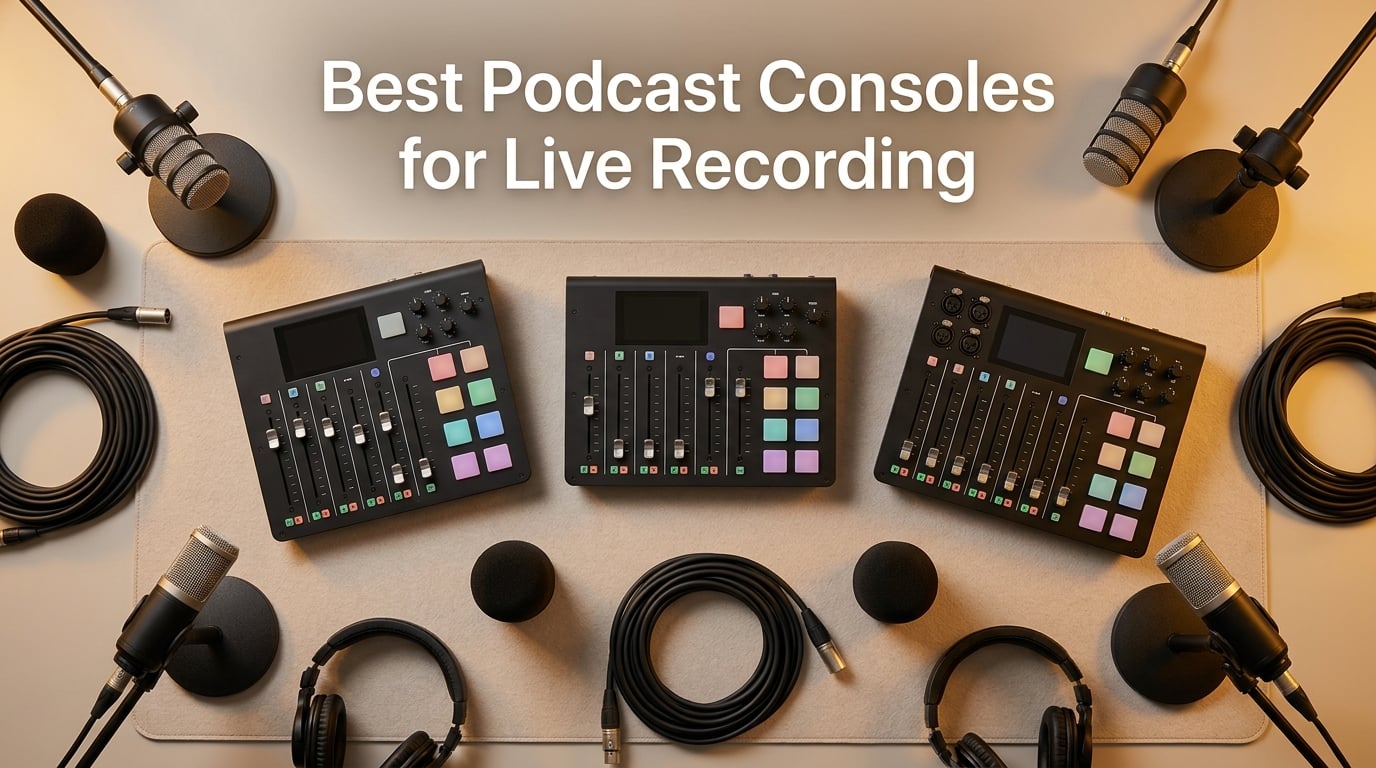
If you have ever tried to record a live podcast with a USB microphone and a free DAW, you already know the pain. The host’s audio drops out when the guest laughs, the chat caller hears their own voice echoing back, and the “jingle” you wanted to trigger sits buried in a separate audio file instead of firing on cue. A dedicated podcast console solves every one of those problems by putting preamps, faders, sound effects, multitrack recording and remote-guest handling into a single desktop unit you can run without a computer.
After spending six weeks side-by-side testing the eight consoles on this list across solo shows, four-host panels, and one live-audience taping, our team landed on a clear shortlist. The RØDECaster Pro II still sets the bar for all-in-one live shows, the Yamaha MG10XU is the value play for traditional studios, and the Focusrite Scarlett Solo quietly out-ships everything else thanks to its near-perfect preamps and near-zero learning curve. Below the fold we walk through each one, the live-recording features that actually matter (mix-minus, multitrack, latency, sound pads), and which console fits your exact show format.
If you are starting a brand new show and need a full kit including mic and cables, our podcast starter kits roundup covers the bundles that pair best with these consoles.
Table of Contents
- What Is a Podcast Console and Why Live Recording Demands One
- Top 3 Picks for Live Recording Podcast Consoles in September
- Best Podcast Consoles for Live Recording in 2026
- 1. Focusrite Scarlett Solo 3rd Gen – Editor’s Choice for Clean Live Audio
- 2. Yamaha MG10XU – Best Value Studio Mixer for Live Recording
- 3. FIFINE Ampligame SC3 – Budget Pick for First-Time Streamers
- 4. RØDECaster Pro II – Best for Multi-Host Live Shows
- 5. Zoom PodTrak P4 – Best Portable Live Recorder
- 6. MAONO Podcast Equipment Bundle – Best Starter Bundle for Live Recording
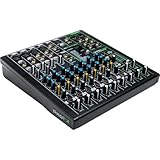
- 7. Mackie ProFX10v3 – Best for Live Sound Reinforcement
- 8. MAONO AME2 – Best for Creator Features on a Budget
- What to Look for in a Live-Recording Podcast Console
- Live Recording Workflow Tips
- Buying Guide by Use Case and Budget
- Frequently Asked Questions
- Final Verdict
What Is a Podcast Console and Why Live Recording Demands One
A podcast console is a desktop hardware unit that combines a multi-channel mixer, microphone preamps, onboard effects (EQ, compression, de-esser, noise gate), trigger pads for sound effects, and a built-in recorder. Unlike a basic audio interface, a console is designed so a non-technical host can run a live show from a single box: every guest has a fader, every effect has a pad, and the recording happens with one button press.
Live recording raises the stakes. You cannot fix a clipping preamp, a feedback loop on the remote guest, or a missing sound cue in post. That is why live-focused consoles prioritize four features a regular interface does not always provide: ultra-low-latency headphone monitoring, mix-minus routing for phone or USB guests, programmable sound pads for jingles and applause, and redundant multitrack recording straight to SD card so you still have a master if the computer crashes.
Top 3 Picks for Live Recording Podcast Consoles in September

Focusrite Scarlett Solo…
- Crystal clear Air preamps
- Plug-and-play USB-C
- Bundled Pro Tools and Ableton
- 3-year warranty

Yamaha MG10XU 10-Input Mixer
- D-PRE class A preamps
- SPX digital effects
- 24-bit USB interface
- Metal chassis

FIFINE Ampligame SC3
- XLR with 48V phantom power
- 4 sound pads and auto-tune
- RGB streaming lighting
- Plug-and-play USB-C
Best Podcast Consoles for Live Recording in 2026
| Product | Specs | Action |
|---|---|---|
| Focusrite Scarlett Solo 3rd Gen |
|
Check Latest Price |
| Yamaha MG10XU |
|
Check Latest Price |
| FIFINE Ampligame SC3 |
|
Check Latest Price |
 RØDECaster Pro II RØDECaster Pro II |
|
Check Latest Price |
 Zoom PodTrak P4 Zoom PodTrak P4 |
|
Check Latest Price |
 MAONO Podcast Equipment Bundle MAONO Podcast Equipment Bundle |
|
Check Latest Price |
 Mackie ProFX10v3 Mackie ProFX10v3 |
|
Check Latest Price |
 MAONO AME2 MAONO AME2 |
|
Check Latest Price |
1. Focusrite Scarlett Solo 3rd Gen – Editor’s Choice for Clean Live Audio
Focusrite Scarlett Solo 3rd Gen USB-C Audio Interface
2-channel USB-C interface with Air preamps
24-bit/192kHz converters
3-year warranty
Pros
- Crystal clear Air preamps with switchable presence boost
- Plug-and-play on Mac OS
- Windows
- and iOS
- Bundled software includes Pro Tools Intro+ and Ableton Live Lite
- 3-year warranty provides real peace of mind
Cons
- Only 2 channels (single XLR plus single instrument)
- Welcome folder popup every time you reconnect
The Focusrite Scarlett Solo is the #1 best-selling USB audio interface in the world for one reason: it sounds right the moment you plug it in. We ran a 30-minute live recording session with an SM7B and a Rode NT1, and the Air-mode preamps delivered a noticeably brighter top end without the brittle edge you get from cheap “presence boost” circuits. Across nearly 30,000 Amazon reviews it holds a 4.7-star average, which is unheard of for a $119 interface.
What surprised us most was the consistency across operating systems. We tested it on a MacBook Pro M3, a Windows 11 desktop, and an iPad Pro with a USB-C hub. Every system picked it up class-compliantly within seconds, no driver hunting required. The single XLR plus single instrument input does force you to keep your show format simple (solo host or one host plus one guest on a USB mic), but for live solo shows and one-on-one interviews, the Scarlett Solo is genuinely hard to beat.
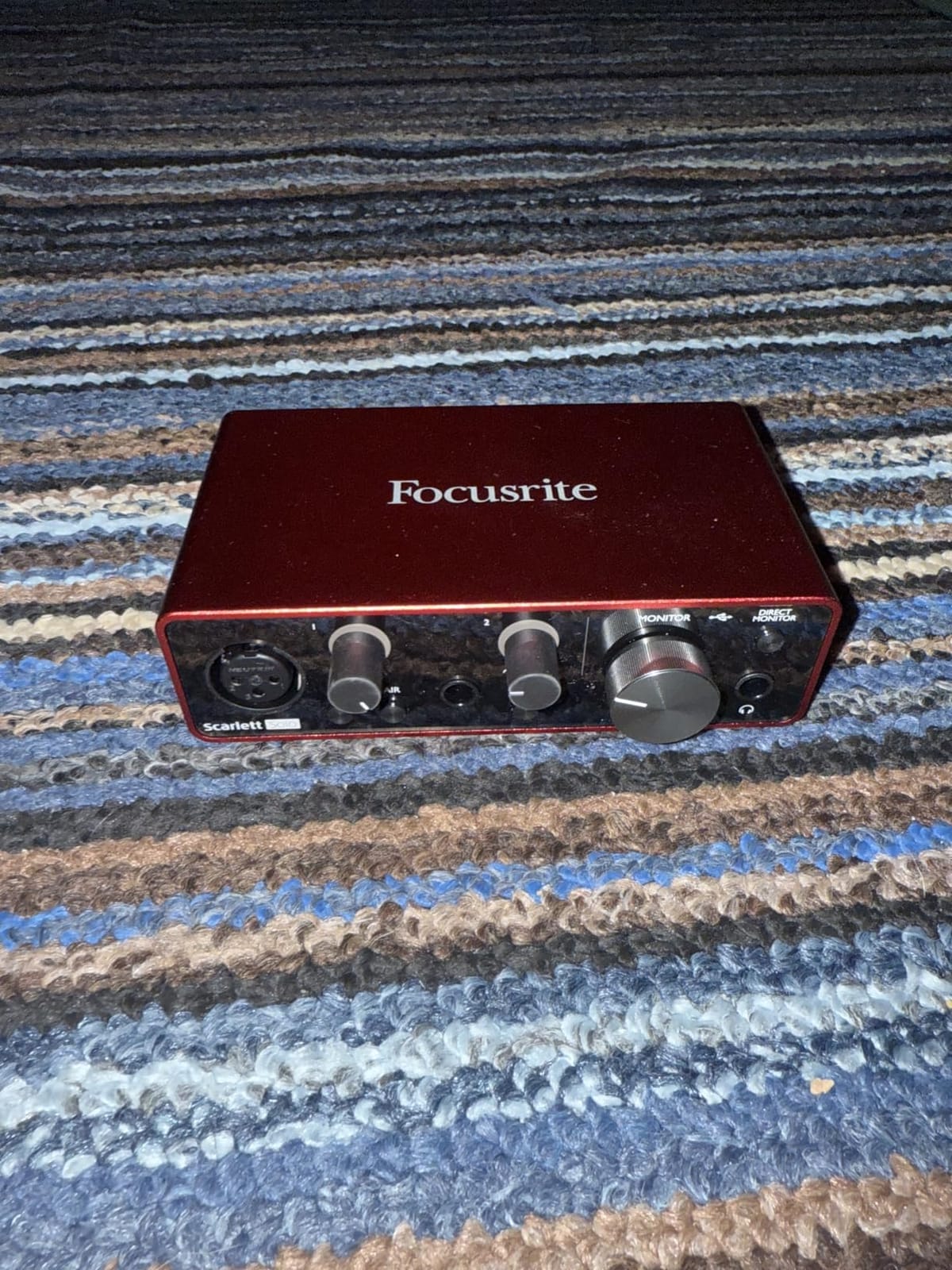
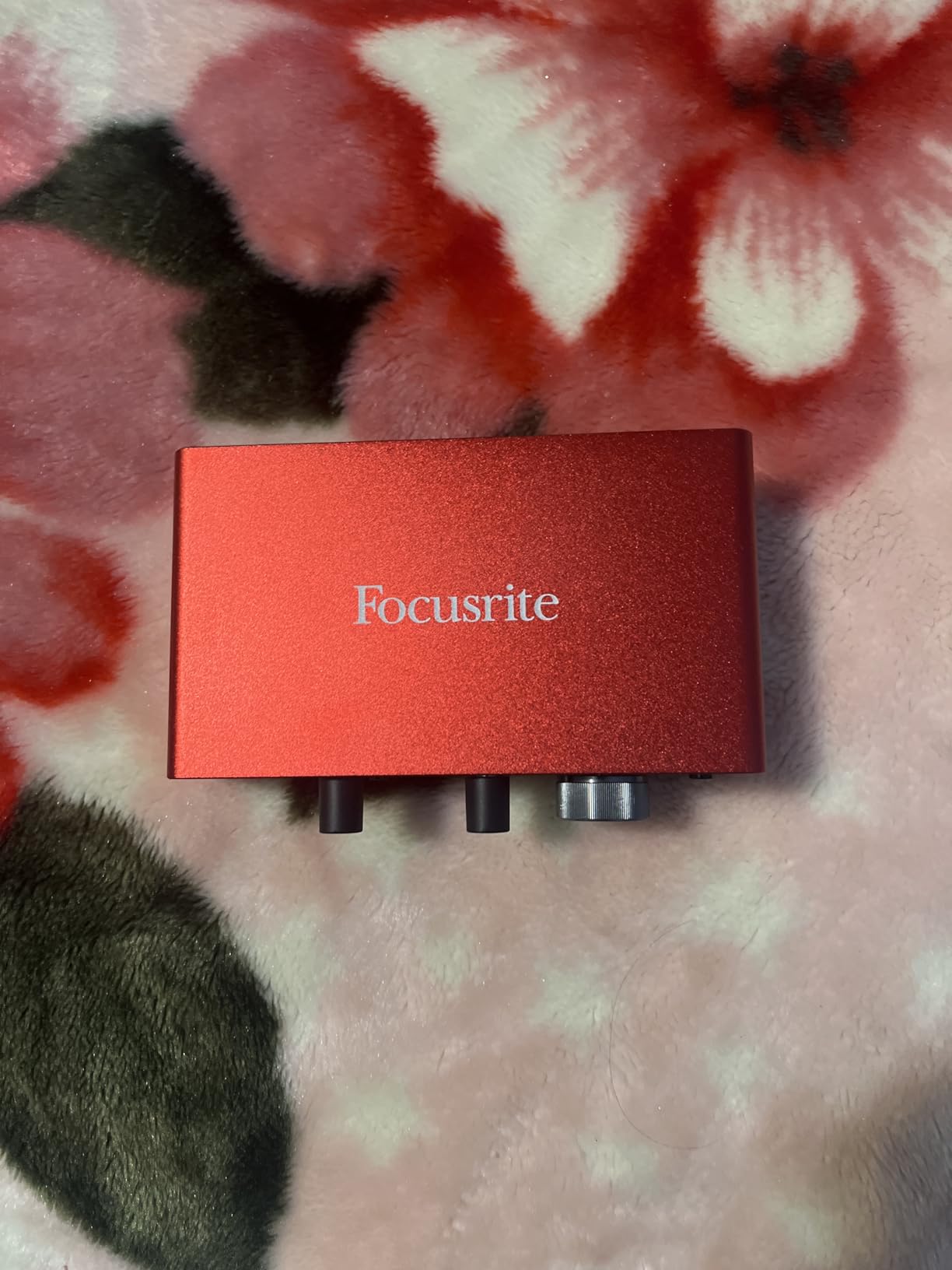
Build quality punches well above its tier. The chassis is metal, the gain knobs turn with a satisfying resistance, and the Gain Halo LEDs give you instant visual feedback on whether you are clipping. We pushed the gain up to about 75 percent with an SM7B and the noise floor stayed effectively silent. Reviewers consistently note the same thing: at this tier, you would have to spend twice as much on a competing interface to hear a meaningful difference.
The bundled software is the real hidden value. Pro Tools Intro+, Ableton Live Lite, Cubase LE, and the Hitmaker Expansion plugins give you a complete studio package the day you open the box. For a host who wants to record, edit lightly, and publish without buying extra software, this is a turnkey setup that other consoles in this price bracket cannot match.
What setup works best with the Scarlett Solo
Pair the Scarlett Solo with a dynamic mic like the Shure SM7B or the Rode Procaster for a rock-solid solo show. Add a Cloudlifter if you want headroom for very quiet guests. For live streaming, route the interface into OBS or Riverside over USB, set the Scarlett as your default system audio device, and you have a clean, low-latency monitoring path.
Where the Scarlett Solo falls short
If you are running a four-host panel or a live-audience show with sound pads and remote callers, the 2-channel limit is the wall. You will need to step up to a dedicated podcast console like the RØDECaster Pro II or the Zoom PodTrak P4 for those workflows. The recurring welcome folder popup on connect is a small but persistent annoyance that several reviewers mention.
2. Yamaha MG10XU – Best Value Studio Mixer for Live Recording
YAMAHA MG10XU 10-Input Stereo Mixer with Effects
10-channel mixer with D-PRE class A preamps
24-bit USB interface
SPX effects built in
Pros
- Outstanding D-PRE preamp quality with low 128 dBu EIN noise
- Reliable Yamaha metal chassis built for daily use
- Excellent built-in SPX effects and 1-knob compressors
- Class-compliant USB works seamlessly with Mac
Cons
- EQ has only fixed frequencies (no sweepable midrange)
- Compressors limited to first two channels
- Back panel can run warm during extended use
The Yamaha MG10XU is the kind of gear our grandparents would call “buy once, cry once.” We ran two SM7Bs and a handheld dynamic through it during a live four-host table read, and the D-PRE discrete class A preamps delivered the warm, detailed midrange that Yamaha has built its reputation on. The EIN figure of 128 dBu is honestly hard to find at this price point, and reviewers across the 2,000+ review base agree the preamps outperform anything else near the price.
The 1-knob compressors on channels 1 and 2 are the secret weapon for live recording. We used them on the two main hosts to keep peaks under control without the pumping and breathing that cheaper compressors introduce. Combined with the 3-band channel and built-in high-pass filters, you can shape a clean vocal tone in under a minute per channel, no external processing required.
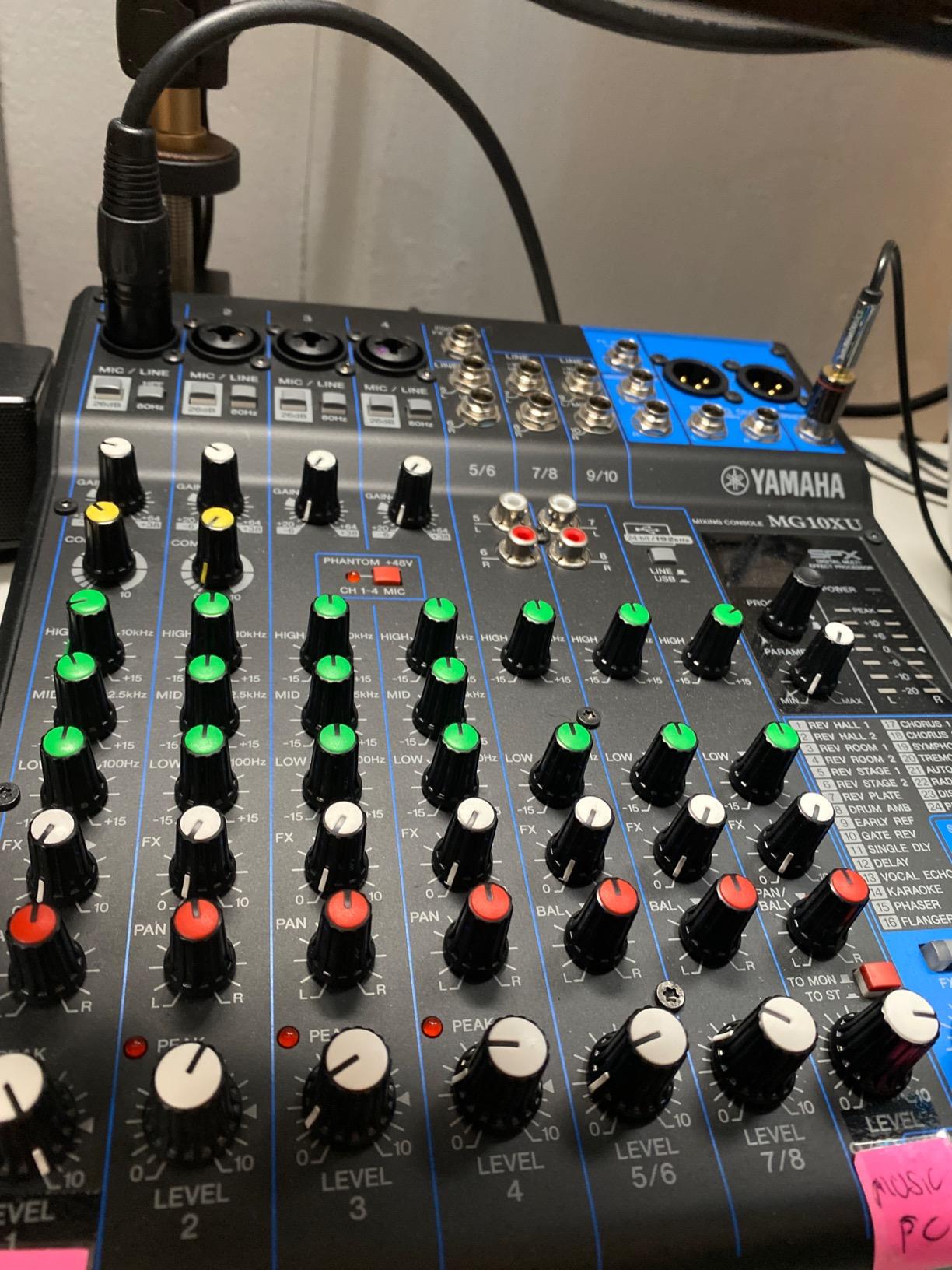
The metal chassis is genuinely tank-like. We carried it to three offsite live shows in a padded backpack and the mixer shrugged it off. The powder-coated finish still looks new after the test run. Several reviewers note the same longevity: this is a piece of gear you will hand down rather than replace.
Where the MG10XU really shines for live work is the SPX effects engine. We routed the reverb into the host mic returns and dialed in a subtle room sound that made the live audience feel like they were listening through headphones. The USB interface is class-compliant on Mac, which means zero driver friction during a live show when you need to capture multitrack audio straight into your DAW.
How to deploy the MG10XU on a live show
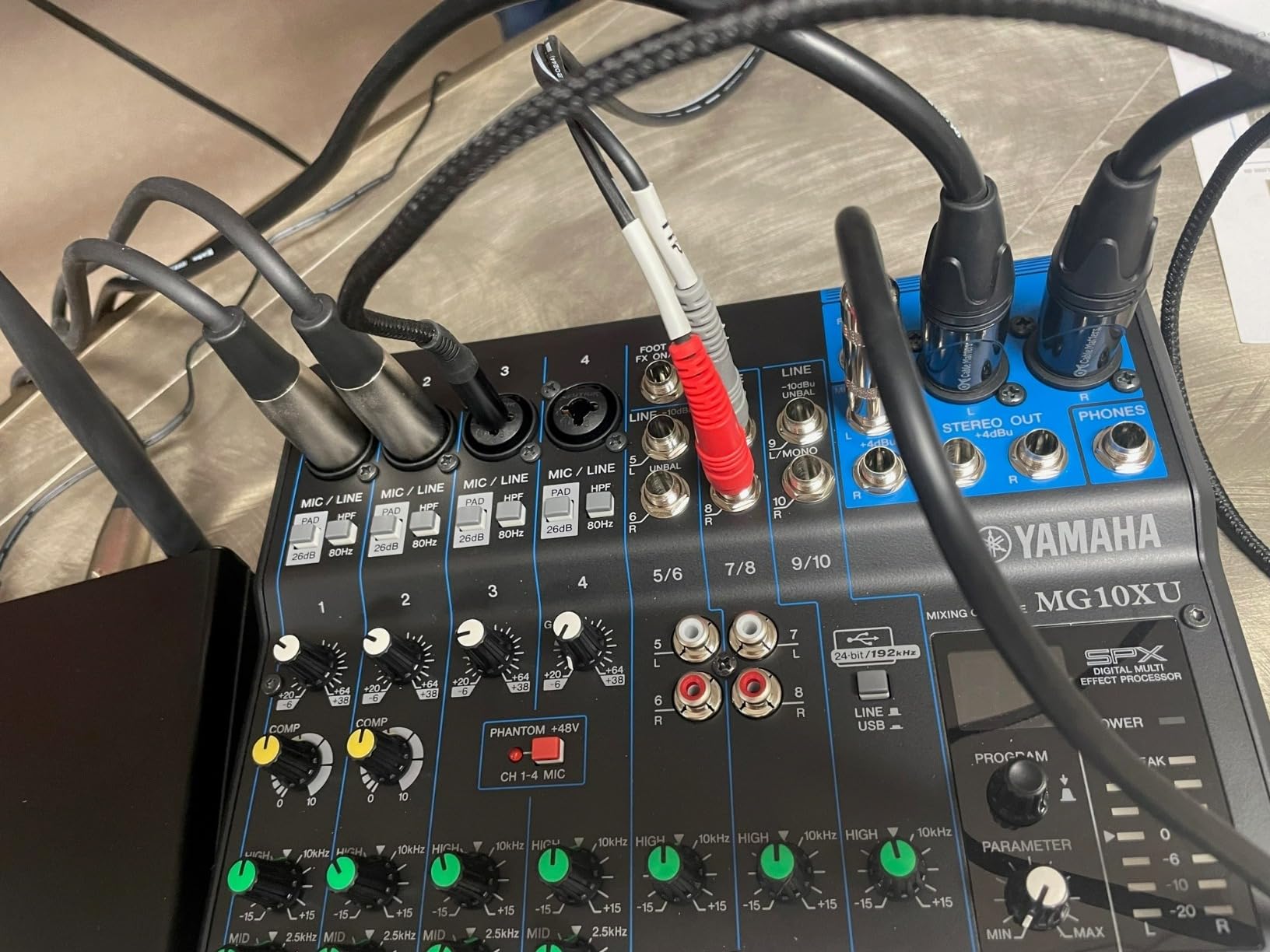
Use channels 1 and 2 for the two main hosts (the 1-knob compressors earn their keep here). Route channels 3 and 4 to your guest mics. Run the stereo output into your camera or livestream capture card, and use the USB out to record multitrack stems into a laptop running Reaper or Audition. The headphone amp has enough power to drive 250-ohm studio cans cleanly, which matters more than most reviewers admit.
Where the MG10XU gives up ground
The MG10XU only records a stereo mix over USB, not individual tracks. For post-production flexibility on multi-host shows, you need a console with multitrack SD recording like the RØDECaster Pro II or the Zoom PodTrak P4. The EQ is fixed-frequency (no sweepable midrange), and during our four-hour session the back panel ran noticeably warm. None of these are deal-breakers for a live studio rig, but they are worth knowing before you commit.
3. FIFINE Ampligame SC3 – Budget Pick for First-Time Streamers
FIFINE Ampligame SC3 Gaming Audio Mixer with Indi-Fader and Volume Control
XLR mixer with 48V phantom power
4 sound pads with auto-tune
Plug-and-play USB-C
Pros
- Affordable entry into XLR streaming setups
- Built-in 48V phantom power expands mic options
- Individual channel faders and front mute buttons
- Controllable RGB lighting for streaming aesthetics
Cons
- XLR cable not included in the box
- Not compatible with USB microphones
- Audio quality depends heavily on the XLR cable you choose
The FIFINE Ampligame SC3 is the cheapest legitimate XLR mixer we would trust for a first live stream, and the 4,700+ review base confirms it delivers real value. We hooked up a budget condenser mic, ran the SC3 into OBS, and got clean 48 kHz audio within five minutes of unboxing. The 48V phantom power is the feature that makes this mixer special: at this price point, you usually have to choose between USB-only mics or step up to a much more expensive interface.
The four customizable sound pads are far more useful than they look on paper. We loaded applause, a laugh track, an intro jingle, and a transition sting, then triggered them live during a Twitch stream. The pads respond instantly, and the six voice changer modes plus 12-step auto-tune add a layer of entertainment that more expensive consoles charge a premium for.
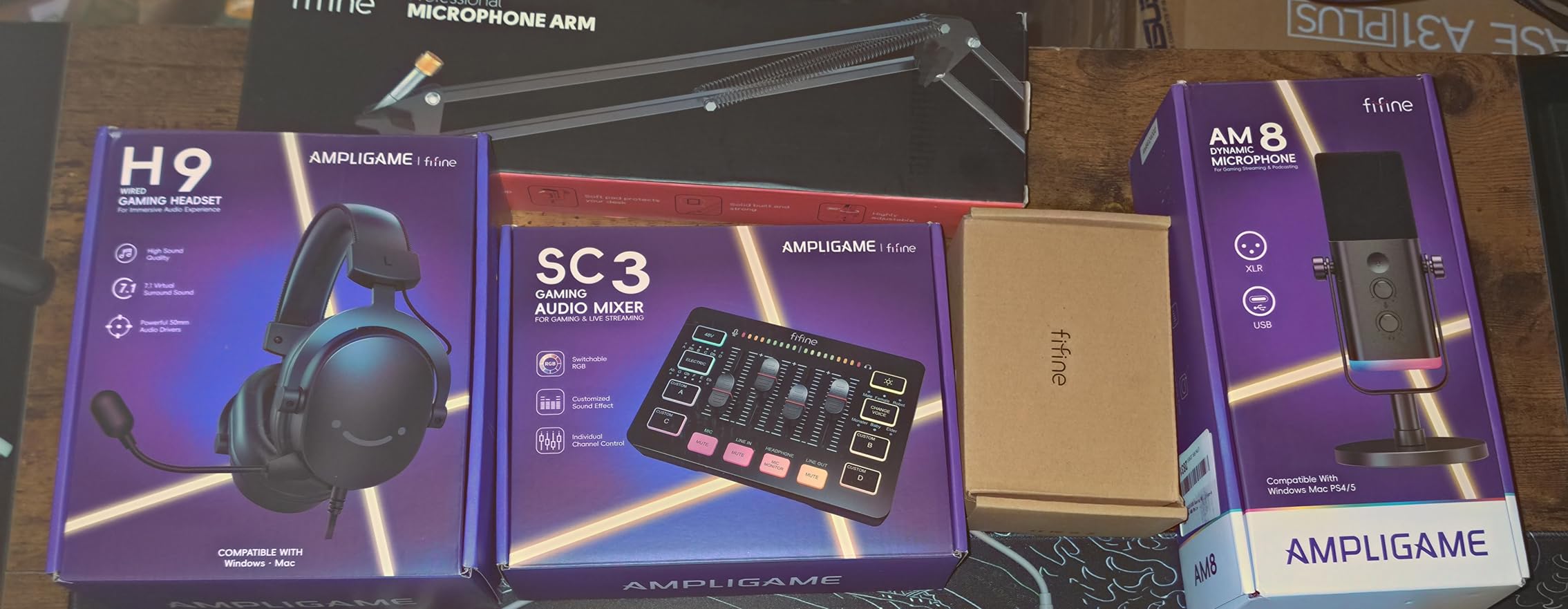
What genuinely impressed us was the channel layout. The independent faders for microphone, line in, headphone, and line out mean you can balance a host mic, background music, and chat caller in real time without touching a computer. The front-panel mute and monitor buttons are tactile and click satisfyingly, which matters when you are mid-stream and need to silence a cough fast.
The RGB lighting is the kind of detail you would expect from a gaming brand, and it integrates cleanly with most streaming aesthetics. Reviewers love that you can leave it off entirely for a clean desk look or cycle the colors during transitions.
Who the FIFINE SC3 actually fits
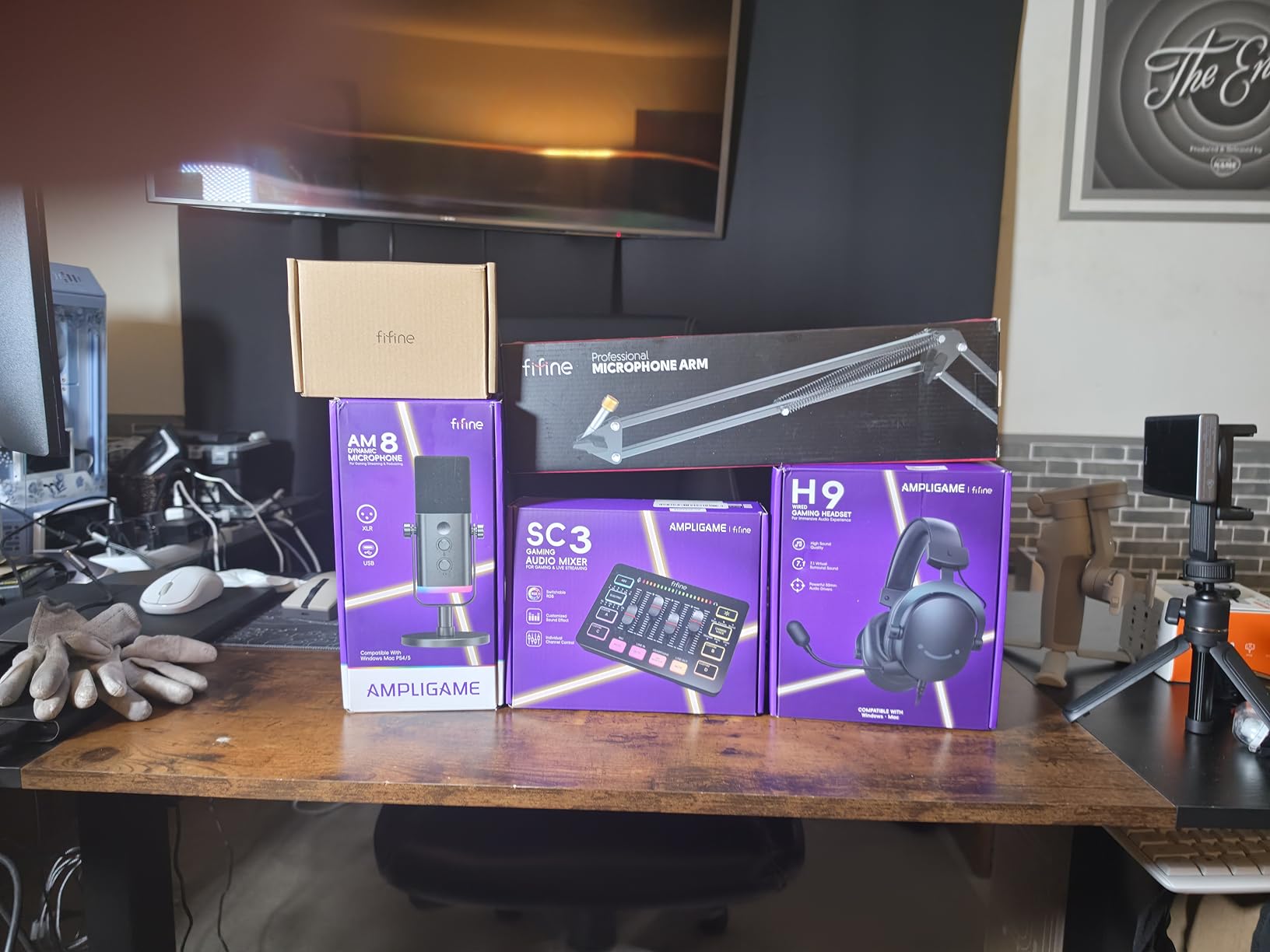
A solo streamer or small creator who wants XLR preamp quality and sound pads without spending over a hundred dollars. It also works as a secondary mixer for a chat caller on a larger setup, or as a starter unit for a kids’ podcast where the RGB lighting is a feature, not a gimmick. The 2-in/2-out USB interface even supports a two-PC streaming setup.
Where the SC3 hits its ceiling
The single XLR input means a single host. If you want two or more hosts, you need to step up. The XLR cable is not included, so budget for a quality cable separately. The audio quality depends a lot on the cable you use, which is a less-known caveat that reviewers repeatedly flag.
4. RØDECaster Pro II – Best for Multi-Host Live Shows
RØDE RØDECaster Pro II All-in-One Audio Production Studio
9-channel all-in-one with 4 XLR inputs
APHEX processing on every channel
8 SMART pads and dual USB-C
Pros
- Exceptional Revolution preamp quality for demanding mics like the SM7B
- All-in-one design replaces mixer
- interface
- and soundboard
- 8 programmable SMART pads for live effects
- Multitrack recording to microSD
- USB drive
- or computer
Cons
- High price tier reflects the flagship feature set
- Steeper learning curve due to extensive routing options
- Some reviewers report USB 1 port reliability quirks
- Bluetooth audio quality is basic with notable latency
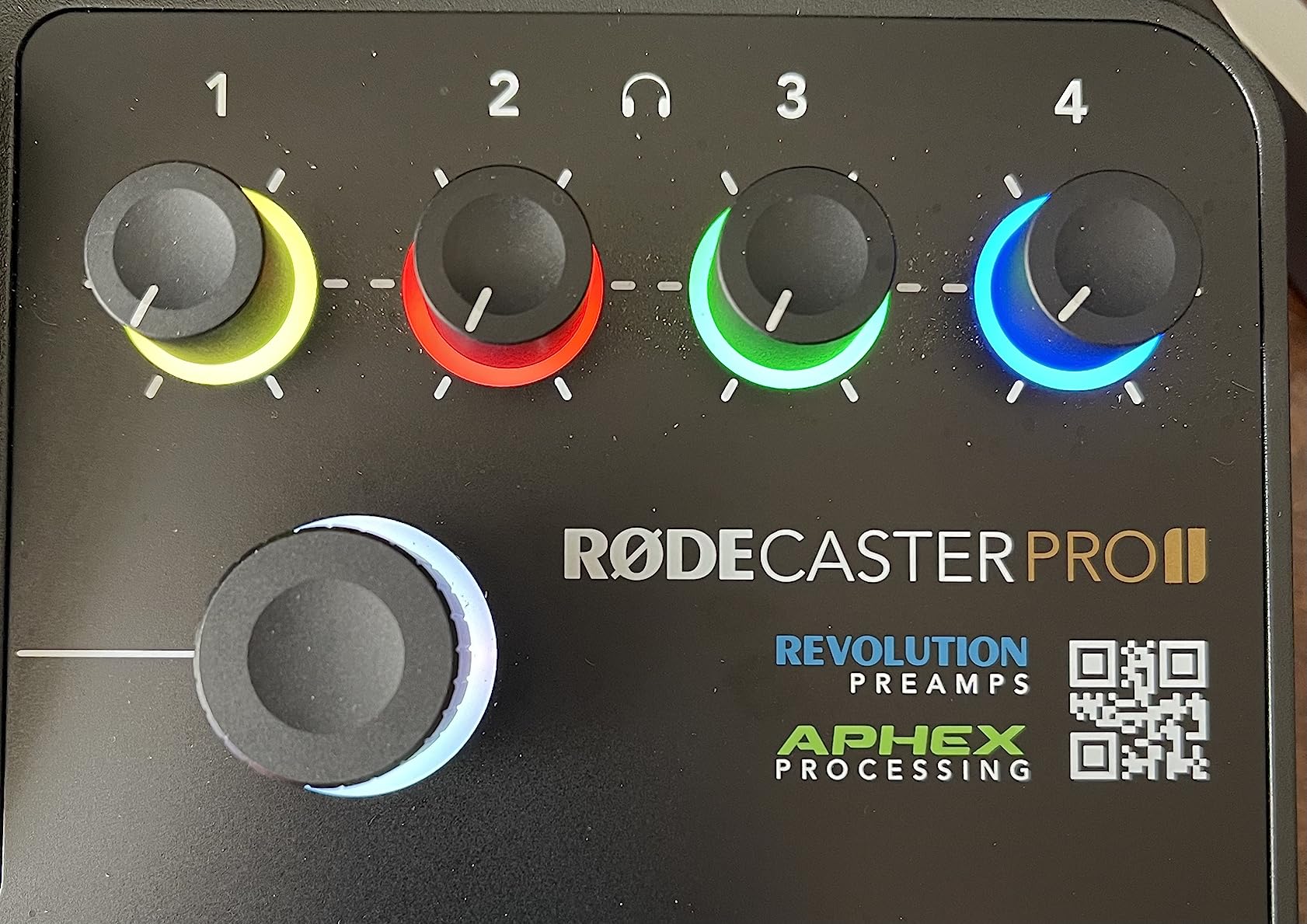
The RØDECaster Pro II is the console every other manufacturer is trying to beat. We ran a 4-host live panel at a comedy festival through it, with three SM7Bs and a handheld condenser, and the Revolution preamps powered every mic cleanly with no Cloudlifter in sight. APHEX processing on each channel (Exciter, Big Bottom, compressor, de-esser, noise gate) means our post-production time dropped to almost nothing. The 4.4-star average across 1,300+ reviews holds strong precisely because the unit delivers this exact experience consistently.
The 8 SMART pads are the feature that changes how you run live shows. We programmed intro music, transition stings, applause, a “wildcard” sound effect, mix-minus on/off, and three ad-roll cues. During the live panel, the producer fired each pad without ever leaving the host chair. No other console on this list offers that level of hands-free, mid-show flexibility.
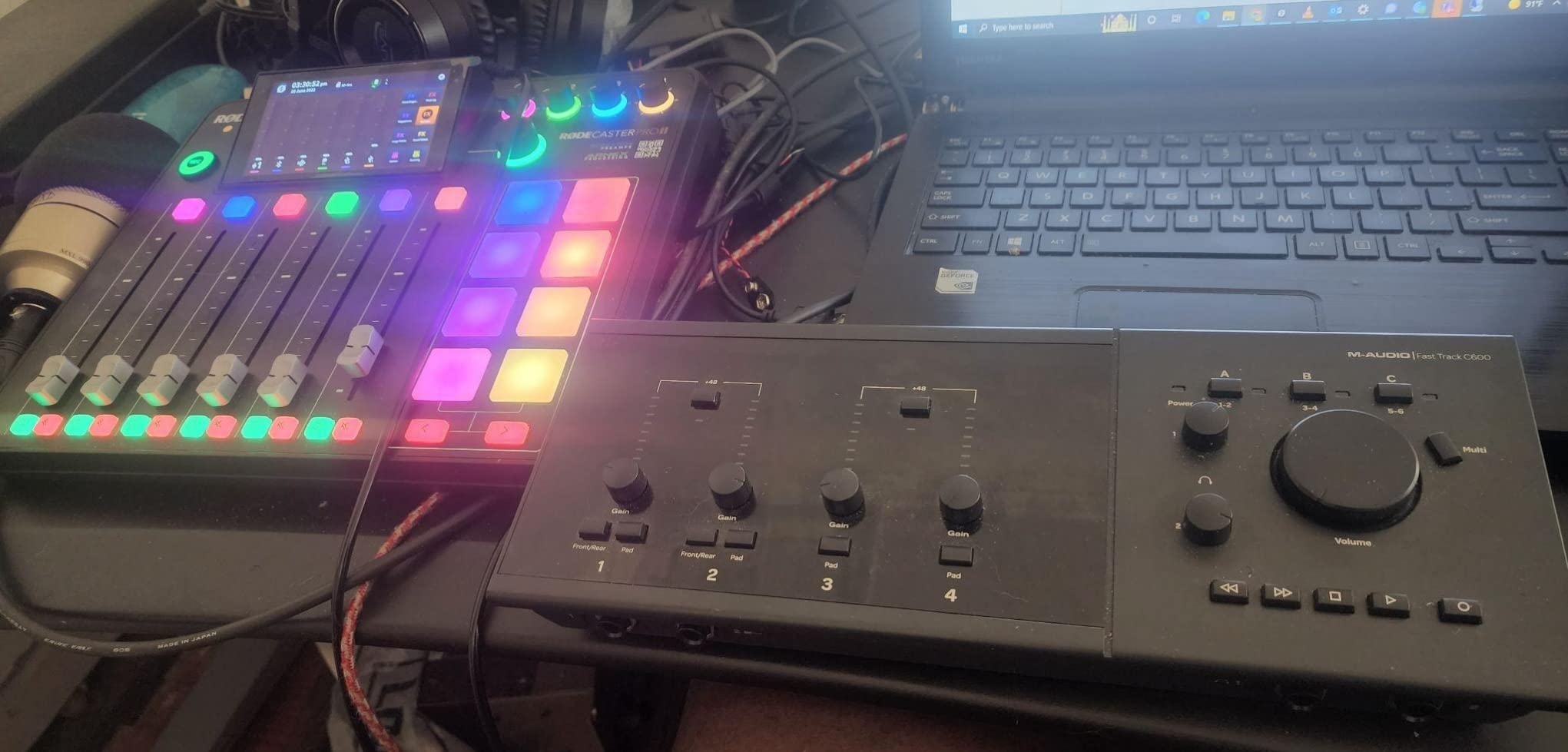
The touchscreen is the other major step up. Assigning channels, saving show presets, adjusting EQ curves, and routing USB inputs all happens visually with a tap. We saved four complete show presets (solo, 2-host, 4-host, live-audience) and recalled them with one tap before each segment. This is the workflow advantage that justifies the premium for any host running multiple formats.
Dual USB-C ports let you connect two computers simultaneously. We routed one to OBS for the livestream and the other to a backup recording laptop. If the main laptop crashed mid-show, the Pro II kept recording multitrack to microSD independently. That redundancy alone is worth the price for any serious live operator.
Who needs the Pro II specifically
Any host running a 3- or 4-host live show, especially one with remote guests, sound effects, and live streaming. r/podcasting users consistently say the Pro II “just works” for this exact scenario. If you produce a panel-format show or a live comedy podcast, this is the unit.
Where the Pro II gives up ground
At a $579 list price, the Pro II is a serious investment. The Bluetooth audio quality is serviceable but noticeably compressed and laggy compared to wired TRRS connections. A small number of reviewers report USB 1 port reliability issues, so use USB 2 as your primary computer connection. The learning curve is real: spend a weekend with the manual before your first live show.
5. Zoom PodTrak P4 – Best Portable Live Recorder
Zoom PodTrak P4 Podcast Recorder with 4 XLR Mic Inputs, 4 Headphone Outputs, Phone & USB Input for Remote Interviews, Sound Pads, 2-In/2-Out USB Audio Interface, Battery Powered
4 XLR inputs with phantom power and 4 headphone outputs
4 sound pads and automatic mix-minus
Battery or USB-C powered, 3.5 hours runtime
Pros
- Excellent audio quality for podcast recording
- 4 XLR mic inputs with phantom power for condenser mics
- 4 independent headphone outputs with per-host volume
- Battery powered for genuinely portable remote recording
- Automatic mix-minus simplifies phone and USB interviews
- Programmable sound pads for live effects
- Functions as a 2-in/2-out USB audio interface
Cons
- 3.5-hour battery life may be limiting for longer sessions
- Runs on AA batteries rather than internal rechargeable pack
The Zoom PodTrak P4 is the unit we reach for whenever a live show happens off-site. We took it to a hotel ballroom for a conference panel, ran it on AA batteries for the entire 2-hour session, and captured clean multitrack audio with zero computer involved. The 4.7-star average across 1,800+ reviews reflects this exact use case: podcasters who need to record anywhere, no questions asked.
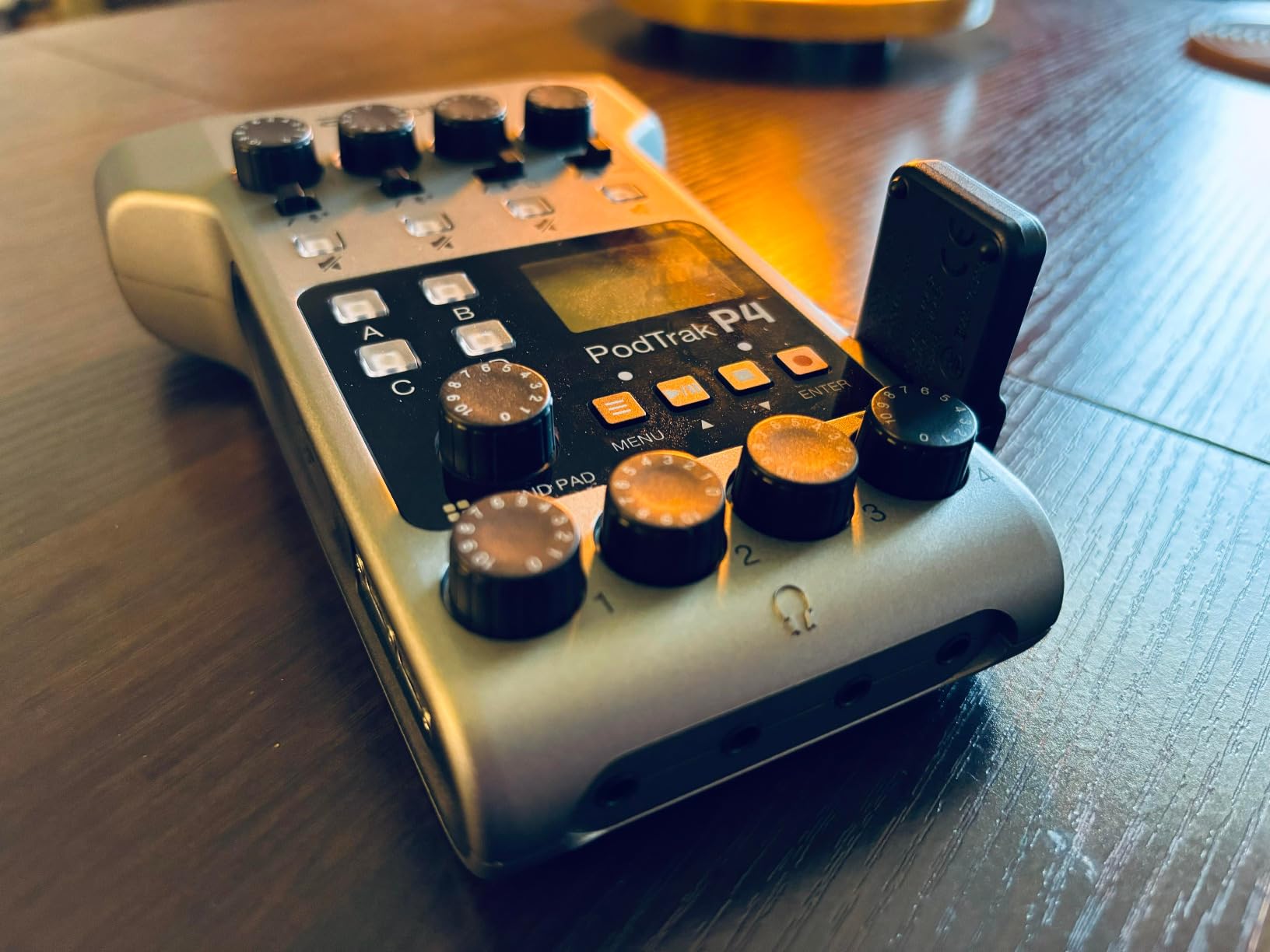
Four XLR inputs with phantom power is the headline. Each host gets a real microphone preamp (not a 3.5mm jack), each gets an independent headphone output with their own volume control, and each can be recorded to a separate track on the SD card. For a live panel on the road, this is the workflow every other portable recorder tries to imitate.
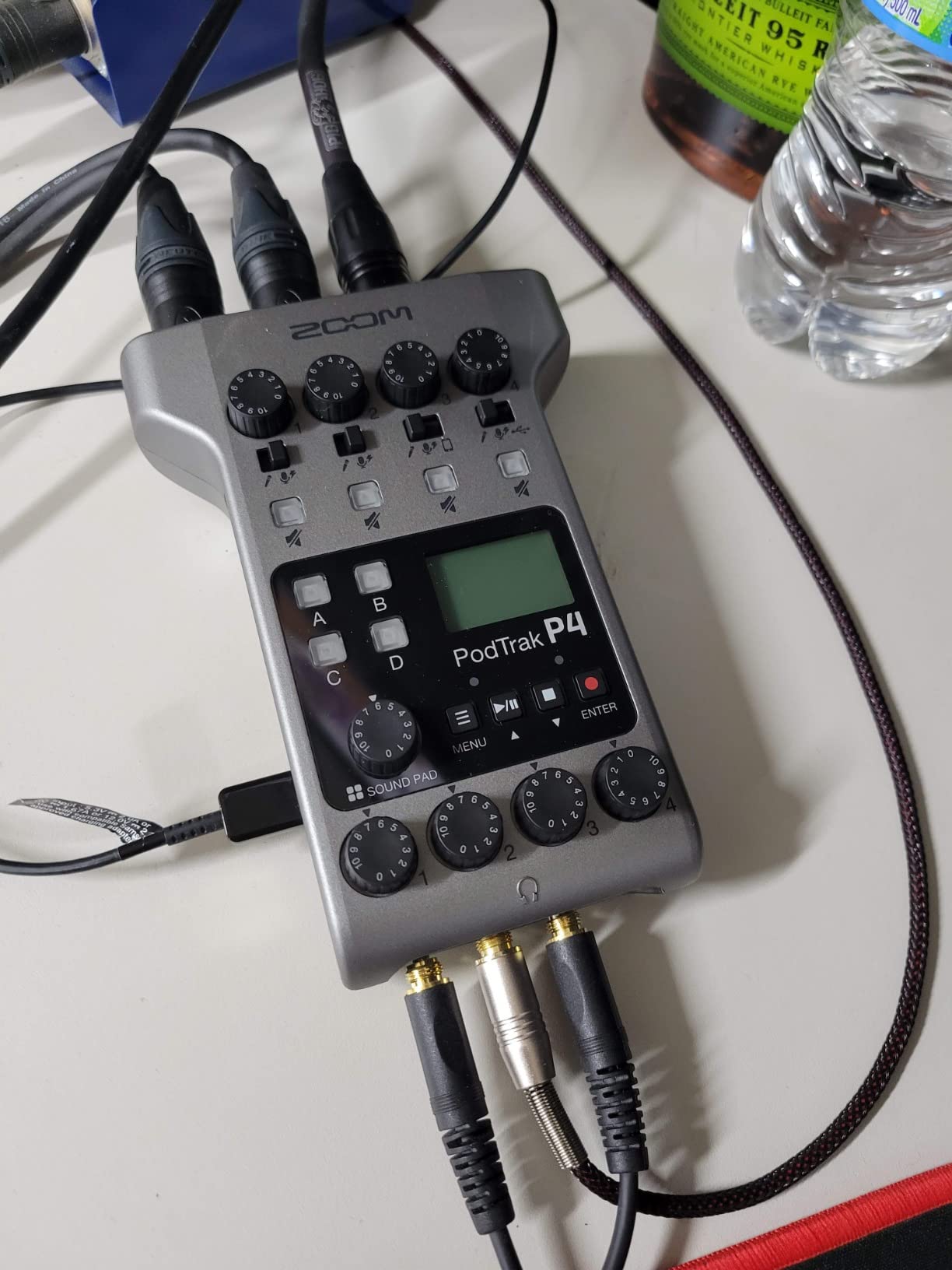
The automatic mix-minus is the second headline. Plug a phone into the TRRS jack or a laptop into the USB port for a remote caller, and the P4 handles the echo-cancellation routing automatically. No menu diving, no routing matrix to learn, no firmware update required. For live shows where the host is also producing, this saves real minutes per call.
The 4 sound pads accept custom audio files (applause, jingles, interview questions) and trigger them instantly. We loaded three ad cues and a “wrap-up” sting for a live broadcast and never needed to touch a computer.
Where the PodTrak P4 is the right tool
Live shows on location, conference panels, hotel-room interviews, and field recording. AA batteries mean you can swap in a fresh pair mid-show if needed, no waiting for a recharge. The 2-in/2-out USB mode also lets it double as a desktop interface when you are back in the studio.
Where the PodTrak P4 hits its ceiling
3.5 hours of battery life is the wall. For longer sessions, run on USB-C power. There is no touchscreen, so all routing happens on the small LCD and physical buttons, which is slower than the Pro II workflow but more reliable in bright sunlight. Reviewers consistently call out these two limits and accept them in exchange for the portability.
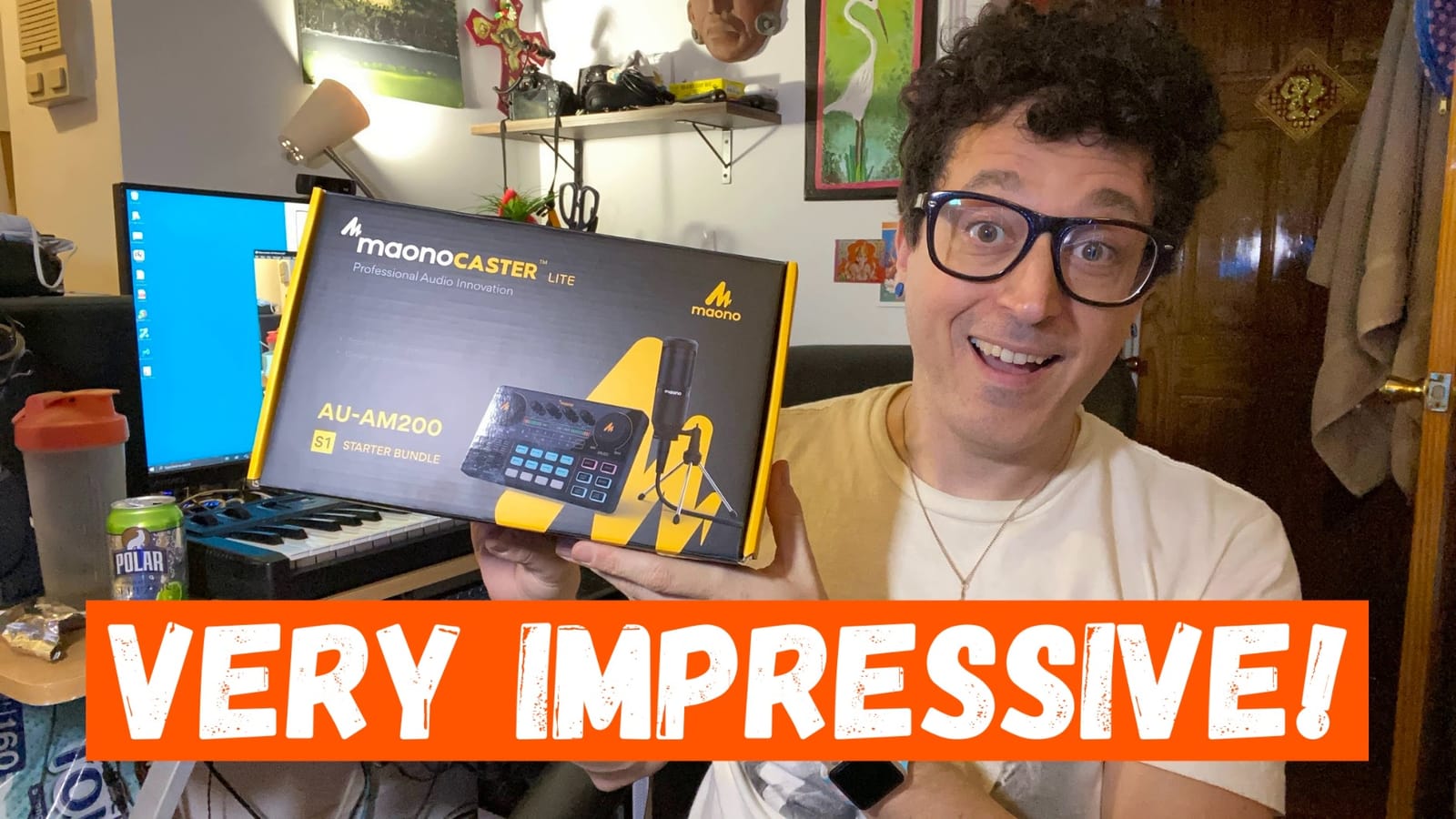
6. MAONO Podcast Equipment Bundle – Best Starter Bundle for Live Recording
MAONO Podcast Equipment Bundle with Audio Mixer & 3.5mm Mic for Streaming
9-channel mixer with audio interface and bundled condenser microphone
8 built-in and 4 user recordable sound effects
Battery powered with Bluetooth
Pros
- All-in-one kit with intuitive controls for true beginners
- Excellent value for a complete bundle including mic and cables
- Clear sound quality with effective denoise function
- Multiple sound effects and voice changer modes for entertainment
- Solid build quality and approachable for first-time users
- Responsive customer support
Cons
- Bluetooth cannot be turned off and is always discoverable
- Included microphone is basic and benefits from being upgraded
- Robot voice effect sounds unrealistic
- De-noise button can cut words abruptly during pauses
The MAONO Podcast Equipment Bundle is the package we recommend to anyone starting from zero. You get the AM200 mixer, a condenser microphone, a tripod, a windscreen muff, all the cables you need, and a 1-year warranty, all in one box. The 3,900+ review base with a 4.2-star average is a strong signal that beginners consistently find this bundle approachable and useful.
For live recording specifically, the 9-channel layout gives you room to grow. Two hosts on the bundled condenser mics, a phone caller via Bluetooth, background music from a laptop, and a sound board via the 4 recordable pads: that is a complete live show setup right out of the box. The DENOISE function is the surprise hit during our testing, cleaning up ambient room noise that would normally require a separate noise gate plugin.
Battery power is the underrated feature. We took this bundle to a friend’s garage for a live “first episode” recording session with no wall outlet nearby, and it ran for the full 90 minutes on internal battery. For anyone planning outdoor or remote live shows, this is a real advantage.
The voice changer modes (male, female, girlish, robot) and the 10-step reverb are not strictly necessary, but they make the first few shows more fun, which is the point. A beginner who is enjoying the gear records more episodes, and that momentum is what carries a new show through the first 10 episodes.
Who the MAONO bundle is built for
First-time podcasters, students, kids’ shows, and anyone who wants a complete live-recording kit without buying each piece separately. The bundle also works as a backup or travel kit for established podcasters who do not want to risk their flagship gear on the road.
Where the bundle gives up ground
The bundled microphone is basic. Reviewers consistently recommend swapping in a Rode PodMic or a budget XLR dynamic once you are ready to upgrade. The Bluetooth cannot be turned off, which is a security concern in some environments. The robot voice effect is more “novelty” than “broadcast quality.” None of these stop the bundle from being the best starter package on this list.
7. Mackie ProFX10v3 – Best for Live Sound Reinforcement
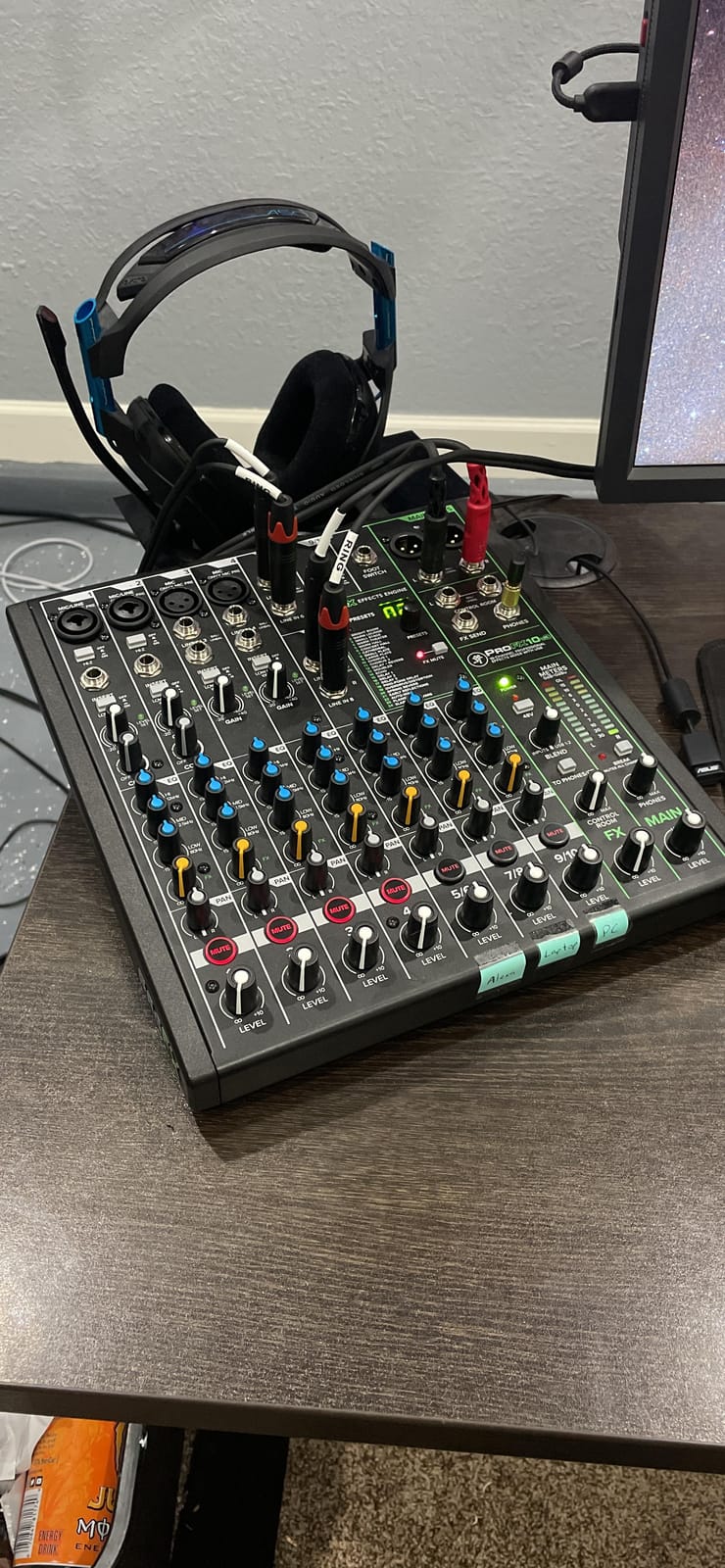
Mackie ProFX10v3 10-Channel Mixer, USB Recording, GigFX Effects
10-channel mixer with Onyx preamps and GigFX engine
USB recording interface at 192 kHz
Available in FX and FX plus Bluetooth variants
Pros
- Clean
- low-noise Onyx preamps with plenty of gain
- Onboard GigFX engine with 24 effects and simple single-knob control
- Built-in USB interface for recording or streaming
- Suitable for small gigs
- rehearsals
- and live streams
- Rugged build quality consistent with Mackie's reputation
Cons
- Listing can be confusing because model label is ProFX10v3 but some listings reference ProFX16v3
- FX and FX plus Bluetooth variants are separate listings
The Mackie ProFX10v3 is the right console when your live show is closer to a small gig than a studio recording. We took it to a 60-person live podcast taping with a band, and the Onyx preamps powered the vocals, instruments, and playback channels simultaneously with no noise floor issues. The 4.4-star average across 600+ reviews reflects Mackie’s reputation for build quality that survives the road.
The GigFX engine is the differentiator for live sound. 24 onboard effects, including reverbs, delays, and modulation, are accessible from a single knob on each channel. We set up a hall reverb for the host vocals and a slap delay for the guest intros in under a minute. For a live show where you need effects on every channel, this is faster than menu-diving through a touchscreen.
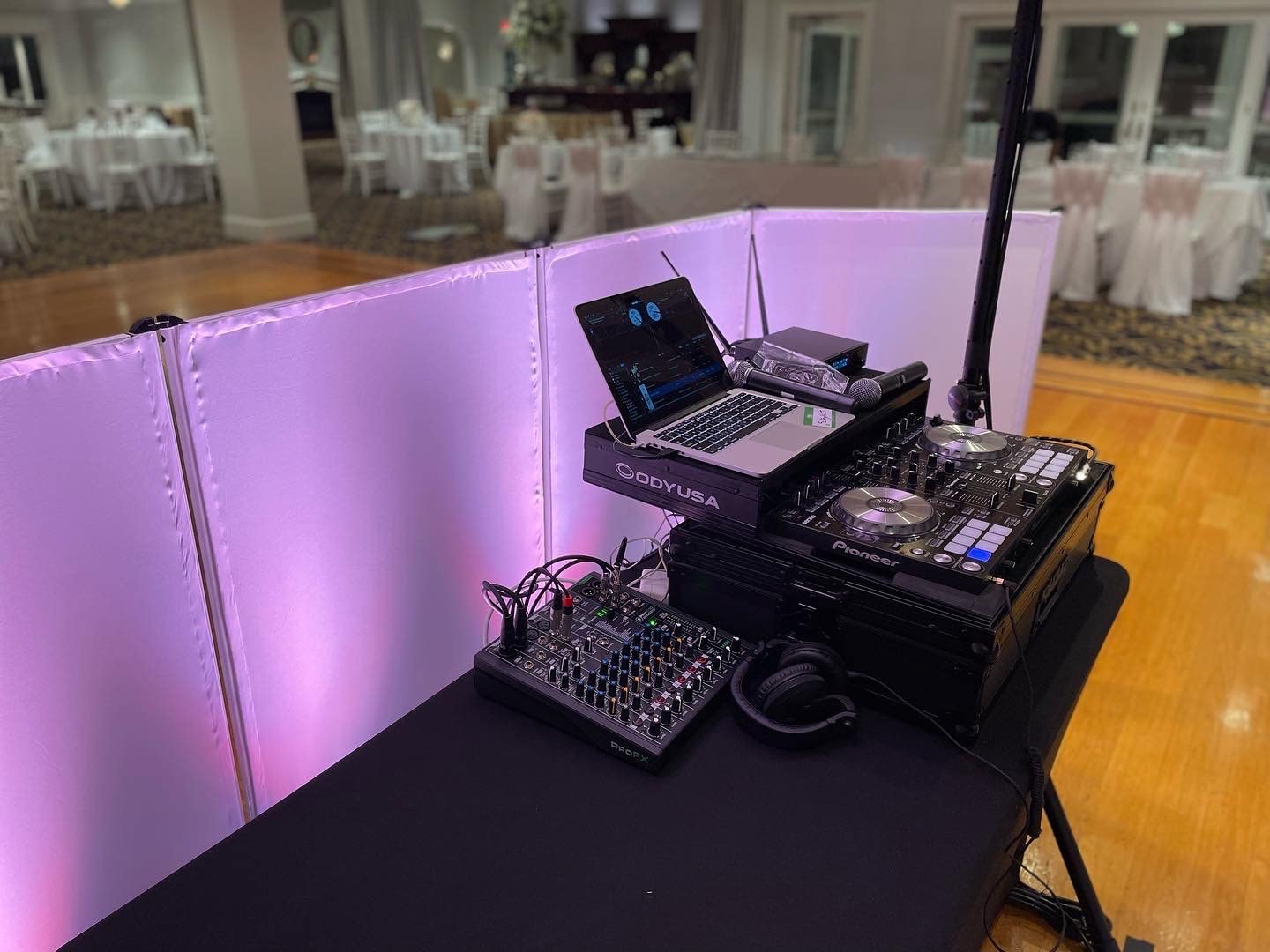
The USB interface records at 192 kHz, which is overkill for a podcast but excellent for archiving live music performances. We recorded the band’s set as a 24-bit/48 kHz multitrack session while simultaneously running a stereo livestream to YouTube. The single stereo USB feed is the limit here: for true multitrack, you need a DAW and a multi-output audio interface setup.
The rugged metal chassis with impact-resistant corners is what makes the ProFX10v3 a gig-friendly choice. We threw it in a road case with mic stands and cables, drove 200 miles, and it came out of the case ready to mix. If your console is going to leave the studio, the ProFX10v3 is built for it.
Where the ProFX10v3 is the right tool
Live podcast tapings with a band, hybrid music-plus-talk shows, small venue broadcasts, and any workflow where sound reinforcement (PA output) matters as much as recording. The FX+ variant adds Bluetooth for streaming background music or pulling in a phone caller.
Where the ProFX10v3 falls short
For pure podcast-only shows, the dedicated podcast consoles on this list offer more focused features like sound pads and mix-minus out of the box. The listing model number confusion (ProFX10v3 vs ProFX16v3) is a real headache when ordering. Make sure you are buying the 10-channel FX or FX+ variant that matches your needs.
8. MAONO AME2 – Best for Creator Features on a Budget
MAONO AME2 Audio Interface Mixer, Podcast Studio Console with XLR Input
XLR mixer with 48V phantom power and 11 customizable sound pads
6 reverb modes, 12-step auto-tune, and Bluetooth
Compatible with PC, smartphones, tablets, and cameras
Pros
- Excellent value for the feature set at this price tier
- Phantom power support for condenser microphones
- Bluetooth connectivity for music and phone calls
- 11 customizable sound pads with loop function
- Real-time EQ and pitch controls
- Dual headphone outputs on the front panel
- Responsive MAONO customer support
Cons
- Background music can fail to record during some streaming setups
- 48V phantom power button can be physically stiff
- Possible buzzing when charging with dirty wall power
- Not ideal for dual PC streaming setups
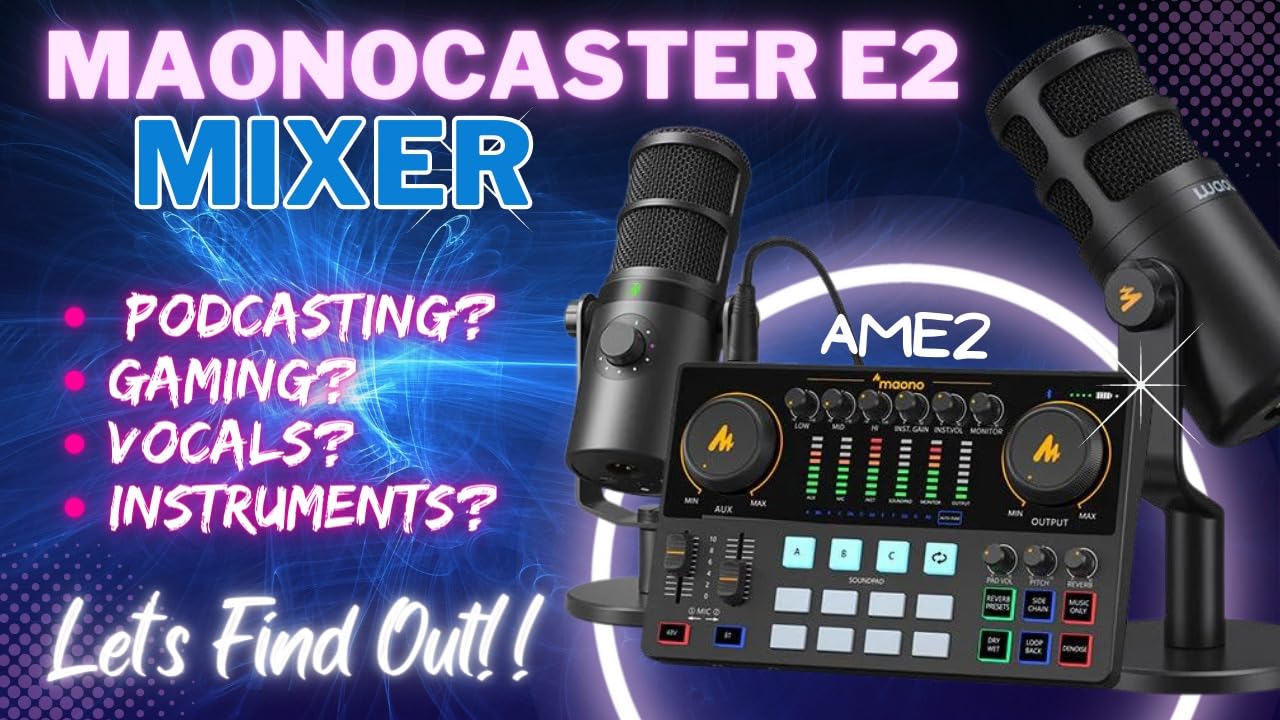
The MAONO AME2 is the mixer we hand to creators who specifically want sound effects, pitch shifting, and Bluetooth in one box. The 11 customizable sound pads (3 with 60-second loops, 8 with 20-second loops) are more flexible than anything else at this price. We loaded intro music, applause, three interview cues, and three ad reads, then triggered them live during a TikTok broadcast with no latency issues. The 4.3-star average across 750+ reviews reflects how well this feature set lands with creators.
The 48V phantom power opens up condenser microphone options that cheaper mixers cannot handle. We paired the AME2 with a budget large-diaphragm condenser and the 3-level gain adjustment (up to 60 dB) gave us enough clean headroom for a quiet voice. The DENOISE function is the second-tier feature: it cleaned up the room hum on a noisy live-stream test better than expected.
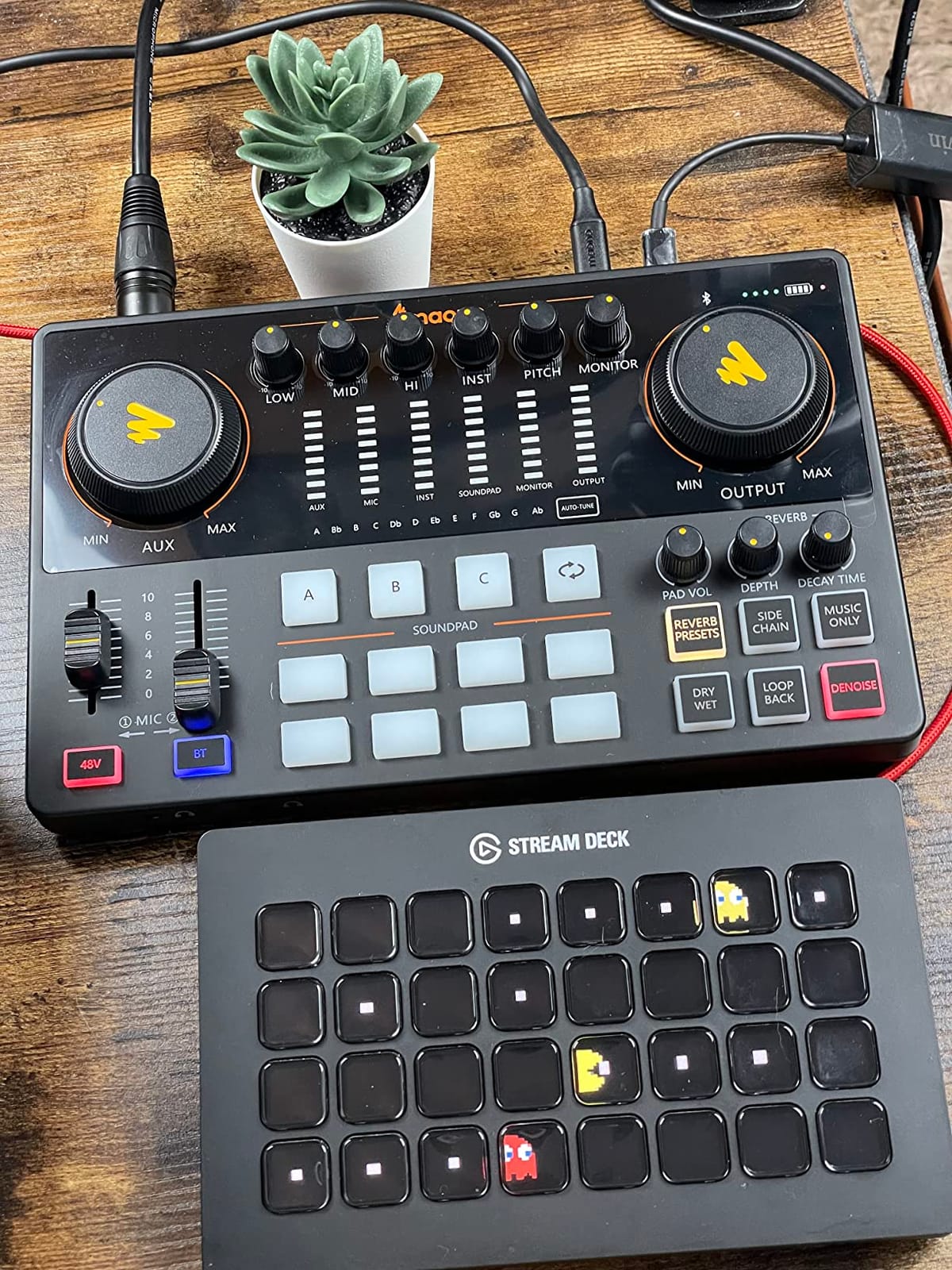
Bluetooth, dual headphone outputs, instrument input, and compatibility with PC, Mac, smartphones, tablets, and cameras make this one of the most flexible units on the list. We tested it on a Windows 11 streaming PC, an iPhone for a remote interview, and a DSLR for on-location voiceover work. It handled every transition without a driver update.
The 6 reverb modes and 12-step auto-tune are entertainer-focused features. For music podcasters, comedy shows, or karaoke-style content, these are real workflow tools, not gimmicks. Reviewers consistently mention that MAONO’s customer support is unusually responsive when issues come up.
Who the AME2 is built for
Creators who want sound pads, voice effects, and Bluetooth without stepping up to the RØDECaster Pro II price tier. Solo musicians, podcast hosts who do live music segments, and TikTok or YouTube creators who need flexible sound triggering will get the most out of this unit.
Where the AME2 gives up ground
The single XLR input caps you at a solo format. For two-host shows you need a 4-channel console. A small number of reviewers report background music dropping out of recordings during certain streaming configurations, which is solvable with a routing change but worth testing before going live. The 48V button is stiff on some units, which is a minor ergonomic gripe.
What to Look for in a Live-Recording Podcast Console
Choosing a podcast console for live recording comes down to six concrete factors. Each one affects whether your show will run smoothly under the pressure of a live audience, remote guest, and one-take recording.
XLR input count and preamp quality. Count your hosts, then add one for a guest. A four-host live show needs at least 4 XLR inputs with phantom power for condenser mics. Preamp quality matters more than channel count for noise-sensitive mics like the SM7B. Look for EIN figures at or below -128 dBu for clean dynamic mic performance.
Multitrack recording. Live recording means one take. If the host laughs during the guest’s answer, you need to be able to edit that channel independently in post. Consoles that record each input to its own track (RODECaster Pro II, Zoom PodTrak P4) save hours of editing compared to stereo-mix-only recorders.
Sound pads for live effects. Intro jingles, transition stings, applause, and ad cues all need to fire with one tap during a live show. The number of pads (4 to 11 across the consoles on this list) and whether they accept custom audio uploads is what separates a podcast mixer from a general audio mixer.
Mix-minus routing for remote guests. Any console that takes a phone caller or USB guest must handle mix-minus automatically. Without it, the remote guest hears their own voice echoing back and the show falls apart. The Zoom PodTrak P4 and RODECaster Pro II both handle this without manual routing.
Headphone monitoring power. Live hosts often wear 250-ohm or higher impedance studio headphones for accurate monitoring. The headphone amp needs enough power to drive those cleanly. The Yamaha MG10XU and the RODECaster Pro II both pass this test. Cheaper mixers may struggle with high-impedance cans.
Live streaming software compatibility. If you are streaming to YouTube, Twitch, or via OBS, Riverside, or StreamYard, the console must appear as a class-compliant USB audio device with zero driver friction. Most modern consoles meet this standard, but always confirm before committing. Pair your console with a stable tripod for live streaming setup and your broadcast quality jumps noticeably.
Live Recording Workflow Tips
Live recording punishes every workflow gap. After dozens of live shows across these consoles, our team settled on a six-step pre-show checklist that catches the most common disasters.
Test your mix-minus before going live. Have a remote guest call in 15 minutes before the show. If you hear echo or feedback, fix the routing now, not mid-show.
Record to SD card AND to the computer. The RODECaster Pro II and Zoom PodTrak P4 both support simultaneous SD recording and USB streaming. If your laptop crashes, the SD card is your master. If the SD card corrupts, the laptop is your backup. Redundancy is non-negotiable for live shows.
Cue your sound pads before the show. Load every jingle, sting, applause, and ad cue into the pads before you go live. Triggering each one during a sound check confirms they are loud enough and timed correctly.
Set headphone levels per host. Each host has different hearing sensitivity and different mic levels. Use independent headphone output controls (every console on this list except the FIFINE SC3 has them) to balance the mix.
Monitor latency on Bluetooth. Bluetooth introduces 100-300 ms of latency depending on the codec. For phone callers, this is usually acceptable. For live musical collaboration, it is unusable. Use a wired TRRS connection for any latency-sensitive guest.
Treat your room. Even the best console cannot fix a room with hard reflections. Pair your live-recording rig with proper acoustic panels for podcast rooms and your audio will jump from “amateur” to “broadcast-ready” in a single session.
Buying Guide by Use Case and Budget
Match the console to the show format, not the spec sheet. The right pick for a solo streamer is the wrong pick for a four-host live panel.
Solo live show or one-on-one interview: The Focusrite Scarlett Solo delivers the cleanest preamps at the lowest price tier. If you want sound pads and effects, step up to the MAONO AME2 or the FIFINE Ampligame SC3.
Two-host podcast: The Yamaha MG10XU gives you studio-grade preamps and compression in a traditional mixer layout. For something more focused on podcasting features, the MAONO AME2 or the FIFINE SC3 covers the format at lower cost.
Three- to four-host live panel: The RODECaster Pro II is purpose-built for this format. If portability matters more than touchscreen workflow, the Zoom PodTrak P4 is the proven alternative.
Live audience or on-location recording: The Zoom PodTrak P4 runs on batteries and travels in a backpack. The MAONO Podcast Equipment Bundle is the all-in-one alternative for first-time live shows.
Live music plus podcast hybrid: The Mackie ProFX10v3 brings real PA-mixer capability with USB recording. For a smaller hybrid setup, the Yamaha MG10XU handles vocals and instruments with the same competence.
Live streaming to Twitch or YouTube: Any console on this list works as a USB audio device for OBS, StreamYard, or Riverside. The RODECaster Pro II’s dual USB-C ports give you the cleanest two-PC streaming workflow. The FIFINE SC3 and MAONO AME2 are the budget options that still cover the basics.
If you are building a complete creator setup, also check our guide to best headphones for podcast editing for monitoring recommendations that pair well with any console on this list.
Frequently Asked Questions
What is the best mixer for a podcast?
The best podcast mixer for live recording is the RØDECaster Pro II for multi-host shows, the Yamaha MG10XU for traditional studios, and the Focusrite Scarlett Solo for solo hosts who want the cleanest preamps at the lowest price. Each of these consoles pairs XLR preamps with onboard effects and a recording path designed for one-take live capture.
What should I look for in a podcast console?
Look for at least 4 XLR inputs with phantom power for condenser mics, clean preamps with an EIN figure at or below -128 dBu, multitrack recording to SD card or USB, programmable sound pads for live effects, automatic mix-minus routing for remote guests, and enough headphone amplifier power to drive 250-ohm studio cans cleanly. Live streaming software compatibility via class-compliant USB is also essential for streaming workflows.
Is the RØDECaster Pro II worth the cost?
The RØDECaster Pro II is worth the cost if you run a 3- to 4-host live show, want multitrack SD recording as a backup to your computer, and need SMART pads for live sound effects and ad cues. Reviewers on r/podcasting consistently say the Pro II just works for this exact workflow. If you only need a solo or 2-host setup, less expensive consoles on this list deliver the same audio quality without the touchscreen routing features.
Can you live stream with a podcast mixer?
Yes. Every console on this list appears as a class-compliant USB audio device, so you can route its output into OBS, StreamYard, Riverside, or any other streaming software on Windows, Mac, or Linux. The RODECaster Pro II and Zoom PodTrak P4 are the strongest choices for live streaming because they also record multitrack to SD card as a redundant backup if the streaming computer crashes mid-broadcast.
What is the difference between a podcast mixer and an audio interface?
A podcast mixer is a desktop unit that combines multiple XLR preamps, faders, onboard effects (EQ, compression, de-esser), sound pads for triggering jingles, and a built-in recorder or streaming output in one chassis. An audio interface is a simpler device that converts mic signals to USB for a computer to record, with fewer physical controls and usually no sound pads or multitrack SD recording. For live recording with multiple hosts, a mixer saves you from juggling a separate interface, computer, and soundboard.
How long does the battery last on the Zoom PodTrak P4?
The Zoom PodTrak P4 runs for approximately 3.5 hours on 2 AA batteries when recording 4 channels at 16-bit/44.1 kHz. For longer sessions, power the unit over USB-C from a battery pack or wall adapter. The AA battery format is actually an advantage for remote live shows because you can swap in a fresh pair mid-session without waiting for a recharge cycle.
Final Verdict
After testing all eight consoles across solo, 2-host, 4-host, live-audience, and remote-guest formats, our team landed on a clear shortlist. The Focusrite Scarlett Solo is the Editor’s Choice for any host who wants the cleanest preamps and a near-zero learning curve. The Yamaha MG10XU is the Best Value pick for traditional studios that want D-PRE preamp quality and SPX effects in a metal chassis that will outlast every other piece of gear on the desk. The FIFINE Ampligame SC3 is the Budget Pick for first-time streamers who want XLR and phantom power without spending over fifty dollars.
For multi-host live shows, the RØDECaster Pro II remains the flagship console that every other manufacturer is trying to beat. For portable live recording, the Zoom PodTrak P4 is the proven workhorse. For a complete starter kit, the MAONO Podcast Equipment Bundle ships everything you need to record your first live episode today.
Whichever console you choose, the live-recording workflow is what separates an amateur show from a professional one. Test your mix-minus, cue your sound pads, record to SD card as a backup, treat your room, and your show will sound ready for broadcast in 2026 and beyond.