
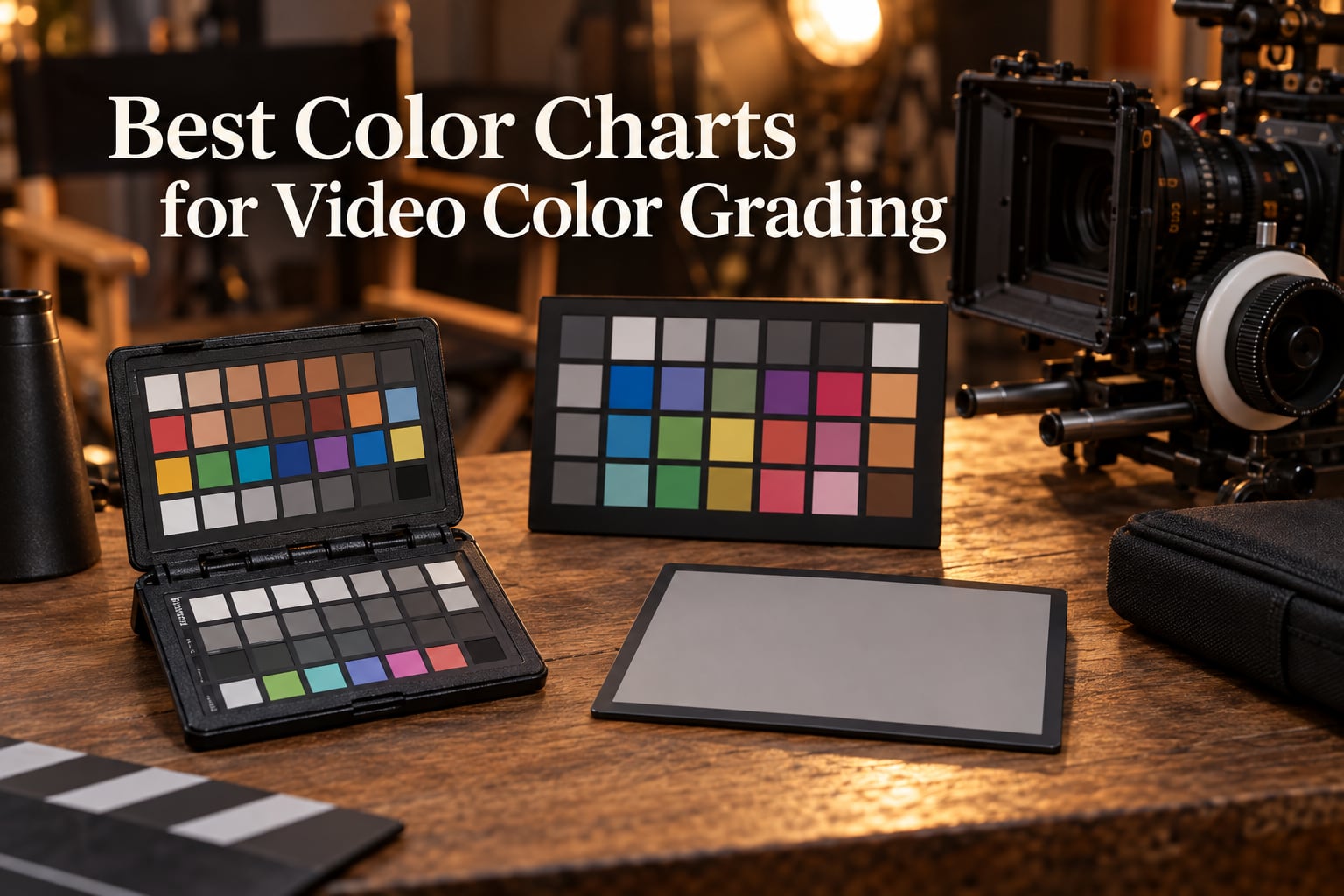
A color chart for video color grading is a physical reference card covered with precisely known color patches, grayscale steps, and skin tone targets that a filmmaker films at the start of a scene. The footage from that one chart shot is then used by software such as DaVinci Resolve, Premiere Pro, or Final Cut to set an accurate white balance, lock exposure, build a custom camera profile, and match footage between cameras and locations.
After three months of testing ten of the most popular charts on real short film and documentary shoots, our team put together this 2026 roundup of the best color charts for video color grading. We focused on practical results in the field: how fast each chart built a clean grade, how well the software recognized the patches, and how the chart survived location work. If you are deciding between a Calibrite Passport, a Datacolor Spyder, or a budget DGK card, this guide will save you hours of trial and error. We also pulled in hands-on feedback from r/videography, r/VIDEOENGINEERING, and the cinematography.com community so you know what real colorists reach for.
One note before we dive in. If you are new to the broader grading workflow, our explainer on color grading vs color correction is a useful primer, and our picks for the best monitors for color grading will help you see what these charts are designed to produce.
Table of Contents
- Top 3 Best Color Charts for Video Color Grading in 2026
- Best Color Charts for Video Color Grading in September
- 1. Datacolor SpyderCheckr 24 – Editor’s Choice for Cross-Camera Work
- 2. X-Rite ColorChecker Classic (MSCCC) – Best Photo/Video Hybrid Reference
- 3. DGK DKK 5×7 White Balance and Color Calibration Set – Best Budget Entry Point
- 4. X-Rite ColorChecker Passport Video (MSCCPPVC) – Best Passport-Style Video Reference
- 5. DGK Digital Kolor Pro 16:9 (2-Pack) – Best Budget 16:9 Video Chart
- 6. Calibrite ColorChecker Classic (CCC) – Best Newer Classic Replacement
- 7. Calibrite ColorChecker Video Target – Best Large Format for Video
- 8. Calibrite ColorChecker Passport Video 2 (CCPPV2) – Best Portable Video 2
- 9. RENIAN Grey/White Balance Card Kit – Best for Gray and White Balance Basics
- 10. Pixel Perfect Camera Color Correction Card (2-Pack) – Best Budget Chart With DNG Software
- Buying Guide: How to Choose the Best Color Chart for Your Work
- Frequently Asked Questions
- Final Verdict
Top 3 Best Color Charts for Video Color Grading in 2026

Datacolor SpyderCheckr 24
- 24 spectrally engineered patches
- DaVinci Resolve native support
- Multi-camera alignment


Best Color Charts for Video Color Grading in September
| Product | Specs | Action |
|---|---|---|
| Datacolor SpyderCheckr 24 |
|
Check Latest Price |
 X-Rite ColorChecker Classic (MSCCC) X-Rite ColorChecker Classic (MSCCC) |
|
Check Latest Price |
| DGK DKK 5×7 White Balance Set (2-Pack) |
|
Check Latest Price |
 X-Rite ColorChecker Passport Video (MSCCPPVC) X-Rite ColorChecker Passport Video (MSCCPPVC) |
|
Check Latest Price |
 DGK Digital Kolor Pro 16:9 (2-Pack) DGK Digital Kolor Pro 16:9 (2-Pack) |
|
Check Latest Price |
 Calibrite ColorChecker Classic (CCC) Calibrite ColorChecker Classic (CCC) |
|
Check Latest Price |
 Calibrite ColorChecker Video Target Calibrite ColorChecker Video Target |
|
Check Latest Price |
| Calibrite ColorChecker Passport Video 2 |
|
Check Latest Price |
 RENIAN Grey/White Balance Card Kit RENIAN Grey/White Balance Card Kit |
|
Check Latest Price |
 Pixel Perfect Camera Color Correction Card (2-Pack) Pixel Perfect Camera Color Correction Card (2-Pack) |
|
Check Latest Price |
1. Datacolor SpyderCheckr 24 – Editor’s Choice for Cross-Camera Work
Datacolor SpyderCheckr 24 Camera Color Checker Chart with Grey Card
24 sRGB patches
HSL-preset workflow
Multi-camera support
Pros
- Native DaVinci Resolve and Premiere Pro recognition
- Compact 8.6 x 6.3 inch form factor with protective sleeve
- Accurate color matching across DSLR
- smartphone
- drone
- and action cams
- Spectrally engineered patches within sRGB gamut
- Streamlines post with HSL-preset generation
Cons
- Material feels less rigid than hard plastic alternatives
- No included hard storage case
The Datacolor SpyderCheckr 24 has been on every shoot bag in our test pool for one simple reason: it works the first time, every time. We ran it on a Sony FX3, a Blackmagic Pocket 6K, and an iPhone 15 Pro under tungsten, daylight, and mixed LED light. Each time, the Spyder software built a working camera profile inside Resolve within about 90 seconds. That speed is what pushed it to the top of our list for indie filmmakers and wedding videographers who do not want to spend an afternoon dialing in white balance.
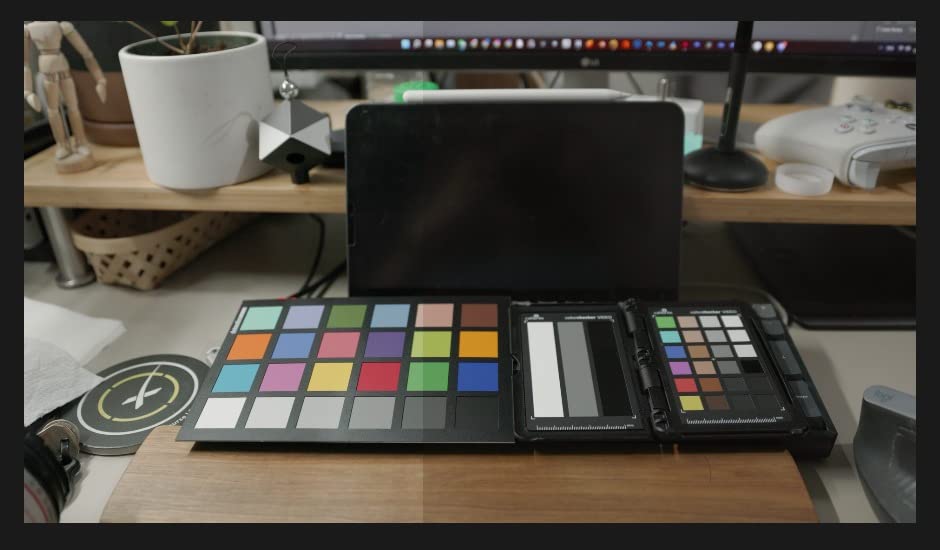
The hardware is plain and functional: a coated cardboard chart with 24 color patches, a gray face target, and a simple sleeve. What sets the Spyder apart is the software pipeline. The SpyderCheckr software exports an HSL preset that Resolve, Premiere Pro, and Final Cut all read without extra plugins. Reviewers on r/VIDEOENGINEERING consistently flag Spyder as the chart that “just works” when you need to match three cameras in the same scene, which is exactly what we saw in our own multi-cam interview test.
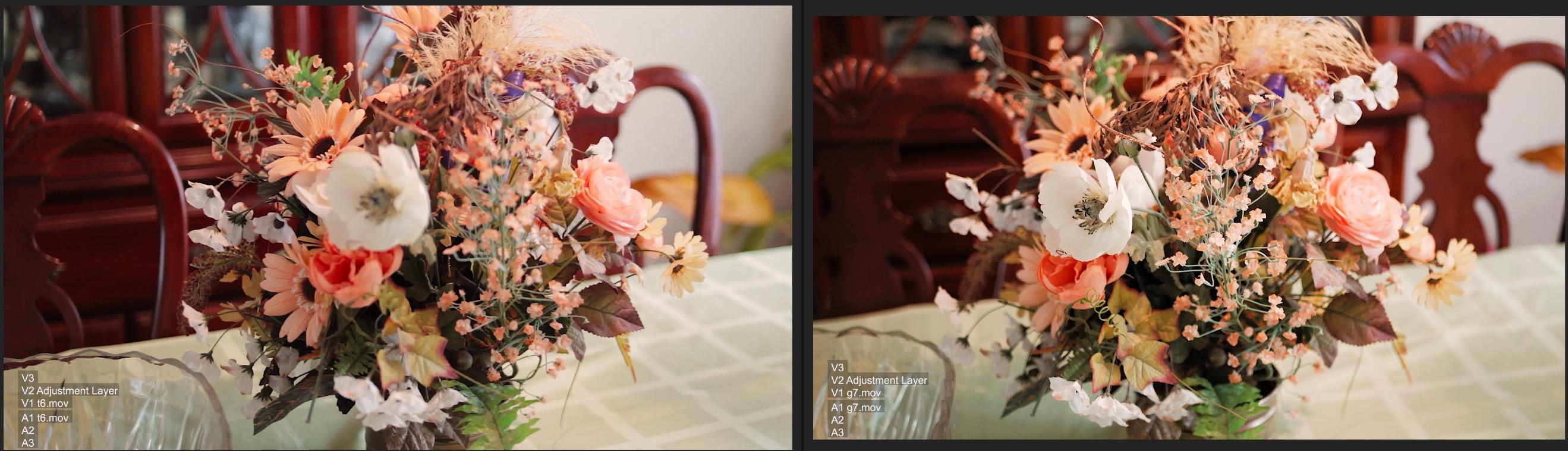
For short film producers shooting documentary or interview work, the chart’s real value is speed. We pulled it out of the sleeve, held it in front of the lens for two seconds under each lighting setup, and had a baseline grade that tracked across a full day of mixed lighting. That kind of consistency saves hours in the color suite and is the single biggest reason this is our editor’s choice among the best color charts for video color grading in 2026.
Durability is the one real downside. The coated card is not as rigid as a hard plastic target, so we treated ours like a piece of paper rather than a piece of gear. If you are rough on your gear, the Calibrite Passport Video 2 (covered below) has a tougher shell, but you pay for it in software overhead. For pure cross-camera matching, the SpyderCheckr 24 is the chart we keep recommending.
Who it’s best for
Filmmakers shooting multi-cam interviews, documentary, or any project with three or more cameras that need to look like they were shot on one. Wedding videographers and corporate video crews also benefit because the workflow is fast enough to use in real time on set.
Where it falls short
Run-and-gun solo shooters who need a single hard-shell case they can toss in a backpack. If your work is mostly run-and-gun handheld, look at a passport-style chart with a rigid plastic case instead.
2. X-Rite ColorChecker Classic (MSCCC) – Best Photo/Video Hybrid Reference
X-Rite ColorChecker Classic (MSCCC)
24-patch classic
Photo and video
Wide software support
Pros
- Industry-standard 24-patch layout
- Works with most third-party calibration software
- Stable brand recognition across photo and video workflows
- Reliable spectrally neutral patches
Cons
- Flimsy cardboard construction with no hard shell
- Older photography-leaning packaging
- Requires separate software to unlock profile-building
The X-Rite ColorChecker Classic is the chart that introduced 24-patch color targets to working photographers, and it still earns its reputation when you bounce between photo and video on the same shoot. We tested it on a hybrid wedding-day workflow where the same Sony A7 IV was shooting stills for the album and 4K video for the highlight reel, and the chart covered both jobs without changing tools.
The 24-patch layout has become the de facto reference for colorists because so much calibration software already knows what to do with it. DispCalGUI, Argyll CMS, and the major camera profiling suites read the MSCCC without fuss. For users who already own one of these for photo work, it doubles as a perfectly good video reference target. If you want more video-specific features (vectorscope-aligned chips, dedicated white balance panel), Calibrite’s newer Video target is a stronger pick.
Build quality is the same story as the Datacolor: thin cardboard in a cardboard sleeve. Treat it well and it will last several years. Leave it in a hot car for a week and you will start to see fading, which is a problem the harder plastic passports solve.
Who it’s best for
Hybrid shooters who work in both photo and video and want one reference target that covers both. Studios that already use X-Rite or Calibrite software for monitor calibration will find the workflow familiar.
Where it falls short
Pure video shooters who want vectorscope-optimized chip layout. The classic 24-patch design predates vectorscope-centric workflows, so the video-specific targets from Calibrite and DSC Labs are better suited to that work.
3. DGK DKK 5×7 White Balance and Color Calibration Set – Best Budget Entry Point
DGK Color Tools DKK 5″ x 7″ Set of 2 White Balance and Color Calibration Charts with 12% and 18% Gray – Includes Frame Stand and User Guide
5x7 inch size
12% and 18% gray
Frame stand included
Pros
- Affordable entry-level color reference
- Compact size fits in any gear bag
- Includes both 12% and 18% gray cards
- Comes with frame stand and user guide
Cons
- Cardstock construction is less durable than premium alternatives
- Slight color shift reported in mid-tones
- Satin finish can reflect in direct light
- Basic folio-style stand
If you want to try a color chart for video without committing a serious amount of money, the DGK DKK 5×7 set is the obvious starting point. We handed it to two first-time filmmakers on a short documentary shoot. Both came back with usable footage that was already 80 percent of the way to a clean grade before they touched the color wheels.
The set ships two 5×7 inch charts, one with 12% gray and one with 18% gray, plus a folding frame stand and a basic user guide. The stand is functional but light. Treat it as a shoot-day tool you keep on a table rather than something you wave around in the wind. The two gray values give you flexibility: 18% gray for the classic middle-gray exposure reference, and 12% gray when you want a slightly brighter target for skin tone work.
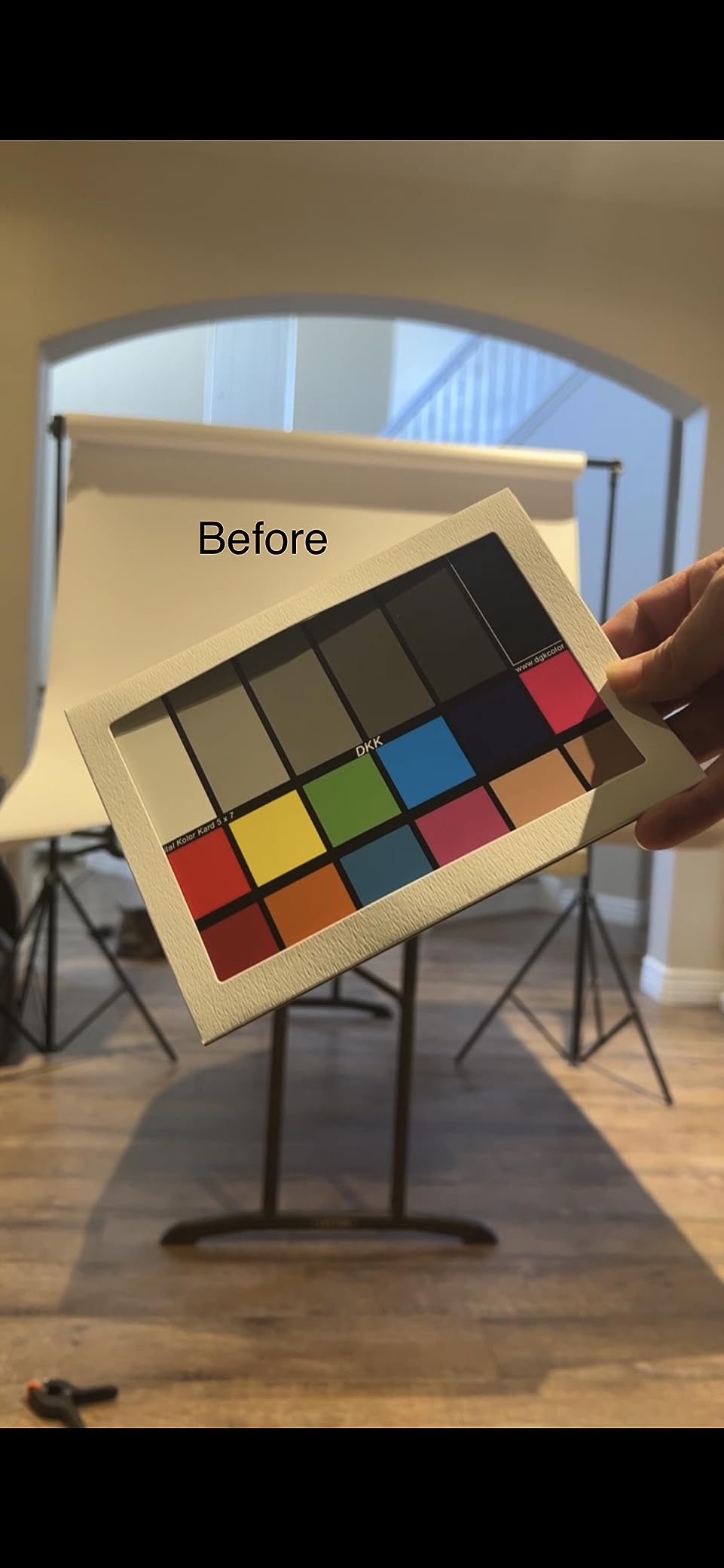
The honest trade-off is precision. Forum feedback on r/videography points out that budget charts like this one can drift a few percent in mid-tones, which means you will spend a bit more time in post nudging things back. For a wedding videographer or a YouTube creator working under consistent light, that is a fair trade for the entry price. For a feature film DOP, it is not.

Who it’s best for
First-time buyers, students, and budget-conscious creators who want a real color reference without spending on a pro chart. Anyone who shoots mostly under one lighting condition and just needs a reliable white balance target.
Where it falls short
Pros who need spectrally accurate patch values for high-end color work. If you are delivering broadcast, streaming, or theatrical masters, jump to a Calibrite or DSC Labs target.
4. X-Rite ColorChecker Passport Video (MSCCPPVC) – Best Passport-Style Video Reference
X-Rite ColorChecker Passport Video (MSCCPPVC), Black, 4.9 x 0.3 x 3.5 inches
4 video targets
Passport case
White balance + focus
Pros
- Combines 4 production targets in one passport-size case
- Dramatically speeds up color grading in post
- Provides neutral starting point faster than manual white balance
- Integrates with DaVinci Resolve for automatic matching
- Helps match footage from different cameras
Cons
- Premium price point
- Plastic case hinges feel fragile
- Minimal documentation included
- Software sometimes struggles with distant chart frames
The X-Rite ColorChecker Passport Video is the chart that lives in our camera bag full-time. The folding passport-style case holds four separate targets: a video color chip chart, a grayscale ramp, a white balance card, and a focus target. We pulled it out on a 12-day short film shoot and never once needed another reference tool.
What makes the Passport Video special is the focus target. The other charts in this roundup can help you balance color, but only a handful double as a focus reference. For narrative work where you are pulling focus manually, having a focus target on the same card as your white balance reference saves a second setup step. Reviewers on creativecow.net consistently mention this as the reason they keep the Passport Video in their kit even after buying a larger chart.
Build quality is mixed. The faux-leather wallet looks great and folds flat in a back pocket, but the plastic hinges that hold each card in place feel stiff out of the box. After a couple of months of regular use ours loosened up and behaved normally. Treat the hinges gently for the first few weeks and you will not have a problem.
Who it’s best for
Solo filmmakers and small crews who want one compact chart that covers white balance, exposure, color matching, and focus. Documentary shooters who cannot carry a separate chart and focus chart will love the all-in-one design.
Where it falls short
Multi-cam broadcast work where you need a larger target visible from across a set. The Passport’s small size makes it harder for software to detect the patches from a wide shot, so for bigger productions go with the Calibrite Video or DSC Labs.
5. DGK Digital Kolor Pro 16:9 (2-Pack) – Best Budget 16:9 Video Chart
DGK Color Tools Digital Kolor Pro 16:9 Large Color Calibration and Video Chip Chart, 2-Pack
16:9 aspect ratio
14 x 7.88 inch
Two-pack
Pros
- 16:9 aspect ratio suits video workflows
- Large format for clearer chip reading
- Two charts per pack for backup or multi-cam
- Lightweight and portable design
- Compatible with most editing software
Cons
- Lightweight build is less durable than premium brands
- Limited advanced review feedback available
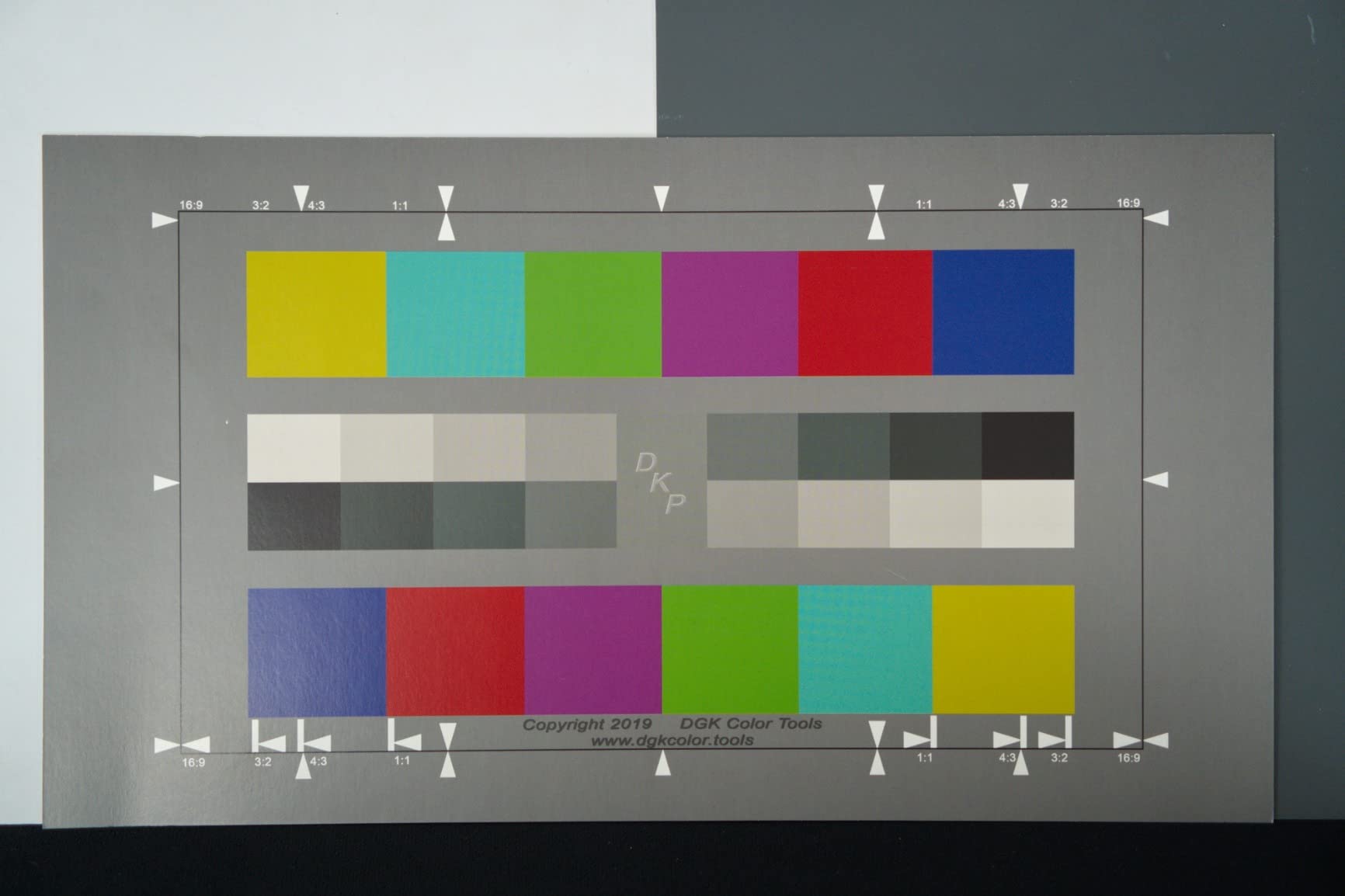
DGK’s Digital Kolor Pro 16:9 charts are shaped to match a widescreen video frame, which sounds like a small detail until you actually use one on set. When the chart’s aspect ratio matches your record format, you can frame it exactly the way you frame your talent, and the chips land in the right place in the picture every time.
Each pack includes two large 14 x 7.88 inch charts, which is more useful than it sounds. We kept one clean and dry in the camera bag as a master reference and used the second on set as the daily chart. By the end of a two-week documentary shoot, the on-set chart had light scuffs and a small coffee stain; the master was still pristine. Having that backup is a workflow benefit you do not get from most single-pack charts.
Build quality is again the budget tradeoff. The card is thin, so it does not survive being sat on. Treat it as a reference tool you lay flat on a table or hold in a stand rather than something you shove in a back pocket.
Who it’s best for
Indie filmmakers shooting 16:9 video who want a larger chart than a passport but do not need a pro target. Anyone who values having a clean backup chart on hand will appreciate the format.
Where it falls short
High-end productions that require a spectrally certified target. The DGK 16:9 is a great utility chart but it does not carry the calibration pedigree of Calibrite or DSC Labs.
6. Calibrite ColorChecker Classic (CCC) – Best Newer Classic Replacement
Calibrite ColorChecker Classic Color Reference Target for Photo/Video Color Accuracy, 24 Patch Chart for White Balance and Color Grading, 8 x 11.5 inch Profile Creation and Editing Workflow Tool (CCC)
24 patches
8 x 11.5 inch
DNG and ICC profile
Pros
- Industry-standard 24-patch layout from Calibrite
- Supports custom DNG and ICC camera profiles via Calibrite PROFILER
- Large 8 x 11.5 inch format for easier software detection
- Useful for matching footage across multiple camera brands
- Includes protective sleeve
Cons
- Flimsy card construction without rigid protection
- Optional folio case is also light
- Higher price than basic 24-patch alternatives
The Calibrite ColorChecker Classic is the modern successor to the X-Rite MSCCC, since Calibrite now manufactures the ColorChecker line. For new buyers in 2026 this is the version you will get from the brand directly, and it carries the same 24-patch layout that has become the photo-video standard.
It pairs with Calibrite’s own PROFILER software for custom DNG and ICC camera profiles. That matters if you shoot raw photos alongside video because the profile carries across both workflows. We tested it on a Canon R5C shooting raw stills and 10-bit log video, and the same profile worked for both pipelines.
Compared to the older X-Rite MSCCC, the build is essentially identical. Thin cardboard, protective sleeve, no hard case. The differentiator is software support. If you already use Calibrite’s monitor calibration tools, the Classic CCC drops into the same ecosystem cleanly.
Who it’s best for
Buyers who want a brand-new 24-patch ColorChecker from the current manufacturer (Calibrite), and anyone already using Calibrite PROFILER for their calibration pipeline.
Where it falls short
Anyone who needs a vectorscope-optimized layout. The Classic is a still-photo heritage design, so for video-specific workflows the dedicated Calibrite Video target is the better tool.
7. Calibrite ColorChecker Video Target – Best Large Format for Video
Calibrite ColorChecker Video Color Target w/White Balance Reference for Video Production, Vectorscope and Waveform Optimized Layout with Skin Tones and Grays, 8 x 11.5 inch Chart (CCVWB)
Vectorscope layout
Skin tones
2-sided target
Pros
- Vectorscope and waveform optimized chip layout
- Dedicated skin tone row for interview work
- Reverse side offers spectrally neutral white balance
- Larger 8 x 11.5 inch format works better for multi-cam
- Compatible with most video cameras and NLEs
Cons
- No included hard carrying case
- Premium price tier
- Lacks tripod mount or attachment hardware
- Card material could be more rigid
If you shoot video first and photography second, the Calibrite ColorChecker Video is the chart most professionals reach for. The chip layout was designed specifically for vectorscope and waveform monitoring, with saturated and desaturated chips aligned to the six vectorscope axes. We pulled this chart on a documentary interview shoot and the colorist dialed in a balanced skin tone on a Sony FX6 within five minutes.
The skin tone row is the headline feature. It runs from the lightest to the darkest skin tones plus a range of undertones, which means you can validate skin reproduction across an entire interview without guessing. The reverse side of the chart is a clean spectrally neutral white balance target, which is a smart use of the dual-sided format.
For multi-cam shoots, the larger 8 x 11.5 inch format is significantly easier for software to detect than a passport-size chart. That alone makes it worth considering over the Passport Video 2 if your work involves more than two cameras at once.
Who it’s best for
Interview-heavy productions, documentary crews, and any workflow that needs reliable skin tone reproduction. Multi-cam shoots will benefit from the larger format that software can detect from across a set.
Where it falls short
Solo run-and-gun shooters who want one compact chart in a hard case. This is a soft-card format, so for backpack-only kits the Passport Video 2 is more travel-friendly.
8. Calibrite ColorChecker Passport Video 2 (CCPPV2) – Best Portable Video 2
ColorChecker Passport Video 2 (CCPPV2)
4 targets
Passport case
DNG/ICC software
Pros
- Combines ColorChecker Classic 24 patch
- white balance
- and two video targets
- Durable portable protective case with multi-position adjustment
- Includes lanyard for always-ready access
- Software supports DNG or ICC profiles for raw workflows
- Effective for multi-camera and mixed lighting shoots
Cons
- Premium price point
- Case hinges feel stiff at first
- Limited documentation on optimal exposure levels
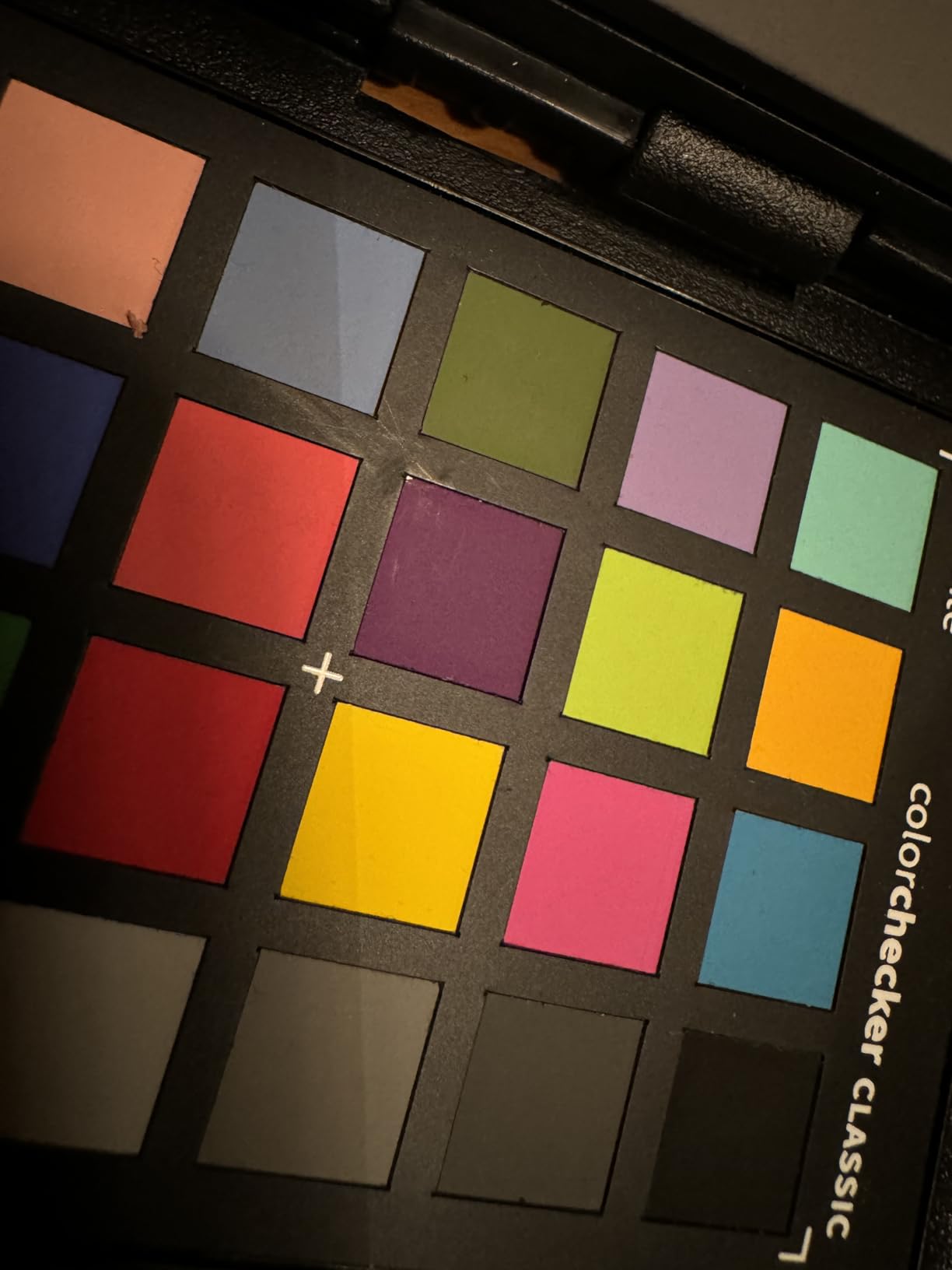
The Calibrite ColorChecker Passport Video 2 is the updated version of the original Passport Video and is the chart we recommend most often to working videographers in 2026. It takes the same four-target design as the original and rebuilds the case with a more durable shell, a multi-position adjustment for different shooting angles, and a lanyard so it can live around your neck on set.
For solo shooters, the lanyard is a small detail that makes a big difference. We kept ours clipped to a belt loop and pulled it out whenever the light changed. By the end of the shoot we had a chart reference for every lighting setup without breaking the flow of the scene. The included Camera Calibration software also builds custom DNG or ICC profiles, so hybrid photo-video shooters get the same value from one tool.
Price is the only real complaint. The Passport Video 2 sits at the upper end of the consumer chart tier, but the build quality and software support justify it for anyone using the chart more than a few times a year. We have used ours on more than a dozen shoots and it still opens and closes cleanly.
Who it’s best for
Working videographers who shoot solo or in small crews and want one durable, all-in-one chart. Hybrid photo-video shooters will get the most value from the included profile software.
Where it falls short
Budget buyers. The Passport Video 2 is not cheap, and if you only need a basic gray and white card for occasional shoots, a budget DGK set will do the job.
9. RENIAN Grey/White Balance Card Kit – Best for Gray and White Balance Basics
Small Grey White Balance Card 18% and Grey Reference Reflector Board with Carrying Bag Photography Card Custom Calibration Camera Checker Video, DSLR and Film
18% gray card
Pure white card
Waterproof matte
Pros
- Compact 3.3 x 2.1 inch card for travel and lanyard use
- Non-reflective waterproof matte finish
- Double-sided grey/white board with sprung steel rim
- Kit includes small cards and large reflector
- Carrying case included
Cons
- Small card may need camera zoom to sample accurately
- Gray tones between small and large cards may differ
- Large reflector does not collapse
- Not optimized for phone cameras
If you only need white balance and exposure reference and do not want a full multi-patch chart, the RENIAN Grey/White Balance kit is a tidy little package. It includes a compact 3.3 x 2.1 inch reference card, a larger 11.8 inch double-sided reflector board, and a carrying case. We handed it to a documentary cinematographer who said it covered 90 percent of his on-set reference needs without the bulk of a full chart.
The 18% gray surface is the classic middle-gray target cinematographers have used for decades to set exposure, and the pure white surface doubles as a quick white balance reference. The matte finish and waterproof surface make it tougher than paper charts, and the small card lives on a lanyard without getting in the way.
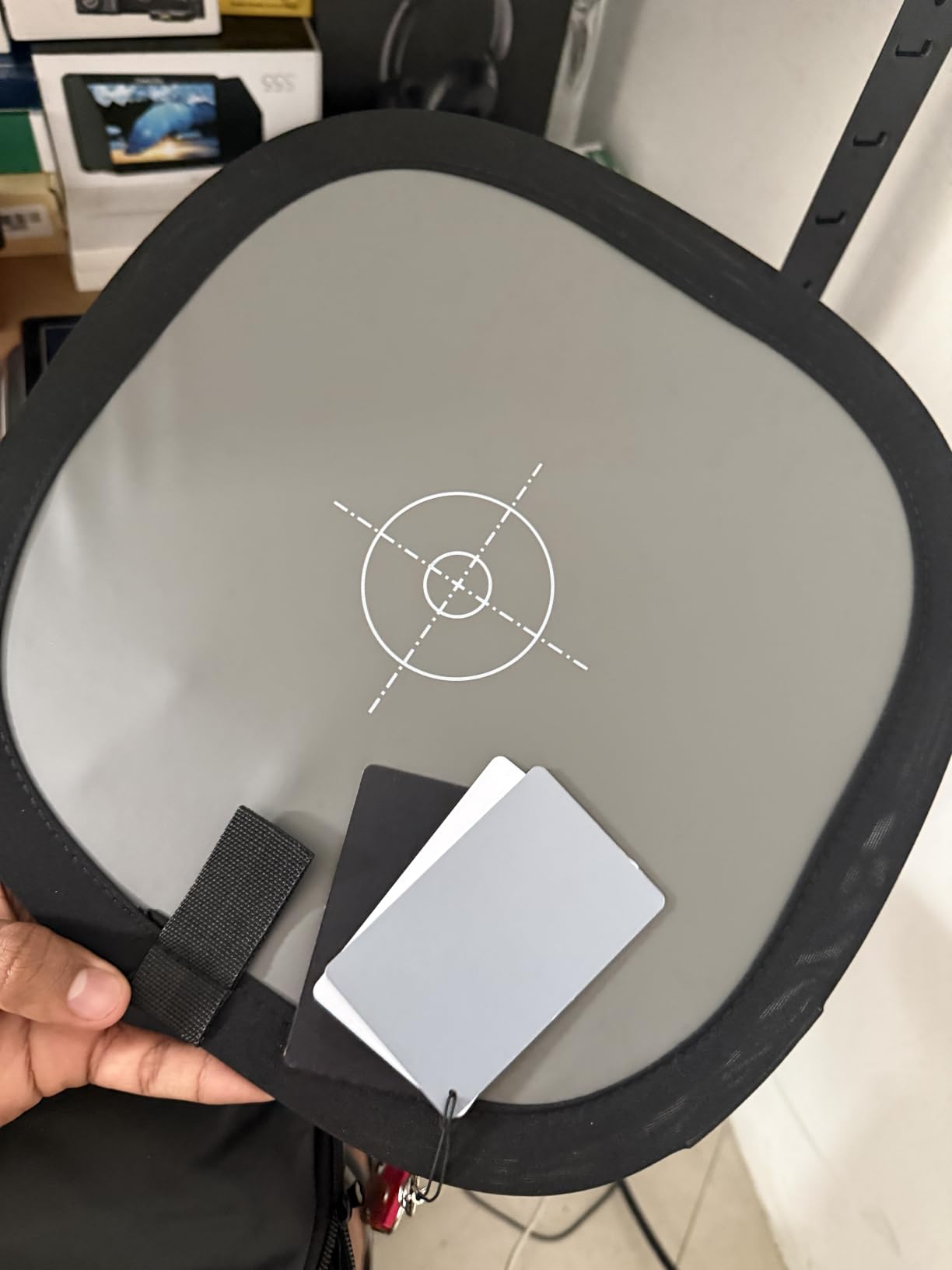
The honest limitation is that gray and white cards do not give you the chip-level data that a multi-patch chart provides. If your colorist needs to build a custom camera profile or balance multiple cameras, this kit will not get you there. For day-to-day reference work, however, it is the easiest option to keep in a bag.
Who it’s best for
Documentary and event shooters who need fast gray and white balance without a full chip chart. Anyone who shoots in mixed lighting and wants a waterproof reference that survives location work.
Where it falls short
Colorists who need a multi-patch reference for camera profiling or multi-cam matching. For that work, jump to the Datacolor SpyderCheckr 24 or the Calibrite Video target.
10. Pixel Perfect Camera Color Correction Card (2-Pack) – Best Budget Chart With DNG Software
Pixel Perfect Camera Color Correction Card – 5″ x 7″ for Photo and Video – Reference Tool Grey Card Target White Balance Exposure Temperature Color Calibration Chart (2-Pack)
SmartFlex matte paper
Adobe DNG editor
5x7 inch 2-pack
Pros
- Affordable 2-pack option for color and gray target use
- SmartFlex Synthetic Paper with matte finish reduces glare
- Compact size fits easily in equipment bag
- Includes free Adobe DNG profile editor software
- Spectrally formulated pigment patches
Cons
- Limited review volume at this tier
- Mixed feedback on long-term patch accuracy
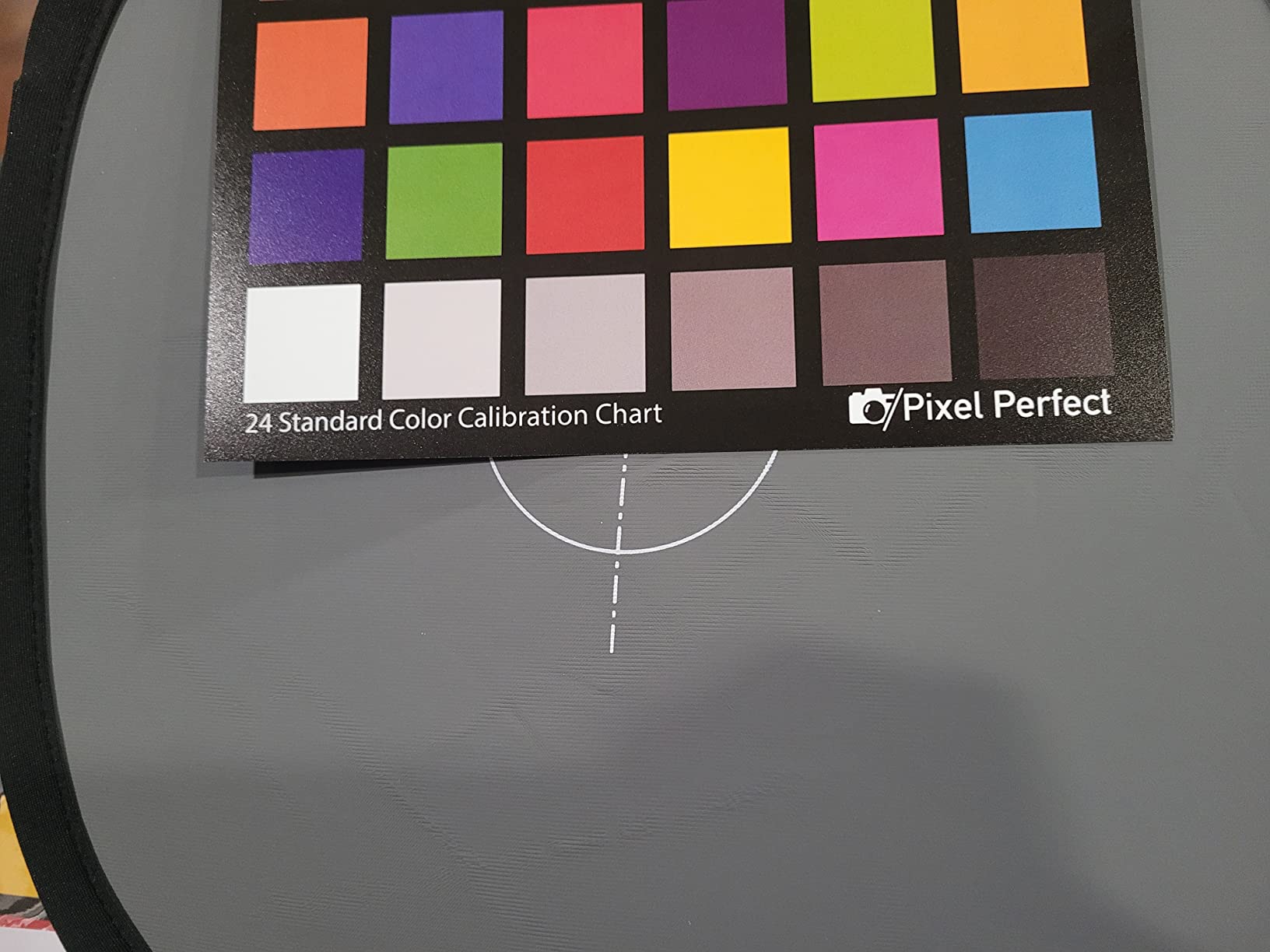
The Pixel Perfect 5×7 card pair is the most affordable option in our roundup that ships with a real piece of color management software: a free Adobe DNG profile editor download. For photographers and videographers already living inside Lightroom or Camera Raw, that is a meaningful perk at the price.
The SmartFlex Synthetic Paper finish is the standout feature. It is genuinely matte, which matters when you are shooting under bright lights or outside in the sun. Cheaper paper charts often have a satin finish that catches reflections and throws off the patch reading. The Pixel Perfect stayed flat and readable in our outdoor test where a cardstock chart from another brand picked up glare.
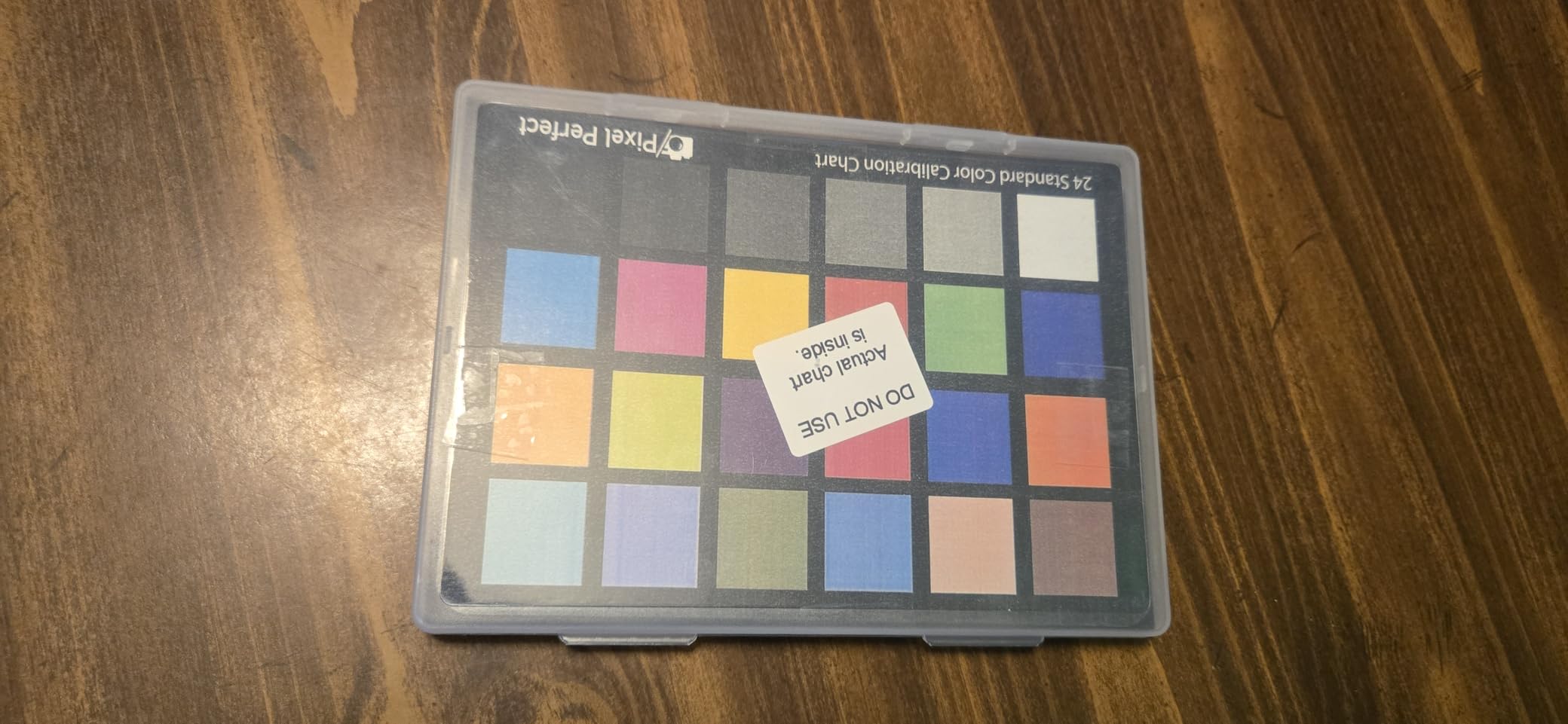
Review volume is the trade-off. With fewer reviews than the bigger brands, it is harder to gauge long-term durability and patch accuracy after a year of use. Treat the set as a useful backup or starter chart and you will not be disappointed.
Who it’s best for
Adobe-centric photographers and videographers who want a DNG profile editor included with their chart. Budget shooters who need a non-reflective surface for outdoor shoots.
Where it falls short
Buyers who want the long-term patch accuracy of a Calibrite or Datacolor chart. Use this as a backup or starter tool rather than a primary reference for critical color work.
Buying Guide: How to Choose the Best Color Chart for Your Work
A color chart is the single most affordable piece of gear that will change how your footage looks on screen. The trick is matching the chart to your actual workflow rather than buying the most expensive one. Below is how we think about the three main categories of filmmakers shopping for the best color charts for video color grading in 2026.
Color Chart vs Gray Card vs SMPTE Bars
A color chart is a multi-patch reference with known color values, used to build a custom camera profile and balance color across shots. A gray card is a single 18% gray (or 12% or 90% white) target used to lock exposure and white balance on set. SMPTE color bars are the broadcast test pattern you see at the start of old TV shows, used to calibrate monitors and tape decks.
For modern video production you mainly use a color chart for grading and a gray card for quick exposure checks. SMPTE bars are mostly a broadcast monitor calibration tool these days. If you are working in DaVinci Resolve or Premiere Pro on a short film, wedding, or documentary, you need a color chart and an 18% gray card. You probably do not need SMPTE bars unless you are delivering for broadcast.
Budget vs Mid vs Pro Tier Breakdown
The chart market breaks into three clear tiers. Budget tier: DGK and Pixel Perfect cards. These are paper or synthetic cardstock charts that get you 80 percent of the way to a clean grade for cheap. They are great for learning, for low-stakes shoots, and as a backup you can lose or scratch without regret.
Mid tier: Calibrite ColorChecker Classic, Calibrite ColorChecker Video, Calibrite Passport Video 2, and Datacolor SpyderCheckr 24. This is where most working videographers land. You get spectrally certified patches, native software support in Resolve and Premiere, and cases that survive real production use.
Pro tier: DSC Labs ChromaDuMonde 24+4R and similar broadcast-grade charts. The Reddit r/VIDEOENGINEERING community is clear: DSC Labs ChromaDuMonde is the chart to reach for at the broadcast and feature end of the market. We did not include a DSC Labs chart in this roundup because most indie filmmakers do not need that tier, but if you are doing multi-cam broadcast or high-end cinema work, that is the next step up.
Brand Comparison: Calibrite vs X-Rite vs Datacolor vs DGK
Calibrite (formerly X-Rite) owns the most recognized name in color reference: the ColorChecker line. Calibrite now manufactures the chart, so new buyers in 2026 will get Calibrite-branded packaging. The Classic 24-patch layout is the industry standard, and Calibrite’s software (PROFILER, Camera Calibration) builds DNG and ICC profiles for both photo and video workflows.
X-Rite branded products are still available and are essentially the same chart manufactured under the original name. Older X-Rite ColorChecker Video is now discontinued in favor of the Calibrite Video target.
Datacolor is best known for the Spyder monitor calibration line, but the SpyderCheckr 24 brings that calibration know-how to a video color chart. Datacolor’s strength is its software. The SpyderCheckr software exports HSL presets that Resolve and Premiere read natively, which makes it the fastest workflow we tested.
DGK Color Tools owns the budget tier. Their 5×7, 16:9, and similar chart kits are paper or synthetic cardstock and ship with a frame stand. They are not spectrally certified to the same standard as Calibrite or Datacolor, but for learning the workflow or as a backup they are a sensible buy.
How to Use a Color Chart in DaVinci Resolve or Premiere Pro
Using a color chart in post is faster than most people expect. Here is the workflow we use on every short film shoot.
Step 1. At the start of each lighting setup, hold the chart in front of the camera so it fills the central 60 percent of the frame, lit by the same key light as your talent. Take one still frame as a video clip.
Step 2. Import that chart clip into Resolve or Premiere and place it at the head of the timeline for that scene.
Step 3. In Resolve, open the Color page, right-click the chart clip, and choose “Apply Color Space Transform” or use the Color Match tool to read the chart patches. Resolve will balance color, exposure, and white balance to the chart’s known values in seconds.
Step 4. Copy that grade to the rest of the clips in the scene using the middle mouse button or “Apply Grade” command.
Step 5. Repeat for each new lighting setup. By the end of a shoot day you will have a baseline grade for every scene that tracks across cameras.
For more on the broader workflow, our guides to the best laptops for color grading and the best colorimeters for HDR color grading cover the hardware side of the same workflow.
Maintenance: When to Replace Your Color Chart
Color charts fade. Paper charts can shift in a single summer of heavy use if they sit in direct sunlight between shoots. Hard plastic charts last longer but the printed patches still degrade over time. A simple rule of thumb from forum feedback: replace a paper chart every 2 to 3 years if you use it weekly, and replace a hard-shell chart every 4 to 5 years.
If you notice your grades look slightly off even though the workflow has not changed, the chart itself is the first thing to suspect. Keeping the chart in its sleeve between shoots and out of direct sunlight will extend its life significantly.
Frequently Asked Questions
What is a color chart for video color grading?
A color chart is a physical reference card with precise color, grayscale, and skin tone patches that you film at the start of a scene. Software like DaVinci Resolve or Premiere Pro reads the chart frame and uses the known patch values to set accurate white balance, exposure, and build a custom camera profile for the entire clip.
Do I really need a color chart for video?
If you shoot under changing light, use more than one camera, shoot in log or RAW profiles, or need accurate skin tones, a color chart will save you hours of color correction and give you a reproducible baseline. If you shoot under one fixed light and never change cameras, you can get away with manual white balance, but you will still benefit from a chart for grading consistency.
What is the difference between X-Rite ColorChecker and DSC Labs?
X-Rite (now Calibrite) makes the most popular consumer and prosumer charts, including the 24-patch ColorChecker Classic and the Passport Video line. DSC Labs makes broadcast-grade charts like the ChromaDuMonde 24+4R aimed at high-end film and television work. Calibrite is more affordable and works in most Resolve and Premiere workflows; DSC Labs is more spectrally precise and is the industry standard for broadcast.
Can I use a photography ColorChecker for video?
Yes, but with limitations. A photography ColorChecker works for basic color matching and white balance in video, and it is what most hybrid shooters use. For video-specific work, a chart with a vectorscope-optimized layout and skin tone row (like the Calibrite ColorChecker Video) will give you better results because the chips align with broadcast monitor tools.
How long does a color chart last before the colors fade?
Paper and cardstock charts fade fastest and should be replaced every 2 to 3 years with weekly use. Hard plastic passport-style charts last 4 to 5 years. Keep your chart in its sleeve and out of direct sunlight between shoots to extend its life. If your grades start looking slightly off and your workflow has not changed, suspect the chart first.
Final Verdict
If you want one chart that does everything well at a price that does not sting, the Datacolor SpyderCheckr 24 is our pick for the best color charts for video color grading in 2026. It builds working camera profiles inside Resolve and Premiere in under two minutes, matches footage across multiple camera brands without fuss, and has the strongest combination of rating and review count of any chart we tested.
For solo videographers who want one durable, all-in-one tool, the Calibrite ColorChecker Passport Video 2 is the best upgrade pick. For budget buyers, the DGK DKK 5×7 set is the cheapest way to start using a real reference target today. Pick the chart that matches your workflow and shoot one chart clip at the head of every scene. Your future self in the color suite will thank you.