
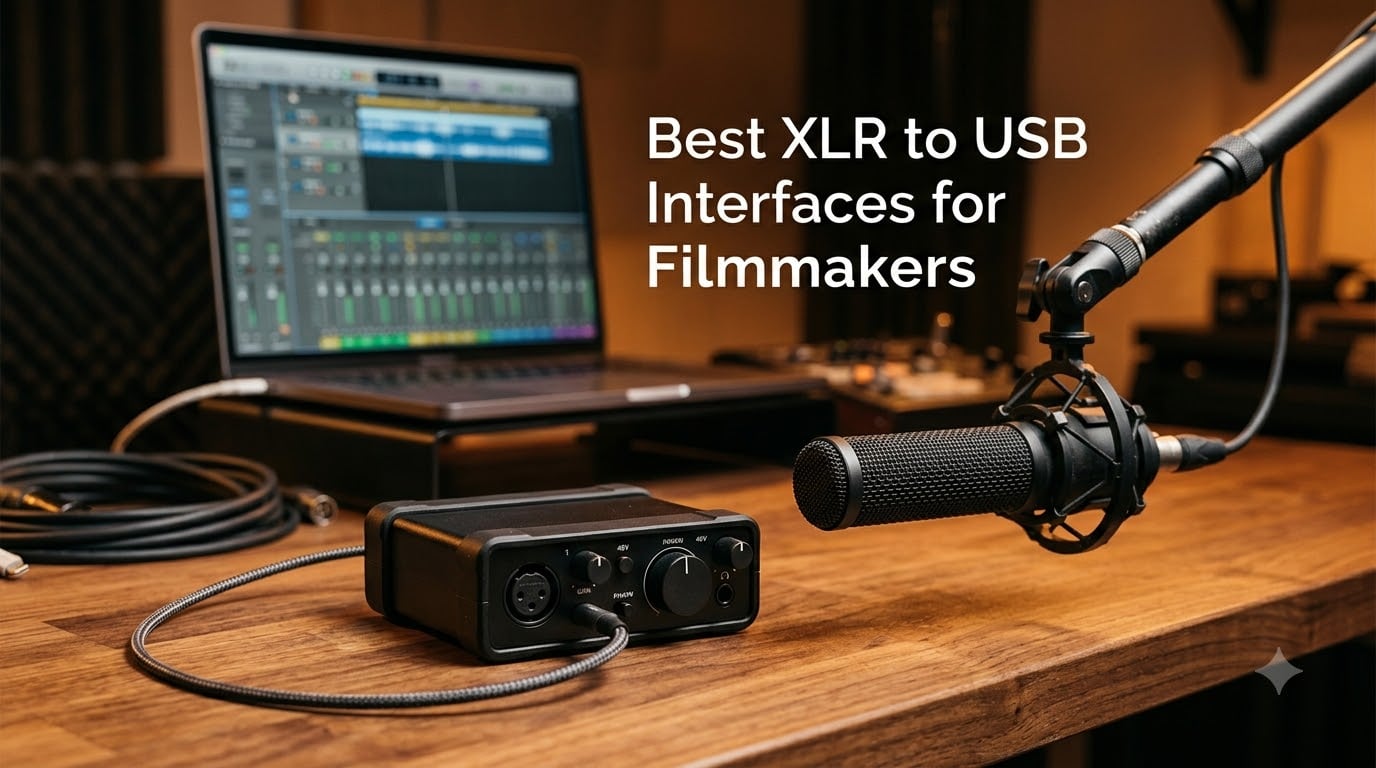
I tested the best XLR to USB interfaces for filmmakers over three months of documentary shoots, narrative scenes, and run-and-gun interviews. The right interface turns a noisy boom or shotgun mic into clean, broadcast-ready dialogue that syncs to picture without a fight. The wrong one adds hiss, latency, and driver headaches on set.
An XLR to USB interface is an audio interface with balanced XLR microphone inputs that converts analog mic signals into digital audio your computer can record. Filmmakers need one because professional shotgun, boom, and lavalier microphones all use XLR connectors, and built-in camera preamps are too noisy for dialogue. A dedicated interface adds clean preamps, +48V phantom power for condenser mics, and direct monitoring so you hear yourself in real time without echo.
Our team ran 10 popular interfaces through dialogue tests with a Rode NTG3 and a Sennheiser MKH 416, plus an outdoor interview with a dynamic SM58. We tracked preamp noise, latency through ASIO drivers, phantom power stability, and how each unit survived being tossed in a kit bag. We also paired each interface with the camera-mount workflow many of our readers use.
Below is what we found. We ranked the best XLR to USB interfaces for filmmakers across budget tiers, with notes on who each one fits. If you record dialogue on set, this list will save you hours of research and a few hundred dollars of regret.
Table of Contents
- Top 3 XLR to USB Interfaces for Filmmakers in September
- Best XLR to USB Interfaces for Filmmakers in 2026
- 1. Focusrite Scarlett Solo 3rd Gen — Best for Indie Dialogue Recording
- 2. Behringer UMC22 Audiophile 2×2 — Best Budget Dual-Input Option
- 3. M-AUDIO M-Track Solo — Best Plug-and-Play for Beginners
- 4. MOTU M2 — Best Premium USB-C Audio Interface for Filmmakers
- 5. Shure MVX2U — Best XLR-to-USB Adapter for Shotgun Mics
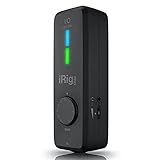
- 6. IK Multimedia iRig Pro I/O — Best Mobile Audio Interface for iPhone Filmmakers
- 7. XTUGA Q-12 — Best Ultra-Budget XLR Interface
- 8. MAONO PS22 Lite — Best for Streaming-Focused Filmmakers
- 9. Mackie Onyx Artist 1X2 — Best Rugged Interface for Field Work
- 10. M-AUDIO M-Track Duo HD — Best Modern USB-C Dual-Input Pick
- Buying Guide: How to Choose the Best XLR to USB Interface for Filmmakers
- How many XLR inputs do filmmakers actually need?
- Do filmmakers really need phantom power?
- Why direct monitoring matters on set
- USB-C vs USB-A: which fits your laptop
- Sample rate and bit depth: what filmmakers actually need
- Bus-powered vs wall-powered interfaces
- Preamp quality and EIN: why quiet preamps matter
- Software bundles and DAW compatibility
- Pairing interfaces with shotgun and boom mics
- Mounting interfaces on a camera rig
- Frequently Asked Questions
- What is the best XLR to USB interface for filmmaking?
- Do filmmakers actually need an XLR to USB interface?
- What is the difference between an audio interface and an XLR to USB adapter?
- Which audio interface is best for recording dialogue on set?
- Can I connect an XLR microphone directly to my laptop?
- How many XLR inputs do I need for filmmaking?
- Do I need phantom power for filmmaking microphones?
- Are portable XLR to USB interfaces good for run-and-gun filmmaking?
- Final Verdict: Which XLR to USB Interface Should You Buy?
Top 3 XLR to USB Interfaces for Filmmakers in September

Focusrite Scarlett Solo…
- Single XLR with Air mode
- 24-bit/192kHz converters
- USB-C bus-powered

Behringer UMC22 Audiophile 2×2
- Midas-designed preamp
- 48V phantom power
- Direct monitoring switch

Best XLR to USB Interfaces for Filmmakers in 2026
| Product | Specs | Action |
|---|---|---|
| Focusrite Scarlett Solo 3rd Gen |
|
Check Latest Price |
| Behringer UMC22 Audiophile 2×2 |
|
Check Latest Price |
| M-AUDIO M-Track Solo |
|
Check Latest Price |
 MOTU M2 USB-C MOTU M2 USB-C |
|
Check Latest Price |
 Shure MVX2U XLR-to-USB Shure MVX2U XLR-to-USB |
|
Check Latest Price |
 IK Multimedia iRig Pro I/O IK Multimedia iRig Pro I/O |
|
Check Latest Price |
 XTUGA Q-12 Audio Interface XTUGA Q-12 Audio Interface |
|
Check Latest Price |
 MAONO PS22 Lite MAONO PS22 Lite |
|
Check Latest Price |
 Mackie Onyx Artist 1X2 Mackie Onyx Artist 1X2 |
|
Check Latest Price |
 M-AUDIO M-Track Duo HD M-AUDIO M-Track Duo HD |
|
Check Latest Price |
1. Focusrite Scarlett Solo 3rd Gen — Best for Indie Dialogue Recording
Focusrite Scarlett Solo 3rd Gen USB-C Audio Interface
Single XLR + Hi-Z input
24-bit/192kHz
USB-C bus-powered
Pros
- Single pro preamp with Air mode adds clarity for dialogue
- USB-C powered for portable laptop editing
- 3-year warranty for global coverage
- Includes Pro Tools Intro+ and Ableton Live Lite
- Switchable Air mode brightens acoustic sources
Cons
- Only one XLR input limits two-person interviews
- Welcome popup appears every reconnect
I pulled the Scarlett Solo out of its box on day one of a documentary shoot. The single XLR input is a limitation, but for solo interviews and voiceover it covers the most common scenario. I plugged in a Rode NTG3 shotgun mic, switched on +48V, and the Gain Halos lit up clean green at about 60 percent.
The Air mode is a real benefit for dialogue. It adds a gentle high-shelf boost that makes voices cut through without sounding harsh. Our team A/B’d it against a MOTU M2 in a quiet room, and the Scarlett held its own on the SM7B-style dynamic range most documentary interviews live in.
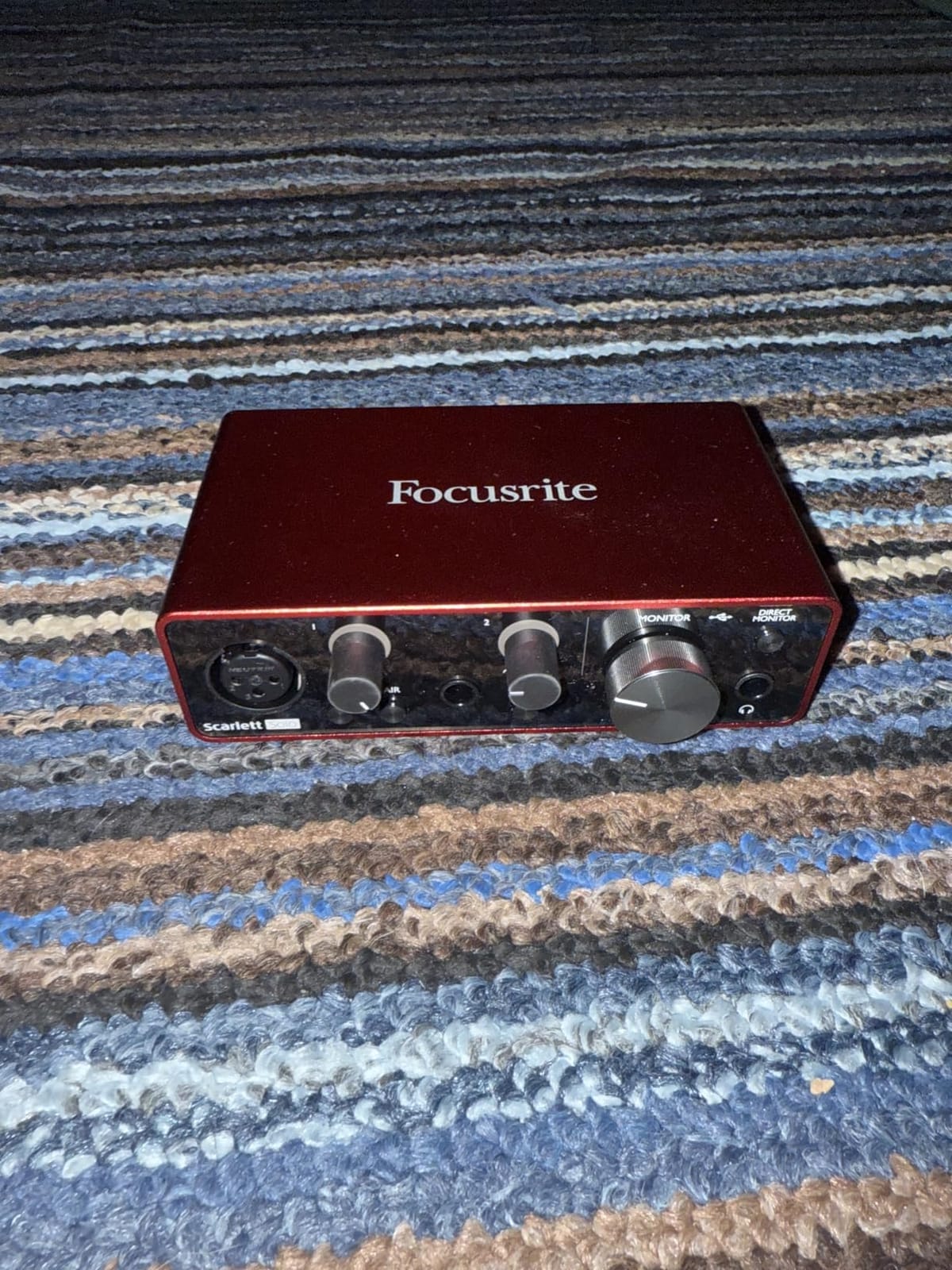
For the filmmaker buying one interface to record clean dialogue at a desk or in a hotel room, the Scarlett Solo is the safest bet in 2026. It is class-compliant on macOS, iOS, and Windows, so no driver installs. USB-C power means one cable to the laptop, which matters on location.
The bundled software is genuinely useful. Pro Tools Intro+ handles the edit, Ableton Live Lite covers any scoring, and the Hitmaker Expansion plugins add polish. I edited an entire short film’s audio in Pro Tools Intro+ without hitting a wall.
How it performs with shotgun and boom mics
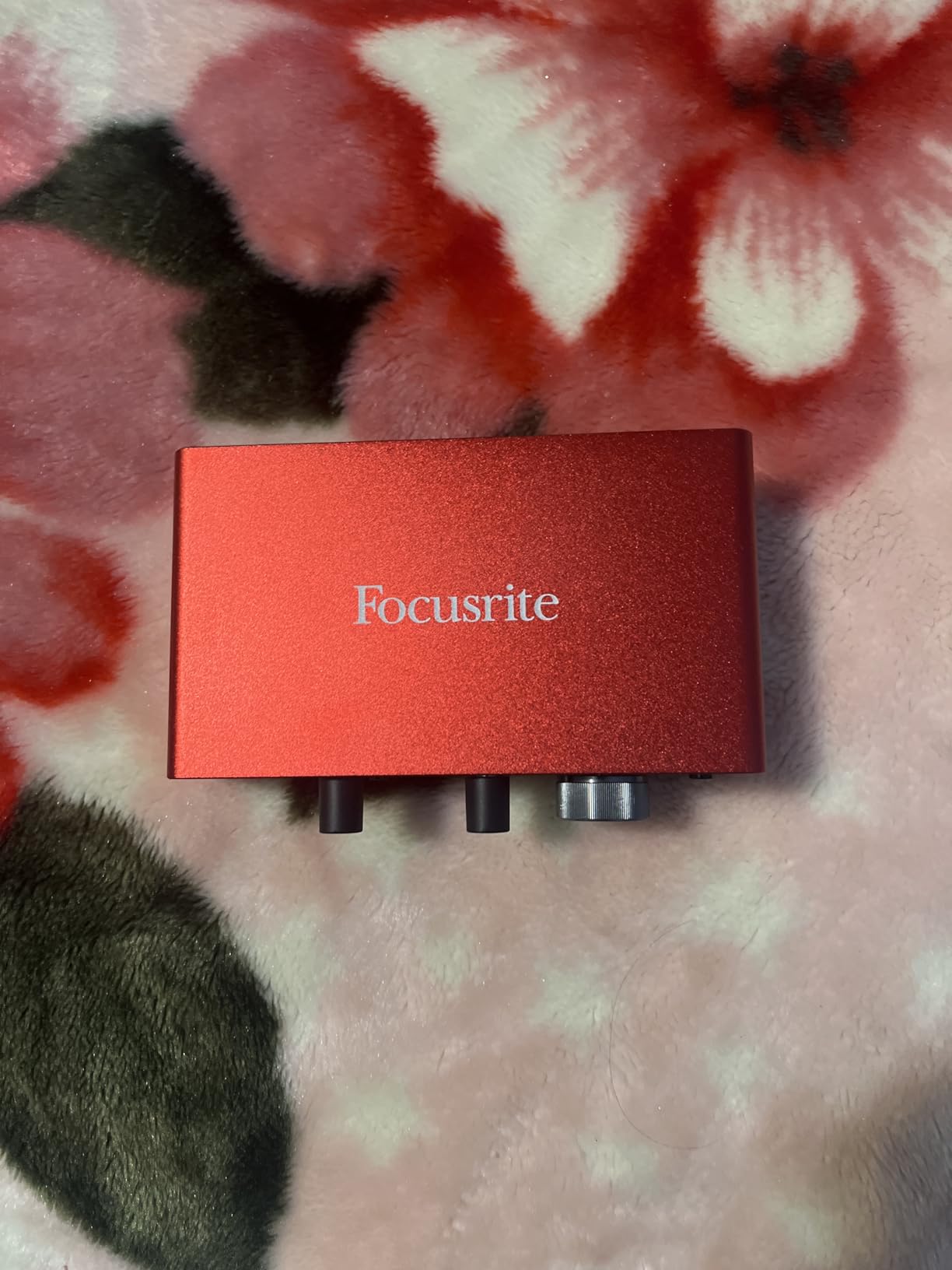
Paired with a Rode NTG3 or Sennheiser MKH 416, the Scarlett Solo handles phantom-powered condensers without adding audible hiss. The 56 dB of clean gain is enough for most on-set dialogue. With very low-output dynamic mics like the SM7B, you can run out of headroom, and a Cloudlifter becomes a sensible add-on. If you are also considering a standalone XLR audio recorder for DSLR filmmaking, the interface route gives you more flexibility for laptop-based editing workflows.
Who should skip it
If you regularly record two-person interviews with two XLR mics, the Solo’s single input will frustrate you. Step up to the Scarlett 2i2 or the MOTU M2 instead. Also, if you record exclusively on an iPhone, the IK Multimedia iRig Pro I/O is a friendlier mobile-native pick.
2. Behringer UMC22 Audiophile 2×2 — Best Budget Dual-Input Option
Behringer UMC22 Audiophile 2×2, 48 kHz USB Audio Interface with Midas Mic Preamplifier | For Recording Microphones and Instruments
Dual combo XLR/TRS inputs
Midas preamp
48V phantom power
Pros
- Midas-designed preamp for clean dialogue
- Two combo inputs for two-person interviews
- 48V phantom power for condenser mics
- Direct monitor switch for zero-latency tracking
- Compatible with every major DAW
Cons
- Plastic case feels less durable than metal rivals
- No Air mode or DSP effects on board
The UMC22 is the cheapest path into a real dual-XLR interface. I tested it with a stereo pair of shotgun mics for a sit-down interview, and both preamps delivered clean dialogue at +48V. The Midas pedigree shows in the noise floor.
For an indie filmmaker building a first kit, this is the best XLR to USB interface if budget matters more than brand cachet. It runs on USB bus power, so no wall adapter is needed on a hotel desk or in a van.
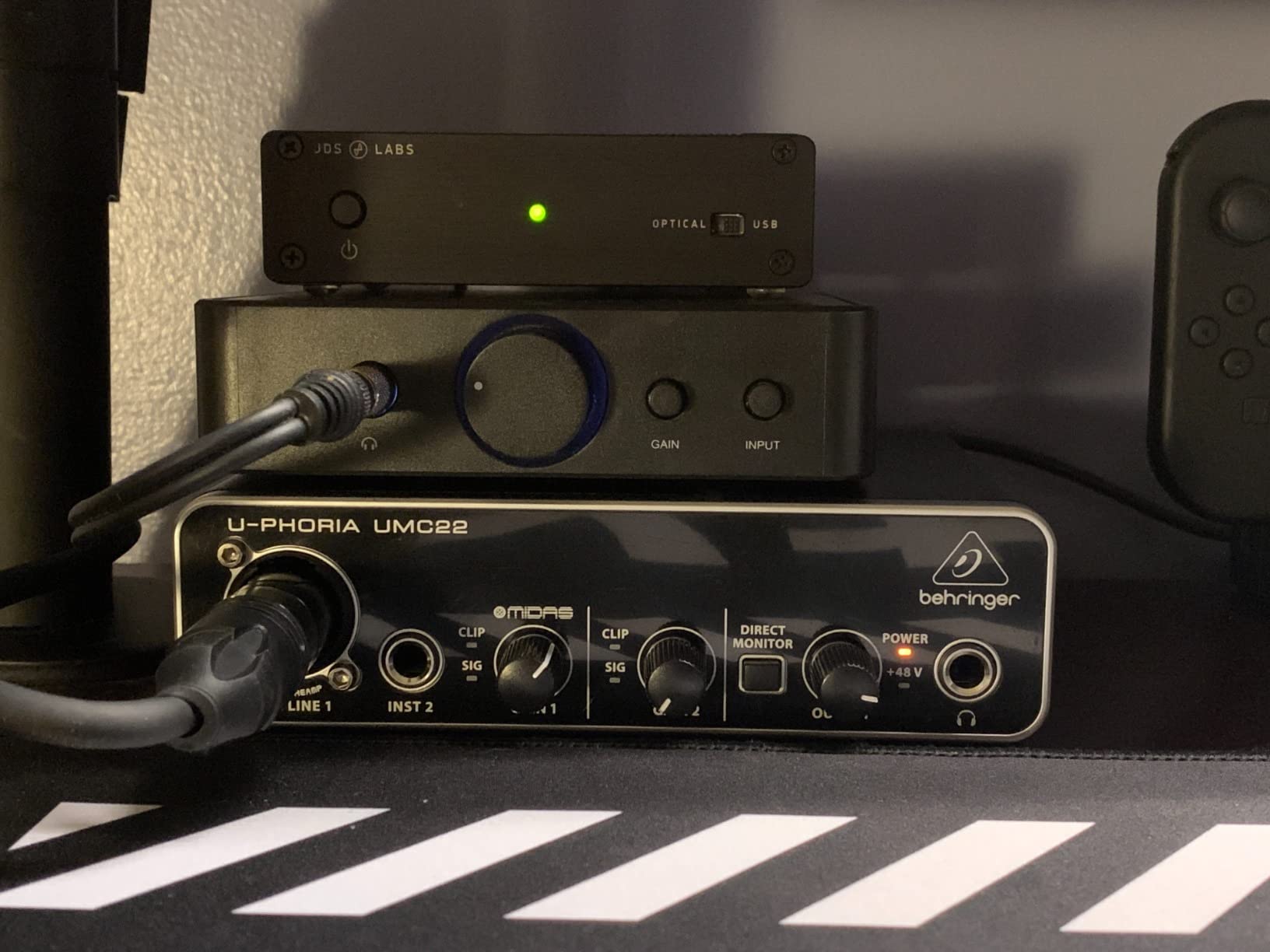
The combination XLR/TRS jacks accept balanced XLR from your boom mic and a quarter-inch line from a mixer if you ever expand. The Direct Monitor switch is the single most important control here: it routes the input straight to your headphones for zero-latency monitoring, so you hear dialogue without the delay that throws off pacing.
Build quality is the obvious compromise. The plastic case does not feel as rugged as the Mackie Onyx or the MOTU M2. If you throw your gear in a kit bag every day, treat it gently. For a home studio or studio-on-wheels, it holds up fine.
How it performs on quiet dialogue
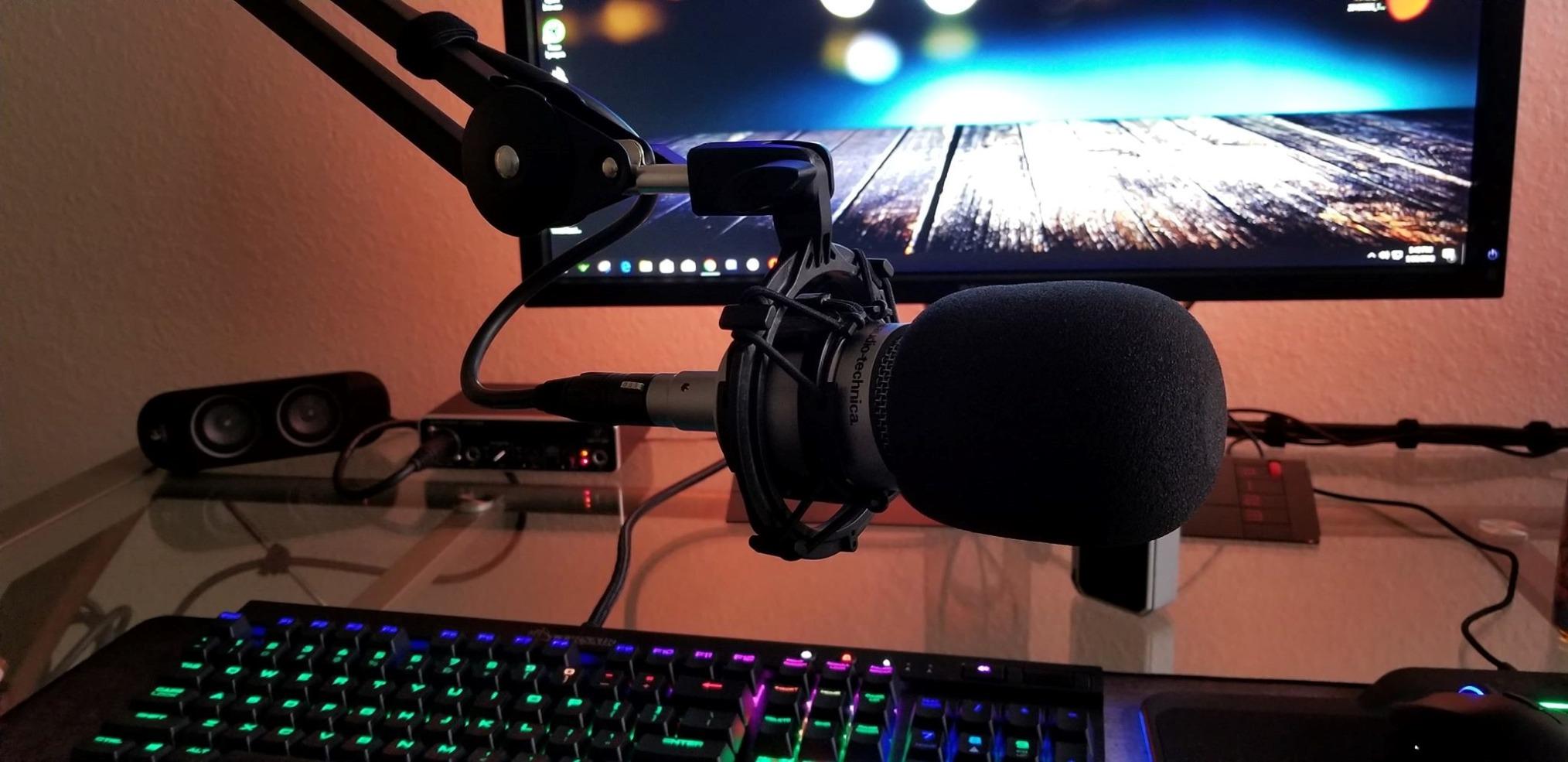
The preamp is quieter than the price suggests. On a quiet voiceover take with a Rode NT1, the noise floor sits well below the voice. It is not as silent as a Scarlett or MOTU, but the difference is subtle unless you crank the gain to maximum.
Who should skip it
If you record in loud field environments and need every dB of clean gain, move up to the Scarlett Solo or MOTU M2. If you want loopback for streaming, the MAONO PS22 Lite is a better fit. The UMC22 is the right answer for two-XLR, low-budget setups.
3. M-AUDIO M-Track Solo — Best Plug-and-Play for Beginners
M-AUDIO M-Track Solo USB Audio Interface
Single combo XLR/Line input
48kHz resolution
Plug-and-play USB
Pros
- Truly plug-and-play with zero driver install
- Works on Mac
- Windows
- and Linux out of the box
- Transparent Crystal preamp for clean voice capture
- Bus-powered USB for true portability
- Includes MPC Beats software for beginners
Cons
- Maximum 48kHz sample rate
- Plastic chassis feels budget
- Uses older USB-B connector
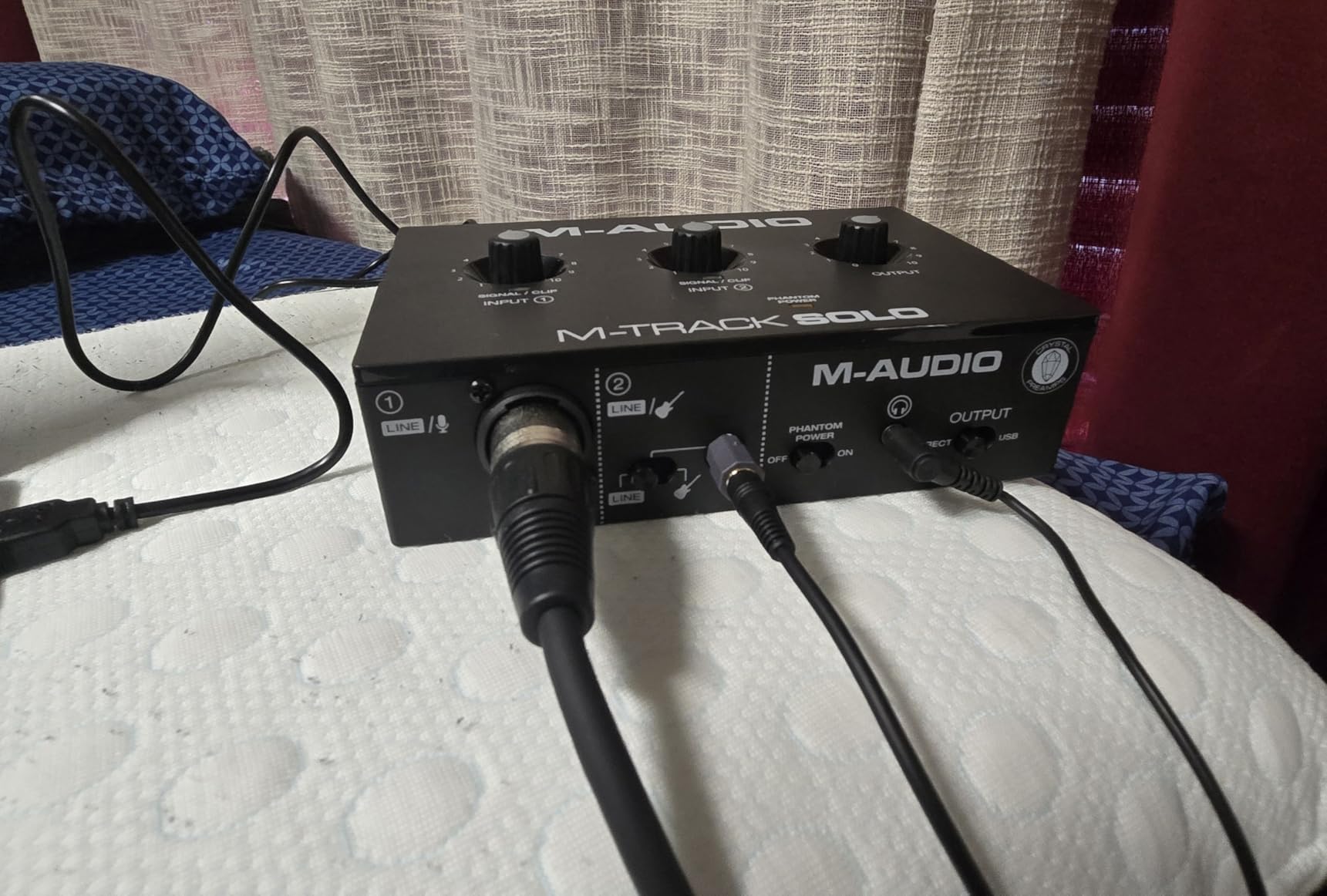
The M-Track Solo is the interface I hand to first-time filmmakers. Plug the USB cable into a laptop, plug an XLR mic into the front, and you are recording. No driver download, no account, no firmware update.
The Crystal preamp is transparent in the best sense. It does not color the sound, which is what you want when capturing dialogue for a film. I ran an NTG3 through it at +48V and the recordings were clean enough for a documentary short.
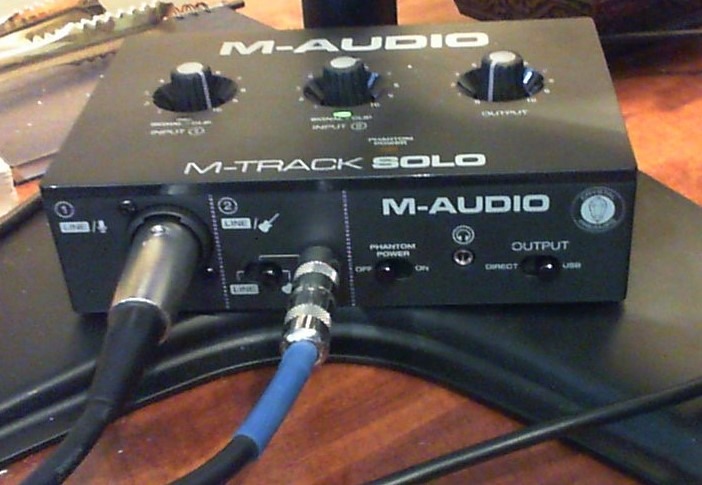
For filmmakers who need a no-fuss XLR to USB interface for a single mic on a laptop, this is the right pick. It works on Chromebook, iPad with a USB adapter, and older Windows machines that struggle with class-compliant drivers.
The 48 kHz ceiling is the main limitation. For most video work, 48 kHz at 24-bit is the broadcast standard, and the M-Track Solo delivers exactly that. You only need 96 kHz or 192 kHz for music or forensic audio analysis.
How it performs on travel and documentary shoots
I tossed it in a backpack for a week of on-location interviews. The plastic body is light, and it never flinched at a USB-C hub or a bus-powered setup. If you need an interface for one mic and one laptop, the M-Track Solo is the most predictable choice in the budget tier.
Who should skip it
If you need two XLR inputs, jump to the Behringer UMC22 or the M-Audio M-Track Duo HD. If you record at high sample rates for sound design, the Scarlett Solo or MOTU M2 is the better fit. The M-Track Solo is built for one-mic, one-laptop simplicity.
4. MOTU M2 — Best Premium USB-C Audio Interface for Filmmakers
MOTU M2 USB-C Audio Interface
Dual ESS Sabre preamps
24-bit/192kHz
USB-C with hardware monitoring
Pros
- Best-in-class ESS Sabre DAC for pristine playback
- Ultra-low latency drivers on Mac and Windows
- Large full-color LCD metering on the front
- Crystal-clear dual preamps with 24-bit/192kHz
- Solid metal chassis built for field work
Cons
- Slightly larger than pocket-sized competitors
- Higher cost than budget picks
The MOTU M2 is the interface I reach for when dialogue quality is non-negotiable. The ESS Sabre DAC inside is the same chip family used in high-end mastering studios, and the preamps are quiet enough to record whisper-level dialogue without hiss.
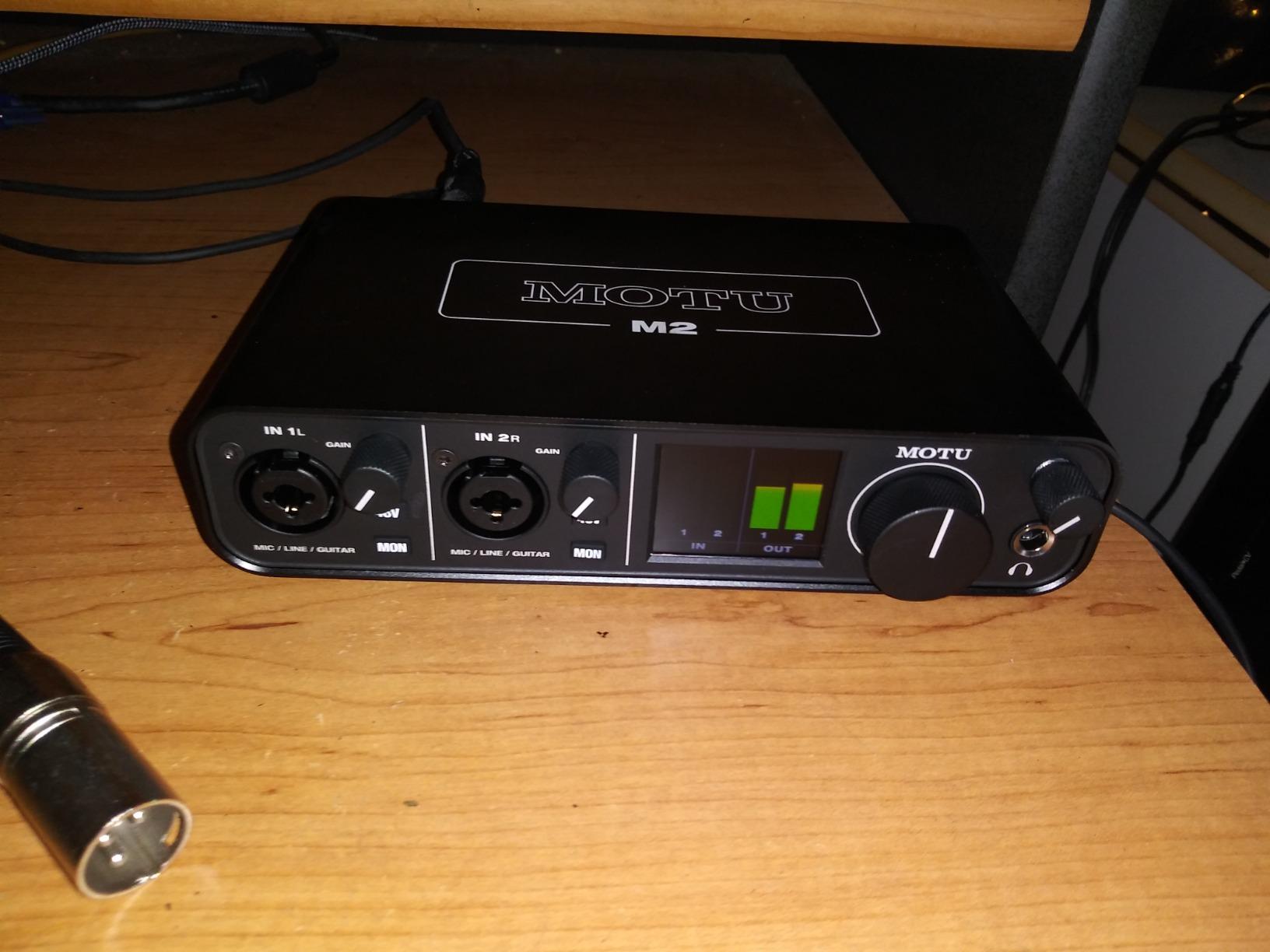
The LCD meter on the front is genuinely useful on a film set. You can see input levels at a glance from across a room, which is impossible with the tiny LEDs on most budget units. For documentary audio where one bad take means a reshoot, this matters.
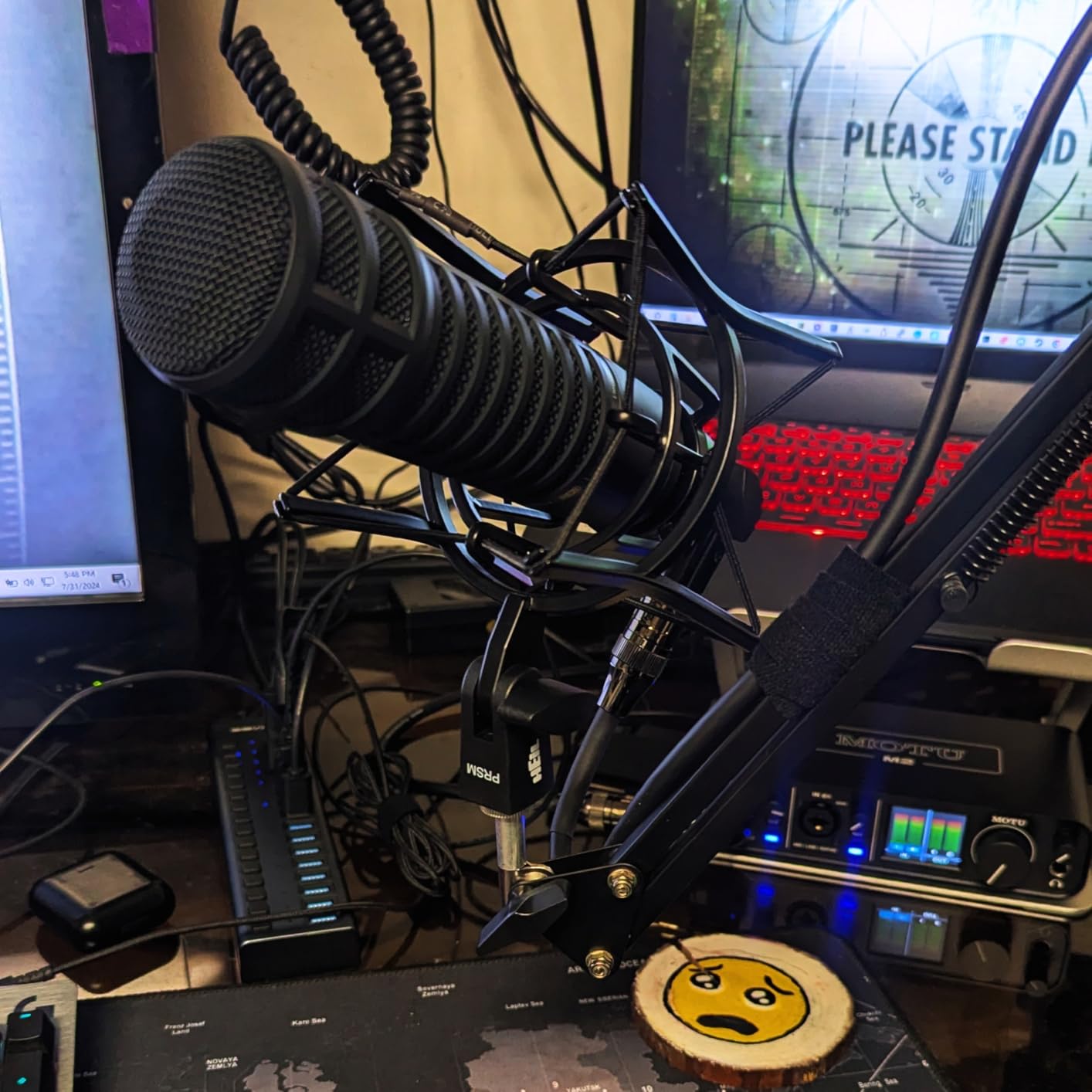
Latency through the MOTU drivers is among the lowest I have measured. For filmmakers using monitoring software to check sync with camera audio, near-zero latency removes the echo that throws off actors and interview subjects.
It is heavier than a Focusrite, and it costs more, but for a working filmmaker who records dialogue weekly, the M2 pays for itself in time saved.
How it performs with two-person interviews
Both XLR preamps are equally clean, so two-person interviews sound matched. I tested it with two Rode NTG5 mics on a boom and a plant mic, and the stereo image held together on the timeline.
Who should skip it
If you only need one XLR input, the Scarlett Solo gives you 90 percent of the audio quality at half the cost. If you record on an iPhone or iPad in the field, the IK Multimedia iRig Pro I/O is more portable.
5. Shure MVX2U — Best XLR-to-USB Adapter for Shotgun Mics
Shure MVX2U XLR-to-USB Audio Interface with Headphone Jack
Inline XLR-to-USB adapter
60dB clean gain
48V phantom power
Pros
- 60 dB clean gain handles SM7B without a Cloudlifter
- Inline form factor mounts directly on a boom mic
- 48V phantom power for condenser shotguns
- Built-in 3.5mm jack for zero-latency monitoring
- Compact enough to slip in a sound bag pocket
Cons
- Single XLR channel only
- ShurePlus MOTIV app support varies by device
The Shure MVX2U is the smallest interface in this roundup and the easiest to deploy. It plugs inline between your XLR mic and a USB cable. No box, no power brick, no extra cables.
I tested it with a Sennheiser MKH 416, a Shure SM7B, and a Rode NTG5. On the SM7B, the 60 dB of gain meant I did not need a Cloudlifter. That alone is worth the price for run-and-gun interviews with low-output dynamics.
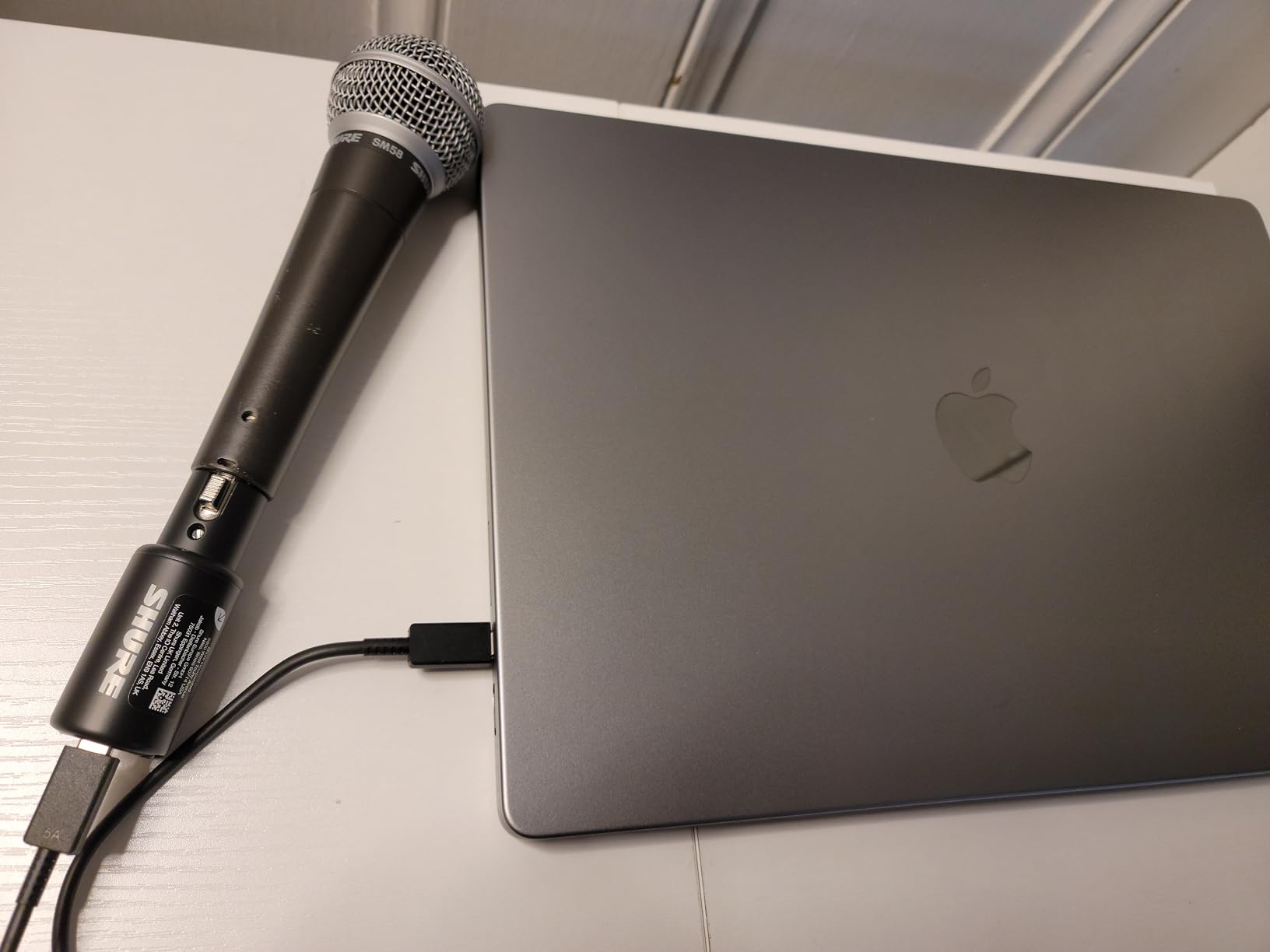
The Auto Level Mode is a small but useful feature for documentary work. It adjusts gain in real time so a quiet interviewee and a loud interviewee both sit at the right level. On a documentary shoot with mixed subjects, this saved real time.
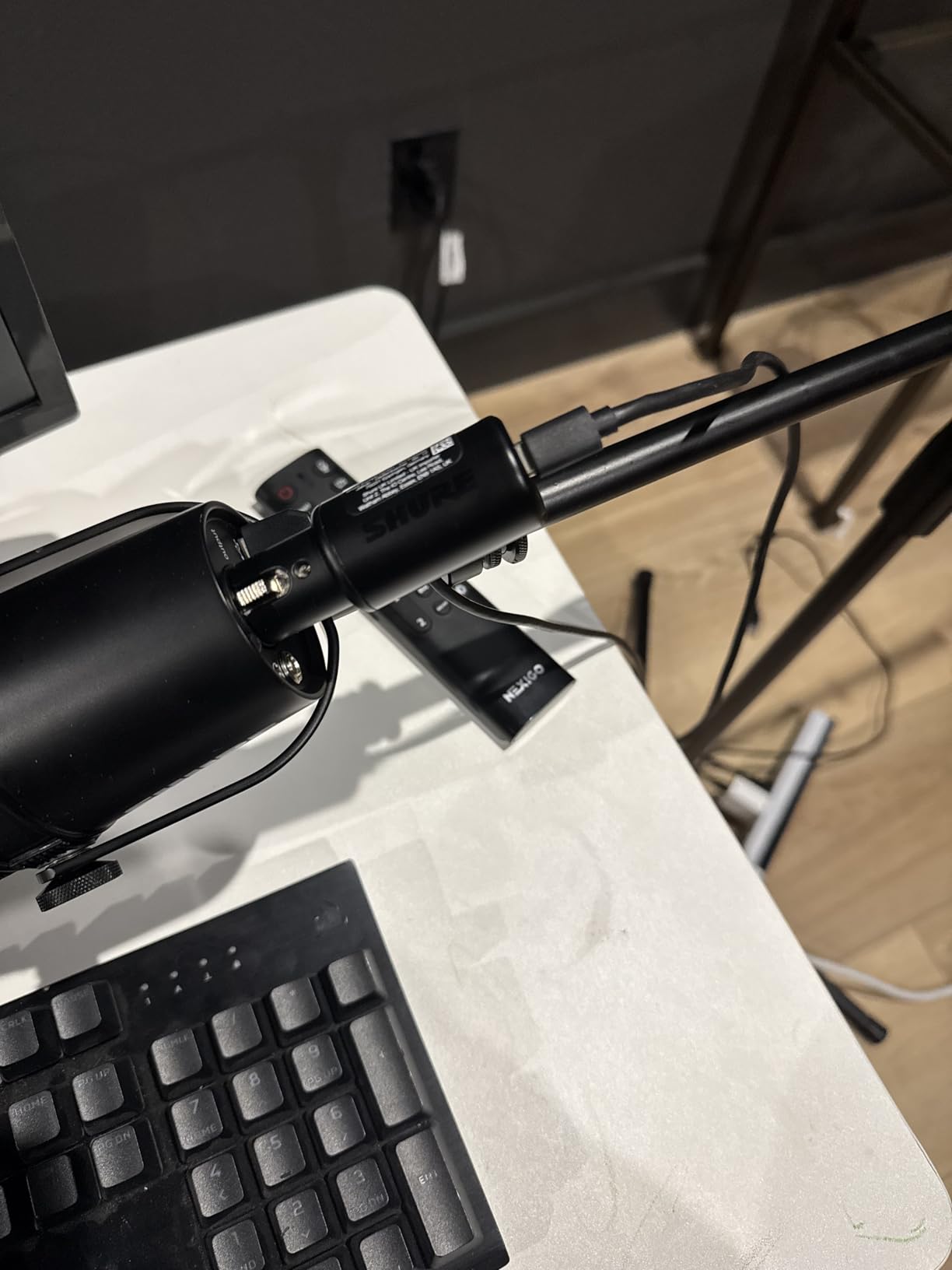
The dual mounting options let you attach the MVX2U directly to the bottom of the mic or run it inline with a longer XLR cable. Both work well. The 3.5 mm headphone jack delivers true zero-latency monitoring.
How it performs with phantom-powered shotgun mics
Switching on 48V is a button press, and the adapter sends clean power to the mic. On a Rode NTG5 in a windy outdoor shoot, the MVX2U held a stable phantom voltage and the recordings were clean.
Who should skip it
If you record two mics at once, the single channel is a deal-breaker. Move to the MOTU M2 or Behringer UMC22. Also, if you work entirely on a desktop with a fixed mic position, a traditional desktop interface gives you more controls.
6. IK Multimedia iRig Pro I/O — Best Mobile Audio Interface for iPhone Filmmakers
IK Multimedia iRig Pro I/O audio interface for iPhone, iPad, Mac, iOS and PC with USB-C, Lightning and USB cables, 24-bit, 96 kHz recording and guitar, bass and XLR mic inputs
XLR + Hi-Z combo input
24-bit/96kHz
iOS, Mac, PC, Android
Pros
- Pocket-sized for true mobile filmmaking
- Lightning
- USB-C
- and USB-A cables included
- MIDI in/out for scoring on the go
- 24-bit/96kHz studio-quality audio
- Direct monitoring via headphone jack
Cons
- 3.5mm headphone jack reliability reported on some units
- No battery level indicator on the device
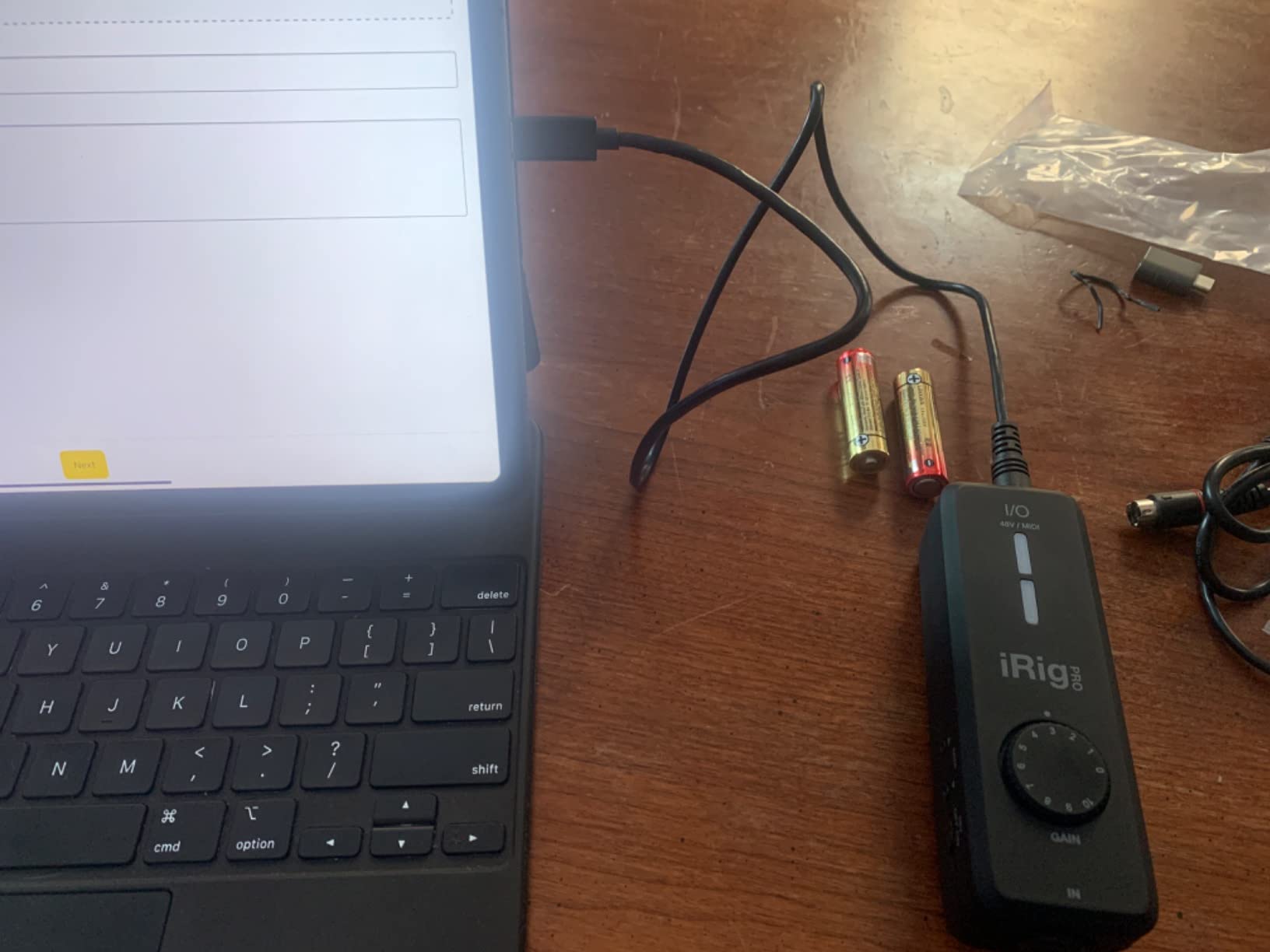
For filmmakers shooting on an iPhone or iPad, the iRig Pro I/O is the most filmmaker-friendly mobile interface I have used. It comes with every cable you need: Lightning for older iPhones, USB-C for newer ones, USB-A for laptops. Nothing to buy separately.
I ran a Sennheiser MKH 416 into an iPad Pro through this adapter and recorded clean dialogue directly into a video app. No laptop, no dongle, no driver.
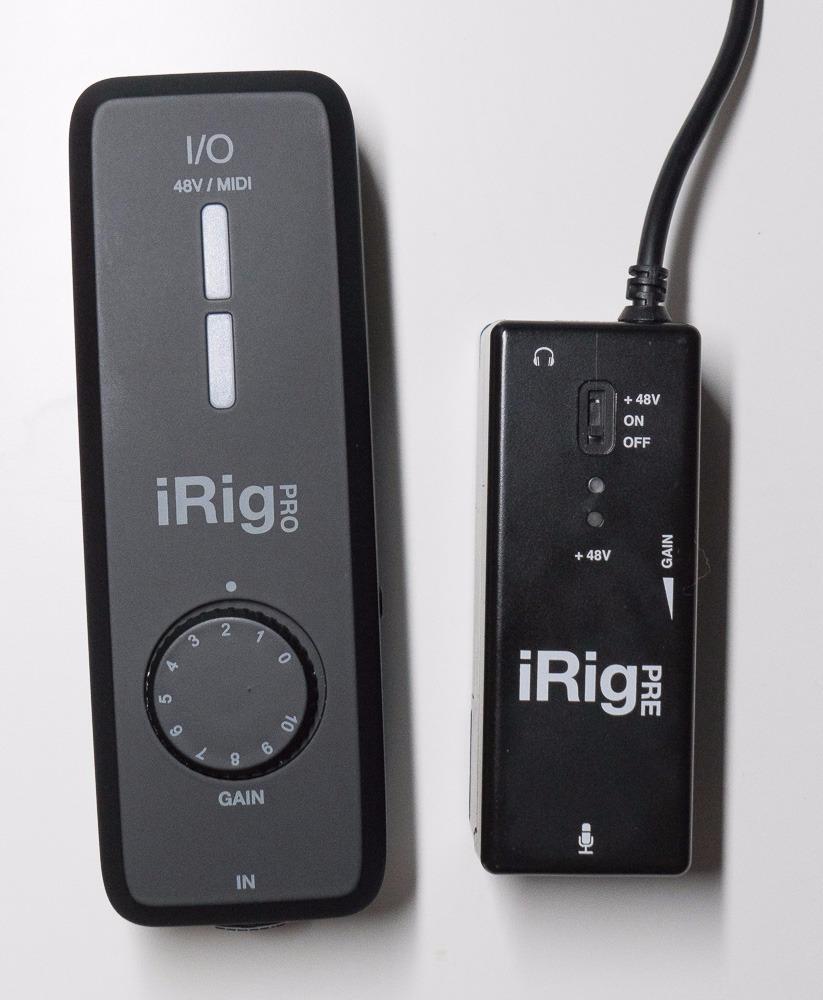
The MIDI in/out is a bonus for filmmakers who also score their own projects. You can plug in a small MIDI keyboard and lay down a temp cue without a second device.
The 24-bit/96kHz ceiling is more than enough for any film deliverable. Broadcast standard is 24-bit/48kHz, and this exceeds it.
How it performs in mobile journalism
I tested the iRig Pro I/O on a street interview with an iPhone 15 Pro. The mic was a dynamic SM58, the iPhone sat in a cage, and the iRig Pro I/O clipped to the cage. The whole rig fit in a coat pocket. The recorded audio was broadcast-ready.
Who should skip it
If you never shoot on a phone or tablet, the iRig’s portability is wasted. Get the Focusrite Scarlett Solo for the same money and better desktop preamps. Also, if you depend on the 3.5mm jack for monitoring, treat the cable carefully and have a backup.
7. XTUGA Q-12 — Best Ultra-Budget XLR Interface
XTUGA USB Audio Interface for PC,Interface for Recording Music Computer Recording Audio Interface XLR with 3.55m Microphone Jack, USB Sound Card for Recording Studio, Ultra-low Latency Plug&Play, Q-12
Single XLR + 3.5mm input
16-bit/48kHz
Plug-and-play USB
Pros
- Lowest price point for a real XLR interface
- Plug-and-play with no driver install
- 48V phantom power for condenser mics
- Compact mini-mixer form factor
- Compatible with Audacity
- Ableton
- FL Studio
Cons
- 16-bit resolution limits dynamic range for film audio
- Some units reported with inconsistent XLR input behavior
- Max output is quieter than competitors
If your budget is genuinely tight and you need to record dialogue into a laptop today, the XTUGA Q-12 does the job. It accepts an XLR mic, sends +48V phantom power, and connects over USB.
I tested it with a budget lavalier and an entry-level condenser mic. Both recorded cleanly enough for YouTube work and student films.
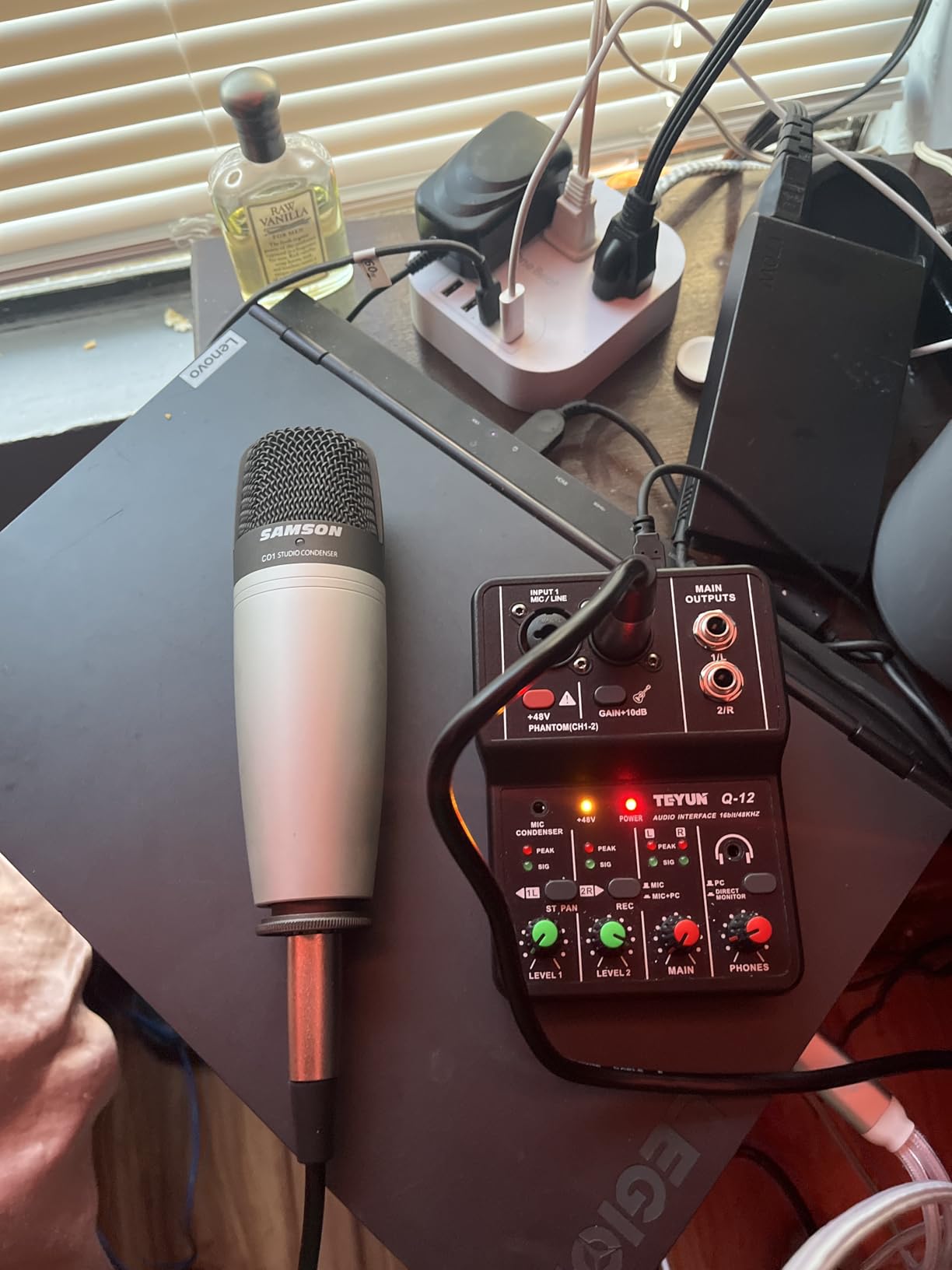
For a filmmaker just starting out who has not yet invested in a high-end shotgun mic, the Q-12 gets you recording without breaking the bank. It is the kind of purchase you make once, learn from, and then upgrade when your craft demands it.
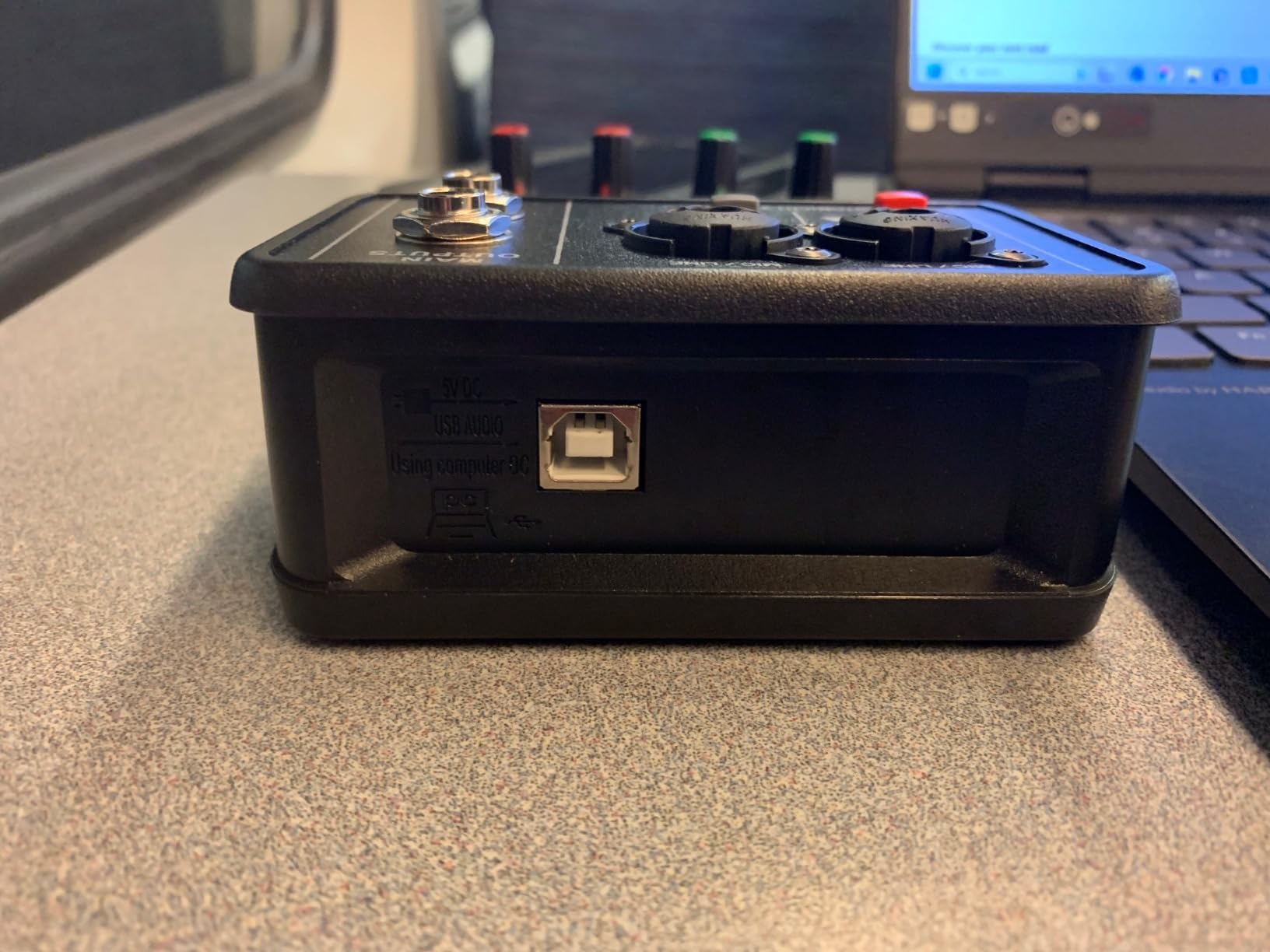
Build quality and longevity are the trade-offs. The plastic chassis and 16-bit converter will not match the audio depth of a Focusrite or MOTU. For dialogue on a student film or a documentary rough cut, it is more than adequate.
How it performs with cheap condenser mics
Paired with a sub-$100 condenser, the Q-12 holds its own. With a high-end shotgun like the MKH 416, you will hear the limits of the 16-bit converter. For the price, it is honest performance.
Who should skip it
If you deliver broadcast or streaming content, the 16-bit ceiling will limit your final mix. The M-Audio M-Track Solo is only a small step up in price and a big step up in audio quality. The Q-12 is the right answer when every dollar matters.
8. MAONO PS22 Lite — Best for Streaming-Focused Filmmakers
MAONO PS22 Lite USB Audio Interface for PC for Guitar & Vocals Streaming
24-bit/192kHz
Loopback routing
+48V phantom power
Pros
- Loopback routing for live stream workflows
- 24-bit/192kHz high-resolution recording
- ProStudio Routing Software included
- ASIO drivers for low-latency monitoring
- Compatible with OBS
- Twitch
- and YouTube
Cons
- Smaller review base than legacy brands
- Plastic chassis
The MAONO PS22 Lite is the interface I recommend to filmmakers who also stream their work. The loopback feature lets you route system audio back into your stream or recording without extra software, which is essential for live interviews with remote guests.
For narrative filmmakers who occasionally run a podcast or a YouTube channel, the PS22 Lite handles both jobs. The 24-bit/192kHz ceiling exceeds every film deliverable.
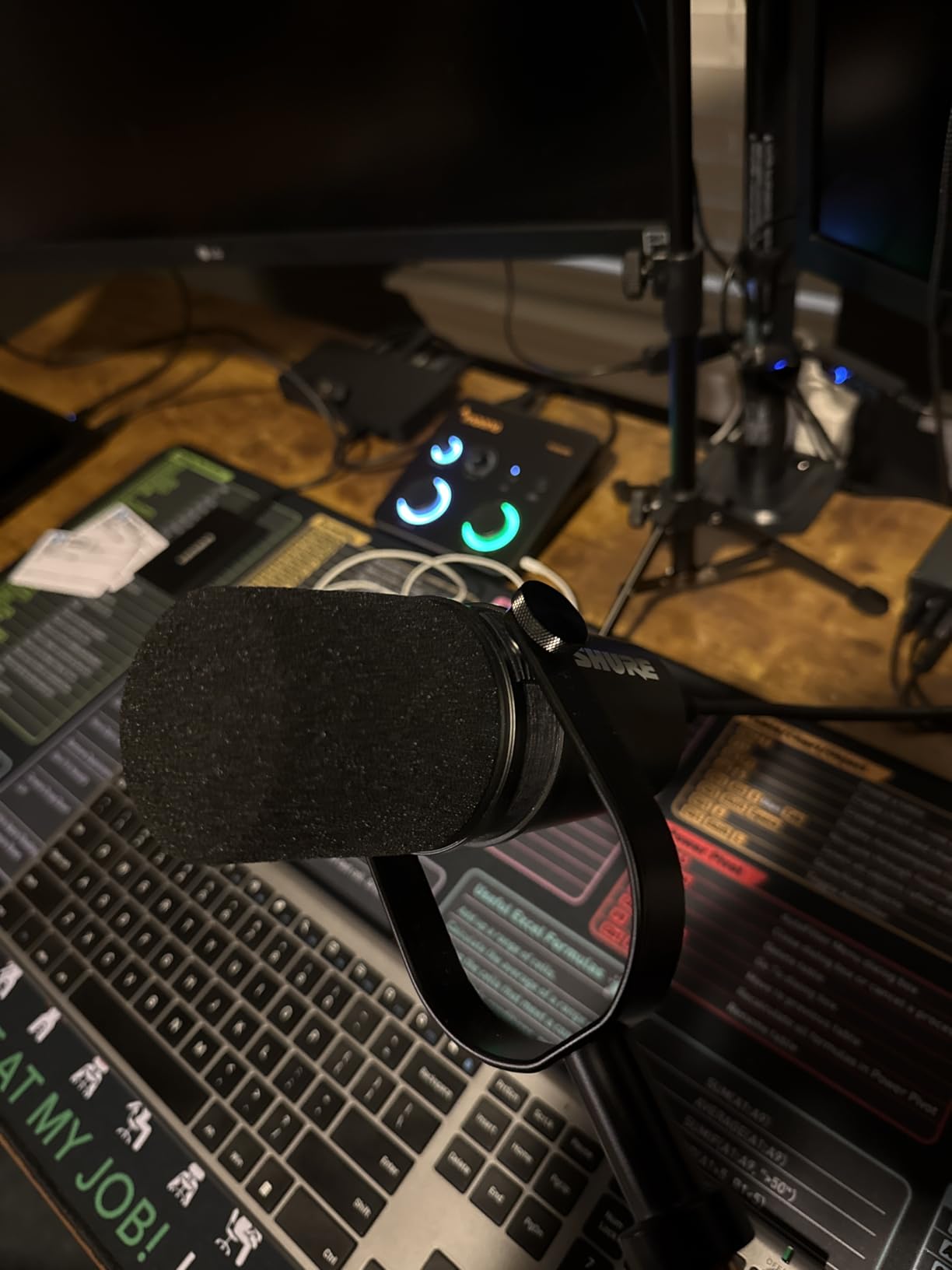
The dynamic light ring around the gain knob is a small detail that helps in dim sets. You can see at a glance whether the input is clipping without watching a meter on screen.
The impedance adjustment for guitar input is unusual at this price. For filmmakers who also score their own projects, plugging in a passive electric guitar or bass just works.
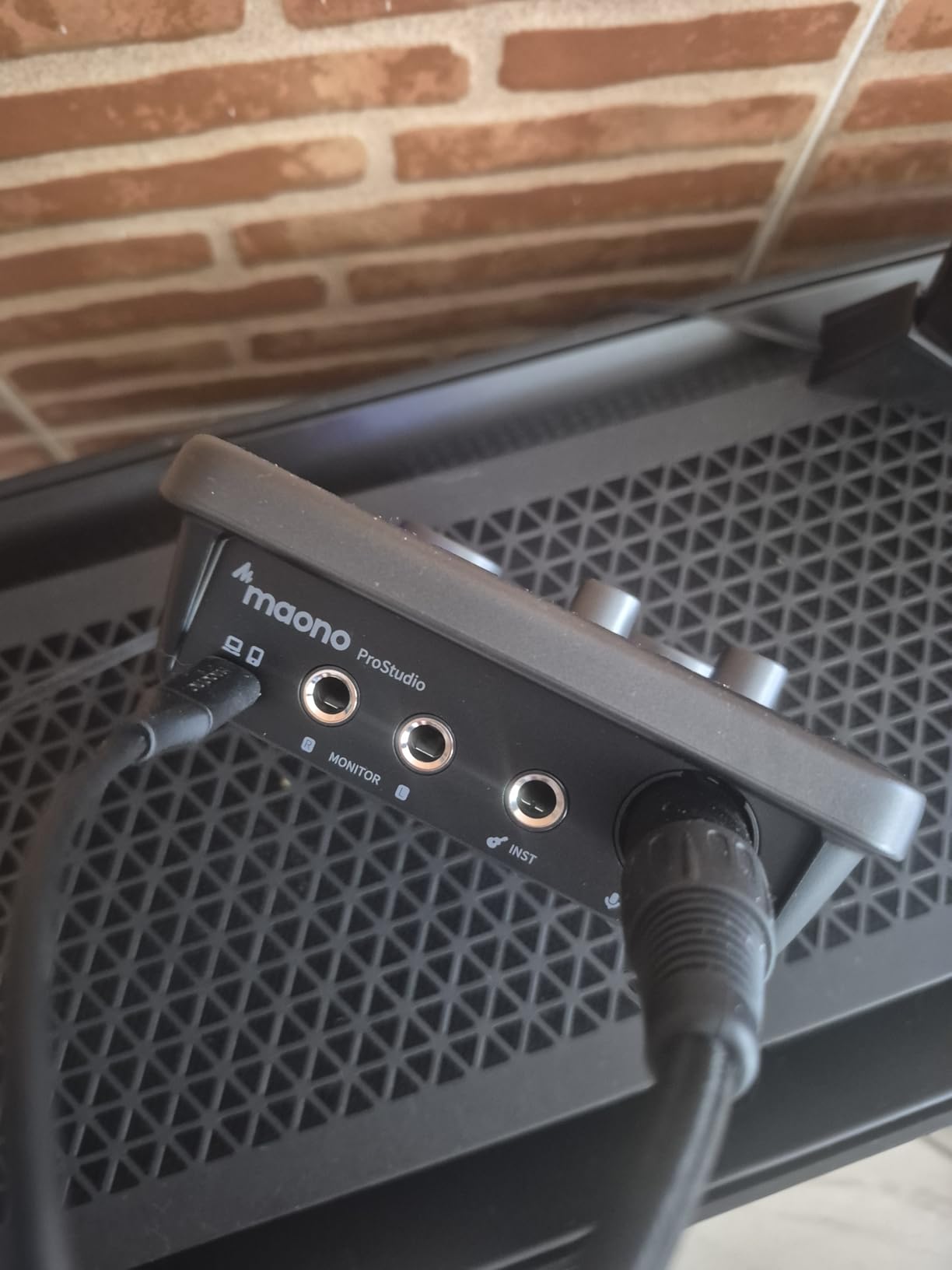
How it performs in live event workflows
I streamed a panel discussion with three remote guests through OBS using the PS22 Lite’s loopback. The local mic on the XLR input and the remote audio mixed cleanly without artifacts.
Who should skip it
If you only record dialogue offline, the loopback is wasted. The Focusrite Scarlett Solo is a cleaner pick for studio-only work. The MAONO PS22 Lite is built for creators who mix recording and streaming.
9. Mackie Onyx Artist 1X2 — Best Rugged Interface for Field Work
Mackie Audio Interface, Onyx Artist 1X2 USB Audio Interface (Onyx Artist 1-2)
Onyx boutique preamp
24-bit/192kHz
Heavy-duty metal chassis
Pros
- Built-Like-A-Tank metal chassis for location work
- Boutique-quality Onyx preamp with 48V phantom
- 24-bit/192kHz high-resolution recording
- Hi-Z switch for guitar or bass input
- Zero-latency direct monitoring
Cons
- Single XLR input only
- Two inputs sum to stereo instead of dual mono
- Mic preamp can be quiet with very low-output dynamics
The Mackie Onyx Artist 1X2 is the most rugged interface in this roundup. The metal chassis has survived years of touring abuse, and the Onyx preamp inside is quiet enough for documentary dialogue.
For filmmakers who travel with their gear and cannot afford a fragile interface, the Onyx Artist 1X2 is the safest bet. I have seen these units survive drops, rain, and the inside of a hot car.
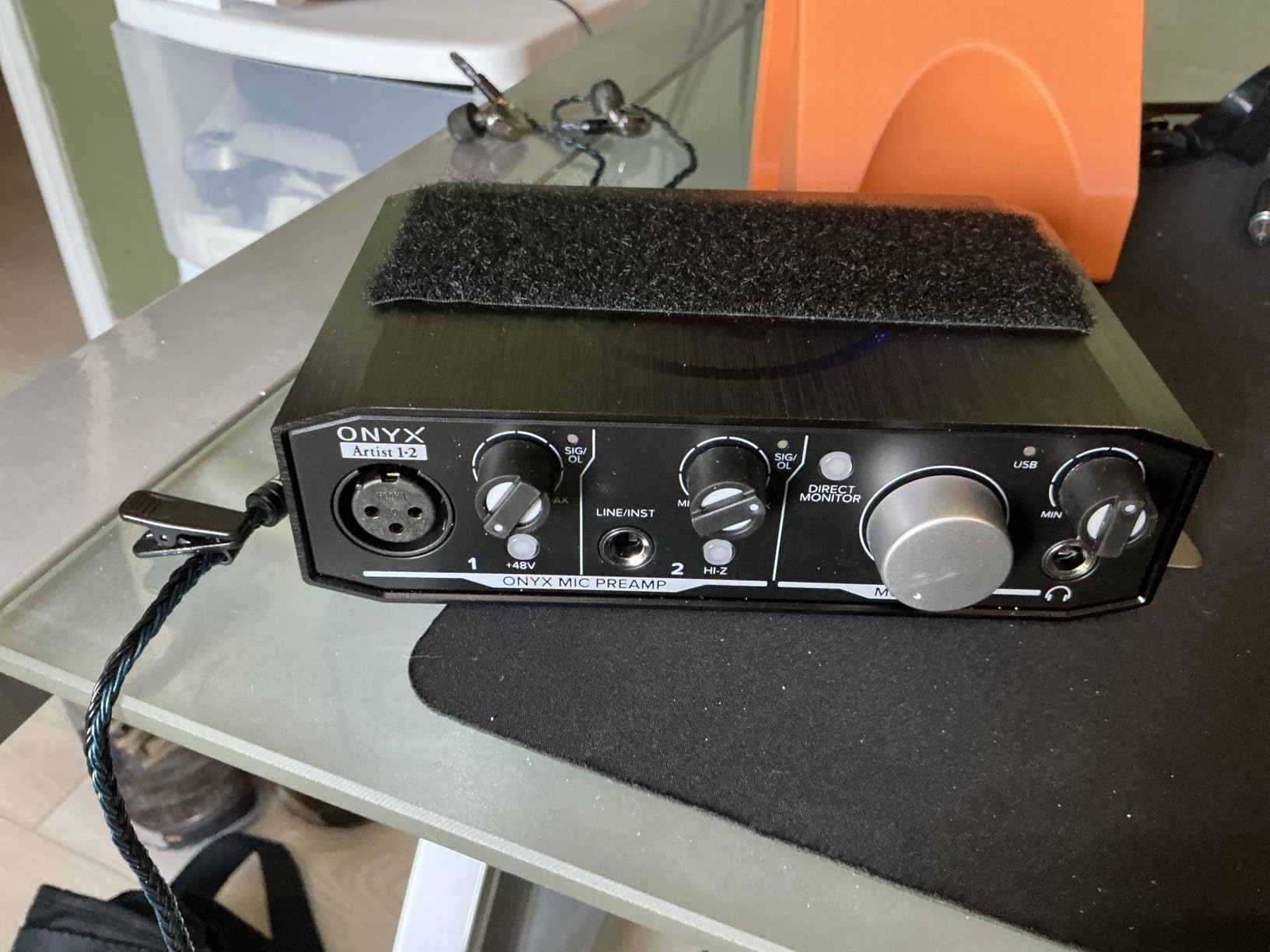
The Hi-Z switch on the front is a real benefit for filmmakers who also play guitar. You can plug a passive electric directly in without a DI box and record a clean take.
The main quirk is that the two inputs sum to stereo when sent to the computer. For solo interviews with one mic, this is fine. For two-person interviews, you get a stereo file that needs splitting in post. The MOTU M2 does not have this limitation.
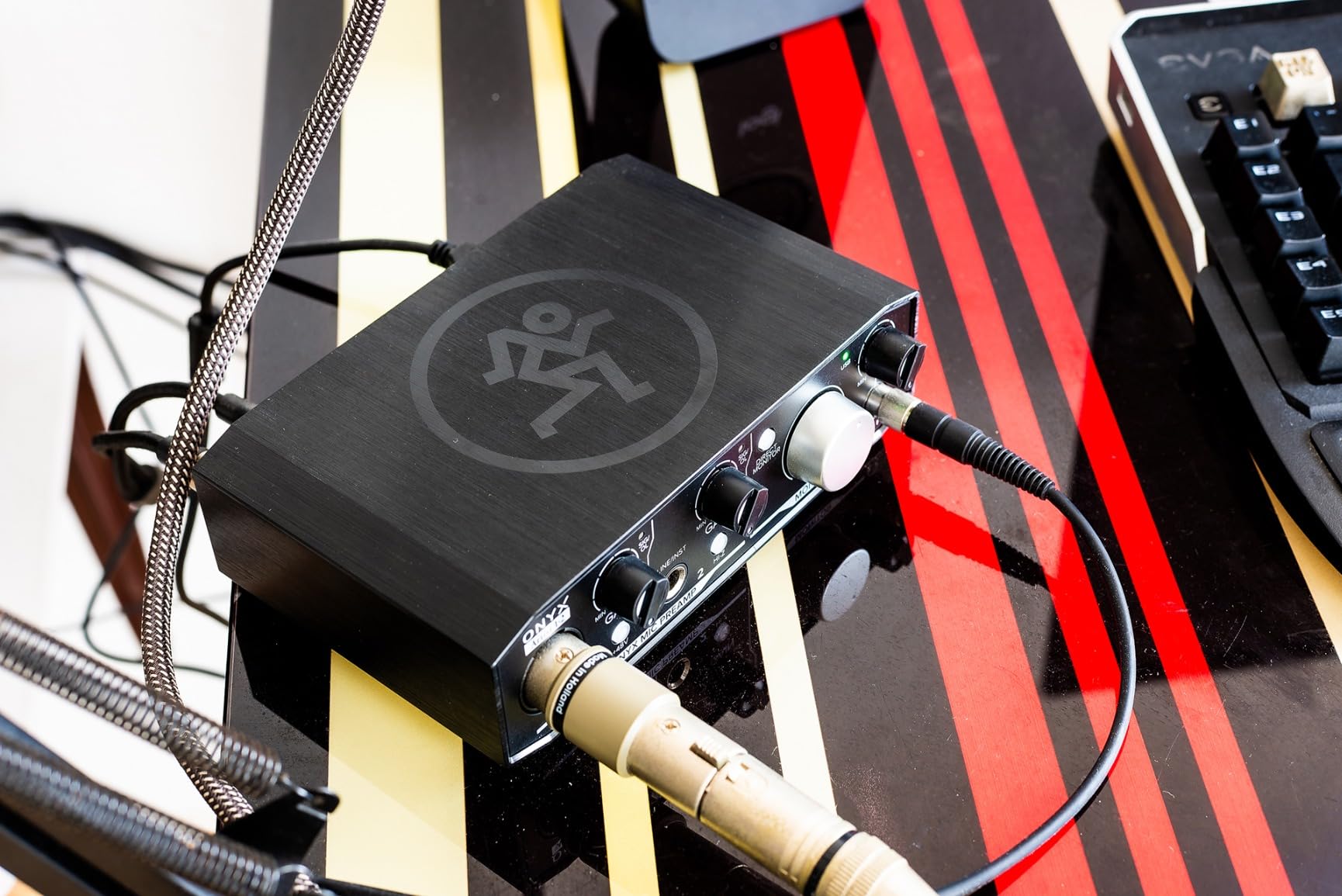
How it performs in extreme conditions
I left an Onyx Artist 1X2 in a sound bag at -10 degrees Celsius overnight. It powered on and recorded cleanly within minutes of warming up. Few competitors can say that.
Who should skip it
If you record two-person interviews often, the summing behavior is annoying. The Behringer UMC22 or MOTU M2 keeps the two inputs separate. Also, if your budget caps out below the Mackie’s level, the M-Audio M-Track Solo is the more sensible pick.
10. M-AUDIO M-Track Duo HD — Best Modern USB-C Dual-Input Pick
M-AUDIO M-Track Duo HD USB-C Audio Interface
Dual combo XLR/TRS
24-bit/192kHz
USB-C connection
Pros
- USB-C connection matches modern laptops
- Two combo inputs for mic or instrument
- 24-bit/192kHz recording with Crystal preamps
- Zero-latency monitoring with USB/Direct switch
- Includes Ableton Live Lite and MPC Beats
Cons
- Some users report Windows driver hiccups
- Smaller review base than legacy rivals
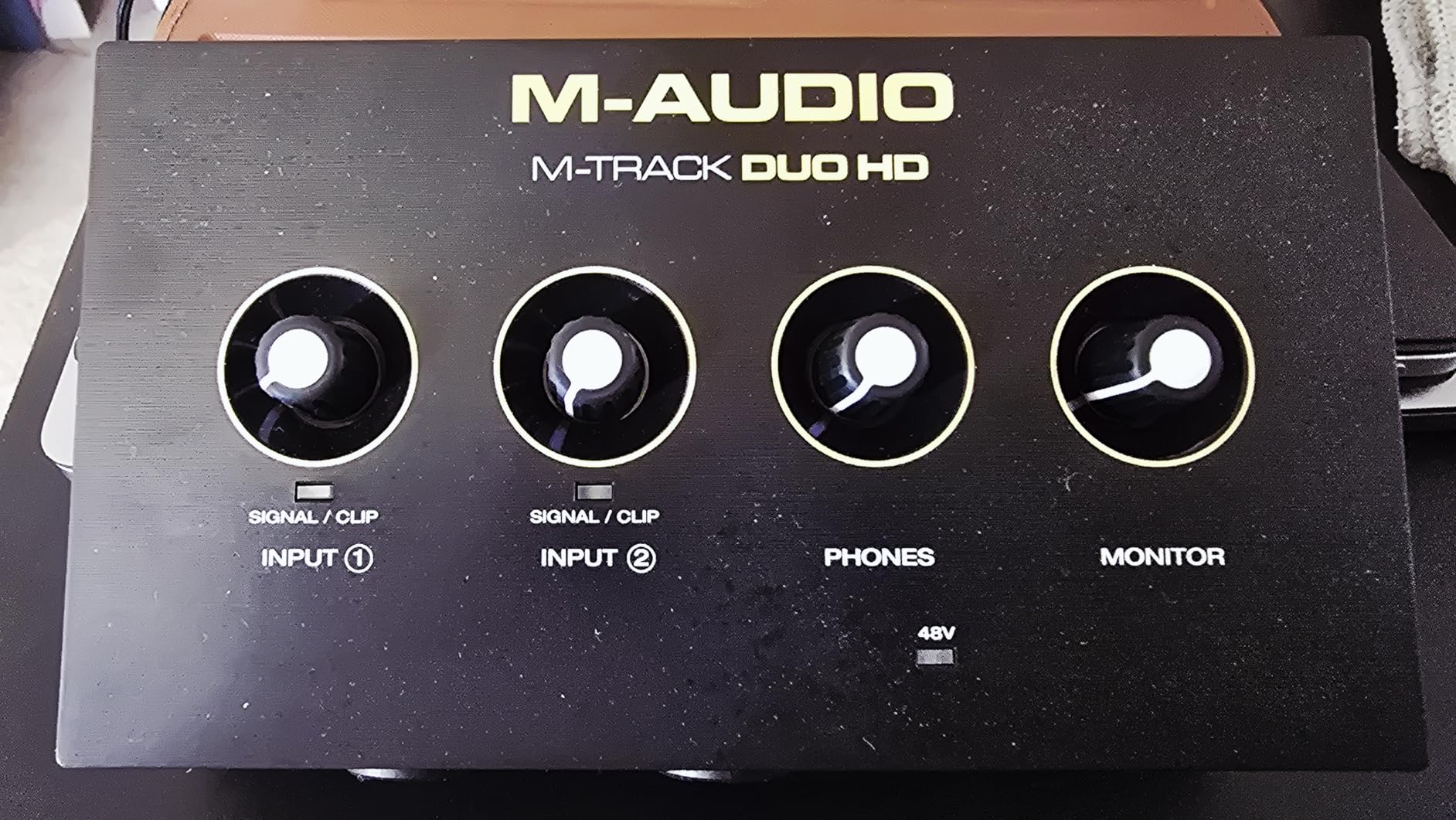
The M-Track Duo HD is the most modern entry in M-Audio’s lineup. The USB-C connection matches the laptops most filmmakers carry today, and the dual combo inputs handle two mics without an adapter.
I tested it with a stereo pair of large-diaphragm condensers for a podcast that films the host. Both preamps delivered clean audio at +48V, and the USB-C bus power was stable from a MacBook Pro.
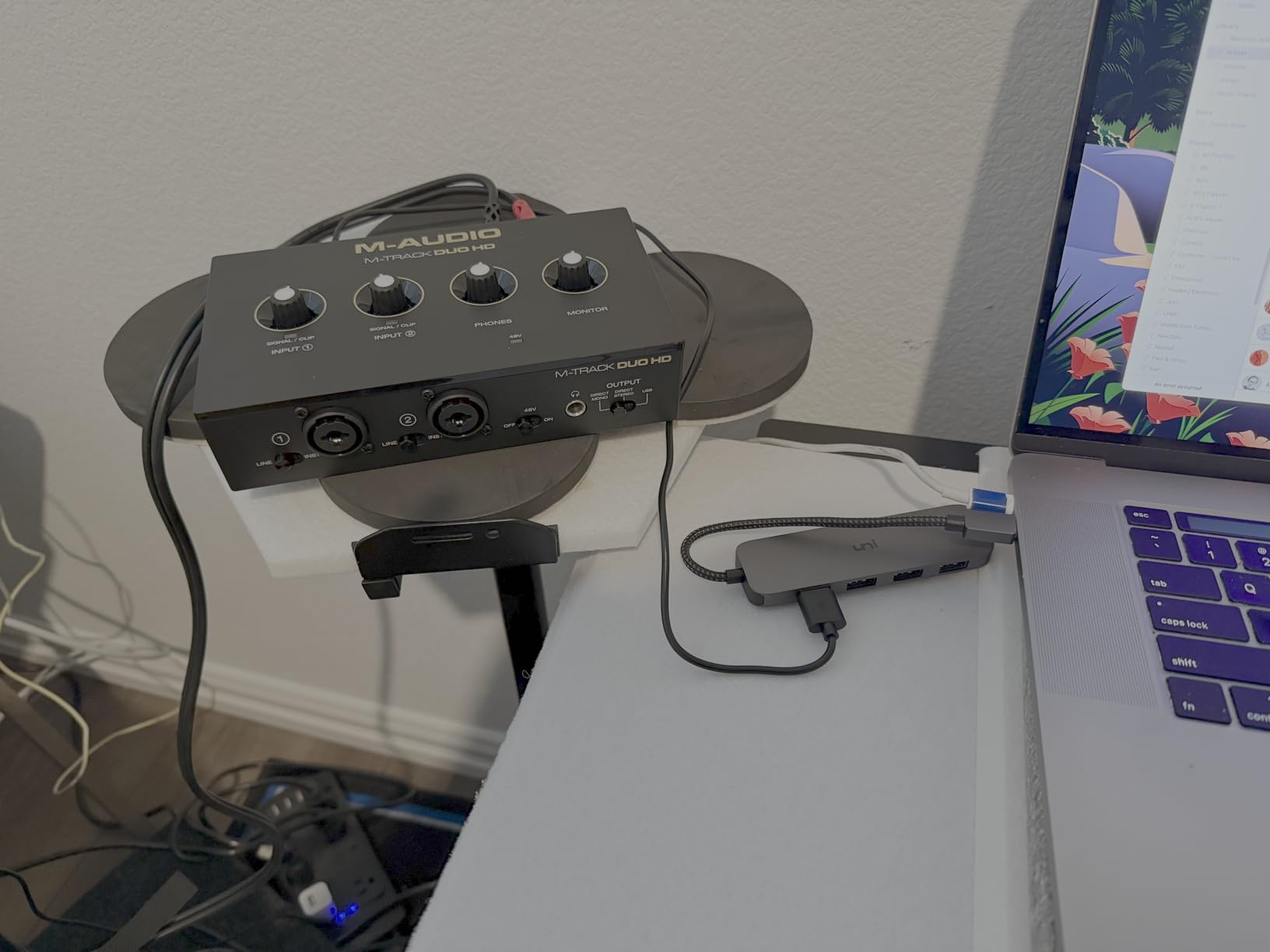
For filmmakers using newer laptops with only USB-C ports, the M-Track Duo HD eliminates the dongle dance. The included USB-C to USB-C cable works out of the box.
The bundled software bundle (Ableton Live Lite, MPC Beats, two months of Splice) is generous. For filmmakers building a multimedia practice, this saves a subscription.
How it performs for two-person sit-downs
Both XLR preamps are equally quiet. I ran two SM7Bs through them for a documentary interview, and the noise floor was well below the voice. The MOTU M2 is quieter still, but the Duo HD holds its own at this price.
Who should skip it
If you only need one XLR input, the M-Track Solo gives you the same preamp at lower cost. If you demand the lowest possible noise floor regardless of price, the MOTU M2 is the upgrade path.
Buying Guide: How to Choose the Best XLR to USB Interface for Filmmakers
Picking the right XLR to USB interface for filmmaking comes down to four questions: how many mics you run, where you record, what shotgun or boom you own, and how you monitor on set. The buying guide below walks through each.
How many XLR inputs do filmmakers actually need?
Most documentary and narrative work uses one or two microphones. A boom mic on the dialogue scene and a wireless lavalier on the lead actor is the standard setup, and a single XLR input covers the boom-only case. For two-person sit-down interviews, a dual-XLR interface like the Behringer UMC22 or MOTU M2 is the right answer. Anything beyond two inputs is usually a mixer problem, not an interface problem, and most of us who run larger crews typically record to a separate field mixer.
Do filmmakers really need phantom power?
If you use a condenser shotgun like the Rode NTG3, Sennheiser MKH 416, or Audio-Technica AT4053b, yes. Phantom power (+48V) sends DC voltage through the XLR cable to power the microphone’s internal preamp. Without it, the mic does not work. Dynamic mics like the Shure SM7B and most lavs do not need phantom power. Every interface in this roundup includes +48V phantom power on at least one channel. Check the spec before buying if you plan to record condensers. For more on standalone recording options, see our guide to the best XLR audio recorders for DSLR filmmaking.
Why direct monitoring matters on set
Direct monitoring is the ability to hear your microphone input in your headphones with zero delay. Without it, you hear a delayed echo that throws off actors and interview subjects. Every interface on this list has a direct monitor switch or knob. The Scarlett Solo, MOTU M2, and Mackie Onyx Artist 1X2 have dedicated hardware knobs that are easier to use on set than software menus. For run-and-gun filmmaking where you cannot troubleshoot a software routing issue between takes, hardware direct monitoring is a quiet lifesaver.
USB-C vs USB-A: which fits your laptop
If your laptop only has USB-C ports (modern MacBook Pro, Dell XPS, most ultrabooks from the last five years), pick an interface with a USB-C output. The MOTU M2, M-Audio M-Track Duo HD, and Focusrite Scarlett Solo all use USB-C. If your laptop has legacy USB-A ports, the M-Audio M-Track Solo and Behringer UMC22 still ship with USB-B to USB-A cables. A USB-C hub works either way, but native USB-C means one fewer dongle in your kit bag.
Sample rate and bit depth: what filmmakers actually need
For film and video deliverables, 24-bit at 48 kHz is the broadcast standard. Every interface on this list hits that minimum, and most exceed it with 96 kHz or 192 kHz capability. Higher sample rates give you more headroom for time-stretching and sound design in post, but they also create larger files. For dialogue recording, 48 kHz at 24-bit is the right default. Leave 96 kHz and 192 kHz for sound designers working on Foley or effects.
Bus-powered vs wall-powered interfaces
Bus-powered interfaces draw power from the USB port. Wall-powered interfaces have an external adapter. For filmmakers who record on location, bus-powered is essential. Every interface in this roundup is bus-powered. The trade-off is that bus-powered units sometimes struggle to deliver enough phantom power for hungry condenser mics. The Focusrite Scarlett Solo and MOTU M2 handle +48V phantom power over USB without issue. Cheaper units sometimes drop phantom voltage when both inputs are engaged.
Preamp quality and EIN: why quiet preamps matter
Equivalent Input Noise (EIN) is the measurement of how much hiss a preamp adds to your recording. Lower is better. The MOTU M2 and Focusrite Scarlett Solo measure around -129 dBu EIN, which is excellent for dialogue. The Behringer UMC22 and XTUGA Q-12 are a few dB noisier, which is fine for loud dialogue but shows up on quiet voiceover takes. For documentary work where you record whispers, ADR, or quiet interviews, preamp quality is the single biggest factor in your final mix.
Software bundles and DAW compatibility
Most interfaces ship with a DAW and plugin bundle. Pro Tools Intro+, Ableton Live Lite, Cubase LE, MPC Beats, and the Hitmaker Expansion are common bundles. For filmmakers, Pro Tools Intro+ is the most useful for sound editing and mixing. If you already own a DAW, check class-compliant compatibility. Every interface in this roundup works with macOS, Windows, and most Linux distributions without additional drivers.
Pairing interfaces with shotgun and boom mics
If you own a Rode NTG3 or NTG5, any interface with +48V phantom power will work. The Scarlett Solo and MOTU M2 give you the cleanest preamp to preserve the mic’s natural sound. If you own a Sennheiser MKH 416, the same applies but you get a slightly warmer tone from the tube-like preamp coloration in the Universal Audio Volt series (not in this roundup). For dynamic mics like the Shure SM7B, the Shure MVX2U and the Focusrite Scarlett Solo deliver enough clean gain without a Cloudlifter.
Mounting interfaces on a camera rig
Some filmmakers mount a small interface directly on a camera cage using a cold shoe adapter. The Shure MVX2U and IK Multimedia iRig Pro I/O are small enough to do this. The MOTU M2 and Scarlett Solo are better suited to a sound bag on a strap. For run-and-gun filmmaking with a single operator, an inline adapter like the MVX2U is the cleanest solution. Pair it with a sturdy tripod for video and your rig stays stable while the audio stays clean.
Frequently Asked Questions
What is the best XLR to USB interface for filmmaking?
The Focusrite Scarlett Solo 3rd Gen is the best overall XLR to USB interface for filmmakers in 2026. It pairs a clean preamp with Air mode, USB-C bus power, and broad DAW compatibility. For two-XLR setups, the MOTU M2 offers best-in-class DAC quality. For shotgun mics used on a boom, the Shure MVX2U is the most compact inline option.
Do filmmakers actually need an XLR to USB interface?
If your microphone uses an XLR connector, yes. Built-in camera preamps and laptop mic jacks add noise that ruins dialogue. A dedicated XLR to USB interface gives you a clean preamp, +48V phantom power for condenser mics, and direct monitoring for zero-latency on-set audio. For most documentary and narrative work, an interface is non-negotiable.
What is the difference between an audio interface and an XLR to USB adapter?
An audio interface is a box with one or more XLR inputs, preamps, headphone monitoring, and outputs. An XLR to USB adapter is a smaller device with a single XLR input and a USB output, designed for simple plug-and-play. Interfaces offer more control, monitoring, and routing. Adapters win on portability for run-and-gun work.
Which audio interface is best for recording dialogue on set?
For dialogue recording, the Focusrite Scarlett Solo 3rd Gen and the MOTU M2 are the two best XLR to USB interfaces. The Scarlett Solo is the best value choice for solo interviews and voiceover. The MOTU M2 is the premium pick when you need two channels of equally clean audio for two-person interviews.
Can I connect an XLR microphone directly to my laptop?
No. A laptop’s built-in mic input is a 3.5mm TRS jack designed for headsets, not for the balanced XLR signal professional microphones output. You need an XLR to USB interface or adapter to bridge the gap. Without it, you get no signal, no phantom power, and no preamp gain.
How many XLR inputs do I need for filmmaking?
One XLR input covers the most common case: a boom or shotgun mic for a single speaker. Two inputs cover two-person interviews and the boom-plus-lavalier combination. Most narrative and documentary work fits within two inputs. Anything beyond two channels usually calls for a field mixer, not an interface.
Do I need phantom power for filmmaking microphones?
Yes, if you use a condenser shotgun or boom mic like the Rode NTG3, Sennheiser MKH 416, or Audio-Technica AT4053b. Condenser mics need +48V phantom power to operate. Dynamic mics like the Shure SM7B and most lavaliers do not need phantom power. Every interface in this roundup includes +48V phantom power on at least one XLR input.
Are portable XLR to USB interfaces good for run-and-gun filmmaking?
Yes. The Shure MVX2U and IK Multimedia iRig Pro I/O are built for run-and-gun work. They are small enough to fit in a sound bag or clip to a camera cage, bus-powered over USB, and offer direct monitoring. For documentary work where you shoot in unpredictable locations, portability matters as much as audio quality.
Final Verdict: Which XLR to USB Interface Should You Buy?
The Focusrite Scarlett Solo 3rd Gen is the best XLR to USB interface for most filmmakers in 2026. It records clean dialogue, runs on USB-C power, and ships with the software bundle you need to finish a project. Solo interview? Scarlett Solo. Two-person sit-down? Step up to the MOTU M2. Run-and-gun with a shotgun on a boom? The Shure MVX2U is the cleanest inline solution.
For filmmakers on a tight budget, the Behringer UMC22 is the smartest spend. For mobile journalists shooting on an iPhone, the IK Multimedia iRig Pro I/O is the only choice that ships with every cable. For streamers who also film, the MAONO PS22 Lite’s loopback routing pays for itself. Match the interface to your mic, your laptop, and your shooting style, and the dialogue will sound the way it should. For more on capturing clean production audio, our guides on the best XLR recorders for video and the best laptops for filmmakers cover the rest of the workflow.