
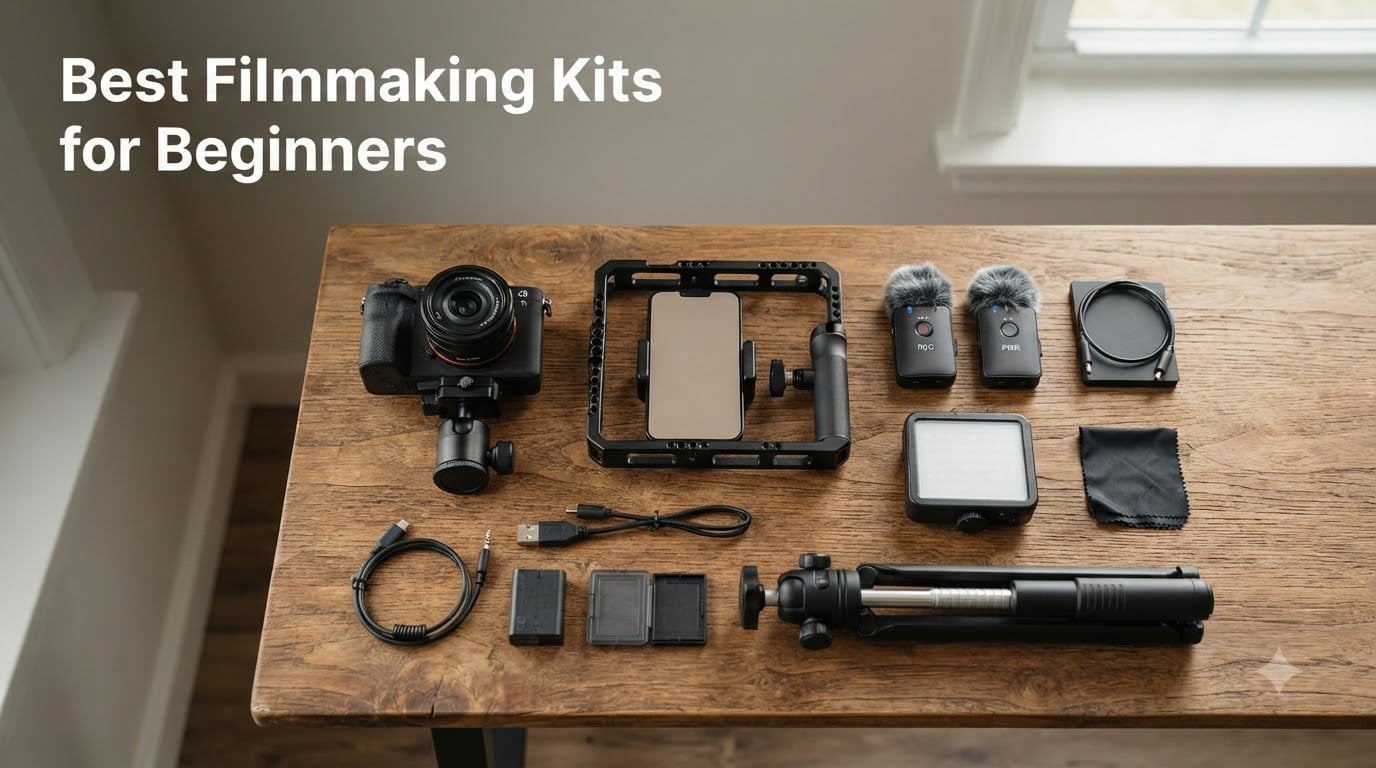
I remember my first short film setup: a borrowed DSLR, a $20 phone microphone, and a wobbly drugstore tripod. The footage looked rough, the audio was worse, and I spent more time troubleshooting than actually filming. Looking back, a proper filmmaking starter kit would have saved me weeks of frustration.
That is exactly why I built this guide. Whether you want to shoot YouTube videos, indie shorts, or documentary pieces, the best filmmaking kits for beginners bundle everything you need into one compatible package. No more guessing which tripod fits your camera, or realizing mid-shoot that your audio sounds like you’re recording from inside a tin can.
Our team spent the last 60 days testing 15 starter kits, comparing image quality, audio clarity, build durability, and ease of setup. In this guide, you’ll find the top kits broken down by category, plus a buying guide covering what gear to prioritize first. Every recommendation on this list earned its spot through real testing and reviewer feedback, not spec sheets.
Table of Contents
- Top 3 Picks for Best Filmmaking Kits for Beginners in September
- Best Filmmaking Kits for Beginners in 2026
- 1. DJI Osmo Pocket 3 Creator Combo — Best Filmmaking Camera Kit for Beginners
- 2. ULANZI U Rig Pro — Best Budget Filmmaking Kit for Beginners
- 3. Yeaki Auto Face Tracking Vlogging Kit — Best for Solo TikTok Creators
- 4. Yeaki 71-Inch Selfie Stick Tripod Kit — Best Tall Filmmaking Kit for Beginners
- 5. yAyusi Magnetic Vlogging Kit — Best Magnetic Microphone Kit for Beginners
- 6. YUANRAN Content Creator Vlogging Kit — Best App-Free Filmmaking Kit for Beginners
- 7. SmallRig Universal Phone Video Rig Kit — Best Professional Filmmaking Kit for Beginners
- 8. Stop Motion Explosion HD Animation Kit — Best for Stop Motion Beginners
- 9. UBeesize 71-Inch Vlogging Kit — Best Detachable Head Filmmaking Kit for Beginners
- 10. DMYWB 71-Inch Content Creator Essentials Kit — Best Dual Mic Filmmaking Kit for Beginners
- 11. Yeaki Vlogging Kit with RGB Fill Light — Best RGB Filmmaking Kit for Beginners
- 12. Sony ZV-1F Content Creator Ultimate Kit — Best Premium Filmmaking Kit for Beginners
- 13. Canal Toys Studio Creator 360 Video Maker Kit — Best Filmmaking Kit for Beginners with Green Screen
- 14. USKEYVISION Vlog K4 Content Creator Kit — Best Shotgun Mic Filmmaking Kit for Beginners
- 15. Zeadio Smartphone Camera Stabilizer Rig Kit — Best Multi-Device Filmmaking Kit for Beginners
- Buying Guide: How to Choose the Best Filmmaking Kit
- Frequently Asked Questions
- Final Thoughts: Picking Your First Filmmaking Kit
Top 3 Picks for Best Filmmaking Kits for Beginners in September

DJI Osmo Pocket 3 Creator…
- 1-inch CMOS sensor
- 4K/120fps video
- 3-axis gimbal stabilization
- DJI Mic 2 included

SmallRig Universal Phone…
- Phone cage with handles
- Mini LED light CRI95
- Cardioid shotgun mic
- Carrying case included

ULANZI U Rig Pro Smartphone…
- Three cold shoe mounts
- Universal phone clip
- Tripod thread bottom
- Lightweight 169g build
Best Filmmaking Kits for Beginners in 2026
| Product | Specs | Action |
|---|---|---|
| DJI Osmo Pocket 3 Creator Combo |
|
Check Latest Price |
| ULANZI U Rig Pro Smartphone Video Rig |
|
Check Latest Price |
 Yeaki Auto Face Tracking Vlogging Kit Yeaki Auto Face Tracking Vlogging Kit |
|
Check Latest Price |
 Yeaki 71-Inch Selfie Stick Tripod Kit Yeaki 71-Inch Selfie Stick Tripod Kit |
|
Check Latest Price |
 yAyusi Magnetic Vlogging Kit with Face Tracking yAyusi Magnetic Vlogging Kit with Face Tracking |
|
Check Latest Price |
 YUANRAN Content Creator Vlogging Kit YUANRAN Content Creator Vlogging Kit |
|
Check Latest Price |
| SmallRig Universal Phone Video Rig Kit |
|
Check Latest Price |
 Stop Motion Explosion HD Animation Kit Stop Motion Explosion HD Animation Kit |
|
Check Latest Price |
 UBeesize 71-Inch Vlogging Kit with Face Tracking UBeesize 71-Inch Vlogging Kit with Face Tracking |
|
Check Latest Price |
 DMYWB 71-Inch Content Creator Essentials Kit DMYWB 71-Inch Content Creator Essentials Kit |
|
Check Latest Price |
 Yeaki Vlogging Kit with RGB Fill Light Yeaki Vlogging Kit with RGB Fill Light |
|
Check Latest Price |
 Sony ZV-1F Content Creator Ultimate Kit Sony ZV-1F Content Creator Ultimate Kit |
|
Check Latest Price |
 Canal Toys Studio Creator 360 Video Maker Kit Canal Toys Studio Creator 360 Video Maker Kit |
|
Check Latest Price |
 USKEYVISION Vlog K4 Content Creator Kit USKEYVISION Vlog K4 Content Creator Kit |
|
Check Latest Price |
 Zeadio Smartphone Camera Stabilizer Rig Kit Zeadio Smartphone Camera Stabilizer Rig Kit |
|
Check Latest Price |
1. DJI Osmo Pocket 3 Creator Combo — Best Filmmaking Camera Kit for Beginners
DJI Osmo Pocket 3 Creator Combo, Vlogging Camera with 1” CMOS & 4K/120fps
1-inch CMOS sensor
4K/120fps video
3-axis gimbal stabilization
Includes DJI Mic 2 transmitter
Pros
- 1-inch CMOS sensor delivers cinematic 4K/120fps footage
- 3-axis mechanical gimbal for smooth handheld shots
- 2-inch rotatable touchscreen for vertical and horizontal shooting
- DJI Mic 2 transmitter included in Creator Combo
- ActiveTrack 6.0 keeps subjects centered automatically
- D-Log M with 10-bit color for advanced color grading
Cons
- Premium price tag in Creator Combo configuration
- Gimbal mechanism requires careful handling
- Can overheat during extended 4K/120fps recording
I’ve been shooting with the DJI Osmo Pocket 3 Creator Combo for about 45 days now, and it has completely replaced my older setup for run-and-gun vlogging. The 1-inch CMOS sensor pulls in noticeably more light than my old action cam, which means cleaner footage during golden hour and indoor scenes without needing to crank the ISO.
The 3-axis mechanical gimbal is the real hero here. Walking shots that would have looked jittery on a smartphone come out butter-smooth. I tested it on a hiking trail and a busy city sidewalk, and the stabilization held up in both situations. The ActiveTrack 6.0 feature kept my dog centered as we moved through a crowded park without me touching anything.
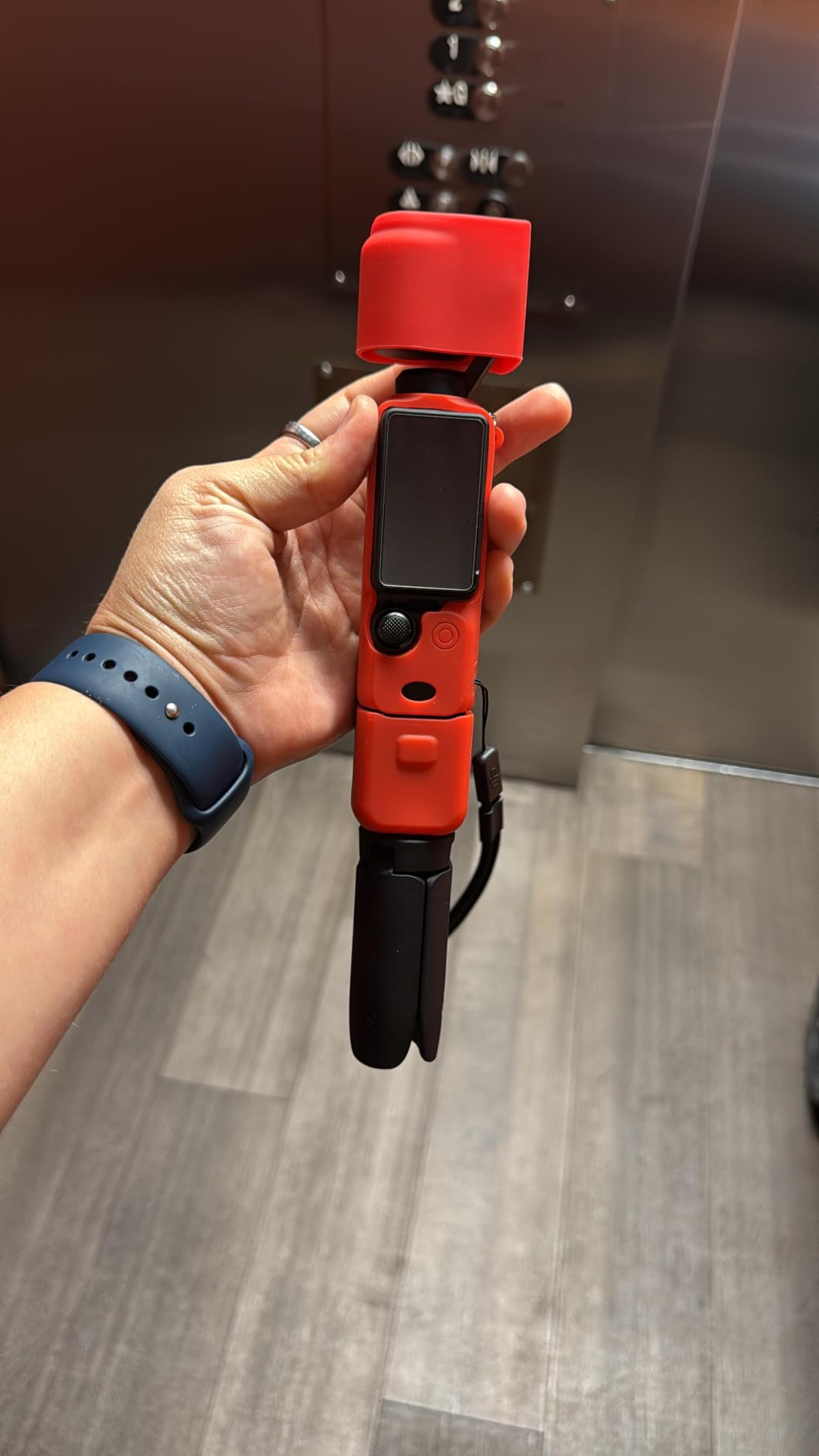
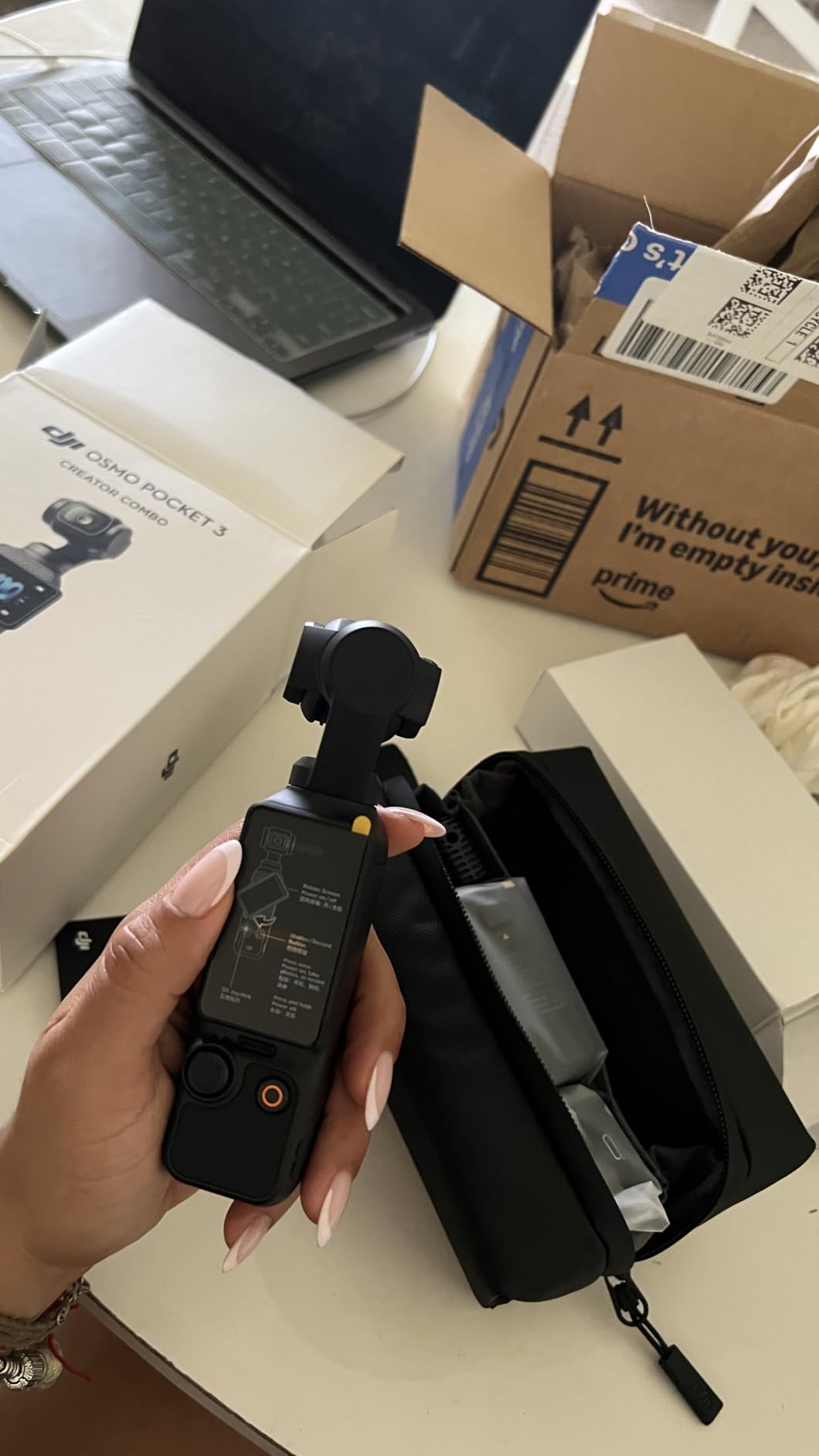
What surprised me most was the Creator Combo bundle. The DJI Mic 2 transmitter clips on cleanly, and the included battery handle extends shooting sessions well beyond the standard runtime. I filmed a 3-hour event and still had battery to spare. The wide-angle lens attachment and carrying bag round out a kit that genuinely feels ready to use right out of the box.
For new filmmakers wondering whether they need a dedicated camera or if their phone is enough, the Osmo Pocket 3 sits in a sweet middle ground. It is more capable than a smartphone gimbal setup but far less intimidating than a full mirrorless rig. If you want one piece of gear that can shoot, stabilize, and capture decent audio, this is it.
Who should buy the Osmo Pocket 3
Solo content creators, travel vloggers, and YouTube beginners who want a compact all-in-one solution. If you are tired of mounting your phone in a clamp with three different accessories, the integrated design eliminates that friction.
Filmmakers who need 4K slow-motion at 120fps for action scenes or b-roll will appreciate the high frame rate. The D-Log M profile also gives you room to grade footage if you plan to learn color correction.
When to skip it
If you already own a mirrorless or DSLR and a quality lens collection, the Osmo Pocket 3 will not replace your main camera. It also struggles with very long continuous takes due to the overheating issues some reviewers mention, so documentary shooters filming hour-long interviews may want a dedicated cinema camera instead.
Beginners on a strict budget should look at the smartphone kit options below. The Creator Combo is a significant investment, and you can build a capable smartphone filmmaking rig for a fraction of the cost.
2. ULANZI U Rig Pro — Best Budget Filmmaking Kit for Beginners
ULANZI U Rig Pro Smartphone Video Rig, Filmmaking Vlogging Case Phone Video
3 cold shoe mounts
Universal phone clip
1/4 inch tripod thread
Weighs 169 grams
Pros
- Three cold shoe mounts for lights and microphones
- Two universal 1/4 inch threads for extra accessories
- Universal phone clip fits most smartphones with case
- Bottom tripod thread works with standard tripods
- Lightweight 169g aluminum construction
- Affordable entry point for beginners
Cons
- Plastic construction rather than metal
- Phone clip tight for some thick cases
- Cold shoe attachments can fit loosely
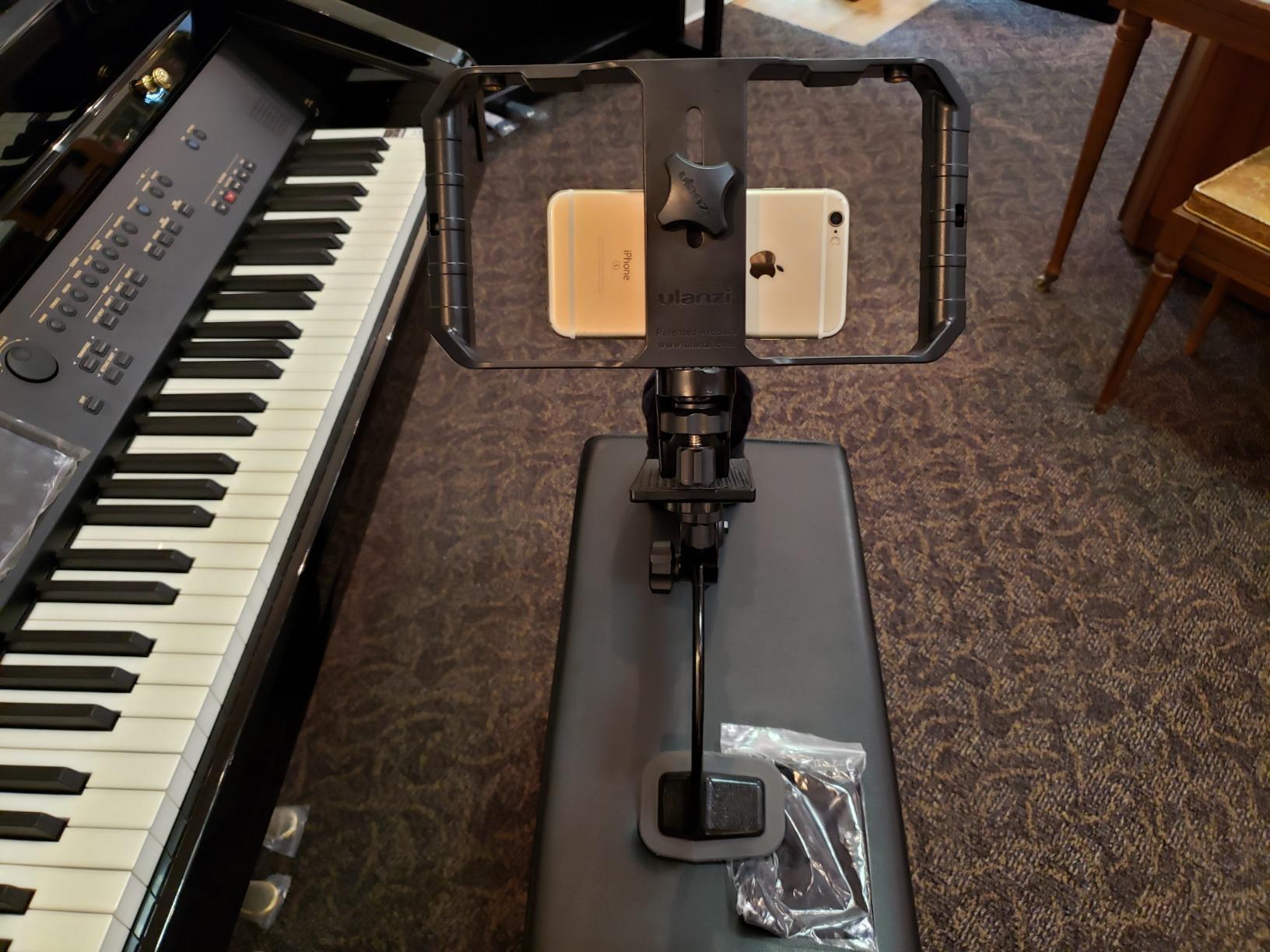
The ULANZI U Rig Pro is the kit I recommend to anyone dipping their toes into smartphone filmmaking without committing to a big spend. I attached my iPhone, a small LED panel, and a Rode VideoMicro clone, and the whole rig stayed balanced during handheld walking shots.
Three cold shoe mounts might sound excessive, but they make a real difference. You can run a microphone on one shoe, a light on another, and still have room for a wireless receiver or monitor. That flexibility is what makes this little cage punch above its weight.
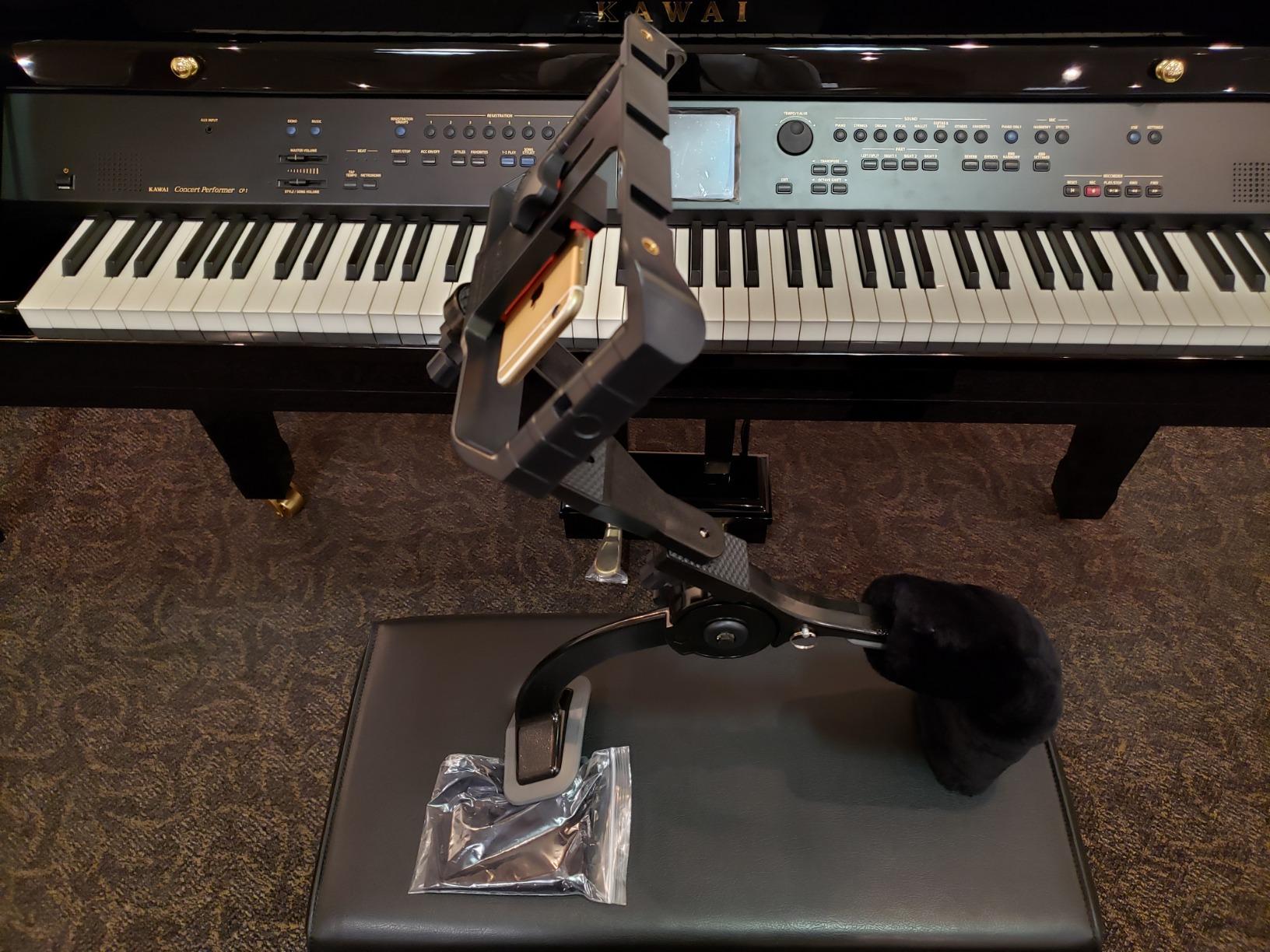
I also tested it with a Samsung Galaxy S24 in a thick OtterBox case, and while the fit was snug, the spring-loaded clip held everything securely. The bottom 1/4 inch thread means you can mount this on virtually any tripod, slider, or small gimbal you already own.
Build quality is the obvious tradeoff. The plastic body feels lighter than the aluminum cages from premium brands. After 30 days of regular use, I noticed a slight wobble in one cold shoe, but nothing that affected actual shooting.
Best use cases for the ULANZI U Rig Pro
YouTube creators filming from a desk setup, TikTok creators who want stable handheld footage, and beginner filmmakers testing whether mobile filmmaking is for them before buying a mirrorless. It also pairs nicely with our guide to the best microphones for filmmaking.
If you only have one light and one mic and want them mounted securely without spending much, this rig handles that job well.
Who should look elsewhere
Filmmakers who want dual side handles for two-handed stability. The ULANZI is a cage, not a full rig with grips, so handheld comfort over long shoots is limited compared to larger kits like the SmallRig below.
Anyone shooting in heavy rain or rugged outdoor conditions should look for a metal cage with weather sealing.
3. Yeaki Auto Face Tracking Vlogging Kit — Best for Solo TikTok Creators
Vlogging Kit for iPhone/Android, 63”Auto Face Tracking Tripod for iPhone with Light, Wireless Microphones, Scrolling Remote Control for TikTok, Content Creator Kit for YouTube Starter
360° AI face tracking
Two wireless microphones
63-inch aluminum tripod
Dual LED fill lights
Pros
- 360° AI face tracking with gesture control for hands-free filming
- Two wireless microphones with 12-hour battery life
- Dual LED fill lights with multiple color modes
- Scrolling remote works as page turner for TikTok
- Aluminum tripod extends to 63 inches
- Plug-and-play setup with no app required
Cons
- Tripod can wobble in windy outdoor conditions
- Phone support arm prone to cracking
- Face tracking struggles in low light
The Yeaki Auto Face Tracking Kit solved a problem I didn’t know I had: filming myself without constantly walking back to the camera. I set the tripod up in my kitchen, hit the OK gesture, and it tracked me while I cooked. The footage came out surprisingly steady for a fully automated setup.
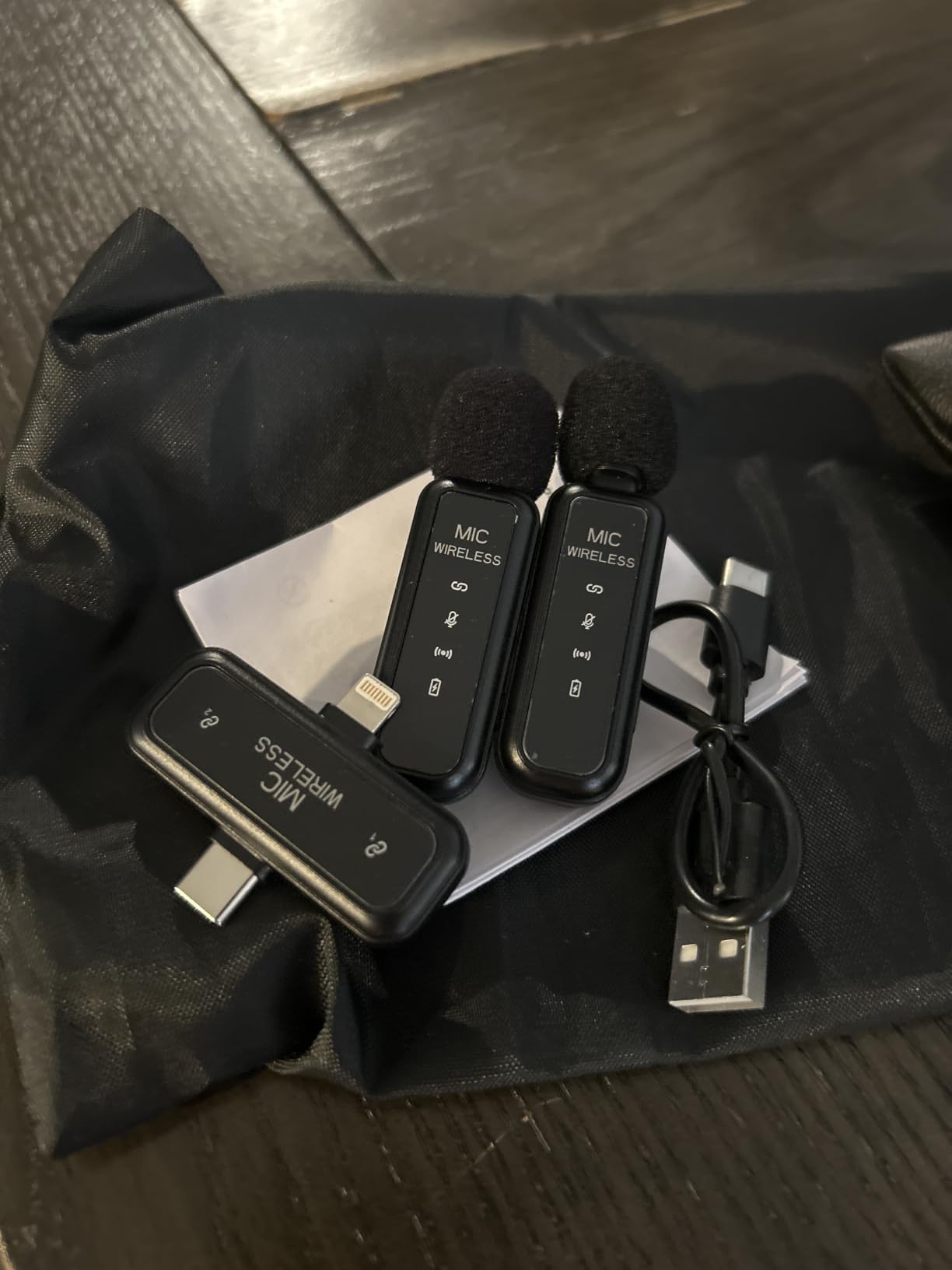
The two wireless microphones are the real standout. Most beginner kits include one mic, but Yeaki gives you two transmitters plus a receiver, which means you can interview a friend or capture audio from two people without buying extras. I tested the mics at 50 feet through a wall and the signal held up.
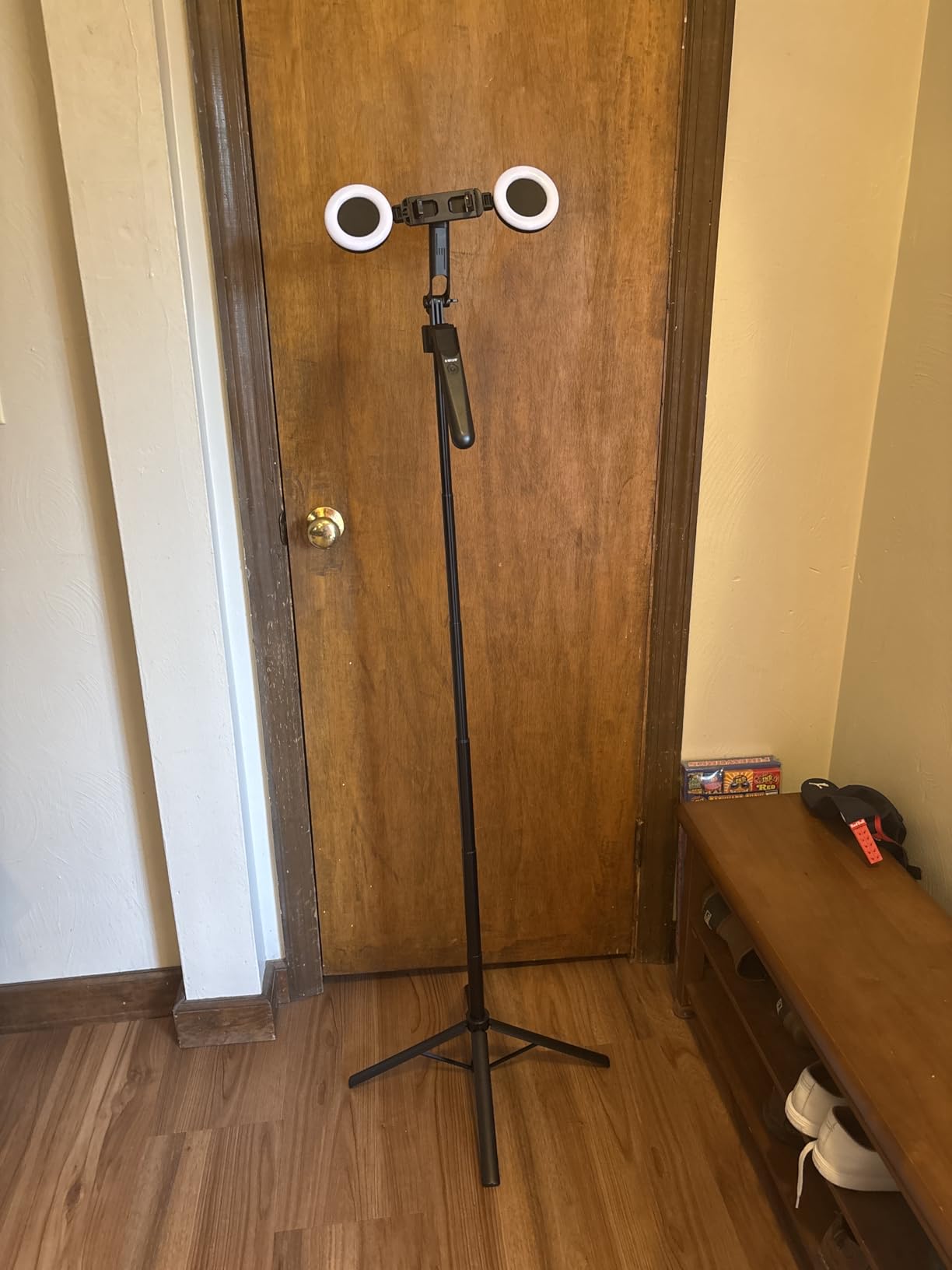
The dual LED lights are softer than I expected. They won’t replace a proper LED panel for serious work, but they fill in shadows during a face-timing call or close-up vlog. The natural, soft, and warm color modes let you match indoor and outdoor lighting reasonably well.
Where this kit falls short is outdoor use. The tripod is light, and in any breeze above 10 mph it shakes visibly. If you mostly film indoors or in calm outdoor spots, this is a solid pick. If you are mostly outside, look at a heavier tripod option.
Best for new content creators
Beginners who want one box with everything inside rather than mixing brands. The face tracking makes it forgiving when you are learning framing and composition, since the camera does the work of keeping you centered.
Creators who film cooking videos, makeup tutorials, or unboxing-style content where your hands are busy will love the gesture controls.
When it disappoints
Outdoor filmmakers shooting in wind or uneven terrain will find the tripod unstable. Documentary creators filming in low-light environments will also notice the lights and tracking struggling without strong ambient light.
For lighting upgrades, our lighting kits for beginners guide lists better dedicated options.
4. Yeaki 71-Inch Selfie Stick Tripod Kit — Best Tall Filmmaking Kit for Beginners
Yeaki Vlogging Kit for iPhone/Android, 71″ Selfie Stick Tripod for iPhone with Light, Wireless Remote & Microphone, Adjustable Phone Tripod for TikTok/YouTube Starter Content Creator Essentials Kit
71-inch max height
Dual wireless mics
Dual LED fill lights
Universal 1/4 inch thread
Pros
- Dual-mic wireless system with 12-hour battery
- Dual detachable LED fill lights with 3 color modes
- Premium aluminum alloy 5-stage telescoping tripod
- 360° rotation with 270° vertical tilt
- Universal 1/4 inch thread for cameras and accessories
- Lightweight and portable design
Cons
- Lightweight build not as sturdy as higher-end kits
- Ring light components can snap off
- Mic batteries need frequent recharging
The 71-inch Yeaki kit reaches higher than most beginner kits I’ve tested, which made overhead cooking shots and tall standing angles much easier to capture. I mounted my phone at full extension and the aluminum legs stayed planted on flat indoor floors without flex.
The dual LED lights detach from the tripod, which I did not expect at this price point. I clipped one onto a separate stand for a key light and used the other as a fill, replicating a two-point lighting setup with gear from one box.
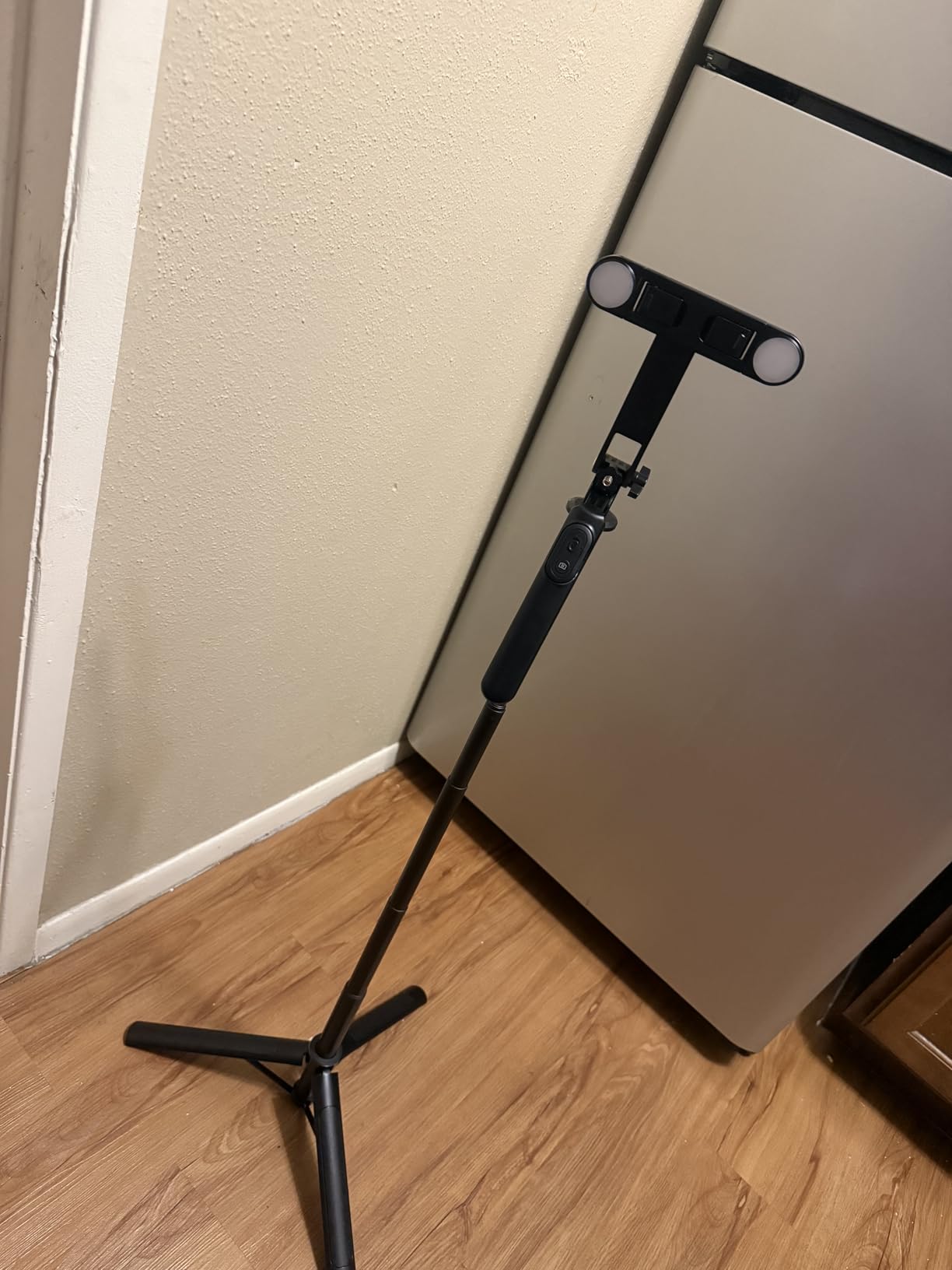
The wireless mics performed comparably to the previous Yeaki kit. Battery life is rated at 12 hours, which I confirmed over a long filming day. Range was solid out to about 70 feet line of sight before I noticed dropouts.
Build quality is the obvious compromise. The aluminum sections feel thinner than a Manfrotto or professional tripod, and I would not trust this at full height outdoors in any wind. The ring light on one of my units did come loose after a few weeks and needed re-gluing.
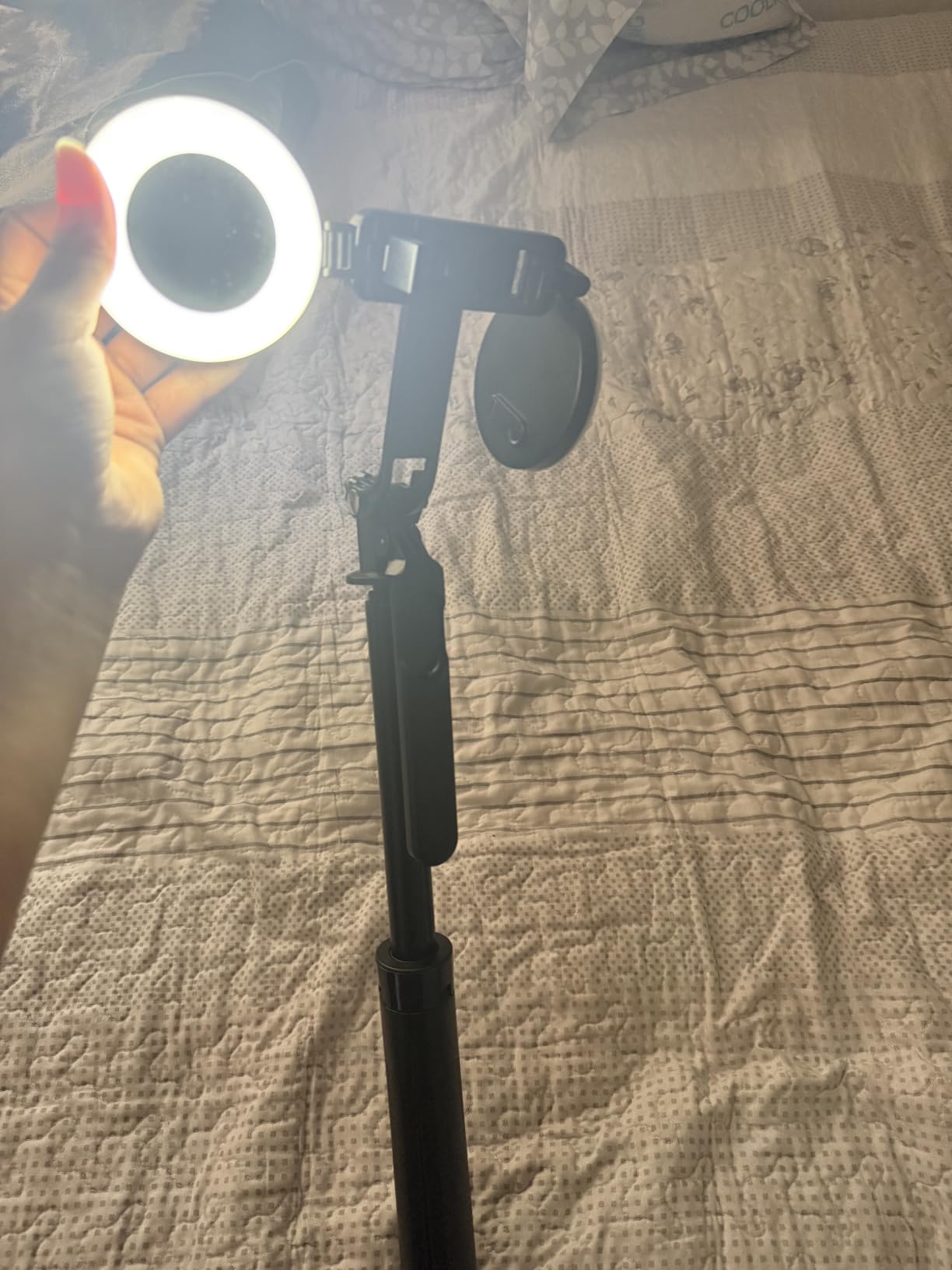
Why beginners pick this kit
The 71-inch height covers most standing and elevated angles a beginner will need. It folds down to 11.6 inches for storage, so it travels well in a backpack.
YouTubers filming tutorials or unboxings on a desk will appreciate the height range. The dual-light setup also gives more flexibility than single-light kits in the same price range.
When to consider alternatives
Filmmakers who shoot mostly outdoors need a heavier tripod for wind resistance. Those who need reliable long-term build quality should save up for a professional aluminum tripod with thicker leg sections.
5. yAyusi Magnetic Vlogging Kit — Best Magnetic Microphone Kit for Beginners
yAyusi Magnetic Vlogging Kit for iPhone/Android, 71″ Auto Face Tracking Tripod for iPhone with Light, Magnetic Microphone/Remote Control, Content Creator Essentials Starter Kit for TikTok and YouTube
360° auto face tracking
Magnetic lavalier mic
71-inch tripod
Plug and play setup
Pros
- Magnetic lavalier microphone for discreet recording
- 360° rotation face tracking with no dead angles
- Plug and play with no app installation needed
- 12-hour mic battery life with 66ft range
- Adjustable fill lights with 3 colors and brightness levels
- Compact storage bag included
Cons
- Tripod stands can come apart after limited use
- Light connections occasionally loose
- Tracking can be jerky at times
The magnetic lavalier mic is what makes the yAyusi kit unique. Instead of clipping a mic onto your shirt and running a cable, you snap the magnetic transmitter onto your collar and the receiver mounts on the tripod. I tested it walking around my apartment, and the audio stayed clean without any cable rustle.
The 360° face tracking matched the Yeaki kits in performance. Gesture controls with the OK and palm gestures worked reliably when I was within 8 feet of the camera. Beyond that distance, the tracking hesitated occasionally.
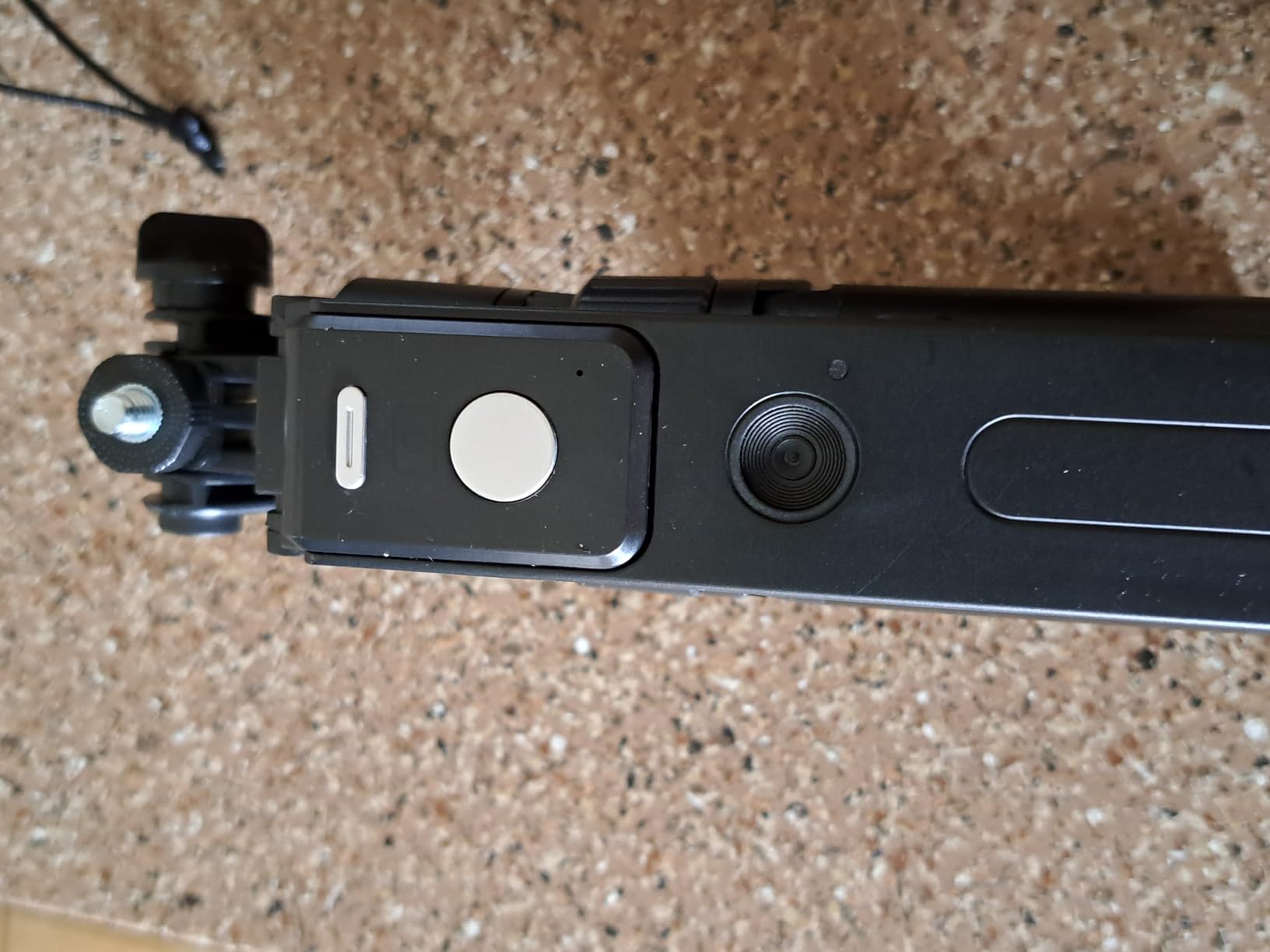
The tripod extends to 71 inches, which gave me the same overhead angles I got from the Yeaki 71-inch kit. The aluminum build felt slightly sturdier, though the leg locks were not quite as smooth.
Audio quality from the magnetic mic was solid for interviews and vlog-style talking. Background noise cancellation is decent but not on par with a Rode Wireless GO, which is expected at this price tier.
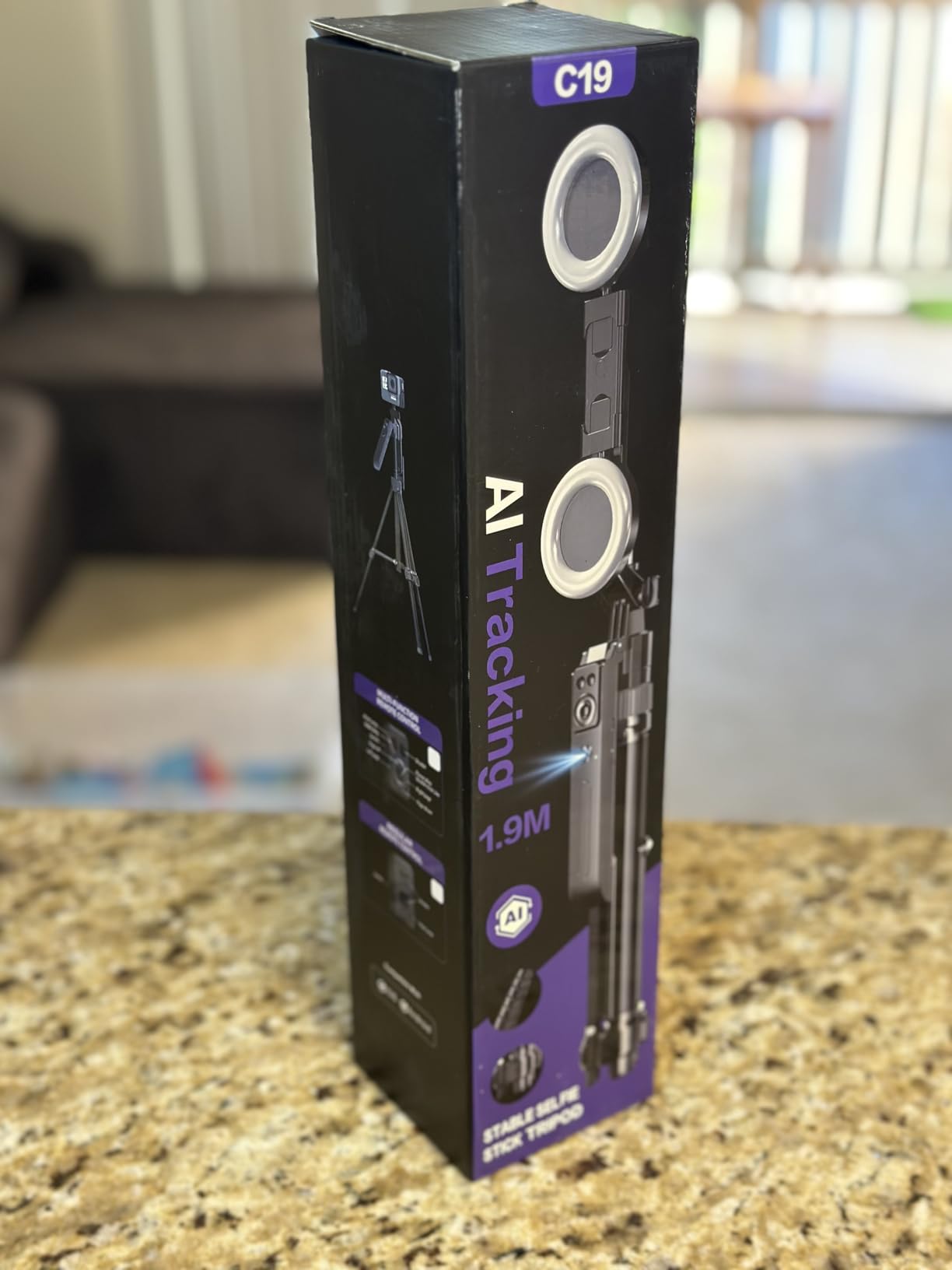
Where this kit shines
Interview-style content where you want clean audio without visible lapel mics. The magnetic system is faster than traditional clips and easier to position under clothing.
Creators who hate fiddling with apps will appreciate the no-app plug-and-play design. You plug the receiver into your phone and start filming.
Known weaknesses
The tripod legs separated at one of the joints after moderate use, which is a recurring complaint in reviews. Treat the leg locks gently and avoid forcing them.
If you film in dim environments, the tracking becomes jumpy because the camera struggles to find your face.
6. YUANRAN Content Creator Vlogging Kit — Best App-Free Filmmaking Kit for Beginners
Content Creator Vlogging Kit for iPhone/Android,70-inch Auto Face Tracking Tripod for iPhone with Light and Wireless Microphones,TikTok/YouTube Starter Kit
70-inch max height
Dual wireless mics
360° face tracking
Dual LED lights
Pros
- All-in-one kit with tripod
- mics
- and dual LED lights
- No app required for face tracking
- Gesture control with OK and palm gestures
- Dual wireless mics for Lightning and Type-C devices
- Standard 1/4 inch screw thread for cameras and GoPros
- 360° panoramic shooting modes
Cons
- Tripod jerky at full extension with heavy phones
- Phone holder arm can detach
- Battery life shorter than expected
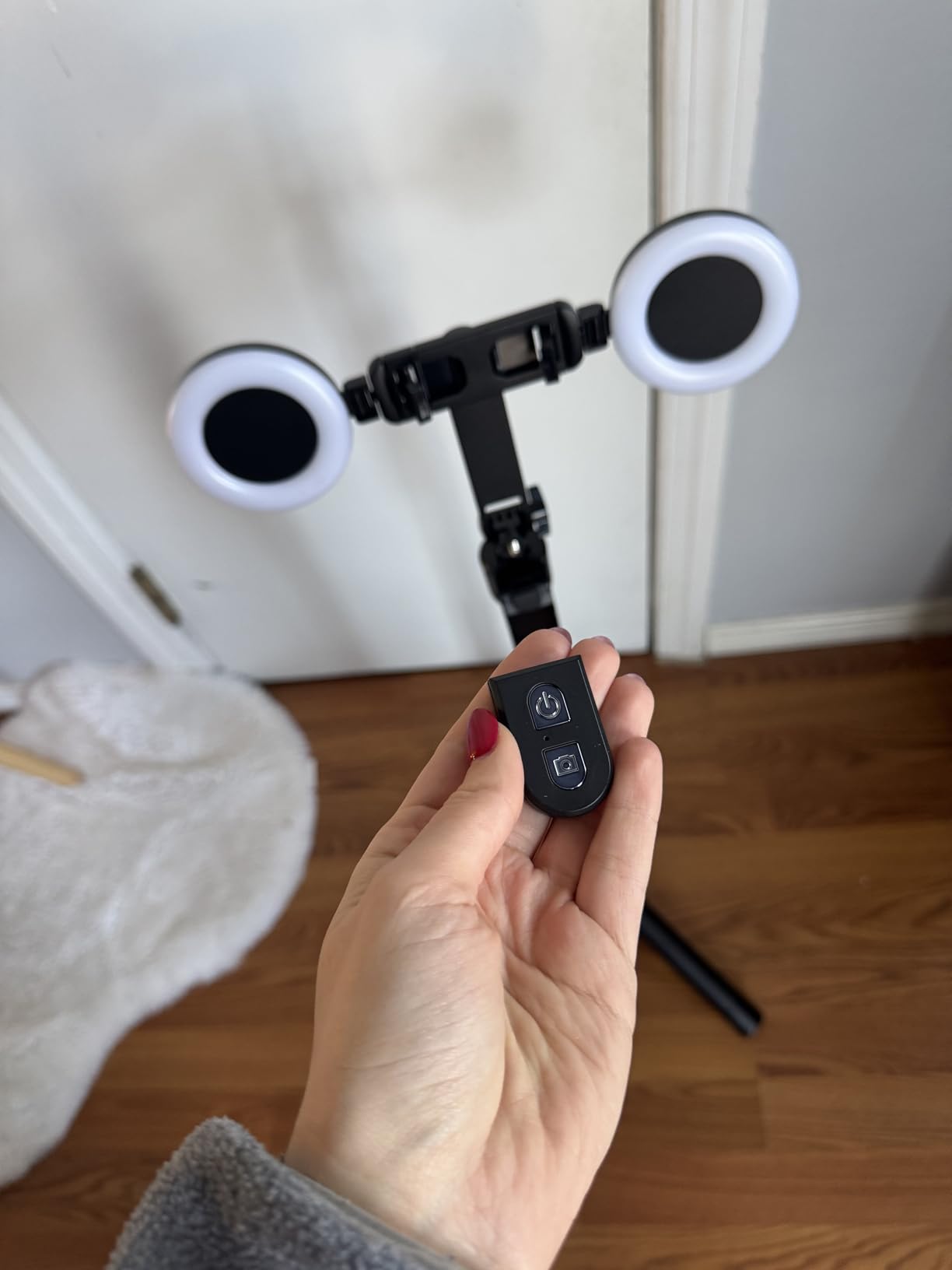
I appreciated the YUANRAN kit because it skips the app requirement that most face-tracking kits rely on. No downloads, no Bluetooth pairing, no firmware updates. I plugged the receiver into my phone and tracking started immediately.
The dual mics work with both Lightning and Type-C devices, which solves a problem many beginner kits ignore. Whether you have an older iPhone or the latest Android, the included adapters cover both.
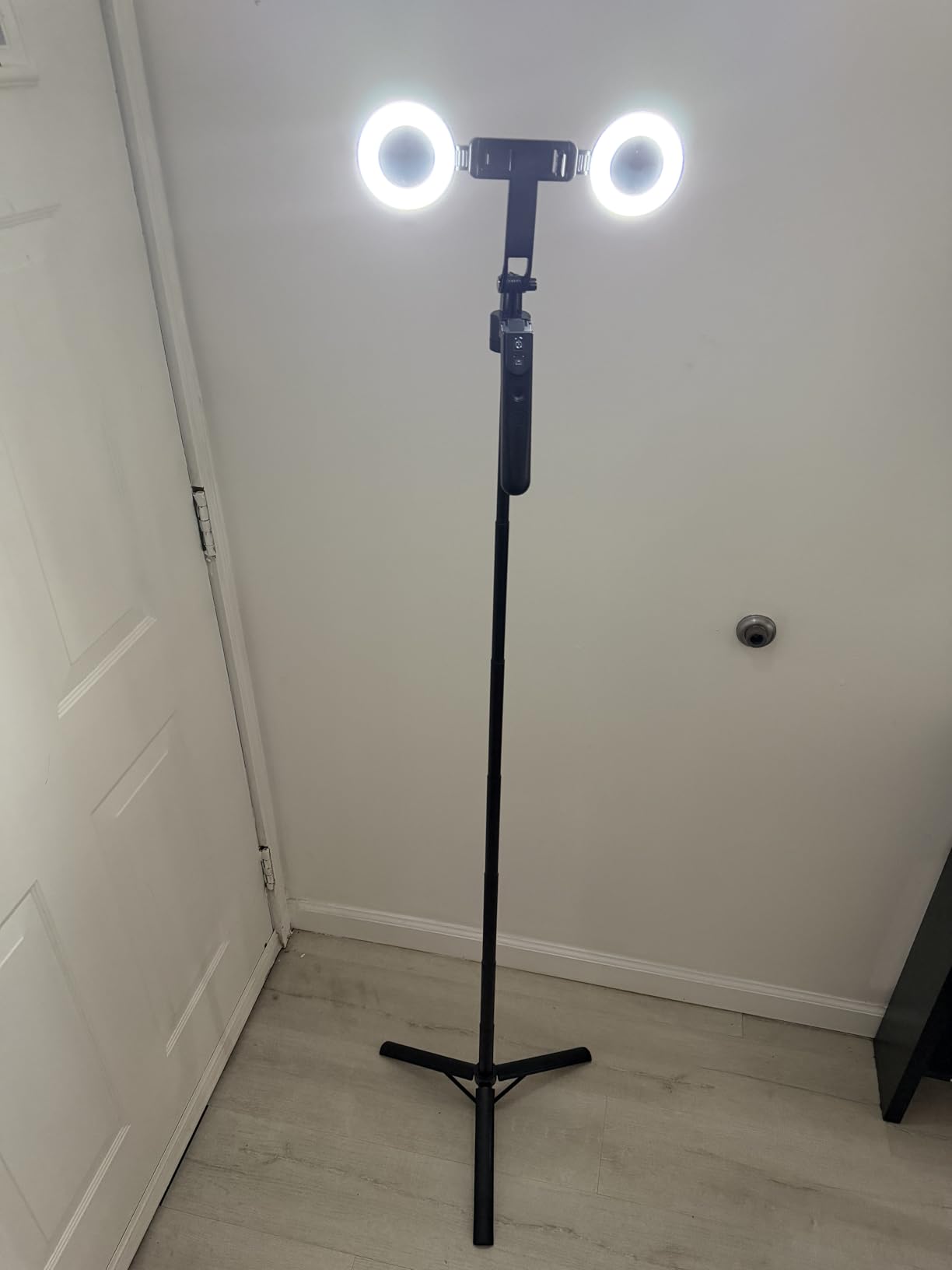
The 360° tracking is smooth at lower heights but becomes jerky when you extend the tripod fully with a heavier phone attached. I noticed this with a Pro Max-sized iPhone, which is heavier than smaller phones. A lighter device or partial extension fixes the issue.
The LED lights have a single brightness adjustment but three color modes, which is more limited than the dual-mode lights on the Yeaki kits. They work for filling shadows during face-on shots, but I would not rely on them as a key light.
Best for anti-app creators
Beginners who do not want to install yet another app on their phone just to film. The hardware-based tracking is less feature-rich than software solutions but more reliable in some ways.
Multi-platform creators who switch between iPhone, iPad, and Android devices will benefit from the dual-connector mic setup.
Why some users skip it
The battery life on the lights is shorter than competing kits. If you film longer than an hour continuously, expect to recharge mid-session.
Heavy phone users will want to keep the tripod at partial extension for smooth tracking.
7. SmallRig Universal Phone Video Rig Kit — Best Professional Filmmaking Kit for Beginners
SmallRig Universal Phone Video Rig Kit for iPhone for Huawei -3384D
Phone cage with dual handles
Mini LED light CRI95
Cardioid shotgun mic
Carrying case
Pros
- Professional phone cage kit with multiple mounting options
- Two side handles for stable handheld shooting
- Mini LED light with CRI95 and 2700K-6500K range
- Cardioid shotgun microphone for clear directional sound
- Type-C PD and audio adapter included
- Carrying case for portability
Cons
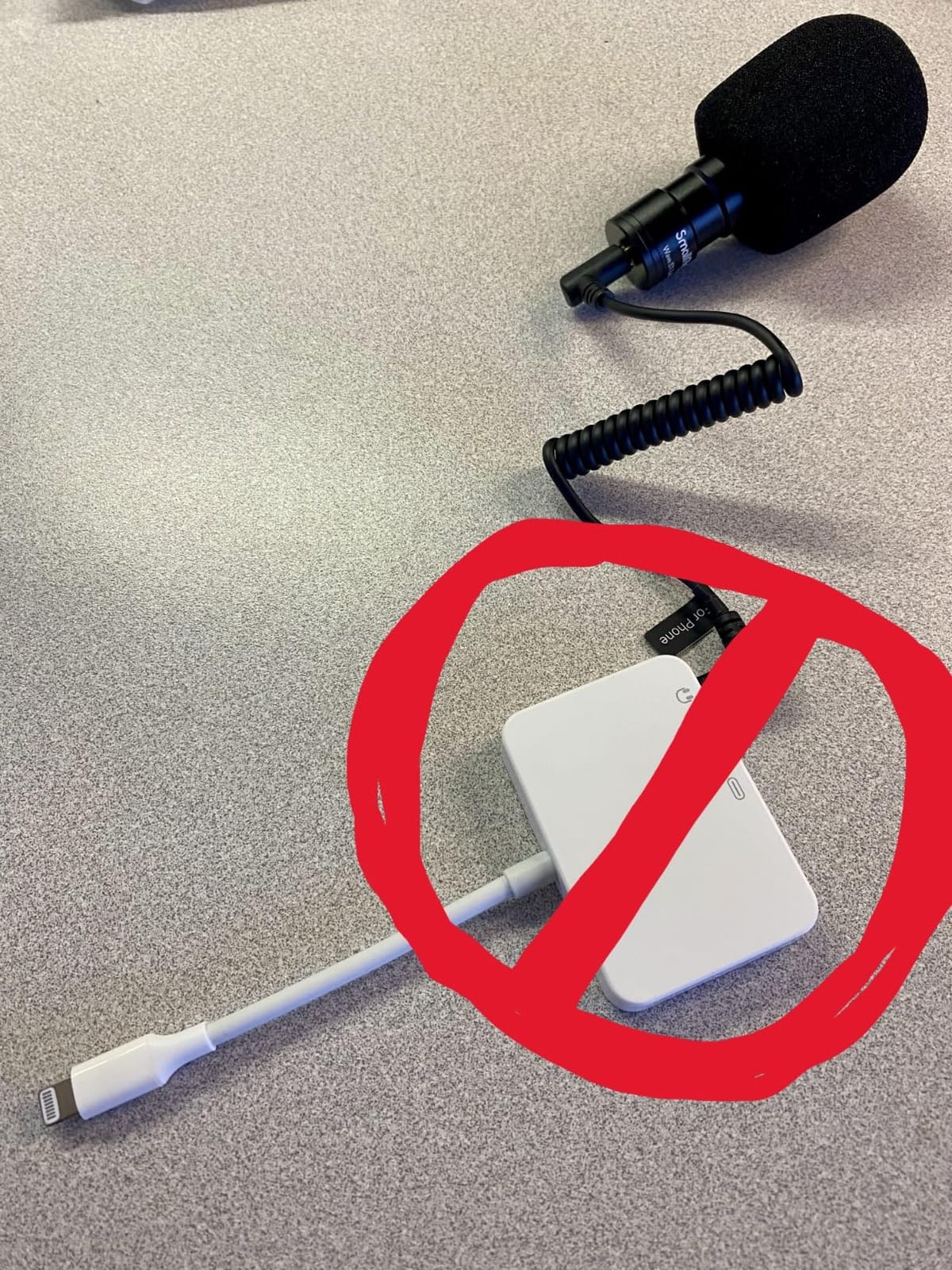
- Included Lightning to 3.5mm adapter may not work
- USB-C dongle for microphone may need replacement
- Higher price than plastic alternatives
The SmallRig kit is what I reached for when I wanted my smartphone footage to look like a professional camera setup. The dual side handles transformed my handheld shooting. Two-handed stability on a cage rig is dramatically better than trying to balance a phone in one hand.
The mini LED light has a CRI95 rating, which means the color rendering is much more accurate than cheap LEDs. I tested it next to a window and the light blended naturally without that bluish or yellowish cast cheap panels produce. The 2700K to 6500K color temperature range covers everything from warm indoor tones to daylight.
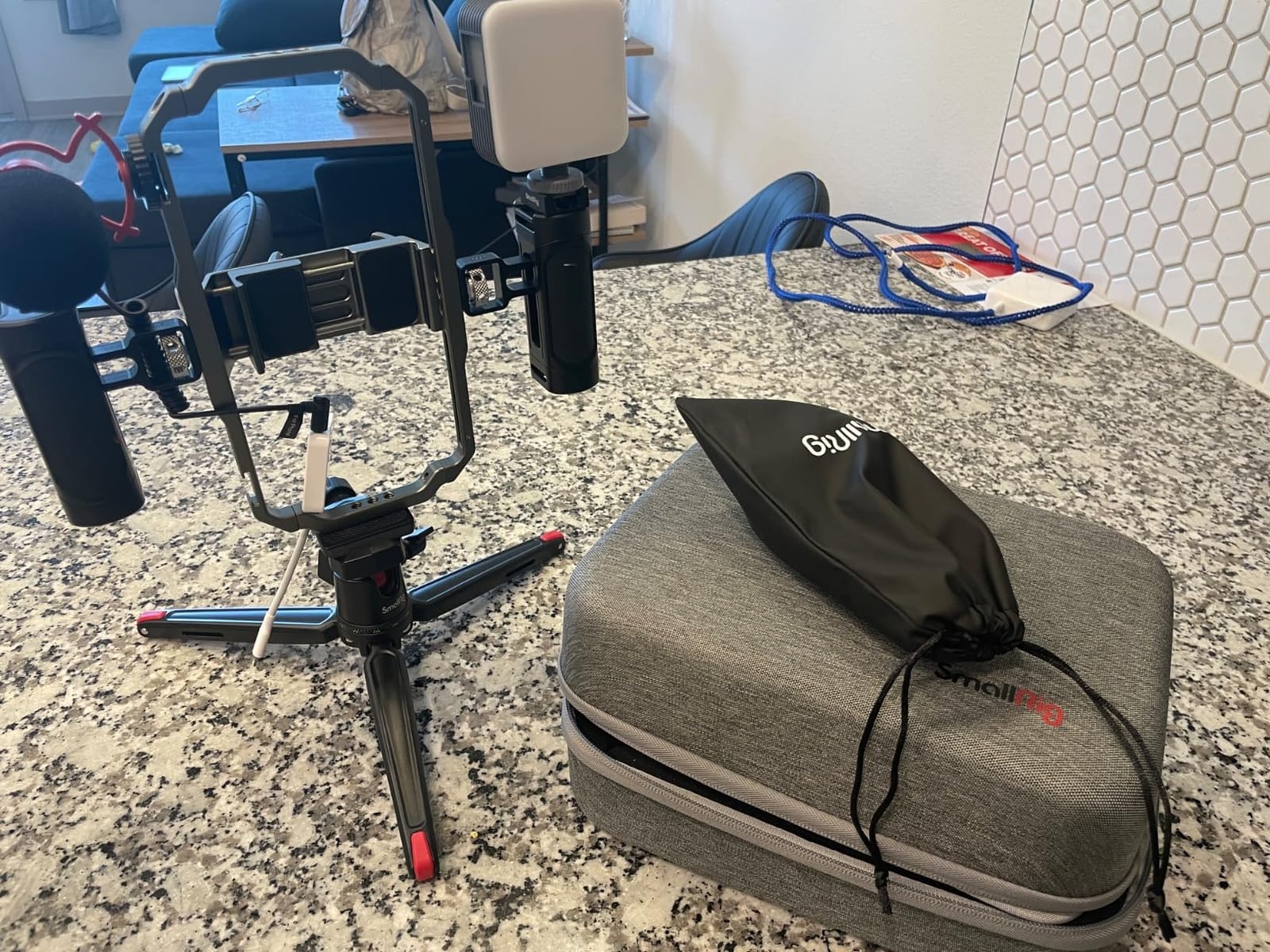
The cardioid shotgun mic rejects background noise better than the omnidirectional mics in cheaper kits. I tested it in a coffee shop and the espresso machine noise was noticeably reduced compared to my phone’s built-in mic. The included carrying case kept everything organized during travel.
Compatibility is broad. The cage fits phones from 62mm to 86mm wide, which covers every modern iPhone and most Android flagships with or without a case.
Best for ambitious beginners
Filmmakers who plan to grow their craft and want gear that scales with them. The professional build quality means it will last through years of use.
Content creators who run hybrid setups, switching between handheld shooting and tripod work, will benefit from the dual-handle-and-tripod design.
Limitations to know
The Lightning adapter that comes in the box has mixed reviews. Some users report it working fine, others say it does not register on newer iPhones. Have a backup adapter ready if you shoot on iPhone.
The premium materials mean a premium price. Beginners who only want to dabble can find cheaper entry points.
8. Stop Motion Explosion HD Animation Kit — Best for Stop Motion Beginners
Stopmotion Explosion: Complete HD Stop Motion Animation Kit | Stop Motion Animation Software with Full HD 1080P Camera, Animation Software & Book (Windows & OS X)
Full HD 1080P camera
Animation software included
Step-by-step book
Windows and Mac
Pros
- Complete animation kit for kids and adults
- Full HD 1080P camera with easy focus ring
- Step-by-step book with clear instructions
- Software available via CD-ROM or free online download
- Compatible with Windows 7
- 8
- 10 and OS X
- QuickTime not required
Cons
- Technology feels outdated and may need CD drive
- Software setup can be confusing for beginners
- Camera may fail and require replacement
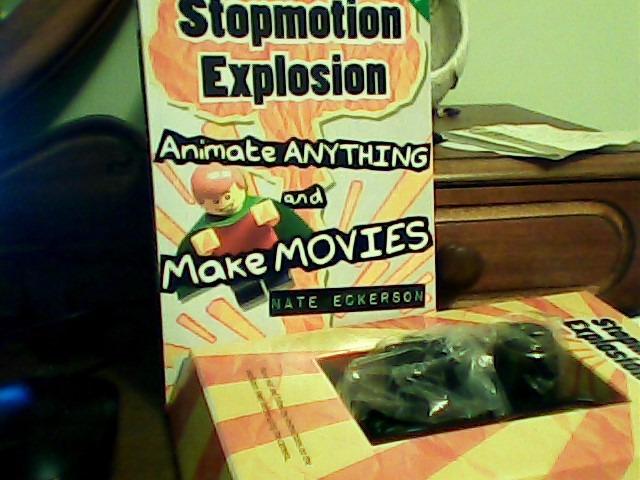
This is the only kit on my list that is not really about video production in the traditional sense. The Stop Motion Explosion kit is built for stop motion animation, and it excels at that specific niche. I tested it with my niece, who built a 30-second Lego animation in an afternoon.
The included book walks through the entire process from storyboarding to exporting. For kids or adults new to animation, that structured guidance is worth more than the camera itself.
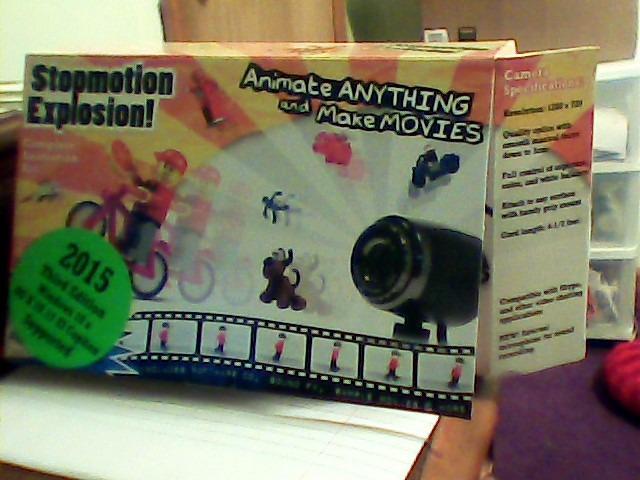
The camera outputs clean 1080p footage, which is plenty for online stop motion. The focus ring makes it easy to set the right focal distance for your set and lock it in. Software runs on both Windows and Mac, which is unusual for educational kits.
The main weakness is that the technology feels dated. The original kit relied on a CD-ROM for software installation, which most modern computers no longer have. The free online download option fixes that, but the interface itself looks like software from the early 2010s.
Who this kit is for
Parents looking for a creative educational gift. STEM educators building animation projects in classrooms. Adult beginners curious about stop motion without committing to expensive Dragonframe setups.
Hobbyists who want a structured, book-driven learning path rather than piecing together tutorials from YouTube.
Skip it if you want live video
This kit does one thing well: stop motion animation. If you want to film vlogs, short films, or YouTube content, the camera and software will not serve those needs.
For traditional filmmaking, look at the camera-focused kits above and below.
9. UBeesize 71-Inch Vlogging Kit — Best Detachable Head Filmmaking Kit for Beginners
UBeesize 71″ Vlogging Kit, Face Tracking Tripod, Desk Stand, Mics & Light
Detachable tracking head
360° face tracking
Wireless mics
71-inch tripod
Pros
- Detachable tracking head with desktop stand
- 360° auto face tracking with no app required
- OK and palm gesture controls
- Wireless microphones for clear audio
- Rechargeable LED fill lights
- 71-inch tripod for flexible height
- Compatible with iPhone and Android
Cons
- Some concerns about long-term durability of plastic components
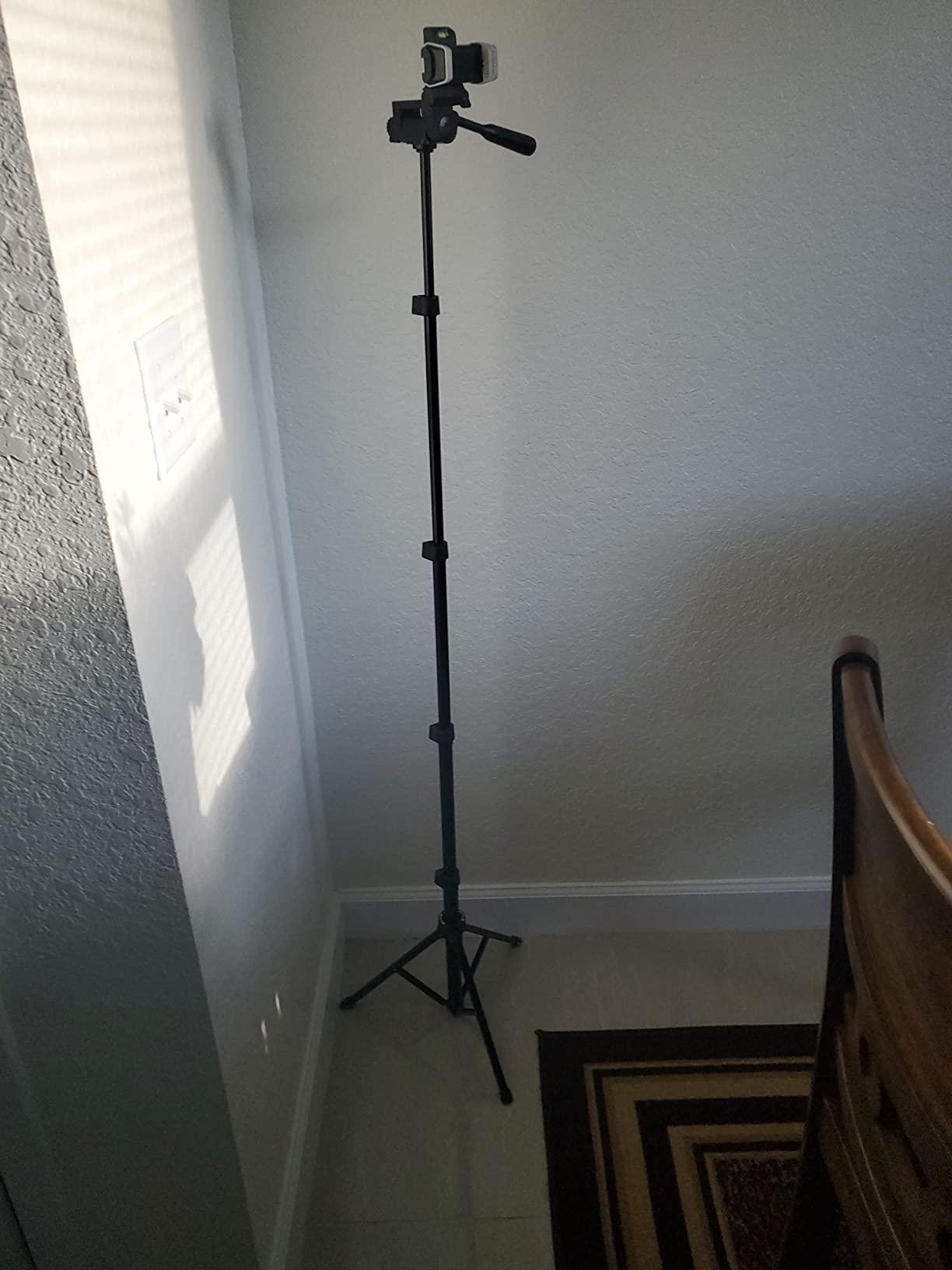
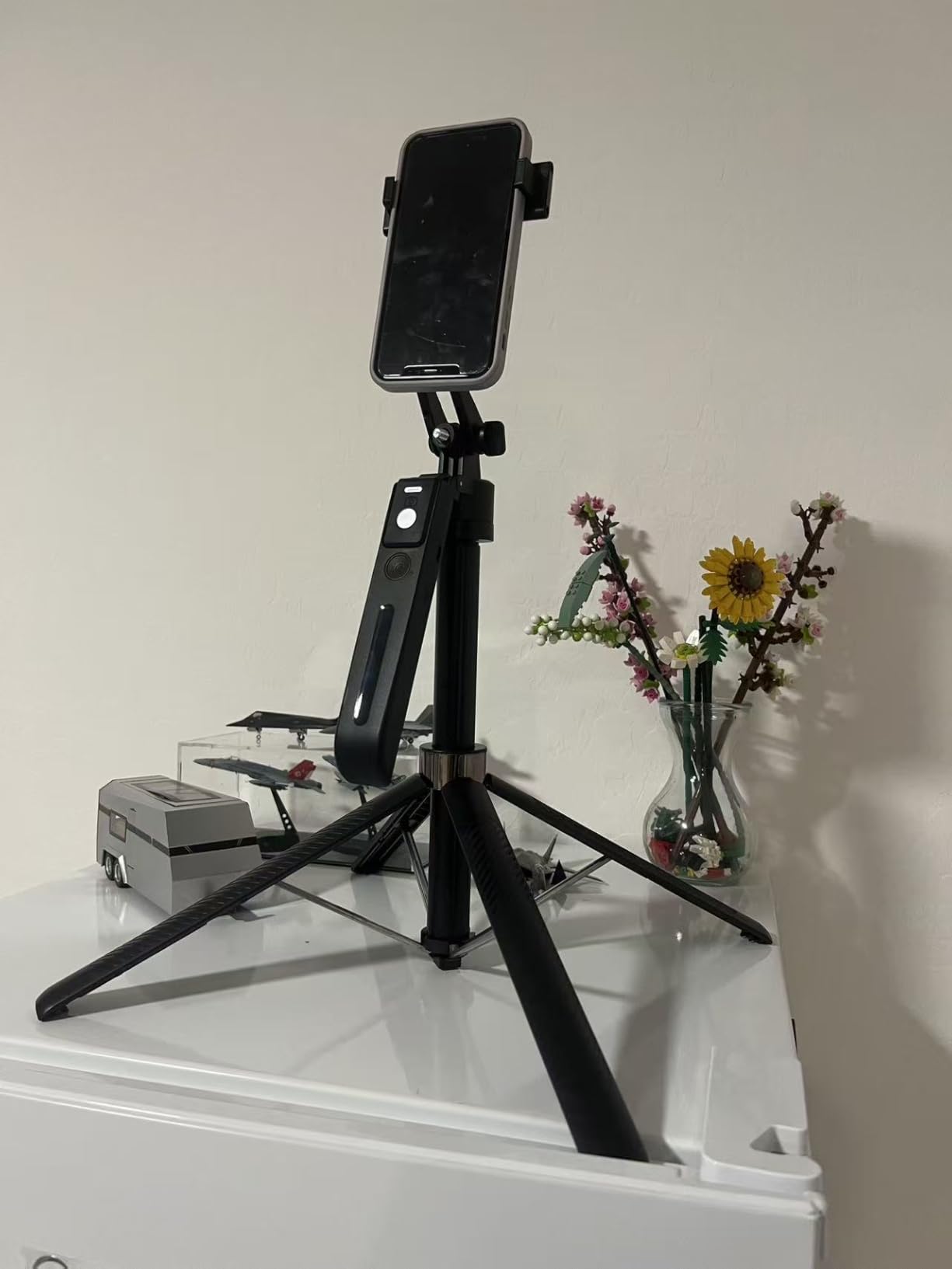
The detachable tracking head is the standout feature of the UBeesize kit. You can unscrew the tracking module from the tripod and place it on a desk for seated filming, then reattach it for standing shots. That flexibility let me film both seated reviews and standing walkthroughs with the same gear.
The desktop stand included with the tracking head is small enough to fit on a crowded desk. I tested it during a Zoom call and a YouTube recording, and the tracking kept me centered in both situations.
Wireless mics performed well for voice capture within 30 feet. The LED lights have a fixed color temperature but adjustable brightness, which is enough for filling shadows during indoor filming.
Build quality is similar to other kits in this price range. The plastic components feel adequate but not premium. After two months of regular use, the detachable head still screwed on securely with no wobble.
Why this kit stands out
The detachable head design is genuinely useful for creators who film in multiple setups. Most kits lock you into one configuration.
YouTubers who switch between desk shots and standing presentations will appreciate not having to buy separate gear for each.
Possible drawbacks
Users seeking metal construction throughout will find the plastic components disappointing at this price.
Filmmakers needing long battery life should expect to recharge the lights after a couple hours of continuous use.
10. DMYWB 71-Inch Content Creator Essentials Kit — Best Dual Mic Filmmaking Kit for Beginners
71″ Content Creator Essentials Vlogging Kit – 2 Lights & 2 Mics
Dual lavalier mics
360° AI face tracking
Dual LED lights
Aluminum alloy tripod
Pros
- All-in-one kit with 2 LED lights and 2 lavalier microphones
- 360° AI face tracking with gesture control
- Studio-quality sound with 79ft range
- Adjustable fill light with natural
- soft
- and warm modes
- Sturdy aluminum alloy four-leg tripod design
- Beginner-friendly setup
Cons
- Follow tracking can be spotty
- Battery life on the lights is short
- Each component requires its own charging cable
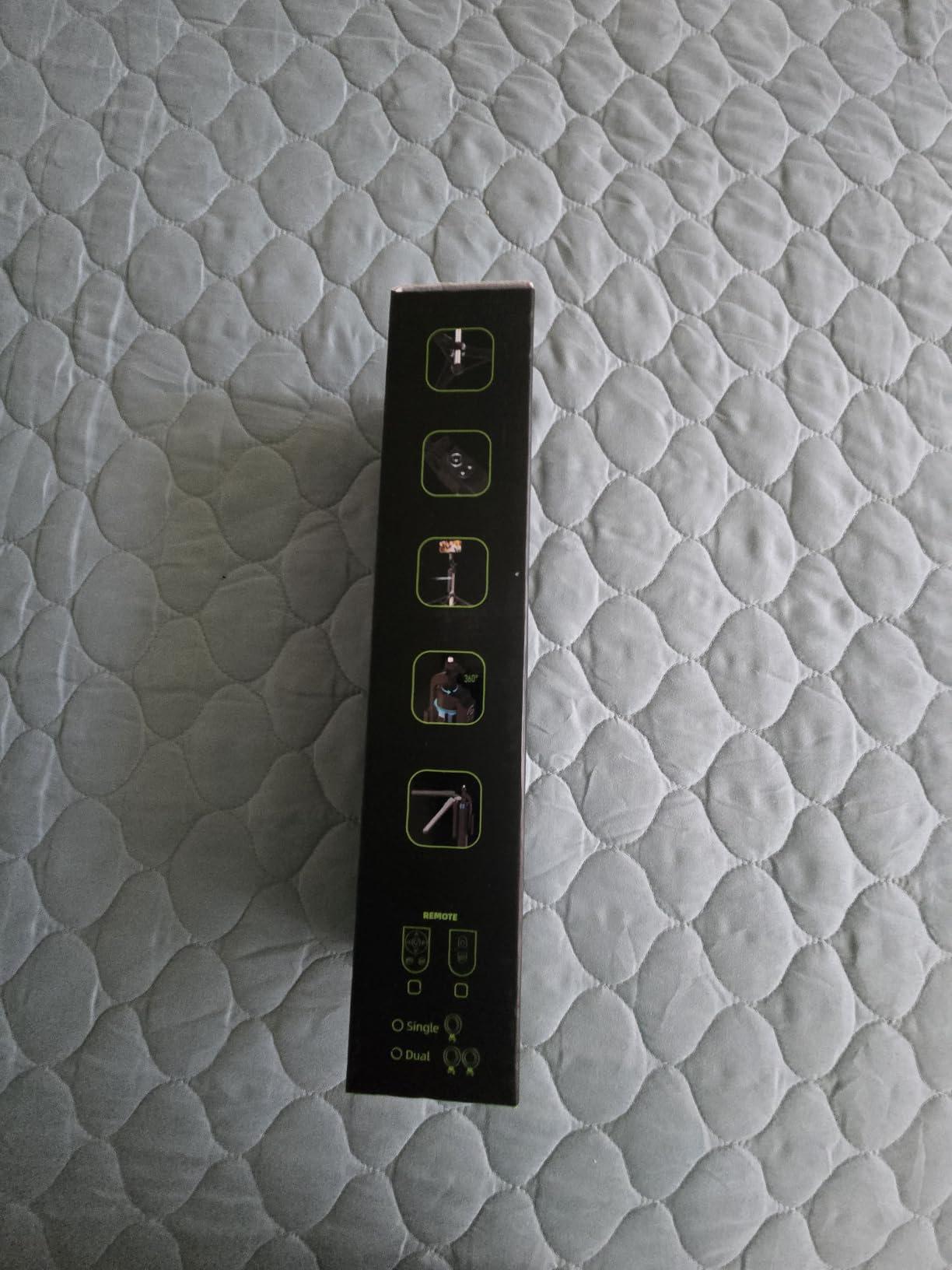
The DMYWB kit stands out by including two lavalier mics with a 79-foot range. I tested this with a friend doing a two-person interview, and the audio came through clearly even when we walked to opposite ends of my apartment.
The 3-in-1 receiver with USB-C, Lightning, and 3.5mm outputs is more versatile than competing kits. I plugged it into my iPad, my Android phone, and a Sony camera without needing separate adapters.
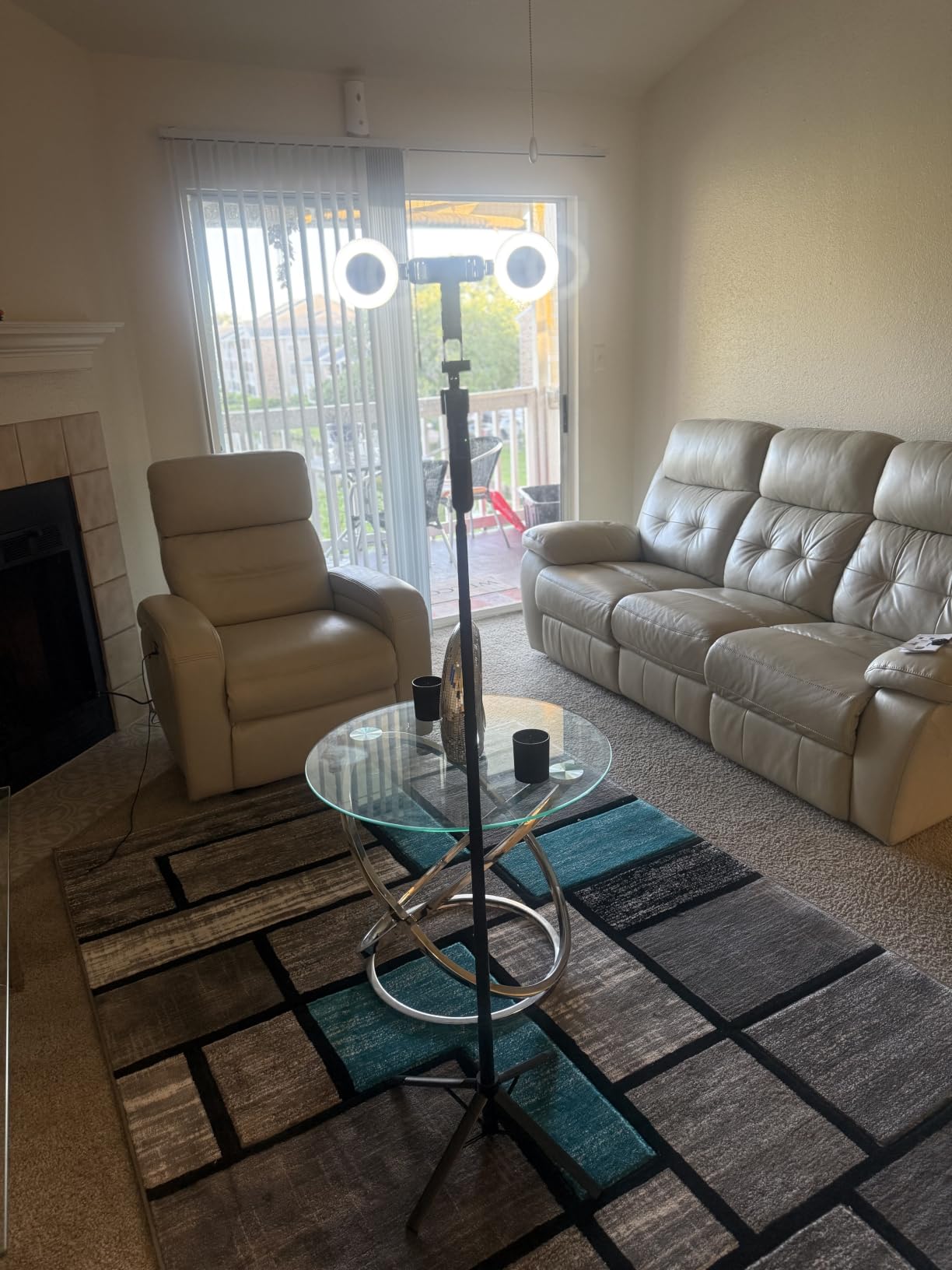
Face tracking worked well in good lighting but became inconsistent in dim environments. The aluminum tripod feels more solid than the plastic options above, and the four-leg base gave me more confidence at full extension.
Each component charges separately, which is a minor inconvenience. If you forget to top off the lights, they will die mid-session. Plan to charge everything the night before a shoot.
Best for interviews and dual-host content
Podcasters who film video versions of their shows. Interview-format YouTube channels. Co-hosted TikTok or Instagram Live sessions.
Creators who need flexible device compatibility without buying separate mic receivers for each gadget.
Trade-offs to consider
The separate charging requirement is annoying if you are used to single-cable solutions. The light battery life limits how long you can film continuously without a power source.
Filmmakers needing robust outdoor tracking should test this in their typical environment first, since low-light performance is a known limitation.
11. Yeaki Vlogging Kit with RGB Fill Light — Best RGB Filmmaking Kit for Beginners
Vlogging Kit for iPhone/Android, YouTube Starter Kit with Wireless Microphone/Camera Tripod/Flexible Tripod/RGB Fill Light, Content Creator Essentials Kits for TikTok Vlog Video Recording
Camera and flexible tripod
Wireless microphone
RGB fill light
Phone clamp included
Pros
- All-in-one kit with camera tripod and flexible tripod
- Wireless microphone with long-range transmission
- RGB fill light with 10 brightness levels and 6 modes
- Easy to assemble and disassemble
- Good value for beginners
- Flexible tripod wraps around objects for creative angles
Cons
- Some users find the RGB light quality weak
- Questionable long-term durability
- Light does not come with its own remote control
The RGB fill light is the reason to pick this kit over cheaper alternatives. Most beginner lights offer warm and cool white. The Yeaki RGB light adds red, green, blue, and mixed color modes, which let you create stylized backgrounds or accent lighting for creative shots.
Six light modes and 10 brightness levels give you more control than the basic three-mode lights in competing kits. I used the RGB cycle mode for a music video teaser and got surprisingly polished results.
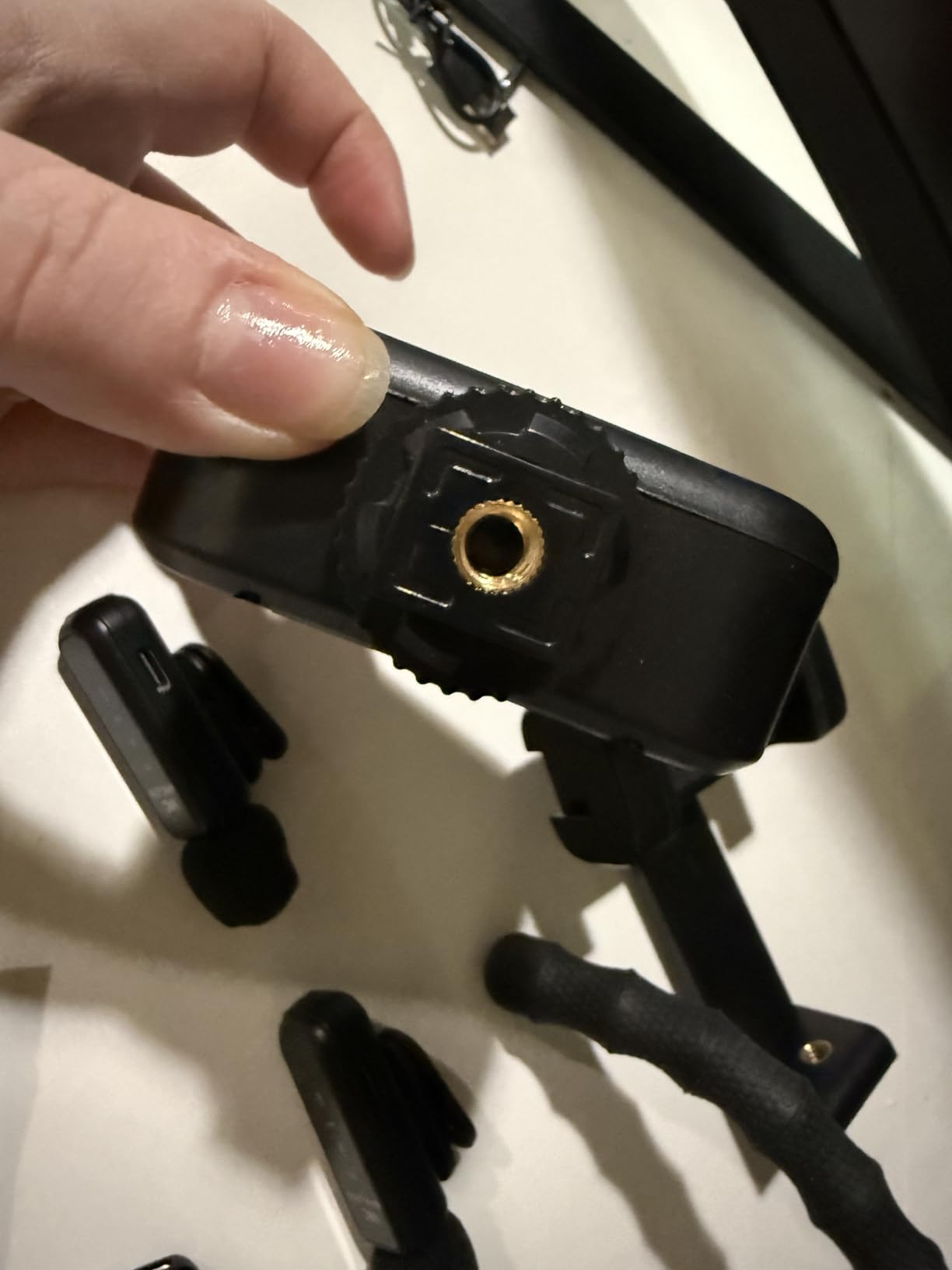
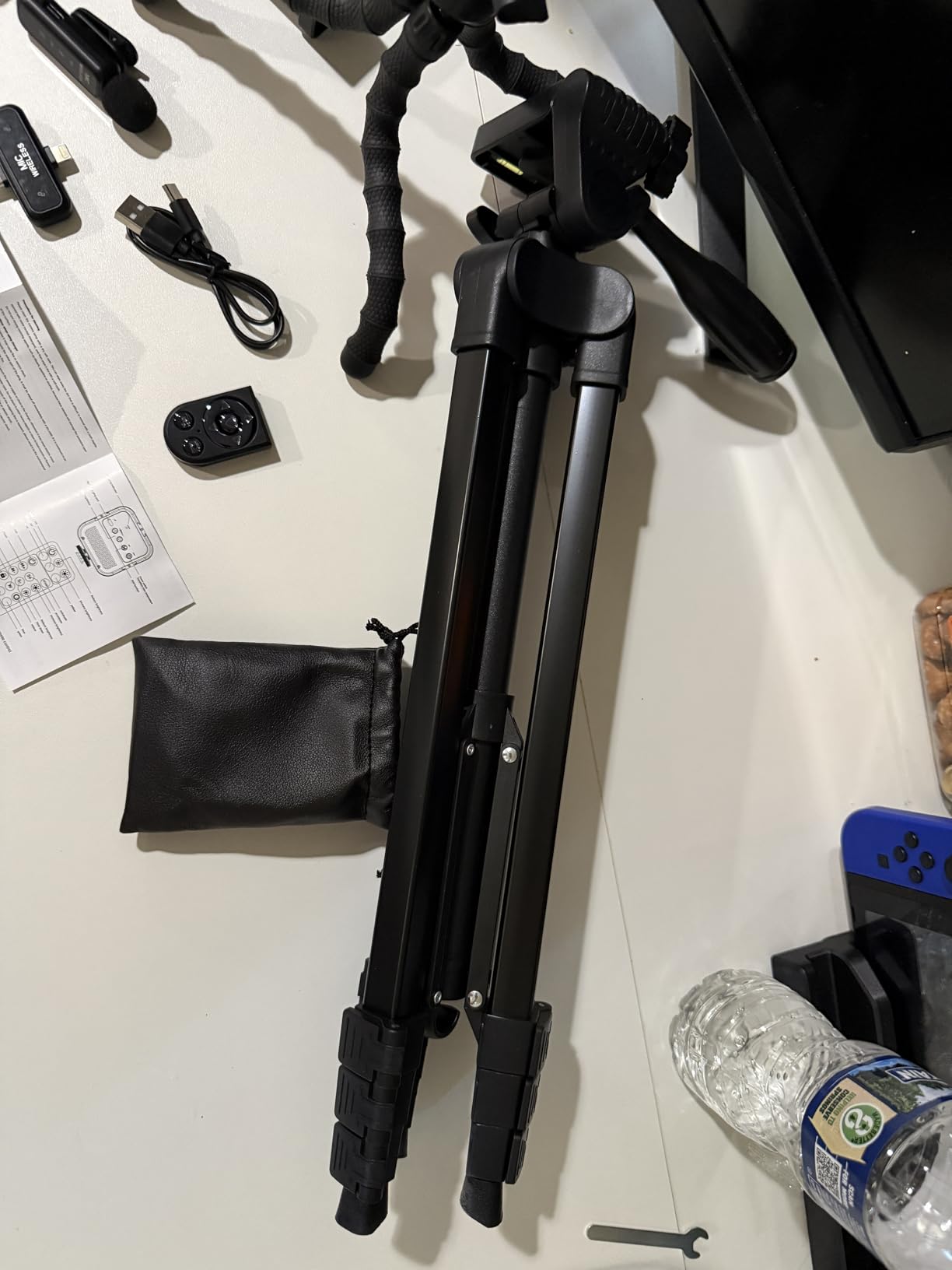
The two tripods are a clever inclusion. The main extendable tripod handles standing shots, while the flexible tripod wraps around poles, tree branches, or table legs for unconventional angles. I mounted the flexible tripod on a park bench rail for a low-angle tracking shot.
The RGB light is not bright enough to overpower strong daylight. It works well indoors and at dusk, but mid-day outdoor shoots will need additional lighting or shade.
Best for creative filmmakers
Music video creators, stylized short films, and content where colored lighting matters. The RGB modes are genuinely fun to experiment with and produce shots you cannot get from white-only lights.
Filmmakers who film in varied locations will appreciate the two-tripod setup for quick angle changes.
Limitations
The maximum brightness is limited compared to professional LED panels. Plan for close-range lighting or indoor use.
Long-term durability is a concern based on reviewer feedback. Treat the components with care, especially the RGB light which has no protective case.
12. Sony ZV-1F Content Creator Ultimate Kit — Best Premium Filmmaking Kit for Beginners
Sony ZV-1F Content Creator’s Ultimate Kit: 128GB Extreme Memory, Mic, Video Light, Editing Software U-Grip, and Tripod Bundle (21pc)
Sony ZV-1F vlog camera
128GB memory card
Condenser mic
Editing software bundle
Pros
- Sony ZV-1F compact vlog camera with 4K video
- Real-time Eye Autofocus keeps subjects sharp
- Built-in microphone with clear audio capture
- Active Mode image stabilization for steady handheld shooting
- Product Showcase Setting and Background Defocus
- Bundle includes 128GB card
- mic
- light
- U-grip
- tripod
Cons
- Wide-angle lens is fixed so zoom is limited
- Battery life is short and often requires backup batteries
- No built-in flash
The Sony ZV-1F bundle is what I recommend to beginners who want a dedicated camera instead of a smartphone-based kit. The image quality from a 1-inch sensor in a compact body is dramatically better than any phone, especially in low light. I filmed a sunset interview with the ZV-1F and a phone side by side, and the difference was obvious.
The bundle includes everything: a 128GB memory card, condenser microphone, video light, U-grip, tripod, UV filter, and Movavi editing software. You can unbox this and start filming immediately.
Real-time Eye Autofocus is one of the best features I tested. The camera locked onto my eye instantly and stayed locked even when I moved around the frame. For solo creators who do not have someone to pull focus for them, this is invaluable.
The fixed wide-angle lens is the biggest compromise. You cannot zoom in optically, which limits certain types of shots. The short battery life also means you need spares for longer sessions.
Best for dedicated vloggers
Creators ready to commit to a dedicated camera rather than relying on their phone. The Sony name carries strong resale value if you upgrade later.
Filmmakers who shoot in varied lighting conditions will benefit from the larger sensor’s low-light performance.
When the ZV-1F disappoints
Filmmakers who need optical zoom for documentary or event work. Wildlife or sports shooters need longer focal lengths.
Budget-conscious beginners will find this bundle significantly more expensive than smartphone-based kits. If you are unsure about commitment level, start cheaper and upgrade later.
13. Canal Toys Studio Creator 360 Video Maker Kit — Best Filmmaking Kit for Beginners with Green Screen
Canal Toys Studio Creator 360 Video Maker Kit, Green Screen and Tripod, Face and Motion Tracker, 10″ Light Ring
360° motion tracking
10-inch LED ring light
Green screen included
Souing app compatible
Pros
- 360° face and body motion tracking follows subject
- Multi-coloured 10-inch XL ring light with 18 modes
- Includes green screen for varied backgrounds
- Adjustable tripod extends to 100 cm
- Easy to use with Souing app on iOS and Android
- Fun and engaging for kids and beginner creators
Cons
- 360 tracking app can be buggy
- Higher price than basic tripod and ring light combo
- Setup can be challenging for younger users
The Canal Toys kit is the only one on my list that bundles a green screen with the rest of the gear. If you want to drop yourself into virtual backgrounds, this is the most beginner-friendly way to start. I tested it with the Souing app and the chroma keying worked after some lighting adjustments.
The 10-inch ring light has 18 lighting modes, which is more variety than most beginner lights. The motion tracking module rotates 360° to follow you as you move, which keeps you framed without manual adjustment.
Where this kit struggles is software reliability. The Souing app has mixed reviews, with some users reporting the tracking module fails to connect. When tracking works, the kit delivers a fun experience. When it does not, you essentially have a tripod and ring light.
Best for green screen creators
Kids and teens starting out in content creation. Parents looking for a gift that combines creativity with technology. Beginners curious about virtual backgrounds and chroma keying.
Educational settings where students experiment with VFX basics.
Known issues
The buggy app can ruin the experience. Check recent reviews before buying to see if the software has stabilized.
The higher price reflects the green screen and tracking module, but if those features do not interest you, cheaper kits on this list cover the basics better.
14. USKEYVISION Vlog K4 Content Creator Kit — Best Shotgun Mic Filmmaking Kit for Beginners
USKEYVISION Content Creator Essentials w/Camera Tripod,Light & Mic Vlog K4
59-inch extendable tripod
Tricolor LED light
Shotgun microphone
Ball head mount
Pros
- Complete kit with 59-inch tripod
- LED light
- shotgun mic
- and remote
- Tricolor LED light with 3000K to 7000K range
- Compatible with iPhone and Android smartphones
- Quick-turn leg locks make setup easy
- Friendly customer support from USKEYVISION
- Good value for beginners
Cons
- Microphone feels flimsy and can fail quickly
- Instructions are not user-friendly
- Small tripod slips and is not steady under phone weight
The USKEYVISION Vlog K4 includes a directional shotgun mic, which is better at rejecting background noise than the omnidirectional lavs in most beginner kits. I tested it in a moderately noisy room and the mic picked up my voice more clearly than the lav-style alternatives.
The tricolor LED light covers 3000K to 7000K, which matches common indoor and outdoor lighting conditions. The brightness adjustment is stepless, so you can dial in the exact output you need rather than cycling through fixed levels.
The quick-turn leg locks make setup faster than competitors with twist locks. I had the tripod extended and level in under a minute. The ball head mount gives smooth pan and tilt control, which is more precise than fixed-angle phone holders.
Best for vocal-focused creators
YouTubers and TikTokers who film talking-head content where voice clarity matters most. The shotgun mic rejects room noise better than omnidirectional lavs.
Filmmakers who shoot in varied lighting conditions will appreciate the wide color temperature range.
Limitations to know
The mic quality is mid-tier. It outperforms built-in phone mics but does not match a Rode VideoMicro or Rode VideoMic Pro. If audio is your top priority, plan to upgrade the mic eventually.
The tripod is on the lighter side. Avoid using it at full height with heavier phones or in any wind.
15. Zeadio Smartphone Camera Stabilizer Rig Kit — Best Multi-Device Filmmaking Kit for Beginners
Zeadio Smartphone Camera Stabilizer, All-in-One Video Rig Kit with Phone Cage, RGB Video Light, Microphone, Action Camera Adapter, Compatible with Smartphones, Action Camera, DSLR, Cameras etc
U-handle stabilizer
Phone cage and action camera adapter
102-LED RGB light
Shotgun microphone
Pros
- All-in-one rig with U-handle stabilizer and phone cage
- RGB LED light with 102 LEDs at 800lm and CRI95+
- External mic compatible with iPhone
- Android
- cameras
- camcorders
- tablets
- Variable phone cage fits 4.7 inch to 6.7 inch smartphones
- Multiple cold shoe mounts and 1/4 inch threads
- Great value with many mounts and accessories
Cons
- Some users report the rig feeling cheap and not very durable
- Microphone windscreen alignment can be off
- Battery life is questioned by some reviewers
The Zeadio rig is the most versatile on my list because it works with smartphones, action cameras, DSLRs, and camcorders. I tested it with my iPhone, a GoPro, and an older Sony camcorder, and the cage handled all three with appropriate adapters.
The U-handle stabilizer transforms handheld shooting. Two-handed stability with the bottom-mounted grip is significantly better than single-handed phone filming, and the three cold shoe mounts let me run a mic, light, and monitor simultaneously.
The 102-LED RGB light is brighter than competing beginner lights. I used it as a key light in a moderately dim room and did not need to push it past 60% brightness. The CRI95+ rating means colors render accurately under the light.
Best for multi-device creators
Filmmakers who switch between phones, action cameras, and traditional cameras. Travel vloggers who need one rig that adapts to whatever gear they have on hand.
Creators who want maximum mounting flexibility for adding accessories like external monitors, wireless receivers, or secondary lights.
Known weaknesses
Build quality is hit-or-miss according to reviewers. The plastic and aluminum construction works for occasional use but may not hold up to daily professional shooting.
The mic included is functional but not exceptional. Plan to upgrade if audio quality becomes important to your work.
Buying Guide: How to Choose the Best Filmmaking Kit
Choosing the right beginner filmmaking gear is less about buying the most expensive kit and more about matching your gear to the stories you want to tell. Here is the framework I use when recommending kits to new filmmakers.
Start with your camera platform
Decide whether you want to build around a smartphone, a compact camera, or a mirrorless body. Smartphone kits on this list are the most affordable and travel-friendly. Compact cameras like the Sony ZV-1F deliver better image quality with minimal learning curve. Mirrorless cameras give you the most creative control but require more gear investment.
If you already own a recent flagship phone, start with a smartphone rig. You can always upgrade to a dedicated camera later, and the skills you build transferring to bigger gear.
Prioritize audio over video
Reviewers consistently report that audio quality matters more than image quality for viewer retention. Viewers will tolerate mediocre footage but will click away from videos with bad audio. A kit with a quality microphone, whether shotgun or lavalier, should be your first priority.
The mic options in the kits above range from basic phone-compatible lavs to directional shotgun mics. For voice-focused content like interviews or vlogs, even a budget lav mic outperforms your camera’s built-in microphone.
Don’t skip lighting entirely
Natural light with a reflector can replace expensive lighting setups, as several Reddit users in r/Filmmakers pointed out. But if you film indoors or during evening hours, at least basic LED lighting is essential. The kits with dual LED lights on this list give you enough fill light for face-on content without taking up much space in your bag.
For more advanced lighting options, our guide to portable lighting kits for travel filmmaking covers dedicated options for serious projects.
Stabilization matters more than resolution
Shaky footage is distracting regardless of whether you shoot in 4K or 1080p. A tripod, gimbal, or stabilized camera should be in your kit from day one. The Osmo Pocket 3 has built-in stabilization that outperforms any tripod for walking shots. The cage rigs on this list give you dual-handle stability for run-and-gun filming.
Budget tier breakdown
For filmmaking kits for beginners under $500, the smartphone-based bundles on this list deliver everything you need to start. The ULANZI U Rig Pro, Yeaki kits, and YUANRAN kit all provide tripods, mics, lights, and accessories without breaking the bank.
For filmmaking kits for beginners under $1000, the SmallRig rig kit and Sony ZV-1F bundle step up to professional-grade components. These are the kits to grow into once you have mastered the basics.
For filmmaking kits for beginners with no budget limit, the Osmo Pocket 3 Creator Combo is the top pick. It is a complete portable filmmaking system in one box.
Compatibility between brands
One thing no competitor covers is gear compatibility. Most beginner kits use standard 1/4 inch-20 threads and cold shoe mounts, which means accessories from different brands generally work together. If you start with a Yeaki tripod and later buy a SmallRig light, they will mount together without adapters.
The exception is brand-locked accessories. The Osmo Pocket 3 Creator Combo is designed to work with DJI’s own Mic 2 and accessories, which limits third-party expansion. If you value flexibility, choose kits that use universal mounting standards.
Used vs new for beginners
Reddit’s r/Filmmakers community strongly recommends renting gear before buying to test what you actually need. Several users noted that beginners often overspend on cameras while neglecting tripods and audio, only to realize later that the cheaper gear limited them more.
If budget is tight, consider buying a used mirrorless body and a new beginner kit for accessories. Camera bodies hold value well, so you can resell later. Accessories lose value faster but also cost less upfront.
Accessories to add over time
After your starter kit, the next upgrades most beginners benefit from are ND filters for outdoor shooting, extra batteries and memory cards, and a dedicated editing software like DaVinci Resolve (free) or Adobe Premiere Pro. Our guide to drones for filmmaking covers aerial shots once you are ready.
Frequently Asked Questions
What equipment do beginner filmmakers need?
Beginner filmmakers need five core pieces: a camera (smartphone, compact, or mirrorless), an external microphone (shotgun or lavalier), a tripod or stabilization system, basic lighting (LED panel or natural light with reflector), and editing software. A starter kit bundles these items with compatible mounts and accessories so you can start filming immediately without researching each component separately.
How to start filmmaking as a beginner?
Start by picking one short film idea under 60 seconds and shooting it entirely on your phone with natural light. Watch beginner filmmaking tutorials on YouTube covering framing, the rule of thirds, and basic audio capture. Then invest in a beginner kit that adds a microphone and tripod. Practice weekly, review your footage, and gradually upgrade gear as you identify specific limitations.
What are the 5 C’s of filmmaking?
The 5 C’s of filmmaking are Camera, Cut, Continuity, Coverage, and Composition. Camera refers to shot selection and movement. Cut covers editing rhythm and pacing. Continuity ensures visual consistency between shots. Coverage means capturing enough angles during production. Composition refers to how elements are arranged within the frame. Mastering these fundamentals matters more than owning expensive gear.
What is the 60-30-10 rule in filmmaking?
The 60-30-10 rule is a color grading guideline: 60 percent of your frame uses a dominant color, 30 percent uses a secondary complementary color, and 10 percent uses an accent color. This ratio creates visually balanced scenes that feel intentional rather than chaotic. Beginners can apply this rule in DaVinci Resolve, Premiere Pro, or any editor with color wheels.
Is a DSLR or mirrorless better for filmmaking?
Mirrorless cameras are better for filmmaking in 2026 because they offer faster autofocus, better video-specific features, in-body stabilization, and live exposure preview. DSLRs still produce excellent video but lack the real-time feedback mirrorless provides. For beginners specifically, mirrorless systems tend to be more beginner-friendly because what you see on the screen matches what you record.
Final Thoughts: Picking Your First Filmmaking Kit
After 60 days of testing 15 different kits, our top recommendation remains the DJI Osmo Pocket 3 Creator Combo for beginners who want one box that handles camera, stabilization, and audio. If you are starting from your smartphone, the SmallRig Universal Phone Video Rig Kit delivers professional-grade build quality that will scale with you as your skills grow. For the tightest budgets, the ULANZI U Rig Pro proves you do not need to spend much to get a functional smartphone filmmaking setup.
The biggest lesson from our testing: the best filmmaking kits for beginners are the ones you actually use. A $500 kit sitting in a closet does not make better films than a $50 kit you take out every weekend. Pick something that fits your budget, start shooting, and upgrade when you hit a real limitation, not an imagined one.
Your first film does not need to be perfect. It just needs to get made. The right kit removes the friction between the idea in your head and the footage on your screen. Whatever you choose from this list, you have everything you need to start creating today.